#fallen-aces-modding
1 messages · Page 1 of 1 (latest)
 normal thorn
 smoky pendant
woa
normal thorn
fallen aces moddinf is better
smoky pendant
yuh
 grave parrot
the place where it all begins
 thorny cape
watch me have no embed perms
thorny cape
thorny cape
watch me have no embed perms
NO MY NEW HERE BADGE
 tired horizon
skibi
 echo oyster
welcome welcome hi everyone
normal thorn
i must say it again, fallen aces moddinf
 kindred wind
is there a dust 2 yet
 fiery tree
Make sure you check out the currently uploaded mods on the workshop too
 silent arrow
Mods..
 dry shale
Wake me up when cs_office drops 😴
normal thorn
“modding” is simply inf-erior to “moddinf”…
 stuck hazel
I HAVE THINGS TOMORROW I CANNOT SPEND THE WHOLE NIGHT MAKING LEVELS AAAAH!
 harsh mica
Thankful there is documentation now so I won’t have trouble connecting sectors & reverse sectors anymore (I hope 🙏)
 sage summit
Hell yes
 blissful orbit
harsh mica
Thankful there is documentation now so I won’t have trouble connecting sectors &...
blissful orbit
harsh mica
Thankful there is documentation now so I won’t have trouble connecting sectors &...
There already is
 ashen sage
AYYYYYYYYY IM MODDIN HERE
blissful orbit
ashen sage
AYYYYYYYYY IM MODDIN HERE
we already know gang 😔
 hallow wagon
go aces
harsh mica
ashen sage
AYYYYYYYYY IM MODDIN HERE
HE’S MODDIN HERE!
 weary siren
guys is this #fallen-aces-modding
 frank flicker
when i try to install it, it doesnt show in the workshop episodes
echo oyster
sneak peek of a little thing im working on called BLOODRUST
harsh mica
You mean the editor?
harsh mica
It’s in the “Tools” folder
 tawdry parrot
frank flicker
when i try to install it, it doesnt show in the workshop episodes
tawdry parrot
frank flicker
when i try to install it, it doesnt show in the workshop episodes
gotta make sure ya put it in it's own "Episodes" folder before uploading.
 hybrid vigil
can AceEd fullscreen
fiery tree
alt+enter
echo oyster
hybrid vigil
can AceEd fullscreen
Alt+enter
hybrid vigil
thanks
 shadow dew

 thin tulip
when it is updated ultrakill mobile?
frank flicker
take a hike, man! this is our turf!
thin tulip
Jsjsjsj
hybrid vigil
how do you drag a surface in 3d view?
shadow dew
select "Position" for the edit mode and also select "Y Axis Controls Height"


 timber vortex
blissful orbit
timber vortex
blissful orbit
Imma throw this out to the crowd, its almost done. I just want feedback if i need to change anything or modify stuff before i post it to the workshop
(note, there are some keys in the starting area, DONT FOREGET THEM)
 jade wind
umbutchers is great
 meager latch
Umbutchers is cool
But personally I think the door placement and room layout could be improved a bit
hybrid vigil
how would yall add carpets to an area
im assuming just cut a section out and change the texture?
shadow dew
hybrid vigil
im assuming just cut a section out and change the texture?
yeah pretty much
shadow dew
meager latch
But personally I think the door placement and room layout could be improved a bi...
can you give some examples for me to take into consideration
 vague wren
noob question: How can I try what I'm doing? I mean, "play" the map I'm making without uploading to the workshop. I think it's something quite basic and needed and I dont see it on the doc
tawdry parrot
vague wren
noob question: How can I try what I'm doing? I mean, "play" the map I'm making w...
Hi Cris, you'll just wanna save you map file in it's own episode folder and load it from the main menu.
meager latch
shadow dew
can you give some examples for me to take into consideration
Alright, I'll replay the level and compare it to the official fallen aces levels
hybrid vigil
any way to view 3d "things" in the editor? spawned a limo but its just an icon
tawdry parrot
hybrid vigil
any way to view 3d "things" in the editor? spawned a limo but its just an icon
not yet
blissful orbit
tawdry parrot
not yet
Drat 😔
 glossy berry
What's the correct path for AcesData if I have it on my C:drive?
tawdry parrot
glossy berry
What's the correct path for AcesData if I have it on my C:drive?
C:\SteamLibrary\steamapps\common\Fallen Aces\AcesData
glossy berry
tawdry parrot
C:\SteamLibrary\steamapps\common\Fallen Aces\AcesData
thank you! Looking forward to (trying to) make levels! Loving the game thus far
 red plank
made a half arsed nuts.wad tribute out of necessity, i dont know when itll start showing up on the workshop
tawdry parrot
https://steamcommunity.com/sharedfiles/filedetails/?id=3486794926 official documentation guide again if anyone needs it.

This guide is a work-in-progress documenting the Fallen Aces SDK and its functionality....
shadow dew
you can always undo
hybrid vigil
made a backup to test it i dont think you can undo it
 brittle rose
Hi, I'm having trouble figuring out what i'm suppose to put into the access directory, i tried putting it in my SSD but i doesn't seem to work, what do i do?
vague wren
brittle rose
Hi, I'm having trouble figuring out what i'm suppose to put into the access dire...
Access data path? The complete route to the AcesData folder in your game folder (you can find the route going to your "local files" of the game from Steam), for example if you have Steam in C:: C:\Steam\steamapps\common\Fallen Aces\AcesData
brittle rose
Tried putting in the file path but no dice, saying that “AcesData directory doesn’t exist”
Sorry I’m new to stuff like this lol
shadow dew
can you send a screenshot of what you put in
tawdry parrot
hybrid vigil
made a backup to test it i dont think you can undo it
the editor automatically makes backups
meager latch
Alright
Got some photos for reference
I should be able to compare them to your map @shadow dew
shadow dew
i wonder if vriska's gonna make any workshop maps
brittle rose
Sorry for asking for help again but i'm following the SDK doc and it says to add thing and that assign "mike" id. The thing tab works fine but for whatever the "Thing" i create doesn't show up and i can't right click it to assign id, any idea how to fix this (Also for whatever reason page up and down don't seem to redo or undo
shadow dew
your things might be invisible, i remember this happening to me back when i started learning the editor

 rustic ocean
📟
shadow dew
brittle rose
thx!
👍
 plucky abyss
dry shale
Wake me up when cs_office drops 😴
plucky abyss
dry shale
Wake me up when cs_office drops 😴
should do it
vague wren
Only ingame textures,right? Or can we add our own the same way it can be done with the music?
meager latch
Alright
Can't to it tonight
Laptop doesn't want to work
And has been bugging out a lot
Got some photos
But not nearly as much as I want
 misty seal
playing the nut map.
 meager latch
Isn't this that one user doom level?
misty seal
yup the iconic Nut.Wad or the fallen aces version Nut Dot Goon
tbh I'm curious now... How far does modding go for this game like can you mod a new enemy?
if so.... fuck recreate all the doom enemies for Fallen Aces lol
shadow dew
as of right now all you can do is add or replace textures, sounds, and levels
meager latch
Damn
misty seal
alright, maybe one day we'll get the ability to create more with it
because genuinely it be funny as fuck for someone to recreate all the doom enemies but in the fallen aces style
meager latch
I had some ideas about custom weapons and new mechanics
(A grossly overcomplicated 1911, a Deagle in 357, and 10 slot inventory
This should be easier than thought to make due to the code base and sdk being easily available if I'm not mistaken
misty seal
tbh I do hope we get more with Fallen Aces modding
due to I genuinely do enjoy the whole limited slots gameplay of fallen aces
like the whole you can't stick to one thing thru an entire level is neat
meager latch
misty seal
tbh I do hope we get more with Fallen Aces modding
due to I genuinely do enjoy ...
Oh yeah its cool, but sometimes I like to excercise my rights and have 10 different guns on me like a REAL American
misty seal
pfff
meager latch
misty seal
like the whole you can't stick to one thing thru an entire level is neat
This is a nice feature, but I do hope that we can get mods to toggle it on and off
Not saying it should be added to the base game or should be the only way to play
But it's nice to have options sometimes
blissful orbit
misty seal
tbh I do hope we get more with Fallen Aces modding
due to I genuinely do enjoy ...
Me too gang, have a whole list of ideas I wanna do
 steady iris
I can't figure out how to play my level without uploading it to the Steam Workshop, is there something I'm missing?
vague wren
steady iris
I can't figure out how to play my level without uploading it to the Steam Worksh...
you have to put your files on the game's Episodes folder. Duplicate one of the existing ones and change what you need for your mod, then you open the game and you will see it there.
steady iris
vague wren
you have to put your files on the game's Episodes folder. Duplicate one of the e...
Thank you!
tawdry parrot
Yeah make sure it's in it's own episodes folder or it won't show up in the workshop options in the episodes workshop menu,
vague wren
for example:


Now I only need to know an easy way to put custom textures 😅 The system to add custom sounds and music is great but I don't know for textures 🤔
 rain jolt
FALLEN ACES MODDING!!
blissful orbit
rain jolt
FALLEN ACES MODDING!!
your kinda late to the party their
rain jolt
blissful orbit
your kinda late to the party their
Only 135 messages have been sent here

 fallow mortar
i MIGHT be stupid

 tawdry parrot
Kace test-basement and thebadeed high society you have to put your maps in an episode folder if you want to be able to select them from the epsiode select screen. I would consider reuploading your maps with these changes using the uploader.
vague wren
mmmm... when the documentation says Texture Package Generator... that is...where? 😅
vague wren
oh, great. Sorry, didn't saw it.
 indigo sable
fallow mortar
i MIGHT be stupid
indigo sable
fallow mortar
i MIGHT be stupid
You can set the modlist path to C:\Program Files (x86)\Steam\steamapps\common\Fallen Aces\modlist.txt
 cold current
i need the fallen aces e1m1 on spotify 🙏
tawdry parrot
cold current
i need the fallen aces e1m1 on spotify 🙏
its on youtube. Niftysquares noir doom
cold current
tawdry parrot
its on youtube. Niftysquares noir doom
peak
cold current
cant wait to see like chapter length levels
 tough moon
congrats on releasing the editor you kings
I have two little observations:
- it looks like .2 is the default texture size, but that's like extremely small, right? I was under the impression I was making a massive space on grid 6 but its height was shorter than mike
- it looks like the grid is a little off? my textures are ever so slightly misaligned, which is apparent on this screenshot. this is an 8x8 room on grid 6 with 4 height, with texture scale .5, you can see that there's some issues

 midnight trench
does anyone know what the .bvh file in the map folder is used for and how to create it? saving my map through AceEd only creates a .txt file
echo oyster
midnight trench
does anyone know what the .bvh file in the map folder is used for and how to cre...
just copy a bhv file from another level and change the name to match your txt file
seems to work
not sure what it does tho
midnight trench
thanks!
indigo sable
echo oyster
just copy a bhv file from another level and change the name to match your txt fi...
Definitely do not do this
The BVH is a Bounding Volume Hierarchy file, it's used for rendering + lighting optimization
The game should generate one automatically when you play the map
You can also use the genbvh or bakebvh console commands to force it
midnight trench
gosh it works
I suspected that the .bvh things was causing the level error but I simply forgot to spawn Mike
 placid sparrow
indigo sable
Definitely do not do this
placid sparrow
indigo sable
Definitely do not do this
its been a while since scott was showing off the editor
is there advanced scripting outside place player start, make a door, place level exit trigger
and
is there documentation for the ed
indigo sable
placid sparrow
its been a while since scott was showing off the editor
is there advanced script...
The documentation is available here: https://steamcommunity.com/sharedfiles/filedetails/?id=3486794926
Scripting is limited to in-level behavior at the moment, you can't do things like gameplay scripting (i.e. custom weapons/enemies/etc)
placid sparrow
indigo sable
The documentation is available here: <https://steamcommunity.com/sharedfiles/fil...
thanks
thats what i was looking for

 hollow citrus
Anyone managed to get movable geometry working? I looked at the base game levels to try and see how it works but couldn't figure it out myself
echo oyster
lighting sure does make a difference, huh

 harsh mica
That’s some beautiful work right there!
 cedar walrus
is there a way to make the editor fullscreen
echo oyster
cedar walrus
is there a way to make the editor fullscreen
f1 key
cedar walrus
thank you
blissful orbit
not really, tho I will suggest using the 3d mode when doing measurements
(Thats just from me tho)
 teal axle
also place a goon as a reference
blissful orbit
The Goon Unit
cedar walrus
how can i make a window
teal axle
making a small adjacent sector, then changing its ceiling/height
cedar walrus
thanks
echo oyster
profesional at work here
 brittle rose
I'm having trouble figuring out how to save the map file, I think i accidentally saved it without putting it in the game, where do i go to find the proper file to save it in?
Actually never mind i think i got it
blissful orbit
FINALLY Its fixed

 echo oyster
blissful orbit
FINALLY Its fixed
echo oyster
blissful orbit
FINALLY Its fixed
i'll be checkin this out for sure
blissful orbit
echo oyster
i'll be checkin this out for sure
I still am developing it (mainly on the car park area)
Question, How would one say relocate the meredith? (in terms of the cutscene) I just cant get it to work for whatever reason
vague wren
Noob question (again): I guess it's an event but... how to end the map? 😅
echo oyster
blissful orbit
Question, How would one say relocate the meredith? (in terms of the cutscene) I ...
place down a reference point in the place where you want the meredith to relocate, tag said reference point, put in the the tag in the nighmobile's properties under "relocate for driveoff"
echo oyster
vague wren
Noob question (again): I guess it's an event but... how to end the map? 😅
there are two ways to end the map
the easiest way is by placing down the nightmobile, which automatically ends the level when it's interacted with
the level can also be ended using scripts
echo oyster
echo oyster
the level can also be ended using scripts
EndLevel();
vague wren
echo oyster
the easiest way is by placing down the nightmobile, which automatically ends the...
thanks!
brittle rose
Just finished reading the Documentation, how do i load a level i've created to playtest it? I think i messed up the save (Though i can load it in the editor just fine)
vague wren
brittle rose
Just finished reading the Documentation, how do i load a level i've created to p...
Go to your game files and duplicate an existing episode changing the new one for your modding needs 🙂
teal axle
how do light states work? cant seem to get them to work

 echo oyster
i just spent 10 minutes going insane cuz my code wasn't working, and then i realised i misspelled "neautralised" as "neutralized" because that's how it is spelt in polish

truly a ball clenching moment
BLOODRUST preview 2
blissful orbit
echo oyster
**BLOODRUST** preview 2
I remember the days when it was just a bunch of boxes with the default texture 👴
tawdry parrot
Okay so let me explain some details we accidentally left out of the documentation. In order for your maps to work they must be saved in this format. You need to save your game within the episodes folder then name the folder whatever your episode will be. I chose "Wiseguy" you then make a subfolder in that folder where you put your map file. If you don't follow these steps you won't be able to pull up your map in the episode select screen, it will show up blank instead.


 real raptor
tawdry parrot
https://steamcommunity.com/sharedfiles/filedetails/?id=3486794926 official docum...
tawdry parrot
real raptor
tawdry parrot
https://steamcommunity.com/sharedfiles/filedetails/?id=3486794926 official docum...
tawdry parrot
Look at other maps that do work and see how the are correctly set up.
tawdry parrot
tough moon
congrats on releasing the editor you kings
I have two little observations:
- it...
YOOO skacky! Hell yeah.
I typically put default texture size at either 1 or 2.
I've never noticed the unaligned ceiling textures before. I'll keep note of that.
For walls you can use the texture autoalign tool, which you select walls from left to right. It dosen't align floors however but you can just reset it's alignment by settings their X,Y, offsets to 0
meager latch
Will this be added to the documentation soon?
Or will the poor saps who aren't in the discord have to learn the hard way?
 strange tangle
im not sure if im just stupid or not, but none of the things are showing up
 wind prism
tawdry parrot
Look at other maps that do work and see how the are correctly set up.
wind prism
tawdry parrot
Look at other maps that do work and see how the are correctly set up.
hey, so I noticed that you can replace sprites and sounds that aren't in the folders by default (gun sounds for example). Can you do the same for enemy sprites?
tawdry parrot
wind prism
hey, so I noticed that you can replace sprites and sounds that aren't in the fol...
No, as explained before you cannot replace enemy sprites yet. You can replace sprites for props however.
tawdry parrot
meager latch
Will this be added to the documentation soon?
Steam guide
strange tangle
oh wait i think i figured it out
wind prism
tawdry parrot
No, as explained before you cannot replace enemy sprites yet. You can replace sp...
ah, I see. Guessing that goes for viewmodel ones as well. Voicelines too?
I apologise if it's been answered before
 warped rain
indigo sable
The game should generate one automatically when you play the map
warped rain
indigo sable
The game should generate one automatically when you play the map
like play it in the game or what?
shadow dew
yeah
tawdry parrot
strange tangle
im not sure if im just stupid or not, but none of the things are showing up
had it toggled off I bet
strange tangle
nah i just though that the search menu brought up a list of stuff to place, but it just shows all the things in your map
warped rain
when I save my maps they don't create those backup folders immediately as is mentioned in the document
should I create those manually or should I not worry for now since I'm only experimenting?
tawdry parrot
It will do it when you start the map
warped rain
oh well my problem for now is that I can't load the episode that I created for my maps in game
like when I click on it, it just gets big and brings me nowhere
tawdry parrot
warped rain
oh well my problem for now is that I can't load the episode that I created for m...
You probably didn't set up your folders correctly as I mentioned above. If you don't have them set up properly they won't show up in epsiode select screen.
tawdry parrot
tawdry parrot
Okay so let me explain some details we accidentally left out of the documentatio...
THIS ^^
 median mason
warped rain
should I create those manually or should I not worry for now since I'm only expe...
median mason
warped rain
should I create those manually or should I not worry for now since I'm only expe...
Backups are created when you overwrite a map file
echo oyster
these fellas ain't as nice as you might believe
 wind prism
don't really think that texture fits the ceiling
echo oyster
wind prism
don't really think that texture fits the ceiling
i kinda see that
i'kll change it
echo oyster
wind prism
don't really think that texture fits the ceiling
yea y'know what it looks way better now i think
 wind prism
👍
echo oyster
thanks lad
wind prism
bloodrust 'bout to be lit
blissful orbit
wind prism
bloodrust 'bout to be lit
Indeed
 ebon sigil
I feel so dumb here and there’s most likely one major thing that I’m completely missing but I’ve got an episodes folder and the sub folder where the level goes inside it but yet still the episode pulses the gets big when clicked on
warped rain
tawdry parrot
You probably didn't set up your folders correctly as I mentioned above. If you d...
well the thing is that the episode shows up in episode list it's just when I click at it nothing happens, no chapters list appears, I checked the folders several times comparing them to guide and I don't think there's anything wrong there, but at this point it's too late here so I'll come back to it tomorrow and see what I missed
tawdry parrot
did you make sure that your chapterinfo is correct?
Your chapter info needs the be the same name as your map file
 ebon sigil
Now it works thank you so much
tough moon
tawdry parrot
YOOO skacky! Hell yeah.
I typically put default texture size at either 1 or 2.
...
ah, good to know. is there a reason why .2 is the default or is it a bug?
I haven't played a lot with doombuilder because sector mapping kind of breaks my brain, but what I like a lot with it is that you get metrics while you draw linedefs. any chance of having this for aced too?
warped rain
tawdry parrot
Your chapter info needs the be the same name as your map file
probably that's the thing I'll check on it later and huge thanks for being so helpful
tawdry parrot
tough moon
ah, good to know. is there a reason why .2 is the default or is it a bug?
I have...
I'm not entirely sure. I think it's just one of those things we meant to change eventually but never did. I think at one point the editor did show you how long your linedefs were when dragging them but I could be misremembering when we were still using doombuilder. But not a bad idea. The key to more advanced mapping that people will slowly figure out is the layer system. Rather than having very blocky Doom style maps, the layer system and inverted sectors can allow for more complicated map geometry.
We are looking into perhaps having prefab systems for saving shapes importing them into other maps. For example a building or a piece of furniture.
tough moon
oh that sounds neat. I tried making a rug with inverted sectors a few hours ago and couldn't figure it out lol
wind prism
oooh, that sounds like a great QoL feature
tough moon
hey here's another question, would it be possible to add top-down view dragging with the mouse somehow? (for example holding left click)
tawdry parrot
tough moon
hey here's another question, would it be possible to add top-down view dragging ...
 tawdry parrot
tough moon
oh that sounds neat. I tried making a rug with inverted sectors a few hours ago ...
tawdry parrot
tough moon
oh that sounds neat. I tried making a rug with inverted sectors a few hours ago ...
Yeah basically the way inverted sectors work is just making a sector and dragging the ceiling below the floor. It then makes it a 3d shape rather than a room shape.
tough moon
tawdry parrot
https://tenor.com/view/taking-notes-spongebob-patrick-write-that-down-gif-151920...
haha sorry I'm a huge pain in the dick when it comes to editor UX
tawdry parrot
Naw, the editor is an early WIP so we are looking a feedback from people. You obv have a lot of experience working with map editors that are clunky. DromED sems like a nightmare.
Documentation will be expanded upon in the future as well.
tough moon
I'm going to play around a bit more and compile a little list I think
tawdry parrot
Yeah, Certainly. That would be great. Just send me a DM the list.
tough moon
found a bug: using stretch on a surface isn't undone when you undo, and it can also corrupt other surfaces if you have multiple selected (like reverting to the default texture)
tawdry parrot
Yeah. That's been a known oversight.
 onyx rampart
Hey boss, the editor takes me back to making Duke3D maps back in the 90s.
This game is begging for a mod based on The Shadow...
blissful orbit
Gang, how the FUCK do you set up levels for the workshop 😭
Like I cant get it to work FOR SHIT
I have the right hierarchy and everything
onyx rampart
I just want to make a shadow mod for proof of concept that just modifies the hud/sound. where is a good starting point for this?
tawdry parrot
blissful orbit
Gang, how the FUCK do you set up levels for the workshop 😭
https://docs.google.com/document/d/1SOrvt40jvKH5q_q5Z6tRbVq7W-dCM5W5kkghOdSy5fw/edit?tab=t.0#heading=h.p67ufo9y2hv9 Read the documentation. Your folders have to be set up like this exactly or they won't show up in episode select. You should be able to select your level from epiosde select to test before uplaoding to make sure it works. Once you are sure it does, then try reuploading.

Google Docs
AceEd Documentation V.0.8.7 05/22/2025 Foreword Hello, thanks for playing Fallen Aces. This is documentation for the official map editor used to create all the levels seen in the game. All the tools present within the editor that were used to create the currently available levels are no...
blissful orbit
tawdry parrot
https://docs.google.com/document/d/1SOrvt40jvKH5q_q5Z6tRbVq7W-dCM5W5kkghOdSy5fw/...
Imma just copy it word for word

Is it fine if I have nothing in Audio or Textures???
tawdry parrot
If you have no audio or textures just leave it as episodes, you won't need texture packages or audio folders if you aren't adding any new sounds or textures. Your episode folder should be named High Society. So it would be High Society\High Society\High Society the second folder is where you put your episodeinfo and poster, the last folder is where you will place your map file and chapterinfo and loading screen image.
blissful orbit
tawdry parrot
If you have no audio or textures just leave it as episodes, you won't need textu...
Thanks for clearing that up, you're a real one
 blissful orbit
shadow dew
i have some ideas for levels in mind
blissful orbit
shadow dew
i have some ideas for levels in mind
I cant wait to play them
tawdry parrot
tawdry parrot
If you have no audio or textures just leave it as episodes, you won't need textu...
and obv make sure your custom episode folder is placed in the Episodes folder. Let me know if it shows up in the episode select screen,
blissful orbit
tawdry parrot
and obv make sure your custom episode folder is placed in the Episodes folder. L...
Didn't work 😔
tawdry parrot
blissful orbit
Didn't work 😔
Post a zip of your episode folder here. I will look at it.
blissful orbit
tawdry parrot
Post a zip of your episode folder here. I will look at it.
Please do Gang 🙏 I'm ass at this
tawdry parrot
blissful orbit
Please do Gang 🙏 I'm ass at this
blissful orbit
tawdry parrot
Wait it does work?
tawdry parrot
So you need to add this line to your chapter info. Needs to be the same as your map name. And you need to rename your map name as one word.


 blissful orbit
tawdry parrot
So you need to add this line to your chapter info. Needs to be the same as your ...
blissful orbit
tawdry parrot
So you need to add this line to your chapter info. Needs to be the same as your ...
Thats it?
tawdry parrot
That's it.
blissful orbit
tawdry parrot
That's it.
thank you for helping me out on this, I'm a fucking idiot 😅
tawdry parrot
No, now use that knowledge to help out others with their maps.
blissful orbit
tawdry parrot
No, now use that knowledge to help out others with their maps.
Will do trey 🫡
 ornate laurel
Yo
harsh mica
Hey Trey, how do you usually use layers when making a map? Do you separate things using them by areas of the map, by the height you are working on or perhaps both? I’m wondering where the balance is between having too much on one that’s it’s difficult to edit or having too many layers that it’s difficult to navigate in the editor.
echo oyster
real vibey
 fiery tree
harsh mica
Hey Trey, how do you usually use layers when making a map? Do you separate thing...
fiery tree
harsh mica
Hey Trey, how do you usually use layers when making a map? Do you separate thing...
Both and more
Im not Trey but i think i can answer anyway
layers are the bread and butter of working with anything that can realistically overlap
echo oyster
well this is concerning
 shadow dew
soon.........
ebon sigil
Hey uh I might be stupid but for the life of me I don’t know why my patrol isn’t working I set up the two way points their both set to reset for the action on arrival and I even placed a goon near one of them but yet he’s just standing there
Menacingly
hollow citrus
ebon sigil
Hey uh I might be stupid but for the life of me I don’t know why my patrol isn’t...
I got patrols to work by giving the patrol waypoints a tag and setting the NPC's "follow on spawn" setting to that corresponding tag
blissful orbit
 hollow citrus
ebon sigil
Did you give the npc both waypoint tags or just 1?
hollow citrus
ebon sigil
Did you give the npc both waypoint tags or just 1?
all of the waypoints on one patrol have the same tag, and you just assign that tag to the NPC follow on spawn thingy
ebon sigil
Oooooooh
Alright I adjusted it and am seeing if it works right now
YEEEES HES MOVING
THANK YOU, YOU ARE A LIFE SAVER
hollow citrus
haha np, it took me some messing to figure it out
ebon sigil
I bet
Hey do you also know how to get notes to work?
Like I had it where a note pickup connected to a note thing but nothing happened
hollow citrus
Nah I haven't looked at notes yet really
hollow citrus
npnp
teal axle
ebon sigil
Hey do you also know how to get notes to work?
every chapter's folder has a notes folder, check any of them and use it as a template
ebon sigil
Oooooooh I think I get it
I got it to work
I copied one of the notes from one of the chapters then put it in my own notes folder in my episode folder then took a notes prop connected it to a notes thing then put the location of my notes into the path section of the notes thing then connected the notes prom and notes thing with an event
hybrid vigil
How would one go about making just a simple texture/sound replacement mod
wind prism
blissful orbit
that's funny because I'm neglecting studying for tmrw's finals to figure out a way to mod voicelines
 humble bramble
warped rain
like when I click on it, it just gets big and brings me nowhere
humble bramble
warped rain
like when I click on it, it just gets big and brings me nowhere
Was having the same issue for a while and was just able to solve it, pretty sure it was just that i capitalized some words in the chapterInfo document (world_file_name, specifically)
indigo sable
hybrid vigil
How would one go about making just a simple texture/sound replacement mod
Find where the sound you want to replace is in the AcesData folder, for example: AcesData/Audio/Sounds/Train.ogg
Then in your mod, you just put your replacement in the same location: MyMod/Audio/Sounds/Train.ogg
The documentation goes into a bit more detail: https://steamcommunity.com/sharedfiles/filedetails/?id=3486794926
 mystic junco
blissful orbit
mystic junco
blissful orbit
fucking based. me and dusk mapping 
hybrid vigil
indigo sable
Find where the sound you want to replace is in the `AcesData` folder, for exampl...
I haven’t really modded games before so should I copy the game folder to make the mod or just the folder that I need (like the Audio folder)
Or make a new one with just the same names
shadow dew
you can just make new ones with the same names
indigo sable
You only need to put your replacement files in your mod, no need to copy the existing files
The only requirement is that your mod folder has the same structure
i.e. if the original is in Audio/Folder1/Folder2, your replacement is also under Audio/Folder1/Folder2 in your mod
hybrid vigil
Thanks 
 indigo sable
sharks
 gleaming monolith
I love that i can see people reading SDK documentation on google docs
Cant wait to play "100 goon vs 1 detective" and "pov: toilet goon experience" mapss
I shouldn't give away such good ideas
blissful orbit
gleaming monolith
I shouldn't give away such good ideas
Too late
Imma do those now
After I'm done with testing
teal axle
with copy and pasted sectors i've only managed to do that by snapping their vertex to the ones of an alligned sector
echo oyster
peak has been released to the FA workshop
https://steamcommunity.com/sharedfiles/filedetails/?id=3492297648&searchtext=

 manic ermine
Does anybody have any idea if it's possible to mod walk/running sounds? I can't find them anywhere in AcesData.
tawdry parrot
manic ermine
Does anybody have any idea if it's possible to mod walk/running sounds? I can't ...
no. Impossible at the moment
vague wren
suddenly the number of hours "playing" Fallen Aces is increasing a lot 🤣
tawdry parrot
https://steamcommunity.com/sharedfiles/filedetails/?id=3492340645&searchtext= new shitpost map up.
 teal axle
how do you make these so fast
 cobalt cosmos
So were the cars in the game made with the level editor, or are they prefab 3D objects made outside of it?
Cuz if they're made in the editor fuck me that's a lot of work and I have no clue how it would actually be done.
tawdry parrot
The cars are 3d models
cobalt cosmos
So it's possible to import 3D models then?
tawdry parrot
No currently no. You can place already existing models in your maps however.
cobalt cosmos
Oh so they're in there already? How do I find them?
tawdry parrot
Under the models tab
cobalt cosmos
Y'know... I'm kinda dumb LOL
Thanks lol
One more question, is it possible to "unlock" the angles for slopes? Or are they stuck being 8 directional?
tawdry parrot
Currently it's only 8 directions. I've been begging Jason to add more but it's what we got so it's what you'll have to work with.
cobalt cosmos
Okie dokie 👍
teal axle
trying to get light states working but cant seem to make them work
this is how I have it set up right now, used the metro flicker one as a reference

am I missing somethingg?
tawdry parrot
Did you set up a script in your scripts folder?
teal axle
yup, its basically copied and pasted from another folder
tawdry parrot
You picked a way more advanced type of thing to do right off that bat. But you are missing a few things
You need a script
A script in your scripts folder
A light state obj
A dynamically lit geo thing
And two color thing obs
cedar walrus
i love g day
teal axle
i do too
teal axle
tawdry parrot
You picked a way more advanced type of thing to do right off that bat. But you a...
oooh i've just checked and for sure missed those things, ty trey!
been messing around with the editor from the beta testing but i should be focusing on other stuff for sure 😔
tawdry parrot
If you look in the metro area where the gangsters are standing under some chandliers, all the objs for flickering lights are their for reference until I make a tutorial on that at some point.
teal axle
yeah just realized that, was checking the other light state near the dark hound ad so didnt see the rest of the stuff
ebon sigil
Hey yall dumb question but how do I add furniture stuff like Tables, Desks, couches things like that?
teal axle
thats the fun part, you make them
manic ermine
tawdry parrot
no. Impossible at the moment
Aw man. Thanks anyways!
teal axle
you either start from one sector then use the layering system to overlap another one, or just start in another layer
all you need to know is that if you make a sector's ceiling lower than its floor you get a 3D shape
ebon sigil
Hmm alright thank ya I’ll take a crack at it
I did it and it actually doesn’t look that bad
cedar walrus
is there a way to beat g day
tawdry parrot
Not currently. Just a shitpost map rn
cedar walrus
cool
brittle rose
Hey everyone I’m playing around with the level editor, any tips on making good looking buildings?
I got the inverted sector down but don’t know to to make textures that look good
Would also like to know how I could possibly move it’s position horizontally so I can place it freely
tawdry parrot
brittle rose
Hey everyone I’m playing around with the level editor, any tips on making good l...
I should make a tutorial on how to make buildings less DOOMY. My advise is to use multiple layers and build buildings like a layered cake and also not make em so square. Each layer you wanna stack em with different textures to make em look distinct. Now some textures work well with ones that look similar. There are some brick textures that share similar colors and stuff that blend well with eachother where as some textures clash. It's all abnout figuring which ones don't look ugly.
brittle rose
tawdry parrot
I should make a tutorial on how to make buildings less DOOMY. My advise is to us...
I see, I was just making a single rectangle but using multiple layers for floors sounds like a good idea. Hate to ask another question how but how do I make an interior for an apartment?
tawdry parrot
If ya look at this chart. Most buildings I make 3 layers, bottom, middle and top. All different but using textures that work together. Throw in a sloped edge on the top, maybe cut out some holes in the bottom will make it look way more 3d rather than looking like a cereal box.
As for an apartment interior. I would suggest with making a square room. Adding some doors and closets, maybe a window. Some furniture.
 harsh mica
tawdry parrot
If ya look at this chart. Most buildings I make 3 layers, bottom, middle and top...
harsh mica
tawdry parrot
If ya look at this chart. Most buildings I make 3 layers, bottom, middle and top...
Is cutting holes in inverted sectors something covered in the documentation?
tawdry parrot
It is as simple as cutting a hole.
harsh mica
tawdry parrot
It is as simple as cutting a hole.
I see

Now I think about it my question was so stupid considering I even checked Mike’s apartment to see how the window was put there
warped rain
humble bramble
Was having the same issue for a while and was just able to solve it, pretty sure...
will check on that, thx for helping
warped rain
warped rain
will check on that, thx for helping
it was partially the problem, I just copied the text from steam guides manual for it
turns out not only were the letters capitalized but also it used those "fancy" quotation marks instead of simple ones
huge thanks for help!!
meager latch
Fellas
I've had a terrible thought
How long do you think it'll take to get mods that involve other types of gooning
blissful orbit
meager latch
How long do you think it'll take to get mods that involve other types of gooning
No you FOOL, YOU'VE DOOMED US ALL
echo oyster
meager latch
How long do you think it'll take to get mods that involve other types of gooning
need a knife wielding hood dating sim pronto
why he ourple
 meager latch
Alright, looks like they're not being sent
Weird
I'll do them one at a time
Wrong chat
ebon sigil
Is there a way to electrify things or make something shock you if you touch them?
echo oyster
ebon sigil
Is there a way to electrify things or make something shock you if you touch them...
Based off what ive seen when snooping around the official levels, some decals have an electrify property
Pretty sure i saw it on a puddle in chapter 1, in the elevaror room
cedar walrus
im gonna make dios mansion
oh gosh how do i make stairs😭
should I just do a bunch of tiny sectors for stairs
shadow dew
yeah
cedar walrus
thanks
 cloud glen
aaaa
 lament haven
boss im havin dis problem with my map, it shows up in the episodes menu but clickin it doesnt load the map or the chapter selection. I think the file structure is right (AcesData -> Episodes -> CustomEpisode -> CustomChapter) I made a 2nd test episode to test the process and got the same result so i musta messed something up making the chapter folder or something on the map itself but sure as gods got sandals i can't see it
Order = 0;
world_file_name = “Wake.txt”;``` my chapter info is just the three lines straight from the doc, Wake.txt is the exact name of the mapalso im not trying to upload the map or anything, im just trying to get the map to show up so i can playtest
tawdry parrot
hmmm, are your sure your map has a Mike thing in it?
 exotic meadow
those who mod 💀
echo oyster
exotic meadow
those who mod 💀
You cant be serious right now
blissful orbit
exotic meadow
those who mod 💀
Seriously 😑
harsh mica
How does one connect a sector inside of a reverse sector to the “outside”
Every time I do that the connection I make overlaps badly…
echo oyster
i keep having this error appear whenever i try to use the sprite packer, any ideas what's up?
lament haven
tawdry parrot
hmmm, are your sure your map has a Mike thing in it?
sure does boss, from the Wake.txt Thing // 0 { layer = 0; x = -2.5625; y = 0; z = 0.9375; definition_id = 13484; height = 0; angle = 270; }
lament haven
i can't post screenshots but its just Mike standing in a boxy room by himself, not colliding with anything or recessed into the floor or ceiling that i can tell
teal axle
echo oyster
i keep having this error appear whenever i try to use the sprite packer, any ide...
you gotta make sure you select the folder itself, it wont work if you're doing it inside of the folder
teal axle
harsh mica
How does one connect a sector inside of a reverse sector to the “outside”
Every ...
if you could send any photos cause im not sure what you mean 
harsh mica
teal axle
if you could send any photos cause im not sure what you mean <:goldenfrown:12740...
I think i managed to do it in shitty way I won't be able to replicate reliably

I'll haev to fix this though
 ebon sigil
Why does my light switch decal keep disappearing? I’m just trying to make a normal light switch ya turn it on light turns but the light switch decal itself keeps disappearing whenever I enter the level to test it
echo oyster
teal axle
you gotta make sure you select the folder itself, it wont work if you're doing i...
fixed it, thanks for the advice
let's take a moment to appreciate the scale goons who allow us to make maps that don't look shit


 tawdry parrot
ebon sigil
Why does my light switch decal keep disappearing? I’m just trying to make a norm...
tawdry parrot
ebon sigil
Why does my light switch decal keep disappearing? I’m just trying to make a norm...
You have to set it to be attached to a wall. Make sure it's facing the driection of the wall.
ebon sigil
Just did it and it did appear thank you so much
Hey uh quick question if I want my level to be dark do I have to use the fog density setting?
echo oyster
ebon sigil
Hey uh quick question if I want my level to be dark do I have to use the fog den...
Adjust the sector color, use fog
Negative brightness offset's there too
teal axle
harsh mica
I think i managed to do it in shitty way I won't be able to replicate reliably
it should connect right away if you are in the same layer, thats weird
harsh mica
teal axle
it should connect right away if you are in the same layer, thats weird
It’s not the same layer
Maybe that’s why
After all it is one thing in another, having them on the same layer would be difficult to work with
ebon sigil
echo oyster
Adjust the sector color, use fog
Thank you I definitely need to tweak things a little to get things right but yeah I now have darkness
teal axle
harsh mica
After all it is one thing in another, having them on the same layer would be dif...
i found out by using the "set layer" option you can set different sectors to different layers whilst being connected still
but sometimes it works sometimes it doesnt rlly
harsh mica
teal axle
i found out by using the "set layer" option you can set different sectors to dif...
This may be the solution
teal axle
it should leave a green edge when the map cuts to another layer
tawdry parrot
ebon sigil
Hey uh quick question if I want my level to be dark do I have to use the fog den...
Correct, also turn sector brightness down. Darker it is, the more it will hide Mike
teal axle
does it need to be pitch black to be hidden and not partially hidden?
tawdry parrot
If you want to hide it has to be pitch black. If it's just dark you will only be partially hidden.
teal axle
fair enough makes sense
 median blade
have they added the ability to add custom entities/weapons or no?
 regal dirge
im having some issues getting the map im making to show up in the menu
ive followed the instructions in the doc but i cant seem to get it to pop up
 plush sinew
goon for scale
echo oyster
How could i add an after level screen, like the one in chapter 5?
manic ermine
median blade
have they added the ability to add custom entities/weapons or no?
Don’t think so unfortunately
shadow dew
echo oyster
How could i add an after level screen, like the one in chapter 5?
if you mean one like the thank you for playing screen, you can't
echo oyster
shadow dew
if you mean one like the thank you for playing screen, you can't
aww, damn it
 bitter crater
finally modding, yalla
 spice halo
tawdry parrot
Kace test-basement and thebadeed high society you have to put your maps in an ep...
spice halo
tawdry parrot
Kace test-basement and thebadeed high society you have to put your maps in an ep...
I figured that out eventually, thank you. I'm doing this half on a linux install and half on a busted windows laptop, so I was already fighting paths. Also didn't realize yet I could test locally. lol appreciate it.
 soft surge
ok, where i can download the maps from the workshop?
i subscribe to one map but i can't find it on my pc
indigo sable
soft surge
i subscribe to one map but i can't find it on my pc
You subscribe, then the Steam client will download the map automatically. The next time you launch the game you can play the map from the workshop menu
soft surge
indigo sable
You subscribe, then the Steam client will download the map automatically. The ne...
oh that's it? ok i see to play FA and understand where should be
ooooh i've found it!

uhm... why there are some missing texture?
 indigo sable
could be an issue with the map
soft surge
so, how can i find the missing texture?
soft surge
ah gotcha 👌
Man i start to love this doom map , impressive the work you made here trey
 median blade
thats a default sky box im pretty sure
the maps still high quality though
might make a version of it myself
echo oyster
median blade
thats a default sky box im pretty sure
the maps still high quality though
yea that's the point, he's playing a version which uses exclusively FA textures
there's also one with doom textures
median blade
yes ik
soft surge
and here is System Shock, not bad!
 echo oyster
median blade
yes ik
echo oyster
median blade
yes ik
so why are ya bringing attention to the default skybox?
median blade
echo oyster
so why are ya bringing attention to the default skybox?
i thought that they thought the skybox was custom
echo oyster
uhh why would you think that
they did not mention that at all, they just said the map looked good
median blade
no idea tbh
I guess because the image was pointing through a window at the skybox??
echo oyster
median blade
I guess because the image was pointing through a window at the skybox??
might have just been admiring the view
soft surge
echo oyster
uhh why would you think that
i know is the usual skybox, i was just amazed by the breath taking view from the map
soft surge
i am usually in the dirty streets of Umburgh but from that place? Is a wonderfull location
 grave veldt
Ayy, question. Is there a way to make the editor fullscreen or at least larger? I have a high-resolution monitor so the tools themselves are very small
blissful orbit
grave veldt
Ayy, question. Is there a way to make the editor fullscreen or at least larger? ...
There's a shortcut or something, I forgot what it was tho
echo oyster
grave veldt
Ayy, question. Is there a way to make the editor fullscreen or at least larger? ...
f1
grave veldt
echo oyster
f1
Thanks!
echo oyster



 echo oyster
 ebon sigil
Hey uh so how do I end my level?
manic ermine
echo oyster
https://steamcommunity.com/sharedfiles/filedetails/?id=3494382380
Just finished it. Good work man!
teal axle
ebon sigil
Hey uh so how do I end my level?
you either have a meredith or use the EndLevel(); function with a script and trigger it
ebon sigil
Ok thanks for your help
ebon sigil
What’s a Meredith?
manic ermine
ebon sigil
What’s a Meredith?
Nightwave's car. It's listed as "Nightmobile" in the things menu.
teal axle
with ; at the end i guess it would yeah
teal axle
think you can only rotate textures on floors and ceilings
tawdry parrot
Yeah you can't rotate wall textures...yet
tawdry parrot
You and me both. But it takes time.
 void shell
episodeinfo:
title = "RainDogs";
priority = 0;
chapterinfo:
Title = “Rain Dogs”;
Order = 0;
World_file_name = “RainDogs.txt”;
all there laid out nice and pretty, wrapped with a bow for ya boss @tawdry parrot
tawdry parrot
Can ya see if you can upload the map txt? if not just DM to me.
void shell
tawdry parrot
Can ya see if you can upload the map txt? if not just DM to me.
will do
cant upload, will dm
teal axle
wouldnt he need the always unlocked line?
tawdry parrot
We got it fixed.
blissful orbit
teal axle
wouldnt he need the always unlocked line?
Idk if you'd need that unless you have multiple levels in one mod
 vestal musk
what determines the sound of footsteps and hit particles of textures?
tawdry parrot
vestal musk
what determines the sound of footsteps and hit particles of textures?
It's based on what material it is. Wood, Grass, Carpet, Concrete, Metal, tile and Glass. And I believe metal and tile make slightly more noise because enemies can hear footsteps.
So if you want a texture to have a glass effect, you wanna save it in a glass folder
teal axle
does that also work for the glass effect when breaking?
also is there any way to have a weapon spawn with no ammo?
tawdry parrot
teal axle
also is there any way to have a weapon spawn with no ammo?
I don't think so. And yeah if a breakable geo sector is set to glass or metal, wood etc it will produce those sounds and particles.
 potent ivy
Is there a good texture for metal bars?
potent ivy
ay thanks boss
 teal axle
oooo cant wait to see what youre making
potent ivy
working on something based on the game pigface
played the new demo that came out yesterday and felt inspired
potent ivy

 sudden glade
New channel 👀
vestal musk
tawdry parrot
So if you want a texture to have a glass effect, you wanna save it in a glass fo...
I keep custom textures in a separate folder to find them faster. If I name subfolders inside this folder like "_Wood", "_Concrete" etc. will it work or does it only work with default folders?
tawdry parrot
That might work?
ebon sigil
teal axle
with ; at the end i guess it would yeah
End of what?
Nevermind got it to work
 compact helm
How i add money in my level?
blissful orbit
compact helm
How i add money in my level?
Loot
echo oyster
"don't get carried away with details" yea but antenna.
 compact helm
blissful orbit
Loot
compact helm
blissful orbit
Loot
Thanks
echo oyster
potent ivy
oooo new custom level
BLOODRUST'S first room looked shit, so I updated it

 potent ivy
echo oyster
BLOODRUST'S first room looked shit, so I updated it
potent ivy
echo oyster
BLOODRUST'S first room looked shit, so I updated it
oh that looks much better now
echo oyster
https://steamcommunity.com/sharedfiles/filedetails/?id=3494382380 BLOODRUST small update
tawdry parrot
echo oyster
BLOODRUST'S first room looked shit, so I updated it
Lookin great
Maybe some power boxes n stuff on the walls?
potent ivy
echo oyster
potent ivy
ooooo that's creepy
potent ivy
ty
void shell
when i copy and paste a sector, how can i join them together so the lines between them are blue?
a solution is just to make the walls see through but i was wondering if there is another solution?
tawdry parrot
Just make a linedef over a linedef
void shell
line... def?
potent ivy
making this level has taught me that uh
i am not very good at making kitchens
 echo oyster
potent ivy
making this level has taught me that uh
i am not very good at making kitchens
echo oyster
potent ivy
making this level has taught me that uh
i am not very good at making kitchens
wow ok what the hell is up with that counter texture, ya gotta scale that properly
potent ivy
echo oyster
wow ok what the hell is up with that counter texture, ya gotta scale that proper...
is it not supposed to be tiles
echo oyster
potent ivy
is it not supposed to be tiles
Ooops used the wrong word, I was talking about those drawers
potent ivy
oh
yeah u right
holdon
old texture was being a pain in my ass so i just swapped it out
how does it look now
 echo oyster
potent ivy
old texture was being a pain in my ass so i just swapped it out
how does it look...
echo oyster
potent ivy
old texture was being a pain in my ass so i just swapped it out
how does it look...
yea that looks more normal
potent ivy
coolio
 stark path
I'm trying to do elevators, I did figure out movable platform, but how do i move the elevator door as well? It doesn't have movable geometry property
vestal musk
How do navigation meshes work so goons can jump over obstacles and chase the player more effectively? I tried to figure it out myself, using the first episode where they can jump into windows and from/to roof as a template, but I still don't get it.
vestal musk
vestal musk
How do navigation meshes work so goons can jump over obstacles and chase the pla...
Looks like I got it right, it was just too high in some places and too complex geometry in others for patchfinding to work correctly. Now i have to redo the map 😫
echo oyster
fallen aces level creating attire
 tawdry parrot
stark path
I'm trying to do elevators, I did figure out movable platform, but how do i move...
tawdry parrot
stark path
I'm trying to do elevators, I did figure out movable platform, but how do i move...
Doors should move on movable geometry as long as it's touching the floor.
tawdry parrot
vestal musk
Looks like I got it right, it was just too high in some places and too complex g...
Navmesh should work by placing a navmesh link and setting the proper point distance and offset, you have to set the movement type and wether it's two way or not.
stark path
tawdry parrot
Doors should move on movable geometry as long as it's touching the floor.
does it matter whether it's standard sector or inverted?
tawdry parrot
Movable geo should pretty much always be inverted.
stark path
hmm, weird, moved the door around a few more times and now it works. maybe it didn't touch the floor good enough
meager latch
potent ivy
making this level has taught me that uh
i am not very good at making kitchens
"Ay tone, how ya gonna cook gabagool on this hunk-a-junk"
But in all seriousness it looks alright
Suggest making it a bit more 3D
There should be a counter top on the drawers that juts out slightly
and there should be some hanging drawers too
 meager latch
Remember, it's ok to look at irl inspiration for stuff
so have like a stack of plates and a few cups on te counter
adds feelings of life
tawdry parrot
I got thousands and thousands of references photos I've saved over the years.
blissful orbit
Question, How do you set up stuff for like moving cars and such (moving geometry)
meager latch
blissful orbit
Question, How do you set up stuff for like moving cars and such (moving geometry...
I'd recommend checking the second and last levels with their moving trains. Take that and reverse engineer it.
tawdry parrot
blissful orbit
Question, How do you set up stuff for like moving cars and such (moving geometry...
Yeah, you gotta use a movestate thing and movable geometry and set a script. You set the pars of the script to that of your tagged things.
Set your sectors movable geo tag. Movable geo tag should be same as your sector. Then you need two move states for when it isn't and is moving. Then your script
// Controls the train passing by at the start.
Main()
{
// Make sector .
SetMoveState(76, 78);
// Wait a while, then trigger this script again.
Wait(15);
SetMoveState(76, 77); // Reset the train.
Wait(1);
TriggerEvent(49);}
it's genuinely so fun to read y'all's messages aloud like this in a new england accent sometimes
ily aces
stark path
stark path
hmm, weird, moved the door around a few more times and now it works. maybe it di...
it stopped working right after i said that. I also noticed that if i put a prop on top of the platform, it doesn't move with the platform.
Both door and prop are on the same layer as platform and they have height mode 'offset from floor' with height 0 so I assume they do touch the floor
tawdry parrot
Yeah they have to touch the floor.
stark path
can i somehow double check that door indeed touches the floor (like maybe in editor ui or in level txt file)? it looks like it does but things still do not move 😬
echo oyster
yummy rat infested apples
 tawdry parrot
stark path
can i somehow double check that door indeed touches the floor (like maybe in edi...
tawdry parrot
stark path
can i somehow double check that door indeed touches the floor (like maybe in edi...
Not really. Just make sure they are sitting on your moving platform. Look at other elevators in game as examples.
stark path
tawdry parrot
Not really. Just make sure they are sitting on your moving platform. Look at oth...
yeah, i spend my evenings lookin at the apartment elevator in chapter 1
stark path
teal axle
professional elevator observer
yes that's me
platform is moving, things on top of it don't. sometimes platform doesn't move as well, but instead there is phantom black platform moving
i've been looking too long and going mad basically
teal axle
that literally happened to me the first time i tried moving geometry
it would work the first time on game launch, then it would refuse to work properly
stark path
exactly
teal axle
but i have no idea why that happens
stark path
i really expected "but then i solved everything"
teal axle
it would be kinda nice to have a load recent tab
teal axle
yeah im not sure whats going on considering ive just made a train with no issues on my other level
 past ravine
how exactly do i detail my rooms more for example
i should read the rest of the guide before asking stuff like this tbh
echo oyster
past ravine
how exactly do i detail my rooms more for example
so a good start is making sure that your room has an interesting shape to it, instead of being a basic ass rectangle
you can make a rectangle, than add on more vertices and move them around to get petrusions or indentations
you can add some windows and doors too
than add some furniture using inverted sectors
and some props and decals too
past ravine
echo oyster
you can make a rectangle, than add on more vertices and move them around to get ...
oh ok ty
im just experimenting rn
to get fundamentals down
past ravine
echo oyster
so a good start is making sure that your room has an interesting shape to it, in...
though it could depend on buildinmg
echo oyster
past ravine
though it could depend on buildinmg
i mean there are exceptions of course, just some general tips
past ravine
echo oyster
i mean there are exceptions of course, just some general tips
aight sounds gud
vestal musk
What do t/b and l/r mean in cutting tool? I'll assume Top/Bottom and Left/Right but I still don't understand how they differ
I'm probably blind but it's like they're doing the same thing
teal axle
the lines supporting the cut sector either go top to bottom or left to right depending on what you select
past ravine
sounds good
past ravine
echo oyster
you can make a rectangle, than add on more vertices and move them around to get ...
how would i get around to doing that
im pretty clueless
echo oyster
past ravine
how would i get around to doing that
Use the draw verticises tool to add them, then use the select tool and right click to drag them around
past ravine
echo oyster
Use the draw verticises tool to add them, then use the select tool and right cli...
sounds gud
ty
ill check it out
OHHHH
SO THATS HOW IT WORKS
compact helm
 compact helm
https://tenor.com/view/bang-head-on-table-gif-5187162
compact helm
compact helm
https://tenor.com/view/bang-head-on-table-gif-5187162
Me trying to follow the instructions paceful, before became nervous
teal axle
close that window
teal axle
ik lmao
past ravine
you click on the smaller windows x ok
tawdry parrot
teal axle
yeah im not sure whats going on considering ive just made a train with no issues...
The reason this is most likley happening is because you didn't make the sector an inverted one. So it's just a moving room.
echo oyster
I'd be nice to have a big palooka with halfed health for custom levels. Using the current version in any interesting way is really difficult, as fighting him is just tedious
Not sure if there's a way to do that currently tho
 knotty rock
anybody know how to even do something in fallen aces level editor
i dont know what to do from the starting point
echo oyster
knotty rock
anybody know how to even do something in fallen aces level editor
This guide is a work-in-progress documenting the Fallen Aces SDK and its functionality....
knotty rock
ty
tawdry parrot
echo oyster
I'd be nice to have a big palooka with halfed health for custom levels. Using th...
I mean he's a mini boss that was only used once. Not really a canon fodder enemy.
 verbal shoal
how do I even spawn mike in?
tawdry parrot
Things>Mike
verbal shoal
yeah but when I load into my map, the map doesn't load in and shows me a black screen
tawdry parrot
You have to make sure you have a sector that he is in. Can't place him in a blank map. Also the sector has to be thee right size.
verbal shoal
yeah he's on solid ground
is there a certain size that I need to spawn into the map?
tawdry parrot
I needs to be bigger than his hit box.
If the rooms height is too small it prob look weird.
tawdry parrot
Placing Mike is simple as this.
 verbal shoal
just realised that I never actually saved the level before testing...
can't believe I goofed up in front of the developer of Fallen Aces 😭🥀
void shell
echo oyster
yummy rat infested apples
loving rust so far
echo oyster
void shell
loving rust so far
Thank ya, if ya want to help with it's development consider recording your gameplay and posting it here
Seeing how people play the thing would help a ton with balancing and future level design
void shell
echo oyster
Thank ya, if ya want to help with it's development consider recording your gamep...
i would have to dm, i dont have that privilege yet ya mook
echo oyster
void shell
i would have to dm, i dont have that privilege yet ya mook
Yea that's good too
void shell
echo oyster
Yea that's good too
btw, do you implement the "item spawn in difficulty" thing?
echo oyster
void shell
btw, do you implement the "item spawn in difficulty" thing?
Yup, a little bit of extra health
One or two enemies got removed on easier diffs
void shell
echo oyster
Yup, a little bit of extra health
all done boss
void shell
is there anyway to see the coordinates in the editor?
i want to place something down but it must be semmetrical
teal axle
tawdry parrot
The reason this is most likley happening is because you didn't make the sector a...
that makes sense, but i thought just swapping up the heights would make it inverted?
stark path
teal axle
that makes sense, but i thought just swapping up the heights would make it inver...
that was my understanding as well. In the docs it says "You may also wonder what happens if we make the ceiling have a higher height than the floor, or if we drag the ceiling beyond the floor in 3d view (and vice versa). This creates an inverted sector"
echo oyster
that's literally how you make an inverted sector
if it doesn't work you must have fucked something up
teal axle
not much to fuck up when its a cube i guess
 jovial shoal
S
vestal musk
There is also a button that instantly swaps the height of the ceiling and floor, so you can make an inverted sector in one click.
ebon sigil
What the hell is the name of that like hay texture that’s used in opened boxes?
echo oyster
ebon sigil
What the hell is the name of that like hay texture that’s used in opened boxes?
Straw
ebon sigil
Thank you
teal axle
is there any function to make something unusable after use?
 next stream
Hey Im trying to make a simple room but something that keeps happening thats annoying is I click ona thing I've added, try to move it, and stuck in a limbo where I can't unselect the movement box in the options
does anyone have any tips
next stream
Also how do I just delete objects?
I feel really dumb having to undo everything just the fix the sector
sage summit
del key
next stream
Really?
I tried that and it didnt work...
Also how do I make a ceiling texture be seen on both sides?
next stream
Also can you some how auto size the textures?
Been trying to change this texture to fit but its been not sizing correctly.
 teal axle
selecting a face and pressing stretch should work, otherwise youll have to set the scale manually
if you got one face with the right scale you can also make all your selections the same scale with the auto align one
just make sure you select from left to right with the one scaled first
teal axle
next stream
Also how do I make a ceiling texture be seen on both sides?
im not sure if thats possible, why would you want to do that?
next stream
Trying to make a desk model
next stream
teal axle
selecting a face and pressing stretch should work, otherwise youll have to set t...
THAT WORKS AMAZINGLY THANK YOUUU
next stream
Made a little level but I can't seem to save it correctly
does anyone know how to turn it into a actual level the guide kinda tells me but not sure
next stream
Is it the save data is put wrong in the direct I put on AceEd?
like I have no clue what Im doing wrong
teal axle
check how the other levels are set up, youuu need a chapter info file
i would actually recommend making another episode folder just for your maps
teal axle
next stream
Trying to make a desk model
thats when you need to use inverted sectors 
vestal musk
next stream
Hey Im trying to make a simple room but something that keeps happening thats ann...
Deselect an item/area/whatever it is ~ key
So every time you're done interacting and editing something, just hit ~
tawdry parrot
https://youtu.be/tMco6ol2Ewc Okay made a beginners tutorial for people who want to know how make a basic map, saving it, testing and uploading and general basic overview.
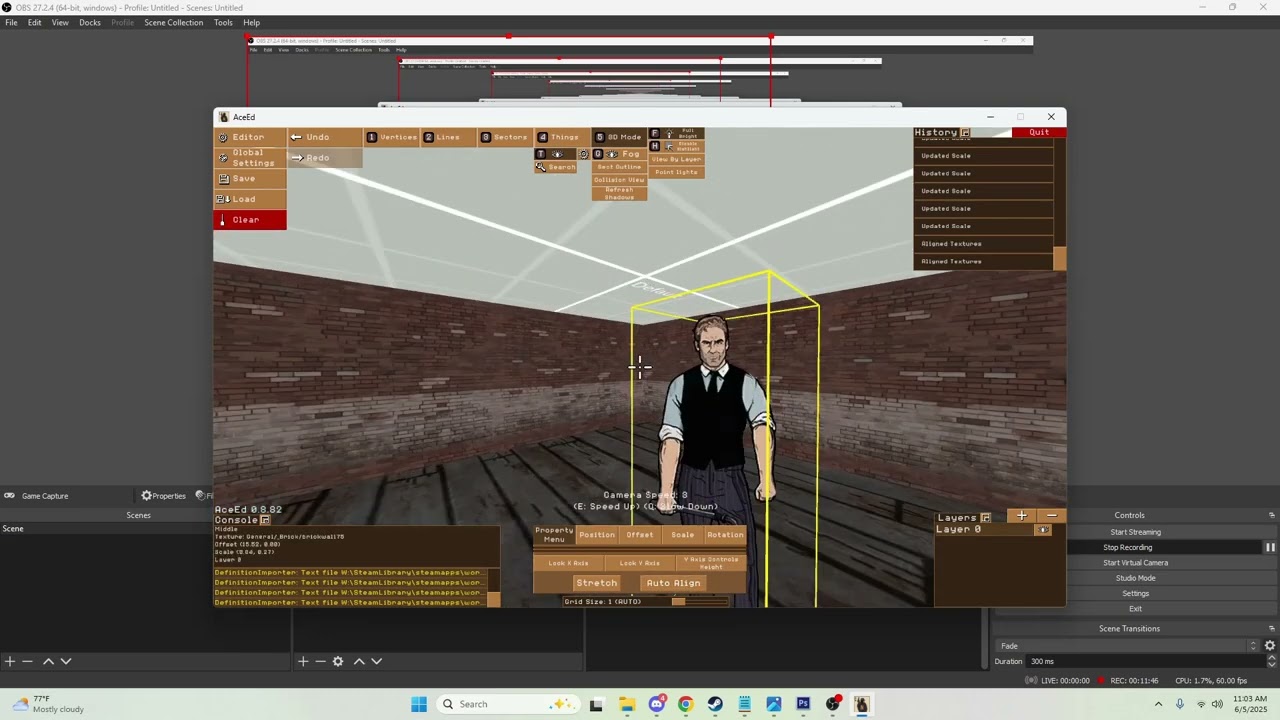
In this tutorial I go over the basics of using AceEd and how to set up,save and upload a map.
Background music credited to Noches de Insomnio
 viscid tinsel
tempted to do a joke a certain bot won't like
echo oyster
viscid tinsel
tempted to do a joke a certain bot won't like
that's why we invented analogies lad
dumbass shitass bot is too stupid to get it
viscid tinsel
i hope these two end up living a beautiful afterlife together once they're fucking dead as totally fully platonic friends who were roommates
is that clear
echo oyster
yes
viscid tinsel
yay
echo oyster
i sure hope that they get a good rest on that bed over there
viscid tinsel
they should longingly hold hands
echo oyster
how platonic
anyway guess I'll include these folks in all my custom levels from this point on
viscid tinsel
YAYYYYY
echo oyster
so ya can keep tracks on their friendship
 next stream
tawdry parrot
https://youtu.be/tMco6ol2Ewc Okay made a beginners tutorial for people who want ...
next stream
tawdry parrot
https://youtu.be/tMco6ol2Ewc Okay made a beginners tutorial for people who want ...
THANK YOUUUU
hallow wagon
echo oyster
so ya can keep tracks on their *friendship*
i will enjoy following them this fine totally ordinary june
echo oyster
Touched up Malone's office
 echo oyster
released a tiny BLOODRUST update before part 2 arrives
https://steamcommunity.com/sharedfiles/filedetails/?id=3494382380
echo oyster
dynamic shadows are cool

 severe birch
hell yea brotha
tawdry parrot
Knew ya could do it!
grave veldt
Hey all- I’ve been following the guide that’s pinned but, no matter what I do, I can’t get my episode/map to show up in the menu so it can be loaded
My file structure looks correct and as far as I’m aware I saved the map and filled out the episodeinfo and chapterinfo, so I’m not sure what I’m doing wrong. Should I send a screenshot of my file directory?
teal axle
dont think it wont let you post screenshots without a role, but you can post the text itself
grave veldt
Ah shoot, you’re right
indigo sable
An issue someone had in the past was that the quotes (") in their episodeInfo.txt file were unicode quotes and not normal ones
Maybe double check that
i.e. if the start and end quotes don't look the same, you have unicode quotes
teal axle
to smooth out the lighting i guess, if you check any dynamic light you can actually see the steps
if you put it to one it'll almost act as a spotlight
vestal musk
I encountered a very strange error - when interacting with a note on my custom level, the first page (with the title) is correct, but the second one for some reason is from another note. I rechecked all the brackets and quotes and everything seems to be correct, I don't understand what's going on.🤔 🤷
vestal musk
Also, when trying to add new sprites, at step
2: Navigate to the "New Sprites Before Packing" folder and click on it, then click "confirm"
I get an error
___________________________________________
############################################################################################
ERROR in action number 1
of  Step Event0 for object obj_fileBrowser:
local variable _selectedItem(100197) not set before reading it.
at gml_Script_anon@5628@gml_Object_obj_controller_Create_0
############################################################################################
gml_Script_anon@5628@gml_Object_obj_controller_Create_0 (line -1)
gml_Script_anon@365@Event@scr_eventSystem
gml_Script_anon@6593@gml_Object_obj_fileBrowser_Create_0
gml_Script_anon@3073@anon@2367@gml_Object_obj_fileBrowser_Create_0
gml_Object_obj_fileBrowser_Step_0
and Sprite Packer crashes
teal axle
make sure to select the folder itself
if you press confirm inside of said folder it somehow crashes
echo oyster
I improved at this editor thing a lot, damn

 tawdry parrot
echo oyster
I improved at this editor thing a lot, damn
tawdry parrot
echo oyster
I improved at this editor thing a lot, damn
Yeah see. Yins kids are learnin'
teal axle
trey how long did the g-day map take you
tawdry parrot
Like a day.
teal axle
damn
vestal musk
What does the line "Parameters" mean in the Script thing?
vestal musk
teal axle
make sure to select the folder itself
Oh, you're right, thanks
shadow dew
vestal musk
What does the line "Parameters" mean in the Script thing?
the variables that will be passed into the function
so if you put something like 24 in the parameters field and then have the first line of the function look like Main("foo") then if you use foo somewhere then it'll be the same as using 24
teal axle
have either a NotePickup or a NoteDecal thing, make it usable then make a new event on use
make another thing this time being a Note, and set up the event
for the path you need a Notes folder in your map's folder with a .txt in it, check any chapter's notes and use it as a template kinda
echo oyster
frank flicker
woah, woah! how in the hell?
hallow wagon
Screw you! I'm gonna go play Minecraft.
compact helm
I dont rember how add text to the notes
[19:25]
Because i want to post my first map
meager latch
I'm going to try and make a basic house as my first map
but sadly it'll take a bit, my laptop keeps shitting itself
I'll share some drawings of it soon
meager latch
I do want to turn it either into a defensive map or a house that the player can just rampage through
compact helm
compact helm
I dont rember how add text to the notes
[19:25]
Because i want to post my first ...
Do you know, @meager latch ?
stark path
is it possible to make door usable after some event is triggered?
echo oyster
stark path
is it possible to make door usable after some event is triggered?
closest thing to that is locking the door by default and then having it unlock on an event
stark path
echo oyster
closest thing to that is locking the door by default and then having it unlock o...
what i'm trying to solve:
i have two doors, one behind another
the first one is a sliding door that is not usable and opens on event
the second one is a regular door, that you can open
the issue is that when i look at the first door, i see outline of the second one behind it and i am able to open it, which looks weird
so i thought i'll just make second door not usable (so i don't see the outline) and then make it usable again on the same event that opens the first door
but maybe there is a different way to achieve that?
echo oyster
stark path
what i'm trying to solve:
i have two doors, one behind another
the first one i...
not really, i'd just make the sliding door usable, but locked
stark path
yeeah, i know 😞
thanks
different question - can i make the key that doesn't have this 'twinkle' sound? (i don't know how to describe the sound, i speak no english, but you guys get it)
echo oyster
stark path
different question - can i make the key that doesn't have this 'twinkle' sound? ...
sadly,no
well at least none them i am aware of
stark path
okay, ty
echo oyster
Staircase two
 vestal musk
I don't understand how exactly waypoints work. Sometimes goons follow them and sometimes they completely ignore them and I can't see the pattern.
teal axle
how are you setting them up?
tawdry parrot
vestal musk
I don't understand how exactly waypoints work. Sometimes goons follow them and s...
You have to make your start and end points reset otherwise they will just go to one and stop. They also go to the closest ones , so they will choose ones they are closest to first. If you want them to walk to a certain part and wait you set the Action on arrival to wait and pick a time. Usually 5 ticks is standard.
vestal musk
teal axle
how are you setting them up?
I put one at the end of the route and one right on the goon that I want to make a patrolman and set them to "Reset". I put 1-2 points between them to adjust the path and set them to "Wait" or "Nothing".
And some goons walk along their paths and everything is fine, but some just standing still and I don't understand what they need
tawdry parrot
It's advisable that each goon has his own seperate patrol path rather than sharing the same route because they will bump into eachother. You want to have a reset point and start and finish and your waits or nothings waypoints along the way sharing the same tag you want the goon to follow.
hallow wagon
tawdry parrot
https://youtu.be/tMco6ol2Ewc Okay made a beginners tutorial for people who want ...
Shouldn't someone pin this?
tawdry parrot
I don't have the ability to do that.
echo oyster
Hey uhh, what is the parent tag of a point light used for?
teal axle
i know its not useful since i have no idea but i only have seen it used with light states
echo oyster
teal axle
i know its not useful since i have no idea but i only have seen it used with lig...
wait wait wait, light states?
how was it used with light states?
teal axle
a point light parented to a light state, but i haven't yet figured out how to make them work
#fallen-aces-modding message you can check this along with ch3's subway area if you wanna try
echo oyster
tawdry parrot
You picked a way more advanced type of thing to do right off that bat. But you a...
Also in case ya see this trey, I'm wondering is the usage of color things necesary?
Fro mwhat I've seen they are used in light states, but I have idea why the thing is used instead of the color just being selected directly in the light state
vestal musk
echo oyster
Fro mwhat I've seen they are used in light states, but I have idea why the thing...
Most likely, to change the color via scripts for a more cinematic and stylish turning off/on of the light.
I looked at Mike's apartment from the original as an example and all the shadows there are manually placed sectors that are repainted when the light is turned off/on.
And the second guess is that a simpler method was added later.
echo oyster
yea i think i like that
 meager latch
compact helm
Do you know, <@527346446333247489> ?
meager latch
compact helm
Do you know, <@527346446333247489> ?
No, I'll probably start making the level after the 24th. I'm going to pretty busy this week
 marble crane
It's nice the editor has a -X value. good for testing/bebugging.
soft surge
ok, need some help, i lost the link for how importing props in FA, in my case just some food, how can i install my food pack in the apposit folder?
echo oyster
Vibey areas


 frank crown
Hey I'm trying to make a map for the first time, is there no way to delete something other than the undo button? I cant find out how
echo oyster
frank crown
Hey I'm trying to make a map for the first time, is there no way to delete somet...
select a thing\sector\vertice in 2d mode and press the delete key
frank crown
echo oyster
select a thing\sector\vertice in 2d mode and press the delete key
Oh I was pressing backspace, thanks
frank crown
echo oyster
select a thing\sector\vertice in 2d mode and press the delete key
Also is there a way to move things in 3D mode?
Would make things a million times easier
echo oyster
frank crown
Also is there a way to move things in 3D mode?
things can be moved by selecting the position option, selecting the thing you want to move and then dragging your mouse
echo oyster
frank crown
Oh okay thank you
oh also make sure to hold down the right mouse button while dragging the thing
checking the "y axis controls height option" makes it so you can also control the thing's height
frank crown
ah okay that makes things easier
Is there no prop for just like a bed or something? I'm assuming I'd have to make that myself
echo oyster
frank crown
Is there no prop for just like a bed or something? I'm assuming I'd have to make...
use inverted sectors
frank crown
alr
frank crown
echo oyster
use inverted sectors
actually, what does that mean
echo oyster
frank crown
actually, what does that mean
basically if a sector's floor is above the ceiling it creates a 3d object
it flips the sector inside out, so the walls are visible from the outside and not visible from the inside
frank crown
oh ok
echo oyster
very useful for rooms with many levels
frank crown
echo oyster
use inverted sectors
Ok so how do I do this? Can't figure it out on my own
echo oyster
frank crown
Ok so how do I do this? Can't figure it out on my own
just set the floor height to be higher than the ceiling height
frank crown
Oh ok
vestal musk
frank crown
Ok so how do I do this? Can't figure it out on my own
Normal sectors are like rooms. Inverted sectors are chunks of objects, cubes from which you build the environment.
To make an inverted sector, its floor must be higher than its ceiling.
You can simply drag the floor above the ceiling in 3D mode, set the height in numbers manually or click 🔃 button in the window with parameters, which opens if you right-click the sector.
Anyway, here is a basic guide from the developer
https://youtu.be/tMco6ol2Ewc
frank crown
vestal musk
Normal sectors are like rooms. Inverted sectors are chunks of objects, cubes fro...
HUGE help, thank you
vestal musk
frank crown
@echo oyster Is there a way to unlock and lock your mouse in 3d mode?
echo oyster
frank crown
<@927836563633733694> Is there a way to unlock and lock your mouse in 3d mode?
press tab
frank crown
Ok thanks
stark path
how do i rotate texture of the floor?
'rotation' option in the bar doesn't seem to be doing anything.
when i try to set the angle via 'angle' texture property, it doesn't let me set the value accurately - angle changes with some random step 🤔
am i missing something?
i mean, i can open the level via text editor and set whatever i want, but i hope that's not the only option and i just haven't notice some very obvious way to rotate things 😬
actually, maybe im asking the wrong question
i have rotated inverted sector and i want to align floor texture with it. how do i do that?
vestal musk
How to make a decal from a custom sprite?
teal axle
check the guide, there's a section for that
teal axle
stark path
-----------
actually, maybe im asking the wrong question
i have rotated inverte...
i think you can only rotate it the way you tried
stark path
i have so many boxes to rotate
vestal musk
teal axle
check the guide, there's a section for that
there is a section on how to make a custom sprite, but not how to make it a decal so it sticks to surfaces. Or are all custom sprites decals by default?
teal axle
vestal musk
there is a section on how to make a custom sprite, but not how to make it a deca...
oh yeah my bad, you need to make it an entry as either a prop or a decal
check AcesData\decals.txt as reference
i made a new entry at the bottom, though i'm not sure if that's the right way to do it
ebon sigil
Hey uh this is most likely a dumb question that’s most likely been answered before but how the hell do I add objectives to my level?
teal axle
if you don't know how to do something you can take a look through the chapter's scripts
seems it is AddObjective("your_objective", 0, 1); to add one (although i'm not sure what the variables are for) and CompleteObjective("your_objective"); to complete it
im not sure if it can be done through the editor itself tho
ebon sigil
I’ll give it a try and report back
 gray marten
When will they add the ability to import custom models 🙏😔
ebon sigil
Yep I got it to work thank you
soft surge
ok, i was reading the SDK Documentation Basics, but i've notice there is no info about making custom items to be added in Fallen Aces
let say i want put a waffle in a specific folder

ok i've found the folder AcesData and the text file consumable
an example
actor SmallCheese 18008 { type = "Prop"; sprites = "SmallCheese"; icon = "iconb_cheese"; inventoryIcon = "Inventory Icon - Small Cheese"; effectSet = 6; maxStackCount = 3; category = "Food"; projectilesCanDamage = true; breakable = true; collideWithCharacters = false; lunchboxable = true; pickupType = "Consumable"; consumable_statusEffects = 3; consumable_useVerb = "Pickup"; consumable_holdVerb = "Eat"; consumable_inventoryIcon = "Inventory Icon - Small Cheese"; }
how can i apply these values and so to include the icon of the food i drew?
soft surge
i should convert the pictures in blender as .fbx o .obj files?
vestal musk
soft surge
i should convert the pictures in blender as .fbx o .obj files?
you need just png
I checked right now and was able to add your pancakes to the game.
soft surge
vestal musk
I checked right now and was able to add your pancakes to the game.
oh where? Show me
vestal musk
Unfortunately, I don’t have the rights to attach screenshots
Anyway
follow the instructions from the SDK create three sprites for your item - one is how it will look while it is on the map, the second is how it will look in the hand and the third is how it will be displayed in the inventory. Then copy the text that you attached above with the replacement of variables.
actor
SmallCheesePancakes18008random numbers
Here, instead of cheese, there should be the name of your object.
And instead of the original number, any number that does not copy the prop numbers from the original.
soft surge
send me a DM so i can see it
vestal musk
Instead of
sprites = "SmallCheese";
icon = "iconb_cheese";
inventoryIcon = "Inventory Icon - Small Cheese";
there should be png names from the file you made of course
soft surge
i see, i shall do some edits for each name in the proper folder
right now the picture is just named Fallen Aces Waffle
vestal musk
and to make it work for everyone and not just you, i think you should make a separate text file and put it in your mod. Directories with pictures and scripts etc. should be as if your mod was a separate game and should copy directories from the game
I haven't posted any mods yet so this is just a guess but I think it should work I think
vestal musk
Where are the POV weapon sprites stored? Or is this not a moddable part yet?
gray marten
soft surge
let see if my dumb poo brain will be able to do it 😂
I NEED this brochacho 🙏, also if you get it working it would be Amazing if you added all the other ones :D
soft surge
gray marten
I NEED this brochacho 🙏, also if you get it working it would be Amazing if you ...
sure thing 👌
gray marten
soft surge
sure thing 👌
It would be a peak mod 🥹🙏
soft surge
turkey leg included!
 gray marten
Tho that raises the question of how you would post it to the workshop 🤔
So others can check it out ofc
soft surge
gray marten
Tho that raises the question of how you would post it to the workshop 🤔
i don't know how to post it... yet 
gray marten
soft surge
i don't know how to post it... yet <:Shrug:937523464242364516>
I mean ya could post a level showing them off then have manual installation for the food stuffs???
soft surge
i see 🤔
tawdry parrot
What, no? just upload the scripts.
gray marten
tawdry parrot
What, no? just upload the scripts.
Oh nvm then, I just thought wrong then gangalang
soft surge
tawdry parrot
What, no? just upload the scripts.
So like this?
actor Waffle 18009 { type = "Prop"; sprites = "Waffle"; icon = "iconb_Waffle"; inventoryIcon = "Inventory Icon - Waffle"; effectSet = 6; maxStackCount = 3; category = "Food"; projectilesCanDamage = true; breakable = true; collideWithCharacters = false; lunchboxable = true; pickupType = "Consumable"; consumable_statusEffects = 3; consumable_useVerb = "Pickup"; consumable_holdVerb = "Eat"; consumable_inventoryIcon = "Inventory Icon - Waffle"; }
vestal musk
@tawdry parrot where are the pov weapon sprites stored? Or is this part not moddable yet?
tawdry parrot
Not moddable
stark path
i'm changing volume in audio player object from 2 to 20 and it doesn't look like anything changes
it's a 3d sound (independent ambience), i'm standing right next to the source. Min distance is set to 5, max - to 8
any ideas what could be wrong?
echo oyster
i'd appreciate if any of ya could help me playtest part 2 of my level
stark path
if i open aces mod manager, i get 'workshop query failed, steam may not be running', what do i do? i've never used workshop before
stark path
stark path
if i open aces mod manager, i get 'workshop query failed, steam may not be runni...
i just had to subscribe to the mod 🤦♂️
right after you guys playtest BingAss's level, you can check my map as well - https://steamcommunity.com/sharedfiles/filedetails/?id=3502784003
nice, i can at least post links
teal axle
stark path
right after you guys playtest BingAss's level, you can check my map as well - ht...
loved every second of it! you nailed the atmosphere and it just felt nice to play overall
really hoping you have a part two planned or something 👀
i kinda got the vibes i get when playing a game from remedy, if that makes any sense lol
stark path
teal axle
really hoping you have a part two planned or something 👀
thanks 😬
it took 60 hours man, i need a break
stark path
teal axle
i kinda got the vibes i get when playing a game from remedy, if that makes any s...
i haven;t played control but i think it has similar "office space and weird shit" vibe
teal axle
stark path
thanks 😬
it took 60 hours man, i need a break
i'm still going with mine so i completly get it 😭 get any breaks you need u deserve it
also glad you've found out how to fix the elevator thingie
stark path
it's just a box with doors and script that finishes the level
so no moving parts there
unlike in the ✨ vent ✨
but actually there is nothing more than a room where you go to sleep
it says so in the description
teal axle
yeah i actually went to sleep it was nice
stark path
2 second level speedrun
teal axle
literally 😭
stark path
any%
teal axle
i'll refrain from spoiling anything, people gotta play it blind
gray marten
stark path
it's just a box with doors and script that finishes the level
so no moving part...
This shit sounds SO peak
echo oyster
stark path
it's just a box with doors and script that finishes the level
so no moving part...
I FUCKING KNEW THERE WAS SOMETHING UP WITH THAT VENT
stark path
gray marten
This shit sounds SO peak
i think when i was looking for music i stopped as soon as heard a few seconds of that one - https://www.youtube.com/watch?v=CvO4eqwDda4&list=PLOFws3X1J_ZrgHnilPrER6-NOdYlAL4F3&index=8
like
that was IT
and i really like this idea of starting music on some loud noise. i think in the first chapter music start playing when you kick the door. so no innovation, just thoughtful stealing
stark path
echo oyster
I FUCKING KNEW THERE WAS SOMETHING UP WITH THAT VENT
nah, you just got lost for a bit
it's a regular vent
(have you tried using it again after you leave it?)
stark path
hmmm, how do i update the mod?
do i just load .acesmod file and then just press submit again?
oh, nevermind, i was asking cause i had some issues in mod uploader but retry helped, sry
echo oyster
i got bored and made a slot machine
 stark path
wait, it's manually done from inverted sector? with the slopes and shit?
damn, okay
echo oyster
stark path
wait, it's manually done from inverted sector? with the slopes and shit?
damn,...
i mean yea, shit was pretty easy
just cut a cube a bunch of times
i feel like i might use it for a future level
got a cool ass idea
stark path
well, when it's easy AND looks cool - that's the best one
echo oyster
stark path
well, when it's easy AND looks cool - that's the best one
Yea i'm really proud out of that design
only used two layers for it
one layer is used only for the little thing on top of the lever
most important part of making pretty much anything in the editor is having a reference, this is what i loosely based my machine off
 echo oyster
Maybe you shouldn't engage in small talk with your coworkers near a high explosives crate
gray marten
Is there a way to go full screen with the mod manager???
echo oyster
vestal musk
Trying to figure out the Steam Workshop. How can I update a mod I've already uploaded?
echo oyster
vestal musk
Trying to figure out the Steam Workshop. How can I update a mod I've already upl...
do you have the .acemod file for your mod saved somewhere?
tawdry parrot
echo oyster
very nice.
echo oyster
tawdry parrot
very nice.
damn, thanks boss
echo oyster
vestal musk
yes
load the file using the workshop uploader
there's a load button in the uploader, use that
then just put the new version of your mod in the directory section
then save and publish
vestal musk
Thanks!
Hmm. That's weird.
I privately uploaded my unfinished level to see how the workshop works. I subscribed to it and it's not in the list of Workshop mods in the game. I can't figure out where I went wrong yet. 🤔
echo oyster
vestal musk
Hmm. That's weird.
I privately uploaded my unfinished level to see how the works...
if it doesn't show up in workshop episodes you probably set up the mod directory wrong
vestal musk
At first I thought the problem was that I forgot to put the episode in the Episodes folder and it was just in the mod's root folder, that's the only way it works when not in the Workshop.
I fixed it and re-uploaded and it still doesn't show up.
Oh wait, I think I get it.
 patent mossBOT
Get what, huh? Got a question or you just talkin' to hear yourself speak?
vestal musk
The Episodes folder should contain the entire episode, not just a chapter from it.
I'm just writing what I did wrong in case there's another idiot here who did the same thing.
echo oyster
vestal musk
The Episodes folder should contain the entire episode, not just a chapter from i...
make sure you've got episodeinfo.txt in there too
i mean in the folder inside the episodes folder
vestal musk
I'm just confused by all this recursion
echo oyster
don't worry, you'll get used to it
stark path
i have a couple of questions about scripts:
- if i pass some parameter to the script, can i use it to name a world variable? Like let's say i pass tag 10 to the function, can i somehow make it a world variable "beepboop_10"?
- is there a function to generate random number? or maybe a way to get time? (current time, or time since game start, anything)
- in terms of controlling the logic flow, there is no loops right? only branching via IF ?
- in terms of math operations i think i saw Add function. Is any other math supported?
echo oyster
stark path
i have a couple of questions about scripts:
- if i pass some parameter to the sc...
there's a while loop
stark path
do you have to have a role to put reactions on messages? i wanna put hearts and fires but i cant
median mason
stark path
i have a couple of questions about scripts:
- if i pass some parameter to the sc...
1: Not currently, I could look into it.
2: Not currently either, but I can add that for sure. In the meantime you could setup a script that runs in a loop adding a number to a world variable every second.
3: There's a while loop, If statements, Return statements, and you can make custom functions.
4: Aside from Add there's also Subtract, Multiply and Divide
You can also add & to the start of strings to explicitly say "this is a string"
EG:
Main()
{
    SetProfileFlag("&level4_got_falcon", 1);
}
I played ''under the weather'' saving delilah a second time. at some point it would be nice nice to replace her sprites/name with a different hostage or a heavy safe sprite (that cannot be opened) for a mission exfitration objective.
The idea of mike going on a classic damsel in distress mission needing to save more than one hostage seems fun. putting them in nighwave's meredith car for safety (or just a safe room with nightwave sniping from the window for instance)
needing both hand to carry a ''payload'' forces you to play more carefull. gives more kick to scripted goon backup's for sure😁
stark path
stark path
soon I will return with more questions
- can i change object propery from script? for example: change texture offset, decal rotation, inverted section rotation (i think movable geo only allows you to move, not to rotate)
- can you spawn goons/npcs/props from script without placing them on the map in the editor?
- a bit confused about '&' thing: when i set a world variable i don't need it but when i set profile flag i do? in both cases they seem to be just string names
wait i have even more (not about scripts though)
- is there a way to add dialogue lines ? like sound and subtitle, or just subtitle
- when i download a mod, can i see actual txt with level definition and open it in editor? or all the magic and secrets remain hidden (maybe as they should be)?
tawdry parrot
All the subtitles are handled with txt files. Look in the subtitles folder for examples used in games.
stark path
i see now, thank you mr Aces. so it's not necessary to have actual voice line to be able to show subtitles?
but also - is it *possible * to add some custom sound instead of voice line?
tawdry parrot
Adding custom sounds is as easy as putting them in an external folder. That is explained in the steam guide.
stark path
i don't know why i thought adding voice lines would be any different from adding any sfx or ambience
thanks!
teal axle
stark path
---
wait i have even more (not about scripts though)
- is there a way to add di...
workshop stuff is in steamapps\workshop\content\1411910
open them or not that's up to you
stark path
love it, very cool
teal axle
what im not sure of is how the game plays the subtitles along with the dialogue
teal axle
what you need
stark path
teal axle
what im not sure of is how the game plays the subtitles along with the dialogue
maybe something like
SpeakDialogue(....); - to play the subtitle
TriggerEvent(...); - trigger some event
and then make audio player instance to play sound on this event
but i haven't tried that (also i thought that 'speakDialog' would require some information about what sound to play, but i guess that's not the case)
but i think in official maps it's just SpeakDialogue(....); and it's enough
 floral mauve
teal axle
what you need
floral mauve
teal axle
what you need
alright man i got inspired by a comment on a workshop mod that replaces all npcs in episode 1 with big pallookas and now im inspired to make the big palloka.exe's labryinth
i kinda just want to make a big maze and the player has to press 4 buttons to press 4 doors i guess
theres a lotta big palookas everywhere and the player has no weapon
help
oh yeah also i wanna figure out how to make notes
teal axle
stark path
maybe something like
SpeakDialogue(....); - to play the subtitle
Trigge...
yeah i mean even if there was a method we dont have access to i feel like it should do fine just with those two lines
floral mauve
forgot to mention that
teal axle
only pity is that we're gonna end up with 5000 audio players lmao
teal axle
floral mauve
oh yeah also i wanna figure out how to make notes
#fallen-aces-modding message tried explaining it here if it's not too worded like poop