#support-en
1 messages · Page 42 of 1
 native geyser
 rugged gazelle
didn't work sadly
 copper swan
<@&675070424748654593>
 nocturne flax
i need help
nocturne flax
native geyser
We no longer use prefix therefore you can't
what do you use?
 sage flint
/
nocturne flax
for every bot??
i cant use this /role multiple in my server whay?
<@&675070424748654593>
sage flint
nocturne flax
for every bot??
Yes, Discord force all bots to use /
nocturne flax
ahhh i see
sage flint
nocturne flax
i cant use this /role multiple in my server whay?
What bot response when you use /role multiple command?
nocturne flax
There is another bot being used for this serveا
he told me
ho i can invite probot prime?
@sage flint
 foggy cipher
i changed the permissions after i unlocked, but when i try to lock the channel it says channel is already locked
and folks are still able to type
actually nvm it worked they cant type
copper swan
<@&675070424748654593>
foggy cipher
but it keeps saying channel already locked when i initially lock the channel...is that normal?
sage flint
nocturne flax
ho i can invite probot prime?
Probot Prime is paid version of regular Probot. You can get in here https://probot.io/premium
ProBot
Welcome images, moderation, leveling, reaction roles, logs, high quality music and many many more!
 slender sierra
Hello , please help me , i have an issue finding roles on roles reactions , there are no roles on the options .
Thank you
 sage flint
slender sierra
Hello , please help me , i have an issue finding roles on roles reactions , ther...
sage flint
slender sierra
Hello , please help me , i have an issue finding roles on roles reactions , ther...
Move Probot role on top of your role list
slender sierra
sage flint
Move Probot role on top of your role list
It is already
sage flint
so move it lower and again move it on top, then refresh website
sage flint
foggy cipher
but it keeps saying channel already locked when i initially lock the channel...i...
Bot say it only when you try to use /lock command on locked channel, for unlock use /unlcok command
slender sierra
@sage flint yes blaku . Thank you very much ! Very very good support everytime . PROBOT THE BEST 🙂😊👌
ISSUE SOLVED THANK YOU @sage flint
Have a good night
foggy cipher
sage flint
Bot say it only when you try to use `/lock` command on locked channel, for unloc...
i had to do it this way my bad lol
 sage flint
slender sierra
<@778695412105740328> yes blaku . Thank you very much ! Very very good support e...
sage flint
slender sierra
<@778695412105740328> yes blaku . Thank you very much ! Very very good support e...
You welcome
sage flint
slender sierra
Have a good night
you too
 formal seal
heya, I'm trying to make a reaction role message with descriptions of what each reaction will give you, but i cant figure out how to put the emoji i need in the embed message description
native geyser
-
go to your discord servers chat
-
-if you're on mobile discord use the emoji you want to add use in between `` symbols https://imgur.com/F2ckAUV
-if you're on pc use your emoji and put \ before it and send it https://imgur.com/XjCo32W
-
copy the message you just sent and paste it on dashboard


 fleet turtle
Hi I need some help
native geyser
you can ask your question right away
fleet turtle
is it ok if I can put a photo so you know what I’m talking about
native geyser
yes
fleet turtle
Ok thanks just wanted to know if anyone knows how to do what they did
 native geyser
https://probot.io/dashboard -> select your server -> embed messages module
ProBot
Welcome images, moderation, leveling, reaction roles, logs, high quality music and many many more!
fleet turtle
Ok thank you
native geyser
you're welcome
fleet turtle
btw I’m trying to do like the same as they did does it matter field it is
native geyser
yeah it does
i believe they used content color and tnail (as much as i can see that is)
fleet turtle
Thanks I hate working with bots lol
native geyser
yw, good luck
 delicate elk
Hello! I am trying to listen music But the bot is not joining is there something I am missing?
native geyser
What is it replying with
delicate elk
It says the music i am want it to play.
native geyser
Is it saying that the song was added to the proqueue?
delicate elk
Yes
native geyser
Give the bot permissions to join the voice channel
delicate elk
It does
native geyser
Try /stop then /play in that case
 eternal heath
how do I set up the logging feature?
delicate elk
native geyser
Try /stop then /play in that case
Still nothing.
foggy cipher
so i guess nobody gonna answer the ss …wow 😂
eternal heath
eternal heath
how do I set up the logging feature?
<@&675070424748654593>
 junior orbit
eternal heath
how do I set up the logging feature?
junior orbit
eternal heath
how do I set up the logging feature?
which do you mean?
eternal heath
for audit logs
junior orbit
eternal heath
for audit logs
quite easy, give permission so the bot can see, edit webhokes and send messages in the channel and turn on which logs you want to recieve
eternal heath
is there a specific command I need to do?
junior orbit
nope, just permissions and the dashboard

 scarlet vigil
Hello! What do credits do?
 twin sequoia
Hey how would i get the bot to play a spotify playlist
 pure jungle
having an issue with this temp vc module... first couple days it removed the channel after the set time.. but now it just stays there. any fixes? or should i just redo it?
scarlet vigil
scarlet vigil
Hello! What do credits do?
<@&675070424748654593> ^^^
Pinging for others too
 pure wolf
Reaction roles arent working?
 lean badgerBOT
pure wolf
Reaction roles arent working?
lean badgerBOT
pure wolf
Reaction roles arent working?
We noticed that you are a premium user, for faster response go to #premium-support
 quaint sentinel
scarlet vigil
Hello! What do credits do?
quaint sentinel
quaint sentinel
scarlet vigil
Hello! What do credits do?
You can purchase a premium probot version with credits, profile backgrounds, id backgrounds, profile badges, and profile badges, and give credits to your friends.
https://probot.io/premium
https://probot.io/store/profile
https://probot.io/store/rank
https://probot.io/badges
ProBot
Welcome images, moderation, leveling, reaction roles, logs, high quality music and many many more!
ProBot
Welcome images, moderation, leveling, reaction roles, logs, high quality music and many many more!
ProBot
Welcome images, moderation, leveling, reaction roles, logs, high quality music and many many more!
ProBot
Welcome images, moderation, leveling, reaction roles, logs, high quality music and many many more!
quaint sentinel
twin sequoia
Hey how would i get the bot to play a spotify playlist
Unfortunately, we do not support Spotfiy.
quaint sentinel
pure jungle
having an issue with this temp vc module... first couple days it removed the cha...
knwon issue, report to dev. will be fixed as soon as possible, sorry for the inconvenience
scarlet vigil
quaint sentinel
You can purchase a premium probot version with credits, profile backgrounds, id ...
How many credits do you need for premium and how can I redeem them?
pure jungle
not that big of deal if its already known then no biggie. was just seeing if it was known or not. thanks for the info!
quaint sentinel
scarlet vigil
How many credits do you need for premium and how can I redeem them?
So we have two plans, each with a different duration.
Premium Tier 1 costs 1,000,000 per month and 6,000,000 per year.
Premium Tier 2 costs 2,000,000 per month and 12,000,000 per year.
quaint sentinel
pure jungle
not that big of deal if its already known then no biggie. was just seeing if it ...
yw yw
scarlet vigil
How do you earn them?
I saw the daily rewards, but that is the only way I have found so far.
quaint sentinel
by voting every 12 hours on https://top.gg/bot/probot/vote and claiming your dialy every 24 hours on https://probot.io/daily

Top.gg
Spice up your Discord experience with our diverse range of Discord Bots and Servers as well as other spaces to discover DAOs.
ProBot
Welcome images, moderation, leveling, reaction roles, logs, high quality music and many many more!
scarlet vigil
Thank you!!!
quaint sentinel
yw
 tidal kindle
Hello
is it possible to copy a bots setting in a server and paste it to another server?
quaint sentinel
hey @tidal kindle, unfortunately not possible.
tidal kindle
Okay Thanks for answering!
quaint sentinel
you're welcome!
 cosmic flax
Hello.
I'm new here, Can i get some help?
I want to complete my server. Can I get someone to help?
 zealous breach
cosmic flax
I want to complete my server. Can I get someone to help?
zealous breach
cosmic flax
I want to complete my server. Can I get someone to help?
<@&675070424748654593>
zealous breach
cosmic flax
I want to complete my server. Can I get someone to help?
How can i help you with? Probot ?
cosmic flax
I have probot in my server
how can i add like this ?

Like - probot, admins
I opened a company in roblox so i was wondering.
zealous breach
cosmic flax
how can i add like this ?
That's not related probot question #chat-en is for it we answer only probot related questions
 frozen nebula
is there a way to get voice mute modlogs?
 split needle
frozen nebula
is there a way to get voice mute modlogs?
split needle
frozen nebula
is there a way to get voice mute modlogs?
You mean server muting a member in voice? If then not yet
But I think it should be the same one as voice mute/deafen log on there
frozen nebula
i see, and do voice mutes still work when adding a time?
split needle
Yes until the time is ends
 gleaming cypress
It looks like the /clear command isn’t working as it should be, especially when you want to filter_by_user. It just ignores this filter and removes the number of messages from all users in that channel. Is this a known bug, or am I doing something wrong? 😅
split needle
gleaming cypress
It looks like the `/clear` command isn’t working as it should be, especially whe...
It's a known bug, so only message count is working
gleaming cypress
Got it, thanks!
 frigid panther
I added the bot but it doesn't show up in my discord. how do i fix this?
 teal igloo
Myself and others in my server are not getting xp from voice chat. Does ProBot need to somehow be in the voice channels? If so, how do I make it join?
 timber helm
frigid panther
I added the bot but it doesn't show up in my discord. how do i fix this?
timber helm
frigid panther
I added the bot but it doesn't show up in my discord. how do i fix this?
make sure you’re not having a anti-bot protection on your server
timber helm
teal igloo
Myself and others in my server are not getting xp from voice chat. Does ProBot n...
try turning off and on utility and leveling system modules
also test things out by yourself by not using any no-xp channels for 10-15 minutes while being actively chatting there, by the way can you confirm that people do not have any no-xp roles that will block them from getting xp
 graceful island
Hello good morning...
Is it somehow possible to only allow specific links in a text-channel?
What i want to do is to not only allow Youtube links, but also spotify, soundcloud, etc.
thanks in advance
 spring ether
graceful island
Hello good morning...
Is it somehow possible to only allow specific links in a t...
spring ether
graceful island
Hello good morning...
Is it somehow possible to only allow specific links in a t...
hello , yes u can allow specific links
automod > links >

or u can blacklist specific links too
graceful island
Ahh thx! haven't seen that
spring ether
yw
 ivory meteor
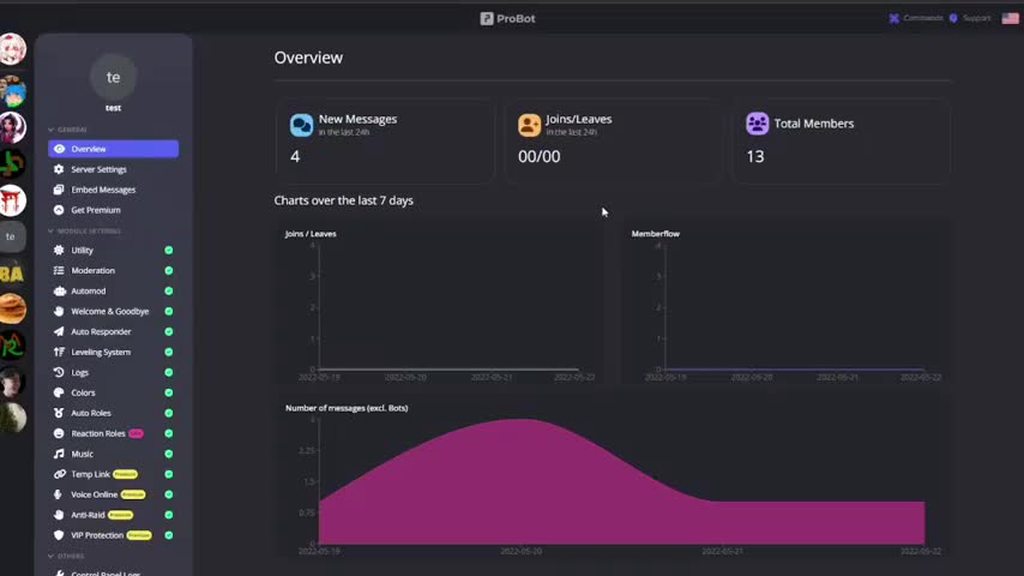
Hi mod, I wonder why the new messages count in Dashboard is not accurate?
graceful island
spring ether
hello , yes u can allow specific links
automod > links >
Sorry for the question again... Is it also possible to forbid "normal messages" when whitelisting some links? So that only these whitelisted links are allowed, nothing else
 solemn osprey
Hi guys, I paid for premium but the premium features are not available?
lean badgerBOT
solemn osprey
Hi guys, I paid for premium but the premium features are not available?
We noticed that you are a premium user, for faster response go to #premium-support
copper swan
<@&675070424748654593> ^
copper swan
graceful island
Sorry for the question again... Is it also possible to forbid "normal messages" ...
you can set the channel as youtube links only channel thats it
copper swan
ivory meteor
Hi mod, I wonder why the new messages count in Dashboard is not accurate?
elaborate please
 copper swan
i think it’s normal since the bot cant update this section at every single change
 native turtle
Hello, instead of giving to all or humans, can we give a role to people with a particular role?
#role all/humans <role name>
ivory meteor
Would you mean the bot can't record the value correctly? I've refreshed it many times, but it's still below the fact.
copper swan
native turtle
Hello, instead of giving to all or humans, can we give a role to people with a p...
you mean instead pf adding it to the whole server only add it to people that has a specified role? if that is what you mean, no its not possible
native turtle
copper swan
you mean instead pf adding it to the whole server only add it to people that has...
Yes, ok thanks.
copper swan
ivory meteor
Would you mean the bot can't record the value correctly? I've refreshed it many ...
try sending multiple messages and recheck if the counter goes up
it works fine for me maybe if you have a big server or bad connection it wont update that quick
ivory meteor
How about the count of Joins/Leaves ?
copper swan
same issue with it?
ivory meteor
copper swan
it works fine for me maybe if you have a big server or bad connection it wont up...
The new message count seems fine now.
copper swan
invite me to the server
ivory meteor
copper swan
same issue with it?
Yeah, there are more people join and leave today, but it didn't count them.
ivory meteor
copper swan
invite me to the server
Done.
ivory meteor
copper swan
invite me to the server
Sorry, seems I was not allowed to invite you or send message to you.
copper swan
your dms are closed
anyways, just try inviting someone later and then update your browser it may solve the issue.
ivory meteor
Okay, I'll try it. Thx.
copper swan
yw
 vast nacelle
I suppose it is not intended that whenever I use the new TempChannel feature, it deletes all the other voice channels in the same category without warning. Right ?
or have i messed some settings up or something ?
copper swan
vast nacelle
I suppose it is not intended that whenever I use the new TempChannel feature, it...
there is no option for that, can you show me your dashboard settings?
 split needle
vast nacelle
I suppose it is not intended that whenever I use the new TempChannel feature, it...
split needle
vast nacelle
I suppose it is not intended that whenever I use the new TempChannel feature, it...
known issue
vast nacelle
split needle
known issue
ok good. thx for the info
 tribal merlin
Hi guys I can't seem to work out how to add modules to my server, I have module settings but can't figure out how to add new modules like the youtube one etc ?
 split needle
tribal merlin
Hi guys I can't seem to work out how to add modules to my server, I have module ...
split needle
tribal merlin
Hi guys I can't seem to work out how to add modules to my server, I have module ...
you can not add something that is not there
tribal merlin
Yes i am trying to figure out how to add it
split needle
as said, you can not add something that is not there
in this case, it is whatever the youtube thingy you said
tribal merlin
I was trying to add the new youtube module for probot, I am new to probot so have no real clue what I am doing
split needle
you're trying to do nothing since there's nothing to add, only things on there to either enable or disable, and change
all the things show up on there are available things and there's no hidden feature, only those got locked for premiums
tribal merlin
so I can only add modules now if I go premium?
graceful island
copper swan
you can set the channel as youtube links only channel thats it
But then all the whitelisted links doesn't work anymore... what i want to do is something like youtube & spotify & soundcloud links only channel
split needle
tribal merlin
so I can only add modules now if I go premium?
no as said multiple times above, there's nothing more that you can add, only those you can toggle on/off and make change to their settings
tribal merlin
Ok it is not what I was looking for thank you very much I will remove it
split needle
graceful island
But then all the whitelisted links doesn't work anymore... what i want to do is ...
not yet a feature, you can only set youtube only channel, or have the links to be filtered for the whole server with the links automod
you can restrict the bot to only do that for specific channel however but that will only work for those channels that is left enabled
 vale plinth
Hi guys, I'm trying to set the roles to be assigned after reaching a certain level in voice chat but the bot doesn't set me the roles, what can I do? Also the "Probot" role is above all of my server roles
 timber helm
vale plinth
Hi guys, I'm trying to set the roles to be assigned after reaching a certain lev...
timber helm
vale plinth
Hi guys, I'm trying to set the roles to be assigned after reaching a certain lev...
hey, should working fine with you right now, what’s wrong?
vale plinth
timber helm
hey, should working fine with you right now, what’s wrong?
The bot does not assign roles to users
I also tried to set level 10 to a random user and wait 5 minutes, but nothing
timber helm
vale plinth
The bot does not assign roles to users
try leveling with being active do not use :
</setlevel:1>
vale plinth
timber helm
try leveling with being active do not use :
</setlevel:1>
So I try to set the precise exp to stay a little in voice chat and level and then see if the bot assigns me the role?
timber helm
vale plinth
So I try to set the precise exp to stay a little in voice chat and level and the...
exactly, 
timber helm
vale plinth
So I try to set the precise exp to stay a little in voice chat and level and the...
can you make sure your members reached both of the target levels ?
vale plinth
timber helm
can you make sure your members reached **both** of the target levels ?
Of course, the account I'm testing with is chat level 2 and vocal level 9
vale plinth
@timber helm Level 10 just reached but nothing has changed :(

these are the settings
 copper swan
<@&675070424748654593> ^
split needle
vale plinth
<@485134005105197071> Level 10 just reached but nothing has changed :(
may need to gain some text xp so the bot could update their roles
vale plinth
split needle
may need to gain some text xp so the bot could update their roles
But I set up the bot to read only the voice chat level, not text
split needle
but that's how it work since voice level can not be updated by itself
especially the role rewards
vale plinth
split needle
especially the role rewards
can I set the XP of the voice chat or does the account need to do it "manually"?
split needle
setting voice level would not help either
as I said, they need to gain some text xp to get the bot update their roles, and they should do that by themselves
vale plinth
vale plinth
can I set the XP of the voice chat or does the account need to do it "manually"?
sorry, i mean text chat
split needle
then doing it would not help I believe
vale plinth
ok
vale plinth
split needle
setting voice level would not help either
as I said, they need to gain some text...
Solved, it was as you said, thank you so much for your help
nocturne flax
Hey, which placeholders are available for leveling?
split needle
nocturne flax
Hey, which placeholders are available for leveling?
user, user.name, level, old.level, I think that's all
nocturne flax
split needle
user, user.name, level, old.level, I think that's all
Perfect thanks! So there is no way to specify if it's a text level or a voice level?
split needle
no since voice level can not update by itself, level up message will not work for it
it will only annouce text level
nocturne flax
Alright fair enough.
Does Premium Tier 2 function as a custom bot that will be hosted on your servers? Or will it just be a few other templates for profile pictures in between you can use them. Or can I fully customise everything myself?
split needle
it is a separated bot that works independently but still being hosted on the same host with other premiums, it comes with additional features but you can only partly control it like how you are with other subscriptions, but you can change its appearance from its perk. more customization with it will come soon
nocturne flax
Alright thanks!
 charred root
How way can i do pro music loopqueue??
copper swan
<@&675070424748654593>
charred root
Thank!
copper swan
you can’t loop a queue, but i believe it’s already planned.
for now you are able to loop the playing song using /repeat
@charred root
charred root
👍♥️
 drifting stone
added probot in my friend's server but it doesn't listen to commands from my friends? only from me? how do i fix this issue? <@&675070424748654593>
native geyser
could you let me know the error message the bot is giving
drifting stone
there is no error message, they're unable to use the slash command at all
native geyser
give them use application commands permission
seems like its a permission issue that is related to your server
drifting stone
how do i do that?
native geyser
server settings -> roles
there are discord articles showing how roles and permissions work you can check them out if necessary
drifting stone
native geyser
there are discord articles showing how roles and permissions work you can check ...
is it this?
 native geyser
your members need the permission not the bot
drifting stone
native geyser
your members need the permission not the bot
yeah its turned on

she still can't use the bot at all
native geyser
they do not see the list right?
native geyser
yeah its discord permission issue
check channel and category permissions too in that case
drifting stone
native geyser
check channel and category permissions too in that case
fixed it!! it was like ONE role holyshit 😭
thank you LOL
native geyser
you're welcome ^^
nocturne flax
Aren't there any lifetime plans? If not, are you guys not planning to?
 tight wadi
DiscordRESTError [50035]: Invalid Form Body
embeds.0.fields.5.value: This field is required
embeds.0.fields.6.value: This field is required
embeds.0.fields.7.value: This field is required
y do i keep getting that message when i try to send a embedded message
native geyser
fill all fields that you added
native geyser
nocturne flax
Aren't there any lifetime plans? If not, are you guys not planning to?
no there are not, i dont think it's planned as well
teal igloo
timber helm
try turning off and on utility and leveling system modules
also test things out ...
Can confirm no-xp roles are not present on anyone. Also no-xp channels are not in use while chatting in voice.
teal igloo
copper swan
can you send a few screenshots of your settings <@505814993254613024>
On mobile currently so a bit difficult to get big screenshots. Let me know if there’s anything in particular I can screenshot


 copper swan
so they are not gaining xp at all?
teal igloo
Not in voice channels, no.
copper swan
teal igloo
Not in voice channels, no.
kick the bot and reinvite it to the server
teal igloo
Alright I’ll give that a go and report back later with results. It’s likely voice won’t be used for a few hours so won’t get any results for a bit
copper swan
alrighty
teal igloo
Thank you
 neat warren
how to use /setlang
neat warren
ok thank you
quaint sentinel
copper swan
only for premium users tho
nope, he can use it in every version doesn't matter if its premium or free
copper swan
quaint sentinel
nope, he can use it in every version doesn't matter if its premium or free
thanks for correcting
 iron pebble
Can somebody help me with the reaction roles for probot? <@&675070424748654593>
<@&675070424748654593>
native geyser
yes what is the issue you're having
iron pebble
I have the roles, but when I react to them, it doesn't show up on my server profile.
native geyser
can i see your dashboard settings for reaction roles module
 iron pebble
Okay.
native geyser
and let me see its settings
iron pebble
 native geyser
you didnt attach any roles to emojis
iron pebble
Is it supposed to have an exclamation mark by it?
native geyser
wdym
iron pebble
When you click it, there's a search by role name or id, and then there's an exclamation point saying the bot should be in a higher position.
 native geyser
server settings -> roles -> elevate the bots role above other roles
iron pebble
How do I elevate it above other roles?
native geyser
click and hold on it and drag it
iron pebble
Oh ok thanks.
native geyser
yw
iron pebble
It still won't work..
native geyser
you should refresh your website after that
fleet turtle
I’m having a problem when I’m doing that text thing I was talking about before sometimes on the website it will reset all I have done
native geyser
text thing?
fleet turtle
Sorry I don’t know the name
 native geyser
if you don't save your changes it'll be reset, otherwise it won't (unless someone who has access to dashboard deletes them)
fleet turtle
Ohh ok
iron pebble
I refreshed it, and it still doesn't work.
native geyser
then it means you haven't elevated the bots role above the roles you want it to give
 cunning ermine
Hi
native geyser
iron pebble
The only other roles are other bots.
Yeah you can't assign bot roles so in thay case you need to create roles first
iron pebble
Ah ok.
native geyser
cunning ermine
Hi
How can I help you?
 worthy thorn
What are points supposed to be for? Will there be a shop where users can use them?
Also is there not a way to use prefix commands? All the other bots are still capable of that so why not this one?
native geyser
It's just cosmetic, mostly used in competitions to keep track on people, some use it to reward people too but it doesn't really give anything
 crimson spruce
hi
native geyser
worthy thorn
Also is there not a way to use prefix commands? All the other bots are still cap...
Discord pushed most (if not all) verified bots to remove prefix so no more prefix commands
native geyser
crimson spruce
hi
How can I help?
worthy thorn
native geyser
Discord pushed most (if not all) verified bots to remove prefix so no more prefi...
Oh like all the other bot on my server are capable of both. and tbh I prefer the prefix.
native geyser
I personally do prefer prefix too but there isn't anything we can do about it since it's discords decision
crimson spruce
YOU SPEAK A LOT
crimson spruce
ok
 red anchor
p
copper swan
 little dew
Hello
little dew
Hello
Hello how can i help
copper swan
i did follow the rules
 crude estuary
great
 quaint sentinel
 fast ravine
ههه
fast ravine
ههه
Let's please keep this support room in english only and go to #chat-ar.
fleet turtle
Hello is there a way to stop it when I put photos when I put like 4 it comes up with the probot name
 fleet turtle
ok so I’m putting photos when I put 4 photos it it comes up with the probot name like this

It’s all good until I put the last photos
copper swan
oh i think i get it, these are called “embeds” it happens like that because there is some time before the last embed was sent
fleet turtle
Oh what should I do
copper swan
try sending all of them in the same time
copper swan
you can select embeds you’ve created before on the dashboard
just send one and then switch to the other until you finish all of them
fleet turtle
Oh ok thank you
copper swan
yw
 static slate
Hey guys, how come I can't get the /rep feature to work on the bot? doesn't show up as a usable command no matter what I do.
lean badgerBOT
static slate
Hey guys, how come I can't get the /rep feature to work on the bot? doesn't show...
We noticed that you are a premium user, for faster response go to #premium-support
copper swan
static slate
Hey guys, how come I can't get the /rep feature to work on the bot? doesn't show...
hi, rep command is under maintenance and there is no estimated time for it to be working again
static slate
ah okay no worries
 onyx wing
I have a question,i saw .ip command in a server which provides ip of Minecraft server and i also want same in my server but i don't know how to add or use this command.
quaint sentinel
onyx wing
I have a question,i saw .ip command in a server which provides ip of Minecraft s...
Hello there, @onyx wing!
I sincerely apologize for the delay in responding. I believe you're referring to the autoresponder feature, which allows you to set a specific trigger and an auto reply when someone types that trigger in.
If so, please set it up. By going to the dashboard (https://probot.io/dashboard), select your server, then the Auto Responder module, and add a response.
quaint sentinel
nocturne flax
HEYEYDYE
If you have no probot-related questions, please go to #chat-en.
quaint sentinel
Hello there, @nocturne flax!
It's most likely a permissions issue. Check that the user's role has Application Command permissions enabled, as well as the channel's settings.
quaint sentinel
nocturne flax
Booly😭😭😭😭😭
If you have no probot-related questions, please go to #chat-en.
lean badgerBOT
:white_check_mark: @orange juice muted from the text! :zipper_mouth:
 uneven mesa
quaint sentinel
uneven mesa
quaint sentinel
We are currently not looking to add more support.
nocturne flax
Right, so I'm looking how to link a channel like this, because it doesn't say that in the variables and I'm not sure how to do it. Here's a screenshot.
 teal igloo
Is there somewhere I can see how much xp it takes to get to certain levels? Text and chat?
split needle
nocturne flax
Right, so I'm looking how to link a channel like this, because it doesn't say th...
get the channel's id number and use as <#id>
split needle
teal igloo
Is there somewhere I can see how much xp it takes to get to certain levels? Text...
no
teal igloo
That's unfortunate. What is the estimated time based off of?
split needle
not really sure either since each level has a different xp requirement and they are made based on a formula
the eta showing on there is just like the shortest amount of time the user could reach to that level, while text level is randomized, and voice level is fixed at 10xp per about 2 minutes
teal igloo
Ok, so I can assume xp req. for level 1 is about 90 xp then - since it says about 18 minutes in voice for it.
 novel dome
Is there any update on the /commands not working for some new people
lean badgerBOT
novel dome
Is there any update on the /commands not working for some new people
We noticed that you are a premium user, for faster response go to #premium-support
 median mural
How do I do the welcome thing for my server whenever someone joins
Because it won’t let me
split needle
try changing its prefix to something else
split needle
novel dome
Is there any update on the /commands not working for some new people
which command?
split needle
median mural
How do I do the welcome thing for my server whenever someone joins
can you show me your welcome setting?
split needle
oh then just go to https://probot.io/dashboard, select your server on the left side and go to welcome & goodbye module to set up it
there's no command ot set up anything so you will have to do that on the site
median mural
Ok thx so much!
split needle
yea slash has been removed for 2 verified versions of the bot, only premium tier 2 and enterprise can somehow use them
novel dome
split needle
which command?
All of them
lean badgerBOT
novel dome
All of them
We noticed that you are a premium user, for faster response go to #premium-support
split needle
but since you have the premium tier 2 in your server, you can still use !prefix <new prefix> to change it
split needle
novel dome
All of them
do the commands show up when they type "/"?
novel dome
split needle
do the commands show up when they type "/"?
We talked about all this in ticket 553 I was just seeing if there’s any updates
split needle
well then no
you may need to check on that yourself from time since we usually will not do any update
novel dome
Uff alrighty
 dire creek
hi my bot is no longer working
dire creek
Hi it was working then it wouldn't so I removed reinstalled it and now nothing at all
I have added the proper permissions to member roles and it still won't do anything, it also says I haven't added the command in my channel which I have so I sont know what else to do
copper swan
dire creek
Hi it was working then it wouldn't so I removed reinstalled it and now nothing a...
what version of the bot are you using + whats the error message
dire creek
 copper swan
dire creek
copper swan
dire creek
can you show me the music module settings on the dashboard

 copper swan
dire creek
copper swan
dire creek
press the edit button on play command so i can see how you set it up
dire creek
 copper swan
remove the channel and readd it
dire creek
got it had to add the roles back after reinstall
copper swan
oh wait remove the bots role from “enabled roles”
dire creek
kk yep done thx so much for your help
copper swan
yw
 daring moth
Will I be able to mention a channel in the welcome message for my server?
copper swan
yes, <#channelID>
daring moth
copper swan
yes, <#channelID>
Thanks
copper swan
yw
nocturne flax
Is it possible to make the reaction roles buttons instead of emoji's?
copper swan
no not possible
copper swan
you can suggest it in here #573053418017521664
split needle
nocturne flax
Is it possible to make the reaction roles buttons instead of emoji's?
Will soon be possible
nocturne flax
split needle
Will soon be possible
Any ETA?
split needle
No
nocturne flax
Darn, thanks tho.
 native geyser
fleet turtle
I need a little bit of help how do I do this
native geyser
fleet turtle
I need a little bit of help how do I do this
Get on https://probot.io/dashboard and select your server
-
from embed messages module create an embed message and send it to your server (the message you'll have to select in step 2 basically)
-
from reaction roles module select the embed message you just sent
-
add reactions
-
add roles by clicking on the plus signs right next to the reactions you added
copper swan
<@&675070424748654593> ^
 split needle
fleet turtle
I’m having problems with the reaction roles
split needle
fleet turtle
I’m having problems with the reaction roles
There should be no issue if you followed the tutorial above you properly
fleet turtle
I have follow it
split needle
You have not followed from step 2
Select the message you just sent with the select embed option, then add reaction and add roles to them
Or you can follow this video in case words are too difficult for you
https://i.imgur.com/NK4xOTC.mp4
 frank lodge
Can I ask which is the Premium bot?
native geyser
there are two versions, one of them is premium tier 1 also known as prime (blue profile pictured one) in here, premium tier 2 does not exist in this server
frank lodge
So if I buy the premium teirs I can add both of the bots to my server?
native geyser
you can have multiple premiums in your server yes they can exist however only 1 will be active so it's pointless to have multiple premiums in the same server
 narrow crow
Someone can help me?
native geyser
you can ask your question right away
narrow crow
What are the benefits of ProBot Premium? What is each benefit for?
native geyser
you can see them on https://probot.io/premium
almost all are self explanatory but if you still get confused do not hesitate to ask for more information
narrow crow
native geyser
you can see them on https://probot.io/premium
almost all are self explanatory bu...
Can you explain to me what each benefic is for?
native geyser
please check it out first because as i said they're mostly self explanatory
for example anti-raid means its a feature to stop raids (which doesnt really need explanation as you can see)
narrow crow
native geyser
please check it out first because as i said they're mostly self explanatory
for ...
I understood nothing
native geyser
advanced protection = provides protection for your server
more variables = unlockes more variables for welcomer etc.
executioner in logs = shows who is responsible with the action
unban everyone = allows you to unban everyone at once (literally as the name says)
adjust music volume (allows you to adjust the music volume for everyone)

 ivory patio
how to make probot ping channel like this #support-en
quaint sentinel
<#CHANNEL_ID>
 sudden furnace
how do u make it give a role automatically
like after someone reacts with something
quaint sentinel
Hello, @sudden furnace!
go to https://probot.io/dashboard, select your server, go to embed messages module to create and send embed messages for the reaction roles to where you want. Then go to reaction role module to setup the feature on the sent embed messages.
Notice: Be sure the Probot✨ role is higher than other roles. Embed message should not have any blank element (better to remove them if not using).
sudden furnace
quaint sentinel
Hello, <@954752969063157821>!
go to https://probot.io/dashboard, select your se...
cool ill check it out
might have some followup Qs
quaint sentinel
np
quaint sentinel
👍
native geyser
did you create your message first as it was asked above
sudden furnace
wdym
native geyser
quaint sentinel
Hello, <@954752969063157821>!
go to https://probot.io/dashboard, select your se...
did you first create the embed message as it was mentioned here
sudden furnace
nope
native geyser
you can not select a message you do not have therefore you first have to create an embed message
sudden furnace
the only option is "select a message"
native geyser
yes because you just said you did not create a message
native geyser
can you show me a screenshot please so i can have a better understanding
sudden furnace
 native geyser
quaint sentinel
Hello, <@954752969063157821>!
go to https://probot.io/dashboard, select your se...
native geyser
quaint sentinel
Hello, <@954752969063157821>!
go to https://probot.io/dashboard, select your se...
^its described here
native geyser
it is described in that message, the first ever sentence
sudden furnace
this is my first time with bots and i really dont get it how do you make an embed message?
native geyser
go to https://probot.io/dashboard, select your server, go to embed messages module to create and send embed messages
sudden furnace
whers embed messages
native geyser


 warm atlas
hi
native geyser
first click on add field and add a field then create your message then click on 'send message' button not on 'edit sent message' because you do not have any messages to edit
native geyser
warm atlas
hi
can i help you?
warm atlas
native geyser
can i help you?
yes, I want to know what is the embed messages doing?
native geyser
its basically sending a message by using the bots profile
as in #573048353458356234
sudden furnace
thanx ruru it werkt
 lime falcon
Anyone know how to use #move all command ? Or is it permanently removed from the bot?
 versed laurel
so i have a Probot, the music part shows up in some voice channels but not all voice channels... doesnt make sense and when i click on intregation and click add channel.. the voice channels dont even show up
nocturne flax
split needle
get the channel's id number and use as <#id>
Thank you so much
 jagged umbra
I can't disable temporary channels feature, when I disable it, still works on the server
and the green tick mark doesn't go grey on the left list
 jade rover
Hello all- would anyone be able to tell me where I can find/grant/remove permissions to use ProBot commands? like for example, I want my users to be able to use the music commands etc, but i dont want them to be able to change/set XP , change their color, etc. Does anyone know? Thank you in advance!
split needle
jagged umbra
I can't disable temporary channels feature, when I disable it, still works on th...
known issue
for now, just have another category to set as temp channel and delete that category from your server
jagged umbra
okay thanks
split needle
jade rover
Hello all- would anyone be able to tell me where I can find/grant/remove permiss...
any moderation related command will not be available for members, but those commands that are meant for members will still be used by members so you don't really need to worry about it
if they can see them on the slash command list, they can just see them but can not use them unless you set a role to allow them to use those commands
also color changing is not actually a feature but just a use of roles
 nova wave
Is there a way to move one of your bots to another server?
lean badgerBOT
nova wave
Is there a way to move one of your bots to another server?
We noticed that you are a premium user, for faster response go to #premium-support
native geyser
nocturne flax
probot doesn't log channels created, deleted, members joining, leaving etc. any causes ?
<@&675070424748654593> ^
jade rover
split needle
any moderation related command will not be available for members, but those comm...
thank you!
 slate meadow
How can I ignore my general chat in probot that no one can use rank or any command in general chat ??
Please help me @frozen pilot
 frozen pilot
<@&675070424748654593>
nocturne flax
🗿
 twilit raft
"rewarded role"
"no options"
 nocturne flax
I'm just so confused on how to even like have the role put in the server? Like what do I do?

I've already made the roles
twilit raft
Ruru Can you help me with my problem?
native geyser
slate meadow
How can I ignore my general chat in probot that no one can use rank or any comma...
https://probot.io/dashboard -> select your server -> find and edit commands -> add enabled/disabled channels
native geyser
twilit raft
when i try set up levelling system i cannot select roles
drag the bots role above other roles in your server
twilit raft
thank you
native geyser
nocturne flax
Im typing /credits and it says it is disabled here
its because admins limited that commands usage and as the bot says it is not enabled in the channel you're using it in
native geyser
nocturne flax
I'm just so confused on how to even like have the role put in the server? Like w...
are you trying to set reaction roles?
nocturne flax
Yes :]
I'm going to try to get my computer going I'm assuming it's easier on computer
native geyser
Get on https://probot.io/dashboard and select your server
-
from embed messages module create an embed message and send it to your server (the message you'll have to select in step 2 basically)
-
from reaction roles module select the embed message you just sent
-
add reactions
-
add roles by clicking on the plus signs right next to the reactions you added
nocturne flax
Thank you!
native geyser
you're welcome
nocturne flax
nocturne flax
probot doesn't log channels created, deleted, members joining, leaving etc. any ...
🥺
native geyser
nocturne flax
🥺
check the bots perms please
 lost wharf
How can I reset exp for all member in my server? <@&675070424748654593>
quaint sentinel
/reset type:Text target:@everyone
/reset type:Voice target:@everyone
lost wharf
quaint sentinel
> `/reset type:Text target:@everyone`
> `/reset type:Voice target:@everyone`
Sr i can't @everyone
quaint sentinel
wdym?
lost wharf
quaint sentinel
wdym?
 quaint sentinel
then replace @everyone with your server ID
 simple gull
i have a question about the probot.io site is it possible that someone can send Embed Messages and more but don´t have Admin rights on the Server he can control with Probot?
quaint sentinel
No one can access the server's dashboard without administrative permission, therefore no they can't.
simple gull
Ok thx
quaint sentinel
yw
nocturne flax
where are commands
quaint sentinel
nocturne flax
where are commands
nocturne flax
hi
quaint sentinel
hey
 native violet
How to top voice Restart
quaint sentinel
nocturne flax
<@924286729949675590> can i make a playlist
nope
nocturne flax
wow
quaint sentinel
native violet
How to top voice Restart
/reset type:Voice target:@everyone
 glacial ledge
Who founder the server or founder probot
quaint sentinel
Dramex & Rooka.
slate meadow
native geyser
https://probot.io/dashboard -> select your server -> find and edit commands -> a...
thank u ❤
 willow kettle
Hi maybe someone can help me, when i go to play a song it tells me ❌ This command is not enabled
i have deauthorized, removed app, reinstalled and same
has same role as everyone
except admin
quaint sentinel
Hello there, @willow kettle!
Go to the dashboard (https://probot.io/dashboard), select your server, then go to the Music Module and make sure to enable /play command.
 quaint sentinel
do you have administrative permissions on the server where you're attempting to play music?
willow kettle
yes sir, i found it, thank u so much
quaint sentinel
you're welcome
 cinder path
i have the same prob but have not found where to enable it where exactly is it?
native geyser
quaint sentinel
Hello there, <@398558566690062357>!
Go to the dashboard (https://probot.io/dash...
^
 minor leaf
Hey guys, the bot somehow delete all of my voice and text channels. I have no idea what happened. <@&675070424748654593>
 sullen scarab
hello when I play the bot my friend here’s it but I do not why is that
native geyser
minor leaf
Hey guys, the bot somehow delete all of my voice and text channels. I have no id...
the only feature that might have caused it is 'temporary channels' feature check your settings please
native geyser
sullen scarab
hello when I play the bot my friend here’s it but I do not why is that
can you rephrase your sentence please
native geyser
is it the same for other people
cinder path
and how do i know if it is enabled?
sullen scarab
native geyser
is it the same for other people
No
minor leaf
Ok so, I have tried turning the temporary channels feature on. I had no idea how to turn it off. I tried typing / temp off in the chat and after a few seconds all of my stuff was gone.
 elfin osprey
what are the required permissions to make probot work
minor leaf
@native geyser
cinder path
cinder path
i have the same prob but have not found where to enable it where exactly is it?
.
native geyser
cinder path
and how do i know if it is enabled?
by checking that said command
elfin osprey
as of now everything says permissions not there
native geyser
sullen scarab
No
i see, in that case the problem is on your end check your device settings + probots profile volume
cinder path
do i press on commands on the top right?
sullen scarab
native geyser
i see, in that case the problem is on your end check your device settings + prob...
How
native geyser
minor leaf
Ok so, I have tried turning the temporary channels feature on. I had no idea how...
your channels might have been the ones selected as temp channels
native geyser
elfin osprey
what are the required permissions to make probot work
which feature exactly?
native geyser
elfin osprey
as of now everything says permissions not there
can you let me know the exact error message
native geyser
cinder path
do i press on commands on the top right?
did you read the message i asked for you to read
cinder path
yes
native geyser
as it is said in the message get on dashboard -> music module
cinder path
ok thx
native geyser
yw
sullen scarab
native geyser
how what exactly?
How to higher the volume
 native geyser
yes that might be one of the possible isues
it might still be about your device or our connection, all i can say is its not from the bots side
minor leaf
native geyser
then what exactly are you having issues with
Is there a way to undo it or are all of my channels gone?
native geyser
minor leaf
Is there a way to undo it or are all of my channels gone?
not possible
minor leaf
native geyser
not possible
Unlucky. Thank you.
native geyser
yw
cinder path
and where exactly does it say musik module?
 elfin osprey
native geyser
which feature exactly?
elfin osprey
native geyser
which feature exactly?
i try to give role with /command
native geyser
cinder path
and where exactly does it say musik module?
select your server, again, as it was mentioned in the message above
native geyser
elfin osprey
i try to give role with /command
and what is the error message?
cinder path
kk
elfin osprey
native geyser
and what is the error message?
🙄 - I couldn't change the user's roles. Please double-check my permissions and role.
this is the error message
native geyser
give the bot manage roles permission and drag its role above other roles
cinder path
yeah its enabled but still donsent work i give up🫡
native geyser
what is the error message you get?
cinder path
it dosent respond
native geyser
slash commands do respond no matter what
elfin osprey
native geyser
give the bot manage roles permission and drag its role above other roles
you mean in the sequence of the order it is shown? it already has manage role permissions
cinder path
well... it dident
native geyser
elfin osprey
you mean in the sequence of the order it is shown? it already has manage role pe...
yes, bots role has to be above the role you want it to give
cinder path
it will play in whatever voicechat im in right?
native geyser
cinder path
well... it dident
in that case the command itself is not being used properly
cinder path
i did /play link
native geyser
cinder path
it will play in whatever voicechat im in right?
yes, you're selecting the command from slash commands list right?
cinder path
well i typed it
elfin osprey
native geyser
yes, bots role has to be above the role you want it to give
now i put it only below the mod account and below all other roles
still the same error
cinder path
and i tried selecting it too
native geyser
elfin osprey
still the same error
those two are the requirements double check in that case
native geyser
cinder path
and i tried selecting it too
when you select the command and use it like that what does it reply with
cinder path
it say the command i trying to use is not responding
native geyser
application did not respond?
native geyser
invite me to your server in dms please so i can check it out
cinder path
k
native geyser
yw
nocturne flax
How do I make it where people can pick there roles
native geyser
Get on https://probot.io/dashboard and select your server
-
from embed messages module create an embed message and send it to your server (the message you'll have to select in step 2 basically)
-
from reaction roles module select the embed message you just sent
-
add reactions
-
add roles by clicking on the plus signs right next to the reactions you added
 upbeat temple
If you are using ProBot as a music player, and you have songs track 1 - 5. You want to remove track 2, is there a command to remove a specific track or a way to do this?
skip will always include currently playing to x track, which isnt the most useful, if a track is accidentally loaded in the middle of tracks. Thanks!
native geyser
there isn't a way for it apart from using skip command when the song starts playing (for now at least, a way will be added with the next music update)
 flat temple
how does auto role work?
native geyser
when someone joins the server bot gives them a role
flat temple
thx
native geyser
yw
 blazing marten
The @stone cloud does not run commands in my server. How to fix it?
 wicked linden
blazing marten
The <@282859044593598464> does not run commands in my server. How to fix it?
wicked linden
blazing marten
The <@282859044593598464> does not run commands in my server. How to fix it?
use slash commands and tell me the respond of that command
nocturne flax
How do reaction roles work?
wicked linden
nocturne flax
How do reaction roles work?
Get on https://probot.io/dashboard and select your server
-
from embed messages module create an embed message and send it to your server (the message you'll have to select in step 2 basically)
-
from reaction roles module select the embed message you just sent
-
add reactions
-
add roles by clicking on the plus signs right next to the reactions you added
nocturne flax
wicked linden
Get on https://probot.io/dashboard and select your server
1) from embed messag...
Alright thank you!
wicked linden
nocturne flax
Alright thank you!
gladly.
sudden furnace
hello
i need hepl
how do u make reaction roles work
like i set up everything
how do i choose a role to give
wicked linden
wicked linden
Get on https://probot.io/dashboard and select your server
1) from embed messag...
@sudden furnace
check the steps
sudden furnace
ooh forgor abt that thx
wicked linden
gladly.
 tribal zodiac
how do i make probot say something that i want?
sage flint
You can set autoresponder, then bot will send message every time when you or someone else use trigger
Or if you want send this message only once, not every time when someone use trigger, you can use "Embed" module
Both this things you can set up on dashboard https://probot.io/dashboard
For auto responder, choose your server on dashboard, then go to "Auto responder" module and press "Add Response"
In "Trigger" section type message that will triggers bot to response and in "Response" section obviously type what you want to send
And for single message, go to "Embed Message" and click "Create". Press "Add field" and for regular message choose "Content", but you can make embed too, by adding things like "Title", Description", "Fields" etc. Above you can see a preview of what your message will look like. When you finish customizing your message, click "Send New Message" and choose channel where you want send message to
 exotic rune
How do I make probity join vc even tho I’m not admin?
wicked linden
exotic rune
How do I make probity join vc even tho I’m not admin?
use /play
 vital finch
Trading shadow for dough
quaint sentinel
vital finch
Trading shadow for dough
use #chat-en please
 whole dagger
_I got this message in dm _
 split needle
Not related to the bot
Report users to moderators in dms
 solar jay
hey guys any reason probot is saying it doesnt respond
all good its working for me now
 jagged prawn
 acoustic fractal
Hello i need help
 stark fossil
Please help
quaint sentinel
@acoustic fractal @jagged prawn use #support-ar.
quaint sentinel
stark fossil
Please help
ask your question right away please.
quaint sentinel
 winged breach
C
winged breach
C
/credits in #commands please.
 steady geyser
Hello in my discord probot wont play music but in other servers it will
whats going on
quaint sentinel
can you elaborate more please
steady geyser
i do /play and it says (The application did not respond)
quaint sentinel
try to kick then reinvite the bot again
steady geyser
I did
quaint sentinel
Invite me to your server in dms then.
 grand bone
steady geyser
i do /play and it says (The application did not respond)
grand bone
steady geyser
i do /play and it says (The application did not respond)
Im having the same issue
do youtube links no longer work for music
steady geyser
grand bone
do youtube links no longer work for music
music in general isnt working
try playing something non linked and lmk if it works
grand bone
i just put /play then name of song, so far that is the only thing working
 crystal shadow
I am now have the same issues in my server
grand bone
yeah, most commands aren't really working
steady geyser
It might be bugged
other servers im in has it working perfectly fine for the most part so in some areas it might just be bugged rn
ill check it again tmr
grand bone
is there a new pro bot? ive never seen that blue purple gradient for his PFP
@lean badger and @stone cloud seem to have different profile pictures. What is the differense
steady geyser
grand bone
is there a new pro bot? ive never seen that blue purple gradient for his PFP
might just be a server exclusive
 mental silo
Application not responding to any command even after kicking and re-adding. anything work for this?
 jaunty river
Yeah I tried to ban someone got "The application did not respond" none of the other commands are working.
Please I can't go another day without ProBot 😭
copper swan
<@&675070424748654593>
 leaden lake
probot isnt letting me play music all day its saying the application did not respond anybody knows how to fix this ?
 earnest otter
leaden lake
probot isnt letting me play music all day its saying the application did not res...
earnest otter
leaden lake
probot isnt letting me play music all day its saying the application did not res...
same here
lean badgerBOT
We noticed that you are a premium user, for faster response go to #premium-support
split needle
youtube is no longer supported so if any of you tried to play with it, it will not work
also I will report command not working to developers so they can take a check
in the mean time, you can try to use the command from time to time but avoid using youtube links
@grand bone@steady geyser@crystal shadow@mental silo@jaunty river@leaden lake
jaunty river
Alright Thank You👍🏽
 little musk
Welcome and goodbye doesnt work.

literally will not send the dm
<@&675070424748654593> sorry for the ping this is just frustrating
split needle
little musk
literally will not send the dm
this has to make sure that the user joining the server has their dms enabled, else nothing can be sent to their dms
little musk
split needle
this has to make sure that the user joining the server has their dms enabled, el...
i did it on my alt and it did not send anything
its dms are enabled
split needle
little musk
i did it on my alt and it did not send anything
then is the image part ever got edited before? if so may I see it?
nocturne flax
i think it had a good run but it probably got the youtube boot
split needle
?
split needle
if you really have nothing related to the bot in here, mind heading to #chat-en instead
also don't discuss about any other bot in this server
nocturne flax
my question was why is the bot not playing youtube and how can i fix it
split needle
youtube changed their policy and discord also being related to it so both youtube and discord don't want bots to use youtube's api for any purpose in the app any more so you could say that's the end of youtube support for discord bots
little musk
split needle
then is the image part ever got edited before? if so may I see it?
here
 split needle
select a random channel for it, save change and disable it
little musk
disable the image bot?
wait how is this helping the dm bot thats the thing not working\
also done
split needle
the image usually is the main cause making the text not working so that's the most common fix by try making the image work and just set it to a random channel and disable it
try now
if still not work, dm me your server invite in dm
split needle
disable the image part of the welcomer
 split needle
yea but after saving the change did earlier
little musk
done
 wary blaze
i need help
little musk
ill try now
wary blaze
I need help
split needle
wary blaze
i need help
just tell your problem instead of spamming like this
wary blaze
split needle
just tell your problem instead of spamming like this
Why does it seem like that to me?
 split needle
can you make sure the bot can see the channel and the command is enabled?
wary blaze
split needle
can you make sure the bot can see the channel and the command is enabled?
ok wait for sec
wary blaze
split needle
can you make sure the bot can see the channel and the command is enabled?
But it never did that to me and suddenly it started giving me problems
wary blaze
split needle
can you make sure the bot can see the channel and the command is enabled?
where is i enabled?
little musk
split needle
just tell your problem instead of spamming like this
yep still doesnt work
wary blaze
split needle
can you make sure the bot can see the channel and the command is enabled?
bro?
split needle
wary blaze
But it never did that to me and suddenly it started giving me problems
then it must be other problem
let me check about this
wary blaze
oops sorry bro
split needle
and did you just invited the bot lately or long ago?
wary blaze
split needle
then it must be other problem
let me check about this
ok i wait
split needle
yes
wary blaze
recently
split needle
then new shard issue I think
wary blaze
split needle
then new shard issue I think
k u say me how fix this?
split needle
there;s nothing you can fix with the sharding issue
wary blaze
so what to do?
wary blaze
split needle
there;s nothing you can fix with the sharding issue
You built this bot you must know how to fix it
split needle
I am not the developer
wary blaze
split needle
I am not the developer
But you must know what the problem is with the bot that does this to me
split needle
supporters do not mean that they know everything
there's issues that have never been told to supports and we have to deal with them like blinded without any information provided
wary blaze
split needle
I am not the developer
If I do P# and name of some song it works but if I use the command itself it turns me red
wary blaze
split needle
supporters do not mean that they know everything
there's issues that have never ...
ok
split needle
and non of us supporter actually have the access to the back end part, so we can not directly fix any issue related to it, nor provide any fix to them
wary blaze
split needle
and non of us supporter actually have the access to the back end part, so we can...
Okay, so is there a situation you pass on to someone above you who might understand this?
split needle
yes and it still can not be resolved by yourself so best thing is just wait
wary blaze
split needle
yes and it still can not be resolved by yourself so best thing is just wait
Okay thank you
wary blaze
split needle
yes and it still can not be resolved by yourself so best thing is just wait
How long will it take until I get an answer?
split needle
no information
upbeat temple
native geyser
there isn't a way for it apart from using skip command when the song starts play...
i see, cheers
 mild fiber
Hello!
I would like to know how to use Probot's features, can I ask a question here?
 split needle
 molten abyss
same pb here
molten abyss
same pb here
saying you have the same problem will not help fix the problem
read what being said to that user
split needle
mild fiber
Hello!
I would like to know how to use Probot's features, can I ask a question h...
you can just directly ask it here
mild fiber
split needle
you can just directly ask it here
Thanks!!
 elder delta
my pro bot is saying application not responding, what does this mean
mild fiber
I want to automatically grant a role when I level up, but I don't know where to set it
Please tell me
split needle
elder delta
my pro bot is saying application not responding, what does this mean
issue happening for new registered shards which is not what you can do anything to
wait for the dev team to fix it
elder delta
split needle
issue happening for new registered shards which is not what you can do anything ...
thank you have a good night :)
split needle
mild fiber
I want to automatically grant a role when I level up, but I don't know where to ...
go to https://probot.io/dashboard, select your server on the left side, it will be under the 3 lines button on the top left, go to leveling system module and set up reward roles as how you like
molten abyss
split needle
saying you have the same problem will not help fix the problem
read what being s...
Well, just to tell him he's not the only one with this issue, my bad i guess
split needle
he is one after many more users with the same issue with their servers so you don't need to show up only for that
molten abyss
k useless serv support
 still obsidian
Hello can i get some help?
split needle
you can just state your problem here
still obsidian
How can i make commands by just one letter
split needle
go to https://probot.io/dashboard, select your server on the left side, find the command you want in their category, tap on the edit button and add alias
still obsidian
Ok thanks
mild fiber
split needle
go to https://probot.io/dashboard, select your server on the left side, it will ...
thank you! should i type here?

 split needle
you just done setting up level but since you set it like that, you will need to reach level 1 for both text and voice level to get the role
I recommend you to set the voice level to 0 if you just want people to get the roles by chatting
 mellow axle
hey wanted to ask how did u guys make home channel?
mild fiber
split needle
you just done setting up level but since you set it like that, you will need to ...
Thank you !!
 acoustic juniper
How to setup the bot and what is the specifications of this bot
split needle
acoustic juniper
How to setup the bot and what is the specifications of this bot
invite the bot to your server and you're done with the set up for basic use
the bot is mainly a moderation bot, but it also comes with some utility features like reaction roles, welcome and goodbye messages, leveling and some more
nocturne flax
Im back ??
 grim burrow
The music-function doesn't seem to work or respond
grim burrow

 merry bridge
are not apeearing
timber helm
grim burrow
i believe kicking and reinviting the bot to your server should fix it (your dashboard settings wont be lost)
timber helm
merry bridge
the writings on the welcome
hey, show me your welcome settings please
 timber helm
what’s your mean language?
merry bridge
thats all or anything more?
timber helm
merry bridge
thats all or anything more?
set all your settings same as mine in the pictures below: 👇🏻


 timber helm
merry bridge
thats all or anything more?
timber helm
merry bridge
thats all or anything more?
scroll down you should edit them
merry bridge
im doing em one moment
timber helm
take your time
 timber helm
probot doesn't have permission to send a message, give the bot administrator perms
timber helm
merry bridge
did you save changes?
timber helm
merry bridge
idk whats wrong here
add me to your server in dms
 timber helm
merry bridge
done
timber helm
merry bridge
done
@ElNemro#9790 done 
timber helm
 normal heron
point system ( the command point list is not working )
normal heron
point system ( the command point list is not working )
try kicking and reinviting the bot to your server should fix it (your dashboard settings wont be lost)
normal heron
timber helm
try kicking and reinviting the bot to your server should fix it (your dashboard ...
okey
thanks for your respond
timber helm
nw
normal heron
timber helm
nw
1 last question before i do that
the points that i gave to users already will still the same DB will not be cleared if i kicked the bot right ?
timber helm
timber helm
try kicking and reinviting the bot to your server should fix it (your dashboard ...
yes, as i mentioned above
nocturne flax
timber helm
how may I help you?
NO TANK YOU 
timber helm
my pleasure
 marsh shuttle
hello
timber helm
hey, how may I help you?
native turtle
Hello, is it still possible to use the prefix in addition to the slash commands?
split needle
native turtle
Hello, is it still possible to use the prefix in addition to the slash commands?
no but you can set up command aliases and treat them like prefix commands
native turtle
split needle
no but you can set up command aliases and treat them like prefix commands
I did, I hit save, but it doesn't seem to work.

 split needle
well then I have no idea now
perhaps it will only work for premium tier 2, or maybe try changing the alias to something else like with a different prefix
native turtle
split needle
well then I have no idea now
perhaps it will only work for premium tier 2, or ma...
it works but you can't use the same name as the /commands
split needle
well then maybe that's the limitation for now since the bot is no longer work with prefixes as discord requrested
 drifting hawk
anyone help?
nocturne flax
can i make a scheduled massage?
 velvet epoch
Hi, I'm having a problem, since last day, in one of my servers I've been unable to use any kind of command, it is always giving me an "application did not respond"
But in the other servers it works fine
split needle
drifting hawk
anyone help?
you can just tell your problem here
split needle
nocturne flax
can i make a scheduled massage?
no for now
split needle
velvet epoch
Hi, I'm having a problem, since last day, in one of my servers I've been unable ...
is the bot just got added to your server recently or for a while already?
velvet epoch
Since October 22
so, kinda 2 weeks
I tried the other day to kick and make it join again
drifting hawk
split needle
you can just tell your problem here
I installed the bot on my own server but the commands are responding very late. what is the reason of this?
split needle
velvet epoch
Since October 22
there seems to be an issue about new shards can not work properly so kick and reinvite wouldn't help
I have reported this issue to developer so you may just wait till they look into it. for now, it will sometime work and sometime not with slash commands
split needle
drifting hawk
I installed the bot on my own server but the commands are responding very late. ...
related to above
velvet epoch
split needle
there seems to be an issue about new shards can not work properly so kick and re...
So the problem is with slash commands? Is there a way to change the command so it can temporarily work?
 nova falcon
There is a scammer on this server
 split needle
velvet epoch
So the problem is with slash commands? Is there a way to change the command so i...
split needle
velvet epoch
So the problem is with slash commands? Is there a way to change the command so i...
you can set command aliases but should not contain the command name in them and try using them like that
split needle
nova falcon
There is a scammer on this server
report to moderators' dms instead of support channel, it is not related
nova falcon
Okay sorry i'm not really active on this server, i didn't know where i should post it 😅
velvet epoch
I tried using the #p and takes longer than usual to find the song but it works, thank u man

 white laurel
nocturne flax
white laurel
nocturne flax
same
 cedar beacon
Same
nocturne flax
Please fix it. There's a problem with the server
quaint sentinel
nocturne flax
in all commands or just the rank command?
@cedar beacon @white laurel ^
cedar beacon
In all
white laurel
yeap
cedar beacon
cedar beacon
In all
@quaint sentinel
quaint sentinel
I'll escalate this to the development team and apologize for any inconvenience.
 floral plank
yo i have a question so last night the bot was perfectly taking youtube request but not today. anyone know why?
nocturne flax
It's okay. I understand
quaint sentinel
floral plank
yo i have a question so last night the bot was perfectly taking youtube request ...
do you get application did not respond error message?
floral plank
no got Not supported provider, please search for song name instead
but im using exact same link it took yesterday fine
nocturne flax
quaint sentinel
do you get application did not respond error message?
Yes, I got one too
quaint sentinel
floral plank
no got Not supported provider, please search for song name instead
We no longer support YouTube links due to their policy. Instead, we only support Soundcloud, Bandcamp, and Viemo for the time being. More platforms will be available soon.
quaint sentinel
nocturne flax
Yes, I got one too
Yeah, I've escalated that to the development team.
floral plank
but how come it worked fine like 6 hours ago?
quaint sentinel
floral plank
but im using exact same link it took yesterday fine
Oh, may I have the link you played 6 hours ago?
in dms ^
floral plank
yes sure
nocturne flax
quaint sentinel
Yeah, I've escalated that to the development team.
Thank you. Cheer up
quaint sentinel
nocturne flax
Thank you. Cheer up
You're welcome!
normal heron
hey @quaint sentinel
all points commands are not working

i tried re inviting the bot but still the same issue
quaint sentinel
known issue, being resolved. we sincerely apologise for any inconvenience.
normal heron
quaint sentinel
known issue, being resolved. we sincerely apologise for any inconvenience.
thanks a lot
we just use it in our server in daily basis that is why i wanted to report that
please mention me when it's fixed or just announce in #status and i will keep my eyes on it
quaint sentinel
I'll mention you once it's resolved.
normal heron
quaint sentinel
I'll mention you once it's resolved.
amazing thanks a lot habibi
quaint sentinel
you're welcome!
 full pendant
I can't seem to use /roll, is this a bug?
nocturne flax
Anyone that got premium and wants to show me the custom profile picture and name etc feature?
native geyser
full pendant
I can't seem to use /roll, is this a bug?
What error message do you get?
native geyser
nocturne flax
Anyone that got premium and wants to show me the custom profile picture and name...
It'll be any discord name + discord profile picture, you can think it as editing your own accounts name and pfp
full pendant
native geyser
What error message do you get?
Paste the ss translated into English
 full pendant
native geyser
What error message do you get?
full pendant
native geyser
What error message do you get?
I tried it with 2 other people and got the same error
 maiden pivot
full pendant
Paste the ss translated into English
maiden pivot
full pendant
Paste the ss translated into English
I get the same application did not respond error to most of the commands I use.
native geyser
full pendant
I tried it with 2 other people and got the same error
Can I see how exactly you're using the command could you show me a screenshot before you post it
native geyser
maiden pivot
I get the same application did not respond error to most of the commands I use.
Specify the commands and how you're using them please
full pendant
native geyser
Can I see how exactly you're using the command could you show me a screenshot be...
ok!
 native geyser
full pendant
ok!
native geyser
full pendant
ok!
I see, let me ask devs to check if there is anything wrong
maiden pivot
For example I use the clear messages command.

 full pendant
native geyser
I see, let me ask devs to check if there is anything wrong
full pendant
native geyser
I see, let me ask devs to check if there is anything wrong
ok!Thank U♡
native geyser
maiden pivot
For example I use the clear messages command.
I'll ask about this one too there might be a general issue with slash commands apologies from both of you for the inconvenience
maiden pivot
No problem, sorry for late response.
 night garnet
normal heron
hey <@924286729949675590>
all points commands are not working
night garnet
normal heron
hey <@924286729949675590>
all points commands are not working
i have the same problem the bot is not working
 ripe hill
can someone help me please ? when i want to use the command /play in my server it didn't works
maiden pivot
🤦
maiden pivot
ripe hill
can someone help me please ? when i want to use the command /play in my server i...
Read the chat or scroll up.
ripe hill
maiden pivot
Read the chat or scroll up.
okayyy
ripe hill
maiden pivot
Read the chat or scroll up.
i tried to kick and reinvite the bot but it still don't work so ..?
maiden pivot
The devs are working on it probably, it almost doesn't work for many people.
ripe hill
oh okayyy thanks
maiden pivot
np
 split needle
slash commands acting up
known issue and is being resolved by developers
 zenith tapir
okay mb
 west schooner
quaint sentinel
I'll mention you once it's resolved.
west schooner
quaint sentinel
I'll mention you once it's resolved.
Hello Anas 👋
can u also ping me when this issue is solved please.
 lone blade
help me please

 heavy goblet
help2
 split needle
Known issue and has been reported just like few messages above
@lone blade @heavy goblet
lone blade
ok we do just wait?
split needle
Yea
 stuck walrus
Hi guys,
can we add links to other messages with the
Auto Responder
 civic wedge
User Id: 486574027436195860

 pastel hazel
anything wrong with bot rn?
split needle
civic wedge
User Id: 486574027436195860
Next time report to mods' dms instead
civic wedge
Okay
split needle
pastel hazel
anything wrong with bot rn?
Slash commands not wanna work
Known issue and is fixing
wary blaze
split needle
Slash commands not wanna work
Known issue and is fixing
Do you have an answer already how to fix it?
split needle
This is not what you can fix it yourself as I have already answered you
split needle
Known as answered
wary blaze
split needle
This is not what you can fix it yourself as I have already answered you
k I just need the robot to work for me, so I apologize for the dig
 tiny kayak
@split needle is the bot still acting up
or has it been fixed
@near canopy is the bot acting up all i get is application didnot respond
is there something wrong on my end
tiny kayak
@crude estuary@native geyser ? just curios just started using bot about 10 hours ago
 tough violet
Quick question, how to @roles (show the roles' colors) and #channel (link to the channel) in embed message? <@&675070424748654593>
 sturdy mulch
Can someone please help me get my probot to play music it is not responding!
tiny kayak
mine as well
nocturne flax
I know there are known issues, but I feel this would be of help. Only the non-premium bot has problems when you try to use most of its slash commands. Also it's quite delayed on all other actions. Yesterday my reaction roles from the bot were almost instant, today they take a minute.
tiny kayak
mine as well
nocturne flax
tough violet
Quick question, how to @roles (show the roles' colors) and #channel (link to the...
To use a role in an embed you need to go to settings and enable developer mode, then right click a role, copy the ID and write <@&RoleID>, for channel <#ChannelID>
sturdy mulch
I am so confused so just wait and it will work later for music?
pastel hazel
yeah'
 gloomy turret
bot commands doesnt workign
The application did not respond
<@&675070424748654593>
sry for ping


 fervent cloud
‹ <@&675070424748654593> ›
 twin sleet
<@&675070424748654593>
fervent cloud
twin sleet
<@&675070424748654593>
Bruh I Mention Them After one Men i will help you
quaint sentinel
.
quaint sentinel
tiny kayak
is there something wrong on my end
known issue, being resolved. we sincerely apologise for any inconvenience.
quaint sentinel
sturdy mulch
Can someone please help me get my probot to play music it is not responding!
there is currently a general issue being resolved, we sincerely apologise for any inconvenience.
tiny kayak
@quaint sentinel how long till it is resloved
quaint sentinel
tough violet
Quick question, how to @roles (show the roles' colors) and #channel (link to the...
<@&role_Id> / <#channel_Id>
tiny kayak
if there is a timeframe assigned
quaint sentinel
tiny kayak
<@924286729949675590> how long till it is resloved
no eta
quaint sentinel
nocturne flax
To use a role in an embed you need to go to settings and enable developer mode, ...
Read the channel's topic properly please.
quaint sentinel
gloomy turret
bot commands doesnt workign
known issue, being resolved. we sincerely apologise for any inconvenience.
quaint sentinel
twin sleet
cant use bot plz help
known issue, being resolved. we sincerely apologise for any inconvenience.
tiny kayak
thanks @quaint sentinel
quaint sentinel
you're welcome.
tiny kayak
@quaint sentinel any updates would be appreciated