#pc-build-help
1 messages · Page 2 of 1
 flat lynx
 calm birch
myself with a lot of youtube
flat lynx
My only suggestion is, don't rush it.
My first time building, it took me like 6 hours lol
flat lynx
Hey man, any help is better than no help...Unless the person you ask for help just wants to be like "do it like this, like that"
calm birch
off topic, I keep getting an error on gamepass when I try to dl a game it says my "Disk volume does not support encrption"
flat lynx
Shit, if you need help, I'll even jump on a video call so I can direct you lmao
calm birch
Nah hes a self righteous dingus and not a very good dude
But I might take you up on that
flat lynx
calm birch
off topic, I keep getting an error on gamepass when I try to dl a game it says m...
Try changing your drives through the storage manager to another drive, and then change it back
calm birch
english?
flat lynx
Press the WIN button, type in storage settings
From there. on the bottom area, look for "change where content is saved to"
Change whatever drive they're currently on, to a different drive. Don't forget to hit apply. Give it a few seconds, or minutes
Change them back to the old drives
Should fix your problem
 pale venture
this is my PC, bought it on 2020 and all components came and installed them right before cyberpunk 2077 came. https://pcpartpicker.com/list/JPgJDq at that time, it was like 10k something euros. Plus 2 monitors, keyboard, mouse, mousepads and noctua fans instead of standard fans from the case that blow 3000 rpm, it sounds like an airplane and it cools like it. but i dont care, i have headsets and i dont hear a thing, dont need to watch the temps. The only downside of my rig is that this rig would work marvelously with full water cooling system but i use it as a render station, meaning... if a leak happens while i am not near it...
Part List - AMD Threadripper 3970X, 2 x GeForce RTX 3090, Fractal Design Define 7 XL Dark ATX Full Tower
also, my suggestion is: Pick 2 x 144hz or 1 with 144 and 1 with 120 and use the second one to surf stuff or do other stuff while the game loads or something. a 49 inch Monitor is big enough to destroy your eyes if you are too close.
Also for a better color and such, IPS is the way but that also increases the price by quite alot
flat lynx
192GBs of RAM...goddamn lmao
What madness compelled you to do this? Are you a movie student?
calm birch
TFU3 is secretly your personal FBI agent. Needs all that ram to process your pron viewing lol
pale venture
flat lynx
192GBs of RAM...goddamn lmao
8 x 32 gb
calm birch
Seeing the world in 20k lol
flat lynx
That is the very definition of a workstation, and then some
flat lynx

calm birch
overkill meet underwhelm lol
flat lynx
Just take mine
pale venture
because for a workstation, you dont need hz, you need clarity, that is where IPS is at
 calm birch
What is IPS?
 vagrant lynx
Internet Service Provider
flat lynx
It's a type of screen for the monitor.
vagrant lynx
lol
flat lynx
It's got better quality angles (meaning that when you look at your monitor from the side, it won't turn gray, or black, like other ones.) It also provides the most vibrant colors stock
calm birch
vagrant lynx
Internet Service Provider
Thats ISP lol
vagrant lynx
I know xD
flat lynx
It's my preference of choice. And I will not go down anything less than 120hz
calm birch
so ips doesnt have to do at all with led vs qled ?
flat lynx
I mean
LED or QLED can be IPS
You're getting the best of all worlds
Those are also expensive af
2 kidneys please
calm birch
thats what i meant. I was trying to ask if you had to forgo led/q;led but my brain is dead after taking care of 3 semen demons today (toddlers)
pale venture
depends, 1 if you put it on auction house
anyway, i may invest in the future for an IPS 144hz monitor
flat lynx
You might as well do it now lol.
pale venture
nah, this time, i need to keep my money
calm birch
So with that much ram, can you like...see into the future?
pale venture
no, because nothing ever passed 20%
flat lynx
He's got a mini NASA space station
calm birch
I believe it
pale venture
well, i can say, it could have been much better
flat lynx
Pffft
flat lynx
You still haven't told me what you use that fusion reactor for
calm birch
my low income heart weeps at the price tag of this convo lmao
flat lynx
Oh please, you're one to talk 
Your upcoming setup is 2.5x more expensive than mine
Lol
pale venture
currently i am not rendering since, the prices for energy are quite high so i put one gpu at 85% power and the other one at lowest so, not much, also when i put cpu at high performance, it feels like a jet is in the room
flat lynx
https://pcpartpicker.com/user/KyoHayabusa/saved/4TtTYJ for reference, this is mine @calm birch
Zodiac II - AMD Ryzen 7 3800X, GeForce RTX 3070 Ti, Corsair Carbide Series 500R ATX Mid Tower
flat lynx
pale venture
currently i am not rendering since, the prices for energy are quite high so i pu...
Jeezus lol
calm birch
doesnt even need to turn on the heat in the winter
pale venture
for gaming would be more than enough your pc
flat lynx
That's what mine is lol. I open my windows, and my PC stays at a cool 33c all things considered
And also heats my room, sometimes
calm birch
right now i just have an hp omen 15 laptop with a 1060 in it
pale venture
these are the fans that i have on my case 6 of them 140mm

Conceived for industrial heavy duty applications that require enhanced cooling performance and advanced ingress protection, the NF-A14 industrialPPC (Protected Performance Cooling) is a ruggedised high-speed version of the award-winning retail model. Thanks to the outstanding aerodynamic efficien...
calm birch
yet it still hits like 99F
calm birch
the keyboard gets too hot to play after a bit
flat lynx
34c is not bad though for an extremely overkill system
calm birch
turn it sideways and putprops and you have a reaaalllyy expensive drone
pale venture
why does your keyboard gets hot?
flat lynx
Cause laptop
pale venture
ohh
flat lynx
All the fans blowing air into it
pale venture
have you considered a laptop cooler?
calm birch
that and the omen has really bad exhaust design
i have a cooling pad but its not enough
pale venture
how old is your laptop?
calm birch
and the exhaust vents dont allo0w for the vac fans
flat lynx
Do the next best thing, game with a controller on your laptop
calm birch
2016
flat lynx
That's what I used to do
pale venture
well, when was the last time you cleaned it?
calm birch
I think it also probably needs some more arctic silver on it but im too afraid to take it apart
I clean the dust out 1x a month
pale venture
so you open it and clean it properly right?
calm birch
the omen everything is right against the bottom intake panel so i just blow out dust and then open and make sure its clean. but do you mean with alc?
flat lynx
Been nice chatting fellas, but I'ma go make myself some dinner
pale venture
have a good one
calm birch
have a good night
pale venture
what i meant is open it and clean it, not really taking it apart but properly open it, also, could be the thermal paste that needs to be replaced
if you are afraid, take it to a pc service, i did the same, since i didn't want to screw it up
calm birch
so when i open it and blow at dust it looks pretty brand new still, no caked dust or residue
calm birch
but I think its just a thermal paste issue and bad ventilation design. the omen laptops are notorious for getting really hot
yeah it has a built in temp program
pale venture
ok, then if you are afraid, try to find a local pc service that has license not some rando on the corner of the street and invest money for maintenance
calm birch
or so it says

this is baseline
but it doesnt feel that hot rn
the air co ing out is slightly warmer than room temp
pale venture
it looks ok
calm birch
lol melted to my lap
 warped hamlet
Holy
calm birch
ill post my gaming heat
warped hamlet
I got scared for you
calm birch
its usually at like 190F or 209F when playing games
So I usually hook it up to the tv, grab a game pad and pace a tower fan to blow underneath it and that seems to drop it to the 160's
place*
calm birch
right now its jumping t=from 183 to 204
pale venture
even then it reaches crit temperatures
i think the thermal paste is faulty
if i where you, and had a bit money put aside, i would take it to a pc service and tell them to clean it and apply new thermal paste
if that wont fix it, then consider buying a new rig all together and use the laptop for web surfing and such
calm birch
the latter is pretty much my plan
pale venture
i remember a situation like you had and i use my 17 inch laptop for just that because otherwise, it will burn
calm birch
is it expensive to have it cleaned and new thermal applied?
pale venture
even now, i am using the laptop for work only to read stuff and surf web
shouldnt
because they know what they have to do
that is why i would put emphasis on pc service with license for such stuff
calm birch
I think the program might be faulty bc one screen shows my gpu and cpu at 132 and the other shows it at 204
pale venture
download cpuid it is a tool that monitors temps, usage etc
calm birch
 pale venture
your cpu is very hot for not doing anything
pale venture
hwmonitor
calm birch
 pale venture
do you play something currently?
pale venture
ohh ok, so it is under load
calm birch
yeah
pale venture
and what about the cpu?
calm birch
 pale venture
red is red...
have you tried to reinstall your windows? Maybe you have a virus or something
calm birch
yeah I did a fresh install 2 days ago
I even tried just factory reset
I'll try the clean and new paste and see what happens
pale venture
i mean , i would def. bring it to a pc service, the laptop isnt that old, you could still use it, maybe with a 50 dollars cleanup, it will get better
pale venture
you can still use it just make sure you dont boil it
i read alot of manga for example and it barely uses anything resource wise
also, if could ask them how much it costs the repair, because if it costs more than the laptop, i wouldnt fix it
calm birch
yeah. it just sucks, bc its not always red its just random spikes every few seconds
pale venture
thats why i think there is still hope
calm birch
it was a refurbish to so maybe bad refurbish job
well Im gonna hop off and let it cool
thanks
pale venture
hope you will get it fixed very cheap
calm birch
So I did a last ditch thing went to bios and changed my cpu power setting from default to 35W and now my temps in gameplay are 79C
pale venture
maybe you where overclocking it
calm birch
It was set to default. I dont think you can overclock this cpu. Intel i7-8750H
It defaults at 45W
 balmy rapids
have you tried to put new thermal past on the CPU and do you have any thing running in the back ground that is not being detected I would try a fresh install of windows and new past and give it a good cleaning
 drowsy rapids
The 90C is pretty normal under load for that CPU.
8750H is known to be pretty hot in a lot of laptops, which reaches 90C or a bit over with it's turbo boost. Iirc the CPU is specced at TJmax of 100C by Intel themselves so yeah.
pale venture
the issue is that it was not under load and when it reaches 100°, even under load, something is wrong
 obsidian solar
Is Zotac 3060ti oc twin edge good?
pale venture
@calm birchthis is my temps
 calm birch
Under load?
 agile kelp
Hey All, Hoping you can help me with a Dilema, I am running an I7 7700K which is the highest chip my MOBO will support, I bought a 3070 Aorus master this time last year and am thinking of upgrading my CPU, BUT I can't do that until I update my MOBO. soooooooo do I upgrade to a new DDR4 Mobo or DDR5 for future proofing? BTW I play in 1440 at 144hz. and shoudl I save a little and go 12th gen OR go 13th Gen???? any help is apprecited
PS I have 32Gb of 3600 DDR for I could potentially reuse?
pale venture
calm birch
Under load?
no, ofc not, i will post them under load and with high performance cpu activity
gpu doesn't go over 80°C even if i put it 100% power
pale venture
agile kelp
Hey All, Hoping you can help me with a Dilema, I am running an I7 7700K which is...
i'd say go with ddr5 if you plan to change mobo, rams and cpu. Also, depends how old is your system
my suggestion is to gather cash... mobo isn't pricey neither are rams but cpu is ... also, consider AMD, unless you really need intel
calm birch
So i lowered the wattage to 25W @pale venture now my temps are steady at 65C. So it looks like its most definitely thermal paste issue
Highest temp today while gaming was 71c
pale venture
that is a good temp but still doesnt eliminate the issue
calm birch
I am still going to research how to do it myself and then go buy the paste
Might as well learn on a relatively cheap laptop than to make a mistake when I build my rig
 warm pulsar
guys i need you're help i need a buget PC
this is what i have now :
CPU: i7 3770
Mainboard: MSI H61-P30 (MS-7680)
Memory: DDR3 16G
Graphics car: AMD Radeon (TM) R9 fury series
Case: Coolermaster
pale venture
what is your budget and what country
warm pulsar
budget = 1000 euro's
Country = Netherlands
drowsy rapids
pale venture
my suggestion is to gather cash... mobo isn't pricey neither are rams but cpu is...
Intel is in a better spot atm though, at least if you go 13th gen vs zen 4.
pale venture
intel is usually more expensive compared to amd... amd is better imo for gaming than intel is... intel is overall, like for everything but amd is more focused on gaming.
drowsy rapids
13th gen is cheaper than AMD and outperforms the zen 4.
AMD has always been behind in gaming, because of Intel higher core frequencies.
Most games still don't use that much of proper multi cores, even though Intel caught up really fast to it too. Not to mention when there is an issue CPU wise, it's usually AMD that is the victim too. Saw this with rockstar and CDPR games.
 naive rune
i9-9980xe
RTX 2080 ti
1200 Watt PSU
64 GB DDR4
Best setup still to this day. higher numbers doesnt always mean better.
drowsy rapids
It's possible, but it will start to depend what kind of sacrifices you want to make.
Like the used market is extremely strong right now and you can build a pretty good rig out of it.
warm pulsar
true true
drowsy rapids
Like with such low specs, even putting a 20 super series and a zen 3 CPU in it will be a huge improvement. Hell might even find a 6000 or 30 series these days for a very low price.
pale venture
warm pulsar
budget = 1000 euro's
Country = Netherlands
Part List - AMD Ryzen 5 5600X, GeForce RTX 3060 12GB
drowsy rapids
Even brand new it isn't uncommon to find a mobo and zen 3 combo for 200 ish and a 6000 or 30 series for 200 to 300 ish.
isn't the tomahawk cheaper than the MSi board?
pale venture
i dont check cheaper, i check pieces that have good reviews
drowsy rapids
Also Corsair PSUs are cheaper
pale venture
depends on what country
drowsy rapids
Tomahawk is 1 of the best mid range boards on the market
He is in NL, I know the prices there relative xD
pale venture
in USA pc components are cheaper but in Europe, they are like 20% more expensive
drowsy rapids
Not always though
40 series are cheaper here than in the US atm if you look properly.
pale venture
things produced here , are same ish prices
drowsy rapids
While 7000 series are more expensive
Also Intel is about 20 to 40 USD cheaper than AMD, because of their production here.
pale venture
i made him a list so that he can enjoy playing most of the games, surely if he can invest more into cpu, it will make even better but he still needs a case, monitor/s, peripherals like mouse and keyboard etc
warm pulsar
i have al that stuff
drowsy rapids
He might be able to resuse the case tbf, while I say the used market is extremely strong where he lives.
pale venture
well yeah, also some things can be upgraded in the future
 pale venture
i havent checked the mobo what types of cpu is compatible in the future so , he may want to check what he's plans are for the future
a suggestion
leave some air to exhaust from your pc or it will get hot like a toaster
warm pulsar
 drowsy rapids
If a tight budget and only using brand new parts, I might go eagle myself for the GPU. Generally is a lot cheaper in EU.
warm pulsar
exhoust is here
 pale venture
intake is okay'ish but exhaust need more distance between where it comes out and the wall

 pale venture
basically you need about 15 cm distance between pc and the wall
for optimal exhausting
drowsy rapids
Is why I always prefer exhaust at the top myself.
pale venture
i have 1 back 2 top intake is all front
warm pulsar
i only have 2 fan connector
pale venture
to me, that pc looks like you bought it from retail
they never make such pc... great for airflow nor care much about power supply
drowsy rapids
Might also be a very old coolermaster case, ppl weren't that smart yet back in the day with airflow.
 naive rune
warm pulsar
naive rune
warm pulsar
i would destroy you in echo vr
warm pulsar
xD
naive rune
warm pulsar
xD
have you played that game?
warm pulsar
nice
naive rune
im joining diamond team tonight and gonna get 0 bitches
pale venture
naive rune
im a league player
experienced in toxicity art 1000
warm pulsar
idk what to do in that game
naive rune
pale venture
experienced in toxicity art 1000
pretty much
naive rune
warm pulsar
idk what to do in that game
its like soccer and basketball but in space
and in vr if you didnt know
pale venture
anyway, lets move from this channel if we gonna talk about games
warm pulsar
back to the buget PC
pale venture
a good pc requires imo about 1500 euros to be spent
because just the gpu and cpu would be almost 900 euros
naive rune
thats like 500 US
CPUS would be around like 300 murican dollars and gpus lil bit more
pale venture
depends, 3060 is still a good gpu but without a proper cpu you will be limited by some games that also need cpu
naive rune
i built my pc for 900 murican dollars and my gpu only costed 180 murican moneys
get a i7-7700k and youll be set
no need to go higher then that
pale venture
as i said before, depending on the country you live in, VAT is a thing in Europe
naive rune
well yeah but some friends of mine live in england and they have i7-7700k's
im using a i5-7500 and a gtx 1050 ti on my mid end pc
its a great starter pc
pale venture
yeah but i doubt he has plans to change hardware after a year or so
naive rune
the last build i did has a i9-9980xe and GTX 1080 ti's quad sli and it doesnt make much difference
pale venture
and nobody wants to be stuck on games because limitations
naive rune
should be replacing parts every 2 years otherwise hardware failure will happen alot
pale venture
with good maintenance, that is pretty improbable
naive rune
like your storage drives will get old enough where they will become slower and slower to the point where it takes you 45 minutes to start it in the morning
even the wires for your fans will short out so you need to replace some things but everything else maybe not unless you want to upgrade
pale venture
that can happen with HDD if you constantly install and delete things
with M.2, rarely also with SSD same
naive rune
SSD's can be expensive tho
pale venture
yeah, well, for quality you pay, for cheap stuff, you pay less
 noble flame
Hi guys, I'm looking for a 750w PSU that can support a msi RTX 3080 Gaming Trio Z. What do you guys recommend? I was hoping for a non-modular one so i don't have to buy the cables as well, i just feel like its a bit of a hassle, however i am open to it if someone can convince me.
pale venture
i'd say, gold+ and brands like superflower, be quiet!, corsair, cooler master
but i would say corsair
and evga also a good brand
noble flame
I was looking at corsair and they have some interesting ones
do you have any specific one in mind?
pale venture
well if you need a 750w one check that one and check the reviews for it
corsair is a pretty good psu brand
now, before you buy, don't take my word as granted, some hardware can be faulty from the get go so but that is where warranty is good at
and gold or platinum givey you quite the warranty
noble flame
Alright i'll keep that in mind thanks
I noticed that all the ones i found dont seem to have 3 8 pin cables for the GPU
i mean 3 pcie ports/cables. i'm kinda new to Modding my PC so forgive me for asking stupid questions
 noble flame
Alright, thanks for the help.
 twilit forum
Ok so i was wondering if ill be able to connect my pc to my laptop as the primary monitor?
I havnt gotten a monitor for my pc yet but ill soon buy one.
pale venture
noble flame
Can you see these specs on their website?
pcpartpicker
good site to build a system and get announced when something doesnt match
noble flame
Thank you very much
 terse ferry
@twilit forumnot unless u have video input device
 river bronze
twilit forum
Ok so i was wondering if ill be able to connect my pc to my laptop as the primar...
river bronze
twilit forum
Ok so i was wondering if ill be able to connect my pc to my laptop as the primar...
Remote Desktop could work, wouldn't play games using it tho
flat lynx
twilit forum
Ok so i was wondering if ill be able to connect my pc to my laptop as the primar...
Laptops DO NOT receive incoming video, they only output
 open solstice
I ordered parts to build my first custom pc last year been running with it since but I’m looking to upgrade parts or something like that am I allowed to post the pics of the parts for it and ask if y’all could recommend any upgrades?
 smoky shuttle
open solstice
I ordered parts to build my first custom pc last year been running with it since...
smoky shuttle
open solstice
I ordered parts to build my first custom pc last year been running with it since...
yup 🙂
Also feel free to just post specs

 flat lynx
What are you looking to upgrade
open solstice
Probably more memory internal or external and getting a d drive to run discs because my build didn’t include one also maybe internal or external Bluetooth connectivity, if that makes any sense
flat lynx
More memory, like RAM? Or do you mean storage.
What you're asking about aren't really upgrades, they're just side add-ons. You can buy a bluray drive for like $40. And Bluetooth dongle is like $15-30
What do you do with your PC? 16GBs is plenty good enough for the average gamer
open solstice
flat lynx
More memory, like RAM? Or do you mean storage.
What you're asking about aren't...
Good to know more like what would you recommend here’s my parts


My towers not a mini I changed that part
open solstice
flat lynx
What do you do with your PC? 16GBs is plenty good enough for the average gamer
Mainly gaming, modding and a few other odds and ends
flat lynx
open solstice
Mainly gaming, modding and a few other odds and ends
Okay. And what type of games do you wanna play? This will give a better idea of what to recommend. The only thing you really need to worry about at this point in time is -
• A stronger Power Supply
• Better GPU, depending on your budget and target game(s)
open solstice
flat lynx
Okay. And what type of games do you wanna play? This will give a better idea of ...
Gotcha
Mainly playing day z and older games like stalker
Mostly day z cause I do custom console mods atm but trying to branch into pc mods making custom textures models etc …
flat lynx
And how much of a budget do you have for upgrades?
open solstice
Wanting to possibly remake the suffering an old ps2 game with modern graphics and animations kinda like colisto but not as many bugs lol , just deciding between unreal or unity as my base engine
open solstice
flat lynx
And how much of a budget do you have for upgrades?
Atm 500 realistically
flat lynx
Hmm
flat lynx
Keep in mind, I only explored Nvidia GPUs as an option. I didn't really consider the new AMD XT cards, but I think whatever tier the 2060 is in, it will trade punches with the counterpart
flat lynx
open solstice
Atm 500 realistically
Based on your budget,
I can recommend a few things -
Option 1 -
Bump up your GPU to an RTX 2060 (goes for around $279 right now). It's a little old, but it can still play most triple A and modern games at 1080 high/med settings. And then also going with a 650W Gold PSU. I know yours is 650W right now, but it's not Gold certified. A gold cert will run more efficiently, and will ensure constant power to your new GPU. For this instance, I would recommend the RM650 by corsair. It's around $84.
279 + 84 = 363
A modest upgrade, for a more beefy experience. You can also take an extra $60~ to get another set of 16GB RAM, and put your system RAM to 32GBs.
363 + 60 = 423.
• RTX 2060 - $280
• RM650 - $84
• +16GBs of RAM - $55-60
Total = $423~
Option 2 -
Take the RM650 PSU ($84), and pair it up with an RTX 3060, which retails for around $350. This will further boost your experience, and really let you play any game at High 1080p. This would bring the budget up to $450 (give or take taxes).
• RM650 - $84
• RTX 3060 - $350~
Total = $435 - $450 (with taxes and such)
Option 3 -
For the last suggestion,
You can bump up your CPU to a Ryzen 7 5700x, which has 2 more cores, which will help a lot with your game development stuff. Paired with an RTX 2060, and you're off to the races for whatever game to play at high/med. This would also need RM650, and a half decent CPU cooler, which I recommend is the Hyper 212, a tried and true cooler that is very, very, popular among PC builders. It used to be only like $30, but inflation has caused it to be around $45 now.
With that in mind, this upgrade is overbudget, but also deliver a better experience from both productivity and gaming.
• RM650 - $84
• RTX 2060 - $280~
• Ryzen 7 5800x - $200
• Hyper 212 Evo
Total = $610~

 steep harness
hey this is what im running right now if i upgrade my ram to a 16 or a 32 will it run my games a lil better
Device name DESKTOP-1MMP101
Processor
Installed RAM 8.00 GB (7.34 GB usable)
Device ID 604221EB-3D6D-4E05-99FA-3702A877A7C8
Product ID 00325-97248-35519-AAOEM
System type 64-bit operating system, x64-based processor
Pen and touch No pen or touch input is available for this display
idk why my processor is not showing up for
drowsy rapids
It will, you kinda need 16GB as a min these days
Most games will use more than 8GB now.
steep harness
Ok so a 16 to a 32 will be a good upgrade thank you for the help I will get ready to upgrade soon
river bronze
steep harness
Device name DESKTOP-1MMP101
Processor
Installed RAM 8.00 GB (7.34 G...
better censor that product ID
flat lynx
river bronze
5700X exists?
I don't see why it wouldn't. It's been out for a while now.
river bronze
flat lynx
I don't see why it wouldn't. It's been out for a while now.
i only know of the 5600X and 5800X for desktops at least
drowsy rapids
It does yeah, but there is not much point of getting it.
It's nothing more than a cheaper 5800x if you use PBO, but 5800x is only like 30 or something more so it's just better getting that one instead.
flat lynx
I doubt the person who I suggested it to is gonna do any overclocking. Plus, you're going from a 65W to a 105W CPU. Dude's on a budget, and I'm sure he'd like every penny saved towards a better cooler at least, or w/e else.
drowsy rapids
Overclocking ? xD
flat lynx
That's what PBO is no? Automatic OC'ing. He doesn't need more heat and wattage use, just needs more headroom
drowsy rapids
It isn't a normal OC, so temps or something doesn't really increase especially not by so much it would need a way better cooler.
It's just an automatic very soft OC decide by AMD, but then again if on budget you can just go 5600x which will do the job more than enough and a lot of times for cheaper than the 5700x. Also on a tight budget it might be worth much more looking at AMD for a GPU. You lose the Ray tracing but on such tight budget you won't do it well anyway.
So then rasterization becomes more important which AMD will do more for cheaper, especially with the 6000 prices.
Like a 6700xt will be the same price as a 3060
While performance uplift is like 20 % ish ?
open solstice
flat lynx
Based on your budget,
I can recommend a few things -
Option 1 -
Bump up you...
Thank you ❤️🤓👍
 light ridge
drowsy rapids
It isn't a normal OC, so temps or something doesn't really increase especially n...
light ridge
drowsy rapids
It isn't a normal OC, so temps or something doesn't really increase especially n...
You ever consider joining a tech support and pc building server? I'm a tech aid in a pretty active one called Geek Central. You should check us out. You're very knowledgeable and our head guy has like a 10.5k pc that he does all kinds of crazy stuff with. He bought the asus rog strix 4090
And since I've been talking to you for about 30-60 minutes, I don't get a crazy vibe so you'd be a nice person to often chat about pc stuff with our staff and people
drowsy rapids
Will think about it.
light ridge
Yeah more than welcome. Just seemed like you liked to help and smart so couldn't resist
pale venture
flat lynx
Good choice
drowsy rapids
There is not many wrong choices you can make tbf with aios
pale venture
well imo if you dont plan to do some 3d art, 7900 is cheaper and more game orientated than 3090
but make sure you get extra warranty
calm birch
Than thats what I will do.
calm birch
Will it work with the build setup you sent me?
pale venture
dont know let me check again
calm birch
Part List - AMD Ryzen 9 7900X, GeForce RTX 3090, Fractal Design Torrent Compact ATX Mid Tower
pale venture
which one of them you want?
the 7900 xtx
i have to check that case

Part List - AMD Ryzen 9 7900X, Radeon RX 7900 XTX, Phanteks Eclipse G360A ATX Mid Tower
i had to check the case because i don't think the radiator would have been fine with your older case
cpu water cooler
calm birch
Radiator support better?
pale venture
the radiator for your build is 360mm
and the case couldn't fit it
basically, you would have noticed when it came
it is a nice looking case thou
calm birch
My original or the one above?
pale venture
your original
calm birch
You can pick the case. Prefs are black w/rgb and max cooling potential and if possible tempered glass
pale venture

this one has that
3 intake
top your cpu cooler
that will blow outside
back will blow outside as well
front intake, top exhaust, back exhaust
basically it will look something like this except the cheap slippers


also, cable management is imperative for airflow
you dont want a spaghetti, that is bad for airflow
another important thing, make sure you ask for opinions on this build, go to nexus gaming discord or such or reddit and such, ask them for their thoughts,
calm birch
Will do
 glad radish
Hello I just got myself a new hard drive for my PC but the problem I don't know how to put it could help me?
LINK : https://www.amazon.fr/Seagate-St1000dmz10-Barracuda-Disque-Interne-Argent/dp/B07D99KFPK/ref=sr_1_5?crid=2P7BKU0XD8MIF&keywords=hdd%2B1to&qid=1671798189&sprefix=hdd%2Caps%2C67&sr=8-5&th=1

Stockez davantage de données, traitez-les plus rapidement et le tout en étant assuré, avec la gamme BarraCuda, de disposer d'un disque dur interne d'une fiabilité à toute épreuve. Parfaites pour les designers, les musiciens, les photographes et les monteurs vidéo qui utilisent plusieurs applicati...
flat lynx
Nothing a YT vid can't help with.
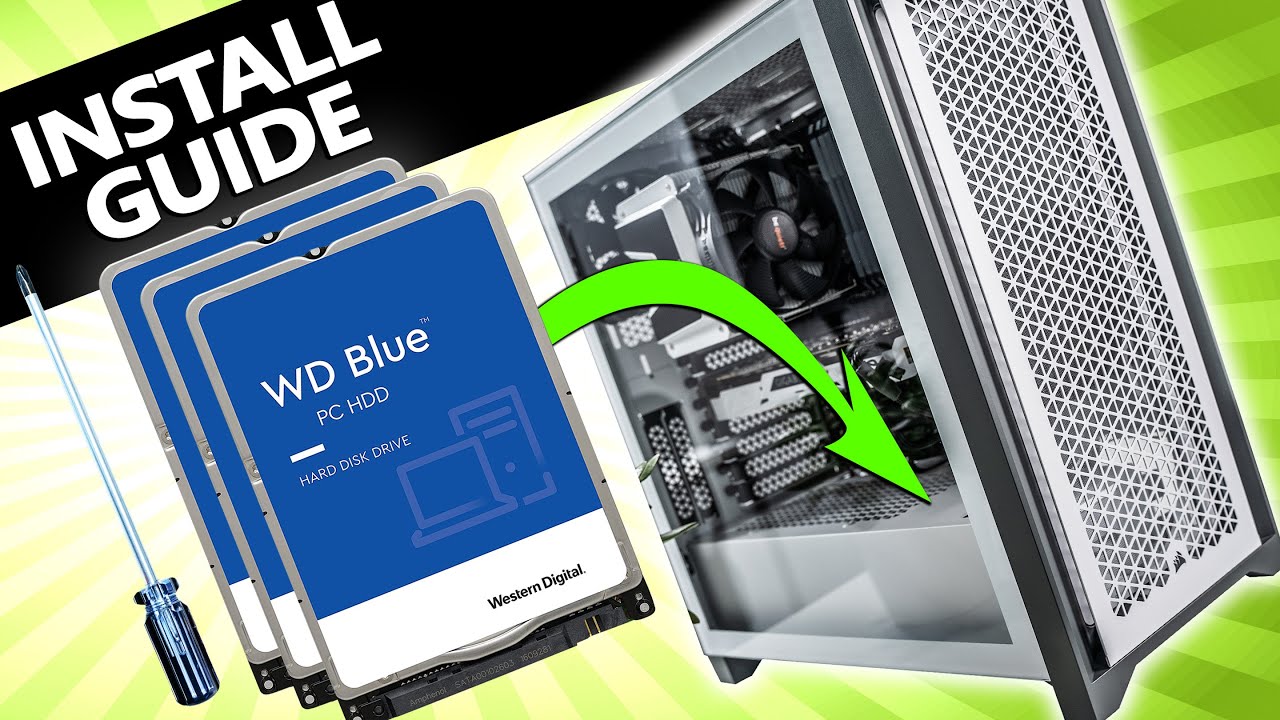
Learn how to install a hard drive into any PC with this easy to follow step-by-step guide.
Upgrading storage is one of the most common changes that PC owners want to make. And it happens to be one of the easiest tasks to do yourself! The steps in this guide can also be applied to the installation of 2.5" Solid State Drives (SSD's) as well. I...
It's a fairly straightforward process
glad radish
thank you so much
glad radish
flat lynx
Nothing a YT vid can't help with.
the concern the cables are just there so it blocks in addition I see that you need a cable to connect to the motherboard but I have not received anything
 warm pulsar
glad radish
the concern the cables are just there so it blocks in addition I see that you ne...
warm pulsar
glad radish
the concern the cables are just there so it blocks in addition I see that you ne...
jesus mate go clean it
warm pulsar
du u have a compressor
warm pulsar
o i always do it what the compressor
glad radish
and you haven't seen the front yet

 glad radish
magnificent
river bronze
calm birch
<@164477554772803585> is the amd 7900 xtx worth it?
get an AIB card if you do mine has the 110c hotspot issue
light ridge
They forgot the comma. Pretty sure that mine is as in my card
calm birch
pale venture
i dont think he wants to mine with it thou
Yeah strictly gaming, and some video editing.
river bronze
pale venture
what is an aib card?
AIB is like an ASUS version of the 7900XTX, Reference is the one from AMD themselves
river bronze
light ridge
They forgot the comma. Pretty sure that mine is as in my card
i did indeed, my card has the 110C hotspot issue which is a reference card problem the AIBs seem to be fine
pale venture
well, i think, this would be roughly what he wants https://pcpartpicker.com/list/bmxctn
Part List - AMD Ryzen 9 7900X, Radeon RX 7900 XTX, Phanteks Eclipse G360A ATX Mid Tower
river bronze
pale venture
well, i think, this would be roughly what he wants https://pcpartpicker.com/list...
4200 without the GPU price sheeeeeesh
that's a 5400 usd build
pale venture
yep, but if you think about it, it will still be quite powerful after 4 years
river bronze
pale venture
yep, but if you think about it, it will still be quite powerful after 4 years
sure but a grand for a motherboard
i personally wouldn't do that
pale venture
well, i noticed it too but after some considereation, i thought that buying a cheap mobo can also fry your other hardware so
calm birch
So what liquid do i buy for the cooling system?
pale venture
all in one, already has liquid inside it
calm birch
Do I ever have to change it?
drowsy rapids
You have to replace the aio after x amount of years, because water does disappear ofc. Anyway that part list that was send is extremely bad value in every sense. You have the worst valued cpu, with the worst valued board, windows isn't needed and the psu is way too overkill even if you going to use it in 5 years from now.
If you going to spend that much on a build that are weird value choices even going all out in 1 area and then completely go mid in other parts, then just get a 4090 too even a 4080 will make way more sense at that point while upgrading the case for very little more money to for example a meshify 2 compact or a TD500. At this point they are around the same ish price.
pale venture
i dont trust nvidia to stick gaming in their gpu naming and making sure they are not for gaming, that happened with 3090. They said it was for gaming but it wasn't really.
the difference between amd 7900 and intel's i9 13900k is barely any noticeable from a gamer's stand. Also, intel kinda sux balls when it comes to over pricing their cpu's. It looks better on most of the benchmark comparisons but i can assure you, 150$ extra for like 15% better performance, is not worth it. 7900 is amd's flagship of the series and intel's flagship is 13900k. I don't have good experience with intel thou. Also amd's base clock is 4.7 ghz and intel is 3 ghz.
drowsy rapids
Where do you live if don't mind me asking? Because some pricing seems off from my standpoint.
The 13th gen is not only cheaper, but outperforms the 7000 series xD.
your whole nvidia thing though is pretty iffy at best, the 3090 is a gaming GPU, however everyone and their dogs know it was a Titan marketed for gaming (was in their own launch vid) because for some reason ppl started to buy titan GPUs and Nvidia capitalised on it while keeping their crown. So gains shouldn't have been expected to a huge amount. This is different in the 40 series though.
Doesn't explain why anyone would pair a $1400 GPU with a $1000 board, a 1200 Watt PSu which no one needs and then for some reason a $80 USD case. With then parts no one ever needs to play any game at all really, else go 30 series if they still in stock or just go to a 4080 which in many areas are getting around the same price as the xtx anyway.
Also why do you even mention base clocks, that's not what decides your performance to begin with. Not to mention that the 13900k clocks higher than the 7900x and I hope for everyone their bills that they remember to put on the eco mode on their 7000 series CPU. Else you use triple the power for no performance gain. Same with the GPUs, they use way more power than their competition and then they dared to talk like 40 min about how Intel and Nvidia is power inefficient...
Neither have I ever heard a decent motherboard fry any other hardware, because that's not what would do it to begin with, not to mention because AMD is incredible bad at scaling and advanced features the 7000 series GPUs will be irrelevant in 5 years if not much sooner at this rate. So basically I still have a lot of questions with the list and idk if anyone could answer them tbh  .
.
pale venture
4090 is expensive than 7900 xtx, similar performance. 7900 xtx is cheaper than 3090, similar performance. 13900k is more expensive than 7900x not by much but still. The PSU is ok for that comp, i don't really see your argument valid there.
PS: so far, there are quite alot of returns of 4000 series going back fried. https://kotaku.com/nvidia-4000-series-graphics-card-burning-melting-1849702050
drowsy rapids
pale venture
4090 is expensive than 7900 xtx, similar performance. 7900 xtx is cheaper than 3...
You shouldn't making lists, 4090 isn't needed and a 7900xtx isn't a 4090 it's a 3090ti at best in advanced and raster a 4080 at best. 1200watt PSU no one is their entire life is going to use that atm in gaming. 850w is even enough to carry a 4090.
I love you TFU3 but you should be nowhere near part lists, they don't make sense and when ppl explain to you then you just shrug it off with old outdated info.
pale venture
you do understand that if you have a psu with 1200w and you only need like 850w you will only use 850w, right?
drowsy rapids

USE CODE 'THISISFINE' on the GN store for 10% off through 11/23/22! https://store.gamersnexus.net/ - grab a GN coaster pack, PC building modmat, mouse mat, shirt, or more to support our work and get something quality in return!
The RTX 4090 12-pin cables (12VHPWR connectors) have been in the news for burning, melting, and the theories surroundin...

Support our deep dives like this! Grab a GN 3D Coaster Pack: https://store.gamersnexus.net/products/gn-drink-debug-coaster-pack-4-custom-3d-coasters-100x100mm-4x4
We're running in-depth tests on the NVIDIA RTX 4090 12VHPWR adapter cables (the 12-pin cables, sometimes called '16-pin' cables) to see how they thermally compare in different scenario...
It will explain the melted cables, even 1 of the best techies on this planet didn't manage to get it to melt properly after consulting experts.
drowsy rapids
pale venture
you do understand that if you have a psu with 1200w and you only need like 850w ...
You do realise that if you have a 1200w PSU and you only use 850W (which nothing will do) you wasted like 200 extra USD on your PSU that you spend in better performing hardware?
pale venture
i read about it, it didn't say what it caused, but it even happened to them... on video. The cables had impurities that could cause the burn.
drowsy rapids
You also use way too much storage, who the heck needs 8TB of storage.
They had to try very very very very hard to get it to burn and not to mention was fixed with the next shipments.
Haven't happened to a single 4080 either.
pale venture
ahh ok, so when you buy it from the hardware shop, you need to pray that you get the latest shipments.
also, psu difference between 850w and 1200 is more like 40 bucks or so, depending on what company you chose to buy from
drowsy rapids
You don't have to pray, there is no first shipment left in stock anywhere on this planet.
And of the entire studio, Nvidia found only like 30 cases or something.
Which they have put entirely under warranty themselves personally, even though it was mostly user error causing it.
pale venture
well, GN said... unlikely or possibly. Do you believe they don't know how to connect gpu power properly ?
drowsy rapids
Do you believe every person on this planet is 100 % perfect everytime?
We have to fool proof every little thing all the time xD
pale venture
no, but they did want to specifically test it, they even went beyond and above to even x ray the cables
drowsy rapids
Fine
https://pcpartpicker.com/list/CdxTTn half your cost, same in raster performance and will outperform your build by 2.5x in RT performance. For cooling if you want to go aio you can still do that too.
Part List - AMD Ryzen 7 5800X3D, GeForce RTX 4080, Fractal Design Meshify 2 Compact TG Light Tint ATX Mid Tower
https://pcpartpicker.com/list/kGjv78 based on yours out of fun, with the GPU price still under what you going to pay and that as Intel which is more expensive there. If you go AMD you can get it below yours without a GPU price.
Part List - Intel Core i7-13700K, GeForce RTX 4080, Fractal Design Meshify 2 Compact TG Dark Tint ATX Mid Tower
Even if you pick the most expensive one and going Intel, I managed to get the same performance as yours at just 4.5k, we know that a 7900xtx is at least 1300 to 1400 in US so add that on top of yours we are at 5.8k. So for nearly 2k less I managed to outperform your system.
The reason is no one needs that much of storage, took 4TB out of it, replaced the 1k board with a very good Intel board which is basically kinda the same. The rest spend on much better RAM, also went 4080 which will blow the 7900xtx out of the water with it's DLSS 3, frame generation and actual real RT performance. While you can see the 4080 is only 1.3k. So even if you for some reason want another kit of RAM or go for that 1200w PSU you would still be cheaper with mine.
pale venture
you know, you are right, when i presented him my version, i made it for like at least 5 years where he wouldn't have a problem changing hardware unless fried or damaged. Your version of presentation makes him impossible to be able to upgrade the PC after 5 years, because, intel is known to change sockets almost on every 2 years. So far, AMD5 will be at least 5 years into service. Does it cost more, yes, can it be upgraded, yes. Could i have changed some parts ? Yes, i would have changed the mobo but that is about it. The storage is depending on the person. I myself like to have space where i can store stuff that i don't need to overload m.2 or ssd. Now, you can dismiss my concern over the 4000 series but you may not know, i also got my 3090 when it came out... and 1 of them... fried. EVGA btw. Also, that intel cpu, is heavily based more on workstation duty, something, that i would need, can you game on it? Yes, do you need that many cores for a game? No, unless you make one.
So yeah, the 1300 or 1400 usd is a joke price.
 drowsy rapids
pale venture
you know, you are right, when i presented him my version, i made it for like at ...
drowsy rapids
pale venture
you know, you are right, when i presented him my version, i made it for like at ...
It wouldn't last 5 years as explained above. He can still upgrade if you look at the CPU I am using. Also you don't switch cpu that often especially when playing at way high resolutions it matters not much anymore. Also amd hasn't even once said they will do the same with am5 like they did with AM4. No one needs 8tb, like even creators barely need that much. It was fried by using a bad game which everyone was warned about which only really happened to evga models. Funny amd has more cores than Intel and Intel outperforms in gaming because they have a higher single core clock.
light ridge
Just saying, my external is 16gb for my 3d modeling and animation files and software as well as music production softwares. 8tb wouldn't be enough for me with all that on top of my games. Lol.
 static warren
Yeah, my sound libraries require a load of space as well, preferably SSD. No way in hell am I streaming audio from an HDD

 lapis vigil
hi guys! sorry to bother all or some of you.... Btw Happy holidays to all!
here the question, I have set up a new pc with Ryzen 7600x and one of my ddr5 has screwed up (16x2gb) i have vengeance rgb. i should buy a new set of the same? or should i try another ddr5? with more compatibility?
idk what to do... 😄

 ripe mauve
 blissful anvil
pls guys I need help
blissful anvil
pls guys I need help
what's up
blissful anvil
when I buy free trial
is it for whole year?
because I paid 1300 czk
@ripe mauve
blissful anvil
I paid 1300 czk
ripe mauve
the charge you get at the start is a preauth, it goes away
it's not a real charge, you get the real one after the trial ends
 echo jackalBOT
All of the mods are free to use with hotkeys! You can also rebind the hotkeys to your preference!
https://support.wemod.com/article/41-using-cheats-with-hotkeys
blissful anvil
wait
 tender temple
Thank you for some reason i just got the message
ripe mauve
also
 blissful anvil
so when I buy free trial for 3 days for 1300 czk and after it runs out then I will have it for year?
tender temple
Does anyone know Which Steering Wheel is Compatible with Forza horizon 4 ?
blissful anvil
idk
tender temple
blissful anvil
idk
😥
ripe mauve
blissful anvil
so when I buy free trial for 3 days for 1300 czk and after it runs out then I wi...
you select the pro yearly plan with the trial
you get a preauth charge which goes away
you get 3 days to try out pro
if you don't cancel before that you get the real yearly pro plan charge
if you meant to cancel you can mail support@wemod.com and they'll refund you
blissful anvil
oh thank you so much
ripe mauve
if you need more help read the #469130732594266122 and #📚┃frequently-asked-questions and post in #wemod-support next time
 deep yarrow
tender temple
Does anyone know Which Steering Wheel is Compatible with Forza horizon 4 ?
deep yarrow
tender temple
Does anyone know Which Steering Wheel is Compatible with Forza horizon 4 ?
i think all of the logitech g29/920, fanatec wheels, and trustmaster tmx pro/tx rw
deep yarrow
tender temple
Does anyone know Which Steering Wheel is Compatible with Forza horizon 4 ?
Yes, the g920 is supported. And on the PC, basically anything with a USB and input device is supported in Forza Horizon 4 (as with FM7). Forza Horizon 4 also ...
tender temple
deep yarrow
Yes, the g920 is supported. And on the PC, basically anything with a USB and inp...
Is it supported with Steam Forza Horizon version ?
deep yarrow
it should be and otherwise steam should tell you
tender temple
deep yarrow
it should be and otherwise steam should tell you
Thank you very much you were a big help
drowsy rapids
Steam or not, doesn't really matter.
tender temple
drowsy rapids
Steam or not, doesn't really matter.
Saw a youtube video saying only the Microsoft Store Version is supported
so i had to make sure
drowsy rapids
Idk why it would be, it's entirely game related if you get support or not. So idk why a developer would support on 1 platform but not another having a different game version at that point.
deep yarrow
it even says on the dev side that steering wheels are supported on all platforms
tender temple
yeah it should
tender temple
What is the better one out of these 2 ?


They are both used ones I can get the Logitech one for around $360
And the Thrustmaater for around $290
 sacred moat
tender temple
What is the better one out of these 2 ?
sacred moat
tender temple
What is the better one out of these 2 ?
I think that trustmaster is better quality and stuff
but thats only from what i heard
sacred moat
tender temple
What is the better one out of these 2 ?
(and the first one is a G920 (case Xbox) (G29 is PS4))
tender temple
sacred moat
(and the first one is a G920 (case Xbox) (G29 is PS4))
Thank you
twilit forum
whats the best alternative to userbenchmarks?
that has the latest hardware and stuff
drowsy rapids
twilit forum
whats the best alternative to userbenchmarks?
For what purpose specifically?
twilit forum
drowsy rapids
For what purpose specifically?
see other benchmarks compared to mine
drowsy rapids
twilit forum
see other benchmarks compared to mine
Userbenchmark is kinda king there for personal benchmarks except you want to go oc community ish.
twilit forum
drowsy rapids
Userbenchmark is kinda king there for personal benchmarks except you want to go ...
they dont have ddr5 ram benchmarks sadly
thats why im looking for alternatives
drowsy rapids
Well you should look into oc community sites then.
twilit forum
alr
 slate niche
I d like to think PassMark as a good general purpose benchmark
blissful anvil
i dont know much about pc parts but what do u guys think i should upgrade first
ripe mauve
that depends on your system
river bronze
blissful anvil
i dont know much about pc parts but what do u guys think i should upgrade first
what are your specs
blissful anvil
how do i check
this is all i see when i look on system
Processor Intel(R) Core(TM) i7-2600 CPU @ 3.40GHz 3.40 GHz
Installed RAM 8.00 GB
and i know my gpu is nvidia gtx 1030 or sumn like that
basically idk if there is a part that helps with this but is there one that helps with my download speed
because it is very bafd
but im pretty sure its just my wifi
 frosty elk
Does anyone have recommendations for hot swappable keyboards that are compatible with low profile switches?
 dim osprey
It is worth a samsung 980 2 tb for gaming ?
slate niche
dim osprey
It is worth a samsung 980 2 tb for gaming ?
m2 or 2.5 ssd?
dim osprey
slate niche
m2 or 2.5 ssd?
m2
slate niche
dim osprey
m2
gen4 right? more than enough.
i got a 2tb gen4 m2 and i m hardly over 1tb of usage.
dim osprey
slate niche
gen4 right? more than enough.
i got a 2tb gen4 m2 and i m hardly over 1tb of u...
Solid State Drive (SSD) Samsung 980 1TB, NVMe, M.2.
Some people says that it's ok
others it's meah
others it's great because it's from samsung
idk it seems good from my pov
slate niche
did a little more research. The 980 is gen3, the 980 pro is gen4.
the difference is not notable in the naked eye,only on benchmarks. My opinion.. if u have gen4 motherboard/gpu get a gen 4,so u get the full potential of the rig.
if u have a gen3, get the 980 (not the pro)
dim osprey
I want to purchase a i9-10900k with 3070 8gb
so I guess the normal one it's more the enough
blissful anvil
Yo could someone help me in DMS on about 3 pcs i need help of?
dim osprey
slate niche
did a little more research. The 980 is gen3, the 980 pro is gen4.
the differenc...
in any case, thank you 
drowsy rapids
dim osprey
others it's meah
Idk how anyone can even dare to say it's just meh lol.
Also between gen 3 and gen 4 there is 0 difference for gaming, until they start to include stuff like directstorage any SSD will be nearly exact same. Because games just don't use much of your drive at all. So even though I can use gen 4, there is no reason for me to get a gen 4 ssd atm, it would have just increased the costs at the time.
twilit forum
usually the samsung ones have higher mb/s
twilit forum
drowsy rapids
Try to play CP77 with a Hardrive 😉
never said anything about a gpu
lol
drowsy rapids
From the moment consoles went away from Harddrives, it's essential to have some type of SSD in your system.
twilit forum
like i said ssds are only good for loading applications
drowsy rapids
Yes and games is 1 of those.
It will massive decrease loading times and popping with the lastest games.
twilit forum
does it include fps increase?
drowsy rapids
No one talks about fps.
It doesn't increase fps, even though technically it could but that's a big of a stretch.
You seem to think that fps is the only thing that matters in games.
twilit forum
whats the point of a gpu then?
drowsy rapids
Having a slow harddrive can introduce other issues away from fps.
Well what is the full name of the GPU ?
drowsy rapids
That's a type of GPU.
Okay fine
What is the point of a CPU in gaming?
RAM
SSDs
Keyboards
mouse
Monitor
It will all affect your gaming expierence.
drowsy rapids
What's the point of having a 4090 if you going to pair it with a 2600x
You will get the same fps as like a 2070 xD
What type of "guy"?
I only explained to you that SSDs will have an effect on gaming, you just think only in fps.
twilit forum
fps do care about fps
would u still play a gameboy with only 16 fps now then back in the days?
drowsy rapids
Okay what's the point of having 160 fps if your harddrive is causing your PC to skyrocket to 100ms ?
That 100ms will feel like you are playing at about 20 ish fps.
What's the point of having 160 fps with a 60hz monitor that has an input lag of 8ms.
Your entire build has to make sense, else you just way overpay on 1 part that you aren't using xD.
twilit forum
it does
drowsy rapids
like 3 % of all games sure.
twilit forum
lol no
drowsy rapids
Don't take this personally at all, but you shouldn't try to give people advise on what to buy and what to look for xD.
Lol yes, it's the least supported platform in gaming.
Even Linux has better support.
blissful anvil
drowsy rapids
Also between gen 3 and gen 4 there is 0 difference for gaming, until they start ...
so, that ssd that @dim osprey said it s a good one ?
drowsy rapids
Any samsung drive will be good, they are at the top end, isn't hard when only like 5 companies can make them though xD.
Only Toshiba, Samsung, Hynix, Powerchip and Micron (partnership Intel) can "produce" SSDs, the rest is just a different coat in a sense. On other side, it is known that Samsung keeps the best lines to themselves, same thing Intel did.
frosty elk
drowsy rapids
Lol yes, it's the least supported platform in gaming.
Yeah but you can dual boot and not have that issue
drowsy rapids
frosty elk
Yeah but you can dual boot and not have that issue
Then you no longer use a mac OS, a PC can double boot too even in all 3 OSX, Linux and Windows if you really want that for some reason.
Also let not fool ourselves that he is using a very old IMAC, Apple hasn't used HDs in years now xD.
frosty elk
For sure but having the Mac isn't the inhibitor when you can dual boot
That's all I was saying
I used to game on my 2015 MacBook pro until I built my pc
Granted mine was refurb updated from eBay with higher specs
drowsy rapids
It still kinda is, because you are limited to it's hardware which is also pretty notorious, but also still doesn't change that it's the least supported platform 
I get what you mean though xD
frosty elk
I miss the first mbp I had where everything wasn't sautered to the custom motherboard 🙄
But where's the profit in that for Apple :p
drowsy rapids
A lot of 3rd parties start to do that
Dell has also become very infamous going custom motherboards.
frosty elk
🌟 Consumer friendly 🌟
drowsy rapids
I remember my very first PC that I actually started to change up, which was a HP pavillion. Back in the day you could open the case and swap out any parts even if it was prebuild.
frosty elk
Yeah back in the 90s when it was literally just a case with individual parts
drowsy rapids
But ey they figured out going proprietary is more money.
dim osprey
drowsy rapids
Any samsung drive will be good, they are at the top end, isn't hard when only li...
Hope so, for a 2000 euro build I can't wrong right ? 🙂 God bless for good
drowsy rapids
dim osprey
Hope so, for a 2000 euro build I can't wrong right ? 🙂 God bless for good <a:ca...
Pretty much no, 2k for a build is pretty much at the very high end because you can spend 1k to 1.4k to a gpu.
dim osprey
drowsy rapids
Pretty much no, 2k for a build is pretty much at the very high end because you c...
I can't find any pieces for a build under 1k in my country so that's a problem :/
drowsy rapids
dim osprey
I can't find any pieces for a build under 1k in my country so that's a problem :...
Where do you live?
dim osprey
drowsy rapids
Where do you live?
Romania
 swift radish
Hai noroc ! ❤️
dim osprey
swift radish
Hai noroc ! ❤️
Hello 🙂
drowsy rapids
dim osprey
Romania
Yeah F
dim osprey
In any case, thx for the help
 hazy sigil
tender temple
hazy sigil
tender temple
I got the Thrustmaster

Anyone have a good Settings for Forza Horizon 4 ? The car rotates all over I can't even go 5 meters 🥲
drowsy rapids
Sadly the best answer is: You kinda have to try and test yourself, it's entirely based on your personal "feeling".
Is like asking what the best sensitivity is for your mouse, it's a question no one can answer for you.
tender temple
yeah there's too many settings to adjust
blissful anvil
if i were to put my pc specs in here could someone tell me what i should put in it to get better performance when playing online as well as how to stop it from stuttering/lagging?
ripe mauve
probably
reasons for stutter can vary between games, specifically online it sounds like you're dealing with bad connection
tender temple
@blissful anvil it's hard to do anything about lagging
It depends on too many factors
The server you are playing on
Are you using Wifi ? Or fiber optics?
If the PC is lagging just add a SSD
Any SSD would do just fine
The difference is like North Korea and South Korea
drowsy rapids
tender temple
If the PC is lagging just add a SSD
SSD would most likely on the bottom of the list to cause lagging tbh.
drowsy rapids
blissful anvil
if i were to put my pc specs in here could someone tell me what i should put in...
Would be first more useful to know your type of connection, your ping while playing and what game(s).
tender temple
drowsy rapids
SSD would most likely on the bottom of the list to cause lagging tbh.
No I meant if u are having Slow issues add a SSD
blissful anvil
ah i have xfinity wifi and i use the lan cable. i manly play games like monster hunter, dragonball xenoverse 2 and dark souls 3. here is an Overview of my pc specs.
Computer model: Hewlett-Packard HP Compaq Elite 8300 CMT
Operating system: Microsoft Windows 10 Pro (10.0, Build 19044)
Processor: Intel(R) Core(TM) i5-3470 CPU @ 3.20GHz 4/4
Motherboard: Hewlett-Packard 3396
RAM: 8 GB
Hard disk: TOSHIBA DT01ACA100 (931.5 GB/Fixed hard disk media)
Graphics card: NVIDIA GeForce GTX 1050 Ti (4 GB)
Monitor: SAN SANYO PDP (1920x1080 / 7.2 Inch)
Sound card1: Realtek High Definition Audio
Sound card2: NVIDIA High Definition Audio
Keyboard1: HID-compliant mouse
Keyboard2: Standard PS/2 Keyboard
Keyboard3: Razer Ornata Chroma
Mice: Microsoft PS/2 Mouse
Audio1: Realtek High Definition Audio
Audio2: NVIDIA High Definition Audio
i'm looking to make this in to some sort of streaming pc or figuring out what sort of stuff i need to build a better one
but thanks for the info that was given already i'm still new to pc gaming
drowsy rapids
blissful anvil
i'm looking to make this in to some sort of streaming pc or figuring out what so...
If you want to turn that into a steaming pc, you have to do a full rebuild. Everything kinda needs an update at that point, so you should figure out a budget and move from there.
blissful anvil
drowsy rapids
It does affect gaming lol
so if I buy a ssd, I will have more fps in game ?
blissful anvil
drowsy rapids
Okay what's the point of having 160 fps if your harddrive is causing your PC to ...
using a hdd, you can have latency ?
drowsy rapids
blissful anvil
so if I buy a ssd, I will have more fps in game ?
Doesn't affect fps in a sense, it could in theory but it will affect other stuff instead.
blissful anvil
drowsy rapids
If you want to turn that into a steaming pc, you have to do a full rebuild. Ever...
thanks that's about what i thought do you know if razor coretex makes anything good besides keyboards or what do you recomened i kinda want matching stuff but don't know if that will build a good pc
blissful anvil
drowsy rapids
Doesn't affect fps in a sense, it could in theory but it will affect other stuff...
just the loading I guess
drowsy rapids
blissful anvil
just the loading I guess
It can also affect others things, but people think too much that gaming is "just" fps.
Like I have explained before, for example popping can be reduced by going SSD. Also when games start to use directstorage more and more on PC. It will dramatically change the game of HDD vs SSD. Some games already require you even having 1 by default.
blissful anvil
drowsy rapids
Like I have explained before, for example popping can be reduced by going SSD. A...
I thought that only the CPU, GPU and RAM can do the tricks for a better quality and performance. SSD is for storage and fast loading time.
Maybe you right maybe you don't
thank you for your opinion
drowsy rapids
Well CP77 will just refuse to flat out properly work without a SSD.
blissful anvil
u mean cyberpunk ?
drowsy rapids
And because directstorage is making their way to PC gaming, it's a trick consoles has been using for years. It will require a SSD to work properly.
blissful anvil
I played cyberpunk on a SATA III HDD and everything works around 50-60 fps on high
drowsy rapids
Not to mention that still you will have way less popping on a SSD than a slow HDD, because the game doesn't require much of your drive atm in most games but a lot are optimised in a way it requires none stop data all the time for textures.
You will have had a lot of texture popping.
blissful anvil
oh
blissful anvil
drowsy rapids
You will have had a lot of texture popping.
No, I didn't that why
drowsy rapids
Then you were on low settings most likely.
blissful anvil
high setthings
drowsy rapids
And even then most likely still had it, but maybe we understand it differently xD
But even CDPR was like, it will technically work on a HDD but just please don't do it...The game doesn't have any loading screens. It requires none stop data, because while you play it basically "loads" the game. So when you have a slow HDD it will cause texture popping or micro stutters. Your CPU and GPU are waiting on the data to be transfered in a sense. They specifically even added a HDD option in the settings menu. Iirc DF has a whole vid about it explaining it better than I can.
You might see that stat properly displayed under latency in afterburner or Nvidia overlay.
blissful anvil
the thing is, how it is possible to not have any texture loss when I was playing cyberpunk with my SATA III HDD ?
and can you explain what is ''directstorage'' ?
drowsy rapids
blissful anvil
the thing is, how it is possible to not have any texture loss when I was playing...
The thing is you will have seen it, but might not be able to identify it properly. Like you don't lose textures they just might see more flat or more generic for a bit.
drowsy rapids
blissful anvil
and can you explain what is ''directstorage'' ?
Bit complicated in short it gets textures directly from your storage device to your gpu vram to render it. Cpu doing much less work here and only gives the orders. Which means the storage speed, ram and gpu vram speed will matter way more than now.
glad radish
can we cut this little piece of plastic but not the jors cable not used on the pc to connect the hdd because it attaches with another cable that I can't pull suddenly if I cut the wire it doesn't matter?
 naive rune
tender temple
Anyone have a good Settings for Forza Horizon 4 ? The car rotates all over I can...
naive rune
tender temple
Anyone have a good Settings for Forza Horizon 4 ? The car rotates all over I can...
yeah turn the force feedback settings all the way up. and dont turn so hard this is a racing sim not a real car.
 magic vector
glad radish
can we cut this little piece of plastic but not the jors cable not used on the p...
magic vector
glad radish
can we cut this little piece of plastic but not the jors cable not used on the p...
you can cut the plastic thing around it but not the cables inside the mesh where cableds are.
naive rune
tender temple
Anyone have a good Settings for Forza Horizon 4 ? The car rotates all over I can...
make sure to also use AWD if you dont plan on drifting. AWD will give you better control over the car. snow tires for the winter season and drag or race tires for spring and summer or autumn. stay off the gas on turns and dont redline in first gear. start slow and shift to 3rd gear then you can hammer the throttle. most cars like the supra and the hellcats can reach 200 mph in 6th gear in about 4 seconds flat so theres a ton of power in those engines and stomping the gas in1st and 2nd gear is what is causing you to spin out
glad radish
magic vector
you can cut the plastic thing around it but not the cables inside the mesh where...
thx bro
magic vector
no problem
tender temple
naive rune
yeah turn the force feedback settings all the way up. and dont turn so hard this...
no when i turn a little bit the cars turns like a full rotation and more
i think i fked up the car by tuning it incorrectly 😦
wish i could delete my current profile and start new but the game won't let me
tender temple
naive rune
make sure to also use AWD if you dont plan on drifting. AWD will give you better...
oh i will try this
thank you ❤️
naive rune
tender temple
no when i turn a little bit the cars turns like a full rotation and more
i thin...
oh your 1080 angle
tender temple
naive rune
oh your 1080 angle
yes i think i have it at max
naive rune
turn it down alot
naive rune
yes by a ton
1080 is what i use for drifting high horsepower cars like the hoonicorn or the twerkstallion
tender temple
naive rune
1080 is what i use for drifting high horsepower cars like the hoonicorn or the t...
oh i'm still at the very beginning with with the first car
tender temple
naive rune
use the wemod trainer for credits
yes i do
tender temple
naive rune
which one?
give me a sec i'll send u a pic
naive rune
just go into a call with me and share your screen
tender temple
 tender temple
naive rune
just go into a call with me and share your screen
tender temple
naive rune
just go into a call with me and share your screen
Oh I'm on my phone
naive rune
ok its an s class your fine then its pretty quick
tender temple
 tender temple
naive rune
ok its an s class your fine then its pretty quick
tender temple
naive rune
ok its an s class your fine then its pretty quick
I will try your settings thank you ❤️
smoky shuttle
@jagged whale Replying here since you posted in the news section. It honestly doesn't make sense to go from 3k to 5k series ryzen. I would wait on the CPU because there are rumors that AMD will announce the 7800, 7900, and 7950 x3D which give a huge boost to gaming performance.
As far as the GPU buy the most expensive thing you can. Yes, nvidia is scummy with their pricing but 4090 is still king for 4k. You get about 15% less FPS with an AMD 7900 XTX but it is also 65% of the cost. I have yet to see a 4090 or 7900xtx in stock. Both cards may require you to upgrade your PSU though.
 jagged whale
smoky shuttle
<@191219376278470659> Replying here since you posted in the news section. It hon...
jagged whale
smoky shuttle
<@191219376278470659> Replying here since you posted in the news section. It hon...
thanks 🙂 what kinda psu do i need for those cards? i've got a 1000w one
 lost dove
jagged whale
thanks 🙂 what kinda psu do i need for those cards? i've got a 1000w one
lost dove
jagged whale
thanks 🙂 what kinda psu do i need for those cards? i've got a 1000w one
That should be fine
lost dove
smoky shuttle
<@191219376278470659> Replying here since you posted in the news section. It hon...
"65% less" Scalpers:
I might just buy a gigabyte 4080
Tbh
I'd buy a 7900 but
Nvidia is just better w raytracing
But then
I'd have to build a new pc pretty much
Ehhh
I'd have to get a new mobo, cpu
Maybe psu
 tall garden
i'm looking to upgrade my pc. would i be fine to just upgrade the cpu to a i5-10400f and a new gpu(when i save up for one), or should i look to upgrade mobo as well?

or would the cpu not make a huge difference and i should just focus on getting a new gpu first instead?
 pliant apex
I have a msi meg ace x570 ace amd with a radon 6800xt gpu. And the post code goes to 98, once then it repeats a run of 35, 40, 41, 42, 43, 44, 46, 47, 48, 60, 62, 64, 98.
Dont know what to do now.
river bronze
tall garden
i'm looking to upgrade my pc. would i be fine to just upgrade the cpu to a i5-10...
I'd go for GPU, 3440x1440 on an RX580 seems a bit too much to handle for that card
 lavish kindle
HI, I have a ryzen 5 5600G and a mainboard B450 aorus M
What GPU can I install? maybe something like 4 gb VRAM?
 sacred jolt
can anyone gimme a build for around 700 with wifi motherboard
agile kelp
Hey all Anyone know a reliable site where I can get Intel benchmark figures please? I am looking to upgrade from an i7 7700K to an I5 12600K and am trying to find out what sort of performance benefit I will see?
 tame fractal
agile kelp
Hey all Anyone know a reliable site where I can get Intel benchmark figures plea...
tame fractal
agile kelp
Hey all Anyone know a reliable site where I can get Intel benchmark figures plea...

Based on 686,126 user benchmarks for the Intel Core i5-12600K and the Core i7-7700K, we rank them both on effective speed and value for money against the best 1,372 CPUs.
 magic seal
does anyone know a good build with a 3060 that isn't too pricey?
tame fractal
Yes
 sour mountain
Recommended Laptop for the recent Sony releases on Steam specifically GOW, days gone, uncharted etc
drowsy rapids
tame fractal
https://cpu.userbenchmark.com/Compare/Intel-Core-i5-12600K-vs-Intel-Core-i7-7700...
Userbenchmark isn't a great source these days, best source you can have is pretty much respected reviewers at this point.
river bronze
magic seal
does anyone know a good build with a 3060 that isn't too pricey?
Ryzen 5600X with a 3060 should be fine and not too expensive
12500K if you prefer intel
light ridge
Got around to finally overclocking my 12600kf
5.2 at 1.35v, sa at 1.19. LLC is mode 4 and CLL set to lvl1
 hollow steeple
tall garden
i'm looking to upgrade my pc. would i be fine to just upgrade the cpu to a i5-10...
hollow steeple
tall garden
i'm looking to upgrade my pc. would i be fine to just upgrade the cpu to a i5-10...
I3 12100f is better for around the same price i have it in my build aswell
tall garden
hollow steeple
I3 12100f is better for around the same price i have it in my build aswell
Ty!
 drowsy rapids
13th gen is pretty good whatever you pick
Even though prices might not be stable soon.
 glossy skiff
Hi, i'm just starting with building a setup. I got my pc now, but i'm still seeking for a good starting cpu. I found a refurbished one, but i don't know or its a fine one to start with. It is the Intel Xeon E5-2620 V1 SR0KW 2.00GHz 6 Core CPU Processor.
 tight tree
Hello, Windows 11 home when I try to run the program, nothing happens. What can I do if the download does not work?
vagrant lynx
tight tree
Hello, Windows 11 home when I try to run the program, nothing happens. What can ...
Do you mean WeMod won't run? If so, I'd put that question in #wemod-support
drowsy rapids
glossy skiff
Hi, i'm just starting with building a setup. I got my pc now, but i'm still seek...
Defo don't go xeon, those are server cpus.
blissful anvil
Can I install and play some games on a external hdd ?
 rough field
sure
blissful anvil
rough field
sure
Really ? everything will be like a internal hdd or ?
rough field
Take a look on YouTube. There should be a tutorial for this. In my opinion it should work.
 copper spoke
.
drowsy rapids
blissful anvil
Can I install and play some games on a external hdd ?
You can, but defo should think twice about that. Most external HDDs are slower than even internal dedicated ones so keep that in mind.
blissful anvil
drowsy rapids
You can, but defo should think twice about that. Most external HDDs are slower t...
Oki
 teal pulsar
this is my pc how can I make it look cool?
 sacred moat
teal pulsar
this is my pc how can I make it look cool?
sacred moat
teal pulsar
this is my pc how can I make it look cool?
You can make it look like this:
https://farm6.static.flickr.com/5025/5728853850_a3bbb14083_z.jpg
 teal pulsar
ohh
 ruby orbit
What’s better a i5 or a i9 for gaming
drowsy rapids
I5 because of its value
rough field
Depends on the generation
 gray python
My motherboard shows red light on cpu after upgrade. Part is compatible and working. No pins are bent and won’t show display.
Have tried:
Remove cmos more 5 min.
Re seated cpu.
Checked connections with cooler
static warren
So it works, it just has a red light?
gray python
static warren
So it works, it just has a red light?
I get no display and red light. It spins to life but nothing else
Have tested ram but it’s not that
drowsy rapids
You sure the CPU works with the current bios?
Might have to update your bios first before it will work.
gray python
drowsy rapids
Might have to update your bios first before it will work.
I tried to qflash but nothing happens/it won’t start
So it’s that or something with the motherboard
I’ll try the bios with a different usb
Will give update
drowsy rapids
gray python
I tried to qflash but nothing happens/it won’t start
You did wait a while when you did that right?
gray python
Yes
I’m trying right now with a different usb stick
Now when I press qflah on motherboard it turned on
drowsy rapids
Maybe the other USB wasn't the proper one, you need to use a FAT32 to make it work really.
gray python
Maybe
drowsy rapids
What board and CPU is it anyway?
drowsy rapids
Yeah might have been the bios, you will know soon enough anyway.
gray python
Didn’t work
😭😭😭
Guess I’ll have to take it to a tech shop and pay them to fix it
And now it just turns on and off
drowsy rapids
You double checked all cables etc ?
Because just turning on and off, I have seen that happening before where ppl didn't have their CPU cooler properly installed.
So system switched itself off out of safety.
But in 95 % of all cases a PC turning off and then switching itself off rather fast usually means something isn't installed or plugged in properly.
gray python
drowsy rapids
But in 95 % of all cases a PC turning off and then switching itself off rather f...
Fixed it, took 3 hours had to take out all the components and then update bios, solved the problem but needed to build everything again and that took 2 hour more.
Worth for that cpu upgrade
🥲
drowsy rapids
gray python
Fixed it, took 3 hours had to take out all the components and then update bios, ...
At least it works now, is most important.
 hollow stag
im having some issues with my pc i play lots of games that are cpu and ram heavy like escape from tarkov and i recently upgraded my ram to 32 gigs and I didnt see a huge performance boost and i check xmp was on but i realized that my mother board is limited to 2666mhz but my new ram is 3600mhz and i think that is my issue bc i have a i7-9700k with a 2060 super so i think i need to get a new motherboard but dont know what to get and how much i should be spending on a new motherboard
drowsy rapids
hollow stag
im having some issues with my pc i play lots of games that are cpu and ram heavy...
Start with saying what motherboard you have
Not to mention that RAM might be the part that will have the least amount of impact on gaming especially on an Intel platform, unless you were running like 8GB of RAM or lower.
hollow stag
drowsy rapids
Start with saying what motherboard you have
I have B365M IB-R Asrock and I was playing on 16 gigs of ram before i upgraded
drowsy rapids
hollow stag
I have B365M IB-R Asrock and I was playing on 16 gigs of ram before i upgraded
What kind of budget do you have?
hollow stag
drowsy rapids
What kind of budget do you have?
i dont really have a budget but i dont want to get something overkill
drowsy rapids
First ones that come to mind are: ASUS Prime Z390-P LGA1151, GIGABYTE Z390 UD, ASUS TUF Z390-Pro Gaming, GIGABYTE Z390 AORUS PRO Z390. Iirc all of these will support the ram speed you have and are between 150 and 200. Idk what's overkill for you or not, because in that time having that high of a ram speed and a cheap board (while now all out of production) becomes a hard choice.
smoky shuttle
 still vessel
Ive got a budget of 1.3k any pc recommendations?
still vessel
Ive got a budget of 1.3k any pc recommendations?
Is this for PC only or for PC, monitors, etc?
still vessel
smoky shuttle
Is this for PC only or for PC, monitors, etc?
oh pc and monitor etc
smoky shuttle
still vessel
oh pc and monitor etc
Hmm that definitely makes things harder. Why types of games are you wanting to play and what settings?
still vessel
smoky shuttle
Hmm that definitely makes things harder. Why types of games are you wanting to p...
tbh not rlly high end games
mainly minecraft roblox maybe valorant
thats it
@smoky shuttle hdwisjdn thx
oh and also nba2k
23
👌👌
ruby orbit
What would be the best processor? For gaming
sacred moat
ruby orbit
What would be the best processor? For gaming
Uhh, AMD Ryzen 9 7950X3D
I guess
deep yarrow
Does anyone know where you can buy a flight hotas cheaper than in the store
sacred moat
deep yarrow
Does anyone know where you can buy a flight hotas cheaper than in the store
Yep, you can buy it refurbished.
My best website for this is BackMarket.
I made you a sorting: https://www.backmarket.com/en-us/l/video-games-accessories/183df16e-a920-4f22-b408-d3d2d3087168#brand=99 Thrustmaster&brand=99 Logitech
ruby orbit
sacred moat
Uhh, AMD Ryzen 9 7950X3D
I guess
Ok
deep yarrow
sacred moat
Yep, you can buy it refurbished.
My best website for this is BackMarket.
I made ...
Maybe i should have told you i live in europe and those prices are higher than new here xp
New retail price logitech g x56 pro is €234 24months warranty
drowsy rapids
ruby orbit
What would be the best processor? For gaming
5800X3D or the 7600 or the 13600k.
smoky shuttle
Or wait ~20 days for the new x3d processors
drowsy rapids
Most likely won't beat the current ones xD
If you really want best of the best and want to pay the money for it, nothing can touch the 13900k.
 sacred meteor
drowsy rapids
Userbenchmark isn't a great source these days, best source you can have is prett...
sacred meteor
drowsy rapids
Userbenchmark isn't a great source these days, best source you can have is prett...
Yes, it's very good for benchmarking all computer Hardware.
 crimson forge
What’s the minimum price to switch from intel to amd, I’ve already got 300 readily available but im certain I need at least 400 more
well, minimum is not worth it
Average price
 drifting blade
Anyone know about how to update bios
sacred moat
drifting blade
Anyone know about how to update bios
Which model?
drifting blade
sacred moat
Which model?
Pretty sure it’s a ASRock Z390 Phantom Gaming 4S
drowsy rapids
crimson forge
What’s the minimum price to switch from intel to amd, I’ve already got 300 readi...
Between 500 and 1000 depend what and how.
drowsy rapids
drifting blade
Anyone know about how to update bios

Sponsor - High performing & affordable AIOs from Silverstone! Check out their PF Series: https://geni.us/JDjW
PARTS IN THIS VIDEO:
Intel Core i9-9700K: https://geni.us/wkF79BP
Gigabyte Aorus Z370 Gaming 7: https://geni.us/WTQ1gT
G.Skill Trident Z RGB DDR4: https://geni.us/pil5
NZXT X53 240mm AIO: https://geni.us/wQJB
Gigabyte Aorus Xtreme GTX 1...
crimson forge
drowsy rapids
Between 500 and 1000 depend what and how.
All I need is the chip and the motherboard, and I do need to make sure that it is compatible with what I have sonfar
I only need to redownload bios if I’m swapping out storage, right? Not if I’m just adding some more?
drowsy rapids
Then you just need to buy a CPU and a board while having to make sure you buy a DDR4 board.
Which will be around the 500 bracket then depending which CPU you buy.
Like if you go zen 3, then it's even lower, if you want the newest line up then yeah...
Like a 5600x is only 180 ish iirc, a board about 150/250ish depending what you all need.
drowsy rapids
Just use a local technician, usually still cheaper and better than a pre build. You can just buy the parts and bring it to them or let them buy the parts too.
drifting blade
I finally got my bios updated it was very confusing bc this motherboard is from ibuypower so I had to get the bios update from them
drowsy rapids
They using proprietary boards?
light ridge
Anyone ever use kingston impact ddr4 sodimm ram for their laptop?
crimson forge
I want ddr4 so bad but I have no money for it
I want imbedded router
I want my pc to double as its own router
dim osprey
ASRock Z690 Pro Rs is a great motherboard ?
dim osprey
dim osprey
ASRock Z690 Pro Rs is a great motherboard ?
And great with I5-13600KF ?
 smoky mulch
i have a computer with a I7 6700 series and wondering how to tell if i can swap it out for something better? the pc was store bought through Best Buy
sacred moat
smoky mulch
i have a computer with a I7 6700 series and wondering how to tell if i can swap ...
I think that 6700 is kinda old gen, but what is the GPU?
smoky mulch
sacred moat
I think that 6700 is kinda old gen, but what is the GPU?
GPU is a Nvidia GTX 970 MSI
but yes it is old school cpu bought 4 years ago
smoky mulch
yes the pc was a gift from my parents to run fallout 4 with mods in mind
but i want to create a a game in the open world crafting survival type genre and need better pc or better parts
sacred moat
ye, you would need better pc for that x)
smoky mulch
gpu's r pretty cheap i dont need anything new and expensive
im more worried bout the cpu
sacred moat
For what I saw, the GPU is gud, while the CPU kinda bad for nowadays specs :/
smoky mulch
i tried using the Unreal Engine 5.0 the cpu could not do the job
sacred moat
smoky mulch
i tried using the Unreal Engine 5.0 the cpu could not do the job
You saw that in task manager?
smoky mulch
lol no the cpu could not render in objects like grass and the ground you walk on with in a timely manner loll
sacred moat
Try again with task manager open so you will really see what is the problem 😄
smoky mulch
so would my memory come into play as well?
sacred moat
wow
smoky mulch
yup
sacred moat
thats very low
sacred moat
you should probably upgrade that first
smoky mulch
hmmmm ty
 spiral prawn
The gameplay depends on the quality of your hardware like RAM, CPU and GPU and also the SSD is an important hardware in your PC as it is faster than a Hard Disk
SSD is mostly used for games and for the operating system
Hard Disk is mostly used for documents and other things
dim osprey
dim osprey
ASRock Z690 Pro Rs is a great motherboard ?
Someone ?
dim osprey
dim osprey
And great with I5-13600KF ?
.
 final kernel
What are these two cables for??
 light ridge
Well that molex is for old ass tech
The other, would have to know where the cable leads
And a better picture of the connector
Molex is often used with ancient drives
final kernel
Damn
final kernel
light ridge
Molex is often used with ancient drives
Thanks
light ridge
You're welcome
terse ferry
smaller 1 is for 2.5 floppy driive and larger is for 3.5 IDE drive as stated for older tech
drifting blade
drowsy rapids
They using proprietary boards?
idk my motherboard is a Z390 Phantom Gaming 4S-IB and that -IB means ibuypower and had to get bios from them
light ridge
drowsy rapids
They using proprietary boards?
It's an oem board it seems. However, from what I've read, the only difference is the IB comes with wifi. But the bios does come from IB which is why I'd never buy a pc from them
drowsy rapids
light ridge
It's an oem board it seems. However, from what I've read, the only difference is...
Interesting, so basically it isn't but also it is. It has normal connections etc and looks like a normal board without any weird going on, but yet is still locked behind IB software and probs some "cutting costs".
light ridge
drowsy rapids
Interesting, so basically it isn't but also it is. It has normal connections etc...
well generally they remove like extra connectors for cost cutting, it seems like they actually spent money putting wifi on this board ironically
drowsy rapids
light ridge
well generally they remove like extra connectors for cost cutting, it seems like...
Tbf what kind of wifi is it? If it's some cheap module then it isn't worth much.
light ridge
Oh im sure its a cheap m.2 like intel or something
drowsy rapids
Oh it's a slotted module, they add it themselves. So basically they buy a perfectly fine asrock board, put a M2 wifi card in it and install their own bios on it.
drowsy rapids
That's a way of doing things, wonder how much they can gain out of it financial wise.
light ridge
well every wifi that goes down, they have to buy from IB
drowsy rapids
because Asrock still has to make those bios updates for them, isn't something they can do themselves.
light ridge
or a whole new board
Yeah so this is actually how its done
at least for nvidia and AiBs
they AiBs actually make the bios, then they upload it to nvidia and nvidia has to approve it
Im assuming it would be the standard really in things like this
just instead of AiBs, OEMs
drowsy rapids
It's smart but also dumb, at the end you still get an inferior board imo. At the same time though that board can be used for everything too, because it has standard connections so it's way more valuable than literally everyone else. (of the big prebuild shareholders)
light ridge
Well generally
SIs which are custom prebuilt makers
they will just rebrand the product to them, not change hardware pieces
like Xidax for example rebrands the g.skill ripjawvs as their own
not changing parts on it
some do the same for mobos and others
drowsy rapids
Sure, but there is plenty of corporations which go out of their way to go proprietary in their boards.
light ridge
however companies like IB, CP, HP, Dell and others
Do proprietary on a hard level
CP been trying to mess around gpu connectors
drowsy rapids
Which is genius financially, but so bad for everyone involved.
light ridge
and its been causing a lot of issues
drowsy rapids
Well yeah what do they expect lol
light ridge
Ive had to tell at least 5 CP owners to order new cables from cablemod
instantly fixed issue
drowsy rapids
What do they even try to do with them
You can't just randomly change a power connector that easily.
light ridge
idk, using cheap ones they can oem and piecing shit together, idk
or using very poor psus
with shit cables
drowsy rapids
Most likely the last one tbh
light ridge
yup, thanks why there is like 1 maybe 2 SIs I can adequately rec
still vessel
CASE
KEDIERS PC Case - ATX Tower Tempered Glass Gaming Computer Case with 9 ARGB Fans,C590
MOTHERBOARD
CVN B560M GAMING FROZEN V20 motherboard LGA 1200 usb2.0 sata3 reg memory ecc support and xeon processor E5-2670 2690CPU 4ddr3
RAM
Asgard Valkyrie V5 Series DDR4 RAM PC Memory 8GBx2 3200MHz 3600MHz RGB RAM Polar White
COOLING FANS
Coolmoon 120mm 5V ARGB Cooling Fan Mute PC Computer Case Cooler With IR Remote Heat sink PWM RGB Radiator For Gamer Cabinet Fans
PWER SPPLY
LIAN LI 750W Power Supply ITX SFX PSU Gold Medal Full Module For Computer Mini ITX Case Power Supply Power Desktop SP750
CPU COOLER
HX6200D Radiator 6 Heatpipes CPU Cooler Fan for Intel LGA 1700 1200 115X AMD AM4
CPU
AMD Ryzen 5 5600 R5 5600 3.5 GHz Six-Core Twelve-Thread CPU Processor 7NM 65W L3=32M 100-000000927 Socket AM4
GPU
RTX 3060 ti YESTON Sakura custom gpu design 3 fans
im planning on getting thesd parts
any suggestions or mprovemnts?
budget is 1.5k
sacred moat
still vessel
**CASE**
KEDIERS PC Case - ATX Tower Tempered Glass Gaming Computer Case with 9 ...
Hello, the thing that can be better is the RAM. You should try to take 16x2 (so it make 32), same frequency (so dual ram optimisation thing work when you put it on slot 1&3 or 2&4)
drowsy rapids
The cooler is pretty bad, you could get more RAM however it's so easy to add an extra kit of RAM. 16GB should still be fine for now. You should also think about getting another PSU, the Lian Li SP750 reputation isn't that great. There are much better and more reliable units in the same price range.
 drowsy rapids
I can already tell you it's lying
blissful anvil

 drowsy rapids
That system won't achieve 200 fps in every game not even at 1080p.
blissful anvil
fairs
drowsy rapids
As a base system if you have nothing at all, it isn't bad at all though. Like upgrade that CPU + ram and you have a pretty nice system on your hands.
blissful anvil
this is my specs atm
 blissful anvil
drowsy rapids
Sounds like a prebuild.
blissful anvil
drowsy rapids
Sounds like a prebuild.
yes
drowsy rapids
HP?
blissful anvil
im not good with shortened words lmao