#🤝│community-troubleshooting
1 messages · Page 196 of 1
 jagged haven
Anyone running a 6800xt and 1440p? What fps do you get? I don't get much more than 100.
 lean halo
@modest sinew yeah it doesn't work.. @meager reef look clever guy we have a serious issue even pubg support couldn't help so try to help and talk nice or don't reply at all 🙂 I saw me and only 4-5 people having this issue and it happened after the big update for f2p.. Pubg support made me delete and reinstall pubg 2 times and did nothing.. I format my pc and still this issue.. I deleted all anti-cheats completely and re install the game 4tth time and still nothing.. Updated everything I could, closed any anti-virus or windows defender but this problem seems to be something special that no one find how to solve yet
 meager reef
lean halo
<@218750381268795393> yeah it doesn't work.. <@261161831182106635> look clever g...
meager reef
lean halo
<@218750381268795393> yeah it doesn't work.. <@261161831182106635> look clever g...
"we"? Nah, You. Its not my problem.
lean halo
When I say "we" I mean me and the other people who try to find a solution.. Nobody talked about you.. You replied to my message with an idiot way cause you thought you are clever and you found how to fix MY problem.. So if you don't know shit just don't answer to anyone.. Thank you
 agile cypress
I am not receiving any Twitch Drops, I used to play on Xbox and now I play on PC. I unlinked pubg from my twitch and re-linked it with PC but I still haven't been receiving any of these new drops I've claimed
 viral monolith
@fluid night unusuall gameplay is teamkilling i think
 hollow zenith
cant hit a stable 60fps on 2060 is that normal ? v-sync is off
hollow zenith
16gb
hollow zenith
no matter of settings ultra/medium/very low im not hitting 60fps
hollow zenith
my friend with 1050ti can hit 80fps with lower tier cpu same settings
its just weird
viral monolith
pubg is gpu and ram based
from what i saw
a guy with 16GB faster ram will handle better
i cant say exact type but 16GB DDR3 is def way slower than GDRR5
or 6 if there is
hollow zenith
yeah but mine ram is faster too
 neat saffron
hollow zenith
no matter of settings ultra/medium/very low im not hitting 60fps
neat saffron
hollow zenith
no matter of settings ultra/medium/very low im not hitting 60fps
Specs?
hollow zenith
i5 9400h 16gb ddr4, 2060
 prime vortex
viral monolith
ddr4 is notgood
prime vortex
viral monolith
ddr4 is notgood
u dumb?
prime vortex
viral monolith
or 6 if there is
XDDDDD?????
viral monolith
ur mean i go off 🙂
 tidal surge

i still get this error after restarting the game
steam
and my pc
if i press reconect nothing happends
 maiden wagon
help me please! it crashes everytime time I open the game 😦 i cant even play!!!

please
 prime vortex
verify game files, open pubg as an admin, open steam as an admin, update windows, update graphics driver, disable full screen optimization, turn off nvidia optimization
maiden wagon
prime vortex
verify game files, open pubg as an admin, open steam as an admin, update windows...
I did all that. I actually reinstalled Windows, imagine!
prime vortex
maiden wagon
I did all that. I actually reinstalled Windows, imagine!
me too but nothing fixes it
we can now just hope they fix theyr shit game
so we can play
maiden wagon
This Happens everytime I open the game
prime vortex
yea same shit but sometimes i get the error sometimes i dont
 wheat narwhal
how do you get the ready to rumble shoes, ive gotten 5 total kills in tdm multiple times now and nothing
 vast steeple
prime vortex
so we can play
vast steeple
prime vortex
so we can play
This fucking sucks man. It was working for me for a couple days then boom infinite loading screen.
prime vortex
dude i tried every fix in the fkin world
and every time i hop into the game it just crashes
and when i do some fixes sometimes it goes to a infinite loading screen
contacted support too
sent a ticket
and they suck
 grave peak
@hollow zenith Lol idk what they mean. I get around 220 fps in this game but out of Fullscreen I'm locked at my refresh rate
 jaunty beacon
guys how can i change my killfeed to enemy name not to unknown???
 zealous shadow
viral monolith
i cant say exact type but 16GB DDR3 is def way slower than GDRR5
zealous shadow
viral monolith
i cant say exact type but 16GB DDR3 is def way slower than GDRR5
ddr3 and gddr5 isnt comparable, gddr5 is gpu system, ddr3 is a ram system
vram does not equal ram
zealous shadow
jaunty beacon
guys how can i change my killfeed to enemy name not to unknown???
see if there is a streamer mode in settings
@trim sphinx issue with anticheat, reinstall BattlEye and verify pubg game files
 queen lake
HI All, Did anyone get the Prime/Amazon Gaming loot from January? I have everything linked as supposed and it says I have claimed it but the loot never showed up in the game. There was an issue last weekend saying the goods weren't available yet. But that message disappeared from the website after a few days. Now it just says I claimed it. Friend of mine has the same issue by the way.
 deft narwhal
steam overlay enabled but doesn't work in pubg ?
 remote vessel
i am stuck on loading screen when trying to get in ai training
help?
ifigured it out
bye
 odd tiger
for some reason i aint getting any progress for the check in event, does anyone know how to fix it?
fixed it
 atomic sky
Ok

This game is ass atm I legit uninstall everything wipe files and the one in the system too
This game used to be good
viral monolith
why my gpu lock on 1200mhz when i turn on vsync
if it possible to increase gpu load when vsync is on
 blazing epoch
atomic sky
blazing epoch
atomic sky
Bro I literally went through that exact same BS
Your not gonna like what you gotta do to fix it
atomic sky
blazing epoch
Bro I literally went through that exact same BS
tell me how to fix it

tell me how
blazing epoch
go back to windows 10
atomic sky
i am on windows 10
blazing epoch
THEN RE-DOWNLOAD 11

 atomic sky
i am on 10...
blazing epoch
had to goto 10 and back to 11
neat saffron
viral monolith
why my gpu lock on 1200mhz when i turn on vsync
Turn vsync off, it will cap the fps
viral monolith
someone have some tips for fps boost?
neat saffron
viral monolith
someone have some tips for fps boost?
Do you have a low end pc?
neat saffron
atomic sky
tell me how to fix it
There are videos on yt on how to fix that
Try troubleshooting
atomic sky
neat saffron
There are videos on yt on how to fix that
show me
i am legit doing everything
 pseudo sequoia
My friend's computer looks like this when it runs PUBG
There is no problem playing in the lobby
Graphics card is the latest update
It also has the system required for PUBG
please help

 tranquil remnant
Hello, since a couple of weeks my game keeps crashing. I've never had any problems at all up until a couple of weeks ago. I tried, lowering the settings, adjusting nvidea graphics settings. Windows update is ok. I deleted the game completely and reinstalled, still getting crashes cvan someone help?
 distant island
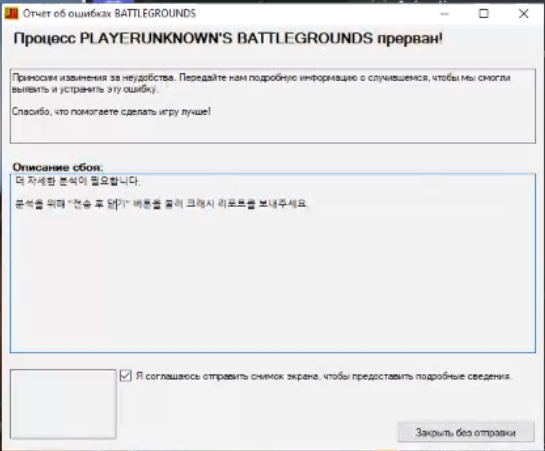
https://i.imgur.com/dZmrR8C.png help plz
 wooden fog
distant island
https://i.imgur.com/dZmrR8C.png help plz
wooden fog
distant island
https://i.imgur.com/dZmrR8C.png help plz
verify game files, open pubg as an admin, open steam as an admin, update windows, update graphics driver, disable full screen optimization, turn off nvidia optimization
But idk i have shit of pc but i played i have 20 fps maybe
viral monolith
How to Fix PUBG error Code: 00000D04/0021?
Without reinstalling the game?
viral monolith
i think i can help you
i used to toy with PUBG
to see what stuff i can do
the error you get i got that when i used Nvidia Settings
try to set PUBG to Application controlled
everything
PUBG doesnt support or refuse to support
driver options
stuff like ambient oclusion
make game crash
select stuff only inside game
i think the anticheat treat your forced options from drivers as virus
same way my antivirus mark anticheat of pubg as trojan lool
it is like 2 strong dudes that refuse to let other trough the door
so both act cool and cant work together at all
viral monolith
Black screen issue
My game was previously working i turned on my game today and had a complete black screen
i tried relaunching and verifying game files and restarting.
any fix for this would be greatt
 viral monolith
**If your game Crashing when you play, then complete the following steps. **
Update your Windows Update Your Driver Close some Application with the Task Manager Try this -> Program Files x86 -> Steam -> Steamapps -> Common -> PUBG -> TslGame -> Binaries -> Win64 and then Right Click on TslGame -> Properties -> Compatibility and then disable Full Screen Optimisation. Try Lower your In-Game Settings. If you have any Overclocking Hardware then disable it If you have any Launch Options then remove it too. Verify Game Files
**the crash may be because
**
Low hardware specification High graphics settings on lower-end hardware Unstable Internet Connection Overclocked System Running an outdater version of the game Corrupted Game Files
 viral monolith
 feral vigil
What kinda spec do you have?
feral vigil
viral monolith
What kinda spec do you have?
1660 super and ryzen 5 3600
viral monolith
feral vigil
1660 super and ryzen 5 3600
Try to lower your graphics.
feral vigil
viral monolith
Try to lower your graphics.
yup same
viral monolith
Then verify game files.
maiden wagon
viral monolith
**If your game Crashing when you play, then complete the following steps. **
`U...
Its something wrong with the game, i have been playing PUBG since 2019 i didnt have any issues of crashing (crqshing everytime on lobby) since update 15.2 came out this issue appeared.
feral vigil
maiden wagon
Its something wrong with the game, i have been playing PUBG since 2019 i didnt h...
the game clearly has issues
viral monolith
maiden wagon
Its something wrong with the game, i have been playing PUBG since 2019 i didnt h...
there is no problem with the game, then I would crash all the time.
too*
there is what i described try to do it.
if it doesn't work then I have no idea where to look for the error
maiden wagon
viral monolith
there is no problem with the game, then I would crash all the time.
Of course there is a problem. I have reinstalled windows 2 times and the issue continues and Im not the only person who has This problem. I have a lot of screenshot of people having This issue.
And This Happens with PUBG.
viral monolith
Try to lower your graphics.
Update your Windows.
Update your Drivers.
Verify Game Files.
Set the PUBG to hight priority.
Turn on Fullscreen Optimisation.
Check if the firewall didn't block pubg.
viral monolith
Low hardware specification
High graphics settings on lower-end hardware
Unstable Internet Connection
Overclocked System
Running an outdater version of the game
Corrupted Game Files
then this can cause the crash
maiden wagon
viral monolith
**Low hardware specification
High graphics settings on lower-end hardware
Unstab...
As I said I have done everything. And still continue crashing. Its the game.
maiden wagon
viral monolith
I'm not gonna argue with you.
Nobody us arguing with you. Im trying to say that I have done everything (i have done things that I didnt have to before the new update)
 merry coral
pseudo sequoia
My friend's computer looks like this when it runs PUBG
There is no problem play...
merry coral
pseudo sequoia
My friend's computer looks like this when it runs PUBG
There is no problem play...
What are the specs?
 digital cape
I have issue with my game where suddenly enemies are frozen or its like I'm networked lagged detected but it is isn't showing me that I'm anyone knows hot to fix this its bugging me like crazy it happened just right now I wish I have a clipped, it happened mid fight and i did not know I got disconnected until I fired 5 shot to the enemy he wasn't dying so I suspected I lagged out my friend told me I knocked him for some reason which makes no sense since all of them are frozen to me also the kill feed.
hope it makes sense
 spark galleon
maiden wagon
As I said I have done everything. And still continue crashing. Its the game.
spark galleon
maiden wagon
As I said I have done everything. And still continue crashing. Its the game.
Have you reported the very issue in #735310727082016839 ?
maiden wagon
spark galleon
Have you reported the very issue in <#735310727082016839> ?
Yes, I also sent 4 tickets but any positive response
 tulip mist
maiden wagon
Yes, I also sent 4 tickets but any positive response
tulip mist
maiden wagon
Yes, I also sent 4 tickets but any positive response
hi. i had crashes all the time. done everything what the support said. no help. replaced ram & gpu! nothing worked for me until last week… i tried with an older gpu driver, version 472.12. i could not test it for a long time, but the games if done were without crashes…
maybe this helps in case you are running a nvidia gpu…
good luck 🍀
prime vortex
viral monolith
I'm not gonna argue with you.
he is not arguing with u
its all about the game
spark galleon
maiden wagon
Yes, I also sent 4 tickets but any positive response
Explain those here and a community team member here might review those
 oak stone
reliable buffer overflow error? can anyone help me with that?
pseudo sequoia
merry coral
What are the specs?
i5 5...
RX 610
ram 8
HHD 1T
 grand furnace
pseudo sequoia
i5 5...
RX 610
ram 8
HHD 1T
grand furnace
pseudo sequoia
i5 5...
RX 610
ram 8
HHD 1T
HDD might be the problem and double the ram.
pseudo sequoia
grand furnace
HDD might be the problem and double the ram.
HHD is new
ram should not be a problem
neat saffron
Why would the hdd be a problem, the problem is that the game loading will be very slow
prime vortex
true
grand furnace
pseudo sequoia
HHD is new
ram should not be a problem
doesn't matter if its new or old its still HDD.
prime vortex
hdd doesnt matter tho
grand furnace
what ever...
neat saffron
🦆
zealous shadow
merry coral
What are the specs?
its a game issue not software issue
neat saffron
hardware*
zealous shadow
neat saffron
hardware*
yes hardware i mistyped thanks
neat saffron
Np bro
 mild cairn
hey my mic is not working ingame it works in other applications fine only in pubg not work any fix for it its working only sometime
neat saffron
The game is really buggy, idk if you can fix that
 boreal hull
mild cairn
hey my mic is not working ingame it works in other applications fine only in pub...
boreal hull
mild cairn
hey my mic is not working ingame it works in other applications fine only in pub...
Make sure it is your default communications device in your Windows settings, you're using the correct keybind for in game talk, your mic volume is up in up in PUBG settings, and you have it set to either all chat or teammates only.
neat saffron
He just said the mic is working fine in other apps, what has to do windows settings with pubg
mild cairn
yes
boreal hull
neat saffron
He just said the mic is working fine in other apps, what has to do windows setti...
Reassurance. You can have a different mic for Discord and PUBG even if your default communications device is a specific mic.

 tranquil snow
someone maybe knows if there is a limit of clips i can post to the fail contest?
 spring geyser
у
 grand venture
pseudo sequoia
HHD is new
ram should not be a problem
grand venture
pseudo sequoia
HHD is new
ram should not be a problem
You really should have an SSD in your system in 2022 you can run on YHDD but you absoulutely will be at a disadvantage, and slower loading timeswont help. And you say RAM at 8gb sis fine, i would also disagree with that, even on my PC with 16gb, i mostly see 13gb used with just the game and discord open, so 8GB will just not suffice in this day and age TBH.
prime vortex
grand venture
You really should have an SSD in your system in 2022 you can run on YHDD but you...
bro the game just sucks lol
hdd does nothing with the crashes
it doesnt matter if its on hdd or sdd
it just changes the loading speed
the ram might affect a little
not that much
grand venture
prime vortex
bro the game just sucks lol
Been fine for me since i upgraded.. my old X58 RIG from 2009 was having some crashing problems but my new 9900k, 1660Ti with an NVME GEN 3 DRIVE, 16GB DDR4 3600Mhz rig, hasnt crashed yet in 6 months, so dunno what to tell ya brother.... 😕
merry coral
pseudo sequoia
i5 5...
RX 610
ram 8
HHD 1T
System is below spec, im assuming its a laptop?
grand venture
prime vortex
xd
And im sure havnt a decent SSD, NVME drive does matter, its always loading or using the drive as u play, it doesnt just stop after the game loads. Maybe im wrong..
merry coral
prime vortex
xd
Wipe your drivers and do a clean install, then try again
Having conflicting graphic drivers can cause a lot of issues
merry coral
pseudo sequoia
i5 5...
RX 610
ram 8
HHD 1T
Also, check the video settings and try running in DirectX 11
grand venture
merry coral
Wipe your drivers and do a clean install, then try again
Having conflicting grap...
⬆️ Yes, alot of people do this and have as u say conflicting drivers on there system, i fresh install of windows should do this, which is what a lot of people do, but i would just use DDU and nuke whatever drivers you have on there and maybe try an older driver like something early 400,s drivers, i have done this b4 with my old rig. It sometimes works, just make sure your ethernet cord is unplugged when you reboot so windows doesnt try and load anything b4 you have chance too... @prime vortex
prime vortex
merry coral
Wipe your drivers and do a clean install, then try again
Having conflicting grap...
he did
same as me
grand venture
Did u use DDU
prime vortex
dfuk is that
merry coral
prime vortex
dfuk is that
Display driver uninstaller
merry coral
grand venture
⬆️ Yes, alot of people do this and have as u say conflicting drivers on there s...
Should never need a fresh install of windows unless you're having some serious issues, typically ddu is enough
grand venture
That reply tells me that you really havnt done everything to fix the problem as DDU is a very basic first port of call to me... @prime vortex
No im not saying you should do that but some people get to a point that they think they need to do this, when there is so many other ways to fix the problem... @merry coral
Im very intrigued to know what your actual problem is now @prime vortex , and to see it happen, and give some advice on what to do.. I had problems with my old rig and could of done with some help back then. But there was nobody there. I wasnt in this discord at that point i dont think, or just didnt know about this chat room...
prime vortex
i mean my pc is kinda shitty for pubg and i know that
but my 2 friends have a way shittier than mine
and they can run it
im the only one in my friends group that cant run it for some reason
prime vortex
1030
ryzen3 3100
8gb ram
my friend has i7 10th gen 1660 super
and had crashes too
and he verified files and everything is fine now
grand venture
I would honestly look at ram first. i know you dont think this is the issue but in todays age 8gb is not really enough
Verifying files is not really all that good to be honest
prime vortex
grand venture
I would honestly look at ram first. i know you dont think this is the issue but ...
i know im getting a new gpu and ram soon
grand venture
I think that 1030 gpu will not be helping the situation too
But prices of GPU's is not good for new hardware, it puts alot of people off
Triple in price for alot of stuff, damn scalpers and crypto miners.. its crazy
prime vortex
grand venture
But prices of GPU's is not good for new hardware, it puts alot of people off
i know
im waiting for them to drop down
they are kinda dropping rn
grand venture
Ya, a little and i heard that they should be dropping down soon too, at last
merry coral
Can literally walk into a store and still buy a GPU though
grand venture
I would honestly look at ebay, i have bought numerous second hand GPU's and they have been fine, just try to make sure you get one with like 6GB vram, its not neccesary but sorta gives you a buffer for the future
merry coral
Theres ~110 available from 6500XTs, 3050s upwards to 6900xts
grand venture
Really @merry coral oh thats good
merry coral
And 3050 are on par with 1070s, 6500xts are still good, just bad value
@grand venture Yea, and im just talking from where i am (South western Ontario) in about a 1.5hr driving radius
grand venture
A 3050 wud be phenominal compared to a 1030
But just putting a new GPU might not solve his issue unfortunately
And honestly @prime vortex an SSD can solve a whole host if isses just having that loading speed aswell. Even just a cheap 250gb for the OS and pubg would be a massive upgrade for you. I dont believe anybody should be running on a Old spinner these days. I have a 2TB one in my rig but its literally for movies, pictures and anything i want to keep for later.
merry coral
@prime vortex Are you by chance using the APU by accident? Make sure your display settings are set to the 1030
prime vortex
nah man my problem is that when i hop into the damn game
it just loads in
gets into the lobby
and crashes
when i open the task manager it just says not responding
its not laggy or anything just stops after like 5-10 secs
merry coral
Okay, but that didn't answer my question
grand venture
I can imagine thaty even the APU is not far off running near as good as a 1030 coz the APU's are getting so good these days
prime vortex
merry coral
<@!455284338863505418> Are you by chance using the APU by accident? Make sure yo...
its set
merry coral
@grand venture No, but using 8gb of ram shared between the apu and cpu, you can crash from memory shortage
grand venture
I would try SSD first coz that the cheap one, and might fix some issues, it may not fix the exact issue but its still worth a try
I have my on board graphics just disabled in a way on my 9900k as i will never use it for anything
merry coral
prime vortex
its set
In your BIOS settings (during boot) your graphics driver should be set to Primary gpu or PCIE
prime vortex
i think its set
grand venture
Think mine is in on board extras or something like that but mines a asus rog maximus formula X1 so could be very diffrent in the bios
merry coral
Yea, every bios will be different, but there should always be a selection for primary graphics/display
grand venture
yeh, that is true
merry coral
@prime vortex Should check that first, also enable XMP profile if it isn't already
grand venture
Do you know what motherboard exactly that u have @prime vortex
It baffles me that people dont know about XMP and stuff when i ask
But i guess some people just buy a rig and it just works
A guy i was with the other day had 3600mhz ram he paid a bunch for and had been running at default 2133nhz for 6months, didnt even know what xmp was until i showed him...
Also @prime vortex Do u have 2 sticks of ram, and if so, do u know if there in the correct dimm slots for your board
I assume you have 2x4gb sticks

eBay
Crucial MX500 And BX500. Models MX500 BX500. Box contents SSD. S. Read Performance 560 MB/s. Capacity 240, 250, 480, 500 1000 GB. Interface Sata III. Weight 100. Not sure what you are looking for?.
Just a cheap drive like that for your OS and pubg would be a massive diffrence over a HDD
prime vortex
grand venture
I assume you have 2x4gb sticks
i have 1 8gb
grand venture
prime vortex
i have 1 8gb
Offfttt... 😢
prime vortex
idk if im blind or dumb
i cant find the xmp thingy
i have docp
and when i try to enable it theres not an option
grand venture
Its just a case of learning brother is all...
So enable docp thats the amd equivelant of xmp
 grand venture
enable that
grand venture
can u not click on it and it should give an option of enable or disable
prime vortex
nope
prime vortex
gae
grand venture
you can see at the top of pic that your ram is actually 3600mhz aswell, unless that is your CPU speed, cant really tell from that pic, but could be your ram speed, which is alot faster than the 2666mhz that its running at, if it your ram speed then its running at the correct speed
AMD cpus love faster ram too, especially in that 3600mhz range
can u go down the settings below that and it should have Dram speed option, click on it and you should have a load of ram speed options, if so, put it at 3600mhz, if it blu screens on you, go back to bios and leave it at 2666mhz
prime vortex
grand venture
you can see at the top of pic that your ram is actually 3600mhz aswell, unless t...
i can set it up to 6000mhz
grand venture
Do not do that, if you know what speed your ram actually is, that would help, it will say on the side of the dimm, if you can take it out and have a look
It could be at the right speed now, setting it any higher could just give BSOD
That is where XMP helps, sets it at the correct speed and cas lstency and timings and so on
prime vortex
its 3600
grand venture
Are you sure
prime vortex
ye
grand venture
so try setting it at 3600mhz and boot into windows
again, from that picture, its hard to tell if its already at 3600mhz or 2666mhz.
To me it looks like its at 2666mhz, so 3600mhz will help with AMD alot, infinity fabric in AMD cpus like a 1:1 i believe
prime vortex
it was 2666
grand venture
Okay thats good, they for sure like the 3600mhz range, more so than intel
That may not improve of fix the crashing at all, but thats an improvement on performance
prime vortex
true
grand venture
Single channel mode is not the end of the world, but dual chaneel or quad channel is much better so, an extra stick of ram would help, but again, its probably wont fix the crashing, but its better
prime vortex
i apsolutely forgot about that when i got this one from my brother
grand venture
Every little helps
prime vortex
true
grand venture
Is it in the second slot from the left on your motherboard too
assuming you have 4 dimm slots on there
prime vortex
yea
grand venture
Thats good
 wintry elm
how report teamkill?
merry coral
wintry elm
how report teamkill?
In match, press Escape (ESC) and there should be a ! mark near teammates names
wintry elm
yeah but wich option is for teamkill? griefing?
 wanton epoch
Game crashed again (36)
Game crashed again (37)
Game crashed again (38)
Game crashed again (39)
when are you going to fix this? My game doesn't always crash, but when it does, it crashes a lot like crazy.
neat saffron
grand venture
You really should have an SSD in your system in 2022 you can run on YHDD but you...
Not even 128 gb of ram is not enough in these days
But yeah
8gb is bad already
16 is enough
More if you use editing apps
grand venture
neat saffron
Not even 128 gb of ram is not enough in these days
Yeh, 8gb is just not gonna do it, but if thats all he has at the min... 
grand venture
I mean just at desktop im around 5.5gb or round about.
 polar quest
Just built a new PC and getting disconnected 30 seconds after joining a game.
Went through everything in the CONNECTIVITY GUIDE on the pubg website but nothing worked. Any ideas?
I can rejoin the same game, but then d/ced again after 30 seconds. Nearly always about 30 seconds
polar quest
I can see people running around right when I join
neat saffron
Oh so you get the same problem in other games?
polar quest
No problems in any other games
tested out a bunch of other games in multiplayer, no problems
neat saffron
Yea as i said pubg is very buggy
polar quest
I'll try another clean re-install I guess
neat saffron
polar quest
I'll try another clean re-install I guess
Tried to re install, but got the same problem
polar quest
You have the same problem? or was that a question
polar quest
I'm using a wifi connected to my Mobo. Was wondering if that was the issue
Can't use a wired connection yet
 hushed cobalt
I am unable to start the game its stuck on this page

 glad leaf
i cant get my game to launch it just shows this

some times it just works but most the time it shows this then closes
 dense glade
Close this window and try again. That works for me
glad leaf
i did that 3 times
polar quest
They don't have anyone assigned here to help do they
 fresh oracle
 fresh oracle
wanton epoch
Game crashed again (39)
fresh oracle
wanton epoch
Game crashed again (39)
no one care man no one my game crash when new map show up it's like 2 \ 3 month lol
polar quest
neat saffron
I got the same problem
Still getting d/c'ed after 30 seconds after clean install. Did everything on the connectivity guide except the port forwarding because I don't know how to do it.
Have you tried that yet?
polar quest
Mine doesn't crash, just can't play the damn thing
30 seconds, then no packets and can't move character. DC's after a couple minutes of that
Everytime
neat saffron
This game is so buggy
wanton epoch
my friends also getting the same issue.
polar quest
neat saffron
This game is so buggy
Looks like the port forwarding fixed it
 quick fiber
Question: Are we allowed to rename/delete video files (Intro videos) to make the loading speed faster?
hushed cobalt
the worst tech support
jaunty beacon
How can i fix this
 oblique granite
Does mlaa works in PUBG? Or do I have to stick with in game AA ?
boreal hull
jaunty beacon
How can i fix this
Is it just stuck open? Try ctrl alt delete and force close the program. Then re-authenticate your program through Steam
jaunty beacon
No you can see in video it is saying your program is open but no it is not open i find it everywhere but i found a program call wellbia from pubg it also didnt launch battleye anticheat
boreal hull
Try restarting your PC. Then before you try and open PUBG go thru Steam and authenticate your files. Might be missing something.
boreal hull
If that doesn't work I suggest uninstalling and reinstalling if possible.
boreal hull
Are you using an SSD or HD?
boreal hull
Do you know how old it is? I suggest getting just a small 256GB SSD if possible. Just for your OS and a couple games you play. It will vastly increase the loading times of a lot of stuff.
 neat saffron
Omg... when i see ppl saying that the hdd is the problem 
boreal hull
neat saffron
Omg... when i see ppl saying that the hdd is the problem <:pubgface:237785618191...
So where would you start?
viral monolith
Buy ssd
 cedar crescent
fresh oracle
cedar crescent
fresh oracle
verify your game files it should work
jaunty beacon

 wise socket
polar quest
They don't have anyone assigned here to help do they
wise socket
polar quest
They don't have anyone assigned here to help do they
Yes, but you have to detail proof and put it to the right page
wise socket
jaunty beacon
Dont close steam before PUBG opens, did you?
also, windows will ask if STEAM/PUBG can have public/private network access in the windows security popups, make sure you didnt click No
that is for the anticheating and such... leave steam open, and run PUBG without any firewall or network restrictions
wise socket
polar quest
No problems in any other games
There is windows popups for PUBG and its Anti-Cheat software also, when you first start the game.. maybe you denied it network access to those ports and clicked no on accident because it usually pops up the first 30 seconds you first start PUBG, as a windows port "security check" with a YES and NO. You have to allow the anticheat app also, or you will be kicked i would assume
It's just basically windows asking if the program is allowed to open the ports PUBG requests to connect to their networks
Most people randomly click things and hit no, or in the background accidentally clicked no when it came up. I see you probably tried that, but thats my guess, you have PUBG ports open but not the anticheat? try that
 glacial kettle
who know how to fix pubg like my pubg use my cpu 100% but my pubg use gpu 0%
neat saffron
The game is bad optimized
 keen steppe
glacial kettle
who know how to fix pubg like my pubg use my cpu 100% but my pubg use gpu 0%
keen steppe
glacial kettle
who know how to fix pubg like my pubg use my cpu 100% but my pubg use gpu 0%
What is Google telling you?
 vivid ibex
everytime i run pubg, this thing shows up, and i got kicked mid game for nothing

and this one shows up too, any suggestion?
 vivid ibex
after 10mins, it happened

 lucid ibex
My friend has an issue where after he lands in a match, without touching anything he will move around on his own, and aim around on his own...any ideas?
 leaden quest
Hello, I bought a new Headset, because my old ones broke. Now my directinal hearing is completely off and sometime not there at all.
f. e. when I turn left or right to someones who is shooting it is extremely loud and almost hurting my ears and when I turn a little bit more I can barely hear it at all... Sound which is coming from the front sounds normal and has a good volume. Shooting is also way too loud compared to my old Headset.
Please help 🙏🏻
viral monolith
leaden quest
Hello, I bought a new Headset, because my old ones broke. Now my directinal hear...
Go into Soundmanager and there's a slider and start adjusting it, in the meantime, listen to something and see how it goes.
leaden quest
somehow it doesnt matter how far i decrease the volume i still have the annoying "echolike" effekts whenever a "loud" sound is received
viral monolith
What kinda headphone do you have?
leaden quest
hyperx cloud alpha
wise socket
did you switch to wireless? is it bluetooth?
wise socket
vivid ibex
everytime i run pubg, this thing shows up, and i got kicked mid game for nothing
Open all ports and make sure your antivirus isnt blocking the 2nd apps PUBG uses for anticheat... also all ports must be open on all apps including anticheat.
Specifically this page for you syrius: https://support.pubg.com/hc/en-us/articles/360010914014-PUBG-is-not-starting-launching-due-to-the-new-anti-cheat-solution-
 late tendon
what solution use, if game silently closed every time?:) after splash - blank screen, 60% CPU, and exit... no error code, nothing... its same for mailru agent and steam
win defender and firewall is off
no other antivirus software installed
any ideas?
 nocturne sable
how can i fix this error? 19:35:18: Starting BattlEye Service... 19:35:23: Launching game... 19:35:24: Note: File blocks can be ignored if they don't cause problems with the game. 19:35:24: [INFO] Blocked loading of file: "C:\spill\launchers\steamapps\common\PUBG\TslGame\Binaries\Win64\TslGame_BE.exe".
 old oxide
game just crashes after almost 5 minute in game. doesnt matter if it's TDM or ranked/unranked. been playing since 2018, never happened before.
(submitting crash reoprter everytime though.)
my config is : i5 8600k Nvidia 1060 6 GB.
- already checked file integrity few times.
-nvidia latest drivers
-window 10 pro latest update
-no recent hardware or software changes done.
 dawn herald
old oxide
game just crashes after almost 5 minute in game. doesnt matter if it's TDM or ra...
dawn herald
old oxide
game just crashes after almost 5 minute in game. doesnt matter if it's TDM or ra...
don’t know if this is helpful but I had the same issue. My game would freeze up my game and I’d have to restart my pc to do anything. Turns out the issue was a pair of Bluetooth headphones I had added to my pc. Once I removed the headphones everything worked fine.
 round knoll
anyone have any idea why I can't open pubg? everytime I try it starts to load up then just crashes. downloaded from steam, I already reinstalled once, verified files
get no errors or anything just poof gone
all drivers are good
nocturne sable
nocturne sable
how can i fix this error? ```19:35:18: Starting BattlEye Service...
19:35:23: La...
You get this error?
 north stirrup
guys i have a problem i downloaded this game today and now i have to make a character but the loading screen in the character menu doesn't ends
 sudden badge
nocturne sable
You get this error?
sudden badge
nocturne sable
You get this error?
Go to steam, and verify the files
 opaque berry
Anyone experiencing crashes on PC?
I initially had a crash that said missing .net framework 3.5 that it wanted me to install
then it just kept crashing within minutes every time i start up afterwards
nocturne sable
sudden badge
Go to steam, and verify the files
Tried it before and it didn’t work
 slender junco
i keep getting corrupted data, how to fix
HELLO?
i keep getting [25] BattlEye: Corrupted Data ; 15.2.5 - 833510
HELLO? IS ANYONE THERE?
SOMEONE RESPOND FOR FUCK'S SAKE
round knoll
I hope you don't get any help ^^
 tight anchor
slender junco
SOMEONE RESPOND FOR FUCK'S SAKE
round knoll
round knoll
anyone have any idea why I can't open pubg? everytime I try it starts to load up...
tight anchor
slender junco
SOMEONE RESPOND FOR FUCK'S SAKE
round knoll
round knoll
anyone have any idea why I can't open pubg? everytime I try it starts to load up...
Still no fix if anyone is proffecinal pubg helper guy would really love some ideas
slender junco
round knoll
Still no fix if anyone is proffecinal pubg helper guy would really love some ide...
*professional you dumbass
round knoll
Yup that was on purpose...
slender junco
slender junco
i keep getting `[25] BattlEye: Corrupted Data ; 15.2.5 - 833510`
found the answer, find battleye folder and delete it, then verify the game integrity
ya'll are useless
zealous shadow
vivid ibex
and this one shows up too, any suggestion?
did you try to do what it tells you first?
north stirrup
guys i have a problem i downloaded this game today and now i have to make a character but the loading screen in the character menu doesn't ends
tight anchor
slender junco
ya'll are useless
Well done you've gained your independence.
north stirrup
guys i have a problem i downloaded this game today and now i have to make a character but the loading screen in the character menu doesn't ends
nocturne sable
slender junco
SOMEONE RESPOND FOR FUCK'S SAKE
People answer when they got time, be patient and don’t expect people to answer after 10min
nocturne sable
north stirrup
guys i have a problem i downloaded this game today and now i have to make a char...
Try to restart and open through somewhere else , it happens to me all the time
nocturne sable
Just open it as soon as you can and if it doesn’t work try to verify your files
old oxide
dawn herald
don’t know if this is helpful but I had the same issue. My game would freeze up ...
well. thank you. but I dont have any bluetooth device connected. only external HDD is connected.
dawn herald
old oxide
well. thank you. but I dont have any bluetooth device connected. only external H...
Ah, sorry dude. Good luck, hope you find the problem!
old oxide
old oxide
game just crashes after almost 5 minute in game. doesnt matter if it's TDM or ra...
crashing in game after almost 5 mins.
 viral monolith
Guys could someone help me, when I play pubg my kills, deaths and etc are saved, so it decreases my fps. I mean the hughlights thing in geforce experience
 harsh void
old oxide
crashing in game after almost 5 mins.
harsh void
old oxide
crashing in game after almost 5 mins.
Try dx11
harsh void
viral monolith
Guys could someone help me, when I play pubg my kills, deaths and etc are saved,...
Turn it off in settings ingame
old oxide
harsh void
Try dx11
dude. I am using dx11, not dx11 enhanced. I'll try enhanced one and give it a go.
round knoll
round knoll
anyone have any idea why I can't open pubg? everytime I try it starts to load up...
still can't open
old oxide
round knoll
still can't open
if you dont see anything after launching and crashed, it could be graphics related issue. directX or GPU drivers.
round knoll
my drivers are up to date and I have directx downloaded
old oxide
are you on laptop ? your configuration ?
round knoll
Pc what do you mean by config?
old oxide
pc configurations.. cpu, gpu etc
old oxide
yes.. it should run aleast. even on low fps.
neat saffron
round knoll
nvidia 1050, it isn't great but it can still run pubg
It's not that bad
The game is just bad optimized
round knoll
I mean I'd be able to complain about bad optimisation if I could get past the blackscreen 💀
viral monolith
harsh void
Turn it off in settings ingame
where is it? i am talking about this
 harsh void
viral monolith
where is it? i am talking about this
harsh void
viral monolith
where is it? i am talking about this
You can turn it off in gforce experience or ping ingame in graphics
old oxide
viral monolith
where is it? i am talking about this
in game graphics setting > disable highlights auto capture.
viral monolith
old oxide
in game graphics setting > disable highlights auto capture.
Thx
opaque berry
Did we get any resolves for this crashing on pc? I see some people this morning with the same issue i have.
I’m on an i9 10900k and 3080ti, i would like to believe it’s not performance related.
Checked Driver for latest update, reverted to last driver update, reverted to 2 driver updates back, DDU, turned off all overlays like MSI Afterburner, Swapped between DirectX11 and 12, reinstalled, verified files, nothing works
Just keeps crashing within a minute after loading into a game
Tried to read crash log to understand the issue, but even after reviewing all crash logs a long with some colleagues that have expertise in that field as a career, none of us could understand PUBG’s crash logs… Our best assumption from some detail looked to be game engine failure, like it just poops out instantly, signaling something on my PC is possibly not compatible? Cannot figure it out for the life of me.
opaque berry
slender junco
SOMEONE RESPOND FOR FUCK'S SAKE
My guy, you have some aggression issues you need to resolve before any game issues…
 lone steppe
My specs:
ryzen 5 3500
Gtx 1660 super
16gb ram
M2 nvme ssd
But why do i cant even reach 100fps average (low settings) even though this benchmark video showed otherwise: https://youtu.be/PoigmX7IvyE

This Video Shows The Performance You might get with a GTX 1660 SUPER throughout the PUBG game. PUBG is a GPU intensive game, using powerful GPU Will increase FPS (Also requires newer powerful CPU)
Index:
0:00 - Intro
0:15 - Lowest 1080p
2:22 - Low 1080p
4:30 - Medium 1080p
6:38 - High 1080p
8:45 - Ultra 1080p
#pubg #gtx1660super #benchmark #fp...
 tepid shadow
My specs, i7-8700(3.6/4,7), Gtx1070Sapphire 8gb, 16gb rams. ssd 250g, the game is installed on ssd. I keep gettin stuttering, fps drops, and lagging, like not the ping, the game moves slowly, and not smooth.My ingame settings, are all on verry low, except the Anti-aliasing and view distance, which are High/Medium.Any advice?
 crimson apex
how do i not lag on pubg
neat saffron
The game is bad optimized, what would you except
lone steppe
tepid shadow
My specs, i7-8700(3.6/4,7), Gtx1070Sapphire 8gb, 16gb rams. ssd 250g, the game i...
Try to lower your view distance. Its useless anyway.
 bold tiger
opaque berry
Tried to read crash log to understand the issue, but even after reviewing all cr...
bold tiger
opaque berry
Tried to read crash log to understand the issue, but even after reviewing all cr...
is ram -> Yes is a Game-Define Bug you can not fix it need wait for a update fix -> but is from Ram and ram(clock/timings/tRFC/ram voltage + cpu vccio voltage /vdroop/cpu vrm freq) can you set it
bold tiger
tepid shadow
My specs, i7-8700(3.6/4,7), Gtx1070Sapphire 8gb, 16gb rams. ssd 250g, the game i...
optimize your hardware settings , your i7 can handle easy 5-5.1 ghz and AVX (4.8-5)
unfortunately ram optimization is mandatory to get stable high avg fps is a game sync problem (still bad netcode)
opaque berry
bold tiger
is ram -> Yes is a Game-Define Bug you can not fix it need wait for a update fix...
So I just need to sit and wait for an update? Or I can adjust my ram/vram myself? If have 64gb of ram and 3080ti for 12gb vram, not something i can adjust myself?
bold tiger
i mean ram in the ram slots not the vram from your gpu XD
are the devs fixing this that can a long time , play with the timings maybe you can find a own fix and use DX11 not DX11E by ingame-settings
@opaque berry Look in the Windows event log what Windows writes when the crash happens maybe I can narrow down the analysis
 open zenith

nd whenever i go to the log file location its not there so this ss is all i have to work on
bold tiger
GameBarFTServer.exe -> Xbox Live Services -> is the issuse for the crash
open zenith
bold tiger
GameBarFTServer.exe -> Xbox Live Services -> is the issuse for the crash
how do i turn it off
 loud tusk
guys can i have some help whenever i try to play basic training i can hear and my ui is there but i can see it is just black plz help @deft frost
 viral night
I have a problem on the game that causes the game to crash at each end of the game, I can't do anything on the computer, I don't know what to do if anyone has a solution I would like it.
 vivid warren

 wraith shore
Hello has Oce server been destroyed? Getting Singapore/Asian server matches
 near surge
hi can anyone help me with my zeroing distance not working?
 uneven kernel
near surge
hi can anyone help me with my zeroing distance not working?
uneven kernel
near surge
hi can anyone help me with my zeroing distance not working?
page up - page down to set zeroing distance and works only with 4x 6x 8x and 15x as far as I know
near surge
uneven kernel
page up - page down to set zeroing distance and works only with 4x 6x 8x and 15x...
ik but it just doesnt work
idk why
uneven kernel
how it doesn't work? give more information like what you're doing
near surge
if i press pg up nothing happens
viral night
I have a problem on the game that causes the game to crash at each end of the game, I can't do anything on the computer, I don't know what to do if anyone has a solution I would like it.
near surge
uneven kernel
how it doesn't work? give more information like what you're doing
ah i know why it doesnt - it works only with 8x 15x
viral monolith
Hi guys, is it normal for the game have like, 5 programs running related to pubg? like execPUBG, TslGame ( 2 of this ), TslGame_BE, and zksvc.exe
viral monolith
viral monolith
Hi guys, is it normal for the game have like, 5 programs running related to pubg...
at least 3 which for me is..
zksvc
tsl (2)
battle eye launcher
 minor orbit
Textures not filled in. Gigabyte Z390 Aorus, I7-8700K, Corsair Vengance 16GB, Gigabyte RX6600, Gigabyte M32Q Monitor, Windows 11


This happened 3 times this week. I just paid for the game too!
uneven kernel
I keep getting into bot lobbies in EU. Any solution? I get like 80 bots per game.
 long knoll
minor orbit
Textures not filled in. Gigabyte Z390 Aorus, I7-8700K, Corsair Vengance 16GB, Gi...
long knoll
minor orbit
Textures not filled in. Gigabyte Z390 Aorus, I7-8700K, Corsair Vengance 16GB, Gi...
Try changing your graphics to lowest play a few Rounds then slowly scale up the settings
minor orbit
Is my graphics card not enough? RAM? or?
uneven kernel
minor orbit
Is my graphics card not enough? RAM? or?
more than enough
minor orbit
@long knoll Everything up to Ultra, I get 98-135 FPS, CPU not overclocked. Sometimes PUBG just crashes and wont let me back in.
loud tusk
guys can i have some help whenever i try to play basic training i can hear and my ui is there but i can see it is just black plz help
viral monolith
minor orbit
<@!410135846138675201> Everything up to Ultra, I get 98-135 FPS, CPU not overclo...
why do you have everything on ultra
minor orbit
@viral monolith I enjoy the fauna. My FPS is fine so my system can handle it. It only blankets non-texture sometimes. Maybe its a AMD issue?
viral monolith
its weird that i got good fps in solo but whenever i play duo/squads i got fps drops and stutters
opaque berry
bold tiger
<@!275844528018030593> Look in the Windows event log what Windows writes when th...
So this is one of the crash logs under the Windows Log Event Viewer for PubG:
Faulting application name: ucldr_battlegrounds_gl.exe, version: 2021.6.29.973, time stamp: 0x60dac8ea
Faulting module name: ntdll.dll, version: 10.0.22000.434, time stamp: 0xe4fbcaba
Exception code: 0xc0000374
Fault offset: 0x000000000010be99
Faulting process id: 0x1cf4
Faulting application start time: 0x01d8198c45bb9562
Faulting application path: C:\Program Files\Common Files\UNCHEATER\ucldr_battlegrounds_gl.exe
Faulting module path: C:\WINDOWS\SYSTEM32\ntdll.dll
Report Id: d9f9d8d8-748c-4c0c-807b-d99442c02654
Faulting package full name:
Faulting package-relative application ID:
 candid fulcrum
opaque berry
So this is one of the crash logs under the Windows Log Event Viewer for PubG:
*...
candid fulcrum
opaque berry
So this is one of the crash logs under the Windows Log Event Viewer for PubG:
*...
I've had the same issue.
bold tiger
@opaque berry i think is a "folder path no permission problem" make the path full access right click folder -> "C:\Program Files\Common Files\UNCHEATER" and set permission for any user/system/driver mode , or Antivirus block it the Uncheater Anticheat.
 hoary fable
fix your game...normals are crashing every 5 mins...unplayable...and yea,i tried everything i can and there is nothing on my pc what could make the game crash
 hoary trail
I have played 65 hours of normals, 1 crash
 silver quartz
hello guys me and my friend are havin packet loss of minimum30% the whole day. is it same to you ? an if not what should i do? i already called my net provider and they told everything is working ok
 verbal sequoia
@lofty briar @dense rover @coarse junco when pubg man create new map preferrably 8x8
 gray bear
my friend and I get no bots in our solo lobbies but 80% in our duo games for weeks now. We've won and played lots and this is peak times NA so its not a population issue. Something funky is happening when we queue together in duos and its very frustrating
ClammySausage is my IGN PC NA, if you want to see my pubg lookup matches
 compact needle
Can Discord overlay cause any problems with PUBG?
viral monolith
compact needle
Can Discord overlay cause any problems with PUBG?
all overlays can such as geforce steam and a couple others
a few people from community tested it and they all seem to increase crashes
compact needle
viral monolith
a few people from community tested it and they all seem to increase crashes
Hmm, thanks. Will see if it fixes a problem I'm having
 patent holly
Hello, anyone know anything about how to solve the issue with " Unknown crash. Our engineers will look into this problem. " It is look like the engineers are sleeping beacause i see this error like 5 - 10 times a day for 3 months now. I try everything wint a fresh new windows and a new pc, the same issue. Thank you
compact needle
patent holly
Hello, anyone know anything about how to solve the issue with " Unknown crash. O...
This problem has been happening to me too. There are multiple possible solutions such as turning off optimisation in nvidia or turning off overlays. I am yet to see if the overlay solution works for me as I don't currently have the time to do so
candid fulcrum
I have had the same issue. Check your Windows logs. For me the fix was turning off Medal, a screen clipping tool. (clips the past 15s or more, can record, etc)
patent holly
compact needle
This problem has been happening to me too. There are multiple possible solutions...
I dont use any overlay so this is not a fix as long as i see in my experience
 ebon aurora
I have a problem with the game. Today I had a power outage during the game and it reset my computer
Now, there is an error message every time.
I reinstalled the game, installed it on other drives, deleted temporary files.
Nothing helps

Unknown failure.
patent holly
ebon aurora
I have a problem with the game. Today I had a power outage during the game and i...
yes bro its the same issue like i have, for the moment i can t find nothing to solve this
ebon aurora
patent holly
yes bro its the same issue like i have, for the moment i can t find nothing to s...
This is not good news.
patent holly
ebon aurora
This is not good news.
i know, i have this issue from more than 3 months
ebon aurora
patent holly
i know, i have this issue from more than 3 months
Support didn't respond to you?
patent holly
i never try, i think is a lost time, im 100% sure that they knew about this shit but they don't give a fuck. As they know about cheaters and still they don't care about this
ebon aurora
Do you have Windows 10 or 11?
patent holly
same shit on both windows
i have this error on win 10 and know i buy a full new pc with win 11 and there is the same shit
patent holly
Guys is you want you can try this : DISABLE FULLSCREEN OPTIMIZATION:
- Go to this directory: Steam\steamapps\common\PUBG\TslGame\Binaries\Win64
- Select TslGame.exe and right click and select properties.
- Click on Comparability Tab and click Disable Fullscreen Optimization
- Apply and OK.
I will come back with an update if this works or not.
gray bear
gray bear
my friend and I get no bots in our solo lobbies but 80% in our duo games for wee...
.
viral monolith
gray bear
.
are ye low levels?
gray bear
I’m level 90 and he’s level 40 I believe. The thing that’s weird is how our solo games have no bots but duos have 80% even after 40+ games of duos
When we q with a random in duo there’s no bots either
viral monolith
gray bear
I’m level 90 and he’s level 40 I believe. The thing that’s weird is how our solo...
yeah if you have lower levels there are usually more bots
gray bear
It feels like it’s something between us playing together
But why would there be none in solos?
viral monolith
cuz he is much lower level
from what i've heard around 100+ lvl to tend to become less frequent
gray bear
I’m saying when he plays solos he doesn’t get bots tho either
viral night
someone speaks French ?
candid fulcrum
viral night
someone speaks French ?
non
 crude dock
I dont know what to believe, I just played squads with a level 1 and level 8, got wiped by some level 500's
 sand glen
can someone help me with sum
candid fulcrum
crude dock
I dont know what to believe, I just played squads with a level 1 and level 8, ...
Yeah I die to them almost every game
old oxide
I also have same problem mention above by many people. game crashes mid-game, no crash in lobby. Even after rejoining game, it keep crashing after approx 5 minutes.
This is what I find in WIndow Event Viewer log.
 ebon aurora
patent holly
Guys is you want you can try this : DISABLE FULLSCREEN OPTIMIZATION:
1. Go to th...
ebon aurora
patent holly
Guys is you want you can try this : DISABLE FULLSCREEN OPTIMIZATION:
1. Go to th...
nop '=(
compact needle
im going insane trying to fix this game
ebon aurora
@patent holly Unfortunately, the solution to the problem is drastic.
I spent the whole day trying to change the configuration, reinstalling.
Without success
I did a hard install of Windows and it helped.
I deleted the partition, formatted the system disk and installed windows from the installation disk.
It is a lot of work, software installation and configuration /
The error is in the operating system. It did not help to reinstall while keeping files and settings.
 uneven zealot
guys i have an error saying 'your client will close in 10 sec due to an anti cheat process not running correctly' nothing seems to fix it
 viral monolith
uneven zealot
viral monolith
uneven zealot
Did you try to verifying your pubg files on steam?
viral monolith
Did it replace any missing files?
viral monolith
uneven zealot
but didnt fix the issue
Did you try reinstalling the game?
viral monolith
uneven zealot
2 time i removed iven the pubg file in appdata
How many storage disks do you have?
uneven zealot
left or over all
viral monolith
uneven zealot
left or over all
In total
uneven zealot
250gb m2 and 1 tb hard disk
viral monolith
uneven zealot
250gb m2 and 1 tb hard disk
K, and where is pubg installed on
viral monolith
uneven zealot
m2 now
You tried moving them from one to another?
uneven zealot
yes
viral monolith
Hmm
uneven zealot
even i disale everything exept microsoft services
did a clean boot startup
dint work
viral monolith
Did you allow your computer to grant pubg access to certain files?
uneven zealot
i tryed giveing firewall access
viral monolith
uneven zealot
i tryed giveing firewall access
But did you allow pubg to access your files?
viral monolith
uneven zealot
i thing yes how do i chech

Windows Central
In this guide, we'll show you the steps to allow or deny apps access to your documents, videos, and pictures, individually or globally using new settings available with the Windows 10 April 2018 Update.
Forgot how to do it, so here is this instead
uneven zealot
there is no advance option in mine
viral monolith
uneven zealot
there is no advance option in mine
I'm assuming you're using window 10, right?
 viral monolith
uneven zealot
maybe the access its not the problem
viral monolith
uneven zealot
maybe the access its not the problem
Hmm, I think you have to ask one of the mods, maybe they ahve some ideas
Cause from what I can tell, it's something other than what the error message said
uneven zealot
i even contacted the company and the fixes they sent did nothing
patent holly
Update on the Unknown crash. It looks like nothing works for me, the game start crash every 5 minutes in rank mode. I will unistall the game and that s it good bye pupg
compact needle
patent holly
Update on the Unknown crash. It looks like nothing works for me, the game start ...
I can't even get to the tutorial
 rocky turtle
uneven zealot
rocky turtle
uneven zealot
I have the same issue
opaque berry
Yea, seems like a whole crowd is having the same issue as myself. Tried everything in the book, nothing works to resolve .
crude dock
"Its just your pc", my specs are greater than the recommended on the steam page. So either I need to do some obscure fixing or the steam page needs to be changed.
uneven zealot
@rocky turtle man i have ask everyone i have dude everything if you find something pls tell me
old oxide
patent holly
Update on the Unknown crash. It looks like nothing works for me, the game start ...
try changing between dx11 and dx11 enhanced. atleast it worked for me. I haven't crashed today.
Make sure to restart your game everytime you change it to either one.
and I've also deleted "C:\Program Files\Common Files\UNCHEATER" folder and verified game file in steam once.
patent holly
C:\Program Files\Common Files\UNCHEATER" folder and verified game file in steam once.
this move it works just sometimes
old oxide
@patent holly I'm not sure it's graphics related error. or pubg is testing any anticheat on thier end.
@patent holly what is your PC config. mine is i5 8600k + GTX 1060 6GB, game installed in SSD.
patent holly
I9 10900k + RTX 3080 game was installed on M2 and ssd
old oxide
damn.. far far better than me 😄
patent holly
yeah i spend like 4k euros on this pc just to see how the pupg crush in 240fps
old oxide
been playing since 2018 on same setup, never happened any crashes like this ever. it's happening since week, I believe.
old oxide
patent holly
and starts crushing just in lobby
oh.. I tried staying in lobby for 30 minutes. never crashed on lobby.
but as soon as I join TDM or ranked/unraked anyhing.. it crashes in almost 5 minutes.
and if I start game again and join same game. it again crashes after 5 minuts.
patent holly
today was crashed like 3 to 3 minutes 2 matches in a row
old oxide
it was crashing yesterday but since I've changed DX11 to dx11 enhanced. and restarted my game. and again changed dx11 enhanced to dx11. and restarted. and it stops crashing. never crashed today. played like 6 hours straight.
I'm not really sure what's the problem here. cus windows event viewer shows "Faulting application name: ucldr_battlegrounds_gl.exe, " error.
and that is one of the anti-cheat file
patent holly
Its funny cause there is a lot of users who write here about this issue but i never saw an admin/moderator or idk someone to tell us anything
patent holly
old oxide
and that is one of the anti-cheat file
about that you can read everywere
old oxide
Yes. I've seen bunch of people complain about same error.
patent holly
is look like the anticheat read something in our pcs as a cheat or corrupt file something like that
old oxide
patent holly
is look like the anticheat read something in our pcs as a cheat or corrupt file ...
possible. but I haven't installed anything past 1 month except win 10 update WackyJacky mentioned.
patent holly
I know
i have a fresh windows 11, with no anti virus
cause i see somenthing that say that anti virus can block the anti cheat
i give up, i have a life, fuck this pupg, fuck theyr free game, fuck the cheaters
i spend 38 hours to solve this and i can't
uneven zealot
if anyone find or knows a fix
 viral monolith
uneven zealot
if anyone find or knows a fix
viral monolith
uneven zealot
if anyone find or knows a fix
verified files?
viral monolith
uneven zealot
smart guy
don't be sarcastic to people who try help , also smart guy other people have had this issue iif you just scrolled up
there you go
uneven zealot
i sayed already i tryed it
uneven zealot
for anyone that has this problem

use vpn until they fix it
only thing that works
minor orbit
I had the pop up of cheat something not working 4 times in a row now. I had Steam validate the files each time. What is the issue here? Didn't happen until after I paid for the game. I also posted this in the Report a Bug too. Waiting on replies from those who can help. Maybe a DEV will read these or do they not care?
Is there a FREE VPN that'll woprk?
candid fulcrum
uneven zealot
only thing that works
do we know why it happens in the first place?
minor orbit
I have Kaspersky, it only allows 200 mb. So just a few games will be 300 mb.
uneven zealot
After days and so many hours found nothing all I know is it work with VPN
Tryed even with mobile data only von works
At list that a start solving the issue
minor orbit
I disabled Kaspersky Total Security and so far its working. Also disabled Windows Defender. I think it's the Anti-Cheat searching for cheats and Kaspersky caught it. Kind of like running 2 Anti-Virus at the same time.
I added PUBG Battlegrounds to Kaspersky List, i'll have to keep adjusting until the game plays without the "cheat" pop-up issue.
 civic basalt
any fix for this? always like this after a shutdown

 quick chasm
civic basalt
any fix for this? always like this after a shutdown
quick chasm
civic basalt
any fix for this? always like this after a shutdown
This is being looked into. Restarting the game should let you in.
 ebon blade
I seem to have short freezes when encountering other players on pc.
Mostly during cqc
But also not all the time. Are these lagswitchers?
quick chasm
ebon blade
But also not all the time. Are these lagswitchers?
It could be network related, or hardware related. PC will for sure use more resources during player encounters as more actions occur in the game at the time. It's not possible to say what is happening without any information
 hazy moat
For 2 days the FPS at PubG suddenly collapsed. Jumps from 144fps to 70fps. Has never done it before. Hardly playable with such jumps.
Msi z590 pro wifi
Geforce 3060 ti
32gb ram corsair vengeance 3200mhz
Win 10
Dx11
I5 11400
1tb ssd Samsung evo
Pubg esport settings
ebon blade
quick chasm
It could be network related, or hardware related. PC will for sure use more reso...
Which info would you guys like to see regarding this matter?
quick chasm
Pc specs and in game settings are a good start.
Naming other apps that are running while the game is running as well. Theres overlays that could cause issues. Settings depending on hardware etc
candid fulcrum
hazy moat
For 2 days the FPS at PubG suddenly collapsed. Jumps from 144fps to 70fps. Has n...
Same issue. More often than not I can get over 100 FPS no issues, smooth. But other times it'll struggle to get over 60 and will drop to 30-40 over and over.
Game settings are high with motion blur off and shadows low.
AMD Ryzen 5 1800X 8C/16T
Asus Prime X370-PRO
NVIDIA GeForce RTX 2060
Corsair Vengeance LPX 2666 Mhz DDR4 4x16GB
Windows 10
 faint kindle
same issue
candid fulcrum
Is this just a case of poor optimization?
faint kindle
Hey !! i have big problems in fight situations i get fps drops and freezes or badest game crash without report my setup :
AMD Ryzen 9 3900X 12- Core Processor
NVIDIA GeForce RTX 2060 Super
64GB ram DDR4 Veng Corsair
minor orbit
@candid fulcrum I have the same issues. Z390 Pro/i7-8700K/RX6600 Eagle, Corsair Veng 16GB/Samsung 970 Pro/HX1200/Gigabyte M32Q/Win11/Kaspersky Total Security, 13" Boots
 balmy mantle
i have the same problem always if i meet players i get freeze or lags and sometimes game crash
Ryzen 7
GTX 1080 8GB
32GB RAM
Windows 10
minor orbit
@balmy mantle Do you use a Anti-Virus?
balmy mantle
No
minor orbit
wwindows defener?
balmy mantle
Yes
minor orbit
Try a couple games w/o Windows Defender and note if the FPS is better.
balmy mantle
I did already benchmark and i play rn other game and everything is fine just in PUBG laggy
minor orbit
Ok, good to know, that helps too.
faint kindle
Look guys i reset my PC (Full) to default and i have the same problems like before so this is not my pc ^^
minor orbit
So, the only common denominator is Windows & PUBG.
candid fulcrum
faint kindle
Look guys i reset my PC (Full) to default and i have the same problems like befo...
you mean the game could actually have a slight issue with playability?
minor orbit
I also play Mech Warrior, This Land is My Land and others with NO issues. So, now the common denominator is PUBG Battlegrounds eh?
faint kindle
candid fulcrum
you mean the game could actually have a slight issue with playability?
Maybe yes because my network is good and every connection too other game working fine and two of my friends have the same issue
minor orbit
I was wondering if they earned enough money from this game to fix it, so I just searched and read this. "PlayerUnknown’s Battlegrounds publisher and Bluehole and its studio PUBG Corp have just announced the financials for the full year of 2018, and the report says that it earned a total of $920 million in revenue. Out of this, $311 million was earned in profit. According to the translation shared by Daniel Ahmad who is an analyst of Niko Partners there is a breakdown of revenue by console."
That was 2018, so I would wager they have earned more since then eh?
candid fulcrum
So assuming level gains, they've profited over a billion dollars off of this thing?!
I'd be comfortable assuming around a billion since the game isn't doing as well as it was in 2018, at least from what I can surmise from the statements of OG players both here and on the subreddit.
minor orbit
So, we know there is plenty of profit to FIX the issues the consumers are having. The next step is in PUBG's court. Send in every issue do the Dev's can fix it, soon I would hope as many have paid hard earned money for a game that isn't optimized as well as it should have been. If they won't fix it, then we can all go after Steam for a refund. Like I had stated earlier, it's not a Beta, so most the Bugs should be gone. But, this has been out a few years and millions of dollars taken in. These issues should be there upmost concerns.
 wanton badger
why on the right photo theres no syringe and on the left one there is ?
 minor orbit
I added the PUBG internet link to Kaspersky and started playing the game, the game locked up and the Anti-Cheat error popped up.
Kaspersky discovers phishing pages targeting PUBG accounts
By Back End News on November 26, 2020
With a new gaming season starting, Kaspersky experts have found hundreds of phishing pages, aimed at stealing PUBG Mobile accounts.
Game developers often offer users small but welcome incentives in exchange for playing their game. A multiplayer shooter, PUBG Mobile, has just started a new season, with new items, monsters, and mechanics from another popular game, Metro: Exodus. As is often the case, fraudsters have not ignored such a good opportunity to capitalize on new gaming activity.
Kaspersky has identified no less than 260 phishing pages, offering users the chance to win new items. To get the prizes, users simply needed to submit their gaming accounts through their Twitter or Facebook profiles. Once entry failed, users were requested to provide additional information, including the nickname they use in the game, their phone number, and other personal details. As a result, scammers not only collected social media accounts but these additional personal details — all in order to sell the gaming accounts for a profit.
Kaspersky predicts APT attacks will evolve in 2021
More than half of SMBs in SEA admit lack of visibility, talent vs complex threats
“The attackers got themselves really well prepared for the start of the new gaming season. The pages we found were designed in a very convincing way, both in design and interface, that is normally very familiar to gamers,” said Tatyana Shcherbakova, security expert at Kaspersky.
To avoid falling victim to this kind of fraud, Kaspersky has the following recommendations:
Do not take part in lotteries, apart from the officialhttp://www.pubgmobile.com/event/pubgmxmetro/ games’ websites
Check information via official resources. If a certain activity really exists, the game developer is unlikely to keep it a secret
Still, these schemes can be very convincing – if you do not look closely, you may not recognize the deception. We recommend using a reliable security solutionhttps://www.kaspersky.com/internet-security/v3 that simply will not allow you to visit phishing pages
View the Metro Royale story and answer questions to get Survival Guide EXP. Players around the world will work together to unlock the Survival Guide and discover the secrets of this new mode! #}{# More mysterious prizes to be unlocked with everyone's joint efforts!
Kaspersky Internet Security offers premium protection against identity theft and safeguards your privacy. Stay safe from hackers, viruses, worms, spyware, botnets, ransomware and web threats.
minor orbit
Update: Disabled Kaspersky Total Security, played fine until 3rd game. Then had the Criticle Error from the Anti-Cheat again. Tried to continue as it offered, wouldn't allow it both times. So, it seems maybe it's not Kaspersky. I'll try rebooting my PC.
minor orbit
@dense rover Located Errors at time of PUBG Error. Event ID 10016. The application-specific permission settings do not grant Local Launch permission for the COM Server application with CLSID
Windows.SecurityCenter.SecurityAppBroker
and APPID
Unavailable
to the user NT AUTHORITY\SYSTEM SID (S-1-5-18) from address LocalHost (Using LRPC) running in the application container Unavailable SID (Unavailable). This security permission can be modified using the Component Services administrative tool.
I hope this helps to narrow it down?
Another app I found that makes PUBG lock up on me is "TweakShot Screen Capture".
minor orbit
Just read this, it might help some of you? https://www.thegamer.com/best-pubg-settings-pc/

TheGamer
Setting up PUBG on your PC can be a bit overwhelming thanks to all the settings. Here are the best ones you should focus on.
 snow warren
So i just played a Game and had some problems with my game randomly freezing and unfreezing, (Had this problem earlier today as well)
Well i continued with my Game and got banned for some reason,
is that a thing that can randomly happen?
Is there anything i can do or do i have to wait?
Oh yea and the reason was for use of hacks/cheats thx in advance 🙂
bold tiger
Use dx11
snow warren
im on dx11
 supple thicket
snow warren
So i just played a Game and had some problems with my game randomly freezing and...
supple thicket
snow warren
So i just played a Game and had some problems with my game randomly freezing and...
I got the same problem, sometimes the game just crash
balmy mantle
Same problem here , freezings. Fps drops and some crashes.
My settings:
Graphic: verry low
DX11
My Setup:
GTX1080 (8GB)
Ryzen 7
32GB Ram
 lofty briar
Hey all, for players that have been crashing without an error message recently we are needing assistance from you!
The QA team has sent us an updated batch file, which should give us more information on the details about the reasons why you’re crashing without a message. .
1.Download and save the batch file

2.Right click the batch file and run as Administrator.

3. Launch and Play PUBG.

5. Continue playing until you get the crash with no unnotified crash message.

6. After getting to your desktop, go back to the batch and press any key to continue.

(This should load up your crash dump file location.)

7. Once the crash dump file location is loaded, right click those files and and zip the contents of this by right clicking it and compressing it as zipped.

8. Send the zipped file to our support team by following creating a ticket over at https://support.pubg.com/ and selecting "Installation & Launching" issue, then under "Issue" the option "Crash" and typing in the Subject line "Crashing without crash reporter, error message"
Ok i will do
viral monolith
My pubg stuck on "connection time out 1.5.2.5 FFFF"

Theres any way to fix this?
 rustic wedge
Lag and frame drops last update, nice optimizing
 mental nacelle
what happened to vehicle in training mod? do not spawn
viral monolith
can anyone tell me a better sensitivity setting for pubg pc am new to that game
 calm gulch
viral monolith
My pubg stuck on "connection time out 1.5.2.5 FFFF"
calm gulch
viral monolith
My pubg stuck on "connection time out 1.5.2.5 FFFF"
I had the same issue in the past week. tried any solution I could find on the internet regarding infinite loading screen, nothing helped.
eventually a genius friend suggested using a VPN. - I connected once using a VPN to EU servers, and the game started normally. later, even after I disconnected from the vpn, the problem did not reoccur - the game is okay now
 pearl wyvern
<@&208909936514695168> I've been wondering why i got banned for 72 hours for unusal gameplay pattern? No i dont use any 3rd party appliactions such as macro or any cheat program and my kd is 1.8 Not been playing since first release, got +70 hours ingame and i decide to give it a second try with my friends and this is what happens. I've seen people talking about the same thing on the reddit. The issue was somebody reporting me and I'm being held for a review while i got banned 72 hours
 regal vaporBOT
We do not discuss bans or handle ban appeals via discord.
If you feel you were incorrectly banned please submit an appeal on our support website:
candid fulcrum
mental nacelle
what happened to vehicle in training mod? do not spawn
They removed them.
candid fulcrum
viral monolith
can anyone tell me a better sensitivity setting for pubg pc am new to that game
Personally I like high but lots of pros use a really low DPI. Check this out: https://www.thegamer.com/best-pubg-settings-pc/
TheGamer
Setting up PUBG on your PC can be a bit overwhelming thanks to all the settings. Here are the best ones you should focus on.
minor orbit
Dump file sent to Sheepy
 stiff plover
arrow keys iirc
 strong anvil
My game alt- f4'd itself 4 times today, any solution?
 undone orbit
my game wont even load in, it just keeps saying initializing. then says error server busy. thennnnn for some reason it makes my dicsord VC go into the red...
each time i try to load the game. which had been like 12 times now
thoughts?
quick chasm
@undone orbit thats a network issue. Check out the network troubleshooting guide in pinned messages
 sharp crane
Is SEA servers down?
 tidal kraken
My gpu started to downclock in PUBG like crazy. Core and memory downclock sometimes by a half and it makes huge drops of frames. I tested gpu in furmark and different games - everything is fine with hardware.
Temperature wise is also everyting ok
 warm sinew
tidal kraken
My gpu started to downclock in PUBG like crazy. Core and memory downclock someti...
warm sinew
tidal kraken
My gpu started to downclock in PUBG like crazy. Core and memory downclock someti...
me too
 fierce jacinth
bsdk chal hi nahi raha
tidal kraken
@warm sinew when does it started to happen to you? i had covid and didnt play for like a week, then yesterday there was small PUBG update and it may be the problem.
 brazen gyro
Hi, I recently got the PUBG game and I'm having a lot of matchmaking issues.
I start a game and it usually doesn't take me to the lobby, I have to wait a long time for it to give me an error and kick me out of the game.
I get an error 15.2.5 - ffffff
It also tells me that the game is in game and not finished (it's as if I got into the game and took me out) I see timing errors.
I have tried everything, open ports... Can someone help me? Thanks
 void tulip

i have had the game keep messing up on me and keeps saying this i verified my game files and still says this
can someone help
 pulsar bane
half the game keeps turning purple for me; the windows, smoke, rain etc. and restarting the game fixes it for a little while and then it starts again, what's going on?
tight anchor
void tulip
i have had the game keep messing up on me and keeps saying this i verified my ga...
Go to your steam file, Find the PUBG folder, Delete the BattlEye folder in your Pubg folder, Then verify files again, Itll redownload a new BattlEye folder and you'll be good to go
brazen gyro
tight anchor
Go to your steam file, Find the PUBG folder, Delete the BattlEye folder in your ...
how i verify files again and redownload the Battleye folder?
tight anchor
Right Click PUBG in steam, Select Properties, Then Select Local Files, Once in that Tab you should see Verify game
It will redownload the BattlEye folder once it detected that its no longer In the game file
brazen gyro
ok, doing.... thankyou
minor orbit
Jujst had another crash, no Dump file made. I was killed and then selected to Spectate, it started then froze except for plants.
candid fulcrum
Just had a crash. Opened inventory and it froze up and crashed.
minor orbit
Another crash within 2 minutes of game play. I tried to use the AMD Radeon Performance Overlay, but it flickers with the game now but it didn't before.
minor orbit
Just crashed again with Anti-Cheat error. this was within 2minutes of game play Taego map.
tight anchor
PUBG doesnt like overlays
bold tiger
I found out that completely HT off(not over process lasso) via BIOS has the lowest input lag for gameplay and benefits from oc ram
I felt the comparison extremely, problem my i5-10600k comes in CPU limit for 141 fps lol with browser(music) + game
this is so stupid it's funny at the same time
fuc* pubg not everyone can afford an i9 at 5.6ghz
minor orbit
Crashed again, then the dreaded Anti-Cheat pop up. Texture not filled in? Erangel Map


 west flax
Help. Failed to initialize steam
tight anchor
minor orbit
Crashed again, then the dreaded Anti-Cheat pop up. Texture not filled in? Erang...
Not a fix but make sure you change the Lobby fps to capped 60, Its a nice quick way to burn out a graphics card otherwise, Seeing as the lobby runs at like 600fps, Also Turn off Direct X 12 it literally says causes instability crashes, Use Direct X 11
minor orbit
@tight anchor Thanks, I'll give that a try today.
viral monolith
is there any scopes unlock too for m416 in tdm ?
and i have many glitches in lobby like
somehow my G becomes zero
i cant play a match the start button is invisible
like wtf
grand furnace
viral monolith
i cant play a match the start button is invisible
esc -> reload lobby
 crimson timber
How fix?
 viral monolith
grand furnace
esc -> reload lobby
viral monolith
grand furnace
esc -> reload lobby
and tell me one thing
does scopes unlocks for m416 in tdm ?
like 2x 3x or 4x or 6x
brazen gyro
tight anchor
Right Click PUBG in steam, Select Properties, Then Select Local Files, Once in t...
I didn't have much luck but thank you very much
grand furnace
viral monolith
like 2x 3x or 4x or 6x
all should be in your inventory, if not report a bug.
viral monolith
grand furnace
all should be in your inventory, if not report a bug.
i mean can we change scopes in invetory in tdm ?
grand furnace
viral monolith
i mean can we change scopes in invetory in tdm ?
fucking try and find out.
viral monolith
grand furnace
fucking try and find out.
like u playing the game and u dnt even know ?
bold tiger
f*** windows10 and microoff
neat saffron
bold tiger
f*** windows10 and microoff
Why win 10??
pulsar bane
I can't find the keybind forcarrying people in the settings, I hate the default keybind and want to change it because it doesn't even work most of the time
wanton epoch
pulsar bane
I can't find the keybind forcarrying people in the settings, I hate the default ...
there is none. you are forced to double tap F, which doesn't work most of the time. Its so stupid.
 misty hazel
I have upstream packet loss , How can I fix it ?. I used VPN to connect to SEA and EU but I still get same packet loss

I have this problem only in PUBG
 ivory quiver
i never had single week without game crash
void tulip
tight anchor
Go to your steam file, Find the PUBG folder, Delete the BattlEye folder in your ...
Didnt fix it
ebon blade
misty hazel
I have upstream packet loss , How can I fix it ?. I used VPN to connect to SEA a...
Don't use a vpn
misty hazel
ebon blade
Don't use a vpn
good idea thanks
minor orbit
@grand furnace Please refrain from using profanity here, my son plays and reads these messages, I have no need to use it either as my vocabulary is adequate.
void tulip
MY GAME IS FUCKED PLEASE HELP

ive tryed everything
ive tryed deletying files and realoading it
i cant fix this BS
 minor orbit
@viral monolith No need for profanity Vares. Maybe learn a better vocabulary other than the street. It doesnt make you a better person at all. As I had stated my son and many other children play this game, and paid for it as my son and I have. TIA
viral monolith
if they play a fps shooter with a voip and many adults there is no preventing profanity especially in this day in age with it being on yt streams in games in sthe street ect. ect. stop being a control freak over something you can't contol fuckwit
minor orbit
@viral monolith It's not being a control freak, it's about being respectful to others. So, we keep the VoIP muted, this here isn't VoIP so it can't be muted. You mentioned this day and age, OK, so children in every grade should be taught profanity and allowed to watch porn? This is the world you want? Not me and most others. So please try to refrain.
viral monolith
minor orbit
<@456226577798135808> It's not being a control freak, it's about being respectfu...
bruh "The PUBG Battlegrounds is rated for players ages 17 years of age and older, is free to play and feature...."
 warped ember
Children shouldn't be playing this kinds of games
viral monolith
fuck off
stiff plover
Does anyone know why I'm only getting about 50% GPU utilization on PUBG
I have an i5-11600K + 32 GB RAM + 3070 Ti
viral monolith
why is everyone snowflakes these days just piss off for once
stiff plover
And I play on 1080p low/medium settings
warped ember
Poor optimization
minor orbit
@viral monolith Ah, so everyone that don't use profanity is a "snow flake"? I've read many posts here and most don't use profanity so their snow flakes too, hmm.
viral monolith
minor orbit
<@456226577798135808> Ah, so everyone that don't use profanity is a "snow flake"...
there is a difference between don't use and don't condone
minor orbit
@honest lagoon
 honest lagoon
Ok. So, let’s do it this way: When in doubt, follow the rules. That’s not me scolding, but directing you guys to the rules. The first of which is to be respectful and polite to everyone in the server. Please do so.
regal vaporBOT
Be friendly, polite and respectful to everyone on this server. No harassment, abuse, hate, threats or discriminatory behavior of any kind, even as a joke.
Please see #📋│welcome-and-rules
viral monolith
😂
minor orbit
I changed Lobby FPS from Unlimited to 60 FPS and changed DirectX from 12 to 11 as suggested. So far no lock ups. Will start playing now with the Batch file at the ready.
Hawkey, Thank you for reiterating the server rules. Now, Let's play!
viral monolith
ok minimod
bought a child a game for 17+ then complains about profanity what a joke
minor orbit
Hawkey, Is the nick from MASH 4077?
viral monolith
minor orbit
Hawkey, Is the nick from MASH 4077?
Yes it is
I love it
Currently watching mash atm actually
 thorn jackal
minor orbit
Hawkey, Thank you for reiterating the server rules. Now, Let's play!
thorn jackal
minor orbit
Hawkey, Thank you for reiterating the server rules. Now, Let's play!
To be fair the rule doesn’t state no profanity.
honest lagoon
No, the rule doesn’t state that there is to be no profanity. Swear if you wish, just be respectful of others. 🙂
thorn jackal
Wilco lead
viral monolith
although he is saying to other people to refrain from profanity as almost as it is apart of the rules
The block button is pretty useful if needed
thorn jackal
viral monolith
The block button is pretty useful if needed
Exactly!
It’s almost like it has a purpose!
thorn jackal
viral monolith
what is block?
It’s not something the Jedi would tell you
viral monolith
thorn jackal
It’s not something the Jedi would tell you
siuuuuuuu]
People are like I don't like this person wah wahh wa wah wah just like use block then
i really don't get why get a game for 17+ and then complains about profanity when you know full well they know it and they're going to hear it anyways
viral monolith
Well tbh any game with any form of free communication has profanity
wdym most if not all games have it t
Sure you can usually turn of communications but don't expect any game dev to do any about it
espeically in discord
thorn jackal
viral monolith
wdym most if not all games have it t
Especially Fortnite. The cursed game
viral monolith
if you don't like your son seeing profanity on discord just don't let him have it simple as
Some game reinforce use of profanity
viral monolith
viral monolith
Some game reinforce use of profanity
gta
Not many but some do
kek
I see younger people use profanity more than older people
same
welp it is what it is gn
 onyx delta
The use of profanity is fairly equal among all
minor orbit
@viral monolith It has been many years since I've watched Mash. Enjoyed the humor.
viral monolith
minor orbit
<@456226577798135808> It has been many years since I've watched Mash. Enjoyed th...
It is still shown on cable although it is a local channel to Michigan
You can easily find it online of you want to relive memories
grand furnace
minor orbit
<@206676613985730560> Please refrain from using profanity here, my son plays and...
mine vocabulary aren't adequate.
 gleaming vector
@minor orbit
Drop it.
As long as the content here is within server guidelines, it is your responsibility to control what your child has access to. Not ours to keep it within what you want it to be.
@grand furnace
Drop it.
Don't provoke, and don't respond childishly.
minor orbit
@viral monolith They get it from their parents or other adults. They aren't born with a foul mouth, they are taught by others. Many want to "fit in" or be in the "click" with others so they copy/absorb foul language, body piercing, tattoos, alcohol or drugs to do so. I've seen a lot in my 50+ years, it's only getting worse.
gleaming vector
This isn't the location for that discussion, either. Don't clutter the channel.
viral monolith
gleaming vector
This isn't the location for that discussion, either. Don't clutter the channel.
Sorrys they started it :p but please yes could the conversation be moved to general
gleaming vector
viral monolith
Sorrys they started it :p but please yes could the conversation be moved to gene...
Thanks
minor orbit
No more from me. Trying to game without lockups.
candid fulcrum
Guys this is a weird one but with PUBG my fans go crazy and won't listen to control software. Not overheating, not even overclocked.
viral monolith
minor orbit
<@456226577798135808> They get it from their parents or other adults. They aren'...
directx 11 advance or whatever its called is better than 12
minor orbit
@viral monolith Really? I didn't know that, one would assume the higher the number the better the DirectX. I had mine on DX12, changed mine to DX11 as recommended to me.
I was told that PUBG only supports DX11??
 tidal sierra
so im on pc im running ryzen 7 3700x 32 gb ram 3070 and the game just crashes my whole computer. anyone got a fix besides all the stuff youtube says that dosent work ?
viral monolith
@tidal sierra I too have been getting crashes here and there, but I dont know if there is a fix for that
In the recent patchnotes they've said something about testing things to see if it the main cause of all the crashes
tidal sierra
essentially, i get to the main menu and my computer shuts off
tidal sierra
mhmm
viral monolith
Damn, I had a couple of those, I actually thought it was due to the power outages, but apparently not...
tidal sierra
I've tried various things on youtube but it didnt really help much
but yeah, it'll just shut my computer right of
off *
viral monolith
Ye, it isnt really helpful when it comes to fixing these type of things. I spent an entire week tryna solve the black screen bug for pubg, but yt never helped at all
viral monolith
tidal sierra
but yeah, it'll just shut my computer right of
Well, the new update will be out on Wednesday (I think)
tidal sierra
Hopefully that works for me if not i'll be kinda sad, brand new pc runs everything but pubg lol
But yeah, i have a good power supply and my hard drives are brand new i even tried redownloading it on my nvme
viral monolith
tidal sierra
Hopefully that works for me if not i'll be kinda sad, brand new pc runs everythi...
Ye, hopefully that's the case, cause pubg has been having a bunch of technical issues lately and it's been really frustrating
tidal sierra
could it be the combination of hardware maybe pubg dosent like my ryzen cpu or something
viral monolith
tidal sierra
But yeah, i have a good power supply and my hard drives are brand new i even tri...
I highly doubt it's your PC, most likely has to do with the actual game
viral monolith
tidal sierra
could it be the combination of hardware maybe pubg dosent like my ryzen cpu or s...
I mean, a lot of ryzen users haven't been getting as much fps as Intel users, but that's only for a hand full of players (myself included)
But thankfully there was a fix for that, so that shouldnt be an issue anymore
tidal sierra
hmm, Well, im gonna call my computer shop tomorrow and see if maybe they have a solution, if not i guess im just going to have to wait it out,
viral monolith
tidal sierra
hmm, Well, im gonna call my computer shop tomorrow and see if maybe they have a ...
Ye, I'm sure the devs are looking into it, cause a bunch of players are having the same exact problem
tidal sierra
thanks for the re assurance i appreciate it
viral monolith
Np
void tulip

I HAVE REINSTALLED THE GAME I HAVE DELTED BATTLEYE AND VAREIFIRD GAME FILES AND IT STILL DOES THIS
@lofty briar
@deft frost
grand furnace
gleaming vector
<@!648371409168367627>
Drop it.
As long as the content here is within server g...
i only answered him once and it was 100% truth.
viral monolith
minor orbit
I was told that PUBG only supports DX11??
What the means its only dx 11 has been fully tested the other modes are considered beta without as much testing to make sure the game runs as normal although dx 11 enhanced has been benchmarked against the dx 11 and 12 modes in pugb and shows he best performance over the others
So use 11 enhanced unless you notice more instability
I personally have noticed better performance since I turned on 11 enhanced
Not sure if I ever used 11 as I changed it to 12 thinking it would be better when I first played the game
Dx 12 is better but it's not implemented to be completely stable so still assume for games in general that dx 12 mode is the best mode
Although that is also hardware specific too
As graphics cards can have been optimized more for one or the other resulting in less performance in one cause of so
 agile bough
Hey; please add an hotkey settings option to choose wich key using for training range help... im already using « , » for something else... i remaped that touch to solve issu because it opened help each time....
minor orbit
@viral monolith I'll try 11 enhanced today to see if it improves.
@tidal sierra What are your PC specs?
Someone I knows PC has rebooted a few times with PUBG, he has AMD CPU and Nvidia GPU with Windows 10
 heavy moth
Does anyone know how to fix this issue. I try to play with a ps4 controller but pubg thinks im using mouse and keyboard so when im using my controller i cant sprint or shoot
minor orbit
@heavy moth I use Track ball and broken ego keyboard. I think you would need to just remap your keys on controller. Unless you've done this?
heavy moth
How do you remap
minor orbit
It should be in Settings >> Controls >> Key bindings
 sage cedar
Why is the CHECK-IN event not working, after playing more than 4 games and placing 2nd Today?!??!
sage cedar
minor orbit
<@456226577798135808> I'll try 11 enhanced today to see if it improves.
DX12 is th ebest
crashed 0 times after making nvidia control panel Application controlled for Antialiasing ++ as many others as I could
sage cedar
void tulip
I HAVE REINSTALLED THE GAME I HAVE DELTED BATTLEYE AND VAREIFIRD GAME FILES AND ...
Your Antivirus is the cause of battle eye not running as intended,
is your home network on private profile ??
Add the entire steam library AND pubg's game folders to your AV exclusion list [Windows defender here]
AMD CPU's are MOST LIKELY overheating on this game, the UE is slaughtered by this company. No vulkan is just a hint of the ice berg BUT< you should ALL be using Ryzen Controller to ensure that your CPU's are NOT overheating
bold tiger
sage cedar
DX12 is th ebest
the dx12 option is not dx12 is a fake xD
not even functions of DX12 in DX11E work properly in rendering
It reduces input lag from rendering but frametime instability by avg fps drops
bold tiger
@willow gust win7 is very nice but i have a one bug -> Alt + Tab in a fullscreen game -> Digital Vibrance reset auto to 50 , i'm search a solution...
Nvidia 473.04 is last for win7
I think my RTX 3070 is too much for under 455 version
because 456.71 doesn't work there was no rtx 3070 support
void tulip
sage cedar
Your Antivirus is the cause of battle eye not running as intended,
is your hom...
its public network and ill give it a try
void tulip
sage cedar
Your Antivirus is the cause of battle eye not running as intended,
is your hom...
i have done what you said still doing the same thing???
 fast wave
it is not cheating just pro gaming chair
 sage cedar
void tulip
its public network and ill give it a try
sage cedar
void tulip
its public network and ill give it a try
did you restart PC after making network private? is your firewall of private, covering PUBG and battle eye
void tulip
sage cedar
did you restart PC after making network private? is your firewall of private, co...
what do i need to do sorry? make my network private?
heavy moth
minor orbit
It should be in Settings >> Controls >> Key bindings
what do i change there
i just wanna play with controller
minor orbit
@heavy moth Settings>> Keybindings >> Click on right side that is empty, then push button on your controller that you want to use. I don't know if this will work but give it a try.
 upper maple
i don't get items from prime gaming why?
minor orbit
How do I turn down lobby music? It's way too loud!
warm sinew
always suck on loading screen can you fix this
 pulsar bane
why does the game keep turning purple?
 zealous shadow
pulsar bane
why does the game keep turning purple?
zealous shadow
pulsar bane
why does the game keep turning purple?
seems like a hardware issue rather than a game issue. make sure you have the most recent drivers installed, verify the game files just in case and reset your graphics settings to default. if that still doesnt fix it make sure your graphics card is plugged in properly and that the PCIe slots are clean
tight anchor
zealous shadow
seems like a hardware issue rather than a game issue. make sure you have the mos...
Its not, Its a game issue
But i havent been able to pinpoint whats causing it in game
My Sun in game the other day was freaking purple
 muted kelp
I'm with bean on this, it does look like a hardware issue. Specifically it looks like a bad connection to me.
Another issue might be a conflict between the game and color enhancing software; Nvidia, AMD, Asus and Acer all have tech that ships installed for "vivid pixel" type "enhancement" that may be in conflict with the game.
quick fiber
Playing FPP
Map: Erangel
Weather: Dark Rainy Day
Issue: After I died, I tried spectating my killer and now the screen is frozen and all I can hear is the lovely sound of rain.
Task manager isnt working because the game forcing itself to be the one on the screen.
viral monolith
dang
minor orbit
@pulsar bane Did yo happen to be watching Barney at the same time?
 kind spoke
how can i fix?

 cinder shadow
 kind spoke
thx
 sharp pulsar
 sage egret
https://www.techpowerup.com/download/visual-c-redistributable-runtime-package-all-in-one/ if you haven't gotten help already

TechPowerUp
This archive contains the latest version (Dec 2021) of all VCRedist Visual Studio C++ runtimes, installable with a single click by running the includ
sage egret
sharp pulsar
https://www.techpowerup.com/download/visual-c-redistributable-runtime-package-al...
I'm on windows 11. That is the issue I gound
viral monolith
am I not getting ban right?

I just play in casual and then it was disconnected : /
uneven kernel
viral monolith
am I not getting ban right?
no you won't - make sure to verify and close unnecessary applications running in the background
zealous shadow
viral monolith
am I not getting ban right?
thats just that the AC isnt running properly, not that youre cheating/getting banned
bold tiger
viral monolith
am I not getting ban right?
Make this 10x and then the system auto bans you.
viral monolith
bold tiger
Make this 10x and then the system auto bans you.
Really? , aww I gotta say goodbye to my $5,000+ steam account then : ( I got 7 more chance left cuz I try to reconnect in game for 3 times but it doesn’t work.
zealous shadow
bold tiger
Make this 10x and then the system auto bans you.
Are you dumb?
zealous shadow
viral monolith
Really? , aww I gotta say goodbye to my $5,000+ steam account then : ( I got 7 m...
Hes making stuff up. You wont get banned
viral monolith
zealous shadow
Hes making stuff up. You wont get banned
Nah, I’m just freaking with him lmao.
 neon nimbus
Hey guys can some help me? I cant buy crates in the store they dont show up 🙁
regal vaporBOT
We do not discuss bans or handle ban appeals via discord.
If you feel you were incorrectly banned please submit an appeal on our support website:
 obtuse wing
bold tiger
the dx12 option is not dx12 is a fake xD
not even functions of DX12 in DX11E wor...
obtuse wing
bold tiger
the dx12 option is not dx12 is a fake xD
not even functions of DX12 in DX11E wor...
No, it's using dx12. RTSS confirms. Also the render latency for dx12 is higher than 11e, but the scheduling is better especially for high thread count CPUs. Average and low frames are better for 12 than 11e, but the caching behaviour and stability are inconsistent rn on 12. It looks promising but needs some more work.
 uneven crescent
How can i fix ?
 zealous shadow
uneven crescent
How can i fix ?
zealous shadow
uneven crescent
How can i fix ?
have you tried verifying your game files, checking for updates and restarted your PC first? usually that fixes issues like this
uneven crescent
 bold hazel
Dang my games keeps crashing.
bold hazel
Dang my games keeps crashing.
I think because the GBU
uneven crescent
zealous shadow
have you tried verifying your game files, checking for updates and restarted you...
were can i find verifying game files
zealous shadow
if you go into steam, right click the game, select properties, then select the Local Files tab, there should be an option saying "Verify integrity of game files"