#technical-chat
4 messages · Page 42 of 1
 inner basin
 sharp dirge
Just the normal windows defender that comes with it. No pops ups/notifications appear when loading the game
inner basin
alright well I'll do my best
@sharp dirge Open up Windows Firewall and hit "advanced settings" on the left side
 topaz horizon
best resolution for a 1600x900 monitor that wont cut off the top and bottom of screen
sharp dirge
I will do that when I get home thanks for the help
 terse flume
@topaz horizon um... 1600x900 maybe
inner basin
@sharp dirge there are 4 Foxhole networks rules, make sure all of them are allowed and on private/public
sharp dirge
Understood ty.
topaz horizon
edited question to be more specific... that wont cut off top and bottom of screen
1280 x 1024
inner basin
@topaz horizon I am confused
how does it cut the top and bottom parts of the screen?
topaz horizon
@inner basin when using an ultrawide you have to walk sideways and aim sideways because you wont be able to aim as far up and down. my 1600x900 luckily works but had to replace a monitor to play
inner basin
That's with all standard 16:9 screens lmao
not just ultrawide
It's like standard procedure with Foxhole; you have to aim in the corners of your screen
sharp dirge
@inner basin i made sure they were both private and public and still the same outcome. Failed to download profile(1)
 primal grove
 short lark
me too
 blissful sequoia
- Restart your PC
- Disable all antivirus and firewall solutions; Follow #3
- Restart computer completely >> Close any programs that started automatically; Follow #1
- Restart internet Modem and/or Router; May be a good idea to perform #3 after
- On Wi-Fi? Try using a physical (ethernet) connection instead
- On Wi-Fi? Try moving physically closer to the modem/router providing the wireless internet
- Laptop? Make sure the laptop's power/battery setting is set to High Performance.
- Set Max Pings settings in the Steam client: Go to Steam -> Settings -> In Game. Go to the dropdown box labelled In-Game Server browser: Max pings/minute and set to 500. Perform #1
those are the best tips from Mark's pinned post.
 chrome ingot
My friend is unable to get his audio working in Foxhole. He has tried removing the entire files of Foxhole and redownloading the entire game and validating the game files too. Went into options and checked which audio device to use and still nothing so far has worked for him. What part did we miss to try?
 hexed temple
<@&521124241395941396> every time i open foxhole on steam it makes me do the 15.7MB update any soloutions to this problem
 molten gale
my mic seems to not be working- I'm getting a error in chat- all my input and output are set to the right mic
blissful sequoia
sounds like a network error, it cannot connect to vivox server im guessing. might consider your firewall. might also check the #2 pinned message here
 frank needle
There’s a refresh option and reconnect under voice try that too
 turbid dawn
When can I use instead of live server?
terse flume
@turbid dawn usually before an update devs will open the “dev branch” share for public testing before release
hexed temple
im still having the same isssue
turbid dawn
@terse flume k
blissful sequoia
did you try what i said, rigorous?
terse flume
@gloomy harbor Hi Nova. I know i am a bit late, but try checking to see if there are any updates pending for Foxhole.
 gloomy harbor
Ended retrying later on and it worked so idk
hexed temple
@blissful sequoia my anti virus wasnt even on when i checked
hexed temple
its the windows 10 default anti virus
 quasi junco
Long time player first time caller wtf is this>?
Everytime i try and join i get this
 oak forge
restart steam, if it doesnt work, restart your router
 simple heron
@quasi junco did you solve your problem?
Zeke is having the same issue.
Are you guys sure you’re not set to Devbranch?
sharp dirge
Still having the same issue. I'm even on a brand new PC and still the same problem is occurring.
Before anyone says---
It's on LIVE
Anti virus is NOT blocking it
File have been verified
and im NOT opt'd into any betas
sharp dirge
it cant be
how is it that everything else works but this game
it did the same thing for my laptop
blissful sequoia
because they have a weird network that connects to different servers, but we cant really debug it
if you try and vpn and it works, then it confirms its your router or ISP
 gleaming ocean
How does one get the Warden Role on discord?
terse flume
@gleaming ocean head to #information and react with the warden icon at the very bottom
aka these things
 dusky anvil
Hi all, voice related question, couldn't find the symptom in technical-read-first. All players sound choppy/clicky to me. I also sound choppy to them.
All other VOIP applications work fine for me, also other VIVOX apps like Hell Let Loose.
Any takers.... ?
Never mind. Set to "Default System Device" rather than the device it should actually be solved it. (could be a Logitech thing)
 arctic talon
@dusky anvil u can try the Audio recording device driver workaround from pinned messages in this channel
blissful sequoia
yep thats definitely the problem.
feel free to #bug-reports it, devs refuse to resolve it
dusky anvil
terse flume
someone should pin that
 thorn rover
blissful sequoia
thorn rover
blissful sequoia
that doesnt fix everything, theres lots and lots of vivox+sound sharing problems and then theres the stutter issue
but thats great you found an easier answer than voicemeeter
 keen berry
cannot build CV in townhalls in FIshermans row
blissful sequoia
probably should go in #bug-reports
 robust vine
Im getting a low video memory crash again. It was happening a couple weeks ago, I updated gpu driver which didnt work. Found a video on youtube to set the virtual memory in windows and that seemed to fix it. I have 2x4gb ddr3 1866
robust vine
Gtx 970 2gb I believe @inner basin
inner basin
Huh, that's weird. Got screenshots of the error dialog?
robust vine
Ill have to see dont think so, its something like low video memory cant load terrain image
inner basin
huh very strange
@robust vine You should get something that can monitor the GPU memory usage; I'm not an expert however
Bc I wanna see if the game is actually hitting the limit or if something else is going on
Can you check the allocated video card memory? Steps here: https://www.makeuseof.com/tag/video-ram-windows-10/
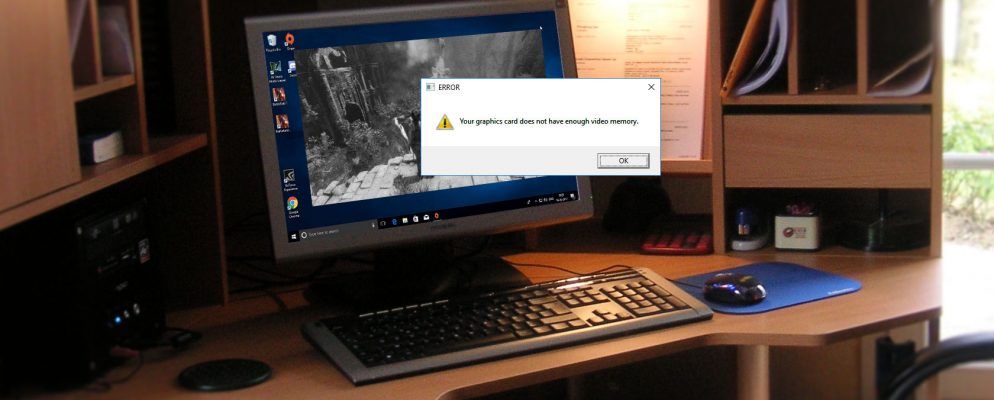
Wondering what dedicated video RAM is, how much VRAM you have, or how to increase VRAM? Here's a complete guide.
 hallow ferry
Hey, does anyone have trouble logging in?
about an hour ago I could login with no problem, but not any more
 austere mountain
@hallow ferry it sounds like steam is down
hallow ferry
Oh
let me check
Indeed, i was logged into steam, but then i restarted and can't log in at all...
that's too bad, cause there's so much fun going on right now in stonecradle 😦
 modest sleet
we can't log in
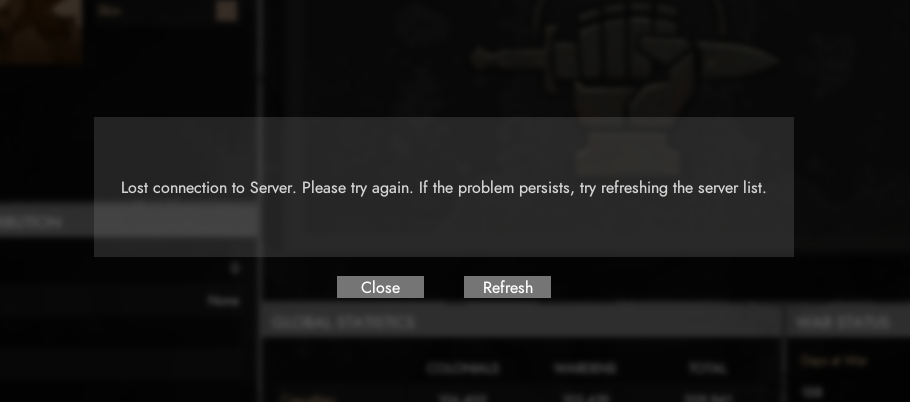
"lost connection to server. Please try again..."
happens to me and friend
 craggy trench
Can someone help with sound not not showing up? mixer does not work/
also steam says the game is running WHEN IT IS OBVIOUSLY NOT.
blissful sequoia
its probably running in the background, look for war*.exe or war-shipping, i cant remember the exact name, but yea it probably is running hidden and hung up
craggy trench
thanks, and sound?
blissful sequoia
possibly wrong sound device selected in the audio settings
or windows is not set to the correct default output device in the sound control panel
or possibly incompatible sound device interacting with vivox voice chat, devs dont seem to care about that
or so they believe its everyone's misconfigured sound devices...
 red vapor
 sinful pewter
@red vapor Check firewall rules
 void hemlock
Hey guys, I'm getting an error while trying to join a faction "Lost connection to the server. Please try again...".
Any idea?
sinful pewter
@void hemlock Check Firewall rules
void hemlock
it started working without any changes
 drifting ocean
someone remind me whats the key combo for screenshot + extra game info
terse flume
@drifting ocean ctrl+alt+shift+p
drifting ocean
thanky
blissful sequoia
i thought p was screen shot, i thought f11 was screen shot in steam?
maybe its f12 for steam
terse flume
p is screenshot but i assume he was talking about the thing where the devs can see exactly where you are
 outer kindle
 lethal hamlet
Hi, I used the fix in #read-first-⚠ for the voice chat but it still doesn't work. Keeps stuttering like I'm lagging hard.
blissful sequoia
read 2nd pinned message here
 coral vale
eyy i have fullscreen on
but the game do not fill up the hole screen
i have 2 lines of white pixels
what can i do?
anybody know
coral vale
i try ;D
na didnt work
made the grapics go bad
anything else i can do
its only like that in foxhole
 swift cedar
Can't join sector. Disconnecting every time.
blissful sequoia
two lines of white pixels? weird. have they limited aspect ratio?
 raven plinth
I can't connect to the game; failed to download theshard info [error 1]
do someone have an idea of this problem ?
 lilac garnet
I usually only get that error if my steam goes offline
sinful pewter
@raven plinth Try to launch steam as Administrator, it might help with some connection errors
raven plinth
Ok
 sage parcel
Fov slider yet?
inner basin
that will be the end of combat in foxhole 
 trim atlas
inner basin
trim atlas
inner basin
@trim atlas I kinda want that

Definitely a graphics card issue however
Either it's overheating big time, something is corrupt, or driver issues
trim atlas
since update 26..
 calm quest
Freighters getting stuck in Maiden's Veil, The Curse
inner basin
@calm quest Please submit a Mod Mail with the grid coordinates and we can take a look.
 zinc steppe
I being waiting for 5 minutes to get my profile to load i just wanna change my name 😦
and happends with warden profile too
i check my internet my router and my game cache
blissful sequoia
try restarting steam
inner basin
@zinc steppe You cannot change your name through Foxhole. Change your Steam profile name instead.
@blissful sequoia Recent server issues are the reason why profiles cannot currently be viewed.
zinc steppe
kk thanks
blissful sequoia
Oh ok didn't know
blissful sequoia
cant connect to the game when using bluetooth headphones ...
also it wont close properly on exit. maybe its steam, dunno. im probably not alone on this
 polar marlin
I'm 100% sure you're not the only one cause we had at least 2 similar cases, both unresolved I believe
 pulsar trellis
Ok so, new computer, new issue :((
When trying to launch the game, it instantly crash, sometimes it shows the main menu.
Anything I could do ?
I'm using a x64 bits windows, I7 CPU and MX250 GPU
Thanks for your help in advance !
<@&521124241395941396>

 plain ember
Did u restart ur computer?
terse flume
maybe see if your drivers are up to date as well
pulsar trellis
I restarted, uninstalled and installed the game several times
Hmmm how do I check my drivers ?
terse flume
if you get the “nvidia geforce experience” app, it’ll keep all your drivers up to date
the latest update should be on there
pulsar trellis
I have it already but let me check
terse flume
after that i’m not sure
pulsar trellis
ok there is a new version, I will download it, and try launching the game after
pulsar trellis
any help ?
 pallid glen
Log in and out of Steam?
pallid glen
You made sure to follow the pinned uninstallation procedure?
blissful sequoia
are you using bluetooth headphones? 
seems to wreck foxhole's ability to get a connection anywhere
terse flume
if you're really desperate you could always @ phil
pulsar trellis
@native birch ?
I am desesperate

what upsets me the most is that it was running on a wine emulator on my old linux pc that didn't even had a GPU and had only a I3
BUT NOW that I have a real pc, ITS NOT WORKING
blissful sequoia
do you have an exotic antivirus/firewall package?
pulsar trellis
Nah, like I just have macafee
blissful sequoia
thats exotic.
might try disabling that shrug at least for testing it, i know its a desperate move but ... it might be the problem
pulsar trellis
Yeah ok... I will try that
(Don't judge, I'm using macafee because my computer is new, so I stil haven't uninstalled it)
blissful sequoia
mm i recently got a new computer, and it wouldnt let me make a windows account without linking it to an online microsoft account. had to format that shiz right away
it also had macafee and i was thinking what damned century is it laptops still coming with macafee... and why hasnt that company changed their name - their former founder is insane
between macafee and kaspersky, i cant imagine anyone trusts their antivirus
inner basin
@trim atlas still need help?
 short scaffold
I also ran O&O shutup @blissful sequoia
 sly mortar
@blissful sequoia Latest updates to windows wont let you create a local account on setup. They literally hid the fucking button for it. If you input an invalid email like 10 times it'll give you the option, but otherwise nope.
blissful sequoia
Yeah I saw that. But when I made the media and set it to professional edition I was able to
But I did have to format...
I don't need silly dell recovery partitions anyway though, I know how to fix computer
 blissful sequoia
I know, in case you need another 3 months of macafee
sly mortar
Imagine not using a RAID system
blissful sequoia
Err you can still ruin/infect computer with a mirror
sly mortar
I know
I've lost multiple arrays because the disks just fucking failed and took the controller with them
which is why I now just use SSDs
blissful sequoia
Yeah I'm on a single ssd, but nothing important stored on desktop
blissful sequoia
I actually like Windows software mirroring but I don't trust any raid hardware
pulsar trellis
:))
yeah so talking about my issue
nothing changed when disabling my firewall...
pulsar trellis
huuuu...
pulsar trellis
I want to play the game I payed for
inner basin
@pulsar trellis Hey there, can you tell me what happens when you launch the game? What kind of crash message appears?
Could you also navigate to C:\Users\USERNAME\AppData\Local\Foxhole\Saved\Crashes, find the latest crash data, open the folder for it, and send the War.log so I can have a chance at it? Thanks
You can DM me the file for privacy reasons.
 rough stratus
Anyone know of any good deals on 1TB SSDs anywhere? they are so damn expensive.
terse flume
i got a 500gb one for around 40 bucks while ago
looks like there's some 1tb ones on amazon for around 80 but i wouldn't expect to spend anything less than 100 bucks on a good quality one
pallid glen

 odd crystal
blissful sequoia
odd crystal
blissful sequoia
i think i figured out the vivox 5031 errors are the dns server... ran into the problem myself and that fixed it
maybe someone else has figured that out before, hm
 dense spear
cant seem to join into a region from home, whenever i join a queue it just prints out "lost connection to server" even though i can still move, talk, and read chat
 trim forum
How to improve ping?
sinful pewter
@trim forum Make sure that no one is downloading over your network,
also make sure that nothing on your PC is downloading like windows updates.
Are you using Cable or Wi-Fi?
@dense spear try starting steam on Administratior privileges
trim forum
wifi @sinful pewter
sinful pewter
Try to get metal objects away from the router in addition make sure over thr routers settings that the Wi-Fi signal is set on a high frequency
@trim forum
sinful pewter
I think its going into your browser
Typing in the addres : "192.168.1.1"
Then the username and pass is "Admin"
And check over wi-fi
@trim forum
trim forum
dood
sinful pewter
@pulsar trellis solution for what?
pulsar trellis
Launching the game
Black screen then crash
Every single time
With no error message or anything
@sinful pewter my case is a desesperate one
sinful pewter
Which type of Graphics card/s are you using?
&
is the driver updated?
@pulsar trellis
 undone pasture
pulsar trellis
undone pasture
pulsar trellis
Mx250 (yeah I know its shit)
And don't talk about the drivers xd I litterally tried everything with the drivers
sinful pewter
@pulsar trellis Try what ,KrisDontDie said,
also MX250 should be able to run foxhole if I run it with GTX650,
does this problem happen with any other games?
also do you have the newest version of directX runtime?
inner basin
something is really wrong with his PC XD I tried troubleshooting with him for two hours the other day
Steps taken
- Full re-install
- Verified files
- Re-install of GPU driver by first uninstalling using DDU
- Using an older graphics driver
- Using the latest graphics driver
For some reason Unreal Engine 4 is not even logging these crashes into his AppData folder, so I cannot even gleam any info from his crashes. The only error message logged is in his Windows Event Viewer.
sinful pewter
I guess if its black his game is working 100%
inner basin
Getting latest version of DX is a good idea.
It's black but it then crashes.
@pulsar trellis Can you run DxDiag and export the file either here or through DMs
sinful pewter
yeah then DirectX I guess
inner basin
I found this in your DxDiag but cannot decipher it unfortunately
sinful pewter
@pulsar trellis Do you have this error with other Unreal Engine games?
inner basin
he plays Fortnite
sinful pewter
🤔
Black Screen on Startup
If this is happening to you, there is currently one known solution, if that doesn't work, ask for more help.
- Go to C:\Users\YOURUSERNAME\AppData\Local\Foxhole\Saved\Config\WindowsNoEditor
- Open GameUserSettings.ini
- Set PreferredFullscreenMode=0 from whatever it is currently at
- Save the file
- Restart the game
This?
pulsar trellis
xD
YEAH I PLAY FORTNITE BUT I am ashamed of this
And ok I'm going to do this
ok huuu
well there is one change
usually before crashing my cursor teleport in the upper left corner but this time it didn't
sinful pewter
so it did crash @pulsar trellis ?
pulsar trellis
Huuuuu except heavily modded minecraft...
Nope
(new computer tho, I haven't being using it a lot)
sinful pewter
maybe delete the games config file, (i'm out of options)
inner basin
Already tried that too man 😦
pulsar trellis

yep we tried this already
well, id nobody have a miracle in his pocket for me... lets actually wait for the next update
and pray
a lot
undone pasture
Try running the game without your graphics card (providing you have onboard graphics)
 undone pasture
If it were me... i'd go for an entire windows reinstallation, pain I know, but could fix the issue.
coral vale
I have white pixels around my screen when i play foxhole
i askt about it before
but no help worked
do anybody know what i can do
When im in the menu at the start i do not have the problem only when i go inside the game itself
sinful pewter
@coral vale something to do with the way your computer renders graphics in my opinion.
suggestions would be :
** Run DirectX Runtime ** - (Google it).
** Update your grapics card **
** Check if your GPU is overclocked **
** Change the games resoultion **
blissful sequoia
white pixels? like its not the right size resolution for your monitor?
is it like a perfect frame?
 nimble citrus
I require help in solving a predicament ive gone back onto foxhole and i cant speak or hear anyone talk
Ive tried validating the game cache restarted my computer checked the voice settings nothings worked
would anyone have an idea to solve my predicament
inner basin
You might want to check out the Voice Related Issue messages in #technical-read-first⚠
coral vale
this @sinful pewter https://www.microsoft.com/en-us/download/confirmation.aspx?id=35
?
its realy weird because it only in that game
and only after i join the game i press join war
when i open the menu i don thave the problem
sinful pewter
@coral vale Yeah that, if it doesn't help change resoultion
sage parcel
Fov still ultra zoomed in for high resolutions?
terse flume
i'd say just artificially limit your resolution
i.e. pick 1600x900 or 1920x1080 or something
supposedly a camera rework is coming in november so i think they'll address some issues with it then
sage parcel
Tried it, goes super blurry and still zoomed in. Went from 2560x1080 to 1920x1080 and then compared it to a monitor that's only 1920 and mine is still more zoomed in 😫
Fov only goes to normal around the really low resolutions. But at that point it's to blurry to play.
terse flume
not sure then... you got a secondary monitor you could play the game on instead?
sage parcel
Ha, second monitor is 32:9 3840 x 1080 sadly. I'm all for them trying to make it so that no one has an advantage over the other players. Just would be nice if they forced a max resolution and fov instead of this "auto adjusting" thing they have going on atm.
blissful sequoia
its not resolution, its aspect ratio
you can get the same "advantages" even with a low resolution
 mystic bobcat
If I can't hear voices in the game (sound effects are fine), and reconnecting/refreshing doesn't fix it, is that a Vivox library issue?
terse flume
believe so, yes
mystic bobcat
Ok, is that the one where I should delete the library file?
terse flume
here lemme copy-paste it
_Fixing Vivox Voice Files
- Close Steam and Foxhole
- Go to C:\Program Files (x86)\Steam\steamapps\common\Foxhole\War\Plugins\VivoxCoreUE4Plugin\Source\ThirdParty
- Delete VivoxCoreLibrary
- Reopen Steam, and verify the game files.
- Restart your computer._
blissful sequoia
have any vivox errors visible?
mystic bobcat
I do not
blissful sequoia
i could only guess that it's set to the wrong input/output device
although ive found some sound devices just wont work with game sound and vivox together, particuarly bluetooth for me
but i assumed you have a complicated audio setup and you know how to set the proper device...
 blissful sequoia
youre pretty desperate to play eh? can you summarize the problem in few words?
pulsar trellis
Haaaa another potential victim :))
pretty easy to summarize :
black screen at launch, instant crash
no error message
no crash log in the files
my drivers are updated
my windows is updated
I tried launching with my integrated graphics
I checked the integrity of the files
I tried the -windowed launch options
I tried uninstalling and re installing the games several times
Ho and also tried checking the compatibility of the war.exe with the compatibility tool
said windows 8, launched with windows 8 and administrator
black screen -> crash -> no error message
I don't even have a "save" file where to find my crashes report
(I tried looking for it in the search tool, found to "crashes" files but not related to foxhole)
I also only get this issue with foxhole
Aaaaaand I play fortnite sometimes so it's not coming from UE
I think thats all

blissful sequoia
hmmm 
trying to recall if ive ever seen an immediate crash to black screen before
i assume youve done the complete reinstall also deleting the 2 config directories?
blissful sequoia
and have you investigated the %localappdata% directory yet?
for the foxhole directory?
pulsar trellis
Wellll I think so ?
blissful sequoia
thats where the crash logs go, i believe
pulsar trellis
Wait a little, Imma head to my pc
blissful sequoia
i dont see a Saved directory in your screen shot so I don't think you were looking in the right directory
blissful sequoia
well you could try nuking the foxhole directory in that folder and retrying foxhole, it will recreate it
pulsar trellis
okok lets try this
blissful sequoia
i assume there might be something useful under logs
pulsar trellis
installing tho
blissful sequoia
oh lol it was uninstalled?
blissful sequoia
well i think in either case there may be a crash file if it crashes again, to give some clue whats wrong
blissful sequoia
ok see if you can find a crash file
in that directory...
i expect clues inside
pulsar trellis

blissful sequoia
logs i guess
blissful sequoia
The next step youre missing is when it checks this file: https://war-service-live-2.foxholeservices.com/external/shardStatus
does the page load for you? it suggests to me a firewall or antivirus is blocking that page for you (or the game client)
pulsar trellis
feels like its working ?
blissful sequoia
yep its working throuhg a browser
but the game client might be getting denied
ive probably already asked this - do you have an antivirus besides the default windows one?
blissful sequoia
ah ok
ok lets see, someone else who had the same problem as you, drhanner recommended to him to do this:
derpyguy, run the installer in c:\programm files (x86)\steam\steamapps\common\foxhole\engine\extra until it finishes
and then install the C:\programm files (x86)\steam\steamapps\common_shared\ files
blissful sequoia
i dont think so
pulsar trellis

blissful sequoia
but when i compare your log to mine, yours stops right before this line on mine:
[2019.10.06-05.20.30:007][ 0]LogClient: UWarGameInstance::DestroyWarServiceExternal
[2019.10.06-05.20.32:158][ 90]LogHttp: Warning: 000002579B9CA240: request has been successfully processed. URL: https://war-service-live-2.foxholeservices.com/external/shardStatus, HTTP code: 503, content length: 178, actual payload size: 178
so I am suspicious it cannot connect to the network for whatever reason, and it's catastrophic and crashes it
perhaps there is a rule in the windows firewall that denies it. it may be worth disabling the windows firewall temporarily to test it
because it will be hard to track down the rule unless you know that needle is in fact in the haystack
pulsar trellis
hmmmm there is no steamapps/common_shared
but I found the first one
Ho and I already totally disabled the firewall ://
just tried again, didn't work
blissful sequoia
anything different in the logs?
i cannot imagine why it cant run that shard check ... this may need to be a bugreport
blissful sequoia
it appears to be the same
I would put in a bug report and see if they get to it in like a day or three
with a log like that, I bet a programmer will know exactly what is wrong
pulsar trellis
blissful sequoia
🤔
@pulsar trellis I remember there is a crash folder with crash dumps in it, I don't have my own crashed folder, but did you happen to see one? I think it's next to the Saved directory
blissful sequoia
oof big file, ok will take a look. hopefully something useful
i think thats going to be a memory dump, i would rather see a crash log if possible
"The thread tried to read from or write to a virtual address for which it does not have the appropriate access."
so that might as well say segmentation fault or access violation - it doesn't tell us much
the programmers would be able to see the exact line of fault in their code, though... maybe. if the error isnt tucked away in the unreal engine
I would include that file in your #bug-reports, and if you can find an error log that might be more helpful to you and i, since we dont have access to the code
if its at all encouraging, if we cant figure it out, i complained aloud about a bug i was experiencing, and the devs tracked it down and fixed it like .. i dunno within 24 hours
 potent isle
Lads I'm having issues with my voice chat and it's been ongoing for over 24 hours now, any ideas on how this can be fixed?
blissful sequoia
it depends what the issues are - what are they?
potent isle
Every time i press the push to talk key it comes up with "voice chat error" in the message tab
blissful sequoia
which error number?
 grand silo

 hexed temple
?help
blissful sequoia
oof thats the worst one of all
have heard some people claim disabling the sound device in device manager and re-enabling it fixes the sound; have also seen the voicemeeter hack solve the problem as described in the pinned message in here about it
blissful sequoia
usually steam restart, perhaps verifying install files
 marsh pivot
Dont work
blissful sequoia
It could potentially be a network problem. Possibly related to firewall. logs in %localappdata%\Foxhole might be useful to you
 next condor
sinful pewter
next condor
sinful pewter
@next condor they are patching the server now
 carmine flax
inner basin
carmine flax
inner basin
that's just aliens trying to talk to ya
pulsar trellis
I am the final boss of this channel
 hard mulch
Is anybody else getting (failed to download profile1) when clicking play? Ive already tried restarting the game and steam
 cunning sapphire
@hard mulch Verifying install files worked for somebody, also check that you are on the live shard
hard mulch
k
 royal herald
Hello I have the issue of stuttering of the local voice chat making it impossible for me to hear what is happening, I've tried the deleting of the voice files and validating them, changed DNS and did the test of SIP ALG and the test result are false (which is good right?) I'm completely stuck on how to fix this
blissful sequoia
you can check the 3rd pinned message in this channel
devs appear to have no plans to fix it, they say its your fault, but all we have is a hack
it does work tho...
royal herald
I have check my drivers yet. I'll do that first maybe the issue lies there
blissful sequoia
yes very likely - but you may not have alternative drivers you can use
royal herald
okay so that didn't fix it and now my second monitor doesn't connect.. maybe a restart
 polar moon
For some reason my microphone isn't working
EVen though it's set to the right mic, and works correctly everywhere else?
inner basin
Did you plug your mic in after launching Foxhole?
polar moon
Nupe!
inner basin
Just nothing comes out when you speak?
polar moon
Yea! It says I'm in the local channel, and it makes the push to talk noise, but nothing comes from my mic!
inner basin
You checked the in game voice settings and made sure the devices were set correctly? Or did you fiddle around in Windows settings
polar moon
I checked in game with every possible input and it didn't seem to work! What would I need to do with windows?
inner basin
When you hold T and try to talk, does a little speaker icon appear above your character's head?
inner basin
😄 Happens with random ass Vixox
polar moon
Weird! Thanks for the help either way dude!
dense spear
my laptop keeps crashing while playing foxhole, it just blacks out on random
i think this is exclusive to foxhole only and not because of overheating
anyone know a fix?
sinful pewter
@dense spear If its due to overheating, possibe solution is to underclock your GPU.
which can be done by downloading a after burn program and just lowing the GPU's value
 autumn sonnet
why is there so much stuttering
blissful sequoia
network or voice?
autumn sonnet
network not so much voice
it happens when there is alot of dead bodys on the ground
terse flume
why.
blissful sequoia
can try disabling sound device in device manager and re-enabling. some have reported this helps.
terse flume
thnks much!
 toxic tide

How do I actually play the game?
I'm imprisoned in the spawn area with absolutely zero way to actually do anything.
blissful sequoia
Did you make a #bug-reports ?
blissful sequoia
yea
i really dont know which one the devs read or prefer. I thought the game kind of sent people to discord for help
but then theres rarely a dev here thats watching for people who need help. i think maybe they check bug reports...
blissful sequoia
i think i was experiencing something close to what youre describing when i had bluetooth headphones connected... like 1-2 weeks ago.
just had to not use them to get the game to load and connect. or maybe i was experiencing a network failure, i can't recall exactly
 rocky gale
so whenever i try to play foxhole it gives me the error "Failed to download profile[1]". Is there a fix for this?
 fringe heart
 turbid vessel
I cant hear anybody in game when they are talking but i see they are
blissful sequoia
check first pinned message
 warm crown
ok so I have an odd problem
when I launch the game while connected to wifi it black screens for a few seconds and then quits
but if I turn off wifi and then launch the game, it loads normally
and then when I turn it back on its fine
but then when I click play and it prompts me to "refresh" it crashes again
blissful sequoia
I think @pulsar trellis is having the same problem as you
do you have any bluetooth devices connected by any chance?
Reynauld, maybe you could test with wifi disabled just to see if it doesn't immediately disappear/crash
it could be an antivirus/firewall issue, also, @warm crown
blissful sequoia
do you have an exotic antivirus?
anything from russia or the name of a former presidential candidate?
warm crown
nope just windows defender
blissful sequoia
hmm
warm crown
unfortunately not
blissful sequoia
I think it may be the same problem then...
warm crown
do you have any ideas for me to try
blissful sequoia
you could check your log files in %localappdata%\Foxhole
see if theres anything that gives you a clue
if you havent restarted your router you might try that also
warm crown
the onlythings of note in the crash log files are
some audio file not being found
followed mya bunch of messages saying that it can't connect to the server
and stuff related to that
blissful sequoia
yea thats a sound warning i have too and my game works
although i dont think i have errors about being unable to connect to server. any idea why its failing on that?
warm crown
no idea but
it indicates that the problem is somehow related to my connection to the server
it is allowed to pass through the windows firewall so i dont know why there would be any issue
i really appreciate the help btw
blissful sequoia
could be the router, might just also be a bug
using a phone data tether is sometimes an easy way to check
can you paste a couple lines of the errors in your log that show it failing to connect? maybe it will shed some light
blissful sequoia
oooh ok so i think its a DNS server problem
that might be very easy to fix. there's a pinned message about changing your DNS server; i recommend changing to Google's (8.8.8.8 and 8.8.4.4)
blissful sequoia
still the same error? if so it must be firewall then or router
have you tried totally disabling windows firewall just for testing? it may be hard to find the blocking rule if there is one
warm crown
nope still not working
blissful sequoia
and the log still has the same error happening? if so i would expect your router has somethign blocking traffic, like an adult content filter or something
hmm but maybe not, maybe its just a funky network bug in the game, im not sure.
pulsar trellis
@blissful sequoia
its the exact same error
I just tried
I too can launch the game correctly when my wifi is off
blissful sequoia
oh man you guys should hit up KFC about this
oh damn its friday...
i suspect my bluetooth headphones were related to this problem as well, as they are a network device of sorts
i also remember they had ... some issue with libcurl before ... hmm
oh nvm that problem ended up maybe being related to hyper-v or something, never did get a clear answer.
 serene field
My chat doesn't work anymore, only whispers work but no other chats work, how so?
Can still see messages but can't send any
serene field
nope, tried on local, region, and world chat
blissful sequoia
relog fixes it, ive had it happen once
serene field
relog doesn't fix it for me
blissful sequoia
are you ... banned from talking?
serene field
I haven't played for like two months before this war... Only returned for dead harvest, chat hasn't worked since I came back
Haven't received any notifications about me being banned either
blissful sequoia
try verifying game files, if that doesnt work delete the Foxhole directory in %localappdata% and try the game again
(it will reset your keybinds and default settings, sorry)
serene field
the entire folder?
warm crown
yeah I've been talking to KFC about it but haven't made much progress
inner basin
@pulsar trellis wtf you can load Foxhole when you turn the wifi off???
warm crown
I can too
pulsar trellis
yup xd
warm crown
It's related to the wifi
inner basin
@pulsar trellis try playing on your cellular if possible
pulsar trellis
my cellular ?
inner basin
You have a mobile phone?
pulsar trellis
like... usb share ?
inner basin
Personal hotspot 😄
warm crown
yep same here
inner basin
tf
WAIT OK OK
@pulsar trellis can you load to the main menu?
Check your logs file again
pulsar trellis
ho right yes
I could load to the main menu without my wifi
so yeah I should have a crash log
inner basin
@pulsar trellis send logs through DM?
blissful sequoia
i have the audio "errors" too, i dont think theyre audio errors
i think all people see that
do these laptops have bluetooth? perhaps it should be disabled in the device manager
and ya know - power management = max performance, or be sure to be plugged in shrug
warm crown
ive tried doing it without bluetooth and it didn't work
blissful sequoia
hmm
pulsar trellis
@inner basin no crash log ://
pulsar trellis
gonna sleep cause its 5 am for me
 brave torrent
Updated my driver's which fixed the audio stutter
Then it started happening mid game
pulsar trellis
🤔
 regal gulch
If I want to change the current fraction, who should I contact
 sharp oasis
Mod Mail
@regal gulch ^ : You can find the modmail bot on the right. Just message Modmail and a mod will try to answer your question/request
 oak tide
hello there. got shard issue. No connection thing. Steam tread instructions didnt help
"failed to download shard"
any ideas or suggestions?
blissful sequoia
Might be firewall, antivirus, router or isp. You might be in Dev branch instead of live branch or you might not have the most up to date version of the game
oak tide
yesterday was OK. Firewall dasabled\fixed ports, router restarted, antivirus disabled. No branch button either.
Local files verified, game redownloaded...
Got it... Russian Internet Censorship. Must be.
thanks for help anyway
blissful sequoia
hmm...
could be DNS server, have you tried changing it?
there are plenty of russians who are able to play, so...
 quartz star
Hey guys, I've been having problems with my PC's FPS, not specifically FoxHole related but basically all my games are running at 5-15 FPS when I normally get like 40-50 on games like FoxHole. I'm not sure if I accidently changed a setting on my PC or if it's hardware problems, but any help would be appreciated. Please DM me if you think you could help. Thanks!
blissful sequoia
you might need to reinstall video drivers - also check to see if your fan is working on your video card
if you have IR thermometer, check it, if not, use freeware temperature monitoring to check gpu temp
quartz star
Ok. My PC is a pretty shit all in one with onboard graphics. I got the driver for it though
I'll try the Temperature monitoring thing
blissful sequoia
oh onboard... so not a fan thing i guess
not sure how you get 45 fps in foxhole with onboard!
quartz star
I set the resolution scale to shit
blissful sequoia
you can lower the resolution scale in the graphics settings, it will get blurrier and faster
oh ok.
quartz star
Yeah it's like almost all the way down
blissful sequoia
is it like a PC or a laptop?
quartz star
PC
blissful sequoia
maaan you can get a used video card for like < $50
quartz star
Its an all in one so I cany
blissful sequoia
like a geforce 750 ti on ebay for probably 40
...oh.
well oof. you can get external video cards but theyre kind of expensive. ouch
quartz star
I have a GTX 970 sitting around till I can get a new build
The thing is I normally get like 40 FPS on FoxHole but it's just tanked
blissful sequoia
try resetting your graphics settings again - maybe they were defaulted with the newest update
quartz star
It's all the games on my PC not just Foxhole
blissful sequoia
well all i can think of then is the video drivers
warm crown
Any more suggestions about the issue I have with the game crashing when connected to Internet?
blissful sequoia
nothing so far; perhaps next week when the programmers are in the office but i dunno. somebody will have to let them know about it if they dont already
pulsar trellis
 dire pawn
hey guys, do you know how to alt+tab the game while keep the game sounds unmuted?
inner basin
@dire pawn AFAIK you can only have the voice sounds persist even if the window is not active
 delicate oriole
Hiii
delicate oriole
Ok tell me what you have already tried so that I don't waste your time
I'll wait so take your time
 tight night
Reinstall
Refresh
Use other device
Restart computer
Use #technical-read-first⚠ tip
No a single thing work
tight night
it just dont work headphone or not
delicate oriole
Ok ummm
Lemme think
@blissful sequoia check out @tight night when you get the chance
@tight night when people talk do you see a speaker symbol above their heads
delicate oriole
Ok is your output volume up?
tight night
Max
delicate oriole
Ok
It has to be the software
Hmmmm
I'm not at my computer right now so I don't think I will be able to help. But there's a fella named derp that may be able to help
He's not on rn that's the problem
Does the game say an error in the chat? @tight night
tight night
No text chat work fine
delicate oriole
Ok so press the operation tab in chat does it say anything like Voice Error then a bunch of numbers
tight night
Take your time
delicate oriole
@tight night What OS do u use
Windows
Mac
Linux
@tight night wake up Young blood!
tight night
Window
delicate oriole
@tight night make sure to keep checking back for if you get a message/ mention. Someone should be in touch with you.
tight night
Ok
delicate oriole
Not sure when but a dev said that they sent it forward
delicate oriole
Oof get some sleep
They'll probably still message you
If they don't message me even if I'm offline
tight night
Ok oh this should help them...
How many time i try that #technical-read-first⚠ tip
Work the first time the rest is shit
delicate oriole
Umm try deleting every single one but the newest one
@tight night
Also make sure to mention me when you want to tell me something so u don't wait too long
tight night
Um it in the recycle bin...
delicate oriole
No just select and delete
tight night
Ok
delicate oriole
No u good
But that was all in recycle right?
So they weren't doing anything lol
inner basin
Hi, what problems are we having here?
delicate oriole
@tight night the big boi is here
tight night
I cant hear in game talk
inner basin
Absolutely no in game sounds or just no voice sounds?
And you cannot talk in game either?
delicate oriole
They can talk but just can't hear
They can also hear in game sfx
But the voices of others they can't hear
inner basin
What kind of audio setup do you have? Only headphones plugged in? Headphones and speakers plugged in?
Ok well that reduces the problem drastically then, if they can't just hear other people talking
fking vivox
 the field marshal approaches
 gaunt moth
You may want to check Options > Voice and toggle between Output Devices.
tight night
Yep Laptop
gaunt moth
Windows like to do weird things to me sometimes too in terms of default comms devices.
inner basin
They said they can't hear other people though
gaunt moth
Yeah, that's not Vivox then.
inner basin
You are sure the speaker icon appears over your head and people can hear you talk?
tight night
Yes
gaunt moth
If you're online right now I can give you a hand debugging it.
I want to check the Output Devices.
tight night
I am in game right now
gaunt moth
Region and In-Game name?
gaunt moth
So, what we discovered is that @tight night is not connecting to the Vivox channel for whatever reason. No voice comms coming either way for them.
delicate oriole
Oh
gaunt moth
Any other suggestions other than the steps in #technical-read-first⚠ I'm not usually on the forefront of helping people debug Vivox issues.
tight night
Wow
delicate oriole
No clue @gaunt moth
tight night
#technical-read-first⚠ didnt work
delicate oriole
@tight night welp I'm sorry that I can't help
gaunt moth
Did you go through the steps to changing the DNS as well? Located right under that information about deleting the Vivox files @tight night
gaunt moth
If you find it doesn't work, you can switch it back to setting up the DNS server automatically, which is likely what it does right now for you. I would give it a try to see if it resolves the issue.
gaunt moth
Mmm, that's me in game next to you.
blissful sequoia
If you see white icon when people talk, and you have the voice devices set right (dubious) then it's probably the classic vivox problem we have. And then pinned message #3 is the only answer I know, but I am skeptical that the voice devices are not set right in Foxhole. Or possibly you should make sure you have the drivers from your motherboard or computer manufacturer installed instead of the default Windows ones
terse flume
So I haven't played the game in a while and I reinstalled it yesterday. I've tried validating my cache and restarting the game but I'm having this weird issue where all push to talk voice chat is really choppy and broken. It keeps rapidly cutting in and out. The game itself runs perfectly fine it's just the VC.
delicate oriole
@terse flume it may be your mic. I had the same problem and when I changed mics it strated working
terse flume
Changing mics would affect how I hear people?
delicate oriole
Oh I'm sorry not only did I say that wrong but I misread you
terse flume
That's okay haha
delicate oriole
Darn
Ok try the DNS one and don't worry it's super easy
Just follow the steps
Also make sure you're restarting the game
delicate oriole
Damn wow
terse flume
Yeah I'm stumped too
delicate oriole
One moment gonna look for a solution
delicate oriole
@inner basin hey you got ant ideas as to what's happening with @terse flume
inner basin
I'm in class now, I will help you out later
terse flume
Finger's crossed
delicate oriole
You won't lose anything in-game. Hopefully your WiFi is fast
terse flume
I used to love this game and the PTSD it gave me
delicate oriole
Lol
@terse flume while you're doing that could you tell me what exactly is going on
So I can get a good picture
terse flume
So I can talk over local chat and people can hear me fine, however any in game voice chat I hear is broken up.
So there's short pauses
"He-e-ll-o"
delicate oriole
Ok make sure you near people so you can test with them
Oh wait your reinstalling I'm slow
Lol
terse flume
8 minutes
delicate oriole
Damn
terse flume
You win Foxhole
terse flume
It did not
delicate oriole
Ok go into voice settings and press refresh devices. And if that doesn't work try the reconnect button too
terse flume
Done that before
delicate oriole
Darn
terse flume
It's okay, I'm just gonna give up for the moment
I appreciate you trying to help me though ❤
terse flume
I'm just gonna throw in the towel for the moment
delicate oriole
Kk cya 
terse flume
Thanks for trying
delicate oriole
Np
warm crown
can someone please help me figure out my issue with the game crashing when connects to server
ve tried almsot everything
delicate oriole
@warm crown is this a new problem?
warm crown
no its happened ever since a got th egame a few days ago and I haven't been able to do anything about it
delicate oriole
Ok do you have the minimum system requirements?
warm crown
its weird because if Iturn off wifi I can boot into the game normally, but then when I click play and then refresh after connecting again it crashes
yeah
so its related to internet somehow but idk
delicate oriole
You have good internet correct?
warm crown
its alright
but I have also tested on an older computer I have on the same network and it runs fine
so idk what could be wrong with the one im using
delicate oriole
Ok
Have you done all the steps in Troubleshooting Network-Related Issues
#technical-read-first⚠
warm crown
yes
delicate oriole
K
Umm I'll ping for some help one moment
<@&521124241395941396> @warm crown Needs help. Their game crashes whenever they connect to the server.
They have played the game on a separate computer while on the same Network and the game doesn't crash.
Ok just wait for now someone hopefully is on their way
warm crown
thx
 torn rampart
To me it sounds like something breaks while trying to load the main game, did you try verifying the game?
blissful sequoia
we know its network [device] related
including bluetooth devices
tight night
ok i ligit dead
fix this bullshit bug for 2 day
the vioce server is just wont let me in
is it really that munch to ask to hear people talk
this bug is killing me faster than a real cancer
delicate oriole
@tight night I'm sorry man. Your problem is really difficult. :(
If you have any other computers you can try it out on them to see if it works.
torn rampart
A network issue that causes the game to crash
But only happens on one pc
Now that is bizarre
 edgy quest
hello its me
 static pasture
i ran into an issue that keeps me from playing - as soon as the game is loaded i get "Failed to donwload shard info [error 1]" - restarting pc and router didn't help, neither did veryfying games files through steam
@communitiy
yesterday everything was workign just fine
static pasture
hm.. maybe it got an update that is messing with thing, trying to see if there is anthing in the logs
delicate oriole
If that doesn't work make sure steam isn't offline and if that doesn't work try launching steam as an administrator
tight night
@delicate oriole i fix the damn problem
tight night
apparently some voice changer app was download at my computer and it ruin both mic and speaker
delicate oriole
Ah ok
tight night
so i delete the damn thing and it work


 tight night
i think it come with window update
delicate oriole
Oh
tight night
because i has this problem right after the update
tight night
THX
static pasture
unfortunately no luck so far on my side - currently performing exterminatus on the antivirus
hm.. seems it is working now, still not quite sure what did the trick - first attempts after nuking the antivirus still refused to connect
 smoky grotto
REEE why doesn't it work!
delicate oriole
@smoky grotto just keep trying and run steam as administrator
smoky grotto
RIP
inner basin
Restart Steam
smoky grotto
I've literally uninstalled and installed a game back
And wasted 1 hour trying to refresh
Fuck this game
delicate oriole
Another person had the same problem and it seemed to have gone on its own
smoky grotto
after how long?
delicate oriole
An 1 hr or 2
delicate oriole
I doubt that it rly did go on its own
But it may be steam @smoky grotto
That would explain it at least
delicate oriole
Yeah definitely steam
Just keep trying stuff and something should get it working
terse flume
me2, game doesn't work 😛 Central Europe 😛