#technical-chat
4 messages · Page 40 of 1
 blissful sequoia
 cyan chasm
Ah, didnt see that. I will try it
blissful sequoia
feel free to file a #bug-reports, maybe they will give us a real fix if enough people do
cyan chasm
Okay, so i've done everything as in the fix
blissful sequoia
i find myself wondering why voice has only been choppy for you for a few days
i hope its not actual network latency
 torn hemlock
Idk if it's just me or not but the longer I at the game the slower the game fets
Buts super slow
cyan chasm
Not, i've looked on to that as first
torn hemlock
Like within an hour you can notice it did get slower
blissful sequoia
oh good, it's the same bug then - i wonder why it only popped up recently for you
consider a #bug-reports if you want it fixed the right way
torn hemlock
It's really weird but not game breaking
blissful sequoia
theres mechanics for the animation rate in unreal engine - i wonder if it's changing for you
i do not notice mine slow down after many hours
does it reset if you restart the game? does it seem fast again?
torn hemlock
Once I restart it goes away
Rarely if I die it goes away
I didnt think it was a bug until now however my computer has a virus on it so I can't use it
torn hemlock
I try but it seems to be in my c drive and I for so e God awful reason cannot reset that
I'd have to reformat it
And I have no idea how to do that
If you could tell me how to reset it and for me to start fresh that'd be a lot of help
It'd almost mean a lot to me since I've been stressing about it for far too long
Anyone?
blissful sequoia
well a lot of computers come with a recovery partition - if you can boot into the recovery then you can do a fresh install
is it a laptop? you could google the model and "recovery" to find out how
but in theory your computer hardware is tied to a license in microsoft's servers, so maybe if you just downloaded the windows media creation tool, made a windows boot USB drive, and then use that to reinstall
torn hemlock
It's a Dell PC
blissful sequoia
or maybe the license sticker is still on your computer, so you have the code
torn hemlock
I believe
blissful sequoia
dell pretty much always includes a recovery partition for starting fresh
torn hemlock
I just want your opinion on this
So I did 4 anti virus scans and I'm gonna have some people come over too look at it
However something is sending out 11 Mbps of data somewhere and it's lagging the entire computer
I reseted twice but it only effected my D drive so fat f
Hold on
If you do step by step I'll do it rn
@blissful sequoia LMAO plz tl
Plz
torn hemlock
Have what?
blissful sequoia
does it have a sticker on the computer? for the windows license number?
you might need it
torn hemlock
What's tpm?
blissful sequoia
what did you do?
torn hemlock
Nothinf
blissful sequoia
TPM holds the encryption key (if your hard drive is encrypted with bitlocker)
if you erase it, you may not be able to open hard drive again
torn hemlock
Told ya
blissful sequoia
youre sure its a virus?
blissful sequoia
its not that easy to get a virus unless you download cracked programs
torn hemlock
I got it off a phishing site
torn hemlock
blissful sequoia
Oh jeez
Can you make that USB drive I linked? Before your computer stops working
torn hemlock
Is it already on my computer?
blissful sequoia
No
and after you have that made, you will want to reset your microsoft/windows password from your phone, it seems like somebody changed it on you
you may not be able to log in again
torn hemlock
It won't load
I'm connected to the internet
I may or may not have a USB
Fuck
Okay I'm ib
Iso file?
Fuck I need a usb
What can I do if I dont have a USB
blissful sequoia
There is a Dell recovery partition, that's the other way to do it... I'm not exactly sure how to start up in that though
torn hemlock
Yep
Okay let's see if this goes good
What
Whoops
I did the first option
Fuck
What if I don't see factory image restore?
Okay
I did it
Reset this pc
Remove everything
Full clean drive
Derp are you sure this will effect both drives?
blissful sequoia
uhh i dont know
youll need to take a screen shot of the My Computer so I can see
do not erase recovery partition - but if there is another drive you can easily delete it
or select all the files and delete them, if you make sure its stuff you want to delete
torn hemlock
That's because I'm not keeping files
blissful sequoia
you should use your phone to change your microsoft.com/windows password
torn hemlock
I'm removing everything
blissful sequoia
you will probably have to do the "I forgot my password" thing and they will email you the reset
i think the virus changed your password (so you cant recover files) and changed your TPM key so all your files were encrypted
your files probably were not encrypted anyway, though
torn hemlock
So will removing everything get rid of it?
blissful sequoia
yeah
torn hemlock
100%
blissful sequoia
well except for the password they changed
torn hemlock
Like there's no way?
blissful sequoia
youve got to fix that too
torn hemlock
Is there a way they could somehow reinfect my PC?
blissful sequoia
probably not
blissful sequoia
sorry, thats computers man
we dont know where all the holes are
youre doing the right thing though
but also change your password
torn hemlock
On my phone?
blissful sequoia
well you can do it from the computer when its finished, too
torn hemlock
To the Microsoft account?
blissful sequoia
i just mean - dont do it from the infected computer while its still infected
torn hemlock
LMAO I did it tho
blissful sequoia
yea so windows 10 has this new feature where they can link your windows account to your microsoft account - so you can reset your windows password if you get locked out, or whatever
blissful sequoia
yea I choose not to use it, but the problem is they reset your microsoft account password maybe
oh you didnt? oh thats fine then
thats probably better, in my opinion
they dont make it easy to find that option though
torn hemlock
Well derp
I'm gonna have tech people come and search the computer
Then if it's still there...
blissful sequoia
i wouldn't bother
not if it costs money
resetting computer will remove virus
i dont believe there is a virus sophisticated enough to embed itself in the recovery partition yet
torn hemlock
But you said probably
blissful sequoia
you are, i thought
torn hemlock
Is it that hard?
blissful sequoia
thats what youre doing!
blissful sequoia
you can if you want
torn hemlock
What
torn hemlock
Oh right
torn hemlock
Alright
I'll report back once it's done
This stress man
I just cannot handle it
And thanks derp
blissful sequoia
what stress?
torn hemlock
This stress that
Someone will steal my data
Or my computer will be destroyed
Or especially I cannot no matter what I do remove the virus
blissful sequoia
if you were willing to erase everything on the computer, then they cant really hurt you by encrypting data and ransoming you
they probably did not figure your password out, so once you change it they wont have access anymore
torn hemlock
Hopefully
torn hemlock
Alright thank you derp. You're literally doing god's work. I hope you continue to help people because I totally couldn't have done this on my own
torn hemlock
Well derp
Bad news
I just got a request to get rid of the TPM
Which makes me guess it's somehow still in the computer
@blissful sequoia
blissful sequoia
No it's not
That's just old from the first request I think
I don't think you have encrypted stuff so it might be fine to allow it
torn hemlock
Just incase
blissful sequoia
It's Windows home in fact, it doesn't even have Bitlocker so I think it's just fine
blissful sequoia
I think it's ok, otherwise you'll have to hit esc every time you boot
torn hemlock
What do you wanna see?
blissful sequoia
Oh I don't need to see anymore since you said you deleted everything
torn hemlock
Nope I do
blissful sequoia
You said you cleared the other drive too?
blissful sequoia
Uhh
blissful sequoia
Can you pull up computer management, go to the disk management and screen shot it?
Relax you are fine
This is easy
It's really easy to format or erase the other one
I just want to make sure it's not an important drive
blissful sequoia
Ok excellent
This is great
You can right click that D one that says data, the part with the blue stripe and format it
torn hemlock
Wouldn't I want to do that to the c drive?
torn hemlock
blissful sequoia
Yep perfect
torn hemlock
Alright I did it
blissful sequoia
It should be empty now
torn hemlock
It was already clear
blissful sequoia
All trace of virus gone now
torn hemlock
What
blissful sequoia
Computer fresh and clean
torn hemlock
No derp
You don't understand
I still have all of my stuff I had in my c drive
Steam, Firefox,
It didnt even touch my c drive at all
blissful sequoia
Did it move the folders?
blissful sequoia
Hm. Hmmmm
blissful sequoia
What were your options for resetting? I'd do the reset again. Can you screen shot the options available?
torn hemlock
Hold on
blissful sequoia
It must have made renamed the old Windows directory tho at least
torn hemlock
Yeah
Let me show you my options
Reset PC basically is a laughing joke of a option
blissful sequoia
Well Windows is all fresh right? Just still has old program files sitting around
What are the options inside reset pc?
torn hemlock
I have to restart so hold on
blissful sequoia
K
blissful sequoia
It's still pretty easy to clean up the last files even where it is now
blissful sequoia
what happens when you click reset this pc? (im more familiar with using the USB to install windows fresh)
torn hemlock
It says do you wanna keep files blah blah I say no
The other reset files just only effects my d drive
blissful sequoia
ah you chose remove everything
torn hemlock
Yes
blissful sequoia
but everything in windows is back to default now, right? like the background and startup programs?
torn hemlock
Yes but Firefox is still here
blissful sequoia
on the desktop? like as a shortcut?
torn hemlock
Yep
torn hemlock
Yep
 sly anvil
problem: my arrow keys are moving my mouse around, but I didn't do this on purpose and am unable to figure out how to turn it off.
blissful sequoia
its called mouse keys
sly anvil
you mean the windows setting? Well that's disabled
blissful sequoia
err arrow keys ... hmm no numlock i think, uhh it might be in the accessibility settings, its for people who cant control a mouse easily
its your laptop dude
fn + some key will toglge it i bet
@torn hemlock i just dont quite know yet... why that stuff is there.
i know how to do it with the USB stick though...
but you might try again, and this time use "just remove my files" instead of the fully clean
try the other option you didnt pick
what i read say it does a quick format, which is what you want, so ... maybe it's that one instead.
youve got nothign to lose but a little time
if that doesnt work, youll need to find a USB stick
I kind of think we just picked the wrong one on that ...
blissful sequoia
@sly anvil if you have some macros (like for not ruining your hands while you play foxhole) maybe those are doing it...
but im totally imagining some stupid function key combination that turns that on and off on your laptop lol
blissful sequoia
krus, yea "only the drive where windows is installed" is OK, since you already formatted the other one
either one of those options is fine
torn hemlock
Will it even do anything?
blissful sequoia
it should. id choose that first/top one
sly anvil
@blissful sequoia it's actually getting worse now
torn hemlock
blissful sequoia
just remove my files shrug
sly anvil
my mouse has switched LMB and RMB
blissful sequoia
the top option
sly anvil
I have no idea what was done to cause this and it's pissing me off
torn hemlock
Oh and derp if I download the entire thing of windows wouldn't the virus just infect it?
blissful sequoia
LMB and RMB switch is surely another function key combo, for left handed people
sly anvil
well I fixed one of those
blissful sequoia
krus, nah, nobody really writes a virus to be that smart
unless youre running uranium centrifuges
sly anvil
but anyway, my original problem isn't going away
right now, arrow keys are setting my mouse to be stuck in top left corner
blissful sequoia
does up move the mouse up? consistent across all directions like its on purpose and not a hardware problem?
because you said the keyboard got damaged?
sly anvil
The thing is derp that keyboard has been unplugged and is no longer in use, I'm using a usb keyboard now
from an older computer
blissful sequoia
a laptop without a function button? gtfo
blissful sequoia
oh because ... external keyboard but still
torn hemlock
My computer is making weird sounds
sly anvil
It could be that this weird looking button is the function key, or it could just be a meme
torn hemlock
I don't know how to explain it
blissful sequoia
clicking?
torn hemlock
You know the elevator sound in hl2?
blissful sequoia
no lol
blissful sequoia
ok im going on a lunch break ill be back in a few
torn hemlock
K
I'm just gonna shutdown my computer if this doesn't work
Okay lol
I'm fucking done with this shit
It actually did nothing
Hey derp if it's fine we can get into dms and I can show u what's going on
sly anvil
meanwhile my laptop has not changed at all, problem still continues.
I don't even have a trackpad as a device on this computer anymore
so I can't disable it
torn hemlock
Have you tried restarting your computer
blissful sequoia
yea thats fine
we can definitely do it if you can find a usb drive to use
maybe whats on the restore partition is actually an old backup
so you're just restoring an old backup over and over
blissful sequoia
oh uh i dont have a mic and im at work
blissful sequoia
I've gotta use text
blissful sequoia
it would be easier, yea
torn hemlock
My mom should have a usb
torn hemlock
It's something like
blissful sequoia
it will get erased too, so copy off the contents on it
blissful sequoia
i just know we are missing that recovery partition somehow, like not really booting into it
i bet there is an Acer factory reset thing totally separate from windows
what model computer is it?
blissful sequoia
nah thats the bios
its written on the outside somewhere
actually ill check, maybe im wrong
no I cant see the model, its on the outside somewhere
torn hemlock
What does it look like
blissful sequoia
uhh ... maybe letters and numbers, maybe like 6-15 of them?
there must be a sticker on the ouside of the case somewhere, maybe the back even
blissful sequoia
ok great
here are all the drivers for it: https://www.acer.com/ac/en/ID/content/support-product/6373;-;
you will probably need to download the LAN driver once you complete the USB stick
and maybe the storage driver just to be safe...
torn hemlock
Do I download to the computer then put it on the USB?
blissful sequoia
i think that program will let you download it directly to the USB stick
torn hemlock
What program?
blissful sequoia
blissful sequoia
Download tool now
torn hemlock
Okay
blissful sequoia
this downloads the winodows disk image, and makes an installer on the USB
but then we need to add network drivers, and storage drivers just in case they aren't included on the windows key, i think they will be though
and your windows product key is on a sticker on the computer somewhere, im sure
but may not even be necessary because microsoft should have it on file matching your computer hardware
torn hemlock
I wish I could give you control of the computer because I'm way too lazy to do this normally
blissful sequoia
is your internet cable plugged in or wireless?
torn hemlock
Should I do this now or wait for the USB
torn hemlock
I don't think joining a call would be good anyways because I'm stressing the fuck out
Then we could do step by step
blissful sequoia
dont stress, you havent even had anything go wrong yet!
torn hemlock
it's trying to encrpt my files
torn hemlock
Tru
The cpu didn't explode like a nuclear bomb this time
But it refreshes a lot so
blissful sequoia
what? did you have a CPU explode?
blissful sequoia
oh good - youre getting your money's worth
torn hemlock
You don't mind me asking about your work?
blissful sequoia
computer programmer
blissful sequoia
im actually working simultaneously
but what are they gonna do? fire me? 
literally cannot be fired
torn hemlock
Oh
I'll be back when
Actually
Can I use my spare laptop or is that a bad idea as a USB?
Actually
torn hemlock
F
blissful sequoia
you can use the other laptop to make the USB key tho, if you are worried about leaving your computer on
but i wouldnt even bother
torn hemlock
Nah I just shut down my computer until I need it
Oh and while we are waiting I got another question
Although it isn't a computer, my TV at random times kicks me out of whatever I'm watching and goes to home
No messages, just gone
blissful sequoia
oh man smart TVs are so badly made, i cant even imagine
torn hemlock
Lol
blissful sequoia
like streaming something?
torn hemlock
Hulu?
blissful sequoia
yea thats downloading over the internet - i dunno maybe the internet connection for it breaks
torn hemlock
Well it's been happening since we first got it
Alright well I'll ping you once I get a USB. My mom should be home in a hour
So cya for now
blissful sequoia
ok
windows should really spell out what it's doing with this "Remove files and clean drive" thing.
what its doing is overwriting all data so nobody can undelete stuff, in case you give away the computer
thats why it takes hours, you definitely dont need that - and they dont explain that too well
torn hemlock
@blissful sequoia alright so I'm gonna be gone for 2 days so I won't be able to do anything
If you could dm steps to get the windows USB shit going so when I get back that'd be god's work
torn hemlock
Other than that you've been so much help
blissful sequoia
maybe run a virus scanner on it and uninstall the remaining programs
you might be good to go already, actually
torn hemlock
I'm just not gonna take any chances
blissful sequoia
ok well ill be here in 2 days very likely
blissful sequoia
im just here because i like fixing computers
torn hemlock
Well you've done much more than that derp
A lot of stress just got released and I cannot say thank you for how much that means to me
blissful sequoia
oh no worries
 proud smelt
So I could play the other day, but today, I can not. I have validated the files and have uninstalled and reinstalled the game, yet this happens
And now it works
 teal bronze
Sometimes the game doesn't recog your graphics card and trys to use the internal that error is just saying your internal has no DX11
 abstract crag
i cannot hear other players when i play, i have tried everything from allowing apps to use my microphone, to deleting vivox core library.
torn hemlock
Okay checked pinned comments on here @abstract crag
abstract crag
oh, thanks
 silver forge
i have this problem, but thats not my first time in game
I tried everything listed above, didnt work
blissful sequoia
maybe your antivirus, gumis
or firewall, we dont really have a good answer for that one
torn hemlock
@blissful sequoia he already did that
blissful sequoia
eek
 gritty token
f
 real tide
New video if yall wanna see it it would be appericated
 proud dagger
anyone can sit down with me
and help me mess with dyno ?
currently trying to get things understood
 fossil estuary
darklings first dyno
proud dagger
@fossil estuary actually third but this time going into the dashboard to fiddle stuff
 vestal tinsel
Voicechat cannot reconnect, says it is Error [2] 2-1
 prisma grotto
i dont select any region but i started colonial my friends in warden i want to change to warden
 polar marlin
?modmail
 languid thistleBOT
Contacting Mods via Mod Mail
Do you require Moderator assistance? Please send a Direct Message to the Mod Mail bot with your issue. The Mod Mail bot (located on the members list) will relay everything with the Mod Team and they will assist you as soon as possible.

 long stream
how do you fix failed to download profile [1] ?
polar marlin
restart steam
long stream
doesn't work
polar marlin
the fuck.
you sure you restarted steam? if yes, verify the game files just in case
cause that's a connection issue that solved easily just by restarting steam....
long stream
still not working
polar marlin
alright, unplug and plug in the internet cable then
afterwards, restart steam AGAIN
long stream
still not working :/
long stream
k thanks for trying to help
 zenith plank
torn hemlock
zenith plank
torn hemlock
@blissful sequoia so I'm gonna have people coming over to look at my computer because it's free
If they can't fix it I'll do your thing
blissful sequoia
yep, good plan
 radiant mason
Is there a way I could edit the note files for the game so that I can reduce quality, make it windowed mode and so on?
Someone's having issues starting up the game, and it's because the default settings are too high
 paper fern
@radiant mason Can you not change the settings?
Or is it that even the minimum settings give you trouble?
As for windowed mode I believe there was something... ctrl F12 or 11 I think?
 blissful sequoia
graphics probably too weak to play
not even sure if this game requires dx 11 support or not, cause snoop doesnt have dx11 support and can play it, but slowly
radiant mason
So just specs then?
blissful sequoia
they say:
1 GB DirectX 11 compatible video card
but i have seen people play on less, so who knows
 fast plaza
ey guys i had a problem when trying to go across regions. When I try crossing from one region to another, it usually dc from the server.
Ok so I have a history of dcing from the game servers. In order to play, I have to log in 4x min to join a region. Annoying but I can work with it. Sometimes Towns get laggy as hell but usually when im out in the rural areas of the region it performs better. Combat sometimes freezes a little bit but not all the time.
However this issue with crossing into regions have been a problem for a while. I dont usually cross regions but if I managed to successfully cross, if I am in a vehicle, I spawn in the region outside of it, no big deal I can live with that (except for the time I almost drowned when we crossed for an amphibious landing). However nowadays when I try to cross it says "I have lost connection to the host"; so much times I dont even bother with it. I go back Home and go from there, sometimes I have to log back in, sometimes I dont but they are times where I want to do logi, I cant because theres the paranoia of losing your precious resources/cargo crossing mid passage. It sucks especially when your region doesnt have a Refinery. Im only restricted to scrapping or building (which honestly Im ok with). Sometimes I cant even join Invasions or Vehicle crews that plan cross region interactions or Partisan attacks.
There was this one time I managed to successfully cross over; however my HUD was missing. I couldnt see chat or pull my map. There was no sort of key for interactions. In fact I think I have a screenshot of it. There was this one time I got stuck on the "Travelling" and I could hear the sounds of the other region. Any idea whats going on? When I first started playing the game last year, everything was A-Ok; I could use vehicles cross regions without me standing on the outside etc.
Heres the Steam screen shot of me after I crossed back from another region. The HUD was missing as I said. No chat, no compass nothing. I tried to say something in chat, but I was stuck in that spot for a while till I decided to just exit the game. It went back to normal after I restarted though.
No HUD, no map, nothing. I had to restart the game because I was stuck while trying to chat. The HUD popped back up when I restarted
 swift dome
is anyone else having the game time out or freeze on the travel screen when trying to move from one hexagon to another via its border?
 inner basin
@fast plaza Keybind for hiding/unhiding HUD is F8. Perhaps you hit it accidentally?
torn hemlock
Im playing on a old PC and it's really laggy. I put all my graphics down to low and it hasn't helped
laptop*
inner basin
@torn hemlock set the resolution scale to minimum too?
fast plaza
I didnt hide the HUD. I had to wait a few minutes for the region to finally load back and when it did the HUD was gone
It was gone on my own
*its
inner basin
@torn hemlock Lag or FPS? Lag is network issue
 terse flume
Hello, after login sounds are working well, after few seconds connect to local voice channel and after i cant hear game sounds, i hear only speaking players. How to fix this problem?
inner basin
@torn hemlock Graphics card?
@terse flume configure your voice settings in the in-game voice settings
Make sure the input/output devices are set correctly
Plug your mic in before you launch Foxhole, otherwise you'll have to reconfigure the settings
inner basin
errr so you don't have a graphics card
Well then I'm afraid this is a problem of computing power and there's nothing you can do
If your screen size is say, 1920x1080, then play the game in 1280x1024
@torn hemlock
torn hemlock
I don't have those settings
@inner basin
my options are 1204,768 for min
and
1,366,768 for max
1366,768*
 peak citrus
@community I've read the FAQs, goodled and tested different things without solving my issue, so im asking here: voice chat is really choppy. I only hear every other word or so of what others are saying
ive asked another guy and he said my audio was a bit choppy too
inner basin
@torn hemlock Then go ahead and play on the lowest settings
peak citrus
i dont think its network related, player movement and things like that is fine
inner basin
lowest possible settings and resolution and it's still bad fps?
@peak citrus This game utilizes Vivox Voice which is a third party service
Everything can be fine with the game, however it is the data transmission to and from Vivox voice servers that is the problem
inner basin
Have you looked at the various voice-related issues in #technical-read-first⚠ ? I recommend looking there 😄
peak citrus
is there any way to see my latency to the vivox server?
yeah, but tbh i didnt know i might be having vivox issues, as i didn't really know what vivox was 😛
inner basin
errr, no idea how sorry
peak citrus
any idea where the servers are located?
if its all in the US or the game-server im on is far away from norway/europe, that might be the cause
blissful sequoia
uhh @peak citrus
check the 1st pinned message in this room
it's all about your exact problem
consider also filing a #bug-reports so they might be pressured to fix it one day
peak citrus
thanks @blissful sequoia
polar marlin
Restart steam
no wait, shard info ?
Restart steam for starters, come back if it still doesn't work
 quick sphinx
Turns out my Antivirus program didnt authorize Internet usage in the game, now it's all fine
Thanks tho
terse flume
any way to have both the devbranch and live installed at the same time?
polar marlin
you could tinker with the instalation folders.
have your devbranch in a different folder installed
and switch the installation folder of steam to it
torn hemlock
@inner basin It still laggy tho
I've done lowest res, closing all other tabs, everything down to 0
inner basin
Explain? Like does it seem you are teleporting when walking?
inner basin
Welp, then perhaps your machine is not capable of running Foxhole sad to say 
inner basin
What is your exact graphics though?
inner basin
Do thiis
Hit Windows key, then type in System Information
Launch that
Go to Display
And tell me what's in the Name field
torn hemlock
Name Intel(R) HD Graphics 4000
inner basin
Damn that's old
Yeah, I have a laptop too, but mine is the UHD 620
@torn hemlock As of now, my laptop can run Foxhole at 60 frames if I turn the resolution scale all the way, and put low graphics
zenith plank
again ;/
restart steam, restart PC, reinstal game - ant somethime work sometimes i see this 😦
 spark storm
Yeah the intel HD Graphics 4000 is like first cards you can even run the game, it's barely playable and at times like wheat field would drag your fps to 1-2.. It's just not worth with that GPU, just need to buy new one
 sly mortar
@zenith plank Disable antivirus and reinstall
spark storm
source: I had to play with one for a while when my GPU blew up
zenith plank
@sly mortar
I did nothing and it works today: |
sly mortar
k
 woeful sand

 lost lava
@woeful sand tried validating files?
 arctic talon
@woeful sand try restarting your steam, usually works for me
zenith plank
and again...
polar marlin
oh, that's normal
just click refresh
and wait for the game to initialize properly
zenith plank
I click refreshed 17 times - all time the same ;/
 nimble gyro
Is it just me or server is unavailable?
polar marlin
the que is a lie
 quick tinsel
im trying to log in as warden for 20 minutes now, constantly giving me server disconnection error
 rapid shoal
So I just logged in after the update and - for the first time since I started playing in War 20 - got a 'Voice Chat Error [8] 6-0' message when trying to speak in local. I searched for solutions and looked into the #technical-read-first⚠ channel, where I found two mentions of voice issues: 'Fixing issues with Voice Chat, DNS related' and
'Fixing Vivox Voice Files' - I tried both solutions to no effect.
What else could be the issue? I haven't changed any hardware or drivers since last night, when voice was working fine. Must be something with the new update.
blissful sequoia
somebody said they disable their sound card in windows and enable it and it works again - until it stops
but you should file a bug report
 olive heron
 terse flume
What makes the travel crash stop?
spark storm
Devs fixing it!
terse flume
hey, im having problems getting onto the map... where everytime i want to click play i get a window telling i have failed to download my profile{1]
@community
blissful sequoia
restart steam
 flat hornet
My voice chat is always choppy to other people and occasionally their voices are choppy. A few months ago the voice channels were fine with no issues. It makes it a real pain to play the game without using discord now. Any suggestions on how to fix this?
 vital basalt
Read the pinged msg in this channel
There is a temporary fix for that issue but not a real solution
 tribal tendon
any solutions for mouse lag?
blissful sequoia
frame rates are good tho? how unusual
 frank quarry
my game keeps not responding within a few minutes of loading in
I have to kill it with task manager
terse flume
is any body else having mic problems i cant brodcast or hear any body else
 sand charm
hey everyone anyone know a fix for voip ?? its like ruberbanding for me internet computer all good here
looks like voip for some problems
blissful sequoia
#1 pinned message
 glossy mortar
.
inner basin
<@&374193809174822912> In the #technical-read-first⚠ message about "Network related issues" can you remove the sentence saying "make sure you are clicking Join the War and not Browse Events"
 thorn rover
 proud schooner
Kinda
Event browser still exists. It just won't show unless there's an actual event.
inner basin
¯_(ツ)_/¯ up to you
proud schooner
Should be updated
inner basin
👍
 hasty siren
out of 6 attempts at traveling border
I was disconnected 3 times
and since we were attacking another region and had no spawns there
lost all gear
I wish there was an option to attempt connecting to region if you were disconnected even if there is no spawns there
And that was just today, we've been having this issue for days, once took +30 minutes one time to gather everything for a special op and all was lost because 1 guy disconnected and lost everything
We tried traveling one at a time, and always 1 person per vehicle, still getting disconnected
terse flume

 wispy viper
my gpu is vega 3
it's works good on old nvidia 210 silent
but don't working on this
 granite grail
Connection error during border crossing
It had changed for loading screen
but again connection error.
What should I do ?
<@&521124241395941396>
 frank zealot
@granite grail Try closing apps in the background you don't use, could also be caused of high ping
 white sigil
just come back to game after being away for a bit now i get [ foxhole failed to download profile 1 ] when i click on the play anyone help me i have verifyed the game files as well
blissful sequoia
solution is usually restart steam
 abstract bison
Ok I have had it with this issue I can't hear anyone's voice in game, tried a bunch of fixes, in game voice volume is on, but nothing worked help me
blissful sequoia
Check № 1 pinned message here
 subtle jetty
Does anyone edit videos here?
 fair pawn
what are you looking for? if you can't edit, i suggest usinf Filmora, easy to use and very editor-friendly. @subtle jetty
spark storm
I use https://kdenlive.org/en/ there's windows version for it too, it's quite easy to use as well if you've done any video editing before
Hm.. then I read about part of it.. first sentences.. "Non-linear video editing is much more powerful than beginners’ (linear) editors, hence it requires a bit more organization before starting. However, it is not reserved to specialists and can be used for small personal projects." Maybe I'm wrong :D
subtle jetty
Thanks for the suggestions and im about to learn today :)P
 lime compass
If you dont mind spending some money, you could also look at premiere pro. Adobe creative cloud has pretty much everything you will ever need.
 zinc atlas
When I load the game up and hit play i get 'Failed to download profile[1]' i have re-downloaded the game, restarted my computer, checked my firewall, and Verified the Integrity of Game Files through Steam. Does anyone know how to fix this?
 pallid glen
Log out of Steam
Also, make sure you used the proper uninstallation steps which I believe are pinned in this channel
 short breach
for some instances, this may not be great, but for compatibility for old games and other stuff, you can use this https://www.virtualbox.org/ and find literally ANY .iso for an operating system, but there are alternatives described when you open the interface
its free
do be warned, virtualization may not work well with some lower end systems, so if you can barely run foxhole on lowest settings, DONT try this
 coral vale
blissful sequoia
coral vale
blissful sequoia
have heard disabling and re-enabling the sound device in windows sometimes makes it work, that's what ive heard...
it makes me think the first pinned message in this room might also be related, dunno
subtle jetty
@lime compass I'll consider some better payed software in the future if I start to do editing seriously or make online content
 night lake
Anybody want to get contracted to build my clan page a discord recruitment bot?
 plucky stream
idk if its reported, but after a while my game gets frozen, it happened twice while playing with a GB, yesterday and now today, i can hear the sounds, see the frozen map but i cant do nothing.
blissful sequoia
sounds like video crash
might be specific to just you
video drivers or possibly overheating
plucky stream
not crash, just frozen in place
never happend before, so i cant tell if it true or not
blissful sequoia
you will probably find only ctrl+alt+delete does anything, and there is probably a message box detailing a video related crash
plucky stream
but i can hear the BG sounds
blissful sequoia
ok so ... it sounds like a video crash.
plucky stream
nope, its frozen in place
plucky stream
yep, being here in discord, can access google, everything except foxhole
its ceirtanly doing something tho
i had like 2Gb out of ram on foxhole before
blissful sequoia
hmm i ... still think maybe video drivers or checking temperatures is the way to go
possibly fullscreen instead of windowed, or possibly with vsync on shrug
plucky stream
no Temperatur issues, it would kill my pc since its a notebook
blissful sequoia
hmm well if its a notebook, i think all the same stuff might apply, but also power saving modes maybe causing it too shrug
like maybe if it switches into battery mode it causes it or something, even if its just a second
plucky stream
nope, full mode, im running without a battery
blissful sequoia
oh ok
if you feel ambitious you could check in %localappdata%\Foxhole\Saved\Crashes - maybe its actually crashed and recorded something about it
plucky stream
i'd do that, wait me for a bit
i have a crash out of the 14 of june, not now
probably cuz i got shut off of electricity lol
blissful sequoia
all i can imagine is a bug between unreal engine and the video drivers. i guess it is worth filing a #bug-reports
im kind of out of ideas, i mean i would try in fullscreen mode, but other than that i cant think of anything; maybe the drivers directly from intel/nvidia/amd instead of from windows updates is a way to go, also...
plucky stream
i was in full screen mode, i would switch in windowed, but i cant access the game
blissful sequoia
its just totally broken now?
if restarting computer doesnt fix it, i would do the reinstall with the method described in the pinned message here
plucky stream
i killed the process, it happens only with gunboats
been in 3-4 wars (dont remember) no issues whatsoever until yesterday, except some connectivity issues i had
heck, i played in my college, and the college connection is bad, but its still playable (dont do logi on that, you will kill your cargo in a drunk bridge lol)
 high monolith
hay, i just got the game. When i click play it comes up with an error 1, can anyone help?
high monolith
?
pallid glen
@high monolith What do you mean by “error 1”? Can you send a screenshot?
high monolith
nvm it all good now
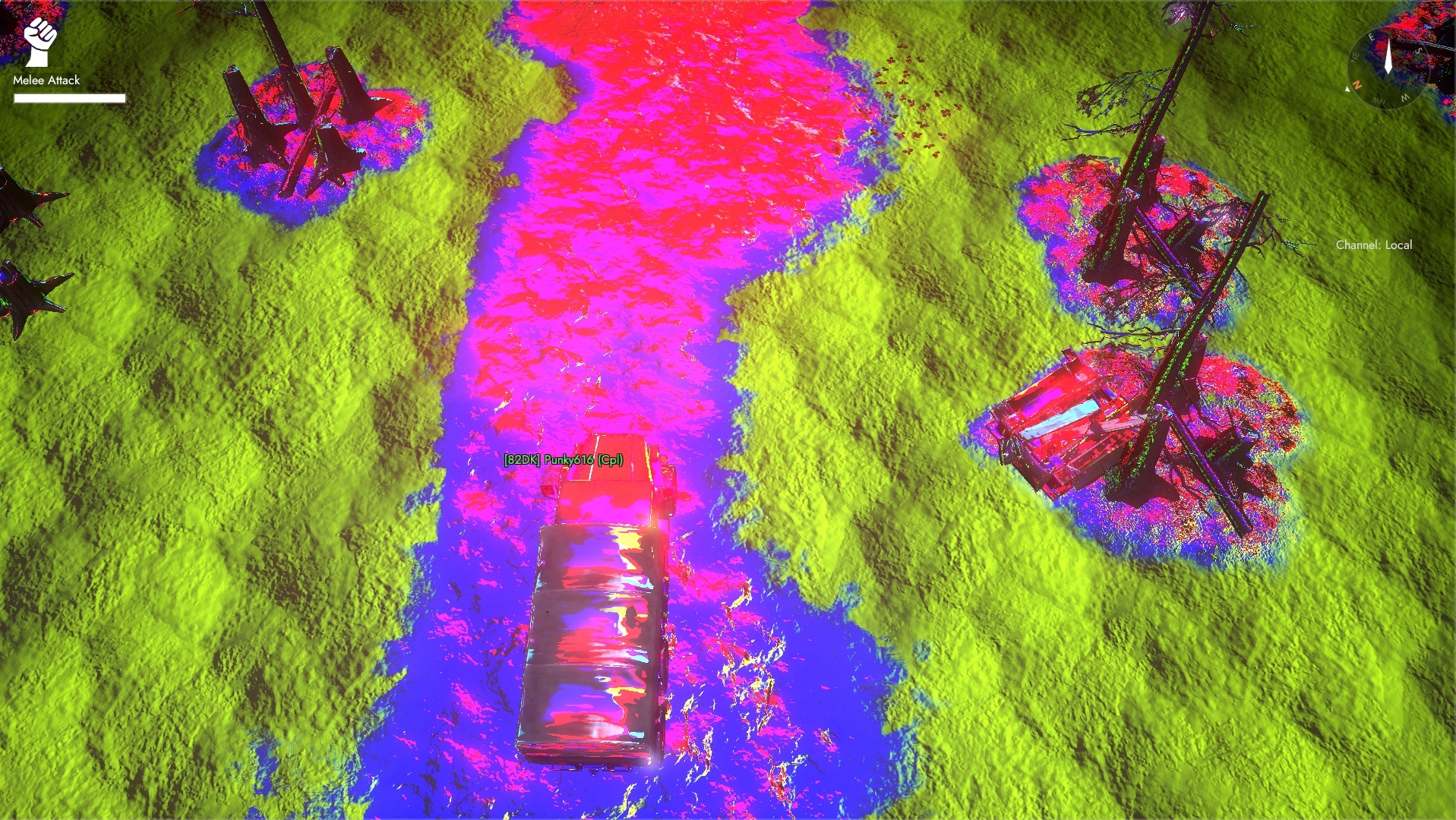
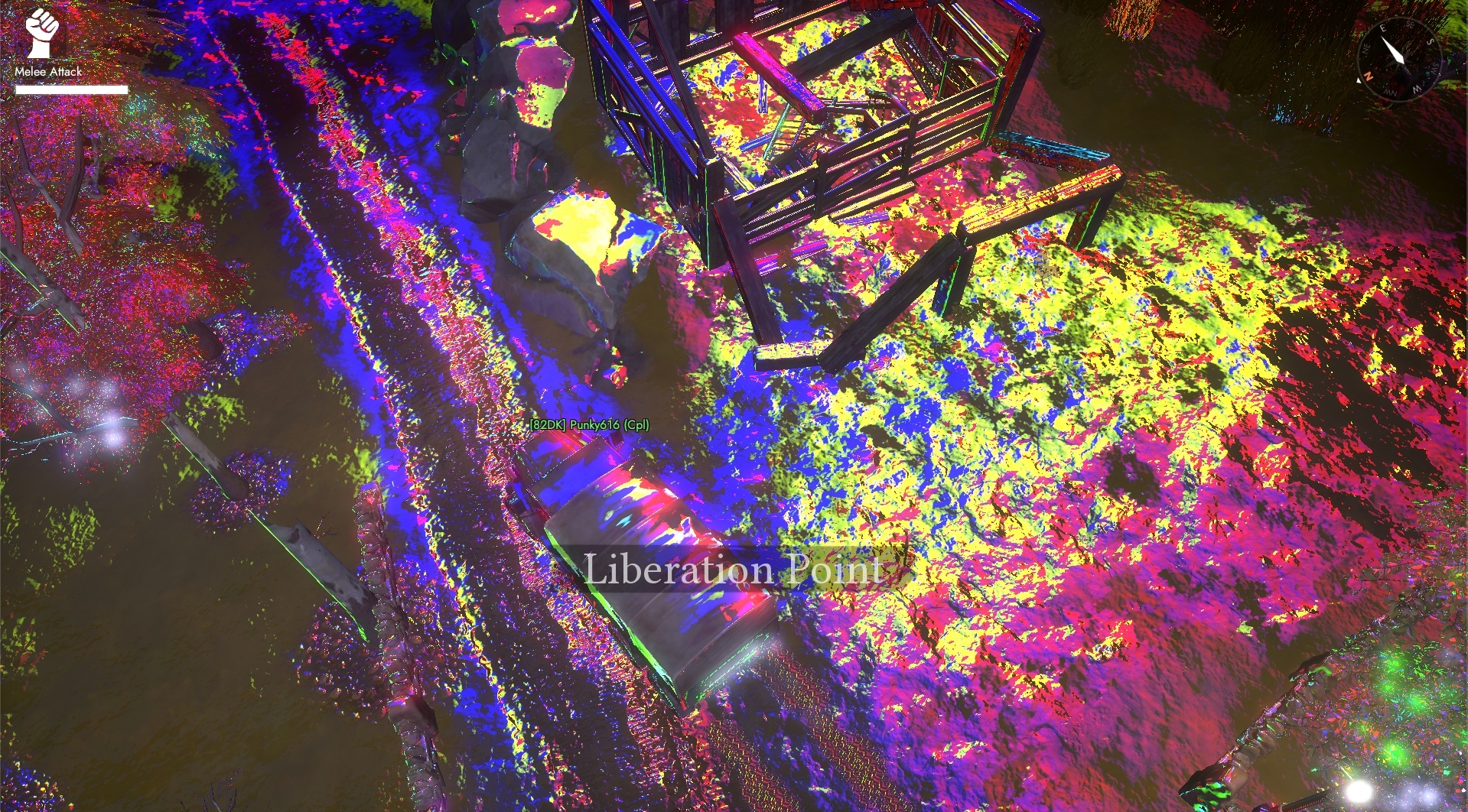
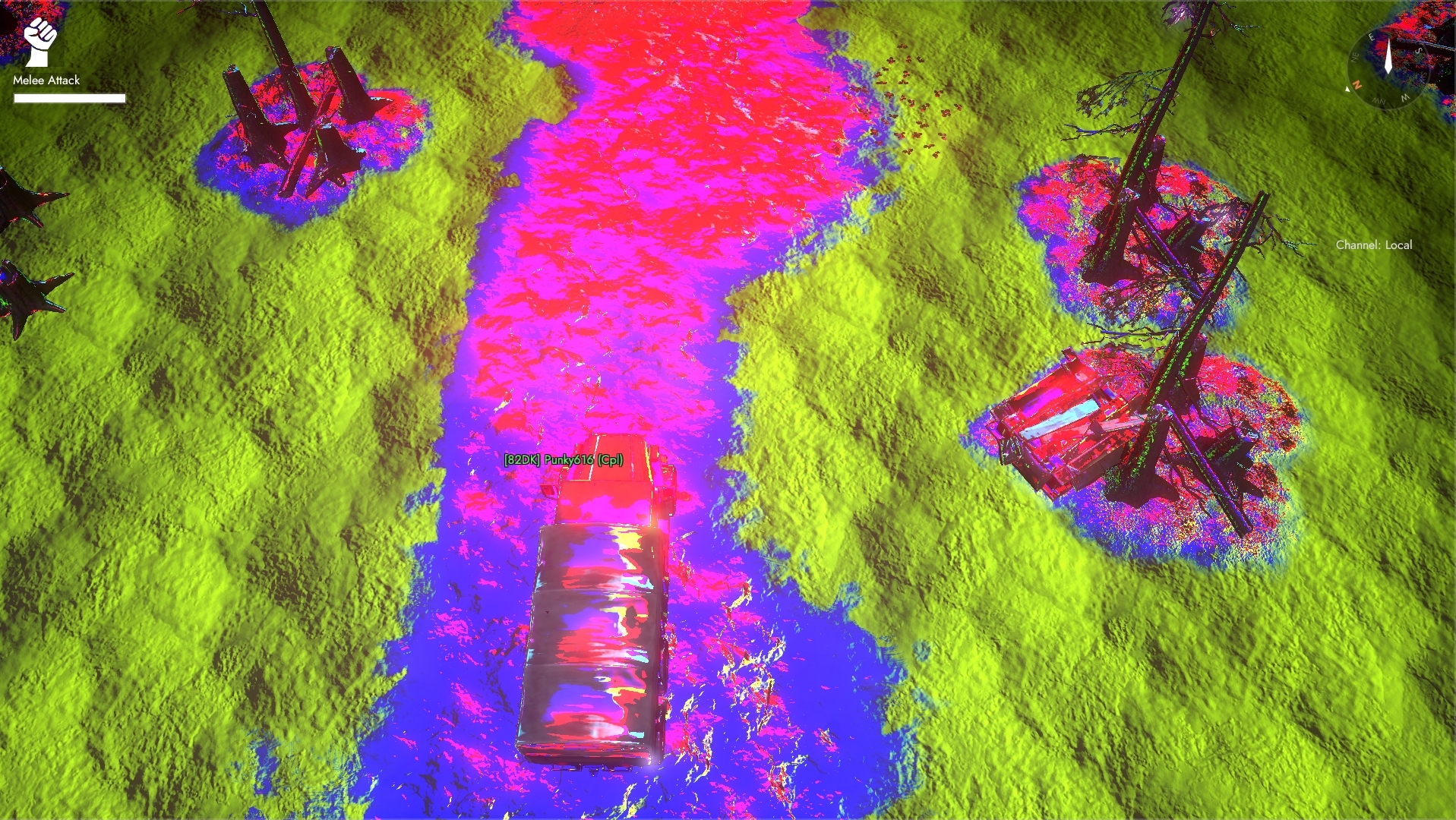 polar marlin
it looks like when I poured juice over my old CRT monitor once
 pallid glen
Holy fuck, is your GPU on LSD @vague linden ??
radiant mason
Woah
Is that vaporwave Foxhole

I am not the original uploader. After the original vid was taken down, I had to bring it back.
 karmic whale
@Devs (i know i cant tag them)
How many Slots does the Harvester get? can it load it manually of into a Resource Container?
inner basin
@high monolith I enjoy your profile pic
 vague linden
I need help with some voice chat stuff
 merry marsh
i cant hear anyone or talk in game, but i can hear everything in the game, like gunshots etc, but no voices
high monolith
@inner basin thx
 inner vessel
Hey, I have a bug where I'm walking faster and rubberbanding
it could definitely be exploited if I knew how the heck this happened. I havent played the game in 6 months plus
not due to latency
Uploading a video

 primal basalt
Hey boys i got a new guy that joined the game and he can join Lobby island without a problem (Ultra graphics etc) once he joins the war he gets this message
https://cdn.discordapp.com/attachments/603362853243584516/603362953550626849/Error_-_Video_memory.png
I then told him to lower the graphics and after have put everything in Low and Resolution to minimum he still had the message.
So i told him to ferify the local files of the game, he did, and now he gets this message:
https://cdn.discordapp.com/attachments/603362853243584516/603541646176681985/UE4_-_crash.png
Do you guys know what he should do?
his config:
Nvidia GTX 950M
Memory(ram) : 6 GO
Processor : I5-4200H 2.80GHz - 2.79GHz
64 bits

 spark storm
Probably using the other GPU on his laptop instead of the 950M
So either disable that or force the nvidia one for foxhole
primal basalt
how you do dat
spark storm
If you want to force the game use 950M open nvidia settings, then under manage 3d options you should find foxhole and from there select the "high-performance card"
primal basalt
okok ty babe
spark storm
I can't check the perfect wording not using windows or nvidia panel atm :D
"preferred graphics processor" setting or such
primal basalt
okok
 mystic storm
Hi,im having this problem everytime that i want to get in
proud smelt
Cant start the game. I were ingame when I clicked support, the game crashed and now this error message appears. I have validated, found that that one file is corrupted and then uninstalled, then reinstalled the game. Still the same issue
blissful sequoia
antivirus or virus perhaps
proud smelt
blissful sequoia
an antivirus that blocks the update or running of that .exe, or a virus that modified it and steam thinks the game has been modded for cheating
proud smelt
I havent had any problem before that
blissful sequoia
its probably antivirus...
 dense spear
I've got an issue with foxhole, i can open it and it runs fine but after a while it just shuts down my laptop. only foxhole has this problem and i can run far more demanding games just fine. I'm already running on the lowest graphics settings
polar marlin
C:\Users\Username\AppData\Local\Foxhole\Saved\Crashes
anything there ?
does it generate a crash folder maybe ?
dense spear
yeah i see 2 folders in crashes
dense spear
will do
polar marlin
now, not sure how to help you, but try looking into battery settings.
torn hemlock

????????

Could it be from the TV?
Im sure there is no viruses. Complete reset and had people look at it
Please explain
nvm my computer was doing a scan
its gone
nope nevermind its back
inner basin
@torn hemlock What's the problem?
 timber kayak
how to reduce lag in game
also i start game have to wait very long
aslo usually i go and it lag make me stuck into Barbed Wire
torn hemlock
I give up
WHJAT
@inner basin
After I played Foxhole my wifi since has been spiking
sometimes it goes to 14 mbps
It's a fresh computer
and Microsoft edge is taking up 23 mbs but I don't have it on
Is this unrelated or could I have a virus?
or if foxhole doing something?
 vivid cypress
why is voice coms so bad for me on this game
torn hemlock
Okay
Nope
I found out
its Firefox spiking when Im looking at performance
No wonder it wasn't lagging
vivid cypress
anyone know what country the server of game is in ,, my guess it EU
think my coms in game has do with ping or somthing
polar marlin
Canada
 primal quartz
hey have you guys ever just have your foxhole files corrupt on you?
blissful sequoia
Which video card?
 sturdy fog
<@&521124241395941396> my sound / mic is giving me trouble, when i connect my Bluetooth headphones to my computer it all works fine, but in foxhole it will mute the game when i change the settings (b4 or after connecting the headphones) to JBL Wireless or my Blue mic,
short breach
go into your sound settings and select the desired microphone in the audio tab
also make sure that it is set as the default communication device, it can change when you plug in, but the communication device can stay the same
right-click on your speaker icon on the bottom right and click sounds, click the appropriate tab (recording-mic or playback-speakers/headphones) and right click on which device you need to adjust, and the "set default <insert mode here> device" will be available if it isnt already
@sturdy fog if you dont understand, i can take you though a step-by-step in a discord call
timber kayak
@blissful sequoia gtx 1060
 dusty urchin
I can't see my own chat messages ingame anymore but voip works fine
blissful sequoia
are you switched to the operation tab?
you will only see chat from your operation if so
blissful sequoia
i dont think ive ever heard of this problem before
inner basin
Are you typing to Squad chat?
dusty urchin
cant see my own messages in Local chat or region or world chat but I can see anyone elses
could it be some kind of shadowban from chat maybe ?
blissful sequoia
possibly
dusty urchin
I asked if anyone can read me in worldchat for warden and someone said yes to my invisible message lol
weird
Could be a bug but I have no Idea how to reproduce
blissful sequoia
i would probably try a reinstall
timber kayak
@blissful sequoia gtx 1060
blissful sequoia
Do you think it's network lag or graphics lag?
spark storm
@blissful sequoia Just fix it, the guy is asking so nicely, don't be like that :(
timber kayak
He offline nơ
blissful sequoia
i don't know enough to fix it
if it's network problem i can't help
maybe if it's video card problem
spark storm
Sounds like excuses, just press the button to fix this all :D
spark storm
If it's the sandwiches you want, there might be a solution for that. It's not a button and well.. usually comes with baggage and other issues :D
blissful sequoia
i can dream
dusty urchin
@blissful sequoia Hey this is the guy with invisible chat again, I reinstalled and still have the problem hehe
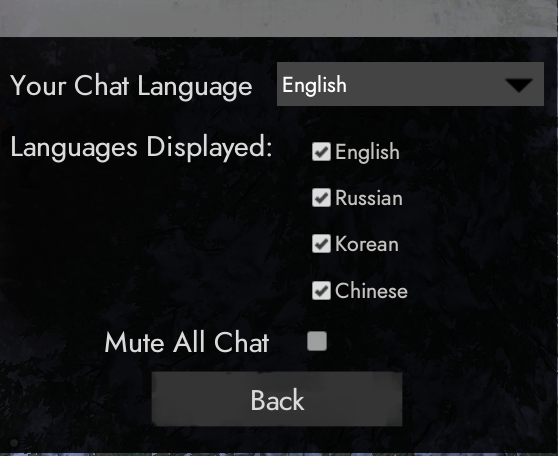
Basically I can see everyone elses chat messages and everyone can see mine too I think but My messages are always invisible to myself for some reason (no i am not in squad or operation chat)
spark storm
It's a long shot but try toggling the chat options on / off there's cog wheel or such that you can open chat settings
dusty urchin
ooooh you were totally right




 dusty urchin
yea I removed all checks and set again and it works
spark storm
Nice
dusty urchin
thanks a lot Moxie
blissful sequoia
Nice moxie
inner basin
@terse flume 👋
- Restart Steam
- Make sure that you are not on the Devbranch build (if you don't know what this means, ignore this)
- Make sure the shard at the top right of the main menu says "Live"
terse flume
thanks
 cunning tree
Hi boys
Since previous war i cant cross regions, after loading screen i get same screen as before(blurred and connection error thing) and total freeze, nothing happens
mod mail wasnt able to help and pointed me here.
My machine is not good so it always took me long time to tavel cross regions but since previous update i cant cross at all which is really annoying.
 urban swift
@cunning tree , by machine is not so good im guessing you mean ya computer specs arent great? they could have changed something in the netcode that ya router does not like, or different loading procedure that ya machine can not keep up and the connection times out before it gets finished, they prob have a timeout that you are now hitting... i know 0 about how the game does its thing, but on your side make sure all of steams ports are forwarded, and put the game on a SSD if able, if not put it on the fastest HDD you have, defrag it and whatnot as well if its been awhile. Ports to Forward in ya router```
TCP: 27015-27030,27036-27037
UDP: 4380,27000-27031,27036
another thing I am sure you are already doing, lower the graphics and such and disable antivirus while playing (foxhole aint gon give ya a virus, just dont browse anywhere while playing cept maybe foxhole stats)
if you got loads of ram and no SSD could look into doing a RAMdisk , essentially creating a suedo SSD out of RAM, its not that great and in my tinkering was not really worth but that was awhile back, maybe different today
cunning tree
@urban swift thx man
my specs are lowest possible, no SSD, the only thing i did was verify the game
antivir caused no problems, I dunno how to change ports but will investigate.
I think they changed something with borders and it's causing problems.
cunning tree
I was able to cross just now
disabled antivir
I lied before, I was able to cross in resi phase when nobody is playing so I thought it could be pop issue
urban swift
Could be, like I said could have done behind the scenes netcode stuff for this war, maybe more API links for Foxhole stats shrugs
Antivirus uses CPU so it's better to have it off during play, every little bit of CPU you save is more for Foxhole. Also wanna set ya windows in performance mode and disable any flashy stuff. It's likely in balanced mode, set that on performance mode to save GPU and CPU power. It will look bad but Foxhole will run slightly better.
I'm gonna assume you are on 7 or XP but the same applies, just different steps and methods to do the same thing. https://www.techsupportalert.com/content/how-adjust-visual-settings-windows-7-best-performance.htm
Gizmo's Freeware
Many PC users are not aware of the host of visual settings that are available in Windows 7. There are many animation effects, transparency settings, menu fades, and so on. In slower machines, these can be a drag on system performance. Also, not everyone is enamored of a lot o...
Ramdisk is going to the extreme side of things, but antivirus and performance mode can make a big difference in most cases with limited hardware.
dense spear
got an issue with foxhole, everytime i try to sign in it says failed to download profile.
how can i fix this?
polar marlin
restart steam
dense spear
thanks, it worked.
cunning tree
@urban swift I have w8
My theory it has something to do with pop, I got those freeze again at american hour ( most players on, antivir off) It's all strange, sometimes I can travel although rarely but most of the time I can't.
i
 unborn wedge
Weird audio problem. My Bluetooth earbuds disconnected while playing. I recharged and reconnected, and now I can't hear vc, but I can hear game sounds
 cunning sapphire
Going to voice and selecting the device again might work, if it does not appear try refreshing devices
Else a game restart should fix it
unborn wedge
Changing the voice device worked 👍🏼
 lime hatch
I keep getting this whenever I cross regions.
blissful sequoia
possibly firewall, possibly antivirus (that has an additional firewall), possibly bad DNS server
hopefully not a bad route that you cant fix
 ruby jolt
Anyone have any idea what this means.
blissful sequoia
likely your antivirus
ruby jolt
It was working yesterday, with no changes to antivirus, have verified integrity too
No issues
blissful sequoia
so its still likely your antivirus
ruby jolt
To overcome it do I just add it to the anti virus exceptions list?
blissful sequoia
i would just temporarily disable it to start foxhole, thats my thinking
if it works, then you can add an exception
ruby jolt
I’ll try now
blissful sequoia
i think it happens when steam tries to update the foxhole.exe file
theres like 1 example i saw where the config directory became read-only for somebody, but i still think that was caused by antivirus
perhaps an easy solution to that problem is delete the Foxhole directory in %localappdata% folder
it will be recreated when foxhole runs again