#avatar-dynamics
1 messages · Page 17 of 1
 sage sail
And because it blends from a starting animation into the ending ones, and all ending ones have a good finish, the blend between is smooth and looks amazing
That's what I've been seeing the entire time until this update
And now if translations are the thing causing me grief but no-one else, I don't know why
 turbid badger
is any one else having the same issue i am having
where like if you animate the tail
even with IsAnimated, if it has physbones it just keeps jittering everywhere
I thought that was all fixed in the beta
but now its back and happens even when not grabbing?
well actually, only when not grabbing
 steel thistle
sage sail
And now if translations are the thing causing me grief but no-one else, I don't ...
steel thistle
sage sail
And now if translations are the thing causing me grief but no-one else, I don't ...
One more thing I came up, if the feather bones are leaf bones. Testing it now
sage sail
steel thistle
One more thing I came up, if the feather bones are leaf bones. Testing it now
Just to clarify, the feather bones don't have leaf bones, and I disable leaf bones on export because they contribute to dynamic bones count. Interested in your findings
steel thistle
sage sail
Just to clarify, the feather bones don't have leaf bones, and I disable leaf bon...
And that makes feather bone as leaf bones.
sage sail
Oh, so it classifies anything on the end of a bone chain as a leaf bone?
 fringe iron
Going for this effect! (Sorry for the delayed example)
 simple elk
turbid badger
is any one else having the same issue i am having
simple elk
turbid badger
is any one else having the same issue i am having
not seeing that, guess some setting causing it
turbid badger
fringe iron
Going for this effect! (Sorry for the delayed example)
use an animation to spin it based on gestures
if you want to make it so you can stop it by doing another gesture
use parameter drivers also
to swap from flipped to unflipped
simple elk
same thing in vrchat, not seeing it
fringe iron
Oh I see! I'll try that!
steel thistle
sage sail
Oh, so it classifies anything on the end of a bone chain as a leaf bone?
Unity doesn't have an idea about bone length. So adding end bones will make the final bone to actually have length. Physbone won't work if mesh painted to final bone doesn't have extra end bone
turbid badger
simple elk
same thing in vrchat, not seeing it
idk in the unity client its fine
but in vrchat its not
steel thistle
Trying to find out if it apply to animation or not
turbid badger
steel thistle
Unity doesn't have an idea about bone length. So adding end bones will make the ...
you should also paint bones one bone forward if you want things like stretching
sage sail
steel thistle
Trying to find out if it apply to animation or not
I am trying a version with leaf bones
steel thistle
sage sail
I am trying a version with leaf bones
Alright👍
turbid badger
funny physbone
https://i.gyazo.com/3205bcd3fbfb77872082b13537f9fd4c.mp4
steel thistle
If with leaf bones, make sure that you don't exceed maximum bone per component. It can control up to 256 bones
sage sail
But it does
I found no difference, but is that strictly because of going over the limit?
sage sail
steel thistle
If with leaf bones, make sure that you don't exceed maximum bone per component. ...
Each component controls a wing separately
So each component on its own will not go over the limit
With leaf bones, combined however, it does
steel thistle
It should be fine that way
sage sail
72 x 2 is 144, so each component is below the limit, and I don't see any difference using leaf bones
steel thistle
I tested even without leaf bone. The final bone is still get animated
sage sail
That's good
This has to be bugged, right?
There's seemingly no reason why this is acting the way it's acting after our troubleshooting, right?
steel thistle
It's something that we haven't discover yet. And I have no more idea how to narrow it down.
btw could you try with dynamic bone if you have?
sage sail
I have tried with dynamic bones previously
If I disable the conversion from dynamic bones to phys bones, it works as intended
With a previous version that had dynamic bones uploaded
sage sail
steel thistle
btw could you try with dynamic bone if you have?
I really appreciate you taking the time to try and sort out my issue. This has been incredibly frustrating and it is further the fact that despite our combined efforts, this issue appears to only be affecting me, and with the uniqueness of the issue also means it'll be a challenge even finding additional help
steel thistle
sage sail
I really appreciate you taking the time to try and sort out my issue. This has b...
That's true. Might even be other factors too.
sage sail
My only light at the end of the tunnel is reworking the wings and enforcing only rotations
Because at that point, I'll probably remove one completely random, unrelated thing or somehow altar a checkbox somewhere that makes this work, instead of the work itself
But that is a lot of work
 thorny isle
turbid badger
well actually, **only** when not grabbing
thorny isle
turbid badger
well actually, **only** when not grabbing
immobile did that for me, so i have it at 0 now
turbid badger
thorny isle
immobile did that for me, so i have it at 0 now
i guess so but i dont want to have 0 immobile
thorny isle

 mellow citrus
turbid badger
even with IsAnimated, if it has physbones it just keeps jittering everywhere
mellow citrus
turbid badger
even with IsAnimated, if it has physbones it just keeps jittering everywhere
Mine keeps going through me after time.
I don't even have colliders added in the physbones script.
Tail animations work fine with another avatar, but not this one for some reason.

 rain sentinel
Does anyone know if its possible to make a physbone object that grabbable instead of an object that only moves a small distance from the origin location?
 torn tendon

i get this but most of my other avatar creator friends are able to make there avis with more than 20
 short narwhal
just Clump more things with a root bone
like make a root bone for all of your hair strands and you could use less components
 short narwhal
tell it to ignore a couple of bones or merge some bones together
mellow citrus
torn tendon
this one should be fine since it's just poor.
torn tendon
Ok
 crisp compass
hii how do u set up so a contact receiver only triggers when it's actually grabbed instead of just detecting a body part?
thorny isle
crisp compass
hii how do u set up so a contact receiver only triggers when it's actually grabb...
use a physbone and the _IsGrabbed parameter
crisp compass
ahhh oki tyty
turbid badger
has anyone been having syncing issues between Quest and PC on identical physbone chains and armature rigs
i removed a couple of components on the quest version but the ones i kept dont seem to sync grabbing?
also is there a way to fix the bug where I have to rejoin when someone friends me (friends only interaction) for interaction to work
turbid badger
crisp compass
hii how do u set up so a contact receiver only triggers when it's actually grabb...
if you want to use grabbing (locally only) and you dont want to waste physbone components, you can also use GestureLeft or GestureRight and determine when it is a Fist
i.e.
anystate -(InsideContact = true, GestureLeft = 1)-> Grabbed
anystate -(InsideContact = false)-(GestureLeft != 1)-> Not Grabbed
etc
crisp compass
ah no i don't want local grabbing but for when anyone else grabs but ty anyways, that's a good tip :)
 onyx vapor
torn tendon
onyx vapor
torn tendon
fyi your friends are able to use more than 20 likely because that is on their PC avatar - the restriction in your screenshot looks like its for a Quest avatar (much harsher hard restrictions on phys bones)
 hardy estuary
I'm having a lot of trouble making the new dynamics look close to what i had on dynamic bones.... I slide my model super slowly and the hair move a lot more. I tred the auto convert , another autoconvert and manual settings. It either Super stiff or too flowing with the slightest movement. I want the hair to have the same ....heft as the dynamics i had. Can anyonw offer some help ?https://gyazo.com/44219774b0ace8aa277fe0d7e5e9f921
 onyx vapor
turbid badger
has anyone been having syncing issues between Quest and PC on identical physbone...
onyx vapor
turbid badger
has anyone been having syncing issues between Quest and PC on identical physbone...
I've noticed this issue on some of my avatars in a mixed bag. Collision seems to always be fine, its the grabbing/posing that inconsistently syncs for me
On one - quest can grab & pose bones but PC cant see them grabbing it, and if a PC user grabs the bones quest cant see that either.
On another - quest can grab & pose bones but PC cant see them grabbing it, if a PC user grabs the bones quest CAN see that
On another - everything syncs perfectly, quest & pc can see everything move/be grabbed the same
The armatures on these are a mix of identical or similar-with-some-unrelated-bones-removed.
If someone can figure out why this happens that would be awesome, I havn't been able to notice a pattern.
 maiden haven
how to pull someone's phys bone body part in desktop mode?
short narwhal
as far as I can tell there is no method to do that
maiden haven
what a bummer 😦
but in the mean time i try'd to press shift+f4 to release and shift+f5 to grab
but it wont grab body part that i positioned my hand on it using smart hand system
 nova cave
Can phys bones collide with the environment of a world (e.g. gravity, tail resting on floor)?
simple elk
nope, worlds cannot do dynamic yet
you can add a plane to have tail/ect collide with it, they are infinite
 latent cove
Question, is there a way to use a phys bones colliders to do a sound effect on contact?
Example: Bat doing a "Bonk" sound on contact
nova cave
simple elk
you can add a plane to have tail/ect collide with it, they are infinite
👍 thank you
 mellow hawk
latent cove
Example: Bat doing a "Bonk" sound on contact
mellow hawk
latent cove
Example: Bat doing a "Bonk" sound on contact
100% would have to set up a sound effect like a normal toggle. Then use the contact receiver to drive that parameter you set for the sound effect. Just make sure to add any colliders you want it to trigger off.
It would look something like this:
 latent cove
Didn't know there was a Contact Receiver, thanks
And by "like a normal toggle" is do an animation without the bonk and another with the bonk?
mellow hawk
Yeah, its the whole process of making the animations, putting them in an animator, adding a pram, doing the conditions.
turbid badger
latent cove
And by "like a normal toggle" is do an animation without the bonk and another wi...
you might want to have something like this
where when its triggered it turns the sound off then back on
(not looping)
and then disable Write Defaults
this will make it so the sound plays each time u get bonked
latent cove
Never use Write Defaults, yeh
turbid badger
and doesnt cut off
write defaults is fine
but it helps in this case to have it off
latent cove
Isn't just setting the sound to never loop enough?
turbid badger
no because if the animation is looping
latent cove
Oh o.o
turbid badger
while u are getting bonked it will constantly trigger
but the reason why u turn it off first then on in the same animation
is because u need to start with the sound turned off
latent cove
oh
turbid badger
and u can use an Empty State for the off condition
u don’t need animation
but for the On condition
u turn it off then on
that lets you stop and play the sound when hit
and since theres no off animation, just an empty state
latent cove
Hmm...
latent cove
At the start, something like that?
 mellow hawk
turbid badger
and then disable Write Defaults
mellow hawk
turbid badger
and then disable Write Defaults
I feel like at this point I should how to use write defaults lol.
Time to go read the docs
latent cove
I wonder if the particle is the same deal as the sound
Animation needs to have the same lenght as the sound effect in this case?
 toxic granite
I need some help, so I have 3 recievers, all toggling booleans on my fx, each boolean is set with a parameter driver to change a synced variable. How do I make this thing work? I've tried having 1 button out then smashing the sender into the reciever but it seems like nothing is toggling
mellow hawk
Do you have you're collection tages set up for the colliders you are touching?
toxic granite
I have all set to Index Finger or Finger Index whichever its labeled
wait ... are there supposed to be colliders?
mellow hawk
You need either the built-in colliders on the hands, or your sender object would need to have the same tags.
toxic granite
ok, send has the same tag as the reciever, I deleted the actual collider component off the objects though
Suddenly it works, but it doesn't. I have my sender and reciever on the same avatar, put my fx controller in the controller sop for the animator but now I'm getting outermost animator is not known
latent cove
Thing is confusing, I should be using the Sender or the Receiver on my bat?
mellow hawk
Sender if you want to interact with something, receiver if you want to update a pram.
latent cove
So in my case, I want to the bat to do a sound+bonk particle when it collides with someone's head or torso, so Receiver?
mellow hawk
Yeah you got it
toxic granite
What the heck does this mean: Outermost animator is not known
 latent cove
So in this case, the "sender" is someone's head and torso colliders, in which VRChat by itself deals with?:
mellow hawk
Yep, vrc adds default senders on the avatar discriptor.
latent cove
Is there any way to test it in Unity before uploading to the game itself?
mellow hawk
You can add an empty game object with a sender/receiver and move it over the other in play mode.
latent cove
Well, doing it, it isn't updating the parameter
toxic granite
latent cove
Well, doing it, it isn't updating the parameter
are you also getting this?
 latent cove
Nop
toxic granite
dang it T.T
mellow hawk
Would need to have it parented to the avatar somewhere. When testing, I like to just put it on the same component and change the position.
Like this:
 cedar maple
The parameter does not need to be in your avatars parameter list no
latent cove
Ok, it seems that the Parameter does update when I move the Receiver to the sender, but not when I move the Sender to the receiver o_O
It does update on the Inspector but not on the Animator
cedar maple
Huh
toxic granite
I have the same issue, so the receiver says 1, it travels correctly in my animation paths, the driver doesn't update my other parameter to the value it supposed to be
So sender and receiver are touching

but parameter not driven

 fading pilot
How do you test grabbing phys bones in Unity? I have the latest version of Avatar 3.0 Emulator, do I need something else?
mellow hawk
Nope just click in the bones you want to move in the game window. Not the seen window.
May have to move the camera to see the avi better
fading pilot
That doesn't work for me.
latent cove
Testing also with the Avatar 3.0 and the inspector says it updates but the parameter itself in the animator doesn't
Tried to change into Float but the value doesn't update
fading pilot
fading pilot
That doesn't work for me.
Scratched that, figured it out
latent cove
Ok, so without the emulator, every layer is set to -1 somehow.
With the emulator, my Bonk sound trigger layer is set to 0
... maybe there's a limit lol
 fair sundial
fading pilot
How do you test grabbing phys bones in Unity? I have the latest version of Avata...
fair sundial
fading pilot
How do you test grabbing phys bones in Unity? I have the latest version of Avata...
in the game camera, you can click on em and drag em while in play mode
latent cove
... Not sure if it is only my unity being iffy or if it won't work in VRChat too
Oh....
It seems that the Bool isn't working at all
I've changed values to a FLOAT greater than and less than 0.95 and now it animates
And it works as expected
So there's the problem, Bool (and prolly INT) aren't working
 jolly crane
Bools should work fine
make sure your emulator and SDK are both up to date
emulator especially
@latent cove
latent cove
They are
toxic granite
Whats the link for the emulator again?
jolly crane
what parameter were you trying to use, Constant or distance
latent cove
I've updated the SDK like 2 days ago, and the emulator just now
Constant
GitHub
Emulator for VRChat's Avatars 3.0 system, built on the Unity PlayableGraph API - GitHub - lyuma/Av3Emulator: Emulator for VRChat's Avatars 3.0 system, built on the Unity PlayableGraph API
toxic granite
ty
fading pilot
It's not possible to allow another person to twist a phys bone on your avatar, right? i.e. you hand them a card face-down, and they can flip it face-up? If not, I wonder if it's possible to program in
torn tendon
So, I tested PhysBones vs Dynamic Bones and I am quite surprised how well PhysBones actually runs. GG VRChat! That said Dynamic Bone has still some strong arguments on its favour when its optimised + its "Distant Disable" feature. Oh yea, there are actually 177 tails for a total of 2'882 bones on that scene 
thorny isle
i guess quick tip for those having inside colliders causing physbones to freak out when too close-
setting the collision radius to negative fixes it
 exotic crater
I'm new to the dynamic and physbones can someone help me out with how to enable the physbones?
mellow hawk
exotic crater
I'm new to the dynamic and physbones can someone help me out with how to enable ...
Would recommend taking a look at this video to get a general idea of how it works.
https://youtu.be/PTTnWUkswkU

Did this video help you? Consider sending me a tip on Ko-fi! https://ko-fi.com/sippbox
The Avatar Dynamics update recently dropped for VRChat, and with it brings the highly anticipated replacement for dynamic bones, PhysBones! With Physbones, you can apply secondary motion to parts of your avatar, such as hair or skirts, making avatars much mor...
exotic crater
mellow hawk
Would recommend taking a look at this video to get a general idea of how it work...
thank you I will check it out!
mellow hawk
The docs are also a good place if you like reading more:
https://docs.vrchat.com/docs/physbones
VRChat
PhysBones is a set of components that lets you add secondary motion to avatars, permitting you to add motion to things like hair, tails, ears, clothing, and more! Using these well will make your avatar seem more dynamic and real. PhysBones is a replacement for Dynamic Bones. While both systems share...
torn tendon
Trying to set up 2 colliders that keep my tounge inside my mouth but when i go to set up the colliders in the jaw it only shows and works for the first collider in the armature.
I remember something about a "group" collider system but idk how to do it.


If im doing this wrong please tell me an easier way
mellow hawk
You may wanna mess around with Polar limits for the angle constraint.
 median lark
I need to figure out how to...grab an item. Like pulling out a pack of pockys and then pulling out an individual pocky.
The model is there and such, I just...need to figure out how to do that.
torn tendon
mellow hawk
You may wanna mess around with Polar limits for the angle constraint.
ive got those set the way i want them and the tounge doesnt "fall" out.
its mainly a limit for when people grab my tounge.
torn tendon
median lark
The model is there and such, I just...need to figure out how to do that.
Thats gonna be an animation creation. Im not very good with those but someone in here probably is.
median lark
Animation creation? Explain?
 errant notch
torn tendon
If im doing this wrong please tell me an easier way
errant notch
torn tendon
If im doing this wrong please tell me an easier way
Create two empty objects in your head and assign each collider script to those
mellow hawk
torn tendon
ive got those set the way i want them and the tounge doesnt "fall" out.
its mai...
If you're not looking for much wiggle, could just crank up the Immobile force. That way it mostly stays where it is. But also remains grabbable.
torn tendon
median lark
Animation creation? Explain?
I'd go about it like this though
Have the pocky box in one hand and parent it. (first animation)
Have a expression created that is only toggleable while holding the pocky box that is a hand gesture (second animation)
torn tendon
errant notch
Create two empty objects in your head and assign each collider script to those
So use those instead of the phys bone collider?
torn tendon
mellow hawk
If you're not looking for much wiggle, could just crank up the Immobile force. T...
If thats easier i might just do that.
median lark
torn tendon
I'd go about it like this though
Have the pocky box in one hand and parent it. ...
Ok, but my question is how do I make it so you can grab it from your pocket?
errant notch
torn tendon
So use those instead of the phys bone collider?
You'll be putting the collider on those
torn tendon
median lark
Ok, but my question is how do I make it so you can grab it from your pocket?
If you are wanting to make it a contact point animation you'd need to put a contact point on your pocket. I'd probably make it so that you can only get it with a specific hand gesture so you dont accidently do it all the time. (Or just have it as a toggleable animation in paramaters)
torn tendon
median lark
Ok, but my question is how do I make it so you can grab it from your pocket?
You'd have to create a chain of animations and stipulations that are based on that specific animation tho.
torn tendon
errant notch
You'll be putting the collider on those
OK! ill give it a try. seems like its alot harder then it should be tho.
median lark
And then a chomp for putting the pockey near the mouth.
Wait so...really? Just that? I...huh...
mellow hawk
Could use a phys bone to be able to pull one of them out of the box. Using the parameter slot of that component, at an amount {parameter}_Stretch, you could have it update into another animation of it on the other hand.
 remote ferry
median lark
Ok, but my question is how do I make it so you can grab it from your pocket?
remote ferry
median lark
Ok, but my question is how do I make it so you can grab it from your pocket?
Phys bones
Or trackers
Either one
torn tendon
errant notch
You'll be putting the collider on those
only issue with that is that leaves objects floating inside my head... thats kinda hard to hide and seems way too rudamentary
remote ferry
Maybe I'm misunderstanding the question but it sounds like you want others to grab them as well
median lark
Yeah. So...lemme try to explain this in a simple way
errant notch
torn tendon
only issue with that is that leaves objects floating inside my head... thats kin...
Colliders aren't visual objects, how can you see it floating?
median lark
I wanna make a box you can take out that has individual pockeys in it. Grab the box from your pocket, and then grab the pockey inside and chomp on it. Forgot to mention, each chomp causes a value to go up by one, like a counter.
remote ferry
Yeah I got that
My questions is wether you want others to be able to grab them as well or only yourself
Because both require a completely different setup
median lark
Can you have someone else grab it for you?
torn tendon
errant notch
Colliders aren't visual objects, how can you see it floating?
you said to make an empty object. the object's have a white material that shows? or am i doing the wrong one?
remote ferry
Sure
mellow hawk
So the trigger to grab it from the box and chomp are quite easy, just need contact senders and receivers to update the animations.
remote ferry
Other people would also be able to chomp on it
They could feed you
You could feed them

torn tendon
remote ferry
Other people would also be able to chomp on it
I'd just put like "jaw" check's on them
remote ferry
You mean head?
median lark
Specifically this avatar is going to be on someone else, but yeah I do want to be able to feed them.
torn tendon
torn tendon
I'd just put like "jaw" check's on them
Well yeah. I guess that could work. Some avatars have jaw bones that you could make it specific for the mouth area so its more immersive.
otherwise you could feed thier hair pocky lmao
median lark
concern
remote ferry
Since both you and other players share the same head collider you don't even need an extensive setup
The jaw thing would require them to set up their avatar in order for it to work
Head is the only thing we have
median lark
If I could feed them specifically, not myself, that would work. Or...at least that's the goal.
remote ferry
Literally both works
If it works for yourself it automatically works for others as well
No additional setup required
median lark
The additional setup I want to do is have a counter on them for each one they eat.
...yes this is for logical reasons, trust me.
remote ferry
I would however make it so people can only feed you through the mouth
But it's not necessary
mellow hawk
Could have it trigger on both a head and a jaw collider.
errant notch
torn tendon
you said to make an empty object. the object's have a white material that shows?...
An empty object. In unity that has no visual purpose
remote ferry
mellow hawk
Could have it trigger on both a head and a jaw collider.
Head for others but not self, basically
torn tendon
techincally you could go alot further than that. but i mean at a base level yes head is gonna work. but you could have friends put something more specific in thier avatar like a collider check that matches the collider animation for yourself. It would be something like "when pocky object is near jaw bone. Collider activation allows animation of 'monch' "
torn tendon
errant notch
An *empty* object. In unity that has no visual purpose
ill take a look.
torn tendon
torn tendon
ill take a look.
Ok so i have an empty object but how do you cross the collider through that to the object it has to collide with?
remote ferry
If you have friends that go out of their way to set something like that up for you then treasure them forever because I sure as hell wouldn't lmfao
errant notch
torn tendon
Ok so i have an empty object but how do you cross the collider through that to t...
Add the collider component
torn tendon
remote ferry
If you have friends that go out of their way to set something like that up for y...
I have friends that we share certain 'password' protected checks that have unique codes that activate heart beats and even blush when we are near each other.
median lark
So...wait, do I need to grab it as a dynamic bone? For the box I mean
Well, not dynamic bone but the...ya know
New bones
remote ferry
torn tendon
I have friends that we share certain 'password' protected checks that have uniqu...
That's really sweet, but you could also just make the contact friends only so it works with any friend out of the box
Just a suggestion
mellow hawk
Or a toggle for compatibility. ;p
torn tendon
remote ferry
That's really sweet, but you could also just make the contact friends only so it...
Its specific to certain people tho.
remote ferry
I really hope that Avatar creators will start adding features that are cross compatible with other avatar creators avatars
torn tendon
torn tendon
Its specific to certain people tho.
Like if i want it to activate only for "person a" but not for "person b" they only way is for me to have it encoded to do that by having specific names for colliders
median lark
remote ferry
I really hope that Avatar creators will start adding features that are cross com...
That'd be cool.
remote ferry
I know Cam is working on features that work across his Avatars
torn tendon
remote ferry
I know Cam is working on features that work across his Avatars
Thats awesome :o
median lark
I need to figure out how to do that with mine as well...
remote ferry
If other people just add the same tags then they can too interact with his Avis
mellow hawk
remote ferry
I really hope that Avatar creators will start adding features that are cross com...
Would have to get people to agree on a standard tho lol
remote ferry
Maybe if we get some standardized tags that every creator will start using
Eh it'll probably happen over time
Kind of like how a few avatars in the demo hub share the same "fire" tag
median lark
...ok yep I know what...needs to be done but I'm very much lost on the execution of it.
mellow hawk
I mean, there are some things that people agree on already. There are the standard prams that get updated with ovr.
Shader magic has some standards like audiolink. Im sure that as avatar dynamics gets more use. people will make some standers.
torn tendon
errant notch
Add the collider component
Dude thank you so much!

 little owl
torn tendon
Dude thank you so much!
little owl
torn tendon
Dude thank you so much!
you can also use polar angle limits for that
torn tendon
little owl
you can also use polar angle limits for that
what is polar angles? Also im using this as a "pull limiter" not keeping the tounge inside my head.
mellow hawk
They are more or less just two Hinge limits stacked together for xy.
https://docs.vrchat.com/docs/physbones#limits
VRChat
PhysBones is a set of components that lets you add secondary motion to avatars, permitting you to add motion to things like hair, tails, ears, clothing, and more! Using these well will make your avatar seem more dynamic and real. PhysBones is a replacement for Dynamic Bones. While both systems share...
median lark
...wait could I just put Physbones on the box, and then be able to grab that? Same for the pockey?
mellow hawk
You could.. would recommend that more for the pocket and less for the box tho.
median lark
So...have it on the pockey, and then on the top part of the pockey (or whichever end of it) have the vrc contact sender there, and then the contact receiver on the mouth?
 tacit stirrup
any suggestions which values to play with for the chain to not spaz while moving and have it sway instead?
mellow hawk
Here are some stats a lot of people use as a base.

 inner beacon

 minor timber
is there any way to make a "touch to toggle" type thing with receivers?
mellow hawk
You should be able to animate a toggle for Allow grabbing and Alow posing, but I dont know if you can turn off the touch all together.
jolly crane
minor timber
is there any way to make a "touch to toggle" type thing with receivers?
you mean like, toggling something on and off by touching a contact?
totally doable yea
minor timber
jolly crane
you mean like, toggling something on and off by touching a contact?
how would i go about doing that?
steel thistle
minor timber
how would i go about doing that?
 remote ferry
That's a pretty sweet way to do it
But it can be made with just 2 Animation States as well
If you really wanna save every single state and transition that you can
 upper raven
i usually just do it like that, the idle state is just a placeholder with an empty animation

and the 2 states you can make them drive a synced parameter on and off
no need for them to exit
steel thistle
I think I should clarify about contact type too. Mine can work with constant contact so it has to wait for contact to exit first.
upper raven
oh yeahthat makes sense
 sick geyser
Iv had a bunch of trouble with the contact and receiving related stuff where it works in the unity editor but not in actual VRC
has anyone else had this issue?
 strong thunder
I have hardly any knowledge on avatar dynamics, but I'm wondering would it be possible to make it so that players can pick you up as a small avatar? Like maybe a collider constrained to an object they can grab?
simple elk
nope
you can pick up chair that other sit on but it would nausiating and wierd
still constrained to your av - rubbery
(constraint can do it better)
 golden pike
Can u disable dynamic bones?
like i only want ppl to see them (like in the debug view) if a game object is on and like not Stack them of that object isnoff
thorny isle
golden pike
like i only want ppl to see them (like in the debug view) if a game object is on...
disable the physbone component or gameobject, it shouldnt show on the debug anymore
also makes it so unneeded physbones arent simulating while the toggle its used for is off
 idle crescent
hey, i need some help with contacts, i set a receiver and a sender with the same collision tags, a parameter that changes based on this contact and the same parameter name in my fx layer. when i set the sender inside the receiver, the value does change to 1 on the receiver but not in the fx layer. i dont understand exactly what i did wrong, can anyone explain to me please?
golden pike
thorny isle
also makes it so unneeded physbones arent simulating while the toggle its used f...
yeah i mean if they wiggle in the debug they would also if without the gameobject
 storm idol
idle crescent
hey, i need some help with contacts, i set a receiver and a sender with the same...
storm idol
idle crescent
hey, i need some help with contacts, i set a receiver and a sender with the same...
It doesn't update for me either but the sound effects play that I set up
idle crescent
hmm nothing plays for me when i make a contact...
storm idol
Also if you are doing high fives on both hands don't give them the same parameters
thorny isle
golden pike
yeah i mean if they wiggle in the debug they would also if without the gameobjec...
you can disable the actual bone/physbone component to save on performance and hide from the debug
if thats not what you are asking then i think im a bit confused 
idle crescent
storm idol
Also if you are doing high fives on both hands don't give them the same paramete...
oh yeah, if i have a separate contact i also use another value. but my problem is that it doesnt seem to change anything in the fx layer
thorny isle
I disable my outfit bones (which disables the db) when not in use to save on performance. Back with dynamic bones, it brought my FPS from 15 to 35~ on my old dinky laptop.
storm idol
idle crescent
oh yeah, if i have a separate contact i also use another value. but my problem i...
In the animator make sure you fx Lauer is there and culling is set to always animate
idle crescent
u mean on the main avatar object? i tried that but it still didnt work
Edit: Never mind i got it working. apparently it works only ingame and not in unity
 faint dagger
can i make an object on my avatar that somebody else can grab and take anywhere?
max stretch is 5, but i could use very large bones, all-though i dont want to use this method
 flint ether
I used to be able to pull a sword out with phys bones in the beta but for some reason i am unable to do that anymore and i can only rotate? using the offical release SDK
 quiet fog
Likely just need to tweak your settings/scripts
As the protogen with the power core that can be removed would likely use very similar set up
flint ether
well i went to the beta project and it works but it has options that the offical one no longer has i think
hmmm
quiet fog
Maybe if you get ahold of the maker of that proto they can help you?
flint ether
hmmm maybe i might just use the BETA sdk3
since the limit type and stuff actually lets me pull it out instead of only doing angles
quiet fog
*nods
 torpid sphinx
one question, do i have to add myself the physbones collider to hand or will it always be vrchat default?
golden pike
thorny isle
you can disable the actual bone/physbone component to save on performance and hi...
yeah id do that until the components are enabled (eg not for ppl without animations)
 balmy ravine
torpid sphinx
one question, do i have to add myself the physbones collider to hand or will it ...
balmy ravine
torpid sphinx
one question, do i have to add myself the physbones collider to hand or will it ...
Hands should always have the physbone colliders by default, as well as contact senders. No need to add them
torpid sphinx
thanks~
 tough perch
faint dagger
can i make an object on my avatar that somebody else can grab and take anywhere?
tough perch
faint dagger
can i make an object on my avatar that somebody else can grab and take anywhere?
Id also love to make something like this, if anyone has input
faint dagger
best method is to make a really long stretchable bone, although it doesnt work for what i have planned 😛
do i need a float in my expressions parameters for my varaible_Stretch ?
simple elk
you can use gameobjects to stretch stuff
but grab will be ...wierd floaty around your hand longer you stretch
av3 emulator doesnt show that , ingame only
flint ether
i think i got it workin now
storm idol
people can boop my nose and i tied sombra saying boop to it 😄
flint ether
there is a thing i am wondering about tho. is there a way where instead of the collider being inside of the receiver to activate can i get it to where all i have to do is have the sender touch the receiver that way it stays on forever?
like a toggle basically
i have it to where i have to take the sender away from the receiver to pull out my sword
maiden haven
does avatar dinamics i mean phyzbones is only bound to sdk_3.0-avatars or it could be also used in sdk_3.0-worlds
why in worlds?
well 4 example if you have gummy bear doll in your world you can make him jelly with that new vrc feature
maiden haven
oh ok then
well i really hope it to
thanks
median lark
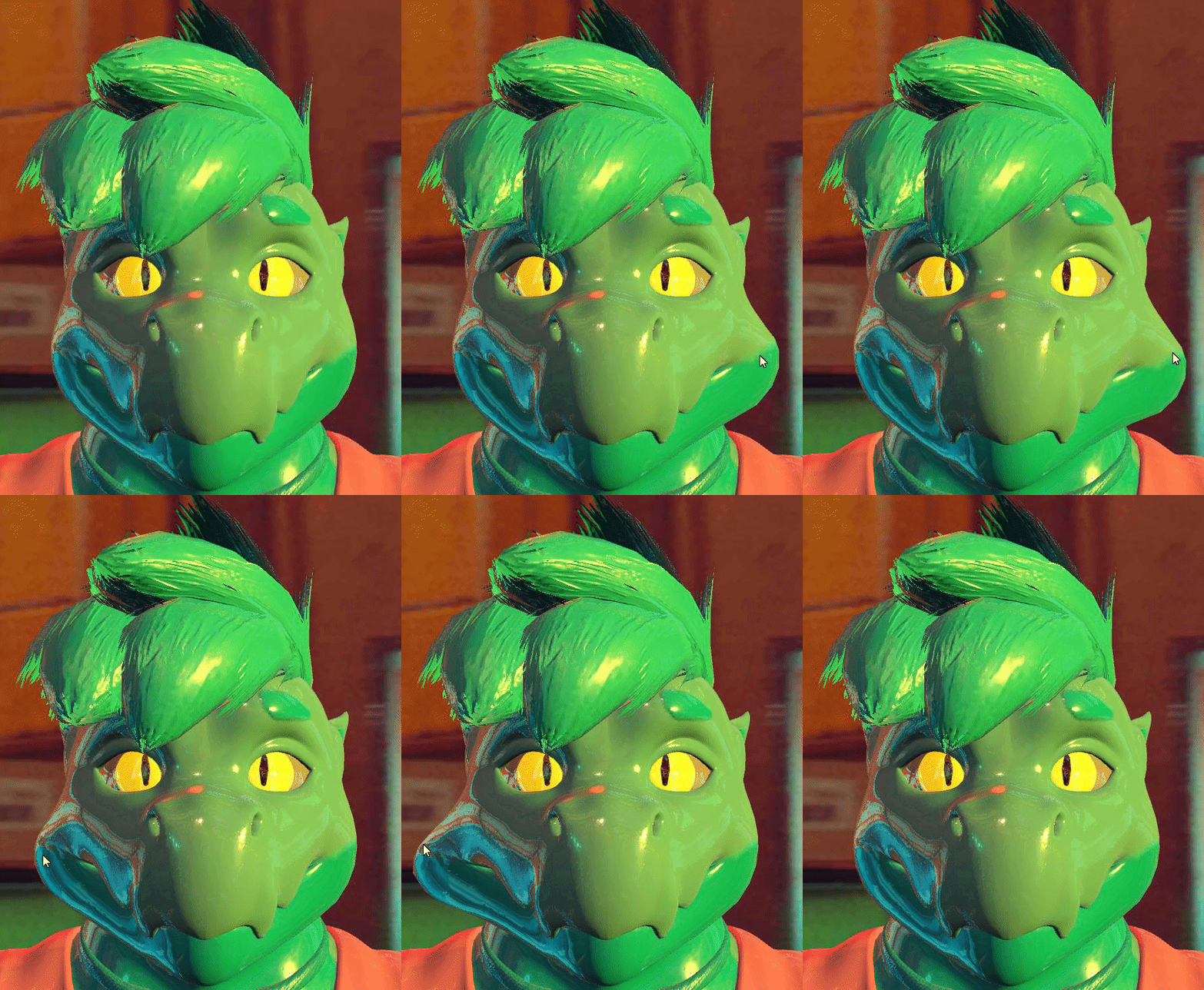
Ok so I need some help...getting this working. And also how doe OSC work?
I need to figure out how to get OSC working so I can get a thing happening on audio cue.
 median lark
...hell. Ok...uh...
Trying to figure out how to get avatar dynamics working...along with a bit of OSC as well for the voice thing.
turbid badger
i still dont know why the hell only my tail is stuttering
and also why one chain with 0.93 or something Immobile is behaving the same as one with 0.23
 rugged mantle
where do u get the sdk for physbones?
turbid badger
rugged mantle
where do u get the sdk for physbones?
same place u get any of the sdks
its part of live now so its just the regular sdk
rugged mantle
i see sdk 3 so i wasnt sure if it was that?
median lark
Yep.
turbid badger
if anything is in the Live build of vrchat, it will be in the SDK on the website
median lark
Mhm.
rugged mantle
okie
torn tendon
how do i make it to where i can grab my avis phys bones
simple elk
Test it in unity, have radius on your bones , play mode, click'n drag
upper raven
does anyone know how to make like a receiver where i can slide my finger to do things? like i have a capsule receiver, do i put it as proximity? constant? i want it to be 0 at the top and the closer to the bottom it is closer to 1 it is, how can i do that?
 balmy ravine
upper raven
does anyone know how to make like a receiver where i can slide my finger to do t...
balmy ravine
upper raven
does anyone know how to make like a receiver where i can slide my finger to do t...
I hope someone can give you a better answer, because I want to do something similar. But my idea I was going to test tonight is two receivers, one for proximity, and the other for constant so it can scale 1-0 on a scale. I should probably make a canary requesting a feature where we can have proximity on 1 axis -1 to 1 for this purpose.
Think of the constant as only covering half of the proximity one so it only updates from one side.
turbid badger
upper raven
does anyone know how to make like a receiver where i can slide my finger to do t...
you would need 2 receivers minimum in order to get directionality
then you can have a blend tree to control another parameter, or just handle it as is
 median lark
Is there...someone I can talk to directly who has a better understanding of avatar dynamics? I'm worried about needing personalized help with my project as I am very lost at this point.
That and I don't know what to look for in terms of tutorials, and I'm worried about sharing the info about the project here.
fading pilot
I’m asking again, is it not possible to rotate a grabbed phys bone by rotating your hand? If not, I might make a canny post for that
simple elk
it floats oddly around , not sure its possible

 quick pollen
Oi, have anyone had problems with Prooximity Capsulee Receivrers?
when I use a proximity capsule all conntact start to fflicker
tough perch
turbid badger
only problem is u cant grab both at the same time until they update PB :[
i have wings on my avi, i set it up to have a component on each wing individually, rather than one on the root and that allowed me to grab both at the same time to flap them and pose them, only mentioning in case it may help you
upper raven
turbid badger
you would need 2 receivers minimum in order to get directionality
i would i set those 2 recievers?
 fringe knoll
Is it possible for physics bones to interact with world colliders? ie name a collider the same as one on the avatar, such as a wall, and have it interact.
median lark
I dunno, never tried experimenting with that...
 peak jackal
nooo I'm confused 😖 why did my avatar lose all its dynamic bones? I thought it would auto convert it in VRC... so now every avatar without Physbones is broken?! I forgot to test with others
simple elk
Dont trust autoconvert, it also come with posable / zero radius (on wast majority = no grabbing)
peak jackal
I've been trying to update my avatar to version 3 for 41 h and now I have to do this on top of it orz
I wanna cry... I dread upgrading but now I have to do it quick
is it hard? 😓
simple elk
nope its pretty much dynamic bones, with more options
peak jackal
but so that really means thousands of avatars are gonna be broken...
and when u dont have access to favorites... that's gonna hurt
simple elk
fringe knoll
Is it possible for physics bones to interact with world colliders? ie name a col...
worlds dont do dynamics yet, so there is no way to interact with them with physbone/collider ect
peak jackal
ok thanks. I'm gonna try soon and get some help here I hope
simple elk
its comming eventually (not this year, my guess) we need ik2 + next ui update first
peak jackal
I'm very glad that this is new thing was added but... damn
simple elk
just remember to set a radius or you can never grab it
peak jackal
I just wanna get my avatar back to what it's been for years. so I dont worry about any new features yet
but it's... taking... soooo much work
I haven't even tried the new menu thing from a year ago or whatever
cause I just want the basics... 41 h, I gave up and it's so hard to get done. and now I cant upgrade my old one... I dont think
so Im gonna have to use my new one, but it's not ready... so now Im stuck! either no dynamic bones or several other issues... great 😟
almost crying, it's already so hard for me to get back on VRC for other reasons. sorry... just so down. (at least I was able to make the video before this happened)
mellow hawk

 tender briar
i need some advice
is it anyway possible to modify the auto-colliders on the wrist and fingers in-game with an animation state?
i'm trying to use an animation state to disable my wrist and finger colliders at certain times
when I preview it in Play mode, I can see the animation controlling the auto-colliders in the avatar descriptor
but when in-game, the animation does not appear to be controling the auto-collider
is controlling the auto-collider settings in the avatar descriptor not possible?
an alternative would be to allow me to exclude my own auto-hand colliders from my phys bones, but unless I'm missing something i can't do that
I can only toggle between disable all collisions, or allow all collisions, i can't exclude specific colliders
flint ether
this is actually something that i just realized as well
for example i want ONLY my left hand to touch my sword but i don't think that's possible? if its the same thing u r talkin about artificial
 vernal plover
anyone have problem with downloading the avatar with new sdk that the avatar movment become rly bad ?
flint ether
also want people to touch my ears and all but unable to touch my swords
jolly crane
flint ether
for example i want ONLY my left hand to touch my sword but i don't think that's ...
then add your own Contact sender on your hand, with a custom tag for the sword?
tender briar
currently my only options appear to be:
a) Disable all collisions, but still allow grabbing and posing
or
b) Fuck up my armature and move my physbone away from where the wrist and hand auto-colliders are
flint ether
jolly crane
then add your own Contact sender on your hand, with a custom tag for the sword?
i want to have it only grabbed by my left hand tho
jolly crane
yea? so add a new Contact sender on your left hand, create a custom tag called "GrabSword" or something
and put a contact receiver on the sword with the same collision tag
tender briar
this is the problem i'm currently facing
the large physbone on the wing is constantly colliding with the auto-collider on the wrist
my previous attempts to Disable the wrist and finger colliders using an animation failed
I'm guessing the auto-colliders are set on initialize and can't be controlled in-game via an animation
 jolly crane
tender briar
this is the problem i'm currently facing
the large physbone on the wing is const...
jolly crane
tender briar
this is the problem i'm currently facing
the large physbone on the wing is const...
expand the "Colliders" section of the avatar descriptor
you can customize the default colliders, and disable them if you need to
are you trying to toggle them on or off on the fly?
tender briar
yes, I'm trying to use an animation to toggle them on the fly
because the wing is toggle-able
I have a normal hand under there that I wanna be able to have colliders on

i can enable and disable physbones and any of my own placed physbone colliders on the fly
but not the auto-colliders, it seems
 lavish flame
peak jackal
I just wanna get my avatar back to what it's been for years. so I dont worry abo...
lavish flame
peak jackal
I just wanna get my avatar back to what it's been for years. so I dont worry abo...
are you trying to convert it to a 3.0 and do psybones?
tender briar
i think, rather than do something destructive like modifying my armature to move the wing bone out of the way, i'll just set my wings to disallow collisions until a better solution is available
there are many ways to fulfill my specific use case
allowing me to toggle the auto-collider on the fly with an animation is one
allowing me to tell my physbone to NOT interact with my own auto-collider is another
etc
vernal plover
@subtle impthank you ❤️
storm idol
why only vrc receiver sphere and capsule shape 😠
jolly crane
because they are not meshes, they are mathematical formulas
the spheres are just defined by the equation for a sphere, x^2 + y^2 + z^2 = r^2
it's simple to compute
unlike a cube
nova cave
my avatar uses a tail, it works in play mode in unity when I rotate and move the entire avatar model around, but ingame the tail gets stuck in position when I move in full body tracking. What can I do?
jolly crane
nova cave
my avatar uses a tail, it works in play mode in unity when I rotate and move the...
can you show your Physbone settings


 peak jackal
lavish flame
are you trying to convert it to a 3.0 and do psybones?
peak jackal
lavish flame
are you trying to convert it to a 3.0 and do psybones?
the first yes I worked on for 41 h weeks ago. the second I discovered today I have to do so didnt try yet 😓 why are you asking?
lavish flame
peak jackal
the first yes I worked on for 41 h weeks ago. the second I discovered today I ha...
just wondering because i have a avi 2.0 to 3.0 kit i use to get the job done in like 1hr
peak jackal
what do you mean with kit?
but since I already spent so much time on it I’m sure I can’t continue with whatever that is where I’m at now, and wouldn’t wanna waste that time. I’ve done most of the things but have a few problems I’m not sure how to fix plus the dynamic bones. REALLY wanna get it done in the next weeks since it’s been over a year now since avatar 3.0 came out 😔
 sudden urchin
Thank you for everyone trying out my Avatar Dynamics avatar in my world that went public!
 fickle quest
Does anyone have experiences with dynamics receivers working for some people, but not for others?
sudden urchin
That's network IK desync.
Use the parameters locally to drive synced parameters for network
 azure sinew
does anyone know how to make physbone items? like being able to pick an item up on the avatar? I might be mistaken that its physbones
rain sentinel
azure sinew
does anyone know how to make physbone items? like being able to pick an item up ...
I would also like to know.
 wise hinge
Me knowing how to do that but like I am way too lazy
rain sentinel
wise hinge
*Me knowing how to do that but like I am way too lazy*
.>
Where did you learn ?
wise hinge
 rain sentinel
Question. Does the distance an item can be grabbed and moved away from the avatar depend on the length of the pb?
Other then the slider that effects it.
 shadow charm
best up to date tutorial on setting these up? specifically the hive five, ear and tail movements and wing grabbing
oh and transition on the shaders after casting some spell or whatever they did in that video
mellow hawk
A lot of that stuff is more or less just simple toggles using the contact points as input drivers instead of the menu.
Grabbing bones is as easy as adding a phys bone component and giving it a radius
onyx vapor
rain sentinel
Question. Does the distance an item can be grabbed and moved away from the avata...
I've found that if I have a chain of bones and i make the distance between them bigger, each bone can be stretched fruther
And if the bones are really close to each other i can barely stretch them at all
Is there a way to skip the root AND the next transform for a phys bone?
I have something like Hips>Tail1>Tail1.1>Tail1.2, Hips>Tail2>Tail2.1>Tail2.2, Hips>Tail3>Tail3.1>Tail3.2
etc
Instead of creating a separate phys bone component at Tail1, Tail2 and Tail3, Ive created one empty game object that has Hips as the root and then I've just added Ignores for all the non-tail bones under the hips.
The problem is the first bone of each tail does not need to move (and looks weird if it moves). If i use one phys bone per tail its fine (because i can ignore the 1st bone of each that way). If there a way to replicate this effect without restructuring the armature and still only using one phys bone component?
I can tweak the max angle graph to get the same movement as if those first bones are not affected, but from a performance stats point of view I am still affecting more transforms than I need (and i dont want that)
The only way I can think of to do this would be to create a copy of the whole tails setup with empty game objects and constrain every single tail bone to that copy, but I cant do this on quest, where this optimization is most important)
turbid badger
tough perch
i have wings on my avi, i set it up to have a component on each wing individuall...
cant do that.. Limited to 8 components on quest

i think if vrchat ever approves the Multiple Root canny post, it would probably work but you will have to set each tail as a root rather than use one parent
cuz i think if they could grab the same chain twice it will break a lot of things
it already likes to bug out with only one grab
its somehow buggier now than it was in beta for me
more features though so eh
onyx vapor
urg. Doing what i've done adds 10 extra affected transforms.
Do you think reducing the number of phys bone components by 8 but increasing the number of affected transforms by 10 is better for performance-wise?
turbid badger
onyx vapor
urg. Doing what i've done adds 10 extra affected transforms.
Do you think reduci...
they need to decrease the transform limit and increase the component limit for quest
onyx vapor
because i really dont have an understanting of the performance impact of a phys bone component compared to an affected transform
turbid badger
128 is a lot of transforms for pc
i have like 20-30 transforms total on my pc avatar
i removed most of everything for the quest one
max on quest is like 64
onyx vapor
but like, is combining everything like this into 1 component improving performance more than 10 affected transforms-worth?
turbid badger
well the advantage is parallelization i think
cuz it gives u less threads to have to schedule
but i mean
I don’t have a quest so i couldnt tell u if it made a difference
onyx vapor
hmm
turbid badger
but i mean again all this would be solved easily
if u could have multiple roots per component
using the same exact configurations
and each can be grabbed and posed
onyx vapor
yeah that would be ideal
turbid badger
and run on the same thread
cuz i have dynamics on both my arms and legs
i could have them in one single component
as 4 roots
thats so much better
right now i would need 4 components
since theyre on completely different bones
really shouldnt incurr any extra damage that Ignore doesnt so already
onyx vapor
well i might just go with one phys bone component and take the +10 affected transforms hit because the best metric i have for theoretical performance impact is the ratio of components-to-affected-transforms that vrchat has in its perf ratings; and that seems to imply that 1 component is equivalent to 8 affected transforms. Removing 8 components is [8*8 = 64], 64 > 10,
So if the ratio on their perf rankings is based on some kind of reliable data then this seems like its probably more performant, maybe
turbid badger
plus lets say u have a lot of components that are small but have the same exact config
say u have tail and ears and necklace
u can put them all in the same script this way
onyx vapor
turbid badger
plus lets say u have a lot of components that are small but have the same exact ...
(which is this situation, as every tail as the exact same settings)
turbid badger
and bam u already have a third of the components
yea but this way
u can worry more about transform and collision count
onyx vapor
turbid badger
really shouldnt incurr any extra damage that `Ignore` doesnt so already
Just to clarify, do you mean using ignore has some performance cost? (like if I have the hips as the root and then ignore 23 transforms under it, is it different performance-wise to if i removed all the children of the hips bone that I'd be ignoring (assuming i could remove leg bones and not break things))
turbid badger
rather than component count
turbid badger
onyx vapor
Just to clarify, do you mean using ignore has some performance cost? (like if I ...
well because Ignore does the same thing as having multiple roots basically
its just that those roots are automatic
not manual
so i see no difference in performance for
tails on top of one bone
vs array of tail roots
since theyre basically identical
turbid badger
onyx vapor
Just to clarify, do you mean using ignore has some performance cost? (like if I ...
do you have an avatar with a skirt i can edit or find/download
i want to test that thing with the inside colliders cuz the only one i have is furry
onyx vapor
I do but only paid ones that cant be shared
maybe just do a quick search on booth for free models that look like they have a skirt
 fading drift
how to I make it to where I can play a sound when I touch a contact receiver?
mellow hawk
You would need to setup a sound effect kinda like a toggle with animation clips on and off. Then use a contact receiver to drive that animation.
fading drift
oh so I can use sounds in the animator?
mellow hawk
I believe sounds play on awake. So you would just animate them like normal
 stark surge
Has anyone else encountered issues with Proximity and Capsules?
 bleak light
having a jitter issue with some bunny ears, even when not moving it jitters.. gravity is off, tried various angles idk how fix :c
mellow hawk
Do you have a collider inside the root bone of a phys bone
bleak light
I believe the only "collider" it would be interacting with would be from the one VRC puts in your head now
Actually wait there is one in my head >_>
I'll get rid of that and re-upload will post result
ok collider was removed, still jittering
mellow hawk
Could you post a gif or video of how it looks
bleak light
coming right up

its not jittering at all in play-mode in unity

these are the settings

(i selected both ears, they have a root)
also the roots are further down the chain so they're not inside the head either
im stumped 😦

interesting, how is it capable of hitting max angle if the bones arent even moving, though?
besides the jitter i mean
im going insane trying to fix this shit fuck me
trying everything under the moon
bleak light
slams desk
wasted 4 hours on this so far still no resolution
FIGURED IT OUT, god damnit, there was a parent constraint hidden that i didnt know about on the base of the outfit which caused it. fml well i can finally enjoy my weekend now
jfc
golden pike
Since we got avatar dynamics now and osc, can we make the controllers vibrate on touch of other users' colliders?
 last frost
anyone know how to do toggles with receivers and senders?
mellow hawk
golden pike
Since we got avatar dynamics now and osc, can we make the controllers vibrate on...
theoretically yes, but you would probably have to write a steam overlay app.
golden pike
mellow hawk
theoretically yes, but you would probably have to write a steam overlay app.
:c
ok yeah i know that those can vibrate controllers, the openspace calibrator has that feature
mellow hawk
There are already apps going the other way, with bHapticsOSC, you vibrate when someone touches you. So it's not completely out there that someone will make that at some point.
 peak perch
Anybody know how to stop the head from doing this? It also bobs around like a bobble head when I walk. I’m guessing it had a something to do with the parent bone being the head
mellow hawk
The head will do weird things if it has a phys bone component on it. Would recommend putting all of the bones you want to have phys, on a new empty game object as a group. Then applying the component to that.
torn tendon
why don't work pysic bones animated? Pls help me:c
I decreased and increased the gravity because I wanted to give it a floating effect.
but, don't work, why????
peak perch
mellow hawk
The head will do weird things if it has a phys bone component on it. Would recom...
like this?
 mellow hawk
Should work I believe
peak perch
Let’s hope
Also saw I might have to go to Blender ||never works well for me|| and mess around with the bone parenting
Thanks that worked
torn tendon
torn tendon
can anyone help me?
mellow hawk
Could you share a screen shot if your phys bone component
 modest tusk
torn tendon
can anyone help me?
modest tusk
torn tendon
can anyone help me?
why… why are you using physbones in animation…?
ohh i see now
well for one you have negative radius
and for two ur spring is really low
try applying normal hair values and then adding the floating
it also might help if ur going from a gravity higher than 0 to lower than 0
torn tendon
I wanted to use gravity to avoid having to do a complex animation for the hair bones.
to recreate this effect:
in a simple and less cumbersome animation.
mellow hawk
I wonder if motion time would help?
onyx vapor
pro-tip: dont assign your hips as a root for a phys bone (even if you exclude most of its children). It makes your whole avatar jitter when you turn your head and kinda locks your body if someone grabs any of the bones affected by that phys bone component.
modest tusk
onyx vapor
pro-tip: dont assign your hips as a root for a phys bone (even if you exclude mo...
this can be fixed by setting “isAnimated” usually
 meager ledge
hey guys, is it possible to make it so only have gravity affect a physbone when its tilted? I want it to remain upright normally but have it flop over when tilted
 tepid temple
Using avatar dynamics I made a footsteps system.
Now as you walk around other players can hear you moving around!
 gritty valley
thats cool
rain sentinel
tepid temple
Using avatar dynamics I made a footsteps system.
That's cool. Did you use contacts to activate the audio or base it off of velocity?
Or did you place receivers on your feet and senders in a position to trigger the footsteps once they reach a certain position?
 latent mirage
Can 2 plane colliders work on one physbone?
onyx vapor
modest tusk
this can be fixed by setting “isAnimated” usually
i had this enabled and the issue still occurred 😦
 stray crater
i read that contact points can only affect local variables and you need a layer to pick that up and change a network synced variable.
is that still true now that this is on live?
if yes... it's the bit at the bottom of this that confuses me

 calm owl
Its recommended to keep it non-synced as itll happen on both multiverses. Syncing will just have it happen for you in your game, have it happen for them in their game, and than the sync will have it happen for them again after lag catches up
meager ledge
Is there a way to test contact stuff ingame in desktop mode?
calm owl
Local only makes it so only your version of the avatar youre controlling gets changes to that parameter, and you can choose to share this
 uncut birch
How do I make my avatar able to pull up or down their socks? Like, grab to the position of it and drag it down or up and it changes the blendshape?
turbid badger
is anyone else having weirs stuttering on some of their bone chains, + syncing issues between grabbing/posing
turbid badger
uncut birch
How do I make my avatar able to pull up or down their socks? Like, grab to the p...
use physbone stretch property, and use 0 pull so it stays in place
although i dont think u can save that offset
 lean bane
is there a way to get a contact receiver to set a parameter and then save that state?
after the sender leaves the receiver
simple elk
closest would be parameter driver
lean bane
I thought that but is there a way to set it to toggle it back off the same way?
simple elk
next time it contact disable it / change
lean bane
I can't visualize how to make it toggle back off
I'm not very good at logic stuff in playable layers
turbid badger
lean bane
is there a way to get a contact receiver to set a parameter and then save that s...
for what
if you want it to be something where you press a button
lean bane
just a bool
turbid badger
then you need to set up param drivers yep
transitions like this
other states -(Pressed = false)> Not Pressing
Not Pressing -(Pressed = true, SavedValue = false)> Set Saved Value To True
Not Pressing -(Pressed = true, SavedValue = true)> Set Saved Value To False
or also i think there is a Toggle parameter driver option?
and in that case u only need Pressed = false and Pressed = true
lean bane
ok thank u!
turbid badger
oof

 worn mica
I'm having sinc issues with my contacts, sometimes the animation plays for me, sometimes for others and rarely for both :/
Did anyone have the same issue?
simple elk
got any delay on your transition? , dont do 0
worn mica
Hmm lemme check
simple elk
recommend 0.25 , seen way too many synch issues if its low
simple elk
capsules are also not reliable
worn mica
Oh really? Well thx for the info :/
tepid temple
rain sentinel
Or did you place receivers on your feet and senders in a position to trigger the...
This
rain sentinel
uncut birch
How do I make my avatar able to pull up or down their socks? Like, grab to the p...
You could use whatever the float parameter is for grabbing and pulling and make a blend tree that plays through an animation of the socks being dragged down all the way.
uncut birch
The only thing I don't know how to do is to make the entire "if grabbed and pulled a certain way, do this action" 😭
rain sentinel
The parameters for those values will already be calculated, you just have to use them. So when the value of the pull is 0 you can have the blend shape animation at the beginning pose and it will work the other way.
I can show you if you share your screen.
@uncut birch
uncut birch
Sure!
rain sentinel
Ok I’ll msg you
 rustic topaz
If i increase the Radius of the collision does that also increase like.. the hit box for the physbone to be grabbed?
jolly crane
rustic topaz
If i increase the Radius of the collision does that also increase like.. the hit...
yes
 magic hull
Is there any way to reset all posed bones without resetting the entire avatar or swapping it? Like with a nice animation or something?
sudden urchin
magic hull
Is there any way to reset all posed bones without resetting the entire avatar or...

Gumroad
Ayooooo, this is a Unity Editor tool designed specifically for VRChat's new PhysBone system.Currently, VRChat has not implemented a method to reset your avatars' PhysBones if they have been posed - this system remedies that by automatically generating everything you need to reset your PhysBones with a click of a button!See the second thumbnail f...
magic hull
Thanks!
 errant carbon
I'm seeing conflicting comments. The built in colliders work with physic bones or not? I know for sure the build in hand colliders work but it seems the torso does nothing.
I'm going to guess the built in hand colliders do collide with everything but the rest of the built in colliders are for contacts and receivers like that.
 steady plover
any recommended physbones immobile and etc properties for skirts so im not flashing everyone?
nova cave
I tried it but it still sticks weirdly to the side and seems unaffected by the avatars hip rotation

changed it from multi child to first but still the same
the root is basically not moving
steady plover
hello friends, i was able to add physbones and colliders and get my skirt all set up, but when im in game i can only grab with one hand at a time. is there a setting to make it grabbable by two hands at a time?
 autumn zenith
steady plover
any recommended physbones immobile and etc properties for skirts so im not flash...
autumn zenith
steady plover
any recommended physbones immobile and etc properties for skirts so im not flash...
Put Colliders in your legs to prevent the skirt from clipping through your legs, as for only being able to grab it with one hand at a time im currently not sure
peak jackal
I discovered today that my dynamic bones actually do work. But they move much less. Colliders dont work though. And one of my favorite avatar’s hair is weird... T_ T I really hope it’s not hard to adjust the values for physbones. but the values wont be the same if I just copy/paste right?
peak jackal
autumn zenith
Put Colliders in your legs to prevent the skirt from clipping through your legs,...
I thought you didnt have to do this but maybe there’s still some different improvement to clipping. or maybe it was just with hair
 radiant condor
I'm currently using physbones on hair (a ponytail) and I did (1) gravity and (1) gravity falloff so the gravity wouldn't affect the normal pose of the hair, but in vr or even in desktop when I look up or down it gets stuck in the usual position it'd be in without the falloff, is there a better ratio for these two settings so that doesn't happen?
autumn zenith
peak jackal
I thought you didnt have to do this but maybe there’s still some different impro...
It depends, if your avatar has a weightpainted skirt that conforms to the legs then you might not need colliders, but if it isn't weight painted to conform with the legs then you will need colliders
 plush pumice
Hey guys! How do I make something on my avatar (like a rope) snap to someone's hand when they are near?
 daring heath
What could I be missing for it to only rotate instead of moving when grabbed?
these are the phys bones settings
 onyx vapor
daring heath
What could I be missing for it to only rotate instead of moving when grabbed?
onyx vapor
daring heath
What could I be missing for it to only rotate instead of moving when grabbed?
Whats the hierarchy like? I think you need to have the phys bone on a parent, and then the child be the bone with the weighting for the object
daring heath
it's quite long, basically
Main avatar
->World Constraint
-->Table (parent)
--->object with physbone
onyx vapor
and where is the bone that has the weight painting for Mr Krabs?
daring heath
it's on the main object, and denying the mesh and the armature
i have it on another object with no armature too
same issue
actually i think the screenshot is on another object, this is on mr krabs

the only difference is ignore & radius
onyx vapor
ok my best suggestion would be, try adding the phys bone instead to an object one step higher in the hierarchy to where it currently is (and make sure there is some amount of distance/space between the two locations). Then see what effect that has when parts of that bone chain are grabbed
that might get you closer to an answer
daring heath
Still, not much changed... I'm not sure if it isn't just a problem with having a Parent Constraint attached to a parent
 onyx vapor
Well cant hurt to do some science and test a copy of it without the parent constraint to see what it does
 rustic grail
anyone know how to stop angle detecting physbones from jittering like this? https://gyazo.com/52917c05660fac3b42fa65b8395db7d6 the values are going absolutely nuts even when they're completely at rest.

(this happens in-game too)
 lone estuary
https://i.gyazo.com/f8d639b9a640a83d1528b0ba0b2820c3.mp4
any ideas how to fix that?
i toggle Phys bones component off and snap the mesh.
with dynamic bones everything works fine. with phys bones mesh stretched
lone estuary
https://i.gyazo.com/5926aac6fab6a4b7aa0647f6195d82db.mp4
this example clearly shows the problem. disabling dynamic bones returns the mesh to its original state, but disabling phys bones does not
peak jackal
autumn zenith
It depends, if your avatar has a weightpainted skirt that conforms to the legs t...
oh. interesting. I dont know how I’d do this but I should do that on mine that. I dont have a skirt but like a cloth flap thingy in front and the back.
 near hound
Has anyone managed to make Squishable cheeks yet?
simple elk
yes, blendshapes or bone + contacts
near hound
oooooo! has anyone made a video of it yet?
 swift zinc
Aright, so i'm trying to use a contact sender on the lower arm and a contact reciever on the upper arm with custom collision tags on the avatar detecting proximity to the other. Everything works in the editor but if i upload it the contact debug overlay flickers, doesn't work at all or the contacts just don't show up (and of course the contacts don't work). I have other contacts on the avatar that work just fine.
Is there a limit on contact detection on the humanoid bones??
Here's an example of the flicker
onyx vapor
Ive come across an issue where the phys bones on one of my avatars "twitch" or "jump" whenenever i open the menu (pressing B) or if i scroll through the worlds/avatar list. I have no idea how/why phys bones would be impacted at all by menu usage... If multiple people are wearing this same avatar i see all of their avatar's phys bones jump like this at the same time. I've had other people test this and they see the same thing when they do it (but they dont see the jump unless they themselves open/interact with their own menu).
No other avatar does this, so im a bit stumped

 jagged sigil
Is anyone else having an issue where for some reason physbone grabbing in the unity editor isn't working?
simple elk
0 radius 99% of the time
 simple elk
your bones too small then
jagged sigil
People can grab them properly in vrchat, I'm guessing it's a bug in the unity interaction implementation.
Interesting at a certain value it just suddenly pops into being able to be interacted.
 torn tendon
Im trying to make cards that I can grab out of my hands using physbones but all I can get them to do is spin in place. Not sure what im doing wrong

 steady dome
Hey, i'm trying to have it so whenever i pull up, the headtop stretches a bit. what should I do, cause I'm lost. any help is appreciated
 devout wharf
Do contact sender/receivers NEED to be on an avi? Can they not work on gameobjects themselves?
little owl
you can put them on empty gameobjects that are on an avatar, yes
they don't need to be on a humanoid bone if that's what you're asking
but if you're asking if they can be put in a world, then no
devout wharf
Gothca, I was trying to test it on a standalone gameobject and was wondering why it wasn't working 😶
little owl
oh, if your purpose is just to put a sender on an object so that you can test it against your avatars, that should work.
but a receiver on it's own wouldn't work because, well... it's whole purpose is to send values to the animator so if it doesn't exist then it'd do nothing
 soft sorrel
My avatar has 297 transforms how do I remove a lot of them?
 wispy elk
The dynamics on the bones for the back hair of my avatar won't go back to their original position and just float like this. they have the exact same settings as the sides of the hair which work just fine. I used the auto dynamic bones to avatar dynamics thing on the vrchatsdk to convert dynamic bones into the new phys bones.
I'm not sure what to do to fix this
torn tendon
I'd like to add both left and right fingers to the Collision Tags do I go with the unspecified ones? For example, Hand for both hands? Finger is supposed to be the thumb finger right?
turbid badger
tfw u cant assign multiple root bones to one component so u have to delete most of your dynamics on quest despite having very little transforms
turbid badger
soft sorrel
My avatar has 297 transforms how do I remove a lot of them?
use less bones and optimize
short narwhal
turbid badger
*tfw u cant assign multiple root bones to one component so u have to delete most...
I suppose you could put them all in a root bone in blender
turbid badger
short narwhal
I suppose you could put them all in a root bone in blender
literally impossible because they are all over the avatar in several different places....
thinking that that wouldnt be my first solution since i already use it on my avatar


its only 2 more transforms to have these things on the arms, and 2 more for the legs
but i cant have them since i cant assign multiple roots
it would take 4 components, half of the hard limit on quest
upsetting
in fact if i could merge components, i would have like 9-10 total components instead of 18; less if i did a little more combinery
steady dome
steady dome
Hey, i'm trying to have it so whenever i pull up, the headtop stretches a bit. w...
bumping this, does anyone know?
calm owl
Throw some filler bones between the bone thats being grabbed and its parent just to add length.
 somber monolith
how can i get the velocity of my hand moving? just in general for anything
i just need the velocity, nothing else
simple elk
Not possible, only thing it tracks are your avatar velocity , contacts/senders can detect when colliding speed to trigger stuff otherwise 🤷
somber monolith
thats how i wanna do it, by contacts/senders
i was thinking stack a receiver and sender on the same area that looks for a specific velocity
but that isnt working for some reason
steady dome
calm owl
Throw some filler bones between the bone thats being grabbed and its parent just...
So, just copy/move the copied bones? sorry if i dont understand, new to this
 crisp forge
Is there any way (or any plans) to make the collider on the physbone a different shape? or are we stuck with the pill + curve
collision detection zone rather
flint ether
steady dome
Hey, i'm trying to have it so whenever i pull up, the headtop stretches a bit. w...
i have it to where i can pull my sword out of my sheath to activate it and all i do is stretch the bone my sword only has one bone
to be honest idk how it determinds wheather it can stretch up or down tho
thorny isle
steady dome
Hey, i'm trying to have it so whenever i pull up, the headtop stretches a bit. w...
set multi child type to first
flint ether
also side note i finally got a toggle system to work with constants and receivers
steady dome
thorny isle
set multi child type to first
i've tried this, it doesn't work unfortunately
this is what the hierarchy likes like

the component is on headtop

removing the limit doesnt change anything either
steady dome
flint ether
i have it to where i can pull my sword out of my sheath to activate it and all i...
is there a specific way i should add filler bones? i have no clue how i'd do that
thorny isle
steady dome
i've tried this, it doesn't work unfortunately
try adding an endpoint to go along with it
steady dome
Doesnt work :(
i added an endpoint on Y with 0.03
thorny isle
steady dome
is there a specific way i should add filler bones? i have no clue how i'd do tha...
could possibly parent constrain the Headtop bone to a different bone on the head that has the physbone
otherwise will need to add a parent bone to the headtop bone in blender
steady dome
the waist has a physbone, should i parent headtop to that?
thorny isle
i meant create one on the waist bone*
a dummy one made with 2 empty game objects
constrain the headtop bone to the child of the physbone
so when stretched, it follows
steady dome
ill try adding one in blender
thorny isle
that’ll work best
 grand saddle
is there anything we can do if an older avatars tail is glitching after the new physics patch without having access to the files?
steady dome
im sorry i have no clue how to do this, should i duplicate headtop then parent it to waist in blender?
steady dome
steady dome
im sorry i have no clue how to do this, should i duplicate headtop then parent i...
@thorny isle
 grim pewter
jagged sigil
Is anyone else having an issue where for some reason physbone grabbing in the un...
grim pewter
jagged sigil
Is anyone else having an issue where for some reason physbone grabbing in the un...
to anyone else with this issue, ive found that bone grabbing in editor game play mode breaks if you have a camera component on your avatar, dormant or active
simple elk
Breaks if you change camera while in game mode - this didnt happen before they changed it so camera dont need to be tagged 'MainCamera'
 lyric stream
Anyone know how to fix only one hand collider working?
fading pilot
How do you test contact receivers in Unity via Avatar 3.0 Emulator?
 fervent nimbus
How would I make it that my avatar's expression changes/plays a sound when my nose is booped

I don't yet have them in unity but when I do I want to know what I'm doing
anybody got a tutorial?
fervent nimbus
torn tendon
Im trying to make cards that I can grab out of my hands using physbones but all ...
check allow colission
for one
for two, check your bone setup
if it's on a single bone it won't be able to be pulled out of your hand
if they are all attached to a root, then it could potentially work
afaik
thorny isle
steady dome
im sorry i have no clue how to do this, should i duplicate headtop then parent i...
add a bone between headtop and waist if possible
you cloud dupe headtop, name it headroot or something, and parent head top to head root
short narwhal
fervent nimbus
How would I make it that my avatar's expression changes/plays a sound when my no...

SDK DOCUMENTATION: https://docs.vrchat.com/v2022.1.2/docs/avatar-dynamics
WRITE DEFAULTS OFF: https://www.youtube.com/watch?v=Eiu7jMC7mgg
Cam's video is a good starting point for converting your avatar to write defaults off, however, I will likely be making a video in the future showing how to do this and explaining why you should do this.
A ...
steady dome
thorny isle
add a bone between headtop and waist if possible
Like this? Should i reposition any bones?
 wispy elk
The dynamics on the bones for the back hair of my avatar won't go back to their ...
wispy elk
wispy elk
The dynamics on the bones for the back hair of my avatar won't go back to their ...
I looked in blender and the chain of bones with the problem is attached to the humanoid head bone which I’m not sure is what’s causing this but it may be. Though the head bone isn’t a part of the bones with physics just connected to it.
fading pilot
What's a good velocity for a light slap?
 late hamlet
Is there an extra step to change physbone values with gestures?
I set my tongue physbone to "immobile 0.95" by default instead of turning it off when it's in my mouth, and tried making it so when I do "stick out tongue" Gesture; it becomes "immobile 0" for maximum blep wiggle, but it doesn't work, I have "is animated" ticked.
onyx vapor
late hamlet
Is there an extra step to change physbone values with gestures?
I set my tongue...
Here is a relevant part of the documentation. TLDR: Not 100% supported, but try animating the phys bone off, wait a little then animate it back on again and it usually should pick up the new phys bone values.
"
Animating Properties
PhysBone properties like Spring, Pull, Stiffness, etc are set at initialization and cannot be animated.
However, if you animate a property of a PhysBone component and then animate the component off and then on, you may get the behavior you want. Be aware that this is not a support method of animating these properties, and will not be supported in future changes. (In other words, it might break. If it does, we're not going to try to fix it.)
"
late hamlet
Ahh yes thankyou so much! ❤️
onyx vapor
I found that animating a phys bone off and then on again the next frame was too fast and usually didnt work. I've turned it off, waited like 30 frames, then on again and that seem to work - so play around with it
onyx vapor
gl!
 hallow rivet
so guys mind if i pick your brain having this issue of when testing the avatar in play mode, it looks as if the gravity or something is too high, despite being set to 0 and the physbones going out of range.

this is what its supposed to be

i can not for the life of me figure out whats causing this
or im just too much of caffiene burnout to see
autumn zenith
I would try disabling the curve you have setup for gravity
hallow rivet
hmmm lets try
 hallow rivet
actually forgot that was a leftover of my poking around trying to fix the original issue LOL
wasent it
 autumn zenith
that would do it
autumn zenith
😉
For all my unity wizards, How would i go about making all of my body parts detach and fall to the ground? I have a robot avatar that would be perfect for such an event.
Would i just have a phys bone on each limb i want to detach and fall using gravity and ground collision? or would it be more optimized to use seperate meshes and or particles
hallow rivet
thanks for the second brain bessie, i've been sitting here for 2 hours exhausted from work trying to figure out what was wrong lol
autumn zenith
hallow rivet
thanks for the second brain bessie, i've been sitting here for 2 hours exhausted...
💁♀️
 limpid ravine
I don't know if this has been answered before, but what should I do to set up animation toggles to enable and disable physbones for a part of the armature like you could do with dynamic bones? (Example, when the tongue is in the mouth the bones are disabled, when extended it's enabled)
jolly crane
limpid ravine
I don't know if this has been answered before, but what should I do to set up an...
the same way you did it with dynamic bones?
you can either disable the physbone component directly, or you can disable the object it's on
 turbid fulcrum
Hello! I'm having a very weird issue. Any time a contact receiver in my avatar triggers an animation, everything in the FX layer stops working. I made sure there's no conflicting parameters or animations, and everything works in the debug screen but no changes are visible ingame. I'm also using face tracking via OSC, but I don't know if that has any correlation.
The contact receivers use local parameters and the "is local" checkbox is unchecked. It's driving me insane.
jolly crane
turbid fulcrum
Hello! I'm having a very weird issue. Any time a contact receiver in my avatar t...
ensure you don't have mixed Write defaults settings in your controller
you can use VRLabs's avatar 3.0 manager to check for mixed WD and set it all to the same setting
limpid ravine
jolly crane
the same way you did it with dynamic bones?
I don't know how to do that exactly so I've been trying to figure it out
limpid ravine
limpid ravine
I don't know how to do that exactly so I've been trying to figure it out
Nevermind I found it out!
turbid fulcrum
jolly crane
ensure you don't have mixed Write defaults settings in your controller
Should I make sure everything is set to false?
jolly crane
that depends on what you're doing in your controller
if I remember correctly, the face tracking templates rely on WD on
turbid fulcrum
I guess I'll have to make sure things work in both settings and try both
I hate making basis animations but it is what it is 
turbid fulcrum
Could the blending mode of the layers (override/additive) have anything to do with this?
Nvm additive seems to not work at all
turbid fulcrum
Still no luck, all blendshapes stop at the first interaction I trigger. I'll get some footage later
 pearl ingot
Is there anyway to use the angle parameter feature of phys bones on humanoid bones without using any of the physics simulation just to get a read on things to trigger events on joint bending movement
 lofty walrus
Hey guys. Any idea why my blendshapes wont deactivate when a sender is no longer touching a receiver? I followed this video and the blendshapes work when touching...but won't turn off now https://www.youtube.com/watch?v=pgYxbwbMxlI

Follow me on twitch;
https://www.twitch.tv/planetpaddy
Twitter;
https://twitter.com/PlanetPaddys
Follow My TikTok;
https://www.tiktok.com/@planetpaddys
if you have any question, feel free to leave a comment.
also leave a like and a share, it would be greatly appreciated.
 halcyon vault
lofty walrus
Hey guys. Any idea why my blendshapes wont deactivate when a sender is no longer...
halcyon vault
lofty walrus
Hey guys. Any idea why my blendshapes wont deactivate when a sender is no longer...
you got an On and Off animation for the effect?
some people don't make Off animations but there's no point not to imo
lofty walrus
no, just an on. Followed the video to a T
halcyon vault
Probably a WD thing
lofty walrus
WD?
halcyon vault
You can hope unity will reset it for you or you can just tell it to
Write Defaults, it's an animation state setting
lofty walrus
oh yeah, I was messing with those. Doesn't seem to be the issue.
I have them on for MMD worlds
halcyon vault
but honestly whether you have them On or Off I'd just make both animations
that way you know what unity is doing
lofty walrus
if it's off and one of my hand gestures wants to trigger the same blendshape, won't that cause issue?
 rich stirrup
Hey poeple! I have stumbled upon a weird issue, I cant extend the Phys bone collider capsule, it stays a ball. Though if I make the value negative it does extend. Is this a known issue?

 mellow citrus
do physbone colliders work on Quest?
mellow citrus
rich stirrup
I fixed my issue by the way
weird.. mine arent working for some reason.
How did you fix your issue?
rich stirrup
mellow citrus
weird.. mine arent working for some reason.
How did you fix your issue?
I never had the issue that they didn't work on quest lol
I do PC only
I had a completely different issue
but to answer your question, the actual empty game objects value was negative
so I changed that and it extended
mellow citrus
i was asking in case i had the same problem in the future :3 thanks
i'll give my quest bones another look i guess.
steady dome
thorny isle
add a bone between headtop and waist if possible
By the way, it works perfectly now. Thank you very, very much
 tawdry bluff
i just realized that using parameter drivers to set values for variables leads to sync issues.. any other ideas on how to best use receivers etc to set values for other variables?
jolly crane
tawdry bluff
i just realized that using parameter drivers to set values for variables leads t...
if you are driving synced parameters using contacts, you should probably have them set as local only
 tall echo
i am using the physbones so my character's "melons" don't move around. I works great in unity, and tested it in unity by moving my character around and it works perfectly. But when I try it in VRChat, one or both moves. Why? I need help
tawdry bluff
jolly crane
if you are driving synced parameters using contacts, you should probably have th...
I am still unsure what local only tag actually does, can other ppl still trigger it if it is set to local only?
 iron quarry
Any ideas why it's not perfectly following?
pearl ingot
lofty walrus
Hey guys. Any idea why my blendshapes wont deactivate when a sender is no longer...
if it's set up without write defaults, you need to make sure you use an undo animation. in the "no write defaults" world, animations stay how they ended when they stop.
lofty walrus
pearl ingot
if it's set up without write defaults, you need to make sure you use an undo ani...
hmm.. write defaults are on for all gestures and animations
specifically because it's needed for MMD worlds to properly work as well
simple elk
wd has nothing to do with animations/blendshapes on a station
stations uses your sitting controller as default, few has it ever set up
lofty walrus
simple elk
wd has nothing to do with animations/blendshapes on a station
they kinda do... but thats a whole different thing lol Dont worry about it, was just using a reason why I have WD on
 hushed isle
is it possible to pickup people with phys bones?
simple elk
I have quite a few hours making stations in vrchat 99% of the time is the avatar that does not have it correctly set up and you end up looking like this
lofty walrus
Could it have something to do with using the same blendshapes in other animations/toggles?
ex: Hand-gun uses "smile" and this receiver uses "smile" as well
pearl ingot
hushed isle
is it possible to pickup people with phys bones?
Yes, it has been done. It's a pretty complicated system, though
hushed isle
is there a tutorial?
pearl ingot
Doubt it!
hushed isle
thought as much
short narwhal
this stuff is so new
pearl ingot
It relies on the stretch parameter to know how much you are lifting a player, and it has a 2D blend tree that rises the avatar (while constantly updating their view position)
it's not perfect, but it can be pretty convincing
daring heath
Would it be possible to use avatar dynamics along with a world constraint to move objects and make them stay there?
I've been trying to get it to work, but even outside of the world constraint I can't move, only rotate it
 hollow dagger
Is there any way to turn off phybones collision only with your hands? i need to turn it off only for my hands because it's clipping sometimes, but i need to save it for my legs
lofty walrus
My PB stopped working when I put a receiver on it which included an animation from a blendshape. Any idea why?
to be accurate, the PB's look like they are moving in unity, but the mesh is not moving with them
ahh...found out why. The child objects are stopping it.
lyric stream
Anyone know why only one of my hand colliders work in VRC? Both the green spheres appear in unity :/
 errant notch
lyric stream
Anyone know why only one of my hand colliders work in VRC? Both the green spher...
errant notch
lyric stream
Anyone know why only one of my hand colliders work in VRC? Both the green spher...
Do they actually move with your hands? Because one is just attached to your armature which will not move with your hand
lyric stream
errant notch
Do they actually move with your hands? Because one is just attached to your arma...
All good, just managed to fix it now 😊 Thanks anyways!
I needed to set up the ones in the avatar descriptor
 bold cobalt
I need some physbones assistance
 grim hedge
I feel crazy... is it possible to preview PhysBones in Unity? None of the settings I change have any impact on how the bones move once I hit the play button. I can drag the Immobile slider all the way to 1, hit play, and the bone still jiggles. What am I doing wrong?
bold cobalt
Anyone here able to help me make a slight tweak?
 abstract ore
grim hedge
I feel crazy... is it possible to preview PhysBones in Unity? None of the settin...
abstract ore
grim hedge
I feel crazy... is it possible to preview PhysBones in Unity? None of the settin...
try moving them in the game view during player mode, not scene view
grim hedge
abstract ore
try moving them in the game view during player mode, not scene view
How do you make Game View look good? Mine shows the avatar from the back and super far away
abstract ore
theres a camera object in the scene, grab and move it closer
so youll need to move the camera in the scene view, then test things in the game view
Ok, so how do the Physbone paramaters show up in the Animators?
lyric stream
Is there any way to make physibones make a noise when they're interacted with?
short narwhal
SDK DOCUMENTATION: https://docs.vrchat.com/v2022.1.2/docs/avatar-dynamics
WRITE DEFAULTS OFF: https://www.youtube.com/watch?v=Eiu7jMC7mgg
Cam's video is a good starting point for converting your avatar to write defaults off, however, I will likely be making a video in the future showing how to do this and explaining why you should do this.
A ...
basically use the contact system to trigger animation that turns on the sound effect
lyric stream
Ahh okay~! Thank you!!
grim hedge
abstract ore
so youll need to move the camera in the scene view, then test things in the game...
Alright so... I tried this and got the viewport set up nicely but I can't figure out how to shake the avatar in Game mode
Sorry I'm so pathetic 🙇♀️
abstract ore
make sure your physbone has a collision radius bigger than 0 and you should be able to click and and more them if allow grabbing is checked
right click will let you keep it in that pose you moved it to
grim hedge
I can grab and manipulate them, but I'm more concerned with how they move naturally when the body moves around
abstract ore
oh just grab the avatar and move it around, that might help but you'll get the best feedback by uploading the avatar and checking in game
abstract ore
i usually set something i think looks good, drag my guy around and see if reacts ok, then when i think its pretty good in the editor, ill upload it to finaly test it
grim hedge
Do you drag your guy around in the Game window or the Scene window?
abstract ore
scene
grim hedge
Gotcha
Yeah, Scene doesn't update with my physbone settings
Like I mentioned, even bones with Immobile set to 100% still move
So the only way to get an accurate preview is to build and test?
abstract ore
hmm if something is moving that shouldn't that might be another issue
check to see if you set a phys bone script earlier in the bone chain
maybe one script is moving a bone that you told not to move
like if you put a phys bone script in the chest, and one in the arm, the chest one would still move the arm
grim hedge
Hmm
abstract ore
if thats true, then you want to tell the chest not to move the arm
grim hedge
Candidly I'm trying to make the breasts move less. There are no physbone scripts in either the spine or chest, and the breast is just a single bone
Right now the avatar has lunch lady boobs because they stretch like jello
But nothing I adjust changes that
abstract ore
ahh that might be the gravity setting
grim hedge
Gravity is 0
grim hedge
Interesting question, hold please...
abstract ore
or just turn it off, so you dont lose your settings
best to try that while in play mode
abstract ore
then something else is moving them! do you have a script in the hips?
grim hedge
Only ones that appear to be associated with the skirt, nothing with the chest
abstract ore
maybe the skirt is still affecting the rest of the body somehow
or theres another script thats at the root of the avatar
you'll want to look at the Ignore Transforms at the top and set any bones you dont want bending set there on the skirt
 ornate frigate
So I’m trying to attach my physbones to my head cause it’s the only group that includes all of my head bones
But it moves the head with it even when I put it in an ignore slot
Hmmmm
Weird and annoying
I’m pretty sure I can’t do it all separately because that would cause some issues and wouldn’t run on quest
 fresh helm
Putting physbone components onto your humanoid rig is weird typically and you should avoid doing it, you can easily make a root bone in Blender to connect all the stuff connected to your head to then you can slap the physbone component on that instead
 slim olive
found a great example on how avatar dynamics can be used- video by Jayie
torn tendon
i am so excited to get better with using dynamics
 dense ravine
I've noticed that grabbing is not synced between quest and PC on my avatar; is there something I need to enable for that? :)
limpid ravine
So I set up the toggles for the tongue physbones to turn them one and off with a certain hand gesture, but the tongue now feels too stiff when the bone is enabled by the gesture, but if it is always on it acts as normal
 robust pecan
Is it possible to replicate rotation constraints using avatar dynamics?
I want to mess with multi limbs type thing but I "need" it to be Quest compatible and
for some unknown reason even though Avatar Dynamics and Phys Bones are fine on Quest rotation constraints aren't
Ideally this'd work for legs and arms but even just for arms will do (And if possible twist bones could be nice for non multi limb related stuff :P)
 hollow olive
moving this here! having a bit of trouble with physbones. everytime i adjust this and test it it resets all my edits and the hair just flips up again!

 cinder haven
Hey how do I use bones? I am so confused
jolly crane
@cinder haven you mean Physbones or how to rig models in general
if you mean Physbones, watch Sippbox's tutorials
cinder haven
Rigging
 robust spire
cinder haven
Rigging
robust spire
cinder haven
Rigging
you do it on blender (if your model doesn't have the rig).
if, on the other hand, he has the rig and you want to configure it on unity, go to the character properties on the "inspection" tab
cinder haven
I know I do it on blender I'm just confused about how to work with bones
robust spire
the "cats plugin" blender add-on can help you, fix many of the bones for you (to simplify many steps and mistakes) @cinder haven
cinder haven
So this plugin can help me? If yes then where do I get it also any videos on it?
jolly crane
@cinder haven it would really help to know what state your model is in right now. is it literally just a mesh? does it have a rig? does the rig follow Unity's humanoid format?
rich stirrup
Can someone help me with a Physbone setting thats good for scarfs?
cinder haven
Well I have the mesh and textures done not the rig yet
Also again the rig in its entirety is the thing I am having problems with also I am kinda new to this hole self made avatar thing
 sinful pumice
Are root physbones not affected? I put a component on my ear bones, but they don't move when I move, or when I move them with my hands (colliders aren't the problem, those are set up)
simple elk
mess with that setting
 sinful pumice
Okay, thank you!
simple elk
doesnt do much if theres only 1 bone on root, 2+ you will notice it
sinful pumice
So should I make a new bone, and parent the ear bones to it? The bone i was setting as root was part of the ear itself
 safe wind
Maybe I'm misunderstanding this, but is there a way I can make the physbones in my tail collide with the premade colliders from vrchat? The torso and head one for example?
simple elk
nope, only allow others to interact with you
safe wind
Seems a bit silly lol. Gotta add 2 colliders that are already there xD
Alright, cheers
simple elk
They are contacts , not colliders , head would be like this if it was visible

hammer interact with head & trigger stuff on the hammer (sound/effects)


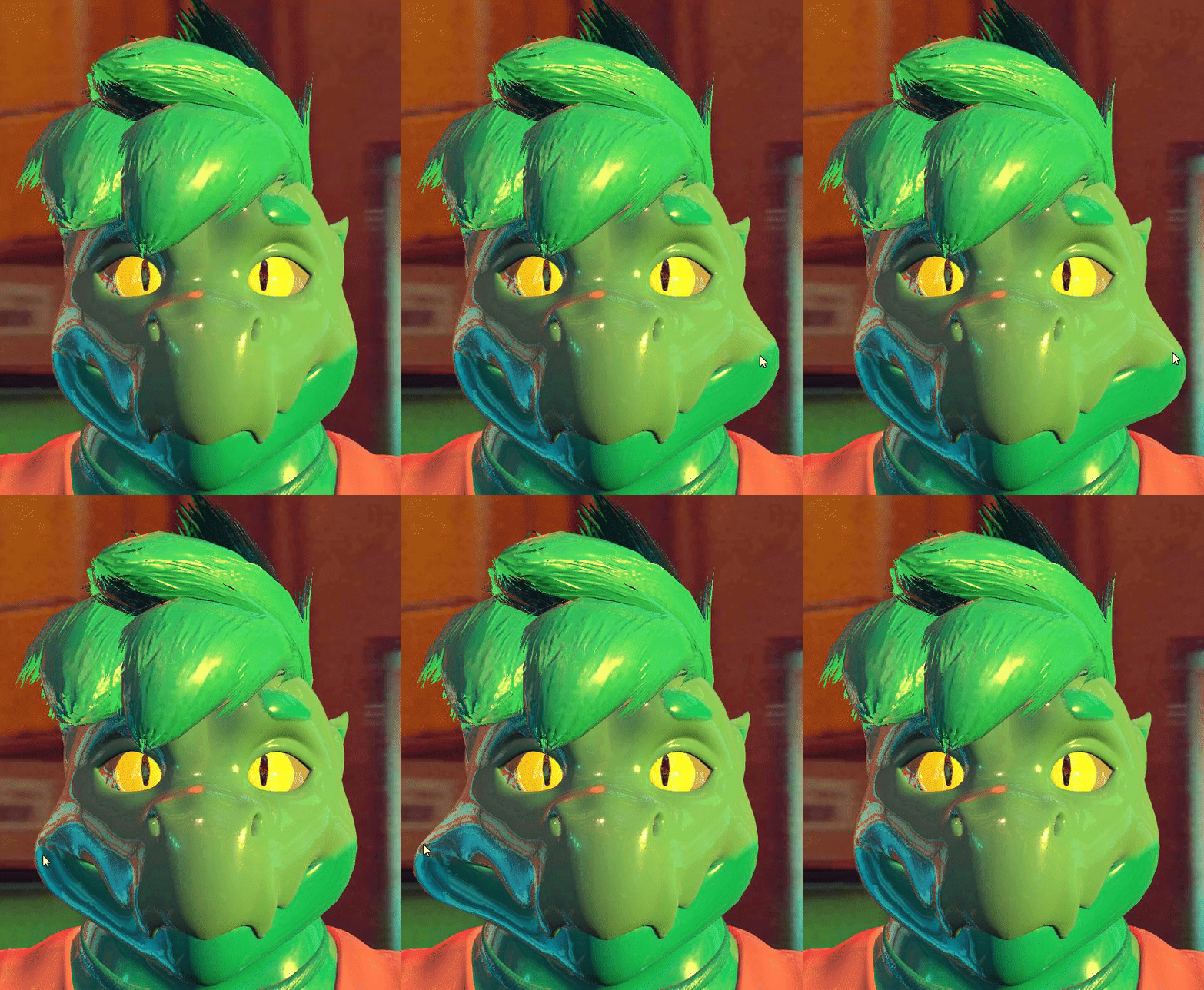 simple elk
pretty much
safe wind
Thanks for the info anyways :3
safe wind
I have another question. Can physbones collide with other physbones?
cinder haven
So would the cats plugin help with bones and rigging?
cinder haven
I will take that as a yes and do to this needed to ask any videos on it?
 summer echo
is there like a way to maybe reduce physbones on a avatar to make it quest compatible without it breaking or is there no way yet?
simple elk
Blender merge bone strands & make roots for bones
fervent nimbus
hollow olive
moving this here! having a bit of trouble with physbones. everytime i adjust thi...
check your gravity settings, adjust your head collider if there is one
also, hi, I want to create a protogen base that reacts to other copies of itself
when their visors bonk, I want them to change expression
slim olive
is it possible to make it so the receivers make noise when they move? Also how do I make it so the receiver keeps playing the sound when touched when the sender bone is moved away?
 remote chasm
if im having multiple FBX of the same avatar, how is the best way to transfer the dynamic bones and all?
 stray island
Pumkins tools, there's a github for it
 barren rune
ok so im making an avatar with a bat that plays particles and a sound when it bonks people and i want to make it throwable and also bonk when thrown. but the only way of creating throwable items i could find was using particles which as far as i know dont support contact receivers. is there another way of making throwable items?
 vital shore
Can a physics bone be thrown? Like just...yeeted.
turbid badger
anyone else have this SDK bug
sometimes it thinks im on android build even though it says PC,Mac,Linux x86 on my unity
and the only way to fix it was to switch to android and back to PC
simple elk
saw one guy earlier who had it, had to restart unity before it figure out 'hey im on pc' , it was showing quest limits on his pc build
Yet to have it, keep my quest seperate project , never switched
 snow marlin
i had that once and just reinstalled the sdk to fix it
turbid fulcrum
turbid fulcrum
Still no luck, all blendshapes stop at the first interaction I trigger. I'll get...
Update regarding my problem: I fixed it!
I made sure EVERYTHING in the FX layer had WD on, and it no longer stops working.
No idea what exactly causes it, but somehow interactions kill layers without WD enabled on all nodes.
 vapid dove
Having an issue with animating physbones
So I have a bone animation in Unity that moves the tongue out of the mouth and curls it a bit downward. At the end of the animation it activates the physbones script, but when it's activated the tongue snaps to its resting (pre-animated) position and then flops back to the correct position
IsAnimated is checked, and the tongue bones aren't touching any colliders
turbid fulcrum
It may be a bug, have you tried enabling the PB right at the start of the animation? Or does it make it look bad?
vapid dove
I have colliders around the tongue to (mostly) keep it from clipping through the chin, but it takes three of them so it's not exactly a performant solution, and this is also happening with other bone animations where physbones aren't enabled at the start
turbid fulcrum
You could try disabling the colliders during the animation too, maybe that helps. I have no idea how to fix the bone going crazy though
vapid dove
Yeah the colliders are a stopgap solution, the tongue snaps back and clips through the chin without them
Thanks for the help though, I appreciate it
If I find a solution I'll post it here
I mean it snaps back even with the colliders but it's not as bad when using them*
pearl ingot
Are angle limits animatable?