#avatar-dynamics
1 messages · Page 8 of 1
 patent eagle
 mellow hawk
Angle limit 0°
 gritty turret
patent eagle
yep, but it reacts to the hand then x.x
gritty turret
patent eagle
yep, but it reacts to the hand then x.x
You can do it by setting Collision = false and Allow Grabbing = true. Doing this makes collision with hands stop but still allow grabbing.
Of course, ensure you still have a Collision Radius in order for it to be grabbable.
patent eagle
gritty turret
You can do it by setting `Collision = false` and `Allow Grabbing = true`. Doing ...
Thx, i will try this :3
 rapid oasis
Howdy, quick question! I'm setting up a button on my avatar that you can toggle (click on or off), and I have it all working to click in-- but now I'm struggling to figure out how to make it click out.
I've tried to utilize the same way to click in, but obviously that creates a thing where you just rapidly switch between two animations :Y is there a way that I can just add a delay between them? :o
...nevermind I forgot exit time was a thing
lmfao
 covert rock
consider driving a synced parameter and running the logic locally only
that prevents desync from client lag or late joiners
 delicate shore
My ear dynamics were fine then I added this christmas light thingy and now my ears are just busted
I removed the light armature from the ears and it brings it back to normal, any idea on how to fix this?
covert rock
Add its armature using VRCFury or define all transforms of the christmas lights in the Ignore Transforms list of your ear physbones
 elfin beacon
Hey guys, is it possible to setup a contact receiver that works off the environment rather than waiting for a collision with a contact transmitter?
elfin beacon
delicate shore
uhh, maybe look at root transforms or end points. Looks to be the physbones wiggin out
 dark drift
elfin beacon
Hey guys, is it possible to setup a contact receiver that works off the environm...
dark drift
elfin beacon
Hey guys, is it possible to setup a contact receiver that works off the environm...
no. but theres this https://github.com/VRLabs/Particle-Driver
GitHub
A legacy method for animating on particle death. Contribute to VRLabs/Particle-Driver development by creating an account on GitHub.
elfin beacon
ok thanks
delicate shore
elfin beacon
uhh, maybe look at root transforms or end points. Looks to be the physbones wigg...
Figured it out just had set ignore transforms for the light bones and set up the ends on a new script
Ty tho
 ruby goblet
Anyone by chance know how to fix vr chat saying I have too many Phys bones even when I take almost every single one off?
I've tried re loading the sdk but it doesn't seem to help sadly
 sullen ledge
you need to remove the component entirely, disabling it won't do anything
ruby goblet
I've tried deleting and reimporting the sdk and also deleting more Phys bones but to no avail

 fair sundial
quest has limits, youll have to respect those or theyll all get removed at runtime
And yes, you do have to delete the component entirely
you can try ignorming transforms if theres too many of those
Or is there too many components themselves?
ruby goblet
ruby goblet
Anyone by chance know how to fix vr chat saying I have too many Phys bones even ...
I only have one phys bone and it still say's I got over 200 somehow
Everytime I reload the sdk the error goes away, but as soon as I upload it and check in game all the phys bones are deleted and the sdk once again say's I have to many

If I find a solution I'll post it here
 thorn moat
How do I go about adding a prop to my avatar with physbones so people can pick it up and move it freely?
I'm making a makeup minigame where you touch a brush to a palette to set the color
dark drift
@thorn moat https://github.com/ThatFatKidsMom/Avatar-Prop rotatable/heavy https://github.com/ThatFatKidsMom/Grabbable-Prop no rotation/light
GitHub
Prefab to spawn in props that can be moved and rotated by other players - GitHub - ThatFatKidsMom/Avatar-Prop: Prefab to spawn in props that can be moved and rotated by other players

GitHub
Grabbable avatar props without rotation. Contribute to ThatFatKidsMom/Grabbable-Prop development by creating an account on GitHub.
pc only ofc, uses constraints
mellow hawk
thorn moat
How do I go about adding a prop to my avatar with physbones so people can pick i...
Could use an infinity stretch physbones. If it has two bones in the chain, where the 1st one has stretch, and the 2nd doesn't. You can effectively get a tether physbone, with a rotation physbones.
thorn moat
mellow hawk
Could use an infinity stretch physbones. If it has two bones in the chain, where...
I tried this and the bones just wanted to stay where they were anchored anyways
And any rotation caused the brush to deform in strange ways
Could you elaborate?
mellow hawk
The physbones would need to not hold any weight data, only be used as transforms.
thorn moat
mellow hawk
The physbones would need to not hold any weight data, only be used as transforms...
OOHH
That hadn't crossed my mind
So just parent the object to the bone?
mellow hawk
And also ignore the transforms on the prop.
Mmm, now that I think about it, ignore the stretch value instead of transform. That way it can still be grabbed
 bold jay
My vr keeps crashing
mellow hawk
bold jay
My vr keeps crashing
thorn moat
@mellow hawk Like this?

 mellow hawk
I'd assume so
 thorn moat
Hmmhmm
I've been at it for a bit now and I can't seem to get it to work quite right
It worked kinda, but grabbing the bone with the plush would stretch so it wouldn't quite go with a hand properly
How do I prevent that bone from scretching but still working with the stretch bone?
@mellow hawk


I've been trying to get the ignored transforms to work with it, but then it doesn't utilize the stretch
 mental gulch
Hey i have a question i have problems with Pysbones they wont move anymore. For a moment i though mabey it was an animation error but even with no animator they are stuck does anybody else had a problem like that and mabey know how to fix it?
sullen ledge
mental gulch
Hey i have a question i have problems with Pysbones they wont move anymore. For ...
You most likely have "Error Pause" enabled in the console tab of Unity and an error is firing instantly when you go into play mode which in turn pauses play mode. You'll need to disable it
mental gulch
Ok I will try that thanks I hope it's that
mental gulch
Ok i tryed it but the thing is ist just like 2 bones that are not moving ever other bone with dynamics does its so weird
 simple elk
if they are 1 bone - add endpoint or they wont move
mental gulch
the thing is when i use the same base model next to it with the same setting for the physbones it works fine could the base model be broken?
 chrome needle
Can anyone help me with this, when i enable them, they dont appear to others, but appear to me

 stiff glen
not enough info - it could be the paramter driving the animation isn't sync'd
chrome needle
stiff glen
not enough info - it could be the paramter driving the animation isn't sync'd
Sorry for the long time no response
but
it works fine on my end, i tried turning on sync earlier but other people still dont see
chrome needle
i dont know, and the weird way mobile is they think you're on an nokia 3310 so i cant even enable view to see myself and test faster

 chrome needle
Hello?
stiff glen
hi!
dark drift
@chrome needle you can run multiple clients via vcc launcher
covert rock
i wish you could emulate and test build android
chrome needle
I figured it out already
chrome needle
dark drift
<@547173579226218526> you can run multiple clients via vcc launcher
I dont run vrchat through my windows pc
i build and test on my quest3
I got everything working now so im fine
 noble ivy
hey so i have an ambitious idea, i'd like to make an avatar with a guitar prop that can be visually "played" in a slightly more accurate and musical way than typical item props. tl;dr: the guitar would be worn on a strap and anchored to your belly area, the entire neck of the guitar is a grabbable surface and if the left hand grabs it it can be slid up and down the neck without letting go, while holding a pose like a barre chord or power chord or something rather than just a fist. what kind of systems will i need to learn to implement this and can you suggest any up to date tutorials on any of them? i have made a simple cross platform avatar already but never anything with props, etc yet. i assumed i would need some kind of IK system for the left arm but someone mentioned physbones might actually be enough???
oh the prop would be part of teh avatar itself not a world item
in case that was unclear
covert rock
That's probably gonna be very difficult and even impossible on quest, since it does not allow audio sources
 lone cypress
noble ivy
hey so i have an ambitious idea, i'd like to make an avatar with a guitar prop t...
lone cypress
noble ivy
hey so i have an ambitious idea, i'd like to make an avatar with a guitar prop t...
On quest?? Oh man that's a Hard ask. Maybe an avi that has contact receivers + an animation toggle maybe.. Good luck.
 warm comet
Hi, is there a way to check the force / velocity of contact sender in a contact receiver so that i can do different things based on the velocity? In my case i want to have both a headpat and a hit sound when someone punches me in the face. I want only one to activate at a time obviously
i know the onEnter of contact receivers have a minVelocity... But thats about it. If there was a maxVelocity i already could've figured it out i guess
covert rock
You'll need two contact receivers, and set up the animator in a way that it ignores the lower min velocity one when the higher min velocity one activates
warm comet
covert rock
You'll need two contact receivers, and set up the animator in a way that it igno...
ye but how do i do that? How do i make it ignore the lower min one?
noble ivy
lone cypress
On quest?? Oh man that's a Hard ask. Maybe an avi that has contact receivers + ...
no, on PCVR. I don't need quest compatibility on this particular effect since the idea is to use it in a scripted way in a music video not just randomly socially. it doesn't need to make sound or anything, it's a visual effect.
 sterile canyon
Hi, does anyone know if it's possible for two players with the same avatars to send and receive variables so that select variables are synced?
covert rock
Yeah, you can utilize contact senders and receivers for that
Just keep in mind they are limited to 3m range
sterile canyon
I've used those for one thing but it doesn't really do well with regards to syncing up animations
I wanted to have an avatar with a partner essentially have a variable synced between us so that it's the same for both
So if animation = 4 it should be the same for them and I'd like it to be somewhat consistent. I know of a potential way to use contacts, but I know that would be tedious
 wild estuary
hey guys, I've got an avatar with some boob physics don't don't seem to match my other avatars. When they get touched (collided with), the boobs really don't do much other than maybe compress a few centimeters and then nothing. There is a collider radius on it, and I've moved settings around a bit on the physbone to get it more interactable, but I'm not getting good results. Grabbing the physbone yields much betters results for some reason.
nvm figured it out. It's the curve on it that is causing the actual collider to be zero. The collisions were affecting the root bone instead of the jiggley part
covert rock
sterile canyon
So if animation = 4 it should be the same for them and I'd like it to be somewha...
Either that, or some OSC syncing thing
The thing is, contacts would also be affected by the same network lag, so animations would sync up
chrome needle
so, i made a sort of selection thing that uses 1 whole gameobject instead of multiple for optimization, but when i select one thing, and switch to another in the selection, i try to select that previous one, it no longer works, can someone help?
if this is activated once, it stops working, i tried setting it to exit or filler but that just causes it to go back and undo the changes of the animation

and the animation changes are meant to stay until changed by other object
covert rock
chrome needle
if this is activated once, it stops working, i tried setting it to exit or fille...
this is a dead end
chrome needle
covert rock
this is a dead end
Gahhhhhhhh
covert rock
either make another transition back to the first state
or make a transition to exit
and flip the condition
chrome needle
there's like 4 other different things that can be activated
which all do the same but with different anims
all meant to just change model, change the position so they're proper
damn no response
 pallid abyss
so, this may have been addressed before, but i have no idea how to frame a query accurate enough for discord's search function... would it be possible to use avatar dynamics to make a dullahan style avatar where i could remove the head, and others could then interact with it? and then my next question would be is there a way i could get the view point from the perspective of the (now-detached) head?
sterile canyon
This is kind of driving me nuts rn

This a float variable, it's set to 0.11 and the condition is set to only fire when it's LESS than 0.11 yet it fires the transition anyway
I'm not crazy am I?
Is this just a weird quirk with the slide menu and a float variable?
dark drift
@sterile canyon floats and equality check are not a good match. also dont forget that you have only 7bits of precision for unsigned public float (1/128, 2/128 and so on) so 0.11 is not even possible.
sterile canyon
I guess I just have to use something else other than a float
covert rock
what are you trying to do?
sterile canyon
Using a combination of contact senders and receivers to create a synced animation for those who use this same avatar, it has multiple phases in the animation too that needs to sync on commmand of the users.
This is just the function that is supposed to enable and disable the contacts with the expression input
Was hoping to use a slide menu for ease of use
dark drift
if you use radial, its weird to be so precise, like idk, having 10 states is already making it hard so select. if its toggles that toggle strict float values then int is a way to go
sterile canyon
Yea, but having buttons for the different phases is just going to clutter. But honestly, what I am doing is already asking too much of what VRC can do
lol
dark drift
if youre asking 100 stages out of radial, yes. if its like 5 i still fail to see the issue
 swift sentinel
You're not going to select 99% or 1% on a radial. Snapping issue.
dark drift
as i said even inbetween it would have some problems with 7bit precision
so i think.. 50 states are doable? youd need to be some osu grandmaster to ever hit them tho.
covert rock
swift sentinel
You're not going to select 99% or 1% on a radial. Snapping issue.
i think 50 and maybe even 25 and 75 snap too
but i could be wrong
swift sentinel
Yep.
stiff glen
pallid abyss
so, this may have been addressed before, but i have no idea how to frame a query...
You could do something like have a duplicate head which is movable, show it and hide the main... but you couldn't change your perspective without really complicated things with cameras.
pallid abyss
stiff glen
You could do something like have a duplicate head which is movable, show it and ...
how would i go about doing that?
simple elk
could get the view point from the perspective of the (now-detached) head << add camera that turns on when is off/grabbed this grabs your viewpoint , enjoy nausia , cause fov is gonna be very strange
think mine need 110 fov but it felt waay smaller then that and adjusting is funky , cause mine sure werent anywhere near where it was in unity
pallid abyss
gotcha, i'll have to look into how to add cameras; haven't learned that yet
simple elk
recommend not making it only a toggle, cause your menu gonna go bye bye (last time i did this anyway , was just a toggle+gesture , if both werent true+gesture fist i think , back to normal it went)
dark drift
simple elk
*could get the view point from the perspective of the (now-detached) head* << ad...
can you have propper stereo cam?
how to do so, what does it render or is it just default like the worlds
 twilit sedge
In unity the physbone of the bell works normally, in game it works for other players normally aswell
however for myself it's stiff
other physbones work perfectly fine
anyone got an idea on why?
covert rock
twilit sedge
In unity the physbone of the bell works normally, in game it works for other pla...
for yourself as in if you touch it?
show the physbone component
twilit sedge
covert rock
for yourself as in if you touch it?
no, I myself as on my client it's just stiff no matter what
twilit sedge
yes
twilit sedge
covert rock
show the physbone component
 covert rock
twilit sedge
covert rock
twilit sedge
doesn't look like there's anything wrong there
twilit sedge
it's working just fine on other peoples end so idk either
all other physbones work just fine on my client
covert rock
and it doesn't work in a mirror clone either?
twilit sedge
mirror clone?
twilit sedge
covert rock
and it doesn't work in a mirror clone either?
do you mean when I look into the mirror?
covert rock
twilit sedge
do you mean when I look into the mirror?
yes
twilit sedge
doesn't work there either
twilit sedge
that's what it looks like in the mirror

and there doesn't seem to be a physbone shown in the overlay
 covert rock
very weird, it seems it's just being removed on local clients
but gesture manager sets IsLocal to true, so it's not like there's some animation toggling it off locally
 tawny ermine
Question, am I not suppoed to import dyanmic bones anymore? because every time i do, the bones dont move when in play mode; i also get an error from the sdk...
stiff glen
tawny ermine
Question, am I not suppoed to import dyanmic bones anymore? because every time i...
you convert dynamic bones to physbones, there's a function in the SDK to do it now
dark drift
@tawny ermine while dynamic bones technically should be supported, still, 99.99% of clients ingame will convert it to physbones anyway so you better to convert it in unity and see/adjust how it looks
does unity 2022 supports whatever dynamic bones you have is another question, probly just need to update.
 spare oriole
I seen a public avatar have feet colliders that could interact with other peoples avatars. But everywhere I look and google people say its not possible
how is it possible I cant figure it out
covert rock
spare oriole
I seen a public avatar have feet colliders that could interact with other people...
add a vrcfury global collider to your feet
spare oriole
covert rock
add a vrcfury global collider to your feet
thanks
ruby goblet
For some reason my index finger has a little peace of mesh that moves when the other hand moves for some reason. I thought I was a just an accidently weight painted finger, but after going threw every finger in blender and extensive posing testing it wasn't an issue at all in blender but would start happening in unity?. Has anyone else had this issue?


 primal echo
Does anyone have some input that could help me with setting these Physbones for my hair correctly? These long pieces in front in particular - they sway with my movement, they look great... Until I tilt my head, and it's like the gravity settings aren't working. I've tried so many locations on the sliders for both gravity and gravity falloff and nothing is helping?

 stone pivot
https://gyazo.com/b939394a4d9d3e95b8dd6f7646b3e148 is there a way to prevent my tail from becoming my front tail
 stone pivot
ty!
ruby goblet
primal echo
Does anyone have some input that could help me with setting these Physbones for ...
Id recommend reading up on what each setting does for you to get the desired phys bone movement ya looking for, this is what helped me at least lol https://creators.vrchat.com/avatars/avatar-dynamics/physbones/
PhysBones is a set of components that lets you add secondary motion to avatars, permitting you to add motion to things like hair, tails, ears, clothing, and more! Using these well will make your avatar seem more dynamic and real.
heres the gravity setting in detail sorta lol
Gravity - Amount of gravity applied to bones. Positive value pulls bones down, negative pulls upwards.
Gravity Falloff - Only available if Gravity is non-zero. It controls how much Gravity is removed while in the rest position. A value of 1.0 means that Gravity will not affect the bone while in rest position at all. This allows you to have the effects of gravity when the bone is rotated off the initial position without affecting the bone's rest state.
One way to use the Gravity Falloff parameter is that if your hair is modeled as already being in the pose you want when standing up normally, you can use 1.0 gravity falloff. That way gravity won't affect you when you're just standing there, and your hair will rest in its modeled position. If your hair is modeled 45 degrees straight out and you want it to be affected by gravity enough to have a nice curve (but not completely straight out or completely straight down), the slider allows you to fiddle with it and use like 0.5-0.8 to only have a fraction of gravity at rest pose
 simple lynx
Does anyone know how to toggle physbones? Basically I've made my model have two tails and when they're toggled off, they hide within the model. The thing is that when they're toggled off, they still fly about with the physbones outside of the body. I want to know how I can make it that when there's no tail toggled on, the physbones also don't move. For example when people make it that a tongue can move outside the mouth but when it's inside the mouth it's not effected by physbones. I hope I make sense here! Any help would be much appreciated! x
 keen sluice
simple lynx
Does anyone know how to toggle physbones? Basically I've made my model have two ...
keen sluice
simple lynx
Does anyone know how to toggle physbones? Basically I've made my model have two ...
just disable the physbone component
you can disable it with animation
simple lynx
ohhh okay thank you XD
Does that require that my tails are not attached to the main mesh?
Cause they're all linked on the same gameobject
keen sluice
simple lynx
Does that require that my tails are not attached to the main mesh?
just disable the component not the object
simple lynx
oki thank you (sorry for the dumb question haha) x
 fast linden
hi everyone! i downloaded vrm1.0 for this, but most tutorials are for the previous versions. Im trying to figure out how to assign joints to spring bones!

basically ive tried clicking and dragging the joints i want to use as spring bones but it doesnt accept it, im not really sure if joints need a certain scripts on them before adding them to the joint list here
keen sluice
fast linden
hi everyone! i downloaded vrm1.0 for this, but most tutorials are for the previo...
Pretty sure you use vrm not vrm10
They are separate things
If you are converting a 2019 project to vrm you need to use version .99 or something like that
fast linden
i got it figured out, turns out theres a spring bone joint script i needed to add to the joints themselves first!
fast linden
keen sluice
Pretty sure you use vrm not vrm10
this is my first time using VRM and to be honest im not really sure what the difference is between past vrm and vrm1.0 (is it vrm10?)
keen sluice
What unity version
fast linden
im just using this as a vtuber, so not vrchat specifically. its unity version 2021.3.3f1
fast linden
oh really? totally thought it did 🤔
keen sluice
Or something similar
keen sluice
fast linden
oh really? totally thought it did 🤔
Fbx and vrcsdk
But as for vtuber programs
And how vrms are set up
fast linden
yeah im trying out Warudo or if thats too anoying to use in the long run then ill just re-rig the character and ill be using it in unreal
keen sluice
Essentially
You convert physbones and shaders to vrm springbones and vrm (SPECIFICALLY VRM) shader
Click on the univrm or vrm tab at the top and export it as vrm
Export to desktop or somewhere other than project folder
Then create a new folder in unity and drag that vrm you just exported into that new folder
Which gives you the full set up vrm
Bring that into the scene and edit that new vrm file asset
It puts all the vrm components you need
fast linden
sorry backing up, so are spring bones NOT the same as jiggle bones?
keen sluice
Whatever the vrm specific was called
But

#vtuber #tutorial
This tutorial is a basic walkthrough of how to turn a working vrchat character into a vrm format avatar for usage in a variety of apps
My intention was to create a careful step by step walkthrough all in one take that is super easy to follow. It does not explore every single aspect of the VRM format or of avatars in unity but...
Good tutorial to walk you through the process
fast linden
ah i looked at this, this is for a different VRM version unfortunately
keen sluice
Although eventually you can also look at the new vseeface file format that allows custom shaders and animations
keen sluice
fast linden
ah i looked at this, this is for a different VRM version unfortunately
Doesnt matter
fast linden
i have everything else setup, it was just simply the jiggle bones/ spring bones i was having issues with
keen sluice
Every version of vrm not vrm 10 is basically the same
fast linden
but thank you for sharing! i have a different tutorial i was following but theyre basically the same
the spring bone script in specific was different menus/setups from the previous version but i got it sorted 👍
keen sluice
Will tell ypu of you arent slready doing this but you need to use vrm not vrm10
fast linden
yeah halfway though setting things up i figured id probably have to redo it but i dont really mind
just sort of figuring out things for now haha
 abstract ore
Hey, is it possible to control where the end of a physbone chain is positioned with constraints? like with a tube or rope
dark drift
@abstract ore nope, it would just drag the final (constrained) component ignoring physbones settings ie stretching
abstract ore
I see, do you think there's anyway to achieve some that kind of effect with other tools or techniques?
I've heard final IK works with VRC
dark drift
perhaps spring joint
abstract ore
hmmm
dark drift
final ik works with vrc, no idea if its capable of this
 night elbow
keen sluice
https://youtu.be/uI5X7dIxF1Q?si=04uCHiQb5qjmkAOs
night elbow
keen sluice
https://youtu.be/uI5X7dIxF1Q?si=04uCHiQb5qjmkAOs
luckily for my avatar there are no phys bones, only normal generic "bones".
 marble canopy
Hey all, I've got a bit of a weird question for y'all.
If I wanted to play an animation for a specific user, is that possible?
Say, i stab someone with a knife, I want that person (and only that person) to see an animation play.
It's a pretty simple anim so Essentially I just need the person who's body is touching the contact reciever on the blade to trigger a bool and nobody else.
I'm pretty sure this is doable, but I'm not sure of the exact method, anyone know how?
 wise meteor
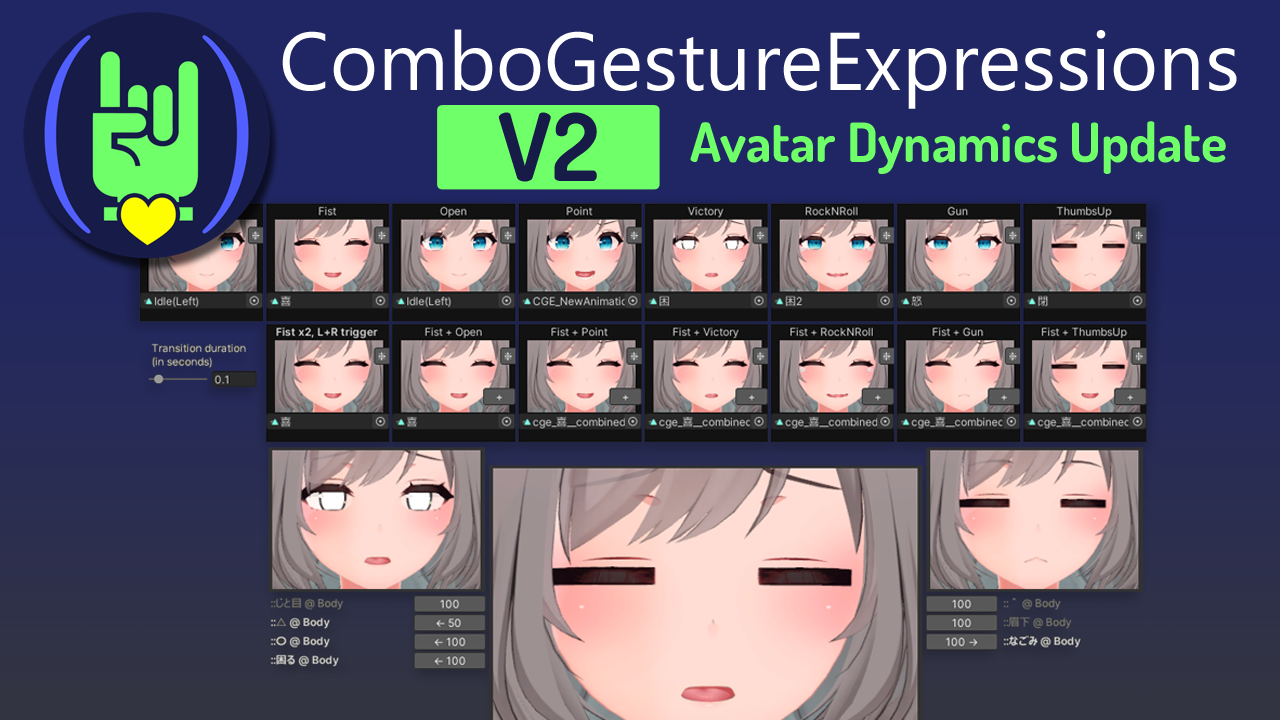
is there a plug in for adding face gestures to hand gestures?
dark drift
@marble canopy nope its not. maybe with particle driver but itd be some jank
GitHub
Attach face expressions to hand gestures, and make it react to Avatars 3.0's features, including Contacts, PhysBones and OSC. - GitHub - hai-vr/combo-gesture-expressions-av3: Attach face ex...
marble canopy
dark drift
<@161564857718669313> nope its not. maybe with particle driver but itd be some j...
oh damn, okay,
covert rock
wise meteor
is there a plug in for adding face gestures to hand gestures?
you can also use vrcfury gestures
not sure how easy this hai vr combo gesture thing is to use, but vrcfury gestures are super easy to use
fair sundial
marble canopy
oh damn, okay,
yeah.. there's a parameter for other users on your friends list, but unfortunately not for specific players
This document is written with the assumption that you know a bit about Unity Animators.
marble canopy
I figured it would be possible to trigger for the person touching the contact via some trickery with islocal
But i guess not
fair sundial
unless their avatar had a specific parameter on a contact sender
but otherwise yeah probably not
marble canopy
damn,
 oak sphinx
so, a Dynamic Bone had something called exclusions, where I select which stuff are not gonna interact with it right?
I dont see that option for the phys bones
dark drift
@oak sphinx it has ignore transforms, list of bones (and its children) to not be affected even while being under physbone hierarchy
otherwise you can only allow interaction for you/others for interaction between players (hands) and all added colliders needs to be added manually
thorn moat
Greetings :>
I could use some help with making a grabbable brush for my makeup minigame
I tried doing an infinite stretch physbone but I wasn't able to figure out how to make the prop bone grabbable
I'm trying the Grabbable-Prop prefab from ThatFatKidsMom but it's pretty heavy and complex for my needs
I just need rotation
Not world position

If anyone has advice it would be appreciated
ruby goblet
Anyone know what might be causing the blend shape to not work in unity?. The blend shape works fine in blender, but after putting it into unity it just stops working


nvm lol, just decided to just redo the shape key, don't know why I'd try fixing it since it just takes longer lol
ruby goblet
thorn moat
https://cdn.discordapp.com/attachments/360229071109619712/1197891597468176394/im...
Can try doing what on of the fallback avi's do for grabbing and using a mesh, make a set of bones that extrude from where the object is originally placed ( so away from the object ) then loop back after maybe two bones by adding another three or four on the loop back to the object, then set the last bone that you just made to be weight painted to the object and in unity make all the bones you just created phys bones and add max stretch

will allow you to grab and move around the object in vrc but obviously in the rang of how long of a loop of bone's you create since it's relying on phys bone stretch to work
wise meteor
can someone help me do gestures with vrcfury?
 finite plume
Anyone good with Skirt phybones with colliders?
stiff glen
I'm not sure anyone is, that's a pain in the neck to get even sorta okay 🙂
finite plume
stiff glen
I'm not sure anyone is, that's a pain in the neck to get even sorta okay 🙂
 It used to be good at one point and then they changed soemthing in the code for it..
stiff glen
other than physbones 1.0 vs. 1.1, I don't think so
covert rock
Skirts are horrible
finite plume
covert rock
Skirts are horrible
Ive seen good skirt physics but everytime I try it, they come out crap
 sacred kite
finite plume
Ive seen good skirt physics but everytime I try it, they come out crap
sacred kite
finite plume
Ive seen good skirt physics but everytime I try it, they come out crap
best skirt physics I've seen have the bones parented to the legs and not the hips
finite plume
sacred kite
best skirt physics I've seen have the bones parented to the legs and not the hip...
 But what bout that middle piece thats not on the leg ?
covert rock
I wonder how a horizontal capsule collider constrained to both legs would work for skirt physics
dark drift
not great. @simple elk pls provide them the constraint setup video
covert rock
Or maybe just constraining the skirt bones to either leg directly
With a low weight on the opposite leg
 floral linden
constraining skirt bones to legs would be the way to go
the horizontal capsule collider mostly works to avoid clipping through the hip area which you could accomplish better using angle limiters
stiff glen
sacred kite
best skirt physics I've seen have the bones parented to the legs and not the hip...
Definitely do this
(or constrain, yeah)
floral linden
parenting bones directly to legs would only work if the skirt actually sits that low
anything above this line would break
 fair sundial
I use an aim constraint with the target being the lower leg to get the skirt bones to follow the knee
works pretty well
floral linden
that's a pretty good idea, yeah
stiff glen
ooh that is definitely an interesting idea
 dusky heath
Help
I'm applying dynamic bones (tried Simulated bones and ezbones too) on objects, and once I start the game, dynamic bones script is disabled
mellow hawk
Why not just use physbone?
dusky heath
I tried that too, it got disabled right after starting the hame
I thought maybe there's conflict, so I deleted all of them from the assets and tried physbone, still got disabled on start
They work perfectly fine when I manually enable them in unity after starting the game, my only problem is that they're disabled on start for some reason
Oops I'm in the avatar section, I'll try the world channels
 ruby hemlock
is it possible to make a toggle that enables and disables phys bones
stiff glen
yes, put them on an empty game object and disable that 🙂
fair sundial
yeah! youd just make an animation and disable the phys bone component itself
mellow hawk
With PB 1.1 you even have a check box for disable resets them.
 late crest
how would i go on about to make an avatar that has a on/off toggle for an object with dynamic bone
context:

i also have VRChat Toggle Assistant
ruby goblet
late crest
how would i go on about to make an avatar that has a on/off toggle for an object...
In the objects inspector tab make a toggle for the phys bone to be on and off, so it can go from moving to being solid
late crest
wait- can u do that w a gesture?
ruby goblet
ruby goblet
In the objects inspector tab make a toggle for the phys bone to be on and off, s...
so just un check the phys bone component on and off in the animator
ruby goblet
late crest
wait- can u do that w a gesture?
mhm
late crest
ruby goblet
mhm
alr, imma see how
ruby goblet
what you can do is make the toggle for the phys bone to be on and off, and then set the transition to whatever gesture you want it to be toggled with, so if you want it to be on the right fist, you set it up like this


would also have to be an int parameter
late crest
hmm i see
ruby goblet
and if you have a chain of physbones and you want it to have like a cool on and off animation as if it's getting solid from ya arm to the blade instead of just the whole thing becoming hard at once, "Ay yooo" anyways, you could just make a toggle for each phys bone turn on one by one in order on just one animator along side with the gesture toggle, and to make it work in the fx layer, set one state to have the speed of 1, and the other to -1
 late crest
ruby goblet
and if you have a chain of physbones and you want it to have like a cool on and ...
late crest
ruby goblet
and if you have a chain of physbones and you want it to have like a cool on and ...
well actually, im thinking of giving him a mace of some sort, so that could be sick
but what do u mean by "a cool on and off animation as if it's getting solid from ya arm to the blade instead of just the whole thing becoming hard at once"
u mean like this?:
 ruby goblet
down side is you'd need to make each bone it's own separate phys bone, but meh, as long as you don't intend to have alot of phys bone's on ya avi it should be fine
late crest
the axe has 5 phys bones
however
the tendrils...
has 33
but yea nah
i just want like
only the axe to have a hard/floppy toggle
tendrils r gonna be floppy all the time
ty btw lol
ruby goblet
late crest
but what do u mean by "a cool on and off animation as if it's getting solid from...
like instead of just the phy bone being toggled on and off with with gesture and it instantly going from moving to solid, you could make a chain like phy bone toggle so one by one each phy bone get's toggled off so it looks a little more smooth when going from moving to not moving
would use up a lot of phys bone component's witch would be the only down side tho
late crest
well does it really matter since im basically using 33 dynamic bones per tendrils?
or is physbones something else-
hol on imma just see a vid ab it rq
late crest
i have no idea how to see how my physbones are... pressing play just puts me in the pov of the camera and i cant do anything
sullen ledge
late crest
i have no idea how to see how my physbones are... pressing play just puts me in ...
set the game tab to "Play unfocused" to prevent this from happening again and go back into the scene tab
late crest
sullen ledge
set the game tab to "Play unfocused" to prevent this from happening again and go...
ty bro
late crest
Do I need to check "is animated" if I'm going to do an on/off toggle w the same object
dark drift
you need is animated if you use some animation on your bones that are also affected by physbone component (tail wiggle etc)
late crest
dark drift
you need is animated if you use some animation on your bones that are also affec...
but what if im trying to make my object togglable (on and off of the avatar). Doesnt the easiest way to do toggles require an "animation"?
dark drift
@late crest no its not, it only if you animate the transforms (position rotation scale) of affected bones.
late crest
dark drift
<@826582101641789470> no its not, it only if you animate the transforms (positio...
got it, thanks!
late crest
i also dont know why, but the modifications of my physbones wont save...
stiff glen
Make sure you don't make changes in play mode.
late crest
stiff glen
Make sure you don't make changes in play mode.
ye i figured lol
stiff glen
you can, just copy them (in the ... menu at the top right) and go out of play mode and you can paste the values
late crest
idk why, but whenever my avi is in this position, the bone of his mouth keeps opening, idk if its supposed to happen, but his default pose has his mouth closed...
 late crest
nvm i figured it out
 zinc skiff
Does anyone know if it's possible to set up physbones with two points of connection? I'm hoping to make something like this cable going from the avatars back to it's forearm.
 stiff glen
zinc skiff
Does anyone know if it's possible to set up physbones with two points of connect...
stiff glen
zinc skiff
Does anyone know if it's possible to set up physbones with two points of connect...
nope
 austere ridge
Anyone been having a issue with physbones where the areas weighted to the physbone vanish sometimes in game if touched in a certain why
 turbid ice
How would I go about a setup to swap an object freely between hands? Looking to get a springjoint to swap hands but I can't find a setup in the fx layer that has the swap animation stick nevermind, found a guide!
 mortal ginkgo
zinc skiff
Does anyone know if it's possible to set up physbones with two points of connect...
mortal ginkgo
zinc skiff
Does anyone know if it's possible to set up physbones with two points of connect...
You can set up a "Stay inside" collider for the final bone in the chain. So at all points it will stay inside of the arm. how ever this will not always look the best so it's generally a good idea to do this in the middle of the chain instead of at the end, so each side would have half the chain, and a stay inside collider for the last bit of each side chain. It still wont look perfect but it will get the job done.
covert rock
mortal ginkgo
You can set up a "Stay inside" collider for the final bone in the chain. So at a...
Wait that's genius
You could also add a contact sender and receiver to make sure the final bone is actually inside the physbone, and if not, reset it
mortal ginkgo
Very true
Anyways I'm looking for help myself, I'm trying to find a good asset or tutorial to achieve a proper pendulum effect, when momentum is moderately accurately achieved. A simple example would be using small movements of the hand to sway a medallion like a hypnotist would. and a much more extreme example would be what the end goal actually would be. and that's making a fire poi asset. reference here: https://www.youtube.com/clip/UgkxKReSJwESV2Ej8EUnVXHjZ1WCknqbjqz0

YouTube
43 seconds · Clipped by Tinkerer_Red · Original video "Poi Plane Control (Beginner Poi Spinning tutorial)" by DrexFactor Poi
mortal ginkgo
As a note, i'd like to do the extreme example above, but my friend asked for something like this on their avatar, but the physics dont continue the momentum (which you can see near the end of the video) so isnt satisfied with it.
https://booth.pm/en/items/2531065
fair sundial
If you want a consistent swing, you can always animate the bone
or maybe a springjoint??
shrug
springjoints have good momentum
They are pc only though
mortal ginkgo
Thats fine by me, I'm currently attempt to make use of the build in unity joints, how ever being able to get a reasonable momentum is truly something else... lol
But no a pre animated swing wouldnt be what im looking for
mortal ginkgo
I've come up with a fairly good idea to achieve the desired results though i dont know how exactly to execute it. I would like to have a rigidbody sphere stay within another sphere, so that all of the momentum is relatively accurate to what one would expect in the real world. How ever the outer sphere needs to be a stay inside collider, which the only one is VRC's phys bone collider, and making use of phys bones causes more problems then it solves.

 torn tendon
Does anyone have an example on how to use grounderik to use as a contact sender to detect if a receiver touches ground or not?
 copper estuary
Can you do grabbable props when the prop is already tied to a bone? (Example i have a cigarette prop tie to a bone can i make it grabbable still?) I hope that makes sense ^^"
mellow hawk
I mean, yeah. Mesh is always tied to a bone. All bones are one or more transforms with weight data.
Something like physbones just change how those transforms follow each other.
 calm jacinth
is thhere any voice chasnnles in here
keen sluice
calm jacinth
is thhere any voice chasnnles in here
no
 twin bear
Does anyone have any kind of tutorial video for adding physbones? I made a model, but I can't get the Phsybones working or moving.
 marble ivy
twin bear
Does anyone have any kind of tutorial video for adding physbones? I made a model...
marble ivy
twin bear
Does anyone have any kind of tutorial video for adding physbones? I made a model...
I do make physbones
twin bear
Can you tell me how? My model has bones, I just can't figure out physbones or how to get them to move.
simple elk
2 messages from him both are suss (first one is like every scammer in this discord) , you dont make physbones, attach it to a bone you want to be able to move go into play mode move your avatar around it should flop (if its more then one bone otherwise add endpoint)
twin bear
I tried that, it didn't move though.
covert rock
simple elk
2 messages from him both are suss (first one is like every scammer in this disco...
nah bro you don't understand, he literally coded physbones :)
 supple garden
quick very specific question: if you disable a physbone component, does it have a positive performance impact if you also disable it's corresponding colliders?
 rich trout
supple garden
quick very specific question: if you disable a physbone component, does it have ...
rich trout
supple garden
quick very specific question: if you disable a physbone component, does it have ...
Straight up, yes. But depending on the collider the difference will be significant or negligible. Also remember multiple colliders on the same object are combined on build, so removing one but leaving another will make no difference
On that note, is there any kind of rough guide out there for velocity? In particular, the velocity tag on a contact receiver.
There's always trial and error, but I'd rather take the guesswork out, especially with how goddamn slow Unity '22 is.
 shell jay
so with contact receivers is there a way so that i can make it so that only the person who comes into contact with it sees the effect
so like say if i added a button that toggled a texture can i make it so that only the person [not the person wearing the avi] who pressed it to see it
keen sluice
shell jay
so with contact receivers is there a way so that i can make it so that only the ...
Technically you could
shell jay
keen sluice
Technically you could
im trying to
im asking how lol
keen sluice
Not sure entirely myself but its done with a local sync
shell jay
yeah but idk how id get the local sync to only work for the person who activated it
since non local is everyone but the avis user
local is only the avis user
simple elk
not seeing a way to do this, will always see things on your own av change - whenever someone trigger something others will also see it - you can get random results with a random driver but still will trigger for others currently there (without an annoying contact/reciver thats only on THAT avatar, not user)
shell jay
simple elk
not seeing a way to do this, will always see things on your own av change - when...
yeah the only way i can see doing it rn is adding a sender on another avi that allows them to toggle it that they see locally
 bitter kelp
i want to be able to pull this magazine with phys bones but it's, like i just cant
bitter kelp
i figured it out
you have to add a second bone, in the video i only had 1 bone for the magazine and the endpoint position was a decimal
what ur supposed to do is have 2 bones with the same vertex weights, then you don't have to type anything into endpoint position and everything else works (not sure why but ok) , basically 2 bones both weight painted to the magazine and the last one is tiny
 unreal moss
Anyone here physbone wizards? I need to solve this
no matter what i do to the values, it either responds to gravity but is far too snappy like this, or it just floats
keen sluice
unreal moss
no matter what i do to the values, it either responds to gravity but is far too ...
Pull is just how much its trying to return to shape
Spring is how much itll move before stopping
Gravity either pulls it up or down
Immobile tries to keep it from moving
Also the smaller the bones the more hectic it is
 dusky crest
is there any way I can prevent a physbone from being able to roll?
squishing a bone against a collider is causing it to roll 180deg upside down
dusky crest
that doesnt constrain roll though. I ended up adding an extra endpoint and telling it to point with gravity, which seems to at least always make it point towards world z, though it would better if it were local z
keen sluice
in order to do squishing you need to animate it
keen sluice
dusky crest
that doesnt constrain roll though. I ended up adding an extra endpoint and telli...
the physbone squishing isnt actually meant to squish the bone like that
late crest
MAN idk why this is happening. As soon as i put the wings on my model, it completely shifts the parent bone's position...
 keen sluice
late crest
MAN idk why this is happening. As soon as i put the wings on my model, it comple...
keen sluice
late crest
MAN idk why this is happening. As soon as i put the wings on my model, it comple...
thats just a unity thing
its not actually moving the bone
unity does a whole weird center of mass thing
late crest
so unfixable...
late crest
i
keen sluice
 late crest
neck and head are spine 4 and 5
also i think i found the problem....
i forgot to adjust the view
covert rock
late crest
MAN idk why this is happening. As soon as i put the wings on my model, it comple...
change Center to Pivot

 long sparrow
yo, is there a way to detect when avatar is airborne with contacts? im making a flying avatar with the flight platform method and I want to activate flight only when i jump or fall
stiff glen
long sparrow
yo, is there a way to detect when avatar is airborne with contacts? im making a...
Hmm Grounded perhaps?
long sparrow
stiff glen
Hmm `Grounded` perhaps?
hows that work?
keen sluice
long sparrow
hows that work?
Same way jump&fall animations work
long sparrow
Doesn't work, unfortunately. vrchat considers the avatar local object i use as an invisible flight platform as the ground also, it seems
long sparrow
after some tinkering, ive managed to make 'grounded' work as a secondary criteria for start flight! thanks for the advice!
stiff glen
oh nice
 onyx vapor
Is there some way to cause all physbones that are currently posed (not grabbed) to reset their pose (as if the wearer clicked the reset pose button), controlled in an animation controller?
 ancient sphinx
yo does anyone know if its possible to make it so when a contact reciever is touched, it toggles a parameter on and off even while not constantly touching?
like
someone presses a button and a sign pops up till the parameter is manually toggled off?
onyx vapor
ancient sphinx
yo does anyone know if its possible to make it so when a contact reciever is tou...
you can have animator logic that runs a parameter driver to toggle an avatar-synced bool
So if contact_touch = 1 and AvatarBool = 0 -> Parameter Driver sets AvatarBool = 1. And then set up the opposite logic to turn AvatarBool off if the contact is touched again
sacred kite
 shell lotus
what have avatars
shell lotus
what have avatars
What?
 halcyon vault
I'll do you one better, why have avatars
stiff glen
halcyon vault
I'll do you one better, why have avatars
ooh that's deep
 snow spoke
Hi. I'm trying to find tutorials for grabbable props on avi (that others can grab) but can't find any (or i'm searching wrongly). I rigged a cup to add to my avi but it only wiggles when people try to grab it.
I'm assuming it's the stretching that does it but I'm not sure what I did wrong.
Ok i think it's working now. I have to rig it differently.
 proud hull
halcyon vault
I'll do you one better, why have avatars
proud hull
halcyon vault
I'll do you one better, why have avatars
because everyone wants to be an anime girl
gritty turret
Or be a furry.
Don’t worry, an anime girl with cat ears and a tail is only the beginning.
covert rock
 terse drum
is there a way to set "pull" beyond 1?
keen sluice
terse drum
is there a way to set "pull" beyond 1?
why would you want it beyond 1
keen sluice
pull just tries to return it to the original state
spring gives it the momentum
terse drum
keen sluice
pull just tries to return it to the original state
spring gives it the momentum
yea that one, you know any one who can do that better then or is it like... yk?
keen sluice
terse drum
yea that one, you know any one who can do that better then or is it like... yk?
its very much just mess with it and find out
torn tendon
can somebody help me with dynamic bones / physbones..??? I dont even know where to start
stiff glen
torn tendon
can somebody help me with dynamic bones / physbones..??? I dont even know where ...
Got a specific question?
torn tendon
stiff glen
Got a specific question?
everytime I try to put physbones on my tail it always resets it once I go out of play mode and idk what to do
stiff glen
torn tendon
everytime I try to put physbones on my tail it always resets it once I go out of...
Don't put it on in play mode - any changes made there will not stick. But you can click the 3-dots menu in the upper right and copy the component, then when not in play mode, paste that as settings in the same menu
torn tendon
OHH okay tysm that worked😭 🙏🏻 Im new to this and I didnt know that it didnt save in play mode
 lavish chasm
torn tendon
OHH okay tysm that worked😭 🙏🏻 Im new to this and I didnt know that it didnt ...
lavish chasm
torn tendon
OHH okay tysm that worked😭 🙏🏻 Im new to this and I didnt know that it didnt ...
yep! nothing you do in play mode saves when you exit, including any changes to the descriptor (trust me, happened to me all the time)
 formal ravine
Anyone have a good tutorial for setting up bones for an avatar?
terse drum
i mam yet again to consult with the gods
when you have different physbone colliders srt up between the quest and pc avatar, can the quest side colliders mess with physbones present on pc side? and if so, why?
covert rock
terse drum
when you have different physbone colliders srt up between the quest and pc avata...
physbone collisions are local
terse drum
ok, good to know, i mustve screwed something else up on my end then
covert rock
so if the same collider is also on the pc avatar, it will mess with physbones on it
terse drum
ok so i have another question. when you do custom collider curves like this. are the colliders actually supposed to be interacting with themselves?

i have an avatar that came with a really long and dynamic tail and its doing like the default gmod ragdolling by default
currently attempting to use the limit angle at 2 degrees in hopes it behaves better
covert rock
terse drum
ok so i have another question. when you do custom collider curves like this. are...
a physbone does not interact with itself
terse drum
ok so.... im not sure what im doing wrong lol, so i removed all tail physbones but the tail is still acting up
like idk where the extra physbones are coming
how do you reference search vrcphysbones? its just that phrase, right?
covert rock
yep vrcphysbone in the hierarchy search
terse drum
well.... there was 4 physbones referencing the same tail lol. and they all do the same frantic jiggle motion even if one is enabled. at soon as i deleted them all, the tail stopped moving lol.... aw no idk what went wrong but ig thats for another day
 obtuse lagoon
do you guys know if its possible to put dynamic bones in a dress in vrchat?
I want to make a vrchat avatar with a dress like this, however if it’s static it’s not worth making
https://youtu.be/8lpjO_W24rc

Официальный клип группы Отава Ё на песню "Не летай-ка, соловей" с альбома "Правильно и внятно".
Снято в Санкт-Петербурге летом 2021 и 2022 г.г.
В съёмках приняли участие
- Фольклорный ансамбль "Василиса" https://vk.com/club7918445
- Пляшут Ульяна "Ула" Карлова https://vk.com/ulianakarlova и Антон Безлуцкий https://vk.com/antoniobezluckiy
- Барб...
 chilly magnet
what is the difference between "parameter" and "parameter rotation" in a Radial Puppet control?
floral linden
Parameter activates a parameter when you open the radial puppet and only when you open it, parameter rotation is what you actually control by sliding the radial puppet
chilly magnet
ahhh, makes sense, thanks!
terse drum
terse drum
well.... there was 4 physbones referencing the same tail lol. and they all do th...
it came back lmao, ahhh
 severe basin
hello! I'm trying to figure out how particle systems work with avatars (this might be the wrong channel, I'm not sure) ; I have a particle system that plays a burst of feather particles when I toggle on a set of wings, and I only want it to play a single time when that toggle is enabled. Is there some way to do this with the animator or is scripting required?
sacred kite
severe basin
hello! I'm trying to figure out how particle systems work with avatars (this mig...
have the particle active at the start and off at the end then make sure looping is off
dark drift
@severe basin you cannot script on the avatars. its always animator only. animate emission property
severe basin
dark drift
<@126496789657288705> you cannot script on the avatars. its always animator only...
theres... no scripting? at all? I've seen ways to enable and disable the renderer but no obvious way to start/stop particle playback
dark drift
Emission property. Yes theres no scripting at all. Animator+couple of bits vrc devs threw in (you dont need it in this case) https://creators.vrchat.com/avatars/state-behaviors/
This document is written with the assumption that you know a bit about Unity Animators.
covert rock
severe basin
hello! I'm trying to figure out how particle systems work with avatars (this mig...
uncheck this in the particle system

 harsh storm
:0

 blazing quiver
Does anyone know in particular if contact senders/receivers have a capped size, or if that's just visual in the SDK?
I'd made a system for an avatar I'm making that relies on a large contact receiver, but the visible size in the Unity scene is capped at a radius of 3, though the value allows me to set it higher, and I wanted to actually make sure whether or not that's a bug or intended, and that it doesn't become any larger than that.
dark drift
@blazing quiver i think it was 5m in diameter? its capped intentionaly. there was bug that negative values were uncapped and kinda worked tho, but it probably fixed
blazing quiver
That throws a wrench in what I was planning if so, oh well
all it really was is a gimmick of putting a low-pass filter on audio the further away you get from it
dark drift
you cannot do audio filters on avatar anyway🤷♂️
unless youre talking external software
but then itd be global
keen sluice
or multiple versions of the same audio
 brazen laurel
If a contact is set to local only will it still impact the avatar rating ?
covert rock
dark drift
<@255144220699000832> i think it was 5m in diameter? its capped intentionaly. th...
it's 3m radius so 6m diameter
covert rock
brazen laurel
If a contact is set to local only will it still impact the avatar rating ?
yes
it's dumb but it just counts raw component count
sucks if you want to use things like haptic vests, especially as contacts are really cheap
brazen laurel
covert rock
yes
I use contacts for Haptic purpuses. There is no need to have anything rendered on the Remote Players side, i don't get why this would impact the ratings
covert rock
yeah i don't understand it either
brazen laurel
Only my game needs to know that a hand is close to the contact
dum dum rating system
covert rock
yup
really discourages you from actually optimizing your avatar if dumb things like this will then tank your perf rank xD
brazen laurel
I could have an excellent avatar and make it red just by adding haptic support on it
brazen laurel
Also i have a game object toggle for enabling / disabling my contacts, does that need to be a synced parameter ? from what i think it will toggle on my side but not the others but since only my game is deciding if contacts are working for haptic i shouldn't need to make it synced ?
covert rock
nah, no need to sync that
brazen laurel
Also what is the difference between using Local Only Filtering and Self only or others ?
covert rock
local only means the contact is only rendered for the local avatar wearer
and allow self only allows you to interact with it
but it will still be rendered by remote clients
covert rock
there are some uses
 next pond
Is there any way to animate the length of a physbone (for its radius)? I'm just getting back in VRChat, trying to update my stuff to the new system.
My avatar has hair where the length can be changed with radial menu. But that obviously wont change the size of the bone moving the hair because it's a blendshape, which is fine. When the hair is short though, you can still move it by grabbing/touching where the long hair would have been. Is the physbone's radius locked to the length of the bone? Is there any workaround option I could take?
covert rock
You can’t animate physbone properties without disabling and re-enabling it after
Can’t you just scale the hair bones directly?
next pond
That would scale the hair itself as well, which causes weird scaling issues, something that uses a blendshape allows me to fix manually.
Unfortunate
dark drift
try two sets of physbones one working at a time?
next pond
Yeah, that's an option I suppose. Wouldn't be perfect, if you choose a medium hair length, for instance, but better.
covert rock
covert rock
You can’t animate physbone properties without disabling and re-enabling it after
this would be a better option
you just have to toggle it off and back on when changing the size
dark drift
oh true, you can adjust curve for colllider size. i was thinking more about editing ignore transforms and you cant animate them
next pond
The curve for the hitbox of the physbone can't be shorter than the bone though, right?
dark drift
yes but if you have multiple bones you can remove last ones
well not remove but make them uninteractable
by settung radius to 0 via curve
next pond
Hmm, fair. I'll look into it
 finite roost
I'm taking the _Angle from a physbone rotation and it gives me between 0 and 0.5 due to the angle limitation I have set up.
Now my question is, can I also output this float as a 0 - 1? Either directly by modifying settings from the physbone component, or through some kind of parameter driver?
What I need is:
physbone_Angle 0 to be otherFloat 0
physbone_Angle 0.25 to be otherFloat 0.5
physbone_Angle 0.5 (which is max at the moment) to be otherFloat 1
and everything in between, acting both like regular floats and not with jumps
 pure mountain
Is it feasible to have each group of hair tufts be separately dynamic (12) + chest + butt + ears = 18 dynamics
finite roost
someone suggested the maths module, which makes a lot of sense
But I'm also being told that physbone angle should be 0 - 1 based off it's max set angle?
I've never had this result and max angle always seems to be a 0.X for me
dark drift
@pure mountain on pc it wont make it a crasher, just why
pure mountain
dark drift
<@194271892272709632> on pc it wont make it a crasher, just why
Just checkin
covert rock
finite roost
someone suggested the maths module, which makes a lot of sense
But I'm also bein...
the angle param is only 1 when the bone is exactly 180° from its rest position
pure mountain
I can lower it to as little as 6 but I want tail dynamics so 7
covert rock
pure mountain
Is it feasible to have each group of hair tufts be separately dynamic (12) + che...
phybones are fairly optimized and perform quite well, so using more is not that much of all issue
finite roost
I can't increase the angle I'm using, so how could I convert the results I'm getting into a 0-1 float?
dark drift
@pure mountain according to justsleightly having many separate components versus one with same amount of affected transforms is extra 33% worst case
so i dont think its a big problem. physbones well optimised overall
pure mountain
Ive never messed with these but im assuming ill have to mess with weightpaints and add separate bones just for them ? On the rig
Or is the bonings done in-engine
dark drift
all manual
pure mountain
On the .blend?
dark drift
well, in bledner.
pure mountain
Ok ok ok good thanks
dark drift
rigging itself i mean. physbone component added in unity ofc
severe basin
so I've got this particle system on my avatar's chest bone and I want it to enable whenever a toggle is turned on, and play once and then never again unless the toggle is turned on

I can get it to play once, but only when the avatar is loaded, and then it never plays again and I have no idea how to achieve the effect I'm looking for
the animation clip menu doesn't seem to have an obvious way to start or stop a particle system, and I've been told you can't use scripting on avatars - how do I do this?
oop, this is probably the wrong channel - I'll repost in the help channel, sorry
stiff glen
severe basin
the animation clip menu doesn't seem to have an obvious way to start or stop a p...
What I'd do is put a keyframe in the animation which enables the particle system to disable it at some point when it's "probably" done. You can't really trigger an event when the particle system ends, though you can use Stop Action in the particle system set to Disable to turn off the game object it's on. But you'd probably have to be working with a WriteDefaults = off situation for that to work right... easier to just have an animation that's "long enough".
severe basin
I did end up figuring it out, I had to just put the particle system onto an empty object in the chest's hierarchy and then enable/disable the empty with the animation clip
thank you though
stiff glen
yep, that'll do it, glad you solved it 🙂
terse drum
so does anyone have like a graph for dynamic bones to vrc dynbones?
stiff glen
terse drum
so does anyone have like a graph for dynamic bones to vrc dynbones?
You can use the VRLabs "stub" dynamic bones package then the VRChat SDK has a conversion tool from Dynamic Bones to Physbones
terse drum
stiff glen
You can use the VRLabs "stub" dynamic bones package then the VRChat SDK has a co...
ok but like, what do i do if i want to use dynamic bones?
sullen ledge
you shouldn't since it's converted in game anyway by default
it's not going to match precisely, the conversion math isn't 1:1 perfect. It was just for the transition period
stiff glen
buy it and just upload the avatar with it, the game will convert it to physbones. Might not be ideal and you probably shouldn't really, but you can kinda
terse drum
ok but like, ive been battling this one tail. right? and if i use dynamic bones, it behaves, but even if i use nothing, they go monkey mode on me
stiff glen
probably I'd just use physbones and do it from scratch - most Dynamic Bones tails move WAY too much.
terse drum
stiff glen
probably I'd just use physbones and do it from scratch - most Dynamic Bones tail...
idk man, it bahaved much better than this... idk maybe the tails cursed and i just need to like... see if creator can remake it or find out what im doing wrong from them
stiff glen
well what's wrong with it? too floppy? too stiff?
pure mountain
Would the bones intended for dynamics being highlighted green in the humanoid setup be an issue?

They arent supposed to be connected, in fact the bones are separate in blender, just connected by relation
The tail works as intended, aswell as the ears, as they dont have this issue, though I don't know what to do about these being connected
I know you can't dynamically affect things that are connected to the "Humanoid" setup, but these bones aren't / shouldn't be
stiff glen
the vrchat rig setup and IK will just ignore those
pure mountain
Anyway to forcefully separate them from the humanoid rig without adding filler bones?
stiff glen
I mean, they'll move along with the parent though, so that might not be desired
In Blender, sure 🙂
pure mountain
Oh just remove the parent relation?
They ought to move along with the parent though, the tail has the same setup aswell as the ears yet they don't have this issu
stiff glen
really depends what your ultimate goal is.
pure mountain
need 2 animate the tufts of hair ideally
stiff glen
.. and how they're painted and connected and such. Likely you want them to move with the parent
but possibly they'd move better with constraints to make them move as a blend between two others, you'd have to see what they actually do I guess
pure mountain
I'll try shoving an empty in there, then maybe the humanoid wont pick it up
Or maybe i can just set up my own thing might work I'll try them and see if it gets me anywhere
pure mountain
pure mountain
Would the bones intended for dynamics being highlighted green in the humanoid se...
Does anyone have any answers for this? I tried inserting empties but it didnt work, I'm really not sure why its including these bones. Here's the rig in blender.

As you can see those bones are all connected to the Chest, but only by relation.
terse drum
stiff glen
well what's wrong with it? too floppy? too stiff?
the tail like... "Explodes" if theres a physbone component near it, like even if theres no physbones tied to it, the tail literally explodes. dynamic bones used and its all good, wiggles as usual and everything
sorry, im not a vrchat creator by heart, i do normie-unity stuff so like... maybe im literally using the physbones wrong
pure mountain
pure mountain
Does anyone have any answers for this? I tried inserting empties but it didnt wo...
Fixed - required an additional bone to be put before each 'dynamic' bone
stiff glen
terse drum
the tail like... "Explodes" if theres a physbone component near it, like even if...
Could you show us a pic of the bone chain and the physbone component you're using?
 frigid tinsel
It seems with the new SDK for some reason just breaks dynamics entirely. Then it just errors out in play mode.
sullen ledge
frigid tinsel
It seems with the new SDK for some reason just breaks dynamics entirely. Then it...
Are you referring to the editor immediately pausing itself when going into play mode?
for that, just disable "error pause" in the console
fair sundial
helpful
sacred kite
I never thought of it that way

 severe kite
I have a physbone with one segment in it (bone => bone_end). Using either integration type, I set all values to zero except for gravity, but nothing happens. I can drag the avatar around in Unity and the bone will react to momentum, but that's all it does. Gravity says it will pull bones down when >0, and it is very clearly not doing this even when set to 1. It just stays put.
Is this a bug, or a mistake in documentation?

Looks like a bug, pull has to be greater than about 0.01 for it to work. Pull says it tries to return it to the rest position, which isn't what I want, but I guess that's how I fix this
Unless "Rest position" doesn't mean the original transform and instead means the current rest position as controlled by physics, which makes some amount of sense
Yeah that seems more sensible
 boreal walrus
Apologies for pinging if you don't want me to, just ask and I'll leave you alone!
I'm looking to setup some particle systems. I've noticed that you make particle systems and I have a simple enough question. What is the best way to test particles that require motion? @tardy perch
I would DM and ask, but I feel like it'd be better to have information here for others who'd like to know as well in the rare case.
 tardy perch
If you mean motion like player walking or running I'd recommend uploading the avatar. If you just wanna see how it looks if you move a bit. You could just go into play mode and wiggle your avatar a little back and forth
tardy perch
boreal walrus
Apologies for pinging if you don't want me to, just ask and I'll leave you alone...
Don't know if that's what you're asking
boreal walrus
I need to figure out is how to setup many sound emitters. In Unity dev I would just make an array with sound paths and swap during runtime, any ideas on how to do something similar with the Contacts they're?
boreal walrus
tardy perch
Don't know if that's what you're asking
It was, thank you!

 sullen ledge
 glossy finch
day late, but validation errors are from things added during the build process. Mainly VRCFury or Modular Avatar can be the culprit here
glossy finch
yeah ive never liked vrcfury, but unfortunately have to have it
unfortunately the people writing the vrchat sdk aren't very clever, so there's no way of knowing what got added
sullen ledge
what're you adding through VRCFury?
simple elk
thats vrcfury for you, av good in unity - very poor after in vrchat (certain one that add alot of contacts ) not sdk fault
glossy finch
any avatar that has any amount of lights in it is automatically very poor
simple elk
you can test this in playmode to see how many it actually adds
glossy finch
which is why avatar ratings are a joke and are ignored by everyone
sullen ledge
VRChat should definitely differentiate light types, that is true. They've been procrastinating that for a while
glossy finch
sullen ledge
VRChat should definitely differentiate light types, that is true. They've been p...
it also doesnt care if everything is toggled off, auto very poor
anything not a quest avatar is very poor
ratings aren't useful to anyone
test this in playmode
this seems like an interesting idea
glossy finch
tried it, same components
Contact Component Count: 50 (Maximum: 16, Recommended: 2) - This avatar has too many VRCContact components. All VRCContact components will be removed at runtime.
i wonder if the idiot that wrote this error message was the same idiot that decided to block the avatar build completely, or if those were 2 separate operations by 2 separate idiots
 sullen ledge
what file are you searching through? I'm assuming this is the editor.log file and you using VRCFury's "List all components" feature. Make sure this setting is enabled in VRCFury (If your menu format doesn't look like this, update VRCFury through VCC), then search t:VRCContactReciever then t:VRCContactSender when in play mode
 glossy finch
yep, that helped
i had it turned off because i wanted to minimize the impact of vrcfury screwing around with my stuff
covert rock
simple elk
thats vrcfury for you, av good in unity - very poor after in vrchat (certain one...
you're asking vrcfury to add all those things :P
its like taking a drill to your wall then complaining that the drill made holes in it
ruby goblet
anyone know how to fix bounding box not showing up?, I'm trying to edit the bounding box on the avi but every single piece of mesh for some reason doesn't seem to have a bounding box?. I even tried recentering the bounding box to 0 but that didn't do anything
ruby goblet
gizmos are on
I imported a new version of the fbx since I wanted to change some thing's, and the new fbx just doesn't have and bounding boxes but the old one I can still see and edit fine
stiff glen
weird
 stiff glen
there's a lot of animated stuff there
late crest
sure is, i know how to dissolve the arm
idk how to have the polygons appear like that lol...
stiff glen
Yeah that'll be tricky to do
 stiff glen
yeah, I'm sure you'd be using mesh particles but scaling them up is going to be the fun part
late crest
stiff glen
yeah, I'm sure you'd be using mesh particles but scaling them up is going to be ...
oh boy, i dont even know how to properly scale meshes in animations lol
stiff glen
well you can scale a particle over time, with a curve even, but that just seems really fiddly to do
late crest
although i COULD use a simple cube mesh, stretch it, rotate it, and yoink sploink it in an animation in unity
stiff glen
yep
late crest
but unity doesnt work like blender, so making the cube effects around the arm look symetrical will be a nightmare
keen sluice
Not really
keen sluice
assuming you wont do any more special rotation besides 1 axis to do the visual the other axis would be easy to mirror as then itd just be the negative value of the other
late crest
keen sluice
assuming you wont do any more special rotation besides 1 axis to do the visual t...
i guess, but theres also the fact that the arms of an avatar when animating are always at an angle that isnt straight...
keen sluice
use the transform in the inspector tab
thatll do the local rotation so you can easily just set the objects as the negative value
late crest
keen sluice
thatll do the local rotation so you can easily just set the objects as the negat...
oh i guess i couldve done that
but wont it be exhausting?
keen sluice
not really
late crest
i mean im the guy who prefers to rotate things manually
keen sluice
youd just have all the cubes you need
late crest
but doing it localy could save me some slack...
keen sluice
then while all of them are selected
change the rotation in the transform component
which applies it to all of them
late crest
all of them selected??
i know what u mean
but am i not trying to make them come out from different sides??
keen sluice
that you just do separately since the position and rotation can be animated separately
late crest
keen sluice
that you just do separately since the position and rotation can be animated sepa...
ik
alr alr ill do the animation now
goofiest animation tbh lol
i wish i could make it stationary somehow without parenting the cubes to the arm
but
idk how to do that without making it wonky
eh doesnt matter
wait
is there not a way i can copy the rotation data of an object to the other?
i know ctrl c ctrl v exists but isnt there another way?
keen sluice
right click copy
right click paste
late crest
ye but that would copy all the other rotations, to the ones that had different initial rotation-
damn
ah doesnt matter...
ill be back in a couple hours lol
late crest
should i make the cubes at the beginning asymmetrical?
or would it look better if they all moved and were scaled the same?
keen sluice
all the same then after rotate them to make the ring
late crest
its looking pretty good so far
however, copying the transform data over and over and modifying it is taking way too long
is there a way i can copy an object while saving its key frames
so i can just modify the transforms of the objects already done?
late crest
holy fuck im "done" the animation finally
late crest
sorry for the quality, i swear my pc isnt bad like that, i was just recording at a low rez
stiff glen
oh wow that looks great
late crest
stiff glen
oh wow that looks *great*
ay ty
stiff glen
I honestly didn't expect you to get this close so fast
late crest
stiff glen
I honestly didn't expect you to get this close so fast
lol i mean it did take me a couple hours
stiff glen
oh I know
late crest
and im still not quite done yet..
late crest
thanks!
covert rock
late crest
looks really cool!
late crest
covert rock
looks really cool!
ay thank you thank you!!
late crest
late crest
also i got a question: what should i be worrying about when doing an animation like this?
stiff glen
using too much of everyone else's VRAM 🙂
late crest
how would i avoid that lol
stiff glen
don't make a billion mesh particles with large textures on them
late crest
is it just mesh, or the amount of transform keyframes too
late crest
damn
stiff glen
basically you're making someone else's computer work harder. don't overdo it and it's probably fine for an occasional toy
late crest
tbh im just making this avatar to flex lol
stiff glen
you might consider going WAY overboard then 🙂
late crest
no way is it gonna be for oculus, you can forget completely optimization
stiff glen
and then just be careful when you show it off
late crest
i see
 noble pollen
is there any way to make so that activating the fly in the go loco menu activates the wing flapping animation of the bts wings prefab? i already have go logo and the animation for the wings
 covert rock
find out which parameter is being used when fly is active and use that to activate the wing flap animation
 summer swan
is there a way to have an avatar with the whole body having physbones and still being able to control the arms and head?
 pearl ingot
What's the easiest way to get eye look direction within a controller
keen sluice
summer swan
is there a way to have an avatar with the whole body having physbones and still ...
have a second set of the same bones that are meant for the physbones
summer swan
keen sluice
have a second set of the same bones that are meant for the physbones
like copy the armature then give it physbones?
keen sluice
not entirely because then one armature is just tposing while the other isnt
summer swan
so how would i create a second set of the bones?
keen sluice
you would need to constrain it so it can also follow your humanoid armature
while still being affected by physbones
ruby goblet
is there a way to fix chairs' on an avi's so it doesn't make the recipient pose in the sitting animation from the avi's hip height but not from where the chair is located?
summer swan
keen sluice
you would need to constrain it so it can also follow your humanoid armature
sorry to keep asking questions but how do i constrain it to it?
keen sluice
constraints
noble pollen
keen sluice
constraints
hey do you know how to set custom animations for the goloco fly?
noble pollen
noble pollen
is there any way to make so that activating the fly in the go loco menu activate...
^
covert rock
noble pollen
^
chilly magnet
I've got a phys bone with several children, and 'multi child type' set to 'average', but when I grab and move the children, the root doesn't move at all?
ok I just noticed that the root DOES respond to the squish and stretch of the children, but not the rotation
keen sluice
noble pollen
hey do you know how to set custom animations for the goloco fly?
its just like setting animations for everything else
ruby goblet
I'm making a chair on this titan fall avi, but I'm running into the issue where whenever someone sit's in the chair it seems to make them sit in the chair at there standing height, but in the sitting animation. Is there an animation controller that could fix this issue?
 stiff glen
stuff i've read recently makes me think this behavior is a bug in the current vrchat
noble pollen
keen sluice
its just like setting animations for everything else
so how? i have an animation for the wings and i would like to make so activating flight makes the wings move bu i haven't found how on yt, idk where to ask
noble pollen
covert rock
https://discord.com/channels/189511567539306508/967154358888308786/1215583308591...
ty for linking it #avatar-dynamics message
keen sluice
noble pollen
so how? i have an animation for the wings and i would like to make so activating...
Check the menu for what parameter was used and just make a new tab in the fx layer and set the animation that uses the same parameter
Changing the actual animation would break it more often than not
covert rock
noble pollen
ty for linking it https://discord.com/channels/189511567539306508/96715435888830...
i linked my reply to your question 🙂
noble pollen
keen sluice
Check the menu for what parameter was used and just make a new tab in the fx lay...
how do i find the menu?
i've been looking, it's not on the avatar that is in the scene
keen sluice
the avatar descriptor just go through the menus till you find it
because either you have goloco on the avatar and its in the expression menus or its not on the avatar
noble pollen
keen sluice
because either you have goloco on the avatar and its in the expression menus or ...
it's not in the avatar, it's like placing a turbo on top of a car and every time you manifacture the car the turbo gets automatically mounted in the car

in this case goloco is in its folder but it gets mounted by vrcfury only when publishing it
noble pollen
the only thing i found is this and i replaced with the wings flapping animation but nothing changes
 late crest
Sorry but wtf are blendtrees????

 civic pebble
How would i do something like this and make it interactable? I tried physbones with constraints on the red part but it didn't seem to work. In blender you could write your own driver expressions, is something like that possible in unity?
 stiff glen
ooh that's done well. On an avatar though, you'd have to animate this, you could use bones, but it might be easier to just make it a blendshape
iirc you can't really setup constraints in a way that'd make this work nicely
civic pebble
anyway to partially play the animation when pulling the thing back tho? like pulling it back and holding it there?
stiff glen
yeah you should be able to do that with a float value and a blendtree
civic pebble
ok thx 🙂
covert rock
civic pebble
anyway to partially play the animation when pulling the thing back tho? like pul...
you can add some empty gameobjects with a phys bone component
which you can then grab and stretch
physbones can output their stretch as a float parameter, which you can then use to drive the animation/blend tree
late crest
wouldnt it be difficult if not almost impossible to keep the red part where It's supposed to be tho?
i mean if its an animation, that could work
civic pebble
animated the the blue and green parts with like 10 keyframes then just used a rotation constraint on the red part to keep it straight
did the physbone thing on the green part with the dynamic bona parameter setup thingy seems to work
covert rock
civic pebble
animated the the blue and green parts with like 10 keyframes then just used a ro...
if you can, avoid using constraints
they perform rather poorly and are not supported on quest
civic pebble
My avatar is not supported for quest anyway got it to work without constraints
 clever jetty
Personally for something like this I'd animate the actual movement. i.e. First frame is down, final frame is fully pulled back. Then set up a driver physbone in the same location with empty objects, 0 angle, and some stretch. Then read the stretch value on the physbone and use that as the motion time on the animation.
But it sounds like you already got it working and if it works the way you want it to I'd say don't change it
finite roost
Trying to make physbones for a halo. I want it to bounce up and down though ideally not hinge up and down. Can I get movement to affect stretch or something like that?
dark drift
probly easiest would be realively long > shaped bones, then angular movement wont be that noticeable. dont make them too long tho cause jitter
 fluid jungle
how do I make a physbone to pull a bow string or a slingshot back
I tried max stretch 5 and grab movement 1 and immobile 1 but it doesnt pull when I grab it
dark drift
you cant have two-point connection with physbones alone, for a bow an animation+invisible physbone in the middle that just controls stretch parameter (as motion time) probly is the way
fluid jungle
dark drift
you cant have two-point connection with physbones alone, for a bow an animation+...
sorry I dont understand
Ive used physbone for pulling before but forgot what settings I had
dark drift
collider size>0? still, it wont keep both ends connected.
fluid jungle
dark drift
collider size>0? still, it wont keep both ends connected.
yeah but i wanna be able to pull it around in any direction
 dark drift
tho now when i think about it with the right weightpainting its doable without animation since the string is always straight
unlike chains
fluid jungle
yeah it is good weightpainted
its the same slingshot ive used for other stuff just that was long long ago and I dont have the settings saved
I know I only did it with physbone
I just dont know what I am doing wrong it is not moving at all when grabbed and dragged
dark drift
distance between root of physbone and its end should be >0 ie gizmo should look like a sausage
clever jetty
Does it move in unity when you move the bones around?
fluid jungle
clever jetty
Does it move in unity when you move the bones around?
well yeah it is weightpainted correctly
it just wobbles in play mode or vrchat
not moving when the physbone is pulled
fluid jungle
dark drift
distance between root of physbone and its end should be >0 ie gizmo should look ...
i dont really understand this
 clever jetty
fluid jungle
I just dont know what I am doing wrong it is not moving at all when grabbed and ...
clever jetty
fluid jungle
I just dont know what I am doing wrong it is not moving at all when grabbed and ...
Ok, just making sure since this part made it sound like it was exported from your 3d program incorrectly
fluid jungle
yeah
Ive been making for a good while now its just I havent used the physbone settings for a slingshot in ages
clever jetty
Have you tried it with an endpoint pos set to all 0
dark drift
make collision radius as curve so you can only grab the end?
clever jetty
fluid jungle
Cause this looks a little odd, like it's doubling back on itself
fluid jungle
dark drift
make collision radius as curve so you can only grab the end?
like this?

or more curved
dark drift
ye smth like this
fluid jungle
it wont curve anymore than this
dark drift
try
clever jetty
Also, when testing in vrc make sure to use the physbone overlay in the radial settings menu if you aren't already. Will help you see how the physbone reacts
fluid jungle
clever jetty
Also, when testing in vrc make sure to use the physbone overlay in the radial se...
alright the physbone is pulling and stretching but the slingshot isnt moving just rotating in place when I grab it
is it because of immobile or something?
it wasnt immobile just tested it without it on
so it moves fine but dont wanna get pulled bruh
 stuck bane
fluid jungle
like this?
stuck bane
fluid jungle
like this?
If you want it to be a sphere then bring the leftmost node in the curve editor over to the right. Make sure it's more than halfway.
 quasi thicket
Anybody know how to fix PhysBones for jiggle physics? it works in normal unity, but is broken in both playmode or in game, after it is uploaded.
And is there a way to make the phys bones a better shape + better position?
 calm owl
All the hand colliders are there by default, listing them again is redundant. And to better fit them, ignore the end bone than use endpoint position right under ignore to better define where the center mass is
And you have bones with the same name a few times, this will cause some odd behavior
quasi thicket
calm owl
All the hand colliders are there by default, listing them again is redundant. An...
@calm owl the hand coliders for some reason get added automatically when i enter playmode, also what do i change in endpoint?
 quasi thicket
calm owl
And you have bones with the same name a few times, this will cause some odd beha...
quasi thicket
calm owl
And you have bones with the same name a few times, this will cause some odd beha...
i also attempt to change bone names but it still seems to have the same issue as before
 uneven thorn
quasi thicket
Anybody know how to fix PhysBones for jiggle physics? it works in normal unity, ...
uneven thorn
quasi thicket
Anybody know how to fix PhysBones for jiggle physics? it works in normal unity, ...
you're using gesture manager, which doesn't allow you to move bones unless you've clicked "pose mode" in their menu
grab the root of the avatar and shake it a lil to see the physics working ^^b
while in playmode
uneven thorn
uneven thorn
you're using gesture manager, which doesn't allow you to move bones unless you'v...
but also regardless because they're physbones, you cant move them with the move tool unless "is animated" is ticked iirc.
quasi thicket
uneven thorn
you're using gesture manager, which doesn't allow you to move bones unless you'v...
Im using avatar 3.0 emulator but i disabled it to test again, and it still doesnt work. i even uploaded the avatar and tested it in game and it didnt work. also I enabled "is animated" but it still happens, and the tail, and hair move just fine, and i added the physbones too them the same as i added them too the boobs, but they wont move.
uneven thorn
quasi thicket
Im using avatar 3.0 emulator but i disabled it to test again, and it still doesn...
do you have a video of it not working ingame?
quasi thicket
i do not, but gimme just a moment to finish my level and i'll record a video for you ^-^
simple elk
if its one bone, add endpoint
quasi thicket
simple elk
if its one bone, add endpoint
its 2 bones
quasi thicket
uneven thorn
do you have a video of it not working ingame?
Heres a picture of the descriptor, and heres the video of me testing the avatar in game.

the picture of the avatar descriptor was right before i loaded in to take the video, to show that it isnt working.
apologies for taking so long to get the video, level lasted a minute. @uneven thorn
uneven thorn
quasi thicket
Heres a picture of the descriptor, and heres the video of me testing the avatar ...
weird.. im stumped
¯_(ツ)_/¯
quasi thicket
yeah i have no idea, i never had this issue with an avatar before. so im at a complete loss haha
stiff glen
your avatar scaling seems wonky with the collision radius so small and 46 physbone components is a lot but otherwise what are we testing here? Lack of physbones affecting the breasts?
oh I should scroll up, that for sure. is that the current physbone here? #avatar-dynamics message
angle limiter seems a lot higher than I use on boobs, more like 25-30.
it'd help to see what the physbone looks like in the editor
 short kestrel
So, am I missing something here, or are the PhysBones doing the exact opposite of what they're supposed to? This isn't how weight and momentum work. Is there something wrong with my bones or something?
stiff glen
yeah that's wrong. how's the bone setup though? roll may be upside down?
short kestrel
Hmm! It seems that the root bone and the end bone are swapped somehow...

They're goin' the wrong way!
Lemme see what I can do
stiff glen
ooh that'll do it
quasi thicket
stiff glen
oh I should scroll up, that for sure. is that the current physbone here? https:...
i only increased the angle that high too test to see maybe if the limiter was stopping it from moving. but yes thats the current settings. but if it works i'd lower limiter to around 20-25
and what do you mean by see the physbone in the editor?
stiff glen
enable gizmos, in the unity scene mode, click that physbone (or well the root bone) and screenshot it
quasi thicket
alright give me just a moment to load it up :)
here you go, sorry the avatars all black, lowered the brightness so the bones were visable
 stiff glen
hmm that looks totally reasonable.
quasi thicket
stiff glen
hmm that looks totally reasonable.
i've worked on avatars for maybe 2-3 years. never had issues adding phys bones for butt boobs or hair, now all of the sudden these are having so many issues. cant get a decent positioning and size of the bone, nor get them to move the boob/have interacts
its makes no sense to me thats why i was hopin maybe i could get some help here lol
stiff glen
yeah I don't see anything very weird
quasi thicket
i have a slight feeling it could possibly be the avatar base that im using, if so i might contact the creator to see if they know, but just wanna see if i can possibly get it fixed before i go bother em
 spice pecan
So a physbone parameter changes when its moving the avatar but not on its rotation, its "jiggling" But in reality the physbone isnt rotating at all
torn tendon
I'm having issues with "on enter" contacts recievers not getting tripped consistently or at all I have it set up right and the min velocity is low it just only seems to work in weird spots or it wont activate at all
 random cipher
Okay so I understand this is a very strange use for Physbones, but I'm attempting to make a system that allows for picking up a player's model.(Just the model, not the whole player object which I believe to be impossible with what we have.) So far I've been able to make a Physbone that controls a grabbable point, and that point is the parent of three other Physbones with Stretch and Squish set to 1, and with different variables set to read those Floats. I've gotten the Floats to move the player model via Additive Root Translation animations, but the floats only go to about 0.135~ when the point is moved in Play mode. So it's reading the movement, but it seems to be limited by some variable I can't figure out... Just throwing this out here in case anyone has any ideas!
Configs for Anchor Physbone and the X, Y, Z positional Physbones
 stuck bane
random cipher
Configs for Anchor Physbone and the X, Y, Z positional Physbones
stuck bane
random cipher
Configs for Anchor Physbone and the X, Y, Z positional Physbones
how are you setting max stretch to infinity?
that could be the issue
because iirc the stretch parameters are based on percentage of max stretch
random cipher
Type in "inf" in the Stretch box
stuck bane
it would work practicaly the same if you had it set to a large number right?
random cipher
The XYZPos are what I'm reading the Floats from, so that shouldn't be the issue
But I'll try that
stuck bane
that's true
i think i might be a little confused on how you're doing this because i've tried stuff like this before and never fully gotten it working
i just don't know how you're separating the X, Y, and Z physbones to get the positions from
random cipher
If you don't mind, can I add you as a friend and do a quick screen share? Lots of moving parts and stuff.
stuck bane
sure ^^
 foggy skiff
random cipher
Okay so I understand this is a very strange use for Physbones, but I'm attemptin...
foggy skiff
random cipher
Okay so I understand this is a very strange use for Physbones, but I'm attemptin...
I've been able to find a sdk plugin script that is able to automatically create and set up this exact thing. I've been messing around with it myself, trying to esoterically link the camera to the movement of the model as well. I can link you it if you'd like.
random cipher
foggy skiff
I've been able to find a sdk plugin script that is able to automatically create ...
Is it quest compatible? If so, then yes please!
foggy skiff
random cipher
Is it quest compatible? If so, then yes please!
Unsure if it is quest compatible, but from initial looks, it doesn't do anything that wouldn't be compatible.
https://booth.pm/en/items/3910550?registration=1

Hips型を取ることができるツールです。 Hips 본을 잡을수 있도록 하는 툴입니다.
dont worry, it's free to download.
random cipher
I'll try it out, thanks!
Unfortuantely, this seems to use Position Constraints and won't be compatible with Android uploads... Thanks though!
foggy skiff
rip. That's unfortunate. Sorry.
stuck bane
random cipher
Okay so I understand this is a very strange use for Physbones, but I'm attemptin...
if you do get this working, i'm curious if you can use either stations or temporary pose space to move the player around?
random cipher
Ohh, I didn't think about stations... maybe!
As far as I can tell, Temporary Pose Space is mostly for vertical repositioning.
And while you CAN spam a couple empty animation states to update it, it's probably not the best idea because of how jittery it would be.
 loud abyss
random question of the day: The fact that this layer (first or unique layer) under Action Playable Layer, is greyed out, does that mean that is 0 ? Greyed out + 0 ?
 sullen ledge
the first animator layer is forced to be the weight of 1
loud abyss
sullen ledge
the first animator layer is forced to be the weight of 1
that is confusing because documentation makes me understand the oposite?
I quote: "The Action Playable layer will use this State Behavior often, as the Action layer has weight zero by default, and should always be blended back to zero after the animation is complete."
sullen ledge
can you link the source of that
loud abyss
sullen ledge
can you link the source of that
This document is written with the assumption that you know a bit about Unity Animators.
sullen ledge
Animator Layer is different from Playable Layer
VRChat merges all the playable layers into one in game essentially so it'll have a weight
loud abyss
sullen ledge
VRChat merges all the playable layers into one in game essentially so it'll have...
on runtime? Does that mean when testing with Gesture Manager, is also 1 layer?
 prime coral
its been MONTHS since I used unity, this is my first time trying physbones, I was here when dynamic were the ones, somehow at first they collide, then just clip, any suggestion?
stuck bane
prime coral
its been MONTHS since I used unity, this is my first time trying physbones, I wa...
it cold be the physbones go around the colliders. It may be smart to reduce your collision count though, that looks very performance heavy
prime coral
stuck bane
it cold be the physbones go around the colliders. It may be smart to reduce your...
Yea its meant for private worlds so I dont really take performance into consideration, but is it related to the physbones going around colliders? Like if that the reason then I must change it lol
stuck bane
prime coral
Yea its meant for private worlds so I dont really take performance into consider...
that's what's always been my problem. I usually solve it by making the collider radius bigger
prime coral
stuck bane
that's what's always been my problem. I usually solve it by making the collider ...
havent got it solved💀
but still appreciate it thx thx
 tepid rain
Anyone know why this won't stretch?
Never mind, figured it out. When stretched, bones aren't scaled, their positions are moved. I had to move the weight paint to the leaf bones.
 fallow nacelle
okay so i know i already posted this in the #avatar-quest channel but i'm not entirely sure where this belongs, but...
how come whenever i add "ignore transforms" or "immobilize" on physbones for quest, they no longer render?? like, the physbones get removed completely. despite these methods being used to "optimize" physbones...
random cipher
Ignore Transforms tells the Physbone component to not factor in any of the transforms including and past that GameObject, and Immobile causes that Physbone not to factor in any movement from the transform it is attached to, typically leading to no movement in general.
Honestly my personal best way to optimize Physbones is just to figure out which compenents I don't REALLY need and remove them.
 fallow herald
So I've been stuck on this for a while... not sure if it's actually possible aha, but I'm trying to make a contact receiver on my avatar that ONLY triggers an animation for the person touching it.
I've tried using some local-only recievers and non-synced parameters, but the best I've gotten is an effect that plays for everyone in the lobby and not for me. I'm trying to make it only work for the person touching the zone! I know I'm close on this, but a little nudge in the right direction would be nice c:
spice pecan
Ok, I have this physbone On a Physbone with a Angle parameter, as I walk the parameter jitters based on the direction but the physbone visually doesn't rotate, How can I fix this?
dark drift
jitter/wrong reported angle value is a thing. i dont know the reasons/never got an answer/fix, what i did to kinda resolve it is to use sender/proximity reciever (on and outside of physbone) to get somewhat similar data
spice pecan
Ok, Thank you!
 warped vapor
Hi everybody. I'm facing a very serious problem in the MMD worlds. Eye tracking is constantly turned on during the dance. I don't need it. Does anyone know how to disable eye tracking in the MMD world while dancing?
ruby goblet
Is there any possible way to fix the legs in unity?, or would it be an issue that can only be fixed in blender

the leg's bend more and more out the lower I go up until the sitting animation
simple elk
blender , straighten them or get bowlegged
sacred kite
ruby goblet
Is there any possible way to fix the legs in unity?, or would it be an issue tha...
make sure your knees bend slightly forward in blender
 ruby goblet
sigh... was hoping I didn't have to take it back into blender lol but it is what it is ig
sacred kite
i feel that on a personal level lol



 terse drum
what is the update rate for physbones?
dark drift
probly like everything else, every frame locally, up to 10hz remote
terse drum
oh
 split perch
Can anyone tell me why my ears move this way with physbones? This is with side to side movement, they appear like zig zags instead of move nicely

 grave hearth
Anyone know how to fix this phys bone collider radius issue?
When I set it up it was normal but somehow it has now flipped 180 degree and is inside the hip
 simple elk
check blender , bone should be halway inside a 'circle'

 celest pasture
I've got a fresh challenge! So, physbones...
Lets say I have a bone chain coming off of the players head. They can waggle about and the bones respond accordingly.
Now, I take the same bone chain, and toggle on a parent constraint to move it to the player's hand/foot/butt/etc... It continues to waggle, but the movement is always relative to the head rather than it's new position/rotation.
Has anyone done something like this and/or solved that issue?
 sage tide
have you tried resetting the physbone (turning the component off briefly and then back on in an animation) after you move the bone's position? currently testing and i have found this does nothing actually
celest pasture
yep, I tried that -- handy for modifying jiggle physics when scaling, but it doesn't seem to fix relativity.
sage tide
i think i have found a solution, one moment
celest pasture
oh man... this seems crazy, but what if, in addition to moving the bone chain, I tack a rotation constraint for force the head bone to match the new position.. XD
~testing
sage tide
the solution seems pretty simple actually - you put the physbone UNDER a gameobject with a position constraint
celest pasture
in your example, does it continue to work if the game object it snaps to is oriented differently at the start?
(looks like they have the same rotation there)
sage tide
seems like it! i slightly modified my setup to make it more convenient
empty gameobject (so you can move and rotate it) -> empty gameobject with constraint -> start of physbone chain
celest pasture
interesting...
basically just one extra bone between the head (in my case) and the physbone chain; so the bone that moves isn't the one with the phys script on it.
Thanks for sussing that out. 👍
sage tide
ya! physbones and constraints are pretty weird to work with
sage tide
celest pasture
basically just one extra bone between the head (in my case) and the physbone cha...
it might be best to move the bone from the head to your avatar root preferably (or hips if thats not possible) because physbones still get affected by their parent even when constrained
and instead use the parent constraint to constrain it to the head by default
usually its not *that* noticeable from what ive seen, but it is definitely something you can see if youre looking for it
celest pasture
My goal is to do a hand puppet toggle without having separate meshes -- the default state is on the head/chest. I don't know if this'll work well, but with the new headchop script, I'm closer than ever
celest pasture
I'm realizing my setup may be to complex for this...
I have to animate a series of constraints to send a puppet.chest bone to a puppet.head bone.chest.target, then that puppet.head bone to a wrist target; each under a different thing in the hierarchy.
that much works okay, but the constraint zero positions don't seem to reset going in and out of the animation. I'm sure I could sort that out with some pos/rot keyframing, but the original issue persists when I don't have this set up under a single parent
for context, the puppet head/chest are under their respective humanoid bones.

the physbone is on Puppet.Body.000... hmm... maybe I can get it to work relative to Puppet.Chest...
celest pasture
hek, I found my issue -- chest > body > physbone wouldn't work if chest was being constrainted
evidentally, it must be the direct parent
so I got rid of puppet.chest and just have puppet.body (with constraint) and then 000 with it's physbone
a'ight -- I have a version that seems to work, but doesn't reset position/rotation when turning off the constraints. If I can figure that out, this'll work 👍
aaand solved, just needed to turn that constraint on outside of the keyframed stuff.
 frigid slate
Hello, i hope you're all doing great, can someone help me understand why the physbone on the tail make it go crazy like that ?
It's connected to the hips on blender too.
Thank you in advance.

 frigid slate
Hello, i hope you're all doing great, can someone help me understand why the phy...
frigid slate
frigid slate
Hello, i hope you're all doing great, can someone help me understand why the phy...
Fixed
For some unknow reason the bones were trolling me, after clearing parent, apply with automatic weight again it work.
 frigid thistle
would it be possible to remove 3 or 4 physbone transforms from wings?
 covert rock
frigid thistle
would it be possible to remove 3 or 4 physbone transforms from wings?
covert rock
frigid thistle
would it be possible to remove 3 or 4 physbone transforms from wings?
put them in the ignore transforms field
frigid thistle
covert rock
put them in the ignore transforms field
thxxx
frigid thistle
covert rock
put them in the ignore transforms field
also can you help w emmision changes?
covert rock
how so?
frigid thistle
covert rock
how so?
like changes the emmision colour constantly
likefrom blue to purple
covert rock
sounds like something is animating it
frigid thistle
covert rock
sounds like something is animating it
i think its an animation got any clue?/
covert rock
no, i can't see your animator/project
you'll have to find that in one of your animators
frigid thistle
covert rock
you'll have to find that in one of your animators

 inland stirrup
Not sure where to go, cause this is an avatar issue, with physbones, using a tool that.... is originally for worlds. It's a cross topic problem, apparently.
I'm curious if you can simply... Just change Network ID's yourself? The tool, when I bring in the exported ID's from the PC avatar to use on the quest and the minute I try to select the Loaded ID to sort the conflict?
"Object reference not set to an instance of an object", clears my network ID list on the quest version and throws that error, over and over until I clear ID's of the avatar or regenerate them.
this happens even if I clear them, import the PC network ID's, ignore what I don't need and click "Accept All" for what's left.
Basically, any time I try and go "Okay, Quest version, use these network ID's" that error throws, not matter what I pick. Smh, all I wanna do is sync up physbones, cross platform, even though they differ. If you don't stop it, the error throws as often as it can while the tool is running!
