#ik-2
1 messages · Page 23 of 1
 loud patio
 icy ferry
the issue deals with elbow prediction so if you have elbow tracking then it'd eliminate the issue
 final raven
👁️

 hot fulcrum
not yet
 velvet beacon
Pausechamp
 undone plinth
- Changed collision freezing behavior in FBT such that if your tracked hip is not colliding, IK will not freeze. This should allow you to, for example, lean over a table with a collider without freezing your tracking
You madlads
you actually implemented it
 oak pendant
IK-Beta build 12053
## Improvments
- Untracked elbow behavior should be more stable especially when moving your hand back behind your shoulder.
- Users without elbow trackers should now get a bit more expression in their shoulders, for example some basic shrugging is possible.
- Fixed a bug causing lower body to stay tracked, but freezing upper body during collisions (now the whole body will freeze properly).
- Changed collision freezing behavior in FBT such if your tracked hip is not colliding, IK will not freeze. This should allow you to, for example, lean over a table with a collider without freezing your tracking.
 woven gulch
yooo. I can lean over tables now???
oak pendant
Yep!
 fickle spear
WHSAT
oak pendant
(hip tracking required tho)
 real bane
nice, going to try it out
 undone plinth
what happens when the hip tracker loses tracking because you leaned over it
 vagrant vector
Thank god 🙏

 digital grove
undone plinth
what happens when the hip tracker loses tracking because you leaned over it
digital grove
undone plinth
what happens when the hip tracker loses tracking because you leaned over it
Immediate death
 unique sinew
I mean another way around is to have your hip tracker behind your waist or side(?)
oak pendant
undone plinth
what happens when the hip tracker loses tracking because you leaned over it
The ik pose will freeze if your hip bone goes inside the collider, but it still checks for if the tracker would bring your hip bone back out, so you don't stay stuck if you move your hip back a bit
 clever thicket
finally... ik 3.0
final raven
oak pendant
The ik pose will freeze if your hip bone goes inside the collider, but it still ...
Ah so long as your tracked hip doesn't come in contact with a collider, your overall FBT tracking won't freeze? Just making sure I understand that right. ^^
oak pendant
unique sinew
I mean another way around is to have your hip tracker behind your waist or side(...
the physical tracker position doesn't matter, it's where it's trying to place the avatar's hip bone. So no need to change up your favorite spot to wear it
unique sinew
Oho, I see. 
oak pendant
final raven
Ah so long as your tracked hip doesn't come in contact with a collider, your ove...
Yep that's how it works
undone plinth
With everything else you can fix Kung can you fix my wrist that's forced me to reduce my time in vr 
 round jewel
Is the IK2.0 beta up on Steam already? I'm not seeing it in the Betas menu
undone plinth
Restart steam
final raven
round jewel
Is the IK2.0 beta up on Steam already? I'm not seeing it in the Betas menu
Restart Steam to force it.
round jewel
👍
oak pendant
Also no change to head base collision, so as before if you stick your hip into a collider but your head is still out of the collider, your ik pose won't freeze
player capsule is still attached to the head, but there's an extra check for the tracked hip* to see if it should "save you" from freezing
In our internal testing it felt pretty intuitive and nice, but feedback plz as usual!
fickle spear
clever thicket
finally... ik 3.0
real
final raven
Has there been a canny posted for that actually? 🤔
oak pendant
Other changes to the player capsule might be nice, for example not falling off a cliff if you peek over the edge etc, but I'm interested in feedback on how this collision change affects people's feeling towards the head based capsule
round jewel
I'm actually super excited about shoulders being more expressive and being able to shrug lol. that'll help when my mic suddenly stops working and i can't say "huh idk why it isn't working"
oak pendant
round jewel
I'm actually super excited about shoulders being more expressive and being able ...
tip on getting it to work, you can shrug in 3pt when the arms are folding back on themselves somewhat
3pt, 6pt, or any untracked elbow mode I mean
So this pose should mostly work as long as your arms aren't way out to the sides 🤷
round jewel
Gotcha
oak pendant
(of course the avatar needs shoulder bones of at least medium length and weight painted to the mesh)
round jewel
I like the idea of a rolling IK beta and love that it's live-compatible, I tend to jump into the betas right away but my friends don't so I appreciate that a lot
oak pendant
Yeah tbh this is kind of an experiment, we'll see how it goes!
undone plinth
Seems like when it's viable, it seems like the way to go so far
 wheat river
Hey! I made a feedback post (not a bug post), was wondering if i could post it here just to check if it's even possible.
It's totally fine if it's not okay to post.
oak pendant
personally I feel it missing if we don't have super wide feedback on changes before pushing them live, with all the variety in avatars and IRL bodies and tracker mounting positions and hardware setups etc etc
This is likely going to be an IK only type thing for now though, not really in the plans to have mini-betas for every new thing* that comes through
undone plinth
For changes that can be network compatible it's definitely an appreciated way to do it.
The beta branches tend to be pretty dead outside of when they first launch and community meetup, so this seems to be a very viable way of doing things when possible & they require this level of testing.
 lethal light
final raven
Has there been a canny posted for that actually? 🤔
lethal light
final raven
Has there been a canny posted for that actually? 🤔
I don't know for sure if there is one asking specifically for the capsule to change, although I am sure there is one for using hip tracking for ledges and one for not colliding based on leaning.
oak pendant
Yeah, because of the way playspace motion is tracked, that's kind of the way it has needed to work so far, so that it doesn't look like people are no-clipping all over (I know about freezing the player capsule with the main menu open though)
Make sure to test out the elbow stuff too and not just the collider behavior. Further elbow changes were put aside pre-release because tuning them is a time consuming thing so getting more features in to the main release was higher priority than sinking all the time on elbows
As a note, it's still possible to make them a bit spazzy if you totally force your wrist to overlap with the shoulder joint, but it should be way less spazzy than on live
 wispy fractal
I like new ik beta.
 regal pier
can the devs make it so that collision will only push the hip not the rest of the body
so if you lean over a table too far it doesnt make your whole avatar freeze
just pushes your hip out of the way of the table
oak pendant
wispy fractal
I like new ik beta.
Nice! Details about what's working well is also good to know. There's not really a place in canny for "I like ___" so I guess discord is the spot for those kinds of details
clever thicket
new stuff is good
regal pier
also i would like to see movement of the chest functional in Lock Head mode
maybe even an option to adjust the viewpoint Z of an avatar so you can fit the character better, or to offset when calibrating by holding one trigger
oak pendant
regal pier
just pushes your hip out of the way of the table
Something like that might be possible, so that it freezes the lower body but upper body keeps trying to reach for the out of range ik targets... at least for the hands maybe
regal pier
yea although i think there should be more sophisticated collision
like if your entire upper body is against a wall it is pretty obvious
vs only lower body colliding with something
so in that case you could also maybe even keep the feet tracking
but it would need to follow the hip as its pushed out, not the rest of the body
oak pendant
In general I want to make the collisions less strict so if your head isn't colliding pushing the hip into a collider wouldn't do anything (as it never has before)
regal pier

like this
allowing you to do stuff like lay on a table or bed
by keeping tracking consistent on the lower body and pushing the hip
oak pendant
More sophisticated ways of something flagging else to save you from tracking freezing might be nice.
regal pier
yes yes like fences and prison bars
oak pendant
regal pier
allowing you to do stuff like lay on a table or bed
I think at that point you'd want the avatar to actually move on top of the collider though right?
regal pier
well no that would be based on step height
it is quite annoying to try to grab something on a table and just
WHOOMP
oak pendant
Yeah or you might have to jump up I mean
oak pendant
Ah yeah, that will still occur based on step based on step height now
regal pier
but if it makes stairs work i guess its a necessary evil
oak pendant
I think that falls under more having a hip (or foot or something) determined player collider itself
regal pier
but that is exactly why i am bringing up that situation
ye
but that might also have a conflict
i.e. small avatars going up stairs
would be more realistic of course but might be annoying
if step height based on avatar hip wasnt exploitable via playspace moving then it might work otherwise
oak pendant
I think the step height shouldn't change for small avatars so they'd still be able to climb stairs. It might be nice to have the collision be more centered at the lower body because that's usually where it's detected from
regal pier
mhm
oak pendant
Yeah we probably wouldn't have the collider lifted up by playspace moving (or IRL moving)
regal pier
i think the funniest issue ive had is when i picked a small avatar and tried to reach something on a bed
it teleported me to the top of the bed
oak pendant
But things like balancing on a "walk the plank" type situation where foot or at least balanced hip position matter sounds fun
regal pier
definitely
it would also work for halfbody users
so if they leaned over a table it would also push their lower body
but then there is also a case for halfbody users
what happens when they look over a ledge
final raven
Untracked elbow behaviour feels nicer indeed but I feel like someone's going to bring this one up eventually. Feels like this behaviour spazzes a bit more easily now.
https://streamable.com/uz6w8m
 regal pier
u could do raycasting/floor detection and make sure they dont walk off of it
but that might be annoying or cheating if you are moving
oak pendant
final raven
Untracked elbow behaviour feels nicer indeed but I feel like someone's going to ...
Interesting, something may be wrong there, it shouldn't be able to transition to the back so easily when reaching around the front
regal pier
but yea i would 100% like some way to offset my avatars viewpoints
oak pendant
final raven
Untracked elbow behaviour feels nicer indeed but I feel like someone's going to ...
thanks for showing that, is that actually different than live though? The area that it can pass through to go to the back depends on the avatar's proportions
regal pier
because i have elbow trackers and whatnot, and if its even slightly off, it will mess up how accurate my elbow placement is
in live im pretty sure the elbow reaches up into the sky and spins around a bit
final raven
oak pendant
thanks for showing that, is that actually different than live though? The area t...
I recall the behaviour on my main having a bit more leeway on live. Lemme switch back real quick.
oak pendant
regal pier
but yea i would 100% like some way to offset my avatars viewpoints
That would be nice, but do you feel like the SDK customization at upload time isn't enough?
regal pier
oak pendant
That would be nice, but do you feel like the SDK customization at upload time is...
it is, but i dont always use my own avatars
it is also near impossible to tweak the viewpoint
because everyone has different HMDs or even play on PC, and also you cant tell if its right until you get in VR
so the viewpoint exists as a variable value
and what works for one person might not work for another
so being able to adjust the viewpoint to compensate would help with aligning the body to the avatar
for example, on a majority of public avatars, my real arms are behind the avatars arms
this means if i move my viewpoint forward, it would properly align my arms, allowing for the elbows to work as intended with no offsets
oak pendant
Yeah front-back shoulder alignment is a pretty important thing
I don't recall a canny for dynamic viewpoint calibration / setting. Though might be one from pre-ik2 times
regal pier
another feature that would be for a different channel would be a way to simulate someones body in the SDK
showing the grey tracking balls
oak pendant
would be worth getting on Canny and seeing what support looks like for it
regal pier
this would let you easily adjust the viewpoint in the editor SDK
and see how everything aligns
and can change the debug mode to account for different height or ik settings
oak pendant
Ah cool thanks
regal pier
could also perhaps use another system
where instead of manual IK adjustment you can enable automatic alignment
where u stand in a tpose and vrchat will align the viewpoint as accurately as it can to match feet to feet, hands to hands
of course it would automatically disable if things are too far apart (incompatible avatar)
but it would make life way easier
oak pendant
Yeah, it's most likely if dynamic changing of the viewpoint were to be a thing, it would fit in with the current paradigm of calibrating and locking in in some way
regal pier
yea that would be the other benefit
oak pendant
This could be a change to the legacy calibrate mode
regal pier
vrchat would auto adjust those avatars as well
because that way you wouldnt have to recalibrate at all when changing avatars
final raven
@oak pendant, yeah bit more leeway on Live
https://streamable.com/udw8xf
 oak pendant
though changing that would make it less legacy, and I'm not really a fan of having -legacy-legacy-calibrate
regal pier
it will do auto alignment and then calibrate based on that
so if you have an avatar with the viewpoint far ahead and switch into it with auto alignment
it will move it based on the original calibration to fit by keeping track of where it was relative to you
oak pendant
final raven
<@153868400282566656>, yeah bit more leeway on Live
https://streamable.com/udw8x...
I see, thanks! If you don't mind can you get both of these into a Canny? It appears they're snapping back at about the same location but the different bending behavior with the new elbow prediction makes it look worse
regal pier
 oak pendant
final raven
<@153868400282566656>, yeah bit more leeway on Live
https://streamable.com/udw8x...
oak pendant
final raven
<@153868400282566656>, yeah bit more leeway on Live
https://streamable.com/udw8x...
There's handling for preventing it from snapping back when your arm would likely clip through the body to snap back, but this handling may not be strict enough so that's probably how I'd first approach improving this
final raven
oak pendant
I see, thanks! If you don't mind can you get both of these into a Canny? It appe...
Can do!
oak pendant
final raven
Can do!
Thanks!
oak pendant
regal pier
it will move it based on the original calibration to fit by keeping track of whe...
The problem then is relative to what part of you and what part of the avatar (if not aligning the defined viewpoint to your HMD) it's feasible though if the avatar is locked in place, like legacy calibrate
regal pier
 regal pier
oak pendant
The problem then is relative to what part of you and what part of the avatar (if...
regal pier
oak pendant
The problem then is relative to what part of you and what part of the avatar (if...
well it would just take your avatars hitbox/real position
and it will plop the avatar there, take the calibrated pose you did
adjust the avatars viewpoint
calibrate, then it should work fine on your body with the current pose
it doesnt really matter where the calibrated pose is placed
because what needs to happen is the viewpoint is adjusted, then the offsets are calibrated
oak pendant
It would then just shift importance from setting the viewpoint to importance of having the avatar root in a good spot though, still meaning Unity/model setup is the defining factor
regal pier
as long as the avatar gets aligned to the calibrated pose like it normally does in the client
well no because it wouldnt matter where you put the root or the viewpoint
it would just adjust it anyway
the only thing that might have to stay is the viewpoint's height
the distance forwards wont matter anymore basically
nor the z position of the root
even if the armature is moved to like
<0,0,1000>
it would still align the entire armature/viewpoint
oak pendant
There are various ways* to reposition it but it has to be relative to something, it could be the defined hitbox yeah, but any of those will be defined in Unity
regal pier
yea but you would be looking at the humanoid mapped bones
same way you determine avatar wingspan
determining the position of the hands of the avatar
and then adjusting the Z until they align
it would of course require that you t-pose or a-pose
oak pendant
ok so aligning avatar hand bones in tpose relative to predicted hand position based on your HMD position (or actual position if we really force people to put arms out for all types of calibration)
regal pier
it would be an option
not requirement
i have to do it anyway cuz i have elbows
you can also just put your arms to your side
oak pendant
I think a more concrete way though is still to leverage the immobile type calibration (legacy) so that there's not auto alignment and the absolute relative position at* binding time can be used
regal pier
that would work but again the issue of switching avatars
if the avatar you switch into is misaligned it will ruin everything
with auto alignment it would align to the calibration pose when you clicked your triggers
oak pendant
Yeah, it would cause issues for calibration saving
regal pier
and then update to the new pose of your trackers
basically its calibrating to a fake you
as if you went into a tpose
by keeping a snapshot of your pose
and that way you can align any avatar
oak pendant
Some automatic judgement based on your predicted IRL body and the supplied humanoid rig on the avatar isn't impossible
regal pier
is there no way to just take a snapshot when you calibrate of your body pose
and calibrate the avatar to that before then moving it to use the real targets
oak pendant
That's somewhat how calibration saving is working now, but the position of the newly loaded avatar has to be set in some way
regal pier
you would just set it as normal like you do right now
and set the calibrated pose in the same place
and then align and calibrate avatar
oak pendant
But yeah, it's not impossible to automatically guess a viewpoint z value based on the loaded avatar's rig
oak pendant
regal pier
and then align and calibrate avatar
It's that step that needs specific handling
Not saying it's impossible, just saying decisions need to be made for how to handle beyond just "align"
oak pendant
Yeah that could work
regal pier
so if you calibrate using a tpose
it would shift rhe avatar so the hands are aligned
could use the feet if its more accurate
depends on their pose and trackers
oak pendant
As long as you stand in a real TPose when you calibrate (users without arm trackers might not be doing this)
regal pier
well yes and no
you can have them to the side or a-pose
as long as the Z is what it should be
the X and Y shouldnt matter
oak pendant
yeah for sure, if the z value is all that matters. More specifically users would need to be aware of hand position during calibration
regal pier
which is why it would be optional
on the plus side it makes calibraiton saving way more robust
so it might be worth the extra second or so to never calibrate again
it would even make elbows on basicallly any avatar work
as the elbows and hands would align automatically now
oak pendant
Yeah, these are some ways to handle it. I think the deeper issue that people want more ways to dynamically wear a previously uploaded avatar is the heart of this issue
regal pier
sure, but the alignment could be limited to only be a small adjustment
like 4 inches or something either direction
relative to avatar scale of course
cu on some avatars, if their arms are so far back
might not be worth the adjusment if it means your viewpoint is behind your head
oak pendant
Most likely limiting to zero forward offset (rather than going behind head pivot) would be needed to prevent strange behavior
regal pier
debatable
oak pendant
I've got to step away for a bit to get something to eat 😅 but feel free to add thoughts on this to the Canny for dynamic viewpoint alignment that you mentioned
regal pier
but yea that was my idea
i added another canny post since that one was for manual adjustment
oak pendant
Cool, I moved it over to IK2.0 Canny just so I can keep better track of it (feature request was also a valid place for it, just I'm more likely to keep tabs on stuff in IK2.0)
regal pier
i don’t really like the canny system, i prefer the one roblox uses with tagging
then tou can put it in a category and just tag it with ik2 or inversely feature-request
oak pendant
Hmm yeah we have tags available, though looks like that's only admin assignable
anyway, I'm gonna be afk eating for a bit 🍴
regal pier
im eating rn just multi tasking
 normal mountain
Ahhh excellent, elbow fix. I’ll hop on this new beta tonight, thanks Kung!
regal pier
i wish the shoulders were more responsive when using elbow trackers
and also that the hands rotated from the right place
currently if i hold out my hand and flip my wrist up and down
it will actually move my hand which isnt supposed to happen of course
it should just rotate the hand
repro with valve index controller and vive tracker on elbow to see the elbow/hand moving
probably just needs a minor hand pivot adjustment on index so that it's at the wrist as opposed to lower palm area
although i am not sure if this is affected at all by hand size. i would imagine not a lot / significantly
digital grove
Did you try in the beta
 devout current
can't wait to test out these changes later today :p
icy ferry
Haven't had a chance to test yet are people finding the beta changes good?? I've seen people mention a few bugs still but has leaning over tables and stuff been easier and without too much freezing?? And have elbows stopped switching positions rapidly for the most part or had any adjustments that seem better in regards to position prediction in 3 and 6 pt??
I'll definitely test when I can but I'm curious on what people's positive opinions are
 calm torrent
Going back to the wall freeze topic - I still have no idea why is it even necessary or what goals it achieves.
So far I can sum it up as this:
Wall freeze cons:
- Not immersive - your avatar suddenly ignoring your movement is bad (new hip thing helps a bit with this, but not fully)
- People can playspace move their viewpoint anywhere, and nobody will be able to see any indication of that - no avatar, no nameplate, no selection capsule. What's privacy?
Wall freeze pros: - Uhh... "Immersion" of not clipping into walls? Not a real pro, because people who care about this side of immersion can just, you know, not clip into walls. It requires deliberate effort with playspace mover, after all.
- Uhh... Something about pickups and game world cheats?
- Uhh... That's it?
͏
What I would suggest:
- Completely remove avatar wall freeze. This way other users can easily tell where this users' viewpoint is (so easy to know if someone is in the room with you), and there's no immersion-breaking freezing. Additionally, it would make game world cheating of a specific kind (gathering information through walls, i.e. amogus) blatantly obvious. On top of that, udon would be able to detect this by getting head position, which would actually be inside wall with this change.
- Always move nameplate and selection capsule to avatar head (not avatar root/player root). This solves being unable to select the player who clips into somewhere. Additionally, it also solves selecting players who playspace move up/down through floors - right now it can be highly confusing as to why there's an unselectable player
- For pickups, keep grab origin points frozen as usual. This should solve potential game world cheating issues while not interfering with the rest of not-freezing-peoples-virtual-bodies.
- Keep actual avatar root frozen as it currently is - proposed solution is not actually noclip after all.
͏
Potential drawbacks of the new thing that I can see:
- Different kind of game world cheating (hiding avatar inside walls, but hey, people can just make invisible avatars anyway) - worlds affected by this can easily implement an "anti-cheat" by checking head position vs avatar root position
- Mild user confusion about locomotion "not working" (because their player root is elsewhere actually) or pickups "not working" (because grabby points are frozen elsewhere) - but most people are smart enough to figure out this peculiarity of playspace mover use. It is hard to accidentally get into a bad state without extensive playspace move use. A tiny icon can be added to the HUD to indicate that the player is "inside wall" and some things would not work normally, like locomotion and pickups if this is a concern.
At the end of the day, VRChat is primarily a social platform, not Boneworks or Alyx - being less restrictive about walls seems like a way more reasonable choice here. If some worlds desire it, they can implement custom head-in-wall logic with udon.
 marsh elm
jesus christ 😄
calm torrent
Yes, more text > less text, I'm not a huge fan of half-solution like what we got for wall freeze
I can also throw that into a canny post if Kung desires, just want to see what he thinks on this before it gets lost there
icy ferry
As far as I know, it's less about wall freeze and more about not freezing just becaused you backed into a collider like a table or chair. I think it likely requires some adjusting too for some of the reasons you suggest, of course, but that's important to note too.
It's a decent start for what it is
devout current
calm torrent
I can also throw that into a canny post if Kung desires, just want to see what h...
I think for Kund it's around bed time, so I guess it will take a bit of time for him to reply.
But I think what you suggested sounds like a good solution. ^^
calm torrent
Should I ping him so it doesn't get lost?
icy ferry
Most people were just upset because they couldn't reach over tables. Or because they'd be sitting, back into a bar, and then freeze and not be able to move until they moved forward.
Nah no ping necessary!! Kung reads most if not all of this, especially detailed posts like that
Detailed posts are definitely what helps the most so they're given a lot of attention
You could also make a post in the canny if you want to be certain it's seen.
devout current
Yup, even if he is asleep, he will defiantly go back and read it ^^
calm torrent
There's already a canny post for wall freeze, and many points that I made were also made there IIRC
icy ferry
definitely not a big deal to address it again, especially if you're still having issues with the beta update.
you can also comment on that post and it'll get updated
calm torrent
(funny how "in progress" got slapped on the 10-upvote duplicate, whereas the 150+-upvote original was ignored)
icy ferry
kung tracks the ik 2.0 section pretty well
did the posts possibly get merged?? it also could have just been convenience. either way as long as it's getting addressed it's okay whichever one got marked
devout current
calm torrent
There's already a canny post for wall freeze, and many points that I made were a...
What you have is a now is a more detailed and updated suggestion. So I say it would deserve a new canny. Also this is now a topic again because of the changes made to wall freeze in this update. ^^
icy ferry
agreed. and if it's considered too much like the original, it'd just get merged anyways. not a big deal at all and it's good to have extra detailed feedback in a place where kung can easily access it and find it.
i know kung sometimes even asks that some stuff gets put into a canny even if it's been talked about here
calm torrent
Yeah, I'm aware. For now I added this to the original 160 upvote post as a comment, if Kung feels it needs a new post - I can do that too, but eh, we already have people voting for "no wall freeze", not "less wall freeze sometimes if you're lucky"
 maiden rock
As long as it means I can look over the balcony to see who is below whilst at Rizumu Club, it's a nice update, the problem is I don't see why it takes priority over knahs other issues raised 👀
icy ferry
yeah i think the main concern for kung is still about world breaking exploits with no wall freeze but i definitely agree that it could be helpful to freeze grab origin points. and i definitely agree there's issues with privacy. it's extremely easy to just dip in and do or see whatever when nobody can see what you're doing. and i don't think most people are worried about immersion aside from a select few.
freezing or not, it doesn't really make much of a difference in regards to a lot of things. obviously people aren't using their thumbsticks to walk through walls, it's playspace moving and regular tracking so it's still easy to look through walls, whether or not your avatar is visibly moving through it.
maiden rock
Surprised we've not had any further remarks about the lock both issues
calm torrent
In my opinion "oh no game worlds broken by some avatar behavior" is the least concern here - people can make invisible avatars, flying avatars, wallhacky avatars, and who knows what else regardless. Pickups is one good point, but also solvable independently of how avatar IK behaves.
icy ferry
i agree completely. there's so many ways to exploit it that it seems like it's not really fixing anything.
digital grove
calm torrent
Going back to the wall freeze topic - I still have no idea why is it even necess...
Bit condescending innit
calm torrent
Not to mention that right now a world has no idea that you head is in a wall (unless they do the VR camera trick, which is... ehh). With no wall freeze, a world could easily re-implement the HL:A orange nothingness, for example, or move your root away from wall like Boneworks, giving world makers more freedom while not restricting people in purely social worlds
icy ferry
maiden rock
Surprised we've not had any further remarks about the lock both issues
i assume you're talking about the neck issues and stuff. i know that lock all is mostly for pretty much near perfect spine rigs and is intended to work best with chest tracking. i'm not sure if people have rigged their avatars well enough to work with it in 6 pt but you may know more than i do on it and i'm happy to learn more.
maiden rock
This is the thing, what does well enough mean
icy ferry
yeah i don't know. lock all isn't really intended for 6 pt so i'm not sure what sort of rig works. i know it has a lot to do with spine proportions but at the end of the day it seems primarily intended for chest tracking at this point.
i wish i knew more but i don't but if anybody has any input on it i'd be happy to hear cause i do enjoy knowing more about this stuff
maiden rock
Knah has covered this fairly well on canny
icy ferry
i'll have to check it out thank you!!
maiden rock
icy ferry
thank you i appreciate it!! i only use 6 pt so it doesn't really affect me as much as my main issues are addressed by the other options available, so i'm always curious how it's causing problems for others and what all the current options for them are.
maiden rock
It's frustrating when you don't know if the issues is your rigging or the IK, and then there's no information or examples of what the rigging should be
 lofty lily
locking both would be perfect for me if it actually bent the spine correctly. as 6pt user I would like hips AND head to be both where my trackers are, but it breaking my neck is cursed and shouldn't happen like that.
I hope they will make a good custom spine solver eventually...
maiden rock
Even Alease's IK2.0 avatar rig on gumroad(?) is still a best guess
icy ferry
yeah i can definitely understand that. it'd be nice to have some more clarification on stuff and then simplified a bit if possible.
lofty lily
you shouldn't need a very specific rig for the IK to work correctly.
icy ferry
yeah it'd be nice to see examples. maybe even possibly a free rigged prefab so people can get an idea of it from all angles.
i mean it's not about getting the entirety of the ik to work correctly at least, but the lock all option is definitely something that requires a bit more specificity to the rig it seems.
lofty lily
as long as the proportions roughly match your RL body the avatar should work well. if they don't, either your feet or your arms will be misaligned with the avatar. But the spine shouldn't be influenced much by proportioning at all really
icy ferry
i don't expect avatars with extremely outdated rigs (for example, using rig hacks) to work or anything, but it seems like a basic, well proportioned rig should be able to get the job done for the most part. i know it's a complicated system but hopefully stuff can be adjusted and worked on with time so the big issues are worked out.
i'm hoping we can get more examples of what works and/or things can be hammered out a bit more.
maiden rock
I've tried really hard to get my avatar's bones really close to my own, bar getting x-rays taken! 👀
Accounting for the simpler bone topology compared to a real skeleton
But even close enough should be good enough
lofty lily
I didn't go that far, but I did measure myself IRL and converted all the various measurements (arm length, shoulder height, etc.) into avatar proporions.
this results in my avatar following my real life body perfectly 1:1
except for when IK breaks e.g. my neck...
maiden rock

Eyes slightly lower than irl due to anime proportions, but the irl pupil eye height position is where the descriptor goes
The hip and head bone roots are the same position along the z axis (forward/back)
I'm fairly confident that I've done enough on the rig for it to be a good contender for lock both mode working, but without guidelines, who's to say
calm torrent
I believe that's about as good as you can do for IK2 - all the important parts (straight spine, proportional bones) are there, though a bit of fine tuning might help, namely, moving hip origin down (not that it matters much for hip anyway), and maaaybe moving both spine and lower chest a bit down too - origins of spine and (lower) chest should be approximately where spine meets hip bone and lower ribs, respectively.
devout current
Btw I think the neck issue is something Kung wanted to fix after IK 2.0 came out. Idk why that hasn't happened yet, I suppose other things were marked as more important.
lofty lily
it is marked as "Tracked Internally", but I suppose we'll have to see when they get to it....
calm torrent
As for the general "lock both" scuffedness - it's a hard problem, specifically simulating the real 24-bone spine with just 4 unity bones, so some trade-offs would need to be made. Currently "lock both" gives you extreme gamer neck, but "lock head" is extremely afraid of bending anything, and there's nothing inbetween.
I could imagine that Kung tried bending spine more for "lock both" and saw some avatars look rather ugly because of bad spine rigs or weight paints - as commonly seen on booth models that were largely optimized for legacy IK that only bent hip-spine joint and nothing else.
A random idea I had for this thing is allowing a small user-configurable amount of rotational drift for the hip in lock both, as that helps quite a bit to produce smoother spine bends and absorb more length difference into into spine without having to murder the neck.
maiden rock
So the short version is it's scuffed because of avatar precedent
calm torrent
It might be the case, though I'm obviously not Kung and I don't know exactly what went into decisions about which trade-off to take
devout current
Btw is there anyone else works on IK 2.0 besides Kung?
And who was responsible for IK before Kung started working on IK 2.0
maiden rock
 devout current
Lmao
oak pendant
Yo, just dropping in to reply to some stuff, DrBlackRat is right, I do read it all 😁. @calm torrent thanks for all those detailed points about tracker freezing. The reason this update is fixing lean-over-table issue and not totally unfreezing everything is because that's a larger UX thing that would need more extended team discussion. Anything that touches how avatars and worlds as whole interact and in general is a big change to how things have worked before has a longer chain of approval to go through. Whereas, "functions the same but fixes X issue" type things are quicker to get in. For what it's worth I think all the points you brought up are very valid and will help us with internal discussion on this.
As for why elbows first before lock-all spine behavior, I actually started working on lock-all because I'm less satisfied with that, but elbows affect a larger swath of users, so priority was shifted there. So that's what's in this small beta. I'm still keenly aware of the issues and plan to improve stuff. There's also the issue of avatars that were rigged with stronger angles between the spine and chest bones that people want to be reflected in the solved ik, so that's something also in consideration as I work on further spine improvements. Mostly it was just prioritized based on what seemed to be the more immediate concern for the larger number of users
calm torrent
Understandable, I suppose. I could offer extra talking points for the greater discussion (playspace moving up/down doesn't freeze you when you hit floor/ceiling - why are walls special?), I suppose. Current fix helps with bending over something, but seems like it would still be ineffective for larger movements, like crawling on top of a table (tall enough that auto-footstep doesn't move you up) and the like, where your hip eventually moves "into" the collider (disclaimer: I didn't check it in-game yet)
oak pendant
oak pendant
As for why elbows first before lock-all spine behavior, I actually started worki...
My time is also divided between that and some other projects that I can't talk about yet, but spine improvement is a priority for me. (I mean, I'm using 11pt just like you are ( @maiden rock ) , so I also selfishly want it to be better) but ended up focusing on what looked like a wider issue first
maiden rock
I think what's been difficult as someone in a position to change my avatar to suit the demands of the IK, is in attempting to meet it at least half way but not knowing where to go
oak pendant
calm torrent
Understandable, I suppose. I could offer extra talking points for the greater di...
Yeah the current issue with the step height popping you up on stuff is not solved by the lean over fix, this only addresses freezing due to leaning into a collider
calm torrent
Okay, as long as the larger issue of dealing with freezing is kept in mind, I won't complain too much here
The ideas for movement you mentioned earlier here also sound interesting, and sorta tie in with this to a degree
So purely on paper if we got a smarter movement system that enabled "crawl over a table" in a way that just moved the player correctly, the freeze issue would be largely mitigated too - though again, I'm leaning towards being less restrictive here anyway
oak pendant
maiden rock
I think what's been difficult as someone in a position to change my avatar to su...
I'd recommend using the look-down trick for now. Not a promise because it's still in-progress work and there are multiple moving parts (like the non straight spine rigs) so it could end up differently but the likely path forward for lock-all is changes to NetIK to allow stretching probably at the "spine" bone (so the bone between hip and chest that is usually weighted to the belly area)
marsh elm
Oh hell yea stretchy bones
calm torrent
Oh yeah, while Kung is here, what are your thoughts on improving calibration process? There's two suggestions here (calibration mirror and one-trigger freeze) in this post: https://feedback.vrchat.com/vrchat-ik-20/p/feature-request-add-calibration-mirror-or-something-similar
oak pendant
calm torrent
So purely on paper if we got a smarter movement system that enabled "crawl over ...
Yeah, there are a lot of cool things that might be possible with deeper reworks of how the player capsule follows the player and interacts with colliders. The feedback is very helpful
calm torrent
allow stretching probably at the "spine" bone
Do I need to find that L stretchy catgirl gif from when legacy IK would stretch the spine? I doubt anything with stretching would end up being good, as that requires even more considerations from avatar makers to account for yet another possible movement
 timber grove
I kind of want to see Kung implement almost every feature that a non-mentionable program has into VRChat just to mess with the modders 😄
oak pendant
calm torrent
Oh yeah, while Kung is here, what are your thoughts on improving calibration pro...
I'm aware of both of those. The mirror one involves a wider request for having mirrors that's somewhat out of my zone (even though calibration is) so I can't really move on that. The other one, single trigger might work but there are already work arounds available, because pressing the spacebar will also trigger the calibration
So there are tons of tools to arbitrarily trigger a spacekey press, could even be voice activated etc
calm torrent
timber grove
I kind of want to see Kung implement almost every feature that a non-mentionable...
I'd love to see that too, heh
marsh elm
oak pendant
I'm aware of both of those. The mirror one involves a wider request for having m...
The one trigger is to allow calibration without a mirror, less so for accessibility reasons i think
calm torrent
oak pendant
So there are tons of tools to arbitrarily trigger a spacekey press, could even b...
Hmm, might want to mention that somewhere, as it's exceedingly obscure that spacebar still calibrates you?
calm torrent
oak pendant
I'm aware of both of those. The mirror one involves a wider request for having m...
Mirrors might not be your area, sure, but what about holding one trigger to freeze the avatar? There's two independent "one trigger" things here, the accessibility issue is somewhat covered by spacebar, sure, but calibration one isn't
oak pendant
calm torrent
> allow stretching probably at the "spine" bone
Do I need to find that L stret...
The legacy stretch issues are something to consider and be avoided. People mixing Kinect and HMD might have some issues still, but they would anyway, due to the latency mismatch. But I'm not planning on reverting to legacy behavior but instead redoing spine solving without the constraint of fitting existing NetIK
timber grove
Can confirm stretchiness when I used the Kinect back in the legacy IK days
marsh elm
Lol slinky kinect with stretchy spine sounds hilarious
timber grove
boing boing boing
calm torrent
I'm obviously no expert here, but I don't expect being able to network more things would offer much help to improve IK - sure, you could move bones on top of rotating them, but the big question here is how ready avatars are for this - networking cursed-looking stretches to other people, which is how bone movement usually looks like, doesn't sound like an improvement. Then again, most of my thinking has been confined to "rotations only" mode, so I could've easily missed an opportunity somewhere
oak pendant
calm torrent
Mirrors might not be your area, sure, but what about holding one trigger to free...
Ah I see, you'd like to immobilize the avatar with single press? It would still have to be dynamically repositioned at actual bind time though for non-legacy spine length lock-in to function correctly
maiden rock
Did I mention local IK smoothing for vtubers/dancers recording
rummages through notes
At least Neos does it with a slider to set local interpolation amount for the hips and feet
oak pendant
calm torrent
I'm obviously no expert here, but I don't expect being able to network more thin...
It would have to be done carefully yeah. In general lock-all will still have the potential to look messed up on avatars that don't support it well. So I don't think I'd want any stretching to happen in the other two lock modes
calm torrent
oak pendant
Ah I see, you'd like to immobilize the avatar with single press? It would still ...
Yep. Not sure about repositioning on bind though - the goal here is to let people position trackers relative to the avatar as they wish, and storing tracker offsets relative to frozen avatar worked mostly-fine for [redacted]. I would say that being able to also use it to fib spine length calculation a bit would be a feature still, like the current "look down"/"look up" hack seems to do
oak pendant
calm torrent
Yep. Not sure about repositioning on bind though - the goal here is to let peopl...
Yeah though looking down during binding is kind of a stop-gap workaround rather than the intended function to build in to future updates
I think having a UI toggle for legacy calibrate mode would mostly solve the issue you're getting at there though
calm torrent
oak pendant
It would have to be done carefully yeah. In general lock-all will still have the...
Sounds reasonable. I might also suggest making spine stretch an avatar option (maybe with a force-disable UI option?), as avatar makers typically either have a weightpaint that would be conductive to stretching, or they don't
oak pendant
maiden rock
Did I mention local IK smoothing for vtubers/dancers recording
This is still on my list, though has been displaced behind another project that I'm working on that I can't discuss
maiden rock
I think IDA still like Neos for dance battles for that reason, their quick fire moves don't cause them to shake so much about the place, with a little applied local smoothing
digital grove
oak pendant
This is still on my list, though has been displaced behind another project that ...
 let's make our guesses on the secret project
calm torrent
oak pendant
I think having a UI toggle for legacy calibrate mode would mostly solve the issu...
Ehh, I'm not a fan of legacy calibrate though, as it has the glaring downside of putting the avatar at the wrong height/rotation most of the time, and not allowing people to move around, like closer to the mirror, without having to press calibrate button once again
devout current
calm torrent
Ehh, I'm not a fan of legacy calibrate though, as it has the glaring downside of...
The moving around part was kinda fixed though, since you now are in 3point mode until you press calibrate.
calm torrent
oak pendant
This is still on my list, though has been displaced behind another project that ...
Do you happen to have a canny post for local smoothing so I can direct people who ask me for that there?
 dusk anvil
let's GOOOO leaning over tables
oak pendant
calm torrent
Sounds reasonable. I might also suggest making spine stretch an avatar option (m...
I think the toggle being "are you sure you really wanna lock in both the head and hip?" would basically be the catch all here. The idea for that mode is already predicated on avatars being rigged well. So if an avatar isn't, then they can just use one of the other modes that's pretty guaranteed to look alright.
digital grove
my guess on the secret project is official eye/face tracking
devout current
digital grove
my guess on the secret project is official eye/face tracking
would be cool 
dusk anvil
me waiting for ui 2.0
timber grove
😜
dusk anvil
(i am waiting very patiently)
devout current
dusk anvil
me waiting for ui 2.0
give me, give me now
calm torrent
oak pendant
I think the toggle being "are you sure you really wanna lock in both the head an...
I'd want the other two modes to be a bit more configurable then - right now they're very conservative/playing safe, and as I said somewhere, one of things that people use [redacted] for is something that bends the spine more than "lock head" but less than "lock both"
maiden rock
calm torrent
Yep. Not sure about repositioning on bind though - the goal here is to let peopl...
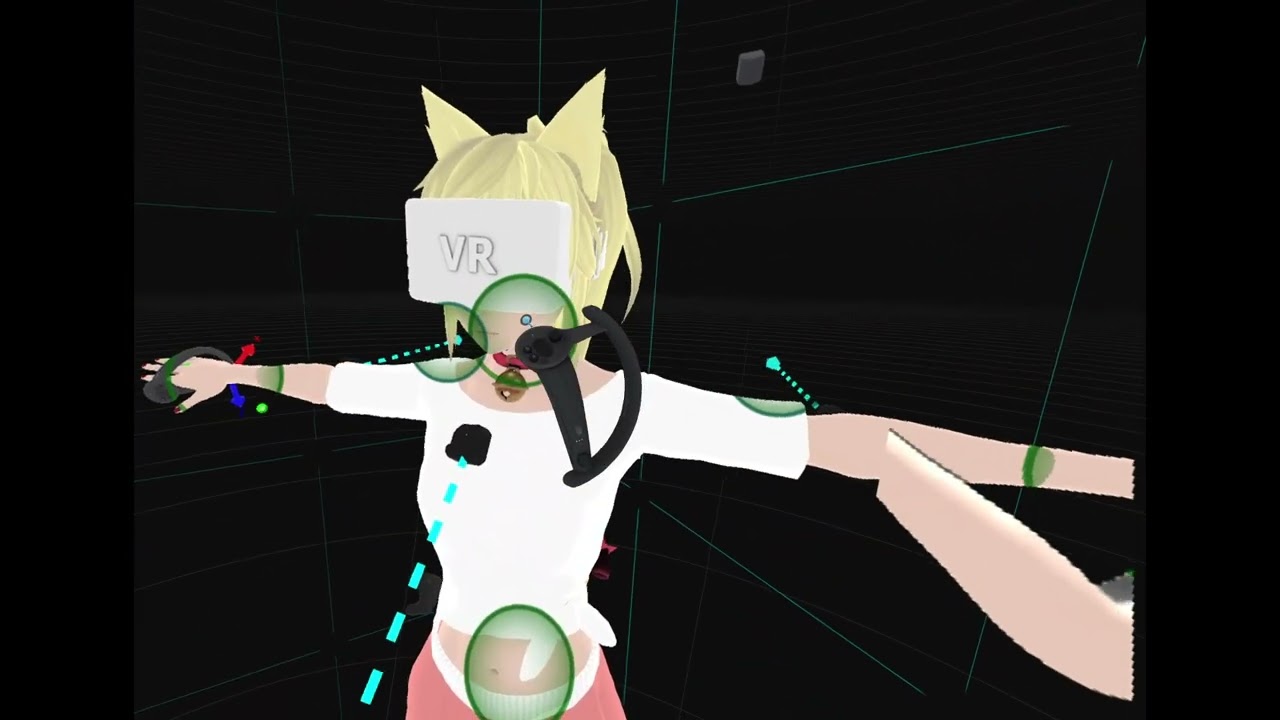 oak pendant
calm torrent
Ehh, I'm not a fan of legacy calibrate though, as it has the glaring downside of...
oak pendant
calm torrent
Ehh, I'm not a fan of legacy calibrate though, as it has the glaring downside of...
Those are good points, a dynamic freeze mode could make the case to finally kill legacy calibrate. The only remaining issue is that doing it as you suggest would basically make it appear as the recommended method to first freeze your avatar before binding, which might not be the best way to go
calm torrent
oak pendant
Those are good points, a dynamic freeze mode could make the case to finally kill...
People still can use a mirror to calibrate without explicitly freezing, and it would be mostly the same as it is right now, I'd say
maiden rock
I do like solving scaling/calibration issues inside VR, feels more true to the platform
oak pendant
Yeah drag to reposition has been a long requested feature in calibration, I even requested it before I was hired haha 😅
calm torrent
Speaking of scaling, can we have shoulder offsets (shoulder-above-chest-something) be expressed not in global space, but in avatar-root-scale-space? That's seemingly the only thing in IK2 that misbehaves with scale (and, well, repositioning trackers if one turns off), and when VRC eventually gets neos-like arbitrary avatar scaling (eventually), it can be ready for that
devout current
I really want Avatar scaling to come back, I could delete 4/5 of my Avatars then
dusk anvil
have avatar scaling be an option
oak pendant
calm torrent
Speaking of scaling, can we have shoulder offsets (shoulder-above-chest-somethin...
I think in that canny I asked for an avatar I can repro the issue on but nobody posted one. I should probably check back there
calm torrent
devout current
I really want Avatar scaling to come back, I could delete 4/5 of my Avatars then
I left a mention on a canny post about bringing old "remeasure avatar" back that what people apparently want for 95% of the cases is just changing avatar root scale, which would be rather easy to implement compared to the old complex "remeasure avatar" state behavior - but either way, that's not really related to IK2 in general
oak pendant
oak pendant
I think in that canny I asked for an avatar I can repro the issue on but nobody ...
Oh... hmm I didn't ask in Canny, I must have asked in discord. Looks like "discord only doesn't count" is something I should I need to watch out for myself too 😅
devout current
xD
calm torrent
oak pendant
I think in that canny I asked for an avatar I can repro the issue on but nobody ...
The only good way to repro this that I know of would include a highly experimental steamvr plugin to rescale your playspace together with rescaling the avatar (or, alternatively, [redacted]), but it mentions clone systems or something that I have no experience with
devout current
calm torrent
I left a mention on a canny post about bringing old "remeasure avatar" back that...
Yeah true, the playspace etc scaling correctly when changing the root scale is probably the best solution, but that's as you said that's not IK 2.0 related ^^
calm torrent
Maybe not the best-best, but the easier-and-good-enough for sure. And yes, not IK2 related (unless Kung makes arbitrary avatars scaling an IK2 feature).
Speaking of "probably not IK2", I can only assume that av3 parameter sync is not something you work on either (in relation to "IK sync" too)?
maiden rock
This feels like some productive chat, if there's anything covered here that's missing from canny, slap us
oak pendant
I mean... yeah you know I have to say it, if the only issue is that it breaks in a mod, that's not something we support. But if this is causing issues with the normal operation of VRChat then I can look into addressing it.
So I'd say look for a repro case in a normally operating avatar, if there is one post it in that canny and I can take a look on that avatar
calm torrent
What if it breaks with some eccentric setup with steamvr plugin but no mods? Is that still in scope?
oak pendant
Not really, eccentric SteamVR setups are in the "it would be nice" kind of range but if such a setup causes something to break we'd blame the setup rather than VRC
In general if a repro case can be provided that isn't in the range of "totally break your setup" then I can look into it
calm torrent
Eh, okay, unless people find a repro purely with clone system stuff (that I'm not aware of) then it's likely out of scope for now
oak pendant
Not to say that if a simple change would make rare SteamVR setups work better that it's something that I wouldn't consider. But it would be at the bottom of the priority stack.
calm torrent
It would be more alongside the lines of "use this steamvr plugin to make that avatar feature work until VRC implements support for this on their side"
But I understand that solving issues with such setups is not a priority at all
oak pendant
Yeah I think that's in very low priority range then. If it were, like "here's an avatar that just breaks and it's normal AV3 features on a normal VR setup" would bump up the priority a lot.
vagrant vector
Already hard enough to get everything working well with default settings
calm torrent
Actually, I think there is a repro case for that with a chair of all things, I'll test and comment on canny of I manage to make it break like that
(don't we all love chairs?)
 vast tangle
Ik2 did break scaling avatars with animations as it doesnt let you move the viewpoint
oak pendant
Yeah, if you find a repro please build into a public avatar and share the id here: https://feedback.vrchat.com/vrchat-ik-20/p/avatar-shoulders-do-not-scale-correctly-when-scaling-avatar-root-via-av3
oak pendant
vast tangle
Ik2 did break scaling avatars with animations as it doesnt let you move the view...
pose space doesn't work?
calm torrent
vast tangle
Ik2 did break scaling avatars with animations as it doesnt let you move the view...
I believe all the old tricks with "pose space" or whatever work the same as they used to?
vast tangle
What is pose space
calm torrent
It feels bad in VR regardless without playspace scaling, but I don't think it changed compared to legacy IK
vast tangle
I probably know what it is but not what its called
vast tangle
calm torrent
It feels bad in VR regardless without playspace scaling, but I don't think it ch...
You used to be able to move the viewpoint with an animation and it would update live, now with Ik2 the viewpoint can’t be moved
For things like an avatar scale slider
devout current
vast tangle
You used to be able to move the viewpoint with an animation and it would update ...
That never worked, IIRC
You could never animate the Avatar Descriptor, if I'm not wrong
calm torrent
I've seen avatars with old gogoloco scaling thing that uses pose space, and those seem to "work" in 3-point
oak pendant
Also about mirrors and overall dynamic avatar scaling etc... In general if stuff is like "this changes how IK moves" I can speak pretty directly about it, but if it's "this changes VRC as a platform" most I can do is say "yeah team would need to talk a lot about those kinds of things, most I can recommend is that you share your thoughts on Canny"
devout current
Is it possible for you to bring those things to the teams attention?
 calm torrent
Well, you're kinda the representative of the part of the community that wants better IK though, so I feel like advocating your use cases to the team is something people would love for you to do
dusk anvil
everyone knows kung is mr vrchat himself
oak pendant
I can say that when discussion comes up internally, we link right to those Canny posts. But also that a lot of this stuff is things that people are aware of already internally too.
vagrant vector
If we're talking about IK, was there any reason to stay on FIK 1.9 instead of updating to 2.0/2.1?
vast tangle
No
calm torrent
Canny is well-known for being largely ignored, unfortunately, with open beta and IK2 boards probably being one of the better-handled ones
vast tangle
iTs A fEaTuRe
calm torrent
Oh, is the rest of FinalIK also in your area of responsibility?
oak pendant
calm torrent
Oh, is the rest of FinalIK also in your area of responsibility?
Yeah, if there's a bug with FinalIK on avatars, like spiders are broken or something, I'd want to hear about it.
calm torrent
Mind if I DM you?
vagrant vector
If you want to hear about it I can write the most detailed canny you've ever seen
devout current
calm torrent
Mind if I DM you?
I think he has DMs turned of on this server
dusk anvil
me typing an essay (it's a post on feedback.vrchat.com)
oak pendant
calm torrent
Canny is well-known for being largely ignored, unfortunately, with open beta and...
Even the old Canny posts are right there linked in our internal discussion handling. Of course people would always like things to move faster, and so things that haven't had outward facing discussion in a long time might appear ignored, but I can say that if you want any comments on a feature there "at the table" during our internal discussion. Getting it in the relevant Canny is the very best way.
vagrant vector
oak pendant
Yeah, if there's a bug with FinalIK on avatars, like spiders are broken or somet...
Genuinely though the only bug that would be a vrchat problem is from this canny https://feedback.vrchat.com/avatar-30/p/bug-execution-order-causes-vrik-locomotion-settings-to-speed-up
oak pendant
calm torrent
Mind if I DM you?
Personally I wouldn't mind (actually I'd enjoy it!), but it's unfortunate that people might get weird about us hanging out in DMs for I think obvious reasons. It sucks because I think I'd really enjoy a good conversation with you, but drama is dramatic, you know? 😖
If you have a FinalIK-on-avatar issue that could be shared here or on Canny I'd be interested of course.
calm torrent
I'd say that a bit of purely business talk wouldn't hurt anyone here, would it? The second best I can offer is the "contact us" form on VRC website, but I believe someone already used it to send in the issue I have, and not much happened after that as far as I can tell
oak pendant
Hmm, I can ask about that and try to see if someone should have passed it along to me
Is there something you can say here that I can ask our support people internally if such a message came through? Also about how long ago?
calm torrent
Oh well, I guess I could send another one and then use alternative channels to make sure it reaches you. It probably was quite a while ago, long enough that I can't give any specific timeframe there - not to mention that I was not the one who would've sent it.
oak pendant
Yeah, I think that sounds like it would work.
maiden rock
Knah and Kung having a DM conversation would actually be quite reassuring
To hell with the haters
calm torrent
I'm all for cooperation and idea exchange here, even if there's some points we don't agree on ¯_(ツ)_/¯
maiden rock
If anyone has a problem with it they can talk to me 
devout current
I want that to happen
calm torrent
Then again, most of it can be done publicly anyway with liberal application of ||[redacted]||, so it's not too big of a concern
devout current
I assume Kung knows what you mean with [redacted]
calm torrent
At this point I suspect almost everyone does, but I don't make the rules here. Either way, it's mostly offtopic
devout current
I mean I know but idk if Kung does, but that shouldn't be that important for the discussions I assume
 harsh lagoon
i was reading the discussion today, heck pls giv avatar scaling in game thank u
otherwise, ye the fix for hand on shoulder thing seems to be working well for me, definitely better than before, and i cant really tell anything changed on the part where we're supposed to be able to do some basic shrugging, but thats alright, i'm quite happy
 acoustic python
Soo.. first i wanna thank kung for being open and reading all of this, second thank knah for basically stating my opinion regarding wall freezing :D
At first when i saw the announcement i was skeptical, but after having tried it today, i must say it already feels a lot better than it used to, so its definitely going into a good direction
Knahs points still stand, and basically all my opinions regarding the freezing are mentioned in the cannys 👍
Looking forward to future updates on this :3
 jovial shadow
The new IK beta is gold, i love the freezing buffer zone for colliders and the ability to lean finally over the edge of a table or anything else with a collider
the elbows also seem calmer now and don't freak out as much anymore
devout current
Since wall freezing has been put on the hip instead of the head now, how feasible would it be to do the same for our "movement point"?
I love being able to lean over tables etc. but leaning over small objects still causes you to climb up / down. This is now inconsistend compared to your "wallfreeze point".
I would love if the point on which we collide with the floor etc. could also be moved to the hip, at least in FBT. This would make it more consistent with the collision check for wall freeze which is now on the hip.
lethal light
devout current
Since wall freezing has been put on the hip instead of the head now, how feasibl...
would probably require moving the player capsule parent from the head to the avatar root or the hips, which I believe kung was talking about would require more discussion internally because it is a larger gameplay change instead of fixing the bug of people freezing when leaning into stuff
devout current
Yeah ik, I hope that it can be done though, would be quiet nice, especially in FBT
It would allow us to lean over edges and small bumps etc.
maiden rock
Following yesterday's conversation I put local smoothing in to a canny https://feedback.vrchat.com/vrchat-ik-20/p/local-smoothing-options-for-tracking
 robust tangle
Be aware that the only way to do smoothing is to blend it with either past or future data, which will always incur a visual delay either way
maiden rock
should still be good for streaming
oak pendant
IK-Beta build 12055
## Improvements
- It should now be less likely for your elbow to snap towards pointing back when reaching your arm across the front of your body and putting your hand behind your opposite shoulder.
oak pendant
For context, it was this issue (mostly on avatars with lower than IRL shoulders) that's being addressed. https://feedback.vrchat.com/vrchat-ik-20/p/12053-elbow-over-snapping-behind-head
Avatars with shoulders waaaay lower than IRL might still have issues, but this patch should reduce the occurrence
timber grove
Very nice!
God damn this has to be the year of the VRChat. Physbones, OSC, and now the new IK. Can't wait for what's to come in the future!
devout current
Later on we will also get the new UI :p
devout current
yup
timber grove
I see
devout current
UI 2.0 should come relatively soon
A few other things will come before it though if I remember correctly
timber grove
Like what? Or did they slip your mind?
timber grove
oak pendant
https://docs.vrchat.com/docs/vrchat-202141
I remember it was sometime late 2021, thanks Kung.
Hey kung quick question.
I don't know if you have any experience with full body tracking hardware (sarcasm), but if you do, what would you say would be the best option for tracking elbows/chest/knees?
I may end up getting 3 or 4 more trackers eventually.
oak pendant
Just my personal opinion, but the tundra trackers if you can find them when stock is available . For all of those points their light weight is more important than the very slight occlusion resistance difference that other larger trackers might have just due to sheer size difference.
the beltloop style swap out back-plate option is really nice for mounting stuff really near the body if you make DIY straps too
If you can mount it closer it flops less
timber grove
I have an extra full set of trackstraps before I got my trackstrap pluses so mounting won't be an issue here 😄
oak pendant
Ah yeah, for those you'd use the bolt mount so the back plate difference wouldn't matter then
timber grove
oak pendant
Ah yeah, for those you'd use the bolt mount so the back plate difference wouldn'...
Yep.
I am considering the 3.0's and the tundras. Thanks for your information, I'll keep it in mind.
oak pendant
Either of those are great options. I wouldn't recommend HTC 2.0 unless you have an external battery for them.
timber grove
oak pendant
Either of those are great options. I wouldn't recommend HTC 2.0 unless you have ...
;-;
Should have gotten the 3.0's now that I think about it...
But I did want to save a little money before diving full into the world of high end FBT
oak pendant
If you're not doing really long sessions then I don't think there's much difference
timber grove
Yeah, I just don't like having to charge them every 2 sessions.
thankfully the pluses solve that.
oak pendant
Ah yeah if you have track strap pluses then nothing to worry about for battery life
 primal palm
oak pendant
Just my personal opinion, but the tundra trackers if you can find them when stoc...
primal palm
oak pendant
Just my personal opinion, but the tundra trackers if you can find them when stoc...
I want to add to this, me and a few friends with Tundras find they drift when facing only one base station, friend who bought a 3rd base station saw improvements.
Seems like the trackers benefit a lot from seeing 2 base stations at all times.
(I had Vive 2.0s before without the same issues)
timber grove
It seems the tundras prefer to see more cause they are smaller in size.
primal palm
Would make sense, harder to triangulate with less distance between the data points. 🤷♂️
Probably over-simplifying how the lighthouse tracking works though.
timber grove
Closer together sensors on the tracker device won't be as accurate as further away sensors, like the 3.0 vives.
oak pendant
primal palm
I want to add to this, me and a few friends with Tundras find they drift when fa...
I've noticed I have to be pretty careful about my sleeves covering a bit of my arm trackers. Now that it's not winter I wear short sleeves so the edge of the cloth might flap over them. Larger trackers mounted sticking further from the arm would prevent that a bit.
timber grove
This is why I am heavily thinking whether the tundras will be good considering I have 2 1.0 base stations.
primal palm
Ah... yeah that's a hard one.
oak pendant
But yeah occlusion is the big thing with lighthouse in general. But fwiw I'm using 11pt with tundras with 2x 1.0 base stations
timber grove
oak pendant
But yeah occlusion is the big thing with lighthouse in general. But fwiw I'm usi...
0_0
primal palm
huh
primal palm
Do you find your waist shifts to the side if you rotate 90-180 degrees? 👀
oak pendant
Addicted to wireless adapter, and never jumped on the vive pro. It's kind of sunk cost fallacy at this point, but it's kind of "I waited this long for the next wireless lighthouse HMD, if I wait just a bit longer..."
I'm still on og vive
primal palm
lucky one. xD
timber grove
Yeah, haha
I don't plan to upgrade until a huge new hmd gets released, or my current one dies.
devout current
I want the Deckard to finally come out
oak pendant
primal palm
I caved and started using a Quest 2 with Space Calibrator.
I'm heavily considering doing that. I kind of think it's good to be on og vive too because there's not much reason for people on the team to be using it, so if an issue pops up there at least it'd get spotted by me (hopefully)
timber grove
Is there a reason you don't use the Index?
primal palm
You use wands too? 👀
oak pendant
timber grove
Is there a reason you don't use the Index?
The wire
timber grove
ah
devout current
oak pendant
I'm heavily considering doing that. I kind of think it's good to be on og vive t...
idk I used that setup while I was meeting with a friend IRL and having to sync the play space was a bit annoying ngl
oak pendant
primal palm
You use wands too? 👀
Nah I use index controllers
devout current
Oh god I don't want to hear your mic quality in VRChat then Kung xD
timber grove
Anyone who uses vive wands, unless they play gun games, needs help.
oak pendant
devout current
idk I used that setup while I was meeting with a friend IRL and having to sync t...
Yeah that's why I haven't yet, but I do like the Quest2 overall as an HMD
timber grove
devout current
Oh god I don't want to hear your mic quality in VRChat then Kung xD
His mic in the tutorials is quite awesome. I sense the Antlion Modmic Wireless
sponsor time
devout current
Ahhh then it's fine xD
oak pendant
primal palm
Do you find your waist shifts to the side if you rotate 90-180 degrees? 👀
All lighthouse devices seem to do this to some extent even when in full view of 2 lighthouses, but I don't have big issues with it.
devout current
oak pendant
Yeah that's why I haven't yet, but I do like the Quest2 overall as an HMD
Hm idk I think it's cool HMD but I much prefer my Index over it tbh
oak pendant
timber grove
His mic in the tutorials is quite awesome. I sense the Antlion Modmic Wireless
Modmic yeah
devout current
I hot glued a USB mic to my og Vive back when I had one xD
oak pendant
I've just gone too long on wireless now, really hard to go back to anything that requires a wire
primal palm
oak pendant
All lighthouse devices seem to do this to some extent even when in full view of ...
For me it was pretty significant, like over 10 cm shift.
I have noticed a 1 cm shift on the Index controllers all the way back in 2019, but that's expected behaviour I suppose.
oak pendant
primal palm
For me it was pretty significant, like over 10 cm shift.
I have noticed a 1 cm ...
Yeah what I was referring to was the ~1cm shift. Never experienced 10cm from anything other than reflection issues
devout current
I heard the Index 2 aka Deckard will also have a wireless mode. And it actually should come pretty soon. There was a massive leak a few days ago.
primal palm
oak pendant
Yeah what I was referring to was the ~1cm shift. Never experienced 10cm from any...
Cool, time to grab an IR light and plop the Quest passthrough onto my head. xD
Great way to find IR reflections.
oak pendant
Oh yeah that would be a good way
primal palm
Actually could just leave the base stations spinning while looking. 🤔
devout current
I feel like the Quest 2 can handle reflections better than SteamVR tracking tbh
primal palm
Oh yeah by far.
oak pendant
Haha, what an age we live in... 2020s problems... Using AR passthrough to detect rogue laser reflections for your tracking device. Just tell that to someone in the 90s
devout current
lmao
Btw Kung, are you still planning to improve the support for more harsh spine angles etc in the future?
devout current
Not your spine irl, but the spine on your Avatar
currently the IK just straightens it out
oak pendant
@devout current means in the rest pose I think. That's still something I'd like to get to. Usually I avoid directly saying I'm "planning" on things unless I'm actually at least part of the way through working on it and am to the point where finding showstopping problems is unlikely. Because for most people "planning" = "you promised"
devout current
Yeah that's understandable ^^
oak pendant
So digging through that high threshold to say I'm planning, it doesn't mean I'm not when I phrase things like "I'd very much like to get to that"
devout current
Yeah it's basically the only issue I personally still have with IK 2.0 :p
oak pendant
Yeah a large portion of avatars used by the Japanese community seem affected too.
devout current
Yeah I noticed, my canny has like 253 upvotes now and is the top post on IK 2.0 😅
oak pendant
Yeah, part of that I think is the twitter effect, but I'm very aware it's something that people want to see a change on
devout current
Yeah, it was spread a lot on twitter, which I personally don't like that much. It kinda destroys the impression on what people think it is more important compared to other posts.
timber grove
I'm just gonna hide here to avoid general 1 lol.
Anyway, I'm really loving the new IK, amazing work Kung.
oak pendant
devout current
Yeah, it was spread a lot on twitter, which I personally don't like that much. I...
Though there's also the confounding factor that it might be a big issue among the Japanese community and they might feel more of a language barrier to commenting on Canny. I think I have a pretty good sense of how big of an issue it is, and yeah I'd very much like to get to it.
oak pendant
timber grove
Anyway, I'm really loving the new IK, amazing work Kung.
Thanks!
devout current
oak pendant
Though there's also the confounding factor that it might be a big issue among th...
Yeah that also makes sense ^^
timber grove
oak pendant
Thanks!
No problem! You have made VRChat much better for tens of thousands of people 😄
I actually had no clue you put locomotion disable into the game until I saw a random twitter post. Mind blown
devout current
I think that was one of the biggest feature request (for IK 2.0)
timber grove
Will definitely save a ton of time not having to go into Unity.
oak pendant
timber grove
No problem! You have made VRChat much better for tens of thousands of people 😄
I feel awkward to accept too much credit because all the rest of the devs (including non-engineers, they're an integral part of development too) work very hard, and IK changes mean nothing without the entire platform for it to function on, but thanks!
devout current
oak pendant
I feel awkward to accept too much credit because all the rest of the devs (inclu...
I mean you are probably one of the most active ones here on discord, that's probably one reason for it :p
timber grove
Good point.
maiden rock
honestly keeping a 3.0 around for hips is probably still the play
rest can be tundra
but definitely 3 lighthouses
so you get that perpendicular tracking to compensate the other two, which helps for specific situations like standing sideways to the lighthouses and an arm occludes the hip on the other side
timber grove
Sadly the 2.0 bases are out of stock almost everywhere ;-;
oak pendant
@maiden rock Yeah, that's a really good setup. Hip can be mounted pretty solidly and is at biggest risk of occlusion, so the weight to occlusion difference probably favors a larger tracker there
timber grove
2.0 vives: "It's my time to shine"
If you mount it right, you hardly notice it's there, even though it's a literal hockey puck
maiden rock
just have a second to swap in when it runs out :P
i really prefer avoiding battery packs
icy ferry
I just have 3 2.0s but I've been considering someday getting some 3.0s. Not anytime soon but eventually.
maiden rock
keeping the setup as light weight as possible is really beneficial
icy ferry
For my battery packs I actually have really small, lightweight cylindrical battery packs and they don't weigh me down much at all. Don't really notice it.
oak pendant
I wonder what it'd take to get a vive cosmos lighthouse tracking faceplate powered and functioning mounted to your hip... you'd probably have to gut part of the cosmos. Would be a really interesting project
maiden rock
the ultimate fanny pack
oak pendant
Yeah, stick a wireless battery to power a wireless vive pro or something in the belt and cover the outside with the DIY faceplate hack
now I really want this
icy ferry
Store some candy in there and watch your hip go crazy when you reach inside and grab them
Actual fanny pack
maiden rock
I think the dream would be to have 2 tundras opposite each other on a belt
which can both provide redundancy for a hip
icy ferry
Oh that would actually be really cool
maiden rock
no idea how that would be made possible though
i think valve would need to get involved
oak pendant
Yeah redundant hip tracking has been requested often. It's not impossible but there are issues to solve
maiden rock
namely which tracker is the source of truth at any time
icy ferry
I'd imagine it'd get a little complicated more so than most of the stuff you've already done
oak pendant
maiden rock
namely which tracker is the source of truth at any time
Yeah and when and how to blend / transition in a way that performs better most of the time than having a single tracker
There's api level stuff on tracking status that could be used, but if it doesn't inform of bad tracking early enough there'd be instability, but yeah it's not an impossible thing
maiden rock
for me the next big hardware problem to solve is freeing the palms up towards gloves or something where finger tracking is much more accurate, such as splay
in terms of input
it would be such a universal improvement
(and we can hold our drinks properly)
oak pendant
Yeah, the index controllers are great, but the lack of finger spread does kind of stand out
maiden rock
but hands flat on the ground for handstands, DJs actually working their hands over the decks
oak pendant
maiden rock
but hands flat on the ground for handstands, DJs actually working their hands ov...
Oh yeah that'd be cool to see, rather than people needing to put index controller straps around their wrists
maiden rock
gripping the poles etc 👀
oak pendant
no comment
maiden rock
heh
 lethal bridge
maiden rock
but hands flat on the ground for handstands, DJs actually working their hands ov...
lethal bridge
maiden rock
but hands flat on the ground for handstands, DJs actually working their hands ov...
👀 I've already got both of what you desire

 tranquil cipher
yeah the open source glove projects are good enough to replace a controller now, since you can put on joystick and buttons
maiden rock
lethal bridge
👀 I've already got both of what you desire
can you expand on this? :o
tranquil cipher
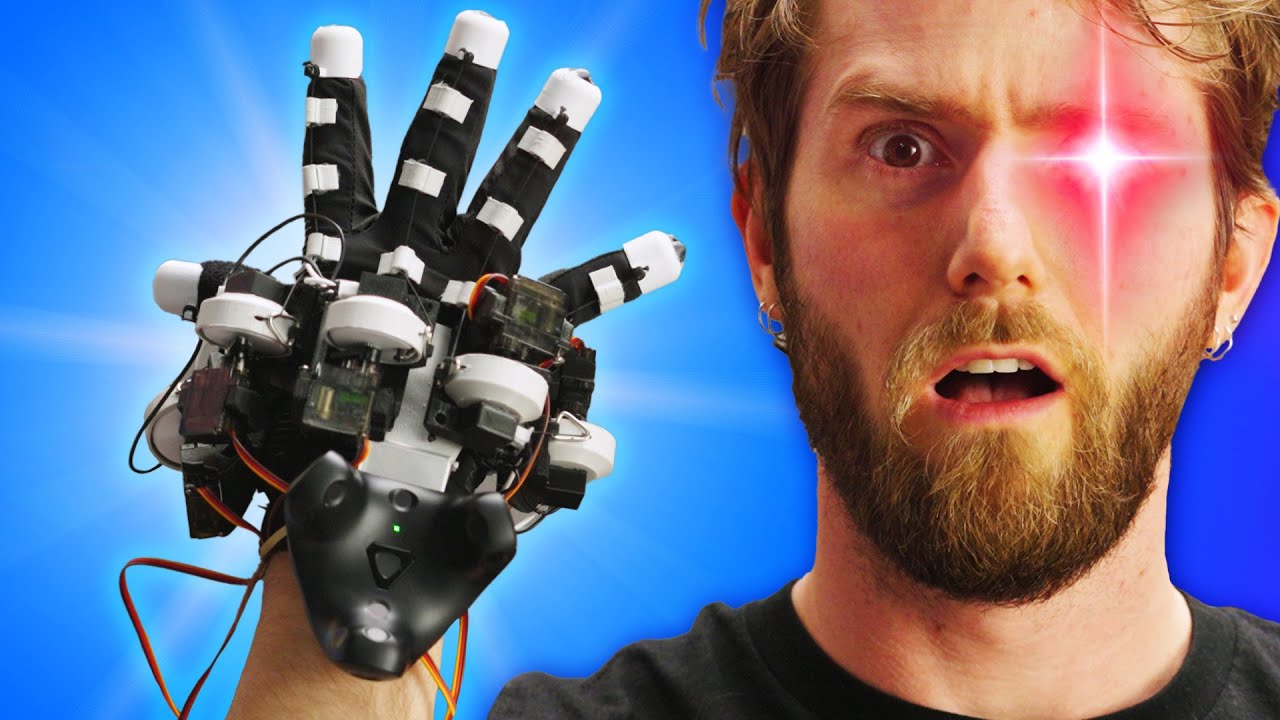
Use my link https://wealthfront.com/linus to open a Wealthfront investment account and get $5K managed for free! Thank you to Wealthfront for sponsoring this video.
Create your build at https://www.buildredux.com/linus
Check out Lucas and Lucid VR - https://beacons.page/lucas_vrtech
VR is pretty cool, but some of the most exciting advancement...
lethal bridge
honestly though this setup already breaks the new SteamVR device limit Kung added 😅
devout current
tranquil cipher
https://www.youtube.com/watch?v=jGyHT0t-mtw&t=422s
I think that's still a bit to bulky for regular use tbh
lethal bridge
devout current
I think that's still a bit to bulky for regular use tbh
oh it certainly is. I just use the SteamVR driver associated with it
I personally abhor the hardware side of Lucidgloves (for daily functional use that is, it's neat hardware don't get me wrong)
tranquil cipher
then what are you doing?
oak pendant
lethal bridge
honestly though this setup already breaks the new SteamVR device limit Kung adde...
Is that your limiting factor? How many more device slots do you need?
lethal bridge
tranquil cipher
then what are you doing?
my own glove hardware naturally
devout current
oak pendant
Is that your limiting factor? How many more device slots do you need?
Time for another launch option baby
launch options for everything
lethal bridge
oak pendant
Is that your limiting factor? How many more device slots do you need?
I don't really see going beyond the number of devices shown here, but who knows 🤷 a few months ago I didn't think I'd have this many devices registered in steamvr
Thought about using a SteamVR driver to "enforce" which devices are used for the first 13 so there isn't an issue when I need to restart SteamVR
oak pendant
I see, yeah it would make sense to do a better job of supporting high device counts if I can get to that request for tracker smoothing. It would be a good fit for a project to revamp our handling of steamvr devices. There are a few things falling into that bucket now, including the non GenericTracker devices etc.
Don't let me stop you from making DIY workarounds though, because super high device counts are in the niche category that would bump it under more pressing priority issues
lethal bridge
Just knowing that someone at VRChat even considers such weird setups is pretty good.
If someone told me before Ik2.0 was announced that I'd be able to use my gloves in VRChat without essentially doing a SteamVR ritual I'd have never believed them
maiden rock
IK2, group system, steam audio direct binarual htrf, unity 2020 👀 let's finish this year on a high
devout current
(you forgot my beloved new UI)
 past spruce
Unity 2020 upgrade would probably require some sort of content purge...🤔
primal palm
past spruce
Unity 2020 upgrade would probably require some sort of content purge...🤔
Yep, that's probably why they've already started compiling for Single-Pass Instanced on new uploads.
Anything that was not uploaded with that will break.
I sure hope they keep a legacy VRChat version to access the classic content.
past spruce
I doubt that, but yeah, almost all SDK2 content will most likely inevitably disappear.
primal palm
A recently updated SDK2 world should still work (assuming they made the Single Pass Instanced change to SDK2 as well), but yeah, most of them haven't been updated, and the creator might not have the files still.
digital grove
maiden rock
for me the next big hardware problem to solve is freeing the palms up towards gl...
it already exists, vr gloves are already a thing, they just have three zeroes in the price
I think the cheapest ones are around 1000 usd
lethal bridge
digital grove
it already exists, vr gloves are already a thing, they just have three zeroes in...
And none of them have regular game inputs or support by vrchat 😉
 prisma meadow
most, like the manus gloves vrfree, or the lucid gloves work with the steamvr skeletal input system. But because vrc's implementation of this is crazy scuffed they dont work in vrc
like you can use them in pavlov, hla, or any other game that has the steamvr skeletal inputs actually working
digital grove
damn
marsh elm
lol
jovial shadow
Hasn't vrchat still one of the first software implementations of finger tracking from steamvr?
 mortal lagoon
AFAIK they use their own finger tracking solution which was hastily made to support the index controllers when they first came out
marsh elm
tsk
proper hand tracking wouldn't have been so scuffed if they used good ole skelly input
oh my wonderful q2 hand tracking, if only i didn't need an osc package for you...
mortal lagoon
Switching to a completely new system while keeping old content working properly, in this case avatars, is a lot of work and I figure VRChat had to prioritize other things
If it's anything but perfect the community will crap it's collective pants and rage.
 wraith lotus
so i finally got into vrchat after the latest IK update releases, and I realize something odd with the locomotion on some avatars i uploaded.
In the video, The first avatar I can move my head freely, even when I walk. But when it comes to the second avatar, the movement of the head is very stiff, as if it can only go 10 degrees up. and when i move. it's almost like it moves along with the body as if it's in PC mode....
some of my avatars does that, some works normally. is this a bug on this update or is there something wrong with every avatars i uploaded?
oak pendant
wraith lotus
so i finally got into vrchat after the latest IK update releases, and I realize ...
This looks like the issue that appears when a humanoid rig bone is affected by a physbone script
If you're using physbones on the ears or hair, make sure that the head bone itself is not in the hierarchy of affected bones
Unfortunately adding it to the ignore list in the physbone script isn't enough. Physbones can't be on humanoid bones.
wraith lotus
you know, now that you said that, The first avatar in the video had that issue yesterday. I checked the physbones and realize it wasn't checked "Is Animated". When i check mark them, her head moves normally. idk, might have a connection to the issue based on what you said. I'm gonna check it out.
oak pendant
If I remember correctly, setting to isAnimated was a workaround, but I'd reccomend not having humanoid bones as children of physbones
If you can get it working with isAnimated again then maybe that's ok, but to be sure to avoid issues you can make an extra bone that serves as the parent of all the physbones, that isn't the head bone
wraith lotus
the root transform of the physbone is the head because the children are one bone rigged for the hair
just like the first and second avatar
oak pendant
Yeah that'd be the cause of this issue. The first avatar may be able to avoid the issue due to isAnimated
Making a new bone like "hair_root" or something like that as a child of the head, and then setting all your physbone transforms as children of that bone would prevent the issue without using isAnimated
In general though, this is a physbones problem I think
wraith lotus
so it turns out, it is the "is Animated" option
if it's not checked, the head would be stiff. but i remembered it wasn't like that before the IK update.
harsh lagoon
oh i guess this is a question i can ask here
Will there ever be a fix/ is there a fix for our avatars necks not being able to look all the way up when we're in certain positions? i notice it when i'm mid crouch, i think just before my crouch animation plays. Is there anything we can do about that? It happens quite a lot
I can provide a video if needed (later)
 raw wadi
Where did people learn to use a humanoid joint for the root of dyna/phys component
final raven
Oh yeah @oak pendant forgot to mention but good work on improving the shoulders! Arms don't snap through the head anymore and other poses behave naturally now as well. Haven't noticed any odd behaviours yet. ^^
 daring tiger
can someone tell me why my IK is giving me such an awful experience?
like, it makes me never want to touch the game anymore.
Setting my in-game height to 5ft 7 (my irl height) using height avatar measurement, IK 2.0
bending backwards, my viewpoint moves into my neck and i can see everything.. very awkwardly..
It's solved best by setting FBT lock to all, tho this makes my movements and translates my irl body positions inaccurately.
Setting it to lock head (first option), bending backwards is even worse, and sitting down moves my viewpoint up above my head.
And setting it to loc hip (second option), makes it not as bad as lock head, but worse than lock all, still making my movements and body translation inaccurate and awkward.
Screenshots:
Current fbt settings -https://i.hep.gg/vmjHqZyoF
Bending backwards - https://i.hep.gg/Y99q6bA-g
there seems to be simply no middle ground for a comfortable experience.
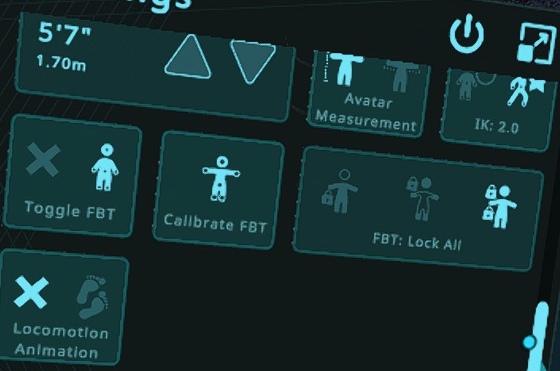
 jovial shadow
If you put your setting on headlock, the viewport should not move at all relative to your avis head
Also try wing span as Avatar measure, your avatar might have high heels on or isn't well scaled compared to your irl body dimensions
@daring tiger
And if headlock isn't locking the head viewport in position with the head, you might want to reinstall vrc
Oh and check it with another avatar, incase something is broken on the one you are using
 iron hamlet
I still have issues getting the (IK2)calibration consistently working for me (6pt-fbt)... 😓
Results are all over the place and I need a bunch of recalibration-attempts each login to "flail" myself toward usable results:
y-axis - bottom of shoes below/above floorlvl (hmd viewpoint related)
z-axis - getting the center of my avi right so I can touch both butt and knees without something clipping into/through the body 🙈
Questions to clarify the process:
-
Do I need to align feet & hip-tracker on my body as good as possible to the avatars bones? (expansive belly, so my hip-tracker usually is waaaay infront my avatars hip-bone, as I can't implant it into my stomach 😛 )
-
Kung mentioned creating a custom t-pose, can anyone point me toward some howto/guide how to do that?
TIA 
semi-off jiggly legs... wasn't willing to keep trying, also about to drop-ded to the floor, meh cardio-system 🤣
this looks way better calibration-wise (careful, scuffed audio!)
iron hamlet
posted this one already as example re: net-ik interpolation/smoothing vs local-ik & oversensitive-tracking/jitter... the calibration was spot on that day tho (1st IK2 open-beta)

now... how do I get that result consistently without needing 10+ calibration-attempts each restart of vrc?
 gusty ridge
can we pin the player collider at the feet instead of the head for fbt users?
i wanna be able to lean over pits without falling
loud patio
gusty ridge
can we pin the player collider at the feet instead of the head for fbt users?
I'm pretty sure they moved it to the hip now in the IK beta
gusty ridge
I know you can lean over tables, but you still get moved up down, when you try to headpat a smaller avatar on a hillside/couch
Because the collider moves with the head
And player character "steps up"
loud patio
gusty ridge
And player character "steps up"
Are you on the beta?
woven gulch
loud patio
I'm pretty sure they moved it to the hip now in the IK beta
The player collider for movement is still on the head at the moment, they just added the ability for the hip collider to lock so you can lean over tables.
But too small tables you’ll clip up and edges you’ll still fall down from peering over because the movement collider is still on head.
Think of it as two colliders for checks but the player capsule is still tracking the head.
gusty ridge
I wish player capsule was at the feet
raw wadi
but we have 2 feets
final raven
daring tiger
can someone tell me why my IK is giving me such an awful experience?
like, it ma...
Setting it to lock head (first option), bending backwards is even worse, and sitting down moves my viewpoint up above my head.
And setting it to loc hip (second option), makes it not as bad as lock head, but worse than lock all, still making my movements and body translation inaccurate and awkward.
Lock Hip is the first option (left), Lock Head is the second (middle), just a correction there. As for the viewpoint moving above your head. It's expected to drift in Lock Hip mode.
daring tiger
jovial shadow
And if headlock isn't locking the head viewport in position with the head, you m...
it does this with every avatar i own
daring tiger
final raven
> Setting it to lock head (first option), bending backwards is even worse, and *...
hmm, i see. as for the calibration itself, it feels like the angles and bending of my spine and neck are just very extreme and way off, giving me an uncomfortable experience. despite any sort of locking or calibration methods, or even physical tracker position
final raven
For lock all mode, while you're calibrating try looking down about 30 or so degrees and that should help solve any weird angle issues in your spine and/or neck.
 devout valley
Is it possible to use trackers as your hands while retaining controller input? Like strap a tundra to the back of your hand for dancing, but still be able to pick up the controller and use the button inputs when necessary.
lethal bridge
devout valley
Is it possible to use trackers as your hands while retaining controller input? L...
not natively by any means... but a steamvr driver should be able to do that...
lethal bridge
I guess
marsh elm
you can do that to make q2 controllers lighthouse tracked, and its not like you gotta attach em together if you just want input
lethal bridge
now that'd be interesting
marsh elm
like this mf, but keep the tracker on the back of your hand
 lethal bridge
wonder how overrides deal with offsets 
marsh elm
you set offsets and rotations in some file up steam's asscrack, havent looked too hard into it
was trying to make my q2 lighthouse based and gave up after realizing i didnt care all that much 😆
lethal bridge
oh goodness the solution is to flash the tracker with firmware that gives it a position offset
digital grove
marsh elm
like this mf, but keep the tracker on the back of your hand
This guy's channel lately has been like 90% quest videos
Too much quest making it boring I almost never watch his videos anymore
marsh elm
digital grove
This guy's channel lately has been like 90% quest videos
zuck sneezes: NEW q2 update changes EVERYTHING
😒
digital grove
lethal bridge
lets not get too far off topic in here :p
marsh elm
yeet
robust tangle
anyone's right controller stop being able to interact with things until you change bindings and revert again
i know me and at least 2 other people seeing it, don't know how widespread
jovial shadow
No issues with index controllers
Also switching from on pair to another pair while in game works totally fine in both beta and none beta
marsh elm
robust tangle
anyone's right controller stop being able to interact with things until you chan...
omg
same shit happening to me, i thought i was going nuts
i had to go into the ingame bindings and flip, idk, B button to jump then back every so often lol
robust tangle
eyup
robust tangle
marsh elm
i had to go into the ingame bindings and flip, idk, B button to jump then back e...
guess i'll make a bug report. maybe it's controller specific.
you got index? god help me if it's another index-only bug
marsh elm
q2
robust tangle
ok good
marsh elm
not good lol
robust tangle
no if it's more than just index, it's good. it'll get fixed
marsh elm

Small space, but i'm showing the tecnique of redirected walking in a game with full body tracking, to show the illusion of having an infinite play space to other players.
Dont mind the music lol, forgot to pause Spotify
at about 2:07
i wonder why canny asks if i wanna link my vrchat account every dang time i look at a ticket lol
robust tangle
marsh elm
i wonder why canny asks if i wanna link my vrchat account every dang time i look...
bad wording. it just means "log in with"
marsh elm
nah, it tells me to login, i login, then it asks me if i wanna link canny w/ vrchat, i click yes, then it lets me access it
robust tangle
Ah. Well, it's not VRChat's software
Probably the same reason they can't fix anyone's canny PFP's
 grand lynx
So, i brought up before that i was having the bizarre back issues with 11 point and all lock where back would arch. Many told me that it was my avatar proportions being bad. After tons of experimenting with proportions to no avail, i found out it had to do with the placement of my view point. Pushing my viewpoint up by .05 completely fixed it. So viewpoint, a good custom arm length, and correct user height solved this.

just incase others are struggling
loud patio
grand lynx
So, i brought up before that i was having the bizarre back issues with 11 point ...
How does your rig look in Blender?
 loud patio
grand lynx
loud patio
grand lynx
Is your spine straight there?
grand lynx
yes
loud patio
Hmm I wonder if it has to do with how high up your hip bone is
grand lynx
A lot of public models do the same
loud patio
A lot of public models also have calibration issues too
grand lynx
true
loud patio
Those darn flipped hips!
grand lynx
Thats an OLD old old ik fix
loud patio
And people still use it
loud patio
Well I would recommend (if you want to find the actual root issue) messing with the positions of the hip and length of the chest. I know those both can cause issues with the calibration.
grand lynx
I can give it a shot
loud patio
Also if you own FinalIK or know how to set up Unity's IK system you can often diagnose a lot of issues in-editor
acoustic python
How do you guys feel about Height vs Arm Based scaling?
I accidently used Height Scaling for a few months now and it was fine, but usually i like to simply adjust arm length so that the feet align properly, freaked out for a second because it didnt work anymore until i realized that its because of the different scaling method
Are there and good reasons to use/not use heigh/arm scale?
marsh elm
i use height scale because i prefer that my legs fit properly when in fullbody
it just changes what becomes priority when scaling, arm makes sure arms fit, height makes sure legs fit, etc. Depends on the avatar really
if the avi is 100% correct to your proportions then it doesnt really matter
grand lynx
i prefer arm scale, because height shrinks worldscale, makes avatars feel tiny
depends on avatar typically
marsh elm
doesnt all scaling change world scale?
arms usually match better, so it'd be less drastic i suppose
grand lynx
yeah, heightscale typically stretches world scale to fit you perfectly regardless of proportions, armscale lets you fine tune it with custom ratio
from my experience anyway
robust tangle
marsh elm
doesnt all scaling change world scale?
armscale or height effects worldscale, depending on which option you have selected.
that's what the scale by wingspan / scale by height toggle means
 coral cairn
Best thing to do is find what arm scaling ratio works for you and then scale your avatars so that arm scaling with your custom ratio passed as a parameter is the same as height scaling.
 tame pewter
robust tangle
Probably the same reason they can't fix anyone's canny PFP's
tame pewter
robust tangle
Probably the same reason they can't fix anyone's canny PFP's
pretty sure they do work, just only from the public avatar row
robust tangle
Nah, I've been told it's on canny's end.
tame pewter
nah just switched avatar in vrc, relogged into canny, and it switched

 tame pewter
robust tangle
Nah, I've been told it's on canny's end.
tame pewter
robust tangle
Nah, I've been told it's on canny's end.
maybe before, but you can test it yourself. It works now but only from the public avatar row.
Note that if you do log into the canny while in a public avatar, cant ever get back your old custom icon...
robust tangle
tame pewter
maybe before, but you can test it yourself. It works now but only from the publi...
Theory: Only blueprints with 5.6.3p1 Unity Support can have their blueprint image used with Canny
Able to test it?
You'd need 5.6.3p1.... And a very old SDK. 🙂
Or find a random avatar in-game that's very old.
devout current
Hmmmm I wonder what would happen if I would load my 2019 project in 5.6.3p1 xD
 silent mirage
grand lynx
So, i brought up before that i was having the bizarre back issues with 11 point ...
silent mirage
grand lynx
So, i brought up before that i was having the bizarre back issues with 11 point ...
Thanks for sharing!👍
final raven
@oak pendant wanted to ask, since we're doing mini betas now for any additional changes to ik 2.0, how long should we expect each round of mini beta to go for before being pushed to live?
oak pendant
final raven
<@153868400282566656> wanted to ask, since we're doing mini betas now for any ad...
There'll be pretty much no correlation with how long an ik-beta has been active and when the next patch or release is. I know people have gotten used to a general rhythm with the traditional open beta, but the ongoing pop-up ik-beta is an experiment in a more informal kind of testing made possible by NetIK.
final raven
Ah gotcha~
oak pendant
Yeah, there's less consideration for "is this good enough for a patch" and more along the lines of "Does it work over NetIK? Then why not get wider testing on it?"
That could apply to any range of size of feature or fix or timing relative to next patch or release
final raven
Oh, I'll need to get video of it later, but I noticed in 3pt the shoulders tend to collapse a bit when reaching across your chest and placing your hand on the side of your opposite shoulder, but in FBT all poses have been working flawlessly as far as I've noticed.
Of course, priority for me personally goes towards FBT
oak pendant
Yeah, a video would be helpful. In general shoulder behavior will be a bit worse in 3pt because the upper torso that they're attached to can be very misaligned vs IRL
if you turn your neck side to side, without a hip tracker, there's not much info on torso orientation really
final raven
True yeah~
oak pendant
Your avatar in particular also has shoulders at lower height than IRL it appears (which was the cause of the back-snapping you previously observed)
Which could maybe be related, but seeing a video would be the best way to know what's going on
final raven
Okay, caught some more 3pt jank that I didn't pick up on before in the video. ^^;
@oak pendant here you go
https://www.youtube.com/watch?v=W4Uttyu7l3w
3pt first vs fbt second
oak pendant
Hmm, there might be a little bit that could be done to improve those poses, but it's a lot of over-reach. Even with the latest round of improvements you can still force it to break, in this case it appears to break because you're leaning to the side IRL and the 3pt body is hanging straight down pulling the shoulder away and arm tighter, allowing you to reach further away and behind in 3pt than you can in FBT with the better positioned torso
I'll give those same reach over poses a test next time I'm in vr though to see how easy it is to occur
In general the goal is to confine most breakable behavior to the sort of painful to reach ranges of motion, but a bit extra was done in the current ik-beta patch to also address some poses that are more common due to avatar proportions even if they'd be painful to reach IRL
final raven
Yeah, I figured as such. Which is why I felt more inclined to post it in here rather then on canny directly.
oak pendant
Yeah, if it turns out to be a common thing that occurs naturally a lot in 3pt then maybe Canny would make sense, but so far I think I'd categorize it as "if you try to break it, you can" which will likely always be the case to some extent.
devout current
I for example didn't experience this when I tested it in 3point. (at least as far as I remember)
devout current
Is there anything planned to be added to this IK-Beta at the moment?
wheat river
has anyone experience slight body twitching while moving with hip lock?
ill upload a video and canny soon
devout current
wdym with slight twitching?
devout current
Oh that, yeah that is completely normal. While locomoting / moving with a thumbstick you get put in to lock head. That's why it does that small movements in lock hip, but not while you are in lock head.
wheat river
oh, is it ever planned to get fixed, because it feels jarring
devout current
Not that I know of, it's not really seen as bug but as intended behavior
IIRC it did the same thing with the old IK
timber grove
It's been doing that since before the new IK.
wheat river
Yeah, doesn't make it feel less jarring
wheat river
devout current
Oh that, yeah that is completely normal. While locomoting / moving with a thumbs...
also it doesn't seem to be switching to head-lock when locomoting because it is specifically moving my hands' positions
devout current
Maybe they could change that when you have locomotion disabled. IIRC it's only there since when you are normally locomoting your legs / hip are animation and not tracked, so it uses the head for reference.
wheat river
while switching from head to hip i don't notice the hands slightly twitching
devout current
They do actually, you can see that in your video as well
They move down a bit when you seit to lock head
wheat river
devout current
They do actually, you can see that in your video as well
you're right, my bad
devout current
As I said it's probably done because normal when moving you hip and legs are animated, so it uses the head for reference. Since thats not the case when disabling locomotion, it may be worth to make a canny about it to not do that when it's disabled.
wheat river
Alright, it's done
devout current
Also added my comment / information to it
robust tangle
Has anyone seen FBT locomotion toggle defaulting to "no locomotion" when it is visually on use locomotion? I have to toggle it twice to get the locomotion working
devout current
I had that with other IK options
Couldn't reproduce it though and only happened once
lethal bridge
I thought this was just a weird quirk on my end back when the additional tracker support went live, but now after someone else approached me with the same issue I think it's a bug in VRChat. If you have more than the required 8 additional tracked devices in SteamVR, VRChat will seem to acknowledge their existence by spawning a white tracker ball, but not have any of their position data, leaving them stuck in the origin point in the floor. Restarting SteamVR seems to get all the devices showing up properly in VRChat (up to the 16 device limit) for me, but not for the other person..
devout current
Well, there goes IK-Beta, untill we meet again
 agile arrow
why not keep Ik on when colliding? I see 0 reason for it freezing on collision
devout current
There was a whole discussed about it in here a few days ago
 open wagon
IDK if this is the right channel but does anyone know what kind of straps to get for knee trackers?
like how do ya'll who have 8 trackers put the knee trackers on
planning on buying my last 4 trackers today and Im unsure how to put them on lol
same with elbows kinda
prisma meadow
I use the trackstrap xls. But ive been wanting to use the eoz limb straps but they dont get tight enough for me
timber grove
Something funny I found out about on desktop mode. I don't use desktop mode, I use 6pt fbt but this is kinda interesting.
 jolly matrix
are all 5 finger bones required for FBT in ik 2?
 rustic berry
jolly matrix
are all 5 finger bones required for FBT in ik 2?
rustic berry
jolly matrix
are all 5 finger bones required for FBT in ik 2?
no
jolly matrix
thanks
 rocky forge
timber grove
rocky forge
timber grove
I was literally about to come mention this. Never saw it myself until I had to test an avatar and didn't want to go into VR. Same thing, Shoulder pops up on run. However, smaller avatars in my favs don't seem to have it happen? But others do. Or maybe it's shoulder length? Armatures are sometimes a mystery to me. But I can confirm I see this as well on Desktop, when you "Sprint" holding shift.
oak pendant
timber grove
Something funny I found out about on desktop mode. I don't use desktop mode, I u...
Thanks for the video, I was able to reproduce the issue thanks to that. Here's the Canny post for this issue: https://feedback.vrchat.com/vrchat-ik-20/p/1206-shoulder-popping-during-desktop-sprint-animation
timber grove
oak pendant
Thanks for the video, I was able to reproduce the issue thanks to that. Here's t...
No problem!
I was like wat
Knowing about this should help the desktop gang
 quasi sable
oak pendant
Thanks for the video, I was able to reproduce the issue thanks to that. Here's t...
quasi sable
oak pendant
Thanks for the video, I was able to reproduce the issue thanks to that. Here's t...
How ya doin Kung?!! How's IK2 QA/Dev goin'?
oak pendant
quasi sable
How ya doin Kung?!! How's IK2 QA/Dev goin'?
Hi 👋 pretty good I think. Oh your issue with the pose you wanted to make where the elbows didn't go out to the sides as much in legacy mode should be improved in IK2 now
The one where elbows are tucked in to the sides as hands come near the same side. It might be worth a look if you think the pose has improved for you
quasi sable
oak pendant
Hi 👋 pretty good I think. Oh your issue with the pose you wanted to make where ...
In the most recent beta or the upcoming one?
I already checked the most recent and it's better but not quite as good as it was in legacy IK
oak pendant
In current live build
quasi sable
oak pendant
In current live build
Was there an update last night or today?
oak pendant
As of build 1205
quasi sable
In the most recent live the problem still seems to be there in IK2, it's better, but not quite as good as it was in legacy IK
oak pendant
oh wait sorry my bad, as of 1206
quasi sable
oak pendant
As of build 1205
I'll check it again, but I've been on today and yesterday and I hadn't noticed much of a change to that pose, but I'll check again and report back to you when I get a chance.
oak pendant
it won't be exactly the same of course because legacy and IK2 have fundamental differences, but 1206 was a pass at improving hand near same side shoulder and among other poses, I kept the one you brought up under consideration
quasi sable
oak pendant
it won't be exactly the same of course because legacy and IK2 have fundamental d...
Thank you!
oak pendant
Yeah if you give it a test, and have any more feedback, more screenshots in the canny would help there
quasi sable
oak pendant
Yeah if you give it a test, and have any more feedback, more screenshots in the ...
I'll do whatever I can when I have time available. Thanks Kung!!
robust tangle
jolly matrix
are all 5 finger bones required for FBT in ik 2?
Finger bones are not required for FBT
Though if you do have fingers, you want at least 2-chains so they bend the correct way
single bone fingers will usually not bend symetrically across left/right hands
quasi sable
oak pendant
Yeah if you give it a test, and have any more feedback, more screenshots in the ...
Should I make a new canny post or update the old one?
oak pendant
quasi sable
Should I make a new canny post or update the old one?
If it's regarding the exact same pose, then updating the old one would be best
quasi sable
oak pendant
If it's regarding the exact same pose, then updating the old one would be best
Understood. Will do.
lethal bridge
sorry for the ping @oak pendant , just wondering if you saw this: #ik-2 message and had any thoughts. Here's an example of what's going on:

That tracker in the floor in front of the avatar should be at the chest
oak pendant
I think that the lighthouses, which don't have any internal tracked object representation right now, are actually taking up slots from trackers when they shouldn't be
Assuming you're using 4 lighthouses, if they are taking slots that they shouldn't, then including the chest tracker that'd be 17 objects of 16 supported, which is likely why stuff is behaving strangely
This is something for me to get back to and fix because it's not working as intended, but there are a couple ways to go about it, and other bigger possible projects that it could mesh in with a bigger rework for, or smaller temporary bump to account for up to 4 lighthouses by bumping up object slots to 20. But I'm aware that people aren't always getting the 16 object slots as intended
 vital inlet
Yo I have a question
devout current
Then just ask the question
lethal bridge
oak pendant
This is something for me to get back to and fix because it's not working as inte...
Ah ok. That does clear up the confusion. 🙏
marsh elm
vital inlet
Yo I have a question
Ok
 marsh elm
and then he was never seen again
loud patio
They always ask to ask and then leave
digital grove
Classic
 oak crow
for some reason height calibration is one foot's height off every avatar
every avatar is one foot's height too short
devout current
Sounds more like your floor in SteamVR is one foot of
oak crow
I just readjusted that too so probably not
it's not one foot, it's my own one foot's height 😂
unless SteamVR always sets the floor off by the height of my foot
but that does seem like an oddly specific thing for SteamVR to do
maiden rock
oak pendant
I think that the lighthouses, which don't have any internal tracked object repre...
is this because tundras use the /devices/lighthouse/{trackerid} URI
as opposed to vive's using /devices/htc or liv using /devices/00liv_virtualcamera/
acoustic python
So, i realized that there is some imo weird behavior when you stretch your arms up. I opened the menu so that you can see my actual hand/controller position in relation to the avatar. Basically everything is fine, until suddenly the Avatar hand decides to yeet quite further to the top than the actual hand position is.
That makes it really hard to make slight angles with your elbow when you have the arms up in the air, even with elbow trackers its the same. Its very jumpy between "fully stretched" and "pretty big elbow angle" when dancing with your arms above your head for example, and it just feels really weird.
Is that perhaps a thing because of avatar rig? i tried a couple, and also 2 in the video and it behaves pretty much the same
Should i maybe create a canny to this? i didnt find any addressing this yet
devout current
acoustic python
Should i maybe create a canny to this? i didnt find any addressing this yet
There is already a canny for that: https://feedback.vrchat.com/vrchat-ik-20/p/putting-your-arms-up-is-a-bit-weird
I've also talked about it with Kung and it's intended, but I can remember the exact reason for it.
acoustic python
ah the UI guy hello xd
Okay thanks for linking, will add my text to the canny. Its quite uncomfortable in some situations
devout current
The UI guy? xD
acoustic python
wasnt that you? :o
acoustic python
devout current
(you forgot my beloved new UI)
stuff like this xd
i saw you referring to the ui in here a few times
devout current
oh yeah then you are right xD
acoustic python
But yeah Kung when you read this here even if its intended i'm not a fan of it :p would be interested to hear why its intended though
oak pendant
acoustic python
But yeah Kung when you read this here even if its intended i'm not a fan of it :...
Yeah, it's intentional. Due to avatar vs IRL shoulder pivot mismatch it's common that when the IRL human raises their arms, the avatar is unable to fully extend arms upward. Also with the added shoulder mobility in IK2 it gives even more room for the avatar arm to have slack when fully extended upwards IRL. It might be less of a priority in the western community, but the added support to fully extend arms upward has had really positive feedback from the Japanese community. It allows for more enthusiastic and cuter poses, and also better reproduction of the rest of the arm's IRL pose giving relative priority there when the hand is in a place that's very physically uncomfortable to look directly at (far up relative to chest orientation). Of course it's observable when looking into a mirror but that's not a direct view of your embodied hand and the discrepancy is mostly observable just with the controller overlay also present. I'll take your feedback that you're not a fan into consideration too though, but yeah, there are a lot of people who are a fan of it as well.
devout current
I suppose having and option for this would fell also a bit in to this canny: https://feedback.vrchat.com/vrchat-ik-20/p/provide-in-depth-ik-configuration-options-for-enthusiasts
Maybe that's something that could be done once UI 2.0 comes out and we could get a section in there for IK settings.
raw wadi
Image if there was a western/eastern ik toggle
devout current
That's not what I meant but that would also be funny xD
acoustic python
oak pendant
Yeah, it's intentional. Due to avatar vs IRL shoulder pivot mismatch it's common...
Now that you say it, i heard similar things from people using these common booth avatars.. I do agree that its nice to be able to fully stretch them, but right now it feels like it behaves normal as you'd expect until you have them ~80% stretched upwards, and then it suddenly jumps really quick to 100% streched. That really noticable jump is what throws me off. You think it might be possible to kind of make the jump less noticable by starting extending it slightly earlier maybe? Or, well an option as state above. Thanks for the explanation though!
i can't really extend my arms fully up actually because im a fucking giant and i lose tracking up at the ceiling xd
thankfully 3rd base station is on its way for some ceiling tracking B)
 minor rampart
@oak pendant some feedback on the shoulder changes—-they’re great. I don’t have my elbows flip about and freak out anymore. It results in slightly less accurate poses for certain positions, but I think it’s well worth the sacrifice. That slightly less accurate pose (again not all the time) is way less noticeable than my elbows freaking out and turning inside out.
Really appreciate the change!
jovial shadow
Would it be possibel while in 6 point to use the floor as assistants for knee position estimations so they don't clip through the floor if you sit or do stuff on the floor
lethal light
Hmm... So I am also getting the issues with knee trackers not calibrating.
However, this only seems to be the case when I am trying to calibrate with only 1 knee tracker.
If I have both knees and either foot, it calibrates.
If I have 1 knee it does not.
I am using chest, elbows, while trying this.
It does not seem to calibrate when I am using both feet either
^ so both knees and only one foot must be present or the knees seem to fail to calibrate
I tried with one arm both arms and no arms, it does not seem to affect the calibration
having extra trackers on or off that are out of the calibration range does not seem to affect calibration
- I am using a mixed vr setup at the moment, can test without it later this week when I get my new index cable
CV1 and 2 cameras, no touch controllers
chest tracker on or off does not seem to affect the calibration\
hmm.....
I think I will throw this on the cany later
anyone have any ideas?
build 1207
using height scaling and lock all mode
devout current
Hm weird, normally you should be able to mix match trackers as much as you want. This was also shown in the IK 2.0 release video: https://youtu.be/hZKv9_77xlM?t=105 (time stamp)

Check out all the great improvements to our IK and full-body tracking system in our latest update!
devout current
So yeah, if it actually doesn't work the way it should for you, it might be worth to make a canny.
lethal light
lethal light
I think I will throw this on the cany later
There is no cany currently that I could find, if you would like, ping me to make one, I can do it later
 coral ermine
would it be possible to change User Real Height by 1cm increments instead of 3?
me and a few of my friends are sitting exactly in the middle and it's causing problems, choosing the lower option makes your limbs straight even when slightly bending your irl ones making fullbody walking and movements unnatural, going to the upper option makes your feets sink into the floor
lethal light
coral ermine
would it be possible to change User Real Height by 1cm increments instead of 3? ...
there is a cany for it: https://feedback.vrchat.com/vrchat-ik-20/p/feature-request-allow-metric-system-measurements-for-height-scaling
 inland knoll
I've made a canny post documenting my issues involving extreme spine rotations in lock all after patch 1205 https://feedback.vrchat.com/bug-reports/p/1205-spine-rotation-in-lock-all-caused-by-patch
inland knoll
I will take any input, I've been pulling my hair out over this since the patch came out and dealing with the unbearable knee bend when I look down while using lock head instead of my usual lock all
 serene pumice
I am trying to use fbt with only one controller. Given that I've replaced my left-hand with a vive tracker, controller on the right hand, along with waist, and feet trackers is this possible?
I have rebound left controller actions to my right controller, but the game doesn't recognize left controller bindings on the right controller. So the left position movements and clicks does not trigger even though the keys are bound in steamvr. Trackpad to move, stick to rotate, trigger touch for l-interact, and trigger click for r-interact.
I was hoping to register left controller click so I can enable fbt calibration.
devout current
serene pumice
I am trying to use fbt with only one controller. Given that I've replaced my lef...
If you want to use custom SteamVR bindings, you first have to set it to use the SteamVR bindings in the Settings Menu.
serene pumice
devout current
If you want to use custom SteamVR bindings, you first have to set it to use the ...
I did so but steamvr binding didn't seem to register. Do you know if it'll work the way as described? I'll test this again.
silent mirage
lethal bridge
sorry for the ping <@153868400282566656> , just wondering if you saw this: https...
Hello, there's a work around, please give it a try.
Make sure before you turn on the steamvr, there's only 1 base station turn on in the background.
Once you turn on SteamVR, turn on other trackers.
After that, turn on the rest base station.
the way it can achieve is, the base station is not the trackable device, instead, it's just a device that tracking trackers movement.
so, from SteamVR device panel list, the device list will show up in order when you turn 'em on.
Putting the base station to the end of device list will let the other trackers remain trackable, and since base station is not trackable device we are totally fine in this case.
ps) only turn on 1 base station allow you to track other trackers.
1 headset
2 elbows
2 controllers
1 chest
1 hip
2 knees
2 feet

2 + (2) Base Station
That's how I do to get 4 Base Stations & 2 Controllers & 8 Trackers work in VRChat.
lethal light
lethal light
Hmm... So I am also getting the issues with knee trackers not calibrating.
Howev...
So I tried to look into this more today, and it didn't reoccur, so maybe it was some one off bug or something? IDK, anyways, I will hold off on the cany unless it occurs again for me. I am guessing it had something to do with my wierd setup
 narrow yew
silent mirage
That's how I do to get 4 Base Stations & 2 Controllers & 8 Trackers work in VRCh...
narrow yew
silent mirage
That's how I do to get 4 Base Stations & 2 Controllers & 8 Trackers work in VRCh...
but that's not enough devices to require any workaround though?
i have issues because i have 2 sets of controllers that i switch between when batteries run out

and if you turn on both sets of controllers before starting vrchat, there's a good chance that one of them won't track ingame for some reason
silent mirage
narrow yew
but that's not enough devices to require any workaround though?
I forgot to mention that I have 2 quest 2 controller in device list, and Index Controllers.
silent mirage
I use Quest 2 with Index Controllers, so please count the 2 quest controller into device list. 😊
narrow yew
i guess i'll disable power management for base stations
silent mirage
If you want to give it a try, there's a 3-party open source software called 'OpenVR Input Enulator', also you have to patch it with a dll so you can use it properly to disable Controllers dynamically without unplug the batteries.
GitHub
An OpenVR driver that allows to create virtual controllers, emulate controller input, manipulate poses of existing controllers and remap buttons. A client-side library that communicates with the dr...
And download this file and replace it.
https://github.com/mog422/OpenVR-InputEmulator/releases/download/v20200919/driver_00vrinputemulator.dll
C:\Program Files (x86)\Steam\steamapps\common\SteamVR\drivers\00vrinputemulator\bin\win64
silent mirage
narrow yew
and if you turn on both sets of controllers before starting vrchat, there's a go...
After I calibrate my Valve Controllers, use Input Emulator to disable quest 2 controllers, so there should be no issue playing VRChat.
You can turn on the controllers after you turn them off, but make sure to restart the game after doing it.
silent mirage
 serene pumice
Is it possible to register one of my tracker as a controller? During FBT calibration the extra tracker gets hidden.
marsh elm
serene pumice
Is it possible to register one of my tracker as a controller? During FBT calibra...
assign it as held in hand inside steam vr
jovial shadow
narrow yew
i have issues because i have 2 sets of controllers that i switch between when ba...
Native steamvr is limited to 16 extra devices as far as i remember
digital grove
It's not native steamvr