#ik-2
1 messages · Page 13 of 1
 oak pendant
 brazen condor
Ultimately its kinda pointless until things are more solid
Between IK update, Avatar dynamics, the VRC world is getting rocked atm
Oh and OSC too
 maiden rock
generally a lot of the finer detail on correct avatar setup is found between discord channels, youtube videos and word of mouth, so definitely something that would be nice to see later
oak pendant
Yeah, the FBT best practices doc will definitely need an overhaul for IK2.0
brazen condor
I think diagrams like the ones you made (In blender with proportions) will be the most useful
oak pendant
though in most cases a lot of "it must be this way" is not longer needed. There's been an effort to support more rig types
But there might still be things like "please don't put your hip bone upside down" that resurface through development
 carmine gate
rotates hip bone 90deg on the X axis
 rustic berry

maiden rock
stuff that can definitely help those of us who make perfect fit avatars to irl body
brazen condor
oak pendant
But there might still be things like "please don't put your hip bone upside down...
Ah yes the old ik fixes
d_d' yah due to the fact legacy content exists odd edgecases like that will always exist
maiden rock
if i made my avatar any more accurate, I'd be going down the hospital for an xray to get proper bone lengths
oak pendant
Even with that, anatomical bone pivot isn't as simple as* the unity humanoid rig unfortunately 😔
maiden rock
MRI to Avatar
brazen condor
maiden rock
if i made my avatar any more accurate, I'd be going down the hospital for an xra...
That sounds like it wouldn't get what you want
Xrays don't give percise measurements they do give precise ratios
 raw wadi
In 3d, bone are place in the center of the mass
maiden rock
what a way to unfunny a comment glitchy
 marsh elm
isnt ratios exactly what we want?
few people have an actual average human-sized avatar :P
brazen condor
To a degree but an X-ray isn't what you'd want, a full body scan
Since an single x-ray can't get the whole body realistically
(There exists full body x-rays but that's much rarer nowadays)
maiden rock
yeah so someone needs to get some venture capital for MRI to Avatar, quick pop in booth, and out pops a rig in .fbx in 10 minutes whilst you get a coffee
brazen condor
I do agree that my ratio comment was incorrect, since really the precise size isn't as problematic
I could swear there is some sort of 3d scanning tech that could give you rough topological data
I mean it wouldn't give you texture but eh
Better than phototography
maiden rock
and you have to get it done again a year later when you lose a few microns
 copper trench
even then, you forgot to account for how your natural muscle tone changes throughout the day and could have further consequences on proportionality
brazen condor
I think the steam tracking isn't that accurate
brazen condor
copper trench
even then, you forgot to account for how your natural muscle tone changes throug...
o_o wouldn't have thought of that
But also I realized we have gotten wildly off topic my bad
maiden rock
out of curiosity, what's the origin point of the tracked position of the HMD in Unity
copper trench
there's a thread on that in the oculus forums
 polar matrix
anyone having problems updating there vrchat im on the ik beta and it says im missing file privileges
copper trench
polar matrix
anyone having problems updating there vrchat im on the ik beta and it says im mi...
i had a strange problem earlier today when i tried to launch another steam game and it kept saying something about a file access permission....had to reboot windows
 coral cairn
dev immersive scaler zip for people who want to play around with custom scales
I end up tweaking something with imscale every update so if you use this version plan to keep updating until the beta is stable.
Regardless, let me know if you have any issues with stability or bugs.

Tweak the 'Custom Arm Ratio' button to get it where you want, or just hit the button on the right to get your current ratio
carmine gate
I just want the blender theme
coral cairn
carmine gate
thanks
lmao its called amethyst
oak pendant

 strong sundial

polar matrix
copper trench
i had a strange problem earlier today when i tried to launch another steam game ...
thanks that fix it
raw wadi
Soo the auto footstep is back to 1 second before kicking in or there an actual blending now?
oak pendant
in beta mode?
that should have only applied to legacy, I did that as a bit of a quick fix so I may have made a mistake there though
in legacy it's just supposed to behave as it always had before IK2.0
raw wadi
It was a just a question.
Is there a plan to smooth the transition when passing Upright 0.65 ?
oak pendant
Oh, haha thought I messed something up, yeah legacy was trying to blend faster but didn't have other elements to support it, so the fix is to make legacy as legacy should (pre IK2.0)
 dusk anvil
woo yea g annoucnentn
oak pendant
Yeah, it needs more tuning for the beta mode of the fast blend. It should vary the blend speed probably based on the current state
dusk anvil
sick birthday gift vrchat team
raw wadi
As for now, or always in 3.0, I don't feel a blend . It's on or off. So it snap
oak pendant
There are some other reasons that it might need to snap, some things need to be reset after a locomotion, the behavior there may be polished further though, but it's medium-low priority
raw wadi
The only way to have a smooth transition is to spam the pose space in desktop. VR idk
But you get up and down camera
oak pendant
Ah I see what you're doing there, yeah smooth camera motion like that by default is a no-go probably for motion sickness concerns
It's not that it can't be done but some things need to be implemented to handle what you see while some other important things are reset. As usual can't go into internal details
 tranquil cipher
oh yeah I have mine set up to spam pose space so that I can see where my avatar is when setting the position.
oak pendant
In general I think locomotion could use a larger polish pass, but for IK2.0 I want to settle for "as good as legacy" in most cases so we can move forward on other features
it's not meant to be a locomotion focused update
tranquil cipher
I haven't seen any regressions at least with the things I'm doing yet
raw wadi
I was referring of the auto-footstep Snap that occur when stand still in desktop. Somehow spamming pose space and going prone/crouch/stand/walk stop. You won't experience that snap. But that just work around that bring it's on problem.
tranquil cipher
oh, you're spamming pose space during normal locomotion?
tranquil cipher
understandable
raw wadi
I think you still crash if you unload a scene while you spam it.
 lost nacelle
Does the addition of shoulder tracking mean that you can now approximate the chest rotation without a chest tracker?
 final raven
Oh wait... so you can enter just about any custom value besides the two into the launch option?
oak pendant
Yep, it's not in docs yet, but it accepts between 0.3 and 0.6
lost nacelle
That's definitely something to play with
final raven
Gotcha, what does higher and lower values entail exactly?
oak pendant
Yeah, hopefully people can dial in on what's best for them individually, still though scale by height is the simplest way if your avatar's feet rigging handles it well
higher values is larger avatar, so looser arms, lower value, smaller avatar, tighter arms
lost nacelle
If you got time, could you address the chest tracking question as well? I'm curious if it was considered
lost nacelle
lost nacelle
Does the addition of shoulder tracking mean that you can now approximate the che...
This one
oak pendant
lost nacelle
Does the addition of shoulder tracking mean that you can now approximate the che...
Potentially, there's a risk that IK driven chest rotation from the shoulder info could serve to only dampen the apparent angle of shoulder deflection, because it's always dependent on it. But as the beta goes on there will be iterative improvement on IK solving, if this seems useful in experimentation it might become part of the IK solution. I can think of a few ways that info could likely be applied to the chest. But can't make any promises on stuff until after the experimentation stage
rustic berry
should livestream working on this 😄
lost nacelle
Still, it's good to know that it can potentially work. Thank you!
rustic berry
probably not possible due to the risk of confidential data being accidently shown, but it would be cool nonetheless lol
oak pendant
rustic berry
should livestream working on this 😄
Would be fun, if only live steaming the source code didn't immediately violate the NDAs I've signed... yeah...
 teal pier
No, nothing of mine has broken. But i am an avatar creator and was in VC with a few other creators and they all told me that when the update happens, every single avatar made with twistbones will break and that i will have to body swap all my old avis on gumroad because of it. I am just asking here to fact check that cause it seems incorrect. I feel like devs wouldnt make an update that would break every single avatar in existence that has twistbones in it.
lost nacelle
I know there are conflicts between chest tracking and the way most armatures are implemented, so if there's a roundabout way to at least apply vertical rotation to the upper torso that's going to be insanely helpful
rustic berry
twist bones simply rely on constraints to make them rotate a certain amount based on the wrist's rotation
that is not something that a new IK would mess with
oak pendant
teal pier
No, nothing of mine has broken. But i am an avatar creator and was in VC with a ...
The issue causing rotation constraint based twist bone issues is likely fixed now
teal pier
oak pendant
The issue causing rotation constraint based twist bone issues is likely fixed no...
Meaning that the update wont break avis with twistbones? I hope not, cause there are 100s of dancer avatars with twist bones stress
tranquil cipher
you do know it's an open beta so you can try it out, right?
lost nacelle
oak pendant
Would be fun, if only live steaming the source code didn't immediately violate t...
Source code escrow agreement with the twitch community 👀
oak pendant
teal pier
Meaning that the update wont break avis with twistbones? I hope not, cause there...
I tested today with someone who had rotation constraint issues on a previous build, those issues were successfully fixed
teal pier
I am just fact checking someone elses claims. Dont shoot the messenger 😅
oak pendant
Nah, I observed the kind of issues you described, it was a little rare and only affected rotation constraints. It should be fixed now, but if it's not have the people who had issues post on canny about it
Actually, there might have been an existing post, I should tell those people to check in the current build if I can find it
should have been fixed as of 1 or 2 updates back actually
teal pier
Will do, thank you ^-^ i told them not to worry.. i was like naaah i trust the devs will figure it out, it will be fine. Glad I was right
oak pendant
Yeah, managed to figure it out, but it was thanks to people reporting it. My avatar uses twist bones too, but I use aim constraint instead of rotation constraint, so my twist bones never broke. So I'm glad those people didn't just trust that I'd figure it out haha
So far I've only had one person with broken twist bones confirm it's fixed though, so have them test it out and report on canny if it's still not working like on live
rustic berry
using aim constraint? how do you have that setup?
teal pier
oak pendant
So far I've only had one person with broken twist bones confirm it's fixed thoug...
On canny? Whats that?
oak pendant
Ah sorry yeah, it's not so descriptive, it's a feedback management tool we use. https://feedback.vrchat.com/vrchat-ik-20

We used to use the domain vrchat.canny.io so it was clearer at that time what was meant by "canny" kind of stuck calling it that even though it's not visible in the domain now so yeah, confusing
 real bane
i am in vr, this change to the arm ratio is very good
oak pendant
nice
real bane
for me 0.415 is good
oak pendant
Do you happen to have your controllers paired with vive dongles?
 vital inlet
oak pendant
Do you happen to have your controllers paired with vive dongles?
vital inlet
oak pendant
Do you happen to have your controllers paired with vive dongles?
Paired to the headset
just double checked
oak pendant
Ok, in any case I've seen this appear as a steamvr level issue. If you rotate 360 IRL you may find that some other orientations in your room cause the other arm to have slack
The best mitigation I've found is to have the arms even more slightly too short so that they don't spend much time hanging out in the just starting to bend zone
vital inlet
okay; very interesting.. will play around with steamvr a bit i suppose
thank you for the tip
oak pendant
It may be the case that it's the hip tracker causing the off center behavior too
If you have a tundra tracker dongle you could try pairing to that, I've heard it's the vive tracker dongle that can cause the issue
vital inlet
Ok i am using 3.0 right now, will try 2.0. dont have tundras yet.
oak pendant
A good way to test for IRL space offset is to hold the tracked device against the headset, pressed against it so it's rigidly fixed
then spin in space and see if the clipping plane area that clips into the tracked device dips in and out (and by how much) as the device orbits in a little circle around it's true position
the size of the orbit will show you how far it's offset
vital inlet
wow okay, i have definitely seen that b4 yea
oak pendant
Yeah, nothing we can really do about that on vrc end, at least nothing that would be practical
But if you're trying out different dongles etc that's what to look for
rustic berry
check for any reflections in the room
and perhaps redo room setup
things like mirrors, glass PC side panels, glossy plastics
all can fuck with lighthouse tracking
also heard that other sources of IR light, such as some LED strips, can also cause issues
oak pendant
I've personally experienced the issue appear with the same device on vive tracker 2.0 dongle, and then track correctly when repairing the same device to a tundra tracker dongle
vital inlet
oak pendant
I've personally experienced the issue appear with the same device on vive tracke...
so weird...
oak pendant
Seems like a firmware update from HTC might be needed, if it's not an unsolvable hardware issue with those dongles
but I haven't done in depth testing, I only tried it out after hearing about it in this discord, and was able to confirm
vital inlet
Just so i understand: the IK uses the hip position to help determine the centerline of the avatar?
oak pendant
It uses the head when in calibration (if you don't use legacy calibrate)
vital inlet
(i use legacy usually, but this occurs with both)
oak pendant
Yeah it wouldn't make much difference I think
the main point would be that you'd bind your hip to the tracker's position, then rotate in your room and the tracker would have a small playspace offset matching to it's point in the orbit around the true position
if you bind your hip to one side of that orbit, then turn 180, the offset may be perceptible
vital inlet
ic okay
oak pendant
which would cause a slant in the IK as it's trying to get the hip to go to the slightly offset tracker position, yeah
 gaunt cypress
Is it geenreally a proportion issue on the avatar if, when platnarflexing my feet with tracker on foot, the knee is moved quite significantly despite having a knee tracker in place and not moving the knee?
oak pendant
If you have a knee tracker, it's a proportion issue yeah
gaunt cypress
thanks!
teal pier
oak pendant
Ah sorry yeah, it's not so descriptive, it's a feedback management tool we use. ...
okay, thank you. i will bookmark this 🙂
oak pendant
If the avatar knee doesn't align with IRL, which I've found is pretty rare unless extra care is taken, then the avatar's knee will point toward the knee tracker's location, but due to trigonometry will always end up in a position different from your real knee.
Or in other words, the foot and* hip tracking will always take priority over the knee tracking
gaunt cypress
that makes sense - I will have to try to make a better proportion because its right that the knee isnt precise on my avatar
 summer garden
Is there a specific or best way to determine what the "Arm scale" of an avatar is? for that new "Custom arm ratio" launch command, assuming I dont misunderstand that as arm length?
 robust tangle
It's not something you should really be changing unless you fully understand what it does. It is not to set a specific arm length. It is to set the ratio of whatever real life height setting you have set to what it guesses is your arm length
summer garden
Ahhh I see
final raven
--custom-arm-ratio="0.43435" <--- Curious if anyone who was having issues with the legacy arm scaling before wants to give this a try. This is the median value between 0.415 & 0.4537 so maybe a good middle ground?
robust tangle
Ah, the middle ground, where everyone is halfway upset
final raven
Testing it out a bit myself and seems fine so far :v
Curious to see how others find it as well.
Messed around with 0.415 and did notice how my main avatar's arms locked too early and 0.4537 where my arms just barely locked when my IRL arms were fully extended.
Will need to mess around with it more~
dusk anvil
final raven
Will need to mess around with it more~
and now begins the messing around-ening
coral cairn
summer garden
Is there a specific or best way to determine what the "Arm scale" of an avatar i...
I have a dev version of immersive scaler that will get you this
coral cairn
coral cairn
dev immersive scaler zip for people who want to play around with custom scales
I...
here
summer garden
coral cairn
here
Oh thanks, will def look into it
oak pendant
Middle is what I use
Whatever works to avoid occlusion and move with the humerus bone
 hot dagger
hello, question. is it possible to use the arm trackers on their own, without using a fullbody tracking setup?
does it only add extra trackers on top of the existing fullbody, or can i mix and match which trackers to use?
(i want more accurate hand movement without the need to put trackers on my feet is what i mean)
ok, judging by the fact theres a canny post about this, im guessing this isnt possible, which is strange. why not let us choose between lower body tracking and upper body tracking?
 mild furnace
@oak pendant would it be possible to add some sort of image that shows a humanoid with optimal tracking positions points marked on the docs page? (I can make a canny for it too)
Something like this

 final sphinx
mild furnace
<@!153868400282566656> would it be possible to add some sort of image that shows...
final sphinx
mild furnace
<@!153868400282566656> would it be possible to add some sort of image that shows...
@solar cloud had some other fancy, ok-ish drawing iirc, idk where he got it tho
carmine gate
final sphinx
just get 500 tundras and glue them to your skin
this is the easy mode, get them inside your skin, fullbody surgery
 hollow sigil
Fuck that, Upload your brain INTO A tundra tracker
 devout current
The TundraBrain
devout current
Btw Kung the eyes moving upwards while walking has been fixed. But I still experience the issue of my closed eye animation not really closing my eyes when laying down. They still fully close while standing or sitting down, just not when I lay down.
(They close fully in all of these cases with the old IK)
maiden rock
@oak pendant can we get the vrchat tpose animation available in the SDK so we can use that for making scripts to provide exact head bone root to wrist bone root length
 tawdry glen
Isn't that just proxy_tpose? That's in the SDK.
maiden rock
Apparently it's not quite the same
maiden rock
Also how do we determine the hmd origin position that vrc/unity uses for tracking, is it inside the display panel/frunk or an arbitrary position within the straps for the centre mass of the head, and do different model hmds report this differently back to SteamVR
coral cairn
maiden rock
Also how do we determine the hmd origin position that vrc/unity uses for trackin...
As far as scaling goes it seems to just use the viewpoint height. I'm curious to know the actual relation to the headset too since it always feels off. There is a unity standard for this, I haven't looked into it yet though.
maiden rock
I think getting that right, especially for how far forward or back from 0 we go for rotation when looking up or down will be great
coral cairn
Out of curiosity do you use legacy calibration?
maiden rock
Yep
But getting head calibrated with the newer method exactly matching up the descriptor position to the hmd will be a good argument for me moving back
And if the offset is ever so slightly different depending on hmd model, will be useful to know
coral cairn
I wonder if thats the cause of your avatar going up and down when you look up and down. Like if it's the right distance from the neck joint it shouldn't move? Either that or it doesn't rotate any spaces when calibrating and just uses the position. If that's the case I still don't trust myself to not look up by a cm and screw it all up.
maiden rock
Working out the relationship between the hmd origin point, the avatar descriptor and your head bone rotation 
I feel like I should have been asking this question 4 years ago
coral cairn
mhm. Accuracy has mattered a lot more over time for me.
 harsh lagoon
I'm still experiencing this weird issue, dont think it's been addressed or maybe i forgot
happens when standing and when crouching
Basically when sticking hand out in front of me towards my center, the elbow/shoulder will fling upwards, the lower i point my hand the more intense it is
oak pendant
harsh lagoon
I'm still experiencing this weird issue, dont think it's been addressed or maybe...
It hasn't been addressed yet. Was putting a bit of priority on feature addition in the last patch instead of bug fix. I'm aware of it and plan to address it though. It's gone through few iterations, but this is the canny regarding the issue in general: https://feedback.vrchat.com/vrchat-ik-20/p/elbow-avoidance-fails-on-specific-avatars
harsh lagoon
ah oki thank you kungfu
🥰
are you sure this is the canny for this though? i'm seeing the original poster reply saying that it was fixed already
 cursive juniper
Where do elbow trackers go?
 tiny token
tonsils
cursive juniper
If I put my arms by my side, my elbows are way out
rustic berry
they should go somewhere between your elbow and shoulder
Kung wears theirs about halfway, I typically had mine a bit closer to the elbow
maiden rock
Above the elbow and below the bicep, orientate them so they stick out directly away from your forearm when bent at a 90 degree angle
This will give it the most amount of "travel" for accuracy of smaller movement
oak pendant
harsh lagoon
are you sure this is the canny for this though? i'm seeing the original poster r...
Hmm, it's a similar issue, there was an improvement and a regression (due to how* some blending has to work to get hands on hip to work) You could make a new canny if you'd like, but this is one I'm very aware of, so it'll be addressed next time I'm doing polish instead of feature implementation
harsh lagoon
alrighty i'll leave it to that one then yes
maiden rock
It's also quite easy not to hold your elbows up at the correct angle to match your avatar position during calibration, a common issue when finding your avatar elbows stick out too far when your arms are against your sides
Matching the slight bend in the avatar arms helps here, ensuring your elbow is correctly rotated
 hot grotto
i appreciate the ability to shrug 🙂
 surreal gorge
I feel like a visualization of where on the upper arm to place the tracker might be good.
I'm very likely to put it too high if I go 10-point.
real bane
So far from testing last night, the addition to change ratio really helps with arm scaling. Shoulder does move as my trackers are in the location mentioned by the patch notes. My movements are super natural now. Feels even more like I am in game. 10 point tracking so good at least for me now. More testing and dancing tonight for sure!
robust tangle
the new shoulder tracking is REALLY making me wish we had a 5-point tracking mode for head + hands + upper arms
5 point isn't used for anything else at the moment, so it could be safely assumed, right?
 glossy sphinx
maiden rock
glossy sphinx
maiden rock
we can call it Meta mode
Why bother with legs when you can track half body even better
copper trench
robust tangle
the new shoulder tracking is REALLY making me wish we had a 5-point tracking mod...
i put 2 trackers on my fore-arms and 2 above my elbow and it worked fine
idk if it did anything, but it didn't break anything
robust tangle
copper trench
i put 2 trackers on my fore-arms and 2 above my elbow and it worked fine
I'm going to go with "it didn't do anything"
maiden rock
Depends if the elbows moved when rotating the wrists
copper trench
wasn't using actual wrist straps so didn't test much
robust tangle
forearm tracking isn't even supported in the first place regardless
I just want the elbows you get with 8 point to be supported alone without any other body trackers :p
I have the trackers sitting right here but I can't because i need 7 instead of 2
maiden rock
Yeah that's Meta mode, half body with elbows, it would be interesting to make that a thing
final raven
surreal gorge
I feel like a visualization of where on the upper arm to place the tracker might...
Echoing Phaxenor's comment here as well~
#ik-2 message
 dark silo
mild furnace
<@!153868400282566656> would it be possible to add some sort of image that shows...
dark silo
mild furnace
<@!153868400282566656> would it be possible to add some sort of image that shows...
honestly this shouldn't just be a docs thing
there should be a special loading screen image for when you have 7+pt tracking that showcases similar information
robust tangle
surreal gorge
I feel like a visualization of where on the upper arm to place the tracker might...
anywhere on the upper arm is fine. Lower is better, as long as it's not so low that moving your elbow causes it to move at all
bending your elbow should not move the upper arm tracker at all
surreal gorge
Mmm.
I kinda wish they still had the SW7 for sale, on that note.
I really liked the idea of the end-all be-all dongle but it's just the SW3 and 4. I got the 3 in my index frunk and it's so much nicer than three separate dongles.
robust tangle
I find just above the bicepts works so flexing your arm doesn't move the tracker as much lol
 wet gorge
surreal gorge
I really liked the idea of the end-all be-all dongle but it's just the SW3 and 4...
wet gorge
surreal gorge
I really liked the idea of the end-all be-all dongle but it's just the SW3 and 4...
From what I've heard the SW7 is terrible if you have any sort of other wireless devices. The radios are too close to each other interfere.
marsh elm
I bought the sw4 on release and they haven't given me a peep about status on shipping 😂
I need me dongle
 ionic heron
huehue dongle
 empty solar
I wonder if in the future we could have 2 hip tracker support
empty solar
surreal gorge
I really liked the idea of the end-all be-all dongle but it's just the SW3 and 4...
This sounds like a reason for me to get an index now
 subtle arrow
empty solar
I wonder if in the future we could have 2 hip tracker support
subtle arrow
empty solar
I wonder if in the future we could have 2 hip tracker support
what would be the usage case?
vital inlet
subtle arrow
what would be the usage case?
Dancing.
empty solar
More accurate hip tracking and to prevent tracking scuff. For example, I have my hip tracker in the front of my body. If I bend over the tracking will just poof. If I had a tracker on my back it'd help out a bit
Until the day where we have a SteamVR Tracker that is literally a belt that doesn't need any orientation
subtle arrow
empty solar
More accurate hip tracking and to prevent tracking scuff. For example, I have my...
I really just wish SteamVR let us "merge" trackers. tell it to use the median position and switch to a fixed offset if one tracker loses tracking. Then present this virtual tracker to the games/software as the single hip tracker. I was curious if it was going to be a different bone is why I asked. I'm curious if there is a SteamVR Addon that can do this.
empty solar
I've been pondering on whether to get the HarutoriX or not. Because ngl I'm honestly tired of tracking skuff
vital inlet
This IK beta works great even with regular 6 point FBT using the Xbox 360 kinect with Driver4VR on Steam. Using this beta actually greatly improved the tracking/posture on 3 of my avatars.
empty solar
5 pt?
vital inlet
headset, controllers, and feet, and a virtual hip so technically 6 point
subtle arrow
empty solar
I wonder if in the future we could have 2 hip tracker support
So I did some looking. In theory someone can make a SteamVR addon that takes two trackers and presents them as one virtual tracker. Honestly doesn't even look that hard, I just haven't written an OpenVR-overlay before
 zenith glacier
wet gorge
From what I've heard the SW7 is terrible if you have any sort of other wireless ...
zenith glacier
wet gorge
From what I've heard the SW7 is terrible if you have any sort of other wireless ...
i tried running the sw7 with 3 2.0 trackers and 2 tundras at once, it did not work really well and looked like some sort of bottleneck of data flow or interference. Running the sw7 with 2 tundras + 1 2.0 trackers and the other 2x 2.0 trackers on separate dongles immediately worked fine.
 loud patio
zenith glacier
i tried running the sw7 with 3 2.0 trackers and 2 tundras at once, it did not wo...
loud patio
zenith glacier
i tried running the sw7 with 3 2.0 trackers and 2 tundras at once, it did not wo...
I have an SW5 and it works no problem. Weird the SW7 has so much issue
zenith glacier
loud patio
I have an SW5 and it works no problem. Weird the SW7 has so much issue
cant really tell, was thinking that the 2.0 trackers might shove over more date due to having more sensors in them, dunno exactly how the calculation of the position works
coral cairn
I've never actually gotten 3.0's working with my sw7, they just fail to pair.
gaunt cypress
SW7 works just fine for me, no problems pairing, tracks better than what I had in separate dongles (maybe some usb ports are better than others?). I have noticed, though, that vive 2.0 trackers don't want to pair with anything but their native dongle very readily.
rustic berry
wet gorge
From what I've heard the SW7 is terrible if you have any sort of other wireless ...
I've had some dropout issues, but it became a lot less frequent when I put the dongle in front of a fan. apparently the receivers are very sensitive to heat, and the dongle has heating issues
zenith glacier
i mean, i dont mind how it is for me now. using the 2.0 trackers for dancing (coverage is a lot better in regards of them being seen from my 4 base stations) and the tundras for chilling 😄
so they arent used at the same time anyway 🤷♀️
rustic berry
I mean if you have 4 base stations, tundras should have no issues tracking
their smaller size and lower weight should make them better for dancing, no?
zenith glacier
if you move your arm too close to your body i immediately loose tracking, since the index controller not that tiny
same with the tundras on the feet, if you crawl and have them not positioned sideways, your feet cover them completely
of course it depends on what you are doing, for my use case during dancing its an issue that appears quicker. 2.0s are not braindead safe in that manner, the possibility of them being covered up by myself is just less due to their size
rustic berry
have you considered mounting a base station low to the ground? kek
marsh elm
i done that, its good
zenith glacier
they are all mounted to the ceiling xD
marsh elm
just afraid of kicking it
so i screwed it to the underside of a table lol
cant be losin sight of me feet now
zenith glacier
dunno if one positioned at the ground would help me at my 4m x 3m play space with couches in it i tend to jump on 😄
marsh elm
put one on the couch
zenith glacier
hell no O_O

thats how i use my 2.0s on my feet, i can literally turn my foot up side down and still get some contact with the base stations xD

and looking at their size difference one can imagine that they are slightly more prone to be covered up by accident :p
 grand lynx
shoulders arent what i was expecting
love the option to set our arm scaling though, ty
 celest prairie
I didn't have that problem with the shoulders until today. Was there a new update to ik2 beta?
surreal gorge
I'm hearing Japanese users talk about how the addition of shoulder tracking, in a sense, is going to affect their model making, and how many may have to account for that.
robust tangle
grand lynx
shoulders arent what i was expecting
Oh dear.
I know many avatars have pretty terrible shoulder rigging and aren’t going to survive more animated shoulders very well
grand lynx
yeah my booth models dosamething
surreal gorge
I'm going to assume there'll be an option for that, which would be appreciated.
grand lynx
hope so
surreal gorge
That's kinda what it sounds like at the moment, but I lack the hardware for it to test.
robust tangle
celest prairie
I didn't have that problem with the shoulders until today. Was there a new upda...
The update was last night
I don’t think there was anything today
grand lynx
i love that we can set custom arm scaling, huge kudos for that
surreal gorge
I'm only relating a bunch of Japanese authors I follow looked at Hai's tweet testing a model with shoulder tracking after fixing the armature and they're all basically going "Dang" while also wondering how destructive the update would be to their existing models.
celest prairie
oic there was an update last night
robust tangle
If you have upper arm trackers they will now track your position and rotation of upper arms, meaning you also indirectly control shoulder rotation
robust tangle
grand lynx
Is this with or without upper arm trackers
celest prairie
I have my trackers right above the elbow in the upper arms
robust tangle
Should be fine you just don’t want it to move when your elbow bends
grand lynx
maiden rock
Sounds like they need to weight paint their models properly
grand lynx
these are mine, most booth models are the same too
rustic berry
either that or perhaps the shoulder rig is odd
maiden rock
👀
I can see this becoming another "and this is why we can't have nice things" issue where the majority have issues
grand lynx
im not complaining, im just demonstrating what ive run into
grand lynx
i can test
maiden rock
Whenever I rig my avatars I extensively tested it in the old mmd worlds to check weight painting, which was far more demanding than just fbt
I strived for more accurate height based scaling today with the IK beta, based on the origin point of the valve index in SteamVR
 maiden rock
I'm optimistic you'll get to the bottom of it
grand lynx
bones notthe problem it seems, works flawlessly in mmd world
avatar it doesnt happen on cant shrug shoulders either
hmmm
maiden rock
If the rotation and weights are ok, there could be some strange requirement for the shoulder IK behaviour
We might know more once more people provide feedback of what rigs work and what has issues
maiden rock
Looks good
I ran out of time to test tonight, but I can also provide feedback tomorrow 6pm gmt
grand lynx
yeah, bit stumped. any avatar its nots happening on, the shoulders barely move
maiden rock
Might be worth playing around with lock positions
Hips, head, both
Try the 30 degree lean forward with the neck before locking to head etc, try legacy calibration, old, new, specific scaling ratios... the fun of testing :)
grand lynx
same on all3
robust tangle
maiden rock
Wait Doesnt real life light want your traditional height not your view distance height
maiden rock
robust tangle
Wait Doesnt real life light want your traditional height not your view distance ...
That's the avatar descriptor position, the avatar height is the same as my irl height and in game, 185cm
celest prairie
rustic berry
 carmine dune
whats the code for open beta
carmine dune
whats the code for open beta
there is none
you just click the dropdown and pick the beta you want to use
carmine dune
oh because for steam you have to enter a beta access code
carmine dune
no
rustic berry
 carmine dune
yea then code
rustic berry
no, there is no code
you select the beta, and the game should immediately begin updating
strong sundial
The code thing is a seperate option. Just read what it says
The code is only for private betas, this is a public one
carmine dune
yea now its called vrchat brackets ik beta
raw wadi
What the number
raw wadi
The number
rustic berry
what number
carmine dune
if you mean the code theres no code
rustic berry
^
raw wadi
There none
rustic berry
yea I just explained that
raw wadi
Just drop down the menu
rustic berry
I think you forgot to scroll down til the end of the convo before typing lol
and didn't see what was said after they initially asked their question
raw wadi
I know
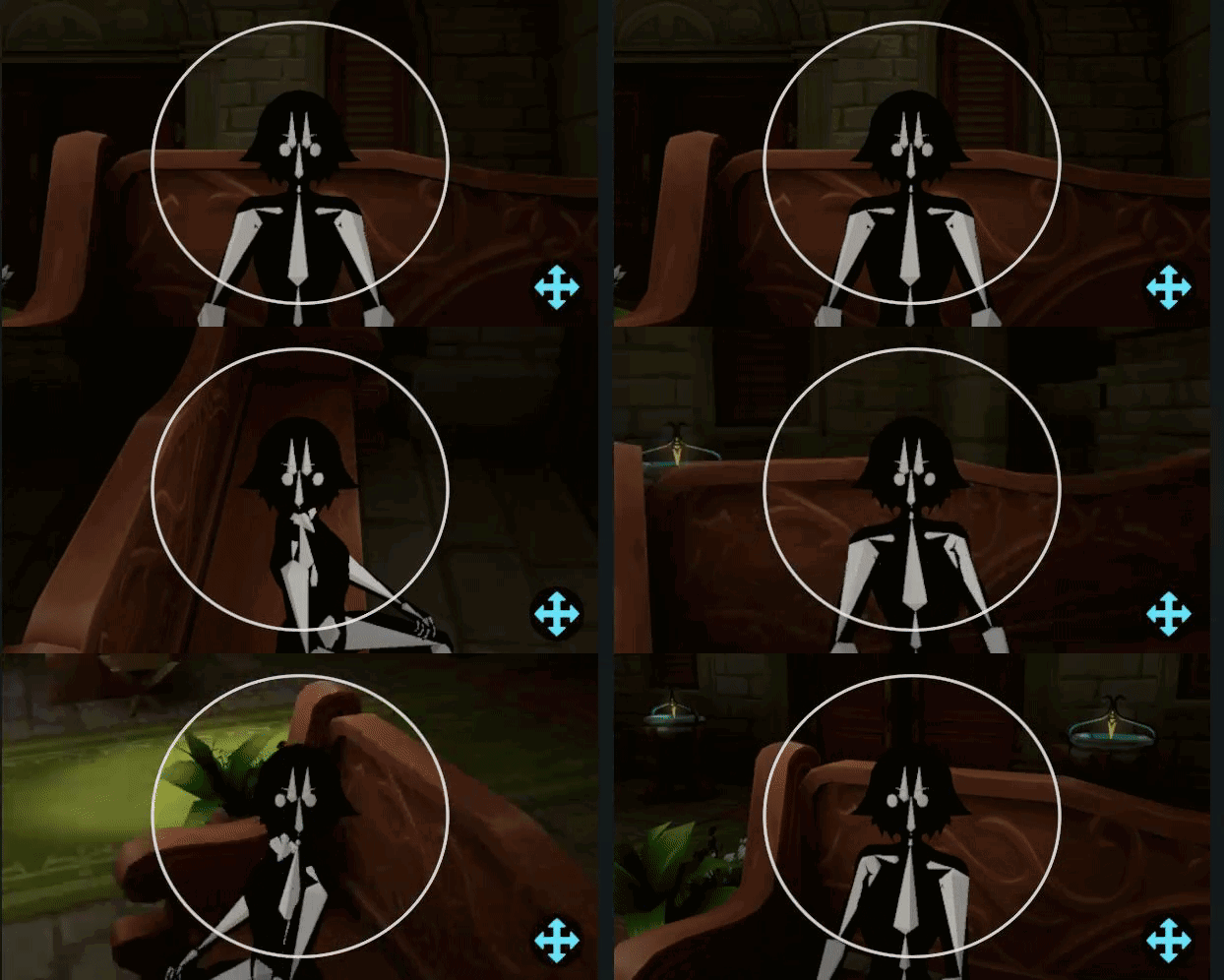 maiden rock
had a brief moment before leaving for work to jump on, so far so good, but there's definitely a sloping effect in play here based on a certain position of the elbows in relation to the controllers
maiden rock
Using height based scaling and only elbows in addition to the regular FBT setup
tiny token
Uncanny
 prisma meadow
looking at that ive just realized how much of a difference eye and face tracking makes
maiden rock
I don't have it connected :o
Making good blendshapes for the blink/down/up makes a decent difference I find
E.g. the top eyelid should close slightly when looking down
 pulsar mulch
How do I adjust the arm scaling launch option?
 compact crystal
would this be the right channel regarding bugs with the ik?
currently going prone height in full body would turn on my desktop prone animation

only started happening after the shoulder tracking update
devout current
compact crystal
would this be the right channel regarding bugs with the ik?
You can use this channel to talk about bugs and if other people have experienced it.
If you actually want to report a bug so that the devs see it / can work on it you would need to post it on the canny.
Which you can do here: https://feedback.vrchat.com/vrchat-ik-20
grand lynx
Yeah there is definitely some weird drooping going on with the shoulders as Towneh and myself have found. We have done a bunch of testing and it doesn't seem to be the bones or weight paint. Still not sure what is going on
 silent surge
XD I like it
maiden rock
Hoping to see more people get consistent experience with the shoulder flop
So we can see a similar pattern of behaviour over multiple rigs that needs adjusting
carmine gate
- shoulders are jank af
- most vrchat-intended models/avatars do not have properly weightpainted shoulders, and a lot of people get models comm'd where they dont even get the model files, and its just uploaded to their account. (unrelated but I wish bad things upon those that do sell models like this, upload it to their account sure, but give em the freakin files too.)
- there needs to be a toggle turn shoulders off
- the arm scale fine-tuning should stay, but become a textbox and let the user input a value. Considering the current VRChat input with the keyboard, and that a numerical up/down like for height would be atrocious for a precise number like that, the best would be to show the current value, then have a reset value button and enter value button, and upon validating with the vrchat keyboard, just do input sanitization to make sure its actually a properly formatted number within the range, if not, put back the original value as it was before editing it.
devout current
Now also go and make cannys about that :p
carmine gate
it's funny, I actually find arms in legacy IK way WAY better, I always found VRChat's supposedly jank IK better than every other game, I would load into VirtualMotionCapture, Cluster, VirtualCast, e.t.c. and the arms would always just feel really weird there, like they were focused on movement realism instead of keeping your hands lined up with the controllers.
IK Beta feels like that movement realism stuff, and it's now a fight with the arm scale to get it to be just right. The arm scale value is important, but it really needs to be adjustable in-game because rebooting the whole game each time you tweak the value is quite something.
I honestly could not give two shits if the arm does a movement that would be impossible IRL, because it's not real life, and the old way just feels more "right"
robust tangle
I don't understand why all of my avatars crouch slightly when in head lock mode
carmine gate
Oh, you mean in 3-point? I actually got that bug at some point, but I wasnt able to reproduce it, no matter how many times I clicked standing then back to seated, the avatar was still slightly crouching by like a foot
switching the scale method and back fixed it
 tawdry nymph
maiden rock
tawdry nymph
maiden rock
I'll check canny when I'm home later and see if anyone's already created one about the shoulder flop

 maiden rock
Half the trick to weight painting is getting the bones in the right position, before going in and correcting
tawdry nymph
Neck:

(Arm is untouched)
Here's how I've done mine to reach the result in my video, there's a lot of room for improvement
carmine gate
why is it not symmetrical?
tawdry nymph
however I feel like I am getting satisfactory results with that setup
tawdry nymph
carmine gate
why is it not symmetrical?
The first screenshot is the Right shoulder, from a front view and a back view
carmine gate
back of the neck

at this point, this kind of discrepancy is inconsequential, but it still makes me die a little inside
maiden rock
Right handed weight bias
tawdry nymph
hmm not sure what happened there
copper trench
pro-tip: turn wireframe on when weight painting to make it way easier.....each vertex gets assigned a weight and the "paint" spreads from there
tawdry nymph
also when I changed the bone position in Blender, I had to go to the FBX in Unity, set the avatar to Generic, apply, and back to Humanoid (and then unassign the Jaw bone) to fix the shoulder bones in-game, but I think people already know that though
maiden rock
Half opacity of weights colours in weight paint mode is also nicer to work with I find
zenith glacier
other question:
i know that this leg setup is something that the ik probably doesnt expect. It works almost fine until the point where i kneel down, then the legs fold itself pretty hard. Anyone might have an idea how to work around that?
 tranquil cipher
generally people do digitigrade by having a straight invisible leg and then they use constraints to move the visible leg how they want
zenith glacier
time to get into that then i guess 🥲
rustic berry
zenith glacier
time to get into that then i guess 🥲

pretty sure I saw a video version of it too
robust tangle
mild furnace
<@!153868400282566656> would it be possible to add some sort of image that shows...
"elbow" trackers should actually be on the upper arm - above the elbows. likewise, knee trackers should be positioned ABOVE the knees - these should not move when you bend your elbows/knees
robust tangle
rustic berry
Ayy's DragonSkyRunner's tutorial. That thing gets around
mild furnace
robust tangle
"elbow" trackers should actually be on the upper arm - above the elbows. likewis...
It was just an reference/example image btw.
 craggy hazel
Image can be altered to suit this, @robust tangle, it wasn't meant to be the final image.
tiny token
tawdry nymph
Right Shoulder (Front view | Rear view):
Is the wp normalized?
tawdry nymph
no it's not normalized
tiny token
Generally is it good to normalize? I’m pretty new to WPing
Also your tools are the f-ing best
How is the new blendshape tool so much faster
 onyx onyx
Hey, so I recently got a index kit and 3 trackers to work with. I'm more interested in experimenting with trackers on my elbows and still one on my hips, is this possible now? also how do I set up the trackers? does steam vr automatically pick them up?
tawdry nymph
tiny token
Generally is it good to normalize? I’m pretty new to WPing
I'm not the right person to answer that, sorry
rustic berry
onyx onyx
Hey, so I recently got a index kit and 3 trackers to work with. I'm more interes...
unfortunately there is no support for elbows without also already having feet and hip. the trackers need to be paired to the dongles via SteamVR
rustic berry
be sure to have your controllers turned on first, and to use the usb extensions and the cradles for the dongles
space them out a few inches to a foot
robust tangle
onyx onyx
Hey, so I recently got a index kit and 3 trackers to work with. I'm more interes...
There is a feature request on Canny for elbows only. I’m with you! Your vote would be appreciated! https://feedback.vrchat.com/vrchat-ik-20/p/feature-request-hip-tracking-elbow-tracking
Although this one requests a hip I would actually like to just skip hip tracking entirely and have upper body only because I sit
I suppose that’s where a chest tracker would come in
tiny token
206-point tracking
dusk anvil
f e a r
robust tangle
tiny token
206-point tracking
Individual teeth tracking
robust tangle
I think 206 was because that’s how many bones are in a body right
dusk anvil
yea
tiny token
robust tangle
Individual teeth tracking
If your teeth wiggle you need to see a dentist
 grand ether
Does shoulder tracking work without legs and hip tracking?
 broken lichen
only works with some avatars... shoulder tracking working really well so far.
tiny token
I wanna see this
 maiden rock
I do think that elbows only is only a result of issues with the shoulder tracking IK, fix one and the other probably becomes moot
it tracks the shrug movement very well, when you raise both the controller and the elbow up, but it seems to have issues with the resting position of the shoulder bones and/or when the arms is raised up but not fully extended, as if its being too aggressive in dropping the shoulders back down.
prisma meadow
with the new update my shoulders are bending down way too much. whats the fix for this?

 lunar patrol
I cant stand locomotion animations. Why cant that be an option to turn off when using FBT?
 deft spruce
lunar patrol
I cant stand locomotion animations. Why cant that be an option to turn off when ...
deft spruce
lunar patrol
I cant stand locomotion animations. Why cant that be an option to turn off when ...
You can do that through the Avatar Descriptor in Unity, by un-checking "Force Locomotion for 6-point Tracking"
lunar patrol
Only on models you own? Or have to request the creators todo it I guess.
I guess I wish it was more of a personal choice rather than the Creator's.
 past spruce
lunar patrol
I guess I wish it was more of a personal choice rather than the Creator's.
past spruce
lunar patrol
I guess I wish it was more of a personal choice rather than the Creator's.
Then vote on this: https://feedback.vrchat.com/vrchat-ik-20/p/add-an-option-to-disable-locomotion-animations-on-all-avatars
 minor rampart
lunar patrol
I guess I wish it was more of a personal choice rather than the Creator's.
minor rampart
lunar patrol
I guess I wish it was more of a personal choice rather than the Creator's.
agreed. Sometimes I want my animation enabled, when I’m walking around.
Other times I want it disabled (like when sitting)
 woven gulch
Avatars that have Gogo Locomotion controllers have that built in for you to choose, it’s still a creator thing but it’s a great resource
lunar patrol
Such a simple thing to add globally. No reason not todo it.
 chilly juniper
Is there anything I can do to disable the shoulder shifting while using locomotion in full body?
Having my shoulders visibly moving is pretty jarring. My avatars already have the checkbox in unity selected for disabling locomotion
final raven
chilly juniper
Is there anything I can do to disable the shoulder shifting while using locomoti...
You'll want to make use of a custom locomotion controller like GoGo Loco.
https://booth.pm/en/items/3290806

Feel free to add it to your own booth product. This locomotion prefab was created to improve the default movement controller. On top of that, you have multiple toggle to turn off legs movement or jump animation as example. You can cycle between multiple pose to simulate that you have full body
chilly juniper
So to replicate the old slide around without my shoulders shifting I need to add an extra thing?
Unfortunate
final raven
Unfortunately, just marking the checkbox in Unity to disable locomotion while in fbt doesn't completely disable all locomotion animations.
chilly juniper
I see
devout current
Is there a way to just disable locomotive with go loco
Without needing the rest of it?
prisma meadow
Sadly I doubt I got enough params for that
prisma meadow
BTW anyone got an example of an ideal rig for ik 2.0? Feel like with every update I run into more and more problems with my rig so I just want to fix it once and for all
harsh lagoon

i saw this image being thrown around a while back, i'm not too sure how well it holds up now since its like a year ago that i had seen it, and i'm not sure where it came from either tbh
devout current
The new IK likes it more when the hip, spine and chest are all above each other in a straigth line
harsh lagoon
yeah then disregard that picture there
devout current
Which is also why I made this canny:
https://feedback.vrchat.com/vrchat-ik-20/p/chest-bone-gets-moved-back-when-its-not-directly-above-spine-tilted-a-bit
(still hope it will support spines / chests with a bigger angle on them)
zenith glacier
devout current
Is there a way to just disable locomotive with go loco
idk how it is about gogoloco, but i assume you can just use that one parameter that disables it and leave everything else out. The one we did on wetcats server can do it as well with one Bool Parameter named "DisLocomotion" and "force locomotion animations for 6 point tracking" set to off. It also cancels out animations when you are getting too low, since it assumes you are going to lay down to not break your pose. and an @prisma meadow as well, for your info :3 https://wetcat.gumroad.com/l/locomotionVRC
https://i.gyazo.com/b393b3a960eb016b804700fce75cf434.mp4
https://i.gyazo.com/9e0df33799cdd9b976ff6ba490dda0ed.mp4
you two would be surprised how many avatars are actually using custom locomotion controllers with these functions, but they simply arent enabled by creators
devout current
Oh yeah I tried that one out too, but I didn't really like that it changes the sitting / laying down animations in desktop
zenith glacier
devout current
Oh yeah I tried that one out too, but I didn't really like that it changes the s...
check out the included youtube file then, i made explanations how to change them to your liking :3
devout current
ah okay, thx for the info, I'll look in to it later then
zenith glacier
but i digress. we need a "force locomotion animations for 6 point tracking" on off toggle by default from vrchat
devout current
yeah
I would be fine if we could just get a parameter to do that tbh
but having one for every Avtar in general would be even better
devout current
zenith glacier
but i digress. we need a "force locomotion animations for 6 point tracking" on o...
For some reason it still moves my chest from side to side, even with it disabled
zenith glacier
devout current
For some reason it still moves my chest from side to side, even with it disabled
it triggers some animations from jumping/falling as well sadly, so if one truly wants to float around, one has to use a custom controller
devout current
ah okay, so the Locomotion fix also fixes that?
zenith glacier
jup, gogoloco and locomotionfix do enforce a single pose if you just want to float around
devout current
interesting
zenith glacier
i guess some auto footstep behaviour stuff with the logik of the normal locomotion layer. Then again, we implemented that stuff shortly after 3.0 came out, so i dont remember exactly which settings cause which undesired behaviour
right now i am just making sure that the controller works well with the ik beta and we have to see how things turn out^^
devout current
nice ^^
 last rain
time to delankify my avis
marsh elm
tiny token
If your teeth wiggle you need to see a dentist
baby-teeth-boutta-fall-off tracking
i cant wait
raw wadi
FBT only overwrite tracker point. Since no toe/chest tracker, those still animate.
zenith glacier
oh one thing i just remembered. The additive layer (if vrchat uses the sample one provided) might cause minor rotation values on the ams&legs, since it first goes into proxy_idle and then if FBT is found into an empty state, which does not revert possible rotation values to 0 (write defaults is off, so from my understanding the empty state should not revert the changes)
technically, since loading does change tracking type like 2-3 times, it might play for a couple of frames
 vital inlet
prisma meadow
with the new update my shoulders are bending down way too much. whats the fix fo...
vital inlet
prisma meadow
with the new update my shoulders are bending down way too much. whats the fix fo...
If you find that your avatar buries their shoulders into their chest it might be that you need to:
A:) If you are on desktop seeing this issue, then you need to modify the locomotion layer to support less shoulder rotation
B:) If you are seeing this issue on VR in 3 or 6 pt tracking, then it has to be the fact that your shoulders do not align too well with the avatars, try to make them less broad.
final sphinx
devout current
Is there a way to just disable locomotive with go loco
Bruh
Its just a layer control
Disable locomotion and u gud
robust tangle
vital inlet
If you find that your avatar buries their shoulders into their chest it might be...
Could you go into more detail of how to "support less shoulder rotation"
vital inlet
robust tangle
Could you go into more detail of how to "support less shoulder rotation"
Well the base locomotion layer will automatically supply a little rotation to your shoulders, but a little can be a lot for some models, as everyone could apply weight differently to their shoulders. Also that rotation could just be too much, and you will then need to modify how much it applies. (For some male avis I have worked on, I needed to just completely remove the rotation on the shoulders.)
 fiery plinth
Hmm just noticed I can mess with the bones transforms in fbx import settings rig tab for quick testing, any downsides? Seems to stick any changes while in UtitiltyTPose
vital inlet
Please someone help, my friend is stuck in beta
She tried switching and uninstalling and it just won’t work
 round osprey
vital inlet
She tried switching and uninstalling and it just won’t work
round osprey
vital inlet
She tried switching and uninstalling and it just won’t work
dont see why you would ever want to leave the beta in the first place but you simply need to select "None" under Beta in steam
devout current
round osprey
dont see why you would ever want to leave the beta in the first place but you si...
They are probably on Quest, if you switch to the Beta version of VRChat and then try to go back to the normal version it wont downgrade you back to the normal version.
(and are probably also talking about the Avatar Dynamics beta)
maiden rock
vital inlet
Well the base locomotion layer will automatically supply a little rotation to yo...
would you mind sharing more details about how you have done this? the default locomotion layer only provides handling for crouching crawling and falling animations and for applying tracking control
would have thought this was more to do with the IdleLayer or ActionLayer, not played much with it personally
vital inlet
maiden rock
would you mind sharing more details about how you have done this? the default lo...
So inside the base layer we have positions for idle, walk, run, crouched, crouched walk, prone, and crawl respectively
getting you images, but well, pfft, might take me a bit.

So here, in the base layer, in the standing layer, while there is no horizontal or vertical velocity (VelocityX or VelocityZ) we can see the avatar is idling.
 maiden rock

or we talking about editing the transform position of the shoulders in the animation its using?
vital inlet
well you found it, sometimes that number can be too high, causing the arm to appear to bend inside of the model's body
Some avatars deal with that due to mapping of where the shoulder is actually on the model, not every animation works for every avatar
So it may need a little customization and tidying to look nice
maiden rock
this seems to be visually OK
 vital inlet
This should be how it appears in game then with you being desktop only.
Or headset only, (1pt)
maiden rock
right but the issue we have is the moment you are using full body, after calibrating the rest position is pulling the shoulders down
vital inlet
In 6pt?
vital inlet
Then have you tried using the armlength calibration?
Wait, 8pt
Well I dunno then... I don't have it lol
maiden rock
shoulder IK is tracking the position of the controllers against the elbows
vital inlet
I was just giving my 2 cents on the 2 that I know the issue could have been about.
maiden rock
so far, from what people have been posting, it looks like there's too much downwards weight in a neutral pose
vital inlet
Still confused on why we don't just take the chest idea.
But I mean, if I am saving 100$ then I am saving 100$
maiden rock
meanwhile my chest tracker is on the floor not being used :D
maiden rock
still, your suggestion is helpful and may point others who have neutral pose position issues in the right track
may explain why some are getting it worse than others
vital inlet
Yeah, I have heard lots of gripes when it came to AV3 and the posing of the avi in 0 1 3 and 6 pt, it is not that we have less power to fix it, but we have more, that takes more knowledge.
raw wadi
In my controller, I chose higher shoulder (still) for FBT but (still3) for the rest. Because of the shoulder movement range. I wonder what is best now.
Shoulder drop to much in 8pt+ ?
raw wadi
vital inlet
Or headset only, (1pt)
Desktop is considered TrackinType 3 in the controller. You use VRMode 0 if you want to have different transition.
vital inlet
Well I am taking about the base layer and it's changes to the models position, I am not to worried myself cuz I am either desktop or 6pt
 pine ravine
.
zenith glacier
vital inlet
Yeah, I have heard lots of gripes when it came to AV3 and the posing of the avi ...
yeah and that knowledge is more or less a lot of try & error until it fits, which for some people ends in a basic "it is dumb", since they dont want to spend too much time in it.
my fbt pose for example is just a copy of t-pose with the arms (not shoulders) turned down

and just for complete explanation: arms are turned down, because if you open steamvr vrchat seems to stop IK for hips and lower (meaning it simply stops wherever it is) as for spine and higher it does whatever the current state's animation wants. -> avatar would raise their arms to t-pose, if they are not turned down like this in the animation
vital inlet
I was able to customize my IK to my liking
Making the standing pose was really important, as it is what I am in if I am not FBT (3pt is so boring to me now lmao) also it is pretty funny to see how much tripping on themselves there is in the default walk (see my second image.)

 vital inlet
zenith glacier
yeah and that knowledge is more or less a lot of try & error until it fits, whic...
vital inlet
zenith glacier
yeah and that knowledge is more or less a lot of try & error until it fits, whic...
But yeah, even in the industry it is a whole buzzle of trial and error anyways, so if you are going to gripe, understand the SDK you are working with first.
Most of the time I will ask "Well then, if you understand it enough to complain about it, tell me how you would want it to be fixed." and then they end up legit explaining a core feature of SDK3 for avatars
 scarlet pine
my chest gets twisted when i lay down in certain avatars. what might that be?
 winged cape
I'm trying to get my avatar's bones fixed up for both head & hip lock, plus 10-point tracking in the future. The proportions are correct afaik. The first picture is my avatar's current hip to head structure. Should I go with either straightening and evening out the spine and chest, or split the chest to make an UpperChest, and then straighten and even that out? https://i.imgur.com/wdJ05vS.png https://i.imgur.com/vLuHHWk.png https://i.imgur.com/DCy3qwC.png


 rustic berry
winged cape
I'm trying to get my avatar's bones fixed up for both head & hip lock, plus 10-p...
rustic berry
winged cape
I'm trying to get my avatar's bones fixed up for both head & hip lock, plus 10-p...
you should have an upperchest bone for best results afaik
winged cape
Do the bones seem to be the right size and in the right spots in that case?
 lethal light
@winged cape
Try making it similar to this
empty solar
imo the bones are way too straight
devout current
empty solar
imo the bones are way too straight
that's actually what the new IK prefers
Also why I have this issue
https://feedback.vrchat.com/vrchat-ik-20/p/chest-bone-gets-moved-back-when-its-not-directly-above-spine-tilted-a-bit
empty solar
devout current
that's actually what the new IK prefers
if you have it like that the weight paint is gonna look messed up if everything else isn't straightened as well
devout current
then tell the IK to work better with a bent spine / chest lol
empty solar
is this for lock all
devout current
no, every lock option
empty solar
never had these problems and I have a tilted chest bone
devout current
Kung talked about it here:
empty solar
oh my spine bone is straight in nearly all my models
devout current
yeah the new IK doesn't like when it's tilted
empty solar
I was thinking in line of the chest bone not the spine bone
like this is my current IK on my models for the time being
 devout current
yeah that seems fine
raw wadi
I test both lock a while ago, but I think I saw the avatar head position snap to where the avatar descriptor or maybe it was the head bone with the headset.
maiden rock
devout current
that's actually what the new IK prefers
this kind of goes against how your bones are orientated from the hips, through the spine, up to the head, very strange
especially if you want the joints located correctly, a straight line up from the hips to the head root has everything far too forward
I have a feeling this worked well when dealing with very simple humanoid creatures a few years back, not quite so much with more realistic body shapes
devout current
hm true, I just know that it doesn't like hard angles on the spine that much
this is were my issues are coming from
maiden rock
It's not the first time I've had to do this, but I was hoping perhaps we could have gone with something a little more accurate, I don't like how she looks with it straightened out to accommodate the IK
maiden rock
 marsh elm
rule 9, i'd delete that b4 an admin does it for you lol
 gleaming harbor
maiden rock
devout current
Also why I have this issue
https://feedback.vrchat.com/vrchat-ik-20/p/chest-bone...
gleaming harbor
maiden rock
devout current
Also why I have this issue
https://feedback.vrchat.com/vrchat-ik-20/p/chest-bone...
does that model have an upside down hip?
it's been suggested that avatars still using the hip fix orientation might be getting some weird behaviour as well
looking at that picture, it looks like the tail is below the head
devout current
Yeah, that's not the cause for that specific issue thought
maiden rock
I'm going to play around with the rig tonight, I was tipped off that connected bones can allow for non directly vertical bones
 merry moss
I was in 10-point tracking the other day, and discovered the Battle Discs game was broken for me - I was unable to throw or activate the discs. Once I switched to 6-point (but still on the IK beta), the discs worked correctly. Anyone else encountered similar issues while in 8+ point?
Is this something content creators would need to account for on their end?
raw wadi
not rich enough to test it
robust tangle
merry moss
I was in 10-point tracking the other day, and discovered the Battle Discs game w...
That’s… weird. Battle Disks is made by VRChat so I don’t think they are using Udon, it’s likely actual C# scripting. I’d be curious if Udon creations are broken in any way? It might be the case that their old code was just making too many assumptions.
Also hi Beatfox thanks for the flexi tail in 2007, found it my first day in SL and is part of what made me stick with virtual worlds.
merry moss
robust tangle
Also hi Beatfox thanks for the flexi tail in 2007, found it my first day in SL a...
Oh wow, haha! Glad to hear it made such an impact on you, Adeon! ^^
Also I should clarify, it's the Battle Discs Beach world by NNLogic that I was in, not the old VRChat Battle Discs world (which I didn't actually know existed until looking it up just now).
robust tangle
That sounds like an actual Bug then, and I doubt there’s many 8 or 10 point tracking people testing out udon scripts.
There does not seem to be any mention of udon breakage on the canny. Bug report time? https://vrchat.canny.io/vrchat-ik-20?search=Udon
merry moss
Thanks for checking. Wrote one up here: https://vrchat.canny.io/vrchat-ik-20/p/udon-content-breaking-in-8-point-tracking
(And am I the only one having trouble changing my canny PFP from the default robot? The option to upload an image is grayed out, and there's no similar option in Settings on the VRChat webpage.)
dusk anvil
merry moss
(And am I the only one having trouble changing my canny PFP from the default rob...
canny pfps are frozen lmao
everyone has the problem, my canny profile picture is my main avatars thumbnail from like a year ago.
robust tangle
merry moss
(And am I the only one having trouble changing my canny PFP from the default rob...
At least you’re not stuck as the Friday night funk bomb guy.
I filed a canny for canny being broken, but Tupper said it was Canny’s problem.
raw wadi
With the new IK you can turn in place when the locomotion is disable. Before the chest was twisting.
tiny token
maiden rock
It's not the first time I've had to do this, but I was hoping perhaps we could h...
Hmm I just noticed this. It’s hard to observe it on myself since I always look at the mirror head on. I think there are many avatars with an angled spine, so imo ik2 should respect that
maiden rock
tiny token
Hmm I just noticed this. It’s hard to observe it on myself since I always look a...
I didn't get a chance to test it tonight, but see if making the bones connected in blender make any difference, it was a tip I had but didn't have a chance to test out and now it's bed time zzz
tiny token
Did you move the bones, or repose?
I’ve adjusted bone positions, all it does is change the point of rotation of the WPed vertices right?
Aren’t bone tails just for aesthetics?
 spring rune
not that it matters much at all for my case now that I’m getting Tundra but can someone confirm what I was told, have this solved the stretchy body issue for Kinect users? it was basically the reason I’m getting proper trackers at this time, since the important activity of dancing was basically ruined for me. it’s been so long 😓
 knotty acorn
using lock head with IK2.0 does in fact fix the hip stretch.
well.. kind of.. technically your hip is still slightly behind but because of lock head allowing your hip to drift to allow the head to stay in place it looks fine
robust tangle
I don’t understand why head lock causes my hips to drop and knees bend as if crouching
And not just my own avatar this happens for other people’s public blueprints as well
It’s the same as using sitting mode when sitting in 3 point, it just doesn’t move you up high enough and the knees are still bent
carmine gate
if you switch lock behavior and then go back to lock head, does it fix itself?
prisma meadow
thats because the torso is slightly larger than your actual torse, so it needs to drop your hips a bit
at least I think
robust tangle
carmine gate
if you switch lock behavior and then go back to lock head, does it fix itself?
Nope
robust tangle
prisma meadow
thats because the torso is slightly larger than your actual torse, so it needs t...
But it is not fixed by wearing the hip tracker higher/lower. How would it even know where my actual hips are?
prisma meadow
ive noticed that the body snaps to your trackers instead of just not doing that. perhaps its snapping to the middle of the hip bone
robust tangle
Seems to do the same thing regardless of where I put the hip tractor during bind
prisma meadow
same for me
robust tangle
The only way to fix it is if I move the tracter after binding
I thought the point of calibration was to grab the hip offset at the time of locking
prisma meadow
ya thats what it should be. I have the same issue
think its the same issue as to why you need to look down a bit when you have both locks on when calibrating
loud patio
prisma meadow
really wish they would give us an example rig
There's plenty of example rigs online for Unity
 whole glacier
robust tangle
But it is not fixed by wearing the hip tracker higher/lower. How would it even k...
whole glacier
robust tangle
But it is not fixed by wearing the hip tracker higher/lower. How would it even k...
Its based of were yore head is. Not hips.
(head lock)
 junior pebble
merry moss
I was in 10-point tracking the other day, and discovered the Battle Discs game w...
junior pebble
merry moss
I was in 10-point tracking the other day, and discovered the Battle Discs game w...
Late response, but I can test it out tonight when I hop on and see if I have a problem with it as well.
dusk anvil
aAAh

 short knot
nice
 stiff light
Based slimevr update
real bane
was not planning to get on, this changes
stiff light
short knot
nice
Hi calibration fox :3
short knot
hewwo
stiff light
liccck
short knot
owo
 half needle
dusk anvil
aAAh
half needle
dusk anvil
aAAh
wow
 full gull
anyone else still using the legacy calibration method with 10 point?
dusk anvil
thats probably not recommended
full gull
I've been fine enough with it
oak pendant
For release, measure-by-arms will be same scale factor as legacy by default to avoid confusion during the update. But as you mention the launch option in available
dusk anvil
full gull
I've been fine enough with it
alright
full gull
I just like to look down and not have my avatar sink through the floor whilst doing so
dusk anvil
you're going to the floor dimension.
it'd be pretty funny if like uhhhh resolution options were in-game as well
probably a canny out there already
oak pendant
Possibly at some point, but it's a confusing option by nature. Many new users are confused by tight arm, so the too-long avatar arms from legacy also make sense there.
Personally I liked the scale factor ik-beta had at launch better too, but plenty of people don't care if they can't fully extend their arms if it means they don't over-reach them either.
oak pendant
And lots of people were very confused about how floor height, arm length, and user real height interact when the new scale factor was introduced with initial ik-beta
but I get that it's a use case for enthusiasts who don't want to scale by height because of high-heels or otherwise non-grounded foot rotation points
So the launch option is in there
Yeah, I'd be more concerned about "brand new ik makes my avatar too small and floor wrong. New ik must be broken!"
 frosty orchid
||Bruh||
dusk anvil
oak pendant
Yeah, I'd be more concerned about "brand new ik makes my avatar too small and fl...
whole game broke absolutely unplayable /j
oak pendant
Both points of view are very valid though I think, I gave it a shot at ik-beta release, thanks to the feedback from beta testers here I think we're able to dodge a bullet on the scale factor for full release
oak pendant
dusk anvil
whole game broke absolutely unplayable /j
Haha gave me a heart attack right after pushing the update until I got to the /j
dusk anvil
oak pendant
Haha gave me a heart attack right after pushing the update until I got to the /j
inb4 someone actually says that when it releases :vrcatreal2012:
oak pendant
Yeah, there might be other reasons to further adjust it that we haven't thought of
No problem. Thanks for understanding about the new (old) default.
dusk anvil
imagine the batshit insane things people are gonna be able to do with ik2 + osc + dynamics
i cant, my brain broke.

oak pendant
Hmm, yeah better dynamics + more tracking points could make some cool looking stuff
dusk anvil
tfw that one guy knees me in the chest and i take damage due to my avatars pvp system
oak pendant
Still waiting to see someone do OSC toe bend tracking
dusk anvil
dusk anvil
tfw that one guy knees me in the chest and i take damage due to my avatars pvp s...
and then i actually feel the damage being dealt because osc is connected to my makeshift haptic feedback suit
oak pendant
OSC tasers!
 silver geyser
yeah folks have got haptics working with open Sound control and Avatar Dynamics
dusk anvil
OH FUC K
 robust magnet
oak pendant
robust magnet
oak pendant
Ah interesting, looks like it would tickle
tiny token
oak pendant
Personally I liked the scale factor ik-beta had at launch better too, but plenty...
Is there a reason it needs to be a scale factor and not another body measurement setting?
oak pendant
tiny token
Is there a reason it needs to be a scale factor and not another body measurement...
What alternative would you suggest?
tiny token
Let us tell the game our armspan
Just like the height
Instead of a magic scaling constant
oak pendant
In theory you could set an armspan, but it would be less configurable on the fly because you couldn't make further adjustments with user real height
prisma meadow
oak pendant
OSC tasers!
actually got my tens unit working. But the issue was i was having relay inductance so it would hit me a bit harder than i expected.
tiny token
Arm span setting for arm-mode, existing height setting for height-mode
oak pendant
Arm span in arm mode still needs to set the VR floor some distance down from a targeted height
So the ratio problem still exists
(not trying to "gotcha" btw just trying my best to get your thinking so I can answer your first question about the reasons for the ratio)
tiny token
Same, without knowing the implementation I can’t give confident suggestions lol
Wouldn’t you just the floor beneath the feet of the avatar?
oak pendant
Yeah but how tall does the avatar stand to get the feet there?
(there could be ways to auto measure user height, but that introduces the concept of calibration into 3pt when they didn't have to deal with that before)
tiny token
Does the IK2 height mode use a scaling factor?
oak pendant
height mode is basically "auto mode" for the scale factor
tiny token
I thought how it worked was
- User enters a height, 170 cm for exam
- The avatar and world are scaled so that the distance between feet and hmd matches height (minus forehead?)
- Resulting in arms being whatever length they are
And for arm mode, swap height and arm
oak pendant
distance between feet and hmd -> distance between feet and targeted height
(you might not be standing straight at any given time and distance between feet and hmd varies a lot)
For arm mode the world is scaled to fit the avatar's arms between your arms, and then the full standing head position of the avatar is aligned with the targeted user real height (by shifting the world floor)
tiny token
Hmm yeah, the trackers can be attached anywhere
final sphinx
just saw your comment on the canny Kung, gonna try ovraing into an object later.
also hyped for the elbow fix, as it was kinda werird on some avas
oak pendant
The angle popping when locking elbow in front of your avatar should be fixed now lmk if there are still issues
Also a few cases of shoulder tracking causing sagging shoulders or an odd crimped shoulder look should likely be solved, again lmk (on canny) if issues remain
oak pendant
final sphinx
just saw your comment on the canny Kung, gonna try ovraing into an object later.
Also note, this isn't a change to the freezing of IK when a collider is collided with, it's the issue where hands went back to desktop mode when traveling far from a locomotion-locked avatar root
final sphinx
yeah seems plausible
wonder if those also covers the issues some quest players had on live with desktop arms
oak pendant
That should have been solved with the first version of ik-beta
But ik-beta isn't on quest so we'll never know! But yeah actually that was a general 3pt issue I think
Oh, I suppose the "fix" won't revert back in legacy mode in ik-beta but I don't consider that a bug that legacy isn't like live in this case
 rose beacon
having some issues with the new elbow solver when not wearing arm trackers.
the 2 main issues im having are
- my elbow points away from my body when i place my hands near my shoulders
- the elbow razes when moving my arm across my chest

 vital inlet
will the ik beta be quest too
vital inlet
The new version of the ik beta released earlier on Tuesday works great with Steam VR, Driver4VR and the Xbox 360 kinect. I like the new full body tracking adjustments options in the settings tab.
dusk anvil
vital inlet
will the ik beta be quest too
dunno if the betas on quest or not (i assume it's not) but the features will be on quest when ik2 exits beta
selecting open beta downloads the avatar dynamics beta
maiden rock
great work @oak pendant <3
 lavish topaz
^ so weird seeing the shoulders actually work in a realistic way lol gonna have to get used to seeing that
vital inlet
heya, weird oddity I am testing
The world feels askew
Like Google Askew type level askew
AAAAnnndddd the simple turn it off and back on fixed it
carmine gate
I have that when the magnetometer in my rift gets out of whack, taking the headset off and doing loopdy-loops with it for a bit fixes it
happens rarely, but still a possible occurence, most likely not related to beta. if it happens again, try opening the steamvr dash, and see if thats askew as well
 empty root
maiden rock
great work <@!153868400282566656> <3
empty root
maiden rock
great work <@!153868400282566656> <3
this has convinced me that spending several hundred on trackers is worth it 
maiden rock
At least get 2 more required for elbows, unless you don't have FBT (6pt) in the first place :o
deft spruce
Some avatars with non-human shoulders may not behave well though. I have yet to test this theory with one Avatar I own that has no humanoid shoulders whatsoever.
maiden rock
I suppose non human shoulders may be a strong use case for the disable launch parameter
harsh lagoon
Seems like all the issues i had with weird elbows are fixed!, there is just one small thing i noticed while using an animation that had me lay on my back however, when i looked left and right while on my back, my left arm would twist upwards, right arm was fine though. I'll try recording it tomorrow to show
otherwise, tracking seemed good, scale seemed good, and elbow clipping torso felt great too :yesye
devout current
Is there an ingame or launch option for this?
https://feedback.vrchat.com/vrchat-ik-20/p/11711-add-an-option-to-revert-scale-factor-to-previous-non-legacy-value
It's not mentioned in the change log, that's why I'm wondering
maiden rock
The announcement in #open-beta-announcements briefly covered it
- Added --custom-arm-ratio="0.4537" launch option. "0.4537" is default, "0.415" will approximate previous beta arm scale
devout current
ohhh whops my fault, I thought that was something for 8 / 10 point tracking
😅
Tbh I feel like it would be nice if a few of these options would be ingame and not launch options. This would make it easier to find out what the best settings for your self are.
It's getting a bit clutterd with all of these launch options
maiden rock
Agree though it seems like Kung has an uphill battle with those responsible for UI
devout current
I mean those more indepth options should be something in the Main Menu settings pannel, otherwise we would just clutter the Quick Menu settings page even more
 upper plover
I think my brain is fried, I read VRChat version thinking it’s unity version
We are still on unity 2019 right?
 mild nimbus
for the time being yes

Unity
Unity is the ultimate game development platform. Use Unity to build high-quality 3D and 2D games, deploy them across mobile, desktop, VR/AR, consoles or the Web, and connect with loyal and enthusiastic players and customers.
 bold osprey
Hi, i would like to ask, so right now i only have 6 vive trackers, is it still possible to just equip 3 trackers + 2 just on the elbow? Or ik 2 doesnt allow anything other than 6 point and 10 point ?
carmine gate
you can do just knees or just elbows yea (on top of waist and feet, elbows alone with upper tracking doesnt work)
bold osprey
Thank youu
 low kraken
@oak pendant do you know how VRC actually calculates the arm span from an armature? Does it use specific bones? Or an average?
 fierce holly
Question I'm on the beta just got 10 point tracking and I can't move I turned the trackers off and could move any ideas why this is happening?
dusk anvil
maiden rock
great work <@!153868400282566656> <3
absolutely wicked
vital inlet
oak pendant
The angle popping when locking elbow in front of your avatar *should* be fixed n...
Is this the elbow bug where the left elbow does weird stuff?
on default karin base with no rig changes it had that bug
i couldnt figure out why
final raven
grand lynx
Really hope we get to continue using armscale adjustments even if its something we have to enter into steam as we are doing now
Fine adjusting it has given me the best tracking Ive ever had
coral cairn
out of curiousity what's your personal ratio?
 rustic zodiac
Is it just me, or did shoulder tracking stop working after latest update
Is there a way I can go back to pre-update beta to check?
Was working amazingly yesterday
using 10 point fyi
I see you kung!
did you get sleep?
oak pendant
There's now more of a limit on how far down shoulder tracking can cause the shoulders to sag (was an issue on some avatars), to see if this is what's causing your issue try calibrating with your arms down more to start with
So you'd calibrate in something like an A-pose with your real arms below the avatar's T-pose
rustic zodiac
Ahhhhh, yeah I changed avi to my test and I see it working kinda
oak pendant
(only as a diagnostic check) See if that will let you see the shoulder tracking working again
oak pendant
The sag reduction shouldn't really be a large change though to the point of it stopping working, it just prevents extreme sag (but if it were going to be in that zone you wouldn't have wanted to track anyway)
rustic zodiac
Main thing I get back is front back rotation ,that almost completely doesnt work now
With T-pose
Apose works
Guess its because arms areforced to stretch more
oak pendant
If you shrug the shoulders up and then simultaneously try front-back can you see it again?
rustic zodiac
Yep
shrug and everything works
I seee when you tpose you raise your shoulders slightly, so this caused the sag
to compensate you force the restriction of lower movement
oak pendant
Do you have a screenshot you could share of your avatar in blender?
I'm curious how the shoulders are rigged up
oak pendant
whichever one you're having trouble with
 oak pendant
I see, yeah usually when unity applies the rig config to an A-pose avatar it straightens the arms out but leaves the shoulders sloped downward
If you had it in T-pose (including the shoulders) it would probably improve this
I can look at restoring more front-back motion though when the sag prevention is kicking in
 quasi venture
The IK beta is available for quest? is that an error?
 oak pendant
quasi venture
The IK beta is available for quest? is that an error?
oak pendant
quasi venture
The IK beta is available for quest? is that an error?
unfortunately not
rustic zodiac
Because of the short shoulders
quasi venture
Ah ok.
quasi venture
It does say that it's available for all platforms though with the update post
rustic zodiac
Using OSC for chest tracker coming soon
oak pendant
quasi venture
It does say that it's available for all platforms though with the update post
Yeah, it will be on release, but setting up two simultaneous Quest betas was beyond what we planned to do with the IK-Beta
oak pendant
Once IK-Beta becomes "Open Beta" for the IK2.0 release, I think it should be available on quest to test before the final release at that time
(that would be after Avatar Dynamics is released)
rustic zodiac
Wouldn't you push IK beta to Prod?
Seems like something to give to the community before all the big stuff
Unless it's not ready before Dynamics, not sure how that's getting along Tho
final raven
rustic zodiac
Wouldn't you push IK beta to Prod?
Because IK 2.0 is live compatible, there'll be no rush to push it out.
Gonna be tweaked on as much as possible before it gets pushed to the public branch.
hollow sigil
oak pendant
(that would be after Avatar Dynamics is released)
So, there is no way the updates can fight, correct? I hope the updates won't conflict for some reason and bug out for no reason
rustic zodiac
I seeeee
low kraken
Is the arm length measurement that VRC uses as simple as hand bone to hand bone? or fingertip to fingertip? How can I measure arm length for myself?
rustic zodiac
Fair point
final raven
hollow sigil
So, there is no way the updates can fight, correct? I hope the updates won't con...
It shouldn't. IK-beta will be updated with AD of course once that gets pushed to Live.
hollow sigil
Let's hope that goes smoothly
final raven
final raven
Because IK 2.0 is live compatible, there'll be no rush to push it out.
Also to add to this, ik-beta branch will be kept up to parity with the Live branch as that gets updated.
hollow sigil
so basically, the patch that we got some time ago, was also a patch on this beta?
raw wadi
What are the math for the elbow clipping prevention.
zenith glacier
oak pendant
(that would be after Avatar Dynamics is released)
you guys might need to check the IK code for avatar dynamics though. From what people told me this bug might be present over in avatar dynamics beta: https://feedback.vrchat.com/vrchat-ik-20/p/when-hipanimation-in-tracking-control-headhmd-movement-is-also-seems-ignored
by chance that you separated the betas when this bug was already in?
oak pendant
low kraken
Is the arm length measurement that VRC uses as simple as hand bone to hand bone?...
It's head bone to hand bone (for a single arm's length) The ratio in the launch option is a single arm length's ratio compared avatar's height
oak pendant
hollow sigil
So, there is no way the updates can fight, correct? I hope the updates won't con...
Will be my job, and also people working on AD to handle merging nicely. But rather than have AD's open beta filled with issues that could either be an AD issue or an IK2.0 issue, it's better for development to isolate them and polish AD first, then handle AD+IK2.0 in the open beta that would follow
low kraken
oak pendant
It's head bone to hand bone (for a single arm's length) The ratio in the launch ...
Like this?
 oak pendant
low kraken
Like this?
oak pendant
low kraken
Like this?
yep
hollow sigil
oak pendant
Will be my job, and also people working on AD to handle merging nicely. But rath...
Alright, keep that up. wishing the whole team good luck
oak pendant
low kraken
Like this?
I'll note though, if you're just trying to calculate a ratio to have the floor height set correctly, measure-by-height mode will do that automatically
low kraken
Yup, I got that. This is part curiosity and part trying to find the ideal rig for all calibration types.
junior pebble
oak pendant
Will be my job, and also people working on AD to handle merging nicely. But rath...
How will this interact with the live-compatible ik beta when AD is fully released? Will we still be able to use 10 point and such on live (opting into the IK beta) along with AD when it's fully out?
oak pendant
There may be a short time when AD is out but IK2.0 isn't fully merged yet, which could force everyone back to not having the new IK on live during the interim.
devout current
Btw the current SteamVR beta breaks VRChat, someone the live version works though.
final raven
devout current
Btw the current SteamVR beta breaks VRChat, someone the live version works thoug...
Oh?
maiden rock
don't change a thing, was dancing tonight and it was perfect :D
grand lynx
Agreed
Tracking is perfect now
This is amazing
All my issues are gone
For 10 point anyway
 vapid wharf
sorry for the beginner question, but does taking advantage of the ik improvements in this beta require a different sdk or enabling any settings in the avatar project file? tried looking for an answer to this and i couldn't find anything
rustic berry
vapid wharf
sorry for the beginner question, but does taking advantage of the ik improvement...
no, it's purely an in game thing
vapid wharf
gotcha, thank you!
rustic berry
you just switch to the beta, and enable the Beta IK in your quick menu
having extra trackers like elbows will drastically improve how the Ik looks
vapid wharf
does it change animations in desktop mode as well? i have a headset, but I'm curious
rustic berry
not sure why you would care much about IK in desktop mode lol
but I'm not sure on that one
IK 2.0 is an option under the "Full body tracking" section
vapid wharf
Oh I'm just working on a commission
I'm not sure what mode my client plays in so I was curious if they'd notice a difference on their end
maiden rock
Spent a good hour dancing to dnb on this stream and I was taken aback a bit how good the IK was, if anything I'm struggling to keep up with the technology now, time to improve my fitness! (And get better knee straps that stay on!) @oak pendant <3
https://www.twitch.tv/videos/1441517610?t=0h23m17s
 prisma meadow
Something about the new update fixed shoulders for me. So that's nice
winged cape
Would changing my avatar’s default pose from A-pose to T-pose help fix the fact one issue I’m having, where my arms are too long when outstretched to the sides and too short when stretched forwards and looking up?
lethal light
winged cape
Would changing my avatar’s default pose from A-pose to T-pose help fix the fact ...
I believe unity automagically forces the avatar into a t-pose when it is importing/generating the rig, thus I don't know if that would help, but, given the fact it takes 2 min in blender, I would say try it out and let us know
raw wadi
It does but only the arm, not the shoulder.
 keen grove
i heard the new IK is kinda garbage... I would switch over, but i really dont want to deal with bugs. Does any1 think it will be ready for release in like a week or so?
if it was pushed
raw wadi
It get less bug over time since more testing
devout current
keen grove
i heard the new IK is kinda garbage... I would switch over, but i really dont wa...
It will still take some time for it to come out. The new IK "beta" is less of an beta and more of an ongoing development thing. It will be longer in a "beta" state than other betas.
Why? Because Kung and the rest of the team want to work on the new IK together with the community so that when it will finally come out it will hopefully be perfect and work good for mostly everyone.
 worldly crag
Finally back to vrchat after a few weeks off. I jumped in yesterday and noticed a bunch of oddities (elbow jumping around, chest flipping when spinning in place) with 3 point fbt, but come to think of it, not sure if the beta was active or not... might try it again tonight
final raven
keen grove
i heard the new IK is kinda garbage... I would switch over, but i really dont wa...
I wouldn't really classify it as garbage myself. Much better then the legacy IK on Live currently. As for when it's ready for release, it's still TBD, but since it is live compatible, it won't be rushed out to release and will be spending a lot longer in the oven, even more so then Avatar Dynamics.
ionic heron
keen grove
i heard the new IK is kinda garbage... I would switch over, but i really dont wa...
In my experience, it's pretty good, and definitely better than the default IK - also, the point of a beta is to test it, and report bugs (via https://feedback.vrchat.com/vrchat-ik-20) so that it won't be 'garbage' c:
and ye, it'll be in development for longer than avatar dynamics
 vestal oriole
Havnt used live ik since this one been out
devout current
Same
robust tangle
winged cape
Would changing my avatar’s default pose from A-pose to T-pose help fix the fact ...
In my experience that doesn’t have any effect at all. A-pose tends to have better shoulder deforms over t-pose, but that’s all weight painting. Not IK
subtle arrow
keen grove
i heard the new IK is kinda garbage... I would switch over, but i really dont wa...
it literally can't be ready to push out until after avatar dynamics are released. Their current plan appears to be finish the beta on Avatar Dynamics, release that, then move IK 2.0 to open beta and merge it with the Avatar Dynamics branch and resolve those bugs.
Also they have been very actively resolving issues people have found and posted on the Canny. I'd say it is really good and the bigger challenge they are having is getting it to a state everyone will be happy with while not bloating the UI with options
dusk anvil
the fact that the new quick menu can scroll helps a lot
minor rampart
vestal oriole
Havnt used live ik since this one been out
I use legacy in a few contexts, but yeah, I'm on beta IK 98% of the time.
I just really want the leg/feet IK to be addressed so sitting on the floor, cross legged, doesn't look terrible anymore---and that little movements on my feet don't result in my legs moving in a fairly dramatic fashion.
 cosmic pagoda
is it still relevant to have the knee and elbow slightly bent to prevent breaking in the future? or does the new ik system will make it obsolete?
 dusk anvil
cosmic pagoda
is it still relevant to have the knee and elbow slightly bent to prevent breakin...
dusk anvil
cosmic pagoda
is it still relevant to have the knee and elbow slightly bent to prevent breakin...
it's still relevant
cosmic pagoda
Thank You
raw wadi
I think the only thing that change drastically is that you don't need to have that big of a gap from hip to leg.
No more side hip tilt
 hushed zinc
ok so im on Oculus quest 2 but its not letting me go into the open beta
any help?
ive looked in the store but for some reason there's no detail button
raw wadi
Ik 2.0 is only pc for now
marsh elm
lol
devout current
raw wadi
Ik 2.0 is only pc for now
Only for Steam*
The Oculus Rift version also doesn't have it
raw wadi

bold osprey
any suggestion for elbow straps?
bold osprey
u can buy them loose? ill look it ltr
marsh elm
bold osprey
any suggestion for elbow straps?
Duct tape
bold osprey
Wut
 zealous verge
marsh elm
Duct tape
zealous verge
marsh elm
Duct tape
If you want to have your trackers on you forever then use duct tape
 kind tulip
how do i join ik 2 beta? asks for a code
ionic heron
It doesn't - switch to the IK2 beta, and update the game
kind tulip
you are right, it said code not working but now theres the ik tag next to game name thanks!!
ionic heron
yw! c:
devout current
kind tulip
you are right, it said code not working but now theres the ik tag next to game ...
That code section is for private / internal versions you can't even see those without a code. The Beta selection above is for you to select what beta you wanna use.

They are independent from each other
empty solar
I learned a hard lesson
if you want very long arms you have to sacrifice the shoulder bone length
dusk anvil
a soul for a soul
vital inlet
When the bones coming out on quest 2
dusk anvil

low kraken
@oak pendant For measuring the arm length, what if the avatar is not in a T-Pose? Is it still measured the same way?

 sharp ermine
How do you lock your hips
I want to able to turn my entire body when I look around rather than have it twist a certain way
carmine gate
get owotrack
assuming you dont already ahve fullbody
you cant lock your hip in place if you dont give it a point of reference
sharp ermine
Rip
carmine gate
owotrack is free
this is the part where I get really really pissy, because of strict server rules about server invite links,a nd the fact owotrack doesnt have an actual website
@sharp ermine https://k2vr.tech/docs/bettertracking#owotrack k2vr docs to the rescue (always and forever, never helped better than by yourself, I hate humanity, were all doomed, please give me a flamethrower and a get out of jail free card)
carmine gate
tldr, if you use owotrack alone, you can have 4-point tracking where you add just the hip on top of the head and hands, and that will let you do what you were asking for
robust tangle
low kraken
<@!153868400282566656> For measuring the arm length, what if the avatar is not i...
unity T-poses them anyway. rest pose in blender/unity does not matter. Actually A-pose is better
maiden rock
Vrchat applies a tpose animation to your avatar whatever resting pose it's in, generally a tpose or a pose will be good as a neutral position to avoid too much mesh stretching
whole glacier
An important thing to note is that if the shoulders are not already straightened unity does not T-pose/straighten them.
low kraken
robust tangle
unity T-poses them anyway. rest pose in blender/unity does not matter. Actually ...
So the measurement is done from a forced t-pose?
robust tangle
low kraken
So the measurement is done from a forced t-pose?
you can see an example of the pose it is using during calibration
harsh lagoon
sharp ermine
I want to able to turn my entire body when I look around rather than have it twi...
i have a locomotion controller that has a toggle to do this, you press a button and it'll lock your leg rotation so only your head moves around
rustic berry
robust tangle
you can see an example of the pose it is using during calibration
aren't the animations for that in the SDK aswell

this is the IK pose
here's the Tpose
 robust tangle
I don't know if they are the same, it's possible though
 muted pecan
is there a way to mark trackers as "do not use"? ive added a tracker for my dog im using externally, but i want vrchat to stop trying to think its part of my full body ik
marsh elm
The "Yo what the dog doin" tracker
muted pecan
i prefer the "lets all pet the dog" tracker
raw wadi
The IK pose bend the limb to know what way to go.
low kraken
robust tangle
you can see an example of the pose it is using during calibration
What's the specification for the t-pose such that I can measure this myself in blender?
prisma meadow
noticing that sometimes when I calibrate with 10 pt my knees will move the opposite way they are supposed to. anyone else getting this?
lethal light
prisma meadow
noticing that sometimes when I calibrate with 10 pt my knees will move the oppos...
opposite as in I move my right knee left and it moves right, or opposite as my left knee tracker bound to the right knee and vice versa?
prisma meadow
move right knee right and right knee moves left
lethal light
I have not heard of that happening, might test it out a bit and make a cany. Is it only one one avatar?
prisma meadow
I only use one avi. so idk
lethal light
xD, fair
past spruce
Sounds like your trackers are too close to each other, since sometimes similar situation happens with feet trackers.
prisma meadow
Could definitely be. I have them on my thighs because they slide off my knees
empty solar
The IK beta fixes one of my problems on one of my really old avatars
vital inlet
so can anyone tell me the dif between 8 point and 10 point. like i have 7 trackers but waiting for the strap. but wanted to know if there was a major difference in it for dancing
marsh elm
vital inlet
so can anyone tell me the dif between 8 point and 10 point. like i have 7 tracke...
the difference is whether the elbows/knees are tracked as well
what do you want to hear in specific
rustic berry
vital inlet
so can anyone tell me the dif between 8 point and 10 point. like i have 7 tracke...
8 point is normal FBT but with either elbows or knees added, 10 point is with both added
vital inlet
okay thank you
grand lynx
In 10 point, the shoulder movement makes so much of a subtle difference in movement. When dancing, the shoulder movement makes everything look way more realistic.
Was messing around with friends and filtering them out using the camera.
I am not a professional dancer by any means mind you, but that little shoulder push at the end just really sells more realism.
Loving the current 10 point tracking in beta with the ability to adjust arm scale. Best it's ever felt. Kudos.
devout current
grand lynx
is that with hip lock, head lock or with hip & head lock? ^^
devout current
oh
grand lynx
legs*
devout current
xD
grand lynx
head and hip causes you to look like that one kids from recess
devout current
looks really good btw ^^

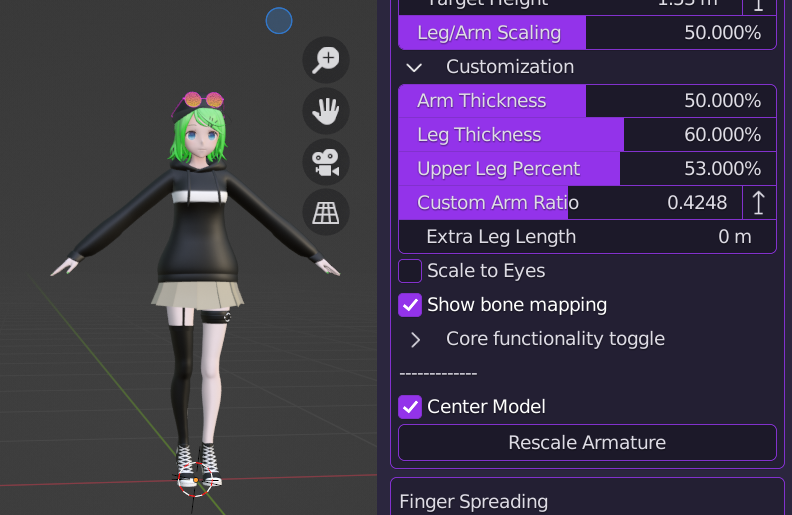

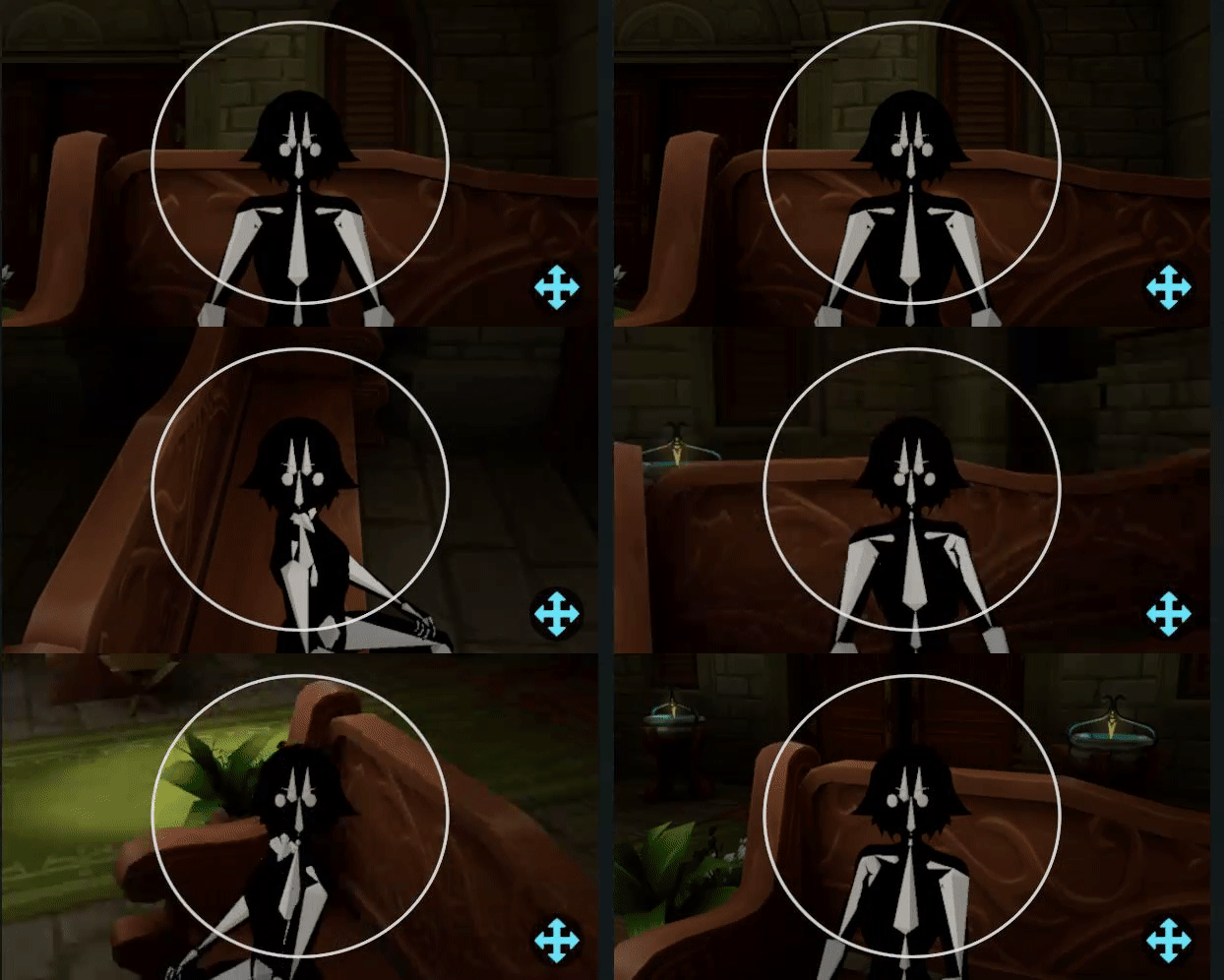


 devout current
lmao
grand lynx
To everyone saying to have trackers above knees/elbows are 100% right
 ebon rune
grand lynx
My experience of having head/hip lock is this:
ebon rune
grand lynx
My experience of having head/hip lock is this:
exactly what happened to me.
marsh elm
Is there a way to allow some compression in the chest/spine assembly?
Since it seems like the torso is the first to buckle under the two locks?
 fiery lava
grand lynx
To everyone saying to have trackers above knees/elbows are 100% right
fiery lava
grand lynx
To everyone saying to have trackers above knees/elbows are 100% right
yes!! I put my knee trackers on the lower thigh directly front and center, and elbows above the joint facing outwards. tracking looks amazing in those positions so far.
zenith glacier
marsh elm
Since it seems like the torso is the first to buckle under the two locks?
for now just look down by like 15°, it will relax it enough so it doesnt move your neck that much
 primal palm
My Tundra trackers drift a bit depending on which base station is visible, causes the shoulders to act a bit weird.
Would be nice if I could disable the shoulder movement to hide the wacky tracking.
Launch command or config text would be good enough tbh. 🙏
marsh elm
i just wished trackers didnt yeet away into the sun whenever they lost tracking for a sec lol
devout current
primal palm
Launch command or config text would be good enough tbh. 🙏
But that's already an option?
https://feedback.vrchat.com/vrchat-ik-20/p/add-a-toggle-to-switch-between-elbows-only-and-elbows-and-shoulders-tracking-mod
 primal palm
Ah, it's just in Open Beta? 😅