#udon-networking
1 messages · Page 5 of 1
 tacit drum
 frozen igloo
they're lifeless husks, it's your local view of a remote player, not a rela remote player
 cold laurel
they don't run networking
 frozen igloo
it's only one copy of the client, it can only do so much
tacit drum
so it probably works now?
cold laurel
try it in build and test with multiple clients
tacit drum
alr so know i have another problem
i wanna use a function on a ui button
but i cant find it
when i assign the object to it
frozen igloo
use sendcustomevent, not the function itself
tacit drum
frozen igloo
use sendcustomevent, not the function itself
ah
tacit drum
frozen igloo
use sendcustomevent, not the function itself
and just input the name of the function?
frozen igloo
yes
cold laurel
magic string my beloved
 stone badger
Going to try to sneak in here with a question on VRC Pickup. I have a script attached to the game object that has VRC Pickup and VRC Object Sync components. I override Pickup, Drop, OnPickupUseDown and OnPickupUseUp. They don't appear to be being called (no log lines). This script has no sync on it (don't think it is permitted due to the Object Sync). Is that preventing the events from being called?
frozen igloo
did it.. work?
stone badger
The object is grabbed BTW.
frozen igloo
stone badger
Going to try to sneak in here with a question on VRC Pickup. I have a script att...
setting the script to non sync might break the objectsync but pickup events don't require sync, no.
frozen igloo
stone badger
Going to try to sneak in here with a question on VRC Pickup. I have a script att...
if you're on desktop, the use events would require autohold on the pickup
but pickup and drop should work regardless
cold laurel
stone badger
Going to try to sneak in here with a question on VRC Pickup. I have a script att...
did you declare the override methods correctly?
frozen igloo
show code
cold laurel
^
stone badger
Pretty certain... I had it all working then wanted to add a bit of syncing to it. I created a Sync class so it could do the syncing.
frozen igloo
if you wanted the sync to be manual, you'll have to put it on a separate object, it would conflict with objectsync
stone badger
This is Pickup
        public override void Pickup()
        {
            Logger.Info($"{_nameofClass}.{nameof(Pickup)}");

            _stickSync.HoldStick(true);
        }
ah
stone badger
That's just my logger class
cold laurel
stone badger
```
public override void Pickup()
{
Logger.Info($"{_...
public override void OnPickup()
stone badger
The sync script is on another object
frozen igloo
huh how did it even let you override "Pickup" when it should be "OnPickup"
did you modify udonsharpbehaviour?
stone badger
I thought so also but it wouldn't accept OnPickup
cold laurel
stone badger
Oh good, so that's probably it
OnPickup reports "no suitable method method found to override" (wierd huh?) had it all working earlier.
frozen igloo
sounds like you modified UdonSharpBehaviour
try a fresh install of udonsharp, it should have OnPickup, not Pickup
stone badger
        public override void OnPickupUseDown()
        {
            Logger.Info($"{_nameofClass}.{nameof(OnPickupUseDown)}");

            _stickSync.UseStick(true);
        }
that one works
Let me try that.
If I had modified it, it would show up in my source control. Let me play around a bit.
        [PublicAPI] public virtual void Drop() { }
        [PublicAPI] public virtual void OnOwnershipTransferred(VRC.SDKBase.VRCPlayerApi player) { }
        [PublicAPI] public virtual void Pickup() { }
        [PublicAPI] public virtual void OnPickupUseDown() { }
        [PublicAPI] public virtual void OnPickupUseUp() { }
That's how they are defined
frozen igloo
yeah, it should be [PublicAPI] public virtual void OnDrop() { } [PublicAPI] public virtual void OnOwnershipTransferred(VRC.SDKBase.VRCPlayerApi player) { } [PublicAPI] public virtual void OnPickup() { } [PublicAPI] public virtual void OnPickupUseDown() { } [PublicAPI] public virtual void OnPickupUseUp() { }
stone badger
wow... reload time
frozen igloo
no idea how it got like that, that's weird
stone badger
unusual to say the least
cold laurel
F2 rename moment?
frozen igloo
ahhh
stone badger
VS is too smart
stone badger
Ok they are back but let me see if they log now (thanks)
tacit drum
so im instantiating objects that have the VRC Object Sync but they dont appear on other screens, what do i do
cold laurel
tacit drum
so im instantiating objects that have the VRC Object Sync but they dont appear o...
You can't sync instantiated objects.
You should avoid instantiating stuff anyways.
Use an object pool.
tacit drum
AAAAAA
tacit drum
cold laurel
Use an object pool.
what does that do?
cold laurel
It pools objects
Basically, it manages a bunch of objects and syncs if they are disabled or enabled.
To "spawn" something from the pool you just tell the pool you want an object. If there's any available it will give it to you.
If there's none left, it won't.
When you're done with the object you can return it to the pool to be re-used later.
cold laurel
tacit drum
what does that do?
You can use the VRC Object Pool component for this
tacit drum
wait so it kinda works like instantiating obj?
tacit drum
cold laurel
You can use the VRC Object Pool component for this
should i put already existing objects in there or prefabs?
cold laurel
tacit drum
should i put already existing objects in there or prefabs?

This has been a long video in the making, going over how to use an object pool to spawn in a object, whenever you click on the stack of cards. This is how you would go about instantiating an object into your game, while allowing the objects position to also be synced, so everyone else can see the object moving as well.
In this video I only used...
cold laurel
tacit drum
wait so it kinda works like instantiating obj?
No, because all the objects already exist in the scene.
They are just disabled.
But you can pretend they get instantiated I guess
tacit drum
this tutorial is in a graph so i cant really follow it
well
i guesss i cn
well nvm i cant follow it
i cant seem to use a VRCObjectPool through code
wait what about VRCInstantiate?
tacit drum
cold laurel
No, because all the objects already exist in the scene.
can i sync turned off objects?
cold laurel
tacit drum
can i sync turned off objects?
Disabled gameobjects do not sync. However, they will receive the syncs they "missed" when they were disabled when they get enabled.
tacit drum
cold laurel
Disabled gameobjects do not sync. However, they will receive the syncs they "mis...
so if i enable a disabled object it will sync or no?
cold laurel
It will
tacit drum
or do i have to make a synced bool?
tacit drum
cold laurel
It will
alr good
tacit drum
cold laurel
No, the active in hierarchy state is not synced by default
thats what i ment by disabled
cold laurel
But the VRC Object Pool will sync that for you
tacit drum
cold laurel
But the VRC Object Pool will sync that for you
uhh first of all, i have no idea how to use that second of all, i already synced it myself
thanks
cold laurel
tacit drum
uhh first of all, i have no idea how to use that second of all, i already synced...
I literally sent you a tutorial
tacit drum
cold laurel
I literally sent you a tutorial
its in a graph
cold laurel
cold laurel
https://youtu.be/s96fkF2MsaY
It's right here
cold laurel
tacit drum
i have no idea how to translate tha
The things done in graph are the same as you would in U#
Here are the docs:
https://udonsharp.docs.vrchat.com/vrchat-api/#vrcobjectpool
tacit drum
checked this before you sent it and i still dont understand
cold laurel
tacit drum
checked this before you sent it and i still dont understand
I'm confident in your ability to understand what you need to do if you follow the graph tutorial. It shows you the flow of logic and you can refer to the docs if you need to know the specifics about the U# variations of the methods.
tacit drum
cold laurel
I'm confident in your ability to understand what you need to do if you follow th...
got it to work without object pools 
cold laurel
 echo pasture
So i have this issue. I have a VRCPickUp with an UdonBehavior on it. This udon behavior has UdonSynced (Continuous) variables that update when the gameobject collides with another collider. The synced variables will only update for the owner of the gameobject and should update the other instances by RequestSerialization. This works fine while the owner is holding the game object, however when variable gets updated when it is not being held then the updated variables are not being sent. I've checked that the game object's synced variables are updated on the owner's instance but other instances get stale data. This issue fixes itself when the gameobject gets held again, however making players pick up objects to sync them again is cumbersome.
 sweet wolf
echo pasture
So i have this issue. I have a VRCPickUp with an UdonBehavior on it. This udon b...
sweet wolf
echo pasture
So i have this issue. I have a VRCPickUp with an UdonBehavior on it. This udon b...
If no one holds the object - make the master its owner. That's the easiest way.
 astral quarry
frozen igloo
ahhh
astral quarry
frozen igloo
ahhh
sorry to reply but nothing works n im trying tofind fastest way fix so what doi doifmy wifi goes out while playing then it comes back on then the game crashes after the vrc logo loading screen everytime ik im being annoying butim an impatient person and i wanna fixit fast please help
echo pasture
sweet wolf
If no one holds the object - make the master its owner. That's the easiest way.
I'll try that ty
cold laurel
echo pasture
So i have this issue. I have a VRCPickUp with an UdonBehavior on it. This udon b...
RequestSerialization does nothing when you use Continous sync.
echo pasture
Makes sense since it does it automatically every frame anyway
cold laurel
echo pasture
Makes sense since it does it automatically every frame anyway
Well.. it's far from every frame
echo pasture
well yeah, what i mean is when it is set to continuous sync it will basically run RequestSerialization whenever it can so there isn't a point to trying to manually call RequestSerialization since its gonna happen when the continous sync would have already done so
cold laurel
echo pasture
So i have this issue. I have a VRCPickUp with an UdonBehavior on it. This udon b...
Continuous sync stops syncing when the rigidbody is asleep.
The rigidbody goes into sleep mode when it hasn't been moving for a while. Aka when you drop it.
echo pasture
so is there a way to wake up the rigidbody besides moving/picking it up?
cold laurel
echo pasture
so is there a way to wake up the rigidbody besides moving/picking it up?
You can just wake up the rigidbody.
https://docs.unity3d.com/ScriptReference/Rigidbody.WakeUp.html
 echo pasture
alright i'll give that a try ty
 restive cliff
You should try giving KitKat a scenario of what should happen when the pickup is dropped. For example "the torch will slowly run out of fuel and this is synced"
cold laurel
That would be lovely
echo pasture
I'm trying to make craftable food. So when two ingredient game objects collide they will combine to form a new food item. Due to limitations on the number of pickups im allowed i can't despawn both ingredients and spawn the combined food, so instead im having only 1 ingredient change to the food item (through animations) while the other ingredient despawns. It is possible for the same ingredient to be added twice (For example bun + patty = burger and burger + patty = double stacked burger) so to prevent that the change is only applied to the owner of the ingredient and other instances are expected to sync with it. Another (probably more reasonable) reason i'm limiting the change to only occurring once is because one ingredient despawns after the change, so if it despawns before the owner can register the collision then the change won't occur for the owner and therefore won't get propagated to the other instance. But the problem that i'm seeing is that the other instances are not receiving the updated variables from the owner and instead keep deserializing the stale values.
echo pasture
cold laurel
You can just wake up the rigidbody.
https://docs.unity3d.com/ScriptReference/Ri...
waking up the rigid body doesn't appear to fix the issue for me. I used SendCustomNetworkEvent to trigger a wake up for all instance and the debugging statements for the wake up method are appearing on both instances, but the parameters aren't synced.
stone badger
echo pasture
waking up the rigid body doesn't appear to fix the issue for me. I used SendCust...
I haven't given it deep consideration BUT... it sounds sort of like what I'm doing with my flight sticks. I need both VRC Pickup / VRC Object Sync behavior as well as custom sync options. My solution was to place the VRC stuff on a wrapper object and to place my own sync'ing on a Sync class placed on a child object.
echo pasture
That was a solution I was considering cuz then it would let me manually sync. However that would require me to rework the hierarchy of several Prefabs. I'm a little crunched on time so if I go with this solution it would have to be when I can spare time or revisiting the project later on. Thank you for your input though.
 small fossil
I have a quick question regarding networking and syncing and I need some ideas on how to tackle this problem.
I am making a automated card game, I already have an object pool of cards in the world, named with their own IDs. When the master starts the game, the cards IDs are shuffled and stored into a shuffledDeck datalist. The order of the cards are VERY important because they determine the outcome of the game. How would I be able to sync that data to all the players in the instance while keeping that shuffled order? I could serialize the datalist to a JSON aray and send it to players, but the array is really big (like, 140 items big) and I probably can't fit that into a string. I decided to break it into chunks and have the master send it to all the players in phases, but I find that it wasn't consistently maintaining the card order when we sync the data and had random side effects such as isSyncShuffled not being set, or the preserialization constantly looping at the end and adding a bunch of duplicate data into the list.
I will share my code in just a sec
    // startingDeck is all the cardIds that exist in the world
    // shuffledDeck is where we will store the shuffled cards and will be used for the game
    public void ShuffleDeck()
    {
        udonConsole.Log("Master is shuffling deck...");
        while (shuffledDeck.Count < startingDeck.Count)
        {
            var newItem = startingDeck[UnityEngine.Random.Range(0, startingDeck.Count)];
            if (!shuffledDeck.Contains(newItem))
            {
                shuffledDeck.Add(newItem);
                //udonConsole.Log("Shuffled and Added to Array: " + newItem);
            }
        }
        isShuffled = true;
    }
    public override void OnPreSerialization()
    {
        // inspired by: https://stackoverflow.com/a/37098733
        if (isShuffled && iterations < shuffledDeck.Count)
        {
            cardChunks = shuffledDeck.GetRange(iterations, Math.Min(5, shuffledDeck.Count - iterations));
            iterations += 5;
            if (VRCJson.TrySerializeToJson(cardChunks, JsonExportType.Minify, out DataToken result))
            {
                _json = result.String;
                udonConsole.Log("Sending to all users: " + _json);
            }
        }

        if (isSyncedShuffle && !playerCardsGiven)
        {
            // do shit to give all the cards to the players
        }
    }

    public override void OnDeserialization()
    {
        if (!isSyncedShuffle)
        {
            if (shuffledDeck.Count < startingDeck.Count)
            {
                if (VRCJson.TryDeserializeFromJson(_json, out DataToken result))
                {
                    for (int i = 0; i < result.DataList.Count; i++)
                    {
                        udonConsole.Log("Data recieved: " + result.DataList[i]);
                        // get the shuffled card data from the master and add it to the player's deck
                        shuffledDeck.Add(result.DataList[i]);
                    }
                }
            }
            else
            {
                // we are done syncing the shuffle, let everyone know in the instance we are ready to distribute the cards to players
                isSyncedShuffle = true;
            }
        } else if (!playerCardsGiven)
        {
            // do shit to give all the cards to the players
        }
    }
You can instead use an int[] that stores the deck.
Then to shuffle it you simply do:
Utilities.ShuffleArray(deck);
Then to sync it, all you have to do is to make the int[] a synced variable.
You can locally convert it into a DataList in OnDeserialization if that's more handy for handling it later.
small fossil
cold laurel
You can instead use an `int[]` that stores the deck.
Then to shuffle it you simp...
can it be a string[] instead? just curious bc all the IDs are labeled such as "cat_1", "cat_2" and so on....
cold laurel
small fossil
can it be a `string[]` instead? just curious bc all the IDs are labeled such as ...
The generic version of Utilities.ShuffleArray that would be needed to use a string[] is sadly not exposed in U# 1.X but can be used in graph.
If you need to shuffle a different type of array you can use this silly workaround:
private Transform[] keys;        // This can be any type of array.
private Vector3[] _keyPositions; // This can be any type of array.
private int[] _dumbWorkaround;

private void CacheKeyPositions()
{
    _keyPositions = new Vector3[keys.Length];
    _dumbWorkaround = new int[keys.Length];

    for (int i = 0; i < keys.Length; i++)
    {
        _dumbWorkaround[i] = i;

        _keyPositions[i] = keys[i].localPosition;
    }
}

private void ShuffleKeys()
{
    Utilities.ShuffleArray(_dumbWorkaround);

    for (int i = 0; i < keys.Length; i++)
    {
        keys[i].localPosition = _keyPositions[_dumbWorkaround[i]];
    }
}
Here I've used the shuffled int[] to change the index of the other array elements
small fossil
cold laurel
If you need to shuffle a different type of array you can use this silly workarou...
cool, ill give it a try, and its not silly if it works 😛
small fossil
cold laurel
If you need to shuffle a different type of array you can use this silly workarou...
so far I got the shuffle to work but it seems like the udonsynced int[] isn't updating to all the players
not sure why thats happening.
cold laurel
small fossil
so far I got the shuffle to work but it seems like the udonsynced int[] isn't up...
You need to initialize the array on all clients for it to sync.
small fossil
i think im already doing that?
1 sec
technically, the master should be the only one running ShuffleKeys right?
bc if everyone runs that function, everyone will get a different array
the goal is to shuffle the deck, but everyone should be able to have that same pile
cold laurel
small fossil
bc if everyone runs that function, everyone will get a different array
Yes.
small fossil
does int[] have a limit on how much we can sync the data?
cold laurel
small fossil
i think im already doing that?
You can make sure by just declaring it like this.
 cold laurel
small fossil
does int[] have a limit on how much we can sync the data?
cold laurel
small fossil
does int[] have a limit on how much we can sync the data?
It's extremely high
small fossil
gotcha
small fossil
cold laurel
You can make sure by just declaring it like this.
ohhhh! ok, yeah let me try that
cold laurel
Are you using Manual sync?
small fossil
Right now its continuous for debugging reasons
cold laurel
Continuous sync has a much lower limit, though I don't think that's the issue.
Try not to sync everything; consider what you can determine from the minimal amount of information shared. For example: if an object will move on a fixed or predictable path, then its position may not need to be synchronized and instead its initial location and velocity may be sufficient.
small fossil
hmm still haven't gotten it to sync at all. I have set it to Manual, and I ensure I called RequestSerialization() after shuffling. Here's waht I have so far.
in the organizeDeck() function
        _keyPositions = new string[startingDeck.Count];
        _shuffledKeys = new int[startingDeck.Count];
        CacheKeyPositions();
        SendCustomNetworkEvent(VRC.Udon.Common.Interfaces.NetworkEventTarget.Owner, "ShuffleKeys");
    // starting deck is where we are getting all of the card IDs in the world
    private void CacheKeyPositions()
    {

        for (int i = 0; i < startingDeck.Count; i++)
        {
            _shuffledKeys[i] = i;

            _keyPositions[i] = startingDeck[i].ToString();
        }
    }
    // only ran by instance master
    public void ShuffleKeys()
    {
        udonConsole.Log("Shuffling Keys...");
        Utilities.ShuffleArray(_shuffledKeys);

        for (int i = 0; i < startingDeck.Count; i++)
        {
            startingDeck[i] = _keyPositions[_shuffledKeys[i]];
        }
        MapKeysToDeck();
        RequestSerialization();
    }
    // maps everything to the shuffled deck, we run this after ShuffleKeys is done generating keys!
    public void MapKeysToDeck()
    {
        for (int i = 0; i < _shuffledKeys.Length; i++)
        {
            shuffledDeck.Add(_keyPositions[_shuffledKeys[i]]);
            udonConsole.Log("Added to Shuffled Deck: " + _keyPositions[_shuffledKeys[i]]);
        }
    }
    public override void OnDeserialization()
    {
        MapKeysToDeck();
    }
Why are you sending a network event to the owner here? Everything else looks fine
small fossil
cold laurel
Why are you sending a network event to the owner here? Everything else looks fin...
because the owner has to shuffle the keys which is then pushed into the synced _shuffledKeys array.
cold laurel
small fossil
because the owner has to shuffle the keys which is then pushed into the synced `...
Also, I highly recommend using nameof(ShuffleKeys) instead of just hard coding the string
cold laurel
small fossil
hmm still haven't gotten it to sync at all. I have set it to Manual, and I ensur...
Is the object with this script active in hierarchy for everyone? Disabled GameObjects don't send/receive synced variables. (They do send/receive networkevents though)
small fossil
cold laurel
Is the object with this script active in hierarchy for everyone? Disabled GameOb...
yes
currently prototyping a solution so standby ^^
small fossil
its was a timing issue
basically all the players are getting the UdonSynced data before the _keypositions even have time to populate the data
so I decided to cache the keys at the start instead of executing the cache when the master hits play game. got it to sync now. ty for the help.
 sleek sun
.
 stone shard
Okay, so I'm making some UI for two teams where players can join or leave a team using a button. It's mostly functional but the last hurdle I'm running into is if multiple players mash join and leave then it can cause the player array to double up and break.
I have the team management on a separate script so that when someone joins they take ownership of the script, add their name to the list, and then serialize it to the rest. So it seems to double up and break my system when someone mashes leave/join as someone else joins and takes ownership.
So there seems to be that small moment when the mashing player and the new player getting ownership both are owners before it gets a chance to update on the other end?
I have Networking.LocalPlayer.IsOwner(gameobject) check before running any of the join/leave code and that does seem to catch most of the issue but after enough mashing it can still break.
So, I'm mostly figuring out what the best plan of attack is for this kind of issue as maybe there's something I just don't know I can do. I thought about adding a function that checks for duplicate player entries, and clears any duplicates but I imagine there might be another check I can do beforehand maybe? Or maybe just delaying the join check a second or so to allow more time for ownership changes?
I'm looking around some but figured I'd ask here in case someone knows a better way!
cold laurel
stone shard
Okay, so I'm making some UI for two teams where players can join or leave a team...
Are you checking if the player's ID is already in one of the teams before adding it?
stone shard
Yeah! I have a bool that keeps track if the local player is on a team or not. If they're not then it'll add them to the first empty slot. If the bool is true then it'll find the first instance of their id and clear it so the Join/leave button is the same.
It very well could be messy code on my end, I'm still pretty new to it so! After this the update ui cycles through and assigns each slot on the UI side of things as well. This functions seemingly fine outside of the mashing issue from what I've found at least haha
public void RedTeamJoin()
    {
        if (!Networking.LocalPlayer.IsOwner(gameObject))
        {
            Networking.SetOwner(Networking.LocalPlayer, gameObject);
        }

        // Only lets team adjustments outside of a match
        if (mainWaterPoloScript.gameActive == false && Networking.LocalPlayer.IsOwner(gameObject))
        {
            lastJoinButtonPressed = "red";

            if (playerOnTeam == true)
            {
                //Checks if player is already on red team
                for (int i = 0; i < playersRedTeam.Length; i++)
                {
                    // If so remove them from team
                    if (playersRedTeam[i] == Networking.LocalPlayer.playerId)
                    {
                        playersRedTeam[i] = 0;
                        redJoinButton.text = "join red";
                        Debug.Log("Player Cleared");
                        playerOnTeam = false;
                        // Runs this early since this gets out of the function
                        updateUI();
                        RequestSerialization();
                        return;
                    }
                }
                // On team but not red? Checks if player is already on the blue team
                for (int i = 0; i < playersBlueTeam.Length; i++)
                {
                    // If so remove them from team
                    if (playersBlueTeam[i] == Networking.LocalPlayer.playerId)
                    {
                        playersBlueTeam[i] = 0;
                        redJoinButton.text = "Leave Team";
                        // Now has an assigner that updates the red team button since we're swapping teams
                        blueJoinButton.text = "Join Blue";
                        Debug.Log("Player Cleared");
                        playerOnTeam = false;
                        break;
                    }
                }
            }

            // If player is not on team assign them to the first empty slot
            if (playerOnTeam == false)
            {
                for (int i = 0; i < playersRedTeam.Length; i++)
                {
                    if (playersRedTeam[i] == 0)
                    {
                        playersRedTeam[i] = Networking.LocalPlayer.playerId;
                        redJoinButton.text = "Leave Team";
                        Debug.Log("player assigned");
                        playerOnTeam = true;
                        break;
                    }
                }
            }
            RequestSerialization();
            updateUI();
        }
    }
Same kind of thing for blue team, just does blue team related stuff in that prioritized order
cold laurel
stone shard
Yeah! I have a bool that keeps track if the local player is on a team or not. If...
Small tip, you can specify what syntax highlighting you want. In this case you could specify "csharp" or "cs"
```cs
```
stone shard
Ahhh gotcha! First time really had to put code into discord or anything and it also made me realize I don't have ` on my smaller keyboard and need to make a shortcut lmaoo
Lemme see
cold laurel
Pretty colors! :p
 cold laurel
stone shard
Yeah! I have a bool that keeps track if the local player is on a team or not. If...
cold laurel
stone shard
Yeah! I have a bool that keeps track if the local player is on a team or not. If...
What does your OnDeserialization look like?
Also, maybe instead of returning or breaking out of the loop early when looking for IDs that match the local player's you just let it run all the way through? This should remove duplicates if any are present.
I'd be careful relying on the bool you have for if the player is on a team btw. I have a hunch that it's causing you some issues.
It may be best to omit that bool altogether and search both teams regardless.
Same goes for OnDeserialization, you should search the teams and check if the local player is present in any of them.
This is probably pretty overkill, but I'm trying to cast a really wide net.
Another measure you should add is rate limiting on the join / leave buttons.
stone shard
Yeah, looking back over it the bool for sure probably can get thrown off quite easily and that makes sense! Especially if I can take out the breaks and stuff and let it check through it all instead of just noping out after assigning.
Haven't seen much on rate limiting though, how would I go about that?
Here's the deserialization stuff by the way!
public override void OnDeserialization()
    {
        updateUI();
    }
 private void updateUI()
    {
        if(redTeamPlayerListSlots != null)
        {
            for (int i = 0; i < redTeamPlayerListSlots.Length; i++)
            {
                if(playersRedTeam != null)
                {
                    if (playersRedTeam[i] != 0)
                    {
                        if (VRCPlayerApi.GetPlayerById(playersRedTeam[i]) != null)
                        {
                            redTeamPlayerListSlots[i].text = VRCPlayerApi.GetPlayerById(playersRedTeam[i]).displayName;
                            Debug.Log("Updated Player " + VRCPlayerApi.GetPlayerById(playersRedTeam[i]).displayName + " to board. Player ID is " + playersRedTeam[i]);
                        }
                        else
                        {
                            playersRedTeam[i] = 0;
                            redTeamPlayerListSlots[i].text = "";
                            Debug.Log("Removed Null Player on UI Update");
                        }
                    }
                    else if (playersRedTeam[i] == 0)
                    {
                        redTeamPlayerListSlots[i].text = "";
                        Debug.Log("Set empty slot to be blank again");
                    }
                }

                if(playersRedTeam[i] != 0)
                {
                    Debug.Log(VRCPlayerApi.GetPlayerById(playersRedTeam[i]).displayName);
                }
                else
                {
                    Debug.Log("Empty Slot");
                }

            }
        }

        if(blueTeamPlayerListSlots != null)
        {
            for (int i = 0; i < blueTeamPlayerListSlots.Length; i++)
            {
                if(playersBlueTeam != null)
                {
                    if (playersBlueTeam[i] != 0)
                    {
                        if (VRCPlayerApi.GetPlayerById(playersBlueTeam[i]) != null)
                        {
                            blueTeamPlayerListSlots[i].text = VRCPlayerApi.GetPlayerById(playersBlueTeam[i]).displayName;
                        }
                        else
                        {
                            playersBlueTeam[i] = 0;
                            blueTeamPlayerListSlots[i].text = "";
                        }
                    }
                    else if (playersBlueTeam[i] == 0)
                    {
                        blueTeamPlayerListSlots[i].text = "";
                    }
                }
                if (playersBlueTeam[i] != 0)
                {
                    Debug.Log(VRCPlayerApi.GetPlayerById(playersBlueTeam[i]).displayName);
                }
                else
                {
                    Debug.Log("Empty Slot");
                }
            }
        }

    }
I'll take a closer look tomorrow (it's 1AM xd)
Another thing you could do is to set owner and then wait with the whole assigning stuff until a second or two later, this can easily be done with SendCustomEventDelaySeconds.
This would help mitigate the case where two people try to get ownership at the same time as you're giving VRC time to resolve the conflict.
To rate limit your buttons you can simply use a bool. Let's call it ignoreInput or something. Set this bool true when any of your join / leave buttons get pressed. At the same time, use SendCustomEventDelaySeconds to call a method where you set the bool false again.
If a button is pressed while the bool is true, ignore the input.
stone shard
Yooooo, sendcustomeventdelayseconds makes SO much sense, my ass completely forgot about that. Whenever I look up timing/delay stuff I always come across coroutines so I've been doing some stuff in update timers 
No sweat though! I'm already trying out some of the stuff you mentioned so I'll report back if I get things somewhat more figured out! The direction to look into stuff alone helps a ton, thanks! Worse parts with this kind of stuff is just when I have to figure out what I'm trying to fix and figuring out what to look into so!
cold laurel
Glad I could provide some sense of direction! Hope you figure it out. If you ever have any more questions feel free to ping me! 
stone shard
For sure! Thanks again, have a nice night!
stone shard
cold laurel
Glad I could provide some sense of direction! Hope you figure it out. If you eve...
Yup! The delay seems to of helped, I was able to remove the playeronteam bool without issue, and cleaned up the break/return stuff so it clears any duplicate instances if they somehow pop up! Had some friends just mash join/leave and it seems to keep up and function now!
Need to change how the UI text gets updated on the join/leave button still but functionally it's solid now! Thanks a bunch!
cold laurel
No problem! 
 molten wing
when does this need to be called in a script like i need to make it networking but there need to be also more to it


as you may see
is this corect or do i need to place it else where
?
player join thingy
i tryed with bool but it did not really want to synce
and block notes i m not used to
because then it just one to synce one thing and the other thing not
frozen igloo
molten wing
when does this need to be called in a script like i need to make it networking b...
the typical flow is that you take ownership, set a variable, then requestserialization. This is everything a manual sync script needs to send those variables to other users. Then other users will receive OnDeserialization, where they can react to what those variables mean
molten wing
i m going to do that on join
like it get the thing and then it will be synce when a person join idk how yet but try to get the master storage thing
molten wing
frozen igloo
the typical flow is that you take ownership, set a variable, then requestseriali...
you know what i will try at the best point
i have some toggle scripts what does that
so maybe get some part of them to sync it
frozen igloo
molten wing
like it get the thing and then it will be synce when a person join idk how yet b...
That's not the recommended way to do it. Again, you should take ownership, set the variables, and requestserialization. All the players will receive ondeserialization including the late joiners automatically without you having to do anything in onplayerjoin
if you do another sync when a player joins, that's doubling it up. It's already being synced to them
frozen igloo
of course if you're syncing with network events it may be necessary because network events don't automatically sync.... but also... plz don't sync state with network events, that's bad for a whole host of other reasons 
molten wing
well i did not really learn on school how to program and i was not am not good in networking so i mostly want to learn how to make my own game in vrchat for everybody to injoy and can i ask you something like what is the plans now because i was talking with a friend ones and he said voice command will be fun is there any plans for that just out of curiosity
frozen igloo
no
 tame roost
if I have a gameObjct with VRCObjectSync can it have a child object with an UdonBehaviour set to manual sync mode?
tame roost
neat 👍
does a PickupUseDown event cascade to children?
or would I have to send a custom event from the parent to the child
stone badger
tame roost
neat 👍
I don't know that I'm doing it the most effect way but I'm in the same spot and have implemented an object with VRCObjectSync that has a child "sync" object set to manual. The parent has a reference to the child so when the Pickup events occur they just call methods in the "sync" script to handle the sync parts. You wouldn't need an event per se.
tame roost
thats pretty much how I did it, can't pass args in a custom event
frozen igloo
tame roost
thats pretty much how I did it, can't pass args in a custom event
you can setprogramvariable then sendcustomevent though. Or you can use udonsharp
tame roost
oh true, didn't think of that
stone badger
frozen igloo
you can setprogramvariable then sendcustomevent though. Or you can use udonsharp
Oh that might be handier than sync'ing in a number of cases. Can I confirm something from the UdonSharpExample found here: https://udonsharp.docs.vrchat.com/examples/
- Spinning Cube
If a player calls Interact it can send a custom event "NetworkEventStuff" in that example and each player can simply interact with their instance of the class right? No sync'd variable (but it must be visible of course) and a method can be called directly with no need to RequestSerialization and in fact no need to set an owner in that case right? Seems like a nice way to handle this sort of interaction.
frozen igloo
no networking happens unless you tell it to, or it comes from an outside source that is already synced. Interact is not automatically synced, but for example onplayertriggerenter is kinda because players themselves are synced and everybody sees them enter at the same time
stone badger
frozen igloo
no networking happens unless you tell it to, or it comes from an outside source ...
Right (and I've modified my code to test it) but now there is no need for a game object (that performs the called method) to have the owner set because each player is simply calling their instance of the method. And I'm setting a variable marked with UdonSynced but in this case it again doesn't require sync'ing because every player is setting it the same. I believe I have removed the need for sync'ing on that class altogether so even that variable doesn't require that attribute.
frozen igloo
ok? Sounds good, I'm not quite sure what you're asking
stone badger
That the example in the examples above is a good way to remove some places where manual syncing (and all the associated code) happens. It is a handy alternative method with the same net effect.
In any case I think it will work 🙂
frozen igloo
you linked a doc with a dozen examples though, which one?
stone badger
UdonSharpExample
frozen igloo
that is an example of how to call events in udonsharp without using sendcustomevent, yes
you can just call them directly, the C# way
stone badger
Yes, again once the event has been fired to all players.
frozen igloo
it is also an example of how to use network events. I would not recommend network events as a replacement for synced variables when it comes to setting variables and state though
stone badger
Sure but my need wasn't a case where state needed to be maintained, it passes and Id that is used once. I was stuck making it stateful because it had to be there when RequestSerialization was called. I still believe it will work well for my use case.
 obsidian cedar
stone badger
Sure but my need wasn't a case where state needed to be maintained, it passes an...
obsidian cedar
stone badger
Sure but my need wasn't a case where state needed to be maintained, it passes an...
You could look into - https://github.com/Miner28/NetworkedEventCaller
GitHub
Contribute to Miner28/NetworkedEventCaller development by creating an account on GitHub.
stone badger
obsidian cedar
You could look into - https://github.com/Miner28/NetworkedEventCaller
Oh very cool, thanks for the link. I'm reading it now.
cold laurel
obsidian cedar
You could look into - https://github.com/Miner28/NetworkedEventCaller
Great, now the entirety of next week will be spent trying to understand how this all works 
stone badger
cold laurel
Great, now the entirety of next week will be spent trying to understand how this...
The README just needs a section on "how it works" 🙂
obsidian cedar
cold laurel
Great, now the entirety of next week will be spent trying to understand how this...
How it all works behidn the scenes or how it all works for you as user xD ? Because how it works behind the scenes.. GL HF 😅
cold laurel
obsidian cedar
How it all works behidn the scenes or how it all works for you as user xD ? Beca...
Behind the scenes.
There's a lot.
cold laurel
Thanks 😅
stone badger
Seemingly "odd" but when I test my world using Local Testing with 2 clients) both clients report LocalPlayer.isMaster as true. This makes it difficult to test code that needs to run on Start for the non-master players only. I'll change it to check the number of players in the world but doesn't it seem odd that two players would be considered the master? Might have been the cause of some of the oddities I've been experiencing.
And... been happening for days now but if I test with 1 client the world exits fine. If I test with 2 clients the app throws an exception when I try to shut it down. No real indication of what is to blame, seems odd to believe that some Udon code in my app could cause a fatal exception in the client.
That's odd as well... GetPlayerCount reports 1 player for both test clients.
Can someone take a moment out to explain the "debug" options we have? I see it mentioned in ClientSim but so far when I start with ClientSim it tells me I need to initialize some ClientSim settings. I exit GamePlay and I try but the very next time I start, it says the same thing. Also some mechanism exists re: the command line. I created a .bat file for it, do I change the VRChat Client path in the Control Panel to run that one instead? I'm going to try of course but it would sure help to see complete examples.
Well 3 things. It started which I expected. When pressing Rshift + Tilde + 1-9 a console with some messages appeared and then a "something went wrong" UI screen appeared and I never entered the world. So who knows how this is intended to work?
Oh hold on isMaster is working now.
still blows up on exit
 drowsy granite
Cross posting this question here since it technically involves networking.
#world-development message
Never actually done much with udon or networking yet. Most just brainstorming
tame roost
does Udon check if a variable has changed when I call RequestSerialization and only send network stuff when it did
or do I have to manually check to prevent unnecessary networking?
stone badger
tame roost
does Udon check if a variable has changed when I call `RequestSerialization` and...
Almost assuredly it wouldn't check for changes and syncs the values it is told to sync. First because checking the value against what each of the recipients has is a total waste of time and second because any new player needs those values whether they've changed recently or not. Sending data isn't likely to be a problem in most cases.
tame roost
alright thanks
cold laurel
drowsy granite
Cross posting this question here since it technically involves networking.
https...
You have the right idea about the problems of networking and you've come up with a really cool way to deal with them. I love the idea!
cold laurel
tame roost
does Udon check if a variable has changed when I call `RequestSerialization` and...
It packs up and sends anything and everything with the [UdonSynced] field attribute.
If you want you can use a single synced byte[] and encode your variables into that in OnPreserialization. VRC calls this method before it starts packing up your synced variables.
 civic crown
I have this system where a slider value is stored in an int[], and I need that int[] to be synced with everyone.
the problem is that the slider itself is only visible to the host of the instance, and not everyone it needs to sync with
This is the system I have now, but its still not syncing. this script is on a gameobject active for everyone (its just the slider that isn't active for everyone)
UpdateSliderOne is called whenever the slider is changed

you can ignore the stuff in start, and voteOne (those work fine)
 cinder spade
Hellu everyone! I'm just wondering if the sync size limit is script based (so two scripts could serialize ~49kB at the same time) or if it's like a global time-based limit?
cold laurel
cinder spade
Hellu everyone! I'm just wondering if the sync size limit is script based (so tw...
Everything in total in your whole project per serialization.
Please refer to Phasedragon's message! #udon-networking message
cold laurel
civic crown
I have this system where a slider value is stored in an int[], and I need that i...
- You are setting ownership of the object with the slider. You should be setting owner of
gameObjectwhich is the objectthisscript is on. - You are calling
RequestSerialization();but you don't haveOnDeserializationanywhere? - You should declare the sync mode explicitly to be
Manualwith the class only attribute:
[UdonBehaviourSyncMode(BehaviourSyncMode.Manual)]
 muted forge
cold laurel
~~Everything in total in your whole project per serialization.~~
Please refer to...
muted forge
cold laurel
~~Everything in total in your whole project per serialization.~~
Please refer to...
So the the 49k byte limit for a serialization is per script? Haven't tested this behaviour yet, but I would have assumed that the VRChat serialization happens every once in a while and that all the scripts that requested the serialization combined cannot exceed the 49k byte limit.
cold laurel
muted forge
So the the 49k byte limit for a serialization is per script? Haven't tested this...
That's what I said. The combined amount needs to be below the limit.
muted forge
cold laurel
~~That's what I said. The combined amount needs to be below the limit.~~
Ok, I think i got confused by the 49k byte limit per serialization and the 11k byte limit per second.
although in testing, i was only reliably able to get 40% of the 11kbyte/s limit before a delay started accumulating
cold laurel
muted forge
although in testing, i was only reliably able to get 40% of the 11kbyte/s limit ...
Maybe VRCs internal stuff is taking up some of the cap?
I'm not entirely certain but I think I've heard that players also count toward clogging.
Edit: They do!
cold laurel
@mighty raptor Yes, you need a synced boolean. #udon-general message
 mighty raptor
okay cool
cold laurel
mighty raptor
okay cool
public GameObject ParentToEnable;
[UdonSynced] private bool _active;

public override void Interact() {
    Networking.SetOwner(Networking.LocalPlayer, gameObject);
    _active = !_active;
    RequestSerialization();
    HandleSerialization();
}

public override void OnDeserialization() {
    HandleSerialization();
}

private void HandleSerialization() {
    ParentToEnable.SetActive(_active);
}
Person interacting:
- just set the owner to the local player without checking first, it's really not necessary to check.
- update the synced variable(s)
RequestSerialization();- And then we call
HandleSerialization();as well sinceOnDeserialization()doesn't run for the owner.
OnDeserialization should be used to update the visual state of everything to match the internal variables.
mighty raptor
I wrote it like this and it works fine. Is this ok?
    [UdonSynced] public bool isEnabled = false;
    public GameObject ParentToEnable;

    public override void Interact() {
        Networking.SetOwner(Networking.LocalPlayer, this.gameObject);

        isEnabled = !isEnabled;
        ParentToEnable.SetActive(isEnabled);

        RequestSerialization();
    }

    public override void OnDeserialization() {
        ParentToEnable.SetActive(isEnabled);
    }
Yeah, it's fine for a really small script like this, but it doesn't scale well and results in duplicate code.
Also, why are all your variables always public?
mighty raptor
I didn't think about the bool being public, mb i guess
And yeah, it's just a small script. It will not scale
cold laurel
It better not be xD
mighty raptor
yeah, it's not
cold laurel
You should probably change the name to reflect that it's just an object.
mighty raptor
It's the parent of a few game objects (light, audio, etc.)
cold laurel
mighty raptor
I wrote it like this and it works fine. Is this ok?
```cs
[UdonSynced] publi...
But yeah, it's best practice to use the strictest access modifiers you can.
mighty raptor
 cold laurel
mighty raptor
cold laurel
mighty raptor
If you wish to expose something to the inspector but not have it be accessible to other scripts you should declare it like:
[SerializeField] private GameObject GroupObject;
This is a field only attribute that I use a lot.
mighty raptor
god I can't stand how laggy/long it takes for Unity to reimport and compile the udon scripts
mighty raptor
cold laurel
This is a field only attribute that I use a lot.
all this works perfect, thanks
frozen igloo
cinder spade
Hellu everyone! I'm just wondering if the sync size limit is script based (so tw...
@cold laurel there are global time-based limits that involve the "Suffering" and "IsClogged" stats, but that's not what the 49kb limit is. 49kb is a limit per gameobject. If you have multiple manual sync udon scripts on the same object they must fit in 49kb
cinder spade
frozen igloo
<@470981561089654794> there are global time-based limits that involve the "Suffe...
So I could have 2 scripts on 2 separate game objects both sending 49kB at the same time?
frozen igloo
yes
cinder spade
Very nice!
frozen igloo
you would get heavily clogged and other networking would slow down for a minute, but it would work
cinder spade
Yeah makes sense. It would only be a one time thing when someone joins, so it should be fine
frozen igloo
the person joining would send it or the master would send it to the person joining?
cold laurel
frozen igloo
<@470981561089654794> there are global time-based limits that involve the "Suffe...
Oh! My bad, I was not aware.
cinder spade
The master would hold the data with the new joiner collecting it
cinder spade
cold laurel
Oh! My bad, I was not aware.
No worries, we all make mistakes lol
frozen igloo
then unless the data is different in specific response to this person joining, you don't need to re-send it onplayerjoined. There was an update a bit ago that makes it so the server holds onto the latest serializations and will give them to the late joiners immediately without waiting for other clients to package up their data
with such a large amount of data you definitely want to be careful with that
if most of the data is the same but like only one small detail changes in response to the player joining, I would recommend syncing that on a separate object, if at all
cold laurel
frozen igloo
<@470981561089654794> there are global time-based limits that involve the "Suffe...
Can you elaborate on what the global time-based limits are?
frozen igloo
11kb/s right now, shared with other data like players. So udon only has about 6 kb/s to work with
but you can send bursts of data much higher, it can go up to 25 kb/s if needed. But clogging will force everything to slow down
cinder spade
The reason I'm making this is because the data can be completely different from last serialization, after that everything is computed localy
frozen igloo
can I ask what kind of data this is? That seems pretty unusual
is it random generation? If so, perhaps you could just sync a seed instead?
molten wing
i cant get to work even when i follow the thing it wont sync

how it wont network idk
cinder spade
frozen igloo
can I ask what kind of data this is? That seems pretty unusual
It's essentially just a large texture (1920x1080) players can modify, so the modifications can happen using just regular networked events but that doesn't work for late joiners
frozen igloo
cinder spade
It's essentially just a large texture (1920x1080) players can modify, so the mod...
okay well that sounds like something where you should absolutely not be using network events then
cinder spade
frozen igloo
okay well that sounds like something where you should absolutely not be using ne...
Well, it's not networked events, it's temporary synced variables
frozen igloo
I would probably recommend having a large number of synced objects to split the load, maybe only 10kb each. Each chunk is synced separately when someone changes something. This will just automatically work with late joiners
cinder spade
Yeah that's what I'm currently planning, just needed to know if it would work first
molten wing
https://www.youtube.com/watch?v=V61K8pioh5A in this video it shows but i m it only works on the owners side
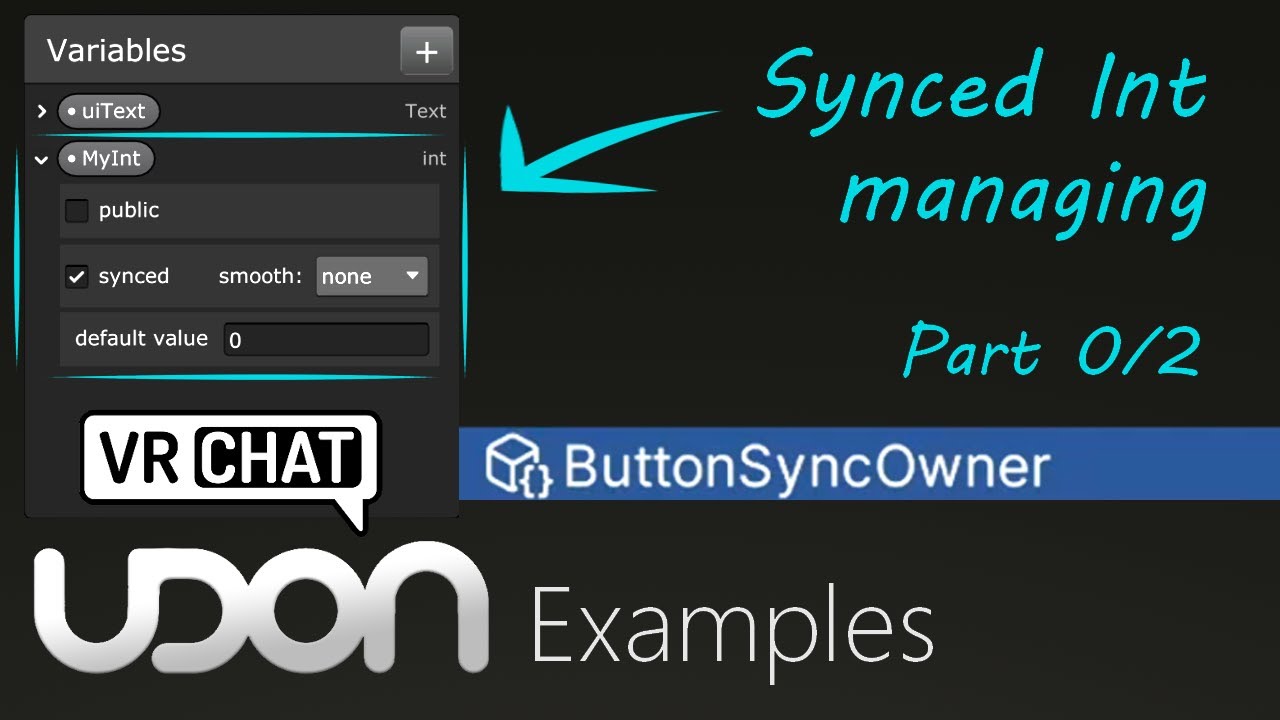
Here is a tutorial covering VRChat's example script 'Button Sync Owner'. This button can only be pressed by the owner of the object, due to the limitations of sync variables.
In the next two videos, I will be covering how we work with them to get around this problem, so do check them out.
So hopefully this is helpful. As always, if you have an...
there
frozen igloo
molten wing
that looks like it would pretty much work, only thing I'm suspicious about is combining flow like this. It can break the graph compiler and produce invalid code

I would recommend having interact just do sendcustomevent (not network) to the thing. Or alternatively, you could take ownership and requestserialization yourself instead of sending a network event to the owner
sending a network event to the owner to have them sync it is kinda silly unless you have very specific circumstances where the owner is handling a lot of other things on that object that you don't want to take over
molten wing
i want a string and other things to be sync so i can sync it with everyone and then going for all the text form the owner and send it again when some one joins
like for late joins
but i will test it out also queston
frozen igloo
once it has been synced, you don't need to resync it for late joiners
 frozen igloo
that only works if it's a simple value and if it's continuous sync, other players will see it move smoothly instead of snap
 muted forge
cold laurel
Maybe VRCs internal stuff is taking up some of the cap?
muted forge
cold laurel
Maybe VRCs internal stuff is taking up some of the cap?
I once tested this in my MeshDesigner when modifying large meshes. I set the update rate depending on the byte count of the previous serialization result.
When moving the vertices of a large mesh around (constant byte count), I need to set the syncLimitThreshold value to 0.4 in order to avoid a clog up which causes a build up of a delay. (Kinda looks like a slow replay on the receiver side.) Since there were only 2 clients when I did my local test, I doubt the player takes up the other 60%.
https://github.com/iffn/iffnsMeshDesignerForVRChat/blob/66326fe75a8fe231caa0f2582b2d520852307061/Scripts/MeshEditing/Controllers/MeshSyncController.cs#L118
cold laurel
muted forge
I once tested this in my MeshDesigner when modifying large meshes. I set the upd...
Well, as Phasedragon here #udon-networking message the current limit is 11kb/s shared with other data like players leaving about 6kb/s for Udon.
This corresponds pretty nicely with your value of 40%
frozen igloo
it can vary though. In desktop, players only take up like 1.5-2 kb/s
cold laurel
That makes sense
frozen igloo
and someone who sends a lot of avatar parameters for osc face tracking may take up 5 or 6 kb/s
cold laurel
👀
muted forge
is there a way to get the total send out rate in u#? would be nice to adjust sync scripts
cold laurel
frozen igloo
and someone who sends a lot of avatar parameters for osc face tracking may take ...
What, so two avatars like that and you'll be clogged?
frozen igloo
all of this is referring to the output rate, and you can only have one avatar per person
there are effectively no limits on how much you can receive
which is why it's so important to make use of the optimization where late joiners just receive the latest sync from the server
cinder spade
frozen igloo
*which is why it's so important to make use of the optimization where late joine...
This feels very targeted lol
cold laurel
It does xD
frozen igloo
also if you want a more tangible benefit - doing it that way will "just work" with persistence.
with persistence, there will be no player on the other end to package things up for you
it will just be whatever data exists on the server
cold laurel
So you're saying we'll have RequestPersistence(); :p /s
frozen igloo
not exactly
 cold laurel
frozen igloo
*which is why it's so important to make use of the optimization where late joine...
cold laurel
frozen igloo
*which is why it's so important to make use of the optimization where late joine...
mfw:
public override void OnPlayerJoined(VRCPlayerApi player)
{
    RequestSerialization();
}
what part doesn't work? Does the script crash? Is the owner able to change it but nobody else?
molten wing
the owner get change but that the guast cant see it change
frozen igloo
is the variable synced?

 frozen igloo
and show me ondeserialization again, it was too blurry last time
molten wing


player 1

player 2

you see how wierd that is
why i mostly set to all player then just the owner
frozen igloo
when player 2 presses the button, does player 1 see it change?
cinder spade
You sure you haven't set the sync method on the script to "None"?
molten wing
cinder spade
You sure you haven't set the sync method on the script to "None"?
it is in the video

but i only work with those 2
now
frozen igloo
I think it may be failing serialization because of the other synced variables
a synced string array must have all the strings initialized
molten wing
hm
i deleted and going to test it out because it did not work when i was testing out the string[] did not work for me
to send
okay now it looks like it works thx
frozen igloo
neat
molten wing
thx
sweet wolf
molten wing
i deleted and going to test it out because it did not work when i was testing ou...
Performing SendCustomNetwork via Owner works very poorly. It is better to use the usual methods.
 civic crown
cold laurel
* You are setting ownership of the object with the slider. You should be setting...
civic crown
cold laurel
* You are setting ownership of the object with the slider. You should be setting...
This feedback with a bunch of other messing around got it working, thank you so much for your help!! You've saved me several times now LMAO
cold laurel
civic crown
This feedback with a bunch of other messing around got it working, thank you so ...
np! Any time x)
 sharp night
okay, i've gone back through a years worth of comments here and i still cannot get this to work. i have a game object that i am changing material on with ImageDownload, it works just fine, but i cannot get it to globally sync to save my life. here is my UDON graph that i have been trying to figure out a way to make it work. please help.
cold laurel
sharp night
okay, i've gone back through a years worth of comments here and i still cannot g...
What exactly are you trying to sync here?
sharp night
cold laurel
What exactly are you trying to sync here?
it's just an image download to a material on a gameobject, and as far as i understand VRCUrl is one of the things that can be globally synced...it's just an image change from a url field. it works locally, just not globally
the ImageDownload udon behavior is a default program included, i'm just trying to make it sync globally
cold laurel
sharp night
it's just an image download to a material on a gameobject, and as far as i under...
Okay, but all of this happens on Start already, right?
Can people put in their own links at runtime?
If so, where is that handled?
sharp night
cold laurel
Okay, but all of this happens on `Start` already, right?
yes, anyone can put in their own links, but originally this was an event string "LoadURL", i changed it, because it said that timing between Sendcustomeventstring and requestserialization may not arrive in the correct order...i really am just brain mush at this point
cold laurel
I think you mean SendCustomNetworkEvent
sharp night
a urlinputfield
cold laurel
cold laurel
I think you mean `SendCustomNetworkEvent`
Yeah, don't mix those with synced variables.
sharp night
 cold laurel
Okay, so I'm going to give you a Manual sync 101
sharp night
and it works for the local player, just not globally
cold laurel
RequestSerialization can be called to mark the object this script is on for syncing.
This means that once VRC comes around to synchronize stuff, they'll pass by this object too.
The event OnDeserialization is called for remote players after they have received the new synced variables.
This is where you should do the stuff that uses the synced variables.
Calling RequestSerialization several times in one go, does nothing.
cold laurel
sharp night
okay, i've gone back through a years worth of comments here and i still cannot g...
Step one. Remove all the sync stuff from Start
sharp night
 cold laurel
Looks about right
cold laurel
sharp night
can you show me the event that the URL input field calls?
sharp night
this is the absolute original ImageDownload udon behavior i was using, with the even "LoadURL"

event
it works perfect locally
cold laurel
yeah, because it gets the url from the input field
but for you to sync it you need to get the url from the input field, apply it to a synced VRCUrl and use that for remote players.
cold laurel
sharp night
okay, i've gone back through a years worth of comments here and i still cannot g...
Can we fix your Start stuff, it's making me anxious. 😅
sharp night
i have 3 different sections, just pretend it's not there, i'll delete it
sharp night
ok
cold laurel
sharp night
ok
so what you want is to replace the event Start with your "LoadURL" event
sharp night
done
cold laurel
sharp night
done
And remove this second RequestSerialization
 sharp night
done
cold laurel
Now, you could have all the image stuff in it's own event, and that's probably best
sharp night
 cold laurel
just like make an event "ApplyImage" or something
And instead of doing all of this everywhere multiple times you just use SendCustomEvent to call ApplyImage which then does all these nodes.
sharp night
okay, i still need to set the VRCUrl variable right?
cold laurel
sharp night
okay, i still need to set the VRCUrl variable right?
yeah, you need to get the VRCUrl from the input field and save it in your synced variable

 cold laurel
sharp night
cold laurel
sharp night
not really what I asked you to do, I'll have to explain better, give me a moment.
cold laurel
sharp night
Also, how do I get these nodes again?

All I can find is SetProgramVariable
sharp night
drag the variable out and hold ctrl
it works!
omg...the amount of stress i just released
thank you KitKat for pointing me to the set VRCUrl variable
here is the whole shebang for whoever needs it
cold laurel
np! I would advice still changing some stuff though
😅

Here
So you don't need to have so many duplicate nodes.

 sharp night
thank you, i hope this helps others
cold laurel
np! it's a nice excuse for me to learn more graph (against my will xD)
sharp night
lol...same here, i own a mousepad with a target on it for IT work...it came in handy
stone badger
This may be subtle or not matter I'm not sure but... I am having the master player initialize/process an array in Start. Other players will need to sync it but I need to be sure that the initialization is complete. If I put a short delay in Start for non-master players (using SendCustomEventDelayedSeconds will they actually pause or will OnDeserialization be called immediately in any case?
I'm beginning to think a flag that indicates the initialization is complete may be much clearer.
frozen igloo
stone badger
This may be subtle or not matter I'm not sure but... I am having the master play...
Don't rely on an arbitrary delay after start and assume that you'll have synced data by then. Use ondeserialization
stone badger
frozen igloo
Don't rely on an arbitrary delay after start and assume that you'll have synced ...
Sounds right... I've implemented a flag variable much safer and easier to relate to.
 strange crane
https://gist.github.com/AvocadoVR/954e56084e469ba00cfbe99b6eed387d
At the bottom of _Start()
I need to teleport players and set them ownership to them. But it seems I am having issues getting it to do that.

 wooden tulip
recently ive been having alot of delays with our games in the world , ive noticed this when we were playing beer pong ,and there was alot of lag,ive added 2 new games to the world and now people gets timed out
 sweet wolf
wooden tulip
sweet wolf
wooden tulip
If a lot of data goes through the playerapi, then some of the data will be discarded until the situation returns to normal. The same applies to network packets for synchronization.
wooden tulip
sweet wolf
If a lot of data goes through the playerapi, then some of the data will be disca...
any fix to this?
strange crane
wooden tulip
any fix to this?
Basiclly means your udonsharp assets are clogging people with too much data sense it sync with everybody.
cold laurel
wooden tulip
recently ive been having alot of delays with our games in the world , ive notice...
You probably have too much stuff in your world trying to sync stuff.
If possible, leave the games disabled by default.
sweet wolf
wooden tulip
any fix to this?
Synchronization and the number of variables should be limited.
If possible, do everything locally.
Everything that is not currently used by the player must be disabled.
strange crane
sweet wolf
Synchronization and the number of variables should be limited.
If possible, do e...
Its prefabs
He most likely didnt create them.
sweet wolf
strange crane
Its prefabs
Well then, all he can do is set buttons and disable/enable all these prefabs locally.
wooden tulip
Ok I will try that 🙂 thx guys ,
wooden tulip
@sweet wolf@cold laurel@strange crane
Is there a way to debug whats using alot the most ?
ive tried the profiler , but it doesnt say that much
 strange crane
cold laurel
You probably have too much stuff in your world trying to sync stuff.
If possible...
strange crane
cold laurel
You probably have too much stuff in your world trying to sync stuff.
If possible...
. @wooden tulip
strange crane
wooden tulip
<@440919405136969739><@470981561089654794><@938627258162233427>
Is there a way t...
Yes, because unity can't debug networking events for VRChat.
cold laurel
wooden tulip
These are the tools you can use to debug your worlds in-game.
 cold laurel
wooden tulip
im not sure what to look for , what is the tab that uses networking
cold laurel
wooden tulip
im not sure what to look for , what is the tab that uses networking
The link tells you which tabs contain what.
wooden tulip
Bps: A rough approximation of how many bytes per second this object is using up.
Since Last: A running counter of how long it has been since the last time this object has sent data.
Interval: A rough approximation of how many times this object tries to sync per second.
im guessiing these are the things i gotta keep an eye out ?
 paper gyro

how can i refer to a GO
like in a networked event, i want to refer to a GO
and that GO is only stored in a local GO array rn...
cold laurel
paper gyro
and that GO is only stored in a local GO array rn...
If the game object array is the same for everyone you can just sync which index you wish to use from the array.
It would help me help you if you explained exactly what you are trying to make.
paper gyro
it isnt the same for everyone
i think i found the solution though... using InstanceID?
cold laurel
You sadly can't use that.
frozen igloo
instanceID is not guaranteed to be the same across clients, that's the whole reason syncing doesn't work
you should do what you need to make sure the array is the same across clients and then just sync the index
paper gyro
im making an inventory system.
when you put something into your inventory it disables the GO and puts its name in a list(your inventory). all works. but im struggling to do the part where it disables that GO for everyone else too. and latejoiners, that idk where to even begin
networking is hard
frozen igloo
if you're doing an inventory then I would recommend you have some sort of object pool. If you have an object pool then you can refer to objects by index
paper gyro
cant i just brodcast what object im refering to somehow before sending out the network event?
cold laurel
paper gyro
cant i just brodcast what object im refering to somehow before sending out the n...
Yeah, you can.
paper gyro
how?
im so lost
U# btw. i forgot to mention that i think
like give them their own special naming in the hierarchy and then grab that name, put it into a string, sync the string, then have the network event read that string and find that GO?
frozen igloo
you could do it by name
but again, index would be much more efficient
and regardless of how you reference it, you shouldn't mix synced variables and network events because they can arrive with different latencies. Sometimes the event will arrive before the variables
paper gyro
i could add a delay`?
frozen igloo
just use synced variables and ondeserialization
that event happens when you receive synced variables
paper gyro
ah thanks
civic crown
Not sure if this is a networking question- but since people are talking in udon-questions, Ill ask it here anyway lol
How would you get the name of the player that's the owner of an object as a string?
I'm trying to have displayed on a board the person who most recently picked up a certain item
frozen igloo
civic crown
Not sure if this is a networking question- but since people are talking in udon-...
networking.getowner(gameObject).displayName
you can also listen for the OnOwnershipTransferred event to only update it when it actually changes
civic crown
frozen igloo
networking.getowner(gameObject).displayName
Perfect!! Thank you so much! :D
wooden tulip
im trying to figure out what im looking out for in the debug world mode ,
for networking performance
 frozen igloo
wooden tulip
im trying to figure out what im looking out for in the debug world mode ,
for n...
frozen igloo
wooden tulip
im trying to figure out what im looking out for in the debug world mode ,
for n...
well.. what are you looking for?
 restive vapor
Im trying to make a claim button that when selected, it displays the players display name to claim it. it works pretty well generally, but I want to make it so it is synced for late joiners but have struggled with it, how could i make this work? any help would be appreciated.
 cold laurel
restive vapor
Im trying to make a claim button that when selected, it displays the players dis...
cold laurel
restive vapor
Im trying to make a claim button that when selected, it displays the players dis...
This just shows everyone their own name
Is that really what you want it to do?
Or do you want it to show the name of the person who currently owns it
restive vapor
cold laurel
Or do you want it to show the name of the person who currently owns it
Own it. Basically, they press a button, the one who pressed it becomes owner and it displays their name.
cold laurel
restive vapor
Own it. Basically, they press a button, the one who pressed it becomes owner and...
This question has been asked like 3 times today lmao
Tl;dr
- Use manual sync
- Create a synced string variable
- Make a custom event called "ApplyText" (or whatever)
OnInteract(or whatever you want that gets called by a button): - Set local player as owner
- Set the synced string = to the name of the local player.
- Call
RequestSerialization - Call your "ApplyText" event
OnDeserialization (this happens for people when they receive synced variables)
Literally just call your "ApplyText" event.
The "ApplyText" event should set the ui text to be what the synced string contains.
 solar crescent
I wanted to make an item, that lowers your gravity significally, when you hold it and turns your gravity back to normal, when you drop it. That...doesn't work. The gravity keeps low forever for everyone when once touched. What am I not seeing? xD
 cold laurel
solar crescent
I wanted to make an item, that lowers your gravity significally, when you hold i...
cold laurel
solar crescent
I wanted to make an item, that lowers your gravity significally, when you hold i...
You should just use Networking.LocalPlayer instead of the getcomponent getcurrentplayer.
I'm guessing your issue is cause by OnDrop being called after the pickup loses its current player. I mean.. you aren't holding it any more.
Besides, it's always the local player anyways so there's no need to waste resources doing that extra stuff.
solar crescent
Oh I see and because the ONDrop is called after losing the item, it's kinda not possible to set the gravity back to default afterwards? oxo
sweet wolf
solar crescent
Oh I see and because the ONDrop is called after losing the item, it's kinda not ...
In the SetGravity instance, add the localplayer and everything should work fine.
cold laurel
solar crescent
Oh I see and because the ONDrop is called after losing the item, it's kinda not ...
It is possible, just use Networking.LocalPlayer
solar crescent
I killed the middle section and placed the local player there o.o
That still works on Drop then? :3
Will test it after worky >w>

 solar crescent
did it owo
 cold laurel
Also, for future reference, this should've gone in #udon-general
solar crescent
oh yes that makes sense hides face x]
wooden tulip
frozen igloo
well.. what are you looking for?
to reduce network trafikking , cause beer pong game is totally unplayeble cause of latency
and now i added a new game and its Dcing people out of the instance with 25+ peeps

and i dont know what too look for in the world debugger
frozen igloo
use debug view 4 and see what the "suffering" stat says
lower it is, the better. Should be 0 in most cases
100 means a little bit, 1000 means a lot, and 10k is dangerous
that indicates how much outbound traffic there is, and if there's too much it could be causing your disconnect. But if that's not what it is, then I don't know
udon shouldn't be capable of causing people to disconnect like that, because it gets throttled hard when you start sending more traffic. I'm not sure what you're doing
wooden tulip
frozen igloo
udon shouldn't be capable of causing people to disconnect like that, because it ...
i might .. have too many games in my world and its causing alot of delayes in like games that has phsysics
stone badger
I can't quite find the ideal solution for this. It is a case of the GO having VRC Pickup and VRC Object Sync components and still needing some manual sync variables. Can't add them to a Udon# script on the GO directly due to the Object Sync. I opted to put it on a child object intended solely for sync'ing.
cold laurel
That's the best way to do it.
stone badger
Logging seems to indicate that my collection Start is being called before the individual Start method on each object is called. Makes sense as no order is enforced. Does anyone have a nice solution for forcing order?
stone badger
cold laurel
That's the best way to do it.
It holds things nicely in place but I have encountered some issues.
cold laurel
stone badger
Logging seems to indicate that my collection Start is being called before the in...
You can specify execution order with a class attribute. Though you might want to not rely on that and instead just make a method "initialize" and call that from your other script after that's done.
stone badger
I just had an idea... and that was it. Along with a flag my collection could actually check as it was accessing them and notice it hadn't initialized. Let me add that, thanks.
cold laurel
stone badger
I just had an idea... and that was it. Along with a flag my collection could act...
Yeah I see people do this
if (!initialized) Initialize();
stone badger
cold laurel
Yeah I see people do this
Added that, testing now. I think there will be one more issue forthcoming 🙂
stone badger
Oh finally good news. I was missing a call to RequestSerialization in one spot so everything sync's now. AND... the big bonus I found what was crashing my world. It was some sort of endless loop trying to set a player-related property in OnPlayerLeft. Quite the no-no. We don't have an OnPlayerLeaving event right?
I'm going to guess that I probably log more stuff than most devs. Every method call with details as to when it was called, which player called it, parameters passed, etc. It really, really pays off when trying to trace things.
 dusk shuttle
Does anyone have more information about what Networking.IsNetworkSettled does? I'm assuming it does quite literally what it says, but if I was to do if (!Networking.IsNetworkSettled), would that run the code if the network is clogged?
cold laurel
dusk shuttle
Does anyone have more information about what Networking.IsNetworkSettled does? I...
What you're looking for is:
Networking.IsClogged
https://creators.vrchat.com/worlds/udon/networking/network-components/#networking-properties
This doc covers Networking Components, Properties and Events you can use in your Udon Programs.
dusk shuttle
Oh weird I didn't see that on the page I was looking at
So what's the difference between !Networking.IsNetworkSettled and Networking.IsClogged?
cold laurel
It says on the page I linked.
frozen igloo
Don't use isnetworksettled, it's not really a valid sdk3 concept
It was a thing in sdk2 when being a late joiner meant playing back the event buffer. The network would be settled when you have finished playing the event buffer. In sdk3, there is no event buffer, each object is independent. When you're a late joiner you get ondeserialization on all those different objects, and that's how you know that they have received synced data. There is no status or event that indicates when you have received all synced data because that is impossible to predict when manual sync means that some objects just don't send anything
dusk shuttle
Well it worked to solve my initial problem I was having with Quest users being able to join my world
cold laurel
dusk shuttle
Well it worked to solve my initial problem I was having with Quest users being a...
You've solved the problem where quest users can join? Finally some peace and quiet! 
dusk shuttle
🤣
 winged remnant
With vrchat if the world owner, the one who created the instance leaves it closes the world right? So if there was a game going it would end it for everyone. Is it allowed to change the world owner if the current one leaves or disconnects?
cold laurel
winged remnant
With vrchat if the world owner, the one who created the instance leaves it close...
If the current master leaves, the player with the lowest ID (the person out of everyone that has been there the longest) becomes the new master and takes ownership of all the objects the previous master had ownership of.
This all happens automatically.
winged remnant
Oh ok thank you less coding I have to do 😂
stone badger
cold laurel
If the current master leaves, the player with the lowest ID (the person out of e...
Quick follow up but there are 2 concepts here correct? Instance Owner (that never changes) and "Instance Master" which is the one you're talking about.
The instance owner doesn't have to be in the world apparently.
cold laurel
stone badger
Quick follow up but there are 2 concepts here correct? Instance Owner (that nev...
Instance owner is the person who created the instance. They never have to even be there at any point.
The Master is the default owner of all networked objects
Probably also has some other functionality too
I've edited it to make more sense, thanks.
winged remnant
@cold laurel I am currently setting it up to use photon. I have try to adjust for variables with syncing and other parts but not sure I got them all. Are there any things you run into that would be good to setup to make sure things run smoothly?
cold laurel
What
winged remnant
Issues you run into when dealing with networking that could have been avoided through coding something. This is my first big game so trying to cover all aspects going into it, I know I can't get 100% prediction on these but asking people who have been around for a bit will go a longer way : 😁
Sorry if that doesn't make sense. My brain is jumbled a bit lol. I am figuring out 12 pages of coding, based on my predictions. Currently on page 4.
stone badger
You're writing a stand-alone app using Photon I imagine.
winged remnant
I am using a unity asset that goes through them, sorry forgot the name, to offer a better and smoother connection.
cold laurel
winged remnant
Issues you run into when dealing with networking that could have been avoided th...
are you asking for VRChat networking tips or tips for networking on a stand-alone game using photon?
winged remnant
Tips I guess to make sure I get things correct. In multiplayer games networking is a big thing. You know the game I am creating, lots of syncing 😂.
I can try to predict things the best I can but tips help
cold laurel
winged remnant
Tips I guess to make sure I get things correct. In multiplayer games networking ...
Is the game you are making a VRChat world? Or a stand alone Unity game?
winged remnant
Vrchat
I think I am having the biggest brain hickup ever now that I am start to look at what I did sigh
Though now that I think about it I wonder if I could create a cross platform game where people from other platforms can join in hmmmm, seems like a lot more coding. Maybe I should just keep it all simple and change it to use vrchats networking lol.
nevermind forget what I said I am just going to keep it using vrchats networking. I don't know why but for some reason I thought going through photon would offer more stability and syncing to everyone. I need sleep it is almost midnight here. Sorry for bothering you lol.
stone badger
**where people from other platforms can join in ** nope 🙂
cold laurel
winged remnant
nevermind forget what I said I am just going to keep it using vrchats networking...
You aren't allowed to use things like that in a VRChat world anyways
Like, it literally won't work
dos and don'ts:
- Don't mix network events and synced variables. There is absolutely no guarantee that they arrive in the correct order.
- Do use
OnDeserializationfor handling anything that relies on synced variables. - Don't use network events to sync state or a variable changing. Use a synced variable instead.
- Do use network events for things like triggering a particle effect or sound. Thoufg if these effects are linked to a variable that changes, it's probably best to just sync the variable instead and trigger the effects locally based on that.
winged remnant
Ok :). I will replace those parts with vrchat specific in the morning.
Ok so don't go sync happy 😂
cold laurel
Wha
 cerulean zealot
quick question. is it Only the gameobject owner that can request seriliazation on a gameobject?
with manual sync
frozen igloo
cerulean zealot
quick question. is it Only the gameobject owner that can request seriliazation o...
that's correct
 hardy harbor
By any chance, does any one know how I would be able to make this graph as a toggle where when I press this mask it turns on game objects that were hidden while also disabling certain objects that were already visible in the scene prior to pressing it and vise versa when you click it again.

 frozen igloo
hardy harbor
By any chance, does any one know how I would be able to make this graph as a tog...
frozen igloo
hardy harbor
By any chance, does any one know how I would be able to make this graph as a tog...
do you want to hard-code specifically 2 objects, or do you want to use an array so that it can take an arbitrary number of objects?
hardy harbor
frozen igloo
do you want to hard-code specifically 2 objects, or do you want to use an array ...
More like two Game Objects with a bunch of meshes inside :PP

So im assuming the second one? XD
frozen igloo
nah, toggling parent objects will also toggle all their children so you don't need an array for that
do you want this to be synced with everyone else as well?
hardy harbor
Nah just local :DD
frozen igloo
then you can just take what you have and duplicate it
if you need more than 2 I'd say convert this into an array, but eh
hardy harbor
Am a bit confused. So duplicate what I have in the graph?
frozen igloo
yeah, and add a new variable
have two gameobjects, and toggle each one the same way

 lapis tendon
So if someone could help me out trying to set up move speed with avatar scale if someone could help me on that (by showing a example would be great I'm a visual learner) or even just over text i could figure it out just been struggling with that
sweet wolf
lapis tendon
So if someone could help me out trying to set up move speed with avatar scale if...
The easiest option.
 lapis tendon
One more question how would I set it up to have triggers do something like holding both triggers and spreading them make something popout/happen I got everything set but don't know how to add it to a control function like that
frozen igloo
sweet wolf
The easiest option.
I don't think you'd want addition for this, probably multiplication is more appropriate. Also never combine multiple events flow into one like that, it can break the compiler. I don't think you need OnAvatarChanged anyway, because OnAvatarEyeHeightChanged will trigger when you change avatar already
sweet wolf
frozen igloo
I don't think you'd want addition for this, probably multiplication is more appr...
I think that from what I've tried addition is enough.
And there is nothing to break. Threads are not called at the same time.
frozen igloo
It's not about threads, it's about compiling. It doesn't include prerequisites correctly and everything it tries to do is null
sweet wolf
frozen igloo
It's not about threads, it's about compiling. It doesn't include prerequisites c...
I don’t know, maybe it depends on the specific situation, but I tried to mix five threads, nothing bad happened and everything worked.
lapis tendon
does this look right? trying to add avatar scaling to a control i saw some made someting similar and just copied that but was not sure if it worked for them or not
 frozen igloo
lapis tendon
does this look right? trying to add avatar scaling to a control i saw some made ...
frozen igloo
lapis tendon
does this look right? trying to add avatar scaling to a control i saw some made ...
Getting the x axis of the position is probably not what you want, try vector3.distance between the two
lapis tendon
frozen igloo
Getting the x axis of the position is probably not what you want, try vector3.di...
for both controls
frozen igloo
huh?
 frozen igloo
lapis tendon
frozen igloo
lapis tendon
yeah but remove all the subtraction and abs stuff, that's also being replaced by distance
you're plugging the same thing into both sides of subtraction.. that would always be zero
lapis tendon
so connect the distance vector 3 float to the x,y,z flot in the contrustor
frozen igloo
if that's what you want, yeah
also if you're gonna do this on update you don't need it on inputuse. Update already happens every frame
lapis tendon
im wanting it to control the scale of the avatar is what im aiming for
frozen igloo
inputuse is probably what you want for handling whether or not this runs on update, which you could do by setting a bool and then branch with that bool in update
lapis tendon
how would one set that up still kinda new to this
frozen igloo
do you want this to only work when you hold both triggers?
frozen igloo
make two bool variables - one for left hand, one for right hand.
In inputuse, add a branch and use the args handtype, with equality for right hand
Then on the true side of the branch, set the right hand bool to the value of the inputuse, and on the false side of the branch, set the left hand bool to the value of inputuse
Then in update, add a branch and a conditional AND node. Plug in both the hand bools. That branch will only run if both bools are true, if both triggers or held down. Insert that branch between update and whatever else you want to do
lapis tendon
im trying to figure out equality for right hand
frozen igloo
lapis tendon
im trying to figure out equality for right hand
once you have handtype, drag it out and equals is one of the only options
 lapis tendon
ah had the wrong equals
lapis tendon
frozen igloo
once you have handtype, drag it out and equals is one of the only options
im sorry im struggling a bit this is what i have so far
 frozen igloo
that's pretty close, you have most of what you need just gotta connect them together
the inputeventargs goes into the get handtype node, because you're getting the handtype from the inputuse. Then the equals goes into the branch because you want to branch depending on that
 frozen igloo
yep perfect
lapis tendon
now i have this
 frozen igloo
the white line is the flow, that indicates what happens in what order. All the other lines are just carrying variables around. So if you don't plug the flow into the branch it won't do anything
also read what I originally wrote, don't plug the inputuse into the scaling stuff. InputUse should be used to set the bools for whether or not your triggers are down
lapis tendon
frozen igloo
also read what I originally wrote, don't plug the inputuse into the scaling stuf...
okay so after all that i have this

sorry i moved the update to the branch coming from conditional
frozen igloo
look, think about what you need to do.
In inputuse, you are setting the bools for whether or not you have the triggers down
In update, you are checking those bools and only running the scaling code if they are both true
Does that make sense?
lapis tendon
this does make sense the update is constantly checking to see if both triggers are pulled and if so opens the path to let the values flow to the localscale
frozen igloo
well it's not so much that it opens the path to let the values flow to the localscale. It's that the flow goes into localscale, which uses it's input variables
variables don't do anything on their own, flow is what drives everything
lapis tendon
taking that into account i should delete of the branches and connect the update to the branch with the conditionaland and move the true to the set localscale kinda like this
 frozen igloo
lapis tendon
taking that into account i should delete of the branches and connect the update ...
frozen igloo
lapis tendon
taking that into account i should delete of the branches and connect the update ...
separate inputuse and update completely, don't mix them together like that
lapis tendon
frozen igloo
separate inputuse and update completely, don't mix them together like that
10-4
frozen igloo
and for equals, you need a const handtype, not a bool variable
and again, inputuse isn't doing anything right now. You need to plug the flow into the branch, and then if it's true, you set the righthand bool, if it's false you set the lefthand bool
lapis tendon
frozen igloo
and again, inputuse isn't doing anything right now. You need to plug the flow in...
i think this is right for everything before the if true you set right and if false sent left
 frozen igloo
the conditionalAnd should be used in update, not the inputuse
inputuse doesn't care what the variables are, it's just setting them
lapis tendon
okay so the get hand line for the input is fine and all the inputuse should be connected to is branch and anything else should be connect to that then on the update note it should be connected to another branch with conditionaland with righthand and lefthand bool connected to that
again im very sorry still trying to learn theses i get what needs to happen a bit just connetion is whats thowing me in a loop
frozen igloo
if you need help just reading the connection lines of a graph, think of it this way: flow runs left to right, in order. Then the variables on each node run all the way back and get everything they need to come up to the node with the flow
lapis tendon
frozen igloo
if you need help just reading the connection lines of a graph, think of it this ...
okay but then why do we keep inputuse branch seperated from everything
frozen igloo
because what links them together is the variables
the variables are global across the whole graph, any event can set them and get them, and they all match
so you set them in inputuse, and you get them in update
lapis tendon
okay so the update node is already connected to them cause the variables are just being shared everywhere
frozen igloo
yes
lapis tendon
so the first branch is being used as a connection the second one is being used more functionally saying "if part 1 and 2 are true then this happens and if not nothing happens"
frozen igloo
the branch in inputuse is being used to figure out which variable you should set
because inputuse happens for both triggers
lapis tendon
okay
frozen igloo
did you ever add the part where it sets the variables?
lapis tendon
frozen igloo
did you ever add the part where it sets the variables?
i dont think so do you want me to make a variables of the bool right and left
frozen igloo
you already have that, you just need to set them
after the first branch
if the branch is true, set the righthand variable. If the branch is false, set the lefthand variable
set both of them to be the value coming off of inputuse
 lapis tendon
 frozen igloo
no, remember, the conditionaland isn't necessary in inputuse
the whole purpose of the branch in inputuse is to figure out whether you should be setting left or right
that has nothing to do with conditionaland
lapis tendon
okay so the whole top part should be alone so it should look like this for the top part
 lapis tendon
okay and all that info is being sent into the update event node so thats why its by itself somewhere else
frozen igloo
because the variables are shared, yes
and update is using those variables
so you need to add a branch to update and that's where you use conditionaland. Then only run the localscale stuff if the branch is true
 frozen igloo
that should work, yeah
and then you can plug the distance into whatever you want after the update branch
lapis tendon
frozen igloo
and then you can plug the distance into whatever you want after the update branc...
i thought thats why the distance vector 3 is connected at the bottome section
frozen igloo
right, if you want to set the localscale of this object
but you said you wanted to scale the player, so that's something else entirely
lapis tendon
i did want to set it to scale a player so where would you i set that
frozen igloo
first get networking.localplayer, then playerapi.SetAvatarEyeHeightByMeters
though if you just do that raw, it will make a feedback loop because the bigger you go, the more distance between your hands, which will make you go bigger.... I think to offset that all you need to do is divide the distance by GetAvatarEyeHeightAsMeters
not sure if that will be perfect but that's a starting point
lapis tendon
okay so i should connect the localplayer to the instance of setavatareyehight
frozen igloo
yes
lapis tendon
and probably setting it into the localscale should maybe just make it work
frozen igloo
well, for setting the localscale of an object somewhere, yes
if that's what you want
but if you want to set the scale of a player that's different
lapis tendon
i want it to just be something to where i can just press both triggers infront of you and stretching out or in would adjust the scales of your avi
wooden tulip
frozen igloo
use debug view 4 and see what the "suffering" stat says
i have this now , but i really dont know what to look for
 frozen igloo
wooden tulip
i have this now , but i really dont know what to look for
frozen igloo
wooden tulip
i have this now , but i really dont know what to look for
Suffering is 0 so that's good, try to reproduce the issue that gets you kicked and see if suffering goes up before you get kicked. If it doesn't, then it's not udon networking you need to worry about
cerulean zealot
basic question about synced variables in an UDON graph script.
If I have synched variables on script A and script B changes the values of those variables. Will the variables on script A still work/sync if I request serialization on script A?
frozen igloo
cerulean zealot
basic question about synced variables in an UDON graph script.
If I have sync...
It doesn't matter where it was changed from, it does matter who changed it though. Only the owner of the object with the synced variables can sync
 timber blade
Hello. It looks like OnPreSerialization does not get called when running in ClientSim. Is there some way to detect if running in ClientSim so that some code that relies on OnPreSerialization can be skipped when testing?
 brittle dawn
Hey, so im working on a toggle where if you click a toggle button it will change the skybox to 3 different sky's day, dusk, and night. and i want to figure out like for example if it turns day the skybox will be bright blue and fog distance will be far but if its night fog distance is very close making it hard to see and the fog color is black. can body make an example udon or kinda tell me one by one what to do? i know the fog is all in render settings but im still very new to udon scripting and i just need some assistance please.
 sweet wolf
brittle dawn
Hey, so im working on a toggle where if you click a toggle button it will change...
sweet wolf
brittle dawn
Hey, so im working on a toggle where if you click a toggle button it will change...
Yes, get the desired sky index, and change the fog to match it.
 brittle dawn
sweet wolf
Yes, get the desired sky index, and change the fog to match it.
brittle dawn
sweet wolf
Yes, get the desired sky index, and change the fog to match it.
Just put in those nodes and it should work out?
sweet wolf
brittle dawn
Just put in those nodes and it should work out?
Yes. Should work.
brittle dawn
Alright, I'll test it out! Thanks
sweet wolf
brittle dawn
Alright, I'll test it out! Thanks
After the set skybox , you can connect it on.
And take the index from your variable.
brittle dawn
One more thing, by any chance do I need to get rid of any of my nodes or variables or do I just make the fog nodes separate and leave everything else?
sweet wolf
brittle dawn
One more thing, by any chance do I need to get rid of any of my nodes or variabl...
No, I don't think you need to delete anything.
If you don't have a lot of skyboxes, just make fog settings for each one according to your own.
sweet wolf
I think something like that.
 cerulean zealot
frozen igloo
It doesn't matter where it was changed from, it does matter who changed it thoug...
cerulean zealot
frozen igloo
It doesn't matter where it was changed from, it does matter who changed it thoug...
Yeah I'm aware of that. I'm trying to set up systems that regulate when and how much data is sent across network at any given time
If you have any insight/theories/ small "gottchas" that you've experienced that would help. I have been searching through this thread, although I may not know the correct keyword to search for. So even that would be helpful too. Lol
cold laurel
cerulean zealot
Yeah I'm aware of that. I'm trying to set up systems that regulate when and how...
Why do you want to control the amount of data being sent?
cerulean zealot
cold laurel
Why do you want to control the amount of data being sent?
Each NPC is sending their own packet of data based on decisions and relative calculations. The smaller I can have network traffic for each NPC the more dynamic and more NPCs I can have.
I'm building a module that gets reused by several scripts to send extra data when needed.
Plus I want this system to work as a prefab other people can use.
cold laurel
cerulean zealot
I'm building a module that gets reused by several scripts to send extra data whe...
To reduce bandwidth usage?
cerulean zealot
cold laurel
To reduce bandwidth usage?
Yes essentially. That is my number one priority. If I can reduce bandwidth usage to its bare minimum. I can have more synced NPCs
Because there are some actions in NPCs Animations that don't need syncing. Other actions do. It depends on what it's doing. I don't want to keep sending data over the network if it's not needed.
cold laurel
cerulean zealot
Yes essentially. That is my number one priority. If I can reduce bandwidth usag...
Okay, but how does collecting everything in one script allow you to reduce bandwidth usage?
Are you encoding everything to a synced byte[] to only send what you want?
cerulean zealot
cold laurel
Okay, but how does collecting everything in one script allow you to reduce bandw...
My current solution is that different scripts are on different game objects in the hiarchy. I have a dynamic object ownership switching system in place so if there are actions that need to run locally on a client. This system Handel's switching the entire hiarchy tree over.
I have no idea how to encode byte and this is the first I've heard of this.
I come from an artist background and am using udon to teach me basics of programming. (I use graph)
cold laurel
Okay
I don't think your sentralized sync script idea will do you any good.
It doesn't really help with bandwidth usage and it over-complicates everything a lot.
cerulean zealot
I'm creating the foundation for a script state machine for NPCs
cold laurel
You should instead just focus on reducing the size of the data you need the NPCs need to sync.
cerulean zealot
cold laurel
You should instead just focus on reducing the size of the data you need the NPCs...
Yes that's what I'm doing
So far they can sync with 3 integers and a vec3
Per npc
Every....3-5ish seconds
But sometimes they need more than that.
cold laurel
cerulean zealot
So far they can sync with 3 integers and a vec3
There are datatypes that take up less space. If you aren't using the whole range of numbers in an int you really shouldn't be using an int.
Also, what do the ints and vec3 represent? Why are they synced every 3-5 seconds?
cerulean zealot
int = current action cycle they are on, basically a counter that just counts up and is the basis for initiating action cycles on everyone.
int02 = current action behavior they are on. This is a number inbetween two values, this number represents the action script the State Machine plugs the only update loop into.
int03 = handles NPC to NPC communication and if they do open up a channel to swap info. (basically checks who has higher number determins action of play) it refers to int02 but on a different array of action scripts.
vec3 = NPC current destination.
It's synced 3 - 5 ish seconds per NPC because request serilization is only called if these numbers are updated.
I also forgot there is a boolean lockout mechanism that is synced. It allows only one decision to be made at a time.
so what happens next is sometimes and action script may call for (find nearest player relative to NPC current location) and that answer may be different between clients. That is where i'm making a different module to handel additional information. Especially in the future when I get into animation State Machine synching and Adjustment to animation data based on events happening (like a NPC targeting and pointing to a player)
@cold laurel ^
i would like to know more about byte though.
cold laurel
cerulean zealot
i would like to know more about byte though.
Byte in c# is a datatype that can hold 256 different whole numbers from 0 to 255. It is represented by 8 bits.
For example if you have less than 256 different actions or states your NPC could be in you should use a byte for it instead of an int.
An int is represented by 32 bits so it would be a waste of bandwidth if its whole range isn't needed.
cold laurel
cerulean zealot
so what happens next is sometimes and action script may call for (find nearest p...
You should have the master player calculate who the closest player is and then sync the playerID to everyone else.
cerulean zealot
Yeah that's what I'm building now. But I'm building a module to that will be reused for other things as well.
cerulean zealot
cold laurel
Byte in c# is a datatype that can hold 256 different whole numbers from 0 to 255...
so'd I'd have to use this if I use byte and wanted to plug them into an array?
 brittle dawn
sweet wolf
I think something like that.
brittle dawn
sweet wolf
I think something like that.
Not sure what went wrong, i did what you said and fog color still is staying one color
 frozen igloo
brittle dawn
Not sure what went wrong, i did what you said and fog color still is staying one...
frozen igloo
brittle dawn
Not sure what went wrong, i did what you said and fog color still is staying one...
this has no input so nothing ever makes it happen
brittle dawn
how do i fix it?
frozen igloo
you need to decide when you want this to happen
brittle dawn
well all im trying to do is when i click the toggle button it changes the fog color like if its day it will stay this white color but if its dusk the fog color will be ornage and night fog will be black. Only the skybox change is working.
frozen igloo
then you probably want this on interact
sweet wolf
brittle dawn
Not sure what went wrong, i did what you said and fog color still is staying one...
Exit Set skybox connect to block node.
brittle dawn
sweet wolf
Exit Set skybox connect to block node.
like this?
 sweet wolf
brittle dawn
like this?
sweet wolf
brittle dawn
like this?
So, but not new, but the one you already have.
brittle dawn
alright so i did that and now when i click the button it turns off the fog
i made sure i put my set skybox to the block
 sweet wolf
brittle dawn
i made sure i put my set skybox to the block
sweet wolf
brittle dawn
i made sure i put my set skybox to the block
That's right, index 0 turns off fog, index 1 - 2 color fog.
brittle dawn
well no fog is turing on
and i wanted to keep day the fog at normal like the way it starts
 brittle dawn
Yes! it works thank you
by any chance is there away so i can make the fog distance closer if its night so it harder to see?
sweet wolf
brittle dawn
by any chance is there away so i can make the fog distance closer if its night s...
Yes, the distance is in the same place in the render settings, add a node
 sweet wolf
brittle dawn
Needs a float
sweet wolf
brittle dawn
Needs a float
This is a get
need set.
brittle dawn
alright thank you
winged remnant
@frozen igloo Is datastore not usable? The reason I ask is because the suggestion of lists and dictionaries that you provided only seem limited to the instance that is open instead of the overall. So if a person saved a point in a game and left the instance the instance would close and they would lose that saved point.
frozen igloo
winged remnant
<@84443478817255424> Is datastore not usable? The reason I ask is because the su...
No, there is no official method of persistence available. The best available option right now is to encode your data into a string and then have the user copy/paste it.
Proper persistence will be coming later this year
winged remnant
Can we make AI in our game?
 wooden sentinel
winged remnant
Can we make AI in our game?
wooden sentinel
winged remnant
Can we make AI in our game?
GitHub
Simple AI | An UdonSharp based local and synced AI package, meant for use in VRChat! - GitHub - Centauri2442/SimpleAI: Simple AI | An UdonSharp based local and synced AI package, meant for use in ...
frozen igloo
winged remnant
Can we make AI in our game?
You can use unity pathfinding, and udon can be used to make complex state machines/decision trees. But udon would likely not be fast enough for machine learning type of AI
winged remnant
I was working on coding my own lol
I was thinking in game and just make a world where I use the ai to make a chatbot.
wooden sentinel
ah
winged remnant
game is one project the chatbot became a second project based off of the first project lol
So far this is what I have coded into it: Engaging Conversations, I made it a list lol: The AI can dive into captivating and meaningful conversations. My AI responds intelligently, tailoring its messages to your emotions and creating engaging exchanges.
Sentiment Analysis: My AI is coded where it can detect the sentiment behind words. It adapts its responses based on the persons mood – whether your feeling joyful, sharing a concern, or just having a casual chat.
Interactive Learning: Over time, my AI learns from interactions, getting insights into how you communicate and what you prefer to talk about. This learning process makes the conversations feel more natural and authentic.
Predefined Responses: Whether it's a friendly greeting or explaining complex ideas like Udon scripting in VRChat, my AI has a variety of responses that cover a wide range of topics.
Object Conjuring: With a simple command, you can bring virtual objects to life. My AI instantly creates impressive visuals like fireworks or a cozy campfire, making the conversations more visually immersive.
Safe Content Filtering: My AI looks out for you by filtering out sensitive information. This ensures that you don't accidentally share personal details during your interactions.
Personalized Greetings: Every time you step into VRChat, my AI gives you a warm welcome with a personalized message, setting a friendly tone for your conversations.
Limitless Exploration: Through thoughtful suggestions, informative responses, and intriguing insights, my AI encourages you to explore new topics and ideas, turning each interaction into an exciting journey of discovery.
 hard rain
I'd love to have this on a t-shirt
winged remnant
I am working on the self learning part, well as far into self learning as I can go with the limitations I have lol.
an ai that self learns in a game and in a chatbot
fun
it more so simulates it
The challenge is making it able to self learn each time the instance is created since it can't reuse the information it gets since technically nothing it learns persists past the closing of the instance.
Since I can't connect to Google's BERT I am having to program it for sentiment analysis, named entity recognition, and intent classification.
I am implementing Markov models
if that is allowed
The limitations I know so far I have to work with is that it can't communicate with anything outside of the vrchat network and be malicious in nature.
@frozen igloo Is there anything else I am missing with the limitations I have figured out so far?
frozen igloo
If you can pull it off within the limitations then by all means, go for it
winged remnant
So I have a question. Maybe I am thinking to much into this but I am giving my ai a list of things it can't use and it wont let other people use with it, such as dirty, naughty, or derogatory words. Technically this is included in the world since it is in the coding. Would this list get me in trouble for being in the world or is it ok in the context of how it is being used?
cold laurel
This isn't related to networking
cerulean zealot
my jank solution of having manual synched variables with network events. this bol is part of the synched variables that are on the module. Clients should keep retrying the event until it reads true.
 cold laurel
cerulean zealot
my jank solution of having manual synched variables with network events. this b...
cold laurel
cerulean zealot
my jank solution of having manual synched variables with network events. this b...
Please don't
Just use OnDeserialization
 cold laurel
cerulean zealot
cold laurel
Please don't
cold laurel
cerulean zealot
cold laurel
Please don't
But this fuction can't fire every deserialization or it fucks up everything.
It's like the gate needs to be open so the ball of data can roll through.
I visualize me programming like I'm building a kinetic ball sculpture.
I don't know how to make it work any other way.
If anybody wants to pick through my code and critique it by all means.
frozen igloo
that's terrifying
you should visualize it like all the synced variables are a crate of data, requestserialization is packing it up and sending it off to other people, and then ondeserialization is them receiving that crate and then they can do whatever they want with it
cerulean zealot
Yes, that already happens earlier in the...um loop stack?
But this is building those special cases where more info is needed
This also preps the dynamic ownership switching
Which needs to happen mid stack execution. And continue
frozen igloo
what special cases would not be covered?
cerulean zealot
Well I cannot have all the code in one graph. I run into variable limit. So I broke it up into a state machine. The state machine plugs OnUpdate into various scripts that do different things via events.
Some of these scripts are instructions like "find nearest player relative to X" or "retrieve variables from blackboard" or whatever it needs.
So this script is like. "OK everyone get ready to find nearest player. Only owner find nearest player. Owner write solution to extra information module. Everyone pull from extra information module. Keep trying until boolean equals true. Then you know you have correct info."
🤷♂️ is this good logic? Idk. I've never taken any programming theory classes. I just ask chat
frozen igloo
I think you should use udonsharp :v
cerulean zealot
 frozen igloo
sounds like you're making whole behaviours as if each one is a function. One script should contain many functions
cerulean zealot
Yeah but... variable limit so I've broken up my code into many scripts. Like they all have specific small jobs like workers on a steam ship.
 wise snow
Easy solution, but I am not finding much in the docs? How do I actually call GetPlayerByID? Adding the 'Networking.' prefix did not work


 humble girder
wise snow
Easy solution, but I am not finding much in the docs? How do I actually *call* G...
humble girder
wise snow
Easy solution, but I am not finding much in the docs? How do I actually *call* G...
VRCPlayerApi.GetPlayerById(playerId)
Not from Networking
cold laurel
cerulean zealot
🤷♂️ is this good logic? Idk. I've never taken any programming theory classes. ...
No, please, you are making everything so unnecessarily incredibly hard for yourself.
cold laurel
cerulean zealot
Yeah but... variable limit so I've broken up my code into many scripts. Like th...
Because you are still trying to use graph. Graph is awful for anything big enough that it requires several scripts. Use U# instead.
cerulean zealot
cold laurel
Because you are still trying to use graph. Graph is awful for anything big enoug...
People keep telling me this yet I cannot perceive code when looking at a wall of text.
cold laurel
cerulean zealot
People keep telling me this yet I cannot perceive code when looking at a wall of...
I'm also a very visual person, how I deal with it is I just visualize it in my head. And if it's too complex to do so I program visual tools so I can look at the problem in play mode.
cerulean zealot
😮💨
stone badger
cerulean zealot
People keep telling me this yet I cannot perceive code when looking at a wall of...
A "wall of text"? There is a reason that visual languages are pretty much stuck in the niche they occupy. 🙂 You actually can't visualize 1000 lines of code (a small app or a library) if they are rendered as graphical nodes. You can't get the nodes on the same page, you can print them out, you can't easily share them with others, etc. I don't know do you have step and trace thru the nodes? Can you set a breakpoint? Are the routines reusable?
Let me suggest that you consider pseudocode prior to writing anything, graphical or not. "If you cannot express it in English you will not be able to express it in code" (me).
cerulean zealot
stone badger
A "wall of text"? There is a reason that visual languages are pretty much stuck ...
I can trace the nodes like reading a map on a highway. Group nodes together that do specific things in my code. I can pull off nodes on another block and look through avalible options. The code is reusable if set up through event system.
Node helped me understand data types and why things go together the way they do. Something years of coding tutorials failed me.
Question time:
Do i have to have a OnDeseirialization loop on a script in order for it to sync variables? Or can I just have owner request serialization?
stone badger
If you like it then you should use it.
cerulean zealot
stone badger
If you like it then you should use it.
I am beginning to understand enough to translate block code to node thanks to chatGPT and having it pick apart with all my questions. Like a toddler learning the world. Pointing to everything asking "what's that? Why? How?"
 wintry bear
I have a large (static sized) array of primitive values (let's say ints for simplicity) that I'm wanting to synchronize between all players. These values should be changeable by interactions the players make, often rapidly and simultaneously, and arbitrary positions in the array can be changed to arbitrary values. How might I best go about implementing this?
Synching to late joiners isn't a high priority, but to my understanding SendCustomNetworkEvent is parameter-less, meaning I would have to effectively create a function for every possible position and value, and that's less than ideal when the array is easily tens of thousands of values in size.
The problem I'm seeing with having the values networked however is that changes can only be made by the owner, which means ownership would be transferred near constantly between a large number of players, with potential for conflict given the latency of the ownership transfer handshake.
Which leads me to the consideration of having a single object per player owned by each which is then used to synchronize their array interactions out to all other players, who then locally process those values into their main array. But with that comes the complexity of handling all of those object instances as well as creating a protocol to handle reading/writing to the synchronization arrays. Which seems tedious.
Are there any other methods of passing data between players that I'm not considering that might be a better fit for such a task?
cerulean zealot
the blackboard?
a central script where everyone reads from. owner gets pings to write to it and then sends updates.
wintry bear
That would be ideal, but what means would I ping them by? My understanding of SendCustomNetworkEvent is that I can call an event by name, but can't pass parameters with it.
cerulean zealot
requestserialization is what is called to sync variables on the script.
it can only be done by owner
wintry bear
cerulean zealot
it can only be done by owner
Right, which is the problem with that approach. I need to get things from multiple people to either a single owner to then pass out, or to everyone else to handle locally. But passing ownership would be too slow for this.
cerulean zealot
exactly what happens from there... idk... but you can use pre-serialization to package up the data.
wintry bear
If events had a caller I could just call events in sequence and store previous results in a buffer to specify the position/value, but alas, they get called without saying who they're from.
cerulean zealot
oh uh... lemme preface my next idea with... I'm not the best, or any coder. But what if each client had a "stuff to send owner data" then the client that has ownership of blackboard checks every "plate" of data that is presented to blackboard owner?
so as if, the owner of the blackbord is the pharos and all the other clients are offering plates of delicious food data for it to snack on.
you can get number of users in the instance.
wintry bear
I think that's akin to the third option I mentioned: "Which leads me to the consideration of having a single object per player owned by each which is then used to synchronize their array interactions out to all other players, who then locally process those values into their main array."
Which seems possible, but would involve a fair bit of work to implement, so I wanted to see there was anything blatantly simpler that I missed 😅
cerulean zealot
um.. well... i'm pretty sure @frozen igloo is gonna come into this chat and mentally slap me for my dumb idea.
your listening to someone who only uses noodle graph so... uh.. what do i know
wintry bear
Nah, your ideas aren't dumb lol. I'm here for any considerations, just wanted to present what I had to start with and see what else people might see or know that I don't.
I once wrote an entire world game script in graphical udon. Thing took so long to compile and would often crash and freeze, so I scrapped it and rewrote in udonsharp. Now I just use noodles for very basic interactions hehe
cerulean zealot
im just imagining a golden makeup Pharaoh snacking on food from golden plates. "ah yes... now that I have my fill. HERE IS THY RESULTS OF MY DATA SNACKING!!!" all other clients bow before the might of the Pharaoh.
wintry bear
But no shame for it. It's still programming
cerulean zealot
im an animator first. so i uh... anthropromorphize the conversations between computers with code. I imagine them talking like characters in a cartoon show.
it makes talking to other programmers...challenging... cause i think i came up with my own terms for things. 😮💨
"petey... what do you mean your code is Goku-ing?"
wintry bear
Yeah, tbh didn't know what Pharo was here, but I was able to make sense of it in context, and your suggestions matched the things I had considered, so we're at least at an understanding
cerulean zealot
Pharaoh, like the king of Egypt
and all his slave/servants with golden plates of food.
"My liege!!! I have prepared this plate of food-data for you!! it's the best I could do."
Pharaoh takes a look at it... "ah yes!! this Deserialization food will do just nicely!! I shall copy it down for my chart array... NEXT PLATE OF FOOD!!"
"MY Liege!! I have to present my findings!! I called a requeserialization last network ago!"
Pharaoh takes a look at it... "ah yes!! i can see some of the changes from last time... I shall make note of that. NEXT PLATE OF FOOOOD!!"
"um... excuse me... there are no more."
Pharaoh "oh? is that so? THEN I SHALL EXIT MY FOR LOOP AND PROCEED WITH MY PRE-SERIALIZATION!! ALL SHALL HEAR MY MIGHTY KNOWLGE!!"
"yes!! my liege! my pharaoh!! owner of the black board!! so wise!! so true!!"

@wintry bear so uh... that's what im talking about... again. someone in this chat stop me if my ideas are dumb
 errant dust
Can anyone here help me with a problem Imhaving with my udon scripts and cyanlaserobjectpool?
Basically I have an object i attached to the localplayer but its not network synced so we can see each others items. ive tried the normal object sync but no luck anything i can do or a simple script that can help me sync with others?
 obtuse echo
wintry bear
I have a large (static sized) array of primitive values (let's say `int`s for si...
obtuse echo
wintry bear
I have a large (static sized) array of primitive values (let's say `int`s for si...
Sounds like you need this:
https://github.com/CyanLaser/CyanPlayerObjectPool

GitHub
A VRChat system that will assign a unique object to every player in the world. - GitHub - CyanLaser/CyanPlayerObjectPool: A VRChat system that will assign a unique object to every player in the world.
obtuse echo
errant dust
Basically I have an object i attached to the localplayer but its not network syn...
Did you make it so each object in the pool is owned by the player? If you take the owner and use their position for the item, then everything should work out fine.
wintry bear
obtuse echo
Sounds like you need this:
https://github.com/CyanLaser/CyanPlayerObjectPool
It looks like this would work by implementing the 3rd option, with the benefit of having the hard part already done. But that also seems to come with the answer that there is no simpler way. Good to know nonetheless, and thank you.
obtuse echo
wintry bear
It looks like this would work by implementing the 3rd option, with the benefit o...
Oh yeah, you could also uses this: https://github.com/Miner28/NetworkedEventCaller
Theoretically, it could make some things easier. But I haven't tried it as much yet and I don't know if it has any gotchas to look out for yet.
What I've tried it with is make a particle system spawn every time a player presses trigger. You can pass in the player who pressed the trigger as an argument and handle it on everyone's end to display the visuals properly. Worked well for the use case and I didn't have to manage a bunch of object classes, only needed one script. I just used a list that I pool the particle system from and another list to hold which players those particles follow for the time they are alive.
GitHub
Contribute to Miner28/NetworkedEventCaller development by creating an account on GitHub.
 weak mirage
what's really the "go to" way to do a synced timer in udon? I've previously made one where the owner of the object runs the timer and send the current time as an int over every second, but if they crash or they're on quest and put their headset to sleep it just freezes until a new owner is assigned
sweet wolf
weak mirage
what's really the "go to" way to do a synced timer in udon? I've previously made...
Synchronize a variable that will contain the number of seconds, send it to everyone, and through the event, start a local timer for everyone.
cold laurel
weak mirage
what's really the "go to" way to do a synced timer in udon? I've previously made...
You should only sync the time the timer was started + how long the timer should last. (Effectively just syncing the time the timer should be done.) Then calculate the timer relative to that locally.
 lone zealot
cold laurel
You should only sync the time the timer was started + how long the timer should ...
lone zealot
cold laurel
You should only sync the time the timer was started + how long the timer should ...
The only problem with this is when the data arrives after the timer has already finished.
This is only a problem when the recipient has an incredibly slow connection or looses connection for a little bit (or your timer is incredibly short)
Depending on how you want to deal with late-runners, this can be recovered from or ignored.
cold laurel
lone zealot
The only problem with this is when the data arrives after the timer has already ...
Totally depends on how you handle it.
But it will happen for late joiners so it must be accounted for.
wintry bear
wintry bear
I have a large (static sized) array of primitive values (let's say `int`s for si...
I ended up going with option #1 with a twist. Calling SendCustomNetworkEvent multiple times on different groups of functions sequentially in the same tick to pass different array coordinates and values to the clients. The recipient sets temporary variables to hold the values of the first calls, and the final call commits them. This reduced the necessary number of public functions from 1,048,576 down to only 528 (which I'd consider reasonable for my use case), and larger sets would scale linearly instead of exponentially.
I need to do some testing to see how it performs with multiple clients sending and receiving at the same time, since I'm not really sure how the packets are transmitted and if it's possible for them to end up mixed up. I'll do some of that later though and report my findings.
 bitter path
is OnPickup called only for object owner or for everyone in the instance?:
brittle dawn
is it possible to create a udon graph so i can make an object follow any player in game? im trying to make a horror game and im not sure how to use AI for Vrchat
bitter path
brittle dawn
is it possible to create a udon graph so i can make an object follow any player ...
you can use Unity's Agents to make AI/enemies
so yeah, possible
works basically as in the normal unity, so maybe watch tutorials on that
stone badger
bitter path
is OnPickup called only for object owner or for everyone in the instance?:
It is called on the person who picked it up.
bitter path
ouch, that might cause problems
well, we'll see
obtuse echo
wintry bear
I ended up going with option #1 with a twist. Calling `SendCustomNetworkEvent` m...
I'm curious what you kind of problem you are trying to solve. Making that many networked events doesn't seem right to me. They are also very slow, but might not apply to your use case.
obtuse echo
obtuse echo
Oh yeah, you could also uses this: https://github.com/Miner28/NetworkedEventCall...
If you haven't checked this out due to my bad explanation: The asset allows you to use parameterized networked events.
(Which seems like what you want)
wintry bear
obtuse echo
I'm curious what you kind of problem you are trying to solve. Making that many n...
High speed isn't of terrible concern for me, nor is late joiner persistence or perfect state adherence between clients. In testing with several people it seemed to work mostly well for my purposes, with the occasional misplacement of something if two groups of events got mixed up. But I've got a few mitigation strategies for that (reducing the network call group size from three to two by increasing the number of functions, and thus higher data density per call), and some very basic event queuing as well.
As to what I'm solving for, I apologize for being vague, but it's connected to something nearing release so I'm wanting to keep it a bit under wraps still. But the other alternatives I knew of and posited earlier didn't meet my needs well.
cold laurel
wintry bear
I ended up going with option #1 with a twist. Calling `SendCustomNetworkEvent` m...
This will break.
cold laurel
wintry bear
High speed isn't of terrible concern for me, nor is late joiner persistence or p...
I can't really think of a use case where the huge downsides of this approach are reasonable but I'm looking forward to finding out.
bitter path
is there a way to check if instance is public or not?
I kinda want to use more strict URL-filtering for public instances than private ones, rather than just blocking all the sus links everywhere
 lusty pagoda
every time i ask for synced function with variables
everyone tell me to use serialization
but you cant allow every player in world spam serialize at same time
there should be ownerless way of sharing variables
cold laurel
lusty pagoda
there should be ownerless way of sharing variables
Okay, and how would that work exactly?
lusty pagoda
same as sendcustomnetworkevent
since we send a string already
so instead of "shoot" function i could send instead "shoot(10)"
variables embedded into string
(if we cant have actual variables made for them(
wintry bear
lusty pagoda
so instead of "shoot" function i could send instead "shoot(10)"
That's basically all I was hoping for as well lol. The ability to pass a function name and param(s) with it. I've essentially resorted to shoot10(), having to define params as part of the fuc tion name. If you have a finite defined set of values it's quite viable, just becomes an issue the more you scale it up.
wintry bear
cold laurel
This will break.
"Break" is subjective. It's certainly not reliable, but then neither is UDP, and yet there are tradeoffs that make UDP more useful in certain applications compared to TCP. That's my situation. I don't need perfect reliability, and can tolerate a <1% failure rate that's only really a potential issue when under very high concurrent activity, and the fail state is just something inconsequential occasionally showing up somewhere else.
cold laurel
wintry bear
That's basically all I was hoping for as well lol. The ability to pass a functio...
This is exactly what you are asking for:
https://github.com/Miner28/NetworkedEventCaller
GitHub
Contribute to Miner28/NetworkedEventCaller development by creating an account on GitHub.
cold laurel
wintry bear
"Break" is subjective. It's certainly not reliable, but then neither is UDP, and...
So we agree.
cold laurel
cold laurel
This is exactly what you are asking for:
https://github.com/Miner28/NetworkedEve...
Though this is the superior option in every single way.
- Lower latency
- Reliable
- Scaleable
wintry bear
cold laurel
This is exactly what you are asking for:
https://github.com/Miner28/NetworkedEve...
Taking a look at this again, somehow I must have mixed the tab up with one of the others I was looking at like CyanPlayerObjectPool. You're right, this does look like exactly what I was looking for. Apologies for missing that, and thank you for sharing it.
cold laurel
wintry bear
Taking a look at this again, somehow I must have mixed the tab up with one of th...
You should be thanking @obtuse echo for sharing it originally! I'm just the annoying little bird pestering you to look at it again xD
wintry bear
Indeed, thank you as well @obtuse echo haha
I will say the curious stubborn part of me still wants to test my queued network method just to see how it actually holds up since I've already invested the time on it, but I'll use the above for the final product.
cerulean zealot
🤯combining strings with numbers in strings is big brain move to my novice program mind.
cold laurel
cerulean zealot
🤯combining strings with numbers in strings is big brain move to my novice progr...
It's what happens when you get desperate enough.
cerulean zealot
I don't know any theories or best practices when it comes to programming. I'm still jamming things together until they work.
cold laurel
It all goes in the square hole
stone badger
cerulean zealot
I don't know any theories or best practices when it comes to programming. I'm s...
In the long run "until they work" is a bad measure of code. ((2 + 2) * 1) == 4 will be true but there is no reason to multiply by 1. It works but it would work without it.
cold laurel
Remove stuff until it stops working
obtuse echo
wintry bear
Indeed, thank you as well <@106513983044898816> haha
lol nice
Definitely curious about the results how the asset will work out for you.
lusty pagoda
cold laurel
It's what happens when you get desperate enough.
real desperate people do be using video players as way for downloading data
wintry bear
lusty pagoda
real desperate people do be using video players as way for downloading data
Remote string and image loading make it a bit more convenient now. 100MB worth of data in every string, and 16MB worth of data in every image.
 lilac sigil
This is probably more appropriate in here than the udon channel I posted it in. But I have an issue where an animation rotates an item and the child of that item should rotate with it. However, on the first trigger of the animation, the child kind of desyncs from its parents movement and doesn't rotate all the way 180 degrees. I think my issue with this animation is something to do with the networking in some way maybe? The animation works fine for the parent. It's the child, which is set as a child of the animating object via OnTriggerEnter, that isn't rotating all the way with the parent

Here is how the animated object gets parented to the child, if that helps at all

 sharp kraken
I'm trying to set up synced attach program and I'm still not 100% clear on how to set the cube to attach to a certain person (ideally they would interact with a button and it would track that person) but does this look right in terms of networking?
 sweet wolf

Here's a tutorial on how to make an object follow either the local player, or a selected player in the scene. That being said, it's more of a how to make an object lock-onto a player, rather than just follow.
You could however use this same script to create a target for your object to try and reach, and then do a lerp on the object itself betwe...
sharp kraken
sweet wolf
https://youtu.be/TlRSzmnDV18
Thanks, I've seen this tutorial before but I guess I forgot it includes a part about global follow as well. Had to do a bit of adjusting to my code but using Get Owner to get a certain player api was what I was missing 🙏
 meager mountain
I have this [UdonSynced] variable and when I change it on a client which is not the owner it will take like 2 seconds to update
is there a way to force ownership or make it so that it instantly updates for the one interacting?
cold laurel
meager mountain
I have this [UdonSynced] variable and when I change it on a client which is not ...
You should never change synced variables if you don't have ownership of the object.
Always:
- Take ownership
- Change variables
RequestSerialization();
cold laurel
meager mountain
is there a way to force ownership or make it so that it instantly updates for th...
If you do it correctly according to the three steps above, it will be instant for the local player.
brittle dawn
is it possible being able to change nametag fonts to a different looking font using Udon?
lone zealot
brittle dawn
is it possible being able to change nametag fonts to a different looking font us...
No you cannot. Also that aint networking related.
cold laurel
lone zealot
No you cannot. Also that aint networking related.
I mean, technically it is possible to prevent the default nametags from rendering with a shader and replace them with your own custom nametags.
lone zealot
cold laurel
I mean, technically it is possible to prevent the default nametags from renderin...
Pretty sure thats against ToS
 long steeple
Where can I direct a technical question involving udon web requests. I tried going to help.vrchat.com but all the options were for debugging a known issue and there was no option I could find for asking a technical question. And the #1138891887374237706 channel claims to not provide official support, but official support is what I need.
I've read through both the TOS and the SDK license agreement and it looks like section 4.2 of the sdk license applies but it's language feels ambiguous and uses technical terminology who's meaning is not clearly defined.
 twin nacelle
long steeple
Where can I direct a technical question involving udon web requests. I tried goi...
twin nacelle
long steeple
Where can I direct a technical question involving udon web requests. I tried goi...
I think that's about as close as you can get
otherwise try to snipe phasedragon when they're hanging out around here
wooden sentinel
long steeple
Where can I direct a technical question involving udon web requests. I tried goi...
what kind of question actually? udon web request not explain much
long steeple
wooden sentinel
what kind of question actually? udon web request not explain much
I don't want to go into specifics without checking with the devs first just in case my particular use case is a security problem or sdk license oversight that needs to be clarified.
wooden sentinel
ah
but usually if it security risk kind of method, it's blocked already mostly. if you believe found new security hole, just sent support ticket as security exploit actually. then it will be blocked if it really is.
long steeple
I haven't actually attempted my use case yet. But it's just an ambiguity in the license makes me unsure if my use case is license breaking or not. TBH, it'll probably be faster to properly check if it's possible than it would be to ask.
twin nacelle
you could just give a high level overview of your implementation without divulging details
if it turns out to break license or whatever there's no penalty for asking
stone badger
long steeple
I haven't actually attempted my use case yet. But it's just an ambiguity in the ...
If it were me I would try to contact the company so you could get to the right person in the right department. Either by email or by phoning the company.
long steeple
stone badger
If it were me I would try to contact the company so you could get to the right p...
That's true, I'm going to try emailing and attempt to see if it's offically blocked in the SDK while I wait for a response.
long steeple
ah, I should have investigated the api more
it appears to be impossible to dynamically change a url at runtime, in compliance with the license
unless i'm missing something? the ability to both create new VRCUrl object at runtime and edit them appears to be completely blocked in U# and the nodegraph
brittle dawn
excuse me, I'm trying to make a horror game. I wanted to make it so there is 15 objects in the scene you need to collect if you walk up to one of the objects it will disappear popping up a text saying how many objects are left to collect, how do i make this with udon? can someone make an example udon graph please
long steeple
I'm not good at making nodegraphs but I can make an example U# script for you
wooden sentinel
long steeple
unless i'm missing something? the ability to both create new VRCUrl object at ru...
that's really well known thing and it is not possible
(as reason u know)
long steeple
oh absolutely, I understand why. It's just the "except through VRChat-provided dynamic components" line in the license that confused the heck out of me.
brittle dawn
long steeple
I'm not good at making nodegraphs but I can make an example U# script for you
Working U# Script can also help
cold laurel
long steeple
unless i'm missing something? the ability to both create new VRCUrl object at ru...
The only way to get a new URL at runtime is through a user interacting with a VRCUrl input field.
cold laurel
long steeple
oh absolutely, I understand why. It's just the "except through VRChat-provided d...
Things such as the video player I'm guessing.
And the VRC Url input field
long steeple
brittle dawn
Working U# Script can also help
there's most likely a more elegant way to do it but here you go!
oh yeah, I should share this as well
the code assumes it's under another game object that acts as a master storage for all the collectibles.
And it needs a reference to the UI component it will output the text on AND a reference to a separate GameObject that is the collectible's model
 brittle dawn
alright ill test it out thanks
brittle dawn
long steeple
there's most likely a more elegant way to do it but here you go!
quick question what is the script mean to be named?
brittle dawn
got it
long steeple
I did devise a roundabout workaround to my problem earlier that isn't TOS or license breaking
You can't send arbitrary http requests (for obvious legal, privacy, and security reasons) but instead of having the world report the player's score; I could theoretically generate a QR code or something similar that the player can send to a discord or masto bot to have their score added to the global leaderboard.
it's a heck of a lot more work, but is automatable and achieves the end result
Maybe use a photo camera overlay or something to plant the encoded data, and encourage people to share it on social media, tagging the bot
cold laurel
long steeple
I did devise a roundabout workaround to my problem earlier that isn't TOS or lic...
This is a cool idea. Though you could also just generate the url as a string, and have the user copy it into a VRC Url input field.
brittle dawn
long steeple
it at least gives you a starting point to got off of
okay i am trying to test this on Vrchat the script works on Unity testing but if i upload it to vrchat it does not work...why are my scripts on vrchat not working and are only working in unity?
long steeple
brittle dawn
okay i am trying to test this on Vrchat the script works on Unity testing but if...
Idk, I didn't try uploading it, gimme a sec
brittle dawn
i think it might be because my script is a C#Script how do i turn it into a U#Script?
long steeple
Yeah that'll do it. Make sure you have the U# package installed in the project.
Then go to the object, Add Component "UdonBehavior"
Then the UdonBehavior component will let you create a new script and make it a U# script
brittle dawn
specfiic object?
long steeple
the collectible, like the main part of the collectible