#avatar-help
1 messages · Page 276 of 1
 somber sequoia
 drowsy crane
its not letting me upload my avi, I have no lcue what all of this means
 somber sequoia
drowsy crane
its not letting me upload my avi, I have no lcue what all of this means
somber sequoia
drowsy crane
its not letting me upload my avi, I have no lcue what all of this means
not a useful message - see the first pin in here on how to post the ones that'll help
drowsy crane
???
somber sequoia
was that a question?
 lilac musk
drowsy crane
???
lilac musk
drowsy crane
???
In this discord channel, check the pinned messages. You'll find the first pin is on how to find more specific error messages for us to be able to help you.
drowsy crane
like this??
 somber sequoia
Is that the only error message?
drowsy crane
yup
somber sequoia
that's very strange.
drowsy crane
yeah
somber sequoia
in that pinned message, it explains that you should post the whole console window so we can see the scroll bar and error count in the upper-right corner.
drowsy crane
idk why, bc my avatar uploaded just fine yesterday
somber sequoia
Please do that in the future, it helps a lot.
 somber sequoia
That's fine, it's just often people say they have one message but have not actually scrolled up.
 balmy barn
yellow ones might be yelling connections terrible
 pallid drift
how might i be able to make his head do a 360 like this using a slider? i have an 2 separate controllers, one of them is the normal regular controller attached to the root and the other i attached to the head bone
balmy barn
cant talk to another animator, do it from root of your avatar
animate from there, not some other
pallid drift
thank
balmy barn
head is also assigned to humanoid so you need to do some things to make it animate or it wont (constraint is a easy way)
pallid drift
thank x2
 onyx bloom
buh, in this video, I dont have half of the things they added to the avatar :c
 supple marsh
Which video
 obtuse trail
(Bump) Anyone? 🥹
 but other then that i dunno
 violet elm
Im confused about avatars
When i upload quest version of avatar
Can people see it on pc or no
balmy barn
we cant, upload a pc ontop of it
violet elm
How do i do that
balmy barn
switch build to pc , upload it over it using same blueprint id
violet elm

violet elm
balmy barn
switch build to pc , upload it over it using same blueprint id
ook i got it now
ty

 pine valley
violet elm
Can people see it on pc or no
pine valley
violet elm
Can people see it on pc or no
They will only be able to see the PC version of the avatar
so if you've only uploaded a Quest avatar, then your avatar won't work for PC players
but ye – if you upload both versions to the same ID, it'll work!
pallid drift
question, does an avatar NEED shoulders?
like does it need shoulders to successfully build?
lilac musk
Yes
pallid drift
im so rucked...
 low gulch
idk what couldve caused this
why is this happening? it wasnt screwed up like this before :(
low gulch
nvm idk what i did but it fixed itself lol
 surreal ridge
im trying to upload an avatar to quest, switched the shaders and unlocked them and tried idk what to do
 dusk locust
So I just made my first VRchat Avatar and ported it into the game, and the body moves with the head for some reason? and the arms dont work
dusk locust
I made the Avatar in blender and followed some tutorials on how to port a model into unity and followed all the steps then uploaded it to VRchat
dusk locust
 night ember
like its in tpose or?
night ember
like its in tpose or?
Its not in a Tpose, theres hand tracking, its just that the chest is not where it should be (its still connected to the model but its far back for some reason)
night ember
can you screenshot
dusk locust
night ember
can you screenshot
Well the pc vers looks good but the feet are in the floor for some reason
id have to get in vr and at the moment thats a bit difficult
night ember
show it in unity/blender
dusk locust


The camera View for it is noticably forward even tho the view is set in-between the eyes
 night ember
and what about the rig tab
dusk locust
night ember
and what about the rig tab
 night ember
that armature doesnt even look like its built for vrchat
dusk locust
night ember
that armature doesnt even look like its built for vrchat
?
Sorry if my responses get super slow
 minor trail
night ember
that armature doesnt even look like its built for vrchat
minor trail
night ember
that armature doesnt even look like its built for vrchat
I agree with this.
Is this model from another game??
 robust coral
how do i get thoses ? pls help.
 minor trail
robust coral
how do i get thoses ? pls help.
minor trail
robust coral
how do i get thoses ? pls help.
Unfortunately that is someone's custom model and those glasses might be hard to find
obtuse trail
dusk locust
So I just made my first VRchat Avatar and ported it into the game, and the body ...
this has to do with both the avatars arm proportions and the placement of the player camera
robust coral
minor trail
Unfortunately that is someone's custom model and those glasses might be hard to ...
ya i know... but i really wanted thoses lol
minor trail
robust coral
ya i know... but i really wanted thoses lol
Better start searchin. Lol
supple marsh
You're better off doing something similar tho
robust coral
minor trail
Better start searchin. Lol
im trying. but is glasses free ? in the market place ?
supple marsh
Depends
On booth there's free and paid ones
But that's given you have an avatar base you wanna edit
minor trail
robust coral
im trying. but is glasses free ? in the market place ?
Some are, some aren't
robust coral
sorry for thoses questions. but how do i see glasses in market place ?
supple marsh
Marketplace?
somber sequoia
this channel is about avatar creation, not really in-game stuff, you might try one of the general ones.
night ember
robust coral
sorry for thoses questions. but how do i see glasses in market place ?
wdym "marketplace"
somber sequoia
the in-game one I'm assuming
 flint kite
So i got this avi from a store and its giving me this error. Does anyone know how to fix this?
 supple marsh
Yes
Do you really need everything that the avatar has packed with?
supple marsh
Can I see the avatar hierarchy and the avatar itself if possible
flint kite
here
 supple marsh
Jesus
flint kite
around 35
flint kite
😭
supple marsh
Yeah you're gonna have to cut down
flint kite
500mb
supple marsh
a lot
flint kite
ah-
supple marsh
Because you really, really don't need all of that on a single avatar
flint kite
yeah.. true so should i just remove the stuff i won't use?
supple marsh
100% do that
flint kite
okayy
supple marsh
Also try reducing texture memory
flint kite
supple marsh
Also try reducing texture memory
how to
supple marsh
I am convinced 99% of those textures are 4k for some reason
obtuse trail
flint kite
ah-
theres nothing that says you cant upload separate versions of the avatar with stuff you take out from this one. You can have them with themes, like winter or summer clothes
flint kite
obtuse trail
theres nothing that says you cant upload separate versions of the avatar with st...
yeahh i might do that
flint kite
no wonder my friends are always yelling at me for my avis
supple marsh
Yeah not because they want em
Because they're the average black cat eboy with their textbox stating their PC specs, music they're listening to, heart rate BPM and some edgy quote 😭
supple marsh
People really can't be selling avatars like this sob
 primal egret
maybe not the best place to asking for modeling help spefically, but im tryna make one of my ocs in my style, and maybe some general tips and pointers will help? theres a lott of tutorials but thats mostly for making sure it actually animates niceley instead of how it looks, so
image is what i have so far and a ref of how i draw my characters

 somber sequoia
haha this is why people say "VRChat is unoptimized"

 burnt hull
can someone help me? i dont understand what these means when i go to gesture manager

 somber sequoia
click on those states, look in the "clip" slot - it could be empty of have a bogus clip there
burnt hull
somber sequoia
click on those states, look in the "clip" slot - it could be empty of have a bog...
this? the only empty one would be the tracking lock

 somber sequoia
well empty ones don't do anything, so I can see why it might say that
burnt hull
okay that fixed it but my gestures still dont work in game but it works in gesture manager lol
 stiff cedar
I have a question not really about avatars. Is their a way I can set up my VCC Manage Package without doing it every time?

somber sequoia
you mean for each new project you have to install all the things you use? iirc you can make a project template for that
stiff cedar
somber sequoia
you mean for each new project you have to install all the things you use? iirc ...
How do I do that?
 plush shuttle
Yall know any good mortal kombat avis for quest 3?
 iron sequoia
i keep getting this error and im connfused "NullReferenceException: Object reference not set to an instance of an object
VRC.SDK3A.Editor.VRCSdkControlPanelAvatarBuilder+<>c.<CreateContentInfoGUI>b__100_0 (System.String selected) (at ./Packages/com.vrchat.avatars/Editor/VRCSDK/SDK3A/VRCSdkControlPanelAvatarBuilder.cs:1541)
UnityEngine.UIElements.PopupField1[T].GetValueToDisplay () (at <332857d8803a4878904bcf8f9581ec33>:0) UnityEngine.UIElements.BasePopupField2[TValueType,TValueChoice].SetValueWithoutNotify (TValueType newValue) (at <332857d8803a4878904bcf8f9581ec33>:0)
UnityEngine.UIElements.PopupField1[T].SetValueWithoutNotify (T newValue) (at <332857d8803a4878904bcf8f9581ec33>:0) UnityEngine.UIElements.BaseField1[TValueType].set_value (TValueType value) (at <332857d8803a4878904bcf8f9581ec33>:0)
UnityEngine.UIElements.PopupField`1[T].set_value (T value) (at <332857d8803a4878904bcf8f9581ec33>:0)
VRC.SDK3A.Editor.VRCSdkControlPanelAvatarBuilder.HandleAvatarSwitch (UnityEngine.UIElements.VisualElement root) (at ./Packages/com.vrchat.avatars/Editor/VRCSDK/SDK3A/VRCSdkControlPanelAvatarBuilder.cs:1740)
System.Runtime.CompilerServices.AsyncMethodBuilderCore+<>c.<ThrowAsync>b__7_0 (System.Object state) (at <27124aa0e30a41659b903b822b959bc7>:0)
UnityEngine.UnitySynchronizationContext+WorkRequest.Invoke () (at <cb81df0c49c643b1a04d9fc6ccca2433>:0)
UnityEngine.UnitySynchronizationContext.Exec () (at <cb81df0c49c643b1a04d9fc6ccca2433>:0)
UnityEngine.UnitySynchronizationContext.ExecuteTasks () (at <cb81df0c49c643b1a04d9fc6ccca2433>:0)
"
 unborn mason
Hey I'm tryna fix some stuff in the radial menu not being in the spot I want and move settings to push gogo loco to the front menu, is there a guide to how to do this? I'm kinda new to uploading avatar and this is annoying me to hell and back 😭
dusk locust
minor trail
Is this model from another game??
This is my own original model that I made over thr course of a month, its the first model ive ever made and rigged/textured and I just wanted to put it in vrchat
I originally made it for animation for my friend but he asked if I could port it into vrchat and I said id try my best
minor trail
The armature doesn't look like it's for or suited for vrchat. I'm not the one to ask how to do so because I'm new to blender and know the bare minimum but I recommend using the CATS plugin.
I THINK it can help you rig it for VRChat
dusk locust
No offense meant here but, I am not exactly sure how accurate that information is, since this is a fairly basic model that does have stuff added in but also Ive played vrchat for awhile and seen way weirder proportions than this
somber sequoia
stiff cedar
How do I do that?
I don't know, I don't use it, but I saw it mentioned on documentation website
dusk locust
minor trail
The armature doesn't look like it's for or suited for vrchat. I'm not the one to...
Maybe I can change the position of the bones?
somber sequoia
iron sequoia
i keep getting this error and im connfused "NullReferenceException: Object refer...
usually not a useful error on its own
stiff cedar
somber sequoia
I don't know, I don't use it, but I saw it mentioned on documentation website
Alright thx
 brittle grove
really really quick, how do I get to this version of vrchat sdk? it just cancelled my upload because of it 😭
 iron sequoia
somber sequoia
usually not a useful error on its own
iron sequoia
somber sequoia
usually not a useful error on its own
well my sdk wont let me upload anything because of it
somber sequoia
brittle grove
really really quick, how do I get to this version of vrchat sdk? it just cancell...
Manage your project with VCC or Alcom, upgrade the SDK there
somber sequoia
iron sequoia
well my sdk wont let me upload anything because of it
is that the only error shown?
brittle grove
somber sequoia
Manage your project with VCC or Alcom, upgrade the SDK there
LOL i just found it thank you
minor trail
dusk locust
Maybe I can change the position of the bones?
Unsure
iron sequoia
somber sequoia
is that the *only* error shown?
yeah
dusk locust
obtuse trail
this has to do with both the avatars arm proportions and the placement of the pl...
Could you tell me more?
dusk locust
minor trail
Unsure
I know a lot of assets and models come from blender and while my rig is custom it cant be that far apart from what others have done, and it works almost completely fine in PC mode on VRchat itself as I have tested it there
I mean the feet clip through the floor but it is working
Vr mode it kinda dies
somber sequoia
dusk locust
I know a lot of assets and models come from blender and while my rig is custom i...
There's a pic of an ideal VRChat rig pinned in #avatar-rigging
minor trail
dusk locust
I know a lot of assets and models come from blender and while my rig is custom i...
Desktop is VERY different as far as rigging. VR is going to be the problem most likely
dusk locust
minor trail
Desktop is VERY different as far as rigging. VR is going to be the problem most ...
Yes you are right
dusk locust
somber sequoia
There's a pic of an ideal VRChat rig pinned in <#390924372782612480>
Ohhhhhhhhhh…
Oh…
I’ll get back to you after I fix bone proportions on my model lol, as that might explain why when I look down i lose half my height
Oh wait
Oh no
somber sequoia
if you look down and your viewpoint moves too much, it might be that the viewpoint is too far forward. happens often with furries, people want to move it out along the muzzle
dusk locust
I also added eye tracking for animation which is far in front of the eyes, those are bones, that might also be an issue
dusk locust
dusk locust
You can see it here
dusk locust
somber sequoia
if you look down and your viewpoint moves too much, it might be that the viewpoi...
^
he is hunched forward a bit so could be that
somber sequoia
eye bones have nothing to do with the viewpoint
dusk locust
somber sequoia
eye bones have nothing to do with the viewpoint
Isnt the viewpoint the white sphere?
somber sequoia
Yes
dusk locust
Yeah its in-between the model of the eyes if you look closely in the picture I replied to
somber sequoia
oh I see, didn't notice that
dusk locust
somber sequoia
oh I see, didn't notice that
Could bones in front of the head cause the issue im having?
Like 3-4 feet in front of the head say
Cause those are my eye animation points
I forgot to remove them
somber sequoia
did you have a pic with those shown? but they wouldn't have anything to do with viewpoint
dusk locust
somber sequoia
did you have a pic with those shown? but they wouldn't have anything to do with...

 spice sequoia
On this type of setting, when it says high, is it for the priority or the volume?
 somber sequoia
spice sequoia
On this type of setting, when it says high, is it for the priority or the volume...
somber sequoia
spice sequoia
On this type of setting, when it says high, is it for the priority or the volume...
priority - those labels are below the slider
spice sequoia
ah
that explains why the sound is so low
I was wondering I thought I set it to max
somber sequoia
dusk locust
spine looks a little crooked and it's not quite t-posing, and you have some extra bones, but it looks ok overall
dusk locust
somber sequoia
spine looks a little crooked and it's not quite t-posing, and you have some extr...
would any of these cause the issues im experiencing?
like should I even bother fixing proportions
somber sequoia
I admit I didn't scroll back to see what issues you were having, I just picked it up when you said 'custom rig'
dusk locust
somber sequoia
I admit I didn't scroll back to see what issues you were having, I just picked i...
So my head and torso seemed to be doing a weird... things
like they are connected?
and the shoes wont properly sit on the ground
even on pc mode
somber sequoia
shoes not on the ground is likely positioning - make sure the avatar is standing on 0,0,0 and all transforms are applied on all armature and mesh objects.
the rest of that, no idea without seeing it
somber sequoia
wtf is this video
obtuse trail
Anyone want to give this a shot? I am quite stumped 😞
primal egret
dusk locust
Ahem... Im not good at recording in br
if youre on pc obs is good for that
 quasi fjord
how to fix the shorts? it looks like its connected but in blender its fine and doesnt move/stretch like that at all
 night ember
you can have only a maximum of 4 bones weighted to each vertice
quasi fjord
night ember
you can have only a maximum of 4 bones weighted to each vertice
?
sorry im very new to this. so how do i fix?
night ember
if its that blender has a limit weight thing but its iffy at best
quasi fjord
 stuck wadi
how do i combine peramiters together or somthing
im making a avi but for it im using a prefab but it has a seprate peramiter so how do i use both ?
 real adder
dose anyone know how to put already set up avatars in my vrc account?
like already completed avatars
night ember
stuck wadi
how do i combine peramiters together or somthing
im making a avi but for it im ...
combine parameters in what way
like both toggles use the same parameter or one toggle also toggles the other parameter while keeping is separate?
real adder
dose anyone know how to put already set up avatars in my vrc account?
like already completed avatars
night ember
avatars from where
 solid hollow
Idk if this is where I’m supposed to say this but, is there anyone who wants to make an avatar for free for me? That would be very helpful, thanks. Also i haven’t thought of what i want… yet.
night ember
this isnt a commission server all you are going to get are scammers
stuck wadi
night ember
combine parameters in what way
like both toggles use the same parameter or one t...
just adding them to the expressions menu
night ember
what
youd just add them to the parameter list asset that is in the avatar descriptor
but I dont see how that is related to combining parameters
stuck wadi
idk im new to this
 ornate stump
solid hollow
Do you know any other discords that are aren’t full of scammers?
ornate stump
solid hollow
Do you know any other discords that are aren’t full of scammers?
?tag comm
 flat muskBOT
Hey ho 👋 I see you're looking for commissions.
You will probably receive DM's or friend requests from scammers now (or later) that will try to offer you their services. 😖
🚫 Absolutely DO NOT engage with those, regardless of how competent they might seem or their excuse to why they contact you.
This is unsafe practice used by scammers, and also breaks this Discord's rules. 👮
If you seek a creator, check out VRCTraders and follow their protocols strictly 🥺
(You will get DM from bot to verify your account upon join.)
🌠 It's extremely important to always DEEPLY investigate the account and social media of the person you plan to commission.
Is their social media linked in Discord? Is it legitimate? Are the references stolen? (Try to reverse image search posts to check.) 👀
The quality of fake profiles out there can be crazy good, be aware of that and NEVER engage with DM or friend requests that originate from the artist.
When in the slightest doubt, do not commission them and contact the moderators of the involved communities. 😱
ornate stump
solid hollow
Do you know any other discords that are aren’t full of scammers?
Scammers are lerking everywhere. VRCTraders just has a way to confirm that a person is verify that they are real.
 west cipher
stocking have merged at this one vertex, tried to split em but nothing is working. any tips?

 prisma monolith
yo how do i fix my emotes being selectable but not having the usual ring ontop of the menu toggle that shows it's selected?


because of tihs issue I can switch between emotes but I can't stop them and I'm stuck playing the selected one
 orchid blade
How can I add another character rig onto my avatar as an accessory and have it be animated such as sitting on my head?
balmy barn
as a seperate object , can move it anywhere on your av after even drop it in world - if you mean like a hat
orchid blade
balmy barn
as a seperate object , can move it anywhere on your av after even drop it in wo...
Im pretty much trying to have another character as an accessory like them sitting on my head or piggybacking
i tried and it works in playmode but it just goes into t-pose when i upload it
night ember
Are you trying to use an animator for it as well or something?
 timber wharf
@orchid blade youd have a separate animator for it and have only one animation on it as the only state
cant control child animators
 opal light
Hi! I am having trouble with the feet of my avatar. In particular, when I am in game or use the gesture manager to test it in unity, the feet turn inwards!
I have no idea what could be causing this, help!


OK I fixed it! for some reason when I was in the configure panel for the rig, the feet was rotated. I rotated it back so that it is facing forward.
I think it automatically rotated it because it used the toes on the far ends for the toes
 crystal whale
Question: Why is my avatar audio muted in unity playtest. I can't hear any of the things that should have sound. I checked to make sure teh sound is turned on, audio listener is in the scene, etc.
ornate stump
crystal whale
Question: Why is my avatar audio muted in unity playtest. I can't hear any of th...
Do you actually hear any sound if the audio source isn't a part of the avatar?
crystal whale
ornate stump
Do you actually hear any sound if the audio source isn't a part of the avatar?
the audio sources are part of the avatar
ornate stump
crystal whale
the audio sources are part of the avatar
Wrong answer. Read my question again.
crystal whale
ornate stump
Wrong answer. Read my question again.
Yes.
ornate stump
crystal whale
Yes.
Are you using audio clip apply directly to audio source, or using animator play audio behavior?
crystal whale
animator playing audio.
ornate stump
crystal whale
animator playing audio.
I don't remember if gesture manager can emulate the sound. Did you also tested in game?
crystal whale
Not Yet. But the last time i fiddled with it, gesture manager did let me hear the sound in playtest mode
ornate stump
crystal whale
Not Yet. But the last time i fiddled with it, gesture manager did let me hear th...
Do you confirm the layer state logic can work correctly?
crystal whale
ornate stump
Do you confirm the layer state logic can work correctly?
yes
currently test uploading to see if it still work
it work
 woven nacelle
Does anyone know where I can get free assets and everything like body etc for a beginner like me who wants to start making avatars and do commissions but I need them to be free sorry I am U employed and still in college but yea I need help someone please??
ornate stump
woven nacelle
Does anyone know where I can get free assets and everything like body etc for a...
Look for listing websites like jinxxy and boothplorer.
woven nacelle
ornate stump
Look for listing websites like jinxxy and boothplorer.
I did look for jinxxy but I could only get female body and head not males
ornate stump
woven nacelle
I did look for jinxxy but I could only get female body and head not males
Keep looking. You also could get humanoid models from other 3D model websites.
woven nacelle
ornate stump
Keep looking. You also could get humanoid models from other 3D model websites.
Totally so new to this lol even the words confuse me
But I will look for it
And tell you
ornate stump
woven nacelle
Totally so new to this lol even the words confuse me
What exact words? Humanoid is just literally something shaped like a human.
ornate stump
woven nacelle
And tell you
You don't have to.
 tough hill
Anyone quick question regarding the bounding box. No matter how big the avatar is. Everyone can still see it? Even if it's ranked VeryPoor?
ornate stump
tough hill
Anyone quick question regarding the bounding box. No matter how big the avatar i...
You would have to separate topics about the actual mesh bounding box culling vs blocking by performance rank.
woven nacelle
I need help again. someone who is willing to help me yess I ask a lot of questions so I'm sorry but if anyone knows about avater making and stuff someone who isnt new to it but I will accept recommendations but can anyone dm me about this please??
ornate stump
woven nacelle
I need help again. someone who is willing to help me yess I ask a lot of questio...
It's recommended to start learning from here first https://discord.com/channels/189511567539306508/1139228456090087495. And if you have more specific question, you could just ask your question in this channel.
somber sequoia
west cipher
stocking have merged at this one vertex, tried to split em but nothing is workin...
'v' to "rip" that vertex.
 rose vine
So what do i need to do with this is says its missing the face tracking stuff an i dont know how to fix

this is an Quest Avi
somber sequoia
either install the package that prefab requires, or remove the prefab
rose vine
somber sequoia
either install the package that prefab requires, or remove the prefab
whould you happen to know how to remove it?
somber sequoia
find the object in the scene, click on it, hit the delete key
rose vine
Is there a way to find exactly the thing i would need to delete or just rummage around
rose vine
yeah but when i click it doesnt show in the scene
somber sequoia
when you click what?
rose vine
somber sequoia
when you click what?
the error message
somber sequoia
yeah that doesn't do anything useful
 strong summit
So, liltoon had some problems that i landed in safe mode, i reinstalled liltoon and its doing this, am i dead dead?

 proper orbit
anybody have any ideas on how to fix this weird shading issue on the chest on the avatar? its not the texture (the white is the model with no materials at all) and it looks fine in blender its just in unity.

 ornate stump
proper orbit
anybody have any ideas on how to fix this weird shading issue on the chest on th...
ornate stump
proper orbit
anybody have any ideas on how to fix this weird shading issue on the chest on th...
Did you confirm correct face orientation in blender?
proper orbit
ornate stump
Did you confirm correct face orientation in blender?
yes everything is fine in blender
ornate stump
proper orbit
yes everything is fine in blender
Can you screenshot the face orientation show in blender?
proper orbit
 somber sequoia
looks like your nose ring is inside-out 🙂
ornate stump
proper orbit
Then also vertex or split normal direction.
proper orbit
somber sequoia
looks like your nose ring is inside-out 🙂
yea ik but thats not what im trying to fix rn
somber sequoia
oh I know
proper orbit
ornate stump
Then also vertex or split normal direction.
hang on i think i fixed it. I played around with this option in unity and its gone ima upload it rq to see tho

did indeed fix it thanks for help
pine valley
strong summit
So, liltoon had some problems that i landed in safe mode, i reinstalled liltoon ...
eh, kill the editor and reopen it again
i've seen it get deadlocked while trying to import assets
If the issue persists, close the editor, then navigate to your project in your file browser and delete the Library folder
this will force Unity to reimport everything
(which often resolves baffling Editor Gremlins)
 remote acorn
Anyone know how to make a desktop Assist toggle where the arms go where ever you animated them to?
 low gulch
hi would anyone know why my avatar is doing the splits in game everytime im still? like it thinks the floor is higher than it is and im not sure how or why lol
its legs are moving correctly when im moving, just not when im still
remote acorn
remote acorn
Anyone know how to make a desktop Assist toggle where the arms go where ever you...
better way to explain what i mean through video
somber sequoia
sure, that's just an animation which poses the arms, there should be lots of tutorials on this
remote acorn
sadly theres none i can find
night ember
just when you are making the animation like in the gesture layer or action layer add the animator tracking control property to the animation state forcing the hands and fingers to be animated instead of tracked
just put an exit state that changes it back to tracked though
remote acorn
night ember
just when you are making the animation like in the gesture layer or action layer...
so like this?

 somber sequoia
remote acorn
so like this?
somber sequoia
remote acorn
so like this?
pretty much like that, yep
remote acorn
somber sequoia
pretty much like that, yep
still not working when i do it inside the Gesture layer it doesnt do the animations and only toggle the prop and when i do it in action layer it does the animation but put the rest of the body in bicycle pose
 somber sequoia
it'll always go into bike pose if you're previewing the animation and not animating the entire body
remote acorn
oh so in vrchat it will look different?
somber sequoia
you can test in play mode, but yes, it'll have the base locomotion applied also
remote acorn
remote acorn
still not working when i do it inside the Gesture layer it doesnt do the animati...
well this is play mode
somber sequoia
are you using gesture manager or av3 emulator? If not, you should
 fresh iron
Would someone be willing to teach me how to create my own Avis
remote acorn
somber sequoia
are you using gesture manager or av3 emulator? If not, you should
gesture manager
 viscid bison
Hi i Need Help
somber sequoia
.... with?
 harsh stratus
I am using a mayu modle i bought but it keeps giving me this error message?
It is my frist time even just making a texture for an avatar and i know evebn less about messing with bones n stuff


 viscid bison
somber sequoia
.... with?
viscid bison
somber sequoia
.... with?
I am looking for a suitable male avatar that could be used for E ... RP, among other things. (NSFW)
somber sequoia
you won't likely find help for that specific topic here as it's generally against terms of service. But to find avatars perhaps try in #1138520828556890214
remote acorn
remote acorn
gesture manager
Yea in game it looks like this it does what i want it to do but its just a body and legs stuck in bicycle pose

 hazy quest
Can you import unitypacke into A specific folder?
remote acorn
somber sequoia
are you using gesture manager or av3 emulator? If not, you should
this is how it looks in gesture manager
 somber sequoia
hazy quest
Can you import unitypacke into A specific folder?
somber sequoia
hazy quest
Can you import unitypacke into A specific folder?
They go where they go - but you can move it afterwards
(and then if you re-import it'll know where to go, since Unity tracks these by ID (in the .meta file), not filename)
harsh stratus
harsh stratus
I am using a mayu modle i bought but it keeps giving me this error message?
It ...
for thr controller i changed it to the same tail wag thing as the other so it wouldnt be missing, it worked but now in vrc i cant see my avatar
 naive sentinel
is there some general recommendations on how to adjust the finger-bones on the avatar, so that the fingers looks better when using e.g. finger tracking (quest or gloves)? Mine are too splayed, especially the pinky, and playing around with the rig settings in Unity (to adjust motion ranges) doesn't help much
 frank dawn
im having some issues with my models where if i try to move or rotate them at all theyw ill not budge at all.
like im only moving he pivot point for the mesh and the mesh isnt following
an example of what i mean

 real adder
@night ember ok i got them both uploaded but im not hearing the soundeffects
night ember
on what the quest or?

 night ember
that doesnt even look like its made to be used in vrchat
 balmy barn
crossposting again i see
you need to fix it in blender, it cant just magically work in unity
surreal ridge
balmy barn
crossposting again i see
tryna get help bc i dont know how to fix it in blender thats the thing
real adder
night ember
on what the quest or?
the pc
ik sounds dont work on quest by pc has sounds and there not working
what do i do?
 rugged vigil
Currently trying to make a toggleable pen for a model using trail renderers. I have the renderer set up and ready to go, but I can't seem to figure out how to clear the lines with a menu toggle. Any help with this?
night ember
real adder
the pc
well did you upload the pc version of the model?
real adder
night ember
well did you upload the pc version of the model?
yea both pc and quest are uploaded

its the sound effects that are not working on pc
real adder
yea see the windows?
night ember
again
did you upload the PC VERSION OF THE AVATAR to pc or did you just upload the quest version of it to pc
real adder
i did but let me do it again just in case
rugged vigil
rugged vigil
Currently trying to make a toggleable pen for a model using trail renderers. I h...
?
How would I make the trail renderer clear the previous lines? Same for pausing the lines from being drawn
real adder
night ember
did you upload the PC VERSION OF THE AVATAR to pc or did you just upload the que...
now its saying this
 rugged vigil
?
rugged vigil
rugged vigil
?
I hate being impatient but can I get a reply for this, please?
 teal laurel
real adder
now its saying this
teal laurel
real adder
now its saying this
Add an avatar descriptor then
I suggest you watch the basics on how to upload an avatar first
 echo quiver
why are the textures gray and why can't i change them?

i made some changes in blender and now this happens when i bring it to unity
rugged vigil
echo quiver
why are the textures gray and why can't i change them?
You should just be missing the textures.
real adder
teal laurel
I suggest you watch the basics on how to upload an avatar first
that dosent help at all dude.
rugged vigil
Drag and drop them into your project
 wispy mirage
echo quiver
why are the textures gray and why can't i change them?
wispy mirage
echo quiver
why are the textures gray and why can't i change them?
You're using embedded materials. If you click on the fbx, then go to "materials", you'll be able to use the setting "use external materials" and they'll be put in a separate folder.
There, you'll be able to edit the materials.
Make sure to click apply or this won't work.
echo quiver
ok lemme try
rugged vigil
rugged vigil
Currently trying to make a toggleable pen for a model using trail renderers. I h...
I still need help with this. :7
echo quiver
there we go i think i may have it
real adder
what do i do about this>
 rugged vigil
real adder
what do i do about this>
rugged vigil
real adder
what do i do about this>
Add a descriptor to your avatar.
echo quiver
add component menu right?
real adder
rugged vigil
Add a descriptor to your avatar.
how
echo quiver
try looking in there
rugged vigil
real adder
how
Click "Add Component" and search for the VRC Avatar Descriptor
real adder
rugged vigil
Click "Add Component" and search for the VRC Avatar Descriptor
where is that add component at?
rugged vigil
real adder
where is that add component at?
click your rigged model in the heirarchy
on the right you should see add component
rugged vigil
rugged vigil
Currently trying to make a toggleable pen for a model using trail renderers. I h...
Can I please get some help with this quickly??
somber sequoia
you'd probably have to describe how you have this working, how the clearing would be done.
rugged vigil
somber sequoia
you'd probably have to describe how you have this working, how the clearing woul...
Mmm, fair.
I'm using a VRCFury toggle to enable an object, then using another toggle to enable an object with the trail render in it.
I'd preferably want clearing lines to be done with another toggle in the menu, but I can settle for whatever else.
somber sequoia
no I mean explain the "clearing lines" action
rugged vigil
somber sequoia
no I mean explain the "clearing lines" action
Oh, I just need it to clear the lines created by the trail renderer. I've seen avatars with built in pens that do it with gestures and toggles but I've never done one myself.
rugged vigil
rugged vigil
?
Like here
it creates the lines on toggle but then doesn't delete them when i disable the pen
It's a bit hard for me to explain, sorry.
somber sequoia
right but each time I ask you add a tiny bit more detail, like there's a trail renderer here. It'd be good if you explain how that all worked up front.
I'd guess disable the trail renderer but again, no idea how you have this setup, so that's just a guess.
rugged vigil
somber sequoia
I'd guess disable the trail renderer but again, no idea how you have this setup,...
Would it be easier if I sent you a screenshot of the toggles/heirarchy? I'm really bad at explaining this stuff 😭
somber sequoia
Explain however you want, sure. but by "sent" you should mean in here, I'm probably not going to be able to help much as I don't use Fury.
rugged vigil
somber sequoia
Explain however you want, sure. but by "sent" you should mean in here, I'm prob...
Fair enough.
echo quiver
they both are at 0 0 0, but not aligned, what do i do?
 somber sequoia
echo quiver
they both are at 0 0 0, but not aligned, what do i do?
somber sequoia
echo quiver
they both are at 0 0 0, but not aligned, what do i do?
probably bring them into Blender, position them properly, apply transforms, re-export
rugged vigil
rugged vigil
Fair enough.
Here's everything to do with the pen.
I'm trying to get the trail renderer (InkPoint) to pause the trail renderer inside of it on a menu toggle. I'm using VRCFury for this process.


 echo quiver
somber sequoia
probably bring them into Blender, position them properly, apply transforms, re-e...
echo quiver
somber sequoia
probably bring them into Blender, position them properly, apply transforms, re-e...
do i have to use blender?
 lilac shuttle
rugged vigil
Here's everything to do with the pen.
I'm trying to get the trail renderer (Ink...
lilac shuttle
rugged vigil
Here's everything to do with the pen.
I'm trying to get the trail renderer (Ink...
someone help this guy
rugged vigil
lilac shuttle
someone help this guy
PLEASE
somber sequoia
echo quiver
do i have to use blender?
unless you have some other way of changing an object's origin
echo quiver
wait i see the problem
lilac shuttle
rugged vigil
PLEASE
i wouldnt recommend VRCFury for the makerpen actions, or atleast use animations tied to VRCFury since VRCFury cant toggle component settings iirc
rugged vigil
lilac shuttle
i wouldnt recommend VRCFury for the makerpen actions, or atleast use animations ...
Ohhh
Vinny you gotta walk me through this 😭
rugged vigil
lilac shuttle
ill probably just send you a prefab i made
yes please
anything to make this easier 😭
lilac shuttle
ok later though im busy
lilac shuttle
embed fail
rugged vigil
💔
somber sequoia
no embeds in here, thankfully
 somber sequoia
real adder
real adder
somber sequoia
https://creators.vrchat.com/avatars/creating-your-first-avatar/#step-5---adding-...
somber sequoia
real adder
real adder
somber sequoia
https://creators.vrchat.com/avatars/creating-your-first-avatar/#step-5---adding-...
i dont see VRC Avatar Descriptor in there
somber sequoia
in where? in the link I just gave you?
real adder
somber sequoia
in where? in the link I just gave you?
no in add component i dont see that anywhere
somber sequoia
how strange
real adder
bro im actully ganna flip out
echo quiver
real adder
bro im actully ganna flip out
then take a break and collect yourself, i struggle with that too.
 fallen current
how can I test interactions between two different avatars outside of the editor on the same PC?
if I use the companion tool's launcher then I can launch 2 clients with the same account, but when i change the avatar on one of these it also changes it on the other one.
if i use two accounts with this tool, then the second account's avatar does not load, presumably because this tool launches vrchat without EAC and vrchat servers reject loading avatars that are not your own when EAC is disabled. but my understanding is that EAC enforces single client at a time, so I cannot launch with EAC either.
is there anything i can do?
somber sequoia
I usually use two PCs for that
real adder
somber sequoia
I usually use two PCs for that
am i spost turn all these on?
 somber sequoia
I have no idea why you replied to that message?
Use whatever packages you want to use.
 somber osprey
how I upload the avatar as a NEW avatar instead of updating?
cause I don't wanna override the existing one in-case I wanna made a mistake that I can't undo
night ember
first of all why didnt you make a backup
secondly you would just remove the avatar id on the pipeline manager component
somber sequoia
I've done that a few times, upload new experiments as a separate avatar
remote acorn
Anyone know how to do a system like this using rotation constraints?
i already know how to get the arms in the position but im trying to make it so if you toggle the prop normally it stays in your hand and if you on quest or vr you can move it normal but if you toggle desktop Assist using the Rotation Constraints its goes into the position?


 strong granite
Does anyone know how set FBT
real adder
how do i make the dark blue stuff light blue?

 foggy wadi
Inspector, make sure its checked on
 undone fable
I have an avatar with chairs
But different avatars when in the chair are in different positioins, i even added a dummy as a child of the chair to compare locations.
Is there a way to account for it?
the pink is the dummy
and 2 different avatars are, both in desktop user, arent placed in the same location, hip and head wise
 real adder
night ember
did you upload the PC VERSION OF THE AVATAR to pc or did you just upload the que...
real adder
night ember
did you upload the PC VERSION OF THE AVATAR to pc or did you just upload the que...
i think idk
did i upload it wronge?
cuase all i did was switch the seleted avatar and platforms to quest/android

@night ember
what do i do?
real adder
foggy wadi
Auto fix whatever alerts you may have first ig.
i just did that mins ago
fallen current
fallen current
how can I test interactions between two different avatars outside of the editor ...
should i open a feedback item for this or abandon the idea of this being ever possible?
somber sequoia
can you not launch vrchat with two different profiles though? it's got a command-line flag for that
fallen current
yeah that works just fine, the problem is that the other user's avatar shows as error
real adder
can we not take anymore guesses i want a real awnser on how to fix the sounds
somber sequoia
fallen current
yeah that works just fine, the problem is that the other user's avatar shows as ...
not sure I understand why that would
fallen current
i am not sure why either but when you launch VRC via the VRC Quick Launcher no public content that you are not the author of loads
somber sequoia
ah I've never used the quick launcher
fallen current
since the VRC Quick Launcher launches VRC without EAC, i assume the reason why is anti-piracy/anti-ripping
somber sequoia
to do multi-user test stuff I upload it for real
foggy wadi
real adder
can we not take anymore guesses i want a real awnser on how to fix the sounds
Theres no sounds on quest
real adder
foggy wadi
Theres no sounds on quest
yea im trying to get the sounds working on pc
cuase the sounds are not working on pc
real adder
somber sequoia
what about them isn't working?
the avatar has sound effects and there not working on pc
somber osprey
night ember
first of all why didnt you make a backup
I did. just that if I keep making more backup.s I'll run out of space
real adder
somber sequoia
how are they set up?
bro how tf would i explane that?
fallen current
oh ok you can use launch.exe (instead of VRChat.exe directly) and eac doesnt prevent you from starting two instances (and everything works)
somber sequoia
audio source, how's it setup? 2D or 3D? range?
how are the sounds triggered? radial menu toggle done traditionally or vrcfury? using vrc animator play audio?
real adder
somber sequoia
audio source, how's it setup? 2D or 3D? range?
how are the sounds triggered? ...
 somber sequoia
yep that's an audio clip
 ocean berry
does anyone know why when i use this as a toggle it only works locally for myself? people can see it toggles my avatar off but then when i toggle myself back on only i can see myself and no one else can see me and they have to hide and show my avatar to be able to see me again
 real adder
somber sequoia
yep that's an audio clip
real adder
somber sequoia
yep that's an audio clip
so what do i do? how do i get them to work on pc?
somber sequoia
real adder
so what do i do? how do i get them to work on pc?
I have no idea how they are setup and no idea what's wrong, so can't tell you how to make them work.
real adder
how am i spost to know if there 3d or 3d or whatever then?
somber sequoia
ocean berry
does anyone know why when i use this as a toggle it only works locally for mysel...
I think that turns off your animator
somber sequoia
real adder
how am i spost to know if there 3d or 3d or whatever then?
find the audio source and inspect it
ocean berry
somber sequoia
I think that turns off your animator
Well I can see myself fine but no one else can see me so are you sure?
somber sequoia
no, that's why I said "I think".
someone here mentioned it a while ago and I don't clearly remember the conversation, but it sounds like that might be what is going on
crystal whale
Can someone help? Whenever i try to switch a texture to toon standard from liltoon, it automatically turns pure white. How do i stop that?
 junior crag
how would i go about connecting the bottom of this chain to the waist in a way that the rest would follow it (like the image)

 rose vine
Where do i go to get this, its not in the VCC before making the templete to unity

The page said i need it if uploading Quest only Version with Face tracking
rose vine
somber sequoia
vrcft.io probably
i dont have that option on VCC either
somber sequoia
oh, not that - that's probably the avatar-specific stuff
somber sequoia
rose vine
i dont have that option on VCC either
that is a website
somber sequoia
rose vine
that works too thx
somber sequoia
knew it was here somewhere
 main kiln
I just only learned how to add seats/stations onto an avatar in unity, but is there a way to actually see the empty object so I can scale/rotate/position it correctly without having to test it in VRC constantly?
somber sequoia
VRC Stations suck.
That's what I've done, seems like every time I put them where I think they should be, it's totally wrong in-game
rose vine
somber sequoia
https://github.com/Adjerry91/VRCFaceTracking-Templates
not seeing the download option for it
unless im over looking it
somber sequoia
there's a section entitled "quick setup guide" - I assume you read that?
but if you're not a normal github user, on the right under "releases" is where you'd download stuff, should there actually be things to download.
(in this case that's probably not what you actually want)
 keen pewter
good night guys im trying to fix the heels of my avatar but i dont know what i have to do to fix it, thats how it shows up on play mode

 rose vine
somber sequoia
there's a section entitled "quick setup guide" - I assume you read that?
rose vine
somber sequoia
there's a section entitled "quick setup guide" - I assume you read that?
yeah i was looking for that
somber sequoia
oh I see. Yeah I usually would suggest reading the page 🙂
somber sequoia
keen pewter
good night guys im trying to fix the heels of my avatar but i dont know what i h...
You didn't say what about this needs fixing though?
rose vine
somber sequoia
oh I see. Yeah I usually would suggest reading the page 🙂
lemme go over again then might have over looked it
somber sequoia
yep,follow the directions in that "quick setup guide"
keen pewter
somber sequoia
You didn't say what about this needs fixing though?
it floats over the floor idk how to fix it
rose vine
somber sequoia
but if you're not a normal github user, on the right under "releases" is where y...
yeah only like the second time ive used this
somber sequoia
keen pewter
it floats over the floor idk how to fix it
actually raised up? Usually that's your avatar being mis-positioned
keen pewter
the white line over the green one idk where is located and why is one there 😕
somber sequoia
I can't tell which of those lines is which, but if your avatar is positioned at 0,0,0 and is floating or below the floor, you go fix that in Blender
keen pewter
somber sequoia
actually raised up? Usually that's your avatar being mis-positioned
emmmmmmm it is? i checked on blender and on the rig section

the 3 top ones should be exactly 0 0 0?
somber sequoia
if that's your avatar's root object, that would be ideal, yes.
main kiln
It's possible the mapping configuration is making it in the ground, that's how mine got messed up
keen pewter
somber sequoia
if that's your avatar's root object, that would be ideal, yes.
yes it is
main kiln
Though the configuration though the knees were the legs so 😭
keen pewter
main kiln
It's possible the mapping configuration is making it in the ground, that's how m...
i dont know how to config that, where i can check that?
main kiln
Nope, the arms. It though the knees were arms
Uhhh did you make the rig Humanoid in the model?
somber sequoia
I don't believe there's a change you can make in the humanoid rig setup that would properly fix your avatar floating/sinking
main kiln
I managed to fix mine by moving the hip bone, at least for me
In VRC and Unity play mode it was in the ground by the knees
somber sequoia
that's a weird thing to do - I'd think that would screw up FBT a lot
main kiln
Suprisingly not
somber sequoia
huh
main kiln
The model itself has pretty bad armature regardless so 😅
somber sequoia
heh
main kiln
Like again, that's just how I managed to fix mine, it could be something else you're supposed to do
somber sequoia
yeah I'd go fix it in Blender.
keen pewter
somber sequoia
I don't believe there's a change you can make in the humanoid rig setup that wou...
i move the 3 top ones to 0 0 0 and it shows me the avatar is actually sinking


so that white line is my floor indicator 😵💫
somber sequoia
blender time, yup
main kiln
Guh
keen pewter
actually i think i can raise up the bones on unity
i already passed to much time modifying on blender im scared of having to configure all the other things again
crystal whale
So how do i fix the textures from going white when trying to switch to toon standard?
somber sequoia
not all shaders swap nicely, you might have to manually put the textures into the right slots in the new material
keen pewter
somber sequoia
you shouldn't if you export properly
how can i export it properly then  ?
?
somber sequoia
just overwrite the .fbx file, using the same settings as you used the previous time. Unless you drastically change the armature, it'll be fine
keen pewter

crystal whale
somber sequoia
not all shaders swap nicely, you might have to manually put the textures into th...
How do i go about doing that/
somber sequoia
drag textures into the slots you want them in
you could copy the material and change the copy so you have the old one as a reference as to which file goes where
somber sequoia
then it's some setting on the material. Feel free to post an image of the inspector
keen pewter
crystal whale
It all still kept turning white
on the material check whats on the main color / alpha
thats where your textures should be maybe is going to the second layer
somber sequoia
it's really hard to guess what's wrong with no info
keen pewter
i swear this is confusing me even more
 crystal whale
keen pewter
on the material check whats on the main color / alpha
crystal whale
keen pewter
on the material check whats on the main color / alpha

It just goes white when i try to change it
brittle grove
im trying to add clothes from another avatar to my current one, but theres a few extra bones on it that i need to keep but arent found on my current avatar, how should I go about this?
 somber sequoia
crystal whale
somber sequoia
crystal whale
you do have a white emission cranked up there...
crystal whale
somber sequoia
you do have a white emission cranked up there...
where?
brittle grove
i dont know who tf decided to name it belly volume btw qwq
keen pewter
crystal whale
put the emission strenght on 0
somber sequoia
brittle grove
i dont know who tf decided to name it belly volume btw qwq
the section which says "Emission" of course
er
sorry, wrong reply
brittle grove
lol all good
somber sequoia
totally clicked the wrong message there
crystal whale
ope/ that worked
somber sequoia
brittle grove
im trying to add clothes from another avatar to my current one, but theres a few...
so if the bone names don't match that could be an issue, it probably is for those upper leg bones
brittle grove
somber sequoia
so if the bone names don't match that *could* be an issue, it probably is for th...
i see i see, but what about the belly_volume ones? the other ones i can rename but those are extra bones
somber sequoia
I don't know the asset so don't know what those might do
keen pewter
brittle grove
i see i see, but what about the belly_volume ones? the other ones i can rename b...
erase the Zparasite and the Z just left it as belly_volume
brittle grove
aand theres more inside of them also oh my god i hate these names this avatar isnt what you think it is i swear

 keen pewter
maybe that will work
brittle grove
ill try
somber sequoia
Zass jiggle!
hilarious.
(the Z is actually to get them to be below the humanoid bones in ordering)
keen pewter
those dont are supposed to be like bone colliders?
somber sequoia
dunno? I'd guess "jiggle" is for physbones though
brittle grove
the thing is, if i delete any of those bones the clothing will just cease to fit :(
 vapid slate
to add assets to an avatar [for my case, a dancing pole], do i drop it onto the avatar and make it a toggle first or do i just add the "world drop" component
keen pewter
brittle grove
the thing is, if i delete any of those bones the clothing will just cease to fit...
rename them left them be or just change the names of the bones of the clothes you want to add
like hips to Zparasitehips
brittle grove
also i removed the Zs, and tried to rename them to their corresponding bones but the bones inside of them dont have anything to correspond to
real adder
alright idk what im doing the sounds are not playing on pc and i tried everything idk what to do please give me an expert on sounds or whatever please
real adder
cuase im getting tierd of the sujestions not working and the guesses i want a real awnser
somber sequoia
we don't have enough info to go on
brittle grove
is it okay if i name certain bones with the same name?
somber sequoia
Humanoid bone names must be unique
brittle grove
fuck
somber sequoia
other bones, whatever, though you should not have duplicate bone names in any armature, weight paint goes off the names
(at least in Blender)
keen pewter
brittle grove
is it okay if i name certain bones with the same name?
maybe it can work but is theres bones you dont need to you can try to erase them but be carefull and constantly check the clothes model to prevent them to glitch and go to space
brittle grove
ohh okay i see
so i also should name the clothing bones to the closest possible avatar bone in relation?
somber sequoia
Ideally the clothing armature bone names should match identically to the avatar armature's bone names
real adder
bro help me how do i fix the sounds are not playing on pc
brittle grove
somber sequoia
(at least in Blender)
do you know if it differs in unity by any chance? im really new to this so i may be wrong
keen pewter
yep is flying and im trying to dont touch blender again to modify the fbx file and they are supposed to be sinking now

 somber sequoia
brittle grove
do you know if it differs in unity by any chance? im really new to this so i may...
somber sequoia
brittle grove
do you know if it differs in unity by any chance? im really new to this so i may...
I know that if you're renaming bones in Unity you're probably off on the wrong path
brittle grove
yeaaaaaaaaaaaaah
i feel like i am honestly
i followed a youtube tutorial but the guy said to just clip off all unnecessary bones from the clothing you want to use, and then just try to fit it on the avatar using the transform tool on the armature
...
i think i may just try again another day qwq
somber sequoia
I do this work entirely in Blender
keen pewter
@somber sequoia how i was supposed to export as a fbx file to modify it on blender?
brittle grove
somber sequoia
I do this work entirely in Blender
oh yeah i totally messed up then
somber sequoia
keen pewter
<@966400987180961792> how i was supposed to export as a fbx file to modify it on...
export what, from where?
keen pewter
somber sequoia
export what, from where?
the model as a fbx to fix the problem of the heels on blender
brittle grove
ill retry it another day, would it be okay if i asked you for help when that time comes? if not its fine, I can find a youtube tutorial but im afraid of being led astray again lol
somber sequoia
keen pewter
the model as a fbx to fix the problem of the heels on blender
is it not already a .fbx file? no need to "export" from unity
somber sequoia
brittle grove
ill retry it another day, would it be okay if i asked you for help when that tim...
this channel will always be here, often full of smart people
keen pewter
somber sequoia
is it not already a .fbx file? no need to "export" from unity
ok so i just grab the hips bone and raise it until the heels are on the floor level?
 somber sequoia
in Blender? I'd raise the whole armature and all of its child objects, then apply all transforms.
keen pewter
somber sequoia
in Blender? I'd raise the whole armature and all of its child objects, then app...
ok im doing that then
 blissful lark
can i have a constraint on a physbone? im trying to make a cable that goes from my amp to a guitar, and will have physics whether its connected or not, but my constraint seems to do nothing no matter what i do


 slow sandal
is there a way to make the toon standard shader ignore baked shadows?

you can notice on the beak
somber sequoia
blissful lark
can i have a constraint on a physbone? im trying to make a cable that goes from ...
Trying to pin the end of a physbone is going to be frustratingly impossible, unfortunately.
somber sequoia
slow sandal
is there a way to make the toon standard shader ignore baked shadows?
baked how and to what? like where is that shadow data stored?
slow sandal
I meant painted on, I paint shadows in some areas of the model
and I was wondering if there's a way to mask those out so the shader ignores them and don't add up both values and cause that weird banding
blissful lark
somber sequoia
Trying to pin the end of a physbone is going to be frustratingly impossible, unf...
i see, is there any alternative to do something like this? or should i scrap the idea
somber sequoia
you might search in here, it's been talked about but I don't personally know of a good soution
somber sequoia
slow sandal
I meant painted on, I paint shadows in some areas of the model
Right but painted on what? the base color texture?
slow sandal
yes
somber sequoia
oh, then no, you'd have to put the shadows in an overlay of some sort
slow sandal
hmm, any resources on that?
or if it's possible to do on the toon standard shader at all
somber sequoia
I don't know what that shader is capable of, I don't use it
keen pewter
somber sequoia
in Blender? I'd raise the whole armature and all of its child objects, then app...
is better if i do that on edit mode? or just raise it all on object mode and pressing ctrl+a will be enough?
somber sequoia
I move objects in object mode
I suppose you could do it in edit mode but you can't multi-edit different object types and you'd need to move the armature and meshes
so that gets trickier.
keen pewter
ok so i stay on object mode and raise the armature with everything and press ctrl+a to aply transform?
dont need like export it again and replace it with the current one i have?
somber sequoia
you do need to export again
keen pewter
ok
keen pewter
somber sequoia
you do need to export again
this is what i feared

 crude pumice
keen pewter
this is what i feared
crude pumice
keen pewter
this is what i feared
Ohhh that...
Shader setting in blender needs to be set up corretly
somber sequoia
without a comparison picture I've no idea what you're indicating in this pic
crude pumice
Usually i use emission block.
keen pewter
somber sequoia
without a comparison picture I've no idea what you're indicating in this pic
is bugged like if it got 4 of the same model stacked there
somber sequoia
do you?
by default when you export from blender it includes all objects, you may not want that
crude pumice
keen pewter
yep is flying and im trying to dont touch blender again to modify the fbx file a...
Wait.... are you trying to make the heel stick to the ground level?
keen pewter
crude pumice
Wait.... are you trying to make the heel stick to the ground level?
yep
and on blender doesnt look like that
 crude pumice
Download modular assembler.
And use the MA floor adjuster.
keen pewter
i tried it using it
somber sequoia
keen pewter
and on blender doesnt look like that
that foot bone seems too high also, you want that on the floor
keen pewter
doesnt do anything
ok im getting it the bone to the floor
ok on the floor level but the biggest problem

my entire model got bugged on unity now
somber sequoia
keen pewter
ok on the floor level but the biggest problem
go see the pinned diagram in #avatar-rigging for how that foot bone should be
crude pumice
keen pewter
doesnt do anything
In armature config maybe toe bone wasnt removed?
somber sequoia
why remove the toe bone?
crude pumice
Tip toe
somber sequoia
I'm not sure what you mean or if that answers my question
crude pumice

keen pewter
crude pumice
In armature config maybe toe bone wasnt removed?
is removed
in unity i dont have a toe bone
crude pumice
👍
somber sequoia
again, is there a reason to do that?
keen pewter
crude pumice
👍
but here why is there
 somber sequoia
ah you also have a leaf bone too (Toe_L_end)
keen pewter
i dont have those on unity
somber sequoia
Yeah, Unity drops them
keen pewter
so i erase them?
somber sequoia
You can delete them in Blender if you know you don't use them.
keen pewter
ok but the thing it concerns me
why it got bugg on the moment i export it to unity again?
somber sequoia
how exactly did you export?
keen pewter
somber sequoia
how exactly did you export?
like this
 somber sequoia
and then?
keen pewter
somber sequoia
and then?
i select the fbx file i use on unity and press overwrite
somber sequoia
Set "apply scalings" to "FBX All" in the export dialog, unless you know for sure it should be something else.
And uncheck the option about adding leaf bones under "Armature"
keen pewter
ok
ok it got fixed there
but now the model dissapeared on the scene lmao
i guess i throw it back there again
this is what i mean about dissapeared

lmao the entire armature dissapeared

@somber sequoia any idea what happened?
somber sequoia
can't tell anything from those images - does it look ok dragging a new one into the scene?
keen pewter
somber sequoia
can't tell anything from those images - does it look ok dragging a new one into ...
yes
is not even the same height idk why
keen pewter
somber sequoia
can't tell anything from those images - does it look ok dragging a new one into ...
 somber sequoia
probably wacky scaling settings on one of them
keen pewter
somber sequoia
probably wacky scaling settings on one of them
ok so how can i fix it?
somber sequoia
A thing that happens a lot here is people ask for a fix to a problem that isn't yet understood.
First identify the problem.
keen pewter
somber sequoia
First identify the problem.
where my model went? i used to have a model before modifying the fbx file
 somber sequoia
did you forget to export the body? is the body present in that model? Do you see it in the hierarchy? are the materials setup right, or is that the cause of it being invisible? Is it scaled weirdly?
I can tell you nothing from that ^ image.
keen pewter
somber sequoia
did you forget to export the body? is the body present in that model? Do you se...
i selected everything before exporting it on blender
the body is present there but why it got invisible? is there on the hierarchy im seeing the materials there
wait what happened .-.

but still invisible
wait why

i change them to the other model but still invisible
keen pewter
i guess i lost all the time working on the model for following the advices here

yhea the model dissapeared
somber sequoia
it's really hard to tell what's going on from what you've shared.
keen pewter
somber sequoia
it's really hard to tell what's going on from what you've shared.
but what more i can share???
i tried to re aply the materials and is like the entire model i worked for weeks dissapeared
somber sequoia
is the body object even there?
keen pewter
somber sequoia
is the body object even there?
is on the hierarchy
somber sequoia
and if you click it does it highlight in the scene?
keen pewter
somber sequoia
and if you click it does it highlight in the scene?
nope
somber sequoia
that's very strange, it should if the mesh is there
keen pewter
and on blender before exporting i verified everything was selected and yhea
everything is selected
 somber sequoia
okay, well I do this exact process a lot, works for me
keen pewter
 somber sequoia
you don't have it limiting so it doesn't matter what you have selected
keen pewter
somber sequoia
you don't have it limiting so it doesn't matter what you have selected
it have a mesh but where it went on the scene?
 somber sequoia
is that the right material?
keen pewter
somber sequoia
is that the right material?
yes
i even tried chaning materials but nope is like the model is not there even having the mesh and materials there
i have normal maps textures everything but wheres the model went
 quiet plume
hey guys, quick question for anyone who uses modular avatars,
how on earth would i attach a hair rigged for a different ava to another... specifically a shinra hair to lumina?
 unkempt iris
can sum1 help with this... legs r pushed forward in vrchat but everything looks normal in unity playtest mode + looks normal when cam,era is set to fly but breaks again when switched back


 keen pewter
somber sequoia
is that the right material?
keen pewter
somber sequoia
is that the right material?
the console says this
 wispy mirage
quiet plume
hey guys, quick question for anyone who uses modular avatars,
how on earth woul...
wispy mirage
quiet plume
hey guys, quick question for anyone who uses modular avatars,
how on earth woul...
It’s the same thing tbh, just gotta size and adjust the hair accordingly.
If something doesn’t fit no matter what you do, I usually take the fbx into blender and shape it to my head
keen pewter
quiet plume
hey guys, quick question for anyone who uses modular avatars,
how on earth woul...
place it well on your head model and press setup outfit and if doesnt follow the body on the play mode then you have to put it on the head armature

it forces me on its moment to place the hair of the model like that
 vague spade
simple dumb question, how do i get out of prefab? i forgot how to
 somber sequoia
arrow in the upper-left
keen pewter
vague spade
simple dumb question, how do i get out of prefab? i forgot how to
the left upper arrow
 vague spade
ty, but now i dont see her TvT
keen pewter
wat
vague spade
 keen pewter
vague spade
keen pewter
vague spade
aaaaaaaaaaaaaaaa grab the prefab and throw it again on the hierarchy
real adder
im still trying to figure out how to fix the sound effects for pc but people keep giving me guesses and salutions that never worked..
somber sequoia
You still haven't provided enough detail for anyone to help you figure it out.
keen pewter
real adder
im still trying to figure out how to fix the sound effects for pc but people kee...
you have it like this but linked to the emote or object?
 keen pewter
somber sequoia
You still haven't provided enough detail for anyone to help you figure it out.
keen pewter
somber sequoia
You still haven't provided enough detail for anyone to help you figure it out.
what other info i can give
somber sequoia
keen pewter
what other info i can give
I wasn't responding to you there
real adder
keen pewter
you have it like this but linked to the emote or object?
hang pn can i send you the showcase on yt?
keen pewter
real adder
hang pn can i send you the showcase on yt?
sure
real adder
keen pewter
sure
dms cuase vrc wont let me paste links
real adder
keen pewter
sure
cheek dms
 merry ermine
Anyone know why the texture/mesh is doing this..
 keen pewter
real adder
cheek dms
keen pewter
real adder
cheek dms
ok it sounds like the object have a emote
keen pewter
merry ermine
Anyone know why the texture/mesh is doing this..
check if they dont are inverted
and im still waiting for help
vague spade
i need help to set up jerrys template TvT
i put it under the avatar and now idk what to do
 keen pewter
vague spade
i need help to set up jerrys template TvT
keen pewter
vague spade
i need help to set up jerrys template TvT
what jerrys template do?
keen pewter
vague spade
face tracking
it haves like some tutorial there? it should say if is just drag and drop or adding it as a component
vague spade
i figured it ot :D
keen pewter
ok sounds good but now the other dude dont help me to figure out what happened to my model for following his advice of using blender
well if i gonna lose all my work on my model then i gonna erase all the bones i dont need on blender and escalate the model height and i guess i have to redo everything again
 barren grove
hello im trying find this certain unitypackage that a avatar i found had but cant seem to find it. I remember that the avatar was able to go on all fours and walk like a dog when you put more force into the move stick you start running, it also has a jump animation and when you're not walking a sit down animation.
 gaunt knoll
keen pewter
ok sounds good but now the other dude dont help me to figure out what happened t...
gaunt knoll
keen pewter
ok sounds good but now the other dude dont help me to figure out what happened t...
Give it time ask again later on today
People need to sleep and eat
keen pewter
gaunt knoll
People need to sleep and eat
i know but is already 5 hours since i have the problem for following the advice of modify the fbx file on blender
 dire linden
So I downloaded an fbx on sketch fab of weffle (toon universe) and idk where else to ask why it won’t import because it says on google it should work?
ornate stump
dire linden
So I downloaded an fbx on sketch fab of weffle (toon universe) and idk where els...
What does it actually do or have some indication showing it can't import?
ornate stump
dire linden
It's a zip file. You have to extract the zip first.
dire linden
How do that?
ornate stump
dire linden
How do that?
It's a very fundamental topic for computer usage, you could google for "how to extract zip file".
dire linden
Ok
keen pewter
dire linden
How do that?
If you have winrar installed on your pc
Right click that zip file / extract here
Once extracted it should be a unity package file
dire linden
Ok ty
keen pewter
That one dragged to your unity
ornate stump
dire linden
Ok ty
#avatar-general message What do you mean no work?
ornate stump
dire linden
I selected extract all
You have to extract first, then you get the files, then you drag the file into unity.
dire linden
It’s in unity package now but it still no work
keen pewter
dire linden
It’s in unity package now but it still no work
The unity package file you have to drag it inside your unity project
ornate stump
dire linden
It’s in unity package now but it still no work
What is the indication it doesn't work?
keen pewter
It should appear a window showing what it have and a option on the bottom saying "import"
dire linden
ornate stump
dire linden
It isn't unitypackage though.
ornate stump
dire linden
It’s in unity package,
It isn't. What make you think it's a part of unitypackage?
keen pewter
dire linden
When you extracted those files were part of the zip file?
 dire linden
Yeah
keen pewter
Or just that folder?
dire linden
Zip file I think?
keen pewter
dire linden
Zip file I think?
Show us whats inside the zip file
dire linden
Wait do I hafta do the individual files and not extract the whole folder?
keen pewter
Double click it so it shows up whats inside
dire linden
Ok
ornate stump
dire linden
Wait do I hafta do the individual files and not extract the whole folder?
You already got the extracted file so you have to drag that folder into your unity.
dire linden
 keen pewter
dire linden
keen pewter
dire linden
On the zip file
dire linden
I did
ornate stump
The file type is written to the right which is "File Folder" so it's already extracted
dire linden
That what on it
keen pewter
dire linden
That what on it
Check source folder
keen pewter
dire linden
The one over the textures folder
keen pewter
dire linden
I’m on that one
Inside this one
 ornate stump
dire linden
But it won’t drag
ornate stump
dire linden
But it won’t drag
It's "click-hold-drag-drop", did you do that?
dire linden
Ok textures or source I’m on source
dire linden
ornate stump
It's "click-hold-drag-drop", did you do that?
Yup
keen pewter
dire linden
Ok textures or source I’m on source
Whats inside there?
 keen pewter
Weird is a 3D object
dire linden
?
ornate stump
keen pewter
Whats inside there?
FBX file is labaled that way.
dire linden
Imported from “sketch fab”?
keen pewter
dire linden
Ok lets return to the zip file before you extracted it
keen pewter
Can you show us please the zip file and what's inside it?
Im thinking the unity package file is outside those folders 🤔
dire linden
ok call and share screen maybe?
keen pewter
dire linden
ok call and share screen maybe?
I dont have electricity
keen pewter
dire linden
Open the zip file and send us a picture of what's inside
 keen pewter
Dang i guess it doesn't have a units package and is just a object
 keen pewter
Ok the folder you tried to drag inside your unity tried again but drop it here
 dire linden
Ok
keen pewter
dire linden
Would any different file work?
Uffffffffff @ornate stump
dire linden
keen pewter
Ok the folder you tried to drag inside your unity tried again but drop it here
Didn’t work
ornate stump
keen pewter
Uffffffffff <@805875523602481172>
Should pick fbx because other kind doesn't support armature deformation.
dire linden
ornate stump
Should pick fbx because other kind doesn't support armature deformation.
That’s what I did
keen pewter
dire linden
That’s what I did
Ok tried with the wefle file
 ornate stump
dire linden
That’s what I did
ornate stump
dire linden
That’s what I did
Also note that if the file is contained inside of "Compressed Folder" type of folder, it can't directly be drag into unity.
 keen pewter
But i gonna be honest what you download is just a 3D object not something you can control like a avatar, i did the same with a mask and still this day im not capable of making it work with any avatar
dire linden
I think I did it!! YAYY!!
keen pewter
Ok now move to the scene
dire linden
I just need color on her face!!
 keen pewter
Very cute indeed 😊
dire linden
I’m so happy !!
 unkempt canopy
does the sdk check physbone component constraint before or after d4rkoptimiser removes them? is there a way to make it ignore it until the unused ones have been removed or
teal laurel
unkempt canopy
does the sdk check physbone component constraint before or after d4rkoptimiser r...
Vrcfury, aao and d4rk all do not get tge VRC SDK to show right stats
So you sadly cannot relly on the VRC SDK in that moment
Either upload and check in-game, or upload and use another package like <forgot the name, something with actual performance thing> to show all stats after the upload completed
https://vpm.anatawa12.com/gists/en/docs/reference/actual-performance-window/ ah it was from antawa
Looks like this
Cool, still no embed perms in here✌️
unkempt canopy
teal laurel
Vrcfury, aao and d4rk all do not get tge VRC SDK to show right stats
its preventing me from uploading is why I asked
I disabled some physbones and it seemed to fix it so I have a feeling its after d4rk
but thank you I will be using that tool 🙏🏻
pine valley
Modern SDK versions should allow you to try to upload, even if your avatar fails a mandatory check
 eternal aurora
Hi! I'm having an issue with an avatar I'm working on, I updated the model on Blender (I had to fix some of the bones) and now for some reason this brown outline shows up around the avatar
 ornate stump
eternal aurora
Hi! I'm having an issue with an avatar I'm working on, I updated the model on Bl...
ornate stump
eternal aurora
Hi! I'm having an issue with an avatar I'm working on, I updated the model on Bl...
Because the scaling export is different. You will have to export fbx with setting "Apply Scalings" set to "FBX All"
eternal aurora
Ah, thank you!! I did do that before last night but by today completely forgot about it!
pine valley
This caused the model to export 100x smaller
So, the armature gets scaled up 100x to compensate
Outlines are frequently made by pushing the model out slightly
but if you've got a 100x scale on the armature, you magnify that by 100x!
bam, huge outline
dire linden
Does anyone know how to add visemes from scratch to a unity avatar project?
Like can someone call and I share my screen because YouTube isnt helping
balmy barn
https://youtu.be/uylfZK99lBM - blender
if you have 3 basic ah,ch,oh, you can use cats to generate the rest of visemes (wont work well if you have a big snout/jaw)
 shadow agate
is there a way to add to a contact/etc driven paramter and use the result as another parameter
I'm trying to use the value given by a contact sender as a state's Speed multiplier but I want it to have a minimum of 1/max of 2 so the value plays the state faster
nvm I got it
the solution is using two Parameter Drivers where one copies the desired value and the second adds 1
 fleet idol
unity isn't identifying blend shapes even though my character has them, whats up with that?

 shadow agate
don't they need to be prefixed with "vrc.v_" (i.e. "vrc.v_pp") or something
somber sequoia
technically no, but it'll find them if so.
But you wouldn't use "jaw flap blendshape" for these, it's one of the other options (I don't have Unity open)
pine valley
fleet idol
unity isn't identifying blend shapes even though my character has them, whats up...
This means that there are no blend shapes at all
Assuming you're targeting the correct skinned mesh renderer, look at the Modifiers tab for the object in Blender
If you have anything other than the Armature modifier, then Blender will not export blendshapes
(it loses them as it applies the modifiers)
fleet idol
Even the solidify modifier?
pine valley
Correct.
fleet idol
okk I'll try applying them hold on
pine valley
that will not work either
blender won't let you apply them, since you'd lose the blendshapes
I believe there's an add-on for this
https://extensions.blender.org/add-ons/apply-modifiers-with-shape-keys/
I have not used this myself
 somber sequoia
pine valley
<https://extensions.blender.org/add-ons/apply-modifiers-with-shape-keys/>
I hav...
somber sequoia
pine valley
<https://extensions.blender.org/add-ons/apply-modifiers-with-shape-keys/>
I hav...
I use this one: https://github.com/przemir/ApplyModifierForObjectWithShapeKeys
 broken barn
I need help getting the disko regulus
 plain mural
Why are my avatar's arms so far forward when I lower them all the way down irl?
The arm to height ratio setting in vrc didn't give me any results at any value, and in Unity, the arms are in the normal position

 plain mural
Why are my avatar's arms so far forward when I lower them all the way down irl?
...
plain mural
plain mural
Why are my avatar's arms so far forward when I lower them all the way down irl?
...
(only the hand that is closer to the camera, with the far hand I clicked on the camera)
somber sequoia
broken barn
I need help getting the disko regulus
what is it?
broken barn
somber sequoia
what is it?
Its an avater model
somber sequoia
ahh.
plain mural
plain mural
Why are my avatar's arms so far forward when I lower them all the way down irl?
...
in unity
 pine valley
You're going to see the resting pose of the model in unity
in VRC, it's controlled by your (full/half) body tracking
Where is your view position set?
teal laurel
unkempt canopy
I disabled some physbones and it seemed to fix it so I have a feeling its after ...
Uhh d4rk has an issue if you click use finger collider as foot i think on quest. Did you have that on by any chance?
unkempt canopy
teal laurel
Uhh d4rk has an issue if you click use finger collider as foot i think on quest....
whats the issue? I do have that yea
teal laurel
Try turning that off and upload again
If i recall, i had issues with that too
If you still wanna use that, use vrcfury global collider's for that (it does the same)
unkempt canopy
teal laurel
Try turning that off and upload again
well it uploaded after I disabled a few physbones think I was just over limit d4rk did end up deleting them from the count
teal laurel
Huh weird
 torpid hinge
when i try to upload my avatar, it said "avatar validation failed"
NullReferenceException: Object reference not set to an instance of an object
VRC.SDK3A.Editor.VRCSdkControlPanelAvatarBuilder+<>c.<CreateContentInfoGUI>b__100_0 (System.String selected) (at ./Packages/com.vrchat.avatars/Editor/VRCSDK/SDK3A/VRCSdkControlPanelAvatarBuilder.cs:1541)
UnityEngine.UIElements.PopupField1[T].GetValueToDisplay () (at <332857d8803a4878904bcf8f9581ec33>:0) UnityEngine.UIElements.BasePopupField2[TValueType,TValueChoice].SetValueWithoutNotify (TValueType newValue) (at <332857d8803a4878904bcf8f9581ec33>:0)
UnityEngine.UIElements.PopupField1[T].SetValueWithoutNotify (T newValue) (at <332857d8803a4878904bcf8f9581ec33>:0) UnityEngine.UIElements.BaseField1[TValueType].set_value (TValueType value) (at <332857d8803a4878904bcf8f9581ec33>:0)
UnityEngine.UIElements.PopupField`1[T].set_value (T value) (at <332857d8803a4878904bcf8f9581ec33>:0)
VRC.SDK3A.Editor.VRCSdkControlPanelAvatarBuilder.HandleAvatarSwitch (UnityEngine.UIElements.VisualElement root) (at ./Packages/com.vrchat.avatars/Editor/VRCSDK/SDK3A/VRCSdkControlPanelAvatarBuilder.cs:1740)
System.Runtime.CompilerServices.AsyncMethodBuilderCore+<>c.<ThrowAsync>b__7_0 (System.Object state) (at <27124aa0e30a41659b903b822b959bc7>:0)
UnityEngine.UnitySynchronizationContext+WorkRequest.Invoke () (at <cb81df0c49c643b1a04d9fc6ccca2433>:0)
UnityEngine.UnitySynchronizationContext.Exec () (at <cb81df0c49c643b1a04d9fc6ccca2433>:0)
UnityEngine.UnitySynchronizationContext.ExecuteTasks () (at <cb81df0c49c643b1a04d9fc6ccca2433>:0)
Loaded data for an avatar we do not own, clearing blueprint ID
UnityEngine.Logger:Log (UnityEngine.LogType,object,UnityEngine.Object)
(wrapper dynamic-method) UnityEngine.Debug:UnityEngine.Debug.LogError_Patch1 (object,UnityEngine.Object)
VRC.Core.Logger:LogError (string,string,UnityEngine.Object)
VRC.SDK3A.Editor.VRCSdkControlPanelAvatarBuilder:ClearAvatarData (VRC.Core.PipelineManager) (at ./Packages/com.vrchat.avatars/Editor/VRCSDK/SDK3A/VRCSdkControlPanelAvatarBuilder.cs:1836)
VRC.SDK3A.Editor.VRCSdkControlPanelAvatarBuilder/<HandleAvatarSwitch>d__101:MoveNext () (at ./Packages/com.vrchat.avatars/Editor/VRCSDK/SDK3A/VRCSdkControlPanelAvatarBuilder.cs:1681)
System.Runtime.CompilerServices.AsyncTaskMethodBuilder1<VRC.SDKBase.Editor.Api.VRCAvatar>:SetException (System.Exception) VRC.SDKBase.Editor.Api.VRCApi/<GetAvatar>d__31:MoveNext () (at ./Packages/com.vrchat.base/Editor/VRCSDK/Dependencies/VRChat/API/VRCApi.cs:577) System.Runtime.CompilerServices.AsyncTaskMethodBuilder1<VRC.SDKBase.Editor.Api.VRCAvatar>:SetException (System.Exception)
VRC.SDKBase.Editor.Api.VRCApi/<Get>d__171<VRC.SDKBase.Editor.Api.VRCAvatar>:MoveNext () (at ./Packages/com.vrchat.base/Editor/VRCSDK/Dependencies/VRChat/API/VRCApi.cs:380) System.Runtime.CompilerServices.AsyncTaskMethodBuilder1<VRC.SDKBase.Editor.Api.VRCAvatar>:SetException (System.Exception)
VRC.SDKBase.Editor.Api.VRCApi/<MakeRequest>d__162<object, VRC.SDKBase.Editor.Api.VRCAvatar>:MoveNext () (at ./Packages/com.vrchat.base/Editor/VRCSDK/Dependencies/VRChat/API/VRCApi.cs:343) System.Runtime.CompilerServices.AsyncTaskMethodBuilder1<System.ValueTuple2<VRC.SDKBase.Editor.Api.VRCAvatar, System.Net.Http.HttpResponseMessage>>:SetException (System.Exception) VRC.SDKBase.Editor.Api.VRCApi/<MakeRequestWithResponse>d__152<object, VRC.SDKBase.Editor.Api.VRCAvatar>:MoveNext () (at ./Packages/com.vrchat.base/Editor/VRCSDK/Dependencies/VRChat/API/VRCApi.cs:334)
UnityEngine.UnitySynchronizationContext:ExecuteTasks ()
any way to fix dis?
also
Encountered the following validation issues during build:
UnityEngine.Logger:Log (UnityEngine.LogType,object)
(wrapper dynamic-method) UnityEngine.Debug:UnityEngine.Debug.LogError_Patch1 (object)
VRC.SDK3A.Editor.VRCSdkControlPanelAvatarBuilder/<>c__DisplayClass141_0/<<Build>g__AvatarValidation|1>d:MoveNext () (at ./Packages/com.vrchat.avatars/Editor/VRCSDK/SDK3A/VRCSdkControlPanelAvatarBuilder.cs:2911)
System.Runtime.CompilerServices.AsyncTaskMethodBuilder:SetException (System.Exception)
VRC.SDK3A.Editor.VRCSdkControlPanelAvatarBuilder/<CheckAvatarForValidationIssues>d__225:MoveNext () (at ./Packages/com.vrchat.avatars/Editor/VRCSDK/SDK3A/VRCSdkControlPanelAvatarBuilder.cs:3793)
System.Runtime.CompilerServices.AsyncTaskMethodBuilder1<System.Exception>:SetResult (System.Exception) VRC.SDK3A.Editor.VRCSdkControlPanelAvatarBuilder/<HandleBuildError>d__143:MoveNext () (at ./Packages/com.vrchat.avatars/Editor/VRCSDK/SDK3A/VRCSdkControlPanelAvatarBuilder.cs:2995) System.Runtime.CompilerServices.AsyncTaskMethodBuilder:SetResult () VRC.SDK3A.Editor.VRCSdkControlPanelAvatarBuilder/<FinishBuild>d__142:MoveNext () (at ./Packages/com.vrchat.avatars/Editor/VRCSDK/SDK3A/VRCSdkControlPanelAvatarBuilder.cs:2985) UnityEditor.BuildPipeline:BuildAssetBundles (string,UnityEditor.AssetBundleBuild[],UnityEditor.BuildAssetBundleOptions,UnityEditor.BuildTarget) VRC.SDK3.Builder.VRCAvatarBuilder:ExportCurrentAvatarResource (UnityEngine.Object,bool,bool,string&,System.Action1<string>,System.Action`1<object>)
VRC.SDK3.Builder.VRCAvatarBuilder:ExportAvatarBlueprint (UnityEngine.GameObject)
VRC.SDK3A.Editor.VRCSdkControlPanelAvatarBuilder/<Build>d__141:MoveNext () (at ./Packages/com.vrchat.avatars/Editor/VRCSDK/SDK3A/VRCSdkControlPanelAvatarBuilder.cs:2854)
UnityEngine.UnitySynchronizationContext:ExecuteTasks ()
balmy barn
neither of those tell us much , very generic , look for other red ones
torpid hinge
Loaded data for an avatar we do not own, clearing blueprint ID
UnityEngine.Logger:Log (UnityEngine.LogType,object,UnityEngine.Object)
(wrapper dynamic-method) UnityEngine.Debug:UnityEngine.Debug.LogError_Patch1 (object,UnityEngine.Object)
VRC.Core.Logger:LogError (string,string,UnityEngine.Object)
VRC.SDK3A.Editor.VRCSdkControlPanelAvatarBuilder:ClearAvatarData (VRC.Core.PipelineManager) (at ./Packages/com.vrchat.avatars/Editor/VRCSDK/SDK3A/VRCSdkControlPanelAvatarBuilder.cs:1836)
VRC.SDK3A.Editor.VRCSdkControlPanelAvatarBuilder/<HandleAvatarSwitch>d__101:MoveNext () (at ./Packages/com.vrchat.avatars/Editor/VRCSDK/SDK3A/VRCSdkControlPanelAvatarBuilder.cs:1681)
System.Runtime.CompilerServices.AsyncTaskMethodBuilder1<VRC.SDKBase.Editor.Api.VRCAvatar>:SetException (System.Exception) VRC.SDKBase.Editor.Api.VRCApi/<GetAvatar>d__31:MoveNext () (at ./Packages/com.vrchat.base/Editor/VRCSDK/Dependencies/VRChat/API/VRCApi.cs:577) System.Runtime.CompilerServices.AsyncTaskMethodBuilder1<VRC.SDKBase.Editor.Api.VRCAvatar>:SetException (System.Exception)
VRC.SDKBase.Editor.Api.VRCApi/<Get>d__171<VRC.SDKBase.Editor.Api.VRCAvatar>:MoveNext () (at ./Packages/com.vrchat.base/Editor/VRCSDK/Dependencies/VRChat/API/VRCApi.cs:380) System.Runtime.CompilerServices.AsyncTaskMethodBuilder1<VRC.SDKBase.Editor.Api.VRCAvatar>:SetException (System.Exception)
VRC.SDKBase.Editor.Api.VRCApi/<MakeRequest>d__162<object, VRC.SDKBase.Editor.Api.VRCAvatar>:MoveNext () (at ./Packages/com.vrchat.base/Editor/VRCSDK/Dependencies/VRChat/API/VRCApi.cs:343) System.Runtime.CompilerServices.AsyncTaskMethodBuilder1<System.ValueTuple2<VRC.SDKBase.Editor.Api.VRCAvatar, System.Net.Http.HttpResponseMessage>>:SetException (System.Exception) VRC.SDKBase.Editor.Api.VRCApi/<MakeRequestWithResponse>d__152<object, VRC.SDKBase.Editor.Api.VRCAvatar>:MoveNext () (at ./Packages/com.vrchat.base/Editor/VRCSDK/Dependencies/VRChat/API/VRCApi.cs:334)
UnityEngine.UnitySynchronizationContext:ExecuteTasks ()
balmy barn
avatar validation failed - probably too much on it / stuff ,optimize step - never had one but i also dont use any scripts that changes stuff before its uploaded
torpid hinge
i only added the ears and tail from a prefab i found on gumroad it waz free
the model in question that i'm using, is from vroid hub and they allowed use in other stuff
pine valley
torpid hinge
Loaded data for an avatar we do not own, clearing blueprint ID
UnityEngine.Logge...
This error is a red herring
The SDK always spits it out if the upload fails
pine valley
torpid hinge
NullReferenceException: Object reference not set to an instance of an object
VRC...
This exception occurs because the SDK is trying to show the "private"/"public" dropdown, but it somehow has selected neither
I've seen that one a few times. I've never gotten to work out why that happens
(not in my projects -- i've seen other people experience it)
torpid hinge
i made it public
i'm using unity 2022.3.22f1
here's what it tells me before uploading

- i will use vrcquesttools to basically convert it for android
aka quest
pine valley
anything with a stop sign on it will cause the upload to fail
(the SDK lets you try anyway, since tools like VRCFury, Modular Avatar, etc. might fix the issue)
 pine valley
I'm just mentioning why it's letting you try to upload at all
You need to fix this

This is a problem with your humanoid avatar setup
torpid hinge
but i didn't make the avi
i used univrm to import it
but also, in the hirearchy of unity
the shoulders are there (shldl=left shldr=right)
 somber sequoia
torpid hinge
the shoulders are there (shldl=left shldr=right)
somber sequoia
torpid hinge
the shoulders are there (shldl=left shldr=right)
in this image we cannot see the hierarchy of bones - don't crop so close.
pine valley
(this also has nothing to do with the humanoid avatar setup)
you'd need to select the model asset, then go to the Rig tab and hit Configure
 somber sequoia
Fen just said

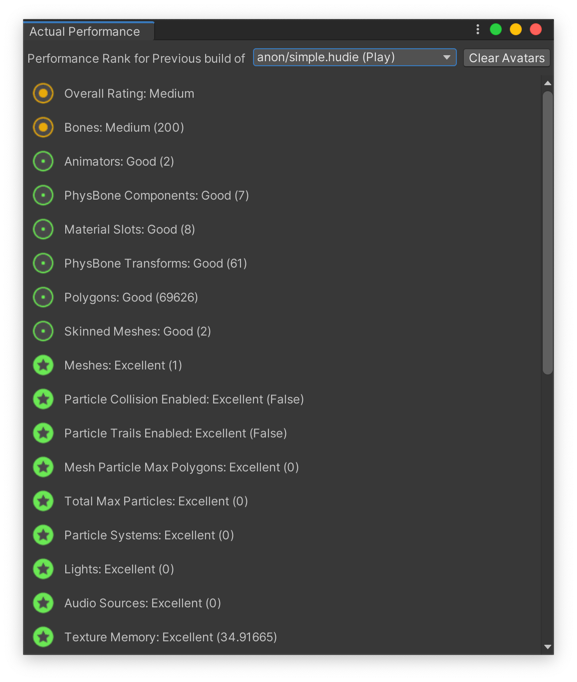 somber sequoia
torpid hinge
i'm in the model
somber sequoia
torpid hinge
i'm in the model
no, you must click on the model file in the project window, not an item in the hierarchy in scene
balmy barn
univrm  euw
euw
somber sequoia
click once, look in the inspector, in the rig tab.
it should look like Fen's image
torpid hinge
all i see is this
 somber sequoia
You clicked on a prefab, not a model file
somber sequoia
ok but you can't setup the rig on a prefab, you must do that on a model file
torpid hinge
so i just open the prefab?
somber sequoia
I don't know what you have here, haven't worked with something like this.