#udon-general
59 messages · Page 98 of 1
 spare kindle
ive only used udon once and have admittedly done no research into its capabilities so apologies for asking what might be a seemingly dumb question
 undone light
What am I doing wrong here? When I interact with the button, I get the "interact" debug message in the console so I know that works, but the event never triggers...

 coarse parrot
undone light
What am I doing wrong here? When I interact with the button, I get the "interact...
coarse parrot
undone light
What am I doing wrong here? When I interact with the button, I get the "interact...
If udon synchronization method is None, it won't get any networked event.
undone light
coarse parrot
If udon synchronization method is None, it won't get any networked event.
Ah, that was it. Something I'll have to keep in mind for the future. Thank you!
coarse parrot
undone light
Ah, that was it. Something I'll have to keep in mind for the future. Thank you!
Also, if you don't have any variable that need to be continuously synced, Manual sync mode is preferred in this case.
undone light
mhmm, I figured as much
 arctic scarab
how i change player speed and sprint speed
arctic scarab
udonsharp
what goes in first variable
second one is float
can i have usharp example
 unborn hornet
Networking.LocalPlayer.SetWalkSpeed(4);
 rough grove
im trying to get a lightswitch to work on my world, but it seems to just hide the object its connected to instead of the light, and only can be interacted with once

 valid oar
rough grove
im trying to get a lightswitch to work on my world, but it seems to just hide th...
valid oar
rough grove
im trying to get a lightswitch to work on my world, but it seems to just hide th...
Check the udon behavior for the light switch in the inspector, it's likely referencing itself rather than the light.
 stray junco
halo there
every time i want to invent new mechanic for events and behavior's for UDON worlds
i need to wait for someone to create some tools or scripts so wanted feature will work for me
and tbh i hate that because that complicate things for me because it prevents non U# skilled users like me to create those new unique working mechanics
so i decide to try to learn that thing
(but i debt in my possibilities because of known issue with my eyes and the fact that i can't understand some complex scripting language like C# that makes no sense in logicality
anyway...
I'm not able to find any U# tutorial in google search engine
so how i can learn it if there is no tutorial for that
is that C#?
so...if i somehow (but i don't think so) learn it
could that will work for U# i mean to convert to U#
but the question is ... if i convert it to U#
could that will work in vrchat?
but i will more like's that someone will create some udon tool that can enable average users
to easily without scripting knowledge to create unique new mechanics for udon vrchat worlds
thanks in advance...
 scarlet lake
hi, I have a question that should be fairly simple for any Udon expert - let's say I have a shader - this shader renders to a texture and takes another texture as its input. How do I take the output texture in the next frame and pass it into the input of the shader?
this is a basis for all sorts of simulations and I have no problem with shaders, but I can't figure it out how to do this in Udon and I don't think this swapping can be done in shader programs alone; at least not in raw CG
or even something much simpler - how do I feed the timestamp from udon to a shader?
stray junco
@ebon dragon
i already know that U# is capable to convert i mean to compile C#-U#
but what about of other things that i asks?
coarse parrot
stray junco
but what about of other things that i asks?
The core of Udon is the Udon assembly, which primary use will be using for interfacing with the game engine script which is made from C#. Everything udon: Udongraph, and Udonsharp, will get compiled into Udon assembly.
 fiery yoke
scarlet lake
hi, I have a question that should be fairly simple for any Udon expert - let's s...
fiery yoke
scarlet lake
hi, I have a question that should be fairly simple for any Udon expert - let's s...
Generally this is easier to do with Custom Render Textures (CRTs), since the required functions in Udon (Graphics.Blit and setting the active render texture) are not exposed afaik.
coarse parrot
stray junco
<@284433331515555840>
i already know that U# is capable to convert i mean to com...
Udonsharp is just a C# which Udon limitation.
scarlet lake
fiery yoke
Generally this is easier to do with Custom Render Textures (CRTs), since the req...
Thank you! Is there some tutorial?
 wind atlas
stray junco
halo there
every time i want to invent new mechanic for events and behavior's f...
wind atlas
stray junco
halo there
every time i want to invent new mechanic for events and behavior's f...
You can and should learn the basics of C# as they will translate to U#. Just stop at stuff like inheritance. However, basic data types, functions, classes and stuff are very important to know about.
Just learning the language and making unique mechanics are completely different topics though. Some might be super complex, some might be easier to do. What kind of mechanics are you looking for?
 ebon dragon
Is there a built in way to get a collision position as if a ray has been cast from one point? Or do I have to go make my own loops
fiery yoke
ebon dragon
Is there a built in way to get a collision position as if a ray has been cast fr...
Physics.Raycast
ebon dragon
that returns a bool iirc
fiery yoke
Yes but it has an out parameter for the collision data
ebon dragon
edit: I got it to work ^^'
scarlet lake
@fiery yoke do you know if there's any tutorial for Custom Render Textures in Udon? I have a friend who is a professional in Unity, but doesn't know how to do this in Udon
I don't even need to synchronize it with players or anything like that for now, just the simplest example where you render to texture, read state from it in the next iteration and render again and so on
fiery yoke
scarlet lake
<@140227611589607424> do you know if there's any tutorial for Custom Render Text...
Custom Render Textures dont really rely on Udon. They are pretty much their own thing.
scarlet lake
so you can just attach a C# script normally?
or does everything have to rely on Udon?
I'd love to see even like a simplest example of this, that'd help me a lot 😦
@fiery yoke I can't find anything on it in Udon documentation unfortunately
fiery yoke
scarlet lake
<@140227611589607424> I can't find anything on it in Udon documentation unfortun...
Custom Render Textures are a Unity feature. They do not require Scripting, however there is a scripting api but I dont think its exposed to Udon.
They are a little bit complicated, but do exactly what you want I think.
scarlet lake
fiery yoke
Custom Render Textures are a Unity feature. They do not require Scripting, howev...
thank you! my friend told me that if I want to make use of CRTs, I need to write some code or there's a hack with a camera pointed at the texture I want to utilize as a target
when the hack is applied, then no code is needed
 lament valve
It's on the correct layer with a UIShape on it. Does the UIShape have to be on everything? Does everything have to be in the layers? This is all new and confusing. There's no tutorials anywhere either
valid oar
stray junco
halo there
every time i want to invent new mechanic for events and behavior's f...
You kind of just have to find creators on Youtube making videos about it, here's a couple I use https://www.youtube.com/c/PlayerBush001 https://www.youtube.com/c/VowganVR
They both use a combination of graphs and UdonSharp stuff. You can also look at the api documentation to get a list of functions and how they work but you'll likely want some familiarity with writing basic full scripts to understand the syntax of how to use them https://github-wiki-see.page/m/MerlinVR/UdonSharp/wiki/vrchat-api

YouTube
Heyo, Bush here.
Learning unity and VRChat together is hard, especially when there aren't enough videos to get you started. Hopefully I can help with that! I hope to make tutorials that are fast and to the point. Ones that you can look over without have to resort to 2x speed, but also contain everything a newcomer would need, should they be wil...

YouTube
Environment and Interaction Developer for Social VR | Udon Tutorial Series Creator
 mint rune
Do not use the UiMenu, UI, or Mirror Reflection layer for canvas's with user interaction. This breaks it in VRChat. Instead just use default layer.
fiery yoke
mint rune
Do not use the UiMenu, UI, or Mirror Reflection layer for canvas's with user int...
Hmm I always thought that UiMenu was "meant" for that. If you use the default layer then you have to remember to give it a collider manually and set it to isTrigger though if you want to be able to walk through it / throw objects through it etc.
mint rune
Yep, I already shared screen with them and had them do that, and it worked.
stray junco
@coarse parrot
so you say'd that U# is beased on C#?
if so then if i made some C# like ... to move some cube from one place to another and then do animation or just make that cube to follow me,...
would (if i compile it) would that will work in vrchat?
oh or even better...
if i made a cube to follow me
but someone already made such a script
but mine is little or very different then his script
would that script will also work in vrchat?
@wind atlas
well u want to make some game mechanics
you know...to make ai to co-op with me,be against me and or just do idle to avoid some obstacles
and make working receive send damage indicator
@coarse parrot
anyway ty for demystifying u and c sharp things for me 
@wind atlas
and ty for providing some tutorial for me so i can better learn it
i hope if i learn c sharp basics that i will also be able to create complex c sharp mechanics as well
stray junco
@valid oar
ah yes i know vowgan he make's a lot of nice U# and udon graph tutorials
i hope i will find some good baics about C# in his channel
and i don't dapt on bush's channel as well
coarse parrot
stray junco
<@805875523602481172>
so you say'd that U# is beased on C#?
if so then if i made...
First part, yes. Most unityengine api works in udonsharp as it's in c#. You could even look for regular unity script tutorial for something you want to do. But there are also many limitations on what vrchat is allowing you to do in u#. For example you can't use some c# syntax even it can be used for regular c#. And some unityengine api can't be used in udonsharp(Also in Uassembly).
Second part question doesn't really make sense and not really sure what are you asking. The scripts, if it works, it works, except when you place both script in order to control the same object property which may cause some conflicting result. But if you're just replacing script then it should work, may be different in some tiny detail, but still is the same desirable outcome.
stray junco
@coarse parrot
yes that's completely true
i 2 or less...years ago i was watching some basic unity script video tutorial and i try to compile it to U# but vrchat didn't want to allow it to make it work in my world
so i give up learning C#
so right now i ask myself do i really need to learn it or not
and if i want then what will be outcome of it?
i mean if i make C# script and wont to make it work in vrchat
there is a big chance that vrchat wont allow it
it's not maliciouse but vrchat will not allow it because i writen the script a little different
and vrchat will not understand it
i mean it worked in unity but it wont work in vrchat udon world
and as for second part
you clearify it for me
and i thanking you for that 👍
coarse parrot
stray junco
<@805875523602481172>
yes that's completely true
i 2 or less...years ago i was w...
First important thing, have you verified that the api you're using isn't allowed in udon, or there is something else that prevented your code from working in vrchat? There is many reason why script that work in vrchat doesn't work in udon. Udonsharp can already do many basic things with the current api.
stray junco
@coarse parrot
no idk how to do that
i just convert mine C#-U# and apply it to my world
and when i want to upload it it sends some error in unity console that script is not supported or such idk it was long ago id remember
so i delete mine script after that
because there is no any use of it
coarse parrot
stray junco
<@805875523602481172>
no idk how to do that
i just convert mine C#-U# and apply ...
So do you really need to learn it or not, one way or another if you want to script your world, then you have to do it in either udongraph, udonsharp, or udonassembly. VRChat world is just like creating a game. Without scripting in game, there is no game, only just scenery.
stray junco
@coarse parrot
from what we all discus i don't really know
but if i want to script my world i heard that U# has much more potential then udongraph and udonassembly (which i hardly believe idk)
yeah that's true
i can upload my world without scripts and they will work
but if i upload working scripted world it will have better functionality's
coarse parrot
stray junco
<@805875523602481172>
from what we all discus i don't really know
but if i want ...
It isn't that U# has more potential than the others. U# and UGraph in the end will get compiled into UAssembly. It's just most of the experienced creators here are more comfortable with coding script like C# and U# rather than visual programming like UGraph.
I'd rather say the true potential is lie in UAssembly because that the thing talking directly to vrchat, but the ease of use just totally gets beaten by the other two.
stray junco
@coarse parrot
oh well in that cause
i will try to learn visual scripting by using Ugraph
beause it will be much easier for my eyes
and talking to my self...
i don't think that Uaaembly will not be possible to learn because that's an just direct communication between U# and Ugraph or is it
and if yes then...is that Uassembly can easily be lerned? i wonder
so what do you think ?
coarse parrot
Not sure if you missed the "ease of use" part I explained. If you think U# is hard, UAssembly is even harder.
stray junco
oh ok then
coarse parrot
That's why the thing that makes it easier like UGraph and U# is created for you so you don't have to manage every bit of game memory by yourself.
stray junco
ok but if i want to learn Ugraph and i want to make something new and unique
i first need to learn how C# or U# works?
or i can create some new things in Ugraph without C# and U# scripting knowledge
with minimal or none basic scripting knowledge?
im sorry but can you please clearify it for me
btw i wish that second is possible 🙂
coarse parrot
stray junco
ok but if i want to learn Ugraph and i want to make something new and unique
i f...
But with UGraph, you don't need to follow C# coding syntax, because graph and node are just their own things. But basic general knowledge about programming will make your life easier because UGraph is still one of a programming script, just not by coding. You may have to know how to read programming document since you still have to rely on unity script document to work with each function.
stray junco
@coarse parrot
ok thank you so much for your help 😉👍💎
 hollow folio
Is there an easy way in the graph to iterate through all child objects of a gameobject?

 signal yarrow
arctic scarab
how i change this in usharp
signal yarrow
arctic scarab
how i change this in usharp
GitHub
InteractionText does not appear to be available on UdonSharpBehaviour. You can, however, get/set it on an UdonBehaviour instance and it compiles and works as expected (as in reading the right value...
unborn hornet
You can also switch the inspector to debug mode and set it that way I believe.
arctic scarab
i mean i can set it manually but i want update with script
so i will need get somebody who knows udon graphs
unborn hornet
If your sdk is uptodate, you might be able to get away with pre-casting and setting it on the new type.
var tmp = (UdonBehaviour)(Component)this; tmp.InteractionText = "New Text" ;
@arctic scarab
arctic scarab
dont have latest one but this does work yes
 crimson thistle
is it possible to make a stopwatch in udon where i enter a collider and when i touch a gameobject it stops the timer?
and like, make a leaderboard where it shows the best times of the people in the instance?
something like this

as an example
 topaz jetty
yeah you could use cyan's player object pool (https://github.com/CyanLaser/CyanPlayerObjectPool) to create a networked game object for every player, then when the player enters the collider make it get the player's object and start a timer in a float variable that counts up with time.deltaTime in the update method, and when they touch the game object make it stop the timer and sync the final result, then make a scoreboard that loops through all the objects and gets the synced times

GitHub
A VRChat system that will assign a unique object to every player in the world. - GitHub - CyanLaser/CyanPlayerObjectPool: A VRChat system that will assign a unique object to every player in the world.
crimson thistle
so what i asked for is totally possible?
topaz jetty
yeah
crimson thistle
and its even possible to sort out the scores from shortest to longest in a nice scroll type ui thing?
topaz jetty
yup
crimson thistle
sweet
topaz jetty
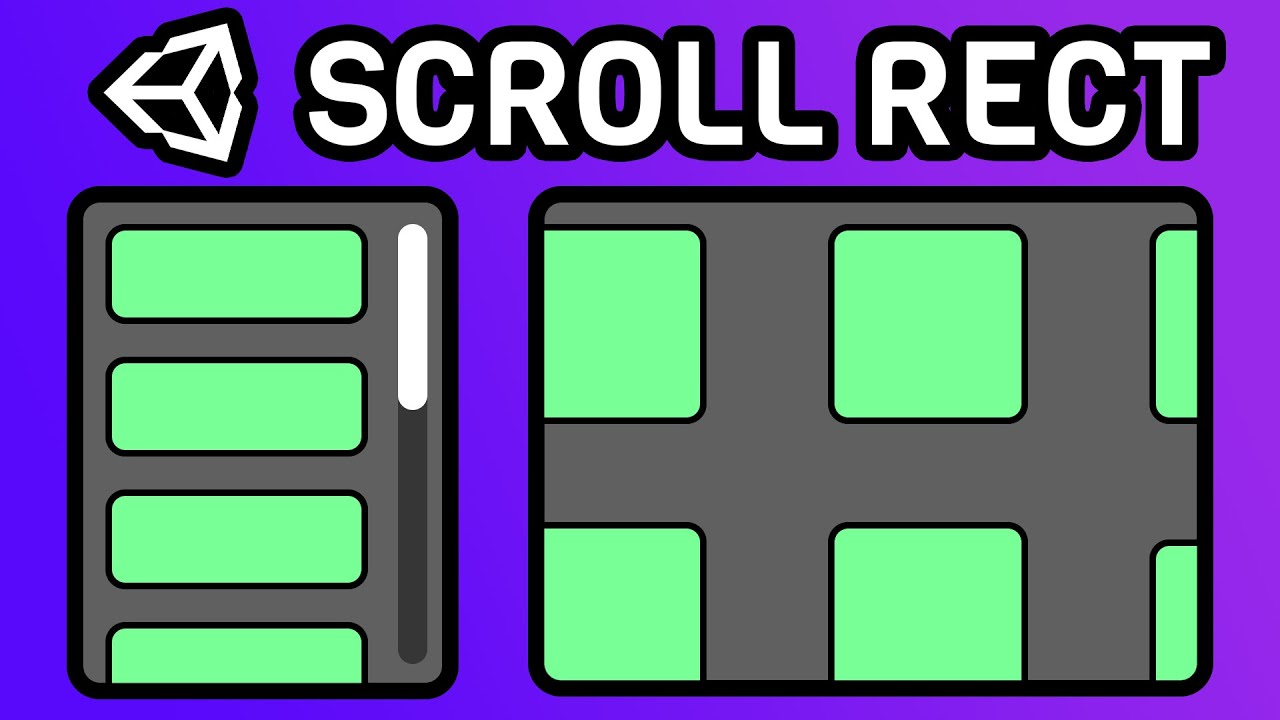
using a scroll rect, vertical layout group and a content size fitter you can make dynamically sized ui lists that scroll
CryptoGrounds: Coding and Gaming, for Everyone!
Hello! In this video on how to make a Scrollable and Draggable Upgrade List in any Unity project or game you are making or wanting to make, I will be teaching you guys how to make a Scroll Rect and show you all the settings you can adjust!
Using Scroll Rects are the easiest way to create any scro...
 graceful warren
Hi, how do I use the udonbehavior getcomponent? Trying to get a behaviour called PlayerController off a GameObject called PlayerController.

 tight monolith
does anyone know how to make a 3 way toggle? (it might have a diffferent name but i dont know it)
if thing 1 is on, thing 2 and 3 are off,
if thing 2 is on 1 and 3 are off, etc
(btw i dont know anything about the actual scripting so the connect boxes would be better lol)

thats what my toggle currently looks like
 strong arch
tight monolith
does anyone know how to make a 3 way toggle? (it might have a diffferent name bu...
strong arch
tight monolith
does anyone know how to make a 3 way toggle? (it might have a diffferent name bu...
do you want to activate 3 objects?


 indigo finch
strong arch
i don't knew if this works or helps you
indigo finch
strong arch
i don't knew if this works or helps you
unfortunately... this won't work, as there is no event plugging into the branch node
indigo finch
tight monolith
does anyone know how to make a 3 way toggle? (it might have a diffferent name bu...
personally, I would do this as two different scripts, on two different objects. First, I would have a script that I use to manage all the objects. Then I would have a much simpler script on all the buttons, that call that script and tell it what object you would like it to change it to.
The manager script would look like:

and the button script would look like:

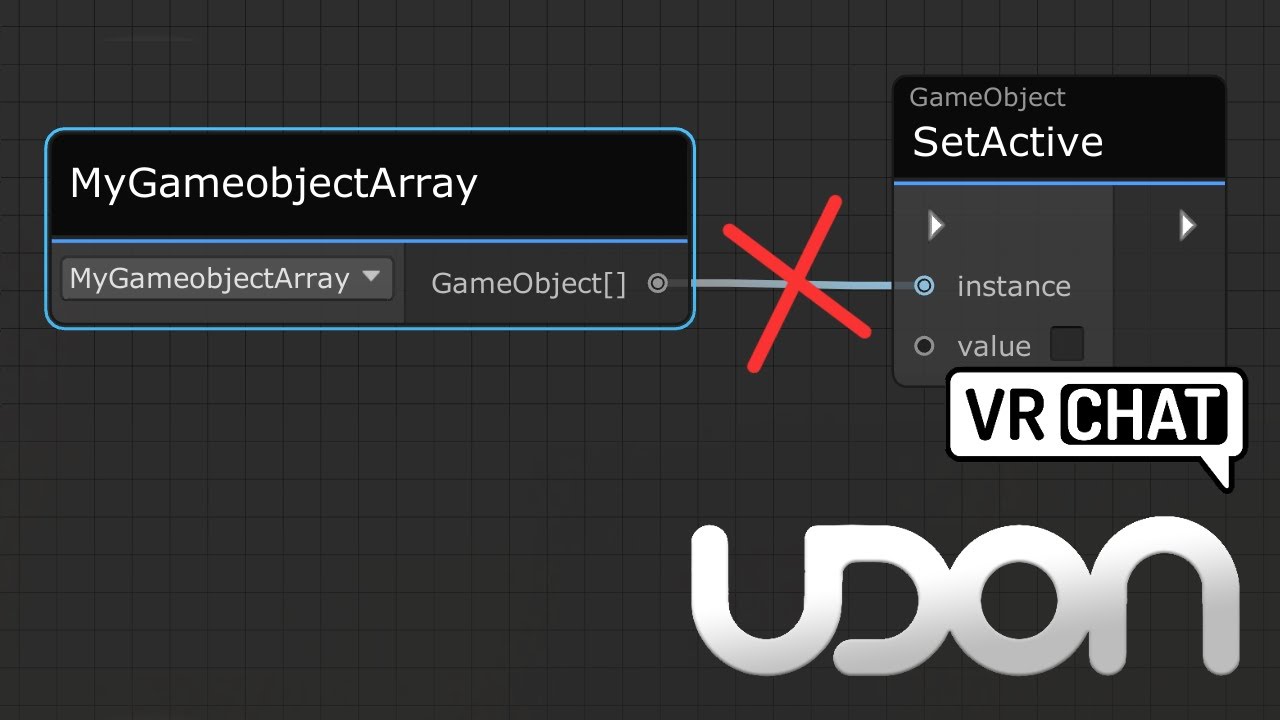
I also used a gameobject[] instead of 3 different gameobject variables, which is by far the cleaner way of doing it, especially if you want to scale it up to more objects. If want to know more about what I'm doing here, have a look at my video going over how to cycle through an array: https://www.youtube.com/watch?v=s3mZ7SLfmzI
Here's a tutorial that goes over calling all game objects inside a game object array. This same method would work for any arrays, be it colliders, pickups or audio sources arrays.
I made this tutorial, as it's a little confusing not being able to directly plug a game object array into a set active node, and going from a simple toggle script, to ...
tight monolith
indigo finch
personally, I would do this as two different scripts, on two different objects. ...
i have 3 buttons thats all i know ;-;
indigo finch
tight monolith
i have 3 buttons thats all i know ;-;
the manger script:

Button 0 (scripting starts counting at 0)

Button 1:

and so on and so forth.
(pardon the lazy setup/ resolution)
tight monolith
alright im dumb start from the top, are these the only 3 images i need or nah?
indigo finch
tight monolith
alright im dumb start from the top, are these the only 3 images i need or nah?
well... there was one more for button 2:
 tight monolith
thankuu
arctic scarab
if i put a loop that puts player above ground will he stay static or be glitching down
valid oar
Why would you have something that changed the player's position on a loop? Seems like there has to be a better way of accomplishing whatever it is you're trying to do.
valid oar
Maybe just use a slope? You can have invisible steps that would allow someone to ascend without jumping but I wouldn't adjust their position with a loop
 shy pike
scarlet lake
shy pike
scarlet lake
@fiery yoke thank you for your help telling me about CRTs - I figured it out
I have another question tho - how can I detect the intersection points of player avatar (or other objects) with some plane and paint them onto a texture? I was thinking to maybe have a camera that renders Z-buffer to a texture and a shader that takes this as the input and does the thresholding to leave only the points that match the intersection plane
but I dont know if it's the right way and how to even start with that
 flint oriole
I'm not versed in shaders but the concept is called "line-plane intersection" which has the math that you might need to abstract from
Whoops typo
scarlet lake
hmm I think the thing with camera is much more applicable here, because you need to just project the section of all the objects onto the plane
so for example you could put your hand to a canvas, and it would leave its print on it
strong arch
indigo finch
unfortunately... this won't work, as there is no event plugging into the branch ...
oh i forgot to do it🤦♂️
 last geyser
I have a question, How could I make it so a door is openable and closeable by interacting with it still but if its open for too long it automatically closes?
 arctic scarab
how to make function only runnable by host
usharp
runnable by host but affecting everyone
 tribal portal
I have a question I’m makeing a dnd world and I want to make the table only collide for physics objects but not players so I can go through the table but the dice cannot
How would I achieve that
I guess I could make a colider toggle that’s local so the DM can just turn the collision off because he doesn’t need to do dice rolls while drawing the map
arctic scarab
is there some good way of optimizing having same script on thousands of objects
 cold raft
Hard to tell, hou could have an array of thousands object controlled by single script
Not sure what isbetter
arctic scarab
nono because each need to have separate interact collider
 fathom furnace
If you call Networking.SetOwner on an object, is just the owner of that object changed or also all of its child objects?
 grand temple
just that object
fathom furnace
grand temple
just that object
Ah, good to know
 opaque sage
Don't ping that role for that.
Sadly some spam filtering doesn't really go well with structured code posting.
Can always use pastebin or such.
arctic scarab
when i have two colliders on same object then just first of them have interaction text how to fix it
 sleek pivot
can i make voice commands on vrchat worlds?
coarse parrot
sleek pivot
can i make voice commands on vrchat worlds?
afaik there isn't any option to record player voice.
sleek pivot
Okay, knowing that, let's say I have a menu inside the world. And that the text commands are in the menu.
Could that be applied to do the functions?
coarse parrot
sleek pivot
Okay, knowing that, let's say I have a menu inside the world. And that the text ...
Like a console where you can type a command? Yes you could
sleek pivot
coarse parrot
Like a console where you can type a command? Yes you could
thanks
arctic scarab
how i keep same player rotation when teleporting him
coarse parrot
arctic scarab
how i keep same player rotation when teleporting him
Get the player rotation and plug that into teleport node.
arctic scarab
yeah i meant how it look in usharp
coarse parrot
arctic scarab
yeah i meant how it look in usharp
var rotation = player.GetRotation()
arctic scarab
ok so second thing
how i read keybindings for quest
of which key is currently pressed like Input.GetMouseButton(0)
https://docs.vrchat.com/docs/input-events i think something from here
VRChat
You can read the input of a Player's controller in a unified way across all platforms by using Udon Input Events. These events will work correctly even when the player has remapped their controls. There are currently two types of events - Button and Axis, which include boolean and float values. Each...
coarse parrot
arctic scarab
https://docs.vrchat.com/docs/input-events i think something from here
GitHub
A compiler for compiling C# to Udon assembly. Contribute to vrchat-community/UdonSharp development by creating an account on GitHub.
arctic scarab
but i dont want fire event but check if true/false
coarse parrot
arctic scarab
but i dont want fire event but check if true/false
https://docs.unity3d.com/ScriptReference/Input.html Try GetButton method, but I don't know how it's mapped for the VR controller.
 arctic scarab
so for example
if (Input.GetButtonDown("Axis1D.PrimaryIndexTrigger"))
Something like that
arctic scarab
private void Start()
{
lp = Networking.LocalPlayer.displayName;
}
i cant publish world because of that
publish screen errors out
while in playtest everything work fine
i cant even use if to check if it exist because not bool
coarse parrot
Check with Utility.IsValid(Networking.LocalPlayer)
arctic scarab
utility not exist
coarse parrot
arctic scarab
utility not exist
Utilities instead
 tropic canyon
arctic scarab
publish screen errors out
tropic canyon
arctic scarab
publish screen errors out
Make sure you have pause on error off when you upload. It might just pause the game when you upload and not actually error out. I have not encountered issues when I upload my world that crashes udon scripts on upload.
arctic scarab
okay i just put it in every update
now i see my world has stable 13fps
not much space for quest optimization
tropic canyon
13fps is unplayable for most people
arctic scarab
of course
counting that its empty map
after i add 10k objects it will be even more unplayable
is there some unity plugin that checks how much resources everything uses
so i know what to remove
valid oar
I think that's what the profiler does. I don't know how to use it.
But maybe look into that.
When you said you put the code in every update, do you mean you're running it every frame? Because that's probably not great.
I don't know very much about programming but I know that you should generally avoid doing things every frame unless it's absolutely necessary.
tropic canyon
even for a full map it's bad
With the profiler you can check how much time scripts and rendering takes to see what is causing your massive performance issue
Without seeing your project it's hard to say what's causing the performance issue
 queen panther
arctic scarab
now i see my world has stable 13fps
queen panther
arctic scarab
now i see my world has stable 13fps
pardon me for butting in, but what on earth did you do with this world to only get 13 fps?
arctic scarab
every object having own udonbehaviour
valid oar
And every one of those scripts running every frame, sounds like.
If the script was just getting run on interact or something, then that probably wouldn't be a problem because the code isn't getting executed but if it's constantly getting executed, then that's not gonna work.
 tender tapir
Sup fellas
arctic scarab
actually these cause least issue its the gui that has many loops attached for everything in game
valid oar
Even if your code is reducing FPS to 50, that isn't great if there isn't anything else going on.
 torpid river
How would I go about adding game objects to an array whenever they are triggered in game?
Basically I need to detect if the player collected 4 items, but It doesn’t matter the order, after each item is collected, an animation will change.
Is it possible to detect a game object as active, then when it returns true, then add that game object to the array? Any help is greatly appreciated
 shy osprey
is there a way to shift UV coordinates for a material in udon?
tropic canyon
torpid river
Is it possible to detect a game object as active, then when it returns true, the...
Just have a counter on how many are collected
Besides that there's a function called "OnEnable" that gets run when a monobehaviour is on a gameobject gets turned active
arctic scarab
arctic scarab
so for example
if (Input.GetButtonDown("Axis1D.PrimaryIndexTrigger"))
this doesnt work anyone know what should i write
or at least how to use these https://docs.vrchat.com/docs/input-events
VRChat
You can read the input of a Player's controller in a unified way across all platforms by using Udon Input Events. These events will work correctly even when the player has remapped their controls. There are currently two types of events - Button and Axis, which include boolean and float values. Each...
tropic canyon
If you use Udonsharp there should be functions you can override that handle jumping and moving
they get called whenever the state of those variables change
so it'd be "public override void InputJump(bool value, InputParams params)"
something like that
scarlet lake
a
arctic scarab
i want quest alternative for Input.GetMouseButton(0)
my script requires holding button for 2 seconds to run script
tropic canyon
there's InputInteract
or InputGrab
for quest buttons
GetMouseButton(0) also doesn't work for pc vr
as there is no mouse connected
 ancient mountain
does someone know how to reset the udon graph Variable window? I dragged it smaller and it's vanished off screen somewhere probably
arctic scarab
tropic canyon
GetMouseButton(0) also doesn't work for pc vr
i know
i want alternative to this
how i use inputinteract
tropic canyon
are you using udonsharp?
arctic scarab
yes
tropic canyon
public override void InputUse(bool value, UdonInputEventArgs args)
arctic scarab
i dont want run
i want true/false
i want run function after holding button for 2 seconds
tropic canyon
the args will be what hand pressed it
and the value will be the new button state
ok so basically you can do
arctic scarab
i already have script for that but i dont have way of reading when button is pressed

 tropic canyon
You're not allowed to use the function OVRInput.GetDown
tropic canyon
OVRInput is not part of vrchat's whitelist afaik
arctic scarab
there shouldnt be "whitelist"
and if they release quest version they should approve quest software as well
tropic canyon
It is important that there's is a whitelist such that you can't steal someone's credentials or establish internet connections
If you think something should be added to the whitelist, request it on canny
arctic scarab
no there already are worlds that have keybinding literally
so just need to find stupid thing that will work on quest
tropic canyon
the overrides work across all platforms
arctic scarab
but there i could bind on keys not used in vrchat
tropic canyon
Probably doing a Input.GetButton("SOMEQUESTSPECIFICSTRING")
maybe just the oculus strings work
What input are you interested in?
shy osprey
Whats the best way to independently be able to move 100 different tiles of a board up and down, while still being able to move or at least keep track of any collection of them easily (like moving all tiles of a certain row or column). Would an id system (i.e. A1, D6, C3, etc.) Work best for this? Or is there a better way
 tribal meadow
I'm wondering if it's possible to edit the Hue value for the start color of a particle with a synced slider... Have the slider made but I'm not sure what Udon object variable I would use to set this....
 tropic canyon
shy osprey
Whats the best way to independently be able to move 100 different tiles of a boa...
tropic canyon
shy osprey
Whats the best way to independently be able to move 100 different tiles of a boa...
Just keep track of all tiles in a transform array and use normal indexing tricks to form your collections
It will be kinda expensive to iterate through all of them
tropic canyon
tribal meadow
I'm wondering if it's possible to edit the Hue value for the start color of a pa...
Wdym by udon object?
tribal meadow
hard to explain what I mean....letsee...like how you can have the particle start and stop via particlesystem stop, is there a way to adjust the particle hue by assigning a 0-256 variable from a slider.
This is for a lighting effect
so if the operator moves the slider it will change the start color hue value
tropic canyon
you can use unity's Color.HSVToRGB to go from HSV to rgb and then set the ParticleSystem.MainModule.startColor with what it returned
tribal meadow
OK thanks I'll give that a shot
tribal meadow
ok, reading that now....looks like it's a bit cumbersome to setup...I'm a bit green with this sort of thing, so I assume I'd be setting up a script on the game object that contains this code, and then the values would be set by the slider.
fathom furnace
Using public override void Interact(), how can you get the player who interacted? Not sure if I'm missing something obvious.
Only way I can think of is just to get the closest player, but that won't always be true
tropic canyon
It will only be called for the localplayer
aka when the localplayer interacts with it
fathom furnace
Slightly complicated one, I'm doing a Physics.Raycast which does get a Transform from its RaycastHit, (say t), but when I do t.gameObject, I get a runtime exception, with no additional detail other than the line number. I tried using try catch to determine if getting the gameObject fails, and discovered Udon doesn't support try catch. Also tried getting the gameObject from the hit collider which also had a run time exception. So I need some way of determining if the Transform from the RaycastHit has an associated gameObject, that does not use try catch, and does not cause Udon to run into a runtime exception (which stops execution of the script)
 marsh ridge
umm vrchat team? which chat do we go to, or who, do we talk to about a problem that we want figured out? It's about ||a kid who's like 14, uses quest and maybe hacks, but more of the problem is he is pretending to have DID to get attention and it bothers us and our friends(have DID and not have DID) that he is still pretending with other people after we removed and blocked him|| -8
valid oar
Definitely not here. I don't think they check this channel. https://help.vrchat.com/hc/en-us/articles/360062658553-I-want-to-report-someone

VRChat
If you've had a bad experience in VRChat due to another user acting maliciously, report them to the Trust & Safety Team. This includes any violations of the Community Guidelines or the Terms of...
 neat quail
does anyone know of a way to measure avatar height that isn't affected by crouching, proning etc.
having the measurement affected by the player's pose is good for some applications like hitboxes but a more consistent measurement of their actual height independent of pose would be nice for, idk for example handicapping players in games if their avatars are too large/too small to be balanced
best way i can think of is forcing them into a station, forcing them to stand up using an animator, measuring them, then ejecting them, but that's janky and can't be done every tick (without making the game unplayable), so if they change avatar mid-game the measurement will no longer be accurate
valid oar
Yeah, seems like even if you found a good way to do that, it would be hard to get around the ability to change avatars after the measurement without having some way to check if they've done that.
neat quail
Prison Escape seems to do a pretty good job of it (the height limit option kicks out everyone <1m tall) but to be fair I haven't actually tested if there's a way to trick it
tribal meadow
tropic canyon
you can use unity's Color.HSVToRGB to go from HSV to rgb and then set the Partic...
I feel i'm getting close with this, but linking the output of HSVtoRGB has me a bit stumped...
 tropic canyon
Does plugging it into set start color not work?
hollow folio
Is anything AVPro related automatically synced? I have an "on enter trigger, play URL" script and it's set to no sync, but somehow different users trigger it for other users and I'm not sure how that could happen.
 velvet star
neat quail
does anyone know of a way to measure avatar height that isn't affected by crouch...
velvet star
neat quail
does anyone know of a way to measure avatar height that isn't affected by crouch...
For Humanoid Avatars: Take the distances between the foot, lower-leg, and upper-leg bones and average them with the other leg. Then add the distances between the hips, spine, chest, upper-chest, neck, and head bones and combine it with the average of the legs. (Don't forget to add a check for the upper-chest since some avatars may not have the bone.)
If it seems inaccurate, try PostLateUpdate().
For Generic Avatars: You can guess based on their local head tracking position or by assuming it's 1m tall on networked clients.
I would recommend you only check this at the beginning of each game or every minute as it is a lot of distance checking.
neat quail
velvet star
__For Humanoid Avatars:__ Take the distances between the foot, lower-leg, and up...
oh I see. that's actually pretty cool. thanks.
tropic canyon
hollow folio
Is anything AVPro related automatically synced? I have an "on enter trigger, pla...
OnPlayerTriggerEnter fires also for remote players. make sure the player provided by that function is the local player if you only want the localplayer to load the url when he moves into the trigger
 weary pendant
I have a question, how to get int variable from another udon graph?
 hearty stone
does anyone know how i can store a int so it doesn't reset everytime the script is called?
 high portal
Has anyone found a way to make some sort of non-vrchat connection
To another server using udon scripts
(That is not video only. Because I would not like having to try and encode/decode data into a video and upload it)
 proud cradle
Is there any way to get accurate position of player camera? I do understand we have GetPosition and GetBonePosition (for head) in VRCPlayerAPI, but those are not directly for camera object and since camera can be also offset by ViewPosition in VRCAvatarDescriptor, using those two is very innacurate.
tropic canyon
Networking.LocalPlayer.GetTrackingData(TrackingDataType.Head) should work
note it only works for the localplayer as other players do not send their cameraposition over the network and therefore vrchat will return the headbone position and rotation for remote players
proud cradle
tropic canyon
Networking.LocalPlayer.GetTrackingData(TrackingDataType.Head) should work
Thanks. Seems to return same values as searching for camera on player object with GetComponentsInChildren<Camera>()[0].transform.position (at least while testing with cyan emu) so works for me.
indigo finch
weary pendant
I have a question, how to get int variable from another udon graph?

Here's a short tutorial covering how to get a program variable from another script. Something to note, is that the variable you wish to get needs to be a public variable for other scripts to be able to see it. Also, I didn't show it as I never put my script on a game object, but you would have to fill out the public udon variable when you go and...
indigo finch
high portal
Has anyone found a way to make some sort of non-vrchat connection
To another ser...
Getting anything from a server that is not a video goes against TOS, so if you can do it, you won't hear about it here.
As a side note though, there is an asset to get info from one or many avatar images (through the use of avatar pedestals in your world) that also might be of interest. Great for doing small changes to a world without reuploading it, and you can chain them to get a larger (theoretical) amount of data
high portal
indigo finch
Getting anything from a server that is not a video goes against TOS, so if you c...
Time to bully youtube unlisted videos and color detectors to use youtube as a read-only database
Because using SoundCloud as dialup would be much harder
Hmm the main problem I can already see is color detection being dependent on lighting
Unless videos aren't affected by lighting
proud cradle
is The referenced script (Unknown) on this Behaviour is missing! a VRChat thing where is deletes unrecognized scripts? Seems to work fine when testing in play mode with cyan emu, but not in game..
weary pendant
indigo finch
https://youtu.be/HERcbs636Xo
Thank you for responding! In ur video, u were using bool value. I wonder would there be any difference if I wanna access int variable from other udon graph?
 small radish
I uploaded me world but whenever I join it I cant move at all! I can only move my view up and down and I am constantly always having the falling animation and I cant move at all
nor can I open my menu
I need to help to fix this or is it just a bug that VRChat needs to fix.
scarlet lake
how can i fix lag in a world i made
arctic scarab
i have ultra low resource script on 900 objects how do i optimize this as it still lags
small radish
scarlet lake
how can i fix lag in a world i made
you either lower the resolution of textures in your world or you optimize your Udon Sharp scripts if you even have Udon Sharp
arctic scarab
scarlet lake
how can i fix lag in a world i made
show profiler
high portal
proud cradle
is `The referenced script (Unknown) on this Behaviour is missing!` a VRChat thin...
Cyan emu is being phased out use ClientSim instead
arctic scarab
proud cradle
is `The referenced script (Unknown) on this Behaviour is missing!` a VRChat thin...
usually its in reverse
 river musk
Can someone explain this to me? If I move when teleported, I get sent through the floor. This never happened before and I never changed the udon behavior

recently when I was applying an update everything got corrupted including this which seems to be the only I cant fix
hearty stone
how can i have a public int that doesn't change every time the script is executed? im trying to make a counter for the people that click a button and it keeps being reset to 1
river musk
hearty stone
how can i have a public int that doesn't change every time the script is execute...
try looking at the Vrchat examples unity save file. It has a graph of a counter for a button
river musk
river musk
Can someone explain this to me? If I move when teleported, I get sent through th...
Also dont reply to this I had to recreate the behaivor to fix, I just hope future problems dont need this
hearty stone
river musk
try looking at the Vrchat examples unity save file. It has a graph of a counter ...
im looking and i cant find anything about a counter? are you sure its in the example folder
hearty stone
how do i add a script to multiple gameobjects?
arctic scarab
just make udonbehaviour for each
valid oar
You can click on the name of the udon behaviour to find it in your project and then just drag it into the same spot on other objects
weary pendant
How do I target a specific player to send event to instead of using target all?
 pastel summit
Can I ask how to do specific things in here? I'm trying to figure out how to toggle the layer of a single object (default to walkthrough) but every tutorial i've found just has an insane amount of bells and whistles. or is that just a hard thing to do in udon
 coarse raft
hearty stone
how can i have a public int that doesn't change every time the script is execute...
coarse raft
hearty stone
how can i have a public int that doesn't change every time the script is execute...
send pic of the script
hearty stone
coarse raft
send pic of the script
it counts up but on every gameobject it starts over
coarse raft
yea that should just increment the variable, is there something else that's setting the variable value?
hearty stone
wrong pic sorry
1 sec

i have 5 objects that i want to count up each time they collide, it counts up but all their numbers start at 1
coarse raft
are they supposed to start at 0 or something like that?
coarse raft
hearty stone
it counts up but on every gameobject it starts over
so each instance of this script has a different value for the int, but they're supposed to be the same value?
hearty stone
coarse raft
so each instance of this script has a different value for the int, but they're s...
thats my goal yeah
coarse raft
hearty stone
thats my goal yeah
theyre not synced bcz each instance of the script has it's own unique instance of the counter variable
if you set it to public, that just makes it so that the variable can by changed outside of the script it was initialized in
hearty stone
how would i make it all one?
coarse raft
hearty stone
how would i make it all one?
The variable would need to be managed in one script, and all other scripts would need to access the variable value inside of the script thats managing the counter int
 jolly osprey
is there a way to make it so a button swaps the skybox and turns off/swaps a directional light
i got this thing going on to swap the skybox

and this which is off to the side
 indigo finch
jolly osprey
is there a way to make it so a button swaps the skybox and turns off/swaps a dir...
indigo finch
jolly osprey
is there a way to make it so a button swaps the skybox and turns off/swaps a dir...
are you only using two skyboxes; one for day and one for night? If so, you might as well use a bool instead of an int (i know the video used an int). Then you could just do:
 jolly osprey
it is just 2 yes
jolly osprey
so it doesn't actually turn out as dark when i test it would it be because of the baked lighting?
jolly osprey
indigo finch
are you only using two skyboxes; one for day and one for night? If so, you might...
it works but takes 2 click for it to happen
indigo finch
jolly osprey
it works but takes 2 click for it to happen
that means the default state of the bool is inversed of what it should be on start. basically, the code thinks its on when its actually off, and so when you click it the first time it makes the scene off; which it already was. just change the default state of the bool to be true in the variables tab
 deep silo
So basically I want to update text, my debug doesn't fire, the text doesn't update. Any glaring mistakes anyone can see? (ignore the send button its not hooked up)

 grand temple
deep silo
So basically I want to update text, my debug doesn't fire, the text doesn't upda...
grand temple
deep silo
So basically I want to update text, my debug doesn't fire, the text doesn't upda...
You're getting an udonbehaviour crash, you can see more details if you hold tab and click on "expand" on the top left
deep silo
@grand temple
 grand temple
now you need to scroll to find where it says "an exception occurred during udon execution"
or just open the log in a regular text editor, you can find it at appdata/locallow/vrchat
deep silo
yeah i fixed the exception already these are the updated logs
grand temple
so what's not working now?
deep silo
I mean does my udon look like it should work?
grand temple
depends if those are public variables and valid references
deep silo
valid and public
grand temple
is this a manual sync udonbehaviour?
deep silo
continuous
grand temple
and how long is the text that you're trying to sync?
deep silo
as long as i want, but it starts off null, only gets longer the more you type in
grand temple
if it's continuous, it will stop syncing after 120 ish
deep silo
hmm
grand temple
oh, also you have two "UpdateText" events that's not going to work
deep silo
I should call that log from a single one
grand temple
there's really no reason for this to be continuous, you should set it to manual and then call requestserialization when you want to send the text
you should also be taking ownership
 grand temple
that's not how you take owner, that's how you accept an ownership transfer. But you don't need that unless there was some condition where you wanted to deny an ownership transfer
use networking.setowner with networking.localplayer


 grand temple
those logs are irrelevant, and I do not have enough information to know what you're trying to do or what is happening
deep silo
basically its logging the input so i can sanity check

@grand temple I will pay you for an hour of your time
grand temple
you don't need to pay me, just give more details. Like what are you trying to do, what do you expect to happen, what is happening instead?
deep silo
I'm trying to create a system for my students to write words and sentences down on a "virtual chalkboard"
I expect that when text is entered into the input field, that text will be updated for everyone in the room.
The textfield is not being updated for everyone in the room, it is only being shown locally, the log is showing that the event is being send only locally
grand temple
have you added setowner?
 grand temple
that's not hooked up to anything
 grand temple
though if you do hook it up to updatetext directly, that's going to break things because onvaluechanged gets activated when an udon script sets the text too. It would be an infinite loop
deep silo
we can jump into vc if thats easier
grand temple
no
deep silo
k
grand temple
you need to put it after updatetext
and you don't need the block either, just have the things you want to do go one after the other
deep silo
Maybe something more like this?
 grand temple
no, that's not how flow works at all
and even if it did, you're putting it on ondeserialization
deep silo
gotcha, would you be more specific
grand temple
flow is the white line, it travels in one direction, left to right. You can chain events together from left to right so they happen one after the other
when you update the text, you want it to set the owner, then set the synced variable, then requestserialization
deep silo
alright can you explain it like "make the flow from setowner to x, x to y"
based on my screenshot?
grand temple
just like how you have the flow going from debug log to set synctext
that white line is flow, and it means that the debug log will happen first then set synctext will happen next
deep silo
should "SetOwner" flow into "Set SyncText"?
grand temple
yes
deep silo
 grand temple
yes, and now you need to make that all triggered by updatetext
deep silo
"Set SyncText" should flow into "Log" next, and then "RequestSerialization"?
grand temple
you can put the log wherever you want
but setowner should be first, then set synctext, then requestserialization
deep silo
okay
that solution did not result in the desired operation unfortunetly
let me try one more thing before I give up on this though
okay I tried it. this solution did not result in the localplayers text updating with the owners message
grand temple
add some debug logs in ondeserialization
deep silo
will do
I believe after looking at the debug, something is going wrong in the deserialization area of my udon
Essentially it seems my "Set text" is not updating the local players Input Field.
I feel like im closer to the answer at least but not quite sure how to proceed.
@grand temple
 grand temple
and what does the code look like?
 grand temple
I see the flow is still wrong on set owner but if you're already the owner which is the case if you're getting ondeserialization, then it should work
deep silo
oh
 frosty moat
Hello everyone, I'm new to creating worlds for VR chat, I would like to know how to play a YouTube music playlist in a quest world. Any help would be greatly appreciated🙂 I looked all over youtube however, all i seen were videos on how to place a player using udon but not how to script it.
deep silo
deep silo
should "SetOwner" flow into "Set SyncText"?
I believed I understood you when you repied "yes"
@grand temple in that case putting aside it not working, where should setowner flow to again?
grand temple
it should be between updatetext and settext
deep silo
@grand temple like so?
 deep silo
@grand temple I got it to work finally


what a pain in the ass, turns out the object I was originally trying to set the value to, doesn't have the ability to get set, but udon doesn't tell me that
 torn shuttle
This is kind of an udon question; but it's more C#. I want some flying mechanics in my VRC worlds and have been using this prefab
https://onedrive.live.com/?authkey=!AKuYmowj7HsjjeU&id=907A50BC9A229EDF!4459&cid=907A50BC9A229EDF
It's amazing, I love it. I can edit most of it and It'll still work!!
However I wanna change it slightly
I want the glide/float downwards to be controlled by angle of the wrist, similar to how this video does it. So that you can tilt your wrists to dive down and gain momentum.
https://youtu.be/g4YWcklQoVg
(here's the C# https://github.com/OBalfaqih/Unity-Tutorials/blob/master/Unity Tutorials/Inspired_by_Games-Series/Wingsuit/WingsuitController.cs )
Does anyone have any pointers? I'm really bad at C#-, but if I can manage to get this working I'll make a tutorial for others just because I want to see more flying in VRC worlds!
Love this channel; I never post here but am always finding crazy udon tips by reading these logs.
 errant jacinth
Hey
Could someone please help
I think my udon is broken
So, I have a basic mirror script which looks like this

yet when i put it on a button it will not work
and the event won't register

this thing
these are the only 2 things

pleae help
topaz jetty
errant jacinth
pleae help
you need to attach a udon behaviour component to a game object and drag your graph program asset into it, then you drag the object with the udon behaviour into your button and then use SendCustomEvent
arctic scarab
which of these will run first
public override void InputUse(bool value, UdonInputEventArgs args)

void Interact()
I'm 98% sure I did that already
I did
wait
wait
wait
 river tangle
I'm waiting
errant jacinth
stil didn't fix it
okay i recreated the script
this is on the button

what do i do
topaz jetty
errant jacinth
this is on the button
 wind atlas
errant jacinth
and it doesnt give me the right thing
wind atlas
errant jacinth
and it doesnt give me the right thing
This is what was wrong:
 wind atlas
errant jacinth
and it doesnt give me the right thing
wind atlas
errant jacinth
and it doesnt give me the right thing
You have to drag this into it

 feral valve
trying to modify a script to work with interact instead of ui for colliders, what should I do?

 night viper
feral valve
trying to modify a script to work with interact instead of ui for colliders, wha...
night viper
feral valve
trying to modify a script to work with interact instead of ui for colliders, wha...
What is wrong with the script? Are you not able to interact with it? (box selection box on the game) Or do they not turn off at all? Since the colliders active state are getting an unary negation bool from an OFF state (the opposite) they will always end up enabled (on) instead of toggling.
feral valve
I'm trying to figure out how to get the current value to unary negate them
 obtuse lichen
can you use udon in 2020 unity or does it have to be in 2019?
valid oar
You can't upload VRChat worlds at all unless it's the specific version they list.
obtuse lichen
kk ty
night viper
feral valve
I'm trying to figure out how to get the current value to unary negate them
from the "Get Collider []" you can use "Get enabled" and connect it to the UnaryNegation to get their state. I tried it in the editor and it gives me an error where the "get Length" is not set to an instance of an object, but in the game it doesnt give me any errors and it works.
 feral valve
night viper
from the "Get Collider []" you can use "Get enabled" and connect it to the Unar...
feral valve
night viper
from the "Get Collider []" you can use "Get enabled" and connect it to the Unar...
TYSM! It worked
 feral merlin
Using graph, I know how to get a player's position and teleport them, but is there a way to grab part of the player's position and move them say backwards on one axis only?
For example, you just want to teleport them backwards 20 meters on X and keep their Z the same
wind atlas
torn shuttle
This is kind of an udon question; but it's more C#. I want some flying mechanic...
I mean, making something like that isn't too hard. You just need to calculate the hand rotation and translate it to a fly direction. I actually made something similar when I was super inspired by ZenithVR a few months ago. They also have gliding using your hands. I uploaded the script I used here, if you are interested: https://puppet.booth.pm/items/3968790
wind atlas
feral merlin
For example, you just want to teleport them backwards 20 meters on X and keep th...
You can do that with some math, something like playerPos + playerRot * Vector.right * 20f
wind atlas
feral merlin
How do you interpret that on graph
First of all, what I wrote teleports them to the right of where they are looking. Do you want them to teleport globally on the X axis?
feral merlin
I get I would essentially just do playerpos and subtract the value of one vector
feral merlin
wind atlas
First of all, what I wrote teleports them to the right of where they are looking...
The goal is to simulate an infinitely scrolling world
wind atlas
feral merlin
I get I would essentially just do playerpos and subtract the value of one vector
Well, you are usually adding vectors. So yeah, current position and then a vector that's the movement you want.
feral merlin
So once they hit an edge it teleports them to the edge on the opposite side
wind atlas
feral merlin
The goal is to simulate an infinitely scrolling world
Hmm, I don't think teleporting is really what you want for a infinite scrolling world. Usually people move the world and not the player.
feral merlin
Right but I want this to work with multiple people


I essentially want to do this
wind atlas
feral merlin
I essentially want to do this
I guess you can try doing it with teleport. Just instead do: playerPos + Vector3.right * 20f (or whatever the distance of your space is)
Your space has to be on the x axis though and not rotated in a different way.
feral merlin
Right
scarlet lake
Is there any way to use Udon to make a "PVP" world.
valid oar
scarlet lake
Is there any way to use Udon to make a "PVP" world.
That's a broad question but yeah, there are shooting and other games of that type in VRChat. There's some weapon functionality in the prefabs database https://docs.google.com/spreadsheets/d/e/2PACX-1vTP-eIkYLZh7pDhpO-untxy1zbuoiqdzVP2z5-vg_9ijBW7k8ZC9VP6cVL-ct5yKrySPBPJ6V2ymlWS/pubhtml
scarlet lake
very nice thank you!
torn shuttle
wind atlas
I mean, making something like that isn't too hard. You just need to calculate th...
Thanks sobmuch, massive help 🙏
 vague mantle
could anyone tell me why im getting millions of errors with udon sharp?

is it just broken atm?
pastel summit
Is there any decent tutorial out there for creating a toggle for what layer an object is on? Unless there's no other way to do it, all the ones I've found so far have been pretty complex and for multiple objects, not just one.
night viper
pastel summit
Is there any decent tutorial out there for creating a toggle for what layer an o...
Im sure you can use "set layer" from a gameobject. If you use graphs I can help you make one
pastel summit
night viper
Im sure you can use "set layer" from a gameobject. If you use graphs I can help...
I do, I'm begging lol all these tutorials have some weird wild card like "Now we do this interger bs-" or "Now we set up the UI!" like sir I just wanna have an interactive mesh that does the thing
I just sort of fundamentally do not understand how Udon works (at a glance at least, I know its just a visual medium for code), so even wit hall the nodes, the technical jargon is over my head
feral merlin
Anyone know how to change the color of interaction text?
I tried <color=#000000> but it didn't work
I know it's possible as I've seen worlds with colored interaction text
night viper
pastel summit
I do, I'm begging lol all these tutorials have some weird wild card like "Now we...
There are so many different ways you can approach a script and it all depends on your setup and what you are trying to do. This is one approach I have on toggling the layer between 2 different layers. I can think of many more different ways to make this work, like using ints for example. I made this as simple as I could so it is easy to understand it.
 pastel summit
night viper
There are so many different ways you can approach a script and it all depends on...
pastel summit
night viper
There are so many different ways you can approach a script and it all depends on...
That's insanely helpful!!! I'll give it a try :O
pastel summit
night viper
There are so many different ways you can approach a script and it all depends on...
forgive me, but I can't find this node...?

oh wait i found it
Man finding specific nodes sometimes is mega annoying
night viper
Here is another approach.. and I could think of a few more. This one doesnt use a "bool" and instead checks the "layer" and depending on what the current layer it is on, it will do different actions.
 pastel summit
night viper
There are so many different ways you can approach a script and it all depends on...
pastel summit
night viper
There are so many different ways you can approach a script and it all depends on...
This one worked but the interactable has to be used twice for it to work?
One click does nothing, but after two it will work as intended.
night viper
You will have to flip one of the values. I am not sure what your setup is so I cant really give you a correct answer. You could try setting the initial value of the "bool" to be true (checked) (ON) on the "variables" box so it starts at the "true" flow. If that doesnt work, post a picture of what you have
 pastel summit
night viper
You will have to flip one of the values. I am not sure what your setup is so I c...
pastel summit
night viper
You will have to flip one of the values. I am not sure what your setup is so I c...

This is how I have it set uppp
it works, it just has to be pressed twice for it to begin working for some reason?
even with the default value set to checked
night viper
Since the initial value is "false" (unchecked) it will flow to the lower state first, setting the layer of the couch to "11". On the second click, it will start at the top portion, setting the couch layer to "17". Is that what you want to do?

Also, each time you make changes to the Udon graph, click "compile" on the top right so it actually saves before you test it.
 pastel summit
i feel a bit silly, didnt know about the compile thing.
night viper
It does it automatically most of the times, but when you change a value to false, or change a number it doesnt always compile, so you have to click that.
pastel summit
FINALLY it worked! Hell yeah
Thank you so much, this has been driving me mad for a few days. I was trying to somehow reverse engineer this from the mirror toggle bools I have
night viper
Glad it worked!!
pastel summit
Do you think it would work the same for multiple objects? Just replace the gameobject with a group?
night viper
It is possible, but you will have to learn about "loops" and "arrays" They were a little difficult for me to understand at first. If you need help with setting multiple objects´ layers let me know
pastel summit
night viper
It is possible, but you will have to learn about "loops" and "arrays" They were ...
Hmm. Well I already saw a few tutorials mentioning things about putting multiple objects in one group, can I not just use the the same set up as before except replace the gameobject node with the group representing the objects?
night viper
It can use the same setup, but with a few changes. By "groups" you are talking about "arrays" right? (they have a [] )
pastel summit
I assume so, I apologize, I'm a bit unfamiliar with the terminology
 tough stratus
who wanna help me out?
 vague mantle
is udon sharp broken? when i import it creates tons of errors
grand temple
no, you probably have something wrong with the project
or you're importing the wrong versions of something
vague mantle
thats, thats not how that works?
grand temple
well what are you trying to import?
vague mantle
vague mantle
is udon sharp broken? when i import it creates tons of errors
this
grand temple
where are you getting it from?
and what version of the vrcsdk are you using?
and where did you get the vrcsdk from?
vague mantle
-.- srsly
grand temple
there isn't just one version of udonsharp
and there isn't just one version of the vrcsdk
so if you're using some random old version then it could break things
vague mantle
newst of all, freshly made project
grand temple
and where did you download the vrcsdk and udonsharp from
vague mantle
git hub and vrchat.com
grand temple
and what version of unity do you have?
vague mantle
ok, no
grand temple
lots of people could have the wrong unity version if they didn't read the right thing
vague mantle
and have uploaded since 2016
grand temple
are you sure you're even using the world SDK then? Udonsharp does not work in a project with the vrcsdk for avatars
vague mantle
. . .
grand temple
I'm grasping at straws here because you're not telling me anything. If you gave more information I could be more helpful
vague mantle
no, when i want to make a world, i download the avatar sdk :3
grand temple
not sure what you're expecting when you ask for help. The first thing to establish when you say something is broke is to make sure you have the right thing
you could try using the creator companion instead, it'll install everything for you
grand temple
no
well, I guess it depends where you're getting it from
technically you could have a link to an outdated version
but old versions of udonsharp still work with new versions of the vrcsdk so that's unlikely to be the problem
grand temple
new versions of udonsharp doesn't work with old versions of the vrcsdk though
vague mantle
everything is up to date, and the companion only breaks my project
if i recall, its still in beta
proud cradle
Is there a way to use Networking.LocalPlayer.TeleportTo with rotation and have player appear at an angle or even upside down or horizontal? Seems like it always spawns player right side up.. think there is a way to cheese it but not sure and want to know if there is a leggit way before I try
grand temple
Nope, the player controller is limited to always be upright
proud cradle
That is sad and very limiting.. guess will need to find a hard way
torn shuttle
wind atlas
I mean, making something like that isn't too hard. You just need to calculate th...
Thanks so much again, your prefab is amazing. I'm in the same boat and am kind salty that Zenith nerfed flying and am trying to recreate the feeling of fast flying before the giant nerf. Was going to make a bunch of racing VRC worlds just to get that high again. I tried to tip your booth! Your prefab is working great for me, thank you so much.
tropic canyon
Put the player into a station and rotate the station and the player will rotate with it
You will need to make your own playercontroller most likely
tropic canyon
proud cradle
That is sad and very limiting.. guess will need to find a hard way
that or you put remote players into stations and do some transforms to make remote players appear in the right positions and rotate the entire world to achieve the effect of the player rotating. There is a post about it from cyanlaser on vrclibrary
wind atlas
torn shuttle
Thanks so much again, your prefab is amazing. I'm in the same boat and am kind s...
I'm glad I could help.
I do know about that speed up mechanic. I'm not sure if you can replicate it exactly since it's based on "potential", so the higher you are, the faster you will be. I guess you could try adding to the potential when you start gliding instead of setting it, and then reset the potential when the player is grounded again. Side effect is that people can go very high up by spamming glide.
feral merlin
vague mantle
no, when i want to make a world, i download the avatar sdk :3
@grand temple how do you deal with people like this all the time without going insane?
 tacit harness
Not sure if this is the place to ask but
I was trying to make a overlay that i can put announcements on for my vrchat world
I wanted to use the Screenspace Overlay Canvas for this as this seemed like the easiest method and made the most sense to me as it also seemed to work perfectly in desktop
Now i noticed this dosent render in vr, any idea on what i can do to get a overlay working ?
 minor blade
Hi
This might be a simple question but I feel like I tried a few different things
I am trying to assign people to "teams" by clicking a button sort of in a game way
Is there like a default common smart way people use given I know C# and use U# but feel limited because my knowledge of Udon is low
I tried looping through a VRCPlayerAPI[] of the with the size of the playercount but it seems to only apply a tag to the client clicking..
Whats the solution? I tried looking through terms to see if it had been asked but couldn't find a similar solution or question so I assume it has to be somewhat obivious and I am just missing it
I might just be calling Deserialization to the wrong things idk
Lemme just add some tags in case someone reverse search later and can use this
Assigning teams, teams, roles, assigning roles, assign roles, game
¯_(ツ)_/¯
topaz jetty
minor blade
Hi
This might be a simple question but I feel like I tried a few different thing...
You can use Cyan's playerobjectpool https://github.com/CyanLaser/CyanPlayerObjectPool to create a networked game object for every player, and then just store their team in there
GitHub
A VRChat system that will assign a unique object to every player in the world. - GitHub - CyanLaser/CyanPlayerObjectPool: A VRChat system that will assign a unique object to every player in the world.
minor blade
I'll take a look thanks does it by any chance have more in-depth documentation with examples or is Github all it got?
Oh yeah this seems potential 
deep silo
Trying to delete some gameobjects, and then instantiate the same gameobjects in their place, since I can't seem to delete the text inside of them :S but even thats not working :S
 velvet star
proud cradle
That is sad and very limiting.. guess will need to find a hard way
velvet star
proud cradle
That is sad and very limiting.. guess will need to find a hard way
My lab has an example of the former option @tropic canyon mentioned earlier: https://vrchat.com/home/launch?worldId=wrld_d83b98ec-ac4e-4ac3-ab00-a3c556b1d25b
velvet star
deep silo
Trying to delete some gameobjects, and then instantiate the same gameobjects in ...
you can change the text of an InputField by setting it's input using SetTextWithoutNotify(string). You can also directly set the text InputField.text but you might have recall loops.
proud cradle
tropic canyon
that or you put remote players into stations and do some transforms to make remo...
Yeah station way was the 'hard way' I mentioned.. It did work for some cases I intended to, but not sure I will stick with it unless I can polish stuff around it.. Thanks for mentioning tho
tropic canyon
Remember that even while in station the player will send over ik and player position aswell as rotation data so if you make a station that doesn't sync you can have it move all over and it will be replicated to other users
deep silo
@velvet star I don't know where to find "SetTextWithoutNotify(string)" function, but trying to set the text directly doesn't work for me:
(by the way this is intended to only happen locally)

im wondering if the input is readonly?
velvet star
try using this node instead of the one from text/tmpUGUI

also be sure you aren't confusing yourself with the placeholder text:

 deep silo
@velvet star None of these worked, not even programatically

I found this and im gonna try it

technically it works, but my OnClick events get deleted in playmode 😒
velvet star
So is it just not clearing the input field text, or are you trying to replace the text object with a different one?
deep silo
its not clearing, and now i know why
out of playmode:

when i start typing into the inputfield:

my buttons onclick invokes get deleted 😮
velvet star
I don't think you're allowed to have InputField.Select() on a UI element in VRC
deep silo
well its probably not even the select doing any work
its just that i didnt realize that those invokes were being deleted
 velvet star
yea just remove those and do it through an Udon Behaviour
deep silo
ok..
velvet star
that or I think there is a vrc input field component required for stuff using VRC URLs
deep silo
you know.... the only problem?
i cant actually drag a tmp_inputfield into my udon....
😭
i got plans to maybe bypass that though 🤔
velvet star
TMP_InputField is not supported yet... you can just use a regular input field and hide the normal text, then replace the tmp_text with the input from the default unity input field
deep silo
thats a good idea too
You know when I really think about it, the issue that im trying to solve could be resolved a completely different way... the only reason I'm trying to delete that text is because...
When someone accidently types into the box, the string gets extremely large, and that person eventually cannot select the text to delete it themselves
someone told me that when it comes to serialization sending too many characters can cause udon to fail. is this true @velvet star
Time to rethink my strat
velvet star
deep silo
someone told me that when it comes to serialization sending too many characters ...
yes, but this can be solved by preventing input unless the player is look at or is close enough to the input field
deep silo
velvet star
yes, but this can be solved by preventing input unless the player is look at or ...
would I use a trigger for that?
(like a collider trigger)
maybe i could make a 3D keyboard that players can pick up to start typing or something?
velvet star
yea, or check the distance between the canvas and the player
deep silo
I came up with a better idea... no matter how messed up the text is, they can just send it since the board gets replaced everytime someone puts a message in.

and I was able to make it multiline as a bonus
It's so beautiful 😭

 wicked forum
Are object pool instantiations synced to joining players?
ah ok looks like yes
Can I detect a synced variable change in U#?
FieldChangeCallback I guess?
feral merlin
How do I make an object that can be picked up and is affected by gravity?
And how do I make it synced across clients?
valid oar
If you add a pickup component, it should add a rigid body where you can tell it to use gravity and for syncing, there's an ObjectSync script that comes with the SDK so just add an Udon behaviour and put that in there.
feral merlin
Hmm that's problematic
I wanted to add my own udon program to this object
Could I have an empty parent object for the syncing?
valid oar
Yeah, having the actual pickup be an empty object and then parented the object to it could work. I also think you can add multiple udon behaviors on one object but that might cause issues.
valid oar
So long as there's collision on the floor, then objects shouldn't fall through, not sure if they are.
feral merlin
There definitely is
I even have a custom mesh collider for the object in question
Well I picked it up
And then it fell through the floor
valid oar
It might be the mesh collider, you could try just a regular box collider and see if it works better but I have objects with gravity and just a regular box collider on the floor and they don't fall through so I'm not sure.
feral merlin
Okay that seemed to be a lyuma bug
Not lyuma
Cyan emu
It's working fine in a test instance
Alright one last question I think
How do I make it snap to your hand in a specific orientation
It's a knife and it would look dumb if you could pick it up by the blade
valid oar
I'm not looking at Unity right now but I think the options in the Pickup component are exact grip and exact gun which allow you to place empty game objects parented to the pickup to specify where the object should be held from. I think you'd want exact grip for a knife. https://docs.vrchat.com/docs/vrc_pickup
VRChat
Used to allow objects to be picked up and held Requires: RigidbodyCollider RPC's are available via the SendRPC action
feral merlin
So I know how to measure when a player enters a trigger
But how do I measure when an object enters a trigger?
I want the knife to play an audio clip upon hitting the ground
 viscid nacelle
is it possible to change peoples avatars with udon, e.g. turn off all point lights when someone enters an area
deep silo
Can I copy a const string to windows clipboard with udon?
 stone flax
I have had problems with multiple types of video players yesterday and today.
Until now, there was nothing wrong with it.
It worked in the public world even with multiple types of video players.
Everything works fine on local tests.
I was able to play the video.
The video player error message is not displayed on Unity.
However, when I actually try to upload it to VRChat, I get an error message like this. ; ;
If anyone knows a solution, I would be grateful if you could tell me. Thank you so much ; ;
 crimson thistle
how do i make the thing where i have a few buttons but i can turn on only one on?
 eager olive
That's a toggle group!
eager olive
crimson thistle
how do i make the thing where i have a few buttons but i can turn on only one on...
You'll need to familiarize yourself with toggles as well. But once you understood the concept it's easy to re-use!
crimson thistle
thank ya
minor blade
Anyone know if some people upload or post source example from their worlds...
I could always use some inspiration tbh
arctic scarab
i want cut out part of script and put it in separate udonbehaviour and call it how i do it
tropic canyon
ctrl + x and ctrl + v
 is just cut and paste cause idk
to call the udonbehaviour function use the UdonBehaviour.SendCustomEvent(string event)
in u# just call the function like a normal c# function
tropic canyon
viscid nacelle
is it possible to change peoples avatars with udon, e.g. turn off all point ligh...
Depends. Generally no. But you can set parameters on avatars using stations (don't ask me how you'd do that tho). Once you figured that out, make the avatar disable the lights when the parameter is changed
arctic scarab
tropic canyon
to call the udonbehaviour function use the UdonBehaviour.SendCustomEvent(string ...
i want hold loop in separate file because i dont want hold loop on 5000 objects
very laggy
tropic canyon
feral merlin
I want the knife to play an audio clip upon hitting the ground
OnCollisionEnter or OnTriggerEnter. (Or Stay/Exit) They will only work if you have the script on an object with any Collider component. Search up the unity docs on it to find out more about it
tropic canyon
arctic scarab
i want hold loop in separate file because i dont want hold loop on 5000 objects
If the code stays the same it will have the same performance or even worse.
Udonbehaviours don't run asynchronous
arctic scarab
no because i want to only run loop on active object
and currently all are looping because they are checking themself if they are active
i dont know how to pause and resume loops
viscid nacelle
tropic canyon
Depends. Generally no. But you can set parameters on avatars using stations (don...
these are avatars i dont have control over and dont know the parameter names of but this might be useful thank you
 wind atlas
errant jacinth
wind atlas
errant jacinth
Because you didn't follow my instructions. Look at the red arrow, it starts at the script component. You are just dragging the UdonGraphAsset from your folder, which is the wrong way to do it.
 spiral mist
does anyone know how to make a beer tap that can be turned on and off ? cause idk this is my first time using udon and i am completely lost
valid oar
There's a prefab for that, just search for liquid https://docs.google.com/spreadsheets/d/e/2PACX-1vTP-eIkYLZh7pDhpO-untxy1zbuoiqdzVP2z5-vg_9ijBW7k8ZC9VP6cVL-ct5yKrySPBPJ6V2ymlWS/pubhtml#
valid oar
There are tabs, you want the SDK3 prefabs
tropic canyon
arctic scarab
and currently all are looping because they are checking themself if they are act...
You don't need to check activeness you can use OnEnable and OnDisable to check activeness of an object with a monobehaviour on it
arctic scarab
tropic canyon
You don't need to check activeness you can use OnEnable and OnDisable to check a...
i meant all scripts are always active
just i wanted disable/enable updates()
tropic canyon
if you disable the script it disables the update loop
scarlet lake
what is the current unity version?
tropic canyon
you can still call functions and get variables of it
arctic scarab
they have interact
arctic scarab
they must be on to detect interact
tropic canyon
You could use a SendCustomEventDelayed loop
valid oar
scarlet lake
what is the current unity version?
2019.4.31f1
tropic canyon
Check that on one script and notify all scripts once the person has held the button
deep silo
Currently experiencing issues with inputfield in "read only" mode where the field still accepts inputs (it doesn't allow characters to be put in but the text gets all scrambled because of the constant inputs, and somehow spaces get put in making the text unreadable and unselectable)
arctic scarab
also its only enabled under certain conditions
feral merlin
tropic canyon
OnCollisionEnter or OnTriggerEnter. (Or Stay/Exit) They will only work if you ha...
How do I actually do this with graph though
And how do I specify a specific object and a specific trigger
feral merlin
I tried that but it didn’t have that to my knowledge
Like specifically didn’t have a collider
Maybe I’m dumb, I’ll play around with it some more
feral merlin
tropic canyon
and it will provide you with the collider it collided with
Yeah that doesnt connect

As is it just plays audio upon entering any trigger at all which is problematic
scarlet lake
how can i make udon object turn on for everyone
tropic canyon
gameObject.SetActive(true)
connect that to start
and it will turn on for everyone
when they load in
scarlet lake
well i meant for like a toggle
you know say i have something off by default and i want to turn it on for everyone all at ones
any ideas
feral merlin
tropic canyon
check collider.equals
I actually ended up doing that before I saw the message, thank you
valid oar
scarlet lake
any ideas
You can use a SendCustomNetworkEvent node but that won't be synced for late joiners by default. I think you would need to do something like this video to get that to work. https://www.youtube.com/watch?v=19HMJaHGtqw

Here's a tutorial about toggling either one or multiple gameObjects via a button in udon. Something I forgot to mention in the video, is if you to toggle multiple gameObjects without alternate toggle a second list of gameObjects; either make a random empty gameObject for it to toggle, or remove the second for loop from the script.
Cycling thou...
tropic canyon
You can use Manual Sync and set a bool
then OnDeserialization just gameObject.Setactive(thatbool)
and when you want to toggle. Request ownership -> thatbool = !thatbool -> requestserialization -> OnDeserialization
scarlet lake
valid oar
You can use a SendCustomNetworkEvent node but that won't be synced for late joi...
its kinda more confusing because i just need one object turned on for everyone
valid oar
If you don't need it to be synced for late joiners, you can just do something like this.

Otherwise you'll basically have to use the process in the video just use one object instead of many. That's not really the complicated part, it's the syncing that adds more steps.
 harsh vale
Hey I added a volume slider to my world, it works perfectly fine but the sound isn't auto playing when I load into the world, I have to toggle the slider a tiny bit and then the volume starts
Play on awake is checked in the audio source
ebon dragon
maybe the slider's default value is 0? So it gets set to be quiet by default? @harsh vale
 harsh vale
ebon dragon
maybe the slider's default value is 0? So it gets set to be quiet by default? <@...
harsh vale
ebon dragon
maybe the slider's default value is 0? So it gets set to be quiet by default? <@...
^ Sorry forgot to tag
ebon dragon
no, the variable inside the udon script @harsh vale
make sure that one's at 0.5 aswell (if youre checking for change)
harsh vale
ebon dragon
make sure that one's at 0.5 aswell (if youre checking for change)
The string value is also set to 0.5
ebon dragon
sharing your code might help here ^^'
harsh vale


I was told to set the "speed" to 0, maybe that to 0.5 too? I'm not sure what "speed" is, I'm still learning a lot
 ebon dragon
I've only worked with direct audio emitters before ^^' I can't really help here
Worth trying though
harsh vale
True
harsh vale
ebon dragon
I've only worked with direct audio emitters before ^^' I can't really help here
Oh ok that worked but now the sound is just looping every 3 seconds
Oh it broke the slider too, nvm
 limber solstice
I found this to keep PC players from moving, but I also want them to not be able to move the view, is there any way to limit that?
 ebon dragon
there's a thing in the teleport function that sets the looking direction but I don't know if this is reliable
limber solstice
ebon dragon
there's a thing in the teleport function that sets the looking direction but I d...
It works, but not completely. The x axis angle is not set when teleport, so you can still move the view vertically, thank you for your help!
indigo finch
scarlet lake
any ideas
Here's what I would use. This will sync with newcomers

 tepid salmon
@harsh vale question what you wana do ? you try that the ui slider change the sound vol. of the audio source for the local player?. If yes you can use the ui slide alone to change it you dont need animators and script expect you wand to sync it
harsh vale
tepid salmon
<@113888819668975621> question what you wana do ? you try that the ui slider ch...
Oh really? Yeah just audio volume local
tepid salmon
yes you can use the slide alone
harsh vale
Oh ok I'll take a look when I'm back on it thanks :)
tepid salmon
np
 trail palm
i am a bit confused. i get these errors when trying to build the world. the breaking error is that UnityEditorInternal apparently doesnt exist, however, it should. unity sends that name to visual studio. can i just remove it from there and then it works?

 hollow folio
How do you know which nodes fire globally and which are only local? Or more specifically, which fire for all users and which only fire for one user in particular? e.g. OnPlayerJoined and OnPlayerRespawn. OPJ appears to fire for everyone, but what about OPR?
arctic scarab
how i abort delayed event
tropic canyon
arctic scarab
how i abort delayed event
You can not
But you can fix that if you keep track of the time that it should return using Time.timeSinceLevelLoad
and then have an early return when the time doesn't match
tropic canyon
trail palm
i am a bit confused. i get these errors when trying to build the world. the brea...
the UnityEditor library doesn't exist when building a game. They only exist in the editor and therefore give you an error. You can fix it with preprocessor instruction #if UNITY_EDITOR and #endif around that using statement but as you do not make use of the library it might just be easier to remove that using statement
tropic canyon
hollow folio
How do you know which nodes fire globally and which are only local? Or more spec...
Testing and intuition and reading the docs very carefully. OnPlayerRespawn only fires for the localplayer as the network doesn't transmit when a player respawns.
arctic scarab
wait so how i run delayed function instantly
arctic scarab
yes but if it set to few seconds and ran already
how can i skip the waiting and run instantly
because if i cant abort execution
tropic canyon
check a variable idk
arctic scarab
on key release im changing conditions to false and want run this function so it will fail
so player wont be able spam to run multiple at once
tropic canyon
Implement your own delayed event
arctic scarab
i cant use update()
tropic canyon
I don't know what you want to achieve
do you want to fire an event after 2 seconds after the last time they pressed a button?
arctic scarab
no
i have function for reading key pressing/releasing
if player click and holds for 2 seconds then i want function to work
but if he release early i want condition to turn to false and run the delayed event now so it will fail since of false condition
if i wont make it run now then player may click again and run 2 at once
hollow folio
tropic canyon
Testing and intuition and reading the docs very carefully. OnPlayerRespawn only ...
Thanks. Would this be enough to make sure it only fires for the person that joined?
 tropic canyon
yes
hollow folio
Ace, thanks.
tropic canyon
you could just aswell use Start
arctic scarab
i want run a function that is currently on countdown in this frame
hollow folio
tropic canyon
you could just aswell use Start
Ah, yeah that would make more sense.
tropic canyon
arctic scarab
if i wont make it run now then player may click again and run 2 at once
code would look like this:
float timer = float.infinity
PressedDown => timer = time.sincelevelload + 2, Sendcustomeventdelayed TimeCheck
PressedUp => timer = float.infinity
TimeCheck => if(timer < time.sinceLevelLoad) => player has pressed the button for 2 seconds, timer = float.infinity
arctic scarab
so i can increase/decrease time of delayedevent
tropic canyon
just change the variables around
arctic scarab
so if i change from 2 to 0 of already running delayed event it will run now
tropic canyon
just set the timer to float.infinity and run the function
why have a timer if you just run the function then and there
I don't get what you're trying to achieve
It wil always just do the last delayed event
if the previous hasn't executed yet it will be ignored
arctic scarab
okay then it will be slightly buggy
not a problem when game runs on 12ms less usage
tropic canyon
So it works effectively like
clear delayed events
do event in x seconds
arctic scarab
hold to mine
dont mine if not mined long enough
but not a problem as when player spams click he will still spend time here
hollow folio
Does anyone have an example anywhere of dynamically transferring a variable/value from one object, to another? (in a many to one scenario).
 plucky kelp
Just a quick question, for chairs, should I put a sitting controller in chairs?
 valid oar
I think that's just if you want to use some sort of custom sitting animation, otherwise just keep it how it is.
 orchid beacon
Hello, I updated my world with a day and night cycle but now when I hit upload it gives me this error message? How do i fix this. This has never happened before.

 brazen epoch
try reimporting the latest sdk if you haven't already. VCC is pretty cool, but eh.
It's possible, but unlikely, something outside of the sdk was tampering with the Temporary files as you were uploading since the build slave turns it into a vrcw, streaming the data it bundles to the temp directory, then uploads from disk. If you're clicking last build, rebuild the scene because the last build might be missing.
valid oar
orchid beacon
Hello, I updated my world with a day and night cycle but now when I hit upload i...
Does it give you other errors? That errors is usually a genetic error caused by other errors.
orchid beacon
valid oar
Does it give you other errors? That errors is usually a genetic error caused by ...
i will look
orchid beacon
valid oar
Does it give you other errors? That errors is usually a genetic error caused by ...
 valid oar
It's the shadow toggle script that's the actual error, I don't know if you're missing some dependencies but VRChat isn't liking that script. I would check the documentation to see if there's something you're missing.
Deleting that would likely clear up your errors but I imagine the day/night cycle is dependent on it.
 rough beacon
anyone know how fix this?
 plucky kelp
I'm trying to change the skybox when someone presses a button. This is what I have, but nothing seems to happen. 🤔

https://www.youtube.com/watch?v=yC9h-51jvBg I was following this tutorial and my nodes basically look identical. Except instead of the Event Interact going directly into the Branch, a SetActive is going into it (because the button also toggles other stuff)

Here's a tutorial on how to make a cool little button that switches the skybox of your scene when clicked. It cycles through a list of skyboxes each time, and I've included how to do this both locally and globally.
This works really well as a day - night toggle, or combine it with some effects to create something truly awesome!
Hope this help...
indigo finch
plucky kelp
I'm trying to change the skybox when someone presses a button. This is what I ha...
Your using the event on 'skyboxes' change instead of the event on 'selectedMaterial' change
plucky kelp
oooooh It's THEE PLAYER BUSH thanks! Your tutorial is A Tier, even for Udon virgins like me x3
Also, really nice voice
indigo finch
Glad you liked it ^^
plucky kelp
indigo finch
Glad you liked it ^^
Making sure this is correct :3c
 plucky kelp
Making sure this is correct :3c
plucky kelp
plucky kelp
Making sure this is correct :3c
It is <3 Super thanks for the response 💙
 topaz lantern
why does it seem i cant log into SDK anymore?
plucky kelp
Does anyone know if https://github.com/MerlinVR/USharpVideo works out of the box for quest?
GitHub
A basic video player made for VRChat using Udon and UdonSharp - GitHub - MerlinVR/USharpVideo: A basic video player made for VRChat using Udon and UdonSharp
plucky kelp
Also: What causes cross-platform desync?
Example: Quest user drives an RC Car and PC players.. see them driving a soccerball or pen.
indigo finch
plucky kelp
Also: What causes cross-platform desync?
Example: Quest user drives an RC Car ...
It's almost always because the hierarchy of both builds are different (they need to be exactly the same). If you want to delete an object, just remove all it's components instead of actually deleting it
indigo finch
plucky kelp
Does anyone know if https://github.com/MerlinVR/USharpVideo works out of the box...
Should be. That being said, quest users can't see any non-direct video links, so any video service that redirects the url won't work (basically every video streaming service (aka: youtube and the likes)). Video files stored on a server that you access would work though, and I believe there is a website that works to show youtube videos directly, but I can't remember it's name or anything, just heard it in passing
plucky kelp
indigo finch
It's almost always because the hierarchy of both builds are different (they need...
Both projects are exactly the same. Only difference is that I swapped shaders. Then again, I think the RC cars parent themself to root at runtime which I think in-turn can change their hierarchy order
plucky kelp
indigo finch
Should be. That being said, quest users can't see any non-direct video links, so...
Thanks! Do you know if Standard Shader is 'deadly' to quest?
indigo finch
plucky kelp
Thanks! Do you know if Standard Shader is 'deadly' to quest?
nah, it's not deadly. Most shaders are fine if the scene isn't to complicated. It's when you start to build up a scene that these types of shaders start to become a problem and you should switch to vrchat's mobile variants. Btw, there isn't much (if any) preformance gains using the mobile shaders on pc, so only use them for quest
oh, and but some straight up don't work, but the defaults are fine
indigo finch
plucky kelp
Both projects are exactly the same. Only difference is that I swapped shaders. T...
shader swaps are fine (as are basically all component swaps), so it's either the second one, or something else entirely
 junior coral
Does Somone have a Gate that if Walked Trough it reacts Like a Toggle Everytime Someone Walks Trough it
 outer gazelle
I may be blind, but with the Usharp player, if you have a playlist, how do you stop it from playing the moment the player loads in and then starts playing it when a button has been pressed?
valid oar
GetBool (as I understand it) is getting the current value of a boolean on an animator. So your animator needs a boolean parameter and its state is either true or false. Then, assuming that's a toggle, it goes into a unary negation node which basically takes that and flips it so if it was true, it is now false, and if it was false it's now true, and then puts that into a SetBool node to set the flipped state as the new state. The name is just making sure it's being tied to the right parameter on the animator since there can be multiple parameters in one animator.

 valid oar
An anime guy in a panda hoodie? Sure. Or in a zipper color thing with horns, sure. If you can model it, you can make it into an avatar.
 turbid solar
Ok thank you
scarlet lake
hello i have question how can i put icons on certain on people like for example say i want it for me and friend how would i do that and just for me and them
indigo finch
your animator parameter 'open' is a trigger and not a bool. Must be a bool for what you after
indigo finch
scarlet lake
hello i have question how can i put icons on certain on people like for example ...
not easily, or at least it's not something beginner friendly. you would need to create a ObjectPool of icon objects, then have a script that checks onPlayerJoined if the new player is on a white list (string[ ] ) and if they are, get the host object pool owner to spawn in a new icon, with the new player set as its owner. Then on the icon object itself, have a simple script that makes it follow the owner of the object. Also, on the main script, have it so that onPlayerLeave, if it was an icon object's owner, return the object to the pool.
I have a tutorial on making an object follow the owner, and a tutorial that checks through a list for an admin room, and Vowgan showed an example using an object pool in an update video; but to string all that together isn't the easiest if your not use to udon. Still, at least this is how I would go about do it ^^
scarlet lake
indigo finch
not easily, or at least it's not something beginner friendly. you would need to ...
alright is there a video for it?
so i can get a better understanding on it like what you are talking because said a tutorial so
valid oar
scarlet lake
alright is there a video for it?
I'd just watch all his videos, you're going to learn a lot going through the process even if it isn't all immediately relevant. https://www.youtube.com/c/PlayerBush001
YouTube
Heyo, Bush here.
Learning unity and VRChat together is hard, especially when there aren't enough videos to get you started. Hopefully I can help with that! I hope to make tutorials that are fast and to the point. Ones that you can look over without have to resort to 2x speed, but also contain everything a newcomer would need, should they be wil...
indigo finch
scarlet lake
alright is there a video for it?
Not really a tutorial as per say, but more of a bunch of tutorials that if you fully understand the concepts behind how they work, will allow you to make what your after; which is a pretty tall ask. Here they are anyways:
Getting an object to follow a player: https://youtu.be/TlRSzmnDV18
Using a list to check if a player is on a list (in this case if the local player is an admin): https://youtu.be/ifJcPZV8T4U
And then there was vowgan's video covering object pools, and this is the best video i've found covering the topic, and it doesn't really: https://youtu.be/95hk5m6L70E?t=32
(been meaning to make one on this for a while... have the example already made too...)

Here's a tutorial on how to make an object follow either the local player, or a selected player in the scene. That being said, it's more of a how to make an object lock-onto a player, rather than just follow.
You could however use this same script to create a target for your object to try and reach, and then do a lerp on the object itself betwe...

How to cycle through an array: https://youtu.be/s3mZ7SLfmzI
Here's a tutorial on how to create an Admin/Vip Room that only admins and/or Vips can enter. This does require you to add them to a list when building the world, and it is case Sensitive so do keep that in mind.
This same method can also be used for those of you wanting to make anythi...

Open Beta time! This one brings some features for easy shuffling of arrays and object pools, which sounds a bit technical, but makes things that need to be random MUCH easier, like card decks or falling obstacles. You can also now set whether or not something can be interacted with!
I'll definitely be using these a lot in the future.
Join my D...
two things. first, set your close animation to be the default (right-click it). Also check that your bools' default states are correct
repost your images. seems you've made some changes
arctic scarab
unborn hornet
`var tmp = (UdonBehaviour)(Component)this;
tmp.InteractionText = "New Text" ;`
hey how do i do this if i want to access it from other script
outer gazelle
Can Quest play soundcloud links in videoplayers?
valid oar
You generally need a direct link to a file, not a webpage but if you can get that then maybe? I've never tried audio formats with a video player but you'd definitely need something that points directly to an MP3 or WAV file to have any chance of it working.
outer gazelle
valid oar
You generally need a direct link to a file, not a webpage but if you can get tha...
It has got link expiry so that wouldn't work, thanks though, didn't occur to me to check that.
Using soundcloud does work well just fyi on PC, but for some reason not on anything except the basic videoplayer, tried Usharp and ProTV.
Since I do not want to use a resolver (assuming one even exists for soundcloud) I suppose the best option would be to limit the amount of songs the Quest version has, good thing free-to-use music can be downloaded directly through soundcloud.
If you are wondering why I am using soundcloud, I am purely hoping that it requires less bandwidth.
valid oar
So is the idea just to put the music into the world directly? I'm not sure it would matter in that case.
outer gazelle
valid oar
So is the idea just to put the music into the world directly? I'm not sure it wo...
No, I wanted it streamed, since I am trying to keep it optimized and because you can have a far longer playlist when it is streamed.
In this case "optimized" meaning, I want to keep drawcalls, filesize and RAM usage to a minimum.
Thought it would be a fun challange
valid oar
I thought the problem was that the links expired and I'm not sure how having fewer songs is going to resolve that but it sounds like you know something I don't.
outer gazelle
valid oar
I thought the problem was that the links expired and I'm not sure how having few...
The links that PC can use do not expire.
Just not got any way to test Quest so never thought to check if someone on Quest can hear soundcloud links.
Until I remembered it right before I went to finish it up
So solution for Quest will have to be to play music imbedded in the world.
Which is why it would require having fewer songs.
It isn't autoplaying music so making it the same for PC would be wasteful.
arctic scarab
var tmp = (UdonBehaviour)(Component)this;
tmp.InteractionText = "Dig (" + name + "%)";
how i run it from another script
unborn hornet
arctic scarab
hey how do i do this if i want to access it from other script
On the script, you add a public variable of type UdonBehaviour and then connect the desired behaviour in the inspector. Then just access it normally.
arctic scarab
hooow
oh no i mean
i have thousands of objects using this script
so i prefer more static way
hollow folio
I'm trying to calculate the distance between two objects (which are in different parts of the hierarchy) and not having much luck. Would these both return their global position, or their local position?

"Transform.position - The world space position of the Transform." Hmm ok.
"BoxCollider.center - The center of the box, measured in the object's local space." Hmm. I see the issue.
valid oar
If you need to get the location of an object's center, it might be easier to just put an empty GameObject there, parent it to the object you want to find the center of, and get the location of that. I think a gett position node should be global position as there is also a get local position node but I'm not sure.
hollow folio
What's the simplest way to handle "was an object dropped within this collider"? As that's what I was originally going for, but I can live with "dropped within X distance of object" for now.
valid oar
OnTriggerEnter, I would think. If you want something to be able to pass through a collider, it should be marked as a trigger.
hollow folio
Gameobject GetGameobject without specifying a gameobject is Self, right?
e.g. even if I drop this (as in let-go) right on top of the object, it still doesn't return true.

(the undefined gameobject is the object I'm dropping that this script exists on)
valid oar
Unity doesn't make it easy to look at the transition conditions in your animator but assuming those are set up properly, the first thing that comes to mind is that your animation might be looping. Find the actual animations in your project and make sure "loop time" is unchecked.
 pallid roost
does the VRCPlayerApi.GetPlayers call return players in the same order to everyone that calls it?
If everyone in the instance calls VRCPlayerApi.GetPlayers will they get a array back with the exact same result?
unborn hornet
pallid roost
does the VRCPlayerApi.GetPlayers call return players in the same order to everyo...
Order is always guarenteed as anytime a player joins, the id number is always just incremented.
pallid roost
unborn hornet
Order is always guarenteed as anytime a player joins, the id number is always ju...
Alright, I hoped as much. Ty for the info.
indigo finch
It is hard to know where exactly it is going wrong, so I would test what is playing and what is not. Add a debug, Log node to the end of each script, with a string, Const node plug into it saying some kind of message. Then when you playtest and go to use the button, it should play all the messages in the console (or if your using 'build and test', use ' Rshift + ` + 3' to bring up the debug log ). If it doesn't, then you know the error is between the message that did play, and the one that didn't.
tepid salmon
i dont know why you useng sendcustomevent for that local open door make one script with out sendcustomevent direct interact or entertrigger to the node. i would only use it if you wand to sync or no idea samthink custom where you need it 🙂
indigo finch
tepid salmon
i dont know why you useng sendcustomevent for that local open door make one scri...
Typically this method is used when the scripts are more complicated, as it means you can have multiple buttons, while only having one complicated script with all the variables. In this case however, you could totally use animator, get bool -->> boolean, unary negation -->> animator, set bool, but given they're following a tutorial, and they will be learning a bunch, I think this is fine. Certainly better if they want to expand the script
 wind zenith
does anybody know of any good substitutes for FindObjectsOfType in UdonSharp?
 trail palm
have the door closed animation be the first in the line
so it should go from entry to door closed
valid oar
I usually just have the entry go into a new state that has nothing in it and then have the first animation (open) trigger when the boolean becomes true but I guess that works as well.
I guess this will just trigger all the animations done that way when they first enter the instance which works but it seems like it might cause some lag if you've got enough animations all set up that way playing at once.
This is how I have a curtain set up to work with the curtain down playing when the boolean becomes true, up when it's false, and then back down when it's true again.
 torn shuttle
Does anyone have any good Racing prefabs? I've been borrowing bits from https://docs.vrchat.com/docs/obstacle-course obstacle course world jam but was wondering if anyone has some other good prefabs?
VRChat
Overview This project was created for our second World Jam, and serves as a fun starter kit for a Time Trial game world! Visit the example world here: VRChat Obstacle Course Jam World.Download a ready-to-use project here: VRChat Obstacle Course Project.For advanced users, you can fork the GitHub pro...
tepid salmon
@neon canyon set it on entertrigger to setbool true to open the door and on exit setbool false
valid oar
So it automatically turns off when they exit? That's strange because you don't have any OnPlayerTriggerExit node so it shouldn't do anything when you exit.
Oh, then that is working as intended
Do like darksister said
tepid salmon
also if you wand for the local player on the enter and exit set a branche get the local player and set the branche to the setbool
The true one
Of the branche
valid oar
tepid salmon
also if you wand for the local player on the enter and exit set a branche get th...
Yeah, otherwise that'll happen whenever someone enters the trigger zone for everyone, I think
tepid salmon
@neon canyon yes and set the exit to false to close the door but dont forget to make it on the animation also to have the true for the open and the false for the close
@valid oar yes
valid oar
Toggles are kind of dangerous when they aren't synced as if the value changes before someone joins and then changes back, it'll be the opposite for late joiners. Proper syncing is ideal but using triggers that just set something active or just set it inactive are safer as at least they'll be synced once the value changes instead of permanently desynced.
To put it another way, if I have a switch that changes the lights from on to off and the lights are off by default and I turn them on before someone arrives, then they'll still be off for them but then when I turn them off for everyone else, they'll be on for them and you end up stuck in this permanent state of desync. It won't matter once you put in the check for the local player since it will only effect them but generally it can be problematic.
Whereas if the button/trigger just turns the thing on or just turns it off, it can still be desynced when the person enters the instance but as soon as the new state is set, it will be consistent for everyone in the instance.
trail palm
im using a day night cycle prefab from nova_max and iconoclass and it has a built in reflection probe that changes the baked map depending of time of day. however, my world is a bit bigger and needs atleast 7 or 8 different reflection probes. i have no idea how to change the udon sharp code accordingly.


my guess is that its something with these 3 sections of code, but im not sure
minor blade
Hi UdonSharp user here...
I am trying to understanding syncing variables. I have a script with multiples arrays I want to sync but if I use [UdonSynced] with more than 1 variables it just seems to not sync anymore. Basically, I can only sync 1 variable it seems.. How do you using UdonSharp sync more than 1 variable in a script or is it a bit questionable to do that? Just base UdonSharp preferably
The arrays are bool[], int[], string[] it isn't really relevant what the array is I just added it to show they should be supported
Basically I am confused if there is a tag or something or if I should add [UdonSynced] to more variables because for some reason when I add [UdonSynced] infront of more variables it synces nothing which is why I am asking
Edit: Figured it out I used unsupported types somewhere and it messed it all up basically just assigned [UdonSynced] to variables I wanted synced
¯_(ツ)_/¯
valid oar
Adding a new state just makes sure no animation triggers until the player has entered the trigger. Adding the local player branch will make it on trigger for you when you enter the trigger, effectively making it local which means desync isn't a factor because it's only happening for you. So yes, you need to add the local player branch but in general, you don't want toggles for things that are going to be networked unless you've gone through the process of setting up your graph to be synced which requires a bit more work and you should watch Player_Bush001's videos if you want to learn about that. https://www.youtube.com/c/PlayerBush001
YouTube
Heyo, Bush here.
Learning unity and VRChat together is hard, especially when there aren't enough videos to get you started. Hopefully I can help with that! I hope to make tutorials that are fast and to the point. Ones that you can look over without have to resort to 2x speed, but also contain everything a newcomer would need, should they be wil...
But if it's local, it doesn't matter because it only effects you.
If you want the door to open for everyone when anyone enters the trigger, then you don't want the local player branch and it's unlikely you will get desynced because the boolean is false by default, becomes true when they enter the trigger, and then becomes false again. so it will only become desynced if someone is inside of the trigger when the person enters the instance which seems unlikely but is still possible so it would be beneficial to look more into syncing.
harsh vale
Is it possible to make scrolling text and does anyone know how to do it? :)
arctic scarab
can i change public variable of other script
coarse parrot
arctic scarab
can i change public variable of other script
Yes. Use SetProgramVariable function
coarse parrot
arctic scarab
also usharp
GitHub
A compiler for compiling C# to Udon assembly. Contribute to vrchat-community/UdonSharp development by creating an account on GitHub.
Should learn how to read documents too. Otherwise you're going to keep asking and relying on other people.
 formal ledge
I made a world a couple months ago and tested it and it worked. I haven't changed anything since, but now when I try to test it I get this error
 coarse parrot
arctic scarab
having errors
coarse parrot
arctic scarab
having errors
What error?
 valid oar
You may have to get the post-processing stack and cinemachine from the package manager. Those should be in your project by default but sometimes that doesn't happen for whatever reason
 chrome mural
but how do i fix it
valid oar
Get the post-processing stack and cinemachine from the package manager. Do you know where that is?
chrome mural
not really no
valid oar
It's under Window at the top
chrome mural
now what do i remove it
formal ledge
Does anyone know what would cause RuntimeWorldCreation.cs not to work?

I didn't edit it or anything
chrome mural
i have 7 errors to stop it on mine but its never been like it before
 fossil moss
Does anyone know if its possible for Box Colliders to detect Pickups that have Is Kinematic on? I did a small basic test Udon and I came to conclusion Kinematic objects don't get detected. I tried with is trigger on/off in the box collider and changing to OnCollisionEnter, no difference.
 valid oar
chrome mural
i have 7 errors to stop it on mine but its never been like it before
valid oar
chrome mural
i have 7 errors to stop it on mine but its never been like it before
Have you added cinemachine and post-processing and it's still complaining about that or are there different errors?
wind atlas
fossil moss
Does anyone know if its possible for Box Colliders to detect Pickups that have `...
I usually look at this to know if what I'm doing makes sense:
https://docs.unity3d.com/Manual/CollidersOverview.html
Scroll down to the matrix
 wind atlas
fossil moss
Very nice, I'll take a good look
wind atlas
fossil moss
Very nice, I'll take a good look
Nevermind what I just wrote. That's why I always have to look at the matrix lol
wind atlas
Kinematic rigidbodies aren't really useful to get collision anyway. Now that I think about it, I never used them for that myself.
fossil moss
I need some of these pickups in Kinematic because of a udon I did and it only seemed to only work properly with kinematic (since it has no gravity)

wind atlas
fossil moss
I need some of these pickups in Kinematic because of a udon I did and it only se...
For that code you posted, I don't think you really need a collision, try OnTriggerEnter instead.
fossil moss
o
I completely forgot that was a thing
this completely solves it 💯 thanks a lot
I basically made a udon where you can have pickups attach to your head any way you like (in vr at least), and a friendo suggested me to manage a way to resize these pickups
fossil moss
wind atlas
For that code you posted, I don't think you really need a collision, try OnTrigg...
thanks to this I should be able to do one now sometime
chrome mural
valid oar
Have you added cinemachine and post-processing and it's still complaining about ...
ill tell u after i have eaten
Assembly 'Library/ScriptAssemblies/UnityEditorTests.dll' will not be loaded due to errors:
Reference has errors 'VRC.Udon.Graph'.
Assembly 'Library/ScriptAssemblies/VRC.Udon.Editor.dll' will not be loaded due to errors:
Reference has errors 'VRC.Udon.Graph'.
Assembly 'Assets/Udon/Editor/External/VRC.Udon.Compiler.dll' will not be loaded due to errors:
Reference has errors 'VRC.Udon.Graph'.
Assembly 'Assets/Udon/Editor/External/VRC.Udon.Graph.dll' will not be loaded due to errors:
Unable to resolve reference 'Cinemachine'. Is the assembly missing or incompatible with the current platform?
Reference validation can be disabled in the Plugin Inspector.
Unable to resolve reference 'Unity.Postprocessing.Runtime'. Is the assembly missing or incompatible with the current platform?
Reference validation can be disabled in the Plugin Inspector.
Assembly 'Assets/VRCSDK/Dependencies/Managed/VRC.Collections.dll' will not be loaded due to errors:
Unable to resolve reference 'Unity.Burst'. Is the assembly missing or incompatible with the current platform?
Reference validation can be disabled in the Plugin Inspector.
Unable to resolve reference 'Unity.Mathematics'. Is the assembly missing or incompatible with the current platform?
Reference validation can be disabled in the Plugin Inspector.
Assembly 'Assets/Udon/Editor/External/VRC.Udon.VRCGraphModules.dll' will not be loaded due to errors:
Reference has errors 'VRC.Udon.Graph'.
Assembly 'Assets/Udon/Editor/External/VRC.Udon.EditorBindings.dll' will not be loaded due to errors:
Unable to resolve reference 'Cinemachine'. Is the assembly missing or incompatible with the current platform?
Reference validation can be disabled in the Plugin Inspector.
Unable to resolve reference 'Unity.Postprocessing.Runtime'. Is the assembly missing or incompatible with the current platform?
Reference validation can be disabled in the Plugin Inspector.
valid oar
And this is after you've cleared the console? And you managed to successfully import the cinemachine and post-processing? At least you've got them now, though it seems like Udon is having an issue referencing them.

 valid oar
It looks like your cinemachine can still be updated so I would do that. Did you try clearing your console? It's important to check whether these are new errors or existing ones.
formal ledge
Does anyone know why it says something probably went wrong?

This script is unchanged from a few months ago, but now it's saying this and none of the unchanged scripts are compiling
 valid oar
Is that an error or a warning? I can't tell. Are you using VRCWorld or trying to use your own Scene Descriptor?
chrome mural
own scene
valid oar
Don't do that. delete your Scene Descriptor and drag in VRCWorld, you can find it if you search your project tab. Unless you have a good reason, you should never be making your own Scene Descriptor.
 valid oar
I think it's more that something is wrong with your install of Udon Sharp and it's probably related to you migrating using the creator companion which is why I would ask about it over there.
formal ledge
wheere would that be?
valid oar
chrome mural
im mega confused