#udon-general
59 messages · Page 97 of 1
 grand temple
 rugged sphinx
appreciate you walking through it with me either way
I'll try rebuilding this script with the graph and seeing if that works
 lapis rampart
btw I have it set to on interact I just need a way to view the value of wether its active or not and flip it
rugged sphinx
omg, Udon Graph works fine
rugged sphinx
ill try downgrading to 1.0.0 instead of 1.0.0 and seeing if that helps maybe
 whole rain
lapis rampart
btw I have it set to on interact I just need a way to view the value of wether i...
whole rain
lapis rampart
btw I have it set to on interact I just need a way to view the value of wether i...
A simple boolean would work for this. Create a boolean variable then change its value every time the object is interacted with. So, for example, if it is false (off), then change the value to true (on).
lapis rampart
whole rain
A simple boolean would work for this. Create a boolean variable then change its ...
sorry if I'm not good at this Udon is new to me, but would that just be an Unary Negation?
whole rain
lapis rampart
sorry if I'm not good at this Udon is new to me, but would that just be an Unary...
Yes, I believe so.
rugged sphinx
rugged sphinx
ill try downgrading to 1.0.0 instead of 1.0.0 and seeing if that helps maybe
It did not. Graph it is!
lapis rampart
whole rain
Yes, I believe so.
how would I go about setting an intger then as I can't feed a standard integer through the Unary Negation
whole rain
lapis rampart
how would I go about setting an intger then as I can't feed a standard integer t...
If it's something that needs to be toggled on/off, then you should be using a boolean not an integer. Otherwise, you can multiply an integer by -1 to make it negative or positive.
It really depends on what you're trying to do.
lapis rampart
it is a toggle
whole rain
Then you should be using a boolean.
lapis rampart
is that just a const bool fed into the unary negation?
sorry but all these data types are different than Python and im not used to them
whole rain
The unary negation will flip your boolean. So if your boolean is set to true, running it through the negation will set it to false.
Let's say you're trying to turn a mirror on or off. If you're using a boolean, then at the start of your method, you'll want to flip your boolean to reflect if you want the mirror to be on. IE right now it's true and you want to set it to false. Then you run the if statement to see if your boolean is set to true or false, then act accordingly.
Honestly, you could also just check the mirror's active state in that instance as well.
lapis rampart
ok so I can't check the active state because this is for colliders and colliders don't let you check it
whole rain
Can you tell me what you're trying to do? Are you trying to see if someone has passed through a collider, is standing inside one, ect
lapis rampart
it's just turn a collider on or off
whole rain
Colliders are attatched to gameObjects, so I assume you can just setActive based on the active state of the gameObject
lapis rampart
that is true but I don't want to disable the entire game object
whole rain
Let me try and see if I can disable a collider. I believe it's something you can definitely do but I don't remember exactly how
lapis rampart
its 100% possible
whole rain
Are you using graphs or code?
whole rain
Getting a weird visual bug, so it might be kind of confusing
lapis rampart
but it does work?
whole rain
The connection between the UnaryNegation and the Set for the collider's enabled state is broken, but here I've called on myCollider (the collider in question), grabbed its enabled state, reversed it, then set myCollider's enabled state to the new value. From there, you then plug myCollider into your branch statement

I tried reloading the graph and closing the window but the visual bug persisted, sorry
whole rain
If UnaryNegation isn't working, you could replace it with a branch statement of its own. If enabled is true set to false, else set to true
Also, just realized I used the wrong node for setting your collider's enabled value

 lapis rampart
ok it might be a bit difficult to add to mine as I'm trying to make it so I can have many colliders be toggled at once
whole rain
In that case, you'll have to run a loop to set the enables of all the colliders. Shouldn't be too difficult to implement
Just have all your colliders in one array so you can easily iterate through it
lapis rampart
thats what I think I have currently
also is there an easier way to test it rather than build and testing it every time
whole rain
ClientSim is a feature that lets you run the game inside the editor. It isn't perfect but should work well for what you're trying to do
If you're using the companion app, go to your project and click on Curated Packages. ClientSim is in there
lapis rampart
hey I got it
whole rain
Sweet!
lapis rampart
I just needed the Get enabled node
this is the final code in case you were wondering

I still stand by the fact that I don't like node-based coding
whole rain
I don't either. UdonSharp is also easily accessible via the companion app if you'd prefer that.
Lets you write in C#
lapis rampart
biggest hurdle for me is learning C#
all of my coding experience is with Python so it'd be a learning curve for sure
whole rain
Yes, but IMO C# is not very difficult to learn. Since you have some experience via python, I don't think it'd be too wildly difficult. Maybe I'm biased tho, C# is my favorite language
lapis rampart
I don't think it would be hard to learn I just would have to be willing to learn and learning one of the C languages would be helpful
but thanks for your help I appreciate it
whole rain
np
 wild tangle
how do I create a 3d object that behaves like a sprite, always facing the player
is that UI Shape?
whole rain
I have quite a doozy on my hands I could really use some help with. I created a project on the Worlds SDK 3.0.8, and when implementing video players (NorixWolfe, MerlinVR's, and the one included with the SDK) I discovered that the VRC URL Input Field was missing. I downgraded to 3.0.7 and found the VRC URL Input Field was back.
However, I am getting errors when trying to actually type URLs. In both 3.0.7 and my now re-upgraded 3.0.8, I receive this error from NorixWolfe's player when inputing a URL. I am not even able to type in the input fields. I expect similar results would come from other methods, as I know for a fact the base SDK's input field (while not throwing errors) wouldn't let me type.
The error reads:
Assets/WolfeVideoPlayer/Scripts/WolfePlayerController.cs(405,52): VRChat client runtime Udon exception detected!
An exception occurred during EXTERN to 'VRCSDK3VideoComponentsBaseBaseVRCVideoPlayer.__GetTime__SystemSingle'.
The Video Player is a core component to the arena I am making, so I would like to fix this if possible. Any ideas on what to do from here? I have even removed and reinstalled all SDKs via the companion app.

I also made a bug report on VRC URL Input Field disappearing, it seems like it has been an issue since at least late last year.
 tacit harness
Any idea how i would do this in graph ?
 indigo finch
tacit harness
Any idea how i would do this in graph ?
indigo finch
tacit harness
Any idea how i would do this in graph ?
 tacit harness
indigo finch
tacit harness
indigo finch
Thank you so much bro
indigo finch
tacit harness
Thank you so much bro
np ^^
.
I have a question:
Is there a way to cancel/ reset the timer on delayed events? I have this bit of code here:

And the best solution I've come up with, is to check if it was the last event by have an int variable that counts up for each new event:

Is there a better way of doing this?
 indigo wagon
wild tangle
how do I create a 3d object that behaves like a sprite, always facing the player
indigo wagon
wild tangle
how do I create a 3d object that behaves like a sprite, always facing the player
Transform.Lookat in a fixed update node
And the vector3 would be the players head tracking data
Don't just copy player head rotation or people will get mo sick, especially if it's a skybox.
indigo finch
indigo wagon
Transform.Lookat in a fixed update node
Use regular update for anything visual. Fixed update should only be used for physics elements as it doesn't scale to match framerate, which would make the movmenet look laggy/jaggered
indigo wagon
Fairs
 slim jacinth
Hi!
So quick question, when I call Networking.IsInstanceOwner does that refer the the world instance? Or the gameobject instance?
 coarse parrot
slim jacinth
Hi!
So quick question, when I call `Networking.IsInstanceOwner` does that refer...
coarse parrot
slim jacinth
Hi!
So quick question, when I call `Networking.IsInstanceOwner` does that refer...
World instance owner: the player who started the world instance.
Checking game object owner are Networking.GetOwner and Networking.IsOwner
 dull mountain
is it possible to have it where if a specific amount of items gets picked up, something happens? example: collecting 5 keys will open a door
 unborn hornet
whole rain
I have quite a doozy on my hands I could really use some help with. I created a ...
unborn hornet
whole rain
I have quite a doozy on my hands I could really use some help with. I created a ...
Before importing any video player, you must go to the VRChat menu and select Reload SDK. You can then pull in your desired video player.
dull mountain
dull mountain
is it possible to have it where if a specific amount of items gets picked up, so...
I really need this for the game I'm working on. it's practically finished, but I NEED this specific thing for it to even be winnable. collecting 30 bags of money will unlock the front door. I've tried looking it up, but I guess I don't know what it would be called, since every tutorial is for things other than what I need
rugged sphinx
dull mountain
I ***really*** need this for the game I'm working on. it's practically finished,...
It's definitely possible in a number of different ways. One way you could go about it is having a sort of "manager" udon script/graph with an int representing each bag of money grabbed. and then the money bag just sends a networked event to add to that int when grabbed. once its over 30, do the thing
dull mountain
alrighty, thanks!
now time to spend days trying to figure out how to script that without a tutorial, lmao
rugged sphinx
dull mountain
now time to spend days trying to figure out how to script that without a tutoria...
dont have time to really tutorialize how to do it for yah, but I can give you a basic rundown
Create two udon scripts, one for your money bags, and one for the manager. The manager should be able to recieve an event called something like "MoneyGrabbed" and it just adds 1 to a synced integer that starts at 0 then checks if its over 30. If its over 30 do the thing you wanted to do.
The moneybags script will be put on each of your money bags and has a UdonBehavior variable that's supposed to be the manager. You'll drag your manager into this variable on your component for each money bag. On pickup (whether thats OnPlayerTriggerEnter or Interact), send a customNetworkedEvent to the manager with the name of your event, "MoneyGrabbed" or whatever it is.
That should basically be it
rugged sphinx
dull mountain
now time to spend days trying to figure out how to script that without a tutoria...
https://www.youtube.com/watch?v=0yMwbl25k3c
this may be helpful

Here's a tutorial explaining how to call an event, a delayed event, a networked event and a delayed networked event on another script!
This tutorial is for udon graph, though I do have another tutorial covering this for udon# too. So if your after that, be sure to check that out
Hopefully this helps, and if you have any questions, feel free to ...
wild tangle
@indigo wagon @indigo finch thank you
dull mountain
rugged sphinx
dont have time to really tutorialize how to do it for yah, but I can give you a ...
my brain actually hurts from how confusing this is. I've never once touched the udon graph, I mainly only used cyan trigger or on very rare occasion UdonSharp. But I'm using cyan trigger for the money bags, and I'm really only a visual learner for either the exact thing I need, or something very similar
thanks for the help anyway
 indigo finch
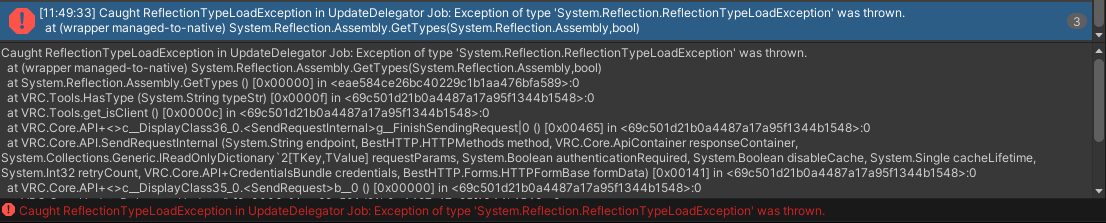
clicking on the error message should tell you more bellow. this just says that it crashed
 lament valve
Just takes me here. Don't really know what to do after that

Got no errors in my code
indigo finch
lament valve
Just takes me here. Don't really know what to do after that
If you just single click, it should tell you some info bellow
 indigo finch
lament valve
I'm silly. Thanks so much for the help!!
indigo finch
lament valve
I'm silly. Thanks so much for the help!!
np ^^
 flat anchor
Real quick, I am new to U# Networking and need a little push, how would I sync an event on a pickup object (for example OnPickupUseDown).
flat anchor
I just red that syncing VRCInstantiate is currently not possible, is that true? I would like to spawn in objects which arent synced but the spawn action is.
unborn hornet
There's a lot of advanced boilerplate required to make such a thing work. It's not synced out of the box.
But if it exists in the world ahead of time (like via object pool or whatever) then you can "fake" synced spawning.
 frank jungle
How do I find nice female avatars that don’t make the legs so THICC
whole rain
unborn hornet
Before importing any video player, you must go to the VRChat menu and select Rel...
I have both reloaded the sdk and fully reimported it. It has not solved the issue.
unborn hornet
Delete any video player references in scene, delete any video player imports you've made, reload the SDK, save/close/reopen project then reimport the video player.
Also since you seem to be using the VCC, the more appropriate channel would be #creator-companion
whole rain
Alright, thanks!
 scarlet lake
where do i get a world keyboard from ive tried Ukeyboard and also the Virtualkeyboard 2.0 but they are both bugged
wild tangle
I've got Transform.LookAt working fine in unity when I target the main camera but when I run in VRchat the object doesn't track the player.
How do I target the player with my script?
 pallid roost
wild tangle
I've got Transform.LookAt working fine in unity when I target the main camera bu...
pallid roost
wild tangle
I've got Transform.LookAt working fine in unity when I target the main camera bu...
The main camera is replaced when the game runs by the vrc camera. If you want it to track the player you can get the position of the players head bone and point at that.
wild tangle
im playing the script in unity, changing nothing, and running in vrchat
the main camera isn't being replaced by the vrc camera
 floral dove
wild tangle
I've got Transform.LookAt working fine in unity when I target the main camera bu...
floral dove
wild tangle
I've got Transform.LookAt working fine in unity when I target the main camera bu...
The UdonExampleScene has an example which makes an object follow the local player around, take a look at how that works: https://docs.vrchat.com/docs/udon-example-scene#choosercontainer
floral dove
frank jungle
How do I find nice female avatars that don’t make the legs so THICC
This channel is for help with Udon - you can visit #faq to learn where to ask other questions
wild tangle
floral dove
The UdonExampleScene has an example which makes an object follow the local playe...
how do i take a look at how that works?
the link only has a single sentence description
floral dove
wild tangle
how do i take a look at how that works?
Open the UdonExampleScene and Build & Test it to see it in action. Then open find the 'ChooserContainer' in the hierarchy and open its 'FollowPlayer' program to see what it's doing.
wild tangle
I've got the asset up in unity but im still unclear what you mean by "see what it's doing". Do you mean view the Udon Graph? I've got more questions if that is the case.
 edgy ingot
Question, I know that UI/Unity events had filters in VRC but when/why was GameObject SetActive on buttons/toggles removed? ;-;
rugged sphinx
Damn, looks like setting global shader variables isnt supported in Udon? Anyone know a way around that?
 topaz venture
I want to make an object invisible, but as the player gets closer the transparency decreases so they can see it. I have no idea where to start with this, and I am super inexperienced. Any help?
indigo finch
wild tangle
I've got the asset up in unity but im still unclear what you mean by "see what i...
I made a video on an object follow script that works basically the same way; explaining what I'm doing and why along the way. might help:
https://youtu.be/TlRSzmnDV18

Here's a tutorial on how to make an object follow either the local player, or a selected player in the scene. That being said, it's more of a how to make an object lock-onto a player, rather than just follow.
You could however use this same script to create a target for your object to try and reach, and then do a lerp on the object itself betwe...
 ebon dragon
Note that the bone positions and such do not update with cyanemu
(player position works fine)
At least last time I tried it's always at 0,0,0
indigo finch
rugged sphinx
Damn, looks like setting global shader variables isnt supported in Udon? Anyone ...
change animator values on each objects. not ideal, but it may work. to my understanding, because of the virtualised nature of udon code (for security reasons), you can't access anything to do with your unity files. just values on the objects themselves. Therefore, anything global like that can't be done
indigo finch
ebon dragon
Note that the bone positions and such do not update with cyanemu
(player positio...
Don't use bone positions, as they don't work on non-humanoid avatars, causing the script to crash (like cyanemu's capsule). Use playerapi,get tracking data (head) instead
ebon dragon
The rest of the script was working fine though? a
I think that's what I used actually
indigo finch
perhaps cyanemu has a check to ensure it doesn't crash for testing purposes, but my point still stands about non-humanoid avatars
ebon dragon
idk its a good thing to keep in mind that some things in cyanemu differ from actually testing it inside vrc itself
indigo finch
True true
That being said, client sim fixes a bunch of these issues, which will soon be the go-to
 steel remnant
Having problems with stations resetting to default settings on play.
Also applies to Build & Test. 😩
(this is the example VRCChair3 prefab)
Any help is appreciated. 🙏
 final wren
indigo finch
I made a video on an object follow script that works basically the same way; exp...
final wren
indigo finch
I made a video on an object follow script that works basically the same way; exp...
I tried this, but interact is not working correctly, where is the problem?
 indigo finch
final wren
I tried this, but interact is not working correctly, where is the problem?
indigo finch
final wren
I tried this, but interact is not working correctly, where is the problem?
Completely different video to the script that you showed here.
That being said, this script should teleport the player to the object's position, and I don't see anything wrong. The only thing wrong (as far as I can tell) is your udon graph's ui looking kinda messed up.
final wren
indigo finch
Completely different video to the script that you showed here.
That being said,...
yes, it was the wrong video, what I want to do is to teleport my character, but the interaction button does not work, how can I fix it?
 indigo finch
final wren
yes, it was the wrong video, what I want to do is to teleport my character, but ...
indigo finch
final wren
yes, it was the wrong video, what I want to do is to teleport my character, but ...
once again, everything looks right, just with some of your ui elements looking wrong (offset from where they are meant to be, cutting off text or overlaping with others). dunno if that has anything to do with it though (could easily be nothing), but every other check that I do when reviewing code is coming out right
final wren
indigo finch
once again, everything looks right, just with some of your ui elements looking w...
Thanks for your help, I'll try a few more times and post the progress.
indigo finch
steel remnant
Having problems with stations resetting to default settings on play.
Also applie...
unpack the prefab. vrchat sometimes resets settings with some prefabs (Especially the chair asset for some reason)
steel remnant
indigo finch
unpack the prefab. vrchat sometimes resets settings with some prefabs (Especiall...
That was it.
Thanks a bunch. 🙏
scarlet lake
where do i get a world keyboard from ive tried Ukeyboard and also the Virtualkeyboard 2.0 but they are both bugged
 foggy quartz
How do i create toggles for each individual post process, for bloom and colour grading? ive looked everywhere but can not find a thing on the internet. Im also struggling with simply adding toggles to turn them off with Post Processing Volume. Ive tried a similar system that i have with mirror and collider toggles but, they don't work.
 pallid roost
Do udon behaviors run in parallel or are they multithreaded?
Say I have a loop going over a bunch of objects and doing a calculation for each of them, If i split that calculation out onto a behavior that goes onto each of the objects, so they run independant of eachother will i get any performance gain from that?
Or will they all still have to run sequentially.
indigo finch
pallid roost
Do udon behaviors run in parallel or are they multithreaded?
Say I have a loop g...
Unity doesn't multithread unfortunately. They are working on their DOTS architecture, but that's still a ways out, and even further out for VRChat
indigo finch
foggy quartz
How do i create toggles for each individual post process, for bloom and colour g...
the individual components are not exposed in udon, so the best you can do is have multiple volumes
 fiery yoke
Generally the best workaround for this is to spread your work over multiple frames, which however results in asynchronous workflow that works similar to JavaScripts asynchronous behaviour in theory, but is quite compley in praxis
foggy quartz
indigo finch
the individual components are not exposed in udon, so the best you can do is hav...
ah okay. Though how would i go about creating toggles though? so that people can toggle them on/off?
Thats where im stuck. Tried methods ive used but it appears they dont work
indigo finch
foggy quartz
ah okay. Though how would i go about creating toggles though? so that people can...
just toggle on and off the gameobject that has it on it
foggy quartz
indigo finch
just toggle on and off the gameobject that has it on it
When i go to do that in Udon, the nodes i would normally use do not show up at all. Such as unaryNegation, getSelfActive and GetActive. Unless im doing something wrong here?
indigo finch
foggy quartz
When i go to do that in Udon, the nodes i would normally use do not show up at a...
you have to search bool and then unaryNegation, or gameObject and then get selfActive
 livid skiff
I'm attempting to set up a Udon graph script based on this tutorial: https://youtu.be/E0D9Z8-HVBI I have an empty game object with the Udon graph on it and three children, Low, Med, and High
My UI has four buttons, Mirror Off, Low, Medium and High. Mirror off always seems to work however my other buttons will sometimes disable the parent, disabling the Udon script further.
Any idea what's going on? I included a screenshot of the scene hierarchy, Udon script component and one line of the mirror graph
Edit: I unpacked the mirror prefabs and that seems to have fixed it?


 foggy quartz
hmmm, i did that. I'll have another try, i could have encountered one of many Unity problems
 signal yarrow
If I spawned a object from pool. how do you know if all player is ready to use this object?
 hollow folio
Can you get a type of object on the current object, without explicitly specifying it in the script? e.g. if you have an Udon graph on an object, is it possible to get the Box collider that resides on that same gameobject, without having to specify the public variable of the collider manually first?
Basically a "get animator on self" or "get box collider on self" etc
signal yarrow
gameobject→GetComponent
hollow folio
I was hoping it was that simple, cool thanks.
 calm zephyr
Trying to make my voice heard all over when walk into trigger and reset when exit trigger. It does not reset when exit and everyone who steps into the trigger gets Heard all over. Please help
 wild tangle
just a guess, store the on trigger in a variable and have the event be update?
wish i could just download the nodes and try running them myself to test
you know, like c#
Transform.LookAt breaks both udon video players 😦
i have a backup plan but I got so close only to fail
hollow folio
Am I missing something here? The CustomEvent never runs.

 strong arch
Is it possible to spawn objects a random locations?
 pseudo pelican
Is there a VRChat method for onavatarchanged? 🤔
 young oasis
OK i may be dumb, but how do i make a global toggle? (in sense to make a door disappear, as a locking mechanism)
 valid oar
I'm trying to set up a puzzle where buttons have to be interacted with in a certain order to make something happen and I think I've found a pretty simple solution, basically the idea is to have the thing appear with an animation if the correct combination of 5 variables were met. So the first button would set variables 1 and 2 to on, the second button would set variable 3 to on and 1 to off, the third would set variable 4 to on and 3 to off, and the fourth would set variable 5 to on and 4 to off, giving a correct input of off, on, off, off, on as the solution to trigger the animation. My question is, is there a way I can check to see if this solution is unique without checking every combination or maybe a simpler way to accomplish this goal? This might be more of a combinatorics question than and Udon one.
valid oar
young oasis
OK i may be dumb, but how do i make a global toggle? (in sense to make a door di...
Like this, plug the interact/triggerenter/whatever node into a sendcustomnetwork event node and then create a custom node, give it a name and then set that name as the eventname in the sendcustomnetworkevent node, then you treat that custom event node like you would a normal interact node and have all of the functionality triggering off of that.
 indigo finch
young oasis
OK i may be dumb, but how do i make a global toggle? (in sense to make a door di...
indigo finch
young oasis
OK i may be dumb, but how do i make a global toggle? (in sense to make a door di...
You will want to make a synced bool, and get it to set an object active or not. I would avoid using events, as they don't update for latecomers. If you want some reference, I did a video on this topic that may interest you:
https://youtu.be/19HMJaHGtqw

Here's a tutorial about toggling either one or multiple gameObjects via a button in udon. Something I forgot to mention in the video, is if you to toggle multiple gameObjects without alternate toggle a second list of gameObjects; either make a random empty gameObject for it to toggle, or remove the second for loop from the script.
Cycling thou...
also did one for a door, changing a values on an animator:
https://youtu.be/CJfhG8-KGvs
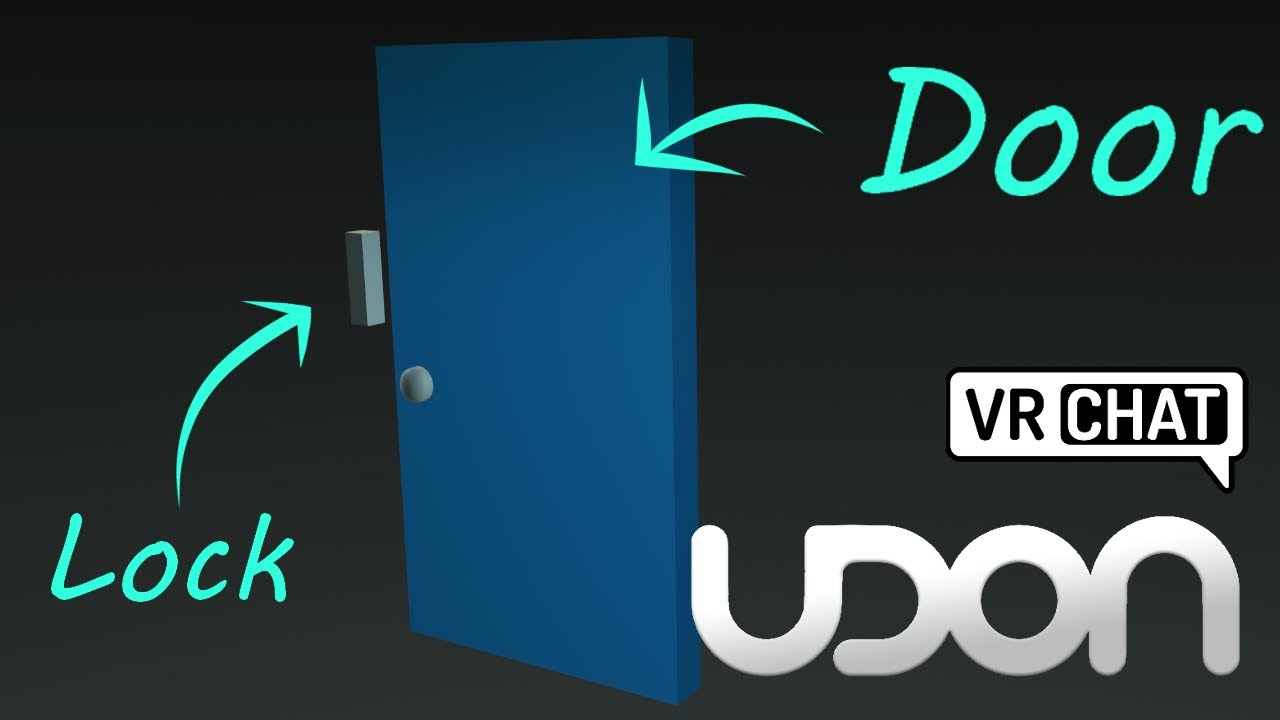
Here's a tutorial covering how to make a door and lock, that open and close when you click on them. You could also move the interact script to be on another object to the side, if you wanted it to be button-activated door.
So hopefully this tutorial helps replace some of those old sdk2 tutorials, though you could always adapt those to sdk3 wit...
indigo finch
pseudo pelican
Is there a VRChat method for onavatarchanged? 🤔
don't believe so :\
indigo wagon
Is it posible to detect if a player is on quest standalone using U#?
or do I need to use easy quest switcher in my world and detect an object.
I would rather have it built into my script tho.
indigo finch
strong arch
Is it possible to spawn objects a random locations?
create a vector3, constructor node, and use a random, range node for the different locations
 valid oar
indigo finch
You will want to make a synced bool, and get it to set an object active or not. ...
valid oar
indigo finch
You will want to make a synced bool, and get it to set an object active or not. ...
That looks considerably more complicated but proper syncing is certainly valuable so I guess it's time to learn how to do it the right way. Appreciate the video.
indigo finch
indigo wagon
Is it posible to detect if a player is on quest standalone using U#?
or do I nee...
don't believe so, but you could create a bool that is visible in the inspector, that you leave off when building the pc version, and turn on when you building the quest one
indigo finch
valid oar
That looks considerably more complicated but proper syncing is certainly valuabl...
relying on animators works for most things, but it's more of a legacy from the old sdk2 way of doing things. For syncing things up properly, udon is the way to go. Funnily enough however, most people starting with sdk3 often forget how much you can do with animations
indigo finch
hollow folio
Am I missing something here? The CustomEvent never runs.
does it never run, or does it never do anything? I would add a debug, log node right after the event is called. that way you should know if the event is playing or not. if it's not, check to see if it's crashing before hand, by putting debug, log nodes throughout the code to see where it might be. If it's not crashing, then you way of calling the box colliders is messing up (btw, I prefer to use type boxCollider instead of string. harder to get wrong).
Also as a side note, it's generally a bad idea to share nodes between completely separate events; as once in a blue moon udon gets confused when compiling.
indigo wagon
indigo finch
don't believe so, but you could create a bool that is visible in the inspector, ...
so basicaly use easy quest switcher, got it.
indigo finch
calm zephyr
Trying to make my voice heard all over when walk into trigger and reset when exi...
this doesn't work. the playerApi from the onPlayerTriggerEnter node is a local variable, and will be discarded as soon as the event finishes doing all it was told to do. You need to go to your variables tab, create a private playerApi variable to store it in, and then use that variable for the custom event (on)
 indigo finch
foggy quartz
hmmm, i did that. I'll have another try, i could have encountered one of many Un...
indigo finch
foggy quartz
hmmm, i did that. I'll have another try, i could have encountered one of many Un...
make sure your using quick search (spacebar) and not full search (tab). With full search (which is much slower), you need to type in the name directly
indigo wagon
what is the var type to adress a VRC unity video player?
I'll check the docs, should have it
apprently not
ah its litraly the inspector name
public VRCUnityVideoPlayer unityVideoPlayer;
yay for public prefabs for refrence
oh, add compnant isn't exposed, rip.
guess I'll have to refrence stuff then
indigo wagon
How am I seting this Up wrong?
    var AudioTypes = new List<string>(new[] { "2D","3D","OFF" });
    [Tooltip("AudioMode")]
    [Dropdown("AudioTypes")]
public string AudioType;```Its complaining im defineing the list wrong
ah my using was wrong
Got it down to 2 errors

Ehh, Ima just use tooltips and fallback on 2D audio
 dusty ridge
Would it be possible to make a working, synced turret that you can grab and then shoot in udon?
Rather, not ‘is it possible’, because I’m 99% sure it is, but how would I go about starting to figure that out?
calm zephyr
indigo finch
this doesn't work. the playerApi from the `onPlayerTriggerEnter` node is a local...
I sorta understand what you mean but I have no idea what node to even add or change to be honest.
 cold raft
To make anything grabable you would use an invisible pickup that the player grabs, thrn you track its motion and mimic it on the turret
dusty ridge
How would I make the turret stay in one place while being able to rotate?
I like the Comedian PFP btw
indigo finch
calm zephyr
I sorta understand what you mean but I have no idea what node to even add or cha...
ah whoops. miss read the networked event as being a delayed event. to do it the way you were trying you would need it do something crazy like this:
 indigo finch
calm zephyr
I sorta understand what you mean but I have no idea what node to even add or cha...
indigo finch
calm zephyr
I sorta understand what you mean but I have no idea what node to even add or cha...
but honestly, you could get away with something much more simple. The event 'onPlayerTriggerEnter' gets called whenever 'a' player walks into a trigger, and it plays for everyone in the scene. Therefore, you can just tell that player's audio to be increased, like so:

also wouldn't need any variables
 alpine sentinel
I have a udon behavior that automatically turns off every time I go into play mode
not sure what to do

I got the nodes off a tutorial too so im sure thats not the problem
indigo finch
alpine sentinel
Your setting the value of 'player' to be the same as 'player', aka: itself into itself that doesn't yet have a value.
If I were to hazard a guess, I believe you meant to instead put networking, get local player into player.
 alpine sentinel
dang i completely overlooked that😅
indigo finch
np ^^
 tepid salmon
@hollow folio i am not sure but you have the note get gameobject but how it gona get the gameobject with out you got in instance the gameobject ? do you not need to add the gameobject variable? btw i am no expert.btw for what you need the bool variable?
indigo finch
tepid salmon
<@294944043211685890> i am not sure but you have the note get gameobject but how...
transform and gameobject node's instances default to the object the script is on
 south compass
Am not sure if this is right place to ask am working on a game mode and want to know is it possible to get it so Desktop players could hold a gun like in normal FPS games instead of it floating in front of them?
 south compass
Little clip show the gun fires and such but kind looks meh
indigo finch
south compass
Am not sure if this is right place to ask am working on a game mode and want to ...
In a normal fps game, the gun is either just a 2d animation or is in a completely unnatural location. Usually the gun is completely cosmetic, with the logic actually coming from a different location (aka: raycast from centre of screen). You could try emulating this, using networking, get localPlayer -->> playerApi, isUserInVR and toggling on an overlay for desktop players, but that might fall apart when interacted with by other players. The other thing you could try, is changing the offset point if a desktop player clicks it. Well, that's just some ideas of the top of my head ^^
scarlet lake
I'm not sure if this is in direct relation to udon, but how complicated would it be to make my own flying vehicle with the VRC aviation prefab?
scarlet lake
how do i edit the distance at which people push a button. because the Never have i ever gamei downloaded you can push the b uttnos onthe other side of that map
signal yarrow
what kind of button? 3D interact or UI button?
indigo finch
scarlet lake
how do i edit the distance at which people push a button. because the Never have...
If you referring to a button using interact then yea, there is no distance check for desktop players. For vr players, you can turn down the distance provided it's static. As for desktop players, perhaps split the physics and the visuals of the button, and then using an LOD component, toggling off the button physics button if you are too far away
scarlet lake
indigo finch
If you referring to a button using interact then yea, there is no distance check...
all of that went over my head
indigo finch
scarlet lake
I'm not sure if this is in direct relation to udon, but how complicated would it...
If your referring to 'Sacc's Flight and Vehicles' Prefab, the later releases have had a focus on modularity, making them much easier to use and modify in a variety of different ways. There is also a real notable community making different planes and the likes using it. That being said, 'making a new vehicle' and 'making a new vehicle that feels good to use' are completely different tasks entirely.
scarlet lake
indigo finch
If your referring to 'Sacc's Flight and Vehicles' Prefab, the later releases hav...
Could you define both of which?
indigo finch
scarlet lake
Could you define both of which?
sorry? mind explaining more?
scarlet lake
I don't see a difference between making a new vehicle and making a new one that feels good to use
indigo finch
its really easy to mess around with values, or add new code and features. it's alot harder to make something that feels fun to use and not broken
making it work is more of a coders problem. making it fun and satisfying to use is more of an artist problem
indigo finch
scarlet lake
all of that went over my head
just checking, are you using a ui button, or an object in the world that you click?
 light fjord
making a fps in Vrchat is not really possible. not without major issues with the networking. since your heavily limited with the very small amount of bytes you can sync.
 mighty fjord
I think the issue is more so due to latency rather than data syncing
indigo finch
you can do a lot with some creativity (many have). The main problem with the data syncing problem from what I see, is the completely lack of anti-cheat stuff you can do; as checking stuff with the host requires data. Also yea, latency is a big pain
light fjord
mighty fjord
I think the issue is more so due to latency rather than data syncing
honestly latency is not so much a problem. since the current limt is only 200 kb. per sync. just having like says 10 weapons alone synced. would cost effectively 120 kb . and then you got 80 left which has to be used for who got shot so on. and health is another thing that needs to be synced.
mighty fjord
Depends on how you sync the weapons though
light fjord
indigo finch
you can do a lot with some creativity (many have). The main problem with the dat...
currently the amount of data we have is extreamly limited. and since its not really a true networking. since it just tells other users to run a specific function
light fjord
mighty fjord
Depends on how you sync the weapons though
gotta sync the position of the weapon which is a vector 3
sorry yea 12 kb was the wrong thing.
mighty fjord
Yeah 12 kb for a weapon is pretty insane
light fjord
i mean 12 bytes
wait actually why was i basing it on 200 bytes. my bad just ignore what i said 😄 its actually not true
mighty fjord
light fjord
gotta sync the position of the weapon which is a vector 3
You don't sync the location of the weapon, you take advantage of the networked IK for stuff like this
light fjord
imao
light fjord
you still want to sync the location. and even if you took advantage of the networked ik it still costs x amount of bytes.
mighty fjord
Yeah but it's negligible
I don't believe bandwidth bottlenecks are an issue for FPS games in vrc
mighty fjord
If you're having issues with that then it might be worth looking over how much data you're syncing and how much you actually need to sync
light fjord
uh i dont have issues yet. but i am thinking about how to approach it all
like i need about 30-40 synced npc. which may take 1-3 kb each. per sync
actually Continuous sync is limited to roughly 200 bytes so it was correct before.
indigo finch
A basic one would be to use something like cyanlasers object pool to give everyone a capsule locally (but is the same for everyone), then when you shot the capsule, tell it that you hit it. perhaps tell it what capsule owner was that shot them using aggressively duplicated networked events to avoid a synced variable. then you can lookup their table of weapon damage values and the likes. Then the shooting of the gun is purely cosmetic with wrong aim, and you are relaying on them not cheating with a hacked client and the likes, but it would mean basically no synced variables
light fjord
a object pool would still need to have every object following someone synced. otherwise they wont follow a person around.
each synced object is most likely 12 bytes. or less or more.
indigo finch
light fjord
a object pool would still need to have every object following someone synced. ot...
the ownership is synced, but the position is completely local, just finding that player and positioning itself accordingly
 wind atlas
light fjord
like i need about 30-40 synced npc. which may take 1-3 kb each. per sync
wind atlas
light fjord
like i need about 30-40 synced npc. which may take 1-3 kb each. per sync
You don't need to keep sync everything. Not everything has to be realtime. Weapons can just be a bool and maybe a player id, then everyone handles it locally. Also, for NPCs, you can only send movement commands, not their position.
 stark adder
light fjord
actually Continuous sync is limited to roughly 200 bytes so it was correct befor...
stark adder
light fjord
actually Continuous sync is limited to roughly 200 bytes so it was correct befor...
You don't want to use continuous sync here for sure, forget that right now. Manual sync is your friend.
Continuous sync is extremely limited in so many ways.
Manual sync can sync up to 50kb~ with speed of 11kb/s~ whereas continuous is limited to 200bytes~ and the more of them you have in world the less you can transfer with each continuous sync.
Manual sync is pretty low latency as well. It's much faster than IK too which might cause you issues too
light fjord
yea i know.
stark adder
Fps games are possible in VRChat with few conditions.
light fjord
wind atlas
You don't need to keep sync everything. Not everything has to be realtime. Weapo...
then how would you determine someone was hit. if there is nothing to hit
stark adder
Main one being all players have to be from same region for atleast slightly decent latency. So all player EU or US etc..
And RPCs here are NOT your friend here. Even though they are advertised as fast they are still lot slowed compared to manual sync.
wind atlas
light fjord
then how would you determine someone was hit. if there is nothing to hit
You have to be clever about it. Although if you have a competitive shooter in mind, then things are obviously even more complicated. There are various ways to do that, like only sending player input and such, but that's a whole different beast.
light fjord
stark adder
And RPCs here are **NOT** your friend here. Even though they are advertised as f...
i dont think that was ever the case
wind atlas
I tried having an accurate simulation on every client only using the input and it's not easy keeping everything in sync.
light fjord
accurate simulation in what sense?
wind atlas
Like player A pressing forward, everyone receives that forward delta and moves player A by that amount on their simulation.
light fjord
well thats very different from something that kind have to be realtime. like a fps.
wind atlas
I mean, no game is truly realtime, you have to use a bunch of tricks to fake it, like having simulations that you can go back in time and stuff.
wind atlas
light fjord
udon makes everything that is fairly easy. and makes it hard AF imao
I agree. Proper networking is far from easy in other engines too though. Especially if you want to ensure no cheating is going on, and so it's performant enough.
stark adder
You just gotta know how to use it 
ebon dragon
What do I use to get the position data from the struct returned by GetTrackingData?
 stark adder
Even tho many people including me complain about Udon Networking, Its really good if you know how to use it..
indigo finch
ebon dragon
What do I use to get the position data from the struct returned by GetTrackingDa...
playerApiTrackingData.Get position
indigo finch
np
light fjord
stark adder
Even tho many people including me complain about Udon Networking, Its really goo...
i mean honestly udon is not great.
light fjord
wind atlas
I agree. Proper networking is far from easy in other engines too though. Especia...
100%. but what i mean is that what i want to make in udon i can make in unity for instance in a few days. but in udon it takes so much more time.
maybe i should approach it differently for udon. do everything local first. then sync up.
wind atlas
light fjord
maybe i should approach it differently for udon. do everything local first. then...
That really depends, do you have an example?
light fjord
well without giving to much information, stealth based game. 4 people. with npc's and other things that you need to avoid.
wind atlas
light fjord
well without giving to much information, stealth based game. 4 people. with npc'...
Coop? That doesn't sound too different from unity.
I think most of the problem in udon is performance and scaling to be honest. Referencing things in udonsharp can get annoying.
There are also a lot of other annoying limits, like not having that much access to the player controller.
But if you ignore that, it's honestly very similar.
wind atlas
light fjord
well without giving to much information, stealth based game. 4 people. with npc'...
Just to make sure, are you using udonsharp?
light fjord
wind atlas
Just to make sure, are you using udonsharp?
i am. cause i am a programmer by day. and i know my unity well in and out. and believe me. udon is so limited. so i have to think very differently.
wind atlas
light fjord
i am. cause i am a programmer by day. and i know my unity well in and out. and b...
Oh yeah, I definitely agree with thinking differently. Can get annoying. At least it teaches you how keep things straight forward and simple.
light fjord
hence why i said maybe i should just do everything locally first. make it all work without data sync. apart from some obvious things.
 bleak helm
any ideas why it says that?
 coarse parrot
bleak helm
any ideas why it says that?
coarse parrot
bleak helm
any ideas why it says that?
It's just a bug in editor ui. Shouldn't be any issue.
signal yarrow
if i spawned an object by owner, how can I know that all players are ready to sync this.
wind atlas
signal yarrow
if i spawned an object by owner, how can I know that all players are ready to sy...
How are you spawning them? Instantiated new objects are not synced.
signal yarrow
from vrcpool
wind atlas
signal yarrow
from vrcpool
If it's continues sync, should just eventually arrive I guess. Manual, sync no idea.
I would guess the same applies there too. Have you tried it out?
signal yarrow
If I give values immediately, that looks like other players is possibly cannot sync the values. probably the object activation state were different. I have no idea how to handle these steps.
wind atlas
signal yarrow
If I give values immediately, that looks like other players is possibly cannot s...
Just some basic things: What values? Which sync type? Are they marked for sync?
I haven't used the object pool in a while but I remember it having issues for me too. So there very well might be some weird stuff going on with objects getting enabled late for others so they don't receive manual syncs.
signal yarrow
😭
I'm thinking to send handshake event message, to make sure of that. but I don't know from who sent it.
wind atlas
signal yarrow
I'm thinking to send handshake event message, to make sure of that. but I don't ...
Sorry, I don't remember exactly what the problem was. You could try deferring all syncing until a bit later, if it's a state sync then everyone should receive the correct state eventually. Or you could us something like the CyanPlayerObjectPool instead.
Really depends on what you are doing.
strong arch
indigo finch
create a `vector3, constructor` node, and use a `random, range` node for the dif...
Thanks
 quasi relic
let I know y every time appear this popup window
 scarlet lake
indigo finch
just checking, are you using a ui button, or an object in the world that you cli...
scarlet lake
indigo finch
just checking, are you using a ui button, or an object in the world that you cli...
ui button
hollow folio
Is it possible to change a Udon Behaviour value using an animator? I can't seem to find a way to add it.
hollow folio
quasi relic
let I know y every time appear this popup window
It tells you why. You're not ranked up enough to upload yet.
indigo finch
scarlet lake
ui button
ah, then my method wouldn't have worked 😅
You could always have a script that checks player distance and toggles the collision off if your too far, but there also might be a better way of doing it...
scarlet lake
indigo finch
ah, then my method wouldn't have worked 😅
You could always have a script that ...
well atm i just have a wall so you can't click unless your actually near the game
indigo finch
scarlet lake
well atm i just have a wall so you can't click unless your actually near the gam...
hey, if it works it works ^^
scarlet lake
indigo finch
hey, if it works it works ^^
it just doesn't suit my world layout lol.
indigo finch
oh, lol
hollow folio
Does anyone know of an Udon script that rotates an object based on the velocity of the object in world space?
indigo finch
hollow folio
Does anyone know of an Udon script that rotates an object based on the velocity ...
Something like this? dunno why you would want to though...
 hollow folio
indigo finch
Something like this? dunno why you would want to though...
hollow folio
indigo finch
Something like this? dunno why you would want to though...
A lazy way of rotating wheels as I can't think of anything more generic. Thanks, I'll try that.
coarse parrot
hollow folio
A lazy way of rotating wheels as I can't think of anything more generic. Thanks,...
You meant doing spinning a wheel?
hollow folio
coarse parrot
You meant doing spinning a wheel?
Yes, but with speed varying based on the speed of the vehicle itself.
coarse parrot
hollow folio
Yes, but with speed varying based on the speed of the vehicle itself.
The velocity magnitude from the image above is right. But you need to change the rotation method. Can you descript what kind of rotation you want?
hollow folio
The X axis needs to rotate based on the parent object's global velocity.
coarse parrot
hollow folio
The X axis needs to rotate based on the parent object's global velocity.
I think the Rotate method from above works. But you need to specify X axis to be 1.
hollow folio
Yeah, I'm familiar with that bit
coarse parrot
Also multiply velocity magnitude with some number to either increase or decrease rotational speed.
hollow folio
coarse parrot
Also multiply velocity magnitude with some number to either increase or decrease...
Yeah, currently it doesn't appear to be moving, I'll try and multiply it.
Hmm, still nothing.

(it's on each wheel, so "instance" should be "self" in this case)
coarse parrot
hollow folio
Hmm, still nothing.
Do you move the rigidbody by setting velocity and force?
hollow folio
coarse parrot
Do you move the rigidbody by setting velocity and force?
The rigidbody is on an object which is moved via an animator. Would that not count?
coarse parrot
hollow folio
The rigidbody is on an object which is moved via an animator. Would that not cou...
That doesn't. Velocity only applies on physic movement.
hollow folio
Damn. Any way to have it work via the animator's movement?
coarse parrot
hollow folio
Damn. Any way to have it work via the animator's movement?
You could measure the velocity manually by comparing the different in position from last frame, divided by time different between frame.
hollow folio
Hmm, that's a bit beyond me at this point. I'm still very new to both U# and the graph.
That said, is there no easy way to change a Udon script's values in an animator? As I have a rotation script I could fudge it with instead.
coarse parrot
hollow folio
That said, is there no easy way to change a Udon script's values in an animator?...
You still could animate wheel rotation in animator. A bit tedious but easier than measuring speed manually
 opaque garnet
Hi people, I was wondering how syncing variables works for players joining the game after they have been modified, I am currently stuck because they don't appear to be updating when a player joins. Mainly I have an array of ints set to sync that I want to get working first, I currently have this for on player join, RefreshRoster is a visualizer that updates by referencing said array, I know I must be missing something silly, but I am just struggling to grasp serialization, the only time these variables need to be resynced is when a player joins, they need to match everyone else, that's why I am trying to set it up this way.
 hollow folio
coarse parrot
You still could animate wheel rotation in animator. A bit tedious but easier tha...
hollow folio
coarse parrot
You still could animate wheel rotation in animator. A bit tedious but easier tha...
I was wondering how given it's rotation, but I guess I can just go over 360 can't I, I keep forgetting that.
coarse parrot
hollow folio
I was wondering how given it's rotation, but I guess I can just go over 360 can'...
I think the transform rotation animation use euler angle so that can go beyond 360
 slim hound
@hollow folio If your vehicle it actually being moved via an animator you can use Animator.GetVelocity
coarse parrot
Ah, I didn't know that's a thing
lament valve
Anyone know how to change TextMeshPro text with U#? Is it even possible?
I get errors that there's no support yet but I see other worlds that seem to get it working
something.text = "something here";
doesn't work
using TMPro
something.GetComponent<TextMeshProUGUI>().text = "something here";
errors out as well
coarse parrot
opaque garnet
Hi people, I was wondering how syncing variables works for players joining the g...
Instead of SendCustomNetworkEvent, you should use OnDeserialization on remote client to get them to see the new value.
hollow folio
slim hound
<@294944043211685890> If your vehicle it actually being moved via an animator yo...
Still nothing. Is this suitable for that call?
 opaque garnet
coarse parrot
Instead of SendCustomNetworkEvent, you should use OnDeserialization on remote cl...
opaque garnet
coarse parrot
Instead of SendCustomNetworkEvent, you should use OnDeserialization on remote cl...
That did it, thank you very much, I've been beating my head against the wall for a while now 😄
hollow folio
(and the respective graph)
 coarse parrot
hollow folio
(and the respective graph)
coarse parrot
hollow folio
(and the respective graph)
I think the animator measure velocity for the object with animator attached on, aka root object.
Also animator must have apply root motion enabled
The bus seems to be a child object of the animator so that won't work
hollow folio
The animator is on the bus, the wheels are children. Apply root motion will likely break everything though due to positioning so I'll have to work around that
The script is on the children though, so does the script need to be on the animated object too?
coarse parrot
hollow folio
The script is on the children though, so does the script need to be on the anima...
Not necessary since you're already referencing the animator from the script
hollow folio
So the issue then is purely that I'm not using "Apply root motion". Hmm, everything is broken with that enabled so this'll be fiddly, heh.
coarse parrot
hollow folio
So the issue then is purely that I'm not using "Apply root motion". Hmm, everyth...
Is the bus object really is the root for animator? Because your animation has an object with name, when you animate root object, it won't show the object name.
hollow folio

That would be the root, right?
It does work with the root option ticked, but now the whole animation is going the wrong way, in the wrong direction... so yeah... lol.
coarse parrot
hollow folio
That would be the root, right?
Ah I see. I was remembering the old 2018 version where it doesn't show the name
coarse parrot
hollow folio
It does work with the root option ticked, but now the whole animation is going t...
https://docs.unity3d.com/ScriptReference/Animator-velocity.html in this page. I'm not sure where to read about how to deal with root motion.
 hollow folio
Given that all the parents are 0,0,0 pos and rotation, I'm surprised this actually changed how it looks/runs 😦
slim hound
Sorry assumed you were using root motion to move your vehicle.
The best option I think would be to calculate velocity manually
This is how you would do it in graph
 hollow folio
slim hound
This is how you would do it in graph
hollow folio
slim hound
This is how you would do it in graph
How do you do the "Set Blah" nodes?
slim hound
Drag from the variables list while holding control
hollow folio
Huh, so that's how that works.
hollow folio
slim hound
Drag from the variables list while holding control
Amazing, it works great, thanks. Last question, is there some way to multiplex the output so I don't have to repeat this process over to write each wheel? As it looks like there should be a cleaner way to do it.
 slim hound
The way to simplify the way it looks in graph would probably be to have a transform array for every wheel rather than separate variables
hollow folio
I assume things like this are cleaner/easier in U# once you're familiar with the terminology and syntax then...
slim hound
Yeah but things can be optimized/cleaner in graph as well if you are more familiar with it
Like for your setup you could do this
 hollow folio
Amazing, thanks @slim hound and @coarse parrot. All works great and now I understand the graph logic a bit more 🙂
indigo finch
Is there any way to detect if a player has opened their menu, or re-mobilise them if they do?
slim hound
indigo finch
Is there any way to detect if a player has opened their menu, or re-mobilise the...
not officially unfortunately https://vrchat.canny.io/vrchat-udon-closed-alpha-feedback/p/add-playerapi-property-for-has-menu-open
I have my own method for it but it is liable to break: https://github.com/Superbstingray/UdonPlayerPlatformHook/blob/main/UdonPlatformHook/Scripts/UdonPlatformHook.cs#L127-L128
indigo finch
slim hound
I have my own method for it but it is liable to break: https://github.com/Superb...
Thanks! I did find a sorta fix, as the players become airborne I was able to check if the player has touched the ground for a while, but it seems to be bypassed by something other than opening the vrchat menu on quest, so perhaps this'll work better. I'll give it a look and see if it would work better. Certainly would be something good to know ^^
indigo wagon
At the top of the script put
If(other.isLocal)
That way the code only runs if the local player touches it rather than everyone
 eager fulcrum
When i downloaded Usharpvideo player and used it, the icons are missing even tho udonsharp and vrcsdk was installed before it got installed? I tried trying to put the png but not possible


 severe dragon
i have toggle buttons for my mirror
but
when i click it
the button disappears
and it doesn't even toggle the mirror
 valid oar
Because in your inspector, you're referencing the button and not the mirror.
valid oar
Under your Udon behavior component on the button, there is a list of public variables. I'm 90% sure if you look at the variable listed there, it'll either have the button listed or say self, you need to drag the mirror into that box.
From the hierarchy on the left, not from the scene
valid oar
Sure, np.
tacit harness
Hey im trying to make a object thats is invisible to the player but it is visible to cameras
I tried making a new layer and unchecking it on my reference camera but the player is still able to see the object
Any idea how to do this ?

 coarse parrot
 whole garnet
Hi, I am looking for an issue.
whole garnet
Hi, I am looking for an issue.
You rotated by 0 degree. So there's no rotation
whole garnet
yep, cheers, Ive just noticed that
coarse parrot
whole garnet
Set a Text with datetime but 0:00 appeared
Instance for DateTime should be from DateTime.Now instead of leaving it blank.
whole garnet
sorry but i cannot find the DateTime.Now in udon grahp...
 unborn hornet
tacit harness
Hey im trying to make a object thats is invisible to the player but it is visibl...
unborn hornet
tacit harness
Hey im trying to make a object thats is invisible to the player but it is visibl...
MirrorReflection layer
 cunning basin
anyone happen to know what's the smallest you can reasonably shrink players down to? i remember a vket booth about a year back did this when u clicked on a door ~ would fun to play around with
valid oar
You can shrink people? Are you sure the world didn't just get bigger? Is this possible for Quest?
lament valve
Is there any possible way to utilize coroutines in U#? I know it doesn't support them, but I actually need to know. Still new at this
cunning basin
valid oar
You can shrink people? Are you sure the world didn't just get bigger? Is this po...
world definitely didn't get bigger....vket booths are limited to 4x4x5m
they specifically mention in the rules that if u change character's size, etc u must include a mechanism that returns them to normal
wind atlas
cunning basin
world definitely didn't get bigger....vket booths are limited to 4x4x5m
I mean, you can probably shrink people as much as you like, I don't see any issue with that. How are you planning on shrinking people though? Is it a vket exclusive thing?
cunning basin
idk yet...that part is easy to figure out, but i've found that most things in unity have limitations that usually aren't documented
wind atlas
cunning basin
idk yet...that part is easy to figure out, but i've found that most things in un...
That's why I'm asking, it probably depends on how you'd do it. Shrinking players specifically isn't possible with udon. Maybe you could use stations for it (never tried it but might work) or it's a shader thing.
I personally don't see much limitation for both cases.
indigo finch
cunning basin
idk yet...that part is easy to figure out, but i've found that most things in un...
I have seen it done with the doppelganger system, seen on booth(https://booth.pm/ja/items/2059157).
That being said, it's just a reprojection, so you won't be able to hear them
was used in this world: https://vrchat.com/home/launch?worldId=wrld_4363b0e8-6fa3-48da-aa71-0d66b5a6f375

You can see your friends in the Snow Globe
cunning basin
that's interesting....not quite what i had in mind - might have to hunt down that vket exhibit
strong arch
indigo finch
create a `vector3, constructor` node, and use a `random, range` node for the dif...
how do i set this locations (ranges)
an is it posible to add more?
indigo finch
strong arch
how do i set this locations (ranges)
by changing the values in the random.range node
indigo finch
strong arch
an is it posible to add more?
eh... really depends on the scene. I think the best way to do that would be to have target transforms that get chosen at random, get the chosen transform's position, and then +/- it's location vector3. Then you can post the randomised one into the teleport to node
strong arch
indigo finch
eh... really depends on the scene. I think the best way to do that would be to h...
exact, i have a key that should spawn in random positions that are chosen
indigo finch
strong arch
exact, i have a key that should spawn in random positions that are chosen
yea... that's much easier
 strong arch
indigo finch
yea... that's much easier
strong arch
indigo finch
yea... that's much easier
Oh Thank you!! and for all the totorials on Youtube!!
strong arch
indigo finch
yea... that's much easier
i haven't understood the code yet
i dont knew how it works and where i have to add the object and how to conact it with cousins the between the positons 😦 im a bit stupid
indigo finch
1: the transform, set position node doesn't have anything in the instance slot, so it will default to the object that it is on. therefore it will change the position of whatever object has this script on it.
2: this public transform[] is a list of all the possible locations that it can be teleported to
 indigo finch
strong arch
i haven't understood the code yet
indigo finch
strong arch
i haven't understood the code yet
when you add the code to your object, it will have an array, to which you can increase or decrease the amount of teleport locations. (Don't leave any blank though)
 strong arch
Oh im so stupid, thank you so mutch!!
 tough citrus
Hello. I have a vip room in my world set up for my friends but I was wanting to also be able to let my friends open it up to everyone as well. So that if they want their friends who are not on the list can get in. If that makes sense. Lol. Does anyone have any suggestions or resources so I can add a button that will allow it? I got everything else working but that! Thank you!
 lucid cipher
Are video players the only way to use URLs? I'm trying to see if I can finagle a way to get simple data (like for tracking highscores) off of my personal server and onto a UI panel in a world somehow.
indigo finch
lucid cipher
Are video players the only way to use URLs? I'm trying to see if I can finagle a...
unfortunately, using urls for anything other than videos goes against TOS, so no, not really. I do know there is an asset to get info from an avatar image on an avatar pedestal, so you could update the highscores without having to update your world, but currently there is no way to get anything out. The joke jam did have some info sharing about world stats, but that's the only thing I've heard of anything like this being in the works
indigo finch
tough citrus
Hello. I have a vip room in my world set up for my friends but I was wanting to ...
you could have an event that you can call from a button inside the vip room
indigo finch
lucid cipher
ty for info though
yee. it is what it is
tough citrus
indigo finch
you could have an event that you can call from a button inside the vip room
Thank you
indigo finch
anyone know of a good way of getting a bunch of players in their own station? preferably done if they are in a collider instead of clicking a button. My current method relies on the host, which has been causing problems on quest (afk quest users are proving to be a real pain...)
slim hound
indigo finch
anyone know of a good way of getting a bunch of players in their own station? pr...
What is your current method?
indigo finch
slim hound
What is your current method?
im keeping track of each player that enters and exits, and making a list with it. then the owner of the obj is sharing that with the everyone with a synced int[]
slim hound
Instead of keeping track you could loop through all players and check their positions with Bounds.Contains when you need to
indigo finch
but it's not their positions I want. I want their playerapi, and afaik, you can't access that from the collider output of bounds
slim hound
Bounds is not a collider output
You would already have a reference to all players then loop through them to check if they are within x bounds
then it's a boolean per player
indigo finch
hmmm... I think I get it.
can also use 'onPlayerTriggerEnter' for that though. Found out that for some reason, toggling on a collider with players inside fires that event
my problem was getting the list synced over all players, but I guess i already answered that problem...
slim hound
Yeah I have used toggling on a collider to place players in stations before and it worked with an instance of 80 people
indigo finch
did you just sync a list of id's and got it to check where their id was in that list?
slim hound
I didn't do any syncing as far as I remember
indigo finch
how did you make sure players weren't trying to access the same seat and one missing out?
slim hound
I would have to find that project honestly, don't actually remember
indigo finch
ah, all goods. I'm doing some late night programming so I might just be slow brain
wind atlas
indigo finch
anyone know of a good way of getting a bunch of players in their own station? pr...
What do you mean by afk quest users? I'm not that experienced with the quest and would like to know of any edge cases with them.
For your problem, if you want to assign unique seats, you could use the cyan object pool for that.
indigo finch
if they open their menu, udon seems to stop. I know for certain that if they take off their headset, the quest goes to sleep. they are still in the world for like a minute before they time out, but that's enough to kill any moment in a game
indigo finch
wind atlas
For your problem, if you want to assign unique seats, you could use the cyan obj...
was kinda wanting to avoid that...
wind atlas
indigo finch
was kinda wanting to avoid that...
Because you want to only give it to people inside specific zones? You could keep it disabled until they enter that zone.
indigo finch
It would mean an annoying rewrite of a couple of systems. well... that half of it. the other half is that I haven't gotten cyan's object pool to work in my small play around with it. have got the one phasedragon made a while ago though
wind atlas
Hmm, it really depends on what you are doing I guess. You could also just have a pool of stations in a regular VRCObjectPool, take one out and then force seat them. I think stations are always synced if you do it like that so anyone else how enters the zone, will get a different station and won't be able to enter the ones that are already spawned.
So there is no need to sync players. You just sync the stations.
indigo finch
pretty sure spawning in a new station requires you to take ownership of the pool. don't know how you would do it just telling the owner to spawn one in for you
slim hound
Was able to find how I did it
 wind atlas
That's exactly what I was talking about ^
 agile harbor
has anyone used the PI music player, and if so where do I plug in the youtube links for the music?
indigo finch
wind atlas
That's exactly what I was talking about ^
seems I stand corrected XD
wind atlas
How is taking ownership of the pool a problem?
indigo finch
slim hound
Was able to find how I did it
big thanks for this. I'll have a play around ^^
wind atlas
Or maybe I was misunderstanding your concern.
indigo finch
wind atlas
How is taking ownership of the pool a problem?
with everyone taking ownership, wouldn't that cause some users' ownership to be overriden? at least that was my thinking
wind atlas
indigo finch
with everyone taking ownership, wouldn't that cause some users' ownership to be ...
That's only for the act of spawning something. The ownership of the objects is a separate matter.
indigo finch
wait... seems like I missed how it was working
wait, is on enable the same as on awake?
wind atlas
indigo finch
wait... seems like I missed how it was working
Yeah, you taking ownership of the pool itself is only for spawning from it, once you spawn something, you can do whatever with the object and someone else can take ownership of the pool to spawn something for themselves.
wind atlas
indigo finch
wait, is `on enable` the same as `on awake`?
Those are a bit different. OnAwake is only called once, OnEnable whenever the object is turned on from being turned off.
indigo finch
wind atlas
Those are a bit different. OnAwake is only called once, OnEnable whenever the ob...
that's going to be super useful. is this a vrchat exclusive or have I missed this from default unity?
wind atlas
indigo finch
that's going to be **super useful**. is this a vrchat exclusive or have I missed...
That's a unity thing, there is also the counterpart: OnDisable
indigo finch
does that happen right before it goes to sleep?
wait... i could just google this...
wind atlas
indigo finch
wait... i could just google this...
They are explained here, with all the other functions that are called.
indigo finch
wind atlas
They are explained here, with all the other functions that are called.
Thanks ^^
agile harbor
so any of you guys used the music player prefab from the vrc doc?👀
lucid cipher
I see that there's an "OnVideoError" function, but it doesn't trigger when someone enter's a bad URL. What kind of errors would that actually catch? Would it trigger if it found a .mov at the address but it was corrupted? and if so does anyone know what that error might look like?
 west shadow
Rate limited, unsupported file type, incorrect header.
Event_OnVideoError
Outputs: videoError - VRC.SDK3.Components.Video.VideoError
Fired when the video player encounters an error loading the video.
lucid cipher
ah ok ty
west shadow
np
Merlin outputs either PlayerError, RateLimted, on anything else goes to logs.
I might actually peek at the DLLs for a bit cause now I'm curious.
AccessDenied, InvalidURL, PlayerError, RateLimited and Unknown as possible outputs.
 zealous cedar
How can I add delay in my udonsharp script? I want to spawn a series of objects on interact but have a slight delay between each one. all the tutorials and question I see about it are with the graph
grand temple
zealous cedar
How can I add delay in my udonsharp script? I want to spawn a series of objects ...
You're looking for SendCustomEventDelayed
zealous cedar
grand temple
You're looking for SendCustomEventDelayed
how do I use this in udonsharp? Im trying to add a delay statement here
 grand temple
you can't have delays inline, you would need to make a new event and then call that event at a later time using sendcustomeventdelayed
zealous cedar
ah okay thank you
strong arch
it wont work
 coarse parrot
strong arch
it wont work
coarse parrot
strong arch
it wont work
Have you assigned the object in AudioSource variable?
strong arch
coarse parrot
Have you assigned the object in AudioSource variable?
how do i do it?
got it
it was emty
coarse parrot
strong arch
how do i do it?
Like when you assign every other public variable?
Ok yes
strong arch
coarse parrot
Ok yes
thank you
indigo finch
strong arch
<@228024927054331904>
looks like when you active the gameobject, the udon behaviour is turning off. this is most likely due to it crashing. is it giving any error messages?

also, is there any particular reason you want it to be a headlight, and not make the flashlight to be an item that you hold?
 night viper
Could it be because they are doing "Set Local Player" to be the value of "local player" (itself)?
 strong arch
@indigo finch
 strong arch
indigo finch
also, is there any particular reason you want it to be a headlight, and not make...
strong arch
indigo finch
also, is there any particular reason you want it to be a headlight, and not make...
because you have to interact with other objetcts, and then you have always to drop the Flashligth
indigo finch
night viper
Could it be because they are doing "Set Local Player" to be the value of "local ...
oh, that would do it
indigo finch
strong arch
<@228024927054331904>
replace
localPlayer -->> set localPlayer
with
networking, get localPlayer -->> set localPlayer
strong arch
indigo finch
replace
`localPlayer` -->> `set localPlayer`
with
`networking, get localPlaye...
thank you, i saw it now in your video
i compared it so many times and never saw the wrong spot 😂
indigo finch
strong arch
i compared it so many times and never saw the wrong spot 😂
Don't worry, your not the first...
#udon-general message
strong arch
oh 😂
strong arch
indigo finch
Don't worry, your not the first...
https://discord.com/channels/1895115675393065...
i have a new problem, the key that should spawn at random location doesn't work
 coarse parrot
strong arch
i have a new problem, the key that should spawn at random location doesn't work
coarse parrot
strong arch
i have a new problem, the key that should spawn at random location doesn't work
 strong arch
coarse parrot
strong arch
coarse parrot
it still wont work
coarse parrot
strong arch
it still wont work
What did you observe?

 coarse parrot
strong arch
it spawns always at the same location
coarse parrot
strong arch
it spawns always at the same location
There is unused rust_key variable. Isn't that what you want to put in instance for set position?
The variable is called "object"
ok i guess it isn't it
coarse parrot
strong arch
i have a new problem, the key that should spawn at random location doesn't work
Hold on. You used Set Position from NavMeshData. You have to use set position from Transform class
strong arch
coarse parrot
Hold on. You used Set Position from NavMeshData. You have to use set position fr...
it worked thank you😁
sendcustomeventdelayed is this for every player synkd?
coarse parrot
strong arch
sendcustomeventdelayed is this for every player synkd?
It isn't networked
strong arch
how do i meke it networkd?
 indigo finch
Showed it in this tutorial:
https://youtu.be/0yMwbl25k3c
Here's a tutorial explaining how to call an event, a delayed event, a networked event and a delayed networked event on another script!
This tutorial is for udon graph, though I do have another tutorial covering this for udon# too. So if your after that, be sure to check that out
Hopefully this helps, and if you have any questions, feel free to ...
strong arch
indigo finch
Showed it in this tutorial:
https://youtu.be/0yMwbl25k3c
thank you
lament valve
How do you change this via U#?
 hollow folio
Anyone familiar enough with USharpVideo to know why it randomly chooses to be mono instead of stereo? (On rare occasions it seems to be stereo, the rest of the time it just goes mono)
Looks like streams are stereo, YouTube videos are mono.
hollow folio
I'm guessing AVPro is multi-speaker and Unity is mono in that case.
 serene moat
hollow folio
Anyone familiar enough with USharpVideo to know why it randomly chooses to be mo...
serene moat
hollow folio
Anyone familiar enough with USharpVideo to know why it randomly chooses to be mo...
uncheck the Enable Spatialization checkbox on the VideoAudioSource's VRC Spatial Audio Source component, I still need to make a release with that fix 😓
 slate crescent
This doesn’t feel realistic enough i feel like it needs shadows like wherever the sun is the shadows go behind/infront of us
Please add shadows
hollow folio
serene moat
uncheck the Enable Spatialization checkbox on the VideoAudioSource's VRC Spatial...
Won't that cause the audio to go 2D, or is spatialisation handled elsewhere then?
serene moat
it makes it use Unity's spatializer which handles that
hollow folio
Ahh cool, thank you very much.
serene moat
you can adjust the blend for 2D<->3D on the curves on the audio source too
by default those audio sources fade towards 2D when you get close
hollow folio
Yeah, I always do that anyway, I just assumed the component had to match, Hmm.
 crimson thistle
is it possible to make a surface with udon thats bouncy so if i drop on it it basically works like a trampoline, a surface that slows down my walking when i walk on it, a surface that moves me in a specific direction like a conveyor, a surface that i can pass through only one way through and a surface thats slidey so i basically slide on it like on ice, just like the ice block in minecraft?
cuz im planning to make a parkour map in vrchat and i dont know if udon can do that
and if it cannot, would c# scripts work in my world if i for example made stuff coded in it in my world?
(please ping me when someone answers to this, i wanna know when its answered)
crimson thistle
oh and is it even possible to switch the players viewpoint into any camera in the world?
hollow folio
serene moat
you can adjust the blend for 2D<->3D on the curves on the audio source too
Just testing that now but it reminded of of something else earlier that confused me. I remember that the screen should give off realtime lighting and it did on one occasion but I've never been able to recreate that success since. What do I need to do to make the screen actually light the environment?
crimson thistle
and is there a way to stop the thing where i fall and if i walk forward it stops me midair?
im sorry that this is so much questions though
just decided to drop in all the questions i wanted to ask through the entire time
 worldly tapir
@crimson thistle there's udon solutions to most of these things, but keep in mind that everything that actively adds a component of movement to the player (ice, trampoline, etc) can often be very nauseating in vr, and should probably be kept for objects only.
As for the walking-cancels-downward-momentum thing: it can be fixed by having a custom physics pawn take controll of the player's lovement. Though using traditional controls will orobably not work then.
Remember this udon map of a city where you could take a set of huge arms to grab and swing around the buildings? Basically something like that.
crimson thistle
hm
i see
and where can i find tutorials for these kind of stuff? cuz i cant seem to find anything on youtube
valid oar
I don't know if he covers that specifically but this is a good channel for Udon stuff https://www.youtube.com/c/PlayerBush001 . Vowgan is good as well but many of his tutorials are kind of introductory.

YouTube
Heyo, Bush here.
Learning unity and VRChat together is hard, especially when there aren't enough videos to get you started. Hopefully I can help with that! I hope to make tutorials that are fast and to the point. Ones that you can look over without have to resort to 2x speed, but also contain everything a newcomer would need, should they be wil...
indigo finch
crimson thistle
is it possible to make a surface with udon thats bouncy so if i drop on it it ba...
you could do this if you put everyone into a station. You would have to grab their control inputs and tried to replicate it, plus you would have give the stations animations of the players moving. All in all, pretty advanced stuff.
For just the trampoline, the changing of player speeds and the one way wall (that would simply be a quad or plane collider facing the 'blocked way') should all be relatively easy to do without a station/ custom movement system.
Also, you can't use any c# scripts, other than the whitelisted ones for worlds.
The falling being stopped when the player changes their movement direction mid-air is actually a sdk2.0 thing, and is fixed by default in sdk3.0 worlds (udon), but it can be re-introduced with playerApi, use legacy movement (true) (or it's called something along those lines).
crimson thistle
thank you
indigo finch
crimson thistle
is it possible to make a surface with udon thats bouncy so if i drop on it it ba...
the conveyor belt may be able to be done with this asset: https://github.com/Superbstingray/UdonPlayerPlatformHook (though I've never used it myself) and if so, you might be able to deconstruct it to do your ice idea.
GitHub
Prefab to make players follow moving colliders correctly. Effectively parents players to objects. - GitHub - Superbstingray/UdonPlayerPlatformHook: Prefab to make players follow moving colliders co...
crimson thistle
yo ty
 hallow sable
it just seems like it won't run line 31 or SendCustomNetworkEvent(NetworkEventTarget.All, "VIPAudio"); only in VRChat tho
 real pendant
hi
 midnight beacon
indigo finch
the conveyor belt may be able to be done with this asset: https://github.com/Sup...
midnight beacon
indigo finch
the conveyor belt may be able to be done with this asset: https://github.com/Sup...
ohmygodohmygodohmygod I've wanted this for so long, thanks for the link!
indigo finch
 arctic scarab
how i make cube follow player head position
arctic scarab
how i make cube follow player head position
Here's a tutorial on how to make an object follow either the local player, or a selected player in the scene. That being said, it's more of a how to make an object lock-onto a player, rather than just follow.
You could however use this same script to create a target for your object to try and reach, and then do a lerp on the object itself betwe...
arctic scarab
in usharp
coarse parrot
arctic scarab
in usharp
There isn't much different between graph and usharp. You can just translate between both easily
coarse parrot
ok good
 solar lava
Quick question, if I’m playing a stream though Udon player, how in sync is everyone’s streams? For example could someone sing or perform over a stream and it sound alright?
valid oar
I've never seen VR karaoke work out, it's always at least a second off which is too much to sound good.
 eager olive
Soooo I usually just go the easy route, and
- Make 1 mirror with 1 button
- Clone that, make mirror variants
- Set up the buttons to disable themselves & enable the next mirror
If you do wanna do it with Udon, all you need are custom events!
In the button itself, you can use SendCustomEvent. Then just type the name of your custom event.
arctic scarab
how i make usharp auto reload scripts before i had to alt tab like 3 times for it to compile all now i have to go into play mode so it throw errors and go to play mode again
 sonic ice
Udon is confusing! I'm so use to making buttons different way, what's the basic way to make the mirror disappear?
valid oar
sonic ice
Udon is confusing! I'm so use to making buttons different way, what's the basic ...
Like this and make sure the reference is set correctly on your button

 sonic ice
Awesome! Thank you
sonic ice
valid oar
Like this and make sure the reference is set correctly on your button
i got it like this but the button doesnt highlight 🤔
valid oar
sonic ice
i got it like this but the button doesnt highlight 🤔
Does the button have a collider?
sonic ice
yes it- well it did
its says (removed) next to it :V
okie i got it reverted
that was it
I dunno why it borked the collider liek that xD
indigo finch
indigo finch
if they open their menu, udon seems to stop. I know for certain that if they tak...
@wind atlas just an update: quest users do continue to run code when they have their menu open; my code was just wrong
 viral fjord
Is there a good way to disable a section of code for a span of time? I want my GetKey function in Update to disable for a few seconds once pressed, and then re-enable
 clever kiln
Is the oculus (meta) quest 2 worth buying at the moment?? I heard a lot of great things about it so i wanted to try it out to see how fun it is.
valid oar
Not really the place for that question but it's the best VR option right now and VR is pretty fun, yeah.
clever kiln
Oh, my bad. Im still kinda new to the server
indigo finch
?whatisudon
 hidden martenBOT
VRChat Udon is a programming language built by the VRChat Development Team for use in VRChat worlds! It enables complex behaviors and logic in VRChat worlds. Read more about Udon in our documentation: https://docs.vrchat.com/docs/what-is-udon
VRChat
What’s this Udon thing anyways? VRChat Udon is a programming language built completely in-house by the VRChat Development Team. It is designed to be secure, performant, and easy to use via the VRChat Udon Node Graph, a built-in visual programming interface that uses nodes and wires (we call them “no...
tacit harness
Is there a layer that the player cant see but can be seen by a camera ?
If yes which one would that be
coarse parrot
tacit harness
Is there a layer that the player cant see but can be seen by a camera ?
If yes w...
MirrorReflection
solar lava
Anyone know if it is possible to chroma key a video screen to produce a hologram type effect?
scarlet lake
trying to make something fun in a world. how would i make it so where I put an object on a certain place it triggers a door to dissappear?
tepid salmon
@scarlet lake use the note onentertrigger not the player one. but dont forget to add on the object that triggers a rigidbody or it not gona work.
scarlet lake
Im sorta new to udon
tepid salmon
@scarlet lake i useng this one

@scarlet lake on the set active uncheck the value so it turn it off
crimson thistle
how do i affect only the y instead of all of the axis?

 crimson thistle
tysm
 fathom furnace
If I have a Raycast which hits a player, is there an easy way to tell that it hit a player as opposed to any other object?
 tender trellis
crimson thistle
tender trellis
crimson thistle
what kind of node is able to do multiplication or dividing of another node? i cant seem to find anything like that in the math section..
grand temple
crimson thistle
what kind of node is able to do multiplication or dividing of another node? i ca...
Basic math operations are typically found in the section of their corresponding types. For example it would be float multiply or int divide
If you don't know what section something is in, you can always press tab for a full search, though it will be slower
crimson thistle
u can full search for every single node instead of using the categories?
damn ive wanted this since the beginning
thank you
crimson thistle
grand temple
Basic math operations are typically found in the section of their corresponding ...
ah i found it thank you
crimson thistle
what kind of math do i have to use to make a number never below 0?
 tender mural
Take the absolute value of the number?
If there’s if/then statements you could check if it’s under 0 then multiply by -1, but that might be more computationally intense than taking the absolute value
crimson thistle
the thing is
i have a trampoline
and when i stop bouncing on it it literally makes me fall through it
and i can walk into it even though it has a cube collider
this is the graph
 tender mural
I haven’t worked with udon, but I do know some (more like barely any) math and coding stuff.
crimson thistle
i see
tender mural
So is this supposed to change your y velocity by an inverted strength?
crimson thistle
well what it does is when i collide with it, it inverts my velocity times 0.75 so it makes me go the opposite way in the y axis
tender mural
Nice
tender mural
I don’t see any .75
crimson thistle
and my player finishes bouncing
crimson thistle
tender mural
I don’t see any .75
 tender mural
Ahh
tender mural
Huh
Could the collider be disappearing?
Maybe it’s doing weird velocity stuff with 0
 tender mural
Is this code only running when bouncing?
crimson thistle
it always runs
 tender mural
Hmm
Try having a non-trampoline surface to stand on that you go to before you finish bouncing, see if you fall through that
Another thing I thought of would be to have a thing which checks if you are over the trampoline, or something that only runs that code when you collide with the trampoline.
Also sorry for probably leading you down a confusing rabbit hole, I’m trying really hard to understand how this thing is working so I can actually get a solution
crimson thistle
i mean i gotta wait for someone who knows udon stuff so they can help me with the graph
but thank you though
tender mural
tender mural
Another thing I thought of would be to have a thing which checks if you are over...
I might be kinda close ish, but this is all I got with my current understanding
crimson thistle
tried some stuff with the min and max math stuff and nah its not workin
idk
ill just do it the weird way
i hate how theres absolutely no trampoline tutorials on the internet and the trampoline asset on booth that makes you jump is literally paid
crimson thistle
my trampoline cant work when its in an angle though
i have no idea how to make it bounce me to the side
does someone know how to do a trampoline properly?
tender mural
What if you got the angle the trampoline is at then used that to modify the added velocity? For example, if it adds 10m/s of speed on the y axis at 0 degrees, then rotated 45 degrees it would at 5m/s to both the y axis then the x or z axis it was not rotated on.
Also yes I’m still awake I should sleep now.
Idk how this would be expressed in an equation tho
crimson thistle
tender mural
What if you got the angle the trampoline is at then used that to modify the adde...
yeah i thought of that aswell but its 3d and it would be way more complicated i think
ebon dragon
crimson thistle
gravity still applies, it basically just resets the speed but not the position
making the player move down through it by the gravity amount when their vertical speed is around 0
at least that's very much what it looks like
ebon dragon
setting the player's position would fix this but that would get hard if your platforms are going to be at an angle
I don't know exactly how else you'd fix this, thought I'd help by possibly identifying the issue :x hope you get it fixed, looks very fun
signal yarrow
how to get the player view camera transform
ebon dragon
You can get the player's exact head position like this @signal yarrow

It's not a direct transform but the values are there
signal yarrow
fine
ebon dragon
I don't think there's any actual runtime cameras you can grab the transform from~
If you need to you can set an empty object's transform to these values
signal yarrow
System.Exception: Method is not exposed to Udon: UnityEngine.Transform GetBoneTransform(UnityEngine.HumanBodyBones)
not this one?
ebon dragon
not that one ^^' that's for specific bones, not tracking data
playerapi.gettrackingdata
signal yarrow
well then, what function can convert Quaternion to forward Vector3 ?
no, that's euler angle, but I want forward
i'll google it
 plucky cobalt
hi guys i have a question, this code works great! however, when added with a variable such as a sound asset, it seems to be playing whenever the player joins the world, which isnt supposed to happen.. is there something up with sound files in this or?

for context, 1 is the child of socks.

this also happens with my other sound trigger, where it isnt supposed to play splashes on join
same code too
wind atlas
signal yarrow
i'll google it
Maybe you already found it, but this is how you can do it:
Vector3.forward * headRotation
that or the other way around.
wind atlas
plucky cobalt
hi guys i have a question, this code works great! however, when added with a var...
Do you see the game object physically disappear but the sound still plays?
I'm fairly sure that the audio source should stop playing when the game object is disabled. Your code should also work, unless I'm forgetting something.
plucky cobalt
wind atlas
Do you see the game object physically disappear but the sound still plays?
I'm f...
the game object including the audio is disabled. even after that it's still playing the audio :((
so yes, it is disabled
wind atlas
plucky cobalt
so yes, it is disabled
If you are confirming that the game object actually disables properly when a player walks into a collider, then it should disable the audio as well.
Do you have any other audio sources in the scene? Try isolating the problem with just one object and script.
crimson thistle
crimson thistle
how do i make a grapple gun though
someone?
wind atlas
crimson thistle
someone?
Quick search on vrcprefabs.com got me this: https://github.com/squiddingme/UdonTether
GitHub
Swinging grapple system for VRChat. Contribute to squiddingme/UdonTether development by creating an account on GitHub.
Haven't used it myself though.
crimson thistle
yoo ty
 cobalt iron
indigo finch
crimson thistle
what kind of math do i have to use to make a number never below 0?
cobalt iron
indigo finch
crimson thistle
what kind of math do i have to use to make a number never below 0?
mathf, abs to get the absolute value of a number
coarse parrot
There's also clamp, repeat, and maybe mode. Really depends on what kind of function behavior they need. Should be a question what you want to do when the value is below 0.
indigo finch
crimson thistle
does someone know how to do a trampoline properly?
Here was my doodle. Seems to work well enough, though it doesn't account for where you land on it, and will also make you bounce regardless of whether or not you have the jump button held down or not. It does however account for how fast you are going when you hit it:
 indigo finch
does also seem to give you a bit of a boost if you come from the other direction
indigo finch
indigo finch
does also seem to give you a bit of a boost if you come from the other direction
this was at jumpMulti: 2.1
crimson thistle
is it possible to make it collide normally instead of being able to walk into it and sink into it when u jump on it tho?
when i think about it it doesnt seem like it is but i wanted to ask anyway
indigo finch
crimson thistle
is it possible to make it collide normally instead of being able to walk into it...
you could add a smaller real collider inside of it. that way people don't fully go through it. Just make sure the trigger can still be hit by the player
crimson thistle
something like 0.9999 is good?
indigo finch
crimson thistle
something like 0.9999 is good?
hmm... probably not, but nothing that testing cant solve. In my falling platforms world, I needed a trigger to make the platforms fall when stood on. while I wasn't being precise in the slightest, this is where I put the trigger
 indigo finch
np ^^
 tacit pasture
so using Light.intensity doesn't flag any U# compiler errors and runs fine in the editor, but doesn't work in game, any ideas for controllable lighting?
indigo finch
tacit pasture
so using Light.intensity doesn't flag any U# compiler errors and runs fine in th...
for that kinda visual stuff, I usually pass it all off to a animator, and just use udon to change a parameter on it
tacit pasture
thats what ive settled on, its just a pain controlling multiple objects with different materials too
indigo finch
yea. with all the references you would need, animators are the way to go
indigo finch
with it not giving you errors, it should be. not that i've gone looking myself
tacit pasture
yeah ive had a few instances of this before where it wouldnt flag it but still didnt work
tacit pasture
indigo finch
yea. with all the references you would need, animators are the way to go
is there a simple way to have a slider influence a set increment of an animation e.g. x seconds thought , without having to have multiple animations for each increment and control them with an animator?
indigo finch
2 ways:
First is a blend node with the first animation set to the start, and the final animation put at the end. then use the parameter to go between the two.
Second is creating an animation that goes between the two states. Then setting it's speed to zero, and using the parameter for the offset. Also need to set the ui slider to be 0 - 0.9999, as 1 loops back around
tacit pasture
okay cool ill take a look at both see what works well, many thanks.
indigo finch
tacit pasture
okay cool ill take a look at both see what works well, many thanks.
sorry, got my names wrong but 1:

and 2 would be to change this:
 indigo finch
np ^^
 mossy thunder
is the pool prefab borked or am i just dumb? i'm getting 3 errors all related to PoolStateManager... >.<
 tidal canopy
so ive just imported udon sharp and updated the sdk to the latest version and now im getting many of the same of this error anyone know how to fix this?
 signal yarrow
how would you take player damage, because no one can set synced hp value except the player owner, of course I can't set player owner to attacker. and network event can only send event name without value, how to handle decreased value.
 frank adder
signal yarrow
how would you take player damage, because no one can set synced hp value except ...
frank adder
signal yarrow
how would you take player damage, because no one can set synced hp value except ...
I've been looking around at these kinds of issues, and I've seen everything from people creating multiple damage events with different values associated (damage_15, damage_30, damage_50...) or sending the damage amount through the name of a game object (Bullet_20) and then parsing the value from the name.
 astral hollow
hey I'm trying to install the the VRCSDK in Unity but i'm having problems getting to the control panel.
i'll get the splash screen and the menu options after importing it and restarting Unity to clear the errors, but i get an error when trying to open the control panel.
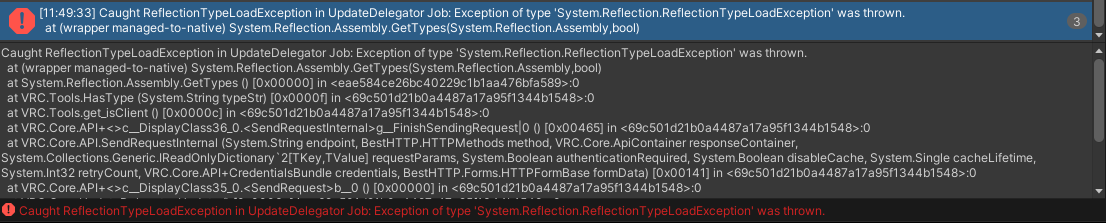

the error i get trying to open the control panel is
at (wrapper managed-to-native) System.Reflection.Assembly.GetTypes(System.Reflection.Assembly,bool)
 tribal meadow
I'm trying to get a script to stop an array of particles that may or may not be activated. I have the below, and it works, but only for the first object in the array, am I missing something to set all of the array items to 'stop'?
 arctic scarab
with _localPlayer.GetTrackingData(Head) i get head position but how do i get overall position
indigo finch
tribal meadow
I'm trying to get a script to stop an array of particles that may or may not be ...
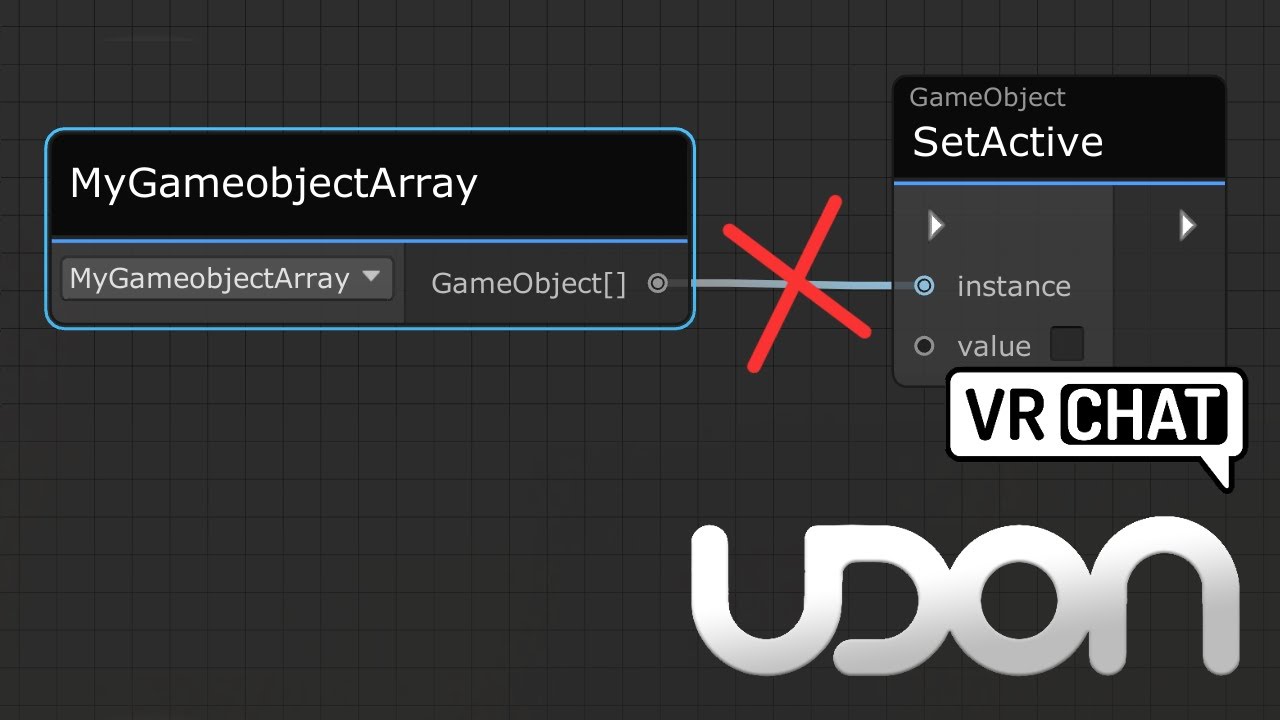
Here's a tutorial that goes over calling all game objects inside a game object array. This same method would work for any arrays, be it colliders, pickups or audio sources arrays.
I made this tutorial, as it's a little confusing not being able to directly plug a game object array into a set active node, and going from a simple toggle script, to ...
arctic scarab
in usharp
indigo finch
signal yarrow
how would you take player damage, because no one can set synced hp value except ...
Using sonething like cyan's object pool, you can give an object to each player. Then you can have a synced float[] with the first value being an ID, and the second value being the damage amount. Then when you hit someone, you can just do playerApi, get playerID for the ID of the person you hit, and the second being the damage amount (and perhaps a tiny randomisation addition based on time), and then sync the float[]. Then everyone will fire the event onFloat[] changedand make them check if playerApi, getPlayerFromID== local player. If so, tell the script managing your health that an amount of damage was done
 quiet flume
Hello, a question why the unity dont let me add the Vrc triguer component
 indigo finch
quiet flume
Hello, a question why the unity dont let me add the Vrc triguer component
indigo finch
quiet flume
Hello, a question why the unity dont let me add the Vrc triguer component
That is a relic from sdk2 and doesn't work with udon. Cyanlaser did make an asset called Cyan trigger, that aims to makes udon work like sdk2, so perhaps check that out
quiet flume
indigo finch
That is a relic from sdk2 and doesn't work with udon. Cyanlaser did make an asse...
ah ok ty
signal yarrow
indigo finch
Using sonething like cyan's object pool, you can give an object to each player. ...
looks complex, I'll try later
indigo finch
signal yarrow
looks complex, I'll try later
Fair enough.
Tldr: make a synced float array that tells everyone who you hit, and by how much. Once they have the info, get them to put it into the right place
quiet flume
Then how would do i to create a button that active an animation object? with SDK3
indigo finch
quiet flume
Then how would do i to create a button that active an animation object? with SDK...
Not at my computer right now, but to play an animation it would be something like this:
https://youtu.be/M7pN8QYTGBQ
Or if you want to actually toggle on or off the object, it would be done like this:
https://youtu.be/19HMJaHGtqw
Here's a tutorial on how to make an animation play when you click an object. This particular example covers firing a trigger on an animator, but hopefully this covers enough to help those wanting to change a int/ float/ bool on an animator as well.
So hopefully this is helpful. As always, if you have any questions, feel free to ask in the comme...
Here's a tutorial about toggling either one or multiple gameObjects via a button in udon. Something I forgot to mention in the video, is if you to toggle multiple gameObjects without alternate toggle a second list of gameObjects; either make a random empty gameObject for it to toggle, or remove the second for loop from the script.
Cycling thou...
quiet flume
indigo finch
Not at my computer right now, but to play an animation it would be something lik...
💟
 indigo finch
tribal meadow
Thank you! That should do the trick!
indigo finch
tribal meadow
Thank you! That should do the trick!
np ^^
arctic scarab
how i disable/enable interaction possibility
tacit pasture
@indigo finch everything worked from yesterday only issue im coming into is even with serialization of the synced slider value it wont globally update for other players, thoughts?
indigo finch
tacit pasture
<@228024927054331904> everything worked from yesterday only issue im coming into...
actually helped someone with that yesterday. This was the final script:
 tacit pasture
cool ill use this, i rewrite it in U# to see if i could make it work that way but if this works ill steal borrow this thanks :D
tacit pasture
indigo finch
actually helped someone with that yesterday. This was the final script:
also what was your slider 'On Value Changed' setting / function
indigo finch
tacit pasture
also what was your slider 'On Value Changed' setting / function
udonbehaviour, send custom event ('OnValueChanged' (the name of the event))
tacit pasture
nice thankyou
ill let you know if it work
@indigo finch how do you get the "Change" and "Set" blocks for the float, i dont use udon graph XD
indigo finch
tacit pasture
<@228024927054331904> how do you get the "Change" and "Set" blocks for the float...

Here is a quick tutorial, about getting an event for when a variable changes. This is something that I only found out how to do recently, after not finding any info on it for a looong time.
(Saw it mentioned in passing, on a tutorial by Fax on VRCLibaries: https://vrclibrary.com/wiki/books/faxs-retrospectives-and-prefabs/page/udonsharp-nitpicks)...
tacit pasture
bruh hold alt XD
how intuitive, thankyou for that
@indigo finch the node graph works correctly individually but doesnt sync, not sure why not.
indigo finch
tacit pasture
<@228024927054331904> the node graph works correctly individually but doesnt syn...
did you remember to checkmark 'synced' on the float?

 indigo finch
hmmm... that looks like it should work...
the only difference (and this probably isn't it) would be to change sync mode from continuous to manual
 indigo finch
huh... beats me why, but cool! ^^
indigo finch
doesn't matter if there are error messages or whatnot, just so long as it works XD
tacit pasture
pretty much my way of doing things XD
indigo finch
fix now, solve later
indigo finch
oh, never XD
tacit pasture
the safe space
arctic scarab
how i install vrchat version of cyanemu
indigo finch
arctic scarab
what about no app
it's a massive pain, and could even brick your project (did mine), so make sure you have it backed up.
Basically, install git onto your computer, and make unity reference it.
Then follow these steps:

and then uninstall your sdk, as having one in your project will brick it
then you also need to install udon# from git too
So all in all, it's basically a massive pain that is by no means worth it, especially when you can normally work around the problems found in cyanemu
or you can just use the companion app, and it deals with it all for you
arctic scarab
ok then how i fix cyanemu
indigo finch
work around whatever glitches you find. you don't exactly 'fix' it
arctic scarab
no idea
just added another usharp script
then even after deleting all scripts it wont work
indigo finch
doesn't sound like a cyan emu problem, but upgrading to client sim surely isn't the solution
arctic scarab
you said high break risk
cyanemu wasnt bricking projects
it only bricked itself so far
indigo finch
delete the sdk, udon# and cyanemu files and reinstall them. that usually fixes it
arctic scarab
ok it was the code issue
but it started working again only after reset
where im supposed put this code then
[UdonSynced] string player1 = transform.parent.GetChild(0).GetChild(0).GetChild(0).name;
[UdonSynced] string player2 = transform.parent.GetChild(0).GetChild(1).GetChild(0).name;
[UdonSynced] string player3 = transform.parent.GetChild(0).GetChild(2).GetChild(0).name;
[UdonSynced] string player4 = transform.parent.GetChild(0).GetChild(3).GetChild(0).name;```it was above start
but now it stopped working
also it was using find but i removed it
grand temple
 lilac hatch
Is there still no way to construct a vrcurl ?
lilac hatch
Is there still no way to construct a vrcurl ?
That is intentionally restricted, so no
lilac hatch
I wish to do that to allow questies to watch a video by putting the link they would write / pc users would link after a specific url
Well
No yb for questies then
Thanks for the fast answer
grand temple
you can have the same video player playing different links per person
lilac hatch
I was more thinking of ingame input than playlists
grand temple
Udon itself cannot construct links, but players can put in whatever they want into an inputfield and then udon can use those however you want
also you can have as many pre-defined links as you want as public variables, you just can't create them at runtime
 coarse parrot
arctic scarab
why cant toggle gameobject
coarse parrot
arctic scarab
why cant toggle gameobject
How did you make the toggle?
signal yarrow
why both SendCustomEventDelayedSeconds and SendCustomEventDelayedFrames don't work?
indigo finch
signal yarrow
why both SendCustomEventDelayedSeconds and SendCustomEventDelayedFrames don't wo...
They do work, but if your using udon#, they have to be made public
signal yarrow
great.
arctic scarab
how would i detect if player has moved intentionally
but not detect movement by moving head
arctic scarab
also what was the wait function for udon
as i remember regular ones not worked
sendcustomeventdelayed in some way but dont remember how exactly
 cosmic pike
Does anyone here know of any good collection of udon examples such as knobs, handles, controls, things that involve a user grabbing something and having an object turn on some fixed axis based on the user's input? Examples would be a turnable volume knob, doors that swing on their axis based on where your hand is grabbing the knob, etc. a github link or some other download or documentation would be neat. I've only seen the vrchat examples, which only lightly brush on the totality of udon functionality.
in-world examples are neat, but I'm more interested in seeing how they work
quiet flume
Hi a question, How can I make the character not move from where he is sitting while the floor animation is running?


 valid oar
You want the station to move with the floor? I'd just make the station a child object of the floor.
arctic scarab
how i change interaction text in usharp
quiet flume
valid oar
You want the station to move with the floor? I'd just make the station a child o...
Oh ok
ty
lament valve
How come a free cursor works on UI but my ingame one doesn't?
quiet flume
how can i put music in a zone? meanwhile other is playing
fiery yoke
lament valve
How come a free cursor works on UI but my ingame one doesn't?
Because your UI is on the wrong Layer. I think it should be on UiMenu not UI...I know...VRChat...
Or actually, you might not even have a UiShape component on the Canvas.
 shy osprey
do people use udonsharp over just udon itself just because of preference, or are there things base udon isnt capable of?
 faint flicker
when i try to build and test it says i need a new app to open this vrchat link. how i fix that?
valid oar
faint flicker
when i try to build and test it says i need a new app to open this vrchat link. ...
Check your settings in your builder, you need to direct it to the location of the VRChat executable.
valid oar
shy osprey
do people use udonsharp over just udon itself just because of preference, or are...
I think all of the same functionality is available in both but graphs can get a lot messier with complex scripts.
shy osprey
kk, thanks!
faint flicker
valid oar
Check your settings in your builder, you need to direct it to the location of th...
thanks
arctic scarab
is it possible in any way
valid oar
This maybe? https://www.youtube.com/watch?v=okt50lEBbtw

So I got asked this about three times a week since my first video either on Twitter, discord, or what have you, so I made a "Tips" video instead of a "Tutorial" since it's hardly over a minute long.
If you have any questions or requests, don't hesitate to ask them! If you see something that someone else has posted that you're also wondering, lik...
 acoustic totem
I am having issues with triggers. I am wanting to trigger a song that appears only in one small area in my would. My main song that I have set up has a UI slider that lowers and raises the volume already and works. I just want to add another song but only playing in one area
 valid oar
arctic scarab
but in usharp
valid oar
arctic scarab
but in usharp
According to this video, editing interaction text is now possible but he doesn't discuss how it's done. All of the UdonSharp programs I have that involve interactions have fields for inputting interaction text that aren't defined anywhere in the code so it would seem the behavior just adds that field when you have UdonSharp code that involves an interaction but I assume that's not happening in your case. https://www.youtube.com/watch?v=u6cgZ5Ieqx0

We've got some fun new features to play around with! Changing the text when you hover over something is one thing, but now we FINALLY have a way to change post processing effects without needing annoying animator systems to make it happen. Full tutorial on that coming soon!
-----------------------------------------------------------------------...
 arctic scarab
apparently you need use (UdonBehaviour)this.GetComponent(typeof(UdonBehaviour))
but i dont see possibility for editing interactiontext
coarse parrot
arctic scarab
but i dont see possibility for editing interactiontext
You should read the API here, it will answer so many of your question https://github.com/MerlinVR/UdonSharp/wiki/vrchat-api

GitHub
An experimental compiler for compiling C# to Udon assembly - VRChat API · MerlinVR/UdonSharp Wiki
acoustic totem
valid oar
According to this video, editing interaction text is now possible but he doesn't...
https://docs.vrchat.com/docs/onentertrigger This is lovely...
VRChat
OnEnterTrigger is used to activate the VRC_Trigger if two colliders start interacting with each other in instances where one or both of the colliders have the "Trigger" checkbox selected. If neither of the colliders that you want to detect interaction between have "Trigger" checked on them, use OnEn...
So the thing I needed might not be supported
So now what
valid oar
You're looking at the VRC_Trigger documentation which I think is an SDK2 thing. Triggers are supported by Udon, though it's beyond me how people can learn to code just by looking up how certain functions work.
 acoustic totem
When I was trying to code in Udon Sharp, it wasn't working :/
arctic scarab
(VRC_Pickup)GetComponent(typeof(VRC_Pickup)).InteractionText = "test";```this supposed to work but it dont
valid oar
acoustic totem
When I was trying to code in Udon Sharp, it wasn't working :/
Oh, I see the problem. One of your nodes is OnPlayerTriggerEnter (which is working) the other is OnPlayerCollisionExit which is not. OnPlayerCollisionExit is just for colliders not marked as triggers. It needs to be OnPlayerTriggerExit
arctic scarab
or because it simply isnt pickup but clickable object
acoustic totem
valid oar
Oh, I see the problem. One of your nodes is OnPlayerTriggerEnter (which is worki...
I am confused again xD
 velvet star
OnPlayerCollision events happen when the player physically collides with the solid collider.
OnPlayerTrigger events happen when the player Interacts or moves through a non-solid Trigger.
acoustic totem
acoustic totem
I am having issues with triggers. I am wanting to trigger a song that appears on...
On this?
OMG
velvet star

 valid oar
arctic scarab
or because it simply isnt pickup but clickable object
valid oar
arctic scarab
or because it simply isnt pickup but clickable object
What if you change VRC_Pickup to just GameObject?
faint flicker
is it possible to make a door be able to drag? like hold and drag it towards me to open it (without teleport, just to go thru)
arctic scarab
nothing change
 honest mauve
So I was migrating a project through the vrchat creator ccompanion and this happen to all the udon behavior scripts. (I have quite a few) and I cant upload or play scene as it cause a U# compiling error... Is there a fix
 velvet star
Make sure to update UdonSharp to 1.X
velvet star
faint flicker
is it possible to make a door be able to drag? like hold and drag it towards me ...
You could do this with an animation or with Rigidbody Constraints. Have a vrc_pickup that the door is attatched to by a Rigidbody constraint, then have the pickup move back to the door nob when let go.
coarse parrot
Actually InteractText doesn't get exposed for UdonBehavior class. Meaning that you can't change the text.
valid oar
faint flicker
is it possible to make a door be able to drag? like hold and drag it towards me ...
Not quite the same but it might be a good start https://www.youtube.com/watch?v=45uFaC1cnuI

In this tutorial I show you how to use a Hinge Joint in Unity, allowing you to create a realistic door with can be moved with a rigidbody controller. We create the hinge, the components, limit the movement and talk about other features and extensions!
🔥 INSANE UNITY SAVINGS 🔥
🕹️NEW Unity SPRING SALE: https://bit.ly/UnitySpringSale22
🕹️Unity ...
faint flicker
velvet star
You could do this with an animation or with Rigidbody Constraints. Have a vrc_pi...
ok thanks i will try that
faint flicker
valid oar
Not quite the same but it might be a good start https://www.youtube.com/watch?v=...
oh i will have a look at it, thanks
valid oar
coarse parrot
Actually InteractText doesn't get exposed for UdonBehavior class. Meaning that y...
What about this, though? https://youtu.be/u6cgZ5Ieqx0?t=39
We've got some fun new features to play around with! Changing the text when you hover over something is one thing, but now we FINALLY have a way to change post processing effects without needing annoying animator systems to make it happen. Full tutorial on that coming soon!
-----------------------------------------------------------------------...
coarse parrot
valid oar
What about this, though? https://youtu.be/u6cgZ5Ieqx0?t=39
Likely 2 different buttons?
valid oar
Not according to Vowgan and would he lie to us? He says it's changing the text through Udon, not swapping out the object.
Maybe one day he'll get around to showing his work.
velvet star
You are able to change the text of a VRC_Pickup with udon, but I haven't looked into a way of changing Interaction text on the fly with udon
*mainly because I use UI menus instead of Interactables
acoustic totem
Okay so I got it to start when I got closer to the collider. But the song won't stop playing when I leave the collider
So how would I make the song stop when I leave?
velvet star
acoustic totem
I am having issues with triggers. I am wanting to trigger a song that appears on...
are you using this still?
velvet star
Change the OnPlayerColliderExit node to OnPlayerTriggerExit
velvet star
so they are both player trigger events now?
acoustic totem
 acoustic totem
velvet star
so they are both player trigger events now?
acoustic totem
velvet star
so they are both player trigger events now?
So the first trigger works when I get close to the collider. But the song continues to play when I leave the area
velvet star
connect the flow:
 velvet star
it's ok, simple mistake (plus they are both white, one's just a slightly darker gray)
velvet star
no problem!
coarse parrot
valid oar
Not according to Vowgan and would he lie to us? He says it's changing the text t...
Still couldn't find any info about changing interaction text. The video could be a showcase for the work-in-progress features they're working on with vrchat team internally. There hasn't been any big update for Udon for a while now.
coarse parrot
valid oar
Not according to Vowgan and would he lie to us? He says it's changing the text t...
Still couldn't find any info about changing interaction text. The video could be a showcase for the work-in-progress features they're working on with vrchat team internally. There hasn't been any big update for Udon for a while now.
velvet star
it's 2022...
that was an update for 2021.
My current version of the SDK is VRC 2022.06.03
it would already be here. The question is how do we use it?
coarse parrot
Let me update the sdk a sec
valid oar
From the documentation of the update mentioned in the video (the same one that added cameras for Quest so it's definitely live)
 velvet star
Found it! (maybe)
valid oar
Looks like the same function anuked is trying to use though
Maybe the trick is to change VRC_Pickup to UdonBehaviour
and don't forget the u
coarse parrot
So if it's available in current udongraph, they would also need to use udonsharp beta to be able to use the api.
valid oar
This is from December 2021, it should be in the release version of UdonSharp by now, you'd think.
velvet star
this might be it, need to test if it's exposed
 coarse parrot
Oh I see, Udonsharp get updated to v1 just April
velvet star
U# 1.X and future versions are available via the VRC Creator Companion Beta (however I don't recommend upgrading immediately)
I think it's currently on U# 1.1.0 but it's in beta
valid oar
Ah, you won't be able to get modern U# without the companion? That sucks, I don't want to deal with that headache when I've been doing fine without it.
velvet star
it's because it's all in beta atm
coarse parrot
Isn't it the same v1.1 from github?
velvet star
i believe so but it has a fancy importer via the VRC CC
I've used it and it's nice but I didn't use the extra stuff added
It was just a pain to downgrade back from a VRC CC project to a regular VRC World project for prefab compatibility.
I just remember installing U# 1.X through VRC CC
coarse parrot
Udonsharp 0.20.3 still unable to compile with interactText. And I can't test with the latest beta. But it's available in udongraph.
So probably fine if using the graph to interface with udonsharp
faint flicker
how do i make a door turn to a way like doors in real life instead of turning the whole door when rotating (im making an animation for the door)
valid oar
Do you mean how they pivot? Either you change the origin in Blender and then set the transform pivot to pivot instead of center or you put an empty game object where you want the door to pivot and then parent the door to the game object

 faint flicker
oooh thanks
faint flicker
can two person work together in the same project, at the same time?
valid oar
faint flicker
can two person work together in the same project, at the same time?
Generally, no. One person does their thing and uploads their changes and then another one downloads them and picks up from where they left off. There is a program that supposedly allows for the creation of a session where multiple people can be doing stuff and those changes will be visible to others but I haven't used it myself. https://www.kinematicsoup.com/scene-fusion/pricing You're only going to run into conflicts if two people alter the same asset, though, which includes the scene. So how you can do it is by packaging as much as possible into prefabs and just editing the prefab rather than the scene itself. Then, so long as you haven't been altering the same prefab, you won't have conflicts when it comes time to download the other person's changes.
 faint flicker
oh how unfortunate, thanks for the help tho
 topaz jetty
valid oar
Ah, you won't be able to get modern U# without the companion? That sucks, I don...
topaz jetty
valid oar
Ah, you won't be able to get modern U# without the companion? That sucks, I don...
you can pretty much just click "migrate" and it will auto convert all sdk and U# stuff in your project
it's not really that hard
and it can even automatically make a backup before migrating
 spare kindle