#udon-general
59 messages · Page 95 of 1

 fathom furnace
Ooh, that's handy
 candid frigate
Everything after 21 is open
fathom furnace
So basically, any layer up to #32?
I mean as long as I know 22-32 work I can probably do everything I need with that
in theory
candid frigate
Yeah pretty much
candid frigate
What are you making?
 candid frigate
Ah
fathom furnace
Each one of the 'marbles' needs to know who their enemies are
 hidden tundra
Couldn't you store them in an array instead of using a layer per thing?
fathom furnace
Assuming I could access the array from multiple different gameobjects maybe that's better since there's no limit?
hidden tundra
yeah, you can make it public and then get the array from an instance of the object
candid frigate
Probably, but keep in mind that it's faster to check if an object is in a layer than it is to check if it's in a array.
candid frigate
Not necessarily, if you're accessing the objects from the array (would be calling FindGameObjectsWithTag() often and using the array itself) then better to an array. But if you're doing collision checks, layers are better.
 fringe idol
I'm having trouble making this work. What I am trying to do is that when the Dice that has been thrown stops moving it turns on the text which reads what's the numbers. issue is that the text wont turn on and I don't know why. Here's my script for what I'm assuming is the issue. I'm certain it has to do with the Transform --Get Haschanged which I assume its looking if the transform of the dice has changed but maybe I'm not understanding it right. Can someone help out? please @ me
 candid frigate
fathom furnace
It would be accessed very often, twice a second per marble
candid frigate
fathom furnace
It would be accessed very often, twice a second per marble
Yeah, you probably just want an array then. Also, another optimization tip. If the function you need to call on every object in your array is slow, and latency doesn't matter between objects in the array, you could call the function for each object in the array separate frames so you don't end up with a frametime spike every two seconds.
fathom furnace
Ahh, thank you! Appreciate it
candid frigate
np
also, that does make it framerate dependent, so for enemy AI, I usually add extra delays on top so their reaction time feels more consistent without having to screw around with more accurate timing.
candid frigate
fringe idol
I'm having trouble making this work. What I am trying to do is that when the Dic...
Looking at the docs, hasChanged might be true even if the object doesn't move https://docs.unity3d.com/ScriptReference/Transform-hasChanged.html

I would check if the length of the velocity vector of the dice stays below a threshold for long enough time and count that as stopped.
fringe idol
candid frigate
I would check if the length of the velocity vector of the dice stays below a thr...
hmm ok, Ill try that. i was struggling finding velocity components for some reason but ive bumped into Rigidbody - GetRelativePointVelocity. would this work with what your saying to do?
candid frigate
fringe idol
hmm ok, Ill try that. i was struggling finding velocity components for some reas...
There should be a GetVelocity function https://docs.unity3d.com/ScriptReference/Rigidbody-velocity.html and https://docs.unity3d.com/ScriptReference/Vector3-sqrMagnitude.html on Vector3

 trail palm
need a little bit of udon help. made a little scetch to get across what i want. i have a main music toggle (represented by the red dot) and multiple sub toggles. however, all toggles should be connected, meaning, if the state of one toggle changes, it changes for every other toggle aswell. currently im having the problem that when i turn off the signal with a sub toggle, i cant turn it back on with the other toggles, just that specific one, however i want them all to function the same
 candid frigate
trail palm
need a little bit of udon help. made a little scetch to get across what i want. ...
candid frigate
trail palm
need a little bit of udon help. made a little scetch to get across what i want. ...
Do you want all of your physical switches to just control one boolean?
trail palm
pretty much. i want to turn an audio source on and off from any toggle at any time
candid frigate
What does your Udon look like?
trail palm
right now im using a standard audio toggle
 fringe idol
candid frigate
There should be a GetVelocity function https://docs.unity3d.com/ScriptReference/...
fringe idol
candid frigate
There should be a GetVelocity function https://docs.unity3d.com/ScriptReference/...
im trying it right now to see if it work ill update. Thank you!
trail palm
if i turn the music off with one toggle, i cant turn it back on with another toggle
candid frigate
Are they all pointing at the same audio source?
trail palm
yes
candid frigate
fringe idol
im trying it right now to see if it work ill update. Thank you!
np

Only thing I can think of that maybe isPlaying only works with Play() and Pause().
fringe idol
ok It worked ! but now ive runned into another issue which doesnt makes sense why it wouldnt work
 trail palm
candid frigate
Only thing I can think of that maybe `isPlaying` only works with `Play()` and `P...
trail palm
candid frigate
Only thing I can think of that maybe `isPlaying` only works with `Play()` and `P...
but it works if its only one toggle
fringe idol
so ive made a toggle that turns off and on the text once the dice is done rolling around. but its not turning it off or on. I've put this code in different places and its like seeming to ignore the whole step and goes to the next step

the bot really doesnt like you @candid frigate
if you want just DM
me
candid frigate
You can't reliably do equals with floating point numbers, you have to do a less than. Computers are bad at math. I can't just link the site, thanks bot.
 candid frigate
fringe idol
so ive made a toggle that turns off and on the text once the dice is done rollin...
candid frigate
fringe idol
so ive made a toggle that turns off and on the text once the dice is done rollin...
Do you want that to be a toggle? You might just want to pass in true to SetActive
fringe idol
candid frigate
Do you want that to be a toggle? You might just want to pass in `true` to SetAct...
what do you mean by pass in true?
candid frigate
fringe idol
what do you mean by pass in true?
Plug in one of these bad bois instead of the toggle.
 candid frigate
trail palm
but it works if its only one toggle
candid frigate
trail palm
but it works if its only one toggle
Does swaping in Pause instead of Stop result in the same behaviour?
trail palm
candid frigate
Does swaping in Pause instead of Stop result in the same behaviour?
i swapped in pause and it worked. then put in stop again after, and it worked aswell. seems it was just a situational bug
 ebon basin
how do i make a scroll text for names from patreon like Jar does in their game worlds. Where ite scrolls down with a huge list of names
 wind atlas
ebon basin
how do i make a scroll text for names from patreon like Jar does in their game w...
wind atlas
ebon basin
how do i make a scroll text for names from patreon like Jar does in their game w...
Probably animating a scrollview. https://www.youtube.com/watch?v=Q-G-W93jhYc
If you've ever needed a scrollable container of items in your Unity game menus, keep watching! Confine any number of items to the limits of a container and mask the overflow.
Learn about the different settings of the scroll view/rect as well as how to use the 'Content Size Fitter' to dynamically resize your content.
❤️ Become a Tarobro on Patr...
ebon basin
wind atlas
Probably animating a scrollview. https://www.youtube.com/watch?v=Q-G-W93jhYc
The one Jar has automatic scrolls down with a list of usernames, so I'm unsure
 covert maple
does anybody know if i can add people to the admin room list even if there vrchat account is not merged?
 rough geyser
Anyone happen to know what might be causing this script to cause all of the audio sources to fire at once when entering the world? I have them all set to not play on awake.https://cdn.discordapp.com/attachments/461204235447566336/975489886708699176/unknown.png
 trail palm
covert maple
does anybody know if i can add people to the admin room list even if there vrcha...
trail palm
covert maple
does anybody know if i can add people to the admin room list even if there vrcha...
you can, you just need to know their number at the end of their name. user name stays username, no matter if its a vrc acc or not
rough geyser
In theory this should only be playing one song at once. (Also, yes, I know I'm not using an array ^^;)
covert maple
trail palm
you can, you just need to know their number at the end of their name. user name ...
oh betbet
 restive hare
For some reason importing that asset gave me this error, and makes me unable to start my world. idk if this is a simple issue with asset importing that I should know already

 scarlet lake
restive hare
For some reason importing that asset gave me this error, and makes me unable to ...
scarlet lake
restive hare
For some reason importing that asset gave me this error, and makes me unable to ...
I don't think it is an udon sharp thing but install upon sharp too and reimport the package to be on the safe side
 pallid roost
rough geyser
Anyone happen to know what might be causing this script to cause all of the audi...
pallid roost
rough geyser
Anyone happen to know what might be causing this script to cause all of the audi...
Only reason I could see would be is the isPlaying behavior isn't doing what you'd expect
rough geyser
pallid roost
Only reason I could see would be is the isPlaying behavior isn't doing what you'...
Well, I just moved on to a video player anyways...Something isn't working quite right with that audio script and I cba right now to fix it unfortunately, hahaha. Right now I'm stuck on figuring out how to sync variables that are present on two buttons (AKA, one room has a collider switch, and another room has the same collider switch, but I want the boolean value to synchronize across both rooms.)
pallid roost
rough geyser
Well, I just moved on to a video player anyways...Something isn't working quite ...
Have a seperate udon behavior that stores the value and pass the behavior to them both to access the value between them
rough geyser
pallid roost
Have a seperate udon behavior that stores the value and pass the behavior to the...
Not really sure as to how to do that. I know about "Setting" the variable to a certain value, but passing it on to a value that can be accessed by both? No idea.

This is currently my Udon script for it.
Or would you use a CustomNetwork event that triggers through the world for the owner?
pallid roost
rough geyser
This is currently my Udon script for it.
I'm not sure what the nodes are for it, as I only use U#.
But the basics of it is, create one behavior called something like "ButtonState" that just has a public bool variable
Then have a button behavior that takes a variable of type ButtonState, and you can access the public bool variable off that
rough geyser
Hm...
I'm gonna see if it's this network event node I'm setting up.
Nada--Strange.
Udon graph is painful sometimes, but, C# makes my head hurt sometimes -- Not like the graph doesn't either but, it's just easier for me.
Cause the thing is, I can easily just find the value of a gameobject in the scene whether it's enabled or disabled and that would do it, but I'm forcing myself to learn bool values.
pallid roost
rough geyser
I'm gonna see if it's this network event node I'm setting up.
I'd think it would be a node by the name of the behavior? So a ButtonState node
rough geyser
pallid roost
I'd think it would be a node by the name of the behavior? So a ButtonState node
Well with the Udon graph, you have something like this...

Which I have configured in the above code, but it doesn't 'sync' with the other room's button boolean.
So I'm trying to figure out what line of code I gotta get into this so that that other button receives the change too.
rough geyser
pallid roost
I'm not sure what the nodes are for it, as I only use U#.
But the basics of it i...
Actually, in response to this, there is this node that exists.
 pallid roost
rough geyser
Actually, in response to this, there **is** this node that exists.
pallid roost
rough geyser
Actually, in response to this, there **is** this node that exists.
Sweet. Sounds promising.
rough geyser
I'm guessing it goes something like...

And then that Udon behavior is a public variable that you drag and drop the "Public bool" object into it.
But what I'm not sure about is what should go in the SymbolName field or the Type field.
Ooo wait, looks like it populates the public variable into the "SymbolName" field.
If you have the Udon Object with the public variable lined up with it.
But now it's a question of where to run with it...Because it looks like this is what I'm looking for, time to bash the head against the computer screen some more! ONWARDS!
pallid roost
Symbol name I'm guessing is the name of the variable from the other behavior, and plug bool into the type
rough geyser
So it looks like the general flow I'm working in is this,
A custom event is called at the end of the call,

Which calls this on the Udon behavior,

And I'm currently operating off of...

Which is used to get the boolean value.
Looks like it might be...

Actually, it's probably the "ToBoolean".

AH! It works!
Would have never figured that out until you mentioned "GetProgramVariable"
Had no clue what that particular function actually did.
Really do appreciate it ❤️
pallid roost
No. Glad to help. 😊
restive hare
scarlet lake
I don't think it is an udon sharp thing but install upon sharp too and reimport ...
That seems to have worked
scarlet lake
Makes the AA chair disappear so you can place it inside of your desired chair
restive hare
Because I skipped it and tried to sit on the default one and had no ability to do so so wondering if that was an important part
scarlet lake
Basically the aa chair is the thing you are actually sitting on but by making it invisible it makes it look like you are sitting on the chair model you put over it
Once you have reached this stage this is where you want to turn the mesh renderer off
 restive hare
The sitting script isn't working for me
As you mentioned here the option to sit doesn't show up
scarlet lake
Alright pull out a new AA chair and test it, if it works let me know
Just place it somewhere you can reach
restive hare
scarlet lake
Alright pull out a new AA chair and test it, if it works let me know
Still doesn't work
 scarlet lake
Try making the box collider a lot bigger to experiment
restive hare
scarlet lake
Try making the box collider a lot bigger to experiment
Still didn't work. Should I be paying attention to this area?

 scarlet lake
You shouldn't need to modify the script at all
Make the box height taller
Also try the chair on its own
Without something near it
Chances are the AA chair box collider is being blocked somehow
 wise beacon
what could i be doing wrong

 pallid roost
wise beacon
what could i be doing wrong
pallid roost
wise beacon
what could i be doing wrong
Teleport to isn't on the vr player api it should be
Networking.LocalPlayer.TeleportTo(targetLocation.transform.position)
If your trying to tp the player who pressed the button
wise beacon
pallid roost
Teleport to isn't on the vr player api it should be
> Networking.LocalPlayer.Tel...
how would i tie that in with my transform slot like this Networking.LocalPlayer.TeleportTo(VIPTrans) or somthing else
pallid roost
wise beacon
how would i tie that in with my transform slot like this Networking.LocalPlayer....
Yup just like that. If VIPTrans is where you want the player to teleport to
wise beacon
 pallid roost
wise beacon
pallid roost
wise beacon
Whops it requires the rotation too
Networking.LocalPlayer.TeleportTo(targetLocation.transform.position, targetLocation.transform.rotation);
 gloomy salmon
What method does VRC use for its grabbing? Is it joint-based?
wise beacon
it says here the VRCPlayerAPI can do it but keep getting System.Exception: Unknown type/field/parameter/method 'TeleportTo' with even the Networking

 blissful wigeon
I want to add animated NPCs to a world in VRChat - I've seen a few worlds do this and I feel like it adds to the immersion - conceptually, could you use some kind of look at constraint to have a bartender look (locally) at a player when they approach?
pallid roost
wise beacon
it says here the VRCPlayerAPI can do it but keep getting ```System.Exception: Un...
Yea that's what Networking.LocalPlayer is
It's an instance of the VrcPlayerApi
wise beacon
still giving me errors ```
error CS1501: No overload for method 'TeleportTo' takes 6 arguments
i thought it would be my vars Networking.LocalPlayer.TeleportTo(- 4, 0.084, 5.976, 0, - 90.00001, 0);
 worldly tapir
Turn the values into 2 new Vector3s, then turn the 2nd one into a quaternion
 indigo finch
wise beacon
i thought it would be my vars ``` Networking.LocalPlayer.TeleportTo(-...
indigo finch
wise beacon
i thought it would be my vars ``` Networking.LocalPlayer.TeleportTo(-...
you can't just post the float values into the teleportTo funtion. it only takes a Vector3 and Quaternion, so you would instead write it like so:
Networking.LocalPlayer.TeleportTo(new Vector3(-4, 0.084f, 5.976f), Quaternion.Euler(0, -90, 0));
wise beacon
thank you ❤️
indigo finch
wise beacon
i thought it would be my vars ``` Networking.LocalPlayer.TeleportTo(-...
Though I would normally create an empty with the location you want to teleport to:
[SerializeField] private Transform TeleportTarget;
And then reference that when using the teleport node:
Networking.LocalPlayer.TeleportTo(TeleportTarget.position, TeleportTarget.rotation);
wise beacon
i have done ```cs
public Transform VIPTrans;
is there any advantages to using [SerializeField] private Transform TeleportTarget;
indigo finch
making it [SerializeField] private instead of just public, keeps the advantages of it being private, but allows you to see it inside the inspector
wise beacon
thank you for ur help
indigo finch
the biggest difference beginners need to be aware of, is that public variables can be seen from other scripts, while private variables cant. in coding, in general, you want to avoid making variables public if you don't need to
indigo finch
wise beacon
thank you for ur help
np ^^
hidden tundra
Does anyone know why my raycast is ignoring objects that aren't on the default layer? It's only masking the Player layer,9, as you can't get info from the player, however if my object is on any other layer than 0 it is not found by the raycast?

Afaik the mask only tells it one layer to ignore, however the instant I put the object I want it to hit from layer 31 to layer 0 it recognises it
 mighty fjord
hidden tundra
Does anyone know why my raycast is ignoring objects that aren't on the default l...
mighty fjord
hidden tundra
Does anyone know why my raycast is ignoring objects that aren't on the default l...
What's the value of the mask?
hidden tundra
9
mighty fjord
Every bit in the mask corrosponds to a layer, and if it's 0, the layer will be ignored
9 is 1001 in binary, so layer 0 and 3 will be detected (read from right to left)
hidden tundra
Oh my god have I been using this wrong the whole time
I assumed a mask of ~8 would be only layer 8
I'm baffled how I've gone this long and not noticed that
mighty fjord
~8 = ~00000000 00000000 00000000 00001000 = ... 11111111 11110111
hidden tundra
Cheers
mighty fjord
Would mask out layer 3, not 8
I can recommend using bit shifting to set these values up more easily
~(1 << ignoreIndex)
hidden tundra
Got it, thanks!
scarlet lake
blissful wigeon
I want to add animated NPCs to a world in VRChat - I've seen a few worlds do thi...
I'd love to know this too
hidden tundra
I'd imagine you could do that by having the body with an animation loop and then have the head look at the player if they're close with Vector3.LookAt
Or some smoothed version, I'd imagine it being locked onto your character would be rather unnerving
 polar pivot
Hi all. I'm trying to do something hopefully simple with Udon. I want to spawn an object into the game world. The object is defined in Assets but is not in the scene. I want to instantiate the object and put it in the scene in response to an event. The attached screen shot shows what I've got so far. Basically I want to create an instance of the "TestCube" object and put it in the world, but so far it doesn't do anything. Any ideas on what I'm doing wrong?
 indigo finch
polar pivot
Hi all. I'm trying to do something hopefully simple with Udon. I want to spawn a...
indigo finch
polar pivot
Hi all. I'm trying to do something hopefully simple with Udon. I want to spawn a...
A couple of things I want to mention. As a sanity check, have you made sure that the event onPickupUseDown is actually been called? make a simple debug,log node, and give it something to post to check.
Second, is the test cube something in the world, or is it a prefab? If it's in the world, make sure it's accessible, and not deleting itself or something else silly.
Third, are you sure it's not spawning in a cube? VRChat will always spawn the object at (0,0,0), and you will want to change that location using the GameObject clone variable.
Lastly, do you plan on making these synced objects? If so, it is highly recommended to use an object pool instead of instantiate (also why there isn't that much on instantiating an object)
indigo finch
polar pivot
Hi all. I'm trying to do something hopefully simple with Udon. I want to spawn a...
If you are dead set on using instantiate (and if you haven't seen it already) perhaps Vowgan's video he made 2 years ago may help (was made before object pools were a thing): https://www.youtube.com/watch?v=45zIB9sCZyw

Objects being spawned into your world is one of the more common features from Triggers, such as spawning balls, cameras, flashlights, or any other sort of prop. Here I've made a quick tutorial for doing just that using VRCInstanciate. It does however have a few glitches that will likely be patched in the future, so this will be utilizing UdonSha...
polar pivot
indigo finch
A couple of things I want to mention. As a sanity check, have you made sure that...
Thanks. There are some good suggestions there. Yes, I do plan for the objects to sync between players. I'll see if I can find some object pool examples on YouTube though it seems counter-intuitive to creating and destroying objects as needed.
indigo finch
polar pivot
Thanks. There are some good suggestions there. Yes, I do plan for the objects...
it about keeping the hierarchys the same, to keep object IDs the same. There currently isn't much in terms of tutorials for them, but there was a rough example done by vowgan as part of an update video: https://youtu.be/95hk5m6L70E?t=28

Open Beta time! This one brings some features for easy shuffling of arrays and object pools, which sounds a bit technical, but makes things that need to be random MUCH easier, like card decks or falling obstacles. You can also now set whether or not something can be interacted with!
I'll definitely be using these a lot in the future.
Join my D...
blissful wigeon
hidden tundra
I'd imagine you could do that by having the body with an animation loop and then...
Yea, this is my thought process - but while I know how to do this in C#, is it the same concept in Udon? Is it performant?
And preferably, is there a way to access the animator’s IK in Udon? I’m used to doing head and chest look tracking through OnAnimatorIK in C#, and the results are nicer and easier than multiple lookat constraint components on the skeleton’s hierarchy
 formal ledge
in udonsharp do i have to put all my classes in the same file?
also is there any easy workaround to replace generic lists? I only just found out that they do not work and it's going to be difficult to replace them with my own generic list class
ah, only one class is allowed per file
i'm not sure how to instantiate a variable with an object of a different class in udonsharp
blissful wigeon
scarlet lake
I'd love to know this too
since you're wondering about this too, I did find the OnAnimatorIK event and the SetLookAtPosition/Weight as nodes in the Udon graph - I assume it'll be as simple as adjusting the weight when a player gets in range and then putting an empty at the player's position. It does make me wonder if there's a way to get the player's head position, rather than their feet?
formal ledge
actually, does udonsharp support any generic arguments in general?
it appears that udonsharp does not supporr ArrayLists either, or constructors..
 dawn linden
Hello, excuse me for disturbing you but I am having a problem with my vrchat account, I have been streaming the game for several years, with my subscribers, at the moment I would like to transfer my VTUBER character to the game to be able to various humorous videos in the game (in French) except that my account since is still a visitor, is there a possibility to give me the functionality so that I can finally shoot my videos on the game, thank you for your understanding 🙂
indigo finch
dawn linden
Hello, excuse me for disturbing you but I am having a problem with my vrchat acc...
This is more of a question for #user-support-old but honestly; just play the game for like 5 hours, pop into some worlds, friend some people and you should be a new user in no time
dawn linden
indigo finch
This is more of a question for <#337672341041446912> but honestly; just play the...
Oh ok thanks 🙂, im 90 hours in games
pallid roost
dawn linden
Oh ok thanks 🙂, im 90 hours in games
Make sure that you have created a vrc account, and aren't using the steam or quest one as they take a lot longer to level up.
 boreal tartan
Can’t get Buttons to work for using mirrors


 night viper
boreal tartan
Can’t get Buttons to work for using mirrors
night viper
boreal tartan
Can’t get Buttons to work for using mirrors
The "Interact" events needs a collider so players can interact with it. You can add a simple Box Collider to it for simplicity
boreal tartan
night viper
The "Interact" events needs a collider so players can interact with it. You can ...
Do I add to udon graph or the buttons themself?
pallid roost
The button.
 viral fjord
I've got two zones in my map. The player spawns in one, and I want to change the music and skybox when they enter the other. (with this graph the music works and skybox doesn't, but that's fine for now). Problem is, the player is seated in a car when they change zones, and the music only changes once they exit the car. If they sit down again and get back out, the music restarts as if they've entered the zone again. Is there a way to get OnPlayerTriggerEnter to recognize a player that's seated?

I tried doing "if the player's world location is greater than _ Z coordinate" instead of collider triggers, but that didn't work well either
pallid roost
Try see if you can check when the car / station enters the trigger as we as the player?
dawn linden
pallid roost
Make sure that you have created a vrc account, and aren't using the steam or que...
it's a steam account with 90 hours of games, I've done a lot of live on the game having all the conditions met to transfer my own characters for the shooting of my videos, when I want to transfer it from unity software, when I click this redirects me to the FAQ
boreal tartan
boreal tartan
Can’t get Buttons to work for using mirrors
Got mirror buttons to work- but it automatically is 2 HQ mirrors

Pic just to show what mirror shows in VRC
Idk if this is an udon graph issue or not
pallid roost
dawn linden
it's a steam account with 90 hours of games, I've done a lot of live on the game...
Go to the vrchat website and make an account and then merge your stream account with it.
Using just a steam account will take you a long time to rank up to be able to upload your avatar
pallid roost
boreal tartan
Pic just to show what mirror shows in VRC
If you want them to be off by default you need to turn them off in the editor. Uncheck the box in the inspector next to the name of the object
boreal tartan
pallid roost
If you want them to be off by default you need to turn them off in the editor. U...
They are off as default, the issue is I made a HQ and LQ mirror and both are showing as HQ mirrors
pallid roost
Just gotta change it wherever you set that up then
boreal tartan
pallid roost
Just gotta change it wherever you set that up then
How so??
boreal tartan
Wait figured it out I think, I set the udon graph programming as the same start mirror I think
pallid roost
Yea you don't actually ever turn on the lq mirror in that graph
boreal tartan
pallid roost
Yea you don't actually ever turn on the lq mirror in that graph
Sorry wdym by that?
scarlet lake
Having this issue with my lights when using global illumination. Anyone know a fix? Any help would be deeply appreciated
 pallid roost
boreal tartan
Sorry wdym by that?
pallid roost
boreal tartan
Sorry wdym by that?
You are toggling the set active of the HQ mirror but always setting the lq one to false.
pallid roost
boreal tartan
Sorry wdym by that?
Here. It's never set to anything but false so it will never activate

I assume you want to set it to the opposite of the other one so you'll need to pass that value to the other set active
boreal tartan
pallid roost
I assume you want to set it to the opposite of the other one so you'll need to p...
So switch from instance to value? I’m using this video https://youtu.be/zUALbgztU5Y

In this tutorial I will show you how to add a high-quality and low-quality mirror with toggles to your VRChat world with the new VRChat SDK3 and the Udon programming system!
Timestamps:
- Intro 00:00
- Set up scene and mirrors 01:16
- Add mirror toggles 02:24
- Programming with Udon 03:20
- Interaction text 05:27
- Test in VRChat 05:52
🌸 3D Mo...
Fixed it! I did have them both programmed as HQ and not 2 different
 prisma prism
attempting to attach something to specific players heads (if they have one) but some avatars don't have head bones. is there a way of getting humanoid/nonhumanoid via the player api? or testing the vector3 output data to see if its doing anything?

 topaz jetty
prisma prism
attempting to attach something to specific players heads (if they have one) but ...
topaz jetty
prisma prism
attempting to attach something to specific players heads (if they have one) but ...
you can use GetTrackingData instead of GetBonePosition, then get the head
tracking data is avatar independent so it doesn't matter if the avatar has a head bone or not
hidden tundra
scarlet lake
Having this issue with my lights when using global illumination. Anyone know a f...
Looks like your UVs need fixing, floor looks like it's way too small. If you can increase the scale in the lightmap on the meshrender? settings that might work in the short term
 plain shell
Dumb question but what does syncing a variable do does it network sync it or sync it as a general "global" (if thats possible)
indigo finch
plain shell
Dumb question but what does syncing a variable do does it network sync it or syn...
It makes the variable the same for everyone. The owner of the object determines what the value is, and the other clients all change their value to match it. The other clients won't be able to modify that value without taking ownership of the object, or getting the owner to change it for them with a networked event or the likes
plain shell
Oh is there a way todo global varibles that a graph script can read from? or is that just impossible in udon graphs
indigo finch
plain shell
Oh is there a way todo global varibles that a graph script can read from? or is ...
I did a video 3-parter going over the first 3 examples scripts from the sdk, that basically go over the 3 main ways of using a synced variable. Should be a good starting of point to get an understanding on using synced variables in scripts (the other two videos were considerably shorter) https://youtu.be/V61K8pioh5A
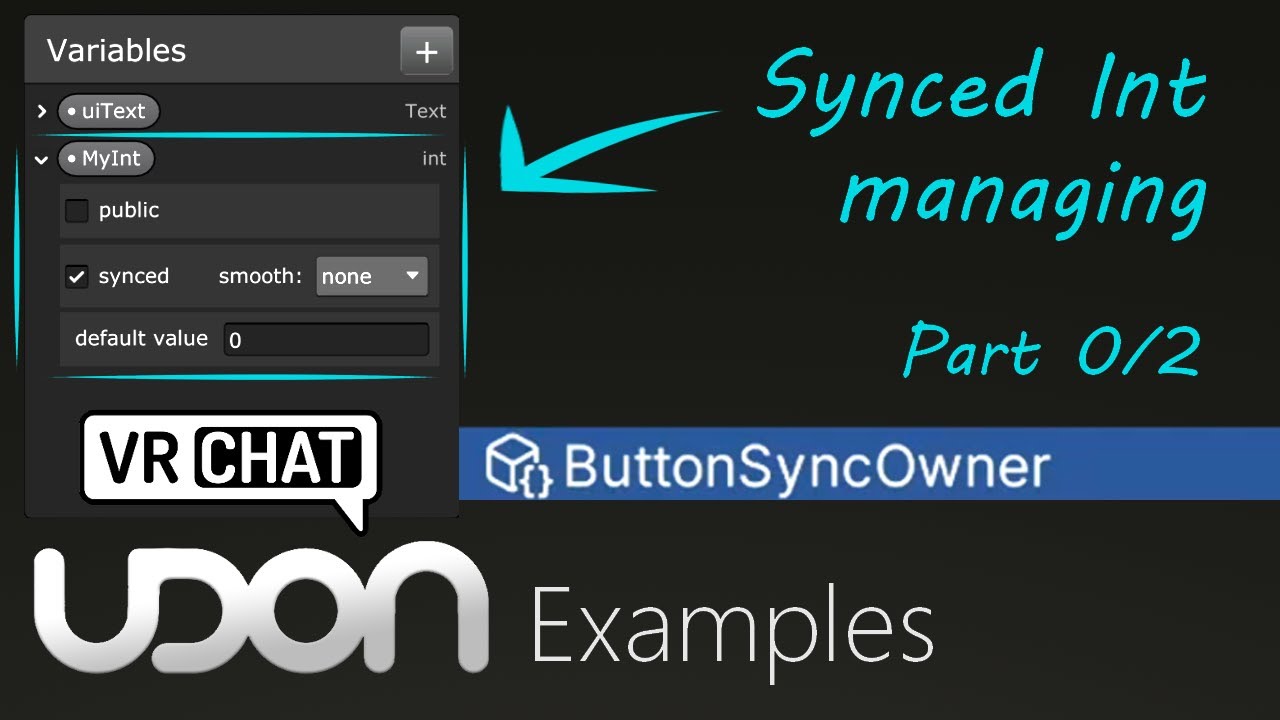
Here is a tutorial covering VRChat's example script 'Button Sync Owner'. This button can only be pressed by the owner of the object, due to the limitations of sync variables.
In the next two videos, I will be covering how we work with them to get around this problem, so do check them out.
So hopefully this is helpful. As always, if you have an...
plain shell
👍
dawn linden
pallid roost
Using just a steam account will take you a long time to rank up to be able to up...
I still can’t download my avatar, on unity the message « VRChat SDK » appears but nothing is downloaded, is on the website it does not have the « character download »
 indigo finch
dawn linden
I still can’t download my avatar, on unity the message « VRChat SDK » appears bu...
indigo finch
dawn linden
I still can’t download my avatar, on unity the message « VRChat SDK » appears bu...
this hasn't got anything to do with udon. This is a question for either #user-support-old or #avatar-help
?whatisudon
 hidden martenBOT
VRChat Udon is a programming language built by the VRChat Development Team for use in VRChat worlds! It enables complex behaviors and logic in VRChat worlds. Read more about Udon in our documentation: https://docs.vrchat.com/docs/what-is-udon
VRChat
What’s this Udon thing anyways? VRChat Udon is a programming language built completely in-house by the VRChat Development Team. It is designed to be secure, performant, and easy to use via the VRChat Udon Node Graph, a built-in visual programming interface that uses nodes and wires (we call them “no...
 acoustic vale
With Udon am I allowed to make use of Unity's ScriptableObjects?
 wide sable
How can i sync UI to other players?
 fiery yoke
acoustic vale
With Udon am I allowed to make use of Unity's ScriptableObjects?
fiery yoke
acoustic vale
With Udon am I allowed to make use of Unity's ScriptableObjects?
No you cant.
 flint kite
so i try make joystick control can move the object?
 cedar tapir
Is it possible for the VRC devs to allow a functionality where we don’t have to lock in the shader when using poiyomi shaders to upload a test or finished build of either an avatar or world? It would make the upload process a lot faster.

Ik this isn’t udon related and I apologize for posting in the incorrect channel but it has to do with world making so ye
mighty fjord
I believe it's already possible to add a form of hook or listener to such an event, and there are actually tools which make use of it already
flint kite
any idea what this is?

 inner sorrel
Is it possible to extract the name of a world from a VRCPortalMarker at runtime? I tried to use the get name method, but it would only return “VRCPortalMarker”.
hidden tundra
Does anyone know why whenever I call respawn or teleportTo on a player it does nothing ,however if I call getPosition it returns the correct value?
Both debug.logs return the same value since the player isn't moving

This is the respawn point and it's assigned in to the script here


But telling the player to go there does nothing
nor does .Respawn
indigo finch
hidden tundra
Both debug.logs return the same value since the player isn't moving
are you trying to teleport/ respawn a player that is not the local player? If so, you need to get them to teleport themselves
hidden tundra
Aaah right, cheers
Thought they'd mention it in the documentation unless I'm missing something https://docs.vrchat.com/docs/player-positions
VRChat
Here are the nodes relating to Players' positions. For nodes that deal with forces relating to Players, see Player Forces GetPosition returns Vector3 in World SpaceGets the position of the Player. GetRotation returns Vector3 in World SpaceGets the rotation of the Player. GetBonePosition returns Vect...
indigo finch
hidden tundra
Thought they'd mention it in the documentation unless I'm missing something http...
the documentation is sometimes only a good suggestion 😅
hidden tundra
Ah fair, thanks for the help
indigo finch
hidden tundra
Ah fair, thanks for the help
np ^^
 ancient mountain
hi guys, does anyone know if CyanEmu emulates the SendCustomEvent between different udon behaviours with graph?
 eager olive
 slim jacinth
Can a gameobject have more than 1 Udon Behaviour?
 cold raft
yes
but the sync mode must be the same across all of them, so for example if you already have a vrc_objectsync on it (which is basicly just an continuesly sync udon behavioir that syncs transforms and rotation and some collision parameters) all other udon behaviours on the object must also be continuesly sync
but a an empty child object below it could use a different sync mode
slim jacinth
alright cool, thankyou very much @cold raft
One other question, do synced objects sync whether or not a rigidbody is Kinematic?
cold raft
well the variables on an udon behavoir sync, not the object itzelf, but as a result of a variable change you can update the object again (vrcobject_sync) does this automagicly for transforms / rotation
 lavish rune
So how would one go about making a playlist in udon?
Specifically, YouTube videos.
This was doable by default in sdk2
 amber wolf
Good morning, I had an unusual question about vrchat avatar pedestals.
When I attach the pedestal script to an object, it always creates a thumbnail of the avatar.
But in some worlds, like Murder 4, there are literal paintings that allows you to change avatar.
No thumbnail, no square highlight, just the mesh apparently.
Does anyone have an idea on how to make it happen?
 cold raft
🤔 Intresting, i iv never made an avatar pedistal like that
 arctic scarab
can someone give me code example of synced function
amber wolf
cold raft
🤔 Intresting, i iv never made an avatar pedistal like that
mhh I've looked behind the wall, there is a really tiny thing here but I don't understand if it's the thumbnail that has been shrinked or something else
 cold raft
so if the collider was actually kept the original size or even made to the shape of that painting, all you would need todo is hive the avatar previeuw. while the avatar pedistal script might only be a single thing, you could check at run time in udon, maybe it just creates child object that can be manupulated
 hard crypt
does anyone know of any working volleyball worlds or prefabs?
 pale drift
Hello, so I am new to Udon and have the U# coding package. I know that Udon doesnt have every functionality so I am trying to look for a workaround. Im following a tutorial on making a wordle clone and for the keyboard, is there anyway to make a list of buttons that will get populated with the right key? Something like " public List<Button> keyboardCharacterButtons = new List<Button>();" . When i use this, it throws this error on that line "System.ArgumentException: Cannot resolve generic arguments on non-method expression". So is there a workaround to make a button list? Or do i just have to manually make each button for the letters. Or if anyone knows of a tutorial on how to make wordle for vrchat, but i havnt found anything, just normal unity tuts
indigo finch
pale drift
Hello, so I am new to Udon and have the U# coding package. I know that Udon does...
not really a solution, but just wanted to comment that list's don't work in udon. You can use arrays though. Every asset that I've seen grabs the values individually, but then again, everything is vr-related, where keyboards aren't really practical so they aren't focused on (though in game ones would work in your case)
normally it's just a bunch of input.getKeyDown() commands
pale drift
Ok thank you, I think i could do it individually, it would just take a lot more repetitive coding. and I am definitely looking to do a keyboard you click. Not sure if you have ever been in the world Afterdark Plaza but they actually have a working example of exactly what im trying to do. In VR you use the laser from the controller to click the keyboard keys like a UI button
i might try looking into if it would work with an array
indigo finch
pale drift
Ok thank you, I think i could do it individually, it would just take a lot more ...
you may want to check out the prefab 'udon chat' on FairlySadPanda's github (https://github.com/FairlySadPanda/UdonStringEvents/releases/), as it apparently has a working keyboard that may be of use (haven't used it myself). Don't know about desktop support, but it would be the best bet. Heck, as someone who plays a lot of desktop, having to point and click wouldn't even be that bad
pale drift
thank you so much, and i havnt been in that world on vrchat but if i had to guess, you just aim at the key you wanna press and click with mouse, so i dont think it would be too bad either
indigo finch
pale drift
thank you so much, and i havnt been in that world on vrchat but if i had to gues...
np, Good luck! ^^
pale drift
So for udon, am i not supposed to use unitys actual UI buttons? because then when coding and trying to code an OnClick event, it says "System.Exception: 'Button' does not contain a definition for 'OnClick'"
I am using U#, i did see some videos where people make buttons using the visual coding, and they dont use unitys buttons, they just use a cube and program an event on interact
 grand temple
you can use UI buttons, but you can't hook into their onclick events programmatically. You have to add sendcustomevent to the buttons in the scene
grand temple
right click VRCSDK folder > reimport
 nimble cove
it didint wwork
 tired shore
Any big brain know why an animation layer thats not related to another animation later get triggered by the other?
How should the order be set in Unity
top to bottom wise?
Does bottom or top layer take prioity
pallid roost
Depends entirely on what the layer does I'd think? Do they share any parameters or something?
tired shore
No
For example the one layer i speak of is Full body dissolve
which just dissolves all materials in the animation to make the avatar invisible
the other animation just toggles bodysuit and bra off
but whenever the fbt dissolve activates it toggles those items on
unrelated transition and parameter wise
one a bool, the other int
so i dont see how theyre triggering
i feel as if i have my layering wrong
what items should be closest to the bottom and vice versa for the top
pale drift
how would i pull words from a txt document seperated by "," with udon? Cant use stream reader
grand temple
pale drift
how would i pull words from a txt document seperated by "," with udon? Cant use ...
reference it as a TextAsset then you can just pull it out with .text
you should add a utilities.isvalid check on anything that might not be valid
inside the for loop is what matters, but technically the array itself could be invalid too if something goes really wrong
that's probably outside the scope of what you intend this script to do though
pale drift
grand temple
reference it as a TextAsset then you can just pull it out with .text
so bear with me, since ive never use udon, translating normal c# functions is proving to be difficult. To reference it as a text asset, udon does not let me do Resources.Load, im not finding any other examples of how to load a text asset
pale drift
ah ok ill try that, ive been trying to do it all in code
blissful wigeon
okay so I've been working on my head-tracking-NPCs thing (very nice that you can grab the VRC player's head bone position! I was just gonna fudge it), I'm wondering if anyone can suggest a way to lerp my OnPlayerTriggerExit? lerp is working fine in OnPlayerTriggerStay, I assume because it's firing multiple times rather than Exit's just once, can/should I use an IEnumerator in Udon Graph?

I'm trying to avoid update as much as possible as I'd like an individual NPC to be as performant as possible, in order to have lots of them
for reference, my graph currently looks like this
 pallid roost
blissful wigeon
for reference, my graph currently looks like this
pallid roost
blissful wigeon
for reference, my graph currently looks like this
Related but a side note, On player trigger stay will trigger for all users so when you have multiple users in the trigger the noc will get confused and try to look at everyone there at once.
You'll want to check them against the local player, or maybe only make them look at the closest player or something
blissful wigeon
pallid roost
You'll want to check them against the local player, or maybe only make them look...
I was hoping it'd just work for the local player, nothing's synced
I'll look into ensuring it's local
pallid roost
blissful wigeon
I was hoping it'd just work for the local player, nothing's synced
I'll look int...
Could you not use the same lerp logic you use in the stay event to turn the head towards the default pos?
Get that position and lerp it back towards the default facing position. And then have the event call itself again a few frames later. That way it will keep turning itself back to the default pos. Then once it's facing that position again, or a player entered again, stop calling the event after it runs so it stops looping.
It's pretty much a coroutine, at least the only way we can do it with udon anyway
blissful wigeon
pallid roost
Could you not use the same lerp logic you use in the stay event to turn the head...
no, it seems like Time.deltaTime doesn't work in Exit because it only runs once? instead of lerping, it just.... doesn't return to the specified Vector3
it stays where the Player exited
pallid roost
Yea you need to make the exit calculation recursive, since atm it only is called once
blissful wigeon
pallid roost
Yea you need to make the exit calculation recursive, since atm it only is called...
yea, what would be the best way to go about doing that here?
you mentioned earlier having the event call itself again, would that be done by creating a custom even and calling it at the end of Exit?
I'm not sure how you would call the custom event node, either
blissful wigeon
pallid roost
Yea you need to make the exit calculation recursive, since atm it only is called...
something like this?
 pallid roost
I'd move the logic out of the exit event, and have the exit event call that custom event. And then to make it call itself you can use the sendcustomeventdelayedframes bode to call the event again after a few frames
pallid roost
blissful wigeon
something like this?
Yup pretty much that but use the SendCustomEventDelayedFrames node instead
blissful wigeon
pallid roost
Yup pretty much that but use the SendCustomEventDelayedFrames node instead
okay thank you for your help so far! couple things:
first off, is this enough to check if the player is local or is more required?
secondly, I'll get a gif in a sec, and it might be a quirk of running it in Unity, but it looks like if I exit before it gets back to normal position and then go back in to the trigger, it fights itself for being default/attached to the player
 pallid roost
blissful wigeon
okay thank you for your help so far! couple things:
first off, is this enough to...
pallid roost
blissful wigeon
okay thank you for your help so far! couple things:
first off, is this enough to...
Yea a islocal check would be fine
blissful wigeon
 pallid roost
I'd make a private bool called PlayerInTrigger and set it to true when they enter and false when they leave
blissful wigeon
damn I was hoping to avoid that
pallid roost
And you want to check that as well before you recall the finishexit
So if they are inside you can stop the finishexit
blissful wigeon
pallid roost
So if they are inside you can stop the finishexit
great, it works! thank you very much for the help :>
 pallid roost
blissful wigeon
great, it works! thank you very much for the help :>
pallid roost
blissful wigeon
great, it works! thank you very much for the help :>
No worries! I'd set up something similar for a friend a while ago so was fimmilar with it
 twin drift
Is InvokeRepeating not supported in Udon Sharp?
 tall vault
I doubt it, you can use the SendCustomEventDelayedSeconds method to accomplish something similar though
fathom furnace
Is there any way to make a player's audio source come from anywhere other than on the player themselves?
i.e. they would be listening to the sounds in the world from a different location than where they are stood
 fiery stratus
i dont know how to do it but i've seen it in a world one time, so it is possible
fathom furnace
I tried deactivating the Audio Listener on the camera assigned to VRC and making another Audio Listener active
I could still hear sound change direction as I rotated my character, and audio source location appeared to still be on myself
 mossy crane
I have a trigger collider that sends a network event to enable a child object OnTriggerEnter, I duplicated this 40 times and upon triggering 1, it will also trigger another gameobjects network event. Is this possible with multiple gameobjects having the same script? There’s no collider overlap or physical way triggering 1 would trigger another. They use Transform.GetChild to reference what to enable so there’s no way the reference is wrong. Any thoughts would be appreciated, it only happeneds sometimes but needs to never happen
wind atlas
mossy crane
I have a trigger collider that sends a network event to enable a child object On...
Do you have any warnings for duplicate names in the sdk? I'd guess that could cause such behavior.
mossy crane
Hmm I do not, the children are all named the same within the gameobject hierarchy, but the object with UdonBehavior are all uniquely named
wind atlas
mossy crane
Hmm I do not, the children are all named the same within the gameobject hierarch...
I'm not sure then. Showing the code would be helpful.
 wind atlas
mossy crane
wind atlas
mossy crane
Seems fine, although the last condition for the send networked event is cut off at the bottom so I don't know what's happening there.
mossy crane
Hmm which part do you mean, I have essentially 5 layers and the same trigger detects what layer and sends a networked event to enable a child, the bool being set is so that OnPlayerJoin it activates whatever was supposed to be activated
And this is a 5x8 grid of these objects with colliders, the box collider are far apart but for some reason only the row will trigger multiple and only sometimes, not sure where or when a object would fire a sendcustomnetwork event when a object with that layer is nowhere near it, it’s always the same tho, if I activate child 2 on 1 of them, it will activate child 2 on a separate one. I’m puzzled 😦
Are you using graphs or U# for this?
 vivid zodiac
Hhhey, y'all. I'm a total newbie when it comes to Udon, are there any prefabs out there that give you a nice set of sliders that allow players to change their speed/jump height that you can just drop into a world?
 worn spade
Was wondering if anyone here ever used the UdonSharp Video player before?
I am running against this issue that my tv wont play youtube url (not quest, im pc), in unity and the error says until it can have the YT-dl it wont play urls.
Now just to tick this off the list, im running latest sdk 3 for worlds, im running latest UdonSharp and im running latest UdonSharpVideo versions, all imported in that correct order as well~
I also manually downloaded the YT-dl, but to no avail.
If people know about this issue, would love to hear from you, if not its not a super big deal i can switch to a different tv with a alternative to UdonSharpVideo but the curious soul in me just want to understand why its acting up~
pallid roost
worn spade
Was wondering if anyone here ever used the UdonSharp Video player before?
I am ...
Does it play in vrc though? Generally players don't work in editor
The U# one used to at one point for me but then stopped though 🤔
worn spade
pallid roost
Does it play in vrc though? Generally players don't work in editor
Completely honest with you, i havent tested it in game yet, was building all day :3 and my bake takes roughly 1.5h everytime i have to bake so a quick test was out of the question, i only tested play mode in unity and checking the errors in the logs~
My other alternative to tv does work but i always am curious why specifically the udon sharp video is acting up
Ill have a vrc test in a few hours i guess, if not work I'll switch to alternative
But in unity editor and the logs it keeps asking for youtube-dl file even after manually downloading and placing it
pallid roost
👍 yea it should work ok in game. Would be nice to know how to make it go in editor too though
pallid roost
The object sync script manages that value itself when it is added.
You can call enable or disable kinematic on the sync script to change it
VRChat
SDK3 Version Used to sync transform values of a gameObject. It has one option. SDK2 Version Used to sync transform values of a game object as well as animations using animators. Actions available via Triggers RPC's are available via the SendRPC action
You should be able to add a parameter of vrc object sync type that you can access the variable off.
But exactly how to do that to only know how to do with U#
Yup. Gotta get them imports goin'
Np!
lavish rune
How can I make a video playlist in udon? This was easily accomplished in sdk2 with the default video player. But udon video player I'm not sure can do this
pallid roost
lavish rune
How can I make a video playlist in udon? This was easily accomplished in sdk2 wi...
Use the Udon sharp video player. It supports playlists by default.

GitHub
A basic video player made for VRChat using Udon and UdonSharp - GitHub - MerlinVR/USharpVideo: A basic video player made for VRChat using Udon and UdonSharp
lavish rune
I will try this.
Thank you
 pure jungle
I'm looking to have a trigger enter that will only activate if the trigger has a specific name like "ActualRange" in the hierarchy and use every single object with that key word or anything that could accomplish a similar effect, if this can be done using triggers on a specific layer that would be cool too, this is currently what my graph looks like

 slim hound
pure jungle
I'm looking to have a trigger enter that will only activate if the trigger has a...
slim hound
pure jungle
I'm looking to have a trigger enter that will only activate if the trigger has a...
You can go from Collider other > get name and use it in your string equals
Though you could also use string.contains as then it would work with all the current object names
pure jungle
that worked perfectly, many thanks
scarlet lake
Hey I was wondering if someone can help me with a little question
I’m remaking my avatar world and custom avatar pedistals but the photo is still above it
How do I get rid of that by chance ? I know it’s a small sliver of one but still I wanna fix it
 worn spade
pallid roost
👍 yea it should work ok in game. Would be nice to know how to make it go in edi...
worn spade
pallid roost
👍 yea it should work ok in game. Would be nice to know how to make it go in edi...
sorry about the late response, baking take hours in my project, but I can verify that regardless of the Unity Editor Error Logs, inside VRChat the USharpVideo Player works fine, despite it telling me in Unity its missing YouTube-dl
Can attest its safe to ignore the log error! Thank you

pallid roost
worn spade
sorry about the late response, baking take hours in my project, but I can verify...
👍 Good to hear.
Side note, do you use Bakery? Its miles faster than the unity light baker.
worn spade
i use Light Bakery yes
its very professional lighting (like CAT house modeling)
i wouldnt be able to do this without Light Bakery, then it would take half a day

 jaunty schooner
I have some pickups that I want to be synced, and which I want to be able to respawn. I believe the way I used to do this is I would add VRC Pickup, and an empty Udon script, and the empty Udon script would cause the objects to sync between players. At least, looking at my last world which has synced objects, that's all I had on them, and it worked fine. And when I wanted to respawn objects I'd just teleport them below the world respawner and they'd respawn.
But now I've found this page:
https://docs.vrchat.com/docs/network-components#onownershiptransferred
VRChat
This doc covers Networking Components, Properties and Events you can use in your Udon Programs. Special properties you can get from Networking: IsClogged - returns true if there is too much data trying to get out. You can use this to hold off some operations or adjust your logic. IsInstanceOwner - r...
This component will automatically sync the Transform (position, rotation scale) and Rigidbody (physics) of the object you put it on.```And that has a method Respawn on it.
And I'm wondering now, if I no longer need the empty script, or if I even need this VRC Object Sync component for pickups.
I do notice there's a checkbox for Transfer Ownership on Collison there, which I don't see in the components on the pickups in my C64 world... But I recall turning that off in my Big City world.
slim hound
jaunty schooner
I have some pickups that I want to be synced, and which I want to be able to res...
Udon originally switched to having position sync built into Udon behaviors but reverted to having it as a separate component
If you switch the inspector to debug mode you will still see the synchronize position option on udon behaviors
Only there still so it doesn't break content that was using udon behaviors for position sync afaik
jaunty schooner
And now looking at my Big City pickups I cannot find that "transfer ownership on collision" that I had disabled... I suppose I may have updated the SDK at some point and I never uploaded the new version of the world, which is why it still works.
jaunty schooner
slim hound
Udon originally switched to having position sync built into Udon behaviors but r...
How do I switch the inspector to debug mode?
slim hound
When in the inspector tab click the three dots
 jaunty schooner
Oh it's under the three dots up there. I didn't even know that was a thing.

So adding a new Udonbehavior to an object, I see that Allow Collision Ownership Transfer is enabled by default, and the option is hidden... But that seems... bad?
It seems bad because I assume any script that has that enabled is going to transfer ownership on collision. But I learned a valuable lesson making my Big City world with dozens of cars that you can pile up... And that's that transfering ownership on collision when players can make giant piles of objects, is very bad. It overloads the network and causes the game to lag into the single digits, with all the objects continuously changing owners as they bump eachother.
Also, if I have a behavior with that hidden checkbox checked by default, but I ALSO have a VRC Sync Object with the always visible checkbox unchecked, which takes precedence?
slim hound
I would guess it's likely the same function so neither?
jaunty schooner
So wouldn't that mean that the order your components are in on the object would affect whether or not VRC Object Sync's checkbox for that works, because if you have a script after that component, the script would have that hidden checkbox enabled, which would always then enable that setting regardless of what the prior component set it to?
slim hound
Beyond what I can answer
jaunty schooner
And since that checkbox is now hidden, people would have no idea why it's not working...
No problem I'm just thinking out loud.
slim hound
I think ideally you should just avoid using the sync that is built into Udon behaviors and use object sync anyway as the former is technically legacy
slim hound
jaunty schooner
So wouldn't that mean that the order your components are in on the object would ...
Though if this was the case it would be pretty obvious and would have been fixed if so
jaunty schooner

I can't seem to find the same node I used to set the initial value of Disk...
Is this something else they changed? The search function to find nodes really needs to be improved. I ought to just be able to type Set and get all the nodes with Set in the name somewhere.
I could just copy and paste the node I want of course, but I don't want to use something that's legacy, if that's the reason I can't find it.
slim hound
Since it's your own variable you would hold control and drag it from your variables list into the graph
jaunty schooner
Okay that works. Thanks for that. But still, how was I even supposed to know I could do that? And where is that node in the search?
VRChat
These are "Special" nodes. This includes flow control and special Udon features. Block Splits flow into multiple sections. One flow input, multiple flow output. Executes all right-side flow slots from top to bottom. Branch Inputs: Bool - System.BooleanBranches execution based on a conditional evalua...
I found this docs page which says it's a special node, but when I open the search and go to special nodes, it's not there.
Okay I found the part in the docs where it explains the ctrl-drag... https://docs.vrchat.com/docs/udon-node-graph
VRChat
Interface The Udon Node Graph is the default interface for creation of Udon programs. This section goes over how to use it. If you want to dive right into examples, take a look at the Readme file in the VRChat Examples folder that comes with the SDK. You can open up the Udon Graph window using the M...
You can create variables of any type by pressing the + button in the Variables window. Then you can drag and drop the variable name onto the graph to create a "Get Variable" node, hold the Ctrl key while dragging to make a "Set Variable" node, or hold the Alt key to make an "On Variable Changed" node.```Yeah it would be useful for it to explain it under the special nodes documentation too
Or reference/link to that part of the documentation
jaunty schooner
Do I need to do all this?

Or would having the Respawn node all by itself be sufficient without the input to Instance because it would automatically use the VRC Object Sync component if one exists on the object the script is on?
slim hound
That doesn't work for Object sync afaik
jaunty schooner
What do you mean by that?
Do you mean it won't automatically find the component?
Or do you mean the Respawn node won't sync between players?
slim hound
As in it wont automatically find the component
jaunty schooner
I am so dumb. I just noticed that when I am dragging and dropping a variable there's a tooltip right on my cursor which tells me how ctrl and alt modify that operation.
I have also just noticed that I can either create a variable of type Component, or a variable of type VRCObjectSync, which is a specific component type I assume, and I'm not sure if it matters which I choose if I want to store a VRCObjectSync component for use later.
 long basin
hey, so does anybody know how to bypass this error? everytime I try loading up my avatar or try creating a new project I keep receiving this same message..
 jaunty schooner
And what's the difference between these?
 fiery yoke
jaunty schooner
And what's the difference between these?
fiery yoke
jaunty schooner
And what's the difference between these?
None. Every component inherits GetComponent from the base class "Component" and GameObject also has that method.
Well there is one difference, and thats what you can input into "instance"
jaunty schooner
OnTriggerEnter will only fire for the player who's the owner of the object that the trigger collider is on, correct?
cold raft
it fires for everyone afaik
jaunty schooner
Hm... https://docs.vrchat.com/docs/udon-networking
If I'm reading this right, if I want an object to teleport to a new location, all I need to do is have the owner of the object teleport it, and if it has VRCObjectSync on it, I don't need to send any network events to the other players to tell them to teleport it? Does this also apply to Active status as well, and any other parameters I set in any components on the object?
Cause if so that's a lot easier than how I was doing it before with my own custom network events.
VRChat
The three main concepts used for networking in Udon are Variables, Events and Ownership. Variables are containers for values - like a number, a set of colors or a 3D position.Events are things that happen at a moment in time.Ownership is the system that decides which user can update a variable, whic...
cold raft
no VRCObjectSync only syncs the transforms / rotation and kitematic states
not active state
oh and scale apeanrly
jaunty schooner
If that's true, the docs should be updated.
The first player who opens a world becomes the owner of all the Networked Objects. They can make changes to those objects and the changes will be sent to everyone else.
Saying they can make changes and they will be synced, without specifying any limitations suggests that any changes would be synced.
cold raft
i guess that is indeed one wat to interpetate it
UdonBehavoirs, can either be Manuel or Continues Sync (or no sync at all)
and when they are Syncing they sync thier variables that are maked as sync
Conitunes synces all synced varieables 4 times per second, Manuel does this on request, and once for each new joined player
VRCObjectSync is basicly an continues sync udon behavour that syncs transforms/rotation/scale/kitematic and i think if its gravity affected
active state is not part of that unfortunatly
jaunty schooner
Hm, I wonder if it wouldn't be useful to include that but also to have checkboxes to allow you to select which properties are automatically synced and which are not, which would also be useful to inform the developer what properties will be synced without having to dig around for some obscure manual page.
cold raft
A way to sync active state be great, a lot of people need that
But the way its currently implemented is how I described above and if you want more fidelity you have to create your own udon behaviours
jaunty schooner
Why are the event names greyed out here? I've renamed those events on the original udon behavior that had them and I can't choose the right names here.

Hm, if I drop one of those SendCustomEvent nodes down, I can select only the events in the current UdonBehavior. If I attach a variable of type UdonBehavior to it however, enventName is grayed out, and I can't set it to anything... Which leaves me wondering how I ever set it to Hide or Show in the first place, since those two variables are only ever set to an UdonBehavior if an object is placed in a trigger volume. Then it copies that object's UdonBehavior to them.
Well this is interesting...

There used to be an input field for a string, which is how I specified the event before, but there isn't now.
So I guess I have to create a string variable and create a node for it, and input it that way?
 wooden stirrup
Did you tried recompiling all udon programs? That may fix, I remember.
jaunty schooner
Clicking the compile button and reopening the project both didn't change anything. There's still no string entry field on those nodes any more.
If there is a way to recompile all Udon programs I don't know what that is. It's not an option on the opening screen.
Actually I just found that under the VRCSDK menu but doing it doesn't change anything either.
jaunty schooner
Hm, I think my original code had a bug with the networking, and I'm not sure how to resolve this.
Let's say you have three pickups. A B and C. And you have a box.
When a player touches one of these pickups to the box, I want whatever pickup is in the box already to respawn, and for the player to drop the pickup they're holding, and for to to teleport to a transform which puts it inside the box.
The problem is, how do I sync this over the network?
I can detect when the owner of the box trigger collider senses that an object has touched it.
And I can tell them to send a network event to the object currently in the box to respawn, and to teleport the held object to the box.
But how can I keep track of the object that's currently in the box?
I could have two variables, like DiskInHand and DiskInDrive as shown in my screenshot above, and use that to keep track of which object is in the box, and swap them as needed... EXCEPT... What happens if the owner of the trigger collider changes for some reason, like, if they leave the world? Then the new owner is going to have local variables tracking the GameObjects or their UdonBehaviors that are not in sync with the current state of the world.
In my original code, I didn't realize this was an issue, so I just had the owner of the trigger collider copy the UdonBehavior of the object in the player's hand to the variable keeping track of the object in the box. And it is this that is probably responsible for some occasional bugs I encountered, like the video player refusing to accept new objects sometimes.
Hm... I wonder if I could have the objects themselves set the variable keeping track of which one of them is in the box when I send the network event to tell the object it was inserted. Then all players would be syncing that variable with their local gameobject / udonbehavior references.
That would require each object to have a pointer to the container... Which is simple enough I guess, but I wish there were an easy automated way of getting that reference without having to manually drag it onto every one of 40 different pickups, because I doubt UdonBehaviors support multi-object editing.
 runic mauve
Anybody getting these errors with the new creator companion?
 indigo finch
vivid zodiac
Hhhey, y'all. I'm a total newbie when it comes to Udon, are there any prefabs ou...
indigo finch
vivid zodiac
Hhhey, y'all. I'm a total newbie when it comes to Udon, are there any prefabs ou...
#udon-general message
not the most optimal, but it should be a good starting point if you just want something that works ^^
vivid zodiac
indigo finch
https://discord.com/channels/189511567539306508/657394772603830360/9321198060591...
Ah yeah, funny enough I was looking through the channels and tried that, but when I popped it into my world something seemed off. During a playtest it just froze me after I moved the sliders and pressed the red button, sorry to say.
If you have a more current version of the prefab that works or if I'm doing something incorrectly, let me know! I'm just doing drag and drop, basically.
indigo finch
vivid zodiac
Ah yeah, funny enough I was looking through the channels and tried that, but whe...
nah, it's not broken, you just need to drag your VRCWorld script into it's slot on the script, so that it knows the player movement values
 vivid zodiac
!!! I'll give that a shot right away!
Well I'll be a hootin' and a hollerin! It works like a charm, thank you ever so much darlin! My pals are going to dig the heck outta this
indigo finch
vivid zodiac
Well I'll be a hootin' and a hollerin! It works like a charm, thank you ever so ...
glad it helped ^^
Btw, at the time I made it I didn't know, but on the button I have this setting:

if you to instead put that on the sliders, it would apply the settings whenever the silder moves, and not just when the button is clicked
 vivid zodiac
I will keep that in mind!
scarlet lake
Could someone please provide me some useful info to fix this seating issue
 indigo finch
scarlet lake
Could someone please provide me some useful info to fix this seating issue
indigo finch
scarlet lake
Could someone please provide me some useful info to fix this seating issue

着席位置を自動で調節する椅子です。 アバターのボーン情報を元に算出するので、アニメーションの仕様に関係なく調節されます。 通常版と開発支援版でファイル内容に差はございません。 ---------------------------------------------------- 導入手順 1. 事前に、VRCSDK3 と UdonSharp の最新版のインポートをしてください。 2. 00Kamishiro/AAChair/AAchair.prefab をシーン内に設置してください。 3. 必要に応じて椅子のモデルの差し替えを行ってください。 4.
scarlet lake
indigo finch
https://kamishirolab.booth.pm/items/3052333
Brilliant!, I greatly appreciate it
Do I use this with the VRCChair?
indigo finch
scarlet lake
Do I use this with the VRCChair?
scroll down to get the english instructions
indigo finch
scarlet lake
awesome thanks
np ^^
 ocean crater
How do I make it so players can "glide" like in SDK2 worlds?
scarlet lake
indigo finch
np ^^
Do you recommend another udon that allows players to grab items in VR?
 indigo finch
scarlet lake
Do you recommend another udon that allows players to grab items in VR?
indigo finch
scarlet lake
Do you recommend another udon that allows players to grab items in VR?
sorry, I don't quite get what you mean?
ocean crater
indigo finch
thanks
scarlet lake
indigo finch
sorry, I don't quite get what you mean?
Is there a package to make it easier for items/objects to be palpable/grabbed?
indigo finch
scarlet lake
Is there a package to make it easier for items/objects to be palpable/grabbed?
are you having trouble grabbing things?
scarlet lake
I haven't gotten there yet, just wanted to know if there was a package or any useful info before I start working on that
indigo finch
scarlet lake
I haven't gotten there yet, just wanted to know if there was a package or any us...
vrchat has a component called 'vrc Pickup' that you can add to any object to make them pickup-able (provided it has a collider). It pretty good in most cases, so much so that there's not really any fan made alternatives, so just use that ^^
scarlet lake
indigo finch
vrchat has a component called 'vrc Pickup' that you can add to any object to mak...
Sounds good, I will give it a try. Thank you sooo much for the help 💯
jaunty schooner
How do I get the GameObject which my UdonBehavior is on so I can get its parent?
grand temple
gameobjects don't store parent information, you'd get that from transform
but for both transforms and gameobjects, in udonsharp you can reference them by simply saying gameobject or transform so in this case it would be transform.parent.
And in udon graph you can simply add a transform.parent node and leave the transform input empty. All gameobjects, transforms, and udonbehaviours in udon graph will self-reference if left empty
jaunty schooner
Okay, thanks! It's kinda non-intuitive that the transform rather than the gameobject has the parent info, but I guess that's Unity for ya.
scarlet lake
Could someone help me with my project? I'd like to make an interrogation room. In the observation room it would be possible to watch and hear everything that happens in the interrogation room. But in the interrogation room it would not be possible to hear anything that is said in the observation room, even if they scream. The modeling part is easy, but I don't know how to do the audio part in Udon.
jaunty schooner
scarlet lake
Could someone help me with my project? I'd like to make an interrogation room. I...
There's some Udon scripts here which allow you to do things like create channels on which only certain players can be heard. Perhaps it will be useful? https://github.com/Guribo/UdonVoiceUtils
GitHub
Tools/Components for UDON (VRChat) based worlds. Includes private channels, reverb, auto player range adjustment, etc. for player voices. - GitHub - Guribo/UdonVoiceUtils: Tools/Components for UDON...
And here's the docs for messing with player audio. It seems like you can indeed do what you want. Specifically, you can set the volume of individual players for your local player. So you could probably make a trigger volume, detect if a player is inside it (the interrogation room) and then make all players inside another trigger volume (your observation room) silent for them, locally. Thankfully this whouldn't require any syncing over the network as it would just be a local effect, which would make it a lot easier to do without weird bugs cropping up. https://docs.vrchat.com/docs/player-audio
VRChat
Players have two sources of audio: the voice coming through their microphone, and sounds attached to their Avatar. With Udon, you can change how a Player hears other players' voices and avatar sounds. For example, this graph makes it easier to hear another specific Player, boosting their audio by 5 ...
jaunty schooner
Does a variable have to be set to Public for another UdonBehavior to be able to access it? I don't want to have the variables visible in my inspector if I don't need to.
jaunty schooner
scarlet lake
Could someone help me with my project? I'd like to make an interrogation room. I...
Oh and one more link, which I happened to see when I was looking for a tutorial just now: https://www.youtube.com/watch?v=hCK3oAH7WJg

Here's a tutorial covering the example script 'Set All Players Max Audio Distance', that allows us to change how far we can hear a player's audio. Using this, we can also make it travel less, as well as mute them.
This script seems to have gone through some changes over time though, so do be aware that I change a few things about it in the tut...
 tacit harness
Say
I used the new vrchat creator companion , just to play around a bit with it , but it seems like the UrlInputField script is missing , i cant put it on anything anymore and even importing a video player with one already on it dosent work
is this because of the creator companion or did i do something wrong
please ping or dm me if your know what is wrong
wooden stirrup
I want to know, is there any connection between the error "VRChat is not responding" and the Udon program itself? I'm the world manager of one's event world, and some employees are experiencing infrequent "force go home" situation with that error message, in my world that has the new update I've made. Our employees says they're not getting crashed when they're using a fallback version of the world, which is the old update.
The picture is from Google search, not from our employees. (The error is infrequent and it's not happening on my PC)
 tacit harness
It could be a udon event that dosent happend for the world/Instance owner
That somehow loops itself infinitely and thereby "crashes"/Forces the people to go home
So any late join syncs or so could maybe be the cause for this problem
wooden stirrup
That could be the problem. It makes sense. I will try to look for any network events that are looped or unnecessarily repeated. Thanks for the advice.
Sorry I couldn't help you in return, because I haven't used the open-beta creator companion yet 😦
tacit harness
Its all good my dude ^^ im not sure if i was of any help but if i was im glad :3
 dawn forge
Does anyone have some tricks to enforce a specific avatar by ID or safe size dimensions in order for the player to participate in the "match"?
 turbid vortex
Was udon able to explicitly separate threads?
(e.g. separate threads for input processing of additional actions and event processing such as hit detection)
grand temple
no, everything in udon runs on the main thread
turbid vortex
OK, I will request that FeedBack be explicitly multi-threaded from the program side as a setting for advanced users.
(This should reduce problems that could cause latency in processing additional action inputs, etc., as a result of heavy processing by other processes.)
For example, if you want to completely abandon Unity's standard movement behavior
I don't think it is necessary to keep the movement programs within a single thread, since the game will synchronize the player's position on its own.
 lost egret
Does a player leave trigger the player trigger exit event?
hidden tundra
lost egret
Does a player leave trigger the player trigger exit event?
After 5 attempts I still can't read that
lost egret
Sorry, let me try to reword
When a player leaves the world, if a player is within a trigger, is a trigger exit event sent to the relevant components?
hidden tundra
I don't think so, since the trigger checks if the player leaves its bounds, it wouldn't trigger that as the player would've always been inside the area.
lost egret
Thank you
 queen panther
drop
 sharp echo
whenever i add a Audio Low Pass Filter to an object with a VRC AVPro Video Speaker on it, it causes me to not be able to change anything through udon like the volume of the audio source or the lowpass cutoff
 dreamy ingot
How do you make a steerable car in udon.
pallid roost
jaunty schooner
Does a variable have to be set to Public for another UdonBehavior to be able to ...
Yes. The public / private different is based on being able to access it outside the class. It needs to be public to be accessed externally.
indigo finch
jaunty schooner
Does a variable have to be set to Public for another UdonBehavior to be able to ...
if your using udon#, you can add [System.NonSerializedAttribute] in front of your public variable, to make it not show up in the inspector. If your using udon graph on the other hand... your kinda out of luck there
 white flame
so im trying to make a toggle to turn off/on the post processing in my world, only problem is that my button completely disappears whenever i click it
this is what im doing

 unborn hornet
jaunty schooner
Does a variable have to be set to Public for another UdonBehavior to be able to ...
unborn hornet
jaunty schooner
Does a variable have to be set to Public for another UdonBehavior to be able to ...
To clarify further regarding udon variables:
In Udon runtime (in-game), all variables are accessible via GetProgramVariable, regardless of access level (aka public/protected/private/whatever).
In UdonGraph, if a variable is public, that simply means that it will show up in the inspector. if not, it won't. That's pretty much it.
In UdonSharp, it's a bit more complex:
For the access level, this represents what can directly access the variable/field only in the context of the C# compiler.
publicmeans that any script can access the field.protectedmeans that only scripts that inherit from the given behaviour (only valid in U# 1.0) can access the fieldprivatemeans that only the current behaviour can access the field.
There are also annotations/descriptors that specify how the default inspector should handle the field's display.
[HideInInspector]means that the field is explicitly being hidden from the inspector.[SerializeField]means that the field is explicitly being serialized, which implicitly makes it exposed to the inspector.[System.NonSerialized]means that the field is explicitly NOT being serialized, which implicitly makes it hidden from the inspector.
If the variable has access level public, then the [SerializeField] decorator is implied.
If the variable has access level private or protected, then the [System.NonSerialized] decorator is implied.
You can mix and match these access levels and descriptors for different effects.
Say for example, you want to be able to say that a script should be able to access some field that is only generated during runtime, but should not be contained within the serialization, you can set the field to [System.NonSerialized] public float myVariable;
Or if you want to want to have a field that no other script can access, but want to be able to assign the value of, use [SerializeField] private float myVariable; to achieve that.
indigo finch
white flame
this is what im doing
just a small fix...

 past lily
how do i make a combat system in sdk 3
past lily
does anyone know how to get the combat system to work yea no anything
 strange minnow
pls help, importing udonsharpvideo give this error

 shut flower
ree Assets/ScrollableText.cs(25,25): Method is not exposed to Udon: 'Text.preferredWidth'
Something which exists in textmeshpro class is not in udon aa
shut flower
Its any best way to store data somewhere like VRCURL + string + int and just accessing just one will return that stuff?
Like If I want to by myself run some program which will fill that array/list of stuff but itself auto creation of udon behaviovurs with prefilled values is pain?
indigo finch
past lily
how do i make a combat system in sdk 3
eh...
there's not really any tutorials on it right now, but it's also not the easiest thing to do.
#udon-general message
ancient mountain
does anyone know what node I can use to pull the string name of a specific index within an array
like... if the index is 0 i want to display that text
 indigo finch
ancient mountain
like... if the index is 0 i want to display that text
indigo finch
ancient mountain
like... if the index is 0 i want to display that text
string[], get node should do it
ancient mountain
thank you, i'll try it =)
mmm... doesn't look like it accepts the audioclip[] instance, am I missing something maybe?
 indigo finch
ancient mountain
mmm... doesn't look like it accepts the audioclip[] instance, am I missing somet...
indigo finch
ancient mountain
mmm... doesn't look like it accepts the audioclip[] instance, am I missing somet...
oh, then you don't want a string[],get node, you want a audioClip[], get node
ancient mountain
aha, gonna give it a go! :3
ancient mountain
indigo finch
oh, then you don't want a `string[],get` node, you want a `audioClip[], get` nod...
this worked, thank you very much!
 indigo finch
ancient mountain
this worked, thank you very much!
indigo finch
ancient mountain
this worked, thank you very much!
^^
strange minnow
strange minnow
pls help, importing udonsharpvideo give this error
anyone?
past lily
indigo finch
eh...
there's not really any tutorials on it right now, but it's also not the e...
ik ut that script doesnt work for me
dreamy ingot
Hey guys when I put In a vrchat prefabs model in my vrchat I leave the project and start it up again the model has errors so the vrchat control panel goes away do you know how to fix it.
strange minnow
@indigo finch any ideas for mine?
indigo finch
strange minnow
<@228024927054331904> any ideas for mine?
honestly, this is one of those unhelpful error messages that doesn't really say much. There is something missing or not set up right, but that's all I can say
indigo finch
dreamy ingot
Hey guys when I put In a vrchat prefabs model in my vrchat I leave the project a...
That sounds destructive... have you got some screenshots of what error messages you're getting?
strange minnow
indigo finch
honestly, this is one of those unhelpful error messages that doesn't really say ...
It was working previously, I downloaded an asset through the package manager but didnt import it; and then I get that error.
indigo finch
strange minnow
It was working previously, I downloaded an asset through the package manager but...
It do be like that sometimes. If you haven't already, try reimport the files, but I'm not all that familiar with that side of things
 night viper
scarlet lake
so for some reason
its toggling the button
and not the mirror
;-;
night viper
scarlet lake
so for some reason
its toggling the button
and not the mirror
;-;
Check the inspector of the script, make sure the public gameobject variable called "BedMirror" is actually referencing the object you want to toggle and not itself (like in this picture) When you drag a gameobject into the udon graph, you are just creating a public variable with the name of that gameobject, it doesnt always keeps the reference so always check before testing.
 dreamy ingot
indigo finch
That sounds destructive... have you got some screenshots of what error messages ...
dreamy ingot
indigo finch
That sounds destructive... have you got some screenshots of what error messages ...
Here are some screenshots though not screenshots because It wasn’t working.


 dreamy ingot
indigo finch
That sounds destructive... have you got some screenshots of what error messages ...
dreamy ingot
indigo finch
That sounds destructive... have you got some screenshots of what error messages ...
I think it just needs a file that isn’t there or I don’t have.
indigo finch
dreamy ingot
I think it just needs a file that isn’t there or I don’t have.
just checking, but have you installed udon#?
dreamy ingot
indigo finch
just checking, but have you installed udon#?
Yah I just looked and found out I need udontoolkit got it installed and errors disappeared.
indigo finch
dreamy ingot
Yah I just looked and found out I need udontoolkit got it installed and errors d...
cool ^^
 solid acorn
can anyone please tell me why i keep getting this while trying to update a world ive uploaded. I have a few worlds uploaded now never had this issue before.

 pseudo pelican
Hello! I have a question and I am hoping somebody may have an answer.
The world I am working on, for whatever reason the video player no longer works although it was working in previous updates.
The reason it is not working is that nobody can type into the text box? I have reimported the video player asset and still broken.
Tried another videoplayer and it also has a broken text box(The other buttons work fine). So I think we can rule out the video player being the issue. Does anyone know a fix for the text box not getting typed while in game or in scene with cyan emu?
dreamy ingot
indigo finch
cool ^^
Do you know how to make the udon simple car steer with your hands.
indigo finch
dreamy ingot
Do you know how to make the udon simple car steer with your hands.
never played around with that one in particular, so no sorry. I do know of ways of doing it, but they are rather painful and advanced to walk someone through
dreamy ingot
indigo finch
never played around with that one in particular, so no sorry. I do know of ways ...
Ok is there any tutorials somewhere else.
indigo finch
nope! ^^
there might be an asset or something that goes along side it for that one in particular; though once again, I haven't played around with it
dreamy ingot
indigo finch
there might be an asset or something that goes along side it for that one in par...
Oh ok thanks
covert maple
does anybody know to make pickup items sync where ppl can see what your holding
indigo finch
covert maple
does anybody know to make pickup items sync where ppl can see what your holding
on your object, go to add component and add a vrc object sync to your object
covert maple
do i check it
indigo finch
?
covert maple
wait nvm i got it😅
strange minnow
pseudo pelican
Hello! I have a question and I am hoping somebody may have an answer.
The world ...
I posted this issue earlier and no one has found a fix yet
pallid roost
strange minnow
I posted this issue earlier and no one has found a fix yet
Can you type in it in unity if you test with cyan emu ?
strange minnow
pallid roost
Can you type in it in unity if you test with cyan emu ?
Its always worked through that way for me, but then my issue now is all of a sudden the player doesnt work whatsoever in my world, cyan emu doesnt let me play through unity as theres some code issues
pallid roost
Cyanemu can ignore some raycast colission things that I game doesn't.
But if cyanemu isn't even working then you might have other bigger issues
strange minnow
strange minnow
pls help, importing udonsharpvideo give this error
@pallid roost these are the issues its giving me
pallid roost
strange minnow
<@277663731390087169> these are the issues its giving me
That's normally from a corrupted sdk
Try reinstalling it
And then make sure the utility package is installed
strange minnow
pallid roost
That's normally from a corrupted sdk
Have done, multiple times. The issue now is when I import the entire USharpVideo package file, it then gives those 4 errors; if I delete it the errors disappear
pallid roost
Double check the utilities package is installed
strange minnow
pallid roost
Double check the utilities package is installed
What do you mean?
pallid roost
Go into the package manager and check if a package called utilities is installed. And if it isn't, install it in the manager
It's in one of the menus up the top. Can't remember which.
Under window I think
strange minnow
There isnt any package called Utilities showing whatsoever
strange minnow
pallid roost
And search for utilities
these are all the packages that show up beginning with U?
 pallid roost
There's a search bar on the right top
strange minnow
Yeah it didnt bring anything up
pallid roost
Hmm. Maybe it isn't a unity package. Open up the file the error is coming from and check the imports for utilities at the top
Oh it's not an import it's a code region. Hm
strange minnow
But nothing in my world has changed for it to break, which is why im confused
 celest egret
hello, how can i implement a 3rd person camera only for desktop? i did read that it is only another camera with depth higher than 1 but i have not got it working
does it has to be a cinemachine camera?
pallid roost
strange minnow
But nothing in my world has changed for it to break, which is why im confused
It's something in the usharp player that isn't compiling correctly it seems
 thin osprey
Is there a way to make objects climbable? An example would be, if I were to make a rock wall, how would I make the rocks climbable?
 sullen fjord
Is it possible to have physbones on a prop I have in my world?
 junior owl
no, they're not out for worlds yet
 pastel gyro
is there a udon booth thing i can download that makes the dialogue appear on your screen
like when the game talks I would see it on the screen
 plain inlet
is there a way to rebind these short cuts, because i dont manage to type them?
 acoustic vale
Is there something I can call when a player joins the world initially, e.g OnLoad, OnStart, etc?
hidden tundra
plain inlet
is there a way to rebind these short cuts, because i dont manage to type them?
so rightshift + ` + 3 doesn't bring up the console?
plain inlet
hidden tundra
so rightshift + ` + 3 doesn't bring up the console?
i just figured it out i think the problem was the ` is a deadkey in my keyboard layout had to switch to american keyboard layout
hidden tundra
Ah, that'd do it
pallid roost
acoustic vale
Is there something I can call when a player joins the world initially, e.g `OnLo...
Every time a ayer joins, or just locally for the player?
scarlet lake
acoustic vale
Is there something I can call when a player joins the world initially, e.g `OnLo...
There’s an event node called OnPlayerJoined. If you only want to do this for the local player then you can just check if the node’s output is equal to the local player.

VRChat
This is a list of Udon Nodes that are considered "Events". Events are used to detect actions and set off chains of action or logic. Input Events have their own special page. All below nodes have flow nodes where logic requires it. Interact Fired when a VRChat player interacts with this object. OnDro...
 uncut bloom
is there a better way to do this it seems to just go to 0,0,0
acoustic vale
scarlet lake
There’s an event node called OnPlayerJoined. If you only want to do this for the...
amazing, thank you
scarlet lake
No problem
scarlet lake
uncut bloom
is there a better way to do this it seems to just go to 0,0,0
What do you get if you output rndVector to the console after setting it?
uncut bloom
scarlet lake
What do you get if you output rndVector to the console after setting it?
how would i do that?

 scarlet lake
What do you get if you directly output one of those random floats?
uncut bloom

seems to be working
ok i managed to get it to work by doing this instead

thank you for showing the debug log thing i didnt know you could do that
scarlet lake
Np, glad you got it working
viral fjord
Is there any way to make buttons on canvases stable at high speeds? I've got controls in my cars that work fine when you're going slow, but become almost impossible to select the faster you go.
scarlet lake
viral fjord
Is there any way to make buttons on canvases stable at high speeds? I've got con...
Could you please send a video or gif of the car going fast so I can see what it looks like?
 raven lily
So the high quality mirror works but the low quality mirror doesn't, instead the low quality mirror button just vanishes. Help I've been at this for hours and youtube isn't helping


 hollow folio
What would be the correct way to smoothly tween between two rotation values?
(looking to toggle a door, basically)
scarlet lake
raven lily
So the high quality mirror works but the low quality mirror doesn't, instead the...
Did you forget to set the public variables on the low quality mirror component or is that intentional?
raven lily
Uhh
scarlet lake
Looks like they’re set to the button gameobject right now
raven lily
I didn't know it mattered
I shall try that
Also is there a way to start the world with both mirrors hidden? Last time I tried to just hide the mirrors it broke
scarlet lake
If you manually assign a reference to the mirrors in the editor and then turn them off, you should be good
raven lily
Aha!! I got them to work thank yous :D
scarlet lake
Nice!
raven lily
Turns out staying up till 4 in the morning working on a world makes you make dum mistakes
scarlet lake
I’ve been there 😆
raven lily
Anyways thank you, I hope you have a nice rest of your day :3
scarlet lake
Np, you as well 🙂
scarlet lake
hollow folio
What would be the correct way to smoothly tween between two rotation values?
The easiest way I can think of would be to use Unity’s animator
You could record a key frame for each rotation value, then play the animation with Udon
hollow folio
Hmmm, I have many doors I need to do so I was hoping to make something generic I could stick on any door (with say, the angles as udon script variables). Animators would be specific to that door or at least door type wouldn't they?
scarlet lake
You could make the animation for some sort of invisible parent door and then child other doors to it in your scene
That way there’d only be a single animation
But I don’t think it would let you customize the angle for each door
This might be helpful if your using UdonSharp: https://github-com.translate.goog/nukora/NukoTween?_x_tr_sl=ja&_x_tr_tl=en&_x_tr_hl=en&_x_tr_pto=sc

GitHub
Udon上で動くTweenアニメーションエンジン. Contribute to nukora/NukoTween development by creating an account on GitHub.
hollow folio
GitHub
Interactive door prefabs for VRChat Udon worlds. Contribute to esnya/UdonDoor development by creating an account on GitHub.
scarlet lake
That looks even better
hollow folio
If I can figure it out as the instructions are a little... odd.
 pliant ruin
I just downloaded Unity to 'try' and create avatars, but how long do I need to play VR Chat before I can actually start creating?
 void sandal
Idk if anyone is an expert at pro tv but does someone know how to fix this?
 grand temple
void sandal
Idk if anyone is an expert at pro tv but does someone know how to fix this?
grand temple
void sandal
Idk if anyone is an expert at pro tv but does someone know how to fix this?
update your udonsharp version
fringe idol
Question about the component "UdonBehavior - SetProgramVariable and GetProgramVariable. If I set the instance to and public UdonBehavior Variable, Do I need to type the string on the Set side of this? or does it already get a name from the instance? and on the getProgramVariable, can it work across different scripts and grab values from other scripts
viral fjord
scarlet lake
Could you please send a video or gif of the car going fast so I can see what it ...
No clue how but I fixed it kinda
Is there any possible way to get OnPlayerTriggerEnter to fire if the player enters the trigger while in a station? I just can't get it to, and I'm having trouble picturing what a script that says "If the local player is in this station, and this station enters the trigger, then do this" would look like
Like, is there any Udon constant or something that specifies the local player? All I see is GetPlayerById which doesn't seem right unless 0 is local
indigo finch
viral fjord
Is there any possible way to get OnPlayerTriggerEnter to fire if the player ente...
Get the playerApi from the onPlayerTriggerEnter node and put it into a playerApi, get isLocal node. Then you get a bool that is true of it's the local player, and false if it's not. Then you can just plug that bool into a branch node
viral fjord
indigo finch
Get the `playerApi` from the `onPlayerTriggerEnter` node and put it into a `play...
Yeah but that doesn't work if you're in a station. I enter the trigger seated in a station, nothing happens, and only upon exiting my station does onPlayerTriggerEnter fire
scarlet lake
What do you mean by station?
scarlet lake
pliant ruin
I just downloaded Unity to 'try' and create avatars, but how long do I need to p...
You need the ‘new user’ rank in order to upload content. I don’t think there’s a set number of hours you need to play but you can speed up your progress by linking your steam/oculus account to a VR Chat account if you haven’t already.

We have just released VRChat 2018.4.1 on Steam! Make sure you restart Steam to get the latest version as quickly as possible. If you are on the right version, you should see Build 651 on the bottom of your quick menu. Among the changes for this version of VRChat is the ability to upgrade your Steam account into a VRChat account. Doing so is easy...
viral fjord
scarlet lake
What do you mean by station?
A seat you sit down in
indigo finch
viral fjord
Yeah but that doesn't work if you're in a station. I enter the trigger seated in...
my bad for not reading.
Can't you just get the station to fire the trigger instead? have it 'onStationEnter' record the player that entered the station as a playerApi variable. Then use 'onTriggerEnter' on a layer dedicated to it's physics (or just do a name check or something on a normal layer), get it to do a thing.
Also, if you need to sync what player entered the station for latecomers, you could instead store the player's playerapi as an id instead, as then you can sync that int, and then whenever you need it again you can use GetPlayerById to get it back
pliant ruin
scarlet lake
You need the ‘new user’ rank in order to upload content. I don’t think there’s a...
Just done the linking process. Now what?
scarlet lake
pliant ruin
Just done the linking process. Now what?
Play the game and make friends for a while, and try not to get kicked or blocked.
I think it helps you rank up more quickly if other people send you friend requests instead of the other way around.
 indigo wagon
How do I get the local player in UdonSharp?
I'm trying to teleport someone
I think I did it
public class WarpPype : UdonSharpBehaviour
{
    public GameObject Output;
    public Vector3 OutVel;
    private Vector3 teleportPos;
    private Quaternion teleportRot;

    private VRCPlayerApi playerApi;

    void start()
    {
        teleportPos = Output.transform.position;
        teleportRot = Output.transform.rotation;
        Destroy(Output);
        playerApi = Networking.LocalPlayer;
    }

    void OnPlayerCollisionEnter(VRCPlayerApi player)
    {
        playerApi.TeleportTo(teleportPos, teleportRot);
        playerApi.SetVelocity(OutVel);
    }
}```Broken

The player is teleporting the the object, if I use TeleportPos it warps me to 0,0,0 and OutVel is ither 0 or 180
I see 0 flaw in my logic
The fact that my cashe is even erroring is consirning.
indigo wagon
Fixed
 void sandal
Hello. Am I able to make a direct link to a video on google drive and use it on protv? If so how does that exactly work? i only want to know because I want to try making a video that supports quest.
covert maple
how can you sync spin the bottle where everybody can see it spinning
 cold vale
Hello to all! I had a question about Udon. What is a "networked object"? Is this an object that is not local and everyone else can see if it is moved or changed, etc.
I was not sure if I was understanding the concept of it correctly
viral fjord
indigo finch
my bad for not reading.
Can't you just get the station to fire the trigger inste...
Thank you SO much. This was one of the last big things for my world and it works now
I ended up using OnStationEnter/Exit to set my seat game objects to a special layer when the local player enters, and take the special layer off when they leave. Then I used OnTriggerEnter/Exit to detect when a special layer seat is in the zone, allowing me to properly trigger everything else in my script when a seated player enters.
scarlet lake
Heya, I was wondering if anybody wrote a compiler for Udon yet?
acoustic vale
Just an idea, need thoughts on if this would work or not.
 1. Create camera object, set it up for 2D game dev and hide it somewhere in the world
 2. Create a Udon powered 2D game, i dunno tetris, snake, pacman, etc
 3. Set the camera up to only render the 2D games layers, hide it all from VRChat players
 4. shove the camera on a renderTexture and put it somewhere in the world
Would something like this work for VRC?
 autumn oriole
Yes
acoustic vale
autumn oriole
Yes
oh perfect then
 dusty ridge
question, this is my udon for a teleporter in my world, but for some reason all the teleporters are "single use", and will not teleport you if you press them a second time despite displaying the prompt. Does anyone know what this issue is or how to solve it?
 tacit harness
arctic scarab
so everyone can move it
tacit harness
arctic scarab
so everyone can move it
Im not quite sure what you mean , do you mean a pickup or what exactly do you mean
tacit harness
dusty ridge
question, this is my udon for a teleporter in my world, but for some reason all ...
Hmm this all seems to lock fine , how do your variables in the inspector look
For example if the audio source is not defined correctly udon will run into a error and shut down this script completly
dusty ridge
this particular teleporter has no sound attached to it
 tacit harness
Audio source is set to none
define the audio source and it should work

If you dont want this teleporter to use sound you have to remove it in the udon script
otherwise a error will occur as udon dosent know what to do
dusty ridge
I can still teleport using it though, just only once and then not again
testing what you said now
tacit harness
as the teleport happens before the audio source tries to play
as soon as it tries to play it notices that its not defined and shuts the script down
tacit harness
No problem ^^
arctic scarab
tacit harness
Im not quite sure what you mean , do you mean a pickup or what exactly do you me...
vrc sync object
tacit harness
arctic scarab
vrc sync object
Everyone can still use it as normal , the owner of the object is just the person that networks where the object is , as soon as someone else touches it the owner will be overwritten to that person and that one will sync it to everyone else in the lobby
arctic scarab
but vrc sync object without pickup cant be touched
i wanted it to be movable with script
tacit harness
Then the instance owner networks it
arctic scarab
how can others move it
tacit harness
use a set owner node in udon to define the owner of that object
arctic scarab
ah no im on usharp
tacit harness
ah damn , should be something similar tho i think
im not quite sure if it is called something different there
but what you basically wanna do is change the owner every time someone interacts with that script
arctic scarab
not just once?
i wanted certain object be all time usable by same player
cant i just make everyone be able to interact with it
tacit harness
If you want a specific player to move a object that one has to be the master of that object , OR you directly in the script sync the position of that object
A non master is not able to sync the position of an object with the Object Sync component , so everytime the person that is supposed to move a object you have to switch the master that that person
Aternativly sync it using udon instead of the object sync component
covert maple
how can you sync spin the bottle where everybody can see it spinning
arctic scarab
tacit harness
If you want a specific player to move a object that one has to be the master of ...
okay so other question
if i give players ball that can be picked up
and with allow collision transfer
if this ball hit some other object which is host only will it still trigger scripts for everyone
indigo finch
viral fjord
I ended up using OnStationEnter/Exit to set my seat game objects to a special la...
Glad it helped ^^
Never thought to change the vehicle's layer on enter, but that seems rather useful for avoid unwanted triggers. Might actually solve a problem I'm having, so thanks for sharing ^^
slim jacinth
Is it possible to open a browser from pressing a button in a VRC world? I want to link to a discord via a button, or is it better to put the link in a text box that can be copied?
I searched the internet, but I can't find anything, I swear I saw something similar in another world, maybe I'm remembering it wrong.
arctic scarab
how can i limit how far pickupable can be carried
tacit harness
arctic scarab
if this ball hit some other object which is host only will it still trigger scri...
Yes
well if the script is set up to trigger for all then yes
arctic scarab
probably just with constant position change
how can i make script run continously while pickup is held
 gilded jungle
did someone do the mesh collider update in udon? i have some troubles in translating C# into Udon graph..
indigo wagon
why are you porting c# to graph?
U# is a thing and its basicaly 1-1 appart from the using header.
gilded jungle
thanks! i did not know, will try it out.
jaunty schooner

This is from the Udon video player script. Would there ever be an instance where LocalPlayer is NOT valid? I mean what would that even mean? The LocalPlayer is the one running the script.
And this is some code I'm working on... Two questions here.
First, would it ever be possible for the game object returned in this event to not be valid, if I'm never going to delete any objects? Should I bother to check?
And second, do I need to do the check for validity before I assign the value to a temporary variable? Or can I perform the check for validity on the variable after I assign it?

 covert dragon
Is it possible to switch between different baked lightmaps in runtime with Udon?
And if not, is there any possible workarounds for a similar effect? (without having duplicates of everything with different lightmap settings baked into them)
 urban wraith
Can I ask question here?
indigo wagon
Ignore raycast works with "Linecast" right?
grand temple
ignore raycast layer doesn't mean anything on it's own
it's all about the layermask you give it
if you tell the raycast, linecast, spherecast, whatever to hit ignore raycast, it'll hit ignore raycast
unborn hornet
The class must inherit from UdonSharpBehaviour (explicitly in U# 0.x or in the inheritance chain in 1.x)
arctic scarab
how i fix
unborn hornet
arctic scarab
```[UdonSharp] Assets\ball.cs(12,18): System.Exception: Method is not exposed to...
Use VRCInstantiate instead
You need to import UdonSharp.
arctic scarab
yeah just found out udon tree exists
unborn hornet
Save, close, and reopen the project.
unborn hornet
try going to the Assets menu and selecting Open C# Project at the bottom. Let the window that pops up finish loading stuff, then close it. Then check for the errors again.
 brittle torrent
blissful wigeon
okay so I've been working on my head-tracking-NPCs thing (very nice that you can...
brittle torrent
blissful wigeon
okay so I've been working on my head-tracking-NPCs thing (very nice that you can...
very cool
unborn hornet
Not sure. Just thinking through the standard steps to fix things via process of elimination.
you could try right clicking the UdonSharp folder and reimporting.
 sage ledge
Is there a way to extend the bounding box of a world so players don't respawn if they are too low from the origin? I have features that I'd like people too see but once you hit a certain point it does an autorespawn.
slim hound
sage ledge
Is there a way to extend the bounding box of a world so players don't respawn if...
Change the respawn height on the scene descriptor
 sage ledge
Thanks so much @slim hound !
brittle torrent
this may be a question for #udon-networking, but i have an issue with the SendCustomEvent node simply not functioning

text is changing as intended, but the custom event that I have listening on the lobbyElevator UdonBehavior is not firing off as it should
manually calling it with CyanEmu, however, makes it work, but the two too SendCustomEvent nodes that follow it do not fire off

i saw someone mentioned something about the UdonBehavior variables being public causing an issue, but i wouldn't know why as every variable is initialized/not null or set to self in Inspector
until this is solved, though, my programming is dead in the water
any insight would be much appreciated
night viper
brittle torrent
is the String called "closeDoors" a public variable? I would double check to make sure the string (either public or private) is spelled exactly as the Custom Event name, which is "closeDoors" If you remove the string node from the SendCustomEvent node, it should give you a drop down menu with all the customs events you can call on the target UdonBehaviour to avoid accidentally naming it "closeDoors_" (with a space) instead of "closeDoors"
brittle torrent
if it is, it isn't intentional
i checked for spelling mistakes, but i can double check for additional spaces
that could very well be what it is
arctic scarab
id like sync function to run for everybody still dont know how
acoustic vale
Just another idea, opinions?:
 1. add a new local variable bool chugging = false
 2. on update create a before & after timestamp, run some arbitrary code in the middle to check processing time
 3. if the distance between the timestamps is too large, set chugging to true
 4. for all other udon actions check if chugging before executing logic for some of the intensive stuff and auto set some stuff to low quality
This way I can have some complex logic running and if your PC has a spike it'll auto tune itself to try to help?
arctic scarab
how can i push whole function to be ran for everybody
arctic scarab
can anyone give template
slim hound
arctic scarab
can anyone give template
Giving an example of what you are trying to do would make it easier to answer with a solution
arctic scarab
    public override void OnDrop() {
        GameObject use = GameObject.Find("bolt");
        GameObject bolt = VRCInstantiate(use);
        bolt.transform.position = new Vector3(0, 2, 0);
        bolt.GetComponent<Rigidbody>().velocity = (bolt.transform.position - transform.position).normalized * 10;
        transform.position = new Vector3(0, 1, 0);
        Destroy(bolt, 5);
    }```
i want whole of this function to be ran for everybody not just localplayerDo pretty much the same as in the picture here: https://docs.vrchat.com/docs/udon-networking#example-bubble-gun
arctic scarab
udonsharp
wind atlas
arctic scarab
udonsharp
They use the same api.
arctic scarab
i have no idea
wind atlas
arctic scarab
i have no idea
You have no idea about what exactly? Try typing in "SendCustomNetworkingEvent" in udonsharp, just like in the graph.
You can call methods over the network with that.
arctic scarab
but theres not even shown exact things i should type in
wind atlas
arctic scarab
but theres not even shown exact things i should type in
What is "there"?
slim hound
Probably like this ``` public override void OnDrop()
{
SendCustomNetworkEvent(NetworkEventTarget.All, "SyncDropEvent");
}
public void SyncDropEvent()
{
    GameObject use = GameObject.Find("bolt");
    GameObject bolt = VRCInstantiate(use);
    bolt.transform.position = new Vector3(0, 2, 0);
    bolt.GetComponent<Rigidbody>().velocity = (bolt.transform.position - transform.position).normalized * 10;
    transform.position = new Vector3(0, 1, 0);
    Destroy(bolt, 5);
}```
 slim hound
add using VRC.Udon.Common.Interfaces;
wind atlas
slim hound
Probably like this ``` public override void OnDrop()
{
SendCustom...
I'd suggest using nameof(SyncDropEvent) instead, so you can refactor it easier later if you have to.
Also another tip if you are using visual studio, you can press ctrl + dot with the cursor on the error. It will suggest you namespaces to add.
slim hound
I just rewrote their code based on the U# documentation
arctic scarab
so now about remaining syncing
i have to make synced variables for things like how much damage bullet does
to enemies die for everyone at same time
or even better
to send just visual bullet for everyone
and to leave calculations just for player that ran function
and later run another function dealing damage
brittle torrent
night viper
is the String called "closeDoors" a public variable? I would double check to mak...
worked flawlessly after i pulled out the string constants
which is weird because i checked and did not spot any typos
thank you very much
wind atlas
It refuses to compile because the Instantiate method is not exposed. In your udonsharp version, you have to use VRCInstantiate instead.
unborn hornet
The level variable is missing a type declaration.
wind atlas
It says that there is no version of VRCInstantiate that takes 3 arguments.
I'd recommend looking at the intellisense, if you have that, and if not, turn it on. It will show you all possible overloads
Afaik, there is only one version of VRCInstantiate which only takes the gameobject to spawn.
You have to adjust the transform manually afterwards.
 signal yarrow
in UdonSharp. what kind of type can be valid for a custom data asset? looks like ScriptabeObject(not supported) or json/xml TextAsset (how to deserialize)?
 wicked patrol
i try to find probuilder and progrids, but the package Manager show it.
*Show Preview Package is on
*i search in Unity Registy
🥲 
and this is a udon question or? i dont know
arctic scarab
how to toggle
 signal yarrow
wicked patrol
i try to find probuilder and progrids, but the package Manager show it.
*Show P...
signal yarrow
wicked patrol
i try to find probuilder and progrids, but the package Manager show it.
*Show P...
open project folder(use explorer,not in unity). find Packages/manifest.json
add "com.unity.probuilder": "4.5.2",
wicked patrol
@signal yarrow and so i can find it, probuilder And progrids?
 cunning basin
what unity version are u running? should be in there
wicked patrol
@cunning basin hub says the projekt run in 2019.4.31f1, and i think i copy it from the tuto
signal yarrow
i can't find progrids ,never heard of it
cunning basin
pro grids is a preview package
wicked patrol
i follow this https://www.youtube.com/watch?v=uLi52YrrDmY
so, its the first rule of follow a tutorial,
make 1 to 1 the same, and it didnt work perfektly 😅
signal yarrow
ok, it should be : "com.unity.progrids": "3.0.3-preview.6",
cunning basin
ah yeah...yt vrc tutorials getting dated pretty quick in 2022
i wouldn't try to get it 1-to-1 or you'll go mad
wicked patrol
@signal yarrow im fully noob, so i open in a text file
write
"com.unity.probuilder": "4.5.2"
and
"com.unity.progrids": "3.0.3-preview.6"
in it, and the full package is in the version?
@cunning basin so im here, to ask my dump quastions xD
many pp say the tuto is very good, so i try my best
cunning basin
im sure it's great...just keep your eye out for things that might have changed
signal yarrow
look others texts, write as the same like them .
wicked patrol
its dont feel right, only change letters in the text file and have new functions xD
maybe i need a restart to?

 signal yarrow
you have some typo
wicked patrol
wicked patrol
i follow this https://www.youtube.com/watch?v=uLi52YrrDmY
so, its the first rul...
hm..
i copy the name, and follow the pattern, i make a copy of the datei. and both like the same, with the 2 new names.
signal yarrow
screenshot?
wicked patrol
 wicked patrol
@cunning basin thanks for trying helping me
and @signal yarrow thanks for your patience and the help.
it was th (,), it has importet and no error~
so i can start video 2 running in my personal hell (ok i like to try make a world but some times in a very new media space u feel very stupid) 🥲
jaunty schooner
Is there something wrong with this code? I'm trying to check if a VRCUrl is blank, but I'm getting an exception.


Basically I'm trying to make a video player similar to the one in Tanuki Tunes, where when you drop an item onto a trigger volume, it plays.
In this case, I'm trying to check to see if there is no item currently being played before I allow another item to be dropped on there. You could think of it like only allowing a new vinyl to be dropped on the player if the old vinyl has been removed, which itself clears the URL field.
signal yarrow
arctic scarab
how to toggle
use public variable ,or this gameobject->getcomponent. to find the UdonBehaviour instance , then use Set enabled
signal yarrow
then just use "enabled"
arctic scarab
now it has less errors but says getcomponent cant be used
even since i use it for other things and it works
teleport player to pre defined position or way below map so he auto respawn
signal yarrow
i'm not sure what are you doing , although I'm unity programmer ,but this is my first day scripting in Udon. I was here to ask a question, but now I'm answering. 🤣
arctic scarab
yes whole unity is pain
signal yarrow
I just need to declare a class. Is there anything simpler than that? But udon just doesn't support custom class😅
wind atlas
signal yarrow
I just need to declare a class. Is there anything simpler than that? But udon ju...
You can't declare your own classes, they have to inherit from UdonSharpBehavior.
So if you wanted to hold data, you'd need create a game object with the instance of your class. At least that's what I've been doing.
signal yarrow
I decide to create a data manager ,to read TextAsset , load data and create instance from here .it's supported
brittle torrent

unrelated to what you guys are talking about; getting a TypeResolverException when adding a UdonBehavior array to my variables
100% unusable, and adding one to an existing UdonBehavior deletes any and all UdonBehavior nodes inside it
are they broken?
this person had the same issue way back in March, and it seems there was no solution then either
actually, hold up

As workaround, it is possible to use GameObject[] instead of UdonBehaviour[], and then use GameObject.getComponent(,Type_UdonBehaviour) to get the UdonBehaviour attached to the GameObject.
i love working around udon! i love working around udon!
mighty fjord
brittle torrent
> As workaround, it is possible to use GameObject[] instead of UdonBehaviour[], ...
I'd recommend using a Component array instead, since then you can avoid the having to do GetComponent
brittle torrent
i'll check it out
jaunty schooner
jaunty schooner
Is there something wrong with this code? I'm trying to check if a VRCUrl is blan...
Still stuck on this. I was able to compare a VRCUrl with Null using System.Object equals, but the UnityPlayer doesn't like URLs being set to Null. It handles the default URL being blank just fine though, and there must be a way to create a blank URL. I tried making a URL variable with no default and then comparing that with VRCUrl.equals, but I get an exception error, Object reference not set to an instance of an object.
Hm, I can't even seem to set a default value for a VRCUrl. It just erases it when I reload the script.
Well actually, if I set it to public I can see the value in the inspector, but the default value field in the udon tab shows up blank.
arctic scarab
whats wrong in this
unborn hornet
jaunty schooner
Still stuck on this. I was able to compare a VRCUrl with Null using System.Objec...
VRCUrl.Empty
Or if you are doing it within the field declaration: public VRCUrl myUrl = new VRCUrl("");
Note that this only works in the declaration because of how U# handles compiling and serialization stuff.
scarlet lake
Is there a limit to the distance a player can move away from the origin of a world?
unborn hornet
scarlet lake
Is there a limit to the distance a player can move away from the origin of a wor...
Yes. Though it's a ways out from the origin. The further you get out, the worse the float precision gets. If you want to see what that looks like, play through metaverse of madness world with a friend. There's a section that is explicitly located near the edge of the float value limits.
scarlet lake
Thanks!
jaunty schooner
unborn hornet
VRCUrl.Empty
I already tried using VRCUrl.Empty. That was the first thing I tried.
jaunty schooner
unborn hornet
Or if you are doing it within the field declaration: `public VRCUrl myUrl = new ...
And I'm not using U#, so I can't do that.
jaunty schooner
unborn hornet
VRCUrl.Empty
This is what I was doing originally:

Then I changed it to using System.Object equals, and comparing against Null because I found a post by Momo that suggested that a while back, but the Unityplayer doesn't like URLs being set to null. So while it worked for my own comparison it didn't work with the native player code.
 brazen epoch
does U# support generics
unborn hornet
jaunty schooner
Then I changed it to using System.Object equals, and comparing against Null beca...
String -> Equality [ VRCUrl -> Get , VRCUrl -> Get ]
unborn hornet
brazen epoch
does U# support generics
No
jaunty schooner
unborn hornet
String -> Equality [ VRCUrl -> Get , VRCUrl -> Get ]
Are you saying do this, but use String equality instead of VRCUrl equality?
 unborn hornet
Nope. Just a moment.

This is the only reliable way I've been able to compare URLs without weird handling.
Just make sure your urls are never null by forcing them to VRCUrl Empty anytime you want to "clear" a url
jaunty schooner
Okay I'll give that a shot now. I was using Empty before but the VRCUrl equals didn't like it.
unborn hornet
yea. VRCUrl equality checks that the VRCUrl object references are the same, not the contents of the url.
jaunty schooner
An exception occurred during EXTERN to 'VRCSDKBaseVRCUrl.__Get__SystemString'.
It prints "OWNER" and then crashes...

I wonder if it can't convert url from the UdonSyncPlayer to a string for some reason.
unborn hornet
Do a log statement for both the Video URL and the UdonSyncPlayer url bits
The object conversion should be automatic if the type is correct
Either the VideoUrl or the SyncPlayer url is null when checking for the branch.
jaunty schooner
GetProgramVariable is returning null. Which doesn't make a lot of sense to me, since the variable exists on the behavior and the reference to the behavior here is fine.

It appears adding this to the UdonPlayer may have fixed it. In any case it's not crashing at that particular point now, and instead of null, the debuglog seems to be showing an empty string for that object.

 torpid river
is there anyway to prevent people from fly hacking or noclipping in your vrchat world?
jaunty schooner
torpid river
is there anyway to prevent people from fly hacking or noclipping in your vrchat ...
Well, you can respawn players when they hit a trigger collider... So you could place them in strategic locations that a player shouldn't be able to reach...
torpid river
noclipping people just bypass triggers all together
jaunty schooner
Well, they can't bypass a bounding box check on their position...
So you could put empty objects around the map that check player position against the bounds of a collider you add to them for convenience of sizing it...
Though they may be able to prevent themselves from respawning, but then you're just in an escalating battle of wits. You could boot them from the world but they could stop that too probably.
scarlet lake
Hiya idk if this is the right channel but I was wondering if anyone had or could make a camera system In udon! Looking for something that can switch between 3 or more angles kinda like on a film set or a live show set.
jaunty schooner
unborn hornet
Do a log statement for both the Video URL and the UdonSyncPlayer url bits
Well after running some tests, it looks like your solution was what I needed. Once I initialized the UdonPlayer's URL with Get Empty, it functions exactly as it should. Thanks for the help!
 dull torrent
If a friend or me gets banned by a vrc hacker what could I do to unban them
 flat musk
dull torrent
If a friend or me gets banned by a vrc hacker what could I do to unban them
flat musk
dull torrent
If a friend or me gets banned by a vrc hacker what could I do to unban them
Have you a made a support ticket?
dull torrent
flat musk
Have you a made a support ticket?
No my friend is getting banned due to a hacker and there boyfriend is saying support tickets won't do much
pallid roost
dull torrent
No my friend is getting banned due to a hacker and there boyfriend is saying sup...
A hacker can't ban someone. Only the vrc team can ban people.
dull torrent
pallid roost
A hacker can't ban someone. Only the vrc team can ban people.
Huh thats odd then
 zealous heath
How would I go about adding a trigger to detect a player username and prevent them from accessing a portion of the world?
I am using CyanTrigger because I know NOTHING about Udon and don't have the time to learn it, and cannot figure out how to detect playernames.
Literally any help would be vastly appreciated
gilded jungle
Is there a solution how to let object from World to look at the player ? I can't get the player's transform for using Transform.lookAt..
wind atlas
gilded jungle
Is there a solution how to let object from World to look at the player ? I can't...
Afaik LookAt also takes a position.
wind atlas
gilded jungle
Is there a solution how to let object from World to look at the player ? I can't...
As in, you'd call transform.LookAt(player.GetPosition())
gilded jungle
wind atlas
Afaik LookAt also takes a position.
it doesn't let a Vector3 in from player's position in Udon 😕
gilded jungle
wind atlas
As in, you'd call transform.LookAt(player.GetPosition())
will try with u# then
wind atlas
gilded jungle
will try with u# then
If you are using the graph, I think there is a dropdown to change which version of LookAt you are using.
gilded jungle
wind atlas
If you are using the graph, I think there is a dropdown to change which version ...
thank you! will check it
wind atlas
zealous heath
How would I go about adding a trigger to detect a player username and prevent th...
I never used cyantriggers, but surely there is some way to access the local player somehow?
the player instance is what's holding the name.
zealous heath
wind atlas
I never used cyantriggers, but surely there is some way to access the local play...
Yeah, I messed about with it but could not for the life of me figure it out; I attempted "onPlayerJoined" as a variable to initiate a check, but without a fundamental understanding of the system after being used to SDK2 I'm entirely lost.
jaunty schooner
When I start my video player, the screen is black. But when I stop a video, it freezes on the last frame. I'd like it to be black when it stops. I've tried calling Stop on the video player component but it doesn't change how it behaves. Any suggestions? I could set it to play a blank video, but there must be a better way. Doing that would force me to change other code which checks if the URL is currently blank to tell what physical media is inserted into the player.
jaunty schooner
It appears this is all I needed to do to get it to blank again. Release tells the card its no longer needed, but its then recreated automatically when its used again, which would be the next time a video plays. And I guess they always default to black rather than being uninitialized.

 scarlet lake
listen here yall this thing says stream when i try to dwonload it even i tired to removeing it from my libray and everyrthing else i deleted every file of vrchat that i had so i am asking evvvery how do i fix this?


some how its stream evevn its unistalled
 worldly tapir
scarlet lake
listen here yall this thing says stream when i try to dwonload it even i tired t...
worldly tapir
scarlet lake
listen here yall this thing says stream when i try to dwonload it even i tired t...
 ebon dragon
What am I doing wrong here? I'm super new to this, I just want to display the room creation time but I can't get it to format right
 fiery yoke
ebon dragon
What am I doing wrong here? I'm super new to this, I just want to display the ro...
fiery yoke
ebon dragon
What am I doing wrong here? I'm super new to this, I just want to display the ro...
You should instead use the class DateTime and then access "now" and then you can format that with ToString("hh:mm") or something like that
ebon dragon
The datetime thing is stored inside of time, I'm going to manipulate it for reasons ^^' And yeah the tostring function is the exact thing I can't get working
Sorry if I seem mean I'm kinda off my meds my apologies
fiery yoke
ebon dragon
The datetime thing is stored inside of time, I'm going to manipulate it for reas...
DateTime is its own class. Youre currently accesssing the Time class not DateTime.
DateTime has a property called "Now" which you can access to get the current os time in the local timezone.
The formatting string then decides how that is formatted so "mm:ss" would show you the minutes and seconds.
The C# call would look like this: DateTime.Now.ToString("hh:mm")
ebon dragon
Oh that's weird
The engine I normally use just returns some floats ljsdf
How would I manually construct said datetime?
fiery yoke
There is plenty of ways to manipulate DateTime. I recommend reading the MS Manual if you really want to know the details:
https://docs.microsoft.com/en-us/dotnet/api/system.datetime
ebon dragon
thanks for sending me into the right direction 👍
jaunty schooner
meshRenderer.materials[0] = theMaterialYouWantToAssign;
meshRenderer.materials[1] = anotherMaterialYouWantToAssign;
How do I do this in Udon graph? I can get the meshrenderer component, but the Set Material node doesn't give me an index.

Do I have to like, create a material array, get materials into the array, and somehow edit one of the elements of that array and then set materials? That seems way too complex to do something so basic.
Perhaps this? I forget how I found the Matrial[] Set node.
 brazen epoch
I no longer get proper intellisense from my editor as the VRCSDK isn't located in my project folder anymore and isn't loading the assemblies. Where is it located/how can I get intellisense back
Actually. It seems like I might need to move my references as VRC.SDK3.Components no longer seems to be a thing
this is fun
 indigo wagon
How do I use a sinewave in udonsharp.
Trying to make something bounce as it spins.
worked it out, I had to add "using System;"
topaz jetty
indigo wagon
Trying to make something bounce as it spins.
btw it's probably easier to use unity animators for that, as well that it's more performant because udon is very slow
indigo wagon
Im only runing it on every other fixed update (so 15fps)
Don't think im gunna harm CPU too much with that.
topaz jetty
should be fine then, but if you were doing something like adding a spinning coin or something in update() and then have like 200 of them in your scene then animators would definitely be better
indigo wagon
It might be smart to cashe the result of that into a shared data anyways, why run that sin calculation 3 times per green star when I can just get it from my shared data and use it on everything.
that also means no need to run it at 15fps but 30 :p
I might port my Head tracker to U# just to make that cleaner tho, how do I get local player, then the head tracking data.
topaz jetty
indigo wagon
I might port my Head tracker to U# just to make that cleaner tho, how do I get l...
you get the local player via Networking.LocalPlayer, though that calls EXTERN every time you call it so it'd be more performant to do ```cs
private VRCPlayerApi LocalPlayer;
private void Start() {
LocalPlayer = Networking.LocalPlayer;
}
yeh def cashe local player
topaz jetty
then you can just get the player's head position with cs LocalPlayer.GetTrackingData(VRC.SDKBase.VRCPlayerApi.TrackingDataType.Head).position
indigo wagon
ah so I need to use get pos and get rot then manualy copy it.
topaz jetty
yeah it doesn't return a transform
it returns TrackingData which has a position and a rotation

GitHub
A compiler for compiling C# to Udon assembly. Contribute to vrchat-community/UdonSharp development by creating an account on GitHub.
indigo wagon
So this should work to copy the player tracking data into a transform?
 topaz jetty
yeah
indigo wagon
neat, I can work from there.
signal yarrow
what is the best way to Get my UdonSharpBehaviour component ?
covert dragon
Is it possible to swap baked lightmaps in runtime with Udon?
If not, is there any workarounds I can use that don't involve baking different lighting on duplicates of the scene?
jaunty schooner
How am I to know when I need to and when I don't need to initialize a node's inputs?
For example, I don't seem to need to actually specify anything for gameobject when I want to do something to the game object my script is on. But what about something like its rigidbody? Can I get its velocity without first getting the rigidboy component to feed into the rigidbody velocity node?
grand temple
gameobject, transform, udonbehaviour will all self reference when left blank, nothing else
jaunty schooner
Would a material change on an object be synced automatically if done by the owner of the object, or do I have to use network events to make that happen?
indigo wagon
material changes wouldn't be synced, even teleporting an interact isnt synced.


