#udon-general
59 messages · Page 94 of 1
 sonic ermine
I need to go look at my old janky code for an automatic door...
it worked on all players and I forgot how I did it lol
 slim hound
You could use one of the Physics.Overlap functions in that area and check for Player & PlayerLocal colliders
sonic ermine
oooh
slim hound
If the resulting collider count is 0 you will know there aren't players there
Alternatively you could also just run a distance check of all players from a point in that area
sonic ermine
That would be good... my idea is to set it up to set a flag "to be reset" for my city area when everyone is gone, and then it resets once at least one person is there.
And re-randomizes which objects are enabled. (Mostly I got variants of my NPCs appearing in different places, randomized. Makes the place feel more alive)
I think I also wanna use it to randomize which variation of a spooky sewer area....
Also, for PC, the 100 or so MB thing is just a polite suggestion, right? It's for a private world anyways. Lightmaps killing it at 350 mb lol.
sonic ermine
slim hound
You could use one of the Physics.Overlap functions in that area and check for Pl...
Thanks, I actually never used that function, is it in Unity's API itself, or Udon?
slim hound
It's a unity function
sonic ermine
wow and I never used it... X3
7 years of unity and i never knew about it
{
    bool playersPresent = false;

    public Vector3 size = Vector3.one;
    public LayerMask layers;
    public GameObject[] objects;

    private void Update()
    {
        if (!checkForPlayers() && playersPresent)
        {
            playersPresent = false;

            foreach (GameObject g in objects)
                g.SetActive(false);
        }
        else if(checkForPlayers() && !playersPresent)
        {
            playersPresent = true;

            foreach (GameObject g in objects)
                g.SetActive(true);
        }
    }

    bool checkForPlayers()
    {
        Collider[] cols = Physics.OverlapBox(transform.position, size, transform.rotation, layers);

        if (cols.Length == 0)
            return false;

        return true;
    }
}```Hope this works. X3
 indigo finch
sonic ermine
Hope this works. X3
indigo finch
sonic ermine
Hope this works. X3
Seems like you have a working solution, but I'll post this anyways. Here's a script for keeping track of playerID's inside a trigger. You could just get the array's length, but this script is doing a bit more than it sounds like your after; but hey, it might be useful either way. Also, while the script does account for player's respawning and those leaving the world, it doesn't account for player's being teleported into a room

 orchid stag
Sounds like you've got two of the same script. Try searching the Asset folder for 'EditorCoroutine'
 jaunty schooner
How do you make objects float instead of being affected by gravity now? Do I just remove the rigidbody after adding a collider and the empty udon script to make it sync?
Hm... It seems I forgot I also need the VRC Pickup script and setting a rigidbody to IsKinematic will disable gravity though I'm not sure if the rigidbody is needed.
 trail palm
im trying to add a system that when players get close to a certain object, it plays a sound, but i want that sound to be heared by everyone and also want a different sound playing for certain people so it kinda needs to check the username of the player that activates that even. it also should only play once for a few seconds so that if 5 players come too close at once, it doesnt play 5 times.
i have no idea how i should approach this
anyone has a clue ?
jaunty schooner
trail palm
im trying to add a system that when players get close to a certain object, it pl...
Check these out. This is how I made the floppy drive in my Commodore 64 world detect when a player touches a floppy to a trigger collider on the floppy drive, then play a URL associated with it on the video player.
jaunty schooner
trail palm
im trying to add a system that when players get close to a certain object, it pl...
I haven't used Udon much, so I don't recall exactly how everything I did works. But basically you want the world owner, or the owner of the object which has the script on it to be the one to send a network event to the appropriate script, and in that script you'd have it check the player name when it receives the network event and decide what it should play based on that. I'm not sure exactly off the top of my head how you transmit a value to all the other players which would be simultaneous with the network event but I suspect the code there does so with the URL, so that would be what you'd want to look at to see how it was done.
You'd think you could just use a synced variable but if I remember correctly, those are synced at particular intervals and you can't count on them having been updated when a network event is received, which is instant.
trail palm
jaunty schooner
I haven't used Udon much, so I don't recall exactly how everything I did works. ...
thx, will try to figure it out
 mossy cobalt
Hello, so is there a way to make the Chooser Buttons local? currently im running into the issue where if a quest user pushes the buttons first then the PC user cant use it and vise versa. I have a feeling if i make it local it would fix it. does anyone know how to do so?
mossy cobalt
mossy cobalt
Hello, so is there a way to make the Chooser Buttons local? currently im running...
it seems to depend on who makes the instance. if a quest user does it, it works for them. if a PC user does it, it works for them.
 modern wagon
[FurTuber] { !command || !disc } Hewo there cutie https://twitch.tv/kimmi0520

Twitch
I am a FurTuber and Avatar artist, I play a large variety of game genres. Feel free to shoot me a recommendation.I have a discord server if you'd like to check it out.
 unborn hornet
modern wagon
[FurTuber] { !command || !disc } Hewo there cutie https://twitch.tv/kimmi0520
unborn hornet
modern wagon
[FurTuber] { !command || !disc } Hewo there cutie https://twitch.tv/kimmi0520
Take that to #shameless-self-promotion .
This channel is for udon assistance.
 gentle rover
Trying to upload a world as a test, but keep getting these errors or errors with udon sharp, how do I fix it?

 topaz jetty
gentle rover
topaz jetty
gentle rover
do you have other errors if you scroll up?
gentle rover
Yeah, let me screenshot them real quick
gentle rover
topaz jetty
do you have other errors if you scroll up?


 topaz jetty
did you put 2 projects in 1 or something? everything's duplicated
it says I think
maybe try making a new project, importing the sdk & udon sharp & other packages and just copying your scene & models over
also make sure you're using unity 2019.4.31f1
gentle rover
No i only put one is, but it could be that i did on accident or if the file has duplicates. I just downloaded a free world to try to see how the publishing would work and what other assests i would need like udon sharp.
oki
 wind wedge
Can i ask about U# here?
 pallid roost
jaunty schooner
How do you make objects float instead of being affected by gravity now? Do I jus...
pallid roost
jaunty schooner
How do you make objects float instead of being affected by gravity now? Do I jus...
Unchec the is kinematic box on the rigid body.
pallid roost
wind wedge
Can i ask about U# here?
This is indeed the place
wind wedge
ALRIGTHY
wind wedge
pallid roost
This is indeed the place
thanks because ive got a whirl and its nearing two days of trouble shooting
pallid roost
wind wedge
thanks because ive got a whirl and its nearing two days of trouble shooting
No worries. I can't remember if it's on or off you want it to be. Opposite of whatever default is
wind wedge
Wrong person? 😮
pallid roost
Oh yes XD
wind wedge
😛
pallid roost
But ask away anyway
wind wedge
Im gathering the information and screen shots 😛
I've been Trying to use ProTV in my world along with other Assets like the Roomba, and Udon sharp keep sending compiling errors, Ive been to the ProTV Discord and we are looking for a solution also, at this time I am trying to Re-import U# as many times it takes for it to recognize the right information,

we thought the issue was that I imported the assets before sharp, but i deleted and reimported them in order and same messages, i even re imported the SDK
pallid roost
Do you get that error in a fresh project if you import them all in correct order?
Sdk, u#, tv?

 pseudo pelican
Quick question. Can you get the user who sent the networked event?
wind wedge
I think there is something in the original project that's making U# Dookie
"If U# is not imported before anything else that uses U#, it'll likely cause this issue." - ProTv Creator
I think i need to delete everything that uses U# then re import U# first
pallid roost
wind wedge
"If U# is not imported before anything else that uses U#, it'll likely cause thi...
I'd say try delete all the protv stuff, and make sure that u# is compiling at that point
Find a script in your assets and click the compile all button and check there are no errors
pallid roost
wind wedge
In Visual studio?
Na if you find a u# script in the file explorer in the project and select it, in the inspector is a compile button
Feel free to respond @ me so I know you've answered
Had anyone used the player tag feature?
I see it says get players with tag is broken, but does the normal get / set tag work ok?
I've not heard of many people using it before
wind wedge
 pallid roost
Sounds like you have a compilation issue somewhere that is breaking things
 pallid roost
What errors if you hit compile all?
Clear your errors, hit compile all, and ss the console
indigo finch
wind wedge
mind showing the whole udon component? (windows key + shift + s to screenshot only part of your screen). It seems like you renamed the c# file to something else, and so it can't find an udon behaviour to link it with
 wind wedge
 indigo finch
wind wedge
indigo finch
wind wedge
and what about on the object it's being used on?
indigo finch
the image I circled was clearly on an object
o wait.
Mind showing the udon# object/ script
wind wedge
You mean this?
indigo finch
wind wedge
You mean this?
yea. that all checks out. weird. I would go through and reinstall the sdk + udon#, making sure they are all the latest.
Interesting how they mentioned that it might break ProTV, but for all my scripts, that hasn't been the case
but looking back, it looks like you've already reimported them...
wind wedge
They mentioned that importing them in the wrong order messes with it sometimes
pallid roost
It will indeed
I'd install just vrc sdk and u#
And then try compile and check it works first
indigo finch
trail palm
im trying to add a system that when players get close to a certain object, it pl...
making an audioSource play a sound is pretty easy, and I've even made some tutorials covering it. You just need to get it play a sound when someone enters a trigger using either onPlayerTriggerEnter node, or to make sure everyone hears it, onPlayerTriggerEnter (playerApi) ---> PlayerApi. is local ---> branch --(true)--> send custom event (Play Sound) nodes.
To make sure that it is only played once, have a private bool variable 'has played', and use a branch node to only play the sound if 'has played' = false. Then after playing the sound, make 'has played' = true, so it can't play again (or fire a delayed custom event to reset 'has played' to false).
As for making it so only certain players hear a particular type of sound, that would greatly depend on how your doing it. If you just want the person who triggered the sound to hear something different, then a simple playerApi. is local' will allow for that. If you just want it to randomise the sound being played, and simple random.range node should be all you need. If you want a particular 'team' to hear something different, then you need to store that team somewhere else, and then call that from your 'play sound' script, and then cycle through that team list, to see if the local player is on that team. If so, play sound 1, if not, play sound 2.
indigo finch
pseudo pelican
Quick question. Can you get the user who sent the networked event?
not easily, and it's usually better to work around it, but you can do it. If you get them to change a synced int to their playerID, and then get players to, when that int changes, to do something with that id (from memory, I think it's playerApi. get player from ID). Also need to make a networked event to be called, so that if the id is the same but you want it to run again, you can call the networked event instead.
wind wedge
pallid roost
And then try compile and check it works first
It only goes bonkers when i install the new assets and its says it cant find some path thats literally already connected to it. It works Perfectly fine on a different project file so if i cant figure it out i think ill just re do the world in another project, its starting to become exhausting
Thank you so much for helping ❤️
pallid roost
That's fair. Id you haven't got too much to redo, do it in a new project.
You could try reimport all, might fix it
It's possible it somehow install a dependant unity package that's causing an issue
wind wedge
mhmm theres no doubt i did something silly and i dont know what it is, im fairly new to all this
TYSM
pallid roost
No worries
 rocky token
ive seen a few worlds with a cornhole prefab before, does anyone know where i could find it
 spiral crest
How can I make my vrc mirrors start off when joining my world?
 trail palm
indigo finch
making an audioSource play a sound is pretty easy, and I've even made some tutor...
trail palm
indigo finch
making an audioSource play a sound is pretty easy, and I've even made some tutor...
thanks, thats a big help already. what i meant with specific sounds for specific players was, that i have a patrolling npc walking through my world. once somebody gets to close, he should say "get out of the way, peasant". however, when i or one of my manually set up friends go too close, it should say a different thing. so it depends on the username/ account of the player who gets too close, but i dont know if that is possible
pallid roost
spiral crest
How can I make my vrc mirrors start off when joining my world?
Either in the start event, turn them off.
Or just turn them off yourself in the editor
spiral crest
Ooh so just hide them and they will start disabled in game?
pallid roost
Yea if the checkbox next to their name is unchecked (in the inspector) they they are disabled when the game starts
spiral crest
Sweet!
indigo finch
trail palm
thanks, thats a big help already. what i meant with specific sounds for specific...
hope that helps ^^
 scarlet lake
Is there away to make it where you can’t see anyone name tag for a world
Like say I wanted to make you could see names is that possible for pc and quest
 autumn oriole
scarlet lake
Is there away to make it where you can’t see anyone name tag for a world
autumn oriole
scarlet lake
Is there away to make it where you can’t see anyone name tag for a world
Not sure what is your purpose, you want to make name tag invisible?
 dapper lion
that would be against tos iirc
spiral crest
How could I make a list of songs that auto play in the world? I could make one big mp3 file but that feels wrong
 fickle blade
spiral crest
How could I make a list of songs that auto play in the world? I could make one b...
fickle blade
spiral crest
How could I make a list of songs that auto play in the world? I could make one b...
Either that (which would probably be a lot of MBs) or use a prefab. There are some that use youtube playlists.
My latest issue is I want to use a Unity camera's output on a plane (or quad, whatever works).
If VRChat supports orthographic cameras that would be even better
dapper lion
it does
fickle blade
Great news! Any idea how I'd set this up? Udon flowcharts make no sense to me.
fickle blade
I've been searching but I still can't find any info on this. 
Yo, finally found something: https://www.youtube.com/watch?v=cOrQQIG5ZIk
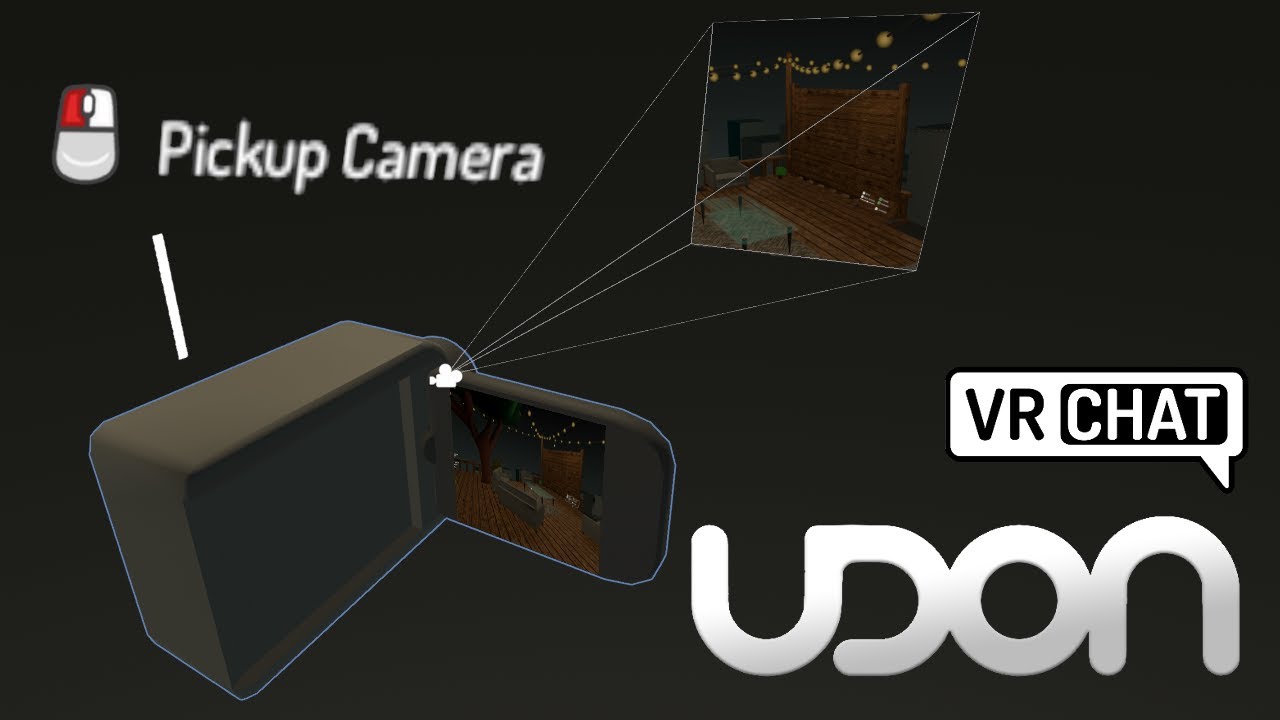
Making a camera was one of the first things I added to my first world. They are super easy, and don't require any udon to setup, so those of you still using the old skd2.0 should get something out of this tutorial as well! They're also Quest compatible!
Their only downside is their performance cost, which means you can only have one or two max o...
 fringe idol
Hey I am new to UDON and I am trying to figure out how to make a randomizer. (get a new random number every time) I'm trying to make this work in a way that the player can have a different experience every time they start my game in my world. Does anyone have any tips or videos on how to do it? please @ me. Thank you
autumn oriole
fringe idol
Hey I am new to UDON and I am trying to figure out how to make a randomizer. (ge...
on udon graph you can use Random.Range for int or float
 fringe idol
@autumn oriole Thank you very much!
 burnt goblet
So, I'm trying to make a music system to my world and I wanna be able to toggle looping, is there anyway I could change the looping state.(Sorry if this is something easy and obvious but I'm really new to udon and I'm kinda stupid)
 night viper
burnt goblet
So, I'm trying to make a music system to my world and I wanna be able to toggle ...
night viper
burnt goblet
So, I'm trying to make a music system to my world and I wanna be able to toggle ...
There is a "Set loop" you can use on an AudioSource. If you are using graphs it looks like this.
 burnt goblet
Thank you very much
 spark walrus
does anyone know how i can map an animation to a float 0-1, so that a slider-value drives the animation from start to end? Animationstate.time seems to be deprecated
indigo finch
spark walrus
does anyone know how i can map an animation to a float 0-1, so that a slider-val...
I've always done it with an animator, but perhaps that's overkill for what you need: https://youtu.be/r-3L2h0yDkc

Here's how you can make a world darkness slider in udon! For now at least, Udon doesn't allow for you to access any of the post processing variables, so it took me a while before I learnt how you could do it via animations. That being said, using this method could totally be used for other post processing effects like bloom or vignetting, not ju...
fickle blade
I have multiple booths here using cameras, but I want to enable/disable all of them other than the one I'm using.
I think the best way is to add a large invisible box collider as a trigger, but I have no idea how to do the enabling/disabling bit.
 spark walrus
fickle blade
I have multiple booths here using cameras, but I want to enable/disable all of t...
spark walrus
fickle blade
I have multiple booths here using cameras, but I want to enable/disable all of t...
you mean once a player enters box the camera-object gets disabled?
or enabled
fickle blade
When a player enters the booth, it would disable the cameras in the other booths and enable the one for the current booth
That way only the current booth would have an enabled camera
spark walrus
ok then best thing to do disable all on default and make a box for each box that should enable
add udon-script to box and write in the onplayerenter
the script needs a public variable for the camera that you want to enable
then in the onplayerenter function you can make the variable to variable.setActive(true)M
and onplayerexit variable.setActive(false)
fickle blade
Not getting an onplayerenter, but there's a collision one 🤔
 spark walrus
thats the one
fickle blade
Can't find the second one now
My only experience with Udon is following tutorials step-by-step as the flowchart style makes no sense to me :P
 spark walrus
oh is there a vc in here?
fickle blade
Voice Chat? Can't see one in this server, actually
spark walrus
damn ok, you also never tried udon_sharp before right? writing scripts in c# i mean
fickle blade
Never used it, I've only used a couple of simple languages
fickle blade
Do I use the plus on the variables box to make the variable or do I do that elsewhere?
 spark walrus
the OnPlayerCollisionExit is right under OnPlayerCollisionEnter
spark walrus
fickle blade
Do I use the *plus* on the variables box to make the variable or do I do that el...
plus then tippe the type you want in this case GameObject
fickle blade
With or without what appears to be square brackets?

 faint delta
Hey folks! Can anyone offer a quick how to (or link to a tutorial) on pulling in and checking a variable from another entity when using the OnTriggerEnter function? In this case, I'd like to check a Branch against an int on the VRC_Pickup entering the trigger in the Udon graph on the OnEnterTrigger. I'm assuming there's some way to reference "object that entered" but Udon can be tricky in finding the right noodles.
spark walrus
fickle blade
With or without what appears to be square brackets?
without, the one with means multiple gameobjects in a bundle called "array"
fickle blade
Ah, gotcha
trail palm
a question regarding udon object sync. i have this guy patroling through my world. he follows a fixed path on a set speed. just puting in a normal object sync component doesnt really work, if i do that he becomes slower for everyone and it looks weird. how can i make him sync while not affecting his speed. i thought of two options, either somehow only make it sync on a 10 to 20 sec interval, or to have everyone sync it off the room master while it doesnt affect him
 indigo finch
fickle blade
Not getting an `onplayerenter`, but there's a `collision` one 🤔
indigo finch
fickle blade
Not getting an `onplayerenter`, but there's a `collision` one 🤔
Slight correction here, but you want onPlayerTriggerEnter not onPlayerCollisionEnter. As you are entering a trigger, not impacting with a solid object
fickle blade
indigo finch
Slight correction here, but you want `onPlayerTriggerEnter` not `onPlayerCollisi...
Resolved it with a private call and screen sharing, but thanks anyway :)
trail palm
î0 dont know what would be a good workaround. i made two short clips to demonstrate. one is without the object sync. it works well and looks normal. the other one is with the object sync. its much slower and the animation doesnt fit the speed anymore
 charred solstice
Has vrchat applied any limitations on 5 or 7 point surround-sound? In the documentation it says it is supported in the reference player, however in testing it isn't.

 pearl tiger
trail palm
î0 dont know what would be a good workaround. i made two short clips to demonstr...
pearl tiger
trail palm
î0 dont know what would be a good workaround. i made two short clips to demonstr...
Currently trying to solve this issue as well in one of my maps and someone sent me this video maybe it'll help even though its an hour long presentation https://www.youtube.com/watch?v=xVXXS7HX7Og

In this TLX Spring 2021 session, Centauri focuses on how to create simple local and synced AI, and different ways to sync it between multiple players.
Check out other talks from the TLX Spring 2021 event at https://www.youtube.com/playlist?list=PLTgqlzYxsEMxiUvVaqBcD5OL9MpdmkiSH
Learn more about Prefabs TLX at https://tlx.dev
Follow TLX on Tw...
trail palm
pearl tiger
Currently trying to solve this issue as well in one of my maps and someone sent ...
this is a good video, however i thjink some of the stufff in there might help me, but my character isnt exactly an ai so i need to think on how to do it. pasically, i just want the transform and rotation values synced, but not every frame, more like every 20 seconds
 viral fjord
I'm trying to add downforce to a rigidbody based on its speed but it's not working. I've got it set to something ridiculous (x9999) and it doesn't have any effect. Am I applying the force/forcemode wrong?
 indigo finch
viral fjord
I'm trying to add downforce to a rigidbody based on its speed but it's not worki...
indigo finch
viral fjord
I'm trying to add downforce to a rigidbody based on its speed but it's not worki...
depends on what your doing, but usually you would want to use rigidbody.AddRelativeForce instead of rigidbody.AddForce, as you want it to power downwards from the car, not in world space.

That being said, honestly, -9999 isn't that large of a number, depending on the mass of your object. For thrust for an example vehicle with a mass of 1, I normally would use a thrust of 500. that might help to keep things in scale
 vapid niche
I have a simple script for an object to be invisible on pickup and become visible again on drop. But I need it to be synched. so I have this script, it works in unity and cyanemu... but when I upload to VR chat, it just acts like aregular pickup and doesn't go invisible
 indigo finch
vapid niche
I have a simple script for an object to be invisible on pickup and become visibl...
indigo finch
vapid niche
I have a simple script for an object to be invisible on pickup and become visibl...
You can't have two custom events with the same name. cyanemu is probably just ignoring it, but vrchat isn't. As they do the same thing, you could just delete one of them and both scripts will call the same custom event.
That being said, if someone joins the game late while the object is in the opposite state (or misses a networked event call), they will always see it in the opposite state. To fix that, you really want to have them separate, and make it so that it is always on when one is called, and always off when the other is called
 viral fjord
indigo finch
That being said, honestly, -9999 isn't that large of a number, depending on the ...
viral fjord
indigo finch
That being said, honestly, -9999 isn't that large of a number, depending on the ...
Maybe stupid question, but is there an easy way to see the current force on a rigidbody? This seems to work, but now my car gets smashed into the floor no matter what force I multiply by. Though, I'm using the package UdonSimpleCars which couples the rigidbody to four wheel colliders, so maybe its script just freaks out when it interacts with this.
indigo finch
viral fjord
Maybe stupid question, but is there an easy way to see the current force on a ri...
I've never managed to get good results using wheel colliders for anything at any decent speeds.
As for your question, perhaps this will clear it up: https://forum.unity.com/threads/calculating-force-from-velocity-and-mass-some-common-misconceptions.328128/

Unity Forum
Original question
"Does anyone know how to calculate the velocity of an object of a given, constant mass after using AddForce? There is no resistance...
trail palm
i dont get udon. this is what ive been fabricating and it still doesnt work.

 lapis owl
noob question but is udon 100% needed or could you just use C#?
indigo finch
lapis owl
noob question but is udon 100% needed or could you just use C#?
udon is needed, but you don't have to code in udon graph. There are 3rd party compilers, like Udon# from merlin, that allows you to code in a more traditional manner
lapis owl
ah ok thx
indigo finch
trail palm
i dont get udon. this is what ive been fabricating and it still doesnt work.
Dunno what your trying to do, but this code will run whenever a trigger enters this object's collider. it will then check to see if the object has an udon behaviour of any kind on it. If it does, it will see whether or not it's target audio Source is playing, and turn it on if it's off, and off if it's on
pallid roost
vapid niche
I have a simple script for an object to be invisible on pickup and become visibl...
Is the object that is getting picked up the one that is turning invisible?
I'm not sure the behavior will even respond to an event if the object it is attached to is disabled
indigo finch
pallid roost
Is the object that is getting picked up the one that is turning invisible?
I'm ...
It's an object variable, so it's another object
pallid roost
indigo finch
It's an object variable, so it's another object
I would assume as much, but it's possible they're passing the same object in so wanted to be sure.
indigo finch
pallid roost
I would assume as much, but it's *possible* they're passing the same object in s...
they said it was working in cyanemu, so figures it was doing what they wanted in testing, just not in vrchat
pallid roost
True true
 slim jacinth
Does anyone know if it's possible to hit a json endpoint with a payload via udon or udon sharp and read the response data?
trail palm
indigo finch
Dunno what your trying to do, but this code will run whenever a trigger enters t...
Well, since im new to udon my original idea went right over my head. For starters, I just want to play a sound every time a player steps into the trigger area
 gaunt harbor
hi there i could not open control panel,how to solve this question thank you

 elder peak
slim jacinth
Does anyone know if it's possible to hit a json endpoint with a payload via udon...
elder peak
slim jacinth
Does anyone know if it's possible to hit a json endpoint with a payload via udon...
not possible
indigo finch
trail palm
Well, since im new to udon my original idea went right over my head. For starter...
Ah, there is a dedicated event node for that, called onPlayerTriggerEnter
trail palm
indigo finch
Ah, there is a dedicated event node for that, called `onPlayerTriggerEnter`
so if i replace that, it should work?
indigo finch
gaunt harbor
hi there i could not open control panel,how to solve this question thank you
This channel is for udon. I would ask in #avatar-help
 somber trellis
Would anyone be able to explain how to create a wall lever that you could grip/move? Having problems with my entire lever.
 prisma prism
maybe use an invisible pickup object and track the lever to it with some type of constraint
 clear root
indigo finch
You can't have two custom events with the same name. cyanemu is probably just ig...
clear root
indigo finch
You can't have two custom events with the same name. cyanemu is probably just ig...
How do you get thoes boxes around your node groups?
indigo finch
clear root
How do you get thoes boxes around your node groups?
select all the nodes you want as part of the group. then 'right-click, create group'
clear root
Thanks
unborn hornet
charred solstice
Has vrchat applied any limitations on 5 or 7 point surround-sound? In the docume...
With a proper setup, 5.1 surround is supported. This includes both setting up the speakers correctly, but also making sure the media being played has properly setup multi-channel audio.
The vast majority of audio (including basically all of youtube) is just left/right stereo or mono.
 cunning cipher
has anyone thought of the idea of re-creating Jackbox games into VRChat? some of the fun gesture ones like Fakin' It would be so fun in VR
I guess it might be difficult for that one because I think the it implies you know about the people in the room but it could be tweaked maybe
viral fjord
indigo finch
I've never managed to get good results using wheel colliders for anything at any...
I'm finding that as well. Do you know of a good alternative to wheel colliders? And thanks for your help
trail palm
ok, i dont really understand the udon system yet, but this is what i have now. it works locally pretty well, now i want it synced with every player. how would i do that
 somber trellis
anyone know how I can keep the lever in one place without me being able to pick it up?
somber trellis
I added hinge joints and vrc pickup. Not sure if that had something to do with it
trail palm
i dont get it, i am confused
 mossy cobalt
Hello, So I am running into an issue where if for example "a quest user clicks the buttons and a PC user tries to use the buttons next, the buttons dont work" is there any way to make it so the buttons are local and any user can use the buttons? I feel making it local would allow for a better experience for the players. If someone can help me with this issue that would be so wonderful 🐵
The button system is the default example system used in the world SDK for VRC. I just removed the follow player script to keep them where they are.

 trail palm
mossy cobalt
Hello, So I am running into an issue where if for example "a quest user clicks t...
trail palm
mossy cobalt
Hello, So I am running into an issue where if for example "a quest user clicks t...
im not an expert at all, but you need to find a way to make it work without any nodes that have serialization or deserialization in them
trail palm
i dont know whats wrong. im trying to have the top group affect normal players and the bottom group affect players which names i manually set up in the "PlayerNames" string. but i have no idea how to make the system check that. both groups work on their own. the nodes that arent in the group have to be the problem. my idea was to get the name of player that is in the trigger and then compare it with the "PlayerNames" string and if the name matches with one of the string names, it should be true for the branch, and if the names dont match, it should be false. but what im doing clearly isnt working

and of course the event should trigger for everybody as soon as a player gets in the trigger area, which of the 2 branches get active however, should only be decided my the player in the trigger.
 cedar iron
Looking to make a pvz world and am wondering how to set up an inventory, cash, and placement system?
 south compass
Does anyone know the discord or where I can get UdonSharp 1.0? I need for project am working on.
trail palm
south compass
Does anyone know the discord or where I can get UdonSharp 1.0? I need for projec...
you want to know how to get the udon sharp unity package? or specifically 1.0
south compass
specifically 1.0 that is not in the package it in some discord and need it for package file I was given.
UdonSharp 1.0 beta is in MerlinVR discord however there no link to it only a twitter post say it there
trail palm
south compass
specifically 1.0 that is not in the package it in some discord and need it for p...
i can dm you an invite to the udon sharp creators discord
its literally on the bottom of the github page
south compass
🤦
trail palm
 south compass
oh my lord am looking at the old github and twitter everywhere ells apart from the bottom of that post lamo
thank you
trail palm
i now have this system, it works perfectly fine if the string only has one instance. however, if it has more than one instance, the branch node at the end, activates both the true and false. im checking for names. so if i step in the trigger and also have my username set in the "PlayerNames" string it will activate the true branch, but if 2 different names are set in the "PlayerNames" string, the event will be true when my name is processed in the string, but false if the other name is instanced in the string. however, i want that if its true once in the string, false doesnt even start to play.

 proud skiff
Is anyone able to help with udon sharp? (Dm me)
faint delta
Hey Player_Bush001 (not tagging you since it's not important) if you read this, I just wanted to say your Youtube tutorials are excellent, easy to follow, and have helped me figure out a number of thorny issues. So thanks for doing those.
 mossy cobalt
hey, so just a simple question, is there any way use physbones in a world? I am wanting to add a tire swing to my world and want to allow players to push each other while sitting on it using the physbones. is there any way this is possible?
trail palm
mossy cobalt
hey, so just a simple question, is there any way use physbones in a world? I am ...
im not sure, but there is got to be a better way than physbones.
pallid roost
mossy cobalt
hey, so just a simple question, is there any way use physbones in a world? I am ...
There isn't yet. It's planned though
somber trellis
Is there a way to make particles appear when two pickup objects touch? (Like sparks)
Couldn’t find much online about it and very little on the topic with udon
mossy cobalt
pallid roost
There isn't yet. It's planned though
ok thank you for letting me know
indigo finch
somber trellis
Is there a way to make particles appear when two pickup objects touch? (Like spa...
Yea, there isn't a lot out there, but it's also kinda a niche thing compared to other glaringly missing tutorials.
See if you're any good at reading cryptic, as this is roughly how I would go about doing it:
onCollisionEnter/onTriggerEnter -->> collision. get gameobject --->> gameObject, get name -->> string, contains(string variable (part of name that all your pickups have)) -->> branch --(true)-->> animator.set trigger(animator variable) <<-- string, const (trigger name).
Then have an animation on your animator that fires a burst of particle by triggering the emission temporarily, before returning to off, and going back to the previous animation state.
somber trellis
indigo finch
Yea, there isn't a lot out there, but it's also kinda a niche thing compared to ...
Thanks! I’ll look into experimenting with this
 radiant ingot
Hey! So I'm still somewhat new to Unity udon stuff. and In VRC SDK I tried launching Local Testing and for some reason Vr chat is not launching. Instead Microsoft is trying to find it in there store. if someone knows how to fix this please let me know. Im so confused.
 calm zephyr
I'm desperate for some help with Udon graphe. I cant figure out how to update events for late joiners. I thought Is master worked but not anymore I guess. Could anyone please show me a photo of an example ?
 eternal canyon
Hi, is there any UDON sample on how to add a looping playlist as the background music, without making different music into a single clip
 dawn forge
eternal canyon
Hi, is there any UDON sample on how to add a looping playlist as the background ...
dawn forge
eternal canyon
Hi, is there any UDON sample on how to add a looping playlist as the background ...
I have a U# example, but not in the form of a graph. Would it still be helpful?
topaz jetty
eternal canyon
Hi, is there any UDON sample on how to add a looping playlist as the background ...
There's probably some pre-made video players that have this feature
topaz jetty
calm zephyr
I'm desperate for some help with Udon graphe. I cant figure out how to update ev...
Events don't update for late joiners, you need to use synced variables instead
calm zephyr
topaz jetty
Events don't update for late joiners, you need to use synced variables instead
I'm not so sure how to do that. I used to have an udon graph that got info from master and shared it with on player join but that does not seem to work anymore.
topaz jetty
calm zephyr
I'm not so sure how to do that. I used to have an udon graph that got info from ...
What are you trying to sync? Then I could explain it for that spesifically
calm zephyr
topaz jetty
What are you trying to sync? Then I could explain it for that spesifically
If I toggle a cube to inactive for example. I would like players who join to see it is inactive. Or if a flash light turns on I want them to see it is on when they join late
eternal canyon
dawn forge
I have a U# example, but not in the form of a graph. Would it still be helpful?
Thanks for replying, could you please send it to me. Maybe it will work with the help of Udonsharp
topaz jetty
calm zephyr
If I toggle a cube to inactive for example. I would like players who join to see...
Ok so first in untiy set the udon behaviour sync mode to manual
Then in graph you want to make a variable with "synced" checked
So every object has an owner, and the owner of an object can change the synced variables. So the first thing you want to do when someone presses the button is Networking.SetOwner to set the owner of the object that pressed the button
Then you change the variable, so for a toggle you'd use a boolean
Then you use the RequestSerialization node to send the variable changes to everyone else
Then there's an event called "OnDeserialization", that event fires whenever a synced variable changes, in there enable/disable the cube whenever the variable is true or false
Whenever a late joiner joins it will automatically fire OnDeserialization for them with the current state of the synced variables
You will also need to manually do the changed outside of ondeserialization for the person that fires requestserialization because they don't receive the variables, they send them, so OnDeserialization isn't fired for them. You can either do set variable > request serialization > set cube state or you can just do the lazy way and call OnDeserialization yourself, which is what I always do. Not sure if you can do that in udon graph though because I always use U#, but you could try SendCustomEvent and the event name _OnDeserialization
calm zephyr
topaz jetty
Ok so first in untiy set the udon behaviour sync mode to manual
Then in graph y...
Your help is greatly appreciated. I dont know much about variables and how to use them but ill try to take this information you gave me and try my best. You wouldn't have a photo example by chance do ya ? There are like no tutorials online for this topic
topaz jetty
calm zephyr
Your help is greatly appreciated. I dont know much about variables and how to us...

So this took me longer than it should have.
Time to toggle objects again, but this time, for everyone! You'll see that syncing is a little bit more complicated than it was in SDK2, so to set everything up we have to tell every player to toggle that object, but also catch up anyone who joins in after the button was pressed!
All assets are availab...
somber trellis
What should I add to this to trigger a teleportation ?
 topaz jetty
somber trellis
What should I add to this to trigger a teleportation ?
topaz jetty
somber trellis
What should I add to this to trigger a teleportation ?
https://github.com/MerlinVR/UdonSharp/wiki/vrchat-api#vrcplayerapi
Networking.LocalPlayer.TeleportTo(position, rotation)

GitHub
An experimental compiler for compiling C# to Udon assembly - VRChat API · MerlinVR/UdonSharp Wiki
somber trellis
topaz jetty
https://github.com/MerlinVR/UdonSharp/wiki/vrchat-api#vrcplayerapi
Networking.L...
Awesome, thanks! Would I have to create an udon graph to cope with the teleportation or is it just fine as is?
topaz jetty
somber trellis
Awesome, thanks! Would I have to create an udon graph to cope with the teleporta...
No, everything that can be done in udon graph can be done in udonsharp (udon sharp can even do a little bit more like function arguments)
somber trellis
Nice.
somber trellis
topaz jetty
https://github.com/MerlinVR/UdonSharp/wiki/vrchat-api#vrcplayerapi
Networking.L...
As for position, could I just put in the game object/empty’s name?
(I’m fairly new to udongraph/sharp if you couldn’t tell 😳)
topaz jetty
gameObject.GetComponent<Transform>().position
or you can manually enter the x, y and z with new Vector3(x, y, z) if you want
unity objects have different components for different functionality and you can get the components by using GetComponent<type>()
the transform component is a component that every object has that handles things like position, scale and rotation
so if you have a GameObject variable called location you'd do something like cs Transform locationTransform = location.GetComponent<Transform>(); Networking.LocalPlayer.TeleportTo(locationTransform.position, locationTransform.rotation);
somber trellis
topaz jetty
so if you have a GameObject variable called location you'd do something like ```...
Imma test this out rq and see if it all works out. Might ask another question or two later
topaz jetty
You can also just use a public transform variable directly
public Transform location;

public void _teleportToLocation()
{
Networking.LocalPlayer.TeleportTo(location.position, location.rotation);
}
And where what would I replace with the gameObject’s name?
topaz jetty
if you want the gameobject's name from a transform then it'd be (transform variable name).gameObject.name
somber trellis
Ok
burnt goblet
So I'm an idiot as usually and can't seem to figure this out. I'm trying to make a music player and I want to have a pause/play button. Is there anyway I can detect the currently playing file and then apply the toggle effect to that? I basically have the toggle pause/play thing but somehow applying it to currently playing file.
 past lance
Hey, would anyone know how to make a camera toggle in udon? I can't seem to find a single video explaining how to do it
 eager olive
Camera toggle? As in, switching to a different camera?
Something like this? https://streamable.com/jjh4ff (Ping me if that's the case)
 pallid roost
Can we use coroutines in U#? I haven't tested it. But am curious and aren't at home ATM to try XD
I know we can do some things similar with call custom events it you structure your events right but its not the same.
 scarlet heron
can someone help me with my Ui? i can get it to work with buttons but not toggles...
 proud skiff
proud skiff
proud skiff
i like how absolutely no one acknowledged my question
indigo finch
proud skiff
i like how absolutely no one acknowledged my question
I mean I saw it, but what was the question? (other than asking someone to dm you)
proud skiff
well, im trying to put a video player in here that requires U# but when i put it in there, i get script erros, but then i fix all them.. and then it still tells me there are script errors..
but.. theres nothing there in the console
indigo finch
if you click on a udon# code in the project window, you can tell it to recompile all udon# scripts. do that, and you might get the correct error messages
proud skiff
ohh okay
thanks, i'll try that
this world im doing is a commission
i have less than 2 weeks to finish it
 desert steppe
Does anyone knows what's this ownership transfer thing in log?
 elder peak
did someone leave the instance?
desert steppe
elder peak
did someone leave the instance?
It spamming this whenever people join and leave the instance
elder peak
desert steppe
It spamming this whenever people join and leave the instance
what i assume this is, the instance master leaves the instance, all their ownerships transfer to the new master (next oldest joiner in the instance)
desert steppe
elder peak
what i assume this is, the instance master leaves the instance, all their owners...
Oh but inside the world there arent much global objects other than the doors
 fleet badge
anyone know what is going on i cannot get into vr chat?
indigo finch
fleet badge
anyone know what is going on i cannot get into vr chat?
thats more of a question for #user-support-old
indigo finch
pallid roost
Can we use coroutines in U#? I haven't tested it. But am curious and aren't at h...
nope, currently the only way is with delayed custom event..
pallid roost
indigo finch
nope, currently the only way is with delayed custom event..
Aww, well thats unfortunate.
indigo finch
scarlet heron
can someone help me with my Ui? i can get it to work with buttons but not toggle...
You weren't that far off. Just the gameObject,Get ActiveInHierarchy part was off. Also the toggle should be stored as a toggle/uiToggle (first is variable name, second is search name...) instead of as a gameObject
 indigo finch
calm zephyr
If I toggle a cube to inactive for example. I would like players who join to see...
indigo finch
calm zephyr
If I toggle a cube to inactive for example. I would like players who join to see...
You sound like you've probably found a solution (and sorry for the ping if so), but if not, I actually covered doing both those with udon graph: https://youtu.be/19HMJaHGtqw, https://youtu.be/-p-QPxtWg3o

Here's a tutorial about toggling either one or multiple gameObjects via a button in udon. Something I forgot to mention in the video, is if you to toggle multiple gameObjects without alternate toggle a second list of gameObjects; either make a random empty gameObject for it to toggle, or remove the second for loop from the script.
Cycling thou...

Here's a quick tutorial covering how to make a torch that you can turn on and off.
There are plenty of horror maps made in vrchat, so this one is nice to have out there. Perhaps there will be another tutorial on a horror 'must have' in the future...
So hopefully this is helpful. As always, if you have any questions, feel free to ask in the com...
topaz jetty
desert steppe
Oh but inside the world there arent much global objects other than the doors
If you don't set sync type to "None" it will still transfer ownership even though it doesn't have any synced variables
desert steppe
topaz jetty
If you don't set sync type to "None" it will still transfer ownership even thoug...
Okay will check! Thanks
scarlet lake
Hello! Not sure if this is the proper channel, but I'm trying to add Darts to my world. If anyone has any links to something I can download or buy, I'd really appreciate it. Thanks!
 unreal grail
Here's a weird one. I have a function that gets the player tracking data (head) and sets a transform...ya know, the normal stuff. But randomly, it throws a null reference error and the script stops functioning.
However, I can't do a normal null check because I am told that Operator '!=' cannot be applied to operands of type 'VRCPlayerApi.TrackingData' and '<null>'.
Error:
  An exception occurred during EXTERN to 'VRCSDKBaseVRCPlayerApi.__GetTrackingData__VRCSDKBaseVRCPlayerApiTrackingDataType__VRCSDKBaseVRCPlayerApiTrackingData'.
      Parameter Addresses: 0x00000026, 0x0000000F, 0x00000004

  Object reference not set to an instance of an object.
Code (the line throwing the above error is commented out):
    private void FixedUpdate() {
            VRCPlayerApi.TrackingData localHead = Networking.LocalPlayer.GetTrackingData(VRCPlayerApi.TrackingDataType.Head);
            // if (localHead != null)
                    transform.SetPositionAndRotation(localHead.position, localHead.rotation);
    }
Kinda like switching to different cameras through different button (Like in FNaF if ur familiar with that)
eager olive
I'm not, but the way I do it is by adding an extra camera!
With target display set to "Display 1". If the camera is enabled, it'll render over the VRChat window's normal view.
I also use cinemachine for fancy camera movement, but that's an advanced topic 😄

I'd recommend just toying around with an extra camera in your Unity scene, to get a feel for it.
past lance
@eager olive Ah thanks! Just one other thing, would u know how to make it so that the camera see's a certain light but the player can't?
If that makes sense
So when looking through the camera, u see a light but looking out of it shows nothing?
 mighty fjord
unreal grail
Here's a weird one. I have a function that gets the player tracking data (head) ...
mighty fjord
unreal grail
Here's a weird one. I have a function that gets the player tracking data (head) ...
Are you getting this error in the editor?
To me it sounds like Networking.LocalPlayer is returning null, which is normally will if you're in the editor, unless you've got CyanEmu
pallid roost
scarlet lake
Hello! Not sure if this is the proper channel, but I'm trying to add Darts to my...

説明 ソフトダーツをVRChat内で遊ぶためのUdonワールドギミックです。 以下のVRChatワールドにて本アセットの使用例をご確認できます。 (このワールドのSceneデータをサンプルとして含めています。) https://vrchat.com/home/launch?worldId=wrld_954bc9f3-1585-40c4-a0e1-1e489a95da88 ※※※※※※※※※※ 重要 ※※※※※※※※※※※ このギミックはUdon(Udon Sharp)で作成されています。 VRCSDK3の利用が前提になりますのでご注意ください。
unreal grail
mighty fjord
Are you getting this error in the editor?
It's both. Sometimes it happens when another player joins. I can nullcheck Networking.Localplayer though, right?
mighty fjord
unreal grail
It's both. Sometimes it happens when another player joins. I can nullcheck Netwo...
Yeah, you can check if it's null
scarlet lake
I need help
 split shale
How could I make a full body compatible drum set in my world?
pallid roost
scarlet lake
I need help
The best way to get help is to ask a specific question so people that know the answer can chime in and answer it.

 lavish torrent
how can i get new user so i can upload avatars?
 shut ermine
quick thing uh, if i have a pickup is there a way if i press my controller triggers it make a noise?
pallid roost
lavish torrent
how can i get new user so i can upload avatars?
Just play the game. Make some friends. Get a few hours.
And make sure you have an actual vrc account and aren't using a steam or oculus one as they take forever to level up
lavish torrent
pallid roost
Just play the game. Make some friends. Get a few hours.
And make sure you have a...
thank you for the tip !
 swift nebula
Looking for some help with a way to get audio to ONLY play locally on a button press. The attached image is my current trigger that sets the game object to active and I would like only the player who pushes the button to hear the audio. Any ideas?
https://i.imgur.com/J7YbIfi.png

 grand temple
that should work if by press you mean touch
if you mean the blue outline that you click with your hand, that's called interact
indigo finch
shut ermine
quick thing uh, if i have a pickup is there a way if i press my controller trigg...
OnPickupUseDown --->> audioSource.Play
swift nebula
grand temple
that should work if by press you mean touch
Yes it works but the audio plays for everyone, not just the player who triggered it.
grand temple
that doesn't make sense.... you're checking islocal, that should be exactly what you need
swift nebula
¯_(ツ)_/¯
indigo finch
Likely something else in your scene that your missing. This should work
swift nebula
indigo finch
Likely something else in your scene that your missing. This should work
Oh hi Bush! Someone just recommended me your video in another discord lol. Gonna just rebuild it using ur little tut and see if it fixes. I must've done something weird.
indigo finch
swift nebula
Oh hi Bush! Someone just recommended me your video in another discord lol. Gonna...
Hello ^^
shut ermine
indigo finch
`OnPickupUseDown` --->> `audioSource.Play`
Do you also know how to make stuff appear and disappear like a muzzle flash?
trying to remake the murder 4 gun btw
indigo finch
shut ermine
Do you also know how to make stuff appear and disappear like a muzzle flash?
try...
If your trying to do a bunch of visual stuff (including sound), I would instead do it all as an animations controlled by an animator, and then call it from udon with animator.set Trigger instead of the audioSource.Play node
 feral tartan
Hello all, I have a question. If I have a gameObject with a script on it what holds also a OnDeserialization() in the script. That gameObject works true a gameObject toggle(Like a toggle button). For example when entering the world its on default turned off and with a push of a button that gameObject will turn on. How can I make the OnDeserialization() to work? Because it breaks after turning that gameObject on, the RequestSerialization() is done but the OnDeserialization() doesn't work. But when I turn it on on default, then it works just normally. Do I first need to set in the Start() the the gameObject is owned by the 'Instance Master' and if so how do I call that in C#, or do I need to do something else? I was trying to find an answer in the forums or here but couldn't find anything about this topic. Thank you in advanced.
indigo finch
feral tartan
Hello all, I have a question. If I have a gameObject with a script on it what ho...
This sounds like you have a scripting error more than anything else. Mind sharing the code?
pallid roost
If I'm understanding what your saying right is that it isn't syncing correctly if the object is turned off by default? Or just they the deserilization isn't working?
feral tartan
Just the OnDeserialization(). It is not triggered when I do a RequestSerialization(). And that only happens after I turn on the gameObject what holds that code. But if its on by default then it works normally and the OnDeserialization() gets then normally triggered.
pallid roost
feral tartan
Just the OnDeserialization(). It is not triggered when I do a RequestSerializati...
Ah I see your issue here.
feral tartan
indigo finch
This sounds like you have a scripting error more than anything else. Mind sharin...
I kinda do mind to share yes.
indigo finch
feral tartan
I kinda do mind to share yes.
okay, no worries
pallid roost
onDes isn't triggered for the person who called the request serialization
Only for the remote clients
You need to manually call whatever your onDes does for the person that calls it
That is called when the client receives data. And or course the sender doesn't need to receive it, they already have it
feral tartan
True, but the remote doesn't trigger the OnDeserialization() when the Owner calls it. 🥴
pallid roost
Is the person calling it the owner of the obejct the behavior is on?
And is the object active, the behavior on an inactive object won't run
feral tartan
    private void Start()
    {
        localPlayer = Networking.LocalPlayer;
    }

    public void somename()
    {
        if (!Networking.IsOwner(this.gameObject))
        {
            Networking.SetOwner(localPlayer, this.gameObject);
        }
        if (Networking.IsOwner(this.gameObject))
        {
            RequestSerialization();
        }
    }
    {
      some code here
    }
Yes the gameObject what hold this code is at that moment active/on.
pallid roost
Yea that'll be the issue. If it's turned off by default it won't be able to turn on.
To solve that you need to put the behavior on a different object and give that a refrence to the one you want to toggle
feral tartan
Ok so If I understand correctly I cant toggle a gameObject what holds a script what holds something like this. So better to put it for example in the root so its always on.
pallid roost
Yup
pallid roost
If you really wanted to keep it on it you could toggle off the mesh renderer instead of the object, that way the behaviours can still run
But generally it's easier to just put the udon behavior on an empty object that toggles the ones you want from there
feral tartan
Yeah I will transfer it to a empty gameObject that would be a better practice and easier to toggle the object I want to toggle because of the complex system I'm building. Thanks for the help.
pallid roost
No worries! I had the same issue in the beginning too.
Didn't know that a script wouldn't run on a disabled object. But it makes total sense.
feral tartan
Well it is on default Disabled/Off. But after toggling it to Enabled/On even then it doesn't run. Only when its from default Enabled/On in the world. Soooo yeah. I will do the easy fix by transferring it to a empty gameObject and for me in the future an thing to remember haha.
feral tartan
pallid roost
But generally it's easier to just put the udon behavior on an empty object that ...
yup this worked! thnx!
 marble helm
Is their a way to sync animators between clients
spark walrus
maybe if you sync the animator parameter-variables that trigger the transition
elder peak
disabling a networked object is pretty much just asking for trouble
 warm mortar
I rewrote some of the cat likes coding movement tutorials to work in udon sharp. Basically you can get on a station and move on the surface of little planets or jump between them. It work well except for what seems like a singularity when ever the rotation is fully upside down. And angles close to that seems to be bit whack. What's odd is if I copy the code back to c sharp the problem disappears. Anyone knows how udon deals with rotations?
 clever quail
Buttons are not working for me.
There are no colliders covering them and the none behind wall
spark walrus
clever quail
Buttons are not working for me.
There are no colliders covering them and the non...
could i take a lock at it?
*look
 stoic yarrow
Hi everybody, could you tell me if google drive is still whitelisted as a source for video links ( both pc and quest) ? i've been trying for a while by using direct share links, converting the shareable url in direct raw URL , tried putting the shortcut for the youtube-dl in front of the link etc but nothing seems to work. the file is an mp4 h 264 video file
clever quail
spark walrus
could i take a lock at it?
im using the canvas render mode as world space. could that be the cause?
spark walrus
oh you mean a UI-button not a physical one
clever quail
yea
 high osprey
for canvas UIs you have to add a vrc ui shape component to the canvas and set its layes (with the childres too) to default
spark walrus
does your canvas has a vrc ui component on it?
clever quail
high osprey
for canvas UIs you have to add a vrc ui shape component to the canvas and set it...
did all that
high osprey
and you set the events to the udon behaviour?
clever quail
yes i did that
btw it works when Im use cyanemu
when I use the vrchat client it doesnt work
burnt goblet
Hello, I’m still pretty new to udon and can’t figure this out. Is there anyway I can apply for example a toggle to play/pause the music to the currently playing file?
high osprey
clever quail
yes i did that
the problem is that you can't click it? or is it that the udon behavior doesn't respond?
 gilded jungle
how do you guys set up the cinemachine for quest2 in the world?
indigo finch
burnt goblet
Hello, I’m still pretty new to udon and can’t figure this out. Is there anyway I...
I covered this in a tutorial, but instead of using audioSource.Stop, you would instead want to use audioSource.Pause
https://youtu.be/4ENVC7cCiUU

Here's a tutorial covering how to create a music toggle button for one or many music in your world! The first part only covers how to toggle it for one song/ audio source, but then I expand the script to covering a multi button setup. That does however come at the cost at needing more nodes, which I hope doesn't become too overwhelming...
As f...
burnt goblet
indigo finch
I covered this in a tutorial, but instead of using `audioSource.Stop`, you would...
Thank you very much. The system is about done with this video, there is only one thing missing and if you don’t mind I’d like to ask how would I use the same logic you used in the video for changing the clip. How could I change it so that it picks a clip from lots of different sources for example picking a random song out of a big playlist
spark walrus
is there a way to progress an animation with a value but then also resume playback normally from the point-of-progression? I can progress a Animation with a Motion_time parameter but then i cant playback normal anymore
 wind atlas
spark walrus
is there a way to progress an animation with a value but then also resume playba...
wind atlas
spark walrus
is there a way to progress an animation with a value but then also resume playba...
You could use Animator.Play. It takes a normalizedTime parameter (value between 0 and 1) to fast forward to a specific point in time.
spark walrus
wind atlas
You could use Animator.Play. It takes a normalizedTime parameter (value between ...
nice thanks
indigo finch
burnt goblet
Thank you very much. The system is about done with this video, there is only one...
sorry, for the late reply. You would do something like this, using a audioClip[] instead of a audioClip, and randomising the selected clip from the list
 burnt goblet
indigo finch
sorry, for the late reply. You would do something like this, using a audioClip[]...
burnt goblet
indigo finch
sorry, for the late reply. You would do something like this, using a audioClip[]...
Thank you sooo much, I can't thank you enough
 vast sparrow
im having a really weird error that whenever i do a build test doesn't exist but if i try and do a published build suddenly just appears for no reason any ideas why this happens
after build test

after i attempt to publish a build

i cant publish because of this please help
wind atlas
vast sparrow
i cant publish because of this please help
You should be able to upload even with runtime exceptions. Can you describe when exactly it stops you from publishing?
Also, what are the rest of the errors.
vast sparrow
none of the buttons or text boxes are responding
even after i wait for a bit
so i cant add a world name or hit publish button
wind atlas
vast sparrow
none of the buttons or text boxes are responding
Are the buttons disabled or just can't click on them?
wind atlas
Sounds like something is on top of the canvas or something?
wind atlas
vast sparrow
how would i check that?
Type "Canvas" in the search bar. You could try disabling them one by one.
vast sparrow
alright ill try that real quick
wind atlas
vast sparrow
alright ill try that real quick
But honestly that was just a quick guess. The main problem is that something is preventing your VRChat publishing canvas from receiving click events
vast sparrow
that was it thanks
 vestal mica
hey how can i make this scipt fires for late joiners?

 cold raft
i assume you want to have the object state toggled also for late joiners rights?
vestal mica
yes
cold raft
so is this about a single object or multiple?
if its a list of objects you all want to sync you could use a ObjectPool as it synchronises the objects active states
if its a single object, drive the active state with a public boolean variable, if you either have it set to continues sync or manual sync the boolean value will automagicly be send to late joiners
vestal mica
its just a collider
one gameobject with a collider
i never did something with udon graph
can you make me a example?
cold raft
not atm sorry
 bleak magnet
is there a node to combine all my game objects and then add to my toggle group without out having to do the group 4x?

if not i just do it this way
 indigo finch
bleak magnet
if not i just do it this way
indigo finch
bleak magnet
if not i just do it this way
use a gameObject array (gameObject[]), and cycle through all the entrees on the list with a for loop
https://youtu.be/s3mZ7SLfmzI
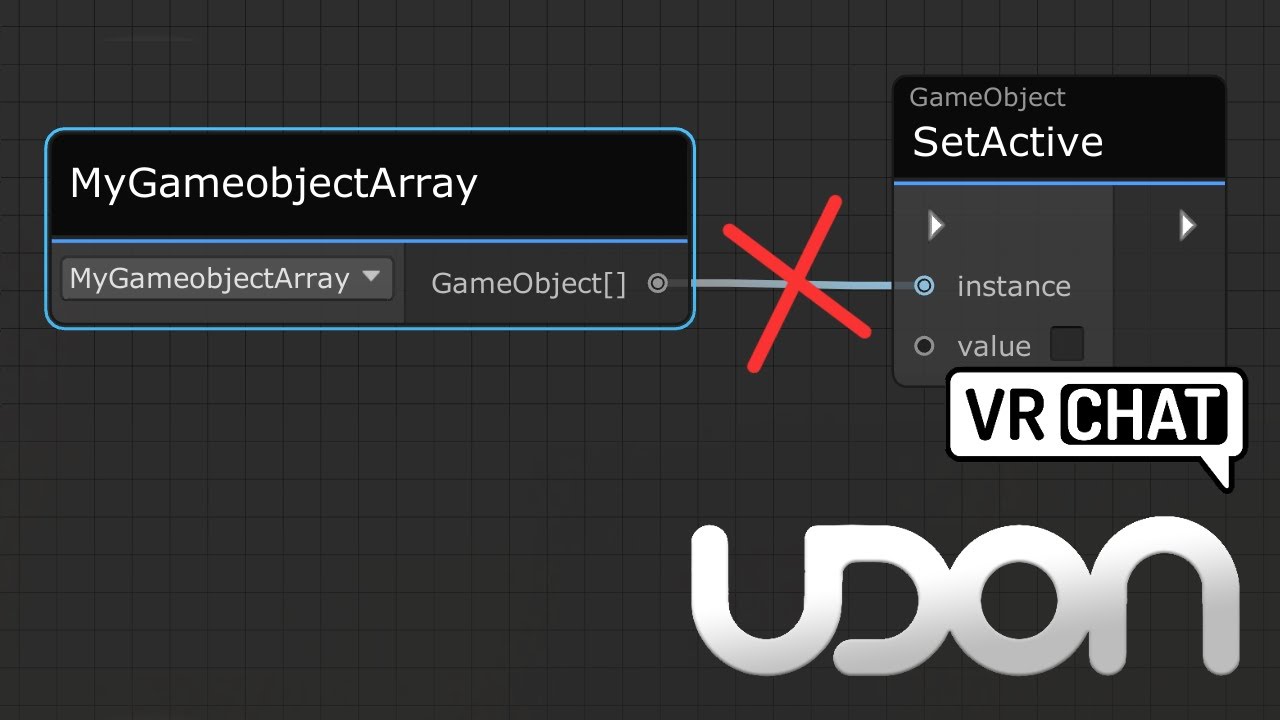
Here's a tutorial that goes over calling all game objects inside a game object array. This same method would work for any arrays, be it colliders, pickups or audio sources arrays.
I made this tutorial, as it's a little confusing not being able to directly plug a game object array into a set active node, and going from a simple toggle script, to ...
bleak magnet
ty
 hearty dock
Hey does anyone know if there’s any rave servers I can join that’s hosting an event tonight?
 vernal maple
Quick UdonSharp related issue. Does U# work with the new git based SDK files?
And if so, how do I get around this error:
Assembly 'Assets/VRCSDK/Dependencies/Managed/Microsoft.CodeAnalysis.dll' will not be loaded due to errors:
Microsoft.CodeAnalysis references strong named System.Collections.Immutable Assembly references: 1.2.1.0 Found in project: 5.0.0.0.
Assembly Version Validation can be disabled in Player Settings "Assembly Version Validation"
Assembly 'Library/ScriptAssemblies/UdonSharp.Editor.dll' will not be loaded due to errors:
Reference has errors 'Microsoft.CodeAnalysis'.
 foggy quartz
So, im creating a UI system in my world that works similarly to the UI system in Spirits of the Sea, as it looks cleaner and seems to flow better (IMO). I haven't come across any tutorial for toggling certain UI panels, except for the basic mirror toggles, which doesn't exactly translate well to UI elements (for me at least). I have U# installed but curious to know how closely related it is to C#, since i know basic C# scripting.
indigo finch
foggy quartz
So, im creating a UI system in my world that works similarly to the UI system in...
they're pretty similar, with a couple of things you can't do in udon. The most notable being public custom events can't have parameters/ variables, and you can't do lists (arrays are fine though)
foggy quartz
indigo finch
they're pretty similar, with a couple of things you can't do in udon. The most n...
So the UI system i want to do certainly would work then since its simply only a boolean.
indigo finch
foggy quartz
So the UI system i want to do certainly would work then since its simply only a ...
yup ^^
 river musk
Does anyone know how to make a keyboard that sends text to another canvas? I have the keyboard setup but IDK how to make it work, the prefabs I found don't work correctly
scarlet lake
river musk
Does anyone know how to make a keyboard that sends text to another canvas? I hav...
Im not exactly sure what your looking for. But i know this exists so see if its any help https://github.com/killfrenzy96/KillFrenzyAvatarText

GitHub
Avatar Text Shader and Animations designed to be used by OSC - GitHub - killfrenzy96/KillFrenzyAvatarText: Avatar Text Shader and Animations designed to be used by OSC
im not very good at software or what does what
so i apologise if not
river musk
I wanted to make a keyboard in a world and send the text at another spot in a room. But when interact nothing happens
river musk
scarlet lake
Im not exactly sure what your looking for. But i know this exists so see if its ...
This will not work as this needs an avatar descriptor. Im using this in a world
 graceful warren
How do I get magnitude from the GetVelocity?
I'm trying to an audiosource's volume based on player movement
 hidden tundra
If there's no option for getting magnitude directly, you could do it manually with pythagoras, sqrt(x^2+y^2+z^2)

Easier to read
I'll get a project with udon open and check for myself
graceful warren
how would I get the Vector3 that GetVelocity returns into that sqrt?
hidden tundra
You can square each value separately, then add them together and finally square root that value
grand temple
vector3.magnitude is in udon, you don't need to do the math
 grand temple
no that's exactly how it works
graceful warren
 grand temple
oh sorry
hidden tundra
Pretty sure it's meant to be Vector3.magnitude(localPlayer.GetVelocity());
Capitalisation might be wrong
grand temple
also assign localplayer on start
you should make sure your code editor is connected to unity so you get syntax highlighting and autocomplete
graceful warren
It's meant to be but not working
hidden tundra
Did you assign localPlayer?
hidden tundra
I'm not too sure as I usually use the graph to do Udon however I assume there's a tutorial which says somewhere on the internet

 hidden tundra
ah it's a capital M
grand temple
it might be getvelocity().magnitude
hidden tundra
Dope
graceful warren
now just to find good in and max values
shut ermine
indigo finch
`OnPickupUseDown` --->> `audioSource.Play`
im a little confused by this, im not really good at udon

 hazy flame
how do I place a screen share media player in my room im building?
are their any room templates
indigo finch
shut ermine
im a little confused by this, im not really good at udon
See that arrow on the OnPickupUseDown node? You want to plug that into the arrow slot of an audioSource.Play node.
Basically do what I did for the coding in this tutorial, but replace the interact node with a OnPickupUseDown node.
https://youtu.be/cQ3hWKY-NiA

A simple tutorial, covering how to make a button that plays a sound in udon. I've seen a couple of post asking about how to play a sound in udon, so hopefully this will give a good foothold to bounce off from.
If there is anything I missed, please leave a comment bellow!
 gilded marlin
Trying to figure out if I can send out a webhook from udon... 🤔
Trying to pull information from my server to have it interact with my world in some way.
gilded marlin
The answer seems to be no, with the only workaround I found being through converting the data into MP4 and streaming it through video https://feralresearch.org/lab/api-calls-from-inside-vrc/
 frosty prairie
is there any way to change the color of the line the simple pen system makes?
 rough mountain
There anyone selling a working grill prefab
Making a camp world and want a grill that works
hidden tundra
I could have a go at making one, sounds like a fun project.
 pure copper
hey not sure if this is the right place to ask - i also have already asked on the server of the creator of the video player prefab - but nobody knew an answer, so im curious if anyone has encountered the same problem as me. i can not get sound from livestreams, but there is audio from normal videos being played. i already reimported the asset, as well as trying to tinker with the sound settings, but to no avail.. if anyone has experienced the same please let me know
im talking about the MerlinVR/USharpVideo prefab
wind atlas
pure copper
hey not sure if this is the right place to ask - i also have already asked on th...
I had a similar issue a long time ago and fixed it by changing to a different output device under window's audio settings.
Try setting it to the NVIDIA High Definition Audio, if you have that, or a similar one that also receives all the audio.
pure copper
thanks i will try it
 latent fjord
hello sirs, which admin can I reach out to about commission a risk board game prefab, thank you ...
graceful warren
hmm. How can I make a particle system a child of the localplayer?
graceful warren

I'm trying to have a particle system that follows the player around in the world
last bit there is setting the parent. Error is that it can't convert VRCPlayerApi to UnityEngine.Transform. So how am I meant to set the parent of the object to the local player?
indigo finch
graceful warren
last bit there is setting the parent. Error is that it can't convert VRCPlayerAp...
You can't. Instead, create an empty, with a script that on update --->>transform. set position = playerApi. Get position.
Also, make sure to store the local player as a variable, to avoid it running networking, get local player every frame
 indigo finch
graceful warren
so that instead for the localplayer?
indigo finch
graceful warren
so that instead for the localplayer?
Do that on start

 mellow agate
Any pointers on how to make a variable movement speed zone in U#, basically a gradient of sorts? Hopefully my sketch makes sense.
 wind atlas
mellow agate
Any pointers on how to make a variable movement speed zone in U#, basically a gr...
wind atlas
mellow agate
Any pointers on how to make a variable movement speed zone in U#, basically a gr...
The player instance has some options to set movement speed you should check out if you haven't already.
Then you'd create bounds for the zone. While inside, you can use the distance from the player to the upper bound and divide it by the height.
mellow agate
The area is horizontal, but I get the idea, thanks
wind atlas
mellow agate
The area is horizontal, but I get the idea, thanks
I forgot to write that you'd obviously use that factor to multiply with your maximum movement speed. But maybe you got that too.
river musk
does anyone know how player audio works? Im trying to add certain areas you can hear player's voices from further away from normal but Anything I do doesnt work. Can someone help on this please?
pallid roost
river musk
does anyone know how player audio works? Im trying to add certain areas you can ...
When a user entere that area you need to turn up their voice far and then you'll be able to hear them further away
river musk
pallid roost
When a user entere that area you need to turn up their voice far and then you'll...
I did that, doesnt work.
pallid roost
What value did you set it to?
It does work. I use it often.
And are you sure the trigger is setting the value on then correctly
river musk
I set it as far as 200 but no change
pallid roost
Got a screenshot of your code?
river musk
I erased it after hours of different attempts. I had too much stress
pallid roost
river musk
I erased it after hours of different attempts. I had too much stress

GitHub
Scripts for use with U# and Udon in VRchat SDK3. Contribute to ModerateWinGuy/USharp-Scripts development by creating an account on GitHub.
That's my script that I use to do it
river musk
I'll try it out
pallid roost
You just need to add a box ider over the area you want to be louder. Make sure to check the is trigger box on it, attach that script to it and set the volume to whatever you like
river musk
It Actually works, Thank you!
pallid roost
👍 glad to help
 stark crescent
I have 3 sets of avatars I want to put in a world with buttons corresponding to them, how do I make buttons that toggle off when another is pushed but also turn off when they're pushed again? I'm new to udon and can't find a tutorial on this
pallid roost
There are lots of ways to do it. The simplest wojld be to just have one button turn the other two off when you click it, and vice versa for all the other ones
stark crescent
I'm aware, I just don't know how to but I'll try
stark crescent
could anyone teach me how to do this quickly if it isn't a hassle?
indigo finch
graceful warren
I tried that
Close, but you still need to define what the local player is on start, otherwise the 'object won't be set to an instance of an object'
 mellow agate
What's the equivalent of this set of blocks in U#?

Or basically, how to add an argument for the referenced UdonBehaviour?

Definitely missing something here
grand temple
nameof is for something different, you just want Counter.name
mellow agate
Still a bit confused, what is "name" supposed to be in this context?
As far as I understand, there are two parts to it:
The event name that I'm evoking
UdonBehaviour that I'm sending it to
Which goes where?
grand temple
.name is the name of the gameobject that this component is attached to
mellow agate
grand temple
.name is the name of the gameobject that this component is attached to
Kind of like this?
 grand temple
I can't answer your question because I have no idea what you're trying to accomplish, but I can at least say that seems really weird
mellow agate
Alright, a high-level overview then
I got a bunch of objects with OnTriggerEnter events that are supposed to send a Custom Event to a different object (a door) that in turn counts the events and performs certain actions above a threshold
 grand temple
ok then two things:
- why are you just sending a custom event of some random object's name? What if there is no event with that object's name? Wouldn't it make sense to hard-code a specific event?
- you probably don't want to react to all ontriggerenter events. You probably want to verify that the object you're detecting is the correct one. First you should always make sure that the object is valid with Utilities.IsValid, then you can check something like the name or the layer and make sure it's correct
 tall vault
Give your Counter method a different name so it doesn't conflict with the member variable and use nameof(NewCounterMethodName)
grand temple
oh yeah, it's not uncommon to use nameof() in sendcustomevent, but that's not because it's getting the name of some object. That might be where the confusion is. It's getting the name of the function that you want to call. And if you plug the name of the function into sendcustomevent, it will call that function. There is functionally no difference between SendCustomEvent(nameof(NewCounterMethodName)) and SendCustomEvent("NewCounterMethodName"), the only reason why people would do nameof is so that it maintains a hard link and the code editor knows they're related. So that when you right click rename something, it renames all instances of them properly instead of losing that connection
but none of this should be relevant if this function is on the same udonbehaviour. You can just do NewCounterMethodName();, no need to get sendcustomevent involved at all. Sendcustomevent is only necessary if you're trying to send an event to a different udonbehaviour
mellow agate
grand temple
but none of this should be relevant if this function is on the same udonbehaviou...
>if you're trying to send an event to a different udonbehaviour
That is the case
grand temple
in the code examples you posted, you are sending to the same udonbehaviour. Is that not what you want?
perhaps that's why things aren't working
you need a reference to that other udonbehaviour
and then you would go OtherBehaviour.SendCustomEvent("etc etc")
mellow agate
And sorry, I've actually been transitioning from nodes to U#, and I don't have any formal C# knowledge, so definitely not going about it conventionally
Here is what I've been doing before when I wanted to send to a different UdonBehavior


Which worked just fine
grand temple
I mean it may have worked but that's so roundabout, like why are you storing the event as the name of a gameobject
you can just have... a string somewhere
 grand temple
sure, that works
mellow agate
Basically got confused over the dot notation
grand temple
that's totally valid, but if you want a more robust way to do it, you could instead do something like
let's say your counter's class is an udonsharp behaviour called CounterScript
define the reference with public CounterScript counter;
then instead of sendcustomevent, you can do counter.Count();
oh yeah, the dot notation pretty much always means you're accessing or calling something inside that object
mellow agate
grand temple
that's totally valid, but if you want a more robust way to do it, you could inst...
Okay, interesting, I'll try reformatting it to your way tomorrow. Gotta go to bed though!
hidden tundra
Does anyone know if you can get autocompletion of procedures like this:

When typing onplayer only these two show up

If I write public override void OnPlayer.... It has the autocomplete, but not without override
grand temple
yeah you need the override to tell it what context you're looking for. That allows it to narrow down to what you need
hidden tundra
ah ok, cheers.
 hollow folio
So I've tried to follow the "spinning cube" guide and it fails with "System.NullReferenceException: Object reference not set to an instance of an object". I've followed two videos, both follow the same process, both error out in the same way for me. Has something changed in how this should be done now?
 vale seal
Library\PackageCache\com.unity.visualscripting@1.7.6\Editor\VisualScripting.Core\Threading\BackgroundWorker.cs(33,33): error CS0433: The type 'ConcurrentQueue<T>' exists in both 'VRCCore-Editor, Version=0.0.0.0, Culture=neutral, PublicKeyToken=null' and 'mscorlib, Version=4.0.0.0, Culture=neutral, PublicKeyToken=b77a5c561934e089'
idk what this means
hollow folio
This is literally all they do in the tutorial videos so I'm not sure what I could be missing here.
 hidden tundra
Not sure if the instance is set by default, could be not liking the fact it's empty
hollow folio
They don't seem to set anything in any of the tutorials and thus I'm not sure how I'd do that if it's needed.
hidden tundra
I think like this
 grand temple
In the udon graph, it's not necessary to assign transforms, udonbehaviours, or gameobjects. Those will automatically reference their own object, so that's why those tutorials didn't bother. The reason why it's not working is because you're using the recttransform variant, which is for transforms inside of a canvas. Recttransforms don't do the automatic reference thing in graph and it's probably not what you're looking for anyway
hidden tundra
Ah good spot, somehow missed that one.
hollow folio
Every video just searches for "transform rotate" and finds something like this...

I can't even search for rotate after transform..
 grand temple
Since then, the graph has been organized into categories which makes it search faster
So you search for transform first then rotate
However you can still access the old full search with tab
hollow folio
What do you mean "then rotate"? Do I need to click one of these before I can then search rotate?
Ah, I see it now
grand temple
You can go into transform, it's a whole category
You search for rotate inside the transform category
slim hound
grand temple
However you can still access the old full search with tab
Tab search isn't very useful a lot of the time though unfortunately
 hollow folio
Yeah, the icon and name in no way imply it's a folder, it looks like a singular object. Bad UIX :/
slim hound
Ends up being slower if you don't guess correctly
hollow folio
Looks like the issue is when I blundered through it before, I ended up with a RectTransform rather than Transform.
 ruby tide
Hey y'all, trying to change the animation applied to an avatar when they sit on a chair. I've got an animation controller using the example sittinglayer.controller where I replaced the proxy_sit animation with my own animation. Things were "working" till I figured out that sitting in the example "VRChair" prefab does.. something, and if you sit in my custom chair AFTER sitting on it, the animation of MY chair fails. It completely breaks an avatar. I've tested this with 3.0 avis and it breaks completely. Also cannot find any documentation on using animation controllers in station objects. Not on the docs or really on reddit or anywhere. Is there something I need to add to the prefab udon graph to play custom animations? Or is it something in the controller itself I need to change? If anyone has figured this out please DM me or tag me. -q
slim hound
ruby tide
Hey y'all, trying to change the animation applied to an avatar when they sit on ...
Breaks in what way?
ruby tide
In the way that the animations just sort of.. hang? I guess?
Sit in the custom chair
animation works fine. Player is in the right spot, viewpoints are correct, get up and its fine.
Sit in the prefab chair THEN custom chair
Player is floating 3 feet above the chair, most if not all rotational values of the animation are ignored, and it loads maybe 3 quarters of the animation
slim hound
Do you have an uploaded world with this?
I just tried myself and there was a slight difference but not like that
ruby tide
I've yet to upload the world, no. I wanted to get this ironed out in the "Test" option before breaking a bunch of peoples avatars lol
slim hound
You could set the station to have seated disabled assuming you have it enabled on your custom chair
ruby tide
I thought "Seated ✅ " was part of the animation controller and how it checks whether or not to transition to the next animation?
lemme try without, sec
slim hound
What is your animation exactly?
ruby tide
So its like.. a floor couch.. thing, and having a player clip into the ground isn't exactly beuno. So the animation is basically just the player with their legs out and their arms crossed.
Ignore the fact that i'm clipping into the ground. thats just me not being great at the station transform placement. But here's an example.
So here's what it looks like when you sit in the CUSTOM chair.

And here's what happens if you sit in the chair prefab then sit BACK in my custom chair

It like.. ignores the animations position transform, and stops doing anything to the upper half of the body.
slim hound
Okay yeah using a sitting animation I can reproduce it
ruby tide
Same issue on your end too?
slim hound
Yeah
ruby tide
Oh thank gosh ok. So it isn't an issue on my end its a 3.0 bug.
Actually that kind of sucks but... yeah. alright.
slim hound
ruby tide
Oh thank gosh ok. So it isn't an issue on my end its a 3.0 bug.
Yeah it's an issue with Avatar-3.0 not have the correct sitting parameter values after sitting in a default station.
ruby tide
Hm. I see. I guess in the case of specifically my map using a custom sitting animation on the other chairs might work till its fixed.

 ruby tide
OH! Okay, so what borks my animation is the fact that you never actually stop sitting. Interesting.
I'm not super well versed with udon but is there a node for controlling those values?
If so, could we just use ExitStation and Get LocalPlayer to change those values?
slim hound
Don't think you can change those values with udon
ruby tide
Ah, drat. Alright. So my prior suggestion of using animation controllers on the other chairs might work then.
slim hound
Yeah if all your stations have custom controllers it seems this wouldn't be an issue
ruby tide
Well, thats a bit obnoxious but not too horrible of a band-aid fix
That totally works. Using the "vrc_avatarv3sitlayer" example prefab just on its own with "proxy_sit" as the animation works fine. Something about the default station with OUT an animation controller breaks 3.0 Avis. As long as you have an animator controller even of the default variety it SEEMS to work fine.
ruby tide
slim hound
Yeah if all your stations have custom controllers it seems this wouldn't be an i...
Thanks for your help figuring this out. You rock. -q
orchid stag
Hello. Is there a way to clear the data in whatever holds the information I can get from
VRCPlayerApi.GetPlayers(myPlayersArray);
?
I'm currently working on something where I want to use
myPlayersArray[i].playerId;
To assign people to buttons, but I am noticing, that if I open my world, and get my friend to join, leave, and then join back into the world, VRCPlayerApi.GetPlayers now has a lenght of three, even though we are only two players in my world.
So, is there any way to clear some data, so that even if he leaves and comes back, the data I can get will still show up as two, and his ID will still be 2?
 vagrant root
Hey there, how I can make a gameobject to turn off instead of toggle?
hidden tundra
How are you controlling your object at the moment?
vagrant root
Just as a toggle

Lets say, i have 4 buttons that toggle a group of Avatar Pedestals. When I toggle one, everything is fine, but when I want to turn on the second one, I want the first one turns off automatically
Thats what I was doing before "Udon"
 brazen epoch
vagrant root
brazen epoch
vagrant root
supply SetActive with a const bool false instead of Unary negating the active state of the GameObject
vagrant root
ty ty
vagrant root
brazen epoch
supply SetActive with a `const bool false` instead of Unary negating the active ...
and how i do that?
first time with Udon
unreal grail
Anyone have a quick and easy way to assign a variable for multiple objects in editor?
brazen epoch
vagrant root
and how i do that?
const bool in the node search. Set its value to false, then connect that node to the bool input to SetActive. Then you can delete the Get activeSelf and UnaryNegate nodes
 jade panther
how to fix this
 elder wing
jade panther
how to fix this
elder wing
jade panther
how to fix this
my friend had that issue
change avatar and change back
i don't know why it happens
it always happened to her when she switched worlds
jade panther
elder wing
my friend had that issue
change avatar and change back
i don't know why it happe...
i did that it didn’t work
elder wing
jade panther
i did that it didn’t work
oh my bad i don't know how to help then
jade panther
it’s ok
elder wing
👌
 rocky mesa
had this dumb idea, use midi CC to controle a cube pos/size. Currently im tryign to get from "int value" to somehow a vector3 ideas?

i think that might now be fixed but the cube doesnt move
 worldly tapir
...are the white noodles connected?
Also, to make an object move along any axis controlled by an int, do the following:
let's define your midi cc value as "iValue"
the original position of the object will be a Vector3 called "vOriginalPos"
the direction you want your object to move in is Vector3 "vDelta".
Now, on MidiControlChange, do transform.setPosition(iValue * vDelta + vOriginalPos).
maybe add another multiplier (float) to the multiplication to define the distance.
To make it even simpler for later on, normalize the CC input to a float range of 0-1 by dividing it by 127f.
Now you can simply Lerp between the start and end position.
 unkempt seal
To those who are fans of Avatar: The Last Airbender world, Any suggestions on the update? I'm thinking of remodeling it completely when transitioning to Udon, or just filling in the empty space
viral fjord
I want to play a sound and start a particle system when any player enters a driver's seat. How can I use OnStationEntered to trigger functions when a specific seat is entered?
 wind atlas
viral fjord
I want to play a sound and start a particle system when any player enters a driv...
wind atlas
viral fjord
I want to play a sound and start a particle system when any player enters a driv...
Does the screenshot you posted not work?
spark walrus
viral fjord
I want to play a sound and start a particle system when any player enters a driv...
do you mean to put the script on specific seats so the function-call is local to that specific seat?
how can i check if a player uses desktop or vr when picking up an object?
wind atlas
spark walrus
how can i check if a player uses desktop or vr when picking up an object?
Since OnPickup is called locally, you can get the local player and check if they are in vr.
IsUserInVR or something like that
rocky mesa
worldly tapir
To make it even simpler for later on, normalize the CC input to a float range of...
Will check when home, the white arrows got connected after seei g they are required in another tutorial
somber trellis
jade panther
how to fix this
If you’re referring to the avatar cam being so high, just move it down a bit in the avatar descriptor
jade panther
somber trellis
If you’re referring to the avatar cam being so high, just move it down a bit in ...
oh i didn't make that avatar
somber trellis
oh
 dim trellis
jade panther
it’s ok
dim trellis
jade panther
it’s ok
If that happens a lot and with more then one avatar the way I fixed it was deleting vrc and downloading it again
viral fjord
spark walrus
do you mean to put the script on specific seats so the function-call is local to...
Yeah. Right now it's on a random object, if I attach it to the seat object itself will OnStationEntered implicitly know that's the one I want?
viral fjord
wind atlas
Does the screenshot you posted not work?
No, because I need a way to specify driverSeat
jade panther
dim trellis
If that happens a lot and with more then one avatar the way I fixed it was delet...
i will try that
dim trellis
jade panther
i will try that
Tell me If it works
jade panther
sometimes i can’t move the avatar hands
sometimes i can see inside it
these are the problems that i get mostly
jade panther
dim trellis
Tell me If it works
np
wind atlas
viral fjord
No, because I need a way to specify driverSeat
Just make driverSeat a public variable and drag that component into your script.
For the OnStation events to work, the udon script has to be attached to the same game object as the station.
dim trellis
No problem
trail palm
i want to have a system that makes an icon appear above some users in my world. similar to how many premium worlds do it. how would i do that. i have no idea how to even start
viral fjord
wind atlas
For the OnStation events to work, the udon script has to be attached to the same...
That got it. Thanks
trail palm
trail palm
i want to have a system that makes an icon appear above some users in my world. ...
i think prison escape has a similar system
shut ermine
is there a way to make a pickup make a sound once it swings
hidden tundra
You could check for the velocity of the tip of the object and if it's above a certain speed then you could consider it to have been swung and then play a sound.
hidden tundra
If the object is a pick up it will automatically have a Rigidbody component attached to it
You would attach your Udon graph/c# script to the component with pickup on it
Then you can get the rigidbody component and use Vector3.Magnitude(Rigidbody.velocity) to get the current speed of the pick up object, this would most likely be done in the Update event
Then if this velocity is ever above a set value then it will call a custom event which will use an audiosource to play a sound
If you're new to unity or udon I'd suggest you watch a few tutorials before trying to understand that, it can get quite complex for something which feels simple
rocky mesa
got some progress with my MIDI CC movemetn cube. it works in editor but not in VRC when building from editor, log sais Error - [Always] Error opening Default Device: Failed to open MIDI input device HostError with steam im passing the start parameter for a specific Midi device and that works. in the editor i have the same device selected and it works there aswell. ideas how to trackdown the loadign issue?
trail palm
im currently very confused. i get the u# error "all errors have to be fixed before you can enter play mode, but none of my few scripts are showing errors, compiling them also doesnt fix it
trail palm
now none of the scripts work. what is oging on? i didnt change a thing, just restarted my pc
i dont have a backup for that project and i really dont know whats going on

 thick iron
jade panther
how to fix this
thick iron
jade panther
how to fix this
Does anyone know how to fix this. I get it on pretty much all my avatars now and i sometimes have to rejoin the world to fix it but sometimes it doesnt even fix.
pallid roost
thick iron
Does anyone know how to fix this. I get it on pretty much all my avatars now and...
Doesn't sound like an udon question? Try #user-support-old
pallid roost
trail palm
i dont have a backup for that project and i really dont know whats going on
Try reimport all.
Go assets > reimport all
trail palm
pallid roost
Try reimport all.
Go assets > reimport all
i figured it out. my drive was corrupted and two meta files went missing. had to abandon the project so i simply exported my whole gameworld as a prefab into a new one. works now
unreal grail
Is there a way to make it so, when I have clicked on an InputField, it ignores keyboard inputs for movement?
 sinful tartan
anyone got the time to show me how to set up a system wher i can have player clikc a butotn t oget faster or slower? edit the run and walk spee but i cant seem to figure it out
indigo finch
sinful tartan
anyone got the time to show me how to set up a system wher i can have player cli...
not the most optimal, but it should be a good starting point ^^
indigo finch
unreal grail
Is there a way to make it so, when I have clicked on an InputField, it ignores k...
perhaps you could play around with immobilize them while they are typing
 hidden tundra
sinful tartan
anyone got the time to show me how to set up a system wher i can have player cli...
hidden tundra
sinful tartan
anyone got the time to show me how to set up a system wher i can have player cli...
The vrchat api says there's a SetWalkSpeed procedure you can use https://docs.vrchat.com/docs/player-forces
VRChat
Here are the nodes relating to forces that act on Players. For nodes that deal with Player positions, see Player Positions GetWalkSpeed / SetWalkSpeed float, working range around 0-5The speed at which a Player can walk around your world. Set this below your Run Speed. GetRunSpeed / SetRunSpeed float...
spark walrus
hey, right now im controlling a animation with a slider using animator.play but this doesnt progress the animationstate, so if you change the state it plays again. How do i avoid this? I want to control the animations in the statemachine with sliders and be able to press play on them.
 torpid glen
Lol why do you what to play with use
spark walrus
well play with use is not really the problem just advancing the statemaschine
spark walrus
torpid glen
I'm talking about us the animatronics
? i am confused, what do you mean?
spark walrus
😅 well, right over my head, its fine
torpid glen
Lol
I am a joker animatronic I like to play pranks on people and stuff so sorry if it went over your head I should have been more specific with my joke LOL hashtag Lolbit for life
spark walrus
😂 when you make a joke in udon-questions and its taken as actual advice at face value
torpid glen
Yep
 hexed obsidian
Is Udon program serialization machine-dependent in some way?
cold raft
how? not that i know off
hexed obsidian
Hm. Does the data contained within the serializedProgramBytesString entry contain a GUID reference to some other file, perchance?
wind atlas
unreal grail
Is there a way to make it so, when I have clicked on an InputField, it ignores k...
You could try to do Immobilize(true) on the local player when you click inside the input field. I don't think input field has a on click event though, so you could try another one in the EventTrigger component.
 fiery yoke
VRChat is terrible with inputs. Its a vr game afterall so keyboard input like that isnt really expected/supported fully.
Even if you immobilize players they can still jump. And even if you temporarily set jump strength to 0 and restore it afterwards, they can still crouch and prone...the only way I know how to avoid that is by forcing someone into a station
wind atlas
fiery yoke
VRChat is terrible with inputs. Its a vr game afterall so keyboard input like th...
That's true, it will always be a bit clunky. The station is a very good idea, but I just wish we had more control over the character controller instead.
sinful tartan
hidden tundra
The vrchat api says there's a SetWalkSpeed procedure you can use https://docs.vr...
I seen that but i cant seem ro figure how to turn those into toggles for the map.
sinful tartan
oh shit didnt see this. thanks fam
 strange vale
I m making a admin panel for my world what is invisible for athere players but can my admins get banned by flying with a invisible game object what can make you fly
dapper lion
strange vale
I m making a admin panel for my world what is invisible for athere players but c...
idk what you mean but as long as you follow tos, youll be good
dapper lion
I don’t know what youre asking but just know that moeds are frowned opon
idk if youre actually asking anything here
strange vale
I m ask if you can get banned of a item what make you fly
Or do you not know what that means
cold raft
you cant get banned for flying by natural ingame ways
its only a bannable offsense if you use client moddifications to do it
strange vale
That what I need to know thx
trail palm
just opened my world project like 30 minutes ago. didnt change a thing, went to build and test and now i cant jump anymore. it worked before, why is that?
i think it has something to do with udon because all udon graphs and scripts disconnected with their respective udon behaviour
i can re connect them but for that i would need to know what component makes that issue in the first place
cold raft
yes by default you cant jump, you need to explicity run an udon script on player join to allow a player to jump
trail palm
i mean it worked before, so it is in my scene somewhere. just need to find out where.
hidden tundra
vrcworld?
trail palm
probably, maybe im just dumb bc i realized the udon behaviour on the vrcworld missed a script so i added the script but forgot to actually turn on the behaviour
rocky mesa
is there a way to assing a default mididevice in the localbuild testworld?
if i hit play it works, cant walk aroudn
if i run it localy to test, the device selection falls back to a default device, what ever that is.
and if i build the world and upload it to VRC and open it there, the defined midi device gets loaded via start flags and the assignment works again
 leaden niche
Hello. Question. I'm trying to add a mirror to my world and the tutorial is showing a 'trigger interact' button which my udon behavior doesn't have. It has 'send custom event' button. How does that work?
trail palm
i plan to add smaller rooms to my main world and want to add synced video players. im concerned about performance tho. if i follow standard syncing tutorials, will it still sync even tho the player isnt in the rooom/ the room hasnt loaded for the player? i want 8 rooms in total and dont wanna bombard players with having to recieve synced data and video data even tho they arent even watching those videos.
pallid roost
trail palm
i plan to add smaller rooms to my main world and want to add synced video player...
As long as the player is active for the user it will be syncing data.
Only way for it to not be syncing is to deactivate the object for them.
trail palm
pallid roost
As long as the player is active for the user it will be syncing data.
Only way f...
how would i do that. i want them to be able to use it if they are close by, but not when they are hundreds of units away
unborn hornet
rocky mesa
is there a way to assing a default mididevice in the localbuild testworld?
if i...
You can tell VRC which MIDI device to use
https://docs.vrchat.com/docs/midi#device-selection---runtime
VRChat
VRChat can connect to a single MIDI device and receive events from it, piping them through to your Udon Programs. To get started with Midi in your scene, add a VRC Midi Listener component to one of your GameObjects. This Component informs VRChat that you want to receive Midi events, and starts up th...
pallid roost
Put a trigger around the room that you want it to be active while they're inside and enable the player when they enter and disable it when they leave
trail palm
dam, thats a good idea and simple, im just a dum dum
pallid roost
trail palm
dam, thats a good idea and simple, im just a dum dum
No worries. I'm not sure if that'll run into issues if the owner of the object disables it though. @unborn hornet there would be the expert kn all things video player, so they might know.
unborn hornet
Ideally you'd leave the actual video player object and udon script(s) enabled the whole time and just disable/enable screens/meshes and mute/unmute audiosources.
trail palm
unborn hornet
Ideally you'd leave the _actual_ video player object and udon script(s) enabled ...
i mean if thats the case, arent they disabled anyway when the object isnt loaded? or do i need to manually do that
since these rooms are behind the far clipping of the cam, they shouldnt be loaded anyway for players in the main world
i just dont want that everyone has to load the video data even tho they arent close by
unborn hornet
That gets into the more complex situation of handling the VPs differently between the owner of the object and the other users.
Because if the owner leaves, what is the expected behaviour?
then again it is super dependent on how the syncing is done in the first place.
What is being synced, and how often is it being synced.
trail palm
im an udon super noob so im just following this tutorial https://www.youtube.com/watch?v=E2rnNiLeJiA&list=PLwEtUGCdQX7HMkFCVxiNvO4DS2CmHWbe6&index=17
NOTE: The graph version in this video causes an infinite loop if it fails to load the video for any reason. I've posted a fix here on my Patreon:
https://www.patreon.com/posts/45526996
Video players were too difficult for me to condense their networking into a short, concise tutorial, so instead (and as a 1000 sub celebration) I'm doing a stre...
unborn hornet
So that tutorial shows sync logic that enforces current time sync to the owner.
So if the owner disables the player object (thus the sync script) everyone else will have the same time being enforced to.
meaning it will play for X seconds, then jump back X seconds due to the time sync enforcement.
That'll repeat until a new owner is assigned to the game object that has the video player object enabled so they take over and become the source of truth for the time sync enforcement.
trail palm
but, if the next person interacts with it and becomes the new owner, wouldnt it fix itself?
if thats the only issue, im more happy with that than to crash quest players constantly
unborn hornet
Yes, they would become the "Source of Truth" for the video player sync data.
trail palm
damn, now my video player has an audio lag
unborn hornet
Welcome to the rabbit hole that is video players.
trail palm
does disableing a gameobject also kill the udon behaviour/udon script?
unborn hornet
It halts any Update loops and syncing.
trail palm
ok so if one player starts a video amd another has the gameobject disabled, it wont load anything for him and if someone that isnt the owner leaves pre maturely the video is still loaded till it ends but he wont get any updates about it right?
scarlet lake
I have a map I made quest compatible but when people on pc trigger events like toggles and animations, the people on quest don’t see it happen unless they toggle it themselves. How would I fix this? Same thing happens with prefabs like the pool table.
trail palm
scarlet lake
I have a map I made **quest compatible** but when people on pc trigger events li...
is your quest version any different than the pc version? the optjects have to be in the exact same hierachy position. if not, the syncing breaks
and the names of the objects need to be identical too
scarlet lake
trail palm
is your quest version any different than the pc version? the optjects have to be...
They are the exact thing minus me deleting point lights and replacing it with a directional light
scarlet lake
trail palm
is your quest version any different than the pc version? the optjects have to be...
I also changed out shaders for water and deleted a food prefab that did not work on quest
trail palm
then it wont work. you need to have both point and directional lights in the same position in the hierachy and just disable them respectively, you cant delete objects or replace them
shaders and components dont matter
trail palm
maybe just changeing the names of the lights to match might fix it
just make sure they are in the same place on the left hierachy and have the same name. just rename the directional lights to "point lights and it might fix it
scarlet lake
Rock on. Didn’t realize I shouldn’t have deleted stuff and should have just disabled it lol
trail palm
the hierachy needs to be the same. everything else doesnt matter
unborn hornet
IIRC (devs can correct me if I'm wrong), the naming doesn't matter any more. Specifically the ordering of all the udon behaviours (or VRCObjectSync components) in the hierarchy is what matters.
So as I understand it, the networkID (what udon uses to coordinate networking between behaviours across clients) would be something like root/1/2/1 instead of root/My Game Object/Some other one/MyUdonBehaviourObject
grand temple
NetworkID is not a path, it is a number. That number corresponds with the order in which the object was found when the network ID assigning process searched the scene for udonbehaviours. I believe that process uses something like getcomponentsinchildren on all the scene roots.
trail palm
just to reconfirm bc im a dum dum. i currently have this. the game object is inside the trigger area and the player should only have it enabled if he himself too is in the trigger area, as soon as he leaves it should be disabled. is this the corrent way? or would a "OnPlayerTriggerStay" node make more sense
 scarlet lake
trail palm
the hierachy needs to be the same. everything else doesnt matter
scarlet lake
trail palm
the hierachy needs to be the same. everything else doesnt matter
Hey there, everything works now except an animation toggle I have that makes a stage go up and down. People on quest don’t see it unless they click the button themselves, do you know the fix for that one?
trail palm
nope, in this case i have no idea
 tepid salmon
@trail palm yor script not checking if the local player enter in the trigger so it not checking who enter and gona fire i think for all or radom nonidea on that i am not expert
I remeber wen i done that onmy teleport script my friend an i teleportet was funny
trail palm
like this then?
 tepid salmon
Yes
For both its like toggle if it would not fire for the local it would mess thinks up
trail palm
is there a way to reload all behaviours in a game object hierachy on a trigger enter? right now it works, but as soon as the game object is disabled, no udon stuff works after it has been re enabled.
something like this
 indigo finch
leaden niche
Hello. Question. I'm trying to add a mirror to my world and the tutorial is show...
indigo finch
leaden niche
Hello. Question. I'm trying to add a mirror to my world and the tutorial is show...
Sounds like your follow a sdk2 tutorial. I would recommend check out Sssami - サササミ's video on the topic for sdk3: https://www.youtube.com/watch?v=zUALbgztU5Y

In this tutorial I will show you how to add a high-quality and low-quality mirror with toggles to your VRChat world with the new VRChat SDK3 and the Udon programming system!
Timestamps:
- Intro 00:00
- Set up scene and mirrors 01:16
- Add mirror toggles 02:24
- Programming with Udon 03:20
- Interaction text 05:27
- Test in VRChat 05:52
🌸 3D Mo...
rocky mesa
unborn hornet
You can tell VRC which MIDI device to use
https://docs.vrchat.com/docs/midi#dev...
The startparameter is already in place for the normal startup of VRC. My problem is the build that the editor spits out when hitting the "build and test" button. Just using the "play" button in the top center works. I guess ill have to test that way and build/release it and then test
 gloomy fog
how to make a private room like how b club has there vip room im a noob at coding i been asking about 16 people how to they just ignore me
i want to learn whitelising
rocky mesa
gloomy fog
how to make a private room like how b club has there vip room im a noob at codin...
Button inside the room that disables the outer button?
indigo finch
gloomy fog
i want to learn whitelising
lol. This video was set to come out an hour after you posted. Hope it helps ^^
https://youtu.be/ifJcPZV8T4U

How to cycle through an array: https://youtu.be/s3mZ7SLfmzI
Here's a tutorial on how to create an Admin/Vip Room that only admins and/or Vips can enter. This does require you to add them to a list when building the world, and it is case Sensitive so do keep that in mind.
This same method can also be used for those of you wanting to make anythi...
gloomy fog
Thank you so much
 slate wing
I'm having issues with rounding a float to the second decimal place in udon. Supposed to be able to do it with maths.format in C Sharp but udon doesn't seem to support it properly and just makes it a whole number. it doesn't even have a second option for a decimal rounding place
slim hound
slate wing
I'm having issues with rounding a float to the second decimal place in udon. Sup...
Not sure if there is a better way to do it by now but I have used something like float.Parse(string.Format("{0}", FloatVariable.ToString("F2")));
slate wing
i'm sadly using nodes cuz idk where the correct csharp to udon plugin is
otherwise i'd use that
slim hound
Yeah hold on you can do this in graph too
So this would be the input on the left output on the right

Actually the format part is probably redundant
slate wing
ahhh ok, sadly googling IFormatProvider wasn't helpful but i understand this
i belive so
most things i saw just used F2
slim hound
Yeah just from memory I was using format when I needed to round floats
So yeah not actually needed here
slate wing
ok thanks!!
 smoky saffron
Quick question
slate wing
i don't think i know the answer but you could make another collider that it doesn't hit and do "on enter trigger" so plays the sound when it enters the collider then make the disk collider "is trigger" active
oh and if that works make sure there's a time delay so it doesn't play it a million times in case unity is dumb for some reason
smoky saffron
One step forward and two steps back...
wind atlas
smoky saffron
One step forward and two steps back...
You could try setting the collision detection of the rigidbody to continuous, if you haven't done that already.
smoky saffron
Still no dice
So I found a solution... if I use a box collider vs the mesh collider they don't blip through... they don't role down the hill like they would rl but if you dont know that they did with the mesh collider you probably would not notice. any how, I have disk that stay above the terrain and make chain sounds.... progress is progress
tall vault
I had similar issues with cards in my card deck falling through the table until switching to a box collider, mesh colliders seem to struggle in general
 maiden sable
How do I call a custom method with a value when pressing a ui button?
indigo finch
this is better asked in #user-support-old
 timid veldt
Apologies
indigo finch
no worries
 lament valve
Is it possible to get a player's join date through udon?
 ionic girder
Is there a way to add a second delay to a gameobject being toggled?
All other objects can be toggled when the trigger is being pressed but I need something that adds a delay on another object.. anyone know?
indigo finch
ionic girder
Is there a way to add a second delay to a gameobject being toggled?
All other ob...
the easiest way is to send a UdonBehaviour, sendCustomEventDelayedBySeconds, and have it call an event that toggles the other object
ionic girder
Thank you ill try
ionic girder
indigo finch
the easiest way is to send a `UdonBehaviour, sendCustomEventDelayedBySeconds`, a...
So uhm, this feels incorrect - need a bit of help there.
I dont understand the part you said "call an event"
On the left side on the graph you dont see are more toggles and the event, interact
 indigo finch
ionic girder
So uhm, this feels incorrect - need a bit of help there.
I dont understand the p...
indigo finch
ionic girder
So uhm, this feels incorrect - need a bit of help there.
I dont understand the p...
I did a video on it a while ago... see if this helps clear some confusion: https://youtu.be/0yMwbl25k3c

Here's a tutorial explaining how to call an event, a delayed event, a networked event and a delayed networked event on another script!
This tutorial is for udon graph, though I do have another tutorial covering this for udon# too. So if your after that, be sure to check that out
Hopefully this helps, and if you have any questions, feel free to ...
ionic girder
indigo finch
I did a video on it a while ago... see if this helps clear some confusion: https...
I'll check it out.
ionic girder
indigo finch
I did a video on it a while ago... see if this helps clear some confusion: https...
I watched it like 10 times now, but am still not sure if I get it right.
I'm trying to make that a reflection probe will be active after 1-2 seconds, because of the day/night switch

 indigo finch
you were close, but you want the delayed event to play all your logic, instead of the interact node doing so
 indigo finch
ionic girder
I watched it like 10 times now, but am still not sure if I get it right.
I'm try...
indigo finch
ionic girder
I watched it like 10 times now, but am still not sure if I get it right.
I'm try...
you also don't need it to be on another script. That was just part of the video. you can call a delayed event on the same script, like was shown at the end of that video, with the networked event being called after 5 seconds
 dapper wolf
I can't get the mirror to reflect the local player despite playerlocal being enabled
ionic girder
indigo finch
you also don't need it to be on another script. That was just part of the video....
The other script was confusing me so much. Alright i'll try that too, didnt try the networked one. Thank you
indigo finch
ionic girder
The other script was confusing me so much. Alright i'll try that too, didnt try ...
the actual calling of the networked event was just the video topic, not what I was trying to get you to do. sorry for the confusion 😅
prisma prism
trying to do something when both grips are gripped, any ideas how to do this?
 grand temple
when both grips are gripped, you receive two separate events. It is impossible to receive a single event where it is simultaneously equal to both right and left
what you need to do is set a couple bool variables indicating whether or not the left or right is gripped. Then when you receive the event for left, check if the right is gripped. When you receive the event for right, check if the left is gripped
 torn pendant
anyone who is willing for an interview about udon?
I would need someone who has experience using it.
 ebon basin
how do i make a scroll text for names from patreon like Jar does in their game worlds. Where ite scrolls down with a huge list of names
 agile harbor
I’m getting desperate, for about a month ive been trying to get pens to work to no avail and no one with any answers… I have pens they dont draw, please how Do I make them leave trails and actually draw
trail palm
agile harbor
I’m getting desperate, for about a month ive been trying to get pens to work to ...
never done pens myself, but you could download some prefabs and either use them directly or try to see how they are made and figure it out yourself
agile harbor
Ive tried 3 different pen prefabs and only qt pens work on quest and I literally just drag the whole prefab and place it in the scene, my other world making friends have the same issue and know one knows how they work, the only tutorial is from 2 years ago on youtube and uses “basic assets” pack which doesnt even work on the newest sdk
 torpid river
hey yall, im having issues with the OnPlayerTriggerEnter event. 1 issue im having is that if its a teleport command, whoever enters it will teleport along side everyone else in the world at the same time, the other issue is that it can only be used once. i am lost here
basically i just need help making a simple player enter trigger event that i can use and will work reliably
this is what i have, just trying to start an audio click and set a game object active, but its a one time use for anyone in the world which i just cant figure out why

 grand yarrow
don't know if this is the right place to ask but, how could I make an object I attach to an avatar glow and light up its surroundings?
trail palm
grand yarrow
don't know if this is the right place to ask but, how could I make an object I a...
i dont think thats possible at all
grand yarrow
but I've seen avatars with sparks that light up my avatar?
like particles
or is that a different thing
trail palm
hmm, that i dont know. are you sure they actuall illuminated you or was it just bloom? if its bloom it is a part of the world, not the avatar
grand yarrow
slim hound
https://docs.unity3d.com/Manual/PartSysLightsModule.html
Thanks!
grand yarrow
trail palm
hmm, that i dont know. are you sure they actuall illuminated you or was it just ...
Yes they did
 indigo finch
agile harbor
Ive tried 3 different pen prefabs and only qt pens work on quest and I literally...
indigo finch
agile harbor
Ive tried 3 different pen prefabs and only qt pens work on quest and I literally...
Perhaps try this tutorial I made 2 months ago: https://youtu.be/ioR7ymWRYag
Otherwise, iconoclass did a more general prefabs tutorial that might help

Here is a quick tutorial going over how to install both udon sharp and a pen asset into your world. However, most prefabs are installed the same way, so this should help if you want to install any other prefabs into your world.
In this tutorial I go to vrchatprefabs.com for my asset, but there are also other websites like booth and gumroad, bu...
indigo finch
^^
indigo finch
torpid river
this is what i have, just trying to start an audio click and set a game object a...
An udon script only working once usually means its crashing near the end (thus you don't notice what it's not doing). If I were to hazard a guess, one of your audio sources isn't set up in the inspector
 cosmic pike
Hey guys I'm wondering, does this tutorial work at all anymore? https://www.youtube.com/watch?v=6fqFmqBDSNU
Has anyone given it a go? I went through it and none of the buttons respond to my inputs. The Udon graph compiles just fine and the graph seems to make perfect sense, but I cannot even get the buttons to highlight when I aim at them and click them.
JOIN MY DISCORD! https://discord.gg/nS3x5Pr
Time to get some control over your video players! This one took a bit more time for me to figure out the simplest way to convey everything and condense it down, plus the time of moving back to college. The recording for this started at 45 minutes, so this is by far my most edited video.
All in all, th...
trail palm
cosmic pike
Hey guys I'm wondering, does this tutorial work at all anymore? https://www.yout...
it still works. probably an issue where button event names dont quite match up or something like that. but it definitley still works
cosmic pike
trail palm
it still works. probably an issue where button event names dont quite match up o...
Weirdly, none of my buttons are working at all. Other commenters are chiming in with the same issues.
The graph is super simple. It should work. I don't see why absolutely none of the buttons would work.
You'd think that the button would at least highlight and there would at least be some blue line from my hand to the button
trail palm
cosmic pike
Weirdly, none of my buttons are working at all. Other commenters are chiming in ...
i followed this exact tut a few days ago to get familiar with video players and everything worked fine
cosmic pike
zero interaction happening. I can't even slide the slider. I'm utterly dumbfounded. I've built countless canvas controllers in the past.

I would understand it if the buttons weren't controlling the video. But they're not even responding to any inputs
Another world I have where the slider components work just fine. I've back-to-back compared and I have absolutely no clue what's going on or why this is not working.

It must be a different SDK version. I have no other explanation for why a slider wouldn't slide when I put my mouse on it. I understand if it wasn't controlling the video player, but, in this case, it flat-out isn't even responding to any mouse input.

the canvas on which it rests has the VRC UI Shape component
indigo finch
cosmic pike
the canvas on which it rests has the VRC UI Shape component
Sanity check here, but is it on the right layer?
cosmic pike
indigo finch
Sanity check here, but is it on the right layer?
That's exactly the kind of sanity check I was looking for. This sounds like exactly the kind of problem that would lead to the buttons not responding. It's supposed to be on the default layer, right?
indigo finch
Default or walk through
cosmic pike
That must be exactly what the problem was then. Let me verify. Thanks for that suggestion!
I knew it had to be some dumb thing like that, like "did you forget to plug it in" kind of thing
indigo finch
Glad I could help ^^
cosmic pike
indigo finch
Glad I could help ^^
Hoooly crap thank you. That's precisely what it was. That was the one thing I didn't think to check. I knew I was missing something
Now everything works, and the controllers properly control the video
 brisk onyx
Ive got a question how do i import a character in vrchat, none of the yt vids are helpful
ionic girder
indigo finch
you also don't need it to be on another script. That was just part of the video....
I guess i need your help again XD
I wouldn't know how to do it without another script. I got this now, but now i dont know whats wrong with it. I feel like the main script cant see the other script. Does the other script have to be on an game object cause I cant fill in the public variables, thats the only thing i can think of.

 indigo finch
ionic girder
I guess i need your help again XD
I wouldn't know how to do it without another s...
indigo finch
ionic girder
I guess i need your help again XD
I wouldn't know how to do it without another s...
I feel like my video tutorial may have lead you astray...
It's much easier to do it on the same script.
First select everything on your second script, and copy and paste it into the first graph. Then delete these two nodes. You don't need anything plugged into the instance slot, and when you delete the string, it will show a dropdown of all the custom events on the script

 crystal widget
whenever i get teleported, i just get stuck and cant even open launch pad
 ionic girder
indigo finch
I feel like my video tutorial may have lead you astray...
It's much easier to d...
ionic girder
indigo finch
I feel like my video tutorial may have lead you astray...
It's much easier to d...
Probably.. 🥴 Udon still very new for me so I guess it did.
So i got this now.. when i test it the toggle works but still no delay in the reflection probe gameobject
 indigo finch
crystal widget
whenever i get teleported, i just get stuck and cant even open launch pad
indigo finch
crystal widget
whenever i get teleported, i just get stuck and cant even open launch pad
Your udon code is right. Something else is causing the problem, or just the teleport location
crystal widget
Hmmm okie, I’ll mess around with the locations and see what the problem is
Very much appreciated ❤️
indigo finch
ionic girder
Probably.. 🥴 Udon still very new for me so I guess it did.
So i got this now.....
 ionic girder
indigo finch
ionic girder
indigo finch
Thanks alot i'll try this out x)
ionic girder
indigo finch
It works finally xD Thank so much for your help i appreciate it
I see the logic now
slim jacinth
I'm currently using Udon# to make some new components.
I was wondering if it was possible to detect whether a game object has entered a trigger, I've currently got OnPlayerTriggerEnter, which works fine. But I'd like to also detect gameobjects of a certain layer or possibly certain tag? Then reference that object in the event and adjust it's velocity.
Is this possible?
grand temple
slim jacinth
I'm currently using Udon# to make some new components.
I was wondering if it was...
That would just be regular ontriggerenter. The gameobject you want to detect must have a Collier and rigidbody.
slim jacinth
grand temple
That would just be regular ontriggerenter. The gameobject you want to detect mus...
how would I tell it apart from other game objects?
I've got this on the trigger that is already detected the player:
    private void OnTriggerEnter(Collider other)
    {
        Debug.Log("SOMETHING ENTERED");
    }
But it isn't logging when the object enters the trigger
And here is the game object I want to interact with the trigger
 wind atlas
slim jacinth
how would I tell it apart from other game objects?
I've got this on the trigger ...
wind atlas
slim jacinth
how would I tell it apart from other game objects?
I've got this on the trigger ...
"that is already detected the player" <- Are you sure about that?
You can't detect the player with your line of code. You need to use Udon's special methods "OnPlayerTriggerEnter" for that.
slim jacinth
wind atlas
"that is already detected the player" <- Are you sure about that?
You can't dete...
Sorry, I should have said
public override void OnPlayerTriggerStay(VRCPlayerApi player)
this is already detecting the player
that line before is me trying to detect this gameobject, they are both on the same script
wind atlas
slim jacinth
that line before is me trying to detect this gameobject, they are both on the sa...
Turn IsTrigger on
slim jacinth
wind atlas
Turn IsTrigger on
That is already enabled on the trigger
wind atlas
Ah, the screenshot you posted didn't. Can you post the object that has the trigger and the script you are using?
wind atlas
slim jacinth
That is already enabled on the trigger
Also, what layers are both objects on?
slim jacinth
I've check the physics tab with the collision matrix and they both match.
Here's the trigger and script:
using UdonSharp;
using UnityEngine;
using VRC.SDKBase;
using VRC.Udon;

public class WaterVolume : UdonSharpBehaviour
{

  public float waterLift = 0.15f;
    public float minLift = 0.1f;
    public float maximumLiftSpeed = 2.5f;
    private Vector3 playerVelocity = new Vector3();
    private BoxCollider boxCollider;

    public GameObject splash;

    private void OnTriggerEnter(Collider other)
    {
        Debug.Log("SOMETHING ENTERED POOL");
    }
}

This is the gameobject I'd like to trigger the trigger

the trigger is on the "water" layer, but I've checked the collision matrix, and they match up
 wind atlas
slim jacinth
wind atlas
slim jacinth
It seems fine from quickly looking at it. Make sure that you actually see both colliders entering each other in the scene. Maybe someone else might have more ideas.
slim jacinth
wind atlas
It seems fine from quickly looking at it. Make sure that you actually see both c...
Strange right?? It's things like this that drive me mad hahaha
OH WOW, ok, I'm stupid, I had my debug messages hidden in the console log......
thankyou for the help... I'm going to sneak away now
wind atlas
Oof, yeah that would do it.
slim jacinth
physics are jank for now... BUT one step closer
ionic girder
Is there a way to trigger an animation when a gameobject hits a collider? (automatically)
slim jacinth
it's not a bug, it's a feature...
 restive hare
I have this Udon graph and it is supposed to turn on and off a mirror but isn't working. What is going wrong?

 sweet minnow
Hello everyone, I really need your help. I recently started playing vrchat again. The only problem is when I started playing again I couldn't get into my home map. I therefore had to delete steam as well as the game. I downloaded it again but now my game is blurry, I have 18fps and there is a blur effect that follows the contours of my character. You should know that I have downloaded the latest Pilots from Geforece experience and I have directx 12 to install, I hope you could help me I can't find a solution
 rough geyser
Anyone know what could be causing this issue with the builder in a world? I don't have any errors in my logs, and I don't have any exterior scripts like Udon Sharp currently. I'm using Bakery as my lightmapper too. Tried reimporting the SDK without any luck.
 hollow folio
Does Udon have no simple "toggle enabled" or "toggle bool state" node?
Every guy I try and follow appears to be too out of date to be usable anymore and none of the functionality exists or matches.
e.g. I'm trying to follow this...

But "Op unary" doesn't exist, "Game object get active self" doesn't exist.. etc.
hidden tundra
afaik it's just set active and unary negation. The parts before aren't in the search
hollow folio
No matches for "unary"


 hollow folio
Ack, that's doing to make things fiddly until I become more familiar with it.
scarlet lake
I'm getting the following error when I try to upload my world:
An exception occurred during EXTERN to 'VRCSDKBaseVRCPlayerApi.__GetTrackingData__VRCSDKBaseVRCPlayerApiTrackingDataType__VRCSDKBaseVRCPlayerApiTrackingData'.
And it links to this line in my code:
Vector3 playerHeadPos = LP.GetTrackingData(VRCPlayerApi.TrackingDataType.Head).position;
Does anyone know how I can fix this? I've uploaded this world before with the exact same line of code without issue; reimporting the project's assets doesn't help.
unborn hornet
scarlet lake
I'm getting the following error when I try to upload my world:
```[UdonSharp] As...
VRCPlayerAPI references don't exist during upload (it works fine in-game though). If it's preventing you from uploading, you likely have Error Pause on. Uncheck it to allow upload.
 shut ermine
hi is there like a soft banning script, like i type in some names and then it just boots them back to their homeworld
 covert maple
does anybody know why its not working im trying to make a teleport admin room button
 indigo finch
covert maple
does anybody know why its not working im trying to make a teleport admin room bu...
indigo finch
covert maple
does anybody know why its not working im trying to make a teleport admin room bu...
seems you just forgot to connect the teleport node to the true of the branch node
 covert maple
ohh
indigo finch
covert maple
ohh
^^
covert maple
indigo finch
^^
will i still be able to have certain peoples names that can enter the room
indigo finch
covert maple
will i still be able to have certain peoples names that can enter the room
yup. the true from the branch node only plays for those on the list
covert maple
oh word🙏🏾
scarlet lake
Hey guys, iv been messing around with Toly's Combat System for awhile now (a couple months) and so far, what i'v figured out is: Getting custom weapon models to work with the scripts, modifying the settings of the weapons to be more unique to each weapon rather than a super fast spray, i'v figured how to make the bullets push objects. I have figured out how custom bullet models, trails and effects.
However there is some things I am struggling to figure out.
How to add a health system to an object, this is tricky because since I don't know much about what the script does, it makes it hard to properly set it up and work.
I have tried attaching the healthmanager script to an object and changing the setting multiple times to no avail.
2nd problem I have run into, bullets & their effects like a trail become completely invisible when I turn on raycast damage.
When raycast damage is toggled on, the objects do not get pushed anymore either which makes me wonder if it even does damage to objects. It only does damage to players when it is toggled on.
Has anyone here worked with Toly's Combat System before? I am trying my best to figure out a working combat system so I can bring more gun pvp worlds to VRChat
This is the link to the system if anyone wants to look as well https://github.com/Toly65/UdonCombatSystem/releases

GitHub
A simple combat system designed for VRchat. Contribute to Toly65/UdonCombatSystem development by creating an account on GitHub.
scarlet lake
I should also mention the playerhit boxes dont work 95% of the time in local testing, not sure if that will be the same result when i do it against other people
 candid frigate
Is there any way to check tags on an object in Udon? Is there more Udon-y way to do this?
if (other.gameObject.tag == "Enemy") { ... }
I found checking layers seems to work
if (collision. collider. gameObject. layer == LayerMask. NameToLayer("LAYER_NAME"))
candid frigate
Thanks
slim jacinth
candid frigate
Thanks
Np 😊
candid frigate
Custom layers will work once I've uploaded right?
Oh, shucks, I think I broke my project trying to import ClientSim...
The first one seems to be the SDK installed via the unitypackage, and the last two seems to be the ones from git using the instructions to install ClientSim. Which one is safe to delete?
 indigo finch
candid frigate
The first one seems to be the SDK installed via the unitypackage, and the last t...
indigo finch
candid frigate
The first one seems to be the SDK installed via the unitypackage, and the last t...
ClientSim requires the unitypackage SDK. You can't also have a sdk version from the vrchat website in the same project afaik
candid frigate
indigo finch
ClientSim requires the unitypackage SDK. You can't also have a sdk version from ...
I didn't realize that until it was too late.
indigo finch
I would recommend sticking with cyanemu until client sim is more integrated (coming soon)
candid frigate
I just removed all of them, and reimported the unitypackage version of the SDK, that seems to have fixed it.
indigo finch
yea, easier than troubleshooting what you may have missed
restive hare
How do I place a chair in a world?
scarlet lake
restive hare
How do I place a chair in a world?
Hey @restive hare I recommend using this asset for chairs, the set up is very easy

着席位置を自動で調節する椅子です。 アバターのボーン情報を元に算出するので、アニメーションの仕様に関係なく調節されます。 通常版と開発支援版でファイル内容に差はございません。 ---------------------------------------------------- 導入手順 1. 事前に、VRCSDK3 と UdonSharp の最新版のインポートをしてください。 2. 00Kamishiro/AAChair/AAchair.prefab をシーン内に設置してください。 3. 必要に応じて椅子のモデルの差し替えを行ってください。 4.
- Grab the prefab chair from its folder in unity
- line up the chair with your in game chair
- turn off the mesh renderer on the chair prefab (the AA Chair)
- test it in game to see if the outline and option to sit shows up
if it does, then you should be set
it may be a little tricky at first to get used to setting up but you'll get used to it
now for a slightly more advanced thing, if you dont want a huge outline of a chair as your option to sit you can modify the AA Chair's box collider outside to what you want
here is an image guide


click the AA chair and drag into the scene

head on over to your higharchy

click the arrow next to AA Chair

click on station


on your inspector you will see this
click on the edit collider icon here

your collider outline will have boxes on it

click those little cubes to adjust where you want to collider to be
for example

once you have your desired outline you are set, just turn off the mesh renderer which is located on the chair model


thats all you need to do to setup the AA Chair prefab, just make sure you line up the AA Chair inside of a new chair like this

I hope this helps you out with getting chairs in your world @restive hare if you have any problems let me know
 fathom furnace
Does anyone know a good Udon-compatible alternative to the GameObject.FindGameObjectsWithTag method?

 candid frigate
slim jacinth
I found checking layers seems to work
```if (collision. collider. gameObject. l...
candid frigate
slim jacinth
I found checking layers seems to work
```if (collision. collider. gameObject. l...
@fathom furnace This
You're limited to the 10 open layers though
fathom furnace
Ahh, I would need a way then to find all GameObjects in the scene in a particular layer
Not just on-collision
candid frigate
You could loop through every game object (which might be what that function does)
But it'll be much slower in udon
But you could do it once and then just keep the list until it changes
Or even run FindGameObjectsWithTag() in an editor script bypassing udon entirely.
fathom furnace
Would that script actually execute?
Cause if that's the case I could do a bunch of useful stuff that way if it will be more performant
candid frigate
It would only run in the editor, so if the list of Marbles never changes during the game, you can just pre-generate the list in the editor.
fathom furnace
Ahhh, I see
It would change during execution so I'll have to try the layers thing
Is there no Udon way to access tags at all?
candid frigate
Doesn't seem like it
candid frigate
I'm new to Udon but not Unity, so hopefully I'm wrong though
fathom furnace
You said you're limited to the 10 open layers, do you mean these? Or a custom 10?
