#udon-general
59 messages · Page 88 of 1
 pallid roost
 civic birch
pallid roost
Oh you could use bool too, if your animator only has two states. You'd just need...
civic birch
pallid roost
Oh you could use bool too, if your animator only has two states. You'd just need...
Oh lol I just have 2
 high mural
ok cool. i'll just test it out and see how it goes then. hopefully i won't have to use the alternative method...
 snow arrow
If you're using standard shaders on dynamic objects, i'd set gpu instancing as well.
high mural
they are poiyomi
snow arrow
oh well you'll have to test.
 wind atlas
Exactly, make the child position something like 0.5 on the y axis, or however thick the arm is supposed to be, and it will rotate with the arm
Honestly, not sure how to explain it with words. Just try it out yourself, make the watch a child of the transform that follows the arm.
civic birch
Do you use OnDeserialization on just late joiners or for syncing continuously?
snow arrow
then in my master script parent the game object to it
wind atlas
snow arrow
then in my master script parent the game object to it
Can be done all in one script too. But yeah, have the arm transform position and rotation set from the player arm position and rotation. Then attach the watch to the arm transform.
snow arrow
ok. for context, I'm actually attaching something like a yugioh duel disc to the wrist. but its just for dealing regular cards
 burnt pivot

 clever flare
0/10 not udon
civic birch
Wrong chat mate
clever flare
Rate this code instead:
while (true){
  debug.Log("Yes");
}
this makes my Unity go "yes"
pallid roost
civic birch
Do you use OnDeserialization on just late joiners or for syncing continuously?
OnDeserialization will run every time the synced variable is updated from the owner (not nessicarily changed) if its on continuious thats a few times every second. if on manual sync mode itll run whenever someone joins, and whenever RequestSerialization is called. Which you'd do in your interact.
Interact would be like:
Swap your bool value, call RequestSerialization, then call setsate for the local user since OnDeserialization wont trigger for the person who called RequestSerialization
 grand temple
clever flare
Rate this code instead:
```csharp
while (true){
debug.Log("Yes");
}
```
this m...
grand temple
clever flare
Rate this code instead:
```csharp
while (true){
debug.Log("Yes");
}
```
this m...
I'm pretty sure if you lock up the main thread it'll never be able to actually print to the log 🤣
clever flare
I still have no idea how this works lol, I did what I could it's quite an outlandish subject to me
clever flare
grand temple
I'm pretty sure if you lock up the main thread it'll never be able to actually p...
Oh it will, until the main thread inevitably completely shits on unity and crashes
pallid roost
clever flare
I still have no idea how this works lol, I did what I could it's quite an outlan...
To be really simple:
RequestSerialization is saying : Send out a message with the current state of all the variables to everyone else so they can update what they have.
OnDeserialization: I have received an update message with new synced variable values, lets do something with those.
civic birch
pallid roost
OnDeserialization will run every time the synced variable is updated from the o...
Mine are continuous, so add RequestSerialization to the Interact line?
clever flare
But my question is "who" is sending out the message
And how do we get the newly synced values into the variables?
pallid roost
clever flare
But my question is "who" is sending out the message
Only the owner of the object should be sending out state updates
i dont think people who arent the owner of the object that the behavior is on can even change them
clever flare
And what if the object is an empty with a udonscript
pallid roost
clever flare
And what if the object is an empty with a udonscript
Then the current instance owner will be the owner
clever flare
Sorry for asking some stupid questions but Networking is not my strong suit
snow arrow
Can you getprogramvariable in udon graph from a U#
civic birch
@pallid roost So I separated a bit of the script as one of the things done will happen to the person that activates it
 clever flare
pallid roost
To be really simple:
RequestSerialization is saying : Send out a message with th...
clever flare
pallid roost
To be really simple:
RequestSerialization is saying : Send out a message with th...
Okay so if I read this right, this means that when I call requestserialization() It syncs up the values, or do I have to call it and then change the values inside OnPreSerialization()?
pallid roost
civic birch
<@!277663731390087169> So I separated a bit of the script as one of the things d...
You'd want to requestserialization after you've swapped the bool value, not before
pallid roost
clever flare
Okay so if I read this right, this means that when I call `requestserialization(...
Correct. It will sync the values at their current state when you call the request.
civic birch
Oh that makes more sense, fixing that
If I did it correctly, the person that activates the machine should change the person the person's avatar (after running the check to see if they wanted that) and run the animation for everybody
civic birch
pallid roost
You'd want to requestserialization after you've swapped the bool value, not befo...
Wait, I have some objects and interactabilities toggled here too. Should I put the serialization after that?
 snow arrow
wind atlas
Can be done all in one script too. But yeah, have the arm transform position and...
snow arrow
wind atlas
Can be done all in one script too. But yeah, have the arm transform position and...
I get what you're saying. I've done this before. Thanks for the tip.
with the parenting
pallid roost
civic birch
Wait, I have some objects and interactabilities toggled here too. Should I put t...
It should come after any synced variables that you want updated have changed.
civic birch
pallid roost
It should come after any synced variables that you want updated have changed.
Okay thank goodness I can do that
pallid roost
im not very good at reading graph though so i cant say where.
civic birch
pallid roost
im not very good at reading graph though so i cant say where.
I can at least explain what each part of the graph does
high mural
i guess udon doesn't like BroadcastMessage, right?
clever flare
So when requestserialization() is called, to update some text with the value, the code should look something like this: right?
    public override void OnDeserialization()
    {
        //text is my textmeshpro component, Playernames is my synced array
        text.text = playerNames[0];
}```Yea pretty much. But i'd reccomend you make a UpdateText function that has that logic in it, and call that from OnDeserialization.
That way you can call RequestSerialization and call UpdateText for owner as well, since they wont get it trigger from inside the OnDeserialization
clever flare
Alright, I'll keep playing around with it hehe
 scarlet lake
I imported the ProTV 2.2 media player and it broke my entire project, now the control panel won't show up.

I've already tried reimporting the SDK and UdonSharp but I keep getting the same results
civic birch
Okay, so another thing I'm trying to do is make the player that triggers a script to change avatars, and then run the animation for everyone else. I can only seem to make the animation work if Interact causes the variable and object changes
 pallid roost
How are you making a player change avatar? I didn't know there was a way to do that besides an avatar pedestal
clever flare
This is pretty odd, the code runs for the player interacting with the cube (It has textupdate function running locally before the request) but the networked player doesn't get the text to be updated, could this be because I'm running 2 clients from the editor or is this just a bug I made?
civic birch
pallid roost
How are you making a player change avatar? I didn't know there was a way to do t...
Yep, it's under VRCAvatarPedestal
The normal pedestals use Udon so I bet I can use the same command
 vestal mist
would this work if i want to make my voice louder in a Collison area ?
 pallid roost
vestal mist
would this work if i want to make my voice louder in a Collison area ?
pallid roost
vestal mist
would this work if i want to make my voice louder in a Collison area ?
Make them quieter when they enter it? yea
pallid roost
vestal mist
no like voice amp it
It will do the oppsite. You are turning down the distance when they enter
pallid roost
set it to a bigger number when they enter
the SetVoiceDistanceFar is how far away a person can be heard
so if you want everyone in your world to hear them set it to like 1000
or more if your world is even bigger
vestal mist
on the bottom on or the top

is that correct
also i want it to be in a Collider im not sure what to add to this
pallid roost
You want to leave the exit number the be wahtever the default voice volume is, otherwise everyone that leaves is going to have the voice volume messed up
pallid roost
Yea default voice far is 25
vestal mist
okay thanks
so would this work if i only want in this

area

im using that box to amp the voice
scarlet lake
scarlet lake
I imported the ProTV 2.2 media player and it broke my entire project, now the co...
I figured it out, just had to delete the audio link dlc
civic birch
pallid roost
How are you making a player change avatar? I didn't know there was a way to do t...
It's the command SetAvatarUse, I checked the pedestal script
pallid roost
Ah ok
civic birch
civic birch
Okay, so another thing I'm trying to do is make the player that triggers a scrip...
@pallid roost So how would I go about making the avatar change only for the player that activates the object, and still run the anim for everyone?
 pallid roost
If its based off an interact event, the interact even only fires for the person clicking it so you can safely change the avatar inside of that logic
pallid roost
What does the animation part actually do?
civic birch
Flips and rotates some bones and "dispenses" another object, which when clicked, removes the object and reverts the animated part of the world back to its original state.
Like this, you can go between these two states as much as you like

 vestal mist
im trying to find the script name for giving vips access to more shit in the world having the vip role
civic birch
pallid roost
What does the animation part actually do?
It looks better in game than I made it sound LOL
But yeah, locally changes avatar and globally runs anim/trigger change script
That's my end goal
civic birch
civic birch
But yeah, locally changes avatar and globally runs anim/trigger change script
(Of course, as long as the player is on PC and has toggled the easter egg that is checked in the avatar change part of the graph)
pallid roost
Theres a car prefab in the VRC Prefabs database
snow arrow
Can we move the variables up and down in the list for udon graph?
civic birch
@pallid roost So, does SetAvatarUse not serialize for everyone or could I possibly separate the commands, ex. put Interact at the start of the avatar change commands, then have it immediately call the serialized animation commands?
 worthy beacon
Running into a weird issue when doing GetBonePosition, i have an error that occurs when a player is first loading into the world, and breaking a udon behavior because it tries to get a bone position that doesn't exist. There's a number of things it could be but i wanted to ask has anything changed or effected GetBonePosition returning Vector.Zero when attempting to get a bone position that isn't in the players humanoid skeleton?
pallid roost
civic birch
<@!277663731390087169> So, does SetAvatarUse not serialize for everyone or could...
SetAvatarUse would just set it for that person but taht should make them load in the new one for everyone if it works like the pedestal id think.
civic birch
pallid roost
SetAvatarUse would just set it for that person but taht should make them load i...
So even if I ran the setavataruse command with the serialized anim commands, only the activating player should change avatars?
pallid roost
No i mean the current avatar is a thing that the game syncs by default, hence why when you change avatar everyone sees the new one. So everyone should see that be default?
civic birch
pallid roost
No i mean the current avatar is a thing that the game syncs by default, hence wh...
So I should separate the commands so not everyone unwillingly has their avatar changed
pallid roost
Yea you dont want it changing everyones avi when one person clicks. Ha
civic birch
pallid roost
Yea you dont want it changing everyones avi when one person clicks. Ha
So is there a way I can tell the anim event to start remotely
Or should I just make a separate graph for the avatar?
pallid roost
civic birch
So is there a way I can tell the anim event to start remotely
It should just by updating that synced bool and deseralizaing it
and just do the avatar chagne inside the interact
 earnest vessel
Changing ownership worked one time; I tried voting off Player 2, and assigned Player 2 the vote manager script by the time they are chosen as the targeted player, and Player 2 teleported out
But I tested again and still the same results like last time; player 2 didn't teleport if they were the most voted, even if I changed ownership to them before teleportation
 safe bobcat
anyone got a working video player ever time i import one i get alot errors and i followed what i need and still get heaps so yep
civic birch
pallid roost
It should just by updating that synced bool and deseralizaing it
but will that change the objects and their interactability? If not, could I possibly make a separate UdonBehavior component/graph for the object?
pallid roost
You could seprate them out, yea
civic birch
Yeah, I feel like two graphs may be the easiest, lol
high mural
safe bobcat
anyone got a working video player ever time i import one i get alot errors and i...
which video player are you trying?
safe bobcat
well i tryed wolfi video playe then i tryed usharpvideo player
high mural
earnest vessel
But I tested again and still the same results like last time; player 2 didn't te...
it worked once, but not twice? what changed between the first and second time?
high mural
safe bobcat
well i tryed wolfi video playe then i tryed usharpvideo player
you can try protv
https://architechvr.gumroad.com/l/protv
Gumroad
Ready-made video player solution for VRChat w/ Udon.Requires SDK3.0[Udon] (last tested w/ v2021.11.24.16.19) and UdonSharp[U#] (last tested w/ v0.20.3). Recommend Unity 2019, 2018 works but might have some issues during import (MAKE SURE YOU HAVE THE LATEST U# VERSION).View the README.md file in the package for more information.UPDATE v2.2:- Man...
but if you're getting errors when trying to import packages like that, could be something in your project that's causing the problem. i had a similar issue
 wide pendant
does anyone have a timer for a racing map?
safe bobcat
high mural
but if you're getting errors when trying to import packages like that, could be ...
i give it ago and get back to u thanks

less errors at less
so how do i fix them xD
earnest vessel
high mural
it worked once, but not twice? what changed between the first and second time?
I did change the ownership code a bit, yet still had the same results as last time; reverted it back to what I had last time for ownership; still didn't change on either end when testing locally after that
I checked the debug logs from Player 1's POV; it says it transferred ownership of the vote manager script from the master to the target player (player 2), but player 2 did not get teleported
It did not satisfy the if condition that it is local player; threw a log warning I put in saying that it failed to teleport
Checked from Player 2's POV, and Player 2 did not teleport automatically, it just stood there
But in the debug logs it says player 2 received ownership of the object containing the vote manager script
I don't know what else is preventing it; is it something else with ownership? networking? I have tested it only locally with 2-3 clients; I haven't tested it with another user in a private world
 storm moss
yo, what is this name thing in setTexture for? tryin to change a material texture with a button and not having this filled in is the only part I can find that might be making it not work

I figured out the name thing and it's still not working. nuggets. this is right, yeah? when it gets the custom event change the _MainTex in the material to the other texture? (I tried taking out the quotes and that didn't work either)
 high mural
how can i get a variable from another script?
 rich jacinth
New to Udon, I keep trying to find the on variable change event, but can't find it. What is the node called?
 undone radish
@slim hound Apologize for the sudden ping, is there any way to make chairs work on a platform hook?
earnest vessel
earnest vessel
I did change the ownership code a bit, yet still had the same results as last ti...
Wondering how could I get the targeted player to teleport themselves out (especially if they are not the master or owner of the vote manager that decides which player to teleport)?
 placid stratus
I'm needing help amplifying sound on a stage. Could anyone help?
earnest vessel
earnest vessel
Wondering how could I get the targeted player to teleport themselves out (especi...
I have been struggling with this for days; not sure if it is with ownership of the object containing the vote manager script or with other networking stuff; most of the times I tested this locally the master can be teleported if they have the most votes, but if anyone else has the most votes, the game does not teleport them (it doesn't satisfy the condition of targeted player == local player according to the logs)
 shrewd burrow
what is UDON
pallid roost
shrewd burrow
what is UDON
Udon is the language that the world SDK 3 uses
shrewd burrow
ah
 indigo finch
rich jacinth
New to Udon, I keep trying to find the on variable change event, but can't find ...
indigo finch
rich jacinth
New to Udon, I keep trying to find the on variable change event, but can't find ...
Drag and drop the variable into the graph while holding alt. Also make sure to checkmark 'send change' on any set variable nodes. If you don't, it wont play the on variable change node
indigo finch
safe bobcat
so how do i fix them xD
Have your installed udon#?
indigo finch
high mural
how can i get a variable from another script?

Here's a short tutorial covering how to get a program variable from another script. Something to note, is that the variable you wish to get needs to be a public variable for other scripts to be able to see it. Also, I didn't show it as I never put my script on a game object, but you would have to fill out the public udon variable when you go and...
safe bobcat
indigo finch
Have your installed udon#?
yer i got it now my adk and udon sharp was outdated lol
 slim hound
undone radish
<@!183779109296537600> Apologize for the sudden ping, is there any way to make c...
slim hound
undone radish
<@!183779109296537600> Apologize for the sudden ping, is there any way to make c...
If the chair is rotated slightly on the x or z axis players should no longer be teleported out
 shut arch
I'm trying to build a toggle for a bunch of pickups to reset their local positions. it works in local testing, but in a networked instance it's pretty unreliable... some pieces will move but many others will not. what do you have to do in udon, once you've reset the positions of a bunch of pickups, to get the new positions to sync with everyone?
 flint dust
Can I write a save file/xml doc to peoples computers who play the game I’m working on so when they join back later, I can have their save? Could I have udon read the file from the local system??
Do I gain more functionality with udonsharp?
scarlet lake
Hiya, super new to udon development here. Just wanted to check if I'm able to write in C# code for worlds which have udon implemented. Can I mix them?
shut arch
scarlet lake
Hiya, super new to udon development here. Just wanted to check if I'm able to wr...
you need to use udonsharp if you want to write anything c#-like
scarlet lake
shut arch
you need to use udonsharp if you want to write anything c#-like
I see thank you, will look into it :)
pallid roost
flint dust
Can I write a save file/xml doc to peoples computers who play the game I’m worki...
No you cannot.
Filesystem access would pose too many security issues
Although the VRC team have said their working on persistent data for worlds at some point
clever flare
pallid roost
Although the VRC team have said their working on persistent data for worlds at *...
They could make it "server side", as the data could be stored to the users and not the world
that way you could transfer data between worlds too
pallid roost
clever flare
They could make it "server side", as the data could be stored to the users and n...
I believe that was what they described. But it was a while ago on a dev stream I believe so I can't remember exactly.
Already plan to have some connections between a few of me and my friends worlds when it's released
 mossy kettle
Hey I was wondering maybe in the future vrchat devs can add banning people from your world, my friend uploaded a world a while ago and had to take it down because there were people keep crashing her world. I know kicking someone is a thing but thats only for an hour. Maybe banning people could have a time to be picked like you can pick how long you want the person to be banned for.
just an idea I had
clever flare
mossy kettle
Hey I was wondering maybe in the future vrchat devs can add banning people from ...
Well I do remember that a world used to have a system
but it had to be removed because those systems are not allowed on worlds
though my memory isn't super good so I might be wrong here
 mild ledge
Hey! Is it normal, that the UdonSyncPlayer (AVPro) ignores audio effects? Everything works with the "(unity)" version but as soon as I set up the "(AVPro)" version the effects wont apply :/
clever flare
Going to be honest, most audio sources ignore audio effects
especially reverb zones
mild ledge
Thanks, well thats sad!
I have to find a work around then!
shut arch
I'm having an issue with the radius around VRC_Pickups. I have a bunch of pickups (a chessboard) that all work fine, but the radius around which you can grab them is fairly large. There's a "reset" button next to the board that's supposed to set all the pieces back to their original locations. But it's very hard to actually get the cursor to point at the button when any pieces are nearby... the pickups always get priority. Can this be adjusted?
flint dust
pallid roost
No you cannot.
Ahh. Not even using udonsharp.
pallid roost
flint dust
Ahh. Not even using udonsharp.
Nope. You can't do anything on U# that you couldn't do in udon graph.
pallid roost
shut arch
I'm having an issue with the radius around VRC_Pickups. I have a bunch of pickup...
Isn't there a pickup range setting on pickups you can change how far away you can interact?
I can't remember the exact name of it in the component though
shut arch
ahhh, it's hidden all the way at the bottom. "Proximity" i'm guessing is the parameter?
pallid roost
Yup I believe that's it
 loud bridge
Anyone seen "Object has not been locked by this thread." errors? I'm not doing anything with threading, so it must be something external... No idea where to even start with that one.
loud bridge
Also getting this one:
An exception occurred during EXTERN to 'VRCSDKBaseVRCPlayerApi.__GetPickupInHand__VRCSDKBaseVRC_PickupPickupHand__VRCSDKBaseVRC_Pickup'. ---> System.NullReferenceException: Object reference not set to an instance of an object.
But the only place I reference that function, I've already checked that the VRCPlayerApi object is not null, so it must be something internal to that function?
scarlet lake
May I ask what the progress is on bone dynamics
 cold raft
Yes but not here, this is udon world scripting
cold raft
I would recommend the avatar-3 info or general channels
 cinder storm
sorry if this question has been answered before, but does OnPlayerJoined fire for every player or just the master?
grand temple
all players receive an onplayerjoined event that contains all other players
even late joiners get a burst of messages containing all the players that were in the instance before they got there
cinder storm
contains all other players? so if I instantiated an object on player join and used that playerApi with SetOwner, would it be trying to set every player as the owner of the object or just the one that joined?
scarlet lake
Can all questions be asked here I need to ask about link cable
cinder storm
try #user-support-old or #quest-general
scarlet lake
Thank you
 fair pulsar
So... would it be possible to create a shop system in VRchat? Kinda like Udon Chips, but you can save it and it is used for things other than gambling
pallid roost
fair pulsar
So... would it be possible to create a shop system in VRchat? Kinda like Udon Ch...
pretty sure udon chips does support using the chips for other things in your worlds other than gambling
but atm there is no way to save things between instances
fair pulsar
Oh, ok. Thank you. I swear I found a prefab related to saving and loading data...
high mural
is Udon ok with using UnityEngine.UI? just want to make sure
 topaz jetty
yes
pallid roost
fair pulsar
Oh, ok. Thank you. I swear I found a prefab related to saving and loading data.....
Not until VRC Releases the persistence update, I have no idea how they would
https://medium.com/vrchat/vrchat-april-2021-dev-stream-recap-8502bb8c9163
But im open to be being proved wrong, there are some programming wizards out there.

Medium
If you missed it, we recently held a Developer Stream on our Twitch channel. Let’s go over what we talked about — ’cause there’s a LOT!
high mural
can i convert an udon graph into udonsharp?
pallid roost
I believe i saw a graph to U#parser at some point
high mural
maybe an easier question then, how can i get the left trigger input in udonsharp?
pallid roost
high mural
maybe an easier question then, how can i get the left trigger input in udonsharp...

found it
high mural
thanks
high mural
the bots never let me paste code... so annoying
high mural
pallid roost
https://gitlab.com/lox9973/UdonFlat/
that was super helpful, thanks again
pallid roost
high mural
that was super helpful, thanks again
Glad it worked!
high mural
is there a way to check if a player is on VR or desktop in udonsharp?
snow arrow
VRCPlayerApi _localPlayer;
    bool isUserInVR;
doesn't seem to be working for me, have I done something wrong here?
 snow arrow
bool isUserInVR;

    void Start()
    {
        _localPlayer = Networking.LocalPlayer;
        isUserInVR   = (_localPlayer != null && _localPlayer.IsUserInVR());
im just pulling this from some other code I saw
guess you gotta do some more work
high mural
snow arrow
```
bool isUserInVR;
void Start()
{
_localPlayer = Networking.L...
yes, that makes it make sense, now it works. thank you
snow arrow
sorry about that
scarlet lake
how i fix this so whats happening when i go into the world i have to click like the mirror button more than ones
 high mural
InputUse() seems to be triggering when both press and release the trigger button. is this supposed to happen and is there a way to only make it trigger when pressed?
grand temple
yes, that's supposed to happen. the value it provides (true/false) indicates whether it's a press or a release
high mural
grand temple
yes, that's supposed to happen. the value it provides (true/false) indicates whe...
is there an easy way to only get the press?
grand temple
only do stuff if the value is true
high mural
that won't work for my situation. guess i'll have to devise something
grand temple
no you're not understanding
make a branch, plug the value in
only do stuff on the true aide, that's press
high mural
i'm not using the graph, i'm writing udon sharp
grand temple
then do if (!value) return;
high mural
not really sure what you mean, but i made it work i just had to create a boolean to keep track of if the button was pressed or released. really lame work around.
i just need it to work like a light switch; you press the trigger, thing turns on; press it again and thing turns off.
like i said i got it working, but in a semi-ridiculous way.
 brazen epoch
You should be tracking the state of something like that anyways
high mural
brazen epoch
You should be tracking the state of something like that anyways
it would be nice if udon had that built in, like Unity does
brazen epoch
I got mixed up. My bad. There are props to check the state.
UdonSharp makes Udon very similarly to Unity C#, so just try it and if it compiles, then it probably will work
If you wanted to sync the state of something over the network, you would need to have fields for remote value and local value
grand temple
you can track the state of the switch, that's entirely up to you and shouldn't be tracked by vrc because vrc doesn't know what you wang to do with the button. but vrc is giving you the state of the button and you're ignoring it... sure, whatever, do what you want.... but it's a bit silly to turn around and say vrc should handle it because it already is
high mural
grand temple
you can track the state of the switch, that's entirely up to you and shouldn't b...
do you see how unity's input has getbutton, getbuttondown, and getbuttonup? this is what I'm talking about. InputUse() should have that too
 grand temple
yes, that's what value is
high mural
... ok
grand temple
value indicates whether the input you are receiving is a press or a release
high mural
k
loud bridge
Not trying to spam, but re-upping this: Anyone have any thoughts as to how I can debug these issues?
Anyone seen "Object has not been locked by this thread." errors? I'm not doing anything with threading, so it must be something external... No idea where to even start with that one.
Also getting this one: An exception occurred during EXTERN to 'VRCSDKBaseVRCPlayerApi.GetPickupInHandVRCSDKBaseVRC_PickupPickupHand__VRCSDKBaseVRC_Pickup'. ---> System.NullReferenceException: Object reference not set to an instance of an object.
But the only place I reference that function, I've already checked that the VRCPlayerApi object is not null.
 versed hazel
i'm following a tutorial to make an object play an animation upon interacting with it but i'm having issues. my main thing is the object i have is a pickup item upon pickup i want the animation to play and upon drop i want it to go back to its original animation state. for instance if i want to make the object disappear on pickup but reappear on drop it would return back. i know i can do this without the animation using a toggle system however this object is also required to have others interact with it while invisible and be able to be moved with someone else attached. So i'm going the animation route instead of the first toggle route. any ideas on making an animation go back to it's previous state upon drop. using udon graph.
idk if i'm explaining it right.
versed hazel
i'm using @indigo finch 's tutorial for animation if that helps
topaz jetty
pallid roost
Not until VRC Releases the persistence update, I have no idea how they would
htt...
I saw a world one time that changes your avatar and then writes/reads data from the avatar parameters which automatically save. Only downside is that every time you save/load you have to change back to your normal avatar when it's done yourself
versed hazel
topaz jetty
I saw a world one time that changes your avatar and then writes/reads data from ...
i think the sao world does that if i'm not mistaken writes your save data to the avatar.
topaz jetty
yeah
versed hazel
that was genius but i agree would be nice if it switched back to the avatar you were using automatically. but i understand why too since there is height restrictions on the avatars in the world once you leave the city
@topaz jetty i know some worlds use a code based system to save states too like the udon rollercoaster world. might be an option
topaz jetty
yeah, the benefit there is that you're not limited by the only 16 bytes of data that avatar parameters allow, but then you'd have to copy a string of text every time you want to save, and quest users pretty much gotta write it all down manually
versed hazel
true true. say out of curiosity you wouldn't happen to know how to solve my issue with animations would you?
topaz jetty
you need to put those animations in an animation controller and set the controller's parameters through udon
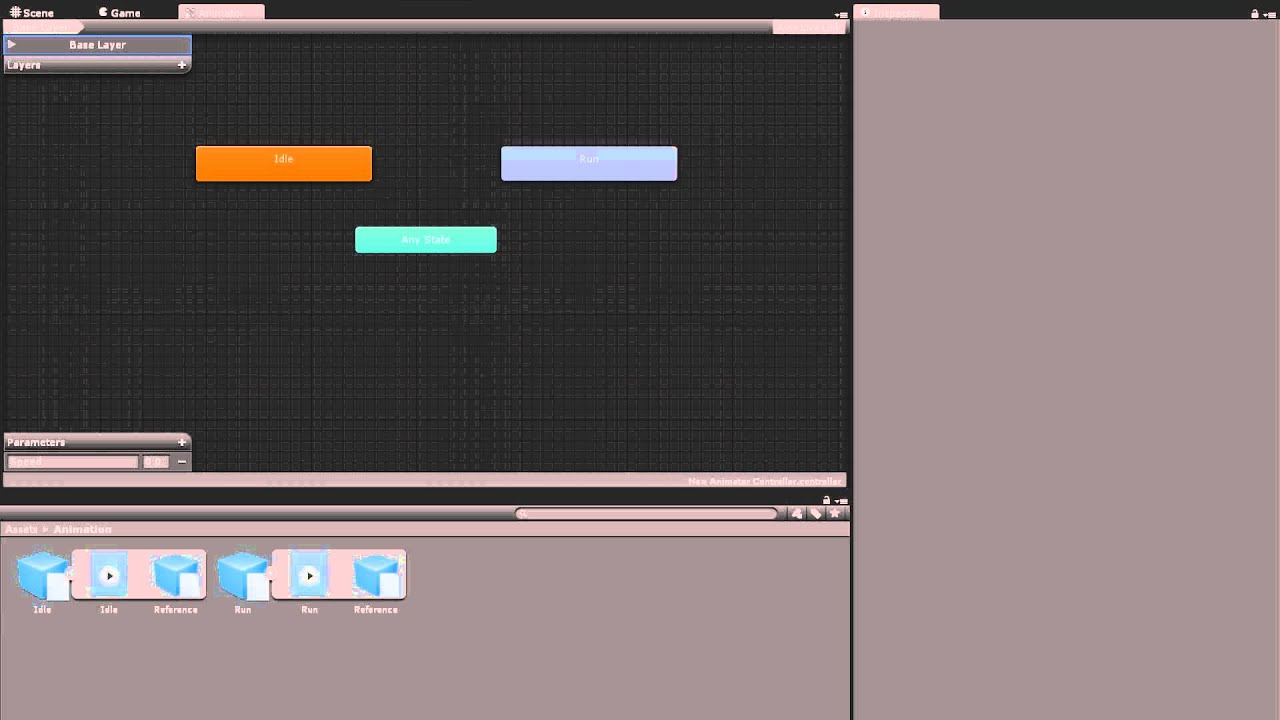
Watch this video in context on Unity's learning pages here - http://unity3d.com/learn/tutorials/modules/beginner/animation/animator-controller
Animator Controllers are state machines that determine which animations are currently being played and blends between animations seamlessly. In this video you will learn how to make animator controllers a...
then you can use animator.SetBool(), SetInt(), SetFloat(), ect...
 indigo finch
I made a followup video (one-take) for someone that's was struggling, that use set int() instead that might help for reference
https://youtu.be/RVOtnG_8XD0
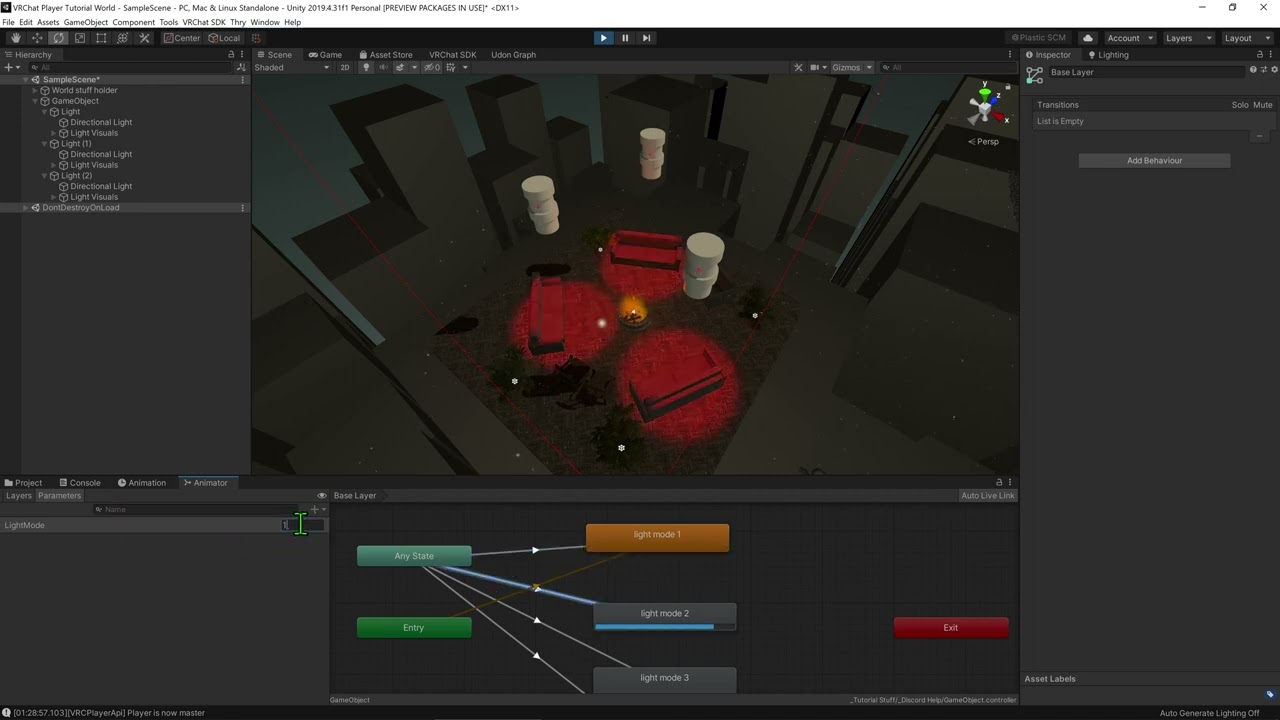
So yea, here's a really rough, one-take video about changing the lighting for a world. Hope this helps solve your problem ^^
versed hazel
oh awesome thanks i'll take a look at these
wide pendant
Does anyone know of a asset for vrchat worlds that are timers for lap times?
pallid roost
topaz jetty
I saw a world one time that changes your avatar and then writes/reads data from ...
Huh. That's pretty smart. I wouldn't have assumed you could even access the players animator from the world side.
wind atlas
wide pendant
Does anyone know of a asset for vrchat worlds that are timers for lap times?
VRChat made something like that themselves, maybe that's already enough: https://docs.vrchat.com/docs/obstacle-course
VRChat
Overview This project was created for our second World Jam, and serves as a fun starter kit for a Time Trial game world! Visit the example world here: VRChat Obstacle Course Jam World.Download a ready-to-use project here: VRChat Obstacle Course Project.For advanced users, you can fork the GitHub pro...
earnest vessel
earnest vessel
I have been struggling with this for days; not sure if it is with ownership of t...
Still looking for a way to have someone teleport themselves out if they have the most votes in the vote manager; the master can be teleported out just fine, but other players are unable to teleport if they have the most votes (at least when I test it locally through multiple clients); might need help troubleshooting the problem and figuring out what I am missing
wind atlas
earnest vessel
Still looking for a way to have someone teleport themselves out if they have the...
You can only teleport the local players. You cannot do externalPlayer.TeleportTo
I'd guess that's probably the issue.
So what you have to do, is tell the specific player to teleport themselves. For example, send a custom networking event and in that event, check if the local player was voted out, if they were, then you execute the actual teleport.
earnest vessel
Send a custom networking event for the teleport method?
wind atlas
earnest vessel
Send a custom networking event for the teleport method?
Does every client know who was voted out? Then yes, that's all you have to do.
earnest vessel
wind atlas
Does every client know who was voted out? Then yes, that's all you have to do.
The vote manager calculates the votes from every player's vote counters and determines who is the most voted player; how should I let every client know who was voted out for the custom network event to work?
Right now, the teleportation event is within the vote manager script
wind atlas
earnest vessel
The vote manager calculates the votes from every player's vote counters and dete...
Are the votes stored only in the master client? Or does ever client know the actual vote results.
earnest vessel
wind atlas
Are the votes stored only in the master client? Or does ever client know the act...
Each person has a vote counter that has a synced int representing the number of votes they received; at the end of the round, the votes go to the vote counter to be calculated; their votes are reset when someone leaves the arena
wind atlas
Sounds like this is what you could do:
Send a custom networking event for the vote calculation to everyone.
Then in that event, calculate the local votes in those synced ints, find out who has the most.
Execute the teleport if it's the local player.
earnest vessel
I will send a custom networking event for vote calculation to everyone at the end of the round
Another script manages the round timer, when time runs out; I will send a network event calling the calculate script from the vote manager
wind atlas
earnest vessel
Another script manages the round timer, when time runs out; I will send a networ...
Yeah, basically. Explaining networking is difficult for me. Here is a very crude diagram, maybe that explains it better:
 earnest vessel
wind atlas
Yeah, basically. Explaining networking is difficult for me. Here is a very crude...
earnest vessel
wind atlas
Yeah, basically. Explaining networking is difficult for me. Here is a very crude...
I understand the diagram; I'll double check my code and test it out;
If there is still a problem, I would have to go through how it works it step by step, and figure out what I am missing
versed hazel
indigo finch
I made a followup video (one-take) for someone that's was struggling, that use `...
this was a big help thank you so much. got it to do what i wanted
earnest vessel
earnest vessel
If there is still a problem, I would have to go through how it works it step by ...
Testing it in game; when the timer gets to zero, in the timer script, I sent a custom network event to everyone telling that the round is over;
then I sent another custom network event in the timer script, SendCustomNetworkEvent(NetworkEventTarget.All, nameof(game.CalculateVotes));
with game representing the vote manager script (script for the main game)
CalculateVotes did not run for some reason; now trying to figure out how to have it run over the network
wind atlas
earnest vessel
CalculateVotes did not run for some reason; now trying to figure out how to have...
You have to do game.SendCustomNetworkEvent
earnest vessel
wind atlas
You have to do game.SendCustomNetworkEvent
That's what I am missing, thank you
currently testing that right now
earnest vessel
earnest vessel
currently testing that right now
worked so far in CyanEmu in Unity, now testing in VRC with other clients;
scarlet lake
Can anyone clue me in on how to make things spawn after a player enters a collider? Im making a horror map. I also need help on how touching something like grabbing a key plays a sound and then unlocks a door AKA makes the udon door active and making the fake door inactive
I know exactly what I wanna do but I dont know how to work those things in udon
If anyone can help me please Dm me or @ me. Im in dire need of help.
earnest vessel
earnest vessel
worked so far in CyanEmu in Unity, now testing in VRC with other clients;
@wind atlas Thank you, it works now
Tested it locally in multiple clients, and P2 can teleport itself out when having the most votes (when P1 votes for them)
 worldly tapir
Hey, I've been absent from VRChat for a bit, has any cross-session networking been added yet?
Or some sort of access to any kind of database ?
Or do I still have to resort to illegal black magic to e.g. create a permanent global scoreboard for games worlds?
wind atlas
scarlet lake
Can anyone clue me in on how to make things spawn after a player enters a collid...
If you don't have that much experience with udon, I'd recommend looking into tutorials for setting animations with udon.
Animations can be used to hide and show objects, play sound and all sorts of other things that are mostly visual.
Check this one out: https://www.youtube.com/watch?v=YuWbH5c9CBI
(Sorry, accidentally recorded this one in 1080p, whoops)
Two of my oldest videos, Contextual Buttons and and Door Animations, have both grown rather outdated, so I've combined the two into a brand new video to go over them!
Full Tutorial Playlist:
https://youtube.com/playlist?list=PLwEtUGCdQX7HMkFCVxiNvO4DS2CmHWbe6
00:00 - Intro
00:42 - Animat...
scarlet lake
Is it hard to just spawn an object by walking into a collider? I want a short answer how to put it together.
wind atlas
scarlet lake
Is it hard to just spawn an object by walking into a collider? I want a short an...
Well, there is a video for spawning: https://www.youtube.com/watch?v=45zIB9sCZyw

Objects being spawned into your world is one of the more common features from Triggers, such as spawning balls, cameras, flashlights, or any other sort of prop. Here I've made a quick tutorial for doing just that using VRCInstanciate. It does however have a few glitches that will likely be patched in the future, so this will be utilizing UdonSha...
It doesn't use colliders though.
scarlet lake
Im seeing buttons. I need help with players entering colliders
wind atlas

- Check out https://tryuniverse.com/ and use the code VOWGAN to get $50 off when you enroll. *
Enabling and disabling large numbers of objects all at once is pretty easy, and here I do so using Colliders for a set of couches. All assets are available on my Patreon if you'd like to have access to anything I made during or before the video.
00:0...
Try youtube yourself, maybe you'll find other tutorials.
wind atlas
worldly tapir
Hey, I've been absent from VRChat for a bit, has any cross-session networking be...
Persistence was announced a while back, but it's still not out.
worldly tapir
wind atlas
Persistence was announced a while back, but it's still not out.
Aw damn.
But it being announced gives me hope, this will open up a whole new world of opportunities!
Thanks for the heads up!
wind atlas
scarlet lake
Im seeing buttons. I need help with players entering colliders
This is also helpful https://docs.vrchat.com/docs/player-collisions
VRChat
Udon has three ways to detect when a Player and an Object Collide - Triggers, Physics, and Particles. Triggers If you want to detect when a player has entered or exited an area, your best bet will be to use the OnPlayerTrigger events. There are three of these: OnPlayerTriggerEnter is called when a p...
There are also examples in the VRChat sdk
 vague osprey
I have a bit of an issue that I need help with. I'm trying to make so a door can be opened and closed. The tutorials I've seen mention putting the game object you want to be animated into the node graph. I do that, but I get an error that says, "Object reference not set to an instance of an object." And I go to try and connect the node for the door to the setbool node, and it brings up an "Input search" Window. Am I missing something important that I need to do to get the door set up properly?
 snow arrow
do player id's keep incrementing throughout an instance's life or do they shift down if a player leaves?
 shrewd lion
Is it possible to manipulate strings with udon?
snow arrow
@shrewd lion u can do a lot of with strings
shrewd lion
Im looking to combine smth a user enters into a box with other text.
snow arrow
yes i use the string concat node a lot for debug nodes

just one example
u can ofc use two string variables and those can be synced
 empty rain
Heyo smart people! I have a question. I'm trying to create my own world and I want to be able to have movies played on a screen like some of these movie worlds already created. How do I go about doing this in Unity? Thanks for the help!
shrewd lion
How do you convert a string to VRCUrl
shrewd lion
Seems like there isn't a way to combine urls to make youtube work on quest automatically?
pallid roost
shrewd lion
Seems like there isn't a way to combine urls to make youtube work on quest autom...
if you have a link barsing site that takes a URL as a optional parameter it wouldnt be hard to just append that to the string before you send it to the player
if thats what your implying
shrewd lion
pallid roost
if you have a link barsing site that takes a URL as a optional parameter it woul...
Oh I see. I'll try that.
shrewd lion
pallid roost
if you have a link barsing site that takes a URL as a optional parameter it woul...
Yeah you can't touch text thats referenced by a video player vrc url thing
pallid roost
shrewd lion
Yeah you can't touch text thats referenced by a video player vrc url thing
But you can grab it before it gets to the player, while its in the textbox
depending on what player you're using that is
Im sure you could do it with the USharp player
In here you'd just append your url infront of the urlField
 shrewd lion
Im tryna find that in Syn's player rn
pallid roost
👍 I havent used that player but it should be possible.
I considered doing it myself but i dont know a good consistent service to redirect urls, without maybe just setting up my own
shrewd lion
Ah, its never seen in the U# as string, ill try to do my own thing on enter pressed see if that works
pallid roost
shrewd lion
Ah, its never seen in the U# as string, ill try to do my own thing on enter pres...

you can covert it there and back like that
pallid roost
although addmittidly i havent tested the .tostring, but it should output the url
for that page? its here https://github.com/MerlinVR/USharpVideo/blob/master/Assets/USharpVideo/Scripts/VideoControlHandler.cs
GitHub
A basic video player made for VRChat using Udon and UdonSharp - USharpVideo/VideoControlHandler.cs at master · MerlinVR/USharpVideo
shrewd lion
Im not using U#
pallid roost
Ah ok.
shrewd lion

GitHub
An advanced Udon based media player for VRChat. Contribute to synergiance/SynMediaPlayer development by creating an account on GitHub.
ye
pallid roost
shrewd lion
but i might have an idea
pallid roost
Line 272
shrewd lion
didnt realize you could just new VRCUrl things
pallid roost
Indeed, can make a new whatever you like
shrewd lion
pallid roost
Ah yup. here. https://github.com/synergiance/SynMediaPlayer/blob/Testing/Assets/...
"Method is not exposed to Udon" (new VRCUrl)
didnt like that at all

so I need to update the text
pallid roost
Yea that'd make sense
shrewd lion
ima try appending the text text that is referenced
shrewd lion
this doesn't work either. I try passing in the reference text
 pallid roost
can you cast it instead of making a new one
change the last line to
VRCUrl newUrl = (VRCIrl)stringUrl;
i assume you cant slight chance you can?
if you can thats's probably a security issue actually XD
shrewd lion
ill try for the meme
I know ProTV has a plugin to do it somehow
but I like Syn's audio
shrewd lion
pallid roost
change the last line to
> VRCUrl newUrl = (VRCIrl)stringUrl;
Conversion not allowed
pallid roost
Aw dam
shrewd lion
Im gonna ask the guy who made protv plugin if he can explain how he did it
 maiden sundial
Hey. I have a quick question. How can we tell when a player has fully loaded in the scene? Or at least it can start seeing things? I have an animation that plays on start but it plays too soon for the player to see. I assume Start() is executed at first regardless if the player has loaded or not.
 autumn oriole
maiden sundial
Hey. I have a quick question. How can we tell when a player has fully loaded in ...
autumn oriole
maiden sundial
Hey. I have a quick question. How can we tell when a player has fully loaded in ...
maybe onplayerjoin?
use OnPlayerJoined with checking player.islocal will be fine. In my experience it was quite reliable. It fires just after screen turns on
scarlet lake
So I have question so how do people make these realistic worlds quest and pc because I’ve been trying to do post processing and it only ones on pc any ideas on it
scarlet lake
scarlet lake
So I have question so how do people make these realistic worlds quest and pc bec...
All the quest+pc supported worlds I've been to have post-processing disabled for quest.
So post processing does work quest but I wasn’t for sure on it you know
scarlet lake
What's the better alternative for OnPickupUseUp? I was planning on using it but the documentation says it's deprecated.
https://docs.vrchat.com/docs/onpickupuseup
VRChat
OnPickupUseUp is used in conjunction with VRC_Pickup. It is triggered when a player holding the pickup presses the Use key.
 elder peak
scarlet lake
So post processing does work quest but I wasn’t for sure on it you know
elder peak
scarlet lake
So post processing does work quest but I wasn’t for sure on it you know
post processing does not work on quest
elder peak
scarlet lake
What's the better alternative for OnPickupUseUp? I was planning on using it but ...
that refers to sdk 2, you can use it in udon just fine
scarlet lake
elder peak
that refers to sdk 2, you can use it in udon just fine
I see, thanks!
scarlet lake
Trying to assign a string value to a text object's text field but I'm having a hard time finding the right nodes for it. Would appreciate some help!!
 indigo finch
scarlet lake
Trying to assign a string value to a text object's text field but I'm having a h...
indigo finch
scarlet lake
Trying to assign a string value to a text object's text field but I'm having a h...
first, instead of using a gameobject variable, you will want a text variable instead. Then you want to plug that text variable into a UIText.set text node

 supple root
Could somebody please check out my post on VRChat forums about NavMeshAgent problem im having:
https://ask.vrchat.com/t/wander-ai-in-udon-graph-need-help/8860

VRChat Ask
I have been tying to make a wander ai with navmeshagent in udon graph. I am following this quide, but for somebody with 0 coding experience is really hard to follow so my version is a bit diffret. Well the problem i ran into is that SamplePosition node navmeshhit return doesnt give a proper location. I have no idea why this isnt working. Below...
scarlet lake
indigo finch
first, instead of using a `gameobject` variable, you will want a `text` variable...
Thanks so much! I'll give it a try :)
maiden sundial
autumn oriole
use OnPlayerJoined with checking player.islocal will be fine. In my experience i...
Thank you so much 💙
wind atlas
supple root
Could somebody please check out my post on VRChat forums about NavMeshAgent prob...
The error screenshot is cut off and you can't see the actual error message. Most common one is missing references, so check if you have the agent set in the inspector.
 wheat dirge
any ideas as to why i am getting this error when trying to build my scene, i am not using any udonsharp in the scene but do have the package installed
 loud bridge
wheat dirge
any ideas as to why i am getting this error when trying to build my scene, i am ...
loud bridge
wheat dirge
any ideas as to why i am getting this error when trying to build my scene, i am ...
Check Unity's output log window. Every time I've seen that popup, the log has more details.
wheat dirge
USharpVideoPlayer' does not contain a definition for 'RegisterCallbackReceiver'
could this be to do with an outdated package, it was working fine for me until a few days ago
loud bridge
That is a bit outside my area, unfortunately, but updating your packages to latest stable is rarely a bad idea.
shut arch
I'm still having a bit of difficulty with VRCpickup radius vs simple interactables. Even after reducing the Proximity parameter on the pickups, the nearby button always seems to have a lower priority than the pickups... there can't be any pickups near the button or else you simply can't highlight the button in VR.
scarlet lake
iv got a simple little question here

iv got this wine glass, it has pick up on it, it works fine, except for the fact that the liquid stays floating in the air

i applied the scripts to the parent
but it doesn't effect the children
how can i fix this?
 unborn hornet
shrewd lion
Im gonna ask the guy who made protv plugin if he can explain how he did it
unborn hornet
shrewd lion
Im gonna ask the guy who made protv plugin if he can explain how he did it
waiting
Also there is no way to dynamically construct a VRCUrl during runtime. The only way to get a vrcurl is from the VRCUrlInputField by calling GetUrl (explicitly input by user), or by having a public variable in the inspector (explicitly input by world creator).
mild ledge
Hey, any ideas on how to add audio filters on the AVPro Video Player? I need low-pass in some regions
indigo finch
scarlet lake
how can i fix this?
You wouldn't happen to have made them static would you?
scarlet lake
Most likely
And hello @indigo finch didn't think I'd see you xD usually our talks are on your YouTube comment section
indigo finch
scarlet lake
And hello <@228024927054331904> didn't think I'd see you xD usually our talks ar...
Hello! ^^
scarlet lake
@indigo finch may i send a friend request?
indigo finch
scarlet lake
<@228024927054331904> may i send a friend request?
Sure, though I prefer udon questions to be asked here
snow arrow
I keep seeing this pop up and I'm curious as to what is going on. Things are still working

Seems to be an editor issue.
 vocal orchid
are there any club world creators here?
pallid roost
Plenty im sure
 shrewd lion
Is there a way to stop url fields from clearing text on desktop when you click into them?
I made an autofill feature for like a clickable list, but when you click in on desktop it clears. Works fine on vr
 crude grove
am I dumb or is anyone else having issues with udon sharp not wanting to work with unity?
shrewd lion
nah im compiling just fine
scarlet lake
indigo finch
You wouldn't happen to have made them static would you?
that fixed it btw
 twin hedge
How do I make fade in/out while teleporting a player?
Like, when a player clicks on an object that teleports them to another place. The screen would fade in, then fade out and they are at a different place.
snow arrow
Nevermind. That crash is from shutting down the game. My fault
 velvet star
twin hedge
How do I make fade in/out while teleporting a player?
Like, when a player click...
velvet star
twin hedge
How do I make fade in/out while teleporting a player?
Like, when a player click...
You could try adding a full screen black image on a UI canvas (Screen Space) and animate it fading in & out. Then trigger the animation through Udon Noodles/Code.
If using UdonSharp:
Animator.ResetTrigger("FadeInOut"); Animator.SetTrigger("FadeInOut");
or
Animator.SetBool("FadeInOut", false); Animator.SetBool("FadeInOut", true);
Just make sure to delay the teleport to happen midway through the animation (when it's completely black)
wind atlas
velvet star
You could try adding a full screen black image on a UI canvas (Screen Space) and...
Screen space won't work in VR though. Instead, you need some kind of mesh in front of the face, but you'd do it pretty much the same as you described, except with a transparent material.
wind atlas
twin hedge
How do I make fade in/out while teleporting a player?
Like, when a player click...
I'd recommend downloading this: https://docs.vrchat.com/docs/obstacle-course
It has a mesh with some code for vignette that can be use as transition. This way, you don't even need to figure out the correct distances yourself.
twin hedge
velvet star
Just make sure to delay the teleport to happen midway through the animation (whe...
Ok thank you
twin hedge
wind atlas
It has a mesh with some code for vignette that can be use as transition. This wa...
Thank you. I’ll check it out
versed hazel
so i have two event statuses onpickup and on drop and it plays a different animation depending on that event. its sent as a custom network event so everyone can see it. but now i want to make it so late comers see the current event active via the master however i can't find how to call current status of an event or what i need to call in order to use on player joined get master and make a bool to run the event if it is active. I hope i'm explaining this right. I know how to do it with an object but not with an animation.
here is the base outline of my custom event if that helps

both drop and pickup have the same setup
it is to note there will be multiples of this object as well
indigo finch
versed hazel
so i have two event statuses onpickup and on drop and it plays a different anima...
- you can make the int a synced variable and then use an
on int changednode, and set it so that whenever the int changes, it updates the animator int value
2)whenever the event 'onplayerjoined' is called, check if we are the owner of the object, and if you are the owner, tell everyone the current state of the int
first one is more reliable, as it accounts for other scenarios (like a quest user taking off their headset and it going to sleep while events are being called), but you also don't want too many synced variables
 shut flower
how i can instantiate object with udon sharp scripts and access for example Text reference in that? seems like its null while instantiated object dont have even null objects


 scarlet lake
I am so done with unity. I set up a bunch of teleports right. the graph is gucci everything is gucci.. the code worked perfectly fine... i decide to retest my map..and all of a sudden the teleports dont work.

i dont see anything wrong with the script
there is a set target to teleport the player to.. so why the *** does it not teleport the player
a trigger is set everything is set
like i said it worked perfectly fine.. and then it just stopped working after a build or two
 hollow barn
scarlet lake
i dont see anything wrong with the script
there is a set target to teleport the ...
hollow barn
scarlet lake
i dont see anything wrong with the script
there is a set target to teleport the ...
And the trigger must be enabled on the collider
 scarlet lake
hollow barn
And the trigger must be enabled on the collider
scarlet lake
hollow barn
And the trigger must be enabled on the collider
will try
hollow barn
scarlet lake
will try
Or even that's how it should work.
 scarlet lake
but then why does it work the first couple times and then suddenly poof
indigo finch
scarlet lake
This should work. Given that this happened after a build, I would double check that it is still set inside the inspector. Unity sometimes 'forgets' when things change
indigo finch
scarlet lake
wait... where is the networking.get local player node? this should be plug into the instance slot
otherwise the code doesn't know who to teleport
scarlet lake
I need ur urgent help
So i made an Audio Area trigger.. that plays everytime someone walks into it.. but the moment more players walk into it it plays from scratch

script is like this
@indigo finch??
anyway i can make it only play for the player who is in the trigger area and not play for the others
wheat dirge
crude grove
am I dumb or is anyone else having issues with udon sharp not wanting to work wi...
i am... 'UdonSharpBuildCompile' something with this stops me from building my scene
 stark adder
So this is more of a question for somone from VRC Dev team.. SwitchAvatar seems to according to SDK send RPC to everyone. That Refreshes Avatar ? Does Refresh mean just load a new avi if there is any in blueprintId ? Or does everyone in instance get the same id as the RPC sender ?

 loud bridge
scarlet lake
So i made an Audio Area trigger.. that plays everytime someone walks into it.. b...
loud bridge
scarlet lake
So i made an Audio Area trigger.. that plays everytime someone walks into it.. b...
You need to check whether it's already playing and then only call Play when it's not.
scarlet lake
loud bridge
You need to check whether it's already playing and then only call Play when it's...
The issue is that it starts playing for everyone
loud bridge
Oh, it should only be local? Then you need to check that the player parameter of your events is the local player. Those fire for all players.
loud bridge
The trigger functions pass you a VRCPlayerApi object. You need to check whether it's the same one as Networking.getLocalPlayer()
scarlet lake
loud bridge
The trigger functions pass you a VRCPlayerApi object. You need to check whether...

uhhhh
loud bridge
You need a Branch node to branch the execution depending on the result, and you need a VRCPlayerApi.equality operator to get the result of the equality check. I recommend reading up here (https://docs.vrchat.com/docs/getting-started-with-udon) to pick up the basics.
 celest egret
hello, any idea in how can i test midi inputs in udon?
scarlet lake
loud bridge
You need a Branch node to branch the execution depending on the result, and you ...
real helpful ... felt like a middle finger to go do it myself..
 mighty fjord
scarlet lake
real helpful ... felt like a middle finger to go do it myself..
mighty fjord
scarlet lake
real helpful ... felt like a middle finger to go do it myself..
They mean that you need to add the VRCPlayerApi.equality node to your graph, so that you can compare the local player against the player entering or exiting the trigger. So if it is the local player, then the output is true, which means you can use the branch node to do something once it is, otherwise the check will be false, and thus you'd just not hook anything up from the false output from the branch node.
versed hazel
indigo finch
1) you can make the int a synced variable and then use an `on int changed` node,...
does the first one account for late joiners? i'm reviewing the coin animation one you had my setup is a bit different so no sure 100% if it'll work the same. Also you had stated at that time you were accounting for a few not if there are many and i'm putting multiple of these objects in so just looking to cover my bases.
mighty fjord
mighty fjord
They mean that you need to add the ``VRCPlayerApi.equality`` node to your graph,...
However, I do believe there already is a VRCPlayerApi.isLocal node which also gives you a true or false, depending on if it is you or not, but either method works.
https://docs.vrchat.com/docs/players
scarlet lake
i cant find the node
mighty fjord
Are you looking under the VRCPlayerApi category?
scarlet lake
nothing shows up
when i type that in
all i get is playerAPI

shouldnt this work
versed hazel
if you drag a noodle from the vrcplayer.api it'll bring up a list to select
scarlet lake
yeah now its showing
versed hazel
Everyone here I just want to thank you so much for volunteering your time and your knowledge to help us beginners out. I know you've all spent time learning this and we appreciate you so much for helping us find the information and guiding us in the right direction. ❤️
scarlet lake

 left topaz
Does anyone know what is wrong I have 2019.4.31f1 I have a unity and I am trying to install the SDK but it’s giving me an error
mighty fjord
scarlet lake
making my map singleplayer im done
Did you get it working?
scarlet lake
mighty fjord
Did you get it working?
no
it stopped playing sound all together
the script i used is above
mighty fjord
You should use the OnPlayerTriggerEnter and Exit instead though
indigo finch
versed hazel
does the first one account for late joiners? i'm reviewing the coin animation on...
The first one 100% accounts for latecomers, it just that its also a synced variable.
As for my video, I didn't really word it quite right. If you were looking at over 500 collectable coins for a points system, it starts to get problematic. I was working on a pillow Fort Building world, and found that 1000 synced variables (even on manual sync not doing anything) cause massive problems with lag and players ability to jump. If your less than 200 with what your doing, you'll be fine
versed hazel
indigo finch
The first one 100% accounts for latecomers, it just that its also a synced varia...
ok awesome and i think i get what you're getting at with that to and how i might put it in. i'll test and see if it works how i'm thinking it needs to be set thanks for the help. i did find when placing the network to owner and not all it didn't send to everyone only local so i'll see if it still does that with these changes. it may have been a fluke too.
indigo finch
versed hazel
ok awesome and i think i get what you're getting at with that to and how i might...
If you need an example of how to do it via a synced variable, check out some of my other tutorials. I've done it a few times.. on my skybox changer to name one
versed hazel
indigo finch
If you need an example of how to do it via a synced variable, check out some of ...
ok awesome i was meaning to check that one out anyway so good to know i can use some of the info from it now.
versed hazel
indigo finch
If you need an example of how to do it via a synced variable, check out some of ...
ok that was interesting so I set it to on int change as shown in the coin video and upon first pickup it will play the animation however if i drop it and pick it back up it wont play the animation again. it does if its a direct event from on pickup event and will do it over and over but wont sync with late joiners. this way seems it might but hard to tell since i have to let go to test with two clients should sync but wont play the animation if picked up again. which is what i want it to do is play the animation on every pickup but sync with late joiners so it shows current status of whoever is holding it the animation is playing. might have to go the on player join route the second one but not sure how to go about that exactly. unless you have another idea with the 1st option.
indigo finch
versed hazel
ok that was interesting so I set it to on int change as shown in the coin video ...
From the sounds of it, I don't think you've made your int synced.
Go to the variables tab, hit the little dropdown menu on your int and make it a synced variable
versed hazel
indigo finch
From the sounds of it, I don't think you've made your int synced.
Go to the vari...
it says synced smooth none default 0
synced is checked
indigo finch
versed hazel
synced is checked
Hmmm... Mind sharing your code? (Windows key + shift + s to screenshot only part of screen)
versed hazel
just want the graph or the code from the ok drop?
versed hazel
indigo finch
Hmmm... Mind sharing your code? (`Windows key + shift + s` to screenshot only pa...
 indigo finch
versed hazel
indigo finch
versed hazel
okay, so this will only work once, as you are seeing. you only want one bool, and make that bool true to turn on, and false to turn off. then from the one bool change event, do a branch node, so if it's true, change int to one value, and if it's false, change it to another value
vestal mist
Who knows how to use Anim-Mesh GPU Particle Shader and VRC Animation GPU Instancing
im trying to figure this out but im hitting a road block
versed hazel
indigo finch
okay, so this will only work once, as you are seeing. you only want one bool, an...
will both drop and pickup need this or just the pickup part
indigo finch
versed hazel
will both drop and pickup need this or just the pickup part
this kinda thing:
 versed hazel
ok awesome i was thinking the same thing but was second guessing myself. lol. hate when that happens.
ok here goes something
 south compass
Am try to do news show for world however I'd love to know is it possible to have tablet in game that shows a website? Like Google doc.
loud bridge
How do I do an IsValid check in UdonSharp? I tried Utilities.IsValid(), but that just gave me "System.Exception: Unknown type/field/parameter/method 'IsValid'". Is there another one somewhere that I'm missing?
twin hedge
How do I add captions/subtitles? When a player enters the room, I want an objective to show up on the screen. How do I do that?
pallid roost
south compass
Am try to do news show for world however I'd love to know is it possible to have...
Not directly, you could stream a desktop to it through something like twitch or VRCDN and display that as a video, or just have an image on there.
loud bridge
twin hedge
How do I add captions/subtitles? When a player enters the room, I want an object...
You'd need to put it on a Text component on a world-space Canvas that's attached to the user's head.
versed hazel
indigo finch
this kinda thing:
ok well getting closer. so this setup does the same thing as my first setup just with i guess extra nodes lol. it still doesn't sync when player joins. if i'm holding it and the player joins the object only shows the default animation not the pickup animation. it will however start showing it again if i drop it and pick it back up just not what the current state is upon entry. so at square one again.
i've already attempted to so sync variables and keep it to owner not all but didnt' change anything. i'll keep playing with it. might be able to do an on player join from this bool though so we'll see. i'll test it out see if it works let ya know
 red gazelle
Is it possible to set the Interaction Text of an Udon controlled interactable with editor code?
red gazelle
Apparently it was made possible in VRChat 2021.4.2 but I'm failing to figure it out still
UdonBehaviour Interact text has been exposed to Udon via Set InteractionText and other methods
Specifically in U#, is this not possible?
red gazelle
ah, figured it out
obj.AddUdonSharpComponent<Tanuki.TanukiTeleporter>();
UdonBehaviour objBeh = obj.GetComponent<UdonBehaviour>();
objBeh.InteractionText = " p nus";
``` in case anyone else cares pliant orchid
Hi @drifting sage
As a world creator, if we created an area that could only be accessed via an automated secure validation process where someone is verified as being 18+, would this violate terms of service?
The reason would be to create an area where those 18+ can socialize and develop personal relationships without worrying about interaction with minors
 drifting sage
pliant orchid
Hi <@!104791031479820288>
As a world creator, if we created an area that could ...
drifting sage
pliant orchid
Hi <@!104791031479820288>
As a world creator, if we created an area that could ...
I cannot interpret the Terms of Service or Community Guidelines for you. Please refer to them at:
https://hello.vrchat.com/legal
https://hello.vrchat.com/community-guidelines
twin hedge
loud bridge
You'd need to put it on a Text component on a world-space Canvas that's attached...
ah ok, thank you
scarlet lake
mighty fjord
You should use the OnPlayerTriggerEnter and Exit instead though
Yep , i managed to fix it thanks man.
 mighty spoke
What does udon stand for
grand temple
?whatisudon
 hidden martenBOT
VRChat Udon is a programming language built by the VRChat Development Team for use in VRChat worlds! It enables complex behaviors and logic in VRChat worlds. Read more about Udon in our documentation: https://docs.vrchat.com/docs/what-is-udon
VRChat
What’s this Udon thing anyways? VRChat Udon is a programming language built completely in-house by the VRChat Development Team. It is designed to be secure, performant, and easy to use via the VRChat Udon Node Graph, a built-in visual programming interface that uses nodes and wires (we call them “no...
scarlet lake
I'm trying to make an udon graph which allows someone to zoom in/out a camera using the right joystick, but it doesn't seem to work. Anyone able to point out what the problem is with my graph?
 scarlet lake
Can udon graph call methods from udon# scripts?
topaz jetty
yes, but they can't pass arguments
if you have to pass arguments you could do a workaround like making a udon# script with a single method that calls the udon# script and pass the correct arguments, then you call your own udon# script from your udon graph
scarlet lake
topaz jetty
yes, but they can't pass arguments
Gotcha, how should I go about doing it if I don't need to pass arguments?
topaz jetty
scarlet lake
Gotcha, how should I go about doing it if I don't need to pass arguments?
just use the SendCusomEvent node with the method name
on that udon behaviour
loud bridge
scarlet lake
I'm trying to make an udon graph which allows someone to zoom in/out a camera us...
The "focalLength" field of the Camera component only works if you have it set up in physical mode (https://docs.unity3d.com/Manual/PhysicalCameras.html). Instead, you probably want to adjust the Field Of View field.
placid stratus
How would I make coding for a door keypad?
loud bridge
placid stratus
How would I make coding for a door keypad?
At a high level: You'd store a predefined string for the target code and an empty string for the current code. When a user presses one of the buttons, it appends that button's character to the current code string.
If the strings end up matching, the door opens. If the current code is as long as the target code but doesn't match, it'd deny. Either way, it should clear the current code to reset itself.
placid stratus
loud bridge
At a high level: You'd store a predefined string for the target code and an empt...
ty ^^
 hollow smelt
so i was a bit lazy and i created a head using avatarSDK but now that its all imported into unity the hair looks so bad (in blender it looks good)

how do i fix this?
loud bridge
hollow smelt
how do i fix this?
Could be a lot of things, but the most likely is just that the material is set to opaque instead of transparent.
hollow smelt
loud bridge
Could be a *lot* of things, but the most likely is just that the material is set...
yeh i did set it to opaque cuz when i set it to transparent the whole thing is gone
 loud bridge
Well, you don't want all of it set to transparent, just the hair material.
Otherwise you end up with depth issues as you see.
hollow smelt
loud bridge
Otherwise you end up with depth issues as you see.
yeh i can tell haha
scarlet lake
loud bridge
The "focalLength" field of the Camera component only works if you have it set up...
My camera is physical. Is that not recommended in Vrchat?
scarlet lake
topaz jetty
just use the SendCusomEvent node with the method name
Got it thanks so much!
 mossy crane
Random question on some optimization for a world that uses many duplicated skinned mesh renderers, anyone find a good way(even if difficult) to try and batch or reduce the impact?
loud bridge
scarlet lake
My camera is physical. Is that not recommended in Vrchat?
I honestly have no idea. I'd think the cameras would be driven by the avatars, though. My expertise is more Unity than VRChat/Udon.
loud bridge
mossy crane
Random question on some optimization for a world that uses many duplicated skinn...
Yes, there are many videos and tutorials online about how to do that for unity, but most of them are done in the vertex shader, so you need to know shader programming to implement.
This one looks decent: https://medium.com/chenjd-xyz/how-to-render-10-000-animated-characters-with-20-draw-calls-in-unity-e30a3036349a

Medium
This is an English translation of a blog I wrote in Chinese in 2017. Although the original blog was a few years ago, I found this article…
hollow smelt
loud bridge
Well, you don't want all of it set to transparent, just the hair material.
i fixed it thanks for your help! i just made sure i had the hair texture on a diffrent image texture
 mossy crane
loud bridge
Yes, there are many videos and tutorials online about how to do that for unity, ...
mossy crane
loud bridge
Yes, there are many videos and tutorials online about how to do that for unity, ...
Thank you! Will try
scarlet lake
I need some help
 mighty quiver
setVelocity() is hella cursed ngl. gives me different results based on VR/desktop mode
and im not talking about some small difference either. i am talking about factor 5
scarlet lake
I’m making a world and I has audio buttons how do you make them public so everyone can hear them
shut arch
look up tutorials on network synced custom events. basically you need a custom networked event that tells the local client to play the audio clip, and pressing the button will fire that custom event
shut flower
its soo pain to automate creating objects with udon scripts -_- for example i want instantiate new object with data provided via editor script
loud bridge
mighty quiver
setVelocity() is hella cursed ngl. gives me different results based on VR/deskto...
Of which class? Rigidbody?
indigo finch
scarlet lake
I’m making a world and I has audio buttons how do you make them public so everyo...
If it's a one off sound (aka never mind late comers): https://youtu.be/OYjW5FGTxIo
If it's for some music or other looping sound: https://youtu.be/4ENVC7cCiUU

Here's a quick addition to my audio button video. I completely forgot to add this into the video, so this was recorded later. The audio was pretty scuff though, but I've fixed the worst of it.
If there is anything I missed, please leave a comment bellow!

Here's a tutorial covering how to create a music toggle button for one or many music in your world! The first part only covers how to toggle it for one song/ audio source, but then I expand the script to covering a multi button setup. That does however come at the cost at needing more nodes, which I hope doesn't become too overwhelming...
As f...
scarlet lake
indigo finch
If it's a one off sound (aka never mind late comers): https://youtu.be/OYjW5FGTx...
Your a good man thank you
 faint fiber
I'm currently trying to figure out how to make a navmesh agent change animations depending on velocity
I created a blendtree with thresholds corresponding to the maximum velocity I've set for the agent

then I inserted the animator into the udon graph and created this setup (the animation parameter's name is move)

However, it seems to not work in-game, as the animation stays on the idle and never blends into the walk
I'm scratching my head trying to figure out what exactly is going wrong here
any ideas?
indigo finch
faint fiber
any ideas?
when does this node get called? There's nothing going into the arrow slot, so it will never run
faint fiber
oh my god I can't believe I forgot that LMAO
 random gorge
Can you get the open beta on quest 2?
faint fiber
faint fiber
oh my god I can't believe I forgot that LMAO
Upon adding and connecting the update node, it still doesn't seem to work
Wait wait I reloaded the project accidentally and it randomly started working
funny how that works
rich jacinth
Anyone got any tips on how to get the mesh renderer of a newly spawned object? I can't seem to find a node that can get a mesh renderer from an object instance
 lost dragon
Is this sorta like trying to figure out source spaghetti?
 snow creek
Does anyone have a prefab for footstep sounds or does anyone know how to make it in Udon?
scarlet lake
I plan to use the SendCustomEvent to run a function on a separate udon behaviour. What should the eventName input be? I tried making a string variable with the function name "PlayRandom" and "PlayRandom()" but they don't work.

 mighty quiver
loud bridge
Of which class? Rigidbody?
mighty quiver
loud bridge
Of which class? Rigidbody?
Networking.LocalPlayer
indigo finch
scarlet lake
I plan to use the SendCustomEvent to run a function on a separate udon behaviour...
the event is a private event, so other scripts cant see it. instead of void PlayRandom() you want public void PlayRandom() instead
 hoary gyro
how can i make it so when a pickup collides with sufficient velocity, it produces particles and plays an audio clip
to be exact, i want a sword that would spark and make a clanking sound when i hit it against another sword or the environment
preferably id want it to be like "if it collides with an object that is on this specific layer, do the effects, otherwise dont"
but im very new to udon and i have no idea where to begin
loud bridge
mighty quiver
Networking.LocalPlayer
Could it be a framerate thing? VR usually runs at a much higher rate.
mighty quiver
loud bridge
Could it be a framerate thing? VR usually runs at a much higher rate.
jesus it actually is framerate depending lmao
now finding a way to cap framerate via udon would be nice
or finding the ratio between FPS and boost
loud bridge
mighty quiver
or finding the ratio between FPS and boost
Are your velocity changes in Update? If so, try moving them to FixedUpdate and see if that makes a difference.
mighty quiver
no, the SetVelocity is in a sub method of OnPickupUseDown()
maybe its because i calculate the velocity with
float fSpeed = varSpeed * Time.deltaTime;
with varSpeed being the power?
loud bridge
Yeah, if you're using it in a single-fire event instead of every-frame update, get rid of the Time.deltaTime.
mighty quiver
gonna try without the deltaTime real quick
loud bridge
You're probably gonna want to multiply by like 0.05f or something or else your velocity will be extremely fast.
mighty quiver
i just noticed lmao
loud bridge
lol
mighty quiver
gonna try 1500f --> 1f now
loud bridge
rich jacinth
Anyone got any tips on how to get the mesh renderer of a newly spawned object? I...
You should be able to use GameObject.GetComponent(Type)
mighty quiver
wait, i just noticed Time.fixedTimeDelta is a thing too ._.
loud bridge
You still don't need it when you're changing velocity as an impulse in reaction to an event.
Only use those when you're applying incremental change in Update/FixedUpdate
mighty quiver
even with 1f it was waaaay too much
loud bridge
Really? Average human walking speed should be around 1.2-1.5
mighty quiver
gonna experiment with fixedDeltaTime around a bit. if it still does not fix it, imma try your idea a bit more
yep, fixedDeltaTime fixed my issue
thanks for your help ^^
wind atlas
hoary gyro
but im very new to udon and i have no idea where to begin
If you are truly new, I'd recommend building it step by step. I know I'm a hypocrite and regularly start out with the full thing, but doing it incrementally would make it way easier and probably faster to learn long term.
First, you could make a pickup in general. Just a sword that can be grabbed and swung around in VR.
Then, find out how the OnCollisionEnter method works. Find out how to play VFX and SFX in code and do so in that method.
Lastly, you'd probably cache the previous positions and the do some math to calculate the velocity based on them (other option is to use the rigidbody, but I don't think you can use that while the pickup is held). Once you have the velocity, simply test it against a specific value and only play the effects if it's true.
hoary gyro
wind atlas
If you are truly new, I'd recommend building it step by step. I know I'm a hypoc...
i mean, i have been building worlds since like 2018 (back then i used the trigger system(?) i think it was called) and i know how to make pickups and stuff, i already have a sword with physics and trails and whatnot, i just really dont know udon
"OnCollisionEnter"? so youre telling me it works the exact same way as it does in c#?
wind atlas
hoary gyro
i mean, i have been building worlds since like 2018 (back then i used the trigge...
Great, the next step then is to read this: https://docs.vrchat.com/docs/player-collisions
VRChat
Udon has three ways to detect when a Player and an Object Collide - Triggers, Physics, and Particles. Triggers If you want to detect when a player has entered or exited an area, your best bet will be to use the OnPlayerTrigger events. There are three of these: OnPlayerTriggerEnter is called when a p...
hoary gyro
ah thank you
wind atlas
Yep, udon pretty much has most of the API for regular unity.
hoary gyro
im just confused because its nodes instead of code and i never really used nodes before (except for shaders and stuff but thats different)
i know that there is a code based version of udon too but i wanna learn the nodes, it seems more convenient long term
but yeah, thank you a lot
wind atlas
hoary gyro
i know that there is a code based version of udon too but i wanna learn the node...
If you want to make bigger systems, especially if you want to have a lot of reuse, then U# is way more convenient imo.
hoary gyro
ill see
wind atlas
hoary gyro
i know that there is a code based version of udon too but i wanna learn the node...
But if you are comfortable with C#, then both the graph and U# will make sense for you. There are some small things that you just have to know, so try asking people here if you get stuck with weird behavior.
hoary gyro
alright, nice to know
loud bridge
hoary gyro
alright, nice to know
Yeah, coming from experience with C# and Unity, UdonSharp is definitely the way to go. There are a few quirks, but it mostly just works.
scarlet lake
why do world heats rest
 tacit folio
Hey all!
I was hoping to use Human Pose Handler to mirror avatar poses

This setup doesn't seem to be working and Unity documentation is not really helping. Does anyone have any advice on how to use HumanPoses? I just want to mirror a players pose onto a NPC humanoid skeleton
vestal mist
Anyone have a Permission Script?
 leaden bloom
Hey
Does someone know how to setup an Avatar pedestral without the floating image? Putting an object into the "Placement" breaks it
 slim hound
leaden bloom
Hey
Does someone know how to setup an Avatar pedestral without the floating imag...
mighty fjord
slim hound
leaden bloom
Hey
Does someone know how to setup an Avatar pedestral without the floating imag...
mighty fjord
Could just scale it to 0,0,0
leaden bloom
Thanks for the script, it works 🙂
slim hound
mighty fjord
Could just scale it to 0,0,0
Wouldn't you then need to create a separate game object/udon behavior just to use the pedestal?
The one I referenced is a replacement for the default pedestal script
mighty fjord
Yeah, if you want to be able to interact directly, but I had another udon script doing the interaction and I was just lazy, so I did just that x)
leaden bloom
But scaling it to 0,0,0 would make the pedestral disappear right? So how can you still see the pedestral without the image?
mighty fjord
You won't
That's what superstingray just mentioned
You need some way to interact with it
leaden bloom
Yeah i also came to the idea for a remote trigger thing, but i am new to udon and have barely an idea how to set it up
 empty mantle
How do i make a material toggle?
high mural
How can I attach a gameObject or Canvas to a player's hand?
scarlet lake
im trying to upload one of my avatars my friend made for me, and it is showing me this, how do i fix it?
 mossy crane
https://vrchat.com/home/download need to log in and get the official VRChat Avatars package for Unity and load it into your project, then you should be able to login in Unity and Upload. You also need to make sure you have the exact Unity version of "Unity 2019.4.31f1"
scarlet lake
yeah i did all of that, and i have that exact version, its still not working
my trust rank on vrchat is highest so i can upload avatars, it just wont let me
mossy crane
this is all good as well?


 hot latch
Hello, I am trying to define the camera depth of two different cameras in Udon at the start, but it doesn't seem to be doing what it should... could somebody explain me what I am doing wrong?

 shut ermine
are there any gun prefabs for roleplay?
scarlet lake
is there any reason to why interact on object is visible/working only when it has mesh collider too?
 vernal sapphire
Is there anything in udon to define a user by avi performance?
indigo finch
scarlet lake
is there any reason to why `interact` on object is visible/working only when it ...
interact requires there to be a collider, of any kind (box, sphere, mesh, etc), in order for it to work. This is because the hand fires a raycast outwards, and it needs to hit something to detect an object. If you want the interact to work, but don't want players to be able to collide with it, either change it's layer to be walkthrough, or checkmark the is trigger on the collider itself.
 ember owl
Anyone know who to take a body (base) and a head and making it into one model?
indigo finch
ember owl
Anyone know who to take a body (base) and a head and making it into one model?
This is probably better to ask in one of the avatar channels
ember owl
Ahh sorry
indigo finch
np
scarlet lake
indigo finch
`interact` requires there to be a collider, of any kind (box, sphere, mesh, etc)...
where do i can find walkthrough? ps. i started today (worlds)
and thanks in advance (is trigger worked)
 heavy pawn
What is udon
indigo finch
?whatisudon
hidden martenBOT
VRChat Udon is a programming language built by the VRChat Development Team for use in VRChat worlds! It enables complex behaviors and logic in VRChat worlds. Read more about Udon in our documentation: https://docs.vrchat.com/docs/what-is-udon
VRChat
What’s this Udon thing anyways? VRChat Udon is a programming language built completely in-house by the VRChat Development Team. It is designed to be secure, performant, and easy to use via the VRChat Udon Node Graph, a built-in visual programming interface that uses nodes and wires (we call them “no...
indigo finch
scarlet lake
where do i can find `walkthrough`? ps. i started today (worlds)
With an object selected, go to the top right of the inspector and you will see a dropdown for layers. There you can change what layer an object is on. walkthrough is one of those layers
scarlet lake
oh thanks a lot
scarlet lake
is there a way to have a sharing variable between 2 udon graph? (or even more graphs)
 pastel yew
Super quick question;
How would you display the contents of a variable or string in a text UI component in Udon graph?
Is there a node for that?
scarlet lake
if i understand correctly you want the variable to write to object which has text right?
then you have to make a variable text type or something pubblic and assign to it the object which contains text
then drag&drop text variable and link to set text and the string you want with probably Format something
indigo finch
scarlet lake
is there a way to have a sharing variable between 2 udon graph? (or even more gr...
no, but you can reference a variable from another script, and you can change your variable on your own script to be the same
https://youtu.be/n7Y4Bn1UZ2w

Here's a simple tutorial showing how to get a bool and string from a different udon sharp script! The process is fairly straight forward if you call it by the class name, but the little detail of defining the variable type for an undefined udon script can throw people off (it sure did for me!).
Something to note: In general, it's recommended th...
scarlet lake
i think i got it thanks anyway ❤️
indigo finch
pastel yew
Super quick question;
How would you display the contents of a variable or string...
You can create a UiText variable, and then change it's text to equal a string value. Most variables have a to string node to convert it to a string
scarlet lake
pastel yew
Super quick question;
How would you display the contents of a variable or string...
i think this graph summarize everything

how do i remove groups?
indigo finch
scarlet lake
how do i remove groups?
select it. hit delete.
scarlet lake
it deletes everything inside too
indigo finch
you will want to select everything in it and right-click, remove from group though
scarlet lake
oh yes thanks
is it possible that the same graph that worked before, now it doesn't work, the interact stopped work for some reason?
indigo finch
you'll have to post the current script. though it's most likely that the values aren't filled in in the inspector

 indigo finch
scarlet lake
indigo finch
scarlet lake
you don't have a collider...
scarlet lake
where?
because it worked before without collider
as you said by putting walkthrough layer
now it stopped for some reason
indigo finch
nope. you still need a collider, but you can stop players from colliding with it by changing its layer to the walkthough layer
scarlet lake
ah okay
i thought i was able to remove it completely. now i got it
then when i removed collider and it worked it was pure luck?
indigo finch
luck isn't really a thing here. you probably miss-remembered, or the settings weren't saved
scarlet lake
sorry if i ask a lot but i'm new
do know what convex mean in collider?
it change a bit the mesh or it looks like that
indigo finch

concave means that there is a part that goes inwards. if the object isn't set to static, its mesh collider cant be concave
scarlet lake
mm ok it doesn't change much after lot right?
convex not set

convex set

on line desappear
on mesh collider
indigo finch
It's not really relavant to your use case here and doesn't really change anything. if you had a more complicated model, then it would actually do something
scarlet lake
ah okay thanks
what's the difference between OnPlayerTriggerEnter and OnPlayerCollisionEnter?
pastel yew
indigo finch
You can create a UiText variable, and then change it's text to equal a string va...
So I have this kinda thing going on, so it receives an custom event from other scripts, and should display the appropriate thing. Is that right?
 pastel yew
scarlet lake
i think this graph summarize everything
pastel yew
scarlet lake
i think this graph summarize everything
What's the Format node used for?
scarlet lake
to combine variable or data to text
pastel yew
scarlet lake
to combine variable or data to text
Is it needed for a string? The Set text node has a string input.
scarlet lake
Hello {}! (where {} replaced by variable)
indigo finch
scarlet lake
what's the difference between `OnPlayerTriggerEnter` and `OnPlayerCollisionEnter...
OnPlayerTriggerEnter is if the collider with 'is trigger' is set to true
scarlet lake
format need only when you want to combine variable and text or multiple variable/text, you can also put just text or converted variable toString i think
indigo finch
or you can also use string.addition, though format is cleaner
pastel yew
So I just have 2 cubes as buttons, each with a IsTrigger collider, and this on them:

That should send "SendHello" to "ScriptToReceive" which is currently on a UiCanvas...
"ScriptToReceive" has this on it, but it doesn't seem to wanna do anything. 🤔
 indigo finch
There's too many things that could be wrong. Nothing here jumps out to me as being wrong, so double check that all the variables are filled out on the objects themselves.
Once you've confirmed that, I would start adding some debug.log nodes around, to see where exactly it is failing. you can view console messages in-game, but opening up debug mode with:
 pastel yew
Hmm. How does "Set text" know which ui text object to update if there were multiple?
I need to reference it somewhere...
indigo finch
pastel yew
Hmm. How does "Set text" know which ui text object to update if there were multi...
do you have multiple UiText components on the one gameobject, or are your trying to change the text of multiple UiTexts?
pastel yew
indigo finch
do you have multiple UiText components on the one gameobject, or are your trying...
Currently just the one... but I'm wondering if it's not updating because there's nothing telling it to update that one.
 indigo finch
You need to make the the uiText Variable a public variable, so you can say what text you want it to update
scarlet lake
to enable log in vrchat is right shift + ' + 3?
because i have problem to make it work xd
indigo finch
not ' but instead that weird key below the esc that I can never remember the name of
the one that does this on discord
pastel yew
indigo finch
You need to make the the uiText Variable a public variable, so you can say what ...
Ahah, I got it! I hadn't referenced the canvas in the buttons - they were referencing themselves~ XD
Learning has occurred - Thank you~ ¦D
indigo finch
pastel yew
Ahah, I got it! I hadn't referenced the canvas in the buttons - they were refere...
^^
pastel yew
Got so focused on the udon that I forgot about the objects themselves. ¦B
pastel yew
One of these, I think?
 indigo finch
you need to put something into the value slot. simply go create node string.const
yea that
scarlet lake
oh i see
another thing i didn't understand is how i get Get ActiveSelf to ask if it active in node search
indigo finch
gameobject. activeself
pastel yew
How do you actually scroll the debug window? It has scrollbars~ XD
indigo finch
open up your menu
pastel yew
Ahhhh~ ¦D
scarlet lake
for some reason i don't see my logs in game
for confirmation is this the correct window right?
 pastel yew
Yus.
 scarlet lake
when variable has to be synced?
pastel yew
What's the event node used for sliders? Is there like, an OnChanged event?
... or is it an Interact event?
Presuming it isn't an Update event, it doesn't need to be sending its value ALL the time.
mighty fjord
Interactable UI can send custom events to Udon Behaviours once their values change
pastel yew
mighty fjord
Interactable UI can send custom events to Udon Behaviours once their values chan...
Ah, so just an Interact Event then?
mighty fjord
I would suggest doing a custom event node instead
pastel yew
So nothing into that at all?

VoiceSettings will do a get value when it receives the custom event... I just thought that the slider itself would need to send it when it was changed.
wind atlas
pastel yew
VoiceSettings will do a get value when it receives the custom event... I just th...
I'm a bit confused about what you are trying to do. Do you just want to detect when a user fiddles with your slider? Then you need to open the slider component and register a callback to a custom event on your udon there.
pastel yew
wind atlas
I'm a bit confused about what you are trying to do. Do you just want to detect w...
I'd like a slider to send it's new value when it changes to another script. In this case, to change the voice falloff.
wind atlas
pastel yew
I'd like a slider to send it's new value when it changes to another script. In t...
Well yeah, that's what meant. When a user changes the value on the slider component, the callback will be called.
mighty fjord
pastel yew
So nothing into that at all?
No I meant a custom event reciever, so that you can send the custom event from the UI
wind atlas
pastel yew
I'd like a slider to send it's new value when it changes to another script. In t...
Or maybe you meant sending the value directly. That's not really possible. You just take the value from the slider once the callback was called.
pastel yew
So, currently I have this (sitting on VRCWorld as a convenient place)...

VoiceFallOffSlider will be the slider itself...
And on the slider itself;

VoiceSettings being VRCWorld.
So does changing the slider fire that custom event to make VRCWorld grab the slider value then?
mighty fjord
You need to go to the slider, add an event to the event list and slide in the reference to the game object with the Udon Behaviour on it, once you've done that you can tell the UI to call the SendCustomEvent method on the Udon Behaviour, and there you can enter the string for the event name
pastel yew
I suppose I could just set the falloff on the slider itself, rather than sending it to another script actually... 🤔
wind atlas
pastel yew
I suppose I could just set the falloff on the slider itself, rather than sending...
Pretty sure the only other way to do it is in an update loop, which isn't great. So you pretty much have to use the slider callback.
pastel yew
So now I just have this on the slider. But now I'm back to my original question; I assume I need to put an event in there to make it update?
 wind atlas
We are talking about this:
 pastel yew
Like... with a button, you use Event Interact, right? When it's clicked, it then kicks it off and does the thing...
pastel yew
wind atlas
We are talking about this:
I've dropped the Custom Event thing now... there's no need to send it... the slider itself can just set it.
scarlet lake
Ppcffft
mighty fjord
pastel yew
I've dropped the Custom Event thing now... there's no need to send it... the sli...
Just make sure that the UI event is actually whitelisted, otherwise it'll be removed when you play the scene
pastel yew
mighty fjord
Just make sure that the UI event is actually whitelisted, otherwise it'll be rem...
How would I do that?
mighty fjord
Just play the scene, there'll be a warning in your log if it was removed
pastel yew
I'm more confused than before now... but I'll keep playing with it. XD
pastel yew
I'm guessing that's a no... 🤔
 loud bridge
Got an odd one here. Trying to figure out which hand the player is holding something in, but I keep getting NullReferenceExceptions thrown on objects that I've checked are valid...

2022.03.07 15:05:15 Error - [UdonBehaviour] An exception occurred during Udon execution, this UdonBehaviour will be halted. VRC.Udon.VM.UdonVMException: An exception occurred in an UdonVM, execution will be halted. ---> VRC.Udon.VM.UdonVMException: An exception occurred during EXTERN to 'VRCSDKBaseVRCPlayerApi.__GetPickupInHand__VRCSDKBaseVRC_PickupPickupHand__VRCSDKBaseVRC_Pickup'. ---> System.NullReferenceException: Object reference not set to an instance of an object.
 slow rock
any idea what this is?? =,= The type or namespace name 'IsValid' does not exist in the namespace 'Utilities' (are you missing an assembly reference?)
compatibility issues with another script?
scarlet lake
anyone know where i can get a avatar that looks like this or anyone has plz ?
 indigo finch
scarlet lake
anyone know where i can get a avatar that looks like this or anyone has plz ?
indigo finch
scarlet lake
anyone know where i can get a avatar that looks like this or anyone has plz ?
would recommend asking in the 'avatar-search' channel instead
scarlet lake
indigo finch
would recommend asking in the 'avatar-search' channel instead
Alright
 pearl tiger
loud bridge
pearl tiger
loud bridge
Am I understanding this right, so it's telling you that your player variable is null when you try and call .GetPickupInHand ?
loud bridge
pearl tiger
Am I understanding this right, so it's telling you that your player variable is ...
After I've already called IsValid on that player object (which does a null check)
loud bridge
slow rock
any idea what this is?? =,= The type or namespace name 'IsValid' does not exist ...
Just ran into that the other day. Check if you have "using System.Linq;" at the top of your code file and remove it if so. Alternately, you can fully-qualify the Utilities class whenever you invoke it and that seems to resolve it too.
 river plover
Hi, I am trying to toggle the active state of several udonBehaviors, so I go to my variable window and insert "UdonBehavior[]", and when I selected it, the green button on the top right corner turned into a red exclamation mark, and Udon assembly said "Type referenced by VRCUdonBehaviorArray could not be resolved", why this is happening ? and how to solve it ?
scarlet lake
where do i get transparent mirrors
 chilly coral
Whats udon?
chilly coral
Ooh thank you
 limpid umbra
Is anyone in here familiar with Kurotori’s udon karts?
scarlet lake
nvm i found it
 mellow agate
Hello there!
I've been messing with around with Udon for my WIP world, and I'm currently researching possibility of swapping previously baked lightmaps on Interact simultaneously with emission color.
This function seems to do the trick, however I wasn't able to look up how the indices are defined. Could someone enlighten?

 fierce verge
I have this udon graph, using 2 buttons I can change 2 different animator values, but the objects of Lamps[] are the children of Trusses[], for some reason when I change the Anim value of the Trusses[] my Mode value of the Lamps[] go to 0???
 fierce verge
so when I change the Anim value in the animator while testing it works
but something in the udon messes it up, making it reset the Mode and only changing the Anim
scarlet lake
is it true PVP worlds are going to disappear
grand temple
???
fierce verge
this not an udon question
 primal mantle
what is
primal mantle
fierce verge
this not an udon question
idk sorry tho
fierce verge
yeah the 8yo bother me asswell but yeh
primal mantle
is there a place i can ask that question i have?
primal mantle
ok
primal mantle
it about why vrc not a 18+ game
fierce verge
I think in the general chats
primal mantle
k
vague osprey
Can someone please explain to me why I'm getting the error that says, "object is not set to an instance of an object" in the Udongraph whenever I try to set up a door opening script?
shut arch
vague osprey
Can someone please explain to me why I'm getting the error that says, "object is...
it means you have a (likely) public variable that's looking for a reference to something that you haven't filled out in the inspector.
so if your script is looking for a GameObject called "door", chances are you haven't chosen a door in the inspector
vague osprey
The error happens when I add the specific gameobject to the graph. To try and explain it. I have a script called, "RepairDoor" There is a gameobject in the project named that exactly, I go to add that exact gameobject to the graph though, and it throws out that error.
indigo finch
vague osprey
The error happens when I add the specific gameobject to the graph. To try and ex...
When you add a gameobject to the graph by dragging and dropping it in, it creates a public gameobject variable with the exact name of your object. It doesn't add that object to the graph. You still need to go to where the script is being used, and tell it what object you want to use.
Find where the script is being use, and once there, you should see a 'gameobject' slot for you to drag and drop your object into
vague osprey
I don't see a gameobject slot where the script is.
shut arch
vague osprey
I don't see a gameobject slot where the script is.
you probably need to make your gameobject variable public in the udon graph
vague osprey
It's already public in the graph.
When I check to see if it's public, I see a message there that says, "Gameobject cannot be synced"
shut arch
if it's public in the graph, then show us the inspector. if you don't see the public variable there, then your script isn't compiling.
vague osprey
Here's the graph, and the inspector

 shut arch
see that ! in the upper right? that means your script isn't compiling. likely because there's no event to trigger any sort of behavior.
vague osprey
Last time I tried connecting it to a trigger in the graph, it brought up the quick search menu whenever I tried to connect the door object in the graph to animator.
shut arch
yeah sorry i don't really get what you're saying
this script currently isn't doing anything at all, you could click on that red ! or check the console to see what udon's problem is but either way it's doing nothing other than proclaiming public GameObject RepairDoor;
vague osprey
I recreated the other issue related to that which I'm talking about. I set up an interact node, followed by a setbool node, I can connect the interact node to the setbool node easily. However whenever I try to connect the door node to setbool, this automatically pops up.
 shut arch
Okay. The problem is that your RepairDoor is a GameObject. You're trying to run Animator.SetBool, which is a function of the Animator class, not the GameObject class.
You have two options: you can either create a public Animator class variable and wire that up in the inspector instead, or you can use GameObject.GetComponent<Animator>() to fetch that component from the connected GameObject
 broken bear
The button presser has the Owner Interact log run, but the remote player the OnDeserialization log doesnt run, I have no idea why as it works for so many other things I have..
 mossy crane
You need to set some synced variable for requesting, I often make a “dummyint” and set that to like 4 before request
broken bear
ah I see
vague osprey
shut arch
Okay. The problem is that your RepairDoor is a GameObject. You're trying to run ...
I think I figured out what my issue is. I closed the project, opened it back up, and did this set up. Is this the correct way for me to do the animation trigger?
 mossy crane
And just make sure dummy int is synced
Really not sure if that’s even intended but it usually works lol
shut arch
vague osprey
I think I figured out what my issue is. I closed the project, opened it back up,...
yeah, that looks correct from here
vague osprey
What happened was the tutorial I was following had dragged the animator into the scene, and the slightly grainy look for the video made me think that was the gameobject that you drag into the graph.
Will that sync the door's position for all players though, even for that join after the door was already opened?
shut arch
no. you'd have to sync that manually. there's videos on youtube that describe how to handle late joiner sync

So this took me longer than it should have.
Time to toggle objects again, but this time, for everyone! You'll see that syncing is a little bit more complicated than it was in SDK2, so to set everything up we have to tell every player to toggle that object, but also catch up anyone who joins in after the button was pressed!
All assets are availab...
vague osprey
Just tried to do that, but the box where you put the event name is greyed out to where you can't put any text there.
brazen epoch
Does VRCPlayerApi.CombatSetup work
 zealous cedar
Anyway to get two zones with different world music? I have a player trigger that toggles audio sources right now, but Id like to find some way to get them to fade rather than suddenly cut
scarlet lake
Looking for an udon VIP/Nametag System $50 usd to anybody who can help
@ me or dm me plz
scarlet lake
how long does it take for your world to get out of community labs
 nova yew
Hey all! I'm trying to learn udonsharp and I'm getting this odd namespace issue in visual studio 2019 (16.11.10). Any ideas how I can sort it out? I'm definitely using the correct version of unity, as well as the lastest world sdk & udonsharp v0.20.3

Interestingly, script compiles and runs fine in the local build and test.
nova yew
I think I found the solution? I needed to save the .cs file in the same directory as the UdonSharpBehaviour.cs file.
wind atlas
nova yew
I _think_ I found the solution? I needed to save the .cs file in the same direct...
Did you try Edit>Preferences>External Tools>Regenerate project ?
wind atlas
brazen epoch
Does VRCPlayerApi.CombatSetup work
The combat system does kinda work. You can definitely make the ragdoll and respawn part of it work. The visual indicator seems a bit buggy for me though.
nova yew
wind atlas
Did you try Edit>Preferences>External Tools>Regenerate project ?
Hi Puppet! I tried that, unfortunately didn't seem to do much.
brazen epoch
wind atlas
The combat system does kinda work. You can definitely make the ragdoll and respa...
thank you for this info!
hoary gyro
how do i create a branching thing like this?

is there some sort of split node?
oh i an just
connect them in a line
nvm then
ok well uhh
now, how do i make it choose randomly between 3 sound effects
shut arch
hoary gyro
now, how do i make it choose randomly between 3 sound effects

you can ignore the delayed event stuff, that's just because i have sounds firing on a random timer
this is the important bit for you:

you need a public AudioClip[] variable, you'll put all your clips there in the Inspector. then you'll also need a public AudioSource to play from
brazen epoch
wind atlas
The combat system does kinda work. You can definitely make the ragdoll and respa...
How did you get your combat setup to work?
I'm always thrown this exception no matter what I do or check if is null.
Assets/Scripts/PlayerRoleSystem.cs(58,38): Udon runtime exception detected!
  An exception occurred during EXTERN to 'VRCSDKBaseVRCPlayerApi.__CombatSetRespawn__SystemBoolean_SystemSingle_UnityEngineTransform__SystemVoid'.
      Parameter Addresses: 0x00000003, 0x0000000F, 0x00000018, 0x00000008

  Object reference not set to an instance of an object
This is my code
public void _OnOwnerSet()
{
    if (!Utilities.IsValid(Owner)) return;
    if (Owner == null) return;
    if (spawn == null) return;
    if (killGraphic == null) return;
    Owner.CombatSetRespawn(true, 0.5F, spawn);
    Owner.CombatSetDamageGraphic(killGraphic);
    Owner.CombatSetup();
}
it works, thank you
brazen epoch
Nvm. Seems like I have to call CombatSetup() before setting other properties
mighty quiver
is there ANY way to disallow Drop of an pickup once held?
mighty quiver
(if anyone knows, feel free to ping or even better DM me)
brazen epoch
I'm dealing with issues where my pickup udon scripts will just randomly crash effectively making my game world unplayable. Should I be wrapping expressions in try catch blocks? Or is there a logical explanation that I'd receive this error?
Edit: I read more of the output log and now see that actual Udon VM Exceptions are thrown and traced back my issue
scarlet lake
How do you teleport an entire room to a different area like murder mystery 4
indigo finch
scarlet lake
How do you teleport an entire room to a different area like murder mystery 4

Here's a quick tutorial covering how to teleport a player via a button. It covers both how to do it for just the local player, but also how to teleport everyone to a location as well.
So hopefully this is helpful. As always, if you have any questions, feel free to ask in the comments bellow! ^^
scarlet lake
Thanks
Small issue, I want there to be an outside area that doesn't get affected by the teleport
indigo finch
scarlet lake
Small issue, I want there to be an outside area that doesn't get affected by the...
Have a another object with a trigger (big box/ sphere collider with 'is trigger' set to true), and have a script on it. on that script, do the event 'on player trigger enter', check if it's the local player, and if so, turn on a public bool (call it something like 'isPlaying'). Then you can also have 'on player trigger exit' to turn the bool off. Now you will know if the player is meant to be teleported or not.
Then when you go to teleport the player, get the teleport script to check if your bool on your trigger script is true or false, and only teleport them if it is.
Reference for doing the trigger: https://youtu.be/qpCWzGmfXKI
Reference for looking at another script's variable: https://youtu.be/HERcbs636Xo

Here's a tutorial on how to change a player's respawn point for something like an obstacle course. I also make an a cube to make the player respawn.
Something you might want to add however, is an little script on an empty gameObject, that reset the players velocity whenever the player respawns. This would avoid the slight shifting movement tha...
Here's a short tutorial covering how to get a program variable from another script. Something to note, is that the variable you wish to get needs to be a public variable for other scripts to be able to see it. Also, I didn't show it as I never put my script on a game object, but you would have to fill out the public udon variable when you go and...
scarlet lake
Thanks a bunch again!
nova yew
nova yew
I _think_ I found the solution? I needed to save the .cs file in the same direct...
Just to close this - I re-created a whole new project in Unity, imported the vrcsdk+udon package and it just works now? I can drop in a new u# script anywhere in the asset tree and visual studio properly recognizes the namespace.
river plover
Question : This is what I have now, problem is the master can toggle it, but late joiners can't toggle it, how to fix it ?
 slow rock
Having a teleport issue where it would teleport you to the Destination but not at the Exact point of entry.....its like it either spawn you right on the spot where your suppose to be on and then at random times.....teleports you around the transform .... so sometimes end up under the map
and this is what i got


on Entry ..... teleport and enable the next area ......and disable the previous location gameobject
indigo finch
slow rock
Having a teleport issue where it would teleport you to the Destination but not a...
How much velocity have you got when you teleport? It might just be that you need to reset your velocity on teleport
slow rock
indigo finch
How much velocity have you got when you teleport? It might just be that you need...
if so where do i put in from?
indigo finch
slow rock
if so where do i put in from?
You can put a pkayerapi. Set velocity node either just before, or just after the teleport to node
pallid roost
What actually is networking.GetServerTimeInSeconds ?
I tried to use it, expecting a nice unix like timestamp
but its a negative number?
counting towards zero???
 fiery yoke
Thats because it wraps around
Generally these methods are very opaque
and not generally recommended for use
 thorn folio
Does anyone know how to adjust the hit force in the vrcbce prefab (billiards table)?
 shrewd kernel
I made a world for pc and quest but it seems that there are problems now with the quest version, its not more in sync with the pc version. Yesterday when I uploaded the world everything was allright. Anyone else has also these problems?
empty rain
What’s up smart people! Can anyone help me figure out how to put a packaged animation on a game object? Do I have to use a controller or what? I’m so lost lol
pallid roost
fiery yoke
Thats because it wraps around
That is .. strange ..
well, guess im just using a classic Datetime timestamp
empty mantle
Is there a prefab out there or a way to setup a speedline effect when reaching a high speed?
brazen epoch
I have a killbox set up on a gun. It's a child of a vrc pickup and has a rigidbody and collider on it so that collision with a normalized size capsule can be detected. While the killbox is active, the rigidbody drifts away from its original position. Is there a way to prevent such a thing from happening? Or should I instantiate new killboxes on each shot?
maiden sundial
How does one make sure the avatar has a specific bone? Like... to avoid any exceptions with null bones or a player disconnecting and an object was being tracked on your end to their head?
empty rain
empty rain
What’s up smart people! Can anyone help me figure out how to put a packaged anim...
Beep
 fading cipher
maiden sundial
How does one make sure the avatar has a specific bone? Like... to avoid any exce...
fading cipher
maiden sundial
How does one make sure the avatar has a specific bone? Like... to avoid any exce...
IF a player is missing a bone and you try to get its position, it returns vector3.zero
So for all our "missing bone" checks, we just check to see if the bone's pos is Vector3.zero
 restive niche
any1 knows how to fix this, i cant click any of it..
 grand temple
are you in play mode?
 restive niche
grand temple
are you in play mode?
restive niche
grand temple
are you in play mode?
thank you 
scarlet lake
ah wha is this?
 cold raft
a mirror
 scarlet lake
I am newbie to vrchat and udon ... Is there a way to save inworld player session (like level, earnings etc.,) using udon or any other method ?
scarlet lake
Can someone tell me why my controllers are being weird? I just started using pc vr and it works pretty well but my controllers only go up so high and low, it kinda makes gameplay annoying because I can’t reach for a lot of things because my controllers are stuck at the middle position
 mint peak
scarlet lake
Can someone tell me why my controllers are being weird? I just started using pc ...
mint peak
scarlet lake
Can someone tell me why my controllers are being weird? I just started using pc ...
How long have you had your controllers
high mural
how can i attach a gameobject (or canvas) to a player? like to their hand
indigo finch
high mural
how can i attach a gameobject (or canvas) to a player? like to their hand
You cant 'attach' an object to a players hand, but you can set the objects transform. Set position and rotation to be the same as 'player api. Get tracking point (hand)` (it's written something like that... ), and give the position an offset from that
high mural
indigo finch
You cant 'attach' an object to a players hand, but you can set the objects `tran...
that's what i meant but i can't seem to find the correct syntax to get the hand position/rotation
shut arch
i don't have a code sample in front of me but i think VRCPlayerAPI.GetTrackingData()is looking for an enum as the argument, either LeftHand or RightHand (or Head)
i believe the enum is defined in VRCPlayerApi.TrackingDataType
high mural
shut arch
i believe the enum is defined in `VRCPlayerApi.TrackingDataType`
close, but not quite...

perhaps this?

nope that doesn't seem to work
wind atlas
high mural
close, but not quite...
You have an underscore in the method, that's the wrong one.
wind atlas
high mural
perhaps this?
Also, use an actual player instance of whom you want the tracking data of.
high mural
wind atlas
You have an underscore in the method, that's the wrong one.
there isn't one without the underscore
 wind atlas
high mural
there isn't one without the underscore
wind atlas
high mural
there isn't one without the underscore
You need a player instance
wind atlas
high mural
there isn't one without the underscore
To be more specific, you need to call the right method on a player instance.
high mural
wind atlas
To be more specific, you need to call the right method on a player instance.
i think i got it now, thanks
limpid umbra
Does anyone know how to search for Udon behavior parts? I was given settings for the udon karts for both the wheels and the car itself. The settings for the wheels showed up in the inspector when I clicked on the wheels in the hierarchy but I can't get the settings for the car to show up in the inspector. I was told to search for udon behavior parts, whatever that means.
 manic yarrow
@slim hound I'm using your moving platform hook in a world, but it doesn't seem to be working. The objects I'm trying to make rideable have non-convex mesh colliders on them and they're set to the environment layer, so I've followed the readme.
slim hound
manic yarrow
<@!183779109296537600> I'm using your moving platform hook in a world, but it do...
How complex is the mesh?
and can you confirm that it works with a cube with a non-convex mesh collider to see if it's functioning at all
manic yarrow
slim hound
How complex is the mesh?
I should point out that I'm using a U# script I wrote that uses movetowards
slim hound
In what update are you moving it
manic yarrow
slim hound
In what update are you moving it
Just Update(), and the cube doesn't work either by the way
slim hound
Then the system itself likely isn't functioning at all
manic yarrow
Hmm, not sure what would be interfering
slim hound
If you don't mind showing your setup or DMing me for this I'd be interested to resolve this
limpid umbra
Does anyone know coding that could help me with increasing acceleration in the udon kart script?
If so, dm me
 sterile lion
I cannot find VRCworld spwan location. even though i click 'VRCworld' in hierarchy, nothing shows up. i want to change location! what is wrong!?
 past sapphire
whats udon
 mint sandal
Anyone aware of a statement/discussion on why dynamic content from the web can't be used with the exception of videos? Been looking around for something official and probably just missed it
topaz jetty
is there a way to detect when a udon script ran into an exception?
limpid umbra
sterile lion
I cannot find VRCworld spwan location. even though i click 'VRCworld' in hierarc...
Click on it in your hierarchy and then click on the move tool. You'll see it's arrows. The spawn is invisible
high mural
how can you tell when a player touches an object? like for push buttons?
scarlet lake
Does anyone know where to get a night time city skybox
 odd glade
scarlet lake
Does anyone know where to get a night time city skybox
odd glade
scarlet lake
Does anyone know where to get a night time city skybox
You can take a look at the unity asset store, there are plenty of free skyboxes available
indigo finch
past sapphire
whats udon
?whatisudon
hidden martenBOT
VRChat Udon is a programming language built by the VRChat Development Team for use in VRChat worlds! It enables complex behaviors and logic in VRChat worlds. Read more about Udon in our documentation: https://docs.vrchat.com/docs/what-is-udon
VRChat
What’s this Udon thing anyways? VRChat Udon is a programming language built completely in-house by the VRChat Development Team. It is designed to be secure, performant, and easy to use via the VRChat Udon Node Graph, a built-in visual programming interface that uses nodes and wires (we call them “no...
sterile lion
limpid umbra
Click on it in your hierarchy and then click on the move tool. You'll see it's a...
thanx!!👍 👍
 near relic
how could i make an object be able to be clicked multiple times and switch from int 0 to 2 and back to 0 again depending on each click?
indigo finch
near relic
how could i make an object be able to be clicked multiple times and switch from ...
If you want an int to add 1 each time its called, but reset to 0 it's beyond a certain value, do this:
myInt + 1 --> int.remainder (Max Value + 1) --> set myInt
near relic
oh wait, is this in udon sharp or graph?
indigo finch
near relic
oh wait, is this in udon sharp or graph?
udon graph, though kinda shown as udon# due to text. the dots represent the next menu
near relic
ohhh, do you know what specific nodes i'm looking for? sorry if this is repetitive. i'm still learning graph
thank you for your patience btw
indigo finch
near relic
ohhh, do you know what specific nodes i'm looking for? sorry if this is repetiti...
you want your int variable to go into a int.addition node, with the bottom value set to 1.
Then below that you want your max value int variable to into an int.addition node also, with the bottom set to 1.
You then want to put both of those nodes into a int.remainder node
then put the resulting int into a set variable node
near relic
my int is coming from a parameter of another object
would it work if i set an int in the graph?
indigo finch
near relic
my int is coming from a parameter of another object
you will want to use udonbehaviour. get program variable to start with, and at the end you will want to use udonbehaviour. set program variable
though you may run into ownership problems if it's a synced variable
 indigo finch
near relic
indigo finch
near relic
not quite... I'm currently reinstalling windows so I can't give an exact example, but here is one from the vrchat example script 'ChangeMaterialOnEvent' that does it

though not from another script
indigo finch
near relic
let me have al ook
oh, and the material[].get length node should be replaced with your 'max value' int variable
sure
near relic
thank you
limpid umbra
Would anyone know how to make a fueling system for udon karts where they will slowly run out of fuel until they don't move anymore or until they refuel?
shut ermine
quick thing, i have an udon prefab for climbing

do i just put it in the hierarchy and it works?
limpid umbra
Anyone know how I can get the steering wheel for udon karts to turn more than just 90 degrees to either side?