#udon-general
59 messages · Page 86 of 1
 willow dove
 candid ember
Unfortunately, culling layers on the 'reference camera' doesn't translate into VR
Render queue?
willow dove
Yes
candid ember
I'm not familiar with renderqueue at all
 indigo finch
I know with poiyomi shader you can have it only show up in mirrors, so perhaps you could solve your problem through a shader instead, should the other stuff not work out
candid ember
indigo finch
I know with poiyomi shader you can have it only show up in mirrors, so perhaps y...
Fair enough, although I imagine that won't work on quest
indigo finch
candid ember
Fair enough, although I imagine that won't work on quest
Not poiyomi in particular, but you can make custom shaders for android
 unborn hornet
Put the object that has the mesh onto the MirrorReflection layer, then have the desired mirror reflect the MIrrorReflection layer.
The object will be visible in editor, but in game it will only be visible in the mirror.
Specifically, the MirrorReflection layer quite literally is this.
Just without Udon
candid ember
Two issues with that 😅
One, then the sky mirror still shows the player
Oh right, I haven't explained what I'm doing in this channel
one sec

The goal is to have a sort of "noneuclidean" skylight inside this temple.
But there is also a normal side mirror
and if I just put it on MirrorReflection, it'll invariably show up in both
This would be very easy if layer culling just worked like it's supposed to >~<
Looks like this is something I'll have to solve with shaders
candid ember
I was able to get it working on PC with Poiyomi's shader! Tackling quest will be an issue for another day
 fluid mica
Is there a way to access a public array from another script on another GameObject?
indigo finch
fluid mica
Is there a way to access a public array from another script on another GameObjec...

Here's a short tutorial covering how to get a program variable from another script. Something to note, is that the variable you wish to get needs to be a public variable for other scripts to be able to see it. Also, I didn't show it as I never put my script on a game object, but you would have to fill out the public udon variable when you go and...
candid ember
Not sure if this is the right channel for this
Can I add an interaction hitbox to something without it actually doing anything?
Would I just make an empty udon script with event interact?
Nevermind, that's exactly what I did.
 near niche
i got a udon world for pv and quest and the chairs are not synced between versions and idk why. pc sees all pc players in the right chairs and quest users see quest users in the right chairs. but when seeing users on the other platform use a chair puts them in a seemingly random chair. the hierarchy's are the same as well as the objects between versions. does anyone know my problem and a fix? please reply to my msg so I know u replied. thanks 🙂
indigo finch
near niche
i got a udon world for pv and quest and the chairs are not synced between versio...
make sure all your objects in the hierarchy are the same on both versions. if you cant have something on quest, just delete all its component instead of the gameobject itself
near niche
indigo finch
make sure all your objects in the hierarchy are the same on both versions. if yo...
i was told that the syncing stops for all objects after the hierarchy starts to differ. it this not true? the only difference is the last object in the hierarchy is different. i made sure it was last so it would not affect other objects.
indigo finch
near niche
i was told that the syncing stops for all objects after the hierarchy starts to ...
maybe so, maybe not. Never tested the limits, but there's no reason to have them different, so I just don't
near niche
indigo finch
maybe so, maybe not. Never tested the limits, but there's no reason to have them...
i was avoiding doing that because there are some prefabs that only work for pc with a lot of layers in the hierarchy. ill do it and give it a shot.
near niche
indigo finch
maybe so, maybe not. Never tested the limits, but there's no reason to have them...
yea as far as i can see its working so far. i hate that that was the fix so for others it doesn't matter if its lower in the hierarchy it will break the syncing if they are not the same.
 dim umbra
Is there any way to launch URL to browser with Udon/UdonSharp? i can't find any API reference to do that action
i know there's VRCUrl class but can't find how to launch it
 fiery yoke
dim umbra
Is there any way to launch URL to browser with Udon/UdonSharp? i can't find any ...
fiery yoke
dim umbra
Is there any way to launch URL to browser with Udon/UdonSharp? i can't find any ...
No you cant. For several reasons.
dim umbra
fiery yoke
No you cant. For several reasons.
yeah, for security reason i see
 alpine sand
https://gyazo.com/95e380a6d794f01331cf656bf5d4c933
Im trying to set a event Name for the Udonbehaviour send customevent but its not working and wont let me set one

I saw the reddit post but i dont understand what they mean by connecting it to a string constant
alpine sand
figured it out
 shut panther
Question, is ther a quick/simple way to have Game object toggles for worlds or just the now ling way (Since Event handler got dropped)
 vapid current
Hey is there like a documentation for Udon nodes describing what each thing does?
 wind atlas
vapid current
Hey is there like a documentation for Udon nodes describing what each thing does...
wind atlas
vapid current
Hey is there like a documentation for Udon nodes describing what each thing does...
For udon specific stuff: https://docs.vrchat.com/docs/event-nodes
For everything Unity related, you go to the their official documentation: https://docs.unity3d.com/2019.4/Documentation/ScriptReference/
wind atlas
shut panther
Question, is ther a quick/simple way to have Game object toggles for worlds or j...
If you are talking about the SDK2 way of doing things, there is this solution which is supposed to be similar: https://booth.pm/ja/items/3194594

CyanTrigger is a new way to write logic for SDK3 worlds in VRChat, with an interface that resembles VRChat’s SDK2 VRC_Trigger. CyanTrigger has full access to all of Udon and can work with UdonGraph and UdonSharp. Requirements: - Unity 2019.4.31f1 https://docs.vrchat.com/docs/current-unity-version -
shut panther
wind atlas
If you are talking about the SDK2 way of doing things, there is this solution wh...
Is there a way to get it without signing in, not hyped about handing my email out
unborn hornet
shut panther
Is there a way to get it without signing in, not hyped about handing my email ou...
||Use a burner.||
indigo finch
 tardy cave
any free assets (Props) or tips i can see
tardy cave
tardy cave
any free assets (Props) or tips i can see
tardy cave
is there a vrchat asset store
vapid current
wind atlas
For udon specific stuff: https://docs.vrchat.com/docs/event-nodes
For everything...
Thanks a bunch Puppet!
I think I've asked this before, but is it possible to use the udon graph to like, pass a player's xyz coordinates to a shader's material? Like is it possible to define a shader vector that is pulled from somewhere else that is updated when a player's position moves?
fiery yoke
vapid current
I think I've asked this before, but is it possible to use the udon graph to like...
Yes, using VRCPlayerApi.GetPosition and Material.SetVector I think
 tacit harness
Is there a way to turn off the auto compiling of the udon graph ?
Im working on a big graph and its quite annoying that udon keeps compiling every single thing i do and i need to wait 3-5 seconds every time
if there is a way please let me know that would make my life so much better
 terse solstice
there is anyway to make a return value to custom events?
im trying to make a basic AI behavior tree and not havign returnign values make things complicated
 strong arch
How can i make a flickering Ligth?
indigo finch
strong arch
How can i make a flickering Ligth?
Create an animation
indigo finch
terse solstice
there is anyway to make a return value to custom events?
You can with udon# provided it's within the same script and not a networked event. Don't believe it's supported with udon graph, just like how you can't send values to events either
You can spam 'float math' (etc) variables though...
strong arch
indigo finch
Create an animation
Thanks
terse solstice
indigo finch
You can with udon# provided it's within the same script and not a networked even...
oof, yeah that kills a bunch of my plans
vapid current
fiery yoke
Yes, using VRCPlayerApi.GetPosition and Material.SetVector I think
Thank you!!!
wind atlas
terse solstice
oof, yeah that kills a bunch of my plans
There is a workaround: You can create a dedicated variable that you use as your return value. Then, you can call the event and immediately read that variable right after.
terse solstice
yeah
 manic urchin
https://gyazo.com/88a848ee555265b905df9053b0e530b1
does anyone know why this sceme only makes the interactable button disappear and does not affect the mirror?


 echo steeple
manic urchin
https://gyazo.com/b4187814c60b847890112dfb6e634e6a
echo steeple
manic urchin
https://gyazo.com/b4187814c60b847890112dfb6e634e6a
Because you didn't set the mirror gameobject into it

Just as it says, since nothing is placed there, it targets it's self
manic urchin
but i placed the mirror in udon itself tho
echo steeple
no you didn't
You created a public variable named VRCMirror
but didn't assign anything to it
Drag and drop the gameobject that is your mirror into that empty public variable slot
The name of the public variable doesn't matter, it's so you know what it is. You can name it "alkdhjflakfj" if you wanted. What matters is what you assign to it. If you leave it empty, as it says "Self (gameobject)" is the current target. so the button vanishes.
manic urchin
okay it works, i mean i did not name it that, i dragged the mirror into it
manic urchin
https://gyazo.com/39a7b722b6c116c8606b88dc3ee7e84c how come the "target" variable does not show in "public variables"? it only shows the toggle one
 echo steeple
It's not set to public.
Expand the tiny arrow next to the variable and click public, you can see the second one already has to public checked
manic urchin

"collider cannot be synced?"
https://gyazo.com/5f9e3cf70f3954f12d5296ca46c258c1 it somehow shows up when i add another one, but when i remove the new variable the target one disappears again

okay it somehow works now, weird
was the Get isOn function removed or changed?
manic urchin
nvm
 raw ivy
What's the correct way to make a switch that turns off lights (or basically do any alteration to gameobjects) for everyone?
I tried to make an udon script to disable the gameobjects but that doesn't get synced
manic urchin
is it possible to copy paste an udon behavior graph to another object?
raw ivy
manic urchin
is it possible to copy paste an udon behavior graph to another object?
you can either copypaste the script nodes themselves or even assign the same script to multiple objects
as far as I managed to find out
manic urchin
thanks
btw if you are making a world this is essential
This isn't a recommendation, this is a requirement.
Get CyanEmu: https://github.com/CyanLaser/CyanEmu
Join my Discord! https://discord.gg/nS3x5Pr
For Business Inquires: VowganVR@Gmail.com
Patreon: https://www.patreon.com/Vowgan
Discord: Vowgan#0763
Twitter: https:/...
just found out
raw ivy
absolutely
raw ivy
raw ivy
What's the correct way to make a switch that turns off lights (or basically do a...
Ok I solved this by just using CyanTrigger and reading the Synced Toggle section on their wiki, rather than using udon
 stray saffron
Sugma
 dreamy gorge
bruh
 vapid current
Hey folks, I'm trying to sort out in the Udon graph how to create a list of player id's that are in the world. I'm really new to this so idk how to go concatenating to or removing from arrays with the graph. Does anyone have any suggestions about what I should look at to do this?
Edit: typo, forgot to mention the int[] array
vapid current
Also could anyone explain what exactly an instance is in regards to the udon graph?
unborn hornet
An instance is the actual object which contains some kind of data. An instance of an object is derived from it's type. A type (which can take the form of a class, struct, etc) is the "blueprint" by which an object of that type is created and what the expected data should be in relation to the object.
For example, when you attach/add a component onto a game object in the scene, you are creating a new "instance" of that component. This instance (sometimes called the object reference) is used to specify which actual object the node should operate on.
As nodes are defined by their type, they need to know which object it's supposed to use for the operation, thus we use the instance input slot to specify the object we wish to use.
Eg: AudioSource -> set mute
This says you wish to assign some value (in this example, a true or false value), to the mute field associated with some object that is of the known AudioSource type. So in the "instance" input, we connect some known AudioSource object reference, which could be from a GetComponent call, or maybe some public variable that we defined.
vapid current
unborn hornet
An instance is the actual object which contains some kind of data. An instance o...
Thank you so much!
vapid current
Is it possible to get a public synced variable from another udon program?
 mild socket
Hi, could I ask something about VR Chat?
 mighty fjord
vapid current
Is it possible to get a public synced variable from another udon program?
mighty fjord
vapid current
Is it possible to get a public synced variable from another udon program?
On the 'other' program you could add a public UdonBehaviour variable, then you can pull it into that graph and do 'GetProgramVariable' and give it the name of the variable you want it to get
However, if you want to just send the synced value you can do it the other way around, so the main script could have a public UdonBehaviour variable, and then you can use the 'SetProgramVariable' node to set a variable on the referenced Udon behaviour
vapid current
mighty fjord
On the 'other' program you could add a public UdonBehaviour variable, then you c...
Thank you Nestorboy! I’ll be poking at this again tomorrow. I’m looking to have one empty object that keeps track of the online players and updates when one connects or disconnects
Which can then send it all out to other objects, but it occurs to me that since you can just use the playerapi that’d just be redundant lmao, sheesh me
mighty fjord
Well good luck with your project ^^
vapid current
Thank you!!
 keen prawn
I'm writing a code that deactivates when a cube is pressed and activates again when another button is pressed.
I am confused as to whether it is correct to override like this by referring to here.
using UdonSharp;
using UnityEngine;
using VRC.SDKBase;
using VRC.Udon;
public class interactTest : UdonSharpBehaviour
{
void Start()
{
}
public override void <Interact>() {

}
}
keen prawn
Thx it works
fiery yoke
 cold raft
and I though it was OnInteract
cold raft
and I though it was OnInteract
Nope its Interact. Because VRChat is very consistent with their naming.
(There is a reason, but its a bad reason)
cold raft
Ah ok was answering it out of the top of my head, normally I have syntax help for that
fiery yoke
The idea is that you can call Interact, so its both cause and effect
Ideally you would have an Interact method that calls OnInteract. It seems redundant at first, but that way you seperate two concerns and its more consistent. But VRChat devs didn't go down that path.
 visual elm
is anyone an expert at using Udon to change the skybox lighting? or is there a video about it that i can use?
 polar perch
Hello :) I'm trying to use Jetdog's Reset Pickup Udon graph*, and I was just wondering how to use it? Where would I copy and paste this?
*(found here: https://github.com/jetdog8808/Jetdogs-Prefabs-Udon/blob/master/graphs/reset pickup.asset)
 thorn folio
How do I rotate an object based on a slider value?
I have this but it gives weird values

The slider goes from 0-360
 dapper lion
oh wait no, that looks right, what values are you getting exactly
thorn folio
dapper lion
this recording angle is weird, but what i can tell is that its starting at -180 when the slider is at 0?
oh, it flips
i dont think that matters, it should do whats intended, it just looks weird for some reason
thorn folio
Oh yeah it does work, weird
I only checked it in the game window should have looked at it in the scene as well xd
polar perch
polar perch
Hello :) I'm trying to use Jetdog's Reset Pickup Udon graph*, and I was just won...
hello, bumping this if you guys don't mind. still figuring it out.
terse solstice
there is anyway to set a player mute by code?
im trying to make private rooms
and i dotn want to ppl hearing each other
thorn folio
terse solstice
there is anyway to set a player mute by code?
You can use better player audio for that
terse solstice
what is taht?
thorn folio

GitHub
Tools/Components for UDON (VRChat) based worlds. Includes private channels, reverb, auto player range adjustment... for players as well as speed of sound, sonic booms, doppler, occlusion, reverb......
Load the scene file and look at it how its setup
terse solstice
kk thx
visual elm
i guess no one knows...
thorn folio
I want to feed in the value I'm getting from the sliders into the text field.
I have it setup like this but it doesn't do anything.

 jovial rose
help how do i do this in udonvoid Start () {
psr = GetComponent<ParticleSystemRenderer>();
polar perch
Hey, real quickly. I'm trying to have a button that resets my pickup-able items, will this work? (Trying to teleport it to -100 so it respawns)

 grand temple
if it has an objectsync and you are the owner of it, yes
you may want to take ownership
polar perch
grand temple
you may want to take ownership
it does have an objectsync. I'm wanting to make it so that whoever will be able to press the button and be able to reset the items. Is there a way to skip the ownership check?
grand temple
that's not how it works
if you want to move a synced object you need to take ownership
it's not that there's an ownership "check" that can be bypassed or should be bypassed because if you don't have ownership of something you can't send the new position to other players. So you would disagree and two different people would see it in different locations
which is why if you try to set the position of a synced object and you're not the owner, it will just be reset back to where the owner says it is
polar perch
ahhh, i see what you mean now. for any player to teleport all items at the press of a button then, they would need to be temporarily given ownership? is there a node in the Udon graph to do that?
grand temple
networking set owner
polar perch
thank you!
indigo finch
polar perch
Hey, real quickly. I'm trying to have a button that resets my pickup-able items,...
While this will work, since you have an object sync on each object, you might as well use objectSync.Respawn node instead
Also for the networking, you could also just send a custom networked event telling the owner to respawn it, instead of; changing the owner, waiting for the ownership to change, and then moving it
https://www.youtube.com/watch?v=p6vtL_BRMEo

Here's a simple button script that respawns a sync object in the world. Use this to get back an object that someone has run off with or lost! This doesn't work for objects that don't have an object sync component on them, but if it does, it's super easy!
Hopefully this helps, and if you have an questions feel free to leave a comment! ^^
polar perch
indigo finch
While this will work, since you have an object sync on each object, you might as...
thank you! I'll give it a try
 vernal maple
I'm getting some very strange issues right now in code. I have working code for PC, but somehow someway, the code is failing for one specific script on Quest. Is there literally any way to debug without writing some complicated stuff in game?
vapid current
Hey does anyone have a tutorial or an explanation on how to make an object follow a player's xyz coordinates? The only one I can find on youtube is in a language I don't understand
vernal maple
public Transform TheObjectThatFollows;

private void FixedUpdate()
{
  TheObjectThatFollows.position = Networking.LocalPlayer.GetPosition();
}
This is in U# of course, but it's as simple as this.
vapid current
Oh nice! Ok super cool!
 empty mantle
Is there a weapon prefab?
wind atlas
empty mantle
Is there a weapon prefab?
What do you want that weapon to do exactly?
empty mantle
Shoot
wind atlas
empty mantle
Shoot
Shoot what? Players, target practice? What will happen once that thing gets shot?
empty mantle
Well im hoping to make a simple wave shooter related to rwby but the thing is i need to find a way to make some of the weapons fire and ya know kill enemies
wind atlas
empty mantle
Well im hoping to make a simple wave shooter related to rwby but the thing is i ...
I know of this one but never really used it: https://github.com/Toly65/UdonCombatSystem
wind atlas
empty mantle
Well im hoping to make a simple wave shooter related to rwby but the thing is i ...
I'd guess you need to modify it to get what you want though. You have to register hits, then subtract hp, maybe even sync it.
 vast blade
One of the people using my prefab has ancountered this error:
[UdonSharp] Assets/PaciMinesweeper/Code/MinefieldManager.cs(192,74): Udon runtime exception detected!
  An exception occurred during EXTERN to 'VRCUdonCommonInterfacesIUdonEventReceiver.__SetProgramVariable__SystemString_SystemObject__SystemVoid'.
      Parameter Addresses: 0x00000186, 0x0000006D, 0x0000003D
Any idea what could be the cause?
dapper lion
vast blade
One of the people using my prefab has ancountered this error:
```
[UdonSharp] As...
any context on like 192?
 fiery yoke
vast blade
One of the people using my prefab has ancountered this error:
```
[UdonSharp] As...
fiery yoke
vast blade
One of the people using my prefab has ancountered this error:
```
[UdonSharp] As...
Do you have the heap dump? The error message usually also includes what exception it ran into
fiery yoke
Its underneath the part that you posted
So what you posted isnt the full error message
vast blade
Ill ask
Object reference not set to an instance of an object
That makes no sense

and the prefab being spawned does have that script attached
fiery yoke
If you have the heap dump, I could also tell you what exactly is null
vast blade
Where can I find it? Ill make them send it
fiery yoke
Its in the error message, Im not at the pc, so I cant really show you an example.
 elder peak
if you sent it as prefab, odds are some reference is now missing
prefabs don't keep references to other external objects when they are being created
vast blade
All references are there
First thing I checked
Ive seen the prefab in a world before too
visual elm
is there anyone available to help me with udon?
fiery yoke
vast blade
`Object reference not set to an instance of an object`
Well something is definitely null. And it can only either be the spawned object or the component.
wind atlas
vast blade
First thing I checked
Did you try importing your asset into a new project to see if it works for you?
vast blade
wind atlas
Did you try importing your asset into a new project to see if it works for you?
I have yea
wind atlas
vast blade
I have yea
Well, if it works for you then the user must've done something extra that made it not work.
fiery yoke
My guess would be that the prefab itself is missing
vast blade
The prefab itself spawns
dapper lion
visual elm
is there anyone available to help me with udon?
what is issue
wind atlas
vast blade
The prefab itself spawns
'VRCUdonCommonInterfacesIUdonEventReceiver.__SetProgramVariable__SystemString_SystemObject__SystemVoid'. makes me think the prefab itself doesn't have the component
vast blade
it does
for some reason "this" is causing the issue
???????
or getcomponent is
okay so
for some reason the component just... disables itself
without an error
Using newest SDK and U#
[UdonBehaviour] Could not load the program; the UdonBehaviour on 'MinesweeperButton(Clone)' will not run.
UnityEngine.Debug:Log (object,UnityEngine.Object)
VRC.Core.Logger:Log (string,int,UnityEngine.Object)
VRC.Udon.UdonBehaviour:InitializeUdonContent () (at Assets/Udon/UdonBehaviour.cs:1261)
VRC.Udon.UdonManager:RegisterUdonBehaviour (VRC.Udon.UdonBehaviour) (at Assets/Udon/UdonManager.cs:672)
VRC.Udon.Wrapper.Modules.ExternVRCInstantiate:__Instantiate__UnityEngineGameObject__UnityEngineGameObject (VRC.Udon.Common.Interfaces.IUdonHeap,System.Span`1<uint>) (at Assets/Udon/WrapperModules/ExternVRCInstantiate.cs:71)
VRC.Udon.VM.UdonVM:Interpret ()
VRC.Udon.UdonBehaviour:RunProgram (uint) (at Assets/Udon/UdonBehaviour.cs:979)
VRC.Udon.UdonBehaviour:RunProgram (string) (at Assets/Udon/UdonBehaviour.cs:954)
VRC.Udon.UdonBehaviour:SendCustomEvent (string) (at Assets/Udon/UdonBehaviour.cs:1427)
VRC.Udon.ClientBindings.UdonEventScheduler:ProcessFrameEvents (VRC.Udon.Common.Enums.EventTiming)
VRC.Udon.ClientBindings.UdonEventScheduler:RunScheduledEvents (VRC.Udon.Common.Enums.EventTiming)
VRC.Udon.UdonManager:Update () (at Assets/Udon/UdonManager.cs:276)
Udonbehaviour on button immedeately disables itself with that error
after spawning
elder peak
missing udon references likely
vast blade
thats when I import it too
it fails to load this script
the script that fails to load doesnt even have references
Manually placing the prefab works fine
but spawning it doesnt
fiery yoke
Hmm try to isolate why you cant instantiate it
vast blade
It makes no sense why it doesnt
It works in projects with older udon
OH
nvm didnt work
unborn hornet
@vast blade are you instantiating from a scene object or from a prefab in the assets folder?
vast blade
unborn hornet
<@206068082165153793> are you instantiating from a scene object or from a prefab...
Prefab in assets folder
Does that no longer work?
unborn hornet
If you instantiate a prefab from assets, all udon behaviours lose their script references.
Create a disabled copy in scene and instantiate that.
vast blade
Thanks I hate it
unborn hornet
Me too
vast blade
Seems to have fixed it
 wide sable
im fairly new to udon and c#, im trying to get a variable from another script to use in this new script, any help?
empty mantle
Ok i need little help with something, im trying to setup a script on where you will have to collect 4 items to trigger an event
visual elm
dapper lion
what is issue
the udon formula to change the lighting of the skybox
unborn hornet
wide sable
im fairly new to udon and c#, im trying to get a variable from another script to...
Look into UdonBehaviour.GetProgramVariable.
dapper lion
visual elm
the udon formula to change the lighting of the skybox
public void SkyboxChange()
{
RenderSettings.skybox = m_skyBoxis;
}
dapper lion
visual elm
the udon formula to change the lighting of the skybox
or are you talking exposure of the skybox?
visual elm
like when entering a room that is dark, then use a switch to turn on the light
indigo finch
wide sable
im fairly new to udon and c#, im trying to get a variable from another script to...
Here's a short tutorial covering how to get a program variable from another script. Something to note, is that the variable you wish to get needs to be a public variable for other scripts to be able to see it. Also, I didn't show it as I never put my script on a game object, but you would have to fill out the public udon variable when you go and...

Here's a simple tutorial showing how to get a bool and string from a different udon sharp script! The process is fairly straight forward if you call it by the class name, but the little detail of defining the variable type for an undefined udon script can throw people off (it sure did for me!).
Something to note: In general, it's recommended th...
cold raft
your in play mode
vapid current
Is there like a simple way to make a UI canvas billboard-facing to a player or do I have to implement that manually in udon?
cold raft
manually
vapid current
Is it possible to fire an event when a player opens a menu?
vapid current
I'd like to set a UI position every time a player opens their menu, so I'm not having to continually update it
 solid sapphire
Question, is it possible to upload avatars and worlds from a Mac Book?
I usually use my laptop for my unity needs, but it’s been bluescreening on me and I was wondering if a Mac Book and upload stuff too
empty mantle
Im trying to figure on how to setup a event on whrre if you collect a certain amount of object to trigger an action
 night viper
empty mantle
Im trying to figure on how to setup a event on whrre if you collect a certain am...
night viper
empty mantle
Im trying to figure on how to setup a event on whrre if you collect a certain am...
Have an Int that starts at 0. When you collect an object add 1 to that int. Then make an "if" branch that only flows when the Int is equal to the desire amount.
empty mantle
So wait do i do it to all objects? That are collectible
night viper
You do it to one script. For example the script that will handle all the objects collected is called "ObjectManager" Each time you collect an item (depends on your setup) you will send a custom event to the ObjectManager that adds 1 to the int and checks if all objects are collected. If all objects are collected then it does an action. Do you use Graph? I could make a visual example for you using graphs.
empty mantle
Ye i do use graphs
night viper
This adds 1 each time the event "collect" is called.

You then call that event on the other objects (it depends on your set up, here it sends the event each time someone Interacts with the object)
 empty mantle
Wait what do you do to make that objectcount change node?
night viper
When you drag the variable, it gives you 3 options depending on what key you press: top for no key, middle for CTRL and bottom for ALT
 empty mantle
Quick thing to ask do you put the ineradt on the same udon graph or a another one
night viper
It will be on another graph. ( I added it on the same graph for showing purpose only) But It all depends on how you plan to do it. For example when 5 books are collected, a door opens. I will add the Interact script on the book and when you click the book it will send an event "collect" to the ObjectManager to add 1.
empty mantle
Ok so i have set up everything and the collect event is not shwoing in the send custom event
Actually squall you mind being a discord call real quick?
indigo finch
solid sapphire
I usually use my laptop for my unity needs, but it’s been bluescreening on me an...
dunno, but this isn't really the right channel. try posting in #avatar-help, #user-support-old or the likes
 glossy cloud
Hello, small question. I'm trying to make a button using a cube and the event interact, I need to send a custom event to its parent but I'm not sure how to do it. I previously had it done on a button with the UdonBehaviour.RunProgram on click() but not sure how to do that with Udon
This is my hierarchy, Previous and Next being the interactable and ArtDisplayMk2 being the Udon Graph I want to send my custom event to

I tried adding a variable UdonBehaviour and making it public but in the inspector it defaults to self and won't let me change it
 indigo finch
glossy cloud
I tried adding a variable UdonBehaviour and making it public but in the inspecto...
indigo finch
glossy cloud
I tried adding a variable UdonBehaviour and making it public but in the inspecto...
This should work. you should just be able to drag and drop the parent gameObject onto it.
btw, to get the parent via code, it would be transform.get parent ---> transform.get gameobject ---> gameobject.get component (type- udonbehaviour) ---> udonBehaviour.Send custom event
glossy cloud
indigo finch
This should work. you should just be able to drag and drop the parent gameObject...
My target one should work? Or do you mean the drag and drop gameObject parent?
indigo finch
your target one should work. you will need to change it from the default self(udonBehaviour) to ArtDisplayMk2
glossy cloud
indigo finch
your target one should work. you will need to change it from the default `self(u...
Ok thanks! It seems to be working now I had to drag and drop it into the text input lol. I thought it would let me choose from a list or something hahahaha
indigo finch
glossy cloud
Ok thanks! It seems to be working now I had to drag and drop it into the text in...
haha, no worries! ^^
glossy cloud
indigo finch
haha, no worries! ^^
Just another little question if you don't mind. Do you know if an On Var Change can be used when the player loads the world? I'm trying to load an image from an array when the world loads but it doesn't seem to be working. This is my spawn nodes

And this is the code that gets called on change
 grand temple
use start, not onspawn
indigo finch
glossy cloud
Just another little question if you don't mind. Do you know if an On Var Change ...
yea, event on spawn doesn't play when the player joins
 glossy cloud
It's working now, thanks! Just for future reference, are those functions inside the Unity docs or VRChat docs?
indigo finch
on spawn is a vrchat thing https://docs.vrchat.com/docs/event-nodes
VRChat
This is a list of Udon Nodes that are considered "Events". Events are used to detect actions and set off chains of action or logic. Input Events have their own special page. All below nodes have flow nodes where logic requires it. Interact Fired when a VRChat player interacts with this object. OnDro...
vapid current
Hey is there a way to get an event to fire when a player opens their menu?
glossy cloud
indigo finch
on spawn is a vrchat thing https://docs.vrchat.com/docs/event-nodes
Interesting, thanks!
 worthy beacon
just wondering, anyone every work on implimenting a kd-tree for a closest neighbor algorithm? Wanted to find an effecient way to determin both closest player to the player, and closest of a designated object to the player
worthy beacon
looking up more on kd trees and now im wondering if you can do them, i dont remember if lists were added to udon
fiery yoke
worthy beacon
just wondering, anyone every work on implimenting a kd-tree for a closest neighb...
Ive seen someone do that a long time ago. Forgot who it was though. But it definitely was in Merlins server.
worthy beacon
ah i see, there was researches into kNNs algorithms for audio stuff, also saw somthing about how the nearest neighbor algo was a little much for udon. I think i got number of elements ill need to consider down to a small ammount...maybe it wont be bad enough to need it XD
like i think worst case senerio if just considering players would be around num players + 19 points
 tired wedge
Does anyone know how to get a player's voices by using Udonsharp? I just want to detect whether he's talking or not. I haven't found the way so far. Please let me know if you have solutions. Thanks.
fiery yoke
tired wedge
Does anyone know how to get a player's voices by using Udonsharp? I just want to...
You cant get someones "voice audio source". Probably for privacy reasons. You can locally detect wheter someone is talking or not though. JetDog had a prefab for that.
vapid current
Is there an udon or unity event to catch when the menu opens?
Or a way to identify when it is open?
cold raft
no events for that no
i think you can get events for input tho like the menu botton pressed
vapid current
Ok, yeah I was looking at the button inputs and it's just like grab and jump and stuff
I wasn't sure if anyone else had sorted out a way to do that
I'll prolly have to use jump then or smth, give the players flight
Thanks for the answer Jarno! I've been trying to figure this out all day lol
cold raft
i know some worlds show an extra menu when you open the vrchat menu, but i havent done that nyzelf yet so i cant tell you what they base it off
vapid current
Oh so some worlds do do that ok
Ok well if anyone has an example or could show me how that's done I would love to know how!!
That's exactly what I'm trying to do
 opal dew
Hi all, I'm trying to create an audio manager to control in a game which players can and can't hear each other to ensure players can't hear spectators, game hosts can hear backstage staff and players and spectators are lightly muffled, etc.
I was looking at trying to sync an array of player names but noticed string[] isn't syncable, and the player tagging system says GetPlayersWithTag() is currently non-functional.
Has anyone else had to solve this problem? If so how?
If assigned player IDs are global then I could sync an array of the int IDs instead. But I don't know if they are or not.
Is player 1 the same person for everyone?
vapid current
I believe player ID's are indexed at 0, 1, 2, 3, it's just the order of players joining the world. If memory serves the current most common method is syncing the player ID array
indigo finch
opal dew
Hi all, I'm trying to create an audio manager to control in a game which players...
I did this for a global voice coms for my hoverbikes world. Unfortunately you can't rely on player ID, as (afaik) they don't get reassigned, and just keep counting up continuously.
Instead, I used phasedragon's asset (though cyanlaser just released on that should do the same thing) that assigns a gameobject to each player.
First, you want to have a local object that stores a bool. Then add a synced bool to your personal objects, and sync the bool up with your local one if your the owner. Then everyone can see whether or not you are active or not. Then your logic script can tally them all up into an array or whatever
vapid current
Is there a way to enable/disable a renderer for a canvas without like, enabling/disabling it? It seems like it keeps causing an error if i try to like Set enabled
opal dew
@indigo finch Thanks, I've found Cyan's library. I'm not super following the second bit of how you described your implementation though...
wind atlas
vapid current
Is there a way to enable/disable a renderer for a canvas without like, enabling/...
Not sure about what error you are talking about. Try the CanvasGroup component, I find it better anyway.
vapid current
wind atlas
Not sure about what error you are talking about. Try the CanvasGroup component, ...
I got it working last night! I was trying to enable/disable the overarching UI object that the script was on, meaning update wasn’t being called on the object anymore so it wasn’t getting re enabled, but if I focused on just the canvas component of the UI element then it worked
 pure copper
hello! i wondered how this code piece in udon works. why does the compare node return an int. is it a 0 or 1? is there another node that returns a boolean? this construction i have here does not seem to work, so i wondered if anyone could help me out!
 wind atlas
pure copper
hello! i wondered how this code piece in udon works. why does the compare node r...
wind atlas
pure copper
hello! i wondered how this code piece in udon works. why does the compare node r...
Stuff like that can be found here: https://docs.microsoft.com/en-us/dotnet/api/system.string.compare?view=net-6.0#remarks

Compares two specified String objects and returns an integer that indicates their relative position in the sort order.
wind atlas
vapid current
I got it working last night! I was trying to enable/disable the overarching UI o...
Yeah, if you disabled an udon object, it won't call the update loop anymore. You have to separate it from whatever object you want to toggle the active status of.
pure copper
wind atlas
Stuff like that can be found here: https://docs.microsoft.com/en-us/dotnet/api/s...
thank you!
vapid current
wind atlas
Yeah, if you disabled an udon object, it won't call the update loop anymore. You...
Yup, thank you Puppet!
terse solstice
im trying to make a npc follow a player character
but for some reason the getPosition dont return the player position
anyone have a idea why?
 obsidian solar
Loading the vrc world package into a fresh project is producing alot of errors for me, and seems to be the reason why my simple udon test didnt work... Im using the latest unity version (that the documentation recommends) and the latest world package

not sure if im missing something here.... Havent had this issue in the past, nor while using the avatar package
grand temple
if those errors don't stay after clearing, it's fine
obsidian solar
oh okay, ty for the response
I made a simple program, it made an error in udon, so I decided to restart the project
grand temple
what errors do you have after clearing?
 woeful ferry
What the heck is udon
 ancient ledge
I am trying to create an enviroment and I cannot for the life of me work out why the offline testing wont work, It wont work in desktop mode or in VR. Anyone had this issue? How did you fix it?
 oak trail
IIRC offline testing is broken currently, known issue.
grand temple
huh? what offline testing are you talking about? That's not really a thing
 cunning mist
Then they referred to it wrong, though surely that's what they're talking about
ancient ledge
oak trail
IIRC offline testing is broken currently, known issue.
how on earth do I upload a world to test it without people seeing it? with the Avatars I just test them in my homeworld and thats how I currently get arund it
grand temple
local testing is fully functional
oak trail
ancient ledge
how on earth do I upload a world to test it without people seeing it? with the A...
You can make worlds private lol.
ancient ledge
grand temple
local testing is fully functional
I select the option and then nothing happens
grand temple
 grand temple
ancient ledge
I select the option and then nothing happens
grand temple
ancient ledge
I select the option and then nothing happens
which button are you pressing exactly?
and do you get any errors in your log?
ancient ledge
grand temple
which button are you pressing exactly?
build and test
ancient ledge
oak trail
You can make worlds private lol.
I knew that for avatars.
oak trail
What does that have to do with this? I was telling you that you can upload worlds as private if you don't want anyone seeing it.
cunning mist
oak trail
What does that have to do with this? I was telling you that you can upload world...
They were aware of the feature existing for avatars, they were just unaware of how that worked for Worlds.
ancient ledge
oak trail
What does that have to do with this? I was telling you that you can upload world...
ok I am trying that now
ancient ledge
cunning mist
They were aware of the feature existing for avatars, they were just unaware of h...
yes. Thats what I meant
oak trail
Apologizes if I sounded rude there, lack of sleep lol.
ancient ledge
oak trail
Apologizes if I sounded rude there, lack of sleep lol.
fair enough. no worries
cunning mist
In order to have your world be Public, you need to check "Publish to Labs" or whatever the check says. Otherwise it is automatically private.
ancient ledge
cunning mist
In order to have your world be Public, you need to check "Publish to Labs" or wh...
Brilliant. So I dont have to look silly lest I make somthing that turns out terrible. lol
ancient ledge
cunning mist
In order to have your world be Public, you need to check "Publish to Labs" or wh...
Thanks for your help 🙂
ancient ledge
oak trail
Apologizes if I sounded rude there, lack of sleep lol.
Thanks for your help 🙂
cunning mist
👋
 topaz jetty
Networking.LocalPlayer.PlayHapticEventInHand(VRC_Pickup.PickupHand.Right, 1f, 1f, 1f);
Networking.LocalPlayer.PlayHapticEventInHand(VRC_Pickup.PickupHand.Left, 1f, 1f, 1f);
``` this vibrates the controllers for a full second fine on quest native, but when connecting my quest 2 via airlink and steamvr to my pc the vibration only lasts for like 0.1 seconds, is this a bug with VRChat or am I doing something wrong?I've noticed some differences between the oculus client and the steam client. For testing purposes, try running vrchat from oculus store and see if you get quest behaviour
topaz jetty
indigo finch
I've noticed some differences between the oculus client and the steam client. Fo...
oculus client does the correct behaviour (same as quest native). So I guess it's a problem with the steamvr vrchat client then?
indigo finch
topaz jetty
oculus client does the correct behaviour (same as quest native). So I guess it's...
Yea probably. I would make a variable to change the settings for when you build for quest and pc. And just rip those not using steam on pc
topaz jetty
indigo finch
Yea probably. I would make a variable to change the settings for when you build ...
yeah but it doesn't matter what I put in for duration, it's always really short
also if I put in 100f
same length
indigo finch
Ha... Rip. Haptics are a bit hit and miss atm, non oculus users dont even get it
I've personally only ever used them on update
topaz jetty
bit weird, their official tutorial from september 2020 (one and a half year ago) has the exact same bug even demonstrated in the video, the node earlier in the video clearly has 1 as input on the duration but it only vibrates very shortly when he demonstrates it... https://youtu.be/95jRByYHE4Y?t=645

These features are currently available only on our Open Beta version - check our Discord for more information.
Learn how to make doors that automatically open and close to let players through. This tutorial will use the Udon Graph to work with Player Triggers, Haptics (aka controller vibration) and controlling Animators with Udon.
Music i...
 gleaming beacon

 cold raft
That seems like someone was just trolling with your instance, udon errors do not show up on panels like that
 stone cipher
Does anyone know if Udon us getting list support any time soon?
cold raft
its not
 scarlet lake
So newbie to udon here. I programmed an animation correctly... so it activates when a player goes into the trigger area... but when i launch the build itself... walking into the area does nothing... the animation functions when i use the manual trigger through the "animator" tab.


I followed a guide on youtube. But even after following everything legit it just won't work.
stone cipher
boxcollider is not set to trigger
fiery yoke
cold raft
That seems like someone was just trolling with your instance, udon errors do not...
Jar has a custom error system I think
scarlet lake
stone cipher
boxcollider is not set to trigger
Life savior thanks
pure copper
hey, if anyone could have a look, i programmed this in c# first and then translated it node by node into udon. this breaks the udon script and im not sure why, does anyone have an idea why that could be?
(the c# program works, tho)

 cold raft
fiery yoke
Jar has a custom error system I think
cold raft
fiery yoke
Jar has a custom error system I think
Oh I didnt know, never seen an udon error apear as a message in world 😅
indigo finch
pure copper
hey, if anyone could have a look, i programmed this in c# first and then transla...
Since your already so familiar with c#, I would recomend using the udon# compiler. unless you have a reason for wanting to use udon graph?
GitHub
An experimental compiler for compiling C# to Udon assembly - GitHub - vrchat-community/UdonSharp: An experimental compiler for compiling C# to Udon assembly
stone cipher
I am using UdonSharp. I don't have compiler errors in my project I just want to make sure it looks correct
pure copper
i shouldve used it from the start, i started this project with graph and didnt wanna change the way my scripts work mid project, thats caused some errors before in other parts of life haha
but i appreciate the heads up, i will definitely look into this
indigo finch
pure copper
i shouldve used it from the start, i started this project with graph and didnt w...
When something doesn't work, I usually use the other. I usually find it rather quick to redo what I've done in graph and move it to udon sharp. You can also use the two in the same project for most things
wide sable
I'm having problems with u#, trying to use variables and functions between 2 scripts and U# is not recognizing it, there's no error in the script but its not allowing the scripts to use communicate with each other
script 1#


script 2#

 grand temple
that's not valid C#
oh, unless your script name is called TeleportTo? That's weird since there is already a function called TeleportTo but it's not used like that in any way
are the file names exactly the same as the class names in the file?
wide sable
yea the file names are called ReadyUp and TeleportTo
wide sable
yep public class is both on correct names (TeleportTo, ReadyUp)

im trying to use the function "changeready" into the ReadyUp script as well as the string variable "ReadyUp2" in the TeleportTo script
vapid current
Hey could anyone give me an example or point me in the right direction to make an object always face the player camera? Like it's always staring at the screen as you move around it?
I also need to know how to make an object track the player's position but at an offset dependent on the direction the player is facing
 narrow falcon
Does anyone know of an open source drawing type prefab, like spray paints or paint brushes or something? I'm looking for an example of reading/writing texture data in Udon.
oh never mind, just found this, this is perfect! https://github.com/llealloo/vrc-udon-texture-sampler
GitHub
A scene setup example of how to get pixel data from a render texture into VRChat Udon - GitHub - llealloo/vrc-udon-texture-sampler: A scene setup example of how to get pixel data from a render text...
narrow falcon
🤔 Actually, is there a way to read texture data back out into Udon? I see Graphics.Blit() exists to put data into a rendertexture, but I want to read the texture data back out. RenderTexture.active and Texture2D.ReadPixels() appear to be the way to do that, but RenderTexture.active doesn't appear to be settable from UdonSharp...
What I'm really trying to do is make an Udon behavior that can sync texture data over the network
Hence needing to read/write textures
 obtuse agate
narrow falcon
🤔 Actually, is there a way to read texture data back out into Udon? I see Graph...
obtuse agate
narrow falcon
🤔 Actually, is there a way to read texture data back out into Udon? I see Graph...
Hai has a tutorial on this:
https://hai-vr.notion.site/Udon-and-UdonSharp-b1c493d63db1454ca071ae5261426fe4#52422561c5a04def8799529124a27240
pure copper
pure copper
hey, if anyone could have a look, i programmed this in c# first and then transla...
if anyone has an idea, i would be super greatful. maybe theres something wrong with me trying to initiate multiple variables in that chain from the start event on? is my structure correct like that?
empty mantle
Is there a way to make a enenmy ai die in udon, like i have the ai layed out but i need a way to make it die when it gets hit by a weapon
elder peak
empty mantle
Is there a way to make a enenmy ai die in udon, like i have the ai layed out but...
as you control the animator, make your animator transition to the death animation by setting some flag you will have to make via udon
empty mantle
Ye but im trying to figure out on how to make the ai now its been hit
indigo finch
pure copper
if anyone has an idea, i would be super greatful. maybe theres something wrong w...
You say it breaks, but how does it break? Add a bunch of debug.Logs to it to see where it breaks and what values its giving. I'm not familiar with those nodes themselves, but nothing stands out as wrong, right out of the gate
 pastel yew
I'm looking for a way of scaling an object based on avatar height.
Is there anything in the player API that can get player height?
Getting the head bone position doesn't work, because joining while sitting causes it to be too low.
Also kinda related, how exactly do you perform math operations in graph?
Like... increment this variable, or multiply this by this to scale something.
Aaaand... how would you split a vector into seperate parts?
Like, to modify a bone rotation different for each axis.
narrow falcon
obtuse agate
Hai has a tutorial on this:
<https://hai-vr.notion.site/Udon-and-UdonSharp-b1c49...
Hmm, interesting idea to use a camera, I might be able to make that work 🤔 I'm actually trying to make a spray paint prefab that can sync for late joiners, I wasn't thinking of using a camera for that but I suppose I could. Like maybe the paint prefab has an isomorphic camera, and renders objects on a special layer without framebuffer clearing... then the paint can can use something like a trail renderer to represent the shape it draws, the camera renders that and applies it to a texture. Then when it's time to serialize the texture, I can do it from OnPostRender ... lots to think about 🤔
indigo finch
pastel yew
I'm looking for a way of scaling an object based on avatar height.
Is there anyt...
Theoretically you could temporarily (aka 1 frame or so) put a player into a station that forces the player into a t-pose. Then you would grab the 'playerApi. Get trackingPoint.position.Head' (it's called something like that anyways) and store the height difference from that and the 'player position'.
Never seen it done before, or gone about figuring it out myself. Normally only need to do that for vehicles, and people that use smaller avatars usually want to feel small when interacting with the world, to some extent anyways.
The current norm is to just change avatar if your too small
indigo finch
pastel yew
Also kinda related, how exactly do you perform math operations in graph?
Like......
Also, did some math in this tutorial (incrementing int). Might help : https://youtu.be/yC9h-51jvBg

Here's a tutorial on how to make a cool little button that switches the skybox of your scene when clicked. It cycles through a list of skyboxes each time, and I've included how to do this both locally and globally.
This works really well as a day - night toggle, or combine it with some effects to create something truly awesome!
Hope this help...
indigo finch
pastel yew
Aaaand... how would you split a vector into seperate parts?
Like, to modify a bo...
I know you can go vector3. get x/ get y/ get z, but that requires 3 dfferent nodes. Feels like there should be a another way to get em, but I have yet to see one
fiery yoke
indigo finch
I know you can go vector3. get x/ get y/ get z, but that requires 3 dfferent nod...
If there was a single node, what would that node give you exactly?
indigo finch
3 float outputs, one for each axis, kinda like the apend node from amplify shader
fiery yoke
Ahh yeah, thats not how C# was designed. You only have a single return value, so you only ever have one output.
indigo finch
Guess that makes sense. Then again, I was more intending to leave that to the compiler than it being literal. graph is already partly removed from c#/u# anyways.
pastel yew
indigo finch
Theoretically you could temporarily (aka 1 frame or so) put a player into a stat...
Mm. That's very convoluted, but could work. I didn't know if the playerAPI captured it as part of the upload or something. 🤔
pastel yew
indigo finch
Also, did some math in this tutorial (incrementing int). Might help : https://yo...
Ah, that's perfect. Been lookign for something like this~ ¦D
pastel yew
indigo finch
3 float outputs, one for each axis, kinda like the apend node from amplify shade...
This is exactly what I was thinking about. Splitting and joining vectors the same way Amplify does.
So if I only need the Y axis for example, I can string a node from the vector3 that's like... GetY or something?
indigo finch
pastel yew
This is exactly what I was thinking about. Splitting and joining vectors the sam...
Yup, you can do a 'vector3.get y' node to get just the y value
pastel yew
indigo finch
Yup, you can do a 'vector3.get y' node to get just the y value
Sweet. That's what I neeeed~ ¦D
And y'know... if I need just a rough scale from the playerAPI, I get I could get a value from between the shoulders or something! That would be pretty consistant!
Doesn't need to be the height specifically.
Hmmm... 🤔
indigo finch
pastel yew
And y'know... if I need just a rough scale from the playerAPI, I get I could get...
Another method is to test the distance between the leg bones. I know architect did that for his auto-adjusting seats prefab
Youll also need to recalibrate if they change avatar too
pastel yew
Ah yeah, legs would work too~
Is there a node for detecting an avatar recalibration?
indigo finch
Also be careful of non-humanoid avatars too. They won't have those bones, and the script will crash if you don't check
indigo finch
pastel yew
Ah yeah, legs would work too~
Is there a node for detecting an avatar recalibrat...
Don't believe so... Though you will want to double check
pastel yew
indigo finch
Also be careful of non-humanoid avatars too. They won't have those bones, and th...
It's why I thought shoulder bones first. Avatars gotta have those~ ¦3
indigo finch
pastel yew
It's why I thought shoulder bones first. Avatars gotta have those~ ¦3
Non humanoid don't. They don't even need to have a single bone (one of my first ones is literally just a bush model)
pastel yew
Oh, huh. Well, without arms, the thing I'm trying to do would be useless to them anyway. XD
Gonna needs some arms to use it. :B
indigo finch
pastel yew
Gonna needs some arms to use it. :B
Rip desktop users.
But in all seriousness, if they change out to an avatar that is usable, if your scripts already crashed then theyre still stuck
pastel yew
indigo finch
Rip desktop users.
But in all seriousness, if they change out to an avatar that ...
Oh, that's a point... can you capture keyboard as an interact event? Use the E key or something instead?
indigo finch
pastel yew
Oh, that's a point... can you capture keyboard as an interact event? Use the E k...
Input. Get key/ get key down/get key up (key code. E)
indigo finch
^^
pastel yew
Got lots to chew on tonight now. ¦3
indigo finch
pastel yew
Oh, that's a point... can you capture keyboard as an interact event? Use the E k...
Wait, read this slightly wrong. you will need to check inputs in an update node, and fire a custom event from there
 normal dew
a question regarding U#... does it support custom classes? i have a project where i need to encapsulate data into structures and it seems like i just hit a wall
System.NotSupportedException: Udon does not support variables of type <...> yet
Custom class:
[Serializable]
public class Song
{
  public string title;
  public string artist;
  public Texture coverArt;
  public AudioClip clip;
}```Used on a UdonSharpBehaviour:
```cs
[SerializeField] private Song loadedSong;```no, your custom classes must be udon sharp behaviours
it may work in u# 1.0, but it's not released yet
normal dew
got it, thanks!
 last geyser
I got a question, How would I make it so I can use the Graph and create a certain button on a keyboard to do a certain thing I wish for it to do?
 dusk ridge
Hi. I have a small issue that i'd like to solve. I have a small map with the main floor, a first floor and then a rooftop but we can hear everything that people are saying wherever we are. If I use this program (https://realmlist.booth.pm/items/3489315) on an empty object, will it solve my problem ? (By that I mean when people are on the first floor, they can't hear people downstairs)

Allows you to override people's voice gain and voice reach. Very handy for regularly crowded worlds such as VR clubs. ボイスゲインとボイスリーチをオーバーライドすることができます。VRクラブなど、常に混雑している世界では非常に便利です。
cold raft
to some extend
vapid current
Hey folks I have a uislider that just won't invoke when the value is changed unless I specifically press invoke in the editor. I can modify it ingame but it won't send the event that the value is changed. Anyone else experienced this or know how to fix it?
vapid current

I have a debug.log hooked up to show and it just doesn't send the custom event unless I hit invoke
Everything's pointing to it being a unity bug it seems
vapid current
Ok but I can't even get a button to work in game? I have two working toggles but it seems like this slider just won't update its own value
wind atlas
vapid current
Ok but I can't even get a button to work in game? I have two working toggles but...
Maker sure there are no empty spaces or anything else weird going on with your string. It should work.
vapid current
wind atlas
Maker sure there are no empty spaces or anything else weird going on with your s...
I think what was going on is that Unity renders the projected shader differently than it renders ingame, so while I was trying to make changes it just wasn't making a difference
Maybe both things were working but neither made a difference because it caps out the strength of the shader
unborn hornet
How do you "return true" for ownership request in graph?
grand temple
set returnvalue
 glacial tulip
id there a way to use a if,and,or like basic logic in udon
unborn hornet
glacial tulip
id there a way to use a if,and,or like basic logic in udon
if = Branch
not = Boolean -> UnaryNegation
and = Boolean -> ConditionalAnd
or = Boolean -> ConditionalOr
etc...
 vivid sail
how do u fly the helicopter on pc in test pilots
 midnight agate
I've got a question about object pools, is there a way to populate them at runtime? I've got a problem with people's pcs not being able to initialize the world due to 1000s of gameobjects so if there was a way for people to spawn in and then populate them it would be much better
 sterile lodge
How can I detect if an object on pickup layer enters a box collider trigger? The udon behaviour is halted when anything collides with the trigger


 weak zephyr
does anyone know how to get the velocity of hands?
elder peak
midnight agate
I've got a question about object pools, is there a way to populate them at runti...
not really, the whole purpose of object pool is to have a fixed size of objects and avoiding instancing
especially since syncing instanced objects is not covered by network on its own
midnight agate
Yeah, just a shame that every object has to be initialized when loading. Cheers anyway
elder peak
you likely need a different approach, you may be having a little xy problem here
indigo finch
weak zephyr
does anyone know how to get the velocity of hands?
Velocity = time x distance
Store the position of the hand for the previous position and compare that to its current position. Then times that by time.Delta time
weak zephyr
thanks
 prisma iris
I found branch node for booleans, is therea branch node for integers too?
Or some kind of IF Integer is X, then Y, Else Z
fiery yoke
prisma iris
Or some kind of IF Integer is X, then Y, Else Z
You still use a branch but for your input you use int.Equals . There is a lot of different ways to check if two integers are the same, so thats just one example though.
prisma iris
Hmm ok, i need if integer is value (number I type in)
 thorny silo
Is there a way to sync animations on the NavmeshAI prefab because only the host can see the animations transitioning
 storm moss
I'm having that issue where I teleport to the button itself instead of my target object. graph looks correct to me, so I can't figure out what I did wrong

 soft hazel
is your teleportMarker object set correctly in the inspector?
storm moss
define "set correctly"
soft hazel
is it the object you want to teleport to :D instead of the button
storm moss
it's just an empty object- yes, it's the right one
soft hazel
hm. your graph looks correct to me too
only thing i can think of is the object outside of it - did you put it far enough away from the button so that it's noticable when you teleport there and not the button?
narrow falcon
prisma iris
Hmm ok, i need if integer is value (number I type in)
So, branch nodes only work on booleans (ultimately it's deciding whether to take the true path or the false path, right? There's no 100 path.) But there are other comparison operators that will compare different values and return a true/false that you can use for a branch. Even in text programming, if you do something like if (myIntVar) that implicitly means if (myIntVar != 0) and the != operator is the thing that turns the expression into a true/false for the if statement. "This variable is not equal to zero, true or false?"
In udon graph, branching based on comparing two integers would look something like this. This is equivalent to if (myIntVariable == 100)
 soft hazel
storm moss
if I teleported to the marker I'd be out in space, falling through air
soft hazel
storm moss
if I teleported to the marker I'd be out in space, falling through air
is the correct udon behaviour graph set on the button?
storm moss
that graph up above is the button's graph
soft hazel
utterly grasping at straws
storm moss
event interact wouldn't work right if I put it on the marker
soft hazel
true, maybe you had a different button graph at some point though, but that would be hard to achieve accidentally
have you tried closing and restarting unity :D absolutely out of ideas
storm moss
haha, I already had that issue once where I somehow had four empty scripts messing stuff up ^^;; I'll try restarting
soft hazel
i also had a question - are arrays on udon behaviours synced on continuously synchronized behaviours? i've got one keeping track of players inside a trigger zone (just managed to get somewhat dynamical arrays working) and the case i'm thinking of is Late Joiner When Someone's Already Inside, and the "VRCPlayerApi[] cannot be synced" is a little unsettling
storm moss
that didn't fix it
prisma iris
narrow falcon
So, branch nodes only work on booleans (ultimately it's deciding whether to take...
Thank you, that is helpful. I will look at this and test this tomorrow when I am sober (I am 5 shots in currently)
I took a screenshot
soft hazel
storm moss
that didn't fix it
then i have no idea :') other than going through your code and just triple checking that every object reference is correct. i've got very similar code that i'm working on right now, except i also set the quaternion - you can just Get Rotation on the marker and plug that in
storm moss
oh that I already know- I just got tired of replugging everything in after the fifteenth retry of different things
if it helps, I also can't set the position manually
if I set it to 2000, 2000, 2000 or something I teleport to world spawn
I made a new project with nothing but a plane and two cubes... and it's still broken. I'm gonna try re-downloading the SDK and if that doesn't fix it I have to assume VRC themselves broke something
soft hazel
are you testing through local play or through build and test?
storm moss
build and test
soft hazel
and/or did it work before?
storm moss
I've never gotten it working before because I started with udon two days ago and this is the first thing I've ever tried to do
soft hazel
ah that's valid
have you watched all the tutorials? i started two days ago as well and they helped a lot
storm moss
ah.. I don't use youtube. I've gotten this far on written tutorials
welp.. I think the SDK is broken. I genuinely can't think of anything else to try
soft hazel
Does this copy over the array or does it just copy the reference (both variables point at the same object)?
(for context, i use newArr as a local variable and do not want changes to it to alter the playersInTrigger after that one was set)

 storm moss
ah, I finally got an error message that might be useful
"object reference not set to an instance of an object"
narrow falcon
@storm moss Can you screenshot the Udon Behavior in your inspector? By default, transform variables appear to be set to Self which would be the button itself. (Sorry if that's an obvious suggestion that you've already checked, but it would produce the behavior you're seeing! I am also kinda stumped otherwise, because your graph looks fine.)
 storm moss
that might be it. I thought self(transform) meant the self of the other button, that I was trying to get to
I'll try lookin into this
narrow falcon
Ah, nope, that means the object that the udon behavior is on, which would be the button
narrow falcon
You'll want to drag your teleport marker into that field from your scene hierarchy
It should look something like this

With the name of your marker object in place of Self
"Self" means whatever object the udon behavior is attached to. I assume that would be the button, since that's the thing you interact with.
narrow falcon
🎉
storm moss
I drag marker transform into the graph, and it makes a public variable... that for some reason is actually the button transform, until I change the value in the inspector. ???
no wonder i've been stumped for two days
soft hazel
if you rename the variable at any point after dragging it in, the serializer magically forgets which one was originally dragged in and only remembers the type, not the reference
storm moss
I did not rename it, so I can only assume it defaults to self(button) because it was easier to just assume people would do that
thank you for helping me with this
narrow falcon
Oh. Yeah, I can totally reproduce that problem too if I drag a transform directly into the graph
NullReferenceException and everything!
Yeah that's not a great experience.
But, glad we got it sorted! Always worth checking what the variables are set to in the inspector, that's the thing that has final say.
storm moss
at least all the extra searching I had to do taught me some other stuff I need to know eventually ^^;
narrow falcon
soft hazel
i also had a question - are arrays on udon behaviours synced on continuously syn...
I think you're geting "VRCPlayerApi[] cannot be synced" because VRCPlayerApi can't be synced, not because there's any issue with arrays. I believe the VRCPlayerApi only represents a player on the local system. To network lists of players you'll need to use some kind of shared data. Someone correct me if I'm wrong, but I think playerID would be an appropriate field to use there? So your synced variable would actually be an int[] of player IDs

I'm not sure how to go from a player ID back to a VRCPlayerApi though 🙂
There's probably a way to do that
Oh yeah, GetPlayerById
 soft hazel
I'm also trying to- oh there it is!
I was taking a little break from mild frustration 👀 but that absolutely works
narrow falcon
👍
soft hazel
Baby's first mildly bloated udon graph :D
 soft hazel
Experienced in unreal blueprinting, unreal networking and unity scripting so it's going pretty smoothly except where the concepts don't match up :D it's interesting for sure
narrow falcon
Yeah, I had a hard time with the graph and eventually switched to UdonSharp 🙂 which has its own rough edges...
soft hazel
Ahh :D Yeah I can imagine
Script interface for a graph language that compiles to bytecode, funky little pipeline
 potent sandal
I went to send my avatar to vrchat but the option to send is not appearing. how do you solve?
 cold raft
look at the bottom left in console, you likely got an error
potent sandal
this error happened
 cold raft
well there is your problem,
storm moss
never mind, I needed to use onPlayerTriggerEnter instead of onPlayerCollisionEnter
polar perch
hi, is there a way to make a local toggle to change skymaps? i have both textures ready, but I imagine it'd take some udon coding knowhow that I don't possess
wind atlas
polar perch
hi, is there a way to make a local toggle to change skymaps? i have both texture...
If you know how use basic nodes in udon, know what materials are and how they work, then all you have to do is use the RenderSettings -> set skybox node to set it.
 oak chasm
any tutorials on how to do a multiple toggle for avtaar worlds? I want to make it so when I click a button the active avatars turn off when the new ones turn on
tardy cave
any tips or tuts for udon\
 steel wraith
Anyone know a good vid for how to set a volume slider for a video player with udon sharp?
With only one audio source
 final igloo
is any one else having a issue where the configure world menu isnt showing up when you try to publish the world
prisma iris
Hi, why does this not work ? As soon as I introduced the int equals and branches, it stopped setting the animation controller.

Even when I simplify it like this it does not work. What's wrong with the branch ?

If I remove the branches and I link it from "Set Minute" to "Set animatorController" it actually works
 thin finch
Has anyone made a prefab for text chat that attaches to the HUD? I've seen text chat UIs on walls, but not in the HUD.
narrow falcon
prisma iris
Even when I simplify it like this it does not work. What's wrong with the branch...
So if I understand what this is doing, it will set an animation controller based on the current minute of the hour, right? If it's 20, do one thing, 21, do another thing, 22 do another thing, and so on?
But it looks like it does nothing if the current minute of the hour is not one of those options.
So that would be my first guess
Like right now, it would do nothing. (It's 8:00am my time.) But at 8:20am it would do something!
prisma iris
It does not do anything even if the current minute is in the system
That's the thing..
narrow falcon
Oh, hmm. Another possibility is that the Start event isn't the right one to use. I don't really know my Udon events that well yet though, so I'm not sure what the right one to use would be.
prisma iris
Can I use onInteract ?
Interact* actually
But the thing is
It works if I leave the "Branch" node out
For some reason the Branch seems to be having issues
narrow falcon
Oh, hrm. So we know at least the event is firing when you want it too, ok, that's good info
Maybe try sticking some debug log nodes in there and capture what Udon actually thinks the current minute is?
prisma iris
hmm how do you do that ? Never done that before
narrow falcon
1s
Ok so the simplest option is something like this. Just take a value, slam it into Debug.Log, and then you'll get it in the Unity console, or in the vrchat log file, which you can find in C:\Users\[Username]\AppData\LocalLow\VRChat\vrchat
 prisma iris
It does not do anything with Unity console
Weird, it does not even create a log file on disc
narrow falcon
So, this is what I see when I enter play mode fwiw

When the Log node gets hit, it makes an entry in the unity console
So if you're not seeing a log entry, that's actually useful information, that your node isn't being executed. Either something isn't running your script, or there's an error in the console before you reach that point.
prisma iris
What are these ?
 narrow falcon
The VRC log would only be written if you actually test the world in vrchat, it won't be written from unity
Ooh, good question. Clues, probably... 👀
This is beyond my knowledge of Unity unfortunately... hmm.
prisma iris
I treid deleting almost everything from the project, did not fix those errors
narrow falcon
I've got one more trick for debug logging. Sometimes if you have a lot of debug logs it can be hard to keep track of which message is which, so you can use a String.Format node to add some context to your message.


But that doesn't solve the errors you're seeing now...
Wonder if a Unity restart would help. 🤔
prisma iris
Ok I see the lgo messages now
It works now
I fixed it
Those red errors were irrelevant

This sample test works, so I can work based on this, thanks for your help
narrow falcon
👍
soft hazel
Simple one, I hope - do interaction events only fire on the local client who instigated the interaction, or do they also fire on other players' clients?
grand temple
only local
soft hazel
Thanks!
soft hazel
Is there a way to create a generic set, or even just a class for a set of ints? Use case is a dynamically sized and re-sized collection of unique integers, and my blueprint is getting quite slow to compile every time i edit it a little bit because of the number of nodes
... alternatively, because i'm just keeping track of player membership of a certain subgroup in this world, i could probably use some of these? to keep data? i'm not planning on combat-related things happening in this world so these values would be unused anyway

nevermind '^^

tags, oh my god, there are tags, disregard above please
soft hazel
Tags question!
Is there a way for me to serialize tag information and update other players to local player tag information changes? Other clients don't seem to be getting the changes I'm making locally, despite requesting serialization
empty mantle
Ok im coming to ask if theres a way to setup a way to kill ai in udon cause i have a simple ai prefab and also a weapon prefab swt up in my project
scarlet lake
So i need help downloading Udon Sharp into my project. Can anyone explain how I do so? I need it gor the QV Pen thing
 undone obsidian
Can someone please help me with an Udon Sharp compile error?
It claims that my class 'MapStruct' does not contain a definition for 'SetAsMap'.
but.. looking at the script, it clearly does.
 shut ermine
is there a combat system for sdk3?
 worthy sky
Hi, I need help. I'm programming a weapon with unity's raycast, but the problem is that I don't know what my character's layer is when playing in vrchat. I'm using UdonSharp.
@prisma iris if you make a game, do not do it with Uno Graph because it will give you thousands of errors when publishing the game and it will not work as it should, I recommend you use UdonSharp
 unique remnant
how do i make a chair you can pick up while sitting in it
because i wanna fly
in the jankiest fuckin way possible
mighty fjord
worthy sky
Hi, I need help. I'm programming a weapon with unity's raycast, but the problem ...
PlayerLocal is the local user, and Player is remote users
worthy sky
thanks
What I don't understand is why I can't get the VRCPlayerApi component through the raycast
it's for my gun 😦
indigo finch
worthy sky
What I don't understand is why I can't get the VRCPlayerApi component through th...
Ask a similar question a while ago. Seems like you can't
#udon-general message
indigo finch
worthy sky
<@!178139607370694658> if you make a game, do not do it with Uno Graph because i...
@prisma iris I personally disagree.
While I wouldn't recommend udon graph due to its constant compiling, inability to handle large scripts, slower speed to code, and difficulty to debug errors; I have yet to have it be unstable.
There are a few hidden traps, like using the same node on both outputs on a branch node, that can give weirdness but otherwise I've found it to be completely stable and relyable in its output.
Personally, I use a lot of udon graph scripts for smaller things, to keep the udon# compile times down
 trail steeple
need help in #avatar-rigging
 warm kraken
So question, what does an avatar needs to have in order to physically press down udon buttons with their finger/hands? i thought it was Dynamic Bone collider but apparently is not
trail steeple
false alarm, turned out I might have messed up on something
indigo finch
warm kraken
So question, what does an avatar needs to have in order to physically press down...
You need to add a gameobject with a collider to each player's hands (should they be humanoid). Either that, or if you just want it to be either on or off, you could always just always test where that bone is, and toggle bool if it's close enough
So it's more of a world thing. Unless there is a particular world your trying to get this to work for
Unless the World maker adds more interaction. The player, at least physics wise, is nothing more than a capsule; regardless of what colliders it might have added to it when being made
warm kraken
indigo finch
You need to add a gameobject with a collider to each player's hands (should they...
so an empty Gameobject with a dynamic bone collider and thats it?
indigo finch
warm kraken
so an empty Gameobject with a dynamic bone collider and thats it?
Nope, unless your trying to interact with a dynamic bone. Usually its just a normal collider
indigo finch
that would work
worthy sky
indigo finch
Ask a similar question a while ago. Seems like you can't
https://discord.com/cha...
oo thanks :,v
trail steeple
warm kraken
So question, what does an avatar needs to have in order to physically press down...
need help #avatar-rigging again
indigo finch
trail steeple
need help <#390924372782612480> again
This isn't the right place to be asking
trail steeple
indigo finch
This isn't the right place to be asking
but plz doe
 shy cipher
 dreamy gorge
Is there an easy solution to play audio from direct urls? *like url.com/file.mp3
prisma iris
worthy sky
<@!178139607370694658> if you make a game, do not do it with Uno Graph because i...
It's not a game dw
dapper lion
dreamy gorge
Is there an easy solution to play audio from direct urls? *like url.com/file.mp3
vapid current
Hey what's the default player gravity?
prisma iris
Bro when I log this is says it is Monday, but I am pretty sure it is Sunday still, wtf xD
 prisma iris
Also, why does it take like 6 seconds for me to connect nodes ? Is it becase I have too many things in the graph ?
fiery yoke
prisma iris
Also, why does it take like 6 seconds for me to connect nodes ? Is it becase I ...
Yes. The graph is good for smaller simpler stuff. But for bigger projects I would recommend U#. If you wantto stick to the graph, then you probably have to split it up.
prisma iris
fiery yoke
Yes. The graph is good for smaller simpler stuff. But for bigger projects I woul...
I can't code bruh
fiery yoke
Well yeah then you might want to consider splitting up your graph into multiple ones if possible.
prisma iris
Can't Ijust disable the auto-compiling it does all the time ?
I need all the function to happen by one click / one use of the VRC Station, is it doable ?
 normal inlet
I can't find the object toggle, got the SDK3 and Udonsharp, what I am missing?
normal inlet
And the Lura's switch not working
prisma iris
Hi, so the INT is currently 17 for the Hour INT, but it does not go through to the False at the end.. Why ?
 storm moss
softball question, since I can't find any good results: how do I toggle off a component with udon graph? trying to turn off a box collider and can't find the right node
I'm assuming it has something to do with this "set [variable]" thingy, but I can't figure out how to use this to toggle the boolean for the collider on and off

never mind, I needed this thing which I just found
 pastel yew
indigo finch
Yup, you can do a 'vector3.get y' node to get just the y value
pastel yew
indigo finch
Yup, you can do a 'vector3.get y' node to get just the y value
I was giving this a try tonight... it comes out as a float, and I have no idea how I would use that to translate or scale a single axis of a vector3. XD
dreamy gorge
anyone know how to split a string? thanks
 grand temple
use '-' instead of "-"
storm moss
I'm trying to make a door I can "lock" by disabling the interaction, which I think should look like the picture below, but no matter what I try turning off (the boxcollider, the script itself, etc) I can still click on the door and teleport. ???
 dreamy gorge
ohhhh ok
storm moss
I have the public variables set correctly this time, so it's not that
grand temple
storm moss
I'm trying to make a door I can "lock" by disabling the interaction, which I *th...
you need to set disableinteractive to true if you want to disable interact. right now you're setting it to false
fiery yoke
So confusing...why isnt it just "interactable" or "isInteractable"...
storm moss
okay, tried that, and it didn't fix it
that would've been a problem later though
so, putting aside that I had the checkbox marked wrong... why isn't that working?
found it. I can't disableInteractive on an object using a script on a different object. I guess I have to use custom events
dreamy gorge
How do you GetComponent<UdonBehaviour>(); in U#?
its not exposed, but i forgot the other way to do it
ah found the answer
(UdonBehaviour)obj.GetComponent(typeof(UdonBehaviour));
 buoyant dome
Everytime im log in it shows me Ur VRCHAT Connection timed out and my wifi ok.
storm moss
I'm very close to figuring this out, but I can't figure out how to put the door in the instance hole

(assuming I'm even supposed to do that- the internet is surprisingly sparse on custom event knowledge)
dreamy gorge
does the door have any scripts / behaviours added to it?
 dreamy gorge
anyone know how to get an array of children from a gameobject? (U#)
yeah thats what i was gonna ask
 azure jackal
How do I script one button to toggle multiple objects? I'v searched the web with no luck to the solution.

 azure jackal
dreamy gorge
or if u use udon, you could do this
azure jackal
dreamy gorge
or if u use udon, you could do this
I use Udon thank you very much
dreamy gorge
do you know how to hook up the udon behaviour to the button?
azure jackal
dreamy gorge
do you know how to hook up the udon behaviour to the button?
Are you referring to Attaching through the inspector tab?
dreamy gorge
yeah
azure jackal
Then yes i should be all set thank you
dreamy gorge
just to make sure,
 azure jackal
Bet
 dreamy gorge
Did you import U#?
https://github.com/MerlinVR/UdonSharp/releases/download/v0.20.3/UdonSharp_v0.20.3.unitypackage
You download it here, then open it.
scarlet lake
ty!
azure jackal
dreamy gorge
just to make sure,
This is for C#?
dreamy gorge
It's for Udon
azure jackal
dreamy gorge
It's for Udon
I was just in the wrong Node search lol
dreamy gorge
ohh i see what u mean
 sacred thicket
Hello, I have a little question for a udon code: I would like to do a simple script that works as follow: When someone clicks a button they have a 1/100 chance of being teleported to a place. The other 99/100 do nothing. How could I set this up?
azure jackal
dreamy gorge
just to make sure,
This snip isnt pulling up in inspector.
dreamy gorge
Can you send a screenshot ?
 dreamy gorge
you're sayin you dont see the thing to assign the udon behaviour for the button?
azure jackal
Correct
dreamy gorge
Oh, this is a Cube. It's a little different for non UI things
you have to use event interact
azure jackal
Awesome thank you again
dreamy gorge
did that work?
azure jackal
Appears so, building to test rn
dreamy gorge
Do u have cyanemu?
azure jackal
I dont. I'v been meaning to get it.
dreamy gorge
it makes testing your world very easy
azure jackal
Can do it straight through unity yeah?
azure jackal
Do you know where i can get this at?
dreamy gorge
uhhh here
The github is here as well: https://github.com/CyanLaser/CyanEmu/releases/download/v0.3.10/CyanEmu.v0.3.10.unitypackage
azure jackal
I can drop this into the exsisting file at any time?
dreamy gorge
you just open the .unitypackage and import everything. it will work after that
azure jackal
Thank you.
 gentle nova
anyone know why jumping isn't working in my Udon world?
 indigo finch
sacred thicket
Hello, I have a little question for a udon code: I would like to do a simple scr...
indigo finch
sacred thicket
Hello, I have a little question for a udon code: I would like to do a simple scr...
Create a random. Range node, and make sure it's set to int. Then change its range to 0-100. This node when call will now output a number between 0 and 99 when called.
Then plug that into a int. Equals node, to get a bool value, and plug that bool value into a branch node. Now this branch node has a 1‰ chance of being true when called.
Just plug it between your event and teleport logic, and your done! ^^
 sharp torrent
hey, so i have a world i just made cross compatible however ive run into an issue with the doors. (the names for doors are the same on both sides) interacting on the same platform results in proper syncing, however when using a door cross platform, the door next down the list will be opened. (by name and number, ex: interacting with door (1) on quest or pc will open door (2) on the opposite platform, and interacting with door (2) (on quest or pc) will open door (3) on the opposite platform and so on) anyone have any ideas? and if you need more info just say so

this is true for all synced interactables where it will affect the one next down the list
(also pls ping me if anyone replies)
indigo finch
sharp torrent
this is true for all synced interactables where it will affect the one next down...
The hierarchy needs to be exactly the same on both quest and pc versions of the World. Is that the case here?
sharp torrent
yeah, for the doors individually at least, for the entire hierarchy, i deleted 4 things for the quest version (udon video stuff and post processing), upon finding the bug i decided to go back and put in their places empty game objects
leme send a pic

these were deleted originally on the quest version and i added in simple empties in their place to keep the hierarchy intact (ish)
 red gazelle
https://cdn.discordapp.com/attachments/361741445352259584/942596020720787506/unknown.png
Anyone have any idea why this custom event to change a user's gravity wouldn't be working in VRCWorldsettings? Any better way to do this?

 sharp torrent
and this thing of every interaction seeming to be pushed down 1 is even true for trigger areas
indigo finch
red gazelle
https://cdn.discordapp.com/attachments/361741445352259584/942596020720787506/unk...
Would be about how your calling event. This code looks fine
sharp torrent
(cross platform ofc)
indigo finch
sharp torrent
and this thing of every interaction seeming to be pushed down 1 is even true for...
Sounds like your syncing is way off wack for the World. Usually at this point I would remake the quest version, making sure never to mess with the Hierarchy. You could double, triple check that ever name and position is exactly the same, but other than that, I got nothing
indigo finch
sharp torrent
hey, so i have a world i just made cross compatible however ive run into an issu...
Anyone else got a better idea of how to help?
red gazelle
indigo finch
Would be about how your calling event. This code looks fine
Hmm I just have it on a canvas button?
 sharp torrent
yeah everything is exactly the same (except for those 4 things i mentioned)
waitt
theres 1 thing different
i deleted a button but that shouldnt have been related to the doors
ill try re adding the post processing button on the quest version
indigo finch
red gazelle
Hmm I just have it on a canvas button?
Are you sure the buttons work?
sharp torrent
(non functional as it wont actually turn on or off post processing but it will turn on and off the post processing empty)
red gazelle
indigo finch
Are you sure the buttons work?
i mean the checkboxes work fine, can I test it in cyanemu?
And the buttons are from JetDog's prefabs, and they've worked fine for other projects
indigo finch
red gazelle
i mean the checkboxes work fine, can I test it in cyanemu?
As a sanity check, I would test it in build and test.
Cyan emu is good, but it has its limits
sharp torrent
one thing i noticed
its not affecting it based off of physical location in the hierarchy
its going based off of name as i said
red gazelle
indigo finch
As a sanity check, I would test it in build and test.
Cyan emu is good, but it h...
should i just put like a console log on it or something?
red gazelle
okay, ill give it a shot
red gazelle
indigo finch
Go right-shift + ` + 3 to open up the debug window
Debug opens but it doesn't do anything differently when I click the buttons
But also neither does the checkboxes, which are working fine
sharp torrent
@indigo finch so apparently it was the button, thank you for your help, i have no idea how that button affected it lmao
indigo finch
red gazelle
But also neither does the checkboxes, which are working fine
Yea... I was meaning to get you to add a debug. Log to it to show up there.
You should get the button to turn something on or the likes and/or call a different script to fire a debug.log. Basically anything that isn't the gravity, to see where the connection isnt happening
Though, the first step will be to see if the event is even firing at all
red gazelle
so i think i figured it out, for some reason the udon sync component was on one button and not the other, one button now logs properly and i'm testing again with the other, let's see if the log works
the button that set gravity to 1 was working and firing but the other wasn't rip lol
indigo finch
Rip
red gazelle
i am a moron
i had the wrong object targeted for the script
it works now lol
ty
another question that may not be for the scope of this channel - is there a way to have two pickups where one is "locked" to another? I have food on a plate, but it always falls off of the plate
indigo finch
pastel yew
I was giving this a try tonight... it comes out as a float, and I have no idea h...
The vector 3 gave you a float. This float is (from memory) a height value. That being said, I believe we were going to move from height to bone distance... Am I wrong?
If so, you want to grab bonePos1 subtract it from bonePos2. Then go vector3.magnitude to get a float of the distance. Then we want to go mathf.abs to get rid of any direction (make it positive only) and now you have a clean float to work with.
Now when it comes to making a scale, you need two values. What is your 0 value (Int 1) (also called offset) and what is your 1 value (Int 2) (what is 1 on this scale).
You want to subtract your Int 1 value from your distance value.
Though this offset will likely be 0, so you can probably skip this step.
Then you want to grab your distance and devide it by your 1 value
indigo finch
red gazelle
another question that may not be for the scope of this channel - is there a way ...
Make the food a child of the plate. Then when someone picks up the plate, get them to call a custom networked event, that enables 'is kinematic' on the rigidBody. Then when they drop is, fire a different custom networked event that disable 'is kinematic' to make physics happen again
red gazelle
indigo finch
Make the food a child of the plate. Then when someone picks up the plate, get th...
Hmm yeah that ought to work - i was hoping to do it without having to worry about networking but that's probably the only way. thank you friend
indigo finch
red gazelle
Hmm yeah that ought to work - i was hoping to do it without having to worry abou...
Unless the food is local only, or you can garentee that you are the owner of all the food objects, you basically have to deal with networking ^^
You will have to detect whether or not the food is still on the plate though, and have a method to make it a parent of a different object if not
red gazelle
yeah i just need to get more used to udon, I wish there were more tutorials available for U#
indigo finch
red gazelle
yeah i just need to get more used to udon, I wish there were more tutorials avai...
Luckily a lot of U# can be learnt from C# tutorials. Just the networking side of things and vrc exclusives are a pain
red gazelle
Yeah, like I'm very familiar with C# just for general programming (I'm a grad student studying COSC and have been programming for like ten years) but just finding things that specifically work with VRChat is really tricky, like I feel like I never know what's available to me
indigo finch
red gazelle
Yeah, like I'm very familiar with C# just for general programming (I'm a grad st...
Yea, the udon# wiki is probably the best resource right now, but it doesn't cover everything
red gazelle
indigo finch
Yea, the udon# wiki is probably the best resource right now, but it doesn't cove...
yeahhhh
as one of my grad projects im actually trying to make an U# dev tool
 uneven current
HELP pls

I already restarted it
I already uninstalled it and reinstalled it
I already went to the support page and there were no solutions that I saw for this
Help :c
mods
scarlet lake
scarlet lake
So i need help downloading Udon Sharp into my project. Can anyone explain how I ...
Still need this answered please @ me if you have an answer
sacred thicket
indigo finch
Create a `random. Range` node, and make sure it's set to int. Then change its ra...
Oh I see, thank you very much!! 😄
 snow arrow
sharp torrent
hey, so i have a world i just made cross compatible however ive run into an issu...
snow arrow
sharp torrent
hey, so i have a world i just made cross compatible however ive run into an issu...
not an answer to your question, but I'd be very interested to see how you set up those doors if they are physics doors.
sharp torrent
sure i can send the udon, also wdym by physics doors
@snow arrow

this is the udon, the doors themselves swing open and closed when interacted with
and are synced over the network
you can see them in action in the world "City 10"
snow arrow
physics doors being doors that you can actually move in real time and swing
with your body
or hands
sharp torrent
ah sadly no
snow arrow
i think im real close to getting it to work
sharp torrent
they are just click the handle to open them
snow arrow
specifically my sliding doors
sharp torrent
it would be neat to do that but i have over 120 doors in the world and syncing all of their real time positions would be painful,,
snow arrow
120 doors
sharp torrent
yeah
snow arrow
what a massive map
sharp torrent
you should check it out
its just called "City 10"
theres also "City 10 Quest" which is just the same world but i added quest compatibility
storm moss
another babu question (probably), I want to change this material with udongraph but I can't figure out how to set the "key_unlock" material into the graph to connect it with the value here

I found the material variable but I don't know if just naming it the same is enough to connect it with the material I want
 pastel yew
Can anyone tell me how to use Input GetKeyDown in Graph to toggle a menu for desktop users please?
Or, what the correct method is, if that's not it~ ¦3
storm moss
ah I just remembered it was the public inspector that links things to variables
snow arrow
yes i was about to say it
pastel yew
This is doing something... it's flicking the menu on and off again with the frame update... I guess because onkeydown is just a super quick event. 🤔
 pastel yew
I thought maybe an interact event would do the trick instead of update... but that doesn't seem to do anything. Hmmmm.
snow arrow
You need to use an if statement

if key is pressed then update bool and send change
if bool changes, toggle these two gameobjects

u can simply it even more if you like
This works as well

@pastel yew
pastel yew
snow arrow
<@!57100982307262464>
Ahhhh... nice. Thanks! Will give that a shot~ ¦3
snow arrow
no problem
pastel yew
snow arrow
no problem
Aaa, it fukken workssss~
Been bashing my head against that for over and hour now. XD
I got close! I was just missing that branch. XD
Saved me more stress. Was on the verge of table-flipping. ¦3
snow arrow
i looked at how to do it in C# code. Thing is inputs must be polled every frame so this is easier than having a buttload of events for every key.
Branch is just udon's if, then, else
pastel yew
Yeah. My problem is that I don't know what nodes exist. I'm familiar with if/then/else... but branch is new to me. :B
 brittle flame
Ey is there a thingie to check if an instance is public or not?
brittle flame
coolio cheers
 tired orbit
Is it possible to get detect how far down the trigger is pressed on a VR controller as a float value?
I looked in the API docs, but it only gives a float value for the control stick inputs, not the triggers
https://github.com/MerlinVR/UdonSharp/wiki/vrchat-api#udoninputeventargs
 cerulean stream
is someone working on the binding of isaac avatars?
bc i love the binding of isaac.
 dense canopy
anyone know how to get viseme data from players in udon?
 blissful shore
I just added cyantrigger udonsharp and a few prefabs. Now in getting a pipeline manager error when I try to upload . Had anyone else dealt with this ? If so how do I fix it ?

and then it logs me out
 deep mulch
I'm having an issue where the objects I have setup as toggles won't let me interact with them to use the toggles. They work when I use CyanEmu to test them in the Unity Inspector using the tools it adds. I built a a test version in VRChat and they don't work there as well so I'm just confused. If anyone has any ideas, input would be super appreciated
fiery yoke
tired orbit
Is it possible to get detect how far down the trigger is pressed on a VR control...
Triggers are generally not analog, so no.
tired orbit
fiery yoke
Triggers are generally not analog, so no.
Really? You mean VR controller triggers?
Off the top of my head the vive and index have analogue triggers
I'm not sure about the quest or rift
fiery yoke
tired orbit
Really? You mean VR controller triggers?
Off the top of my head the vive and ind...
Ohh wait sorry. Yeah the terminology is a bit confusing sometime. The grip is not analog, but the triggers are.
To get them its a it complicated. There is a spreadsheet with all the relevant input data somewhere in this channel
tired orbit
Oh, nice! Is trigger the wrong term to search for?
fiery yoke
No I was just confused
tired orbit
yeah I'm talking about these guys
 fiery yoke
Yeah thats the trigger and its analog
What confused me is the grip which is definitely a button on vive wands, but also behaves like an analog on the oculus (I refuse to call it meta) controllers, but isnt.
tired orbit
Looks like to get the trigger analogue value it's
Input.GetAxisRaw("Oculus_CrossPlatform_PrimaryIndexTrigger")   // Left
Input.GetAxisRaw("Oculus_CrossPlatform_SecondaryIndexTrigger") // Right
 twilit tulip
blissful shore
and then it logs me out
twilit tulip
blissful shore
and then it logs me out
log in, log out, log in again
that seemed to fix the issue for me
unique remnant
tired orbit
yeah I'm talking about these guys
it feels very wrong that there isn’t a meme over this image for some reason
 ashen patio
What is udon
dapper lion
ashen patio
What is udon
vrc world building coding langauge
dapper lion
kind of. its natively a graph system but theres something called “udonsharp” where its a c# compiler for udon
narrow falcon
There's also Udon assembly. AFAIK both Udon graph and UdonSharp compile into Udon assembly. https://ask.vrchat.com/t/getting-started-with-udon-assembly/84

VRChat Ask
Looking to dig a little deeper? Want to try building VRChat Udon out of assembly, or even build your own compiler? Here’s some first steps you should look into. IMPORTANT NOTE: If you’re just getting started with Udon, this probably isn’t what you want! Check out our thread on Getting Started with Udon. How Udon Works Udon has many layers: a n...
It's a pretty common model for languages and code platforms. Like how Java and Kotlin both compile to the JVM, or how C# and F# both compile to .net.
So the community could conceivably create other languages for programming worlds with Udon, by compiling into Udon assembly
(You could also write Udon Assembly by hand, but... idk why you would do that it sounds dreadful 😹 let the computers do your work for you IMO)
 dawn forge
Speaking of Udon assembly and stuff, I'd like to see LINQ and lists capabilities sometime soon if we will have world persistence, don't know how VRC is designing it but would be AWESOME for manipulating and searching data if they can commit to their preferred datasource.
I.e. VRCPlayerApi player = VRCPlayerApi.Where(p => p.displayName = "Balphagore").Single()
 errant spire
Probably a basic question but I can't figure out how to basically gather sound sources from child objects. My goal is to just Basically make them load an audio clip and then play it, I know how to do it individually but I've never worked with array's so I can't get it to work. If you have an answer for me or it was unclear please dm me. My whole game kinda depends on this, if I don't respond it's either because I am asleep or I didn't receive a notification
empty mantle
Eh can someone help me with out with this udon tether prefab as when i use it in vr and move it around my whole entire fps drops big big time when it moves into frame
like idk if its the prefab or something up with the pickup
 coral spindle
i can't get my mirror to toggle i try following youtube videos and it not working help
indigo finch
coral spindle
i can't get my mirror to toggle i try following youtube videos and it not workin...
Dunno what videos you followed exactly, but if you haven't already, check out sssami's awesome video on it
https://www.youtube.com/watch?v=zUALbgztU5Y

In this tutorial I will show you how to add a high-quality and low-quality mirror with toggles to your VRChat world with the new VRChat SDK3 and the Udon programming system!
Timestamps:
- Intro 00:00
- Set up scene and mirrors 01:16
- Add mirror toggles 02:24
- Programming with Udon 03:20
- Interaction text 05:27
- Test in VRChat 05:52
🌸 3D Mo...
 manic yarrow
Does udon have some kind of lerp function?
indigo finch
errant spire
Probably a basic question but I can't figure out how to basically gather sound s...
Here's how you can get an audio source from a child:
 indigo finch
manic yarrow
Does udon have some kind of lerp function?
indigo finch
manic yarrow
Does udon have some kind of lerp function?
Depends on what your trying to lerp. for example, there is Mathf.lerp for floats, or Vector3.lerp for Vector3's
manic yarrow
indigo finch
Depends on what your trying to lerp. for example, there is `Mathf.lerp` for floa...
I want to fade the volume of an audio source
errant spire
indigo finch
Here's how you can get an audio source from a child:
And that would allow me to get and set multiple?
Since it looks more like I just get a single one, if there isn't another way I'll just try to make it cycle through them instead
indigo finch
errant spire
Since it looks more like I just get a single one, if there isn't another way I'l...
I made a video going over how to cycle through an array that might help: https://youtu.be/s3mZ7SLfmzI
also sounds like you want it to play only one audio source at a time, so here is how you can do it.

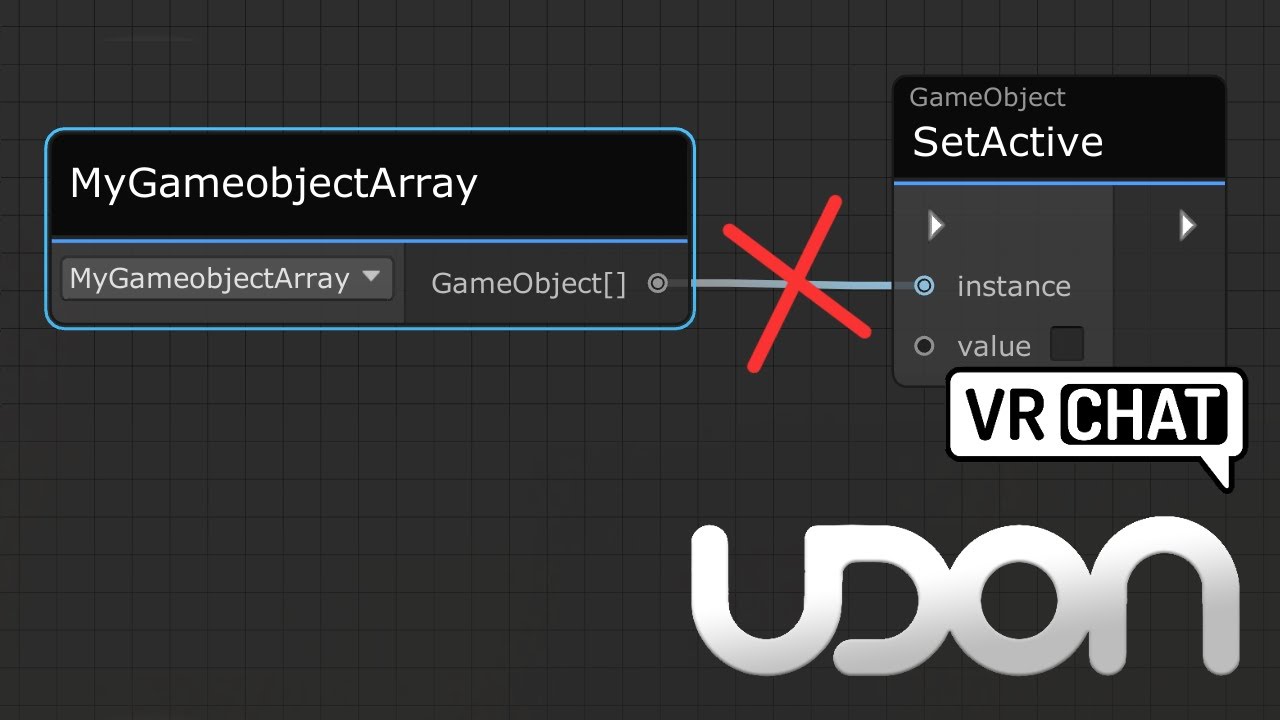
Here's a tutorial that goes over calling all game objects inside a game object array. This same method would work for any arrays, be it colliders, pickups or audio sources arrays.
I made this tutorial, as it's a little confusing not being able to directly plug a game object array into a set active node, and going from a simple toggle script, to ...
indigo finch
errant spire
Since it looks more like I just get a single one, if there isn't another way I'l...
you may instead also just want one audioSource, and just change the clip it's playing. did that in this tutorial if you want reference: https://youtu.be/4ENVC7cCiUU?t=439

Here's a tutorial covering how to create a music toggle button for one or many music in your world! The first part only covers how to toggle it for one song/ audio source, but then I expand the script to covering a multi button setup. That does however come at the cost at needing more nodes, which I hope doesn't become too overwhelming...
As f...
indigo finch
manic yarrow
I want to fade the volume of an audio source
yea, so lerping a float is what your after (mathf.float). btw, it will sound stuttery if you have the vrchat audiosource component with it, so make sure it's only unity's audio source
errant spire
The reason I want more then one is since they are alarms, also I just remembered you can manually make an array but what I want to happen is that it basically finds them and adds them to the array
The plan is is that I can just copy paste the alarm object and the Udon thing would just control it
empty mantle
Eh can someone help me with out with this udon tether prefab as when i use it in vr and move it around my whole entire fps drops big big time when it moves into frame like idk if its the prefab or something up with the pickup
indigo finch
errant spire
The plan is is that I can just copy paste the alarm object and the Udon thing wo...
Something like this then (edit: whoops, wrong start node)
 manic yarrow
indigo finch
yea, so lerping a float is what your after (mathf.float). btw, it will sound stu...
manic yarrow
indigo finch
yea, so lerping a float is what your after (mathf.float). btw, it will sound stu...
don't you need that though?
indigo finch
manic yarrow
don't you need that though?
nope, as I learnt when making my vehicles
errant spire
indigo finch
Something like this then (edit: whoops, wrong start node)
So I assume if we combine both things I should be able to play or change the gathered audiosources right?
indigo finch
errant spire
So I assume if we combine both things I should be able to play or change the gat...
you normally only want to make the array on start, instead of each time you go to use it. (was meant to be a event.start node instead of a event.OnVideoStart). so we create the array on start, then we call another custom event, that goes through that array turning everything on/off
indigo finch
errant spire
We do want the array on the start
three events needed:
 errant spire
It's just for simplicity I want it to be able to build its own array that gets filled with audio sources that are in child objects and then having the ability to either play, stop or Change the clip
indigo finch
errant spire
It's just for simplicity I want it to be able to build its own array that gets f...
so four events then:
 errant spire
Now I just need to know how to actually control it, I see the events
mighty fjord
GetComponentsInChildren is the most convenient if you want all of the components of a specific type from the children
errant spire
mighty fjord
GetComponentsInChildren is the most convenient if you want all of the components...
Yeah but how, that way is something I tried aswell but I can't figure it out
And then I need a way to control it
mighty fjord
It just returns an array of all the components of a specific type, so you want to store it into a variable
errant spire
And then how can I for example change it's clip?
Haven't seen it in the audiosource[] yet unless I missed it
mighty fjord
Well, you need an index to know which one you want to change the clip on
indigo finch
mighty fjord
It just returns an array of all the components of a specific type, so you want t...
never used it before... is it just done like so?
 errant spire
all of them
mighty fjord
Then you'd loop over each index using a 'for loop'
mighty fjord
indigo finch
never used it before... is it just done like so?
Yes
errant spire
I thought I had to use game objects for it
mighty fjord
Transform or GameObject, doesn't really matter
mighty fjord
GetComponentsInChildren exists for either
errant spire
But it seems like transform will connect since it's green
indigo finch
errant spire
**all of them**
 errant spire
If that works you will be my hero
Now I hope there is a way to do that with lights aswell so I can change Thier colour
indigo finch
errant spire
Now I hope there is a way to do that with lights aswell so I can change Thier co...
For lights, you probably want to do it via an animation instead. did this unlisted tutorial for someone covering that https://youtu.be/RVOtnG_8XD0
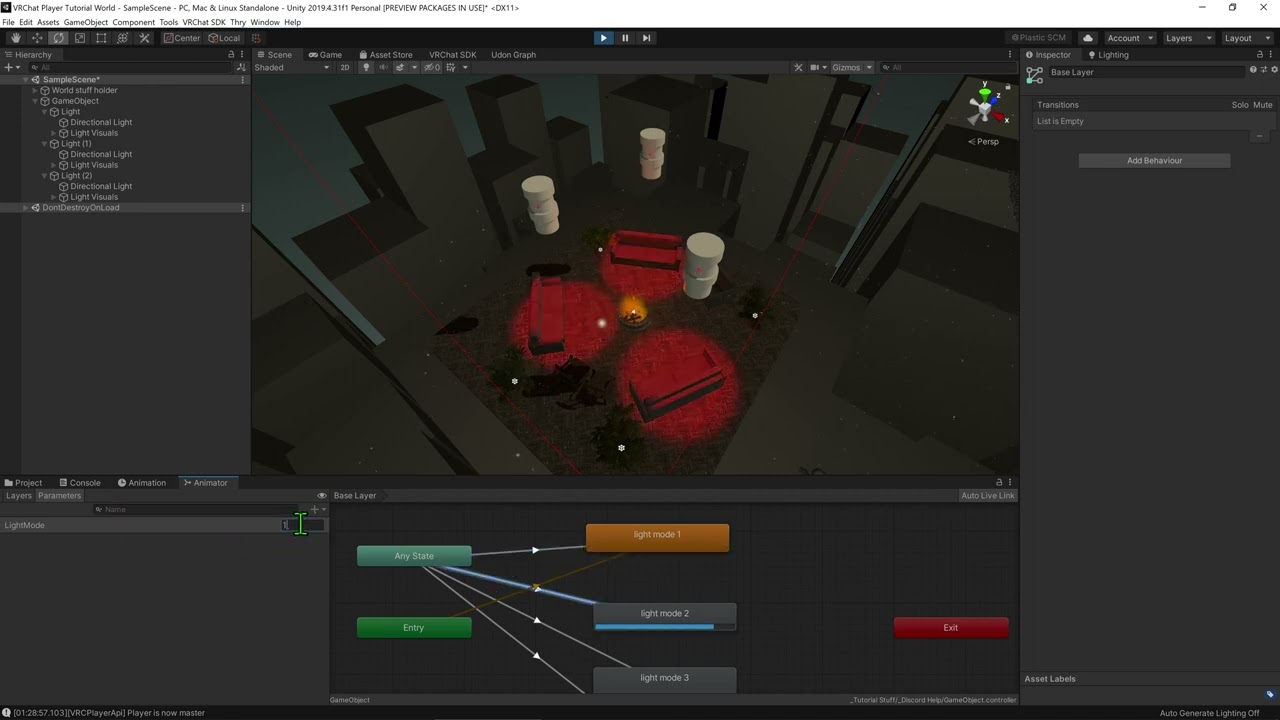
So yea, here's a really rough, one-take video about changing the lighting for a world. Hope this helps solve your problem ^^
errant spire
I mean all the lights gotta do is either be off, be red or yellow
mighty fjord
If you want them to blend it's probably easier with an animation
errant spire
Seeing the way the audiosource thing works I will see if I can do it with lights
indigo finch
could also do all the sounds via animation too. would save on a lot of coding
mighty fjord
And technically some Udon overhead
errant spire
True yet then I would have to gather all of those animators
Remember I am trying to make it modular
I wanna just be able to copy paste something and then have Udon find and control it resulting in less assigning
It's going to be a massive project and there will be a lot of lights etc
indigo finch
errant spire
Remember I am trying to make it modular
then instead of an audio source[]. you have an animator[] and do the same thing. could also make it look wayyyy nicer with next to no effort
errant spire
True, it would make spinning the alarm hinge easier too
But.. if I have over a hundred of the alarm lights wouldn't many animators make it run like crap?
indigo finch
errant spire
But.. if I have over a hundred of the alarm lights wouldn't many animators make ...
so would doing it via code. actually, with all the udon overhead, it might be worse
its all the realtime lights that i would be concerned about
errant spire
I just remembered, performance might not be an issue
I made a render zone system for when I actually can make more of the map
So when your close to a room it would render but if you don't need to see it and your not close it will disappear so lights wont be an issue
Just again the animators kinda worry me, I'ma Google real quick
Alright I did some searching, let's say I have 100 alarms, they contain an animator that has to animate 3 objects, totalling up to 300 animated things, according to some blog post it will hinder performance
It was in unity 5.2 tho, maybe it is already better now
manic yarrow
indigo finch
nope, as I learnt when making my vehicles
Here's the script I threw together, I'm pretty sure there's some redundant stuff in there but

Well technically I didn't, my friend who's trying to get this to work did and I told him
Basically:
entering a trigger should fade a source's volume from 0 to maxvolume, and exiting a trigger should set the volume from maxvolume to 0
dreamy gorge
any way to get the current duration and total duration of media from the default UdonSyncPlayer?
this one*

( im trying to access this data from a U# script )
indigo finch
manic yarrow
Basically:
entering a trigger should fade a source's volume from 0 to maxvolume...
hmmm... there are a few things that are missing/ need changing. first, on trigger enter on fires for objects in the scene, not players (which i assume is what your after). instead you want to do onplayertriggerenter, but you also would need to do a check to see if it's the local player, and not just another player.
Also, in your example, the lerp function on gets played once. all the lerp function does, is grab the two values, and uses the 3rd value to determine how much of each float goes into the final result. therefore, when we say we want to lerp something over, we actually want to keep running the float, moving it closer and closer each frame. To do so, we want to run it on an update event, to run it each frame.
Here's an example:
 indigo finch
dreamy gorge
any way to get the current duration and total duration of media from the default...
indigo finch
dreamy gorge
any way to get the current duration and total duration of media from the default...
If I were to hazard a guess, it would be something like BaseVRCVideoPlayer.Duration probably.
manic yarrow
indigo finch
hmmm... there are a few things that are missing/ need changing. first, on trigge...
Alright, thanks for the help there. I noticed that the audio is 3D even though it's set to 2D and the VRC thing is removed like you said
indigo finch
manic yarrow
Alright, thanks for the help there. I noticed that the audio is 3D even though i...
yup. you probably still have spatialize enable
 manic yarrow
indigo finch
yup. you probably still have spatialize enable
manic yarrow
indigo finch
yup. you probably still have spatialize enable
There isn't a box for that there
it goes straight to mute and bypass effects for me
indigo finch
manic yarrow
it goes straight to mute and bypass effects for me
how do you know that it bypass effects if it's set to mute?
Also, did you update your script? don't think the one you shared would work
manic yarrow
indigo finch
how do you know that it bypass effects if it's set to mute?
Also, did you update...
I mean those are the first 2 settings
nothing about spatialization at all
indigo finch
Mind screenshoting (windows key + shift + s for partial screenshot)
manic yarrow
indigo finch
Mind screenshoting (`windows key + shift + s` for partial screenshot)
Excuse the quality, it's through a discord stream

those are all the checkboxes available
indigo finch
manic yarrow
Excuse the quality, it's through a discord stream
that's... weird. have you tried just making another one? even if i were to make a vrchat audio source and delete the vrchat part of it, it still has spatialization options
manic yarrow
indigo finch
that's... weird. have you tried just making another one? even if i were to make ...
yeah, brand new ones don't have it either
it shows up in debug though, weirdly
indigo finch
Weird.
manic yarrow
indigo finch
Weird.
disabled it in debug instead

doesn't seem to be working correctly though, unless I've done something wrong without noticing
WAIT
get volume
indigo finch
manic yarrow
audioSource.volume needs to have the target audio source plug in
manic yarrow
missing instance
indigo finch
there we go
manic yarrow
indigo finch
there we go
Can't I just reuse the one that's already there?
manic yarrow
indigo finch
there we go
Also, Could I use ontriggerstay instead?
You spawn inside the trigger so you never technically enter
indigo finch
manic yarrow
Also, Could I use ontriggerstay instead?
ontriggerstay is pretty expensive, so you generally want to avoid it. I would just add a onPlayerRespawn node, do the same check to make sure it is the local player respawning, and make that set the value to max
manic yarrow
indigo finch
ontriggerstay is pretty expensive, so you generally want to avoid it. I would ju...
How would that work if they leave the trigger after spawning and then walk in?
indigo finch
manic yarrow
How would that work if they leave the trigger after spawning and then walk in?
i wouldn't make it replace the ontriggerenter, just do the same thing as the ontriggerenter
manic yarrow
indigo finch
i wouldn't make it replace the ontriggerenter, just do the same thing as the ont...
so just duplicate the ontriggerenter but replace the event?
indigo finch
manic yarrow
so just duplicate the ontriggerenter but replace the event?
yup!