#udon-general
59 messages · Page 60 of 1
 floral dove
floral dove
floral dove
15 times?
 ionic brook
instead of hundreds of times
floral dove
Why not just once?
ionic brook
becauses there's 15 cars with removable parts
floral dove
Ah, once per car, that makes sense.
ionic brook

you know what would be cool?
if we could do it just once in the world itself
is that possible?
can i add vrc object sync to the VRCWorld in my descriptor?
does it work that way?
floral dove
I recommend you check out this video and the docs to learn about how networking works in VRChat: https://docs.vrchat.com/docs/udon-networking
VRChat
The three main concepts used for networking in Udon are Variables, Events and Ownership. Variables are containers for values - like a number, a set of colors or a 3D position.Events are things that happen at a moment in time.Ownership is the system that decides which user can update a variable, wh...
ionic brook
is VRC Object Sync Global by default? I doont see any options for global or local.
floral dove
Read the docs, please 😃
floral dove
Yes - a pickup needs a collider and a rigidbody
 vocal valley
...no help for me?
 cunning mist
Haven't seen your problem before, so sorry 🤷
 broken bear
Text mesh Pro? Go to window->Package Manager, and grab TextMeshPro. something in your project is calling for it?
 cunning mist
The SDK auto-imports it, so couldn't tell you why it think's it's missing.
vocal valley
turn out, something i had was causing issues with "keys" or something.
 spring brook
anyone know how to get the suggestion extension to work in visual studio code?
 grand temple
in unity, go to edit > preferences > external tools and choose vscode as the external script editor. Then close vscode and open a script by double clicking it in unity
 quartz meadow
have they fixed getting the input of the index click buttons yet?
the thumbstick click?
grand temple
you've always been able to get the thumbstick click of the index controllers
https://docs.google.com/spreadsheets/d/1_iF0NjJniTnQn-knCjb5nLh6rlLfW_QKM19wtSW_S9w/edit?usp=sharing

Google Docs
VR controller summary
The method of getting input that is documented in this sheet is being superseded. In open beta 2021.1.4 (march 6th), VRChat has introduced a new method of getting input. That new input system will be more reliable and more future-proof. Please refer to documentation here: <...
quartz meadow
I recall it had issues with one of the two thumbsticks when I tried it a few months ago. Ill give it another whirl though
grand temple
the real issue is more about how every controller gives different inputs and not all controllers can be reliably detected
so for example on index, fire2 is the right joystick click but on oculus controllers running in steam it's the A button and oculus controllers running native it's the B button
and you can detect if they're on oculus vs index, but you can't detect oculus native vs oculus steam
 whole rain
Small simple question, when I have a public array of gameobjects, is there a way to mass select them? For example, I have a tower of cubes I want to respawn with a script, but I have to select each cube and put it in the public array. Is there a way to select all the cubes and somehow drag them in together?
grand temple
yes, you can select the object you want to put them into and click the lock icon top right. Then you can select them without changing the inspector. Once you have them all selected just drag it into the array
 white grove
Anyone know why when i test my world the only thing i see is the sky box? VRC Scene Descriptor looks to be fine.
 late cobalt
Can anyone help me edit a avatar?
I wanna make this avatar
A Mario avatar with this colors

But I don’t know how
Can anyone help me?
 hushed gazelle
Is it possible to get the trigger pull depth on a VR controller with the input detection? (eg; Player has pulled left controller trigger 50% of the way down)
 frank arrow
late cobalt
A Mario avatar with this colors
frank arrow
late cobalt
A Mario avatar with this colors
 bleak echo
Trying to fire a custom event, delayed by a few seconds, but it's not working.
Everything else worked when I connected the start event directly to the "for" loop.
Am I calling the event wrong somehow?

 cold raft
i dont see any errors here, maybe the game inst ready to send/receive events in the start method
if you want thing to start in disabled state, you can ofcourse turn the off in unity
bleak echo
I can't in this case. Must start with these objects on, and disable later.
Is there any other even that I can use instead of start?
Maybe player join? I'll try with player join, and see if it can fit my purpose.
bleak echo
Using player join, testing if local, and then proceeding to send the delayed custom event was a solution to my problem.
 cold raft
nice
bleak echo
I do have another weird question:
Can I test if a user is specifically me?
As in comparing to my user string: usr_e8b2a514-5cb8-337d-5a8d-5466df932db8
In the player api I see a get player ID, but that seems to be a different ID
I know I can get the player name, and test that. But... I may change my name. ID would be ideal.
 stark adder
bleak echo
In the player api I see a get player ID, but that seems to be a different ID
stark adder
bleak echo
In the player api I see a get player ID, but that seems to be a different ID
User id and player is is not the same
User id can not be obtained using Udon... Why don't ask me it's stupid but it's a fact
Player ID is number that starts on 1 and goes +1 for each player that's joins instance
So 50th player will have ID 50.. :)
Player ID is never reused in the same instance.. if you rejoin your Id before is 5 then you rejoin your ID will be 6 (if noone else joined in that time )
bleak echo
Got it, yeah, thought so. I went with the display name, might change but at least it's unique.
bleak echo
stark adder
Player ID is never reused in the same instance.. if you rejoin your Id before is...
Oh that's nice to know
stark adder
bleak echo
Got it, yeah, thought so. I went with the display name, might change but at leas...
Yes displaynsme is the only way
bleak echo
Yep, it works, just hoped to make it more robust. No biggie.
 craggy harbor
Does the player has to be the owner of the object that attached with the script to fire a "SendCustomNetworkEvent" trigger?
cold raft
anyone should be able to fire events
craggy harbor
🤔 okay, it might be cyanEmu limit then. nvm
 chilly crater
How does Udon handle the multiple clients for player ownership/trackingdata based stuff?
I'm not sure if the Master is getting both objects because they are the same player or if I messed up somewhere.
 rancid swift
stark adder
Player ID is never reused in the same instance.. if you rejoin your Id before is...
rancid swift
stark adder
Player ID is never reused in the same instance.. if you rejoin your Id before is...
Do they really never loop around, even if it reaches the world max capacity?
stark adder
No max Player Id is 2,147,483,647 (Integer limit) 🙂
rancid swift
Oh. Oh... well I know what I'm fixing later today xD
stark adder
🤔
rancid swift
Is GetPlayers consistent at least? (Order I mean)
(I'm using player id as an offset into a synced array in one of my worlds)
stark adder
Not 100% sure
I know that each player might have different order
idk what about locally
if the order is always same or not ? 🤔
(Unless they changed it)
rancid swift
Hm yes, expected as much
stark adder
Because of that I never used GetPlayers cause I rely on the same order for every player
rancid swift
How else you doing it? Manually on join/leave?
stark adder
I always OrderPlayerList.. Where I iterate though all players and order them by Id
Ids are same of every player
        VRCPlayerApi temp;
        bool valid;
        for (int i = 0; i < PlayerApis.Length; i++)
        {
            valid = Utilities.IsValid(PlayerApis[i]);
            for (int j = i+1; j < PlayerApis.Length; j++)
            {
                if (!Utilities.IsValid(PlayerApis[j])) continue;
                    if ((!valid ? Int32.MaxValue : PlayerApis[i].playerId) <= PlayerApis[j].playerId) continue;
                temp = PlayerApis[i];
                PlayerApis[i] = PlayerApis[j];
                PlayerApis[j] = temp;
            }

        }
Could def be done better but I am lazy to rework it to be more optimized
rancid swift
I see, thanks
Not really feasible for my use case, since it can shift when someone leaves though...
stark adder
Yea that's why I run this both on joi nand leave
rancid swift
Might have to make my own hash map or something
rancid swift
stark adder
Yea that's why I run this both on joi nand leave
The problem is that the array I'm working with is synced, and contains data only the individual users know... though I guess the master could manually account for the shift and move the array around accordingly 🤔
I'll figure something out
 void ridge
I had an issue recently wherein an Udon graph had been functioning, but then stopped, and recompiling the graph asset fixed it.
Is there a way to recompile all Udon programs in my project at once? I'd want to do this as part of a pre-build checklist.
cunning mist
If I remember right, the SDK tries to do this itself, but I've seen mixed results on that actually happening.
 dapper lion
can you have 1 vrc object sync on the parent of multiple objects. or should the multiple objects have their own object sync component?
cold raft
The object synch synchronised the transform where you put it so yes if put it on a parent all children will move with the parent
This does not mean each child can move individually
floral dove
void ridge
I had an issue recently wherein an Udon graph had been functioning, but then sto...
Yeah, I believe all programs should be compiler on scene load / build / play. I'd need to check the exact spots.
void ridge
Not sure what was happening here, then. I was able to reproduce the issue in Editor via CyanEmu and after building in VRC client.
And then I reproduced the fix by changing nothing in the graph and recompiling it
Somewhat unrelated, but it does also seem untrue that graphs auto-compile the way they used to on build. I was talking with @brittle eagle yesterday about this; if I configure some nodes (e.g. change default input values in fields) and then don't hit Reload, and then build, the graph seems to act as if I'd never done those last steps. If I then go back and hit Reload, but change nothing in the graph, it starts working. I think this has happened to me at least twice now.
Regarding the issue I had with the graph that seemed to stop working for no reason until I recompiled it: I just realized that I have the broken version of that asset file backed up in Unity Collab, and I could retrieve it if that would be helpful. Please let me know if so.
chilly crater
void ridge
_Somewhat_ unrelated, but it does also seem untrue that graphs auto-compile the ...
This happened to me too. Before I swapped to U#, I was neurotically spamming compile and reload every time I finished tinkering with a graph.
void ridge
I've only noticed this happening recently, though. Maybe since about the time of UNU. Which either means it's only changed recently, or just that I didn't notice it before.
chilly crater
It started happening I think the SDK release before UNU or the one before that.
I think it was a tradeoff. When graphs got too... bloated (or you use groups), it would freeze up whenever you added new nodes or made connections.
Does the multple client testing not work with ownership or join events?
Yeah, starting to think that.
2021.06.07 14:15:26 Error - [Behaviour] PlayableController has no data to send to a new player!```Totally getting my butt kicked. But I'm having fun trying to syntax DebugLogs into something readable.
 unborn hornet
Protip: Use the <color=blah>Text goes here</color> syntax for easier readability.
As an example, i generally use bracket syntax like so [<color=44ccbb>ATA</color>|<color=22dd77>MyScriptName</color>] {message} where the first part is a unique Identifier for MY stuff (like a namespace in U#) and the second is contextually relevant to the message (like which script it is being called from).
 scarlet lake
I'm trying to make my first SDK3 world and I can't download the modules for my Unity :/ https://gyazo.com/c87235f8169f5ede5428e3fee0d799ab
 grand temple
that's just the short list of the most up to date versions. You need to go here to get the full list. You're looking for unity 2018.4.20 https://unity3d.com/get-unity/download/archive

Unity
Unity is the ultimate game development platform. Use Unity to build high-quality 3D and 2D games, deploy them across mobile, desktop, VR/AR, consoles or the Web, and connect with loyal and enthusiastic players and customers.
scarlet lake
grand temple
that's just the short list of the most up to date versions. You need to go here ...
i have the unity version 2018.4.20f1 already
grand temple
are you looking for the vrchat SDK? That can be found at https://vrchat.com/home/download
scarlet lake
i'm looking for the modular extensions that everyone else seems to have, they have the little android and windows icon and i dont on mine

Learn how to get set up to create Udon-powered Worlds in VRChat.
- Visit https://vrchat.com/home/download.
- Create a VRChat Account if you don't have one yet.
- Download SDK.
- Install Unity Hub and current VRChat-compatible version if you don't have them yet. Check the Android Support box when installing Unity so you can make Quest-compat...
added the start time ^
i found them and downloaded/installed but i dont see any changes https://gyazo.com/431400a574f5e0729617a1b7f979abfc
 grand temple
hm, do you have an old version of unity hub?
scarlet lake
i just updated it
grand temple
https://docs.unity3d.com/Manual/GettingStartedAddingEditorComponents.html
Ah, this says if you didn't install unity editor via the hub you won't have this option
 scarlet lake
yeah i dont think i did
grand temple
so you can try uninstalling the editor and then reinstalling by clicking the unity hub button in the download archive instead of the raw downloads (win)
scarlet lake
grand temple
so you can try uninstalling the editor and then reinstalling by clicking the uni...
will i lose all my files if i uninstall?
grand temple
no, the editor is separate from your project files
 chilly crater
If I set the owner of an item, does that include its children?
chilly crater
Weird, ownership is transferring and the log event isn't firing for that.
Nevermind, scrolled down more. Somehow I messed up the cleanup event.
I want to Return the object of the objectpool back to the owner IF it transfers back to the owner of the pool when the transfer event happens.
        {
            if (Networking.IsOwner(gameObject))
            {
                ObjectPool.Return(gameObject);
                Debug.Log("HealthArmor script on: " + gameObject.name + " returned to the objectPool.");
            }
            else
            {
                Debug.Log("HealthArmor script on: " + gameObject.name + " OnOwnershipTransferred happened and I wasn't the owner!");
            }
}```Or is this more of a U# discord question?
scarlet lake
how do i make the input field not show up through the walls https://gyazo.com/38122118d341369fe4474d43d814d25c
 void ridge
scarlet lake
how do i make the input field not show up through the walls https://gyazo.com/38...
void ridge
scarlet lake
how do i make the input field not show up through the walls https://gyazo.com/38...
I believe this actually only happens in Editor, though I don't understand why at all. I think if you build and play in VRC, it'll be correct.
 native estuary
If you enter and exit play mode it fixes the ordering in scene view
chilly crater
Is multiple client tracking data suffering the same bug as VRC stations in multiple clients?
grand temple
gonna have to be a bit more specific
chilly crater
I've been debugging my script that updateloops onto your trackingdata with multiple clients. It works on one client, and the other crashes silently.
Parameter Addresses: 0x0000001D, 0x00000033, 0x0000006F```doesn't sound like a bug, you're just trying to access the trackingdata of an invalid playerapi
use utilities.isvalid to check if the playerapi is valid before trying to access it
chilly crater
... I really need to get into the habit of isvaliding everything
Thanks, I'll try that now
scarlet lake
Hey I have a low end pc (like from the 2000s) which can barely run steam vr. Could anyone teach me how to take character models, rig them, and add them to vrchat quest
floral dove
scarlet lake
Hey I have a low end pc (like from the 2000s) which can barely run steam vr. Cou...
Avatar support is this way: #avatar-help

 spark nacelle
is this vr chat? https://youtu.be/inavD5crjmg
 tardy obsidian
spark nacelle
is this vr chat? https://youtu.be/inavD5crjmg
tardy obsidian
spark nacelle
is this vr chat? https://youtu.be/inavD5crjmg
Very obviously not
hushed gazelle
With NavMeshAgents, do they sync automatically or do they need to be treated like other objects in a world? I mainly just need to know if they sync their own position and if I can send a CustomEvent to update their behaviour or if it needs to be a NetworkCustomEvent.
stark adder
Nothing sync automatically except player voice, position, bone and stuff about player
 ashen ibex
is there documentation on the NavMeshAgents besides the official unity documents? cause boi i cant seen to get anything to work
cold raft
there was a talk about it on TLX did you see that?
ashen ibex
I dipped before the goodbois so ill see about finding it
hushed gazelle
The TLX talk isn't a good reference tbh, because while informative it's a VERY long set of presentations just to dig for a specific answer. It's also UdonSharp-focused rather than using Udon Graphs.
 glad flume
I want to conduct a survey on VRchat. Is there anyway to send the input data to other server?
cold raft
hushed gazelle
The TLX talk isn't a good reference tbh, because while informative it's a VERY l...
There are separate yt vids per presentation, just take the topic you like. Also NavMeshAgents are a unity thing not an udon thing
hushed gazelle
Yes, but they're driven by UDon in Udon worlds.
stark adder
Yea TLX was very long.. some presentations could have been cut to half
bleak echo
using cyanemu, when I go into playmode I get this log constantly showing up. It is clogging up the console and I can't see my own logs. Is there a way to make this go away?
 grand temple
delete the audio listener on the main camera, you don't need it anyway
bleak echo
perfect, thank you
scarlet lake
Hey is the Set player node in udon deprecated?
grand temple
scarlet lake
Hey is the Set player node in udon deprecated?
there is no node specifically called "set player" but it sounds like you're talking about the "set" node that is targeting a variable called "player". In which case, no, it's not deprecated. But in order to see it, you would have to create your own variable named player
scarlet lake
yes i figured that out , but thanks a lot
 primal ocean
How would I go about making a sliding door you grab and slide yourself?
 wanton oxide
what would be the best way of manually syncing an objects' position? because i want to use manual sync due to its insane speed and low latency compared to continuous, and i would need to use a proxy object anyways if i wanted to use continuous (since the main udon behaviour on the object syncs other stuff manually)
i was thinking calling requestserialisation like 5 times per second, but afaik it wouldn't be interpolated then (and idk how often i am even supposed to call it to not overload the network)
to smooth it out i thought about syncing velocity as well but then i would already have quite some data to sync (position, rotation and velocity)
floral dove
It sounds like you're trying to mostly-recreate continuous sync with manual sync...
cold raft
on the variable you can specify if you want it interpolated atleast i think that is what lerp does
i do wish there was a object synch that just did position and rotation as scale you rarely change
 gloomy wind
Does trying to manually synchronize position/rotation and velocity can give more fluidity for the players or is that not worth to try to do that with manual sync?
 sage ledge
trying to create a button that will activate a portal marker in udon. Does anyone have a tutorial or instructions?
floral dove
sage ledge
trying to create a button that will activate a portal marker in udon. Does anyo...
what do you mean by "activate a portal marker"?
sage ledge
@floral dove If I create a button someone can push that spawns the portal instead of having a bunch of portals just showing. Using udon
I don’t want them up all of the time
floral dove
ok - take a look at the MirrorSystem example in the UdonExampleScene that comes with the SDK in the VRChat Examples folder. This has a 'ToggleGameObject' program triggered by a UI Button which can turn any GameObject (like a portal) on and off: https://docs.vrchat.com/docs/udon-example-scene#mirrorsystem
sage ledge
Awesome thank you!!!
wanton oxide
floral dove
It sounds like you're trying to mostly-recreate continuous sync with manual sync...
i am, because the latency of manual sync is so much better
and i need that low latency
grand temple
part of the reason why manual sync has low latency is because it doesn't need to interpolate. Sure you could add your own interpolation but that would increase latency
but the bigger concern is just that you're flooding the network with high priority traffic
and the difference between the two when the network is overloaded is that continuous will just throw data away and keep trying to send the most recent. While manual will wait to send the data you requested, even if it's outdated
stark adder
Recreating continuous sync with manual hm  Surely the intended use case
wanton oxide
i want to use manual sync because continuous has about a 1-1.5 second delay between clients
and in a racing game that leads to thinking you finish first but actually finishing third
manual sync meanwhile is insanely fast
stark adder
Not sure how happy VRC higher ups will be with you spamming the networking this much lol not even I with my network event caller and bunch other things send that much data..
stark adder
wanton oxide
and in a racing game that leads to thinking you finish first but actually finish...
Well that's just VRC
wanton oxide
stark adder
Well that's just VRC
well no :P
cause my manual sync experiments were super smooth
stark adder
And in racing car.. it will be the same even with manual sync
wanton oxide
idk if i should do that tho
grand temple
let me put it this way... spamming manual 5 times a second is expensive, so If you wanted to reduce the load, you could batch together multiple updates worth and send them together. Then when they get there they get read in order. Not only would batching together reduce load, but also it would make for significantly better interpolation because it has more data to work with.
aaaand that's exactly what continuous is doing already. The latency isn't just magically bad, there's a reason for it
grand temple
at the end of the day, I don't know why you're asking. Just do it and find out
wanton oxide
but that will increase latency again
grand temple
yes that's what I'm saying
if you want good interpolation you need to increase latency
wanton oxide
i tried it and it worked fine but i don't know if i should be doing it basically
grand temple
if you're fine with bad interpolation and you're fine with only supporting like 8 players, sure
go for it
wanton oxide
well i have no desire to support more then 8 players so thats good :P
especially considering i want this to run on quest
stark adder
wanton oxide
well i have no desire to support more then 8 players so thats good :P
So that means you need to put max world size to 3/4 max
If you mean 8 players in instance max
stark adder
👍
wanton oxide
There can be 20 people in the world for all i care
stark adder
More data being used 
wanton oxide
My networking code isn’t that primitive lol it should handle it without issues
wanton oxide
stark adder
More data being used <:awhoknows:817117903022850099>
How so?
stark adder
Well not for you but for VRC if you care about that lol
stark adder
xd
Am I the only one here who is trying all I can to keep the network happy and healthy ? xD
I think I'm gonna start killing the networking too I guess if everyone does it too
40 players all transmitting data will be fun
wanton oxide
Exactly
40 players
If you only support 8 bandwidth is going to be less of an issue
cold raft
While ofcourse it's not intended I am intresting to see how this turns out, this could lead to super evil high fidelity sync prefab that the dev team hates. But in the end there are bandwidth caps for a reason, so aslong as you stay below the caps it should be fine. And if you sync position and rotation that is 6 floats that is about 24 bytes + overhead for network transfer it's not a lot of data
floral dove
If using manual sync for position yielded higher-quality results, we would use that instead. I just think it's a bit of a fool's errand to try to jam interpolated object sync into manual UdonBehaviours for most use cases. However, you're welcome to try it out and see how it fares 🤷
 polar shuttle
Could someone please let me know how I can toggle multiple objects with the same trigger on udon? It's my first time using SDK3
stark adder
Array
polar shuttle
Sorry I actually have no idea what you mean by that. I'm like lvl 1 at this.
 lilac hatch
I have a script working fine on PC but strictly not on Quest, no idea of why aswell.
Is there a doc to see the difference between both ? lmao
broken bear
What’s the best way to handle an area-player count? I have three main areas in the world and I wanted to create a display of the number of players on each area. I’m thinking three objects that players take ownership of as they enter or exit area triggers and change an int value, then request deserialization. The display would read the values onto a rich text canvas. Is there a better way to do it?
 keen slate
hi, somebody know how to change the color of pointLight with udon?
 dapper lion
how performant is object pooling supposed to be? in reguards of proof-read object ID sorting and ig just general cpu framing
it appears if the object pools without a udon behave will hinder performance very heavily
cold raft
wdym?
dapper lion
like, so have buttons that register that it wants to pool objects, but it starts as disabled. when i enter the worl. i get about 5 fps until i enable those buttons. not sure whats goin on but im going to try and attempt to have them on by default
just wondering if thats like a normal thing
unborn hornet
Try having the buttons disable themselves during start maybe? See if that yields different results.
dapper lion
will try that next
chilly crater
Is there a way to know if the player opens their big menu?
dapper lion
chilly crater
Is there a way to know if the player opens their big menu?
you could check if they push their menu buttons manually. but yu can only do this for pcvr. the quest input system is super incorrect atm
chilly crater
oof.
Opening up a canny for this. bool for if the menu is open would be neat. Would save a ton of code and checking for ALL the possible inputs.
Nevermind, already has one.
 lime forge
Hi, I'm trying to toggle on/off a group of colliders (chairs, tables etc) but I just can't seem to get it to work! can someone take a look at my graph.

 dapper lion
lime forge
Hi, I'm trying to toggle on/off a group of colliders (chairs, tables etc) but I ...
dapper lion
lime forge
Hi, I'm trying to toggle on/off a group of colliders (chairs, tables etc) but I ...
dos the button/toggle on your canvas acc show that you are pressing it?
lime forge
it highlights blue
but the colliders just wont turn off.
on my 2 chairs and 1 table
dapper lion
i think you may be firing it twice
cus you have the custom event name, and the interact() feeding into the same function
try removing the sendcustom event function on the toggle and just do interact()
lime forge
Ill try that now.
dapper lion
worse case scenario. im like 90% positive you can change mesh collision with unity UI
lime forge
Ok i tried, just having interact, just custom event; none worked. I even tried changing the collider nodes to mesh colliders, still doesn't work.
grr
lime forge
strange if i untick ison in the toggle script, and i press the button ingame it turns off the colliders but doesn't enable the colliders again if I press the button again.
 royal pulsar
question does one have to use udon to make a toggle ui script?
dapper lion
technically: no. you can use base UI
 dapper lion
royal pulsar
just asking how may do that?
dapper lion
royal pulsar
just asking how may do that?
kind of like this
scarlet lake
I have a question about vrchat plus
dapper lion
scarlet lake
I have a question about vrchat plus
this udon, try user support
dapper lion
royal pulsar
question does one have to use udon to make a toggle ui script?
actually. might make this a quick prefab
royal pulsar
I got my answer I am good now
dapper lion
royal pulsar
I got my answer I am good now
i made a UI example prefab anyway lol. you want?
royal pulsar
I some how fixed it I am fine now
craggy harbor
Does this mean if I use manual sync, call SetOwner(), then change variables, the change will not be dropped even if it's executed in one frame function?
 grand temple
correct
you don't need to delay between setting owner and setting variables anymore
I think the same applies to continuous sync as well
craggy harbor
👍 That's sweet. Hopefully it works as it should be. Otherwise my 500 line class will just collapsed and I have to create a new delay function structure lol.
 tepid raven
is anyone here familiar with Udon Sharp? I'm having some issues getting it installed and using prefabs that rely on it
tepid raven
@agile pond@hollow nymph@last steppe looks like another bot scam
 heavy merlin
I am trying to make a system similar to how grabbing the putter in Putt Putt Pond or grabbing the hooks in Hook Junkers works.
For that, I made an object pool for the objects I want to be able to grab, and each player that joins an instance should get one of those.
I set up an UdonBehavior that is owned by the master exclusively and also owns the object pool. That behavior listens to OnPlayerJoined and spawns an object from the pool. After that I transfer ownership of all subcomponents in a loop like this:
        foreach (var behavior in obj.GetComponentsInChildren(typeof(UdonBehaviour)))
        {
            Networking.SetOwner(player, behavior.gameObject);
        }
and that seems to work, however, immediately after this I want to send a network event to those objects, and I've since figured out that this won't work, because ownership transfer takes some time:
pooled.SendCustomNetworkEvent(VRC.Udon.Common.Interfaces.NetworkEventTarget.Owner, "AcquirePutter");
My second attempt was putting an UdonBehavior on the object and listen to OnOwnershipTransferred, but that is never called, even when the ownership is transferred. My guess is that at that point the object was still inactive because it was just spawned from the object pool and setting it to active was not transmitted to the other client yet.
Now my question is, what's the best way to do this? It's obviously been done somehow, and I've been trying to think of other ways to do this, but I couldn't come up with anything after many many hours.
Any help or hints would be greatly appreciated!
grand temple
heavy merlin
I am trying to make a system similar to how grabbing the putter in Putt Putt Pon...
Hook junkers uses the simple object pool prefab. You can find it at vrcprefabs.com/browse under the udon section
heavy merlin
I had a look at that, how does it deal with ownership switching between the pooled objects when players leave? In the readme it says players might not always be assigned the same objects
heavy merlin
grand temple
Hook junkers uses the simple object pool prefab. You can find it at vrcprefabs.c...
Maybe I should try setting it up and see how it behaves, maybe it's not a problem
grand temple
Yeah, there is a chance that someone will leave and that will cause someone to switch objects. That means you should never store data in the pooled objects, they should merely be a representation of a local object
It doesn't use on ownership transferred at all because back when it was made, that event didn't work properly. Instead it will manually fire the owner update event
heavy merlin
Interesting, when you say not to store data in the pooled objects, does that mean you shouldn't attach it to the grabber next to the players head so they can spawn it into their hands? Or how is that set up in Hook Junkers?
I know it works a bit differently in Putt Putt Pond than it does in Hook Junkers
I think when you do it in Hook Junkers you already have it "gripped" where as in putt putt you have to let go after you pulled it out and grab it again
grand temple
Correct. The grabbers in hook junkers are local pickups. You can play completely without the pool. The pool just shows the grabbers to other players
heavy merlin
🤔 very interesting, so the local pickups somehow synchronize the pooled object so it shows it to other players
don't you have to hide the pooled object that is yours in this case, otherwise you'd see your local object and the one that's synced to other players? maybe I'm still not quite understanding how it works exactly
grand temple
Yep exactly
It's pretty easy to add in arbitrary code to do something like hide the object if your owner is local
heavy merlin
I see, that makes a lot of sense, that gives me a lot more to think about 🙂
Also, I've seen this question: https://feedback.vrchat.com/udon-networking-update/p/please-provide-a-clear-event-indicating-when-the-network-is-initialized and it mentions some workarounds - is there an easy way to accomplish this? basically what I'd need is a OnPlayerJoined but only after everything has been synced up
grand temple
You can wait until ondeserialization, that's when you receive synced data
heavy merlin
that's for the local player only though, I think. I have something running on the IsMaster player and it'd need to manage some game state once a player joins. I think I can play around with OnDeserialization , setting a value from the IsMaster, transferring ownership and then waiting on the other client with OnDeserialization...
Either way, thanks a lot for the help @grand temple! you gave me a lot of new ideas to play around with
I come from a different coding background so adjusting to a networked system like this is new to me
grand temple
Just depends what you're looking for. If you need game state to change when a player joins, then yes onplayerjoined. If you need to react to synced data, use ondeserialization
heavy merlin
heavy merlin
that's for the local player only though, I think. I have something running on th...
Just tried it, that worked!
lime forge
I really don't get this, this code works for everyone else but not for me and I don't know why.

to toggle a group of colliders on and off.

I have 0 errors in unity too, but these nodes work for others but not for me.
heavy merlin
Aren't you missing a negate node in there?
lime forge
Where?
heavy merlin
After the "Get isOn" all the way on the right
lime forge
I tried this earlier but i'll try it again.
omg
i did it finally
thank fucking fuck for that
i'll post my code now for those who are stuck on this.
 scarlet lake
how do i make a mirror toggle local and not global?
floral dove
scarlet lake
how do i make a mirror toggle local and not global?
don't use synced variables or network events - all methods and variables are local by default.
you can learn about how networking works in VRChat here: https://docs.vrchat.com/docs/udon-networking
scarlet lake
alright, ive never used udon before and i watched a video on how to make a mirror toggle but he never explained how to make it local https://gyazo.com/31a942456ae45f1a742db66ccae45de3 i'll check it out thank you!
 cold raft
That graph seems about right
lime forge
Here is a better version as this one also allows you to switch between different mirror qualities.

Graph that I made yesterday.
@scarlet lake everything is local unless you specify with nodes to make it global.
scarlet lake
for the avatar pedestals, do the avatars have to be public?
dapper lion
yes, otherwise people will get mad at you
cold raft
:LUL:
floral dove
lime forge
this graph has no way to turn the VRCMirrorLow back on 
lime forge
This is for 2 buttons
You need 1 button for HQ-OFF and another for LQ-Off
when you hit HQ and then hit the LQ mirror --- it will disable the HQ mirror.
and same vice versa
lime forge

Shorter version, didn't need to have 2 VRCMirrorHigh, 1 was enough.
Button 1

Button 2


 karmic tendon
I have this udon graph setup to set an animation bool when entering and exiting the trigger. this setup uses a separate gameobject with a box collider set as a trigger. this separate game object also has its layer set to "playerlocal". when testing, this does absolutely nothing, and I'm pulling my hair out. please help
 cold raft
Are you sure that toggling the variable On on the animation causes the animation to change? As this graph seems good I think
karmic tendon
I did some testing and the graph is definitely good to go. this cyan emu tool lets me trigger the events manually. it seems to be that it just doesn't work with the trigger
but I can't figure out why. it's set to the proper layer
grand temple
what are the settings of the collider? What layer is it on? Does it have a rigidbody? Does it move?
karmic tendon
it's a box collider set to be a trigger. the layer is set to playerlocal
it doesn't move, is not a rigidbody
should it be set to static?
grand temple
playerlocal does not collide with playerlocal
set it to mirrorreflection, that will collide with playerlocal without blocking interact raycasts
grand temple
is the udonbehaviour on the same object as the collider?
karmic tendon
I tried both on the same object, and on a separate object. both cases didn't work
grand temple
did you try on the same object after putting it on mirror reflection?
karmic tendon
I did, and it didn't work
grand temple
pics?
karmic tendon
one sec
the parent object is the one with the udon behavior. this is the current configuration. none of the previously described configurations worked


 pallid mango
Is the only way to set a variable to a specific instance in the scene to make a public variable and assign it? What if it can just be a constant?
grand temple
the box collider is disabled
karmic tendon
it was disabled to use the other one, but I undid it before taking the screenshot
I've tried it 3 times triple checking everything
it's also using the udon# version of the script. I've tried the same thing with both udon graph and udon sharp. both don't work
here is the udon sharp script for reference

the actual behavior works when forced to send the event, but the collider doesn't work
trigger*
 formal flame
Heyo, is it possible to hide nameplates using Udon? I'm trying to make a hide&seek (well, moreso gmod prophunt style) world, and I was wondering if it's something that is possible to even do.
dapper lion
i mean, technically, i guess your safe to do that for hide in seek, but it is kind of hard and youd have to use a fancy shader that can cover up the UI above the head
 rough geyser
Could someone explain to me how I would get a mirror to toggle on and off just by walking into a trigger collider, but have it be a LOCAL event only?

This is my graph,

This is the result, with one instance toggling the mirror on and the other walking into the trigger and toggling it off, even though it's only supposed to be local.
 grand temple
OnPlayerTriggerEnter happens when anybody walks into it. But it tells you who walked in, that's what the vrcplayerapi is. All you need to do is check if the playerapi islocal and plug that into a branch
 lusty spear
Hey yall! maybe i can get a hanfd. I'm trying to make a trigger global, like if the host clickes it, it triggers for everyone
floral dove
lusty spear
Hey yall! maybe i can get a hanfd. I'm trying to make a trigger global, like if ...
sure, you can learn all about networking here: https://docs.vrchat.com/docs/udon-networking
lusty spear
thank you! 💚
lusty spear
floral dove
sure, you can learn all about networking here: https://docs.vrchat.com/docs/udon...
i read through and tried but everytime i interact with the object, it deleted itself and nothing is trigered
lilac hatch
I have an issue with a script working fine on PC but not Quest, from what I see Quest is unable to interact with InputField.text ?
(would that be a udonsharp issue more than a udon one tho?)
I can provide a prefab that can be used as a test subject if needed. pepohands
 fading cipher
🤔 id recommend that if you’re using UdonSharp, any issues or questions you have can be brought to that discord channel. If you’re not sure it’s specifically a U# issue, you could always use the #support channel instead of #udon-sharp
For me, this channel basically doubles as a second #support channel if nobody responds or I don’t think anyone will have any experience with my problem in the U# Discord
lilac hatch
I doubt a lot of people in the u# discord use a quest tho.
As I said, script is working perfectly fine on PC
But don't do shit on the android build of the exact same world
It seem to load perfectly fine tho since it do not throw my any errors in the console
floral dove
lilac hatch
I have an issue with a script working fine on PC but not Quest, from what I see ...
that's correct - there's a known issue where Quest is unable to enter text into Input Fields currently: https://feedback.vrchat.com/vrchat-udon-closed-alpha-feedback/p/need-better-pc-quest-udon-code-equity
dapper lion
floral dove
that's correct - there's a known issue where Quest is unable to enter text into ...
are you kidding me
lilac hatch
Pain. At least it's not on my end, thanks
floral dove
dapper lion
are you kidding me
no I'm serious
lilac hatch
Need a prefab to mess around with ?
6 months is starting to be a bit old tho :(
I'll disable the keyboard until the issue is fixed I guess ay
dapper lion
probs spread the word that theres a canny for this
broken bear
I guess a world keyboard to input text and parse that
floral dove
lilac hatch
6 months is starting to be a bit old tho :(
I'll disable the keyboard until the...
Just curious - what are you building that needs text input on Quest? It helps us prioritize features and bugs when we know what creators want to make that is currently blocked.
lilac hatch
i'm using an ingame keyboard to type in the inputfield and then use the value to search between 1k3 gameobjects right now, search option basically @floral dove
floral dove
am I reading that right -- 1003 gameobjects?
lilac hatch
yeah, which is why i use a search options, they're all disabled by default.
floral dove
So you want your own keyboard prefab to be able to target the Quest text input field?
lilac hatch
@floral dove yep ! got it on PC already but well
floral dove
Understood, thanks for the info.
lilac hatch
thanks you :)
scarlet lake
So playing with setting up door animations in a SDK3 world. I have them working, but when tested they are only local. How does one set these global?
floral dove
scarlet lake
So playing with setting up door animations in a SDK3 world. I have them working,...
you can learn all about networking here: https://docs.vrchat.com/docs/udon-networking
VRChat
The three main concepts used for networking in Udon are Variables, Events and Ownership. Variables are containers for values - like a number, a set of colors or a 3D position.Events are things that happen at a moment in time.Ownership is the system that decides which user can update a variable, wh...
fading cipher
Normal people: "instantiating doesn't work? Great, we'll pool"
Me: rewrites entire networking system to allow instantiating to work
Me: makes friend write networking for me because I'm smol brain and I want instantiating to work
 coarse parrot
Friend: Fake instantiating with object pooling anyway
 shut lodge
Is there a tutorial on specific steps for applying station animation overrides? I want to apply something that scales the avatar using the station. (Is that possible?) But I wish the specific steps existed as I've been having trouble... or perhaps I need to obtain this effect another way.. not sure how I would do it any other way. Advice?
fading cipher
coarse parrot
Friend: *Fake instantiating with object pooling anyway*
shush I'd have died inside lol
We actually do have successful networked instantiating tho
 steel nova
https://docs.vrchat.com/docs/vrc_realtimegiupdate is this no longer exposed in udon? struggling to find
VRChat
This script is used to apply custom renderer behaviours to an object. Currently, the only supported custom renderer behaviour is "Update GI Materials". This enables the object's GI attribution to be updated in real time. This is useful if you have objects that change their emission attribution and y...
unborn hornet
Networked instantiation? CRINGE!
guitar solo
scarlet lake
Hmmm, Udon Graphs seems to let you sync all sorts of variables, including components, but udonsharp doesn't... How do I sync this moving boy that is now moving for the non-instance owner but doesn't move for the instance owner
Spawning is synced, but the syncing breaks the moment the thing gets pooped out by the spawner 
scarlet lake
I*m guessing the best way to deal with this is to use a for loop to always detect the closest player and have the thingers path for the closest player, and have it all be local
Hopefully they'd mostly try to path the same way, but I'm not sure if that's how navmeshagent works
floral dove
UdonSharp lets you sync everything that Graph does. Instantiation is not synced- use an Object Pool instead.
https://docs.vrchat.com/docs/network-components#vrc-object-pool
VRChat
This doc covers Networking Components, Properties and Events you can use in your Udon Programs.Special properties you can get from Networking: IsClogged - returns true if there is too much data trying to get out. You can use this to hold off some operations or adjust your logic. IsInstanceOwner - re...
scarlet lake
Yeah, I guess I should do that instead 
I just kind of wanted to do it without pools for the targets you fight since there won't be limitless numbers of those and then with pools for arrows etc.
floral dove
Just come up with a good max number.
scarlet lake
But having to guesstimate how many ghouls a game master wants to spawn makes you thonk.
floral dove
Start super-high so you don't have to worry about it, then count usage and adjust your max.
It helps if you write a little editor script to duplicate and setup the objects in your pool.
Hm, maybe we should include something like that in the SDK.
scarlet lake
This is the first time I'm actually seriously figuring out Udon, and while it seems to have some limitations (wanted to use tags... couldn't use tags), seems pretty good so far.
floral dove
Oh good! Make sure you read the networking docs and watch the video if you like video tutorials. Yeah, it's a bummer not to have tags for now.
scarlet lake
Also lol, I was following someone's random tutorial a bit too heavily and did the good old mistake of making instanced clones... of clones... of clones... instead of the prefab
Summer heat no good for thonk.
Should one use the VRC Object Pool or Unity's own stuff for it? 
scarlet lake
hmmmm, can't seem to touch the VRC Object Pools with UdonSharp, or maybe I'm just blind or something
 rough beacon
what is the thing call for input that in vr "aim joystick up in air and click" to do thing?
nevermind. i just need to know input for joystick for quest joystick on vr
 dapper lion
rough beacon
dapper lion
rough beacon
is this beta 0.0.1?
rough beacon
this is not beta. i found my input. i just got get right button so player can jump without menu popup
dapper lion
rough beacon
this is not beta. i found my input. i just got get right button so player can ju...
well this looks like the menure product, but like the very first revision where it was absolutely terrible lol. if it is, i believe we found the input trigger for quest was 6 and 9. possibly 8
idk, all of our quest testers when making this product just got used to the mute button and jump button as the menu trig
rough beacon
you know the input for joystick button right hand?
dapper lion
not that i cant remember, i belive it is 6
rough beacon
i think i found it 😛
 rough beacon
ok. thank. i hope that do the trick. nothing like jumping and have menu pop open in front of you 🙂
 wanton heron
how would I go about making a global synced toggle?
dapper lion
wanton heron
how would I go about making a global synced toggle?
if you have udonsharp. it comes with a global toggle script
wanton heron
is it synced though? I'm worried about late joiners haha
dapper lion
it should be
rough beacon
i am happy with my fix. 1 less of a problem now
scarlet lake
@everyone Someone knows how to fix the bug of avatar favorites ?
scarlet lake
why are u so smart and cute?
Oh, VRCObjectPool does work with UdonSharp, it was just a matter of adding more stuff for it to use 
scarlet lake
Whew, now I'm back where I was before, now just with a 20 strong object pool. Having to put the pool in each pool guy is annoying since the prefab obviously doesn't want to have that in it. 
Okay, now their behavior is even less predictable than it was before now that they come out of an object pool
The master still doesn't see them moving, but the other player, well. They're glitching all over the place to start off
Feels like navmesh agent goes crazy on activation for a few seconds
Probably easily fixed by either moving the pool to another location, or having the navmesh agent have no speed for a second
grand temple
if you select the object pool and then click the lock icon on the top right of the inspector, you can then select multiple objects at once and drag them all into the pool together
 daring basalt
This is my current graph. I want to teleport a player to another gameObject when entering the collider of another, like a door. I have one with "Is Trigger" checked, but the player doesn't get sent to the target gameObject's location. When not having "Is Trigger" checked, the player can't enter the collider at all, so I am assuming that that is not the problem.
 grand temple
you need to connect the white arrow from onplayertriggerenter into teleportto
that's what is called flow, and it dictates what order everything happens. If it's not connected, it just won't happen
daring basalt
Will do that now!
It worked! Thanks so much! I can't believe that I never noticed it before!
OH! This advice actually made me finally figure out how to enable something and disable another thing at the same time, so now the LQ mirror turns off when the HQ mirror is enabled and vice versa!
 gloomy musk
@fleet bramble can u fix the favoriting bug
 tough finch
Is there a way to detect whether a player is using their camera and possibly even retrieve its position?
cunning mist
The closest thing you could do is have a sphere following the player's hand, then when they grab with that hand (say to grab the camera) do a collision check with the sphere. If the other object returns Null, as does anything player related that isn't the player itself, you've got yourself a camera 👍
Otherwise no, there's no practical way to track the player's camera that I would know of.
fading cipher
daring basalt
OH! This advice actually made me finally figure out how to enable something and ...
Wait is that how LQ and HQ mirrors work lmao
They just toggle two different ones back and forth?
I always wondered what witchcraft allowed you to directly change the mirror properties 😅
scarlet lake
grand temple
you need to connect the white arrow from onplayertriggerenter into teleportto
Game developing?
fading cipher
scarlet lake
Game developing?
This is a VRChat programming channel lmfao
Everyone in here is game developing
scarlet lake
fading cipher
This is a VRChat programming channel lmfao
I was close 😄
tough finch
cunning mist
The closest thing you could do is have a sphere following the player's hand, the...
Okay I’ll look into that! Tyvm!
 earnest edge
can I make a vr controller using arduino
earnest edge
i didnt get it
 robust bluff
Like stated in General, I am not a programmer per trade, and just started learning Unity and UDON (normal, not Sharp). Sorry in advance if my questions are silly or if I don't understand the answers on first try.
I am currentely at a loss, not being familliar with nodes names when searching for them and what should be linked to what else.
The current scenario I am attempting to create is checking if an object_A (rigidbody, pick-up) collide with some specific object ("is trigger" collider). I want to check if object_A collides either with an object_B or an object_C, since both are planned to lead to different behaviors.
So far I figured out the flow should probably start with "OnTriggerEnter" but how exactly am I supposed to track if the object_A it is colliding with specifically object_B or object_C? (also, touching anything else shouldn't have any effect)
 mellow hedge
Does anyone know if it's possible to build a comparator to sort arrays in udonsharp? Getting a compiler error saying that my class type is not allowed.
mellow hedge
Naive attempt with error message


Really don't want to implement a quick-sort just for this but if I have to, I have to.
We can't even use Comparison<T>, it's rough out here ...
 cold raft
Yes udon# is still in early development
 solemn juniper
Are there examples showing how to use manual sync?
 fiery yoke
mellow hedge
We can't even use Comparison<T>, it's rough out here ...
fiery yoke
mellow hedge
We can't even use Comparison<T>, it's rough out here ...
Udon only supports a very small subset of the features of C#. Its very primitive.
 sinful spade
Do we have any options for dynamically spawning prefabs in SDK3.0?
Is VRC Object Pool the way to go for this?
floral dove
solemn juniper
Are there examples showing how to use manual sync?
Some of the examples in the UdonExampleScene use Manual Sync: https://docs.vrchat.com/docs/udon-example-scene
VRChat
This scene is ready to Build & Test or Publish, and it demonstrates many common interactive items. Prefabs These objects show off some of the Prefabs included with the SDK which demonstrate default interactions with the VRChat components for Avatar Pedestals, Stations and Mirrors. AvatarPedestal...
floral dove
mellow hedge
Does anyone know if it's possible to build a comparator to sort arrays in udonsh...
U# doesn't support interfaces, but you can use .Equals on just about any object, and string.CompareTo if you want to compare strings.
floral dove
sinful spade
Is VRC Object Pool the way to go for this?
You can use Instantiate() to create local-only objects at runtime. If you want to sync any of their properties, then an object pool is the way to go.
sinful spade
floral dove
You can use Instantiate() to create local-only objects at runtime. If you want t...
Ok, thank you very much!
dapper lion
 solid sluice
Das normal unity Scripts work on VRC?
solid sluice
Das normal unity Scripts work on VRC?
no
scarlet lake
So uh, Momo, you said to use Object Pool, so I'm using it now. Works great in CyanEmu, but in VRChat proper, they don't spawn where they're supposed to. :THONKERS: I must be using the wrong method of telling them where they're supposed to be when they pop.
SetPositionAndRotation worked fine for instancing, but they keep spawning all over the place with it after TryToSpawn
I have multiple spawn points, and you choose the spawn point first
And then click on the spawner. In CyanEmu, it works perfectly, but in VRChat proper, it's always been a mess 😂
scarlet lake
Okay, got them to sort of sync, but the spawns still are a mess. Occasionally the things pop way off for one player, while they pop in the correct place for another
scarlet lake
But they usually still end up "snapping" to the correct spot.
floral dove
scarlet lake
So uh, Momo, you said to use Object Pool, so I'm using it now. Works great in Cy...
Check out the Object Pool example in the UdonExampleScene
scarlet lake
Oh right, I saw that there was one but didn't look at it, let's see 😂
Hmm, I looked at the Object Pool example graph, and it doesn't seem to say anything about where the object is being spawned, just a timer for spawning?
scarlet lake
Think I'll test just giving them the transform at their Start method instead of forcing the other script to move them around
Nah, that won't work, since it's not instanced... har
I think the problem is that when they spawn, they're already going for the players, instead of staying still, so they just whoosh into a new position as they pop
floral dove
The example has a graph on the spawned objects. If you want to set their positions, you can do it on the object itself in OnEnable, or have the owner of the pool TryToSpawn and then set the position on the returned GameObject's transform.
scarlet lake
Yeah, what I have right now is that, as you TryToSpawn, it does a SetPositionAndRotation, and it gets the point from a unique spawn point. It works... Usually, but sometimes it doesn't.
When NavMeshAgent is on and they start running on spawn, the positions get super wonky 😂
When it's turned off, spawn points work perfectly.
floral dove
Yeah, NavMeshAgent wants you to move the rigidbody, not the transform.
scarlet lake
Yeah, makes perfect sense.
Would've realized that in a couple of days and felt dumb, now I can feel dumb today instead! 😂 Thanks, time to move the rigidbody.
floral dove
Nothing dumb about learning new things!
robust bluff
Well, after 13h of struggle and no answers I figured out on my own what was wrong about what I asked earlier. Lost my day to it, but it's done.
Part of the problem was "of course the Udon graph don't know if object_A collide specifically with object_B, B's collider is so small you never hit it to begin with. Just resize it already!"
After that, figuring out the graph was quite fast.
So, don't worry Pelinal, you're not the only one currently feeling dumb. xD
scarlet lake
I essentially started figuring this stuff out like a week ago, Udon and UdonSharp are making all this so much faster 😂
 plucky hedge
So, I added a udon script to an objext as a toggle but in game it is not an actual button.
Do I need to add another component to make it an actual button?
Ah ha box collider.
scarlet lake
loool, I just realized why my pack of thingies weren't reacting to anything I was doing in the code, the gameobjects made from the prefab weren't getting the changes in the prefab!
Now they "patrol" and give chase when you get closer.
This is a bit annoying when working with this object pooling if I have to populate the pool every time I make changes again and again
But it's still faster than change this data individually since you can't just grab the entire group and change it on everyone at once
Momo, thanks a lot, now everything works pretty much exactly as I wanted! The object pooling works nicely, the transforms are a bit iffy but that's networking and lag for ya
I like it how I can use general Unity tuts and whatnot to get what I want with Udon. Coming from Java programming, this is actually quite enjoyable in comparison.
scarlet lake
Hmmm, apparently I'm still having the issue with the spawning. The issue is like, for a split second, the objects show where they should, but then they move to a different spot?!
They spawn where they should, but they end up actually popping in a completely wrong place (they walk up to patrol in their original spawn area to boot!), time to see where I have made this mistake 😂
Yup, it's still something about the navmesh agent. The thing is attempting to spawn at point x, but after spawning it moves to point y instead...
chilly crater
They might be travelling to their previous destination
scarlet lake
Thing is, when they spawn, they shouldn't have a destination, right? And they don't spawn randomly, they always spawn at the same spot. I managed to find a workaround right now thankfully, just turn off the component to start off with and then turn it on in runtime with an if clause like a chump
chilly crater
Try setting their destination to themselves when you kill them.
scarlet lake
Oh, they have the issue that they do that when they're spawning for the first time.
chilly crater
hmmm
scarlet lake
But yes, for some reason I hadn't thought about that! They might be trying to do something silly since they don't start off with a destination! I'll test that before I decide on just using this workaround.
chilly crater
Are they like gliding and spinning?
scarlet lake
When I hit spawn, the thing spawns, and for a split second it's at where the spawn point is at, right?
But then it's suddenly way closer to the player's spawn. Then it backtracks to where it was supposed to start at
chilly crater
Where's your respawn y level at?
scarlet lake
Then they start walking around (although sometimes the walk animation doesn't happen, so they look like they're skiing, but that's fine, that's just an animation issue)
4.52, while the level is at... Well, zero.
chilly crater
That respawn question might not be it.
Are you clearing their target when they die?
You said they hunt you if you get close
scarlet lake
Oh, you don't have to. They have different clauses for different situations.
And they roll for their target before they move.
chilly crater
So they effectively get scrubbed to nothing when they disable?
scarlet lake
Everything is reset, yup.
chilly crater
idk then
scarlet lake
Thing is, the issue happens even when they're popping for the first time, and the issue goes away if I turn off navmeshagent and then turn it on in runtime.
So it's obviously related to navmeshagent doing something silly.
Eh, I'll just be lazy and do it this way. 😂
Udon stuff is very interesting.
Just fill the UdonSharp script with if clauses, just like YanDev 🎉
steel nova
what do you use to populate the instance variable on this? Is there a node to pull all players from an array?
 cunning mist
You would use a VRCPlayerApi, such as the owner of the pickup for a microphone, or the player that called OnPlayerTriggerEnter to speak on a stage.
steel nova
what if I want it to affect everyone locally? IE, you enter a room, and it sets all voices to be much quieter
or am I misunderstanding=, and its networked already
IE if I set local voiceDistance, will other people get that change aswell?
cunning mist
That's a bit more complex, as you would need to grab all players in the instance and set that value for each one of them. And no, volume changes must be made globally as they are not networked. That way you can do things like wall occlusion, so someone is muffled if you close a door to you, but to people in the room they are not.
cunning mist
steel nova
what if I want it to affect everyone locally? IE, you enter a room, and it sets ...
This would be the normal implementation of that.
https://i.gyazo.com/9d1925c2992e8cdd88de818919319e5f.png
 steel nova
oh my god such a time saver thank you so much
cunning mist
steel nova
oh my god such a time saver thank you so much
Oh make darn sure the collider you're using for this is on MirrorReflection, otherwise VR users won't be able to interact with anything.
steel nova

cunning mist
Large trigger colliders block the user's ability to use the laserbeam interaction system that vrchat uses, and MirrorReflection is the only layer that doesn't cause this behaviour.
robust bluff
Oh, good to know! ^^
steel nova
does anyone know the default values for all of these?

assuming near/gain is default 0, is volumetricRadius referring to spread? or something similar, not sure how to mentally compare it to a normal audio source
cunning mist
steel nova
assuming near/gain is default 0, is volumetricRadius referring to spread? or som...
VRChat
Players have two sources of audio: the voice coming through their microphone, and sounds attached to their Avatar. With Udon, you can change how a Player hears other players' voices and avatar sounds. For example, this graph makes it easier to hear another specific Player, boosting their audio by 5 ...
steel nova
am dumb thx
tough finch
cunning mist
Large trigger colliders block the user's ability to use the laserbeam interactio...
wow! I've been having this issue for ages haha, today I learned!!
scarlet lake
Hi, I'm ENKY! I have a question to ask ...
is there an easy way to learn udon from the basics?
another thing, I don't know any computer language, is it a problem?
scarlet lake
tough finch
wow! I've been having this issue for ages haha, today I learned!!
Hey mxmmix! love your world, good job!
tough finch
scarlet lake
Hey mxmmix! love your world, good job!
awwh thank you!! 😄
floral dove
scarlet lake
Hi, I'm ENKY! I have a question to ask ...
is there an easy way to learn udon fr...
Sure thing - this site will help you get started: https://docs.vrchat.com/docs/getting-started-with-udon
 pale hornet
what node do I need to give a a False boolean
fading cipher
Not knowing how to program is only a problem if you're tryna use U#
I think what I've heard from others is if you can't program, Udon is great. If you can program, trying to learn a visual language instead of using U# is like learning backwards 😅
pale hornet
i just need to know what the node is called to give a node a false boolean
fading cipher
That was more a response to enky, oops
pale hornet
oh lol
fading cipher
I don't know anything about Udon :T
pale hornet
:c
like there is a boolean negation but i just need to give this node a false boolean
i guess ill do this?

lol
cold raft
A constant false boolean, you don't connect any wire then there be a ckevkbox if it's not checked the value is false
floral dove
pale hornet
what node do I need to give a a False boolean
Boolean > Const. I highly recommend looking through the docs and examples if you're getting started: https://docs.vrchat.com/docs/udon-example-scene
VRChat
This scene is ready to Build & Test or Publish, and it demonstrates many common interactive items. Prefabs These objects show off some of the Prefabs included with the SDK which demonstrate default interactions with the VRChat components for Avatar Pedestals, Stations and Mirrors. AvatarPedestal...
 floral void
Hey yall, super new to Blender and Unity. Should I start out using SDK2 or is it worth it to just dive into SDK3?
floral void
Thanks Jarno
floral void
Can anyone tell me what this message is for and the best option to pick?

Pops up when attempting to load in SDK3 into Unity
 serene moat
the VRCSDK only works with Unity 2018.4.20f1.
floral void
Thanks. The recommended install was 2020.3.11f1 when using Unity Hub. Im looking under Installs and I do not see 2018.4.20f
serene moat
you can find it under 2018.x https://unity3d.com/get-unity/download/archive
Unity
Unity is the ultimate game development platform. Use Unity to build high-quality 3D and 2D games, deploy them across mobile, desktop, VR/AR, consoles or the Web, and connect with loyal and enthusiastic players and customers.
floral void
Thanks. Going to get this fixed.
dapper lion
what is the best way to recover a project from sdk death? been having multiple projects open and sometimes 1 another will crash each other, and it looks like my luck ran out and killed one of the sdks in one of my projects. and i have a few ideas on how to recover quickly. but idk if they will work. and was wondering if theres a way to revive the project more easily
robust bluff
Re-import the SDK? That would be the 1st thing to try I guess
dapper lion
hmm ok
scarlet lake
https://gyazo.com/9540066e1630a7badb6f37ef3905427d how do i fix this
 broken bear
dapper lion
what is the best way to recover a project from sdk death? been having multiple p...
broken bear
dapper lion
what is the best way to recover a project from sdk death? been having multiple p...
If that doesn’t work, save the scene and load a new scene, zip the project as a backup, close unity and go to the directory and remove vrchat sdk, vrcexamples and delete the .meta files for them too, load the project, import sdk, then load your prior scene.
U# will yell at you but it should clear errors after new import
dapper lion
thats what i did
however, my eternals i changed are now back at square 1, but project is safe now!
 muted siren
So I'm not entirely sure if this is the right channel since I don't know if the issue is Udon related, but I'm encountering a kinda strange problem. I'm using a local SimpleAI prefab to have a basic entity chase after a player and, upon contact, teleport them to someplace else. The problem is that, although the AI and the object it's attached to are all local, the box collider that triggers the teleport event isn't. So the moment a player runs through a local AI that only another player is supposed to see, that other player gets teleported. Does anyone know how to solve this?


^ That's the Udon script for the teleport
fiery yoke
You need a branch and a playerApi.get_isLocal node that checks whether or not the player that entered is the local player
muted siren
Thanks! That worked.
cold raft
I am pretty sure you can just use player api of the on trigger enter
That's the player who entered the trigger,
fiery yoke
Yeah no. Then everyone would try to teleport the same player. Which work actually, because you cant teleport remote players, but it wouldnt be what you want...
floral void
Whats the rule of thumb on when to join objects and when not to?
Should I keep things that are textured differently seperate?
scarlet lake
does anyone know how to add a udon pick for people because i know how to
fading cipher
udon pick?
scarlet lake
fading cipher
udon pick?
Yes but for players yk
cunning mist
scarlet lake
Yes but for players yk
Are you asking how to be able to grab players?
scarlet lake
cunning mist
Are you asking how to be able to grab players?
Yeah
scarlet lake
cunning mist
Are you asking how to be able to grab players?
Wait no
I’m asking how do I add the feature
To my world
cunning mist
So yes?
It would be a complex hand detection and player velocity system, I personally have never set it up. Would be interesting to see a prefab for that.
scarlet lake
cunning mist
So yes?
It would be a complex hand detection and player velocity system, I perso...
O basically I would have code it in
Nvm I get it
craggy harbor
Hello, is there any function that I can use to detect if the localplayer is using a quest device?
scarlet lake
oh so it is using localplayer
dapper lion
craggy harbor
Hello, is there any function that I can use to detect if the localplayer is usin...
literally just use thequest version of the world
native estuary
scarlet lake
O basically I would have code it in
https://reimajo.booth.pm/items/2501847
Here's a paid prefab with that function don't know if any free ones are out there
cunning mist
Unless you need to know if they're on Tethered Quest as well.
native estuary
craggy harbor
Hello, is there any function that I can use to detect if the localplayer is usin...
If you just need standalone quest and you are using udon sharp this would be an easy way
#if UNITY_ANDROID
usingQuest = true;
#endif
Great help, thanks. I thought about it but I'm not sure if the Quest count as Android.
I will give it a try.
native estuary
Quest is an android system
tepid raven
How do I make it so a clickable object makes you exit a station, and then teleports you?
I've tried everything I can think of but it isnt working
This is my graph for the button that is supposed to stand you up and move you

This is the graph for the seat
 cunning mist
It might be you have to wait one frame until you can teleport a player who was in a station. The easiest way would be to just set the position of the Station Exit point to be where you want, but otherwise you can do SendCustomEventDelayedFrames for 1 frame and call an event that does your teleporting there.
grand temple
if you just teleport the player that automatically kicks them out of any station anyway
tepid raven
its not though
cunning mist
Oh really
grand temple
what
cunning mist
Is this in Editor or in Game
grand temple
how are you putting the player in the station? Are you sure that's not activating automatically?
tepid raven
granted, I am using CyanEmu to test this
cunning mist
Phase, tell Cyan to add that
grand temple
cyanemu isn't built from the source code of the game, it is an estimation based on what can be observed ingame
tepid raven
I figured that could be it
grand temple
so it's going to be different in obscure situations
tepid raven
But I wasn't sure
The seat is a typical invisible block, and when you click, it seats you in the station. The teleporter is a button that when clicked just teleports you to an empty game object that I use as my teleport destination
If you needed the specifics
So in-game, it should work?
grand temple
I have no idea if you're able to teleport the player immediately after exiting the seat
but I do know that teleporting the player should auto-exit the seat
tepid raven
thats all I really need
Its a "vehicle" that you sit in, and clicking the "go" button takes you somewhere. I want the "go" button only clickable if you're seated, hence why you have to be seated
or rather, you can only see it from inside the vehicle because it is out of reach when standing outside
Thank you for help by the way. I'll report back if it works in-engine
Wow, that did it! Thank you!
robust bluff
scarlet lake
does anyone know how to add a udon pick for people because i know how to
Depends on the method you choose. The simplest way is to add a chair (invisible) to an avatar's hand, and while you can't technically "grab" it ensure the other player is willing to be grabbed since they're the one sitting on the chair. Maybe have it only active on a specific gesture (hand full open) and you're good to go
craggy harbor
Is there a specific function that I can call on VRCPlayerApi that tells me if a player is quest user or not?
robust bluff
IsUserInVR
in: VRCPlayerApi
out: Boolean
Tells you whether a Player is using a VR headset.
There is this one to know is users are in VR in general, but I see nothing else in the docs.
Maybe check the Udon code of the default portals? Since they make the distinction between Quest and PC worlds, making Quest users unable to go throught them if the world is PC only, there may be some exemple in there?
I never checked there yet, but that's the only thing that comes to mind right now.
craggy harbor
Ya that's very weird. It's okay. I have a personal built tracker for all player's information. One more udonSync bool won't hurt I guess.
I really wish they had such a bool function to check for this though, save so much work.
fiery yoke
craggy harbor
Is there a specific function that I can call on VRCPlayerApi that tells me if a ...
Because Quest worlds are on a different build you can simply have a public boolean that you toggle on for the quest build.
craggy harbor
Unfortunately it's a little bit special case here, as I need to apply a value for all participators and I need the host know how many of them are quest users, so I guess UdonSync bool is unavoidable.
fiery yoke
Hmm well in that case its tricky yeah
craggy harbor
Ya.. all good, thank your for your information.
cold raft
You need an array of game objects and use the for node
dapper lion
anyone know where the vrc input spreadsheet went?
grand temple
https://docs.google.com/spreadsheets/d/1_iF0NjJniTnQn-knCjb5nLh6rlLfW_QKM19wtSW_S9w/edit?usp=sharing
Google Docs
VR controller summary
The method of getting input that is documented in this sheet is being superseded. In open beta 2021.1.4 (march 6th), VRChat has introduced a new method of getting input. That new input system will be more reliable and more future-proof. However currently it does not have ev...
dapper lion
grand temple
https://docs.google.com/spreadsheets/d/1_iF0NjJniTnQn-knCjb5nLh6rlLfW_QKM19wtSW_...
thank you!
muted siren
Does anyone know of any publicly available scripts for player sounds? I'm talking footsteps upon walking, jump noise upon jumping, stuff like that. Need it for immersion sake in my horror world and can't quite seem to figure it out myself.
cold raft
I am not aware of such beeing publicly available, it's hard as each avatar will sound differently
void ridge
No, footstep sounds are pretty easy to pull off for a basic sound
If you're just talking about playing the sound while someone moves; actually coordinating sounds to that avatar's leg animations would also not be too difficult, but quite unreliable.
I could have sworn there was a footsteps prefab
Actually I think there is one, it's just not free. For sale on booth or something? I half-remember.
Actually maybe it's even a meme that we bother @cunning mist about making this
 mighty quiver
what would be the best way to launch a player into a certain direction with a certain speed with a certain impulse into that direction?
(using Udon# btw)
stark adder
Don't remember if we can change velocity of player but if we can then that would be best way prolly @mighty quiver
mighty quiver
there is a SetVelocity function, not sure how it works though
i will probably try and see how it goes
stark adder
It takes Vector 3 so it is probably world position velocity..
mighty quiver
i see
stark adder
So you can set speed and direction
mighty quiver
alright, i now have
    {
        Vector3 direction = target.transform.position - blaster.transform.position;
        float fSpeed = speed * Time.deltaTime;
        Vector3 velocity = direction * fSpeed;
        Networking.LocalPlayer.SetVelocity(velocity);
    }```
however whenever i press the use key it just stops me mid air and i fall down again (no speed change reee)
starting off pretty good already ._.oh nvm, apparantly the speed was not high enough
robust bluff
Ah, yes. When testing that kind of stuff, if it does nothing just "crank the value to 11" to see if it does something then you can calibrate it. It's easy to believe something doesn't work otherwise. xD
floral dove
muted siren
Does anyone know of any publicly available scripts for player sounds? I'm talkin...
Here's a footsteps graph I made for a project last year: https://gist.github.com/momo-the-monster/abc2b8e249a60f6a460a00d47f435daa
 mighty quiver
robust bluff
Ah, yes. When testing that kind of stuff, if it does nothing just "crank the val...
mighty quiver
robust bluff
Ah, yes. When testing that kind of stuff, if it does nothing just "crank the val...
i had to increase it from 10 to 10000 to notice a difference :3
probably because of the short Vector3 distance
void ridge
floral dove
Here's a footsteps graph I made for a project last year: https://gist.github.com...
Neat, that's most of the work. Caveats I see for this:
- I don't see a check for whether or not the local player is grounded, so it'd continue to play in the air, right?
- This only plays footsteps for the local player; you won't hear other players' footsteps
pallid mango
Is there a downside to removing linerender.simplify on marker prefabs
floral dove
void ridge
Neat, that's most of the work. Caveats I see for this:
1. I don't see a check fo...
Yes and yes.
floral dove
pallid mango
Is there a downside to removing linerender.simplify on marker prefabs
The downside is that the lines will have more points, possibly bunched together, syncing more data than you might need. You can adjust the amount of simplify applied in the Line program by chaning this 'tolerance' value.

You could turn that into a variable if you wanted to easily play with it instead.
steel nova
`'VRCSDKBaseVRCPlayerApiArray.__get_Length__SystemInt32'.
Parameter Addresses: 0x00000016, 0x00000014
Object reference not set to an instance of an object~~`

I have a strange exception being thrown with this, and not sure what I can do. Code works fine, and the color will change, however the logs won't feed. On second interaction, it throws an exception and still changes color. Color changes after just fine.
@cunning mist sorry for the @, its just a continuation of yesterdays talk
ya boi stumped
steel nova
😵💫
cunning mist
As the first node in each for loop, drag out from vrcplayer get and do IsValid and put.p that into a branch, using that to determine if that player actually exists or not.
We basically need to check to see if that player is real before setting their volume.
So plug that branch into the flow between For and SetVoiceDistanceFar in both events.
 grand temple
I think playerapi.isvalid will only work in a niche situation where the object is not null but the player has left
I would just recommend using utilities.isvalid instead as that is a more reliable catch-all
steel nova
grand temple
I would just recommend using utilities.isvalid instead as that is a more reliabl...
i think that's what that node is 😅
both are throwing exceptions
grand temple
these are the two types, not sure why yours doesn't have anything


 grand temple
yeah, swap that out for utilities isvalid
steel nova
think latest sdk integrated the branch with utilities.isValid
grand temple
utilities.isvalid has always had an integrated branch
 grand temple
yeah
steel nova
i dont have that in my vers of SDK
grand temple
why does that version not have a branch what the heck
steel nova
thats the img you sent lol
grand temple
ohh that's a totally different problem
that's referring to the array itself being null
set the playerlist length to the max number of players you'll ever see
steel nova
i didnt set the array size omg
im genius
thank
LOL
oh it resets the default value after play
steel nova
grand temple
set the playerlist length to the max number of players you'll ever see
default value for the array is resetting every time i go into play mode, and even with this it's still throwing exceptions (same ones)

 grand temple
hold ctrl while dragging in playerlist from your variables
playerapi[] set node will set a specific index in the array, that's not what you want. You want to set the whole thing
steel nova
ahh perfect. appreciate the help
cunning mist
Glad to hear you got it figured out 👍
Yeah the whole "IsValid" check for player apis is a bit dumb lol
 acoustic vale
Possible to access the clipboard in Udon? for example pasting a URL for a video player is a pain in VR 😛
better example would be:
- open SteamVR, load up YouTube and copy the URL
- go back into VRC, press a button that reads the clipboard and loads the video
no, VRChat cannot read your clipboard.
fiery yoke
Well VRChat could (I think). But Udon cant :P
floral dove
Correct, we could put in functionality to do that, but we haven't, and we don't have plans to do that as it would be a major security issue.
fiery yoke
not so much security, but more so privacy I think
acoustic vale
My current solution at the moment is setting up a gesture in OVR toolkit to perform a Ctrl+v but it's a bit meh
floral dove
Most systems involving copy+paste are a kludge to a better solution, IMO
I'd rather solve for a better way to load data than try to make copy + paste function between VRChat and outside apps
fiery yoke
I think in this case there isnt really much of a better solution. Loading videos into VRChat in VR is just never gonna be nice. Unless you have a complete browser in VRChat, but we all know what that leads to. The only other half reasonable solution I could see would be to implement a virtual desktop and keyboard in VRChat, so you can see your monitor(s) in VRChat at realtime. Which wouldnt actually be too crazy, since thats essentially what XSOverlay is doing already in Unity. But that would be quite an enormous project.
floral dove
Typing is generally bad in VR, every implementation is trying to take an old-school physical experience and roughly replicate it in VR. For loading videos, I think a better solution would involve a way to more easily find and load the videos you want. As the world creator, you can do this by creating a default playlist or even browsable / searchable library of clips.
fiery yoke
Hmm I really dont think there is a general solution to this problem other than an entire browser or a virtual desktop implemented into VRChat. But thats just my opinion, maybe there is a reasonable way to get around the problem of getting videos into VRChat. I mean with tools like XSOverlay, it really isnt that much of a bother. Just a little annoying if youre the host of a watch party marathon and you have to do it over and over again
And the Ctrl+V also muting you bug is still a problem, even tho it has been marked as resolved in canny
acoustic vale
Something cool i did want to try was creating physical VHS cases for youtube videos / playlists and have the players browse and actually grab the content they want to watch
fiery yoke
Why is "V" even the mute and unmute button. Why not M? 😂
grand temple
V is for voice and also near to WASD
fiery yoke
Hmm, but its also used as a control key in copy pasting, which makes it a bad choice imo.
grand temple
M would be very awkward to press without lifting your hand
fiery yoke
Hmm yeah. Im really just mad that I cant really rebind it.
grand temple
the key shouldn't matter if all input was blocked while an inputfield is selected. I wonder if that's possible without just manually checking every single inputfield every frame
fiery yoke
grand temple
the key shouldn't matter if all input was blocked while an inputfield is selecte...
You can use this https://docs.unity3d.com/Packages/com.unity.ugui@1.0/api/UnityEngine.EventSystems.EventSystem.html#UnityEngine_EventSystems_EventSystem_currentSelectedGameObject to get the current selected game object by the event system. Then just check if it has an input field and voila.
grand temple
nice. Might take a look if I have time
 dire trellis
Anyone know how to modify camera Post Processing, specifically Bloom via Udon Graph?
floral dove
dire trellis
Anyone know how to modify camera Post Processing, specifically Bloom via Udon Gr...
you can't modify it directly yet, but you can create an Animation that changes it, and control an Animator through Udon.
dire trellis
Hmmm okay, so I could create an animation going from 0 to 0.06 bloom and then control that via a slider?
or can I only animate the post process weight?
So I should put the bloom on a separe post process instance and then animate the weight maybe?
dire trellis
Ayy I got it working, thanks a lot!
acoustic vale
Anyone know how I would get a variables contents from another UdonBehaviour?
fiery yoke
GetProgramVariable
But if youre using UdonSharp then you can simply use normal C# syntax.
But since youre asking here and not in Merlin's discord, I assume youre not :)
 vagrant schooner
is it possible to edit the lighting settings via an animation or udon node? in my case, i want to have a toggle to turn on and off fog
fiery yoke
Yes. Udon exposes the RenderSettings class https://docs.unity3d.com/ScriptReference/RenderSettings.html
vagrant schooner
thanks
royal pulsar
question I made my ui LQ mirror button toggle with a udon script but it seems not to appear is there any way to fix this?

 night viper
royal pulsar
question I made my ui LQ mirror button toggle with a udon script but it seems no...
night viper
royal pulsar
question I made my ui LQ mirror button toggle with a udon script but it seems no...
Looks like you have no function on the button. Click and on UdonBehaviour look for an Interact () (by looking at the udon scrip looks like you are using an Interact event)
 royal pulsar
thank you for the help I thought it could of been that but I did not know what behavior would fit it because I am a bit new to this
floral dove
royal pulsar
thank you for the help I thought it could of been that but I did not know what b...
the UdonExampleScene has lots of working examples you can learn from: https://docs.vrchat.com/docs/udon-example-scene
VRChat
This scene is ready to Build & Test or Publish, and it demonstrates many common interactive items. Prefabs These objects show off some of the Prefabs included with the SDK which demonstrate default interactions with the VRChat components for Avatar Pedestals, Stations and Mirrors. AvatarPedestal...
stark adder
Will we ever get a userId exposed to Udon.. Like we really need a way to identify user for example moderators, people that have access to some special stuff or similar in our world without use of displayName
dapper lion
someday
stark adder
idk like its easy addition so why is it not added already if they'd plan on adding it :/
floral dove
stark adder
Will we ever get a userId exposed to Udon.. Like we really need a way to identif...
what issue do you have with using displayName?
stark adder
floral dove
what issue do you have with using displayName?
uh..
dots, commas and some unicode stuff.. + another MAIN problem is when you have I think if I remember correctly I have 100+ people ? in a array its the name change.. :/
To explain what I mean by dots, commas.. VRChat replaces dots with this "․"
Actually.. Idk what's worse dots are also really bad its so often that I have problem with it but name change also annoying..
floral dove
if you get a user's displayName and then check against that name - does that not match regarding dots, etc.?
grand temple
once you have their name in vrchat you can store it and compare it to the name in vrchat later. You mean you can't just type it up because some characters change
copying it from the website should also work, no?
dapper lion
the website does caps only
stark adder
Yes I have to copy from VRCX only.. No otherway literally
floral dove
storing lists of displayNames to check against later is not something we officially support. If this doesn't work, please file a canny for it:
string name = thatPlayer.displayName;
bool isSamePlayer = thatPlayer.displayName.CompareTo(name) == 0
To be precise, you mean the character U+002E "Full Stop" . https://unicode-table.com/en/002E/ is replaced with U+2024 "One Dot Leader" ․ https://unicode-table.com/en/2024/ correct?
Couldnt you do that replacement in your data as well and then this problem is solved at least?
stark adder
floral dove
storing lists of displayNames to check against later is not something we officia...
This works yes but storing names for later/users should be supported for example you have Jar who has patreons that get golden gun or what.. I am pretty sure she's having the same problem as I am
stark adder
fiery yoke
Couldnt you do that replacement in your data as well and then this problem is so...
I started doing that but I found out that there are more characters like that it seems.. And I think U+2024 is the one yea
grand temple
The website name gives the one dot leader so you could just do websiteName.ToLower() == storedName.toLower()
I'd prefer to take capitalization out of the case no matter what anyway, you never know what could happen there
stark adder
stark adder
This works yes but storing names for later/users should be supported for example...
I also have about 100 if not more people in array and even though I have so many automatitions of it I still deal with issues from time to time cause weird stuff..
stark adder
grand temple
I'd prefer to take capitalization out of the case no matter what anyway, you nev...
But Can't there be two users with name Phasedragon then ? one PhaseDragon 2. Phasedragon ?
grand temple
I doubt it, that would be unusual
stark adder
yea
fiery yoke
Because VRChats font is capitalized. So yeah I dont think you can do that.
stark adder
Yea probably.. But capitalization is not a problem that much anyway.. What is actually the reason behind not exposing userId.. ? Like you can do the same with displayname technically but worse
dapper lion
that sounds jank
stark adder
Also another problem I kinda run into with the displayNames is that I am downloading them from outside so that is also fun cause I can only get UTF-16 as of right now.. will have to rework that for UTF-32 that would also kinda be solved with userId but this is not a valid reason I guess :/
 last storm
is there a leaf village world??
floral dove
stark adder
Yea probably.. But capitalization is not a problem that much anyway.. What is ac...
the user id is private information, we only allow you to get the displayName. I understand you have a unique situation - but if your question is why we don't simply expose them, that's why. What you're trying to do is not something for which we provide support.
last storm
@floral dove can you help me out
stark adder
private ? they're public though ?
last storm
is there a leaf village world?
stark adder
I am now not sure what you mean by private ? I think I'm missing something ?
floral dove
last storm
is there a leaf village world?
please check out #faq to learn where to ask questions, and server rules like not to ping moderators / devs 😄
 floral dove
stark adder
I am now not sure what you mean by private ? I think I'm missing something ?
floral dove
stark adder
I am now not sure what you mean by private ? I think I'm missing something ?
this convo is veering outside of my area of expertise, sorry. All I know is that the last time we discussed User IDs vs Display Names, the team decided that display names were safe information to make available.
fiery yoke
I mean you could just make a Udon-Only User Id
stark adder
yea
fiery yoke
a speical UUID that is just meant to identify users inside of Udon
and has no correlation to anything else
dire trellis
Anyone know if it's possible to change the resolution of an UdonSyncPlayer (AVPro) video player in runtime?
I've tried making animations that control the "Max resolution", and it changes it in the inspector, but the video on screen never changes resolution, not even if I load up a new video from url
stark adder
fiery yoke
a speical UUID that is just meant to identify users inside of Udon
I think that would be perfect.. UserIds are safe and there is proper way to identify users uniquely without displayName.. Can be UUID made of letters+Numbers upper and lower case
fiery yoke
dire trellis
Anyone know if it's possible to change the resolution of an UdonSyncPlayer (AVPr...
I think the maximum resolution of the Youtube DL tool is forced to 720p no matter what. Probably to save some bandwidth or for technical reasons.
dire trellis
I actually wanna give the option to lower it 😄
fiery yoke
Ohh well in that case I dont know
dire trellis
Tried setting it to 144p for testing, but never seemed to change resolution
Also tried with 480p etc., but 144p would be most obvious to spot the difference
stark adder
Should I try and make canny for Udon UUID ? Momo ? Is there point in trying ? For me I think I can solve it easily by just adding UTF-32 support and dot and comma fixer for my outside-to-VRChat convertor but could still be useful for other use-cases.. And UserIds are safe hidden from us
floral dove
stark adder
Should I try and make canny for Udon UUID ? Momo ? Is there point in trying ? Fo...
Yes, if you make a Canny, we can discuss internally. There may already be one, though...
stark adder
floral dove
Yes, if you make a Canny, we can discuss internally. There may already be one, t...
There is canny to allow UserIds
There is this https://feedback.vrchat.com/feature-requests/p/access-to-uuid-username-in-addition-to-displayname-in-udon but its not 100% what I Helpful and I mean
stark adder
dapper lion
ok, so i saw the other day. that there was like a "if quest = true" function somewhere. was wondering if there was an example use for it, ik this isnt for u# but i would like to use it to swap some incorrect input systems
if this is possible with graph, thats also cool
floral dove
we don't have any built-in function like that. There's "IsUserInVR", but nothing platform-specific for Quest.
void ridge
dapper lion
ok, so i saw the other day. that there was like a "if quest = true" function som...
Could you not just manually set a boolean to True, and only do it for the Android build? 🤔
fiery yoke
void ridge
Could you not just manually set a boolean to True, and only do it for the Androi...
Yes but that only works locally. If you want to know if a certain user is on the quest build or not, then you cant. At least Im not aware of any methods to do that. It might be possible to do it, with a "request and response" system tho.
floral dove
fiery yoke
Yes but that only works locally. If you want to know if a certain user is on the...
you could make it a synced variable if you're setting it for Quest builds.
fiery yoke
Well then the master/owner would broadcast whether they are on the quest build or not
And you could pass ownership around yeah. But I dont find that to be optimal. But it is definitely a valid way to do that yeah.
dapper lion
void ridge
Could you not just manually set a boolean to True, and only do it for the Androi...
ig thats not a bad idea, but my memory skills is like 🥜 . so i want to use a quest specific function so i donthave to remember evertime i change build
void ridge
Easy Quest Switch
dapper lion
floral dove
we don't have any built-in function like that. There's "IsUserInVR", but nothing...
ah ok, ig i need to use some more 🥜 s then
dapper lion
void ridge
Easy Quest Switch
im scared of this lol
void ridge
have you tried not doing that?
dapper lion
itd be nice if the input system was more accurate, but its whatever, the bool idea seems like it could work
floral dove
dapper lion
itd be nice if the input system was more accurate, but its whatever, the bool id...
what's the issue with the input system?
dapper lion
easy quest switch for some reason decompresses things such as reflection probes on build. dk why. so i just kepts doing the basic optimization stuff. no real need to swap stuff if both builds look good
dapper lion
floral dove
what's the issue with the input system?
ah ok, so cross-platform oculus button0 and 2 are the right menu triggers in vr right. well its the mute and right jump button for quest users. and ive been letting this go for like...... 7 months now? and i thought itd be time i fix it since the accuracy between them follow 2 seperate docs, which is why i never did the canny because "2 docs" meaning they both are accurate.... just 2 of them lol
https://docs.google.com/spreadsheets/d/1_iF0NjJniTnQn-knCjb5nLh6rlLfW_QKM19wtSW_S9w/edit#gid=1150012376 so this was from phasedragon
Google Docs
VR controller summary
The method of getting input that is documented in this sheet is being superseded. In open beta 2021.1.4 (march 6th), VRChat has introduced a new method of getting input. That new input system will be more reliable and more future-proof. However currently it does not have ev...
there was a doc that explaned the actualy quest functions. idk where it went
this is why i was wanting to know if that "is quest = true" kind of existed so i can swap out the inputs
i think that was the 1 i was following
ill probs just make a world that does something per input to accurately figure it out
floral dove
@dapper lion - are you doing something not covered by https://docs.vrchat.com/docs/input-events ?
VRChat
You can read the input of a Player's controller in a unified way across all platforms by using Udon Input Events. These events will work correctly even when the player has remapped their controls. There are currently two types of events - Button and Axis, which include boolean and float values. Eac...
dapper lion
lemme check
yep
so like the input spread sheet was pretty accurate and i thought shouldve translated well into quest
floral dove
what's the problem you are trying to solve?
dapper lion
ok, so pc = qc
left menu buttom = mute button
right menu button = jump button
pc = qc
current issue: i want qc to have the same menu triggers basaically
or at very least just be able to swap the inputs to the proper inputs without manually swapping
you know what i mean?
cus technically, according to the quest layout format, it is technically correct, but pc = qc retrospect. it technically "isnt"
floral dove
but what are you trying to do?
dapper lion
idk, its been 7 months, i think most of my quest audience has gotten use to the mute button maybe
so i have a ui system for most of my worlds in order to operate. and basically in a script, i have vector and some math go in for a pivot to spawn a object/canvas with all the world controls. thats the use case rn
trigger = something spawns in front of you + hit trigger again = something despawns
i basically want corresponding triggers between pc and qc
thats what i want, and want to do currently
floral dove
If you want easy "Trigger" on PC and Quest, you can use the "InputUse" event.
not sure what you mean by "qc"
dapper lion
quest compatible
wait, so why not the "input getkeydown" node. thats what i did in graph. same logic in udon sharp. how does inputuse differ?
or like... change on a event?
sorry if this is confusing lol
floral dove
this whole system was designed to make it easier to use the same actions for input, regardless of platform and whether the user remapped their buttons: https://docs.vrchat.com/docs/input-events

 flat oriole

ive been trying to set up a mirror toggle and still it wont work properly
im not sure if im doing something wrong or maybe putting things in the wrong place??
 floral dove
flat oriole
ive been trying to set up a mirror toggle and still it wont work properly
floral dove
flat oriole
ive been trying to set up a mirror toggle and still it wont work properly
Check out the one in the UdonExampleScene
flat oriole
alrighty and one more thing. ive uploaded the world for me and a friend to go in to work on essentially but every time i invite them they end up in a new instance. does that have something to do with how new it is?
floral dove
No, maybe it's how you're inviting them?
flat oriole
i have no clue. ill just be in the world and shoot them a
invite and suddenly there in a new instance
 dapper finch
Hello I am looking for anyone that can help me out figure out why this is happening I download pool table udon prefab, and soon as I imported I get nothing but errors, I'm guessing it's because I updated SDK if anyone can help me out of fixing that issue that'd be great
scarlet lake
whats udon
floral dove
scarlet lake
whats udon
?whatisudon
 hidden martenBOT
VRChat Udon is a programming language built by the VRChat Development Team for use in VRChat worlds! It enables complex behaviors and logic in VRChat worlds. Read more about Udon in our documentation: https://docs.vrchat.com/docs/what-is-udon
VRChat
What’s this Udon thing anyways? VRChat Udon is a programming language built completely in-house by the VRChat Development Team. It is designed to be secure, performant, and easy to use via the VRChat Udon Node Graph, a built-in visual programming interface that uses nodes and wires (we call them “no...
 wild obsidian
The teleporter I set up keeps teleporting me to the wrong postion
cunning mist
What does your teleporter graph look like?
 mint spade
if i'm ever going to understand udon, do I need to learn C# then come back to udon? There's not many tutorials out there and the ones that exist don't explain the what and why behind the nodes. I want to learn how to create some slightly randomized animations activated by udon, is the only place to learn this first looking up C# animation tutorials?
floral dove
mint spade
if i'm ever going to understand udon, do I need to learn C# then come back to ud...
That's a bit up to you and your learning style. I think it's important to understand how Unity does things, including how animations work from a scripting and control perspective. Learning C# methods for things will be helpful but not required.
cunning mist
mint spade
if i'm ever going to understand udon, do I need to learn C# then come back to ud...
I personally went in with no prior C# knowledge. From my experience, Udon is something that requires people and places to ask questions, as you likely will not be able to learn it 100% by just trying things out on your own. However, there's plenty of people here on Discord to answer questions when you might have some, and the documentation for Udon has been getting more and more robust over the last year. If you want some bare bones tutorials, I can link some that I've worked on to help you get started, though I don't have anything specifically on random actions.
mint spade
Thank you two, and thanks for the tutorials and info you've created on udon. It's just daunting when i follow along with a tutorial and type in a command to sift through 400 other commands that I have no idea what they do, I feel like there's gotta be some sort of repository of info im missing but I guess it really is just the knowledge base here of questions and testings
cunning mist
Most of the stuff in Udon is just stuff in Unity's C# documentation, so looking up stuff there should give you a good description of what something does without having to learn how to actually type out any of the code. That being said, welcome to programming. You will never feel like you understand more than half of what you have access to lol
 dawn forge
Here is content that gave me a boost into Unity with existing C# experience. You can also easily learn C# as there is a ton of available content on Youtube.
Unity Learn: https://learn.unity.com/pathway/junior-programmer (And it's free!)
Microsoft's Learn C# Courses(Free!) https://dotnet.microsoft.com/learn/csharp
Keep in mind you'll use C# to write in U#(Same paradigm but it's converted to Udon ByteCode just like how Udon Graph compiles into ByteCode which is ran by VRChat's Udon Virtual Machine that literally externs C# functions within the Unity Engine(Whew!)
They extern functions they deem safe and appropriate that should run on VRChat clients to prevent malicious actions by creators and it gives VRChat an opportunity to make a node graph based programming logic instead of writing actual code to make logic in maps.
I started with modding(NOT VRCHAT) with Empyrion Galactic Survival which is a space building simulator that also uses Unity. What a fun trip lol
mint spade
dawn forge
Here is content that gave me a boost into Unity with existing C# experience. You...
Thank you
dapper finch
Hello I am looking for anyone that can help me out figure out why this is happening I download pool table udon prefab, and soon as I imported I get nothing but errors, I'm guessing it's because I updated SDK if anyone can help me out of fixing that issue that'd be great
dawn forge
@dapper finch Can you please provide a screenshot of the errors? Also I believe the pool table requires UdonSharp to be loaded
dapper finch
dawn forge
<@!255438573631832072> Can you please provide a screenshot of the errors? Also I...

 floral dove
dapper finch
floral dove
dapper finch
looks like you've included UdonSharp in the wrong spot. Please refer to the UdonSharp documentation to install it according to the instructions - I don't believe you should have a second Assets folder in there.
 tiny cave
Whos the lanky Bones creator
 left elk
Hai ai everyone, I need to change this on a lot (I mean like really much) objects, Is there a way to change for everything? Doing it manually would take me days!
 cold raft
I am not sure if editing this is posable in multiselect
But if you have That many udon behaviours that it will take days, the kudos to you for making your world still perform properly
Also if your behaviour doesnt sync any variables it's not proven to have any effect
left elk
cold raft
I am not sure if editing this is posable in multiselect
It does not allow multiselect
serene moat
you can put the UdonBehaviourSyncMode attribute on the class, look at the GlobalToggleObject script for an example of it
left elk
serene moat
you can put the `UdonBehaviourSyncMode` attribute on the class, look at the Glob...
That worked!! Thank you so much
serene moat
👍
steel nova
It seems like the SetVoiceLowpass node isnt working properly, is this expected behavior?

(recording shows VoiceFar functioning as intended, and a lowpass filter still being applied to the voices)
 frozen bobcat
is there a way to create a avatar pedastool without the image popup
void ridge
frozen bobcat
is there a way to create a avatar pedastool without the image popup
yes
well I guess technically no, maybe. But what you probably want is possible
You can create a button that remotely activates an avatar pedestal, which you can hide somewhere
I believe you want VRCAvatarPedestal.SetAvatarUse

That uses a reference to an avatar pedestal (with an image) that needs to exist somewhere, but like I said, it can be hidden
Actually that pedestal probably doesn't even need to be an enabled gameobject 🤔 haven't tested that
frozen bobcat
ah i see that makes since
okay
one more question can i make some object pop up when player gets close to something
cold raft
Most certainly posable, I assume you need the update node and then compare position of local player with the game object if it's smaller than a certain value then set the popup enabled
floral dove
Or just use a Trigger Collider with OnPlayerTriggerEnter
cold raft
True, sometimes i am to creative for my own good
dapper finch
floral dove
looks like you've included UdonSharp in the wrong spot. Please refer to the Udon...
Would you mind giving me a link to the document cut so I can see how it works
floral dove
dapper finch
Would you mind giving me a link to the document cut so I can see how it works
for UdonSharp questions and support, check the official Wiki:
https://github.com/MerlinVR/UdonSharp/wiki

GitHub
An experimental compiler for compiling C# to Udon assembly - MerlinVR/UdonSharp
Visit #faq to learn about the different channels on this server. This channel is for questions about Udon
scarlet lake
ah ok sry
vagrant schooner
how would i make it so if someone had a specific name then something would happen to just them?
(if name = The Soup is true, then game object would be toggled on)
cold raft
so the vrcplayerapi lets you get the name and you can check with a branch node if it equals something and then do a setactive on a gameobjectg

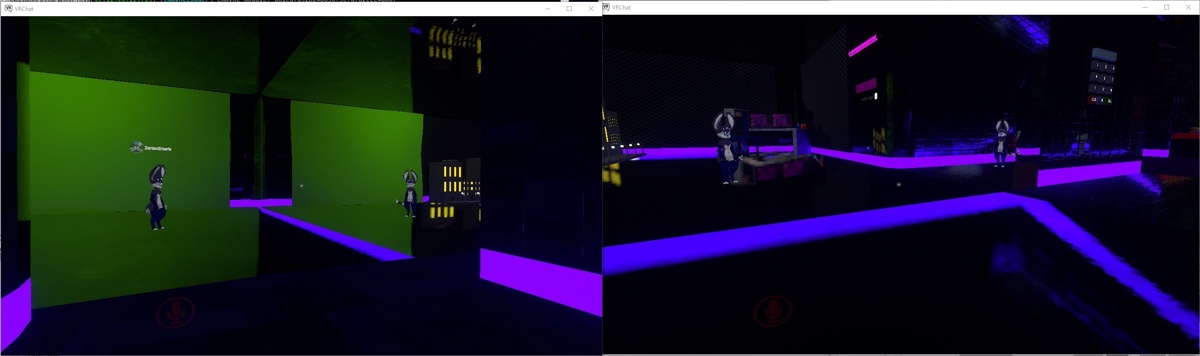
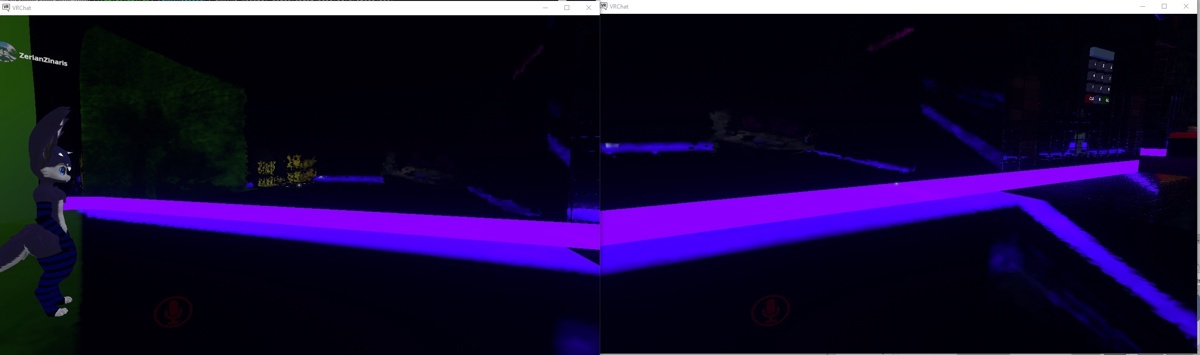
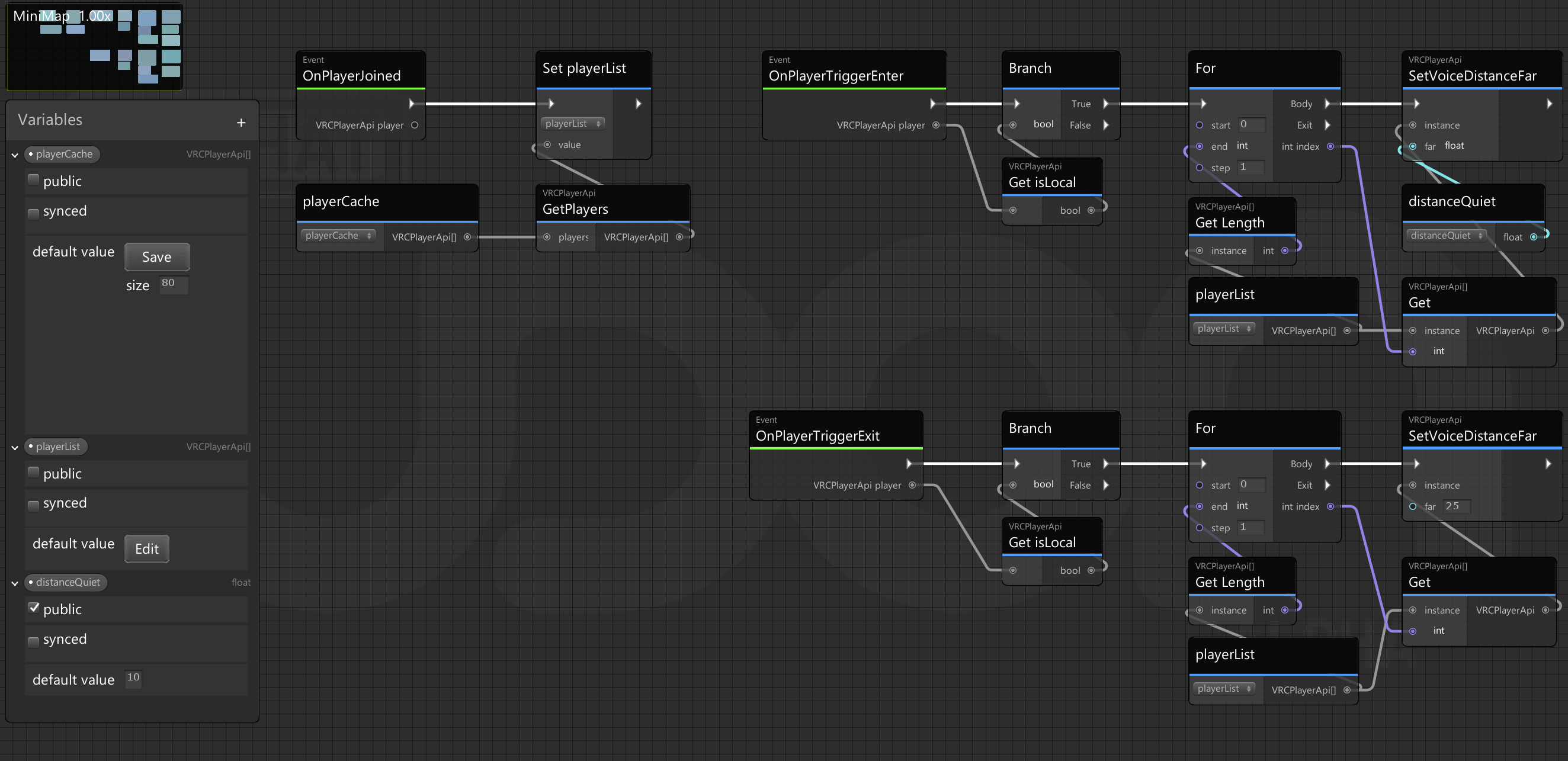 cold raft
i never bothered to check playerid's so i am not sure if they are globally unique
vagrant schooner
ill try it, but what do i connect it to?
cold raft
to a branch
well no my bad
so a branch takes a boolean and either takes the true or false path depending if the boolean is true of false so you need to turn that int into a boolean by comparsation like if the value == 1337
floral dove
Player ID is a temporary number they get based in the order in which they joined the world
vagrant schooner
oh
floral dove
You can compare displayName