
#udon-general
59 messages · Page 58 of 1
 dreamy sentinel
Ok i just closed and reopened unity, and it didn't fix it, but now the serialization does go through for one of the clients
 cold raft
well there you have it
dreamy sentinel
yup....
dreamy sentinel
I don't know why I had to close and reopen the project to get it working as well
sorry I don't get what you're saying
 grand temple
you still have your references set to sync
go into your public variables list and disable that, it's a check box
 grand temple
hit compile on the top right and see if it goes through
then take another picture of your inspector
dreamy sentinel
 grand temple
yep that did it, now try
dreamy sentinel
Oh i think I know what's confusing you, no, they changed in that public variables list only after I restarted unity
before I unchecked marked them and it still wasn't going through\
grand temple
might not want synclinear on slidervalue though. If you use that, it won't change immediately. And since your code to change the slider is only running in ondeserialization, it won't have the final value yet
dreamy sentinel
Or i just needed to hit compile but restarting unity also worked...
I think unity just doesn't like udon sometimes, slidervalue isn't set to linear anymore in the variable list in udon but even after hitting compile it still says synclinear in the inspector
grand temple
that's odd. Are you on the latest vrcsdk?
dreamy sentinel
yup
it just refuses to update the variables sometimes in the inspector from changes made in the graph variables list
grand temple
if you expand "compiled graph assembly" does it update there?
dreamy sentinel
nope, it still has slidervalue as .sync sliderValue, linear
grand temple
are you getting any errors in your log when you hit compile?
dreamy sentinel
none
grand temple
that's definitely not normal though
dreamy sentinel
probably not
I almost forgot @cold raft @grand temple Thanks for the help!
uh oh, even after closing and reopening unity it's still keeping slidervalue as linear sync in the inspector
but the slider is working perfectly now
cold raft
yeah unity and udon arent always friends, my personal world is also pretty broken, if i hit play every single line of udon explodes but if i build & publish it does work
dreamy sentinel
good to know
dreamy sentinel
one quick last question(for tonight at least), I haven't seen any mentions of it in the networking update so I assume it's still not possible to sync instantiated objects? I know about object pools, just curious.
grand temple
correct
dreamy sentinel
gotcha, ty
 tacit harness
I know i keep asking but i need a way to get a random bool value or toggle one of two objects on but randomized
 scarlet lake
how i can set VRCUrl based on string with url?
cold raft
doesnt it have methods or properties for it? if you drag out he noodle from VRCurl
scarlet lake
constructor for vrc url is not working soo
grand temple
you can't create VRCURLs from udon at runtime. That's on purpose for security reasons
 fiery yoke
A. VRCUrlInputFields are exempt. The reasoning is that a user has to manually input a URL.
B. You can create VRCUrls in the editor and serialize them into the UdonBehaviour, which you can access at runtime. You just cant construct new ones at runtime.
scarlet lake
then how i can serialize in editor urls?
fiery yoke
The simplest way to make a playlist is by making a public VRCUrls[] (array), which you can then edit in the inspector.
fiery yoke
Not that Im aware of
scarlet lake
100gb, with 7.1 sound idk if that may work
 dapper lion
ummm. it should. but i highly suggest clearing your cache just in case
quest users have a media cache issue that gets fixed when you clear cache. i think this same logic can be used finally for pc if youre going to use a 100+ gb piece of media
scarlet lake
i dont think media is saved in cache
its something which should be realtime and not saved
dapper lion
you see. we all wpuld think that
scarlet lake
sometimes my vrchat is just caching shit 4x times if my pc lags
scarlet lake
videoplayers are not working on quest?
 coarse parrot
It only works with a direct url to video file right now
scarlet lake
i cant just put videoclip?
coarse parrot
I think that could be possible. Haven't tried that though
dapper lion
if you use google.api v3. or a bot. you can get all videos to work
however. the api stuff im pretty sure isnt allowed
 viscid reef
video players work on quest as long as you provide a direct http link to a video file in a supported video container and encode
ideally, you want mp4 h264 with aac audio
dapper lion
you can also use this same logic on streams. talastreams, radios. and TV
viscid reef
I'm fairly certain any video loaded would first have to be cached locally before it can be played, and 100gb would be a bit... excessive to say the least
dapper lion
^^
scarlet lake
i mean 100gb like long movie and 4k, which 4k is useless and lower resolution + smaller may reduce that af
dapper lion
in theory. you can compress the media down quite a lot. especially in vr
viscid reef
4k video is excessive for vr if its just a flat 2d video
oculus quest 2 has a per eye resolution of 1832 x 1920, meaning if a user had the entire screen in their vision completely, its barely enough for a 1080p video
scarlet lake
ahh yes surround test videos on youtube
"youtube dont have surround player"
i dont know how people just in comments saying, ohh that works its nice
dapper lion
omg finally someone else who agrees on that issue
lol. but yea. you may need to find a media source that does the whole audio shabang
dapper lion
ye, if you have untrusted urls. anything can be loaded
scarlet lake
yes, when some dumb dumb plays 18+ stuff in non nsfw world and public instance
its possible to make videoplayer which syncs only if player is in some distance?
dapper lion
ummm. probably. you can make manual sync buttons so I guess 🤔 you could set it up to check a collider
oop. techanon is here
 unborn hornet
Damn was spotted
But yea, having the video players that users can enter custom urls into disabled by default needs to be a best practice.
scarlet lake
soo anything udon related stuff is like, host of instance manages stuff? like play that thing, its that url, then other clients gets that
unborn hornet
Sadly it isnt very common
dapper lion
so you can have the instance master have the media running. and then have the late joiners choose to play-then sync up with the master
 dawn forge
You can choose to have them automatically sync up, or manual by button.
Would be cool if the Udon VM can give us some RAM/CPU statistics and we can use that info to make smarter decisions in our scripts. I.e. kill the video player or clean up sync objects when someone's game reaches a dangerous amount of RAM or CPU consumption due to Udon related events.
I do this at work a lot since we're working with a crippled DB system, think of self-healing automation as that ship Avalon from Passengers.
dapper lion
agreed
grand temple
unity gives you time.deltatime, that is how long the previous frame took. That's a pretty good indication of how things are doing
dapper lion
what if unity itself is having its own issues at the time?
grand temple
if you want to benchmark your stuff specifically, you can start a stopwatch, run a function, and then check the time of the stopwatch. That will tell you exactly how long in realtime a particular thing took to do

 ivory steppe
Hey guys! I'm currently running into an issue with the random object spawn script Nekomian helped me with.
I currently have a sphere that spawns cards at random if I click it but the problem is that the cards don't stay when I click the sphere again
This is the graph

Anyone got an idea how to make the cards stay when I spawn a new one
 zinc frigate
I've been trying to get mesh normals. In play mode it works, I get a number, but in vrchat this logs 0.
Am I doing something wrong?
 fiery yoke
Make sure that the mesh is Read/Write enabled
zinc frigate
fiery yoke
Make sure that the mesh is Read/Write enabled
It already is
fiery yoke
Hmm...there could be several reasons why that doesnt work
zinc frigate
There is also a Get vertices node which works fine so the mesh is read/write enabled
I just cant get normals or tangets
fiery yoke
Hmm well thats odd. No idea from my side then. Good luck
zinc frigate
Thanks
zinc frigate
zinc frigate
I've been trying to get mesh normals. In play mode it works, I get a number, but...
Apparently having an unlit shader caused this. I switched to standard and it works. I would have never guessed a shader would impact this
dapper lion
i think it should
scarlet lake
its only 8 channels in speakers
dapper lion
however. some compatible videofiles dont seem to work
ah ic
i think avpro might be limited to 8?
dapper lion
https://usermanual.wiki/Pdf/AVProVideoUserManual.1061009278/view idk but here is the bible
scarlet lake
ye, mkv dont have support in unity

soo uhm, only way is converting mkv file but that may end very bad
its just removing channels
ivory steppe
Guys how do you reset a gameobjects position with Udon?
 eager olive
Do you mean resetting an object's position to where it was when you joined the world?
That requires multiple steps... You'd save the object's position in a variable in the Start event. You'd add a custom event to set the object's transform to that position. And you'd add a button of some sort to trigger that event.
Once you learn a bit about how udon works this should be easy to do. There's a couple tutorials online, i'd recommend vowgan's.
ivory steppe
For now I did it the cheap way and used a button to spawn the objects at z -1000 so they'll respawn at their parents position
 wispy oar
What is udon
 native estuary
?whatisudon
 hidden martenBOT
VRChat Udon is a programming language built by the VRChat Development Team for use in VRChat worlds! It enables complex behaviors and logic in VRChat worlds. Read more about Udon in our documentation: https://docs.vrchat.com/docs/what-is-udon
VRChat
What’s this Udon thing anyways? VRChat Udon is a programming language built completely in-house by the VRChat Development Team. It is designed to be secure, performant, and easy to use via the VRChat Udon Node Graph, a built-in visual programming interface that uses nodes and wires (we call them “no...
 floral dove
eager olive
Once you learn a bit about how udon works this should be easy to do. There's a c...
floral dove
eager olive
Once you learn a bit about how udon works this should be easy to do. There's a c...
FYI this is now available directly through VRCObjectSync.Respawn()!
https://docs.vrchat.com/docs/network-components#respawn
 restive veldt
Hey, is there a way i could get the size of a players capsule collider?
or the size of their camera
cold raft
That actual collider does not change no matter how small or big the player is (the targeting capsule you see when you open the menu does)
Size of a camera? That's just a point in space it doesnt have size, if you instead want the measure avatar height yes you can do this I have a script for that but not at hand, it basicly involves getting bone positions of the avatar and measuring the distance between them
 magic kiln
Hey does anyone have experience with norix wolfe player? I am having issues where the sound is so low
eager olive
floral dove
FYI this is now available directly through VRCObjectSync.Respawn()!
https://docs...
Oh wow, so many new useful features! All praise the unu update ~
Thanks!
 torn grove
Can you configure the audio falloff for players hearing each other talk to each other via udon? IE tighten up the falloff or expand it so players can hear each other from farther away, or, have to stand closer to hear each other?
Oh nevermind theres literally an entire section for it on the docs, I didnt even notice it haha.
Hmm, okay so now digging into the player audio API, is it not synched by default?
What I am hoping exists is a means by which for players to locally config "hearing distance", so they could change a local slider (for them only) that makes everyone else quieter/louder in terms of audio falloff range. So sliding it all the way up would make them hear people from way farther away, and sliding it down would substantially tighten how far they hear others from.
But all local, not synched, so its just for their client only.
Is this behavior by default not synched?
 cunning mist
torn grove
Hmm, okay so now digging into the player audio API, is it not synched by default...
cunning mist
torn grove
Hmm, okay so now digging into the player audio API, is it not synched by default...
Correct, very few things are synced by default. This system will act entirely locally unless you start telling everyone to respond to the slider adjustments.
torn grove
Okay cool.
I'm really surprised a "voices falloff" slider isn't standard fare in worlds. I've never seen one but after playing the game for a month I'd very much like to see such a slider present.
fiery yoke
cold raft
That actual collider does not change no matter how small or big the player is (t...
Interestingly enough it does hve a size. The scale of the camera determines how big or small everything looks. It usually needs to be adjusted for the IPD
cold raft
oke that do be intresting
restive veldt
fiery yoke
Interestingly enough it does hve a size. The scale of the camera determines how ...
so is there a way to find the camera size? I'm trying to make a HUD for vr and i need to know how big or small to scale it.
dapper lion
i think i accidentally made a script that might help. it bases your head/cam on a pivot point. then calculates where the canvas UI needs to spawn and scales itself based on avatar hieght. so im pretty sure it should be possible. just dont make it togglibld
fiery yoke
The avatar height is a good approximation, but not the true value that youre looking for. Grabbing it directly from the player main camera would be much better.
dapper lion
thats true
 copper ocean
Are there not any networking methods exposed to Udon?
Attempting to communicate with a mySQL server using UnityWebRequest
grand temple
you cannot communicate with outside servers, no
cold raft
well you can communicate somewhat, like you can request data (like a video) on an external url
and i think i saw the talk about Callous Row, use bots to read the game console and send commands back though those bots into a input field ingame
grand temple
yes, there are ways but not directly. Certainly not by a single function
You can use a bot to do it, but the critically important part is that if somebody goes to a public instance of your world, the world isn't harvesting data without them knowing
copper ocean
Right, I was wanting to cache player settings and implement a global "leaderboard" of sorts on a few projects.
Think I heard of an udon update eventually helping with the former part.
grand temple
Yeah, the persistence update will cover that. It's still a ways off, though
 prisma ginkgo
Whenever I installed udon sharp into my unity I keep getting this compiler error Assets\UdonSharp-master\Assets\UdonSharp\Scripts\UdonSharpBehaviour.cs(152,65): error CS0234: The type or namespace name 'SerializationResult' does not exist in the namespace 'VRC.Udon.Common' (are you missing an assembly reference?)
any ideas?
floral dove
prisma ginkgo
Whenever I installed udon sharp into my unity I keep getting this compiler error...
it sounds like your UdonSharp version is ahead of your Udon SDK version. Download the newest Udon SDK from https://vrchat.com/home/download
prisma ginkgo
floral dove
it sounds like your UdonSharp version is ahead of your Udon SDK version. Downloa...
That was what I originally thought but after installing the newest sdk and sharp the problem still happened
floral dove
prisma ginkgo
That was what I originally thought but after installing the newest sdk and sharp...
Ok - for UdonSharp questions and support, check the official Wiki:
https://github.com/MerlinVR/UdonSharp/wiki
 queen crow
About the dynamic image loader that is mentioned in one if the pins. How long until it's out? 👀 would help to reduce my world sice.
floral dove
queen crow
About the dynamic image loader that is mentioned in one if the pins. How long un...
sometime after the UI update
queen crow
Hmmm so it take time ok
floral dove
For anyone working in Udon for the World Jam - we just opened up a new channel to share updates and worlds: #vrchat-jams
 nocturne galleon
how do I get the variables to show up on my udon graph page?
floral dove
nocturne galleon
how do I get the variables to show up on my udon graph page?
You can learn about creating and using variables here: https://docs.vrchat.com/docs/udon-node-graph-upgrade#drag-and-drop-for-variables
floral dove
nocturne galleon
already was there earlier.
what are you trying to do?
nocturne galleon
have the drop box that is the variable option within the graph

I dont see that
nocturne galleon
XD
I'm saying I see a complete empty graph. I don't see that box (variables) to make it public.
floral dove
maybe you turned off your variables window?

in the graph, open Settings and check "Show Variables"
 grand temple
do you have any errors in the console tab?
nocturne galleon
just something about an empty game object
grand temple
can you take a picture of it?
I don't think that error should cause any problems. If you click clear, does it go away?
nocturne galleon
mhm
grand temple
try going to layout at the very top right of unity and click revert factory settings
floral dove
nocturne galleon
https://gyazo.com/209eb27d41dcaac47d31f3515ceb4168
that version of Udon is ancient! Download the latest from: https://vrchat.com/home/download
grand temple
wait it's just so old it doesn't even have the variable window? omg
nocturne galleon
O.O
that was the issue.
<.< now my poiyomishader is throwing up an error. XD heheeh
 serene moat
grand temple
serene moat
grand temple
yeah, before the variable window each variable was actually it's own separate node that lived inside the graph alongside all the other nodes. I'm pretty sure that got changed before the official release
 slim crow
Is there any way to limit the player's hand from closing all the way?
Udon or otherwise? from a world standpoint?
floral dove
slim crow
Is there any way to limit the player's hand from closing all the way?
not that I know of. What are you trying to do?
slim crow
Implement a custom grabbing system, I kinda had an idea for one that I'd love to implement
And afaik that seems to be the last piece
Basically, kind of a limiter, so say you're grabbing the handle of a sword, (with hand tracking) it will stop the hand from clipping inside of it
I guess that would also take colliders on the fingers, is that something you can do from a world standpoint?
floral dove
no. The combat system will add some colliders to the user's limbs, but not the fingers as far as I know. Also, you cannot assume that everyone will have fingers.
slim crow
Yeah, it'd be a toggleable system, can you interact with colliders already on an avatar from a world?
floral dove
these are the ways that a world can interact with a player's colliders: https://docs.vrchat.com/docs/player-collisions
VRChat
Udon has three ways to detect when a Player and an Object Collide - Triggers, Physics, and Particles. Triggers If you want to detect when a player has entered or exited an area, your best bet will be to use the OnPlayerTrigger events. There are three of these: OnPlayerTriggerEnter is called when a ...
grand temple
Controlling a player's fingers to grasp an object is a complete non-starter. There are a lot of things that are like "well not officially but you can jank things together" and this is not one of them. The answer is a solid no
combat system can be used for the player to push things in the world, but it's only one-way unless you kill the player to make them ragdoll
ok fine, you made me think of a jank solution. The only way I can see it working is if you abandoned the idea of controlling the player's avatar and instead replaced their hand with a hand in the world. Have fun with that I guess lol
dawn forge
Could we explore options of forcing a specific avatar for a specific world? I.e. everyone is set to a specific blueprint ID for that specific world? Many pros to it. Only con I can think of is people not feeling the freedom to be, but you give many options though necessary to your game mode on your world?
Example is having an among us avatars only in among us world so you don't have the invisible avatar or the happy switcher that throws off the game unfairly.
 candid frigate
Is uploading worlds broken on Linux?

This error is making me suspect so

Also, is the a way to check if a player is a specific person and only allow them to use an avatar pedestal if it's that person?
Right now I think this will just check if you have the same username as a person.

And lastly, are lightmaps supported?
Ping me, I should probably get to bed, I think the sun is going rise soon. 
dapper lion
candid frigate
Is uploading worlds broken on Linux?
idk about linux, but i think you need to compile your scripts or close and reopen unity, that error is somewhat common. at least on mac and windows
also, lightmaps are supported, this game would be very-very unoptimized without them
 late pewter
what would you guys say are the best prefabs for mutes? looking for pens and a keyboard text system preferably
dapper lion
are you using sdk 2 or 3?
late pewter
3
dapper lion
i suggest using the air pens or the base vrchat jam pens. there is also a keyboard prefab somewhere on booth but i can’t remember the name
late pewter
ok thanks 😄
 cinder marten
Asking for some assistance here
say if I had a mirror toggle for a HD mirror and a LQ Mirror on seperate buttons
how do I make it so if the HD Mirror is on, and someone turns on the LQ Mirror, it'll turn the HD Mirror off
and vice versa
floral dove
cinder marten
say if I had a mirror toggle for a HD mirror and a LQ Mirror on seperate buttons...
make the event that turns on the HD mirror do GameObject.SetActive with a value of false on the LQ mirror, and the opposite for the LQ event.
cinder marten
oh thanks
tacit harness
cinder marten
say if I had a mirror toggle for a HD mirror and a LQ Mirror on seperate buttons...
this is how i have it


 tacit harness
this is how i have it
tacit harness
tacit harness
this is how i have it
Look at this this is basically how you want it
So drag your second mirror in there and make a set active false right after the normal toggle
Do the same thing on the other mirror toggle

 flint kite
candid frigate
This error is making me suspect so
flint kite
candid frigate
This error is making me suspect so
You need run windows version that can upload. That upload not supported on liunx version. only windows version
floral dove
ivory steppe
candid frigate
flint kite
You need run windows version that can upload. That upload not supported on liu...
That sucks, would reinstalling Unity in Proton/Wine work?
flint kite
That won't work.
 north berry
Are there any known bugs related to rigidbodies being made kinematic/non-kinematic through udon? I have something that makes a rigidbody non-kinematic if it's left alone for a few seconds so stop it from being knocked around. and go kinematic again once it's picked up by a player. this works fine when testing it in playmode but within vrchat they seem to never go kinematic which breaks some of the functionality.
candid frigate
flint kite
That won't work.
Why not? What would work? My windows install is broken rn.
grand temple
north berry
Are there any known bugs related to rigidbodies being made kinematic/non-kinemat...
if they are synced (either by the checkbox on the udonbehaviour or by adding vrc_objectsync) you will not be able to control kinematic or gravity by editing those values directly. Instead you need to be on the latest SDK and call objectsync.setkinematic
north berry
@grand temple alright. thank you!
 crystal osprey
any one know where there is instruction on how to make a resync button for video players
or a player that would have the resync button already on it
floral dove
crystal osprey
any one know where there is instruction on how to make a resync button for video...
the example Video Player resyncs by itself. There's a known issue where the actual audio and video get out of sync, we're working on that one (you can't fix it with Udon)
If you wanted to make your own resync button, you can just have a player check the play time of the owner's video player and update theirs to match.
flint kite
candid frigate
Why not? What would work? My windows install is broken rn.
That don't any sense
 bitter scaffold
does anyone have good tutorials for adding multiple, toggleble audios into a world? I managed to add one, but it plays whenever i enter. I just want it to play whenever i hit the button
magic kiln
Hey is there a video that shows how to make an object spawner where hte object then is destroyed after a few seconds?
cold raft
bitter scaffold
does anyone have good tutorials for adding multiple, toggleble audios into a wor...
Sound like you should set it disabled in unity be default and enable it when you press the button
cold raft
magic kiln
Hey is there a video that shows how to make an object spawner where hte object t...
There aren't many people making tutorials that I know off so such a specific video does not exist to my knowledge, but you probably want to use an object pool for this
magic kiln
No idea how
i would want to click on object and an animated object appears for a few seconds then delates itself
bitter scaffold
How do I set it to disable by default?
cold raft
bitter scaffold
How do I set it to disable by default?
In the inspector, it's a checkbox top left, it will make it appear light grey in hierarchy
bitter scaffold
Ohh okay, I thought so but wasn’t sure
 broken bear
If you click a pickup to carry it, does it trigger both OnPickup and OnInteract? Having a pickup that is running OnInteract soon as I click it to hold
 hallow sable
Does using OnTriggerEnter work with udon? can't get it to work
trying to disable object c when object a touches object b
grand temple
it does work for normal objects, however the problem is it won't work when it touches players. If it does touch a player and you try to do something with that player's objects, the script will crash. So you need to run the touched object through utilities.isvalid to make sure it's not going to crash your script
hallow sable
well so my example is
floral dove
grand temple
it does work for normal objects, however the problem is it won't work when it to...
it won't crash when triggered by a player anymore - but it will send OnPlayerTriggerEnter instead of OnTriggerEnter
hallow sable
I have a ball, wanna make it so when it touches a collider it does something
how would I do that?
grand temple
oh, are you talking about physically touching eachother like a collision?
ontriggerenter is for entering into a trigger collider
if you want a collision, then you would use OnColliderEnter
floral dove
hallow sable
I have a ball, wanna make it so when it touches a collider it does something
make sure you've got the right setup.
If they're moved by the player: https://docs.unity3d.com/ScriptReference/Collider.OnTriggerEnter.html
If they're moved by physics: https://docs.unity3d.com/ScriptReference/Collider.OnCollisionEnter.html
jinx Phasedragon 😛
hallow sable
ah ok ok so
basically
if I had a ball a player could pickup and throw
and if the ball went into a hole with a collider, it would do something
kinda like beerpong?
grand temple
then you want to make a trigger that sits inside that hole. Triggers do not physically collide with anything, but they can detect things entering into them. That's what OnTriggerEnter does
If you wanted to have a bouncing ball, and every time it bounced it played a sound, that's what onCollisionEnter is for
hallow sable
yep got a box collider that has is trigger on
so like
hmm
got a big box like this
 grand temple
does that box ever move?
grand temple
and is that the object that has the udonbehaviour that has the OnTriggerEnter?
hallow sable
should I put it on there?
it was on the moving object
the ball part

just this
pretty basic
sorry it's spaced, had way more between it
grand temple
It can go on either but I'd put it on the hole
hallow sable
ok ok
broken bear
Desired Effect: Material changes each time a pickup object is held, 7 materials set by inspector. The material swap works, but I'm still new to UnU stuff. I want the material swap synched. I'm not sure what if any of the Owner Broadcast group is necessary, and if SendCustomNetworkEvent is still necessary. (Variables cut off, Renderer/Renderer; Materais/Material[], arrayposition/int)
 hallow sable
what if I wanted to check if the collider equals a specific collider?
I tried this?

@grand temple
grand temple
that should work, but usually I like to check the name of the object, then you can have multiple objects that match
hallow sable
well I tried it and it didn't work
grand temple
check your log and see if any udonbehaviours are crashing
you can find the log at appdata/locallow/vrchat
grand temple
and just search for "halt"
grand temple
only one of the two objects need to be istrigger for OnTriggerEnter to happen
grand temple
check your log for udon crashes
hallow sable
nope nothing
grand temple
what layer are each of the objects on?
 dusk lance
I recommend using Collider.Equality instead of Equals since it will crash if it ever detects any protected objects (VRChat menus, camera, user avatar colliders, ...)
 gilded grail
my string array is breaking everything. Any help on getting string arrays to work?

i've tried interact button with write out string array to log and it breaks
im not even synching it...
cause i know i can't I synch the integer that is going to call for the thing in the array.
I want to put the string in a custom event so it calls out the next action for an NPC to take. I want to see how emergence behaviors can happen through random selection and condition matching.
grand temple
what do you mean by "break"?
are you getting any errors in the log? Is the udonbehaviour crashing?
gilded grail
 hallow sable
what is the best way for me to teleport a object after a trigger?
tried doing set position and it just gives the halted error
hallow sable
 grand temple
hallow sable
what is the best way for me to teleport a object after a trigger?
grand temple
hallow sable
what is the best way for me to teleport a object after a trigger?
if it's a synced object, do getcomponent vrc_objectsync, then do objectsync.teleport
gilded grail
The other objects that are using this code don't have the puplic adjustments i've made
it was a workflow issue
grand temple
I would recommend making your random be between 0 and the length of the array minus 1 then
gilded grail
gotcha
hallow sable
grand temple
if it's a synced object, do getcomponent vrc_objectsync, then do objectsync.tele...
what would be a way to sync it to make that work?
just turning on sync under public?
 grand temple
uh that's not right
grand temple
sounds like you have a script called "object sync" that's not what I mean. You need the official vrchat component called vrc_objectsync
it recently got re-added, only in the latest SDK
 grand temple
yep
grand temple
yes, it behaves exactly the same as checking sync position on an udonbehaviour. Except it doesn't require an udonbehaviour, and it allows extra methods like teleport, respawn, and flagdiscontinuity
 grand temple
the first getcomponent isn't valid, you're not giving it a type to look for
hallow sable
 grand temple
yeah, now the second part is unnecessary
hallow sable
ah ok ok
grand temple
here's the question though - do you want to always teleport the same object, or teleport whatever touches it?
grand temple
so then if it's always the same object, there's no reason to do getcomponent. Just make a public vrcobjectsync variable
 hallow sable
grand temple
so then if it's always the same object, there's no reason to do getcomponent. Ju...
hallow sable
grand temple
so then if it's always the same object, there's no reason to do getcomponent. Ju...
so this should work
rn it does nothing :/
grand temple
yeah it should work. Idk, send more pictures you're missing something


 strange birch
what is "UDON"
grand temple
?whatisudon
hidden martenBOT
VRChat Udon is a programming language built by the VRChat Development Team for use in VRChat worlds! It enables complex behaviors and logic in VRChat worlds. Read more about Udon in our documentation: https://docs.vrchat.com/docs/what-is-udon
VRChat
What’s this Udon thing anyways? VRChat Udon is a programming language built completely in-house by the VRChat Development Team. It is designed to be secure, performant, and easy to use via the VRChat Udon Node Graph, a built-in visual programming interface that uses nodes and wires (we call them “no...
strange birch
1 blocked message
grand temple
uh do you have the bot blocked?
strange birch
its a bot?
grand temple
yeah, VRCBot Omega
here, this is what it says when you do that command:
VRChat Udon is a programming language built by the VRChat Development Team for use in VRChat worlds! It enables complex behaviors and logic in VRChat worlds. Read more about Udon in our documentation: https://docs.vrchat.com/docs/what-is-udon
VRChat
What’s this Udon thing anyways? VRChat Udon is a programming language built completely in-house by the VRChat Development Team. It is designed to be secure, performant, and easy to use via the VRChat Udon Node Graph, a built-in visual programming interface that uses nodes and wires (we call them “no...
grand temple
well the cool thing about udon is that you can choose whether you want to use code (udonsharp) or nodes (udon graph). The graph is much easier to get into. There are many different tutorials if you want to start from the very beginning
strange birch
rather not
broken bear
broken bear
Desired Effect: Material changes each time a pickup object is held, 7 materials ...
Still trying to figure this out, what would be required to manual sync this material change?
strange birch
talking to yourself lol
grand temple
broken bear
Still trying to figure this out, what would be required to manual sync this mate...
Is there a reason you can't just sync the arrayposition integer?
broken bear
would setting arrayposition to synched in the graph handle it if I just set the udon behavior to manual method? would it also need to be public?
grand temple
There are a few different problems with that graph. Let me break it apart:
First of all, you're sending a custom network event and then inside that event, you are taking ownership. This means everyone will fight over it and it will be messy.
Second, you're doing the addition to advance the arrayposition inside that network event, so the first player is going to sync it and then when other people receive it, they will add onto it again. Instead you need to have one method that advances it and another method that applies it. The first would be done by the owner, and the second would be done for everyone.
Third, you are relying on how manual sync usually has lower latency than network events. Yes, this is true most of the time however if the network is under heavy load, manual sync will wait until there is a clear time to go. So you shouldn't ever rely on using serialization to send data and then network event to do something with that data
Here's how I would fix it:
Interact > take ownership > advance value of arrayposition > set material > requestserialization
ondeserialization > set material
broken bear
thanks, I'll give that a try
(did take ownership-> set material -> increment so the arrayposition 0 material is set first)

gonna test that tommorow
grand temple
yep that looks good
there's no need to have OnOwnershipRequest if you're just gonna always return true btw
broken bear
I saw it on some example graphs so didn't know if it was a required ingredient of the magic udon ownership ritual
grand temple
oh, one problem is that since you're setting the material before you advance it, the owner is going to be one behind everyone else
floral dove
grand temple
there's no need to have OnOwnershipRequest if you're just gonna always return tr...
(we used to need that so it's in the examples)
broken bear
not as pretty but it initalizes at -1, sets to 0 for owner, sets material, then syncs. rolls over to 0, so I don't think it can ever get -1 in the material array

hmm interact was firing off when I was picking up the objects in editor (cyanemu), but now that it's rearranged it's not beyond one time, it advances it once then stops hmm
grand temple
yeah if you have both pickup and interact, they will conflict
if you want to pick it up and then click to trigger something, you would use OnPickupUseDown
also, there's a really neat function that would simplify your code a bit. It's called "remainder" and what it does is divides one number by the other then returns the remainder rather than the result. So 10 remainder 7 = 3. If the input is less than the division, it will not touch it at all. It's great for making loops, so you could just say add 1 then remainder by the length of the material array as opposed to greaterthanorequal check and branch.
broken bear
hmm what would the desktop use key to trigger OnPIckupUseDown in editor
grand temple
it's just click
broken bear
I think I saw the remainder function used in an example, I'll give that a try, thanks
grand temple
on vive and desktop, you can only trigger pickupusedown if you have the pickup set to autohold true
floral dove
broken bear
hmm what would the desktop use key to trigger OnPIckupUseDown in editor
OnPickupUseDown/Up events don't fire in the editor. You could make a simple graph to do this if you just want to test something:
 broken bear
thanks, I'll test with that
floral dove
i put that on its own object, and set the 'target' udonbehaviour in the inspector
floral dove
broken bear
thanks, I'll test with that
here's a pasteable string version if you want:
application/vnd.unity.graphview.elements AO1Wy27jNhT9lYBr0SBFUiQDZBNnWhiDtoPJ2JsiEPi4StXIlKFHpkGSL5tFP6m/UDp2HI/taTVPTJHCXlCkSF2ec+859693f96ia1P1gI5/vUVFX1U/m3l8QDPTlMZWkM9ej6e+DuN6Pq/DJHTQFMZBO1lOvriG0L0GB+U1NChBfenjVuWEZgACOwUZ5oWWWAmrMTHeSMq9FDaNLy/qtuzKOqDjW/QHOsaUCTIiCbqJ44zF4X2CQu1hOjlrY3Qobnn6XySoqOq367WL1Zuz5UXah5v0oexufrG/g+tmq+vdojK0nQkOJmfoeHl42zVluFwvI3SffMq285u2g/no/GEyOZq3rm6q0iZHM2jaeLsTPiLLX3I07quub+AkQN81pkqOXvW2Kt1LuHlTX0E4sVIa4URGNeNAlL7rTHMJ3efFdVrXFZjwZQN708RPfH9h/WCq9jPj+ho0hjrEqC6WcW3V10Pp5NOFNx1sKsc5opQ1AmeUpJgrJrDmnmKQmightaCgD1QOk5vCoele4bxfKkgIr5W2HjueScyJoNgW3mItUy6YJk5yjXYLajf606p2V5uwBx25H3YqPiJsSQpCLFcYUqkxpyLDypIifihNDScWPBPxG57wLPPAMTW2wJxrg41iGmuXUqdZ3MvNv95uukyfF+GyDDAJi74b5fmP0EWGp4s831qMM+N4Tp6vsmed1BtYYrhWamuwZCKyqWWBlfcOZ0LrwmtnROoPwKIfUUnJARH88sK3daHR+kbJ0fbkuG7gp9r3FTyVAxlaDiHCevdyP/9PmxjRbxusBvG2hxXdZNDDaAerIfjfkR1EURaXonlZzFKz3KViMqcAWKvCC5qpVFm/l0HfqRTugj7Yy2PGn0Pw477t6vlKqtZJvlLIx6dZXfoNh4OQ2+PwSbwOcUiplhqIxillBnNBFdYgBU5Zyj0RRVYQEzl8Jh1BXodXpbvqF9MWpot9fqNK5Y+N24aWIRAeKC26kSH1TWToK8I2qCH9NLL3OfigeZzVb8PH2IcoLHc0MxgyUJg7C1jpyBsBwYyVnEUmD9jHVi+QPR//GNge7Cb5E1iHsnwIA/sGEhs1ojIXFTCNBsbTOLKcEWx0BsYaq62F/w3kkIEMQu4fDGTVUe6QCFKBMxnFsb8QUf64x0p6hn0hs4Ipzo0lz9NBloI00EOGgHigvNi31qL/rolc3P8N
broken bear
thank you
scarlet lake
hello i am new in make maps sdk 3 udon, and want know how can lock the door in a private room, i did a door and a locked but is local, thanks for the attention
sorry i dont speak inglish
but I understand it
 true ocean
hi, is there a way to get all instances of a script in udon? (like get all objects of type with a script on them)
 feral elk
scarlet lake
hello i am new in make maps sdk 3 udon, and want know how can lock the door in a...
feral elk
scarlet lake
hello i am new in make maps sdk 3 udon, and want know how can lock the door in a...
Consider using a synced bool variable to keep the door locked state for everyone
hallow sable
I wasn't sure exactly where to ask but does anyone know if any prefabs for udon that dj worlds have where the mic becomes global if you are in a certain area
broken bear

GitHub
'Better' audio for UDON (VRChat) based worlds. Inc. speed of sound, sonic booms, doppler, occlusion, reverb, ... - Guribo/BetterAudio
scarlet lake
how do you make a simple mirror toggle
 hallow sable
broken bear
https://github.com/Guribo/BetterAudio
hallow sable
broken bear
https://github.com/Guribo/BetterAudio
where is the actual download for that
broken bear
Click the link next to [latest] then scroll down to Assets, expand and the package is there
hallow sable
ah gotcha gotcha
hallow sable
broken bear
Click the link next to [latest] then scroll down to Assets, expand and the packa...
so how exactly would it work? I'm confused
broken bear
Save your current scene and load the scene the package came with, there’s a microphone demo
floral dove
scarlet lake
how do you make a simple mirror toggle
take a look at the UdonExampleScene that comes with the SDK - it has a Mirror Toggle in it: https://docs.vrchat.com/docs/udon-example-scene#mirrorsystem
scarlet lake
for 3.0?
floral dove
scarlet lake
for 3.0?
yes, for SDK 3.0 for Worlds, which uses Udon.
scarlet lake
ill take a look in bit
i love making worlds so hopefully ill understand triggers better
floral dove
scarlet lake
ill take a look in bit
Great! I recommend taking a look at that documentation and exploring the other examples, we've provided many useful things in there.
hallow sable
broken bear
Save your current scene and load the scene the package came with, there’s a micr...
weird I put the mic in and it's still not working
holding it and ppl can't hear me
scarlet lake
cripplestudios has made very interactable worlds, but steven is busy a lot so i cant ask him much
gilded grail
questions
when using objectpool the event "onspawn" does not trigger when that object is spawned in
is there another node i should be useing?
dusk lance
The documentation recommends OnEnable as this will be called when the object is set active after being pulled from the pool.
grand temple
onspawn was used early in the beta, but then removed. OnEnable and OnDisable are correct, yes
gilded grail
thanks
its breaking when I try to set ownership
does the objectpool spawn in order?
or is it random selection
because it looks like the exception is occurring in an object not spawned if the pool spawns in order....
mmm... no wait...
gilded grail
fixed, stored integer of player ID was a null
gilded grail
new question
if I want an udon program to pull a int from another public in on another program. What do I use?
fiery yoke
gilded grail
if I want an udon program to pull a int from another public in on another progra...
GetProgramVariable with a reference to the UdonBehaviour you want to retrieve the value from and the name of the variable
gilded grail
arnold schwarzenegger screaming noises
 floral dove
gilded grail
_arnold schwarzenegger screaming noises_
floral dove
gilded grail
_arnold schwarzenegger screaming noises_
looks about right. I usually do that until things are somewhat-working, then save and take some time to clean up.
scarlet lake
I wanna make my own avatars for vrchat. Should I use Unity on my netbook?
 elder summit
what's udon
floral dove
elder summit
what's udon
?whatisudon
hidden martenBOT
VRChat Udon is a programming language built by the VRChat Development Team for use in VRChat worlds! It enables complex behaviors and logic in VRChat worlds. Read more about Udon in our documentation: https://docs.vrchat.com/docs/what-is-udon
VRChat
What’s this Udon thing anyways? VRChat Udon is a programming language built completely in-house by the VRChat Development Team. It is designed to be secure, performant, and easy to use via the VRChat Udon Node Graph, a built-in visual programming interface that uses nodes and wires (we call them “no...
floral dove
scarlet lake
I wanna make my own avatars for vrchat. Should I use Unity on my netbook?
Use unity on whatever you've got as long as it's got Windows! PS Avatar questions go in #avatar-help
gilded grail
yeah im doing that now @floral dove

one current tech debt i can see in the future, Currently each game object has it's own set of public variables that has to match what is in the code that is used for everyone. I could have a empty game object that has the array of tasks on them. upon spawn, the AI will grab the length and array list and store it. That will make updating future behaviors easier
id have to test that and get that working before im ripping into my code some more
I can forsee this code getting veeeerrrrryyyy laggy
for me in the ui
as it grows....and grows.....and groooooowwwsss
I want make the most complicated lil' bastards of squirrels that endless forms of entertainments.
then release them to pre-fabs or something, They'll be in everyworld and I WILL BE THE NEXT POOLTABLE GUY! MWAH HA HA HA!
 tidal sand
Hiya!
How can I send an event to other players with Udon?
Basically I want to do an RPC to the master player and tell them to change a variable to a new value.
floral dove
tidal sand
Hiya!
How can I send an event to other players with Udon?
Basically I want to ...
Check out these docs for the low-down on networking
https://docs.vrchat.com/docs/udon-networking
VRChat
The three main concepts used for networking in Udon are Variables, Events and Ownership. Variables are containers for values - like a number, a set of colors or a 3D position.Events are things that happen at a moment in time.Ownership is the system that decides which user can update a variable, wh...
tidal sand
Already did, it just seems like there's no way to send events with parameters
is that correct?
If that's the case, what's the supported way to replicate something from the client up to the master player?
Let's say I want to inform the master player that I have just dealt 10 damage to this UdonBehaviour right here.
Actually nevermind, VRChat is clearly not suitable for what i'm trying to create
floral dove
tidal sand
If that's the case, what's the supported way to replicate something from the cli...
You can use synced variables for that. The player can take owner of that UdonBehaviour and subtract 10 health from it.
broken bear
if a pickup object has the new vrc object sync, does it naturally return to default position after so much idle time?
floral dove
broken bear
if a pickup object has the new vrc object sync, does it naturally return to defa...
No, but you could Respawn it after an idle if you want.
 chilly crater
Is there a way for OnPickupUseDown to work like an update loop?
Or am I better off have buttondown = booltrue and buttonup = boolfalse?
floral dove
chilly crater
Is there a way for OnPickupUseDown to work like an update loop?
why do you want it to work like an update loop?
 opal dew
Ugh, this is infuriating, I've got some objects with a super simple Interactive Script. They aren't inside any kind of other trigger volume as far as I can tell and yet they remain unclickable despite another control right next door being clickable.
floral dove
Sre they on a different layer? Is something else in the way? Do they have Interact events on them?
opal dew
floral dove
Sre they on a different layer? Is something else in the way? Do they have Intera...
The panel looks like so. All the green items have Colliders configured, with them configured as 'IsTrigger'. They are all on the Default layer. There's no larger trigger volumes in the map.
The only one which works is the open-close button which animates the rest of the menu like so....

menu when its minimised

All the items except the open/close show their 'prompt to interact' in VR, the item glows, the text label appears. But pressing them doesn't trigger the script which I've checked with Debug.Logs. The only one that does is the open/close
They all use a shared 'ButtonInteract' script. And it does again, work all in Editor and not in the game.
floral dove
Are they using the Interact event? How are they working in the editor?
What happens if you put the menu script on one of the buttons instead, just to test?
opal dew
... how is one supposed to post a code block without getting spam dinged? :V
chilly crater
floral dove
why do you want it to work like an update loop?
Sorry, was AFK. Wanted to do an automatic gun. I solved it by pickupusedown > booltrue, pickupuseup > boolfalse. and then did an update loop to check for that bool.
opal dew
But in short, they are yes all using the same generic Script that uses Interact. And everything is working perfectly in the Editor.
I'm testing changing one of the items to call the same script as the menu button.
chilly crater
Is that a UI or a mesh object?
opal dew
It has no effect.
Its a 3D mesh menu
floral dove
opal dew
They all use a shared 'ButtonInteract' script. And it does again, work all in Ed...
what do you mean when you say 'they are working in the editor'? Are you using a third-party tool to trigger the Interact events?
opal dew
floral dove
what do you mean when you say 'they are working in the editor'? Are you using a ...
I'm using the popular CyanEmu tool.
chilly crater
How big are the colliders?
opal dew
chilly crater
How big are the colliders?
You can see them in green on the first screenshot. I swapped out the generated mesh ones for easy clickable box ones.
The green wireframe outlines that is.
floral dove
opal dew
I'm using the popular CyanEmu tool.
Ok - just FYI that tool is cool but it will simulate events working when they are not properly set up. When you say an event "is working" that way, you should mention that "it's working when you simulate it using CyanEmu". Until it works in Build & Test, it's not working.
opal dew
Ah, okay, sorry. Yes. That's what I meant. I know there are some differences and such.
chilly crater
Is interact distance effected by scale?
opal dew
I've been up a long time trying to get this working today.. Sorry 😴
I'll try blowing up one of the elements, one moment. Takes a couple of minutes each time I do a 'real' test.
chilly crater
You don't ahve to do the scale, you can just increase the interact distance on the UdonBehaviour
Well, proximity
opal dew
Oh that setting, one moment.
I mean, its the same setting as the one which is working '3'
grand temple
is the interact outline not showing up, or is it clickable but doesn't do anything?
opal dew
grand temple
is the interact outline not showing up, or is it clickable but doesn't do anythi...
It's lighting up like it wants to be clickable but itsn't
grand temple
and that's ingame, not in editor, right?
opal dew
Here we are in game, this first one works fine:

And then this one (and the other three items on the menu) all don't work.
 grand temple
There are a lot of common problems that can cause the blue outline to not show, but if it's showing then the only real possibility is that the script is not working or crashing. I would recommend adding debug logs to various points in the interact to see what it gets to
opal dew
I have done. No crashes or Udon errors. There are debug calls:

And those are working as I can see '2021.05.29 07:57:23 Log - ToggleMenu' and '2021.05.29 07:57:23 Log - (Local Event)' right after each other for the menu button push. But nothing for the menu options. No items for 'Error' in the log except ones relating to errors fetching API data, etc which I know is related to the presence system. Udon errors are much more... spicy.
grand temple
I guess you can follow it through and see if the actual function that's being called is working
opal dew
That's the thing, this is the first call. Its not even getting here because Interact isn't working
floral dove
can you try moving a button into a new, mostly empty scene (just a scene descriptor, a floor and a button)? That might tell you if it's something in your scene blocking it. Hard to tell in the thumbnail but it kinda looks like the buttons are inside something.
opal dew
They are slightly inside the 'hologram panel'. But that mesh had no collider.
grand temple
nah, it's definitely not being blocked. the event is happening
chilly crater
Hold up.
Does EventName match the event in the other script?
It could just be firing into the void.
opal dew
grand temple
nah, it's definitely not being blocked. the event is happening
I'd see the event names in the debug log if that was true.
grand temple
but you said you saw (Local Event) so that's working
opal dew
grand temple
but you said you saw (Local Event) so that's working
That was also for the menu opening, see the code above, it writes two lines.
The name of the event and then the 'type'
In this case even the name, the first instruction. Doesn't happen. Which means no Interact event.
opal dew
Standard
grand temple
yeah, stuff changed with the beta to accomodate DisableInteractive but if you're on standard, that code hasn't been touched in forever
I'm not sure how that's not working if you get the interact glow
opal dew
Yeah.. I'm just editing the model to 'pull' one of the buttons right out of the model and seeing if that has any effect.
floral dove
does the script work if you just put it on a cube somewhere else in the room?
opal dew
Give me a mo, I'm just mid build and run... 😅
Okay, rebuilding with an exact copy of the component on some vanilla cubes. One close to the panel, two in two other parts of the map
tacit harness
Idk why but this button works flawless in desktop but when i go in vr it dosent work anymore and i dont know why

if anyone knows pls dm or ping me
grand temple
that sounds like a more typical issue where you just have a trigger collider surrounding the area
If you have a trigger collider in the area that you know about, you can just set it to mirrorreflection. If you don't know and you need to find it, you can go to window > analysis > physics debugger, enable the checkboxes in the bottom right and you'll be able to click on invisible colliders @tacit harness
opal dew
Okay.. the same component on vanilla boxes does work
floral dove
opal dew
Okay.. the same component on vanilla boxes does work
ok - that's a good step! So definitely not the script, but could be layers or colliders
tacit harness
grand temple
If you have a trigger collider in the area that you know about, you can just set...
So enabeling mirrorreflection is all i need to do ?
opal dew
This box right next door did work... so I don't think there's any nefarious hidden objects enclosing:
 grand temple
tacit harness
So enabeling mirrorreflection is all i need to do ?
grand temple
tacit harness
So enabeling mirrorreflection is all i need to do ?
if you can find the collider that is surrounding the area and blocking the interact, yes
tacit harness
grand temple
if you can find the collider that is surrounding the area and blocking the inter...
Yeah i have one where in there can i enable the mirrorreflection thing
grand temple
top right, change the layer
chilly crater
make sure you select the correct gameobject
tacit harness
grand temple
top right, change the layer
ah ok did it so the trigger still works but it wont interfere anymore right ?
grand temple
if you set the right object, yes
tacit harness
Ok will give it a try
opal dew
Trying out some possible fixes for the model, if its this I'm going to kick myself
opal dew
Okay, running a build. I've re-exported the model with sizings properly applied and redone all its bounding boxes and collider boxes
...and its not that. Damn it.
Thought it might be something caused by the sizes of the model being not applied but.. not the case. Hmm
opal dew
Found it! UGhh.... The animation, when it finishes hiding the items, it deactivates them. Doing this obviously breaks something in.. someway.. Changing it so it just turns off the collider component and not the whole object, saves the day.
floral dove
do you have all the layers turned on?

oh hm - maybe there's a known issue there, but nothing I've heard of. You might ask in #world-development
opal dew
Thank you all BTW for helping me troubleshoot. Helped me cross off things and realise what the contributing factor was
 silk sedge
Hey guys. I can't find any resources for it, but how fast is Udon actually, in terms of a programming language?
Is there any performance comparisons or so?
Like I was hoping I could maybe simulate a Z80 processor in Udon. But my world lags like crazy, even when it only runs at 1000 CPU instructions per frame (which is extreeeemely slow for a processor)
I mean, these days even calculators can process a Z80 CPU... am I doing something wrong or is Udon just not able to handle it?
scarlet lake
how i can remove UI control via keys?
because when i use wsad keys slider is changing
unborn hornet
On the Slider component, set the Navigation to None.
 vast locust
Maybe not UDON related but is it possible to run VRChat on PC in "Quest mode" to debug a world?
I don't own a quest headset
north berry
Question. is there a way to temporarily disable the ObjectSync component? as right now something i'm working on has part of the world animating a pickup after it's put down. and no player interaction can be hard during this time. but for all remote players. the animation plays half arsed and then object sync kicks in and starts trying to override the position of the object to a more delayed position in the animations and it breaks the whole visual.
would be great if i could just turn off sync for the duration of that animation and re-enable it once the player can pick up the object again. or am i just gonna have to make a component with manual sync so i can make this behaviour myself?..
gilded grail
floral dove
Ok - just FYI that tool is cool but it will simulate events working when they ar...
Do you recommend cyanemu?
floral dove
gilded grail
Do you recommend cyanemu?
I've never used it, so I can't say either way.
 fading cipher
Currently our inventory system is set up to have 2 int[] arrays of the item ID in a prefab array so we can get the item from the ID, as well as an amount of that item so our inventory system's actual inventory slots show the amount of items per slot (each slot is allocated a different ID). Would it be worth fusing those into a Vector2(itemID, itemAmount)[] array instead to clean all our inventory get/set references up?
The idea was that itemID[0] would return your first saved item, and itemAmount[0] (by verifying per the index) would be how many of that item ID you actually own
But that could just as easily be ownedItem.x for the ID and ownedItem.y for the amount 🤔
[Note] I decided to do all this! Makes our inventory system way more robust. This was originally intended because I need to be able to return two arrays of ints from a function that gets these values from my Inventory scripts, but now I can just return both as a single Vector2
broken bear
so I have a pickup with a manual sync interact event (material swap), to sync position of the pickup I need to have a object with the pickup/rigidbody/vrc_object sync and an Udonbehavior OnInteract send custom event to another object, and that second object is manual sync taking in the custom event and doing the mat swap? It works but making sure this is the proper flow because I can't have manual sync on a vrc_object sync gameobject.
 unreal glacier
@gilded grail While it can be helpful with fast iteration, it's easy to put way too much trust in it and I think that can be a major issue
I've had multiple issues where I've spent ages trying to debug frustrating problems and the issue was actually in the emulation, not in Udon/VRChat
fading cipher
specifically toward above ^ bones aren't simulated in CyanEmu even though TrackingData is
So if you're trying to interact with bones, all bones are at the origin at all times
And all your numbers will reflect that lol
unreal glacier
That said, I definitely don't want to downplay how useful it can be, or the hard work that has been put into it! I just think it's important to not rely on it completely, which is an easy mistake to make when you're trying to build something quickly.
scarlet lake
Having issues when importing the newest udon sdk. Had the sdk 2.0 for worlds in my project before and removed all traces of it before importing the new one. Sadly i still get those errors

 last geyser
Is it possible to make an audio source Local only? Atm I have an animation that enables Audio Low Pass, But it effects everybody Globally, Not entirely too sure if there is a way around it.
floral dove
scarlet lake
Having issues when importing the newest udon sdk. Had the sdk 2.0 for worlds in ...
Check your Symbol Definitions for something like VRC_SDK_2 and remove it if it's there.
floral dove
last geyser
Is it possible to make an audio source Local only? Atm I have an animation that ...
Everything is local only unless you add a Sync component or logic to it.
last geyser
Wonder how I could have a local trigger for who ever walks into an area and it makes the audio muffle
 ashen zephyr
So I got a brand new imac and downloaded windows 10 pro and tried loading vrchat but it won’t work
cunning mist
ashen zephyr
So I got a brand new imac and downloaded windows 10 pro and tried loading vrchat...
You're likely accidentally queued into the Unity 9000/Udon 3 closed beta, which is known to not work on Windows VMs on Mac hardware. Try grabbing the latest Open-Beta SDK to try out those features!
torn grove
Is it normal for .isInstanceOwner logic to be funky and unreliable when testing locally on multiple instances? In this pic, the "Teleport To Instance Owner" button is supposed to disappear if you are the instance owner, and that orange circle icon on the map should also disappear if you are the local instance owner.
Furthermore, if you arent the instance owner, the icon should be following the player around who is, and clicking the button should, well, teleport you to the instance owner.
In actual gameplay when published this seems to work, but in local testing its just broken. Is that normal?
 floral dove
torn grove
Is it normal for .isInstanceOwner logic to be funky and unreliable when testing ...
floral dove
torn grove
Is it normal for .isInstanceOwner logic to be funky and unreliable when testing ...
IsInstanceOwner returns false in local tests and Play Mode - there's no Instance Owner in those cases.
VRChat
This doc covers Networking Components, Properties and Events you can use in your Udon Programs.Special properties you can get from Networking: IsClogged - returns true if there is too much data trying to get out. You can use this to hold off some operations or adjust your logic. IsInstanceOwner - re...
 torn grove
Wait does that only work for local player, or any player?
IE can I do "foreach player in Players ... if player.IsInstanceOwner"
To figure out which player is the owner?
grand temple
yes, you can
torn grove
Oh wait thats Network.IsMaster not Player.IsMaster kk
grand temple
to be clear, instance owner means the person who clicked "create instance". Master is merely the first person to get into the instance
so it's very possible for the instance owner to just not be there
scarlet lake
Can anyone help me? I would like a custom videoplayer
I would like players within vrchat to be able to click UI buttons
and that the button brings the command to execute the video previously inserted on unity
grand temple
There is a sync video player in the VRCSDK
scarlet lake
so can I make a person click on the button, and start the video I want?
grand temple
hm I haven't personally done that but I'm pretty sure you can
scarlet lake
the problem is that I do not get along at all in these things, advice on how to do?
grand temple
well rather than disappearing for 5 minutes and giving you the answer, let me share my process of how I would figure it out
first, we go to the udonexamplescene in the "VRChat Examples" folder

in that scene, there is an UdonSyncPlayer

If we look at the udonbehaviour there, we can see that there is no field for putting in a URL in the editor

however, there is an InputField. So let's go there

and we can see that when the url is edited, it will send "OnURLChanged" to the udonbehaviour

so now we can open the graph and find OnURLChanged
 scarlet lake
finish?
grand temple
Well we haven't done anything yet, but are you following? Does this make sense
The important bit here is that it does "Set _syncedURL" and it pulls from the inputfield
 scarlet lake
unfortunately I am not understanding, but I ask my friends for help that they may understand you
grand temple
What I'm going to do is add a new event right next to this that I'm calling "SetBakedURL"

Then let's add a new public variable caled bakedURL

 grand temple
huh, seems to be a bug lately. I think in the meantime you can have multiple blocks
but going back to @scarlet lake, the last step in the graph is to plug that baked URL in and then continue the flow further on

now you'll have a new slot to add a bakedURL
 scarlet lake
its very difficult 😫
grand temple
and all you need to do to start is to make a UI button that runs "SetBakedURL"

 pallid mango
Is it possible to send a network event to many objects at once? I have 36 objects that are waiting for an event, do I have to set and loop through all of them and call the event on each one?
grand temple
I would recommend sending a network event to a parent object and then locally when everyone receives it, they can do a normal sendcustomevent to all the children. No need to flood the network with 36 when one will do
pallid mango
but locally it has to loop, right?
grand temple
but aside from that detail, no, there is no way to send one event to many things simultaneously. You will need to for-loop through one way or the other
pallid mango
ok- i understand. thank you
torn grove
pallid mango
Is it possible to send a network event to many objects at once? I have 36 object...
It heavily depends what the event is supposed to do. Its quite possible depending on the intended result of the event, you can simplify it down to just be one single event
unborn hornet
Is there an easier way to SUM an array of numerical values other than for-loop-addition in udon?
torn grove
Not that I can see
playerId is synchronized across clients right? Like if I broadcast an event to all players from <SomePlayer> and pass their playerId as a value in the event, that will be the same player for everyone right?
pallid mango
grand temple
but aside from that detail, no, there is no way to send one event to many things...
Am I forwarding an event to all children correctly? Trying to debug it, might be wrong.
 grand temple
There's a bunch of unnecessary stuff but that should work, yes.
You don't need to getcomponent transform. Transform is an innate property of all gameobjects so you can just do gameobject.transform
And you don't have to do transform > get gameobject > gameobject get component. You can just do transform get component
torn grove
Im trying to wrap my head around how you fire off a custom network event in udon sharp.
All I want to simply do, is when a player clicks a button, broadcast an event to all players with a payload of the clicking players Id
(If theres an easy way to just get the "Who fired the event" info from the receiver thats good too)
grand temple
there is no way to send a network event with a payload
torn grove
Simply speaking, Im trying to add a "Broadcast" toggle to my menu UI that lets a player switch their voice to broadcast mode so everyone can hear them
grand temple
instead, you can take ownership and set a synced variable
torn grove
So I would need to create a "dummy" object I presume then yeah?
then take ownership of that object, set synched variable on it, then broadcast the event, and the value of that object's synched var is my "payload"?
grand temple
not necessarily. You just need somewhere to put the synced variable
torn grove
Can you take ownership of a non synched game object? Or does it need to be a synched game object first?
grand temple
all udonbehaviours (unless they are instantiated) can be synced
torn grove
What I have at the moment is a non-synched menu with a clickable button, and I just want to broadcast the players Id to everyone when they click that button
Also the ownership thing smells like race conditions can arise if two people click at the same time
grand temple
well you're gonna need an udonbehaviour at some point to do something you'll put it on that
Also I don't recommend setting a synced variable and then sending a network event. The reason is because even though manual sync usually has lower latency than network events, there can be situations where the network is overloaded and the manual sync will wait in line. In those situations the network event will arrive first
torn grove
Is there a "on variable changed" local event?
grand temple
no, but there is OnDeserialization. This happens when you receive any synced data
torn grove
Ah okay but OnDeserialization specifically fires when its synched data for that specific script? Is that correct/
grand temple
correct
torn grove
Hmm, udon sharp examples dont have something for synched variable
grand temple
just add [udonsynced] before the variable
torn grove
Ah kk
If I am updating two variables could that potentially cause a race condition if I am on automatic synch?
grand temple
automatic sync will just happen 5 times a second and if you set both things at the same time they will both "catch the same bus" and arrive in the same ondeserialization
if you're only changing a thing occasionally though, you should use manual sync
torn grove
Hmmm... that still sounds like a race condition, how do you make it a manual variable in udonsharp?
grand temple
you don't make variables manual, you make the whole udonbehaviour manual. You do so in either the inspector, there's a dropdown, or you can add [UdonBehaviourSyncMode(BehaviourSyncMode.Manual)] before the class at the very top
torn grove
oh I see why that isnt working, gotta update my udonsharp package
grand temple
also update VRCSDK if you haven't, this is all brand new
torn grove
does InstanceOwner logic still work if players entered through a portal that was in another world, and it resulted in generating a new instance? I would expect first person through would be the owner?
yep, Ive got the SDK up to date 🙂
grand temple
I believe those portals are automatically public instances, aren't they? If that's the case, then I believe nobody is the instance owner
torn grove
however isMaster would still work?
grand temple
or maybe the world author is the owner of public instances, I don't know off the top of my head
master always works, it is always the person who has been there the longest/got there first
torn grove
kk sounds like what I need, I just have a "Teleport to Owner" button but sounds like its more reliable to change to "Teleport to Master"
inside of OnDeserialization I can now safely assume my Synched Variables are up to date then?
grand temple
yes
torn grove
Aight, mind doing a quick sanity check on what I have written here? I have [UdonBehaviourSyncMode(BehaviourSyncMode.Manual)] on the class now.
public void OnBroadcastToggle()
{
    BroadcasterId = Player.playerId;
    Broadcast = BroadcastToggle.isOn;

    RequestSerialization();
}

private int BroadcasterId = 0;
[UdonSynced]private int SynchedBroadcasterId = 0;

private bool Broadcast = false;
[UdonSynced] private bool SynchedBroadcast = false;

public override void OnPreSerialization()
{
    SynchedBroadcasterId = BroadcasterId;
    SynchedBroadcast = Broadcast;
}

public override void OnDeserialization()
{
    if (BroadcasterId != SynchedBroadcasterId || Broadcast != SynchedBroadcast)
        OnBroadcasterSynch();
}

private void OnBroadcasterSynch()
{
    BroadcasterId = SynchedBroadcasterId;
    Broadcast = SynchedBroadcast;

    var players = new VRCPlayerApi[VRCPlayerApi.GetPlayerCount()];
    players = VRCPlayerApi.GetPlayers(players);
    foreach (var player in players)
    {
        if (player.playerId != BroadcasterId)
            return;

        if (Broadcast)
        {
            player.SetVoiceVolumetricRadius(1000);
        }
        else
        {
            player.SetVoiceVolumetricRadius(0);
        }
    }
}
Also, so I have this script on a normal gameobject at the moment, am I needing to put the synched object script on that same gameobject to make the synched variables actually work? Or is this script all I need to do?
grand temple
yeah the logic should work, though there's no need to have a syncedBroadcast vs localBroadcast. You can just have one variable each
torn grove
Oh I need to call SetMaster right?
grand temple
master cannot be changed
torn grove
Is it better to put SetMaster in the starting event, or PreSerialization?
Dont I need to set master before I can change variables? Or no?
grand temple
you need to set owner on interact
before changing the variable
as for actually applying the voice, volumetric radius is not what you need. Instead set voicedistancefar to 10k. This will allow you to hear them from really far away, but it will also make them really loud, so set gain to 0. Then when you want to set them back to normal, do voicedistancefar 25 and gain 15
torn grove
Oof, thats going to be even more complicated then
Im going to need to maintain a running array of players who are set to broadcast mode then, and skip over them anytime the Voice Falloff slider is changed
The Owner of this GameObject will be in charge of this variable value, and their changes will be sent to everyone else.
How do you set the owner of an object that cannot be clicked on?
grand temple
networking.setowner
torn grove
Also do I need to put the VRC Object Sync script on the object to make this all work?
Or is that only specifically needed for the transform automatic synching
grand temple
no, objectsync is used to sync the position and physics for pickups. It's not required for syncing variables
torn grove
oh okay then, cool
If I want to remove an item from an array, or add an item to an array, my only option is making a new array and for looping to copy values over yeah?
Actually wait, hold on...
How reliable is the order of GetPlayers? Like is the order deterministic, such that I can safely rely on every player in the world calling it to receive the array out in the same order?
Or is it random?
I suppose I can force it to be deterministic by sorting it by player id...
goddamnit we dont even have a sort function, oof
torn grove
Welp, the following code is not broadcasting the event correctly. I dont know why. Tested it out in public game after publishing world, no change happens to player voice carry, its like it isnt doing anything at all.
https://gist.github.com/SteffenBlake/6e80edd11fdd7190fca08d67a0809222
@grand temple anything on there stick out as what might be causing the issue?
I feel like Im gonna have to go through the process of enabling debug in normal game mode so I can get to the root of this, I dunno what I am missing
grand temple
oh, you have this if (player.playerId != BroadcasterId) return;
so it will just get to the first person and then if it's not the broadcaster, it will stop entirely
instead you want to use continue which will skip everything in that for loop and go to the next one
torn grove
One last question for a little bit...
How do I make a UI menu's collision box work for the players reticle, but not act as a collision body for the players avatar?
The menu works but it also physically is an obstacle and players cant walk through it, which can be awkward
grand temple
the VRC_UIShape adds a collider automatically, but that collider is not set to istrigger. All you need to do is add your own collider, align it to the right size, and set it to istrigger. Then the uishape won't bother adding it's own
torn grove
ah gotcha thats what made it start doing that, kk
I had to add my own collider to tighten up the hitbox on it
hmm that seems to have broken the UI it looks like, cant click any of its buttons now @grand temple
grand temple
pic of how it's set up?
torn grove
one sec accidently hit the wrong build button
okay got it, I think everything is good now
 sweet sluice
I'm using the new Udon pen prefab and want to take the starting point and the next point in the line and calculate the Y rotation value between them (to rotate other gameobjects in the scene, like the WindZone, to face the same Y direction). I have been trying to learn about Euler and Quaternion rotations, and tried to use functions like Quaternion.fromToRotation but can't seem to get the direction right.
grand temple
you would probably use quaternion.slerp for that
if you give it 0.5, it will give you the exact midpoint. Give it 0.25 and it will give a quarter of the way from a to b, etc
sweet sluice
grand temple
you would probably use quaternion.slerp for that
I have two positions, and am trying to have the Euler Y calculated from the starting position to the end position. I don't have two quaternions to pass into the slerp function
grand temple
not sure what you mean by that. Could you draw a diagram or something?
sweet sluice
grand temple
not sure what you mean by that. Could you draw a diagram or something?
say that the cube is the starting point and the sphere is the end point. I want to calculate what the Y Euler rotation of the cube is in order to face the sphere, and then set that as the Y Euler rotation of other objects in the scene
 grand temple
oh that's easy, that's just quaternion.LookRotation
It takes a single vector3, not two. It's looking for a vector as a direction, so you would take the position of B and subtract the position of A. That would give you a vector pointing from A to B, and that's what LookRotation is expecting
sweet sluice
how do I get only the Y Euler value? Do I use quaternion.get euler angles and then set euler angles to set x and z to 0?
grand temple
you wouldn't need to set the x and z, just get the y
though I guess if you wanted to use it as a rotation and needed the x and z to be 0, then by all means use it that way
but if you just want a float of the y rotation, you can extract that independently
sweet sluice
yeah set eulerAngles only accepts a vector3
grand temple
then yeah do exactly that
sweet sluice
thanks
sweet sluice
grand temple
then yeah do exactly that
I'm having the same problem I've been having before. I tried this script with and without converting it back to quaternion and whatever direction I draw in I get 0 in the Y axis for all of the windAffected[] gameobjects

 robust terrace
Can anyone point me to a good tutorial on how to make and set up NPC characters for VRChat?
grand temple
why yes, there was an entire talk at TLX about that https://youtu.be/Otfh5A7k_pA?t=10785

Prefabs TLX is The First VRChat World Developer Conference
Timestamps:
00:00:00 - Stream Start
00:29:04 - Day 2 Opening
00:43:42 - Callous Row: Udon at Scale by Phasedragon
01:43:43 - Everything You Need to Know About Udon Networking by FSP
02:59:50 - Simple AI: Making Good Bois by Centauri
04:30:14 - Node Based Shading by Shaggy Mummy
05:19:21...
robust terrace
Ty!!!!!!! 😁
ivory steppe
I'm not sure what I'm doing wrong but I can't find the "Object pool Shuffle" node
Following Vowgans latest tutorial
 grand temple
Have you updated to the beta SDK?
grand temple
last geyser
Is there a way to use the new Udon, without it using sync?
grand temple
not quite sure what you're asking, nothing syncs in udon unless you want it to
last geyser
When you add a component of Udon, It has the option of Manual and Continuous sync, I just been trying to get an audio to play for a single player and not globally
grand temple
how are you triggering the audio now?
grand temple
when a player walks into a trigger, everyone will receive that event. All you have to do is check if that player is the local player
it gives you a playerapi, so just do playerapi > islocal
last geyser
Yeah it has that but, it still activates globally
grand temple
then show me what you have
last geyser

 primal ocean
I can't remember the node for "Fire if" Like... it sends out a pulse only when true etc
What was the name of it?
primal ocean
Thank you
last geyser
Should the Flow of trigger be connected to branch as well?
grand temple
yes
onplayertriggerenter should flow into the branch. The branch uses islocal. Then the flow from the "true" side of the branch should flow out to the rest of the nodes
this will mean that it only proceeds if islocal is true
last geyser
It worked, Thank you so much. I'm still getting used to Udon
grand temple
yeah, rendersettings.skybox
primal ocean
Alright, I see that. Now how would I go about telling it which skybox to apply this too? Sorry I am new
Set variable on the material?
I think I am stupid Lmao I think i understand now I will try out something that popped up in my head
pallid mango
Am I checking for local player correctly here?
 grand temple
There's nothing wrong with that way, though an easier way is just playerapi islocal
primal ocean
So.... I have it set so when I toggle a empty game object on/off it changes the skybox between two of them
I have it set to the empty gameobject in the public variables yet it still makes my button disappear whenever I click on it 1 time
I am confused as it does not do this for any of my other empty game objects with children. This current empty game object does not have children though
Also, when clicking this button it disppeared for both my clients even though it is not sync'd?
But when I assign it to a cube then the button doesn't disappear. Is this a mess up on my end or udon?
As well, when I change the skybox material, it does not change the environmental lighting with udon. Is there a way to fix this?
 mossy pendant
is it possible to create a programmable sign - just flat - that allows you to type in the message to show?
type in the message, in-world, that is 🙂
fiery yoke
Yes, that is possible
mossy pendant
is something like that already available? i don't want to reinvent
fiery yoke
Its rather specific and quite simple, so I would guess there isnt.
mossy pendant
awwh, ok
pallid mango
mossy pendant
is something like that already available? i don't want to reinvent
Yes, actually - it's in most video players, that's basically what the "type a URL" field is.
Some are even network-syched once submitted, I think
and there's a few text-chat prefabs
 valid basin
How do i detect when the VRChat menu opens? Is it possible to do this with a keypress or something like that?
 void ridge
valid basin
How do i detect when the VRChat menu opens? Is it possible to do this with a key...
void ridge
valid basin
How do i detect when the VRChat menu opens? Is it possible to do this with a key...
Looks like not quite
https://docs.vrchat.com/docs/input-events
valid basin
@void ridge any idea how i might approach this? I've seen worlds that have it, but they don't share their assets
void ridge
You can always use a Get KeyDown, but those buttons differ per platform, and people might also rebind stuff
I think someone did something fancy once with a camera? It's a tough problem
floral dove
FYI we block input while menus are open. I've seen people detect right-thumbstick-down to open and close a custom menu. That's InputLookVertical.
fiery yoke
You were able to do something relatively simple a while ago, but I think that has been removed for security reasons.
Basically you were able to raycast and then detect the name or something of the object as a System.Object or something.
floral dove
We're working on a system to add a custom menu tab from Udon in the QuickMenu, this will be a good way to do it moving forward
broken bear
So I have a light that's on when someone is in an outside area, then turned off when they move to an inside area. I've been using an animator to flip a bool to keep the light on or off using area triggers but been getting strange effects of the light turning on or off when someone is still within an area, likely some ownership issue that I can't discern. So I'm moving to just a simple object toggle. however, nothing I'm doing is working. I can't even get the on-start turn on of the light object to work

and this should be turning it off when entering a teleport-to-indoor trigger, it teleports but doesn't flip the light object

and the object is slotted (this is the object with the top graph)

 ivory panther
Is Animation sync already in? i just noticed the checkbox is gone.
broken bear
follow up: I couldn't figure it out. I couldn't get the gameobject with a light component to SetActive by graph or U#. Even enabling the light component itself and not the gameobject. I ended up going back to the animator bool which sets it enabled/disabled by animation and that works. I'd love to know if there's some protection for light components in runtime for some reason
dapper lion
wdym?
cold raft
i am pretty sure if you enable of disable the gameobject it will toggle the light (unless you baked the lights into your textures)
fading cipher
primal ocean
As well, when I change the skybox material, it does not change the environmental...
I don’t believe this is possible, the environmental lighting is baked with reflection probes I believe, and I’m pretty that can or should only be done in editor
primal ocean
fading cipher
I don’t believe this is possible, the environmental lighting is baked with refle...
I found out it was just better to set it to night by default and swap it to day on load so everything didnt look weird at night and slightly bright but thank you for the answer
fading cipher
o/ glad you figured something out!
primal ocean
Yes yes! Also had to turn ambient lighting to color and manually set those colors along side the direction light color on swap as well
fading cipher
Can you change that color at runtime?
valid basin
floral dove
We're working on a system to add a custom menu tab from Udon in the QuickMenu, t...
Thanks for the answers Momo. I'm not trying to make anything interactive, i'm just trying to get some extra information to show up in a little panel next to the menu, when the users presses Esc
are you saying this is not currently possible?
fiery yoke
Its definitely possible. Albeit a little tricky
valid basin
fiery yoke
Its definitely possible. Albeit a little tricky
do you know how?
dapper lion
@ripe glen this is udon, also has been an issue since forever
 ripe glen
Oh! My apologies. I thought this was user support
 tribal badger
Whats the easiest way to make a toggle colliders button on a canvas?
 inner timber
Depends on if you want it local or synced, but if you'll have an easier time making public variables and dragging those objects onto the behaviour than trying to loop through everything if you're starting out.
tribal badger
I'd rather it be local so the people that need to turn it off can, but i'm just confused
 ashen birch
any 1 know abit on setn up audio visualisers
 gloomy wind
Anyone know what is wrong with this setup to destroy a gameobject? (the right part). I did a manual synchronisation
Thanks in advance 😊

And what's the best way to check if a specific object collided?
I'm used to GetComponent of specific type in Unity or check the tag. Maybe i could use the name but that's not as handy as the first solutions
inner timber
You'll need to provide the type to GetComponent. Did you intended to wire the SendCustomEvent up to anything? Is the collider a trigger or a rigidbody?
gloomy wind
Sure sorry, I didn't provide a clean screenshot
I didn't hook the SendEvent on purpose
Create a float variable, store the world time when enter, when exit do the difference. And voilà
gloomy wind
inner timber
You'll need to provide the type to GetComponent. Did you intended to wire the S...
It's effectively a rigidbody and I forgot the type, you're right!
You don't need two variables if you just store the "Start" time
You can rely on the get time since level load on the exit
DIfference is just "ExitTime" - "StartTime"
inner timber
Also I think only the gameobject owner can call requestserialization, but I think it'll just do nothing otherwise
gloomy wind
Oh 😦
Can the server be the owner?
Like be authoritative on the non controlled entities
inner timber
a player is always the owner, but it defaults to the instanceowner
you can call networking.setowner to transfer ownership
floral dove
inner timber
a player is always the owner, but it defaults to the instanceowner
FYI objects default to being owned by "Master", the first player to enter the world
inner timber
got the terms mixed up, I heard master didn't mean much anymore
gloomy wind
Can I call Destroy gameobject from the object owned by the player (like the ball) ?
But on another gameobject which doesn't have any owner?
inner timber
you can do it, you just need to plan it out
gloomy wind
I guess no
inner timber
instead of destoying, you probably want to work with an object pool and enable/disable objects
floral dove
gloomy wind
So I guess my idea to have a multiplayer coop breakout is bad x)
it's not a bad idea, you just need to get your head around how networking works in VRChat: https://docs.vrchat.com/docs/udon-networking
gloomy wind
Yes I'm used to networking in general in UE4 and Unity so it should not be as hard
Thanks a lot!
inner timber
if you're trying to do something complex, I recommend diving into udonsharp
tribal badger
So I got it to disable colliders but now I just need to make it so they can re enable colliders, i'm using a toggle on a canvas
inner timber
I think there's a toggle example in the sdk
gloomy wind
Definitely once, I got the prototype 😄
 twilit falcon
I may be dumb but I can't for the life of me figure out how to change the value of an int variable
valid basin
fiery yoke
Its definitely possible. Albeit a little tricky
could you please elaborate what you meant with a little tricky at some point?
inner timber
something to do with looping through everything on the ui layer. I haven't tried it
fiery yoke
valid basin
could you please elaborate what you meant with a little tricky at some point?
Well there is a very elaborate strategy of reading the colors of a render texture, but honestly thats way too overboard for a QuickMenu detector. I tried doing something but havent gotten very far. Im convinced that its possible to detect the quick menu. Im just unsure how right now. I will try to find a reliable way and then ping you again.
twilit falcon
twilit falcon
I may be dumb but I can't for the life of me figure out how to change the value ...
Turns out I am dumb and it tells you how to do exactly that as you're dragging it out
 shy osprey
where can i find a prefab for grabbable shoulder objects if there is one?
valid basin
fiery yoke
Well there is a very elaborate strategy of reading the colors of a render textur...
🙌 that would be incredibly helpful, godspeed
twilit falcon
Is there a way to have static variables that you can evaluate in udon behaviours?
gloomy wind
valid basin
do you know how?
Simple idea, add a gameobject (from a pool) on the player and add it as child so it will move with the player camera
scarlet lake
interaction text on two of my buttons keeps defaulting to use even if i change the text. how do I fix it?
 broken bear
Edit: It just magically started working, who knows.
twilit falcon
https://i.imgur.com/quCEiss.gif Is there a reason why my layermask is resetting to Nothing on reload?
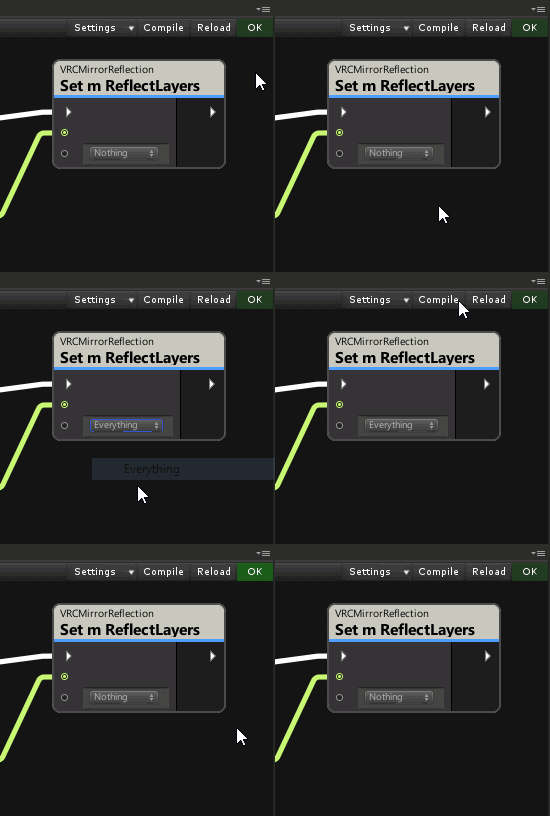 shy osprey
how could i make an integer variable that goes up over time, stopping at a certain value, then resetting to 0 after an event?
inner timber
You could use FixedUpdate and then check how much time has passed since the start time and then set the current integer value mathematically.
Instead of just incrementing by adding one and depending on the frame rate
scarlet lake
How do i stop the interaction text on my buttons from defaulting to the word use?
 shy osprey
inner timber
You could use FixedUpdate and then check how much time has passed since the star...
shy osprey
inner timber
You could use FixedUpdate and then check how much time has passed since the star...
how would i reset the start time after an event?
inner timber
just hold the time in a DateTime variable and set it to the current network time when you cross a threshold
shy osprey
inner timber
just hold the time in a DateTime variable and set it to the current network time...
(sorry for dumb questions) how do i get network time?
inner timber
Networking.GetServerTimeInSeconds. Look into the video player prefabs that come with the sdk to see how it syncs a timer.
shy osprey
alright, thanks for the help!
 native rampart
I'm trying to make a world where players can run very fast, but even though I've set a very high walk speed and run speed, it seems to take a long time for a character to reach that top speed from a standing start?
is there any way to make it so that it doesn't take several seconds for players to reach their top speed?
grand temple
that's bizarre, acceleration should be nearly instant. What kind of speed are you talking about here?
broken bear
how are you setting it, an area trigger on enter, or from Start. if it an area trigger at spawn point it may take a second
native rampart
I don't actually need it this high, but I turned it up to 256 just to see if it was making any difference at all, and for the first few seconds I'm definitely moving at normal speeds, before eventually starting to zip around after a few seconds
I'm setting it on the VRCWorld prefab
and, it starts slow every time I start moving again
also maybe worth clarifying: I'm using third person locomotion where the character runs to the end of the blue line
broken bear
hmm that uses the Start event
native rampart
(it took me a while to notice that the speedup even happens, since if I'm going in a straight line I have to "start over" every few seconds... I was only able to see it by making my avatar run in circles without releasing the joystick)
twilit falcon
How do you set layermasks in the udon graph? It seems to reset to Nothing every time I press reload
native rampart
OK yeah wow, I just tried turning off 'holoport' to see what would happen, and yeah: I'm instantly at full speed
I guess that's a client bug then?
 dull thorn
I'm trying to use GetBonePosition to find the hip and foot locations in an udon script and it only seems to track where the hips and feet are correctly if I'm not in full body. If I'm in full body, it tracks where they would be if I wasn't. What am I doing wrong?
I tried it in update and lateupdate
shy osprey
how would i make an integer thats gets capped when an event is triggered?
like "if Int is not less than or equal to 2500 then set Int to 2500" (if theres a better way to do this lmk)
inner timber
You can use math.min, though I'm not sure if that would be any faster or if it would matter. I would favor readability in this case until you need to optimize something that is getting executed frequently.
shy osprey
i mean more something like this, could i make it so that if the bool is false it sets it to 2500, and if its true it keeps it at whatever number it was?
 grand temple
yes, you already have the math to figure it out I think you're just looking for the "branch" node which will do things only if a condition is met
shy osprey
how would i set DamageDealt to 25 if its false? is there a node for just a number?
 grand temple
yeah, int const
 indigo finch
is there a way to destroy objects in sdk3?
cold raft
you monster
 wanton palm
Is there any way to load external images into a world with an url?
Kinda like you did using panoramas in sdk 2
gloomy wind
@indigo finch In fact if you want to destroy object, you probably want to respawn them at one point
Use the VRC Pool object and set them active or not
Without a pool, you can just set the object active or not
indigo finch
gloomy wind
<@!228024927054331904> In fact if you want to destroy object, you probably want ...
Currently, I'm instantiating a prefab that makes a sound, as I want the sounds to stack, but then there is a lot of gameObjects lying around so I wanted to do some cleanup. After a lot is spawned, the main music stops playing too, so there is also a reason to it
gloomy wind
Ok so don't spawn those object, just make a pool of limited objects (as much as you need at the same time without conflicting with the music)
The pool goal is to recycle object (enable -> disable -> enable ...)
You can put your audio logic on the Enable event so you trigger your sound each time an object is enabled and you don't have to do extra logic (like custom event)
I suggest to take a look to the udon pool example. You can copy it and add custom logic to "spawn" your sound on a specific place each time you need it
indigo finch
sorry, where was the pool example?
gloomy wind
SDK3 if you use this SDK 😬
Should be here

It's called "ObjectPool". In order to work you need a VRC Pool on a gameobject (which keep reference on all your gameobjects) and this UdonBehavior
The default implementation just spawn them one by one with a delay.
indigo finch
ah, my sdk was outdated... whoops
gloomy wind
Hmmm check if the SDK 2 got the VRC Pool script. Maybe it should be the same.
indigo finch
was updating my earlier sdk3 project, but I got it from one of my later projects
 acoustic vale
Messing about with using additional cameras and render textures. My knowledge of the VRC Mirror is limited but would using a standard unity camera instead perform better because of finer control of render distance, quality, etc? I know it won't look like a real mirror but just something been messing with
 tough hull
Hello, is it possible to create a questionnaire of some sort inside a world?
tough hull
(Including let's say Google forms, without simply putting a link down)
acoustic vale
acoustic vale
Messing about with using additional cameras and render textures. My knowledge of...
second question on cameras, can you limit the culling mask for the user perspective? e.g I'd like to make a horror map with a ghost you can only see through a portable video camera
inner timber
I usually provide a orthogonal camera option and a vrc mirror option. Most people prefer normal mirrors in chill worlds, but the camera performs really well for clubs and stuff.
coarse parrot
tough hull
Hello, is it possible to create a questionnaire of some sort inside a world?
Unfortunately you can't get the data out of the world instance. The current method to get data out is providing text-based data to a player and have that player input the data outside of the game by themselves.
inner timber
Some people have been using QR codes
tough hull
coarse parrot
Unfortunately you can't get the data out of the world instance. The current meth...
Alright
tough hull
inner timber
Some people have been using QR codes
Huh, how does that work?
tough hull
coarse parrot
Unfortunately you can't get the data out of the world instance. The current meth...
Thanks for your answer
coarse parrot
QR code can be done too. But I haven't investigated into any udon qr code generation library yet.
tough hull
coarse parrot
QR code can be done too. But I haven't investigated into any udon qr code genera...
Can you just can it using a VR headset? Or some otherway?
coarse parrot
tough hull
Can you just can it using a VR headset? Or some otherway?
For VR player, take a screenshot of QR code, then upload to any qr code scanner website that allows uploading an image.
tough hull
Ahhhh
Hmm, I guess I can always Qr-ify the link so both options will be available.
Alright, I got a plan then
Thanks for the help, again.
 stray junco
a friend of mine told me that some of his friends
making theirs worlds with UDON SHARP cript.US
and he also say'd that feature will be added wary soon
idk if that's a true or not
but for me the coding is not something that i can learn
cause it's wary complicated even with bounch of tutorials i might find
plus my eyes are not so good for that thing
gloomy wind
Udon# is true @stray junco
Not sure if the dev will integrate it inside the SDK tho
But if you don't want to code in U#, just use the Udon graph, that's already powerful
grand temple
udonsharp is made by the community. It doesn't need to be integrated into the official SDK because one of the major cornerstones of udon is that you can create your own compiler. You just import vrcsdk and then you import udonsharp, and they will work together.
stray junco
@gloomy wind
is Udon graph is same thing as U#
i mean are they have same capabilities
or what's the deal about u# anyway?
grand temple
They are not the same thing. However, they are both tools used to create the same thing. So yes they have the same capabilities in the end result, but their workflow is very different.
gloomy wind
Is that supporting 100% of the current SDK?
If not, I guess there is a lit of unsupported feature
grand temple
Yes, udonsharp is updated very quickly to match any features that the vrcsdk adds
gloomy wind
Awesome!
grand temple
And since those new features usually go to open beta for a few days before releasing, udonsharp is always ready by the time those features go live
stray junco
@grand temple
if they have same capabilities
why to use second tool for same porpose
i mean for me it just make things more complicated
and difficult when u# is the thing in focus
beacuse it requires u# coding knowledge
gloomy wind
u# is just c#
stray junco
@gloomy wind
agree
gloomy wind
But in both case, you need to learn about the VRChat API
Which is shared by both tools
U# is handy for programmers
While Udon graph is handy for non programmers
grand temple
Lots of people prefer using code, as it is more advanced and easier to work with gigantic projects. However if you are a beginner and not familiar with code, the built in udon graph is preferable as it is easier to learn.
gloomy wind
Sure
@stray juncoUdon Graph is just the default one since it will be used by most players that want to create stuff
But nothing prevent them to learn C# if they want
It's like Blueprint in Unreal and C++ for programmers ;D (they are both meant to be used by Tecnical designers to prototype or programmers to do complex systems)
(Fun fact, IsValid, Branch and some other stuff are the node names from Unreal 😄 )
grand temple
I would not push a beginner to use udonsharp, best to go at your own pace and learn one thing at a time. Even after using graph for a while, it can be a significant leap in difficulty to switch to udonsharp. Best not to take too many leaps all at once
gloomy wind
Yes that's why I said most players will use Udon Graph
But in both case, video game programming requires a good understanding of Object Oriented Programming (and VRChat adds a network layer to keep in mind).
gloomy wind
stray junco
<@!155808940611993600>
agree
In conclusion, don't be afraid to use the default one cause it will remove you a lot of constraints.
Read the documentation first.
grand temple
I wouldn't worry about theory and stuff at first. Just make something that works and don't tie yourself down to anything big. Keep making new things and you'll keep learning.
shy osprey
Ive seen a lot of people advising U# for larger projects, is it because the graph might be a bit messier and take longer to run on a large scale?
cold raft
its really for readability of the code, and it if you know c# its also faster to write. graphs do indeed get big and messy, but it wont effect the run speed
gloomy wind
Nah, it doesn't take longer to run since it's compiled as udon assembly code
grand temple
It's not an acronym, it's a thick Japanese noodle. https://en.m.wikipedia.org/wiki/Udon
Udon (うどん or 饂飩) is a thick noodle made from wheat flour, used in Japanese cuisine. It is a comfort food for many Japanese people. There are a variety of ways it is prepared and served. Its simplest form is in a hot soup as kake udon with a mild broth called kakejiru made from dashi, soy sauce, and mirin. It is usually topped with thinly chopped...
Because udon is the name of vrchat's programming language. Udon spotlight is for worlds that make use of it
The name udon was chosen because the primary way of using it is with nodes connected by noodles
 digital nest
So the new ObjectSync component:
I have an object with a variable I change manually, since it happens very infrequently. I set the sync mode to manual.
I do want the position of this object so be synced though, so I attach the ObjectSync script.
The builder then complains that I cannot use ObjectSync with a manually synced object.
As I understand it I need the ObjectSync to sync the position of this object, since it replaced the "Sync position" tickbox.
-> Do I need to write the position syncing into the Udon behaviour?
inner timber
When I ran into that problem, I just separated the logic into different game objects.
I had a parent pickup with object sync, and then a child with all the functionality I wanted to manually sync.
digital nest
Yes, I see.
...Why was that nice tickbox removed though?
Anyway, thanks for the answer!
I can not use the RequestSerialization -> OnDeserialization flow with continuous syncing, can I?
dull thorn
I'm trying to use GetBonePosition to find the hip and foot locations in an udon script and it only seems to track where the hips and feet are correctly if I'm not in full body. If I'm in full body, it tracks where they would be if I wasn't. What am I doing wrong?
I know I’ve seen feet properly tracked. How would that be done?
 normal lichen
how would i assign 50 gameobject childs to a array on start.
tried this but the set node gives error on start
 gloomy wind
You should init the array size
You could also use the VRC Pool in fact, it has a variable that reference an array of gameobjects if you don't mind to set the array variable manually
cold raft
If you want to synchronise the game objects active or disabled states then yes use a pool
Otherwise use a public ganeobject[] variable and manually fill it, that will save time at run time
gloomy wind
Pro tips: lock your inspector, select all childs and drag & drop all the childs into your array, unlock your inspector
inner timber
oh that would help, I ended up writing an editor script for it
two buttons: one to assign all child objects, another to clone from a prefab up to n pool size.
 floral bear
Hello. I have a problem with spawning pickup objects.
I set a spawner that instantiates a prefab at a certain location when I interact with it. I don't know if it's relevant but the prefab has an Object sync and another script that destroys it when entering a trigger.
My issue is the spawned objects only appear for me, not for other players. And there's a 2nd issue which is a bit more weird, the first person to join the world can spawn and pickup objects, but other people can only spawn them and are not able to pick them up. Not sure if the two issues are related.
grand temple
floral bear
Hello. I have a problem with spawning pickup objects.
I set a spawner that insta...
Instantiates objects cannot be synced in udon. You need to use an object pool.
floral bear
Oh, thanks ^^
gloomy wind
Pool, Pool everywhere
floral bear
Is there a tutorial on how to use pools? 😅
grand temple
there is an example in the SDK
floral bear
Found it, thanks!
acoustic vale
noob question incoming! when i export a .unitypackage do I need to include the VRC/Udon/UdonSharp dependencies or just the models/prefab/etc?
floral dove
acoustic vale
noob question incoming! when i export a `.unitypackage` do I need to include the...
just the models/prefabs, etc. It's again the SDK terms to redistribute the SDK.
acoustic vale
floral dove
just the models/prefabs, etc. It's again the SDK terms to redistribute the SDK.
Ah okey, thanks. I guess would it make more sense to just include a README with:
requirements:
- VRC SDK version blabla <link goes here>
- UdonSharp version blabla <link goes here>
Is there some sort of weird unity-imposed delay that only occurrs if you have an animation with 1 keyframe instead of 2? https://i.imgur.com/V3R8Bg1.png


I've been doing a single keyframe for all my things that I want to happen instantly but it looks like there's some sort of delay between calling single-keyframe animations with animation events that call more single-keyframe events
In a single animation time of 10 samples, it successfully calls the first row of 1-keyframe animations, but each of those objects is supposed to tell their own children to run the same animation and the second set fails for each object
 slow coyote
Been trying to look around in various places to see the best way to go about this (I'm not the best at searching for information, admittedly.)
What's the "best" way of keeping track of players who have opted into something? I'm setting up a system for players to change their voice range to presets (so each preset is the thing a player is opting into), and is intending to keep late-joiners in mind.
Is the best way to go about things with one object managing an UdonSynced integer array of theoretically 80 player ids? Or would it be better to have 80 individual objects all owned by each specific player? Or is there something else that I'm missing that we can do?
(I'm trying to do what I can to keep network traffic low cause I'm still adding other network related things)
floral dove
if you may have additional data to track along with the voice presets, it probably makes more sense to give each player an UdonBehaviour that can be used as data storage, with 'voicePreset' as a synced int variable so it can be read externally. If this is the only variable you'll track this way, or you'd rather keep this voice system separate, then an int array of 80 players might make sense. However, you'd also need a way to match up players with their indices in that array...so probably better to give everyone a data object.