#udon-general
59 messages · Page 50 of 1
 cunning mist
Syncing takes a parameter for what kind of syncing it is, being linear, lerped, none (no smoothing). As well, SendCustomEvent and SendCustomNetworkEvent both don't take parameters, since they don't have that feature in the graph. That one's a 
 stoic mountain
I could probably make use of events to move the pen around, and to tell when its drawing or not, wether I use lineRenderer or something else. The thing is by doing this, I cant send an event to say "delete this section". My current method is to have a rather slow particle emitter on ribbon mode + world space, which gives appropriate results, and when the user stop using the pen, that emitter stops emiting and moving. When the user starts drawing again, I instanciate a new version of that emitter and so on. That allows me to store a list of previous emitters and delete them when needed.
The thing is I cant stop the first emitter when I stop drawing, as I cannot send a message akin to "remove this emitter gameobject"
I assume there are no current plans for VRChat to switch to a new network system ? Its using Photo, right ?
cunning mist
VRC is using Photon yes, but they're actually doing an overhaul of how Udon handles networking. Once again but probably roughly in a month we'll get that.
stoic mountain
Thats great news. Any chances that would reduce lag too ?
cunning mist
The main change is presently Synced Variables are synced 4 times a second even if they haven't been modified, now we'll have access to just say "sync this now" with fancy priority as I understand it. I absolutely don't have all the information but I'll try to explain it all when it comes out!
stoic mountain
oh, you just answered the question I was typing about the feasability of a "bruteforce" whiteboard with each pixel being an object, and I was worried if sync was optimised and "silent" when not needing to sync, well that solution is out of question for now then, not that it was good in the first place anyways.
 unborn hornet
I believe the pens you are referring to is mine? 1.0 public release isnt out yet, but I can hook you up with the current beta release if you want.
stoic mountain
unborn hornet
I believe the pens you are referring to is mine? 1.0 public release isnt out yet...
It could be, is your version the one with the "erase mode" where you can click on a line start to remove it ?
unborn hornet
Yes
stoic mountain
Im interested anyways, are you using object pooling as Vowgan suggested ?
unborn hornet
Actually no.
It does use instantiate, but it's locally based.
Dependant on player IK sync
stoic mountain
@cunning mist tbh while improvements are always welcome, I feel like a complete overhaul of the network system is kind of needed to go further with that game. My perfect version would be having VRChat acting as a "network / avatar provider" plugin on a unity project, and let you deal with everything the way you want with a clear server side / client side code differenciation. Well, dreaming doesnt hurt :p
@unborn hornet local instantiation ? How ? :o
My understanding was that it wasnt possible
cunning mist
Well it is a 100% overhaul, but who knows
 grand temple
as long as you instantiate a line renderer and then have it display like 5 line segments, that's fine. That's pretty much what the presentation room pens do. And that allows you to erase them. If you don't need erasing you can just have one gigantic line renderer
cunning mist
Also yeah you can instantiate stuff, just locally
unborn hornet
There are certain threshold values for when to instantiate vs when to add a segment.
stoic mountain
"Method is not exposed to Udon: UnityEngine.Object Instantiate" ?
unborn hornet
Obviously couldnt be performant if always creating a new instance of a line renderer every 0.015 units. Trust me, I did try that.
Was a horror show lmao
It's VRCInstantiate
cunning mist
Ye
stoic mountain
thats not my approach either :p Im actually doing a "slow rate" pen, so that its local behaviour is closer to the one seen by other players, and the final result is closer between clients
unborn hornet
Ah. Well that's gonna be a lot of extra logic to confirm precision of segment points.
stoic mountain
Ah but VRCInstantiate creates the item for every client, which is fine, but Id like the client to instantiate their own item, so they can track it, so if I send a network event like "enable component", the various clients can do that on their own version of the object
unborn hornet
I considered doing that, but didnt have the patience to research that.
Might be able to get away with it using UNet...
I know the example world has a slow-rate pen that is absolutely beautiful.
Problem is how many of those pens could exist in a single world before udon takes the piss.
unborn hornet
stoic mountain
Ah but VRCInstantiate creates the item for every client, which is fine, but Id l...
VRCInstantiate is local only.
stoic mountain
wat
unborn hornet
Ther literally is no networked instantiation.
unborn hornet
There is simply a bit of special logic for security reasons within the VRCInstantiate method. Other than that it's just a wrapper for normal Instantiate.
stoic mountain
Well thank you for this information, I think I can solve my problem now :)
 jaunty schooner
What do you mean by "this is not allowed"? What prevents you from manually instantiating on each client and then changing materials and setting component values?
grand temple
because there is no system in place to reliably make sure that everyone will agree on the network ID of that object
jaunty schooner
(Obviously the objects are not actually going to be the same object and you won't be able to sync their locations using the built in commands, and I have no idea how you'd sync them manually...)
jaunty schooner
grand temple
because there is no system in place to reliably make sure that everyone will agr...
Well yes... But you may not necessarily need that.
grand temple
if you have some other non-instantiated object that does have a network ID, then yes you could use that to sync parameters and manage the instantiated objects
jaunty schooner
For example if you just want to spawn a bunch of balloons that float up into the air and interact with nothing... Well I suppose you'd want to use a particle system for that but you also could instantiate if you had to for some reason I guess? I can't think of a good reason to do this. 🙂
grand temple
yeah, you can do whatever you want with local instantiation
 fiery yoke
@jaunty schooner As soon as you want to tell a remote client to do something with some object, you need to tell them which object you mean. This is what the Network ID is used for. Its an ID that both clients agree on and identify with some object. If you spawn an object on all clients and you then move it somewhere you need to tell the other connected clients that you moved that object, this requires a Network ID. If you dont do anything with that object locally that should reflect on another client then yeah you do not need a Network ID. Furthermore this becomes a bigger problem when dealing with late joiners, who were not connected when you actually spawned the object.
 fading cipher
I also can't think of very many instances where I'd want to instantiate an object for a player to see, but wouldn't want other players to see it
 broken bear
thanks for breaking that down, I know next to nothing about networking and that helped understand it. I assume values are all client side synched right, there's no values that are stored and subject to read/write by the world instance itself?
fading cipher
The only values that will naturally be passed to other players when changed are values that are specifically denoted as udon-synced
I wouldn't really say "world instance values" exist, because if they are changed for all players when one person modifies, it, they're udonsynced
broken bear
but we collect data based upon the data in the world upload then from other players right, the world itself doesn't have any paramaters that are read/write independnet of players right
like I can't have a udonsynched variable that stays with the world instance independant of a player
fading cipher
No, you can't. The world itself doesn't store any values in itself, each player's client keeps track of the values based off what they perceive in the world
broken bear
got it
fading cipher
So when a client disconnects, the only values that are preserved are values that are udonsynced
broken bear
the watched pot only boils when someone is watching it
fading cipher
And those values are only preserved as long as a client exists in that instance
Actually helpful can you confirm that
IF you have a single instance and all players leave, then a new one joins (or do instances automatically get deleted when all players leave?), would they have synced variables or would they init everything from the start?
fiery yoke
VRChat uses a Peer-To-Peer like Networking Architecture. Connections are managed by a Server, but thats it. World data is managed by the Instance Master, which in this case acts like a server.
Instances generally are only alive as long as there is at least one player in them
broken bear
a fixed instance id seems like it would clear data when all players leave, since the data is tied to the client propigating the values
fading cipher
Is that true if you have a portal linking to a world from yours, as well?
fiery yoke
Well this gets a little confusing
I call an instance the collection of data regarding a world
something that can exist without players is a room
A room is basically what the Photon Server manage
It just manages which players are connected to whom, and manages "messages" between players
When exactly a room is closed regarding players and portals Im not sure of
broken bear
I would expect that if there's even a byte of data different on the next world load in that empty instance id we would have known about it by now, as that would be a big thing for synching
stoic mountain
jaunty schooner
What do you mean by "this is not allowed"? What prevents you from manually insta...
I thought VRCInstantiate was a method to instantiante an object on all clients at once, not just locally, but its sorted now
jaunty schooner
How do I call a custom event? I don't see a node for it listed under Events in the quick search.
Oh wait its under UdonBehavior not Events?
jaunty schooner
I can't find any documentation for SendCustomEvent though. Or SendCustomNetworkEvent. I assume the former does not transmit the event over the network while the latter does send it to other players.
grand temple
correct
jaunty schooner
Do vairables have to be set to be public for GetProgramVariable to work?
fiery yoke
no
jaunty schooner
Cool. So I think this is how I need to have my floppy drive trigger volume set up to check if the object that triggered it is a floppy with a video URL on it, and then pass that URL along after extraction to the video player. I could of course just pass along the object that collided to the video player and have the check in there, but that graph is already complicated enough.

 tribal meadow
question guys, hopefully a simple answer....I'm trying to set an array of objects to be off, but I'm unable to make a line between SetActive, and the Gameobject array...is there a different node I should be using for this?

 zinc mulch
Are there any bugs or something that I should be wary of when I download the app that lets your create your own avatar for VRChat?
 paper plinth
tribal meadow
question guys, hopefully a simple answer....I'm trying to set an array of object...
paper plinth
tribal meadow
question guys, hopefully a simple answer....I'm trying to set an array of object...
get
wait, you want to set the entire array off? Sorry, I misunderstood.
oooh you have to use foreach it looks like
tribal meadow
yes, so instead of having to make multiple scripts for each item, I can just add them as array objects in the inspector
ok I was afraid of that
this is for a button panel where it turns one object on, and makes sure all the other ones are off
paper plinth
ok I had this problem too
fiery yoke
foreach doesnt exist in the Udon Graph. Its an abstract concept of of a simple For loop.
fiery yoke
What I mean with that is that a foreach loop is a for loop in disguise. But foreach doesnt exist in the graph, so you have to use a for loop.
paper plinth
right on
I tried to set all items in an array active except the one I just clicked and I kind of sidestepped it
tribal meadow
I'm trying to avoid having to do 'this' for each button and having an individual script. It works but it's very time consuming to make this
 paper plinth
yeah he's saying use a for loop
tribal meadow
hmm ok, I'm not familiar with loops unfortunately (very new to this)
paper plinth
I just don't have unity open, I have a script here and I'm going to try to do it in graph, 1 sec
fading cipher
For loops just apply the same code to multiple different objects
jaunty schooner
tribal meadow
hmm ok, I'm not familiar with loops unfortunately (very new to this)
A for loop just takes a variable and increments it each time through the loop. In your case you would use that variable as an index into your array, and to know how many times the loop needs to run you'll have to get the size of the array, which you would set after you make it a public variable, and look at it in the inspector there's a size parameter there.
fading cipher
I started describing a foreach because I use them so much more often 🥴
tribal meadow
ah ok, I think I understand
jaunty schooner
The first index of an array is 0 by the way. So you'd go from 0 to arraysize-1.
tribal meadow
right, and that's why you set the 'number' of how many objects there are
paper plinth
something like that?
 fading cipher
You'll want to subtract 1 from "get length" before plugging into the end of the loop
Right 🤔
paper plinth
good shout, I didn't know that
fading cipher
Reeee
Translating my known code to visual code makes my brain read backwards and upside down
tribal meadow
OK this helps, I'll give that a shot thanks!
paper plinth
whoa whoa whoa stop the clock, I didn't say it was right
tribal meadow
:D
The script I'm trying to modify has something like this already that turns objects on, this sort of explains what is going on with it
fading cipher
As far as I am aware, that looks right to me
But wait for parachute
Cuz I have never written udon lol
fading cipher
longer than me since I use U# xD
paper plinth
if I wanted to make them all active except one, I would immediately follow that with the exit behavior being turning on the array element that was clicked
tribal meadow
so for the exit event, I could set another loop to turn off the objects, correct? (rather than making another network event)
paper plinth
well it's a for
I don't use them because we weren't allowed to
but
in my understanding
it gets to the end
and then executes Exit
one time
so if I had buttons 0 through 9
and i wanted to light up all but the one my raycast was pointing to
I would take my number lighting up thingamabobbers and put them into numbers[] and get them in sequence and turn them all off, and then for the exit behavior, turn the one on that the raycast was pointing at
and put this in update

 sharp shadow
does anyone have a list of special characters a username can have and still be processed by udon/c# having issues whitelisting names with weird characters
jaunty schooner
tribal meadow
ok that makes sense.
Except that you have to subtract 1 from getlength.
fiery yoke
No you dont, its a mathematical half-open range, meaning that its start value is inclusive, but the end value is exclusive
For example the half-open range [1, 5) contains 1, 2, 3 and 4
jaunty schooner
Ah, well the node doesn't show the math on the loop. And I haven't code in C for so long I forgot that you can set that loop math and you often use < for the end value.
fiery yoke
Yeah in this case its implied
fading cipher
sharp shadow
does anyone have a list of special characters a username can have and still be p...
Along these lines, I needed to see what characters were supported by VRC in general... I wanted to see if I could use letters that exist in unicode but don't technically get used by many languages
Like my boy thorn þ
jaunty schooner
I have no idea what "mathematical half-open" is, I have never heard that term. 🙂
fading cipher
Oh yeah [] and () notation I learned about like years ago but I don't remember what exact subject taught me
And forgot until now 🥴
jaunty schooner
fading cipher
I think I learned that for math
jaunty schooner
A term I didn't learn in school I guess. 🙂
fiery yoke
jaunty schooner
I have no idea what "mathematical half-open" is, I have never heard that term. �...
from: https://en.wikipedia.org/wiki/Interval_(mathematics)
A half-open interval includes only one of its endpoints, and is denoted by mixing the notations for open and closed intervals. For example, (0,1] means greater than 0 and less than or equal to 1, while [0,1) means greater than or equal to 0 and less than 1.
fading cipher
for "up to but not including" when giving ranges as answers to trig questions lol
 visual drift
Does anyone know the length limit on usernames? Trying to cram two into a text field
jaunty schooner
But I understand how "for (x = 0; x < 10; x++) {" works. 🙂
tribal meadow
ok I think I had one line wrong but it's not getting an error now, crosses fingers
stoic mountain
unborn hornet
There is simply a bit of special logic for security reasons within the VRCInstan...
My take at a network-coherent pen

Obviously its not smooth to use as its a delayed pen, but its not horrible either and it can be usefull in a game where you need to write or draw precise stuff for other players to understand (which is one thing i need)
jaunty schooner
So here's the code to react to the "play button" (floppy drive) trigger event. I don't have any IsValid checks on this one because I know the button object will have a script and a variable on it, unlike before when any object could trigger the trigger. I have those checks on the play button itself now.
 jaunty schooner
When I send custom events from a graph, do I have to specify a receiver object? I thought local events were just global things, since they kinda are when sent over the network to my understanding? Cause I'm not getting the events when triggered but I noticed an "instance" input on the SendCustomEvent node.
 floral dove
Custom Events will target the current UdonBehaviour by default, and the target UdonBehaviour if you supply one.
SendCustomEvents are not networked, only SendCustomNetworkEvents are
jaunty schooner
Is that true only of local events, but not networked ones?
fiery yoke
There might be some confusion with the semantics of "Global" and "Local". There is the network side of global and local, and then there is the side of "program" global and local.
floral dove
any unfilled port of the types GameObject, UdonBehaviour and Transform will be automatically tied to 'self' if not specified
jaunty schooner
Yes, but we're talking about an udonbehavior running on another client with a networked event... Does the concept of "self" still apply there?
fiery yoke
Yes. All GameObjects with UdonBehaviours currently get a Network ID, meaning that when its referring to "itself" all other clients know which one is meant by its ID.
grand temple
self doesn't mean player, it means the gameobject
There is a slot in the SendCustomNetworkEvent node where you can plug in the udonbehaviour you want to send it to. If you don't specify anything it will just send it to the same udonbehaviour
jaunty schooner
grand temple
self doesn't mean player, it means the gameobject
Yeah I understand that but it's not really the same game object if it's a copy running on another pc... 🙂
grand temple
yes, that's what network IDs are for
jaunty schooner
Yeah I get that now but it was unclear. 🙂
 potent saffron
quick question, how do I access the variables from my custom component class (or custom udon behavior component) through well... udon?
grand temple
by custom class do you mean udonsharp?
potent saffron
no, C#
grand temple
you can't make C# custom classes, they are not allowed
they won't upload
but you can use Udonsharp, which compiles C# into udon assembly
and you'll need to make sure all your classes inherit from udonsharpbehaviour
potent saffron
yikes, i'll look into that, but before that i want to know if i can access the variables within an Udon Behavior component in an object
grand temple
yes, of course
potent saffron
and how would i go about doing that?

for example dragging from component only shows me the generics
(this is my first time using udon by the way, it is kind of confusing)
grand temple
once you have a reference to the udonbehaviour, you can use getprogramvariable
However getprogramvariable returns generic objects, so you have to do a lot of casting. But if you use udonsharp, you can reference the direct class and the direct variable as if it was C#, which reduces the amount of casting you have to do.
you could do something like
public class MyCustomScript : UdonSharpBehaviour
{
public float test;
}
Then in another script you could have
MyCustomScript reference = GameObject.Find("MyCustomScript").GetComponent<MyCustomScript>();
float test = reference.test;
oh i see, i don't have udonsharp yet but it looks like it would be kind of better, i will try something now in the graph though because im curious

this cube has an udon script attached with a public variable
grand temple
 potent saffron
ow so that's how casting is done in general?
grand temple
in graphs it will just be automatic, yeah
potent saffron
So to get the value of a bool I would type that in symbolName, correct?
floral dove
you would type in the name of the variable, yes
potent saffron
and on "object" it returns the value, yes?
floral dove
if it's a variable in the current UdonBehaviour, you can just drag and drop it from the variables window into the graph. If you want to get/set the variable from another UdonBehaviour, I'd recommend making that second UB a public variable on the first one so you can access it without having to do GetComponent each time
yes, the object is the value.
you may need to cast it back to the type you expect
grand temple
that casting will be automatic in most cases though. Like this:

the casting is visually represented by the gradient going from gray to cyan
potent saffron
oh alright I see, this is all useful stuff
thank you very much, I will hopefully put this all to use
(edit: I DID! I was finally able to make collision detection that can differentiate between different objects and do different things respectively, many many thanks for showing me how udon works!)
jaunty schooner
Are video players supposed to work in play mode in the editor? Cause I can see it trying to access the URL in the console but it errors out.
Nevermind, I see now that AVPro does not work in the editor, while the Unity player does, but the Unity player is far more limited, so I guess I'll test in game! https://docs.vrchat.com/docs/video-players
VRChat
Using the Prefabs The easiest way to put a Video Player in your Udon world is by using one of the Prefabs, which you can find in Assets/VRChat Examples/Prefabs/VideoPlayers.Both of these prefabs will play a video of your choosing, synchronized for everyone in your world. They won't loop - the graph ...
jaunty schooner
What's the benefit of using a material override versus a rendertexture on a video player?
 pallid mango
I just recently updated the SDK, and when i try to open graphs nothing happens. the program files and assembly is still there. there's no console errors. did i break something?
unborn hornet
grand temple
the casting is visually represented by the gradient going from gray to cyan
👀 that's a dank bit of QoL there that I didn't know about. Nice.
jaunty schooner
So I guess you can't start a video at a particular timestamp huh? I was hoping I could skip over some annoyingly long intros on some of the videos.
cunning mist
VideoPlayer.SetTime
 neon spoke
Does anyone know why the UI ray caster may be broken in VR? The end of the laser hovers a decent distance off the UI itself.
floral dove
neon spoke
Does anyone know why the UI ray caster may be broken in VR? The end of the laser...
Check the Z scale on your UI
neon spoke
It's 1.
grand temple
it should be the same scale as all the other values, usually something really low like 0.005
 void ridge
It should probably be small, yeah
grand temple
that is the size of each pixel
neon spoke
My X and Y are 0.015, I assume I should be mirroring those?
grand temple
yep
neon spoke
My Canvas Scaler is set to 10/100. Does that also have anything to do with it?
grand temple
that's fine
neon spoke
Awesome. Thanks a lot!
 vast umbra
hi, this is my first time making a world and i used the sdk 3.0 for it. when i try to click on the avatar pedestal which i added, nothing happens. i put the blueprint for my avatar on it
can someone help? do i need to use udon for it?
floral dove
vast umbra
hi, this is my first time making a world and i used the sdk 3.0 for it. when i t...
You need a program. Check the UdonExampleScene and the example pedestal there.
vast umbra
ok
jaunty schooner
cunning mist
VideoPlayer.SetTime
Well if that works, that's good and maybe I could implement that, though I'm not sure if I'll be able to sync it properly so that's probably a project for another day, but what I was actually talking about was including timestamps in the youtube URLs. That doesn't seem to work. I guess because the player code has to assume the video is going to start at the beginning to sync it?
cunning mist
No, nothing directly from timestamps, unless you want to have a way to parse the URL.ToString and find the numbers at the end, then use those numbers as an int to get your time offset
But that's what we call "hard."
Merlin did that already in his UdonSharp Video Player if you just want one premade.
jaunty schooner
cunning mist
No, nothing directly from timestamps, unless you want to have a way to parse the...
If only it were as easy as just grabbing the numbers from the end! But the URLs can have then numbers in the middle too... For example: " "www.youtube.com/watch?t=140&v=UXv9h0gS13g"
I'm not sure what string operations you have in C# and if they are exposed in Udon but I did a quick search and found InStr is in C# but I didn't find it in a node search.
In my case I'm just entering the data manually, so I could just make a variable and put the time stamp in and I assume there's some sync code in the player somewhere I could work with. But I am curious about what can be done with strings in Udon.
void ridge
neon spoke
My Canvas Scaler is set to 10/100. Does that also have anything to do with it?
FYI, Canvas scaler is more or less the resolution of text (and probably images?) that appear on the canvas. I've never really needed to set that number to higher than maybe 4 or 5. It's probably a little more complicated, but that's what I've been going with 🙂
It doesn't actually affect the size of the canvas, components, or children relative to the world
 naive lagoon
What's the script for C# to toggle things to be seen local and global in a scene?
floral dove
naive lagoon
What's the script for C# to toggle things to be seen __local__ and __global__ in...
you'll need to use Udon, not C# in order to build VRChat worlds. To toggle the visibility of an object, you can have the Owner of the object change a variable, then check for this variable change during OnDeserialization on the other Players, and flip the visibility of the item's MeshRenderer. You can get started learning here: https://docs.vrchat.com/docs/what-is-udon
naive lagoon
Thanks!
After using Udon, does the Udon script get generated into a C# script in the end result?
floral dove
Not quite - the Udon Graph gets turned into UdonAssembly and ultimately bytecode, which runs in an Udon Virtual Machine in your world.
 scarlet lake
Yes, Udonsharp is just a compiler - it has operation limitations, and before uploading, whatever scripts you've written will be compiled and converted to Udon assembly
Still a rad tool though
 stark adder
But Merlin did a great job and few things that in Udon are not a thing in UdonSharp using some shenanigans he made them possible 🙂
grand temple
udongraph and udonsharp both compile into udon assembly
or rather, are used to create udon assembly
naive lagoon
Ok. that makes more sense. Thanks
would the UdonSharp script differ from making a GameObject or a Scene be toggled locally and globally?
floral dove
naive lagoon
would the UdonSharp script differ from making a GameObject or a Scene be toggled...
not sure what you're asking, can you try rephrasing?
naive lagoon
Would the UdonSharp script differ from the UdonAssembly in the end result?
grand temple
yes, they are in two different languages
udonsharp is in C# and udonassembly is in assembly
effectively, C# is easier for a human to read and assembly is easier for a computer to read
floral dove
you really don't have to think about the Assembly part unless you want to write your own Udon Compiler. If you just want to build interactive worlds, you can either use the official Udon Graph, or the community-created Udon Sharp.
naive lagoon
ok. 
I'm just unsure which would be best for making scenes/game objects local and global. either Udon Assembly or Udon Sharp?
grand temple
while that is technically a choice you could make, realistically 99.9999% of people are not going to use udon assembly. It would be very painful and the only reason would be if you made programs back in the 60s and you're "more familiar" with it or something
udon assembly is a stepping stone that is done for you. Udonsharp gets compiled into udon assembly automatically so you don't actually have to touch it
the real choice you should be asking about is udon graph vs udon sharp. Those are the only real viable options
and then in that case, it comes down to whether you prefer nodes or code. Nodes are generally more friendly if you are a beginner, but code scales up better if you have a large project
grand temple
not really, it is no longer maintained and there is no release for the latest versions of the udon sdk
stark adder
ah 😄
naive lagoon
grand temple
udon assembly is a stepping stone that is done for you. Udonsharp gets compiled ...
Thanks for clearing that up!
Would making something appear local or global be an assembly or something other?
floral dove
FORGET ABOUT ASSEMBLY 😄
go through the docs I linked, get the UdonExampleScene running.
If you're familiar with writing C#, check out UdonSharp after you've got the basic world up and running.
naive lagoon
floral dove
FORGET ABOUT ASSEMBLY 😄
ok ok. 😅
grand temple
toggling objects is a core udon function. You can do that no matter what compiler you use
but yes, start with graphs if you have no prior programming experience. The whole point is to be friendly to beginners
it's not like you're locked into this for life, you can flip flop back and forth between graphs and sharp however much you want. If you find graphs too limiting, move on to sharp. If you find sharp too hard, go back to graphs. Do whatever you want
but you gotta start somewhere
and the starting point is usually graphs
naive lagoon
grand temple
but yes, start with graphs if you have no prior programming experience. The whol...
I don't have any experience in any coding. That's why I was asking all the questions so that I know what is what.
cunning mist
haha look, a chance to plug my tutorials in a seamless and charismatic fashion
oh wait its midnight im not awake enough to make that sound smooth
Anyway, I hope this can help you out. I try to make stuff as understandable as possible for people starting from the ground-up using both Udon Graphs and UdonSharp, so you can pick which one you'd like to do or use both!
https://www.youtube.com/watch?v=ibDu0dCeUE8
With the recent Udon updates, some of the basics have changed, so here's my most basic tutorial redone with the new editor, and not recorded at 2am! If I get enough requests, I'll redo my "Contextual Buttons" video as well, which will give me an excuse to just rename them "Event Buttons" which actually makes sense.
00:00 - Intro
00:20 - Udon Gr...
naive lagoon
@cunning mist is that a world you published to VR Chat?
cunning mist
The world itself is not published, rather it's a step-by-step video on making the graph/script yourself for that feature.
naive lagoon
oh ok. Thanks for showing me!
cunning mist
Happy to help!
naive lagoon
😁
 lilac hatch
To sync a pick-up transform values I need to add a udon behaviour and check the synchronize position right on it right ? Or it's not really needed since there's the pickup script already on it
grand temple
the first is correct. The pickup script doesn't sync
 dreamy basin
Anyone know any Military tactical gear VR avatars
sharp shadow
can you select/check players by network id instead of ingame name? this way i can let people use whatever characters they want in their name when whitelisting
and if so, is there an easy way to check this ID, i see its an int aparrantly
grand temple
Network id is only unique to the instance, it starts at 1 and goes up whenever someone joins. It is not a unique identifier across all of vrchat
sharp shadow
damn, still need a list of every character i can pass to a string in udon then so people can pick and choose
grand temple
You should be able to pass all the same characters as long as it's copy and pasted correctly
sharp shadow
people have picked some funky characters for their names, sometimes it will paste and not work and sometimes it wont paste into unity at all
i have a public string[] variable that i maintain in my world for whitelisting
like ༒ for example
grand temple
However one method around this is to iterate through the name, check if each character is a special character, and then cast to an int and convert it to 'number'. Like for example an underscore would turn into '95'
Here's some code I use to do that
    {
        char[] chars = name.ToLower().ToCharArray();
        string output = string.Empty;
        for (int i = 0; i < chars.Length; i++)
        {
            if ((chars[i] >= 48 && chars[i] <= 57) || (chars[i] >= 65 && chars[i] <= 90) || (chars[i] >= 97 && chars[i] <= 122))
            {
                output += chars[i];
            }
            else
            {
                output += "'" + (int)chars[i] + "'";
            }
        }

        return output;
}```that still doesnt get around not being able to paste a character into an udon behaviour, ༒ can be used in a name but not pasted into an udon behavior
and thats just one example
grand temple
you would have it sanitize name on player join then dump the sanitized name into the debug logs. Just have them join the world and send you their logs
and that exact same code totally works on rextester.com if you make it a static method
sharp shadow
can you do this with an udon graph?
grand temple
no, this is udonsharp
technically might be possible but I'm not sure if graph allows you to cast from char to int in this way
sharp shadow
yeah, my main issue is an easy to maintain whitelist of VIPs, staff etc that i can hardcode into the world that can take whatever characters vrc can take
my current solution is a graph that checks if the local player is on a list of strings and returns true
but unity cant take many of the special characters that vrc can take
 mighty fjord
Can you not have a text file containing all the names, or does that break aswell with those weird characters?
 tall vault
You could generate a numeric hash from the player's name and store that instead for comparisons
sharp shadow
mighty fjord
Can you not have a text file containing all the names, or does that break aswell...
havent tried this, never worked with text in udon
grand temple
a text asset might work, yeah
sharp shadow
tall vault
You could generate a numeric hash from the player's name and store that instead ...
this might work, manually encode and store that
grand temple
you create a .txt file and then reference it in udon by making a textasset variable
mighty fjord
Then you can retrieve it as a string and split it every new line to get an array for all the names instead
sharp shadow
are there any examples i could see for that?
mighty fjord
This is what I came up with for a name check for a project I'm part of. (Note that it also has a patch for the dots in usernames getting replaced with the 'One Dot Leader' symbol.)
 sharp shadow
oh man, redesigning this door script is going to be fun, this also assumes it takes all the characters no problem
mighty fjord
Testing should be done before you begin applying the patch
sharp shadow
yep, testing is gonna be fun too
temp patch could be encode to base64 manually and store that in my current list
 hollow trench
Hey all i'm new to udon and i've been struggling making a graph to respawn objects. I'm making a card game and i want to respawn all cards with one button but i can't get it to work. Does anyone have a working graph or a screenshot on how to set it up?
mighty fjord
Do you know how 'for loops' work?
hollow trench
no the only thing i made is a simple toggle button.
ive tried multiple things but i can't get it to work, don't even know if i'm doing the right thing
i just want to have a size element to put in multiple game objects and set them to the same location on interact
mighty fjord
That would be a perfect use case for a 'for loop' as it would allow you to repeat the same thing for all objects in an array.
Are you familiar with arrays?
hollow trench
no
paper plinth
Make a cube
Put an interact on it
On interact set a bit high
On all of your objects, check for that bit transition with a branch
On transition respawn the object and set a bit high on the object
Back to the cube
On update check of all the objects are respawned
Reset the bit
When the objects position is different from its original position then reset that one.
hollow trench
allrigh i try thank you
 dense pine
Ey ey! I need some helpo. Im pretty new to Unity and Udon and i got some help from @unborn hornet with my problem but i didnt do exactly what i wanted. Basically i wanted to make a button that teleport and object back to it's original position like i tried here with my testcube. Instead this code teleport the button to the testcubes original position. Any idea what i should do different or whats going on?

 dapper lion
what game object is it actually set to?
dense pine
The "button"
dapper lion
that would move the button instead then
youd want to set it to the game object you want to move
dapper lion
what does the udon behavior look like in the inspector?
i think i can predict what the script is supposed to do but im just making sure
paper plinth
you're getting the position and rotation from the same variable
you must put a gameobject where you want the teleportdestination to be
and teleport to its localpos/rot
 trail verge
I think I probably already know the answer to this... but, is there a way to in game be able to make a tcp connection to a remote server, and display the text dumped from that stream to like a chalk/white board in game. My thoughts are to while someone is watching a video stream, that video stream has a IRC like chat that people outside of VRC are chatting in, but the people in VRC have no exposure to that chat. I'm not looking to have anyone type into that chat to reply, just to display the contents live as it happens. I'm suspecting there is no way to connect to outside resources?
dapper lion
theres a way. im not exactly sure how people do it but there is proof of automatically changing news articles for worlds
floral dove
@trail verge Video Players are currently the only way to get data from outside sources, and they are meant to play videos. We will introduce dynamic images this year as well.
trail verge
floral dove
<@!487021892843077654> Video Players are currently the only way to get data from...
Thanks. I kinda suspected that would be the answer.
paper plinth
dynamic image + fake skybox shader = real time sky?
jaunty schooner
I'm looking for suggestions for how to best prevent a player from picking up items inside a closed box. I've got this a floppy disk caddy with a bunch of floppy disks inside it. The base of the caddy is a static collider, while the top is dynamic, and the mesh is arranged such that I only need to rotate it on one axis to make it pivot at the hinge.
I know I've got a few options here...
For example, I could make the top a mesh collider and give it a rigidbody and try to set up a joint at the hinge for it to pivot around. But I don't know if that mesh collider being there will prevent players from grabbing the pickups through the top and causing all kinds of janky physics.
Or I could just have the top be kinematic and animate it flipping up when the player touches it, but again I don't know if this will prevent the player from grabbing objects through it.
I could on the other hand cheat things and have an array of floppies in the caddy and then enable pickups on them all when the caddy is opened though they could not then close it again or floppies outside of it would become non-pickupable or they'd once again be able to pick them up through the top of the caddy. And this cheat would not allow other small objects to be placed inside there and rendered unpickupable when the top is closed.
I suppose I could also have some kinda trigger volume inside the caddy which renders objects inside it non-pickupable and enable that only when the top is closed, though I'm not sure how Unity would handle a trigger like that being enabled with an object already inside the volume. Might not trigger leaving it so you can pick the items up anyway.
Just wondering if anyone's done anything like this and how you set it up!
 chilly aspen
Is there a way to tell if my hand is holding an object?
chilly aspen
jaunty schooner
I'm looking for suggestions for how to best prevent a player from picking up ite...
To prevent players from picking up a game object, I disable the box colliders.
fiery yoke
Pickups have a "pickupable" property
 dawn forge
Anyone do live classes with UdonSharp? Moderate C# programmer here, still exploring the available class libraries and whats available/not available based on limitations. Working on a map project I think will be really fun once published!
cunning mist
No custom classes unfortunately. Largely the only things that work in UdonSharp are things that are implemented in the Graph and simply adapted to C#.
broken bear
I think @upbeat rose does some individual instruction classes on sharp
pallid mango
dawn forge
Anyone do live classes with UdonSharp? Moderate C# programmer here, still explor...
The majority of udon is just unity C# scripting, so most unity C# tutorials will be fine. Udon just chooses which stuff is exposed, so you will be limited to a subset of unity functions
But the majority of the types and methods are what you need to learn that’s all the same
There isn’t too much vrc specific stuff
dawn forge
Hmm, I'd really love to work with instantiating an array of objects(players) that has properties for score weight, player name, etc for what I am doing. I'd like to make a leaderboard that has the player's name and their score.
I realize I can't do most of those things, but I am working around it. Still readings docs and taking baby steps.
Edit: No support for lambda expressions. I cri
grand temple
you can't instantiate networked objects, but you can pool them
I have a prefab on vrcprefabs.com/browse called "simple object pool" that assigns a unique object to each player
it's a pretty advanced prefab but if you already know what you're doing you might be able to manage
jaunty schooner
@chilly aspen @fiery yoke I'm aware I can disable the collider or the pickupabble property to prevent the pickup from being picked up but what I really want to do is prevent pickups from being picked up through another collider. Perhaps I'm overthinking this and it will just work the way I want if I make the cover of the disk caddy a collider... Now that I think about it, I'm pretty sure I can't pick up a pickup through a static collider, so maybe dynamic colliders will also prevent me from grabbing it if its in the way.. Still... I'm not sure if players can reach through the static collider to grab the pickup inside... But I think player hands are prevented from going through them? So maybe that's not an issue either and all I really gotta do is make the top open and close with a click and it will prevent people from grabbing what's inside.
grand temple
networking is the area where vrc does a lot of unique stuff so you'll have to learn how that works
dawn forge
grand temple
networking is the area where vrc does a lot of unique stuff so you'll have to le...
Thanks for your input! I am checking it out now.
floral dove
FYI we just published some new networking docs @dawn forge: https://docs.vrchat.com/v2021.1.4/docs/networking
void ridge
floral dove
FYI we just published some new networking docs <@!209918277697142784>: https://d...
ayyyy
😍

 native estuary
So are pickups now always synced with no way of having them local?
 floral dove
native estuary
So are pickups now always synced with no way of having them local?
floral dove
native estuary
So are pickups now always synced with no way of having them local?
oops, my bad. Fixed 🙂
native estuary
Okay, wanted to make sure because that would be a pretty massive behaviour change
 versed oracle
Would this system be recreatable through Udon? I know you can grab the text object itself in the graph editor, but not any beyond that
or if there's a tutorial out there on this somewhere https://unitycoder.com/blog/2015/12/03/ui-text-typewriter-effect-script/

Quick & simple UI text typewriter effect (displays UI text 1 character at a time) Assign to UI text component, it grabs the text from it at Awake() and clears it, then starts to type out the te…
grand temple
you could totally recreate it, but it would be a bit different because you can't use coroutines. You would have to use a variable to keep track of which character you're on, then on update check the time to see if it's been long enough since the last character you added
versed oracle
a, I'm still very new in the whole process of learning udon so I'll figure that out as I get more experience with writing udon stuff
I'm very slowly getting there
pallid mango
Ok I'm really new to this. I'm trying to have a public gameobject that turns on, and an array of public gameobjects that all turn off. First time doing a for loop. Is this correct?
 fiery yoke
Yeah but if the GameObject you want to turn on is part of the array, then turning it on, before turning it off, doesnt make much sense does it? :P
pallid mango
i won't be putting the on one in the ToDisable array
fiery yoke
Yeah then thats fine
pallid mango
Maybe there's a better way of doing it, but i figgured each button will turn it's target on and array of all the others off
I'm sure a better solution is to do it in one program
I really don't know what i'm doing
cunning mist
pallid mango
Maybe there's a better way of doing it, but i figgured each button will turn it'...
This is a bit of an older video now (visuals will not match yours) but here is a breakdown largely of how you'd go about having a single object in an array get toggled on and off.
Hope this helps!
https://youtu.be/E0D9Z8-HVBI

Since mirrors are super popular but also rather intensive, it's important to have different versions for people on different hardware. I'll also be using this to show off For loops and how they can be used to iterate through arrays. This is also the first video I've done more serious editing for, as well as having scripted the intro and outro. T...
pallid mango
Thank you VERY much
cunning mist
Happy to help 👍
jaunty schooner
When I'm doing a quick search and I type in something like material, and click on material, and don't find what I need, is there any way to quickly go back up a level or do I just have to exit out of the node search and do another node search?
I'm trying to figure out how to swap out the emission map on a material because apparently swapping materials on an object with multiple materials is a major headache for which Vowogan has created a prefab but I'm not sure how you even call the code in that and I was just looking for a simpler method. I could also play an animation I suppose, or maybe use an animator with a variable and the any state to switch along with my synced variables, assuming those animator variables can be accessed from within udon.
Basically I've got a screen, on a monitor, which has multiple materials. The screen being one of them. I want to modify the emission texture on the screen's material. I have a few states I need to swap between for the material. Off (no emission map), boot screen, loading screen, a screen that uses a render texture to render you on the screen, and the render texture for my video player. I might want to add a blinking cursor to the boot screen, which would require me to play an animation or toggle the texture in code. So I suppose now that I think about it maybe the best way to accomplish this is to just create a set of animations which either loop or play once and set the material or material properties. Though at the moment I don't know how to trigger an animation within Udon.
[edit] Nevermind, found some code here explaining how to set variables in animators: #udon-general message
pallid mango
Can Udon have a private material type, or do I have to make it public so I can set it in the editor? Can't figure out how to set it when private
unborn hornet
For graph, yes it must be public to show up in the inspector.
pallid mango
I'm ok with it not showing up in the inspector, as long as i can chose it in the graph
i just couldn't find a way to
 hushed gazelle
@pallid mango Your for-loop is presumably for something like a Jukebox, correct? If so, the much easier way to do it would be to make an array of the songs as audio files and just assign the active one to a single audio source.
pallid mango
Got it. I'm also turning the active "button" that was clicked a certain material as well and reverting the others
Yeah what you said makes way more sense, def gonna do it on a second pass xD
This is a converted world from SDK2, so the multiple audio sources were already out there
 delicate pike
si
hushed gazelle
@pallid mango Do the same thing for the button; Make an array of materials and assign the correct one. Align the material list with the song list (Material 0 for Song 0, etc) and you can get it all on a single pass through with the same value.

 scarlet lake
im having issues with toggles. im trying to make it toggle 2 objects. i put 2 of the scripts on it so it will toggle 2 items on and off. but when i do it it skips one action and just toggles 1 item
stark adder
You can toggle two objects at once if you need to
from one script
Just add either another variable or make it array and make it iterate through it
 jaunty schooner
You made two scripts. You should add a second variable to the first script.
jaunty schooner
"targetGameObject" is a variable in your Udon graph which has "public" checked. Variables are listed on the left side of the window when you open the graph.
There is a + sign there to add another variable. Add another gameObject and name it something else, like targetGameObject2.
Then somewhere in your graph you will have a SetEnabled node, which has targetGameObject... Uh... being input to it? As a parameter on it? Not sure. But you need to copy that SetEnabled node, and tell that copy to target targetGameObject2 instead.
This would be easier to explain if you posted a screenshot of your graph as it exists now.
scarlet lake
what do i put in?
 jaunty schooner
You put in GameObject because that is the variable type you want. See it to the right of the variable name in the Variables menu?
scarlet lake
awesome thank you. i was super confused. this new system is weird
jaunty schooner
It's complicated yes, but it's basically just a sandboxed version of Unity C# scripting in node form. So many of the usual Unity functions are there, which means when you search for something you get dozens of different nodes so it can be overwhelming!
Udon's much much more powerful than the old way of doing things, and pretty close to how you'd code an actual game in Unity. The old way was a bunch of hacks clever people figured out to work around no scripting. 🙂
 scarlet lake
is there a way to search for sertant shaders for all objects it is on?
unity likes to do this thing where it sets all shaders to standard and you have to create a new shader just to replace it in stead being able to just change it from there
jaunty schooner
I don't know what you're referring to. I've never had Unity replace my shaders. And I don't know of any way to search for materials using particular shaders, though it's possible there's some way. I'm just not very familiar with Unity's search functions.
scarlet lake
how do you make these enteractions global?
scarlet lake
good question. if i wanted to do like a mirror and there are 2 buttons. how do i make etch mirror Deactivate the other one just to make sure the high and low is not running at the same time?
if i want to target something else to just disable it but have the same button toggle something i just add the udon behaivor scrpt on the disable item?
jaunty schooner
There's a few ways to make interactions global. That's a bit of a complex topic. One way involves checking if the one running the script is the master of the instance, or the owner of the object, and sending events to tell the players that are not to update the state of the object. But the easiest thing to do is probably to store the state of your button in a boolean variable and set the variable to be synced. Then read the state of that variable constantly using the Update event, and set the button to active or inactive depending on the state of the boolean. It's not the most performant of course.
If you have 2 mirrors, and 2 buttons, I'd make a script that has a toggle button for the mirror the script is on, but I'd also add a public gameobject variable, and then you'd drag the opposing mirror into that slot in the inspector, and in your script whenever the toggle enables your mirror, disable the other mirror through that gameobject variable. Then you can turn on or off either, or turn off both, but never have both on at once.

 jaunty schooner
I'm not familiar with that toggle script.
scarlet lake
idk whats going on but every time i use it like this. in stead it disativating the target it disactivates the button.
or unity bugged out
paper plinth
You need to put something in those public variable references because they all say self.
Unless that's the target
scarlet lake
so if it targets it self it does nothing or it targets the object it in in?
is anything wrong here?

it's not just 1 button deactivating it self. it's all of them
so basicly the toggle script is toggling undon behaivoir script and that is targeting only one thing. and it is not toggled to it self


this is the setup i have been using. but i updated the world and now it is just toggling the button it self. sence it toggle the button it disapears and the room does not toggle in a resault
it's quite aratating because i had a pretty nice world. and with out the room toggle buttons the world won't be optimized and people will lag. and with out buttons i can't turn off mirrors. the worl is pretty emty with out the room toggle buttons
https://vrchat.com/home/launch?worldId=wrld_50c3c783-4418-4f92-9332-4ee66eb30c8c this is my world if anyone wants to check it out. but idk how much it will help by just visiting it. but you can see what im talking about at least

Quest 0․7․0 March 9th 2021․ PC 0․5․6 March 6th 2021․
oh right. pc isn't updated yet. only quest end is current
scarlet lake
well i made a new unity package and put a new sdk in it and exported my packed into it and it seems to b working on pc
pc build is all uptodate due to this minor and aratating setback. but hope it works on andraid as well
unity with it's same old bugs corrupting your files and your world/avatar
dapper lion
back up everyday keeps the corruption away
scarlet lake
please no more. i want to be finished. i been working on it all day!
woo it fixed it!
how to make a backup?
just make a unity package?
dapper lion
you can make a unitypackage of the whole project or copy and paste the whole project in file explorer
scarlet lake
ok
 humble veldt
Im learning Udon with this, and it look

Really really hard, i spend 20 minutes each time i read something, and i don't understand at the end
and this is the first step to learn how to use udon, i think-
Where does people learn how to use udon? do they start with this too?
dapper lion
ive never seen this before, it looks like an explaination for prefabs made for udon. id go on youtube to find tutorials on how to make the things you want for your world
scarlet lake
yeah so i figured adding a new viable broke some how. can't make a toggle for my door then
humble veldt
that's what the vrchat documentation lead to for the first steps to learn udon
scarlet lake

Purpose-built Udon Behaviours and tools to make your own
i use this. and i got a little help here
dapper lion
interesting, i think that is there to give you an idea what you can do with prefabs that already exist
scarlet lake
variable
to bad for the pc players. they can't go threw the sliding doors now. thats one thing i forgot to check. i just wanted the apt to spawn in. and when it fixed it i left the game. so i think the sliding doors don't work
pc end
i play on quest and most of my friends do. so i don't update the world for a whole week. thank goodness it will be fixed on the 13th because i started upates on quest on the 6th
pc
 restive dust
humble veldt
Where does people learn how to use udon? do they start with this too?
restive dust
humble veldt
Where does people learn how to use udon? do they start with this too?
If you're trying to learn Udon, think of something that you would like to do with Udon. Enabling/disabling gameobjects, changing colors, changing UI text, etc, and then try to find out how to do those things using Udon. You can find video tutorials for that, and there's also an example scene provided with the SDK, containing examples showing you how to do various things. If you run into issues that you're not able to solve by yourself, then you can ask for help here.
scarlet lake
i looked up how to pick up objects. but the only one i found for udon was a custem pickup script they made. and did not explain or igve the script. it was for a buble blaster
im going to have to go threw and reasign all my scripts to make them work. i got a few of the mirrors and lights to work. but thats for another time
dapper lion
to make a pickup object, they need the vrc_pickup component
and a collider component. and if it needs to sync, add an empty udon behave and set it to sync
scarlet lake
thank you so much
 vivid mortar
im watching a udon tutorial for world gui thingies and im stuck at the u# part because there is no u# script in the create menu what do i do
cunning mist

GitHub
An experimental compiler for compiling C# to Udon assembly - MerlinVR/UdonSharp
void ridge
vivid mortar
another thing when i run a udon event nobody else can see it
VRChat
There are three ways you can synchronize data and events in your world: 1. Variable Use this when you have a value that you want to synchronize across all players in your world. You will update the value on one player who 'owns' the object with the variable, and listen for the updates on all other ...
vivid mortar
how do i do ui without u# im a complete goof and dont understand u# that well only udon graph
dapper lion
what kind of “ui”
vivid mortar
that like thing that is like the hand menu but is a part of the world
like the type thats stuck in one place
dapper lion
its essentially done the same way as udonsharp. but graph imo is simpler for making ui
vivid mortar
i dont know the names for these
dapper lion
there should be a few tutorials on how to set up canvas menus
dapper lion
hmm, i swear at least there are a few that that does graph. my mobile menu system is 80% graph
vivid mortar
i cant find any though can you link me to one if you can find one?
floral dove
@vivid mortar the UdonExampleScene that comes with the SDK has a bunch of UI examples in it
void ridge
vivid mortar
i cant find any though can you link me to one if you can find one?

Interacting with modeled buttons is fine, but when you have a lot of buttons and such all in one place, you may want to integrate them with Unity's UI system. Here's how you go about doing a basic UI setup with custom events!
00:00 - Intro
00:35 - UI Canvas Setup
05:40 - U# Slider Script
10:24 - Slider in VRChat
12:30 - U# Button Script
15:27 ...
pallid mango
Impossible to pass a parameter like an int or something along with a custom event?
fiery yoke
Yeah instead you can set a variable on the target, and then send a custom event, which then reads the variable.
 twilit hawk
fiery yoke
Yeah instead you can set a variable on the target, and then send a custom event,...
twilit hawk
fiery yoke
Yeah instead you can set a variable on the target, and then send a custom event,...
Does the SetVariable method actually set the variable across all instances of the referenced behaviour?
fiery yoke
Thats essentially how UdonSharp handles method calls with arguments
twilit hawk
eg. If a non-owner sets a temporary variable, that the owner can then read? Or will the owner's overwrite?
fiery yoke
twilit hawk
Does the SetVariable method actually set the variable across all instances of th...
No you reference one behaviour and only that one behaviour is changed. Behaviours with the same program source, are not inter-related, other than the fact that they have the same program source.
twilit hawk
fiery yoke
No you reference one behaviour and only that one behaviour is changed. Behaviour...
No, I mean for the same object across networked instances. For instance, if you want to set a number on an object, and tell the owner to check that number, is it viable to 1) have the non-owner use SetVariable on that object's UdonBehaviour, then 2) call a CustomNetworkEvent for the owner, that references that value.
twilit hawk
Ahh, ok, thanks for the clarification. I wasn't sure if I'd completely missed an update or something.
cunning mist
You might be able to get more help in #avatar-help
 noble pagoda
ohh wrong channel, sorry
cunning mist
No worries!
visual drift
Is playerdamage supported in udon yet?
floral dove
visual drift
Is playerdamage supported in udon yet?
sorry, no
visual drift
Hmm, is there a quick way to respawn a player?
floral dove
you can teleport them to spawn
chilly aspen
When a player loads into a world, they temporarily have a default avatar (blue diamond head and hands) until their real avatar loads in.
Is there a way to tell when this default avatar switches to the player's real avatar?
 dusk lance
Was player damage removed? Then again, it was mainly just the rag doll and everything else handled yourself
floral dove
dusk lance
Was player damage removed? Then again, it was mainly just the rag doll and every...
Last I checked, the nodes were there but not working properly
dusk lance
I had it working before but this was 10 months ago using U#. Looking at the nodes, I think they still work, just requires the proper order.
 grand temple
Udon combat system should be functional, at the very least enough to do the ragdoll. Zeshin's boxing world uses it
dusk lance
Igbar's loli sanctuary uses it too.
grand temple
I don't know if it keeps track of damage properly, but I have heard of people using the visual damage reference to get the player's exact scale
dusk lance
That is how I've used the damage prefab since scale still hasn't been exposed yet.
jaunty schooner
Is the Interact event local only? For example, the owner or master will get an event when a player has moved an object into a trigger even if they were not the ones to do it. But is there any easy way for them to be notified if another player merely interacts with something? Or do I have to send a networked event when that occurs? And if I do send a networked event, will the player that sent the event also see that event?
fiery yoke
Its important to note/understand Cause and Effect.
When you move an object that is synced into a trigger, which triggers an effect, then the effect will be synced, because the cause of the effect (the object being moved into the trigger) is already synced.
When you interact with something there is no cause of this interact event being synced, so no Interacts by themselves are local only.
To answer all of your questions in order:
Yes, No? (sending a network event is the next "easiest"), Yes , Yes (assuming you mean target All, depends on your use case).
jaunty schooner
Is it possible to target all except the local when sending a network event then? I've never done it I didn't know there were options.
fiery yoke
jaunty schooner
Is it possible to target all except the local when sending a network event then?...
Not trivially no. You can set a local bool before sending the event, then ignoring the event if the flag is set. But that can lead to some problems in some situations
jaunty schooner
And why don't I get the command to send a network event when I do a quick search and select event...
fiery yoke
But usually you dont need to
fiery yoke
jaunty schooner
And why don't I get the command to send a network event when I do a quick search...
Because its not under events, but under UdonBehaviour, because Udon just borrows the name "event", even though events in C# have a special and completely seperate meaning
jaunty schooner
Well I suppose if I know that the event will be sent to the local player as well I can just avoid doing anything when they take action until they get that event they sent...
jaunty schooner
Okay I found it... But what does target owner do? Target owner of what? The object the UdonBehavior is running on? Trying to figure out when that might be useful... And what is the input there for? NetworkEventTarget? Is that a player? An object?
fiery yoke
NetworkEventTarget is an enum. Its values are "All" and "Owner"
fiery yoke
Thats the instance of the UdonBehaviour that should receive the event (self by default)
jaunty schooner
Ah. I forgot, events aren't global things. They target only the behavior that sent them by default.
 quartz meadow
Hey, has anyone had an issue that within a prefab editor, changing the settings of a vrcstation keeps reverting? I set it to "immobilize for vehicle" but it keeps switching back to "immobilize " every time I leave the prefab editor
jaunty schooner
Try changing one of the transform values to say 1 and back to 0 after making the change. It's a bug.
quartz meadow
that worked, thanks!
 tranquil summit
Hey! this question might be asked to death but I can't find a reliable solution online; is there any way to make a toggle to change the skybox in an udon world? I've seen people say to just make massive cubes to cover the map, though wouldn't that cause complications with the static light maps?
fiery yoke
The skybox can be changed by accessing RenderSettings.skybox
tranquil summit
oh awesome thank you!
is that something new? bc i remember catching something (that i might've misread) that said udon couldn't access the unity skybox directly
fiery yoke
Not that Im aware of
tranquil summit
well regardless thanks!
fiery yoke
Unity handles skyboxes like that since forever and Udon always had access to it as far as I can remember
tranquil summit
oh huh, weird
 paper galleon
grand temple
Udon combat system should be functional, at the very least enough to do the ragd...
paper galleon
grand temple
Udon combat system should be functional, at the very least enough to do the ragd...
Does it require particular setup to use?
chilly aspen
Is there a way to tell when a player changes their avatar?
fiery yoke
None supported
jaunty schooner
@fiery yoke I've noticed the script that allows you to pick up other players won't work if they're currently loading a new avatar. I don't know why, but perhaps trying to get the bone positions when a player is loading a new avatar fails? If that's true, then maybe you could look for that condition being true for the head bone? To detect a player changing their avatar I mean.
So Event Custom is a node you can have, because I can type that in the quick search to pull it up, but what category is it under? Because I can't find it anywhere...
fiery yoke
jaunty schooner
<@!140227611589607424> I've noticed the script that allows you to pick up other ...
There is several ways to detect an avatar change. But none that are supported, so I wouldnt recommend them :P
stark adder
So, how's the Sync Upgrade looking 🤔 Will we see it in Open Beta within week ? 🤔 I am still having to post-pone a feature in my world until we get it.. I am seriously hyped for it.. It will allow so much more things..
floral dove
stark adder
So, how's the Sync Upgrade looking 🤔 Will we see it in Open Beta within week ? ...
It's looking good! No updated timing to report yet.
stark adder
Great to hear! Looking forward to the release really much! Hope to see it soon! 🙂
 old karma
Useing udonsharp. I have an array of gameobjects that each have a udon behavior on and im trying to send a custom network event to one of those at random. As we cant have an array of udon behaviors my first thought was to just get the component of the random object but being met with its not exposed. Anyone got a idea on how I would send a custom network event to an array? "P.S. I R small brain codeing.
fiery yoke
UdonSharp should be able to use an UdonBehaviour array, by automatically converting it to an array of System.Object and casting whenever needed.
Not sure if that is currently implemented, but I think it is
old karma
checking now unsure my self
assuming im not being dumb as im new to c# just get a could not be resolved soo possibly not implemented.
jaunty schooner
Does object syncing include an object's active status? I need to know if the owner of my video player hides part of the object the player is holding if the player will see that object hidden, or if I have to do some other trickery to make that happen.
floral dove
jaunty schooner
Does object syncing include an object's active status? I need to know if the own...
no, you'll need to manage the active state yourself: https://docs.vrchat.com/v2021.1.4/docs/networking#3-automatic
jaunty schooner
I'm trying to do that now, but I'm having trouble. So I've got a floppy disk object, with the disk I want to hide as a child of it. I can't just drag that child into the graph I assume because it will point to that child instance on that specific floppy disk rather than the child named disk of whichever floppy this graph is running on. So I tried to get the child named "Disk", but I couldn't find an easy way to find a specifically named child, but I can search by index, and since I know it'll always be the first child I can just grab index 0. However I then ran into the problem that doing this grabs the transform, not the gameobject, and I can't figure out how I'm supposed to convert a transform to a gameobject, unless I'm supposed to use getcomponent, but that seems crazy and backwards, since I would assume the transform is the component on the gameobject, not the other way around but if that were the case, well, maybe Unity would be giving me a gameobject when I search for a child. I dunno. Seems weird.
I'm looking at some unity scripts and I see both: "return t.gameObject" in one example, and "gameObject.transform.childCount)" in another example, and it doesn't make any sense unless there's some kinda circular linking going on here...
Well apparently my hunch was right and it is a circular reference. Each component in Unity has link back to the gameobject it belongs to.... https://forum.unity.com/threads/class-hierarchy-gameobject-vs-transform-gameobject.63897/

Unity Forum
I'm a bit confused about the hierarchy in Unity3D.
Ex.1: In a script attached to a game object (GO), the GO itself can be referenced with either...
Doesn't explain why searching for a child returns a transform instead of a gameobject though...
fiery yoke
Transforms manage more than just the position rotation and scale of an object, they also store the hierarchy relationships like parents and children
A GameObject always has a Transform component so those two are sort of interchangable
They are just responsible for different things. Unity could have probably gone with a different approach there, but they didnt.
unborn hornet
I think the split relates to them wanting to overload certain behavior on the Transform for example with RectTransform within a canvas node.
jaunty schooner
Hm... I can't seem to use GetComponent's output as an input to SetActive if I get the GameObject of the transform....
fiery yoke
Right forgot about that
You dont use GetComponent<GameObject> since GameObject is not a component
every component has a gameObject property as you already said
you do transform.GetChild(0).gameObject.SetActive(false); for example
 fiery yoke
Even if youre not using UdonSharp you should probably at least learn some C# Syntax. Its easier to express an idea through text with a syntax, than having to take a picture of a graph every time.
cunning mist
I mean you can also just convey it in Graph syntax as well
jaunty schooner
I understand the syntax of what you wrote. What I don't understand is how to express that with nodes.
fiery yoke
and everything in < > is a type name
cunning mist
Alright, catch me up, where's the confusion
jaunty schooner
I don't know how to get the GameObject of a transform with the nodes. I can't find a node called Transform.Gameobject for example.
cunning mist
When you drag out of a node from any component reference (such as a transform) you can search Get GsmeObject and that will let you reference the gameobject that transform is on.
jaunty schooner
Okay that works. I tried the quick and full search but I wasn't finding it.
cunning mist
👍
jaunty schooner
Ah and now I find it with the quick search...
cunning mist
If you have"Search On Selected Node" enabled, than depending on what node you've clicked most recently the search will hide what it deems to be "irrelevant" nodes for that search. If you accidentally clicked on something before searching, that's a big catch for those issues.
jaunty schooner
I assume if I leave instance not set on GetChild it will be Self.
cunning mist
Correct, all GameObject, Transform, and UdonBehaviour instances default to Self.
jaunty schooner
Maybe I should disable that. I don't think I had a node selected but I'm constantly being frustrated when I accidentally have a node selected and go to search.
cunning mist
I personally don't use the setting, but I'm glad it's there for people who can work it into their workflow.
jaunty schooner
I imagine a lot of this stuff would be easier/faster if I just coded it in UdonSharp cause I have tons of C programming knowledge, but I really like the idea of node based editing. I like the idea of being able to see the flow and structure of a program in a visual way. And I never really found looking at pages of text and trying to keep it all in my head fun. Also these graphs could be simplified with some more helper functions like IsValid. Like a logging node that just has a string input box would save a node lookup. And if there were like bool () and !bool () to choose from on outputs I wouldn't have to have so many unarynegation nodes. I'm interested to see how node based programming evolves in the future.
jaunty schooner
Okay so here's my code for syncing the active / visible state of a child of gamebject. Just in case anyone is wondering how do to this in the future. The OnDeserialization event is called each time the synced variables have just been updated, so it's only called when the visibility state might have just changed rather than every frame. The video variable is just a public VRCUrl that stores a youtube link, it's not needed just to sync the visibility.

Hm, I should probably mention that to actually set the visibility state with this you gotta access that DiskVisible variable in the UdonBehavior and set it to whichever state you want the object to take on. It doesn't sync the object's actual active state if you change that via some means.
jaunty schooner
Hoo boy this world which was supposed to be ridiculously simple has ended up being ridiculously complicated for what it is. Networking is a pain in the butt! But at least I'm finally learning about scripting in Unity which was half the reason I started playing VRChat in the first place back in 2018 when I didn't know it didn't support scripting, and thought it would be a good way to learn Unity to develop VR titles in the future...

 alpine spruce
silly question, but why doesn't my udon graph open up? I've reimported sdk, still doesnt open up. something i need to do?
nvm I moved all my files to a new project, works there
paper plinth
that's how you fix that
happened to me too
keep your sdk updated, even on stuff you haven't touched in a while
 cold raft
so how do i get a players his avatar height? do u got to compare the distance between feet and neck bones?
unborn hornet
cold raft
so how do i get a players his avatar height? do u got to compare the distance be...
#udon-general message implemented in U# but the concept applies to graph as well.
#udon-general message specifically
cold raft
thanks
lilac hatch
Yo ; are we limited in numbers of synchronized items in a world ?
I'm trying to sync an entire card games & shuffles but i'm having troubles with it, sometimes it simply does not sync between two users (local testing only tho for the moment)
I could provide a package of what I got so far if anyone want to take a peak at it (I'm currently going outside for a bit ;-;)
floral dove
lilac hatch
Yo ; are we limited in numbers of synchronized items in a world ?
I'm trying to ...
There's not a hard limit, but data will be dropped if your bandwidth goes too high. Just recently published some networking docs with some number limits, check it out: https://docs.vrchat.com/v2021.1.4/docs/networking#data-and-specs
VRChat
There are three ways you can synchronize data and events in your world: 1. Variable Use this when you have a value that you want to synchronize across all players in your world. You will update the value on one player who 'owns' the object with the variable, and listen for the updates on all other ...
paper galleon
Oh some number limits
11kb per second... interesting
I assume that also includes some of the overhead for variables but still
A nice firm limit, good to know
pallid mango
jaunty schooner
I imagine a lot of this stuff would be easier/faster if I just coded it in UdonS...
My rule of thumb is if I can fit the graph on screen without scrolling it’s a graph. Once it grows into a monster that requires scrolling around then it becomes a candidate for udon sharp instead. The sloppiest code is more readable than the sloppiest graph
I’ve been a programmer for over 15 years. I can type good clean self documenting code. But I just do not know how to make a large graph not turn into an absolute mess.
I think it’s neat. I just like how it looks. But I don’t know how to keep it maintainable for larger projects
old karma
As a solution to my own issue from earlier and as someone that ctrl + f's this channel alot heres how I solved sending a custom event to a array of udon behaviors or getting the udon behavior component from an array of game objects or whatever wording you want to use ctrl f noises, in udonsharp. No clue if this is the best way to do this but it worked.
UdonBehaviour nameOfUdonbehaviour = (UdonBehaviour)nameOfGameObjectArray[indexValue].GetComponent(typeof(UdonBehaviour));
lilac hatch
So I guess that's what is happening right now ? 👀
paper galleon
@lilac hatch Do you ever disable the deck of cards at any point
The gameobjects themselves
Because that looks like that sort of error
lilac hatch
Nope, never
paper galleon
Do you have any other sync'd objects?
And the deck of cards is uniquely named and isn't giving a "Please change name for networking" error either right?
lilac hatch
Uniquely named, I do have some others objects synced yeah, bottles and stuff like that but not that much i think 🤔
paper galleon
Do those still work?
lilac hatch
lemme check
paper galleon
Or is it only the deck?
lilac hatch
they do work apparently
paper galleon
Send me a pic of the deck hierarchy an example of one of the cards
I wanna verify its not something really really dumb causing this
lilac hatch
Sure thing
lilac hatch
 lilac hatch
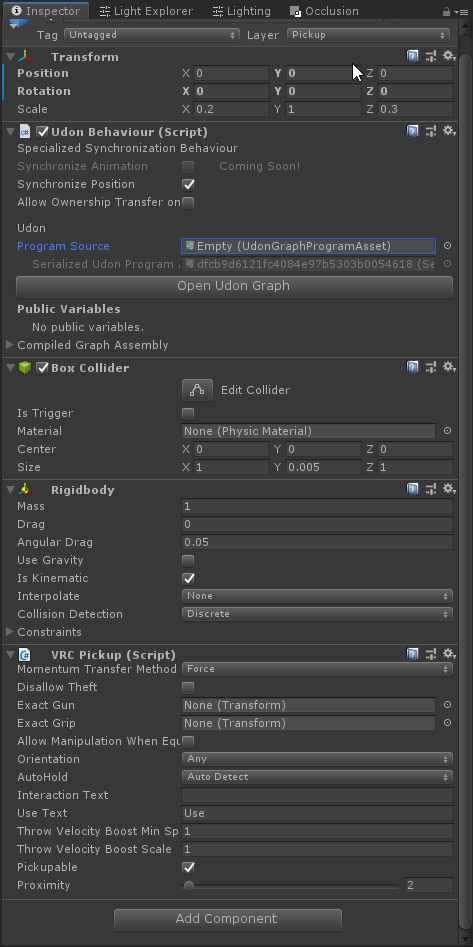 paper plinth
I can type good clean self documenting code
paper galleon
Alright lets take a look at Empty
I'm sure I'm going to regret diving into graph code but lets take a look
 paper galleon
Odd question, can you remove the graph?
lilac hatch
Surely, I'm the one who put it in the first place to remove the warnings ^^
paper galleon
I'd just select all, remove Udon Component, and add a Blank Udon Component no graph
If that still has issues then you might need someone more an expert than I am
lilac hatch
Removed, lemme compile again 
Nope, same result :(
eeh, now it's working but i didn't change anything
🤔
paper galleon
lilac hatch
eeh, now it's working but i didn't change anything
d_d'
Thats uh
More scary than it not working tbh
unborn hornet
glitch in the matrix
 waxen breach
thats happened to me before when i was making a ui. i changed nothing about the ui but it suddenly stopped working. I did nothing but close unity. opened it and it started working. Im guessing it had a error that decided to fix itself.
pallid mango
Ok so making two events flow into the same block is illegal apparently?
Couldn’t figure out why my script was crashing it was having the same chain start with interact and OnMouseDown
floral dove
pallid mango
Ok so making two events flow into the same block is illegal apparently?
That's allowed, but on Desktop that may make it fire twice, which could have unintended side effects.
pallid mango
Hm, it was crashing on material change. Guess it might have been due to rapidly executing twice? Good to know it should be allowed. I was using desktop
Is there a way to trigger “interact” from play mode?
cunning mist
pallid mango
Is there a way to trigger “interact” from play mode?

GitHub
CyanEmu is a VRChat client emulator in Unity. Includes a player controller with interact system. Works with SDK2 and SDK3. - CyanLaser/CyanEmu
pallid mango
🙏
paper plinth
lol when you see it...
 jolly shale
Midi with Udon now? I wonder if I could throw a soundfont in.
pallid mango
jolly shale
Midi with Udon now? I wonder if I could throw a soundfont in.
Or just a single sample, Pitched appropriately. For that 90’s midi quality
jolly shale
Doom with a Roland Sound Canvas.
floral dove
no SoundFont support yet, though it's something we've discussed. For now, play audio locally and route it with something like VoiceMeeter, or trigger audio samples in the world.
pallid mango
I’m expecting SeaShanty2.mid by this evening
paper plinth
did you guys update your sdk?
because it looks like the two download links are switched.
avatar and world
native estuary
It should have gotten fixed already
paper plinth
cached page hyyype
 radiant wolf
Why does my power plan keep changing to high performance when i use vr ? Can i stop this ?
 fallen chasm
not sure that's an udon issue^
fallen chasm
if it's a laptop, it probably automatically switches when games start
to squeeze extra performance out
on an unrelated note... I'm going slightly crazy trying to get an udon script to work... I wonder if someone here can help me out...

so, I have this udon behavior attached to a menu. It's supposed to simply move up or down (3 for testing) based on the head position.
my head position is outputting in the debug, and I can get it to go from .5ish to 1.5 just by jumping.
paper plinth
I don't think you can set position that way
fallen chasm
oh?
paper plinth
yeah I think you need to use set localpos or whatever
fallen chasm
ok... that's kinda where it wasn't working
paper plinth
let someone else with more experience answer
fallen chasm
instead of get transform?
paper plinth
nah just instead of that Set Y
fallen chasm
ah, I see, lemme test real quick
paper plinth
set position to the previous position plus your offset if I understand it right
fallen chasm
yea, I'll fiddle with it some more
just swapping get position with get localpos didn't do it

blegh
the original logic made sense to me... having to circle back with addition seems silly
I guess I need to figure out how to pump that branch into the addition with two different values
floral dove
fallen chasm
The issue here is that Vector3 is a value type, meaning the position you get back from the transform is just data, it's not tied to the transform anymore. You need set the position of the Transform to change it.
fallen chasm

thanks Momo, that got me on the right track
this affects the target, but not as expected
but at least it's 'working'
gotta tweak to get the right result

it verks!
(I'm using this to toggle a menu's vertical position based on the players height.)
jaunty schooner
If I try to access an UdonBehavior which is null, for example, with SetVariable, is that gonna crash my UdonBehavior, or does it check for null first so I don't have to clutter up my graph with IsValid?
floral dove
great! FYI I've found that getting the player's Head Tracking data tends to give a better position across avatars
VRCPlayerApi.GetTrackingData
floral dove
jaunty schooner
If I try to access an UdonBehavior which is null, for example, with SetVariable,...
attempting to access a null value will throw an exception and turn off the UdonBehaviour that did it. Use IsValid to check first!
fallen chasm
I'll give it a try Momo

does this relate to @jaunty schooner's question?
and... should I be using IsValid instead?
void ridge
Should I just be using IsValid in place of everywhere I'd been checking for Null equality?
jaunty schooner
IsValid makes for a cleaner graph. Doesn't require you to input Null or use Equals and Branch.
floral dove
Yeah, I recommend IsValid instead of all null checks now that we have it
void ridge
So there are no places where checking for Null equality makes more sense?
floral dove
it handles some special cases - like VRCPlayerApi can be non-null but also invalid if the player left the room after you stored a reference to them. And a destroyed GameObject might return as not null, but IsValid will catch that.
fiery yoke
IsValid is basically null-check+
floral dove
void ridge
So there are no places where checking for Null equality makes more sense?
afaik - IsValid is a better replacement for Null Equality checking
 void ridge
Cool! Thanks momo
fallen chasm
heh... my object must not be valid -- script doesn't work with the change
suppose I'll stick with the null comparison for now, but I'm intrigued by the simplified node
paper plinth
so I have a vehicle that has a sphere collider around it that I push around with set velocity like the unity demo
on uneven terrain though it has a tendency to fall into a v shape and kinda boogie around in there
can I set something on the rigidbody to stop this?
is that what drag is?
 upbeat gulch
what is udon? is it a new way to code or something?
floral dove
?whatisudon
 hidden martenBOT
VRChat Udon is a programming language built by the VRChat Development Team for use in VRChat worlds! It enables complex behaviors and logic in VRChat worlds. Read more about Udon in our documentation: https://docs.vrchat.com/docs/what-is-udon
VRChat
What’s this Udon thing anyways? VRChat Udon is a programming language built completely in-house by the VRChat Development Team. It is designed to be secure, performant, and easy to use via the VRChat Udon Node Graph, a built-in visual programming interface that uses nodes and wires (we call them “no...
jaunty schooner
Got a weird bug...

If I try to delete a variable, this happens:

I'm using the latest SDK, and have restarted Unity, but this also happened on the last SDK.
I basically have to delete all the variables and recreate them to delete just one. Only seems to happen on this script.
void ridge
jaunty schooner
I basically have to delete all the variables and recreate them to delete just on...
If you hit "Reload" after deleting the variable you wanted to delete, it should fix everything. There's a canny report of this, let me find it..
Check the details on that to see if it matches what you're seeing. If so, upvote it; if not, keep an eye on it and make a new report 🙂
jaunty schooner
Okay that works, but there's another bug. If you delete a variable then undo the deletion with ctrl-z, the connections it made with other nodes are not restored:

 valid oar
I'm trying to set it so certain buttons show up in the world when certain people join but it's a bit cumbersome to have a node for each person. Is there a way to use an array or some other way to collect all the names in a single node?
void ridge
valid oar
I'm trying to set it so certain buttons show up in the world when certain people...
Yes, I believe you can just create a string array, make it a public variable, and then enter each person's name in the element list in the editor
I can get a screenshot, one sec
scarlet lake
how do you add multiple audio sources? when i do it it plays both of them even though it is disabled. then when i go over to the button to turn it on it turns it off.
valid oar
The audio source is disabled in the inspector and still playing in the world? The only thing I could think is maybe that audio source got duplicated. If you search the hierarchy for audio source, nothing else comes up?
scarlet lake
it would be nice if they made udon work with 2.0 so if you don't know how to do something you can just do it the old way
nothing
valid oar
Thanks, Joker. Makes sense except I'm not sure how to make the string array so that'd help.
scarlet lake
there is a check that say play when scene laods. i dechecked that and now it just doesn't play
void ridge
valid oar
Thanks, Joker. Makes sense except I'm not sure how to make the string array so t...
 valid oar
Is play on awake checked?
scarlet lake
i did now

this is how i had it before when it would just play as soon as i join the world even though it is disabled
valid oar
I'm stumped on that unless something else is turning it on.
scarlet lake
nothing should be turning it on accept the button
valid oar
void ridge
Where is displaynames coming from? Can I just make a string array node or is this tied to GameObject?
void ridge
String array, string[] is a variable type. You declare it as a new variable in your variable list. In this case, I chose to name it "displaynames"
scarlet lake
is there a away i can make it come from another source like the output?
void ridge
Then, you probably want to use a variable getter and a For Loop to spit out all the elements of that array
Vowgan has a video on this that's not right on point but might get you started:
https://youtu.be/y-YSWkJtutI?t=372
valid oar
Oh, okay. I think that makes sense. Thanks. I'm used to getting all my variables by dragging them in. But yeah, at that point it's getting to a level of complexity where I'll probably just make a node for every name. Given it only runs if a player joins, it seems like it won't impact performance much. There will be a max of maybe 10 names.
I just prefer to keep things clean when I can but sometimes simple and cluttered is okay if the performance isn't going to be too heavily impacted.
void ridge
Sure, yeah there's no performance concern there that I can see. If you were sending these strings over the network, then yes you might have an issue, but I think I know what you're doing, and you're probably not syncing these.
scarlet lake
guess they will just have to go to the button and turn the musics they don't want on off
ifi put it in another empy object and disable that you think it would not laod then?
it kind of sucks because the songs pretty much eats up all the mb for your world. i had the impression that if the onject is disabled it doesn't take much room then
valid oar
I would just delete it and recreate it to rule out any weirdness with other objects potentially referencing it. But it won't help with size, at least not as far as I'm aware. If it's in the scene, it adds to the world size, even if it's disabled.
And yeah, this is all just to make buttons appear locally so hopefully not too much of an issue.
floral dove
that's right - if you include a song in your world, then it will be downloaded along with your world whether or not it's enabled
valid oar
Or else I'd just disable everything by default with a button to turn it on and I could have a 0 MB world with hundreds of MB worth of stuff in it. That'd be great but alas, not how things work.
floral dove
if you want to play a song that you don't include in your world, you'll need to stream it in with a video player
valid oar
You can change the audio compression settings. I think things tend to import as PCM but if you change the compression type to Vorbis and reduce the quality, you can get a much smaller file without a huge change in audio quality unless you really push it.
scarlet lake
i don't have a video player in my world. the world is intended for quest users. pc users get the priblidge of getting updates every week when i finish all my work
 north jasper
So, VrChat has added MIDI events and stuff to the SDK3 but, I have no idea how to work with this. Its alot different from SDK2 and I dunno what to do. I hope there is a tutorial video sometime in the future. But for Rn my only question is that can you make it so that something moves with a click of a specific MIDI input.
floral dove
north jasper
So, VrChat has added MIDI events and stuff to the SDK3 but, I have no idea how t...
you can learn about the Udon Midi system here: https://docs.vrchat.com/docs/midi
you can download an example scene on that page that has working midi note on/off with velocity and cc events
north jasper
I have been going through it but, im just kinda bad at this kinda thing so I understand jack squat. 
Im more of a visually learner.
scarlet lake
all my friends tell me i can just search up tutorials to learn more about udon. but the sad truth there are not many videos. and most of them are basics. and the ones that are not basic the person has a custem script they made. and does not provide you with the link
floral dove
If you like learning with videos, there are a few you can watch here: https://www.youtube.com/playlist?list=PLe9XHNvXcouQjg5GULWGLj1tMzeythnQi
Also search for Vowgan, they've got a bunch of good videos too
north jasper
Is there specfic video on MIDI things?
Becuz I know how to work it alittle bit just the MIDI thing in particular is what im clueless in.
scarlet lake
like i would like to add pickups but when i used the example pickup scrips. my item disapeared
north jasper
I have been wishing for this update for about a long time now.
floral dove
north jasper
Is there specfic video on MIDI things?
erm, it just came out today so no videos yet. But combine Udon Knowledge + that doc page and example scene and you should be up and running
north jasper
Ofc ofc
Ima just go through the example again
and see if I can figure something out
thanks :3
floral dove
good luck!
scarlet lake
so my world was like 2mb's but when i put the 2 songs in it it went up to 33mb's
valid oar
scarlet lake
like i would like to add pickups but when i used the example pickup scrips. my i...
Check that your variables got set correctly. A lot of times even if you drag the object you're referencing into the Udon graph, it will still try and reference itself (so if you have a move program, it will move the button)
scarlet lake
is there a way yet to make a sertant group be able to join your world but not people not apart of it. or is this not a thing yet and the only way is to send them they private link?
yeah the refrance is fine. thank you. like i said. it toggles the music on and off. but it plays even though the song was disabled when you join the world. and hearing 2 songs play at the same time can get anoyying
valid oar
One way is to use a OnPlayerJoined node and then spawn an impenetrable cube around the unworthy but they'll still be able to make it into your world.
 scarlet lake
thats a nice script thank you. i may use it on some ccustem items for just that person who owns it
valid oar
Thanks to joker for that. You also need to connect the OnPlayerJoined node into the branch arrow. Then just have all the names you want and the false spawns a box around them.
scarlet lake
also how do you make some interactions global like you could do before?
valid oar
Have the interact node go into a sendcutstomnetwork event node. Then have a custom event trigger what you want it to do with the same name you set in the sendcustomnetwork event node.
 hollow juniper
Any tutorials around for better syncing to lower the amount of bandwidth required? the 8ball game does some wizardry to lower the amount of data it sends but i can hardly make heads or tails of it
valid oar
 scarlet lake
how do you make a new udon gragh?
valid oar
Add an Udon Behaviour and then there will be a new program button
scarlet lake
so this script can make it so only a sertant player can interact with stuff?
valid oar
Or just duplicate another one and delete everything.
sure, you could drag the collider on the object in and use the standard get->unary negation->set to disable it if they didn't have an allowed name. No collder, no interaction.
One way to fix your song problem if you just can't deactivate the other song is to set it zero volume and then animate the volume property of the audio source to go to 100. Pretty sure you can animate that, you can animate most things.
There would still be 2 songs playing which might impact performance but at least they couldn't hear both of them.
scarlet lake
how do i add those strings and stuff?
this is all i got so far

so how do i edit this script so a setant player can only use something?

ok so i made a new audio file and dropped it in the old empty object and removed those audio files from that and disabled that and it worked
valid oar
Connect the arrow on OnPlayerJoined to the Branch. Then connect the true part of the branch to nodes similar to the last image I posted. Have it disabled by default and then have the object connect to a getactiveself node and a set active node and then have a unary negation connecting the bool inputs on the getactiveself and set active nodes. Pretty much just as I posted with the object in place of "Target"
If you want to effect multiple objects, you can use a block node to split up your outputs.
Though in this case you'd want to use the collider on the object, not the object itself as you only want to disable their ability to use it, not disable the appearance entirely.
scarlet lake
i was thinking about something like that. just make it so they can enable all there stuff
thank you for your help
valid oar
np
valid oar
hollow juniper
Any tutorials around for better syncing to lower the amount of bandwidth require...
Didn't mean to bury your question but I have no clue. Maybe whoever created that will see this and give you some tips.
dusk lance
Updated CyanEmu to support the recent Udon Input events and OnPlayerRespawn event. Requires the latest VRChat sdk.
https://twitter.com/CyanLaser/status/1369846290897600513

Update to CyanEmu to support the new Udon features in the latest #VRChat SDK
- Support for Udon Input events
- Support for OnPlayerRespawn
- Fixed interacting with UI elements on UI or UI Menu layers when the menu is not open.
https://t.co/0KQP8MlatZ

 Twitter
·
Twitter
·
 compact stirrup
dumb question but the latest SDK3 is 2021.03.09.13.57? that's the version from the site but I'm not seeing the onRespawn event in the Udon search
grand temple
it's onplayerrespawn
compact stirrup
I searched for that as well, wasn't seeing it in Udon. I was wondering if I imported the right version?
cunning mist
It should be the current SDK3 Worlds download available on the website
Did you accidentally have a node selected when you tried to search and have "Search On Selected Node" enabled? That tends to hide a lot of options
compact stirrup
Alright, I figured! After restarting unity there are compiler errors, probably borked my project's installation when I tried to import it. I'll delete the files and replace
cunning mist
Ah, well that would do it haha
compact stirrup
Assets\VRCSDK\SDK3\Runtime\UnityEventFilter.cs(14,7): error CS0246: The type or namespace name 'TMPro' could not be found (are you missing a using directive or an assembly reference?) still have this one, even after a fresh import
I imported the full package,without the examples, did I mess something up?
cunning mist
Go to Package Manager and try importing TextMeshPro yourself, the SDK may have borked their attempt.
compact stirrup
I'm not seeing TMPro in the actual package
 polar sail
does the new MIDI system support a clock?
compact stirrup
I tried importing some files that were present in the previous udon version that I had but not this one, and that seemed to help with the TMPro issue, but now my graphs don't load
Assembly 'Assets/Udon/Editor/External/VRC.Udon.EditorBindings.dll' will not be loaded due to errors:
Unable to resolve reference 'Cinemachine'. Is the assembly missing or incompatible with the current platform?
Reference validation can be disabled in the Plugin Inspector.
Unable to resolve reference 'Unity.TextMeshPro'. Is the assembly missing or incompatible with the current platform?
Reference validation can be disabled in the Plugin Inspector.
This is the weirdest thing... I think I was able to fix it by hitting "build and publish world" and then just canceling the build o.o
 pallid remnant
hi, im trying to make something with udon but i cant get it to work the way i want to, maybe one of you can help.
so in the world i'm making i have two areas, one is outside and the other is inside and theyre connected via a single door. i want different ambient sounds to play depending on wich room the player is in.
so what i've done is this. in the door i've put a trigger that toggles between the two inside and outside sounds, setting one active and the other inactive on player collision. so once you go through the door and get into the indoor area, the trigger is activated an now you only hear indoor sounds. this worked great when testing it, but after uploading it i noticed that this trigger was not just locally affected, but that it was affected by every player.
so if i were to be standing outside, and someone else walked through the door, we would both stop hearing outside sounds and start hearing inside sounds despite me not being inside at all, because they are also considered a player. i would like to make it so that this toggle is activated for every player individually, is there any way to do that?
one idea i have for something that may work is to put a collider on the main camera and set the toggle to only switch upon collision of the door trigger and the camera, because in each local game there is only on instance of the camera even though there can be more players.
im wouldn't know how to code something like that however. i dont know what modules to use. any type of help is greatly appriciated!!
paper plinth
pallid remnant
hi, im trying to make something with udon but i cant get it to work the way i wa...
Use a branch to check for player islocal
Otherwise any player triggers the action for all players
pallid remnant
paper plinth
Use a branch to check for player islocal
hey thanks for the anwser, how would i go about incorperating branch in this piece of code?
 paper plinth
After onplayertriggerenter
Branch
Check for player.islocal
If true, dump the payload
Oh and
On the vrcapiplayer.islocal
Hook up the vrcplayerapi node on the onplayertriggerenter to the object node on the player.islocal
And you're good
pallid remnant
paper plinth
Oh and
On the vrcapiplayer.islocal
Hook up the vrcplayerapi node on the onplayer...
like this? sorry i'm still very much a beginner
 paper plinth
Yeah
Just to make sure the action happens to the player who did it
So anytime a player enters the trigger zone or whatever, action will happen, but only to the player who entered the trigger zone
So the music will switch for each player instead of switching every time anybody walks in or out
Very important for sprelocing/teleporting players
pallid remnant
Thanks alot!
stark adder
Hey @floral dove Really sorry for the ping but do we know what's the limit on how many Networked events player can send in second before getting unusual Client behaviour kick ? 10 ? 50 ? 100 ?
polar sail
is it possible to write audio into the audio stream with udon?
paper galleon
@stark adder https://docs.vrchat.com/docs/networking
VRChat
There are three ways you can synchronize data and events in your world: 1. Variable Use this when you have a value that you want to synchronize across all players in your world. You will update the value on one player who 'owns' the object with the variable, and listen for the updates on all other ...
Its not really specifically listed but it does put down the firm limits for data sync'ing
Perhaps if they share the same "Bandwidth" might give you a firm indicator as well
 heady tusk
Someone has a idea? I made Trigger Zones which are basicly Box Colliders that trigger when player enter or leaves to turn on or off the Mirror. Now sadly the Coliders are blocking Pickupable Props.. is there a way to tell unity not to block them xD?
void ridge
heady tusk
Someone has a idea? I made Trigger Zones which are basicly Box Colliders that tr...
Yes, move the trigger zone to the MirrorReflection layer
Colliders on the MirrorReflection layer won't intercept raycasts from a player's hand. It doesn't make a lot of sense, but that's the way VRChat does it.
heady tusk
ah perfect thank you very much 😄
scarlet lake
I can’t make a new account there’s a different error every time and I’ve typed and refreshed the same info 10 times now
paper plinth
Keep at it 👍
Practice makes perfect
scarlet lake
Lame
 twin drift
Is it possible to have separate player "layers"? I'm looking to prevent a certain set of players from seeing (or hearing) a certain set of other players, even if they're in the same space.
scarlet lake
ok
twin drift
Essentially, is it possible to hide players from other players?
dapper lion
technically, there is a few ways you could go about this. since voice occlussion now exists, you can make invisible walls around the player that makes the players voice not pass thru. another way would be to set up a voice player mod script that is able to determine which player it should be muting/lowering their audio globally
but to have 2 seperate groups or more of players that can talk to each other privately. that would be a bit of a monster to create
but to answer the question fully. you can occlude using walls on specific layers, but not players/users specifically
to answer other question. put invisible shader box around the player
 sleek dew
is there a way to apply a shader onto the players camera? Like maybe a glitch effect?
twin drift
dapper lion
technically, there is a few ways you could go about this. since voice occlussion...
How new is voice oclussion? I was looking into that not too long ago and couldn't find an easy way to do it, I was planning on muting players based on what collider they're in.
twin drift
dapper lion
to answer other question. put invisible shader box around the player
As for how I'll hide players, I may just do this
dapper lion
i have a thing i can send you in a bit that can control all of that stuff
you might have to remind me tho
twin drift
Haha, alright!
dapper lion
yea, the player mods tab on that menu i sent you will be updated with audio barriers and such. but i can just send you the whole script
twin drift
👍 👍 👍
 hollow salmon
Does anyone know how they made it possible to open Websites in MusicVket 2?
twin drift
hollow salmon
Does anyone know how they made it possible to open Websites in MusicVket 2?
I believe they worked directly with VRC for that
IIRC their world was essentially "whitelisted" to allow that to happen
hollow salmon
I want this :c
But it makes sense
Otherwise it might be abused in every possible way
twin drift
Lmao, yeeup
Otherwise you could join on a world and suddenly have your browser pop up trying to sell you one of those galaxy lamps
dapper lion
very abusible, only thing we can truly do link/url wise is videoplayers
hollow salmon
Yeah exactly, although it would be so useful linking discords with buttons
dapper lion
also, whoever thinks putting qr codes to urls are really dumb
hollow salmon
But hell, I rather not have any links at all than 1000 webpages open everytime i change my world
hollow salmon
dapper lion
also, whoever thinks putting qr codes to urls are really dumb
I mean you probably can take a picture in VR, or use it when you're on PC
dapper lion
what you could do is make a text box with the text for the discord link and when they click the box, they select the text so they can copy it and then paste it somewhere else
hollow salmon
Oh?
dapper lion
if people are actually using qr codes in general, i am very proud yet unimpressed
twin drift
I think it would be super cool for them to add a "social" component in, something where you can add sanitized social links
dapper lion
but qr codes in vrc is just useless
hollow salmon
That's actually a cool idea actually, just need to find a copy script then
twin drift
dapper lion
but qr codes in vrc is just useless
What, you aren't going to take a picture of it and then scan that picture outside of vrchat? C'mon!
dapper lion
thatd be an interesting thing to implement
hollow salmon
dapper lion
what you could do is make a text box with the text for the discord link and when...
I assume you do not have an easy way to do that floating around somewhere to link me? Haha.
dapper lion
dude, my phone cant even scan qr codes in real life. idk why they exist
hollow salmon
dapper lion
dude, my phone cant even scan qr codes in real life. idk why they exist
rofl
twin drift
dapper lion
dude, my phone cant even scan qr codes in real life. idk why they exist
I thought mine couldn't until I held the camera up to one and it suddenly popped up a link LOL
dapper lion
@hollow salmon i might be able to make a quick text box whenever im at home i could send that might work
the fact qr codes are still relevent is interesting. its like the credit card annomaly
hollow salmon
Hah well, don't worry about it too much - I basically just need to find the correct way to copy to clipboard
twin drift
dapper lion
the fact qr codes are still relevent is interesting. its like the credit card an...
They're used in a lot of industries, I think that bleeds out into things
dapper lion
my campus and work uses them to keep track of where people have been, but we always use the shorten links cus the qr codes just never work
twin drift
LOL
dapper lion
either way=pain
sleek dew
Is there a way to have a delay inside of Udon? like wait 3 seconds then continue?
polar sail
you could probably do that using time but udon has a hardcoded limit of 10 seconds before the program auto exits
udon scripts hanging in the background causes world lag
polar sail
sleek dew
Is there a way to have a delay inside of Udon? like wait 3 seconds then continue...
so you COULD, but you shouldn't.
paper plinth
there's a prefab for that
sleek dew
but how can i make a delay then xD
paper plinth
some big brain made a prefab where you can pass it a variable and a delay and it will send you a done flag when the delay expires
it's in here somewhere
 paper plinth
the easiest way is to set a variable for datetime.now or something and then have another event that fires when that plus three seconds (time.addseconds or smth like that) equals now
 polar sail
Time actually has a function for calculating time difference
paper plinth
badass
polar sail
But i don't know if it's exposed in udon because half of the functions i WANT to use aren't available
Okay I'm thinking of DateTime
Don't use DateTime
scarlet lake
just a question but what happend? its not my map lmao but i want to know what happend
 paper plinth
ask the ones who made the map
paper plinth
that's pretty mental
polar sail
Lol what the fuck
polar sail
scarlet lake
just a question but what happend? its not my map lmao but i want to know what ha...
That's not a real error code it's something the creator of the map designated
So nobody but them could know
scarlet lake
oh ok ok thank you
polar sail
That's fucking funny though
scarlet lake
why?
void ridge
Not really.
And it's the only effective way to get debug information for the sort of bugs that only appear in the wild
i.e. the worst kind of bugs
polar sail
Well given the fact that it has an error code means it's likely something that was expected to break
void ridge
it doesn't take effort so much as it takes thoughtfulness, which is the true admirable thing 🙂
paper plinth
opinions on my land speeder in #udon-showoff ?
void ridge
yeah, that's the thing about bugs. I know my world has bugs, and I expect them to reappear, but I don't know how or why
so if I can get users to report to me how they happened a few times, I might be able to figure it out 😛
stoic mountain
Any known bug/thing that could cause the whole pc to freeze with vrc/udon/unity ?
I have a freeze after a while in my vrc world, but I dont see what could be triggering it. Nothing in the log. The things Im doing are mainly toggling or moving objects, renderer or sounds, and there's not a ton of them either. Theres also SendCustomNetworkEvents.
polar sail
The fact that they made a custom dialog, enumerated error codes and likely a crash handler is just kind of like
A lot of work
paper plinth
stoic mountain
Any known bug/thing that could cause the whole pc to freeze with vrc/udon/unity ...
look for counters incrementing out of control
polar sail
Yeah
paper plinth
or infinity objects appearing, but this is vrchat
stoic mountain
ill check that right away
polar sail
Good luck
paper plinth
particles not dying
polar sail
If your entire computer is freezing it's likely either a very big number working against you or something to do with rendering
paper plinth
shader running something out of memory?
polar sail
There's a million different parts of shaders that can thrash the unity editor tbh
hollow salmon
paper plinth
bring them in here if you find them
It's Jar
paper plinth
do they come around here?
hollow salmon
i dont think so, but they're awesome. among us, murder, kitchen cooks are his work
polar sail
Kudos to him for being able to make anything of these flow charts
stoic mountain
I assume unused shaders could not be causing this ? My project is a mess of a lot of imported resources right now - most of it Im not using at all (mostly props to be used, or already decided not to use, but not yet removed)
polar sail
I wanted go cry after running 4 consecutive setters
Shaders not in the scene should not impact you
hollow salmon
i mean ah, so good
https://twitter.com/i/status/1350616152410619906


 paper plinth
almost everyone doing anything complicated does it in some code I don't understand
I only speak graph
hollow salmon
rofl
polar sail
I only speak code graphs make me commit
paper plinth
I have to put the code in graph to understand it
polar sail
I could have a working synthesizer right now if i could use scripts
stoic mountain
ah Jar's the cooking game. Its quite fun ... and it would be awesome without the desyncs.
Not that I think he can do anything about it tough
paper plinth
I have a gorgeous world coming out in July featuring the Art Deco historical downtown center of Goiania, Goias, Brazil done to scale
and anyone who shows me a graph probably is going to get it ripped off and put in there
I got the walkable ship from someone on the forums
polar sail
find a way to use this monstrosity

if i manage to find a way to make a good sounding generator that doesn't require 88 seperate samples i'll be sure to share
paper plinth
does everyone hear the same thing at the same time?
maybe with the networking update there would be a way for you to sequence them as the master and then pass that sequence to everyone in such a way that they all hear it at the same time
polar sail
No because i can't test midi over network using build and test
I'm not sure why but changes are currently clientside, i have to send some kind of sync
paper plinth
that's literally the only obstacle to what you audio folks are doing
and the networking update they keep talking about might be a juicy way to synchronize things
polar sail
It will be better, but there's some slight issues when it comes to audio
paper plinth
maybe you could send it as a custom data structure LOL
polar sail
You can't read the future, so if I'm pressing one key, i can't know what the other person is posting at the exact same time, it will always be delayed
That's why collaboration over the internet is practically impossible in real time
My current idea is just to get some kind of keyboard set up for people to be able to play for their friends in real time
paper plinth
sethdrums on twitch said it took 36 continuous hours of testing to get the drums synchronized with the backing track with his headphones with OBS through twitch
and that's really all just to watch a guy play drums over a track on TV
I can't imagine if you tried to sequence things live with multiple performers