#udon-general
59 messages · Page 9 of 1
 north lintel
I'm probably trying to explain really simple stuff. I just wish there was documentation I could find for UDON
 twilit breach
yeah its setting a variable called TestObj and including whatever you dragged into the public udon behavior part under it
north lintel
Woops, I was referring to variables
twilit breach
which would be whatever the cube is named
if you want to only destroy a certain name you need to do a bool check for game object names
with string contain to check if the game object name you get matches the one you want to destroy
north lintel
I'm totally gonna play around with just clicking to delete objects now, this should be more than enough to experiment! (Testing if it deletes all of them at once, or just the ones I click, and how naming what affect whether or not it's deleted)
I'm guessing synchronize position accounts for its rotation
This might be a little too advanced for me, though. I have a hard time understanding half of what anyone is saying, haha.
I'm just an animator.
twilit breach
it does, pos and rot
here try this next to learn some stuff
if it is not named test it won't destroy on first click but will change to test and second click will destroy
if it is named test it would destroy first click
also I could have called the variable node in Udon anything, that name isn't causing anything (mighta made it confusing oops)
twilit breach
Does it make sense or would you like a little write up to understand a portion of the concepts?
north lintel
Is there any documentation planned to be released?
twilit breach
I dunno, haven't heard that bit of news if its out there
north lintel
Ahh, maybe I should just wait, then. I'd have too many small questions. Like synced randomizers between users, just procedural generation stuff
but I've heard a lot about that not being possible in this current version of UDON
 flint urchin
there is documentation in the Udon folder
flint urchin
ReferenceDocs
north lintel
Okay, so I totally swear, I checked there, and there was nothing but META and Javascript files
but I mean
flint urchin
there is a html file there
flint urchin
¯_(ツ)_/¯
 fiery yoke
@worn summit I have a PlayerManager on my GitHub https://github.com/TheHelpfulHelper/UDON-Collection that you can take a look at. It maintains an Array of all PlayerApis in the instance that you can loop over like in the provided Example. If something breaks or it doesnt work let me know.
 uncut coral
How do I make an Interactive Button with this SDK? (Toggle mirror, Teleport Player and soo?)
 near oriole
does anyone have examples of looping through an array of particle systems and playing them all?
 regal geyser
I keep getting the following message:
] Could not load the program; the UdonBehaviour on 'Gun' will not run.
flint urchin
I've got some examples you can look at here @uncut coral https://ask.vrchat.com/t/phaxenors-examples/273

VRChat Udon Discussion Forum
Journal and graphs from me Please do be aware that these are examples and not guides on how to do things. Very basic knowledge on how the Udon Inspector works in excepted. – Basics / Advanced – Player Teleport Toggle Object (Simple) Toggle Object (Advanced) Player “Mods” ...
flint urchin
VRChat SDK -> Udon Graph or when ever you select a udon graph asset it will show Open Graph in the inspector

Getting Started with VRChat Udon.
This video should always be unlisted.
uncut coral
Ahh Thankies!
regal geyser
I'm getting the same message in another Project
near oriole
Does udon have the same trigger broadcast types as sdk2? i.e. local or buffer
twilit breach
anything you do is by default local, and if you send a network custom event you can broadcast unbuffered. Idk if you can do buffered events
flint urchin
Can only do unbuffered at the moment
twilit breach
D:
near oriole
perfect makes sense thank you
flint urchin
We can create our own system around it, but don't really recommend it
twilit breach
Anybody good at player tracking? more specifically having a simple object follow a certain player
 stray junco
i just follow this tutorial:
https://www.youtube.com/watch?v=GWv3zloRWY4
and i did this:
but unfortunately the mirror can't be toggled
it only react once toggle off
and not do infinity of and on etc etc
so what is correct nod chemotic
and connection piping order between each nodes ?

This is a short tutorial on getting a simple button toggle working using Udon, the new VRChat scripting system. As an example, we're using it to toggle a mirror on and off. I've also included a segment on doing the same thing in UdonSharp, the C# compiler by Merlin allowing fo...
so what you see here
is a Yelow triangle saying that i don't have correct unity and sdk version
yeah right
i have wary correct one
so when this error will be fixed
twilit breach
well your behavior is on the mirror so when you turn it off you can't click it. try putting it on a floating cube nearby
stray junco
ah ok i will try that tomorow
twilit breach
also you have the old sdk by a few (which isn't really a big deal), but you do have the wrong unity version
it is made for unity 2018.4.20f1
you got 4.13f1
stray junco
what there is a new one
i just follow instructions in #announcements channel
and i got correct one
but maybe there is a newer comes yesterday or today
ah it is so fast i cant keep the speed with it
so what unity i need to have compatible with my sdk 3
twilit breach
VRChat
This page lists the current Unity version you should use when creating content for VRChat, as well as links to the correct version for both Unity Hub and direct downloads. Current Unity Version The current Unity version in use is Unity 2018.4.20f1. Unity Hub To install the cu...
stray junco
Jesus Christ i have wary old one
thanks @twilit breach
twilit breach
Your welcome 🙂 I would recommend the latest SDK as well, they added some nice things like testing without it trying to start VR https://vrchat.com/home/download

VRChat lets you create, publish, and explore virtual worlds with other people from around the world.
fiery yoke
Should we rather use the instance method Drop() for Pickups or the static method ForceDrop(VRCPickup obj)?
regal geyser
I have a problem with the vehicles in my world, the first player in the instance can control the vehicles just fine, but when any other players try to use them, some controls do not work or the position of the vrcplayerstation is lagging behind the vehicle when moving.
If the first player leaves, it is fine for the other player again
flint urchin
You need to claim ownership over the vehicle the player is going to control
regal geyser
what is the method to set the player interacting with the seat as the owner?
regal geyser
or where can I find documentation about ownership and related things?
stray junco
hi again
ok since that i need to move from old3 to new sdk3
and that i don't want to install unity packages all over again
what in old sdk3 do i have to delete
so i can install new sdk3 with intact already saved unity packages
pls help
 fallen prawn
Udon,VRCSDK,VRChat Examples
stray junco
ok i hope it will work
thanks
btw
i don't have VRChat Examples
bit i will delete the rest
hope it works
regal geyser
Can I use the Networking.SetOwner function for the ownership of the vehicle?
stray junco
...
now with a newest sdk3 i have vrchat examples
i upload some unity packages in there
and now everything function correct
thank again
 torn quail
is there a way to ignore collision of an object with other objects only while holding it?
twilit breach
change the layer on pickup and set it back on drop. make it a layer that doesn't hit what you are avoiding
 lapis sable
Can I call the udon script function from the UI button?
torn quail
how can i do that? as far as i know i can set an object's layer only once in any state that it is (both picked up or droped)
 gritty spear
Is there a way to edit how far avatar's voices travel?
 rough delta
So I uploaded a world to PC and then I switch it over to Android to upload for the quest but as soon as I did that the SDK window wouldn't load past sign in
Is that an issue with the SDK or am I just doing something wrong
 keen juniper
Hello everyone, how can synchronize object in udon?
 nimble thunder
hey guys, is there any way to get the actual player's view, not the head?
because getting the tracking data for the head just gives me the stuff for the head bone, which shakes around, and same with get bone pos
keen juniper
Add an "udon behavior", check off synchronize position
@proud snow I have several udon behavior this will work ?
at one object
 proud snow
Just try it out, I asked the same question 4 hours ago lol
I am just trying to replace all the triggers in my world with udon right now
keen juniper
ok i will try thx
nimble thunder
nevermind, i was stupid and trackingdata head was the correct way to do it
near oriole
Is there an api for setting the players voice range? like run speed and jump impulse ?
near oriole
RIP thanks
Actually Phaxe the language in that canny is a bit misleading, does the API exist and it doesn't work currently, or does it just not exist as of yet?
I'd implement it and just have it work eventually once they've updated the SDK if it exists if so
flint urchin
They already have it working for SDK2, but SDK3 it doesn't work. The component is there, just doesn't do anything
And wouldn't say it's misleading, when it says it's not working
near oriole
ahhh okay sorry
what's the name of the component?
I can't seem to find it
That's what I was getting at
 glossy sky
Are seats not currently working or am I being a pepega?
https://i.imgur.com/W6ZwzW7.png
The animator seems to work with other events just fine, except for recognizing when a player enters the seat.

 opaque plume
Is the teleport function the only way to move player? is that how all of the udon flying worlds work?
Teleporting forward every frame based on some calculated speed?
fiery yoke
You can also set the players velocity. However thats a bit tricky to figure out.
regal geyser
Is there any tutorial or documentation about how to handle ownership of objects?
 stone smelt
Quick question. How am i able to change the text of a button when i hover over it so instead of saying "use" it says for example "mirror toggle"?
fiery yoke
Currently you can only do that in the Debug Inspector (top right of the inspector) it should say Interaction Text or Use Text somewhere
stone smelt
Oh i will check that out then thanx ^^
Also. If i have 2 mirrors in my world (1 optemized and 1 regular) how can i make it so when i enable one of them the other one dissables?
fiery yoke
Depends, but the easiest way is to disable all mirrors by referencing them directly, and then AFTER that only turning the one on you want.
stone smelt
I see
 distant ore
is there a way to set a player's velocity in local direction and not global?
distant ore
Nvm got it figured out 👌
 green plinth
@fallen prawn you also need to replace/remove the "VRCSDK.meta" and "Udon.meta" files in the Assets folder.
I need to use "Date Time Get Day Of Week" and i want to read the correct enumeration from "Day Of Week Type" as a string, but i cannot find what to use to read/reffer to the type/enum properly. Anyone know?
 night mango
Hello! iam new to Vrchat!
how do Watch YouTube videos in vrchat?
green plinth
@night mango this is the questions section for the Udon script system. We mainly answer programming questions. But to answer your question, you need to find a world with a video player and then copy paste a valid URL into it's URL input field (use ctrl+c and ctrl+v keys to copy and paste), you can try ask a player/friend in game on how to do it.
night mango
thank you!
 mortal star
how do I get local player's head and/or hand rotation?
 worthy beacon
is there any way to instantiate a game object such that everyone will see it? ie synconized
mortal star
I think I found the node xD
flint urchin
@worthy beacon not yet
twilit breach
hmm if I locally change a variable and send a network event to all players, would it send that locally changed variable to everyone? or would each persons client get the original variable?
 nova hornet
Is there a way to force users to drop held objects?
 oblique sand
VRCPlayerApi.EnablePickups could work if you toggle it off for a frame? (haven't tested but its the only thing that seems related)
is a child object of a pickup able to have a different owner than the parent?
flint urchin
nova hornet
Perfect
green plinth
@twilit breach Doing global synching of variables is still a bit finniky. If you use a synched variable you run the risk of the value not being changed on the receiving end until after the event has been completed (meaning nothing happens). If you run a late update event to double check the synched variable with a local one and then run the event again locally if altered then it should in theory effectively work fine. So yes network events will only use the variable specified, if it not synched it reads from the local players/receivers memory, if synched it reads from a network synched global variable that is updated when ever it feel like it. :P
This example might help a bit.
https://ask.vrchat.com/t/network-synched-toggle-global/778

VRChat Udon Discussion Forum
This is what i believe to be a solid solution to the toggle issue people been having, enjoy. Simple one object toggle. More advanced multiple object toggle (not much difference). Basically what is going on is that i assert the intended behaviour by the network call it s...
mortal star
What nodes to use to transform Quaternion rotation to a vector direction?
worthy beacon
hmm...probly gonna put my project on hold until then. Not much point is having ki blasters if you're the only one that can see it shoot
twilit breach
you can always just put a few numbered ones in the scene off in the corner in a box and teleport instead of instantiate
worthy beacon
so like have a syncronized number, when a player renders in assign that ki blast to the player?
twilit breach
yeah, that's possible. there's many ways to do it. just as long as you have them in scene already for everyone and then through some form of synced variables or bools move through the number of objects so each player gets one and then moves some variable forward/up so the next players gets the second dupe and doesnt steal the first
it's definitely a lot of extra work but possible
worthy beacon
hmm...ill try doing that first then, even if we get sync out later might be good to learn manipulation of objects that exists with player managment
rough delta
Does the new SDK support Android
 shy sinew
so does UDON supports Oculus Quest? I couldn't find any info about that 😢
nova hornet
Yes, it does
rough delta
Has the control panel froze up on anyone else
It won't load past this and I don't know what to do
This is with sdk3
mortal star
I'm missing something... I tried applying velocity to player but I seem fo tail to do this
rough delta
I mean I guess it's not loading the tabs
mortal star
I wanted to apply some velocity to where desktop player were looking
the only script that worked was the one that VRChat provided for jump xD
The graph should be loading right?
rough delta
Now my world won't load in build and test it's 10mb but it shows up as 70kb and I'm really getting depressed rn
 jagged crow
whats the difference between Transform.get_position() and Transform.get_localPosition()?
fiery yoke
@jagged crow the local position is whats displayed in the inspector. The position is the absolute position in the world, this is affected by parent transforms.
jagged crow
what's the proper way to combine two velocities, should I add or multiply them?
 acoustic delta
@jagged crow Adding. If you are moving at 20km/h on top of a platform moving 40km/h, then you are moving at 60km/h and not 800. 🙂
jagged crow
hah true!
I feel like I remember having to multiply vectors for something
can't remember what it was
acoustic delta
@jagged crow In High School you probably did it to calculate the Dot product to find the angle between the two vectors, or to calculate the Cross product to find the vector perpendicular to the plane defined by the two vectors you are multiplying.
jagged crow
hmmm that does sound familiar, probably that
tfw you passed a class but don't remember half the stuff you learned 🙄
acoustic delta
@jagged crow Wish I had known if this website in HS. Been using it to repeat HS math for my uni exams lol.
https://www.mathsisfun.com/algebra/vectors.html
Math explained in easy language, plus puzzles, games, quizzes, worksheets and a forum. For K-12 kids, teachers and parents.
jagged crow
oooh yeah this is definitely ringing some bells
also, bookmarked :D
oh vrc-related, is there a special way to attach an object to somebody's face
or do I just calculate it
(for making a gui)
fiery yoke
The easiest way is to grab the TrackingData(Head)
The complex way is to parent it to the Head Proxy :^)
jagged crow
head proxy? :o
fiery yoke
A "secret" GameObject that the VisualDamagePrefab gets attached to when using the Combat System
jagged crow
oooh
fiery yoke
Essentially just a GameObject that is always where youre ingame head is
the big advantage is that it scales with your IPD
So the bigger your avatar the bigger the object
jagged crow
oooh neat
fiery yoke
With a parent constraint you probably dont even need to directly parent it
jagged crow
would I use Transform.SetParent() for that
fiery yoke
yeah I guess. But getting the Head Proxy is not that easy
jagged crow
ahh
fiery yoke
Maybe it is, I havent tried using Find yet
jagged crow
(Keep in mind I'm new to vrchat and unity as well, not just udon haha)
whole lotta stuff to learn
fiery yoke
Ohh well then you probably wanna go for the easy and straight forward method first
jagged crow
yeah that's probably the better idea lol
I've been inspired by the gravity and jetpack udon worlds, wanna make something neat like that :D
 dawn oxide
is it possible to make a day and night cycle with udon?
distant ore
anybody notice that most of the times when you trying to reconfig the I/O of the nodes (rerouting them to other nodes) , it would not update in client?
fiery yoke
@dawn oxide Yes, take a look at: https://www.vrchat.com/home/world/wrld_288890e5-c981-41b5-8528-ceacb611fc38
distant ore
Ah so the compile button in UDON graph editor is not working correctly. Had to run playmode before launching client to force compile lol.
fiery yoke
Yeah that has been an issue for a while.
distant ore
if I had khown it sooner lol. spent way too much time trying to figure out what I did wrong in the graph.
near oriole
Question, I have a trigger set up to toggle objects with a network broadcast - but that trigger is only visable once someone has entered a password to enable the game object
the problem is those who haven't entered the password aren't seeing the action triggered
Is there a way around this or am I doing something wrong here?
fiery yoke
Is it normal that disabled UdonBehaviour still receive Events and process them?! 0.o Or am I doing something terribly wrong?
 timber lion
UdonSynced variables should be properly synced on Start() right?
fiery yoke
Yeah they sync before start happens as far as I remember
 primal umbra
Ok this seems like a easy task, but i dont get it. I try to set the orientation while teleporting. I want it to be like before Udon (looking in the direction of the blue arrow) for some reason you always face spawn direction. https://aws1.discourse-cdn.com/business5/uploads/tupper_test/original/1X/78fd31676f34180b05a900ee6c08748e28dfd72e.png i tried to do this. But either i dont find the right stuff or they changed it. Because i dont have some of the connections on "type to string"... I try to make it onInteract
 fiery yoke
I dont even know why he did that type to string stuff. the CharacterController type is exposed afaik
primal umbra
right now i use this because it works fine. But doesnt face the right directions only spawn. I slapped the rotation thingy on it and made it connect with the 3rd. Seemed legit but it breaks the teleport and does nothing.
timber lion
Okay I'm having major problems with variables just straight up not syncing. Events work fine though. Gonna see if there is an sdk update or something I missed
Yeah that didn't help
I know it's a really general question with no easy explanation but if anyone else had their synced vars just straight up not working, let me know
fiery yoke
@timber lion Does it say anything in the console/logs?
timber lion
Yeah actually it might be some null reference exceptions. I can post them later but let me make sure they aren't problems with my logic first
 wise bay
Does the Update event fire at a specific frequency? Trying to get into animation and wondering what is the best way to reference time
fiery yoke
Update is fired every frame, more info: https://docs.unity3d.com/Manual/ExecutionOrder.html
 wise bay
Ty @fiery yoke
So it seems like the frequency of Update can fluctuate a lot
Probably not a good idea to base step-wise animations off of it
There must be some kind of velocity system that I have yet to figure out
wise bay
Is it possible to grab a component from a referenced Game Object?
fiery yoke
GameObject.GetComponent with the Type as input
wise bay
okay that's what I thought, been having a little trouble with it
ah, had the wrong version of the node 🤦♀️
oh my god it works! I am animating
💸
dawn oxide
@fiery yoke thank you for showing me. I want to try out udon myself but I'm still wanting to find out more.
Is it also possible to make a health bar type of ui with udon?
 west plover
Yes, you can drive UI with Udon and store a persistent HP value
lapis sable
How can I get the value of a controller trigger in LocalPlayer from UDON?
 grand temple
input.GetAxisRaw
and then in the case of the triggers, it's "Oculus_CrossPlatform_PrimaryIndexTrigger" for the left and "Oculus_CrossPlatform_SecondaryIndexTrigger" for the right
and you can consult this sheet for all the rest of the inputs https://docs.google.com/spreadsheets/d/1_iF0NjJniTnQn-knCjb5nLh6rlLfW_QKM19wtSW_S9w/edit?usp=sharing

Google Docs
VR controller summary
This page is a combination of the other pages. These
inputs are verified to work on every known controller, and
in cases where they don't an alternative is provided.,Use this world to test:
https://vrchat.com/home/world/wrld_f8d5f7e4-185c-4b82-8ecb-8a...
timber lion
In my logs I see a lot of this type of message. I think it's logging so much the vrchat instance is lagging.
  at DŽDŽDŽDŽDŽDŽDŽDžDŽDŽDŽDžDžDŽDŽDŽDŽDŽDŽDŽDŽDžDžDŽDŽDžDžDŽDžDŽDŽDžDžDŽDŽDžDŽDžDžDžDŽDžDŽDŽDžDžDŽ.DžDžDžDŽDŽDŽDžDžDžDŽDŽDžDŽDŽDŽDŽDŽDžDžDžDžDžDžDŽDŽDŽDžDŽDžDŽDŽDžDŽDžDžDžDŽDžDžDŽDžDžDŽDŽDžDŽDŽ (System.Single DŽDžDŽDžDžDžDžDŽDžDŽDžDŽDŽDžDŽDŽDžDŽDŽDžDžDŽDžDžDŽDžDŽDžDžDžDŽDžDŽDžDžDŽDŽDŽDŽDžDŽDžDŽDžDžDžDž) [0x00000] in <00000000000000000000000000000000>:0
  at DŽDžDžDžDŽDžDžDžDžDžDžDŽDžDŽDžDŽDŽDžDŽDŽDžDžDžDžDžDžDŽDŽDŽDŽDžDŽDžDžDŽDŽDžDŽDžDŽDŽDŽDŽDŽDŽDŽDž[T].DŽDžDžDžDŽDžDžDŽDŽDžDŽDžDžDžDŽDŽDŽDŽDŽDŽDžDžDŽDžDŽDžDŽDžDŽDžDžDŽDŽDžDžDŽDŽDžDžDžDŽDžDŽDŽDžDžDž (DŽDžDžDŽDŽDŽDžDŽDŽDžDŽDŽDžDŽDŽDžDŽDžDŽDžDŽDžDžDžDŽDžDŽDžDžDžDžDžDŽDŽDžDŽDžDŽDžDžDžDžDŽDŽDŽDŽDŽ[T] DžDŽDŽDŽDŽDŽDŽDŽDŽDžDŽDžDžDŽDŽDŽDžDžDŽDŽDŽDžDŽDžDŽDžDŽDžDŽDžDžDžDžDžDžDžDŽDŽDŽDžDžDŽDŽDžDžDžDž, System.Single DŽDžDžDŽDŽDŽDžDŽDŽDžDŽDžDŽDŽDŽDžDŽDžDŽDžDžDžDžDžDŽDŽDžDžDžDŽDžDŽDžDžDžDžDžDŽDŽDŽDžDžDŽDŽDŽDžDŽ, System.Boolean DžDžDžDžDžDŽDŽDžDžDžDžDŽDžDžDŽDŽDžDžDŽDŽDžDŽDŽDŽDžDžDžDžDžDŽDžDžDžDŽDŽDŽDŽDŽDŽDžDžDžDžDžDŽDžDž) [0x00000] in <00000000000000000000000000000000>:0
  at VRC.Networking.UdonSync.DžDŽDžDŽDŽDŽDžDŽDŽDžDžDžDŽDžDžDžDŽDžDŽDžDžDžDŽDŽDžDŽDžDžDŽDžDŽDžDŽDŽDŽDŽDžDŽDžDŽDžDžDŽDŽDŽDŽDž (System.Single DŽDžDŽDžDžDžDžDŽDžDŽDžDŽDŽDžDŽDŽDžDŽDŽDžDžDŽDžDžDŽDžDŽDžDžDžDŽDžDŽDžDžDŽDŽDŽDŽDžDŽDžDŽDžDžDžDž) [0x00000] in <00000000000000000000000000000000>:0
  at VRC.Core.UpdateDispatcher.DžDžDŽDžDŽDžDŽDžDžDŽDŽDžDŽDžDžDžDžDžDžDŽDžDžDžDžDŽDŽDžDžDŽDžDŽDŽDžDžDŽDŽDŽDŽDŽDžDžDžDŽDžDžDŽDž (VRC.Core.UpdateDispatcher+DŽDžDžDŽDžDžDŽDžDžDžDŽDŽDžDžDŽDŽDŽDžDžDŽDŽDŽDžDžDžDžDžDžDžDŽDŽDŽDŽDžDŽDžDŽDŽDŽDžDŽDžDžDžDŽDŽDž DŽDžDŽDŽDžDŽDžDŽDžDŽDŽDŽDŽDžDŽDžDžDžDŽDŽDŽDžDžDŽDŽDžDžDžDŽDžDŽDŽDžDžDžDžDžDžDŽDŽDŽDŽDŽDŽDžDŽDŽ) [0x00000] in <00000000000000000000000000000000>:0
  at VRC.Core.UpdateDispatcher.DŽDžDŽDŽDžDžDžDŽDžDŽDžDžDžDžDŽDžDžDŽDŽDžDžDžDžDŽDŽDžDžDŽDŽDžDŽDŽDŽDŽDžDžDŽDŽDžDžDŽDžDŽDŽDžDŽDž (System.Boolean DžDŽDžDžDžDžDžDžDžDžDŽDŽDžDžDŽDžDŽDžDžDžDžDžDŽDŽDžDŽDžDŽDžDžDžDžDŽDžDŽDžDŽDžDŽDžDžDžDŽDžDŽDžDŽ, System.Boolean DžDŽDŽDŽDŽDŽDŽDŽDŽDŽDžDŽDžDžDŽDŽDŽDžDŽDžDžDžDžDŽDŽDŽDŽDžDžDžDžDžDžDžDžDžDžDŽDŽDžDžDŽDŽDžDŽDžDŽ) [0x00000] in <00000000000000000000000000000000>:0
@timber lion Again: Do you use UdonSharp?
fiery yoke
UdonSharp initialises all variables to null if not explicitly stated otherwise (for technical reasons) So better do: public string myString = ""; instead of public string myString;
timber lion
Oh okay I know what you mean. Sounds good
fiery yoke
Also not sure, but if you already made the variable the inspector sometimes overwrites the default value from the script, so press that "return arrow" if its there.
unfortunately null and empty string are not differentiable in the inspector so they might look the same which is meh
timber lion
I'm actually only syncing bools and ints
timber lion
I'm just glad the log does indeed make it clear that it's an udonsync problem
and should help me narrow down the problematic component faster
@jagged crow thanks 
fiery yoke
custom emojis are disabled here. For good reasons 🙃
timber lion
I see
west plover
I would use null when possible when declaring an empty string
This is because that's the C# standard
timber lion
But it can break udonsync...
west plover
That's personal code preference though
fiery yoke
Udon(Graph) actually initialises strings to String.Empty by default.
west plover
That's true, so you need to make sure you're initializing synced vars with a value
fiery yoke
I would recommend String.Empty because you can then relatively easily do String.IsNullOrEmpty
west plover
But yeah keeping a consistent understanding of what "actually not there" is makes life easier
timber lion
Anyway this is a weird sanity check question but can you always rely on Networking.LocalPlayer to be not null?
fiery yoke
Yes, except for when the player leaves maybe
timber lion
not that you should. But if you can
fiery yoke
Honestly you pretty much need null checks literally everywhere if you want to be safe xD
timber lion
Look I know but in the vrchat client I think got some logs where it was null when not expected to be
Maybe it was actually when disconnecting idk
west plover
Merlin's tool has the ability to sniff output logs
timber lion
Not sure what tool you're referring to
It sounds useful
So I don't think defining default values did anything, every one of my [UdonSynced] variables has a proper value in its declaration but the logs still happen :c
 scarlet lake
hi guys, I've been trying to figure out how to change the value of player walk speed from 5 to 10 via a button interaction
And I want it to be vice versa. How would I go about this because I'm stumped
west plover
When UdonSharp is in your Unity project I think it has a tool that sniffs running VRC instance logs and tries to match up behaviour throws to the U# script that called it?
I'd have to double-check the behaviour of said tool
timber lion
That would be pretty cool
Anyway from what I can tell, my behaviors are running fine, and don't "halt" like with a typical udon exception. Some unknown number of times per tick, the exception I posted above throws and that client just doesn't get updated variable values. For now I'm commenting out UdonSynced attributes until I can maybe find out if it's a specific problematic variable?
scarlet lake
anyone know how to do toggable doors with animations on udon?
 proper oar
how do i put hitInfo into a raycast hit variable? in C# it would simply be Raycast(Vector3,Vector3,out Hit_raycast,int 10,int 0,QueryTriggerInteration)
 crisp patio
Hi. Can I increase the volume and range of players voices?
 civic trail
Question - I wanna make a trashcan that destroys/respawns an item, could anyone tell me what I need for this in Udon? At least what nodes I need
primal umbra
@flint urchin, i have a quick question about your examples. Specificly the teleportation. How do i set the orientation? I tried setting it with Quaternion but it still takes the orientation from the spawn.
flint urchin
get the transform rotation and put that into the rotation input on the teleport node
primal umbra
like this?, I tried that but it doesnt work. I kinda feel dumb for not getting it right.
flint urchin
Let me look at it again, rotation has been a bit iffy, which is why I didn’t include it
 dull wyvern
soo i installed the udon sdk and followed the video up to the point were to hit new program and i get a windows noise and nothing happens. is there a way to fix this?
not sure if it matters but im also getting this error at the bottom
stray junco
hi
i want when i click on mirror
to toggle of and on
i know that for an object to be turned on i need to add nod call's
gameobject.set active
but when i need to find...
gameobject.set inactive
it doesn't show up
so how to achieve that
 floral dove
@stray junco to perform "set inactive", use a SetActive with the value set to false.
@stray junco - check out the Prefabs unity scene in Assets/VRChat Examples to see a working mirror toggle.
stray junco
ok i will try that
i hope it will work tnx
floral dove
@civic trail - VRCInstantiate is what you would want to create an item but it's not ready yet. In the meantime, you can simply set the item to inactive/active at the gameobject level.
 spring nymph
Hi. Can I increase the volume and range of players voices?
@crisp patio I'm also interested in that. I'd like to make it so anyone standing in a particular area would have enhanced voice.
stray junco
am i set it correct ?
@floral dove
floral dove
@spring nymph @crisp patio - Audio Override and Manipulation is not in yet
@stray junco - close, but you want the TARGET variable feeding into the GetActiveInHierarchy's input, so that node knows which GameObject to look at. Then plug the output of your Unary Negation into the top SetActive node's 'value' input.
You can delete the SetActive you have at the bottom - nodes that don't have flow are never triggered (the white lines connecting through arrows)
spring nymph
@spring nymph @crisp patio - Audio Override and Manipulation is not in yet
@floral dove Damn, too bad. Well, it's alright. Not like it's essential or anything. I haven't even managed to make doors that can be opened with physics.
floral dove
@spring nymph - it's an important one to enable all sorts of experiences and it's on the roadmap
spring nymph
Cool. I'll look out for the next patches then.
floral dove
@spring nymph - the best way to follow it is to vote on this issue, then you'll get a notification when it's done!
https://feedback.vrchat.com/vrchat-udon-closed-alpha-bugs/p/player-audio-override-not-working
spring nymph
Huh, didn't know that. Thanks. It's a nice feature to have.
worthy beacon
can you run two udon scripts on the same game object?
civic trail
@floral dove Ok, thanks, but you know how the item respawns when you throw it off bounds? In this case I want to reproduce that behavior with the "trashcan". Dunno if I interpret your response wrong or if I was being vague in my question :)
floral dove
@civic trail - just move it to its original position then!
On Start > save the object's position to a Vector3
When you want to 'Respawn', set the object's position to the stored value
civic trail
Oh ok, I wouldn't know how to do that yet, but at least it's a start on my quest to find out :) Cheers, I'll search for some guides
stray junco
according to my knowledge...
you can run same UDON scripts on same game object
or you can run multiple deferent commands
using only 1 UDON script for same object
so in general you don't have to have 2 UDON scripts
controlling one game object
@worthy beacon
but i wonder
is it possible to make 2 deferent UDON scripts
for example
1 UDON script can control 1st game object
and
2 UDON script can control 2nd game object
or maybe i already have ability to make separate 2 scripts
in 1 UDON graph
that separately controls 2 game objects each
 urban pivot
Tinkering for a moment, I'm a little confused on why this isn't returning the correct way. I was informed that this would be the easiest method for return;
If not, would I need to use a Custom Event?
worthy beacon
@urban pivot are you making sure to convert the output to a string before attaching it?
urban pivot
From the branch or to the 'Text set Text' @worthy beacon ?
I could just type something in the 'Text set Text' value anyways.
worthy beacon
the value you have set to "value string" in text set text
is just putting a value in there not outputing?
urban pivot
I only want the Set Text to be activated when the Branch returns True.
worthy beacon
also, do you have somthing set to your branch?
i noticed in the image theres nothing connected to the branch
urban pivot
I've attached a Start to it, yes. In my testing I've used 'Start', 'OnPlayerJoin', 'CustomEvent', etc.
dawn oxide
@west plover ty
worthy beacon
alrighty, well cant say much else then make sure it compliles and you dont have stuff attached to inputs that arnt the same at the output
urban pivot
When comparing two like strings would I used top or bottom?
This is whats being tested currently, as whatever this returns it will return in the UI Text TRUE or FALSE.
worthy beacon
i know i had a lot of frustration at the beginning ensuring it compiled. Ive gotten it down to a paranoia of making sure i have the script selected in the project, not the hierarchy, hit manual compile, click outside the graph, save, hit play, after its done playing its usually compiled XD
string equals x y where x is the top and y is the bottom is the equvilemnt to x.equals(y)
since its equals, it doesnt mater what is on top of bottom
its better to use equals tho with string in my experiance, however a string == comparison should work too
im surprized the string equals is a boolean output tho....
urban pivot
That was odd to me aswel
dull wyvern
i understand little about how this all works. i just want a very simple function that im not sure if it can work. aand ideas on how to mkae avatars/people pick upable?
simaler to how an object is grabed
urban pivot
@dull wyvern You'd have to set a collider around them and then make that pick-upable through Interaction probably.
dull wyvern
cool but again i would not know how to do so.
worthy beacon
been curious about making a rigid body object, and constently making the player teleport to it
is sit not a usable function?
urban pivot
In chairs, or general?
worthy beacon
in general
cuz sitting far as i know is the only way to parent the player to an object right?
urban pivot
With a collision object such as a cube you can put the player inside of it and constantly teleport them inside every few seconds and be able to pick it up externally.
dull wyvern
would anyone be willing to help in my udon adventures.. lol (im noob)
 boreal plaza
Hello, I get this now all of a sudden? ... and I don't have any errors. Anyone know what could cause this?
Idk what it is but I might have broken something because I cant use probuilder anymore for some reason either
hmm delting all my udon assets didnt work either
Fixed: Removed UdonSharp package and reimported it.
jagged crow
am I doing something wrong here or can you not get head position data for desktop users?
it's just moving the thing to 0,0,0
oh wait just tested it in vr and its not working there either
now I'm confused
near oriole
any ideas why this flow would cause udon to halt
it's something to do with the get collider and get collider name
object and object name *
wise bay
anyone know which node will take a vector 3 and separate it out into 3 floats?
I feel like I must be blind, but I can't find it
fiery yoke
@wise bay Vector3.get x/y/z
wise bay
Thank you, so it is only getting individual per node?
I.e. if I want to get x and z, I must have two nodes
fiery yoke
I think so
wise bay
Okay, that's a little cumbersome but nbd
I was hoping for basically the inverse of a vector3 constructor
Totes fine though, just looking to reduce # of nodes
Thanks for all the help @fiery yoke 😊
jagged crow
whats the simplest way to get a debug log going?
I did --enable-udon-debug-logging but that just writes to an external text file
near oriole
is there a more detailed way of getting error messages for in game errors? I have a trigger that works fine in unity but in game it errors out generically
@jagged crow if you're talking about in-game you can hit rshift+backtick+3 to get a log that looks like what i just posted
fiery yoke
You have to start VRChat with the launch parameter --enable-debug-gui
jagged crow
ooh
hmm I've got a log but it's not showing anything
or rather, not showing the stuff I'm logging
oh wait nvm, it was just udon not compiling again
e-e
alright I think I'm stumped. it's logging and showing the position and rotation of my headset just fine, but when I try to feed those exact same values into Transform.SetPositionAndRotation() it just moves it to 0,0,0
 kind knot
Question: Do udon scripts still run when an object is inactive?
When the object it is on
jagged crow
yes and no
default events stop firing (update, interact, etc) but custom events will still fire
kind knot
ok thanks 😄
jagged crow
so if you want to turn something off for performance make sure custom events stop getting sent to it as well
kind knot
yee, I was just wondering cause im having an object get enabled/disabled based on a collider bound
jagged crow
ahh yea
kind knot
Since the check is done on update im gonna have a secondary object that will handle the enabling/disabling
now to figure out the best way to give a color selection to a user without using the UI system, and instead using colliders...
jagged crow
is there any way to reliably compile an udon graph? the button doesn't seem to do anything when I click it and the auto compile just counts down into negative numbers forever
fiery yoke
@jagged crow Enter playmode, exit playmode, then compile
jagged crow
thanks :D
debugging is incredibly hard when you cant tell if your changes are actually getting applied or not haha
fiery yoke
Thats why almost no one (that isnt a complete beginner) uses other compilers like UdonSharp or UdonPie :^)
jagged crow
yeah I'm thinking it might be time for me to ditch graphs
 tame matrix
you can put a little debug log on start and change it whenever you make any changes
jagged crow
ahh thats a good idea
wow yep
for the past several hours I've been trying to figure out why my graph wasn't working
turns out the graph was right the whole time, it just wasn't compiling properly @.@
/rage
fiery yoke
Been there, done that
floral dove
👀 I can usually force a recompile with Reload > Manual Compile but I could see how some visual feedback would be very helpful.
jagged crow
I think part of the issue was the noodles connecting my head tracking data to the transform function were visually connected in the graph but when it compiled it was using the numbers I put in beforehand instead
and when I made a new one it just used 0s cause that's the default
 bright grotto
Assets/VRCSDK/Dependencies/VRChat/Scripts/ShaderStripping/StripPostProcessing.cs(10,30): error CS1644: Feature `expression bodied members' cannot be used because it is not part of the C# 4.0 language specification
what should i do ?
i cant find control panel inside vrchat sdk
fiery yoke
@bright grotto Pinned Messages: PhaxeNor
 native estuary
That means you are on the wrong unity version
bright grotto
2017.4.28f1
i ll kill myself
so, what should i do now ?
i tried everything
i reinstalled unity
i changed the project
native estuary
You should install 2018.4.20f1 because it won't work in 2017 because how old the scripting runtime there is
jagged crow
Will any null instance reference be "smart" and find the instance for the object the behaviour is on, or does that only work for GameObject, Transform, and UdonBehaviour?
I feel like I heard those three mentioned specifically somewhere but I can't remember
 reef acorn
I figured out how to teleport a person to a specific location or in relation to an objects location (I think) but I can't freaking figure out how to teleport a player up on the y-axis from where they are standing, give me a pointer plx?
jagged crow
get their position, add a vector with positive y to it, then teleport them to that location
fiery yoke
@jagged crow The Graph automatically assigns exactly the three components you mentioned and those only automatically if no reference is given
jagged crow
ahh okay, thanks
reef acorn
like this? sorry lol, am very new
reef acorn
is "player" not the location of a character? I've tried a couple of variations and stuff but it never works to just send me up on y-axis
ah.. idk
hmm
you mean I can just connect Networking get local player to instance?
jagged crow
yeah
where you have "get variable player"
just replace that with networking get local player
dont need to assign the player variable
reef acorn
if I do that my udon noodle turns orange
jagged crow
I'm not sure the significance of the colours, I don't think that's an issue though
I just know white noodles are flow haha
oh also I would avoid having floating nodes that aren't connected to anything
Will make your program harder to understand when you come back to it later
reef acorn
weird thing is if I set the teleport rotation that does work, but my avatar isn't teleporting up to the sky
jagged crow
hmmm
twilit breach
keep it how it is and try this. click file - save in top left, then click play in editor in top middle (after it loads and turns blue click play again to stop), then find your udon script in the asset folder and click open graph in the inspector on the right. then bring your mouse into the udon screen in the middle and wait for auto compile. then press manual compile once. then press file - save again. then try
jagged crow
yeah its possible you're having the exact same issue I was today, actually getting my graph to compile xD
twilit breach
its literally part of my work flow now. I don't trust compile at all anymore lmao
jagged crow
yeah I just threw this together and it works as expected so either it's a compiling issue or some of those floating nodes are causing errors. @reef acorn
bright grotto
 upper wharf
what is your problem with this.?oO
jagged crow
Hmm, ran into an interesting issue. Not sure if bug or intended?
Using two copies of GameObject.GetComponent like in this screenshot works fine, but if I try to feed the output of just one of them into both Text.SetText nodes, the second one fails to activate.
but in other places I'm able to feed output from one node into multiple other nodes just fine
reef acorn
Dinky, Shaun thnx it was the manual compile
mortal star
to someone who was mentioning Udon graphs don't compiling... Holy I was banging my head on a wall why the heck it was not working, going to PLay mode and manually compiling totally worked
thank you a lot for telling that
it finnaly works
green plinth
So i am frequently getting a Assembly Error "Cannot jump to an unaligned address '0x********', Jump target must be 4-byte aligned boundaries" Anyone know what this is all about (what causing it)? Because it gotten to the point where if i make one more connection to anything at all i get this error as if there a limit to how many i can set.
 sharp fossil
but with base udon or something else? like you are using some different compiler tike UdonSharp or making own compiler or something?
if normal graph udon one then probably check on canny if there is already bug about this... as even if its intended then it probably should give better error than that, but idk then.
reef acorn
How do you trigger something not by interacting but by walking into an area?
do you have to set a collider on the floor and a collider on the player or make like a 3D box collider instead of an object or what?
sharp fossil
thats one of ways, and probably one of best... you could also just check if position is between some set bounds manually once a while... but especially with current udon performance its pretty bad idea, so colliders + event sounds better.
reef acorn
OnAvatarHit is OnEnterCollider, but specifically used when you want to detect collisions between player and your object. This is needed due to OnCollider not working with avatar layer.
ow cool
reef acorn
ow wait, that was the solution for non-udon?
hmm...
is there a version of OnAvatarHit in udon I wonder
fiery yoke
@reef acorn https://ask.vrchat.com/t/player-collision-in-udon/428 Best way I know of

VRChat Udon Discussion Forum
If you want to make something happen when the player collides with a trigger, e.g. runs into an area or touches some object, you will have to detect that collision. This is the setup that I use: Create a new layer and call it something like “OnlyCollideLocal” In your P...
green plinth
@reef acorn onenter-collider/trigger i believe are both valid, if i am not mistaken it is just that the unity update changed how layers detect interactions with players Follow the guide that Helper mentioned and it will work fine.
stray junco
hi all
is there a way to shrink i mean
zoom out the UDON Graph node's ?
reef acorn
I noticed setting your resolution higher does the trick but other than that not sure
boreal plaza
How to make something pickupable using udon?
fiery yoke
Theres a seperate script for that called VRC Pickup (maybe with an underscore not sure)
boreal plaza
I used that but the position of the object were local. So I added a udon script and crossed the box for syncing the position but then it was no longer pickupable
fiery yoke
It needs some form of program source, add the Empty graph that comes with the SDK
boreal plaza
Just an empty udon graph?
fiery yoke
Yeah there is one in the SDK, just click the circle icon and search for "Empty"
boreal plaza
ok I wil ltry that, thx
 vagrant coral
will multible udon behaviours on one object be a problem?
grand temple
in some cases, yes
it's definitely unpredictable at best
udonsharp has ways to slightly mitigate it but I would still completely avoid it just to be safe
boreal plaza
I would guess it is compatible, just that the risks of errors would be multiplied with the nr of scripts :P
vagrant coral
@grand temple thanks that makes sense
boreal plaza
I'm just a noob though so haven't tried it. Still trying to figure out how to make stuff pickup-able without falling through the world or stuck in place, and still synced for everyone
grand temple
sort of. It's more about what you're trying to do. If the scripts are only outputting, then they'll probably be fine. Though I think ownership can be problematic. If you're trying to pass variables and events from one script to another, that won't work.
green plinth
@proper oar it looks good to me apart from one thing, you forgot to link what player to change the hitpoints for (functions same as reading/get).
scarlet lake
i created an avatar with a still emote that stays but all the textures changed to just purple after i did it, any way to fix?
jagged crow
#avatars-2-general @scarlet lake
hey I vaguely recall seeing a spreadsheet where somebody had gathered all the different controller inputs you can use with udon
anyone have a link to that
jagged crow
scarlet lake
holy fuck thanks m8 love you
jagged crow
do events have to be sent directly to another behaviour or can they be broadcast globally?
floral dove
@jagged crow - they need to be sent directly
 flat rose
@floral dove When I go to join a world it just sends me back to my world can you help please.
floral dove
@flat rose you probably want #vrchat-support
jagged crow
is taking multiple noodles from the flow output of an event node valid?
the ui doesn't stop me from doing it but it seems like it might cause issues
flat rose
i have but I haven't got a reply in over a week
floral dove
@jagged crow it is now, yes
jagged crow
oh nice
floral dove
oh wait, multiple outs I'm not 100% on. I know we got multiple-ins working, which is helpful.
but...probably?
jagged crow
maybe I should just use a block node
to be safe
haha
also man I really wish I could manually draw noodles
having them cross on top of nodes is so ugly
floral dove
yeah, I spend too much time reorganizing my nodes
@flat rose you can also try #user-support-old
flint urchin
Thank Momo btw for marking the canny for player audio override as planned! Only thing we're waiting for to fully go over to Udon on the Community Meetup event world :]
floral dove
@flint urchin thanks for reporting it! We have to make it completely different than SDK2 so it's not a simple fix but it's high priority.
@jagged crow - meaning the inconsistency in compiling and how it's hard to tell when you've recompiled, or something else?
flat rose
Hey I need help ASAP When I go to join a world it just takes me back to my home please could someone help
dawn oxide
So I was wondering if it were possible to create this type of gate with udon this way or if it were possible to enter an already made Gate with teleportation in the next time I post. (1:37-2:37 is the first time for the reference) (4:46-4:56 is the second reference for teleporting)
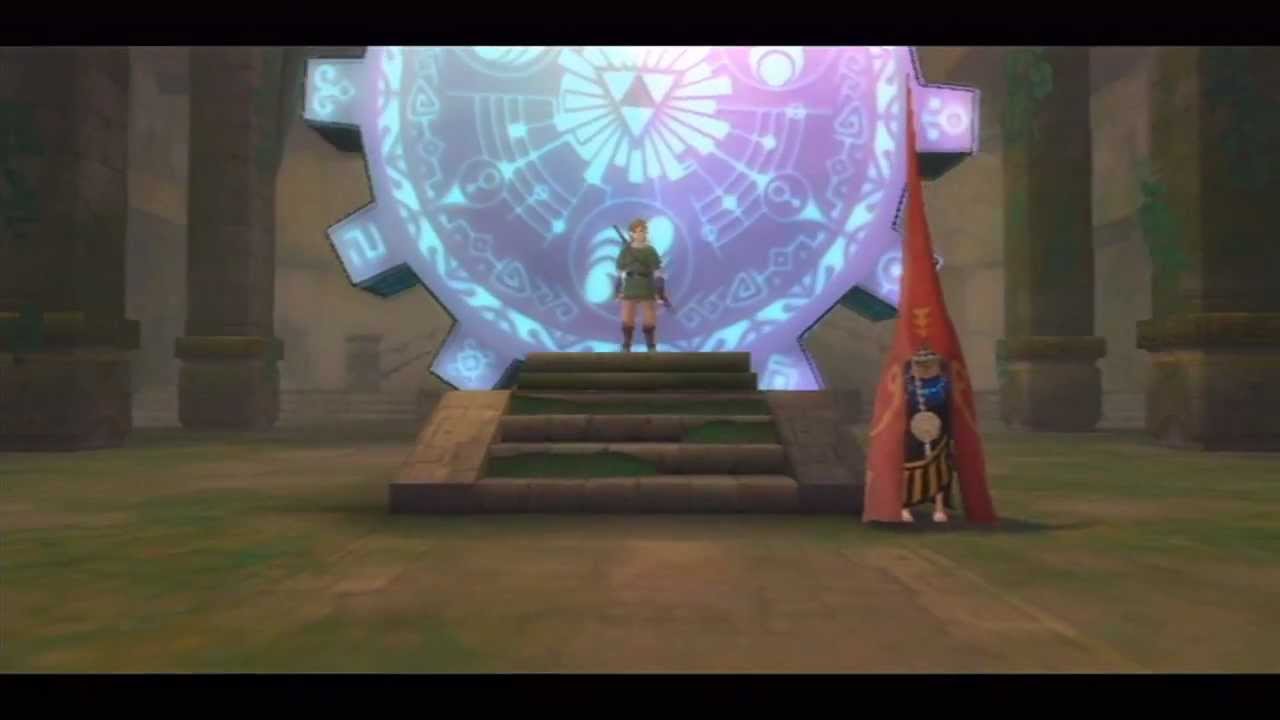
Using the Master Sword, Link activates the stone pillar in the Sealed Temple and opens another Gate of Time that leads thousands of years into the past.
jagged crow
@floral dove yeah clicking the compile button doesn't always work, automatic compiling doesn't always work (sometimes it counts into negative seconds forever instead of autosaving at 0), sometimes it will partially compile but what you get isn't actually what your graph looks like (Yesterday I had an issue where a parameter of a node was using what was previously typed into the text box instead of the noodle that was attached to it)
flint urchin
@dawn oxide All that is animations. Don't need Udon to create that look for a gate.
jagged crow
the workaround of hitting the play button and stopping it and then compiling seems to be pretty reliable but that's obviously not ideal haha
floral dove
Hey @flat rose - that's not what this channel is for, you've been told twice now.
dawn oxide
Yea cause I already made a moving animation of a gear the same way in the video but everything before the gear when it starts forming is something I would like to see possible the minute the player interacts with it
floral dove
yeah @jagged crow - it catches me too. We're discussing ways to improve the communication of compilation state like UI feedback, and of course trying to catch some of these edge cases.
jagged crow
sweet :D
floral dove
@jagged crow - let me know if you ever figure out something that reliably causes an issue where something doesn't compile until you Play/Stop. It's a hard one for us to reproduce at the moment.
jagged crow
yeah Ill def let you guys know if I find something specific
its hard cause im learning vrchat and udon and unity at the same time lol
dunno when i did something wrong or found a bug
floral dove
haha yeah, that's a lot of unknowns to be figuring out at the same time.
jagged crow
super satisfying tho
i got a debug hud working for live variable display :D
still working on the controller detection stuff tho haha
floral dove
nice!
 solid cairn
Anyone else have issues with trying to run the scene in play mode, and Udon trying to scan every single asset in your project, regardless of whether they're in the scene or not?
I get some import issues when importing a large package from the asset store, it takes a while, but after that, I can hit play at any time to start the project. however, if SDK3 is in my project, every time I hit play, it acts like it wants to reimport everything again, chokes on all the errors, and takes several minutes to start.
jagged crow
...I'm an idiot
welp, that solves the mystery of "why the heck won't this thing work???" 🙄
jagged crow
Hmm, I wonder if that's the udon equivalent of forgetting a semicolon
 tough junco
so i have my world set to respawn at -10 but when items fall out of them map they dont respawn and keep falling, does anyone know how to fix this?
fiery yoke
@jagged crow That is more of an equivalent to writing a method and never calling it. Forgetting a semicolon wouldnt even compile.
grand temple
@tough junco are your objects synced? The respawn height only applies to synced objects. It they aren't you'll have to make your own respawn system
jagged crow
haha yeah thats a better analogy
tough junco
Yeah I got it fixed, thanks for the help!
tough junco
follow up question, how do i make a button reset the position of moveable items, or teleport them downwards so they respawn?
jagged crow
are they dynamically spawned or are they placed in the scene by hand? @tough junco
tough junco
they are objects ive placed
basically its a bowling alley and i want a button to reset the pins to their original positions
jagged crow
should be pretty easy to send a "respawn" custom event to them
have you followed the cube example series
tough junco
whats that?
jagged crow
VRChat Udon Discussion Forum
We’ve got a set of videos here for you to check out to get you started in Udon and with some basic concepts. Let’s meet the VRChat Udon version of Hello World-- the spinning cube! Video 1 - Introduction Video 2 - Input and Flow Video 3 - Public Variables Video 4 - Program ...
floral dove
This is how I do resets in my AirBlaster world:
On Start, save this transform's position and rotation to variables.
On Custom Event 'reset', Move them to these stored variables. Also reset their velocities to 0 (only needed for RigidBodies)
jagged crow
do you need to do anything special in udon to make an object pickupable
I put the vrc pickup script on a cube but it didnt do anything
jagged crow
oh pff I'm dumb, the Pickupable property was disabled
tough junco
so i tried recreating that code but i have no idea how to use it now, or connect it to a button
 azure bolt
I would like to put a logo in my world to show that I created it with udon, can I download it?
I want transparent PNG data.
fiery yoke
Its in the Resources folder in the SDK
azure bolt
I found it.
Thank you, sir.
 light fjord
does anyone here know if its possible to do a custom script in udon? that uses c#?
fiery yoke
@light fjord Thats not how Udon works. Udon uses byte code in a custom assembly. The graph compiles nodes into that assembly. HOWEVER there is a custom compiler called "UdonSharp" that compiles C# code into Udon Assembly. https://github.com/Merlin-san/UdonSharp/releases

GitHub
An experimental compiler for compiling C# to Udon assembly - Merlin-san/UdonSharp
light fjord
@fiery yoke so your telling me that that i could create a c# script in unity and convert it to udon?
fiery yoke
In a way. Its obviously limited to what Udon can, and its not the exact same as writing a C# script for Unity. But its the closes you will get.
light fjord
i see
light fjord
@fiery yoke can this one also do the networked part?
 torpid badge
I have a pickup item that changes a synced bool when the trigger is pressed down (pickup use down), which works, but only the master can use it when holding it. Is there a way to make it work for anyone who is holding it? Leaving the bool unsynced works, but then it's local to the holder only and doesn't work for others. Thanks for any advice 🙂
fiery yoke
@light fjord It cant emulate the network. But you can use the same methods to send custom network events...
light fjord
and as same methods i assume u mean the once u find in udon?
light fjord
ye
boreal plaza
Greetings! This should allow me to spawn in more objects by pressing a button, no?
By cloning an existing obj
twilit breach
Instantiate is currently not supported over the network yet though, so even a good graph won't work when things get online
flint urchin
@torpid badge you got to set the user that picks it up as the owner (Network SetOwner)
boreal plaza
@shy notch , So should I use udonsharp for that stuff instead?
torpid badge
@flint urchin How can I do that when the user picks it up? I tried adding that for OnPickup but (because they aren't the owner?) it didn't change anything. Also shouldn't the person picking up a pickup object be made owner automatically?
twilit breach
I don't think Udon Sharp would make a difference. We all just kinda waiting on the hardworking folks at VRChat to shore up that bit. For now most of us have been making due by spawning items in the corner in a box and teleporting instead of spawning. if you need more than one you'll have to do some kind of adding variable to not tp the first one. If you want to do a lot it's gonna suck
boreal plaza
Ah I see. So teleporting existing items it is then!
twilit breach
yup yup
torn quail
hey guys. any idea whats the node name to change an object layer on event?
fiery yoke
something like GameObject.set layer
torn quail
found thanks!
flint urchin
@torpid badge then it could be a possible bug with ownership and sync vars.
torpid badge
@flint urchin The bool was for another Udon item on the pickup, needed to give ownership to the lower item manually, thanks 🙂
boreal plaza
So I removed gravity of an object but when dropped it floats away. Is this a thing that is can be turned off in udon? because I cannot find anything about this anywhere
literally wants it to stay in place as soon as it is dropped
torpid badge
@boreal plaza on the rigidbody the option Is Kinemetic can be turned on to stop the physics if that's what you're looking for
boreal plaza
Oh.. was wondering what that did lol. thx
worthy beacon
ok, i got somthing a little bit complicated i wanted to ask, ill first display the code, describe what its supposed to do and what its doing
so variables: https://gyazo.com/8a9d9e7b9e9b8e7484acb2399a9c7e8a


so, what its supposed to do, i have a set a spheres, when a player loads in, its meant to parrent that sphere to a gameobject that is tracking their hand. The intent is that each player will have their own sphere upon loading in
what its doing, when you load you're hit with a big lag spike. If you're the first player youll get the first sphere attached to your hand. If you're the second player you don't get any spheres, and youll see the other player with a sphere attached to their hand
also the spheres have it set to sync position, so the 2nd player will see the first moving the sphere with their hand
i have the boolean value canceling out the loop, so i dont know why there's such a huge lag spike, also im not sure if i'm going about this the wrong way
can anyone tell me why this lag spike is occuring or where i messed up in my code?
also, the currentPlayers variable used to incriment by 1 per player joining, now its just 0
im starting to think i should just give up on the visual scripting portion and switch to udon sharp >.<
floral dove
@worthy beacon the lag spike is likely due to that While loop running. I'm trying to follow your flow and there's a lot going on here. Did you get this working piece by piece or did you build it all at once?
worthy beacon
piece by piece
so with the while loop, it has an and condition, either when i reaches 30 or the isAssigned is set to true, it should break the loop
which is why im confused because the first person who joins should get that value set and break the loop
floral dove
Here's my attempt at following your logic in Pseudo-Code:
When a player joins, increment currentPlayers by one.
If 'hasAssigned' is false, then set 'i' to 0.
While hasAssigned is false and i < the isUsed array length:
Check if isUsed[i] is true. If it is, then increment 'i';
If isUsed[i] is false (so this number has not been assigned yet), then set 'myNumber' to 'i'.
After setting myNumber, then get spheres[myNumber], make it a child of the 'rightTracker' variable, set its local position to (0,0,0), and its local rotation to (0,0,0,0).
Then set isUsed[myNumber] to true, and set hasAssigned to true.
On Update, set the numPlayersOutput TextField to i, and the myNumberOutput TextField to myNumber.
worthy beacon
ya
that is correct
which the update is mainly output values so i can see whats going on, the currentPlayers was origonaly used for numPlayersOutput
but i wanted to see if i was getting to 30, it wasnt
floral dove
So - hasAssigned is never set back to false. I don't know offhand if OnPlayerJoined fires only for the local player or if it fires for each player.
worthy beacon
through my tests it will fire for you and new players joining
so you get one when you first spawn, and another for another player spawning
and that player will get one for spawning
floral dove
ok - then you'll want to set hasAssigned to false before you do the while loop, right?
otherwise it will be 'true' going into that loop after the first one?
worthy beacon
well, techniqually, it will be defaulted to false, and by being true should prevent a second reoccurance of the loop
so, this is how i was assuming it works: You spawn in, hasAssigned is false you get a ball assigned. New player spawns in, for you this loop will see hasAssigned is true so it ignores the loop. For the new person hasAassigned is false so it goes into the loop
which sure enough, it only has the lag spike when you first enter the world
unless im misunderstanding how sync is supposed to work....
hasAssigned should be a local value, ie should not update the same accross all players
floral dove
I might be wrong about it, but it's worth a quick test if you're stuck otherwise. Maybe just log the value on players when they join and make sure it's what you expect? If I were building this system, I would make sure that each player is getting a good myNumber before messing with the sphere transforms and whatnot.
 gray kestrel
Hello. I didn’t know who to contact for this. My user name on VrChat Does not work therefore I’m not able to log into my account. Do you know a way I can fix this problem?
floral dove
@gray kestrel - for VRChat support, please visit #vrchat-support or #user-support-old
worthy beacon
actually on that note, is there a way to use a debugger, like output to console? Ive been using uiText output, though its a lot of elements just to output a value
and ya, ill try outputing some of the key elements on the on player joined event, see what they looks like
im also still confused how it successfuly assigns the first ball to the first player, yet in the process has the huge lag spike, but doesnt assign any of the other balls
floral dove
Yep! Launch VRChat with the following flags: "--enable-debug-gui --enable-sdk-log-levels --enable-udon-debug-logging". Then you can press RightShift ` 3 to turn the debug overlay on and off
worthy beacon
alrighty, ill try that in the near futre
floral dove
then anything you Debug.Log will show up
worthy beacon
also....im curious if they way im testing might be mucking this up?
so i upload the world, then i run build and test with 2 clients. I logout with one and change it to my test account. i then have my main account create a new world from the freshly built world, and have my test account join me in that world
so im running both on my computer
im doing this so i can test the sync without bugging friends to help me with every build
 shy notch
@boreal plaza what?
boreal plaza
What
floral dove
@worthy beacon I believe that to test Network sync stuff you need to do the above but 'Build & Publish' your world instead of 'Build & Test'.
worthy beacon
yes, thats what i ment with upload the world, i do a build and publish
uncut coral
@flint urchin Why is your trigger "Toggle Object" bigger than the udon example toggle trigger?
What does yours diffrently then the example
I'm still learning Udon
flint urchin
@uncut coral That example is using a UI, mine is for your general gameobject
worthy beacon
@floral dove i rigged up some outputs, and this is getting me even more confused now
so the current players is displaying on update, it incriments by one per loadplayers, yet, its still 0 no mater what
the isUsed is never set to true, even tho the ball is positioned correctly
and the hasassigned value is always false, i had an output for it set for right before the check to determine if its true or not
so either the player joined is not called on the client at all, or somthing wonky is going on with the code
alsoI have my number output right before setting the ball, its always 0
so...is the playerJoined called from the server or the client side?
either that or when you set a value on a syncornized value from a on load players event, its not setting it synconously....
tho i still dont get the my assigned output then...
proper oar
I got a particle to collide with a Player!
now how would one get the PlayerAPI from a particle Collison
worthy beacon
i did it this way https://gyazo.com/cdefcc575870e471d108f37b96f42066

so you get a game object form the collision, and you do a gameObject.getComponnentInChildren with the type being a player
worthy beacon
i did a debug, apparently my hasAssigned value never gets set to true
proper oar
Thanks but i just found out that On Particle Collision dosent even get called
proper oar
wdm
floral dove
that's a good start @worthy beacon - so my next question would be: 'Does the While Loop ever return false'?
worthy beacon
well, if hasAssigned doesnt get set, and i doesnt get set, then no, itll never be false
which is why its lagging a bunch in the beggining
this is how i should set a bool to true right? https://gyazo.com/404de2003be20d4329e99bd3877bde63
 proper oar
it looks good
worthy beacon
lemme build it again, maybe it failed to build again
proper oar
could it be that it get set to false somewhere else
worthy beacon
it sets it to true right before the output
im also gonna lessen the size of the boolean array, hopefully if i can get i to set right htat should get somthing going as well
worthy beacon
add these tags to the launch options "--enable-debug-gui --enable-sdk-log-levels --enable-udon-debug-logging"
proper oar
i did
worthy beacon
make sure you click the vrchat window before putting in the keys
if it isnt active the debug doesnt work
worthy beacon
the game
proper oar
im tabed in
worthy beacon
click it with your mouse
proper oar
and then?
worthy beacon
right shift + ` + 3
proper oar
im on a german key board might that be the issue
worthy beacon
ok, rebuilt it....and learned hasAssigned is actualy set to true in the loop
proper oar
nice
worthy beacon
thats a problem, because that should end the loop, it doesnt
proper oar
oh
worthy beacon
this is the logic i have for the while loop https://gyazo.com/79dec8c2abc5bcc4a751416e29928817


so it should run while i is less then the length of the array, or hasAssigned is true
it gets set to true on the first iteration, and loops indefinatly
a while loop should execute until the condition is false
mine is basicly: while(i < isUsed.length && !myassigned)
im gonna put a debug on myAssigned at the beginning and end of the loop, and see if it alters
floral dove
FYI when you run 'Build and Test' it will inject all the debugging stuff for you
worthy beacon
oh nice 😄
floral dove
Hm - since you're using the While to iterate over an array, I wonder if it might be more straightforward to use a For loop
proper oar
why is my debug menu not working
worthy beacon
so i was gonna use a for loop, but i didnt know how to exit the loop
i didnt want it to iterate more times then it should
proper oar
for loop ends automaticly
worthy beacon
yes, but you can usually use like a break or exit line to end it prematurly
it makes it so you execute less lines of code
for instance, with how i had the while loop set, this should only execute the if statment for the while loop once
 unreal field
I just started Udon and you guys are nuts from the stuff I see created with it here
worthy beacon
i started only last week XD
unreal field
I can barely open a door and you guys got jetpacks wtf
worthy beacon
welp.......so much for trying to help XD
 zenith river
bot doesn't like helping people
floral dove
@worthy beacon yeah, it would be nice to have a 'continue' option in the for loop. Can't do that with the graph yet.
@proper oar - hm, what is the button you're pressing in the upper-left?
worthy beacon
ill switch to the for loop tho if i cant get the while loop to work
floral dove
oh you're not pressing that button, it's just highlighted, got it
tough junco
Is it possible that if you teleport an item to low it wont respawn?
I set the button to teleport items to -10 and they keep falling instead of respawning, but if you throw them off the edge they respawn
proper oar
@floral dove i got it to work but i had to switch my keyboard to us mode in windows it dosent like german key boards
worthy beacon
did some rearranging, the loop now only executes once but still has that harsh lag at the beginning
floral dove
@proper oar that sounds like a hassle, sorry. You're welcome to file a feature request with a suggestion on a different set of keys we could use that would map to your keyboard more easily.
worthy beacon
the debug also says the udon code was halted
floral dove
@worthy beacon - iterating through arrays is currently pretty slow in Udon, unfortunately
oh, then it might be a different issue
worthy beacon
so i had a debug at the beginning of the while loop outputing the hasAssigned, it was false, then it goes through the whole process and gets to the very end for the second debug of the same value, it was true
so that worked out well, i dont have anything on the execute....so i dont know why it lags or breaks
i could probly put some debugs on the exit loop to see where things are at
tough junco
So I've narrowed it down to now when I click the button the first time it does teleport the items to the kill floor and respawns them, but it only works for the first time and any presses after that dont work
It's almost like when the objects respawn they aren't connected to the button anymore
torn quail
guys im trying for a while now to make an object ignore any world collision when its picked up, and have the collision back when its dropped, but i cant find any way to do it. i tried to do it with setting different layer when picked up and change it back when it dropped but it doesnt seem like it actually work. maybe theres a function to ignore collision all together? could do that with changing a tag and then set it back
heres the udon script i tried to use
worthy beacon
jw, why do you have branches before hand? is it to disable the effect in debugging?
torn quail
honestly idk if i actually need them or not. i used them from an old script that i duplicated
 dark raft
Has anybody documented what all the methods under VRC.SDKBase.Networking actually do? some are pretty cryptic like CalculateServerDeltaTime or GetUniqueName
worthy beacon
well as is you're branching, which will go to ture or false based on the boolean, but its set to false
so basicly, its gonna do nothing
tough junco
worthy beacon
i assume it was there so you can have a condition which would set to true when you want the layer to change
worthy beacon
ya, which you have the two different events to rep that
torn quail
but still no idea why it wont ignore the collision. set it to ignore everything on project settings
worthy beacon
to ignore collision, you need to first figure what layers to ignore and look at your physics settings, technically doing this through the layer method means you make it ignore collision as it pertains to layers
so if you want it to ignore the world and players, as most of the time people have the worlds set to default, you want a layer that ignores the default layer and the player layer
torn quail
yeah i tried to do that
worthy beacon
you could create a new layer, and make it ignore everything, then set it to that layer number
worthy beacon
ah, so you would be setting it to the weapons layer
worthy beacon
ya, without the branch it should actually set the layers now
i havnt messed with it enough to know how thats gonna work
i noticed once when i did the same thing, it behaved properly, i did another build and suddenly it was sending me flying despite it not supposed to be colliding with players
proper oar
my update dosent work anymore
worthy beacon
np!
proper oar
wait no its not the update the my udon doesn't compile anymore
it stopped compiling completely
torn quail
did you delete the 2 old folders of VRCSDK and Udon from Assets folder?
try to remove them, including their meta files and reimport them
also make sure you have the latest SDK. they updated it few times these last days
proper oar
it just one udon behavior that dose this
worthy beacon
so....i think what might be going on is once the loop of the while loop tries to start again, its getting some big error, and just quiting o.O
dunno what error tho
im gonna try a for loop, and just make it ignore the code if myassigned has been set, itll kinda suck because it means in the end product it will have to loop 29 more times for the first person
 hidden martenBOT
@torn quail You're sending messages too quick!
torn quail
ok removed the branch. it will go through objects but still somehow collide with them lol
worthy beacon
XD
tough junco
Does anyone know how to help with my thing?
torn quail
what do you need?
tough junco
I have a button set up that teleports objects below the map so that they can respawn, but when the respawn the buttons stops working, so you can only respawn them once
I sent a picture of the udon graph a little bit ago in the chat
torn quail
idk much about udon but this is the teleport script i use and its working fine. you could try that out. the object that you use the script on will be the button and the object that you attach will be the coordinates to teleport to according to the object's tranform position
tough junco
I'll give it a shot
worthy beacon
i switched to the for loop, its way faster, no lag, and i get exit output
i think the while loop is bugged
 gentle halo
so im making a teleport player script and this is what i got, i dont want to make it where its interactable (thats there as a place holder) how would i make it where once you collide with it you get teleported? just got kinda lost there. Thanks so much for the help in advance!
proper oar
try on collider enter
torn quail
there should be onCollisionEnter or something like that
yeah exactly lol. so thats your trigger for the event instead of the interact
tough junco
I tried using that block code and the button didnt do anything
Do I need to change something to make it teleport somewhere else?
torn quail
did you add an empty game object to set the teleport location and assigned it to the udon script?
flint urchin
It won't work on players without the correct layer. You got to either use the local player layer or set up your own collider that follows the player
tough junco
I did not, I'll give that a shot. I've been trying to figure this out for 3 days
like this?
gentle halo
i feel like im missing something because when i collide it still doesnt teleport me, can someone please help me? Thanks so much in advance! im just new to this whole thing and i am having a hard time learning it all
west plover
There's nothing that can actually be done with VRCPlayerAPI.GetAllPlayers right now?
As it returns a List which is functionally useless 🙂
 ripe frost
Does synchronize position also apply towards animators?
so that anything moving will also be synchronized for other players?
twilit breach
@gentle halo try replacing on collision enter with on trigger enter, add an additional trigger collider to the object and place it on the part you want players to bump
this will mean any time any rigidbody enters the trigger the local player will teleport so you may want to make a new physics layer that only has local player so nothing else bumps to teleporter
worthy beacon
so ive come to find despite setting my variables as sync, its not syncing the variables at all. Are you supposed to do something special to get/set synced variables to ensure they are the same for all?
west plover
only the master can sync vars
worthy beacon
ok, so you have to determine if the user is the master before messing with a sync variable, and if you do that it will update it for everyone else?
gentle halo
@twilit breach Thank you so much, that worked out exactly as i was wanting it to!
tough junco
i cant get this to work at all and it seems like it would be such a basic thing to figure out
twilit breach
so for your vrcplayer api teleport you have some incorrent things entering
interact is fine
instance wants an instance of VRCPlayer API, you are giving it a transform
tough junco
all im trying to figure out how to do is make it so when you press the white button to the right, it resets the bowling pins in that lane
twilit breach
oh well you dont want the vrcplayer teleport, thats for players
here ill get you one 1sec
tough junco
let me give that a shot
worthy beacon
how do you call a custom event?
twilit breach
worthy beacon
thanks!
tough junco
so, it did work but it only worked one time
after i reset the pins once the buttons stopped working
worthy beacon
ah ok, so if i wanted to proc an event for everyone on the server, id use the send custom network event. If i wanted to call an event thats within the same udon behavior script, do i just make a udon behavior with the same name and attach it to the instance, or do i leave the instance blank?
twilit breach
@tough junco can you show a screenshot of the current set up?
tough junco
like the code?
twilit breach
if you could get the current flow chart and each object that is involved like transform point for pin spawn and pin game object thats getting moved
instance is which udon behavior you will try to call the custom event on
I always make a public udon variable, get variable and put that into it
then if the event is on the same object you drag itself into the public variable in the inspector window
if the event is in a different object/udon behavior drag that one in
basically whatever object is in that slot attempts to run a custom event with the name you input. if it doesn't have an event with that name nothing happens
tough junco
so i have the code attached to this button, and the pins are set to the variable pins
twilit breach
a solid start would be addressing the common compiler error incase the graph is fine
tough junco
im very new to this and just started trying to learn it like a week ago
twilit breach
press play while in editor (the arrow in the top middle), wait for it to load and turn blue and give it a few more seconds. Then press the blue play arrow again to stop it. then select your udon graph asset in the asset folder (bottom middle), then on the inspector in the right hit open udon graph to let it open udon window in the middle. in the top right of this window you will see a button called auto compile which counts down from 5, let that happen with your mouse in the udon graph and don't click nothing. after its done auto compile button becomes manual compile. hit this once, wait a few seconds and then go to the top left of everything and hit file save
tough junco
twilit breach
after that try your game again
theres a very common issue where the graph is fine but something doesn't actually put it together, i posted the best way to make sure it actually creates the code the graph is visually promising
tough junco
so i did all that and its still only working once
that video i sent is a video of what its doing
twilit breach
lets see
ok I understand the problem
so what we have happening is your are taking the parent object above everything, pins, and moving its transform to that exact spot in space
but the pins move independent of that parent anyway
so even if we put that invisible parent back there they have already locally moved
essentially when you move a pin with physics and the ball it is becoming locally further from pins, the parent
say it started -2x 0y and 0z from the invisible parent pins
the ball moves it locally to -5x 0y -2z away from the parent
I explained that poorly but does it make sense?
tough junco
kinda
im just tring to figure out how to make it so it can reset the pins multiple times so someone would actually play bowling
twilit breach
you'll have to set up all the pins with copies of the teleport
and have the interact fire all of it
 hoary elk
Watching the stream right now. As a creator of the Marimba World, is there any effort on allowing players to play music in sync with each other?
tough junco
so on each pin i need to attach the same udon script as the button?
twilit breach
umm let me think if theres an easier way
cuz it would work for sure if you basically duplicated it 10 times, and had 10 transform points (for each pin respawn) and 10 variable game objects in script for each pin
and did on interact through the first one, then flowing onto the duplicate and so on
I forget if there is a way to reset position locally to what it started as cuz that would do it as well
eh its honestly not that bad just click everything except interact (with ctrl left click or drag a box over them) and hit ctrl d to duplicate
then drag in to the right of the flow and attach the noodles
and rename the duplicate transform and game obj to pin2 and pin2respawn or something
then make a few new invisible transform markers
tough junco
like this?
twilit breach
yup
tough junco
wait are you trying to get me to set up a respawn on the lane for each individual pin?
twilit breach
yup
tough junco
ohhhhhhhhh
before i had to just teleporting all of the pins below the map to fall and be respawned that way
twilit breach
oh wait wait I know
instead you just set each pins local transform back to what it is
so you don't need 10 invisible respawn points
ill throw together a graph
1sec
tough junco
alrighty. i appreciate the help, i just started trying to use unity and stuff like a week ago and dont really have any experience and ive been trying to figure this out for like 3 days
twilit breach
you still need 10 variables, one per pin game object
and on the right the local transform you have to set it to exactly what it is when you click pin in editor
tough junco
the x y and z cords?
twilit breach
this is basically resetting it to the distance locally from the parent object pin
yeah, and rotation cuz they will get knocked over
tough junco
okay ill give that a shot
twilit breach
try it with one first because that middle node get transform
it may need to be get local transform
also make sure it says local, not global up here
meaning you are reading the objects position locally in respect to its parent and copying that
 cedar rapids
Hi Udon people, I've decided to dip my toes into modding so I'm learning some Udon. I'm finding it kind of difficult to find documentation, was hoping there would be more in the pins. More general purpose stuff or known issues with the editor since I've been having strange issues left and right
I guess a specific question I have right now, I have two volume buttons for a song player in my world, and the audio source starts at volume = 1.
The volume up button adds 0.1 to the volume and this works fine, but the almost identical volume down button which subtracts 0.1 just mutes it and I have no clue why
twilit breach
VRChat Udon Discussion Forum
A place to discuss, share, and create with VRChat Udon.
VRChat
The Udon Node Graph is the default interface for creation of Udon programs. This section goes over most of the Udon-only nodes available.This section will not cover the Unity functions that Udon exposes-- click the Help button on those nodes in the interface to view Unity's do...
for this ^ left middle there are three sub categories under the black outlined one
@cedar rapids can you share a screenshot of your graph?
cedar rapids
this is the volume up button, it works
this is the volume down button that just mutes it
tough junco
alright i put it in for one pin and im booting up now
twilit breach
nice lets hope for the best
Spylenol have you tried the recompile troubleshoot bit?
cuz often times graphs are fine but it just didnt give you the code it promised
press play while in editor (the arrow in the top middle), wait for it to load and turn blue and give it a few more seconds. Then press the blue play arrow again to stop it. then select your udon graph asset in the asset folder (bottom middle), then on the inspector in the right hit open udon graph to let it open udon window in the middle. in the top right of this window you will see a button called auto compile which counts down from 5, let that happen with your mouse in the udon graph and don't click nothing. after its done auto compile button becomes manual compile. hit this once, wait a few seconds and then go to the top left of everything and hit file save
do that for volume down to make graph asset first incase you have it right and its just the glitch not your graph
it likely didnt compile and has the default float of 0, instead of minus .1 now that i think on it
cedar rapids
Intuitive! I'll give it a try  The assembly code for the two buttons looks wildly different too, despite the fact that they have almost the same graph
tough junco
it worked
twilit breach
whats probably happening is it got lazy and didnt see the second half of the graph, so it is currently doing on interact set audio source to 0 (without seeing the white line being dragged from your minus section)
tough junco
now i just have to duplicate that and then edit the cords for each pin correct?
and set it as a new object for each one
twilit breach
yup, just go down in a row adding Pin3, Pin4 and so on
and typing in the correct local coords for each
tough junco
alright ill get to that, thanks for the help
twilit breach
sure Np
cedar rapids
@twilit breach That worked! Kinda silly that this happens but I suppose it is an alpha after all
Doesn't help that I'm totally new to visual programming so I can't always tell if I'm doing something wrong or the graph is broken
New to Unity too so... plenty to learn
twilit breach
It's a good habit to run through that play/unplay compile thing if your graph sounds fine. Just to make sure it wasn't the bug
It's worth the trade off for me because once you get used to graphs they compile code faster then typing imo, and handle all the typos/order
cedar rapids
It seems that they handle network code as well?
twilit breach
Yup, little limited atm but we got some
cedar rapids
Yeah I've already found some gaps in it, hahaha
I have a sphere that you can grab and interact with but I put a reset sphere button on my map because people threw it off the side. It only resets the position client-side for the person who pressed it and if there's a mismatch you'll see teleport to the spawn position and then float back to where it was
twilit breach
So what's happening is you are syncing it's position over the network
The only one who can tell other clients the current position to sync is the owner of the object in question
VRChat made it so if you ever pick up an object you become owner, therefore it syncs/shows position to others
You need it so whoever locally clicks this reset button also takes ownership
Then they will share the movement of teleportation
There's a node called set owner, not much to add at all
cedar rapids
ahh, so I'll need some nodes to get the player who presses the reset button and then use set owner on the sphere using that player
twilit breach
Alternative which is probably better
Is to have it send teleport as a custom network event
Because I believe it smoothly transitions to the synces position so that's why it hovers over for non owners
I'll throw together a graph real quick
worthy beacon
so i get now that the master has to be the one to set sycronized variables, but how do you then sync those variables to everyone else?
do you do it with a set variable or with somthing else? because my sync variables arnt syconizing
twilit breach
@cedar rapids
What you drag into the public variable "Udon Behavior" is the item with the event (in this instance the button we have the script on itself)
@worthy beacon I could double that question, I'm having issues with syncing atm
cedar rapids
Wild
twilit breach
basically anything that happens through the custom event we named "TP" happens for every player, this is fundamentally how you do things over the network so its a good thing to know
worthy beacon
ah ok, so its not just me
cedar rapids
The only thing I don't really understand is why the EventTarget variable is needed, tbh. the script is attached to the button right?
and why it is referred to as an Udon Behavior too
twilit breach
udon behavior is the component you add
so we are finding said component, aka the script
and telling that script to fire an event named "TP" , if it has one
the reason being only in your client did you interact with the button, other players clients arn't looking at the button and its udon behavior/script atm
so we are telling other players "hey look at this script here, and do its custom event TP"
cedar rapids
okay, so the instance portion is actually a sort of initialization step that happens before the event fires
where the script is sent to all players, then executed
twilit breach
yup
worthy beacon
is there any documentation how the synced variables are supposed to work?
twilit breach
yeah

VRChat Udon Discussion Forum
Udon has 4 ways to sync Sync Position using an UdonBehaviour component Used to sync the position & rotation of an object Sync Animation using an UdonBehaviour component (Coming Soon) Used to sync the animator transitions of an object Udon Synced Variables Use...
number 3 on the list
worthy beacon
thats not a lot XD
twilit breach
I'm not sure when it syncs variables. does it detect any change that is made to a variable and immediately share the new variable with other players? or do you need to point out you made a change. idk
cedar rapids
One last question, this one might actually be a Unity specific question but I noticed that when I have a script that does something with an audio source and has it as a public variable, there's no way for me to drag the audio source component in if said audio source is on another game object in the editor (let's say a cube with an audio source) but I can drag the game object itself in and it seems to work fine. Does it just infer the component it needs from that game object based on the variable type?
twilit breach
but people have it working so its some kinda thing
worthy beacon
theres apparently examples, im gonna look through those
twilit breach
yeah, I haven't looked into it but I assume whoever made udon has it checking game object for the audio source component, so we just give it the game object
there are a lot of other nodes for audio sources/clips I haven't tried so that might be the way to go if you have multiple audio source components on one object
I'm being lazy and making a child with an audio source for each new sound lol
if you figure it out can you at me Zeshin? Sync variables confuse me
tough junco
so i added all the pins for one of the lanes but the button only resets pin 1
am i supposed to connect interact with each instance of a pin?
twilit breach
theres 10 slots on your component and each pin has been dragged in?
nah interact starts it and the white flow line will go trans pos trans rot, then trans2 pos trans2 rot and so on
twilit breach
you did the play button recompile save bit?
tough junco
no oops
twilit breach
cuz it almost definitely struggled to compile that monster
yeah do that
it struggles with like 5 nodes so xD
but it looks good to me
tough junco
do you know how to change the text displayed when you look at the button by chance? so i can have it say "Reset lane 1" instead of "use"
cedar rapids
I lied I have one final final question, I have a sphere with VRC pickup that I want users to be able to grab and move around, but I didn't want it to be affected by gravity or be able to be tossed so I froze its position and rotation on the rigibody. I can pick it up and move it but it doesn't move continuously, it moves in noticeably large increments as you drag it around
twilit breach
@tough junco you have to change to debug mode
then change interact text and go back to normal mode
to get to debug its that little three lines in the left portion of the image at the top right
and then you will see a lot of stuff I would recommend not changing
but typing into interact text if fine
instead of that just go to the rigidbody and check the kinematic box
this means it wont be affected by physics (aka gravity and player arm movement force transfer)
but if you had other stuff involving physics with the cube it will be messed with
cedar rapids
Nah, only other thing is it makes a gnome sound when you grab it
twilit breach
hahaha nice
yeah kinematic is probably solid solution
there may be issues with position sync and kinematic things, I'm not sure atm but making one of my objects kinematic messes up its sync. granted it has a lot of other scripts on it so maybe thats just mine
or im forgetting some core aspect of unity. give it a shot tho xD
cedar rapids
My reset sphere button doesn't work but it might not have been working before either, maybe compile issue
as for moving it around, it works absolutely how I expect now, thank you
twilit breach
sweet
cedar rapids
I want to get familiar enough with this to make something like a cards against humanity that's more friendly to both VR and non VR players than the one I tried
twilit breach
could be compile issue, or sometimes one of the white flow lines decides to disconnect so check everything as well
its most definitely possible, go for it!
tough junco
i keep making sure the cordinates are all the same but they keep spawning in on their sides
twilit breach
so the rotation from a model file say from blender or downloaded get wonky in unity. thats an issue beyond VrChat, just unity stuff