#quest-general
1 messages · Page 133 of 1
 woeful steppe
yeah not yet- they were working on that avatar stuff
 quasi needle
OK can someone pinpoint where can be the problem? i have a q2 for nearly a year and 2 weeks ago it randomlly went to BIOS (like softweare broke??) with options Boot , boot with safety i guess and 2 other) the thing is quest standalone works fine but i can`t see the PC desctop when i click link ,,rift,, buton the conections just lodes infinitly. (i restarted and updated every softwere i can think of btw) I bouth a new cable with oculuc program after scan taies it is fine. DM me if you have idia what i did wrong.
 vestal parcel
quasi needle
OK can someone pinpoint where can be the problem? i have a q2 for nearly a year ...
vestal parcel
quasi needle
OK can someone pinpoint where can be the problem? i have a q2 for nearly a year ...
try a different port yet?
quasi needle
tryied most off them oculus seas the conection is ok and i can hear the windows sounds in vr ...
vestal parcel
check the port on your quest and see if its croaked in some way. try airlink and see if it connects that way.
quasi needle
i cant you airlink ( not capable routher)
vestal parcel
i can’t remember what the quest bios options are but you mightve also hit an option that set the quest to read only
vestal parcel
quasi needle
i cant you airlink ( not capable routher)
use your computers hotspot
your computers hotspot will always be the fastest link since it gives you direct access to your computer
 languid tartan
If I do not have a USB c port and have to use USB 3.0 for a link cable, will it not be powered enough to stay fully charged?
If not, can a powered USB hub help this problem?
quasi needle
languid tartan
If I do not have a USB c port and have to use USB 3.0 for a link cable, will it ...
if you have ready vr ready pb or fast charge port it will charge if not ( q2 will slowly discharge
vestal parcel
languid tartan
If I do not have a USB c port and have to use USB 3.0 for a link cable, will it ...
the hub idea sounds iffy cus you need data to go thru it. but if its the default usb, i think thatll charge slightly better than usb C but youre still going to loose charge no matter what
languid tartan
quasi needle
if you have ready vr ready pb or fast charge port it will charge if not ( q2 wil...
I have capable hardware but no fast charging port
vestal parcel
or fast charge could work
languid tartan
Just some regular 1.5A usb 3.0s
vestal parcel
oh my. that wont charge
languid tartan
Yeah thought so
Wait that might just be my case ports
Let me check my motherboard manual real quick
It's got usb 3.1 on the back
Both gen 1 and 2
If a monitor has a high power USB port would that work? Heard of people doing it but I'm not sure if it actually works with link
vestal parcel
languid tartan
If a monitor has a high power USB port would that work? Heard of people doing it...
well the main issue is getting data back and forth between the headset and pc. if you can get that going, then that may work
languid tartan
If I end up just using my USB 3.1 port for link, how much battery life can I expect roughly?
 cosmic vector
i got a quest a few days ago, when i go into airlink mode the screen bugs out a lot and shows like black and dark grey shapes and a weird curvy line every like 4-10 minutes. is this because of airlink or my quest just has a problem?
vestal parcel
cosmic vector
i got a quest a few days ago, when i go into airlink mode the screen bugs out a ...
could be gpu settings or airlink
 haughty coyote
Why can’t we watch YouTube videos in VRCHAT?
vestal parcel
haughty coyote
Why can’t we watch YouTube videos in VRCHAT?
ytdl illegal
haughty coyote
Then what is there to watch videos?
vestal parcel
videos that are raw or streamed it that doesnt need to be resolved
 bleak hedge
Vr chat had been installing for an update for over 2 days and I'm getting kinda pissed rn
haughty coyote
Here's hoping the next patch fixes vote kicks...
 fluid ice
Is there a way that VRChat can disable the OSC? It's really getting annoying towards my friends and they are pissed about it
 thick forge
Hello, I have problems with my oculus quest 2 air link cable or not, I have huge latencies on any game (even in the interface). But that doesn't happen to me on the oculus menu on the headset. (even in worlds with no one inside). I have a good connection and a very good pc I don't know what to do. If anyone has the solution. Thank you
 limber gazelle
hey im having a hard time getting my pc and oculus to detect the link cable im using, does anyone have any ideas as to why?
because I can use air link just fine, and I know the ports im using are getting power. at this point im starting to think it might be something with my cable
 still oyster
hi im a quest user and i cant even get into vrc
 formal oar
I take it you've tried the usual i.e "reboot your headset, reinstall vrchat etc"
still oyster
i need to reboot it but i don't have my phone rn
formal oar
You can reboot your Quest 2 without your phone
Just hold the power button to turn it off then turn it on again
still oyster
I I've tried everything else But it's only done this since the uupdate
That's for the power though
formal oar
Pressing the button only puts the quest in sleep mode. Pressing and holding it turns it off.
still oyster
i want to factory reset the whole thing.
formal oar
Don't do that yet
Try restarting it first, reinstalling VRChat etc. All the basic things
 modern egret
Did they fix the glitch?
formal oar
Which glitch is this? There's like, 10 active ones atm
modern egret
Where you try to load in but it wouldn't let you on steamVR?
Not from the oculus
When you're playing from steam
But on the oculus
formal oar
I haven't had any issues with that but I've been using virtual desktop
still oyster
formal oar
Try restarting it first, reinstalling VRChat etc. All the basic things
i did
its been 2 days
 compact parcel
still oyster
i did
compact parcel
still oyster
i did
What happens when you try to open vrchat
still oyster
@compact parcel
compact parcel
I'm not sure honestly, do other games that need wifi work properly?
 grave palm
I might be wrong, but I think most things on Oculus generally requires wifi, even if you don't use it.
haughty coyote
Can anyone agree that the next VR headset will have PC power than Android? I sure hope so because Android sucks 😒
vestal parcel
mobile hardware running windows or anything that heavy does not seem like a good idea until something in the architecture standards change
main hope is that the cpu gets better
fluid ice
 wheat flare
you have to turn it on manually
wheat flare
you have to turn it on manually
But why though?
wheat flare
fluid ice
But why though?
because having osc running will make vrchat attempt to send updates for each of your avatar parameters out to a listening program every few milliseconds, whether or not a program is actually listening for them. Keeping osc disabled by default is a performance optimization
fluid ice
So is that a good thing or not?
 strange gulch
haughty coyote
Can anyone agree that the next VR headset will have PC power than Android? I su...
strange gulch
haughty coyote
Can anyone agree that the next VR headset will have PC power than Android? I su...
Standalone PCVR will not be possible for a very long time due to heat and design flaws.
You’d need a huge thing mounted to your face if you want standalone PCVR.
Don’t complain right now, the Quest is still a very good headset.
fluid ice
Also some of my friends wanted to know what does open sound control do and what is it for as well.
strange gulch
fluid ice
Also some of my friends wanted to know what does open sound control do and what ...
Control aspects of your avatar via sound. Still OSC, so we won’t have much programs to do it with for a while right now.
wheat flare
not via sound per se; open sound control is kinda a misnomer
OSC lets you control avatar parameters and inputs to VRChat from outside the game
essentially a modding API (kinda)
 scenic lake
Anyone want to hangout later 18+ please
 prisma fable
any idea how to decrease crashing from others avatars lol
prisma fable
yeah i have that already but i want to see peoples avatars and such
turning them on sometimes doesnt work bc what if they switch to a crasher
haughty coyote
Then you were too quick to trust
prisma fable
yeah i guess
 rustic vault
Anyone want to play
haughty coyote
haughty coyote
Can you get full body tracking on quest?
It is possible, but I don't think there's anything out for that yet
haughty coyote
Dose anyone know of any bioshock hub maps that are able to be used on quest?

Doing it for a few things but currently looking for to more pictures

 cosmic estuary
https://feedback.vrchat.com/bug-reports/p/1170-quest-world-load-and-avatar-calibration-problems who can confirm this problem?

 pine storm
hola anyone wanna do a spiderman roleply n the spider-lair
 soft phoenix
is it possible to turn of personal space on oculus?
doesn't appear in settings for me
haughty coyote
Should be. Unless they changed that in an update
haughty coyote
haughty coyote
It is possible, but I don't think there's anything out for that yet
Dang
haughty coyote
strange gulch
Standalone PCVR will **not** be possible for a very long time due to heat and de...
I know, it’s just the Quest version of VRchat doesn’t look as sharp in graphics as the PC version has. The biggest problem is that I can’t see peoples avatars because it’s PC only (just those ridiculous fallbacks) and the worlds I like are PC only as well.
 jagged trench
haughty coyote
I know, it’s just the Quest version of VRchat doesn’t look as sharp in graphics ...
jagged trench
haughty coyote
I know, it’s just the Quest version of VRchat doesn’t look as sharp in graphics ...
there's functionally nothing that can be done about that besides for hook your quest up to A VR capable computer like vrchat couldn't enable you to see PC avatars and worlds on the quest even if they wanted to
because the quest speaks a different programming language than your computer so there would still need to be a Quest build uploaded
haughty coyote
The sad thing is that I don’t have a right PC laptop to run VRchat because there so expensive (which I get it)
I wish there’s something available for IPAD which is all I have
formal oar
haughty coyote
Can anyone agree that the next VR headset will have PC power than Android? I su...
Not happening. Mobile hardware simply cannot match the oomph you can get out of a full PC because of overall limitations (power draw, physical size, cooling etc)
The reason PC's can really run so fast is they're not as limited by physical space constraints and cooling issues because PC parts have a standard they're built to
 delicate garnet
formal oar
Not happening. Mobile hardware simply cannot match the oomph you can get out of ...
delicate garnet
formal oar
Not happening. Mobile hardware simply cannot match the oomph you can get out of ...
Nah just watercool a quest and hook up a external gpu
formal oar
You can do one of those things but you can't do the other as of right now (external GPU)
delicate garnet
It was a joke
formal oar
I know but like, even then it's like, you can TECHNICALLY do one of those things
jagged trench
like a graphics card for a gaming PC is probably bigger than the quest 2 motherboard
delicate garnet
Yea ik I have seen that monstrosity
formal oar
jagged trench
like a graphics card for a gaming PC is probably bigger than the quest 2 motherb...
Oh yeah even my 1070 is gigantic
delicate garnet
Imagine imagining how to imagine
jagged trench
https://preview.redd.it/jg4kkiw6mbt51.jpg?auto=webp&s=a228f5f7f21733ac34c7d9d08bffbe29512968e4 for reference the quest 2 motherboard
 delicate garnet
I’m about to throw a brick through someone’s window
 lusty spoke
I need help
When I press my oculus button I can’t do an idle animation
but I used to is there a way I can fix it
 tribal fossil
Hello, wasn't sure what channel to ask exactly so,,
is there a way to test quest avatars on PC to make sure they work and look correct?
cause my only way atm is to find someone using quest and ask :')
haughty coyote
lusty spoke
When I press my oculus button I can’t do an idle animation
but I used to is th...
Is this happening with an avatar you made, or just in general?
lusty spoke
haughty coyote
Is this happening with an avatar you made, or just in general?
In general
haughty coyote
tribal fossil
Hello, wasn't sure what channel to ask exactly so,,
is there a way to test ques...
You really can't see what they look like to a quest user because they're entirely different builds. So what you're doing atm is the best way to go about it. If both builds are the same, then you should have nothing to worry about
tribal fossil
theres certain stuff with 3.0 that changes materials that I'm mostly concerned about, since if I switch the material to a PC varient it just looks gray without me knowing for months lol
its just annoying that, unless someone mentions I have no way of knowing
tribal fossil
tribal fossil
theres certain stuff with 3.0 that changes materials that I'm mostly concerned a...
**accidentally make the material PC
haughty coyote
lusty spoke
In general
Well, it could be related to the avatars you're using not having their controllers set to none(Not doing so can hamper the afk animation), or it really is something else. The latter I would not know how to fix
haughty coyote
tribal fossil
theres certain stuff with 3.0 that changes materials that I'm mostly concerned a...
Can't say I know what you mean by that
tribal fossil
if theres an animation that makes the material lets say,, poiyomi, quest users can't see the actual texture, its just silvery gray
this is usually accidental for me, but I never know until someone points it out
idk, I just try to be thorough and it would be cool to be able to see a quest users perspective without needing to buy a quest
jagged trench
that's not really technologically possible as the quest is running Android basically so anything that would be running on your computer would just be a a simulation of what it might look like not what it actually looks like
tribal fossil
yeahhhh it sorta frustrates me cause if it weren't for that, quest wouldn't be so limited :')
jagged trench
and you'd probably want to work on your quest build actually having proper shaders setup for all the materials so you don't have that silvery gray happening
haughty coyote
Truth
tribal fossil
I try my best to, I honestly do
but as someone who's made atleast 10-15 public models it gets tiring to have to keep on top of things
it would just be neat to atleast have a seperate thing to test this stuff in
these models I update every so often with new stuff so its even more exhausting x_x
jagged trench
anything that would be running on your computer would be basically useless the test that because you're not going to get the actual Quest rendering characteristics
https://github.com/lyuma/Av3Emulator not sure if would solve your problem but this is a tool that lets you test Avatar animations in the unity editor so you could test your animations while in the Android build to have a rough test for your shaders

GitHub
Emulator for VRChat's Avatars 3.0 system, built on the Unity PlayableGraph API - GitHub - lyuma/Av3Emulator: Emulator for VRChat's Avatars 3.0 system, built on the Unity PlayableGraph API
jagged trench
https://github.com/kurotu/VRCQuestTools#readme and this tool has a button that auto duplicate savitar and swaps all the materials to Quest compatible so you should be able to catch the funny materials
GitHub
Unity editor extension to support uploading VRChat avatars for Oculus Quest - GitHub - kurotu/VRCQuestTools: Unity editor extension to support uploading VRChat avatars for Oculus Quest
 heavy bloom
hey, so i’ve got $20 in oculus store credit, and i figured it would be good to put it towards a VRC+ subscription. however, VRC+ doesn’t take oculus store credit as a payment method. is there any way i can put these $20 toward the subscription, or nah?
haughty coyote
Not unless you could move it somewhere else
heavy bloom
dang
formal oar
You can get a pretty solid game on quest for 20 bucks though!
 vernal igloo
Anyone wana play? I'm 16 chill and my girl just broke up with me so I'm trying to forget about it
 bitter oar
vernal igloo
Anyone wana play? I'm 16 chill and my girl just broke up with me so I'm trying t...
bitter oar
vernal igloo
Anyone wana play? I'm 16 chill and my girl just broke up with me so I'm trying t...
i cant play but i punched a wall my hand was bleeding
 fallow ingot
bitter oar
i cant play but i punched a wall my hand was bleeding
fallow ingot
bitter oar
i cant play but i punched a wall my hand was bleeding
Are you okay..
bitter oar
fallow ingot
Are you okay..
well its fine know it just wrapped
vernal igloo
Anyone wana play? I'm 16 chill and my girl just broke up with me so I'm trying to forget about it
formal oar
Man you sent that less than half an hour ago chill a bit
bitter oar
must have been a hard break up that he sends it twice
formal oar
Lmao
 deft nova
He sent it at least like 5 times x-x
bitter oar
im not dating so i dont need to feel thst pain
formal oar
I miss the days when a break up would be the potential biggest deal in my life
Me at 23 having gone through multiple job losses and other stuff amongst other things makes the stuff I struggled with in the past look like childs play by comparison. Growing older moment
bitter oar
me at 24 and lives alone with dogs but i was a screw up as a child i had many mess ups
formal oar
Yeah I feel that.
bitter oar
i just play yu-gi-oh and watch youtube and play vr
formal oar
Valid
bitter oar
yes sir
bitter oar
or yes mam whatever
formal oar
Fair
bitter oar
lol
i would get on but just to far from monitor and i am tired
well i do got my oculus with me
 velvet radish
hello i need help in this error 😢
 bitter oar
no idea i have never seen that before sorry dude
velvet radish
thanks 😢
bitter oar
for me it just does not start
 woeful dune
Any one any good VR party worlds
haughty coyote
So I know y’all might not be able to help because this is a quest thing itself, but does anyone know how I get photos onto my phone from my quest?
Ping me plz.
 wary solstice
haughty coyote
So I know y’all might not be able to help because this is a quest thing itself, ...
wary solstice
haughty coyote
So I know y’all might not be able to help because this is a quest thing itself, ...
If you have the quest app on ur phone , you can go to gallery on your phone & go to Files on oculus & sync then to your phone 🙂
haughty coyote
Sync…
wary solstice
Gallery in the oculus app^
wary solstice
on oculus itself, open files & it should show your pictures you’ve taken & it should give you the option to sync them 🙂
 storm badger
can someone help me fix something
this link cable keeps acting like im disconnecting it and connecting it when im not
haughty coyote
storm badger
can someone help me fix something
It happens sometimes. If it's consistent, it might be a problem with the cable
haughty coyote
...You have to be the murderer to access that
 oak merlin
i am
haughty coyote
Might be an instance issue
oak merlin
i dont know the button
haughty coyote
Grip
oak merlin
on keyboard
haughty coyote
Oh...Either hold down left or right mouse button, if I remember correctly
(Shouldn't post desktop questions on this channel to begin with...)
oak merlin
my bad
haughty coyote
You're fine, just letting you know for future inquiries
haughty coyote
could anyone help me setup my fbt with quest
Do you have a pc…?
ye
What’ve you got?
In terms of the trackers
i got 3.0 trackers and one 1.0 base station
im having a problem tho
Well, that’s out of my expertise. All I’ve got is a Kinect that I can’t use as of several months ago that doesn’t amount to anything now since steamvr hates me
actually
i fixed it
Talk about timing🧐
 slender ocean
Me when quest
 lunar bane
hey im very new to vr and the oculus. is there anyway i can 'link' the oculus quest 2 to my pc and play steam vr games that way?
haughty coyote
lunar bane
hey im very new to vr and the oculus. is there anyway i can 'link' the oculus qu...
yes
lunar bane
thank you! how do i go about doing that? ive tried searching on youtube and downloaded the steam vr software but it says you cant find my oculus and it always pops up with a HMD error or something along that line
haughty coyote
Install the Oculus app onto your computer as well. That’s what connects the quest to the pc. Unless you already did that, in which case…welcome to my world
lunar bane
that was one of the first things i did as well
haughty coyote
So you have everything in place, but can’t play VRChat through steamvr? I’m guessing the error you’re getting is something like ‘no server connection’ or ‘error 306’?
haughty coyote
Do you have anything you were wanting to use with VRChat that would only be possible via steamvr?
haughty coyote
Might be better to go through the app, then.
cosmic estuary
https://feedback.vrchat.com/bug-reports/p/1170-quest-world-load-and-avatar-calibration-problems why almost nobody voted it? Nobody has this problem? Really?
 fleet basalt
hey does anyone here have a developer account that they made?
storm badger
haughty coyote
It happens sometimes. If it's consistent, it might be a problem with the cable
turns out it was actually the 3.0 USB on the back of my pc as soon as i plugged it on front is worked perfectly
haughty coyote
cosmic estuary
https://feedback.vrchat.com/bug-reports/p/1170-quest-world-load-and-avatar-calib...
I did see someone have a problem with that last night. But it looked like it eventually fixed itself.
 lyric marten
fleet basalt
hey does anyone here have a developer account that they made?
lyric marten
fleet basalt
hey does anyone here have a developer account that they made?
Like developer mode?
 zinc dock
i did mine months ago and idk how i did it
thick forge
Hello I bought a game in the oculus quest and I would like to play it in air link to be able to share it on discord for example is this possible? Thank you
formal oar
thick forge
Hello I bought a game in the oculus quest and I would like to play it in air lin...
No
You can CAST from your quest to show footage of an oculus quest game on a compatible cast enabled device like a phone or Chromecast though
thick forge
oh damn I should have bought it on the oculus store on my pc
yes the mirror...
thanks bro
formal oar
The game may be cross buy compatible if you're lucky
thick forge
it's simply beat saber
formal oar
Beatsaber is not cross buy so yeah you're a bit stuffed there
thick forge
oh shit good pad i'll think about it next time, thank you
haughty coyote
;-;
 placid pumice
can someone DM me im having trouble with my quest 2 when im in the air link connected to steam and trying to load vrchat
I am so lost anddont know what to know iv tried so many things
 low leaf
placid pumice
can someone DM me im having trouble with my quest 2 when im in the air link conn...
low leaf
placid pumice
can someone DM me im having trouble with my quest 2 when im in the air link conn...
You know who else is so lost?
placid pumice
Who?
low leaf
MY MOMMM
placid pumice
Oh ill make sure she gets home tonight
placid pumice
ohhh my B haha
grave palm
I've got some very light scratches on my lens, it's where my glasses apparently sometimes rub against the lens as I put it on and off.
Right now it's not an actual issue, just there's a slightly cloudy spot just below the focus point.
My only options are to just ignore it until it gets significantly worse, and only then to try using that poly-watch polish for acrylic watches, right?
(In the mean time, I have a prescription lens still on order).
formal oar
Pretty much. Polywash will be yout best bet. You were using the glasses spacer right?
 shrewd jasper
If anyone would like to join a vrchat group where u can make friends and more message me!
 meager onyx
E h anyone down to play? If not I'ma sleeppp
 slender island
nvm
found out how to do it but uhh for the questies that play on pc question, is it better to air link or cable?
slender island
ight bet
haughty coyote
Mm
rustic vault
Anyone down to chill on vr
haughty coyote
Its finally out....after all the days of asking....its finally released i can finally...rest
 frigid spire
WO
 marble tusk
Does anyone know of a way to get the open beta of physbones onto quest using only a phone?
vestal parcel
marble tusk
Does anyone know of a way to get the open beta of physbones onto quest using onl...
like an avatar or to the OB?
https://www.oculus.com/experiences/quest/1856672347794301/ here, go to "version" and switch the build to "1181", this will prompt a download on your quest
like to remind that quest does not have any avatars with dynamic bones to start with, so physbones avatars will be quite rare currently and hard to test them
haughty coyote
Wait so quest user can see dynamic bones now??
marble tusk
haughty coyote
Wait so quest user can see dynamic bones now??
It won’t be called dynamic bones, dynamic bones will be I think completely removed from the game at some point, and instead replaced with vrchats own system called physbones
And yeah, quest users will be able to see the physbones
The Vrchat s new version will be a tone more optimized then dynamic bones is
 river socket
..
marble tusk
vestal parcel
like to remind that quest does not have any avatars with dynamic bones to start ...
Do you know of any worlds or whatnot that have the quest avatars that support physbones?
 haughty walrus
How do i revert back to the old version?
 sinful zealot
Omg I’m so hyped with the beta, gonna test it tomorrow out!
marble tusk
haughty walrus
How do i revert back to the old version?
I think you’d just update it back to the old version
haughty walrus
sinful zealot
Okie thank you
sinful zealot
Np
haughty coyote
marble tusk
It won’t be called dynamic bones, dynamic bones will be I think completely remov...
So what about all the avatars with dynamic bones🥺
marble tusk
haughty coyote
So what about all the avatars with dynamic bones🥺
I’m not sure, I think they’ll have to be converted to the other system
haughty coyote
I hope it doesn’t fuck over my avatar
marble tusk
But they did say that automatically, they’ll have all avatars have a default physbones like um- thingy thing in it
I don’t think it will? It’s a new SDK, I’m not 100% sure how that works
vestal parcel
marble tusk
Do you know of any worlds or whatnot that have the quest avatars that support ph...
not yet
none of my avatar buds are on or aval to make any physbone avatars for quest rn, my best bet is that this weekend ill be a great time to make them and find them.
I want you all to go around and trade avatars with each other to find the rare physbones ones
haughty coyote
im logging into pcvr which i dont usually do
just so i can get the extra physbones avatar
haughty walrus
I keep switching it on oculus but it wont give me the update to revert it back
marble tusk
haughty walrus
I keep switching it on oculus but it wont give me the update to revert it back
You might have to google how
 nova dagger
yo is the new avatar dynamics system on quest also or just pc?
haughty coyote
its on quest, yes
nova dagger
oop thank you
haughty coyote
Wait so how do we get the beta im so confused
nova dagger
good question
 late birch
I have no clue what to do😅
 modest current
Uhm so
You have to like go to the oculus app and then you will find vrchat app on the oculus app on your phone and find beta
Like find vrchat on the apps and scroll down
late birch
Okay let me look
 rose jasper
I attempted to log into my oculus account on the app I have (because I was logged out before) and now it takes forever to log back in, or won’t even let me in at all. It simply has a permanent loading spinning wheel. This is my third time trying to log back in and it still doesn’t work. Could I have some help?
 modest current
Like you scroll all the way down till you see version and click it then it says live in the side and click it and it says like live beta
You will have to like turn off ur headset and then turn it back on and it will say update vrchay

 haughty coyote
So turn on live?
modest current
No no click it and it should say beta
Open beta and then click that
And just like turn off ur headset and turn it back on and it should say update vrchat do that and then u have the update
 modest current
Yes and scroll all the way down till you see version
 gloomy kayak
Uhhh I don't see anybody in the update
modest current
Did you like update vrchat?
late birch
Thanks @modest current
modest current
You welcome :)<3
gloomy kayak
modest current
Did you like update vrchat?
Yes.
modest current
gloomy kayak
Yes.
Uhm that’s weird u should see people after you update?
 nova minnow
Very helpful 🙂
haughty coyote
Hello does anyone know what channel is for help for Oculus
 azure oxide
Quest general is basically Oculus Quest general right?
This is my first time in the discord for this channel
haughty coyote
avatar dynamics are literally the same on pc and quest and i love that
nova minnow
Why I no see people
haughty coyote
finally more equality between both platforms
nova minnow
And dynamics won’t work
haughty coyote
it's your settings
nova minnow
Ima reinstall
 hollow bane
I don't understand how to enable the new bones on quest?
haughty coyote
haughty coyote
avatar dynamics are literally the same on pc and quest and i love that
How do I set them up??
haughty coyote
hollow bane
I don't understand how to enable the new bones on quest?
Same
you need to download the beta on quest, you wont see avatars if you don't have the beta
if you're talking about DynBones, anyways
hollow bane
How do I do that?
haughty coyote
haughty coyote
you need to download the beta on quest, you wont see avatars if you don't have t...
How??
haughty coyote
go to vrchat on your pc or phone, scroll down, and switch from live to beta
nova minnow
Ok so click open beta not live
hollow bane
How do you find that on the phone??
nova minnow
Oculus app
hollow bane
I know on the app
haughty coyote
Someone please screen record or something
hollow bane
But where?
gloomy kayak
Hmm. Maybe that's going to be fixed soonish
haughty coyote
Do I just go back to live? no one shows up if I’m in beta mode
hollow bane
How do I get into beta mode?
haughty coyote
I’m so confused
 dire oar
my open beta is not working
nova minnow
Nothings working
hollow bane
All im not understanding is how to activate it
I went into that world nothings new
There isnt any dynamics
nova minnow
Problem is nobody shows up when you join them
 nimble anchor
Hm- I haven’t seen the world yet
dire oar
i switched to the beta but the bones are not there
hollow bane
How do you switch to beta?
haughty coyote
Honestly they need to make this more clear for people, there’s no simple instructions on how to enable it
dire oar
- Log into Oculus.com
- Go to the VRChat page in the Store or your Library:
Oculus PC (Rift CV1 / Rift S): https://www.oculus.com/experiences/rift/997678176960598/
Oculus Quest: https://www.oculus.com/experiences/quest/1856672347794301/ - In Details, click Version, then OpenBeta.
- Your application will update to the Open Beta!
You can also use the Oculus app on your phone to swap to the OpenBeta branch in the VRChat section in a similar way.
i did this
haughty coyote
THANK YOU
 sinful raptor
Thank you!!!
dire oar
the bones are not working for me
meager onyx
👀
haughty coyote
How do I do it on the quest 2 itself though?
hollow bane
 dire oar
haughty coyote
How do I do it on the quest 2 itself though?
dire oar
haughty coyote
How do I do it on the quest 2 itself though?
You can't
haughty coyote
Aw darn
dire oar
haughty coyote
Aw darn
you need to use the website or app
 proven steeple
Anyone wanna play dm me if you want
 dusky juniper
how does da bones stuff work?
haughty coyote
Idek but how am i meant to do the switch cuz ion know mah account login its mainly the pass i forgot
dusky juniper
what switch?
haughty coyote
From live to open beta
nova dagger
haughty coyote
its on quest, yes
yeah but sadly the stuff doesnt work, the gogo loco thing or the exploding robot dont work sadly 😔
dusky juniper
whyyyy
haughty coyote
nova dagger
yeah but sadly the stuff doesnt work, the gogo loco thing or the exploding robot...
they do work.
i'm on quest, they work
you need to go into your settings and enable "Everyone"
then it will work
 unreal pike
How to go back to normal
 strange blade
Are you in open beta
dusky juniper
no
unreal pike
Yeah
dusky juniper
idk how to get it for quest
strange blade
Go to your oculus app and go to vrchat, scroll all the way down to version and switch it to open beta. Then update vrchat on your headset then you should have the update
nova minnow
Bro I’m having problems joining people nobody shows up
 south laurel
y’all so like i updated it and changed to my normal avatar i usually wear that isn’t an avatar that has the dynamics and it’s just stuck in the floor
dusky juniper
is there any other avatars yet?
south laurel
not sure
but some of the non avatar dynamics thing that i have work for some reason ??
dusky juniper
like?
 tropic scarab
I hope we actually get physics on quest I’m quite happy if we do
south laurel
but like almost half of my avatar tha are normal common are stuck in the floor
dusky juniper
we do
dusky juniper
south laurel
but like almost half of my avatar tha are normal common are stuck in the floor
oh
tropic scarab
WE DO!?
dusky juniper
tropic scarab
WE DO!?
yes
tropic scarab
Did they ever say when?
dusky juniper
rn
dusky juniper
tropic scarab
Fr!?
yes
south laurel
dusky juniper
oh
ill show u pics of the avatar in the floor hold on
tropic scarab
Ooooo
dusky juniper
south laurel
ill show u pics of the avatar in the floor hold on
i updated my vrc and most meh avatars were deleted like unavailable
dusky juniper
tropic scarab
Ooooo
its in beta
tropic scarab
Let me check rq
south laurel
dusky juniper
i updated my vrc and most meh avatars were deleted like unavailable
i changed back to the regular channel but it’s the sams
tropic scarab
I kinda don’t see it I think
dusky juniper
tropic scarab
I kinda don’t see it I think
check announcements
tropic scarab
Mk
dusky juniper
whats that mean
tropic scarab
So like it’s just the hair rn?
 north citrus
wait how can i work it on quest? like get it?
north citrus
on my mobile device?
dusky juniper
yes
tropic scarab
Ok what else?
north citrus
ah i see ty
 sand nacelle
Is their world's already whir avatars dynamics?
north citrus
i cant press version
tropic scarab
I don’t see it
dusky juniper
go on oculus app, go to vrchat, scroll down, press versions,press beta
tropic scarab
This?
 dusky juniper
oh btw check if u updated it
tropic scarab
I did
dusky juniper
hmm
tropic scarab
Hold on I don’t think it worked idk
tropic scarab
Mine loaded I think but idk how to see if it worked
dusky juniper
open vrc
north citrus
how did urs load 😭😭
dusky juniper
Should work
north citrus
what happens when the update doesn’t load? i restarted my headset twice
nova minnow
tropic scarab
I’m on vrc now
Do you see anyone you joined on?
tropic scarab
Like in the world?
north citrus
apparently none of the servers work according to my friend
tropic scarab
I’m really confused
nova minnow
Same
north citrus
ok so i THINK u can only join and see people that also have that update
my problem is that my update literally isn’t loading at all 😭😭 i just wanna see my hair move bruh
tropic scarab
Yes I’m with my friends and they have the update
 scenic plank
Are there servers besides the dynamic bone one with avatars? I can't find any
tropic scarab
Idk
scenic plank
Cause it only works with avatars in the world
tropic scarab
I’m in the world and I see one of the hairs moving but I can’t interact at all
scenic plank
Which avi are you in?
scenic plank
Oh?
tropic scarab
Let me try and go to the avatar world that was in the bone world
No
Idk what to do man
unreal pike
What world?
 raven tartan
Hello, I have a question so I got the beta on my quest but it won't let me switch back to the other version.
tropic scarab
Ok so for the dynamic they have to upload quest avatars to have them so we don’t have them atm until they update the avatars to have them
 grave tulip
I can't switch back to the other version help-
raven tartan
grave tulip
I can't switch back to the other version help-
If u figure it out pls tell me🙏
 twilit zephyr
So basically I just fucked myself over because I switched my version to TestBeta and tried to switch back but I can’t and now I’m stuck by myself…help.
 green ferry
God if you forget any of your oculus login stuff you're just fucked
 wide olive
I literally restarted my headset praying it would switch back but nope 😐
green ferry
I rushed the login process because I got it on my birthday and my whole family basically forgot our account stuff lol
I guess you can always make a new account
But doing it through a mobile app that doesn't like connecting to the headset and forcing you to connect with facebook is just complete bs
raven tartan
Is it just me or anyone else who got the beta, there turning is fucked because I turn at the speed of a turtle now.
green ferry
raven tartan
Is it just me or anyone else who got the beta, there turning is fucked because I...
Comfort turning in settings
Turn it off
raven tartan
It's not on
green ferry
Oh
green ferry
Maybe it's a bug
raven tartan
Probably but it takes forever to turn
 raven saddle
How do you change out of beta
raven tartan
As of right now noone knows :/
I've tried resetting, uninstalling and switching versions and reinstalling
Nothing works
grave tulip
Me and a friend are stuck in the beta version
We hope this is temporary because I don't really like being alone without my bf let alone not see or hear him
green ferry
Why can't you change the version in the oculus store ;-;
dusky juniper
raven tartan
Hello, I have a question so I got the beta on my quest but it won't let me switc...
lol
same
grave tulip
Apparently, it's not a a bug. It's intentional.
But not on purpose.
tropic scarab
They need to fix it
green ferry
God I hate Oculus
haughty coyote
Damn Everyone is stuck
twilit zephyr
I’m experiencing pain.
haughty coyote
hell nah I’ll lose everything
twilit zephyr
You’re a savior.
 shadow ferry
twilit zephyr
You’re a savior.
shadow ferry
twilit zephyr
You’re a savior.
👍
tropic scarab
So what will reset
 autumn elbow
so i’m using link cable and my right controller won’t press buttons on vrchat but i can still move my arm but buttons work on menus and stuff please help
shadow ferry
If you factory reset you will lose everything on the quest but vrchat will go back to normal its a good and bad the bad this is that you lose everything and the good is you get vrchat back to normal
tropic scarab
So vrc+ and our avatars?
 dull flume
help i got an error that said "connect to an internect connection and restart vr chat" what do i do
shadow ferry
I don't think so
dull flume
im connected to my internet and i restarted it twice
raven tartan
tropic scarab
So vrc+ and our avatars?
U will have everything, cause it's ur account, you just have to remember ur password and stuff
tropic scarab
Ohhhh okkk
raven tartan
shadow ferry
If you factory reset you will lose everything on the quest but vrchat will go ba...
You won't loose everything you can got to oculus.com and get ur orders back from purchased stuff
haughty coyote
green ferry
Why can't you change the version in the oculus store ;-;
Idfk I can’t even do it at all
raven tartan
I figured it out
How to switch back
Go to ur oculus storage,
Then delete the game data off the account(and other account u have on it) then unistall the game, then reinstall it and u should be good!!
No factory reset needed
 astral kayak
 split orbit
i think it's a rlly bad bug, a lot of quest users are stuck
you can try what the person above said but ive seen ppl say that doesn't work either
 pine cove
i uninstalled the game to fix it but for some reason that still doesnt work for some people
 neat gulch
raven tartan
Go to ur oculus storage,
Then delete the game data off the account(and other acc...
neat gulch
raven tartan
Go to ur oculus storage,
Then delete the game data off the account(and other acc...
Thank u bro
raven tartan
Np!
 marsh atlas
it everything not fully there yet? I want to see movement so badly
Ik it's beta so that's understandable
haughty coyote
marsh atlas
it everything not fully there yet? I want to see movement so badly
Most of the physbones is here yes but thats only if you switch to the beta version its not live or public(it is public but others have to be in the beta version of the game to see you if your in the beta version),also not much people switched dynamic bones into physbones yet so thats why there isn't as much avatars yet
grave tulip
raven tartan
Go to ur oculus storage,
Then delete the game data off the account(and other acc...
Does it delete anything important? Asking because I'm paranoid of losing stuff like rank or avatars or other stuff-
raven tartan
No not at all
grave tulip
Okay thank you! <3
south laurel
wide olive
I literally restarted my headset praying it would switch back but nope 😐
uninstall vrchat, making sure that it is the version that you want to go back to. then reinstall it, it should go back to normal
haughty coyote
south laurel
uninstall vrchat, making sure that it is the version that you want to go back to...
I don't understand i been trying for an hour but nothing seems to be working sadly
south laurel
what’s the problem?
haughty coyote
I can't switch back to the live version of vrchat
I've tried,setting it back to live and resetting my vr and unistalling from storage but nothing

south laurel
okay, just like how you switched the version to meta verse, switch it back to the version you want to go back to, then delete vrchat, after that, reinstall vrchat
haughty coyote
I guess I can try that again
 fallow pasture
I've tried that and it didn't work
haughty coyote
hey i have a question its abt the phybones how do you use them on the quest 2
south laurel
it doesn’t work for some people and i sucks
it’s not really worth getting it on quest 2 so don’t try it
it’s been causing issues
fallow pasture
south laurel
it’s not really worth getting it on quest 2 so don’t try it
Well that doesn't help us get out of beta
haughty coyote
Go to your oculus app then go to vrchat then scroll down until you see version press that then change to beta
and thats how i get the phybones?
south laurel
haughty coyote
still tho i want to know
okay, you have to go to the #open-beta-info
haughty coyote
haughty coyote
and thats how i get the phybones?
Mhm
fallow pasture
I changed versions
Reinstalled and restarted
Yet im still in beta
south laurel
fallow pasture
Well that doesn't help us get out of beta
it worked for me
haughty coyote
Your welcome
fallow pasture
south laurel
it worked for me
Well sadly I'm not you
haughty coyote
ima just keep it deleted for a while then try again
south laurel
okok
fallow pasture
south laurel
ok what headset do you have
Oculus 2
grave tulip
I think it worked for me I'm not sure
I'm gonna tomorrow and try to see my bf
If it worked, I'll say
But if it didn't
Swear to god I'm gonna throw hands
south laurel
quest?
fallow pasture
south laurel
quest?
Yes
south laurel
okay
haughty coyote
grave tulip
I think it worked for me I'm not sure
I'm gonna tomorrow and try to see my bf
I...

grave tulip
Tried Cat's method
I can't tell if it worked tho
haughty coyote
Oh
fallow pasture
I swear quest always get screwed over
haughty coyote
Try joining vrchat again
south laurel
raven tartan
Go to ur oculus storage,
Then delete the game data off the account(and other acc...
do this
grave tulip
I mean I did everything and went to a public world and saw people there but I was mostly worried about seeing my bf
He's asleep right now so I'll try tomorrow and see if I can see him
haughty coyote
Awh
fallow pasture
raven tartan
Go to ur oculus storage,
Then delete the game data off the account(and other acc...
Which app is storage
grave tulip
Go to settings then storage
 dusk fable
I can’t get into the write beta and I’ve been trying for more then an hour
haughty coyote
So ummmmmmm I’m in the beta but I don’t see any bones on the avatars like there’s no physics
Anyone know how to fix dis
 novel hedge
Uh I tried uninstalling the game cuz it's not going back to beta.. but now it won't install at all. It's just failing to install, does anyone have advice that doesn't require a factory reset 🥲
novel hedge
haughty coyote
So ummmmmmm I’m in the beta but I don’t see any bones on the avatars like there’...
I'm not too sure about this but I think the physics only work with the quest avatars in the VRChat avatar dynamics hub?
raven tartan
novel hedge
Uh I tried uninstalling the game cuz it's not going back to beta.. but now it wo...
Go to ur oculus storage,
Then delete the game data off the account(and other account u have on it) then unistall the game, then reinstall it and u should be good!!
raven tartan
haughty coyote
So ummmmmmm I’m in the beta but I don’t see any bones on the avatars like there’...
U have to use the one from the vrchat world itself
The dynamics world
haughty coyote
novel hedge
Uh I tried uninstalling the game cuz it's not going back to beta.. but now it wo...
For me i activated it restarted my game and it said it had an update then i update it obviously then yeah it just worked after that
Dynamic world??? Is it on quest2??
Yep
raven tartan
Yes
haughty coyote
Oh how do I search it
raven tartan
The link is in #announcements
raven tartan
Yes that too
novel hedge
raven tartan
Go to ur oculus storage,
Then delete the game data off the account(and other acc...
Ah I thought of doing that.. but once I went to my oculus storage it just wasn't there at all :/
raven tartan
If u have more than one account then u have to delete it off of that account to
For it to work
novel hedge
haughty coyote
For me i activated it restarted my game and it said it had an update then i upda...
I tried doing that, I changed it back to the original version but there was no option for me to update it.. so I tried what everyone else was doing which was uninstalling and reinstalling :/
novel hedge
raven tartan
If u have more than one account then u have to delete it off of that account to
Alright I'll go check if the other accounts have it
raven tartan
Alrighty
raven tartan
That doesn't work either I tried already
novel hedge
haughty coyote
Hmm you could try just restarting the headsey
I have.. like 5 times already
Yea ://
raven tartan
What made it work for me is what I said cause it deleted the whole data from it but won't delete ur account on vrc so dw
haughty coyote
Well im not gonna spoil anything but it works way better than expected like people thought it was gonna be bad but its way better than expected
haughty coyote
Wait which pens?
raven tartan
The pens you use to draw in worlds
haughty coyote
Ahhh ok
raven tartan
I call em pens mb🤣
Anyways if there's anything else about the issue just @ me cause I got it fixed for me already with no factory reset
fallow pasture
raven tartan
I call em pens mb🤣
I've tried your strategy to exit the beta and it still didn't work
raven tartan
INSTRUCTIONS TO CHANGE BACK FROM BETA TO THE LIVE VERSION
So this is what you need to do
-
Go into storage via (quick settings>settings>storage)
-
Go to applications and scroll till you find VrChat
3.delete VrChat off of there and any other accounts that are on you headset
-
Once you do that Go back into the store search VrChat read the details and make sure its in the Live version and not beta and click install
-
After you do that you should be able to go into VrChat and log back into ur account via oculus or VrChat
-
Re-adjust your settings and stuff then you should be good to go!
fallow pasture
raven tartan
INSTRUCTIONS TO CHANGE BACK FROM BETA TO THE LIVE VERSION
So this is what you ...
So delete the data off all accounts?
raven tartan
Yes
fallow pasture
Ah
raven tartan
That's were it caught ya at🤣 no worries tho
haughty coyote
fallow pasture
Ah
i feel like ik you? Whats your vrc? We have a small chatlog history
Did you change it we seem to have spoken about scp?
fallow pasture
haughty coyote
i feel like ik you? Whats your vrc? We have a small chatlog history
My vrc is also FluffyJackz
raven tartan
I need friends so anyone wanna add me on vrchat, just incase you have an age limit I'm 14 turning 15 on the 30th
My vrc name is ʜᴇʟʟᴄᴀᴛ
fallow pasture
haughty coyote
Did you change it we seem to have spoken about scp?
What was you vrc?
novel hedge
raven tartan
Alrighty
Omg bless your soul cat 😭 I was able to get it back thank goodness
raven tartan
No worries🤣 I had struggles and I rather yall be able to figure it out rather than keep it to myself!
 ashen stag
hi im sorry if this is a dumb question, but if i have avatars already upload them do i have to reupload them with the new dynamics to be able to see them on quest?
raven tartan
Option 1
So either go to #announcements and go to the link the said and scroll down till u find versions and click beta
Option 2
Go to oculus app, search up vrchat scroll down where u see versions and click beta
Then after you update your vrchat!
raven tartan
Uhmm for pc Just going to properties
 lapis rapids
may i add u and invite u to a group so u can help him cuz i dunno wut he doing
raven tartan
Yes ofc
 obsidian chasm
Will dynamic bones (animated parts) ever be visible for quest players?
Who don’t have a pc)
raven tartan
Yes read #announcements !
ashen stag
do dynamic bones for be auto covert for quest?
obsidian chasm
raven tartan
Option 1
So either go to <#336764577301659649> and go to the link the said and s...
I can’t seem to find where versions are listed
raven tartan
You click on the version

 obsidian chasm
Oh shit thanks
raven tartan
Np!
obsidian chasm
Do i change it back when I’m done?
raven tartan
Well it's complicated to change it back
haughty coyote
Uhh hi I don't really talk in here but i do got a problem if anyone had this before
raven tartan
INSTRUCTIONS TO CHANGE BACK FROM BETA TO THE LIVE VERSION
So this is what you need to do
-
Go into storage via (quick settings>settings>storage)
-
Go to applications and scroll till you find VrChat
3.delete VrChat off of there and any other accounts that are on you headset
-
Once you do that Go back into the store search VrChat read the details and make sure its in the Live version and not beta and click install
-
After you do that you should be able to go into VrChat and log back into ur account via oculus or VrChat
-
Re-adjust your settings and stuff then you should be good to go!
raven tartan
haughty coyote
Uhh hi I don't really talk in here but i do got a problem if anyone had this bef...
Wsp,?
haughty coyote
I tried to switch back to live but it won't load it still loading for me
Or reinstalling
raven tartan
Yeah just follow the instructions I put and it should be fine!
haughty coyote
I did- it's still loading
obsidian chasm
On the login screen?
raven tartan
Hm wdym loading
haughty coyote
Okie Thank you very much I'm gonna let it load it was nice talking to you guys!
obsidian chasm
Uh i changed it to the beta thingy and it made me update it again
raven tartan
That's normal
obsidian chasm
Oh alr
raven tartan
It's supposed to do that
raven tartan
Yes only the avis in this world atm until the official release I'm pretty sure
https://vrchat.com/home/world/wrld_f995a2eb-7ddc-4558-aef1-815c3b23df6c
raven tartan
Only the avis in it
obsidian chasm
Like can I use the avatars from that world in a different one
raven tartan
Join me pls
raven tartan
Then that means it worked
obsidian chasm
Huh
raven tartan
Cause when ur in beta only people that switched to beta can see u
obsidian chasm
Ohhhhh
raven tartan
Yes!
obsidian chasm
But the dynamics and shit aren’t working
raven tartan
Did u get the avi from this worldl?
https://vrchat.com/home/world/wrld_f995a2eb-7ddc-4558-aef1-815c3b23df6c
They only work with these avis atm
In that world
raven tartan
Hm u updated vrchat again correct?
obsidian chasm
Yea
The only thing that changed is every time I try to turn around using the joystick, it’s rlly slow
Makin me Motion sick fr
raven tartan
Yeah that's what happen to me
 fathom wharf
Does anyone know how to switch back
 woven elm
Dm me to play VRchat
raven tartan
fathom wharf
Does anyone know how to switch back
Yes I do!
INSTRUCTIONS TO CHANGE BACK FROM BETA TO THE LIVE VERSION
So this is what you need to do
-
Go into storage via (quick settings>settings>storage)
-
Go to applications and scroll till you find VrChat
3.delete VrChat off of there and any other accounts that are on you headset
-
Once you do that Go back into the store search VrChat read the details and make sure its in the Live version and not beta and click install
-
After you do that you should be able to go into VrChat and log back into ur account via oculus or VrChat
-
Re-adjust your settings and stuff then you should be good to go!
haughty coyote
I think they mean delete it on any other accounts that might be signed in on your headset
obsidian chasm
Like wdym
haughty coyote
I could be wrong but I'm p sure that's what they're trying to say
Idek I'm just out here
obsidian chasm
Lmfao
sinful zealot
why does my avatar not moving their hair?
obsidian chasm
You might need to apply the beta version OR if you’ve already done that, try using one of the avatars from the Dynamics hub
sinful zealot
Is it just a world?
 untold thicket
cosmic estuary
https://feedback.vrchat.com/bug-reports/p/1170-quest-world-load-and-avatar-calib...
untold thicket
cosmic estuary
https://feedback.vrchat.com/bug-reports/p/1170-quest-world-load-and-avatar-calib...
I can confirm the problem and it sucks too cause friends who are quest still see me as broken when I'm fixed
sinful zealot
nothing is working and im on the beta server
sinful zealot
obsidian chasm
You might need to apply the beta version OR if you’ve already done that, try usi...
what is it called?
obsidian chasm
It’s not a world
Go to the oculus app on your phone, search vrchat, scroll down, find the version and switch it to Beta
obsidian chasm
Alright then go to the vrchat default home world, look to your right and go through the dynamics hub portal
If it’s empty then it means it worked. Only ppl in beta will see u
Once ur in the dynamic bones hub, choose one of the avatars in that world
And you should be able to see the parts moving
Maybe even a few other people in that world
sinful zealot
wich hub tho
obsidian chasm
Did you find it?
It’s actually called avatar dynamics hub. It’s a portal

Portal looks like this
It doesn’t show up in the world catalog for some reason
 weary radish
How do you get the dynamic stuff for the beta to work for quest ?
 little merlin
Look in open betw info and scroll up to the top and look under quest (if you do it while youre on vr already completely turn of your headset)
It doesn’t work for all avatars yet
 compact barn
weary radish
How do you get the dynamic stuff for the beta to work for quest ?
compact barn
weary radish
How do you get the dynamic stuff for the beta to work for quest ?
you have to change your games version
weary radish
Ahh alr
compact barn
weary radish
How do you get the dynamic stuff for the beta to work for quest ?
you can do it from the Oculus. app
grave tulip
If you change your version to beta, you'll get stuck in the beta version. You can't change it for nothing. If you wanna switch back to the live version, you're gonna have to:
Go to your settings
Go to storage
Delete your game data from VRChat
Uninstall VRChat
Then, reinstall VRChat
You should be good and if it doesn't work then idk I can't help you
I'm pretty sure it has worked for me
Edit: no it doesn't delete anything in VRChat itself which is great you just have to log in again
haughty coyote
But wouldn’t all your friends list and stuff be gone?
sand nacelle
That shouldn't be possible because your deleting the application not your account.
I dunno haven't try.
 mortal lake
guys do someone know how to activate the dynamic on quest?
grave tulip
haughty coyote
But wouldn’t all your friends list and stuff be gone?
Fortunately, no it wouldn't delete anything important. Not that I know of.
You just have to log back in to VRC
 unique plaza
Im having a problem whit vr chat it says "cannot log in try later"
Im on quest
And it says that from about 2 hours
I have already tried unistalling it and reinstall it
dusky juniper
grave tulip
If you change your version to beta, you'll get stuck in the beta version. You ca...
i uninstalled it but once it gets done reinstalling it resets to needing to download
dusk fable
No
dusk fable
haughty coyote
But wouldn’t all your friends list and stuff be gone?
To this
grave tulip
dusky juniper
i uninstalled it but once it gets done reinstalling it resets to needing to down...
Try again or restart your headset and try again
Again, I don't know how else to help but I'm trying to figure something out atm
raven tartan
INSTRUCTIONS TO CHANGE BACK FROM BETA TO THE LIVE VERSION
So this is what you need to do
-
Go into storage via (quick settings>settings>storage)
-
Go to applications and scroll till you find VrChat
3.delete VrChat off of there and any other accounts that are on you headset
-
Once you do that Go back into the store search VrChat read the details and make sure its in the Live version and not beta and click install
-
After you do that you should be able to go into VrChat and log back into ur account via oculus or VrChat
-
Re-adjust your settings and stuff then you should be good to go!
INSTRUCTIONS ON HOW TO GET BETA
1.Go to your oculus app
-
Search up vrchat and scroll down till you find the "versions" then click on it
And switch it to beta -
After you switch it you go to your oculus and update your game
-
It should work, the only cost is anyone who doesn't have the beta you cannot soo or hear when u join them.
haughty coyote
grave tulip
Fortunately, no it wouldn't delete anything important. Not that I know of.
You j...
Thank god
dusk fable
I don’t think I’m the brightest because nothing worked
 sonic wraith
is it possible to connect your quest to the oculus app by just using Bluetooth
raven tartan
Yes but it's trouble some mine won't connect.
haughty coyote
what's so hard about adding avatar sounds to quest
jagged trench
it doesn't have the CPU budget to handle all of those sound effects and the Avatar voices at the same time
 hallow tiger
Okay so lemme get this straight:
If you update VRChat as you go into beta testing....you are literally stuck there and are not able to get back into regular VR......
north citrus
why cant i see my friends? isn’t there a way to fix that and not switch it completely
 frozen vessel
grave tulip
If you change your version to beta, you'll get stuck in the beta version. You ca...
frozen vessel
grave tulip
If you change your version to beta, you'll get stuck in the beta version. You ca...
On the oculus app or your headset ?
 hidden badge
Should I do beta even though its hard to get back to normal
 cyan viper
hidden badge
Should I do beta even though its hard to get back to normal
cyan viper
hidden badge
Should I do beta even though its hard to get back to normal
its not hard to get back all you you do is delete it from the headset then switch back to live channel
jagged trench
hidden badge
Should I do beta even though its hard to get back to normal
probably just wait for the release if you're not in the mood to be a beta tester
 past fulcrum
Follow me on twitch;
https://www.twitch.tv/planetpaddy
Twitter;
https://twitter.com/PlanetPaddys
Follow My TikTok;
https://www.tiktok.com/@planetpaddys
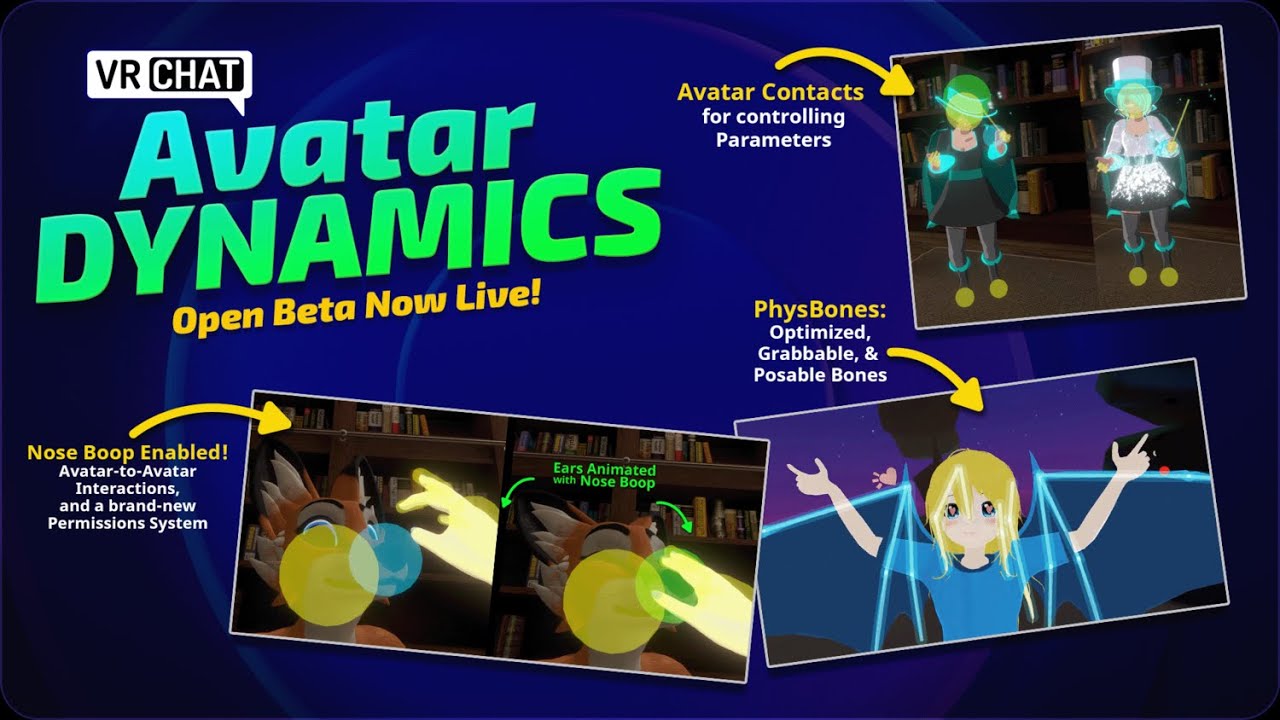
Download New SDK 3.0 PhysBones;
#open-beta-announcements message
if you have any question, feel free to leave a comment.
also lea...
hidden badge
Also am I getting 90 fps finally? Or does it not matter cuz world's create most lag?
haughty coyote
raven tartan
INSTRUCTIONS TO CHANGE BACK FROM BETA TO THE LIVE VERSION
So this is what you ...
Ahem in case your still still stuck in beta mode
frozen vessel
haughty coyote
Ahem in case your still still stuck in beta mode
Do I do the instructions on the oculus app or headset ?
haughty coyote
You have to switch back to live on the oculus app then delete the game and reinstall
Also dw you won’t lose anything if you delete vrchat
 finite stone
Helloo
haughty coyote
So servers arent working
At all like i went to a public black 5 times different server btw and nobody at all
low leaf
haughty coyote
At all like i went to a public black 5 times different server btw and nobody at ...
U in beta?
haughty coyote
Open beta yeah
haughty coyote
oh mah gawd
low leaf
Lel
Uninstall vrc and go on the mobile oculus app
You gotta download it from ur phone tho
I think
vestal parcel
haughty coyote
Wait so why can i see friends
youre froends need to be on OB to see them
if no one else is, you wont see them
haughty coyote
No i can see them just not strangers
vestal parcel
exactly
frozen vessel
raven tartan
INSTRUCTIONS TO CHANGE BACK FROM BETA TO THE LIVE VERSION
So this is what you ...
I did that still not working I’m in beta still
It’s kind of freaking me out
raven tartan
frozen vessel
It’s kind of freaking me out
If u have multiple account u have to take it off those accounts too
frozen vessel
I don’t think I have any other accounts though
raven tartan
 grim zenith
What's the next update going to add
grim zenith
What's the next update going to add
As of right now from what I know is the dynamic bones, the pens you draw with in worlds is gonna more smooth and a variety of cool ass avatars
frozen vessel
The only other one is pc
raven tartan
No no I mean accounts on your oculus
frozen vessel
Yeah I only have 1 other account on oculus but it’s the same login for my main account
raven tartan
Did u make sure to follow the steps correctly? Re-read them please
INSTRUCTIONS TO CHANGE BACK FROM BETA TO THE LIVE VERSION
So this is what you need to do
-
Go into storage via (quick settings>settings>storage)
-
Go to applications and scroll till you find VrChat
3.delete VrChat off of there and any other accounts that are on you headset
-
Once you do that Go back into the store search VrChat read the details and make sure its in the Live version and not beta and click install
-
After you do that you should be able to go into VrChat and log back into ur account via oculus or VrChat
-
Re-adjust your settings and stuff then you should be good to go!
raven tartan
Yeah u have to go into storage on all the accounts on oculus and delete it from there as well as Uninstall it on both accounts
frozen vessel
Alright I’ll try ty
raven tartan
Np! @ me if there's anymore problems
frozen vessel
Will do
 dull maple
My oculus is not working. My account wont load and neither do my games ive restarted my oculus many times and couldn't find any way to fix it
Please help
Please anyone. I dont know what to do
 jaunty mica
I miss Momma Puro-
dull maple
Please can someone help me
 hazy harness
dull maple
My oculus is not working. My account wont load and neither do my games ive resta...
hazy harness
dull maple
My oculus is not working. My account wont load and neither do my games ive resta...
factory reset, try that
dull maple
How do i do that?
hazy harness
 dull maple
Thanks
hazy harness
ur welcome. ur apps will all be deleted but u just download them again. nothing will be deleting within the apps thoigj
dull maple
Ok
haughty coyote
how do i import avatars onto my account or download the unity??
jagged trench

YouTube
 sinful folio
Does any one know how to fix my quest not downloading live version of the game
split orbit
sinful folio
Does any one know how to fix my quest not downloading live version of the game
only way to fix that worked for me was uninstalling and reinstalling the game
sinful folio
I’ve tried many times it still says I’m in beta version even when I pick live version in the oculus app
 rain fern
I made an avatar with physbones quest and pc compatible, but my quest friend only sees my fallback (my avatar is shown), how can we fix this?
split orbit
sinful folio
I’ve tried many times it still says I’m in beta version even when I pick live ve...
hmm. i saw someone else suggest deleting your save data of vrchat on quest (?) so try that if you havent
languid tartan
Anyone else using a quest 2 and link cable? Game runs great for me but the loading screens seem to self destruct sometimes, insane lag and flickering. But once it's done loading it works perfectly.
 silver ether
sinful folio
I’ve tried many times it still says I’m in beta version even when I pick live ve...
silver ether
sinful folio
I’ve tried many times it still says I’m in beta version even when I pick live ve...
Yea I have the same problem as well been trying to reinstall but still can’t get it to work
 loud vigil
jaunty mica
I miss Momma Puro-
loud vigil
jaunty mica
I miss Momma Puro-
i do too
 fringe smelt
E
raven tartan
INSTRUCTIONS TO CHANGE BACK FROM BETA TO THE LIVE VERSION
So this is what you need to do
-
Go into storage via (quick settings>settings>storage)
-
Go to applications and scroll till you find VrChat
3.delete VrChat off of there and any other accounts that are on you headset
-
Once you do that Go back into the store search VrChat read the details and make sure its in the Live version and not beta and click install
-
After you do that you should be able to go into VrChat and log back into ur account via oculus or VrChat
-
Re-adjust your settings and stuff then you should be good to go!
INSTRUCTIONS ON HOW TO GET BETA
1.Go to your oculus app
-
Search up vrchat and scroll down till you find the "versions" then click on it
And switch it to beta -
After you switch it you go to your oculus and update your game
-
It should work, the only cost is anyone who doesn't have the beta you cannot soo or hear when u join them.
 proper steppe
frozen vessel
Will do
proper steppe
frozen vessel
Will do
Did it work for you?
 signal swift
raven tartan
INSTRUCTIONS TO CHANGE BACK FROM BETA TO THE LIVE VERSION
So this is what you ...
signal swift
raven tartan
INSTRUCTIONS TO CHANGE BACK FROM BETA TO THE LIVE VERSION
So this is what you ...
Dumb question but will it delete saved avatars? I don’t want to take my chances
raven tartan
Nope nothing will be deleted
signal swift
raven tartan
Nope nothing will be deleted
Ok thank you
raven tartan
Np!
signal swift
By delete you mean uninstall? @raven tartan
raven tartan
When u unistall vrchat ur account and everything saved on it won't delete cause its a account
proper steppe
what do i do about it if im downloading it in live version and it says installation failed
signal swift
Ok makes sense
raven tartan
proper steppe
what do i do about it if im downloading it in live version and it says installat...
I have no clue, try restarting ur headset?
proper steppe
I did. Guess it wouldnt hurt to try again
haughty coyote
If i gift some1 vrc plus do i pay for them monthly?
haughty coyote
Yo
haughty coyote
haughty coyote
If i gift some1 vrc plus do i pay for them monthly?
No you pay for either one month or a year I think
What is with this OSC menu?
What is it exactly?
 jagged trench
open Sound control basically it lets you control Avatar parameters using external programs
 blazing sparrow
More info in #avatars-osc
jagged trench
typical uses including face tracking eye tracking having Avatar display heart rate
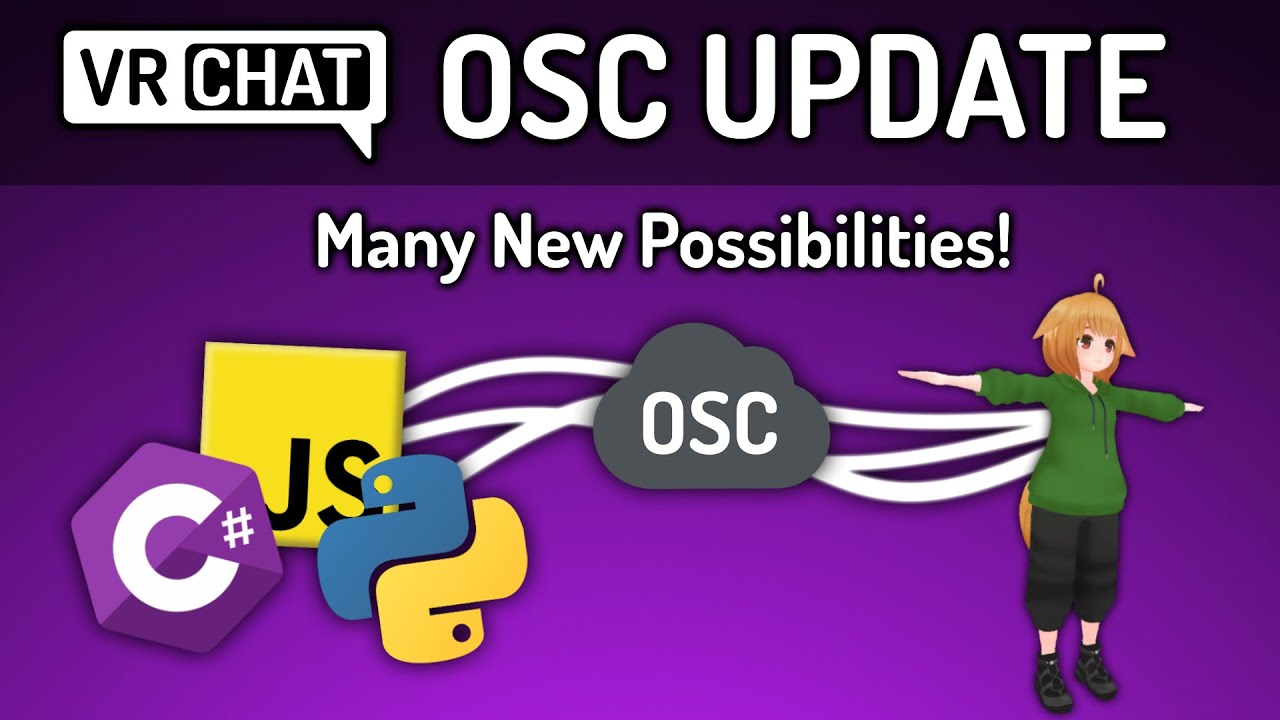
The long-awaited OSC update for VRChat has finally arrived! With OSC, you can make avatars do some crazy things! Face tracking, custom controllers, smart lightbulb syncing, anything you can think of! Developers all across the community have already taken great advantage of this new feature. Stay tuned for some future OSC software tutorials!
Ful...
haughty coyote
haughty coyote
No you pay for either one month or a year I think
No i mean like gift them vrc+ would i pay for the gift i sent them or would they?
You
Damn
I got gifted it a few days ago
;3
Ight thanks the help
haughty coyote
haughty coyote
Damn
Why did you think you could FORVE them to get vr plus?
blazing sparrow
I'm pretty sure that it doesn't even stack
haughty coyote
?
blazing sparrow
haughty coyote
?
You can't gift vrc+ while someone has vrc+
That might've changed idk
haughty coyote
Oh
 raw fractal
Anyone else have a problem with oculus rn, like I turner in my headset for nothing to load at all not games ,featured apps, the explore page ect.
 true kestrel
I can’t buy vrc+
It says there a query error
Don’t know if thats a me thing or that’s vrchat doing tings
haughty coyote
Mmmk
 fading hornet
Hi
haughty coyote
Hello
raven tartan
raw fractal
Anyone else have a problem with oculus rn, like I turner in my headset for nothi...
That happens sometimes just reset it
 late blaze
some guys can sit down or lay down how?
 neat walrus
I love the jiggle physics on quest not even laggy
haughty coyote
neat walrus
I love the jiggle physics on quest not even laggy
How do I turn them on
neat walrus
Quest app
haughty coyote
Like in settings
haughty coyote
neat walrus
Quest app
Like we’re do I find it tho
neat walrus
In vrc and in vr
haughty coyote
neat walrus
In vrc and in vr
Im in vrc right now I see no setting to do it
haughty coyote
neat walrus
In vrc and in vr
Is it the Osc thing
 sterile dove
haughty coyote
Is it the Osc thing
sterile dove
haughty coyote
Is it the Osc thing
i believe your trying to turn on avatar dynamics to access avatar dynamics on quest you need to go into the open beta which is explained in #open-beta-info
 patent gazelle
I am considering to buy an Oculus quest to play VRChat on it. Should i buy an Oculus quest or an Oculus quest 2, also i heard i need some kind of cable to play steam games on it, which is VRChat a steam game. Is that true? VR VRChat is way better than a desktop version from what ive seen
sterile dove
patent gazelle
I am considering to buy an Oculus quest to play VRChat on it. Should i buy an Oc...
The oculus quest 2 is a more powerful version of the first one and it runs vrchat without a computer but it can connect to one for pcvr games like half life vrchat on the quest is limited though compared to pc vrchat
patent gazelle
sterile dove
The oculus quest 2 is a more powerful version of the first one and it runs vrcha...
Ive seen i cant use some avatars and stuff, ive also heard that it can overheat and melt while charging should i buy careful with it when charging? if i buy it
sterile dove
uhh ive never heard of it over heating and melting
and i play with it plugged in while i play and it never gets to hot
sterile dove
patent gazelle
Ive seen i cant use some avatars and stuff, ive also heard that it can overheat ...
so you shouldnt have to worry about charging but i would get a good charger because it can still die while its plugged in if your charger is bad
if your fine with its limitations though id say get one its a great headset
patent gazelle
sterile dove
so you shouldnt have to worry about charging but i would get a good charger beca...
is there a default charger? for the headset
sterile dove
yes buts its shorter than your arm :/
well not shorter than your arm but its not preferable when playing in vr and keeping it charged
patent gazelle
alright its also good that the headset is way cheaper than other good ones
sterile dove
yea and its wireless which is pretty epic
and with the avatar dynamics on quest its limitations arent that bad anymore
haughty coyote
Hey
 left carbon
Hey 😄
So I've only been on VR a few times in the few months I've owned it. How do you record and get videos in VR? Would love to get videos in VRchat
haughty coyote
Open your oculus menu, hit the record video button
It's also a handy tool for gathering evidence on tos-violating juveniles
woven elm
How do we find people to play with?
haughty coyote
go to publics and make friends
You go around various worlds and find them. And report the kids en masse
woven elm
But I don’t like big groups of people
haughty coyote
popular public worlds will put you in media de children
haughty coyote
woven elm
But I don’t like big groups of people
gonna have to find worlds with small amounts of people or get used to the big scene
Then you might want to reconsider your choice of game. Or you can go the mute route, and just observe. Folks will respect your wishes...for the most part
I mean, that's what I do 50% of the time
woven elm
Okay thank you
patent gazelle
Also does the steam version of the game work for oculus quest 2? or do i need some quest version
sterile dove
patent gazelle
Also does the steam version of the game work for oculus quest 2? or do i need so...
quest version
cant use steam on quest without a pc
patent gazelle
sterile dove
quest version
kk, where do i find it?
sterile dove
in the quest store
patent gazelle
oh k
sterile dove
XD
patent gazelle
makes sense
patent gazelle
sterile dove
cant use steam on quest without a pc
also when using PC that unwirelesses it doesnt it? like having a cable in your pc
sterile dove
nope
haughty coyote
sterile dove
cant use steam on quest without a pc
Pardon?
sterile dove
haughty coyote
Pardon?
unless theres a way now i was saying steam games cant be played natively on the quest without a pc
haughty coyote
Yeah that’s the point….
sterile dove
patent gazelle
also when using PC that unwirelesses it doesnt it? like having a cable in your p...
you can use things like airlink or virtual desktop
haughty coyote
You need a pc..
patent gazelle
sterile dove
you can use things like airlink or virtual desktop
what is an airlink? another thing inside the quest store?
haughty coyote
Lol
sterile dove
no its a free feature the quest has to wirelessly link your headset over wifi
haughty coyote
It’s a wireless link to pc
haughty coyote
sterile dove
no its a free feature the quest has to wirelessly link your headset over wifi
You worded that horridly
But it’s free?? I can hook up to my pc?
Cuz my link is shit
sterile dove
yea
haughty coyote
And like my pc be potato
haughty coyote
Pffft
sterile dove
this is bullying ;-;
haughty coyote
Lol
dusky juniper
pretty sure u can just air link your oculus and pc lol