#quest-optimization
1 messages · Page 8 of 1
 tribal tartan

 coarse laurel
LOL

 humble canyon
probably because it's not generating a texture Atlas f or the avatars @barren condor
 barren condor
17 textures is still a lot, but I guess if it's all modular that makes sense. But yeah, they need to Atlas that stuff.
humble canyon
unfortunately checking in Avatar optimization it doesn't actually spit out an fbx just uploads to vrchat so no chance to Atlas
 acoustic estuary
They could atlas things, even if its the same method as cats auto, or they could atlas accessories and stuff manually so they arent individual
It needs alot of work but its cool for now
humble canyon
https://66.media.tumblr.com/d16a3f101207f861efee8437b1ff0937/tumblr_p8cplsr0i31x4nl8to1_1280.png as an example I thought was kind of interesting one way they keep the material count reasonable is every create-a-sim item has to fit on this UV map so that it's just one texture when you spit out the SIM
 acoustic estuary
Theyd have to rework all of their content
But it would be awesome if this was the case
humble canyon
of course that's wouldn't work too well just demonstrating that it is possible to design a character customizer with only one material
coarse laurel
LOL
barren condor
@coarse laurel Do you only communicate in one word acronyms and tenor memes?
 strong jackal
I do very much recommend reducing down poly count and trying to remove doubles. You never know if you'll get a one click massive optimization. I might as well tell these shortcuts and little things I've learned recently since it's much more convient than taking your time searching for answers which people don't always bother doing or just don't have time.
At least in blender 2.79 you can do alt + right click, to select edge loops in edge mode, press delete key and edge loops which is not hard now that you know about it.
If you wanna select multiple then just hold shift while selecting, too.
Select only every other and avoid deleting too much edge loops from near places of model that bend when rotating bones.
A quicker way to select every other edge loop: Alt + ctrl + right click. This only selects a single edge along multiple edge loops but you can easily extend the selection but first open the select menu at the bottom of the 3d view window and click on checker deselect. Next press edge loops in the same menu and you got every other edge loop selected along some faces.
Of course results vary on your model's geometry, on some uneven geometry you can't quickly delete edge loops
 left holly
if the model is made of triangle select edge loop get tricky
humble canyon
Alt-J hotkey convert a triangulated mesh back into quads
left holly
but it dont put the diagonal where it was originally so the mesh is not really the same and so the texture
humble canyon
okay fairplains but you might could do that on the arms and legs to dissolve Edge loops as those tend to be straight quads
and guess what I'm trying to say is don't be lazy and use that as an excuse to just use the decimate modifier
 thorn heart
Anyone know if a Oculus S can Body Track?
barren condor
No
thorn heart
Is there a way for sensors to pair with it?
barren condor
Your options for body tracking are: Vive Trackers, Nolo VR, Kinect.
thorn heart
So vive can pair with Oculus?
barren condor
You'd need to buy lighthouses too for the Vive Trackers to work.
thorn heart
Lighthouses?
barren condor
The base station laser boxes the Valve based stuff all uses.
thorn heart
So they can pair with oculus and they will enable me to FBT
 ebon valve
They dont pair with Oculus, you need 3rd party software to make them work together
ebon valve
I don't think so. Didn't noticed Jamie mention it
If you want full body tracking just get Vive or Index
thorn heart
That's the thing. My parent bought me a Rift S.
ebon valve
Ah you already have it
so research about what Enverex mentioned: "Your options for body tracking are: Vive Trackers, Nolo VR, Kinect."
ebon valve
Dont know what is Nolo but kinect is a camera that track your movement from the front and is relatively cheap but heard peeps have some problems with it, while Vive trackers track well and in any position but you need base stations and trackers which will cost like idk $400 maybe?
strong jackal
You'll also need tracker belts so that is another $50 or so so it is around $400. The xbox one kinect should be you choice if you want a cheap option imo. It does work quite a lot better although you still can't turn around.
 regal summit
btw this is completely the wrong group in multiple ways for oculus PC discussion
#full-body-tracking if you want to talk about that
strong jackal

left holly
always
 rare pebble
..... 
acoustic estuary
Always
 rare pebble
long as i'm not 
 rare pebble

 opal plume

 left holly
We try
strong jackal
I don't think I have really seen this types of chibi avatars on quest?
The ones you can find online are 40k tris. It would probably require to be rebuilt from scratch, right?
barren condor
Yeah, there's no way to decimate something that already looks that simple (at 40k) down to <10k without it looking janked.
strong jackal
There is a lot of hair, at least worth of 8k, head is almost 5k and then there is all the other little details.
Eh yeah, extreme decimation really ruins the blend shapes but other than that it is actually not the worst looking thing ever. Could pass as an alternative to having no avatar for quest
barren condor
Oh sure, I just meant as having it super nice looking.
I just wish decimation prioritised keeping the shape...
regal summit
Split the face out then have at it
rare pebble
if possible, the hands too
regal summit
I've managed, sacrificing hair as needed. My favorite tool is tris to quads followed by un-subdivide. It does wonders if the original mesh has topology still intact (once you use decimate you're screwed)
rare pebble
or at the very least decimate them separately
regal summit
Hands not needed to separate for un-subdivide technique because it doesn't merge by size but rather literally joins adjacent polygons so it can cut the polycount by like half per iteration depending how clean the topology is
Make sure to merge/remove doubles first of course
rare pebble
With cats decimation i just separate the hands and face and i go nuts
lately though i've been trying out merge my distance
it's retty good for small optimizations
oh my god tris to quads is literally just magic
i can't tell anything changed
what sorcery is this?
i used this on a 72,000 poly model and now it;s 42,000
barren condor
Doesn't it have to be Tris for Unity though?
rare pebble
yes it does, i'm sad again
strong jackal
But you can force quads. It's not worth of it if you can't get absolutely every triangle converted to quad tho. Quads and tris will have seperate materials forced by unity.
There is some a program called instantmesh. I've had quite mixed results with it. it's better for static models but worth a try if you're interested. probably would work better if you feed it the mesh in parts. You'll have to weight paint the bones again, too, if you want to use the lower poly model.
 glossy adder
@strong jackal https://developer.blender.org/D6059
quad remeshing is the holy grail for sure.
glossy adder


Sculpt Topology Slide/Relax
This new tool moves the topology automatically to achieve an optimal quad distribution without affecting the mesh shape.
You can also move the topology manually by sliding and smoothing it with the Slide/Relax brush. #b3d
Retweets
454
Likes
2264
 Twitter
it's so pretty
 sharp zinc
I found a avatar and I don't know if is quest compatible and i still what the items that come with it is there anyway somebody can help me optimize it and import and who ever helps me gets to keep the avatar to i don't want them to give it way because i customized it myself and i want it to be just for me but whoever's helps me also gets it to keep.
strong jackal
Holy shit that looks good but it's just for blender 79 probably. I think I might have worded my previous message weirdly, instant mesh allows generating a lower poly count version of a model with decent results.
barren condor
@sharp zinc Found where?
barren condor
Most things on there are typically very poor for PC, nevermind Quest.
 final spade
yeah good luck optimizing that one, also the website is banned from being mentioned for a reason; you could've just not mentioned it, it doesnt just host really god awful PC content but also has security issues which means that it could hold malicious content against your computer directly (and if i recall correctly, it recently also endorses outright stolen content)
i highly recommend just posting a picture of what you want and then asking for help in reproducing it accurately since that would lead to better results for everyone involved
@sharp zinc answered ur question > <
also, to skip a few steps before you respond: obviously you'll need blender and unity for any sort of avatar work, and also a photo editor for editing textures or making incredibly basic ones. you don't need to make a model completely from scratch since you can put together parts from deviantart, and there is plenty of tutorials for that on Kareeda's channel, as well as for getting the avatar into the game itself
other good sources include the official VRC documentation, the old ass tupper MMD tutorial, and this server and other avatar-related servers for asking questions. check pinned messages throughout these chats, the community chats of VRC traders is also good for getting advice
lastly, heads up because these numbers are important and will make more sense as time goes on: keep your quest avatar under 10k tris (7k tris ideally), 1 mesh, and 2 materials. On PC, you can push for 70k tris (30k ideally), 2 meshes active at a time, and 4-8 materials
rare pebble
can we talk about the world "I'm really trying" speaking of that website
it's a quest world full of stolen content from the vrc site and none of it is optimized
most have 70k or so polys and 15-30 materials
and everybody uses it because it's full of cute anime girls
He even stole my girl Poppi qt
It's like he just took literally everything off of the website, changed everything to toon lit, and just uploaded to android
and by everything i think this world has a few hundred
barren condor
@rare pebble That sentence really confused me until I realised "I'm really trying" was the name of the world
rare pebble
the name of the world just makes it all worse
like "no you aren't trying, you stole everything an ruined the game"
somebody said the website name
barren condor
Hmm, I can't even post the world description because it contains a banned phrase lol
barren condor
The description is "It's all from (naughty website). I just made them quest and pc․ I have no life lol․ Now with a little bit of kinky"
rare pebble
mmhmm
quality over quantity man
quality of quantity
i think this one world is responsible for at least 10 percent of all very poor avatars
ebon valve
That is some achievment
barren condor
Mine's been reported for "poor performance" because I'm still mid-way through optimising the Quest avatars. They're over the prim limit, but they're all 1 mat, 1 mesh, etc. I'm currently going through and bringing them all down to within the recommended prim values.
 toxic hollow
auhhhh
keep forgetting thats a naughty word
i have a few quest users added that have started making avatar worlds that are without a doubt filled with avatars ripped straight from [REDACTED] with no optimization whatsoever
makes me sad
tribal tartan
Oh that world, literally even has anime avatars using the standard shader
That's a bannable offense.
rare pebble
it's standard literally so that the cheeks can be transparent
all in all i think that website has ruined the game
screw the > 10k culling, i would be completely fine with a culling of all avatars with > 5 materials
then maybe a 50k culling
tribal tartan
that makes no sense, you can literally use any toon shader with transparency settings...
and quest standard doesnt do transparency on avas afaik
rare pebble
not on quest?
you can't do transparencies on quest without a modified SDK or using the shader glitch
strong jackal
Holy shit that sounds horrible world. It's more like they are trying, to intentionally ruin everything.
rare pebble
anybody have a link to the world so we can report it?
i can only find it in game, nowhere on the vrchat website
regardless, please report the world "i'm really trying" if you find it on the worlds list.
barren condor

It's all from VRCmods I just made them quest and pc․ I have no life lol․ Now with a little bit of kinky
rare pebble
thank you
oh, i guess you can only report in-game
just to rub salt in the wound it was created on 9/11
barren condor
Haha
tribal tartan
it is stealing
 hoary ivy
what
humble canyon
several of the models posted on there includes paid models so yes that is stealing
strong jackal
It's definitelly not worth of it keeping the world and avatars, the cost of one person's time (which was questionably spent) vs everyone suffering for hundreds, thousands, countless hours, potentially as for long as vrchat exists into the future is not worth of it. It's shitty to force people either block the avatars and ruin the social experience or make it unplayable by freezing everyone's hardware. Your average player probably won't care or know how bad their cute avatar is and it ain't simple to change people's minds.
barren condor
@teal oasis People using badly made avatars affects other people's performance, not just the person using the avatar. Telling people to "make their own" doesn't solve that issue at all.
Also the person that uploads something to VRCM is almost never the person that actually made it. You don't really seem to know much about that site or VRC itself to be honest.
rare pebble
^
final spade
that on top of [that website] supporting stolen content and also being potentially vulnerable to malicious content of any kind not limited to vrc
nobody should really be using it in any case
 teal oasis
Yeah, ive seen quest users thankful that there are more quest avatars, talking about having to show avatar option with every avatar is literally every quest model besides the default list.
barren condor
Well, not really. Chances are that if they removed the world because of the avatars, they'd also remove the avatars.
And it's nothing about "white knighting" but the technical complications. Do you want to actually think about the impact these things have?
teal oasis
The heck? When did i edit
sharp zinc
Either way vrchat is %90 stolen shits, so why does it really matter honestly. People steal avatars all the time but no one really cares.
That is why so many creators leave vrchat.
tribal tartan
We're not talking about someone downloading an MMD model of a copyrighted character and turning it into an avatar
We're talking about people selling avatars for VRChat (Usually on booth.pm) with all the resources included for either readymade uploads or customizing. Getting ripped and put for free on this shitty malware-ridden website.
THAT's what's going on.
 desert veldt
i never seen a booth model on that site
i've seen one model using a boothcat head, but that's all
tribal tartan
they usually get taken down, but it happens
desert veldt
..so people upload all kinds of shit to places used for asset sharing and it usually gets moderated when it's not supposed to be there. terrible site indeed.
regal summit
... this conversation keeps going on and on. at some point this should move out of the quest-optimization channel
sharp zinc
Why does it matter, so many stolen stuff on vrchat anyway.
humble canyon
because the stolen video game stuff the artist already got paid their salary and most of the nmds are free to download anyway so we're not stealing someone's lunch money like you are by hosting paid models for free
any who can we drops talking about it being okay to steal from independent artist and getting in the way of their livelihood
rare pebble
Nobody's profiting off of Simpsons hit and run anymore, but paying for that college student's anime character will buy them their lunch for that day
humble canyon
^^^^^
 tribal path
Guys, there's something called "defending your copyright". When game companies have to do occasional stuff like, say, filing a DMCA notice to someone selling a homer simpson avatar somewhere (just a random example), they do that because they have to. If they don't systematically defend their copyright, they lose it.
That's why there are arbitrary cases of takedown notices, even with small examples of distribution.
It's also just plain a dick move to take someone's IP and sell it. It doesn't matter who got paid already. It's theirs, not yours.
That "trying" world is awful in many ways lol. They have "Quest" avatars that are 50k polygons, it's such garbage.
Honestly I think when VRC's market comes into play, companies like Adult Swim should put up a shop where they give away some free avatars and sell others
Then that advertises the series and reinforces their brand. They make game content anyway.
barren condor
No, you don't lose copyright, you're wrongly thinking of Trademarks.
barren condor
A character typically won't be trademarked though, that's for names, slogans and such. Copyright enforcement is entirely up to the copyright holder. But I agree that it's a dick move to sell or otherwise profit from someone else's work.
tribal path
Yeah. It's also sometimes an inevitable occurrence that these larger companies come to the metaverse and enforce that protection with a DMCA. The owners of Babylon 5 once enacted a takedown of some roleplay sim in Second Life for that reason.
Even though it was fan content, it all got zapped.
barren condor
That's just a dick move by the copyright holder in that instance. They're basically actively attacking their fan base at no cost to themselves (a fan base which would have been keeping interest in their IP alive in the first place...)
tribal path
I agree. It hurts them more than it does help. But then again, companies sometimes don't want anything to do with a particular game either. So sometimes they make that move out of image concerns.
Adult Swim should definitely put up a world and a shop though, I think VRC is the perfect place for them to do that. It's right in line with their image. It's a bunch of weird wacky shit.
hoary ivy
Don't give them ideas, they might make a legit Rick and Morty world and it'll go everywhere
tribal path
hahaha
tribal tartan
Well I eman, didn't Justin Roiland literally play VRChat?
barren condor
He did, a few times
glossy adder
lots of famous folks play vrchat
deadmau5 actualy used vrc for a live intro by justin if I'm not mistaken a couple of years back during new years concert? something like that

 shut dagger

 sudden owl
Why vr180 video in quest is normal, but vr360 is very large? people look like gaints.
regal summit
@sudden owl this topic is not related to vrchat. Please move to #quest-general or random
sudden owl
ok
 fading elm
why it say that i have so much materials?
it say 19 material
it count also the item puted on animation dummy avatars?
barren condor
Everything under "Avatar" on the left, assuming that's where your descriptor is.
fading elm
wait
here there is the vrc descriptor but i see 12 material on avatar
plus 2 innactive sticks
barren condor
Are there other objects on the avatar though with their own materials?
regal summit
that's a lot of materials right there
fading elm
sec
fading elm
barren condor
There's 13 on the avatar, I assume their question is where the other 6 are coming from. I'm guessing it's objects they've added to it in Unity.
fading elm
i got this on left and right hand
regal summit
yeah if you have extra objects those will all count
fading elm
that is part of animations
regal summit
is this intended for quest?
fading elm
nope
barren condor
Why are you in #quest-optimization? lol
fading elm
ops
regal summit
ok, got confused by the channel, because there is no way you're going to get a model to work on quest with so many materials lol
fading elm
i just read "optimization" sorry
regal summit
anyway you should consider combining some of your materials. If you have effects, even disabled objects will count
you can mark some objects EditorOnly if they are for testing and not intended for upload
fading elm
yeah i know using cat tool
regal summit
particle systems often count as 2 material slots depending on what you do
even if disabled
regal summit
you have a lot of material slots probably?
you didn't show the > Materials section of the Skinned Mesh Renderer on Body yet
what shows there on the material count
barren condor
Good god man, go back to Blender and atlas most of your materials.
fading elm
ooo
i see the same material
for ears and tail
also face
yeah i tried to do that but it break all animations
maybe because i should don't use translate i think
thank you for the advice anyway :3
i use the same material so 1 atlas
rip
barren condor
Reset pose in the rig.
fading elm
i got it, but i have to dont click "fix avatar" when using CAT
because it delete all dynamic bones ecc
argh
so i can do it without destroy stuffs?
barren condor
Yes, don't click Fix Avatar, lol
fading elm
yeah but i tried it and the bone are gone like
i have to avoid to translate the stuff too?
barren condor
If you're just atlasing then don't touch anything other than the atlasing functionality.
fading elm
yeah just atlasing
oh it work well without remap too
now what about the bones?
it say 298 bones
 lyric knoll
@fading elm if u dont want cats to remove bones. On the fix model settings make sure only join mesh is checked
U can try merging bones for your 298 bone problem
Under model options. Theres bone merging
Cats can merge adjustment and helper bones connected to its parent
Lets say your..
Left arm
Left arm adj 1
Left arm adj 2
Left elbow
Selecting those adjustment bones and hit merge bones in cats.
Cats will merge those bones and its weights as best it can to its parents
I normally do this for xps models face bones after manually posing and creating visemes and expressions. To turn down bone count
fading elm
Thank for the suggestion anyways the automatic one from "fix model" from mmd worked great
 ivory mural
anyone know how to fix aliasing? I upped the anti aliasing in project settings, and tried mobile shaders.
barren condor
That's a client issue rather than an avatar or world issue
and nothing you can do about it, that's just how the game looks on Quest
sharp zinc
Is Open Mic everr going to come to the quest?
acoustic estuary
Not in its current version, i doubt it
barren condor
Also it's designed for large groups, where as Quest map size is supposed to be around 10 or less.
humble canyon
that's also kind of why the great pug West is smaller
sharp zinc
oh i see thanks
 viral iron
So is link out or what?
barren condor
Unofficially. You need a newish Nvidia GPU though. It technically works with other cards but with more latency.
 plush burrow
😨
 round parcel
So how will the link work? Will we be able to finally enter PC only worlds or will we be locked to Quest only worlds still?
 magic viper
The link puts you in PC mode
barren condor
It works entirely differently, you launch pc games instead on your pc.
 quasi harness
At that point you dont actually use the hardware in the quest to run your games. It only uses the quest as an output device. So you need a vr ready pc to use the link
 versed stratus
what do i do for a texture that needs cutout since none of the shaders support that?
humble canyon
you cut it out of geometry
versed stratus
im not sure what that means
left holly
✂️
regal summit
vrchat officially announced plans in a dev stream a few months ago to make some system for displaying PC avatars on quest, even if not up to their full fidelity
but no details have been announced, and if I had to guess, they haven't started working on it because they are focused on unity 2018 upgrade and Udon
humble canyon
that would be even worse as then they would have no correlation to their actual Avatar as you couldn't include the picture
rare pebble
The best option would definitely be at the very least change their size to accurately reflect their eye level
I hate staring above a loli's head
BTW, if anybody's interested, I made a GIF of how to properly decimate an avatar for quest
Given it's Atlased and under like 50k

Google Photos
tribal tartan
put it on streamable smh
rare pebble
Man idk how to do gifs properly
barren condor
Just use OBS instead
rare pebble
I wasn't planning on making this, it just kind of happened and now I own a gif
I'll probably upload a quick tutorial later
tribal tartan
I wanted you to put it on streamable or whatever cause I literally can't see the fuckin thing without doxxing myself to you
rare pebble
boop

A short tutorial demonstrating on how to keep your Vrchat avatar optimized for Oculus Quest instead of just porting the PC one. Ignore the squeaking in the b...
full tutorial
for easy quest optimization
regal summit
rare pebble
I can improv why stadia failed and how it could've been perfect but the second i'm being recorded i turn into a stuttery mess
magic viper
We still appreciate the guide, thank you
tribal tartan
pretty sure there isn't actually a limit on how many stations you can put on an avatar, even on quest
rare pebble
Just make sure to actually delete the chair meshes vs making them invisible
i know somebody who just puts an invisible shader on them
i cannot fathom how you could be so hard headed to optimization
tribal tartan
oh god
barren condor
Haha, classic.
sharp zinc
Beautiful
 wide ridge
Actually there is a station limit, can't remember how high it was, but trying to make an avatar entirely out of chairs won't work, personal experience
 green tree
6 stations is the limit
final spade
so im currently learning normal retopo but what would be good practice for mobile retopo?
i already have an idea of how to set up animation deformations
just unsure about the uh... "following the shape" part or whatever
ive seen some high quality models where thats completely forgone in favor of really big quads like the 3k tri sonic-miku avatar
humble canyon
I would suggest looking at wireframes from mobile or even PS2 era game models for some ideas
strong jackal
I haven't really seen any quest optimized nanachis, the models I find are about 20k tris. I could get it down to 13k without touching any triangles of face that are affected by blend shapes. I guess that means I gotta ruin the blend shapes and create few new ones. (sigh) Not sure if it is reasonable to get the face mesh from 5k to 2k tho. And that would just be one variant of the nanachi done. If I'll even bother doing this one. There is like 10 different parts...
tribal tartan
you can use limited dissolve on parts of the face
 cosmic tulip
@sharp zinc The creator of the Open Mic told me He will Work on it in the near Future. Probably once 2018 is live. His Maps are highly optimized so I guess it wouldnt be a issue. Rio is really great at reducing drawcalls tho. Dude is pretty chill
Just Met him 3 days ago
Ohhh shoot. I think I'm mixing things Up again lol. Isn't it Quest compatible already?
sharp zinc
@cosmic tulip woah thanks for responding back in such a long time haha...
ebon valve
If I add 3d objects in Unity (like cubes) and disable their mesh renderer do they add poly to the overall polycount of the world?
tribal tartan
afaik worlds don't have a polycount
you COULD upload a 2 mil poly world, itll perform like absolute garbage and get reported out of labs for performance real fast if you do labs it. but you can
Also, if the mesh renderer is disabled, it wont render, simple.
finally: if there was a polycount, it would be based on visible polys from the profiler, so disabled mesh renderers wouldnt count
ebon valve
I see, thank you. Does it also apply to Quest worlds? I read 50k is the poly limit, or is it just recommended number?
humble canyon
recommended number and you probably shouldn't as far as how much stuff you allow on screen at once
ebon valve
Ok tis good to know that I won't have to cut out some stuff or try baking more details on normal map just cos I'm little over limit. Hopefully when I'm done this little won't be much more over what is recommended.
 blazing drift
hey guys wanting to decimate my avatar to be quest friendly too what poly count can i reach and people will still see me no need to show avatar manually
barren condor
Below 7500.
blazing drift
oooff at 9980 it looks pretty bad 7500 why do some see me and some dont then now
barren condor
You can change your safety settings to show "Poor" rated avatars (7501 > 10000 tris) by default.
It's Medium as standard.
blazing drift
ahhh damm those number are small but not too absurd they are close to old vrchat
 shadow sigil
thanks
barren condor
I'd use #vrchat-general-1 if it's a general headset question.
 wheat mist
hey i made a quest available world, and quest users can only see out of one eye, how do i fix?
regal summit
@wheat mist make sure you do not use post processing. Make sure you do not use any shaders which do a GrabPass. Go through all your shaders and change them to standard if unsure
Almost certainly some problem with shaders at any rate. For example, many water shaders are not quest compatible. Check the pinned messages in #world-development for a prefab database and look for a quest compatible water shader
barren condor
Make that the mobile standard, not just standard else the SDK will still complain.
 undone locust
I'm attempting to make a PC avatar available for myself to use on quest. it's my first real experience with unity. I can't upload because of "Hidden/InternalErrorShader" and can't find anything online as of yet. all of the shaders are vrchat/mobile/something
anyone have any idea what the issue could be or how to fix
tribal tartan
In the avatar prefab is there anything else besides the main body mesh?
You might also have dynamic materials
 lethal barn
Hey guys I’ve been making avatars for a while but not quest ones. I have a model I wanna try to convert to quest. Anyone have any links or guides?
undone locust
might not be the best introductory video as I was learning for a little bit before I came across this video so had some understanding of both unity and blender but I found this to be the biggest help
it's about importing from blender to unity but that might be the most complex part about it
most important quest requirements are under 10k tris/polys and 4 or less materials. just decimate when he says to skip it and combine the material atlas however you like as long as it fits within the limit

I'm going to be making more like this, so subscribe if you want to see more!
Keeping with the tradition of making things as easy and straightforward as humanly possible, here's my updated tutorial for January of 2019.
Feel free to pause me as you go along, you'll probably hav...
@lethal barn
oh I reread your question
if you've been making pc avatars all you have to do is switch to Android build in unity with ctrl+shift+b and the sdk upload screen will tell you what you need to do to make it quest ready
lethal barn
Oh awesome thanks so much!
 robust current
Im trying to make a quest avatar world but im having trouble working with the shaders vrchat allows you to use. A few of the materials on my world and avatar require the "cutout" mode you find on standard or poiyomi. which mobile shader and settings can i use to acquire the same effect?
regal summit
you cannot use cutout on quest avatars, no way around it that I'm aware of
you can do small transparent bits using particle shaders but it won't write to z so it will look messed up if you apply it to the whole avatar
Other than that you'll need to go to blender and use the knife tool to cut bits off your mesh around the transparent parts in the texture
Regarding worlds, those can use any shader that is mobile compatible. However, there's no point showing avatars in a world with a shader that is not allowed to be used on the avatar itself
robust current
looks like working with the quest is a no from me then rip. Already having trouble trying to get avatars from 40k tris down to 7000
regal summit
it's a massive challenge. and 7500 is the target number of tri
anything that you're using cutout for, either bake skin color below it, or delete those polygons entirely and see if it looks ok
you have to make massive compromises
like I decimated the hair on one of my models to the point where it was visibly flat in one place and wasted an hour trying to get things to line up roughly where it used to be but I was never happy with that one. it's still the avatar I use the most
but yeah since hair doesn't have dynamic bones it is still one of the best ways to cut polys, just select the hair and decimate and let it do its thing
if you can get clothes to perfect quad grid (have to do this before any decimating) then you can select parts with quads and first remove doubles (merge by distance in blender 2.80+) and do un-subdivide, I always do it with 2 or 4, and it will cut polys by 1/4 or up to 1/16 on parts you select while keeping weight painting as good as possible.
those are mainly the tricks I do. but I've never attempted a TDA style model with more than 20k polys: those are roughly impossible without doing the face and losing visemes.
most of the ones I have tried started out between 10-20k so getting them down to 7.5k was possible
(so I think you need to decide if you're ok losing visemes and decimating the face)
robust current
I guess I gotta wait for next gen mobile VR to come out or something. The world wasn't so much of a problem, was just having trouble with flowers not translating well to the mobile shaders, but the limitations for avatars completely kills my theme since the models are TDA based with anywhere from 40-80k tris
regal summit
flowers are in the world, so you can use a cutout shader... you would need to test this. if the flowers are dense this could suffer from overdraw and kill performance. if they are sparse: a few here or there it should be ok
but yea you need to come up with a replacement for TDA, or just make it a hangout world for quest users with no avatars
rare pebble
@robust current could you send me the avatar? I might be able to get it down for you
im good at using cutouts and getting tris down
also, i wouldn't worry about hitting 7k as much as hitting 10k
since polygons have little impact on performance, and 10k is the max allowed before you hit very poor
 shy sedge
Hey all, so I found this one avatar model I'd like to have, but I'm new to VRChat and have literally zero experience with modeling and creating worlds. Would it be possible for someone to check the model and see if it would be possible to add it into one of your worlds? Can't post a link here but I can DM it if someone's willing to check it out
toxic hollow
you can try it
shy sedge
I don't even know where to start. The official docs are written in a way that assumes the user already knows what they're doing, which I don't. And my laptop is extremely weak, I doubt it could even handle development in Unity
tribal tartan
if it runs discord, it runs unity
unity itself is pretty lightweight, it depends what you put in it
 bleak jay
Hello, little question.
nvm i will read for the pinned message in case my question is there lol
ok i got my question now
We need to use the shader mobile Diffuse for quest avatars
but they have no alpha
is there a way to make that happen? or i need to rebuild the avatar to not use the Alpha?
bleak jay
OKidoki, deactivating everything
 fair nova
@sharp zinc is it a VRChat account, or an Oculus account?
 teal berry
So where could I find the model that I need to optimize?
left holly
What a question. Need more context
teal berry
Well how do I put this model into the snk(I think that's what its called) into the project? It's my first time
shy sedge
Hey all. So I just used the "Mesh Simplify" script to get my model from 8900 tris to 7500, but when entering the VRChat SDK builder it says that the script will be removed by the builder. Does that mean the builder will upload the 8.9k tris avatar or the newly created 7.5k one?
regal summit
no, it actually modified the Mesh slot in the SkinnedMeshRenderer (notice that the Mesh slot is bold) so it's ok. you can remove the script and you'll be fine... maybe first duplicate the avatar and disable it
Does that script keep blendshapes intact?
I've gotten too scared of automatic decimation but if it works that's pretty cool
shy sedge
I'm a bit 3D-model-terminology-illiterate, so I have no idea what you mean. This is literally my first ever time doing stuff with 3D models. I just found this plugin via a Google search and it seems to do the job fine haha
regal summit
duplicate the while avatar with ctrl-d, uncheck the duplicate... or save a backup of the scene
and then click the gear menu to the right of "Mesh Simplify (Script)" and remove component
and same with Simplifier?
shy sedge
Oh I got that part, I didn't understand what you meant by does it keep blendshapes
shy sedge
Where would I check that?
regal summit
BlendShapes inside of skinned mesh renderer
but I don't see it, so I think the visemes might be gone
 fresh rampart
Can someone help me optimize this spike spiegel model I got?
Dm me for me info if you can
sharp zinc
Hiiii
 vague spear
Hello could someone help me?
regal summit
are you working on content for quest? Please ask your question, don't ask to ask
vague spear
Well I was trying to make an avatar quest compatible but I ran across a problem
 weak vessel
the thread is in #avatar-quest for those curious of the issues
tribal tartan
dont use 32k textures
weak vessel
you can reduce texture size by clicking on the texture in unity and adjusting the max texture size in the import settings. You can also crunch compress the textures
 dim solstice
this is pretty bad i guess?
 autumn violet
Bake your lighting if you are making a world for quest
dim solstice
well... i try to do a replica of my real place....
and some of the models i found r bad...
autumn violet
Oh yeah I can definitely see that
But if you haven't done occlusion culling you should do that as well
dim solstice
like this shit along is like 200k...
i only made one room yet and it's already 700k
so idk if occlusion can help much...
autumn violet
Yeah if it's just one room right now it wouldn't
dim solstice
can this survive normal pcvr?
autumn violet
If you baked the lighting and did everything else it should be
dim solstice
k...
autumn violet
Hard to say since those pictures don't show me much of the world
dim solstice
guess quest dev is like console dev, have to super optimize...
autumn violet
More like phone dev 😄
dim solstice
world is not big at all, only built my bedroom, like 4x3m
yea... quest use phone processors
man maybe i should just do a normal low-poly place
autumn violet
You could also learn retopology and atlasing materials
dim solstice
that's too much for me, i only want to do this one, not very interested in world building in general
i may learn some basics to help me importing avatar models
anyway... i'll finish it and have someone give it a try
autumn violet
Good luck don't explode someone's quest now 😄
 tepid cedar
does the textures show in unity when you changed the build settings?
quasi harness
@dim solstice its less about super optimizing and more about optimizing at all. 200k polys for a fan is insane, you will never need that much detail on a fan lol
humble canyon
that is complete and utter Overkill
dim solstice
i know.... i just want it to look exactly like my real one. i think a lot details can be replaced by simple geometry+normal+tecture and should look fine, but idk how to do that
glossy adder
@dim solstice do you know a little blender?
new blender 2.82 has quad remesher.
with nice even geometry like that it would work extremely well
dim solstice
i know nothing blender 😦 but i can learn if i really want to
glossy adder
well, you know what normal maps and simple geometry are, so I feel you could learn. Blender 2.82 is very user friendly
in here is a remeshing function, for example. You can create a normal map from the high quality model to the low quality one too, and even just blender's default decimation tools can help a lot
but, this video has been pretty good

Thanks for watching! Please don't forget to subscribe to this channel for more Blender 2.8 & more tutorials like this one!
In this Blender 2.8 Tutorial #1 I cover:
- How to get Blender & System Requirements (1:23)
- Blender 2.80's new splash screen and 'Quick Setup' settings...
anyway, the point is that a quest world should try to be under 50k polygons and not many materials, so that's a ton
and if you do get into it:

Ceiling Fan in Blender, BLENDER 2.82 TUTORIAL
This is a Blender Tutorial video for beginners which teaches how to make a ceiling fan in blender 2.82.
 marble swift
I made a world, but it seems people in VR tend to drop frames, but PC users are fine.
autumn violet
VR is always gonne be more intensive because everything needs to be rendered twice basically
Need to optimize more if that's happening
humble canyon
and also the VR users are rendering at a higher frame rate
 vernal rover
Hello guys, i just published my first World but im having troubles making it for the quest. I have everything right except for my verts and tris. My question is does anyone know how to lower you're verts and tris? And if thats not the problem how do you switch it from standalonewindows to oculus quest compatible? Thanks for all the help
rare pebble
Hi! You could try a few different decimation algorithms to try and get your tricount down. Also, just upload it while in Android mode to upload it to quest.
weak vessel
make sure you use the unity profiler to check your draw calls. Also make sure you don't have any shaders that use grabpass.
vernal rover
@rare pebble thank you, I forgot to switch it over to android 😝 appreciate the help!!
@weak vessel awesome advise!! Im looking into the profiler now! Appreciate the help!!
magic viper
Hey @rare pebble, a long while back now you created an avatar that was Scooby who had a stand that was Shaggy (or vice versa) and the stand was animating. At the time I remember you looking into a way to get the stands animation on the main animator so you didn't need 2 animators for the Quest avatar. Did you ever manage to make that work, and if so, how? One avatar I created has a propeller on it that is supposed to spin constantly and I have no idea how to incorporate that onto Quest with one animator.
 ebon finch
 fervent warren
left holly
Better dead then
tepid cedar
what is the best way to lower the polygon count without losing too much detail? 5000 or 10000 polys is really hard to achieve without some weird things happen to my mesh
 dim cradle
Decimate by small steps until you hit the sweet spot
But depending on mesh it might be impossible to go below 10k without ruining the detail
final spade
@tepid cedar its time for you to learn retopology
As well as UVs, skinning, weight painting, and making shapkeyes, because doing retopology will also force you to re-do all of those for the new mesh
But once you learn it you can basically retopologize anything for any platform for any purpose and get any level of detail you want
glossy adder
in a few quick steps, your results may vary, but you can lower polycount in a few new ways.
in blender 2.82 there's something called the quad remesher.
first,
Ideally, you should know how to use cats and get your model one mesh and one material
there's tons of tutorials for that.
Separate by "shapes" in CATS.
then, shift+d to duplicate your no shapes model and armature in blender
select the duplicate in object mode, then go over here:
click there, then click here:
you probably want settings something like this
Maybe even less faces if you can.
glossy adder
AHH I got busy then never finished this tutorial. : then, bake from the large one to the small one!
following this tutorial

Baking your rendered high poly to a low res game mesh is super useful, but a little confusing in blender. Here's how you do it!
my twitter: https://twitter.com/gamedevfred
then attach your model again.
 neon rock
I want upload for Quest
neon rock
Umm...
 heady wing
It's a transparent shader, don't use it unless it's a particle.
neon rock
I thought I could use that shader in "VRChat/Mobile".
heady wing
It is a particle shader. Not for use on models. It is also new and probably wasn't marked as 'quest compatible'
neon rock
OK, I use other one. Thanks.
 whole river
So i was making a world. On pc it looks fine but when i log on quest an entire area around the player looks completely dark and stuttery, i suppose it is a shader issue but I'm using the standard one.
Wherever i walk, this dark area seems to follow me around. And when i walk away from it, the original area seems to go normal again. It's just as if there's a constant dark area around me
vague spear
Could anyone here give me good tips on trying to reduce the size of an avatar because I can't figure out what is causing my avatar to have such a big file size
vague spear
@sharp flume Do I scale them down in unity or?
 sharp flume
yep
vague spear
ok
sharp flume
How much ?
You have 17 materials so it's not surprising
You should have one texture instead of 17
vague spear
@sharp flume I decimated my avatar once and its sitting at around 60 MB
sharp flume
The materials are the problem then
look into atlasing
quest is meant to be very simple
 fringe plume
all models even ones that arent big are saying there too big
its saying it about models ive uploaded previously to quest
i dont think quest models are being packaged properly
vague spear
So it could be an sdk issue then?
fringe plume
yeah thats what im thinking
vague spear
perfect
fringe plume
and when i tried using the new sdk it turned my textures white so i cant even try that
vague spear
I hope the developers know about this because I need this to be fixed asap
vague spear
I uploaded an avatar and it seriously told me it was 100MB and I was like there is no way its that big
fringe plume
its definetly a packaging issue
vague spear
yep gonna go contact the developers
fringe plume
i compressed all fuck out of the textures and the model is no where close to the fifty mb it says it is
vague spear
yep now for sure its a packaging issue
vague spear
oh sweet
Yeah I don't think we were ready for a new unity version update. should've done more testing before rolling this out
fringe plume
yep
 hallow sandal
^ I had the same issue with the file size I tried using the old Unity and it didn't do anything? I might try again later but it's rlly weird because I put a empty object and put a avatar descriptor on it and it still said the file size was to big
sharp flume
Try a new project ?
hallow sandal
I think like 50% of my unity projects are now me trying to get my avatar uploaded lmao, but it's allways worth another shot (I'll have to do it later because it's about 3 am for me) I'm also going to try re installing the new sdk and see if that might make a difference at all
 silent delta
man i think they should optimize the game more becuse it keeps on crashing on quest even do the worlds are quest compatible
left holly
not all world are made the same. quest do not mean optimize for low end platform.
as you saw with avatar. not a lots of people will take the time to optimize as simply merging textures, mesh, materials on models. Image a world with multiple objects, triggers you see the picture.
its not rare to see avatar bigger then my entire map in term of resource.
sharp zinc
Be on tonight for less than 1 hour and crashed more than I can count. The menu kills me and causes blackscreening
So much stuttering on screen even in vrchat home it bad
So much is wrong for the quest version one other thing that has been a problem but has gotten severely worse is starting up ur cam is further in front causing players to go invisible
Almost everytime on launch the cam will do this
Tonight has passed any frustrations I had in the past and doubled it
sharp zinc
Omg at this point it's almost unplayable crash after crash
I can't stay in a world for long at all
 high bridge
Anyone else can't launch vrc?
sharp zinc
Yeah, the crash is irritating, especially over the last days. Me and my friends can't even chill with three of us without randomly blackscreening 😒
 thorn comet
Are there any other social VR games you could try in the meantime?
sharp zinc
I don't know
strong jackal
Altspacevr and recroom. They'll be a different experience than vrc in terms of content there is and the people you meet. Altspace has more mature people, recroom has more young people. Don't know much more than that tbh.
 silver viper
it has actually been functioning pretty alright for me
as far as vrchat on quest goes anyway
 cedar ermine
Has anyone faced an issue where vrchat takes you into empty worlds even though you selected populated ones?
left holly
sometime the number is not update in real time so everyone e is gone by the time you saw the real number
but if you load two time the map. its maybe full
 median dagger
I have that same exact problem .-.
sharp zinc
i uploaded an avatar with 20 materials '-'
left holly
shame
 modern heart
Hey all! I’ve been having issues where my screen goes black upon entering a world, also having issues of being kicked out back to my homeworld.
I see everyone else is having the same problem as well.
heady wing
Shrink textures.
dim cradle
This is problem with 2018 LTS FBX importer, go to model settings, set normals and blend shape normals to import, normals mode to legacy and recalculate tangents in legacy mode
If that doesn't help disable mesh optimisation and set your build system to internal instead of gradle
Generally avoid gradle if at all possible for VRC
sharp zinc
chenging it to internal fixed the issue for me
dim cradle
There you go
Gradle is meant for building standalone APK, don't use it for VRC bundle
 pastel needle
I have the same problem but my MB is much more higher.. It used to be about 52 MB, but when I did what the chat above recommended.. It only went higher.. Help..? 😅
heady wing
Does it have lip-sync (blendshapes/shapekeys)? @pastel needle
dim cradle
Set blendshapes to legacy as well
pastel needle
lip-sync I think so?
and I'll try that
I set blendshapes to legacy and it hasn't change
regal summit
@pastel needle That size 64MB is normal for a mesh with Legacy Blend Shape Normals unchecked, so I would check again:
The size should have gone down after setting checking Legacy Blend Shape Normals in the model tab of the fbx.
can you report the size after checking legacy blend shape normals?
add an empty game object or make a small change to something within the avatar so it is forced to re-package it
if not, how many textures do you use. You would need something like 20 4k textures on your avatar to make it that big... or a single mesh with legacy blend shapes unchecked :-p that's how utterly insane the new unity 2018 defaults are. like wtf
dim cradle
Also if you tried to build with gradle before switching to internal there could be leftovers being bundled, clear the cached and temporary files from project
pastel needle
The size still stayed the same if this what you mean?
dim cradle
Did you switch the build system to internal?
sharp flume
How many materials do you have Jade ?
pastel needle
1
sharp flume
Have you tried reimporting it since you changed the settings ?
Right click on it and reimport
pastel needle
Let me try that..
Well... actually.. I deleted everything.. going to try restart on unity ^^;
pastel needle
I've checked Legacy Blend Shape Normals, it stayed the same.. I added an empty game object, it still stayed the same.. I only used 1 texture.. The building setting was in internal, still the same... Cleared the cached and it's still the same.. I tried reimporting, still the same.. 😅
sharp flume
Is your texture 8k ? Only thing I can think of
pastel needle
They are 8k?
sharp flume
Your texture is 8K resolution ?
pastel needle
is this what you mean..? Sorry Im not good at these things.. 😅
sharp flume
oh god
pastel needle
? xD
sharp flume
That's the highest image resolution
pastel needle
Oh..? Was it suppose to be lower..?
pastel needle
how do I do that? 😅
pastel needle
I manually decreased it to 2k and assigned the material to it, but it's still 52 MB in size..
nvm I just forgot to Build and Publish it, it worked, thank you for the help :D
pastel needle
I'm having the same problem again..
I already tried:
- Checking Legacy Blend Shape Normals
- Added an empty game object
- Clear the cached
- Building Setting on internal
- Reimported it
- Put Normals to import
- Tangents on Calculate Legacy
- Disabled mesh optimization
- Resized the texture to 2k (The texture is 2048 x 1024)
It tells me that its current size is 31.35 MB
dim cradle
Change texture compression level and algorithm
Also open the console after build and check the detailed log, you can see the size of objects in it
dim cradle
Try ASTC 4x4 first, if that doesn't help try ye ole' crunch
dim cradle
One of the texture compression algorithms, in overrides for texture
pastel needle
Where..? 😅
pastel needle
I did..
dim cradle
At this point I can only think of mesh import settings being wrong
Double check and if all else fails make fresh project
Click the hamburger menu on console and open log to see the sizes of things
 nova canopy
yo for some reason an avatar i'm trying to update is suddenly like 38 megabytes
Anyone know how to fix this? When I uploaded it before, it was less than 10
It literally has one texture and somehow it's 38 megabytes
sharp flume
 sharp zinc
It is what it is
left holly
might just pin that photo no ?
using legacy instead of calculate reduce the mesh from 20mb to 1mb but at the end with compression the overall upload only have a 500kb difference
2.8mb vs 2.3mb
hallow sandal
What if I don't even have anything but a empty game object and a descriptor and it still says it's 103.25 mb and I've tried all of that and it didn't change?
regal summit
you probably have something else in the scene maybe? Make a new scene and try again... Also you need some mesh at least like a cube, and maybe also an animator on the same object as the avatar descriptor.
I'd maybe try a normal avatar, import a new fbx file (copy it in explorer if you have to). Make sure to set legacy blendshapes, save, go to rig and humanoid and then try uploading that
hallow sandal
There's nothing else in the scene exept the light and main camera
regal summit
it might be failing to build the avatar package, so it's uploading the last thing you uploaded, whatever that was.
That's why I think you should try on a real avatar. an empty game object might not count
hallow sandal
I have done that to
The only reason I did a empty was because I wanted to test if it was my avatar actualy like that or something messed up with my unity or sdk
I just pointed out the empty because I didn't want to be told that it's a optimization issue again when it's not
I'm just going to let it be and continue not uploading avatars for a while but thanks for trying to help
 junior fern
Ok I think I got my quest figured out, but I still cant see everyones avatars without clicking on then first
regal summit
@junior fern That's just how quest is. VRChat decided to make people's avatars hidden by default instead of risking lag. It's a bit of a push for avatar creators to be below 7500 polygons, but such optimized avatars are rare to find aside from the defaults
 crisp steeple
the quest is like an overprotective parent
magic viper
It should be in my opinion because the complaints would be even higher because players don't understand why they're crashing when the Quest has big limitations. Some of these "Quest" avatars are so unoptimized one of them equals about 40 optimized ones. I had a Quest friend who kept lagging out until I told him to stop showing very poor avatars.
 slate cradle
I wish there was a way to reset all manually shown accounts
I did it a lot on Pc before owning a quest now there are various lag bombs walking around
dim cradle
If you clear your user prefs it should forget per user settings too
 twilit rivet
One message removed from a suspended account.
quasi harness
no
most likely no
there are ways of doing it but I I doubt the person making your avatar cares enough to do that
heady wing
@twilit rivet the flash, yes, the sound, no
 solemn swallow
soo, yea, they removed audio from quest that was the one thing that was giving people hope that quest experience will get closer to pc and making memes possible. 1st the fucked up the update with crashing then the try to fix it with limited memory usage and now instead of reducing the polygon limit the remove the audio
share this message
 rigid dust
i agree
 golden socket
Hey, whats the max polys for Quest? I thought its higher than 5k?
sharp flume
10k
golden socket
Thank you
 solid snow
Is 10k the absolute max or will a tiny bit above work if I have to
heady wing
It's not absolute for now.
slate cradle
I recommend 7500 or below, you will be visible no matter how their preferences are set.
7501 and above are blocked if they have Poor hidden
solid snow
Yeah that’s my end goal but idk if I’m gonna be able to put that much time in
 rigid star
You have to be below 7500 if you want to be seen by default on quest (Otherwise they are going to have to show your avatar or change their performance settings)
10,000 is max limit i think and after that avatar is not showing up
solid snow
Above 10k is very poor or extreme, I think you have to show avatar for it
But it’s gonna basically just be a how’s it looking
rigid star
Going over 10k is a very poor on Quest indeed, however you can't allow Very poor avatars to be displayed on Quest
Medium is shown by default and poor has to be allowed to be shown in settings
solid snow
Oh so even if you show avatar it’s not there?
rigid star
solid snow
Yeah but will show avatar show the avatar still?
rigid star
No idea, i assume it wouldn't but this would have to be tested as i don't have Quest
solid snow
Fair enough
I’ll give it a go and if it works I’ll go from there and if not I’ll get it down further
rigid star
It's kind of vague, documentation says "It will not display in the app" as if it's not possible or completely not allowed but at the same time technically "Show avatar" overrides any safety settings, so it's just a matter of testing with someone and i never tried testing something like that
solid snow
Yeah
sharp flume
People will need to manually show it if they want to
But being aware of this you should still do the best you can to make it quest compatible
solid snow
Ah but it will still show?
sharp flume
Yes, if they decide to show it, but not by default
solid snow
Ok thanks
Just need it for deciding if I’m going to keep doing it, nothing dodgy
If it looks good I’m going to get it to at least 10k
sharp flume
Quest is not meant to look on par with PC
solid snow
Yep know that one first hand XD
 runic nova
Most of my quest avatars are at like 20-30k polygons and I run at a good 30fps
dim cradle
20k polys with single material obviously won't make much difference, it's the 50k+ with several materials and 4k textures, extra points for few thousand particles
left holly

I show how to bake multiple textures so you will run better in game.
 slate cradle
Tri count?
left holly
4.5k tri
slate cradle
That’s wonderful! Love seeing well made low poly
magic viper
Franada always killing it with them really good looking low tri avatars
 soft spindle
Unity hub wont let me add android to unity 2018.4.20 I think I did something wrong
magic viper
@soft spindle Not a good idea to post the same thing in every channel. Just letting you know so you don't get in trouble
soft spindle
ok thank you



 real leaf
Make sure calculate blendshape normals isn't on
 oblique anchor
wheres that?
real leaf
Under the import settings for the avatar
the same area you go to in order to change the rig to humanoid
 feral plinth
some advice please if possible - optimized my avatar map for quest - batching at less than 10% of PC version - have everything possible done for optimize map - any more suggestions ?
dim cradle
If you baked your lights I would push it online and ask few people to try it, materials and shading don't look like anything crazy that should cause problems so it should perform just fine
slate cradle
So quest can't have normal or specularmaps on avatars, is there a guide on baking it all into diffuse?
preferably baking the world lightning in eevee
 raw smelt
doesnt the standard lite shader have a normal map slot?
regal summit
@slate cradle Standard Lite is supported on quest yes. It supports normal maps and metallic workflow I think? Not sure vrchat supports specular workflow
 woeful rock
Whenever I put normal maps on standard lite the avatar displays a lot darker than usual on quest. May just be an issue with my normal maps but I will still advise caution.
raw smelt
does it look like that in unity? or is it only in vrchat, if so it might just be a world with weird lighting, ive had problems like that on desktop vr aswell.
dim cradle
Doublecheck your normalmaps, they have to be OpenGL compatible, sometimes you bump into weird DX normalmaps
Also anything using S3TC (so any DDS textures in general) will not work since it's not supported on Android
slate cradle
Is the normal direction different for Standard Lite compared to standard? I had to flip the green channel for it to look right
slate cradle
Nevermind, packing UV flipped some of my islands.
 forest bone
hi
 halcyon silo
Hello I have a I have a question I just had my virtual Real headset which is called the quest I would like to know how to remove the blur because it really bothers me when I am in session it is really disturbing for the head
halcyon silo
yes @snow goblet
 snow goblet
Which one?
slate cradle
He said yes, that means both
dim cradle
Motion blur is usually bad focus so readjust headset, also not really optimisation
 safe terrace
Anyone else crashing non stop? Sometimes it happens 10 min into playing, sometimes an hour. But it never fails.
 visual sonnet
I just tried my new Quest, looks quite good but in VRchat image s super blurred...what can I do?
 cloud flare
is there a best option for vrchat shader when I'm wanting to maintain the highest quality of texture resolution on a single gameobject for the quest? I have a texture with some text, and want it to maintain the best LOD even at furthar distances so the text can continue to be read. how would I accomplish that?
dim cradle
Android build sets texture res to 2k automatically, just do override for Android in texture settings and crank it up to 4k or if you absolutely must 8k
regal summit
Wtf no don't do that. 4k you'd already need good justification . Don't go anywhere near 8k on quest
Also you know textures don't have to be square. Go squish your uvs in half , make a 2kx4k texture and move your uvs so the text is on half the texture map and you now have 2kx2k space in your atlas for text.
If this is for a world, you really ought to use ui text at some point
dim cradle
Single 4k texture in world certainly won't melt Quest, I'm assuming this is for world
regal summit
Oh sure... but there are better techniques for high quality text for worlds than pumping texture resolution. I'd suggest using TextMeshPro if you haven't
dim cradle
TextMeshPro has problems for Android builds with non-truetype fonts, causes softlocks in Linux editor and honestly is unoptimised mess, classic canvas or plain 3D text mesh made in some modeling software is better option
regal summit
@dim cradle you need to prebake the letters you use
When you import the font you need to select an option that isn't dynamic
Like the custom one and paste in all of your text
I can plug this asset I made too- better quality . But it's got a lot more setup and easy to use: https://booth.pm/ja/items/2034180

FontMeshGen allows you to build high quality MSDF text, complete with a wide range of styles and features, including blurred outlines, multiple fonts, italics, 3d transformations, billboard and backface flip, and lineart. This is an early pre-release, and minimal documentation...
Also surprised you call TMP an unoptimized mess. Got sources to back that claim. It's not good to make text in a modeling program. What do you mean by that ?
TMP uses signed distance field fonts using a slightly modified shader. Extremely efficient. http://digitalnativestudios.com/textmeshpro/docs/shaders/
Shader documentation for TextMesh Pro
My asset is based on merlin's MSDF font system. It should be similar performance and higher quality, but not as easy to use as TMP
I will agree that ttf is bad. That's why you don't use dynamic. Please bake your fonts using static in import settings. I 100% agree about that
dim cradle
I just prepare LaTeX formatted text and then run it throught python to get simple text mesh, just laziness on my part honestly
Will try your system but ultimately TMP isn't really viable on Linux
regal summit
You're using unity editor on linux?
dim cradle
Yes
regal summit
Ok you're already above and beyond what most people do.
If you use my system with merlin's you will need to compile msdfgen from source. Doable but not for the weak minded
Also you will get crisper text but the overall quality will be worse
Ok- so what you want is latex -> svg
And then svg -> msdfgen -> texture
And then use merlin's msdf shader

GitHub
Basic tool to convert Unity fonts to use Multichannel Signed Distance Field fonts - Merlin-san/Unity-MSDF-Fonts
If done right it should produce extremely crisp text.
dim cradle
Looking at the msdfgen on git, seems bit MS centric but should compile with some include changes and cmake edits
Worth a try
regal summit
https://github.com/Chlumsky/msdfgen i see some ifdef android in there so the source should be cross platform

GitHub
Multi-channel signed distance field generator. Contribute to Chlumsky/msdfgen development by creating an account on GitHub.
If you fix anything fork and pr
dim cradle
Will have fun with it over weekend, it seems to compile against freetype so it's crossplatform alright
regal summit
I'm sure we've scared the OP off by now
dim cradle
He was OPtimised
cloud flare
I'm importing high res images of actual vision tests, doing some research on vision in VR and wanted to make sure the image that i've imported stays as high res as it can be, it looks great when I'm right up on it, but I can acutally see it click through the LODs (Is that what they're called when talking about textures?) as I walk away from it. I'd like it to not switch to the lower qualities as I walk furthar away
Not scared, 🙂 just now getting back in here to see your responses
dim cradle
Are you sure it's LOD? Quest client has FFR set rather high
cloud flare
I'm not sure it's LOD (because I thought that specifically had to do with polygons and not texture) but it is definitely switching from clear to blurry to even more blurry to donwright unreadable, in very defined increments, as I walk furthar away from it
only does it on the quest build of my room, doesn't do it on pcvr
dim cradle
Upping the resolution will circumvent this to a degree but ultimately Quest has relatively low per eye texres buffer defaults
Unless people set it to value above default with adb or those sideloaded resolution apps it will always be bit blurry
cloud flare
thanks for the info!
is it vrchat specific? because we've been using bigscreen for our vision tests lately, and don't have this issue in the quest.
but wanted to try customizing the environment and vrchat seemed an easy way to do it, but running into this blurry texture issue
dim cradle
BS uses 2k texres setting natively so it's nearly twice as "crisp" as VRC by default
cloud flare
but, there wouldn't be a way to, say, set a priority on resolution on a single gameobject, it's more a global override? My environments will be DIRT simple, and I just want to make sure the vision test images are as sharp as can be to eliminate as much of that variable in the test as possible
dim cradle
If it's single texture then 8k uncompressed texture might help but have people restart the client befor joining the world since it will take a good chunk from the VRAM
That is about the only thing you can do without actually changing rendering settings of the headset
cloud flare
ok. thanks again! That's helpful info!
slate cradle
I have a question about oculus link and VRChat - is the resolution of the quest higher in Quest Link or would it still benefit from those resolution abt changers @cloud flare
VRChat certainly feels sharper over Link but I’m not sure if that’s the better antialiasing and lack of fixed foviated
dim cradle
Unlikely, link is video streaming, it shouldn't be affected by on-device texres, you would have to change encoding resolution on desktop if Oculus software supports it
slate cradle
I assumed ABT was changing the display resolution, not the texture resolution?
dim cradle
No, eye buffer is basically supersampling, you can't change resolution of display on Android without root
 mighty geode
why did you block me
dim cradle
@regal summit after bit of testing I can tell that MSDF method works perfectly fine on *nix, SVG input produces better results than plain OpenType but that might be my freetype build
 rustic grove
How do I make an avatar quest compatible
dim cradle
Aside from usual optimisation as decribed in VRC docs you just have to set material shaders to VRC Mobile variants, switch the Unity project to android and upload under same blueprint ID as its PC counterpart
The avatar doesn't even have to be the same as long as the armature is identical
slate cradle
@rustic grove The two big things keeping most avatars from being quest compatible are too many polygons and too many materials. Usually after getting it down to one material and 7500 or less triangles, it’s pretty much set and ready in almost all cases. The other is making sure it looks good without fancy things like cutout shaders, which quest can’t do.
dim cradle
Material count is biggest worry here, if you can't reasonably decimate into recommended limit then at least make sure you have atlased texture of reasonably low res and single or at most two materials
 vapid egret
Any popular ways on reducing the avatar size (to make it viable for Quest) ?
dim cradle
Set blendshape import to legacy
Also use internal build system for Android instead of Gradle
slate cradle
@vapid egret Convert model from triangles to quads, dissolve every other edge loop vertically and horizontally, then convert back to Triangles again. This tends to reduce triangle count by 4x, without breaking shape keys, and looks way better than decimation
Do a second pass and you reduce triangle count by 16x which usually won’t be needed everywhere, going from 70,000 to 5,000. I keep extra edge loops around knees, elbows, and fingers, to prevent weight issues
slate cradle
I just realized you probably meant file size
 buoyant frigate
could someone help me with something?
im trying to optimize my Omen Avatar for quest, but the shaders provided make him colored red, and the only shader that doesnt do this (Vrchat/Mobile/Lightmapped) is not supported, despite being in the list of VrChat/Mobile .
regal summit
@buoyant frigate check the vertex colors. They are probably red. Quest shaders use the vertex colors so you'll have to fix that in blender
buoyant frigate
damnit
i use unity ;w;
i have blender downloaded so
i'll try
i get an error when i try and import
"no such file or directory"
buoyant frigate
i dont get blender man..
slate cradle
It’s not like you have to model. Just tint it back to white
I think you can just select everything and run “remove vertex color” and it will turn black, then do “add vertex color” and it will be all white
Most shaders completely ignore vertex color, so many models are just tinted randomly. But quest uses it for a really cheap way of coloring models without a texture
regal summit
I'd move this discussion over to #quest-general - this channel is for world and avatar creators
 simple pewter
,
 vocal ether
Is there a good way to decimate something from 40k+ down to 10k minimum for Quest without losing blendshapes?
I managed to decimate it with hands still intact and looking okay'ish but not with blendshapes
slate cradle
Dissolving edges does not break shape keys and is hands down the best way to simply models
 brittle wigeon
Separate face mesh, decimate everything else, join mesh
 wide spire
So, my avatar is able to upload... however it says the files are too big. How do you go about fixing that?
Edit: We’re trying to make it quest compatible, but that’s the only issue.
slate cradle
@wide spire, make sure "Legacy blend shapes" is checked when inspecting the fbx file
wide spire
Thanks, hopefully it does the trick.
wide spire
@slate cradle what type of program do you use that does that, blender?
slate cradle
Unity. Inspect the FBX file and it's a checkbox
wide spire
@slate cradle sorry to ping you again, but where do you find that checkbox. I’m not seeing it

slate cradle
wide spire
So, it’s already checked.. but the file is still large. Is there any other thing it could possibly be?
slate cradle
It could be any number of things, hard to say without seeing the scene and inspecting the meshes
if it's not the blend shape bug, I suppose the next thing that could be sending you over 10mb is textures too big, or too many textures
Normally Audio would send you over the file size limit very quickly, but they are stripped off of quest avatars now so that can't be it
 trim gull
i was told you can connect an oculus quest to pc so you wouldnt have to limit performance or something like that and to see all the avatars and im just wondeering how you do that? also i have sidequest if i need to use that for anything
humble canyon
Before setting up your Oculus Quest headset, remove all items from the box to make sure that you aren't missing anything.

In todays video I am going to show you how to setup Oculus Link with the Oculus Quest, allowing you to play PC VR games such as Half Life: Alyx, Boneworks and No Man's Sky.
VR-Ready Performance Test: https://store.steampowered.com/app/323910/SteamVR_Performance_Test/
Anker c...
slate cradle
You don’t need sideqiest to play Pc vr games on quest you only need to install Oculus Home on your Pc and connect the charge cable to pc. Should work automatically.
It will load you into the pc version of oculus dash and then you can launch the Pc version of VRChat from the Pc oculus store in vr
You can also play the steam version but that’s just extra steps for the same result
 gloomy trench
Does it use your pc's performance to that end? I've been having performance issues on quest and you can't even stream video on it.
slate cradle
Yes, when you use oculus link, your quest just turns into a PCVR headset. So you need a pc powerful enough to play vrchat in vr, with Oculus Home installed on your pc as if you had a Rift.
The quest cpu itself just takes a backseat as the quest just becomes a display device
left holly
 gloomy trench
Isn't that like a butt of money?
It's also tethered and I like the option not to be.
 reef dagger
i have a 2080 super and in my opinion index is cool but not worth the money there are too many flaws with it, i would wait what the future holds for VR
slate cradle
Idk I exclusively use my quest tethered because even 5ghz has too much video compression for me I stick with link
Wireless option is nice but I rarely use it
Might change once my vrpower arrives and I can go longer without charging
left holly
You wait but. Will you have time in the future to enjoy it
reef dagger
goddammit 😂
 keen marlin
My model is 2mb too large to upload, is there a way to just knock the file size down a little?
slate cradle
make sure legacy blend shapes is checked, change the compression setting on your biggest texture
or, if you can get away with it, disable mipmaps on one of your textures, that makes it 25% smaller
keen marlin
Huh
slate cradle
at the cost of it being pixelly from far away
slate cradle
all of the options i sugested show up when you select a texture file on your bottom trey window
slate cradle
reducing the resolution, compression, or disabling mipmaps all reduce texture file size, and texture size is the biggest part of the upload
if a quest texture is above 2048 pixels on a side, recommend reducing it
keen marlin
thank you
lol
this is my first time uploading
i successfully uploaded to pc
and i am doing it for quest now, that was my only problem
oh another thing
is there a quick and easy way to check the file size before i try to upload?
@slate cradle
regal summit
Lower your textures to 1024x1024. And double check you did this: https://cdn.discordapp.com/attachments/429349528156504064/696540377242664970/legacyblendshape.png
If you have only one or two materials, 2048 could work, but some models with more materials might need 1024
keen marlin
thnank you
regal summit
Remember that 2048x2048 is 4x as many pixels as 1024x1024
regal summit
Just try uploading, it's the easiest way
Basically unity applies an additional layer of compression on top of your content when bundling it so anything else will say a number that is too high
slate cradle
a single 1024x1024 diffuse texture is plenty if you use a UV packer.
gets rid of wasted space
 rough swan
So has anyone found a unicorn like mythical process for lowering the poly of a model while keeping shape keys?
magic viper
Separate the mesh until it's only the parts with no blend shapes then decimate those to about 20 polygons then reattach the mesh. It's pretty magical, especially if you can still tell what it is.
regal summit
- tris to quads, un-subdivide (on parts of the mesh which are in a nice grid layout). I think this can be done preserving shape keys, but if not you can do the same thing manually.
- dissolve edge loops /edges does not break shape keys! [ references: https://discordapp.com/channels/189511567539306508/512468176202891264/721130885466030100 | https://discordapp.com/channels/189511567539306508/512468176202891264/721136416326811748 ]
@rough swan
Adeon Writer06/02/2020
my usual method is convert the model to quads and then start selecting edges and use “dissolve selected edges” to simply the models. This method conserves shape keys and does not make it ugly like decimation.
rough swan
Ooooooooo
slate cradle

in edge selection mode, it's alt + left click to select an entire edge string, and shift+alt+left click to select multiple ones
then you can hit x and pick "dissolve edges"
does not break shape keys, though don't go overboard with it because you can make it look bad when it bends if you lose too much geometry that helped conserve volume on joints
Here's an avatar someone else did using this method, they said it was 90000 to 7500, barely looks different https://cdn.discordapp.com/attachments/565256303614623767/721900626291982336/eNMMVqG.png


@rough swan But you aren't just limited to only disolve tools, Basically anything that doesn't scramble shape key order is allowed, though if you aren't familiar with vertex order it might feel random which tools scramble verts and which don't. In general, edge and face tools are safe, vert tools (like merge or bevel) will reorder verts and break shape keys.
I think it's stupid that shape keys break at all, it really feels like an oversight with the tools themselves, but hey. Just avoid vert mode tools. They really should add a popup warning that a operation will reorder verts. I often find out far too late.
I also find that if I am editing a model in edit mode with a shape key selected (rather than basis), I can sometimes get away with operations that would usually bust the shape keys.
sharp zinc
i have a question, im making my own avatar and every time i try to change the shaders it messes up the model on most of the parts. for example i would change the shader for the eyelashes and this would happen
it does the same with all of the shaders
raw smelt
the shader you are switching to likely doesnt support transparency or you havent enable it inside the shader
raw smelt
oh right this is the quest channels, lol transparency isnt possible on quest
you would have to cut part of it out in blender or just remove the eyelashes
sharp zinc
ah, ill give it a try :>
left holly
eyelashes on quest be like
slate cradle
“Brandy and Clint are both popular, off-the-shelf models. When white trash high school girls are going on a date in the Metaverse, they invariably run down to the computer-games section of the local Wal-Mart and buy a copy of Brandy. The user can select three breast sizes: improbable, impossible, and ludicrous. Brandy has a limited repertoire of facial expressions: cute and pouty; cute and sultry; perky and interested; smiling and receptive; cute and spacy. Her eyelashes are half an inch long, and the software is so cheap that they are rendered as solid ebony chips. When a Brandy flutters her eyelashes, you can almost feel the breeze.”
—Neal Stephenson, Snow Crash (1992)
left holly
every time I see a vroid model with the shader block .they look like raccon
 balmy jay
Wait no transparency on quest? Like at all?
real leaf
Yeah transparency isn't allowed on Quest.
slate cradle
Not on avatars. It works fine in worlds. @real leaf @balmy jay
balmy jay
ooh ok
 carmine turtle
hey would anybody here have Mantis LOD Editor 5.5
 late beacon
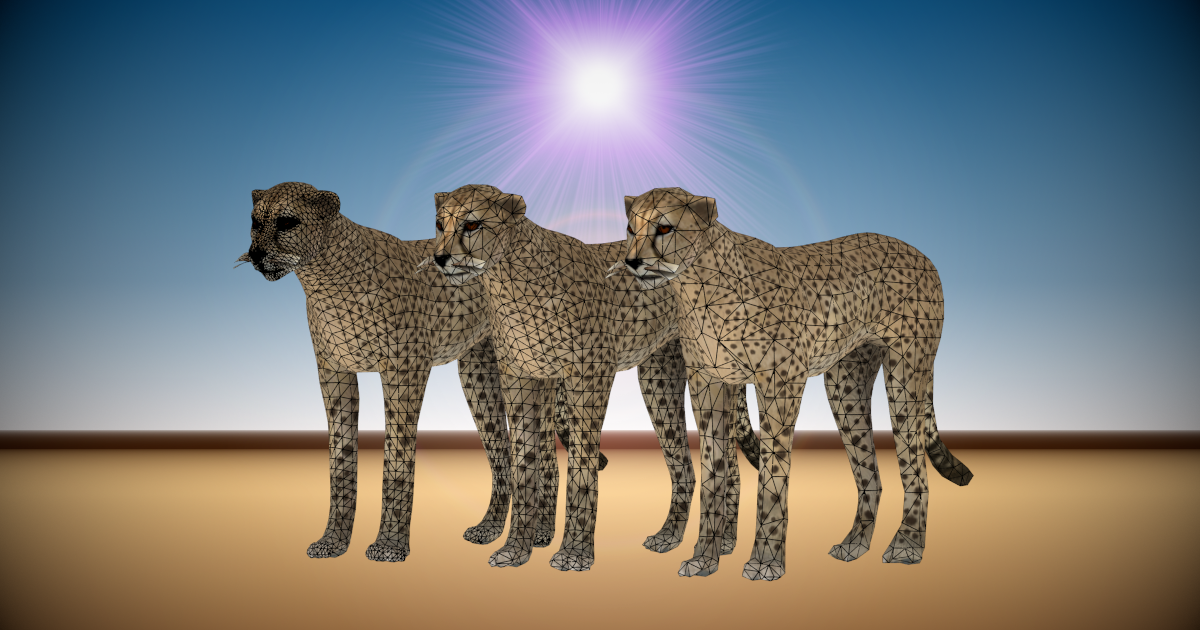
Get the Mantis LOD Editor - Professional Edition package from Mesh Online and speed up your game development process. Find this & other Modeling options on the Unity Asset Store.
 uneven warren
How do i optimize vroid studio vrms?
 spark swan
Hi I have quest btw but my problem is how do you turn on where if your arm or hand gets to close to your headset you can see through it it did this at first and then it stopped and now it started to do it again please help
regal summit
Depends on the world: "near clip"
Some worlds use 1 cm; others use 5cm
 manic pecan
ok so im working with literally one material on this mesh, but the Panel still detects thats theres some sorta shader on the avatar thats still stuck in standard and im not sure what it may be
regal summit
You've got another material on the avatar somewhere. What does select highlight?
manic pecan
the entire avatar
i even went back into the materials tab and turned everything into toon shaders
regal summit
that's too many materials for a quest avatar.
it's also possible it is picking up materials in the FBX materials tab
and it's also possible you have meshes on your avatar that use Default-Material or a material not in your project selection.
Honestly if you're serious about bringing that model into quest, you might need to go to Blender and join materials together, for example using the CATS atlas tool
For example, a new Cube or a new Sphere etc will not use a quest compatible shader by default