#avatar-quest
1 messages · Page 40 of 1
 spiral mountain
Alright it should have changed your unity project name at the top to whatever you named it, try re uploading now?
spiral mountain
Hmm, send a current screenshot over to the #avatars-2-general chat and ask about it, you could also try scrolling through that chat and see if anyone else has had the same issue and if it was fixed
I've personally haven't seen that error before myself
 storm stone
Patchy do you know how to fix VRChat Cannot Verify account messages
 worthy sage
To fix that we'd need to see a picture of the console, ideally with only errors showing @pastel storm
spiral mountain
@storm stone not off the top of my head sadly
worthy sage
Missing script error, go to your armature in the Hierarchy and remove the ones that say "missing" on the right under inspector
Alternatively you can type t:script under search near the top of the hierarchy and remove any missing ones.
storm stone
I keep getting this Cannot verify Account when my birthdate is correct
worthy sage
Another option is to get the script that's missing
 pastel storm
do i just remove the checkmark?
worthy sage
Click on the cog or right click on the name of the component.
spiral mountain
Ohhh @storm stone that is a bug, please report it to vrc staff with a ticket #vrchat-support
worthy sage
then click remove component
spiral mountain
Another person had the same issue today with date of birth
pastel storm
oof
storm stone
how long does it take for them to typically find a bug and fix it
pastel storm
this good?
spiral mountain
@storm stone honestly I can't tell you how fast it'd be fixed since it only just started the week day in the east coast
Hopefully it'll be fixed with the cache issues
storm stone
Logged on with Steam too
worthy sage
Very poor performance, and your arms **may **not rotate correctly.
If you can ignore those then yeah it's "good"
spiral mountain
Hope the avatar works well on quest ! And thank you for the assist in knowledge ohm
storm stone
for fk sake it does it on the website too
pastel storm
it just said i need to detach the blueprint so imma do that and hopefully itll work
storm stone
never mind
pastel storm
thank you to you two for helping me
spiral mountain
Wouldn't detaching the blueprint make it another avatar if I remember correctly? I'd say detach the blueprint and then add the same one back for that avatar where you can find all of your created stuff in the sdk menu @pastel storm
pastel storm
i already pressed upload so im going to see what happens
worthy sage
They may have gotten it as a prefab already set up for them but whoever did it didn't detach the blueprint already
So they have a blueprint ID for a avatar they don't have in their account basically
pastel storm
so i have the blueprint but im not supposed to?
worthy sage
Well not entirely. It's just for a different account
spiral mountain
If they uploaded the avatar to windows first themself it shouldn't be an issue right?
worthy sage
If they detach the blueprint that's attached to a different account then yeah it'll be fine
spiral mountain
No no I mean like wouldn't it be their blueprint if they already uploaded it to pc? Cause then they'd have to swap everything back to windows for it to work on pc and quest with the same avatar
worthy sage
If they already uploaded it then it should
Unless for some inexplicable reason the blueprint ID was changed
pastel storm
yeah the person who made it for me, uploaded it to windows
then he gave me the package and i uploaded it
i got to the naming screen so it should be good
i hope
spiral mountain
Yeah just check in game if you can if the avatar says pc and quest, if it does you're all set. If not you'll just have to swap back to windows and upload it there and then it'll work on both platforms with no issues
pastel storm
its fine if its just quest honestly, i dont even play on PC. if i did i could just cross platform it some other time
spiral mountain
Yeah I suppose so
worthy sage
Just note that a majority of users won't see your avatar in that case
spiral mountain
Yeah I keep a rule of porting everything to quest and pc unless I'm incapable of doing so
 wooden oxide
Anyone know where I can find Loona the furry hellhound avatar but I don't know where to find it
 ivory bay
so I did a a 3.0 texture swap control on a quest avatar, works fine on quest. I uploaded a PC version to the same ID with more tools but instead of using a texture swap on the PC I did a hue shader. had a quest user wear the quest avatar when I was on PC, I saw the PC version. When they did their texture swap on the quest avatar, it didn't swap on the PC avatar. Is there a way to force the view of a quest avatar when on PC?
maybe I need to upload the texture control to the PC avatar for it to work even though I have a hue shader on it, although I think I'll never be able to see the quest version unless I unload the PC version from the ID.
 lethal basin
anyone here know how to achieve proper looking transparent particles?
example 1
example 2
 compact lily
@lethal basin use a blend shape where the fully active mode is either
example 1: Ridiculously small
example 2: smaller/bigger than default.
then make a one frame animation switching between the two
lethal basin
Hmmm, but how do I even get the transparency like this for Quest? I was viewing/using these on Quest
I've tried so many different options for transparency for particles and nothing seems to work like these do
spiral mountain
For all three of your guys's problems you'd need to bring over pc shaders to quest (that are unity default) over to the quest which is possible but it requires cheesing the sdk which I don't think is allowed
 storm summit
most pc shaders will not compile on quest, and its absolutely not allowed
compact lily
And also performance
lethal basin
Yeah, I mean. I tried the 'ctrl+z' trick and was successful in getting past the build but even when loading in the black boxes still came up
spiral mountain
@lethal basin Probably shouldn't discuss that here
lethal basin
Either way, it didn't work. I'm avoiding using any scripts that are being recommended just because I prefer using stock, I don't know why other people think going against TOS is okay and it ruins it for all of us trying to do legitimate work
spiral mountain
Yeah it's highly not recommended to use pc shaders on quest due to the performance impact and because you have to cheat the sdk which isn't cool. In my eyes there's only one reason anyone should ever even attempt to use pc shaders on quest is if you physically have to for an avatar to work on quest and where it doesn't impact performance
And then again only use the pc shader exclusively on the item you are trying to cut out and not the entire avatar
If you can just use blender to fix any issues
lethal basin
Exactly, all I'm trying to do is a lightsaber which is a quad
Yeah, I've used blender to do physical cutout around hair, that was fun lol
But for a lightsaber, there's no way to do a cutout for that gradient/fade of the glow
spiral mountain
It's just gonna suck on quest no matter what
lethal basin
I got something close with a matcap lit but even then, it looks so bad
spiral mountain
I only ever use matcap lit for armor and pray to Jesus it doesn't make it look like bad
Which is almost always
lethal basin
Hahah there's actually a really good matcap library on git that I came across. It has all sizes from 64 up to 2k for more detailed bits that you'd want to use them on

 little river
Can anyone help me out with making avatar I was going to use premade stuff and just recolour it but I dont know how to put the stuff together
 sour patio
@everyone I need help my avatar is supposed to look like this
but it keep looking like this
little river
can anyone help me out with making a avatar?
ivory bay
is there any way to have a fully transparent shader for quest?
ivory bay
I guess I'll do a mesh toggle then, thanks
 zinc root
With avatar 3.0 out , are constraints available for Quest?
ivory bay
anyone free to test a quest avatar?
little river
@ivory bay I can test on quest for you
ivory bay
ah, already world hopping, thanks though, I will reach out later
 cyan oar
@wooden oxide about the Loona avatar, I do have one but it's not optimized for quest yet and I don't know of any that are
If you want the unoptimized one or if you do find an optimized one, I'd love to hear from you ^^
 pastel hill
Does anyone know if there are any Howls Moving Castle skins?
ivory bay
So mesh toggle is partially hidden behind avatar animation safety settings. I can go invis by mesh disabling, but when I re-enable only those with animations for me enabled see me come back, interesting
I got a dragon ready for quest now: marker, three swappable color options, invisibility. I’m going to add a desktop head pat mode and get it out there, then put those same toys on other quest avatars. I got a ravali, some sonic and digimon characters. I’d like to put out a humanoid one as well, any suggestions? I was just going to look on booth but many paid ones don’t allow pedestal distribution
 velvet hawk
Not sure why but when I test my eye tracking with the Up-Down , Left-Right features, the bones will move but the eyes won't.
- Vertex Groups Are Set
- Vertex Groups Are Parented To Proper Eye Bones
- Shape Keys Are Set
velvet hawk
Nevermind, figured it out
spiral mountain
@little river Message me and I can give you a basic run down on unity tomorrow for quest stuff
@pastel hill I've seen one or two but not many
pastel hill
@spiral mountain yeah Im suprised I havent seen more around.
spiral mountain
I don't think there are any 3d models for the characters that aren't made by fans so you'd have to make your own models for them so it's understandable
 blazing meteor
In order to avoid filling up my entire harddrive with Unity project overhead files, I keep all my avatars in a single project. This also helps share assets between avatars and stuff like that... but one issue I have is that transfering my project to android takes FOREVER... is there any way to make this faster?
I'm on SDK3.
 dry zealot
ivory bay
dry zealot
ivory bay
so I can't make a lazer particle can I, since no constraints allowed 😦
so never had an issue uploading before for quest avatars, but just loaded one with the vr mobile shaders like everything elese, but the texture is all black. the emission shows and other material shows, but this is wierd
unity preview is perfect
dry zealot
delete vertex color in BLENDER
 novel ivy
i guess this is as good place as any https://www.youtube.com/watch?v=qVHYs3CsiyU&list=PL8KgUGVwBd_HjEGo6_5UriffNxLzyZeX-&index=3&t i tried following this and when ever i trie to select the android build it crashes, i done everthing i can think of https://youtu.be/lURwl9Xtzl4?list=PL8KgUGVwBd_HjEGo6_5UriffNxLzyZeX- i followed this and had No problems , please help
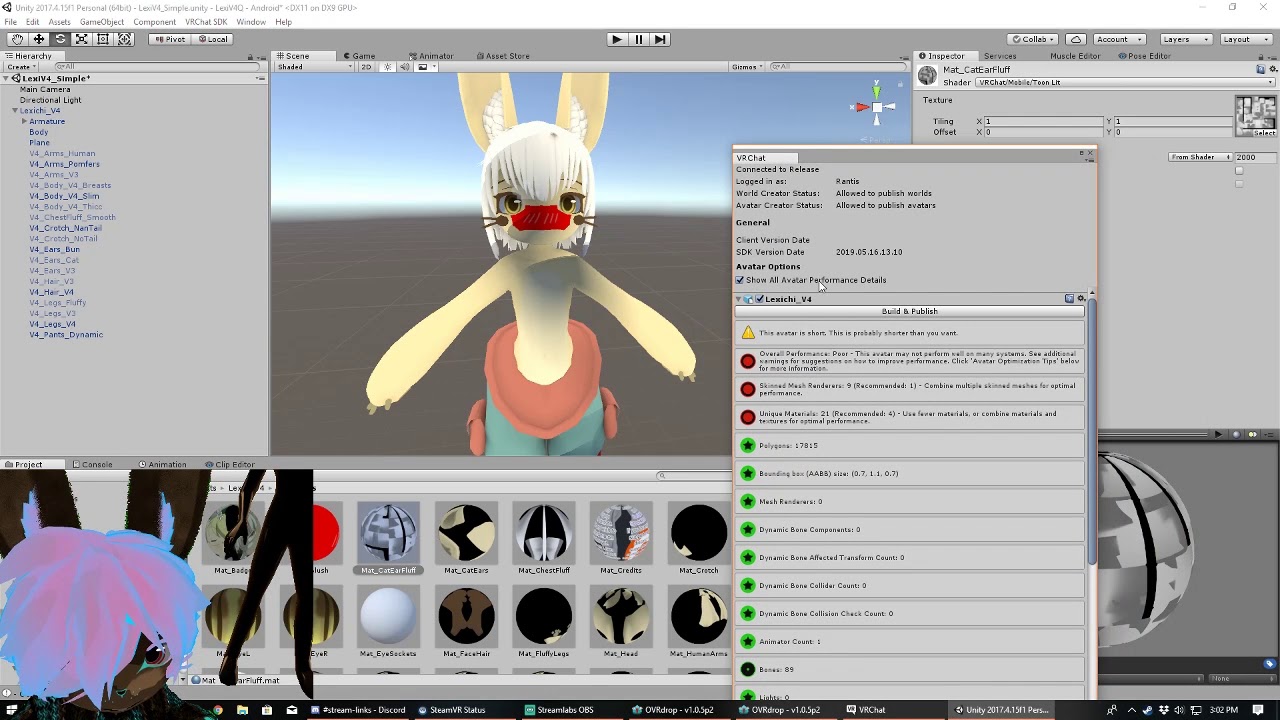
This is edited from my live twitch demonstration for making existing avatars quest compatible.
If your on PC an incentive for doing this would be so quest users can see your avatar in some form. Otherwise your just blocked avatar man for them. For quest users you could use t...

***Big important attention-grabbing announcement here: VRChat have just released Avatars 3.0 alongside the Udon/Worlds 3.0 SDK. Do not get the Avatars 3.0 SDK if you plan to follow this video exactly as it is instructed. Everything shown in this video are still up to date and ...
novel ivy
i am so close i can tast it, if i can get this bug salved i am sure i will be able to do the rest myselfe
novel ivy
I figured it out, i needed to delete the following files to get it working:
VRCSDK\Dependencies\VRChat\Textures\damageGreyNoAlpha.png
VRCSDK\Dependencies\VRChat\Textures\damageGRNoAlpha.png
VRCSDK\Sample Assets\Prototyping\Materials
VRCSDK\Sample Assets\Prototyping\Models
VRCSDK\Sample Assets\Prototyping\Textures
ivory bay
nice
 thorn minnow
Is there any avatar that can turn invisible? (quest) (sry for my english im from germany)
ivory bay
invisible, like turn off the avatar? Yhea I got a few. It can't hide nameplate though (that's a PC shader)
In the middle of making my test world quest compatable so I can meet up and drop a portal for pedistals later
thorn minnow
Ohh sure
pastel storm
how do i make my avatar quest working
novel ivy
@pastel storm make sure you have the anroied thing and make sure your avatar optimized
novel ivy
do you have the androied thing installed?
if it crashes when doiung this delet VRCSDK\Dependencies\VRChat\Textures\damageGreyNoAlpha.png
VRCSDK\Dependencies\VRChat\Textures\damageGRNoAlpha.png
VRCSDK\Sample Assets\Prototyping\Materials
VRCSDK\Sample Assets\Prototyping\Models
VRCSDK\Sample Assets\Prototyping\Textures
pastel storm
yes
novel ivy
then as far as i know you should just have to upload it like normal
pastel storm
do i switch platform?
pastel storm
alright thanks
novel ivy
good luck
pastel storm
its my first avatar
novel ivy
go in to your projerct and go to the thing that is hilighted when clicking you shopuld see it
pastel storm
umm
novel ivy
open download
pastel storm
i downloaded it all ready?
novel ivy
you need to make sure you have the one for the virgen you are using
pastel storm
i do hold up a sec
novel ivy
ooh wait did you make sure to install it where you have your project?
no wait i mean your unity install is i think
pastel storm
?
novel ivy
did you install the thing you downloaed
pastel storm
yeah
novel ivy
where did you have the install?
i think to make sure it works you have to have it in the same place you install unity
pastel storm
Here?
novel ivy
click the dots and show me what you see?
 crystal plover
How can i make particles transparent on a quest avatar
I have seen it done many times
(i use sdk2
novel ivy
https://www.youtube.com/watch?v=qVHYs3CsiyU&list=PL8KgUGVwBd_HjEGo6_5UriffNxLzyZeX-&index=3&t @crystal plover this Might help but idk
This is edited from my live twitch demonstration for making existing avatars quest compatible.
If your on PC an incentive for doing this would be so quest users can see your avatar in some form. Otherwise your just blocked avatar man for them. For quest users you could use t...
novel ivy
ooh wrong vid sorry
https://www.youtube.com/watch?v=lGaQxnNhJn0&list=PLlGgdkHB58RTpg5cf6Dwl0P0AvPxMZCSV&index=2 @crystal plover this is the one i think

In this VRChat tutorial, I'll show you how to create a version of your PC avatar into a quest compatible avatar. We talk a bit about materials, matcaps, and limitations of quest avatars.
Thank you for watching!
Matcaps and Poiyomi Toon downloads: https://www.ask-amber.com/d...
crystal plover
But the alpha blend shader doesn't allow me to use it for particles for some reason
crystal plover
The vid did not help
I saw a quest avatar on my friends quest with non solid particles with transparent backgrounds
novel ivy
maybe one of the other vids in the playlist
crystal plover
She said it's not possible in the comments when someone asked
But obviously it is
novel ivy
well if your friends got it working then maybe ask them, how they did it
crystal plover
They have the avatar, they didn't make it
novel ivy
ooh
crystal plover
I met the guy who did it and he says it is his secret
He also said he learned from YouTube but I see nothing on that
dry zealot
I mean there a way but. It still need to be a shader that work on mobile
dry zealot
I don't own a quest so I never was able to test shader
crystal plover
I thought quest only allowed vrc official shaders
Actually is it bad to dm a dev?
Or even a mod?
novel ivy
idk
crystal plover
I may have to
crystal plover
No response
ivory bay
they likely edited the sdk, against terms of service
what kind of avatars are people looking for on quest? I'm comfortable importing things at this point but most of the fancier models have restrictions on distribution
 stone wadi
is anyone doing free commision?s i just need a base and ill add the mods and stuff
btw its for quest
if your interested @ me
 lapis mist
Does anyone have or know where to get a plague doctor avatar that isn't scp 049?
 shy carbon
Does anybody know if there is a mallard duck avatar and if so how do I get it I would really appreciate it
Please @ me if you know
 spice schooner
I have a mallard duck anime girl in my world. lol I don't think anyone in the right mind is actually looking for that though.
shy carbon
Yeah I meant like a full on mallard but thank you
Does anybody know if there is a mallard duck avatar and if so how do I get it I would really appreciate it. Please @ me if you know
 devout cloud
Hello does anyone have any, or know an avatar world with, danganronpa avatars?
 daring sorrel
Is there a hunter x hunter killua skin
 wicked jacinth
Is there by any chance a demon slayer avatar for any of the characters?
daring sorrel
@wicked jacinth I do it's a new world
daring sorrel
Is there a hunter x hunter killua skin
pastel storm
Anyone know how to make my custom avatars for quest
novel ivy
@pastel storm are you trying to make them or are yuo lookeing to have somone make them for you?
pastel storm
I am trying to make them
novel ivy
sorry for the delay, @pastel storm maybe i can help you ith what you need
pastel storm
Thanks also I was sleeping during that time maybe you could help on Friday because I can't play during the week
 small marlin
I'm not sure if this is the right place to ask, but how do I upload a quest avatar? I've uploaded pc avatars, but I'm not sure how to convert it for both pc and quest. Seeing how I just got a quest and want most of my avatars available instead of my avatars being for pc only
 barren shadow
@small marlin the vrchat docs tell you how to do it (cross platform avatars)
but basically you duplicate your project and set target platform to quest and upload under the same avatar ID
dry zealot
You dont need to duplicate if they are really similar
Where all that duplicate project workflow came from
dry zealot
they are all good
pastel storm
Does anybody know some quest scp avatar worlds?
 indigo yacht
Hey I need help tryna find the right stuff to recreate the girl in green ( next to lobster Yusuke and Nero )
Please @ me/ dm me if you find anything
wooden oxide
Anyone know where I can find this avatar
 covert chasm
Bruh
pastel storm
I wish
pastel storm
@wooden oxide I actually do. If you go onto the new worlds list, look for Quest avatar worlds that have been uploaded. It should be within the first 5 avatar worlds hopefully, I went there earlier but can’t remember the name
wooden oxide
@pastel storm do u remember what the world is called
pastel storm
I think it is Unreal’s Avatar World
dry zealot
Bruh
 tawdry gate
im trying to make an avatar quest and pc compatible but i can only switch between both platforms. How do i make it both PC and Quest?
dry zealot
Upload the same blueprint on both plateform
tawdry gate
thanks
daring sorrel
Is there a hunter x hunter killua skin
wooden oxide
I can't find that avatar or the world
 acoustic whale
I’m trying to become an anime e boy on vr chat does anyone know worlds with those kinda avatars for quest?
 sweet elk
anime eboy fad is over, all my anime girlfriends stan Paddington Bear now so better to focus on being more like that
(#vrchat-general-2 would likely be a better place to ask because this is a development channel)
 sleek nimbus
lapis mist
sleek nimbus
lapis mist
Does anyone have or know where to get a plague doctor avatar that isn't scp 049?
 still gale
idk if this is the right channel for this but... i have a question for al the smart folk out there who are good at making avatars... so... at the moment i am trying to make my first custom avatar and make it for quest. and I'm trying to upload it to unity... I'm able to upload without a hitch.... then i import the sdk again goes smoothly... but when i try to change the unity build to android unity just freaks out and crashes. i have narrowed the issue down to the sdk and the android build just not being compatible i don't know what I'm doing wrong is there someone who could possibly assist?
compact lily
@still gale #avatar-quest message
Apparently this works.
still gale
Thank You!
 blissful cedar
hey, if anybody has some spare avatars they dont use let me know.
 fallow fossil
am trying to upload one of my avatars to quest. what does it mean when I try to switch platform and unity closes?
indigo yacht
Yo, i need help on starting avatar creation (SDK2)
 copper geode
@still gale if you crash switching to android it’s a system ram issue. Your cpu likely can’t process all the data and runs out of memory. I had this problem with my 7 year old pc until I upgraded.
 red willow
 vivid ivy
dose any one have a yoshi skin to spare ?
indigo yacht
can anyone help me learn how to upload avatars for quest?
pastel storm
how do i make my particles see able for oculus quest and not like a box?? (using vrc sdk2)
 lusty glen
Chill i was literally just playing wit u on ur world yesterday 😭
thas crazy that i saw ur message in the discord too
ivory bay
Found a new way to add some 3.0 things to quest avatars, going to redo my current ones then publish the world finally
pastel storm
How do I fix
 rustic wave
Will all the avatars be compatible to the Quest 2?
compact lily
no
 little folio
How do I use the animations on quest like the cool thinks that come with the caracter
pastel storm
Are there any danganronpa avatars on quest?
 plain ether
pastel storm
plain ether
pastel storm
How do I fix the rig please help
dry zealot
WIN Shift S
pastel storm
Bro where do I go to change the rig
dry zealot
how do you guys end up in a discord before browsing youtube for a tutorial
 timid nexus
i dont know either
pastel storm
What do you mean assets model
timid nexus
assets
its usually at the bottom
the window you have your stuff in
click on the model then by default on the left window called inspector
pastel storm
I'm on inspector where next
pastel storm
So this?
timid nexus
do you see the icons
like folders and stuff
thats your assets
so find the avatar there
like the model i mean
am gonna play vrc soon
i dont have all night for this sry
pastel storm
It's fine I figured it out
timid nexus
ok 👍
 jolly gate
Can the PC build use the 3.0SDK while the quest version uses the 2.0SDK or do both have to use the same SDK?
compact lily
@jolly gate something might break with IK if you do that so keep it to one SDK
 swift tree
2 questions!
- Does Quest avatars have dynamic bones?
- Can a Quest player use PC avatars if their Quest 1/2 are linked to their PC?
worthy sage
- No
- Yes
swift tree
Okay. That sucks, but I'll work with it
 urban geyser
Is this the right place to ask about where I can find or check if there is an avatar that I’m looking for on quest?
dry zealot
No
urban geyser
Then where do I go?
spice schooner
I'd guess #vrchat-general-2 but I could be wrong. This channel is for the discussion of developing avatars for the Quest version of VRChat.
urban geyser
Ok thanks
 iron raptor
Does anyone know if there's a quest shader with backface culling?
 shadow olive
sadly, no @iron raptor
however, there's an easy trick to get past it, but it requires more polygons
in blender, select the area you want to not be culled
SHIFT+D to clone
press f3 and search "Flip normals"
that should make it so it's a double sided texture
indigo yacht
how does one put/use blendshapes (facial expressions) onto the hand emotes?
dry zealot
Plug the gesture animator in the fx layer.
pastel storm
can someone help me i idk what im doing and im trying to make a avatar
TT^TT i really need help TT^TT
 austere blaze
what does the quest in avatars mean, example, this avatar is PC and a quest avatar
compact lily
It means it was built for and is optimised for quest.
pastel storm
how to make vrchat account? i make it 1 time and i can log in it they say verification i see on my gmail its nothing massage from vr chat
i make second account they say recapthca you are robot but on the box its check so i cant make 2 times
i make 3 times and i make new gmail same like number 1 and 2 how to make my vr chat account?
 bright flame
does anyone know how i can import my avatar anything i try always errors
or does anyone have any good anime girl avatars i could have?? im new to vr so all of this is confusing to do
 violet current
Guys I gotta ask, with an Oculus link cable, you can see all avatars including PC avatars
bright flame
i was also gon ask that as well
novel ivy
Guys I gotta ask, with an Oculus link cable, you can see all avatars including PC avatars
@violet current depends on what you are using , if you are just using the quest you cant see pc and if you are using pc you cant see quest, using the quest link wont let you use both at once sense it is a server thing
violet current
ah alright
 versed cedar
Anyone know a quest military avatar? Rn i have a military shiba, wondering if there were others
 cursive bronze
Does anyone know if SDK3 supports uploading quest avatars?
cursive bronze
The build button is greyed out when trying to upload a PC avatar for Quest. The quest version is under the limits for optimization
compact lily
Could be other errors.
idk.
Lemme check if I have made an avatar for it.
@cursive bronze I have a 3.0 avatar uploaded on PC and Quest, likely an issue in your project.
indigo yacht
Hey can someone help me out? My avatar doesn’t seem to want to upload
indigo yacht
@pastel storm just make sure you have the right username and password, is the username don’t work, use your email
If that’s not the issue, restart unity
pastel storm
Ok
pastel storm
Email works thank you @indigo yacht
indigo yacht
Yea no problemo @pastel storm
pastel storm
Hey does anyone have a SCP-106 OR SCP-049 avatar I'll give you a cacodemon and and probably both of my doom slayer avatars
 zenith badge
Trying to port an avatar to quest, does anyone know why the control panel looks like this after switching to Android?
I'm using SDK3 btw
pastel storm
Uh I use SDK2 for it so Idk anything about that
 lost kestrel
broo this my first time playin bro
i need that trust how do i get it??????
JayTYB is my username
pastel storm
You have to be well known across vrchat
lost kestrel
aiii
 finite crest
Spend time in the game, make friends, make content, ect.
zenith badge
For the record, I fixed it by making a new project and switching to android before importing the SDK
 still coral
Anyone know where i can get a deep diving suit avatar
 severe ferry
so uhh, i uploaded an avatar a while back and it shows as active on my account through the website but it wont show up in my creations on quest nor pc vrchat
compact lily
@severe ferry upload using 2018.4.20f1 EXACTLY, newer or older will NOT work.
severe ferry
ah okay
pastel storm
Where can I get an SCP-049 avatar
 primal torrent
why does no one answer @pastel storm and @still coral s questions?
still coral
They either dont know or don’t care @primal torrent
still coral
What are you looking for?
primal torrent
iggy koopa avatar
still coral
I’ve seen one, dont recall where though
still coral
I’ll keep an eye out
primal torrent
thanks again
still coral
Yeah, tryna get my hands on more quest compatible bioshock avatars/ heavy duty diving suits
 west terrace
Any of you know who made the quest compatible Husker nanachi avatar?
An @ would be pog
severe ferry
can someone direct me towards any touhou avatars, there was one world i found that got taken down and only one of the skins still exist
pastel storm
Can someone direct me either to a big daddy avatar (bouncer) or a SCP-049 avatar
pastel storm
does any one now how long it can take in unity to be allowed to load up an avatar from unity maker ? pls text me here or private
pastel storm
Why are you pinging Powers @pastel storm
 shut orchid
@pastel storm dunno
pastel storm
What
daring sorrel
When I am in unity and switch to android it just crashes does anyone know how to fix it
pastel storm
No cause I do not have this problem
pastel storm
Alright so I uploaded an avatar and when I open vrchat on my headset it doesn't show my creations
 heavy cove
Might wanna read the top one properly first of all
west terrace
Aight any of you know any good avatar creators who make quest compatible nanachis?
pastel storm
I have a friend who possibly can make em
pastel storm
I’ve seen people use cel shaded quest avatar and I was wondering how that’s done? Is it a thing you do in blender before the export or is it something in unity? I know how to do it with poiyomi on pc avatars, but how is it possible on quest?
pastel storm
Ok guys so I made a mistake and I clicked on vrchat largest avatar and I kinda am stuck as It pls help if anyone has the siren head avatar let me clone it and then things will go back to normal
 reef eagle
poor dude same thing happened to me
Here's a yt video

VRChat Discord Server: https://discord.gg/vrchat
My Discord Server: https://discord.gg/5hCWvEJ
Track: Play — Declan DP [Audio Library Release]
Music provided by Audio Library Plus
Watch: https://youtu.be/uEQ70lCZuec
Free Download / Stream: https://alplus.io/play
pastel storm
I fixed it earlier
 devout siren
So on quest my friend saying theres black borders around my particles even though it looks fine in unity using vrchat particle additive
fallow fossil
what does it mean when I try to import SDK while in android platform and then unity closes?
pastel storm
Idk but maybe switch the platform to pc and standalone
Yeh I used the website to fix
 rain island
does anyone know a good boy anime avatar
for quest
 sullen kayak
@rain island read the rules
rain island
@sullen kayak oh sorry for spamming but im just looking for an avatar
ivory bay
I believe you can yes
 frosty pulsar
Are there any issues if I set up separate visemes for a PC (70k poly) and Quest (7.5k poly) avatar?
Trying to figure out if it's worth making a high poly avatar Quest compatible...
Ideally I don't have to set it up like that.. but am forced to lose the blendshapes to get it down to Quest limits.
I assume the visemes will have to be named/labelled exactly the same?
 muted pasture
So im having a bit of trouble with uploading avatars. I know how ot change it to android and upload it. but when I do I cant see any of the avatars on my personal menu on dektop(I dont have my quest yet) But I can see them in the content manager
Does anyone know whats going on?
pastel storm
Is your account the same on as the signed in one that you use for the sdk?
muted pasture
Yes
pastel storm
Then I have no idea
I need some help of my own though
I use VRoid to make most of my avatars but when I want them on quest it's all broken. I have to change to shader to standard lite and that means the cutout for the eyelashes is broken
muted pasture
Also, when I try to switch to to android mode. on the current unity that vrchat reccomends. unity just crashes if I have the sdk installed
I have tried switching it to android then adding the sdk. it still crashes
please ping me if you respond
 verbal yarrow
@frosty pulsar My suggestion is to not use the decimate modifier on the face but to convert tris to quads (make sure to click compare UVs after you do) and dissolve edge loops. That way you have control of what parts of the face need more or less polys and you don't lose your visemes
frosty pulsar
^ Ah, interesting! I'll give this a go
verbal yarrow
You can do it on the body too if you want. So you can keep your fingers, knees, and elbows bending correctly. Good luck videogamer
ivory bay
In blender using the CATS plugin you can separate a mesh by shape keys, so you can potentially decimate the mesh without affecting shape keys, then merge the meshes back. It won’t be perfect when merged back but it’s a good start
verbal yarrow
@ivory bay That only separates the meshes by whether they have shape keys or not. In the end you're still using the decimation modifier which cannot be used on meshes with shapekeys
ivory bay
Can’t you decimate the non-shapekey mesh it separates then apply the modifier before merging back, it preserves the shape keys but they may need to be re-fitted a bit if the attaching meshes are distorted, the shape keys themselves should still deform
verbal yarrow
@ivory bay No
pastel storm
How do I fix the view point on my model in unity
novel ivy
I have tried switching it to android then adding the sdk. it still crashes
@muted pasture I know how to fix this problem ! you need to delet a few files VRCSDK\Dependencies\VRChat\Textures\damageGreyNoAlpha.png
VRCSDK\Dependencies\VRChat\Textures\damageGRNoAlpha.png
VRCSDK\Sample Assets\Prototyping\Materials
VRCSDK\Sample Assets\Prototyping\Models
VRCSDK\Sample Assets\Prototyping\Textures
you have to start with the windows build impiot the sdk then delet thest files
@muted pasture good luck
muted pasture
Is that to fix unity crashing when in android mode with the sdk?
Oh I didnt read the quote
Im blind. Thank you
pastel storm
I swear can someone answer my question how do I fix the view point on my MODEL
novel ivy
You would have the ansure by watching one tutreal
***Big important attention-grabbing announcement here: VRChat have just released Avatars 3.0 alongside the Udon/Worlds 3.0 SDK. Do not get the Avatars 3.0 SDK if you plan to follow this video exactly as it is instructed. Everything shown in this video are still up to date and ...
timestamped it for you
 floral totem
muted pasture
floral totem
muted pasture
@novel ivy okay so that worked. but now I cant upload it at all. I click build and it just kinda doesnt work after the future proofing
novel ivy
Up dont hit build @muted pasture try following the video i sent a bit ago should help some
pastel storm
Sdk 2 and you have to press build and publish to upload it
muted pasture
Yeah I got it to work. Thank you all for the help!
pastel storm
Your welcome
 dapper cliff
Bring back our ability to see pc avatars and features and make them toggleable. Toggle them off by default. The xr2 can handle it im sure.
@fluid kiln
@sudden sage
@fossil pelican
Also make it so u can add friends to be able to use private avatars
pastel storm
Uhh anyone have any idea on how to make my avatar stop floating?
frosty pulsar
What's the best practice for 2D Visemes in 3.0 Quest Avatars? From my little research, I understand that there are several ways to go about 2D Visemes:
- Blendshapes to push (or scale?) viseme faces over of the default face
- UV Texture offsetting using animations
- Hide / Show separate meshes for each and every viseme (probably a no go..)
What do ya'll recommend? Looking to minimize materials/meshes here for Quest... I'm finding it hard to Google this! I've skimmed through the popular "How To Add 2D Blinking & 2D Visemes" tutorial on YouTube, but that has some legacy stuff I believe (eg. needing to set up blink animation frames in a very specific way, visemes pushed extra forward to account for shapekey delay, etc?)
 crystal sentinel
how do i hid my name plate
 livid fjord
Hey uh quick question is Angel Dust accessible? My quest should be back from repairs soon.
 fluid kiln
@dapper cliff Please don't ping team members for non-emergency reasons. You may be kicked.
That aside, Quest has never had the ability to see PC avatars. This is technically impossible, as they are compiled for a different platform. The Quest (and Quest 2) run Android, which requires a different build process than PC.
As an aside: the Quest 2 is quite powerful, but not powerful enough to render multiple user-generated PC-fidelity avatars in the same instance without incurring serious framerate drops.
@frosty pulsar For visemes you can use AV3's system to create your own visemes using UV scrolling, that's probably the most performant and best-looking way to make 2D visemes. If someone has your animations off, though, you'll fall back to blendshapes (or whatever you've defined as your base blendshape method) so it'd probably be best to also implement some kind of basic viseme fallback so people without animations on can still see something.
Eyes are a bit trickier, especially on quest. Our simulated eye movement system doesn't support a way to animate based off eye position quite yet. If/when we add the ability to use constraints to quest, you might be able to use those in a creative manner, but until then you're a bit limited for eyes
frosty pulsar
Ah thank you! This is very helpful.
Interesting that the more performant UV scrolling would be blocked under the blanket 'Animation' safety setting.
I'll probably go with blend shapes (showing / hiding mapped faces) for now.. as I am still a 'New User', and would be Animation blocked by 'normal' settings...
Would love to see more support for 2D Visemes! Particularly considering current Quest limits, where we can save on polycount (nose, eyes, mouth)
 granite oak
There is a Lethal League avatar that I want to use in Quest (From TheVoid), but am unable to, since it is only PC. As a clueless vr guy, why is this the case, and can it be modified to work?
fluid kiln
@frosty pulsar Safety system is not intended to be used for performance improvements (although there is overlap). Blocking animations via Safety is meant to be "I don't trust this person/trust level to use animations". Not about perf, about keeping your experience in control.
But yes, it is one of a few weird consequences of such a system, but the benefits far outweigh the detriments
indigo yacht
If anyone has or can find a pacifier asset, can you send it to me? I was requested to make an avatar for someone and that’s one of the things they wanted.
novel ivy
@indigo yacht somthing like this?
Nintendo Switch - Animal Crossing: New Horizons - Pacifier - The #1 source for video game models on the internet!
indigo yacht
Yo wait lemme check that out
novel ivy
ok
https://free3d.com/3d-models/pacifier one more source if you want it
2 Free Pacifier 3d models found. Available for free download in .blend .obj .c4d .3ds .max .ma and many more formats.
indigo yacht
How’d you find those so damn quick
indigo yacht
Oh aight
So wait, I need the pacifier to be as a unity package but idk how to make it as such
novel ivy
i think you can just import the model in to unity then export it as a package
indigo yacht
It has a texture file folder full of different colors
The pacifier is a 3D object but I can’t import it straight to unity
And there’s a pacifier dae file
novel ivy
ooh what you could do is import it to blender or another 3d program and export it to obj or somthing that works with unity
indigo yacht
Wait general or sculpting?
novel ivy
general sense you are just going to import to export
novel ivy
nope you can delet it and everthing els in that part
indigo yacht
So delete everything in scene collection?
novel ivy
yeah
indigo yacht
Can’t even find the damn pacifier dafaq
novel ivy
oof might be in a rar/zip file , you need to make sure you extract it first
indigo yacht
You wanna just call and help me out? Lol
It’d make this a lot easier since im a computer boomer
novel ivy
sorry i got a cold and cant talk ;w;
indigo yacht
I could at least stream and you could type in dms?
novel ivy
i wish i could help more but it is actual getting pretty late for me
indigo yacht
Oh ok
novel ivy
Ooh wait i think i know how i can help, brb
indigo yacht
Ok
novel ivy
which ones did you want to use?
indigo yacht
If you dm me that I could grab it easier, the servers and my computer hate each other
novel ivy
ooh ok
novel ivy
there you go
indigo yacht
:3 hopefully it works
novel ivy
good luck , pretty sure it will
indigo yacht
Ye it works
novel ivy
cool
 hasty pike
U guys making avatars?
indigo yacht
Ye
hasty pike
Huh idk how to at all lol my pc can’t do shiiit but I can trade avatars
hasty pike
Huh
indigo yacht
Yep
 inner knoll
What the diff between these and normal be avatars
indigo yacht
These are where you’re most likely going to find people who either make cross platform avatars or the bare minimum of quest only. And quest is just the specific headset which is mobile and has more specific requirements.
indigo yacht
Does anyone have some panties I can import into unity?
 steel rock
any one know any anime avatars with weapons that they can use i have been looking for weeks but i cant find any.
dapper cliff
If u say the xr2 isnt capable of running it w/o frame droppage then there's a simple solution everyone was asking for at 1 point. Add toggles to the avatar content on quest. Like specific toggles. Say for dynamic bones, shaders, particles. All in an easy to access place. Oh wait. U already did.
west terrace
I got an avatar idea
I'm just going to make
A horribly low quality squirrel
And that's it
 frank sphinx
Hello everyone! Idk if this is the place to ask but I was wondering if anyone knows if a zoe or ahri skin from league of legends exists for quest and if not if anyone can make one.
pastel storm
any quest compatible scp avatar worlds or no
dry zealot
Yes
 slim aurora
Whenever I upload my avatar on quest it comes out as black how can I fix this?
 icy crescent
Is the nutter butter available on quest? And if so where can I find it
 lucid quest
So i understan that quest doesnt do transparency in shaders. so this avatar from vroid will looks like this.
so does anyone know any tools or anything that can fix this? Last resort would be manually place the eye hairs onto the face texture itself.
compact lily
@lucid quest Blender knife tool, you can cut out the shape to fake transparency.
It is in edit mode
lucid quest
thanks. i guess i'll have to learn blender after all.
 drifting flower
Hey is there anything different about uploading Avatar 3.0 quest compatible avatars?
I should preface in general I don't know how to upload for quest and info online about it seems
a bit sparse? I just need a good pointing in the right direction if that's possible
 sullen valve
Where can I find a portal 2 Wheatley avatar if anyone can help?
dry zealot
Nothing different
pastel storm
I'm trying to import the SDK onto android for quest and it keeps crashing
icy crescent
Is the nutter butter available on quest? And if so where can I find it
pastel storm
If you are talking about the Butter skin, it should be in the Public Avatar section, which is the second option in the Avatar Selection Menu, available for everyone from the start
icy crescent
Can it puke?
 ornate nest
how do i make the disable and the enable animation work
on the animator
like for example disable mask
or enable it anyone know how i do it any help would b gd
pastel storm
@icy crescent I don’t know, I just know that the original Butter avatar is there
 stark elbow
pastel storm
stark elbow
pastel storm
henlo, do you know if quest avatars allow transparent textures?
 spare flame
hey so I'm trying to make an avatar in 3.0 and I'm attempting to get a quest build going. but ever since I've switched to the android build target my unity has been having major freezes. After switching to android build platform, my unity has frozen for 30 mins and selecting any game object freezes unity further (I'm mid freeze right now.) My computer is by no means uncapable of using unity. I just don't know why it's doing this.
verbal yarrow
@pastel storm They don't
dry zealot
Shader
pastel storm
@pastel storm They don't
@verbal yarrow aww thanks
spare flame
it appears to have been my shader so thank you
pastel storm
I'm trying to upload an avatar but the game tab is only showing the portrait camera.
 quaint rose
@pastel storm go to scene tab
pastel storm
Does anyone know any quest avatars with cool animations
pastel storm
I don't know I came to ask for some worlds with cool avatars that are for the quest since I have the quest 2
pastel storm
Anyone know a quest avatar map
ivory bay
just search "Quest avatar" in the search bar and the main ones pop up, most are tagged
 vestal mesa
what doublesided shaders work on quest avis????
verbal yarrow
None
 serene linden
Anyone had Switching to Android:AndroidPlayer is disabled in Unity?
Unity 2018.4.20f1 like recommended 
For example, if an avatar on Quest exceeds 10,000 triangles (polygons), it will not display in the application. ufff
serene linden
Had probably forgot to read https://docs.vrchat.com/docs/cross-platform-setup and install Android SDK
 soft kettle
anyone else having problems with tiny avatars?
like for example, the notakid's ferret avatars?
the hands keep dissapearing and i dont know how to make is stay the way it was
like before you could see all the way to the shoulders but now the arms keep disappearing (for my view, not for mirrors or other people)
 weary skiff
What’s your budget?
zinc root
So I tried to upload my 1st PC/Quest avatar but I got a "blueprint error" and I am also seeing this on the Control Panel. The uploaded avatar does not show the Quest/PC tags. Can anyone help?
blazing meteor
It looks like you built it for windows but didn’t build it for Android
You have to build it for both
So that both types of players can see you
In your project go to build settings and change it from windows to android and then upload it again
Keep in mind that the android build has much stricter requirements
 dark lodge
Does anyone know any quest compatable wolf girl avatars?
 warm oriole
This might be an annoying question but does anyone know where I could find some marvel avatars
And yes I’ve searched through worlds I just don’t know if I’m searching the right things
weary skiff
@dark lodge I only know od Shadue’s offhand.
@soft kettle Never has that problem...maybe it’s a new bug.
dark lodge
Is that the name of the avatar or creator?
weary skiff
Yep, look up shadue’s world.
dark lodge
Kk
 full swan
Quest MHA Hawks avatars? i know the 2 by Leela and a Child Hawks but theres GOTTA be more
small marlin
I just started making cross platform avatars, and most of them turned out fine. But I have one avatar to where his head is fine, but the rest of his body is black when on quest. I've been told it's a shader problem, but because I'm still new I don't know how to fix it. Could anybody possibly help me?
 umbral edge
Looking for quest compatible megumin avatar...
pastel storm
How do I get a scene or avatar descriptor again
Pls no bully this is my second time making an avatar
verbal yarrow
@pastel storm Click add component and search for avatar descriptor
The scene is made when you save
pastel storm
Ok thank you
pastel storm
Nevermind I fixed it
 stray storm
yes ma’am #fuckfurryeast
 hasty urchin
 winter cliff
Jeezus 👀
blazing meteor
@pastel storm https://dontasktoask.com/
still coral
Could someone help me get a night gaunt/demon avatar for Halloween?
sullen valve
Can someone help me find either a portal 2 Wheatley and or space core avatar? Or maybe let me clone it from them? ||user is LiamDaOne btw||
 sacred shadow
I'm looking for that spider man avatar world. Ideally I want to find the spider man and peter parker from the Ultimate Spider Man game for PS2
I think I'd also settle for The Flash
crystal plover
@sacred shadow the spider lair by Bronx is a good one
Oh wait... It might not be quest so don't quote me yet
Damn... It is not quest, sorry
sacred shadow
Oh total bummer
thanks for the suggestion though
I was in game and somebody said they were in an avatar world, and stepped to the left on to a floating platform into a big area of spidermen
pastel storm
I'm clocking autofix but it won't happen what's wrong with it
ivory bay
may have to manually remove it, select and see if it takes you to the component
sacred shadow
Anybody know of a quest compatible Darth Maul avatar from the Clone Wars show?
pastel storm
may have to manually remove it, select and see if it takes you to the component
@ivory bay this is what it bring me to when I select it
ivory bay
will need to remove any light components on the avatar then, select isn't taking you to it unfortunately, have to hunt it down in the armature
 brittle mesa
anyone have that one avatar called like purple boi or something i lost it and i really liked it im willing to trade any of my avatars for it ): pm me if u have it >:
 shut orchid
damn, that looks really noice
 primal egret
I am looking for a hatsune miku avatar I cant find one. Does anyone know where I can??
weary skiff
@dry zealot That’s insane. Looks like a high-poly mmd model. I can barely see any sharp edges. Great job.
 glass wadi
is there a kanna avatar on quest? if so please tell meeee
 scenic flare
@brittle mesa I am the creator of the avatar and I was banned a few days ago for literally no reason and all of my avatars were unfortunately deleted
dry zealot
They are set to private
brittle mesa
:'0
dry zealot
Then they are gone
scenic flare
Mhm
ivory bay
Could be vpn ban?
scenic flare
@ivory bay no it was for apparent nsfw stuff which I never did
Distributing nsfw avatars or some shit
pastel storm
does anyone have the chris starter avatar
send it to me in dms if you do?
sacred shadow
Anybody know of a Darth Maul avatar from the Clone Wars show?
pastel storm
Anyone have a starship troopers bug dm me if you do
I'll trade you my goliath avatar from EVOL V E
sullen valve
I report anyone with nsfw avatars
blazing meteor
I must have gotten lucky, I have managed to avoid them for 2 years now.
dry zealot
So it was you !!
 sacred beacon
hey, first time making a quest avatar: do I upload my avatar like normal and the only thing differentiating it from a PC avatar is the specs, or do I have to click the "switch build target to android" in the builder
nothing seems to happen from that button tho
just making sure my avatar is seen with quests
 jagged sequoia
yes you have to switch the build to Android
blazing meteor
You’ll want to upload for android AND windows, unless you want ONLY quest users to be able to see you
Upload to both platforms with the same blueprint
sacred beacon
the "switch build target to android" button does nothing?
I click it and it says it might take a while, ok, but then nothing is different
I'm not really sure what is supposed to change, or am I missing something
 abstract kelp
Is there something in the console log stopping it from switching? Did you make sure to download android build support when you downloaded that version of unity?
sacred beacon
console doesn't give any errors or anything
currently looking at the vrchat page's tips on how to upload on android
abstract kelp
Did you make sure to download android built support when you downloaded that version of unity? If you didn't you'll have to redownload unity.
sacred beacon
I'll try that now, I recently updated windows and had to set up unity again, so I might have missed the android support
dry zealot
Change build in the file memu indtead
blazing meteor
the “switch build target to android” button does nothing?
@sacred beacon change it in project settings don’t use the VRCSDK to do it
sacred beacon
that worked! 🙏 🙏
immediately started compiling scripts etc
thank youuuu
first time figuring this out
blazing meteor
I recommend enabling the asset cache on your project that way it doesn’t have to rebuild everything every time you switch platforms
Changing platforms takes 10 seconds instead of 10 minutes
 shut mango
Is there a kanna kamui avatar on quest?
@glass wadi yes actually I have 2 different ones but they are the same kanna loli and both are adorable
Is there a Elmo avatar for quest???
I really need one
sullen valve
Oh god ew
glass wadi
@glass wadi yes actually I have 2 different ones but they are the same kanna loli and both are adorable
@shut mango can i dm you so i can add you and i can copy them plz?
Is there a Elmo avatar for quest???
@shut mango also im pretty sure that there is one in the "avatar corridors" by Ai, i think his name was?
pastel storm
Big Al's Corridor
glass wadi
Thats it
@shut mango could i plz copy the kanna avatar when i get home from school?, or could you tell me what world you got them from?
 wary fox
umm i have an question, if i was to ask some one to commission an Avatar how would i go about it?
verbal yarrow
@wary fox In #community-servers-old the first server is VRCTraders. You can request a commission there
wary fox
thank you!
pastel storm
yo anyone know of a quest compatibole akali avatar
pastel storm
Anyone know how to configure the animator send video or dm anything helps
sullen valve
Does anyone have a Wheatley (portal 2) avatar? If so please ping or DM (ign is LiamDaOne)
 night garden
hello
 long linden
Hi
 supple spade
so im looking for an avatar and i wanna know if there are any good avatars for quest that look like this.
 knotty bane
Make this as a Quest Avatar
sullen valve
How about make the quest a quest avatar
 oak rampart
Looking for more naruto avatars like this, dm me if you have any! Ty!
 clear wharf
Hi
Hey godflict go to the words and put in Kannada kamui and go on the one with Chibi deadpool on it it has Toby Garra and Toby and frog naruto the good stuff I’m a big naruto fan
My username is catgamer in vrchat if u want me to show u the world
How do u save lots of correctors in vrchat
 fringe shard
Are there an avatars that are like realistic dm if
dry zealot
weary skiff
@dry zealot Love how weird this is.
Your topology is great. What does your process look like? Do you start with a high-poly model, dissolve edge loops, then bake data from high to low poly in Blender?
crystal plover
Anyone know where I can find these Alastor avatars? I see em a lot but no-one has cloning on usually
(ps I use quest but this is the only image I could find of them from a friend)
dry zealot
topo pretty standard humanoid. I work hard on the hand to look as 3d as possible with the fewest tris
but the texture fake the shading, hiding the low poly count
pretty much manually paint
you could probably bake the AO for a start and paint over more detail
pastel storm
How can I get pass this and what does it mean?
dry zealot
you r not the chosen one
pastel storm
wdym
 manic crescent
You gotta have the new user rank
That is spend some time in vrchat
crystal plover
Kinda funny, I spend around 3 hours a day in vrchat for 3 months and still haven't gotten new user
pastel storm
How much time u need to spend in vrchat to get that?
compact lily
Ok, so just play and wait for the notification.
pastel storm
ok
pastel storm
@pastel storm Be really social, hang out with people, don’t get banned, kicked, or blocked if possible, and that should get you to New User. It took me less than a week of playing for around an hour and a half per day and I got it. Just be social and you’ll be fine
pastel storm
ok sounds good Ive been kicked once sinsce I didn't know what to do for a game and did somthing wrong is that ok or no
crystal plover
I had no idea you could be kicked, I believe that is part of the server issue
Not a feature
Because not once have I seen a vote to kick or even just kick option so I assume your vrc simply ran out of space, lost connection and returned to home, or crashed
Also would I be able to get new user if I log into vrc with oculus, but my vrc account is linked to said oculus account
weary skiff
@crystal plover Yes. When you link your Oculus account to VRChat, it basically becomes a VRChat account.
@ yes @pastel storm, you can get kicked. It’s a feature.
 empty sundial
What is the file size limit for a quest avatar? How can I check how big my avatar is?
pastel storm
Um the max size is 5 meters and under so I really don't know
blazing meteor
...10 megabyte
pastel storm
10MB
pastel storm
Anybody know where I can get a spider avatar from last year if so please let me know
empty sundial
Thanks
abstract kelp
@dry zealot your baby alien is adorable
pastel storm
Anybody know where I can get a spider avatar from last year if so please let me know
 clever edge
I need help with making my avatars
 granite yacht
I want to export the avatar to the game, I have already made a model, there were no problems with the SDK, but I can't export it please help me?
 viscid dew
is there any human looking avatars?
like im ok with normal male anime skins or just normal male human skins
blazing meteor
They tend to not be really common. It makes the whole uncanny valley thing a lot harder to overcome. Anime/robot/animal stuff tends to sidestep the problem to a big degree.
 crisp surge
Hello, there is any shader working for transparent textures for Quest in Vrchat/Mobile? i use Alpha blend but that not works
verbal yarrow
No transparency on Quest
pastel storm
Ye either use diffuse toon lit standard lite or something else depending on the look you want
blazing meteor
Redesign your model to not need the transparency (cut holes)
 formal smelt
I'm looking for an anthro dragon avatar, preferably black. Must be compatable with the quest.
Please ping if you know of one
blazing meteor
I think I figured it out, are people seeing this as #request-avatars
dry zealot
always as been
pastel storm
can you put low level emission on a quest avatar? i need someone's help. everything is set up except that, like the emission maps and everything. i want toon lit shader for the entire thing and something that allows emission like standard lite (?) just for the parts that allow emission.
i do not know how to make avatars i'm just working with something that's 99% done.
is this possible?
pastel storm
just asking if it's possible to have emission on a quest avatar. that's all.
if it would make the game completely unplayable then i won't use it.
crisp surge
Yes, You can use Emission in a quest avatar
pastel storm
if someone can help me with my existing project, just putting toon lit on everything except the tiny emission map parts which have a different shader and giving the package back to me, i would pay for the help. please dm me.
i already have the non emission version uploaded. in case it doesn't work or is gamebreaking. thanks.
 pliant socket
why does unity keep on crashing when i try make my avatar quest compatible/ switch target to android?
sullen valve
Does anyone know of any eddsworld characters avatars
dry zealot
pastel storm
@pliant socket i can't help beyond this but that happened to me a lot when i had a pc / non compatible android shader / more advanced avatar in the scene / more than one avatar in the scene.
if you isolate just one quest compatible avi with the correct shaders it might break less.
 glacial osprey
Theres no back face culling option to turn off for quest avatars is there?
blazing meteor
Nope. You have to use twice the triangles if you want to do that
glacial osprey
So if I can see the top of my avatars head through my hair, while using the mobile shaders, what can I do?
blazing meteor
Pop it in blender and stretch some edges to cover the holes? Hard to say without an image
glacial osprey
Its not really a hole persay. The hair becomes transparent and I can see the skull.
https://gyazo.com/e607886bab68eed162e86fee2a107e8c
https://gyazo.com/980df64e3796e6711c15ce3e5d22306e

 jagged sequoia
then you need to invert the normals so they're pointing outwards
pastel storm
Y'all know where I can get a siren head model like this one in the picture
blazing meteor
I’ve seen him in VRChat a few times. Probably just search SCP in world search I’m sure someone’s made a public one.
Don’t know about quest support though
 olive berry
Any "The Office" avatars out there working on the quest?
blazing meteor
If you have models for them at all, I could make them quest compatable no problem.
crystal plover
Anyone got any idea where I could find an iron man avatar with some animations?
 signal copper
I would like to know about the iron man and a batman avatar as well. Any info would help thank you.
 hot robin
 spare pecan
Hey. So I am trying to port an avatar over to quest, and I get this issue. Don't mind the face, I managed to get that fixed. But the model is pushed away from where it should be.
It's supposed to be like this
Anyone know how to deal with this?
crystal plover
@spare pecan does it have dynamic bones?
pastel storm
I’ve seen him in VRChat a few times. Probably just search SCP in world search I’m sure someone’s made a public one.
@blazing meteor Siren Head isn't an SCP tho :/
blazing meteor
I'm just giving advice on how to find it
pastel storm
Ik
 brazen cedar
Does anyone have a Sage of Six Paths avatar with animations?
pastel storm
Yes so I click builder after my avatar is done in unity and it says "A VRCScenedescriptor or vrAvatardescripter is required" and so and so what does this mean and how can I fix it to be able to put in my avatars?
spare pecan
@crystal plover None. You can't even upload it if it has.
 blazing falcon
How do I enable Android player in unity? It was working yesterday and now it keeps saying it's disabled
dry zealot
△ 6644.
 merry thorn
pastel storm
merry thorn
pastel storm
Y'all know how to add guns and stuff like that to models
abstract kelp
△ 6644.
@dry zealot its beautiful
 formal kindle
When switching build target to android, should I be seeing any kind of progress bar or anything? It says "Are you sure you want to switch? This could take a while", but then after I click confirm nothing seems to happen. Does it just change after a really long time with no indication that anything is happening or is something busted?
crisp surge
@formal kindle , i have got a similar problem previously, and its sometimes a uncompartible shader (happen me with poiyomi in the project)
Another possible solution its creating another new project and try to change the build target and later importing the fbx with the textures
formal kindle
Yeah I think I will have to do a separate project, I thought I would be able to just switch the build target on the fly in my main project with no issues, it's full of stuff
crisp surge
Try to switch the build target with a empty project xF
compact lily
The sdk switch is weird, you have to go into build settings to change it
 serene hemlock
hey guys
 haughty sun
Hey guys new here how’s it going 👍👍
 north oriole
I need help with one thing for an avatar
dry zealot
try. Easy Quest Switch on github or booth. its free
simply drag your material and select the shader you want to swap when changing to android. You don't have to worry of freezing
 twin lichen
helloo .w. im making my fursona as a character rn, i have very little experience in blender (as in like, half started 2 tutorials on two different blender versions lol) and this is my first proper model
any help is appreciated
it doesnt wanna send the first image as an image for some reason so its a link lol)
jagged sequoia
how are you planning to do the mouth
twin lichen
im not sure yet
jagged sequoia
as currently there are no loops for mouth animation
twin lichen
i mean its my first avatar so i might just leave it out
but if its not tooo difficult to make i might do it
jagged sequoia
https://twitter.com/FelineEntity/status/1319411772370145286?s=20 an example of a low poly face that has eye & mouth articulation

Currently sitting at 3574 tris. Texture is 256x256px. Still need to adjust the color a bit, but I'm fairly happy with the mesh so far.

 Twitter
·
Twitter
·
mind if I see a front-facing picture of your model so I could doodle what that might look like
and also that's definitely a cute fursona
https://www.youtube.com/watch?v=Vyo7mKHOerY slightly older version of blender but it would show how you go from ahead like you currently have to one that would have the loops required for mouth/eye movement
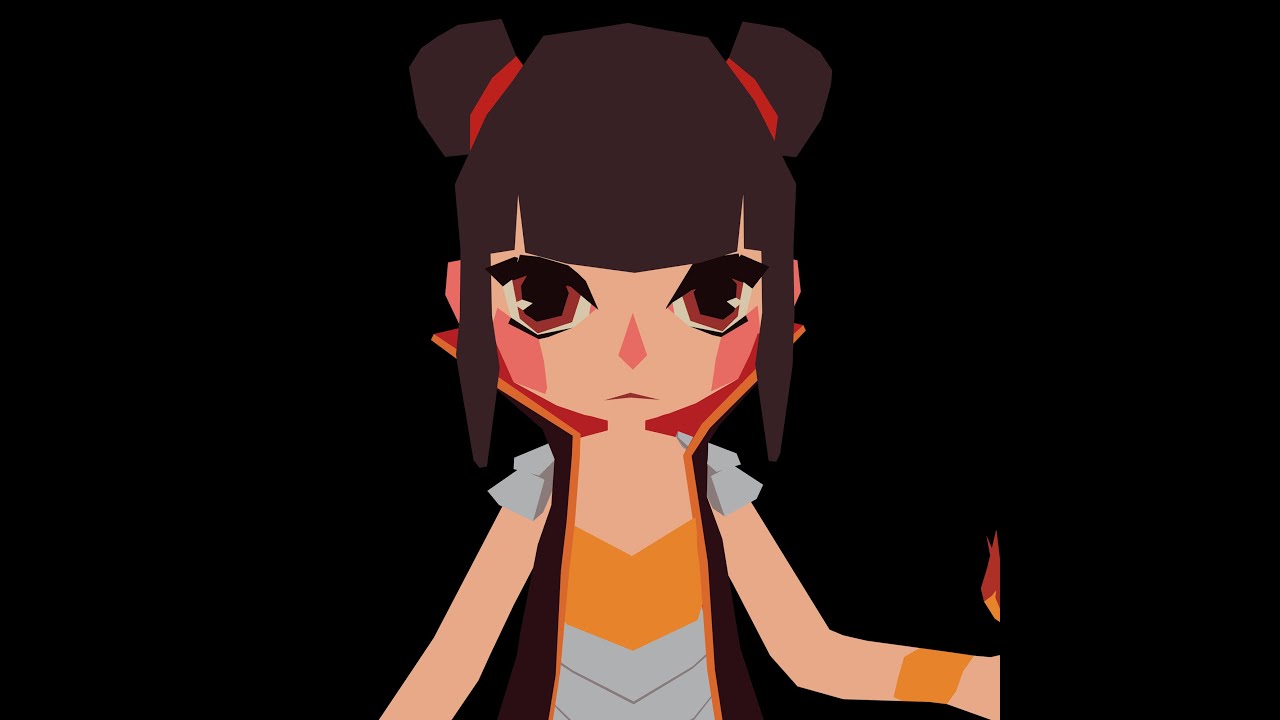
In this series I'm going to be taking you step-by-step into my process of creating a low-poly human model, with clothing and accessories. I know Blender has a confusing interface, and I struggled for a while trying to find a process that worked for me... So I thought I'd help ...
twin lichen
a thanks ^^ yeah sure hold on
(flat shading & perspective view)
havent added hair yet
jagged sequoia
basically use the knife tool the mouth shape
you would probably want more than one triangle for the mouth shape but to demonstrate the idea https://i.gyazo.com/f31e71c73bca87bdfa73139c9c8af1b2.png
 twin lichen
also-
which one is true?? And is it okay for vrchat on quest? (note im still gonna add stuff)
it gives me a different number based on wether im in object or edit mode
jagged sequoia
sorry if that was a poor explanation and the edit mode number because object mode displays the number for all of the objects in the scene
twin lichen
ah ok
there shouldnt be any other objects tho-
besides camera and light
thats good though, that means my number is low
jagged sequoia
oh that's because you're using the mirror modifier
so the edit mode is only counting the half your editing
jagged sequoia
5000 is your target for an excellent Avatar so you're fine
twin lichen
i have to count tris instead of quads becouse itll be converted right?
jagged sequoia
yup
jagged sequoia
yup and I suppose if you don't mind painted on eyes and mouth you could go with that for your first time until you're more comfortable with the tools
twin lichen
honestly im always so confused when people say "low poly model" and it looks like some 50k poly shit like wh a t 😂
jagged sequoia
well that certainly low-poly compared to Second Life
or a high poly model people make normal Maps off of
twin lichen
idk i might wanna go all out on this one becouse
- i want the learning experience and
- im not gonna make a new one in a long time probably and i really like how this one is looking so i just want it to be nice and fully usable 😂
jagged sequoia
https://www.youtube.com/watch?v=YAZ6pa7F8e4 maybe this tutorial might help as far as how you take the box shape and put facial feature Loops in it

This video follows through the process of building a 3d character using box modelling techniques in Blender which can also be applied in other 3d software for the same effect.
The video starts from scratch and follows a simple design, resulting in a 3d character model that ha...
sorry I didn't have anything readily available that would be on a fursonas head
gif to show what I meant by that picture earlier
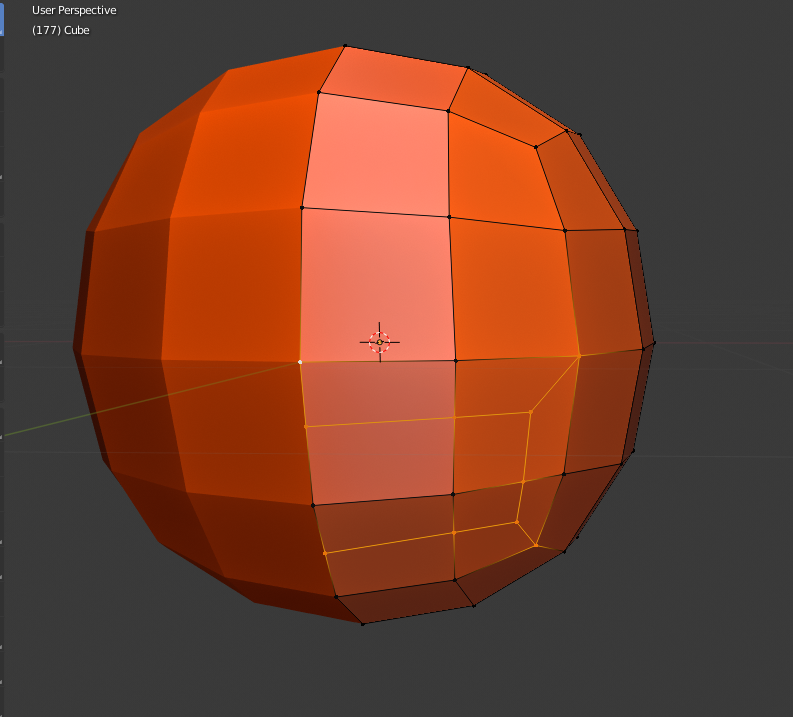
https://i.gyazo.com/2f97b33f7260da35d8fe0d590e4d2cd9.png and what it would look like to cut four squares into a set of edge Loops for a mouth
 fresh sierra
If an avatar is only published specifically to be compatible with the Quest, will it load correctly on PC? Or is a seperate avatar upload still necessary for PC players? I'm currently under the assumption that Quest-dedicated avatars will just load on PC regardless without manual modification.
compact lily
@fresh sierra if you don't upload it for PC, it won't appear on PC.
fresh sierra
Alright then.
blazing meteor
If an avatar is only published specifically to be compatible with the Quest, will it load correctly on PC? Or is a seperate avatar upload still necessary for PC players? I'm currently under the assumption that Quest-dedicated avatars will just load on PC regardless without manual modification.
@fresh sierra there will just be a robot with the word quest on its chest. Practically speaking absolutely nobody does this except by accident, since Quest compatable avatars can be built directly for windows with no modifications
fresh sierra
I see now.
 spark dew
How Can I Fix The Eyes? (Edit: This avatar was made with Vroid)
 sweet turret
the eyelashes need transparency because of how vroid allows you to draw them on
sweet turret
in unity the shader has to allow alpha transparency, and quest does not allow it
sweet turret
go into blender, and alter the mesh shape to match the texture
spark dew
Blender Allows .vrm Files?
sweet turret
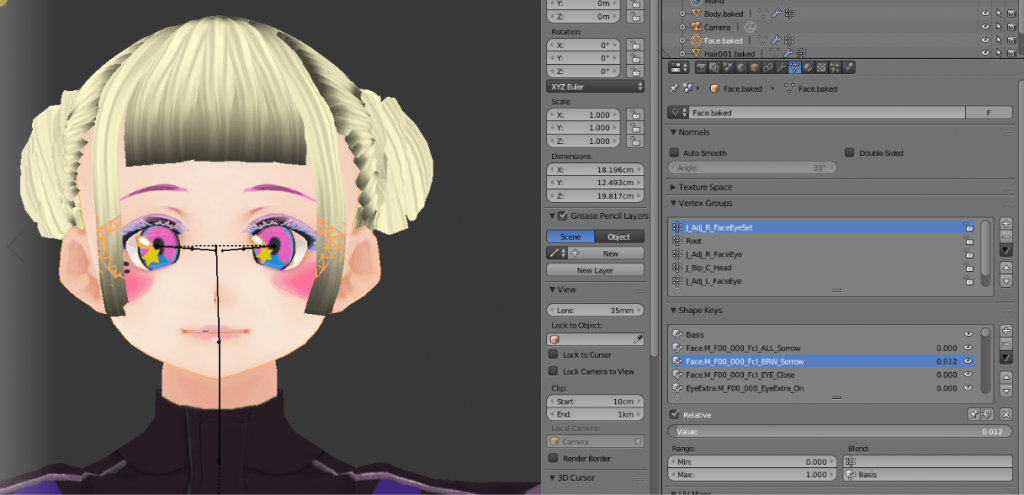
STYLY | VR Creative platform
In this article, I will explain how to import VRM files into Blender.
spark dew
Thanks
spark dew
How can i alter the mesh and match the texture?
zinc root
@spark dew basically, you have to model the eyelashes.
If this is for Quest, the most efficient style is just a solid mesh shaped like a stylized mass of eyelashes
Also, keep in mind the number of triangles on the model - the limit is 10k.
crystal plover
@zinc root. From what I heard it is only 10k to have it automatically appear, if it has over 10k people will have to force your avatar to show, and the only limit size wise is 10mb or somethin like that
blazing meteor
Actually the limit is 7500 to have it automatically appear. 10000 will appear if they change their settings to show poor by default, which most users don’t.
And yes you can upload millions of polygons and have them show if you mark as always show. The upper limit is still 7500/10000.
Anything above that is all the same.
crystal plover
Also does anyone know where I could locate any iron man or war machine avatars with animations?
 ancient gyro
Hmm, you can look up a world with key words like that
You kinda just have to dig around for it
crystal plover
Have been for 3 months now
 wary prairie
That might be cool
pastel storm
Actually the limit is 7500 to have it automatically appear. 10000 will appear if they change their settings to show poor by default, which most users don’t.
@blazing meteor pathetic I made an avatar with 96k polys
I'm questioning how tho
blazing meteor
Have fun crashing quest users who choose to unhide you 😐
pastel storm
Anyone know good avatar worlds I’ve been looking for 3 months and still nothing?
pastel storm
What avatars are you looking for?
 clever delta
When I try to upload my avatar it says “No AssetBundle has been set for this build” what do I do?
blazing meteor
When I try to upload my avatar it says “No AssetBundle has been set for this build” what do I do?
@clever delta This usually means you have a compile error. The easiest way for this to happen is you have a custom script, or a missing scripts somewhere on what you were trying to upload. Check all of the game objects on the avatar and make sure one of them doesn’t say a script is missing if it does, delete that component.
clever delta
Ok tysm
pastel storm
Is there a Spider-Man skin you can swig around with on the quest?
pastel storm
Not that I know of, but there is a world called Udon Grapple or something which allows you to swing around a city like Spider-Man. It’s pretty fun
 merry wasp
Yo does anyone know what world I can find that exploding kon avatar?
(Not sure if this is correct thread, although avatar was quest friendly)
pastel storm
@merry wasp It is called “A place we only know” or something very similar
pastel storm
@pastel storm thanks it was fun
pastel storm
No problem
 charred furnace
What texture compression schemes are available for Quest? Is it any that's under the Android tab?
charred furnace
Does DXT5 work?
dry zealot
Astc
 crisp stag
is there not a quest compatible transparent cutout shader?
blazing meteor
Right. Quest avatars can’t have transparency or cutout.
You’ll need to make your edges with modeled geometry, same if you want particles that aren’t square
 mint ice
hey i need some help like super badly, so im on quest right? and every single variation, new project, everything i upload myself ends up glitching for other users and only showing up in the avatar menu in one eye for me, is anyone else having this issue?
no errors or anything, unity doesnt give me a single issue, its only ingame'
 raw shale
Hey I have been trying to find a payday2 jacket avatar for quest 1
pastel storm
is there anyone that makes custom avatars for quest?
raw shale
Idk
pastel storm
If you can find someone to commission it, then yes
worthy sage
Change the shaders your materials uses
 harsh flicker
sure
pastel storm
https://www.youtube.com/watch?v=OHWd9odBQZE anyone know where to find this or similar avatar(s) in the video?

Phoenix Wright is currently balling and we can’t stop him. Oh yeah creds to Yogurt Cap
because i also want to be balling
verbal yarrow
3D modeling software
verbal yarrow
You asked how to make cool avatars. You make them with 3D modeling software
Or get them from avatar worlds
blazing falcon
Is there ever gunna be dynamic bones for quest? Like without having to link it to a pc
 keen lance
Nope :(
blazing falcon
How come? I'm 90% sure quest could handle it
There's world n stuff where there's dynamic bones they work perfectly fine
keen lance
It can handle it fine, but they were removed from avatars
They removed them due to their heavy cpu usage
blazing falcon
Sad
dry zealot
△ 5,500
 uncut adder
How do i fix this?
blazing meteor
Your avatar is using custom shaders. You need to change them all to ones in the VRChat/Mobile category
uncut adder
how do i do that? @blazing meteor
uncut adder
@blazing meteor
twin lichen
my friend is setting up an avatar for vrchat but for quest it looks like this https://cdn.discordapp.com/attachments/403671118826700811/775510224361619496/unknown.png

any ideas what might be causing the issue?
pastel storm
Check the viewpoint maybe
Idk
It's inside the head so amywb increase the viewpoint by just a little
@twin lichen
twin lichen
ok thanks ill ask him!
@pastel storm he's not sure what you mean, could you illiterate?
pastel storm
Where the player sees from on the avatar
 distant wave
Hey dose anyone have any cool quest avatars if you do dm me
weary skiff
Could YOU illiterate?
 silent plover
i neeed help creating an avatar from a 3d rendering i have for blender
twin lichen
on pc it looks like this, which is what its supposed to look like https://cdn.discordapp.com/attachments/403671118826700811/775515908168351794/unknown.png
 clever delta
I’m tryna add a mask to my avatar, but the mask isn't attached to the face. What do I do?
devout siren
how do I get rid of black boxes or pixel on particles


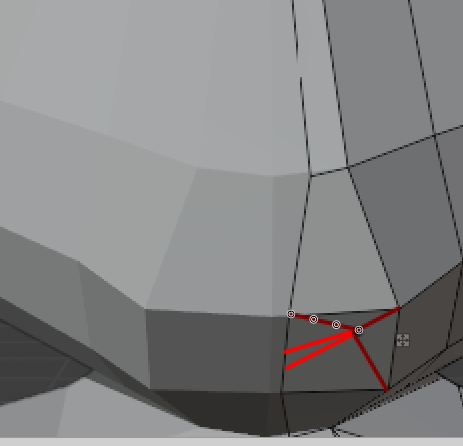
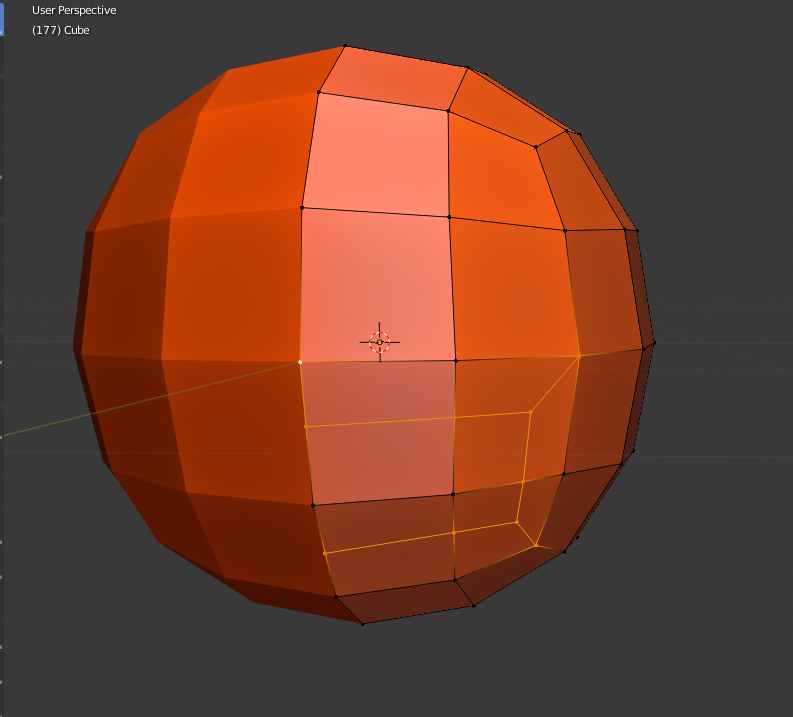

 pastel storm
Is that a character-