#avatar-quest
1 messages · Page 17 of 1
 delicate quail
 iron zealot
rip
 nocturne sundial
small question, i set all my mats up vrc toon lite, one is purple still ingame but fine in unity
lemme try making it matcap lit
i made a fresh new material and it worked
strange
 pastel storm
Hello
I was looking to know if anyone chould make an Irish republican army avatar
Is it possible for someone to make it
 magic slate
pastel storm
Is it possible for someone to make it
magic slate
pastel storm
Is it possible for someone to make it
it is certainly possible. But if you're looking to commission someone, go to the VRC Traders discord, link is in #1204490664637890580 .
You'll only get scammers around here
 dense goblet
Hey y'all! Got a question. I have a chair attached with a world constraint on my avi, but it's set to appear a bit to the left of where I'm actually standing ('Cause of the animation) and the problem is, when Quest players unload the chair, and then it loads back in, the animation re-plays and it's too far to the left, and desynced. Any way I can fix that??
 misty phoenix
Hi a problem between my PC and Quest avis has started happening recently. When i enable an asset from my quick menu on PC, it works normally, but Quest users see them differently. For example, I enable a hoodie on my PC side, but people on quest will see a different asset pop up like a sword in my hand. What can i do to fix this?
delicate quail
i think the positions are synced, so if the hoodie is in the same spot in the menu as the sword that's going to happen
i'd check if that's the case
misty phoenix
the hoodie is in a different submenu than the sword, if thats what you mean
i heard that the parameters are the problem, but they are the same between my PC and Quest Avi
and this problem didnt happen until recently, when i added a new asset
Well i have a different question now. Can i somehow see both of my Avis in Unity so i can troubleshoot the menu between them (aka the sync problem?)
dense goblet
misty phoenix
Well i have a different question now. Can i somehow see both of my Avis in Unity...
I mean you can open both Unity windows at once, if you can run it. That's how I went through item by item of my PC and Quest versions
magic slate
if you have them in the same project and different scenes (my preference), you can open a second scene at the same time
 hasty flare
can someone help me, i cant seem to figure out whats taking so much of my mb's.. (i need 10 mb for quest conversion)
 magic slate
hasty flare
can someone help me, i cant seem to figure out whats taking so much of my mb's.....
magic slate
hasty flare
can someone help me, i cant seem to figure out whats taking so much of my mb's.....
this is probably useful right now: #avatar-optimization message
hasty flare
magic slate
this is probably useful right now: https://discord.com/channels/1895115675393065...
how so
pls help
magic slate
use that tool to find out what takes up space


 magic slate
The history in this channel is very useful. But if your mesh object is what's taking up space, you'll need to reduce its size somehow. Removing unused blendshapes, decreasing the amount of polys, etc.
also don't embed materials and textures in it
magic slate
It looks like you've opened up the FBX file itself, you can't delete things from that in Unity
magic slate
I delete them in Blender, but I think VRC Quest Tools can do that
magic slate
mesh takes up space
delicate quail
merge them in blender
 shell ridge
It's been some months since I don't upload a quest avatar, just want to know, there's still no transparency and a workaround for culling for quest/android avatars?
delicate quail
Nope
I mean, you could get around culling by doubling polygon count
but I wouldn't recommend it xd
I only do it when absolutely necessary
aka, I sometimes double the skirt mesh and flip normals on it
but not often
shell ridge
Damn, that sucks
Ty
 robust whale
shell ridge
It's been some months since I don't upload a quest avatar, just want to know, th...
robust whale
shell ridge
It's been some months since I don't upload a quest avatar, just want to know, th...
transparency these are your options:
- fake with inverted normals
- fake by implying it (like for a window just don't have anything in the glass, and/or add modeled highlights)
- use vrchat/mobile/particles/additive
- use vrchat/mobile/particles/multiply
- combine both of the above shaders by making sure your transparent material is the lowest on the material list, add a new material then use multiply on the top one and additive on the bottom. If you want cutout transparency, make a mask texture for the multiply material that has the opaque areas as black and transparent areas as transparent
 bronze hawk
im making an avatar and when i load into the game, the back hair, top, the fishnets, and the pants arent attached to me

i tried moving the armature into where i think it went but that didnt work
delicate quail
why not attach it in blender? /gen
it will give you less meshes too, which is nicer on quest
 formal crystal
bronze hawk
not even sure if my laptop can run that and unity
formal crystal
bronze hawk
not even sure if my laptop can run that and unity
Depends what laptop your using
bronze hawk
 formal crystal
bronze hawk
formal crystal
bronze hawk
That wont work to my calculations
or search it on google if its compatible it unity and blender
bronze hawk
Even if I did get it, idek how to use blender so I'd most likely break somthing
formal crystal
Go on Youtube
delicate quail
it's very easy, if the clothes are made for your body it's three clicks and done
formal crystal
delicate quail
it's very easy, if the clothes are made for your body it's three clicks and done
Its not simple
U need a big brain
delicate quail
how is it not?
formal crystal
Its not simple to create a avatar
delicate quail
I'm talking about attaching clothes
formal crystal
But since i only UPLOAD its easier
also with clothing
bc its hard to get the clothing stuff sorted
delicate quail
if the clothes are made specifically for that body it's easy
- import body and clothes
- go to cats merging
- click merge
how is that hard?
In my opinion that's way easier than attaching clothes in unity with moving the bones and everything
formal crystal
Im talking about if you want to remove bc my sidebar on usnity is basically "ndhqefhewhfhafdhfhe"
 kindred fractal
Huh
formal crystal
But if u dont want to remove its alr
formal crystal
delicate quail
I have no idea what you're talking about
Yeah me to mate we both on the same page pal
delicate quail
huh
delicate quail
bronze hawk
not even sure if my laptop can run that and unity
besides blender is free, you can always try it and if it doesn't work go back to unity
 dusky gate
 finite hazel
I need help
finite hazel
I need help
you should probably say what you need help with instead of just saying you need help. people will be more likely to reply
 eager venture
Good Evening/morning gamers. I'm new to the whole vr thing but i've always heard about VR chat. How does one import an avatar to le quest?
bronze hawk
get the avatar file
open in unity
do what you want to it like adding retrextures or toggles n junk, then upload to windows, then switch the build thingy to android
i only know the basics so if you want an indepth tutorial ask someone or watch a video
 frozen marsh
eager venture
Good Evening/morning gamers. I'm new to the whole vr thing but i've always heard...
frozen marsh
eager venture
Good Evening/morning gamers. I'm new to the whole vr thing but i've always heard...

In this video you will learn how to upload VRChat avatars that you purchased on Gumroad, Payhip, Booth or other platforms for both PC and Quest.
This tutorial is aimed at complete beginners that newer touched Unity or anything like that.
0:00 What do you need to be able to upload avatars
1:22 Creating a new avatar project
3:43 Login into the V...

 kindred zealot
how do i make avatar seats/stations on quest
robust whale
kindred zealot
how do i make avatar seats/stations on quest
same as pc, just remove the box collider before upload
frozen marsh
kindred zealot
how do i make avatar seats/stations on quest

In this video you will learn how to add seats to your VRChat avatar that other people can sit on.
0:00 Adding a seat
1:59 Test using the local offline mode using VRC Quick Launcher
3:35 Adding a radial that positions the seat up and down to adjust the position of the sitting
5:39 Testing it again using the local offline mode
Here is a PC video
magic slate
wow you have a lot of these, very nice
whoa a nixie clock watch!
I modeled a whole nixie clock recently
frozen marsh
Nice
magic slate
this is nice work
frozen marsh
Thanks
magic slate
off topic but whatever, and forgive the harsh lighting, it's in a test scene
 frozen marsh
nice, little emission and it's lit
magic slate
yep!
I have a little pile of tubes IRL that I have been meaning to make into a clock for like 15 years, one of these days I'll do it
 uneven mulch
Hi I purchased an avatar from a creator. It uploaded to pc just fine, but when I tried to upload it to quest it says the file is too big. It jumps from 10.11 to 10.8 every time I try to upload it. Im not sure how to make it smaller and still basically keep it the way it is since it's already been converted. Help?
 magic slate
#quest-optimization is best, but you can try to reduce texture sizes. if not that, perhaps vrc quest tools can help
frozen marsh
uneven mulch
Hi I purchased an avatar from a creator. It uploaded to pc just fine, but when I...
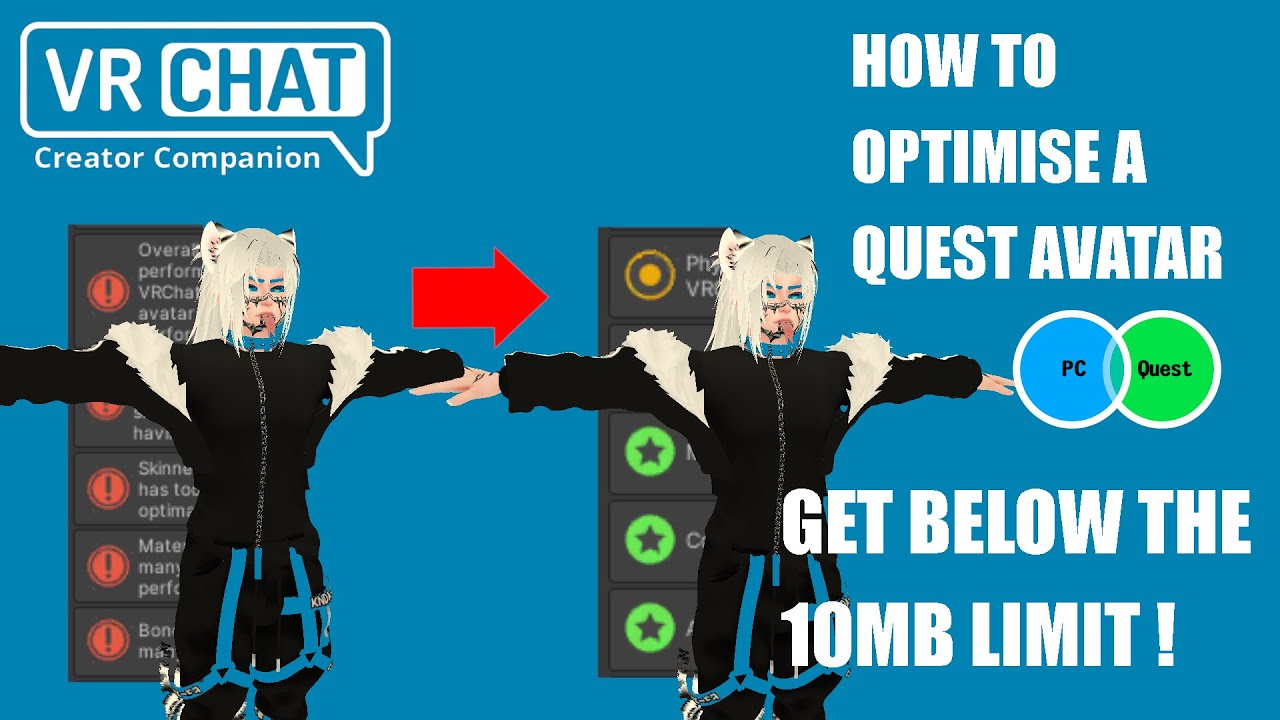
In this video you will learn how to optimise your avatar for Quest (but also for PC) using Unity and Blender.
0:00 Intro
0:17 Analysing the avatar using Asset Bundle Stat website
2:37 Dissolving edges loops
5:30 Decimating topology
5:58 Export settings and analysing the avatar with Asset Bundle Stat again
8:33 Analysing only the mesh with no te...
 civic escarp
uneven mulch
Hi I purchased an avatar from a creator. It uploaded to pc just fine, but when I...
civic escarp
uneven mulch
Hi I purchased an avatar from a creator. It uploaded to pc just fine, but when I...
hewwo try d4rks avatar optimizer
it’ll probs help knock out that .8 mb
 devout badge
so i went into the help channel and it was no dice on what a solution is

anyone willin to help a homie our
magic slate
install gogo loco into your project
 night turret
hi kazin
magic slate
ok then re-install it, it says there's missing stuff
magic slate
try the vrc fury discord then, not sure why the error message says those files don't exist if they actually do.
night turret
sometimes vrcf is a liar
delicate quail
you could try, but they may refuse help since their rule 1 is only first party support and you're having trouble with a bought avatar. But you could just not tell them that
devout badge
ill try reinstalling and going through it a third time
vc stream is an option if anyone down
delicate quail
i don't think we'll learn anything more from that
you already explained everything
kindred zealot
uneven mulch
Hi I purchased an avatar from a creator. It uploaded to pc just fine, but when I...
Change some texture sizes
Change some texture sizes
 lean kelp
Hey does anybody have a a Nanotech Iron Man 85 avatar?
lean kelp
I’m on a quest account
 arctic slate
Still not the right channel to ask in so you'd need to make a post if you want someone to try and find you that model, make a vrchat account and merge it to your quest one or you could just search the avatar names that'd be provided in the links of you post in a search world
 empty oar

Heyo, here again for avatar help. I just recently finished this avatar for quest and pc and i had tested the view on quest and this bleeding on the the clothing is happening only on quest. Is anyone familiar with this?

Normal up close and bleeding far away
 dim cove
empty oar
Heyo, here again for avatar help. I just recently finished this avatar for quest...
dim cove
empty oar
Heyo, here again for avatar help. I just recently finished this avatar for quest...
probably vertex colors
 eager gull
anyone know where I can get Demon Slayer Particles from?
I been looking for one for awhile but I cant find one
 mighty stag
Hello, I have a quick question, is it easy to convert a booth model into quest?
- That works well with the toggles of the PC version.
arctic slate
with all the toggles? no generally not
booth models are made to look pretty in the majority of cases rather then being optimized
theres also alot of PC only things that their add-on gimmicks tend to use iirc 
mighty stag
arctic slate
with *all* the toggles? no generally not
Is it possible to make a simple one then make an quest variant of it?
arctic slate
a simpler quest version?
mighty stag
Oh like a PC Variant booth model with 2 clothes, 2 hairs, then convert it to quest?
arctic slate
depending on what the base models setup is and how you added any additions on then maybe, if the original unedited version of the model includes like 5 outfits then it'd be a bit harder and you'd need to edit in blender (or if it just has alot of seperate meshes,materials,texture swaps etc) or if you're adding clothing stuff with Modularavatar/VRCfury then you'd need to figure out how to add it to your model manually and likely repair the animations used
w/o an idea on what you'd be working with its kinda hard to tell
mighty stag
Ohhh, I was just planning on making an custom comfy booth model personal yk, with PCSS and things like that, but it won't be too grand, just a couple clothes and hairs, but I never made an quest version avatar before so Idk how will that go XDD
arctic slate
you can see the Quest's limits here:https://creators.vrchat.com/avatars/avatar-performance-ranking-system/#mobile-limits but generally adding multiple outfits/hairs/swaps doesnt turn out looking too good (because of how limited you have to be) and is quite performance heavy, aiming for medium at the worst should be the goal especially if you plan on being around alot of questies (though most users dont care sadly)
The Avatar Performance Ranking System allows you to see how much a user's avatar is affecting performance via analysis of the components on that user's avatar. You can also use it on yourself to see how performant your avatar is.
if its just going to be a private model and you're not gonna use it in publics alot you could decide on either keeping a hair or outfit swap (1-2) without any material swap options and use some major texture atlasing and material merging so that you're at the poor rank, and im not too sure what PCSS is but if its this:https://booth.pm/ja/items/4493526 then that wont work for questies because of its light source and i think custom shader requirement?

※導入前に本ページを最後まで読んでください。ほとんどのトラブルの解決法は書いてあります。 ※v5.0.0からNGSS版は廃止されました。 リアルタイムに高解像度な影を比較的低負荷で落とすアバターギミックです。 前髪や、顎、胸といった様々な部位の影がつくことで、圧倒的な立体感・存在感が表現できます。 ワールドのライトの影響を抑え、同梱されているアバターに追従するライトを主として照らすように設定されているので、ワールドライトに依存せず、そのため特定のワールドで真っ暗になってしまったりすることがありません。
mighty stag
All of these are so helpful! I'll put this into my notes, and keep it in mind when I start working on my project, thank you so much for thoroughly explaining and giving resources! Thank you! 
arctic slate
Glad to help as much as i could, hopefully someone else here who works with booth stuff more can give some better insight 
 wooden fable
Making a booth avi into quest can suck mostly because of tri count if youre trying to optimize down to medium. But the most annoying thing is material atlasing and dealing with special effects like blush. A lot of booth avis have insane material counts. You might need to sacrifice any special effects since they dont have transparency on quest. Definitely keep high impact toggles to a minimum
 torn moon
honestly, as long as it can upload then its fine, quest avis are mainly hidden and kept like that usually anyway
if its a private then not so much of a stress as long as u arent lagging ur own self
not ideal at all or best practice, but thats the most realistic tbh
wooden fable
torn moon
honestly, as long as it can upload then its fine, quest avis are mainly hidden a...
But that sucks for quest users. Why not make an effort to optimize the avatar for the majority of the playerbase than just upload one that will be blocked by default?
torn moon
wooden fable
But that sucks for quest users. Why not make an effort to optimize the avatar fo...
yeah thats why i said not ideal or best practice
but thats what the most realistic
worlds are so bad anyway, that most the time u cant even have many avis on anyway (even on pc)

wooden fable
Realistically if someone is making an avatar that they plan to sell then they have the skills to optimize it. If youre selling a product it should be quality
torn moon
im referring to personals
creators are a whole different topic
those are made for mass, personals arent
wooden fable
Oh my bad, I thought that person was making an avi to sell
Looks like I misread it
Either way I think the extra effort is worth it
torn moon
for personal ehh idk, it depends more if the person is even in publics
kinda on a person by person basis
i optimize my personals to green tho cause of events i may attend (but im in private instances 99% of the time)
and to counter any possible very poor avis, i made my own fallback/excellent rank avi to sell, so kinda pemdas for doing my part
wooden fable
I optimize all of my avis to have medium on quest. I wanted to do a fallback version but I gave up on it. Honestly I should give it another shot.
Hopefully with that optimizer in the SDK that was teased this will be easier for people who dont have the time or skills to optimize
delicate quail
I try to optimize most of mine for quest medium. Doesn't always work out though
torn moon
wooden fable
Hopefully with that optimizer in the SDK that was teased this will be easier for...
ehhhh the best way would be repacking islands, most unity atlasing tools are genuinely bad for texture memory, especially for anything that needs masks
but to get tris down very low, would def need some manual work for sure, but theres some tools like polytool and lodmantis that decimate pretty well imo if u need some fast results
 serene marsh
Genuinely there is NO reason for quest to be this nerfed dawg, phys bone count, constraint limits, contact limits, the uncompressed size limit even existing, the 10 MB build limit, I'm very good at optimization and have been making avatars for 2 1/2 years now and I know I'm yellin at a brick wall because the vrchat devs won't take criticism (thank you any keyboard warrior that proves me wrong) but being a quest avatar creator in 2025 is just so cancerous
 steady idol
I dont see how you are having such a problem when my pc avatars are under quest limits
arctic slate
yeah getting something under 10mb is pretty easy if you're not adding an OD amount of toggles. the size limit will eventually go up if you really arent able to get your content to work with Android (for some reason) once the current quest headsets are no longer supported and their newer ones become the norm but thats quite a long ways away likely a few years from now
serene marsh
Incredibly unfortunate, cause again normally I don’t have issues with optimization, yes it’s a bunch of logic less limits that they put on quest but I still have no problem, I’m making a goku avatar and it has 300k polygons, less than 20 materials, most of the textures are 128x128 except for two that are 512x512, it’s bad that besides the mesh itself gogo loco takes up the most space on that avatar, it’s just the 40mb uncompressed limit really isn’t needed, even a 500k mesh prolly won’t lag you but we just can’t fit it on quest for fun ig
And it also really sucks that we need to wait for better hardware to come out for us to get upgrades seeing as they’ve just continuously nerfed quest over and over again, people who use bloodborne and had premium could upload avatars that far surpassed the 10mb limit and those avatars never had any performance issues
kindred fractal
You can compress gogo menu icons to like 32x32 btw lol
And people shouldn’t be using bloodborne since modded SDKs are against VRChat TOS
just get better
The main problem with stuff like that is it’s pushing performance to its limits. We’re better off with what we have, and I can say in all honesty that I crash much less now with these new constraints
arctic slate
people who used those modded SDKs to upload bypassed the limits had plenty of performance issues because they were generally made to be crashers/laggers thats literally the original reason that the majority of those modified SDKs existed/exist, the limits have been tested pretty thoroughly and are deemed to be the best performance wise ofc they seem unessecary for every scenario ( especially for just private worlds dwellers or having all avatars hidden all the time )
dim cove
arctic slate
people who used those modded SDKs to upload bypassed the limits had plenty of pe...
the limits are there for a reason 🤷🏻♂️
so trying to break them is pretty stupid
arctic slate
exactly
also 300k polys, almost 20 mats is kinda OD for a PC avatar let alone a quest model lmao
id say just make the current avatar into multiple models with like 1-2 of those toggles per avatar
torn moon
^^^ 300k is wayyy too high for quest
quest limits are perfectly fine as is, just dissolve/decimate ur meshes
lower ur matcounts, lower youre resolutions
delicate quail
"but... but... it's gonna be ugly if I do that"
that's something I heard before regarding quest limits
torn moon
remove unused blendshapes, unused UVs, etc
delicate quail
and it's not true at all xd just be smart about how you do it
torn moon
quest doesnt look bad cause limits, its cause it relies heavy on textures which people dont bother to learn
u can have baked looking textures just from exporting 2D view from substance, that alone can make ur models look 1000x better
dont even need normals at all to look decent
use mirrored UVs to crunch resolutions while have it still look sharp
if ur hitting the quest limits or even pushing near it, then u need to re-evaluate your model or your workflow
quest can have hsv radials, tiling, detail masks, 2 UV maps, and constraints even
it has alot honestly
kindred fractal
I mean, its totally possible to make a model 300k and upload to quest, but def wouldn’t advise it if you can avoid it
delicate quail
it would be very laggy
kindred fractal
It isn’t pleasant at all
Can say that as a questie. When you turn on multiple avis too it gets worse
delicate quail
Yeah
kindred fractal
Deleting meshes under clothes or dissolving edges goes a long way
kindred fractal
I’ve brought avis down by well over 100k tris
kindred fractal
delicate quail
i once turned on an avatar and it was so bad I crashed xd
REAL
magic slate
haha arguing about limitations while at 300k
kindred fractal
Yeh no just doesn’t make sense
Could even just delete some small high poly stuff by either going into blender to see the stats for the meshes or importing this one tool (cant remember the name)
It basically tells you what’s the most high poly upon build
And then going off of that you can delete or optimize stuff
torn moon
kindred fractal
Can say that as a questie. When you turn on multiple avis too it gets worse
when i test on quest i lag just being in a world alone, quest worlds are so bad 😞
kindred fractal
torn moon
when i test on quest i lag just being in a world alone, quest worlds are so bad ...
People honestly don’t put in the effort to make them compatible a lot of the time and it’s sad :’)
torn moon
i wish thered be more emphasis on world optimization
kindred fractal
I’ll join some and it’ll crash me or my screen will go black when I turn certain angles
kindred fractal
torn moon
i wish thered be more emphasis on world optimization
Srsly
delicate quail
I hate it the most when the world is fine
but not the spawn
so I need to lag and run out of there as fast as I can xd
robust whale
serene marsh
And it also really sucks that we need to wait for better hardware to come out fo...
avatars that far surpassed the 10mb limit and those avatars never had any performance issues
they absolutely did, many of them would crash me almost immediately, if not then my framerate would significantly decrease and I couldn't load any more avatars. They ate up all of the precious memory on my quest
delicate quail
yup, same here
magic slate
yep
dim cove
robust whale
> avatars that far surpassed the 10mb limit and those avatars never had any perf...
it seems like people make their avatars quest compatible at this point just so that other people can see them (even tho impostors are a thing now) and they don't care to optimize their avatar
i understand wanting quest users to be able to see your avatar but please just make an attempt to optimize the quest version 😅
robust whale
the biggest issue tbh is that it is hard to optimize avatars that aren't built from scratch, especially as a beginner. A lot of those people will purchase avatars, and all the purchasable avatars are so unoptimized just for the sake of "looking good". The eboy/egirl type avatars are especially bad, with them often being unoptimized messes of a kitbash of popular parts.. If you can't optimize your assets, you shouldn't be selling them. There are too many sellers flooding the market with horrible assets that happen to look good, and it's causing beginners to get frustrated with optimization and think that type of performance is okay just because it's typical and "everyone else does it"
dim cove
robust whale
the biggest issue tbh is that it is hard to optimize avatars that aren't built f...
the problem with "everyone else does it" type of mindset is that it'll make it worse since more people will not optimize their stuff
it's like the bystander effect
robust whale
yes exactly. There's also a good amount of people who think that if you're able to see an individual polygon or pixel then your avatar is "low quality"
they want everything to be perfectly smooth
delicate quail
people don't bother. Why would you optimize something if it doesn't make you lag? Avatars also sell better if they're "quest compatible"
robust whale
lol there's so many "quest compatible" avatars that don't even upload to quest because they're over the filesize limits
dim cove
most of them are probably older
dim cove
lol
robust whale
the filesize limits have existed on the SDK side for a lonnng time... if they went over the limits and were able to upload them, then they're using a modded SDK, which not only means they're personally breaking TOS but it's incredibly irresponsible because they're selling a product under false pretenses (that it's able to be uploaded to quest with the regular SDK)
I think a lot of the creators don't even bother to test upload them on quest, they just make sure that all the components are quest-compatible and within the limits, but never check the filesize
dim cove
robust whale
the filesize limits have existed on the SDK side for a lonnng time... if they we...
yeah i was refering to avatars sold before the new restrictions update
robust whale
dim cove
yeah i was refering to avatars sold before the new restrictions update
it's not new though, at least on the SDK side
it was only recently enforced server-side, but if you were able to get it onto the server in the first place, you'd had to have used a modded SDK or the SDK must have had a bug
dim cove
maybe time just moves faster for me 😂
i think it came out last year?
robust whale
unless you're talking about PC limits, afaik the Quest limits have been enforced by the SDK at 10mb compressed and 40mb uncompressed at least since I started making avatars which was about 2.5 years ago
what they've done recently was halve the PC limits and enforce both limits server-side; previously they'd only been checked by the SDK so you could bypass it with a modded SDK
now if you're able to upload the avatar with a modded SDK, it gets flagged by the servers and shows as an error bot in-game
 vale flint
Can anyone help my friend sent me the link to put my new avitar he uploaded for me on to my vr chat wen I click link it does this on laptop n phone
 delicate quail
is it a private? Maybe it's not showing up cause it's a private
and that's why we upload avatars ourselves~~
delicate quail
well, that's something your friend had to figure out than
nothing you can do cause you don't have access to the avatar
vale flint
What do I say
delicate quail
"Did you upload it as a private or a public?"
just say the link doesn't work
if your friend is your friend they will fix it
if not, you'll need to upload it yourself
 jade narwhal
what would be the best quest shader for a panosphere? i tried matcap lit but it looks a bit wonky
i could probably edit the texture but i wanna weigh my options
vale flint
Ok
 worldly scarab
hey i was wondering if anyone can help me get the collision and grab interaction animations visable on quest for the novabeast? i would love to have my nova move around like all the other nova models instead of like a solid rock.
pastel storm
Uh when I upload my avatar it dosent show up
In my favorites

Nothing happened after clicking build and publish
Something pops up, load bar then its gone
Do I just need to wait? idfk
 night turret
pastel storm
night turret
pastel storm
it doesnt show up in favorites, it has a separate tab

if it doesnt show up at all, it probably didnt finish bc of an error in unity
night turret
pastel storm
did you only try once?
bc if thats the case, it didnt upload bc it had a blueprint that wasnt yours
 languid viper
oh wait oops thats not what this channel is for
delicate quail
first upload the pc one
copy the id
and attach it to the quest one
and upload the quest avatar with the platform set to android
do you need screenshots?
I'll put them here just in case. PC ⬇️

Quest ⬇️
 delicate quail
so save it?
 calm whale
It's still not working
 simple scroll
?tag scam
 tough atlasBOT
Hey ho 👋 I see you're looking for commissions.
You will probably receive DM's or friend requests from scammers now (or later) that will try to offer you their services. 😖
🚫 Absolutely DO NOT engage with those, regardless of how competent they might seem or their excuse to why they contact you.
This is unsafe practice used by scammers, and also breaks this Discord's rules. 👮
If you seek a creator, check out VRCTraders and follow their protocols strictly 🥺
🌠 It's extremely important to always DEEPLY investigate the account and social media of the person you plan to commission.
Is their social media linked in Discord? Is it legitimate? Are the references stolen? (Try to reverse image search posts to check.) 👀
The quality of fake profiles out there can be crazy good, be aware of that and NEVER engage with DM or friend requests that originate from the artist.
When in the slightest doubt, do not commission them and contact the moderators of the involved communities. 😱
 slow flame
simple scroll
?tag scam
slow flame
simple scroll
?tag scam
i just joined this server also i dont scam-
i legit joined like 5 minutes ago
i just asked a question
simple scroll
slow flame
i just joined this server also i dont scam-
You get scam, not you are scammer.
slow flame
simple scroll
You get scam, not you are scammer.
oh
simple scroll
also....free comission be expensive than paid comission.....as they may just send you illegal models and you get banned at end.
slow flame
i dont have money for paid commisions
delicate quail
learn how to make your own than
slow flame
i have no blender model expierence
delicate quail
neither did i when i started
magic slate
that can be learned
slow flame
i dont even know how to use blender
simple scroll
everyone be no has experience at first place.
delicate quail
people won't make you a free avatar
delicate quail
than be stuck with till you have more money
slow flame
i have no money not even a dollar-
slow flame
i just said my brain cant comprehend blender-
magic slate
there's a point where this just sounds like complaining rather than being constructive
delicate quail
mhm
slow flame
also i just joined this server like 10 minutes ago
night turret
tough atlas
Hey ho 👋 I see you're looking for commissions.
You will probably receive DM's...
this is so silly
delicate quail
not everyone learns the same way
slow flame
i learned it myself at first with no videos and then i started using videos
from big blender youtubers
but they didnt help at all
and even from trying to learn it myself i learned nothing
delicate quail
what was the thing you struggled with?
slow flame
its not that i cant model i can model in roblox studio
but blender is legit over complicated for no reason
i cant even place a shape
night turret
erm
slow flame
i have no clue on how to do anything in blender
delicate quail
for me it's the most helpful when i search the exact thing i need. Not "blender tutorial for everything", but "blender how to add armature"
small steps
slow flame
if i cant model how am i supposed to add a armature also my ocs character i plan for my avatar is a complicated design
delicate quail
blender can be complicated at first, but once you knoe what you need it's not that bad
slow flame
that cant just be replicated easily in blender
magic slate
one of the first things in most basic tutorials is how to make a new mesh object, so it really sounds like you've not actually watched any tutorials when you say that.
delicate quail
you just need to try
delicate quail
so why can't you add a mesh?
magic slate
yeah I can't believe that.
delicate quail
sounds unlikely.
night turret
this is why i use nomad sculpt to make all my models
its so easy
blender is too big brain
slow flame
i warched about like 10 tutorials to figure out how to model
legit nothing helped
and im using the same version from those videos
delicate quail
again, why can't you add a mesh? is the button not there? does the keybind not work?
cause i'm a bit confused
magic slate
in object mode, 'A' brings up a menu where you can add things, and then you can pick a cube. for example.
night turret
isnt adding a mesh just like right click add or smth
magic slate
I really cannot believe this does not work.
delicate quail
screen record.
night turret
idk how to model in blender :)
delicate quail
i will not believe until i see
slow flame
bro im on mobile rn im not on my computer rn
delicate quail
cause that sounds very unlikely
magic slate
OBS Studio works just fine
delicate quail
yeah
night turret
how does it not work with blender, its a screen recorder
delicate quail
obs studio very east
slow flame
i use obs but it doesn5 work on blender for me
delicate quail
y
slow flame
the footage is just a still image
night turret
slow flame
i use obs but it doesn5 work on blender for me
window capture: blender
delicate quail
there's an option to also record the whole screen
night turret
or even monitor capture
magic slate
at this point this is really starting to feel like trolling.
slow flame
not gonna explain it twice
delicate quail
i feel like nothing works for you
slow flame
magic slate
at this point this is really starting to feel like trolling.
im not trolling
delicate quail
magic slate
at this point this is really starting to feel like trolling.
honestly same here
magic slate
yeah, same
night turret
bye kazin/eli
magic slate
but modeling happens right here?
slow flame
night turret
i have stuff to do, like modeling loki
isnt loki the god of pranks-
magic slate
it's in that window over there ->
delicate quail
i like loki
night turret
magic slate
it's in that window over there ->
nuh uh
its on the tablet
magic slate
I don't currently own a display tablet, but I do have a drawing tablet.
slow flame
anyway as i said before ive tryed everything
magic slate
except apparently the correct thing
slow flame
and also if i cant even make a shape how am i suppose to model myself let alone make a rig%
-*
delicate quail
send a video
night turret
magic slate
I don't currently own a display tablet, but I do have a drawing tablet.
yeah thats what i use for modeling, app called nomad sculpt, very easy modeling (imo)
night turret
just a normal tablet
delicate quail
"this doesn't work, that doesn't work"
okay, can you show proof?
"no, cause it doesn't work". like be ffr
night turret
slow flame
i just freaking said
record the pc screen with the phone 👍
slow flame
i dont have a phone
delicate quail
exactly
XDD
seems to me like you just wanna make someone feel so bad for you till they make you a free model
slow flame
and also my devices camera quality sucks
night turret
ok well
magic slate
Start blender. You'll see a scene with a cube. 'a' to select all, 'x' to delete that all. Then 'A' , select "mesh" then "cube' - you should now have a new cube.
night turret
then wtv mobile device
delicate quail
100% a troll
 slow flame
delicate quail
seems to me like you just wanna make someone feel so bad for you till they make ...
slow flame
delicate quail
seems to me like you just wanna make someone feel so bad for you till they make ...
thats not it at all -_-
i use a ipad
not a phone
night turret
then record it wit le ipad
arctic slate
ipads have cameras 
slow flame
my ipads quality on the camera sucks
delicate quail
don't those come with cameraS?
slow flame
it cant even read the screen
delicate quail
i don't care.
night turret
._.
delicate quail
shit quality is still a recording
night turret
i think a recording is better than no recording
slow flame
what i mean by that is the camera quality makes the screens glow legit completely white
arctic slate
we dont need to read the words just need to see your process, most here are knowledgable enough to be able to figure out what you'd be looking at/pressing
delicate quail
mmm
night turret
move tablet away from screen 👍
slow flame
even if i stand on the other side of the room its still white
ive
tryed
everything
u can imagine
does
not
work
delicate quail
turn on the light in your room, it should cancel out the brightness of the screen
arctic slate
guess you're SOL
night turret
i wonder if bro's legs work for him 🥺
magic slate
definitely not
arctic slate
he tried and they dont work!
delicate quail
because we cannot help you if you refuse to cooperate or look for solutions.
slow flame
why do i feel like this is just turning into a harrassement session over one question i asked?
slow flame
delicate quail
because we cannot help you if you refuse to cooperate or look for solutions.
dude did u not read? i said ive tryed everything
Im trying
magic slate
we are trying to help but everything we say you tell us doesn't work, and it's becoming increasingly unlikely.
slow flame
to cooperate
delicate quail
did you also ty buying a new pc?
i don't know what everything means
it's too broad
magic slate
there's really nothing else we can tell you if nothing works except to commission someone to do this stuff for you.
delicate quail
hey, so do i!
 slow flame
im not saying i cant use blender
im saying the keybind and button doesnt work
for the mesh
magic slate
you definitely said that nothing worked repeatedly
slow flame
i meant for the screen recording moron
delicate quail
and the mesh not adding?
night turret
have you tried using the base cube to model from since you apparently cant add any meshes
magic slate
oh now we're done, if you're calling names. Good luck.
delicate quail
and be respectful.
slow flame
night turret
have you tried using the base cube to model from since you apparently cant add a...
how am i supposed to turn a cube into a freaking model-
delicate quail
people do it all the time!
night turret
slow flame
how am i supposed to turn a cube into a freaking model-
erm...
modeling it
delicate quail
how do you think models are made?
night turret
thats kinda how modeling works
delicate quail
exactly
night turret
delicate quail
how do you think models are made?
mine are usually orbs
slow flame
ik but i cant add other shapes
night turret
or donuts
delicate quail
slow flame
to make the model
night turret
delicate quail
how dare you
you didnt use a keybind
delicate quail
shock
magic slate
delicate quail
thank you, I didn't have the patience for this anymore.
delicate quail
same here
delicate quail
and guess what, i recorded it with obs!
slow flame
even if i click the button
delicate quail
record proof. Because it sounds impossible, So i wanna see it happen.
arctic slate
purely extruding is an option, a lengthy option but a work around to your no being able to add new meshes in
delicate quail
if you don't i'm not gonna be helping, easy
slow flame
breh im not gonna explain it again
night turret
💀
arctic slate
lots of clipping software out there other then OBS
magic slate
I use simplescreenrecorder usually, but that's a Linux thing.
delicate quail
this is so funny xD
slow flame
im back i waa afk
was*
but even if these things did work i have no modeling experience my brain does not comprehend blender
i cannot model
delicate quail
than hire someone!
night turret
slow flame
but even if these things did work i have no modeling experience my brain does no...
. . .
magic slate
yeah this is circular
delicate quail
because it's a lot of work
slow flame
night turret
https://discord.com/channels/189511567539306508/565256303614623767/1345469003677...
i meant i cant model in blender
arctic slate
and because the majority of commissioners use comm's as their livelyhood
night turret
delicate quail
because it's a lot of work
especially human models
slow flame
i can model in roblox studio but not blender
delicate quail
night turret
especially human models
any models!
slow flame
i mistyped
arctic slate
roblox models can be ported to blender you'd just need to setup the rig in blender
delicate quail
slow flame
i can model in roblox studio but not blender
hey, guess what. Isn't there a way to get roblox models to vrc?
night turret
delicate quail
any models!
i mean its not like its hard to model a donut
slow flame
delicate quail
hey, guess what. Isn't there a way to get roblox models to vrc?
yea but u cant model stuff like im thinking in studio
night turret
slow flame
yea but u cant model stuff like im thinking in studio
thats not true
ive seen some stuff modeled in roblox, its wild
slow flame
ik but not specifically the style im going for
which is 3d cartoony
look im done here this is just turning into a harass me session
slow flame
think what u want my guy but i know the truth of what im thinking of my self
delicate quail
easy to port to vrc
night turret
slow flame
think what u want my guy but i know the truth of what im thinking of my self
which is what
 timber marlin
theres a seat on my avatar from addding haptic suit support and vrcft
 analog dock
why is my avi gettting flagged for security checks when it only has like 1 outfit and 1 hat??? and also what the hell is this sdk its not letting me upload pc q
night turret
are you using a modified sdk at all?
analog dock
no
normal sdk just newest version
anytime i upload it as pc quest i get this
and cannot use the avi anymore
night turret
any errors in the console?
analog dock
 night turret
any errors in the console?
night turret
night turret
any errors in the console?
is there an answer to this
analog dock
no there isnt
now i have it pc quest but now its a dissabled avi cause its failing checks
analog dock

so very poor avis are automatically banned??? or something stupid cause its greyed out and a robot so like ig im done uploading cause they keep making this shit to complicated
like old sdk was fine enough why did yall gotta go out and change it
night turret
or you could go onto the vrc website and do a support ticket
but ok, annoy the mods instead 👍
 craggy glacier
please do not ping us for non-moderation purposes
night turret
hi sipp
craggy glacier
sup
night turret
also no, very poor avis are not autobanned, otherwise it wouldnt even show it
like if you have smth thats 501mb, the limit being 500mb, it wont even show up as uploaded
analog dock
but my avi has no non quest compatible stuff its comepletely quest compatible
night turret
ok
delicate quail
?
arctic slate
not allowed in VRchat

 empty ice
is there no way around this? why is this even a thing? xD
 frozen marsh
empty ice
is there no way around this? why is this even a thing? xD
frozen marsh
empty ice
is there no way around this? why is this even a thing? xD
It's for worlds only
empty ice
frozen marsh
It's for worlds only
oh I see
so its there instead of being in the completely empty "world" section
frozen marsh
Is there a canny for this message to include the message "This shader is only useable for Worlds ?"
 true burrow
arctic slate
not allowed in VRchat
true burrow
arctic slate
not allowed in VRchat
I'm so sorry it's my older brother he's been on a avatar posting spree lately and idk what to do with him
dim cove
uhuh...
delicate quail
hmm
dim cove
just admit your fault and move on, man
no need to put the blame on others
delicate quail
exactly
 tender breach
my friend has been looking for this for ages does anyone know the name or have a link

 magic slate
tender breach
my friend has been looking for this for ages does anyone know the name or have a...
tender breach
magic slate
tender breach
my friend has been looking for this for ages does anyone know the name or have a...
tender breach
thank you
 wooden sable
how can i use alpha blend vrc mat for quest?
delicate quail
you can't
wooden sable
ughugh
delicate quail
it's for worlds only
quest avatars can use: toon lit, standard lite, mat cap lit
for quest particles: multiply, additive
wooden sable
i saw an avatar with alpha blend yesteday tho
atleast i thought it was
because the hair texture wasnt darkneded
 flint forge
wooden sable
because the hair texture wasnt darkneded
flint forge
wooden sable
because the hair texture wasnt darkneded
The additive particle shader then probably.
kindred fractal
Yeah, it physically won’t let you upload the avi if it has any alpha blend mats
magic slate
 jagged sentinel
How do I tell the SDK to build the quest version of my avatar for android when doing the new multi-platform build and publish? it just tries to build the PC version for all platforms, which of course fails
kindred fractal
Just uncheck windows
night turret
jagged sentinel
How do I tell the SDK to build the quest version of my avatar for android when d...
switch to quest 👍
jagged sentinel
doesn't that defeat the purpose of the new multi-platform build functionality?
night turret
jagged sentinel
doesn't that defeat the purpose of the new multi-platform build functionality?
idk
not my expertise
 storm jasper
how can i get rid of this ugly rainbow effect when using quest shaders
 steady idol
get rid of vertex colors
storm jasper
How do i do that again
steady idol
blender or quest tools
storm jasper
so i just downloaded quest tools
 lost delta
so do I put on windows and quest or just quest if already have a windows upload
 craggy basin
Does anyone know anything about haritorax fbt?
craggy basin
steady idol
<#337801456415539200>
Thanks
frozen marsh
storm jasper
so i just downloaded quest tools
If you did not fix it, here is a video how to fix it
https://www.youtube.com/watch?v=ktdppffngDY

In this video you will learn how to fix weird colours appearing on your Quest version of your avatar, which is caused by vertex colours.
You can remove the vertex colours in Blender.
Join my Discord server:
https://discord.gg/Q7tMrazm5m
Check out my Gumroad : http://tinyurl.com/FuuujinGumroad
Booth : https://fuuujin.booth.pm/
 drifting dome
Thanks for helping others and not be part of the toxic side of this community
 vernal sand
I got u
magic slate
with what?
 knotty heart
sup
kindred fractal
frozen marsh
If you did not fix it, here is a video how to fix it
https://www.youtube.com/wat...
This is wonderful
pastel storm
Can't find the unsupported shadered - I'm at my with's end
It would be SO helpful if the unity builder would actually tell me where this is?
I'm also using Thry's optimizer, that normally shows all materials - I've gone throught all individual Poyiomi toon shader files - yet I can't find it -.-
What other quest tools there are that actually would change all the shaders to vrchat mobille?

 spark orbit
I think Easy Quest Switch should do it for you
magic slate
could just do a panosphere
 wary elm
I don't know about the exact image but I have some references that might be similar if you want I could dm you them
Though if it was on Pinterest you can look in your pin history even if you only clicked on the pin and didn't save it also this is probably not the right chat to ask just a heads up ^^;
 scenic summit
wary elm
I don't know about the exact image but I have some references that might be simi...
scenic summit
wary elm
I don't know about the exact image but I have some references that might be simi...
I already found it-
scenic summit
wary elm
I don't know about the exact image but I have some references that might be simi...
look at this cute shit
 wary elm
scenic summit
look at this cute shit
wary elm
scenic summit
look at this cute shit
okay that is really cute 🥺
scenic summit
wary elm
okay that is really cute 🥺
it is really I love it
wary elm
Good luck with your avi, when you finish it you should post in avatar showcase and ping me I wanna see how it turns out 🫶
scenic summit
wary elm
Good luck with your avi, when you finish it you should post in avatar showcase a...
uh I have to be a trusted user to post a avi?
night turret
scenic summit
uh I have to be a trusted user to post a avi?
no, you need to be new user or user, dont remember which
scenic summit
night turret
no, you need to be new user or user, dont remember which
I should be fine then uhhhhhhhhhhhh
how to use blender-
how do I move my camera around-
nvm I got the camera controls
night turret
watch basic tutorials 👍
scenic summit
okay-
delicate quail
night turret
no, you need to be new user or user, dont remember which
new user
and an official vrc account
night turret
hi eli
scenic summit
wary elm
Good luck with your avi, when you finish it you should post in avatar showcase a...
so far made this thing

the head thing
alien antenas

rah
um please help
magic slate
with what?
scenic summit
magic slate
with what?
when I try to join these alien antenas to the head they turn into a monster 😭

😭
magic slate
apply all transforms before joining objects
scenic summit
magic slate
apply all transforms before joining objects
 magic slate
what are you showing me here?
scenic summit
scenic summit
alien antenas
^
scenic summit
scenic summit
^
magic slate
no I mean it's a blob, so what?
scenic summit
magic slate
oh - so success then?
no
magic slate
then you'll need to explain with words what it is you want to do and what you have done so far.
night turret
undo until you have 2 and then do the apply all transforms, or combine them seperately?
scenic summit
nvm fixed the issue myself somehow
I meant that I had 2 antenas and when I joined them with the head it just
one of the antenas disappeared
magic slate
did you have a mirror modifier on the antennas object?
'cause that'll disappear if you join that object into another one which does not have mirroring
scenic summit
magic slate
did you have a mirror modifier on the antennas object?
I already fixed it and I understand it now!!
shiny
 scenic summit
guys if I want to make funny hair things that bounce around ya know physics do they need to be seperate objects?
scenic summit
magic slate
Just weight paint those parts to a bone and put a physbone on that bone
I guess I will learn by video I don't have unity yet im just a modeler for now
scenic summit
Hey chat I have a question so I'm tryna make these black eyes but I'm pretty sure on quest you can't have invisible parts

 kindred fractal
you can't, no
Unless you use particle shaders but those can be somwhat taxxing for transperency
 fading olive
can you technically make the black a toggle? on quest?
like a mesh with black texture
that toggles on and off
kindred fractal
You could just do a material swap if that’s what you mean
scenic summit
kindred fractal
You could just do a material swap if that’s what you mean
I mean on alot of avatars the blush has white squares.
on quest
kindred fractal
scenic summit
I mean on alot of avatars the blush has white squares.
Yeah, you can use particle shaders for that, but it isn’t really true transparency or a fix
arctic slate
check through every meshes material slots dropdown on the model (this includes toggled mesh aswell) make sure you're not adding anything with VRCfury that'd use non-quest supported shaders and you dont have any material swap toggles that'd do it either
other then that your SDK upload panel could be bugged maybe? you might wanna try saving>closing your project>re-opening your project and checking if it updated anything there
magic slate
don't forget to look at particles too. that'd be a very weird shader to use for anything avatar related though
robust whale
scenic summit
Hey chat I have a question so I'm tryna make these black eyes but I'm pretty sur...
what is the issue? i don't see anything in your reference that needs to be transparent
pastel storm
How can I make it so if I take a outfit off the quest version when a pc user uses it they don’t appear naked on quest?
torn moon
pastel storm
How can I make it so if I take a outfit off the quest version when a pc user use...
is the whole outfit 1 toggle?
u can swap the anim on the quest controller for that off state
as another outfit instead
or maybe im misunderstanding
oh u mean removing the mesh from the avi quest side?
pastel storm
torn moon
is the whole outfit 1 toggle?
no
Like
I have shirt swaps etc to swap through shirts
I removed 2 from quest
When a quest player looks at a pc player using the shirt that’s gone they’re naked
magic slate
this means after everything like vrcfury screws with them
pastel storm
I don’t use vrcfury
magic slate
are the parameters lists the same file? Order matters here too
pastel storm
Wdym?
magic slate
the order of the parameters in the list
pastel storm
They’re the same bc they use the same parameters yeah
torn moon
how are you removing the swaps?
pastel storm
I just deleted the clothing prefabs
torn moon
is this a ModularAvatar avi?
pastel storm
Yes
torn moon
its probably merging things to your param list which is causing that mismatch
magic slate
(what I was saying)
pastel storm
I don’t do the toggles that way tho? I just setup the outfit option it can still interfere??
torn moon
you can delete the mesh itself, but keep the component that has the FX/param logic
Modular avatar has components that can merge FX/params when uploading
pastel storm
Alright so all together what do I need to do? 😭
torn moon
tbh im not sure exactly how the toggles are setup for it, so im not 100% sure what to recommend without doing some manual work
pastel storm
Well thanks for your help ^^
pastel storm
do we have any known ways of displaying text on quest avis? i know there is such a thing as text shaders on PC - you just have to write your own (lol) but what do we got on quest?
delicate quail
text as on something displayed about your head? you could do toggles with premade phrases, I don't know if custom texts written in game would be possible (I also have never seen avatars like that at all so I may be misunderstanding what you're saying)
pastel storm
delicate quail
text as on something displayed about your head? you could do toggles with premad...
nope, it's the second option - you write something and it shows up in game as text
delicate quail
oh I don't know how that works at all, I just use the in game chat box XD
pastel storm
custom text written in game is possible with OSC on PC; OSC is possible on quest too, but displaying that text requires a custom shader which quest does not have
pastel storm
delicate quail
oh I don't know how that works at all, I just use the in game chat box XD
fair enough xdxd
pastel storm
pastel storm
How can I make it so if I take a outfit off the quest version when a pc user use...
bump gonna try to fix this again
new fx didnt work or deleting the toggle
 nocturne sinew
the performance ratings system is straight ass

we need a weighted system so bad
so one category doesn't tank the performance to poor or worse
especially when completely unoptimized trash floods quest and is rated the same as my 15k tri model with an outline that doubles the tri count (can't think of one i actually have but you get the point)
nocturne sinew
scenic summit
Hey chat I have a question so I'm tryna make these black eyes but I'm pretty sur...
not really an answer to your question but i pray you know retopology because this will NOT work well on quest
looks to be like 200k from the head alone
 naive pagoda
it IS ass
Hey woah your avatar has a whole bunch of NOTHING but a little too much of that so FUCK YOU it sucks
nocturne sinew
naive pagoda
Hey woah your avatar has a whole bunch of NOTHING but a little too much of that ...
true
 keen aspen
arguably 14k tris isnt even bad
night turret
14k is easy decimation
keen aspen
its still wild tbh that it doesnt average out it just goes 'yeah 14k tris? you're almost blocked buddy lol'
 buoyant kraken
Hey all, im working on an avatar and i wanna make something glow/have the effect to look like a glow on quest, im pretty new so im not sure how to do that, is there anything that is very shiny or would look like a glow? I dont need it to be animated, just be there since its important to the avatars expressiveness
Its not terrible if i cant, ill maybe just change the texture to have a bright color instead, but a glow would better fit with the PC equivalent
magic slate
iirc emission works on quest
buoyant kraken
Is there a standard shader that works? I can look in a few when i get on my pc!
magic slate
yeah I thought the quest ones did emission. would have to look though, I might be incorrect
buoyant kraken
Ill take a gander when i can!
buoyant kraken
magic slate
yeah I thought the quest ones did emission. would have to look though, I might ...
Yes it did! Tysm!!
magic slate
oh good
 undone pier
How do you correct this bug?

 jagged sequoia
undone pier
How do you correct this bug?
jagged sequoia
undone pier
How do you correct this bug?
that's not a bug the mobile tab includes both worlds and Avatar shaders
that Shader is only usable for worlds
undone pier
GAH Develouping for quest is horrible some times. Ok, is there a simple way to solve every other quest shader giving my avatar a horrible rash?
 delicate quail
quest avatars can use: toon lit, standard lite, mat cap lit
for quest particles: multiply, additive
delicate quail
undone pier
if it changes colours, it could be vertex colours
delicate quail
I believe that's something you will need to delete in blender or with vrc quest tools
i don't know how though
quest materials can't ignore vertex colours
undone pier
Took a screenshot of your advice, will properly fix later.
frozen marsh
undone pier
Took a screenshot of your advice, will properly fix later.
In this video you will learn how to fix weird colours appearing on your Quest version of your avatar, which is caused by vertex colours.
You can remove the vertex colours in Blender.
Join my Discord server:
https://discord.gg/Q7tMrazm5m
Check out my Gumroad : http://tinyurl.com/FuuujinGumroad
Booth : https://fuuujin.booth.pm/
 tidal kraken
What does "Enable GPU Instancing" do on the standard lite material?
delicate quail
I don't know, but the VRChat website recommends to have it on 🤷
i would also like to know what it does
naive pagoda
tidal kraken
What does "Enable GPU Instancing" do on the standard lite material?
for avatars? not much
but its an optimization feature for repeated models with the same material
it renders them all in one drawcall instead of multiple
ie. it instances all other instances of a material in the scene on your gpu
ie ur gpu knows where all occasions of a material are and renders them ALL at the exact same time instead of one by one
doesnt matter on materials that get used once, like your avatar because with or without gpu instancing its gonna only ever draw you one time
unless theres multiple people wearing your avatar at the same time, in which case it WOULD be better because they get drawn at the same time
so it doesnt matter im pretty sure
unless you expect your avatar to be worn by whole lobbies lol

tldr is above
(it took 1 google to know all of this btw!)
fading olive
it doesn't hurt tho by turning it on? so we should just turn it on by default for everything?
naive pagoda
fading olive
it doesn't hurt tho by turning it on? so we should just turn it on by default fo...
i think for most usecases it doesnt hurt, no
i believe its not recommended to be used as a “crutch” and very small objects shouldnt be instanced but “combined” into 1 thing instead of having 1000 seperate but instanced things
but afaik no its not bad to have it on i think
especially for quest just keep it on
pretty sure it doesnt even work on avatars?
jagged sequoia
Yeah different objects that are skinned mesh renderers cannot be GPU instance together
torn moon
yeah which is interesting why it would be suggested on the vrc docs without proper elaboration

or maybe it wasnt docs, but i def remember coming across that on official vrc site somewhere
pastel storm
been trying to upload a quest compatible avatar it is saying it is uploading but when I check on the website its failing the security check
arctic slate
post a screenshot of the stats in the upload panel
if its a bought model its likely the avatar isnt actually quest compatible and the creator was lazy
pastel storm
 arctic slate
too many phybones (which should just make it so you have no bone phybones during upload) and too many separated meshes but nothing that'd seemingly make you fail the security check
you could try uploading it again/upload under a different blueprint ID and see if that works
are you maybe adding anything other then Gogoloco with VRCFury?
arctic slate
yep and reupload under a new ID
 opaque wasp
is there anyway for me to be able to make the sukuna markings a decal so it can be a toggle for easy eye swap changes? i know it's possible on PC with poiyomi but i wonder if i could somehow make a seperate material just for the markings

 keen aspen
the only way to do it on Quest is to have them be two full textures
1 face texture without the marking, 1 with the marking, and having it toggle between the two
Well, Material more-so than Texture but you'd need the texture to do the material
opaque wasp
keen aspen
the only way to do it on Quest is to have them be two full textures
ahh okay. thank youu
keen aspen
np!
torn moon
opaque wasp
is there anyway for me to be able to make the sukuna markings a decal so it can ...
u can do it like a decal
BUT best to have it be done with 2 UVs
2nd UV being mirrored
and then apply the tattoo in the detail texture and animate the offset
kinda how quest "decals" work on one mat but ofc easier to just have it be a matswap instead
just throwing it out there incase someone may come across this
i do this with body skintones, and furry avis so its 2 skins per texture
 opaque wasp
okay i will try this. thanks!
 vestal linden
Hello, why in quest I have 2 changes of clothes, the default one and another sweater, when I put on the sweater everything is fine I can see myself in the mirror, myself and in the camera fine but with the default clothes I see myself and I have no hairstyle, I have no clothes, and in the mirror I see myself other people see me with clothes, but when it is a selfie you can't see my hairstyle or clothes, I shared the avatar with a person and they see me normal, with clothes but if it is a selfie the two of us together are seen without anything but the second outfit returns the hairstyle and only the second change of clothes is seen
Use int to change clothes
It is the same parameter for PC and Quest.
 indigo flax
Anyone knows any good naruto avis for quest?
 random knot
What has been changed with quest avatars?
Avatars that used to be within the limit are no longer there. What can I focus on to get it under the new limit?

 robust whale
random knot
What has been changed with quest avatars?
Avatars that used to be within the lim...
robust whale
random knot
What has been changed with quest avatars?
Avatars that used to be within the lim...
it's your avatars uncompressed size. Nothing has changed though, these limits have been in place for a long time. Usually the culprits are large textures or many unused blendshapes on high-poly models.
random knot
it used to be uploadable though which is why I'm confused..
flint forge
random knot
it used to be uploadable though which is why I'm confused..
When did it used to be uploadable?
random knot
maybe two or three months ago?
flint forge
random knot
maybe two or three months ago?
Well, it has been enforced SDK side since March last year.
I assume you have tried restarting unity, it sometimes gets confused.
And while both the SDK and Thry's tool are measuring the same thing it is apparently not that easy to measure so they will always be different, but shouldn't be this different.
random knot
I've restarted yes
I just need it uploaded so deleted some stuff and done. Just surprised that 1.8 mb of texture and 25.9 mb of mesh is making such a fat avatar
flint forge
random knot
I just need it uploaded so deleted some stuff and done. Just surprised that 1.8 ...
Blendshapes should be counted into the uncompressed size as well so if you aren't using d4rk's optimizer (real useful for basically free optimization) or VRCFury's blendshape optimizer then those would likely help with the same issue in the future.
 magic turtle
hey i need some help, i got this one uploaded to pc but not quest and when trying to change the shading so i can do so its stuck on pink. no matter what i do or what shader i choose it won't fix it can anyone please help me\
 delicate quail
make sure that you're using a quest compatible shader and that you don't have any toggles changing the material to something else that's not quest compatible
magic turtle
delicate quail
make sure that you're using a quest compatible shader and that you don't have an...
That’s the thing, is I’m using the quest shader standard lite
delicate quail
check toggles
magic turtle
Does spectacular highlights affect it cause I believe that’s the only one I have on
 silent siren
You still need to check that you don't have any animations that change the materials.
silent siren
magic turtle
Does spectacular highlights affect it cause I believe that’s the only one I have...
"Toggles" meaning menu controls (which, presumably, control animations that change out materials)
magic turtle
ok so i think ive found the issue, thank you for the help
random knot
flint forge
Blendshapes should be counted into the uncompressed size as well so if you aren'...
I have the blendshape optimiser, yes
 daring arch
how can i fix this?
 flint forge
 errant blade
Question, how do i add a seat on quest?
errant blade
Question, how do i add a seat on quest?
The same as on pc but you skip the collider, it generates one itself in game.
errant blade
flint forge
The same as on pc but you skip the collider, it generates one itself in game.
thats the thing tho it doesnt
i just tested it with a friend of mine
the collider doesnt make itself properly
and i cant toggle it
flint forge
errant blade
thats the thing tho it doesnt
Is the station's fame object enabled by default?
Including any parent game objects.
I don't perfectly know how it works but know you can't just toggle it.
errant blade
flint forge
I don't perfectly know how it works but know you can't just toggle it.
on pc you can toggle the collider and i was told that i can toggle the collider the game makes by making the animation for the toggle and then deleting the collider. also this what i have i know the box collider is there and it will be deleted its just to show what i shaped the collider as
 errant blade
flint forge
I don't perfectly know how it works but know you can't just toggle it.
errant blade
flint forge
I don't perfectly know how it works but know you can't just toggle it.
it kinda worked before by just toggling the game object. it worked like once or twice
then it just stopped
flint forge
errant blade
on pc you can toggle the collider and i was told that i can toggle the collider ...
That's news to me, as far as I know there isn't anyway to control the collider, people have been "disabling" stations by just offsetting them far away.
Maybe that is old knowledge.
errant blade
either way
toggle or not
the chair doesnt work on quest
if i need to i can make it just go bye bye like that
but
i need it to work on quest anyway
errant blade
got it to work
errant blade
so wait
it wont move at all off of my back
like
i tried shrinking it
i tried moving it
errant blade
flint forge
That's news to me, as far as I know there isn't anyway to control the collider, ...
it wont move or shrink or toggle
flint forge
errant blade
it wont move or shrink or toggle
Shrinking it wouldn't disable it, but moving the game object should work, in case you are trying to move the collider's center instead.
errant blade
flint forge
Shrinking it wouldn't disable it, but moving the game object should work, in cas...
im moving the game object itself and it isnt moving it at all
errant blade
flint forge
Shrinking it wouldn't disable it, but moving the game object should work, in cas...
i have one animation that make it a mile away
then another that makes it back where its suppsed me be and its not working
 wanton scarab
So i've started testing out the outline helper plug in for quest that lets me add an outline to my avatar pretty quickly, however for some reason when I go to import it in unity it doesn't import with any blendshapes?? You can see that I have a version without the outline and it works perfectly then the one with the outline doesn't. If anyone has used this plug in before any help would be greatly appreciated on how to fix this


 robust whale
wanton scarab
So i've started testing out the outline helper plug in for quest that lets me ad...
robust whale
wanton scarab
So i've started testing out the outline helper plug in for quest that lets me ad...
never used this before but idk why you need a plugin for it since adding outlines is literally just adding a solidify modifier. Likely that's what this does and you are therefore exporting with unapplied modifiers which will remove your blendshapes. Apply all modifiers (aside from armature) before exporting.
wanton scarab
robust whale
never used this before but idk why you need a plugin for it since adding outline...
Sorry can you tell me how I go about doing that?? I’m not great when it comes to navigating blender
robust whale
wanton scarab
Sorry can you tell me how I go about doing that?? I’m not great when it comes to...
You can't natively apply modifiers to objects with blendshapes in blender; install the "apply modifers and keep shapekeys" addon
wanton scarab
robust whale
You can't natively apply modifiers to objects with blendshapes in blender; insta...
Tysm it’s working now ✨🙇
silent siren
robust whale
You can't natively apply modifiers to objects with blendshapes in blender; insta...
oh shoot, that sounds very helpful
relatedly: i wish Geometry Nodes didn't murder your vertex groups
magic slate
they generate geometry and therefor vertices, so probably you want to be picky about what's in vertex groups after the geometry nodes run
 warped steeple
quick potentially stupid question, can you turn off backface culling on quest avatars?
robust whale
warped steeple
quick potentially stupid question, can you turn off backface culling on quest av...
no, although for some reason you can't turn it on for quest particle shaders
warped steeple
odd
Alright then I'll have to do some magic to make sure the hair on my avatar is visible from both sides since it uses hair cards
robust whale
warped steeple
Alright then I'll have to do some magic to make sure the hair on my avatar is vi...
duplicate in blender and flip normals
warped steeple
I didn't think about that, thank you
 eager grove
Hello!
I'm converting my PC model to Quest and when swapping the Material from LilToon to VRChat/Mobile/ToonLit I end up looking very very bright.
I wonder how to fix this since the mobile material doesn't offer a lot of customization;
Do I need to edit the texture directly and darken it or am I missing something?
( Also is there a way in-game to preview a Quest model being on PC? I have to ask random people how I look to try to troubleshoot the issues 🥲)
delicate quail
standard lite is a bit darker
 junior token
can anyone help me fix the eyebrow? the texture of it is on the head so the head will go transparent if i set the mat to particles
 delicate quail
you will need to edit it in blender
for example take the knife tool and cut around the eyebrows
wanton scarab
eager grove
Hello!
I'm converting my PC model to Quest and when swapping the Material from *...
You could use matcap lit and use different mat caps to get the right look you want. Or use Standard lite tho that’s a bit more restrictive in what you can achieve with it. Also, you could upload your quest variant as a separate avatar on pc and just look at it before attaching it to the actual avatar! You would just need to detach the avatar blueprint id thingy at the bottom then reattach it when you’re happy with it
kindred fractal
junior token
can anyone help me fix the eyebrow? the texture of it is on the head so the head...
Check if there’s blendshapes for alphas on the brows and lashes, or if theres quest variants (some creators do that)
If not, knife topology tool in blender like Eli said
 rocky garnet
hi any one know to decrease the size

i have tried to low the textures but the size still the same
magic slate
that's the easiest method. lots of discussion about this in #quest-optimization too
eager grove
wanton scarab
You could use matcap lit and use different mat caps to get the right look you wa...
Thank you! Good ideas 😊
 half fable
rocky garnet
hi any one know to decrease the size
half fable
rocky garnet
hi any one know to decrease the size
Delete some models off of it maybe
 icy harbor
Does anyone know how to fix my avatars turning grey on quest? they're completely textured in unity but appear grey to quest users
icy harbor
Upon closer inspection it seems to be the UVs breaking
magic slate
icy harbor
Does anyone know how to fix my avatars turning grey on quest? they're completely...
often this is because some creators put an extra layer of mesh over the eyes to add a transparent but reflective coat for PC. You'd have to remove that for quest.
icy harbor
magic slate
often this is because some creators put an extra layer of mesh over the eyes to ...
I have no transparency on my model. I also determined that the cause is all the UVs are converging to one point on the texture
magic slate
k
 atomic crag
Hi, is it possible to make a shader glow only when is dark?
wanton scarab
From what I know, I don’t think there’s a shader that can be affected by light intensity. Tho you could make a shader’s emission lower that way you could only see it in the dark?? From shaders I’ve used the emissions aren’t really noticeable in brighter worlds tho
 kindred fractal
 vale beacon
Can i get help idk how to upload quest avatar
vale beacon
Can i get help idk how to upload quest avatar
You have to install the android build
vale beacon
kindred fractal
You have to install the android build
Where can i find that ?
kindred fractal
There’s probably an easier way to find it, but you can in your unity hub if you go under installations, the version of unity you’re using, then into the settings there
You just have to check Android build there and wait for it to install
vale beacon
Okay thank you ill come back if it don't work
kindred fractal

 uneven cedar
does anybody have good eboy avis?
 signal bobcat
Is there a vrc commissionest that can do free... I'm new to the request :<
signal bobcat
Oki 👍
signal bobcat
Okay and also I don't see it?
magic slate
the link is in #1204490664637890580
delicate quail
yes
signal bobcat
Thx
 vocal hull
Idk if it’s allowed or if it’s possible but I had bought an avatar and stuff but I need help uploading it
I’m on a quest
 manic ore
vocal hull
Idk if it’s allowed or if it’s possible but I had bought an avatar and stuff but...
manic ore
vocal hull
Idk if it’s allowed or if it’s possible but I had bought an avatar and stuff but...
You should check and see if the creator does uploads first cuz sharing files with ppl who don't already own it is considered leaking
vocal hull
They do but from what I saw they take forever to do so. Seeing other people wait and the dates. I don’t think they’ll do mine 😞
I can wait but if the others waited this long idk tbh
 smoky zinc
I found a free Avi and she has emotes that don't work. How do I fix it or find someone to help fix it?!?!
magic slate
you can commssion people at the VRC Traders discord, link is in #1204490664637890580
If you want help, maybe show what you have now
 edgy pendant
Does anyone have a quest fallower system??? (please ping)
 brave basin
does anyone know how to fix the eyes for quest?
delicate quail
wdym by fix?
 arctic slate
alot of furry models have a glossy lens layer over the actual eyes, it requires transparency to work so you should just go and delete that part of the mesh (though theres also the option of faking transparency)
brave basin
arctic slate
alot of furry models have a glossy lens layer over the actual eyes, it requires ...
 silent siren
deleting the material means that unity tries to render that submesh without a valid material