#world-quest
1 messages · Page 10 of 1
 past shell
 drowsy flame
@crude gorge I'm working on a tool that'll help you automate changes between platforms within one project, if you're interested I could @ you whenever I release it
 crude gorge
@drowsy flame Please do.
drowsy flame
👌
 dusk cypress
@drowsy flame i'd like to be updated as well for that owo
drowsy flame
Noted 😄
Here's my latest dev screenshot (it's a bit colorful for the eyes, sorry, that's just because I need it to test the layout) https://cdn.discordapp.com/attachments/613420697804603402/640896117285978112/unknown.png
Basically you drag a component in and you can set some PC settings & Quest settings (left & right)
Whenever you change platform, the script detects automatically and applies the settings on each object
dusk cypress
thats epic
drowsy flame
Here are the options so far:
-Animator: Animator Controller & Animator Culling Mode
-Components & GameObject: Active/Enabled
-Material: Shader
-MeshFilter: Mesh
-MeshRenderer: Lightprobe blending, Reflection probes blending, Cast shadows, Receive shadows, Dynamic occluded, Materials list
if you have another idea go ahead ^^
Btw if you want to use one project, make sure to turn on the local cache server, it'll speed up the platform switching process (you need to have switched from each at least once for it to take full effect)
 past shell
 oh that something I didnt know
 nocturne hare
Waaaiiit, you can enable the cache server locally without having to run it on another box?!?!? OH MAI GAAAWD
this needs to be pasted to all quest channels and pinned and reposted by a bot every day
 velvet dune
So you can almost one click upload a crossplatform world or avatar with this script?
I remember reading it automatically detects some changes for you.
drowsy flame
The one I'm writing? That's the idea yes.
It'll automatically detect if you switch platform and apply the PC (or Quest) settings
 astral pewter
Oh: protip
if you decide to use two projects
you can delete the projectsettings and assets folder on the second one
and create a junction to the first one
both will update, and it's instant switching
why unity hasn't implemented this internally already is beyond me, but there could be reasons
 cobalt void
Anyone know any good worlds for the quest
crude gorge
I've been told "Enverex's Avatar Bay" is where all the cool kids hang out.
dusk cypress
you could also try "Guy Lounge" or "Presentation Room Minus"
i heard seshing it up in those worlds gets you lots of good boy points
 tall isle
yo is there any way to rotate box colliders?
tall isle
hmm
Ohhhh I got an idea
I’ll create a cube object, stretch it into the corner wall, and use it as a box collider
tall isle
i think i figured something out
nocturne hare
Delete this
 harsh dagger
Hey quick question some worlds on vrchat are not coming up at all. Is something enabled that is not allowing me to see different worlds.
Very new just started today.
crude gorge
What do you mean by "not coming up"? As in aren't listed, or it's not letting you go there, or...?
harsh dagger
It’s not showing it just says no search results
Is it because it’s a community world
?
crude gorge
Everything's a community world, well, almost everything. What's the name of the world?
harsh dagger
This is the one my friend recommended to go get lots of avatars from.
@crude gorge AZULIE AVATAR ABOATINATIONS
Everything there is spelled correctly but it’s not coming up
crude gorge
Are you getting a LOAD of results?
 plain moth
Community Labs worlds might not show up in search results hmm
crude gorge
That world isn't Labs.
plain moth
Note that if you type in multiple words it will pick any of the words and search for them. So you might be getting results for "avatar" which is basically every world
crude gorge
I'm wondering if it's not Quest compatible, but annoyingly neither website say what platforms a map supports. https://vrchat.com/home/world/wrld_10ac32d8-4a9d-4dd8-9fba-230f8f1c5c7e

Abominations of avatars‚ a small boat load on the Ramona steamboat from sketchfab․
plain moth
Try typing only one word like abominations
Aha if you're on quest the pc worlds won't even show up
You can open devtools network tab and refresh and look for the wrld_ thing 1-2 pages down , click open the preview tab and look for the platforms object in the json and see if it has an android one
harsh dagger
Okay I’ll definitely try that thanks for the help
 lapis salmon
I'm so excited, I'm actually learning to model while building this world. It's starting to look like an actual train!
 fiery karma
💯
 vital lance
Anyone want to play or go on a date?
 north marsh
Woah
 abstract pecan
As a femoid myself I would be more than welcome to date
I love to have the sex and converse about the vagina
north marsh
Oh no
vital lance
LMAO
 slim ravine
Im glad im not the only one who says femoid
vital lance
Hey, does anyone know how to configure their home? I want to make a world for people to play in.
 coarse grail
Before getting started, ensure you have a Unity project with the SDK setup. If you want a great intro to creating your first world with pre-created assets, a tutorial video, and detailed steps, check out the VRChat Home Kit! ...
 crude gorge
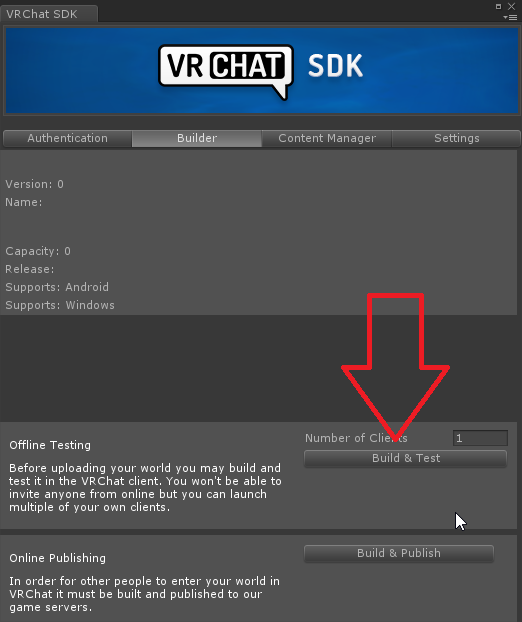
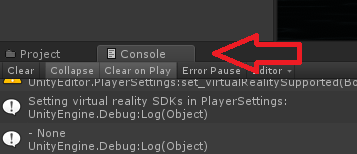
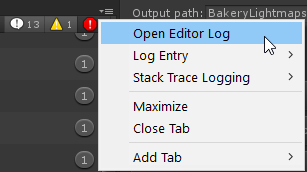
Build failed, check the console log
 prime fiber
crude gorge
prime fiber
crude gorge
Broken image
vital lance
so, im trying to understand how cross platform worlds work
creators will upload a world as PC, then switch to android platform and optimize stuff. textures, models, audio files, etc. and then upload as android.
then a pc player and a quest player can be in the same world, and the pc player sees it as full graphics, and the oculus player sees it as optimized?
my confusion comes from visiting the japanese shrine world that's popular. the PC version i remember from long ago was beautiful and fully done. and the quest one that the creator uploaded looks like it's just "blocked out" with primitives lol
crude gorge
They lok lke whatever you uploaded for each platform in Unity
coarse grail
about the only requirements is it's probably a good idea for them to have the same Collision so avatars don't end up in walls
vital lance
ahh gotcha. thats what i figured
coarse grail
even though it might be easier if you're starting a new world to make for the quest first and then figure how to make it nicer on PC if you're trying to do cross-play
crude gorge
and unfortunately sacrifice most creativity in the process
coarse grail
yeah certainly not the place to be if you want to dream of big open-world Maps as you can to just have it run at 30 frames per seconds like breath of the Wild on switch
but given that you're here on the first place you're probably not trying to plan San Andreas vrchat Edition
 edgy pebble
i have no idea what material its referring to and it wont let me select it
nvm i found it
 spring snow
How do i make a world cross platform
crude gorge
@spring snow You build and upload it for both Windows and Android platforms
spring snow
Ok ya i did that but it but nothing i uploaded is showing in game under mine. There is no "mine" in the world menu
spring snow
@crude gorge
crude gorge
Which version of Unity?
spring snow
2018
I heard im supposed to use 2017 but it uploaded fine i just cant find it.
ok ya i see now that i have to use a certain version
crude gorge
Yeah, you have to use the exact correct version else it won't appear.
spring snow
ok thanks man ive been fighting with unity for hours now lol
spring snow
so if i do two projects one for quest and one for pc itll let them play with eachother?
crude gorge
yes
 frigid vigil
Naruto skin worlds ? Anybody know some?
spring snow
anyone know how to make a music button to start and stop a certain mp3 file. i found a youtube video but its not working
 peak ocean
Having Naruto's skin on you would be rather disturbing
north marsh
True
frigid vigil
Not Naruto I’m looking for a kakashi sensei avatar
frigid vigil
Where do I go to commission someone
north marsh
vrctraders
 clever hamlet
Anyone having issues with maps loading or glitching on the quest.
north marsh
@clever hamlet rule 15 <3
clever hamlet
@north marsh sorry
abstract pecan
@grim reef add a mesh collider to each mesh
make the collider the mesh of the mesh
abstract pecan
click on the mesh
add property
mesh collider
there should be a little box where it specifies what mesh
set it to the mesh you have selected
abstract pecan
screenshot
 fleet condor
Does the PlayHaptics RPC on a VRC_Pickup not work on Quest? I've used it before on a Vive, but I can't get it to work on either the native Quest client, Oculus PC client, or OpenVR PC client (both over Oculus Link).
vital lance
Hi
fleet condor
Come to think of it, does PlayHaptics work on Oculus at all? The documentation mentions that AutoHold has to be enabled on the pickup object for it to work. However, while I can turn AutoHold on, I can't get it to actually work (the object doesn't stick to my hand and still gets dropped when I let go of the grip). From what I see on the Canny, this is a known issue affecting Oculus headsets, but I can't find anything about that and whether or not PlayHaptics works.
plain moth
@fleet condor i know oculus quest supports haptics because pickups do it
Maybe enable and one frame later disable a very large pickup around the player's head with no mesh renderer inside. And make the name of the thing blank so it doesn't show any help text
Might be a nice canny. Haptics are a pretty powerful tool. Actually... the climbing system uses haptics when your hand is touching something grabbable. Does it work there?
fleet condor
@plain moth I just tried it on the Crafty Climbers world, but I didn't feel any haptics on the controllers when climbing/when my hand approached a climbable object. It looks like PlayHaptics just doesn't work on Quest, then. That said, I'm still not sure why it also doesn't work on Quest over Oculus Link, as Link definitely supports controller haptics. The Quest-native build still has haptics on pickups, but when running either the OpenVR or Oculus Runtime versions of VRChat over Oculus Link, haptics are totally absent. I'll look around to see if someone's already made a post on the canny about either of these.
Looks like there's an older open post on the canny about PlayHaptics not working on the PC Oculus Runtime client, although this was posted before the release of the Quest. Given the Quest build of the game has to be using the Oculus Runtime, I'd be willing to guess that this is the reason PlayHaptics doesn't work on the native Quest build: https://vrchat.canny.io/bug-reports/p/playhaptics-rpc-does-not-work-on-oculus-client
plain moth
cool, would be good to fix
 nimble fox
is there any way to play a playlist from youtube in a world?
like without having a video player screen because its to listen only
astral pewter
yep, there are prefabs that do that and the stock video player can be setup with a playlist @nimble fox
nimble fox
thanks. Do you also know how to make pickup able objects not local? So everyone sees when someone picks it up
astral pewter
Used to allow objects to be picked up and held ## Requires: - Rigidbody - Collider RPC's are available via the SendRPC action
plain moth
@nimble fox add a VRC_ObjectSync to your pickup
Object sync is how things get synced. If there's an animator it will sync that. If you have synchronize physics it will sync the position etc
Basically anything without object sync is just loca
astral pewter
^ sorry, I had to go afk there before I finished, lyuma is correct
nimble fox
tyy
 onyx sable
What's a water shader for vrc quest worlds?
drowsy flame

注!β版です! Oculus Quest用に作ったけどQuestがなくて動作確認できないので公開しました。 Questでうまく動いたよ~動かないよ~負荷とかこのくらいだよ~とか写真とか動画とかもらえると嬉しいです。(Q...
Here you go 😉
crude gorge
Looks rather... tinfoily... I guess what's possible on Quest is very limited though isn't it.
 rain star
Looks good enough, I'll take it
crude gorge
Most water uses tesselation for effect, which I assume isn't actually available on the Quest?
coarse grail

This article explains tessellation, how to enable and make best use of this technique within OpenGL* graphics.
 bronze dagger
Anyone know a good old jumpscare map that i can play
 polar spade
Read the channel topic.
bronze dagger
I know that what im saying here
Tried to see if anyone know that i can try but ignored
plain moth
@bronze dagger check the Spotlight category and go about a page back. there are some maps made for halloween (Spookality), and some of them do work on quest, like the world by IgbarVonSquid. I think Demirk2 wants this to move to #quest-general since it's not about making worlds....
 primal crest
hi sisters
 timber fern
i have a world that has vrc_triggers along with animation, but when i put my hand close to it the tooltips doesnt show and clicking it wont do anything how can i fix this?
plain moth
Do you have a collider like a box collider on the thing so you can click it?
Mesh colliders often don't work brw
plain moth
@timber fern you need colliders but not mesh colliders. Box, capsule or sphere are common
Because of performance efficiency
 clear delta
I got an issue with my avatar world where I can't reupload it to Quest version since it says it's too large of a file at 50.49 MB. I'm not sure how to lower it since it seems like resizing or deleting walls isn't doing much
It's probably because I added more songs for people to select, but I don't want to delete them
plain moth
objects isn't going to affect it much
music can be huge. click the music file and adjust the compression settings
if you're that close to 50MB that shouldn't take much adjusting to change it. unity will show the file size at the bottom dark area of the inspector
textures, lightmaps can affect it some
I mean lightmaps can affect it a lot, but that's only if you actually baked your lighting
clear delta
Yeah, lighting is baked
Would it be good to undo that? Or get rid of the lightprobe or reflection probe?
plain moth
no definitely don't undo that
you can adjust the lightmap resolution
but honestly I'd start with the music
you only need half a MB
I
nocturne hare
thats like undoing renovations to your house
plain moth
I'm sure you can cut the quality a bit on the music and not really notice
nocturne hare
take your file, pump it in audacity, and export it out as an OGG, if you werent already using OGG, its fancy high tech compression technology compared to archaic mp3 and literally uncompressed wav will get you the needed filesize reduction. bring down the quality slider in the save window from 10 to around 6-7 if you were already using OGG
clear delta
So I guess trying to compress it in Unity wouldn't work as well?
nocturne hare
Unity will basically LZMA compress it, as if it was in a zip file
you wont lose quality, but the world will take 3 microseconds longer to load
plain moth
and music doesn't compress too well that way
nocturne hare
People should still use OGG because it's less costly on CPU for decoding and honestly on Quest, every bit of performance is important
clear delta
So I guess just reimport some songs as OGG files instead until it lowers down enough?
nocturne hare
ok so, breakdown
what file format are you currently using
and what bitrate is your music, and just how much do you have
I would just host the music on dropbox as a video-less mp4 container and put the direct link URL on a unity video player component
but thats just me, and my stupid ideas
clear delta
As for the files, the songs are all mp3 I think. Bitrate, not sure how to check it
nocturne hare
I assume you have vlc
clear delta
Vlc? Sorry I feel kinda dumb rn
nocturne hare
oh.... geez.... even boomer teachers use vlc
do you perhaps listen to your MP3s using Windows Media Player?!?
clear delta
Video player probably could work but I never used that before. All I did for now was add songs maybe 12 songs and tie them to objects. And yes, I do that
nocturne hare
completely unrelated to quest world creation, you should just really use https://www.videolan.org/vlc/index.html
clear delta
Alright, what's it do?
nocturne hare
it plays EVERYTHING, like, ALL OF THE THINGS. it converts files, it can even play youtube links. generally VLC is gud shit, and in this case, we can use it to see the bitrate of a file https://raytracing-benchmarks.are-really.cool/7xy44sD.png
 clear delta
Ah, got it
nocturne hare
protip: if you downloaded MP3s from YouTube video converters, they're always 128kbps
you dont really wanna go lower in quality, (unless youre using opus but thats just a pain to use, or if you have voice recordings) because then music really breaks down
clear delta
That may be how much they are then. I typically do that since it's easy
nocturne hare
let me try something
same 5 minute song https://raytracing-benchmarks.are-really.cool/4otyGNe.png
 clear delta
I guess we just have to figure out how to decrease their file size in unity, since I added only 2 more songs and it goes over the limit. It does seem that making them OGG files drops it a bit, one song from 3mb to 1
nocturne hare
for the record, there's more OGGs than MP3s on my PC
if you wanna be the cool kid in class or whatever, you can just start using OGGs everywhere and push the format to your friends and family until you get kicked out or they surrender
clear delta
So, would it be easiest just to convert all the songs into OGG files?
Or, at least enough to get it below 50mb in total
nocturne hare
you can use VLC again to do this
clear delta
Yeah, got it installed and open now
nocturne hare
under file, there's convert/save
just drag all your music files in there
then click the convert button at the bottom, select ogg in the profiles, you can click the wrench to change settings, but its already 128kbps by default, so just click and itll create files with the same name but with an OGG extension

ffmpeg's conversion is MUCH faster and yields better results, but you also deal with this shit https://raytracing-benchmarks.are-really.cool/5WN527U.png
 nocturne hare
yep
clear delta
So then just replace all the mp3s with ogg
nocturne hare
yee
clear delta
Any other big differences between mp3 and ogg, aside from file size?
nocturne hare
Vorbis, the audio container for OGG is completely opensource unlike MP3
plain moth
quality-wise I think ogg is the same or slightly better than mp3
nocturne hare
definitely better
clear delta
I wonder why mp3 is more popular and widespread then, at least it seems like that
nocturne hare
also, mp3 needing a license really doesnt apply here seeing as Unity already pays the royalties to use the mp3 decoder
plain moth
ah I think I'm used to comparing it against m4a lol. mp3 is super old
it's popular because it's old
nocturne hare
thats like asking why is windows more popular, when 99% of computer users just use chrome and firefox, and ubuntu could run it 20x faster
clear delta
All the files are still converting so when they do I'll replace the mp3s in unity
nocturne hare
ffmpeg would already be done
clear delta
well now it is done
nocturne hare
hmmm
clear delta
I'm not that familiar with audio files so what do you really mean when you say ogg is open source?
nocturne hare
mp3 was developed by a company
ogg/vorbis was made by some dude, then further developed by other random people, and all those changes are available freely with the code

like windows and linux
one is governed by a single corporate entitiy, the other is more underground, but controlled by the people, and does the job better, and actually works on basically everything.
clear delta
Ah, makes sense. I got the files to convert, now I'm trying to figure out where the hell vlc put them
clear delta
Alright, I'm importing them and I'll let you know if they work
nocturne hare
they will. Unity uses FMOD for most audio decoding stuff
and unless you play like old amiga sampler track files, it wont break
but if you do play tracker files. youre basically garanteed a hard crash from both vrchat and the unity editor
Im probably the only loser who tried putting XM files in a quest world tho, so its no big deal
clear delta
Kind of a noob question but where does it show the world's file size in Unity?
plain moth
It's not obvious
clear delta
Got all the music tied back to the objects. So glad Unity lets you select multiple objects honestly
plain moth
Closest we have is this:
https://mobile.twitter.com/Ruuubick_/status/1166014308918185984

Turns out a lot of world creators didn't know this, but you can easily find out what your world is made of, how much it weighs, to then be able to reduce its overall size :
Retweets
140
Likes
309
 Twitter

Open the tweet to see all the images
clear delta
Well, I can upload the world to quest now and the music sounds fine in the unity preview, so I guess it works now. I'll let you know the file size when I load in
It dropped the world from over 50MB to 29.30! That's amazing
Thanks for helping me guys
plain moth

crude gorge
One of the major benefits of OGG over MP3 is how it gracefully degreades. With MP3 you can hear these really specific artifacts at lower bitrates, where as with OGG it just gradually sounds worse/rougher in no particular fashion.
@nocturne hare btw, audio has to be MP3 for Quest and OGG for PC (when using lossy compression) so you're screwed either way, lol. That said, in general I'd recommend keeping your source files in WAV format and then selecting the format in Unity so you can change the format and quality without the further quality loss of double-lossy-encoding.
nocturne hare
why would it have to be mp3 for quest
that literally makes no sense
even android itself has been using ogg files for its notification sounds for almost a decade
crude gorge
No idea, something about hardware acceleration. That said, I can't find anything confirming this anymore. I remember it being mentioned when I was discussing audio sources ages ago.
nocturne hare
then it dont mean shit
all unity audio is handled by fmod
and is handled the same on all platforms
in fact, theres more chances ogg would be hardware decoded since theres no need for a paid license for the decoder
crude gorge
The hardware designer will have been paying for licences in bulk for decades by this point anyway so that's not likely to be a factor. But yeah, I can't find confirmation of what I was told anymore so maybe it wasn't actually true.
vital lance
you don't want mp3s to be decoded live on the quest, it's just lag for no reason, it has enough memory to unpack into memory on load
it's fine to have it compressed in the bundle but decompressing it while playing is bad

There are many things that may go wrong with your game development. Your models may have too many triangles for your target platform to handle, your algorithms may be too expensive for your CPU, and a
make all the audio on a quest map Decompress On Load
 cinder isle
has anyone had an issue where using bakery for a quest world everything just ends up black?
cinder isle
looks like crunched textures were blacking everything
works fine in my other map, but its still on editor 2017.4.13f1
but on this one with 2017.4.28f1 everything gets blacked
is this a known issue?
crude gorge
Did you clear the baking and redo it for .28?
cinder isle
yep, wasnt the light maps at all
anything that was crunched ended up black in vrchat
looks fine in the editor view
crude gorge
That's odd. My textures are all crunched and display fine.
cinder isle
i'll worry about it more when 2018 hits and i have to update my other maps. this was just for a simple joke map i'm not taking too seriously heh.
 past zinc
Hello, is it normal the standart lite doesn't have roughness/smoothness when lightmaps are baked ?
edit: nvm just changed something inside the shader
vital lance
What does supports Android mean I'm uploading a world to vrchat and it says that
crude gorge
Quest = Android
vital lance
@crude gorge so that means the world i'm uploading has quest support?
crude gorge
I believe so. I mean, do you remember uploading it using the Android build of Unity at some point?
coarse grail
there's some other caveats as well
VRChat
Creating content for VRChat Quest is a challenge-- you have to create attractive, compelling content all the while keeping the content optimized for a mobile device. These are the same challenges that game developers must deal with while building for mobile. Here, we'll give...
 silk hemlock
Japan Shrine on Oculus Quest. Why...
crude gorge
lol, assuming that's not a bug, it may be a "at least you can get to your friends to say hi to them, rather than not being able to go there at all attempt"
slim ravine
Its not a bug
That world is lazily made on PC i doubt theyd put actual effort into it on quest
Riding off the name of the original one - and somehow being rewarded for it, scum.
crude gorge
What happened to the original one? And yeah, I did question a few things on the PC version...
 naive pagoda
It got taken down by the author because of some drama relating to a game on booth using a screenshot of it
crude gorge
Ah, Deviant Art quality drama then...
cinder isle
i'm pretty certain it used to be textured on quest though, no idea why its now like that
nocturne hare
- why are you asking in the channel for development of worlds for Oculus Quest?
 muted finch
Who
nocturne hare
- if on Quest, grab on Store, if on a WINDOWS PC go to Steam and get the game there
- if on a Mac, stand there and cry, if on a Chromebook, do about the same
- This Discord server is related to the videogame "VRChat" and is the official discussion hub for the game, it's developers and the community. VRChat is a social app for virtual reality devices.
muted finch
okay i am just new sorry
nocturne hare
Yes, I can tell. https://raytracing-benchmarks.are-really.cool/39am4qx.png
 north marsh
new and ignorant are different things
vital lance
I have one question can you upload quest only worlds?
north marsh
of course
vital lance
Idk about that
north marsh
there are a bunch of quest only worlds out there
vital lance
You mean cross platform
slim ravine
Quest only worlds are a thing
plain moth
They're called Oculus exclusives
crude gorge
Even though they don't work on 2 of the 3 Oculus headsets?
coarse grail
and it literally takes no work to upload it to PC
 rapid ledge
Yeah, Quest exclusive avatar and worlds are always questionable
dusk cypress
some quest users do it as some form of getting back at pc users
since so many pc avatars are non quest
 olive adder
I dunno about no work to upload to PC, maintaining a project for both platforms is considerably more annoying than maintaining for one
coarse grail
you just switch the project over to PC and then hit upload
okay maybe not literally no work but considerably less work than taking a world designed for PC and making it work on the quest
plain moth
This has been posted in a couple places but if you are going to switch your project platform, please save yourself a ton of time by doing this one simple step first: https://cdn.discordapp.com/attachments/449386885299830794/658683253238005761/unknown.png
This will probably take a bit of extra disk space but it's worth it

@olive adder @coarse grail ^ won't fix the time needed to switch the first time but will improve things for the next time
Personally, I just keep two projects and use rsync -a to clone files from one to the other, or use version control as appropriate, so they share the same Assets.
the annoying part though is stuff you need to change after switching platform. Fortunately, for me UI Button has access to most things I need to change. Go grab yourself a copy of Merlin's EasyEventEditor so you get the handy Invoke button and add an empty GameObject, tag EditorOnly with a Button component and add actions with Editor and Runtime.
https://github.com/Merlin-san/EasyEventEditor

GitHub
Drop in replacement for the default Unity event editor drawer that allows listener reordering - Merlin-san/EasyEventEditor
when you open your project on Quest, simply click Invoke. If you're like me and use rsync, that's all. If you switch back and forth, you'll either want to save-as the scene to a temporary scene, or add a duplicate button and invert all the checkboxes so it switches back to PC.
olive adder
I feel like my approach of two separate projects with symlinks for common assets is less work, but it’s still more work than I want to do
 hasty snow
Can i pay someone to make quest compatible copy of a world?
rain star
VRCTraders #community-servers-old
crude gorge
@hasty snow One of your own worlds?
crude gorge
Haha. What's the world? I'm curious how difficult it'd be. Keep in mind making anything Quest compatible is often a massive amount of work unless it's an incredibly simple, basic thing to begin with.
hasty snow
sauerkraut
most-known german world
i am a bit pissed that there is not a single world for germans on the quest
and i couldn't pay enough to someone to make a new world from scratch
hasty snow
@crude gorge can i add you on the quest as friend?
crude gorge
Sure
hasty snow
same name?
crude gorge
Yup
hasty snow
added u
 white parrot
Does somebody know Horror Maps on Oculus Quest?
 lethal harness
Yes, its called the pug
nocturne hare
@white parrot scroll further back in the spotlight row, you'll find some worlds from the Spookality contest
white parrot
Okie thx
 ocean bramble
Dose anyone know what show this is
nocturne hare
Apparently Sons of Anarchy according to Yandex. You got this from a Quest avatar?
vital lance
Hiiiii
 proper cradle
dose anyone know where there is an astolfo avatar for quest
abstract pecan
i mean if the model exists i could port it
vital lance
Hiiiiiii people
velvet dune
What gotchas are there that I should keep in mind on my world? It's not going to be complicated, could probably make it from cubes. Too bad the script I found to combine meshes breaks the lightmap baking so maybe I'll try doing it with probuilder if it's possible. I remember hearing about some import settings I should change at least. I should be fine with using the vrchat's mobile lightmapped shader, right?
past shell
Someone have a simple scroling shader that work on android
vital lance
Hi I have a question for anyone who is making a world for avatars.
I have recently made an avatar and am looking to have it in an avatar world
nocturne hare
make world, put pedestal prefab, put avatar id into pedestal thingie, done
vital lance
In the future I may make one myself but for the time making it can someone just have it in there for now and put my username next to it just for a week or so?
nocturne hare
sure, just drop the ID here
nocturne hare
yes, or in https://vrchat.com/home/avatars

VRChat lets you create, publish, and explore virtual worlds with other people from around the world.
vital lance
Can’t see on web version so I’m checking on the ask
Sdk
Auto correct
I’m booting discord on my pc
avtr_05f4b695-6e22-4999-b05f-a1260cbe7b0d
nocturne hare
Do you even know who the character is?
vital lance
It forgot
nocturne hare
Lu Chiliarch from the game Elsword
vital lance
Yea that was not the files
nocturne hare
you just took it from REDACTED and reuploaded it
Is the Quest version even optimized?
vital lance
Yea
I have tried it with a lower decimation but it looked crap
So I went with 15000
nocturne hare
wdym bye?
you going to sleep?
I'm not asking about optimization to be petty, I'm asking because if it was, I could publish to Labs without it getting Unlabs'd for being unoptimized.
vital lance
Ok I got the model from scetchfab I saw on the files it said the characters name because before the message I sent was a typo
It is optimised because it works on quest
I own a quest and have tested it
It works
nocturne hare
Yes, just like Midoriya630 claims he can hangout with 10 users with 60k poly avatars without lagging
It may work
but that doesn't mean it's up to VRCHAT'S standards
nocturne hare
In PC terms
vital lance
20k is quest limit
nocturne hare
that's like saying "It's only 120k, not 2M"
vital lance
5 is recommended
nocturne hare
There is no limit on Quest
nocturne hare
I literally uploaded a 26k poly model to Quest the other day
and had Quest users confirm they could see my avatar
nocturne hare
The hard limit for automatic showing has always been 10k
and will stay forever, the quest isn't going to magically get more powerful
There was a hard limit of 70k on the sdk for both pc and quest for some time
but that got removed when the SDK started counting the polygons of meshes that are disabled on avatars for animations
vital lance
Ok
nocturne hare
You can technically upload and display a 2 million poly avatar on quest
Now I wait for Unity to switch to Android so I can upload the world for Quest
vital lance
I literally got vrchat custom world and avatar a week ago which I only used for the last few days
nocturne hare
In the meantime, here's the link https://www.vrchat.com/home/launch?worldId=wrld_2b412d2c-df84-437e-8b5a-00deb54ba3e6

Avatar Upload by Thatvrywolf | Original model by DarknessMagician | Thumbnail art by Reviluke
vital lance
Thanks
nocturne hare

nocturne hare
Nah, I have fuckall to do
vital lance
Is there anything I can do
nocturne hare
Yeah, you should give "Trip's New EZ MODE Decimation Technique" a try
And it's now cross-platform
nocturne hare
https://discordapp.com/channels/189511567539306508/565256303614623767/662797558443147295 this is what Im referring to
vital lance
Thanks
crude gorge
@nocturne hare He's full of shit. I uploaded a bunch of avatars for Quest between 10 and 70K tris each.
All are single mesh, single material to keep the test clean. The 55k tris one dropped the testers framerate by about 5fps.
nocturne hare
Yes, I know.
vital lance
Who is
If it is me
I really have no idea now
I’m new to vrchat
And only recently got creative controls
Quest Content Optimization
VRChat
Creating content for VRChat Quest is a challenge-- you have to create attractive, compelling content all the while keeping the content optimized for a mobile device. These are the same challenges that game developers must deal with while building for mobile. Here, we'll give...
I based it off this
nocturne hare
forget about it
vital lance
Ok
Ik I’m asking for a lot already but do you have any good bone structuring tutorial videos I can learn off for vrchat
nocturne hare
wdym by bone structuring?
If you have an unrigged mesh, throw it into Mixamo, then jam it back into Blender and spend 3 days in the Weight Paint mode
vital lance
I can’t access the world
nocturne hare
You wont be able to find it from search
as I said, not in Labs, hence why I dropped the link
so you can launch into it on PC, add it to your favorites and then go from there
If the intent was to let anyone find the world from search, you're gonna need the avatar to be optimized, or find someone who doesn't mind risking the reports.
bronze dagger
Does anyone know jumpscare map for quest users?
 grim reef
When THIS window pops up, i cant upload my world, send help
@ me if anyone awnsers thx
past shell
@grim reef press the pause icon
 grim reef
Where can i solve this?
grim reef
Ohm....
naive pagoda
@grim reef if the upload form works you can ignore the errors
naive pagoda
@grim reef does it try to upload it like do you see the progress bar?
Feel free to ping me since I'm looking at a lot of channels
grim reef
@naive pagoda no, i just click it and nothing happens
naive pagoda
Did you check the checkbox at the bottom that you have the rights to upload the content?
grim reef
Yep
grim reef
@naive pagoda
naive pagoda
Make sure you have the newest sdk, setup your project for uploading quest content and describe the whole thing more I just don't have enough information to help more currently sending more pictures especially helps
grim reef
As it says here, it supports nothing
And yes i DO have the latest sdk
This happend a say ago
Day*
naive pagoda
Nothing there seems out of place for a world that hasn't been uploaded yet
naive pagoda
What exactly happened?
grim reef
Well
naive pagoda
Explain the whole process you go trough and what the problem is
grim reef
Basiclly everything was fine
Untill i tryd to upload it
You see
The menu (window) when you try to upload an avatar/world
Isnt the same
If you look at this 1 you can tell the difference
The player cap. Was already set to 64
And pressing upload does nothing
naive pagoda
Yeah that shouldn't be set that high by default
grim reef
The default is 8 if im right
naive pagoda
Also that upload window doesn't look correct hmm
grim reef
Thats what im saying
Interacting works
But upload does nothing as i said
This window also appears when i make avatars now
:-:
Maybe deinstall unity?
naive pagoda
Shouldn't need to go that far
grim reef
Hmm
naive pagoda
grim reef
Would have been a tey
naive pagoda
This is how it should look like
naive pagoda
For some reason you are seeing the dev options
grim reef
But idk why my is like that
naive pagoda
Might wanna try reinstalling your sdk
grim reef
Wait.... Dev option?
Wiw
Mk
Wait
How do i reinstall them
I just know how to install
Lol
naive pagoda
I'll link you the guide
grim reef
Thx
grim reef
Aight
grim reef
@naive pagoda 2019.09.18.12.05_ for the sdk right?
naive pagoda
Yeah that should be the right one
grim reef
Alright
 whole mango
ur making spiral mountain for quest?
grim reef
Not exacly
Its also gonna be private
And as i excpected, it didnt work @naive pagoda
naive pagoda
Hmm your problem is a bit hard to solve
naive pagoda
That's normal before you have uploaded the world once
grim reef
Well
It actually says for me that it has unsupported shader and stuff
Thats not normal in my sight
naive pagoda
Unsupported shader shouldn't stop it from uploading but if you don't know what you are doing unsupported shaders on quest can be a bad thing
grim reef
If someone can help me
If i choose VRC_Trigger for a object, it uses VRC_EVENT_HANDLER instead
bronze dagger
Please tell me the name of jumpscare map (beaide loat teddies got bored of it as i played fourth time ) please dont ignore my question
DM me the info please
nocturne hare
@vital lance please switch your unity platform to pc and upload the avatar to be crossplatform.
 surreal thunder
Hello everyone!
I'm having some issues with porting my Quest world to PC -
When I try to open the world's duplicated project file with the platform set to pc, I get the error "Target not supported, switching to one that is."
...any ideas?
nocturne hare
switch it back to android then back to PC
surreal thunder
👍 I'll give that a try, thanks! :)
 fluid isle
the world does not load the load is frozen at 0% Help!!!!
surreal thunder
Hello everyone! :)
Quick question:
Does anyone have experience implementing FMOD in worlds? I have the packages and scripts ready to go, but I don't hear anything in the actual build
coarse grail
you cannot use it as no scripts unless it's whitelisted
 solid grove
yes you can't use fmod
surreal thunder
Ah, crud... 😭
I appreciate your help, thanks! :)
solid grove
What are you trying to do that requires fmod?
surreal thunder
I was planning on using FMOD to be the audio handling solution
some of the functions found within FMOD (including randomized sounds, looping options, etc.) would be fantastic for certain VRChat applications
solid grove
yeah I agree. I have been able to do some FMOD like functions in vrchat. Dynamic changing music, and random sounds. Randomized sounds something you can do with audio bank, I did it with random triggers.
surreal thunder
Wait -
I thought we wouldn't be able to use FMOD 😂
You did it with triggers?
VRC Triggers?
solid grove
yeah no fmod
solid grove
triggers and animators
I've also made a working drum sequencer and marimba using triggers and animators.
surreal thunder
:o yeah? That's super cool!!
solid grove
Its defiantly not as easy as using fmod 🤣
surreal thunder
🤣 I'd imagine not
 flat goblet
Hi, I’m having a little trouble reporting worlds; just yesterday I had a little incident with a community lab world
The world is kinda broken is the xylophone one, it’s broken in a I think texture or position aspect as I turned right or left my left eye (the image being projected) started glitching out in a “eyerape” manner and I wanted to report that to see if it could be fixed but there is always an error while filing it
I had a hard time later irl and I wouldn’t want other people to experience the same problem
Am I doing right posting here or should it go in #vrchat-support?
Since it the problem was on the quest
solid grove
@flat goblet this one
solid grove
I’ll test on quest, see what is going on
flat goblet
Ok thx idk if it was just client side or it’s a general error hoping it’s just a Client side error
solid grove
Thx for posting about it though 👍
flat goblet
No, thank you I just want the best for the community
solid grove
@flat goblet not sure what happened, but everything seems fine. 👍
flat goblet
Ok, thx for checking it ☺️
olive adder
is it the case that quest can't geometry shader
I did a quick convert of a very simple world this morning across to quest to see what would happen and there is a lot of pink
plain moth
yes @olive adder no support for shitty shader pipelines on mobile :-p
pre-allocate the geometry by duplicating faces and then do everything in the vertex shader
what "very simple" world needs a geometry shader
olive adder
hehe
it was being used for drawing lines instead of tris
of course the right thing to do is have a mesh which is already lines, but it was 10 minutes before I had to go to work and I didn't think I was going to be able to make that happen in time
plain moth
Hehe I see
plain moth
http://volgogradetzzz.blogspot.com/2012/06/wireframe-shader.html?m=1
Explains how to without a geometry shader:
The main problem that we can't calculate this distances in geometry shader as nvidia's paper do (simply because we DON'T HAVE geometry shader). We must calculate them beforehand and supply as vertex attribute (see formula on picture above). This means that we need to duplicate a lot of data - each vertex must be unique - i.e. it must not be shared between several triangles.
olive adder
this is a lot more work than I was planning to do noodle arms
I might just make the wireframe out of very thin quads
 chilly forge
Hi
 carmine girder
hiya, could any quest user in here go to my world and test listen to the chill music? see if its working properly.
World is Magic Paper Land. I heard that audios doesn't sound that well for quest vr, but never seen anyone complain either.
thanks
 short sorrel
Quick question: How does "allow manipulation" of pickups work when it is also using an exact grip?
 teal rain
@carmine girder Sound quality was perfectly fine when I tried it. I guess it could stand to be slightly louder.
carmine girder
thank you!
 gilded furnace
Why doesn’t the Disney dream world ever load on quest even though it’s a quest compatible world?
nocturne hare
maybe the quest asset bundle got corrupted in a world upload
gilded furnace
Is there anyway of fixing it?
dusk cypress
it'd be on the creator of the world
timber fern
so how do i make a world public?
solid grove
submit it to community labs
note you have to be at least the rank of user to submit to labs
timber fern
oh im a trusted so that isnt a problem
solid grove
but yeah, it will go through labs then eventually move to public.
timber fern
so i put a song in my world and what im trying to make it so that a filtered version would play when you step into something, and if you step into it again it turns back to normal. how do i do that without disabling the original or filtered? i want the filtered muted but still active and have the original muted and the filtered heard when i step into it. how do i achieve that?
surreal thunder
Good morning, everyone! ^-^
I'm aware that dynamic bones cannot be used for avatars, but does that hard limit also apply to worlds?
(I'm attempting to create a fishing rod where the line has some form of dynamic movement)
dusk cypress
i got dynamic bones on a body pillow in my quest world, so yeah you should be fine
 primal bobcat
does fog apply in quest?
primal bobcat
or projectors? like caustic projectors
plain moth
I can't say for projectors... but unity fog is done in a very lightweight way and should be easily doable on quest. Whether unity fog works in practice is a different question
Every shader actually has code to adjust for fog, so it can be done in the same pass as drawing the scene. That's why it should be ok performance wise
Projectors on the other hand render everything they see again so they can be as expensive as a camera or mirror... plus they often use alpha blending which is expensive on mobile
primal bobcat
what about animators? and animated things
plain moth
Animators are 👌
primal bobcat
surprising lol
plain moth
Custom shaders are a better way to do things for world objects
I mean don't make a 1.4GB animator controller with thousands of states like I did
primal bobcat
oh, I like this custom shader my friend made that enabled caustics
but it didn't support lightbaking
idk how to write code or do that kind of shader work
plain moth
You or your friend could probably be able to add lightmap support to it but yea that's kind of a deal breaker for quest
primal bobcat
big thinking here
plain moth
Caustics are probably too complicated for quest anyway... would maybe need to be baked or faked
primal bobcat
even if it was written into code?
or shader i mean

for example this, would be expensive even if lightabke support was there?
plain moth
If it's just two textures added together
Wait the issue is light baking itself? Or using generated lightmaps ingame
Light baking is controlled by a "Meta" pass. If this isn't a surface shader, just copy the Pass with "LightMode"="ForwardBase" and paste it as "LightMode"="Meta" and things will mostly work.
Or add a Fallback "Diffuse" to the bottom of your shader before the }
primal bobcat
ahhh, thanks lyuma~
vital lance
My world is all black how do i fix this
plain moth
@vital lance real time lighting is not allowed on quest. Please set your lights to baked and bake your lighting. This will drastically improve framerate on PC too. I also recommend checking that your skybox lighting is properly baked
 hybrid pumice
Does the Green hill Zone world still exist?
 hazy rock
Is there a list of all non supported quest worlds
 wintry cloud
Does anyone know of any underrated avatar worlds? I'm on a quest for an avatar to casually use.
 sour solar
I found this cool one that is a version of this retro racing game
slim ravine
my avatar world :-)
prime fiber
Hello
I want to know how to make a button turn on and off sounds
It didn't work http://prntscr.com/qtann2
 vital lance
Hiii
 crude eagle
Hi
 pliant mauve
I got my world working on Quest!
Everything becomes super crusty but I love it. Getting 40fps in a couple places, but all the places people tend to spend time in are at max
coarse grail
nice Mirror's Edge inspired world
pliant mauve
Thanks! Exactly, I love Mirror's Edge <3
One thing to note, to get it to look like the PC version I had to adjust the sun, ambient & emissive lighting values a lot. Quest has no post-processing - so no HDR, no tonemapping or exposure control, and no contrast adjustment, so to get the right contrast I had to mess with the light and shadow values. The sun had to be way brighter, the shadows much darker and more blue, and the emissive materials had to be brightened quite a bit.
I already had LODs for the PC version, so for the Quest version I went through and disabled all the LOD0 models and LOD Group components to show the lower level of detail meshes only. Unity's LOD management is painful jeez, UE4 is way nicer ;~;
coarse grail
glad you're able to get it to work okay
velvet dune
It definitely paid off
nocturne hare
@pliant mauve explain this
pliant mauve
@nocturne hare uhhhhhhh
I have a big texture atlas for all utilities/air conditioning units/vents, and I think I messed up the material assignments on some backdrop buildings haha
peak ocean

 thick vale
I have to check that world out
nocturne hare
do it, its fuckin sick
thick vale
Ok 👍🏻
thick vale
@pliant mauve what is the name of your world
thick vale
Ok thanks
 cunning quarry
 Warp snow 🥳 🥳 🥳
Unlocked new kanal <<<Warp snow>>>, and kategorry <<<Warp snow>>> 🥳 🥳 🥳

past zinc
Been working on that level for weeks (months) and finaly seeing some light on the quest, trying to get a lighting that get close to the pc build (I tweaked the lightmap with photoshop to match postprocess) but damn it's not easy D:
It's one material
Performances are fixed to 72fps, didn't made proper quest mirror yet
edit: sorry for my english ^^'
Complete building
 hoary zinc
What
rapid ledge
Looks awesome
 lone dune
Anyone down for some spy fall
 mild oriole
how Do I remove the quest version of my world?
past shell
You cant
 sharp raptor
Is there role play rooms
 red flame
Anyone one know any Star Wars rooms for us questers?
past shell
I dont think theres one yet but you can find avatars in random world
 steel fern
I uploaded Mos Eisley cantina to labs and there's also the TIE hangar, trooper and bounty hunter RP groups would probably be able to point you to more
 forest fjord
Does anyone know if there is a karaoke world that actually works for quest?
nocturne hare
Actually, now that I know how video players work with Quest, I could actually host one, but it wouldn't be perfectly synced, and would expect everyone in the room to have a decent net, not that it really matters since it'll get hidden by everyone's pings.
so, short answer, no
long answer, may happen someday but will be slightly more jank than the PC ones.
 thorn lodge
Is there a tutorial to make scrollbar buttons with canvas in unity?
vital lance
is the ui above self-made?
thorn lodge
it is not mine
past zinc
Still trying the best to match the pc version without postprocess, I guess I have a good start :D
and outside, using an unlit shader with custom lightmap baked from blender
naive pagoda
Looks great 👌
past zinc
Thanks <3 Trying my best ^^'
Found in internet a cool trick, inclucing LUT inside texture, I applied it to the lightmap too lol
nocturne hare
mfw I started building worlds the same way
bake lighting in Blender, and just tell Unity to put some texture polygons everywhere
"you're too stupid kid, I can't trust you with this job, so I already asked the pro over there to do it instead, you just have to put the pieces together, you can do that, right?"
past zinc
@nocturne hare I use it only for terrain as it use a different custom shader only for him. I just hate how unity break normal mapping when you bake normal map, light direction image exist but it do not use it properly. I'm looking on a way to bring back normal map on baked lighting as source engine would to properly
 tidal brook
and then I exported the whole world on meters to unity

well, it would be if I hadn't put all the chais and lights
tidal brook
spoiler: the problem is more complex than that
velvet dune
Is there a reasonable shader for having moving clouds? Would a scrolling version of mobile/particles/additive shader on a huge plane be okay? It would be under the map and only few background meshes would pass through it.
 desert panther
 urban socket
That’s wat happened to me one time on an avatar but I think I deleted it
lone dune
I’m back at it again looking for Star Wars avatars specifically Jedi if you know where I can get some please @ me
past shell
Quest church
nimble fox
anyone can tell me what the quests limits are? Like i know you cant upload worlds over 50mb but which mirrors/shaders/scripts will work?
didnt find much details on the site
 torpid skiff
Hi
nimble fox
is there any quest compatible shader that supports cutout?
 naive zenith
@pliant mauve is that world public?
 quartz scaffold
@nimble fox I don't think so. The standard Unity shader is probably the most light-weight one out there with cut-out and it doesn't work on VRChat Quest.
nimble fox
that sucks.
wanted to make my world compatible but with no shader supporting cutout im not gonna get there
plain moth
@nimble fox worlds can use any custom shaders. Even if standard is a bit heavy you can add it to any other shader
My understanding with mobile platforms is cutout should be treated as expensive as blending transparency
Particles and UI stuff including the vrchat menu are transparent so it clearly works... but likely at some perf cost
The limited shader selection is for avatars. I think vrchat thought avatars could not be trusted not to just run cutout or transparent on the whole thing like they do on PC
grim reef
Can anyone help me, i need to remove this "Legacy Shaders/Diffuse"
 silent light
Alright, how do I upload a world for Quest users? Where is the option for it?
quartz scaffold
You need to change the target platform under 'build settings' in the 'file' tab up the top to android.
silent light
Thanks. I looked it up and gave up on the project completely ;w;
 glad horizon
anyone can help me on privete to upload my world i made
plzz
 untold kindle
If anyone could make a sign language world, quest compat, that would be amazing!
This one I think is only pc
timber fern
so how do i make it so that you can eat something like a cookie for example?
 fringe palm
@untold kindle two person already made sign quest world: Devon's world https://vrchat.com/home/world/wrld_cf66050d-e9b2-4de0-8e31-3c736ea671c9
or HH HQ
https://vrchat.com/home/world/wrld_2ee6d793-61fe-433f-b0f6-ffe3d88986b5

This is where I test new concepts for sign language learning in VRChat․

Helping Hands Headquarters is a world used to teach ASL and KSL․ It is Quest compatible and optimized for it․
untold kindle
Omg thank you!!
 tall dove
vital lance
tall dove
vital lance
I am trying to learn, now that I have found the VR sign language learning site and found the 2 worlds mentioned above.
I don't know ASL, but I am hoping to learn that too. My controller isn't the right one though to use ASL in VRChat, so I am learning VR sign language too.
quartz scaffold
@vital lance it's 50MB
nocturne hare
there's many ways to reduce your world's filesize
solid grove
just fyi you only have 2.74 gb of ram to work with.
 whole narwhal
Someone is looking to be beaned or something
I would screenshot just in case he starts deleting
 modest rose
they have logs
whole narwhal
Eh good point
 blazing grail
vital lance
blazing grail
vital lance
Currently working on making my world quest compatible, wish me luck :)
rapid ledge
Good luck!
vital lance
It worked :) it is live 😍
vital lance
There is a dynamic world if you want to check out
 lavish dagger
What's up everyone!, can anyone direct me to some documentation on vrc_npc? I can't find anything on it.
 tame heron
Looking for a world that there is avatars with animation please
 hushed rapids
Ooh there’s a vr sign language
Definitely learning that
I’d probably use the standard one but I’ve never been able to learn it, and I doubt my controlers would handle it
abstract pecan
See this is why I want hand tracking
hushed rapids
Anyone know a quest compatible sign language world, the main one is pc only
 hollow spade
There's several sign language worlds under development are quest compatible. I'm currently re-writing the menu system for my experimental asl world, after that I'll export a quest version for mine.
But the two that are are: Devon's world https://vrchat.com/home/world/wrld_cf66050d-e9b2-4de0-8e31-3c736ea671c9
or HH HQ https://vrchat.com/home/world/wrld_2ee6d793-61fe-433f-b0f6-ffe3d88986b5
This is where I test new concepts for sign language learning in VRChat․
Helping Hands Headquarters is a world used to teach ASL and KSL․ It is Quest compatible and optimized for it․
Devon and I are sorta collaborating together to improve asl learning in general, so don't be too surprised if you see similar stuff in both of ours, although I have to admit Devon is more polished but a bit more buggier then mine. I'm focused on optimization/proof of concept for 3d motion capture asl + other ways to learn asl, so mine is less polished... but I do hope it'll be innovative enough to integrate the ideas into the main asl world (Mr Dummy's).
hushed rapids
Ooo thanks
I did stumble upon the test world, although it seemed empty. Mr dummy’s was pc only when I checked 😦
 umbral stone
Ive been making a map for the last 4 months and its finally ready to be ported to quest but i cannot seem to find a Quest compatible water shader, would anyone know where i could possibly get one?
steel fern
Look for noriben's water shader, should be available on noriben.booth.pm, there is few other but this one performs best
hollow spade
Yeah, I don't expect Mr Dummy's world to be ported to quest anytime soon, it's just way too big at almost 150mb. Quest has a max size of 50mb.
hushed rapids
yeah, imma try the others posted above
past shell
try this maybe. @umbral stone https://noriben.booth.pm/items/1671087
VRChat用にOculus Questで動くことを目指した水シェーダーです。 Unity 2017.4.28f1で動作確認してます。unitypackage形式。 SkyboxやReflectionProbeが設定されたシーンで使ってください。 Directional Lightに少しだけ反応しますが、基本的にMainColorとTransparencyとReflectionの強さで明るさ調整してください。 ■干し芋貰えると励みになりま~す。 https://www.amazon.co.jp/registry/wishlist/20ZZUF58J...
plain moth
Quest Reflecting Water Ripple Shader
1001 Extremely performant Quest water shader that reflects the skybox or surroundings and has animated water ripples, written for the Bamboo Temple world, looks great on PC too
https://i.gyazo.com/8d9488dbfecbe86b62c55b0e7a67fd63.jpg

1001's water shader is in the prefabs database @past shell @umbral stone
I'm not attaching here because he has instructions in the spreadsheet next to the download link so best to open the prefabs db yourself
past shell
If I want a light source to be only render in a caméra what the better way to acheve that
plain moth
On quest??? You really ought to be baking lighting.
If realtime and not for Quest, Putting a light on the MirrorReflection layer ought to work
past shell
Yes
 shut plinth
when making a world cross compatible, do i have to make sure all materials and textures have shaders from the mobile package or is it fine just using unity default, and if i do have to change them in the quest world, do i have to go back and change them for the pc version if im not moving the objects?
i assume i should just set everything to standard lite and it should be good?
oh standard lite breaks cutout effect. uh..
im just gonna change the majority to standard lite and hope its fine if the flowers are just standard and ill invite a quest user into it and hope for the best
naive pagoda
Yeah you should only stick to the mobile shaders
Lightmapped would be the best one
Baked lighting is pretty much a must for quest
And cutout/transparency is bad for mobile graphics
plain moth
@shut plinth no, there is no requirement for worlds on quest to use the mobile shaders, and in fact there are cases where it may be beneficial to use your own
However, Mobile Lightmapped is a good option if you don't have a reason to use something else
using a full standard shader or something else will come at a cost, and some shaders might not even work on quest at all.
and yeah don't do cutout or transparency for the world itself
shut plinth
ah.. ill check out lightmaped then. is it better for performance than standard lite?and is it fine if the objects that use the standard shaders for cutout are kept minimal? theres flowers on the ground and if i dont do cutout they just become squares
plain moth
flowers are one of the worst offenders for cutout -- basically you will pay for drawing every pixel as if it was transparent, and flowers tend to be bunched up, so you will get what is essentially overdraw as each flower renders each pixel
go in blender, load up your flower texture and a quad, and use a edge cut / knife tool to cut polygons around the texture, then delete all the outside polygons
though if you have a small number of flowers and use it sparingly, or it's really important and you don't have time to optimize them it could be ok if you don't have too many
performance is all about tradeoffs. aside from avatars where you're required to use mobile shaders, you as a world author are allowed to make your own decisions.
shut plinth
oh, they arent very complicated flowers at all theyre all just one flat polygon i should hope thats fine
plain moth
doesn't matter how complicated it is... it's just the fact that you are using cutout at all
one polygon is worse because that's more pixels it needs to try to draw
quartz scaffold
Yep
vital lance

A world I've been working real hard onǃ Hope you enjoy the avatarsǃ Updated almost daily
Just a small world I’ve been working on for the past month or two
Wouldn’t mind some suggestions if any

Come chill under the stars and listen to some music
Same for this one
vital lance
Anyone know any good scary avatar worlds
vital lance
@vital lance The only thing I can recommend at this point is to add a music toggle if possible. It's not necessary though, because I have noticed that most worlds don't have one.
I like the different backdrops you have been trying out so far for your avatar world.
Thanks @vital lance
vital lance
You're welcome, Sugarcube. I appreciate you taking the time to ask for feedback.
vital lance
how do u sleep in vr, don’t you have light on your eyes
 torpid wind
@vital lance Hi! I got a chance to Visit your world. I really loved it. thank you for creating such great content for the quest 😄
vital lance
Thanks guys!!!
I had also just started using blender just yesterday so it’ll be fun to make more models
 pallid tulip
@shut plinth it isn’t totally straightforward but I’ve use SpriteUV2 to chop up sprite assets in volume. They can then be ported in to Blender and tweaked if needed. Manual cutting is ok if you only need to do a few but in my project it was hundreds - https://www.spriteuv.com
SPRITE UV
SpriteUV2 is extremely tight concave UV map / sprite / texture packer for your game
north marsh
@vital lance how do you sleep irl? dont you have light on your eyes?
think about what you said
vital lance
@north marsh that’s not the same concept
You have a light beaming on u while your sleeping
north marsh
the screen cant be much lighter than normal sunlight. otherwise it would hurt your eyes just from looking at it. Your eyelids can block most of the light just like if you would block sunlight
- theres night modes in a lot of worlds that are meant for sleeping where the light is very dim
thats not to say vr sleep is comfortable
my neck feels like concrete every time I sleep for longer than 1 hour in vr
shut plinth
There are people sleeping in vr?
 hollow ruin
yep
shut plinth
But why
hollow ruin
some people like the comfort of having those they trust by them, even if it is vr. outside of that, im not sure
i havent gotten it to work myself bc i have really bad insomnia and my vr headset doesnt help with that lmao
shut plinth
I mean I guess if you have a quest that could possibly be somewhat comfortable
slim ravine
alot of them actually just take the headset off
so they basically just burn energy for no reason :-)
shut plinth
bruh
 lusty vault
So what are the chances of getting the VRC client able to connect a Quest user to a PC-only world to just be able to look around and talk with other people, even if they only see the world in a very basic/textureless/model-less/rudimentary way? Not even being able to join and speak is my biggest issue with the whole situation.
@vital lance The Quest is a OLED screen headset -that means it has no backlight. Each pixel is basically a lightsource - so when everything is black, there's no light at all. This means light levels in dark VR rooms are just as dark as their real life couterparts.
That's not the case for LED headsets, but for Quest/Rift/Vive Pro, dark in VR is pretty dang dark.
rapid ledge
@lusty vault It's only possible for a Quest user to see a PC world if they're streaming or using the Quest link to play in PC mode. Otherwise it's impossible because PC only worlds are built for PC and not Android meaning that world doesn't even exist in any form for the Quest version of the game.
steel fern
You can't join PC only world at all with Quest client
Only way is to use Oculus or Steam client through VD/Link/something like that
lusty vault
Yeah I was mostly talking from the dev point of view. I know it's not currently possible now, but I feel it could be with some creative work arounds on the part of the devs
Even if they can't see the world for beans just being able to connect and see the other players as robots and see their IK is enough to not feel walled out
plain moth
like basically if you could be a ghost in an empty world and noclip around to players in the world and chat with them
that would be pretty nice to let quest players at least hang out with friends on PC
past shell
Android and pc are 2 different engine. So not possible
shut plinth
The only way I could possibly imagine that being implemented is if the unity project was uploaded in its entirety and it pulled minimal info from that before the world was built. But that's highly farfetched and I'd assume harder than just making a world cross platform
 abstract hornet
So is anyone on to help or explain a strange problem..... I am working on a world in Unity. BUT when i test it, its the old save point.
past shell
It take a minute to upload something on the quest.
solid grove
be sure to check the unity console for errors.
steel fern
Delete it from content manager and detach the blueprint ID, reupload
 blissful furnace
I am creating a map, and every time I try to enter the map to prove that everything is looking good, it throws me out and sends me to the spawn, what can happen?
solid grove
check your unity console for errors.
 torpid oracle
i keep getting this for some reason and it's not allowing me to publish my world

can anyone help me figure out whats going on?
naive pagoda
Do you have auto generate in your light baking on?
torpid oracle
not sure- how do i check that?
naive pagoda
Check your lighting window and see whether the auto generate is on
torpid oracle
looks like i do
naive pagoda
Turn it off
torpid oracle
everytime i click publish it loads for a bit saying "future proofing your content"
and then it goes down and nothing else happens
plain moth
@torpid oracle disable Future Proofing in Settings tab of vrchat control panel
Can you also just make sure you're using the latest SDK?
It shouldn't be on by default I thought
Future proofing does nothing good and crashes unity
Yet the devs still leave it in to weed out the weak and those unwilling to ask for help. Think of it like a trial of your patience.
plain moth
in the settings page of the VRChat SDK, it should say SDK Version.. anyway just disable future proofing. that's going to fix this issu
torpid oracle
kk
torpid oracle
ok
so i was able to upload it
but when i try to join on my quest it dowloaded started and then sent me back to my home world
i looked up anything i could about it online but im not finding much
 coarse jay
are there any quest worlds with video players?
plain moth
@coarse jay Sorry, vrc video player components are non functional on quest.
I heard a theory that running an audio only stream through a VRC_SyncVideoStream component may be possible. I don't know if that has been fully disproven. may need to use AVPro directly? Expensive theory to test. No idea
Other thing that should work is using Unity's built-in VideoPlayer component with a unity compatible format (in other words, android-compatible on quest) and a file included in the world. A direct http link should also work.
Because of the nature of these methods, no method may exist for allowing users to type in URLs. You would likely have to upload a world with the url hardcoded. And it can't be on youtube for example because it needs a direct mp4 link
coarse jay
Ah
 opal trail
Hey
vital lance
Hello, I'm trying to learn how to make a world, sorry for the super newbie question. I'm trying to use a shader that is supported by Quest, that will allow cutout on the alpha channel. It's used for static items. As far as I can see the standard shaders for Quest does not support it. Is there a workaround or an option I'm missing?
plain moth
@vital lance Worlds on quest are allowed to use custom shaders. That said, while you do not need to restrict yourself to VRChat shaders, you should still aim to use simple, mobile-optimized shaders in your worlds.
On quest, alpha cutout is roughly the same performance cost as alpha blending (transparent). Therefore, please be considerate how many pixels are hidden because that all counts toward overdraw.
vital lance
@plain moth Ah, thanks for the information. Do you have any suggestion on a "performance friendly" shader that support cutout? (or any form of alpha transparency). Sadly I don't own a Quest that I can use to test it, nor I have a friend with one, so any advice will save me many hours of weird scouting for quest users lol
plain moth
Legacy Shaders->Transparent->Cutout-> VertexLit or Diffuse
probably Diffuse is good enough. VertexLit looks kind of meh
you can easily add cutout to any shader by editing the source and adding a single line:
clip(col.a - 0.5);
But you need to know the name of the color variable. And changing unity builtin shaders is a bit tedious: you need to find it in the zip file on unity's download page and change the name and modify it
vital lance
@plain moth Thank you very much, you have been super-helpful!
vital lance
Sorry for the barrage of question, but is it recommended, for Quest usage, to have a "Realtime" light source? It's only a singular Directional type light source (it's an exterior map).
steel fern
Try to avoid realtime lighting if at all possible unless you really need realtime shadows
They'll look bad on quest anyway
vital lance
So Light Probes would be better, right?
steel fern
Yes, generally just bake anything you can
vital lance
Thanks! So Light Probe it is!
coarse grail

VRCat: Community-Run VRChat Forums
Greetings! Over my course of playing VRChat I've noticed that most worlds, mainly the ones that have baked lighting, are done poorly, or in an...
vital lance
@coarse grail Thanks, great tutorial!
On a side note, does anyone knows if and how Pickups can be taxing on Quest (compared to regular PC)? I'm referring to simple objects with no gravity, much like the leeks in Japan Shrine, for reference.
I don't plan to place 100 of them, but if they are somehow more taxing on Quest, I'll keep it down to 5 or 6.
 radiant silo
quartz scaffold
radiant silo
quartz scaffold
I clicked the image before it loaded.
steel fern
Rigidbodies with physics can be taxing but if you keep them at reasonable number and don't go overboard with mesh colliders it's no problem @vital lance
vital lance
@steel fern ah so the hit on the performance is prominent only when colliders collide, right? Then since my props have no gravity (they stick in the air) they shouldn't trigger that much. I'll try to test with 10, if §I ever find a Quest tester XD
steel fern
If they're not handled by physics engine they don't have much bigger impact than any other mesh, if there isn't 100 pickups around it shouldn't cause issues
 modest eagle
do u like scary stories im inviting anyone to my chat
past shell
I update my thumbnails for the church. more up to date
modest eagle
what are these on my chest
opal trail
Hi
vital lance
I would like to thanks all the people who gave me advice. I've completed my first world, had a "party" in it and it was a success. The performance of the world was a rock solid 80fps on my Rift S, and I've just finished downsizing the textures for the Quest version and I'm baking the lighting rn. I'm going to upload it ASAP, and I hope some Quest user will pop by to test it because I have no means to do it. (I only have a friend with Quest and he can't play that often).
I truly hope it will be acceptable also on Quest. I'd hate to make yet another "PC exclusive" map, but sadly, not having a Quest, it's kinda complicated to see how it turns out and do adjustments accordingly.
Can I trust Unity preview to be faithful to the final Quest experience, or is there some issue where something appear one way on Quest and another in Unity?
rain star
I had a friend with Quest stream the quest version of my world and it looked the same as in Unity preview*. Everything worked for them except spinning bottle that didn't seem to sync between PC and Quest user. I could only see myself spin it but they couldn't and the other way around I could not see them spin so anything you can interact with is worth testing @vital lance
vital lance
@rain star great, thanks for the info. As of now my world is super bare, but I'm still concerned about the visual output. I'm afraid that something that looks ok in Unity Preview will look awful on Quest due to some shader issue or something of the sort lol.
I just hope my friend with Quest can play my world soon lol
steel fern
If you're using mostly mobile shaders or standard unity shaders there should be no disparity in look
past shell
I consider to have a more atmospheric light in the church. but I fear it be too dark and the avatar to bright in contrast. here an example
 craggy fulcrum
would anyone be willing to talk to my about the issues im having publishing my world
i tried asking for advise yesterday and i didnt understand it
would anyone be willing to talk me though it
past shell
if its not in game you have use the wrong unity version
 fierce cave
how do i get the mirrors to work, and how do i get my world quest compatible? thanks!
vital lance
Does anyone knows how much the number of Light Probes affect performance? I don't know if I should have the same amount, or a different amount, for quest. I'm talking about the raw number in the same area, not the extensions of that area.
steel fern
Unless you have dozens it shouldn't cause problems
rain star
@vital lance I had over 700 light probes in quite a small area and I still had 90fps at all times on PC and my friend on Quest had 72fps, I got rid of most of them though as they didn't really made light more accurate but made avatars go from lit to dark quickly as I walked by lit to dark areas. Light is being sampled from 3 closest light probes anyway so the rest shouldn't affect your world performance, they didn't seem to add much to download size either. Don't bother to place another set of probes just for Quest
vital lance
@rain star thanks for the insight, Kohi! Great to know. I don't have that many light probes already, so I guess i'll leave the same amount on both platforms which is something less to care about when making the Quest update lol.
Thanks!
 timber oak
Anyone know a world where I can find modles from Wall-E such as mo?
past shell
lusty vault
As an experiment I made a world with only quest support so no Pc users could get in; just to see what would happen. I expected it to remain empty.
The answer is kids. Only kids. Really annoying kids. Don’t do it.
rapid ledge
A lot more kids on Quest than adults based on my own experience. That, or the kids are just much louder.
 tropic shard
Almost had my ears burst from them
 solar kelp
On one hand, I wish you could set worlds to be 18+ only, preventing annoying kids from joining at all, but on the other hand, I feel like people would... misuse a feature like that to do... things...
past shell
moving in the map like this make me laugh a little https://gyazo.com/06c1e3b2783f0e4f3b959d6cc80acf5a
 tardy osprey
quartz scaffold
tardy osprey
quartz scaffold
around 10 if you want above 50fps
quartz scaffold
What version are you using?
quartz scaffold
ok
 autumn pendant
@craggy fulcrum You might need to optimize your world a bit if it's for quest
autumn pendant
that's a ton of objects in your hierarchy
craggy fulcrum
but ive been trying to get it to publish for 3 days
so im happy with this victory
autumn pendant
fair enough, but publishing should be the last thing to worry about 
past shell
So I was putting wall to have the best coverage possible so occlusion will hide more stuff. but I realize why not use my collider instead with the particle shader on it so it turn invisible. Yes it will render that one all the time but its 2k tris but nothing else could be better
past shell
I would need a quest user to take some screen shot of the. Quest church + avatar. So I will know if there any issue
steel fern
No real issues but the jumpscare appears to be offcentre
lavish dagger
Whats up guys. For some reason im having troubles uploading my quest world because i have one shader that is set to standard but I can't find it anywhere in my map now. And the vrc wont autofix or let me select it like usual. Anyone know whats going on with it. Thanks for all the help
steel fern
You can use normal standard in worlds, it's likely some basic 3D shape you made with unity, those always use plain standard
lavish dagger
Thanks man for the reply. Im having trouble tracking down the material that has the standard shader on it 😋. I went through and fixed all of the other ones but i just cant track this one down for some reason i was curious if it could bea bug or something
steel fern
I would look at chairs or some other things that might use basic 3D shapes, those won't have external material by default, you can just manually apply material to the object
lavish dagger
Ill check that out when I wake up. Thanks for the help 😊
lavish dagger
I just went back through everything and all my 3d objects are set to the vrchat standard for mobile. Ill brainstorm some more when i wake up
vital lance
Maybe the Skybox? In any case, if you simply want to "catch" the object, make a copy of that material and then change the original copy with a super strong color, like pink. It should help you catch it.
I have a question for the more knowledgeable. Does VRChat support culling, right? It helps if I bake the occlusion, right?
steel fern
Culling is supported
past shell
https://gyazo.com/f6f917ab5ed4cf5b6f242bb4949c89c7 @fallow raft
hollow spade
Anyone know what shader to use to make qvpens quest compatible?
plain moth
@hollow spade here is ureishi's tweet in japanese explaining (ureishi the creator of QvPen) https://twitter.com/aivrc/status/1239081155896340481
Basically: Select all Ink objects using the search bar, and change the Width in TrailRenderer component to 0.005
Then, for all the pen color materials, change shader to Unlit/Color
The last step is easier if you click the material slot so it highlights the ink material and shift click all the ink materials and change the shader to Unlit/Color in bulk


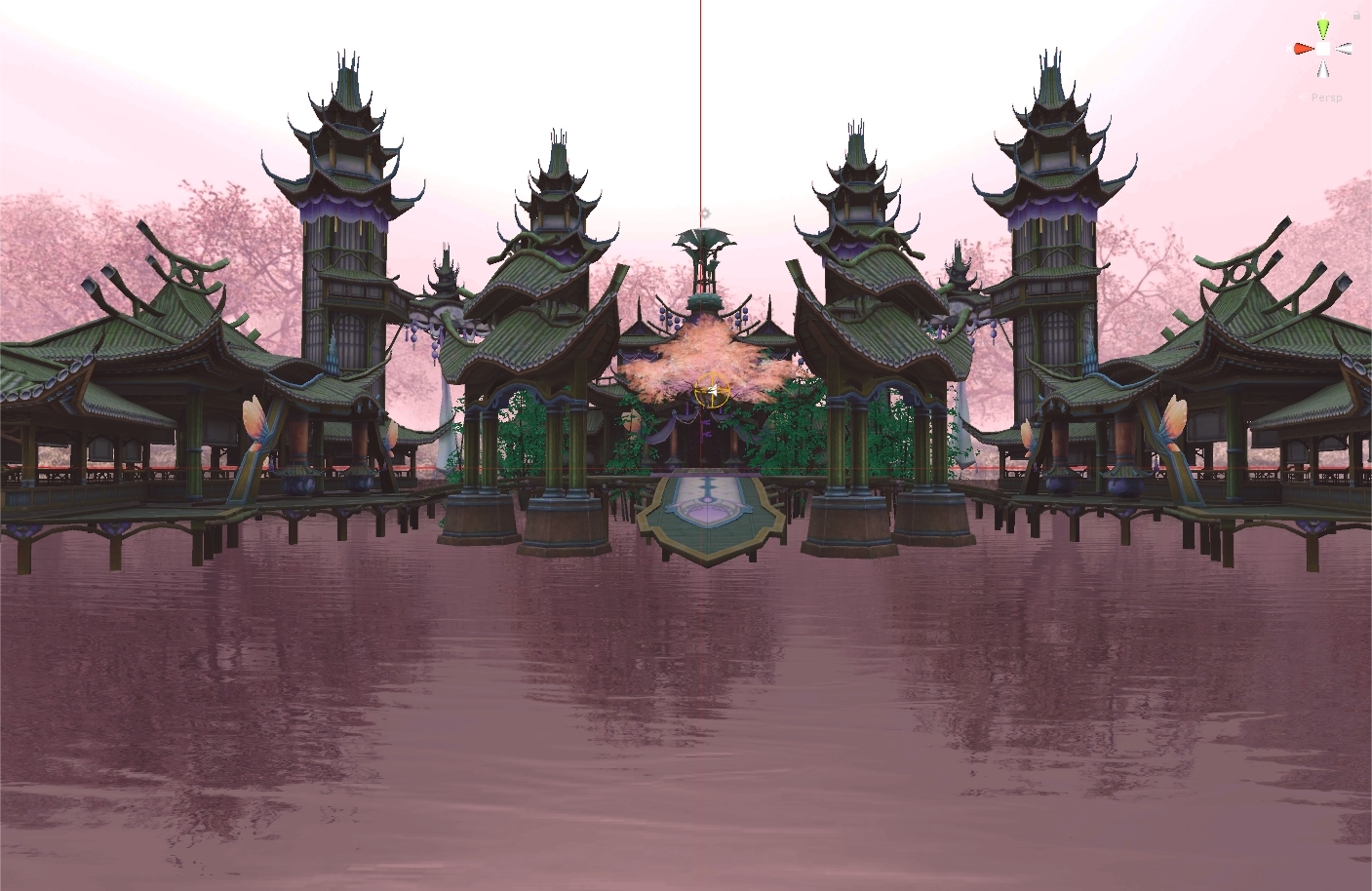 hollow spade
Ahhh that worked. Is there any downsides to keeping it on the unlit color shader for the PC version of the world?
steel fern
Not really, it just looks bland but it works
 vale trench
i put a cube into my quest world and only quest users can see it apparently and i cant
past shell
You have to update the pc vers with the cube
steel fern
Then PC users can't join at all
vale trench
my first was pc now its quest so i have to literally update it back to pc