#world-quest
1 messages · Page 4 of 1
 worthy belfry
 final drift
worthy belfry
is there any shader for quest so i can use it for my avatar ?
final drift
worthy belfry
is there any shader for quest so i can use it for my avatar ?
the vrchat shaders
worthy belfry
i mean the extra things
final drift
all you get is vrchat shaders
and some funny simple ones like unity default
its very iffy on when a shader actually renders
worthy belfry
thats actully sad
final drift
not really?
its still basically a phone strapped to your face
stuff like poiyomi will only render as missing shader pink
worthy belfry
makes sense
final drift
the quest cant even render post processing
 crimson turret
final drift
the quest cant even render post processing
crimson turret
final drift
the quest cant even render post processing
Bro my phone can render post processing on games but a vr headset can’t lmao
 zinc bridge
a quest is basically a stronger phone that has to render the image twice at a high framerate. it's due to that, and limitations of the platform itself (android) that quest can't have some depth effects, or post processing.
final drift
crimson turret
Bro my phone can render post processing on games but a vr headset can’t lmao
go on ahead and use yourphone to render some vrchat post processing then
crimson turret
final drift
go on ahead and use yourphone to render some vrchat post processing then
Oh wait nm it’s only urp post processing that phones can render
Idk about birp
final drift
a good portion of what people want to use on vrchat is either too unoptimize for the platform or literally cant be used because of hardware/software limitations
crimson turret
Im guessing they’re unoptimized because they’re made to be only rendered once and not twice, one for each eye
final drift
more of the fact that none of it was built with android in mind to begin with
 agile mesa
Anyone know of any good pvp shooter worlds for quest?
 shell trellis
zinc bridge
a quest is basically a stronger phone that has to render the image twice at a hi...
shell trellis
zinc bridge
a quest is basically a stronger phone that has to render the image twice at a hi...
i forgot if its feasible to use color transformers via post processing on quest
zinc bridge
you.. can't use any post-processing on quest
even if it's just color grading, it's still post processing
 royal harness
Hello, does anyone know why I can't use my quest 3 in unity "play mode"?
zinc bridge
royal harness
Hello, does anyone know why I can't use my quest 3 in unity "play mode"?
unity’s playmode is completely editor-only, and if you mean clientsim, that’s just a recreation of VRChat in unity for quick and easy testing.
you can’t use your quest 3 because unity playmode doesn’t use VR
royal harness
zinc bridge
unity’s playmode is completely editor-only, and if you mean clientsim, that’s ju...
oh i understand, thanks
 grizzled stratus
To convert a PC world to be Quest-compatible, everything in the hierarchy needs to match. So, I shouldn’t delete anything, but can I deselect the things that aren’t compatible, or will it cause errors? Assuming the items I want to add are Quest-compatible, but maybe some lights or animations aren’t, what should I do?
zinc bridge
the hierarchy doesn’t need to match exactly
everything that’s networked gets a scene ID generated and attached to it, so that if the hierarchy changes, networked things will still be fine
 amber vigil
what shader do i put in the mirror for the quest vers?
 topaz juniper
grizzled stratus
To convert a PC world to be Quest-compatible, everything in the hierarchy needs ...
topaz juniper
grizzled stratus
To convert a PC world to be Quest-compatible, everything in the hierarchy needs ...
you can use Easyquestswitch to disable them
grizzled stratus
topaz juniper
you can use Easyquestswitch to disable them
Thank you~
grizzled stratus
zinc bridge
the hierarchy doesn’t need to match exactly
But this won’t cause any issue? Ex: if I’m in VR but some friends are using quest will not affected?
zinc bridge
no it won't
i delete things all the time for quest, mainly post processing
and it's fine
 humble wind
oh i have to get trust or something to upload it
zinc bridge
humble wind
oh i have to get trust or something to upload it
yeah, you need the User trust rank
not to upload it, but to make it public and put it on community labs
humble wind
zinc bridge
yeah, you need the User trust rank
How do I upload it to play test by myself?
final drift
?upload
 gloomy runeBOT
You must obtain at least "New User" Trust Rank in our Trust and Safety system in order to upload content. You can get this by just spending a few hours in VRChat, hop some worlds, and make some friends. Give it some time and you'll be able to upload content in no time.
As an aside, you must have a VRChat account to upload content. That means you can't use a Steam account, Oculus account, or Viveport account to upload content like worlds or avatars.
Source: https://docs.vrchat.com/docs/frequently-asked-questions
humble wind
oh
 odd veldt
Anyone know a fix for world seams like in this photograph? This is an issue in a friends world they made (with a map port I made in blender) when playing it on quest (since quest doesn’t let you disable world anti-aliasing in the graphics settings like you can on pc) so I’m wondering if there’s any other fix that’d work for it on quest
Understandable if not, just thought it was worth asking

 icy lance
odd veldt
Anyone know a fix for world seams like in this photograph? This is an issue in a...
icy lance
odd veldt
Anyone know a fix for world seams like in this photograph? This is an issue in a...
have some minor overlap in the models or make the scene out of one continuous mesh and assign it multiple materials in blender
odd veldt
icy lance
have some minor overlap in the models or make the scene out of one continuous me...
thats alot of work

to redo/do
but fair
icy lance
is each floor tile a separate object?
odd veldt
icy lance
is each floor tile a separate object?
No, but they all still have seams
I didn’t make the models myself I just ported them from the game they’re from (which is IMSCARED)
Saying I just Ported them makes it sound a lot simpler than it actually was though
Took me over a week to do everything
zinc bridge
i love IMSCARED
odd veldt
zinc bridge
i love IMSCARED
Me too!
 slender hatch
how can I make a custom shader for my world that works on quest?
 fringe birch
@slender hatch what's your end goal
slender hatch
@fringe birch I like your question, reminds me of a customer that wanted to know how to turn on a chainsaw... to trim his nails. I had to ask what was the objective before telling them in detail how to turn on a chainsaw 😄 I like you alraedy. - My end goal is to be able to control what each eye sees independently.
@fringe birch projecting stereoscopic images for example. That are not really 3d, but would look 3d. and I made a simple shader on pc for that, but it didn't work on quest 😦
slender hatch
Ok, I will

 muted wagon
Hi! I have a question about worlds, that is a mainly Quest sided question, that why I am writing ut here.
So. I have a favourite world where I meet with a friend, and there is a Youtube streamer thingy. It worked fine when I was playing with him on pc (SteamVR + Quest2) but recently I switched to full VR same as him bc it is way better in every term for us, but the Youtube streamer on most of our saved worlds don't work. (It works on one world but on the rest, nope.)
Is it a general issue or on our side of the game?
fringe birch
muted wagon
Hi! I have a question about worlds, that is a mainly Quest sided question, that ...
Did you enable untrusted URLs?
humble wind
I’m tired of playing this game without being able to test my build
12 hours of playing ain’t enough?
fringe birch
humble wind
12 hours of playing ain’t enough?
Friend some people
zinc bridge
humble wind
I’m tired of playing this game without being able to test my build
you can test your build though
you don’t need User to upload a world
only to publish it to community labs
you can also do a local built and test
or test it in-unity with clientsim
 clever shadow
The SDK panel does currently check to see if you're a new user and prevents you from doing build and test though that seems like an oversight on their part, but you could just remove the check locally and it should be fine though they frown upon modifying the SDK
 fringe birch
clever shadow
The SDK panel does currently check to see if you're a new user and prevents you ...
fringe birch
clever shadow
The SDK panel does currently check to see if you're a new user and prevents you ...
Chat mods be like 
clever shadow

I think this would help alleviate the frustration I see from competent 3D artists looking into joining VRchat, so they can at least prepare their previous 3D
 frosty perch
The Quest world limit is 100MB, right? Does that only apply to the Quest build or PC as well?
clever shadow
Quest is 100mb, PC is 500mb (I think unless that only applies to avatars, otherwise there's no limit)
Most worlds get up to about 250mb though so don't go crazy
frosty perch
Awesome, thanks. I'm lowering textures still on PC but I don't want them to be -too- bad.
Is there a limit on lights? Or anything I should aim for?
zinc bridge
frosty perch
Is there a limit on lights? Or anything I should aim for?
if they’re realtime, it’s 4. but you should have baked lighting anyway
frosty perch
When you upload do you have to swap builds or does it automatically do all after you converted the first time?
final drift
you have to upload to both platforms every time you make an edit
 cinder trout
zinc bridge
change the texture compression settings
cinder trout
zinc bridge
change the texture compression settings
is there anything in particular that looks wonky? :,)
 zinc bridge
no, it just looks like that because that's how the texture compression on quest looks
there's nothing wrong with the settings
by "mess with the settings", i meant try changing them around to be a little higher quality until it isn't as bad
humble wind
So how do I play test my build?
 dawn vessel
clever shadow
Quest is 100mb, PC is 500mb (I think unless that only applies to avatars, otherw...
dawn vessel
clever shadow
Quest is 100mb, PC is 500mb (I think unless that only applies to avatars, otherw...
PC worlds can go up to around 1.2GB
But the game's cutoff is a little below 1.2GB.
So if you upload a world that is exactly 1.2GB, you can't visit it, from what I heard
 vital lance
cinder trout
is there anything in particular that looks wonky? :,)
vital lance
cinder trout
is there anything in particular that looks wonky? :,)
Yes I would change the format to ASTC 4x4
Basically, use ASTC for every texture on mobile
cinder trout
vital lance
Yes I would change the format to ASTC 4x4
ahh okay, looks much better ! tysm ❤️
zinc bridge
i recently found that ASTC 10x10 has pretty good compression, while still keeping quality (at least for basecolor textures, i don’t know about lightmaps)
 supple robin
Greetings, I have a question maybe someone can help me out so i don't have to restart the project... https://prnt.sc/RgLmg7prAr0O Is there anyway i can figure out what is taking so much space? The math doesn't really add up between the assets and the world size and i can't figure out where all the space is going. Is there any option to clean up the project, it does seem some files got stuck.
 supple robin
Compressed the textures even more, it only got bigger... https://prnt.sc/qGeEnxvXGMR6
 topaz juniper
supple robin
Greetings, I have a question maybe someone can help me out so i don't have to re...
topaz juniper
supple robin
Greetings, I have a question maybe someone can help me out so i don't have to re...
click "stats"
check your android overrides in the texture settings
supple robin
That was the stats window, still no idea what happened, I just removed everything did an empty build, put things back and everything is fine now - at least with the world size... For some reason now the Texture size is displayed wrong in the report, but at least i can build and upload the world. I might just migrate everything on another project, just to be on the safe side... https://prnt.sc/ix-VamknBHAR

But I am good now, thank you 👍🏻
topaz juniper
supple robin
That was the stats window, still no idea what happened, I just removed everythin...
oh yeah i meant clicking on stats to remove them haha
cool to hear you solved it though
vital lance
supple robin
That was the stats window, still no idea what happened, I just removed everythin...
It is not displaying wrong. The stats show the imported assets size but the build is also compressed.
If your world is big, static batching can take a huge amount of memory and you can't see that in the build stats. They are probably other invisible MB but that's the first one that comes in my mind now
supple robin
Thanks for the reply, yes i figured out those textures get compressed and it does seem the report is correct now. They are the same textures as before but i haven't done any compression yet. For the first issue, to fix it i just removed everything, reimported everything again and remade my scene. (with the exact same models, textures, lightbaking, etc.). Everything seems ok now and didn't have any other issues, just thought i could skip the 2-3 hours wasted on remaking the scene, by clearing a cache or something in the project.
But something was strange, between the first 2 screenshots all i did was downsample all the textures to a lower resolution... And instead of gaining space, the textures took even more space in the report.
vital lance
In the screenshot I see your meshes also changed, not only the textures
Aw I see what you mean
supple robin
Yes, i noticed too, but I am also not sure why, I only compressed the textures. And i did check for hidden objects around the scene, i keep it pretty organized so i havent found anything.
But yes, fortunatly everything is ok now 🙂
vital lance
Nice
 delicate venture
What are some of the most high quality looking worlds that work for quest? I really wish there was something like magic heist on quest. A game world of higher quality that's a story game would be great
frosty perch
Anyone know what happened here? I made minimal tweaks to my world and now it's saying it's over 500MB. It was like... 20. I don't know how to troubleshoot this.
 frosty perch
Anyone know what happened here? I made minimal tweaks to my world and now it's s...
frosty perch
frosty perch
Anyone know what happened here? I made minimal tweaks to my world and now it's s...
I figured it out, it was actually an earlier error dealing with Object Sync which I removed and the error went away
 hallow aurora
Is there a way to see what the memory usage/cost of an individual object is?
trying to build this world to be quest compatible is driving me a little crazy ... 😖
 topaz juniper
hallow aurora
Is there a way to see what the memory usage/cost of an individual object is?
topaz juniper
hallow aurora
Is there a way to see what the memory usage/cost of an individual object is?
yes, its called world debugger
hallow aurora
thank you! 😄
hallow aurora
topaz juniper
yes, its called world debugger
I might be missing something... Debugger doesn't seem to give me any of that information, and I haven't been able to find a guide on how to set it up so it will. what am I doing wrong?
topaz juniper
hallow aurora
I might be missing something... Debugger doesn't seem to give me any of that inf...
mind sending a screenshot?
hallow aurora
 topaz juniper
hallow aurora
https://i.gyazo.com/57a3f4e38f196d6308331772d7a7056b.jpg
topaz juniper
hallow aurora
https://i.gyazo.com/57a3f4e38f196d6308331772d7a7056b.jpg
well yeah you dont have it open
VRworld toolkit > world debugger
hallow aurora
topaz juniper
VRworld toolkit > world debugger
WOW, thank you. I really was missing something! I had no idea there were other debuggers! 😖
This helps a lot, thank you!
 hollow portal
why do i get this error?

any idea?
nevermind
figured out
12 to 24 hours playing
before being able to create
 wicked vine
My terrain textures are as smooth as glass when going into android, they are fine on PC side. Any clue on what I am missing?
All terrain materials show proper diffuse but as shinny and flat almost as if there are incased in glass
found it had to change it in terrian settings
zinc bridge
wicked vine
found it had to change it in terrian settings
how exactly did you fix the issue? i’ve seen a few others have the same problem, so it could help to show the exact solution
wicked vine
zinc bridge
how exactly did you fix the issue? i’ve seen a few others have the same problem,...
I went into terrain detials tab -. setting - > material (it will be standard shaders)
humble wind
Lmao I have a whole buncha issues that I have no clue on how to fix. I’ll just try clicking more buttons 🖲️
 grave charm
Hello everyone, I recently reloaded an old world, but I can't access it, and before I am sent back to the home page this logo appears with this inscription?
Do you know what it is, and how to possibly solve it? thanks!
 zinc bridge
grave charm
Hello everyone, I recently reloaded an old world, but I can't access it, and bef...
zinc bridge
grave charm
Hello everyone, I recently reloaded an old world, but I can't access it, and bef...
i would assume it’s a UI button. and uh.. follow the instructions?
holding tab unlocks your mouse cursor on desktop mode
 hallow fractal
Hey, so I don't usually use Quest, but is it common for people to appear choppy at higher distances?
final drift
hallow fractal
Hey, so I don't usually use Quest, but is it common for people to appear choppy ...
I mean you have a limited resolution so yea
hallow fractal
final drift
I mean you have a limited resolution so yea
Ah sorry, I'm not speaking about resolution but their position. They would teleport slightly instead of being interpolated.
I want to know if this is a intended thing or not.
final drift
depends on said "higher distance"
cause if you go far enough away from 0,0,0 then you get into the float point precision issue where you have a limited number of digits so the further out you go the less decimals you have to work with causing rendering issues
hallow fractal
final drift
cause if you go far enough away from 0,0,0 then you get into the float point pre...
That's not either. If I had to describe it, it looks like a stopmotion film when look at players from afar lol
final drift
then that would be the first issue again where they are saving resources
hallow fractal
final drift
then that would be the first issue again where they are saving resources
That's what I'm assuming as well. It's just a bit surprising to me. I didn't think interpolating the visuals would be that big of a deal. What if it's a bug?
Either way, that differing behavior has some side effects on VRCOjbecSync for me. I'll post the canny here as well to get more awareness:
https://feedback.vrchat.com/udon/p/vrcobjectsync-bouncing-on-android-devices-when-further-away-gravity-not-disabled
 fast bough
does anyone know how to fix that issue?
 zinc bridge
fast bough
does anyone know how to fix that issue?
zinc bridge
fast bough
does anyone know how to fix that issue?
that itself is not the issue, check your console for errors (but actually read the error messages and don’t send a screenshot of that exact same error but in the console please)
 balmy valve
I have an issue that idk how to fix, i've asked multiple people and they don't know either. PC and PCVr players can see my world fine, but quest players can't see all the furniture, etc. Only the walls roof and floor of the main building.
zinc bridge
balmy valve
I have an issue that idk how to fix, i've asked multiple people and they don't k...
do you have baked occlusion culling?
balmy valve
zinc bridge
do you have baked occlusion culling?
I don't know
balmy valve
Yea.
zinc bridge
try going to (in the top left area of unity) Window > Rendering > Occlusion Culling, and clicking Clear and then Bake
and then, in case that’s not the issue, what shaders does the furniture use?
balmy valve
zinc bridge
and then, in case that’s not the issue, what shaders does the furniture use?
Not entirely sure, seeing if that first thing fixes it.
This is my first time.
zinc bridge
click a piece of furniture, look at the inspector, and check at the bottom what shader it says for the material
balmy valve
Standard shader.
zinc bridge
that should be fine then. so it’s either the occlusion culling or something else
balmy valve
Quest users still can't see everything.
zinc bridge
could you get some sort of video or screenshots from both platforms? it would help to see it rather than just hearing about it
balmy valve
I'll try, but VRChat on my quest doesn't work for some reason.
Ok I got a photo
This is what I see

I'm trying to get the quest photo now
 balmy valve
zinc bridge
could you get some sort of video or screenshots from both platforms? it would he...
balmy valve
zinc bridge
could you get some sort of video or screenshots from both platforms? it would he...
That's what quest users see ^
Basically nothing except the base world prefab
I have the booth page too
balmy valve
The walls etc use the Standard shader too.
balmy valve
zinc bridge
could you get some sort of video or screenshots from both platforms? it would he...
Yea I can't figure it out. Has to be something else right?
balmy valve
I still can't figure it out.
fringe birch
balmy valve
That's what quest users see ^
Dumb question, but have you remembered to upload the world for quest after the culling rebake?
balmy valve
is there a specific way to upload it for quest?
zinc bridge
just switching the build platform and clicking upload
balmy valve
zinc bridge
just switching the build platform and clicking upload
I'll try that after I have a nap.
 minor sparrow
Is there any quick way to set iOS image import settings to the android settings? I could go through all my textures and set the same as android but thats a lot of manual work.
 dull crypt
Hello.. so ik know exactly the world i wanna make how it looks and all that. But my computer is absolutely not haveing it.. any recommendations?
fast bough
hi guys , Im having a problem with unity, everytime I put some tipe of npc in my unity project I get this error and it breaks the SDK, It doesnt matter if I put yes or no, It breaks anyway. Is there a way to solve this issue?

 crude gorge
fast bough
hi guys , Im having a problem with unity, everytime I put some tipe of npc in my...
crude gorge
fast bough
hi guys , Im having a problem with unity, everytime I put some tipe of npc in my...
Those folders aren't right. Are those assets you're trying to import a big dodgy?
As they seem to also include the whole VRC SDK... which they should not.
That or you're on an ancient version and still have the old SDK.
clever shadow
Try upgrading your project and SDK through creator companion, looks like you still have an old version of the SDK in your project
 tulip delta
Hello everyone. I am looking for a dev to help me upgrade my build. My video player is not working and I think I need to update the build and have someone look at the player to get it working again.
I was published in Mar of 2023 and the player was working last I check a few months ago but now it is not.
Is there anyone here that could help with that?
Hope this is the right server to be posting in. 🙂
crude gorge
tulip delta
Hello everyone. I am looking for a dev to help me upgrade my build. My video pla...
Not working in what sense?
tulip delta
crude gorge
Not working in what sense?
I have a video player in a few places and when I go to live stream the player is not activating. It used to work and now it doesn't
 quick hemlock
tulip delta
I have a video player in a few places and when I go to live stream the player is...
quick hemlock
tulip delta
I have a video player in a few places and when I go to live stream the player is...
Is it a twitch stream? I ran into this issue with twitch recently. https://feedback.vrchat.com/bug-reports/p/twitch-links-not-working-affecting-avpro-txl-video-players-some-pcvr-users
tulip delta
quick hemlock
Is it a twitch stream? I ran into this issue with twitch recently. https://feedb...
No it plays from my server. I believe it is using a json link
tulip delta
tulip delta
No it plays from my server. I believe it is using a json link
I do need to update my build though and if someone could do that and help me fix the vid player issue that would be awesome 🙂
 jagged jacinth
Does anyone know a good moving grass generator for Quest worlds?
 ancient horizon
I need help, I wan to switch my build target to android but it doesn’t work, I went into the control panel in unity, and it said that “ Switching to Android:AndroidPlayer is disabled”
 atomic merlin
ancient horizon
I need help, I wan to switch my build target to android but it doesn’t work, I w...
atomic merlin
ancient horizon
I need help, I wan to switch my build target to android but it doesn’t work, I w...
You didn't install android build support when installing Unity.
If you are using Unity hub then you can easily add it by clicking the cog menu in the installs tab and adding android build support.
ancient horizon
atomic merlin
If you are using Unity hub then you can easily add it by clicking the cog menu i...
Can you do a step by step guide
atomic merlin
ancient horizon
Can you do a step by step guide
Then just check Android build support and click install.
 ancient horizon
Bruh thanks, didn’t know it was so easy
 distant forge
What are the best water shaders for quest worlds?
jagged jacinth
distant forge
What are the best water shaders for quest worlds?
https://s-ilent.booth.pm/items/2577099 Clear Water 2.

A water shader for Unity/VRchat that (ab)uses some Unity features to get nice, clean looking water without a heavy performance impact. To install, place the Shader/ folder with the shader into your Assets/ directory.
Still looking for a Quest grass shader, I want to be able to just paint on patches of moving grass, I tried the Crispy Grass shader but it only worked on PC. I'd like to be able to add custom flowers too that blow in the wind.
zinc bridge
jagged jacinth
Still looking for a Quest grass shader, I want to be able to just paint on patch...
unity’s terrain
jagged jacinth
zinc bridge
unity’s terrain
Didn't know there was a built in system. Can I use an existing FBX landscape to paint the grass onto or do I have to start with a flat plane and sculpt it in Unity?
zinc bridge
jagged jacinth
Didn't know there was a built in system. Can I use an existing FBX landscape to ...
you’ll have to sculpt it as far as i know. there could be some tools out there, but i rarely use the terrain
but yeah, terrain has a built-in function for trees and foliage, with wind
 urban idol
anybody have any example of prop guns made for quest? I want to see the wire frame. I don't know how far i need to optimize
zinc bridge
below 1K tris for a prop gun would be just fine
hallow fractal
Maybe a stupid question, but can quest players copy paste text outside of VRChat somehow?
 smoky flower
hallow fractal
Maybe a stupid question, but can quest players copy paste text outside of VRChat...
smoky flower
hallow fractal
Maybe a stupid question, but can quest players copy paste text outside of VRChat...
I think if you create an UI Input Field, you can copy/paste everywhere, even outside of vrc
hallow fractal
smoky flower
I think if you create an UI Input Field, you can copy/paste everywhere, even out...
Yeah I already set it up and everything. But then it occurred to me that I have never tried copy pasting on the quest and have no clue how you'd do that, since I don't use it very often outside of developing for it.
I know the buttons exist, but can you just close VRChat and pull out another app to paste it?
smoky flower
I think you can
I'm pretty sure you can paste youtube links and other stuff with that
smoky flower
Does anyone knows how object syncing work between platforms? Let's say I want to have a high quality model for pc, and a low quality model for Quest that players can pickup, but how does the game decides if that object is the same object? so if you pick a sword up on PC, the Quest player would see you holding that sword?
clever shadow
smoky flower
Does anyone knows how object syncing work between platforms? Let's say I want to...
Syncing relies on game objects being assigned network IDs which you can view in the Network ID Utility under VRCSDK > Utilities > Network ID Import and Export Utility, you just gotta make sure that your Quest and PC versions of the objects are assigned the same ID
That only covers variable syncing and network events, if you've got local logic that needs to use different objects per platform you'll have to account for that yourself in your scripts
smoky flower
clever shadow
Syncing relies on game objects being assigned network IDs which you can view in ...
ah I see, that does make sense, but it would be hard to modify them if I would just remove some object on the quest version, then create new ones, it would assign different network IDs I think
clever shadow
I think there was a tool called Easy Quest Switch that made it simpler to swap out object references
I dunno if it handles network IDs
smoky flower
but if I want to make high poly and low poly versions, it's better to just swap the mesh and materials for it then, so I don't need to remove the existing object
clever shadow
Yeah if it's just a visual swapout you could just put them under a common root gameobject that's shared between platforms and swap out the children or visual parts as needed
smoky flower
clever shadow
I think there was a tool called Easy Quest Switch that made it simpler to swap o...
yeah I can try check it out later
hallow fractal
smoky flower
I'm pretty sure you can paste youtube links and other stuff with that
Okay, hopefully it's not too difficult for the players then.
distant forge
hallow fractal
Maybe a stupid question, but can quest players copy paste text outside of VRChat...
I believe you can, Ive copied codes from vrc then pasted them into dm's with people in the meta quest browser. Not sure if this is what you mean but if it is there you go.
hallow fractal
distant forge
I believe you can, Ive copied codes from vrc then pasted them into dm's with peo...
Thanks, that's good to know. That should be enough until we get persistence
 robust mist
 zinc bridge
i mean, i’ve seen plenty of worlds that use film grain and chromatic aberration
and color grading is one not in the meme that’s used 99% of the time
though DoF, lens distortion, and lens flare either don’t work in VR, we don’t have access to them, or you use a shader for it instead of post processing
(yes i know i’m over-analyzing a meme)
vital lance
hey i just came back to vr chat and saw a transformers one world and when i entered i got this

i have never been to this world
zinc bridge
wow, i'm pretty sure that's very against TOS
zinc bridge
vital lance
hey i just came back to vr chat and saw a transformers one world and when i ent...
send a link to the world. banning people from your world is not allowed, and i think something needs to be done about that
final drift
zinc bridge
send a link to the world. banning people from your world is not allowed, and i t...
you can ban per instance but not the world entirely
so if that is instance only where you can just join other instances then its fine
zinc bridge
well it sounds like he joined the world and immediately saw that
final drift
which is fine if its just the one instance
zinc bridge
but if he had never been there before, and just joined and saw that, it sounds like a world ban
final drift
could also be a group thing
wont know entirely without more information other than "I saw this when I joined"
zinc bridge
yeah i guess so
vital lance
i saw transformers one avatars so i joined and got that
it is every instance
i will screen share if anyone wants to watch
just dm call me

Ver․2․1˸ Added 3 pages of Earth Wars Modelsǃ
 trim gyro
he could be a member of a group that is flagged in ban logger. if the instance was created by someone using ban logger and they are a member of that banned group, they would be kicked before they even entered. ban logger runs at a user-level though so it could not be used world-wide.
trim gyro
vital lance
https://vrchat.com/home/world/wrld_f0a49ecd-f778-4ec8-a30f-fdbb6c7f9283
did you try creating a new instance? that will determine if there is banning logic at the world level
 nimble cargo
trim gyro
he could be a member of a group that is flagged in ban logger. if the instance w...
nimble cargo
trim gyro
he could be a member of a group that is flagged in ban logger. if the instance w...
Ban logger? 🤔
 shell hound
I seen some worlds on quest that have a Youtube Search function for video players. Any idea on where I can find the prefab for them? One example world is my current Home World "Midnight Rest". Be nice to add that feature for a chillout area for a world I'm working on.
zinc bridge
shell hound
I seen some worlds on quest that have a Youtube Search function for video player...

literally the top result https://rinvo.gumroad.com/l/VRCYoutubeSearch

Gumroad
Youtube search prefab for VRChat worlds (u2b.cx api)Latest update: 1.14 - bug fix for cases where search ui is disabled on startupDemo World:- https://vrchat.com/home/world/wrld_06c4e05c-3b64-484a-9b01-7891e5f144f6Always try it before you buy it!Some info:- Made to be reliable and has been field tested in multiple worlds (including worlds like P...
shell hound
zinc bridge
Thank you; just wanted to check here first for best/ personal opinions for prefabs
zinc bridge
i don't know if any others even exist
 digital marlin
I'm new to vr chat can someone show me around
zinc bridge
digital marlin
I'm new to vr chat can someone show me around
try #vrchat-general-1 or #vrchat-general-2 , this is not the kind of channel to ask that question
shell hound
digital marlin
I'm new to vr chat can someone show me around
Though here's a little idea. Try finding worlds of communities you like. No better way to find places and friends than sharing the same interests.
 balmy moat
Hey can someone help me find this asset?
I’ve seen it in like popcorn palace and other worlds.
 nimble cargo
shell hound
Thank you; just wanted to check here first for best/ personal opinions for prefa...
nimble cargo
shell hound
Thank you; just wanted to check here first for best/ personal opinions for prefa...
I'm using that one in all my worlds.
Pretty solid prefab.
nimble cargo
balmy moat
Hey can someone help me find this asset?
I’ve seen it in like popcorn palace and...
They're custom made by Zelfine
 gusty elk
What world is this?
gusty elk
@heady hinge you were typing. Do you know what it is?
 heady hinge
I know the world but i forgot it's name, i'm trying to find it again
gusty elk
finally
thank you
heady hinge

32‚768 GPU Balls in a lagoon on an island that can interact with all parts of your avatar․
here you go
fringe birch
quest would likely burst into flames with that much physics going on lmao
 ornate sable
Y'all got any chill but very pretty place?
 mellow wharf
Anyone got any good quest compatible worlds that r good for taking pictures in?
 hazy moon
mellow wharf
Anyone got any good quest compatible worlds that r good for taking pictures in?
hazy moon
mellow wharf
Anyone got any good quest compatible worlds that r good for taking pictures in?
https://vrchat.com/home/world/wrld_fbf082ea-f12a-4da0-afba-a8c8f2d79e54 https://vrchat.com/home/world/wrld_af1872a1-2fee-425e-b0ae-ba1c54702d8b https://vrchat.com/home/world/wrld_4890a400-1f6a-4ef5-a090-d71bde392d09 https://vrchat.com/home/world/wrld_1502d88d-751c-4fe3-b846-674df2d462f3 https://vrchat.com/home/world/wrld_509a5ea7-1752-4d3c-aa72-0e055cffef63 https://vrchat.com/home/world/wrld_48664086-6495-4c68-acdd-0ce0c7ecd5b3 https://vrchat.com/home/world/wrld_b27cc97f-0ecb-4030-b415-b4ef8b024f30 https://vrchat.com/home/world/wrld_f81ebd9b-bd38-44e9-9487-91033fc75e7f https://vrchat.com/home/world/wrld_c5a478f6-2d19-426c-b0cc-68defbb021d5 https://vrchat.com/home/world/wrld_2b52f803-208a-4e46-8228-da392e034f41 https://vrchat.com/home/world/wrld_700cf786-0b95-4b5f-870f-0dc319ab1871 https://vrchat.com/home/world/wrld_93b31781-0e0b-4162-8486-bb11634200f4

Home World version for upcoming episode of "Backrooms˸ The Anime" by Metacosm Studios․

A very cozy sanrio-pink themed apartment with mirrors‚ video players‚ billiards‚ and tarot cards

A Cozy Ancient Fantasy Environemt

I hope they come for you

夢と断片。 複数セクションで構成されたワールドです。 エリアごとにそれぞれ異なる用途の部屋が用意されています。 負荷も低く、快適に過ごすことも可能です。 バス停から各エリアに飛ぶことが可能です。 可能な限り自作するという目標でこのワールドを作りました。 ここでなにをするかは、あなたの自由です。 ハッシュタグ #Dream_and_Fragments 更新履歴 2024⁄10⁄29 ワールド公開 …
Sorry it’s a LOOTT…
But I have more if needed
mellow wharf
Tysm
 undone relic
Ty
 plush basin
i wanna install android platform tools so i can test on android, but i installed unity through the creator companion instead of the hub so i don't have the modules.json file
i tried downloading it separately and adding it both in unity and in PATH but it still complains that adb.exe is missing
i tried downloading a modules.json meant for unity 2019 and it did kinda work, but it warned me that the platform tools are made for 2019 so i feel like it'd break stuff
a unity staff member recommended writing [{}] in it but then it says it's "no longer available from the Hub" and doesn't let me install any modules
do i really have to redownload gigabytes of unity for a few kilobytes of json?
decided to yoink the modules.json for a close-enough version (2022.2.6f1) from the repo for Larusso's unity-version-manager, will report back with results
 vague karma
fringe birch
quest would likely burst into flames with that much physics going on lmao
vague karma
fringe birch
quest would likely burst into flames with that much physics going on lmao
My pc would to
vital lance
Anyone want to hangout on vrchat
nimble cargo
plush basin
i wanna install android platform tools so i can test on android, but i installed...
If you go to Unity - > Build settings -> Select android, It'll ask you to install it.
plush basin
that's build support, not platform tools
 tiny dock
vital lance
Anyone want to hangout on vrchat
tiny dock
vital lance
Anyone want to hangout on vrchat
Me, i´d like to play Among us in VRChat
vital lance
Anyone want to play vrchat
zinc bridge
vital lance
Anyone want to play vrchat
this isn’t the channel for you to be asking that. this is for developing worlds on the Quest platform
try #vrchat-general-2 or something
 grim minnow
Did they increase max world size limit for quest? I've just seen a world with 100+ mb on quest
zinc bridge
that happened quite a while ago
it used to be 50MB but it got increased to 100MB sometime last year
grim minnow
No. I'm talking like 160 mb
 lofty wagon
grim minnow
No. I'm talking like 160 mb
lofty wagon
grim minnow
No. I'm talking like 160 mb
So like, you went to a world using a quest system and it was over 100 mbs?
grim minnow
Yes
grim minnow
lofty wagon
So like, you went to a world using a quest system and it was over 100 mbs?
Yup
Over by more than 50 mb
Talking about 160 mb to 170 mb
lofty wagon
I don't think that should be doable? I'm not the expert tho 🤷♂️
crude gorge
grim minnow
Did they increase max world size limit for quest? I've just seen a world with 10...
Why not say what world?
crude gorge
It's only 154.89MB on PC, I'd be surprised if it was larger on Quest.
grim minnow
Somehow it did bypass beyond 100k mb for quest
grim minnow
crude gorge
It's only 154.89MB on PC, I'd be surprised if it was larger on Quest.
Pretty sure it is surprisingly
Might double down on that and check in a bit
grim minnow
I don't know what sorcery they did to bypass it
crude gorge
So, you can easily mod the SDK to do it, but then it should fail server side checks.
That said, the world doesn't load for me, it gets stuck at 145.10MB.
There used to be a bug where the SDK would get confused about which platform you're uploading for and I've definitely uploaded the wrong platform's package before, but I thought that was fixed now...
grim minnow
That's very interesting
vital lance
Huhoh
 vital lance
crude gorge
That said, the world doesn't load for me, it gets stuck at 145.10MB.
vital lance
crude gorge
That said, the world doesn't load for me, it gets stuck at 145.10MB.
world loads just fine for me. Looks like the server check is non-existent
crude gorge
vital lance
world loads just fine for me. Looks like the server check is non-existent
Weird, tried 3 times.
vital lance
 grim minnow
crude gorge
Weird, tried 3 times.
grim minnow
crude gorge
Weird, tried 3 times.
That's weird
 hollow rover
Anyone have a good messy-ish apartment space? Or any good kinda mid size rp city worlds with like decked out apartments in them?
 grand fern
So I am developing a world and for quest the ground is very.... shiny, how do I fix this?

 icy lance
I'm having an issue with this pickup in my world, in editor it's fine however when in game, either on quest or android the blue highlight is suddenly big enough to fill your entire screen. Strangely though if I swap to windows and build it's the same as it is in the editor.


Here's my settings for reference


 hollow imp
grand fern
hollow imp
grand fern
Maybe too late of a reply but
It needs to have property inside of Material itself
I forgot the name but if you send a screenshot I can help
 gleaming juniper
How do you people manage Quest compatibility for worlds? Do you make a separate project for Quest versions after the PC version of the world is done? I'm asking this because I'm using shaders that are only supported on PC version and when I want to switch to Quest upload, I have to go through every item in the scene and replace the materials to ones that are supported on Quest.
And this has to be done every time I make any iterations/updates on the world -> Development times essentially double or triple and has a high chance of making mistakes or forgetting to change a material on some asset in the world.
Any workflow tips would be highly appreciated.
trim gyro
gleaming juniper
How do you people manage Quest compatibility for worlds? Do you make a separate ...
i was using 3 separate prefabs (pc, android, ios). real pain in the but.
in the middle of switching to a single prefab and using easy quest switcher to have it swap out differences. i do not know if this works perfectly yet. seen alot of videos saying it does, but heard other devs say it doesn’t (though they haven’t used it in a long time, or only heard it doesn’t). so don’t know yet the viability of this.
gleaming juniper
trim gyro
i was using 3 separate prefabs (pc, android, ios). real pain in the but.
in the...
I had thought about this too, but that didn't feel like a 'perfect' convenient solution either, so had to ask if there are some recommended ways that I'm just not aware of. Gladly, my scene isn't too big so I think I can still relatively easy convert it to this workflow or at least try it.
Thanks for the response.
trim gyro
gleaming juniper
I had thought about this too, but that didn't feel like a 'perfect' convenient s...
please let me know your findings as mine is a pretty big conversion here
icy lance
gleaming juniper
How do you people manage Quest compatibility for worlds? Do you make a separate ...
Personally I've found easy quest switch works great for my hangout world, once all your swaps are set up all you have to do is change to android, bake your lighting if your quest version has different lighting settings in EQS, and then you're good to upload
gleaming juniper
icy lance
Personally I've found easy quest switch works great for my hangout world, once a...
So, essentially you are making full prefab variants for both Quest and PC? 🤔
icy lance
Nope, just putting defining all the objects/components I need to change in EQS and it changes everything in the same scene
gleaming juniper
And how does the scene management side go or rather how have you tackled it? I'm bit worried if I just disable the items it would still leave some unecessary data from both versions to both uploads
I'm not super familiar how Unity/VRChat SDK does the optimisation on uploads
gleaming juniper
icy lance
Nope, just putting defining all the objects/components I need to change in EQS a...
I tried EQS, but I could not figure out how to switch up the materials. I was only able to switch shaders.
icy lance
That can happen, I've found you can use EQS to unassign the mesh filter on the quest version which keeps the mesh from being compiled.
icy lance
gleaming juniper
I tried EQS, but I could not figure out how to switch up the materials. I was on...
Yeah there are limits, typically swapping the standard shader to standard Lite works pretty well however if you need to do more then shader and colour changes you'll need to make a new material and set up the swaps in EQS for everything that material is on
gleaming juniper
Hold on, infact let me try something right now.
Yeah, so the issue still remains with the EQS.
I want the materials to switch, not the shader.
 icy lance
You'll have to get the mesh renderer of each object the first material is on and reassign it to the quest material as far as I'm aware
gleaming juniper
Yeah, that is the thing thats making it really annoying.. 😭
I only have like 6 materials in my whole scene since I'm using trims and tileable materials but lot of different meshes
Well, you live and learn I suppose.
icy lance
Yeah, I don't think it's possible to use EQS to change the material import settings for a model and do it in one go
You might be able to make your meshes prefabs and then reassign the material to one prefab, I've not checked if this funtionality exists but it sounds plausable
 candid glade
How does one acquire this EQS...?
 coarse grail
candid glade
How does one acquire this EQS...?
coarse grail
candid glade
How does one acquire this EQS...?
it's available in the Creator companion https://global.discourse-cdn.com/vrchat/optimized/2X/f/f859fb6ccb0c8aea3a2694299f901362d0c58421_2_1035x582.jpeg
 limber belfry
Anyone know any good worlds with Deer Head trophies I could check out?
 hollow bay
@crude gorge @grim minnow @vital lance someone with a real quest 2 to test it on. Apparently it says 99mb here


That means they didn’t bypass it
vital lance
hollow bay
That means they didn’t bypass it
Do you have a direct link to this world?
hollow bay
vital lance
Do you have a direct link to this world?

茶茶的小屋
Apparently they just reduced it today.
vital lance
hollow bay
https://vrchat.com/home/world/wrld_54e3f638-01c8-43c6-a9a5-f249d14b12a7
The android version is 99.13 MB
vital lance
Idk, last time I downloaded this world was really above 100 MB. So I don't think it's an issue on the server side 🤔
I rather think it's the creator who finally managed to comply with the sdk limits 
crude gorge
hollow bay
That means they didn’t bypass it
They've updated it since, given the dates.
Still, very odd that it happened in the first place.
grim minnow
hollow bay
That means they didn’t bypass it
I'm pretty sure the world was private for a while
And then after the update it came back as public
final drift
it needs to be a sprite sheet
 final drift
use a shader that supports it or manually animate it
particles have a sprite sheet feature
 hexed idol
thank you !!!
 shut jolt
gleaming juniper
How do you people manage Quest compatibility for worlds? Do you make a separate ...
shut jolt
gleaming juniper
How do you people manage Quest compatibility for worlds? Do you make a separate ...
@gleaming juniper You're using shaders that literally don't work on Quest because they are using incompatible features, or are you under the impression that Quest only supports a small number of shaders whitelisted by VRChat? (which is not the case; you can use any shader you like for Quest builds as long as it is performant enough in the context of your world design).
gleaming juniper
shut jolt
<@115490834421383170> You're using shaders that literally don't work on Quest be...
Wait, really? So no hard limits on the shaders like on Quest avatars? 🤔
shut jolt
Hard limits are only for Avatars
gleaming juniper
Interesting. Well this info certainly helps, did not know that. Thanks.
shut jolt
VRChat's documentation is so heavily Avatar focused that it's easy to misread it as applicable to world building as well.
crude gorge
gleaming juniper
Interesting. Well this info certainly helps, did not know that. Thanks.
Yeah, it's an advisory for worlds as they will still be expensive, but it's not a hard-block on them.
shut jolt
Custom shaders aren't automatically more expensive. In some cases they can be less expensive (with respect to acheiving some specific desired effect at least). The warnings exist because world builders come in all shapes and sizes of talent and experience and so advice tends to be aimed at the lowest common denominator so as to guide people away from inadvertently making major performance mistakes.
zinc bridge
as an example, VRChat/Mobile/Standard Lite is going to be fine and cause no errors. but if i use my custom shader that’s even simpler and more performant than that shader, because all it does is solid color emission, the SDK will warn me about using it even though it clearly won’t cause worse performance
 unborn rock
icy lance
I'm having an issue with this pickup in my world, in editor it's fine however wh...
unborn rock
icy lance
I'm having an issue with this pickup in my world, in editor it's fine however wh...
did you tried it with a mesh collider?
also the numbers (XYZ) 7.121059b-xxx when i had something like that on my Box Colliders i had the same issue. rounding it to smth like 7.15 fixe dit for me
oh shit this message was from 08.11 😭 my bad i bet you fixed it already
unborn rock
Is there a reason Quest version is like crazy affective to Z-Fighting??
i just tested my new quest version of my world and like.. many textures are clipping even if they dont even touch othe rmeshes
icy lance
unborn rock
Is there a reason Quest version is like crazy affective to Z-Fighting??
I'm pretty sure the quest has less precision so things need to be a bit further apart to avoid fighting
zinc bridge
yep, i think quest’s precision is half of PC’s
 exotic stratus
question? i just uploaded my first world and i tried to join my world through my quest but it says incompatible platform do i need to change it from from windows to android in the vr chat sdk thing in unity?
fringe birch
exotic stratus
question? i just uploaded my first world and i tried to join my world through my...
Yeah you will need to upload for both quest and windows
exotic stratus
fringe birch
Yeah you will need to upload for both quest and windows
Would I just take 2 of the same world for that and upload it as android and windows?
crude gorge
Windows / Android / iOS
crude gorge
unborn rock
Is there a reason Quest version is like crazy affective to Z-Fighting??
IIRC anything using the Oculus dash has half the precision than anything that doesn't, which is why Rifts and such had issues when other headsets didn't back in the day. Quest native is worse due to the mobile setup but I wonder if that issue is then doubled because of the dash too making it twice as bad...
 blissful gale
What is a baseline for a good performing world in terms of meterial and polygon count?
fringe birch
blissful gale
What is a baseline for a good performing world in terms of meterial and polygon ...
Ehh it's more batches / frame time id say
 swift elbow
wanting to make a button only allowed people can use
blissful gale
fringe birch
Ehh it's more batches / frame time id say
Thats I think I understand. Due to things like smart culling and LODS, its more to due with factors like whats in view at a time, avis loaded etc. Less straightforward then poly count
 ember moon
Im not sure whats happening, But im trying to upload my world to quest again.. But it seems it breaks vrchat for quest? I disabled most object to see if thats the problem but i cant find it
If you join my world you just see black
Not even the menus will open
Only the quest menu itself works
 livid tinsel
any lovey dovey maybe a lil freaky worlds?
 upper pewter
卡在这里进不去

 pure fjord
Hi i do my world. Added in project classic VRC Mirorr but they are to dark, i baked reflection probe and its doesnt help


 slow turtle
Anyone know how to fix this when bakin lights?
 fringe birch
slow turtle
Anyone know how to fix this when bakin lights?
fringe birch
slow turtle
Anyone know how to fix this when bakin lights?
Try enabling generate lightmap uvs on the model
slow turtle
fringe birch
Try enabling generate lightmap uvs on the model
I did and thats what it gave me

I tried everythin yet it gives me this bake, only been happenin since I've been portin stuff from roblox
Tried seperatin stuff thinkin that maybe there was too many objects with different uvs and that didn't work

 crude gorge
slow turtle
crude gorge
slow turtle
Those are weird values....
slow turtle
What you suggest I use?
crude gorge
Use the defaults first and foremost.
But to be honest I'd probably just stick lightprobes next to them and set them not to do GI and let them use dynamics.
slow turtle
I did and it gave me those result
I played with them to see if I can get a better bake but that didn't work out very well as you can tell
So basically dont even bake em?
crude gorge
Yeah. Sometimes it's just not worth the hassle. Just exclude them from the bake. If you're using Bakery set their scale in lightmap to 0 and it'll let them affect the lighting without being included themselves.
slow turtle
Alright then, I'm just usin normal unity bake i'm usin pretty basic bake settins cause its supposed to be less realistic but still give light
 crude gorge
In that case you'll just need to untick the GI bit on them.
 frail arrow
Hey all, I am porting a PC world to a Quest build and am using Standard Lite to replace all Standard shaders. I've been through every single material and confirmed its swapped, Ive ALSO used a handy git tool to automatically check all my materials for use of Standard. It found a bunch and then found a ton more in imported prefabs. I've now extracted all of those and swapped them to use Standard Lite as well and the tool now reports 0 uses of Standard anywhere in my project. Yet VRC SDK is still warning me about uses of 'Standard'. Any ideas how I can find the last hold outs?
 stark scroll
frail arrow
Hey all, I am porting a PC world to a Quest build and am using Standard Lite to ...
stark scroll
frail arrow
Hey all, I am porting a PC world to a Quest build and am using Standard Lite to ...
It’s a bullshit thing you can leave it on standard for quest
frail arrow
Really? Man those docs need updating ive spent all day today on this...
stark scroll
frail arrow
Really? Man those docs need updating ive spent all day today on this...
As long as you don’t go over board you should be fine
pure fjord
any one know how to do pickupable object static (dont fly in air)

and object kinematic to player and push him
frail arrow
Yup, just did this lol, make sure 'static' is off and turn 'Use gravity' on in rigid body
Though I may be misunderstanding your question since 'static' and 'pickupable' dont mix AFAIK (though I am a complete newbie)
zinc bridge
frail arrow
Hey all, I am porting a PC world to a Quest build and am using Standard Lite to ...
you can use Standard on quest, or really a lot of shaders will work that it warns about, but it will run worse than if al your shaders were quest compatible ones
i personally don’t notice a difference, but it’s probably there
frail arrow
Thanks, yeah managed to swap like 95% of mats to Standard Lite and just a few where there's really no other choice
 gloomy rapids
so i just uploaded my world on pc a minute ago, switched to quest and this error keeps popping up and the upload keeps failing.

any ideas?
 hardy bluff
gloomy rapids
so i just uploaded my world on pc a minute ago, switched to quest and this error...
hardy bluff
gloomy rapids
so i just uploaded my world on pc a minute ago, switched to quest and this error...
is that the only error?
gloomy rapids


when i click "clear" it also is the only thing that persists
ive had other times when uploading that an "error" exists, but the ones that can be cleared havent been preventative ones before
after i close the popup, this all appears (which mostly is normal), but idk where to root out them having issues, and they all clear anyways
and again, this world was just uploaded to pc - and i'll add that ive never run into this issue before, this world was designed to be "minimally altered" to be compat per platform
 hardy bluff
I'm not familiar with what package that is
gloomy rapids
its either the SDK itself, or Udon
both are VRC official things - im going to try changing the sdk version and give it a whirl
no change
gloomy rapids
still unsure whats happening sadly
 feral plaza
Hello people. After the latest update of the Creator Companion, I noticed a drop in FPS when entering on Quest. Before, the Quest version of my world ran fine at 72 FPS, but now, after the update, the FPS dropped to 60-65. I did not change anything in world. Did anyone notice the same?
pure fjord
first time my world was uploaded 200mb. i want to do upload now and i see this notification and cant upload, what happeneed?

help me please
final drift
open build settings cause it thinks you are trying to upload to android

 final drift
good job?
the 100mb limit is quest side
doesnt matter the platform you are uploading to
the vrcsdk thinks you are trying to upload to android
 vernal linden
So has anyone ever had a thing where like random bits of their world disappear when looking in specific places? This isn't like occlusion because the skybox, some dynamic game object models, and one large static model disappears, but not other static models next to it, I'm trying to figure out if it's memory problems, or maybe some shader writing to the depth wrong, but also the game lags a bit when this disappearance happens, which is wierd cuz you'd think rendering less would make it have a higher framerate
pure fjord
Hi any one know prefab all full tutorial how to do drinking system because i broke my head. Where glasses of wine or whiskey can fluid and u can drink

 fiery topaz
vernal linden
So has anyone ever had a thing where like random bits of their world disappear w...
fiery topaz
vernal linden
So has anyone ever had a thing where like random bits of their world disappear w...
I think it’s a build in VRC thing, like an optimization thing
And I don’t think you can prevent it
 ruby barn
Hello can anyone help me I'm having a issue in poes nightclub where everything is white and I'm the only one like this. I'm on quest and even tried mobile but still the same I don't know if it's my settings? My friends don't have this issue.


 buoyant hill
slow turtle
Seems fine
buoyant hill
slow turtle
Seems fine
i know this is very late but if your normals are actually flipped it may be because of unapplied transforms
buoyant hill
ruby barn
Hello can anyone help me I'm having a issue in poes nightclub where everything i...
try reducing pixel light count in your graphics settings
i had a similar issue when playing the smile room, my friends could see fine but everything was pitch black for me. It was because I had my pixel light count too low
i think you have the opposite issue
slow turtle
buoyant hill
i know this is very late but if your normals are actually flipped it may be beca...
Nah everythin is applied
 slow turtle
No worries I just convinced its cursed at this point
The uv are fine I even redid most of them, I played with the settins nothin seems to work
I would've cried if it was that though
The simple applyin transforms
ruby barn
buoyant hill
i had a similar issue when playing the smile room, my friends could see fine but...
Thanks ill give it a go
slow turtle
Alright so I'm startin work on another thing and was wonderin if maybe any clue on where to start with this, I just need to figure out a simple script that allows players to press a button on a ui that will change their avatar. Does anyone have said script or have any idea on how to make that happen
 shell spade
Hello. Is it possible to port a Map from a Unity game as a Room? This is from a game called miside and the room is very comfy
 zinc bridge
shell spade
Hello. Is it possible to port a Map from a Unity game as a Room? This is from a ...
zinc bridge
shell spade
Hello. Is it possible to port a Map from a Unity game as a Room? This is from a ...
unless you re-create it yourself, you’d have to asset rip it, or find someone who did. but that’s highly discouraged
so basically, not unless you make it yourself
 placid bluff
So I am... very not good at vrchat... but if I start a world as invite only, can I change it to group instance without remaking the lobby (as I'd want to keep my settings the same)
zinc bridge
placid bluff
So I am... very not good at vrchat... but if I start a world as invite only, can...
1 - no
2 - this channel category is for world development, so you may want to ask in a different one next time
placid bluff
Okay cool thankyou 🙂 and sorry there weren't really any general queries channels
pure fjord
hi any one have idea how to do object turned off on vibration ur controller
zinc bridge
pure fjord
hi any one have idea how to do object turned off on vibration ur controller
you’re gonna need to explain it a little clearer
pure fjord
zinc bridge
you’re gonna need to explain it a little clearer
Is it possible to add a vibration function for VR controllers in VRChat using the Haptic Feedback system, which is supported in Unity and the VRChat SDK? In VRChat, you can use the VRC_Pickup function for interacting with items in the hands and VRC_PlayerApi for sending vibration signals to the controllers.
You can configure the vibration function so that it continues to work until the Object is turned off. To achieve this, a cyclic state check or delay can be used to ensure the vibration continues until the turn-off condition is met.
something like this
zinc bridge
so you just want to have the player’s controllers vibrate until an object is disabled, or a bool is false
i don’t remember the method exactly, but there is an event you can use in Udon to cause a haptic rumble, with settings like length (in seconds) and intensity
pure fjord
zinc bridge
so you just want to have the player’s controllers vibrate until an object is dis...
yeap, i tried to do script he are all time broken, find 1 video , but cant to understend him logic with a door and how i cant extand vibro or to do sync with toggle turned off\on

 sly snow
what do people use for simple sprites in world that billboard to camera that work in quest mode?
The standard drag and drop of a sprite/spritesheet will create an animating sprite but its oriented (flat plane facing placed direction)
zinc bridge
sly snow
what do people use for simple sprites in world that billboard to camera that wor...
particle system
easiest possible way
sly snow
zinc bridge
particle system
now particles need emission, doesnt this mean i have to constantly "emit" the sprite?
for it to stay
zinc bridge
yes, but give it a lifetime of like, 3 minutes, emission of 1 or 2, and a very tiny spawn area, and you won’t be able to tell it’s getting re-emitted
as long as your sprite sheet isn’t super long or something
sly snow
when a player connects will it spawn on connect or does it emit based on who connected first so there might be a "gap" of emissision? for other connecting players
zinc bridge
depends. it has an option for PlayOnAwake and Prewarm, so you might be able to set up some sort of udon networking for when it plays if those are off. but it would probably have to re-emit for anyone that joins anyway
what are you needing to use a sprite sheet for anyway, if the it would have to be the same for everyone?
sly snow
like a speech bubble/info thing or say a character sprite/ but yeah if it reemits for any joiners then sounds like it might be fine
Just didnt think Id have to use the particle system just for a simple graphic. Should be a VRC standard entity or something
 icy orbit
ditto
crude gorge
Anyone seen an issue before where a lightmap in game just shows up as bright white? But only one specific lightmap, the rest are fine. It's also fine in the editor, it's only in-game on the Android device that it shows up as bright white.
Turns out it was an issue with VRChat Standard Lite again. Continues to be a source of brokenness.
fringe birch
@crude gorge embrace z3y's shaders already lol
crude gorge
fringe birch
<@294944043211685890> embrace z3y's shaders already lol
I'm using Lit for PC, not for Quest though.
You think normal z3y Lit would be fine for Quest? I'm dropping most of them back to Diffuse where possible and Standard Lite when they need emissions.
fringe birch
Yeah I use it for all my quest world stuff, it's actually very optimized and turns off things that are inefficient on quest like ltcgi automatically
crude gorge
Yeah most of the expensive ones do, I'm just wondering how much of a difference there would be between that and diffuse as it's hard to benchmark.
 balmy raptor
crude gorge
Yeah most of the expensive ones do, I'm just wondering how much of a difference ...
balmy raptor
crude gorge
Yeah most of the expensive ones do, I'm just wondering how much of a difference ...
A quick and dirty benchmark for pixel shaders is to point a camera at a quad and render out something ridiculous like 4096x4096 and measure frame time
You need to be pushing enough pixels to load the GPU for this to work though so you may need to use some freaky resolution to benchmark simple diffuse shaders
I also do this on a physical quest console occasionally, I haven't benchmarked z3y myself though
crude gorge
I know there was a huge difference between Mochi (which also strips out heavy stuff for Quest) and Diffuse so I'm sceptical that z3y would really be that light when you're trying to eek out performance.
balmy raptor
If you're looking for raw speed you can't beat precomputing literally everything
fringe birch
crude gorge
I know there was a huge difference between Mochi (which also strips out heavy st...
@carmine parrot Got any benchmarks to hand?
crude gorge
fringe birch
<@283696000483196928> Got any benchmarks to hand?
No, it was very much off the cuff but also substancial enough to be immediately obvious.
 carmine parrot
balmy raptor
A quick and dirty benchmark for pixel shaders is to point a camera at a quad and...
carmine parrot
balmy raptor
A quick and dirty benchmark for pixel shaders is to point a camera at a quad and...
this would not work for android specific optimizations, i optimized half precision wherever possible and that just runs as float on pc so you wont notice
it doesnt just disable stuff for quest, some of the lighting math is also simplified and skips huge portions of math when not needed, like no directional light when lightmap is on etc
just that would make it better than standard lite for example
but if youre running full pbr and mono sh you will be pushing quest to its limits no matter what shader, it might run fine or go a bit below 72fps
crude gorge
My takeaway there then is use Diffuse where I can, otherwise use Lit instead of Standard Lite when I need more (e.g. emissions).
 atomic merlin
 sturdy iris
where do i get help for this insane message
sturdy iris
where do i get help for this insane message
According to this you are trying to build and test an android world, which is not the same as building and uploading, the former is a local only thing, something you do to test worlds locally before uploading them so others can access it (whether it be as a private or public world)
sturdy iris
i do not know how this even happened
btu i fixed it by resetting my unity
what a mess
 surreal lake
Anyone wanna use Ugandan knuckles and troll?
 grim hearth
Anybody ever had issues with all textures in the world being invisible except when looking in a mirror? The same build looks fine on the vrchat android app or when built for PC....but only the skybox is showing up on quest 3 (except at the mirror where everything looks perfect in the reflection)

 latent musk
hi hi what software/ides do you guys use yo build worlds?
coarse grail
latent musk
hi hi what software/ides do you guys use yo build worlds?
Unity is absolutely required to upload worlds and blender tends to be a pretty common 3D modeling software to go with it for making 3d models
fringe birch
Unity, rider for c#, blender for 3d, z3y's shaders for general world stuff
clever shadow
This guide explains how to create and upload a very simple VRChat world. You'll learn the basics of setting up a Unity scene, using VRChat's Control Panel, and publishing your world.
hardy bluff
blender; substance painter; gimp; unity; silent's, mochie's, and poiyomi shaders; Bakery; c#; umm....
candid glade
Wut about creating a worlds/avatars that interacts with worlds/avatars on other VR platforms?
 mystic heath
no
 high star
Okay, question I know post-processing isn't on Quest, but is there a way to just get color grading or at least ACES?
fringe birch
I think z3y's shader has aces on quest.. not sure
quick hemlock
Yeah, some shaders have adjustments per material instead of the whole screen. I think mochie's and z3y have ACES
There's also some color filters you can do on the whole screen using blending modes. But it's pretty basic stuff, like brightness for fading screen transitions. Not color grading.
high star
Ooo ok thank you!
high star
That looks so much better thank you!
 hardy mirage
I need help I'm trying to upload a world but the sdk says I need a vrc avatar descriptor even tho I'm using the world sdk
fringe birch
hardy mirage
I need help I'm trying to upload a world but the sdk says I need a vrc avatar de...
Did you accidentally install both sdks?
hardy mirage
I figured it out sorry
 warm spindle
im trying to use gaia for terrian mapping whould anyone recomend something other or know how to use gaia? im trying to make a mountian landscape, or a desert eather or,
hardy bluff
I've used a blender add-on called A.N.T. Landscape. Not bad for basic stuff.
 kindred talon
is it possible to use a geometry pass on quest?
Im kinda curious if dynamic shaddow volumes would be possible since real shaddows get removed from quest builds nowdays
if not thats some fun maths if I wanted to try recreate them
atomic merlin
kindred talon
is it possible to use a geometry pass on quest?
Im kinda curious if dynamic shad...
To my knowledge it doesn't work.
I don't know if that changed with Quest 3 though.
The Quest 2 GPU spec sheet says no at least https://vulkan.gpuinfo.org/displayreport.php?id=6405#extended (it is contained in the json)

Vulkan hardware capability database.
That is Vulkan though tbf
kindred talon
atomic merlin
That is Vulkan though tbf
Vrc uses Vulcan on mobile. OGLES sucks for vr
atomic merlin
kindred talon
Vrc uses Vulcan on mobile. OGLES sucks for vr
Oh, interesting.

 obsidian plinth
Does vrchat not support Bakery on quest? When I switched to Android from windows my lightning looked really bad
icy lance
obsidian plinth
Does vrchat not support Bakery on quest? When I switched to Android from windows...
You need to rebake when sawpping platforms as they handle lighting differently
obsidian plinth
icy lance
You need to rebake when sawpping platforms as they handle lighting differently
Oki, gonna try this!
fringe birch
icy lance
You need to rebake when sawpping platforms as they handle lighting differently
No you don't
You just need to fix the compression/format settings on the generated lightmaps on quest (the defaults are terrible)
@obsidian plinth
icy lance
I've found that even if you change the format to 4x4 it still doesn't look the same as if you were to bake again with the build target set to quest
fringe birch
I generally find that bakery doesn't even bake properly under quest mode, my world looks exactly the same on pc/quest lighting wise with astc 4x4 high quality

icy lance
Interesting, I'll give just swapping the format a go on my world as it has been a while since I've tried that
fringe birch
Ye, I can confirm exactly what I use when I'm at a pc later
 alpine cloud
 alpine cloud
alpine cloud
alpine cloud
I forgot to put a text with this but I'm looking for the world this person is in
zinc bridge
this isn’t a “looking for worlds” channel, this is for creating worlds.
obsidian plinth
fringe birch
You just need to fix the compression/format settings on the generated lightmaps ...
Oh, any recommendations?
obsidian plinth
Ok, I think I solved it

 obsidian plinth
fringe birch
obsidian plinth
fringe birch
Thanks you so much, gonna try those settings tomorrow!
fringe birch
you might want to lower the max size / quality, my world uses a single lightmap for everything
which results in fairly big lightmap sizes
:p
 sweet basalt
Are there any worlds left that use the massage gun? I know there was one that used to have it
fringe birch
sweet basalt
Are there any worlds left that use the massage gun? I know there was one that us...
I think VFI has it in the bedroom?
but thats not quest compat 
maybe surroom?
sweet basalt
I’ll check it out :))
fringe birch
obsidian plinth
Thanks you so much, gonna try those settings tomorrow!
Howed it go?
obsidian plinth
fringe birch
Howed it go?
I made it decent looking, as good as I can get but no post processing do bring out the less good parts
 hearty obsidian
Hello
ember moon
Hello
 gritty fog
Is there any worlds with massage guns
 nocturne needle
Hi all.
Hope it is right channel to ask
I look for worlds with writing desk/table like old school typ but a must is it have pen and paper at least.
And for worlds with windows toward rainy worlds like city or medows.
zinc bridge
this is a channel for world development, not “lfw”
nocturne needle
Oh sorry
 nova remnant
Hey, Hope this is the right place to ask. I'm having issues with an error that I can't find any support on. Using correct version of unity with install for android. Any help would be appreciated.


 bleak kettle
does anyone know a way to self host music or videos so both PC and Quest can see them? I tried once before and PC read the files fine off drop box, but quest couldn't. is there a way to get it so quest can read them too?
mystic heath
nova remnant
Hey, Hope this is the right place to ask. I'm having issues with an error that I...
you're trying to Build And Test for Android when you don't have an Android connected to your computer
nova remnant
I'm trying to build and test to go to quest? Which is android?
nova remnant
So how do I build a world for quest from the VRC creator companion?
mystic heath
you just build and publish instead, don't test
mystic heath
no worries it's a common problem to have
nova remnant
It's a dumb problem to have. I made an assumption that an emulator would pop up.
As in I'm the dumb for not noticing. Thank you very much!
 muted pasture
I don’t know if this is the right place to ask, but I’m Looking for a world and i played it 1 year ago and i can’t find it and its sooo unique and cool is there a way to find it in history; or do i have to begrudgingly find it again?
mystic heath
the only history that exists is your recently visited and that what, like, 10-15 worlds?
soz. if you've got a description or photo, might get lucky and someone recognizes it
muted pasture
Okay thank you
nova remnant
mystic heath
no worries it's a common problem to have
Built, Uploaded. Working. Thank you @mystic heath
 fresh skiff
I will soon start to create my first quest compatible world. Any things anyone can tell me I should definitely be aware of before I start? 😄
mystic heath
be prepared to make visuals look worse
zinc bridge
don’t expect any cool shaders to work with quest. mainly any custom fog, good looking water, or other depth-based effects
also, try to make your world look good without post processing, then add it after the fact for PC. cause you can’t use post processing on quest
(though, you could leave a tonemapper enabled at the least)
fresh skiff
I heard it's 100MB limit in size + nearly no realtime lighting + 2K textures at max what is fine. I try to recreate a level from a SNES with super low textures, what doesn't mean it can't be fancy 😄
fringe birch
mystic heath
be prepared to make visuals look worse

 untold palm
SDK3.7.5
Why i cant see my shader work on game?
(it used to display normally on
game)
btw the Reflection probe works.


■概要 ガラスにつく雨粒を表現したシェーダーです。 屈折表現はありませんがその分軽量です。 想定しているのはガラス窓の用途ですが工夫次第で透明な傘・カッパの雨粒表現など様々な用途に使用できると思います。 ■特徴 ・屈折表現を使用していないので軽量 ・テクスチャをうまく活用することでジャギーが少なくなるようにしています ・水滴の流れる方向はパラメータで回転できます(マテリアルのRainLongDropRotateパラメータ) ■注意点 ・屈折表現はありません。水滴はNormalで表現しています。
 slate monolith
Hey does anyone know if sunset bar has a discord server?
 hollow hornet
slate monolith
Hey does anyone know if sunset bar has a discord server?
hollow hornet
slate monolith
Hey does anyone know if sunset bar has a discord server?
yes, you should be able to find it through VR
trim gyro
slate monolith
Hey does anyone know if sunset bar has a discord server?
i sent it to you via dm
 cold mist
 vital lance
OK! im having a smooth brain moment. i have sprite animated npcs how would i make it for quest or what shaders would i use to make it quest compatible??
zinc bridge
vital lance
OK! im having a smooth brain moment. i have sprite animated npcs how would i mak...
what shaders are you using now?
vital lance
just sprite default i never set up quest sprites before @zinc bridge
its just an animated 2D sprite sheet
zinc bridge
then.. it’s already quest compatible
 mystic heath
that's not screaming that's lightly warning you
zinc bridge
you don’t have to change every single shader to be one of VRChat’s to make it quest compatible. any shader will work on quest, as long as it doesn’t utilize a certain few features, which the sprite shader does not
mystic heath
that just is saying "hey there maybe could be problems but technically is working"
I think it gives that warning for any shader that isn't on the quest whitelist
zinc bridge
which is any shader that isn’t in VRChat > Mobile
vital lance
ok i really never work with quest stuff and i dont see much online so thx for the help now i gotta have it animate lmao
zinc bridge
so like, all of them
vital lance
ah ok
zinc bridge
vital lance
ok i really never work with quest stuff and i dont see much online so thx for th...
the only shaders that actually arent quest-compatible, are namely ones that use a depth/grabpass. so usually windows with refraction, or depth based water (any good looking water)
and most shaders will tell you in their description, or somewhere, whether or not they’re quest-compatible, or if they use a depth pass. and for any built-in shaders, assume they’re all compatible. i can’t imagine any of the built-in shaders aren’t compatible with quest
vital lance
ok thank you so much this helps alot
balmy moat
Hey!! Does anyone know where I can find the creator of the Chill Apartment, NorseLee?? I’ve got a question for them!! ^^
 dapper briar
Has anyone played “Get Lost” and found that red keycard and the crowbar? If so what do you do with them? 😭
 stray pilot
Hi guys quick question. Skybox is showing in unity but in game testing and in vr the sky is just the color blue. Anyone know what could be the problem? Sorry not much to go off of not familiar with unity.
 rugged yoke
camera settings?
stray pilot
rugged yoke
camera settings?
Yeah it was just that super simple
 sonic stream
What do yall do to get the underwater effect for quest cuz you cant use post processing?
hollow hornet
i think they put a inverted box over their head
sonic stream
hollow hornet
i think they put a inverted box over their head
ahhhhhh that makes sense
hollow hornet
sonic stream
ahhhhhh that makes sense
https://booth.pm/ja/items/2127684
This should have it. So if anything, i'd dive into their code and see how they do it

Udonで作られたVRChatワールドギミックです。 プール、深海、温泉などで泳げるや潜れるようになります。 本パッケージは自作ワールド「Let's Udon Swimming!」で使用しています。 ■今なら呼吸システムは無料配布になります! 最新バージョンはv2.2.0です ※内容に差異が発生した場合、英語の説明欄を適応致します。 *In case of any differences in the description, English version will be applied. This swimming system made for VRChat using Udon
sonic stream
hollow hornet
https://booth.pm/ja/items/2127684
This *should* have it. So if anything, i'd di...
they use the post processing way
hollow hornet
oh shucks
then yeah
a box over the players head
maybe a quest compatible water shader over their head?
 crisp garnet
sonic stream
they use the post processing way
crisp garnet
sonic stream
they use the post processing way
Look in my Simple Teleporter prefab. Inside there I have a fade to black object that works for quest (using a shader).
https://booth.pm/en/items/4908366?BOOTH-APP-CLIENT-VERSION='unpqseda%3D'

REQUIRES UDONSHARP If you need any help, do not be afraid to message me on, Discord: aoiyu_ Email: aoicsharp@outlook.com
If you set it to light blue, you should be able to emulate that.
sonic stream
crisp garnet
If you set it to light blue, you should be able to emulate that.
yep this is what im goona do
sonic stream
how do yall handle Zclipping on quest?
 torpid laurel
Meep
 oblique plank
sonic stream
how do yall handle Zclipping on quest?
oblique plank
sonic stream
how do yall handle Zclipping on quest?
separate things so they dont clip
sonic stream
oblique plank
separate things so they dont clip
gee i wonder. They are already separate meshes, currently think its a thing with the render distance.
oblique plank
quest compresses things and their coordinates when at a distance from them, so if you have a plane at 1.01 and one at 1.00, while close, they wont clip, but the farther you get, the closer the computer rounds them to be, eventually, they will clip
the only solution to this ive found is to separate things enough so at the greatest distance they can be viewed, they wont clip
 urban ibex
sonic stream
how do yall handle Zclipping on quest?
urban ibex
sonic stream
how do yall handle Zclipping on quest?
If it's small, hide it with a prop lol
Classic gamedev hack
https://fixupx.com/FreyaHolmer/status/799602767081848832

How to fix Z-fighting #unitytips
 hardy bluff
urban ibex
If it's small, hide it with a prop lol
Classic gamedev hack
https://fixupx.com/F...
hardy bluff
urban ibex
If it's small, hide it with a prop lol
Classic gamedev hack
https://fixupx.com/F...
Haha this is the best
(well anything from Freya is, but still)
sonic stream
urban ibex
If it's small, hide it with a prop lol
Classic gamedev hack
https://fixupx.com/F...
unfourtunatly cant
otherwise i would lol
urban ibex
If it's a wall you can always put pillars, planks, furniture, or even bumps with the same material... there's so many ways to get creative with it
Anyway if you really really can't, best bet is to separate them more like @oblique plank said (but if they're too far apart you might need to hide the gap with a model again)
 upbeat mantle
It would appear that on android/quest a couple of my materials get deep fried, but only in game not in editor


I have not found the cause
 barren zenith
The question will probably look basic for people around here but is there any good tool to find all the "standard" shader and other "default-material" used in the hierarchy? They're always a pain to search (to get rid of warnings for quest builds) when I miss one on an object... ><"
zinc bridge
not that i know of, but it would be a pretty simple editor script i believe
 patent harbor
Excuse me, does anyone know the name of this world I can't find it
 barren zenith
patent harbor
Excuse me, does anyone know the name of this world I can't find it
barren zenith
patent harbor
Excuse me, does anyone know the name of this world I can't find it
gimme a sec I know this one
patent harbor
Alright
barren zenith

One step closer to the divine․․․
it's part of something bigger, if you're interested in puzzles and mysteries
patent harbor
Mysteries? I'm interested
barren zenith

A page in the Titleless Book of the Sunset Reality․․․
in that case you may want to start here, then follow the hints to search the order throught the creator's world list
totally an excuse to make you explore more of their worlds xD
patent harbor
Thank you, I'm trying to find some interesting worlds but I only have pictures. This was a big help
barren zenith
this one should be fun then, if you do it correctly you should reach somewhere with unlisted portals (private worlds)
patent harbor
Thank you, hey they're quest accessible right?
barren zenith
it's nice when creators use their public worlds as a "prologue" you have then to follow portals to progress
drifting is, not sure about the others
check the world list on the website I guess
patent harbor
I'll check them out. And thank u, I love worlds with a kind of adventure to it.
barren zenith
you may want to explore in desktop mode sometimes then, if you don't have PC-VR. PC worlds tends to be way bigger
patent harbor
That's true. I don't have a PC yet but I'm gonna try and buy myself one at some point. There are some good quest worlds but they're getting harder to find overtime
upbeat mantle
upbeat mantle
It would appear that on android/quest a couple of my materials get deep fried, b...
if anyone has any idea what this might be I'd appreciate any lead I can get
 potent igloo
upbeat mantle
if anyone has any idea what this might be I'd appreciate any lead I can get
potent igloo
upbeat mantle
if anyone has any idea what this might be I'd appreciate any lead I can get
Any chance you need to re bake your reflection map or something?
The fact that the lighting on the carpet is so weird makes it look like objects are confused about lightmaps or something
Maybe the lightmap compression type is the culprit as well?
upbeat mantle
potent igloo
Maybe the lightmap compression type is the culprit as well?
I had an issue with that in the past, but that other problem was different and fixed. the thing is I've compared the texture, material, and mesh render settings for the carpet and other similar objects and found no differences. I'll recheck the lightmap texture import settings.
also ye I haven't specifically rebaked reflections in a while I thought those were automatically updated 🤔
upbeat mantle
reflection probes seem updated and I've tried with the android build settings overridden and without

it's just wacky that it looks fine in unity but not ingame
 cedar anchor
Is GPU instancing bad on quest?
mystic heath
don't think so, we don't want the CPU to have all the fun, now do we
crisp garnet
mystic heath
don't think so, we don't want the CPU to have *all* the fun, now do we
Considering it is an SoC, I mean technically… isn’t it always?
cedar anchor
mystic heath
don't think so, we don't want the CPU to have *all* the fun, now do we
What if it's small amounts of particles?
Cause I'll only have a few for some of them
 wicked cargo
how to get the permissions? how can i see my world test?

 mystic heath
you'll need to increase your Trust Rank in-game to at least New User. You are most likely still Visitor rank
You just need to spend some time playing VRChat, making friends, etc. and you should gain the rank automatically; you'll get an in-game notification once your rank has increased
https://docs.vrchat.com/docs/vrchat-safety-and-trust-system

VRChat
MediumHeader_v4_Friends.png The VRChat Trust and Safety system is a extension of the previously implemented VRChat Trust system. It is designed to keep users safe from nuisance users using things like screen-space shaders, loud sounds or microphones, visually noisy or malicious particle effects, and...
wicked cargo
thank u! I will try this!
 dreamy heath
mystic heath
you'll need to increase your Trust Rank in-game to at least New User. You are mo...
dreamy heath
mystic heath
you'll need to increase your Trust Rank in-game to at least New User. You are mo...
I love you Legos, platonically
I build with you
mystic heath
my NDA permits me not to say
dreamy heath
Fuck
zinc bridge
rejection
 broken silo
barren zenith
it's nice when creators use their public worlds as a "prologue" you have then to...
broken silo
barren zenith
it's nice when creators use their public worlds as a "prologue" you have then to...
The hub world is more of an archive of some old stories and old things I tried to make while learning world development. I'm working on something bigger now that involves all of the puzzles in my other worlds 😉
Sadly that won't be quest compatible though.
gloomy runeBOT
You must obtain at least "New User" Trust Rank in our Trust and Safety system in order to upload content. You can get this by just spending a few hours in VRChat, hop some worlds, and make some friends. Give it some time and you'll be able to upload content in no time.
As an aside, you must have a VRChat account to upload content. That means you can't use a Steam account, Oculus account, or Viveport account to upload content like worlds or avatars.
Source: https://docs.vrchat.com/docs/frequently-asked-questions
hardy bluff
wow was I scrolled back.
 leaden mortar
anyone know how to fix this? been struggling with it...
 rugged yoke
check console
 toxic robin
mystic heath
you'll need to increase your Trust Rank in-game to at least New User. You are mo...
toxic robin
mystic heath
you'll need to increase your Trust Rank in-game to at least New User. You are mo...
I js got Trusted the other day. I had to find out through the website 😭
 naive scaffold
Hi, on the quest version of my world I'm getting these weird blue reflections on my terrain, not sure when started to happen but it was ok before.
It looks fine when I switch to PC build. Any ideas what could be wrong?

 rugged yoke
maybe reflection probe? not sure
atomic merlin
naive scaffold
Hi, on the quest version of my world I'm getting these weird blue reflections on...
Don't know a fix, but to give it some explanation at least, the terrain shader on Quest is broken and forces specular, you are seeing the reflection probe from the skybox
broken silo
naive scaffold
Hi, on the quest version of my world I'm getting these weird blue reflections on...
Reflection probe is not affecting the ground plane, so the ground plane is by default reflecting the skybox.
Check reflection probe bounds
are correctl touching the ground plane
and that the probe is baked
e.g. with custom mode
naive scaffold
Thanks for all the answers 😄 it was indeed the skybox reflection and I could fix it by using custom mode in Window / rendering / lighting menu
 steel void
not 100% sure where to ask this, but I'm in a "Howl's moving castle" worlds inspired by the Ghibli movie made by NIIINY and I've been looking for the last piece of bread for about 45min. anyone have a list of locations or something?
quick hemlock
steel void
not 100% sure where to ask this, but I'm in a "Howl's moving castle" worlds insp...
Nah, this channel's for world dev. Also, she has a discord so you could probably ask there
steel void
quick hemlock
Nah, this channel's for world dev. Also, she has a discord so you could probably...
I'd hate to bother them, they are Offline I believe. Just figured there is probably a web page with a list somewhere.
 turbid jewel
Is it possible to make fog not reflect with a VRCMirror on quest?
barren zenith
steel void
not 100% sure where to ask this, but I'm in a "Howl's moving castle" worlds insp...
you could ask i the "vrchat general" channels I guess
barren zenith
turbid jewel
Is it possible to make fog not reflect with a VRCMirror on quest?
have it not on a layer that the mirror reflect?
steel void
barren zenith
you could ask i the "vrchat general" channels I guess
No worries. I gave up, but helped lots of ppl find all but the 1 I was missing.
zinc bridge
not the channel for that, this category for world development
 hybrid pecan
zinc bridge
not the channel for that, this category for world *development*
hybrid pecan
zinc bridge
not the channel for that, this category for world *development*
Ok sorry
rugged yoke
Do the standard (non mobile) shaders not work at all on Quest, or just not recommended?
coarse grail
rugged yoke
Do the standard (non mobile) shaders not work at all on Quest, or just not recom...
it's fine to use the standard Shader it just complains so that noobs don't go overboard
zinc bridge
rugged yoke
Do the standard (non mobile) shaders not work at all on Quest, or just not recom...
all shaders will work on Quest, the warning in the SDK is only a warning. the issue would be that some more feature-packed shaders could perform worse for Quest, or if they use a grabpass/depth pass, they actually won’t work
 rustic lodge
hey everyone im just looking for world (night time bunch of stars) for taking photos in if anyone know any that would be amazing quest only btw
 celest portal
mystic heath
you'll need to increase your Trust Rank in-game to at least New User. You are mo...
celest portal
mystic heath
you'll need to increase your Trust Rank in-game to at least New User. You are mo...
My account keeps on visitor after a year playing, making a ton of friends and interacting with them. It's a quest account but i think is bugged
final drift
celest portal
My account keeps on visitor after a year playing, making a ton of friends and in...
Well no
Its not a vrchat account
final drift
Its istist to the racism because you havent merged to a vrchat account yet
celest portal
I see, I had other account that changed to new user immediatly. Problem is I had a mess between Steam, Oculus and VRChat accounts. I'll see what I can do
mystic heath
It has to be a VRChat account, or a VRChat account that's linked to a platform, in order to gain rank
icy lance
Cutting it a bit close
 mystic heath
how I feel when I see those 1.2GB worlds on PC
zinc bridge
exactly on the line
(it’s probably a bit smaller than that after it’s compressed to the assetbundle, but VRWorldToolkit shows the uncompressed size)
fringe birch
mystic heath
how I feel when I see those 1.2GB worlds on PC
1.2g worlds are fine if optimized properly, you can easily hit that with multiple levels of lods/textures in a large high quality texture world
One of my friends had a couple 1.2g worlds before they did full optimization passes and they still hit max FPS in vr
But.. that's rarely the case with most world uploads lol
 whole sonnet
so I feel like I must be doing something wrong with EasyQuestSwitch. Does it really just list every single object in your scene and you expect to tweak every single one? I feel like this would take weeks to set up.
hollow hornet
can you send a screenshot?
From what I have experienced, you just drag and drop the GameObjects you wanna toggle.
I don't recall it listing EVERYTHING in the scene...
crude gorge
naive scaffold
Thanks for all the answers 😄 it was indeed the skybox reflection and I could f...
As its for quest, it may be more performant to get rid of the probe and disable reflections/specular lighting.
naive scaffold
crude gorge
As its for quest, it may be more performant to get rid of the probe and disable ...
as far as I know, I didn't have any probe but I may be wrong, I'm still trying to understand lighting
crude gorge
If there's no reflection probe then it'll be specular or smoothness on the ground, which you can turn right down.
 bronze forge
deos anyone know how to keep this affect or something that looks simalar so on quest it look the same without post proccessing
 coarse grail
bronze forge
deos anyone know how to keep this affect or something that looks simalar so on q...
coarse grail
bronze forge
deos anyone know how to keep this affect or something that looks simalar so on q...
transparent quads with the glow painted on
bronze forge
can you exspalin how to do such thing ?
coarse grail

but I will note the quest has a hard time with transparency rendering so doing this could negatively impact your frame rate
 grizzled shadow
Im not quite sure where i can make world suggestions for people to make.. but maybe if anyone is interested i could make a world suggestion on what to make for those who can😅 Maybe latvians will understand my suggestion more but other people could also go on google maps and look at how the city looks! I recently posted a tiktok video about that city and seeing how many people actually miss that place and have either moved away or don't have the chance to visit it again i think it would be a great opportunity to make the city in vrchat so people who arent able to visit it irl can visit it in game!
barren zenith
Well good luck getting someone to travel to another country, then a city you don't even name, to make some photogrammerty which is already niche in itself, and convert it to a VRchat map... 🐸
But yeah there's a few maps like that for places around europe and whatnot, have you tried searching if one already exist of someplace in the country you aim for, per chance?
I know Spain, France and Italy have some for sure. Some, I believe was greek ruins also? Could be somewhere else. Eastern of course there's a few from Japan. Havn't searched more, but there's a whole genre of maps based around real places
rugged yoke
grizzled shadow
Im not quite sure where i can make world suggestions for people to make.. but ma...
which city? sure there are many worlds created to feel like a real place, so it is doable
grizzled shadow
barren zenith
Well good luck getting someone to travel to another country, then a city you don...
well i was gonna figure out whos interested and then tell them the city name? Which u can also see on google maps if needed?
grizzled shadow
rugged yoke
which city? sure there are many worlds created to feel like a real place, so it ...
Madona in latvia
grizzled shadow
barren zenith
But yeah there's a few maps like that for places around europe and whatnot, have...
i tried searching for it. But im trying to mostly help people from MY country go to that specific city. The people i know miss that place a lot and havent been there for quite some time. So i tried looking for people who might know how to make that exact city so we all could get together in it and some people could actually remember what walking around felt like
grizzled shadow
rugged yoke
looks cosy
it really is
like the bus stop (the big one) could be quite a vibe. and mostly the basketball yard. in google maps you can walk around and make it step by step. I would make it if i knew how to but so far i only know how to upload avatars and edit textures of them. Im not a fast learner from yt videos either xd
rugged yoke
well, there are many directions you can go,
- you can go realistic/documentary route, which is great for making it like a museum, but often it is less cosy and less focused on atmosphere. There are many touristy photogammatry worlds that do this.
- a stylised "reimagined" version, which is more suitable in my opinion to capture the "feel" for a place. You are no longer trying to replicate the exact street pattern or house sizes, but focus on the general look and feel.
- big vs small - depends on your direction, what are you trying to capture/present, and kind of experience you want to make, you can make it a small scale, one building only experience, which is more cosy, and focus more on a domestic/social aspect. Or, you can go big and try to remake some street patterns, to capture the feeling of walking through the city, but you will have to give up details if you go big.
grizzled shadow
well yeah but i was asking if anyone else could do it.. Ofc i'd pay them
rugged yoke
$_$ if i can make money out of a hobby i am quite interested
maybe you should start a discord server to get things started
rugged yoke
can i get an invite?
 simple scroll
Quick question, despite recompressing textures in lower sizes, removing assets from my scene, and deleting them out the literal assets folder, the VRCSDK seems to think my world is 100.15 MB. I've done a test build and the World Debugger spits out 97.6 MB however. Any ideas what I can do in order to figure out what exactly I need to do in order to actually decrease my world size reported in the VRCSDK?
rugged yoke
lower lightmap resolution? maybe
simple scroll
I've tried that as well, though the lightmap itself was only taking up 7MB beforehand.
rugged yoke
delete more things from the scene?
simple scroll
Deleted an entire chunk of the world and yet, still, 100.15MB
Like, a good half of the world, even. lol
rugged yoke
why is it so stretched, how much stuff are you trying to put in?
simple scroll
It was fine before I added a single texture that pushed it over 100MB. I was coasting 95MB before this update.
rugged yoke
why do u need so much stuff
simple scroll
Well even if I wanted to remove things it's not like it changed the size, which is my problem
I was willing to make cuts
rugged yoke
maybe untick generate mipmap for some textures?
simple scroll
But the cuts literally don't change the size, at all anymore
All of my textures are 512 or under right now (they were at 1024) as well so I'm really not sure what to be poking at
simple scroll
That didn't help either
again, no matter what I'm doing even deleting assets from the project folder is changing the size.
rugged yoke
make some texture 256
simple scroll
I just went from 1024 -> 512 with no change in size, that's... not going to do anything lol
rugged yoke
did u click apply, when u change the textures?
simple scroll
Yes???
rugged yoke
restart unity?
simple scroll
Tried that too
I'm going try to reinstall the Worlds SDK and see if that does anything
rugged yoke
what kinda world are you making? i dont believe u cannot just trim some things and save a few MB
it is just a few MB
simple scroll
That's literally my problem LOL
I'm confused as hell, deleting anything from my project just doesn't change the size. Reinstalling the SDK didn't help either it seems :/
 rugged yoke
ok i see the problem
simple scroll
if I delete my "floor" object in my hierarchy (which contains all the props in the entire map) and try to build again after saving, i'm still met with the 100.15MB.
and it the problem is the shaders, that wasn't a problem for literally any other build before this. they've had the shaders in them too :[
(though I do need to scrape out the audiolink stuff again because I just ported the scene from my PCVR world.. oops)
simple scroll
I do need to, but they're also attached to the floor thing and were deleted when I tested that earlier lol
rugged yoke
u can delete the sounds too if there is any
simple scroll
That was the first thing I did, even from the project menu without a size change, I'm aware you can't have audio assets bundled on quest
rugged yoke
why u have repeating vending machine texture
simple scroll
unused.
rugged yoke
hell, why do u need vending machines in the first place, can u not delete them?
rugged yoke
...have u tried build and test
simple scroll
simple scroll
Quick question, despite recompressing textures in lower sizes, removing assets f...
" I've done a test build and the World Debugger spits out 97.6 MB however."
I don't even need to remove anything after my inital compression on this version but it just refuses to think the world is a smaller size anymore. I'm just going to cut the entire asset folder and move it to a new project
rugged yoke
well, u can try the nuclear method, delete half of the map and see what is taking up space
do you need that plant? do you need those cat's platforms?
do u need all those posters?
simple scroll
Brother I don't know how to communicate to you that when I hit the "delete" key on things in the world the upload size does not change, at all
It's genuinely what is happening
I appreciate the help you're trying to give me
icy lance
Are you building and testing after deleting assets?
simple scroll
Yeah, the build and test goes down but not the build and upload
rugged yoke
i mean u gotta find the gameobject that is taking up the size, so u can delete half the map and see if it is in the deleted half, if not, try the other half, then repeat this process until you find the bugged object
simple scroll
I'm just pushing it into a new project and hoping that works because I really don't wanna redo all my materials lmfao
icy lance
simple scroll
Yeah, the build and test goes down but not the build and upload
Is it possible the build is failing due to a console error? Or are you able to actually play the build and test?
simple scroll
I'll take a quick video when it's done reimporting (provided that it doesn't just get fixed when this finishes)
simple scroll
Seems a reimport fixed it all. Shrugs
lord knows what was causing that but the problem is solved after An Hour of Unity Reimporting Everything ™️ 75MB now at least!
hardy bluff
you need Unity either way, and unity isn't a 3D modeling application.
there are things like ProBuilder, but it's limited
 glass zodiac
I saw a vid talking about making a world SOLEY in unity and wasnt sure if that was better or not so thx
 grizzled verge
glass zodiac
Easier to make a vrchat world in blender, or unity?
grizzled verge
glass zodiac
Easier to make a vrchat world in blender, or unity?
You can't make a proper world in unity. It has to be made in blender then imported. The only other way is to generate mesh on runtime . But that is pretty complex
glass zodiac
Ok good. Thanks!
I was scared I'd have to make one in Unity
Like, I get it has to go through Unity eventually, but not starting from scratch there
 alpine kernel
Unity is the place where everything comes together. Meshes, textures, shaders, materials, scripts, everything. The way you create, buy, or import all those different things is up to you, they can come from many different places
 raw rampart
hi, how do i make the sound of a audio only in a specific area?
hardy bluff
limit the size with the spacial settings
zinc bridge
raw rampart
hi, how do i make the sound of a audio only in a specific area?
Evolvedant’s Music Transition prefab
 noble fjord
how expensive is a single height map on a wall?
i have a brick wall with a height map and want to know if it would be a significant performance hit on quest or not really
icy lance
noble fjord
how expensive is a single height map on a wall?
i have a brick wall with a heigh...
You'll have to benchmark it on a quest to find out, the quest isn't inherently bad at height mapping like it is with transparency but it will vary depending how much of the screen the wall is taking up as well as everything else going on in your world
noble fjord
icy lance
You'll have to benchmark it on a quest to find out, the quest isn't inherently b...
Okay thanks
I don't have easy access to a quest, I'll have to ask someone for help testing like usual
glass zodiac
I wanna make an animation of a door opening, and Im curious, do I HAVE to animate it in Unity, or can I animate it in Blender too?
glass zodiac
Bro, Im actually struggling, IDK what I did, or what these errors mean, but Ive spent all night on this-

 short oak
glass zodiac
Bro, Im actually struggling, IDK what I did, or what these errors mean, but Ive ...
short oak
glass zodiac
Bro, Im actually struggling, IDK what I did, or what these errors mean, but Ive ...
What do u need vrcfury for in a world project?
glass zodiac
I was struggling with mirror toggles, and no vids were helping. So I went to download it after google said it could help, but deleted it after deciding Id just have LQ mirrors cause it was getting stressful.
zinc bridge
glass zodiac
I was struggling with mirror toggles, and no vids were helping. So I went to dow...
VRCFury is Avatars ONLY. it does not work with worlds, because the logic for worlds and avatars is completely different.
you were having issues, because of that
VRCFury obviously expects the Avatars SDK, but you don’t have that, because it’s a world project. therefore, it gave tons of errors, and caused you problems
zinc bridge
glass zodiac
I wanna make an animation of a door opening, and Im curious, do I HAVE to animat...
it would be more complicated to get the animation working if imported from blender, than if you did it in unity. it’s possible though
glass zodiac
zinc bridge
VRCFury is **Avatars ONLY.** it does *not* work with worlds, because the logic f...
I figured that after it wasnt working, and thats why I tried to just delete the package
NGL, I remembered that I forgot to save, and sorta luckily forgot to save before I started all that, so I pretty much got back to where I wanted to be 👍🏿
glass zodiac
Im lost.....
hardy bluff
glass zodiac
Im lost.....
what are we looking at here?
hardy bluff
got a few errors there
glass zodiac
Ya, I dont know what their like trying to say is wrong? Like, how do I do these thinggs?
Idk if its Im running on little sleep and my brains not processig it, but I got no clue how to do what their saying I need too
hardy bluff
no idea about the first two from here, maybe expand them and see if it says what object it refers to
I don't do quest at the moment, so not sure about the latter two
glass zodiac
Oh. When I click on it, nothing happens but when I double click this stuff pops up
 glass zodiac

 raw rampart
zinc bridge
Evolvedant’s Music Transition prefab
raw rampart
zinc bridge
Evolvedant’s Music Transition prefab
thx
 lofty escarp
hi! ive made a world and the lighting is broken.
avatars on quest are fully black. i have two lights both on mixed but it fails to fix the issue...
any ideas on how to fix this?
rugged yoke
lofty escarp
hi! ive made a world and the lighting is broken.
avatars on quest are fully blac...
lightprobes
put some
lofty escarp
Reflection Probe?


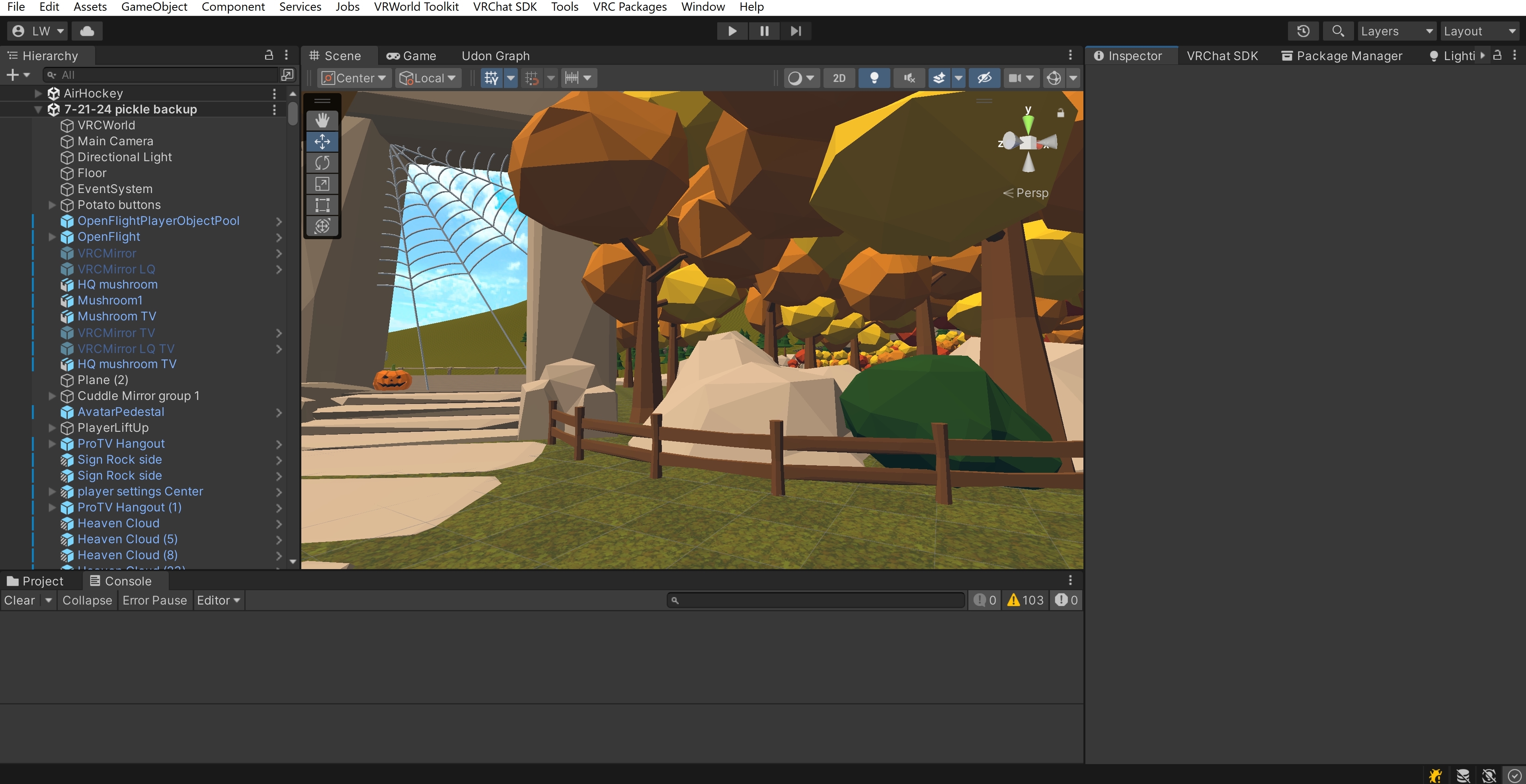


 rugged yoke
yes it is game object
lofty escarp
oki
rugged yoke
not component
rugged yoke
it depends on lighting situation, u just need one for each light level, like one for bright area, one for dark area
if ur room is uniform, you can have just one
u only need more than one if you have for example a dark corner
lofty escarp
alright, thaks
 graceful rain
ill just ask this here , does anybody recommend any pretty shaders for worlds that work on quest ? anything would be great !
anything would be great :)
hardy bluff
mochie standard
graceful rain
(especially ones that look the same on pc and quest)
hardy bluff
(maybe just standard)
noble fjord
New creators usually underestimate the powerful cabilities of standard shader. It can be difficult to master
zinc bridge
the standard shader can definitely look really good, but Mochie’s standard shader has so many great features now that the built-in standard just cannot accomplish. namely the bakery features (that work without bakery btw) like lightmap specular, MONOSH, heightmap-based lightmap offset, etc
plus you can now switch between standard and Google’s Filamented shading model all in the one shader
gotta love Mochie’s shaders
all for free too
noble fjord
I count mochies standard as like a standard shader
 latent wigeon
zinc bridge
the standard shader can definitely look really good, but Mochie’s standard shade...
latent wigeon
zinc bridge
the standard shader can definitely look really good, but Mochie’s standard shade...
Spherical Harmonics lightmap compatibility through MonoSH (Bakery): This allows you to have the appearance of real-time lighting without the cost, by having every pixel of a lightmap encode light spread and direction, and otherwise treating it as being lit that way. The MonoSH version in particular avoids additional memory cost by squeezing everything into just one extra map. Baking MonoSH-compatible lightmaps requires the external Bakery plugin.
it looks like you can get baked specular highlights when using Bakery w/ Standard Lite
coarse grail
latent wigeon
> Spherical Harmonics lightmap compatibility through MonoSH (Bakery): This allow...
yep which is very nice
 pearl remnant
hi, im beginning to run out of space in my vrchat avatar world and was wondering if anyone knew how to set up like.. a page system ? where the players can hit a button or something to flip the pages to reveal a different wall of avatars ?
 rugged yoke
put them on empty objects and enable/disable the objects?
pearl remnant
rugged yoke
put them on empty objects and enable/disable the objects?
sorry, could you clarify a little more for me ? im really bad with world stuff lol i focus on avatar stuff 😢
rugged yoke
right click on the heirarchy and create new empty game object, and then drag the avatar stuff into the object so they become children gameobjects of the empty game object
pearl remnant
i should probably also note that these avatar walls are already sorted into empty groups so they can be toggle-able by these buttons 🤔 so i havent been sure how to make page buttons for them on top of those
 rugged yoke
you make empty game objects inside those empty game objects and make a toggle that shows up when you toggle the toggle
pearl remnant
would you be able to give more details ?
rugged yoke
so you already have groups and buttons, you can just copy paste them
and make a group and button within group
 prisma lily
idk if i can do this but im looking for a podcast world for me and my friend for a formula 1 podcast idk if this is where i ask for someone to make one for me but here i am asking if no-one can make me one does anybody know of a world tht i could use
 mint pollen
Does anyone have the most up-to-date guide on how to make a world quest compatible?
 icy mauve
I can't enter any world if in the initial world every time I enter nothing loads and I am removed from the world, can someone help me!!
hardy bluff
this channel is for developing worlds, maybe you want to make a ticket in #1138891887374237706 ?
 grim tendon
so when i try uploading to quest it keeps getting stuck does anyone know how to fix it?

nvm fixed it
 bitter granite
I wish there was a world that was white run from Skyrim with interiors and stuff that would be cool
 twilit cloak
What are the most recommended shaders for world building on Quest? Should I just stick to the Lightmapped VRCMobile one?
Would Mochie work?
 wind isle
twilit cloak
Would Mochie work?
wind isle
twilit cloak
Would Mochie work?
You could theoretically use any shader on your world, just the ones built for mobile will offer the best performance. If you can get away with using the vrc mobile ones, you should, but some effects can only be achieved with custom shaders so don't be afraid of just using what you need
If you decide to use vrc mobile shaders, your android build will also be used by iOS once that becomes a thing because currently, it just does some basic translation. Non vrc shaders wont work though since those would have to be compiled by you for that platform
 plain cedar
If I add a prefab to a world, how do I get it to sync up between PC and quest?
hardy bluff
there's no real sync there?
plain cedar
I'm not sure what that means
hardy bluff
well what do you mean by "sync up" here?
plain cedar
Like if I added a game prefab like spin the wheel, how do I make it so when a PC user spins it it also spins for quest users and vice versa
hardy bluff
Same way you do any other synchronization, the fact that its a prefab is not really relevant
this becomes a #udon-networking question 🙂
now, if you didn't create the prefab, then the creator should have handled this
plain cedar
I'll hop over to their discord, thanks!
 steady hinge
is there a tutorial on how to create a toggle where if toggle a button another toggle turn off?
rugged yoke
can you type your sentence again
hardy bluff
steady hinge
is there a tutorial on how to create a toggle where if toggle a button another t...
you can use VRC Avatar Parameter Driver to set other variables in animation states