#world-lighting
4 messages · Page 27 of 1


 glossy meteor
 molten kestrel
silent has a guide for bloom
https://gitlab.com/s-ilent/SCSS/-/wikis/Other/Post-Processing#bloom
molten kestrel
Thanks, I'll have a look. Seems like I should have this stuff disabled for now so I can get the lighting right without it.
glossy meteor
you will need to know how it looks both ways
glossy meteor
post processing does not affect how the world will be baked, it is a final additional processing of the scene
 pearl sinew
what are some good settings that look good and optimized, but wont take 40+ hours to bake like my current ones?
glossy meteor
depends on your scene, try the gpu lightmapper, it's often faster
some people use bakery, a paid lightmapper, also requires nvidia gpu though
also, share your lightmapper bake settings
 glossy meteor
i would reduce lightmap resolution down to 20 and see how that goes
what hardware do you have?
 royal latch
Would anyone mind giving me some advice? I'm working with one 3d mesh (190mb .fbx + 90mb .png) and one directional light. I have both set to static. I've got a reflection probe and light probes set up. I am using the enlighten lightmapper with the lowest possible resolution and other settings. When I click to generate lighting, I get stuck on "0/11 Create Geometry|1 Jobs" for at least two hours. I don't want to eat up power if this just isn't going to work. My CPU is 4.2 GHz Quad-Core Intel Core i7 and my GPU is Radeon Pro 580. Any help is much appreciated.
 twilit lily
how do you get a 190mb fbx file?
 green vault
royal latch
Would anyone mind giving me some advice? I'm working with one 3d mesh (190mb .fb...
green vault
royal latch
Would anyone mind giving me some advice? I'm working with one 3d mesh (190mb .fb...
is it a single mesh?
 green vault
assuming it has a lot of vertices and woa
hmm, ye no the unity lightmapper will not like you
is it all one material?
royal latch
yessir thank goodness
royal latch
so i was able to get it up on vrc for quest without any lightmaps, little "cheating" that usually doesnt cause any lag. but this one is super buggy
and i assumed its because of no lightmaps
maybe theres a better way to optimize it?
green vault
um, how big is it in unity meters and how many poligons?
there might be via camera tricks but since its all one mesh, its gonna be weird
youre batching the mesh right?
royal latch
I have it scaled so that a vrc avatar is like 1/3 the height of the big building
sry idk what batching is
royal latch
batching static is enabled
is it bad that i have the mesh scaled to 100x100x100? i didnt do anything in blender before trying to use the fbx in unity
green vault
no, unless it says theres a floating point issue
royal latch
it doesnt
wait a sec im seeing "objects size in lightmap has reached the max atlas size"
not sure what that means either
green vault
did you generate lightmap uvs?
royal latch
i tried to generate the lightmap uvs with import settings like usual but it did infinite loading wheel which i assume meant same thing as the other way stuck on 0/11 generating geometry
maybe it would help to crop it and decimate it in unity? the vrchat file is 88mb
green vault
i think its just way too much geometry to handle. id go to blender and make your own uv2s and import it back in and see if it attempts baking
along with decimating it a little bit
glossy meteor
how many tris is this mesh?
glossy meteor
you can see that in your 3d program
also, it's the lightmap uv you generate in your 3d program or in unity
unity may generate suboptimal uv2s though
royal latch
okay its 3.93m triangles
 next owl
that's ludicrous
green vault
thats big number, if you really need all the polies, i suggest cutting up the mesh into like, 40 different sections at least
otherwise, please decimate
royal latch
I decimated it in half and still having troubles
next owl
many worlds have a poly count of like... 150k or less. if you're going to use geometry that dense, you definitely can't rely on unity's built-in unwrapper for uv2, you'll have to lay it out yourself in blender or whatever app you're using
at half density you still have 2 million triangles which is just completely nuts
my advice is to spend some time breaking down your models and figure out what you actually need as geometry vs what you can fake with baked textures, what you can break into modular parts and instance on the GPU, etc
 ionic torrent
so im here to pick someones smart brain hopefully, im experimenting with unity terrains and trees but every time i bake the lighting the trees also get lighting, i think this is because of emission materials baking onto them, how can i stop this
they are too far to be all glowing


bottom one is when i clear baked data
ionic torrent
i have officially reached the bottom of my rope, ive tried everything i know, my brain is now mush, ive been bested by trees
glossy meteor
ionic torrent
so im here to pick someones smart brain hopefully, im experimenting with unity t...
what's your light source
 analog raft
ionic torrent
i have officially reached the bottom of my rope, ive tried everything i know, my...
analog raft
ionic torrent
i have officially reached the bottom of my rope, ive tried everything i know, my...
where can i get that furtniture and materials? they look super comfy
 worthy void
Is there a way to make a directional light that only effects players? Not the world
green vault
worthy void
Is there a way to make a directional light that only effects players? Not the wo...
in the direct light component, theres a “culling mask”, use this to limit what gets effected by the light
 oblique badge
Hey guys im new to building worlds i did my first world and im trying to bake light but whenever i bake it its coming out so bright, heres some pictures before bake and after. also this my first time using unity so sorry if this is a newbie question

 oblique badge
i figured it out it was one of the emissive materials it was too intense
 mystic orchid
alright, returning after a week break, tried troubleshooting this. Changing the filter changes the light color, but it still absolutely ignores temperature...

oh, and I have stringlights I want to emit light- emissions works for that, right? I can't seem to get it to work..
 next owl
you need the string lights to be flagged as static, along with anything you want to receive the light, and then you need to put an emissive material on the string lights, something fairly bright. then bake. you'll probably also want some post-process bloom to make the lights look like they're glowing.
 wooden zenith
Ok can someone help me with my lighting as i after baking it, it looked terrible and then i was able to bring it back to the way i want but now when i go into my world it looks a lot different then what unity shows me as the everything is so dark and shit
twilit lily
wooden zenith
Ok can someone help me with my lighting as i after baking it, it looked terrible...
a few things to check when baking:
is everything necessary marked as static?
does every object have generate lightmap uv checked?
are lights set to baked?
 trim tusk
Anyone know why my pillow are lighting up properly but the other asset isn't?
twilit lily
are they marked static?
trim tusk
Both are.
twilit lily
are generate lightmap UVs enabled for both too?
trim tusk
Yep
twilit lily
what was the issue now?
trim tusk
Set the layer to "Playerlocal"
trim tusk
Actually maybe not.
Doing that just makes my character fall through the world.
The lighting is good though when I do that.
oblique badge
any idea how to fix this

also how do you make your shadows appear more high quality, I baked in 4k but here is how some of the shadows look
 wooden zenith
Hey how did i decsrease my mb size when i bake the lighting

 modest vapor
Do you have post processing in your world ?
 brittle saddle
I need help. I've been trying to bake lights for two days. this is pre bake

And this is when I bake it

I followed Iconoclass's tutorial on this exactly and his came out so realistic and vibrant where as mine.... well didnt
mystic orchid
getting color artifacts on everything- no errors about lightmaps overlapping or anything :v


 rugged harness
mystic orchid
getting color artifacts on everything- no errors about lightmaps overlapping or ...
rugged harness
mystic orchid
getting color artifacts on everything- no errors about lightmaps overlapping or ...
Increase your texel density. You'll get color artifacts when the baking resolution is too low. If you're baking low to save time making the map, when you increase the texel density they'll be much less noticeable.
mystic orchid
what's a good texel size?
modest vapor
Way too low
mystic orchid
ah kk
modest vapor
Try 512
mystic orchid
wheezing
modest vapor

 flint path
I never bake with a texel size over 20 :pressure:
 tacit nova
How do I set a Directional light that only affect the users that join the world?
tacit nova
okay ty
 uncut hawk
does anyone know how to make lighting and lasers rotate to the EQ band of music? I am using the VRstagelighthing pack and they all flash to the beat but i would like rotations and angles
this is what I have so far
mystic orchid
Heyo! I've been having a hard time with bakery spot lights for the past week ;;
This is the same light as the one on the left, after baking
The left one is a regular, non-bakery light, set to realtime for comparison of the effect I'm wanting
What am I doing wrong?


Should be noted it seems it's this specific room; the spotlight in the hallway works just fine, and all I did was copy/paste em

 agile night
is VRcat down? I'm looking for XieXie's lighting tutorial since i'm getting back into making worlds
modest vapor
Mmh, it does seem to be down currently
agile night
it be that way 😔
mystic orchid
modest vapor
Try 512
in reference to this, you mean this?:
 modest vapor
yes, the light component themselves also have their own sample count that you can increase
mystic orchid
wild. I upped it to 512, took about 45m to render, and I'm left with the same colors everywhere ;;
modest vapor
might want to add a bit more padding to your lightmaps then
mystic orchid
Turns out they are overlapping, I had the warnings turned off 
ionic torrent
analog raft
where can i get that furtniture and materials? they look super comfy
late response but the materials are found on ambientcg and the assets are mine
next owl
is there a reason why avatars would be reflecting differently than static objects? i have plenty of reflection probes in the scene, but i noticed that avatars with specular materials are looking much brighter than they should compared to the world itself
ionic torrent
next owl
is there a reason why avatars would be reflecting differently than static object...
could be a whole list of reasons, the materials used on the avatars could have slightly altered and behaving properties and it might also be the probe lighting
also do you have any post processing that might kick bloom up alot?
next owl
light probes only affect diffuse lighting though, right? this is definitely specular/reflective lighting i'm seeing.
it's not bloom, there's no glow around the reflections or anything. my avatar is a little specular and the edge lighting on it gets too hot in the world i'm building
like if it were properly reading the reflection probes, i'd expect the underside at least to be darker, given that it should be reflecting the floor... but it's just as bright underneath
ionic torrent
as silly as it might be, have you tried using real time reflections and different avatars with similar settings but slightly altered?
next owl
i haven't... was avoiding realtime reflections as much as possible
ionic torrent
yeah i do not blame you
is there a distant object that might provide excess light or anything in the scene
analog raft
ionic torrent
late response but the materials are found on ambientcg and the assets are mine
That is so cool!
next owl
one directional light in mixed mode and one baked skylight
ionic torrent
try messing around with the directional light, maybe make it so it doesnt cull players or playerlocal
things that would cause the player to be highlighted
next owl
worth a try. thanks
next owl
i'm used to lighting in offline renderers; unity is very finicky.
 celest sedge
I'm getting a lot of artifacts when baking in android build. Does not happen in PC. I've tried increasing lighting quality settings like texels per unit and such but it does not seem to make much of a difference
does anyone know any way to improve this?

 fallow lark
apparently swapping the lightmap compression format to ASTC 4x4 helps
celest sedge
hm I don't see ASTX format
 fallow lark
ASTC sorry made a typo
celest sedge
will try thanks
fallow lark
currently loading Unity so I can screenshot how to set that
celest sedge
yeah that worked, thanks!
 fallow lark
glad to be of help and good that you're doing baked lighting
 wooden sail
Im adding lighting to my world, and wanted to add in neon lights. I've set it to bake and Emissive and then generated lighting yet it doesn't seem to change. Brand new to lighting, so any info helps

 wanton wind
Hello, following along with iconoclass’s vrchat world building tutorial series. The baked lighting in my unity scene looks good, but when testing in vrchat the whole scene is over saturated. I can’t seem to find what I am missing…
wanton wind
I noticed the lighting settings change when pressing Build & Test in the Builder tab of the VRChat SDK control panel. So I'm assuming there is a build setting I need to change somewhere.
Lighting Mode changes from Baked Indirect to Shadowmask
modest vapor
Do you use post processing in your scene ?
wanton wind
I setup post processing through VRWorld Toolkit following the tutorial.
modest vapor
Do you have a comparison image between the two ?
wanton wind
In unity vs VRChat:


It seems like it is completely ignoring the lightmap that I baked in Unity. I'm completely new to this so not sure if I missed something in the tutorial or there is something simple I am missing.
modest vapor
Can you look at the generated lightmaps ?
wanton wind
In the preview pane?
modest vapor
yup
wanton wind
 modest vapor
Can you locate them in your Asset files ?
If for some reason they're not located where Unity expects them, they might not be bundled on export
Could be something else I'm unaware of though
wanton wind
I found Lightmap-0_comp_light.exr in Assets/Scenes/SampleScene
 blazing stream
it seems like the lightmaps are there but their not being decompressed properly
 modest vapor
Try changing the lightmap compression format to ASTC 4x4
wanton wind
Apologies, I am trying to find where that is. Also, it seems like it is rebuilding my lightmaps with different settings when I select Build & Test. In the lighting window the settings change when I perform that action.
modest vapor
Have you tried doing a full upload ?
wanton wind
No, maybe I should try that. I was testing in CyanEmu and decided to test it in VRChat when I discovered this problem.
I'll give it a shot.
Same issue after uploading.
modest vapor

Have you tried a new blank project with a simple scene and baking with default settings ?
You can then switch the main lighting/baking settings in that test scene and then you might find out what the cause is
wanton wind
I'll have to give that a shot. Since it doesn't seem like a simple solution at the moment I'll probably have to call it tonight. Thank you for your help!
modest vapor
Let me know if you end up figuring it out 
wanton wind
Will do
 mint cipher
I have a pickupable object on a table. When I bake my scene, it permanently creates a shadow where this object is. How do I disable this pickupable object from casting a shadow?
Oh I see, you can disable it in Mesh Renderer > Lighting > Cast Shadows
 hallow hound
@mint cipher if its a pickup object that make the shadow you got it on static un scheck it you cant move the pick up if its on static expect if you have a realty in then yes uncheck the cast shadows
agile night
Is there a way to get my light map UVs to not overlap that doesn't involve editing my meshes in blender?
glossy meteor
agile night
Is there a way to get my light map UVs to not overlap that doesn't involve editi...
try ticking generate lightmap uv in the mesh import settings
may result in ineffecient uvs though
agile night
glossy meteor
try ticking generate lightmap uv in the mesh import settings
may result in ineff...
Aside from getting a few splotches on the ceiling near the lights it seems okay. But I feel like that's probably more related to having a low texel density right?
I've generated UVs on the building itself
 glossy meteor
agile night
Aside from getting a few splotches on the ceiling near the lights it seems okay....
glossy meteor
agile night
Aside from getting a few splotches on the ceiling near the lights it seems okay....
you need to rebake after ticking this option
low texel count can cause artefacts
low sample count and texture compression too
agile night
This scene is a bake after ticking this option on all objects. I will keep these things in mind. Thanks cake
Also I've noticed that applying materials to models through the import settings is incredibly slower after generating light map UVs. I don't know why this is.
It's made me think twice about the order of how I build my scene
wanton wind
@modest vapor So I'm not sure what I did. But I deleted the lights before I got off last night. Got on tonight to work on my problem and added a directional light and point light back in to the scene. Baked lighting and tested in VRChat, here is my result.

So, turn it off and back on I guess? lol
modest vapor
Fits most of the debugging I've had with software over the past decade, sometimes that's all it takes 
Glad you got it fixed
wanton wind
lol yeah - thanks!
 vernal storm
For more complex worlds is it better to bake lighting in unity or in blender... Just wanted to hear your thoughts on this. Cheers
next owl
it's best to bake lighting in unity if you can so you can take advantage of light probes and such
if you can spare $30 or whatever it's on sale for now and you have an RTX GPU, the bakery plugin is very much worth the money
fallow lark
you basically have to use Unity as avatars won't receive any lighting if you do it in blender and basically your normal Maps won't work because there's no directional light Maps
fallow lark
next owl
if you can spare $30 or whatever it's on sale for now and you have an RTX GPU, t...
or even just a Nvidia graphics card is a big help on bakery
next owl
yeah, either way it's a huge improvement over the native light baker
vernal storm
Cheers thanks for clarifying that as there is alot of different methods out there
 cerulean zealot
How can I block light from reaching one room without effecting anything else? Basically I want a dark room while everything else is lit with a directional light. Everything I'm seeing on google is about making the entire scene dark.
next owl
if the room is enclosed so that the directional light can't reach the interior, it'll be dark. use walls with thickness, not just quads / planes, as those are only one-sided and won't shadow the room
cerulean zealot
The room does not become dark like that. It becomes shadowed, but still clearly visible.
 keen ivy
Hello peeps. I'm having two issues that I can hopefully get some help with:
- Both the inside of this building and the furniture have a lot of artifacts. Everything outside the building is totally fine. I've changed their size on in the lightmap atlas, increased the lightmap size, and did advanced filtering. Everything only marginally helps.
- On the right side you can see the pictures look washed out. This doesn't seem to have anything to do with the intensity of the lights as they do that regardless. This sort of washed out effect doesn't appear until the bake applies the reflections (which none of the pictures have smoothness or metallic).
If I use reflection probes instead, the artifact problem is fixed but then there are absolutely no shadows.

 low karma
I have a world that has a cave area, how can I make avatars in this cave dark so that emissions are easily visible. Avatars seem to be a constant brightness in my world and it looks kind of strange in this dark cave
 oak elbow
Light probes @low karma
low karma
oak elbow
Light probes <@116734104300421122>
thanks!
next owl
keen ivy
Hello peeps. I'm having two issues that I can hopefully get some help with:
1. B...
generally speaking you want both lightmaps for baked diffuse illumination AND reflection probes for specular reflections. it's not an either/or thing.
the way the shading model works, you would definitely want some smoothness on the pictures... there's hardly a material out there that's 100% rough
this is of course assuming you're using the standard shader and not some toon shader
keen ivy
They're both in my scene. I can show the reflection/light probes (although I deleted the lightmap since it doesn't look good).
Would adding smoothness to the pictures solve that issue? I am using the standard shader.
next owl
it might help a little. 0% smoothness would make for very, very broad highlights
keen ivy
Actually what did it is turning off all the reflections for the pictures. They're canvases so they don't really need to reflect. Maybe not as realistic, but I want the most vibrant picture.
Thank you for getting me to think about the reflection probes in that regard.
next owl
np. if the reflections are that distracting it's possible that your skybox is too bright, or the values you're using for the base color of some of your materials are outside the PBR-safe range. worth checking out.
 tight marten
does anyone know of a way that isn't super performance heavy to have caustics from water hit some walls/floors/ceilings for an aquarium in a world?
Any shader recommendations or ideas for this?
keen ivy
next owl
np. if the reflections are that distracting it's possible that your skybox is to...
Thanks! Got any advice for the artifacts on lightmaps?
I do have warnings about overlapping UVs, but I set the model to generate lightmap UVs like it told me to.
next owl
keen ivy
Thanks! Got any advice for the artifacts on lightmaps?
it's hard to tell what's going on from your screenshot. if you're not already using Bakery I'd highly recommend it
modest vapor
keen ivy
Hello peeps. I'm having two issues that I can hopefully get some help with:
1. B...
Highly suggest you add this to your project https://github.com/oneVR/VRWorldToolkit/releases

GitHub
Unity Editor extension for making VRChat worlds. Contribute to oneVR/VRWorldToolkit development by creating an account on GitHub.
It'll tell you of any glaring issue with your object/world
There might be objects with missing lightmap UVs
 clear mirage
cerulean zealot
How can I block light from reaching one room without effecting anything else? Ba...
clear mirage
cerulean zealot
How can I block light from reaching one room without effecting anything else? Ba...
I know it's possible with layers to tell light sources not to affect objects on specific layers but if I remember correctly, vrchat likes to have everything on the same layer
maybe with some volume trickery
keen ivy
next owl
it's hard to tell what's going on from your screenshot. if you're not already us...
That's paid. 😓 I do hope to get it eventually but I can't at the moment. Was hoping for a native solution.
keen ivy
modest vapor
Highly suggest you add this to your project https://github.com/oneVR/VRWorldTool...
I'm using this, thanks! Already generated the lightmap UVs but it didn't help.
modest vapor
Might wanna try with adjusting the UV padding on the meshes that have artifacts
increasing it a tiny bit and then another bake test
keen ivy
I'll give it a shot, thank you!
tight marten
keen ivy
Thanks! Got any advice for the artifacts on lightmaps?
If you're making things in blender or scaling them, make sure their scale in blender is 1:1:1 on the XYZ when you export them, otherwise your UVs will have weird artifacting when baking in unity.
low karma
low karma
I have a world that has a cave area, how can I make avatars in this cave dark so...
I'm still having this issue, I tried adding light probes but that didnt change anything (yes they have been rendered). I'm using realtime lights in my world with baked indirect lighting with occlusion probes enabled in bakery settings. If I add a dynamic sphere to my world and move it around it reacts properly to lighting conditions but If I build and test, my avatar is still constantly lit up no matter where I am. This shouldnt be an issue with my avatar because it works properly in other worlds. The only way I could get it to work is if I fully baked all my lighting in my world. My issue then is that the shadow quality is horrible with lots of artifacts especially in darkness and is not at all my desired look. Im able to get avatars to cast shadows, they just cant seem to recieve them... I've been working on this all day and have gotten no where so any help is greatly appreciated
if I add a dynamic sphere to my scene, it properly casts shadows on other dynamic objects but it just doesnt work with avatars for whatever reason
keen ivy
tight marten
If you're making things in blender or scaling them, make sure their scale in ble...
Thanks for the tip! I tried this because my scale wasn't applied, but it made very little difference. I don't really understand; the walls are simple polys but I'm getting these huge blocks of color.
 tight marten
keen ivy
Thanks for the tip! I tried this because my scale wasn't applied, but it made ve...
tight marten
keen ivy
Thanks for the tip! I tried this because my scale wasn't applied, but it made ve...
I assume they don't look like this in blender with the textures applied?
keen ivy
tight marten
I assume they don't look like this in blender with the textures applied?
Nope, they also look fine when the lighting isn't baked.
Non-baked lighting
 tight marten
I've had issues with a couch I made where the UVs on one cushion overlapped with another cushion's making them blend together when having a lightmap baked. I.e. they'll look fine with the same repeating texture, but when light data is then applied to them, they'll overlap and create effects like that sometimes. Maybe check the UV mapping on the walls and make sure that they aren't overlapping?
keen ivy
tight marten
I've had issues with a couch I made where the UVs on one cushion overlapped with...
Oh they're all over each other. I had Unity generate lightmap UVs but perhaps it didn't work very well. I"ll try to go in and separate them in Blender first (I think that's what you're saying I should do).
ionic torrent
keen ivy
Oh they're all over each other. I had Unity generate lightmap UVs but perhaps it...
if after blender you still suffer the same issues, it may just be a unity problem, i would suggest checking the object is setup correctly by generating the UV's and making sure the object is also set to static, make sure inside the lighting settings that the global illumination is set to Baked indirect, maybe bump up the Resolution of the texels, this problem can also occur because of the outside map, try making the environment outside completely hidden and change the environment light source in lighting to color and just do black
one strange thing ive encountered also is that transparent objects like windows can cause issues, if after everything, you can try baking the lighting but make all the windows a solid material temporarily
low karma
Are you just not able to have shadows on avatars with realtime lights?
Im boutta give up fr
glossy meteor
low karma
Are you just not able to have shadows on avatars with realtime lights?
you will have to tick the shadow option on the real time light
what rt light is this?
disclaimer: realtime lights will, especially when casting shadows, shred fps
low karma
glossy meteor
you will have to tick the shadow option on the real time light
what rt light is...
Directional light
 glossy meteor
low karma
Directional light
glossy meteor
low karma
Directional light
that's a point light
also it has a bakery point light script on it, bakery flags real time lights to stop working
i think you may be a bit confused as what you are trying to achieve
low karma
glossy meteor
that's a point light
also it has a bakery point light script on it, bakery flags...
oh oops I accidentally clicked the light behind it

should I remove the bakery script on my realtime lights?
I still am baking indirect lighting from them
glossy meteor
low karma
oh oops I accidentally clicked the light behind it
make them exist independently from another, on two game objects
low karma
what do you mean?
separate the unity light and bakery light components on different game objects?
fallow lark
low karma
separate the unity light and bakery light components on different game objects?
yes
 glossy meteor
i explained that before
bakery stops real time lights from working on the same game object
low karma
sorry Im still learning this kind of stuff
glossy meteor
but when you separate them, it will work still
fallow lark
low karma
something like this?
yes
low karma
will this allow avatars in my world to be darker in dark locations?
if I baked only indirect lighting
fallow lark

GitLab
A surface shader for Unity providing cel-shading. (Forward rendering only)
a handy text tutorial on Bakery
"Advanced Bakery Notes
Mixed Lighting
Mixed lighting incurs the same costs as realtime lighting for dynamic objects. Because the first directional light is free, you can combine high quality baked lighting with real-time shadows using Shadowmask mode. Combine a Unity directional light in Mixed mode with a Bakery directional light set to "Shadowmask and Indirect" and you'll create a shadowmasked directional light. With this, you can get the look of dynamic shadows while only needing to render a depth buffer and dynamic object shadows.
To take full advantage of this, enable Occlusion Probes in Bakery. Occlusion Probes store the shadowing of the directional light into the light probes. Unity will darken the main directional light when objects are in shadow according to the probe values, as though they were receiving shade from the lighting."
low karma
ah thank you
glossy meteor
you should look into light probes on its own, you should not mess with realtime and mixed lighting unless you really know what you are doing, they can mess up performance a lot
fallow lark
yeah I do agree you should stick to a baked only set up to start
low karma
Ive set up light probes but they didnt affect avatars lightings at all
fallow lark
question did you test on Avatar as using the standard Shader
low karma
No but Ive used this avatar in other worlds where it worked fine
fallow lark

You can support me on my pateron
https://www.patreon.com/mcphersonsound
This is a longer tutorial than normal and there is a lot to cover so here are time stamps for your convivence.
00:00 what is baked lighting
00:35 setting up lights
1:23 preparing meshes to bake
2:30 generate lightmap UV
3:28 light probes
5:10 reflection probes
6:00 emissive ...
low karma
when I bake the lighting in this world, the shadows look horribly low resolution. I tried to figure out why for a long time but i just ended up using real time
 fallow lark
you didn't set the lightmap resolution terribly High likely
low karma
i had the max resolution at 4096
fallow lark
and do not use real-time Shadows for static objects that'll murder your performance
fallow lark
low karma
i had the max resolution at 4096
that is not the setting that sets how high resolution the Shadows are
low karma
how can I make the shadow resolution higher?
fallow lark
that would be the Texel density settings
I'd recommend you read the text link or watch the video tutorial I linked from beginning to end
low karma
oh I had that at 5, but even at 20 it looked pretty bad and took nearly and hour to render
fallow lark
what were you using to do the baking
low karma
bakery
fallow lark
do you have a Nvidia graphic card
low karma
yes GTX 1080
fallow lark
weird
glossy meteor
can you show your settings?
fallow lark
yeah that would help a bunch
glossy meteor
even with my 1060 back then i baked only a few minutes

 glossy meteor
use optix as denoiser
low karma
which one?
low karma
okay
glossy meteor
image denoise is a cpu denoiser, it can be fairly slow
do the bakery hardware check
tile size at 512 is really low for your gpu, you can do 4k i am sure, it's a bit faster that way
low karma
bakery hardware check?
glossy meteor
bakery -> utilities -> detect
low karma
 glossy meteor
yea, set optix 5 then
low karma
yep
glossy meteor
you can try using rtx mode too, they patched the capability in for 10xx cards, it may benefit your speed or not, gotta experiment with that
low karma
okay Ill watch the bakery video/manual and see if I can make baked lighting work with this world, cus thats the only way I can get this damn avatar lighting to work
glossy meteor
set up light probes properly, switch to full bake mode, not just indirect, it should work after baking with L1
low karma
@glossy meteor I used the settings you told me and the shadows look much better now, albeit it took 70 minutes for texels at 20

one more question: I have grass in my world and obviously the baked lighting isnt going to bake on the grass so I duplicated the directional light and set it to only affect players and the grass layer but now I get something like this

would it be wise to add the default layer onto that duplicated directional light so that the grass has shadows or is there a more optimized way to do it
glossy meteor
don't use rt lights if you don't know why you use them, prefer using light probes for the grass
grass can be baked however usually, depends how the shader works
low karma
glossy meteor
don't use rt lights if you don't know why you use them, prefer using light probe...
oh how can I use light probes for the grass? I already have htem setup but its not doing anything
low karma
actually i found the terrain is not set to static, im going to try to bake it again
ok I did a quick render with low texels and it actually does bake the lighting on the grass, tested it in vrchat and avatars actually respond to lighting conditions, and it runs much better. Thanks guys ive been working on this the entire day
tight marten
keen ivy
Oh they're all over each other. I had Unity generate lightmap UVs but perhaps it...
Sorry for the delayed response. Yeah sometimes unity's generate lightmap UVs doesn't work well (as it didn't in my case) and so you have to go in and do it yourself on some objects. I'm still fairly new to all this to be honest, but from my experience so far this can be a potential issue.
 rustic cloud
Hi, I'm following a tutorial just to get into the swing of world creation and I'm in a bit of a weird situation. I'm setting up light probes, but the point are just really big in the view and it's making it hard to set them up. In the tutorial I'm following the points on his are way smaller than mine are, and I was wondering if anyone knew how to reduce their size? (see picture for reference)
 fallow lark
https://docs.unity3d.com/uploads/Main/GizmosMenu.png change 3D icon size in the Gizmo tab

 rustic cloud
Thank you so much! I'm still a bit new to Unity so I don't know a lot about sub menus etc.
fallow lark
no biggie and you definitely picked a good like exercise to learn baking
 ripe hemlock
is it worth making the the world layout and materials in blender then exporting to unity? Or would I be better suited learning unity with its tools and whatnot, then making my world there and importing just objects from blender?
fallow lark
I guess would kind of depend on what you're trying to make?
ripe hemlock
fallow lark
I guess would kind of depend on what you're trying to make?
Just making a little nice apartment
With loft, city view, jaccuzi
fallow lark
ripe hemlock
Just making a little nice apartment
either way would work okay
 gray maple
Yo, im running some tests, stresstesting mostly
And it seems bakery keeps resetting values
As if it doesnt want to
Such as setting AO intensity to 1
Yet after the bake
There is no AO, and the setting has reverted itself back to 0
ionic torrent
gray maple
Yo, im running some tests, stresstesting mostly
And it seems bakery keeps reset...
hey there i know im late but just in case you havent gotten that one sorted, inside the bakery tab at the top you can save your bakery settings as default, should stop them moving around 🙂
gray maple

Will check it out tomorrow!
ionic torrent
😎
 stark raft
Hello. I was following a video guide on creating your first vrchat world, and was at the point of lighting. They went with baked lighting and it looked amazing. I followed every single step, didn't miss anything, and triple checked the settings, but when I generated/baked the lighting, all my objects (walls floors etc) became a bit transparent, as I can see the grid through them and other walls, and the lighting didn't actually seem to bake or work, as nothing changed, and it definitely did not look like theirs did. I am on SDK3, if it helps. May I please get help with this?
oak elbow
stark raft
Hello. I was following a video guide on creating your first vrchat world, and wa...
Try to do "Generate Lightmap UVs" on your meshes
stark raft
I don't have any custom meshes. I just use 3D Object > Cube
oak elbow
Pretty sure the cube UVs overlap in unity.
 short cipher
Does anyone knows how the glasses with liquid in it pickups work on vrchat ?
oak elbow
stark raft
I don't have any custom meshes. I just use 3D Object > Cube
Each face of the Cube in unity overlap since they're square UVs. Try to do the lightmap UVs.
Wait...
It should automatically...
green vault
short cipher
Does anyone knows how the glasses with liquid in it pickups work on vrchat ?
its a shader where the worldspace rotation is basically used to keep the liquid up right, i can’t remember the exact terminology. shader properties get fuzzy after awhile
id ask #shaders
oak elbow
stark raft
I don't have any custom meshes. I just use 3D Object > Cube
Can you post a picture of the cubes on the scene in the inspector? As well as lighting setup?
short cipher
Thanks
stark raft
oak elbow
Can you post a picture of the cubes on the scene in the inspector? As well as li...
I don't have the project anymore, I gave up and deleted it. Sorry. I don't think I have the talent for fancy baked lighting, I'll just stick to normal lights and such x.x
next owl
you really want to bake lighting if at all possible. realtime lights are a huge performance hit
glossy meteor
you cannot expect to start baking lights and be amazing, game dev is not easy (there are many parts you gotta learn/understand for it), you should hang in there and improve, real time lights have a huge performance impact, as toadstorm said
molten kestrel
Just hopped in to ask how necessary baked lighting is for PC worlds and there's already a discussion.
I'm hopefully releasing a world into Labs today and it's only possible because I have someone else for lighting with Bakery.
I could not get baked lighting to behave and I don't have a NVidia card for Bakery.
If I make another world it will probably have to use real-time lighting as I'm unlikely to get a helper next time.
green vault
what was stopping you from baking before?
molten kestrel
I just couldn't get things to bake properly. 🤷🏻♂️
I followed the popular tutorial and it turned out badly.
green vault
molten kestrel
I followed the popular tutorial and it turned out badly.
there are many tutorials
i highly suggest trying again on youre own, realtime lighting is a very tall order on thr render pipeline
molten kestrel
Realistically I'll make an outdoor world next time and rely on a single directional light for sunlight/moonlight
green vault
hmmm, ok, thats still going to be a lot of calls being made since its a 1d light source being projected on everything
oak elbow
I basically didn't follow any tutorials in my world...
I just tested out what was the least intensive memory-side while still looking good.
The best tip for baked lighting is: test things. If it bakes fastish, looks good, doesn't take too much size... everything's well.
next owl
baking involves a lot of steps but if you're not getting good results usually the culprit is bad lightmap uvs, forgetting to flag things as "static", or simply having materials with albedo or emission values well outside the PBR safe range
short cipher
Anyone knows why I can see the sky in smooth metals walls even tough I'm indoor ?

And how to fix it
next owl
it's reflecting your skybox because you probably haven't baked reflection probes yet
place reflection probes in your rooms, then bake them
make sure the geometry to reflect is set as static
short cipher
How do I place reflection probes ?
and the metallic thing is a door so it's probably gonna move
next owl
the metallic object moving is fine, it's not reflecting itself. start by placing a reflection probe in the middle of each room, then bake them.
you can get more specific with placing them later if you need to. depends on the complexity of your environment.
short cipher
I'm gonna try to do so thanks again man !
 peak nimbus
does setting the rendering path to deferred not work?
looks fine in unity but not in vrchat
glossy meteor
peak nimbus
does setting the rendering path to deferred not work?
looks fine in unity but no...
vrchat only supports forward
peak nimbus
ah darn, no way to do screen space reflections then
next owl
screenspace reflections would melt your brain in VR, there's no good way to get it to converge in stereo at the moment
 odd smelt
Newbie question,
 wet void
I'm trying to get the best lighting settings for my world without taking up too much space, but nothing is working...
Any advice?
 north ridge
 robust warren
Using the baked Indirect GPU lightmapper. Using the generate new lightmap uvs on the model used to make the world, and I'm getting these kind of errors. any ideas?
 uncut hawk

how can i stop this lens flare from stretching and skewing when i try to rotate it to match my light bar
glossy meteor
likely related to the parent's transform values being different, skewing it
uncut hawk
i tried removing from parent and fxing scale and readding it but still does it
robust warren
robust warren
Using the baked Indirect GPU lightmapper. Using the generate new lightmap uvs on...
I just said screw it and got bakery. Works like a charm
molten kestrel
Unfortunately Bakery is only compatible with Nvidia cards
 languid tulip
Just made a basic 1-minute lighting tutorial in the style of Ian Hubert's Lazy Tutorials, covers post-processing & using the lightmapper c:
https://youtu.be/NOv31HSqs6U

Your VRChat world will thank you!
Video style entirely stolen from the original legend, Ian Hubert: https://www.youtube.com/mrdodobird
Thumbnail is from Furality Luma: https://furality.org/
Ending is VirtualFurence: https://twitter.com/virtualfurence
More advice:
- Spot Lights are (almost) always better than Point Lights
- Keep realtime/mixed l...
fallow lark
that covers alot of ground in 1 minutes good job
tight marten
Planning on creating a quest version of the world I'm making and I was wondering if anyone knew the best way for my to get my lightmaps (using bakery) on quest. I don't think I'll be able to use the bakery shaders to bake the lights since they aren't supported on quest, so is where a way for me to use my current lightmaps on quest?
fallow lark
tight marten
Planning on creating a quest version of the world I'm making and I was wondering...
you don't need to use Bakery Shaders to use Bakery light map so any Quest compatible Shader that can render light Maps will render your bakery light Maps
tight marten
fallow lark
you don't need to use Bakery Shaders to use Bakery light map so any Quest compat...
I would have to use bakery shaders for my emissive materials if I wanted to re-bake the lighting for quest. But I was curious if there was a way for me to convert the lightmaps from PC to quest so that I can avoid re-baking entirely.
fallow lark
you should be able to use the exact same lightmap between Quest and PC as what shade are used to render it has no bearing on the light map itself
tight marten
Cool, thanks!
fallow lark
hope your quest build goes okay
uncut hawk
Really getting my lighting dialed in now. https://youtu.be/D7odBdE8Z3Y
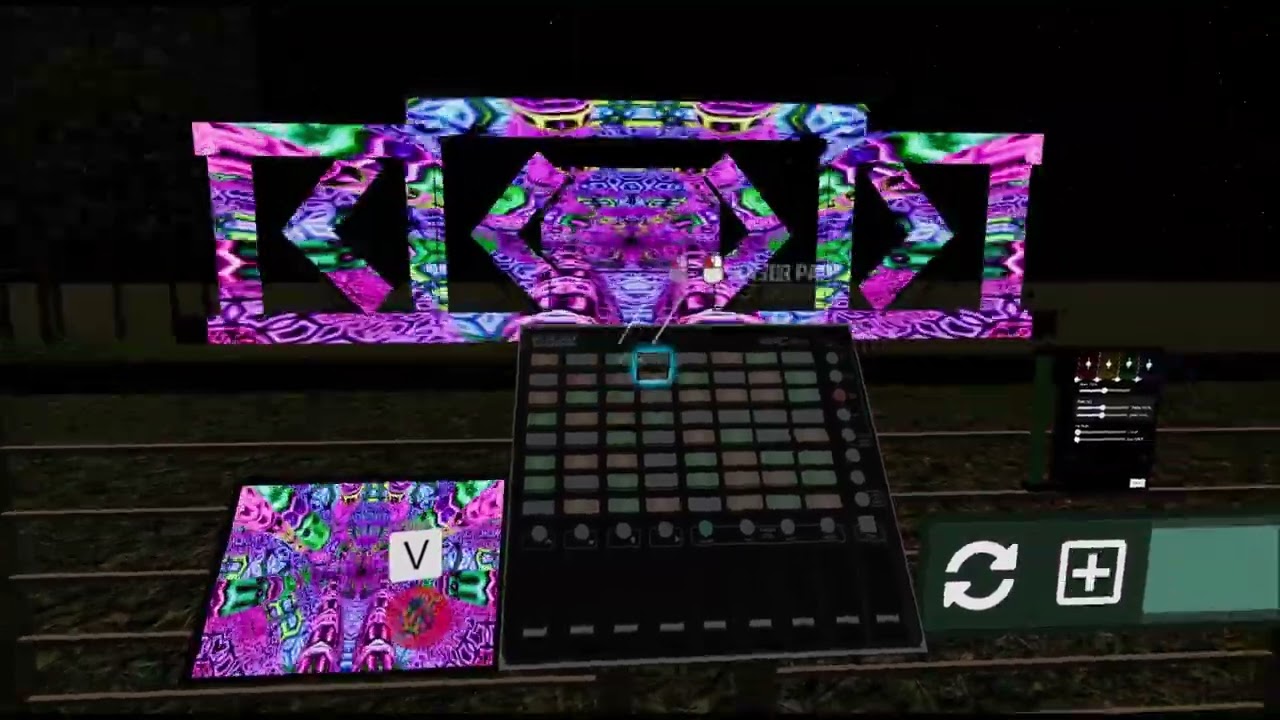
Added in more lighting, began adding in terrain and trees, going to be building up most the area around the stage in game!
Come join us!
https://discord.gg/Bg3C4F4g
odd smelt
How to solve the weird lightning to get a smoother one
 green vault
odd smelt
How to solve the weird lightning to get a smoother one
green vault
odd smelt
How to solve the weird lightning to get a smoother one
does the model have generated lightmap uvs?
i would make your texal value in tour lighting settings higher if so
clear mirage
odd smelt
How to solve the weird lightning to get a smoother one
looks great, ship it
odd smelt
green vault
does the model have generated lightmap uvs?
Baked map, yes
green vault
odd smelt
Baked map, yes
but the model in your assets folder, or is this probuilderes?
odd smelt
Assets folder, built by blender
green vault
check if the model has a “uv1” (secondary uv map)
if it does, make sure its unpacked, blender has a lightmap unpacker, i suggest setting the res of the unpack to 2048, and padding to 3 and that usually gets the job done
odd smelt
This already in unity stage
green vault
save model and then rebake model in unity (making sure it updated in unity)
odd smelt
The lighting is from surface that can illuminate itself
green vault
odd smelt
The lighting is from surface that can illuminate itself
can you describe further what you mean by that?
odd smelt
The model exported from blender has no lighting
In unity I reserved some materials served as purpose of ceiling lights, which have them self-illuminated
green vault
right, but when you bake. they bake the emissions from thos materials onto another texture on the uv2 layer
green vault
in unity, you can click on the model file in the assets folder, and in the inspector, theres a generate lightmap uvs option in the first model tab and at the bottom
odd smelt
Yes it generated
green vault
did the lighting change at all or was it already ticked on?
odd smelt
The main issue is the lighting is weird
green vault
right but did anything change
odd smelt
Already ticked on anyway
green vault
cus your next thing to check after is your texal size and you actual lightmaps
are you using bakery or default lightmapping?
 green vault
i would set your min and max res to 4096, and set direct samples to max. and make the texal number higher (i can’t remember what the texals are called in bakery right now)
odd smelt
But I might make it quest compatible, will that setting ok?
odd smelt
 keen ivy
I'm at my wits end. I re-UV mapped everything and it made very slight improvement, upped my texels and maybe it's an improvement? I'm really hoping that solution isn't "buy a $60 addon" but I'm about to use real-time lighting for this building. TTwTT
 keen ivy
Thanks for the tip! I tried this because my scale wasn't applied, but it made ve...
keen ivy
keen ivy
Thanks for the tip! I tried this because my scale wasn't applied, but it made ve...
I'd been having this problem before and took a break. Also scaling has made no difference.
modest vapor
keen ivy
I'm at my wits end. I re-UV mapped everything and it made very slight improvemen...
Is this in your project ? https://github.com/oneVR/VRWorldToolkit/releases

GitHub
Unity Editor extension for making VRChat worlds. Contribute to oneVR/VRWorldToolkit development by creating an account on GitHub.
next owl
keen ivy
I'm at my wits end. I re-UV mapped everything and it made very slight improvemen...
just to be clear... you are rebuilding the secondary UV set, right? not the primary one?
keen ivy
modest vapor
Is this in your project ? https://github.com/oneVR/VRWorldToolkit/releases
Yes it is
keen ivy
next owl
just to be clear... you are rebuilding the *secondary* UV set, right? not the pr...
I'm sorry I don't know what that means.
modest vapor
What is the toolkit showing you ?
next owl
keen ivy
I'm sorry I don't know what that means.
okay, so, there are two uv sets for any model. one of them, the primary uv set, is what your materials are typically going to use to look up textures. the secondary uv set, i dunno what it's called in blender, is not always there by default. unity generates it for you if your mesh doesn't have one. this set is what the lightmap is baked to.
lightmap uvs generally need a lot more padding than regular uv maps.
odd smelt
green vault
your texals definately need to be higher, its not utilizing the whole map
Maybe I had no light source so it is weird? I will try out
keen ivy
modest vapor
What is the toolkit showing you ?
Only info messages.
keen ivy
next owl
okay, so, there are two uv sets for any model. one of them, the primary uv set, ...
Wow I had no idea. I'll look up how to generate/access this map for Blender. I hope it works, thanks!
next owl
keen ivy
Wow I had no idea. I'll look up how to generate/access this map for Blender. I h...
once you make the adjustment, make sure to tell unity not to automatically generate lightmap UVs, as this will overwrite what you made. and you'll need to rebake lighting again.
modest vapor
keen ivy
Only info messages.
Nothing in the whole lightmapping section ?
Nothing in the console ?
keen ivy
modest vapor
Nothing in the console ?
Not in the lightmapping section but in the console it talks about overlapping UVs. I'm guessing these are the lightmap UVs that Unity generated for me.
So I'm going to try and make my own.
 modest vapor
You can just try and adjust padding from the generated ones
next owl
in addition to all this, i know you don't want to spend money but if you plan on continuing to build environments in unity, bakery is absolutely worth the $60
keen ivy
It definitely looks like it, I just can't at the moment. I do plan to maybe next time I get paid, but I was hoping to put this out in less than a month. 💦
keen ivy
I upped the padding on the generated UV maps and there was marked improvement, thank you! I'm not getting errors for overlapping maps anymore but I still have some annoying artifacts. Is there anything else I could do? (Also, not as pressing, why would these walls be so dark even though there are clearly lights there. Just wondering.)
 odd smelt

I feel these lights are weird, the meeting room use area light so is fine, should corridor like this also doing so?
odd smelt

 odd smelt
Changed to 4096 but the lighting still not balanced
Not like something you will see in office corridor
green vault
you rebaked?
 simple fox
Tbh spot lights would prob be a better choice there vs points for that kind of setup. More natural/correct. Point shines light on all sides which isn't accurate or needed for something like a ceiling can light. Changing to spots might also fix the issue you're facing, while that's not the root cause, simply directing light only to where it should be in a more natural way may lessen or bypass that issue.
green vault
mercs right, youre using cuffed lights so spot lights would make more sence indeed
modest vapor
keen ivy
I upped the padding on the generated UV maps and there was marked improvement, t...
Walls could be dark due to the material/color choices
modest vapor
odd smelt
You can bump the direct sample to 512, set the bounces to 5 and increase lightmaps padding to 4, that will increase bake time by a lot but worth it for quality
next owl
keen ivy
I upped the padding on the generated UV maps and there was marked improvement, t...
to expand on what ruuubick is saying, check to make sure your materials are PBR safe. there's a viewport shading mode called "validate albedo" that will show you if your material base colors are too dark or too light. if they're outside the safe range for non-metallic materials, you'll get little to no illumination and no bounce light in the GI bake
fallow lark
like basically you never want to use a pure black or a pure white on a PBR texture because you can't make a like a 256 White any lighter so that's not going to work if you point a light at it
next owl
it's not even just pure black or pure white... for most non-metallic materials the safe range is sRGB 50-240 or so.
fallow lark
good to know the proper range
keen ivy
next owl
to expand on what ruuubick is saying, check to make sure your materials are PBR ...
Oh interesting, thanks for the explanation! I ran a check and if I'm reading this correctly it's telling me that my windows and pictures are what's not in the safe range. Could the windows be affecting the rest of the lighting inside?
Again I'm more concerned about getting those last artifacts out, but if I can fix this too that's cool.
 next owl
I don't think your windows are at fault there. They're transparent anyways. Seems like most of your materials are fine in this sense, so that's not the problem.
odd smelt
modest vapor
You can bump the direct sample to 512, set the bounces to 5 and increase lightma...
It doesn’t solve, what I want the effect more is a standard background-ish lighting
And I might need to use in quest so
modest vapor
@calm forge Yo, small question, why is "receive casted shadows" 0 by default on realistic 
keen ivy
Omg I used Enlighten to bake and it fixed everything. TToTT Unity calls it "deprecated" so I didn't even try.
fallow lark
deprecated just means they're not doing any more work on it not that it's going to break if you tried using it
keen ivy
Yeah, figured I shouldn't use something that isn't gonna be updated anymore, but VRC is 2019 anyway so might as well.
Looks beautiful, so happy! Thanks Toadsotrm and Ruubick for trying to help me out.
fallow lark
glad you got it figured out
odd smelt
Still struggle here
glossy meteor
deprecated is not even the right term to use here by unity hah.. they had to bring it back cus they failed to bring a realtime gi replacement in time..
deprecated in software usually means it will break next major update but there is a replacement.. which was not the case so yea
 calm forge
modest vapor
<@!117762128454090756> Yo, small question, why is "receive casted shadows" 0 by ...
calm forge
modest vapor
<@!117762128454090756> Yo, small question, why is "receive casted shadows" 0 by ...
The plan was to not have singular options change many. I also know that all the options can be complicated so we've been working on a stacking preset system to simplify the creation of materials while still maintaining depth for people who want it.
 modest vapor
That looks fucking awesome
keen ivy
glossy meteor
deprecated in software usually means it *will* break next major update but there...
They lost the rights to Enlighten which I guess is the only reason they're removing it. But they've relied on it and didn't come up with a replacement in time.
mint cipher
how do u add glow /emission glow?
modest vapor
Emission is on the material, bloom is post processing
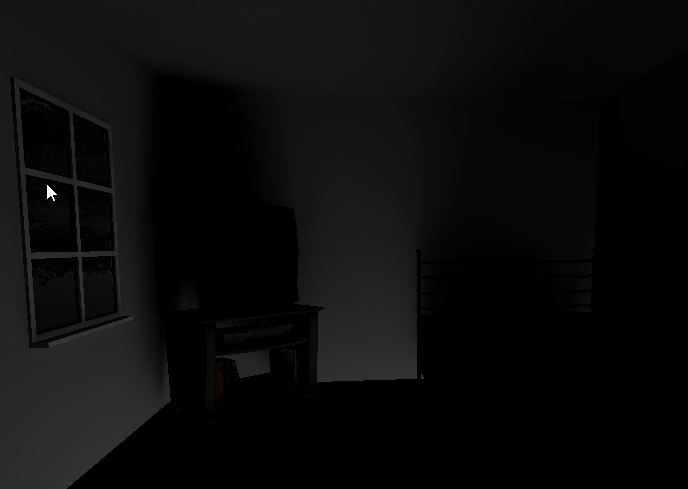 modest vapor
Are your meshes merged or just snapped ?

 modest vapor
 rotund ibex
https://alexios.pony.cx/4VC3aM.jpg
rotund ibex
https://alexios.pony.cx/4VC3aM.jpg
The vertices, not the objects
modest vapor
I don't know how light could possibly leak if you have a tight mesh then
that's usually the cause of that in unity
simple fox
 quartz rover
Does lighting Fog work on quest?
quartz rover
Does lighting Fog work on quest?
Yes. Fog is quite cheap and works on quest just fine. Useful for hiding a narrow far clip on quest.
quartz rover
Thanks!
molten kestrel
Looks like I'm incapable of even the simplest bakes

Realtime for comparison:

'generate lightmap UVs' was unchecked for some reason - now it looks okay


 sharp robin
 sullen solar
How can I fix the unseemless lighting?
sullen solar
How can I fix the unseemless lighting?
 sullen solar
oh my god thank you, ive been working like this for months
 leaden cave
Are the colors in the editor accurate to what's in VR? I can't tell if my headset's screen is just really really bad, or if there's something wrong with the tone mapping once it goes through SteamVR (Godot 3 has this issue with render options).
Wait, nevermind, it's the same (and the colors in the headset are bad), I took a screen shot of my screen, with VRC's camera, and a screenshot through SteamVR and they all the look the same.
The actual problem is the maximum shadow distance
twilit lily
leaden cave
Are the colors in the editor accurate to what's in VR? I can't tell if my headse...
might be the display of the HMD. some are LCD and are more washed out, some are OLED so more saturated
trim tusk
Anyone have any idea as how you would light up objects orbiting a sun for instance?
Right now all I have is directional by that looks abit scuffed.
leaden cave
twilit lily
might be the display of the HMD. some are LCD and are more washed out, some are ...
Yeah, I'm pretty convinced it's a really cheap TN panel, it's only saving grace is that it's in a VR headset...
The bigger issue was the shadow distance though, that made the scene look drastically different.
twilit lily
did you bake the lights?
sullen solar
Can someone help me with light baking? My editor freezes as soon as the bake starts and I have to restart it using task manager every time
NVM, the issue was that my lightmap size was too high [ 4096 > 1024 ]
 molten kestrel
I made a world extension in a separate scene (the above one). I can copy everything over with open scene additive, but I lose the lightmaps.
Can I either:
A) Copy the lightmaps over
B) Only bake the top area after copying the assets over
 molten kestrel
I should add that the original scene was done with Bakery, which is incompatible with my graphics card.
I can't rebake the original, which is why I had the new area in a separate scene.
sullen solar
Can someone help me create fake volumetric lighting cones with unity?

i need something like this, kind of how they did it in source games like half life 2
with models
the cones would go on those lights
 simple fox
sullen solar
the cones would go on those lights
simple fox
sullen solar
the cones would go on those lights

GitHub
World of Warcraft inspired Volumetrics that hold up well in VR with small cost to performance. (You have to not be dumb when placing it though :P) - GitHub - Xiexe/XSVolumetrics: World of Warcraft ...
sullen solar
seems nice thanks
 summer jay
next owl
summer jay
next owl
no u
sullen solar
Can someone help me with post processing? When I test in the game i can see it but not when im actually playing in VRC
fallow lark
GitLab
A surface shader for Unity providing cel-shading. (Forward rendering only)
a tutorial on vrchat post processing
mint cipher
fallow lark
https://gitlab.com/s-ilent/SCSS/-/wikis/Other/Post-Processing
It still isn't working, I don't understand
trim tusk
@sullen solar have you got it on the right layer?
Got to Post-process Layer
In your camera
Check what Layer it is on.
mint cipher
I have a problem as well where it isn't even showing up in unity
glossy meteor
molten kestrel
I should add that the original scene was done with Bakery, which is incompatible...
multi scenes don't really work in vrc, it will only upload one
if you cannot use bakery at all then just use the built-in gpu lightmapper
are your lightmaps still existing? the other bake may have deleted them if they were in the same folder
 teal star
How does one remove a certain layer (or set of objects, I'm fine if it's a manual process) from being affected by Post Processing?
molten kestrel
glossy meteor
multi scenes don't really work in vrc, it will only upload one
if you cannot us...
The original scene was done with bakery and I don't want to redo it with Unity's built-in renderer.
 formal spindle
so awhile back I would have light leak from top level to bottom. I was using polybuilder then and had everything snap so it exactly fit, though it still leaked. Now trying it in blender and was wondering if its okay to have different meshes for floors and walls, and will that cause lighting leakage in unity. or should my floors just be random triangles that are apart of wall mesh.
first seperate and second is one mesh

 twilit lily
molten kestrel
The original scene was done with bakery and I don't want to redo it with Unity's...
twilit lily
molten kestrel
The original scene was done with bakery and I don't want to redo it with Unity's...
i still exist btw :3
molten kestrel
twilit lily
i still exist btw :3
I wanted to do it myself, but I think I will be in need of your services once again 🙇♂️
 manic tree
I’m getting a warning saying that I need to bake my lights, else they’ll function as real-time lights in game. Does anyone know where a bake lights button is?
fallow lark
You can support me on my pateron
https://www.patreon.com/mcphersonsound
This is a longer tutorial than normal and there is a lot to cover so here are time stamps for your convivence.
00:00 what is baked lighting
00:35 setting up lights
1:23 preparing meshes to bake
2:30 generate lightmap UV
3:28 light probes
5:10 reflection probes
6:00 emissive ...
manic tree
Thanks
leaden cave
twilit lily
did you bake the lights?
I did, but only on the main area of the world. The clouds, where the shadows are a problem, would be a PIA to unwrap with the way I made them. I just turned down the exposure and up'd the gamma, looks fine enough at lower graphics settings now.
sullen solar
What would the most effective way be to isolate the red lighting from the white lighting in the other rooms?
 twilit lily
a wall
 normal idol
I was noticing that my avatar's normal and smoothness maps show up really nicely in other worlds but they don't in mine even though I have baked reflection probes and light probes, object reflections look fine and the avatar is being lit properly relative to the light sources, there's just no shine or texture like there is in other worlds. What might be causing this?
I'm using Bakery with a combination of mostly point lights and emissive materials with the occasional single realtime light.
 jade shadow
IIRC bakery has their own reflection probes you'll need to use instead of the unity default ones?
twilit lily
nope bakery uses the default ones afaik
jade shadow
Oh! You'll have to bake reflections through bakery
glossy meteor
no, bakery just runs them all at once
ensure you bake reflection after baking though
normal idol
Yup, did all that, the environment reflections look like they should so unless there's some unique setting for avatar reflections, I don't think it's that. It may be more related to how the world is lit moreso than a technical issue so I guess I'm just looking to see what has worked for other people in getting avatar features to pop. The world is a bit on the darker side which could effect things but it also has areas that are pretty well lit. I also use a lot of colored lighting so maybe that is dulling things? I feel like I would still be able to see something but when I look in a mirror it's like the model has no normal map at all when it's really clear in other worlds.
It's a night club so I can't really afford to make it super bright, at least not everywhere but I have to imagine there's a way to do that without making everything look super flat.
glossy meteor
do you have enough light probes?
normal idol
Yeah, I think so. I use a plugin called autoprobe that does a pretty good job. I can see the light cast from the point lights and emissive surfaces quite clearly on the avatar, it's just flat. I wonder if the light is too diffuse which is minimizing the specularity. Not sure what to do about that with an emissive surface.
simple fox
normal idol
Yeah, I think so. I use a plugin called autoprobe that does a pretty good job. I...
Do you have a directional light in your scene?
normal idol
Yes but it's quite dim. I kind of like things dark outside the various pockets of colored lights I have but maybe a directional light is important for specularity? It does tend to be the outdoor worlds that create the most noticeable shine.
glossy meteor
what's your bakery directional mode?
normal idol
@glossy meteor I haven't set a directional mode so none. What do you recommend? This needs to be Quest-accessible so the lightmaps can't be too huge.
glossy meteor
normal idol
<@!623552893416505355> I haven't set a directional mode so none. What do you rec...
you can have different modes for desktop and quest
try dominant direction
normal idol
I see, would that require re-baking when I switched platforms or is there a way to keep them separate? I will try that, thanks!
normal idol


example of the difference. I get that if you have a strongly colored light that it won't have a pure white highlight like that but the whole thing just looks flatter.
Apologies for the low resolution, using the Quest photo camera.
Maybe the color is just too saturated? I tried switching the directional mode to dominant direction and it added another 9 MB to the world which is acceptable but that picture is taken with dominant direction and I'm not noticing much of a difference.
glossy meteor
is this both quest?
not entirely sure what you expect visually, the first has a more vibrant looking environment/lighting, hard to tell from a small close-up screenshot
normal idol
Yeah, both Quest. I did some experimenting with the avatar in Unity and it really seemed to be affected by the directional light, with a point light never producing specular highlights so maybe I have to bump that up more? I'm just trying to make things shiny but not excessively bright (at least not everywhere, that room is too bright but I figured it would be the best place to try and get specular highlights. When I make the directional light a strong pink like in the image, it looks like I would want it to look but I don't want it to be bright pink everywhere.
 glossy meteor
is your directional baked?
normal idol
No, realtime.
glossy meteor
why is that?
normal idol
At least in that image it is, I'd have to check in the actual world. It has very little directional light at all and might be baked. But the problem with using a strong directional light is it's going to make the entire world that color when I would prefer to get lighting from my emissive surfaces and lights placed around the world rather that having a high level of ambient brightness.
But emissive surfaces don't seem to produce shine and I'm not sure if they can.
Same with point lights, they don't seem to make things shiny regardless of intensity.
Maybe I should use more spotlights? Area lights? I'm not sure.
Okay, it looks like I got rid of the directional light entirely and so I added one in. As expected, at full power it made everything look flat and bad but if I dial it down to the point where things aren't too bright, I don't think it's going to do anything.
simple fox
normal idol
Yeah, both Quest. I did some experimenting with the avatar in Unity and it reall...
A directional light is required if you want specular that isn't faked. That's why I asked if you had a directional light. For avatars to look good you need directional lighting, and reflection probes.
You can simply adjust the culling layers so your directional light only shows on the player and mirror reflection layer which will only put lighting on the player and not the world.
green vault
Anyone have difficulty getting realtimeGI to stick on the quest build? unity has been giving me a difficult time just keeping it in the unity editor but even then, it appears RTGI keeps shutting off on load for quest
mint cipher
hello friends, I have a question, I have a tests world, I have baked lightmap and realtime GI the lightprobes also baked, but when I enter play mode the light probes turn black, any solution to that? It never happened to me, the truth is I'm dismayed.
twilit lily
green vault
Anyone have difficulty getting realtimeGI to stick on the quest build? unity has...
please just bake the lights
quest is not meant to handle realtime
green vault
twilit lily
please just bake the lights
i ment precomputated
twilit lily
does quest even support that?
green vault
yep
green vault
ive done it a few times, just been getting weird unity sperts with, i have to make an editor script to keep it on for the pc side actually
twilit lily
i see
green vault
not sure what was goin on
twilit lily
i just use bakery and call it a day
green vault
im a lighting nerd but ive never had unity just deside to ignore it in 2019 unity
twilit lily
i see
green vault
was hoping someone mightve known
twilit lily
got any docs for precomputed realtime by any chance? might need that for an project of mine which currently only works either with SH or realtime only
and SH is barely because of its limitations
green vault
https://catlikecoding.com/unity/tutorials/scriptable-render-pipeline/global-illumination/ this is the default thing i send to people when asked, but it might not answer everything

A Unity Scriptable Render Pipeline tutorial about supporting both static and dynamic global illumination.
twilit lily
ahh gotcha, thanks a lot
normal idol
simple fox
A directional light is required if you want specular that isn't faked. That's wh...
That is great info, hadn't even considered lights that only impact avatars. Thanks for the help! 🙌
 orchid nymph
is it common for quest builds to be much brighter than pc? My pc build has a darker more ambient quality lighting setup but as soon as i build for quest the lightmaps become instantly 10x brighter, i'll attach an image if anyone has any suggestions
PC Build:

Quest Build:

No artifacts on my lightmaps which is good, but super bright anyone got any clues?
twilit lily
missing post processing most likely
orchid nymph
I have post processing in my project, unless it needs to be changed for quest or something
maybe it needs to be reimported? or something like that
Just noticed that the VRWorldToolkit doesn't allow me to setup Post processing on the quest build, the option is greyed out. That is how I set it up for my pc build

 supple harness
orchid nymph
maybe it needs to be reimported? or something like that
supple harness
orchid nymph
maybe it needs to be reimported? or something like that
The post process is not in the quest version, and it will not work there. Customize the lighting by adding only effects to it in the pc version
glossy meteor
also no hdr on lightmaps for quest
orchid nymph
supple harness
The post process is not in the quest version, and it will not work there. Custom...
so basically rebake my lighting with all lighting at a fraction of its intensity and a darker color? or is there a more convenient way to achieve the same look
mint cipher
Do you guys know why the world is giving off this weird reflection?

 rich ocean
anyone know why there are these pixely gradients here on the diagonal? my samples are 10K and the resolution is 52 tx

all baked indoor lighting
orchid nymph
mint cipher
Do you guys know why the world is giving off this weird reflection?
i would check your reflection probe settings
rich ocean
rich ocean
anyone know why there are these pixely gradients here on the diagonal? my sample...
small update: i got it to look better by setting the denoise to optix
in the lightmap settings
 eager hemlock

Anyone know why there is is very dark spot?
Even when I remove the couch its still there
Happens when I bake it and didn't happen before
 lean dome
does someone have a file for fairy lights? i sadly cant find any free ones
vernal storm
Just a quick workflow question , does bakery require uv maps to have islands non overlapping , or can I use my trim sheet uv map? If not are you guys runing out multi uv sets one for bakery light maper and one for trims . Or is bakery smart enough to generate its own and doesn't care how i uv an object and i have just been over complicating it
glossy meteor
vernal storm
Just a quick workflow question , does bakery require uv maps to have islands non...
bakery uses your second set, in unity they are called lightmap uvs
they may not overlap
vernal storm
so If I check the generate lightmap uvs in the object in unity , doesn't unity generate these , or is it still picking up my uvs from blender and converting them
glossy meteor
if you tick that, unity will generate them and use that, they can yield suboptimal results sometimes
fallow lark
also cool that you're doing trim sheets D34DP1X3L
vernal storm
ahhhh ok , so that makes sense why when i cleaned up all my uv's nothing changed in lightmap errors , sounds likea second set of uvs is the way to go then , one packed for lightmaps one for trims, then im guessing I wont need to check that lightmap box then as it will be picking up the ones i make
fallow lark
yeah you only click on that check box if you don't have your own provided lightmap uvs
vernal storm
cheers , I'll give that a go
 white nexus
lean dome
does someone have a file for fairy lights? i sadly cant find any free ones
white nexus
lean dome
does someone have a file for fairy lights? i sadly cant find any free ones
not mine but seems like this is the one everyone uses. There's a free version and full version is $1
 opaque garnet
would anyone know why my shadows are disconnected like this? I tried adjusting the biases on the light but that didn't fix it.
 odd smelt
Light probe setup done, but no shadow 😦
lean dome
white nexus
https://www.patreon.com/posts/32030551
thank you so much~!
twilit lily
opaque garnet
would anyone know why my shadows are disconnected like this? I tried adjusting t...
bake lights 👀
opaque garnet
twilit lily
bake lights 👀
that's a realtime light.
twilit lily
thats why, bake it and you will have better looking and better performing lighting
 candid dagger
should i do lighting and texturing in unity or blender?
 pure widget
im not an expert or anything, but ive found texture optimizing using blender/image editing program to be easier because you can make a texture atlas in your image editing program, and correct the uv maps in blender to match
lighting should definitely happen in unity but you can make the physicality of the light in blender, ie make a table lamp in blender, import to unity and put a point light in it
next owl
texturing should happen in a combination of blender and some dedicated app for texture generation... substance, photoshop, 3dcoat, etc
UV layout happens in blender, as does any necessary material assignments, then you export that to your painting application. then import to unity when you're done.
odd smelt
The characters did not show shadow, checked light probe in the world seemed fine (only having baked light)
 strong solar
how can i fix this lighting 🤔
glossy meteor
you should consider baking your lighting
 tame salmon
Anyone know what causes this weird smearing when I bake the lighting?
 vernal storm
tame salmon
Anyone know what causes this weird smearing when I bake the lighting?
vernal storm
tame salmon
Anyone know what causes this weird smearing when I bake the lighting?
How are you baking your lighting ? are you using unity or bakery? also have you made sure your uv sets are zero to 1 if your using your own uv's if not do you have generate lightmap uvs checked on your models
tame salmon
I don't have bakery so it's just unity. I'm not using my own uv's for the lightmap and generate lightmap uv's is checked
next owl
you could try increasing the padding on the lightmap
opaque garnet
can I bake the specular reflections? I want the gold to look shiny like it does with the realtime lights, but when it's baked. if that makes sense. is this possible?
 next owl
one workaround is to place an emissive object where the light is, and just leave it enabled only for the reflection probe bake. it's not exactly the same as a specular highlight but it'll help add some shine
opaque garnet
next owl
one workaround is to place an emissive object where the light is, and just leave...
actually all of the lights are positioned next to emissive materials
next owl
how bright are those emissive materials compared to your light intensities? could try cranking the emission strength temporarily for the bake?
fallow lark
there's also some shaders that have baked specular highlight options https://twitter.com/orels1_/status/1493026541256773634?s=20&t=RUMQSH1ukLOAKE9m7uUT3A


My Shader Package is finally out! Need a feature-rich PBR shader for your worlds? Check out ORL at https://t.co/kfT4pZtpyU ! Layering, Displacement, AudioLink, Glass and much much more. As well as the demo world which was built with it: https://t.co/momHk85oKX e #VRChat #unity3d https://t.co/PkMuh2nDyb
Likes
189
 Twitter
·
Twitter
·

New release!
My Standard shader replacement, Filamented, is now available on Booth. A high performance PBR shader with the featureset of Unity Standard with many enhancements suited to VR applications!
https://t.co/90WNtqu8Hb
https://t.co/nBHvcPnBVK
#vrchat #unity
Likes
241
 Twitter
·
Twitter
·

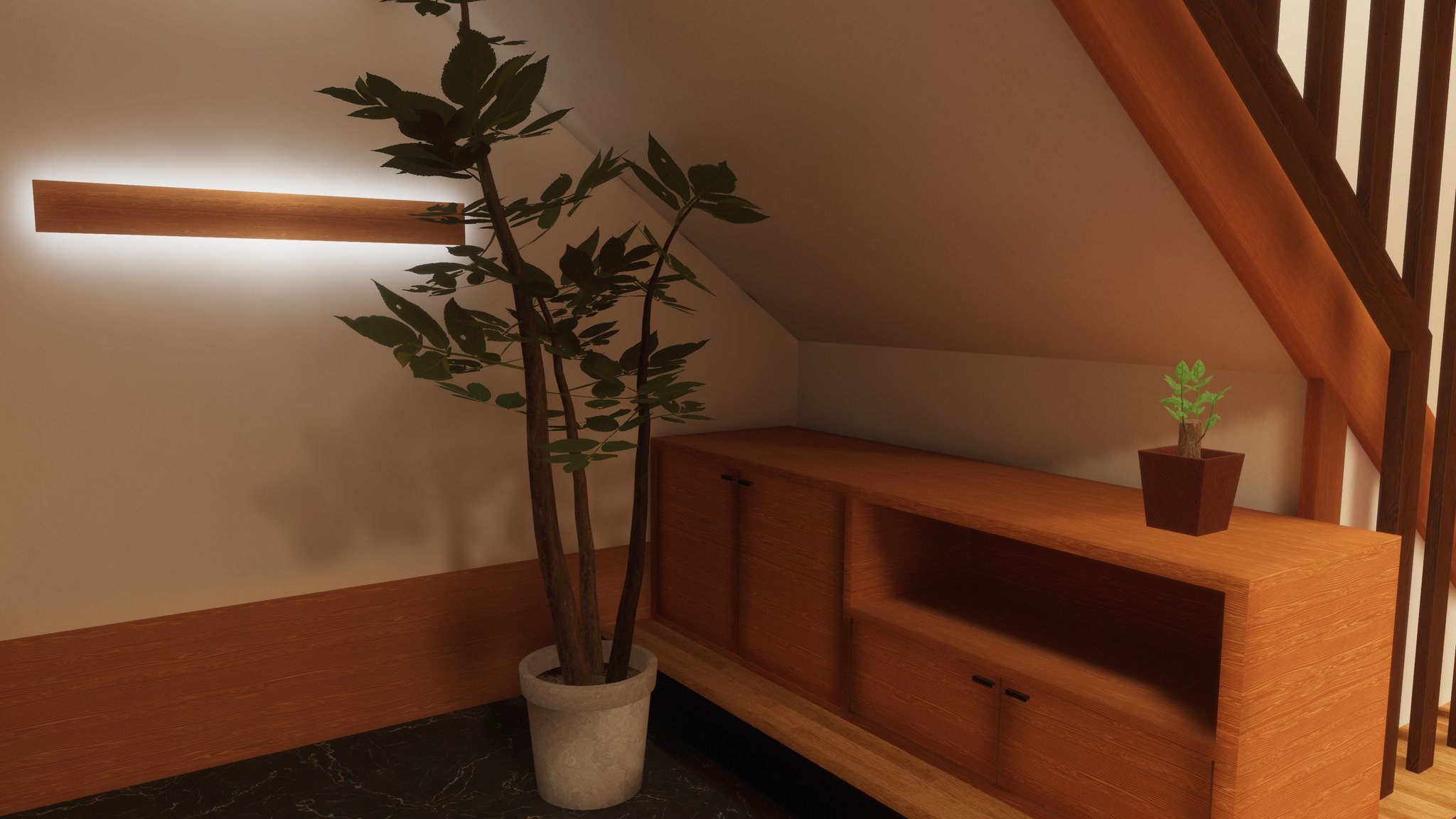 opaque garnet
@fallow lark thanks
fallow lark
and question is your reflection probes rendering correctly as you put it in the middle of a mesh
opaque garnet
i thought it was, but maybe not. i'll check it
 rocky mauve
greetings all. what terms do i search to find out how to get world point lights (sdk3) to affect avatars? this is whitelisted right? i get that its a threat to optimization, but i want to know how to do it for exceptional cases. thanks in advance.
fallow lark
you would probably want to do baked lighting with light probes for the avatars as reeltime lights are kind of expensive
You can support me on my pateron
https://www.patreon.com/mcphersonsound
This is a longer tutorial than normal and there is a lot to cover so here are time stamps for your convivence.
00:00 what is baked lighting
00:35 setting up lights
1:23 preparing meshes to bake
2:30 generate lightmap UV
3:28 light probes
5:10 reflection probes
6:00 emissive ...
rocky mauve
i want to know how to make point lights affect avatars. i know how to bake environment lighting
it would be a single nonstatic point light with limited range
modest vapor
Any realtime light will
fallow lark
still would be making your avatars twice as expensive "Point Light. This adds 1 pass to everything within its radius, and renders everything it touches again." https://gitlab.com/s-ilent/SCSS/-/wikis/Other/Light-Baking
GitLab
A surface shader for Unity providing cel-shading. (Forward rendering only)
rocky mauve
i get that its not best practice, i want to know how to do it
modest vapor
rocky mauve
the whole world would be well below 1k poly and the light would have about a radius of 5 meter
the whole point of the world design is about having a pick up single point light that affects avatars
it doesnt work when i try using realtime lights with default settings aside from intensity. it shows on world objects but not avatars. is it a layer thing?
simple fox
rocky mauve
the whole world would be well below 1k poly and the light would have about a ra...
Literally just a light set to realtime will affect players assuming you don't change the layer mask.
Would be better tbh to use global illumination and emissive materials vs a ton of realtime point lights.
rocky mauve
i use one light one point light
the whole point is to have a pickup with a point light on it, just the one. not even a directional light
the world is otherwise an empty plain and skybox.
im stumped as to why i cant get the point light to behave with avatars the way everyone expects it to. i do try with default realtime lights but i dont see it on the avatars, just the world objects. thats why im bothering to ask here.
fallow lark
question what shaders are on your avatar as your testing with
rocky mauve
im going to try different avatars, thats a good point
fallow lark
try something with the standard Shader for the avatar
because who knows what the heck a toon Shader is doing
rocky mauve
ill look into the avatar side. im making an example world of my problem to reproduce what im talking about with as many defaults as possible. if i figure out what im doing wrong ill report back. otherwise ill be asking again. thanks everybody
fallow lark
glad to be of help
rocky mauve
they didnt look like toon shaders or anything but, sure enough
it kinda takes the fun out of the thing i wanted to do if you cant reliably light avatars
twilit lily
opaque garnet
can I bake the specular reflections? I want the gold to look shiny like it does ...
Bakery -> SH mode
just make sure to not have more than one light being affected by it, or you will end up with weird curved lights
 quasi hedge
I'd start with a dominant direction bake and then move to SH if it's too approximate for your needs! SH will be slower + will add to your build size.
twilit lily
but looks best
opaque garnet
twilit lily
Bakery -> SH mode
just make sure to not have more than one light being affected ...
I don't have Bakery; does it let you choose which objects you want specular highlights on and which you don't?
opaque garnet
is it bad on performance to use mixed lighting?
next owl
generally speaking, yes. the more lights you have that aren't fully baked, the more performance will suffer.
glossy meteor
mixed lighting has the bad of both worlds
real time calculation AND light map calculations
 worn salmon
Im setting up some lights for baking and they all have the same settings but some don't show any glow at all. Know what i'm doing wrong
 next owl
the mode on that light in the inspector is set to realtime
your lights need to be set to baked mode, and the geometry needs to be lightmap static
worn salmon
alrighty thank you i missed that part
worn salmon
unfortunatly now none of them show after baking
next owl
so are you not getting illumination of any kind after the bake? or you just aren't getting visible glow from the light sources themselves?
 worn salmon
im trying to follow a tutorial but what i have doesn't work compared to the video. In multiple place it just behaves differently
is there a limit to how many lights can be in a room at once ?
next owl
no, not really.
lights themselves aren't visible when you bake. if you want things visible to the eye, make an object with an emissive surface.
worn salmon
well i dont see any reflections lie before
next owl
the standard shader isn't going to bake specular reflections IIRC.
if you want those reflections, you can try to place self-illuminated objects where your lights are before baking reflection probes
worn salmon
im not using the regular shader im on poiyomi's
fallow lark
why would you be using a toon Shader on a world
worn salmon
im not using the toon version
im using the realistic lighting setting so i also have access to other effects on the shader
fallow lark
none of the stuff in your screenshot was showing special effects
worn salmon
no cause it's not yet there....
but right now that's not the issue i have. I'm just trying to set up a very simple baked lighting and something isn't working
fallow lark
I would honestly suggest using the standard Shader for the stuff that doesn't have the special effects
worn salmon
well the floor has specular and metallic mapping so i can't do standard
fallow lark
the standard Shader can handle metallics
I would suggest at least doing a test we're all of your materials are standard Shader to make sure it's not your Shader breaking your baked lighting
worn salmon
nope doesnt show up on the floor at all
some light dissappear when i actually have them in view
fallow lark
question have you watched or read any baked lighting tutorials
so you can go down the checklist to make sure you're not goofing up something
fallow lark
question does your lighting break if you try it on like a empty world with just a plane and a cube and one light
worn salmon
i didn t try that yet .
fallow lark
well that way it would cut down on all the variables
vernal storm
fallow lark
question does your lighting break if you try it on like a empty world with just ...
best advice ever... I wish more people would do this , as its a great way to trouble shoot whats going wrong.
vernal storm
worn salmon
well the floor has specular and metallic mapping so i can't do standard
Just keep in mind , when you bake your lights spec and reflection disappear like Toadstorm says , then you will need to "Render" a reflection probe , then they should all come back , sometimes people get confused by this step.
next owl
usually when light baking isn't working the way you want it, there's a few common missteps.
1.) your lights aren't set to baked
2.) your geometry isn't lightmap static
3.) you didn't generate lightmap UVs on the mesh import settings, or you didn't make lightmap UVs in 3D
4.) you don't have reflection probes, or forgot to re-bake reflection probes after baking lights
5.) your light sources aren't bright enough
6.) your material base color isn't PBR-safe (too dark or too bright, use the Validate Albedo shading mode)
vernal storm
pbr material validator in scene , I didn't even know this existed , thanks for the tip
next owl
if you're not building PBR materials in substance painter or designer or something else with a validator, it's very handy!
GI will not bake well on textures outside the safe range, either you'll get too much bounce light or you won't get any at all
twilit lily
worn salmon
is there a limit to how many lights can be in a room at once ?
realtime? yes
baked? no
worn salmon
I checked all of the above and when i bake the lights just dont show anymore on the textures
worn salmon
and for point 6.) i don't know what that is
next owl
it's the dropdown in the top left of the viewport. by default it's on shaded mode. all the way near the bottom is a PBR validation mode
worn salmon

i tried to do a quick one light bake and see if it would change anything and it's preparing baking for hours....
worn salmon
does preparing bake over and over without ever really completing
 worn salmon
to make sure it wasnt shader related i also changed the wall and floor to be Standard shaders
next owl
are you trying to use the GPU lightmapper or CPU?
worn salmon
the tutorial i saw said gpu .
but i tried both
got it to finish and the whole room be dark still

mesh is static
light is too
light is at baked
next owl
what does the room look like when there's no baked information
worn salmon
like ... with the light before i bake it
next owl
yes
worn salmon
like the realtime light?
next owl
delete the baked lightmaps and show me that same angle
worn salmon
how do i delte those ?
next owl
 worn salmon
 next owl
what's the light's settings look like?
worn salmon
 next owl
okay. and the ground object you're baking to?
worn salmon
 next owl
okay. in that first screenshot, had you already baked reflection probes?
what i'm seeing currently is that your ground material there is 100% metallic. that means that it's basically not going to receive any global illumination... it's entirely dependent on reflections for the color you see
 next owl
try baking reflection probes after you bake lighting
but again, you should be certain that you want the entire ground plane there to be a metal.
worn salmon
i baked the probe when the lighting was visually there
fallow lark
like that looks like marble so that shouldn't be metallic
worn salmon
i showed the metal plate in the middle as a material not the marble
fallow lark
thanks for the clarification
worn salmon
baked it after and everything still dark
 next owl
what's that marble material look like, the one that makes up the majority of your ground plane?
worn salmon
its a standard shader too
next owl
let's see it.
worn salmon
 next owl
set Metallic to zero and try baking again
fallow lark
and metallic values are supposed to be zero or one for the metallic PBR Shader
next owl
in general, yeah. a surface is either metallic or it's not. you generally don't want to use values halfway in between
fallow lark
which is why metallic maps are black and white with no Gray
worn salmon
same result
 worn salmon
Metalic are at 0 on both material and walls ....
next owl
i'm stumped man, sorry. it's pretty tough to diagnose lightmapping problems when you don't have the project in front of you.
if you have $60 or so, Bakery is infinitely easier to use than the built-in lightmapper, you might have better luck.
worn salmon
Its my first attempt at any of this so everything will be hard and a process to learn anyways
I tried to put a unity cube and place the light next to it and both static cause the same issue. Maybe its something to do with my lighting seting
 north nexus
Recently switched from Nvidia to AMD and can no longer use Bakery.
Anyone know of any AMD baking plugins like Bakery? Considering Bakery is for Nvidia only.
mint cipher
Anyone know how to fix this, the lighting is not good, using bakery btw
 modest vapor
mint cipher
Anyone know how to fix this, the lighting is not good, using bakery btw
modest vapor
mint cipher
Anyone know how to fix this, the lighting is not good, using bakery btw
What are your settings ?
mint cipher
modest vapor
What are your settings ?


Not sure if I have to add a metallic texture to my model or change a settings or create a material to make it look nice?
modest vapor
32 samples is very low, might wanna bump that up to 512
mint cipher
modest vapor
32 samples is very low, might wanna bump that up to 512
Alright anything else I need to change?
mint cipher
modest vapor
32 samples is very low, might wanna bump that up to 512
What 32 do I change, there a few?
modest vapor
The fix bright edges could come in handy given the intensity of your lights, in case of bleeding, but could be solved with more padding
Global illumination
You might want some AO
0.5 in intensity
mint cipher
Okay
modest vapor
Bake will take a bit longer lol
mint cipher
idm lol ill let it bake as i sleep
mint cipher
modest vapor
Bake will take a bit longer lol
well it didnt pass 12 % as of writing this but i did stop it and the lighting looks amazing but its painfully slow 💀
any better tips for faster and good lighting
glossy meteor
512 samples for gi is way too much
bakery will warn you past 64
it will go crazy with 5 bounces
 timid sparrow
anyone know why this might be happening? there's a sharp line in the middle. It's wherever the light is placed.

 timber wagon
is it possible to have several baked lightmaps per scene?
I have a world that grown too large for just one light map and now using bakery quality became considerably lower
glossy meteor
bakery will start a new lightmap once your max size has been exceeded
timber wagon
for some reason it keeps baking everything into one 4k image
glossy meteor
then you did not exceed its maximum density or you use lightmap groups
what's your loss in quality? share your settings too
 glossy meteor
why do you do shadowmask?
depending on scene size, you may adjust texel count too
timber wagon
should I change it to full lighting? I don't really know much about bakery
scene is quite big, changed texel count to 40 for test
glossy meteor
take a look at the bakery wiki, shadowmask has a specific use with realtime lights
use full
timber wagon
yup, changing these fixed issue, thanks!
glossy meteor
that's good, texel count will correlate to fill rate of each lightmap, causing bigger file sizes at the advantage of detail, you will have to balance that
timber wagon

mint cipher
idk why but ever since i added some metallic textures... this happens

any ideas?
only in bakery^ in the regular lighting setting it shows up perfectly fine
 random talon
mint cipher
idk why but ever since i added some metallic textures... this happens
random talon
mint cipher
idk why but ever since i added some metallic textures... this happens
have u checked if the materials / objects are set to static
mint cipher
yeah they are all static
random talon
mint cipher
^
have u generated lightmap UV's ?
 random talon
is it only certain parts or is it everywhere on the black objects ?, do u have proper light sources to interact and try see if its the ratio of the light etc ?
other than that, im not exactly sure what would then cause it, it looks like a common lightmap UV issue
 next owl
did you bake reflection probes after baking lighting? metallic surfaces generally aren't going to receive GI because they're dependent on reflections
mint cipher
oh snap do I have to do that every time I render after adding or modifying stuff? i thought bakery always did that
next owl
yeah, it's always the second step after rebaking GI
 mint cipher
Reference1
mint cipher
mint cipher
Reference1
bakery

 mint cipher
well i think this solves an issue
mint cipher
mint cipher
well i think this solves an issue
this one is better at reflecting and what not the other one is dark for what ever reason
next owl
well the albedo looks pretty different between those two
that color affects the reflected color, even on metals
worn salmon
What is a good shader that i can use for Baking lights in a world.
I need 3 things to be doable on it that the standard shader doesn't support.
1: Scaling textures
2: Matcaps
3: back Face culling OFF
fallow lark
could you clarify what you mean by Scaling textures and why do you need a Matcaps
and that's better for performance to jest duplicate some triangles to cover the two-sided bit instead of using backface culling off which basically would be doubling the triangles rendered on everything in your scene
 fresh pier
has anyone had a problem where all of the spotlights stop being spotlights? lights decided to break for me
fallow lark
are they real time or baked
fresh pier
real time
fallow lark
because if their real-time there can only be so many real-time lights rendering at the same time
and you would want to bake your lighting for performance reasons
You can support me on my pateron
https://www.patreon.com/mcphersonsound
This is a longer tutorial than normal and there is a lot to cover so here are time stamps for your convivence.
00:00 what is baked lighting
00:35 setting up lights
1:23 preparing meshes to bake
2:30 generate lightmap UV
3:28 light probes
5:10 reflection probes
6:00 emissive ...
fresh pier
so i should set them all to baked?
fallow lark
yes
fresh pier
alrighty thanks ^^
fallow lark
I'd recommend giving this video a watch to learn the the basics
and your frame rate is going to thank you
mint cipher

Any ideas on fixing this
i've been bashing my head against the keyboard for 4 days straight and i can't get baked lighting to look good

also this situation here
im THIS close to dropping my marbles and abandoning my project
modest vapor
Any warnings in your console ?
Did you follow a tutorial ?


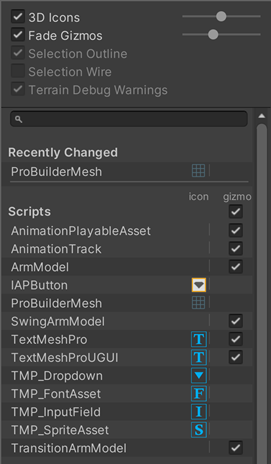
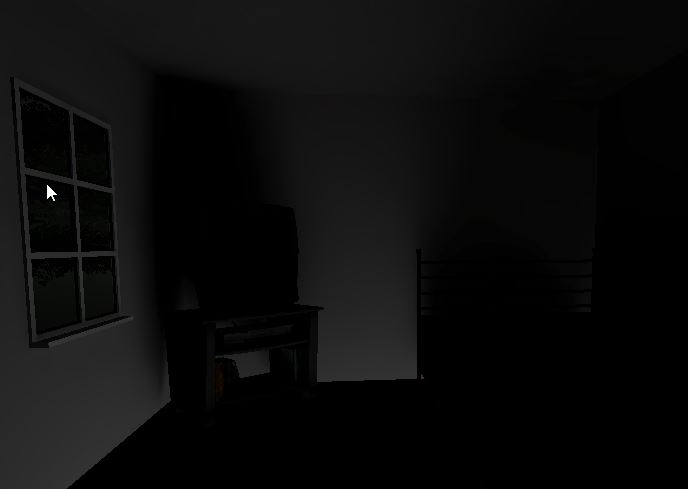
Here is a handy tool I've been using: blender-xatlas!
It's useful for quickly making lightmap UVs that are better than Unity's and Blender's default lightmap unwrapper. I modified it to add support for unwrapping multiple objects in batch.
#vrchat https://t.co/DydOJUZCSw
Twitter
·
 mystic escarp
Anyone know why my second reflection probe is combinging images with the first one?
 modest vapor
You might have to manually set your probes anchor overrides
mystic escarp
i sadly dont know what anchor overrides are
modest vapor
top right corner of that screenshot
It helps objects determining which reflection probe they should base their reflections on
Right now your object is mixing two
So creating an empty object and placing it within the bounds of the first reflection probe and setting it as the anchor for the mesh should fix it, hopefully
mystic escarp
oki i will try that. Thank you
mystic escarp
I have just realised that all of my Glass walls are actually 1 object made in blender with just a shader added to it. Could that be an issue?
modest vapor
If you wanted each piece to have their own reflection, it might be necessary to make them individual objects, or making sure no reflection probe have intersecting bounds
 rapid spindle
Hey, so I’m really new to unity, and I’m following a tutorial. I’m trying to bake lighting but it suddenly looks like this (it was fine before baking) what could cause this?

 olive glen
@noble heath hey , im following ur tut. i was wondering if u could help. for some reason , when i try to change the color of any lights , whether it be my directional light or my point light , it doesnt change the color at all
or if anyone could help ^
 noble heath
did you re-bake?
olive glen
noble heath
did you re-bake?
yeah , a few times ;-;
should i delete the point light and try to re-do it ?
noble heath
always send screenshots with your problems if they're not super obvious
olive glen
noble heath
always send screenshots with your problems if they're not super obvious
i would like to make the room a bit darker , but i cant seem to
noble heath
light settings won't change until you bake again
olive glen
noble heath
light settings won't change until you bake again
omg thank u. im a forehead.
noble heath
rapid spindle
Hey, so I’m really new to unity, and I’m following a tutorial. I’m trying to bak...
on the bake button, click the dropdown>clear baked data and bake again
worn salmon
im getting really weird shadows after baking on my floor and walls. I tried to lightmap parameter highresolution but it didn't help

 graceful tartan
worn salmon
im getting really weird shadows after baking on my floor and walls. I tried to l...
graceful tartan
worn salmon
im getting really weird shadows after baking on my floor and walls. I tried to l...
Weird shadows can be a result of overlapping lightmap uvs.
Have you got the generate lightmap option ticked on the object that the walls are coming from?
graceful tartan
Ah yea, sometimes the default unwrap paramaters need some tweaking
 chrome kite
Anyone know why the table is responsive/sensitive to realtime lighting but the floor/walls are not/very barely light up? Same shader (shader lite), contribute global lighting is unchecked for both (everything else seems to be similar basically from what I can see in inspector) and idk where else to look cuz am big unity noob
next owl
chrome kite
Anyone know why the table is responsive/sensitive to realtime lighting but the f...
what's the albedo / base color of your floor and walls? and are they metallic or no?
chrome kite
next owl
what's the albedo / base color of your floor and walls? and are they metallic or...
metallic slider on 0.
tabletop, table legs, floor, wall


 fallow lark
the bottom 3 wood materials look like they could be the same material just with different veritex color is on the objects
next owl
those values all look pretty reasonable to me
are you generating lightmap UVs for your floor and walls?
chrome kite
I did bake lights earlier but since I have 0 baked lights, and using just ambient color for environment lighting it bakes no lighting data
it like very barely responds to the light
next owl
hmm, though i see smoothness is set to 0 and you have a map connected. might want to set that to 1 assuming your map values are correct
can't remember if that's a scalar on the map or not
chrome kite
smoothness looks weird but then again I'm a noob at lighting and just design in general
hence why I turned it down
doesn't explain why the table responds to it tho
chrome kite
next owl
are you generating lightmap UVs for your floor and walls?
No I did not make these assets if that's what you're asking
are from unity store
ok it does have to do with the scale it seems
since it's a big wall the light for some reason is just spread out over it I guess that it's hardly visible
when I scale it down in unity I see the light effect much more intensely
duplicated the wall behind and scaled it down in front of the light

not sure what I should do unless this is something that can't be changed in unity...?
next owl
you might need to adjust the lightmap scale of the asset in unity if you have it scaled quite large
this is in the mesh import settings for the source FBX
chrome kite
it's the prototype wall, but where would I find mesh import settings?
 barren crater
Is there a way to toggle between baked and fully realtime lighting?
Basically toggle the baked lightmaps at runtime
vernal storm
just curious why you would want fully realtime lighting toggle ?
barren crater
Currently running into the issue where baked lightmaps don't take light color into account. I'm also trying to replicate an older map which was entirely realtime lightmapped
vernal storm
ahhh gotcha
graceful tartan
barren crater
Currently running into the issue where baked lightmaps don't take light color in...
Cant say that's ever been an issue for me, light colour has always been applied as one would expect. What does it end up looking like when they dont apply?
barren crater
graceful tartan
Cant say that's ever been an issue for me, light colour has always been applied ...
I have my light temp set to 1000. The expectation is it would be redish orange, but it isn't
barren crater
Seems light it's just light temp that doesn't get added to baked lightmaps. Regular color works
 mystic pebble
Question, for quest any suggestion to make the change to vrchat standard light shaders not as terrible/horrible?

 sterile viper
why does my light after baking look like the 2nd picture show and is there a way i can make it to look like it is in the first picture where it is not baked?

 modest vapor
You want it to look wrong ?
sterile viper
do i? im sorry im a bit new to this
modest vapor
The second picture result looks great, and accurate
sterile viper
i think on the first pic the way the light throws is smoother somehow
like around the lamp
modest vapor
Oh, that, try changing the lightmap compression format to ASTC 4x4
Raising the samples could also help with general quality
modest vapor
256 is a good halfway point, but will take much longer to bake, so only to do as a final bake
sterile viper
okay. thank you very much 🙂
btw the compression change already fixed my first problem, ty
modest vapor
fallow lark
cool
olive glen
i cant figure out why the avatsr in my dark world are like , super lit ;-; pls help
 fallow lark
it's likely using a toon Shader
I would check your lighting with a avatar using the the standard Shader
next owl
you don't really have any control over avatar shaders that aren't Standard Lite, it's up to the shader to determine how to interpret light
olive glen
fallow lark
I would check your lighting with a avatar using the the standard Shader
yeah i tried multiple avis- but also , whenever i bake my lighting , all of my lights completely just vanish
fallow lark
and question do you have any light probes
olive glen
yes , i put some around the room
next owl
when you bake lighting, you're probably losing specular highlights, not lighting itself
fallow lark
do you have a reflection probe
next owl
all of your surfaces look super dark, i'm guessing the albedo is very low. this means that you're going to be very dependent on reflections to get any lighting at all
fallow lark
and there are a couple of ways to fix the specular highlights not showing up on baked lighting
next owl
you need to rebake reflection probes anytime you bake lighting. and i recommend using the Validate Albedo shading mode to see if your walls / floor materials aren't too dark... they'll appear red if they're out of range
fallow lark
one of them involves like baking extra data to a reflection probe and the other has the Shader handle fake specular
olive glen
graceful tartan
olive glen
Are your objects all static?
 sinful herald
Anyone know common reasons to unity not baking? Ifollowed Iconoclas in a lighting tutotrial and triple checked all my settings but whenever i press generate lighting it just jumps to being nearly done and back to the start again, no ETA or issue reports just "Preparing Bake" and constant up and back progress bar jumping, i have all objets set to static
If anyone has even a slight idea on how to fix it i would be grateful :))
 ornate nova
Hey this morning the SDK3 is telling me I can't use unity 2019 anymore and wants me to use 2017, did the version change? It's doing this and I've tried reimporting
sterile viper
next owl
you need to rebake reflection probes anytime you bake lighting. and i recommend ...
does it not bake the reflectioon probe when i bake the lightmap? it does for me i guess
next owl
i always have to re-bake the reflection probes after baking lighting, but i'm using bakery here
sterile viper
oh okay i guess its bakery then. when i bake with unitys lightning settings it says in the end "baking reflection probes" so yeah. thanks anyway for the reply tho
 weary folio
I was following a tutorial and got this lighting glitch anyone know how to fix it?
