#world-lighting
4 messages · Page 24 of 1
 odd matrix
 fallow lark
okay good to know nevermind on that
do you have your ambient lighting set to Strong?
odd matrix
lol yeeeahhh i donno what happened.. rebaking lights sometimes causes this ( I THINK) im still pretty new to Unity and JUST started on Udon like yesterday
fallow lark
weird suggestion but try clearing your lighting and saving it as a new scene so that it tries to generate a new set of lighting
Unity scene not like vrchat ID
odd matrix
i might i just set my environment lighting to skybox and im rebaking now to see if that changes anything
fallow lark
odd matrix
i might i just set my environment lighting to skybox and im rebaking now to see ...
hopefully that helps?
odd matrix
because im pretty sure i baked the lights AFTER adding the new skybox and as you can see in the last screenshot it had my new space skybox but wasnt bright. i then rebaked sometime after that.. so im guessing maaaybe that did something
fallow lark
also you could save as a new scene so that you could reload the prefab and compare your current version against the old version to see what changed
and hopefully the Skybox does it
odd matrix
Nooope didnt fix it...
fallow lark
then maybe I will try saving as a new scene so that you could compare the old one to the new one
odd matrix
looks like i might start over... x.x maaan i hate unity sometimes.. oof
fallow lark
oh dear
 ivory abyss
Heya. I'm having some issues with my spotlights. The lightmapper is baking the lights on a mesh on the other side of the wall. I'm not quite sure why this is hapening. If anyhone has a clue please let me know 😅 thanks
See video for example: https://streamable.com/tol50l

 south furnace
Any ideas what could cause this?

Increased overall contrast so that it's more visible, I'm using Bakery
 green vault
south furnace
Any ideas what could cause this?
green vault
south furnace
Any ideas what could cause this?
could you describe whats wrong in more detail?
green vault
ivory abyss
Heya. I'm having some issues with my spotlights. The lightmapper is baking the l...
make sure everything is producing shadows
south furnace
green vault
could you describe whats wrong in more detail?
Those black lines
That look like smudged shadow that is wrong or something, I don't know what could cause it, it's not major and barely even visible with this lighting but was wondering what could cause it
 green vault
oh i think I know 🤥 what youre asking - those lines usually occur from slightly overlapped lightmap UVs. this usually occurs by accident when lowering already baked lightmaps or just baking far to low
also- if yoy use ambient occulsion or soft shadows with minimal light bounces. this can also cause the issue i think you are refering to
ivory abyss
green vault
make sure everything is producing shadows
I double checked. The light sources are set to cast baked soft shadows and both the meshes are set to receive and cast shadows as well. Still seems to be clipping through.
 green vault
is the wall attached to the ceiling or is it extruded up to be flush with the ceiling?
ivory abyss
green vault
is the wall attached to the ceiling or is it extruded up to be flush with the ce...
It's a bit of both I guess? The room and the hallway are separate meshes.
https://streamable.com/e8amx9
 green vault
make the wall higher or add a temp light blocking mesh between where the light is bleeding and see if that helps
ivory abyss
Added a big old default stretched cube. Set it to static and voila. Didn't change a thing. Funny enough the cube itself that's in the wall is completely dark

Whoops forgot the "reply to" @green vault 😅
green vault
are both ceilings different meshes?
ivory abyss
Yes they are
ivory abyss
green vault
are both ceilings different meshes?
Each room is basically a mesh on it's own.
 green vault
ig a weird solution would be to set one of meshes onto a specific layer and tell the lights to only bake on that layer so it does not bake on the layer that is in the other room
if that makes sence
ivory abyss
green vault
ig a weird solution would be to set one of meshes onto a specific layer and tell...
Would that be changing the culling masks of the light sources?
 weak glade
Im gonna do a shameless repost since more gurus are online at this time
Alrighty you wonderful light gurus, help me fix this:
I noticed after the 2019 unity update my terrain doesnt show the lighting anymore, just like Tupper said, however, I have rebaked and tweaked settings within Bakery and the lightmapper on the terrain and nothing is working for it. Anyone had a similar issue with this and fixed it?
 green vault
weak glade
*Im gonna do a shameless repost since more gurus are online at this time*
Alrigh...
green vault
weak glade
*Im gonna do a shameless repost since more gurus are online at this time*
Alrigh...
im not much of a terrain user - however: theres been “patches” for bakery that might be for this issue
have you implemented them yet?
green vault
ive heard people have been using patches to get stuff working on 2019 properly. however: ive never had any issues with bakery and have been using other lightmappers mixed in so i have not needed to find any of those patches
ivory abyss
green vault
yes
Is it even possible make a mesh only receive shadows from a set layer? 😅 😂 I've got the culling mask set on the light and the layer I disabled I selected for the mesh but it still gets affected by the lights.
green vault
ivory abyss
Is it even possible make a mesh only receive shadows from a set layer? 😅 😂 I'v...
youre rebaking right?
ivory abyss
I am yes
green vault
and even with the mesh disabled. its getting rebaled?
weak glade
I cant find any patches, but heres a little more context. All my other gameobjects work fine with baking, and bakes very well. Just the Terrain looks like a dark canvas and wont bake. Its almost like the Terrain doesn't support lighting anymore but I know for a fact it should.
ivory abyss
green vault
and even with the mesh disabled. its getting rebaled?
No no. I disabled the pickups layer in the culling mask of the light and set the hallway mesh to the pickups layer instead of default. (for testing)
green vault
weak glade
I cant find any patches, but heres a little more context. All my other gameobjec...
your terrain shaders use texture2d right? cus thats the only thing i could think that would naturally negate lightmaps from baking other than the static check
green vault
ivory abyss
No no. I disabled the pickups layer in the culling mask of the light and set the...
disabled?
weak glade
green vault
your terrain shaders use texture2d right? cus thats the only thing i could think...
Its using a standard shader thats located under Nature>Terrain>Standard
ivory abyss
green vault
disabled?
 weak glade
Which is the default shader for the terrain
green vault
weak glade
Which is the default shader for the terrain
icr if that shader supports texture2d. try a different one and see if stuff starts to light up
green vault
ivory abyss
use the reserved layers. layers like pickup is possibly tied to default
weak glade
green vault
icr if that shader supports texture2d. try a different one and see if stuff star...
It has to use this shader or the textures on the terrain do not work.
 lunar narwhal
can you show a screenshot of lighting and lightmapping under terrain settings? is there a baked lightmap there?
weak glade
lunar narwhal
can you show a screenshot of lighting and lightmapping under terrain settings? i...


Yes it does show a lightmap in there, but its pitch black
lunar narwhal
whats terrain cast shadow setting on? its all the way up
weak glade
Its not on anymore. While testing it, id assume there was a weird shadow casting but it didnt fix it
lunar narwhal
not sure, terrains working fine for me
I do have cast shadows as two sided though
and yeah, using default terrain shader
weak glade
lunar narwhal
not sure, terrains working fine for me
Im assuming your using bakery as well?
lunar narwhal
yeah
weak glade
My terrain was set to just On I believe last time, ill try two sided and see if that helps
lunar narwhal
I also have terrain optimization enabled in bakery
not sure if that makes a difference
I don't have rtx mode on, but that's because i don't have an rtx card
weak glade
lunar narwhal
I also have terrain optimization enabled in bakery
It does. It crashes Unity. Bakery says its required to have that mode on with all RTX 30xx cards. And I have the 3090.
And unfortunately did not work
lunar narwhal
maybe for a quick sanity check, create a new scene, a new terrain, a single spot light and see if that bakes?
to rule out it being an issue with something in the scene vs something more fundamental
I have 2 maps that use unity terrain with baked lighting and they both survived the transition to unity 2019 intact
but i haven't actually done any baking in unity 2019

 lunar narwhal

 verbal cape
thats noise, not sure which denoiser to use but ied play around with different options
weak glade
Well the only option I have on switching the denoiser is in experimental and using the legacy denoiser option. That ended up failing the baking anyways so thats a no go
Um....

Ok so if you uncheck Denoise, it doesnt... WHAT
verbal cape
thats backwards but if it works lol
weak glade
I have several questions, but I will return to my normal scene and see if that somehow fixes this issue and not messes up my other meshes
lunar narwhal
i can see denoisers having issues, but specifically on the terrain only? is a bit odd
verbal cape
I think thats why we have the terrain optimization option in Bakery but I think they said they have to use rtx mode...
might also improve if they update to 1.9
weak glade
Yep. Now the terrain bakes perfectly fine...
Well thanks yall, not going to ask why the denoiser is adding noise to only the terrain but I guess this is a Unity Moment...
 teal star
Is there a way to reduce the maximum amount of darkness that your world's darkest shadows can be when baking lightmaps?
teal star
Ohh, it looks like the issue is also that for some reason our terrain's shadows seem to be darker than the shadows casted onto meshes in the scene
 tribal fjord
Tweaked some of the uvs and got this. Using bakery too.
 teal star
Quick update, we fixed our issue by using a Bakery Sky Light instead of a Directional Light

looks beeeeeautiful now
verbal cape
🙂 sweet. Yeah skylight is like the Unity Sun or gradient in Light settings
 blazing stream
anyone else experienced this with bakery?


seems that all the light values over 1 invert
bakery 1.9
green vault
gpu?
 mint cipher
bakery is a scam
verbal cape
Sorry but not understanding something doesnt make it a scam. I've been using Bakery for a long time without any issue that wasnt solvable by reading the wiki. 4k bakes in 20mins that look stunning is just priceless https://geom.io/bakery/wiki/index.php?title=Manual
mint cipher
empty promises, just like vrchat canny page
 pine trench
What empty promises? It just works.
pine trench
The one where he had the weird back lights?
I've never had a result like that before. In fact I've used it to light huge maps with great results
 modest vapor
mint cipher
bakery only gives you potato results
modest vapor
mint cipher
bakery only gives you potato results
Literally never heard that before 
verbal cape
blazing stream
Bakery discord can help you. Don't mind the bias hate. /dP3SkdM
we really need the ability to share discord links if its not self promotion. common
modest vapor
Don't know how the bot could tell the difference
verbal cape
true
modest vapor
blazing stream
verbal cape
Bakery discord can help you. Don't mind the bias hate. /dP3SkdM
thanks, ill give that a shot
in the mean time i'll downgrade to 1.8, wanted to try out 1.9s better alpha baking capability but again for some bazaar reason light values higher than 1 invert somehow
verbal cape
Yeah I still use 1.7 because it just works for me lol
blazing stream
also while im here i may as well ask about another weird bug
"generate lightmap uvs" seems to be ignoring the fact that these are different pieces of mesh
 blazing stream
oh there also part of the same fbx
 restive acorn
So.. how could I reflect light in mirrors? 👀
 lunar narwhal
if you want real time lights to show up in mirrors you need to uncheck disable pixel lights in mirror settings
obv this is a performance hit
restive acorn
Ah!! Awesome, thank you so much! I understand is a performance hit but it's a super tiny world with 2 lights
south furnace
this prob has been asked million times before but can someone remind me what causes my character to be dark in this case 😅
 fallow lark
do you have light probes in your scene
south furnace
No, not yet, only reflection probes
fallow lark
then there's your problem as the avatars can't get proper lighting without light probes on baked lighting
verbal cape
🙂 that goes for all dynamic objects
south furnace
Ah, fair, thanks
 glossy sluice
reflection probes, light probes, ...
fallow lark
yep both very important components of making lighting
teal star
We recently got a hold of Bakery through the Fantasy game design humble bundle, and we've been lightly brainstorming our interior lighting for the buildings in our city...
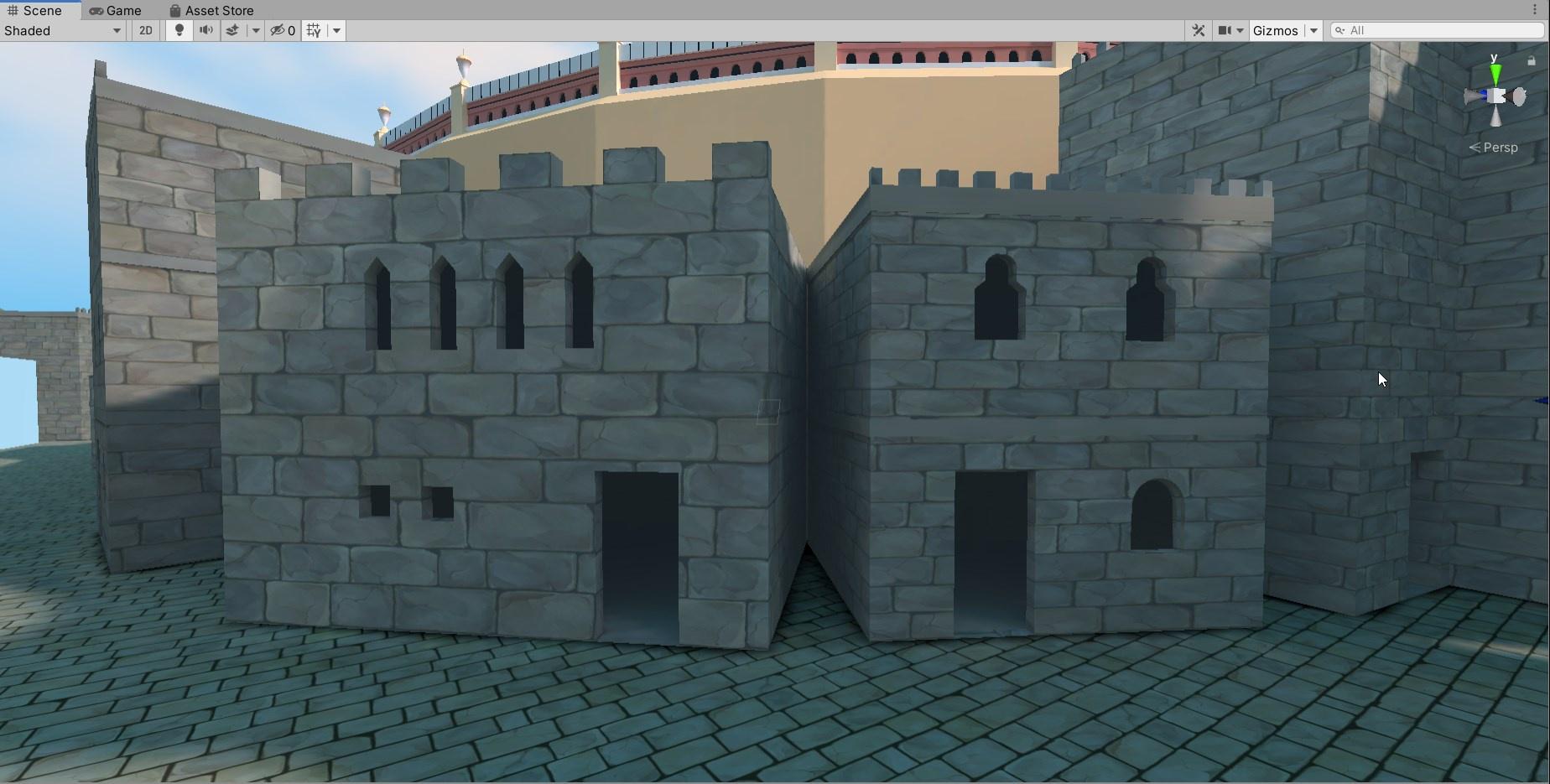
At some point most of our buildings will likely be boarded up until we actually have a reason for players to enter them, but does anybody have any specific suggestions for ways to have good believable lighting inside of a building like these?
fallow lark
just put the light sources where they would be
 elfin lance
hey for some reason the handles that let me resive the Reflection Probe just
aren't showing up for me
am I doing something wrong?
 modest vapor
Could be hidden gizmos
pine trench
So, I have a question about lighting a world with a continuous day/night cycle. The sun is an always rotating dynamic directional lightwith an animation. Would it be possible to enable baked light maps at night and then disable them during the day? It's mainly for interiors of buildings and street lights. Shadows are disabled so i feel like interiors would get too bright during the day if they were always active, and street lights would look weird if they were always on.
glossy sluice
pine trench
So, I have a question about lighting a world with a continuous day/night cycle. ...
no, unless you have two different scenes in the same project, the lightmpas go by scenes, a day scene and a night scene
pine trench
Mkay, that's not really an option with the way my world is set up. I'll try something else. Also will a dynamic light override baked shadows? I was thinking that I could set the sun's intensity to 0 to bake, then reset it after the bake, so the basis is night time.
fallow lark
nope real-time Shadows would show on top of the baked Shadows
pine trench
The real-time shadows are disabled, they just destroyed performance so I kept them off
The real-time light would illuminate baked shadows though right?
fallow lark
pine trench
The real-time light would illuminate baked shadows though right?
yup like so far the only thing I've seen with time of day with baked lighting basically involving duplicating the map twice and baking different lighting on each and swapping between with a button pressed which is probably not looking for
pine trench
Yeah my map is a bit too big to do that with
Pretty sure I posted this at some point before but this is back from when shadows were enabled, just to give you an idea of what I have going on.
glossy sluice
pine trench
Mkay, that's not really an option with the way my world is set up. I'll try som...
if only indirect lighting you could try a kind of occlusion without marked shadows you could use shadowsmask
teal star
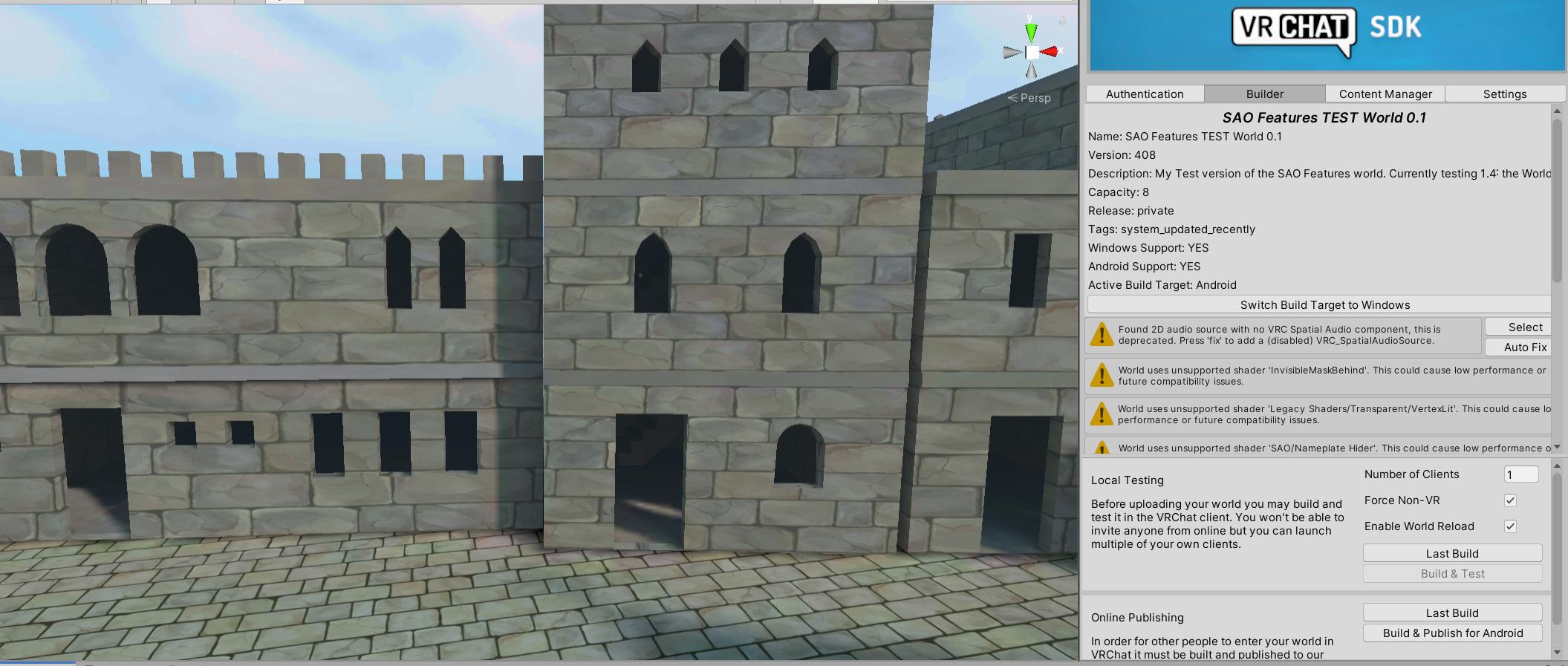
Hey y'all, we're noticing some funky behavior where when using Bakery the PC lightmap seems to be brighter overall than the Android equivalent. We prefer the brightness of the Android lightmaps because unlit rooms are nearly pitch-black... anybody have any idea what's causing this and if we can disable it on PC?
Android:
PC:
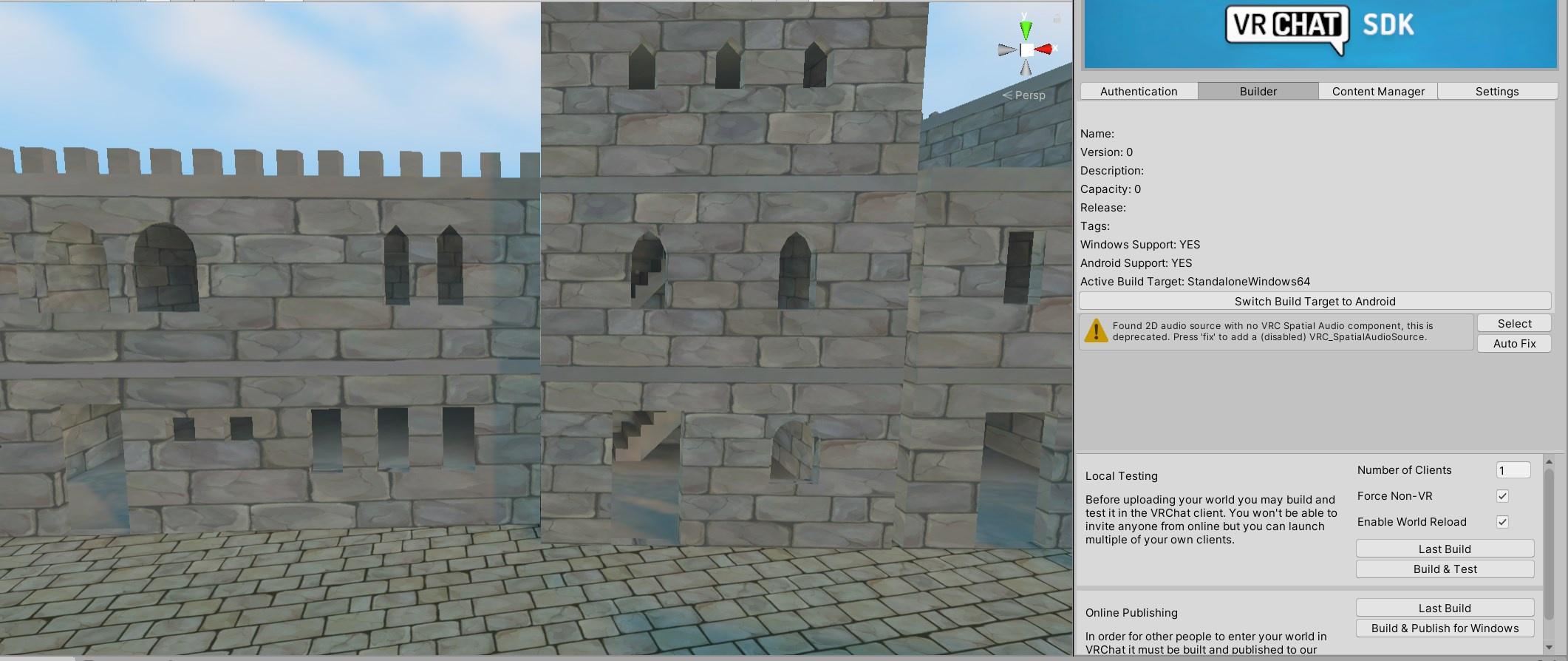
Is it the compression type?
teal star
Billy mays here again with another self-answered question!
It was the compression 😅
Or lack thereof
 quasi hatch
hey guys, i need help. i'm trying to publish a world for vrchat (it has terrain) and in the scene the trees that are in the terrtain and the grass gives off shadows, right? but once i go test the world out in vrchat, they aren't casting any shadows anymore, and also the fog that i have on (linear), is gone too. (if it helps, i have post processing on; bloom and ambient occlusion). oh yeah and keep in mind i'm on sdk3.
nevermind i fixed it
yee
 desert thunder
What would be a alternative to the fog setting? This way the same effect could be used with toggles. (Using Fog and bloom)
verbal cape
particle fog. You either use Unity's depth texture fog (the one in the settings) or you do a particle fog.
they both have a purpose and they normally arnt switched out for one or the other.in first person/vr dpth texture is ideal for blending low poly lods and backgrounds to hide optimization hacks. where as a particle fog is meant to be viewed around the player.
 rain magnet

 twilit lily
Unity 2018 👀
 novel stag
What did i do wrong for the lighting to do that?
 rapid leaf
I just started trying to bake my lighting using the Bakery asset from the unity store. If anyone here with good experience baking with that I could use some help figuring out why my renders are so chaotic and garbage.
I think it's UV overlapping but I don't know how to fix this issue...
 glossy sluice
rapid leaf
I think it's UV overlapping but I don't know how to fix this issue...
glossy sluice
rapid leaf
I think it's UV overlapping but I don't know how to fix this issue...
If you have bakery installed, why configure the lighting from unity standard?
rapid leaf
glossy sluice
If you have bakery installed, why configure the lighting from unity standard?
I'm not, I was just on that tab..
glossy sluice
then you may have to increase the density of texels, and make sure you don't have an overlap
fallow lark
https://www.youtube.com/watch?v=dKgUJccjWRU this tutorial shows Bakery usage

You can support me on my pateron
https://www.patreon.com/mcphersonsound
This is a longer tutorial than normal and there is a lot to cover so here are time stamps for your convivence.
00:00 what is baked lighting
00:35 setting up lights
1:23 preparing meshes to bake
2:30 generate lightmap UV
3:28 light probes
5:10 reflection probes
6:00 emissive ...
rapid leaf
glossy sluice
then you may have to increase the density of texels, and make sure you don't hav...
if I do that the render takes nearly as long as Unity's renderer :/
fallow lark
do you have it set to use your GPU
rapid leaf
fallow lark
do you have it set to use your GPU
yep, 3070ti RTX
rapid leaf
So I think it's a UV map issue and the manual says to unwrap models for lightmapping but I don't know how to do that.. I made things static so that should be enough.
It doesn't explain how the baking process is destroying the terrain. If you look at the picture you will see tiling and horrible subsurface scattering like the sand is made of plastic.
fallow lark
you need to generate light maps uvs
rapid leaf
The baking overwrites my textures entirely and if I clear them I find that it actually broke my shader and won't revert back to normal when it wasn't looking like overglossed plastic sand..
rapid leaf
fallow lark
you need to generate light maps uvs
that seems to have done a thing, might have made some headway finally, thanks
fallow lark
cool
rapid leaf
fallow lark
cool
So that fixed the tiling issue, but not the overkill gloss and lack of good lighting all around
 fallow lark
that one I don't have any suggestions as you would have to play around if your settings
like decreasing the shininess on your like ground materials
novel stag
novel stag
What did i do wrong for the lighting to do that?
Pushing this bc i didnt get an answer
basically when the camera is in a certain spot/angle, the lighting darkens for no visible reason
here is a better example
why does it do that
fallow lark
question do you have your lighting baked?
and that's honestly kind of an excessive amount of reflection probes that close to each other
fallow lark
are all of your lights set to baked
fallow lark
novel stag
and those are light probes
okay I feel a little bit silly now
fallow lark
that would explain it as it's like hitting the limit on the amount of the real-time lights so it's flickering on and off depending on which is closer probably
novel stag
i see
imma change them all and check again
well it no longer flickers
just gotta wait almost 15 mins for it to bake tho 😅
fallow lark
yeah baking lighting can take a bit if it's complicated you map
 spare aurora
Hoping this is a quick one, anyone run into this since upgrading to 2019.4.30f1?
 rapid leaf
Can anyone tell me why this spotlight isn't baking?

 carmine cedar
Might be your bitmask set to 0
rapid leaf
carmine cedar
Might be your bitmask set to 0
That's the default setting, should it be something else?
carmine cedar
Ah, i am not sure. Just thought that 0 would mean none, but if it is default it might be fine.
Honestly looks correct to me.
rapid leaf
I found out why, turns out the light is blocked by the mesh inside...
which is bad because I can't get the proper spread unless the light is back in there..
 rapid leaf
So after baking lights into my world it went from about 27mb to 84mb. I haven't compressed the baked lighting yet and was curious as to which type of compression I should use.
glossy sluice
rapid leaf
So after baking lights into my world it went from about 27mb to 84mb. I haven't ...
the more detail in the lightmaps it will be better, but the world will weigh more, for the greater number of lightmpas, by default they are marked so that they are compressed more than that you can not do or find the balance between quality and weight
rapid leaf
glossy sluice
the more detail in the lightmaps it will be better, but the world will weigh mor...
Eh, I don't follow your meaning in the structure of your wording.. Marked?
 forest lichen
I'm not sure if this is the right place to ask but I'm having a hard time getting the bloom effect to work ;_;
twilit lily
how that?
forest lichen
it just- no bloom
I followed a few tutorials which basically said the same thing, but they were old so I don't know if that has something to do with it
twilit lily
all you gotta do is
-> create a game object that has the PostProcessing Volume component added
-> add to the main camera the PostProcessing Layer component
-> put the game object with the volume component on a new layer
-> select the newly created layer in the camera
-> add bloom to the PostProcessing Profile
-> enable what you need, set everything up
-> add the camera as reference camera in your Scene Descriptor
forest lichen
that's exactly what I did 💀
I'm gonna clean everything up and try that again though
twilit lily
reference camera set too?
forest lichen
yes
twilit lily
cuz if it works in unity but not vrc, then this is the issue
twilit lily
are the layers set up correctly?
twilit lily
maybe its just the strengh of the emission too low?
rapid leaf
Is there a godray asset that works with baked lighting somewhere?
modest vapor
any of them should do, but they're not meant to be baked
they have their own shader
rapid leaf
modest vapor
any of them should do, but they're not meant to be baked
any of them? where?
modest vapor
XSVolumetrics, Silent's godrays
rapid leaf
Also I've lost specular lighting as a result of baking, no gloss on anything and i read mixed lighting is actually worse than realtime lighting so that begs the question, is baking lights worth it?
rapid leaf
modest vapor
XSVolumetrics, Silent's godrays
that specifically states it needs realtime
modest vapor
Worth it for looks and performances
It needs a depthbuffer, that's not a realtime light
you can find a depthbuffer prefab in the prefabs database
rapid leaf
modest vapor
It needs a depthbuffer, that's not a realtime light
if by depthbuffer you mean a post process I have tried using that but still the rays are not visible in the map
fallow lark
rapid leaf
Also I've lost specular lighting as a result of baking, no gloss on anything and...
that's probably cuz you have your settings wrong
Google Docs
modest vapor
that is not a post process no
rapid leaf
fallow lark
that's probably cuz you have your settings wrong
lol what a pathetic, simple fix, thank you sir
So onto specular, how can I fix that?
modest vapor
bakery or unity lightmapper ?
rapid leaf
bakery
modest vapor
using bakery's shader ?

 modest vapor
You'll most likely have to use bakery's shader in addition to dominant direction
but it's probably better to use Silent's filamented shader at this point

GitLab
A transposal of the shaders from Google's Filament renderer over the framework of Unity's Standard shader to allow for higher quality rendering in Unity.
rapid leaf
I was using bakery's default shaders, I'll take a look at that shader
fallow lark
I guess question what were your settings set as far as directional mode
rapid leaf
fallow lark
I guess question what were your settings set as far as directional mode
I didn't have directional mode on, I just turned it on and I'm trying a default render now
The depthbuffer prefab to enable my godrays Rainwolf sent me work but are set as a directional light, will that affect performance? @modest vapor
modest vapor
No, cause it's configured to just be a depthbuffer
it'll still double the poly count in your view, but that's all it does
in terms of performance cost
fallow lark
would it be cheaper to go with the disabled depth of field post processing?
rapid leaf
I haven't tested FPS differences yet.
But right now its like a trade off as such:
3 realtime lights, world size 27mb
or
10 baked lights, world size near 100mb
rapid leaf
fallow lark
would it be cheaper to go with the disabled depth of field post processing?
I tried that, the rays seem to disappear
fallow lark
you'd probably rather deal with bigger file size than worst frame rate
and there's probably some tweaking you can do on your light Maps
rapid leaf
fallow lark
and there's probably some tweaking you can do on your light Maps
Yeah, compression? Is there a way to make them smaller without quality loss? I need to add another room to this world as is for dancing and don't want the world to be 200mb x_x
fallow lark
a small room for dancing probably wouldn't make it twice the file size
rapid leaf
it'll be a ball room 😛
fallow lark
still a heck of a lot smaller than an outdoor area with a whole ship
rapid leaf
I want fancy with good fps, no negotiation so I need magic to make it work. That and some fancy new volumetric fog asset is about to get released and I plan to shove that in.
fallow lark
then definitely baked all of your lighting
rapid leaf
on the subject of magic.. is there a way to make baked shadows animate to the say.. the sails flapping on my boat? XD
fallow lark
not really as far as baked Shadows that are on your light map
rapid leaf
why isn't my bread moving...
modest vapor
Did you make your bread static
rapid leaf
lol, have to for it to be baked yeah?
 rapid leaf
I don't expect it to animate, just joking
oh I probobly shouldn't have my texels set to 120 then
modest vapor
For anything movie you'd want to have a specific realtime low quality light targeting only a specific layer
rapid leaf
I watched a video and the dude set it to like 200
fallow lark
rapid leaf
I watched a video and the dude set it to like 200
that was probably for a small bedroom map
or bake the shadow to a transparent quad and animate that if you're doing like a ceiling fan
rapid leaf
modest vapor
For anything movie you'd want to have a specific realtime low quality light targ...
I wonder if thats worth it...
modest vapor
nice for realism and immersion, the cost isn't very high
fallow lark
but yeah I'd see your file size goes down a bunch if you try 20 on the Texel density settings
rapid leaf
should my bounce be set to 1?
modest vapor
5
rapid leaf
modest vapor
5
0_o
fallow lark
I'd probably recommend giving the bakery manual a reed
twilit lily
higher values increase baking time, but also improve visuals a lot
modest vapor
yeah it explains everything
rapid leaf
bakery took me about 3-4 minutes before, Now this test bake with directional active is taking about 8-10 in bakery.
fallow lark
yes because it's having to bake a lot more information
modest vapor
that's still ten times faster than Unity would take
twilit lily
once you use bakery, you will never go back
rapid leaf
no doubt, thank god I have a 3070...
fallow lark
especially considering how big your map is
rapid leaf
yee
modest vapor
The only reason people use unity enlighten is for realtime GI afaik
rapid leaf
haha, it's been stuck at Denoising direction for 4 minutes now, 85%
Hmm.. I think something in my settings must have been illogical to have set with directional enabled along with it. It's still at 85%, not sure it will finish.
modest vapor
denoising can take a while
rapid leaf
modest vapor
denoising can take a while
for this scene what should my samples be? If deniose is taking too long should I cancel and lower them? Its still not done XD
modest vapor
Large outdoor can be 15-20
You probably have a lot of lightmaps that need denoising
rapid leaf
Alright, thanks for all the juicy info @modest vapor @fallow lark
GPU: Baking all this stuff
Me: You okay with me working in Substance Painter at the same time right?
fallow lark
rapid leaf
GPU: Baking all this stuff
Me: You okay with me working in Substance Painter at ...
that's probably going to end poorly
rapid leaf
The render finished pretty quickly with the samples set low. But I still don't see any specular. @modest vapor
modest vapor
In which directional mode ?
rapid leaf
modest vapor
In which directional mode ?
dominant
rapid leaf
Yes both normal and specular, I did enable specularity on the Bakery Specularity materials.
modest vapor
I'm unsure then, that's pretty much how it works 
rapid leaf
modest vapor
I'm unsure then, that's pretty much how it works <:RuuuThunk:660008559886729226>
ah shit, I just used silents shader you shared, fixed the issue
rapid leaf
modest vapor
I'm unsure then, that's pretty much how it works <:RuuuThunk:660008559886729226>
How is it even doing this without realtime lighting? I'm so confused...
modest vapor
shader magic
fallow lark
basically you bake out additional light maps that tell you the direction of the lighting and the Shader reads that
 true grotto
any reason why area lights wont bake?
 twilit elm
With Bakery, when an area light is placed and baked, how come all avatars are black? Is there something I'm doing wrong or is a Bakery area light just for show?
 fluid sedge
Do you have light probes? 
fluid sedge
twilit elm
I take it that's the reason then? XD
Yep, baked lighting will only affect avatars with light probes in the area
Otherwise they just act like there is no light
south furnace
Any ideas why this reflection probe does nothing? Happened to me in the other project also, so decided to create a new one and it still does it here
 twilit lily
is it baked already?
south furnace
The reflection probe? Yes i baked it many times
If i make the probe clip through the ground plane it looks like this
 rapid leaf
Should every emmisive source have its own set of light probes?
fallow lark
yeah you would probably want light probes in areas next to a emmisive as basically you put them wherever there's changes in the lighting

 rocky pollen
is there anything I can do / should do to make the green reflection less apparent?
 rapid leaf
fallow lark
https://docs.unity3d.com/uploads/Main/class-LightProbeGroup-14.jpg
rapid leaf
fallow lark
https://docs.unity3d.com/uploads/Main/class-LightProbeGroup-14.jpg
Yeah but I mean, Do I use a box of probes per emission or one box for all emmissions in view?
Because if I use one box, it gets crazy when there are multiple emissive surfaces in view...
fallow lark
not quite sure as typically I just have like one light probe group and a whole bunch of light probes in it
fluid sedge
Is there any difference between one group with 80 probes vs 10 groups of 8
fallow lark
I'm not quite sure I suppose you could test with like two small groups to see what happens when you get to the edge in between them
fallow lark
then I guess do whatever is most comfortable for you?
fluid sedge
This is my way xD No idea tbh lol
 fallow lark
that is a lot of light probe groups
fluid sedge
each group is just a vertical line of probes between the floor and celing, then i put one group under each light, one in each corner, and one in each centre of a triangle created by the corner and light groups
probably not remotely the best way of doing it but its definatly an easy way lol
modest vapor
That's super unnecessary, you really only need a single group for your world
fallow lark
and I'd imagine there's probably some minor amount of CPU time for all the extra objects in your hierarchy
fluid sedge
modest vapor
That's super unnecessary, you really only need a single group for your world
Just 8 probes? I dont think that would be reasonable tbh, but I could definatly use less than I have atm xD
 modest vapor
fluid sedge
Just 8 probes? I dont think that would be reasonable tbh, but I could definatly ...
modest vapor
fluid sedge
Just 8 probes? I dont think that would be reasonable tbh, but I could definatly ...
light probe groups and light probes are different things
You created light probe groups
 modest vapor
it's not baked
novel stag
i did bake
modest vapor
on a static wall ?
novel stag
o
modest vapor

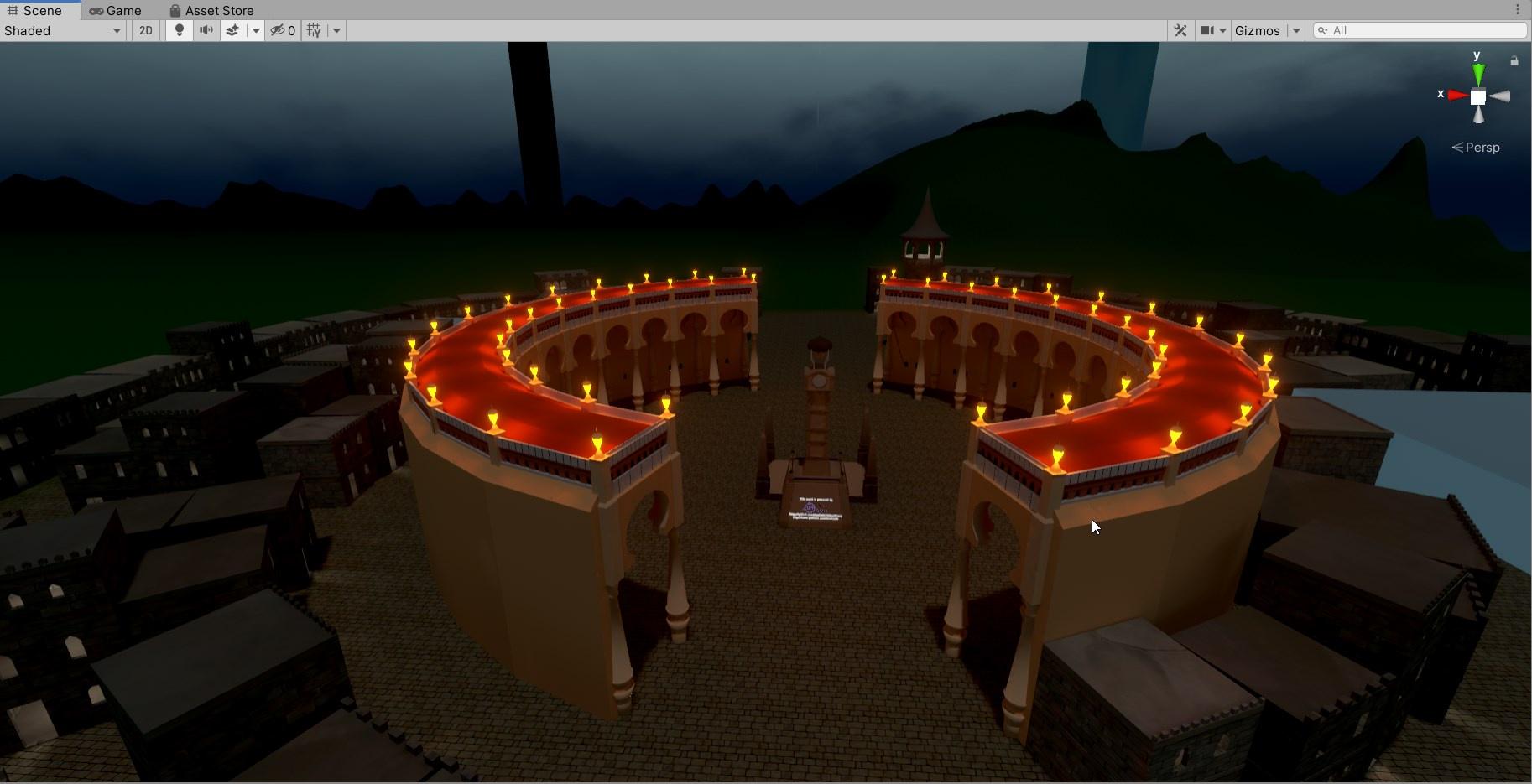
twilit elm
always bake on dem statics 😏
 rapid leaf
fluid sedge
This is my way xD No idea tbh lol
rapid leaf
fluid sedge
This is my way xD No idea tbh lol
its just.. this is by no means ideal...
 novel stag
so i was trying to make my world quest compatible and I noticed that the lighting got all blocky. I tried re baking and also redoing shadows and materials yet nothing is working.
This is what it looks like, and its very pixelated
Image
please gimme some help

ping me tho when u get an answer please
 half panther
novel stag
ping me tho when u get an answer please
half panther
novel stag
ping me tho when u get an answer please
Change compression on the lightmap
rapid leaf
half panther
Change compression on the lightmap
which one should we use to avoid this kind of quality loss? I use the DX15 one when I can on my avatars but I dunno about lightmaps..
half panther
rapid leaf
which one should we use to avoid this kind of quality loss? I use the DX15 one w...
I can look in my project in a bit but I believe I use Android 4x4 something along these lines and it looks great
lunar narwhal
you want to use ASTC, lower block size is better quality in exchange for file size
don't use anything with dxt in it for quest, if you're crunch compressing make sure its crunched ETC, not crunched DXT.
novel stag
half panther
Change compression on the lightmap
How do I do that
Not seeing anything in lighting settings
 fossil flax
HELP : Unity stuck at "Preparing Bake..." for nearly 6 hours, how to fix it ?
fluid sedge
novel stag
Not seeing anything in lighting settings
If you click the baked lightmap image in the lighting tab it'll hopefully select the file in the project, you then use the inspector on that file to override the compression settings
I use 4x4 block one
novel stag
fluid sedge
If you click the baked lightmap image in the lighting tab it'll hopefully select...
where do i change this option?
 fluid sedge
novel stag
where do i change this option?
fluid sedge
novel stag
where do i change this option?
For quest you want to click the little android tab 🤖, then in that tab I think the compression drop down
novel stag
 novel stag
there are quite a lot of options
fluid sedge
I don't remember them all but 8 bit 4x4 block is somewhere in the middle
novel stag
this?
 fluid sedge
Yeah
novel stag
is that the best one?
fluid sedge
That I know of
novel stag
oof
still a lil pixelated
just not as bad
aaa why must vrchat mobile shaders be so bad
fluid sedge
I can't help much more than that I'm not home to screenshot baking settings and stuff to compare
4x4 seemed fine when I used it atleast
mint cipher
so, i cant see the box around the reflection probe, can anyone help with that?
 orchid epoch
Do you have the box projection setting checked?
 round moon
Does anyone know how this world created this volumetric lighting effect? https://vrchat.com/home/world/wrld_350b2044-3882-4ccb-bb2c-c34a6eb7cea0

『光の色を浴びる』ことができる場所
orchid epoch
Those are often meshes with a transparent material applied
round moon
it's.... real though
like when you turn the color on for the windows and put your hand in the light you hand changes colors
and there are multiple colors/patterens for the windows
orchid epoch
Oh, in that case it might be a more complex system...
green vault
theres many ways to recreate lighting like that. starting from the mesh method fax said all the way to gluing reflections and rotating lighting based on view
it its changing colors on your hands shader. its most likely a geometry shader trick of some kind or transitional blocking
round moon
Ah I remember I got a fake lights shader awhile back that did some stuff that I couldn't figure out, maybe that was it
green vault
possibly
fluid sedge
Be nice if worlds had credits listing every source
orchid epoch
fluid sedge
Be nice if worlds had credits listing every source
Call out world creators who don't do that!
For this world in particular, it's not impossible that they created that system from scratch. Considering it's so customizable
 golden stone
https://booth.pm/en/items/1782044 it uses this, or variation of this, to project lighting, someone was working on a variation using a render texture to have live lighting effects as well : https://twitter.com/AYANO_TFT/status/1441648981029707782?s=20

VRChatワールド用 プロジェクター ・映像を環境やアバターに投影できます (シェーダーとの相性によって映らない場合もあります) ・物体やアバターで影ができます ・映像が変化すると光の筋も変化します ・Shaft.matとProjection.matにテクスチャを設定するか、 カメラを使ってScreenレンダーターゲットにレンダリングしてください。 カメラを使う場合はHDR, MSAAを無効にしてください。 ■ 使い方 unitypackageを取り込み、ProjectorフォルダのProjector.prefabをワールドに配置してください。 ■ 利用規約

 mint cipher
orchid epoch
Do you have the box projection setting checked?
mint cipher
orchid epoch
Do you have the box projection setting checked?
yes and i still cant see it
fossil flax
HELP : Unity stuck at "Preparing Bake..." for 3 days, how to fix it ?
glossy sluice
fossil flax
HELP : Unity stuck at "Preparing Bake..." for 3 days, how to fix it ?
for 3 days???? 👀
 tardy rivet
Man I missed the Humble Bundle with Bakery im so sad lol
fluid sedge
Is there any way to see what lighting information is baked into a probe?
modest vapor
fluid sedge
Is there any way to see what lighting information is baked into a probe?
Well if you increase the size of the probe through gizmos you can see the info on it
fluid sedge
modest vapor
Well if you increase the size of the probe through gizmos you can see the info o...
You mean you can see the info by eyeballing it, or it literally has the info there? I kind of want the exact numbers, and a bonus if I can edit them
modest vapor
numbers ?
fluid sedge
Though I'll be honest I've no idea how parsable that info would be
HSL?
I assume HSL or similar is what gets baked onto a probe at least, no idea
Unless they are actually tiny 3d objects with shadows and everything I guess
mint cipher
Technically related to lighting but uh does anyone know how someone would go about having a realtime spotlight follow above someone around a map?
Or maybe there is another way to go about that effect
this would be a decently dark map
fluid sedge
Get any prefab of something world related that's wearable, hat, collar, ect.
Remove the mesh and materials, attach a light
You now have a real time light you can pick up and wear xD
(or you could learn how to make such objects yourself, mabey there is a way to automatically put such things onto players as they join)
mint cipher
Alrighty then ill have to look for one of those
I didnt realise that you could get a prop that does that so easily
 frail atlas
I'm having an issue in one of my older projects, where when I attempt to bake anything lighting related, it just sits at "Baking...". I've changed my lighting settings around, and attempted to update any outdated addons I have but this issue still occurs. I stopped working on this world because of this issue, and came back to see if 2019 fixed this. Yet, still running into this issue. Any help would be great.

It does show that it's working, but if I remember correctly, it will still process, but after roughly an hour but still unsure why it takes so long, or doesn't work.
fluid sedge
usual suspects would be mirrors or transparent objects being set as static
 acoustic loom
Does anyone have any idea why my unity might be making a secondary lightmap that's essentially mapping nothing? I have my main lightmap texture (which is not even close to fully packed), but Unity seems to be creating a secondary lightmap with nothing baked into it at the same resolution. No idea where it might be coming from
acoustic loom
Lighting is set to non-directional, could it still be a directional map?
fluid sedge
I guess thats why its empty?
acoustic loom
Hmmm honestly not sure about that, I've never had that happen before using non-directional
unity 🤷♀️
fluid sedge
mine look like this
 acoustic loom
Oml, i'm a moron, I had a massive plane of water of of the scene and it was set to be lightmapped, it was pure black since there's no lights out there
🤦♂️
The plane's so large it was massively exceeding the existing texture size
acoustic loom
Thanks for the help 👌
 fiery cape
I'm using Bakery and having some strangeness. Just added these new objects to my scene. They look fine in the editor while in edit mode. But if I press play or test in game, its like they are unlit.

And yes, I have the editor set to show all post-effects, etc etc
 modest vapor
are they meant to be lightmapped ?
fiery cape
modest vapor
are they meant to be lightmapped ?
Yup, they are set static. And don't move
And they are fully UV2'd
modest vapor
Did you check your console ? Did you also check that their lightmaps were located in the bakery folder ?
fiery cape
I've found them in the lightmap. Odd that this doesn't show up in edit mode.
 modest vapor
 fiery cape
@modest vapor They look like this on that...
 modest vapor
If only the frame was black i could make a guess, but since the painting also does i'm not sure
fiery cape
Though, when I'm in Play mode, if I switch back to the Scene tab, different information is shown
This is it in play mode
 modest vapor
yeah that doesn't seem right, make sure to check your console
fiery cape
I've got to head to bed, but I'll ask the system to rebake as I closed it down since then
tardy rivet
So I'm pretty new to lighting setup... after my last bake this is what some of the world looks like:

Weird geometric artifacts and ugly shadows
I added a couple extra rows of light probes, but it might be overkill??

Any tips? I'm p new to this all
modest vapor
Did you actually generate lightmap UVs for your meshes ?
You can support me on my pateron
https://www.patreon.com/mcphersonsound
This is a longer tutorial than normal and there is a lot to cover so here are time stamps for your convivence.
00:00 what is baked lighting
00:35 setting up lights
1:23 preparing meshes to bake
2:30 generate lightmap UV
3:28 light probes
5:10 reflection probes
6:00 emissive ...
tardy rivet
I followed this tutorial essentially to the dot: https://vrcat.club/threads/xiexes-lighting-tutorial-how-to-get-good-at-baked-lighting-101.2081/ unless there's something not covered in there? I can tell it worked, I see the maps themselves and lighting change significantly + boost in performance, but it looks pretty wonky. I did indeed generate

VRCat: Community-Run VRChat Forums
Greetings! Over my course of playing VRChat I've noticed that most worlds, mainly the ones that have baked lighting, are done poorly, or in an...
modest vapor
Alright, how many lightmaps do you have and what are your settings ?
tardy rivet
These are my settings:


These are the maps generated
I guess each probe group generates one? I'm not sure exactly how it works yet lol
tardy rivet
it was just a first iteration, how high should I turn it??
fluid sedge
This is my settings atm
 tardy rivet
How long does initial render take you? Thank you for sharing
tardy rivet
Mine was pretty simple too but the initial render took like six hours... consecutive renders took just a few minutes though
fluid sedge
And don't worry about having to many light probes, you'll want a actual tutorial but until then put them like everywhere lol
tardy rivet
I saw like positioning them smartly is a good idea. Thank you for the reassurance haha! I will probably get Bakery soon lol
fluid sedge
tardy rivet
I saw like positioning them smartly is a good idea. Thank you for the reassuranc...
That's right if you know where to place them, but if you don't and are trying to be sparse it'll just be worse
Because you'll miss details
tardy rivet
Okay slick, thank you for your advice!!
fiery cape
Apparently I have 46 items with overlapping UV's, I'm not sure how this is possible given I went I manually UV2'd everthing
tardy rivet
So I just changed my lighting settings to match the settings @fluid sedge suggested and it looks very weird now

There's a bright flare coming from through that door, that goes to outside so I guess that's the skybox?
And it looks very weird and dark inside...
Any suggestions? I feel like this is close to right but also still pretty significantly off lol
tardy rivet
asjkdhakjsd now my Unity is just stuck at "Baking..."
tardy rivet
It's still stuck at "Baking..." am I just like screwed lol
tardy rivet
Bakery is revolutionary lol
In the standard unity lightmappers changing lights slightly takes far less time to bake, is there a Bakery equivalent?
modest vapor
wdym ? after a rebake ?
tardy rivet
Got it going I think. thank you!
What am I meant to be doing for pickups inside of a room with baked lighting?
Just not mark them static and use Bakery probes?
fluid sedge
Yeah non static, and lightning from probes
fossil flax
glossy sluice
for 3 days???? 👀
exactly, but turns out, Unity 2018 can bake lights, and it is way faster, in Unity 2019, it took 10 hours and it is not even complete yet, Unity 2018 tok 16 minutes... problem is Unity 2018 cannot deal with reflection probes and light probe groups...
 ember torrent
Can somebody hop in a call and help me with this lighting please. I've generated uvs, set up light probes, set up a reflection probe, change my directional lights to baked, and generated lighting on my world. It's still dark, no lighting at all from the directional lights. Help please!
Please send me a dm if you're able to help. This is the one part of world development that I can't get to work at all
modest vapor
Did you follow a tutorial ?>
 coral harbor
Hi, suddenly after updating/test building my world, it crashes upon joining...
After some tests I found out that it was the directional lighting I use for the moon, more specifically, when the lighting has hard/soft shadows enabled...
I have 2 different scenes for worlds built in the same project, the one crashes when the light has shadows on, while the other using directional lights & shadows too, works perfectly fine...
I don't know why this suddenly now causes a crash as it didn't before, wondering if anyone has ideas as to why or how to fix it?
modest vapor
How many realtime lights do you have ?
coral harbor
modest vapor
How many realtime lights do you have ?
In the crashed world 3, 1 directional for the moon, and 2 point lights are toggleable torches
modest vapor
What are the settings of the moon light and what are the stats looking like in the game window with it enabled ?
coral harbor
I did replace the moon light with default settings for directional to see if that worked, it didn't, so right now it's just default settings
As for the game window...it crashes as well when trying to open it there
Oh, it does open though if I disable shadows first, then open it...
And when switching shadows back on while in the game window, it doesn't crash but it does create errors
Oh it does crash when I turn the camera to face the shadows
 modest vapor
how complex is your scene ?
coral harbor
not really complex I'd say...just an outdoors area....
The shadows did work fine a while ago, just IDK what happened that caused it to now crash from them
Last thing I was working on adding was clouds using infinicloud asset as a starting point to create them...I removed them as well to see if that would fix it but nothing...
 modest vapor
What are your camera settings looking like ?
coral harbor
So clicking on the camera crashed unity (shadows were on)
Turned the shadows off, then clicked it and got in, I was looking up that error I sent about the build mask as well, one post I found talked about the clipping range on the camera, which was the problem, I guess at some point I matched it to my other world, which is 1+e7 and that just managed to break this world...
So yah...lowered it down to the default 1000 and works fine now...surprised my other world hasn't run into the same issue, but if it does I'll know why...
Thank for leading me to the error though and getting it fixed!
modest vapor
ah, yeah that clipping range would be infinity
not surprising it would crash !
glad you figured it out !
 hallow hound
@ember torrent do you got on the objects the light static on?
Or you mean on the players?
 sweet viper
i have silly issue in new world, so my shadows show in the scene but if i hit play they vanish?
tardy rivet
What's the technique for making players look reasonably good in varied lighting? I have a dark outside and bright inside - what do I need to do?
I'm pretty happy with the look so far

Also any other tips just for overall improvements would be of course appreciated haha
modest vapor
lightprobes
tardy rivet
modest vapor
lightprobes
Does Bakery not handle that automatically?
modest vapor
Did you place them in your world and baked them ?
tardy rivet
modest vapor
Did you place them in your world and baked them ?
I had some in there from when I was using the built in lightmapper, I may have disabled them... lemme take a look and see.
Even after reading the Bakery wiki countless times and looking at the demo project it's still not self evident to me rip
Ok yeah I had some from before but I did indeed disable them
So I just place them and Render Light Probes in Bakery? Or is that automatic with a render if they weren't disabled? Anything I need to be careful of when baking them because I have no concept of if I have too many or too few


Do I want to try to do like, one mesh of lightprobes that covers just the inside part, and just the outside, or overlap them? sorry for such beginner questions haha
modest vapor
You need lightprobes where light intensity or color changes
an object will always take light information from the three closest lightprobes
to approximate the light around it basically
So you need to make sure there is no lightprobe below the ground or inside a mesh, or you risk making these probes turn out entirely black, which will be used for the lighting approximation
rapid leaf
can you have too many light probes?
modest vapor
Depends on the world
 prime token
Hi ! Is it possible to cast negative light in unity ?
verbal cape
prime token
Hi ! Is it possible to cast negative light in unity ?

Add depth to your next project with Negative Light from Fraktalia. Find this & more VFX Shaders on the Unity Asset Store.
 wooden spire
modest vapor
Depends on the world
wooden spire
modest vapor
Depends on the world
To reframe: how performant are lightprobes? I can imagine 10,000 will be less efficient than 10, but by how much, and how many is too many for a mobile platform like Quest 2? They seem like a fairly linear cost.
prime token
verbal cape
like this https://assetstore.unity.com/packages/vfx/shaders/negative-light-10104...
thank you so much 👍
fluid sedge
wooden spire
To reframe: how performant are lightprobes? I can imagine 10,000 will be less ef...
Easy way to find out, test performance, then duplicate the probes 10 times over and test again, then duplicate the 10x probes 10 times and test again xD
Keep going until you see a performance loss or unity crashes
modest vapor
wooden spire
To reframe: how performant are lightprobes? I can imagine 10,000 will be less ef...
It really depends on the size of the world, i have near 10000 lightprobes in my dota map, but it's pretty large, so it's fine, but if you had 10000 lightprobes in an apartment sized world, you would definitely start to feel it. Light information is calculated constantly and that wouldn't be great. You really only need as many lightprobes as your lighting changes color or intensity
rapid leaf
Every copy of this door that I make is darker. what is going on here?

It's like the lights are hitting duplicates of the door differently, for some odd reason...
modest vapor
are they lightbaked ?
rapid leaf
modest vapor
are they lightbaked ?
they were, I removed the lightmaps
is there some lightmap data that is persisting after being deleted somewhere?
modest vapor
You can clear lighting data and see
rapid leaf
I did
I do get a message stating "Scene has multiple lightmap storage objects. This is not currently supported. Make sure you don't bake a scene with already baked prefabs."
wooden spire
modest vapor
It really depends on the size of the world, i have near 10000 lightprobes in my ...
Thanks! Also it’s super useful to know that it’s sampling 3 probes at any one time (and I assume interpolating the lighting between them).
wooden spire
Tasty 🤌
wooden spire
rapid leaf
I do get a message stating "Scene has multiple lightmap storage objects. This is...
You can go straight into the folder and delete lightmaps manually. Select your objects and they should show whether a lightmap is assigned to them in the inspector. Double-click on this and it will show their location in the browser.
rapid leaf
wooden spire
You can go straight into the folder and delete lightmaps manually. Select your o...
Yeah, some lingered for some reason... deleted
glossy sluice
help, any suggestions on how I can make this style of flooring, with a similar lighting pattern?
 rapid leaf
At one point I was told to use ASTC for compression of lightmaps but that is not an available option in the compression choices I have available in Unity.
What kind of compression should I use for my Bakery Lightmaps and how do I use it? Atm my lightmaps are between 26mb - 12mb each.
 modest vapor
I think ASTC is for android
wooden spire
Yeah ASTC is for Android. Bakery lightmaps are automatically compressed just like Unity's, you can't really do anything more to them as far as I'm aware.
To my knowledge, they become further compressed at build so a 26mb lightmap isn't a huge deal.
Things that take up build memory in my own tests, from largest to smallest:
- Lightmaps
- Skybox (especially if 4K)
- Textures (albedo, normals etc. Use crunch compression to get these down)
- Meshes (usually tiny)
You can reduce the lightmap texel density of individual meshes to get the lightmap size down. Reduce the size that less important meshes take up in the lightmap, especially distant objects that the player won't see up close.
Also, it's generally good practice to delete the unseen faces on meshes. If the player never sees a certain part of a mesh, delete the faces there so they don't take up space.
Also @rapid leaf It looks like you're baking out directional maps too? A couple tips around those:
- If you're not using any normal maps, forget about these entirely. They offer no advantage to diffuse textures and just take up space.
- If you DO need them: You can reduce their size in Bakery's Experimental settings to a fraction of your lightmaps. It looks like this:

Directional maps don't need to store as much information as lightmaps (they only send directional data to normal maps, and this can be approximate without a massive degradation in quality) so you can take them down to 1/2 or even 1/4 of the main lightmap size.
Apologies for the text wall, likely you knew most of that but hopefully some of it helps 😬
rapid leaf
wooden spire
Also <@!173125010368495616> It looks like you're baking out directional maps too...
Nope, all new to me this is my first time baking lights, using Bakery and trying to optimize my world lighting.
So I can reduce their sizes with that there. I do use normals in my environment.
Questions:
How do I reduce texel size for individual meshes?
Should I reduce the Shadowmask scale or Main lightmap scale or just tweak other settings?
This is the kind of shadows I have rendered with the current settings which imo look pretty good.
If you think I should drop something specific to yield better file size without loss please let me know.
 wooden spire

You can reduce the lightmap scale with "Scale in lightmap". This is in the settings per object. If you select multiple objects and change this value, it will apply to all of them.
It's a percentage value, and on some massive distant objects I've gone as low as 0.01 lol. Just go as low as you can without a degradation in quality. Leave areas the player will see up close on 1.
I assume you won't be using dynamic lights and shadows in your world so don't worry about the shadowmask setting.
Main Lightmap scale just resizes your main lightmaps down. Usually this is dictated by texel density, but it gives you the opportunity to halve or quarter their resolution without touching that setting. I just change the texel density if I want smaller maps though.
You can get pretty great shadows out of Bakery with just 15 texels per unit.
Usually you get pixellation in the shadows, but if you go into Bakery > Global Shader Tweaks you can turn on Bicubic Interpolation. This will soften the pixelated edges.
Some more tips based on your settings:
- Kick it into Expermental mode and turn on Denoise: Fix Bright Edges
- Use Optix5 denoiser if you have an Nvidia card
- Turn Ambient Occlusion to 1 for some nice simple occlusion (if you like the look). This also helps to increase contrast (important in VR to stop everything blending into each other).
If you want to reduce file size even further, use Crunch Compression on all your textures. This is in the import settings for each texture image.
If you set compression to "Normal" and Crunch at 50% it has virtually no impact on quality.
hallow hound
can sobody tell me how bakery make reflection from the skybox i got watter to reflect the skybox bat ther is none reflection from the skybox why?
wooden spire
hallow hound
can sobody tell me how bakery make reflection from the skybox i got watter to re...
What was not reflecting the skybox? You mentioned the water was reflecting just fine....was there other things in the world that aren't?
hallow hound
i mean the water was not reflecting the skybox
modest vapor
Did you bake your reflection probes ?
hallow hound
yes but i got none relfection probe in the map i allways was useng the unity defeult auto reflection
modest vapor
Either i'm not aware of that technique or i'm not understanding what you're trying to do
hallow hound
the unity add an reflection defeult in the lightmap folder that reflect all with out usend eny reflection probes in the world but on bakery i got none indea
modest vapor
Is there a reason why you don't want to use a reflection probe ?
hallow hound
why i wand only the watter outside reflect the skybox nothink more
the rest not reflecting eny think
oo i found the problem i am an idiot sorry lol i forgot to make it static xD
modest vapor

mint cipher
sahhh dude
fluid sedge
Won't that method make anything dynamic with reflections reflect the default unity skybox? Never heard of this till now
rapid leaf
wooden spire
You can reduce the lightmap scale with "Scale in lightmap". This is in the setti...
Juicy info.
Thanks very much!
 burnt karma
Look I'm not sure if the problem is a configuration of my world that buged when I transferred to the new unity but when I bake some parts are weird coloring or missing honestly I'm kinda lost on how to fix it
 rapid leaf
burnt karma
Look I'm not sure if the problem is a configuration of my world that buged when ...
rapid leaf
burnt karma
Look I'm not sure if the problem is a configuration of my world that buged when ...
that kinda looks like the same issue I had with some PS1 textures. I think it has to do with baking textures that already have baked lighting in them or something...
fallow lark
that's probably not it given the color artifacting
like that just looks more like the bake messed up somehow
rapid leaf
I'm having issues with all shaders now.. they just randomly break in Unity. Silents for example end up in the failed to compile section and the specular shader no longer has any reflection.
 toxic viper

how do i prevent the ambient occlusion post processing from appearing to the camera?
this is in unity, but in vrchat, it can also be seen using camera
twilit lily
i had the same issue. try using that other mode (idk out of my head what they are called)
toxic viper
twilit lily
i had the same issue. try using that other mode (idk out of my head what they ar...
There’s only 1 mode?
toxic viper
but what kind of mode? im using the vrc starter kit udon prefab with unity built in post processing, as per instruction in the prefab
 cosmic torrent
Can anyone tell me why individual coloured point lights wouldn't show up in a baked environment?


They're clearly contributing to the lighting, but it's not respecting the point light's colour.
twilit lily
range 0.5
they shine half a meter only
and is the light itself inside an object maybe?
 twilit lily
yea, thats not possible that easily
youd need to uncheck "cast shadows" for the object
but also make sure they are not merged with other objects that should cast shadows
cosmic torrent
Done and done, but still not seeing any colour in the lights.
 glossy meteor
cosmic torrent
Done and done, but still not seeing any colour in the lights.
glossy meteor
cosmic torrent
Done and done, but still not seeing any colour in the lights.
are the skeletons marked as Contribute GI in the static flags?
and do they have UV2s? you can generate them by checking the Generate Lightmap UVs in the model's import settings or make them yourself, if you are unhappy with the result
cosmic torrent
I'm not sure, but I'll take a look. Cheers for the advice.
glossy meteor
the static flags can be found in the top row of the inspector, when you clicked an object in your scene
there is a little triangle/arrow pointing down, it will present you a list of static flags
you could also just check the static checkbox
 formal turret
Is it possible to bake path-traced AO into an AO map in substance?
modest vapor
Not sure in substance, but should be in blender
wooden spire
@formal turret Yeah it’s possible in Blender.
If you want an addon that helps with that, here’s a couple! Bystedt’s baker is just for baking (just out of beta) while TexTools has been around a while and has a larger UV-centric toolset along with baking (and it’s just awesome regardless):

Gumroad
This addon streamlines the texture baking process in Blender. Tutorial:https://youtu.be/T4GVVQjPi1QYou can find a test file here:https://3dbystedt.gumroad.com/l/uorrJ

GitHub
TexTools is a UV and Texture tool set for 3dsMax created several years ago. This open repository will port in time several of the UV tools to Blender in python. For more information on TexTool&...
formal turret
wooden spire
<@227202342397673477> Yeah it’s possible in Blender.
If you want an addon that h...
wow thanks I didn't know anyone would be able to answer that x3
fallow lark
those are both very helpful add-ons
the heck of a lot nicer than blenders normal texture baking
toxic viper
in this case, the realtime AO post process is needed as baking the lighting is not affordable since generating the lightmap uv option in the import will freeze unity.
fallow lark
then generate your light maps in your modeling software
as screen space ambient occlusion is not going to substitute for light baking
toxic viper
quest users tried the world and i hear no report from it being laggy
nevertheless, i need to figure out how to bake AO with transparency in blender.
fallow lark
or have models that can have ambient occlusion on UV map 1
and you would still need to fix your Unity install
okay checking it appears Unity can bake ambient occlusion into light Maps https://docs.unity3d.com/Manual/LightingBakedAmbientOcclusion.html
 toxic viper
It doesn’t crash, it’s just taking a really long time to generate lightmap uv. The progress bar doesn’t tell anything about the progress. After 5-10 minutes of waiting, i gave up and force close unity.
burnt karma
Does anyone have any tips on how to configure the gpu bakery for a good lighting with mesh light?
toxic viper
It is a huge mesh. I tried separating it apart using material selection in blender but it is prone to human error because sometimes the end, some materials are forgotten and left some part of the world in holes
fallow lark
having it as one big mesh will present some problems as that means you can't do any culling
so it's having to constantly render the whole world all the time
toxic viper
The least accidental error i can afford to do is separating the leaves, grass, and flowers etc.
burnt karma
I understand but I'm going to ask you a question has the unity bake system changed from 2018 to 2019? because I realized that you don't react the same way
Now I'm using the bakery as a solution so I'm wondering why my map I originally made in 2018 using Unity Bake when I used Bake 2019 was weird, wrong colors on the map, I haven't changed anything
sorry for my bad English
tardy rivet
Anyone know if I can use Network Baking on Bakery with a non-Windows machine?
glossy sluice
tardy rivet
Anyone know if I can use Network Baking on Bakery with a non-Windows machine?
windows pc, y gpu nvidea
tardy rivet
glossy sluice
windows pc, y gpu nvidea
Ripppp, i have access to a Nvidia GPU server but it
is unix
rip
twilit lily
or you beg your friend with a 3090 to host a server for you :p
 south torrent

im using bakery to render my world, in general i get really nice results, but sometimes this specific wall prefab gets these weird diagonal lines on them, its only on this prefab, and the lines arent the same on every instance, as you can see the one in back has them in a different place. any idea whats going on here?
glossy meteor
south torrent
they may be missing proper lightmap uvs/uv2, have you generated them?
south torrent
i dont really know how UVs work. this is an asset pack i have, all the other walls in the pack work fine without having to do anything
where can i check this?
glossy meteor
the mesh will have a tag stating when it has uv2 in the preview window for one, i think
you can check the generate light map uvs in the mesh import, unity will generate some uv2s then, but they often have problems with seams


 stray chasm
if anyone uses bakery can ya tell me if it has spotlights and if so where is it at cant find it
modest vapor
Bakery has its own menu at the top
and its own components
If you're starting out, please read the documentation !
modest vapor
Just selecting the experimental dropdown is 
Imagine not using the bakery shader
Also there's an even better version of it if you're relying on specularity !
GitLab
A transposal of the shaders from Google's Filament renderer over the framework of Unity's Standard shader to allow for higher quality rendering in Unity.

I've been working on a replacement of Standard - Filamented!
It combines the features of Standard with the modern PBR shaders from Google's open-source Filament renderer. The difference is subtle, but it has lots of useful features for VR. Coming soon!

 Twitter
·
Twitter
·
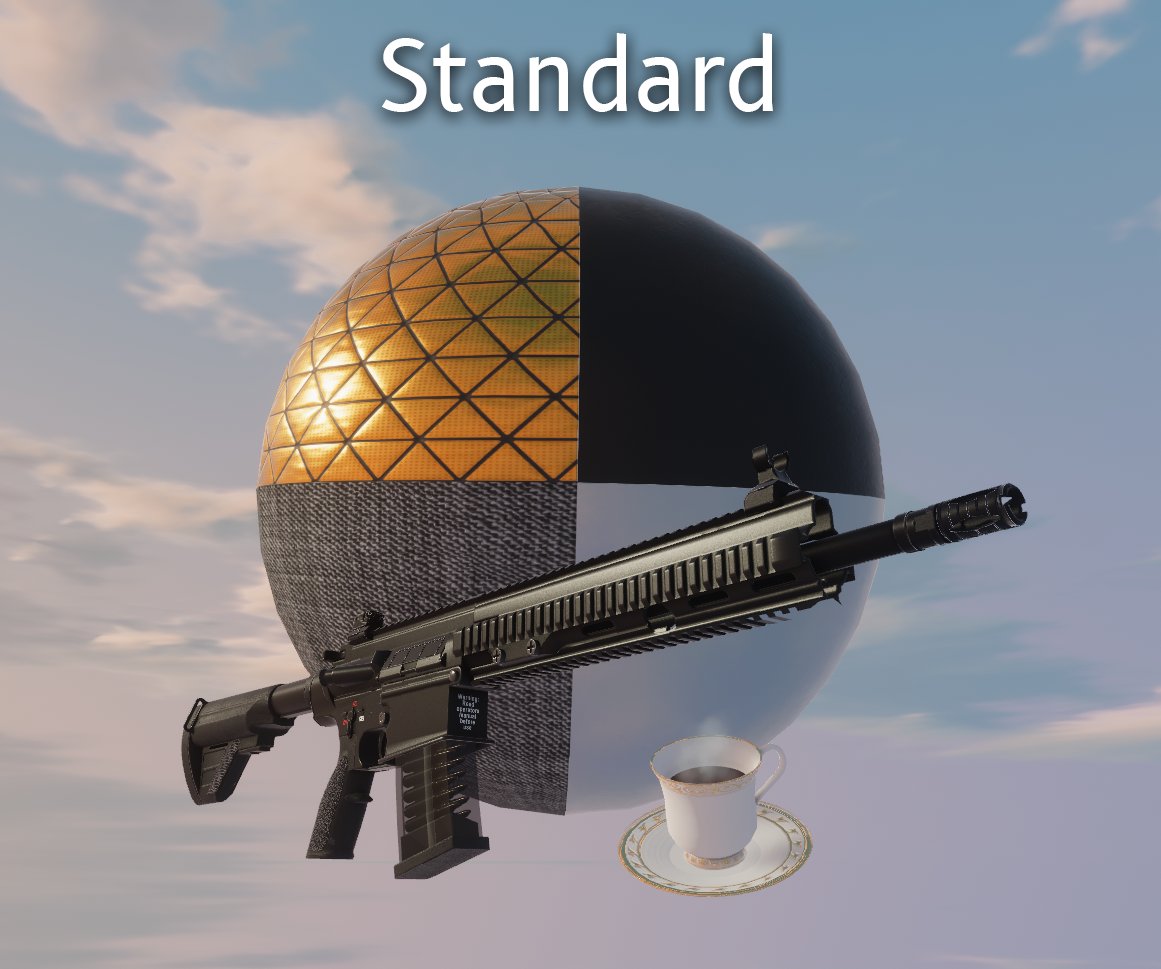 fallow lark
not noticing a huge difference between the two screenshots
modest vapor
You can tell where the specularity is correct
mint cipher
any idea how to fix this annoying bleeding?
 modest vapor
Scroll down in your settings ?
mint cipher
lightmap settings?
 modest vapor
2 padding is very low
direct samples could also be quadruple that
filtering to bicubic would also help
glossy meteor
increasing light map size could also help, if i assume unity's baker uses it like it should
mint cipher
i guess it was a pain in the *ss to only process lightmaps in your trusty dusty apu
modest vapor
unless it warns about reaching max size of lightmap on the mesh renderer you should be fine ?
glossy meteor
i am not sure how well unity uses lightmap space
mint cipher
i have a bakery gpu lightmapper but it needs e-gpu so that's sad
glossy meteor
bakery needs a fairly recent nvidia gpu, yea
it worked fine on my 1060, they write somewhere how new
mint cipher
guess it was a bad idea to process everything with only apu
 mystic orchid
tried doing a discord search... I haven't been able to get baked lights to work for the past couple of days, every time I switch to anything but realtime, my lights completely disappear, and my scene is left dark where previously it had nice lighting
mystic orchid
mmmmmm dumb
had realtime lighting checked ;;
nevermind, seems that the light mode got overridden to realtime somehow, which made everything work again. Back to darkness
modest vapor
tiny bulb icon top left of scene window
tardy rivet


Any idea what could be causing this weird line descending from the awning?
(May have to full screen to see it well)
modest vapor
what does the UV for that wall look like ?
 bold wadi
this might be an impossible question but, how can i make a baked light toggleable even tho i already have the world lighting set and can't darken it without changing to realtime which i don't want to do
??
 frozen star
Why is it stuck like this?
 frozen star
Why is it stuck like this?
frozen star
frozen star
Why is it stuck like this?
 frozen star
Why is it stuck like this?
frozen star
frozen star
Why is it stuck like this?
 frozen star
Why is it stuck like this?
frozen star
frozen star
Why is it stuck like this?
 frozen star
Why is it stuck like this?
frozen star
frozen star
Why is it stuck like this?
 frozen star
Why is it stuck like this?
frozen star
frozen star
Why is it stuck like this?
 frozen star
Why is it stuck like this?
frozen star
frozen star
Why is it stuck like this?
 frozen star
Why is it stuck like this?
frozen star
frozen star
Why is it stuck like this?

 opaque pecan
How do I create bloom for one side of a room in a world?
Also, how do I make an object invisible without disabling it?
hallow hound
@opaque pecan on the postproccessing uncheck the is global and use on the post postproccesing object in yor scene a boxcolider and check it is trigger evry time you run in the boxcolider you gona see the bloom and wen you go out you dont see it.now for the object to get it invisible uncheck the mesh renderer on the object.but for what you need the object to be invisible is it only for short time or for ever from the Beginning? i mean if the object need to be renderet?
opaque pecan
hallow hound
<@!477884210707955735> on the postproccessing uncheck the is global and use on t...
Thanks ☺️
hallow hound
np
 graceful abyss
I've been working on a map for a while now, and I'm trying to figure out the best way to bake the lighting. There are different settings for scenery, with each one also changing the lights for the given area. What would be the best way to bake the lighting for this, if it's even possible?
modest vapor
you can't change baked data at runtime, so either have multiple areas that you move over, or bake basic washed out lighting and do the different settings visuals through post processing
graceful abyss
Alright, thanks
opaque pecan
@hallow hound Would it be possible to add bloom to a box collider just to add bloom to a separate room?
hallow hound
@opaque pecan You got 2 options now or you add more boxcolider on the postproccesing and try to place them to ather rooms or you delete the box colider on the post proccesing and check the is global and add boxcoliders with is trigger checket on and make a trigger wen you on sdk3 to turn on wen you enter in the boxcolider the post proccesing and wen you leave off.if you on sdk2 you use a onentertrigger to turn it on and on exittrigger to turn it off the post proccesing
rapid leaf
So with baked lighting metals don't really work. Is there a trick to making player avatar metallics not be black in a world with only baked lighting?
mint cipher
anyone have a good tutorial for the glow effect from a lamp?
twilit lily
mint cipher
anyone have a good tutorial for the glow effect from a lamp?
you mean the bloom effect? or that the lamp illuminates the area?
mint cipher
twilit lily
you mean the bloom effect? or that the lamp illuminates the area?
the last part i think
twilit lily
mint cipher
the last part i think
youll have to put a light source in the lamp. if you bake it however, remember that light gets blocked from backfaces too
mint cipher
twilit lily
youll have to put a light source in the lamp. if you bake it however, remember t...
how do i fix it?
twilit lily
disable cast shadow for the object
mint cipher
thanks
golden stone
What’s the advantage of having multiple light group objects and not just add probes to an existing light group? Can they store different layer culling data, for example for a dark world but you want players illuminated brighter than the world without real-time light, would you set up a group for player/local/mirrorreflection ( with a baked noshadow directional for those layers) and a different one for world environment lighting?
ember torrent
Any idea why a baked light with a warm temperature would be rendering cool when actually baked?
modest vapor
Temperature doesn't work
modest vapor
ember torrent
Any idea why a baked light with a warm temperature would be rendering cool when ...
You can use this to convert instead
there's an option under GameObject then Light which is called Convert all Lights Temperature to RGB, you can also right click the Light component to do just that component. Make a duplicate scene to try it first though just in case
ember torrent
modest vapor
You can use this to convert instead
How do I hook up that cs file to my lights? I've never done something like this before
modest vapor
Add it to your project files anywhere, then click on gameobject at the top of unity and you should see the Convert all Lights Temperature to RGB option
rapid leaf
I need to make my baked lightmaps via bakery smaller but apparently they can't be compressed anymore than they already are, I've tried multiple compression methods.
I've got texel at 15, max res at 2k, min 16, tile size 512, etc... Is there any good method to reducing lightmap file size that won't lesson shadow quality? My lightmaps are still larger than the world in general...
modest vapor
texel and mesh scale on lightmap are the only ways to reduce
rapid leaf
So I reduced nearly all of my lightmap scales from 1 to 0.5 and the texel count from 16 to 15 but the file size for each lightmap is still the same. @modest vapor
modest vapor
yeah, if the resolution of the texture is the same, the file size is the same
I'd suggest deleting all lighting information including lightmaps, and bringing down your texel count to 10
rapid leaf
modest vapor
I'd suggest deleting all lighting information including lightmaps, and bringing ...
I lowered the overall resolution from 2k to 1k which seemed to do the trick, then upped texel to 22. Jaggedy edges but.. that's the sacrifice I guess.
 light plover
anyone know how to fix this. The overall lighting as you can see isnt light, but for some reason its making avatar emissions really over exposed.
 green vault
light plover
anyone know how to fix this. The overall lighting as you can see isnt light, but...
green vault
light plover
anyone know how to fix this. The overall lighting as you can see isnt light, but...
looks like your GI might be set to max
light plover
green vault
looks like your GI might be set to max
how do i fix this?
green vault
go into lighting settings and lower the GI color to gradient and darker colors
i can’t remember exactly what its called in unity
rapid leaf
I can't seem to bake areas properly using Bakery. One of my areas needs higher resolution while the other needs less but I can't choose which area gets what resolution.. both areas have to be rendered at the same time. I've tried separately but it just removes the previous baked lightmaps. Adjusted the scale of the lightmaps per object is also not doing anything to the file size of the lightmaps. I'm confused as to how you're supposed to optimize baked lighting per area/object at this point if it won't let me render objects differently...
I also can't figure out if it's better to have lower resolution or lower texels.. With lower resolution the file sizes are smaller in windows but even if I lower the resolution and try to offset with higher texels, I select all lightmap files and the overall baked data is still huge all together.
modest vapor
that's what scale on lightmap is
you tell the UVs how much smaller/bigger they can be on the lightmap, texel is across everything
as long as bakery can fit things in a texture, it'll keep that resolution
rapid leaf
modest vapor
that's what scale on lightmap is
I tried that, the file sizes still amount to about 16 megabytes per map regardless of what number I set the scales to.
modest vapor
then lightmap size is what you should reduce, and mess with texels over time
rapid leaf
Then there's the scale per map type. 1/1 ,1/4, etc... is that the same as the object scale?
here you can see I have lightmaps for this clutter set to 0.5.
I have just about everything in the map set to half the size yet there is no loss in quality or file size.. I don't think the scale per object is working.
 modest vapor
If you're not using any directionality mode for bakery, the map type should be irrelevant
you can unable the uv checker in bakery
and then preview the scale
You can always try this otherwise https://github.com/alexismorin/Auto-Lightmap-Adjuster
GitHub
UE4 & Unity plugin to Automatically adjust lightmap scale for meshes in your scene - GitHub - alexismorin/Auto-Lightmap-Adjuster: UE4 & Unity plugin to Automatically adjust lightma...
 native sentinel
this happens when I try to bake the light, it looks alright with real time

Im very new to unity
modest vapor
I don't think that was baked correctly 
You can support me on my pateron
https://www.patreon.com/mcphersonsound
This is a longer tutorial than normal and there is a lot to cover so here are time stamps for your convivence.
00:00 what is baked lighting
00:35 setting up lights
1:23 preparing meshes to bake
2:30 generate lightmap UV
3:28 light probes
5:10 reflection probes
6:00 emissive ...
 ornate vector
Why do some of my lights renders out when i'm going away and render in when i go closer?
Is there a box i can tick somewhere that say "keep all lights rendered" or something?
omg i just realized i had over 40 point lights all rendering "real time"
No wonder it lagged
fallow lark
Unity is setup to only render a Max of like eight Dynamic lights at the same time and yeah you should be doing baked lighting
mystic orchid

despite being underneath the cabinet, the light projects through the bottom of it, illuminating the cups above.

I have it set to cast shadows, so I figured that would fix it, but no... And I tried using a spotlight instead, with a wide angle, but it gets too wonky too quick when trying to do it like that. Oh, and that little white line on the bottom of the cabinet is a light bar
mystic orchid
and how is it recommended that I light these up?

 lyric heart
mystic orchid
and how is it recommended that I light these up?
lyric heart
mystic orchid
and how is it recommended that I light these up?
Light probes? I think
 stray bay
how do i get baked lighting from a directional light
i have never used baked before and i dont get it at all
mystic orchid
everything you want to have shadows should be set to static, if it doesn't move
stray bay
mystic orchid
everything you want to have shadows should be set to static, if it doesn't move
yep map is marked static
mystic orchid
then beyond that idk 
stray bay
do i need light probes?
mystic orchid
I figured I'll do my lights last out of everything. I literally have no idea. Currently running with only realtime, to get a sense of how it's gonna look. Then do a couple of lighting passes after my map is done
Best of luck though^^
stray bay
yeh ive never used baked before becase my worlds have such agressive code culling it runs full speed on quest
stray bay
if someone can help me would be appreciated
I've enabled generate lightmap UV, I've made the lights mixed mode, light and model marked as static
pressed baked manually
and still no shadows in play mode
glossy meteor
stray bay
if someone can help me would be appreciated
I've enabled generate lightmap UV, I...
light probes are intended for moving/dynamic objects
if you bake the world, which i recommend by default, and you use a material with standard shader:
you can set the global illumination on the light bulb material to baked and then increase the emission's brightness
not entirely sure why you want mixed mode, is there a reason for this?
stray bay
mainly so avitars emit shadows on pc at least
and ive also had it on mixed so the realtime portion of it worked as a bandaid fix
glossy meteor
you can do this with a directional light that only affects players
stray bay
my entire issue rn is getting it to bake at all, also im sure im useing standard already
glossy meteor
you need to set the lights to Baked too
i would just try all baked for now instead of going to advanced levels of baking that are also very performance hungry
stray bay
glossy meteor
you need to set the lights to Baked too
have done the directional light im useing is static and baked but still aint workin

just makes it dark like its sunset and casts no shaddows
glossy meteor
stray bay
have done the directional light im useing is static and baked but still aint wor...
can you show the settings of the light?
stray bay
 glossy meteor
have you tried playing with the intensity?
stray bay
that shouldnt be the issue tho as it worked when mixed
glossy meteor
mixed and baking are very different beasts
stray bay
fair enough, ajusting brightness didnt do anything
still that dark even at stupid high like 100
the map has genrate lightmaped uvs on
modest vapor
stray bay
the map has genrate lightmaped uvs on
Can you screenshot your whole unity window ?
 modest vapor
I assume that creating a cube also doesn't receive light/cast shadows ?
stray bay
it effects a defalt cube
so ima recheck the materials are standerd but i dont remember changeing the materials
modest vapor
Might want to delete baked data at the bottom of the lighting window next to the bake button, then go to edit > preferences > clear GI cache (i think it's under cache ?)
And then save, and restart unity
stray bay
hmm now im confused af becase ofc when i restared it had to rebake but it went to that same state
lunar narwhal
can you show a screenshot with one of the meshes that arnt receiving baked lighting selected?
also check that lightmap scale on the mesh renderer isnt set to 0
stray bay
 lunar narwhal
afaik, you can't have baked lighting on skinned mesh renderers
stray bay
well fun
is it easy to swap mesh renderer?
lunar narwhal
is there a reason it needs to be a skinned mesh renderer? i don't see any blend shapes
stray bay
lunar narwhal
is there a reason it needs to be a skinned mesh renderer? i don't see any blend ...
nah just the model i used :)
lunar narwhal
i'm not sure if there would be any issues with switching it to a mesh renderer in unity
personally i would just go into blender and remove any bones, vertex groups and blend shapes
stray bay
so just remove there amiture and manualy go every object and remove any remaining weights
sounds tedious but fair enough
fun blender + dae = broken materials
true grotto
who would be our resident stage and particle lighting expert? (animated concert spotlights and lasers)
lyric heart
stray bay
sounds tedious but fair enough
CATS has some buttons that remove unused vertex groups etc automatically
 trail bough
How do you make avatar brightness react to baked lighting?
lunar narwhal
light probes
trail bough
ty
 wet lava
is that within the world youre making of the avatar?
coral harbor
Hello! I'm making an event that spawns a creature in a dark area, along with some fire to act as the light to see it...
My question is how would I go about changing from lights off to lights on without just using realtime lighting? Trying to find the most optimized way to do this...
The creature would be using light probes since it will be moving, but the terrain/trees/spikes would be lightmapped...
I feel like it's possible to just render probes and mapping with lights on and again with them off, and just swap between those renders with an animation, but how do I go about doing that if that's the case?
I'm still new to lights, so any help would be appreciated!
Here's the before and after for an idea of what I'm trying to do...

 modest vapor
Nope, it would need to be realtime lights
You can optimize those lights in a few different ways, but we don't have the ability to change lightmaps/lightprobes at runtime
 keen gorge
Hey @modest vapor (sorry for ping) does baking the lighting in the world increase demand on hardware, decrease demand or does it have no impact on performance?
glossy meteor
keen gorge
Hey <@97980768323633152> (sorry for ping) does baking the lighting in the world ...
while i am not ruuubick: it usually improves performance a lot in comparison to real time lighting or mixed lighting.
however, it costs file size as it pre-calculates your lighting/shadows into lightmaps (special textures). as a consequence, the lighting won't change anymore at runtime
based on the baking method (bakery, the third party GPU lightmapper), performance can differ, as there are additional techniques such as baking normal maps or specular effects
keen gorge
That's exactly what I was looking for! Thank you!!
glossy meteor
you can imagine it like this: shaders do their own magic and then apply the lightmaps to that
some shaders can use additional lightmaps, they will also have a small performance overhead (more textures to process), and do even fancier things (specular effects)
 glossy meteor
here is an example what bakery can do:

the built-in gpu lightmapper in unity 2019 got a lot better, no need to buy bakery if you getting started
glossy meteor
give it a try with the built-in lightmapper and see if you like what you see. many use bakery nowadays though
i am in no way affiliated with bakery, but i used it a lot
keen gorge
🫂
glossy meteor
light baking is something you can spend hours on 
keen gorge
already spending 10s of hours on building a room lol
What's a bit more time
Plus, I still need to rank up once more before i can make anything public. Didn't think it would take 47+ hours but still going
So yeah, I got time
keen gorge


 plush root
it b like that.... :-(
I'm saving lights for last on my map, not super sure if it's a good idea though
 twilit lily
use gpu progressive instead, its a lot faster
or bakery
mystic orchid
When you bake lights, they should look nearly identical to how they looked when they were set to realtime, yeah?
modest vapor
Nope, should look much better
fallow lark
as baked lighting can have indirect lighting
twilit lily
baked lights can be compared to static path tracing basically (aside from reflections), it looks MUCH better than real time
fallow lark
and the reflections would be handled by reflection probes
 median widget
Speaking of baked lighting, I recently purchased Bakery and rebaked the lighting in my map. Yet for some reason, it looks like the lighting is being.. ignored by mirrors? What's going on here?
https://media.discordapp.net/attachments/668627894242639892/902813288008646666/20211027013827_1.jpg https://media.discordapp.net/attachments/668627894242639892/902817403291979826/unknown.png

 mint cipher

How come I don't have that formatting option? Is it removed in a newer update?
Ah I found it
Turns out I need to go into android specific settings
sorry for the ping
I looked for baking stuff about quest

 mystic escarp
anyone know how to make a hue slider in the world to change the hue of lights?
 queen spade
so i'm having.. issues where uhh.. the "Reflection Probe" makes everything darker, or ever makes everything within it reflect just a black color/darker metal color, I'm not sure whats going on?
no reflection probe

reflection probe.
 orchid epoch
What does your reflection probe look like?
By default it might not include your environment or your skyback, which leaves... darkness
I'd look into the settings and tweak them! 🙂
mystic escarp
Im not sure if this question should be in #world-development or here but how do i make all light reflect through mirrors? cuz i have a light that goes rainbow mode but the mirror doesnt see the rainbow-ness
wet lava
 tardy kettle
How do remove the blockness
tardy kettle
How do remove the blockness
you should try to add bloom using post processing component
fallow lark
how would that remove the blockness that would just be covering it up in bloom
 flint path
tardy kettle
How do remove the blockness
flint path
tardy kettle
How do remove the blockness
This is actually typically caused by the lightmap the model uses, or how it decides where the light-baking textures will go. This can almost 100% be resolved by going to the model file in your project window and checking the very last box, something like "Generate Lightmap UVs" I think is the name. This will require you bake lighting again.
tardy kettle
wet lava
you should try to add bloom using post processing component
I already use bloom
and it would blind people in vr if pushed it any higher
wet lava
you should make it thinner, bloom makes it thinner and by increasing the emission or strength itll make it thicker
flint path
Again, I'm pretty sure it's Lightmap UVs :3
tardy kettle
It is
flint path
👍
wet lava
have you uv mapped it?
tardy kettle
i've fixed it anyway
mystic orchid
for each time it loads "preparing bake", what is it? There's no way that's each light, because it's gone over several times more than the lights I have
 wet lava
mystic orchid
for each time it loads "preparing bake", what is it? There's no way that's each ...
wet lava
mystic orchid
for each time it loads "preparing bake", what is it? There's no way that's each ...
just calculates the bounces of light that cant be produced realtime
rapid leaf
Is this too many light probes? Does it matter? https://media.discordapp.net/attachments/677081461383495691/903419143812952094/unknown.png?width=1618&height=910
 golden stone
it should be for each area transition of light, really depends on the density of lights in that area, that will give you very percise gradients for sure, but cpu has to think which its closest to for each dynamic object
keen gorge
Today I learned I have to set objects to static if I want them to bake properly with lighting.
"Preparing bake" ight, I'll be back in an hour
keen gorge
Nope, still not done
Me to my 3900x and 2080 super: "I thought you were the chosen one!"
Unity: "hehe, Ray tracing hard"
mystic escarp
How do i prevent blocks of light appearing in my world after bake?
mystic orchid
Hmmm. How long should I expect my world to take to bake? I know it's super different based on different variables, but what's the upper limit of hrs?
mystic orchid
keen gorge
Me to my 3900x and 2080 super: "I thought you were the chosen one!"
Unity: "hehe...
I thought gpu tracing with a 3080 would be a piece of cake ;;
mystic escarp
the more lights and probes you have the longer it takes but i think there is a set speed unity bakes but im really not sure at all
mystic escarp
tardy kettle
How do remove the blockness
Did you manage to fix this? If so please tell cuz im having the same issue
mystic orchid
Imma leave this baby for 12hrs, just curious if it should be done by then
mystic escarp
how many lights and probes do you have?
mystic orchid
I forgor 
mystic escarp
Anyone know how to fix this?
 keen gorge
Add lights
keen gorge
mystic orchid
I thought gpu tracing with a 3080 would be a piece of cake ;;
I'm still on preparing bake
mystic escarp
i can still see it
 mystic orchid
keen gorge
I'm still on preparing bake
mystic orchid
keen gorge
I'm still on preparing bake
I mean, mine is going, I just wish I knew what it meant when my sofa goes from dark, to lit with lighting, to dark again, and repeat...
Issue is lights aren't soft. They're blocky
On that image, I believe
keen gorge
Ah, yeah no idea. I'm still learning lighting
mystic orchid
Udon? Understandable.
Meshes? Easy.
Lighting? Shaders? What the fuck is even happening.
mystic escarp
we all been there before.
 uneven lily
Hello, anyone knows what is causing this type of lightmap issue and any idea to fix it?
 uneven lily
nvm, found the solution.
tardy kettle
flint path
This is actually typically caused by the lightmap the model uses, or how it deci...
@mystic escarp
mystic escarp
thanks for pointing this out for me
mystic orchid
keen gorge
I'm still on preparing bake
baked through the night. Still going
mystic orchid
 keen gorge
yup, same
 sinful wren
Hello. I need help because I feel like I have have tried everything. I am making a snow map and so I wanted to use a shader that adds snow on objects. However every snow shader I have used creates this effect in VRchat and I dont know why. https://gyazo.com/13432bf74d2bf87090ffcc126a444fc9
I has not shadow and you can see shadows or the AO idk what it is.
And the odd thing is. These shaders work fine in unity and only break in the VRC client so... any ideas?
 tight marten
So I am brand new to world creation and this might be a dumb question. But my world currently functions off of realtime GI and I want to essentially freeze frame what these lighting settings look like right here and bake them in game so that the environment looks like this, without the realtime cost in performance of this lighting. But, I also have an ocean that is still receiving realtime GI.
Can anyone explain to me how I can bake this into my map properly? When I tried baking earlier (with lightprobes/reflection probes set up) the shadows from the trees just don't appear at all on the ground and the lighting also looks more muted than the coloring here.

Also, I only have two light sources, the sun (directional light) and the campfire there which is a point light.
golden stone
sinful wren
And the odd thing is. These shaders work fine in unity and only break in the VRC...
Render queue likely the issue, the background is rendering over the foreground due to transparentcy of the snow shader, do you have a link to it?
sinful wren
Here is one of them https://assetstore.unity.com/packages/vfx/shaders/snow-cover-shader-73589

Add depth to your next project with Snow Cover Shader from 3y3net. Find this & more VFX Shaders on the Unity Asset Store.
golden stone
tight marten
So I am brand new to world creation and this might be a dumb question. But my wo...
Make sure ground has generate light map uv checked in it’s mesh import settings, or receive shadows if it’s a terrain.
 golden stone
Play with that render queue value up down a little
sinful wren
Already tried that no effect
I have been trying to fix this for days I have tried a lot already
Although
I forgot to say one of the is issues is my directional light
if I make it night it looks fine
no shadow but it looks fine
tight marten
golden stone
Make sure ground has generate light map uv checked in it’s mesh import settings,...
I'm using terrain. For the lighting, do I want to have "contribute global illumination" checked or not? I also don't see a setting to receive shadows for the terrain, just "cast shadows"
golden stone
Says it uses shadergraph which isn’t fully supported with the built-in unity renderer, try in #shaders for some recommendations
Ok it may require a depth pass, set a directional real time light to hard shadows but 0.01 intensity and in culling remove all layers except for the one this object is on
golden stone
tight marten
I'm using terrain. For the lighting, do I want to have "contribute global illumi...
There should be options for shadows in the setting tab of the terrain , try two sided but I may need to be at my computer to see the full window to help more
tight marten
golden stone
There should be options for shadows in the setting tab of the terrain , try two ...

That's what I currently have set
golden stone
Hmm it looks ok in quick view.


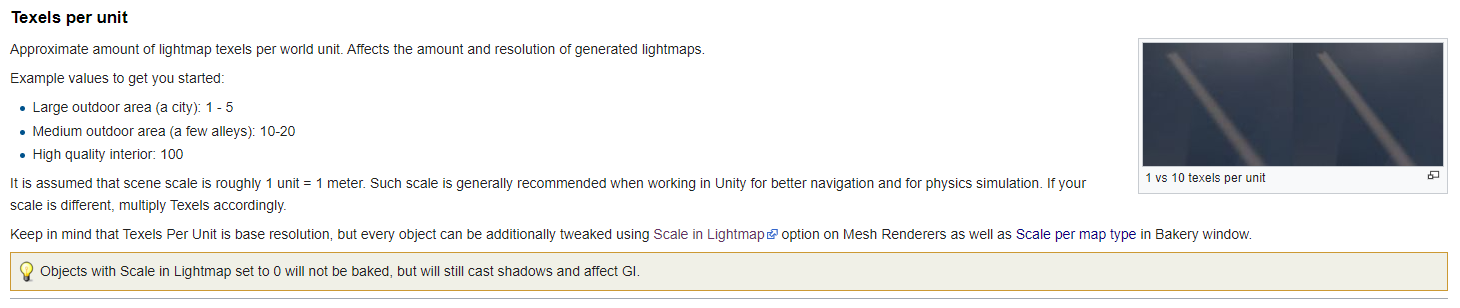

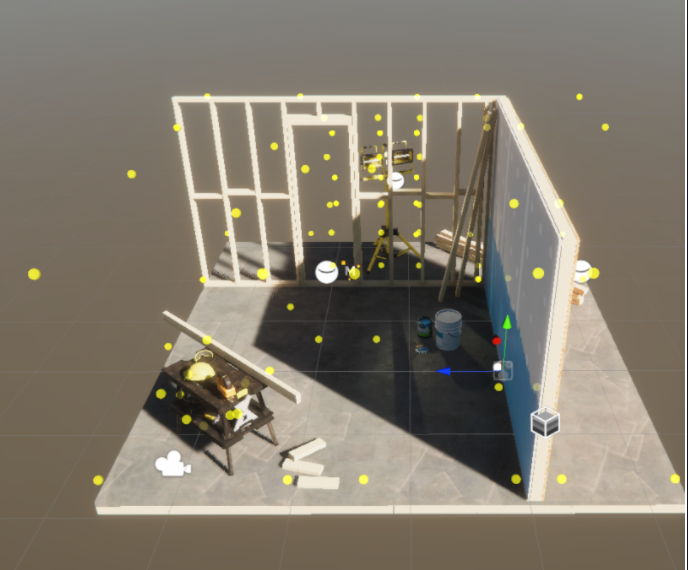





 sinful wren
golden stone
Play with that render queue value up down a little
sinful wren
golden stone
Play with that render queue value up down a little
Any other ideas?
golden stone
all I can think of is due to shadergraph it may not be translating to vrc, I can only recommend try the shader channel to see why the background is overrendering
tight marten
Hmm so I fixed my issue from earlier, but I'm struggling to get baked shadows working properly with realtime lighting for just player shadows. Does anyone have any advice on this or have any videos they could link me to that helps explain how to do something like this for lighting? Using bakery as well btw.
modest vapor
which step are you actually having problems with ?
tight marten
Well when I try to bake the shadows for the terrain, the trees don't actually have their shadows mapped on the ground. I have to use real time lighting for them to actually properly be there. I made sure the terrain is static and that it contributes to global illumination as well.
The part im struggling with is that I cannot get the globally illuminated shadows properly baked so that I can just cast players' shadows on the ground afterward.
Tried all kinds of things like using the built in unity baking solutions as well as the bakery asset.
modest vapor
You can support me on my pateron
https://www.patreon.com/mcphersonsound
This is a longer tutorial than normal and there is a lot to cover so here are time stamps for your convivence.
00:00 what is baked lighting
00:35 setting up lights
1:23 preparing meshes to bake
2:30 generate lightmap UV
3:28 light probes
5:10 reflection probes
6:00 emissive ...
You watched that one ?
Akalink also has a terrain specific tutorial
tight marten
I haven't seen this one! I'll check it out, thanks!
 lucid onyx
So i am trying to use area light for my lamps. But i can't see them making light. I tired some stuff, but still not working -.-
 warm jungle
@lucid onyx you have to bake them to see them
lucid onyx
Ok it works. But how can i get a "reflection" from the area lights on the floor. The floor is very shiny & smoothness is 1. I want to recreate light tubes lighting reflection
warm jungle
@lucid onyx you have to put a reflection probe in the scene and place them so they can be close to walls and see the floor and try to leave them as far in the middle as it goes afterwards you bake them and it should appear a reflection
lucid onyx
I'll try. Thanks!
warm jungle
and dont forget to set everything static that you want to bake or to reflect
tardy kettle
So how do I make it for the spot light baked to look like Realtime with this lighting

This is after baking
 warm jungle
If you want to bake something than go in the windows tab than Rendering and Lightning Settings. In this tab you can make the settings for your bake and also there is a button that says Generate Lightning but first select the mesh in your scene that you want to bake and set in on static after that go to your fbx file for the bed and under model it there is a button called Generate Lightmap UVs also check that on and then you can start to bake @tardy kettle
tardy kettle
Thnaks
warm jungle
did it work?
tardy kettle
yea it did
warm jungle
perfect
 buoyant current
How do I make the lighting in the world a different color? I have changed all of the lights in the hierarchy to the color I want but when I generate the lighting nothing changes.
 warm jungle
If you want to change the led then you must put the Material a different color or go into the PostProcessing volume and change the the color there if its not white and if you want to change the Lightning you must put everyl Light in the color you want and for shure these Lights are baked that why nothing changed for you. now you have to bake it again @buoyant current
And if you scroll a bit up I explained what you need to adjust