#world-lighting
4 messages · Page 23 of 1
 orchid saffron
 modest vapor
Was your world build in blender ? 3000 render queue is transparent btw
orchid saffron
My world build was mostly in blender but the render queue is the default queue..so I’d have no idea
 mystic gust
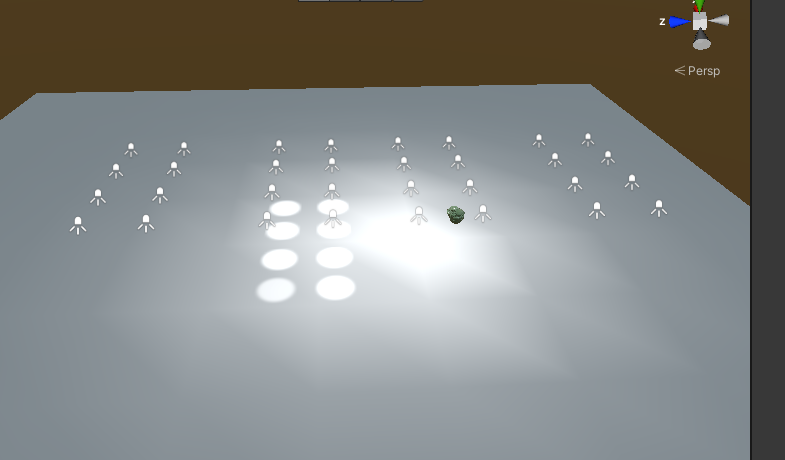
Mostly house interior, something like this, im using realtime point lights just to prototype before switching to baked. but idk if theres a better type I should be using

 fallow lark
yeah that would probably be mostly Point lights
but it does look a little goofy not having any visible causes for the light
 modest vapor
Did you generate lightmap UVs
 twilit sluice
yes
modest vapor
Did you get warnings in your console

 twilit sluice
how i can fix it?
modest vapor
Generate lightmap UVs on all those meshes would be a start
 jovial sky
has anyone used bakery
was in the middle of baking and power went out
the scene is now empty and reloading it doesnt fix it
 lunar narwhal
by reloading you mean loading your scene file or just restarting unity editor?
bakery unloads your scene by default when baking so it just sounds like you need to reload your scene again
if you don't know where or what that is chances are you're using the SampleScene in Asset/Scenes
jovial sky
when it opened back up the scene was entirely blank
and then the power went out again
adn when opened up again it said it didnt have any saved changes
err unsaved changes
just opened up the scene in notepad, totally gone
lunar narwhal
you probably just need to find the correct scene to open
unless you're sure thats the correct scene file?
 mint cipher
Another question about bakery, but I baked my light map using it and build and testing my world causes an instant crash in vrchat. Would anyone know of a solution to this problem? Nothing is wrong in Unity and I have no errors
i get error

vr chat crash
 verbal cape
mint cipher
i get error
verbal cape
mint cipher
i get error
How do I find the VRChat output logs?
The VRChat output logs are located at C:\Users\[Username]\AppData\LocalLow\VRChat\vrchat. The output log is named output_log-HH-MM-SS.txt. You can quickly find this directory by pasting this into your Windows Explorer address bar:

%AppData%\..\LocalLow\VRChat\vrchat\

Your logs are kept for 24 hours, where the HH-MM-SS portion of the filename describes the time at which you launched the application for that log. When VRChat launches, it checks to see if any of the logs are older than 24 hours. If there are any, it deletes them.
check that for why you crashed
mint cipher
verbal cape
```
How do I find the VRChat output logs?
The VRChat output logs are located at ...
Oh ok I will check this out thank you
verbal cape
the meat is towards the bottom of the log. all the stuff at the beginning is just api and startup bs.
mint cipher
the game doesnt seem to really get a chance to start anything
 verbal cape
Thats the only log? you should have client information and a bunch of information that doesnt matter.
mint cipher
that is the log from my last launch a second ago
there must be something broken with my world
it crashes the game so quick
verbal cape
Its normally a couple hundred lines of client information before the world load attempt. Regardless because there is a lot of communicating with vrc before your world is even loaded.
mint cipher
oh
the game like
instant crashes the moment it starts
so that would not be world related?
verbal cape
ok yep something else is up. Are you a quest user?
mint cipher
no pc
verbal cape
try #user-support-old and if no luck #vrchat-support because it doesnt look like a lighting or bakery issue so diagnosing here is just us spamming 😛
mint cipher
alright thank you for the help
mint cipher
verbal cape
try <#337672341041446912> and if no luck <#372142854430261258> because it does...
i feel kind of stupid i reinstalled the game and its working now so something must have broke some how
verbal cape
mint cipher
i feel kind of stupid i reinstalled the game and its working now so something mu...
it happens, glad you got it sorted. 🙂
 south furnace
Any ideas as for why lightmaps looks like this when on Android build platform is selected? (For Quest)
https://cdn.discordapp.com/attachments/631103135129272321/875435312938090556/unknown.png

 cold gull
south furnace
Any ideas as for why lightmaps looks like this when on Android build platform is...
cold gull
south furnace
Any ideas as for why lightmaps looks like this when on Android build platform is...
do you have an android format override selected?
south furnace
For what exactly? I did not manually select anything of that nature
cold gull
For the light maps, you have to select an android compression method for however many lightmaps you have
If you have/get VRCWorld Toolkit it’ll give you more info but basically you have to select the light map file, go to the import settings, then select “platform override for Android”, then select an option like ATSC 4x4 block (or along those lines)

GitHub
Unity Editor extension for making VRChat worlds. Contribute to oneVR/VRWorldToolkit development by creating an account on GitHub.
south furnace
I have the toolkit, I will do that, thanks
cold gull
Gotcha gotcha, I can get you a screenshot or two in a minute if you still need help
 south furnace
Yeah that looks way better now, though theres still a bit of color banding
 south furnace
I guess I can try compressor quality to "Best"?
cold gull
yeah, make sure it doesn't blow up the filesize though
typically you're trading quality for file size
south furnace
Right
Didn't really do much, so I'll leave it at "Normal" as it was before then
Also, is bloom not available on Quest?
cold gull
nope
south furnace
Actually it seems that it is, but just doesn't affect some materials for me, i'll check that
Or maybe not, it behaves differently from how it does on PC
cold gull
So I’ve been having my own issue where my lighting on some specific objects looks completely incorrect when in VRC versus in unity, ive rebaked the lightmaps and made sure to create my own light map UVs, but nothing really seems to make a difference
 modest vapor
You checked your console after lightbaking ?
cold gull
i hadn't, no, the only thing i can think of is that it would warn me about overlapping UVs, but this model doesn't have any
ill do a rebake later today and check again
modest vapor
Less about the model itself and more about your whole lightmap
cold gull
ah, could it potentially be a settings issue then? its a consistent issue between bakes yet these are the only affected models (that im aware of)
 crimson verge
i'm so confused right now, spent so long messing with light baking got it looking fantastic, when i hit build and publish to windows, all the objects in the scene become black
;-;

what the hecc

theres SOMETHING in there
a single crystal of the dozens in the world is on there 😢
Yeah not sure how or why that happened but I'm done for the day this is exhausting
 slow shuttle
cold gull
So I’ve been having my own issue where my lighting on some specific objects look...
slow shuttle
cold gull
So I’ve been having my own issue where my lighting on some specific objects look...
@modest vapor As far as I can tell this is a Bug. https://feedback.vrchat.com/sdk-bug-reports/p/lighting-in-game-not-matching-2019-editor-lighting Lots of people seeing the same issue. Ruins movie worlds.

Only seems to happen with dynamic GI.
cold gull
oh, well i don't use realtime GI so idk
cold gull
all good all good
also how are people getting realtime GI to work? ik its depreciated and all but every time i'd try to bake with it on it would just get stuck in an endless loop, or crash unity
slow shuttle
That's bizarre, first off it only works with Enlighten, are you using that?
slow shuttle
Also your indirect resolution needs to be pretty low res (or your scene's default lightmap parameters need to specify a smaller than 1 number to keep the dynamic part low res)
yeah, enlighten is a pain, but its also the only fully featured light baker in Unity.
cold gull
yeah, progressive just looks so much nicer in my world compared to enlighten
slow shuttle
Even other bakers, like Bakery, use enlighten behind the scenes for some of the features
slow shuttle
yeah you really need to know you're using it before you start. A normal unity world set up for progressive doesnt look better just by switching to bakery
cold gull
that or i never really wanted to go through the effort of redoing my lights for a maybe
slow shuttle
right, exactly :P
cold gull
i will miss realtime GI though, i was using it to change the time of day in my world
i just gotta fake it with material changes now
slow shuttle
yeah I'm about to just give up for now. My only good worlds are movie worlds so they all look like trash now
cold gull
damn
modest vapor
Good to know, we'll investigate ! Hopefully something we can fix
 sharp robin
cold gull
So I’ve been having my own issue where my lighting on some specific objects look...
sharp robin
cold gull
So I’ve been having my own issue where my lighting on some specific objects look...
SDK2 or Udon?
cold gull
udon
sharp robin
Can you try create a realtime light and see if it shows up in VRC
cold gull
how do you mean, i've got one in my world as an option but it doesn't interact with this object
sharp robin
I just mean place something obvious to see if its being included in the build
cold gull
oh, well i know things aren't being left out bc i made some major map changes in the build & test that i took that screenshot in
sharp robin
What are the mesh import settings for the ones that appear incorrectly
cold gull
defaults afaik
sharp robin
I would guess it's an issue with the mesh geometry
cold gull
but why would it only show up in vrc though? not even in unity or play mode
sharp robin
There isn't much else that could cause that to occur
verbal cape
given the dark areas are along particular faces, ied like to point out that duplicate faces cause blackened renders. Normally it should also be visible in the editor after a bake, but the accident does mimic your results. Duplicate faces ontop of each other facing the same direction
cold gull
sharp robin
There isn't much else that could cause that to occur
Turning off batching fixed it?
idk why, but that seems to have done the trick so oh well i guess
cold gull
verbal cape
given the dark areas are along particular faces, ied like to point out that dupl...
also the face geometry doesn't even really flow like that, but tha's not a bad idea at all, if turning off batching didn't fix it i'd try this, but i did manually make the UVs for the lightmap anyways so i'd see duped faces
but also the faces only turn black at runtime, not just baking
orchid saffron
 modest vapor
Nope
 twilit lily
modest vapor
Nope
twilit lily
modest vapor
Nope
btw now that i see one of you, is there a chance of the 2018 home to be updated to Unity 2019? the shaders broke. id love to use it as my home again
i would do it myself too, but i dont have all the necessary files to remake the entire map
modest vapor
I'll ask our art people
twilit lily
thanks a lot ^^
 versed herald
Hello.
How do i fix over lapping UVs
ping or dm me
 tardy kettle
Could Someone help me add lighting into my world as i really don't know how to
versed herald
twilit lily
generate lightmap UVs enabled?
Yeah
 modest vapor
Can you define "this"
verbal cape
Your asking about the pink but there is 3 dominant colors there that look intentional. Nothing is pixelated so I doubt it's a UV issue (could double check generate uv's ) But I am looking at the texture source. For that you'll want to just find another texture , or try converting to grey scale and then adding color to that.
 gentle hawk
 burnt sable
Change the texture format of all your texture and lightmap to ASTC for the quest platform
Manually

Automatically everytime you import an image
 burnt sable
I will try that tomorrow thank ya
burnt sable
My lightmap file size is like 50 mbs on it own
modest vapor
Bake with lower texels or downscale the lightmap texture
burnt sable
How many texels (im trying to make a quest version)
modest vapor
 lower than what you have up until you can upload your world
burnt sable
Lol fair enough
burnt sable
Ok well it's now 4mb but still there is slight discolor
gentle hawk
Photo
gentle hawk
Even with astc
burnt sable
Yep
gentle hawk
Are you on windows or android at the moment
gentle hawk
Photo
burnt sable
Of what, I am about to headout
Also quick question
Is everything in the assets folder regardless if it is in the map downloaded into the world file size
gentle hawk
Only what happen in the scene get upload
burnt sable
Ah alright damn
Was hoping I was able to make the file size smaller for the leftovers in the assets so I can build a better lightmap
 primal hamlet
hi i get this error message , it doesn't let me bake my lighting

 tardy tiger
Hey, why is my fur not getting any light but the objects around it are?

 peak sky
anyone know how to fix this lighting issue
 twilit lily
peak sky
anyone know how to fix this lighting issue
twilit lily
peak sky
anyone know how to fix this lighting issue
generate lightmap UV enabled in the import settings?
 steep lodge
thank you so much !
 hollow quarry
peak sky
where do you find the import settings?
hollow quarry
peak sky
where do you find the import settings?
Click the mesh in the inspector, then enable it from there
steep lodge
gentle hawk
Manually
well there is a problem how did we actually do that with the sdk 3 ?
verbal cape
Thats unity functionality not sdk related. just select the texture and it will display in the inspector.
steep lodge
yay but there is not the option that is showing
gentle hawk
liar 
steep lodge
???
 gentle hawk
find the lighmap texture that was created in your project
verbal cape
it will be in a folder named after your scene
steep lodge
i found nothing ?
 verbal cape
look for a folder with a name identical to the name of your scene
not in hierarchy... thats shit in your scene. look in project
steep lodge
im realy sorry but i dont find it
verbal cape
just go to light settings, and rebake. it should replace the old pc bake with the android formatting
gentle hawk
Well. What we can do
steep lodge
here ?
 verbal cape
yep, right at the bottom, just generate like you did on pc
steep lodge
the auto generate ?
 verbal cape
no, not auto, just press Generate Lighting
it should have the exact same setting you used on pc so everything should bake just as it did before, only this time it will have the correct file format
steep lodge
okay my unity freeze i think this is working
verbal cape
it can, watch the bottom right corner for updates
verbal cape
A lot of variables are at play with Unity freezes but usually Unity works through it. Always best to be patient and try to never abort or force quit. If it crashes you will get a popup.
steep lodge
okay thanks
verbal cape
Your gpu is a bit dated if it hangs for too much longer set your direct samples to something manageable. 32, 500 500 maybe. Because those numbers dont look right.
you can cancel the generation at any time by pressing cancel if that is the case
verbal cape
no, in the Lighting tab, the button you pressed to generate lighting should now say cancel. you can just press that
might take a minute to respond
steep lodge
okay so how i do the 32, 500 500
verbal cape
did the bake stop and you now have control over unity?
steep lodge
yes
verbal cape
just set direct samples to 32. just click where it says 1024 and change it
steep lodge
okay i dit it
verbal cape
change both the 2048's to 512.
steep lodge
the two ?
steep lodge
this ?

 verbal cape
np
steep lodge
Hey @verbal cape im back and its finish but i think that didnt work well that still doing me the weird color

 verbal cape
see those three folders? one of them is holding your lightmaps for this world. the folder with the identical name of your scene
4 folders lol
steep lodge
 verbal cape
select the first light map, the inspector should show the import settings. set format to... 4x4 something, might as well show me a screenshot, i dont have an android build up
a screenshot of the format options
steep lodge
that onlu show me this
 verbal cape
nope thats not a lightmap, next one over
 verbal cape
yes, thats one, lets start with the black n white one beside it though
exapand automatic and show me what you got.
steep lodge
 verbal cape
screenshare?
steep lodge
sure but i dont have a mic
verbal cape
thats fine as long as you can hear me
steep lodge
private call ?
verbal cape
yep
fixed in voice, but the resolution was selecting the android tab, changing formatting to 4x4 block Just in case anyone needs it.
 frozen star
How do I fix this? the floor (Fur) isn't getting light.

 winter merlin
Does anybody know what causes baked lighting on terrain to break after the 2019 update?
 supple loom
Those settings are set by VRChat itself and you can't change them in your own project
And even if you did it's still set in the VRChat application
 humble cypress
frozen star
How do I fix this? the floor (Fur) isn't getting light.
humble cypress
frozen star
How do I fix this? the floor (Fur) isn't getting light.
are you sure the shader supports lighting?
humble cypress
well one way to be sure is if it has "lit" in the name, if not you could check the info where you got the shader, maybe it says there
 hardy epoch
When i baked the lighting the lighting data shows 2.3mb but when im uploading it for quest it suddenly gets 137mb but when i uploaded it for pc its only 30mb.
modest vapor
Are you using the VRCWorld toolkit ?
 hollow burrow
Need some help with post processing. It appears no matter what I do, bloom, color grade, and everything doesn't affect anything about the scene. Can anyone help me?
modest vapor

GitLab
A surface shader for Unity providing cel-shading. (Forward rendering only)
Go through the steps again
hollow burrow
it worked, but i nuked myself with turning bloom to 100 :3
steep lodge
help why all the material of my map change into white is it because light problem ?


 pallid yew
@wispy whale
 wraith cape
https://i.gyazo.com/865229c2a5c565828605e485b5d22ccf.png
Some Ideas ? 😄


 modest vapor
Bake them
frozen star
The curtains?
modest vapor
the lights
frozen star
The mode is set to baked
modest vapor
Did you actually bake them though
frozen star
How do I do that?
modest vapor

You can support me on my pateron
https://www.patreon.com/mcphersonsound
This is a longer tutorial than normal and there is a lot to cover so here are time stamps for your convivence.
00:00 what is baked lighting
00:35 setting up lights
1:23 preparing meshes to bake
2:30 generate lightmap UV
3:28 light probes
5:10 reflection probes
6:00 emissive ...
hardy epoch
No im not using vrcworldtoolkit
frozen star
Hey, I baked them properly, but the light is still passing through the curtains?
modest vapor
Your curtains are static too ?
frozen star
Yep
modest vapor
What does it currently look like ?

 frozen star
What does the ground being smooth have to do with anything?
Sorry if that sounded rude.
I have everything selected.


 modest vapor
So you actually generated lightmaps in the lighting window ?
Since your whole world is smooth (shiny), can't really tell if anything is baked
 vocal sparrow
Hi there, I'm new to world creation.
What's the most used lighting source for indoor lighting?
modest vapor
Point/spotlight, area if you're planning on baking
frozen star
Yeah
 vocal sparrow
modest vapor
Point/spotlight, area if you're planning on baking
vocal sparrow
modest vapor
Point/spotlight, area if you're planning on baking
Thanks! I watched some tutorial for baked light, if I want to switch light on/off, should I use baked light?
vocal sparrow
I have some objects that can't be light up by spot light, is there any setting I should tweak around? I tried with other material so it has noting to do with shaders I guess
 modest vapor
vocal sparrow
Thanks! I watched some tutorial for baked light, if I want to switch light on/of...
modest vapor
vocal sparrow
Thanks! I watched some tutorial for baked light, if I want to switch light on/of...
Sadly no, baked lighting is not meant for dynamic lighting
vocal sparrow
I use two large real time spot light from two opposite direction, but there are still some walls can't be lite up, should I add more light source?
 verbal cape
 wise cobalt
Changing samples and texels didnt fix it
wise cobalt
Changing samples and texels didnt fix it
that looks like you have the wrong formatting. Are you on an android build now? Android needs at least 4x4 block
wise cobalt
No turns out I needed to remake the matress
For some reason bakery really hated that mesh
verbal cape
ah, lol
verbal cape
vocal sparrow
I use two large real time spot light from two opposite direction, but there are ...
two large real time lights huh? Not the best for performance. Adding more lights will certainly solve your light problem, you can also use emission maps (just use your albedo map for stuff that doesnt need to glow) and the walls will show up a lot easier.
vocal sparrow
verbal cape
two large real time lights huh? Not the best for performance. Adding more lights...
Thank you! By using emission maps, do you mean change the shader of wall material? I manage to lit things up with new shader, now the problem is how to make the room dark when the light is off
 wary sonnet
after moving to Unity 2019 i get this when light baking with Bakery, any ideas how to fix?
 wary sonnet
@modest vapor any idea perhaps?
modest vapor
That's funky, I've seen other people with this issue, so I'm assuming you'll have to update bakery first
twilit lily
looks like a disco world ngl
verbal cape
wary sonnet
after moving to Unity 2019 i get this when light baking with Bakery, any ideas h...
I get that if I don't use legacy denoiser(1.7) opti 5 I think it is in 1.9.
wise cobalt
All optix denoisers cause that now
I dont know what causes it
But even on my 2018 project with old bakery it suddenly happens
verbal cape
well sht, thankfully it hasnt hit me. 2019 with Baker 1.7 been looking at the update button for a while, but why bother if it's working the way i need it.
modest vapor
Open image denoiser is king !
 terse parcel
So i'm inexperienced when comes to unity and adding descent lighting to my world seems like a daunting task, any tutorials for absolute beginners?
verbal cape
You can support me on my pateron
https://www.patreon.com/mcphersonsound
This is a longer tutorial than normal and there is a lot to cover so here are time stamps for your convivence.
00:00 what is baked lighting
00:35 setting up lights
1:23 preparing meshes to bake
2:30 generate lightmap UV
3:28 light probes
5:10 reflection probes
6:00 emissive ...
terse parcel
thanks!
frozen star
Why are my baked point lights (Purple) not giving off any purple light?
 fallow lark
do you have the little sun checked on on your top bar as it looks like you have all the lighting turned off
 fallow lark
yeah you need to have the thing with the circle turned on to see any lighting
frozen star
I turned it on but the light is still white?
mint cipher
Is there a way to turn the skybox I made using the node editor in blender into a texture that I can use for unity skyboxes?
modest vapor
You can maybe display that on a large sphere around the world, but not as a skybox no
fallow lark
any particular reason it couldn't be rendered into a cubemap or equirectangular as there are Skybox options for using using those
modest vapor
If there is a way, i'm completely unaware of it, the pipeline from blender shader to unity is mystical to me
fallow lark
basically you can render any blender node setup to a texture
 lone forge


Anyone know what kind of shader I need to get my glass to look like this?
Guy that sold the asset gave zero insight on how to set up the shaders on this chandelier
verbal cape
Person didnt include a demo scene? Basically its a transparent material with high shine and a reflection probe. Will have to play with the probe quaality and level of shine. Ied imagine the images are also enhanced with post processing so maybe a bit of bloom giving that white an extra kick.
lone forge
verbal cape
Person didnt include a demo scene? Basically its a transparent material with hig...
yeah, the demo scene he included didn't have the shader set up correctly, unfortunately. It looks like there's some distortion in the shader from the picture, do you know how I'd add that in?
verbal cape
for the bloom try youtube here is one link: https://www.youtube.com/watch?v=Pi1OBXUIuKg
but the glass should start looking close with a reflection probe. 512/1024 on the probe quality 2048 is going to be expensive but realistic. And I cant give you numbers for your material shine, you just have to play with it.
lone forge
@verbal cape Do reflection probes not work in VRChat?


Unity vs VRChat, and I do have the reflection probe tied to the object
lone forge
fallow lark
did you bake Your reflection probe
The light in the chandelier is a realtime light, do you mean the reflection probe?
fallow lark
yes silly me I meant reflection probe
lone forge
gotcha, nope, the reflection probe was set to mixed. Let's see if this fixes it
fallow lark

VRCat: Community-Run VRChat Forums
Greetings! Over my course of playing VRChat I've noticed that most worlds, mainly the ones that have baked lighting, are done poorly, or in an...
a pretty good guide for vrchat lighting
lone forge
fallow lark
https://vrcat.club/threads/xiexes-lighting-tutorial-how-to-get-good-at-baked-lig...


for some reason setting it to baked only shows the skybox instead of the the surroundings
fallow lark
that's because you need to bake the baked reflection probe
and eventually you would want to convert your lighting over to baked lighting as real-time lighting is quite expensive in VR
lone forge
fallow lark
that's because you need to bake the baked reflection probe
I did actually, it looks like something else is wrong
Unknown reflection probe mode: 1
UnityEditor.GenericMenu:CatchMenu (object,string[],int)
Got an error message
fallow lark
I have no clue but very cool looking Chandelier
lone forge
Thanks!
verbal cape
damn at $44 the author better be providing assistance lol. Damn fine looking collection tho.
lone forge
Solved by creating a custom HDR from the reflection node and saving, then using that as a cube map. Looks like this is a unity bug, I'm not sure.
lol I have a halo 5 forge background, so I have a natural instinct to avoid baked lighting

 modest vapor
Were the meshes set to use the reflection probe ?
lone forge
modest vapor
Were the meshes set to use the reflection probe ?
Yes, for some reason the reflection probe had something wrong with the baking, but setting it to custom and manually baking the HDR worked and does the same thing essentially.
 true herald
(Throwing this here since it still kinda pertains) Would someone happen to have a solution to make a day and night toggle via Udon? I’m looking to change the skybox, lighting, and also areas where lighting is, along with some particle effects and such…
verbal cape
true herald
(Throwing this here since it still kinda pertains) Would someone happen to have ...
realtime or baked?
true herald
I actually got it, now, was sorta simple really...
frozen star
Hey, why is the lighting on the curtains messed up?
 fallow lark
have you generated lightmap UVs
frozen star
Also, I want this whole section purple but theres no purple?

 fallow lark
do you have your object set to lightmap static
as I'm seeing a spotlight on the wall but not the floor
fallow lark
could I see the settings on your purple lights
 fallow lark
okay your lights look fine so that's not the problem
does your floor have lightmap static turned on
fallow lark
it also needs to be lightmap static to actually get any of your lights https://forum.unity.com/attachments/yes-png.163650/
 frozen star
Theres nothing called lightmap static under static
fallow lark
can I see a screenshot of what your static is showing
frozen star
also I think I figured out the curtain problem, my sun source (Directional light) had no shadows.
frozen star
fallow lark
can I see a screenshot of what your static is showing
yes
How I screenshot? whenever I open snipping tool it closes static
frozen star
 fallow lark
okay now I feel a little silly I just checked Unity 2019 and yeah contribute Global illumination is the lightmap static
fallow lark
what happens if you add a point light to the room
frozen star
Only little purple on wall
 fallow lark
weird
frozen star
This

But I don't want to use point light cause I wan't spotlight to point down so it looks like its actually coming from the light prop
fallow lark
see how it looks if you put the point light next to the light fixture model?


 fallow lark
weird suggestion but try putting in a new Spotlight and see what happens
frozen star
New spotlight (Default settings)
 fallow lark
okay so that one actually works
 fallow lark
so maybe just delete all the old lights and copy paste the new ones?
frozen star
How to I get the purple light to bounce around the whole room making everything purple without changing the spot angle and making it look bad and too bright?
 fallow lark
probably add a purple Point lights as the spotlight just going to stay in their cone
frozen star
Huh?
I don't understand that sentence
also
I noticed that as I was copy and pasteing the working spotlights this happen


It broke again after I copy and paste spotlights
fallow lark
potentially a limit on how many realtime spotlights can be rendered
set them all to bake and try giving it a light bake
frozen star
Where is that setting?
fallow lark
you would want all of your lighting to be baked anyway
frozen star
It's gonna take like 10 minute to bake, hold on.
fallow lark
is it on CPU bake GPU bake
and I was able to replicate the spotlight bug https://i.gyazo.com/b3c6f55f7adf51af3c455ea4f9391033.png
 frozen star
It fixed but it looks horrible cause the light isn't bouncing off everything and lighting up the whole room.
 frozen star
It fixed but it looks horrible cause the light isn't bouncing off everything and...
frozen star
frozen star
It fixed but it looks horrible cause the light isn't bouncing off everything and...
How did you say to fix this Rainwolf Plush?
fallow lark
lower the radius and brightness of your spotlights and they don't have any great suggestions about bouncing light besides maybe put a point light in there somewhere
frozen star
But wouldn't that make the light quality bad?
fallow lark
perhaps I don't know of any way to tell the lights to bounce more
frozen star
Rainwolf Plush how do I make the light "Bulbs" glow (Only the light bulbs not the whole light)
fallow lark
post-processing Bloom & emissive material on the bulb?
frozen star
Whaa
fallow lark
if you do just be emissive material it'll be bright but no like glow surrounding it
frozen star
 fallow lark
yes that would be the checkbox
frozen star
What about bloom and post prossessing
fallow lark
GitLab
A surface shader for Unity providing cel-shading. (Forward rendering only)
frozen star
Is bloom, post prosessing, and emissive quest supported?
fallow lark
bloom & post-processing is not Quest compatible
but you can use emissive materials on Quest
fallow lark
yes that would control the color it glows
https://vrcat.club/threads/xiexes-lighting-tutorial-how-to-get-good-at-baked-lighting-101.2081/I'd also recommend giving like this a read as it's a pretty good article about vrchat lighting
mint cipher
that page errored for me
"VRCAT: COMMUNITY-RUN VRCHAT FORUMS - ERROR
The requested page could not be found."
frozen star
mint cipher
that page errored for me
Here https://vrcat.club/threads/xiexes-lighting-tutorial-how-to-get-good-at-baked-lighting-101.2081/
VRCat: Community-Run VRChat Forums
Greetings! Over my course of playing VRChat I've noticed that most worlds, mainly the ones that have baked lighting, are done poorly, or in an...
mint cipher
thankses
frozen star
does anyone know of a post prossesing untiy asset cause the one in xiexies tutorial is no longer avaible
nevermind
whats the new name for eye adaption in the current unity version udon
And dithering
lone forge
After baking my lights, they've all gone completely dark

Anyone know how to fix this?
modest vapor
Check that your shader supports lightmapping, and that your lightmaps show anything different
lone forge
modest vapor
Check that your shader supports lightmapping, and that your lightmaps show anyth...
Not sure what was causing the problem. Duplicating the lights and deleting the old ones seemed to fix the issue. Baking the lights now works correctly.
 fallow lark
glad it got fixed
frozen star


Why is bloom not working on purple lights?
Normal light material

Purple light material

Bloom
 lone forge
Why does realtime lighting look dramatically better than baked lighting? Shouldn't it look the same after baking?
verbal cape
lone forge
Why does realtime lighting look dramatically better than baked lighting? Shouldn...
its how the project is setup. The realtime shadows look the way they do because of the shadow presets. Just like the baked options have their own presets. If you want better baked shadows you need to increase your resolution/bounces/samples/etc in your bake options. Better quality bakes require a better performing gpu/cpu's depending on your bake setup.
fallow lark
or just waiting more time for it to bake
frozen star
Why can't objects have bloom if the emission isn't white?
 glossy sluice
the objects are static? Could you show me the configuration of the lights?
frozen star
glossy sluice
the objects are static? Could you show me the configuration of the lights?
Sure


Not working lights ^


Working lights ^
The purple ones won't bloom, I've tested it and they stop blooming when I change the emission color from white to purple-pink
glossy sluice
the emissive lights, sometimes they are not strong, try raising the hdri level otherwise reinforce them with area lights
 autumn cove
I have a dark ceiling and super bright light on my walls, is there any way to fix this issue?

im using bakery and I have enabled generate UVs but have also made both objects static, I even tried to turn off recieve shadows for the ceiling
Im using area lights and the full lighting setting on bakery
verbal cape
the area light is on the ceiling?
Area lights in bakery emit in the direction they are facing only. so if you want a soft glow on the ceiling as well dupe/invert and turn down the intensity or use quad with an emission map and disable after bake. *I use this method to illuminate around pictures *
twilit lily
turn up bounces if you havent already to 5 as well, that helped me make the old UPD stations lighting fairly nice
also @autumn cove if you need help with lighting, you know you can ask me as well, we are no strangers after all
autumn cove
twilit lily
also <@!402695452044165120> if you need help with lighting, you know you can ask...
It seemed that I needed to turn the cut off radius down
twilit lily
huh, interesting
also, is it baked already? cuz the reflection looks like its real time
twilit lily
aight, no worries ^^
autumn cove
of course
started working on it last week and it should be ready once the lighting gets done
autumn cove
sorry for being the cause of that, im back where i belong lol
twilit lily
no worries, it was partly my fault too that i only had one week to go. should have taken over earlier already
 blazing oriole
ok guys i have the horrible issue idk what to do i baked uv lightmaps already i made sure the uv isnt overlapped nd still this happens
 modest vapor
How did you make sure ?
frozen star


How do I make the light probes in this room the priority and not the one that is half across the other room??

 dire osprey
So I was wondering: my computer isnt the best graphically. Are there any public bakery rendering servers I can use?
 real dew
You can use the normal baked render lighting thing
mint cipher
real dew
Making a horizontal low loopcut in blender and then maybe pulling it inwards of the room by the faces to give the light liner some depth and then like seperating all of the light liners into its own mesh
I think that would work if i can explain it right
mint cipher
real dew
idk
idk its late i thought there was walls in that picture
 odd matrix
Hi! So im new to Unity and world building. (Im on SpookyGhostBoo's patreon so the Attic Prefab is theirs.) But how the heck do i fix this? also on my android build EVERYTHING was pitch black except for 2 candle flames. i managed to find my way to my mirror button and i could see the room in the mirror but ONLY in the mirror.

As you can see, the box for "Generate UV lightmaps" is already checked.. everything in this room is a part of a single prefab scene.. all i have done is remove a few objects i didnt want/need, compressed textures to optimize, and changed all the shaders i could from "standard" to "VRChat-Mobile-Standard Lite" because i intend on making this world for quest. (i am a quest user.. my PC cant handle VR currently) Oh also.. my string lights no longer "light" up/ give off light.. Oof i need help baaad...

 frozen star
odd matrix
Hi! So im new to Unity and world building. (Im on SpookyGhostBoo's patreon so th...
frozen star
odd matrix
Hi! So im new to Unity and world building. (Im on SpookyGhostBoo's patreon so th...
Try deleting all you're light sources and replacing them or change the lightmap uv size bigger, and are you sure all you're items have static?
And change you're sun source to have shadows
 granite jungle
hey, is it possible to make a shader that will hide everything exept the skybox behind it?
so I could for example have a cube behind a plane, and the plane will obscure the cube to show only the skybox, as if nothing was there
blazing oriole
Huh why nobody answering my questions tf
frozen star
blazing oriole
Huh why nobody answering my questions tf
Because nobody knows how to fix that.
mystic gust
Anyone have an idea why this single face is darker than the rest?
 glossy sluice
uv overlap, or reset Normals
mystic gust
glossy sluice
uv overlap, or reset Normals
How would i fix UV overlap? im using probuilder mostly and regenerating the lightmap UV didn't fix it either
glossy sluice
mystic gust
How would i fix UV overlap? im using probuilder mostly and regenerating the ligh...
problem, never use probuilder, I would make a simple mesh as a floor, with two channels, the first for the material and the second for the lightmpas, 0 problem
verbal cape
mystic gust
Anyone have an idea why this single face is darker than the rest?
There is nothing wrong with proBuilder. It earned it's right to be in the included assets. Black face is typically caused by messed up normals. When you moved that angle into place it probably over lapped. That or you could have a duplicate face. You can try moving the edge until the whole face is rendered again. Likewise, you can check to see if the face is duplicated, and remove it if so.

 modest vapor
takes the three closest probes into account
lone forge
real dew
Lol I've been faking lighting like that by creating a texture with a gradient on the end and then adding an emmissive to the texture
I guess the way to do it would be by making an area light and stretching it across as a strip
 fading burrow
Hey dink I see that your pfp is dark link, do you make Zelda avatars?
real dew
lone forge
I guess the way to do it would be by making an area light and stretching it acro...
thanks
 terse burrow
in SDK2 there was something called "VRC_CustomRendererBehaviour" (https://docs.vrchat.com/docs/vrc_realtimegiupdate ) ... in SDK3 this is not longer availible , did this mean this feature is completly lost or is in sdk3 another way to archive that feature ?
VRChat
This script is used to apply custom renderer behaviours to an object. Currently, the only supported custom renderer behaviour is "Update GI Materials". This enables the object's GI attribution to be updated in real time. This is useful if you have objects that change their emission attribution and y...
sharp robin
terse burrow
in SDK2 there was something called "VRC_CustomRendererBehaviour" (https://docs....
 terse burrow
thank you ! 
 lilac axle
Any news on this issue? https://feedback.vrchat.com/sdk-bug-reports/p/lighting-in-game-not-matching-2019-editor-lighting
 ruby narwhal
yooo so i was messing with post processing stuff and it let me put the camera in deferred and it all looked fine but when i built and tested it didn't show?
twilit lily
i dont think vrchat runs on deffered (only forwarded)
camera set as reference camera in the scene descriptor too?


 pale spruce
@mint cipherhttps://github.com/AcChosen/VR-Stage-Lighting
GitHub
A collection of HLSL shaders, UdonSharp scripts, 3D models, prefabs, and assets designed to emulate the real control, quality, and complexity of professional stage lighting into VRChat in as many w...
orchid saffron
 wary sonnet
getting these results on bakery 1.9 in unity 2k19

with these settings

In 2k18 it was working fine. Any tips?
this is what its supposed to look like btw
 glossy sluice
what I would do would be to lower the size of the lightmaps to 2048, activate Denoise, and increase the density of Texels, and see how many lightmpas it generates.
wary sonnet
thanks @glossy sluice
what do you mean by increse density of texels?
is that a higher or lower value ?
glossy sluice
by increasing the density of texels there is an increase in the quality of the global illumination, the cons is the increase in the number of lightmpas, you have to find the balance between quality and weight, you have the checker tool to see the density of texels

a perdon por mi ingles uso google para traducir 😆
wary sonnet
aha so its "texels per unit" setting i see
glossy sluice
yes, it would look something like this, I'm in the process, all Bakery lights...
 wary sonnet
still the same problem i'm affraid
wary sonnet
wary sonnet
getting these results on bakery 1.9 in unity 2k19
Anyone else that might have some thoughts about this problem?
glossy sluice
wary sonnet
Anyone else that might have some thoughts about this problem?
all the objects have to be static, and with the uv either generated by unity or (3ds max, blender ..)
wary sonnet
oh yeah the UV map looks really bad right now
it was fine before
is it possible that upgrading from 2018 to 2019 messes with the ProBuilder UV maps?
verbal cape
If your UV maps are overlapping it should tell you in the console (yellow notifications). If they are not generated it will tell you in the vrc toolkit and allow you to autofix.
wary sonnet
thanks guys, this was the fix
mint cipher

How can I fix this?
My world is a lowpoly world with extremely tiny textures since there's no details, and baking good lighting is hard because of this error

this is how the inside of this room looks baked

The rest of the world looks fine
modest vapor
Did you generate lightmap UVs for those meshes ?
mint cipher
I have generate lightmap UVs enabled on the FBX is that what you meant?
glossy sluice
mint cipher
I have generate lightmap UVs enabled on the FBX is that what you meant?
sip 👍
sharp robin
mint cipher
My world is a lowpoly world with extremely tiny textures since there's no detail...
 mint cipher
Thank you, I will try that ^o^
lilac axle
Any news on this issue or a workaround? https://vrchat.canny.io/sdk-bug-reports/p/lighting-in-game-not-matching-2019-editor-lighting
frozen star
Can someone help, why won't the two seperate blocks blend?
 verbal cape
white to purple?
frozen star
Yeah
verbal cape
they are trying too... what are you using Unity Or Bakery? what do your lightmap settings look like

 verbal cape
samples/textiles are high enough 🙂 bounces are low. You made sure both areas are static right? If I were forced to use Unity's lightmapper I'ed try upping the bounces.
 verbal cape
6?8? I'm just guessing. Also, light probes might make transferring light data easier. If you dont have them setup maybe setup a test around the curtain.
frozen star
verbal cape
6?8? I'm just guessing. Also, light probes might make transferring light data ea...
The max is 4!?
verbal cape
ok 4 lol
frozen star
verbal cape
6?8? I'm just guessing. Also, light probes might make transferring light data ea...
I have light probes but I set them not to affect the floor cause it wasn't working very well
verbal cape
I'm probably wrong, because I work in Bakery when objects are close the light transfer can get sketchy; but my thought is maybe the curtain could be effecting it. If bounces at 4 doesnt solve it maybe try disabling the curtain and re bake. See if that helps.
frozen star
verbal cape
I'm probably wrong, because I work in Bakery when objects are close the light tr...
If I disabled the curtain light would get in the room, and I want it to be dark in there
verbal cape
that's beside the point. We need to verify the curtain isnt preventing the blend. If it is then I have a fix for that.
verbal cape
Getting off discord... If you do get a good blend after disabling the curtain and re baking. Then enable the curtain, make it not a static and make sure your light probes are setup to account for it. It will become a moderator between the two rooms and should get proper lighting for itself if you have your probes setup right.
frozen star
It is still broken
 sharp robin
frozen star
It is still broken
sharp robin
frozen star
It is still broken
Do you have a reflection probe in your scene that might be affecting one of those meshes but not another?
frozen star
sharp robin
Do you have a reflection probe in your scene that might be affecting one of thos...
Uhh

 sharp robin
frozen star
sharp robin
frozen star
Disable the reflection probes and see if the result is closer
frozen star
sharp robin
Disable the reflection probes and see if the result is closer
It's a little closer, but it's still noticeable.
 sharp robin
Yes so it was the reflection probe
Other than that it's your UV's/lightmap resolution
 sharp robin
Increase the scale in lightmap to like 3
frozen star
Do I have to rebake?
sharp robin
Yeah
frozen star
sharp robin
Increase the scale in lightmap to like 3
What do I change my stairs to?
 sharp robin
Those look fine for lightmap scale
Only other thing isn't a lighting related issue which is the UVs not aligning
mint cipher
Best way to handle world lighting in an open enviorment?
Let's say I just want to have an small open space, A tree, mirror and music,
Should I just use direction light real time?
Pc and quest
frozen star
mint cipher
Best way to handle world lighting in an open enviorment?
Let's say I just want ...
I'd suggest just using baked spotlights and one directional light set really low
 winged laurel
After upgrading 2019 I'm unable to change the shadow distance in quality settings(keeps reverting on upload) so my shadows don't look quite right on my large map. Is there a way that I can make sure they are set to a certain distance for all quality settings?
mint cipher
Is there anyway to make low brightness light sources not do this banding affect? I am pretty new to world lighting so if its something obvious I don't know lol

Also its a point light
glossy sluice
mint cipher
Also its a point light
It is due to the compression of the textures, try to use the lightmaps without compression
mint cipher
How do I do that?
Can't find anything in unity 3d docs or anything in the lighting settings under render that is affecting my light in any capacity
or well that is showing any visual change
uh oh well now im generating uvs from my exporter settings and its taking forever.. might be related to me making the textles thingys 400 somethign
64 seems safe
yeah idk I cant figure it out
glossy sluice
mint cipher
64 seems safe
you use Bakery or Unity Bake??
mint cipher
This is realtime not baked
unless that doesnt matter
i think im more lost than i thought
im just gonna sleep
 glossy sluice
mint cipher
thank you
glossy sluice
mint cipher
thank you
In general I use these parameters are more than enough to obtain an image without noise and more when it is medium dark
 mint cipher
ok i saved
 unique walrus
any tutorials for lighting in 2019
modest vapor
Same as 2018 for the majority of the steps
unique walrus
i was following a tutorial on vrcat which worked kind of well but post processing wouldnt really work as they used an old unity package that doesnt exist anymore
modest vapor
You can get the post processing package from the package manager
unique walrus
i have the built in unity one but it was a different post processing package
modest vapor
That shouldn't matter 
you can also use the vrworld toolkit to import post processing into your scene
unique walrus
k
 gritty silo
got another issue.
What's with Pickups and lighting? I'm adjusting lighting layers for the sake of optimizing.
I'm setting lights to only hit Pickup, Player and PlayerLocal. They work fine in Unity but all of a sudden when I throw it into VRChat, none of them give them lighting
it's SDK2 if that matters :p
it seems that only when they're scanning for the Default Layer, is that when they're effected. Not Important/Important/Auto doesn't make a difference.
verbal cape
"I'm setting lights to only hit Pickup, Player and PlayerLocal."
Totally didnt understand the question but you should never have lighting effecting the player if optimization is your goal. Light probes are for dynamic objects.
gritty silo
well, that aint an option without tryna bake this map and fine tune it multiple times without a super computer

i'd love to but, there is no fuckin performance impact at all with just playerlights
also everything's literally proximity-trigger based so it's like what...5, 10 batches? nothing.
verbal cape
how many light sources?
gritty silo
it really isn't somethting I can just "consider" right now.

i love the idea but these are all off, and do nearly nothing at all for impact
anywho
wait- actually no, light probes wouldn't do shit in this case
because vrchat's just ignoring the fact that the lighting's setup to include pickups, period
fallow lark
that's going to make the draw calls go up quite a bit having several lights active at the same time
gritty silo
" these are all off"
verbal cape
1 light with 1 20k poly player no particles is 20k poly. 2 lights, 40k poly. adds up real fast. Dosnt take a super computer to bake.
fallow lark
yeah but you do have several of them in close proximity to each other so you should really just get the lighting's where you like it and then bake it overnight
fallow lark
verbal cape
1 light with 1 20k poly player no particles is 20k poly. 2 lights, 40k poly. add...
also if you turn on a mirror that doubles all of that
gritty silo
it literally doesn't matter through the way I've set it up
fallow lark
that would be incorrect as having any real-time lights are going to double amount of triangles drawn on screen
gritty silo
if i had optimization questions I'd try throwing my line into #world-optimization
ANYWAYS
verbal cape
stubbornness is no reason to lash out. Just friendly lighting advice in a lighting channel. you do you.
gritty silo
Reiterating for people to understand my Question:
For some reason, objects on the Pickup layer, are not responding in VRChat, with lights that specifically specify the Pickup layer.
There's no issues in Unity. It works completely fine in any case in the engine.
It's only with VRChat. For some reason, Pickups seem to only respond to lights that utilize the Default layer, and nothing else.
SDK2, 2019.4.29f1
the "fix" appears to be moving everything in the default layer, over to some other layer, and then using the Pickups layer as the Default Layer, in order for lighting to properly work.
Am I wrong about this? Or is vrchat's lighting-layer system unspecifically strict for some reason?
Because even if I try moving the pickups to my own custom layer it doesn't work.
gritty silo
Ah- got it.
Apparently the "VRC_Special_Layer" script overrides lighting....why?
Well, whoever recommended adding that script to every Pickup object 2 years ago...screw you. You suck.
removing it from everything rn :/
dare say- if that's on just about everybody's pickups, that's probably forcibly-doubling drawcalls on pickups, period.
fallow lark
most folks tend to have light probes handling their pick up objects
gritty silo
nooo idea why that's common knowledge for SDK2 work, never gonna touch that script again, useless
 iron solstice
Anyone have any idea what's going on here? Lighting looks fine in Unity, but is nonexistent ingame. It worked in unity 2018, and I wanna say I had at least a few successful builds in 2019 before this suddenly happened. This is using Bakery.

 golden stone
The proper Bakery scripts on the lights, and set to match the light setting? Could also need to generate uv2 on the mesh import
iron solstice
nvm, just checked, does it with built in lighting as well.
I'm wondering if it's a unity 2019 thing. Maps 2yrs old and I haven't had this issue until recently, so it's not UVs or any of that other stuff.
sharp robin
iron solstice
nvm, just checked, does it with built in lighting as well.
SDK2 or 3?
iron solstice
SDK3
sharp robin
What shader is your world using?
iron solstice
quite a few. Standard, particle, a bespoke one for the skybox, and poiyomi for one or two specific objects.
standard being the majority though
sharp robin
Hm, what I would have suggested if you said it was SDK2 was to check if the scene you have loaded was the same scene that it says it's building when you go to build and test
Not sure if that would also be a bug with SDK3
iron solstice
yeah I've gotten bit by that one before, but no, I had checked for that
sharp robin
You could try going to the project settings>player and change the lightmap encoding quality
iron solstice
is there something recent that would have prompted this behavior?
I've definitely had at least a few successful 2019 builds, even
sharp robin
Switching between Android and PC possibly
iron solstice
PC only for the time being, though I do wanna give a stab at quest one day
sharp robin
Try build a new simple scene and see if the lightmap shows up properly for it
iron solstice
good idea
sharp robin
And if you haven't already make sure there are no errors in console
iron solstice
hmm. happens even in a clean scene.
sharp robin
If you go to Edit > Project Settings > Player > Other Settings what are the lightmap settings there?
iron solstice

gonna put a hold on this real quick though, might have borked something on my end
dunno what it was. apparently something broke so bad in my bakery import that it was even breaking vanilla lighting.
completely clearing out all references to it, deleting all files, and reimporting seemed to fix the issue. Odd that it just kinda happened out of nowhere. I blame solar winds.
 drowsy violet
How can i have my particles react to realtime light sources colors?
golden stone
On the particle render module, is there a light probes option near the bottom
 spare sandal
anyone able to help?
 spare sandal
well im not sure. it's as soon as i convert if to quest - the lighting gets all messed up 😄
verbal cape
spare sandal
well im not sure. it's as soon as i convert if to quest - the lighting gets all ...
you need to select the lightmaps and change their formatting to 4x4 block
spare sandal
verbal cape
you need to select the lightmaps and change their formatting to 4x4 block
on it ty Kev 😄
spare sandal
verbal cape
you need to select the lightmaps and change their formatting to 4x4 block
ehh where do i do that xD
verbal cape

yours will be in a different location but thats how you change it. just select the light map and change in the inspector
spare sandal
oh okay 😄
verbal cape
If you havent found your light maps, if you go to Lighting and selected the Baked Lightmaps tab you can click the lightmap and it will navigate to its location for you.
spare sandal
ohh okay 😄
 tranquil bough
kind of a stretch for "lighting" but how do i get post processing to work in the actual game?
it works in the scene viewer and game window
just not in vrc

 spare sandal
verbal cape
If you havent found your light maps, if you go to Lighting and selected the Bake...
spare sandal
verbal cape
If you havent found your light maps, if you go to Lighting and selected the Bake...
Kinda looks worse now xD
verbal cape
Thats the proper formatting for quest. You can try rebaking the light map now.
spare sandal
i did a few times just kept resetting it. just gonna start over with the world. - did have alot of issues making it in generel
twilit lily
tranquil bough
kind of a stretch for "lighting" but how do i get post processing to work in the...
do you have the camera that has the post processing layer component set as reference camera in the scene descriptor?
tranquil bough
yeah but otherwise it wouldnt work not even in scene view
my question really was how to set the vrc avatar camera as the reference camera
 onyx peak
hey i need some help with lighting stuff

After I bake my lighting my world looks like this
Any clue as to why?
spare sandal
anyone able to help? @verbal cape how about you mate xD ?
 verbal cape

Unity Forum
I've been getting warnings like this a lot recently:
2 ProBuilder meshes included in lightmap bake with missing UV2. Use the Lightmap + options to...
spare sandal
so its just probuilder itself?
verbal cape
🤷♂️ all you can do is try pressing the lightmap + button for each object missing a lightmap. They should retain their configuration if you export each PB object to a obj/fbx after edits are final.
spare sandal
yeah ive been looking for the lightmap + xD
verbal cape
probably says UV2 and not lightmap
Another option is just to say fk it and export the pb objects anyway and once they are in obj/fbx format you can select generate uv2 in the inspector while the obj/fbx is selected.
spare sandal
verbal cape
probably says UV2 and not lightmap
so i gotta press the lightmaps + and disable the auto?
 orchid hawk
hey, I was curious if anyone could point me in the right direction to a tutorial or resource for creating a toggle for a light? I found a tutorial that kinda touched on it at the end but it was for SDK2 and I can't follow along with it
mint cipher
orchid hawk
hey, I was curious if anyone could point me in the right direction to a tutorial...
If you know how to code in C# it will be rather ez
odd matrix
Please.... tell me someone knows HOW to fix this? I've read so many forums about this weird blue tint lighting issue.. but im not using the default skybox, i also had the lighting PERFECT til i added fog, but that made it go crazy like this AGAIN. Even after removing fog and rebaking lights its STILL THERE.. the textures on my avatar and objects will "flicker" from blinding white/blueish to neon red depending on where i stand. Im using a prefab with the lighting already set up. all i did was change the color and re-bake.. like i said it was FINE FINALLY after 2 weeks of struggling to make a stable build for Android.. but now i cant go back to a previous "safe build" because it didnt save or somehow poofed ... Please help me, this is my first world and it was great til i screwed up again.. Thanks for your time.

 rapid isle
remove baked lights, clear your GI Cache under preferences, save then close and reopen your unity then rebake the lights
odd matrix
rapid isle
remove baked lights, clear your GI Cache under preferences, save then close and ...
remove baked lights? like delete them??
rapid isle
yea
odd matrix
Ooof as i said this prefab came with lighting already. its like a heavy complex spiderweb in here lol im not sure ill add them back properly x.x
but i will definitely try thank you!
odd matrix
rapid isle
yea
Hey uhm... is there a "safe way" of adding fog WITHOUT killing the lighting and textures/shaders?? Im trying to make a few spooky maps. but im focused on fitting it on Android builds for Oculus
rapid isle
not really i dont mess with fog
odd matrix
ahh okay

 glossy sluice
vocal sparrow
glossy sluice
vocal sparrow
10 texels para los lightmaps? no es muy poco?
glossy sluice
odd matrix
remove baked lights? like delete them??
do what they tell you, you should not have problems, if you prefer, make a copy of the project and test those changes in the copy
odd matrix
glossy sluice
do what they tell you, you should not have problems, if you prefer, make a copy ...
i fixed it, all it took was clearing the cashe. deleting ALL my lights would have screwed my world further. its fine now 🙂
well.... fine til i try to add fog or anything else that alters/ adds to the environment lol
onyx peak
why does my baked lighting change every time I build and test?
It continuously gets darker for some reason
mint cipher
anyone got an idea why bakery doesn't bake the emission of those little lights?

they're set to static and it shows a lightmap for the object itself but it doesn't glow onto the underlying surfaces
 sharp robin
mint cipher
anyone got an idea why bakery doesn't bake the emission of those little lights?
sharp robin
mint cipher
anyone got an idea why bakery doesn't bake the emission of those little lights?
Emission in Bakery is based on UVs so I'd imagine the light parts don't have dedicated UV space
Enabling generate lightmap UVs for that mesh would likely fix it
mint cipher
i checkmarked generate lightmap uvs
sharp robin
Try set their lightmap scale to 0?
Otherwise its possible the emission is not high enough for it to have an effect
mint cipher
set the emission to 10 and still no result lol
i guess i can try setting the lightmap scale to 0
setting the lightmap scale to 0 actually worked, thank you a lot!
 safe tartan
Does anyone know wtf this is? I just got bakery and it’s giving me this bizarre error
 mint cipher
usually just baking again works
sometimes this error happens to me too. Are you using an RTX card?
lunar narwhal
does it happen randomly? might be an OC stability issue
I have to tune my OC back a bit when using bakery, even if my gpu ran fine on everything else
odd matrix
Anyone know W H Y baked lights go super nova/ over saturated and dont show up that way unless you;re play testing? (side note i DID close unity and reopen it since i cant upload my world since it keeps telling me something went wrong with the ID blueprint.. ive detached it, ive copied my pre-existing ID over, it keeps logging me out too.. god i hate unity sometimes..) Anyways i went to check the cashe to clear it since that seemed to help a previous lighting issue.. and it was at 0 mbs yet i clicked it anyway and POOF my lighting was back to normal?? BUT like i said it shows up SUPER bright when im in the world outside of unity.. so i dont trust it.. ive been up ALL night and its 9:40 am.. im a zombie and i need to crash.. but i would greatly appreciate any help i can get with this. (I DID try rebaking.. and im thinking thats what screwed up to begin with? a picture/poser i put on the wall wasnt getting dark like the rest of my images so i thought, 'hey just re-bake the lights right?" W R O N G ... it was something wonky with the actual image, NOT my lighting..
verbal cape
Are you using post processing? Did you verify the image format of the lightmaps? Do they appear bright in explorer?
safe tartan
@mint cipher @lunar narwhal I’m not using an RTX card and all related rtx settings are off and the error happens 100% of the time.
fallow lark
 edgy prairie
Does VRC support HDRP or LRP?
edgy prairie
Does VRC support HDRP or LRP?
vrchat doesn't support any of the Universal Render Pipeline
mint cipher
safe tartan
<@456226577798135808> <@57330469510840320> I’m not using an RTX card and all rel...
at what resolution are you trying to bake the lightmap? 4k bakes need 8gb of VRAM to calculate i think
safe tartan
mint cipher
at what resolution are you trying to bake the lightmap? 4k bakes need 8gb of VRA...
It was at 1K or 2K I think but def not 4k
 merry jetty
When I bake Lights, the lighting goes to a sort of choppy and noisy black and white color. Heres a before and after image

Ive been trying for several hours now and have no idea why it's doing this.
Here are my light settings, I've also gone through and enabled all meshes to have lightmaps generated for them. And i have reflection probes and light probes setup. And I have everything that's static as marked static.

 timber obsidian
from what i am seeing the carpet and top shelf is working
maybe you have to go through each mesh and double check the "Lightmapping" category under Mesh Renderer
golden stone
Try a test bake under shadow mask lighting mode
timber obsidian
does anyone know how to fix this for baked lights?


The usual white or highlights on edges after baking
 unique oxide
timber obsidian
does anyone know how to fix this for baked lights?
unique oxide
timber obsidian
does anyone know how to fix this for baked lights?
i think most lightmap sins can be resolved by increasing lightmap size
timber obsidian
yeah i actually tried that, it somewhat helps, but not fully
golden stone
Two sided shadows on the mesh maybe?
timber obsidian
i don't think so but i'll double check
golden stone
Sometimes enabled helps stop light bleeding through
merry jetty
timber obsidian
from what i am seeing the carpet and top shelf is working
Its partially working
 merry jetty
timber obsidian
maybe you have to go through each mesh and double check the "Lightmapping" categ...
merry jetty
timber obsidian
maybe you have to go through each mesh and double check the "Lightmapping" categ...
I found the problem, if I click on a specific object it tells me this message. I already have generate lightmap enabled
 merry jetty
golden stone
Try a test bake under shadow mask lighting mode
merry jetty
golden stone
Try a test bake under shadow mask lighting mode
It didnt work but apparently I have overlapping uvs
golden stone
On the fbx, on the import mesh settings is a checkbox at the bottom for generate light map uv, enable that
glossy sluice
merry jetty
Here are my light settings, I've also gone through and enabled all meshes to hav...
could you fix it? Basically you broke the bake, it usually happens very often in unity, what I would do would be to delete the bake and do it again, make sure that all the objects are marked as static, and that unity is generating the lightmaps
glossy sluice
merry jetty
its already enabled
And I would recommend that you use Bakery to make the bakes, you have more control in the generation of the lightmpas, for example what are walls you can send to a single map etc.
merry jetty
glossy sluice
could you fix it? Basically you broke the bake, it usually happens very often in...
Ive deleted the bake many times now and everything is marked as static that's static and unity is generating the lightmaps
 merry jetty
glossy sluice
And I would recommend that you use Bakery to make the bakes, you have more contr...
merry jetty
glossy sluice
And I would recommend that you use Bakery to make the bakes, you have more contr...
Bakery costs money though, I can afford maybe $5 or $10 but anymore than that will take me a while to be able to get
glossy sluice
merry jetty
Bakery costs money though, I can afford maybe $5 or $10 but anymore than that wi...
those parameters are ok, it is not necessary to change them
timber obsidian
timber obsidian
The usual white or highlights on edges after baking
fixed my own baked lights for those unusual white edges or what they call it Bleeding Lightmap, just putting it here. Usually increasing the Scale In Lightmap supposed to work in the Mesh Renderer, but in this case i went back down majorly. Value of 0.15 works for me. So depending on the Objects and such in the scene, decreasing or increasing it to a certain value will work. Of course, you will have to go through trial and error to find to correct value for your specific objects since this was my example. Lights placement and intensity could also play a factor in nearing the said specific spot for that mesh, so move lights away from shining in that spot.
timber obsidian
Another discovery just now is to set the highest value possible for it to effectively make it look better.
 viral igloo
I've added post processing to world which is working the way I want, but I've also got some audiolink lights that I do not want to be effected by the post processing. Is there an easy way to omit those from the post processing effect? Currently these lights blind everyone when they come on when bloom is added and it's too much. 😩
golden stone
Does post processing allow layer culling? You could put the lights in a different layer that’s not enabled in the post process volume you are using, don’t recall though
modest vapor
No way around that
golden stone
I guess since it goes to the main camera, hmm
 quasi hatch
hey i’m sorry for asking this but is there a way to fix the ”black lighting” problem for quest users without updating your world to unity 2019?
 hidden patrol
I mean just update to 2019 tbh
like why wouldn't you wanna update? There shouldn't be anything that wouldn't work anymore
quasi hatch
hidden patrol
I mean just update to 2019 tbh
no, 2019 has way more glitches vrchat-wise than 2018. and i’m trying to preserve disk space, and i’m usually busy, so i don’t have time downloading the new version.
 slow verge
I set up post processing layers but it won't affect my in scene camera? Play testing, it only affects the skybox but and game but bloom seems to not affect my emissive material. Any reason why?
modest vapor
What are the component settings on your in scene camera ?
slow verge
Sure, give me a second
 modest vapor
What happens if you switch the target camera in the Post processing volume component setting ?
slow verge
Nothing happens. It seems to work in game for some reason but doesn't show on my Scene. For example, I tried putting Motion Blur. It doesn't affect the Scene. But once I start Build and Test for VRC. It shows up. Bloom doesn't affect it
modest vapor
You sure you don't have post processing effects disabled in Unity scene ?
There's a button for that, easily missed
slow verge
That button exists????
modest vapor

slow verge
How to find such button
i found it
Thank you
But bloom still doesn't work with the Emission in materials
modest vapor
Is the intensity high enough on the emission, and is the bloom strength high enough ?
autumn cove
light leaks with Bakery, does anyone know how to fix this?
 fallow lark
have something solid covering the top of your map? but with a checkbox do not take up any lightmap space
 formal turret
Someone answer the sacred question. Single mesh single texture vs. batching and culling?
does it depend?
fallow lark
Atlas helps with the batching as as the batching can combine more stuff together
twilit lily
formal turret
Someone answer the sacred question. Single mesh single texture vs. batching and...
multiple mesh multiple textures where it makes sense. a group of objects on a shelf and the shelf itself can be one object with one texture. the sofa, the table and the chairs can be one object and one texture too
modest vapor
If you are fine with 4K atlases, then it can be good
 tardy gyro
I'm embarrassed asking about something simple lol. I'm trying to get back into world making after almost...a year? And I'm a bit rusty so bear with me lol.
I'm trying to bake but nothing wants to bake and I've rewatched guides a billion times and done the exact same thing they've done, so I'm sure there's something tiny I've forgotten to do. I turned on checker preview and it's always just black, is that normal? My textels are low because I'm trying to figure out what's wrong before I bump it up (unless that's the issue).
 fallow lark
are your objects set to static
tardy gyro
Yes
fallow lark
are there any errors popping up in your console log
 fallow lark
no clue either and might suggest as a test like making a a new scene with like just a cube and a plane
that way you can eliminate a bunch of variables
 fallow lark
perhaps


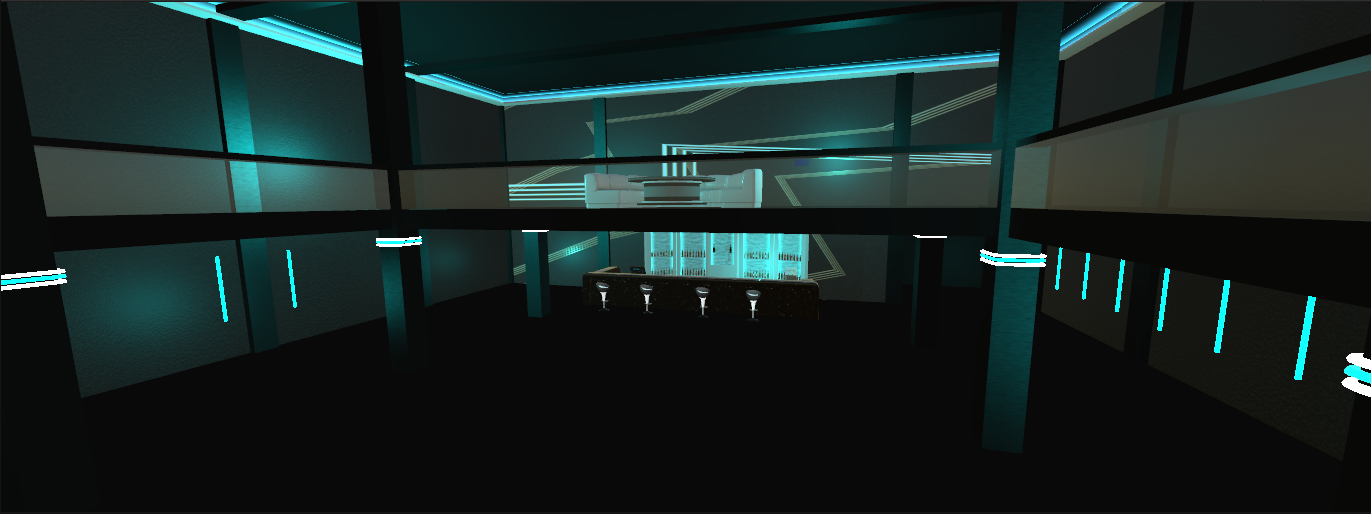
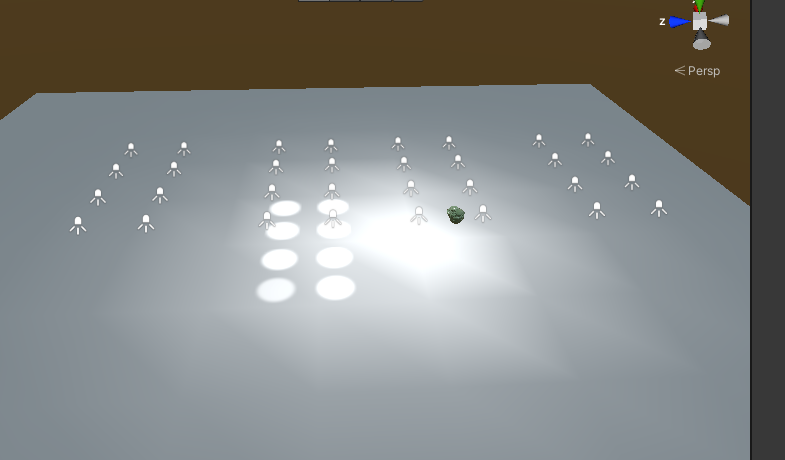 fallow lark
hopefully it's behaving better after a re-import
tardy gyro
Hopefully, I've been so annoyed by it and tried everything lol
Been dealing with it for a few days
Yep it was definitely that

Hmmm for some reason the building is still not baking
Using the same thing as the cube, it's baking just fine but the building won't. I'm confused at this point lol
 fallow lark
is the building static
tardy gyro
Yes
fallow lark
odd
 fast shoal
hey guys, having a bit of issues with the lights in my world. i have a motel world with wall lights, and i want the same lights on the top and bottom floor

however, duplicating the lights for the bottom floor causes some lights to stop working at certain viewing angles

anyway i can get around this?
fallow lark
have you baked your lighting as there's probably a limit to how many real-time lights can be active at any given time
fast shoal
i figured it out
fallow lark
cool
fast shoal
okay, now after baking my scene is WAYY too dark. im using bakery, anyway to fix this?

 drowsy furnace
Are there ways to have objects or avatars use more than one light probe? Like if the probe by their head is bright but probes near their feet are dark than only their top half is lit?
Instead of just taking one sample for the whole world object / avatar
 sick dagger
fast shoal
okay, now after baking my scene is WAYY too dark. im using bakery, anyway to fix...
sick dagger
fast shoal
okay, now after baking my scene is WAYY too dark. im using bakery, anyway to fix...
i think you need to add a reflection probe to ur scene
pale spruce
@fast shoal try to add a bakery skylight
 vapid nebula
Any idea why my directional and point light cannot cast shadows? i am using some post processing.
fallow lark
check your lighting settings on each of the lights to see if cash Shadows is turned on
 craggy fractal
can anyone tell me how to change the light for the world

i turn it to pink and it still show as yellow
 scarlet moss
@craggy fractal send a shot with your light selected
craggy fractal
@scarlet moss
 lunar narwhal
That world assets comes with baked lighting thats been pre-baked, if you change any lighting settings, you'll need to rebake the lighting again
if you're not familiar with the process theres a tutorial pinned in this channel
craggy fractal
ok
twilit lily
fast shoal
okay, now after baking my scene is WAYY too dark. im using bakery, anyway to fix...
i know im kinda late, but are bounces set to 5?
 onyx wraith
One message removed from a suspended account.
verbal cape
Use the emission option in the shader. Set the Emission map to be the same image as your albedo (the main image).
onyx wraith
One message removed from a suspended account.
 fiery cape
What can cause a bake to keep getting stuck? o.< I've got a very simple world still in prototype stage and its taking ages to bake.
 storm compass
Anyone knows how can I fix this? I get this noisy, patchy shadows on the walls and ceiling when I bake the lights, not sure what could be causing it.

 fluid sedge
fiery cape
What can cause a bake to keep getting stuck? o.< I've got a very simple world st...
fluid sedge
fiery cape
What can cause a bake to keep getting stuck? o.< I've got a very simple world st...
anything transparant being static
fiery cape
There isn't any glass yet
fluid sedge
static mirrors?
fiery cape
I do have a mirror present for testing yes
fluid sedge
make it not static i guess, if it is
fiery cape
Trying again now
tardy gyro
I'm not sure what could be causing the walls to bake like this 😦

I'm assuming it's something with the UV maps
fiery cape
Okay, my system is claiming its going to take 30 minutes to bake a scene that just a bunch of cubes. Something must be up here.

Unity's little performance thing says currently... 6.00 mrays/second
Do post-processing volumes have any affect on lighting systems? I woudn't think so...?
I can see cubes very slowly coming in now
It is working as its very slowly calculating each cube

And these are my settings

Which is basically almost default but I turned on OpenImage Denoising which didn't add any significant time in previous bakes
fallow lark
see if it's any faster if you use GPU light baking?
fiery cape
It jams up completely and Unity stops responding
fallow lark
nevermind then
onyx wraith
One message removed from a suspended account.
One message removed from a suspended account.
 green vault
set the normal map to be a normal map and not a texture. set metallic way lower. and try using a smoothness mask and see if that makes it any better
also - put a reflection probe above the floor and bake it and see what it looks like from there
onyx wraith
One message removed from a suspended account.
One message removed from a suspended account.
green vault
just do the reflection probe for now. light probes are bit weird. especially with probuilder
onyx wraith
One message removed from a suspended account.
One message removed from a suspended account.
green vault
depends. some diffuses are just the albedo and displacement could be the heightmap
onyx wraith
One message removed from a suspended account.
green vault
autodesk interactive shader usually has more names that connect better
onyx wraith
One message removed from a suspended account.
green vault
has anyone replace a lightmap with a rendertexture before?
onyx wraith
One message removed from a suspended account.
One message removed from a suspended account.
One message removed from a suspended account.
green vault
is the mesh set to static?
onyx wraith
One message removed from a suspended account.
 crude bison
Is anyone having color grading issue with the new version?
In-Game

In Unity (how it's supposed to look)
 crude bison
after re-opening the package Unity looks the same as in-game now
 inner stone
i have a script attached to a spotlight which adds a perlin breathing effect, and works fine when playing the scene within the unity editor, as shown in this video
however, when i build and test for vrchat, the breathing effect doesn't happen. i'm fairly new to vrchat world development, am i missing some important info about script limitations or something?
the script:
using System.Collections;
using System.Collections.Generic;
using UnityEngine;

[RequireComponent(typeof(Light))]
public class BreathingSpotlight : MonoBehaviour
{
    public float minRange = 3.2f;
    public float maxRange = 4.5f;

    public float minIntensity = 1.2f;
    public float maxIntensity = 1.6f;

    float seed;
    new Light light;

    // Start is called before the first frame update
    void Start()
    {
        seed = Random.Range(0.0f, 65535.0f);
        light = GetComponent<Light>();
    }

    // Update is called once per frame
    void Update()
    {
        float noise = Mathf.PerlinNoise(seed, Time.time/1.5f);
        light.range = Mathf.Lerp(minRange, maxRange, noise);
        light.intensity = Mathf.Lerp(minIntensity, maxIntensity, noise);
    }
}
 simple fox
You can't just run C#, you have to use UdonSharp
inner stone
or just the udon graph i'm guessing?
simple fox
yea, or do it using UDON.
But UdonSharp is a C# compiler for UDON https://github.com/MerlinVR/UdonSharp

GitHub
An experimental compiler for compiling C# to Udon assembly - GitHub - MerlinVR/UdonSharp: An experimental compiler for compiling C# to Udon assembly
inner stone
ohhhh cool, thank you
south furnace
Does anyone know how to deal with this error? It only happens with Bakery, works fine with regular lightmapper

And then after that it claims that my GPU doesn't have RT cores, but it does
 glossy sluice
what I would do in your case is
1- Clear Clear Baked Data
2_generate a new LightingDataAsset using Unity's regular Lightmapper
3-return to Bakery and set RTX
south furnace
glossy sluice
what I would do in your case is
1- Clear Clear Baked Data
2_generate a new Light...
How do I generate a new LightingDataAsset, just click generate lighting?
And RTX mode is enabled
I also have tried reinstalling bakery
And I've tried creating new scene and copying everything over too
same errors
glossy sluice
If you deleted the project, reinstalled Bakery, created the scene again and it keeps giving you the same error, it could be a gpu failure, did you try the typical empty scene with only one cube?
LightingDataAsset you generate it by making a bake using Generate Lighting (Unity Standart) that creates that file for you
 tardy gyro
Does anyone know what could be causing the walls to bake like this?
 south furnace
glossy sluice
If you deleted the project, reinstalled Bakery, created the scene again and it k...
south furnace
glossy sluice
If you deleted the project, reinstalled Bakery, created the scene again and it k...
works with the cube, i did not create a new project though, just new scene, i will try to do that other thing in a bit, thanks
glossy sluice
tardy gyro
Does anyone know what could be causing the walls to bake like this?
the classic, check the uv of the lightmaps
are you using Bekery?
tardy gyro
Yes
glossy sluice
If they are the black spots on the wall I would check the uv, if it is due to the lack of light I say from the ceiling you would have to see if you put lightmap scala to 0
tardy gyro
I'm not sure how to fix the UV, it shows the spots on the uv map
I'll check the lightmap scale
 weak glade
Alrighty you wonderful light gurus, help me fix this:
I noticed after the 2019 unity update my terrain doesnt show the lighting anymore, just like Tupper said, however, I have rebaked and tweaked settings within Bakery and the lightmapper on the terrain and nothing is working for it. Anyone had a similar issue with this and fixed it?
tardy gyro
Scaling didn't help anything for me 😦
glossy sluice
for a surface to emit light to me in Bakery, I add the BakeryLightMesh component to the emitting surface, that always works.
tardy gyro
Thats what I do
weak glade
Still didnt work unfortunately
 dark plover
is fine if i have real time for the ambient mode for lighting. everything else is baked.
odd matrix
Ooof another question, so uh... My world when i go to play test it.. its bright, like REALLY BRIGHT ... but its supposed to be dim and moody.. its almost as if the scene lighting is still on somehow? I rebaked my lights.. somehow that breaks things donno why.. (after becoming BRIGHT) i tried deleting my overhead "sun" directional light, i rebaked lights, i turned off the two large overhead lights, i even cleared my cashe which DID change the shadows in scene for me, but play testing its still super bright.. what happened?

This is how bright it is now HOWEVER the darkness between lights is still seen on my avatar... plus the shadows on the floor/objects

 fallow lark
do you have your objects in the scene set to static so they can receive baked lighting?
odd matrix
this is a prefab world and they set up all the lighting, it WAS fine so im guessing yes ill have to look
fallow lark
maybe you could just reload the prefab?
odd matrix
here it before it went super nova
