
#shaders
2 messages · Page 28 of 1
 little cape
 plush furnace
I saw that avatar, i think it's refering to the shader that changes sprite depending on the view orientation, sadly i don't know how to do that, i gotta learn it some day
(nor do i know what shader is it)
 hardy dagger
if the shader exists. itd be under “killerbomb” probs on github
 gloomy fox
thank you I'm going to check it out
gloomy fox
hardy dagger
if the shader exists. itd be under “killerbomb” probs on github
not too sure if I'm searching this right, do you have a link per chance?
all I get is fork bombs lol
🤨
hardy dagger
yea, i didnt want to look it up myself but that is the creators name, I don’t know what name they go by
hardy dagger
both
gloomy fox
aah ok
hardy dagger
they both made that agatar and the shader for it
i feel like i saw it posted before
gloomy fox
yeah I found their gumroad page, it's Kilerbomb, not Killerbomb
thank you for the hint
yeah seems like I could get the shader for 15 bucks
although it just mentions shaders in general, not the pixel one specifically
I think I might just learn how to code shaders lol
gloomy fox
Seems like they have an explanation of how they did it, on their Discord server. welp, this is gonna be my goal for shader learning
time to draw a pink triangle on a screen or whatever
the shader itself is unreleased
plush furnace
Shi i gotta see it
gloomy fox
look up kilerbomb, they link to their Discord server on their Gumroad profile
They explain it in their shader talk channel, if you scroll up a bit
it's neat
plush furnace
Oh yee i was being dumb and tried to find their dc on gumroad
 rancid crown
Hi anybody know where i could find a Pixelated Shader?
 dire tartan
Is there a way to easily add cell shading in unity or blender? (Without coding) kinda like BOTW for Link
Or is poiyomi good for achieving a link look?
 tired cliff
Yeah, Poiyomi is literally made for toon/cell shading.
 nova pollen
whenever i upload my avatar the fallback shader for some reason gets used on my avi , but i am just using poiyomi for my avatar and other shaders like vrchat particle multiply (dont mind the blue its to hide gorey textures)

this is what she looks like in unity

can someone help me resolve this problem?
 full glen
new to shaders, is it possible to transfer the position of all vertices of a mesh to the fragment shader?
The mesh it is for has less than 10 verts, and I want to avoid setting variables via code outside the shader...
 lethal rock
hardy dagger
fancy billboarding is done on it
lethal rock
hardy dagger
fancy billboarding is done on it
its quite a specialized shader, with a bunch of work involved to create the source textures for the imposter
 normal pier
nova pollen
whenever i upload my avatar the fallback shader for some reason gets used on my ...
normal pier
nova pollen
whenever i upload my avatar the fallback shader for some reason gets used on my ...
that doesn't look like a fallback shader, just a world with bad lighting
try a world like light box for testing lighting/shading
 brittle plinth
full glen
new to shaders, is it possible to transfer the position of all vertices of a mes...
brittle plinth
full glen
new to shaders, is it possible to transfer the position of all vertices of a mes...
Not as an array, no
You can send it through as a buffer property, but that’ll get it interpolated between vertices to fill all the pixels the faces take up.
plush furnace
full glen
new to shaders, is it possible to transfer the position of all vertices of a mes...
Do you mean returning the object or world position as a texcoord to use on the fragment shader?
Or to draw a mesh on the shader skipping the ones from the object?
Natively the vertex position is always transfered to the fragment program in screen space, is it that what you mean?
nova pollen
normal pier
that doesn't look like a fallback shader, just a world with bad lighting
it is. this proofs it.

in unity the white is transparent
multiply shader
nova pollen
nova pollen
whenever i upload my avatar the fallback shader for some reason gets used on my ...
everything grey that looks like metal here should have a cubemap but it doesnt
nova pollen
normal pier
that doesn't look like a fallback shader, just a world with bad lighting
and also that world is the Black Cat which normally has decent lighting. my previous version of this avatar also looks ALOT different
 plush furnace
that used to happen to me, it got fixed when i updated to the newest sdk
full glen
plush furnace
Do you mean returning the object or world position as a texcoord to use on the f...
I basically want to use the vertex positions of an unrendered mesh as a bunch of v3 variables keeping track of joint positions of the actual mesh of an avatar.
They change position through the animation of the main mesh, so that I don't have to add code, making it useable for avatars.
What people have suggested so far was using an extremely low-res rendertexture to draw specific pixels in rgb=xyz, then passing the rendertexture to fragment and read it again...
Sounds pretty heavy for just wanting to know vertex positions, but I'll probably still try it when i get home if nothing better pops up :D.
 rough cypress
Hey I'm looking for a shader that can make my avatar invisible (Nameplate still shown ofcourse)
But metal and such still need to look decent.
 fringe perch
rough cypress
Hey I'm looking for a shader that can make my avatar invisible (Nameplate still ...
fringe perch
rough cypress
Hey I'm looking for a shader that can make my avatar invisible (Nameplate still ...
you can just turn off the skinned mesh renderer
so nothing gets rendered in the first place
rough cypress
fringe perch
you can just turn off the skinned mesh renderer
Yes and no. Skinned mesh renderer breaks with a certain amount of people in the world.
Its not reliable.
There is a bigger chance I will never show up again and I have to reset the avatar when there are more then 5 people in the world lol
fringe perch
huh? that shouldn't be the case. the only time where it would fail is if someone has custom animations disabled, in which case no form of toggle would work
 sharp pike
full glen
I basically want to use the vertex positions of an unrendered mesh as a bunch of...
sharp pike
full glen
I basically want to use the vertex positions of an unrendered mesh as a bunch of...
Isn't shadermotion something that already works with getting joint positions? Maybe relevant to what you're doing?
Or if your toggle doesn't sync properly
rough cypress
fringe perch
huh? that shouldn't be the case. the only time where it would fail is if someone...
My current method of turning invisible is skinned mesh renderer.
Everyone has custom animations enabled. but for some people I never shot up again, for some people I do. Its unreliable and inconsistent
fringe perch
okay, can you try turning off the gameobject which the skinned mesh renderer is on instead?
fringe perch
if that doesn't do it, then the issue is totally unrelated to the fact you're toggling a mesh
yea, it should work for any mesh
rough cypress
fringe perch
if that doesn't do it, then the issue is totally unrelated to the fact you're to...
I think its just a Unity / Vrchat thing.
The same as switching more then 4 materials at once is max. and switching 5 at once is not possible
wacky stuff like that
sharp pike
the switching materials bug is specific material slots, you can switch as many as you want, so long as it's not those two slots with the problem
rough cypress
Then I will have to fix it in Blender I guess, Good to know thanks
So there are no shaders that allow me to make my avatar transparent?
 rustic umbra
rough cypress
rustic umbra
rough cypress
👍 Thanks I'll check it out :D
I do already have Poyiomi actually, I just looked at the settings and I was like "Yea I am going to have to sit down for an hour to figure this out" lol
fringe perch
for Poiyomi, you could just set the rendering preset to Cutout, and set the alpha to 0 in the Alpha options section
if you want to be fancier about it, Dissolve is a good option
rough cypress
Nah it needs to be instantly. I am making a Titanfall 2 Phase shift animation
I have enough info to work with! Thanks everyone :)
sharp pike
I haven't checked it since the update to how shaders can change their fallback used, but this should make whatever you put it on invisible and result in no draw calls whatsoever.
// Normally you can't have a shader with no Passes, but ForceNoShadowCasting makes unity remove the ShadowCaster pass
// "Hidden" VRCFallback will make the shader fallback to VRC's invisible fallback shader
Shader "Em/NoPass" {
    SubShader {
        Tags {"IgnoreProjector" = "True" "ForceNoShadowCasting" = "True" "VRCFallback"="Hidden"}
        Pass {
            Tags {"LightMode" = "ShadowCaster"}
        }
    }
}```The issue with using a cutout shader that is completely transparent is that you still end up with a draw call.
plush furnace
And also did you make sure everyone had the animations enabled for you?
 nova oasis
Im interested in getting into shaders for VRc since they seem virtually limitless and basically arbitrary code execution
What are the “inputs” for shaders?
 cobalt cedar
I used Clear water 2 shader and it only showed when i close up to water. anyone know solution?? 😭


 kind knoll
sharp pike
I haven't checked it since the update to how shaders can change their fallback u...
kind knoll
sharp pike
I haven't checked it since the update to how shaders can change their fallback u...
Hey, if I have a shader which falls back to the unity default when blocked (opaque grey), do I just need to add the ”VRCFallback”=“Hidden” tag to the subshader? I don’t know GLSL so I’m trying to piece this together
sharp pike
The VRChat shader fallback system got an upgrade a little while ago whereby you can specify the fallback shader in the shader tags https://docs.vrchat.com/docs/shader-fallback-system
VRChat
This page serves as a description of the Shader Blocking System, how it operates, and how shader authors can work with it so that their shader falls back gracefully when a user has Shaders blocked on an avatar using a given shader. VRChat 2021.4.2 Fallback System Upgrade Shader fallback improvements...
kind knoll
All I want is for the sphere to disappear when the shaders are blocked rather than actually becoming visible while the actual shader hides the mesh
Again I have no knowledge of GLSL at all
So idk if that’s all I need to do
sharp pike
It's a VRChat specific feature. If you have a custom shader with "VRCFallback"="Hidden":
this will hide the mesh from view if the shader is blocked, useful for things like raymarching effects.
 frozen ridge
Does anyone here have experience using HLSL
 frozen ridge
HAHAHA wait
yknow what I'll take it at face value
I was having alpha problems but they're gone now -
so..... the problem is solved for now
I'll be back soon though
actually here's a weird thing
well, nvm because I have to spend effort to explain a lot so
damn you, indecisiveness
OK yknow what screw me here goes nothing
So I'm visualizing rn the vector given by normalize(WorldSpaceViewDir(vertex)); and this is happening

see how there's like an obvious edge on the opposite side
what's this edge? Why does WorldSpaceViewDir jump suddenly like this?
It seems that my mesh is totally fine like there's nothing special about those faces compared to any other face
It only shows up when I have alpha turned on
when alpha is off then it just looks normal
 white mesa
Hi, have u found another cloud shader that can be used in vrc? I have the same problem following this tutorial and haven't got an alternative yet
plush furnace
frozen ridge
when alpha is off then it just looks normal
have you added the line ZWrite off to the shader?
And also transparency won't work correctly if you disable culling
ZWrite Off written before cgprogram
 tight cliff
white mesa
Hi, have u found another cloud shader that can be used in vrc? I have the same p...
tight cliff
white mesa
Hi, have u found another cloud shader that can be used in vrc? I have the same p...
No not yet, I found if you find a good sea/ wave shader, made it white/opaque you should be alright
 main sluice
Not sure if this is the right spot, but im looking for help on how to set up unity so i can accurately tell what my shaders are actually doing.
plush furnace
You mean debug the shaders?
main sluice
Sorta? I dont know how to set my scene so that things look accurate. When i view the avatar in VRC suddenly the shadow falloff is bad or tjings look blown out.
sharp pike
Lighting varies on a per-world basis as well as where you are in that particular world, if you want to give your shader a thorough lighting test in Unity I'd say the main bits to consider are:
Dynamic directional light: yes/no/yes with shadows
Light probes (baked light that avatars can use): yes/no
Reflection probe(s): yes/no
You'll often find worlds that have only baked lighting (typically more optimised) or worlds that have only dynamic lighting (typically newer world creators since it's simpler to set up). But you'll definitely find worlds that use both too. Worlds lacking reflection probes is more limited to newer world creators, though you may not notice as they often aren't used by shaders that are after a more stylised look.
To go even more in-depth, you could also check:
Dynamic point light: yes/no/yes with shadows (not as common on worlds, but avatars with lights often use them)
Dynamic spot light: yes/no/yes with shadows (possibly used for worlds/avatars with flashlights)
Vertex (not important) light: yes/no (rare to find in worlds unless they have too many dynamic lights in which case, up to four of the least important lights get converted to vertex lights, but good avatar creators will often use them on avatars instead of dynamic point lights because they're much better for performance)
Reflection probe(s): more than one with overlap for blending
As well as varying the intensities and colours of the lights and reflection probes.
plush furnace
Do you mean the fallof appears as a single color material?
main sluice
This is useful. Looking at specialized tutorials is great, but knowing real application hiccups for vrc shaders is way more useful than "tweak it until it looks nice"
plush furnace
But is it the problem that on shader falloff the avatar looks untextured?
sharp pike
If there's a particular world you're having issues with, if you were to go to https://vrchat.com/home/world/wrld_a1e635dc-8b33-493a-9bff-2b250bc6c525 (which also serves as a good test world for a world with full, proper Unity lighting), there's a debug avatar in it that you can favourite and/or take to other worlds to find out information about the lighting in that particular world.
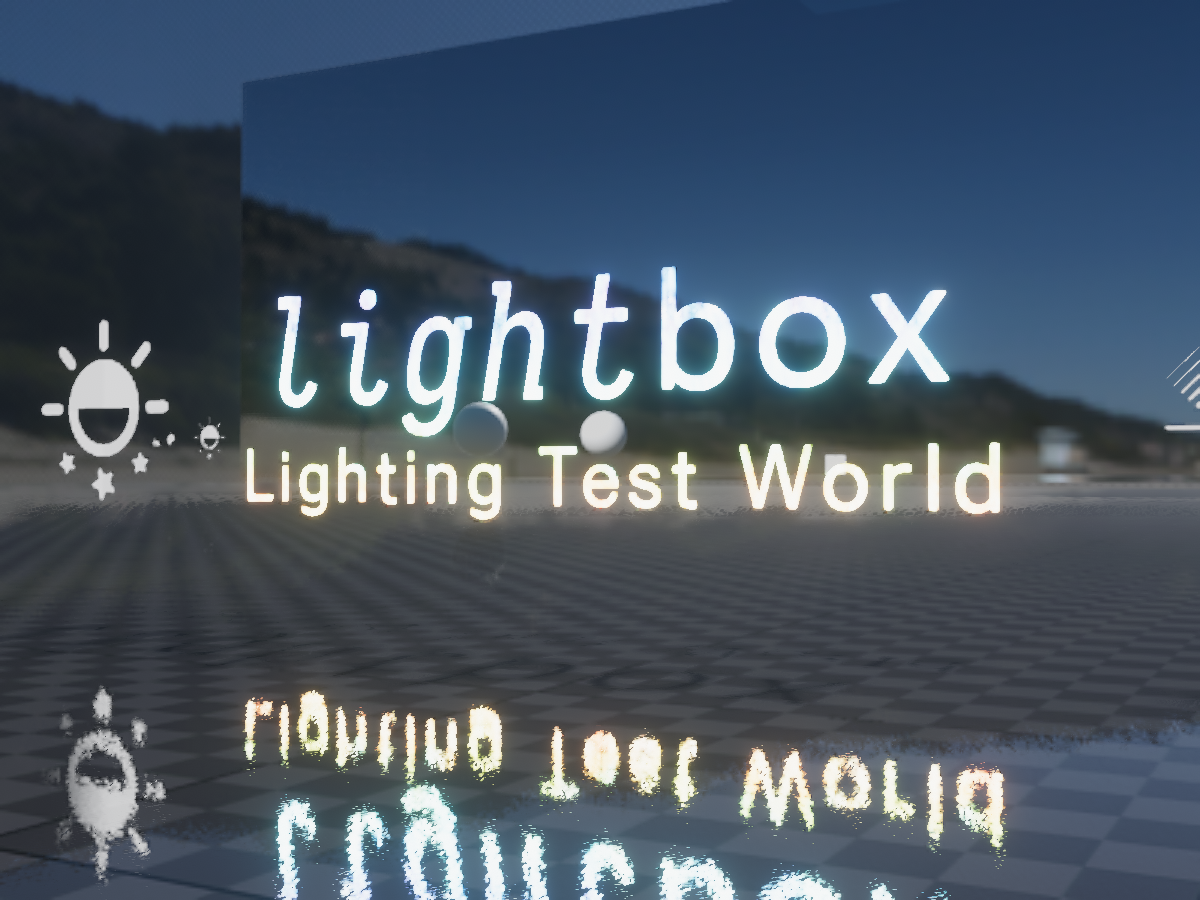
Designed for testing avatars and shaders in full‚ proper‚ lighting‚ with selectable lighting conditions‚ testing tools‚ high performance‚ and even aestheticsǃ
main sluice
plush furnace
But is it the problem that on shader falloff the avatar looks untextured?
No, not specifically. I just dont know what im doing as a first time dev, and thus dont know if what im doing is wrong and how to fix it. No one has tutorials on 'VRC poiyomi shader skin settings', so i ask questions and test
plush furnace
Ah you mean previsualize the shaders while you code them?
main sluice
No code. Literally in Unity, in the inspector, what sliders do i mess with
plush furnace
Ok i'm having trouble figuring out
You want to know what do the parameters you touch do?
main sluice
- I dont know how to light my scene accurate to vrchat. None of my settings i do in the shader inspector reflect what it looks like in vrc
- I dont know the normal creator workflow, or shaders settings. If i knew a default poiyomi 'this looks okay in game' setting, i would start there
plush furnace
So you want your avatar/world to have correct lighting but the way you set it up on unity doesn't look the same as vrchat?
main sluice
Yes
plush furnace
Ok and it's for a world or an avatar
main sluice
Avatar
plush furnace
Aight and you are using poiyomi.
Did you set up a lighting ramp?
And yeah the avatar will vary a lot its lighting depending on the world lighting itself so to check if it's correctly light up go to an avatar testing world like the one Mysteryem shared
If it's available on the shader, you can make a toggle that forces the lighting optionally if the world you are in has bad light
Some use only dynamic lights and others use light probes so there's no way to make it correctly light up no matter how you set up the avatar
Unless your lighting ramp goes down to something greater than zero, but then it will appear constantly emmissive
kind knoll
Completely unrelated to VRChat but still some cool shader shenanigans


Passing scene depth through a render texture to be used by other cameras for shaders

 kind knoll
Do transparent shaders write to the depth in VRChat?
fringe perch
don't quote me on this but pretty sure ZWrite is an option you can modify
I know for a fact it's an option in the Poiyomi shader
plush furnace
Ye you can disable ZWrite on any cg shader by writing ZWrite Off before the cgprogram keyword on the pass
Ah ye and transparent shaders need to have it disabled to avoid sel-clipping
(and also need to be on the transparent queue, you cxan set that by writing Tags{"Queue" ="Transparent"} (if it's not written already) right after the Pass{ line)
kind knoll
fringe perch
don't quote me on this but pretty sure ZWrite is an option you can modify
This can be overriden by camera and pipeline settings, I was just making sure they don’t write to depth
For anyone who wants an easier way to make shaders and has $80 to blow you should check out Amplify Shader Editor. It’s pretty similar to the Shader Graph from modern Unity versions
 stable sonnet
so I think I just made a very good (potentially) quest compatible shader. really I just yoinked the original mobile matcap lit shader and then added 4 lines of code to add a very special feature.
 brisk yarrow
stable sonnet
so I think I just made a very good (potentially) quest compatible shader. really...
brisk yarrow
stable sonnet
so I think I just made a very good (potentially) quest compatible shader. really...
you cannot modify the quest shaders at all and use them on quest.........
tis the sad reality
stable sonnet
Oh I know. I'd have to somehow submit the shader for like, use in an update or something.
brisk yarrow
stable sonnet
Oh I know. I'd have to somehow submit the shader for like, use in an update or s...
¯_(ツ)_/¯
go for it, not likely to happen though. I mean there isn't even cull mode control on quest
stable sonnet
well, this should be a very light shader to run. slightly less difficult than standard lite, slightly more difficult than matcap lit

 kind knoll
kind knoll
kind knoll
Distortion shader

Sorry for low quality
It normalizes the normal map in such a way that the distortion preserves average location unlike some other distortion shaders I’ve seen which shift the entire image on average
It does so by using an extremely low LOD version of the normal map, effectively averaging out its color across the entire UV, then subtracting the overlayed normals from it
Again taken from my own Unity project a while back
 sacred grotto
Anyone knows a shader that would enable me to make a counter? Like having a texture with all numbers from 0 to 9 and being able to switch between them in an animation?
 leaden tartan
sacred grotto
Anyone knows a shader that would enable me to make a counter? Like having a text...
leaden tartan
sacred grotto
Anyone knows a shader that would enable me to make a counter? Like having a text...
If it's animation driven, it can be done using a flipbook and Poiyomi.
You could also just pan a texture via animation with pretty much any shader though.
sacred grotto
right I'll try that, I'm just not knowledgeable at all about shaders so I'm pretty much just messing with the sliders until it does what I want most of the time ^^" But I'll give it a shot
kind knoll
Same shader in Amplify Shader Editor for VRChat and Shader Graph from Unity 2020+


 clear tide
Is there an obvious cause for Poiyomi causing you to see through yourself?
leaden tartan
clear tide
Is there an obvious cause for Poiyomi causing you to see through yourself?
You might need to explain more or provide a screenshot. There's numerous things I can think of depending on exactly what you ultimately mean.
clear tide
leaden tartan
You might need to explain more or provide a screenshot. There's numerous things ...
Basically imagine you're partially opaque so you can hold up your hand and still see everyone else through it. Only the avatar user sees this though, not anyone else.
To everyone else, you look fine. Bit weird.
leaden tartan
Do you have any screenspace shaders or effects and does it do it in every world? A screenshot still may be helpful lol.
clear tide
Happens in all worlds. I'm fault finding for a friend so I cant provide a picture.
leaden tartan
Is the avatar small?
clear tide
No, normal human height.
leaden tartan
Well without seeing it I can only take random shots in the dark.
Make sure Zwrite is enabled
Make sure render queues are set right
If they mean the hand disappears when too close to face, that's near clip on the camera.
clear tide
No, you're overanalysing. Imagine literally being able to see through your hand like it was partially opaque.
leaden tartan
No I'm not.... Your description can ultimately mean any number of things including what I've listed depending on other conditions.
Regardless. Without more information, or a screenshot, all I can say is goodluck
clear tide
Render queue and such could be it, I was referring to the near clip comment.
 past pewter
Any free shaders you guys recommend?
fringe perch
past pewter
Any free shaders you guys recommend?
Poiyomi is very flexible and can create basically any look.
past pewter
fringe perch
Poiyomi is very flexible and can create basically any look.
Just bought it last night. :p
past pewter
fringe perch
Poiyomi is very flexible and can create basically any look.
Are there shaders available with Poiyomi? Haven't been able to find any.
past pewter
fringe perch
you download the Poiyomi toon/pro shaders from the discord
I didn't seethe shaders?
I only got the plugin for it.
I'm exhausted so I'm probably misunderstanding like hell.
fringe perch
you import the latest unitypackage into your project, and then you can just choose one of the Poiyomi shaders in the shader dropdown on your materials
past pewter
fringe perch
you import the latest unitypackage into your project, and then you can just choo...
Ahhhhh, alright. I haven't even been able to test it out yet. Coudl be why I'm so confused.
leaden tartan
Lol yes. Poiyomi can create a massive range of visual effects.
 shrewd scaffold
dont know if anyone can help me so i changed a face texture on an avi so i uploaded it in the preview its has the new face but in game it has the old one anyone one know how to fix
frozen ridge
I have a little problem with alpha not rendering the mesh it covers up when it's not 1

this is what it looks like, essentially anything that's got a surface of ??.a<0 covering it is now completely see-through
blend mode is srcalpha oneminussrcalpha and ZWrite Off is not an option
(long story short it messes with the lighting a lot)
plush furnace
Is the queue on transparent?
frozen ridge
Thank you for asking that very simple question which I forgot about
because the queue was not on transparent
🤦♂️
Actually while you're here
do you know just generally how bloom works in VRchat
I see lots of avatars getting this kinda bloomy effect but how does that work in terms of a shader?
I get that it's probably a huge topic so just in general
frozen ridge
Yes - but it comes from the emissiveness of the shader, no?
kind knoll
The HDR of an emissive shader determines how much bloom it creates
frozen ridge
Oh I see
plush furnace
Bloom varies a lot, it depens on the world and if it has postprocessing
Basically postprocessing creates various render textures with different resolutions (to make effects that need blurring, like bloom, fast)
And bloom happens when a shader returns a color higher than its treshold, the normal color range is from 0 to 1, if it goes higher it starts affecting the bloom.
You can make it occur by multiplying the emission by a number or a color declared with [hdr] on the properties section
frozen ridge
Is there a way to visualize it roughly in unity
I have several HDR colours interacting with each other, which is why I'm worried
less so to actually create bloom but to instead prevent it
plush furnace
And ye it's not very exact since some worlds put bloom at 0 treshold, making it look like you scratched your lenses with a metal brush
I don't know if you can apply some postprocessing on an avatar project to test, but what i do to check if a value is higher than a treshold i just add >x on the return of the pixel shader, where x is the treshold
plush furnace
Ye pretty much
To prevent bloom you can clamp the output emission using the saturate() function
frozen ridge
I saturated all my things before output...
so does that mean bloom occurs whenever the colour value exceeds 1 in any color (r,g,b)
plush furnace
Not 1, it happens when it exceeds a treshold set by the world creator on the postprocessing effect
And ye it uses rgb
You can make it negative so the bloom becomes a cloud of darkness but i don't think that's what you are looking for
frozen ridge
LOL
no, I just wanna understand what is happening with bloom and stuff
does emission automatically illuminate things by default behaviour
or is it just "ooh glowyyyy"
My previous unity experience makes me think illumination from objects = light and not shader/material stuff
plush furnace
Just a bunch of textures overlaying one on top of another to make a blur effect, you subtract a treshold and add it to the result, bloomy sh
And emission is just returning a color without shading it, basically unlit, if you have (correctly set up) bloom and this emission is higher than 1 or 2, it starts spreading on the screen
frozen ridge
I see
plush furnace
Illumination from objects can be lights or shaders if you mean baked lighting
For realtime you can obly get this effect with bloom
frozen ridge
it's just functionality of having a colour brightness > 1
plush furnace
Ye pretty much
If you want your shader to emit on lightmaps you have to add a pass named meta
You can just copy and paste it from the unity shader source code
And you don't need to remove it after baking, it will render only when you are lightmapping
frozen ridge
what's a lightmap
 uneven loom
a texture that contains baked lighting
uneven loom
 plush furnace
Ye it's for the static objects that won't change lighting in game
It's very good for photorealistic results on games
So you don't need to add extreme postprocessing effects like on a unreal engine indie game
kind knoll
plush furnace
I don't know if you can apply some postprocessing on an avatar project to test, ...
You can slap a post processing volume and layer on the main camera
You can’t upload with them on the avatar however
But works for testing
And the main camera isn’t included with the avatar upload
You need to install the post processing package to do this
frozen ridge
Does placing a fallback in the shader cause the avatar to not use the shader?
I just uploaded mine and it’s showing the fallback rather than the custom one I made
frozen ridge
it's really confusing cuz it builds fine with no messages at all
and in unity it shows up perfectly OK like the shader compiles and everything
all passes compile properly it's great it's just VRchat that's weird
Ok update time I disabled the fallback and it’s pink
What restrictions to shaders does vrchat have that unity doesnt?
It doesn’t require a fallback completely, does it?
I’m opening to sharing things on a voice call if that makes things easier
Fixed it
Don’t use legacy shadow casting.
frozen ridge
Does anyone have any suggestions with relation to an outline pass?
plush furnace
You mean writing one?
frozen ridge
Yeah
Techniques that’ll render well
Also cel shading suggestions for handling unlit worlds if you have any would be appreciated
plush furnace
To do an outline you only neeed to create another pass with the culling at front, and before the UnityObjectToclipPos function, add to v.vertex the normal multiplied by the outline thickness, on the fragment program you can just return 0 if you want a black outline
kind knoll
frozen ridge
Does placing a fallback in the shader cause the avatar to not use the shader?
Shaders with the tag “VRCFallback” will use the specified shader if it’s blocked by safety settings
For example on one of my screen shaders I added ”VRCFallback” = “Hidden” to completely hide the mesh when the shader is blocked rather than creating a solid white sphere
past pewter
are there any free shaders that look like tv static?
kind knoll
past pewter
are there any free shaders that look like tv static?
screen space or material?
past pewter
hmm i dont really know, im not familiar with all of these terms yet, if you want i can get on vrc and find an example
kind knoll
Screen space affects the entire screen
Material only affects an object
Do you want to add tv static to the screen or to an object
past pewter
material
kind knoll
Poiyomi can probably do that
kind knoll
Just find a noise or static texture on google and make it pan
If you pan it fast enough it could give a good effect
past pewter
sounds good ill do that
leaden tartan
past pewter
just like certain parts of the avatar
Yes. If it's not screenspace you can make that effect with poi. If you want a screenspace shader, Rollthered has a free 1990s esque TV shader that has static. You can also use the free Cancerspace (on GitHub) which is an amazing screenspace Shafer that can do a wide range of effects including a static.
past pewter
thanks :]
 strange crown
Can someone please explain in layman's how feedback CRT's work for simulating fluid dynamics in a shader?
I am trying to recreate SilVR's Water Shader in Amplify so I can add features and make it more in line with what I want, but I cannot figure out how its able to feedback loop and create water ripples within the shader.
kind knoll
crt?
strange crown
Custom Render Texture
kind knoll
IIRC don’t custom render textures render the scene as if every object had a specific material applied?
strange crown
I am not quite sure, CRT's are still very new to me. Was hoping this would be a good shader to start with for learning how it works.
kind knoll
I’m just trying to make sure I’m thinking of the right thing
I’ve had to use render textures for shader data before
Although in a much more unconventional way
Ah I see
I think
If I’m understanding this correctly
Custom Render Textures render a shader directly to a texture instead of to a material
That texture can then be used in other shaders
So you could do stuff like procedurally generated textures for example
strange crown
Hmmm. I think i see now.
So potentially I may need to make a buffer material for the feedback loop to work.
kind knoll
And likely a lot more
Then again I could be understanding it wrong
I was initially thinking along the lines of a replacement renderer as I have used here to render an entire scene with a specific material overwriting every objects material


This was used to pass depth data from the camera of a render texture into another camera viewing the output of said render texture rather than the depth of the quad used to display it
strange crown
I will need to look into it a bit more, thanks for the help! 😄
kind knoll
np
I like to consider myself big brain but then again this solution did require adding 2 more cameras for a total of 4
Not very performant
sharp pike
I think with CRTs, you enable Double Buffered
From the unity docs
Double-buffering means that inside one Custom Render Texture there are two textures which Unity can swap after each update. This allows you to read the result of the last update while writing a new result in the Custom Render Texture.
Pema's shader-knowledge github has info on camera loops for producing similar effects https://github.com/pema99/shader-knowledge/blob/main/camera-loops.md Looks like they're supposed to be better for avatars.

GitHub
Trying to document obscure technical VRChat knowledge - shader-knowledge/camera-loops.md at main · pema99/shader-knowledge
kind knoll
kind knoll
I was initially thinking along the lines of a replacement renderer as I have use...
The debug view for this shit required 9 total cameras 💀
 restive badge
I want to make a light which changes color based on the average of a rendertexture.
{
    Properties
    {
        _MainTex ("Render Texture", 2D) = "white" {}
        _Mip ("Mip Level", Float) = 9
    }
    SubShader
    {
        Tags { "RenderType"="Opaque" }
        LOD 100

        Pass
        {
            CGPROGRAM
            #pragma vertex vert
            #pragma fragment frag

            #include "UnityCG.cginc"

            struct appdata
            {
                float4 vertex : POSITION;
                float2 uv : TEXCOORD0;

                UNITY_VERTEX_INPUT_INSTANCE_ID
            };

            struct v2f
            {
                float2 uv : TEXCOORD0;
                float4 vertex : SV_POSITION;

                UNITY_VERTEX_OUTPUT_STEREO
            };

            sampler2D _MainTex;
            float4 _MainTex_ST;
            float _Mip;

            v2f vert (appdata v)
            {
                v2f o;

                UNITY_SETUP_INSTANCE_ID(v);
                UNITY_INITIALIZE_OUTPUT(v2f, o);
                UNITY_INITIALIZE_VERTEX_OUTPUT_STEREO(o);

                o.vertex = UnityObjectToClipPos(v.vertex);
                o.uv = TRANSFORM_TEX(v.uv, _MainTex);
                return o;
            }

            static float uvx[3] = { 0.01, 0.5, 0.99 };
            static float uvy[3] = { 0.05, 0.5, 0.95 };

            float4 frag (v2f i) : SV_Target
            {
                UNITY_SETUP_STEREO_EYE_INDEX_POST_VERTEX(i);

                float4 col = fixed4(0, 0, 0, 0);
                uint row = clamp(0, 2, (uint)(i.uv.y*3));
                for (uint j = 0; j < 3; j++) {
                    col += tex2Dlod(_MainTex, float4(float2(uvx[j], uvy[row]), _Mip, _Mip));
                }

                col /= 2.55;
                col *= 1.5 - col * col * 0.5;
                col = pow(col, 1.15);

                return col;
            }
            ENDCG
        }
    }
}```I found the above code here:
https://github.com/PiMaker/VRChatUnityThings
And it sort of does what I need, which is to sample one of the mipmaps to get an average color, but this samples three pixels in a vertical line so it can write to the ambient world color, and I just want a single average color to set a spotlight.
GitHub
Random collection of Unity assets and prefabs, for use with VRChat worlds and avatars. - GitHub - PiMaker/VRChatUnityThings: Random collection of Unity assets and prefabs, for use with VRChat world...
The above shader code is confusing me though.
            static float uvy[3] = { 0.05, 0.5, 0.95 };

            float4 frag (v2f i) : SV_Target
            {
                UNITY_SETUP_STEREO_EYE_INDEX_POST_VERTEX(i);

                float4 col = fixed4(0, 0, 0, 0);
                uint row = clamp(0, 2, (uint)(i.uv.y*3));
                for (uint j = 0; j < 3; j++) {
                    col += tex2Dlod(_MainTex, float4(float2(uvx[j], uvy[row]), _Mip, _Mip));
                }```

For example, why are there two arrays with what appear to be UV offsets into the texture, if it only needs to sample the centers of three pixels in a vertical line? I can't fathom why row is calculated the way it is. And 0.05 would not be the center of the first pixel in a 3 pixel high texture, nor would 0.95 be the center of the third pixel. I believe the centers would be .165, .5, and .825?And is this even sampling three colors? Perhaps not? Because this bit seems to be adding the colors in the column together and then performing some kind of math on it which doesn't make a lot of sense unless maybe it's some reverse gamma transform or something?
                    col += tex2Dlod(_MainTex, float4(float2(uvx[j], uvy[row]), _Mip, _Mip));
                }

                col /= 2.55;
                col *= 1.5 - col * col * 0.5;
col = pow(col, 1.15);```Okay, so I'm still not sure what those equations at the end do, but basically this code seems to have been designed to average all the pixels in each row of a 3x3 image, though in actual practice, it's being used on a 1x3 image, so perhaps what I'm seeing here is just some legacy code? In any case, I managed to get it working the way I need it to.
using UnityEngine;
using VRC.SDKBase;
using VRC.Udon;

public class MagicAvatarColor : UdonSharpBehaviour
{
    public Texture2D tex;
    public Light lt;

    void Start()
    {

    }

    void OnPostRender()
    {
        tex.ReadPixels(new Rect(0, 0, 1, 1), 0, 0, false); // Read pixel from the 1x1 rendertexture that is the target for the camera on this object into a 1x1 texture.
        tex.Apply(); // Copy the texture we wrote the pixel to from the GPU to the CPU.
        Color[] pixels = tex.GetPixels(0, 0, 1, 1); // Read the pixel color from the texture.

        lt.color = pixels[0]; // Set the light color to the pixel color. If the light is too dim, adjust its intensity. Don't multiply the pixel color as it may be clamped and not treated as an HDR color.

    }
}```{
Properties
{
_MainTex ("Render Texture", 2D) = "white" {}
_Mip ("Mip Level", Float) = 12
}
SubShader
{
Tags { "RenderType"="Opaque" }
LOD 100
Pass
{
CGPROGRAM
#pragma vertex vert
#pragma fragment frag
#include "UnityCG.cginc"
struct appdata
{
float4 vertex : POSITION;
float2 uv : TEXCOORD0;
UNITY_VERTEX_INPUT_INSTANCE_ID
};
struct v2f
{
float2 uv : TEXCOORD0;
float4 vertex : SV_POSITION;
UNITY_VERTEX_OUTPUT_STEREO
};
sampler2D _MainTex;
float4 _MainTex_ST;
float _Mip;
v2f vert (appdata v)
{
v2f o;
UNITY_SETUP_INSTANCE_ID(v);
UNITY_INITIALIZE_OUTPUT(v2f, o);
UNITY_INITIALIZE_VERTEX_OUTPUT_STEREO(o);
o.vertex = UnityObjectToClipPos(v.vertex);
o.uv = TRANSFORM_TEX(v.uv, _MainTex);
return o;
}
float4 frag (v2f i) : SV_Target
{
UNITY_SETUP_STEREO_EYE_INDEX_POST_VERTEX(i);
float4 col = tex2Dlod(_MainTex, float4(float2(0.0, 0.0), _Mip, _Mip));
return col;
}
ENDCG
}
}
}```That code replaces the .cs and .shader files in the PiMaker avatar ambient color prefab. You'll also want to change the 1x3 texture and rendertextures it comes with to 1x1. And you need to drag your light into the lt slot on the udonbehavior. This code won't work in the editor of course without the VRChat emulator because Udon won't run and won't update the spotlight color, but if you move the prefab down to where you can see it in the world and you drag your UnityPlayer's rendertexture onto the material you should be able to see the quad changing colors as the video plays even if the light color isn't changing to match it.
And just to clarify, the above code allows you to automatically set the color of a spotlight or point light to match the average color of whatever video you currently have playing on the screen. You could of course use realtime global illumination to make a screen affect the world, but I wanted the players to be lit up, and my screen is in an open space, not a small room, so adjusting the ambient light wasn't a good solution as there were no walls that would be reflecting light back onto the players from the direction opposite the screen. Of course you could combine the two to get more intense light towards the screen and bounced light with ambient.
 jade wagon
I'm trying to animate the X offset of a UV between 0 and 0.14 in a loop, with the ability to change the speed and reverse the animation (by changing the speed to be negative).
I've got this working by doing this:
fixed4 frag (v2f i) : SV_Target
{
    float offset = (((_Time.x * _Speed) % 0.14) + 0.14) % 0.14;
    return tex2D(_MainTex, i.texcoord + float2(offset, 0));
}
However, changing the speed or reversing the animation results in the animation jumping instead of it smoothly changing speed/direction.
I think this is because I'm multiplying the time by the speed, but I've tried all sorts and can't quite work out the right solution. Does anyone know what I should do here?
jade wagon
I've just ended up using a shader parameter with an animator. Not sure if it's possible in-shader alone as I think it'd need some form of persistence to store the animation position.
New question - is it possible to detect if something is being rendered in first person and hide it from a shader? Poiyomi's shader has some logic for detecting if something is in a mirror but I'm not sure how I could detect if I'm in first person.
 timber sigil
Been told I should ask this here I kinda know myself around shaders but is there a way for a NVG shader?
leaden tartan
timber sigil
Been told I should ask this here I kinda know myself around shaders but is there...
Mochi has a night vision shader.
strange crown
Does anyone have an amplify custom expression that can make a shader only visible via cameras and not the players view?
Is something like that even possible? I need it for my prefab I am working on so i can stencil using a zTest Always shader to cull out anything that isn't the pen. https://rollthered.booth.pm/items/3887090

Please watch the Youtube video for setup - https://youtu.be/ByUtWEDpB84 Assets > Rollthered > Tablet > Prefab からプレハブを取得し、アバターの外側にあるシーンのどこかに配置します。 VRLabs から World Constraint を設定する手順を、こちらからダウンロードしてください: https://vrlabs.dev/item/world-constraint ペンを使いたい方の手にセットします。 VRLabs World Constraint
Or is it possible with just transparency? I'm a bit confused on what i should do.
hardy dagger
strange crown
Does anyone have an amplify custom expression that can make a shader only visibl...
like rendertexture cameras or the pickup one from the menu?
strange crown
hardy dagger
like rendertexture cameras or the pickup one from the menu?
Render texture
My prefab uses a feedback loop for the painting, so ortho camera on a quad
hardy dagger
i think you can use pemas trick to hide the material, it should technically still be readable by the camera iirc
but it not amplify :/
strange crown
There is one small issue, i have to hide everything that isn't the pen and canvas.
Also sadly i only know amplify
basically i wanna avoid this
 hardy dagger
white?
strange crown
when the player / other players walk into the tablet
hardy dagger
ooh
strange crown
my only idea is stencils, but i am unsure how that would be implemented as i would need to hide the ztest shader and only have it show in cams
hardy dagger
well, you could set the cam to player local, but then others wouldnt be able to see
hardy dagger
strange crown
my only idea is stencils, but i am unsure how that would be implemented as i wou...
me neither
strange crown
hardy dagger
well, you could set the cam to player local, but then others wouldnt be able to ...
That still has the same issue sadly
the players arm will clip into the canvas leaving the same trails
its a tough one 😄
sharp pike
If your camera is orthographic, apparently you can use unity_OrthoParams.w which is 0 when the camera is perspective, e.g. player camera and 1 when the camera is orthographic
Yes, it's there in the shader variables documentation for 2019.4
x is orthographic camera’s width, y is orthographic camera’s height, z is unused and w is 1.0 when camera is orthographic, 0.0 when perspective.
strange crown
How would that be used to only render specific materials in a stencil though? This is all new stuff to me 😮
I'm a bit of an amplify noob haha
sharp pike
What you asked was how to make a shader only show in a camera and not the player's view. If you only draw the shader when the camera is orthographic, players wouldn't be able to see the shader because their camera are perspective. You could think of it like a cutout shader, but instead of being cutout based on the alpha of a texture, it's cutout based on the value of unity_OrthoParams.w
strange crown
Ohh, yeah that is actually exactly what I am looking for!
I would just need to figure out how to do that in a custom expression node, very intimidating since i dont code though D:
sharp pike
It could probably be done slightly more optimally by instead checking unity_OrthoParams.w in the vertex shader rather than fragment shader and sending the vertices to a position that the camera can't see (like how silent's inventory system works), but that's more complicated and I don't know Amplify shaders.
strange crown
I will ask around some friends and see if they can get that setup for me. Thank you so much for telling me about this, this will make things much cleaner for the prefab. ❤️
sharp pike
If your shader showing up in other orthographic cameras in the world is also a problem you should be able to check against the size of the camera's target texture/screen with _ScreenParams or the near and far plane with _ProjectionParams. These are all in the "Camera and screen" section of the shader variables documentation https://docs.unity3d.com/2019.4/Documentation/Manual/SL-UnityShaderVariables.html
strange crown
I may have found an even easier answer surprisingly 😮
Apparently the UiMenu layer is able to be set on an avatar's object.
There is one layer VRC lets us override on avatars and I didn't know! 😄
Extremely useful for my use case though!!!
 uncut schooner
The mobile shader "vrc toon lit" makes my trousers texture look green. It should have another color? Any fix for that? Edit: a reddit site mentioned that I need to paint my vertex color to white in blender. I'm gonna try that later
sharp pike
If you're not using the vertex colours, you can delete them entirely in Blender.
uncut schooner
Thanks @sharp pike I will try that first. A quick question for my understanding: Can I paint my model without any UV mapping/textures with those vertex colors?
sharp pike
Yes, but note that it's down to your shader whether or not the vertex colours are used for something. Most of the VRChat quest shaders multiply the colour of the model by the vertex colours.
uncut schooner
Thanks again dude
 restive parrot
Hello to all! I want to add a toggle button on my avatar to toggle on/off this teleport shader but have no idea where to start. Does anyone know how I could go about doing this? A toggle that activates and deactivates a shader?

VRCでの使用を想定したテレポートエフェクトシェーダーです。 ・製作者 HhotateA Twitter:@HhotateA Discord:hhotatea#0333 ・ Released under the MIT license ・2018/11/28 配布開始 ・2019/01/18 Cutout版追加 ## 規約 ・本シェーダーはUnity及びVRChatでの利用を想定しています。 ・著作権は製作者に帰属します。 ・本製品を使って発生した問題に対しては製作者は一切の責任を負いません。 許可事項 ・商用を含む、配布物に付属する形での2次配布(連絡はください)
^ The shader in question
leaden tartan
restive parrot
https://booth.pm/en/items/1116714
#avatar-general shader doesn't mater. It's just a normal animation and bool toggle. Someone in that thread should be able to help, but there are also a lot of videos how to toggle things. You could even use a float and make it a puppet so you can control the dissolve with a slider. But none the less. Go to the linked thread and ask or check some vids on YouTube.
restive parrot
leaden tartan
<#730948141196509297> shader doesn't mater. It's just a normal animation and boo...
I am a complete noob when it comes to animations and toggles. It's my worst enemy here lately! I'll ask there.
 earnest drift
Hey, peeps, concept questions.
Can I change the offset of different UV islands, independently through a shader on the same material?
New to shader magic so not sure what the limits are. The goal I'm trying to do is to control a shader to render tiles from a 2D sprite sheet atlas. Would be using an OSC script to control the animator's states. I'm trying to make a Gameboy like thing.
plush furnace
Msg too long imma dm it
Nah doesn't work there either
You can do that by using vertex colors or a texture, depending on how many uv islands you want to control you can use rgb channels for 3 (4 with alpha) , cmy and rgb for 6 (a bit weird but it does the thing, or a color range for various more.
To do it, duplicate the object, remove all materials an assign a new different material (with a different color like r/g/b or c/m/y) to each uv island clicking L over the part and selecting "UV" on the select linked box on the bottom left.
Also use an emissive shader for all materials
Then on all materials put an unconnected texture node with a new texture, it has to be the same texture on all nodes
Or you can add a vertex color slot on the object
Switch the render engine to cycles, set the color from filmic to standard on the bottom of the render options
Then on bake select emit, and on the bottom select image textures or vertex colors depending on what you used.
click ctrl S before rendering to avoid throwing your table trough the window
Click bake and done
Then on the shader, if it's a texture sample it and if its vertex colors enter them trough the vertex program as : COLOR0;
If the uvs are separated meshes (on the same object) you can sample the texture on the vertex program as tex2Dlod(sampler, float4(uv, 0,0));
Now to separate the colors create a bool for each.
For example (let's assume the island colors are named isl) to get the red, green and blue color islands, the bools would be:
-IslandR = isl.r > 0.5;
-IslandG = isl.g > 0.5;
-IslandB = isl.b > 0.5;
If you also included cmy colors apart from rgb you'll have to do it like:
-Red = isl.r > 0.5;
-Green = isl.g > 0.5;
-Blue = isl.b > 0.5;
-IslandR = Red && !Green && !Blue;
-IslandG = !Red && Green && !Blue;
-IslandB = !Red && !Green && Blue;
-IslandC = !Red && Green && !Blue;
-IslandM = Red && !Green && Blue;
-IslandY = Red && Green && !Blue;
Now with that, you just need to add or multiply the offsets, for example if the offset named Off1 affects the island with the color red, Off2 the island with the color green and Off3 the blue, it would be like:
-uv += (IslandR ? Off1 : 0) + (IslandG ? Off2 : 0) + (IslandB? Off3 : 0) ;
(instead of += kt can be *= or /= or whatevs, it doesn't matter)
sharp pike
If you know that many specific islands will need the same offsets and there are only a few different offsets required, you could set up your UVs like with Silent's Simple Inventory System, whereby the integer part of the UV coordinate is used to determine extra information about the UVs. With textures set to repeat for out-of-bounds UVs (the default setting), the textures will look identical when doing this, but your shader can tell the UVs apart based on this information and treat them differently.

 clever cape
is there a way to do scrolling textures with standard lite?
plush furnace
i use a looping animation that moves the texture offset from 0 to 1 with a linear curve
 marble phoenix
Hey fellas, I got a simple PC avatar here with a toon shader utilizing an outline. Yet when it comes to Quest 2 builds, there isn't any mobile toon shaders with outlines in their system, do you guys have any options or work-arounds I can do? I saw one option here called "cubeds." I tried it, but it did not contain an outline option. Plus the shader was considered outdated by the devs. The outline on my avatar is very necessary lol
The image below is pretty much what I'm looking for
One more thing, why is the outline breaking off around the edges? Its a little off-putting and would be helpful on what this little graphic issue is. I am using Poiyomi Toon Shader V4.0.15, Unity 2019.4.31f1 with VRCSDK3-AVATAR-2022.05.04.17.47 Public
 plush furnace
A method is to duplicate the mesh, assign the outline color, fatten it as the outline width, then inverting the normals, but that will duplicate your polygon count, that is pretty much like a normal outline shader but the extra polygons are counted
On blender to fatten the mesh it would be alt+s and to invert the normals alt+n > flip
marble phoenix
plush furnace
A method is to duplicate the mesh, assign the outline color, fatten it as the ou...
Thank you! Do I just join the avatar model and the outline together like normal? I have a weird feeling it will cause some visual issues when rigging
plush furnace
Don't worry the rig won't change, it will move exacly like an outline shader, because a shader does exactly the same i told you, re-rendering the mesh, fattening it ( better said scaling it along the normals) and inverting the normals
You can keep the material if you find a spot on the texture that has the outline color you want, then selecting only the outline mesh, scaling the uvs to 0 and moving the now 0 dimensional uvs to that pixel
Keep in mind it will render exactly as the shader, so a black outline would work better since it just returns 0
marble phoenix
This is very helpful and I appreciate it, I don't know why I didn't think of this option, thankfully I'll still be under the excellent poly count after I'm done. One more thing: do you know why Poiyomi made the outline cracked around the edges?
Just curious, trying to understand how this system works, I'm fairly new
plush furnace
I don't know really, haven't used poi in 2 years or so for performance reasons
Make sure your vertices are not separated, that would cause the outline to not be uniform
marble phoenix
Ah okay got it, any toon shader you recommend? If its free of course
plush furnace
I found a cool one on shaderfes, and cubed is simple but it was of good use when i didn't know how to make shaders
Lemme find it
marble phoenix
marble phoenix
Hey fellas, I got a simple PC avatar here with a toon shader utilizing an outlin...
If anybody else has other options, strategies, and tips PLEASE let me know! I'm very willing to learn this
sharp pike
On a Quest avatar, since you can't use custom shaders, if you want avatar outlines, you either need to do manually what most outline shaders do within their geometry shader, which is created an inverted hull as stereo nezumi has already described (duplicate the mesh, fatten and invert normals), or you need to use the Matcap Lit Quest shader with a matcap that has outline coloured lines at the edges. Using a matcap means you don't have to double the total tris of your model, but it does look rather different.
 desert marten
Hello, I need help with a billboard shader: The way it is right now it rotates to face the camera at all angle. I would like to make it so it keeps rotating vertically but not on the other axis. (no roll and pitch, only yaw). Can someone help?
 oak flax
marble phoenix
This is very helpful and I appreciate it, I don't know why I didn't think of thi...
oak flax
marble phoenix
This is very helpful and I appreciate it, I don't know why I didn't think of thi...
its not just poiyomi, it must be something with the verts edges or faces of your model, it tends to do that in spots that have rough creases.
for example low poly game models of characters
or decimated models in blender
will give a creased effect
making the outline break at certain parts
 turbid snow
trying to get an older shader to work but im getting a compiler error here

"Shader error in 'Toon/Team Fortress 2': incorrect number of arguments to numeric-type constructor at line 36 (on d3d11)"
 zenith fiber
Anyone know of a good intro to shader writing course or tutorial?
Doesn't need to be shy on the coding or anything since code is my job. I've just haven't touched any shader code yet.
plush furnace
turbid snow
"Shader error in 'Toon/Team Fortress 2': incorrect number of arguments to numeri...
if atten is also a single value then the problem is that you are creating a two value vector with only a single value, just remove float2 from the uv section of the tex2d function
turbid snow
plush furnace
if atten is also a single value then the problem is that you are creating a two ...
i'm not gonna lie, im pretty stupid but ill try this
fringe perch
marble phoenix
Hey fellas, I got a simple PC avatar here with a toon shader utilizing an outlin...
for quest outlines, the best method is to use the Matcap lit shader with a specific matcap

for PC, Poiyomi is a good option for outlines. if you're having gaps in your outlines, it could be due to normals being too sharp
Poiyomi comes with a tool to bake averaged normals to vertex colors, and the shader can use that to make better outlines
you can find it under Tools > Poi > Vertex color baker
marble phoenix
I appreciate all the help! Thank you!
 slender jacinth
turbid snow
i'm not gonna lie, im pretty stupid but ill try this
slender jacinth
turbid snow
i'm not gonna lie, im pretty stupid but ill try this
Nice pfp
turbid snow
slender jacinth
Nice pfp
thank u, a friend drew my av
past pewter
looking for paralax shader
leaden tartan
past pewter
looking for paralax shader
Poiyomi Pro can do parallax
sharp pike
Standard shader does parallax mapping through its height map texture. If you're more after being able to layer separate images at different levels of parallax, https://gitlab.com/s-ilent/parallax-poster may work for you.

GitLab
A shader that renders a multi-layered parallax effect suitable for posters.
 sly oracle
I didn't know a simple fragment shader of a dozen lines could break the fabric of reality
 sly oracle
Bummer, this doesn't work in Unity, probably specific to the browser's renderer (I made that in Shadertoy, it twists something so much it starts messing with floating point rounding causing this)
 peak osprey
How can I make it so that a material can go through the model of my avatar without going through other players or worlds?
 arctic jasper
Help lol
 peak osprey
How can I make it so that a material can go through the model of my avatar witho...
peak osprey
peak osprey
How can I make it so that a material can go through the model of my avatar witho...
I'm trying to make this object appear while inside the head. Is there a shader I can use to make it work?
 frozen ridge
peak osprey
How can I make it so that a material can go through the model of my avatar witho...
frozen ridge
peak osprey
How can I make it so that a material can go through the model of my avatar witho...
potentially you could cull back?
it would show only the backfaces of objects which means that little diamond thing draws first, though it could cause some problems for that face thing
Ztest off for the pass maybe?
It would go through others that way though
I came here with a question of my own too -
lots of VRchat worlds have weird lighting - some have no light objects and are lit solely by the environment or other stuff, and yet others do have light objects and even others rely on the glow of neon strips - is there a way I can make my shader compensate for these different lighting methods used in different worlds?
pls ping me
clear tide
Looks like a specular map?
 regal ruin
clear tide
Looks like a specular map?
regal ruin
clear tide
Looks like a specular map?
is that what that is? have been wondering what is was for a while
clear tide
It could be, it could also be a layer for something else which is only placed in the green channel... hard to say. I'd check what you're missing. Also Substance should tell you what it is by the name.
regal ruin
thanks, ill take a look at it
 astral harbor
This is a Metallics Map. It goes into the metallics slot of the shader in Unity
It contains information about how metallic, rough and reflective a surface is iirc
regal ruin
astral harbor
It contains information about how metallic, rough and reflective a surface is ii...
THANKYOU
zenith fiber
astral harbor
It contains information about how metallic, rough and reflective a surface is ii...
Unity standard shader metallic comes from the red + alpha channel. So if this is you'd need a non standard shader to use it.
astral harbor
zenith fiber
Unity standard shader metallic comes from the red + alpha channel. So if this is...
Poiyomi uses the green channel for reflectance, red for metallic and alpha for roughness/smoothness. Appaerently unity standard shader does not read reflectance from the metallic map. Nevertheless, its not red because fur rarely is metallic ^^
sharp pike
Unity standard shader uses the green channel for AO, so you can use the same metallic-smoothness texture in the AO slot instead of having an additional texture.
sly oracle
Is reflectance the equivalent of Blender's specular in that context?
 stoic beacon
does anyone know where i can find Cryptic's Shader?
 subtle ingot
What kinds of shaders play nicely with quest and which ones don't?
 uneven loom
are you talking about world's or avatars as you can't use custom shaders on avatars
 bitter bane
VRChat
This page will describe various limits in place for the Oculus Quest version of VRChat. These limitations are in place in the interest of performance, user safety, and discouraging malicious behavior. Find more information about limited components on our Quest Content Optimization page. Although the...
uneven loom
and if you're talkin world's don't use GrabPass they don't work on Quest
subtle ingot
I mean specifically worlds. I've tried avatar stuff and I know vrchat has quest friendly base shaders. I haven't used shaders in worlds yet though
I'm working on a basic flowing fountain example right now jsut to try it out.
uneven loom
yeah that'll probably work fine if you don't use GrabPass
subtle ingot
cool cool.
I've been working purely in shaderforge cause the creator has a really cool channel dedicated to math and graphics in games.
uneven loom
question do you have a quest 2 to test with
subtle ingot
yup
uneven loom
cool
subtle ingot
thinking back, I think i did a really simple blinking shader once in a quest world
leaden tartan
Yeah. Just avoid grabpasses and CRTs mainly.
Poiyomi mostly works fine.
I'd avoid geometry shaders too
Grabpassing is the main thing to avoid tho. It breaks the rendering of the scene and will cause either one eye to work, or eye bleeding flickering back and forth between the lenses.
subtle ingot
will keep that in mind.
 native herald
i wonder if its possible to create a shader that just paints ontop another material.
fringe perch
native herald
i wonder if its possible to create a shader that just paints ontop another mater...
can you elaborate a little bit? probably already exists
native herald
fringe perch
can you elaborate a little bit? probably already exists
uhm. just a shader that sorta draws a texture when a particle collides with a surface. or avatar surface
native herald
kind knoll
Not without scripting no
uh ehm. yes sorta of but more like it paints onto the surface. but yea i guses a bullet hole type deal would make more sense.
and also that's kind of what i feared that it might not be possible without scripting.
kind knoll
It is possible
native herald
oh?
kind knoll
Just don’t know how
native herald
crap. been trying to find out what its called. namely the method of doing it.
native herald
hmm. like they shoot and it makes a bullet hole?
kind knoll
Yea
native herald
hmm. all through with a shader it should be doable. but yea forgot the name
kind knoll
Decals maybe idk
native herald
there is also that Butter avatar. that throws up butter. i wonder how that one does it.
hmm i wonder if its the Projection shader.
brisk yarrow
kind knoll
Like bullet holes for example
aren't the bullet holes just on death particles?
kind knoll
They’re aligned to the mesh normal though
brisk yarrow
with collision
native herald
wait.. hmm i think a shader that aligns it self to whatever its on is possible.
 native herald
hmm
fringe perch
native herald
crap. been trying to find out what its called. namely the method of doing it.
triplanar mapped shaders
those are the terms you need to look for
native herald
does that allow it to be done without scripting? apart from obviously shader scripting?
fringe perch
yes
native herald
gonna give it a look. thanks for the info
native herald
fringe perch
triplanar mapped shaders
the question really is through would this function for particles attached to a avatar that then hits another player for example?
fringe perch
it should work on any surface
native herald
also anyone knows what render pipeline vrc uses?
in case i use shader graph to make it?
kind knoll
Built in
And no
Shader graph isn’t until like unity 2020+ or something
However
There is Amplify Shader Editor
Unfortunately
It’s $80 on the asset store
native herald
it is 😄
 native herald
why wouldn't it
native herald
i know. but you can change it afterwards. i believe. otherwise i do need to do it in standard
kind knoll
It
Does
Not
Work
On
Built
In
The shader code generated by Shader Graph is not compatible with the built in render pipeline
As much as I hate to tell you
kind knoll
This is the same shader in shader graph and ASE


The code generated by ASE is compatible with any project even if they don’t have ASE installed
native herald
hmm. annoyingly through thats it so expensive.
kind knoll
Shaders made in SG are easy to rebuild in ASE as well
native herald
fringe perch
it should work on any surface
seems like it wasn't what i was after sadly. it does not stick to a surface. on collision impact
frozen ridge
anyone been to the popular chess world in VRchat?
if so, would you guys happen to know how it's lit?
is it using baked lighting perhaps?
if so - how would I get my shader to use baked lighting
unless the lighting macros do that automatically>?
 sand geode
Going to be trying to make a custom audio linked shader, is there any documentation or good examples on how audio link works?
 crystal horizon
the audio link wiki?
 dire wraith
What's the best quest compatable toon shader?
plush furnace
The only one i know would be vrchat/mobile/toon
kind knoll
No custom shaders on quest
 stiff epoch
can someone help out with this bHapticsOSC shader. I want to use it for my piano keys to light up different color but I have hard time understanding how it works and how to modify it to work for my 88 black and white textured keys...
sly oracle
If I have a _MainTex field and a fallback to Diffuse, I imagine people with my shaders blocked would see a standard diffuse shader with the texture mapped to the UVs, or am I mistaken?
plush furnace
ye you're right
ppl use this to switch the texture to one saying "unlock my avatar" if the shaders are blocked
kind knoll
sly oracle
If I have a _MainTex field and a fallback to Diffuse, I imagine people with my s...
It would show as if it had the diffuse shader all along
 raw echo
hey, quick question, is it possible to get the actors local position and expose it to the shader so that i can do some shader effects that follow the player?
like can i map my characters hand as a vector?
or the actor root at least
kind knoll
maybe via a render texture and getting the position of the camera which is on your hand?
idk
 sinful sleet
Does anyone know what shader can duplicate your model? Like there's a jacksepticeye model that uses one, that duplicates once, then twice, then ten times
one of the ferret models has one too
the point here is i want to duplicate a model for a gag, but not make 15000000000 polygons doing so
fringe perch
sinful sleet
Does anyone know what shader can duplicate your model? Like there's a jackseptic...
you sure it's not just clones?
sinful sleet
yes, it's a shader
not extra models
the gag is i want to go to a friend's dance stream ,and be like.. .4 backup dancers at once
XD
but i don't want to make 4 duplicate models to do that when i know there's shaders that can do it
uneven loom
the Shader would still have to render all those duplicate so I'm not sure that's actually any better for performance
and mostly would just be lying to the SDK
sharp pike
The vast majority of outline shaders are 'lying to the SDK' anyway. But basically the geometry shader within a shader can be made to duplicate every triangle multiple times, with each duplicate at a different offset in space so that you end up with a bunch of spread out duplicates of the model. This does result in rendering a ton more polygons, though I would guess it's better for performance in most cases compared to real duplicates of the model because you don't need any constraints, the number of draw calls doesn't increase, and I believe that both gpu skinning and the vertex shader within the shader would only be done once instead of multiple times.
sharp pike
raw echo
hey, quick question, is it possible to get the actors local position and expose ...
Shaders that need to access a specific location on an avatar often use black vertex lights (lights set to "not important") attached to the avatar. The alpha of each light's colour can then be used to distinguish between different lights. The first four are available to shaders. Have a look at the unity_4LightPosX0, unity_4LightPosY0, unity_4LightPosZ0 and unity_LightColor shader variables.
raw echo
sharp pike
Shaders that need to access a specific location on an avatar often use black ver...
Much appreciated!
in the meantime i figured out how to get the actor root and animated the vector like a bone, using a light sounds much easier, thank you!
sharp pike
Just note that it tanks your avatar performance ranking since all lights are treated the same despite vertex lights being way better for performance than having normal lights on your avatar. And you need to be a little careful of other avatars and worlds using vertex lights because Unity will pick only 4 lights out of all of the available ones, I'm not sure what the metric is for how it decides which 4 to use.
raw echo
understood, thank you very much!
sharp pike
Some extra info https://github.com/pema99/shader-knowledge/blob/main/tips-and-tricks.md#point-light-position-abuse

GitHub
Trying to document obscure technical VRChat knowledge - shader-knowledge/tips-and-tricks.md at main · pema99/shader-knowledge
Ignore the bit about adding passes to everbodies avatar, causing lag, that's incorrect for vertex lights. Though it might still be good to set up the culling mask, since shaders often have a separately compiled variant for when using vertex lights, but I'm not too sure how Unity handles loading different shader variants. Either way, there is unlikely to be much difference in performance since these are vertex lights (if they were not vertex lights, setting up the culling mask would be much more important, because those do add extra passes to other avatars)
 pseudo fern
Anyone know about a shader that fits between two objects that grows when they are pulled apart
native herald
anyone here knows a way to make a decal shader using particles?
 frail orchid
hey can i ask unity questions regarding shaders here?
kind knoll
This is the shader channel
frail orchid
ok sorry
bitter bane
frail orchid
ok sorry
Unless something was lost in translation, that should mean a YES, as long as it's relevant to VRChat
frozen ridge
Anyone have experience with light mapping or indirect lighting
leaden tartan
frozen ridge
I meant in terms of shader programming but I'll check there
 copper dawn
Glasses shader I made as a test ^^
 crimson sonnet
Does anyone know a good shader to recreate the Genshin Impact look? I know some have with poiyomi and probably Unity chan? Or does anyone have a prefab of it I could pinch please if that isn’t too much?
fringe perch
copper dawn
Glasses shader I made as a test ^^
looks great, although is that using a grabpass?
copper dawn
fringe perch
looks great, although is that using a grabpass?
Yes it is using many grab passes xP (I know not very optimized at all) I can turn that off though if I need to
fringe perch
yeaaa that isn't good
you should make sure you name your grabpass a common name
so that everyone's PC's don't need to run multiple grabpasses
copper dawn
Currently it’s just _GrabTexture I believe. I know what you’re talking about but I’m. It entirely sure how to achieve what you’re saying
leaden tartan
For an avatar it's probably just best to leave it unnamed so it will batch with everything else that isn't named.
It may be useful to use the same name that poi uses for his grabs if they are named, iirc they are. But I can't look to see what it's named.
If you use a custom name, it won't batch with anything else in the world since nobody else would use your naming scheme.
May be ideal to see unities documentation on grabpassing if you're unfamiliar
pseudo fern
Does anyone know how to use a shader to connect between two objects so when those objects are pulled apart the shader grows longer?
copper dawn
leaden tartan
For an avatar it's probably just best to leave it unnamed so it will batch with ...
Okie, I got it. Thank you for the explanation ^^
In total if I remember correctly there are 6. One for the reflections, another for the refraction and then the last 4 are used to create the blur effect for the glasses. Well no actually the refraction is done along side the blur, so they both share their grab passes. I do need to make this shader a bit less heavy to run. I know there are better methods for creating blur effects like a Gaussian blur but I’m not advanced enough for that xP
leaden tartan
That's pretty excessive ngl.
sharp pike
Uh, wasn't unnamed grab passes the big thing to avoid because it specifically would not be batched together? I mean I'm pretty sure avatars don't get batched together at all because they use skinned mesh renderers.
native herald
anyone know if you need some special. include or so for it to work in vrc for shaders
leaden tartan
Iirc unnamed passes are all batched together.
It's ideal to not use them in large uses because you can specifically tailor what batches with what. This is especially true with worlds.
With avatars, there are so many shader creators, especially JP shaders, that name their grabs random ass shit. So it can only batch with other materials of itself. This can quickly lead to people with like 10 grabpasses from 10 random shaders they found on booth or GitHub and nothing batching because they're all named random ass shit.
I guess my point is, there are pros and cons to doing things. Nothing is cut and dry and it's worth considering.
In the case of the user above, either ensuring they're all unnamed, or naming them all so they batch together. Would be ideal, assuming they can all be batched together without breaking the effect, as not everything should or can be batched.
native herald
anyone have a good idea for something that can paint parts of world. on particle collide
sharp pike
Yes, no batching for skinned mesh renderers, https://docs.unity3d.com/2019.4/Documentation/Manual/DrawCallBatching.html
Currently, only Mesh Renderers, Trail Renderers, Line Renderers, Particle Systems and Sprite Renderers are batched. This means that skinned Meshes, Cloth, and other types of rendering components are not batched.
I take the grab pass documentation to mean that unnamed grab passes will grab the screen for every batch that contains the unnamed grab pass, whereas a named grab pass will grab the screen the first time in a frame that any batch contains the named grab pass. https://docs.unity3d.com/2019.4/Documentation/Manual/SL-GrabPass.html
leaden tartan
Yeah. No SMRs, sorry I didn't realize that's what was being discussed directly. I figured glasses were standard mesh renderers.
"why's my avatar have 500 draw calls?"
plush furnace
yea grabpass are pretty heavy, so to avoid redoing a grabpass on a shader that needs it i just recycle any _GrabTexture that is generated on an instance, and if there isn't, it switches to a simple alternative like transparency or reflection probes
native herald
when creating a shader for vrchat. specificly avatars. would it be more wise to use a lit shader or standard surface shader or unlit? the reason why i am asking is because it seems like unlit shaders do not show up in every world.
 brave rover
Is there anything I can do on my avatar that allows my avatar shader to access the depth texture? Using unity's _CameraDepthTexture doesn't work (the depth texture is just the default value across the board). I tried a trick suggested by a public repository that was to add a directional light with a low but non-zero intensity but this does not seem to work in game despite working fine in editor, I assume VRC removes directional lights from avatars?
Another trick I used was a render texture, which works fine on desktop, but the moment stereo projection comes into play, it stops working properly. I also tried to manually do the stereo separation which worked marginally better, but caused problems for nameplate rendering and broke mirrors. This method is less than ideal anyway because RTs are not as cheap as just directly accessing the depth texture for obvious reasons.
I am not sure what else I can try, I have been trying to come up with a solution to this for a couple days now. To avoid it being a bit of an XY problem though, my goal is to create a shader where objects in any context (not part of the avatar) are given a flat color based on their distance from the viewer, using a gradient transition as distance reaches some maximum.
Here's the effect using the render texture, so you can see what I am going for

Well that's strange, now the _CameraDepthTexture trick seems to be working fine, let me figure out what I did
sinful sleet
Does anyone know what shader can duplicate your model? Like there's a jacksepticeye model that uses one, that duplicates once, then twice, then ten times
one of the ferret models has one too
the point here is i want to duplicate a model for a gag, but not make 15000000000 polygons doing so
leaden tartan
sinful sleet
Does anyone know what shader can duplicate your model? Like there's a jackseptic...
Poi can do this using vertex displacement. Used it to make a stack of 10 Kons that got smaller and smaller.
plush furnace
sinful sleet
Does anyone know what shader can duplicate your model? Like there's a jackseptic...
The polygons will be duplicated anyways, it just won't be counted on the performance ranking
plush furnace
brave rover
Is there anything I can do on my avatar that allows my avatar shader to access t...
The depth texture is enabled only when there's an object that needs it, such as a light with shadows, that's why you see some avatars with invisible lights. Keep in mind it can cost performance, and this method can end up rendering a lot of shadows if there are a lot of users on the instance using this method
sharp pike
That's why you set the Culling Mask of the light to UiMenu.
sinful sleet
leaden tartan
Poi can do this using vertex displacement. Used it to make a stack of 10 Kons th...
what where how?!
i want to make my avatar into four backup dancers for a joke...
leaden tartan
As stereo said it still dupes the polygons. The entire reason to do it like that is a trade off from duping the actual model causing a lot more bones, physics, joints, skinned mesh renderers etc. It may not always be the best for your solution.
If all you want to do is have extra copies there are shaders made to do that specifically, I just forget by who.
I know poi can do it, but at the expense of duping the material as you can offset your vertices. But each copy is an extra material which may or may not be better than other methods depending on your usage.
sinful sleet
i just want to do a bit with 4 of me dancing the same dance :p
without a crapton of polygons and my avatar being extremely poor
plush furnace
there's no way on a vrchat avatar to duplicate it without having to render again the polygons, unless you find a way to duplicate the render output , displace it on 3d space and mask out the avatar, but that would be pretty complex and not very effective
pseudo fern
I’m assuming they are using a shader to do this so does anyone know how to do this with shaders? https://youtu.be/C2MKWLOSxxM

Doctor Octopus makes his return, but this time in VRChat!
-Friends in this video-
CyberChimp (https://www.youtube.com/user/ZeCyberChimp)
Sally_VR (https://www.twitch.tv/sally_vr)
OreoLivesOn (https://www.youtube.com/user/OreoLivesOn)
MeloettaAria77 (https://www.twitch.tv/meloettaaria77)
ANGELIEL_ (https://www.twitch.tv/angeliel_)
Symko (https...
native herald
has anyone seen a good shader for tears? one that has abit of flow to it?
stiff epoch
how to change a transparent shader to opaque. I tried to change the render type to Opaque and Queue to Opaque but its still not working the default values are Render type Transparent and Queue Transparent. Thanks!
plush furnace
Is ZWrite On? or not written on the shader?
stiff epoch
@plush furnace I think so i can see that option in debug mode
plush furnace
Show the shader code
stiff epoch
its called bHaptiscOSC i modifed it to work for more nodes but i can't change the render mode here are the files
plush furnace
Ok and you changed the render type to opaque and the queue to geometry right?
Did you also remove "alpha" from #pragma surface surf standard alpha?
stiff epoch
ye i tried the opaque and geometry i think it went all black but it can't display the texture this is how looks now
 plush furnace
You did the pragma thing too?
plush furnace
On the shader file, there's a line
#pragma surface surf Standard alpha
Delete the "alpha" from the end
Also on the cginc file, close to the end of the file, remove the o.Alpha = defaultcolor.a; line
stiff epoch
i see thanks for the help
i also removed the texture line lol will add that back _MainTex("Albedo (RGB)", 2D) = "white" {}
plush furnace
Aah aight
stiff epoch
took me 3 days to change it to work for 88 keys hard time understanding uv mapping and also getting stuck on stack overflow error for some reason after the 63 nested else if statement i got that error had to split the mesh into 2 and use another shader for the rest of the keys...
okay now its opaque but it won't accept any texture
 plush furnace
Make sure the main texture name is exactly as in the subshader
stiff epoch
oh it has to be the same huh
_MainTex("Albedo (RGB)", 2D) = "white" {} So i should rename my image to _MainTex?
that didn't work the default color works i can shade it different color but it can't use the texture or multiple it by the default color. Well at least its opaque now
its says its callled Albedo RGB maybe if i change that into maintexture might work
 plush furnace
Nono it should be named _MainTex on all lines where it should be mentioned
plush furnace
Try changing the "white" to "black" to check if it's getting the name correctly
stiff epoch
okay
still the mesh is using the default color which is white currently

i found this its not the same name but thats in cginc file

anyways if u could find how to get the texture back let me know at least its not transparent now.
 placid basalt
Im trying to find that shader we seen that makes layers inside itself to give a 3d effect.
plush furnace
You mean parallax?
If so, you can find it on the standard shader as the height map, if you mean a multiple texture parallax shader you'll have to code it yourself or find one somewhere
https://gist.github.com/enghqii/f9c62749e9589cc28925125e6aff9676 here you have an example i found real quick

Gist
Parallax mapping unity custom shader. GitHub Gist: instantly share code, notes, and snippets.
What you are looking for is the tangent space multiplied by the vuew direction, then the resulting xy being divided by the resulting z, with that you'll have a texture offset that'll do the parallac effect, you just multiply it by how much will the parallax effect influence, then add it to the uvs
Sadly i'm not on pc so i can't spaghettize a simplified code for you
sharp pike
Maybe you've seen https://gitlab.com/s-ilent/parallax-poster. It has 6 layers plus a background layer.
placid basalt
thank you @plush furnace and @sharp pike you both were of great help. The parallax poster was the shader i was looking for too.
zenith fiber
Anyone know of a vertex displacement shader to make a fish swim / move it's tail?
 waxen pagoda
Anyone know a good HUD shader?
sly oracle
zenith fiber
Anyone know of a vertex displacement shader to make a fish swim / move it's tail...
- Can't this be done through animation?
- I doubt there's a plug-and-play one because it's not that hard to make, you could either look into implementing it yourself, or if there's a shader that allows you to provide a texture for object space displacement (usually it's tangent/normal instead) you could animate the scrolling of a wavy texture, although that means sampling that texture which takes time
If you want to do it through a new custom shader or editing another, I guess https://youtu.be/Z2D6r5NVkYY could be useful if you have a vertex + fragment shader, and it doesn't seem to be different if you have vertex + surface : https://docs.unity3d.com/Manual/SL-SurfaceShaderExamples.html (search for vertex.xyz)
past pewter
when i import a sword .fbx it stays at a standard shader and i cant change it, im trying to make a quest avatar
sly oracle
In your asset folder you should be able to expand the FBX asset and then right click on the material and extract it, then you can modify it
 sly oracle
waxen pagoda
Anyone know a good HUD shader?
sly oracle
waxen pagoda
Anyone know a good HUD shader?
Bump, I don't know how to answer this one, I don't know how screenspace shaders are used nor how they work
kind knoll
You don’t need screenspace shaders to do that
You can just have an object attached to your head that only renders locally
sly oracle
Fair 🤔
Is there a better way to make something invisible than using alpha clip transparency and setting the alpha value depending, by the way?
Animating the scale of the object maybe
kind knoll
If you want it to be invisible just disable it
sly oracle
I might be stupid 😆
kind knoll
Unless you’re talking something different
What do you mean by make it invisible?
Toggle it on and off?
sly oracle
Yeah you're right you can just disable to game object
kind knoll
Kek
sly oracle
Have an animation depending on isLocal that enables it and voilà
kind knoll
Yep
Plus using a 3d object rather than a screenspace shader gives you much more freedom
sly oracle
I was thinking of convoluted solution because I used what I mentioned to have a single object and shader that you can control if you show the front faces or not and the back faces or not
 robust kraken
waht shaders should i use
nbvmd
how do i import and apply shaders
scss to be exact
sinful sleet
Does anyone know a liquid shader that has a top? This one is hollow and kinda looks dumb...

 primal zephyr
Anyone know any nice rain surface shaders? looking to make rain on windows ^^

or this pacific one?
uneven loom
GitLab
A shader for Unity that (ab)uses some Unity features to produce glass-like glass.
sinful sleet
so nobody knows a better liquid shader then? DX
zenith fiber
sly oracle
- Can't this be done through animation?
- I doubt there's a plug-and-play one be...
Sorry didn't see the ping.
It def could be done through animation, but it would be a lot less efficient when I have a big school of fish swimming round.
 patent beacon
Hey does anyone here know anything about Mochie's shader ?
 strong tusk
@sinful sleet https://booth.pm/en/items/1675832 it might be using the same shader of this

お風呂あがりに飲みたくなる牛乳です。 傾けると中身が減ります。 ビンとフタのメッシュが分かれてるのでフタを開けることもできます。 コーヒー牛乳派とフルーツ牛乳派で戦争が起きるので生乳のみですよ! phi16さん作成のtilted_drinkを使用させていただきました。 https://github.com/phi16/VRC_storage 何かあればTwitter:@enu_001まで。 TwitterやVRC内で見せてもらえたら嬉しいです。
zenith fiber
patent beacon
Hey does anyone here know anything about Mochie's shader ?
I know things yea. It's a decent shader.
primal zephyr
uneven loom
https://gitlab.com/s-ilent/fake-glass
Thankieeee!!
patent beacon
zenith fiber
I know things yea. It's a decent shader.
would you happen to have any tutorial on it?
zenith fiber
patent beacon
would you happen to have any tutorial on it?
I don't think there's much different to know for it than the standard shader, at least for pbr materials.
Put the trxters into the right slot and way you go.
Are you trying to achieve something specific?
patent beacon
zenith fiber
I don't think there's much different to know for it than the standard shader, at...
Shine on water like this?

With Mochies water shader
Thats what im trying to achieve 
zenith fiber
Is that caustics under the water or reflection on top?
patent beacon
zenith fiber
Is that caustics under the water or reflection on top?
Under water i think
Im just trying to get the shader like that
thats an image i found
 lusty valve
that's usually just a scroller texture or two animated in a shader to create the effect
what you're looking for is a "caustics" shader

Learn how to create believable caustics reflections in Unity, using shaders. This simple tutorial is mobile-friendly and perfect for beginners!
patent beacon
Mm yes but how do I set it up on the one shader is what im wondering
cuz i turn on caustic and nothin happend
lusty valve
i don't know anything about mochie's shader, sorry. normally what you'd do is build one shader for the liquid surface and another for the pool under it, and the pool surface under the water would have your fancy caustics
it's possible their shader can do that!
zenith fiber
I use the silent water shader for caustics
If I remember correctly.
It's really nice.
sinful sleet
strong tusk
<@482651284101529610> https://booth.pm/en/items/1675832 it might be using the sa...
thank you so much. that worked. I just had to remove the cylinder they are using and put it on my glass, now i have liquid that moves with a slider for fullness
strong tusk
Np
sinful sleet
leave it to a japanese creator to get it right, heh
several people i had seen making "liquid shaders" did the same thing i had been using, hollow, cut the top face, "foam" for the inside of the shape.. well i didn't want a foamy beer or "potion" it's just supposed to be juice
plus if you looked at it from above it looked worse than those baby bottle toys.
zenith fiber
If i have a shader that im using to do vertex manipulation on an object (making a fish wave its tail side to side) how do i add variation between different fish?
Currently they all move at the exact same time / direction which obviously is very jarring.
plush furnace
What method are you using to clone the fish?
Iirc if you use a particle system you can send a 1d random value to each particle, but idk if you can send it to the shader
If you can send it to the shader, just add it or subtract it to the (i suppose) sine or cosine function that moves the fish tail
strange crown
Ok so very weird question here.
Is it possible to smoothstep a particle system in screenspace to make fluids (Specifically asking if its dooable with unity particle systems, not a volume)
I have been bashing my head against the wall to try and figure out the right things to search for on Google to find out how to pull this off.
I want to make something like this https://assetstore.unity.com/packages/tools/utilities/uflex-59843#description

Use the uFlex from Dr Korzen on your next project. Find this utility tool & more on the Unity Asset Store.
i have seen people make outline and wireframe screenspace shaders, so i assume there is some magic that can be done to blend nearest neighbor particles together with some sort of kernel? I have no idea what I am talking about so i hope someone can understand what I'm looking for 😅
kind knoll
strange crown
Ok so very weird question here.
Is it possible to smoothstep a particle system ...
The way you describe this makes me think of how the gels in Portal 2 work
Metaball type deal?
kind knoll
Would be relatively easy to do if we just had Particle System Force Fields or VFX Graph 
strange crown
😭
zenith fiber
plush furnace
Iirc if you use a particle system you can send a 1d random value to each particl...
Currently they're all VRC instantiated, as they're all part of a boid system
sly oracle
plush furnace
Iirc if you use a particle system you can send a 1d random value to each particl...
Alternatively, two fish aren't gonna be at the same place at the same time so world position and time could do it
You could either sample a 4D gradient noise, or sample two (linear) or five (cubic) 3D gradient noises and interpolate between them
I'm guessing the cubic interpolation would be too expensive but maybe not, or maybe changing the domain to make use of smoothstep could do the trick, no idea
past pewter
can anyone recommend a shader. I have a set of keyframes I am wanting animated with transparency
past pewter
it can't do animated masks though
I have a series of images that require transparency in different locations
Ah, I see. I had the rendering mode set to opaque
sinful sleet
Does anyone know a shader that is like.. a ribbon/trail, but wide, and flat? More like ya know, an actual fancy ribbon for wrapping a package
leaden tartan
sinful sleet
Does anyone know a shader that is like.. a ribbon/trail, but wide, and flat? Mor...
Wat. Use a line renderer
sinful sleet
leaden tartan
Wat. Use a line renderer
isn't that just a marker trail?
 ancient wigeon
Is there a shader that uses depth maps?
sharp pike
If you mean the camera's depth texture, then that's a very broad question as there are lots of shaders that do for different purposes.
sinful sleet
leaden tartan
Wat. Use a line renderer
DUnno if you ever played splatoon, but this is what i'm out to make

the paint trail
but like, on my avatar, so i can run around everywhere and use it
sly oracle
Maybe spawning straight up pink rectangles as particles? (Or something more fancy with an alpha cutout that looks more like splashes)
I don't know how to use the trail renderer though, maybe that works better, but I feel like you'd want to have the paint fall down to the ground so I'm guessing particles are the way? Maybe I'm stupid because I never used particles with collision
sly oracle
I'm not well qualified to answer these but I'd rather not see them unanswered so ¯\_(ツ)_/¯
And also if I say something stupid there's a chance I might learn by getting corrected 😆
 soft hull
why does vrchat/mobile/bumpdiffuse show as green on the character?
nvm
dont mind me xD
 static warren
is it possible to read the stencil values from a RenderTexture?
in a shader that's reading that RenderTexture as a texture, I mean
I tried setting it to DEPTH_AUTO with stencil, but changes in stencil value don't seem to be making any difference that shows up to the shader
it looks like this should do what I want: https://docs.unity3d.com/ScriptReference/Rendering.RenderTextureSubElement.Stencil.html but the compiler really doesn't like putting .Load( after a texture

ugh, maybe it only works in unlit....
ugh, in an unlit shader it compiles but it still doesn't show me the stencil buffer
oh, yeah, okay -- that's just for reading it IF it's been assigned to the shader by some C# code.
the shader can only see whatever's assigned to it, and it looks like DEPTH_AUTO will assign the depth, but I don't know if there's any mode that will assign the stencil....
zenith fiber
I've been using this shader for a fish and it manipulates the vertexs perfectly, but it is unlit and im not sure how to make it take lights from light probes?
https://github.com/albertomelladoc/Fish-Animation/blob/master/FishAnimation.shader
It's probably just a few lines that need added but I dont know what they are sweat_smile

GitHub
Test Vertex Animation Shader for Unity3D. Contribute to albertomelladoc/Fish-Animation development by creating an account on GitHub.
 uneven loom
tdo you have green vertex colors on your model?
soft hull
Not that I know of, on the other shaders it was fine, but now it's doing it with all the vrchat shaders
uneven loom
the vrchat mobile shaders show vertex colors
soft hull
I'll have to double check the vertex on blender eh?
uneven loom
https://github.com/kurotu/VRCQuestTools this tool has a remove vertex color button

GitHub
Unity editor extension to support uploading VRChat avatars for Oculus Quest - GitHub - kurotu/VRCQuestTools: Unity editor extension to support uploading VRChat avatars for Oculus Quest
soft hull
Oh bet! Thanks
sly oracle
zenith fiber
I've been using this shader for a fish and it manipulates the vertexs perfectly,...
I'm guessing the simplest way would be to make your shader a surface shader so Unity takes care of the lighting
If you still want to implement stuff yourself in the fragment shader, there's light-related stuff here that could help https://docs.unity3d.com/Manual/SL-UnityShaderVariables.html https://docs.unity3d.com/Manual/SL-BuiltinFunctions.html
plush furnace
zenith fiber
I've been using this shader for a fish and it manipulates the vertexs perfectly,...
To take lights from light probes you just need to include UnityCG.cginc (if it's not already) and use the function ShadeSH9()
You have to enter a half4, the xyz being the world space normal, that you can get with UnityObjectToWorldNormal(v.normal(from appdata)), and the w being 1, i recommend doing it on the vertex shader unless you are using a normal map.
It would be like:
After the "Pass{" line - >
Tags {"LightMode" = "ForwardBase"}
Appdata structure->
half3 normal : normal (with caps, the bot is gonna delete it if i write it like that)
On the vertex program ->
half3 worldNormal = UnityObjectToWorldNormal(v.normal);
fixed3 lightprobes = ShadeSH9(half4(worldNormal, 1));
If you already have a world normal then you won't need to recalculate it.
 livid trout
so like, i wanna figure out how to start making a shader, but idk where to start or what programs/tips/sources etc i need. please dm me or send me stuff aaa
 light wedge
I give up, I need some help.
Can someone point me in the correct direction for calculating view frustum in VR please. >.<
Like, do I have to calculate for maximum platform allowed IPD? Cause if I do, fml.
Nm, I'm setting it to 160° x 105°. Shit will break after that. I don't care anymore. Too much work just to tell mom I touched grass this week
 sly oracle
You could search for how to go from screen/clip position to camera position to world position (I believe there is a way for the first and there definitely is one for the second), then you'd have all you need with some geometry from the results you can get by testing against the corners, I imagine
sly oracle
livid trout
so like, i wanna figure out how to start making a shader, but idk where to start...
Did you get an answer? Otherwise what's your programming experience?
light wedge
Yeah, already doing that, but I think unity uses either uses a single matrix on the left eye only, or my math skills are failing me. >.<
sly oracle
The field looks good btw
It also looks loud and hot because of how expensive it would be which I suppose is why you want culling :laughing:
But maybe it's an SDF with domain repetition (nevermind it would be heavy because of all of the tight spaces)
Hm that's weird
light wedge
Only cuts off in the right eye at about 90+ degrees from axis. It's the weirdest damn thing.
Oh the field is wonderfully quiet, but without distance based and frustum culling, my GPU wants to lift off. ;0
sly oracle
If this is still up to date it could be useful to you https://forum.unity.com/threads/possible-to-detect-which-vr-eye-in-shader.390772/
Unity Forum
Is it possible to detect which VR eye is being drawn for in a shader?
light wedge
It's not to bad if I turn shadowcasting off actually. It's just such a damn shame I bumps from 4.2ms/f on desktop to 18ms/f on VR.
Oh, that is useful actually.
Thank you, much appreciated.
    ...
    #define unity_CameraProjection unity_StereoCameraProjection[unity_StereoEyeIndex]
    #define unity_CameraInvProjection unity_StereoCameraInvProjection[unity_StereoEyeIndex]
    #define unity_WorldToCamera unity_StereoWorldToCamera[unity_StereoEyeIndex]
    #define unity_CameraToWorld unity_StereoCameraToWorld[unity_StereoEyeIndex]
    #define _WorldSpaceCameraPos unity_StereoWorldSpaceCameraPos[unity_StereoEyeIndex]
#endif```Damnit
Thanks, that's likely going to solve my issue then xD
 foggy lance
Is it possible to dowload the spirit in a bottle effect like the one the showcased in the vfx video?

 next field
Don't think the visual effect graph is accessible with the built-in pipeline which VRChat uses so you'd have to use some other technique.
foggy lance
So u cant use vfx effects in vrchat?
light wedge
It isn't I literally tried backporting shader graph 11 yesterday, flipping disaster. You could do this through a compute shader, but it would be a bit of a nightmare unless you knew what you were doing.
foggy lance

Asset store package of effects for Unity3D
https://assetstore.unity.com/packages/vfx/particles/spells/magic-effects-pack-1-99856
So this wont work in vrchat?
Cuz i was planning on buying it to use in vrchat
@light wedge
light wedge
You could simulate something like that with a regular particle system, but that exact package of the unity store will not I'm afraid.
next field
You probably want to look for particle assets that specify that they work with the built-in pipeline, though I'm not sure if there are other words to describe that.
 foggy lance
Ok thx
Is there any other vr game where u can use vfx and dowload unity project to game?
next field
I don't think so, even Neos appears to still be using the built-in pipeline even though it's basically a PC-only platform at this point and most of the other social platforms are more primitive than VRChat in terms of what tools you have access to. You'd probably have to create your own app which is not a trivial endeavor.
foggy lance
K
light wedge
Yeah, many complicated effects require a scriptable render pipeline like the HDRP or URP unfortunately. I've still seen people push the BIRP way beyond what I thought it would be capable off, and you can still make compute shaders for the BIRP, it's just not as intuitive as using the unity VFX graph.
 late pier
is there any way i can make a toggleable greyscale/black and white filter appear on a players vision?
how would i make that shader?
bitter bane
Fairly certain you would have a plane in front of, or a ball surrounding the head of, the player, and have a shader affect that
it would need to be transparent of course, but I've not done it so I'm like 30% sure on this
light wedge
Yeah, screenspace shaders would be one way, having a shader on a plane or other geometry that you hold over them or in front of them is another.
Depends a little on what you want to do, and depends if you want to control it yourself or if it needs to be fore say every player in a world you make.
Shader forge or amplify shader editor is your best starting point unless you want to start learning to code shaders by hand.
I'm sure you could find something similar in a VRC shader pack somewhere too.
late pier
well im thinking its player controlled. not a global thing
lusty valve
late pier
well im thinking its player controlled. not a global thing
if you don't need quest compatibility you could use a post-process volume and drop saturation all the way down
late pier
well im thinking of having the shader appear on the head of the player trick
how would i do that?
light wedge
That's probably simplest, you're right, Toad.
livid trout
Is it possible to make your own quest shader? Or only the quest standard
next field
Quest can use all sorts of shaders for worlds, it's just the avatars that can only use the VRChat approved shaders included with the SDK
There are some shaders that won't work for Quest or will look weird/perform really badly but I don't really understand that so I just try it out and if it doesn't work, I go with something else. I haven't made my own shaders from scratch but i have edited shaders
leaden tartan
Mainly no GrabPass or Cameras.
Raymarching works to a limited extent.
A lot of shadertoy shaders work.
Poi works to a degree as well
next field
Yeah, I found a converter from shadertoy's GLSL to HLSL (or the other way around, I can never remember) which caused some issues in my scene but I was able to use some of the example shaders it included successfully.
 wise acorn
I wanna ask something about shader. Is there a way to get the texture from blender that have mix shader configured and transfer to unity? I'm mixing the floor texture with sand texture together. Sorry if it sound confusing, im new to blender and unity.
lusty valve
no, shaders won't transfer, and in general you want to avoid the idea of "blending" multiple shaders together. in realtime engines the preferred approach is to use a single material to define multiple surfaces using textures
next field
Yeah, though it seems like this isn't really a mix shader situation in the first place if all you're doing is mixing textures, that is typically what you'd use a mixrgb node for and you can do that same thing by just layering them in Photoshop or GIMP and changing the opacity or blend modes and then exporting that file.
lusty valve
yeah i just saw "mix shader" and wanted to make sure the difference was highlighted
either way you'll have to rebuild your materials in unity
next field
You'd think that someone could develop some sort of a Blender to Unity bridge that would try to replicate Blender materials in Unity as closely as possible but I imagine that would be complicated and imprecise and particularly using just the built-in pipeline.
Plus I guess there is no alternative to Blender's mix shader node so it would need to just be for single shader materials.
wise acorn
thank you for the information! I just found out the texture painting stuff in unity, guess its going solve this problem.
foggy lance
Can you dowload this animation anywhere? Like the particle effect on a website or somthing?

I really like this effect
sly oracle
This looks like it was made using Blender or Houdini fluid sim, it could have been baked into an animation but I doubt it
Edit: guess I was wrong ^^^
light wedge
Yeah, I know that effect, it's two compute shaders blended together, one spawns particles off an invisible mesh surface, the other simulates the smoke. If you can download the effect somewhere, it doesn't work with VRChat out of the box, it's based on the Unity VFX graph in the HDRP. You could still make a part of it yourself in a handwritten compute shader, it's just complicated.
And mix shaders that interpolate between multiple texture sets are actually not terribly expensive. For large areas of ground they're pretty efficient, since it's just 1 extra set of texture lookups. It can in certain situations be cheaper to do that then to have multiple meshes with different materials for pieces of the ground.
A pretty old but effective technique is to read the model's vertex colors, and use them to interpolate between different texture sets. Those shaders are very common, you can probably find a free one on the unity asset store, and you can certainly find a tutorial or 10 showing you how to make one in an hour or so.
You can then use probuilder to set vertex colors inside the unity editor to "paint" the texture blends on your ground meshes for instance.
fringe perch
even Poiyomi has RGBA masking, so you can either use an RGBA mask or vertex colors to choose where you want the 4 textures to be
even supports normals for each channel
light wedge
I'd hope so, yes xD
Maybe I'll write one this PM after I'm done with some stuff. I've heard this question a couple of times before, and it's be easier to just link a github page at this point. 😛
 toxic wolf
Is there any way to ensure _CameraDepthTexture is enabled without using a directional light or anything that makes my avatar ranking poor?
plush furnace
you can declare _CameraDepthTexture as a Texture2D instead of a sampler2D (you'll have to cerate a samplerstate for that too), and then create three ints, or an int3 "vector" on the program.
after that use the DirectX GetDimensions function as this:
_CameraDepthTexture.GetDimensions(0,X,Y,Z)
where the first one is the mip level input (would be zero in this case), the second one will assign the width of the texture to the X variable, the third one is the same but with the height, assigning it to the Y, ans the fourth one assigns the mip levels of the texture to the Z variable.
So the code would be as follows
//After the appdata and v2f structures are declared
Texture2D _CameraDepthTexture;
SamplerState sampler_CameraDepthTexture;
//Inside the program, it can be vertex or fragment dunno really {
int3 DepthDims = 0;
{ _CameraDepthTexture.GetDimensions(0,DepthDims.x,DepthDims.y,DepthDims.z)}
//Don't ask why the brackets me neither

//To check if the texture is available or not
bool DepthAvailable = max(DepthDims.x,DepthDims.y) > 8; //In here it's 8x8 but it can be whatever other resolution treshold you think it would detect it better
i'm dumb and used the y/z (height/mip level) of the int3 instead of the x/y (width/height)
}
Now you can use the "DepthAvailable" bool as a condition, on if there's a depth texture, off if not
You can also do this with the _GrabTexture texture to avoid redoing grabpass when there's already one in use, and if there isn't you can just use transparency and/or reflection probes
ah yeah i forgot to say, to sample Texture2D, you have to use the following function:
_CameraDepthTexture.Sample(sampler_CameraDepthTexture, uv);
you just need a sampler state for these, that is just declaring a SamplerState and writing "sampler" before the texture name
toxic wolf
Oh man, thank you!
plush furnace
ya welcomee
kind knoll
toxic wolf
Is there any way to ensure _CameraDepthTexture is enabled without using a direct...
You could use the w dimension of the raw screen position of a vertex
This shader uses the camera depth texture without requiring a light. Now yes it is a shadergraph but it’s easy enough to translate

Raw screen position alpha is equivalent to eye space depth
In reality all depth is is the distance of a vertex from the camera
Bounded to the near and far clip planes
kind knoll
What
foggy lance
i made a firework effect using vfx how do i save it so i can reopen it later?
kind knoll
VFX graph?
foggy lance
visual effect graph
kind knoll
So yes VFX Graph.
There should be a save button in the top left of the graph
This isn’t for VRChat is it?
foggy lance
no
kind knoll
Good
leaden tartan
I mean, just use build n test.
brave rover
Do VRC default shaders function as fallbacks? I don't want my custom shader to render at all if people are not showing my avatar (otherwise they would get an annoying ball obscuring an area to the side of my head).
My current method is to set _MainTex to a black texture (explicitly a 1x1 black pixel, is this necessary? I don't know if = "black" {} overrides the settings of the fallback shader) and then use FallBack "VRChat/Mobile/Particles/Additive" at the bottom of my shader. My thinking is that if declared fallbacks are VRC defaults, and if VRC defaults as fallbacks are allowed for cases where my avatar does not have shaders enabled, this will effectively stop it from rendering.
 swift plover
leaden tartan
Iirc unnamed passes are all batched together.
It's ideal to not use them in la...
swift plover
leaden tartan
Iirc unnamed passes are all batched together.
It's ideal to not use them in la...
unnamed grabpasses will not be batched together. they will screengrab anytime they are defined! Really bad, dont use it, dont recommend it to people!
swift plover
copper dawn
Okie, I got it. Thank you for the explanation ^^
In total if I remember correctl...
6 grabpasses are too many! Don't!
leaden tartan
Yeah. That was an old post from like two weeks ago and was discussed lol cheers
swift plover
oki good, just wanted to make sure that this doesnt get spread by accident
unnamed very bad
leaden tartan
There's a reason I used iirc at the time and my post covers vastly more than just that including mentioning to name them all if possible for the effect...
swift plover
ye, but this is a very dangerous thing to recommend to some lunatic with 6 grabpasses
if you are not 100% sure
leaden tartan
Oh well. Cheers
copper dawn
swift plover
6 grabpasses are too many! Don't!
Don’t worry, I’ve cut back on them a lot. I know very well how bad they are xP
leaden tartan
Nice. It was mentioned a few times 11 days ago by multiple people that 6 was too many already so glad you've improved it
fringe perch
by "cut back a lot", how "a lot" are we talking here?
copper dawn
Yep xD
Having more than 2 drops my frames by 10, I learned very quickly lol
fringe perch
yea, you should have no more than 1. I would even recommend none
copper dawn
fringe perch
by "cut back a lot", how "a lot" are we talking here?
Down 1 pretty much, just removed all the fancy stuff and kept the refraction
brave rover
brave rover
Do VRC default shaders function as fallbacks? I don't want my custom shader to r...
Was able to test this, it does not work
sharp pike
brave rover
Do VRC default shaders function as fallbacks? I don't want my custom shader to r...
VRChat has its own Fallback system for when people are not showing your avatar's shaders: https://docs.vrchat.com/docs/shader-fallback-system If you don't want your custom shader to render at all to people that have your shaders disabled, add the tag "VRCFallback"="Hidden"
VRChat
This page serves as a description of the Shader Blocking System, how it operates, and how shader authors can work with it so that their shader falls back gracefully when a user has Shaders blocked on an avatar using a given shader. VRChat 2021.4.2 Fallback System Upgrade Shader fallback improvements...
brave rover
Oh awesome, thanks
 mild axle
Hello guys, is it possible to use gpu instancing (indirect) ?
toxic wolf
plush furnace
you can declare _CameraDepthTexture as a Texture2D instead of a sampler2D (you'l...
thank you for the help
 past pewter
ive totally forgotten how to do this but im looking for a shader that can fade into pure white but when you get closer its clear, im specifically wanting to do this for lenses
 proud thicket
Are there any known shaders that distort a mesh and can look like a flame?
plush furnace
past pewter
ive totally forgotten how to do this but im looking for a shader that can fade ...
To do this yourself just use the output vertex w axis, that gives the distance or depth from the camera to the vertex.
Let's assume that the variable res is the result, and you want it to fade it to white the further you are from the vertices.
To do this on a fragment shader you can do (before the return ; line:
float distance = (o.vertex.w - _FadeStart) / _FadeLength;
res = lerp(res, 1,saturate(distance) );
Where:
res is a previously declared variable that is the result color that will be set on the return ; line
o.vertex.w is the distance in meters (or whatever units you have set) from the camera to the vertices
_FadeStart is an optional range property that will set the distance in units at wich the fade will start
_FadeLength is another range property that will set the length in units it takes for the fade to go from 0 to 1
And the 1 on the is just the same as fixed4(1,1,1,1),rgb 1 a 1
 sleek drum
hi, im using UTS shader and idk if it's just me, but it doesnt seem to "receive" any light source in most worlds. In unity it looks perfectly fine, but in game it's just black
Unless i put the light probe intensity to 1 or just set emission for all materials
fringe perch
sleek drum
hi, im using UTS shader and idk if it's just me, but it doesnt seem to "receive"...
 clear tide
Anyone else noticed that Transparent mode is broken on Silent's Filamented shader?
 zealous rock
Hi, anyone know how to make a orb-camera? When the people put their camera they capt the scene of world camera. I try to make a production world.
 forest basin
kind knoll
This shader uses the camera depth texture without requiring a light. Now yes it ...
forest basin
kind knoll
This shader uses the camera depth texture without requiring a light. Now yes it ...
Just saw the screenshot, is it actually possible to get shader graph working with vrc?
kind knoll
No. However there is ASE (Amplify Shader Editor) which is almost the exact same as Shader Graph if not more powerful. It’s $80 on the asset store unfortunately
This is that same shader written in ASE which does work with VRC, in fact, code generated by ASE can be used in projects without ASE installed.

@forest basin
The Aqua shaders for Furality were also created using ASE
 forest basin
Ohhhhh
OK, yeah I'd love to get this, but money is a problem :(
Thanks anyway @kind knoll 😄
kind knoll
np
sleek drum
fringe perch
https://www.youtube.com/watch?v=uhJjbe5sOMA
thx! using it rn! work like a charm
 knotty mauve
Does anyone know which shaders other than the stanard ones actually work for quest 2 in vrchat?
next field
For avatars? None of them. For worlds? Most of them that don't use grab passes. What is a grab pass? I don't know but just try em out and you'll see which ones work.
knotty mauve
ok, thank you for the information that clears up a lot, and saves me so much frustration
 steel jungle
in standard lite
im trying to use a specular map
but it just makes the whole body shiny
next field
Unity doesn't use standard specular maps, they use a combination metallic/smoothness map. Check this video https://www.youtube.com/watch?v=X9RR7DdOwmY
In this video, we talk about how to use gloss and roughness maps in order to create realistic shiny, reflective materials in Unity!
Learn how to add these maps to the alpha channel of a map so you can enable them in Unity!
DOWNLOAD GIMP
https://www.gimp.org/
POLIIGON TILE MATERIAL
https://www.poliigon.com/texture/tiles-rectangular-mirror-gray...
next field
It might work alright if you just invert it, maybe.
 digital frigate
Does anyone know the fix to get rid of the really bright spots for the Silent Hair Shader? tysm !!! (I put this in the wrong channel at first, oops !)
 sharp pike
Unity does come with a version of standard shader that uses a specular setup, though there isn't one you can use on quest avatars.
steel jungle
dose anyone have like a unreal engine shader?
or any good shaders in general
cause all the stuff i make
it looks flat
and no texture
and dark
fringe perch
i have no idea what you mean by "unreal engine" shader. if you just mean you want a more realistic shader, either use Standard or Poiyomi's. Poiyomi's has a ton of features to make your stuff look good
steel jungle
i thought poiyomis was only a toon?
fringe perch
no
steel jungle
sorry
fringe perch
you can basically do any lighting style you want
steel jungle
when i said unreal engine
i was being stupid
can you send me the link?
cause all i found when searching poiyomi
is the toon one
 raw flint
bc thats the free one
fringe perch
Poiyomi Toon is the name given to the free version
steel jungle
ahh
fringe perch

Discord
Check out the Poiyomi Shaders community on Discord - hang out with 33,948 other members and enjoy free voice and text chat.
raw flint
pro is worth it if you like toon btw
fringe perch
eh
don't get me wrong, poi is my favorite shader, but you shouldn't spend 10$ a month on it if you don't actually use any of those pro features
raw flint
shrug
you don't have to continue your subscription on patreon
gets mildly outdated but every few months or so ill resub
to each their own though, i don't mind supporting
steel jungle
what poi shader is more relistic
proud thicket
I am looking for a shader to make a flame effect. The round meshes are where the flame is suppose to go

 leaden tartan
Would be best to do those using particles most likely.
There's a few flame shaders but they wouldn't really give that look.
 dark fable
im trying to get audiolink working with the poiyomi stuff, and a friend was trying to help me too
nothing is happening ingame, i've tried map+mask, map without mask, and mask without map, emission strength at different spots,
ive tried the replace base color and not sure what else to do
https://cdn.discordapp.com/attachments/896631289208258600/989338617040207902/unknown.png

 fringe perch
dark fable
im trying to get audiolink working with the poiyomi stuff, and a friend was tryi...
fringe perch
dark fable
im trying to get audiolink working with the poiyomi stuff, and a friend was tryi...
you didn't set anything in the X and Y
of course nothing will happen
dark fable
i later changed those to 1 and 2, even 3 and nothing happened
fringe perch
X represents the value when the volume is 0, Y is when the volume is max
dark fable
i changed worlds and the new one im in seems to be different and work?
fringe perch
remove your texture from the Emission map. if you want the emission value to increase with audio, set your emission strength add to 0,1
not every world has audiolink
CNLohr's ballpit is a very lightweight world with AL
dark fable
my friend told me a "good world to test with" and it just turns out to have been a bad world for it
been testing for 3 hours now 🤦
digital frigate
digital frigate
Does anyone know the fix to get rid of the really bright spots for the Silent Ha...
still looking for help on this... anything would be greatly appreciated ;w;
 short lake
I need some help. I want to make the water drops appear on the other side of the glass mesh. Flipping the glass around doesn't help it either
sinful sleet
scooches into here "So, does anyone have a decal shader that makes bullet hits stay on the shape they hit? This is my current behaviour

they're facing the camera instead of the direction opposite the "wall"
past pewter
Hey, I'm very new to shaders stuff, I'm trying to convert this shader: https://www.shadertoy.com/view/lscczl
to glsl and I encountered an error that I couldn't fix/convert on my own at this relative line: 126
It says:glsl // Shader error in 'Unlit/Constellations': type mismatch at line 148 (on d3d11)Would someone know what I'm supposed to do for this to work?


 patent beacon
Hey Anyone know why mochies shader looks like this?
(Imported from vket tools)
patent beacon
 leaden tartan
past pewter
Hey, I'm very new to shaders stuff, I'm trying to convert this shader: https://w...
leaden tartan
past pewter
Hey, I'm very new to shaders stuff, I'm trying to convert this shader: https://w...
Just use Pema's conversation tool.
past pewter
leaden tartan
Just use Pema's conversation tool.
https://pema.dev/glsl2hlsl/
WTF! God damn! That easy! I still can't believe it just did the whole thing in like, less than half a second! I've literarily been struggling with this since yesterday!
next field
That is pretty great, I found a Unity plug-in that was supposed to do that but I got a bunch of errors so this is much better.
past pewter
patent beacon
Hey Anyone know why mochies shader looks like this?
(Imported from vket tools)
youre thry editor is broken
 leaden rock
how can I replicate this type of material in unity?
it's basically emitting light from a specific part of the mesh instead of all, how can I do that and with which shader?
 uneven loom
that would be a emissive texture a texture that would be black where there's no glow and whatever color you would want for the glow where you do want it
next field
You can also just make it black and white and use the color tint if you just want a single color but want the ability to have different versions.
ancient wigeon
carpet shader? looking for the one that looks like stacked transparent images. or any in general
plush furnace
you can use the standard shader's parallax (you can set it on the height texture slot) or any other one that has parallax
past pewter
so im looking for a shader that allows the mix of shiny and non shiny in the same texture, so for example, parts of the avatar are golden strips and some are not
plush furnace
for that you can use any shader that has a metallic or specular mask, for example, standard's metallic slot, the red channel indicates the metalness, the green ambient occlussion, the blue i don't really know, and the alpha the smoothness.
so for example you just need to texture a bw mask for the metallic and the inverted roughness or smoothness as separate textures, then combine the channels as:
R = metallic mask
G = everything green
B = whatever, everything blue just in case
A = one minus roughness, or smoothness
I don't really know it it would work on blender because i still haven't found a way to tell the compositor to not multiply the color by the alpha, thing that messes up the values
sharp pike
I don't think Blue is used in Standard. Green isn't used when in the Metallic slot either, it's just that Standard Shader only uses the Green channel of any texture you put in the Occlusion slot, meaning that you can use the same texture in both the Metallic and Occlusion slots. Using the same texture in both slots only works because while Metallic is usually a non-color value, it's viable to have it as an sRGB texture because Metallic is typically only 0 or 1, which is the same in both linear and sRGB.
stoic beacon
does anyone know where i can find the following shaders?:
!TheVoid
Leviant's Shaders/UberShader v2.9 n0
Hovl
KriptoFX
 bitter widget
stoic beacon
does anyone know where i can find the following shaders?:
`!TheVoid`
`Leviant's...
bitter widget
stoic beacon
does anyone know where i can find the following shaders?:
`!TheVoid`
`Leviant's...
I don't think you want those. They're god awful for optimization
stoic beacon
bitter widget
I don't think you want those. They're god awful for optimization
do you know where i can get them?
bitter widget
I'm not sure myself. You might have to find the creator's discords or something
stoic beacon
bitter widget
I'm not sure myself. You might have to find the creator's discords or something
do you know who the creators are?
bitter widget
Nope
past pewter
Damn this stuff look hard-
toxic wolf
How do I make this RGB effect? Does this require multiple passes?
 next field
Isn't that just chromatic aberration? You can find that in post-processing. Seems annoying to have it on the entire world, though.
toxic wolf
It's located in the ShaderFes2021 world, and nothing else has it
