#avatar-optimization
1 messages · Page 26 of 1
 charred mural
like if you do mixamo first, then merge materials and then into unity, it should be fine
 devout oxide
oh anyway i test and says this

 cold yarrow
no animator suggest you may not have done the humanoid rig setup in Unity
charred mural
yeah you need an animator
devout oxide
but what about very poor
charred mural
animator is the issue
my triangles are 14000 and its a medium. I have no other alerts except for the triangles
so its 100% the animator. Also because its bright red
devout oxide
alr my recent file are glb that why im changing to fbx
 cosmic ledge
so i have a animator with a few thousands clips that takes ~1ms to run in unity, and i dont want to merge it in my fx layer or really any layers at all, i want to be able to unload the clips (so disable the animator) when its not used, so i wanted to try using a subanimator to hold it, i can disable it and i do see the performance impact, so its good, the only probleme is that AAP's dont seem to behave like in regular unity between animators, and i dont quite see how i could load informations in the subanimator, i can get them out if i animate like a contact, but not get them in. i need to get 4 local only int/float values and 4 out, its a treatment layer for an 4xMiMc_256 algorithm to secure data, and this section is quite heavy, but only for the procesing, so i cannot put it in the playable layer, cpu MS increase too much.
so essentially im wondering if anyone knows how to sync data both ways between the vrc parameter pool and the one of a subanimator
 sweet ruin
cosmic ledge
so i have a animator with a few thousands clips that takes ~1ms to run in unity,...
sweet ruin
cosmic ledge
so i have a animator with a few thousands clips that takes ~1ms to run in unity,...
Won't a blendtree work here?
Also, you are trying to transport quite some data it sounds like. I am curious, what are you trying to do?
cosmic ledge
im trying to do a encrypted data channel on the osc bus, so the that first step is to do a auth module, getting a session id and all isint the hard part, the hard part is to compare hashes.
 cosmic ledge
the goal is to eventually be able to have messaging/feature locking/anything that you may not want public or that needs verification
sweet ruin
Similar on how Kanna protecc works?
I think there you store the decryption key in the avatar setting / param and then if someone rips it, they would need the key
GitHub
AntiRip (Kanna Protecc) - Free and insanely strong VRChat Anti Rip. Let us rid of rippers, together. - PlagueVRC/AntiRip
cosmic ledge
all the calculations are actually done in a blend tree, but to make the cubic calculations i need them precomputed, and that takes ~500 clips per round, and i need at least 4 rounds for mimc to be effective
also its not like kanna because this system would actually require to enable a feature a drm server. the avatar on instance load ask, can i use this feature ? + send a instance id to a special osc app, some math magic happens and also i wanted to add a verification on a server too see like instance type / if someone is over 18 years old, then get that data back but securely.
this dosent stop ripping, it stops bad utulisation of public avatars
but it does use a simmilar hashing as kanna, just this one is cryptographic safe.
sweet ruin
You'd need a partner app for that.
Also idk if people will like needing an app to run that sends back your userid and verified that you are over 18 / age verified +18.
I would probably pick another avi then 🤷
Plus prob also read vrc logfile and so on.
cosmic ledge
yeah its not a perfect solution but its mainly for my own uses and its not meant to restrict acsses from all features, only features i dont want to give everyone
 late quiver
Best thing you could do is make 2 seperate models.
 left oasis
hello, Im new to uplading avatars, I can see the one I have its all good except the material slots, for what I can see I need to do an atlas texture but I dont want to be using blender, is there any way to do it in unity itself? thank you!
 radiant shadow
nope - blender
it need to move uv around and atlas/bake texture again , unity cant
left oasis
damn. I didint want to use bldner because I dont relaly like imorting and exporting the model because it gets weird
cold yarrow
ideally only import once, then always just go from blender to unity.
Also if you use the same export settings in Blender every time, it shouldn't be a problem in Unity
 dull elm
@lavish rivet Some basic optimization advice is to combine skinned meshes and delete tris that will never be seen.
 lavish rivet
That’s the thing I don’t know how to use blender or unity in general. I’m really new to making this.
And I feel like the model is really fucked because of the way that the app makes it
I’ve been like struggling with tutorials
For a bit
dull elm
Well, you're gonna need Blender to do most of your optimization. The CATS blender plugin was made to help with this.
lavish rivet
Wait, I’ll be back. I need to do something and I’ll be back to see what you wrote.
lavish rivet
dull elm
Well, you're gonna need Blender to do most of your optimization. The CATS blende...
I remember using the CATs plugin and when I did the thing to fix the model? It broke and it looked fucking terrifying.
What version of unity do I need to get because when I tried copying the APK file it didn’t load into my folders
Or just download in general
lavish rivet
Oh yeah, I know how to use that, but like I’ve seen the tutorial
dull elm
In general advice, use Blender to combine skinned meshes you aren't going to toggle. Combine and atlas materials where possible.
lavish rivet
were they said that I can optimise it in blender and when I did the steps and then when they said to imported, I did and I couldn’t find it and when I turned on unity, I couldn’t find a way to load it in
I could give the model if you can check what’s wrong with it
dull elm
Export to FBX from Blender then Import into Unity? What went wrong in that?
lavish rivet
I think it didn’t download for me. I don’t know if my computer is really weird.
I mean, I can run VR chat fine
That is like not the worst of it
dull elm
Download? From where? If you're editing it in Blender then the file is on your computer.
lavish rivet
The tutorial was very confusing about how it downloads and I’m gonna say this I couldn’t find it and unity was being really weird
I’m just not really good with that stuff
It’s confusing for me
dull elm
By the tutorial, you mean the official VRChat documentation?
lavish rivet
no, I just searched on YouTube and I found a video about how I can make a vroid avatar more optimise to play in VR chat so that others can see it and when I tried following that I got really confused on a lot of stuff with it
A could try finding a different one or I could just give the model to someone and see if they can try fixing it
You can check it out if you want
dull elm
I think the part I'm most confused about is when you talk about "Download".
lavish rivet
it just couldn’t download
dull elm
lavish rivet
You can check it out if you want
I can't because I don't have my desktop available right now.
lavish rivet
blender it couldn’t download the fixed model
And the last part on the video, they didn’t explain it that much
Which got me a bit annoyed
dull elm
I feel like I'm misunderstanding your usage of the word download.
Wait, do you mean getting the model into Blender?
lavish rivet
No, I’m saying it didn’t let me put it in unity so that I could make the model in VR chat
charred mural
lavish rivet
no, I just searched on YouTube and I found a video about how I can make a vroid ...
what do you want to optimize of the vroid avatar?
when exporting the model inside vroid to a vrm, I would say, use the sliders to reduce the triangles there first, then you have most of the stuff already good, without ever needing blender in between.
lavish rivet
charred mural
what do you want to optimize of the vroid avatar?
when exporting the model insi...
Yeah, when I had a lot of the very poor ratings started to happen
And it just kinda made me confused on how I could fix it
charred mural
lavish rivet
Yeah, when I had a lot of the very poor ratings started to happen
my avi is a vroid one, which is excellent on pc
lavish rivet
charred mural
my avi is a vroid one, which is excellent on pc
Could I try giving you the model and maybe you can check what the problem is?
dull elm
Do you export to FBX from Blender?
lavish rivet
Yeah, I tried doing that, but it didn’t let me
charred mural
mudskippy, vroid exports to .VRM not FBX, btw
lavish rivet
Yeah, when I tried exporting it, it said that it was an APK
dull elm
I'm aware, I'm talking about importing the VRM to Blender then exporting as FBX.
charred mural
VRM's require extra addons to be imported into blender and/or unity
lavish rivet
charred mural
VRM's require extra addons to be imported into blender and/or unity
Yeah, I got the plug-ins for that and I did try fixing it but the whole thing just didn’t work really well
charred mural
hoenslty i've skipped the whole import to blender and then go to fbx part
lavish rivet
Could I still try giving you guys the model if you’re interested in helping me?
I’m still pretty new to this stuff
And my head is killing me
dull elm
lavish rivet
Could I still try giving you guys the model if you’re interested in helping me?
I would if I had my desktop available.
lavish rivet
dull elm
I would if I had my desktop available.
Message me when you can
charred mural
lavish rivet
Yeah, I got the plug-ins for that and I did try fixing it but the whole thing ju...
can you tell me WHAT didnt work well
lavish rivet
Hold on, I’ll be back. I have to do something.
dull elm
Hey @charred mural is an APK also a model format? Because I thought it was only for Android applications.
charred mural
dull elm
Hey <@849180136828960799> is an APK also a model format? Because I thought it wa...
.apk is Android Package Kit
should only be for android apps yeah, not for models
dull elm
I'll contact them in a few hours to help them further.
lavish rivet
I’m back
charred mural
would you mind making screenshots of where it doesnt go well?
or maybe even screensharing, might be easier, but im unsure
I dont think theres VC's on this server, which is a bummer
lavish rivet
We can do it in a discord call
I’ll just need to follow the steps again to download the stuff because in my annoyance of the whole thing
charred mural
I could walk you thru the steps I did for my avatar if you want
my vroid based avatar is an excellent on pc and then medium on mobile
Just unsure how to get into a discord call on this server, cause theres no voice channels on this server
charred mural
problem solved
 limber loom
hello, does anybody know how can I decimate the avatar to get to 70k? I'm trying to reach atleast a poor version of my avatar, because of these new instance performance ranking rules that groups can set and it's driving me insane. I know how to decimate like in blender, going skip an edge and so on, but as much as I try to decimate and even delete some parts of the clothes it's still not enough.
cold yarrow
yeah it can be difficult if you're starting with something that's very very poor
left oasis
Hey I need help with the atlas thing, how do I import from unitypackage to blender? I exported it to fbx but when I open it in blender its all like destroyed
lavish rivet
@charred mural could you tell me how to convert my avatar for android again? I kind of forgot.
charred mural
lavish rivet
<@849180136828960799> could you tell me how to convert my avatar for android ag...
are you doing a new avatar?
lavish rivet
Yeah, it’s a secondary outfit
I already published it as a normal thing for VR chat and I just wanna know how to convert it as an android
I would just like to know with a simple instructions
charred mural
First on pc variant.
Select it, then click Tools -> VRCQuestTools -> Convert for Android
Click the Start Converserion, so it adds the things it needs
Upload this PC one cause it needs to sync between pc and android
Now duplicate the PC variant, (copy it in the hierachy and then paste in there).
rename the (1) to like android
then select that android one and click Tools -> VRCQuestTools -> Convert for android
and then click convert at the bottom.
and then upload this android one to Android
lavish rivet
Okay, thank you for the help
lavish rivet
I found a way to make the eyelashes not block it for android on VRoid
I meant to write a blocky
So I think I’m good now
charred mural
yeah cause those use cutout but transparency is not allowed on android, thats why it normally doesnt work. my avatar also just has the strange eyebrows
 cursive rover
Any tips for optimizing a model from PC poor to mobile (not Quest)? Like how to get the tris down to a reasonable level without having to start from scratch and also limiting textures/materials so it's more useful for mobile?
charred mural
cursive rover
Any tips for optimizing a model from PC poor to mobile (not Quest)? Like how to ...
you can use material combiner plugin for blender to combine textures/materials to become only one material/texture.
but the triangles, I dunno
cursive rover
Thank you! I'll look into that Blender plugin
charred mural
but sadly the materials count will not help if the triangles are too high
cursive rover
I might have to straight up make a new low poly version
charred mural
for my avatar I have optimized everything that I could, except the triangles, but its still a medium on android because I have 14000 triangles
(and yes the avatar is excellent on PC, but that doesnt matter if android still blocks it because its not a good or better)
charred mural
cursive rover
Thank you! I'll look into that Blender plugin

GitHub
Blender addon for material combining, uv bounds fixing - Grim-es/material-combiner-addon
cursive rover
Ooooo
This will help me when I make my intentionally optimized from scratch model into reality since that one has like 4 or 5 different materials if I remember my model correctly
charred mural
of course optimizing materials for pc is also not a bad thing to do...
cursive rover
Yeah I've been using a mix of different Unity packages/plugins for that so far (like D4RK and LAT texture atlas compressor)
Need to get myself to use more than just that though to make it mobile compatible
charred mural
well if its a pc poor, then uh yeah good luck making that an android above poor.
cursive rover
Dress physbones be dress physbones
And also use of Poiyomi
And one clothing toggle to swap outfits, and another toggle to turn off ears/tail
charred mural
poiyomi shouldnt be too bad.
but yeah physbones make the rating go do quick yeah
cursive rover
Can't get the model stats to display since it's meant to be used on PC but this is that model's imposters
Feels weird seeing the two dresses on at the same time
I'd check the stats properly but power's currently out
 peak moat
Okay this crap has got me loosing my marbles, i had uploaded it many times and it was completely fine. But i added three new objects it all went to shit. Even when i removed the new objects the number did not change. what do i do?
 cold yarrow
that number won't change until you do a build
peak moat
i wish it did
 cursive jewel
i am a bit scared to ask. but i want to optimize my avatar for quest but i have ZERO expiriance with blender.. can i pay someone to do it for me ?

Gumroad
Contact UsJoin the discord for more avatars in the future! JOIN NOW!Discord: Void#1509Discount code : Blair5CreditsBody Base & Gloves - https://zinpia.sellfy.store/ (Heavily edited By Void)Head & Tail - https://riceballer.gumroad.com/l/ballerfox (Edited By Void)Body Suit -https://payhip.com/b/qonJKDress - https://www.nauuki.com/p/bg/Maid Apron &...
sweet ruin
cursive jewel
i am a bit scared to ask. but i want to optimize my avatar for quest but i have ...
What do you want to optimize about it? Texture memory you can do with basically no knowledge in unity, and it also affects download and uncompressed size
 buoyant holly

💬 2 🔁 9 ❤️ 14 📝 0
Hi everyone I'm back
I knew the blender-less thread wouldn't last long so I started making videos for individual blender techniques for newer folks.
We can get through this together <3
Blender VRC Avatar Optimization Tips | Dissolve Edges
YouTube video by BabyJack
📝 Quoting Solace (@solacevr.bsky.social):
My issue wit...

Good first avatar optimization technique for getting your avatars to Poor or better :)
cold yarrow
oh I saw that yesterday and totally forgot to post it here
 keen ice
Is there a way to make textures smoother without ruining the quality?
sweet ruin
keen ice
Is there a way to make textures smoother without ruining the quality?
You can smeer or add a blur if you mean that
 zealous wigeon
keen ice
Is there a way to make textures smoother without ruining the quality?
zealous wigeon
keen ice
Is there a way to make textures smoother without ruining the quality?
If you are talking about noticeable artifact edges on textures with gradients then you jeed to use the texture format BC7, on Quest the default ASTC handles it well on its own.
keen ice
Is there a way to slow the blinking blendshape to look more human?
zealous wigeon
keen ice
Is there a way to slow the blinking blendshape to look more human?
You will have to remove the eye blinking from the avatar descriptor and recreate it yourself with an animation then.
Imo, unless you have massive eyes it is quite realistic.
 hasty shell
i need help with weight painting
cold yarrow
hasty shell
i need help with weight painting
FYI not really an optimization question, either #avatar-rigging or #avatar-help
 worn yew
whats the cleanest way to get rid of geometry for a quest version of an avatar? maintain a separate mesh entirely? i have a transparent shader for the glass on this CRT to get the specular/reflections, but quest doesn't support any kind of alpha premultiplied shader and i would rather get rid of the extra material slot for quest

or just a blendshape to make it tiny? the skinning cost of 100 tris is probably irrelevant even for quest
 spring sun
Why not just have a separate fbx for quest without it
worn yew
suppose so
sweet ruin
worn yew
whats the cleanest way to get rid of geometry for a quest version of an avatar? ...
Otherwise, toon standard does support some stuff 🤷
Specular
And matcap
 verbal surge
l
 wooden mauve
Does anybody have any videos, links or advice that’ll help with compressing files or uploading for mobile? I purchased an avatar file but am having trouble getting it down to 10MB, after reducing almost all the textures I got it down to 16MB. It’s got like maybe two toggles and asides from the fbx, everything else is under 1mb
sweet ruin
wooden mauve
Does anybody have any videos, links or advice that’ll help with compressing file...
You can select all textures and drop texture resolution and also set a higher compression ratio
 gritty terrace
wooden mauve
Does anybody have any videos, links or advice that’ll help with compressing file...
gritty terrace
wooden mauve
Does anybody have any videos, links or advice that’ll help with compressing file...
VRCFury has a blendshape optimizer/cleaner script you could use to remove unused blendshapes since those can take up alot of model size if theres tons of em and try using thry's avatar performance tool, it'll tell you what's taking up the most space on the model
 plush gale
spring sun
Why not just have a separate fbx for quest without it
plush gale
spring sun
Why not just have a separate fbx for quest without it
because version control becomes ass very easily...
spring sun
plush gale
because version control becomes ass very easily...
not really since its literally just the pc one but with the screen mesh removed
spring sun
try making your own models from scratch
plush gale
tru
spring sun
its not that bad
plush gale
but, well, regardless? version controlling 2 seperate "branches" of models sucks considerably
you make a change on a quest version but now it doesnt reflect the pc version
im baffled how people manage to do this
 crisp imp
anyone got tips and tricks? i already lowered texture size and deleted a couple meshes
 sweet ruin
crisp imp
anyone got tips and tricks? i already lowered texture size and deleted a couple ...
sweet ruin
crisp imp
anyone got tips and tricks? i already lowered texture size and deleted a couple ...
You can also set the conpression size of some tectures.
Since you mentioned having to dropped textures already, did you do that for all that your avi has?
you can do menu icons, normal maps, main textures, masks...
crisp imp
sweet ruin
You can also set the conpression size of some tectures.
Since you mentioned havi...
i dropped the size of all the textures but never thought about compression
sweet ruin
Default is AC whatever the fuck it is called 6x6 i think
12x12 has lots of artifacts but you can do that for all menu items and also make them 128x128 as example
Thats what i did
and a normal map looked better with 2k vs 1k and i did 1k 6x6 to 2k 12x12 which is the same size but looks better
You get the idea
crisp imp
yeah
sweet ruin
If you can't find all textures and stuff then i suggest thry's vram calculator and lilAvatarUtils
They helped me identify all big to small textures in my avi
 fiery pendant
Did anyone encounter the issue before that in Unity in the SDK Panel the Avatar is shown as "good", but after the upload it showed "Medium" ingame? This was a first for me yesterday. In the avatar details ingame it showed that I still had too many transforms - I reduces them 2 more times and then it finally worked with the "good" level. But shouldnt the sdk in unity show the actual level ingame? Sdk package is the latest one btw.
Oh and is there any solution to this issue?
Also I could swear it was shown as "good" before, since I already did the optimization. The vrchat website shows 64 transforms for good level. Unity says now I have 52. Yesterday ingame it said I had 70 when it showed medium. I only deleted 2 transforms and now it says 52. I am confusion
Also I use the latest open beta version of vrchat
what unity shows

what vrchat says

and on the vrchat website it says you can have 64 for good level. so WHY
sweet ruin
fiery pendant
Did anyone encounter the issue before that in Unity in the SDK Panel the Avatar ...
Can you make a screenshot of which category it showed medium?
fiery pendant
I didn´t do a screenshot when it showed medium sadly, but it showed medium in phys bone transforms. while I was already under 64 the other day and after deleting 2 more I´m even lower, as of right now it shows 58 ingame
 lean wedge
fiery pendant
what unity shows
lean wedge
fiery pendant
what unity shows
Did you add any assets w vrcfury
fiery pendant
No i didn´t add anything to my avatar.
fiery pendant
I basically worked on it for a few days, used my good base and added some clothes, added some bones to the skirt, so it slipped into medium because of the bone count. But no problem I thought, I will just make another good version where the skirt doesnt have bones. So only weightpainted it to the body, that´s it and it showed green and good level ingame. Then yesterday I wanted to show a friend and suddenly it showed medium and in the details it said it has too many phys bone transforms. Like what?! It was already on good level and I was already beneath the 64 transforms from the beginning.
I also sent in a ticket on the website now because this seems to be really weird.
lean wedge
Yeah, cant think of any reason it’d be higher on the website / in-game. Hope support clears it up
sweet ruin
And you said you are not using anything like modular avatar, vrcfury, dark avatar optimizer, aao optimizer etc? @lean wedge
lean wedge
Did you mean to ping them? :o
lean wedge
No worries haha
sweet ruin
@fiery pendant
fiery pendant
vrcfury is used on the base avatar for the menu toggles, it basically is on the very poor version, medium version and also on the good version. I have a few versions of this avatar with different clothing in good and medium levels, the whole setup in the background always stays the same and I had never had this happen before.
Also had it never happen that unity shows a different performance level than ingame, while I know this can happen when there is a major change like it was a few months ago, when a lot of avis slipped down a level bc. of what vrchat changed. But this is not the case right now
Atm I have 13 versions of this avi online xD And legit this has never happened
sweet ruin
The vrc sdk won't see what vrcfury adds @fiery pendant
It doesn't reflect the real performance rank
fiery pendant
My medium version has the same vrcfury , only difference is that there are bones in the skirt. an with that version it shows the same bones and transforms in unity as uploaded in vrchat.
i literally just overwrote the fbx with the skirt without bones to get it to good level
sweet ruin
Actual Performance Window # Actual Performance Window is a window to see Performance Rank of your Avatar in Play Mode or just after building your avatar without launching your VRChat Client.
View Source Code on GitHub Gist
If you have some non-destructive avatar modification tools you can preview on entering Play Mode such as Avatar Optimizer or...
I use this after uploading to see what the performance is without going into vrchat
fiery pendant
Interesting, thx for that. I usually just check in vrcx, but i guess seing it in unity during play mode is also convenient
 upbeat surge
Can anyone upload an avatar for me? I'm not quite sure how to make it quest compatiable
fiery pendant
upbeat surge
Can anyone upload an avatar for me? I'm not quite sure how to make it quest comp...
Making an Avatar quest compatible can need quite some changes, you better look for an avatar creator I think
cursive rover
Anyone have tips on decreasing tris? I have the model with 11,488 tris (Blender also says 9,037 faces, so idk if that is in addition or as a subsection of the tri count) and I'm trying to get it down to 10k or lower, especially because the outfit has a saree, but now I'm struggling to see where to reduce as of now
Current stats:
Verts: 5,951
Edges: 14, 965
Faces: 9,037
Tris: 11,488
Has 7 materials but they are single color materials so I can easily turn it into some basic texture map of the 7 colors and then have the related things UV mapped by color
 scenic valve
One thing I do is dissolve edge loops around limbs like arms or legs until you get close to the joints where you need more verts to make the bending look ok
 proud urchin
cursive rover
Anyone have tips on decreasing tris? I have the model with 11,488 tris (Blender ...
proud urchin
cursive rover
Anyone have tips on decreasing tris? I have the model with 11,488 tris (Blender ...
I usually have to start making sacrifices to get my tri count that low like removing parts of the outfit. I like to decimate the hell out of some parts (that dont use bones - like teeth) while dissolving edge loops everywhere else. And you gotta forego clothing toggles so that you can just delete underlying geometry. Just be careful around joints they need more topology.
Btw, tris and faces are slightly different which explains the discrepancy
The last time I optimized an avi below 20k I had to remove multiple pieces of the outfit
cursive rover
Maybe I'll delete the base thigh meshes since it won't be showing anyways
And groin
I'll duplicate it so I'll have a clean version of the base
cursive rover
My goal is mobile (not quest) medium and I want to keep the meshes light to compensate for saree physbones. I know mobile medium is having 10k to 15k but I am afraid physbones being higher might negatively impact end rating if the tris are also over 10k
cold yarrow
mobile = quest
cursive rover
From what I've read, for the most part that is true, at the same time mobile seems more restrictive than quest by a smidge
If I'm understanding the official wiki right
cold yarrow
Yep, I believe that's correct
They'll use the same uploaded avatar package, but have different requirements
crisp imp
okay so i think im starting to go insane
how is THIS gonna work

but not THIS

im gonna lose it
that top one has over 20 phys bone (i know i know)
and the one below has 2
BRo
the sdk is rage baiting me
its 14 mb rn and it just wont go down bro...
 rugged night
what monstrosity is that...?
sweet ruin
crisp imp
its 14 mb rn and it just wont go down bro...
Because you are at 657 763 triangles?!
💀💀💀💀💀
Bro
crisp imp
sweet ruin
Because you are at **657 763** triangles?!
you dont understand bro
sweet ruin
On pc aim for 70 000
On quest aim for 15 000
sweet ruin
Triangles
sweet ruin
also 213 material slots. Brother.
fuck off, don't upload that
Thats legit a lagger
Optimize ur shit
crisp imp
im making a springtrap avatar using the v9 model from sfm
sweet ruin
But welp
How many clothing options and stuff does the avatar have?
We can drop textures, set compression ratios, remove unused clothes, combine materials (blender)
That should be the easiest and most efficient
crisp imp
ive actually merged all the skeleton, flesh, exterior suit, and extra pieces (eyes, jaw, ears, etc) into thier own seperate meshes to lower skinned meshes
but im not sure if that does much
i know how to use the "decimate modifer" on meshes though
im just not sure why i didnt do it
sweet ruin
Merging stuff together is defiantly the way to go.
For my avatar, the entire body is 1 skinned mesh
On quest i merged materials to 1 material, and on pc my body has 4
https://youtu.be/7ZbilpdL63I this tutorial has helped me a lot to optimize mesh count and materials
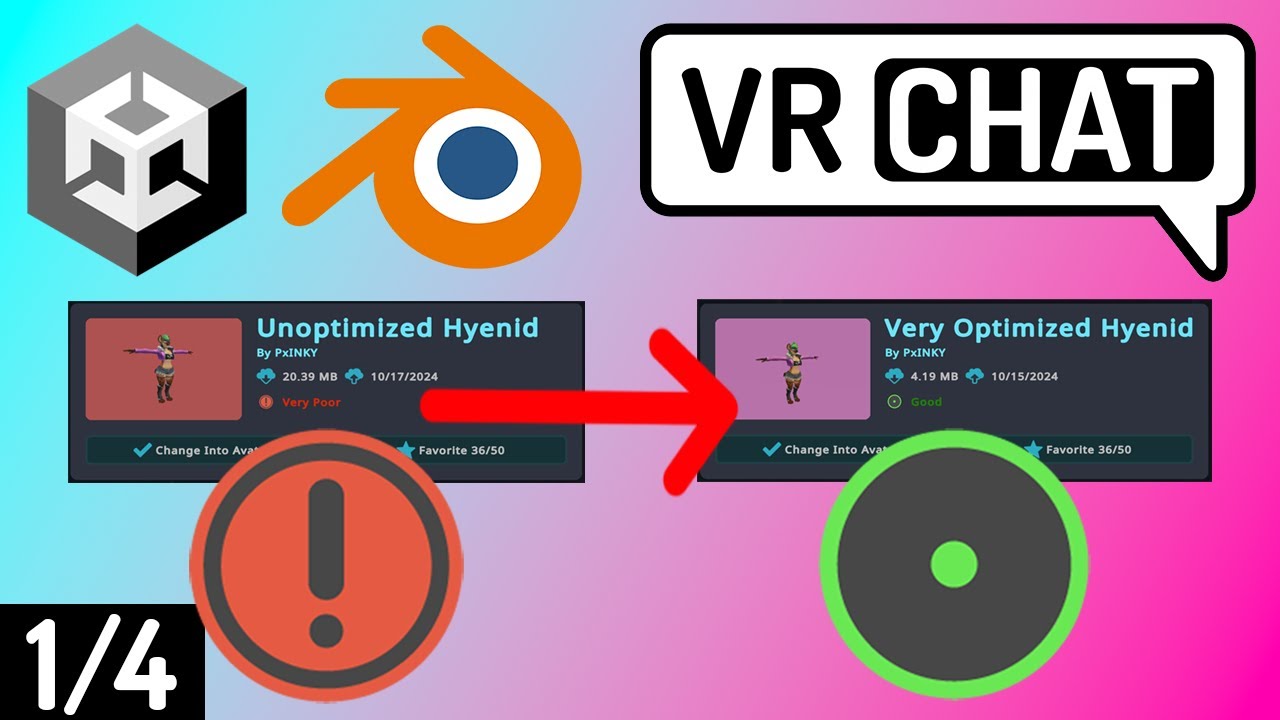
This is the first of multiple parts to my full optimization guide!
In this video, I review Blender and use a special tool/Plug-in to merge materials and textures automatically. This technique is known as aliasing!
Additionally, I touch on shape key toggles for equipping and unequipping clothing/hair
TIME...
crisp imp
i lowered triangles by more than half
still dunno though
ill do as much as i can then export
sweet ruin
crisp imp
i lowered triangles by more than half
Nice
rugged night
gonna have to snip that model
sweet ruin
Lobotomize 😹
rugged night
But yes as Black Wolf mentioned 1 set of clothing would be enough to get to green XD
sweet ruin
I am gonna guess, they got the entire model from somewhere and it has no clothing, and every part has a different material and nothing is merged, but this is just a guess
i mean based on the tri and naterial count
213 xd
rugged night
haha im going cross eyed thinking of the atlasing
but it seems the 2nd pic has em at 21 so thats not to bad. will be much easier. 100% can bring that model to 4 textures
crisp imp
sweet ruin
*I am gonna guess, they got the entire model from somewhere and it has no clothi...
got it from a sfm port and you are right
BUT

yay
i refused to use the help wanted model even though its like 9000 verts because i wanted a fnaf 3 accurate model and not the steel wool slop
sweet ruin
I switched some layers to using blend trees and i must say, i can see the performance being better. From 5.1ms cpu time to 4.7ms. And i just touched 5 layers and combined them
vrcfury will combine those blendtrees, thats why they are still separate
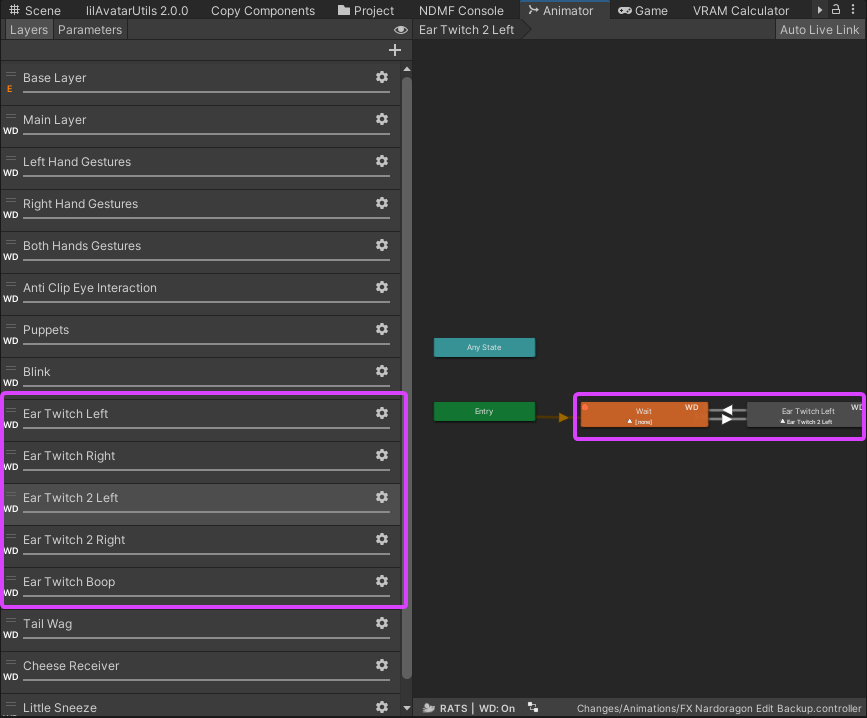
after
https://blackwolfwoof.com/s/AmH5FwkmmwpF8kb/preview
https://blackwolfwoof.com/s/mt8iW3D3JwAckXc/preview
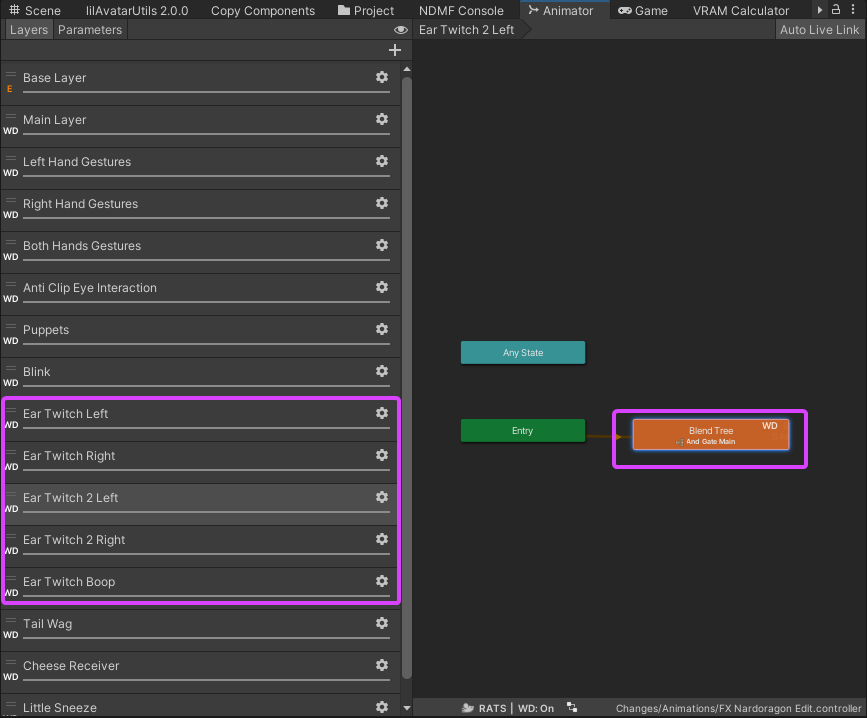
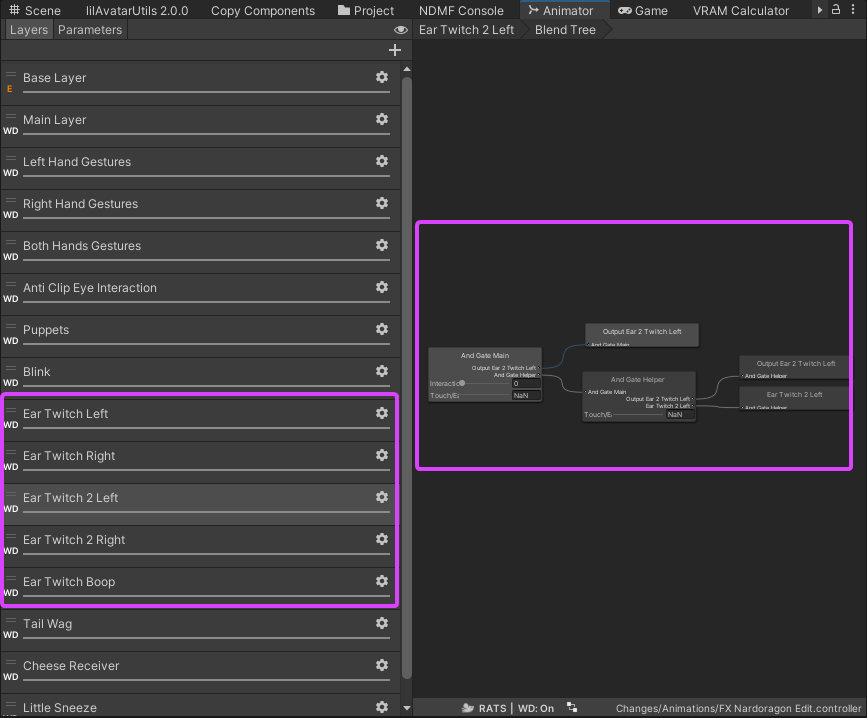
thanks to https://vrc.school/docs/Other/Advanced-BlendTrees/ i was able to understand how to do this, including their example you can download
from 44 to 36 layers (vrcfury stuff is also added in this calc)
cold yarrow
Been using this method for a while myself, I agree, it works great
cursive rover
crisp imp
You can have a higher poly version of the model and bake the normals and have the higher poly normals on a lower poly mesh and use the lower poly mesh for the actual model
crisp imp
mrmrmrmrrrr...
cursive rover
This should help a bit
Most people will see it just as high poly as your high poly mesh, but in reality it's a much lower poly mesh
And if you have a large texture atlas size, you can use a module in Unity which can decrease the texture atlas with very minimal changes in visual appearance
GitHub
LAC: Avatar Compressor: Non-Destructive Avatar Compression Utilities - Limitex/avatar-compressor
I've used this and I was able to decrease my texture atlas size by 70 something percent without obvious changes in appearance and in the high quality preset. This is important because pre-crunch compression size is what can negatively impact your end rating in Unity
cold yarrow
(crunch sucks, don't use it)
 sudden jewel
sure, why not.
 lone wind
Here's a good avatar optimization: Stop using crash clients.
sudden jewel
Definitely useful info!
 vestal haven
gottem
 granite gull
if only
lone wind
I don't know why people actually do it, nowadays crashers crash the crashers and accidently crash the normal users as well and is now an endless loop.
sudden jewel
I'll beat Owlboy to the punch: https://docs.vrchat.com/docs/avatar-optimizing-tips
Do you want your avatar to be efficient and be loved by everyone because of all the frames you're saving them? Follow these tips and you should be good! Any recommended numbers or limits in this document are subject to change at any time. Although some of the descriptions pr...
gottem 
lone wind
😂
vestal haven
says no to dabs
vestal haven

sudden jewel
anyways you can't escape it
vestal haven
no
lone wind
😂
sudden jewel
So this channel is meant for discussing optimization of avatars. Atlasing, reducing Dynamic Bone usage via clever weight painting, that kinda jam. Feel free to share your techniques, link useful videos, that kind of stuff.
sudden jewel
I'll drop by in here pretty often and try to chime in where I can, but there's others in the community that are much better at it than I am-- I hope they come to hang around. 😃
lone wind
Here are some tips:
Limit usage of Dynamic Bone and Cloth, VRChat strongly recommends that you do not have any more than 30 affected transforms on any one avatar.
Reduce the amount of meshes on your avatar
Reduce the amount of materials you use
Avoid expensive shaders
Reduce the amount of bones
Reduce the emission amount/amount of particle systems
Limit the number of Lights your avatar uses
 heady holly
This channel needs a lock to only be seen by vrchatter tags 🔒
lone wind
yeep
sudden jewel
I dun it
lone wind
som gud tips
 heady smelt
Yay new channel!
heady holly
How about weighting your skirt to your thighs and then add 2-4 bones on part of the skirt on the sides of your skirt? 🤔
heady smelt
Saw someone do that. It looked really good
 distant forge
Anyone have links to good profiling tools?
Doing things by FPS is really iffy for so many reasons. I'd like a more objective metric to compare against well optimized avatars
Ideally with avatars you need to make 30-50 clones, and all together should be able to run at 90fps in a vr environment.
sudden jewel
Unity Profiler works pretty great.
Ctrl-7 is the hotkey
And yes @heady holly , that method was devised by Bananers. Video here (make sure you turn on CC) https://www.youtube.com/watch?v=8u1NBstIcy8&feature=youtu.be

[[ENABLE CC ON THIS VIDEO]] Quick rundown of how I set up a skirt for VRchat that looks good and wont make everyone's frames rate tank. Currently there is a ...
 candid sedge
so on the subject of atlasing any recommended videos ?
sudden jewel
I have a video I made on manual atlasing a while back. https://www.youtube.com/watch?v=0cSesu_zkQQ Make sure you read the description, I left out a pretty vital part.

Oh! Crap! I missed a super important part! At the end, you have to delete the original "UVMap" under the Data tab (under UVMaps), and rename the "TextureAtla...
 versed nest
cant wait for an updated tupper tutorial 👀
sudden jewel

 karmic condor
How can I tell the difference between a skinned and static mesh?
candid sedge
from what i got its a mesh affected by bones because of the weight paint
not really 100% sure
distant forge
I'm guessing static mesh means using a MeshFilter/MeshRenderer (or mesh renderer in a particle system). If you use skinning (an armature), blend shapes and/or cloth you will be using a SkinnedMeshRenderer
karmic condor
is there a way for a skinned mesh to be converted to a static mesh?
 smoky arch
https://docs.unity3d.com/ScriptReference/SkinnedMeshRenderer.html
Vs https://docs.unity3d.com/ScriptReference/MeshRenderer.html
 distant forge
Yes, one way in unity is to add a MeshFilter and MeshRenderer component, and click the mesh box to highlight it in your project pane. Then drag that mesh into your MeshFilter mesh slot, set your material and delete the SkinnedMeshRenderer. In blender you can accomplish this by deleting the armature and blend key and export an fbx again. Also depending on what you are using this for, you can be much more aggressive with decimation if you are not skinned. I was able to get an avatar down to 5k with low effort for use as a particle.
candid sedge
ahhh so basically everything in the vertex tab makes it skinned
well everything Linked
distant forge
I think vertex groups without the armature is ok. I use vertex groups as bookmarks for materials after atlasing everything into one so I can select easily and I've never seen those exported to unity
karmic condor
Ok so it looks like that unity adds the appropriate renderer based on if the object has a proper armature or shape keys
though if you want to take it off you have to do what lyuma said. Thanks Lyuma
 steel osprey
this should be a fun channel
 calm spade
Why didn't you pin those videos tupper 
calm spade
By better you mean, updated
candid sedge
hes working on the updated ones i think?
heady smelt
By better as in better and updated
calm spade
They can't be better, just updated 😏
heady smelt
Pls no 1 hour video
calm spade
heady smelt
Pls split video
Need tupper to teach us how to make particles and shaders
Fractal shader tutorial please tupper
Also... Why ik follower doesnt work
 gleaming yacht
@heady smelt great job on that video/skirt!
distant forge
That might be a nice vid to pin--I'd heard about the technique but never seen that before! It looks quite a lot simpler than I expected, not to mention way cheaper (and arguably nicer looking than 99% of dynbone setups)
 patent leaf
I would do, just like zero idea to properly weight painting
distant forge
that sounds similar to what Tupper was describing in his manual atlasing video.
 amber hemlock
I texture atlas’d down to two materials: one for all my solid textures and one for just my blended transparency textures. Would it be better to atlas them both together to a single texture and use the same texture on two different shaders?
I feel like it would be two draw calls either way?
karmic condor
if you have semi or transparent parts then trying to combine those. You may have to prevent Cats from auto combining textures so you can properly combine the ones that should be transparent.
 surreal topaz
@amber hemlock it's better if they share textures
I do the same thing, but manually separate the transparent parts after the atlasing
Optionally you can put all the transparent bits on a new vertex group for easy selection later
Oh yeah, I did this manual atlasing tutorial a while back. https://www.youtube.com/watch?v=h01fZH1eu0k&t=1205s
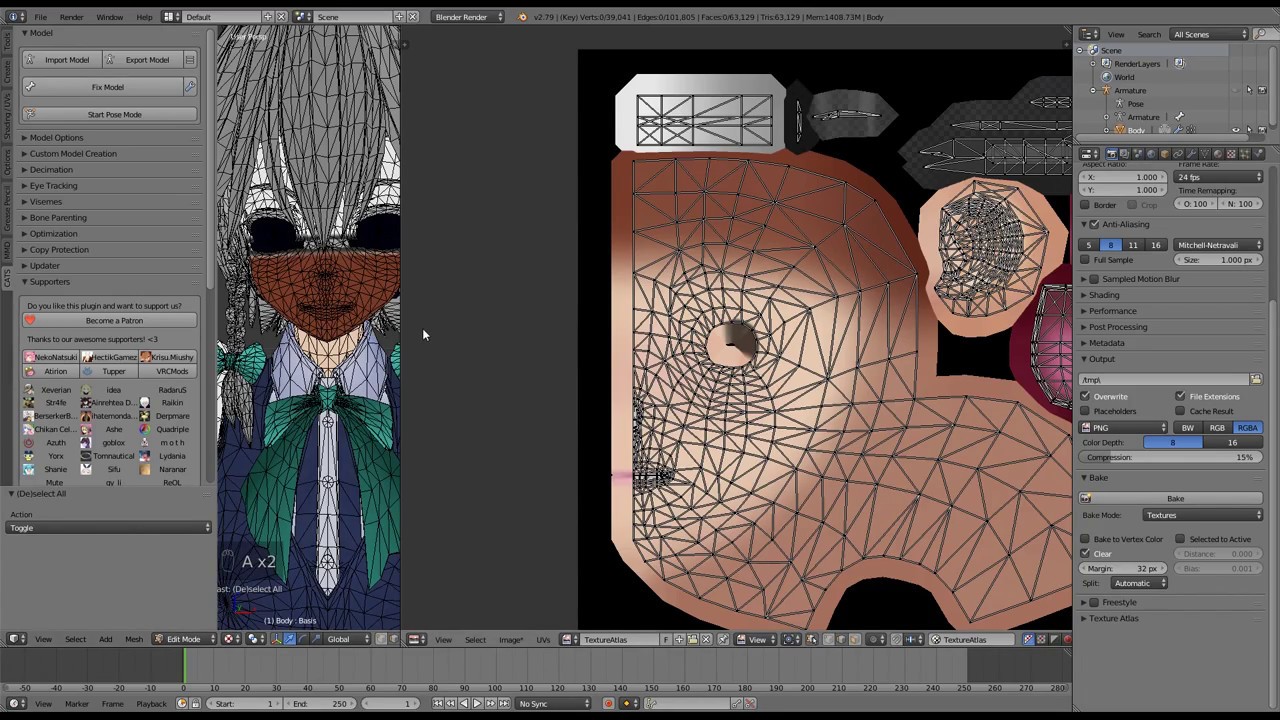
This is a relatively short video on manual texture atlasing in Blender, for use in VRChat. This video assumes basic knowledge of how to port a model into VRC...
It's a bit messy but it covers edge cases pretty well
I don't think the proposed draft for the optimization document should put so much emphasis on shaders
Basically anything that isn't a procedural shader like Starnest will be pretty optimized
It's more useful knowledge for shader devs than most regular avatar makers IMO
heady smelt
wait what
bananers only use 2 skirt bones
and just a little bit of weight paint
wtf
yes
 solid bane
da heck is a bananer
heady smelt
you didnt know that ?
you call yourself the best canadian creator and you didnt know that ? wtf kuri
you can basically do the same for long hair
so you still get the same effect but with WAY less bones
yo
cmon bruh
i know how to use particles
i suck at blender
lmao
i can headswap
CMON BRUH
XD
ikr
i took a few months off unity
and blender
lmao
heady smelt
Some tips:
- Always test the performances of your shaders, and if needed (and you can), simplify them to make them faster (taking a look at some shader optimisation tutorials (Cg/HLSL/GLSL) is really usefull)
- Use Texture Atlas and a minimum number of meshes
surreal topaz
The big ones are minimizing number of meshes, materials, transforms affected by dynamic bone, and transforms that react to a dynamic bone collider.
Ideally this means one mesh, one material, and no dynamic bone.
If you add dynamic bone, keep the number of transforms under 30. Multiply your number of transforms by the number of colliders you have. So two bones that react to your left and right hands would count as 6.
If you need more materials, try to keep it as low as possible, definitely under something like 5.
My avatars usually have two materials. The second material is used for transparent bits like blush. However, it shares its texture with the first material since it's all atlased. This marginally lowers the performance cost of having a second drawcall.
 gleaming sand
People know how to optimize in vrchat? 
 fading leaf
Well seeing how a lot of avatars are, no.
surreal topaz
It's absolutely insane how unoptimized a lot of public worlds are.
Like, pretty much the only ones that give a shit are some smaller worlds with individuals who know what they're doing, and groups like subcom apparently. Interesting to see that places like Mitch Murder got denied lol
I hope they keep reviewing every avatar world like this.
Not just during weekdays
Otherwise people will catch on and only submit during the weekend.
 brazen pebble
what about Toga and ikata's world?
 hot nova
In example about skirt meaning applying dynamic bone script on every chain or on the root bone? I mean first bone in chain is counting? I usually apply script on every chain or if there only single bone (like breast, ears, etc) I set "end offset" which add virtual bone at end for script works.
Also what about changing material via gestures for changing entire model texture to add blush / shame / etc on the face. How this will be affect performance?
Same for face emotion via gestures, like wink. I want to duplicate face mesh around eyes - one for working standard eye tracking and blinking, second for happy faces to prevent overlapping eyelashes movement with closed eyes. And turning this mesh on/off via gestures with blendshape animation. Model meshes will be look like: "Body" - mesh around eye for working standard eye tracking; "Base" - entire model except mesh around eyes, for working lip sync; "Wink" - copy of "Body" but didn`t affected by standard eye tracking because of mesh name.
surreal topaz
@hot nova preventing the blink animation while doing a gesture is already a solved problem. Check out the Blinking prefab I posted in various Discords such as the Cats Discord.
No need to duplicate the face or anything.
Changing material via gestures incurs no extra performance cost, the amount of material slots on the mesh remains the same.
You should probably not apply one script per chain, rather use a root bone and apply one script to that.
This will cover the whole skirt with 1 script
What matters most is dynamic bone transform counts. If there are 48 bones total under the skirt root bone, that means 48 transforms are affected.
I generally use shape keys for blushing anyway, no need for material swaps on most models
 safe swift
 safe swift
I'm glad that they are pushing material and dynamic bone counts, though I have to go back to my old avatars, at least something to do in meantime while no ideas for anything new, plus can make them fbt compatible + fix viewpoint for fbt
surreal topaz
How do you fix the viewpoint for full body anyway?
I need to redo my Sakuya's skirt weights with the new limits
Will probably just re-weight it entirely myself
Use 16 bones for the skirt total, place the bones strategically to allow colliders to actually work
safe swift
merge neck into head, remove neck vertex group, shrink the neck bone and move head bone lower for higher range of motion for head
hot nova
Like you said, all bones under root. But if you apply script per chain it reduces transform count by 1.
safe swift
"Cloth is a default Unity component that has a similar cost to Dynamic Bones and is more difficult to set up. Limit your use of Cloth heavily, and do not apply it to meshes that have greater than 200 or so vertices."
safe swift
this I don't understand however, 200 verts is like nothing
wish there was a comparison of these components so we don't have to speculate
i keep my skirt usually at 500~ and would like to know how bad it is vs dynamic bone performance, but there's no way I'duse dynamic bones for skirt (unless layered)
 polar bolt
A quick glance at DynamicBone.cs shows that the root bone does get added to the internal bone List(line 315 to 356), so it gets updated, but may need to profile - the separated execution of scripts + memory footprint could provide more overhead than just 1 transform within the same loop
(Just my speculations, so take with a grain of salt, needs profiling and a deeper look)
surreal topaz
Hmm, interesting. I always assumed the root bone doesn't move
 tired badger
i guess i gotta release my optimization tutorials even faster now. oof
 sweet mason
I mostly use mobile model as a base . So they are really well optimize already. But when it come to pc game of mmd. they use a lots of material
tired badger
An updated version of Manual Atlasing and Merging bones. I'll release an advanced version involving decreasing bones in skirts/hair for new dynamic bone rules too.

This Tutorial will show you how to Merge extract bones that aren't needed for VRchat as well as Textures into an Atlas to reduce draw calls. If everyone did ...
sweet mason
that tutorial help me to optimize little witch academia, black clover or other modern game that use a lots of bone that vrchat don't use or multiple matarial for no good reason
tired badger
i planned on making ones for everything that was added in the new rules. Just didn't expect them to be enforced anytime soon.
So i was lazy making more
i guess the only confusing thing now is. I have 2 hands but can only have 1 collider.
sweet mason
try to make it short or people are going to give up
sweet mason
yeah would be better have a small for each optimisation process
tired badger
i've learned more since that tutorial too and made things really efficient. I even started adding items in blender and atlasing them.
so my whole model with items is 1 material
distant forge
I feel like they should allow 2 colliders if it's something interactive with your hands if you are otherwise very well optimized, and you advertise it as such
tired badger
i'm fine with everything except that rule just really. Sucks we can't just upgrade to the newer versions of unity that are Multithreaded etc
distant forge
but it's not a hard limit. There are humans reviewing the worlds
if you are worried you can put a sign explaining the avatars may cause extra lag because x,y,z is interactive with your hands. Tupper implied that would be ok in this case
tired badger
well considering just how big my avatar world is and how many avatars i have it's not simple to fix this for me quickly lol
well what if I have dynamic colliders off unless i use a gesture for example.
distant forge
I think that would be ok too
like tons of avatars have particle systems and such and while it wouldn't be acceptible for those to be always on, being able to cast spells ingame and have cool effects is a pretty big feature of vrchat so I don't think they are intending to ban that
tired badger
well i need to release a tutorial on that too oof... so many don't even disable particles ability to cast/recieve shadows which is a HUGE ISSUE
and Real Time Shadows in worlds give me PTSD
distant forge
ya that cast/receive checkbox I only discovered relatively recently
tired badger
I do wish we had access to the tools they are using to check/test avatars so we could scan our own stuff and/or others.
It'd help me a ton as I have a massive avatar world and I basically wanna die right now.
despite slowly optimizating everything over the last 2 months i still fail considering the collider rule.
I wonder if there are any analytics or information on how many are using your avatars/ have them favorited so I know what avatars to straight up remove too hmmm
sweet mason
keep in mind its for public avatar. Dont use your time to make sophisticate avatar for them
tired badger
I do this level of optimization for all avatars i make no matter what
As i want everyone around me to have good FPS including myself
sweet mason
what your world btw ?
tired badger
Kareeda's Avatar Airship
I'm starting on optimizing more right now. My goal is most avatars having 1 material. Realism need at least 3 cause Hair/Skin/Cloths
i'll remove colliders and minimize bones
i'd even go as far as suggest everyone do what i started doing and even merge toe bones as they aren't used
sweet mason
On some idk if I should bother to optimize.
since I use low poly character and only a few dynamic bone
safe swift
toe bones are very useful in vr actually 👆
it's nice to reach a bit higher on tip toes
sweet mason
if you dont have full ik delete them. It make weird movement when you move or look up and down
tired badger
I've started doing merging like this to condense and save transforms. I have another idea to make it one bone but not sure how it'll look yet.
Before and after
gleaming yacht
@tired badger Here's how to do it with just two: https://youtu.be/8u1NBstIcy8
sweet mason
you could try that I guess
tired badger
i'm kinda coming up with my own ways atm. But i'll look at that
sweet mason
parent a bunch on one bone on the left and right and all the other on the hips
and merthem all to have 2
tired badger
i just got my pony tails down to 2 bones each from 50 each
good ol dead or alive avatars
sweet mason
but it come for a longer skirt could more complicated
tired badger
ya the skirt in my screenshots are much bigger/farther from the leg so not sure yet really on if it'd be as good
sweet mason
for my bowsette or boosette I have 3 Ithink. same for the skirt
you could still but maybe a 2 bone at the end so it could bend alittle
tired badger
i mean i'll need to blur the edges of the weight painting but otherwise this is way better.
i don't have to care about touching them since colliders are basically banned so i don't need them to be close for touching
I'm trying to make/come up with a way that doesn't involve people to learn bone weighting etc but only requires knowledge of Cat's. Since the majority of people don't even know that let alone more.
karmic condor
FYI if you use the unity mmd to fbx tool that we aren’t supposed to be using anyway, every single mesh on your avatar will be set as skinned mesh by default. Use cats plugin as it doesn’t do that and it works better in literally every single facet anyway.
 lost stirrup
New rules make me want to quit, straight up
karmic condor
It only applies to pedestal avatars though.
lost stirrup
Half of mine are
sudden jewel
@tired badger @distant forge The "max recommended" collider count was increased to two. Ideally, you want to have zero-- colliders are awful
karmic condor
I feel your pain though, 95% of mine are. Consider creating a google sheet to track your work.
sudden jewel
I can't reiterate enough that DynamicBones is the current major problem for avatar perf, by far
and colliders are like the super evil diablo king sitting on top of it
We recommend zero, we limit at 2.
karmic condor
Does the radius of dynamic bone (not the collider) that reacts to the db collider count as 1?
 livid niche
What about using colliders with cloth? Is that really bad like dynamic bone colliders or nah?
sudden jewel
radius doesn't affect perf, really
Cloth is just about as bad as DynBones, usually worse if you use it on a mesh with >150 verts.
livid niche
👌
karmic condor
Ok, I a handful of avatars that can touch their tails and ears. 2 dbc scrips. Just have to make sure the transforms are <30.
lost stirrup
Is 30 dynamic bones with 1 collider just as bad as 15 with 2 or is one worse
sudden jewel
For a rough eyeball, each collider doubles the load from DynBones
so 30 dynbones with one collider ~= 60 dynbones worth of perf
15 dynbones with 2 colliders is ~= 45 dynbones worth
that isn't scientific at all
but a good eyeball
karmic condor
Does it matter if they are touching constantly or not? Like hand colliders only touch when the player chooses to.
lost stirrup
Does the single mesh Renderer rule apply to animations
sudden jewel
@karmic condor No, the calculation runs every DynBone calculation. Otherwise it'd never know if it was "touching" or not.
Their mere presence is bad
haha
@lost stirrup Not really, no, but merge meshes on individual models
karmic condor
That is incredibly good information thank you.
lost stirrup
Let’s say for example I want to make a gun reload, I do it by putting an animation on the gun to always reload, disable that version of the gun and then enable a copy of it with no animation, under the new rules that is impossible
Due to only 1 skinned mesh renderer
These rules are too stifling to do literally anything interesting
heady smelt
Tupper, do the colliders needs to be set as colliders or simply existing will fuck it up ?
if i have dyn bone collider to touch my ears, and only my ears, do they still double the bone in the skirt even if it's not set as a collider ?
safe swift
yeah I'd like to know this too, would like to have around 4 colliders for just 2 breast bones
lost stirrup
I don’t see the point in continuing to even work on avatars if they can’t even do anything interesting
heady smelt
you don't need dyn bone to make an avatar interesting
lost stirrup
No I don’t
lost stirrup
I need skinned Mesh Renderers
sudden jewel
@heady smelt Nope, only affects bones its set to collide with
sudden jewel
@lost stirrup No, guns don't need to be deformed. They can be static meshes.
safe swift
so is it better to have 1 skinned mesh gun with bones or multi-mesh mesh-filter gun?
heady smelt
Also i have a slight suggestion for the documentation
concerning the lights, can you add that if the dude still want to use lights he needs to remove the shadows
safe swift
I mean, as in if you want to do something with the gun + bones deforming/assembling/etc
heady smelt
also you should suggest Poiyomi's master shader in the recommended toon shaders
it's really optimized
safe swift
cuz blendshapes look complete ass for mesh movement
heady smelt
and only the modules used will get in the code
safe swift
yeh, poiyomis needs some love
heady smelt
poiyomi itself said that only the activated parts will get used
otherwise it's just removed codes
so really optimized as a shader
safe swift
ill be working on my world for like a week+ oof 😦
that's what u get for being lazy asshole
but with the shotas plugin it's super simple
lost stirrup
@karmic condor does a google sheet have any advantages over a excel document
@safe swift what does it do and can I have a link
safe swift
atlas tool that comes with cats now
i think u gotta download it seperate, it combines textures into bigger
heady smelt
CATS will open the DL link for you if you don't have it i believe
lost stirrup
Oh ok then I already have it
karmic condor
Only advantage is its cloud based. Basically the same software.
Also free for people with gmail accounts
lost stirrup
Ah okay then. I only work from my 1 computer so I don’t need that
Does materials count include inside animations and particles
karmic condor
Libre office is also a free alternative to excel
lost stirrup
_> I honestly use pen and paper to keep track of my avatars in the past
If materials count doesn’t include those 10 is a really high number
sudden jewel
It might be annoying work but it helps a ton. Thanks for working on your avatar worlds and helping us increase perf across the board.
tired badger
Is there a way you guys can add a performance tab perhaps so users can just straight up disable DynBones? Or disable the cloth component etc.
Would be awesome if the client could just straight up detect something that doesn't match the rules and it shows up Red too.
i'm overall happy about all this. Just need a ton of time to fix my older work.
lost stirrup
You uh might also want to recommend using a specific sound file type if you are asking for avatar optimization
heady smelt
there are canny posts for that
gleaming yacht
Soon ™
tired badger
ya i made those post and they just fade away lol
heady smelt
"in progress"
lost stirrup
I have all my sound files in mp3 AND then my friends told me ogg was better
heady smelt
so it's good enough i guess
gleaming yacht
Safety is Seperate from Performance
heady smelt
yeah
gleaming yacht
The current stuff is for safety
karmic condor
Sounds the file type does and doesn’t matter as much as how it is rendered.
tired badger
I need to make a post for Analytics. So we can track World/Avatar stats. I'd like to see average users FPS in my worlds, what avatars most people use, how many world visits a day. Would be very helpfull.
karmic condor
Full song in ogg set to decompress on load is death
gleaming yacht
You would need hardware info too IMO
heady smelt
btw owlboy
ty for the toggle buttons on chairs
i can finally use my gesture without being scared to sit on a chair and getting stuck in an animation
gleaming yacht
Yeah, that really needs to be a global VRChat option. It’s tedious to hook up 😅
gleaming yacht
FBT users have trouble calibrating cuz of it too
And sitting in real chairs on top of virtual ones
lost stirrup
@heady smelt yeah but I didn’t know until I made all my sound files
heady smelt
that's fine
lost stirrup
Now I gotta convert them somehow
karmic condor
Oh I think I’m going to steal that chair toggle idea for my world
heady smelt
it's fine
gleaming yacht
Turn off the collider component that is used for the interaction
That way you don’t break the chair script
heady smelt
i would like an option to disable all mirror in a world too
in the pug, it disable itself when you are far away
problem with that, is that some friends like to hug that damn mirror
and i still want to stay around them
but mirror makes me lag most of the time
feels bad
lost stirrup
I’ve never noticed increased lag from a mirror and I run on a toaster
heady smelt
everything is rendered 2 times basically
so if someone is already in an laggy avatar
you get a second one for free
tired badger
Anyone else use Crunch Compression for textures? After I atlas I also make sure to get the texture down below 3mb. Cause i want all my avatars to load fast as f
heady smelt
oh yeah, that's a good point to add
 sonic radish
Definitely use crunch compression
doesn't speed up load time, but does reduce size for transfer time & data use.
karmic condor
I generally make sure I’m at most 2k, nothing higher
sonic radish
4k is a reasonable upper limit
Once you're using 8k textures you need to stop and think "is there another way to do this?"
tired badger
Like my Poolside Fireworks map is crazy optimized. People love it there. Everything is disablable and the map is like 16mb even with the looping firework sound.
Gallium. I add items to the avatar via Visemes and everything is one mesh. But that means tons of different textures to atlas together. I still make sure to crunch compress it down but have had one or two 8ks
lost stirrup
I’ve tried adding items to avatars via viseams before but that means you either have to make them a separate invisible material or you can not animate them, give them dynamic bones or make them have bone deform of any kind or it stretches the mesh out in a weird way
tired badger
you just shrink them into the wrist what do you mean?
you can animate them if you give them a bone that's weighted to them and parented to wrist.
lost stirrup
I gave one of my avatars a head in its hand with dynamic bones in the hair, using viseams to shrink it ment that when you moved the hand the hair would pop out of the hand when you move it @tired badger
I ended up settling the material of the head to be invisible until needed
It needed to be part of the same mesh for the vrc mouth viseams to work
tired badger
I put a head in my hand and shrink it via viseme into my wrist. Did that many months ago and can show you sometime. Don't need to add more materials to it.
what you do is make an empty game object
put the dynamic bone script for the hair on it.
and only have the object enabled when the gesture to reveal the head is used
this allows you to shrink things via viseme and only enable the dynamic bones when needed
lost stirrup
Okay, but then what about the head on the neck, even if you do that for it and shrink it with a viseam it will still have bone deform
sudden jewel
Crunch compression has a disadvantage. Once we upgrade Unity versions, new Unity versions don't have the same Crunch library. So you'll have to reupload the avatar.
Its fine if you want to just use it on your personal avatar, but if you've got 80 avatars for a world... well, that'd be a pain.
tired badger
well i have to update all 80+ avatars to Optimize them already as it is. It'd save VRam/Ram in current version while we wait. I imagine this is in the distant future.
My world has quite a lot of avatars.
sweet mason
delete a bunch then. its like they are all quality
tired badger
But damn... i have like... fricken 300 avatars already.
sweet mason
same face ?
tired badger
No. I have several personal face swaps but my world is variety
sweet mason
of what I saw it would not hurt if some disappear
tired badger
It's not about if they disappear or not. Every time I replace or remove one I get messages asking where they went. Some people like different things.
lost stirrup
300 and you have to reupload all of them, I’m sitting at 22 (on my world) It kinda puts it into perspective, lol. But then again I’m not upset about reuploading or atlasing but rather the limits this puts on my creativity
tired badger
Well i can't use half my avatars cause i can't scroll to see them all sadly. I have to favorite my own avatars just to get an extra 3
lost stirrup
Omg
tired badger
but they are in my public world so have to remain on my account
lost stirrup
Not really
You can make a separate account, upload them, grab the blue print id and then put that into your world
tired badger
You are going to suggest I move Avatars to alts and put them in my world correct?
lost stirrup
I’m not suggesting it only saying you can
Honestly I wouldn’t want to. If I make an avatar I probably want to use it
tired badger
I understand the suggestion but having to have a 2nd account to work around a bug isn't to desirable. Plus I can't switch to them either way since it's another account 😄
lost stirrup
I make shit for myself and then if people like it so be it. And if they hate it I get to laugh
 pine flame
Yeah a nicer way to categorize avatars would be nice
 pallid abyss
I need help 😦 I read the avatar optimization thing. but I don't understand "Static Mesh Renderers and Skinned Mesh Renderers" 😦
pallid abyss
don't you mean satatic?
fading leaf
Which are your shape keys, your deforms, how it moves.
pallid abyss
Oh
HMM
Ok so.. my basic avatar is 1 mesh, but what if i add hair to it in unity? and it has dynamic bones?
does that go from static to skinned?
or uh
<_<
guess its not really skin
fading leaf
Skin is just a simple term for mesh
pallid abyss
ok
fading leaf
I believe it would be considered static(?)
You can use Cat's Blender Plugin however to combine the armatures and mesh into one with a press of a button
Well technically two buttons
pallid abyss
I'm not good at blender so I add stuff in unity :C
Also adding it in unity is easier to swap things out.
fading leaf
Understandable, but may want to consider learning a bit about Blender at your own pace and you have an entire Discord worth of knowledge that can help :+1:
pallid abyss
It's true
fading leaf
Getting familiar with Cat's is a great way to learning
pallid abyss
Any videos on how to do it with cats?
fading leaf
Probably, I never bothered looking myself
pallid abyss
I sorta wish they'd analyise my world to tell me what I need to fix xD w.o me guessing lmao.
I have over 200 avatars tho xP
fading leaf
There is a list you can look at if it's a world
lost stirrup
If it moves it’s a thot skinned mesh renderer
lost stirrup
How can you make 200 avatars and not know optimization
pallid abyss
What in the world would that have to do with anything o-O
and i have 200 live, i've made well over 200.
lost stirrup
I literally learn something new with every avatar I make
pallid abyss
No idea.
sudden jewel
It isn't that much of a jump in complexity @pallid abyss . Most of the difficulty is learning how to use Blender. Once you've got it partially down though, Cats makes it dead easy to make super well-optimized avatars.
All it takes from there is learning when to use/when not to use DynBones (or, the real pro strategy-- don't use it at all)
pallid abyss
I have a lot of avatars to remake. and the upload limit is like 6 atm right? @sudden jewel anyways they can remove the limit so i can more easily gain ground on uploading optimized versions of my models? I have over 200 in my world.
karmic condor
You can do a ton with one bone
sweet mason
the bug that make unelectable your avatar when you have past 150 kind of upset me
surreal topaz
I successfully redid the dynamic bones on my Sakuya avatar's skirt
16 bones total for the skirt now
Rather than 48
Some people would say that's still too much but eh
Automatic weights is a blessing
karmic condor
Once I figured out how to weight paint directly to the legs, that’s all I do now.
surreal topaz
Oh yeah, but that looks weird on longer dresses/skirts unfortunately
karmic condor
With Some exceptions
surreal topaz
I did it on one skirt where it worked really well
Hold on
Because this model made me cry
Before:
After:
It actually works really well, just smoothly weight painted it to the legs and hips
It does really weird stuff in full body, so I gave the full body version some low poly cloth instead.
karmic condor
I’m impressed
 limber vale
Not aware of an upload limit @pallid abyss
pallid abyss
Oh. I thought there was before o:
karmic condor
So after learning about the different mesh renderers I've discovered that yes, you defiantly do want to atlas your avatars.
 umbral hull
Looking for someone that knows how to do one of those disintegration animations for a Thanos model, wanting to add it as an animation for an emote when my character "Snaps"
Makes a certain area around me go dark
@ me if you know how to do this
pallid abyss
@karmic condor Does it count as more than one if it's used 4 times for the same one? it's not a different material
karmic condor
I'm not completely sure, but its still separate parts
sudden jewel
@pallid abyss What counts is the number of material slots. So yes, even if the same material is used 4 times, it still counts as 4 separate materials (sort of, there's some business of batched draw calls, but that's the non-technical explanation)
pallid abyss
I did it! I fixed one entire model x/D 200 to go!! WOOHOOO!! LMAO
heady smelt
help me guys
can someone show me how to do bananers skirt thing with screencast enabled
@sudden jewel
i made 2 skirt bones and now i dont know what to do
l0l
parented to the leg
not sure what magic buttons you need to press to get to the next part
hey @surreal topaz
what are the next button combinations
?
@heady smelt
oh
no magic buttons here. going to have to weight paint to those bones. If you don't already know weight painting, you'll need a whole other tutorial.
the sample thing
i brought the menu up
how do i transfer it to the newly created bones
sudden jewel
@pallid abyss One step at a time 😃
heady smelt
in the video you made you pressed a button that transfered the hip paint to the skirt
but it isnt displayed
sudden jewel
Kuro, you have to transfer the weights to the skirt sidebones/legs as Bananers illustrated, but by doing weight painting and etc. That button didn't "transfer" paints, they were just swapping views.
heady smelt
theres no screencast so i have no idea what buttons were pressed
weight paint sample group
then how do i send it to the new skirt bones
It wasn't really meant as a tutorial aimed at new avatar maker. Just showing the concept.
im not a new avatar maker
new to "optimization"
😏
guess ill just use cloth physics then since "optimization" is some top secret private thing that people dont wanna talk about or provide information on
and this is why people dont optimize their avatars because there are no resources or anyone to provide information or tutoriaals
colliderless dynamic bones tutorials do not exist
however a showcase of it does
if people want avatars optimized then they should provide proper information on it instead of complaining about unoptimized dynamic bone usage
until someone releases a tutorial on colliderless dynamic bones.... expect people to do whatever they want
optimization at the moment is like private shaders.. you dont ask or tell how to do it
If "new avatar makers" knew how to make colliderless dynamic skirt bones they probably would have
or at least there would be more people that could do it
the "elitists" would rather cry about unoptimized avatars than share their "top secret private optimization techniques"
sudden jewel
@heady smelt No, it isn't. We provide documentation on simple techniques-- DynamicBones is easy. Don't use a lot of them, avoid colliders completely. There's no such thing as "colliderless dynamic bones". Additionally, Bananers tutorial expects that you have knowledge with things like weight painting-- it is not step-by-step.
Bananers' technique is a workaround such that you still have some skirt movement. It is nice, but not necessary.
karmic condor
You will be surprised how good just simply weight painting skirts to the legs works. Skirts don't look bad until they clip, so you don't actually have to have realistic skirt physics.
candid sedge
i was working on that same thing with an gown that goes all the way down to the ankles
 patent oak
Hello
I have a question idk if this the right place tho
example:
lets say i have flag model. it is single plain. i want to uvmap it on both sides making cuts on 3/4 edges, so i can put seemless texture over 1 edge
conditions:
-without increasing number of verts, because it'll be used in cloth component and all will be ruined
-without using usual doublesided texture, cuz it just copies front texture on backside and that's not what i want
steel osprey
technicly a two sided shader could be used. The game can tell which side of the model is which and a custom shader could be done where it applies different images on each side
could even be a single image depending on how the uvs are setup
heady smelt
If people need industry level ability to make optimized avatars then that won't be happening any time soon
stop trying to make excuses because you are lazy
its not me
its everyone
it's not hard to optimize
my mats are optimized
combine half the bones of long skirt/hair
my dynamic bones are not
or remove thr skirt bones
and paint them to the legs
you have plenty of videos about weight painting
yeah
there arent any videos on that
on weight painting ?
yes there is
a lot of them
no
for skirts
?
dynamic bone optimization
because weight painting is using the same methods and techniques
nothing is changing if it's a skirt or not
you still use the same tools
i can manually merge bones for the hair because CATS doesnt work on 100+ bones
it breaks the drop down menu
but switching a skirt with lots of bones to a 2 bone skirt
iuno how to do that
i know how to add the bones and parent them to the legs
you can check the video from bananer to get an idea
i did
it doesnt help
it actualy does
you can see how the weight paint is supposed to look like for both sides
you can try to do something similar
it wont let me
when i go in edit mode to select the bone
it wont let me add the weight paint
you need to select the armature
go into pose mode
then select mesh and go into weight paint mode
then select the bone that you want to add weight to
fading leaf
☝ 👍
safe swift
question - if the object with dynamic bone scripts are disabled, do calculations still run for them? same question about disabled dynamic bone script and enabling it with gesture
surreal topaz
The calculations only run while the script is enabled. If the object with the script on it (or the component itself) is disabled, it won't run at all
@safe swift
safe swift
alright, cuz idk what to do with ava that has 0 dyna bones by default, but has 100~ on emote dance
surreal topaz
It's probably fine since the emote won't always be active
safe swift
yeah, idk how their profiler works tho, hopefully mods can see those things which are active by default and which are not
 fading rapids
From what I've discussed they don't have a way to differentiate active vs inactive.
I told them they should probably do that, since there are reasons you might have disabled objects with it, etc.
@heady smelt as nice as CATS can be, I recommend watching a few tutorials on how to use blender without CATS.
If you know what you're doing, it's actually more of a hindrance than a help, for most things.
Here's a basic weight painting guide to get you started.
Runtime of the video is about 5 minutes, and covers all the basics you'll need to really understand what's happening in Bananers' video.

Quick intro and guide to skinning/weight painting. this video is meant for those with a basic understanding of Blender
I'd also like to point out that the statement
if "new avatar makers" knew how to make colliderless dynamic skirt bones they probably would have
is completely backwards.
Dynamic bone defaults to having no colliders assigned. You have to intentionally set them up, and add them to the list of colliders manually.
It's a very intentional process, and people who do it most likely know what they're doing.
surreal topaz
Another thing that can help optimization is minimizing the number of bones that react to colliders needlessly
For example, if you have some strategic skirt bones and want to use leg colliders to prevent skirt clipping
You could consider putting the two skirt chains that can react to the legs on a different root bone
That way, the left/right/back skirt bones won't needlessly check for colliders
That way you might only end up with 4 bones reacting to colliders rather than 16
Colliders work better with low bone counts anyway
fading rapids
Let's be real here though - dynamic bone sucks at preventing clipping and you're most likely going to waste your time and performance if you try and use colliders to prevent clipping on a skirt.
The colliders are always capsules, so they will just slide around each other. It's like trying to take two soda cans and push them against each other if both soda cans were covered in ice, and had no friction.
heady smelt
Thats why i use cloth
surreal topaz
Cloth is better at collision detection but has its own issues
heady smelt
So if i manually merge down bones in the hair
Do i have to join heads and tails
Because there will be that line gap thing
surreal topaz
No, you just click the bone and hit "merge weights", this will add the weights of the current bone to its parent and deletes the bone
Bone position is irrelevant when being merged
surreal topaz
What gap?
surreal topaz
If you move a bone, it doesn't move its weight paint
surreal topaz
The gap doesn't matter, as the "tips" of the bones is pretty much inconsequential
heady smelt
Do i have to stretch the bone
surreal topaz
No, the position of the tips is irrelevant
surreal topaz
Just think of the bones as only their "bases", or heads rather(?)
Connecting bones makes it slightly easier to work with "joints" like knees within Blender, but it's not really required
heady smelt
Well when i had backwards hair bones on a model before... That had gaps it didnt work with dynamic bones
heady smelt
Ok
surreal topaz
It's fine
heady smelt
Short hair
fading rapids
Bone Length does not matter in the slightest. It will not affect your bones in unity in any way what so ever.
Roll and rotation, however, do matter, depending on what you'll be doing in Unity.
For normal use cases, it doesn't - however, if you want to rotate a bone around its local Axis, then the roll comes into play. It's Y and X axis may not be what you expect when you try to locally rotate it.
This is mostly mitigatable through things like "Muscle Animator" though.
 merry idol
i dont know in witch channel i need to be for this but i am having a texture problem with my model 😅
heady smelt
that depend, do you have problems optimizing your texture ?
merry idol
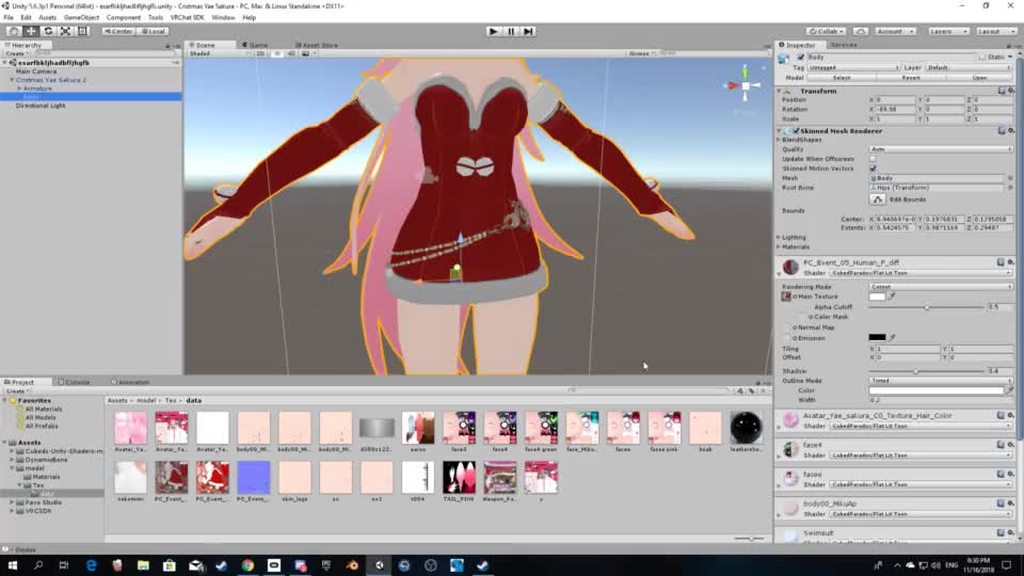
i made a copy of the main texture just to freshen up the colors of the dress and stuff but when i put on the model the chain starts looking strange and bad
and i noticed that the main texture has like a back ground color future on it, so my problem is how can i get chain on the copy of the main texture looking it looks as the main texture 😅
heady smelt
not optimization but okay
the black part is used for transparency
that's why you don't have that weird grey background on the chain
merry idol
@heady smelt what do you mean with <that black part> ?
sudden jewel
black part is alpha transparency that didn't get imported properly
use alpha cutout and adjust the cutout percent
don't use alpha transparency/blending unless you absolutely know what you're doing, it can be expensive and do weird things
surreal topaz
RIP cloth sleeves
surreal topaz
I think the limit on skinned mesh renderers might be a tad too strict when it comes to cloth. Pretty sure the overhead of an additional renderer isn't a huge deal compared to just having 2 materials.
heady smelt
dunno
for some reason they still say that cloth is performance heavy
but from what i tested it's pretty light compared to dyn bone
surreal topaz
Not sure how Cloth reacts if I were to merge the two sleeve meshes into one despite them being pretty far apart
heady smelt
need to try but i don't think it's going to frreak out that much if you paint it properly
surreal topaz
I have 100 polys per sleeve
Apparently one of my avatars has 39 materials which rather scared me, but I can't find which one it is.
amber hemlock
I’ve never had dynamic bones crash my client, even when using them in excess, but cloths are very crashy for me.
In fact cloths are the only time I’ve ever crashed myself, period
So I don’t like using them
Something feels very wrong with them
When they work they work great though.. then poof, client doesn’t exist anymore
surreal topaz
I've seen instances of cloth being very weird
Like, the textures will just break entirely
Or it becomes black, and if shaders are then blocked it's a flashbang in your face if the world has any bloom at all
sudden jewel
@surreal topaz I can give you a full detail list of your avatars if you'd like.
surreal topaz
Oh, that would be sweet. @sudden jewel
sudden jewel
Alrighty, re-running it now.
surreal topaz
I'm currently working down the list completely reworking the dynamic bones anyway
Thanks!
sudden jewel
Sure thing 😃
glad to help
I'll offer the same info to others if they'd like it for their avatar world. Just shoot me a DM with your world ID.
heady smelt
pin that info :o
heady smelt

sudden jewel
I generate it per-world. It takes a few minutes.
karmic condor
Thanks Tupper, I’m almost through cataloging all my avatars with all all their resource use, but if I fail twice on world submission I’ll definitely take that offer up.
 shut sequoia
:0 is there a chance of the world being yeeted if it's a public avatar world and the numbers are bad like ones on the public world list
heady smelt
yo tupper, what happens to those world that got approved and then replace some empty reserved blueprint IDs ?
sudden jewel
Yeah, there's holes in the methodology. If you're going that far to avoid spending 10 minutes in Cats, then uh
you're just lazy, i guess
I don't wanna start a witchhunt and I want to give people time to learn how to/perform optimization
heady smelt
yeah, but we know that there is a lot of people like that
sudden jewel
this isn't about punishing people, its about education
heady smelt
let's be honest
they are still going to get approved and then upload some shitty unoptimized avatars
sudden jewel
then report the world for avatar perf problems 😉
heady smelt
i guess
sudden jewel
that's what it is there for
heady smelt
but we can't really check to be 100% sure of it
karmic condor
We are all technical artists in training
sudden jewel
like i said, there's gonna be holes
heady smelt
we can't check how many materials or dynbone or meshes they got
sudden jewel
it isn't perfect
heady smelt
yeah
sudden jewel
this is just one step
heady smelt
guess we just gotta be patient, it will improve overtime
shut sequoia
hell of a lot more than we had before, so it's welcome
sudden jewel
exactly
as long as we're doing better than we did before, then i don't really care if there's holes
shut sequoia
The only real nitpick I have is this being done After avatar favoriting lol
heady smelt
are you going to make a small announcement when you get the videos in the documentation ?
would be nice
sudden jewel
sure
we've got stuff in the pipe to plug holes

sometimes it really bugs me that I can't talk about what's comin for VRChat
good stuff
lots of good stuff
heady smelt
also you should really suggest to people to remove the shadows from light component if they still plan to use them
shut sequoia
;_; shadows
karmic condor
I’ve worked in a couple games, so I know that feel
 jade shadow
I thought I muted this channel... oh well. 😛
heady smelt
you did but we know that some people will still do it
at least warn them to remove shadows since it's just a laggy mess that doesnt add anything really
sudden jewel
It actually is not
heady smelt
🤔
sudden jewel
I talked to some people about it last night that did in-depth analysis of the shader
it is not well optimized, uses a ton of shader flags/pragmas that are totally unnecessary, and has multiple unneeded passes
sudden jewel
If you ever see in your logs "ran out of shader keywords" or whatever, that's poiyomi
heady smelt
if he ever optimize it properly, can we still suggest it ?
or any other shader for that matter ?
i'm surprised that noenoe wasnt in the list
sudden jewel
we wanted to keep the list simple
Cubed's and Xiexe covers quite a bit of use cases
Standard covers a lot too
standard is really good, just not using the default settings
heady smelt
yeah, standard is really good if you use it properly
obviously it's not for MMDs which is what most people use
karmic condor
Nothing about audio, but that’s ok. Unity’s default for all sound is generally the right setting for most avatar use cases.