
#avatar-optimization
1 messages · Page 22 of 1
 radiant shadow
 somber notch
how many animations in a blendtree node is too many?
 spring sun
radiant shadow
<:vrpill:339175791835480066> this is .. fine , contacts cant use int nor animate...
spring sun
radiant shadow
<:vrpill:339175791835480066> this is .. fine , contacts cant use int nor animate...
What are you even doing with that many contacts?
 trail pilot
somber notch
how many animations in a blendtree node is too many?
trail pilot
somber notch
how many animations in a blendtree node is too many?
can't really answer that -- but, generally, one big tree is better than several layers
 cosmic wave
Is there anyone that knows how to setup face gestures with a blend tree ?
 obsidian lake
cosmic wave
Is there anyone that knows how to setup face gestures with a blend tree ?
obsidian lake
cosmic wave
Is there anyone that knows how to setup face gestures with a blend tree ?
just set GestureLeft and GestureRight to floats then you can use them for your blendtree
cosmic wave
obsidian lake
just set GestureLeft and GestureRight to floats then you can use them for your b...
Yeah I got that part I just don't know the overall blend tree needs to look like. Do you by chance have an image or a term I can search, seems like it's not common to do it this way
obsidian lake
cosmic wave
Yeah I got that part I just don't know the overall blend tree needs to look like...
i don't have access to my PC atm but it's just like how you'd do any other int toggle with blend trees
just set the thresholds to the coresponding values and put the animations in
cosmic wave
obsidian lake
i don't have access to my PC atm but it's just like how you'd do any other int t...
ill give it a try, appreciate it
Thanks
 narrow lake
hii can someone help me 2 set up booba physics? nel nel dumb
cosmic wave
obsidian lake
i don't have access to my PC atm but it's just like how you'd do any other int t...
please do let me know if you can take a look, i got it somewhat working but the blendshapes multiply with the float parameter
 viral knoll
How much would it typically cost to just optimize a avatar?
cosmic wave
Depends how optimized you want it and how bad it is
 viral knoll
Alr okay cuz sometimes I get offered people that they'll do it for me and charge like 50
cosmic wave
Never do it that high
viral knoll
Yeah thanks now I'll just need to find someone:v
cosmic wave
There's tolls that might actually do it for you in unity. Not sure what it's called tho
viral knoll
I've been trying for optimize it for months without any knowledge so I just gave up :v
cosmic wave
viral knoll
I've been trying for optimize it for months without any knowledge so I just gave...
Tbf while there's red on there it's far from unoptimized in terms of vrc
The only thing I would consider bad is your texture memory
viral knoll
Yeah idk how to fix that I had so many optimizer but it keeps breaking it
cosmic wave
viral knoll
Yeah idk how to fix that I had so many optimizer but it keeps breaking it
What ranking do you aim to be in ?
viral knoll
I'm trying to be quest because I play pcvr but they can't see my avatar
cosmic wave
viral knoll
I'm trying to be quest because I play pcvr but they can't see my avatar
I'm unfortunately heading to bed right now but if I can add you I might be able to make it quest compatible tomorrow
 quaint dagger
viral knoll
I'm trying to be quest because I play pcvr but they can't see my avatar
quaint dagger
viral knoll
I'm trying to be quest because I play pcvr but they can't see my avatar
I have someone do my own optimization for me in vrc traders
Ans he charge me 50 for it
cosmic wave
50 is way to much imho
quaint dagger
Omg
That means he over charge me
viral knoll
It's not the first time someone tried charging me that much even I think it's too much just for optimization
@quaint dagger why the friend request?
radiant shadow
triangles only one that many people have no idea how to optimize, rest is very very easy
quaint dagger
viral knoll
<@1347310901111292005> why the friend request?
Just to tell you that be careful many scammers in my DM now
viral knoll
Oh ok
 cold yarrow
haha ten bucks
really depends on what it is we're talking about. modifying the model? wow $10 is cheap
obsidian lake
cosmic wave
please do let me know if you can take a look, i got it somewhat working but the ...
? just make a 1D blendtree with GestureRight or Gesture left as the parameter
i'm opening unity rn i'll send a screenshot in a min
obsidian lake

 pearl kelp
I need help with these things so I can make my avatar good rated
- Combine Skinned Meshes (Ctrl + J messes things up sometimes)
- Combine Meshes
- Atlas Textures
- Combine Material Slots

Any other tips are also great, Even if they don't show up in the VR chat ranking system.
 spare goblet
@pearl kelp
- make sure you apply all transforms before ctrl j (a - to sleet everything, ctrl a - apply all transforms)
- I use a blender add on for textures
https://github.com/Grim-es/material-combiner-addon - material slots count every slot on every object, so even if you have one one material in assets, but 3 objects each with one slot, this will count as 3 materials (you can't combine them between objects, you can only combine the ones on one object with the add on above)
cosmic wave
obsidian lake
Yeah this is what I did originally, but for some reason the animation values would stack with the float value
cosmic wave
cold yarrow
really depends on what it is we're talking about. modifying the model? wow $10...
Wait 10 is cheap?
To be clear it's just optimizing it and not actual creating anything
cold yarrow
cosmic wave
Wait 10 is cheap?
To be clear it's just optimizing it and not actual creating a...
but what's "optimize" mean to you?
cosmic wave
cold yarrow
but what's "optimize" mean to you?
Put it in medium ranking and making it quest compatible
radiant shadow
if avatar have alot of tri getting it to quest medium id charge way more if i ever did that , anything else is super easy (going to 15k from a 200k 'quest' avatar isnt fun)
spare goblet
yeah, I agree
radiant shadow
 spare goblet
Yes! exactly
cosmic wave
It's more so tedious than hard imho, I usually just join some friends in a call while doing it
cold yarrow
cosmic wave
Put it in medium ranking and making it quest compatible
right but what's it at now? that could be 5 minutes or 5 days
cosmic wave
cold yarrow
right but what's it at now? that could be 5 minutes or 5 days
usually a day or two
my own model i got to good rating in 2 days, and it now functions as a fallback for pc quest and ios
never done commessions before tho, only ever did help out friends
cold yarrow
$10 for a day or two of work? Can I send you all of mine?
cosmic wave
haha i definitely dont plan to do commissions like that
ill do it every now and then whenever im not busy with work or games
but for today ill put all my animation layers into a blendtree as my understanding is much better performance
cold yarrow
yay, more direct blend trees
cosmic wave
cold yarrow
yay, more direct blend trees
you seem like a knowledge person, in the fx wouldn't it be best to use a single blendtree for everything?
or is there some hidden benefit on having a few ?
i can't find any information about this
so far tho im putting it all into 1
cold yarrow
You can't use them for all things, but yeah I put as much as I can into a single one
cosmic wave
So far no issues, tomorrow I'll test if I can jam my gesture layer into one
trail pilot
Note that you don't have to author one enormous blendtree
VRCFury's Direct Tree Optimizer can automatically mash them all together for you
I used to try to make large trees, but this made it hard to actually find anything
i now try to stick to small DBTs that can get merged later
radiant shadow
gestures in a blendtree does funny things (blendshape one) its instant and looks wierd
trail pilot
yeah, they're not appropriate if you need transitions between states
since there..aren't any
of course, you can construct your own linear blending system, but that's probably going to be slower than just using states 😉
cold yarrow
yeah I definitely don't do gestures with them
trail pilot
(...i HOPE it'd be slower than just using states)
cosmic wave
I don't mind the Instant tbh I mostly use them for pictures anyway
Only funny business I had with them was the blend shapes got multiplyed by the float value.
But I just divided it on the actual animation to compensate
obsidian lake
radiant shadow
gestures in a blendtree does funny things (blendshape one) its instant and looks...
i use it for 2D faces mostly
 proud urchin
You can do gestures in blendtrees and have it smooth instead of instant.. but I don't personally know how. I just know that the Mayu does it and it looks great.
It seems very complicated.
trail pilot
proud urchin
You can do gestures in blendtrees and have it smooth instead of instant.. but I ...
It's possible to create a blend tree that smoothly approaches a target value
in short, you blend between the current value and the target value
it takes more work to make that framerate independent
obsidian lake
proud urchin
You can do gestures in blendtrees and have it smooth instead of instant.. but I ...
feedback loops AKA float smoothing. The easiest way is to set a parameter to a value weighted between itself and the target value, which creates exponential smoothing. This updates once every frame. You can detect the framerate with an animation that linearly increases the value of a parameter in order to account for framerate changes. It is also possible to smooth linearly with steps by blending between the output float and the input value divide by output value multiplied by a predetermined step size
Everything you need to know to make VRChat Avatar Systems
trail pilot
linear smoothing is a little more annoying to set up, but it's really nice
I'm working on a package that'll generate things like linear move-towards smoothing for you
been using it on my own avatars for a bit now, and it's very convenient
 proper grail
Let me just smooth 2 to 7 real quick and go through all 5 stages of grief tho
cold yarrow
I've been considering setting that up, nice to hear others have
 novel snow
So I know you don’t want to have too many blendshapes, but if you have, say, 84 blendshapes, but they all just modify 4 vertices would that be terribly bad for performance?
cold yarrow
it's not all that significant for performance since Unity 2022, but blendshapes still increase the size of your mesh
novel snow
I wanted to do a speech to text sort of thing where it prints out whatever viseme I just did as a glyph, so I’d need 14 blendshapes x 6 meshes which would just be quads
So I can’t imagine it would be that large of a mesh size
cosmic wave
proper grail
Let me just smooth 2 to 7 real quick and go through all 5 stages of grief tho
Have you done it if so could you possibly post a screenshot of what it looks like ?
proper grail
Its long deleted, basically just took an osc smoothing add on and had it smooth gesturel/r, added basically the screenshot by sunshine above that pointed to smoothed value
It never worked
 half pelican
I've just hopped onto the long road of optimization. Is is wise to duplicate my project for the mobile upload or is there an easy way to preserve my current avatar settings so the two versions are separate? I know I could use a different scene but then I have to remember to scale my texture resolutions back up if I wanna reupload my pc version.
PS:I know I how to link the versions, I just want each version to be in its' own little corner.
viral knoll
does anyone know how to fix the black eyes for quest?
spring sun
viral knoll
does anyone know how to fix the black eyes for quest?
That is incredibly vague
obsidian lake
half pelican
I've just hopped onto the long road of optimization. Is is wise to duplicate my ...
Making each their own project is a massive hassle and takes up huge amounts of space. Personally I just duplicate them in the same scene, but you can make them different scenes if you want to.
 lean wedge
Best way to lessen bone count while still having them look good? 
I have a lot of bones due to some assets on my avi, but I don’t want a high count
If I dissolve too many they look a bit choppy
obsidian lake
lean wedge
Best way to lessen bone count while still having them look good? <:sip:945499956...
use bone merge addon to make sure weight painting remains. If it's too choppy then smooth weight painting with blur tool
trail pilot
half pelican
I've just hopped onto the long road of optimization. Is is wise to duplicate my ...
You can configure texture import settings per-platform
notably, you can set the maximum resolution
half pelican
ooh. I didn't know that. Thank you.
lean wedge
obsidian lake
use bone merge addon to make sure weight painting remains. If it's too choppy th...
OH? Is it a github download? Where do I find it
That’s awesome
obsidian lake
lean wedge
OH? Is it a github download? Where do I find it

GitHub
A tool to merge bones, along with associated vertex groups, for quickly reducing the amount of bones in 3D models - vr-voyage/blender_bones_merger
adds an additional option to merge selected bones to active selected bone - although this does only work with one mesh
you can always hide the other meshes iirc if they aren't affected, and if multiple are affected you'd have to duplicate the armature for each mesh and do it again for each unfortunately
there's a manual way to do this too but it's tedious
using mix weights to edit vertex groups with modifiers
lean wedge
Thank you!
Yeh idk how to dissolve sparingly while keeping the priddy integrity of the model
 random flare
How vaiable are hair cards / fur cards for vrchat? Ive used them a few times before but I remember people complaining quite a bit about performance when they were very close to the cards, likely due to overdraw? (Though the card used Atest transparency so I am not sure how that works)
I am interested in using it more heavily, as before Ive only ever used them on the tail. I wonder if its a method people recommend or if its generally just way too heavy due to overdraw?
cold yarrow
I know of a few avatars which use them well, so I'd say it's certainly possible
random flare
I know of many avatars that have over a hundreds materials and millions of polygons and take up 2gb of texture memory. So Just because people do it doesnt mean its a good idea. I am curious if others had issues with performance and what they did to solve them
cold yarrow
yeah the ones I'm thinking of are medium though
random flare
my models were also medium, since the performance rating doesnt account for shader performance or overdraw
cold yarrow
yeah just commenting on your "hundreds of materials and millions of polygons"
So yeah, haven't done it but I've used more than one avatar that has and haven't noticed anything particularly bad at all.
 warm cloud
random flare
How vaiable are hair cards / fur cards for vrchat? Ive used them a few times bef...
warm cloud
random flare
How vaiable are hair cards / fur cards for vrchat? Ive used them a few times bef...
im not an expert on optimization buuuut i think it depends on what shader you use
random flare
assume standard shader
novel snow
Hair cards can work well, though with how toony most avatars are a style that realistic may look slightly out of place in most settings
cold yarrow
ooh good point
 buoyant holly
hair cards would have the caveat of being PC only because there's no transparency on Quest avatars
warm cloud
buoyant holly
hair cards would have the caveat of being PC only because there's no transparenc...
untrue
multiply particle shader isn't too bad ^^
otherwise additive particle shader works too (if you don't mind it glowing in the dark)
buoyant holly
isn't that going to look kind of stupid your hair being slightly transparent to the background by being multiplied
warm cloud
buoyant holly
isn't that going to look kind of stupid your hair being slightly transparent to ...
better than looking blocky ^^
novel snow
See my preferred method of doing hair cards would be modeling the hair, duplicating it and thickening it slightly, then having a loose transparent strand texture on the outer layer so you see strands of hair sticking out of the original shape at certain angles
Throw some anisotropic specular on both layers and voila
obsidian lake
warm cloud
untrue
multiply particle shader isn't too bad ^^
yeah but this only looks good if the hair is black tbh
 worthy token
i want to merge slots together so set my avatar into the way i want then convert it into an fbx file. but when i import it blender nothing shows up. no armature, no mesh, not bone, nothing. not even an error. i tried to find a solution on internet for 4 hours but couldnt find anything.
proper grail
what exactly does 'convert into an fbx file' mean
most likely in a unity project the fbx file just needs to be found, the fbx exporter add on is for a specific .unityasset file
cold yarrow
they posted in multiple channels
trail pilot
worthy token
i want to merge slots together so set my avatar into the way i want then convert...
Do not attempt to use Unity's FBX exporter. I've seen nothing but bad results.
Modify the original model file.
 regal basin
Does anyone know of a custom script or something to fade mipmaps to black or something useful instead of gray?
 snow knot
regal basin
Does anyone know of a custom script or something to fade mipmaps to **black** or...
snow knot
regal basin
Does anyone know of a custom script or something to fade mipmaps to **black** or...
You could use something like Nvidia Texture Tools to generate your texture. Though you need a Nvidia account to get it 🙃. I used it to make a DDS for mipmap testing by feeding it this atlas png for example. (I would link the DDS but it's uncompressed and 80MB)

You'd have to do the fading in the atlas yourself tho
looks neat in motion
 ivory sluice
regal basin
Does anyone know of a custom script or something to fade mipmaps to **black** or...
ivory sluice
regal basin
Does anyone know of a custom script or something to fade mipmaps to **black** or...
You can modify a texture's mips using the texture class's SetPixels function, i believe it only needs to get the mip's colors using GetPixels, darken all the colors until pure black depending on how close to the last mip you are, set the colors using SetPixels then apply the texture
ivory sluice
regal basin
Does anyone know of a custom script or something to fade mipmaps to **black** or...
probably that will do what you want
why do you want the mips to fade to black tho?
 regal basin
ivory sluice
probably that will do what you want
why do you want the mips to fade to black t...
regal basin
ivory sluice
probably that will do what you want
why do you want the mips to fade to black t...
hell yes, thank you
any texture bleed is really obvious with emission or other data masks when streaming mipmaps downres them. I would rather they just fade out instead of turning the whole avatar into the human torch
ivory sluice
ahwell
 tranquil knoll
how do I optimize avatar for all platfrom in general to the point of good or great performance ranking best I can done is Great on pc but terrible on the rest of platform
cold yarrow
squish and reduce it even more
somber notch
what is the point in using the cloth compent and also is it really expensive?
somber notch
is it expensive to use cloth?
radiant shadow
its local , not reliable loves getting stuck on colliders
cold yarrow
yeah it's really quite awful
somber notch
also another thing ive heard a lot about animator layers being bad also that having a complex blend tree is bad is this true and how bad is it?
cold yarrow
Having too much of anything is bad. Too many layers can be a lot of CPU time.
somber notch
what abput blendtrees?
radiant shadow
blendtrees tend to be faster to setup, but doing anything advanced in them good luck
cold yarrow
there's some performance test detail here: https://vrc.school/docs/Other/Benchmarks
Everything you need to know to make VRChat Avatar Systems
(also a tutorial on doing DBTs if you want to join those of us who use them as much as possible)
somber notch
cold yarrow
there's some performance test detail here: https://vrc.school/docs/Other/Benchma...
perfect thanks
was looking for this
cold yarrow
Good site, lots of detail
somber notch
annother question how do i make vrcemote permitors and how do they work?
cold yarrow
I'm not sure I know what that is?
somber notch
gogo loco uses them you can have like 999 of these parameters and it works like an index them i think but i dont really know
cold yarrow
ohhh, VRCEmote, it's just an integer parameter.
there's nothing really special about it
cold yarrow
it's the main variable that drives Gogo Loco, but that's about it really
somber notch
so what can i do with it? can i use it to create toggles and stuff or only do locomotion animatons?
cold yarrow
... it's just an integer used by gogo loco. you can use it in the animator like any other integer parameter.
But I'd probably avoid using it on any avatar that also uses gogo loco, so you don't cause that to do unexpected things
somber notch
cold yarrow
... it's just an integer used by gogo loco. you can use it in the animator like ...
alright maybe its not the best idea then
 dusky citrus
Hey guys question about materials!
If I have 4 meshes that all use the same material
In unity/VRC, will they count as 4 separate materials, or just 1?
spring sun
dusky citrus
Hey guys question about materials!
If I have 4 meshes that all use the same mate...
They are separate materials
dusky citrus
gotcha gotcha
ty guys!
 wooden raft
This barely edited avatar is apparently too big to upload into vrchat?
 cold yarrow
how big is it?
spare goblet
yeah, show the stats
wooden raft
Where are the stats
cold yarrow
also by "big", specifically what attribute is big?
height? upload size?
I was assuming upload size
wooden raft
Yeah, upload size
wooden raft
spare goblet
yeah, show the stats
You mean this?

Maybe I should delete everything the avatar isn't using?
spare goblet
you should always do that
wooden raft
Yeah maybe that's the problem
Every time I try uploading it, it just says 'error, check the console for more details' and it won't let me click on it until it resets and acts like nothing happened
Also it makes a new prefab of itself every time
cold yarrow
What's in the console?
wooden raft
 cold yarrow
82 errors - please show the first 2-3, at the top.
wooden raft
 cold yarrow
hmm nothing useful there
I guess look through the errors to find something interesting, most of those are just "an error occurred" or are side-effects of some other error.
yes, I know that's not very helpful 🙂
wooden raft
I started a new avatar project as a test and literally just put a blank avatar prefab and I already have 15 different errors

Even more than the one I have more stuff on
I can't even upload it completely unedited
🤦♂️
Maybe its the fact I'm using a prefab instead of an FBX? I can't seem to find an FBX anywhere though
wooden raft
wooden raft
Maybe its the fact I'm using a prefab instead of an FBX? I can't seem to find an...
Nope, found an FBX, still can't upload it
Literally arrived unusable
"Attempting to load the data for an avatar we do not own, clearing blueprint ID"
 robust anchor
Error building player because scripts had compile errors
that is the error that needs fixing
some script somewhere has a compile error, and unity can't ensure it won't be on the avatar, so unity refuses to build the avatar's assetbundle
cold yarrow
wooden raft
"Attempting to load the data for an avatar we do not own, clearing blueprint ID"
this is a side-effect error, again, look at the top of the errors list.
 heady quiver
I need to drop my avi's size by 8.85 mb so i can upload to quest. Anybody know what I could do?
warm cloud
heady quiver
I need to drop my avi's size by 8.85 mb so i can upload to quest. Anybody know w...
lowering texture resolution, getting rid of things that you don't need, etc
 sharp hare
is there any way to easier atlas textures bc i keep having to re uv map and then reimport and do all the stuff in unity
cold yarrow
there's a blender plugin called material combiner, though it doesn't seem to do more than just diffuse textures
robust anchor
sharp hare
is there any way to easier atlas textures bc i keep having to re uv map and then...
if the shaders you're using support it, you can just set the scale and offset properties of the texture inputs of the materials.
then you just need to combine the textures and can leave the UVs untouched
 novel sequoia
hey is there any way that people can think of to create two synced object locations while using as little parameter spaces possible?
(i know about the vrlabs one, but i need something that'd be synced quickly, preferably under a second.)
right now i'm using three floats and three contacts with constraints to find the exact location in relation to a cube area with a consistently switching toggle to sync the secondary location, but i just feel like there's something i can use to quickly sync it while lowering the total parameter cost (which currently is 25)
as of right now, i am making animator layers by hand so having a few booleans transfer data in binary is pretty much out of the question since i don't do drugs
idk if i should worry too much about parameter costs though since there aren't going to be many avatars that ever get within like three quarters of the limit
cold yarrow
add face tracking and you're bumping up against the limit real fast
tranquil knoll
Does the avatar need to also be optimize for Quest inorder to run on android?
obsidian lake
novel sequoia
hey is there any way that people can think of to create two synced object locati...
i mean you can always use physbones to sync position
it won't automatically sync for late joiners but all you need to do is grab it and it will sync again
i found that to be the most convient
novel sequoia
Ah syncing for late joiners is what i’m going for sadly
obsidian lake
it will sync for late joiners just not automatically, you have to grab the physbone
novel sequoia
Something that doesn’t require something like grabbing the bones
I’ve used that kind of thing before and it’s always super jank
(It was for a volleyball net that you could pull out)
Great idea, horrid in practice
obsidian lake
novel sequoia
I’ve used that kind of thing before and it’s always super jank
It works fine if you use constraints to reduce jittering
You could use contacts to get the angle of the physbone and the stretch value and then animate the position for late joiners
novel sequoia
That’ll still take up three floats
Im probably just gonna stick to what i have and add as few extra synced parameters as possible
 open vine
are there similar canny posts to this one? I feel like there was a more recent one with avatar animation count performance when seated
https://vrchat.canny.io/avatar-30/p/bug-frames-drop-in-vrc-station

For some reason the more animations there is overall in the avatar descriptor, the more the framerate drop in station.
 frosty citrus
I need to get my avatar from roughly 100,000 polys to 70,000 to be Poor instead of Very Poor (to attend an event that requires a Poor or better avatar).
I have literally stripped everything I do not need, and only have the bare necessities on it, and I'm no good with manual blender work.
I've tried the CATS/Tuxedo optimisation but, quite frankly, it makes my model look like shit.
spare goblet
delete mesh under clothes
delete things you don't need
frosty citrus
spare goblet
delete mesh under clothes
delete things you don't need
I decided to give in and give up trying to get a clothing toggle (which meant I could delete all the fluff on the avatar), that worked and it's 67,178 tris haha
I lost something, but eh, I'm gonna probably be fully clothed at raves anyway x3
cold yarrow
yeah, IMO strip the thing down to only what it needs for these events
spare goblet
yeah
warm cloud
yeh, otherwise you could always upload a seperate avatar but without the clothing (sorry that im late to this discussion lol)
 waxen hill
I have gone a bit crazy with Schulting in Blender.
Does anybody know some good retopology tools or technieks?
cold yarrow
retopoflow? polymating? polyquilt?
waxen hill
cold yarrow
retopoflow? polymating? polyquilt?
I'll take a look at them.
cold yarrow
first two are not free, last one is
 proper falcon
Is there some kind of performance breakdown for each optimization? Like to what extent does everything influence performance.
spare goblet
there's a list on the vrc website showing what's for what category.
but I don't think that's what you want, is it?
The Avatar Performance Ranking System allows you to see how much a user's avatar is affecting performance via analysis of the components on that user's avatar. You can also use it on yourself to see how performant your avatar is.
here it is in case you wanna take a look
proper falcon
I was more curious about how certain thing impact performance. Like would an avatar with 100k tris but with 1 mat, limited animations, low physbones, etc be worse than an avatar that say has 50k tris but with 10 mats, lots of animations, etc. The performance rating for the 100k would be worse obviously, but would it actually be in practice.
 zealous wigeon
proper falcon
Is there some kind of performance breakdown for each optimization? Like to what ...
zealous wigeon
proper falcon
Is there some kind of performance breakdown for each optimization? Like to what ...
Depends on how in-depth you wanna get.
A surface level depth would be this https://vrc.school/docs/Other/Benchmarks/ where you also have to take into consideration that your avatar will be one of 40 or more and the majority of the other avatars will likely be worse than yours by the fact that they just didn't care about optimization at all. Don't be one of those people that optimize assuming they'll be one of like 4 and then use the avatar anywhere else.
Actually in depth requires knowing how the hardware reacts, which is really hard to put into a readable amount of words.
Everything you need to know to make VRChat Avatar Systems
zealous wigeon
proper falcon
I was more curious about how certain thing impact performance. Like would an ava...
Tris are generally cheap, until they aren't and in situations where they aren't (overdraw).
Each material is a draw call, we dislike drawcalls a lot, they are expensive (the trip between getting stuff from main memory to delivering it to the GPUs VRAM), some draw calls are more expensive than others, but best to always assume they are the worst.
Animations can be terrible, and VRC School does a good job explaining that part.
But of course animations are CPU side, where VRC generally struggles most, while tris, draw calls and generally just GPU side~~ (draw calls interact with the CPU in a way that takes some performance from it).~~ I am over and underexplaining, which is just confusing.
proper falcon
Thats more what I'm looking for.
Also I was just reading around, and was wondering if 4k textures are that unrealistic for like an atlas. I'm working on an avi right now, and I think I should only need 2 mats with 4k, all the assets have 2k textures, textures to keep everything as is no compression. or should I compress down further to 2k?
proper falcon
The answer is very much so it seems. 2k is about 2mb 4k is like 8mb.
difference seems minimal too.
 unique steppe
does anyone know what i can do to get rid of that 1.02MB?

 waxen hill
unique steppe
does anyone know what i can do to get rid of that 1.02MB?
waxen hill
unique steppe
does anyone know what i can do to get rid of that 1.02MB?
Retopology?
proper falcon
Is there a benefit to using Simple Bake over the built in blender method for texture baking?
cold yarrow
I find it way less time and effort. So yes.
 fathom birch
unique steppe
does anyone know what i can do to get rid of that 1.02MB?
fathom birch
unique steppe
does anyone know what i can do to get rid of that 1.02MB?
Texture compression?
Oh i read the error message
Well you can always scale down resolution of a texture to see if it helps.
proper falcon
unique steppe
does anyone know what i can do to get rid of that 1.02MB?
You can delete unused shape keys, and merge shape keys together for emotes and stuff.
 sweet pelican
spare goblet
https://creators.vrchat.com/avatars/avatar-performance-ranking-system/
sweet pelican
spare goblet
https://creators.vrchat.com/avatars/avatar-performance-ranking-system/
its a big deal if i have 5 uvset in 4K with color normal ao metallic..?
without that my character is ugly
its take 232mb :(
 sudden epoch
How can I avoid strange lighting bugs like this?


 sudden epoch
Nvm I figured it out. I need to edit the normals to achieve a better looking result
also, further messing with topology can also fix this
 vital cloud
Hey can anyone help me with decimating a model in blender and importing it back into unity. Because when i did it, it is just invisible
It should be there but it just isnt
For context i have an avatar and im trying to make a quest version so they can see my avatar to
But because the model i use has like double the amount of tris that is allowed for quest i had to decimate it in blender and i just saved over the original model
And now it doesnt work
zealous wigeon
vital cloud
And now it doesnt work
Generally (know of an example where it doesn't apply) that means you exported using the wrong settings.
But easier fix would just be to re-add the original fbx, import the decimated version and in the skinned mesh renderer just replace the mesh used for the decimated one.
vital cloud
Oh ok thanks
In which file format do export the decomated mesh?
Ok so now the export does not have any rigging even though it had that in blender
zealous wigeon
vital cloud
In which file format do export the decomated mesh?
Not file format, the FBX export settings.
For example scaling is often times a easy one to mess up.
If armature (in Unity) has scaling of 1,1,1 then FBX All, otherwise All Local.


 vital cloud
Can anyone help me?
 versed flicker
vital cloud
Can anyone help me?
versed flicker
vital cloud
Can anyone help me?
just be patient and people will answer
zealous wigeon
vital cloud
How did you decimate it?
Assuming you didn't export it in the wrong format then the fbx should have bone weights, did your apply the armature modifier in blender?
vital cloud
I did not apply anything in blender but i will try that
Is a skeleton modifier the same thing?
Because the skeleton modifier cannot be applied
The blendshapes are also gone
I wont be able yo reply for most of this day
cold yarrow
blendshapes gone are usually a sign that you left an un-applied modifier on when exporting to fbx
 glacial urchin
does anyone know why some of my blendshape toggles will have random verticies jutting out from where i hide them in the mesh, this has been a problem ive faced across many models over the last year or two. it only happens when in vr. never when in desktop. i assume its just like a really heavily weighted vert getting confused when shrunk to a single point but i cannot figure out a workaround
cold yarrow
are those vertices weighted to a bone that's been moved, and when you shrunk them you didn't keep it aligned with the bone?
this is the hard part about using blendshapes to hide stuff, the vertices will still move with the bones they are weighted to
glacial urchin
yeah usually on limbs
prob need to not just shrink down to a single point but like move them closer to their weighted bones?
🤔
cold yarrow
yeah probably shrink to a line along the bone they are weighted to
or use UV tile discarding, if you're not going for quest
glacial urchin
hmm, okay ill mess around, see if i can figure out a way to scale them to a line easily
uvtd is cool but i want to not have force ppl to show my shader to see my proper ava state
cold yarrow
I'm not sure I know anyone who actually turns those off, but yeah, it's a concern. Though with the blendshape trick, that relies on your animator being active
glacial urchin
Fair point xD, thanks for the help
proper grail
glacial urchin
Fair point xD, thanks for the help
yeah with shrink to hide multi vertex group mesh, an easy way to do it is make a pose that shrinks the xz to 0.01 and save that armature modifier as a blend shape. If done right the mesh blend shape at 1 should appear to be lines that follow your bones!
obsidian lake
Do you have any broken scripts in your project? For me that caused every avatar I uploaded to fail security checks until the script was removed
proper falcon
Use blend trees, then there is no need for more than like 10 layers.
cold yarrow
even just slap VRCFury's thing that turns basic toggle layers into a DBT on it
obsidian lake
Oh yeah like everyone else said, no need for that many layers
Not sure what you're doing with them
Like why you'd need that many
Even before I knew about DBTs I only had like 20 maximum
ivory sluice
tbf i have many layers for customization purposes and because there's no way to toggle objects, shape keys, material properties, and any other stuff without relying on animators
AV3 components that act as toggles and stuff would be very useful to reduce excessive layers and performance impact
proper falcon
ivory sluice
tbf i have many layers for customization purposes and because there's no way to ...
That can be done with a blend tree too.
https://vrc.school/docs/Other/DBT-Combining/#fbb38b69c7e74a8989fa61ca4b5beba9
Everything you need to know to make VRChat Avatar Systems
proper falcon
Manually, or some one mentioned a VRCF component that does it automatically. Although manual is usually the way to go when it come to getting the most bang for your buck out of optimization stuff.
cold yarrow
it's a good thing to learn!
ivory sluice
idk something about interpolating between On/Off animations doesn't convince me for performance
I'll give it a shot if i need something like treating groups of booleans like integers or smthn like that
cold yarrow
same site has actual testing results about that performance if you want to explore that too
vital cloud
cold yarrow
blendshapes gone are usually a sign that you left an un-applied modifier on when...
Oh so i need to apply the skeleton modifier aswell?
Because it doesnt let me
cold yarrow
No, you should not apply the Armature modifier
vital cloud
Well then what do i do?
For context im trying to do a quest version of my avatar and it has too many tris
cold yarrow
I'm not sure what you're trying to do, I just had that one suggestion as a possible answer to the question about missing blendshapes
vital cloud
Im using a decimate modifier in blender to reduce the tris on the model so it can be quest compatible
cold yarrow
you'll need to apply that modifier before exporting.
Or just use the decimation that isn't a modifier.
Decimation isn't a great way to do this overall though.
cold yarrow
things like targeted edge loop dissolving and remeshing
spring sun
retopology
vital cloud
Ill try it
 leaden reef
trying to do blendshape for clothes toggles…
when toggled off (made really tiny inside the body) issue is that the mesh now stretches out of its “hiding spot” like crazy when the armature is posed.
is there another way to do these toggles then? (can’t use separate meshes, this is optimised, can’t use alpha dissolve either because quest avatar)
cold yarrow
You need to make the "hidden point" of those be along the bone which moves them
there are cases where you really can't make it work ideally.
leaden reef
cold yarrow
You need to make the "hidden point" of those be along the bone which moves them
so like sculpt it really skinny along the armature? (same way people eliminate clipping)
leaden reef
cold yarrow
there are cases where you really can't make it work ideally.
i thought so … optimisation has its drawbacks but i am determined
cold yarrow
what I mean is move the vertex as close to the bone you can without moving it too far from it's position along the bone
so in many cases yes, that does mean skinny along the bone
cold yarrow
yeah it can be tricky sometimes
leaden reef
much appreciated ❤️
 raw oar
ive always wondered what is the difference between a basic mesh and a skinned mesh... i tried to look it up but the deffinitions are not always precise... like i want to know what automatically makes a basic mesh into a skinned mesh
leaden reef
raw oar
ive always wondered what is the difference between a basic mesh and a skinned me...
if it has a rig and deforms
raw oar
leaden reef
if it has a rig and deforms
what if an object has a SINGLE bone, it doesn't technically 'deform' it, does that still count?
cold yarrow
in what way does it "have" that bone?
leaden reef
is it weighted into it?
cold yarrow
sounds like a deform bone then
leaden reef
yeah if it’s weighted then it “deforms” according to the computer
raw oar
leaden reef
is it weighted into it?
what if its parented to the bone instead
leaden reef
is it weighted?
raw oar
no
leaden reef
then… i don’t think so
cold yarrow
sounds like not skinned
leaden reef
yeah
as long is it’s not joined with another mesh that DOES deform/have weights
then you should be fine…
raw oar
i see..
leaden reef
i had these same questions, searching the internet for answers did little to help
raw oar
never knew skinned meshes could be anything weighted to a bone...
i thought basic meshes could be objects that just dont have blendshapes lol, or that arent "stretchy"
leaden reef
raw oar
never knew skinned meshes could be anything weighted to a bone...
if weighted, computer says “weight means it will EVENTUALLY deform!”
even if it never does…
leaden reef
yes
raw oar
thank god
spring sun
Joined meshes reduce mesh count in general
leaden reef
in blender terms, meshes are how many objects you have in your scene
if that helps you
3 cubes = 3 meshes
that kind of thing
raw oar
leaden reef
in blender terms, meshes are how many objects you have in your scene
ok i see now
leaden reef
just be careful when merging objects with textures because sometimes the uvs need to be fixed
(currently dealing with this… i hate it)
leaden reef
so did i
atlassjng should help it though
if you have multiple materials on one mesh, consider atlasses
it’s also easier to remap your uvs with an atlas
but only go down the remapping uvs route if you run into uv issues
if you don’t have issues, don’t mess with anything
“don’t fix if not broken” i think the saying is
raw oar
right, i sometimes learned that the hard way lol...
leaden reef
same here 🥲
proper falcon
Is there any good way of handling dissolve toggle with blendtrees? VRCSchool mentions that the exponential smoothing technique can be used for it, but I don't see how without some kind of driver parameter.
cold yarrow
I've just been doing those in traditional layers
radiant shadow
not tried it much ive had some wierd things when i try to do motion time in them, one work other wont even tho they are same'ish  im like uh why ( 2 floats moving an animation in blendtree )
proper falcon
I think I under stand how it works, as I was thinking of it as more of a binary path sort of thing when its actually mixed. When smoothing value is at 0.5, the animations are played equally, so output will be set to the mid point value between the input value and the current output value. That will repeat every frame update until they are equal-ish. My only concern with this method is that you'd need two animation parameters per one toggle. I feel like three's probably some clever way to share the output value by tracking whether its in a playing state or not, but not sure how to implement it in terms of a blendtree.

 glad ridge
Do I need to go throught ebfor einporting
 leaden reef
glad ridge
Do I need to go throught ebfor einporting
leaden reef
glad ridge
Do I need to go throught ebfor einporting
just select all then import
assuming you bought this avatar
radiant shadow
 that page host leaked/stolen assets and stuff, we dont like the page and wont help people who use it
proper falcon
jinxxy
proper falcon
leaden reef
(currently dealing with this… i hate it)
UV Packmaster is magic for organizing UVs
leaden reef
proper falcon
UV Packmaster is magic for organizing UVs
what is that?
i ended up just doing it all myself lol.
proper falcon
its a blender plugin that calculates the optimal placement for your UVs.
You can group and assign values to the UV islands depending on how you want them scaled. It can auto stack similar UV islands too.
 leaden reef
 heady smelt
oopsie
heady smelt
oopsie
enable mesh read/write on all your import settings
unless… your avatar just actually has that many polygons…
heady smelt
what 😭
leaden reef
what?
 lost marlin
glad ridge
Do I need to go throught ebfor einporting
lost marlin
glad ridge
Do I need to go throught ebfor einporting
Did bro type this out with one hand 💀
spare goblet
heady smelt
what 😭
there's an "auto fix" button in the sdk, click rhat
 exotic bluff
Anyone good with optimization on vroid?
leaden reef
exotic bluff
Anyone good with optimization on vroid?
i thought i replied to you the first time. but i may have forgot
a way to get around the transparency but still keep the look that you want is to cut the mesh using the knife tool in blender, cut it along the transparency.
butttttt you will need to redo your eye expressions manually after. so its up to you if you’re down for that. it’s how i convert my vroid avatars to quest
leaden reef
leaden reef
i thought i replied to you the first time. but i may have forgot
a way to get a...
i can call with you and help if you decide to go down this route.
i don’t mind also just redoing the eye expressions for you, it’s not a big hassle for me
spare goblet
that's why i figured a different way
leaden reef
spare goblet
but it doesn't allow expressions
this is not true, as i explained to them **
spare goblet
well yeah
but i'm to lazy to redo all of them xD
that was a very big mind shortcut
leaden reef
good thing it’s not your avatar and i’m asking them, not you.
spare goblet
sorry hah
great, sorry for trying to take part in the conversation :) i won't do it again
 midnight hamlet
working on uploading this avi and having some issues with the errors. I have seen some of them before in previous uploads but others i have not. Anyone got any ideas on how to fix these
 spare goblet
get correct unity first
auto fix second
the rest is fixable using blender and some plugins/manually
tuxedo plugin for polygons
just ctrl+I for meshes
material combiner for materials
physbone components in unity, you need to remove some
bones you can merge weights in blender using the cats plugin
textures lower sizes in unity
midnight hamlet
spare goblet
get correct unity first
auto fix second
the rest is fixable using blender and so...
got it to work hopefully
nevermind
still struggling
spare goblet
you can always read other conversations here, there's a lot of info
midnight hamlet
ok
leaden reef
spare goblet
get correct unity first
auto fix second
the rest is fixable using blender and so...
what is tuxedo plugin for polygons
spare goblet
it can bake your avatar making it have less polygons. I use it because the quality is better compared to decimating with blender's decimate feature
leaden reef
i wish i knew that beforehand , that is very interesting
spare goblet
yeah, very helpful. Keeps shapekeys too
side effects though, it combines all of the materials but I don't mind that for quest
leaden reef
ahhh, that’s a deal breaker for me sadly
proud urchin
spare goblet
yeah, very helpful. Keeps shapekeys too
Blender decimation can keep shapekeys provided youre not using the modifier to do it
spare goblet
is there a different decimation in blender than the modifier? I thought it was only a modifier
cold yarrow
in modern versions there's one in the Mesh menu, iirc under "clean up"
radiant shadow
that thing
 spare goblet
interesting
leaden reef
looks damn good
leaden reef
spare goblet
is there a different decimation in blender than the modifier? I thought it was o...
edit mode > select the part u want to decimate > mesh > clean up > decimate geometry
spare goblet
yeah I got that from thulen's screenshot

 cold yarrow
proper falcon
Here's the setup I came up with for doing dissolve toggles with Blend Trees.
cold yarrow
proper falcon
Here's the setup I came up with for doing dissolve toggles with Blend Trees.
hey, that works well!
 cold yarrow
for the first one, simply join the mesh objects in something like blender
heady smelt
what about the materials
cold yarrow
that's harder, it depends on what you want to do. could atlas with a tool like material combiner, could bake, could recreate textures...
spring sun
If they share the same texture why arent they already 1 material
cold yarrow
yep
heady smelt
spring sun
If they share the same texture why arent they already 1 material
they dont share textures
i never said that
spring sun
heady smelt
they dont share textures
I said if
proper falcon
cold yarrow
for the first one, simply join the mesh objects in something like blender
To add on to this. If they are simple props and don't have bones, you can use a basic mesh renderer.
 tawdry wyvern
How can I optimize contacts and receivers?
Been running into issues where all contacts stop working.
I assume overlapping contacts is bad?
Contacts in close proximity is bad?
Big contacts are bad too?
What about receivers?
Are their impact higher or lower than contacts?
proper falcon
If they are overlapping, why not just merge them into one?
tawdry wyvern
Well they're not in the same spot, like a cheek rub and a head pat collider
And some avatars have big ones that envelope the entire avi. Which would overlap all of them.
And they trigger different things
obsidian lake
tawdry wyvern
How can I optimize contacts and receivers?
Been running into issues where all c...
May be too many. Contacts stop working if you have too many around you (including your avatar and other people's)
tawdry wyvern
Yeah, that's been happening a lot. So I'm cutting down on the amount and adding toggles.
But it's unclear what the limit is and what distances are involved
obsidian lake
tawdry wyvern
Yeah, that's been happening a lot. So I'm cutting down on the amount and adding ...
Idk about PC but I know there's a known limit for quest.. it's some power of 2 but i can't remember exactly.
proper falcon
It's 4096 per instance.
Idk if ther is a hard limit per avatar.
Also I think only synced contacts count, so you might try making them local.
tawdry wyvern
Making them local means only the person using the avatar can see them
And there must be a much lower limit based on proximity.
Because hiding avatars nearby fixes it.
proper falcon
I thought it meant it was local to the person using the contact.
tawdry wyvern
Contacts are client based and don't need to sync over the network.
But you can sync their parameters if necessary. Like if there's a risk of desynch.
If you set them to local they only work for the person using the avatar and no one else will even see them working.
 raw crater
Hey quick question, do blender's hair curve feature work well with vr chat or should I stick to hair cards? (I'm trying to make somewhat realistic looking fur)
cold yarrow
just convert curves to mesh
raw crater
So now this 30+ mb png is just sitting on my pc which I rendered for like an hour is just useless... :dies: (This is what I get for assuming)
 sturdy socket
Erm, if you want dense realistic fur probably do stick with hair cards or multi layered hulls to get the effect, making dense fur with curves can quickly explode in polycount
warm cloud
fur shaders could also work, however they only work for pc
and some may be heavy on fps
ivory sluice
for fur shaders don't use layered ones, the biggest problem is how they look on the sides and how much they overdraw pixels, use fur shaders that use "vertical cards" like UnToon, there will be overdraw still, but way less and it will look better
 solar kayak
Curse words
 cold yarrow
definitely curse words. I've got one I'm working on that I need to lose 400 polygons to be Medium 🙂
leaden reef
cold yarrow
definitely curse words. I've got one I'm working on that I need to lose 400 pol...
i know this pain 🥲
i was over by 4 polygons once
cold yarrow
4 I could have done easily
leaden reef
cold yarrow
4 I could have done easily
yes but this was after i decimated and had everything 100% finished,
i had nothing to take off or remove
cold yarrow
leaden reef
yes but this was after i decimated and had everything 100% finished,
i had nothi...
yeah that's about where I am too, nothing really to remove
proper falcon
I always feel like the poly count for models should be a lot higher. From what I understand, its material count that's way more problematic any way, in terms of performance, and polygons are fairly cheap to a reasonable extent.
obsidian lake
Yes especially on PC. The fact that all rankings except excellent have the same cap of 72k is ridiculous
ivory sluice
proper falcon
I always feel like the poly count for models should be a lot higher. From what I...
Polygon cost depends on how heavy it's the program(s) that processes them individually and the memory that needs to load on a drawcall
A material's performance also depends on the mesh that it's going to render. So the expected impact of polygons is very arbitrary since the SDK doesn't know how many instructions every vertex will need to process. Keeping aside the polygon multiplication that happens with realtime lights, geometry shaders, or extra passes like outlines (which are super common)
Vertex cost is no different from pixel cost except for your gpu having less processing power for verts because it assumes your scene won't consist of 10M triangles
So you either have vrc with a 70k poly limit, letting you use any shader you want, or have a much higher poly limit but you are only allowed to use a set of vrc provided shaders.
 vernal shell
is there a way to get an outline that looks like a solidfy modifier type outline without actually doubling the number of polygons?
 heavy knot
ivory sluice
Polygon cost depends on how heavy it's the program(s) that processes them indivi...
heavy knot
ivory sluice
Polygon cost depends on how heavy it's the program(s) that processes them indivi...
The thing is, it's not 2018 anymore where the Vive Gen 1, and 10 Series cards were the target/most popular. Modern GPUs can do a lot better than when this 70k limit was made, hell GPUs don't give a damn about raw tri count but rather topology
radiant shadow
70k is annoying , double it already im more scared of peoples mesh / material count and the dreaded vram
proper grail
70k is nice, the tipping point from cpu to gpu bottleneck is around 20 green players with both at ~6ms render time
50+ player club all green ppl worlds gpu be like 16ms
heavy knot
On which GPU
proper grail
7900xt
zealous wigeon
They could definitely do with more of a ramp up though with the stats, but I do fear that avi creators would just make their bases match the new limit and nothing would be gained, only performance lost.
heavy knot
70k x 20 is 1,400,000. The Quest (An android phone strapped to your face) targets 400k less than that in a single frame, a 3080 is fine with pushing a lot more than that
zealous wigeon
heavy knot
70k x 20 is 1,400,000. The Quest (An android phone strapped to your face) target...
Which is doubled or tripled depending on conditions.
heavy knot
zealous wigeon
Which is doubled or tripled depending on conditions.
And your GPU is way more than fine if you're rendering that much
If you want to better help VR performance, implement SPS-I into the game
zealous wigeon
heavy knot
And your GPU is way more than fine if you're rendering that much
With the simplest of shaders, maybe, don't think my 3060ti could handle 2-3mil at 90fps though.
Vertex shaders are really not meant to be run much, let alone how overdraw becomes a thing to think about as density increases.
zealous wigeon
heavy knot
If you want to better help VR performance, implement SPS-I into the game
Sure would have been nice if they had just gone with that, will have to some day, but sad the large amount of content we will loose.
heavy knot
CVR already explores a fallback shader implementation for legacy content
zealous wigeon
Can't save content with truly custom shaders
heavy knot
Either way, VRChat definitely has analytics if people even visit worlds/use avatars made in Unity 2017-
I'm assuming that number is really low
zealous wigeon
heavy knot
Either way, VRChat definitely has analytics if people even visit worlds/use avat...
It would affect content far newer than that
SPS-I support is not something being actively put into shaders
Especially not after they scrapped the notice about it
heavy knot
That's on them for scrapping it
zealous wigeon
Until the moment they actually do the SPS-I switch over there will be content that will break
heavy knot
it was originally intended for avatars to have a 2nd build with SPS-I back in 2022
zealous wigeon
Yup, they should have continued advocating for it
 bronze flame
For anyone familiar with materials how does multiple materials in one slot affect performance?
My avatar uses 4 base materials but an idea I have takes one of those materials and swaps between 3 others. So it's one slot that I cycle materials through (Similar to how some creatures do body texture swaps, just swapping the whole mat)
Is it the same performance as having one material, just with the added download size of the other mats (tiny) and the extra associated textures?
cold yarrow
slots count. if you do a swap, it's still one material slot (and thus one draw call)
so really only download size is affected here
heady smelt
I tried combining my hair material with my ear material in blender, but on the hair for some reason I get this weird white outline, does anyone know a fix?
 spare goblet
are your UV maps properly aligned?
heady smelt
spare goblet
are your UV maps properly aligned?
Yeah, they are (the white block that I’m pointing at is the hair UV)

The thing is the texture UV is properly aligned but there’s a weird outline that’s just there for no reason
It’s really weird
spare goblet
does it also appear in unity?
sometimes blender just does weird things
heady smelt
spare goblet
does it also appear in unity?
sometimes blender just does weird things
Yeah
But
I fixed it
I just combined the materials with another material, again
spare goblet
ah I see
heady smelt
spare goblet
ah I see
Yeah, idk what it was. I heard something about margins or something..
Some weird blurring degree stuff
 sleek sparrow

 spare goblet
either vertex colours or you need to cut your mesh to fit the texture
there was an update that got rid of a bug that allowed to upload unsuported shaders.
leaden reef
spare goblet
either vertex colours or you need to cut your mesh to fit the texture
don’t bother with it, this is the same person we argued with days ago 😭
leaden reef
i remember because the second image is the exact same one they posted before
cold yarrow
yeah I thought by now they'd have solved this problem
instead of reposting the same question
leaden reef
cold yarrow
yeah I thought by now they'd have solved this problem
i think they’re just waiting for someone to give them a different response that wasn’t what we said 😭
cold yarrow
yep
 orchid fable
Is there a way to fix this? I'm uploading an avatar that I've added a sweater to Windows and Android. It's not working saying it's too big
 spare goblet
read the message history, there's a lot of things you can do
smaller texture size
less materials
less polygons
remove things you don't need
what method did you add the sweater with?
orchid fable
Oh right my bad, just woke up so brain not activated
I used blender to reshape it and imported as an fbx file
spare goblet
so you attached it in blender?
or unity?
if you're already using blender might as well attach it there
orchid fable
I attached it in unity. So attaching it to the avatar in blender will help with the size?
spare goblet
what method in unity did you use?
if you're attaching it in blender you could combine the meshes and materials as well, that could help.
you can't do that in unity.
if the sweater is permanent you can also delete the polygons under it
orchid fable
Oh okay I see, I'll try doing that. Would you recommend any tutorial videos or links about that? I am pretty new to both unity and blender
orchid fable
spare goblet
what method in unity did you use?
I just dragged the fbx into the scene
spare goblet
orchid fable
Oh okay I see, I'll try doing that. Would you recommend any tutorial videos or l...
unofficial cats plugin https://catsblenderplugin.xyz, one button pressed and it's attached (you can do it manually too)
spare goblet
orchid fable
I just dragged the fbx into the scene
if that's the case then it wouldn't be attached at all. and wouldn't move with the avatar properly
you needed to do something. Either manually reparent the bones, use vrcfury or modular avatar
something
just dragging it wouldn't do anything, unless you do something else as well
orchid fable
spare goblet
if that's the case then it wouldn't be attached at all. and wouldn't move with t...
I added armature links which did move with it. Don't have the moving problem anymore just the size problem
spare goblet
okay, so you did an armature link
orchid fable
spare goblet
if that's the case then it wouldn't be attached at all. and wouldn't move with t...
Oh right I have cats plugin. It's that easy?
spare goblet
I use blender 4.2 and unofficial cats, it's one button really. If the armatures are similar enough
it'd be in the Custom Model Creation tab
leaden reef
i need to magically lose 30,000 polygons 😩
 orchid fable
Oh I see I'll try that out thanks
spare goblet
leaden reef
i need to magically lose 30,000 polygons 😩
delete polygons under clothes :(
 spare goblet
:/ remove polygons manually or decimate
leaden reef
i decimated the hair, but i hope that it will not move badly in physbones
leaden reef
down to 92,810 💦💦
leaden reef
78,481 lets goooo
radiant shadow
go bald 👍 for extra optimization
leaden reef
just barely did it!!!
 leaden reef
radiant shadow
go bald <:ratl:1090025945081065493> 👍 for extra optimization
leaden reef
radiant shadow
go bald <:ratl:1090025945081065493> 👍 for extra optimization
my avatar has a piece of head missing LOL
leaden reef
everyone... take it from my suffering... weight paint before decimation please 😭💦
 pallid dew
Hey so um I optimized my avatar for quest but the size will not go down at all! For some weird reasons. I have make textures smaller ect ect and now and it still won't go down for quest
Can someone help me with that Idk if I'm in the right place
spare goblet
is it the actual size or the latest upload size you can see in the sdk?
pallid dew
spare goblet
is it the actual size or the latest upload size you can see in the sdk?
Um the build size here let me send you a photo
 spare goblet
which one are you talking about?
pallid dew
the 3rd one from the top
spare goblet
"most recent"
radiant shadow
 'quest'
radiant shadow
you need to rebuild to get a newer size , there are ways to see compressed/uncompressed
pallid dew
radiant shadow
you need to rebuild to get a newer size , there are ways to see compressed/uncom...
how do i re build
pallid dew
spare goblet
it doesn't look like you optimized it tbh
i just did the textures cus thats all i know how to do
spare goblet
😭 you're in this server, you know? there's a bunch of advice here
especially in this channel
pallid dew
spare goblet
😭 you're in this server, you know? there's a bunch of advice here
i just joined the sever ;-; i just got back int avatar making and im still so new to it
spare goblet
sorry I didn't know
regardless
you can read the message history hear
search for what interests you
pallid dew
im an visual learner so i need a video or some one to show me
pallid dew
spare goblet
search for what interests you
any video recommendations
spare goblet
I'm sure there's something if you google
radiant shadow
that av never going to work without serious work , its very high for a quest , here is a way to see compressed/uncompressed size
 pallid dew
I found something that auto does it for me
leaden reef
if i have an object with no material, will it use vertex colors?
for pc and quest!!!
buoyant holly
leaden reef
if i have an object with no material, will it use vertex colors?
You have to use a material that supports vertex colors for vertex colors to show up the VRC mobile shaders use vertex colors
And for technical reference there's no such thing as a object with no materials just objects that have the default material because you haven't told it to use anything else
 solemn owl
radiant shadow
that av never going to work without serious work , its very high for a quest , h...
solemn owl
radiant shadow
that av never going to work without serious work , its very high for a quest , h...
The quest builds are differents sizes though
For some reason
solemn owl
pallid dew
any video recommendations
In this video you will learn how to setup the textures for Quest so they take less space and how to analyse your avatar Quest build if you want to.
0:00 Intro
0:43 Setting the Android override for the texture settings
2:55 Opening the Asset Bundle website and finding our Quest builds of the avatar
Part 1 of this video:
https://www.youtube.com...
pallid dew
Does anyone know how to lower triangles?
cold yarrow
delete them 🙂
spare goblet
delete what's underneath clothes, decimate, bake with tuxedo, etc, etc
pallid dew
spare goblet
delete what's underneath clothes, decimate, bake with tuxedo, etc, etc
I don't quite understand-
cold yarrow
there are many video tutorials on the subject too. Check pins
spare goblet
delete is a button on your keyboard
decimate is a feature in blender
tuxedo is a plugin
pallid dew
spare goblet
delete is a button on your keyboard
decimate is a feature in blender
tuxedo is...
Oh so it's a blender thing ;-; nvm then I'll already have unity fx
spare goblet
you won't get good performance with unity only just saying 
cold yarrow
there's a limit as to how much of this you can do in Unity
spare goblet
someday you'll need to use blender
leaden reef
face your fears…
pallid dew
spare goblet
someday you'll need to use blender
I have before but it's not that I don't want to just don't have room on my PC I used all 500mb storage ;-;
I need like 2 terbites ors something but idk how to install hard drives
cold yarrow
I'm surprised you can use Unity at all with 500mb of storage
pallid dew
cold yarrow
I'm surprised you can use Unity at all with 500mb of storage
Oh you want a kicker I can play VRChat with it :3
 twin compass
Yo creators. I got an opti question. Would it be optimized if i used a much of materials that only use one texture and have no other values to swap through a icon or should i use une mat and swap the texture on that. Option A is so much easier and idk if ill be able to do option b. Once again these mats would literally only have 1 value and thats the main texture
cold yarrow
you can't swap textures at runtime. You can pan them so treating them like a sprite sheet works, but really it's easy enough to just swap materials.
twin compass
cold yarrow
you can't swap textures at runtime. You can pan them so treating them like a sp...
Exactly, I’ll be panning them in animation
I’m asking for optimization. Am I going to get bashed over creating a material for each menu icon I need to swap through or should I create a sprite sheet from each icon and swap through
cold yarrow
oh, well assuming you don't need to make them 8k to do that, that'll work well.
I'd do a sprite sheet probably, no need to have that many textures
twin compass
The textures are already there and wouldn’t be removed even with a sprite sheet technically
I’m basically asking if me using a bunch of materials that only take one instance of a texture would be considered “unoptimized”
cold yarrow
maybe I'm not really sure what you're getting at. is that not a sprite sheet?
twin compass
I’m making a physical expressions menu. Each icon from that is needed on a material
cold yarrow
sure, each icon has a material slot. That's going to get expensive probably.
twin compass
Nvm I was just given my answer on poi disc
twin compass
cold yarrow
sure, each icon has a material slot. That's going to get expensive probably.
No there is one material slot for an icon then the material would be swapped in that slot to the next icon
cold yarrow
yes, that's exactly what I was getting at
wish I'd realized you were asking this in two places, oh well 🙂
twin compass
i asked it slightly different in there but they gave the answer to that and what i asked in here mb man. Thanks for the help in both cords lol
cold yarrow
yeah I wasn't sure what you were getting at, but now reading both, I get it 🙂
twin compass
Thanks for the help again. Saved me hundreds of lines of code
 nova hornet
How do you use RGBA masking in Poiyomi with Decals?
I'm trying to use a decal for a fishnet but mask out an area by the neck to be opaque
Currently the fishnet decal is overriding all alpha/transparency even with the mask which I'm hoping means I just have the mask setup wrong
proper grail
the mask just limits where the decal could show up.
Relevant settings are in the textures inspector, make sure selected compression has an alpha channel, and in the poi decal alpha blend mode
cold yarrow
also you usually want the decal itself to have an alpha-transparent background
 devout berry
what would cause 4 materials on a model to register as 30 material slots
proper grail
the fact that there are 30 slots
devout berry
so how would i reduce the slot count then?
cold yarrow
In Blender, assign one material to multiple slots
proper grail
and the important second step of removing the now unassigned slots
proper grail
oh neat
leaden reef
we made it 🥲
 spare goblet
woohoo
 jaunty rapids
Hi everyone, is this okay for an avatar?

I remember somewhere there was a guide to on VRC website making your own Avi where it shows whats okay good and bad?
spare goblet
you probably mean this: https://creators.vrchat.com/avatars/avatar-performance-ranking-system/
The Avatar Performance Ranking System allows you to see how much a user's avatar is affecting performance via analysis of the components on that user's avatar. You can also use it on yourself to see how performant your avatar is.
jaunty rapids
spare goblet
you probably mean this: https://creators.vrchat.com/avatars/avatar-performance-r...
Thank you so much#
So i see Tris, is the main factor, among many but i need to aim the Tris to 70 000 or less ideally
leaden reef
jaunty rapids
So i see Tris, is the main factor, among many but i need to aim the Tris to 70 0...
once you hit 70,000, it marks you down.
so, you want to be ABOVE 70,000
jaunty rapids
How much is too much in Tris ?#
Also, is what matter the total number of Tris when all things are visable in blender? Or is it whats just active on the avater at the time?
buoyant holly
jaunty rapids
How much is too much in Tris ?#
Also, is what matter the total number of Tris wh...
as far as the vrchat triangle count system is concerned toggles don't exist stuff is always on when it's Counting & 70,000 PC Limits & 20,000 Mobile Limits
jaunty rapids
buoyant holly
as far as the vrchat triangle count system is concerned toggles don't exist stuf...
Ah okay, on Blender my Tris Count is at 350k
buoyant holly
jaunty rapids
Ah okay, on Blender my Tris Count is at 350k
then it's going to be a very poor Avatar
jaunty rapids
But arent alot of avatars out there very Poor?
buoyant holly
jaunty rapids
But arent alot of avatars out there very Poor?
yes and that's a problem as it makes everyone's framerate worse
buoyant holly
still too high even for PC
jaunty rapids
okay
buoyant holly
jaunty rapids
Also i often see free avatars out there on 150k
yes and they're bad at their job that they release those
jaunty rapids
hahaha okay fair
leaden reef
jaunty rapids
Also i often see free avatars out there on 150k
just because it is popular, doesn’t mean it is right
 tribal ruin
anybody else unable to generate impostors?
My avatar keeps failing to generate an impostor
 loud pasture
same
 gray citrus
jaunty rapids
Also i often see free avatars out there on 150k
gray citrus
jaunty rapids
Also i often see free avatars out there on 150k
A typical game a main character will have between 20-40k tris on pc; and 10k on desktop anything higher your looking at vfx and movie rendering levels of polygons.
150k is ridiculous, heck anything above 50k is ridiculous
 open pier
gray citrus
150k is ridiculous, heck anything above 50k is ridiculous
open pier
gray citrus
150k is ridiculous, heck anything above 50k is ridiculous
at this point i feel like they have to be actively trying to make it as unoptomised as possible, why do you need 1500 material slots on a low poly looking avatar
open pier
tribal ruin
anybody else unable to generate impostors?
i turn them off, because it always generates the imposter when i don't want it to
gray citrus
I do have a question, i cant find anything on it but is URP compatible with VRchat? does it effect performance rank, i want to impliment faux liquid visuals with a character concept i might make (https://www.youtube.com/shorts/8Rm5Sqb_w9c)
The secret to create a nice wobble liquid effect in unity explained in one video under a minute. Is that possible ? I guess so. :o
otherwise i might just make an animation alternative
cold yarrow
gray citrus
I do have a question, i cant find anything on it but is URP compatible with VRch...
No, only the Built-in render pipeline.
gray citrus
cold yarrow
No, only the Built-in render pipeline.
I could probably create a simple wave with a surface shader then right? since Surface shaders are apart of the built in render pipeline right?
gray citrus
cold yarrow
<#534472629013315606> too
????
cold yarrow
see also there for information on shaders?
vernal shell
what exactly is meant by "Physbone transforms". My physbone components affect only 19 bones, but I still have 29 physbone transforms according to the builder. How can I reduce physbone transforms?
open pier
vernal shell
what exactly is meant by "Physbone transforms". My physbone components affect on...
the physbone transforms are like the joints of every bone that is effected, so every bone the physbone effects will add two transforms
vernal shell
Ah, I see, so it's every joint between bones, not the bones themselves
open pier
yeah
so if you want a fallback with physbones for example, you can only have 8 bones in total
i still think 8 physbones is actually surprisingly versatile
my fallback avatar uses 4 for the hair, two for ears, and two for their tail
jaunty rapids
Hi everyone, does this mean i havent done Goloco properly?
 spring sun
you need the parameters
 spring sun
thats not your parameter list on the avatar
jaunty rapids
spring sun
thats not your parameter list on the avatar
sorted thank you
solemn owl
jaunty rapids
hahaha okay fair
Tbh don't listen to him. 270k is a lot, but 150k isnot that bad if you do not have too many skinned meshes and material slots
cold yarrow
150k is Very Poor though.
jaunty rapids
when im in VRC and i see avatars that i have used before they peak at 200k very often
solemn owl
Sure but pressuring a new creator to be on a proffesional 3D modeler level is insanity
jaunty rapids
solemn owl
Sure but pressuring a new creator to be on a proffesional 3D modeler level is in...
yeah thats true
cold yarrow
solemn owl
Sure but pressuring a new creator to be on a proffesional 3D modeler level is in...
oh yes, I wouldn't do that necessarily.
solemn owl
Do what you can and what you want to do and you will get better over time
zealous wigeon
While keeping in mind that if you aren't going to be optimizing much then don't put much stuff on.
The more optimized it is the more people will show it, not just because of rankings, some very poor just take up too many precious resources.
jaunty rapids
ill definitely do my Optimization, and decimate somethings in blender i do have slightly abover average clothing to toggle
Fuujin i get you 100% youre right
solemn owl
What helps is removing unused blendshapes on upload using an optimizer. I have a video about that here
https://youtu.be/bepo8DhU4Qo
In this video you will learn how to optimise VRChat avatars for PC and Quest using D4rkpl4y3r's optimiser with no effort.
Get D4rkpl4y3r's Optimiser here:
https://github.com/d4rkc0d3r/d4rkAvatarOptimizer
Check out my Gumroad : http://tinyurl.com/FuuujinGumroad
Booth : https://fuuujin.booth.pm/
vrchat optimization, how to optimize vrchat avata...
jaunty rapids
okay sweet ill do this
solemn owl
VRCFury also can do this I think, if you are using it
jaunty rapids
solemn owl
VRCFury also can do this I think, if you are using it
i do have it and its amazing to make toggles with, im not sure what else it does
solemn owl
 jaunty rapids
solemn owl
jaunty rapids
solemn owl
thank you so much! you know i really apreciate it hey
solemn owl
No worries
gray citrus
gray citrus
A typical game a main character will have between 20-40k tris on pc; and 10k on ...
Without debating I think it's important to highlight, that unfortunately alot of bases are not optimized it goes without saying if what your working with at the core is high poly sadly decimate won't help to much
gray citrus
jaunty rapids
when im in VRC and i see avatars that i have used before they peak at 200k very ...
Yes i here what your saying but this practice shouldn't be normalized, people should diligently work to strengthen there core foundation skills
200k is ridiculous, 50k and higher is movie rendering/baking levels of tris
gray citrus
solemn owl
Sure but pressuring a new creator to be on a proffesional 3D modeler level is in...
Being skilled you'll get to if you work diligently at it
cold yarrow
200k is a clear statement that you just don't care
usually comes with 250MB of texture memory too
gray citrus
It's alot ! And there's so many resources out there anyone can learn
Heck I'm happy to educate people about my flow to speed them through if they want to learn
leaden reef
gray citrus
A typical game a main character will have between 20-40k tris on pc; and 10k on ...
the thing is, VRChat is not a normal 3D pc game.
you have to design for VR, which has much different limits and specifications.
so yes, this may be ok for your favorite desktop game,
but for VR, it’s not.
gray citrus
leaden reef
the thing is, VRChat is not a normal 3D pc game.
you have to design for VR, wh...
Agree to disagree, I've worked
With vr and pc games very similar
leaden reef
i don’t mean in mechanics
gray citrus
We are on the same page, I understand what your saying but specifications are identical
gray citrus
No I don't because you haven't explained
leaden reef
leaden reef
sorry but it’s not.
and to add, just because VRChat allows you to upload something that is extremely high, doesn’t mean that it is good.
this is why VRChat has its recommended things in the documentation!
leaden reef
gray citrus
No I don't because you haven't explained
please do not disagree strongly without understanding first. 💦
gray citrus
leaden reef
please do not disagree strongly without understanding first. 💦
I'm trying to understand !! It's a guideline but again it's built upon by game industry standards
buoyant holly
Like honestly one that helps with optimizing is not making your modeling decisions from an inch away from your avatar
As most people looking at your avatar are going to be like 5 ft away or more
gray citrus
Meta has a guideline as does unity as do other industries , hardware as limitations dependent on the components
leaden reef
buoyant holly
Like honestly one that helps with optimizing is not making your modeling decisio...
this is true! i love this advice❤️
buoyant holly
leaden reef
this is true! i love this advice❤️
Yeah both of the optimization panels I've seen given by vrchat stuff basically that's one of the big advices
buoyant holly

Have you ever wondered exactly what makes an avatar end up with the dreaded "very poor" rating? Feilen—VRChat's performance team lead developer—gives you a look under the hood at precisely why what's expensive is so expensive, and what that means for optimization strategies. #furalityumbra #furality
Event Stage Manager: Lorry
Producer: Sha...
Looking to learn how to design a VRChat avatar with that wonderful green "Good" tag? Wishdream combines their knowledge from both the game industry and personal experience to teach you how to create VRChat avatars with optimization in mind! #furalityumbra #furality
Event Stage Manager: Demmy
Technical Director: Nero Nocturne
Stage Camera Opera...
Panel by Gillboy and Reklaymer
A panel demonstrating the basics of optimizing assets for use on Quest 2.
https://twitter.com/gillscreations
https://twitter.com/ReklaBee
--
Full Playlist Link: https://www.youtube.com/playlist?list=PLFeIkH7rnnyBxt3B5Tb84d2x1I9brYJ6B
Furality YouTube: https://www.youtube.com/c/Furality
Furality Club FYNN Y...

Suited up in FBT, hopped into VRChat, joining up on your friends -- finally, some time off!
W-wait, what's going on? Where'd my frames go?!
Avatar Performance in VRChat isn't as simple as a 1-2-3 tutorial or guide. Tupper is here to talk you through where avatar lag comes from, why it's there in the first place, and what you can do about it.
(an...
leaden reef
you’re amazing 😉
buoyant holly
leaden reef
you’re amazing 😉
It might be a little redundant watching all four of them as there's probably lots of shared info but definitely plenty of Handy info in all of the videos
gray citrus
buoyant holly
It might be a little redundant watching all four of them as there's probably lot...
Knowledge is power !!
Heck I might even watch it to reaffirm or learn how to improve my process
leaden reef
buoyant holly
It might be a little redundant watching all four of them as there's probably lot...
i will watch everything
thank you for your help! ❤️
buoyant holly
leaden reef
i will watch everything
thank you for your help! ❤️
I definitely recommend taking screenshots as you watch the presentation so you can have the sides when you need a quick refresher and not the whole panel
or for posting to this channel of the Discord to inform others
leaden reef
you are so sweet!!! such a nice person 🥺
buoyant holly
Furality Umbra - Optimization: What You Can't See DOES Matter! is ran by the head of the VRchat optimization team so if you're wanting technical Nitty Gritty that might be a good one to start with
gray citrus
buoyant holly
Furality Umbra - Optimization: What You Can't See DOES Matter! is ran by the he...
I'm watching it now, it's quite a fun watch
buoyant holly
gray citrus
I'm watching it now, it's quite a fun watch
glad to hear you've been having a good time
solemn owl
I've made some myself
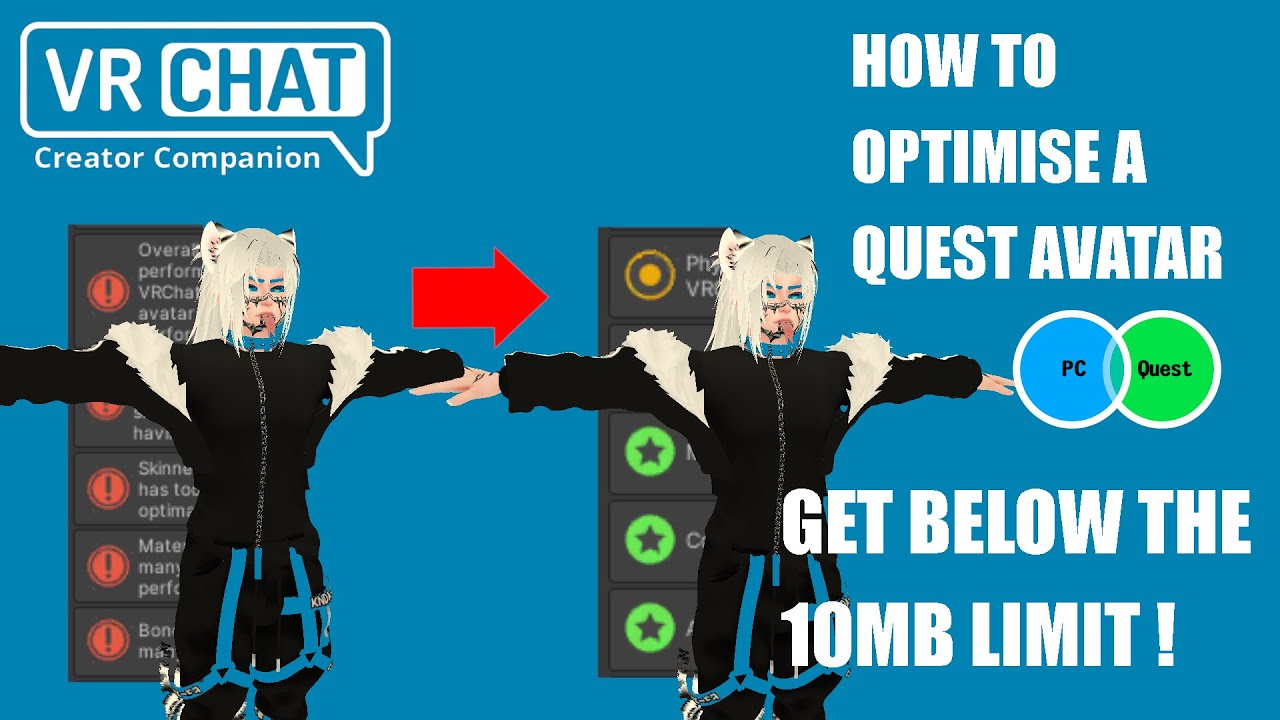
In this video you will learn how to optimise your avatar for Quest (but also for PC) using Unity and Blender.
0:00 Intro
0:17 Analysing the avatar using Asset Bundle Stat website
2:37 Dissolving edges loops
5:30 Decimating topology
5:58 Export settings and analysing the avatar with Asset Bundle Stat again
8:33 Analysing only the mesh with no te...
gray citrus
buoyant holly
https://www.youtube.com/watch?v=tf8iFYTx1bY&t=1606s
Very good explanation of how cpu and GPU pipelines work;
How lightning on avatars causes double rendering
And how they support the vrc guidelines
It was interesting knowing how shaders operate on mobile vs desktop
Now onto the next video xD
Also the mirrors issue is an interesting one!!
buoyant holly
gray citrus
Very good explanation of how cpu and GPU pipelines work;
How lightning on avatar...
which video are you going to watch next and definitely cool the notes on it
gray citrus
buoyant holly
which video are you going to watch next and definitely cool the notes on it
watching through making better vrc avatars: optimise now
buoyant holly
gray citrus
watching through making better vrc avatars: optimise now
very good all-around optimization video honestly that would be the one I would recommend if someone only has time to watch one of the four
gray citrus
buoyant holly
https://www.youtube.com/watch?v=a_LSvi3K7og&t=1325s
Yeah i found that it focuses more on the desktop development side
"You know the standard is 20,000 tris but everyone seems to
have more then 30 and that's a problem"
"Fen from Assassins creed is only 6000 tris"
"If your using your sculpts and did not retopo it
and send it into vrchat , im going to criticize you to hell
and back"
- Polymoi has stuff for merging materials
- Unity cloth avoid use Physbones instead
- Transparency avoid
- Don't use normal maps; texture better!
- Explain how vram worked
- Think of VRchat as a PS2
So yeah now having watched both vids, im doubling down on what i said above
buoyant holly
Yeah as far as whether or not to use normal maps definitely a varies on the project if it makes sense or not the extra vram cost like if you're going with something PBR realistic that would probably look kind of dorky without normal maps but for something very cartoony you could probably get away with no normal maps
And yeah definitely very handy the RGB masking stuff of polymoi
gray citrus
oh yeah the RGB polymoi thing was insane, i didnt know that was a thing. and is that still 1 material?
buoyant holly
Yup
buoyant holly
Like cyberpunk 2077 basically that RGB masking workflow just with a mask that supports a lot more than 4 materials
So yeah most avatars on VRC could be a lot more optimized if they bothered RGB masking things
gray citrus
Oh 100% No doubt about it.
Heck i liked the topology examples on Dreams characters ,
My characters are low poly (5700) but i always make the arms and legs higher poly, having seen his character topo i feel confident i can reduce my character by 1500 tris if i wanted to.
buoyant holly
The quest optimization one is more about like dissolving edge loops inception blender to reduce triangle count and where it's safe to reduce triangles when dealing with a model that's originally above the quest triangle limits
buoyant holly
gray citrus
My characters are low poly (5700) but i always make the arms and legs higher pol...
So sounds like you should have no problem having quest compatible geometry counts
gray citrus
I only make my models quest compatible xD
buoyant holly
And I would note all of the RGB masking shader shenanigans would be PC only because no custom shaders
But you do get access to like one detail map on the VRchat mobile shaders so thinking about that still handy
buoyant holly
Yeah it can save lots of vram I would have to go find the tweet but I saw someone doing that to their sweater and the vram was reduced to like 1/10 of the original size
buoyant holly


Showing the use of Detail Normals with RGBA Color Masking in @poiyomi . Still on my quest to reduce the use of 4K normal maps in VRC. This entire set is a single 2K normal but still has low frequency cloth detail with the use of DNs. DNs are all 256px
 vxTwitter / fixvx
·
vxTwitter / fixvx
·
@gray citrus

@poiyomi shaders have the ability to use a color mask for detail normals. I really wish more people would use this. You can use absolutely tiny maps and still have the detail you want. 10 times less VRAM usage for the normal map on this sweater INCLUDING the mask!

 FixupX
·
FixupX
·
Found the tweet
cold yarrow
I love detail normals
trail pilot
i hacked the RGBA Color Masking module so that you can use global masks to control where it changes metallic/smoothness
(and then i hacked it more so that it checks eight different global mask channels)
trail pilot
trail pilot
i hacked the RGBA Color Masking module so that you can use global masks to contr...
(you can mask the color and normal parts already)
 wet spindle
gray citrus
200k is ridiculous, 50k and higher is movie rendering/baking levels of tris
wet spindle
gray citrus
200k is ridiculous, 50k and higher is movie rendering/baking levels of tris
i'd quibble about the exact numbers; e.g. according to the playstation blog, in ff7 rebirth, cloud strife sits at 220k tris (half of that being hair)
but even that's for:
- the main character (and you're usually not the main character)
- a triple-a game that only needs to target 60fps on triple-a hardware (and vrchat needs to target 2×90fps on double-a hardware)
- an engine with lod·s and adjustable quality settings (and the closest we have is fallbacks and now impostors, which if you're happy with those then fair enough but if you choose to have your fallback be cubes saying "allow my avatar" then that's kinda disrespectful)
wet spindle
buoyant holly
https://vxtwitter.com/FaraVR/status/1612185972766130189
when i refactor my main avatar i should add bumps to it with a detail map, right now it's using a color atlas which is why i've yet to try
gray citrus
wet spindle
i'd quibble about the exact numbers; e.g. according to the playstation blog, in ...
An exception doesn't make the rule plus i havent seen any model as nearly as close to the quality of final fantasy and at 360k tris
When we are talking 20-30 people in most instances that number of tris just isn't feasible
But yeah I dare say there's alot of behind the scene magic that happens to optimise it
wet spindle
i couldn't find a more general overview that wasn't a decade old, hence the sample size of 1
if it helps any, doomguy from doom eternal (2020) has 86k tris
re 20-30 people: yep exactly, hence the "main character" quip
spring sun
eli vance from half life alyx has 89k tris
buoyant holly
Half-Life alyx only ever has like two characters in the same room at the same time
spring sun
exactly
buoyant holly
whereas like OverWatch the characters average closer to 32000 for each one
because you need 12 of them on screen at once

IAMAG Inspiration
Enjoy a collection of 100 Wireframes from Overwatch Character Design, released by Blizzard artist Timothy Bermanseder. These should only be for
wet spindle
plus it's from 2016, plus it's a competitive game so people might want more fps to shave milliseconds off their reaction time, plus i've seen the argument that it's stylized so it can afford to have fewer tris
cold yarrow
go to the VRC Traders discord, you'll get scammers around here. Link is in #1204490664637890580
 wispy echo
yea already got 2 sadly 😦
buoyant holly
wet spindle
plus it's from 2016, plus it's a competitive game so people might want more fps ...
honestly a big place it's saving triangles compared to the realistic games is the lack of alpha card hair
gray citrus
buoyant holly
https://www.iamag.co/overwatch-100-character-wireframes/
This is a good example and I mean we have even more people in a lobby so you would want it to be like 10- 20k
gray citrus
wispy echo
yea already got 2 sadly 😦
Oh no you poor thing, hopefully you get someone legit !!
wispy echo
gray citrus
Oh no you poor thing, hopefully you get someone legit !!
fingers crossed
buoyant holly
gray citrus
This is a good example and I mean we have even more people in a lobby so you wou...
Did you watch the other 2 optimization videos?
open pier
I feel like you actually only need like 3 bones for hair physics to work, bit it may require some finesse with the weights
proper grail
i use root bone that has the script, single bone hair gradient sharing weights with the root bone roll oriented to allow for angle limit so it doesnt go into the head, with an end length to not need end bones.
heady smelt
Hello, has anyone figured out for the creator economy announcement,
if the ‘poor or better’ is also required for the quest side?
The platforms have different constraints.
For instance, a poor PC is a verypoor Quest.
Thank you!! ❤️
buoyant holly
heady smelt
Hello, has anyone figured out for the creator economy announcement,
if the ‘poo...
no very poor avatars whatsoever either platforms requirements for the monetized avatars
so the quest version of the Avatar would have to be Quest poor or better
heady smelt
buoyant holly
so the quest version of the Avatar would have to be Quest poor or better
Can you show me the spot where this clarification was made if you don’t mind 🥰
buoyant holly
heady smelt
Can you show me the spot where this clarification was made if you don’t mind 🥰
Follow these rules when selling in VRChat.
 heady smelt
Thank you, I read that but it didn’t clarify in a way I understood :0
 gray citrus
buoyant holly
Did you watch the other 2 optimization videos?
gray citrus
buoyant holly
Did you watch the other 2 optimization videos?
Yees yess
gray citrus
buoyant holly
basically no very poor avatars unless you can justify it to VRchat
Based on the video announcement: "The store will launch with an initial installment of high-quality avatars" i just presume that means good quality and above 🙂
But thats just my interpretation!
buoyant holly
gray citrus
Yees yess
What you think of the videos
gray citrus
buoyant holly
What you think of the videos
I enjoyed it im watching "Wheres my frames go now" now that i have time but thought each one had a interesting take.
I think what you cant see does matter applies to both platforms
I think VRC avatars optimise primarily applies to desktop
Still forming opinions of Where my frames go nothing bad xD
Also forgot to watch questify but il do a double take on that!
radiant shadow
can we nuke very poor avatars being allowed set as public , private uploads fine , public super bad idea see waaaay too many into the 'what the hell they were thinking not even close to very poor
buoyant holly
That would be functionally the same thing as ban them all together for most quest users as most of that user base are incapable of uploading avatars
solemn owl
No
cold yarrow
wow no flying colliders, that's an interesting requirement
buoyant holly
cold yarrow
wow no flying colliders, that's an interesting requirement
flying colliders are a bug that's intended to be patched out once there's a proper flying system for avatars
cold yarrow
I figured, not that we've heard any actual plans for that
 rose vale
what cn i even do
 spare goblet
remove some toggles/parameters
rose vale
spare goblet
remove some toggles/parameters
which means?
cold yarrow
you know, the avatar parameters list? You have too many marked "Synced"
spare goblet
I don't know how else to explain it, sorry
wet spindle
rose vale
what cn i even do
look up "JeTeeS MemoryOptimizer", basically instead of sending 13 37 all the time it flips between 0 13 and 1 37 every so often and decodes it using animation sorcery
 spare stirrup
buoyant holly
https://www.youtube.com/watch?v=a_LSvi3K7og&t=1325s
spare stirrup
buoyant holly
https://www.youtube.com/watch?v=a_LSvi3K7og&t=1325s
just wanted to say I adore these videos and have been replaying them a lot as I figure out vrc and get back into 3d. Genuinely helpful stuff
Thank you for sharing these! Haven't seen the questify one yet but will be sure to
buoyant holly
spare stirrup
just wanted to say I adore these videos and have been replaying them a lot as I ...
glad the videos were helpful for you
jaunty rapids
Would adding Disolve effects to an Avi un-optimize it by a big margin?
cold yarrow
assuming the effect is shader-based, it shouldn't really be noticeable beyond what any alpha clipping is
ivory sluice
If the material that does the effect stays after dissolving then yes
 night inlet
animator wise, dissolve toggles are more costly than non dissolve toggles
see caution box in this section: https://vrc.school/docs/Other/Benchmarks/#direct-blend-trees
Some people use the techniques described in Advanced Blend Tree Techniques to use blend trees for dissolves. Exponential smoothing is 2x faster than a normal toggle, but is FPS dependent. Linear smoothing with frameTime detection is FPS independent, but 2x as slow as a normal toggle. So try to use Exponential smoothing for dissolve toggles, and if you can’t, use a layer.
 fading nacelle
for some reason the body has more MIB than the Uniform Dress has almost the amount of vertices, Edges, Faces & triangles and i have no idea what else to do. i wanna reduce it and hopefully use any information (If given to me) in the future AND today. pls help
 zealous wigeon
fading nacelle
for some reason the body has more MIB than the Uniform Dress has almost the amou...
zealous wigeon
fading nacelle
for some reason the body has more MIB than the Uniform Dress has almost the amou...
It is likely because of blendshapes as they can take up a significant amount of space if there are many of them, try using VRCFury's Blendshape optimizer component, you simply add it below the avatar descriptor and you are done, it will bake the unused unanimated blendshapes on upload.
fading nacelle
zealous wigeon
It is likely because of blendshapes as they can take up a significant amount of ...
oh that helped like alot. i use vrcfury ALOT and the blendshape optimizer component to. but i went on blender and got rid of the shapekeys that are gonna be used and it went down alot! i appericate alot thankss!
zealous wigeon
fading nacelle
oh that helped like alot. i use vrcfury ALOT and the blendshape optimizer compon...
Oh, huh, the blendshape optimizer should have done the exact same thing.
So you are either missing MMD blendshapes or several others that were animated in some way.
But if you don't notice any issues then great
fading nacelle
zealous wigeon
Oh, huh, the blendshape optimizer should have done the exact same thing.
So you ...
i use the d4rk optimization tool and use that to get rid of unused blendshapes. but sometimes i also use vrcfury but idk. when manually removing it gave me more space somehow MB wise
 graceful condor
fading nacelle
i use the d4rk optimization tool and use that to get rid of unused blendshapes. ...
graceful condor
fading nacelle
i use the d4rk optimization tool and use that to get rid of unused blendshapes. ...
vrcfury removes blendshapes when u build & upload, so you won't see the improvement while in unity but the uploaded model will be smaller
fading nacelle
graceful condor
vrcfury removes blendshapes when u build & upload, so you won't see the improvem...
ahhh gotcha.
 gritty needle
fading nacelle
i use the d4rk optimization tool and use that to get rid of unused blendshapes. ...
gritty needle
fading nacelle
i use the d4rk optimization tool and use that to get rid of unused blendshapes. ...
also in-game will show true stats, editor isnt always accurate
 maiden rivet
how long do you need to wait for impostors to be generated off of the most recent upload of the avi?
I uploaded a visually cleaned up avi to PC and want to generate the impostor off of that, before uploading back the actual PC variant
but when I click generate rn i get impostors of the old PC version
 neon sequoia
why dose my game statisitc say that it is 148k tris when the mesh is 28k(other game object is not more the n 19k )
 cold yarrow
got any mesh particles?
maiden rivet
neon sequoia
do you have quads in the model and "keep quads" in the import? vrchat afaik forces triangulation and then quads obviously blow the count tf up
neon sequoia
maiden rivet
do you have quads in the model and "keep quads" in the import? vrchat afaik forc...
sorry i am new to creating and dont know what that is
maiden rivet
basically theres multiple types of polygons in 3D
triangles, 3 points connected to form a polygon, 4 points form a quad and anything more is usually called n-gon
often models are made using quads
1 quad equals 2 triangles
so if you have quads in the model those wont get counted as triangles until vrchat / unity forcefully converts all the quads in your model to triangles
neon sequoia
in the sdk it says 43k so i guess i am good then?
maiden rivet
that does sound perfectly ok, do you have any shaders with outlines?
outline shaders duplicate your geometry at runtime to create the effect, that could be part of the preview showing a different tri count. VRChat doesn't count geometry introduced by shader techniques
neon sequoia
maiden rivet
that does sound perfectly ok, do you have any shaders with outlines?
i have not added any shaders
maiden rivet
then just chuck it up to Unity being a bit weird, as long as the SDK agrees the tri count is low enough there isnt really a big issue
neon sequoia
okey that good ty
ivory sluice
neon sequoia
In the stats it shows it has 10 shadowcasters, which means that there's a light emitting shadows (probably the sun), this will multiplicate the amount of polygons to be rendered, things like outlines, extra lights or any special shaders will also increase that multiplier
neon sequoia
ivory sluice
In the stats it shows it has 10 shadowcasters, which means that there's a light ...
okey ty
 warm patio
Hii, could someone help me optimize my avatar??
im on a dancing group that mostly have a green avatars rule, i already tried by myself using some addons and packages but the results were really bad as you can see

 bronze briar
warm patio
Hii, could someone help me optimize my avatar??
im on a dancing group that most...
bronze briar
warm patio
Hii, could someone help me optimize my avatar??
im on a dancing group that most...
Maybe try using the decimate tool in blender
cold yarrow
you'd probably have to start by showing current stats... but again, read history in here, there's a lot of good tips
 gritty terrace
That also just looks like some easy to fix weightpaint issues
warm patio
bronze briar
Maybe try using the decimate tool in blender
i was doing that rn, the thing is my model is a lot of parts separated
like body, shirt, pants, jacket and hair
cold yarrow
parts can be joined
it doesn't get you a ton if they all have separate materials though
bronze briar
Yeah optimize everything
gritty terrace
- using the decimation tool can cause quite a bit more harm then help so be sure to backup your save before you mess with it
bronze briar
Thought I was onto something there
warm patio
gritty terrace
+ using the decimation tool can cause quite a bit more harm then help so be sure...
yeah i made a separated save from the og model
cold yarrow
but again, we have no idea what to suggest you do first without seeing current stats.
warm patio
my boy is pure bones 😭

i think ill finish this first and then ask again for tips
whats the reccommended maximum vertex to get a decent avatar, below 70k right?
cold yarrow
those limits are detailed on vrchat's site, but yes, > 70k means very poor
warm patio
well im on 38k rn without counting the jacket, lemme add it
45k unoptimized, time to delete some vertex
well i can't apply the decimate modifier due to blendshapes
and it also ruins the weight painting istg
cold yarrow
yeah don't use that. you can decimate in the Mesh -> cleanup menu on newer blenders, in a targeted way.
warm patio
cold yarrow
yeah don't use that. you can decimate in the Mesh -> cleanup menu on newer blen...
??? how
never heard of it 😭
cold yarrow
uh... what do you mean how?
warm patio
the cleanup menu i mean
cold yarrow
did you look?
cold yarrow
I think it's been there since pre 4.0
warm patio
it says its on the 4.4, well, an update its not gonna kill me
cold yarrow
huh I thought it was there before
warm patio
"deleting 4 vertex, 4 borders, 1 face"
warm patio
warm patio
45k unoptimized, time to delete some vertex
39.8k now
also, i discovered a blender addon that is working really well
its called CATS
cold yarrow
yup
warm patio
i managed to merge all armatures and meshes into one...

im not running on the walls because i dont have space
 warm patio
mom pick me up im scared

 shy pendant
i have no idea what im doing but i have a pc avatar with physbones that i got to work on quest, but none of the physbones move on quest, idk what to do
spare goblet
shy pendant
i have no idea what im doing but i have a pc avatar with physbones that i got to...
if there's more than 8 components they'll all be deleted
open pier
spare goblet
if there's more than 8 components they'll all be deleted
why do people add more components instead of just having one component control all the bones 
spare goblet
that's not possible if you want different settings for different bones, for example my tail has different physbone settings then my ears.
open pier
yeah, but you don’t need every individual hair follicle to have its own seperate settings
 spare goblet
open pier
yeah, but you don’t need every individual hair follicle to have its own seperate...
spare goblet
open pier
yeah, but you don’t need every individual hair follicle to have its own seperate...
yeah, that's true
open pier
spare goblet
that's not possible if you want different settings for different bones, for exam...
this is good if you use them efficiently, like one physbone component for all the bones in a specific area, you can do quite a lot with just 3 physbone components if you are creative
solemn owl
 azure terrace
In this video you will learn how to optimise your avatar for Quest (but also for PC) using Unity and Blender.
0:00 Intro
0:17 Analysing the avatar using Asset Bundle Stat website
2:37 Dissolving edges loops
5:30 Decimating topology
5:58 Export settings and analysing the avatar with Asset Bundle Stat again
8:33 Analysing only the mesh with no te...
shy pendant
spare goblet
if there's more than 8 components they'll all be deleted
So can I just like delete the physbones in the ears or something to bring the number down?
spare goblet
sure
shy pendant
how do i take the physbones out of the ears without deleting the ears
cold yarrow
just remove the physbone component
shy pendant
awesome
gritty terrace
make sure to fix its weightpainting though so that they're painted to like the head bone or something or else stuff'll break
warm patio
ok i optimized my avatar to its limits for quest but i only have 1 step before gettign a green flag
can someone help me merge all textures??
gritty terrace
there should be a blender add-on for atlasing textures+merging materials 
i think its literally called materialcombiner
should be this: https://github.com/Grim-es/material-combiner-addon
GitHub
Blender addon for material combining, uv bounds fixing - Grim-es/material-combiner-addon
cold yarrow
that's the one. limited use, only really does base color
warm patio
gritty terrace
should be this: https://github.com/Grim-es/material-combiner-addon
already used it
made my avatar purple
warm patio
cold yarrow
that's the one. limited use, only really does base color
so, i should delete normals etc?
gritty terrace
warm patio
made my avatar purple
did you perhaps have any vertex colours on the meshes?
cold yarrow
warm patio
so, i should delete normals etc?
that's not at all what I said, and I would not.
warm patio
gritty terrace
did you perhaps have any vertex colours on the meshes? <:vrcBotThink:82224730814...
idk
how do i check that
gritty terrace
little green tab and open the dropdown

ive had issues in the past with it making my model one solid colour
i just remove all of em for quest compatibility aswell :P
warm patio
gritty terrace
little green tab and open the dropdown

those? (the groups)
wait nvm these ones
 cold yarrow
those