#avatar-optimization
1 messages · Page 17 of 1
 stoic gust
 proper grail
wrap the tail around you by default, have it unwrap as an animation
stoic gust
proper grail
wrap the tail around you by default, have it unwrap as an animation
wouldnt that create bone issues?
proper grail
probably will unrender if people arent looking at you though
im not sure what you mean by bone issues. if you are to pose the bones in blender before exporting than straiten them in unity via animation what issues are you worried about
stoic gust
i genuinely dont know, i legit like JUST started modeling and i have no ideaa what the heck is going on
proper grail
oh, bounds is just a square around the model. if camera can see, render this model. depending on your physbone settings you may not even need to animate the tail straiten out, if it works how normal snake tails do your movements will do fine
just coil it around you, ez pz
stoic gust
proper grail
just coil it around you, ez pz
so.. id just pose it in pose mode and then export it?
proper grail
yep, if you never unpacked in unity it will update no problems
 spring sun
stoic gust
how to repack pls
spring sun
stoic gust
how to repack pls
you dont
 heavy knot
you can't "repack", you'll need to drag the FBX back into the hierarchy and transfer any changed things you did to the avatar. You can use Pumkin's avatar tools to simplify the process
stoic gust
heavy knot
you can't "repack", you'll need to drag the FBX back into the hierarchy and tran...
so id drag these out, and put them on the new model?
 heavy knot
the avatar is packed still in your scene
stoic gust
it is??
heavy knot
 stoic gust
oh
stoic gust
so where do i drag the neww fbx.. cause everytime i do it just adds a"(1)" after it
stoic gust
okayyyy.....
is it okay if my tail sinks through the floor in blender? i dont know how to keep my tail locked on the ground when curling it
 heavy knot
those look like 2 seperate FBX files
stoic gust
heavy knot
those look like 2 seperate FBX files
all i did was curl the tail, export the updated blend file, made SURE that it was the EXACT same name
heavy knot
in blender, you can overwrite existing files when exporting, the title bar will be in red
stoic gust
and dragged it onto the fbx
stoic gust
heavy knot
in blender, you can overwrite existing files when exporting, the title bar will ...
thats what i did
 fathom gust

im trying to get this avi down a little bit in size only around 3mb and nothing im doing is changing anything
 calm spade
fathom gust
im trying to get this avi down a little bit in size only around 3mb and nothing ...
calm spade
fathom gust
im trying to get this avi down a little bit in size only around 3mb and nothing ...
You scaled your textures down?
fathom gust
it was aglitch, i fixed it
 obsidian lake
fathom gust
it was aglitch, i fixed it
obsidian lake
fathom gust
it was aglitch, i fixed it
it's not a glitch, it's reading from your last build
because it doesn't know the size until after it compiles everything
stoic gust
proper grail
just coil it around you, ez pz
so it didnt work.. it clips inside of my when i turn right and doesnt allow to be bent the other way than where it was bent
its difficult to explain, but it dont work
guess ill just live with the bad rating
 sharp compass
How do I lower my material slots?
 pure prism
what do i do when it says "Failed to create material drawer Enum with arguments 'Thry.BlendOp' "
spring sun
sharp compass
How do I lower my material slots?
use less materials
 crimson thicket
Hmm optimized

 raw oar
crimson thicket
Hmm optimized
raw oar
crimson thicket
Hmm optimized
press the auto fixes
 deft musk
How do get preformance to good? I've pressed auto-fix on everything I could and I'm left here. 2 of the "material slots" thingies is because I imported a muteboard prop, the other 2 are the meshes or whatever you call them for my character like the clothes and skin. (the muteboard prop is really basic so maybe those material slots aren't needed, I don't even know how to remove them lol)

 buoyant holly
deft musk
How do get preformance to good? I've pressed auto-fix on everything I could and ...
buoyant holly
deft musk
How do get preformance to good? I've pressed auto-fix on everything I could and ...
basically you would need to combine everything into like 1 or 2 meshes
deft musk
buoyant holly
basically you would need to combine everything into like 1 or 2 meshes
this is just an avatar I paid for an put in unity and made a few changes, to combine the meshes would I have to try mess around with it in blender?
buoyant holly
probably
 gritty needle
deft musk
this is just an avatar I paid for an put in unity and made a few changes, to com...
gritty needle
deft musk
this is just an avatar I paid for an put in unity and made a few changes, to com...
GitHub
d4rkpl4y3r's VRChat Avatar 3.0 optimizer. Contribute to d4rkc0d3r/d4rkAvatarOptimizer development by creating an account on GitHub.
fully reversible optimizer that works on upload
 zinc scroll
hi, im trying to upload a avi i just bought, and it says i dont have permission to upload, i was wondering how i can get permission?
buoyant holly
play VRchat more and make sure it's a vrchat account not a Oculus or Steam account
 crisp oak
zinc scroll
thats..... very dumb
crisp oak
zinc scroll
thats..... very dumb
It's a social game I assume it's to help with keeping the amount of toxic avatars, if people could just make a new account and upload immediately then people would use burner accounts and upload crashers, nsfw, or ripped avatars without risk to their main account
its actually very smart
 karmic laurel
Out of desperation and lack of knowledge about this, I wanted to ask if I make parts of a texture image of my avatar transparent that are not being used, does it have positive effect and makes texture memory go below 10mb?
 zealous wigeon
karmic laurel
Out of desperation and lack of knowledge about this, I wanted to ask if I make p...
zealous wigeon
karmic laurel
Out of desperation and lack of knowledge about this, I wanted to ask if I make p...
It does not, if anything it is likely to increase the size unless you were already using transparency of some kind on the texture.
To get below 10mb decrease the textures resolution and if your avatar has a lot of blendshapes then vrcfury has a component that can remove ones that aren't going to be animated/used.
karmic laurel
zealous wigeon
To get below 10mb decrease the textures resolution and if your avatar has a lot ...
Oh how do I remove those
zealous wigeon
karmic laurel
Oh how do I remove those
Easiest way, use the blendshape optimizer component that comes with VRCFury.
You just add it and it will do its thing each time you upload, leaving the avatar entirely untouched outside of uploading.
karmic laurel
zealous wigeon
You just add it and it will do its thing each time you upload, leaving the avata...
Okok thanks
 eternal tide
if you can't manage to improve your avatar rank despite trying everything, it's possible to just have multiple versions uploaded with different feature sets. use prefab variants

 merry drift
Hello (First of all, if you wish to respond to me, please ping me or click on the "reply" button, thank you! - This is what to do so that it is even more optimized than you already know! Thank you very much for your help!
EDIT: knowing that I have a hammer, a flashlight, and I have lots of clothes on my main avatar including this one :p
heavy knot
merry drift
Hello (First of all, if you wish to respond to me, please ping me or click on th...
In the priority order it would be to minimize on your material slots first
each material slot is a drawcall on the CPU
merry drift
heavy knot
each material slot is a drawcall on the CPU
Okay, I take note 🙂
merry drift
heavy knot
each material slot is a drawcall on the CPU
Thank you for the advice, I will try little by little to reduce certain things that are useless on my avatar, I went from 62 to 53 material slots! thank you very much to you 
 spring crescent
Can someone tell me why quest people can only have 10 mb avatar? Everytime I try to upload on Quest, I've something like 13-14 mb so I can't upload. That's so annoying
 buoyant holly
spring crescent
Can someone tell me why quest people can only have 10 mb avatar? Everytime I try...
buoyant holly
spring crescent
Can someone tell me why quest people can only have 10 mb avatar? Everytime I try...
the quest has a very limited amount of ram to work with so they need to set the limit low so you can actually have more than two people in the room as the application crashes when it runs out of RAM
spring crescent
That's ass, my textures are in 128 I can't do lower
buoyant holly
maybe check with vrchat World toolkit what's taking up file size
 wind herald
spring crescent
That's ass, my textures are in 128 I can't do lower
wind herald
spring crescent
That's ass, my textures are in 128 I can't do lower
how many polygons and blendshapes does your avatar have?
 harsh tangle
Does it improve performance if I toggle off phys bones with a toggle in-game?
Example: My jacket has phys bones and when I toggle of the jacket, I also toggle of the phys bones for the jacket since it's not in use in-game.
wind herald
harsh tangle
Does it improve performance if I toggle off phys bones with a toggle in-game?
E...
only slightly, but yes
obsidian lake
deft musk
How do get preformance to good? I've pressed auto-fix on everything I could and ...
combine your meshes together in blender and then atlas your textures and use only 1 material. Material combiner addon in blender can do this automatically
obsidian lake
harsh tangle
Does it improve performance if I toggle off phys bones with a toggle in-game?
E...
if you're on quest it makes a huge difference. It makes a difference on PC too, but less noticable. Please disable physbones when the toggles using them are disabled 🙏
harsh tangle
Yeah, that's what I did
I rarely hear someone talk about it.
So I just did it anyways now
gritty needle
spring crescent
That's ass, my textures are in 128 I can't do lower
delete whole meshes at that point
 pallid anvil
How would i Optimize my avatar to get it down from 10.96 to 10 ? I've tried changing the texture resolution but it only goes down if i set it to a very low quality like below 256
heavy knot
pallid anvil
How would i Optimize my avatar to get it down from 10.96 to 10 ? I've tried ch...
try removing unused blendshapes through using something like VRCFury
 bleak maple
Can't find much on documentation so I'm reposting my question from #1149075823593275504 :
Hiya!
With Unity 2019, I know that blendshapes used to take their toll on performance, with the better practice being to separate meshes with many blendshapes from static parts of the avatar, though this increases draw calls.
I think I've heard that from Unity 2021 onwards, performance of blendshapes have improved drastically, but I don't know how true this is. Is it worth making toggles through blendshapes instead of separate meshes now? Are blendshapes basically free/better than before? Thanks!
i guess i have my answer
Sorry for ping, just know your message and github link has been helpful at least to one person 🙏
Still, does anybody know what's better between these two options for toggling extra-clothing when shader-based toggling is not available (on quest for example?)
- separate mesh for clothing, toggle the entire clothing mesh
- 1 mesh only, but blendshape-shrink the clothing to toggle
according to perf ranks, 2nd should be better but it feels very wrong
 marble rain
bleak maple
i guess i have my answer
marble rain
bleak maple
i guess i have my answer
use Poiyomi with UV discard to have clothing toggles.
buoyant holly
marble rain
use Poiyomi with UV discard to have clothing toggles.
the question was about Quest avatars so that's not an option
marble rain
buoyant holly
the question was about Quest avatars so that's not an option
hmm? they dont say that. unless it was discussed earlier
 marble rain
oh lol i missed that part imao
marble rain
bleak maple
Still, does anybody know what's better between these two options for toggling ex...
you can test it but it should be seperate mesh. that said your limited to 10 mb regardless
bleak maple
marble rain
use Poiyomi with UV discard to have clothing toggles.
I already use poiyomi for that ofc on the pc version
bleak maple
marble rain
you can test it but it should be seperate mesh. that said your limited to 10 mb ...
is there any way to accurately profile for that even?
I'd be more than willing to but i'm afraid i don't how one should go about it
marble rain
check the frametiming in editor
heavy knot
bleak maple
Still, does anybody know what's better between these two options for toggling ex...
Mesh won’t matter if it’s already a separate material slot
Splitting a single mesh that has 2 material slots won’t effect performance/draw calls
 ivory sluice
Materials are processed as meshes
They are both separated between draw calls
That's why the mesh class on unity calls materials "submeshes"
 cold yarrow
bleak maple
Can't find much on documentation so I'm reposting my question from <#11490758235...
cold yarrow
bleak maple
Can't find much on documentation so I'm reposting my question from <#11490758235...
not sure anyone answered, but always-on blendshapes were a significant performance hit in 2019. This is far less so in 2022 but still it'd be better to just apply that to your model. So I don't think the "split the head mesh" thing is as necessary as it was.
but re: clothing, yeah, I try to use UV tile discard when I can
marble rain
heavy knot
Splitting a single mesh that has 2 material slots won’t effect performance/draw ...
yes it does lol. your adding more an additional renderer.. another renderer is different from just having a single renderer with 2 materials. sure if you split it into 2/1 so two meshes and 1 material each. it will still only have 2 draw calls. but you end up using more resources by having more renderers.
heavy knot
Can you show frametimes and profiler data of a mesh with 2 material slots compared with a separated mesh with 1 material slot each
marble rain
no cause i dont have the time atm lol. but why do you think otherwise. both vrchat and every other unity developer says use less skinned meshes. where possible.
and why do u think it batches them
there is a reason why vrchat even recognize that more skinned meshes = more resources used, not just because of draw calls but also because the intial overhead created by having a skinned mesh
heavy knot
marble rain
no cause i dont have the time atm lol. but why do you think otherwise. both vrch...
I'm not seeing massive differences in a scene with 110 separated 2 meshes with 1 material slot from 110 meshes with 2 material slots, please stop sitting on this mound of dunning kruger and trying to nitpick everything I say in this channel it's not really fun to listen to. The main thing I'm trying to say is the slots themselves are way more costly than just having another renderer
if it's somehow different on an Android APU, so be it I'm not going to bother with building a unity player and sideloading it onto my Quest just for that reason
Having another mesh that is probably going to be on/off for long periods of time won't be a dramatic explosion in performance unless it's absolutely soaked in material slots and horrible topology
the original question was if using an entire blendshape to toggle clothes was actually performant, which causes issues and is more skinning calls. There won't be a massive frametime drop just because someone split their clothes from their body mesh since they're already different material slots and toggling it that way, it's a lot more efficient anyway to be just discarding the entire mesh and sending it to memory when toggling it than shrink it weirdly and have weird issues of clothes peeking out on certain poses.
marble rain
heavy knot
I'm not seeing massive differences in a scene with 110 separated 2 meshes with 1...
not my problem if you feel like its nitpicking but its because what u say in general is just not true. or incorrect. plus it doesn't matter if you have 110 different objects that uses the same material or different since they are the same mesh they will get batched. but in case of vrc where every avatar typically has something different to it. it cant batch them. and when it comes to android/standalone vr headests like quest. its even more important to save resources where ever you can and however small it is
bleak maple
heavy knot
the original question was if using an entire blendshape to toggle clothes was ac...
Just thought i'd drop that, i know how to atlas textures and might do it if performance increases as a result so the question becomes "1 drawcall + blendshapes" or "2 drawcalls +fewer blendshapes" so this isn't really the question
But still! I guess i'll have to profile on my own to find out. Thanks for the insight!
 cosmic plover
can I layer with 0 weight still use paramiter drivers?
cold yarrow
a layer with 0 weight will not activate at all
 ocean adder
Is there a tool that can tell you what your avatars download size will be before you upload it?
I’m having trouble with an avi that I’ve optimized the best I can and it’s still 40mb download.
cosmic plover
no true way to predict download size as the file is compressed at build
40MB is still reasonable for a pc avi with a bunch of features tho
ocean adder
just has faceemo with 7 expressions and gogoloco, its just 50k poly too. I dont see why its so high compared to other avatars ive made? do expressions (not blendshapes but the expression toggles) increase the download size?
bleak maple
ocean adder
just has faceemo with 7 expressions and gogoloco, its just 50k poly too. I dont ...
Don't know if it still works but I used to use this to know what eats up download size the most: https://github.com/MunifiSense/VRChat-Build-Size-Viewer
GitHub
A script for viewing the build size for VRC worlds and avatars after building. - MunifiSense/VRChat-Build-Size-Viewer
just put it in your project and run it in the menu after you uploaded your avi
 crisp roost
how do i decimate a mesh in blender without using the modifier or limited dissolve
i remember there being an option to decimate the selection in the menus but i can't find it and every single tutorial im looking up is talking about the modifier
crisp roost
well i found out how, it’s under mesh > clean up
 vapid elm
I remember hearing about being able to remove unused blendshapes with vrc fury, but I don't see the option anywhere?


vapid elm
nvm lol, I just ended up just doing it manually
heavy knot
vapid elm
I remember hearing about being able to remove unused blendshapes with vrc fury, ...
next time when you encounter this, it's a component (VRCFury Blendshape Optimizer)
most of VRCFury's features are gameobject components
vapid elm
what's the best optimized thing's to make sure are checked off and not checked off for quest avi's for when it come's to textures?
 buoyant holly
vapid elm
what's the best optimized thing's to make sure are checked off and not checked o...
buoyant holly
vapid elm
what's the best optimized thing's to make sure are checked off and not checked o...
none of those things you listed need to be tweaked
basically the main ones you would worry about is Max texture resolution and like the texture compression format
like set the Resolute max resolution as low as you can make it on quest as the quest is limited on the amount of ram it has
vapid elm
I have some texture's without the "mip streaming" checked on should I check it on?
sorry on
auto correct be my enemy lol
buoyant holly
the sdk prefers if you have it with mip streaming on
vapid elm
buoyant holly
basically the main ones you would worry about is Max texture resolution and like...
is there a best compression format?, or is the default the way to go in terms of quest
buoyant holly
you'll probably be fine with defaults for now
vapid elm
I've just been trying to learn all the bets way's of optimizing for quest since I have so much avi's I'd love to make better looking for the quest side
the best tricks I've got so far is, retopology and combining materials/texture's and mesh. other than that I still suffer with making the texture's look good on quest and still be optimized
I've seen people make really good looking textures for quest that are nice and optimized, but I don't know how they do it 
buoyant holly
vapid elm
I've seen people make really good looking textures for quest that are nice and o...
do you know about stacking symmetrical UVS on top of each other
vapid elm
buoyant holly
do you know about stacking symmetrical UVS on top of each other
I have not no
will have to look it up now tho
 upper yacht
bleak maple
Still, does anybody know what's better between these two options for toggling ex...
upper yacht
bleak maple
Still, does anybody know what's better between these two options for toggling ex...
Not sure if you tested yet, but, skinning is since unity 2020 done by compute on the GPU rather than on the CPU (this can be toggled but is turned on by default). These calls are not batched together where possible and are per skinned mesh. This means that a non-high density meshes would generally compute faster as one mesh since there's overhead depending on the bandwidth between CPU and GPU.
wind herald
vapid elm
is there a best compression format?, or is the default the way to go in terms of...
Tips and guidelines for optimizing texture memory (VRAM) and filesize for VRChat creation.
In short: DXT1 for textures without alpha that are simple and don‘t need a lot of detail, BC7 for textures with alpha or that have gradients and should look good, BC5 for normal maps
vapid elm
wind herald
In short: DXT1 for textures without alpha that are simple and don‘t need a lot o...
does it matter for which one I use for a quest avi?


one is a the "Linux setting" and the other is "server settings"
zealous wigeon
vapid elm
does it matter for which one I use for a quest avi?
Do you have android build support installed?
There should be another tab alongside "Default" and the PC one for Android.
And Android supports some of these formats, but also has its own, one of which is ASTC which is great for ordinary color textures, the higher the [number]x[number] is, the less VRAM it uses, at the cost of quality of course, but even 12x12 looked pretty good tbh.
vapid elm
zealous wigeon
Do you have android build support installed?
There should be another tab alongsi...
the android tab is behind the white pop up menu, but I couldn't find the BC7 in the android pop up for some reason tho
what I was reading It looked like BC7 was what I wanted, but I can't seem to find it in the android pop up section
Is it a me issue? or does android just not have the option...
If it doesn't have the option of using BC7 should i just use the ASTC 12x12 then as a substitute?
zealous wigeon
vapid elm
what I was reading It looked like BC7 was what I wanted, but I can't seem to fin...
Yeah, while I couldn't remember exactly which formats Android lacked, it lacks some of them entirely, apparently BC7
And I do not know if ASTC is the right choice, but it will probably work.
Also 12x12 is the highest compressed one, the one that will look the worst, the one you probably shouldn't use unless you really want to compress a texture.
I can't remember which one VRChat recommends, but think it was 6x6.
vapid elm
zealous wigeon
Yeah, while I couldn't remember exactly which formats Android lacked, it lacks s...
what I found that works really good is setting it to 12x12 and doubling the resolution or an already compressed texture and it looks really good while keeping the same size
Here's a comparison test I did


I found what works best for me is doing the 12x12 at two times the resolution since it makes it look better, while still keeping the same size as the other methods👌
discovering this today has made me happy, thank you for mentioning this compression meth for quest avi's g @zealous wigeon
wind herald
vapid elm
the android tab is behind the white pop up menu, but I couldn't find the BC7 in ...
The higher the astc block size, the lower the quality and vram usage
You can just increase it as much as possible without it looking substantially worse
Keep in mind quest standalone usually looks worse anyway, so lower quality textures are not as noticeable
vapid elm
I made sure I'm still in the green👍


 tranquil quail
Odds are you have too many things. Start by removing unnecessary items and lowering texture resolution
 celest spade
how
tranquil quail
There’s alot of YouTube tutorials on uploading for quest
Seeing the 10mb limit I’m assuming that’s the target build
celest spade
is there anything i should change here?
 vapid elm
celest spade
is there anything i should change here?
vapid elm
celest spade
is there anything i should change here?
what's your texture memory usage size on ya avi
a good way to check is by using the thy add on for unity
That's what I use at least lol to check how optimized my avi is
celest spade
ill try it out later ty tho
 wind herald
looks like it
assuming fps without constraints is 90 or 11.11ms and there are 40 avatars with that amount of constraints, so 40x0.158ms or 6.32ms, it would bring the frametime up to 17.43ms or fps down to 57
 spring sun
 vestal python
obsidian lake
vapid elm
what's the best optimized thing's to make sure are checked off and not checked o...
vestal python
obsidian lake
vapid elm
what's the best optimized thing's to make sure are checked off and not checked o...
most of those settings affect appearance rather than optimization. For quality and optimization purposes (although how well this works for you personally depends on the style of your avatar) i would recommend starting out with lower resolution textures instead of trying to compress or downsize larger ones, and use "point (no filter)" for the interpolation. It gives it a more "pixely" look, where each pixel is sharp and visible, so this works better if you do it intentionally and stylistically.
Also when you are making your avatar, make sure you optimize your UVs
the things that need to be high-res should take up more space
for things that are a solid color you only need a few pixels of that color and just scale the UVs to 0
if you are using standard lite, you can try making extra UV maps and taking advantage of detail maps
also for UVs, if you are making cartoon-styled avatars and need solid lines, you can use regular UV unwrap and/or "project from view" along with the UV grid to square addon and/or some careful editing of the UVs to make very solid lines in very small places on the texture
 dense mirage
Upload help please 🙏
 fiery chasm
dense mirage
Upload help please 🙏
fiery chasm
dense mirage
Upload help please 🙏
Well you gotta tell us what you need help with first...
 deep roost
lol yeah
 pulsar cypress
Heyah, so I was removing some textures to make the loading of my avatar in world go down, but it stayed pretty much the same. Is there anything that has a heavy influence on what the download size is in game? I'm trying to optimize at least so people can see me without having to enable me... because not many people want to do that these days.
should I remove certain clothing I won't use? would that heavily impact the size?
 daring aurora
pulsar cypress
should I remove certain clothing I won't use? would that heavily impact the size...
daring aurora
pulsar cypress
should I remove certain clothing I won't use? would that heavily impact the size...
Lower the resolution of your textures and delete everything that you won't use, clothes, props, physbones, etc
marble rain
pulsar cypress
Heyah, so I was removing some textures to make the loading of my avatar in world...
typically its ideally a good idea to have seperate versions of your avatar. or use uv discard to have up to 16 outfits per 1 material
pulsar cypress
Thank you for the tips. I really appreciate it. I will try both methods ❤️
 sturdy socket
Just don't be like some people that use uv discard and then use an 8k texture 
sturdy socket
It is, and eats a hella lot of vram
I recommend using up to 1k if you have separate parts
And max 4k if the whole avatar is one material
pulsar cypress
okay thanks for the tip :3 I'll try to use lower textures
sturdy socket
Another tip is if you are using masks on your material you can usually have them at a lower res than the base color/normal map
It varies how low you can go from model to model but I have been able to get masks down to 128x128 without any artifacts
This varies from model to model so you might want to experiment
sturdy socket
Np, happy optimizing
pulsar cypress
I will :3 so many awesome tips. I'm glad I asked!
karmic laurel
I guess this falls under optimization in a way. When I have a toggle in FX, I set the transition to 0 but the other thing still confuses me cuz many people do it differently and idk if it's just reflex or has an actual use. Some ppl set exit time to 0 before unchecking it. Wouldn't unchecking it already be enough since it's yk unchecked and therefore 0 in theory?
proper grail
Its a small detail, exit time of 0 means to try and leave immediately while no exit time means wait for a parameter in any transition to change to try and leave
 stark bear
Just how bad are animator layers for performance? Is there a breakpoint where they get a lot worse, or is smushing everything you can into as few layers as possible always worth it?
and do layers with 0 weight still contribute to that performance hit?
 supple trout
stark bear
Just how bad are animator layers for performance? Is there a breakpoint where th...
supple trout
stark bear
Just how bad are animator layers for performance? Is there a breakpoint where th...
Tupper did go over it in a presentation on furality https://www.youtube.com/watch?v=JFBQeNON64Q and justsleightly did do some testing https://notes.sleightly.dev/benchmarks/ , thrys avatar evaluator also labels 33 layers (for my avi) as "poor" already. Thrys tool however counts all the layers, even Base which is running only for yourself and not for others if memory serves right.
but TL;DR:
- each layer adds cpu time, so the less the better
- 0 wight layers still do the update step, hence they still contribute (tupper was made aware of this after the presentation, you see it in the comment section of the video)
Regarding smushing everything into as few layers as possible:
not necessarily worth it, if you go a long way to do so. Performance wise (from own testing, didnt record results but my friends and i did test it a lot) If your avatar is running 20 layers and someone else is doing 100, switching into an avatar with only 3 layers doesnt have any real measurable performance impact, since the one with 100 layers is limiting you in the first place. We did test with unlimited fps, 1080p resolution and 7950x3d + 4080 hardware. What this testing showed as well however, that my very poor (24 mats, 5 meshes, 240k poly, 33 layers) is outperforming a green rated 87 layer avatar. (keep in mind that this testing is aimed to go purely for cpu limitations, graphics wise the very poor one will be worse)
So I personally would aim for "less layers if possible and not too much of a hassle", if you are at lets say 20 layers you are almost always limited by someone else anyways 🤷♂️

Suited up in FBT, hopped into VRChat, joining up on your friends -- finally, some time off!
W-wait, what's going on? Where'd my frames go?!
Avatar Performance in VRChat isn't as simple as a 1-2-3 tutorial or guide. Tupper is here to talk you through where avatar lag comes from, why it's there in the first place, and what you can do about it.
(an...
 stark bear
supple trout
Tupper did go over it in a presentation on furality https://www.youtube.com/watc...
stark bear
supple trout
Tupper did go over it in a presentation on furality https://www.youtube.com/watc...
Awesome, thank you! Great info
supple trout
just to show, the green one has 572 (we go with afterburners fps here, since the worlds fps counter fluctuates heavily when taking screenshots), while the very poor one is at roughly 640

 stark bear
take that, people who say very poor avatars can't be optimized! xD
supple trout
they can, but thats more the exception than the standard
marble rain
the annoying part is that unity's documentation clearly states a layer with 0 weight wont update. but apprently this is wrong and unity just have not updated their docs. but the lower amount of layers the better. but the same goes for everything else. such as materials,
marble rain
stark bear
take that, people who say very poor avatars can't be optimized! xD
it can easily. the current performance ranking is heavily oudated and does not really reflect what is heavy or not. for instance i have seen plenty of poor or very poor with a super low material count and animation layers. we talk about < 10 but because their polygons is above 70k it goes immediately very poor. i really hope we get a much better ranking soon. that is determined by how heavy something is
supple trout
one can easily test that with weight 0 layers and parameter drivers, they still do work in such cases, so the layer in general if functional, just not added to the end result
 drifting turtle
layer count should really be a part of perf stats 🙏 can't trust the green rank these days
stark bear
drifting turtle
layer count should really be a part of perf stats 🙏 can't trust the green rank ...
apparently they can't get that at runtime, the animator gets compiled into a black box
but thry's perf tool warns you about it, im gonna start using that in all my projects
obsidian lake
supple trout
Tupper did go over it in a presentation on furality https://www.youtube.com/watc...
Easiest way to have less layers is using direct blendtrees for your toggles. Honestly, if you know how to use them and are already using them for most of your toggles, you kinda have to go out of your way to not put them in the direct blendtree. This isn't a huge deal for avatars with lots of toggles as you said, but I have an avatar for example with 50 toggles so I managed to get it down to 4 layers (I could've gotten it down to 2 but I didn't know at the time you could use default int and bool parameters in blendtrees like "GestureLeft" and "Viseme". You just have to spell them the same and add them as floats. Direct blendtrees work for toggles, but will not work for sequential animations. Typically though most avatars will not have a lot of those.
obsidian lake
stark bear
apparently they can't get that at runtime, the animator gets compiled into a bla...
Shouldn't the get it before building the avatar? If thrys performance tools can get it idk why the sdk can't
supple trout
obsidian lake
Easiest way to have less layers is using direct blendtrees for your toggles. Hon...
it doesnt work for sequential animations as you said, but if your toggle also triggers a parameter driver there isnt much you can do as well. Also some properties (like Alpha Global Mask) dislike being in a direct blendtree. (at least back in poi 8.2)
I should have clarified what i meant with "out of the way", i meant mainly dissolve toggles and systems where it is not an easy "on off" or "value between two animations" 🙂 But otherwise yeah, adding a simple stuff like a hueshift or a simple on/off thing is way quicker in a direct blendtree xD
 edgy bone
obsidian lake
Shouldn't the get it before building the avatar? If thrys performance tools can ...
edgy bone
obsidian lake
Shouldn't the get it before building the avatar? If thrys performance tools can ...
Could be wrong but it might be to sidestep forbidden SDK's that lie about the stats of avatars since it's all checked sever side. Unfortunate they can't unpack the animators though.
marble rain
edgy bone
Could be wrong but it might be to sidestep forbidden SDK's that lie about the st...
you diff can easily get the layer counts easily. even at runtime. and they wouldn't need to unpack the animators either.
edgy bone
What I mean is there isn't a easy way to prefetch this metric since if it's at runtime the client would need to first load and inspect the layer count meaning it can't be blocked by the safety system proactively potentially, right?
marble rain
well not really. its just as they are doing now. before the avatar loads i am pretty use they use some meta data system to detect the stats.
 silver brook
The layer count can surely be read, as you can see in the avatar debug menu
Even the state names and all the parameters are available to see
obsidian lake
edgy bone
Could be wrong but it might be to sidestep forbidden SDK's that lie about the st...
Actually I'm kind of curious about this. Doesn't it save the layer names since you can see them in the debug menu? Or maybe I'm misremembering
edgy bone
obsidian lake
Actually I'm kind of curious about this. Doesn't it save the layer names since y...
Well this is kind of what I wanted to figure out since someone asked originally, "why not get all of the info on the controller at upload," to which people said they would know how many layers are in there supposedly due to meta data.
So it begs the question if they know how many layers they have in peoples animators then why aren't we able to yet block based on layer count yet is what I wanted to get at. Perhaps it's still in the works or perhaps they can't interrogate this information accurately yet in with the current process of gathering the avatar package's performance metrics at least for now. It's getting a bit out of scope for the channel purpose though so I might drop the topic for the time being.
 patent cave
I made an avatar in VRoid, but I need to optimize it. Do you have any suggestions for how to do it? (Like, should I use blender?) I need to remove clothes bones primarily!!
obsidian lake
patent cave
I made an avatar in VRoid, but I need to optimize it. Do you have any suggestion...
Yes use blender and the bone merger addon
patent cave
obsidian lake
Yes use blender and the bone merger addon
where can I find the bone merger? I have never used blender before 🥺
obsidian lake
patent cave
where can I find the bone merger? I have never used blender before 🥺
GitHub
A tool to merge bones, along with associated vertex groups, for quickly reducing the amount of bones in 3D models - vr-voyage/blender_bones_merger
 cold yoke
0 mb tex memory [i haven't gotten to adding textures & atlasing into 1 mat mmm]

 frosty citrus
Ok so skinned mesh renderers are something vrchat hates a lot of on an avatar, but why?
If I were to merge my entire avatar (including all clothes) into one single Skinned Mesh Renderer, to get a higher performance ranking, it would perform worse due to the toggleable clothing (every major piece of clothing is toggleable), always rendering, even if a shape key or whatever is used to hide it from view whilst not being worn
Should I just suck up a "worse" performance ranking and keep my skinned mesh renderers as they are, or is there some way to do it?
obsidian lake
frosty citrus
Ok so skinned mesh renderers are something vrchat hates a lot of on an avatar, b...
deformations and draw calls. Really the performance of 1 vs multiple skinned mesh renderers depends on your individual avatar. Performance rankings aren't perfect btw, they are just general guidelines. Unfortunately because of how they affect your avatar being shown, sometimes it's more ideal to have a slightly less performant avatar to get a better performance rank. Generally speaking though they are a pretty accurate measurement (aside from some stuff they don't account for like animator layers)
ocean adder
are outlines on a shader a large performance cost?
if my avatar has around 69k poly, technically with outlines it would go to double that, right? would people see my shader fallback then with regular shield settings?
also, how much detail am i really sacrificing from 4k to 2k? im trying to keep my avatar under 30mb
supple trout
ocean adder
also, how much detail am i *really* sacrificing from 4k to 2k? im trying to keep...
not a lot, it really depends on how your texture is made and how !close! someone is to you. 4k norm (21.3mb if it has alpha, 10.7 if no alpha) vs. 2k high (5.3mb). Let me put in an example of my leg tattoo (it is on the body texture) in 2k vs 4k


without zooming in, you probably wont see a difference, camera in unity is about 1meter distance
marble rain
frosty citrus
Ok so skinned mesh renderers are something vrchat hates a lot of on an avatar, b...
use Uv Discard. you can get around using shape keys. 1 material can support up to 16 toggleable pieces of clothes.
marble rain
supple trout
not a lot, it really depends on how your texture is made and how !close! someone...
you sacrifice alot. depending on the color choices and overall design choice. its more blured with 2k.
marble rain
ocean adder
also, how much detail am i *really* sacrificing from 4k to 2k? im trying to keep...
depends on the design choice. it varies quite alot. but 2k should be fine
supple trout
marble rain
you sacrifice alot. depending on the color choices and overall design choice. it...
yes in terms of data and accuracy you loose a lot and it tends to get blurry faster yes, but how much do you see of that loss inside of vrchat during normal use?
marble rain
depends alot on the situations. but typically not a crap ton
supple trout
situational and texture dependend, yes 🙂 if i go face first over my avi i see a difference between 4k and 2k easily as well, if i look at it from 1 meter away i almost cant tell anymore.
proper grail
And you can always upload more than one version, stay in the 2k while nyoomin around and switch to the 4k as needed.
no need to go without~
marble rain
well having 30-50 mb of vram usage is not going to kill anyone. most gpus have 8gb while typically 2 gb of it is used to just be in vr. so obviously 6 gb there. but even if you have 100 people at 50 mb each thats only 5 gb. and its only going to be less and less of a concern the more vram gpu's get. like nvidia and amd mostly equip even low end gpus like the 4060 and Rx 7600 both have 8 gb. while the 4070 for instance has 12 gb.
supple trout
you are only counting "texture memory" there, the mesh itself is in the vram as well. If one is doing 30-50mb texture memory usage one is obviously in a very good spot in regards of optimization compared to the usual 200mb+ users out there. (and lets not talk about the 500mb nukes)
marble rain
no i am counting the total amount. 30-50 mb per avatar.
realisticly most avatars typically sit between 5-15 mb of mesh and 30+ mb of texture. which is ultimately fine. and has no impact on anyone
supple trout
kinda wish i would be in such lobbies 😆 guess i have to rethink whom i hanging around with
tranquil quail
It’d be nice if there was a way to hide texture memory like how you can block avatars over a certain download size
 frigid badger
tranquil quail
It’d be nice if there was a way to hide texture memory like how you can block av...
frigid badger
tranquil quail
It’d be nice if there was a way to hide texture memory like how you can block av...
open beta has this i believe
marble rain
tranquil quail
It’d be nice if there was a way to hide texture memory like how you can block av...
we prob get it at some point for now we dont have anyway to do so
tranquil quail
frigid badger
open beta has this i believe
I’ll have to check settings when I’m home. Always been on the open beta unless there’s a major bug
frigid badger
i saw it in open beta a while ago so it would be weird if it was missing
 hallow epoch
what rank does the fallback avatar need to be in order to qualify as a fallback?
supple trout
hallow epoch
what rank does the fallback avatar need to be in order to qualify as a fallback?
 hallow epoch
👍 thank you, somehow i missed that
supple trout
hallow epoch
👍 thank you, somehow i missed that
but if you just wanna have one for PC, you can upload a fitting Android one onto the same Avatar ID as your good/excellent rated PC upload
hallow epoch
sick, I was just wanting to optimize a fallback for my pc avatar, and just wanted to know how many tris i had to work with
patent cave
obsidian lake
https://github.com/vr-voyage/blender_bones_merger
I figured out how to add the plugin to blender, but every time i try to merge bones, it says something like "tool doesnt work on meshes bound to same armature". What am I doing wrong?
obsidian lake
patent cave
I figured out how to add the plugin to blender, but every time i try to merge bo...
ah sorry it only works with 1 mesh at a time
so you can only have 1 mesh parented to the armature
patent cave
is there some way I can change the model so that the merging works properly without... uh... breaking it 😂
the current situation
 frosty citrus
how can i armature link without using VRCFury? i don't really wanna use vrcf after it fucked up my toggles between PC and Quest
obsidian lake
patent cave
is there some way I can change the model so that the merging works properly with...
i haven't found a tool that does this, the workarounds are to either join all your meshes together, or make duplicates of your armature for each one and merge them seperately with each mesh parented to a different armature
patent cave
how do i do that? I presume that joining all meshes is easiest?
spring sun
frosty citrus
how can i armature link without using VRCFury? i don't really wanna use vrcf aft...
in unity without ever touching blender you would unpack the prefab you want to attach to the avatar and move each bone to the respective bone
in blender as long as they share the same name just reparent and switch the armature modifier to the base model's armature
frosty citrus
what about if it's one of those that just, has a really weird setup (like only a select few of the bones from the base model)
what then?
spring sun
if they dont share the same name then you would need to rename each of the groups so they can use the weight painting
spring sun
frosty citrus
what about if it's one of those that just, has a really weird setup (like only a...
both would still work
frosty citrus
interesting
spring sun
its just if it has differently named bones you just need to rename the group on the mesh to the correctly named bone of the base model's armature
like if its a bone named Elbow on the clothing for example and the base body is LowerArm
then you just go in and change the name of the group "Elbow" to "LowerArm"
frosty citrus
I see
I'll give that a go and pray that it works haha
Cuz I think I could get a better performance ranking by not having so many bones lol
spring sun
yea
frosty citrus
anyone know what the general jist for merging my clothes into uv-discardables is? and does it work on Quest?
like, reducing skinned mesh renderer count
zealous wigeon
frosty citrus
anyone know what the general jist for merging my clothes into uv-discardables is...
The Poi docs has a video on how to set it up on their docs, explaining how to do it with words wouldn't work well https://www.poiyomi.com/special-fx/uv-tile-discard
And no, it does not work on Quest, this requires a shader to support it and no Quest shaders do.
UV Tile Discard (previously known as UDIM Discard) provides an efficient way to toggle portions of a model on and off at runtime. This is done by placing portions of the model on different UV Tiles, and then discarding specific tiles at runtime.
 next atlas
I'm trying to export an avatar I've optimized from blender and are struggling with UV-mapping and texture baking. From my research this is the best way to deal with textures?`
Perhaps someone can help me a bit? Whatever I do, it just messes up my textures
marble rain
next atlas
I'm trying to export an avatar I've optimized from blender and are struggling wi...
eh? what do u mean it messes up your textures
next atlas
UV map and textures does not lign up anymore
But perhaps I should just use CATS and not all other plugins?
marble rain
eh if u move the UV map u need to retexture.
 radiant shadow
create a second uv, move whatever you want to be a hide toggle ( x and y direction )
you end up with something like this , 0.0 is whatever you never want to toggle , others are +1-3 y & x direction

set uv toggle to use uv1/whatever 
next atlas
radiant shadow
set uv toggle to use uv1/whatever <:ratl:1090025945081065493>
Do I have to do this? There so crazy many faces that needs to be managed 😭
buoyant holly
next atlas
Do I have to do this? There so crazy many faces that needs to be managed 😭
yes how else is it supposed to know what to toggle
radiant shadow
just shove whatever you want to be uv discarded off the main uv in y/x direction , what i do is just select what i want to toggle , and use , g x 1 , that part is now this place in uv discard
 next atlas
But I'm not using toggles
And also when i try unwrapping the islands are in no way of matching with textures
zealous wigeon
next atlas
And also when i try unwrapping the islands are in no way of matching with textur...
You shouldn't unwrap after textures already exist, unless you are going to bake the textures, which is when you'd use CATS baking (or Tuxedo if using a newer Blender)
next atlas
I was going to bake, to reduce the number of textures.
In a tutorial I saw, they first did UVpack and then baked?
zealous wigeon
next atlas
I was going to bake, to reduce the number of textures.
In a tutorial I saw, the...
They would have duplicated the UVMap and then packed the copy
and then done the baking.
You need both the original UVMap and the packed one to do baking
Then there is just some finagling with selecting them correctly.
next atlas
zealous wigeon
*and* then done the baking.
So then I wont need to move the UV islands?
do I need the discards?
 zealous wigeon
next atlas
So then I wont need to move the UV islands?
zealous wigeon
next atlas
So then I wont need to move the UV islands?
I don't understand why you would move them at all, that is what the packing does.
zealous wigeon
next atlas
do I need the discards?
Discards is for creating toggles with shaders.
next atlas
zealous wigeon
I don't understand why you would move them at all, that is what the packing does...
So when not using toggles, then I can remove them?
zealous wigeon
UVMaps don't take up much space, I don't see why you would remove them.
next atlas
Oh ok 🙂
Allready spent so much time getting polygons from 280K down to 51K
Would have hoped for under 30, but dont think thats possible without removing a lot of detail
obsidian lake
next atlas
Allready spent so much time getting polygons from 280K down to 51K
optimizing avatars is hard. 280k to 51k is very impressive tbh, and i think I'd settle with what you have. Tbh if you want a really optimized avatar, it's better to start with scratch or an already very optimized base/model. As far as optimizing goes for something that bad, you should be proud of yourself lol
I guess I'd just focus on reducing draw calls and unnecessary blendshapes at this point, maybe also removing unused bones or reducing physbones 🤷
buoyant holly
yeah definitely draw calls would be the next area to tackle
next atlas
obsidian lake
optimizing avatars is hard. 280k to 51k is very impressive tbh, and i think I'd ...
Aww thank you for the kind words! I have spent a lot of time since saturday just learning Blender and doing like 30 iterations to get there haha. Will look at draw calls and blendshapes!
Soon I will need to start learn Unity as well haha
hallow epoch
is there any way I can merge these physbones together? they all have pretty much the same values, and they come from the hair. So if there is some way i can combine at least a couple to make the physbone count go down ill try anything.

or is this a case of having my cake and wanting to eat it too?
obsidian lake
hallow epoch
is there any way I can merge these physbones together? they all have pretty much...
you can use bone merger addon for blender
hallow epoch
obsidian lake
you can use bone merger addon for blender
will it get rid of the ability to interact with the physbones if i merge them with the parents?
obsidian lake
hallow epoch
will it get rid of the ability to interact with the physbones if i merge them wi...
No
hallow epoch
ooh sick, thank you
 faint spindle
How do I make it so quest can see my avatar textures with the outlines?
 regal basin
anyone know of a non-destructive tool for merging meshes in unity that will also retarget all the animations?
 sick timber
faint spindle
How do I make it so quest can see my avatar textures with the outlines?
sick timber
faint spindle
How do I make it so quest can see my avatar textures with the outlines?
You’ll need blender for it. You will have to duplicate the mesh, scale it up (proportionally to the mesh so it isn’t uneven), flip the normals (so that the main mesh is visible in front of the outline), and apply a solid black texture to the outline to look like an outline.
There are a lot of caveats, particularly that is doubles the tri count, and can be heavily unoptimised for avatars with already high tri counts. However, you can simplify the outer mesh to reduce this impact, as less details are necessary.
faint spindle
sick timber
You’ll need blender for it. You will have to duplicate the mesh, scale it up (pr...
I know how to put on Outlines in blender. But the problem is that I don't know if my toggles in unity will save with the new outlined one.
ocean adder
I’m thinking of adding a rotating object above my avatars head, I’m not sure how to go about it, or if it will be optimized. I’ve never seen any “rotating” object, just spring joints, which is not what I’m looking for at all.
How would I achieve this without making the performance bad, if possible ?
sick timber
faint spindle
I know how to put on Outlines in blender. But the problem is that I don't know i...
If you’re replacing just the mesh alone, it should be a drop-in replacement
If you’re worried, always ensure you have a working back-up though
cold yarrow
ocean adder
I’m thinking of adding a rotating object above my avatars head, I’m not sure how...
instead of a spring joint just use a constraint to place it, (likely anchored to the chest bone) and a looping animation to rotate it
 stone prairie
When looking at parameter optimization. Why does
Go/Float float
Go/PoseRadius float
...
only counts as 8 on the parameters list?
and not 16 or more(if you have more lines)
i feel i can make so many of my avatars optimized if i do this
ivory sluice
Animator floats are 8 bits, not entirely sure if they are really floats or just normalized bytes, but the latter is more likely
Afaik they only go from 0 or - 1 to 1, so with 255 values it's enough
stone prairie
There were into there too(according to the slot list) and some booleans too.
I helped avatars that managed to scratch the 256 limits and thoughts doing things like that would be an awesome idea
 placid anchor
Is there a way to see texture memory usage in unity?
cold yarrow
placid anchor
Is there a way to see texture memory usage in unity?
I like to use Thry's Avatar Tools for this, it's got a VRAM calculator
supple trout
stone prairie
When looking at parameter optimization. Why does
Go/Float ...
did you check if they are "synced" or not? Only "synced" Parameters count towards the 256 limit. Locomotion stuff does not need to have synced parameters as long as they are not "leaving" the base layer. IK syncs the position/poses of the avatar and not the animations/states themself.
 quiet steeple
is anyone familiar with booth models i have every texture quest but the body since the body goes black when i replace it
obsidian lake
quiet steeple
is anyone familiar with booth models i have every texture quest but the body sin...
Check the vertex colors in blender
quiet steeple
how do i even take the texture into blender to do that
obsidian lake
quiet steeple
how do i even take the texture into blender to do that
Not the texture, the model
Just import the fbx file in blender
quiet steeple
great so for one texture i have to import the whole model and set it all up again
quiet steeple
alrighty
quiet steeple
so i found it but how do i actually clear it
obsidian lake
quiet steeple
so i found it but how do i actually clear it

Blender Artists Community
I didn’t find it anywere… How can i remove vertex colors from my mesh? It paints my mesh in 3d view even if i’m in texture shading and my material dot use it. Only solution i found on google is to paint it all white, while it is still not showing my material color 😕
quiet steeple
already saw that there was no stated options
 heady smelt
Which is more optimized one really big image or multiple smaller images? Like is it better to have a for the sake of the argument 25 separate 1080x1080 images or one 27000x 27000 Atlas of the 25 smaller images?
Also like for texture swapping I can just like animate my UV unwrap to be in a different area of the image right?
ivory sluice
For such resolutions (the atlas would be 5400x5400) you'd be better with separate images
Atlases work well for low res imgs but after like 1024x per image it's better to have them as individual images if not as texture2d arrays
proper grail
The amount of images doesnt really matter, for vram literally multiply the numbers, * 2 if there is an alpha channel and that is how much vram it takes. If you are atlasing to combine shaders than you are optimising draw calls.
Back in the day a shader could only have about 13 image references, i dont believe that to be an issue 20 years later
marble rain
heady smelt
Which is more optimized one really big image or multiple smaller images? Like is...
its far more important to have a few as possible. in this case you would go with a single 4k and 2k atlas. never go with more over less. since every drawcall causes performance drop.
marble rain
ivory sluice
For such resolutions (the atlas would be 5400x5400) you'd be better with separat...
nope. thats going to cause 25 drawcalls as a minimum.
marble rain
proper grail
The amount of images doesnt really matter, for vram literally multiply the numbe...
the amount of images matters. since each image = 1 draw call. when it comes to materials. so it matters a crap ton. and a single 4k or even 2 4k atlases will not hurt.
proper grail
Shader and images are bundled into one material draw call. One.
marble rain
he is not talking about images as such i am pretty sure lol. since he also mentions texture swapping.
its 25 draw calls vs 1-2 draw calls. if its actually materials they talk about. otherwise well it should have been mentioned as such
proper grail
I guess they did mention uv translation to texture swap without changing materials
The sdk will complain that they have 25 materials, but only one will be on at a time. One at a time technically better than one 25 textures worth of uv translation. Again, the sdk will say otherwise
marble rain
even if texture swapping is a thing thats still going to occur some stuff
ivory sluice
They haven't specified what use are they going to do with the atlas
I just said what would be better in general
The atlas could be just to pack different material's albedos in a single texture, like a lightmap
 wary minnow
Hello! What is too many particle systems? Trying to understand how many i can addd without performance suffering
marble rain
ivory sluice
They haven't specified what use are they going to do with the atlas
I just said ...
well there is no scenario where more is better. so
ivory sluice
The texel count is equal if not mote on an atlas, in general the best case is wasting less texel space if it's not specified how many materials/sampler calls will be used
frigid badger
wary minnow
Hello! What is too many particle systems? Trying to understand how many i can ad...
follow the limits in the avatar rankings panel, and you will likely be fine. particles on quest are scary and instantly mark an avatar as poor, be extremely careful and use sparingly
try not to exceed 2000 particles or 4000 polys on PC, and try not to exceed 200 particles and 400 polys on quest, as this will mark your avatar Very Poor. Reduce particle system count as low as you can, keeping below 2 on Quest and below 16 on PC
 pearl adder
Please help!!
Any idea how this conflicting data between Thry's VRAM calculator and VRChat's SDK is possible? Where is this 246.15 MiB coming from? I have tried pressing reload SDK in Unity and I have tried restarting Unity. I am trying to upload a quest version of this PC avatar.
1 Material, 1 Texture Atlas, 65,754 Polygons (I know she will be very poor on quest) 65 Blendshapes 105 bones.
And before we suggest animations, all I did was import the avatar, check Read/Write, choose humanoid and map the bones in the Configure window. I added an avatar descriptor with mapped eye bones for eye tracking and visemes. There are no physbones and no special animations mapped everything else is default
In windows explorer, the fbx is 5 MB and the atlas is 12.6 MB. I used crunch compression within Unity
 obsidian lake
pearl adder
Please help!!
Any idea how this conflicting data between Thry's VRAM calculator...
obsidian lake
pearl adder
Please help!!
Any idea how this conflicting data between Thry's VRAM calculator...
vram and size are different
file size
pearl adder
How do I fix it?
obsidian lake
GitHub
A script for viewing the build size for VRC worlds and avatars after building. - MunifiSense/VRChat-Build-Size-Viewer
use this for file size
vram size btw is how much space your avatar takes up in the video processing ram
so crunch compression and stuff doesn't apply, because that just reduces the size of the file for upload/download. But when you render it, your computer needs the whole file
it's like ikea furniture
pearl adder
 obsidian lake
the box is small, but you can't use it in the disassembled "compressed" format, you can only transfer the furniture. To have it be useable you have to assemble or "decompress" the furniture
also not everything on your avatar is used for vram
pearl adder
Ohh I see what you are saying
obsidian lake
vram is the gpus ram i think, so it's only the stuff it needs for rendering (like shaders and textures)
and the model
but things like animations, menus, etc, i don't think contribute
i'm not like very technical with this stuff so there is probably someone here who knows better than me and can correct me lol
pearl adder
Well she has no animations, all the playable layers and expressions are default. i have not done anything other than map eyes for eye tracking and visemes
 obsidian lake
the uncompressed file size is usually larger than the vram size i believe, but compression can help get the download size down
as long as you aren't over the max uncompressed size, you should just need to compress things or change the size of textures
obsidian lake
pearl adder
Please help!!
Any idea how this conflicting data between Thry's VRAM calculator...
oh also that warning only applies after the avatar is built. It doesn't update when you make changes until you upload the avatar again
that's why it says "the most recent avatar's build size"
so it's whatever version you last attempted to upload
pearl adder
LMAO What the heck. I uploaded the avatar and the error message fixed. Thats so weird. The original model did not have 65 triangles or 105 bones so only that updated but all the texture stuff was old. Thats insane
obsidian lake
it's because it doesn't actually know those statistics until it builds the avatar
everything has to be compiled for the target platform (android/windows), so it doesn't actually know the total size until it does that
which happens when you upload the avatar
i like to think of it like translating
you know how sometimes if you try to translate between different languages, the text or speech ends up being longer/shorter (more/less syllables or characters)? It's kinda like that
i think
idk
like i said i don't know all the techinical stuff
so someone probably knows better than me
but this is my understanding of it
pearl adder
I really appreciate that I learned alot
Im just glad I fixed it because I was about to throw my keyboard
And its very helpful to know the differences between download size and vram exactly because I knew they were different but its important when troubleshooting this to know the differences between each one. To know what contributes to download size vs what contributes to vram size.
Yeah the PC one is horribly unoptimized but baby steps at least the quest one isnt so bad at least until I lower the poly count to 20k
hallow epoch
can someone tell me which one of my materials uses this damn toon lite shader? i dont have any other assets in the scene besides the base model.
 hallow epoch
also, what are physbone transforms?
i know about colliders and physbones themselves, but what are they specifically?
calm spade
hallow epoch
i know about colliders and physbones themselves, but what are they specifically?
The transforms is the amount of bones that are affected by the physbone component iirc
calm spade
hallow epoch
can someone tell me which one of my materials uses this damn toon lite shader? i...
Are you certain that it's all the meshes your avatar has?
hallow epoch
calm spade
Are you certain that it's all the meshes your avatar has?
Not sure how to check
cold yarrow
obsidian lake
it's like ikea furniture
Haha this is SO good
calm spade
hallow epoch
Not sure how to check
It's in your hierarchy, anything that isn't a bone
hallow epoch
calm spade
Are you certain that it's all the meshes your avatar has?
i found the hidden one, it was a random grid material that i couldnt even see in the hierarchy. also i added a bunch of the hair bones to the ignored physbone transform thing and it fixed my issues! thanks for your help yo
 strong rain
i am having someone tell me that me atlasing my avatars outfits is a bad idea
i plan to keep all my meshes separate for easy togglability, but to have them all use the same atlased material
its gone from 9 meshes, 13 materials, into 9 meshes all on one 4k texture material
they tell me that this will cause the 4k texture to be loaded on the vram 9 total times, is this true?
drifting turtle
strong rain
they tell me that this will cause the 4k texture to be loaded on the vram 9 tota...
not true, it'll only have one copy of the texture in memory
Even though you're using the same material for all 9 meshes, it's still 9 draw calls, same as having 9 different materials
You could look into poiyomi uv tile discard for toggles if you're on pc, that way it can all be on one mesh one material, instead of 9 meshes/materials
strong rain
heck was gonna be using liltoon for this one
nearly every texture on the outfits are just single colors, i wanted to atlas them to save some memory space so was just seeing if it would make SOME difference
so from what you're ssying it'll just be saving some download size?
drifting turtle
strong rain
so from what you're ssying it'll just be saving some download size?
depends on the size of the individual textures you're combining
strong rain
well it was like 2-4k's, like 3-2k's and 4 512's, so i imagine a single 4k will be much less
drifting turtle
oh yea it will be
you will lose detail though, if the textures are detailed at 4k
strong rain
i just wanted to make sure than im not about to flood people with 9-4k textures on their vram
drifting turtle
cramming it all into one
strong rain
drifting turtle
you will lose detail though, if the textures are detailed at 4k
yeah i realized BUT funny enough, both of those 4k textures were UV'd horribly, so i re-uv'd them and made them way bigger on the new tile
realistically the old uv's only used like half or less of the image, so it didn't lose too much detail
of course this meant i had to redraw them from scratch but thats fine i prefer clean hsnd drawn anyway
drifting turtle
if you know how to UV, you should see if liltoon has a uv tile discard feature and set that up, powerful stuff 🙏
strong rain
i'm not really sure what this tile discard even means tbh 🥴
radiant shadow
shoves part of a uv off main texture - wich hides it in vrchat
 drifting turtle
👆
radiant shadow
0.0 is where your main texture is everything else is nothing, easy up to 15 toggles on one material without seperate meshes
just shove part of a uv/mesh you want to hide +x / +y direction
strong rain
does that not use like transparency? im used to seeing meshes go invisible but they're still visible through fog or ambient occlusion
 drifting turtle
some worlds will have a slight outline yea, but it's pretty rare
I recommend doing this on a separate UV, not the main one
strong rain
oh gosh im gonna have to look into this later its a bit more than i was thinking atm xD
i just wanted to try and optimize a little bit xD as long as me making 9 mats into 1 is better then im fine xD i was really trying to not spend a long time on this avatar lol
its becoming a big project ;-;
proper grail
strong rain
of course this meant i had to redraw them from scratch but thats fine i prefer c...
REDRAW?! Did you know blender has a bake feature that allows you to transfer the image of one old UV to a new one? blender diffuse color bake for google video info. After youv watched a few videos on it, the general idea is that clicking bake takes the materials in the selected object and copies/draws what is plugged into color in the material to the selected UV map's active (clicked, highlighted white) texture image in each material.
strong rain
Oh it's okay xD I purposely redraw my stuff because I'm not a fan of most textures baked shadows/lighting and whatnot, I prefer just simple flat colors and I let the shader handle lighting xD I'm kinda weird
But that also means they look fine in low resolution since there's not much detail to lose in the first place
proper grail
diffuse with direct and indirect unchecked copies from texture to texture, no scene :3
my model in blender has 24+ materials, the one i use in vrchat has two. The bake button is very nice
 gloomy hedge
does anyone have some good guides on how to get my avatar to green or at least orange?
 verbal surge
I was told that there was a way to attach an animation to a radial puppet without using blendtrees. Does that actually work?
radiant shadow
just an animation with float as motion time - 1 animation - vrchat radial use that float
verbal surge
radiant shadow
just an animation with float as motion time - 1 animation - vrchat radial use th...
Thanks, that works. However now it resets to the default state once the radial reaches 100. Does the animation need to have a specific length or something?
ivory sluice
why don't you want to use blendtrees?
verbal surge
I was told it's better for performance as all I do is scroll through an animation
verbal surge
But the issue I have rn is that on reaching 100 (or a value of 1.00) the animation just resets to the first frame/default state
spring sun
verbal surge
But the issue I have rn is that on reaching 100 (or a value of 1.00) the animati...
disable looping on the animation
verbal surge
You mean "Loop Time"?
spring sun
yes
verbal surge
spring sun
yes
Thanks, that actually fixed it! 😄
Another thing: Is there a way to limit parameters to a specific range, like 0-1, so if they pass it they reset to the maximum value?
spring sun
you technically could
but itd involve another parameter with animations that have parameter driver components
I dont entirely see the reason why you would want to limit the parameter
verbal surge
I have a trigger that adds +2 to the param, but it's also a radial puppet. So it can end up with a value of 1.10.
I fixed it by creating a state that sets the param to 1 if it's >1
gloomy hedge
what's a good way to get my avatar to be very good performance level?
or at least orange?
hallow epoch
gloomy hedge
what's a good way to get my avatar to be very good performance level?

This is for quest, check pins for the pc one
obsidian lake
gloomy hedge
what's a good way to get my avatar to be very good performance level?
The Avatar Performance Ranking System allows you to see how much a user's avatar is affecting performance via analysis of the components on that user's avatar. You can also use it on yourself to see how performant your avatar is.
This has all the information you should need for quest and pc
People should read the vrchat docs they are very helpful, especially for avatars :^)
 waxen estuary
Welp darn if only there was a way to get all of this on my avatar to under 10k poly.


 calm spade
There are probably so many redudant loops you can remove there 
waxen estuary
calm spade
There are probably so many redudant loops you can remove there <:sweat:668314662...
Hopefully yeah
I been struggling with that as head itself is 8.5k poly and I want to replace eyelashes with ones that do not need transparent textures just so I can optimize away:
- the head texture entirely (for specific single color aka RGB node materials) (Material Combiner would make each color a 10x10 px island on the atlas texture and reduce the entire atlas textore on both PC and Quest to 1024 (width) x 512 (height) px)
- Hair requires backface culling off at the momment if I could at least get all but head and hair to < 10k poly it would get me to 18~20k poly before messing with the head to optimize that further as well which gives room to duplicate the head mesh and flipping it's normals before joining the duplicate hair mesh with the original to simulate backface culling being off for both pc and quest (performance optimization as well).
So yeah those are mainly my problems atm with my avatar removing some excess edge loops when I can find them, and then struggling hard with the head as well just so I can also fix the hair problem 😅
(Not to mention sadly every time I merge all of the mesh's just prior to exporting from blender it would flip the normals automatically for some bizarre reason as well forcing me to flip them needlessly manually before joining it with the rest of the avatar)
waxen estuary
calm spade
There are probably so many redudant loops you can remove there <:sweat:668314662...
sadly I wish there was a blender extension that when I go into edit mode select all edge loops on a specific mesh, and then a specific key combination would then scan each edge loop in the mesh for ones that:
- change little if not any of the shape of the mesh (minor changes in the shape/detail of it)
- lists for the user which ones they want to apply for certain as well. 😅
- does not require specifying the stuff from the old optiloops extension in blender which is complex to figure out and get correct.
waxen estuary
probably bodysuit alone on the avatar could be optimize a little bit more as well. 😅


 calm spade
waxen estuary
sadly I wish there was a blender extension that when I go into edit mode select ...
calm spade
waxen estuary
sadly I wish there was a blender extension that when I go into edit mode select ...
Yeah, unfortunately optiloops is what I've used, you could give limited dissolve a try too but it's quite destructive. QuadRemesh would be very nice but would also get rid of the weight painting, so if you're familiar with the data transfer method, that might be a good solution
waxen estuary
calm spade
Yeah, unfortunately optiloops is what I've used, you could give limited dissolve...
true data transfer might help as well
 split orbit
Does anyone have any advice for lowering the texture memory usage of a vroid model?
calm spade
split orbit
Does anyone have any advice for lowering the texture memory usage of a vroid mod...
Aside from lowering the resolution of the vroid model textures?
split orbit
calm spade
Aside from lowering the resolution of the vroid model textures?
how do i do that? i can't edit the textures
calm spade
Why not? What does your unity window look like with the selected texture
split orbit
calm spade
Why not? What does your unity window look like with the selected texture
idk. maybe there's something obvious that i'm missing
 calm spade
Oh, that's a Texture 2D asset within a bundle? You might be able to right click it and duplicate it, which hopefull will end up outside of it to change its format and then its resolution
Hopefully not all the textures in that are 4K, otherwise that's wild
split orbit
calm spade
Oh, that's a Texture 2D asset within a bundle? You might be able to right click ...
i've right clicked, but i'm not seeing anything that says duplicate?
calm spade
Hmm, I'm quite unfamiliar with the VRoid export process, so I'm not sure why all those files are the way they are
split orbit
calm spade
Hmm, I'm quite unfamiliar with the VRoid export process, so I'm not sure why all...
It's okay. Thanks for trying to help
calm spade
I'd look into how to get stuff out of a scriptable object, I have no clue why you textures are in there
waxen estuary
calm spade
Yeah, unfortunately optiloops is what I've used, you could give limited dissolve...
and let me guess I would have to redo the vertex groups as well?
calm spade
Data Transfer should copy the groups afaik
 calm spade
high poly teeth?
waxen estuary
more than likely ye
mouth bag alone is 1k (I think that can probably be halved easily by making those quads bigger).
hmm it looks like some of the poly on the teeth is never seen but I would need to verify it when I join the split head mesh later.
gloomy hedge
ok so i did some optimization of my avatar and it's yellow in unity but red in game
which one is it actually?
spring sun
in game
 flat ingot
Okay uhm
I'd like to make my avi not laggy now
but I don't know the first thing about unity so
let's figure this out ^^
waxen estuary
calm spade
high poly teeth?
yep, teeth was 1.6k poly itself, skin on the head mesh alone was 3.6k poly.
Now I got to see if I can at least half the poly on both of those.
😅
calm spade
waxen estuary
Now I got to see if I can at least half the poly on both of those.
Might be odd, but I'm going to recommend not removing anything from the face, it's the most important part of the model arguably, if it has shapekey you're risking entirely fucking it up, the teeth is whatever, but removing poly from the rest of the model should be much easier and less destructive
waxen estuary
calm spade
Might be odd, but I'm going to recommend not removing anything from the face, it...
sadly I went through every other parts and removed as much edge loops as I can manually without destroying the mesh, I even tried the QuadRemesher on those as well and it resulted in more poly (and holes in the mesh in places) than what I had prior to those parts as well. I think the only way to get under 20k is to reduce poly on head or find a new lower poly head that is compatible to the base I have on my avatar that also supports quest (sadly my options are very limited thanks to using the healed zinpia fit base) 😅.
 waxen estuary
ye
it’s painful
If I knew how to make the mesh from scratch I would 💀
So I would have to ask ZinPia and save up money to ask for them to make a custom head for my avatar probably.
tranquil quail
flat ingot
but I don't know the first thing about unity so
im back from work and on desktop if youre availible
calm spade
flat ingot
but I don't know the first thing about unity so
This guide is not meant to be the end-all, be-all of avatar optimization! Optimizing your avatar properly requires pretty wide knowledge of a ton of things. We don't expect everyone to know everything.
flat ingot
tranquil quail
im back from work and on desktop if youre availible
I am about to play D&D but at some point yes help is good c:
tranquil quail
no worries, iim availible most time in the evening of EST
 alpine talon
Hey, I'm using Toggle Assistant to add toggles to an avatar, but I'm running into an issue for compatibility between Quest and PC.
For example, I added a gun to my avatar that is turned on by the toggle and disabled by default. I added the same model and same toggle with the same default off status to the Quest avatar, but Quest people can't see the gun when I turn it on.
Is there something I'm missing?
waxen estuary
Yeah having optional props like that is very performance demanding on quest.
Sadly one can’t even use UV Tile discard on quest either.
alpine talon
I'm about to install gogo loco onto a PC version of an avatar. What should I do to make sure it's visible on Quest? Do I just copy the avatar and optimize it for Quest, or should I just add the gogo loco through the same process to the already existing Quest version?
waxen estuary
alpine talon
I'm about to install gogo loco onto a PC version of an avatar. What should I do ...
or just use vrcfury
all it is is drag and drop the gogoloco all prefab into the scene
and then it works for both pc and quest
 quasi charm
Quick question: Heard that having too many Blendshapes can tank your avatar performance. Do Blendshapes count that are set to 0? Or just the ones that are set to a value/on 100?
 willow wave
I've read somewhere the performance hit only happens when the value changes, however I have my doubts as it doesn't make much sense from my limited knowledge of it. Would be good to know if its true or what is actually the truth.
marble rain
quasi charm
Quick question: Heard that having too many Blendshapes can tank your avatar perf...
dont have to many. but having around 100 isn't going to hurt people that much. but that said. unless you have facetracker and eye tracking which requires 150+ its still something you want to keep as low as possible
stark bear
Hey what's the more performant way to do props/clothing toggles? Having them all in one mesh with a single atlased material and using blendshapes to hide/show individual objects, or having a separate mesh/material for each one?
I've heard blendshapes have a performance hit but I don't know how that measures up against a bunch of mesh renderers
marble rain
stark bear
Hey what's the more performant way to do props/clothing toggles? Having them all...
Uv Discard. however i have not seen one that works on quest so if its on quest. its almost not possible to have toggles
requires poiyomi to
stark bear
yeah it's not supported by standard shader so anyone who doesn't have my shaders shown is gonna see all of my toggles active at once.. not ideal
I try to keep my avis at least moderately viewable without custom shaders
marble rain
eh. kinda need custom shaders. you cant do much with the default
stark bear
stark bear
Hey what's the more performant way to do props/clothing toggles? Having them all...
assuming uv discard is off the table though, which of those two options would be better?
quasi charm
marble rain
dont have to many. but having around 100 isn't going to hurt people that much. b...
I’m at a standstill since I’m trying to keep it to 2 skinned meshes in order to reach good performance. But the avatar evaluator is warning me about my blendshapes even though most are set 0
Just questioning whether I can leave them or I need to fully remove them
marble rain
stark bear
assuming uv discard is off the table though, which of those two options would be...
depends. how many of the seperated meshes are enabled. if its only 1 or 2 at the same time seperate meshes could be better
marble rain
quasi charm
I’m at a standstill since I’m trying to keep it to 2 skinned meshes in order to ...
if you dont use them or ever will remove them. since they take up vram
supple trout
and not only that, you wrote "most are set 0", tupper did hold a short presentation back at furality - https://youtu.be/JFBQeNON64Q?si=NmLh2lNuItE74TT6&t=987 (timestamp is where he talks about skinning and blendshapes)
Suited up in FBT, hopped into VRChat, joining up on your friends -- finally, some time off!
W-wait, what's going on? Where'd my frames go?!
Avatar Performance in VRChat isn't as simple as a 1-2-3 tutorial or guide. Tupper is here to talk you through where avatar lag comes from, why it's there in the first place, and what you can do about it.
(an...
 plush trout
Shoulda probably asked this here so...copy-paste!
Gonna try and be concise:
To cut down on how many constraints i need i figured out that i can probably use particle systems instead in certain places (e.g. instead of using a world constraint that uses two constraints, i can make every object under it into a particle system instead with simulation space set to world, and therefore may only need to drag the objects under my avatar without any constraints needed). My question is thusly if its worth it to do it that way. If particle systems are more optimized/efficent than constraints would be. Does anyone have any insight into this?
I tried looking it up but it was kind of hard to find any information on this, dispite a lot of personal accounts to the framerate terror that is parent constraints
marble rain
supple trout
and not only that, you wrote "most are set 0", tupper did hold a short presentat...
its not as valid. since we use 2022 which fixed an issue blendshapes had.
supple trout
marble rain
its not as valid. since we use 2022 which fixed an issue blendshapes had.
oh did they update it further with 2022? he stated and acknowledged that it got better with 21, but not completely solved
marble rain
that was fixed in 2021. performance loss on blendshapes are alot lower.
supple trout
thats good that it has got even better then :nod
time to move towards "single skinned mesh renderer" models then to free up some cpu time 😆
supple trout
plush trout
I tried looking it up but it was kind of hard to find any information on this, d...
you potentially might wanna wait a bit before you put too much effort in it -> https://feedback.vrchat.com/avatar-30/p/vrcconstraint-optimized-replacement-for-unity-constraints

VRChat is working on its own constraint component for avatars, replacing Unity constraints. VRCConstraints are like Unity constraints, but improved and
 sharp trellis
Hey, my avatar's head right now is roughly 500 vertices, that excludes hair, Do people use subsurface modifier on their models to smooth them out?
I don't know enough about the process to know the desired end result for an optimized end result of vertices
buoyant holly
Might be helpful if you show the picture of the head with the wire frame to see if it's too low poly and are you targeting quest or PC
sharp trellis
https://gyazo.com/c81b07c54aa24bc35d2641e5da6b5161 PC And I realize I didn't apply the mirror so I think the vertices are more than500, I forget how it works
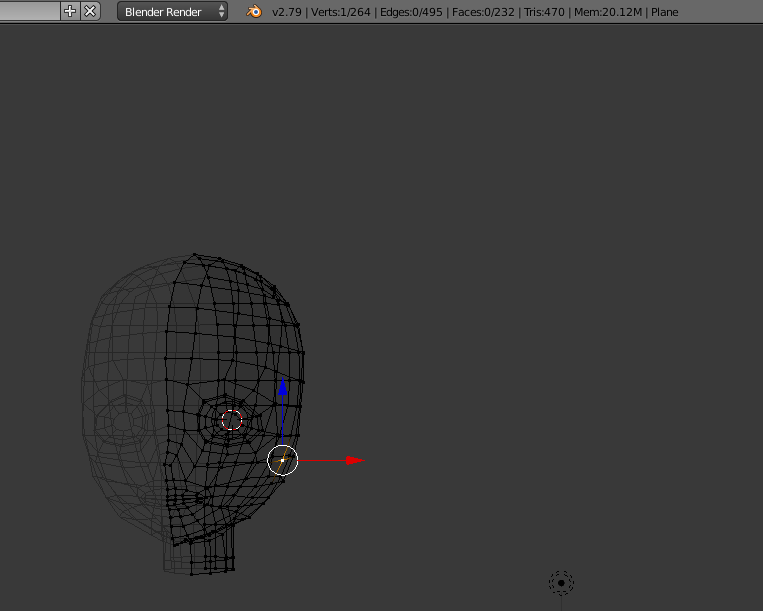
oh nvm, it counts the mirrored vertices it looks like
buoyant holly
looks perfectly usable as a head to me
stark bear
marble rain
depends. how many of the seperated meshes are enabled. if its only 1 or 2 at the...
yeah ive got like 20+ toggles and usually only using a couple of them at a time
waxen estuary
sharp trellis
https://gyazo.com/c81b07c54aa24bc35d2641e5da6b5161 PC And I realize I didn't app...
wait you know how to make heads? Cool
Honestly with all my struggle to try to get the head I currently use (the zinpia zin female head) down to 4.5k poly or lower I might have to look for one that is made from scratch and supports quest as well by default and is 4.5k poly or even lower than that 😅.
 paper zinc
stark bear
yeah ive got like 20+ toggles and usually only using a couple of them at a time
paper zinc
stark bear
yeah ive got like 20+ toggles and usually only using a couple of them at a time
Mesh renderers that are disabled don't have an active skinning/rendering cost at all, whereas UV tile discards and blendshapes are still being skinned and rendered in some capacity. In your case the most optimal thing to do would likely be to disable mesh renderers so you don't have however many hundreds of thousands of skinned vertices you'd end up with for having everything enabled at once
stark bear
paper zinc
Mesh renderers that are disabled don't have an active skinning/rendering cost at...
makes sense, thanks!
marble rain
paper zinc
Mesh renderers that are disabled don't have an active skinning/rendering cost at...
UV Tile / Discard uses the material it has. does not cost more.
paper zinc
marble rain
UV Tile / Discard uses the material it has. does not cost more.
A discarded UV tile costs more than a disabled mesh renderer. With UV tile discard the vertices are still being actively skinned, only the material isn't being rendered - the mesh is still visible to post process effects like SSAO too
A disabled mesh renderer only sits in memory, it has no active cost at all
Hence there comes a point where the cost of always actively skinning those vertices is going to outweigh the cost associated with having more individual meshes, especially if only a few are active at any given time
marble rain
paper zinc
A discarded UV tile costs more than a disabled mesh renderer. With UV tile disca...
you dont seem to get it lol. One material with UV Discard giving u 16 options of clothing etc. cost far less and is more optimal then having 16 different meshes, even if they are inactive. One material is still better then multiple
obsidian lake
i feel like this also really depends on your goal, since on Quest draw calls really tank performance and so they are very heavily penalized in the perf rank stats. You can't have more than 2 meshes with one material each (skinned or not) OR one mesh with 2 materials before your avatar is poor on Quest
marble rain
you wouldn't really be able to do it on quest anyway. atleast i have yet to see a single person with more then 2-3 meshes before going over 10 mb
obsidian lake
marble rain
you wouldn't really be able to do it on quest anyway. atleast i have yet to see ...
you can 100% do that on quest...
i have done so myself
the meshes themselves aren't usually very high in file size, so that's usually just an issue with people having massive texture sizes
marble rain
well your limited heavily. to texture size. so more means worse overall quality anyway.
obsidian lake
marble rain
well your limited heavily. to texture size. so more means worse overall quality ...
you can have high quality textures at low texture sizes. You just have to have well done UVs and consider your texture size while making the model
paper zinc
marble rain
you dont seem to get it lol. One material with UV Discard giving u 16 options of...
Bro was talking about 20+ toggles, not 16
proper grail
whoah, two combined meshs with 32 options. quik maths
paper zinc
Yeah, and depending on how many vertices they have and how few of those options are actually enabled at any given time it may not be the most optimal way to go
Because, again, skinning potentially 500k verts constantly vs skinning maybe 70k at a time
marble rain
obsidian lake
you can have high quality textures at low texture sizes. You just have to have w...
not really. 512x512 will look ugly no matter the UV. even 1k will.
marble rain
paper zinc
Yeah, and depending on how many vertices they have and how few of those options ...
huh. Vertices has nothing todo with materials. thats only related to blendshapes and some other things
paper zinc
marble rain
huh. Vertices has nothing todo with materials. thats only related to blendshapes...
it's one of the performance costs we deal with, skinned vertices put a load on the CPU and the more of them you have the worse it gets
paper zinc
marble rain
not really. 512x512 will look ugly no matter the UV. even 1k will.
and this is where you showed us you have absolutely no clue what you're talking about
obsidian lake
marble rain
not really. 512x512 will look ugly no matter the UV. even 1k will.
not really but alright. Maybe depends on the style of avatar you're making, but you can make really nice textures 512x512. I have avatars that are 256x256 for the whole texture
paper zinc
there's a tipping point where one performance cost overtakes another and UV tile discards may not be the most optimal way to go for toggles because every single vertex on your material is still actively being skinned and affecting your frametime, even if the material isn't being rendered on the GPU
marble rain
paper zinc
and this is where you showed us you have absolutely no clue what you're talking ...
you can say that. but it clearly shows you don't lol. go show me a single 512x512 texture on a avatar that looks good in vr. i know you can't.
paper zinc
marble rain
you can say that. but it clearly shows you don't lol. go show me a single 512x51...
bet

this avatar has a texture memory footprint below 10MB
there's a single texture at 1k, everything else is 256x256
marble rain
paper zinc
there's a tipping point where one performance cost overtakes another and UV tile...
eh. UV discard prevents that. since it discards the Vertices. so there is nothing to render for that UV and that applies to the texture that was part of that UV.
paper zinc
no
marble rain
yep.
paper zinc
UV discard does not discard vertices
marble rain
yes it does lol
UV Tile Discard (previously known as UDIM Discard) provides an efficient way to toggle portions of a model on and off at runtime. This is done by placing portions of the model on different UV Tiles, and then discarding specific tiles at runtime.
paper zinc
you don't understand how it works
marble rain
you clearly dont lol
paper zinc
UV discard discards the vertices at the material level only
they are still being skinned by Unity, and still show up to post process effects like SSAO
they still exist
marble rain
nope
marble rain
go and read the documentation
paper zinc
you are being confidently incorrect
marble rain
nope
proper grail
i use uv tile discard and i can say for a fact that the mesh is still considered "there" for realtime ambient occlusion and the like
paper zinc
discarding vertices from the material is not the same thing as removing them from existence completely. you only cut out the material rendering cost, not the vertex skinning cost
radiant shadow
you can test this in unity profiler, seperate mesh toggle and memory usage goes down, id still use uv discard but im not making crazy 500k avatars ( <70k always )
proper grail
it is just the cost of specific vert's material that is saved
marble rain
proper grail
i use uv tile discard and i can say for a fact that the mesh is still considered...
that wasn't a issue for a friend of mine i setup UV discard on.
proper grail
most worlds that have it will have the option off by default
paper zinc
that would be because they didn't go to worlds with AO then lol
marble rain
proper grail
most worlds that have it will have the option off by default
i have to test that then. all through they are in worlds with AO and other things all the time so
proper grail
its subtle and really only where the discarded intersects anything
ivory sluice
Depending on which ssao effect is being used it will appear or not, one effect uses shader replacement and renders objects with the opaque tag, and the other uses the current shader's values, i assume that all passes do uv discard including the shadowcaster
stark bear
do disabled constraints still have a performance hit?
ivory sluice
no
frigid badger
does anyone have tips for optimization with dissolving edge loops? i feel like I have some trouble picking what to dissolve sometimes bleeh, i don't want to sacrifice more than i have to since 7.5k polys is hard to reach (likely gonna target 15k tbh 🥹)
waxen estuary
marble rain
50k max for me
for me 20~30k max
30k but there better be minor edge loops to get to at least 20k for quest 😅
 keen sable
I'm trying to optimize the cloth behaviors for the skirt on Hunter by Yuyuriko, Here is my current settings and I was wondering if there is something I can tweak to make it more optimized and behave better in terms of physics. I've bound the static mesh to be around their wasit until it drops off the pelvis shape and towards the beginning of the thighs, so at this point I'm trying to get it look less like a liquid and a flinging mess and more optimized and proper cloth movement.


 sacred heath
I bought a PC only avatar. Can I make them quest optimized too?
 silk hare
sacred heath
I bought a PC only avatar. Can I make them quest optimized too?
silk hare
sacred heath
I bought a PC only avatar. Can I make them quest optimized too?
Ya can! There is a free tool on Booth that ya can try out called VRCQuestTools.
https://booth.pm/en/items/2436054
Another thing ya can do is upload your PC avatar as a VRChat impostor, which is a low-poly version of your avatar that only Android users such as Quest can see.

VRChat PC 用アバターの Android 対応 (Quest, PICO) を想定した Unity Editor 拡張です。 選択したアバターを Android (Quest/PICO) 用にアップロードできるように自動的に変換します。 コピーを作成することで元のアバターに変更を加えないため、既存のプロジェクトでそのまま使用することができます。 以下のリンクをクリックすることで、VCC で VRCQuestTools を管理することができます。(推奨) https://kurotu.github.io/vpm-repos/vpm.html English Description:
radiant shadow
quest compatible =/= optimized , it will spit out a unoptimized mess if you are trying to use this on a pc with  stats
stats
sacred heath
Thank you so much. I definitely will need help because y’all are talking a different language right now. & if I try to optimize my avi for both, will it affect the quality for both? I assume so right?
Oh my god thanks a lot man. You’re really helping answering all my questions. I feel like such a noob to this. I’ve had VR a week now & this is all super new to me.
sacred heath
Oh wow damn. So can I merge them into 1 avatar so both players can see their optimized version?
spring sun
sacred heath
Oh wow damn. So can I merge them into 1 avatar so both players can see their opt...
You dont actually merge avatars as they will always be separate
Just upload an optimized version for both unity builds
sacred heath
So then I’d have to switch all the time to get both set of players to see it then? That’s what I’m trying to fix/avoid
spring sun
Theres nothing to fix
Thats how it works
If you need to update one or the other you need to switch to that build and upload
sacred heath
@heady smelt could use your help again. i got this far but cant figure out how to optimize it so that the collider & transform count are lowered
 calm spade
400k on Quest 
silk hare

I guess as far as optimization goes on my end, I'd love to know if anyone's used the Mesh Baker add-on in Unity to combine Skinned Mesh Renderers properly.
I followed their tutorial yet every time I do so, I do get 1 Skinned Mesh Render but my entire avatar vanishes 'cause I was told to "Disable Renderers on All Child MeshBaker Source Objects" and it turns off the skinned mesh renderers on all the ones in question.
Here's their tutorial: https://www.youtube.com/watch?v=LA_BLaDCoqg
Perhaps someone can lend a hand with this? I'm not too confident on taking this into Blender, so I've been tryin' to stay in Unity, heh.
The tutorial does have a troubleshooting part concerning vanishing skinned meshes but none seem to work. My avatar vanishes in the Scene and Game windows.


This Mesh Baker tutorial is about Combining Skinned Meshes.
For questions about Mesh Baker please visit the Unity Forum:
https://forum.unity.com/threads/mesh-baker-by-digital-opus-released.159258/
Detailed instructional videos are available for specific Mesh Baker components and uses. This video mentions the following links:
Mesh Baker Basics...
calm spade
Are there no vrchat specific optimization addons that already do this? I'm almost certain there are at least a few
calm spade
silk hare
I guess as far as optimization goes on my end, I'd love to know if anyone's used...
GitHub
d4rkpl4y3r's VRChat Avatar 3.0 optimizer. Contribute to d4rkc0d3r/d4rkAvatarOptimizer development by creating an account on GitHub.
"Merges all skinned meshes that are always animated in the same way"
silk hare
calm spade
https://github.com/d4rkc0d3r/d4rkAvatarOptimizer
Ooooooo, I'll look into this! Thank ya so much!
silk hare
calm spade
"Merges all skinned meshes that are always animated in the same way"
It worked! My rank is now Medium! I'll keep playin' around with this, but thanks again!
spring sun
sacred heath
<@456226577798135808> could use your help again. i got this far but cant figure...
Id say cut your losses with how unoptimized that is
sacred heath
silk hare
I guess as far as optimization goes on my end, I'd love to know if anyone's used...
yea im scared to go outside of unity too cause idk enough about making any avis. just bought this one & trying to optimize it for both
calm spade
Unfortunately I don't think this is the kind of avatar that is optimizable inside of Unity, but there are plently videos on Youtube dedicated to optimizing VRChat models for Blender beginners!
sacred heath
yea i dont think its gonna happen for me. that sucks
 jagged dagger
calm spade
400k on Quest <a:cryingrn:900866576440520794>
jagged dagger
calm spade
400k on Quest <a:cryingrn:900866576440520794>
More worried about everything else there
Surprised i still fit into the performance ranking with the toys and systems i have on my avatar lol

however 20 of these are still always on it seems like, might need to look if i can reduce the always on amount
 obsidian lake
sacred heath
yea im scared to go outside of unity too cause idk enough about making any avis....
obsidian lake
sacred heath
yea im scared to go outside of unity too cause idk enough about making any avis....
combining skinned mesh renderers usually isn't too difficult. You can join the meshes in Blender, then you might have to fix some animations, and reapply materials in Unity. It's not difficult in Blender, you just select them and press ctrl+j then export the file
 ebon relic
Hey i have this avatar i really like and there is a quest file for it but every time i try to upload it i have to do a bunch of optimizing and then in game i don't have hair physics also i'm new to avatar uploading but help would be appreciated please dm me i need the help thanks in advance
tranquil quail
ebon relic
Hey i have this avatar i really like and there is a quest file for it but every ...
Does your avatar come with separate prefabs for the quest and pc versions?
Also where did you get the model
ebon relic
it's 2 diferent downloads i got it on vrmodels i can send the link throught dms if you want?
radiant shadow
um you are downloading ripped/stolen asset if you are using that page
tranquil quail
Please don’t send me anything from that site. Most people myself included won’t help with ripped/stolen assets as they are usually broken and also stolen
ebon relic
tranquil quail
Please don’t send me anything from that site. Most people myself included won’t ...
Alright sorry i didn't know i will refrain from using that website then thanks for letting me know
 visual olive

 blazing cypress
Is there a chart somewhere that shows the minimum requirements for quest avis
heavy knot
blazing cypress
Is there a chart somewhere that shows the minimum requirements for quest avis
blazing cypress
Is using modular avatar bad for optimization?
heavy knot
depends on what the asset does
are you referring to the way modular avatar puts on clothes?
it should be the best method if you're doing it via Unity, as well as VRCFury
silk hare
I don't mean to start a new subject, heh.
But has anyone by chance used Pro Material Combiner (or Pro Material Combiner++) in order to combine materials on their avatar to reduce their number of material slots?
I've had my eye on it for a bit, but was curious if anyone else has used it before giving it a shot.
heavy knot
I'd personally use Blender baking with Tuxedo or even use D4rk's Avatar Optimizer
silk hare
heavy knot
I'd personally use Blender baking with Tuxedo or even use D4rk's Avatar Optimize...
I gotcha. I do have D4rk's tool and it has brought the number down a bit.
But wanted to see if there was a way to push it further without going into Blender, heh.
I'll keep experimenting!
blazing cypress
heavy knot
are you referring to the way modular avatar puts on clothes?
Yeah like for instance if I use a hair prefab on a body prefab via attaching it with modular avatar. I could instead save a mesh by combining and save some bones too?
blazing cypress
what is texture memory and how to reduce it?
heavy knot
primarily reducing the "max size" of textures
 daring mulch
silk hare
I gotcha. I do have D4rk's tool and it has brought the number down a bit.
But w...
daring mulch
silk hare
I gotcha. I do have D4rk's tool and it has brought the number down a bit.
But w...
https://www.youtube.com/watch?v=MH7Xdol5erw
i used this tutorial for combining multiple textures into one. it might be helpful for you, if you are ok with resorting to Blender XD

Grant's Character Course discount link: https://www.gamedev.tv/p/blender-character-creator-2/?coupon_code=GRABBITT&affcode=45216_9b6dqwx2
Grant’s Drawing course discount link: https://www.gamedev.tv/p/complete-drawing/?coupon_code=GRABBITT&affcode=45216_9b6dqwx2
Continuing the guide to baking we are baking out lots of textures from multiple obj...
 worldly hull
If I find a item/weapon for my avatar, why does it always have 20+ materials!?
Its just a sniper riffle and the glass is not even transparent. everything would be possible with just 1 material.
spring sun
worldly hull
If I find a item/weapon for my avatar, why does it always have 20+ materials!?
I...
Then make it 1 material
worldly hull
spring sun
Then make it 1 material
But I hate, that the creator dont already do it optimize it by themself. Its so time consuming to scale the UV mesh exactly for every pixel and search for every texture to combine them in paint.net before exporting and importing into blender and and and and......
spring sun
🤷♂️
worldly hull
There is also this material combiner from the cats blender plugin, but it never works like it should and still combine stuff to stuff, that should not combined. thats why I atlas every texture by myself in paint
radiant shadow
hide whatever you dont want to combine to that texture , they wont get atlased - anything that need alpha is one i put on its own
(seperate by material)
proper grail
The video right before you asked will solve that. 2nd uv map, pack, put a active bake target texture in all 20 materials copy paste style, bake color. 20 materials to 1 in 5 minutes
obsidian lake
worldly hull
There is also this material combiner from the cats blender plugin, but it never ...
I've had no problem with it as long as I wasn't using tiled textures (it also has given me strange results for normal maps), but it may be the cats addon itself. I've had lots of trouble with cats breaking my armatures and stuff, but the material combiner is actually separate from cats. I prefer to have material combiner installed without cats
frigid badger
if you need, atlas it all into one large material or fewer large materials (@worldly hull)
and yeah, material combiner is best used not with cats = =,,
verbal surge
Is it better to have 2 mesh renderes instead of one mesh renderer or would that lead to worse performance?
 grizzled shard
in general, less mesh renderers is better
heady smelt
verbal surge
Is it better to have 2 mesh renderes instead of one mesh renderer or would that ...
It is good practice to separate the head from the rest since it might contain a lot of blend shapes. Merging everything can indeed perform worse
 floral mica
not since unity 2022 as far as i know
heady smelt
The number of meshes aren't t a problem unless they generate a lot of draw calls
silver brook
heady smelt
~~It is good practice to separate the head from the rest since it might contain ...
This used to matter a lot pre 2022
But it can lead to lighting issues, despite you setting the anchor correctly :(
My main has these issues, as it was made when it was still important to separate the head
heady smelt
silver brook
This used to matter a lot pre 2022
I just benchmarked again and I confirm that splitting your meshes aren't improving the blendshapes performances in unity 2022.
70K polygons avatar gives better performances when combined. 500K polygons avatar performs slightly better on splitted meshes, but just about 5-10%
silver brook
heady smelt
70K polygons avatar gives better performances when combined. 500K polygons avata...
Oh, thanks for verifying!
I didn't know the exact numbers :P
marble rain
heady smelt
The number of meshes aren't t a problem unless they generate a lot of draw calls
thats not exactly true. Every seperate mesh creates draw calls. the less the better. and in regards to blend shapes. they might not be a issue atm but the more people getting face + eye tracking will promote a heavy increase in blend shapes unless better ways are found to well control those parts. mostly a avatar with both eye and face will have 100-200 blendshapes extra just to control those parts
 lone escarp
Does anyone know of any videos that go into details on how to optimise an avatar from poor to excellent and works with quest if possible
obsidian lake
lone escarp
Does anyone know of any videos that go into details on how to optimise an avatar...
I think you're best off learning how to optimize specific aspects of an avatar to match the statistics of the performance rank you'd like to match. For example, say you need to reduce physbones and poly count (you may not need to, this is just an example), then you would look up tutorials on those things specifically.
The Avatar Performance Ranking System allows you to see how much a user's avatar is affecting performance via analysis of the components on that user's avatar. You can also use it on yourself to see how performant your avatar is.
lone escarp
Oooh okay thank you I’ve got a magpie rexouium I and wanna optimise that from poor to good so I might have a look
marble rain
lone escarp
Does anyone know of any videos that go into details on how to optimise an avatar...
Excellent is not really necessory. a Good rank is more then good enough. but as long as you keep material count as low as possible and physbones within a reasonable amount etc it really shouldn't be so problematic and blendshapes
 wanton dove
When did they make the max download size 500mb? Bc I swear it was higher before
zealous wigeon
wanton dove
When did they make the max download size 500mb? Bc I swear it was higher before

VRChat Ask Forum
Welcome to the Developer Update for 14 March 2024! Today’s Dev Update thumbnail features Interstellar… by TontonDemon! Watch your step in the elevator and… try not to stand too close to the edge for this one, okay? If you’d like to catch up, you can read our previous Developer Update from 29 February. Important Info / Announcements Join th...
zealous wigeon
wanton dove
When did they make the max download size 500mb? Bc I swear it was higher before
These limits haven't gone into effect yet actually, so it will be further reduced to 200MB.
wanton dove
Oh. Why?
zealous wigeon
Because VRAM expensive
wanton dove
Oh
zealous wigeon
No avatar should be 500MB
wanton dove
Oh…
 zealous wigeon
You must be using several 8k textures
wanton dove
16k lol
wanton dove
Idk. I was bored and I tried to get it really high
proper grail
Sir this is a avatar optimization
heavy knot
The VRCSDK prohibits building with 16k textures though?
wanton dove
proper grail
Sir this is a avatar optimization
Close enough
marble rain
zealous wigeon
These limits haven't gone into effect yet actually, so it will be further reduce...
that limit has nothing to do with vram. its size of the avatar download size. which is compressed the other number we have is uncompressed in memory. which most likely will stay at 500 mb for a while. realisticly your Avatar's total Vram usage should stay below or at 100 mb at max for now.. until majority of people have a minimum of 12 gb of vram. then it can be raised to 200 ish or even 250
marble rain
heavy knot
The VRCSDK prohibits building with 16k textures though?
no and never will or should be. even 8k is to high
heavy knot
what are you disagreeing with?
heavy knot
I'm stating a fact that SDK 3.5.0+ stops you from uploading with 16k max size textures

I tried doing this immediately on the beta
obsidian lake
Is it more optimized to use 2 transtions (entry>state>exit) rather than 1 any state transition?
like for an int toggle
proper grail
yea
any state checks all exits every update, has exit time of 0 checks when the parameter is changed
heavy knot
obsidian lake
Is it more optimized to use 2 transtions (entry>state>exit) rather than 1 any st...
Disable “can transition to self” on the transition from any state and it’s fine.
wanton dove
Is there a tool to merge multiable meshes or items?
heavy knot
If you just want something quick and dirty to use in Unity, use D4rk's Avatar Optimizer. If you want more control, you'll need to learn blender
obsidian lake
wanton dove
Is there a tool to merge multiable meshes or items?
I would use blender tbh
it's very easy to merge meshes
just select them and press ctrl+J
wanton dove
Ok. Cuz I know blender but some of the stuff I have aren’t fbxes and they are a meta file
wanton dove
obsidian lake
just select them and press ctrl+J
Yea ik lol
heavy knot
you should always have a model file (Obj, FBX, ect), unless your avatar is ripped
wanton dove
obsidian lake
those aren't model files
You can’t open them in blender
That I know of
obsidian lake
wanton dove
You can’t open them in blender
if the file extension is .meta and it's from a unity project, then it's unity metadata
wanton dove
Oh
obsidian lake
like import settings, prefab id, stuff like that
every file you import or create in unity will have a meta file
wanton dove
Is there a way to convert meta files to fbx?
obsidian lake
no meta files aren't models
wanton dove
Oh
heavy knot
meta files are just the import settings of the original asset
obsidian lake
every file in your unity project will have a file of the same name with the.meta extension
 wanton dove
Yea ik
obsidian lake
 wanton dove
That’s why if you drag a file into unity it automatically creates a meta file when you click back into unity
obsidian lake
the one on the left (readme.txt) is the actual file, readme.txt.meta as you can see just stores data about the file
so there's no way to convert from .meta to .fbx because they aren't storing the same type of file
wanton dove
Yea. Ik all that stuff
obsidian lake
that's like trying to convert a .mp3 to a .png
one stores audio, one stores an image
radiant shadow
 uuh so what kind of files are you using then fbx, obj,blend,pmx,vrm if you know this already
wanton dove
Also I was talking about a .asset file
obsidian lake
those are usually scripts
wanton dove
Oh
obsidian lake
like udon behaviors, menus, parameters, etc
what you probably should do is find the objects that you are trying to merge, then find the skinned mesh renderer that is on it. If you select the mesh in the mesh slot, it will highlight where the model file is stored in your unity project
or just mesh renderers
for example say i want to find this "body" mesh

i select it and find this in the inspector

click on this body mesh

and it shows me that the mesh is embedded in this fbx file

now if i right click on it i can select "show in explorer" and it will open file explorer with my fbx (or whatever format your model is) selected

if you know where your unity project is stored, you can easily find this filepath manually as well
it's good to keep your projects organized
 mystic wind
Does somebody know what is this problem for?
mystic wind
mystic wind
Does somebody know what is this problem for?
(VRM model)
radiant shadow
material is opaque you want cutout and it likely have a white sphere infront of eyes that need it (see eyebrows very thick)
try that see if behaves , somethingsomething
 mystic wind
radiant shadow
try that see if behaves , somethingsomething
mystic wind
radiant shadow
try that see if behaves , somethingsomething
hmmm, it still white
 distant osprey
i have a question about performance. I want to add a particle aura surrounding the body. Whats more performant?
a) Using the high poly body-mesh (idk ... 90k Poly?) of the Avatar as mesh-shape for the particle system
b) Making a very low poly (~500 poly) second body and constrain it to the body to use this as the mesh shape?
Whats hitting more? Having high poly mesh-shape or causing another material / mesh Drawcall and the constraints?
plush trout
Does the heaviness of constrsints still happen if theyre toggled off? Like, will the constraints only be intensive so long as theyre toggled on? Like world constraints for example: if both constraints (the one containing the world transform and the one with the reset target) are toggled off until theyre required to be on, will it reduce the lag?
quiet steeple
Anyone know how to fix this everyone says its something entirely different and nothing has yet to work..This only happens when i switch the material into a quest one yet it appears fine in the material slot.
 spring sun
vertex colors/paint
willow wave
quiet steeple
Anyone know how to fix this everyone says its something entirely different and n...
Vertex colors. Can be fixed in blender, however I've heard there is also some unity plugin that will fix it as well
spring sun
vrcquesttools can autofix it
willow wave
^
spring sun
otherwise go into blender and paint the vertex's white
willow wave
Can just clear the vertex colors, don't have to manually color it
spring sun
I forgor that you can clear
verbal surge
Are there any go-to tools to decimate a model without deleting shapekeys?
 dense fern
Hi I need help with my avatar I want to reduce the amount of polygons from 28k to 20k
ivory sluice
verbal surge
Are there any go-to tools to decimate a model without deleting shapekeys?
You'd need to manually dissolve verts or edges to keep the shapekeys (you'll also have to check frequently if the shape keys didn't break cuz that could happen any time when removing/adding verts)
 velvet crow
Does anyone have insights on how skinned meshes work in Unity? Mainly, is it GPU or CPU, or both? And what does it affect the most?
 foggy eagle
Yes I know
marble rain
velvet crow
Does anyone have insights on how skinned meshes work in Unity? Mainly, is it GPU...
its both.and it affects both heavily.
velvet crow
Yes, but are there any technical breakdowns on how it works or conditions for performance?
marble rain
eh. not that i know of. all you need to really know is that each skinned mesh causes a minimum of 1 draw call. and a bunch of other operations. keep it as low as possible
plush trout
Hey yall. Im about to get back to this update to my avatar, and if i mathed correctly the resulting layer amount is gonna total to about 36. And I got a buddy of mine saying that I shouldnt really be aiming for anything over 20, and even then thats pushing it. So im just wondering if anyone has any insight into this; if theres like a layer threshold i shouldnt cross
willow wave
Direct blend trees. You can potentially combine many layers down to one.

 edgy scarab
foggy eagle
Yes I know
edgy scarab
foggy eagle
Yes I know
Oi did you use the Chise LoRa to make her a red-haired oni xD
plush trout
willow wave
Direct blend trees. You can potentially combine many layers down to one.
So i think the thing i have about that is: nearly all of my layers are gonna be complex togglew and not simple on-offs. And while some will (and i assume that for those toggles i can use direct blend trees) i wont be able to do so for all of them. Hence why im looking for a general number to aim towards so i know if i neee to cut back some stuff or not
edgy scarab
plush trout
So i think the thing i have about that is: nearly all of my layers are gonna be ...
I few people have told me 20 as well
 winged spire
plush trout
So i think the thing i have about that is: nearly all of my layers are gonna be ...
winged spire
plush trout
So i think the thing i have about that is: nearly all of my layers are gonna be ...
You can use blend trees for a lot of things, what exactly are these "complex toggles"?
You might still be able to convert them into a blend tree
plush trout
winged spire
You can use blend trees for a lot of things, what exactly are these "complex tog...
some of the animations turn on, scale and disolve things over the course of a few seconds, some toggle on and off constraints over the course of a minute etc. and according to the page i read on it you cant really utilize direct blend trees for those sorts of animations.
additionally a lot of them are within their own catagories using a bunch of driver bullshit so the toggles are exclusive. So for example a layer labelled "ice", and the beginning state csn transition into a substate depending on the bool thats active, and from there each substste has its own web. and from my understanding you csnt really do complex stuff like that with direct blend trees
winged spire
plush trout
some of the animations turn on, scale and disolve things over the course of a fe...
Yea, not really possible with blend trees, you can do blending over time but its complicated and only useful for smoothing values
plush trout
Yea i figured as much. But hey, at least i was able to get it down to 36, my fear was needing a layer for each specific toggle which would brought me up to like, approaching 100
Oh-while im here i got another quick question if thats ok; Do constraints still do a performance hit if theyre toggled off completely? The avatar uses quite a few constraints, specifically world constraints, so one way i thought to work around that is like, keeping them off completely until the object the constraint is on is used. So realistically only like 2 or 3 are on at any given time
supple trout
i will carefully say it doesnt matter "too much" if you are at 20 or 36 layers, if someone else in your lobby has more than you, your performance is limited to them anyways 😅 But still the lower the better and if possible go for lower 👍 (likelyhood that someone in your lobby has more than 40 is pretty high sadly)
marble rain
supple trout
i will carefully say it doesnt matter "too much" if you are at 20 or 36 layers, ...
20-36 layers are faaar to many. ideally you wanna stay far below plus you can easily combine alot of layers that has similar logic Or does not require specific masking
supple trout
marble rain
20-36 layers are faaar to many. ideally you wanna stay far below plus you can ea...
im not saying that they are/arent too many, i am saying it is likely not worth the hasse if it takes too much effort since one wont get any returns for doing so if someone with an 80+ layer avi is in the lobby 🤷
marble rain
eh. the difference is there.
supple trout
are we talking about measureable or "real impact you can actually see/feel" here?
cause when i did test with someone and unlimited fps in desktop to "force" cpu limitations, i could switch between a 10 layer and a 80 layer avatar with maybe 2 fps difference (and i had around 360) since the other avi with its 200-300 layers was limiting 🤷
and when another 2 ppl with their avis joined i had 0 difference
marble rain
it all depends on the person's spec. some maybe less. but others it will
supple trout
oh trust me, i agree with you completely since less of something is always better, i am just at the same time trying to find a balance "my time investment vs. what i get in return"
marble rain
luckly there are plenty of tools that can sorta optimize animators etc
plus for me atleast i dont think about it as how much time i use versus what i get. because in the end if i can help improve a platform even by a fraction then thats my reward.
supple trout
thats the thing, in the (privateish) lobbies i run around it literally doesnt matter fps wise if i go with my <20-40 layer avis or a big goodfall like one with >100 - it always depends if that one single individual is running a 200-300 layer nuke or not
jagged dagger
marble rain
20-36 layers are faaar to many. ideally you wanna stay far below plus you can ea...
wonder how many layers i have, i have a few systems in my avatar
let me look
37 layers
my optimized has 21
thats with running something that auto-optimizes layers into blend trees
 chilly sigil
Hello!
So trying to upload my avatar on  I get a VRAM
  even though the Avatar Evaluation shows all green and small size.
Does anyone know why something like this can happen? This is the first time after optimizing a lot in the past so I'm really confused.
 heavy knot
the SDK calculations are weird, if you reuse textures it'll count
chilly sigil
So what should I do to fix this?
This is a pretty simple model with only 8 Materials and barely anything fancy no Matcap no Normals no nothing and every texture is already crunched pretty hard 🤔
heavy knot
Does it say this performance rank in game?
chilly sigil
Ooh okay I get what you meant now; this is how it looks in-game so yea I guess just ignoring it on the SDK works hehe

Thanks a lot!
 winged cobalt
any idea how people get their Texture memory so "low" ?


is there a detailed guide for this ? preferably for liltoon shader
 stuck yacht
make it like 2k or bellow that of pixel
radiant shadow
4k can be 10mb (dont have transparency on it) , my worst av somewhat similar to that one but 45mb vram
move whatever has transparency onto its own atlas/baked texture, save alot of vram (or decals if you are on pc)
im nowhere near that amount of poly tho 340k~
already seen some avatars that wont survive the July 16th update , over 200mb compressed , course its some public avatars
supple trout
Rule of thumb is roughly:
- Lowest texture size you are happy with looking at it from roughly 1 meter distance
- Lower size high quality is "better" in terms of size than higher size normal quality
- If you dont need an alpha channel, remove it from the texture
- Due to nature of normal maps, set them always to high quality 🙂
- Maps for metallic, roughness etc. Might even work with 512 size - depends on uvmap
stuck yacht
radiant shadow
already seen some avatars that wont survive the July 16th update , over 200mb co...
oof forgot about that am good got 30mega thx god
winged cobalt
there must be more to it, those people have 100+ mats and only 100 tex memo, which equals to not even 1mb of load for each mat
supple trout
winged cobalt
there must be more to it, those people have 100+ mats and only 100 tex memo, whi...
uhh actually no. you can reuse textures between materials, they will only get added once to the avatar, not once per material
and then there is even the case of "combining" textures, like atlasing or putting maps into different channels of a single texture. poi does that for metallic&smoothness for example. You can extend that however to other maps as well
looking at this avi in trys vram calc, i notice she has roughly 100 textures in here, something i might wanna work at 😅 make use of thrys tool (secodnd screen) to see what your textures are taking up on space https://github.com/Thryrallo/VRC-Avatar-Performance-Tools



GitHub
Contribute to Thryrallo/VRC-Avatar-Performance-Tools development by creating an account on GitHub.
cold yarrow
winged cobalt
wow... 2.4M polys, that's crazy
obsidian lake
do y'all think 4 1024 textures would be better or 1 2048 texture?
for the whole avatar
3 of them are for matswaps so none of them would be used at the same time, would it be better to keep it seperate?
supple trout
Hmm.. vram wise it shouldnt make a difference - I would probably go the 4 on 1 texture and move coordinates around accordingly option. Dont know how it behaves on fallback shader however
obsidian lake
supple trout
Hmm.. vram wise it shouldnt make a difference - I would probably go the 4 on 1 t...
I'm using vrchat shaders so it will be all good
Like quest shaders
Just toon lit and matcap lit
marble rain
obsidian lake
do y'all think 4 1024 textures would be better or 1 2048 texture?
one 2k.
and also swapping in textures has a downside that needs to be considered to
obsidian lake
marble rain
and also swapping in textures has a downside that needs to be considered to
yeah it's for a comm and they wanted a gameboy with an animated screen that works on quest
i have each animation on a different 1024 sprite sheet
 solemn trail
radiant shadow
already seen some avatars that wont survive the July 16th update , over 200mb co...
solemn trail
radiant shadow
already seen some avatars that wont survive the July 16th update , over 200mb co...
whats going on with the july 16th update?
buoyant holly
solemn trail
whats going on with the july 16th update?
the max file size for avatars is being changed on PC
obsidian lake
there's no reason to have an avi that large anyways
if you want so many different outfits or whatever just make them into a different avatar
solemn trail
if you can somehow do 200mb avatars compressed I question how much it would take up on VRAM at that point
buoyant holly
 obsidian lake
jesus christ
you can upload an avatar with an uncompressed size of over a GB?!?
on quest you can't even have worlds with a compressed size of over 100 MB
solemn trail
Im assuming it is that high for audio??
obsidian lake
audio doesn't take that much space if it's short
which it probably should be
unless it's like for a show, you don't need a whole song
solemn trail
people put music on their avis as much as its not needed
obsidian lake
just do some compression also
like externally
in like audacity or smth
so the uncompressed size is smaller
and for compressed size, set the quality to 1
it doesn't make a noticable difference
marble rain
200 mb compressed is alot.
solemn trail
Yeah that is im just hitting around 100mb atm but I am currently going through and fixing things
obsidian lake
i can't even comprehend making an avi that large
i make all my avatars quest compatible
i've only ONCE had a problem with going over the compressed limit for quest, which is 10 MB
marble rain
100 mb download size is gonna be mostly high resolution textures and such
obsidian lake
most of my avis are like 7 MB
marble rain
i dont remember the ratio of unity packages. but its quite decent
solemn trail
obsidian lake
i've only ONCE had a problem with going over the compressed limit for quest, whi...
Iv had no trouble just making cut down versions for quest removing the most of the clothing and doing some quest/android specific compression types
android has some special compression support on unity for some reason
obsidian lake
I think most of the issue is people using a bunch of different assets that aren't optimized for usage with eachother
in a way that really can't be done unless you make them together
stuff like doing really packed UVs so you can have as much as possible on one texture
or having low-res textures in the first place
if you're designing your textures to be low res, they won't look blury at the same size
as like a high-res texture that you change the resolution of
solemn trail
most of my ways of doing normal mapping through tilable textures isnt possible on quest I just dont do normal mapping on quest :)
obsidian lake
almost any scaling of images always results in blurrynesss
obsidian lake
solemn trail
most of my ways of doing normal mapping through tilable textures isnt possible o...
yeah but you can atlas the albedo textures at least
solemn trail
obsidian lake
yeah but you can atlas the albedo textures at least
I have done my fair share of atlasing
manually
obsidian lake
I just think people need to design things to be optimized from the start
and I think a huge part of that is making things yourself
or having one person/team make the whole thing
solemn trail
on base makers yes but people who just use a base add a few things on there aint gonna do that
obsidian lake
because when you combine a whole bunch of assets together from different creators, it's not going to be optimized
most of the unoptimized avatars I see are because they have a bunch of outfits they didn't make on a base they also didn't make
and all of them are unatlased and high-res
but like if you make all the clothes, then you do all the UVs, so you can pack two different items UVs closer than you ever could if they were made by seperate people
which means same detail for less texture space
solemn trail
obsidian lake
but like if you make all the clothes, then you do all the UVs, so you can pack t...
dont have todo that I did do a few things with bought assets like this
obsidian lake
yeah but it's way harder and you can never get it as good as you can if you make it from scratch without redoing the textures
solemn trail
no
you can bake diffuse textures in blender onto a new UV
from the original model
its not that hard its just knowing HOW todo it theres ways
buoyant holly
GitHub
A Blender plug-in to facilitate producing game models, namely by baking everything into one atlassed model with Blender's own rendering engine! - feilen/tuxedo-blender-plugin
obsidian lake
sorry i'm thinking with my quest brain again
buoyant holly
this add-on makes it pretty easy to rebake multiple different meshes into one
obsidian lake
i make all my avatars for quest so there's certain limitations like you can't do much with multiple UVs
solemn trail
obsidian lake
i make all my avatars for quest so there's certain limitations like you can't do...
no not even that
you can just
buoyant holly

A simple tutorial on Texture Atlasing/Texture Baking using Blender 2.8+.
Links in Video:
Pumkins Tools: https://github.com/rurre/PumkinsAvatarTools/releases/tag/0.9.5b
=TIME STAMPS=
0:00 - Intro
0:08 - Disclaimer
0:30 - Combine Your Meshes
0:42 - Removing Leftover UVMaps
1:04 - Removing Unused Materials
1:17 - Creating Baking UVMap
1:40 - ...
solemn trail
I can get a video of what I mean
buoyant holly
it's not difficult to bake from multiple meshes into one texture
solemn trail
yep
obsidian lake
maybe i'm not understanding, but if you change UVs in a way that affects scale or rotation (which I feel would be necessary for optimizing your UV packing) wouldn't that affect the texture in a way that you'd likely have to redo it for it to look good?
I'll look into what you're talking about more later though bc I can't watch videos rn
i'm on a train so the wifi is super slow and spotty
buoyant holly
obsidian lake
maybe i'm not understanding, but if you change UVs in a way that affects scale o...
not really because you would just bake it from the old layout to the new layout
solemn trail
yeah
thats what I was trying to say
but theres a point where putting all the models together could be worse then just keeping them separate
obsidian lake
I just don't understand how that would have no negative affect on the quality of the texture
solemn trail
if you have blendshapes
obsidian lake
because you'd have to scale/rotate it in accordance to the UVs
and scaling, but especially rotating textures always significantly reduces the image quality
solemn trail
(if your textures are high res or simple enough its not that bad)
obsidian lake
oh well I guess that was the part I wasn't understanding
because I understood what you were talking about but I didn't think that's what you meant since it can mess with image quality
which is why I said you'd have to redo textures
because they might look really bad after being translated
solemn trail
if your working with a good base and set of textures its a non issue
obsidian lake
well I guess it also depends on texture resolution and interoplation algorithms
because some are sharper than others
solemn trail
I personally fully put the deira base onto one mesh with an atlas it looked just as good as the original
 pallid token
0_0
obsidian lake
I'm just used to working with avatars that have like on 512 or 1024 texture for the whole avatar
so each pixel matters
solemn trail
meshes can also take up alot of space
buoyant holly
https://booth.pximg.net/ed52788c-0b3b-4e38-9ded-1e5797daf0ef/i/3681787/2409bb9f-24f3-42dd-8ad6-89a0656f2166_base_resized.jpg most folks are probably running around with something like this where it's mostly just solid blocks of color and gradients




and probably closer to a 2K texture for a whole shirt so any optimization would involve down sampling anyway
solemn trail
I also think at times unity shoots its self in the foot with import settings
on meshes
their tangent space calcuations can add some extra size to the model for something that shouldnt be any different between blender and the unity engine
verbal surge
How much of a CPU impact do animator layers have? I removed around 4 layers, but barely saw a difference in Animator Performance (in Gesture Manager).
heavy knot
Depends on how many animator layers you have in total
4 layers shouldn't make too big of a difference, but if you go above like 40-50 you could notice a slight hit and even more will be worse.
https://notes.sleightly.dev/benchmarks/
 alpine bloom
So, really trying to clean up this avatar a bit for public instances, are there any tools to help remove menu stuff/toggles along with the asset? Like, If I remove a specific piece of clothes it'll take out all toggles related to that piece? Or do I gotta do that manually?
 buoyant holly
why does it have so many bones
alpine bloom
I honestly have no clue, I've already removed several things