All of that will have an impact on your Avatar. I suggest you read this article I linked: https://www.poiyomi.com/blog/2022-10-17-texture-optimization
Tips and guidelines for optimizing texture memory (VRAM) and filesize for VRChat creation.
1 messages · Page 11 of 1
 somber raven
All of that will have an impact on your Avatar. I suggest you read this article I linked: https://www.poiyomi.com/blog/2022-10-17-texture-optimization
Tips and guidelines for optimizing texture memory (VRAM) and filesize for VRChat creation.
Also, when it comes to Mipmaps, it’s not worth it to turn it off because it’s gonna make your texture look horrible. I’m serious, keep those Mipmaps enabled!
 near elk
Thank you!
near elk
somber raven
All of that will have an impact on your Avatar. I suggest you read this article ...
After reading the article, I am still confused about this part:
Let's say I have a 2k texture.
Normal Quality.
If I use Crunch Compression on it, will it appear as if I did not use Crunch Compression, when in the game?
somber raven
near elk
After reading the article, I am still confused about this part:
Let's say I hav...
The appearance of the Texture will only be different if you use Crunch Compression or not.
However keep in mind that Texture Memory (VRAM) will always remain the same no matter what, Crunched or not.
near elk
If I only consider Download size of the avatar, using Crunch Compression will not lose any resolution when going in game?
somber raven
near elk
If I only consider Download size of the avatar, using Crunch Compression will no...
The only thing you will lose is a reduction of the quality in the color spectrum. If you use Gradients, they will begin to look horrible when crunched.
near elk
so for anything that has gradient colour I should not crunch, and instead strive to use high quality compression with lower resolution?
somber raven
near elk
so for anything that has gradient colour I should not crunch, and instead strive...
I would say so, yeah. At most a 1024 Texture set to High Quality Compression would consume at least 1.3 MB.
At Normal Quality, it would be 0.7 MB.
However, if your 1024 Texture is using the Alpha channel (RGBA), it will always consume 1.3 MB even at Normal Quality. This is because Alpha consumes slightly more than an RGB texture not using Alpha.
near elk
since my goal is to compress for Quest using Toonlit(no alpha layer), the format should be any of the RGB options?
nvm, it seems by changing the format, the option to crunch compression is gone
somber raven
near elk
since my goal is to compress for Quest using Toonlit(no alpha layer), the format...
Preferably yes if you want to keep your size down. Either way, if you use High Quality Compression, the Alpha channel will already be ignored on Quest and will show as White.
near elk
somber raven
The only thing you will lose is a reduction of the quality in the color spectrum...
by Gradient, would you elaborate on what it looks like? I have no experience with these
somber raven
near elk
by Gradient, would you elaborate on what it looks like? I have no experience wit...
Something like this as an example:

It's the blending between different colors that you gotta watch out for
The main thing to also consider is if it's really necessary when looking at the Avatar from a distance. From a distance like this (screenshot below), it's barely noticeable until you get up close to it. So it's really your decision if it's necessary or not.
Think about this when considering how people look at your Avatar in-game.
 near elk
I think I get it.
First I'll be thinking if that texture will be viewed from a distance or up close,
Then choose the compression method.
somber raven
Yup! That is what you'll have to do.
near elk
Thanks a lot
somber raven

 snow knot
I personally don't mind the slight increase in download size that not crunching your textures causes in favor of having cleaner textures. Especially on quest where you're usually less textures than what you'd normally see on pc w/ shaders like poiyomi.
Ofc that mostly ends up being personal preference. Though if you hit the 10mb limit for quest uploads you're basically forced to crunch. Then again, if you're hitting the 10mb limit you probably have other areas you can optimize other than just texture compression.
 opal garden
Hey, i packed my Avatar quite full, but most stuff is disabled, my Animator is also shrinked down to not that many Layers, the VRAM usage is also Fine and shouldnt exeed my 4090s VRAM, any plan what could cause the Performancedraw in VRC? (about 106 FPS in an Optimized Avatar, when switching it drops to 78-86 FPS. I Speculate it could be because the way i combined the Animation layers, but ill be honest i have no plan, i could probably just split the content on the Avatar to multiple Avatars, but i dont wanna do that, i would rather like to finally find out, what exactly draws the Performance. I Also Reduced the Active Physbones a bit by Disabling the Scripts with a very minor improvment.
I wonder if someone stumbled across something that may applies to this case


i made an assumption it is maybe the whole ton of Shapekeys on the Avatar but im not sure how big the impact is
 snow knot
I'm honestly suprised your vram usage is so low, like if I'm reading that right it's just ~50 mb of vram usage by textures.
The things actively affecting your performance here are probably the various meshes and materials you have on here. Pretty sure each of those is an additional draw call. And in the current unity version that vrchat uses blendshapes each also take a little bit of performance each, so that number looks a bit scary
opal garden
snow knot
I'm honestly suprised your vram usage is so low, like if I'm reading that right ...
i tested the Usage of Disabled objects and there seem no difference in Perfomance when removing all the Objects, so it seems not to create Drawcalls
snow knot
Draw calls should only exist for objects that are active. So if they're disabled most of the time thats probably fine
opal garden
yeah, ill try out a version with the Blendshape Import disabled i guess
 bold wharf
How many constraints do you have?
opal garden
about 39
but most are disabled
might draw a bit of performance overall but it shouldnt be that much
 heavy knot
material slots 297????
opal garden
yeah, is that a problem?
heavy knot
yes, each material slot is a draw call in itself
heavy knot
still having to offload this stuff to ram
those disabled objects have to go somewhere
opal garden
yeah, but the vram usage is not that big
the meshes are optimized and the textures are reused partially
and part of that is particles systems aswell
(for example) having a 64x64 texture cached from 20 Material Slots should not affect the performance and neither the Vram that much
heavy knot
it's still an active zip bomb essentially, you can use the profiler to see what takes the longest to render I guess
opal garden
zip bomb?
heavy knot
This probably makes system memory spike to multiple gigabytes worth of data
opal garden
how that?
opal garden

empty scene with Camera and Light in Comparison:

i may remove some of the larger objects and replace them with low poly, but this is not what my questions are about
even if its in memory it shouldnt draw frames aslong as the Ram or the VRam arent full
opal garden
heavy knot
This probably makes system memory spike to multiple gigabytes worth of data
meanwhile "Gigabytes" is just wrong unless the profiler is broken
heavy knot
you're primarily going to need to use the profiler with something like gesturemanager active and read the frametimes and see what takes the longest to render in this type of thing. With an avatar with this many stuff just packed into it, the 202 audio sources probably don't help either even if they're disabled.
VRChat needs load in background enabled now for audio too so that's probably the biggest lead you have
opal garden
here with gesturemanager on
 heavy knot
you'll need to look through CPU usage graphs
opal garden
 heavy knot
select a frame and read what took the longest to render
 opal garden


i already looked though there but have no clue what to look for exactly
also important, this is with shapekeys removed, i havent tried that version yet in vrc, ill do that in a second
i did found out that in my current unity Project compared to an empty one, the Animator is causing more performancedraw, regardless of the states beeing just sitting on the side not connected with any transition to the Entry or any other possibly runnable State
More to that Story:
The tests where executed without the Gesturemanager
and just on an gameobject
 stuck mist
Can someone help me with this? I don't know how to edit physbones since I'm new to unity. Also, just some general tips?

 opal garden
oh thats quite a few, so when you click on "select", it should select Physbones in the Hierarchy , those make your Bones Wiggly, if a Bone has a Physbone Component, all its Children(Underlying Objects) count as a Physbone Transform as far as i know. You either can remove Components from Bones, that you dont need to have to wiggle, or you maybe need to take the Model to Blender and use the CATS Plugin to merge Bones together., the last option is probably the best but can be hard for a beginner when they have to navigate though Blender thier first time
stuck mist
opal garden
oh thats quite a few, so when you click on "select", it should select Physbones ...
I'm going to hope the first option works since I don't use blender. Am I just screwed if that doesn't work?
opal garden
hmm, at worst you dont have parts of your avatar not wiggle
stuck mist
I'm not worried if it doesn't have physbones, it already does on PC so a lot of my friends can see. The main problem is the clipping.
opal garden
yeah i mean without physbone no Collision so more clipping espacially on the hair
stuck mist
Ooooh that kinda makes sense.
opal garden
i was bored so i made this graph distracing myself from my insolvable unity problem

i would do one for the blenderpart aswell but thats a more complicated one, idk if theres tool for that yet in Unity, i wish there would be
...well,
i cant give you the invite link, you need the CATS discord server
the addon is fairly simple to use, you may ask someone to help you via screenshare
stuck mist
Is that for blender? Or unity as well.
opal garden
only blender
it allows you to select the bones in editmode and merge them with the Upper Bone i think in one click
i would lookout first if you can remove some physbones to see how far you can come without blender
because 200+ Transforms are a few
stuck mist
I could ask a friend if their is a way I could use blender, but I'm running on a laptop made in 2015 with 4GB of ram.
opal garden
oh hmmm
stuck mist
I've only been using unity this entire time but I've gotten surprisingly far.
opal garden
idk maybe it might somewhat work aslong as you dont render it in blender, blender is quite performant
stuck mist
I mean other than the massive forehead she's looking good so far.

I could always look for quest made hair.
Ok, I reduced them to 90 by sorting them out in the hierarchy I'm getting some where.
 tawdry drift
if you can run unity you can run blender to reduce bone count lol
stuck mist
I've got them down to 60.
opal garden
opal garden
Hey, i packed my Avatar quite full, but most stuff is disabled, my Animator is a...
just in case someone has a clue or knows more about the profiler, i would be happy to find an answer to my question : 0
it seems compared to a smaller avatar, the Process Animations Job is very time consuming


becomes way smaller when no States are in the Animator, compared to unused states...

do exit times cost more performance compared to a Condition without exit time?
 plush kestrel
What would be an example of decent texture memory size?
So not super optimized but not straight up awful
heavy knot
plush kestrel
What would be an example of decent texture memory size?
40mb-60mb is fine
heavy knot
I usually fit it in that range with most booth avatars after I put them to 2k textures instead
this is PC primarily
usually quest avatars barely have much textures to fit in the 10mb upload space anyway
never use 4k unless it's an avatar that only uses basically 1-2 main textures
if you need small details on PC like a tattoo in one place, would recommend using decals on poiyomi instead
also about decals, poiyomi will get a feature to support easier placing of decals https://vxtwitter.com/kitsuneAnCr/status/1678681713189478401?s=20
포이요미는 진짜 강력하다..
데칼(타투) 넣는거 되게 귀찮고 힘들었는데
레이케스트 모드로 엄청 간편하게 넣을수있어!
💖 211
plush kestrel
Thank you!
Yeah I have a few models that use a single 4K texture for the entire model, and when i set the compression to none it looks perfect but the texture memory size bloats up pretty extremely. Though the moment I add any compression the texture even on the high setting it just becomes destroyed. Super blurry and the colors clump together. Its super frustrating because i have to chose between texture memory or good looks
On PC its like whatever, but I feel so bad for quest users who actually have a super limited amount of vram
I want to give them a beautiful model idk
snow knot
My rule of thumb for 4k is you should only use 1, maybe 2, 4k textures per avatar if you're using it for general use.
That's already like 42mb of vram just for two 4k textures
 lone tiger
plush kestrel
Thank you!
Yeah I have a few models that use a single 4K texture for the entire ...
lone tiger
plush kestrel
Thank you!
Yeah I have a few models that use a single 4K texture for the entire ...
4k high quality compression and quality already destroyed? At what distance you are inspecting your model? Are you sure you are not using Crunch compression?
Personally I find DXT1/5 aka PC normal quality preset to be degrading textures the way you described, but BC7 aka high quality barely reduces quality unless you zoom in way too close.
somber raven
Honestly you can get away with plenty with 2048 at High Quality.
Heck, even 1024 at High Quality is damn good too. Only 1.3 MB of VRAM.
snow knot
Yeah, I think the only time I've used a 4k texture on an avi is when I atlased a couple materials together that uses 2k textures
I also tend to use bc7 instead of dxt5 on most of my avis since it preserves gradients better at the same vram cost. The only cost being a slightly higher download size since it doesn't compress as well iirc.
That ability to compress well is why dxt1/5 sometimes look a bit crunchy. They modify the colors of parts of the texture very slightly to compress better.
 eternal garnet
Man, everytime i come a cross a post of some juicy performance data for stuff i get excited, just to be super disappointed.
Oh nice, raw data on how much constraints cost, i've got like 1-2 constraints. Measured data is in the 1000's to make any noticeable difference. Oof, okay. Sad.
Oh nice, blendshape costs VRAM, my avatar has a lot of blendshapes so i ca.... oh... at ~8k polys affected with 100 blendshapes its only 42mb.... so i could maybe save idk ~35-40mb if i'm really lucky. I had hoped for a bit more... i had hoped for that to be the ultimate solution to my VRAM issues... nope. Everyone would have to do it, if i do it its not gonna save me from anything.
Texture sizes and compressions, aw. 0.5mb here, 256kb there on an avatar that hardly uses 20mb to begin with.
File size ah something i.... ohwait my avatar is only 8mb big.
Animation Controllers! ... again measured in 100's and 1000's when you can only have 5 controllers on you. Layers! Nope only have like ~20.
Physbones! Of course, 100 physbon.... nope they are quite cheap with 1000 bones using 0.66ms.
Receivers/Senders those must be expensive right? 0.75ms for 1000 receivers/sender that are actively doing stuff. And i'm pissing my pants here when i have 5, they don't even matter.
tawdry drift
doing a lot better than most lmfao
eternal garnet
Trying to squeeze out every tiny 0.001ms out of my avatar when there are avatars running around with thousands and thousands of physbones, constraints and other crap.. i wish those could be optimised!
I wish we had a "strip" feature that simply strips any components past X amount.
eternal garnet
tawdry drift
doing a lot better than most lmfao
but i want MOAR
Also, next time i hear "omg dont use constraints, they are bad and slow" yea... no if you use 1000+ of them (how the hell do you even manage to get 1000 constraints, how the heck do you even set that up, how the heck do you even keep track, it must be hell to navigate)
there will be heads rolling
tawdry drift
theres a centaur avatar that came out recently :^)
uses 100s of constraints iirc vaguely
very cool avatar but dam
tawdry drift
keyword vague, i haven't digged into the package yet bc its 70usd but like
from the skeleton look on the gumroad page theres 3 different humanoid skeletons its operating from
took like 3 years for the creator to make, pretty cool
eternal garnet
different skeletons... how the hell do you even do that?
or do you mean simply 3 armatures
tawdry drift
some smaller stuff like reducing blendshapes aren't gonna matter once we go to the next unity version though
eternal garnet
and why 3 separate ones...
eternal garnet
i have so many questions...
tawdry drift
hoping the bot doesn't yell at meeee

Ava (Ae-va) is a Tauric Quadruped on an adventure through the digital world. With four on the floor, these swift creatures will find their way across the galaxies and into our hearts.Loosely based on the "Chakat" and "Foxtaur" species by Bernard Doove.Species and LoreImmediately after I released the Foxtaur Model in 2019, I started working on a ...
eternal garnet
1,350 Animations | 1,250 Animation States | 5,400 Animation Transitions | 235 Blendshapes | 28 Hair and Body Features | 90 Menu Options
wth
1250 animation states
5400 transitions
tawdry drift
it does hit the fps but the creator is working on optimizing
eternal garnet
i think my heart just skipped a beat or two
tawdry drift
ive tested the public version and its super cool lol
eternal garnet
calculating the velocity of the hind legs via a set of 9 contacts and a few constraints
what...
and then theres me be like OMG i'm so scraping it with these numbers

all these basic anime avatars i see with 200mb VRAM usage

me with highly detailed body + normal map + ao + specular + emissive + 2 entire outfits
how do you even achieve 200mb on an avatar with a single color skin
tawdry drift
love that design but probably masks, matcaps, shit like that
and normals too
ive only ever had 1 instance on a robotic avatar where increasing the normal map size improved the look, but otherwise you could get away with 512x512 normals
a lot of those very poor gumroad avatars are all using 2-4k for everything
anything that isn't the diffuse texture can be 1k or lower
eternal garnet
i'm using 2k for the main texture and the normals
and those are already stretching it
i had to manually scale them down in GIMP (to get the best resize algorithm) and save them as TGA (since it improves quality very slightly over PNG in Unity)
i also baked out some AO from the normal maps to add some more shading and color variations to the fur pattern, so going below 2K on diffuse is absolutely not an option
but what pisses me off the most is the BC7 compression
its such a wonderful format... except i can't force it to alpha off, so in the personal mirror i end up with slightly transparent freckles on my avatar all over when a bright glowy background shines from behind the mirror
the only way to get rid of that is choose an alpha-less compression (DXT1 for instance) but then the quality drops so hard that i might as well be setting it to 1k and enabling crunch compression
not to mention on my wicker at least i cannot use an alpha-less compression as i'm using the alpha channel for my emission map (i'm doubling my diffuse as emission map by reading the alpha as emissive intensity)
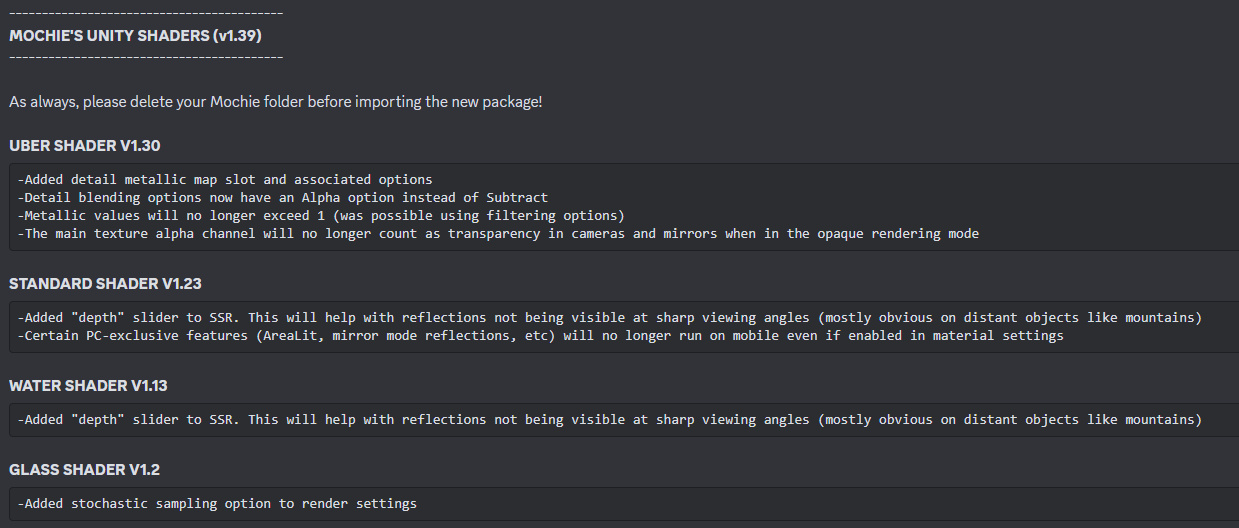
and thats already some 1337 haXX0r as i had to edit Mochi's Uber shader to even support that
What i essentially did was set my diffuse texture up to alpha the entire body except the emissive parts, non emissive parts had to be at least ~4-5% opaque otherwise the compression would absolutely destroy the colors and introduce insane color banding, so i had to add a cutoff value in the shader on top of making it read out the alpha value, anything below 5% is simply ignored and seen as non-emissive
just to save a single extra texture lol
but that reminds me, since BC7 does a piss poor job at deciding which chunks of the texture should be compressed with alpha and which don't (even in a fully solid texture it does that), i wonder if reexporting the texture in a format that doesn't even have alpha helps (or making sure that i remove the texture's alpha channel in GIMP before exporting)

i hate this
 rain matrix
eternal garnet
how do you even achieve 200mb on an avatar with a single color skin
rain matrix
eternal garnet
how do you even achieve 200mb on an avatar with a single color skin
Because your avatar isn't built around PBR
I agree that 200mb is way too much
But you also can't draw a comparison between a toon shaded model and a full on PBR workflow model
 ivory sluice
Pbr doesn't depend on texture resolution tho, it depends on the shader
 buoyant holly
heck you could technically have a PBR model with no textures just setting values in the Shader
rain matrix
That's true but more often than not, if you want it to look good and specific to your usecase, you need a lot of maps
That's why I said pbr WORKFLOW
Aka baking all the maps needed for PBR
And depending on what you do, those can stack up quickly
buoyant holly
Channel packing can help reduce the amount of textures needed
like if it doesn't need metal you only need two textures your color map with the smoothness embedded into the alpha Channel and a normal map
rain matrix
buoyant holly
Channel packing can help reduce the amount of textures needed
Yes thankfully
But really my point is that it's A LOT harder to optimize a PBR workflow
It's a really deep topic
buoyant holly
if you're using substance painter it's not that hard to set up the export settings to be efficient Channel packing wise
rain matrix
And a lot of people don't possess knowledge that deep to optimize it to its fullest
And say fuck it
And this is also the point where I will start shifting blame onto the performance rank system for encouraging unoptimized avatars
buoyant holly
detail Maps can be handy for reducing the amount of texture resolution requires https://twitter.com/BlizzyFoxo/status/1655354885926264834?s=20
@poiyomi shaders have the ability to use a color mask for detail normals. I really wish more people would use this. You can use absolutely tiny maps and still have the detail you want. 10 times less VRAM usage for the normal map on this sweater INCLUDING the mask!
107

 Twitter
·
Twitter
·
 buoyant holly
rain matrix
And this is also the point where I will start shifting blame onto the performanc...
buoyant holly
rain matrix
And this is also the point where I will start shifting blame onto the performanc...
out of curiosity which bit of the Avatar ranking system do you find leads to counterintuitive results
rain matrix
A lot of it but it's primarily poly limit
You reach 70k so quickly
And once you hit very poor why bother optimizing anything else? Might as well go all out if you're gonna be Very Poor anyways
So people just straight up don't care about optimization cause they're gonna be VP anyways due to poly limit
buoyant holly
wonder if some of that triangle count could be optimized if people use normal Maps more
buoyant holly
also probably doesn't help that folks try to cram multiple outfits in one Avatar
rain matrix
There's really two main issues in my eyes and they kinda go hand in hand. VRChat simply does not provide even basic tools or guides on optimization, yet expects people to optimize
You can make tools in Unity to help people reduce poly/material/mesh count
To help them optimize animators
Particle systems
People shouldn't need the equivalent of a 4 year 3D modeling degree
buoyant holly
yeah they could definitely update the section about Avatar optimization with some more tool recommendations
 rain matrix
They should straight up provide these tools
In the SDK
People aren't gonna go out of their way to go to the docs, find that specific section, then go get that tool
buoyant holly
I guess a question would be even if those tools were in the SDK what would incentivize those people to use them?
rain matrix
Not being VP
By pressing 2 buttons
If you hit the 70k poly limit and there would be a button next to the performance stat that would open a window where you can remove meshes and decimate them individually and save that as a new version of your avatar, fully set up, a lot more people would start to care
The less resistance the better
The majority of people simply buy avatars to upload them, not to mess with Unity or Blender
buoyant holly
I guess that would depend on the original mesh as far as how much of a messy Auto decimate feature would do
rain matrix
The point is that it is an option
Fuck it, give more advanced users a window for simple barebone retopo to adjust the meshes after decimation
The less external tools/programs are needed the better
There's A LOT of room for what VRChat could do to actually help people optimize
heavy knot
Polygons is the least of your worries with optimization unless the mesh is caked in shapekeys, people are mistaken that polygons are the worst thing to exist because it’s the first metric they’re met with on the avatar stats screen. Material Slots and Animator Layers are the main CPU chewers in the mix, most modern GPUs especially ones that run vr well can handle quite a lot of polygons tossed at them.
Even then if you’re running multiple outfits and they’re actually disabled, you should be fine as they’re offloaded to DRAM in the meantime.
 marble rain
heavy knot
Even then if you’re running multiple outfits and they’re actually disabled, you ...
marble rain
heavy knot
Even then if you’re running multiple outfits and they’re actually disabled, you ...
It does not offload into memory. It stays in vram til it's no longer needed.
marble rain
heavy knot
Polygons is the least of your worries with optimization unless the mesh is caked...
Not exactly true. If you have 40 people with 100k poly each. Your loading in 4 million that. Which is quite alot.
heavy knot
I’ve seen a 1 million polygon with one material slot potato run better than an avatar with 20 material slots
marble rain
And it's easily testable to out in 40x with 70k and then 100k for example. There is going to be quite Abit of a difference
marble rain
Not really
heavy knot
If you’re getting high GPU usage, you’re either running a x3d cpu or not having an up to spec gpu from the past 8 years
Or the world is battered in post processing
heavy knot
What gpu/cpu combo are you running
heavy knot
It depends on what the avatars are doing with shaders primarily then
marble rain
Not really no.
heavy knot
People use grabpasses for things like glasses when they shouldn’t
heavy knot
Is your metrics ran in vr or desktop. If it’s in vr then what headset
Resolution and msaa can be a real hitting factor
marble rain
Beside that. The problem in vrc is the amount of vram needed cause vrchat still does not use single pass I believe
heavy knot
Yeah they don’t, making double draw calls still an issue
They got unity to make a build without it on unity 2019
marble rain
They wont
marble rain
They are going 2022 which is better
Just don't shoot above that 70k for avatars. It's easy to make alot of things fit within that
Obviously keep mats down to max 4
Physbones to 64
Etc
heavy knot
Going a bit higher is completely fine in term of polygons, just not 300k+ then it just gets horrid
I can see that
I Usually get the space of 70k-140k anyway
marble rain
That's sadly where things struggle real badly I have seen it to many times
heavy knot
The performance ranking system is just a meh attempt at most
marble rain
As soon as I load in. A 140k it just drains my frames lol
eternal garnet
rain matrix
Because your avatar isn't built around PBR
All my avatars are made for PBR, they just don't use metallics maps (because quite franky a simply using global shine just super toned down and very very soft is enough on a model that is supposed to be "fully furred").
I was referring to how do simple, single color anime avatars, that have 0 detail manage to do 200mb VRAM usage when my "full PBR" avatar that has a diffuse, normal, (sometimes metallics for my armor) and emissive can stay all the way down to ~25-40mb, with some 2K textures mind you.
the only way i could imagine ever achieving that is using a simple 1 color (that could be as big as 1 pixel) that is 4K or even 8K and disabling texture mipmaps for practically everything.
heck i mean enabling texture mipmapping and streaming alone massively reduces your VRAM usage even with 4K on everything, since 4K already fades out to 2K at an astonishingly small distance (we're talking barely a meter away), so you'd kinda have to purposely disable mipmapping to get there... unless you have like 20 outfits on that avatar...
and even then, as far as i could tell, disabling body parts/objects will reduce your VRAM usage with mipmapping enabled as it seems like unity falls back to the lowest texture (if not outright dropping it out of VRAM into your RAM) when a material/texture that has mipmapping enabled is not visible.
rain matrix
eternal garnet
heck i mean enabling texture mipmapping and streaming alone massively reduces yo...
Mipmap levels don't influence your VRAM
All mip levels get loaded into VRAM at once and stay there
eternal garnet
doubt
rain matrix
Doesn't matter how far away someone is, their full res mip stays in VRAM
eternal garnet
the point of mipmapping + streaming is that you only load the texture level necessary, that saves VRAM
everything else is loaded into RAM
rain matrix
eternal garnet
the point of mipmapping + streaming is that you only load the texture level nece...
Streaming is disabled ingame that's why
eternal garnet
is it tho?
rain matrix
The SDK forces you to turn on streaming in case VRChat ever decides to utilize it
eternal garnet
According to world tests it works
rain matrix
But the actual game itself does not make use of streaming no
All mip levels are loaded into VRAM at all times
eternal garnet
so you are saying that the VRAM stat is completely and utterly broken and wrong
rain matrix
I mean it doesn't count mesh VRAM anyways
eternal garnet
thats not what i'm saying
rain matrix
So it's already lower than it actually is
eternal garnet
you are essentially saying, enabling mipmaps is bad
rain matrix
I'm unsure if VRChat calculates that into their stats or not
eternal garnet
it does.
eternal garnet
thats why im saying that
enabling mipmapping and streaming does lower your VRAM stat
quite massively actually
its how i lowered from 120mb down to 40
rain matrix
Mipmaps still speed up the rendering process and increase visual fidelity
Enabling mipmaps saves a lot of frametime
marble rain
Mip map is useful to reduce load the further away you are
rain matrix
Yeah
eternal garnet
at the cost of more VRAM usage
marble rain
A little bit
rain matrix
Also textures that are further away look like trash without mipmaps
rain matrix
But yeah it still saves you a metric ton of processing power even tho it takes up more VRAM
eternal garnet
marble rain
It's only 5.4 mb for a 4k Tex btw
disk.
rain matrix
Keep in mind that VRAM usage doesn't affect performance until you start hitting the ceiling
marble rain
Huh
marble rain
Eh I am saying mip map mate lol
eternal garnet
yes mipmap but you are referring to disk space
marble rain
A 4k takes 16mb
eternal garnet
or file size
rain matrix
Mipmaps without streaming is around 30 % more VRAM than without
Regardless of full res
marble rain
21.4 mb for a 4k mip map enabled tex
eternal garnet
no.
marble rain
Yes lol
rain matrix

marble rain
I hope you know that everyone uses compression rena
eternal garnet
1024x1024 is about 4MB in VRAM, due to colors and channels. 2048x2048 which is 4 times as big in pixel amount is roughly 16MB then, 4K which is 4 times 2048x2048 is 64MB
compression doesn't matter in VRAM
marble rain
Yes it does lool
eternal garnet
textures get uncompressed in VRAM
rain matrix
I think youre confusing crunch compression with compression lol
rain matrix
Crunch compression gets uncrunched on the GPU
Image compression stays the same in VRAM
marble rain
No one talks about crunch compression lol
rain matrix
You can, right now, take a 8k texture and turn off compression
And it will take up 240mb of VRAM
Instead of whatever it is when compressed
eternal garnet
It really doesn't.
rain matrix
What 💀
eternal garnet
A texture in memory is always width x height x bytes
marble rain
No
eternal garnet
what i just did.
rain matrix
You saying going from 240mb to 20mb isn't a lot?
You're confusing crunch compression with image compression
Two entirely separate things
marble rain
A 8k compressed red is 64 mb btw
eternal garnet
im not talking about crunch compression, i dont even use it.
rain matrix
You can then further reduce the image disk size from 20mb to whatever using crunch
eternal garnet
because you are stripping the green/blue channel
marble rain
eternal garnet
im not talking about crunch compression, i dont even use it.
Your confusing it with crunch
eternal garnet
im not.
rain matrix
marble rain
A 8k compressed red is 64 mb btw
Ah damn
marble rain
You are lol
eternal garnet
also a red only compression is a special case
marble rain
What are you on about rena?
eternal garnet
if you strip channels out you end up with less bytes per pixel
marble rain
They also don't do that
eternal garnet
i'm saying, a texture under normal circumstances is uncompressed into memory, that is pixel width x pixel height x bytes (usually 4 unless you strip channels). 1024x1024x4=4194304 bytes = 4MB.
marble rain
Your litterly saying the most widely used way to reduce vram In games is not working
That does not matter.
 winged palm
Hi all, I'm considering getting a portable monitor for my laptop. Can anyone share their experiences or recommendations?
marble rain
The size is not being reduced. It's the bpp that is reduced
When Unity loads a texture with a compression format that the device supports, the GPU can use the data without any need for conversion.
Quite litterly says right there on unity's on site. On how it does it

And it always depends on the engine
marble rain
By compression like everyone does
marble rain
Thanks red loo
marble rain
Not at home so I can't show it atm
It does not
Streaming requires special setup
More server power btw
eternal garnet
then VRChat's avatar statistics falsely take it into account
marble rain
Nope
rain matrix
the mb it shows you at the bottom of the image in the inspector is the VRAM usage if crunch is disabled. Switching compression from low quality to none increased VRAM from 85 to 341
eternal garnet
ugh
why does it matter?
im talking about textures
streaming mipmaps is a texture feature
we are talking about textures
so why does it matter if VRChat includes the avatar VRAM usage?
actually... it does
NOT including the avatar makes it cleaner
marble rain
Eh it matters a crap to. Lol
marble rain
Everyone runs out of vram.
eternal garnet
yes
but my point being that streaming mipmap works because it reduces the VRAM usage displayed in VRChat
marble rain
No
eternal garnet
unless VRChat is falsely taking it into account when it shouldnt
rain matrix
They are currently not using streaming no
marble rain
For a while
rain matrix
They force you to enable it in case they ever find a way to use it
rain matrix
Because enabling streaming at runtime for textures uploaded without that setting enabled is pretty much impossible
marble rain
Since you need to code it in for everything
eternal garnet
why does it matter? just dont use streaming for textures that dont have it enabled
 sick relic
vrchat team even stated the people will abuse avatar texture streaming priority to make everything else looks bad.
rain matrix
hm
marble rain
Eh.
rain matrix
sick relic
vrchat team even stated the people will abuse avatar texture streaming priority ...
Real af
eternal garnet
thats why you can mix and match them in unity after all, it will use it when enabled and wont if its not
eternal garnet
thats not what i said.
rain matrix
VRChat, ingame, at runtime, does not support streaming
Turning on streaming does literally nothing
eternal garnet
i said: UNITY allows you to mix and match, using it when enabled for that specific texture and not using it if its not enabled. This is an engine level thing and should not factor into their reason for not using it.
rain matrix
Yeah but whats your point
They cant use it due to technical limitations, so they dont
eternal garnet
I'll test it in VRChat.
sick relic
eternal garnet
i said: UNITY allows you to mix and match, using it when enabled for that specif...
Here's the reason why they don't: people will abuse avatar texture streaming priority to make everything else looks bad.
rain matrix
You do not need to test it we know streaming is disabled ingame
eternal garnet
If it does, i'll keep using it, if it doesn't i'll disable mipmapping alltogether on all textures (pretty much all of them) that don't need it.
eternal garnet
Simple solution? Don't allow priority? ignore priority?
Why would i keep mipmapping around for my small textures
rain matrix
unless you want your gpu to be in pain and your texture to look like trash at further distances, do not disable mipmaps
eternal garnet
i'm just artificially infalting both my avatar size and its VRAM usage
rain matrix
mipmaps speed up the rendering process a lot
they still help performance A LOT
dont turn it off unless you have an actual really good reason to
and those reasons are like... one
if you have small text you want readable over longer distances you turn off mipmaps, in literally every other case, keep them on
sick relic
Mipmap and streaming mipmap are different things though. Mipmap is like presampled texture for cheaper texture sampling in GPU. Streaming mipmap is a technique to dynamically load mipmap level depends on available resource.
rain matrix
Yeah exactly
Please keep mipmaps on
Your GPU will thank you
And everyone elses GPU
eternal garnet
I don't see a point in keeping mipmaps around for a specular/metallic map that is hardly 256/512 anyway if its just a low resolution shine effect that is barely noticeable and acts more of a general "this plate is that shiny and that plate is this shiny" , it really doesn't matter on distance and won't look any different also a 256x texture isn't hard to keep around.
Look my GPU is already crying, i'm on a GTX 1060.
6GB is instantly 50% full just starting steam VR and oculus link, VRChat practically instantly fills it to 100% the moment i just login into any world
rain matrix
Because if you have a 4k texture your GPU has to render the entire texture at all times, rather than rendering only a lower res texture at further distance. The highest res version of a texture is very rarely rendered with mipmaps, but if you turn off mipmaps it will be rendered at full res at all times
eternal garnet
and those avatars with 300mb VRAM usage aren't exactly helping
rain matrix
eternal garnet
I don't see a point in keeping mipmaps around for a specular/metallic map that i...
if your maps are only 256mb then mipmaps will not make a huge difference
eternal garnet
Funny that, because you are in your own avatar, meaning you are as close to yourself as you possibly could, you will always see the maximum resolution anyway.
eternal garnet
inside yourself?
rain matrix
Mega super giga absolutely horrendously close
The second mip kicks in almost instantly
eternal garnet
i kinda doubt
the world tests someone made with blocks changing numbers on distance showed very clearly that thats not the case
rain matrix
Also turning off mipmaps because you think you will render yourself at full res at all times is hella egoistical
eternal garnet
its around 1m~
sick relic
Mip level also effected by viewing angle. If you view a polygon from near parallel angle, the mip level will be much lower.
eternal garnet
hella egoistical, haha, after all my squeezing and extreme optimization to tickle out the last few kilobytes out of my avatar and you are seriously holding me up for that?
rain matrix
Ah man do I love having to process much more than necessary because someone wants to save a tiny bit of VRAM, causing a bigger performance impact for everyone, including themselves, than mipmaps would
Amazing
ivory sluice
Mip maps are important and it's true that vrchat doesn't have streaming mip map support right now
But mips don't help on gpu performance, no matter if your texture is 1x1 or 8kx8k, the process will be the same, for each covered pixel on the screen, the gpu acesses the texel on memory and samples it, one or 4 times depending on if it has filtering, it would be amazing if yiu could tell the gpu to sto acessing memory for a certain texel until it changes to another one but that's not the case
So textyre sampling will have the same cost no matter the resolution
Also don't use 4k textures unless it's an everything-in-one atlas
eternal garnet
boom
also once a texture is allocated in memory, it is allocated, allocating and deallocating is the slowest process.
sick relic
eternal garnet
hella egoistical, haha, after all my squeezing and extreme optimization to tickl...
Optimization is a tradeoff between quality and performance. Currently you're at the point where you have to tradeoff quality and performance from mipmapping for just a few KB of vram saving.
eternal garnet
so unless you were to deallocate and reallocate textures constantly (texture thrashing, level changes or other on-demand new texture loading/deloading) you have nothing to fear
look i've already gone through all my textures, each and every single one, tried all resizing algorythms and determined the best for each type and resolution to use, saves them in a format that doesn't further dump down the quality on unity import and set a compression level that saves as much as possible while keeping the quality as close to the uncompressed version as possible, i have combined textures wherever i could, even modified shaders to support my hacky implementation of using the alpha in my texture for emission so my diffuse can double down as emissive map just to save on an extra texture, give me some slack.
rain matrix
ivory sluice
Mip maps **are** important and it's true that vrchat doesn't have streaming mip ...
Mipmapping increases cache efficiency as full-size textures will not be needed as often and the lower resolution mipmaps will fit more easily in the texture cache
Texture data doesn’t have to be fetched as often, reducing bandwidth usage
eternal garnet
According to you the full size texture will never be used.
eternal garnet
I doubt, both Unity and in-VRChat tests both world and my avatar has shown that mipmaps start fading after inbetween 1-2m away from you. I could see that because for a while my texture had no UV edge extensions, so scaling down the texture (or mipmapping even just to the first mipmap level) would result in seams everywhere, very clearly visible, both in Unity and VRChat
i'm A very confident that having your camera inside your head is less than 1m away from yourself and B you get close to people more often than you think
rain matrix
That not even 1 unit of distance 💀
Thats less than a meter
(mip distance levels depend on texture res and object scale bla bla bla)
rain matrix
Yeah thats really close
eternal garnet
ehhhh
rain matrix
Unless you have people sniffing you constantly
eternal garnet
close enough for yourself.
eternal garnet
i do have people being very close a lot, yes
rain matrix
Please for the love of all that is good do not disable mipmaps
eternal garnet
point being you made it sound like the full res texture is pointless
which implies i could have dumped the texture one level down and forced full res and get the same result
which would be sad considering that a drop by just a single level means a massive quality loss
sick relic
Also don't forget that mip level is effected by viewing angle
 eternal garnet
right i know how mipmapping works and what its used for
sick relic
And you still insisted to disable mipmapping for just a few vram KB saving?
eternal garnet
i didn't insist
i haven't done anything yet.
as with anything i will be looking very closely into this and how it affects the performance
rain matrix
mipmaps still save performance due to caching
eternal garnet
wasn't it just previously said it doesn't help performance, not to mention it actually costs performance in theory since texels need to be sampled, thus requiring some work
if i remember correct unity even states it trades some work cycles
although that may have been for streaming mipmaps
rain matrix
saying disabling mipmaps saves performance because of less VRAM is like saying your cpu die cache is the same as RAM
mipmaps still increase performance due to caching
sick relic
eternal garnet
although that may have been for streaming mipmaps
Streaming mipmaps saves vram by loading only necessary mipmap level into vram. But vrchat doesn't utilize streaming mipmaps yet. Therefore the texture gets allocated into vram fullres plus mipmaps if mipmap generation is enabled.
rain matrix
Sure, all mipmaps will get loaded into VRAM at once, but only the currently used mip level will be cached. If you're rendering someone further away, only their low res mip will get cached, freeing the cache up by a lot. Also, since the GPU needs to fetch a much smaller texture from the cache, bandwidth usage will be much lower and fetching faster
eternal garnet
if they are all cached and are all loaded into VRAM at once how exactly does it save performance using a lower one? You only ever swap out the currently rendered texture for another one (unless you are blending between two), so effectively you are only ever using (and reusing) a single texture which doesn't cost anything really, the cost comes from swapping between lower and higher resolution ones
rain matrix
If everyone would turn off mipmaps, your cache would fill up insanely quickly and your bandwidth will suffer
heavy knot
If you're needing to dig through couch cushions for specs of VRAM, I'd try resolving the issue first at hand like using Virtual Desktop or OculusKiller if you can't do wireless.
eternal garnet
Not an option.
rain matrix
eternal garnet
if they are all cached and are all loaded into VRAM at once how exactly does it ...
They're not all cached, that's the point
eternal garnet
Oculus killer gets rid of the only good keyboard and desktop that Oclus offers. SteamVR's keyboard and desktop is absolute garbage.
rain matrix
If an avatar uses a 4k texture but is super far away, your GPU will ONLY cache the 16 x 16 texture for example
And when rendering that avatar it only needs to fetch the 16 x 16 texture from cache
Rather than fetching the 4k texture on every call
eternal garnet
why would you cache that texture, you have it actively allocated already, caching is meant for things that would need to be recalculated otherwise, a texture that lies in VRAM doesn't need to be recalculated, its already loaded and is used when necessary
caching would be useful for instance if you had to calculate vertex transforms every frame (due to a blendshape) on an otherwise static object that doesn't have bones or changes its shape otherwise, so you can reuse the cached data
marble rain
Cache is already allocated. Its the most frequently used data that gets stored before it moves to onboard
eternal garnet
but on a texture.... that is actively loaded into VRAM...
but why store it... its already in VRAM...
marble rain
Because the cache is 1000x faster
eternal garnet
its already at its final destination
sick relic
VRAM is located outside of gpu core die while gpu cache is located inside of it.
eternal garnet
i think we are talking about different "caching"
rain matrix
Cache is an actual physical part of your GPU and CPU
marble rain
So is vram through lols
eternal garnet
well then i dont understand the point of the gpu cache i suppose, since the texture is already in VRAM thus its final destination, i fail to see how a cache would speed this up considering that the GPU only has to use the texture now
eternal garnet
oh
marble rain
Cache is where you store the most important and used data.
eternal garnet
i see.
rain matrix
The faster your processor can access data, the faster it can process them, the faster it is done with a task, the more tasks it can perform per second
sick relic
Like L1,2,3 caches for CPU
rain matrix
When someones avatar is on your screen it loads its textures into cache because it will (hopefully) need to access that texture to render 60+ times a second
Rather than retreiving it from the VRAM every time, which is located much further away from the processor
Which would take longer
eternal garnet
i was thinking why would you load something into cache, if its in VRAM, you are just loading it into cache, to load it into VRAM and then use it... if the cache has a direct faster access then of course the cache makes sense
rain matrix
Once all your cache is full your GPU will begin pulling from VRAM directly, or swapping data in and out of the cache a lot more often, which will lower performance
eternal garnet
how much is up for debate, i've frequently seen 10.000+ textures per scene being used
rain matrix
With mipmaps, only the currently relevant mip is loaded into cache. Meaning if someone is super far away youre not caching their full res texture, but a lower res mip level
eternal garnet
yea now see that makes more sense
rain matrix
This is also extremely important because the further away you are from stuff the more stuff you can see at once, so theres more textures needed
rain matrix
So you dont want eight 4k textures loaded into cache if visually you can only see 16 pixels of it
Your cache would much rather prefer eight 16 x 16 textures
rain matrix
Yep yep
eternal garnet
the typical vagueness that i struggle so much with
rain matrix
And the processor also has to fetch every texture that it needs to render on every render pass aka every frame, and pulling a 16 x 16 texture is much faster than pulling a 4k texture
eternal garnet
due to bandwidth
rain matrix
Yeppers
rain matrix
In conclusion, mipmaps do fulfill a very important role and despite using 33 % more VRAM per texture, increase overall performance due to caching optimization
VRAM usage doesnt cause performance issues until your VRAM is actually full, at which point the GPU will have to pull textures directly from RAM
eternal garnet
i've been told that i struggle understanding conversations due to a common "vagueness" being present in such conversations. You have to be very very very specific and precise otherwise ... this happens
rain matrix
Wether your GPU uses 1GB or 4GB of VRAM, if it doesnt have to render aka access any of it, performance will be the same
eternal garnet
my VRAM is always full anyway
snow knot
eternal garnet
i've been told that i struggle understanding conversations due to a common "vagu...
My problem is that I alway end up unintentionally vague due to expecting the people I'm talking to to already have an understanding of what I'm talking about
eternal garnet
That's why i'm saying it might be more benificial to disable mipmaps on certain textures, specifically small ones, again you would be trading one for the other, it's a very very small line to walk but again i've already been squeezing harder than its worth.
eternal garnet
snow knot
My problem is that I alway end up unintentionally vague due to expecting the peo...
Well thats just normal, most people do that otherwise you end up handholding someone like they are an idiot. But that's not what i'm talking about
My american friends have been hinting at the fact that it has to do with me being german thus coming from a different way to articulate yourself, mind you german is a much more precise language than english and they also mentioned that from their own experience americans often tend to talk vague in general rather than going down into every little nitty gritty detail as it would overcomplicate what you are saying (and possibly lose their interest or track)
You could say it gets "lost in translation" is what its often referred to
Ohwell. Anyway. Doesn't fix my problem.
I still cannot tell BC7 to not use the alpha channel at all, preventing the transparency artifacts on an otherwise opaque texture, not without changing the compression format to something that doesn't have an alpha channel (that will either massively inflate VRAM usage or lower quality to unacceptable levels)
DX1 is absolute unusable garbage. RGB16/24 is way too big.
Anything else is not usable for a diffuse texture that needs RGB
why is there no BC8 that trades the alpha bits for more R G or B
and why is there no BC that simply allows us to manually set how many bits per channel
sick relic
Because compression algorithm has to be very fast and work on GPU instruction set.
eternal garnet
I hate how android has so many different samey compression formats with different chunk sizes
so? just make one compression format that uses the best compression algorythm but allows you to customize RGB bits and A inclusion
chunk size
just make the ultimate compression format, drop all the rest
sick relic
Variable bit length compression would require more complex algorithm and is slower.
snow knot
eternal garnet
I still cannot tell BC7 to not use the alpha channel at all, preventing the tran...
Weird. I don't think I've come across any artifacts like that when using bc7 on textures that don't have alphas on any of my avis.
eternal garnet
the avatar becomes see-through in masked mirrors for instance
anything that masks out the environment will show this when bright (emissive) surfaces are in the background
snow knot
Which shader are you using?
eternal garnet
Mochi's Uber shader
marble rain
Masked mirrors shouldn't do that unless the shader is well build wierdly
eternal garnet
i've already tried looking into it and seeing if i can somehow force it to ignore alpha but the shader is ... more complicated than i thought
snow knot
ah, I use poiyomi. There's probably something funky going on w/ the shader maybe
snow knot
marble rain
It's alot better
Debatable
marble rain
Why?
eternal garnet
its lighting breaks horribly in many worlds
marble rain
No lol
eternal garnet
namely common gameworlds like Among Us where there is no proper lighting
eternal garnet
i have not yet managed to make poiyomi look decent in Among Us
marble rain
You just need to set it up
eternal garnet
thats what i did for over a year of fiddling with options
i just cannot get some decent shading without using some hacky environment rim (that's going to show up on properly lit worlds too)
marble rain
Use realistic settings and then override minimum light to ensure you are brighter then the world enforces
marble rain
Eh the shading works fine to
eternal garnet
also i always used realistic
marble rain
Your prob using it wrongly then
eternal garnet
Again i could never get it right after over a year of fiddling with every value i could think of
it either looked "decent" in Among us or everything else
marble rain
Just don't go to those worlds
eternal garnet
but i like killing people
marble rain
Since their shading is bad
eternal garnet
simply avoiding game maps made by Jar is not exactly an option
heavy knot
you're just going to have to animate certain shader parameters and control them with a toggle when you're in a horribly lit world then
snow knot
Anyways. You use a mostly pbr setup for your avi right. Could probably check w/ the default unity shader to see if that issue you're having is specifically from mochie.
eternal garnet
just dont go to Among Us if you want to play Among Us isn't exactly an option
good idea but as far as i'm aware unity standard doesn't even support alpha in diffuse like at all
i mean it shouldnt
marble rain
Just fiddle around with poiyomi more. You will find it
snow knot
Shouldn't mochies also not then? Unless it's always set to non-opaque
sick relic
eternal garnet
good idea but as far as i'm aware unity standard doesn't even support alpha in d...
You have to set render preset to transparent or fade in Standard shader.
snow knot
Never really used mochies so idk how it's normally set up
eternal garnet
sick relic
You have to set render preset to transparent or fade in Standard shader.
Yea, which is something you can do in Mochi too
eternal garnet
snow knot
Shouldn't mochies also not then? Unless it's always set to non-opaque
If set to Opaque it shouldn't yes.
sick relic
eternal garnet
Yea, which is something you can do in Mochi too
Isn't the point to test that there's something wrong with transparency in mochie shader?
snow knot
And you aren't even using the alpha on the image, and the alpha channel is pure white/black?
sick relic
eternal garnet
It is already set to Opaque
If it's opaque then it isn't going to use alpha channel.
eternal garnet
Yes, i tried specifically stripping the alpha channel out of the texture too
Unity however will regenerate one back in
it COULD be however a mipmap issue
nope
heavy knot
 heavy knot
setting alpha source to none removes the alpha channel in unity
sick relic
eternal garnet
Unity however will regenerate one back in
How did you see unity generate it back?
marble rain
Yea. It does
eternal garnet
sick relic
How did you see unity generate it back?
 heavy knot

 eternal garnet
again i think the issue comes from using BC7
since BC7 gets to decide itself whether it uses A for a given block
this might actually override your alpha source setting
marble rain
Not if there is no alpha
eternal garnet
well clearly not!
sick relic
eternal garnet
Are you sure that it isn't smoothness map that sharing with diffuse map alpha channel?
marble rain
It simply just sets a empty
eternal garnet
switching to RGB24 for instance where there is no possible A channel its fixed
marble rain
Eh. Don't use that lol
sick relic
Both standard and mochie have an option to use smoothness from diffuse alpha.
eternal garnet
marble rain
Eh. Don't use that lol
testing purposes.
eternal garnet
sick relic
Both standard and mochie have an option to use smoothness from diffuse alpha.
NOW THAT might be something
marble rain
For instance. Using no alpha is nice to remove ehm seams basicly
eternal garnet
 marble rain
Between colors that contrast
marble rain
What exactly is the problem
eternal garnet
The problem is if i use BC7 compression (or presumably anything with an alpha channel) i get transparency artifacts in the texture visible in masked environments such as your personal mirror

as shown here
you can see through the hair on bright spots and around the eyes
marble rain
Pooh I know that. Whm
sick relic
If rendering is opaque then it shouldn't be transparency. Rather it looks more like reflection.
marble rain
Forgot what's its called
eternal garnet
that is where BC7 apparently decided to include alpha
marble rain
It's not alpha
snow knot
eternal garnet
Your metallic is set to 0 right. So it really shouldn't matter too much which workflow you pick here right?
eternal garnet
metallic is set to 1 as i'm using it for environment rim and specular reflections
but since i'm not generating specularity or metallic out of diffuse or alpha nor using a texture it should be uniform
snow knot
It definitely looks like a smoothness/metallic issue. You can kinda see the unity skybox reflection there by the eyes
eternal garnet
so if anything the transparency should be uniform across the body
marble rain
What you need to do rena. Have a clean material and apply each property one by one
Til you see the problem
eternal garnet
snow knot
It definitely looks like a smoothness/metallic issue. You can kinda see the unit...
That's the window behind it

maybe this shows it a bit better
snow knot
It doesn't look in-line with the horizon I'm seeing to the right of the image
eternal garnet
the metal panel behind the mirror is coming through
marble rain
eternal garnet
the metal panel behind the mirror is coming through
You have specular going on.
eternal garnet

its this metal wall coming through the body
but yes i have specular reflections enabled on my avatar
very very slightly
but again uniformly across the entire body
marble rain
Disable it
eternal garnet
so it shouldn't be only square spots
marble rain
And see
eternal garnet
its really not
marble rain
Or uv mapping issues
eternal garnet
again its the mipmapped metal panel behind mirror me
marble rain
Do a clean shader with just main texture
eternal garnet
what i was going for next
marble rain
And I can tell you mip map does not do that sadly.
eternal garnet
Eh, i can see a case or two, the mipmap alpha resize options in combination with some whacky shit.
eternal garnet
yea but in case of switching shaders thats scorched earth for what is essentially a minor inconvenience that is almost exclusive to masked mirrors.
Plain new shader, same. Testing with standard now
standard shader
does the same
sick relic
Are you sure that there isn't any animation swapping the material? Try removing FX layer.
eternal garnet
good point
i added a shader switch recently
i was a little confuzzled seeing that the very clearly metallic look wasn't translating into VRChat
yea its gone
wow
it was just recently fixed...
So, conclusion: It IS an alpha issue, and BC7 DOES regenerate alpha into the texture into a completely opaque texture that doesn't feature an alpha channel to begin with and neither is unity set to generate one.
So despite that being fixed, can i still get a BC7 with forced alpha channel off?
because you know stripping the alpha channel completely would save some VRAM
 kindred sluice
Why are most the avatars marked as poorly optimized? How does VR chat measure it?
eternal garnet
Open your menu, select them -> avatar details
most likely due to too many polygons, followed by too much VRAM usage, followed by lights
kindred sluice
oh. so in avatar details it tells you the measurement of optimization.
kindred sluice
thx. it bothers me that most the avatars i saw are poorly optimized.
eternal garnet
welcome to user generated content
kindred sluice
it is just bad work then, you can make a great avatar with good optimiztion ?
eternal garnet
yes
heavy knot
VRChat performance limits are really bad to go off of a lot
kindred sluice
Time to learn how to make avatars.
heavy knot
you can have a excellent avatar bring you to 10 fps
eternal garnet
They are a bit iffy at times but they also dont include everything
heavy knot
basically make a VRAM zip bomb if you just use material swaps
or hell, coat your avatar in grabpasses
kindred sluice
Any good place to find good optimized avatars?
eternal garnet
they don't include things like state transitions, what animators do, blendshapes and some other values such as 2 skinned meshes + 8 static meshes are weirdly static numbers since you can use both together, not to mention its often recommended to split body and face due to blendshapes which immediately puts you at 2 skinned meshes leaving 0 room for anything else... and the polygon limit is quite extreme too INSTANTLY dropping you to very poor the moment you go over by a single polygon rather than having multiple stages like most other things
eternal garnet
not to mention shaders are completely excempt from this, you can modify the standard shader to do an infinite while(true) loop and crash GPU's
kindred sluice
how to make a pretty face with best mathmatical ratio.. lmao
eternal garnet
yea and state toggles...
heavy knot
eternal garnet
not to mention shaders are completely excempt from this, you can modify the stan...
that method is pretty outdated for them anyway
load a bundle that unity doesn't like? goodbye
eternal garnet
i get that theoretically all meshes could be active at a time but why not have two values (one current polygon and one theoretical max polygon limit and generate a median out of that?)
kindred sluice
Doesnt blender have buildin optimization tool? Is AI a thing for 3d model building yet?
eternal garnet
Blender does have tools for optimization, tho probably not the 1 click solution you are looking for thats an extra plugin, AI modelling is a thing.
kindred sluice
eternal garnet
Blender does have tools for optimization, tho probably not the 1 click solution ...
With all the these poorly made avatars, i dont think one click optimization solution is good enough or coomon enough.
I am pretty sure AI optimization can solve 99 percent of the user errors.
eternal garnet
It requires some setup and most avatars are kitbashed
kindred sluice
whats kitbashed?
kindred sluice
ah..so unifying pieces together is not buildin.
eternal garnet
most avatars (anime ones that is) are just a couple bases mixed and matched with different pieces
kindred sluice
can blender tell which catagory of creature you are trying to build?
bold wharf
no
eternal garnet
no it doesnt matter
bold wharf
3d model is 3d model
kindred sluice
doesnt auto optimization reqcuire that?
eternal garnet
no
kindred sluice
So we are not there yet.
eternal garnet
auto optimization takes the model and decimates it with an algorythm according to parameters and modifers you give it, such as keep edges, mask specific parts to be weighted more so they are less decimated etc
i doubt an AI will ever be able to determine whats the best way to optimize an avatar
eternal garnet
its called intuition, something the AI doesn't have, something like "this is an elbow, it needs to be a bit more detailed to allow for better deformation" the AI can't tell that its an elbow unless you were able to tell it somehow since its just 3d coordinates, thousands and millions of them
well yes but Grimms was talking about AI modelling
so the main optimization here is polycount, followed by material count and blendshapes
bold wharf
When you get down to the real nitty gritty parts as well you start coming to tradeoffs where you need to make subjective choices to whether sacrificing a feature/quality is worth the tradeoff for performance loss. Thats not something an AI can do for you
Easy example being say you want to have nice flowly long hair, but to make that look decent it might take a lot of polys. Do you sacrifice having long hair to keep the performance or do you say "fuck it" and go for the long hair anyways (this is just a quick hypothetical example)
heavy knot
it's a horrible design choice to put poly count as the first metric you're met with to users
as unsuspecting people are now going to think polygons is what causes lag
kindred sluice
There must be a lot illusion tricks for high effect and low poly, right?
Mostly use light?
eternal garnet
it is most commonly one of the biggest factors in general and contributes to lag in many ways.
while putting it as the BE ALL END ALL ultimate reason for lag is wrong, it is very okay to make it one of the main categories to look out for
since it plays into multiple things and compounts with them depending on other things
a model with many polygons and blendshapes most likely moves a lot more polygons per blendshape, so polygons once again indirectly influence blendshape performance
just as example
kindred sluice
bold wharf
When you get down to the real nitty gritty parts as well you start coming to tra...
arent there a lot illusion tricks? for max effect and low poly?
eternal garnet
normal maps yes
kindred sluice
ah, so use pic instead of 3d poly
bold wharf
kindred sluice
arent there a lot illusion tricks? for max effect and low poly?
I mean sure but you can't fake what isn't there.
kindred sluice
bold wharf
I mean sure but you can't fake what isn't there.
yeah.. i get that.
eternal garnet
normal maps, detail maps, ambient occlusion maps, specular and metallic maps, parallax mapping
eternal garnet
bold wharf
I mean sure but you can't fake what isn't there.
You very much can.
bold wharf
Normals maps are good for detail but if you go low poly you'll still have a blocky silhouette
kindred sluice
Human eyes are easily decieved..
gotta learn some illuison trick from human eye study. lmao.. max avatar studying.
bold wharf
eternal garnet
You very much can.
Yeah but you still need the geometry there in the first place is what I'm getting at. y'feel?
kindred sluice
kekw
kindred sluice
so many furry.. bro. i hate furry. makes want to hug them. lol
what details?
you mean the fingernail?
ah
the fur
nvm
bold wharf
I think we might be on different pages here Renamon.
kindred sluice
kindred sluice
gotta learn some illuison trick from human eye study. lmao.. max avatar studying...
need a better pic for the fur.
kindred sluice
ah.. i see
bold wharf
I'm trying to say you can't fake details such as those hair/fur tufts on your tail and legs.
eternal garnet
well yea
kindred sluice
yeah. color change maeks it look quite real.
bold wharf
Yeah so we were on different pages lol
eternal garnet
not really
there are things that simply need to have the basic geometry
but beyond that you can fake a lot
entire fur
bold wharf
Yeah but thats what I was saying
eternal garnet
thats what fur shaders are for
bold wharf
You cant fake what you don't have. If you don't enough basic geometry there what good are normals and whatnot gonna do.
kindred sluice
any good tricks for hairs?
like meshing them together and draw white line between them?
eternal garnet

hair depends on what kind of hair you want to make
realistic hair can be made in many different approaches depending on the hairstyle, then theres simple flat hair (cartoon hair) and theres also as shown above the basic "tuff" version
kindred sluice
A lot anime characters have really good looking hair, anime drawing could be used for avatar building a lot.
bold wharf
I'd reckon probably about a 3rd of the avatar market is all based of that style (eastern market)
It is very common
kindred sluice
i am currently look for this anime character avatar. Do you know where i can find it, good sir?
This anime is called eminence in the shadow
bold wharf
booth.pm has the largest collect of anime styled characters. I do not know if that specific character has been adapted into 3d and is purchasable however.
Unfortunately there is a very huge lack of male characters in comparison to female ones
kindred sluice
thank you.. yeah. female ones are everywhere which makes you think.. why man likes being a female so much in VR.. hmm lol
marble rain
bold wharf
Normals maps are good for detail but if you go low poly you'll still have a bloc...
Not exactly. Bump maps normal maps. Height and detail maps can make low poly look like high. By using a high poly version of the same product and build from that onto low
bold wharf
So if I'm not mistaken height maps work by actually raising and adding real 3d detail. But is that more performant than extra geometry?
marble rain
It is
marble rain
You can gain the same effect as from high poly
bold wharf
I mean no disrespect just want to be sure about these things
marble rain
Because your poly are lower. And lower complexity
It's a common thing to do in game dev btw
ivory sluice
bold wharf
So if I'm not mistaken height maps work by actually raising and adding real 3d d...
Height maps can work as either parallax maps, which adds a 3D height effect stereoscopy-wise, or can be converted to normal maps by comparing the difference of samples of that texture shifted on the uv cooridnates.
Most times it's both in one
And it is more performant than 3d geometry, at the cost that you can't detect when it reached the model's edges, so it can be tricky for models with unpredictable shapes
bold wharf
bold wharf
Normals maps are good for detail but if you go low poly you'll still have a bloc...
Yeah so still not really applicable to what I've been trying to say I guess.
I've not been saying that you should go and use 3d modelled fishnets here
I'll go back to my hair example, sure you can use a normal map or whatever to add detail to it, but that normal map won't magically give you a long ponytail or something
ivory sluice
Yea obvs you have to model it
bold wharf
This is all I've been trying to say this entire time 😭
ivory sluice
Idk i just joined
bold wharf
Yeah you good wasn't trying to bash you or anything I just feel nobody was on the same page as me this entire time
 flat sage
I've got a merman avatar I'm planning on making in PMX and was wondering whether non humanoid rigs are allowed on the quest version?
tawdry drift
i dont see why not
but youll have to remake all of the animations if you're doing non humanoid rig
i dont see why a mermaid would need to have a non humanoid rig though. just use the upper half of the rig as normal and weight the mer tail to one of the legs only
flat sage
tawdry drift
i dont see why a mermaid would need to have a non humanoid rig though. just use ...
Ah cheers for the tips I'm not too savvy in how the rigging works 🙏
buoyant holly
yeah basically you can have the humanoid bones weight painted to nothing and still have it be a valid humanoid Avatar
like any snake avatars would basically be a Unity humanoid with the legs weight painted to nothing and the tail being physics bones
flat sage
buoyant holly
like any snake avatars would basically be a Unity humanoid with the legs weight ...
How would I do this weight painting? I'm presuming it's done in blender as I've heard about it in my very minimal experience in the program :>
buoyant holly
yes weight painting occurs in blender
flat sage
Alr so would I have to create some leg bones then have them just not weight painted at all?
Sorry if I'm being really stupid
buoyant holly
flat sage
Alr so would I have to create some leg bones then have them just not weight pain...
yes
flat sage
Alr thank you!
 ashen hearth
 buoyant holly
https://www.youtube.com/watch?v=JFBQeNON64Q Tupper Avatar optimization panel is now on YouTube

Suited up in FBT, hopped into VRChat, joining up on your friends -- finally, some time off!
W-wait, what's going on? Where'd my frames go?!
Avatar Performance in VRChat isn't as simple as a 1-2-3 tutorial or guide. Tupper is here to talk you through where avatar lag comes from, why it's there in the first place, and what you can do about it.
(an...
rain matrix
Bro was walking on eggshells the entire presentation 😭
ivory sluice
Tbf it's ironic how he made such a good presentation on optimisation when that same convention made the unintentionally laggiest avatar shader my gpu had to ever render
rain matrix
💀
buoyant holly
ivory sluice
Tbf it's ironic how he made such a good presentation on optimisation when that s...
the videos up on YouTube now so it can act more as a standalone piece
buoyant holly
rain matrix
Bro was walking on eggshells the entire presentation 😭
how so out of curiosity?
rain matrix
buoyant holly
how so out of curiosity?
Tupper has a lot of eyes on him and he has to be very careful about the things he says and I feel like he is very aware of that
One piece of misinformation from him can cause huge ripples
During the panel he never really went that deep into anything specific
buoyant holly
runtime considerations would probably prevent going to super deep into stuff
buoyant holly
rain matrix
One piece of misinformation from him can cause huge ripples
yep as Tupper has the unfortunate job of basically being the mascot of VR chat
ivory sluice
Yea kinda
More of a mascot it's that most of the users think that he is the creator of everything related to vrchat
 slate crypt
How performance intensive would 20 contact senders be if only one is enabled at any given time?
somber raven
slate crypt
How performance intensive would 20 contact senders be if only one is enabled at ...
You should be fine. Although since it’s 20 Contacts, it will place you at Medium Rank no matter if it’s enabled or not.
There is a hard-cap of 256 Total Phys Bone and Contact Components per Avatar being implemented sometime soon, which fixes crashes related to excessive contacts colliding at once.
 lime hemlock
how much should i reduce this to be an avatar?
 buoyant holly
to not be very poor that number needs to be 70000 or less
lime hemlock
buoyant holly
to not be very poor that number needs to be 70000 or less
oh then i have room ig

gotta finish the hair, have like 50k+ poly to spend if you're right lol
buoyant holly
The Avatar Performance Ranking System allows you to see how much a user's avatar is affecting performance via analysis of the components on that user's avatar. You can also use it on yourself to see how performant your avatar is.
 clear raft
Would anyone be willing to show me the basics in make an avi? (Didn’t know where to put this mb)
 obsidian lake
clear raft
Would anyone be willing to show me the basics in make an avi? (Didn’t know where...
obsidian lake
clear raft
Would anyone be willing to show me the basics in make an avi? (Didn’t know where...
basics really depends on how much you want to do from scratch
there are definitely basics to the unity side of things, but in terms of where your model comes from, it can be as easy as buying someone else's model, or you could make one completely from scratch, or somewhere in between
 proven dock
clear raft
Would anyone be willing to show me the basics in make an avi? (Didn’t know where...
proven dock
clear raft
Would anyone be willing to show me the basics in make an avi? (Didn’t know where...
https://www.youtube.com/watch?v=bSwMz4WcajQ&list=PLt8qiEFqNHFkPqpKLnVRx-G78mGvjPbFt https://www.youtube.com/watch?v=JFBQeNON64Q

Welcome to the third edition of my basic avatar setup tutorial! This video focuses on how to use the VRChat Creator Companion to set up your project, import your avatar files, and set up eye look and lip sync! I hope it helps you out!
Join my Discord! 💬🛠️
https://discord.gg/sippbox
Buy me a coffee! ☕💝
https://ko-fi.com/sippbox
Unity Hub Insta...
Suited up in FBT, hopped into VRChat, joining up on your friends -- finally, some time off!
W-wait, what's going on? Where'd my frames go?!
Avatar Performance in VRChat isn't as simple as a 1-2-3 tutorial or guide. Tupper is here to talk you through where avatar lag comes from, why it's there in the first place, and what you can do about it.
(an...
snow knot
somber raven
You should be fine. Although since it’s 20 Contacts, it will place you at Medium...
iirc this already got rolled into one of the recent updates. I think it was the last one w/ the custom emojis
 open pagoda
Working on my friend's avatar, and he wants a million-billion outfits, toggles and everything else all on one avatar. I tell him "no, those should be separate uploads", but he won't have it- he'll "only wear it in 1:1s", so he says... And I see him pulling it out in these lobbies of 25 people.
I decided to invent a new performance rank for him.

Slapping this on the avatar thumbnail so he's forced to confront what he's doing every time he swaps into it.
 balmy escarp
you can't atlas a material texture with animations in vrchat, right?
I have it set up for my vtuber model, but I couldn't figure out how to do it with animations
like I mean for creating texture toggles for my eyes, face, etc
you can't just use a single material for all of the eye textures?
 spring sun
balmy escarp
you can't just use a single material for all of the eye textures?
spring sun
balmy escarp
you can't just use a single material for all of the eye textures?
sprite sheet with animations that offset the texture


and so on
 balmy escarp
ooo, I'll check it out, thanks!
I'll hold onto that in case I need to optimize my avatar further lol I'm not even to Medium yet, but just in case
should be useful for my bunny girl avatar, which already sits at Very Poor because I wasn't very optimal in making the clothes for it
lone tiger
open pagoda
Working on my friend's avatar, and he wants a million-billion outfits, toggles a...
That's most of Chinese and Taiwanese Booth personal avatars in a nutshell.
opal garden
is there a way to let a separate Animator Controller get Synched Variabled? im trying to Optimize my Animator by Moving the Heavy Animations to a Separate Animator that is disabled while the object is not used.
lone tiger
It was possible in the past, but now it no longer works.
proven dock
open pagoda
Working on my friend's avatar, and he wants a million-billion outfits, toggles a...
how many mat slots is it?
open pagoda
It was somewhere on the order of magnitude of 20-30, haha.
 pliant nymph
any reccomendations to be able to shave off roughly .4 mb off of an avi thats .35 mb too big for quest? kinda unsure of what to do from here. odd thing is that i was able to upload the same avatar before and it was under the limit
tawdry drift
.4mb  hmmm
hmmm
maybe you could yoink a blendshape, see if theres some geometry youll never see that you can remove, dissolve like 2 edge loops lol
thats such a small amount im not sure what itd exactly quantify to
reduce the size ofa normal map, maybe a matcap?
pliant nymph
i was able to squeeze .4 out of it by reducing the size of some of the textures that i dont generally use (materal swaps n stuff)
down from 1k x 1k to 32x32
ty for the suggestion if i need to compress it further i shall do that c:
was able to actually get it down to 9.2 mb (when compressed) :D
tawdry drift
nice, epicc 🙏
opal garden
lone tiger
It was possible in the past, but now it no longer works.
-.- dam this makes things complicated... to understand and master the unity animator you probably need 5 Master Degrees and 3 Doctor Titles...
proven dock
open pagoda
It was somewhere on the order of magnitude of 20-30, haha.
30 material slots isn't even very poor though
marble rain
30 materials is far to many for an avatar.
proven dock
On that note does anyone have a tutorial on how to convert a mesh toggle to an identically-acting blendshape toggle? (or even better a tool or Blender script that will do the hard part)
(assuming moderate familiarity with Blender and Unity)
eternal garnet
proven dock
On that note does anyone have a tutorial on how to convert a mesh toggle to an i...
Why would you do that? A blendshape toggle is far far worse for performance and costs a lot of VRAM.
If you want to toggle something and want to keep the SDK performance rating happy, use shader toggles, most shaders can turn off "rendering" by setting them invisible. Mochi for instance has it in Render Settings. It's not perfect and will still incur a draw call but it will skip the entire shader.
 proven dock
biggest problem with shaders is if I put it on a public avi anyone who isn't trusted user will have them broken by default and not know it
eternal garnet
Most people have everything off anyway
and if you default the avatar to something like the first outfit for instance, you should be fine
also custom animations is a thing too, people might have that disabled, which will break your stuff too
Again most people have everything off anyway, that or have everything enabled, sadly there is hardly any inbetween
I've always had all avatars enabled with all features but i've recently grown a lot more aggressive with global muting avatars that eat a lot of VRAM
keeping VRAM usage low is a lot more important than most other things atm, considering that most other things in the ranking currently are quite heavily optimized
and VRAM is usually heavily limited and will instantly turn your shit into a slideshow the moment you start running out
buoyant holly
proven dock
biggest problem with shaders is if I put it on a public avi anyone who isn't tru...
people can turn off animations on avatars which would break any toggle so you might as well go with the most vram efficient options
eternal garnet
when you switch shader off, switch material to an empty shader too, thats going to reduce the active memory usage
marble rain
can also use one bone per equipment. with no weight paint or anything, making them into equipment that can be disabled and such. however i dont know if this is much worse then say something like UV discard.
 hushed bramble
.
 limpid cargo
well this is the definition of mildly infuriating

 bronze lantern
Is it better to have 35k polys in one mesh or have two separate mesh renderers with less polys?
ivory sluice
In general 35k polys in one mesh is better
Things like an excessive amount of blendshapes could make it worse tho
 heady smelt
bronze lantern
Is it better to have 35k polys in one mesh or have two separate mesh renderers w...
heady smelt
bronze lantern
Is it better to have 35k polys in one mesh or have two separate mesh renderers w...
Should only become a problem when a single mesh is over like 70-75k triangles
Some threshold around there
Forgot what it is exactly but it's something
Someone else here knows
ivory sluice
After going to more than 65535 polygons, the indexes will have to use 32 bits, which increases the mesh data memory. I don't think it's a performance impact since nowadays gpus don't process in less than 32 bits
heady smelt
i feel like the poly restrictions on avatars is strict asf
even when im in public worlds with no safety settings my performance doesnt drop much at all and you alr know some of those avatars have like 300k polys lmao
heady smelt
broo I need to combine my materials lmao I have 49
snow knot
ivory sluice
After going to more than 65535 polygons, the indexes will have to use 32 bits, w...
I think it's mostly a filesize improvement. I know I knocked a bit of filesize off one of my avis by splitting the body and head into seperate meshes
ivory sluice
heady smelt
even when im in public worlds with no safety settings my performance doesnt drop...
yeah it's obvious modern gpus process vertices blazingly fast, vrchat probs has this maximum as a worst case scenario, because shaders are responsible of vertex performance, and these cannot be measured.
So the whole scene (world + all avatars on the instance) could sum a total of 1M polygons (as an extreme case because for me that's a terrible poly count), but at the moment any avatar or part of the world turns on a realtime pixel light, that poly count doubles, if it has shadows then it adds more, the multipliers for polygons to render add as follows:
and the multiplier also counts for any extra passes or geometry shaders, for example an outline, fur shader, or the furality sylva shader which for some reason it needs to render a second time for the effects
so depending on what is and isn't on the scene, your gpu might be rendering a lot more times the poly count that your avatar says it has
and i think 70k is good enough for an avatar, i got to make an avatar with a fton of mechanisms and it got to 50k or something
snow knot
Also mirrors and cameras will multiply your rendering time iirc
somber raven
Cameras especially will multiply your Rendering Time because you are outputting to a Render Texture.
ivory sluice
yes mirrors and cameras will double that multiplicator i forgot to mention it, the multiplier can be slightly reduced by disabling pixel lights on the mirror
 drowsy fjord
can I like somehow keep my Phys bones without completely destroying the performance rankings? my avatar by itself is like "good" on the performance scale but... the moment I add Phys bones for like hair and skirt the performance ranking drops down to Poor...
8* components is not much to work with :/
(just for reference I have 31 components)