#avatar-optimization
1 messages · Page 2 of 1
 jagged kraken
 onyx harness
Tri count, Mat count, Package size, Build size, Vram, Platform(s) it's built for, Game(s) it's built for
ideally imo
jagged kraken
admitted I dont have everything id like to display on the picture of something i sell but i have the tri count on the first image you see
onyx harness
I've been getting a lot of "is X quest compatible". Even from people after they buy it which is the strangest for me
 ivory sluice
At this point it was a bad decision to not put a hard limit on the avatar performance metrics
jagged kraken
Yeah
onyx harness
Have avatars be replaced by something like the Avatar Hider if it's more than 2x the  limits
jagged kraken
This it the display template I use so people know what they are getting like its not hard guys just show us the numbers
 onyx harness
Have avatars be replaced by something like the Avatar Hider if it's more than 2x...
onyx harness
onyx harness
Have avatars be replaced by something like the Avatar Hider if it's more than 2x...
People can push the limits and mess about without just being malicious. Intentionally or otherwise
ivory sluice
onyx harness
Have avatars be replaced by something like the Avatar Hider if it's more than 2x...
Yea that's kinda there, but i want the limits to be forced so people start optimizing
 buoyant holly
jagged kraken
This it the display template I use so people know what they are getting like its...
buoyant holly
jagged kraken
This it the display template I use so people know what they are getting like its...
yeah I've seen that kind of template a decent amount of Japanese content
onyx harness
I mean like the quest limits on Phys bones being removed on initialisation. Full removal if it's too high
separate 1 avatar into 2 or 3 if you can't reduce poly count
ivory sluice
Exactly
jagged kraken
like its really not hard to make low poly look good
 stray tangle


probably one of the best bakes i've ever done
a good normal map does wonders for making a low poly object look good
jagged kraken
so before

and after deleting the insides of polygons that would never be seen

omg im so done what the actual, i need a break, man some creators are goofy
 ivory sluice
This bloke literally sculpted some clothes, didn't retopologize it nor uv map and called it a day
They surely need to put a hard limit on avatar stats
stray tangle
give them an inch and they take a mile
jagged kraken
I hate this trend with every fiber of my being
 stray tangle
give them no avatar hard limits and they will put out literal garbage

 pseudo obsidian
jagged kraken
omg im so done what the actual, i need a break, man some creators are goofy
pseudo obsidian
jagged kraken
omg im so done what the actual, i need a break, man some creators are goofy
This, THIS is the nightmare. A bunch of stuff I've messed with usually just had it either perspective unwrapped and used a solid color and it's raw unadulterated tri count to handle silly things like a Normal Map.
Slap a single color on it, nail it with some smoothness and 15 materials (Due to aforementioned crap UV) and you have a huge whopping "Works for me, buy at your discretion. If you want optimized Do it yourself" accessory.
I'm not exactly good at anything, but when I read and found out what UV's were I was like "Yeah, that makes sense" and was surprised to find out that UV's are the one of the first things thrown out.
In no special order, it's usually Tris, UV Maps, and (Thanks again to shit UV) material slots, as they haven't unrwapped anything properly and thus have to define the 17 different pieces of the accessory as 17+ Materials.
Sorry, I'm in the process of sorting through and re-unwrapping everything myself on a model originally for rendering in blender and saw this shortly after. lol
It resonated with me.
ivory sluice
the rasterizer is gonna have fun
 hollow root
The Before was the original issue, first the material slots was 9 > 7
9 > 7  , I deleted the original optimized one and made a new copy of the optimized model, but it made it worse, it just increased the material slots 9 > 9 , not only that, the shaders went pink forever! , I closed the project without saving, but whe I re-opened it, the issue is still there 9 > 9 , the shader is still pink, and later I saw it saying unparsable shader for no reason, I never changed the shader, what's happening to me!


 gloomy cosmos
If I've got shapekeys on my avatar that are not animated within unity, do those still affect performance if there are other unrelated animated shapekeys? Or does it only affect the model's filesize?
stray tangle
gloomy cosmos
If I've got shapekeys on my avatar that are not animated within unity, do those ...
if their values is anything other than 0, they are affecting performance
extra vertex calculations that need to be run
gloomy cosmos
Good to know - reason being I've got shapekeys for things like L.Eyebrow.Up etc to make expressions, and then a shapekey for a full finished expression. I was wondering if keeping those nil'd out but not deleted would have a large negative impact in the event I wanted to make more expressions
stray tangle
keeping them around will increase the filesize
but not performance
unless they are activated
 zealous wigeon
Just making a simple drone because why not.
But curious about what would be the best way to go about animating it.
My assumption is that I don't want it as 4 separate meshes (with potentially more if I add anything else) and instead have it as a skinned mesh.
But then the question is, should I bind the separate parts to bones or animate them with shapekeys/blendshapes.
I know shapekeys make it so all vertices have to be calculated, but if the same doesn't apply to bones then they would be better yes?
 ivory sluice
shape keys have a linear blend so it you want to rotate parts better use an armature, you'd still need to put an armature on it if you wanted the mesh to be used as a skinned mesh, making it able to use blendshapes
zealous wigeon
Was mostly just curious what would be best practice performance wise.
But yes, bones seem like the best idea practically and I can't get a good answer from searching for it, but bones seem to be better than shapekeys when it comes to performance, or at least in memory size.
 radiant shadow
Go bones, more flexible for animating anything
 radiant shadow
0.00x over , doesnt show the last digits , nearly there tho
 silk mulch
yep
how can i possibly fix it tho
stray tangle
silk mulch
yep
how can i possibly fix it tho
do you already have crunch compression enabled on your textures?
silk mulch
no
last times i used that it somehow made the project over 5mb bigger
so i just dont touch it
eh ill just delete something
deleted small face bandaid its all good now
now my avi has a tail
hollow root
When I clicked open prefab, it opened it, but I have no idea how to go back to the real model, someone tell me, I can't close the prefab and go back to model in scene
ivory sluice
There should be an arrow icon on the hierarchy
hollow root
ivory sluice
There should be an arrow icon on the hierarchy
Thanks
https://github.com/d4rkc0d3r/d4rkAvatarOptimizer/archive/refs/heads/main.zip Does anyone know how use this ver of the optimizer in unity project and add it to the shader?
hollow root
stray tangle
do you already have crunch compression enabled on your textures?
#avatar-optimization message, also why when the shader goes pink, and I change it into another shader, it never changes and still goes pink in scene and game, why?
Discord
Discord is the easiest way to communicate over voice, video, and text. Chat, hang out, and stay close with your friends and communities.
When I change shader from pink to other shader, the skin shader can change, but every other body shader never chnges, still pink even though I changed everything in shader

 fossil arch
Can someone help me understand how to appropriately interpret texture memory as a performance impact? At what point should an avatars texture memory considered a no-go in terms of optimization? For example certain quest avatars can have near 100mb texture memory impact. Where's a good baseline?
zealous wigeon
fossil arch
Can someone help me understand how to appropriately interpret texture memory as ...
Well "texture memory" is different from other metrics because its effects appear in steps, only first causing problems when you run out of VRAM (super quick memory) and then RAM (quick memory).
After RAM runs out it has to start using the page file (slow memory), which is when you start getting second long stutters.
In the patch notes they state a preliminary 40MB to be "good" on PC.
However, for Quest it is an entirely different matter, a normal VR ready PC will most likely have at least 16GB of RAM and a GPU with 6GB of VRAM, totalling 24GB of memory before performance falls down the grand canyon (which it did quite often before I upgraded to 32GB of RAM) and the Quest 2 has 6GB in total.
Even if you account for OS differences and the many background programs you can be running on your PC, Quest does not have a lot of memory.
It wouldn't be surprising if the texture memory perf metrics for Quest is significantly lower, with, I don't know, 40MB being the limit before you reach very poor.
Problem with setting a baseline is that it differs heavily depending on how many people are around you, high memory usage is fine if there are only a few people around, but during meetup situations you will want it to be overall as low as possible as otherwise you will have Quest users dropping like flies.
If we just use the numbers available to us, we could guess that if "good" is 40MB on PC, then it might be 10MB on Quest. (24/6=4, so one fourth)
fossil arch
I appreciate the insight, thank you.
 wooden mountain
silk mulch
its not even .01 over💀
wooden mountain
silk mulch
its not even .01 over💀
Thing with Bytes and stuff is that you only get factors of 2. 2 4 8 16 etc. Therefore when getting into the Megabytes 10MB becomes 10,485,760 bytes but Windows and most other operating systems round it down to 10MB so maybe your model is off by a few bytes and the sdk gets pissy
But that's a theory, I don't really know of that's the case.
if*
hollow root
I used the d4rkavataroptimizer-main, and it worked, the materials were fine, the material slots were 16 > 9 ,but when I clicked create optimized copy. the material slots were 9 > 9 and it was still very poor on quest, it was suppose to be 7 > 9 when I click optimize copy, now how can I merge material slots a bit more?
: Do not worry Moodzilla, soon you'll reach me
: Yes, me still here does mean that your avatar is still very poor in quest
: Well, I am there when you switch to android, not my fault, but try harder
Me: I am trying so hard to stay away from you Rank verypoor!, at least on quest
Am I the only one here online?
hollow root
buoyant holly
you're going to have to merge everything down to two materials to not be very poor on Quest
hollow root
buoyant holly
you're going to have to merge everything down to two materials to not be very po...
Is Vrchat/Mobile/Toon Lit a the supported shader for quest and d4rkomtimizer?
hollow root
buoyant holly
you're going to have to merge everything down to two materials to not be very po...
You mean like this?
 hollow root
The error says Avatar uses unsupported shader ACLS-Toon-Alphacutout-Dither, you can only use the shader provided in, and I am not using this shader now, I changed it to Vrchat/Mobile/Toon Lit, so why it still say that?

I will try to find out before anyone replies
buoyant holly
hollow root
Is Vrchat/Mobile/Toon Lit a the supported shader for quest and d4rkomtimizer?
yes
buoyant holly
hollow root
You mean like this?
I have not use that tool before so I don't know the settings
buoyant holly
hollow root
The error says Avatar uses unsupported shader ACLS-Toon-Alphacutout-Dither, you ...
you have to change every material to Toon Lit
 trail blaze
hello anyone help
 onyx harness
trail blaze
hello anyone help
onyx harness
trail blaze
hello anyone help
hide the models you're not uploading
 buoyant holly
use crunch compression on your textures?
hollow root
I used the recomended shader Vrchat/Mobile/Toon Lit, and it turned my avatar's shader white, but it thankfully worked

Look at this!

It was 9 -> 9, and when I changed the shader to Vrchat/Mobile/Toon Lit, it changed the material slots to 9 -> 5, this is a clue of fixing it
buoyant holly
hollow root
I used the recomended shader Vrchat/Mobile/Toon Lit, and it turned my avatar's s...
okay looks like it forgot about your textures so you need to retell it to use your textures
 cobalt trellis
Any ideas on this one https://twitter.com/LorcanTheAvali/status/1568948428457082885

Can anyone explain this one to me, I've optimised the model to have everything showing as excellent, but the overall performance ranking is still only good...
#vrchat
 Twitter
·
radiant shadow
Twitter
·
radiant shadow
in settings enable so it shows all the stats, could be too many bones (75 for excellent)
cobalt trellis
radiant shadow
in settings enable so it shows all the stats, could be too many bones (75 for ex...
Lifesaver, thanks!

 misty kite
does anyone know how i get rid of the black

her tail is supposed to be all black
the particle options break her btw
she turns like transparent
zealous wigeon
misty kite
does anyone know how i get rid of the black
Set the shader to cutout (also possible you need to go into the texture image and set its toggle the "Alpha is Transparency" toggle)
If this is Quest then you are screwed, best thing you can do then it open the texture image and repaint those sections to be of similar color, because Quest does not support cutout or transparency.
 glass wigeon
if I want multiple individual disappearing parts on quest what's the best way to do that or do I just have to suffer through a very poor avatar? (ideally I'm aiming for poor)
onyx harness
glass wigeon
if I want multiple individual disappearing parts on quest what's the best way to...
You can try bone scale toggles
glass wigeon
might work
 grand palm
How do I get Avatar twist bones from my body to work with my cloths?
stray tangle
grand palm
How do I get Avatar twist bones from my body to work with my cloths?
you would need to weight paint the clothes the same way. you can transfer the weights for those groups from the body to the clothes to make it easier
grand palm
stray tangle
you would need to weight paint the clothes the same way. you can transfer the we...
Is using Cat's okay?
stray tangle
CATS is a good tool to use for many things, but it doesn't help for this
grand palm
Also, just realized I'm asking in the wrong channel oops
Though, This does the paint and bone?
 stray tangle
yes but it's not perfect
 wide osprey
can someone help me with my avatar, this is my first time uploading a high quality avatar, and im struggling a lot
it says ive got too many polygons
639'581 to be exact
and too many skin mesh renders
and too many materiel slots >:I
someone hep
buoyant holly
yeah that is way too many polygons
buoyant holly
the 3D modeling software blender would probably be your best option

Did this video help you? Consider sending me a tip on Ko-fi! https://ko-fi.com/sippbox
Making optimized Quest models is hard. But it doesn't have to be! With recently updated polygon limits and fallback avatars, it's a better time than ever to create something that represents you to Quest users! Hopefully this tutorial will help you out!
0:00 ...
buoyant holly

GitHub
:smiley_cat: A tool designed to shorten steps needed to import and optimize models into VRChat. Compatible models are: MMD, XNALara, Mixamo, DAZ/Poser, Blender Rigify, Sims 2, Motion Builder, 3DS M...
wide osprey
but wait, what if the model has multiple outfits and such
this is the one im trying to upload :I
 buoyant holly
every outfit is going to count against the material and triangle count
so I might suggest picking one outfit and having a version of the Avatar that's just the one outfit to be your optimized version
wide osprey
well how do that :I
treat me as if im a new born baby, i don't know what the hell im doing
this is my first time using unity and blender and stuff so i don't what half the things are
buoyant holly
it's kind of late at night for me I won't be able to get through the entire process
wide osprey
If theres a way that like we could call for a short bit and you could guide me through a little bit?
becasue i am so lost
and no ones awake to help me
ive asked everywhere
everyone
like god damn I'm getting desperate lmaooo
buoyant holly
honestly probably trying this later when it's not 4 in the morning for Americans
buoyant holly
that would still have most folks asleep
 sleek quarry
Do VRChat support 8K Textures?
buoyant holly
what the heck do you need a A 8K texture for
sleek quarry
Had a friend asking me the limit & i heard it was 4K 🤔
buoyant holly
well your friend would be texturing wrong if they need more than a 4K
sleek quarry
So is that the limit?
 calm spade
It's the limit of what's reasonable
sleek quarry
Just to proof a point & end a understanding. I always put mine at the limit the texture unless it's over 4K
buoyant holly
like honestly a lot of folks could probably save texture space if they weren't trying to stuff like repeating tiling detail on the main texture instead of a detailed map


Back to shader: Can use seamless tiled normal maps per RGB area - tiny (128/256px) normal maps, but tiled around 50-100 times in the shader, giving you a higher effective TD.
You can combine these with an base nrm map for creases and baked normal details etc: (Blend with Base)
Twitter
·
 tulip rose
what do you guys think is a good poly count to shoot for on a semi-complex gun prop.
 solid smelt
Very reliant on size of the gun
tulip rose
gonna be a revolver
solid smelt
3-5k would be highest for realism imo
Textures make more of an impact than raw verts
tulip rose
Yeah fair enough, looks about right for how it's going so far.
most of the detail will be baked down from a high poly vertion anyway.
solid smelt
Yeah exactly, baked normals/height maps can solve whatever high poly would have
tulip rose
Yee just a target is a good idea to make sure im not overdoing the game version lol
 undone cradle
Was trying to find out why Good, Medium and Poor have the same triangle count limit and bumped into this.
https://answers.unity.com/questions/1672533/is-the-limit-of-mesh-vertices65535-still-valid.html
Going past 64k vertices (not tris) causes meshes to be put in a 32-bit index buffer because it won't fit inside a 16-bit one.
I assume this is the main reason Poor rank is still 70k tris?
Was talking to someone about new perf ranking limits, Poor having less materials and higher poly count, but yeah, the poly count increase seems unlikely with this.
No idea how much of a performance hit this 32-bit index buffer causes.
Unity is the ultimate game development platform. Use Unity to build high-quality 3D and 2D games, deploy them across mobile, desktop, VR/AR, consoles or the Web, and connect with loyal and enthusiastic players and customers.
For all I know VRChat's 70k tri limit might have been made with Unity's old behaviour in mind, where it splits into multiple meshes (with 16-bit index buffers), causing more draw calls.
 lone tiger
I think it would be good if VRCSDK would give you a warning if it detects a mesh with >65536 tris, which would suggest you to split it.
zealous wigeon
And detect if a skinned mesh with blendshapes is above 32k polygons.
Only problem with warnings/tips like this is that they come too late, right before uploading.
undone cradle
lone tiger
I think it would be good if VRCSDK would give you a warning if it detects a mesh...
vertices, but yea
 crisp oxide
how do i get to new user
 heady smelt
crisp oxide
how do i get to new user
heady smelt
crisp oxide
how do i get to new user
Interact with other (probably) human entities
If you ask me, talking with others within close proximity is your best strategy
VRChat doesn't disclose its leveling system intentionally so its up to us for speculation
crisp oxide
someone said you need to add 83 people as friends
 thin phoenix
crisp oxide
how do i get to new user
thin phoenix
crisp oxide
how do i get to new user
i just stayed afk in crowded rooms for 10hours and got it, no friends no talk just afking with people around while at work
onyx harness
crisp oxide
someone said you need to add 83 people as friends
I'm sure this person was just trying to sound smart.
buoyant holly
crisp oxide
someone said you need to add 83 people as friends
there is no precise numbers for the ranking system
thin phoenix
buoyant holly
there is no precise numbers for the ranking system
ive seen a video that said 10hours and it was exactly 10hours after i received the email yesterday^^
 sick timber
thin phoenix
ive seen a video that said 10hours and it was exactly 10hours after i received ...
sick timber
thin phoenix
ive seen a video that said 10hours and it was exactly 10hours after i received ...
I got mine at about 15 hours
Most people say they get it after 20
There’s no set number
thin phoenix
^^
it was 14.5 hours on my steam timer but i migrated the acount at about 3.5 because without i wasnt able to increase trusted rank xD
so it was around 10hours in rooms with people
thin phoenix
question about avatar editing, someone is making for my wife and myself own avatars from scratch, is it hard to edit them later with effects? we used to do colorchanges with glothings / juwelery in other games with macros, is it easy to implement effects like this?
example: glowy earrings change to different colors every few seconds, like RGB lights
radiant shadow
'easy' if you done it before - not too hard to learn either , unity can just use shader for that to change it whatever color / cycle / random - you can use a mask to select certain parts of the avatar for it (not a easy thing for quest)
crisp oxide
is there anyone who can upload character for free
 grizzled shard
You can upload a character for free once you reach New User rank.
misty kite
i have this error however
all the textures are at the lowest possible quality, ive deleted several toggles, ive deleted materials, and it WONT BUDGE
 calm spade
Lowest possible quality ?
misty kite
all her textures are on this
 buoyant holly
https://github.com/oneVR/VRWorldToolkit this tool for world's could be used for telling you what's taking up file size

GitHub
Unity Editor extension for making VRChat worlds. Contribute to oneVR/VRWorldToolkit development by creating an account on GitHub.
misty kite
it works for avatars too?
sick timber
misty kite
it works for avatars too?
Yes
 untold acorn
Can I optimize a clothing's bone by merging it to the main body and also transfer the weight to only one armature?
sick timber
misty kite
theres no unity package
There is under releases
 boreal tiger
how do i find the vrchat mobile shaders?
 regal ridge
you won’t see em unless you have unity configured for quest content
at least, I think so?
buoyant holly
vrchat mobile Shader shows up even on PC mode
so you should be able to go to the Shader list and see a drop-down labeled vrchat
 oak plover
im literally gonna break this
ive been sat here for the past 3 hours tryna find the material in an avi that uses a non vrchat shader AND IVE SEARCHED ALL THE MATERIALS AND I HAVENT FOUND IT PLS HELP
buoyant holly
https://github.com/kurotu/VRCQuestTools this tool has a button that duplicates the Avatar and swaps every material to a vrchat Shader so it might have better luck in finding it

GitHub
Unity editor extension to support uploading VRChat avatars for Oculus Quest - GitHub - kurotu/VRCQuestTools: Unity editor extension to support uploading VRChat avatars for Oculus Quest
oak plover
i used that for the first part then gave up
oak plover
buoyant holly
https://github.com/kurotu/VRCQuestTools this tool has a button that duplicates ...
you are a life saver
buoyant holly
glad to be of help
 swift coral
Looking into the texture memory of my avatar right now for the beta. Is there a good way of decreasing the texture size? Apparently crunch compression in Unity doesn't help decrease the size. How should I go about optimizing my textures?
My files are .psd formatted, but converted to .png, so would it be best to just go into gimp, squash all layers together and make it a .jpeg? 🙃
ivory sluice
crunch compression is more "make your texture's gradients look ultra-artifacted in exchange of making your download faster", afaik unity converts all textures into its own texture format just as blender converting imported models into bmesh, its own mesh format, so the image format won't be a matter
you can try different compression formats by looking into the pc/mac/linux compression settings
you can also try using vertex colors for individual by-mesh colors, reducing resolution, or combining 0 to 1 data in the rgba texture channels like with unity's standard metallic/ambient occlussion/detail/smoothness texture method, you might have to manipulate whatever shader you are using to adapt it your way
also import settings like disabling alpha import or mip maps (only do this if you texture is very low detail and it's not going to use a small amount of pixels from the screen) can help
 modest blade
Im new to optimization, If I want to combine materials and textures, does that mean I have to setup all textures and materials in Blender, then combine them using CAT?
ivory sluice
yes, you cannot edit meshes or textures via unity unless you want to remake a 3d editing app inside unity (so basically no)
you'll have to combine materials on blender or any other 3d editing software, either manually or using cats, wich does it automatically but less effective
 eternal garnet
Ugh, i'm struggling so hard to think of ways to further optimize my avatar.
I managed to squeeze my avatar down to ~63mb texture memory usage. That is with full body textures and 2 extra outfits. Good rating and exceptional texture quality still. But hearing that VRChat seems to be planning to include texture memory usage into avatar rating and 30-40mb being the target for what sounds like the "Good" rating (rather than excellent) makes me sweat quite hard. This would destroy my Good rating on both my fallback and my actual avatar (which is exactly the same, my fallback is essentially my normal avatar at this point).
I've already hackishly edited the mochi shader to read the alpha channel in a texture for emissions (making the entire texture essentially invisible except the parts i want to glow, then setting the render method to opaque so it ignores the alpha channel for the diffuse but reads it for emissions) which cost me the correct display in mirrors (i appear alpha transparent in mirrors with the environment mask toggled off, prison escape and among us profile cameras for instance), this saved me quite a lot of memory across my body and my outfit. I've also reduced texture sizes wherever i can to the point that if i reduce them any further, quality is going to take a massive noticeable hit.
Now my only idea to solve this would be atlasing 4 materials (which would raise my texture memory usage because i don't have 4 matching texture sizes to combine, only 3, 1 would need to be raised up to 1k) and then use the 3 extra material slots i saved to completely redo the body UV and split it into 4 materials that i can hopefully (depending on the parts included) reduce in size. The initial size would be from 1 4k texture to 4 2k textures, if i could reduce ANY of the 4 slices to 1k i would save 12mb in theory but even completely reorganising the main body texture isn't going to cut it seeing that the texture memory display is... not entirely accurate.
My body uses a 4k texture (anything below gets super blurry) should be 64mb raw texture memory usage (not counting mipmaps which i also use to reduce the impact at the cost of a slightly bigger avatar) but i use at least 2 4k textures (that should be 128mb alone), this leads me to believe the texture memory display counts the actual current usage (including mipmaps), even taking the lower baseline texture memory usage i can't hit 40mb, it also means reducing one 4k to 3 2k and 1 1k wouldn't save me 12mb either. Major oof.
I only really see 3 options now:
-
Reduce the 4k main body texture to 2k taking the massive hit in quality, this would also allow me to reduce the normal to 2k (taking another massive hit in quality) but would probably easily bring me down to less than 40mb. This is really the last option i want to take. There are mipmaps and they are for a reason, for anyone who puts their nose right into my face should be able to see clean high quality 4k textures. I'm not willing to take this option at all.
-
Split off my avatar into 2 (or even 3 versions). One for each outfit, saving the texture memory from the other outfit. This would have the upside of reducing the avatar size a good chunk, texture memory usage a good chunk, improve performance very slightly (as i'm going to save the empty draw call for the second outfit mesh) and would most likely make me able to hit my 40mb goal... at the cost of extreme inconvenience. Every time i fix or change something i would have to upload these changes multiple times including the fallback. Every time i want the different outfit, i'd have to change my avatar, going through my spawn in again, at that point it would become an annoyance for me. It would also mean ANOTHER download for others. This quickly turns into chaos and all the optimization i've done so far would be completely pointless. I'd be willing to take this as a last resort option if all else fails.
heady smelt
bruh how busy is your avatar to be 63MB when optimized
eternal garnet
- Last option would be saying fuck it i'll take the medium rating for my main avatar and simply only reduce the texture quality slightly on my fallback, keeping the good rating in tact for it. This seems the best option but... its meh.


considering that i'm really at the limits here, very
heady smelt
Maybe there is a way to get a shader to do the pinkish gradients on your limbs so u dont need an ungodly high res img
im assuming you have an img for that gradient
eternal garnet
thats the diffuse
as i already explained
my diffuse and emission are the same texture
i already edited the shader to read the alpha channel for emissions
which was already an ungodly hack
and i paid with being invisible in mirrors with environment mask off
which is something VRChat team is aware off they said that there is some weird behavior with their new way the environment alpha handling works
heady smelt
idk@if u can go much further without more shader hacks tbh
eternal garnet

this is the diffuse
the problem is i can't think of any more shader hacks that would save me anything
i already removed all textures (spectacular, roughness, AO etc) or at least reduced them to like 256x256
and the jump from 4k down to 2k destroys an abnormal amount of details (not to mention i'd have to do it to the normal as well to match them back up)
onyx harness
eternal garnet
How drastic is the difference dropping the compression 1 step?
eternal garnet
the compression? doesn't have an impact on the texture memory usage
textures get uncompressed in your GPU
onyx harness
ahh, yes sorry, mind blank
 forest fable
try using 2k res BC7 compression, I find that for certain cases its acceptable vs a 4k dxt1/5
also regarding using alpha channel for emissions
using an alpha channel essentially doubles the vram of a texture
you might be better off using a separate emission texture that is lower resolution, if the quality loss is acceptable
eternal garnet
i looked up the different compressions for unity and if unity would save memory somehow (they actually do but BC7 is already essentially the very best), all the other mentioned ones are not available to select
eternal garnet
forest fable
you might be better off using a separate emission texture that is lower resoluti...
That's not true.
a 1k texture without alpha is 4mb, the alpha channel is another 1mb
so 5mb for a 1k RGBA
this would be 80mb for a 4k RGBA
compared to 64mb RGB
if i were to reduce the emission to 2k (16mb) i would save nothing
and 2k emission would already make the emissions incredibly blurry
any lower and it looks really bad
thats why i opted to use the alpha channel instead at a cost of 16mb for what is essentially a second 4K info field
forest fable
hm? a 2k rgb dxt texture is 2.67MB vram for me, with alpha channel it becomes 5.33MB
eternal garnet
also keep in mind i use mipmaps, which drastically reduce the impact of these 4k textures unless you stick your face into mine
thats because of mipmapping and the way compresson works with alphas + mipmapping
i remember reading something about that, i think it was very specific to DXT compression
if you are using alpha you are better off using BC7
according to unity devs
onyx harness
eternal garnet
The texture feels like it's got a lot of open space, I imagine as it's using the same uvmap as the main texture. Are you using a shader that would allow you to select which uvmap to target?
forest fable
I mean, it was just an example and bc7 is still going to cost the same amount of vram as dxt5 as you know
eternal garnet

this is the texture without alpha applied to the body
there are some spaces yes, i reorganized them quickly in GIMP to see if actually reorganizing could save me something
and indeed with some shuffling i can make a lot of space, problem being the tail
the tail UV is so big and wasteful and rescaling it might make the texture look weird or unfitting (something that could be fixed)
but even then... at most i'd probably be saving a single 2k texture

here's the quick reshuffling that i was experimenting with
almost the entire body is already reshuffled and theres still plenty space
each tile is 1024x1024
i could also be super efficient and "mirror" the UV so left and right arm use the same space, this would save ungodly amounts of UV space at the cost of the arms having individual textures
onyx harness
eternal garnet
The texture up here isn't the same one though, is it?
I was just thinking if the shader allowed you to target different uvmaps, having a second map that has those islands more compressed could allow you to set it to 2k with minimal detail loss. At least on Pc upload it'd work.
eternal garnet
well

the Mochi's Uber shader does have an option for UV sets but i think thats only for detail maps
onyx harness
And not base, I see
eternal garnet
and i absolutely cannot switch away from Mochi's. I use Mochi specifically because it looks best and doesn't horribly break like Poiyomi does in badly lit worlds (or lightless worlds such as Among Us etc)
I also found Mochi's to be a tad faster (with much more stuff and better look) than Poiyomi in its most basic form
onyx harness
Unless someone can drop in and enlighten us with some new info, assuming good is aimed to be set at 40mb, it's looking like literally dropping into the blurry textures is the end of the discussion.
Very not ideal but...
eternal garnet
yea..
In that case i'd only do that for the fallback tho. I'm not willing to drop my main into blurriness
especially not when we have mipmaps which can negate most of the impact of big textures
onyx harness
I think I'm in the same boat. Looking at Thry's tool and subtracting meshes I'm at about 60-61
eternal garnet
The avatar rating system needs to be... a wee bit less static and more... dynamic... a point system. For instance if avatar size was part of the rating (which it isn't but lets assume it is) you would get a point or two "free" if you used mipmaps on your textures (which increases your avatar size but optimizes it overall)
onyx harness
though idk why my meshes are 25. I gotta do some reduction on that alone
eternal garnet
i'll have to get thry again and check if my meshes have any impact i can reduce
there are a couple blendshapes i could bake
seeing that i use multiple 4k textures i doubt that any substantial amount of those 63mb of mine are the mesh however
onyx harness
My Medium models are more optimised than my Good models, fbx wise. As they can disable meshes and thus reduce draw calls the Medium can run better than the Good counterpart xD
eternal garnet
yea
thats another problem with the current rating system
it forces me to combine both my outfits into one rigged mesh
onyx harness
bone count is limited so you're left with blendshapes for toggling clothing and we all know how great that is for performance
eternal garnet
sure saves one object draw call maybe but there is still 2 rigged meshes, 2 materials and now that they are one object i can't turn them off, i have to make them invisible which still incurs the second draw call (despite skipping the entire shader render)
yea well i opted not to use the blendshapes for that
onyx harness
Mat swaps are probably better then blends imo
eternal garnet
i'd rather skip the shader by setting it to invisible

this will simply skip the entire shader
onyx harness
My thoughts were people with shaders off. Blends still toggles it, mat swaps/properties doesn't
eternal garnet
but sadly still incurs a draw call
onyx harness
though I say that I did move over to UDIM
eternal garnet
again, rating needs to factor these in, right now some optimizations (like mipmaps, more separate objects etc) will simply be calculated as "bad" when they are actually better
onyx harness
multi bone weight meshes and blends are just a hassle
5 year old system build for a deprecated sdk. But completely revamping/rebuilding the system would be long and hard. Points systems would feel like trying to manage gun balancing in a cod game
and that job sounds horrific xD
eternal garnet
i'd do it.
onyx harness
People like me would always be giving you work I can promise you that
eternal garnet
the system as is is good, its just that its too static at times and encourages the wrong kind of optimization in order to squeeze that one better rating
trust me
i already get work every day with users bugging me about the most common things...
when they could have read the... FAQ
which is kinda mandatory to gain access to the server...
eternal garnet
some people dont even manage to do that...
i've had plenty people DM me
"how do i gain access to the server?"
uh read the one and only channel you have access to?
onyx harness
"The model looks wrong, the package is broken"
Is using the wrong dependencies
Just like all the creators claiming the current sdk is broken because their hand gestures don't work anymore.
Hint hint, it's not the sdk that's the issue
eternal garnet
speaking off the devil... got a DM asking me to invite someone to the server... ugh... the server is public... the link is there... just... copy it....
onyx harness
that's a whole different level
 onyx harness
on the topic of Optimisation, now that I've badmouthed 95% of egirl/eboy creators
eternal garnet
hahaha
onyx harness
Constraints, they need to be in the list too
I love them, I use them a lot and they get brutal when a lot are in play
eternal garnet
can we first at least add 1-2 constrains to quest so i can shove my knife to my quest version and have it run better than having literally 5 goddamn copies of the knife
onyx harness
I have a Good rated avatar that drops everyone to single digit fps
literally just constraints
onyx harness
oh nothing, they just exist. It's there to prove a point
eternal garnet
theres systems
 ruby isle
onyx harness
I have a Good rated avatar that drops everyone to single digit fps
ruby isle
onyx harness
I have a Good rated avatar that drops everyone to single digit fps
Same lol
onyx harness
I think there's a few thousand parent constraints all with 1 source
eternal garnet
to constraint an entire copy of your avatar with every single bone, thats like 100+ bones for some avatars, just to make a copy or do some ragdoll/posing shenanigans and they work fine
you must be having in the 500+ constraints
holy...
onyx harness
eternal garnet
to constraint an entire copy of your avatar with every single bone, thats like 1...
yeah ~75 constraints to copy the model. One of my commercial models has a system I made
all Rot constraints except 1, the hips
eternal garnet
i've already had this constraint talk with someone here, they were convinced constraints are evil... yea if you use thousands.... just a couple (like 1-5) aren't that bad and certainly better than having 1-5 copies of the same object
although i only have 1 constraint with 5 sources
just to move a knife around between both hands, turn it upside down and to my hips
onyx harness
onyx harness
I think there's a few thousand parent constraints all with 1 source
I was testing using bone scaling to completely replace blendshape toggles. Ended up with 121 scale constraints trying to do something unnecessary but fancy. Dup'ed the model 80 times to test perf and dropped unity to 2 fps
eternal garnet
i could optimize that to animate the source and have it 3 sources instead but... meh
onyx harness
so I replicated that for the Good model. Just about 10k constaints
 onyx harness
Now I have a model that's Vp on every category but runs as Excellent and a model that's Good/Excellent on each category that runs at 2fps
the performance rating is a baseline not gospel
eternal garnet
yea some of the limits are weird, its due to the weird combination of things, as example the "material slots"
you can have 1000 material slots, each being a single object, toggable making them have essentially 0 impact
ruby isle
Everything in the performance rank has a reason for their limits. They all have a cost, some heavier than others
onyx harness
Particle systems with disabled/none renderers still counting as 1 mat slot is great
but you could animate it back on so I understand it
eternal garnet
ruby isle
Everything in the performance rank has a reason for their limits. They all have ...
But they don't react to each other and they dont respect each other, they don't include special exceptions either as mentioned
and thats why i'd make it a two fold system
a current ranking and a total ranking
current is what the avatar currently is and a total rank that is essentially what it is now
ruby isle
eternal garnet
But they don't react to each other and they dont respect each other, they don't ...
There isn't a good way to count special exceptions. They do react to each other too
onyx harness
Knowing what is and isn't toggled and checking it constantly would be a performance drain I reckon
I feel like I've heard devs mention wanting a system like that but it just tanking in crowded worlds
eternal garnet
ruby isle
There isn't a good way to count special exceptions. They do react to each other ...
They don't. For instance: Skinned Mesh Renderers. Only 2 are allowed, this is complete nonsense. Yes Skinned Mesh Renderers are bad but what this forces me to do is have my 2 outfits in one Skinned Mesh Renderer, making me unable to toggle the other, this means the other outfit is ALWAYS still causing a draw call (at minimu, a full render if i dont skip the shader)
What we need instead is a combined Object/Skinned/Mesh count
combined so people don't use 8 Skinned and 8 Meshes on top of that
ruby isle
eternal garnet
They don't. For instance: Skinned Mesh Renderers. Only 2 are allowed, this is co...
Skinned Mesh Renderers can get very expensive, especially depending on weighting settings, and ESPECIALLY blendshapes.
eternal garnet
but they only get to choose between 8 Skinned or 8 Meshes or any combination of these
eternal garnet
ruby isle
Skinned Mesh Renderers can get very expensive, especially depending on weighting...
Which aren't counted, highlighting the issue.
ruby isle
The real optimization you should be doing is not having togglable outfits. Make different avatars for different outfits
eternal garnet
Which brings me to another thing, can we get a blendshape count?
ruby isle
eternal garnet
Which aren't counted, highlighting the issue.
They're not counted but they're reflected in the rank
zealous wigeon
onyx harness
I feel like I've heard devs mention wanting a system like that but it just tanki...
If they are going to be able to realistically count toggles then they would probably have to create their own toggle system, then it could pre-calculate every variation and you could could set limits on which toggles can be on at the same time.
eternal garnet
ruby isle
They're not counted but they're reflected in the rank
They really aren't reflected at all.
ruby isle
eternal garnet
They really aren't reflected at all.
The fact that only 2 skinned mesh renderers counts as Good perf is reflecting their cost
zealous wigeon
And why excellent stops at 32k polygons
eternal garnet
It really isn't. My outfits have 0 blendshapes, if it wasn't for their weighting, they might as well be normal meshes, in fact my armor previously was (at the cost of more material slots)
The system just baseline assumes every skinned mesh is the same bad
which isnt the case
a skinned mesh could be a weapon with 2 bones for animations
with 1k polys, no blendshapes
ruby isle
eternal garnet
The system just baseline assumes every skinned mesh is the same bad
Because the system is a baseline, not an exact measurement. Blendshapes or not, skinned meshes aren't good to have many of
buoyant holly
honestly lots of outfit avatars are probably going to be hit with an a rank decrease soon because vram is soon going to be a stat
eternal garnet
And thats why its encouraging the wrong kind of optimization
its not exact enough
onyx harness
Bro I can put 900 blends an 1 skinned mesh and run my model at 3gb vram. No one can see it but it's there.
Or I can run 0 blends and the mesh is a couple mb Max. The variance is so great but it's always 1 skinned mesh
ruby isle
eternal garnet
And thats why its encouraging the wrong kind of optimization
Actually it should be encouraging more optimization. In your situation, you should not be adding togglable outfits. Make a separate avatar for them.
eternal garnet
Already having to combine two outfits into one skinned mesh renderer just to satisfy this stupid 2 skinned limit is dumb, it impacts the end user having to render me more than having it two separate objects
ruby isle
eternal garnet
Already having to combine two outfits into one skinned mesh renderer just to sat...
Separate avatars
eternal garnet
At the cost of inconvenience for me and everyone else?
onyx harness
yes
ruby isle
Everyone else?
eternal garnet
They have to redownload essentially my entire avatar again
onyx harness
as you get closer to  you lose functionality
eternal garnet
they have to recalculate my perf rank
ruby isle
Especially now that calibration saves, there's almost 0 inconvenience to yourself
eternal garnet
eh? switching avatars is an inconvenience
zealous wigeon
How often are you swapping avatars?
Also with the wings on the menu it is super quick to swap nowadays.
eternal garnet
especially because i have a spawn in effect?
buoyant holly
hogging my vram with your outfits you're not going to wear in the session is inconvenient to me
ruby isle
eternal garnet
They have to redownload essentially my entire avatar again
You know that Unity caches all the previous assets. If both avatars use the same assets then nothing needs to be redownloaded
eternal garnet
ruby isle
You know that Unity caches all the previous assets. If both avatars use the same...
Pretty sure thats not how Unity caches things
buoyant holly
ruby isle
You know that Unity caches all the previous assets. If both avatars use the same...
it's going to have to re-download everything because it just downloads Unity blobs not the individual assets
eternal garnet
buoyant holly
hogging my vram with your outfits you're not going to wear in the session is inc...
There is no VRAM difference between separate avatars or the entire thing
I have mipmaps on which means you will see a massive reduce in VRAM usage if i don't wear them
you will always see a massive reduce in VRAM usage anyway
thanks to the extreme mipmapping
63mb for the ENTIRE avatar with 2 outfits
is pretty low
seeing as most people run around with 100-200mb easily
ruby isle
And VRAM won't change if you have to switch avatars, so what's the point?
eternal garnet
ruby isle
And VRAM won't change if you have to switch avatars, so what's the point?
That the "wasting my VRAM" is a mood point
onyx harness
I can see it already, creators disabling mipmaps on all textures to get under the texture memory limit and staying or
eternal garnet
what remains is that i'd have to go through my spawn in every single time i switch my outfit
which would make my spawn annoying to myself
ruby isle
eternal garnet
what remains is that i'd have to go through my spawn in every single time i swit...
Then don't have a spawn?
buoyant holly
eternal garnet
That the "wasting my VRAM" is a mood point
most people aren't as optimized as you
eternal garnet
ruby isle
Then don't have a spawn?
Right, next thing you suggest is not having an avatar
ruby isle
Yeah totally
onyx harness
eternal garnet
seeing as most people run around with 100-200mb easily
honestly fam I'd 3x or 4x that
eternal garnet
I haven't put hundreds of hours into optimising this just to remove it
ruby isle
eternal garnet
I haven't put hundreds of hours into optimising this just to remove it
Why not benchmark your avatar and see exactly how much optimizing you did
eternal garnet
i love my spawn effect, people like it, its not cringe and annoying as the shit you see around
i did several times already.
ruby isle
Any spawn effect is kinda cringe to me. =P
eternal garnet
i always get around 126 fps in my home
anything below that would mean i did a goof
ruby isle
Not true

 eternal garnet
ruby isle
Not true
eternal garnet
ruby isle
Not true
What? It's a simple test. Stand in the same place look in the same direction. Switch between avatars.
 sick relic
eternal garnet
63mb for the ENTIRE avatar with 2 outfits
sick relic
eternal garnet
63mb for the ENTIRE avatar with 2 outfits
Pretty low?
I have my avatars with 3 outfits and just only 16MB
eternal garnet
sick relic
Pretty low?
I have my avatars with 3 outfits and just only 16MB
And you probably have a lot less detail on those
Do you use flat colors? Gradients? Anything that can be reduced in size without like breaking details?
ruby isle
eternal garnet
What? It's a simple test. Stand in the same place look in the same direction. Sw...
SteamVR doesn't give you exact FPS readouts. It has reprojection and other frame tricks
Benchmark your CPU and GPU ms impacts
eternal garnet
ruby isle
SteamVR doesn't give you exact FPS readouts. It has reprojection and other frame...
I don't use SteamVR
forest fable
eternal garnet
thanks to the extreme mipmapping
I think you might have a misunderstanding? mipmaps increase vram cost, not decrease them. 33% to be exact. enabling mipmaps increases your texture vram costs by 33%
buoyant holly
detailed maps could be quite helpful for reducing vram usage also like mirroring your uvs
sick relic
eternal garnet
And you probably have a lot less detail on those
It isn't like everyone is going to put their eye on 1 cm away from my model all the time to see the detail?
eternal garnet
sick relic
It isn't like everyone is going to put their eye on 1 cm away from my model all ...
The wicker is quite big and i have people cuddling and staying close to me a lot of times
buoyant holly
Back to shader: Can use seamless tiled normal maps per RGB area - tiny (128/256px) normal maps, but tiled around 50-100 times in the shader, giving you a higher effective TD.
You can combine these with an base nrm map for creases and baked normal details etc: (Blend with Base)
Twitter
·
eternal garnet
buoyant holly
https://twitter.com/VIANVOLAEUS/status/1517951160740687873?s=20&t=JuKh_iJtDl789T...
I wish i could use that! Sadly my textures are unique
If i could just separate my fur details out and repeat it a couple times that would be great but that would mean completely redoing the UV mapping of the wicker to even support this
buoyant holly

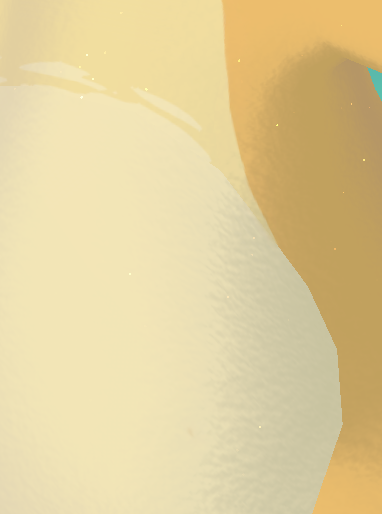
holy on new tech discovered of just slapping a simple "sand" normal map on models to do a really subtle fur/softness texture
Likes
338
 Twitter
·
Twitter
·
 buoyant holly
eternal garnet
I wish i could use that! Sadly my textures are unique
buoyant holly
eternal garnet
I wish i could use that! Sadly my textures are unique
still could be helpful for your outfits
eternal garnet
a simple "sand" texture isn't going to cut it
the outfits maybe yes
one maybe that is
buoyant holly
eternal garnet
yea not a fan of that
Fair mostly just brought it up as a lot of furs avatars could probably use that to make the stick your nose close to the Avatar during cuddling
eternal garnet
only one of my outfits uses a "woven fabric" kind of texture, but that one i already reduced and said fuck it, it still looks okay
 forest fable
I think you might have a misunderstanding? mipmaps increase vram cost, not decre...
forest fable
forest fable
I think you might have a misunderstanding? mipmaps increase vram cost, not decre...
actually nevermind streaming mip maps negates this, assuming its implemented properly in vrchat. The vram stats do report the 33% increase though.
eternal garnet
the problem is, i have handcrafted fur that i specifically made for this avatar, to match the fur direction with the base body texture and body parts
buoyant holly
eternal garnet
thanks for the screenshot clarification
eternal garnet
forest fable
actually nevermind streaming mip maps negates this, assuming its implemented pro...
Exactly. They do work. There is a world that shows that it actually works.
Assuming that this means it works for avatars too (or all content for that matter) which would explain the weird low texture memory cost
i literally couldn't be 63mb as just my single 4k diffuse alone would put me to 64mb (80mb with alpha)
which would mean mipmapping is indeed working
which is good!
of course at the cost of a bit more avatar size
buoyant holly
Did this video help you? Consider sending me a tip on Ko-fi! https://ko-fi.com/sippbox
Making optimized Quest models is hard. But it doesn't have to be! With recently updated polygon limits and fallback avatars, it's a better time than ever to create something that represents you to Quest users! Hopefully this tutorial will help you out!
0:00 ...
eternal garnet
There is a plugin for Unity and there is also CATS plugin for Blender which can do that for you
buoyant holly
GitHub
:smiley_cat: A tool designed to shorten steps needed to import and optimize models into VRChat. Compatible models are: MMD, XNALara, Mixamo, DAZ/Poser, Blender Rigify, Sims 2, Motion Builder, 3DS M...
eternal garnet
see above video, it should explain it
buoyant holly
one thing I like about the video above is it explains how to dissolve Edge Loops which is one of the better ways visually as far as reducing triangle count
 plain yoke
I’ll keep that of note…
eternal garnet
Yea, thats what i did with my Wicker too... a lot of polys in mane and claws..
eternal garnet
How else would i shove both outfits and the wicker into 70k polys when the wicker starts out at around 70k
plain yoke
Lmao honestly 😂
I heard a lot of talk about that
That’s why I contemplated even buying the package
eternal garnet
 plain yoke
eternal garnet
plain yoke
eternal garnet
That Is amazing
buoyant holly
eternal garnet
very nice
plain yoke
buoyant holly
very nice
I totally got you and @eternal garnet mixed up. My bad. Both of you: thank you
eternal garnet

show original for sound version
note thats an old version, no fur textures there yet
zealous wigeon
plain yoke
Does anyone know how to reduce the use of polygons on an avatar?
Join the Cats discord, that is the only place to get a version of CATs that is supported in blender above 2.93 #703190726447595581 message (link works if you have joined their discord)
Also got a button called "optimize shapekeys" which helps if your avatars face+body mesh is above 32k polygons.
eternal garnet
oh, i was looking for a version for above 2.93
plain yoke
zealous wigeon
Join the Cats discord, that is the only place to get a version of CATs that is s...
I’ll save this. Thank you.
eternal garnet
tho only the auto-fix breaks on 3.2
forest fable
eternal garnet
i literally couldn't be 63mb as just my single 4k diffuse alone would put me to ...
you're not basing your numbers off of the file size reported when setting your texture compression as RGB24 and RGBA32 uncompressed are you?
Because if you're using DXT1/5 or BC7, a 4k rgb texture without alpha channel and mipmaps would be 8mb, 16mb for rgba, and +33% with mipmaps, as far as vram stats goes as reported by vrchat and thry's vram calculator
zealous wigeon
eternal garnet
tho only the auto-fix breaks on 3.2
That dev version of CATs have some extra features that can be nice to have.
eternal garnet
Why would a 4K texture be 8mb? Textures get uncompressed in VRAM a 1K texture is 4MB in VRAM, 2k is 16MB and 4K is 64MB
forest fable
because the uncompressed dxt formats do not use a full 32 bits per pixel
eternal garnet
Also yes, i'm reading the texture memory usage, my avatar itself is smaller
forest fable
as far as i know
eternal garnet
32bits would be 80MB
the last 8bits are alpha
assuming 24bits only its 64MB
i'm not 100% sure but i think textures ACTUALLY get uncompressed to always contain an alpha channel
but again i'm not 100% sure about that
i've always been using 24bits (e.g no alpha channel) because i'm not sure if textures in VRAM would uncompress with alpha channel, i think i saw it somewhere but that could be an exception
but renderwise speaking you have to expect at least 24bits as far as i'm aware (with possible some special texture types that might be the exception to this, e.g non-color textures)
forest fable
as far as I can tell RGBA32 4k is 64mb, and 85.33mb with mipmaps because of +33%
with uncompressed textures it does seem to uncompress with an alpha channel
but not for dxt1
a quick google shows that video cards do not support 24bit textures natively, so they will always be expanded to 32 bits
also DXT1 only uses 4 bits per pixel
eternal garnet
yea i saw that mipmaps indeed increase by 33%
which makes sense but also doesnt
its part of the texture yes
but why would they always be loaded...
into VRAM
forest fable
that's what streaming mip maps are for
eternal garnet
thats essentially what streaming mipmaps is supposed to fix
YEA
and VRChat ONLY supports streaming mipmaps
you can't use mipmaps without streaming mipmaps on
plain yoke
zealous wigeon
Join the Cats discord, that is the only place to get a version of CATs that is s...
How do I exactly get into that server..?
forest fable
you should be looking at the second table, not the first
zealous wigeon
plain yoke
How do I exactly get into that server..?
https://github.com/absolute-quantum/cats-blender-plugin#discord under Discord title
GitHub
:smiley_cat: A tool designed to shorten steps needed to import and optimize models into VRChat. Compatible models are: MMD, XNALara, Mixamo, DAZ/Poser, Blender Rigify, Sims 2, Motion Builder, 3DS M...
I understandably, but annoyingly, cannot directly link to it.
 forest fable
and you shouldn't be using uncompressed formats
eternal garnet
4MB for 32
forest fable
because the gpu can handle those dxt compressed formats
eternal garnet
thats not the point
the point is to show what textures actually use when uncompressed on GPU
forest fable
that's exactly the point, using them would substantially reduce your vram costs
those are the uncompressed costs of those formats
eternal garnet
yes
which is the info i wanted
it shows you that 4K is 64mb
and it shows me
that those 64mb are actually 32bits
it also explains that GPU always uncompresses to 32bit
theres 3 answers
this does make me happy to know
this essentially means the 64mb i have been using all this time are A) correct and B) don't change with alpha because it IS already including the alpha
so i can forget about 80mb
anyway
1K is 4MB on GPU because the GPU uncompresses the texture into VRAM. We all should know a texture twice in size (from 1024 to 2048) is 4 times as big (because it fits 4 times into it) making 4MB, 16MB
2K to 4K means 16MB to 64MB
so now that we are all on the same page about that
to cement your statement for streaming mipmaps

This essentially means, we should absolutely be using mipmaps for bigger textures (if we can stomach the bigger disk/upload size)
forest fable
I think you missed my point completely. DXT1/5/BC7 does not get uncompressed to RGBA32. they are stored in vram as dxt1/5, gpu's have build in hardware decoders to decode those formats natively on the fly from vram. I am not 100% certain on this, but this matches what vrchat's vram stats reports.
eternal garnet
Possibly but wouldn't that just make DXT1/5 an overall worse compression to use for any big texture?
thats also kinda what the unity devs suggested
using DXT1/5 for smaller (1k and down) textures and BC7 for bigger ones (and those with alpha)
i could do a test and change them to DXT1/5 compression with and without mipmapping
and see if i could get my texture memory reduced further
i'm sure at least for smaller and non-alpha textures i could probably save a bit
pretty simple test, check texture memory usage, change one opaque texture to DXT1, check again
well guess it was 60.39 not 63mb

6... 3...

excuse me what
top is BC7
bottom is DXT1
changed a single 1K texture
forest fable
BC7 is 2x DXT1 because of alpha channel
eternal garnet
i think you are misreading
forest fable
do you only have 1 texture?
eternal garnet
with the 1K texture being BC7 it was 60.39MB, changing that single 1K texture to DXT1 increased my texture memory usage to 86.57MB
how
does that even work
forest fable
that doesn't sound right
forest fable
mirror? I don't recall those stats being updated at runtime
eternal garnet
every time you reopen the avatar details
it recalcs them
depending on the current usage
apparently looking at the mirror counted as being closer? so some textures got loaded in higher mipmap levels
despite ... you know my camera being in my head which is like... uh as close to my body as you can physically get
buoyant holly
so would it give different numbers if you were like 4 ft away from the mirror versus like 40 ft?
forest fable
i don't see any difference in reported vram stats with mirror on and off
eternal garnet
mipmaps are loaded on distance and priority, so a mirror that reflects you needs to render your textures too, if the mirror somehow managed to be CLOSER to you than your camera, it would require higher mipmaps yes... but then again... if your camera is in your head... wouldn't it always load the highest mipmaps anyway since ... you are so extremely close at all times?
certainly weird
moving closer again increases it back to 86MB
again, making KINDA sense
streaming mipmaps work not only by distance but also priority (which is probably calculated by distance mainly if not outright ignored if you don't have them in your field of view)
so i assume that being a camera in your head and not looking at yourself lowers the priority
whereas the mirror makes you look at yourself
either way
regardless of how weird the streaming mipmaps system works
both BC7 and DXT1 produce a 60.39MB texture memory usage
if DXT1 isn't uncompressed into 32bit shouldn't i be saving at least something
forest fable
I don't know what to tell you other than to recheck your testing. if DXT1 gets decompressed into uncompressed RGBA32 my avatar would be 100mb+ instead of the 35mb it is right now
I have 8x 2k dxt1 textures and 4x 1k dxt5 normal maps and a bunch of 512 dxt1 textures used as masks, and i'm at 35mb as reported by vrchat
according to your calculations of 16MB per 2k texture i'd be well over 100mb
this is what I use to check vram costs in unity https://github.com/Thryrallo/VRCAvatarTools
and I have found that it matches closely with what vrchat reports
radiant shadow
yep
eternal garnet
you use mipmapping right?
forest fable
yes
eternal garnet
thats why.
forest fable
no...
the stats report a +33% increase with mip mapping
because those stats are calculated at load time and assume the worst case and don't take into account mip map streaming
eternal garnet
maybe but you are using a lower mipmap
33% on a 1K texture is much less than 2K without mipmapping
forest fable
I numbers in thryrallo's tool report a +33% increase in vram cost with mip maps enabled and this aligns with what vrchat reports
eternal garnet
the reason your memory usage is so low is because you are using mipmapping and VRChat defaults most of your textures to a lower version depending on the need, saving you a shitload of VRAM
another simple test
i will turn off mipmaps on my 4K texture
this should result in me being at a minimum 64mb
more because everything else
also
the 33% increase is wrong as shown on the official unity doc
the 33% ONLY applies if you use mipmapping without streaming
streaming eliminates this 33% extra usage at the cost of some CPU usage
i am now at 81.3MB minimum
there is certainly a lot of weird stuff going on
81.3MB doesn't make sense
if mipmapping drops my 4K texture to 2K i would be saving 48MB, this means the increase of only 21MB now doesn't make sense unless the streaming mipmaps does not (despite the doc saying otherwise) remove the 33% extra memory usage, but even then 16MB + 33% thats like ~21.3MB , i'd still be saving 43MB, so in turn i would have to have 43MB more usage now, that is putting me to ~103MB
unless its now reducing a couple other textures even more to compensate for some reason
or there is some wizardry going on here
eternal garnet
Here's my test results
81.23 (BC7)
60.39 (BC7 + Mipmaps)
81.23 (BXT5)
86.57 (DXT5 + Mipmaps)
at least for my 4K diffuse body texture BC7 is definitely the best
for the 1K alphachannel-less texture there was no difference between BC7 and DXT1
despite DXT1 hard-stripping the alpha channel
also DXT looks a lot worse than BC7 in every regard
DXT seems only well suited to reduce the size of the texture on your disk (and thus when shoving it to the GPU, requiring less bandwidth) but that's about it
ruby isle
In VRC you need any little crumb of optimization you can get
eternal garnet
but my avatar is already at 36MB
ruby isle
36 download size?
ruby isle
That's pretty horrible IMO
There's 0 excuses to be over 30mb
10mb is my personal max
eternal garnet
there is no way i can reach 10MB without crunch compressing everything
and then i'm incurring massive artifacting and reduced quality
eternal garnet
no.
ruby isle
Well then idk what to tell you
There's not a single reason you need Crunch Compression off
eternal garnet
Some textures cannot be crunch compressed without losing a lot of detail and destroying its colors
ruby isle
Like?
eternal garnet
cruch compression makes me look absolutely horrible in worlds with flatter lighting
ruby isle
My entire avatar's atlas is crunch compressed and it's fine
ruby isle
eternal garnet
cruch compression makes me look absolutely horrible in worlds with flatter light...
That's the world's fault, not your avatar. I don't understand why people blame the avatar when it looks like shit in a world where someone slapped a crappy directional light in and called it a day
eternal garnet
go to a world with flat lighting and you will see absolutely downright disgusting compression artifacts
ruby isle
That's the world's fault. Or use a better shader
eternal garnet
the shader has little impact on that
ruby isle
You don't think a shader has any impact on how light reacts to your geometry?
eternal garnet
i think a shader has very little impact on flat lighting
ruby isle
Poiyomi would be raging right now
eternal garnet
if you have flat lighting, regardless of shader you will see color banding
Poiyomi is the worst offender
it completely breaks the semi realistic shading in Among Us
and many other worlds
where i'm reduced to "Toon Shading"
unless i do some stupid environment rim lighting bullshit that looks disgusting
the often flat and broken lighting of Poiyomi is the reason i switched away from it
ruby isle
Sorry to break it to you, but like 95% of art in VRC is toon shaded. Toon shading is VRChat's strong suit. The few 'realistic' avatars and worlds look absolutely horrible in VRC because nobody understands how to make realistic art in Unity
eternal garnet
Doesn't mean i have to follow suit. I can still look good and it works just fine.
Unless someone slaps a shitty configured sun in there and makes shadows super dark
ruby isle
Which is many worlds
eternal garnet
not really no
ruby isle
Yes really lol
eternal garnet
most worlds have a flat sun light with either no shadows or at least a normal (literally unity default) sun light that has some ambient lighting
ruby isle
I can tell where worlds do it because my avatar is configured so precisely that I don't have a shadow caster grabpass in my shader. I can see what worlds use lighting in specific ways
eternal garnet
the downright shit realtime lighting worlds were an exception so far
doesn't change the fact it only looks bad in worlds with realtime lighting with incredibly dark shadows
 visual tinsel

ruby isle
So instead of optimizing your assets for the majority of worlds that are set up to look decent, you'd rather have unoptimized assets loaded so you can look good in other people's fuckups?
eternal garnet
my point is with crunch compression, even in a decently lit world, if you go into a place where you are flat shaded (e.g a lightless room for instance, which might be desired) you will end up with color banding when using fine color gradients in the blackish color range
ruby isle
My entire avatar is flat shaded and it looks fine
ruby isle
And nobody is going to look that closely at your avatar
eternal garnet
a lot of people do very frequently
and i do see it both in camera and mirror without looking close
you can see it from far away
ruby isle
They don't. I literally make avatars for other people. People don't notice fine details.
eternal garnet
Are they furries?
ruby isle
I have been to entire furry clubs and events. Avatars are not the focus point
eternal garnet
thats not what i'm getting at
in a public event, your avatar is obviously not the focus
unless you are an actor and everyone is looking at you but even then they are looking from afar
point being i'm around a lot of people that are 99% of the time very close to me
that is as close that personal space would probably almost trigger most of the time (if i used it)
and thats not counting cuddling and doing stuff together
and they do notice details
buoyant holly
question couldn't you just upload two versions of the Avatar one with compression and one without so you have a version to wear to clubs and one for friends sticking their nose in
eternal garnet
buoyant holly
question couldn't you just upload two versions of the Avatar one with compressio...
thats essentially what the fallback is
will be
the fallback will have slightly reduce texture sizes to get into that 40MB good rating again
ruby isle
I still wouldn't see it =P
eternal garnet
whereas the normal avatar will keep its 60MB for a what will probably be a medium rating
eternal garnet
ruby isle
I still wouldn't see it =P
Which doesn't matter considering that most people turn off avatars for most people anyway
not to mention i'm trusted so i get the super shaft anyway
because people expect me to be a typical crasher-trusted
ruby isle
That happens?
zealous wigeon
A question I've never thought about before, if you make it so you appear as a User, does that change what safety settings affect you?
eternal garnet
sometimes still
yes
problem is
we can only appear as user
better would be known
ruby isle
zealous wigeon
A question I've never thought about before, if you make it so you appear as a Us...
Yes it makes you be considered a User to safety settings
eternal garnet
lets be honest, we all know trusted are assholes, users are newbs, both get the shaft, why not allow us to be known? i was fine as known
ruby isle
I've never felt that way personally
eternal garnet
i felt the same way, until i hit trusted
then everyone started hating me
"oh look at that trusted"
"oh you spend so much time in VRChat didn't you, i bet he's gonna crash us"
ruby isle
I've never heard that myself
buoyant holly
personally I haven't bumped into any issues with folks being mean to me because of trusted rank
eternal garnet
it has died down a lot
but i still get it occasionally
also if shit goes south (e.g hackers or cheaters) the first thing everyone looks out for is trusted rank
to be fair
i do it too
if my framerate suddenly drops to shit the first thing i eyeball is trusted users
and 99% of the times i'm right, sadly
ruby isle
You should actually be eyeballing your safety settings
ruby isle
Then you're gonna get these issues
zealous wigeon
I just eyeball "very poor" avatars, anyone can use avatars that are performance sinks.
eternal garnet
i rather want to see everyone's avatar by default
eternal garnet
zealous wigeon
I just eyeball "very poor" avatars, anyone can use avatars that are performance ...
problem being EVERYONE is very poor
i wish there was... more ... super poor... mega poor... ultra poor
buoyant holly
myself I fall back all very poor avatars
buoyant holly
eternal garnet
i wish there was... more ... super poor... mega poor... ultra poor
that's not going to meaningfully help because everybody would still be ultra poor
ruby isle
You don't need to block very poors, just block shaders and animations and such. I have VP shown but strict settings otherwise. I almost never get FPS issues
eternal garnet
buoyant holly
that's not going to meaningfully help because everybody would still be ultra poo...
ahhh... nah just set the limits high
zealous wigeon
eternal garnet
problem being EVERYONE is very poor
Avali community is actually quite good, it changes, but at worst it is about 2/3 very poor, otherwise 1/3, which seems very good.
eternal garnet
ruby isle
You don't need to block very poors, just block shaders and animations and such. ...
i get FPS issues when someone does some shenanigans with badly optimized stuff i can't filter, when someone uses 2GB VRAM or when my friend gets out that stupid Poiyomi fur shader again...
ruby isle
eternal garnet
i get FPS issues when someone does some shenanigans with badly optimized stuff i...
And this is exactly why optimization is important
zealous wigeon
ruby isle
You don't need to block very poors, just block shaders and animations and such. ...
I have seen quite a few very poor avatars that make use of barely any animations or fancy shaders (I pretty much always keep the latter turned off) and not showing those very poor makes a significant difference to my fps.
ruby isle
zealous wigeon
I have seen quite a few very poor avatars that make use of barely any animations...
Oh yeah Poly count will tank your FPS
eternal garnet
ruby isle
And this is exactly why optimization is important
And i have already optimised my avatar as much as i can without making any visual or functional cuts
zealous wigeon
As will draw calls
buoyant holly
zealous wigeon
I have seen quite a few very poor avatars that make use of barely any animations...
not surprised as there's some that have like 15 bajillion draw calls
eternal garnet
i'm pretty content with 60MB (it originally was 160MB) VRAM usage for a body and 2 highly detailed outfits
buoyant holly
eternal garnet
And i have already optimised my avatar as much as i can without making any visua...
and good job on that just don't be surprised that some folks are willing to take visual cuts to get the number to go down
eternal garnet
although i'd love some magic tricks to lower it even further
i'm urging my friends to optimise their avatars all the time
seeing that their very poor rating is just some basic stupid stuff that is easily fixable
ruby isle
eternal garnet
i'm pretty content with 60MB (it originally was 160MB) VRAM usage for a body and...
Mine is literally 3mb. And I have many togglables, decals, and even a 20 second gif on my avatar
eternal garnet
they could easily shave off texture memory, some unnecessary bone transforms and a couple other things
eternal garnet
ruby isle
Mine is literally 3mb. And I have many togglables, decals, and even a 20 second ...
Yes but you are literally comparing sticks and stones here. Your avatar(s) are presumably much simpler on fine details allowing you to cut much bigger corners without impacting quality at all (or very little) whereas i cannot cut any corners without making massive quality cuts
i literally have a highly detailed, custom fur texture
which is already baked into the diffuse
together with AO
just to cut out two textures
ruby isle
You also gotta remember we're playing a realtime rendered videogame in Virtual Reality. It's not a movie. Most details can be cut
eternal garnet
and uses alpha to cut the emission too
that makes it worse
especially in VR where everyone (on VR) can freely look at and around you
ruby isle
If they're doing that then they themselves have no idea about avatars either
 proper grail
Fell for the bake shadows and detail into albedo meme
ruby isle
I've never been like 'Oh let me stick my camera right up on this piece of geometry and see how high quality it is'. You're not meant to do that
eternal garnet
proper grail
Fell for the bake shadows and detail into albedo meme
Look, my avatar was 160MB VRAM usage when i still had everything separate. Having AO and the details (aka Fur) separate would have not helped at all it would just added more textures
ruby isle
Now, I do that for world objects sometimes, but not avatars
eternal garnet
My problem is the Wickerbeast uses one UV for the entire body, no separation, this makes it a necessity to use a bigger texture as i cannot few smaller ones and scale them as needed for each individual part, i could split them up which in turn would mean i add material slots WHICH in turn kill my good rating
bringing me back to "the ranking system is kinda meh"
its pushing the wrong kind of optimisation
buoyant holly
question is the UV unwrap symmetrical?
zealous wigeon
ruby isle
I've never been like 'Oh let me stick my camera right up on this piece of geomet...
Eh, I actually do that a lot, even for avatars, but I don't blame it for how it looks, since you aren't supposed to see it that up close usually, it is just interesting to see how detailed they are.
eternal garnet
buoyant holly
question is the UV unwrap symmetrical?
almost
i already thought of mirroring too
but that would destroy the uniqueness of one side of my avatar
buoyant holly
okay just wondering as if you can mirror the uv you could get it to be half the vram
eternal garnet
i would be unable to have say a different stripe pattern on both arms/legs
which the avatar does have
also
i have scratches
on one side
i'd be either removing them or adding them to both sides
eternal garnet
 ruby isle
You could do that with decals too
eternal garnet
the shader doesn't support decals and even if it did (never checked) how would that work with a symmetrical UV without using an extra material slot
ruby isle
Secondary UV map
eternal garnet
well the shader supports different UV sets for detail maps
but i havent tested these "sets"
ruby isle
That could probably do the trick
eternal garnet
because it always shows 2 regardless of how many it actually has (i added one via blender to see)
buoyant holly
also does anyone know what the performance impacts are of secondary uv Maps since we're trying to be like the most optimized at the moment?
eternal garnet
problem being thats not the only scratch
i have scratches on tail, hips, arms, claws and in face as well as ears
ruby isle
eternal garnet
i have scratches on tail, hips, arms, claws and in face as well as ears
You can have those all in the same second UV map
zealous wigeon
buoyant holly
okay just wondering as if you can mirror the uv you could get it to be half the ...
Somehow didn't think about this, because mine is very symmetrical.
Got any tips or tools, just moving UV maps seems like it could lead to seams.
eternal garnet
ruby isle
You can have those all in the same second UV map
but that would mean the scratch decal texture needs to be big again
otherwise it would just be a blurry mess
unless i were to specifically tailor those new UVs to only have those parts
oof
buoyant holly
eternal garnet
unless i were to specifically tailor those new UVs to only have those parts
that's literally what you do with those decal UVs
eternal garnet
that doesnt fix the stripes tho
that would be another UV map
and a lot bigger
because it needs to include both arms, the legs, feet and a bit of the body
at which point it is questionable whether reducing the diffuse from 4K to 2K would save enough to make up for all those extra detail textures i need
ruby isle
eternal garnet
but that would mean the scratch decal texture needs to be big again
You could very easily get away with 512. 256 even since they're small
buoyant holly
 eternal garnet
ruby isle
You could very easily get away with 512. 256 even since they're small
eternal garnet
ruby isle
You could very easily get away with 512. 256 even since they're small
well yea if the UV is only that little chunk of the body yes
buoyant holly
eternal garnet
well yea if the UV is only that little chunk of the body yes
yes that's generally how you use decal UVs
eternal garnet
but again, stripes, they require much more, much bigger
it also doesn't include the fur
which i could technically split out too
buoyant holly
you wouldn't be putting the fur on the decal uv
eternal garnet
no but a detail map
otherwise i can't reduce the diffuse
reducing the diffuse will kill the details
because of the fur mainly
buoyant holly
which I was suggesting the UV stacking tricks in the first place so you can keep the density but reduce vrm
eternal garnet
in order to reduce the diffuse without impacting the visual quality too much i'd have to reduce the diffuse to its most basic form, that is very simple colors and gradients, no fine details
but the fur covers the entire body
there is no way i can realign/reunwrap the UV in such a way that i can reduce the texture
it would still be 4K
otherwise the detail is poof
ahhhh!
😵
buoyant holly
if it's helpful it just has to be powers of 2 not a square
ruby isle
Nothing is impossible
eternal garnet
buoyant holly
if it's helpful it just has to be powers of 2 not a square
If i remember correct thats not true
buoyant holly
so the texture being 2k x 4k is ok
ruby isle
eternal garnet
If i remember correct thats not true
It is true. You can have a 2048x1024 texture
eternal garnet
a 1024x2048 gets enlarged to 2048x2048 when uncompressed on GPU
wasting half a texture
ruby isle
It does not as far as I know
buoyant holly
eternal garnet
a 1024x2048 gets enlarged to 2048x2048 when uncompressed on GPU
well we have a vram checker now so you can see if that's the case
radiant shadow
Only have one av thats 2048x1024 , vram is lower then 2k
buoyant holly
and also I've seen rectangular textures all the time in commercial Game textures
eternal garnet
well we already established that the VRAM display is all over the place
radiant shadow
no your is, no idea what you are doing
eternal garnet
i am pretty sure if you were to look at my avatar you'd see the same weird things happen
radiant shadow
many mobile games uses power of 2 textures since they dont need that much
eternal garnet
generally speaking you should always use power by 2 textures and if possible square ones, although you can use rectangular ones but again as far as i read from unity devs they will be enlarged internally to a square because this is just how textures work internally in GPU/Rendering
buoyant holly
do you have any links for unity devs saying rectangles don't work
eternal garnet
from doing a quick search, the general consensus seems to be that:
- Square is preferred because it CAN cause more VRAM usage due to something called "swizzling" which is essentially an optimisation which can under certain texture sizes lead to the opposite.
- Square is preferred in rendering because most mobile devices and/or their compression types and/or some compression/mipmapping combinations for PC don't work with rectangle.
buoyant holly
rectangles not working is only mentioned on like iPhone texture compression formats checking the documentation

 eternal garnet
yea unity specific
buoyant holly
like vrchat works with Android and PC builds of unity
eternal garnet
i was swinging a bit wider than just Unity since the questions weren't specifically answered for Unity, they do apply to Unity too to some degree because its basic rendering
buoyant holly
I honestly wonder if this is something we can just check in vrchat instead of guessing as we do have a vram viewer
and mostly I just want to know the answer to this question because that has implications for like world-building as far as textures when trying to build like texture atlases
eternal garnet
according to the profiler in unity
using a 2048x1024 texture uses more memory than a 2048x2048
but the profiler is...
not exactly accurate
mh
yea...
a couple tests down, making sure unity clears the textures
the rectangular texture does seem to save texture memory
cant make any promises tho
unity profiling is ... meh
buoyant holly
and I guess a question is what a rectangle even help your problem at all
eternal garnet
the only way to really see if theres a big difference is straight up reducing all textures a rectangle
well
and thats the next problem
i would have to massively and completely rework the entire UV of several things to make that work and i doubt it will even help
only if i were to cut them intelligently and very specifically to my use case, that is if i were to pack all emissive body parts into one rectangle and the others into the other, i could have the...ohwait... i can't... i already have the emissive in my diffuse...
it would help if i were to make the UV symmetrical... but.... ugh
buoyant holly
still sounds like your avatar is better than most avatars in vrchat so I wouldn't beat yourself up too much over it
eternal garnet
but i wanna keep my good rating!
i worked tirelessly hundreds of hours, optimised the models, atlased stuff, reduced textures, baked stuff back and forth, reduced draw calls, tested performance just to be shoved back into the dreaded MEDIUM rating ugh
guess medium rating it is
buoyant holly
I suppose maybe we worry about this after they actually introduced vram as a avatar rank so we actually know what the target is
buoyant holly
eternal garnet
guess medium rating it is
still better than most avatars on vrchat
eternal garnet
reduce the textures on my fallback and keep my main as is as medium... it has never made sense to have my main be exactly the same as my fallback anyway... the fallback is meant to be... a well fallback so a dumbed down version
radiant shadow
Shown awhile ago you can make an excellent rated quest avatar but it will use 500mb+ vram , so 🔨
radiant shadow
All my av's are in the 22-35mb vram anyway
eternal garnet
you'd have to use 8K textures on every single texture channel possible
buoyant holly
yeah you can always wear the fall back to club events if they start enforcing you must be below this vram usage to go
eternal garnet
buoyant holly
yeah you can always wear the fall back to club events if they start enforcing yo...
i wouldn't, it would fallback automatically
buoyant holly
that would be dependent on the other people's safety settings
eternal garnet
also those events would be pretty empty i reckon
i wish there was a way to filter fallbacks
and size...
and quests
i want an auto-mute for quest
zealous wigeon
So when un-symmetrizing your UV map, how do I make it so the UV packers don't rip, the now overlapping, UV islands apart?
eternal garnet
not entirely sure what you mean but i'd guess it has to do with some manual labour and changing the UV seams
stray tangle
zealous wigeon
So when un-symmetrizing your UV map, how do I make it so the UV packers don't ri...
if you use UVpackmaster, set Lock overlapping to Exact
and what do you mean "un-symmetrizing"
zealous wigeon
stray tangle
and what do you mean "un-symmetrizing"
Now that I think about it, I am not sure what I was thinking.
If I am combining both sides of the avatar's UV map into on then it is symmetrizing.
But yes, thank you that was what I needed to know, both UV-Packer and a Xatlas plugin I use seem to lack such an option.
Sort of wished they had the option though since UVpackmaster is paid software.
eternal garnet
Ugh. Who needs complicated crashers if you can kill everyone with a simple trick... crouching down.
 cyan berry
does anyone know how to download the sdk's for avatars? I can't find it anywhere on this discord or their website, only instructions, but no direct download!
zealous wigeon
cyan berry
does anyone know how to download the sdk's for avatars? I can't find it anywhere...
Well you login, go to download and there it is.


Alternatively you download the creator companion and it will auto install it and keep it up to date.
 dawn hull
^ this is so much better
modest blade
If I combine materials and textures with CAT in Blender, then what can I do with Normal maps and Metallic maps?
normal and metallic were just ignored in the Atlas
stray tangle
modest blade
normal and metallic were just ignored in the Atlas
yes, because the Atlas feature is old and inefficient. you should really use CATS's Bake instead
it'll actually re-pack the UV's efficiently and bake all of the original textures to a new texture, and it does this for every PBR texture
if you have UVPackmaster2, it will also use that for packing
zealous wigeon
You can however also use UV-Packer which is free.
UVPackmaster is expensive for what it is.
zealous wigeon
modest blade
If I combine materials and textures with CAT in Blender, then what can I do with...
To give you an alternative to the expensive UVPackmaster, UV-packer is free and real simple to use. https://www.uv-packer.com/
stray tangle
UVP has quite a lot of useful features, and is the only one that CATS Bake can use during its baking process
there's tradeoffs
I see it as an investment
zealous wigeon
I don't disagree that it has useful features, but free is free.
But really wish something else could do "lock overlapping UV islands".
Also I do still think it is expensive, it costs almost as much as Bakery which is doing things that you would have a hard time, or impossible time, doing without.
zealous wigeon
Those recommending it say to wait for the sales which make it about 40-45 I think.
UVPackmaster is 39.
stray tangle
I just checked and it was 39
zealous wigeon
stray tangle
UVP2 was like 25$, but I think UVP3 is more expensive
25 I could stomach, 39 is a lot personally for that.
Wonder if UVPackmaster ever do any sales
stray tangle
pretty sure they do
you can get it either on gumroad or blender market
so I would keep an eye on both
regardless, one of the most useful tools I use
same for ZenUV
ZenUV actually integrates UVP if you have it
 jaunty grotto
hi there
stray tangle
hello
 burnt cave
I managed to scuff a version of my maya all the way to green rank so I don't feel too much shame taking her into public lobbies
 heady smelt
burnt cave
I managed to scuff a version of my maya all the way to green rank so I don't fee...
heady smelt
burnt cave
I managed to scuff a version of my maya all the way to green rank so I don't fee...
swag
sick relic
With power of elbow grease and determination, I manually dissolved and reduced polygons from 32k to be enough to get it into fallback avatar.
 onyx harness
And you look great too
sick relic
Final wireframe view
 ivory sluice
Oh sh very well done
 hardy sage
Since when did they limit Phys bones to 8?
 zealous wigeon
hardy sage
Since when did they limit Phys bones to 8?
zealous wigeon
hardy sage
Since when did they limit Phys bones to 8?
On Quest?
Since always, might have even been there during the open beta for avatar dynamics, can't remember if it was there or just missing the error.
ivory sluice
Phys bone are limited to 8 components, transforms are a different thing, some use root bones to use a single component on parts with different chains like hair
undone cradle
zealous wigeon
On Quest?
Since always, might have even been there during the open beta for ava...
during the beta they didn't have a limit, and everyone just slammed as much as they could with zero care for performance.
Let's just say the Quest experience wasn't great. 😅
 jade phoenix
guys do u think 8.800 vertexes is a bit too much for just a jacket?
 buoyant holly
are you targeting PC or Quest
jade phoenix
buoyant holly
are you targeting PC or Quest
pc :p
buoyant holly
that sounds fine for PC
jade phoenix
ye
stray tangle
jade phoenix
guys do u think 8.800 vertexes is a bit too much for just a jacket?
what is the tris count?
that's what matters
 cold marsh
Im trying to upload an egg avatar but vrchat isnt allowing me, can someone tell me whats wrong?
 sick relic
cold marsh
Im trying to upload an egg avatar but vrchat isnt allowing me, can someone tell ...
sick relic
cold marsh
Im trying to upload an egg avatar but vrchat isnt allowing me, can someone tell ...
Adding a few more shapekey should do the job
cold marsh
someone told me maybe it was the weight painting?
sick relic
cold marsh
someone told me maybe it was the weight painting?
Is that a legit question or a joke?
onyx harness
cold marsh
Im trying to upload an egg avatar but vrchat isnt allowing me, can someone tell ...
You got quite the pc fam. I’d be dead before this stage.
cold marsh
What?
onyx harness
I dropped a 50 mil tri model in blender and my shit froze xD
There’s more tris in this model than the latest CoD game :P
cold marsh
Wait really? 😭 thats funny
onyx harness
Bro probably. 420mil is a lot. The player models in that game are more than likely in the 40-60k ballpark so you can imagine.
onyx harness
FeelsBadMan
ivory sluice
when you want to increase the subdivision by a unit but forgot you have autoclicker on at 1000 clicks per second
 blissful lake
@visual oar could you help me with this please?
 buoyant holly
you would probably want to combine allowed materials into a texture Atlas in blender
blissful lake
I'm just trying to upload a sample avatar then work on tweaking it later. Different versions of the avatar will be available the more I work on it. As of now, I'm just trying to understand the process. Thanks.
onyx harness
This avatar isn't even optimised for pc, there's a long way to go before it'll be optimised for Quest. A lot of materials, skinned meshes and polygons. I'd delete the meshes you don't plan on using straight off the bat. Can put the model into a desired state and remove everything else.
Maybe it came with a more optimised version that you could start from. If not, it wasn't ever designed to be in Quest so it'll be a good amount of work to get close
buoyant holly
GitHub
d4rkpl4y3r's VRChat Avatar 3.0 optimizer. Contribute to d4rkc0d3r/d4rkAvatarOptimizer development by creating an account on GitHub.