#open-beta-discussion
19 messages · Page 16 of 1
 minor flax
However yeah, the boolean issue does not have a workaround as of now, all you can do is set up individual booleans for each receiver that you want to have behave differently
 lime yarrow
Is this the standard "close unity, delete sdk, open unity, import sdk" thing?
That's really stupid If I'm being honest
they shouldn't be booleans
they should be able to write to any type of parameter
minor flax
Personally I just deleted the folder within Unity and reinstalled it, worked pretty well
lime yarrow
otherwise whats the point over floats
minor flax
They technically can write to any time of parameter, but they always send one or 0 now, and in debug mode they show up as booleans. Only exception is proximity ones which are left unchanged
I had to set up 18 booleans because of this
Or rather 20 since I needed 2 others for another system
lime yarrow
It really doesn't say anything about this in the patch notes
are you sure it isn't just a bug on your end?
when I originally imported the new SDK it was allowing me to set values
 lime yarrow
Yeah it says that in the screenshot
but I assumed that was from when it was only accepting floats
because it used to say that exact thing
but the update doesn't say anything about booleans
let me find it
minor flax
It used to only accept floats, now it works on integers and bools, but it also works like a bool, just 0s and 1s
lime yarrow
 minor flax
Just to give an example
minor flax
I made this parameter as a float before the update, it only would ever set to 1 since that's all I'd use it for. But now it's a bool in the debug mode even though nothing changed in the animator

it didn't break the function unlike other parameters that got this treatment however
lime yarrow
Reinstalling the SDK like you suggested seems to have fixed the upload issue
but this new receiver behavior has me thoroughly vexed
minor flax
It bothers me a little bit too but I've already had to fix it so uh
Now I have all of these

And these
 lime yarrow
I hope they don't keep this behavior
minor flax
It's possible that they don't
I'd like to change these bools into one integer if I can
lime yarrow
I'd like to be able to set specific values, and multiple per receiver as well
I think this is crucial
minor flax
I can see how multiple values could help but I don't know if they'd be crucial, though I do agree specific values would help immensely
lime yarrow
IMO it's crucial because of avatar performance stats
minor flax
My personal idea for a change would be more along the lines of senders having parameter values they can send
Ah, true
lime yarrow
there is a max number of receivers you can use before you become very poor
having multiple values per receiver could cut down receiver count drastically
minor flax
That being said, wouldn't that just cause said receivers to simply not sync if exceeded?
Sort of like particle systems, dynamic bones, audio and such?
lime yarrow
That's not a thing
minor flax
It is, though
lime yarrow
Not in my experience
lime yarrow
And besides, it's about the performance stats themselves
minor flax

VRChat
The Avatar Performance Ranking System allows you to see how much a user's avatar is affecting performance via analysis of the components on that user's avatar. You can also use it on yourself to see how performant your avatar is. This system is provided to inform users what is likely the most perfor...
lime yarrow
oh that's what you meant
that only applies if people have higher performance avatars blocked
but yeah
I get what you're saying
minor flax
Right, but that's what the performance ranking is for anyways
lime yarrow
Yeah but also people get bitchy about avatars that are very poor
even if they aren't blocking them
But I suppose I see why you don't think it's crucial
minor flax
Admittedly this isn't something I have much experience with, whenever I have very poor performance stats, I focus them on the ones that don't matter nearly as much
lime yarrow
It's more of a personal thing on my end I suppose
minor flax
I can see what you mean, however, I don't think VRChat sets the minimum performance rank to anything other than verypoor at first launch, so it's easy to miss it
lime yarrow
Anyway yeah, this SDK version essentially broke several systems in my avatar so now I have some tedious clean up to do
ugh lmao
Thanks for the help though!
minor flax
You're welcome, and don't worry, I've had to do the same, though I'm glad that at the very least we're not restricted to just floats, hopefully set values return later on
Maybe they can even add values???
lime yarrow
minor flax
~~Maybe they can even *add* values???~~
Honestly, they should just behave the same way as parameter driver state behaviors
that would be ideal
minor flax
That does sound pretty dope, ye
lime yarrow
It would forgo the need to set up layers specifically to drive parameters with the bools or floats or whatever
minor flax
I'm sure they will at some point, though, this is still pretty early
lime yarrow
I'd hoped they were further along in the features side of this update, considering that it is in open beta and not still in closed alpha/beta
but I don't know how beta testing is supposed to work
minor flax
I personally don't mind too much, even if there are inconveniences, the possibilities it opened up made me reconsider ideas I had thrown out for avatar functions, most of them are back on the table now and it's kind of exciting
lime yarrow
Fair enough
I just feel like some of these things should have been considered long ago
either way I'll see where they go with it
not much else to do
minor flax
Right, good luck with your avatar, though!
lime yarrow
Thanks!


 flat patrol
With complicated contact mechanic, I feel avatar need to be accompanied with a panel like in the hub. Since it's not just a button in a menu.
 restive charm
Is it possible to do "player pickup" with the new bones?
 near grove
PhysBones are intended to be draggable/poseable in the Game tab within Unity, correct? After upgrading the VRCSDK to latest from latest - 1, I stopped being able to, but I haven't ruled out the possibility it's something dopey I did.
 hollow hatch
 rose stag
I didn't know I could get the open beta from my phone
rose stag
I didn't know I could get the open beta from my phone
its in the instructions for joining it in #open-beta-info
 stable mantle
hollow hatch
its in the instructions for joining it in <#449348023147823124>
stable mantle
hollow hatch
its in the instructions for joining it in <#449348023147823124>
The instructions only mention the website (or did).
Though Ive been mentioning the app religiously, as its more reliable (when it works).
hollow hatch
 stable mantle
Huh. I guess I missed that part.
Though they did update it about the Meta opt-ing issue so perhaps that was added too? I dont have a copy of the older message, though. So its not worth fussing over whether it did or not before.
 steady solar
So when will dynamics and such be fully out?
People keep telling me different things and it's getting confusing
Not sure if this is the right chat 📯
restive charm
steady solar
So when will dynamics and such be fully out?
if there is a beta update it will be at least a week
 hazy linden
We don't know when it'll be fully live though. There's still issues right now that haven't been resolved.
It could be 2 weeks or 2 months or maybe even longer. Who knows
steady solar
Aight thanks
restive charm
it will come out when its stable
rose stag
hollow hatch
its in the instructions for joining it in <#449348023147823124>
I didn't see that it was added
 hollow belfry
Did they really finally fix the ol' favourites bug?
 shrewd estuary
yea
 rich blaze
I can’t join any public worlds after getting the new open beta, is there any way to fix it without getting rid of phys bones?
 formal breach
no, this beta isn’t network compatible.
rich blaze
Tysm
near grove
I wonder how much longer till live release
 mortal surge
Since we got a new update recently (friday), it'll probably be a pinch.
Also do we have a rundown on each tier of limit for physbones? I know the upper one is 128; over that and you're poor. (An edit. Going past 128 puts you into "Poor", not "Very Poor"
However, I was curious as to what the current jump offs are for each perf tier.
Currently in "Good" with 27 transforms.
Which was the medium with dynamic bones.
Okay, a bit of checking and an avatar with 41 hits medium.
Got a feeling 32 might be the upper limit for a "Good" ranking.
79 and still medium.
It's 32 for "good". Wild we've reached a point where the upper limit for dynamic bones before you break into "Poor" ranking is now the good ranking here.
 worn quarry
mortal surge
Also do we have a rundown on each tier of limit for physbones? I know the upper ...
worn quarry
mortal surge
Also do we have a rundown on each tier of limit for physbones? I know the upper ...
VRChat
The Avatar Performance Ranking System allows you to see how much a user's avatar is affecting performance via analysis of the components on that user's avatar. You can also use it on yourself to see how performant your avatar is. This system is provided to inform users what is likely the most perfor...
mortal surge
Sorry, didn't realize that they had updated that.
Redundant question is redundant I guess.
stable mantle
mortal surge
It's 32 for "good". Wild we've reached a point where the upper limit for dynamic...
I mean, that was kind of the point though. Idea was that these would be: 1) Standalone Compatible, & 2) Highly performant. — Amazing for sure, but the intended effect.
mortal surge
I get it, just kinda enjoying the real juxtaposition of the old one versus the new.
It's been a minute since I've looked, since it isn't live compatible.
But since it's been a minute I figured I'd start hammering out the physbone versions of my stuff while the beta is in progress, and hop back in.
stable mantle
Testing my avi I was honestly amazed it held up with the cape and ear physics on beta without any reduction in performance. And this was on Standalone.
It really is quite something. Im sure there's diminishing returns in large lobbies, but whatever they're doing is working.
I can't wait for them to tackle world physics.
mortal surge
My stuff is mad simple, honestly, as I've already stayed pretty low. I do break medium though. So for me it's been "ah yes, as expected". However, the implications and much more lenient restrictions for colliders/collision checks is where the fun begins.
That and the rest of the "Dynamics", as physbones is but one topping on this lovely Pizza.
stable mantle
My avatar has a lot of toggleable objects, so while the base would probably be "poor" (or medium, with some optimization), its ranked  due to it accounting for everything the model is capable of, even if some of it is mutually exclusive.
And yet I don't notice anything dropping in performance compared to my fallback, and this is with physbones included.
 sly barn
do we know when physbones goes public?
mortal surge
At the moment no. Since we just got an update, I'd imagine it'd be a bit at least.
But for the moment, it's best to just check it out, maybe prep avatars. If that's not your cake, then just continue as normal. It'll drop when it's ready.
I wouldn't stress it, myself.
sly barn
ok

 timber jewel
lime yarrow
timber jewel
lime yarrow
not just in the SDK but also ingame
lime yarrow
timber jewel
not just in the SDK but also ingame
Huh, strange lol
 humble galleon
I would bet that the contact collision system is pulled from something similar to PhysX cloth/fog volume interaction code.
So it kinda makes sense that "cloth" still exists as a string in places.
timber jewel
yeah no that doesn't make any sense xD
humble galleon
Recycled code is a thing.
stable mantle
humble galleon
Recycled code is a thing.
I can almost guarantee you that PhysBones has nothing to do with PhysX unless VRChat pulled some magic out of their rears.
PhysX is CPU bound on Android according to Unity 2019.4 documentation, and even something like simple pool table physics sends VRChat into a screeching halt if there's too much going on, on Standalone. The Quest line is both CPU throttled & CPU bottlenecked.
PhysBones meanwhile appear to face no performance detriments even whilst being moderate to heavy in use, on Standalone. This wouldn't be possible, realistically, without GPU physics, which as far as I can tell, is not available on Android, the OS Quest is based on, according to Unity documentation.
IMHO without any internal knowledge to go off, I'd say VRChat is using some kind of compute shader or other custom GPU instructions to power Avatar Dynamics.
 dapper scroll
Is anyone on oculus having trouble getting out of beta?
stable mantle
dapper scroll
My account isn’t permitted
TL;DR there's a bug that prevents the Quest from detecting build channel changes, so you gotta leave it uninstalled a bit and periodically check the store until it shows the right version number.
#open-beta-info notated the bug but not advanced installation steps.
 ashen yarrow
I'm stuck in beta some one please help
stable mantle
ashen yarrow
I'm stuck in beta some one please help
Quest?
ashen yarrow
Yes I have left beta before but this time my quest refuses to install the base game. I uninstalled it like last time but when I switched out of beta and tried to reinstall it my quest just gives me the install failed notification.
stable mantle
ashen yarrow
Yes I have left beta before but this time my quest refuses to install the base g...
Read the post and link literally above your post.
stable mantle
ashen yarrow
Still won't install
What happens when you click install?
stable mantle
ashen yarrow
When it finishes it does nothing and says install failed
No one here can help with that. That's a Quest OS/Meta server issue.
Contact them.
 left plaza
i dont know if its a rare bug or what, but i cant favorite some avatars for some reason.
Had a reglus avatar that i was trying to favorite, but i couldn't, i have no idea why.
Current favorite spaces: 22/25.

 sour epoch
left plaza
i dont know if its a rare bug or what, but i cant favorite some avatars for some...
sour epoch
left plaza
i dont know if its a rare bug or what, but i cant favorite some avatars for some...
were you on the open beta?
near grove
Hey anyone have a problem with not being able to join public worlds
 quaint geode
near grove
Hey anyone have a problem with not being able to join public worlds
quaint geode
near grove
Hey anyone have a problem with not being able to join public worlds
The current PhysBones OpenBeta is not Network Compatible, so you will not be able to see players on live while on the beta client, and vice versa
you'll only see other players that are also using the PhysBones OpenBeta client
 patent estuary
ashen yarrow
Starts installing
patent estuary
ashen yarrow
Starts installing
I swear I met you today, were you talking about how you couldn’t delete the no game or someyhing
And then someone called terraz or coal69 said for you to go away
stable mantle
 warm cedar
there goes the "favourite avatars bug fixes"
warm cedar
there goes the "favourite avatars bug fixes"
Im convinced its a server side bug, or an "old UI" bug, because lists in general have been utterly broken on Standalone, to say none the least, for ages.
I still can't see the full search results as of 1184. Or the full list of worlds in a playlist. Or all my avatars without repeatedly yanking the UI to almost seemingly "pull to refresh". And sometimes unfavoriting avatars wont work and instead add a second copy to my favorites.
It seems the whole way they handle favorites lists is subpar. — Granted I havent tested the latest build, but I don't see how they could fix one favorites list bug and not the rest. My gut says they're connected somehow.
 inner creek
Usually when a patch is released they will list it as a release candidate for live. No concrete date yet.
shrewd estuary
 hybrid niche
Does the beta have a release date i can view?
hybrid niche
Does the beta have a release date i can view?
no
 molten cobalt
hybrid niche
Does the beta have a release date i can view?
molten cobalt
hybrid niche
Does the beta have a release date i can view?
open betas never have release dates
 coral mango
Anyone else uploaded some avatars with the beta sdk with physbones and not have it work?
stable mantle
coral mango
Anyone else uploaded some avatars with the beta sdk with physbones and not have ...
You're using the beta client as well, to clarify?
coral mango
stable mantle
You're using the beta client as well, to clarify?
Yes, I have 1 avatar I’ve uploaded work but not others
Or sometimes in Unity it won’t let me upload them either
stable mantle
coral mango
Or sometimes in Unity it won’t let me upload them either
For new avatars the latest SDK has a bug that prevents upload without an existing blueprint ID.
For old avatars, reimporting the SDK clean (Deleting the VRCSDK folder from Assets then importing the SDK package) sometimes works.
coral mango
stable mantle
For new avatars the latest SDK has a bug that prevents upload without an existin...
Honestly weird, I just uploaded one brand new with the beta sdk and it worked but not avatars I’d already made
stable mantle
Interesting
coral mango
I think I figured some of it out, depending it doesn’t fix the dynamic bones so I have to reset them up
left plaza
sour epoch
were you on the open beta?
nope.
sour epoch
left plaza
nope.
This is a known issue on live but the open beta should fix it
left plaza
hmm, might try it then
sour epoch
However open beta is not live compatible so you won't be able to see your friends while in it
But it's certainly worth trying to make sure it fixes your issue
left plaza
i know, got a public nardodragon from a friend with physbones that i wanted to try anyways
left plaza
sour epoch
But it's certainly worth trying to make sure it fixes your issue
mhm
Didnt check the beta, so call me out on this one if you want to
 worn crater
 wraith island
Pls upvote https://feedback.vrchat.com/sdk-bug-reports/p/sdk-scripting-define
wraith island
Pls upvote https://feedback.vrchat.com/sdk-bug-reports/p/sdk-scripting-define
Upvoted. I really hope the define never gets removed. Whoever made that decision should really rethink about the bigger impact.
left plaza
but i really wanna have a toggle-able setting to where you cant use your pose bones ( whatever their named ) but they can use your colliders, so its like normal pc dynamics
humble galleon
stable mantle
I can almost guarantee you that PhysBones has nothing to do with PhysX unless VR...
"SIMILAR to PhysX cloth/fog volume interaction code", didnt say that code specifically. There are other physics packages out there, thats just the first that came to mind.
 stone rapids
Hey everyone! I made a FREE keyboard asset that can be added to any avatar using the new Avatar Dynamics system! No custom shaders, Quest compatible, no OSC, and all native! Here is a video tutorial with a download link, it is pretty easy to implement! https://youtu.be/fTAThKT_iSE Hope you all enjoy it!
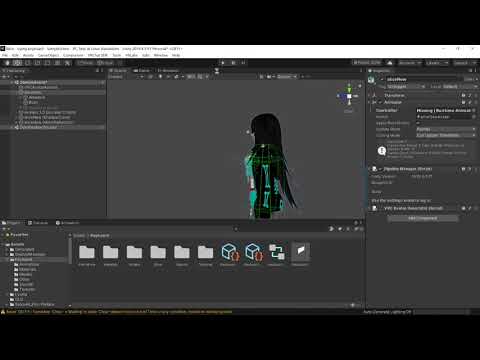
Download Link:
https://drive.google.com/file/d/16o5WvtZf4dm7U0ElIw8TXKlZg7Vpevlk/view?usp=sharing
VRLabs Avatars 3.0 Manager:
https://github.com/VRLabs/Avatars-3.0-Manager/releases
PayPal: howdythereneighbors@yahoo.com
Cash App: $metroidmen
Venmo: @metroidmen
It may not seem like much, but it was a ton of work, especially getting used to all...
 dense merlin
I saw in a vid before I think but now idea how it was done. Where the user was able to make speech bubbles appear above their head to communicate
 rough ingot
anyone experiencing EXTREME lag and low FPS after having the game open on the open-beta for a long time? ever since the latest open beta update i and others have been getting extremely low FPS 1-5 after spending a while in the game 10+ hours ususally. some kind of memory leak?
 final ferry
Do you have any third party add-ons. Try removing that
lime yarrow
final ferry
Do you have any third party add-ons. Try removing that
Already fixed, but thanks!
I just had to reinstall the SDK
 twin rapids
Anyone got a idea of when the physbone update should be out of open beta?
 fallow rock
twin rapids
Anyone got a idea of when the physbone update should be out of open beta?
fallow rock
twin rapids
Anyone got a idea of when the physbone update should be out of open beta?
When it’s ready. No timeframe has been given
 tender dome


avatar dynamics shotgun. that is all. (i am bad at particles) #VRChat #AvatarDynamics #TF2
 Twitter
·
near grove
Twitter
·
near grove
i stuck in beta
 vestal void
um how do i fix a problem when i upload or try to upload it wont alow me to upload but intead it always multiply the preferb. and how do i fix it ?
vestal void
near grove
i stuck in beta
go to your app go back to live and delete vrc the re install
 devout iron
No just idk what to do
 mental marsh
E
vestal void
?
mental marsh
Just E
vestal void
ok
 bright arch
today when i went into the open beta, i was not able to see myself in the mirror. i even uninstalled and reinstalled the game, but whenever i try to look in the mirror i only see others and not myself? idk where to actually send this, sorry if this is the wrong chat. then theres times where i CAN see my avatar but it only blinks? if that makes sense.
stable mantle
bright arch
today when i went into the open beta, i was not able to see myself in the mirror...
Is it just in one world or everywhere?
 glass cloud
bright arch
today when i went into the open beta, i was not able to see myself in the mirror...
glass cloud
bright arch
today when i went into the open beta, i was not able to see myself in the mirror...
do u have like a big avatar
ive noticed that when i use big avatars i cant see myself
 winged scarab
Yea, that happens with big avatars
bright arch
stable mantle
Is it just in one world or everywhere?
no its in every world
bright arch
glass cloud
do u have like a big avatar
and no they are normal sized avatars
and im not able to see any of my avatars in the mirrors
bright arch
yea me either LMAO
glass cloud
lmao
 lethal arch
Is anyone else experiencing bones breaking when adding the physibones? I uploaded the Neo’s TigerBee on both pcvr and quest and the bones don’t work. And effect things that aren’t dynamic such as the facial expressions etc..
lethal arch
rough ingot
anyone experiencing EXTREME lag and low FPS after having the game open on the op...
When was the last time you cleared your cache? I have to do so every few weeks or I get really really bad drift. Try doing that first.
 small surge
Closest i had if you put physbone on a humanoid bone, it does not like that , locked my head in place
 stable wagon
tender dome
https://twitter.com/i/status/1510803283123838983
stable wagon
tender dome
https://twitter.com/i/status/1510803283123838983
that is not bad at all. i like it 🙂
stone rapids
dense merlin
I saw in a vid before I think but now idea how it was done. Where the user was a...
That is a thing, however it requires OSC and a third party program. My solution is 100% native. Easy implementation into your avatar
 wintry heath
Hey so I'm editing an avatar and fsr when I load it in game the left breast the right hair that I haven't touched and leash aren't grabable, any clues on what it could be? When I turn on view physbones I see three purple balls attached to them but only in my home world, I've checked other worlds and I still cant grab them but the purple balls dont appear
They were grabable before idk what happened
 wintry notch
wintry heath
Hey so I'm editing an avatar and fsr when I load it in game the left breast the ...
wintry notch
wintry heath
Hey so I'm editing an avatar and fsr when I load it in game the left breast the ...
You might want to increase the collision radius on the physbone
wintry heath
Ill give it a go, what value do you reckon I should put it to?
Cuz it's at 0.0002 which all my physbones are on and the rest work fine its just these three
Cuz the breasts are both exactly the same I just cant grab the left fsr
dense merlin
stone rapids
That is a thing, however it requires OSC and a third party program. My solution ...
so this keyboard puts text down that people can read?
near grove
lethal arch
Is anyone else experiencing bones breaking when adding the physibones? I uploade...
Yeah it happened to my my spleen broke
stone rapids
dense merlin
so this keyboard puts text down that people can read?
Currently it shows 1 letter at a time, but yes! I am in the process of making it where it can type out full words. Will take a while since it will require a few hundred animations.
dense merlin
oh damn xD
wintry heath
Fixed my issue
 keen lantern
ive tried 4 times now to upload an avatar on the most recent open beta sdk and each time it always tells me "error saving blueprint" ive tried to reimport the sdk and yet it changes nothing. anyone else having this issue?
 floral flint
Any new ID will upload for the moment
keen lantern
its not been popping up in game for me so far
aswell as not being in the content manager either
 mossy python
Does anyone have the performance rankings of phys bones
small surge
VRChat
The Avatar Performance Ranking System allows you to see how much a user's avatar is affecting performance via analysis of the components on that user's avatar. You can also use it on yourself to see how performant your avatar is. This system is provided to inform users what is likely the most perfor...
 night crow
i got the wiggles in vr.. but at what cost?
warm cedar
night crow
i got the wiggles in vr.. **but at what cost?**
Depending on the amount, either all your frames, or nothing
night crow
my friends that arent in open beta are gone T^T
warm cedar
¯_(ツ)_/¯
 wet scarab
I need some help if someone could point me in the right directionnnnn
I tried the whole beta version of VRC on quest. Unfortunately, when I tried to switch back, my quest won't install the game.
See I uninstalled, switch back to the normal version, restarted my quest, and tried to reinstall the correct version. It goes through the whole process of saying it's downloading/installing, but then doesn't actually install.
Aaaanyways, no pressure if you have no idea. Just thought I might as well try to reach out
warm cedar
keen lantern
its not been popping up in game for me so far
Thank you for uploading the half life avatars, shitposting would have been impossible without them. 🍪
warm cedar
wet scarab
I tried the whole beta version of VRC on quest. Unfortunately, when I tried to s...
This is a meta issue, if it has to do with the storefront of meta, and downloading the game: there's nothing the team can do for you
wet scarab
Thaaank you 😔
warm cedar
I'd recommend checking any support meta has for its users, but I'm a steamVR user so I can't help you with any of that
wet scarab
Okayyyy, no worries. Even just that is helpful
floral flint
wet scarab
I tried the whole beta version of VRC on quest. Unfortunately, when I tried to s...
Step 1: Visit https://www.oculus.com/experiences/quest/1856672347794301. Make sure you're logged into the account that you're using on Quest.
Scroll down to the details section and look for "Version". Make sure it's set to LIVE
Step 2: Uninstall VRChat from your quest. Settings => Storage
Step 3: Install VRChat on device from the quest store as if you were a new user. It should download LIVE now that it's been set properly
wet scarab
floral flint
Step 1: Visit https://www.oculus.com/experiences/quest/1856672347794301. Make su...
It almost worked, it says it's on the live version on my PC. The installation still isn't going through. Other things are able to download just not vrc
mossy python
Got a bit of an issue with the PhysBones, any idea what causes this?
near grove
bright arch
yea me either LMAO
on your right controller re-center your view
 drifting depot
Anyone know how to fix the problem where you assign the phys bones and everything and then it just doesn't show up and work in game? I'm using the latest SDK and unity, so it should work, but it isn't... Gizmos are on too and everything. It just Does NOT work with the hair bones only, for some reason
wintry notch
Is there a way you can make your avatar spawn an object that is grabbable by others?
 wheat fjord
Yeah that wouldn't be a bad idea
stable mantle
wheat fjord
Yeah that wouldn't be a bad idea
It'd reduce the "i cant see anyone in public lobbies" and "I cant go back to live" complaints for sure.
wheat fjord
stable mantle
It'd reduce the "i cant see anyone in public lobbies" and "I cant go back to liv...
yep
wheat fjord
stable mantle
It'd reduce the "i cant see anyone in public lobbies" and "I cant go back to liv...
I kinda think they're trying to make sure the bugs people will be super pissed about are out of the way first
I'm sure there's a few I'm unaware of
I have checked the canny, the few I want to be added are not totally game breaking
hazy linden
The issue I see with that approach to the AD beta is the Ik beta. The plan was to get avatar dynamics to live then update the ik beta afterwards to keep it compatible.
The IK beta is supposed to be long term and tested for a while. Having both the AD beta and IK beta be "long-term" seems confusing and like extra un-necessary work
stable mantle
Honestly the IK beta could've been held off a bit to focus on AD, as Id argue AD has better "returns" for users and creators in the long-run.
IK should've been a more "late-stage AD beta" release.
 raw forge
hazy linden
The issue I see with that approach to the AD beta is the Ik beta. The plan was t...
raw forge
hazy linden
The issue I see with that approach to the AD beta is the Ik beta. The plan was t...
The AD beta isn't long-term, it's whenever it's ready. It could be released this week nobody can tell until it does
hazy linden
I know it isnt
I was responding to another person who responded to a person who had the idea to make the AD beta long term
raw forge
Ah I see
stable mantle
hazy linden
I was responding to another person who responded to a person who had the idea to...
If you mean me it wasn't an "idea to make the beta long term". It was a hypothesis that the AD beta might stay open after AD is released, in order to address additional complaints and missing features from the DynaBone crowd, whilst having the core features of AD out the door so that the IK beta could be updated to work with it.
Seeing as recent updates removed features from Avatar Dynamics, in order to provide better interoperability.
hazy linden
Did the updates remove anything? The only thing "removed" was the ability for contacts to send a specific value over a float. But that is seemingly a bug with the update
And I guess I can see how it's just a hypothesis. I assumed it was just an idea since they've never done it before for a beta
 thorny flower
So im confused, im using the new SDK and what not but every time I try uploading the avatar now it says error with blueprint, in which each time I always delete the blueprint bc thats how ur supposed to fix that but for some reason it still won't upload and its rlly annoying me :/
small surge
You must upload to an already exisiting blueprint id from a older sdk https://vrchat.canny.io/open-beta/p/1186cant-upload-new-avatars

 sterile briar
finally found out how to use open beta on quest
thorny flower
small surge
You must upload to an already exisiting blueprint id from a older sdk https://vr...
So basically I just upload it normally and then switch the sdk in the project and update the avatar to physbones?
small surge
I would just upload a gameobject with an animator+descriptor from a older project/sdk, use that blueprint id on the open beta sdk upload
 outer python
Anyone want to place bets on how long it will be until someone asks when dynamics will go live 😆
 scenic phoenix
Here’s the dumb thing since I make a lot of Reddit posts about the physbones people always ask me either in Reddit or in game when they will be out
So in game i would always say the update will come out when it wants to come out
 winter dragon

small surge
You can still use the open beta sdk on live, they will appear and work but bones will obviously only move if they have dynbones (and not on open beta but live/ik2 beta) , have another version of avatar with physbone whenever that out if can just overwrite it
lethal arch
near grove
Yeah it happened to my my spleen broke
I’m not sure if I should be concerned for your health, or if that was a typo..
 vivid hatch
working on porting my keyboard to quest:
shrewd estuary
vivid hatch
working on porting my keyboard to quest:
this is great!
quick question, will it be desktop compatible as well?
figured i'd ask since i have a few desktop mute friends that would enjoy something like this.
small surge
Would require it to be stationary / constrained, quest cannot, you can make arm point to poke the buttons but that sounds like it would be a really slow typing with contact, doubt it can detect keyboard (onkey down , worlds can)
shrewd estuary
yep
vivid hatch
not yet but i have plan on working on a desktop version that should be fast enough to use
shrewd estuary
another quick question: will it be an available prefab?
 narrow mist
I wood love a prefab of this. my wife is mute.
stone rapids
vivid hatch
working on porting my keyboard to quest:
Ayyyy! Another keyboard creator!
stone rapids
The one I have is out as a prefab!
@shrewd estuary @narrow mist https://youtu.be/fTAThKT_iSE
Download Link:
https://drive.google.com/file/d/1BhPvN__gXSW0EZBa1y5Y8pk6bf_MLyEN/view?usp=sharing
VRLabs Avatars 3.0 Manager:
https://github.com/VRLabs/Avatars-3.0-Manager/releases
PayPal: howdythereneighbors@yahoo.com
Cash App: $metroidmen
Venmo: @metroidmen
It may not seem like much, but it was a ton of work, especially getting used to all...
shrewd estuary

narrow mist
stone rapids
<@!608790342698795038> <@!266625846419259393> https://youtu.be/fTAThKT_iSE
Thanks
 south lily
how to get out of beta because im stuck on it
 slim crag
south lily
how to get out of beta because im stuck on it
slim crag
south lily
how to get out of beta because im stuck on it
switch out your beta to live, then unistall and re-install
south lily
i did but i Could't reinstall it back
 spark shadow
anyone else having audio issues with the beta? the audio sound as if they are in my left ear when they are in my right.
 rotund scarab
south lily
i did but i Could't reinstall it back
rotund scarab
south lily
i did but i Could't reinstall it back
i couldnt either so my next option was to factory reset because i didnt know what else to do
hazy linden
spark shadow
anyone else having audio issues with the beta? the audio sound as if they are in...
It's probably the same as bug as this. It's been a thing since the first AD beta and it's still seemingly unfixed https://vrchat.canny.io/open-beta/p/1181-player-voices-spontaneously-come-from-unexpected-areas-when-playing-for-a-w
stable mantle
Anybody having issues with visemes? My avatar's Ee and Ou states are not firing with the current SDK. The blendshapes work in blender, but both in game and in Luma AV3, U and E sounds have a shut mouth, as if the blendshape isn't applied. And I really don't want to have to make a custom viseme controller. :(
stable mantle
south lily
i did but i Could't reinstall it back
Then contact Meta. Search Oculus Customer Support
stable mantle
stable mantle
Anybody having issues with visemes? My avatar's Ee and Ou states are not firing ...
I've ruled out it being the model or animation — The visemes v_ou and v_e work fine in a custom animation.
It's like the SDK is just... leaving them out.
Anybody with viseme-based mouth animations noticing this too?
 mortal plume
and they are in your avatar descriptor, yes?
stable mantle
mortal plume
and they are in your avatar descriptor, yes?
Yup. Ive tripple checked, re-exported the avatar multiple times, tripple checked in blender, etc.
mortal plume
try resetting your Playable layers section to rule out the possibility of any animation accidentally animating one of those shape keys. typically, animating a single viseme shape key causes the entirety of lipsync to break, but maybe it's different now.
stable mantle
Only thing that changed was I reordered the blendshapes in the mesh via blender, since they were all mixed up. But ive quadruple confirmed that they are correct and reflecting the updated order in the VRC Avatar Descriptor.
mortal plume
and also make sure that you don't leave an Animation controller in your avatar's Animator when uploading
stable mantle
mortal plume
and also make sure that you don't leave an Animation controller in your avatar's...
I have a separate prefab variant just so this don't happen.
Well
Resetting playable layers worked.
But none of my layers should be animating visemes.
And none of the animations have changed, functionally, since last working upload.
All I did was add an a new blendshape to toggle off my glasses.
mortal plume
can you show me how your playable layers section looks like before you reset them?
stable mantle

Deleting any one individual layer doesn't fix it either.
Even deleting and readding the controllers doesn't fix it.
I do know the LIVE SDK has an issue where this section will be functionally damaged unless you replace the avatar descriptor — More than once has half the layers been replaced with "Action" (that is to say the layer parameters themselves, not what they were set to).
Ima try that. Maybe this is just a "reinvention" of that bug.
Nope That didn't work.
@mortal plume I dunno whats going on but recreating the avatar descriptor then deleting my Action layer fixes it.
...but nothing on the action layer messes with visemes AFAIK.
 pliant copper
How do I use the open beta program features or does it just give me access to them automatically
stable mantle
pliant copper
How do I use the open beta program features or does it just give me access to th...
#open-beta-info walks you through step by step.
mortal plume
pliant copper
How do I use the open beta program features or does it just give me access to th...
all you do is switch to the open beta branch, wait for the game to update, and play. note that it is NOT compatible with the live version
meaning you won't see anyone else in worlds unless they are also on open beta
stable mantle
mortal plume
have you modified your action controller at all?
Barely. I just added a dance animation, which does animate the mouth, but it doesn't fire unless selected, and the idle state does nothing.
And it was working well before now. The only change I made was adding an optional exit time for that dance animation (since before it'd just hang until I toggled it off).
Not to mention the goal weight of the Action layer is 0 until an animation is played.
So nothing in that layer should be firing on init.
mortal plume
make sure that none of your animations even touch any of the blendshapes used for the VRC lipsync
if you need to use them, make duplicate blendshapes in Blender and use those in your animations
stable mantle
mortal plume
make sure that *none* of your animations even *touch* any of the blendshapes use...
Curious, but why would it work before, if I did?
mortal plume
¯_(ツ)_/¯
stable mantle
Like, ive uploaded a fully functional model with both Live & this version SDK so IDK why itd suddenly break.
Well, it does use viseme animations in the lipsyncing for the dance.
And it is the exact ones that broke.
But why it chose now to break is beyond me.
stable mantle
I mean, its not animating until the dance plays, and the action layer is weighted to 0, so by unity standards it should work.
Today is the first ive heard you mustn't even touch them in situations where it should, by Unity logic, be safe.
Well, it fixed it.
Ill scan over animations I acquire in the future, and make sure to account for this strange behavior of VRChat.
Thanks @mortal plume for the information.
Its so weird it worked for a couple months like that, through multiple iterations, and a complete Avatar rebuld.
stable mantle
—
Okay so now I have different animator shenanigans.
After fixing my animation layers and tweaking the animations, now my avatar is just in a constant state of "unknown" for every layer in the debug panel, and my model periodically "glitches" every few seconds.
Again, something that was working up until a few tweaks done with the beta SDK
 short jasper
Documentation forsakes me
 stable mantle
Anyone else know how to fix physics not playing in play mode?
In general this current SDK has borked my avatar in so many ways I regret updating.
Kinda wish I used the OG AviDyn SDK I was on.
stable mantle
Ok
Going to the previous version SDK didnt fix it either
I for whatever reason can no longer test physbones in the editor
And reinstalling the SDK removed every single parameter driver in my already highly complex set of animation layers.
RIP sleep
Oh more than that
Reimporting the SDK removed every single VRC related feature from my animator controllers.
 stable mantle
fallow rock
did you remove the sdk while unity was closed?
stable mantle
fallow rock
did you remove the sdk while unity was closed?
No. But when I tried importing the SDK Unity had a fatal error and exited.
Some sort of memory corruption with a file.
fallow rock
That's brutal, to Unity it's the same thing. Had no sdk when it was closed and opened again. Sorry that happened.
stable mantle
Luckily a project with a similar avatar is on my drive so I can mostly rework it, but the Action layer is going to be a grade A [expletive] to fix.
As is the FX layer.
I want to vom now. I have no idea whats even missing.
My avatar is practically destroyed, functionally.
You can't even copy paste script settings in states jeses
stable mantle
fallow rock
No, but you can make presets
This is going to take forever though and requires multiple menus and a save dialog.
timber jewel
short jasper
Documentation forsakes me
The documentation has not been updated since the first beta, so yeah it's kinda out of date
timber jewel
stable mantle
No. But when I tried importing the SDK Unity had a fatal error and exited.
One reason why I use Git / GitHub for my Unity projects, I can always revert changes back and can use different branches for updates. I have a Main and an AD branch, since AD is in beta I'm currently using that one with all the changes related to AD, once AD is out of beta, I'll merge it in to Main.
stable mantle
timber jewel
One reason why I use Git / GitHub for my Unity projects, I can always revert cha...
Unity supports GIT?
stable mantle
I just mean on Mac GIT entails a lot of terminal commands unless you wanna upload to github or use XCode
Unless the GitHub client work with offline projects? (Local GIT)
timber jewel
A friend of mine just uses Git it self for his projects
I also wanted a cloud backup which is why I also use GitHub and not just Git
timber jewel
stable mantle
Unless the GitHub client work with offline projects? (Local GIT)
I think you always need a project in the cloud, not 100% sure though
(at least with GitHub)
stable mantle
Yeah for me thatd be highly inconvenient and id be liable to break things worse working with terminal commands that much. If Unity had a built in Git server, like XCode, that'd be a whole different story though.
I guess I could make my whole project folder an XCWorkspace then use GIT on that...
A bit roundabout.
timber jewel
That could also work
Btw I never had any issues from reverting changes or merging branches together
Have been using sind 5 Months or so? not sure
I also use it for my world
stable mantle
timber jewel
Btw I never had any issues from reverting changes or merging branches together
Oh if you use it right thats for sure
I just meant I am a clumbsy thing and will in a blind panic after something goes wrong inevitably type the wrong command if I don't use a GUI.
I have done this already more than once.
Including with Git.
stable mantle
Having a GUI that actually turns nonsensical commands into sensical tasks helps a ton.
timber jewel
my friend swears by terminal commands for Git xD
he really dosen't wanna use a GUI for it
(which I btw really don't understand)
for some stuff the terminal is nice, but for something like Git? no thanks xD
stable mantle
timber jewel
for some stuff the terminal is nice, but for something like Git? no thanks xD
mood
A lot of *nix commands make no sense the way they're named, unless you understand their origins &/or technological underpinnings?
And in general Git is a complex system with a bunch of moving parts.
Being able to click to revert is a godsend.
timber jewel
Idk he is an Arch user so that's probably why he prefers to use the terminal xD
stable mantle
Aaaaaaa Linux. How could I have known they use that.
timber jewel
xD
stable mantle
Well at least with MacOS It's a *Nix system. I know this! So I have all the terminal goodness if I so choose.
Looks like I need to use terminal to set the git up, but then can use XCode from there to track it.
timber jewel
Sounds good ^^
stable mantle
timber jewel
Sounds good ^^
Thanks for the idea. It seems to work nicely with XCode that way, once set up. :)
timber jewel
Nice ^^
stable mantle
Though, even after fixing my animation controllers, im back to my original problem: The physbones no longer work in the editor in play mode
In fact, when I switch to the editor view, its almost as if they were removed at runtime. Colliders show up. Bones do not.
timber jewel
weird
stable mantle
I know some people had issues with PhysBones not being grabbable in the editor, but for me its as if they straight up aren't working.
timber jewel
do you use Lyuma?
stable mantle
timber jewel
do you use Lyuma?
On and off. It doesn't work in both cases.
timber jewel
stable mantle
I know some people had issues with PhysBones not being _grabbable_ in the editor...
so no wiggle etc when you move your Avatar around?
stable mantle
None whatsoever.
Bones are there. Configured.
But nothing happens in play mode, despite the "Do Not Destroy" object that controls them being loaded.
stable mantle
That's what started this whole mess. I was loading an older SDK because the new one broke my visemes (albeit apparently something that worked shouldn't have.) and bones magically stopped working. Then my latest upload, fixing the former caused my avatar to glitch every few seconds and for all my animator layers to show as [UNKNOWN] in game.
stable mantle
timber jewel
what happens if you remove your FX, Action, etc. layers from the Avatar?
Ill try...
stable mantle
timber jewel
what happens if you remove your FX, Action, etc. layers from the Avatar?
Uh... they work
For some reason.
God I shouldve just stayed with the first SDK. It worked.
timber jewel
then one of your Animations remove / breaks them
stable mantle
timber jewel
then one of your Animations remove / breaks them
No?
Like none of my animators even remotely touch physbones.
And all my animations are identical to when physbones were working,
timber jewel
But you said that when you remove your FX layer etc the bones work?
timber jewel
stable mantle
Uh... they work
Or did I missunderstood that messege?
stable mantle
timber jewel
But you said that when you remove your FX layer etc the bones work?
Yea. But previously, with all the same animations and (roughly) same controllers, they worked in the earlier version of the SDK.
Ive only had issues with newer AviDyn/PhysBone SDKs.
Same with visemes. One of my dance animations on the Action layer used the viseme blendshapes to lip sync. Worked on Live SDK since January, and all the way through the first PhysBone SDK.
Latest SDK? Broke the viseme for every one called in that emote, even if the emote never played and Action was blended to 0.
It's like nothing model wise has changed in any fundamental way.
All I did was add a blendshape for my glasses size. Thats it.
And it all started falling apart after that in the newest SDK build.
stable mantle
timber jewel
But you said that when you remove your FX layer etc the bones work?
I think I figured out the issue, but it was supposed to have been fixed. My custom animators don't include an exhaustive list of every possible bone and contact parameter. But this causes Avatar Dynamics to throw errors in the editor because its trying to find parameters that dont exist.
timber jewel
hm I'm running a bit out of ideas tbh
stable mantle
Im not sure why Im having a supposedly fixed issue but eh. Its beta, yea?
timber jewel
stable mantle
I think I figured out the issue, but it was supposed to have been fixed. My cust...
That souldn't create any problems, at least for me it doesn't
stable mantle
timber jewel
That souldn't create any problems, at least for me it doesn't
Its the only error appearing in my console related to avatar dynamics.
timber jewel
Can you show me the error?
stable mantle
timber jewel
Can you show me the error?
 stable mantle
Yeah. But it doesnt matter which animation controller I remove.
Bones wont animate unless im using 100% stock controllers.
(In editor)
Well
timber jewel
Weird
stable mantle
I take that back
Removing just the locomotion controller exhibits the same issue.
I have to have no controllers (except special) for it to fire bones in editor.
timber jewel
Anyway my Phone has 3% battery left, so yeah I hope you can find a solution xD
stable mantle
timber jewel
Anyway my Phone has 3% battery left, so yeah I hope you can find a solution xD
RIP me
Weird
The PC prefab variant which is identical save for the audio sources works.
what
It's literally a prefab var OF the main avatar.
Yet the PC one works on play.
LMAO it is removing physbones in play mode on any avatars marked as active at play time.
Anything marked as inactive then made active stays in tact.
Except when the avatar has no custom animators. Then it just works ™️.
I have no idea whats going on but Im starting to think the SDK broke my project.
stable mantle

These are present only in play mode, and some of them float past the avatar. I feel figuring these out might solve my issue.
(The red things)
Physbones are blue and colliders green, so I have 0 guesses.
timber jewel
I also have those red things, idk why they are there though
fallow rock
"The Red Spheres are the IK goals", "They are mainly used to fix foot sliding issue when you retarget a motion with different proportions, they are basically the original position/rotation of the feet and hand from the imported clip."
stable mantle
I have been up since yesterday and have spent an entire night staring at Unity animator layers.
In laymens terms, why do physbones SDK cause them in play mode.
stable mantle
They only showed up with Physbones
They were never there before
So something about the SDK toggled a switch or something.
 stable mantle
Yea no i never had them.
I only had one.
At the base of the avatar.
After the latest SDK I have more of them.
fallow rock
You need to be running an animation when simulating
stable mantle
So I guess it coincided with me using Luma then.
Ok.
—
I still can't solve my "physbones wont play on the active avatar" issue btw. — I don't even know where to begin diagnosing such an issue. It's almost like an initialization failure at playtime, but showing another model with bones after play has began initializes fine.
fallow rock
Yeah the emulator throws you into default Locomotion. Disable the Emulator object and remove any controllers from the Animator and the spheres go back to world 0
stable mantle
That makes sense
timber jewel
stable mantle
So I guess it coincided with me using Luma then.
ahhhh that's why I have them now too, makes sense
 proven shell
I don't think this is just a problem with open beta but recently any map with ltcgi in it hard crashes my game, and only in VR.
I've updated drivers reinstalled games you name it.
That and when I check output logs the last thing it mentions is a UdonVM error.
 tired tartan
Do you guys think they are near full release?
 last viper
No, at least I don't think so if I look at the canny
 devout sapphire
i hope not, we need more control of Inertia
fallow rock
Fax
Though implementing that is a colossal change to the system. If it's even close to what we had/have with DynBo, then I'm all for them taking their time.
small surge
If they would release now, it would be flooded with upload issues when they arent using an older exsisting blueprint
shrewd estuary
yeah
 sand vale
Is there a way to have physbones collide with standard colliders (like the chest, torso, head, etc) or do I have to make my own colliders there?
small surge
Dont think so , would save me from making them
rarely use them only have a plane on my back to avoid hair clip
sand vale
Is there a way to change the size of a plane collider, or is it just, like, infinitely big?
inner creek
Infinitely big
keen lantern
i have a question, does the auto ingame phys bone conversion account for colliders? like at all?
timber jewel
keen lantern
i have a question, does the auto ingame phys bone conversion account for collide...
yeah of course lol
keen lantern
hm..
i was just getting around to testing out old dynamic bone avatars and it doesnt seem to do so at all
all my avatars with ties, one dynamic bone component, one collider and thats it. i shared the same setup amongst a few avatars and between all of them the tie goes straight through no matter what, as if the collider isnt even there.
they all used to be medium because of that, and its one of the avatars i had some hopes for a better rank cause of physbones, which atleast they are better now.
im just confused why this is happening.
stable mantle
Now that it's day time, anyone have an idea why PhysBones won't play on an active model in play mode, but activating a different model while in play mode will let that one's bones work, even though they're the same prefab?
 wicked coral
like in unity using Lyuma?
stable mantle
wicked coral
like in unity using Lyuma?
Both using Lyuma and not using Lyuma.
That is, whatever model is "active" in the scene at play time, whether Lyuma is installed or not, does not register its physbones with the SDK's physbone emulation.
A duplicate of the model in the same scene marked as inactive can, however, be activated after play mode has been entered. The physbones will play fine.
It does not matter which copy is active and which is inactive. Both will play just fine if activated after playmode has begun.
With Lyuma, activating a model, then subsequently restarting the Lyuma emulator, disables physbone emulation for any model in the scene that is active.
Removing all Animator Controllers from a model fixes this behavior. It does not matter what nor which animator controllers are set — Outside of "Special" controllers (IK, T, Seated), having any controller set to anything causes this issue to occur.
vivid hatch
keen lantern
hm..
make sure they have a radius > 0
keen lantern
the radius is 0.125, atleast for the most recently uploaded one
shrewd estuary
stone rapids
Hey everyone! I made a FREE keyboard asset that can be added to any avatar using...
do you have a video of this keyboard in action, like it being typed on? considering adding it to my avatar.
shrewd estuary
stone rapids
Currently it shows 1 letter at a time, but yes! I am in the process of making it...
found an answer, thanks for the message! this is good enough for me
excited for when you make it so that it can type full words
stone rapids
shrewd estuary
excited for when you make it so that it can type full words
I hope you like it! Full words are in progress! Just lots of animations to make!
shrewd estuary
lol, id imagine itd be a TON of animations
but other than that, any demonstration of it in-game?
shrewd estuary
shrewd estuary
but other than that, any demonstration of it in-game?
i think i found it

Perfect for when you are with your mute friends! Whatever the reason, if they can't talk, now they can type, anywhere!
EDIT:
I have a newer, updated version of this avatar with many new features! Check it out here! https://youtu.be/lT7-LhTdXXk
 lunar hollow
It’s not really a question ,, more of me wondering but..when I went onto beta , every time I would join a public world ain’t nobody would b there? Even if it says that like 9 or 10 people is in there , when I join ain’t nobody there🙁
shrewd estuary
lunar hollow
It’s not really a question ,, more of me wondering but..when I went onto beta , ...
open beta isn't network compatible
you can't see people on the live branch and they can't see you
sand vale
Imported a new version of a model, and noticed that on the new one the physbone collider's values are way bigger than they should be. Anyone know what the cause might be?
This makes trying to adjust the positions of colliders especially annoying since it's very sensitive


Ah, apparently the armature's scale is all weird? The scale's at 100 instead of just 1... I suppose that's why lol
 pallid rock
Haven't popped around for a few weeks/updates now. How's everything going? Dumpster fire or does this seem like an awesome new feature?
And oh hey, SpiritedSpy is here.
 warped bridge
Are there any good worlds for quest users to see how this open beta works besides the one that has vrchat on it
 ruby harbor
Question
How apply physbones
warped bridge
And do we have any idea as to when this will become an actual update and not the beta?
molten cobalt
warped bridge
Are there any good worlds for quest users to see how this open beta works beside...
basically there are none as folks aren't going to be releasing public avatars & worlds till it released
molten cobalt
warped bridge
And do we have any idea as to when this will become an actual update and not the...
no release dates at the moment
warped bridge
Ahh well that sucks
molten cobalt
vrchat betas never have release dates
 warm junco
Well that’s for the team to think over which I’m saying the worlds are amazing but idk the release date it takes time so we need be patient
stable mantle
sand vale
Ah, apparently the armature's scale is all weird? The scale's at 100 instead of ...
Unity's armature scaling is weird. If I dont match the export settings identically or even slightly change the model in blender, Unity will outright destroy it. :(
 knotty gulch
is anyone else having consistent Error Saving Blueprint?
hollow hatch
knotty gulch
is anyone else having consistent Error Saving Blueprint?
Unless something has changed, you cannot upload to a new ID, you can only "update" previous avatars, if you are using the latest Beta SDK
knotty gulch
ah gotcha, thank you
hollow hatch
It's a known bug that is taking them a little too long to fix, but that's beta's for you
You can always create a new project, import the last live SDK release, upload anything as an avatar, then use that ID in the other project for the Beta SDK
shrewd estuary
gotta love bugs wooooo
 mighty badger
do y’all know anyone who has free avis for open beta for quest?
 hallow drift
mighty badger
do y’all know anyone who has free avis for open beta for quest?
hallow drift
mighty badger
do y’all know anyone who has free avis for open beta for quest?
I have a few on my world, nothing fancy with contacts, just physbones
 sullen elk
Oh yeah, AD copying does not work at all

 sick badger
Question, is there a way to make when a collision in detected with the contact receiver that it adds .1 or 1 a float value? like a damage counter?
Or any other way to make collisions count up to trigger animations after a set number of times?
hallow drift
could probably use a parameter driver to add to a param
mortal plume
sick badger
Question, is there a way to make when a collision in detected with the contact r...
why not use an Int for that? could then use parameter drivers to add +1 to that value
you could use a float too but that has limited precision over the network
sick badger
Ah ok, I'm pretty new to the animator in unity and didnt know that vrchat had that behavior
having some issues but I'll move to the animation channel to ask lol
 uneven jacinth
sick badger
Question, is there a way to make when a collision in detected with the contact r...
uneven jacinth
sick badger
Question, is there a way to make when a collision in detected with the contact r...
Might want to check the VRC SDK. The joke jam hammer and some of the built in health system vars are similar to what you want.
 patent tapir
So I'm working on an avatar I have uploaded previously and now the MB is too high for quest, what's the best way to fix this? (max is 10mb, mine is 10.5 mb)
patent tapir
scenic phoenix
If so reducing the quality a little bit can help
how do I do that? ^^
scenic phoenix
I think in substance you can lower the resolution
small surge
unity texture crunch, default is 2k
 scenic phoenix
Thanks that too
patent tapir
small surge
unity texture crunch, default is 2k
thank you! ❤️
scenic phoenix
The magic number my friends and I use for quest is 1024
It’s between looking good and looking like 💩
I hate discords emoji replacement xd
 proud mesa
discord's what now :)
warm cedar
anyone ever had contacts disappear when they trigger?
ruby harbor
..?
warm cedar
let me show it
ruby harbor
Oh-
I have notifs on and got that out of context lol
Thought you were talking about contact lenses -w-‘
warm cedar
vivid hatch
its just a visual bug
vivid hatch
you can clearly see its a visual bug , even other peoples contacts are disapearing
stable mantle
Crunch compression is amazing; even at higher sizes it can get something pretty small depending on your filtering and compression quality settings.
 bright jungle
note that crunch compression doesn't affect VRAM use, it only affects download size
timber jewel
bright jungle
note that crunch compression doesn't affect VRAM use, it only affects download s...
sad
sullen elk
Change your texture resolution 
 muted brook
8k ftw
stable mantle
I mean I have a model that came with an atlased texture that looks like shite under 2048, and Quests tend to struggle more with raw computation and CPU usage, so I don't think a large texture will hurt as much as, say, 200k tris, or enough physbones to create an eldritch ragdoll.
muted brook
things that hurt it the most are meshes, blendshapes, and draw calls
sullen elk
Just cause something else is bad doesn’t mean you shouldn’t also do your part and take a reasonable amount of VRAM space. Recommended is 1024, but I don’t have a personal issue with 2048
muted brook
I prefer a more darwinian approach to optimization
bright jungle
2k can be fine ye, but if an avatar looks bad around or above that, it probably has terrible UVs
i.e lots of space not used/wasted on solid colors/repeated areas that could be stacked, etc
muted brook
if you atlas its a bit different though
bright jungle
not exactly?
molten cobalt
could use a rebake if you have a lot of wasted space on your Atlas
bright jungle
have done lots of atlassing, a lot of UV space on bases is wasted space lol
sullen elk
You guys don’t touch up your atlases by hand or bake them?
molten cobalt
a lot of folks just have cats stack squares together and leave it at that
muted brook
i personally got an 8k texture because its an atlas of 4 different clothing sets, the body texture, and hair texture
sullen elk
Do you need four clothing sets on one avatar
muted brook
yes
molten cobalt
that's a lot of wasted vram 90% of the time
muted brook
its only around 100 mb of vram. so its not too bad
sullen elk
Dang, and here I’ve just been uploading separate versions for my clothing.
molten cobalt
muted brook
its only around 100 mb of vram. so its not too bad
that is a lot for one Avatar
muted brook
dl size is 12 mb
bright jungle
molten cobalt
that's a lot of wasted vram 90% of the time
plus wasted download space, for stuff you're probably not going to see at all in one instance
unless you're routinely going through every toggle on your avatar, for every instance
sullen elk
DL size and VRAM size do not correlate like that
muted brook
thats just what i get from vrc and the vram calculator
molten cobalt
like crunch compression can make download size go smaller but it doesn't do anything to vram
bright jungle
check the Unity profiler with your avatar in play mode, for a good preview of what your avatar takes to render
sullen elk
Though if you have that much, your textures must crunch very nicely.
Which means you’d probably be able to reduce those down by a whole bunch in resolution 
bright jungle
100mb of vram for one avatar is pretty big
keep in mind people have to render other avatars, plus the world
molten cobalt
like if every Avatar had that much vram you would run out of vram on all graphics cards before you got to a full instance
floral flint
A crunched 4k might sometimes look worse than an uncrunched 2k 
sullen elk
floral flint
It's more about compression format, especially when dealing with gradients
you don't crunch ao/normal maps usually
unless it's packed I guess
molten cobalt
and question what method are you using using to toggle your outfits @muted brook as I'm wondering if you could use some detail map Mass to cut down on the resolution of your clothing
muted brook
I enable and disable the meshes
Heard that blendshapes were a lot worse for performance
bright jungle
it'd be a lot better to use bones
blendshapes on high-poly models is bad yes, but so is having multiple mesh renderers, especially skinned mesh renderers
molten cobalt
was just wondering to see if you were stuffing too much in one texture Atlas as far as draw call savings
muted brook
maybe
molten cobalt
https://docs.unity3d.com/Manual/StandardShaderMaterialParameterDetail.html and what I was referring to with the detail Maps
 muted brook
ah ya no they are separate meshes
stable mantle
bright jungle
blendshapes on high-poly models is bad yes, but so is having multiple mesh rende...
Isn't that only if they're layered though? E.G. My avatar has a swappable robe and a sweater. The sweater is a switchable mesh, as is the robe, so it only renders one at a time. It's a little worse than a single mesh, yes, but its better than throwing everything into one mesh and rendering everything.
bright jungle
stable mantle
Isn't that only if they're layered though? E.G. My avatar has a swappable robe a...
depends vv much on the model
stable mantle
molten cobalt
https://docs.unity3d.com/Manual/StandardShaderMaterialParameterDetail.html and ...
If im not mistaken the Standard Lite VRC shader doesn't have a detail mask, unless I missed it.
bright jungle
with another skinned mesh renderer, you're making another draw call
with one mesh and material, it's still the same draw call, polygons are vv cheap to render
you should still be vv aware of your poly and vertice count though, ofc
molten cobalt
stable mantle
If im not mistaken the Standard Lite VRC shader doesn't have a detail mask, unle...
I was mostly just thinking of the PC model by that comment as hundred megabytes of VRAM on PC is too much
muted brook
id say that 8 gb of vram is average nowadays. so with 40 people that 4 gb of vram.
stable mantle
molten cobalt
I was mostly just thinking of the PC model by that comment as hundred megabytes...
I mean 100MB on a Quest isn't great either, but perhaps with the worlds being more scaled down you can afford more on avatars in that area.
stable mantle
bright jungle
with one mesh and material, it's still the same draw call, polygons are vv cheap...
Yeah but with blenshapes you're rendering both meshes since they're part of a singular mesh.
If the meshes are complex/unique enough, you might be looking at 2x, 3x the amount of polygons on display at one time.
bright jungle
stable mantle
Yeah but with blenshapes you're rendering both meshes since they're part of a si...
hence why I said it depends vv much on the model lol
also blendshapes on high-poly models are terrible, use bones
it can actually be more performant to split your avatar's face into it's own mesh and use blendshapes on that, for a high poly (>~30k) model
muted brook
I should do that. I have to have a pretty high ply face because of facial tracking
pallid rock
Quick q. In the open beta, how is the auto-convert button in-game for avatars?
Trying to see if I should hop on the beta and test out a PC avatar that uses dynamics to see if it dies or finally becomes Quest friendly >.>
bright jungle
pallid rock
Quick q. In the open beta, how is the auto-convert button in-game for avatars?
not sure what you mean? the automatic conversion is..automatic lol, DBs are replaced with physbones at runtime, there's an option in the performance menu to disable that
there's also a button to convert DBs into physbones in the SDK
pallid rock
I'll try the first bit. I can't do the second bit as it's just a public avatar, and I don't think I can make a commission to them, seeing as how they've been inactive for about 4 years and the avatar uses a SDK from 2018.
.. and I think I just had a stroke when it comes to grammar
bright jungle
lmao
If the automatic conversion isn't great, you can always vote on/make a canny about the issue via https://feedback.vrchat.com/open-beta c:
pallid rock
.. I also fear that wouldn't work as they would look at the very first good avatar case of a dynamic bones tail and go "that's a relic we're not touching", but I suppose that has some potential
bright jungle
?? wot
the automatic conversion isn't something applied per-avatar individually
it's automatic, hence the name lol
doesn't matter the age of the avatar
pallid rock
Sorry, I meant they probably won't look into it due to the avatar requiring a manual update rather than an automatic band-aid
small surge
auto convert ingame vrchat isnt good, you really want to tweak it in unity , doubt you have radius correct so its touchable easy, enable debug mode and see
bright jungle
pallid rock
Sorry, I meant they probably won't look into it due to the avatar requiring a ma...
It wouldn't, the canny would be about how to improve the auto-convert
but ye, manually tweaking it in Unity would be the best
small surge
The one in unity that auto convert adds poseable + animated , not sure everyone would want that + add vrc_leafbones on offset for old dynamic bones
pallid rock
Question. So this would mean that the dynamic bones are being automatically turned to phys bones right for my avatar?
 pallid rock
Hm. Not sure why it's not quest friendly then, but ah well
bright jungle
It'd still need to be uploaded for Quest
just being performant enough wouldn't do it
small surge
quest avatars have nothing to convert, need reupload with physbones
pallid rock
Ah...
bright jungle
and ye, no Quest avatar will have physbones, so there's nothing to convert
pallid rock
Well, the 2018 avatar looks nice at least
 arctic flume
Rip
shrewd estuary
hello open beta nation
warm cedar
I've done it, Might is complete, after 3.5 weeks of pain and suffering, my avatar is complete and ready for the update
[ See I was smart with starting early, now I can easily update and not have to worry about outdated avatars, we are smart people B) ]
shrewd estuary
i love dynamics ‼️
shrewd estuary
heehoo contacts go br
warm cedar
My avatar on PC: Haha Contact and sound go BRRRRR
My avatar on Quest: silence
shrewd estuary
sound moment
warm cedar
shrewd estuary
sound moment
Yeah I'm already using OSC to add sound on quest
shrewd estuary
if avatar audio was on quest it'd probably sound the same resolution of how this cat looks.
shrewd estuary
warm cedar
From 38.5k polys to 5K on PC (3.2k on quest (!) )
and to be authentic, all sound on pc is bitcrushed to no avail, ending at a final PC size of 1.24MB
stable mantle
shrewd estuary
if avatar audio was on quest it'd probably sound the same resolution of how this...
I wonder if there's a way to limit audio that doesn't break the quest. Voice chat still causes lag, so its clear that the audio engine is a bit intense.
But would doing things like, disabling volumetric audio and downmixing to mono help?
warm cedar
We already have dynamic physics custom made, I'm expecting some custom audio engine down the line at this point lol
stable mantle
GPU Audio
shrewd estuary
when i played on quest 1 last summer because heat wave (i wanted to prevent my pc from overheating) the audio would flicker and cut out constantly because of the combination of ui sounds, world sounds, and voice chat.
stable mantle
Turn it into an Everything but the network-PU
shrewd estuary
shrewd estuary
when i played on quest 1 last summer because heat wave (i wanted to prevent my p...
audio engine needs some work
warm cedar
"Async-multi-threaded audio, the new Avatar Dynamics-dynamic sound beta"
shrewd estuary
oh yeah on top of that the game was laggy as shit lol
stable mantle
shrewd estuary
when i played on quest 1 last summer because heat wave (i wanted to prevent my p...
I get little lag in private lobbies but even in an optimized world, post 100-people client update and engine updates, if im near more than, say, 4 people talking at a time, the frames tank.
warm cedar
Ah crap I was gunna do a funny
lemme try an image
Here have the funny:
PC limits for the "new audio"

Then the quest limits of course

If we end up getting something like this one day, I'm 99.999% sure this will be the performance ranking
shrewd estuary
1
warm cedar
for poor quality, mind you
shrewd estuary
raw forge
warm cedar
Actually, isn't audio already multithreaded?
I'm sure it is but the Quest only has 4 very slow cores. I mean worse than 2005 PCs slow. So there's not much to work with
warm cedar
I'm praying for the devs to announce they're not supporting quest 1 anymore, it's really dragging behind the game for everyone else (No offense to quest 1 users of course, but facts are facts.)
stable mantle
I mean, Quest 2 should have always had alt rankings.
stable mantle
warm cedar
Being said, this would work if the SDK allowed animating which audio file was played, and offered mixing of 2 or more sources.
That is, only one source on the model but which audio plays from it could be changed.
Biggest issue is audio in general, even on a Quest 2 like mine, lags it to hell.
Network too.
The initial avatar loads bring the Quest 2 to a halt if its not a fallback.
Once its loaded its fine though.
warm cedar
Oh don't worry
even my pc shits itself when loading an avatar
usually the ones with > 80 mat. slots
but again, usually, I can get lagged by the smallest of avis, it IS runtime instatiation of course
shrewd estuary
warm cedar
usually the ones with > 80 mat. slots
when the thousand material slots hit
stable mantle
Hmmm... Maybe forcing preloading of Avatar audio would help rememdy concerns?
That way the only resource used is to play it, not to load it or decode it? That'd eat up RAM though.
raw forge
warm cedar
even my pc shits itself when loading an avatar
This is why you should set a small download size limit
warm cedar
shrewd estuary
when the thousand material slots hit
E-girls... still send shivers down my spine
shrewd estuary
warm cedar
E-girls... still send shivers down my spine
when the x and o glasses
stable mantle
shrewd estuary
when the thousand material slots hit
SDK:
You are using 4269 material slots. Recommended: 1
warm cedar
raw forge
This is why you should set a small download size limit
My limit is at 80MB, these bitches can compress their slots
shrewd estuary
stable mantle
SDK:
<:vrcPerfVeryPoor:608446622321344531> ` You are using 4269 material slots. ...

the quest trying to render that:
raw forge
warm cedar
My limit is at 80MB, these bitches can compress their slots
30 is my limit. There's no excuse for an avatar to be over 30
stable mantle
raw forge
This is why you should set a small download size limit
Quest is hardcoded at 10MB and even my Quest 2 dies when loading any avatar of substance.
warm cedar
raw forge
30 is my limit. There's no excuse for an avatar to be over 30
(Me smiling in 10.25MB)
raw forge
Right because Quest is super slow
raw forge
warm cedar
(Me smiling in 10.25MB)
Compress!
warm cedar
raw forge
Compress!
I have, it has a shit ton of stuff on it (25 audio sources!)
I've done what I can, on PC it's 10, quest a mere 5-7
raw forge
That in itself is not good lol
stable mantle
Quest isn't exactly slow as much as it is poorly CPU optimized. It's clear Oculus wants as much done on the GPU as possible, as its CPUs are underclocked for heat and battery.
warm cedar
raw forge
That in itself is not good lol
(I'm moving everything to OSC, don't worry)
raw forge
Also remember mesh compression is a thing too
stable mantle
TBH, VRChat fails to even kick the Quest into its highest "performance level".
And a lot of VRC according to the profiler is still done on the primary core.
 stiff acorn
stable mantle
And a lot of VRC according to the profiler is still done on the primary core.
stiff acorn
stable mantle
And a lot of VRC according to the profiler is still done on the primary core.
That's Unity for ya.
shrewd estuary
warm cedar
I've done what I can, on PC it's 10, quest a mere 5-7
wait isn't audio completely not allowed on quest avatars or am i misreading
stable mantle
shrewd estuary
wait isn't audio completely not allowed on quest avatars or am i misreading
File size
shrewd estuary
oh lol
stable mantle
10.25MB on PC with audio, 5 - 7 on Quest W/O
shrewd estuary
got confused because "audio sources" in above message
warm cedar
shrewd estuary
wait isn't audio completely not allowed on quest avatars or am i misreading
That's why it's 5-7
I actually don't think it's more than 5
I don't have a quest can't check lol
stable mantle
A lot of network code could probably, more reasonably, be offloaded to a slower core.
Audio processing ideally to the second core, and network code to 3rd.
Sacrifice load times for performance and stability.
stiff acorn
stable mantle
Being said, this would work if the SDK allowed animating which audio file was pl...
Same, I rarely ever have more than one sound playing at once, so being able to cut down on unnecessary sources for the sounds that literally can't play at the same time as each other would be very nice.
raw forge
stable mantle
A lot of network code could probably, more reasonably, be offloaded to a slower ...
The problem with that is then everything would suffer. It's not as simple as setting a dedicated core to a task, as that actually makes it worse.
stable mantle
Honestly, being an Android application, offloading network code off of Unity entirely to an embedded helper application would probably be ideal if it could be figured out.
stable mantle
raw forge
The problem with that is then everything would suffer. It's not as simple as set...
Right now everything is mostly dedicated to the primary core, so IDK how that's any better.
Audio processing and networking are likely not intensive on their own, but combining them with the overhead of the entire operating system + the entire overhead of VRChat as a whole, causes issues.
raw forge
stable mantle
Right now everything is mostly dedicated to the primary core, so IDK how that's ...
That's the way unity works. It prioritizes crucial tasks on the primary core. Multithreading is a dreadful system that can cause some really bad crashes if not done right. Unity handles it the safest way possible to avoid any single chance of it crashing
stable mantle
raw forge
That's the way unity works. It prioritizes crucial tasks on the primary core. Mu...
The multiple crashes I get regularly say otherwise.
As does the system profiler in ODH.
stiff acorn
Those crashes are unrelated.
raw forge
stable mantle
The multiple crashes I get regularly say otherwise.
That's due to limitations. You'll most likely crash when VRAM fills up entirely (on quest) or someone uses a malicious avatar
stable mantle
stiff acorn
Those crashes are unrelated.
They tend to happen when a large amount of overlapping audio happens or when a large number of people switch avatars at once.
warm cedar
raw forge
That's due to limitations. You'll most likely crash when VRAM fills up entirely ...
"Malicious avatar", don't be so kind. just say it:
Crashers are dickweeds
stable mantle
I haven't experienced crashers is the thing.
raw forge
They're not super common for quest but they exist
I met one last night
Reported for harassment to say the least
stiff acorn
I've never been crashed by anyone because I have very poor avatars hidden.
warm cedar
raw forge
They're not super common for quest but they exist
The beta is erm
There's tons of crashers in the beta rn
I don't know if they work but there are TONS and TONS of people using crashers
Some kid even told me he "just likes the design"
stiff acorn
stiff acorn
I've never been crashed by anyone because I have very poor avatars hidden.
I also don't play in public instances very often either. Mostly just with friends.
stable mantle
stiff acorn
Those crashes are unrelated.
Old but heres a look at ODH.
Notice that the primary core, Silver, is hammered, whereas the "mid-range" and low-powered Gold & Platinum cores are practically sleeping in comparison.
 raw forge
warm cedar
Some kid even told me he "just likes the design"
raw forge
warm cedar
Some kid even told me he "just likes the design"
I'm friends with a PC crasher and he pretty much likes the designs too
warm cedar
shrewd estuary
> friends with
>
> a pc crasher
friends
raw forge
stable mantle
Old but heres a look at ODH.
**Notice that the primary core, Silver, is hammere...
That's because when one core gets held up by a task, the rest are left waiting for that to finish
shrewd estuary
warm cedar
I don't know if they work but there are TONS and TONS of people using crashers
this one guy was using entire instance quest crashers because one person they didnt like was in the instance and was using quest
 stable mantle
raw forge
That's because when one core gets held up by a task, the rest are left waiting f...
stable mantle
raw forge
That's because when one core gets held up by a task, the rest are left waiting f...
VRChat is like that constantly is what Im saying.
raw forge
stable mantle
VRChat is like that constantly is what Im saying.
Yeah because those cores are held up by some task, probably draw calling
stable mantle
The primary core is always like that and the secondary and tertiary never have any substantial load.
shrewd estuary
shrewd estuary
this one guy was using entire instance quest crashers because one person they di...
they have over 400 followers on twitter and are also followed by the official vrchat account

stable mantle
raw forge
Yeah because those cores are held up by some task, probably draw calling
Isn't draw calls GPU?
warm cedar
stable mantle
*Isn't draw calls GPU?*
Draw calls is a call from CPU -> GPU
raw forge
stable mantle
*Isn't draw calls GPU?*
The CPU has to tell the GPU to draw stuff
stable mantle
My point is that if more stuff is entirely offloaded to another core, in their own threads and ran asynchronously, you'd probably be able to do more with Avatars as a result.
stiff acorn
raw forge
The CPU has to tell the GPU to draw stuff
If this wasn't the case, CPU-bottlenecks in rendering wouldn't exist.
stable mantle
As it stands, too much is still hammering the poor Quest 2. God forbid what a Quest 1 looks like in ODH.
warm cedar
stable mantle
As it stands, too much is still hammering the poor Quest 2. _God forbid what a Q...
it's E avatars and transparancy
raw forge
stable mantle
My point is that if more stuff is *entirely* offloaded to another core, in their...
The issue is you simply can't. Imagine if the CPU had two cores, one for handling draw calls, and the other for spawning objects. If Core #1 takes 1 second to spawn an object, how can Core #0 render it before it's created?
stiff acorn
stable mantle
My point is that if more stuff is *entirely* offloaded to another core, in their...
That's not how multithreading works. Offloading a task entirely creates race-conditions.
stable mantle
raw forge
The issue is you simply can't. Imagine if the CPU had two cores, one for handlin...
Yes there's going to be some bottlenecks and interoperability. But you're thinking too rigidly.
E.G. If the network code makes a callback to the main thread on the main core, yes, it'll have to wait until the core can reasonably respond.
But if it's able to handle the entirety of the network code itself on a separate core, without getting hung up between draw calls, this greatly improves performance. In fact I wager they already do this, as its the loading in an avatar after it downloads that causes a freeze.
stable mantle
stiff acorn
That's not how multithreading works. Offloading a task entirely creates race-con...
I feel like Im saying the wrong words again. Sorry if I don't know the proper terminology to convey what I mean.
Like, Im not saying utilizing the other 2 cores will "save" VRChat on Quest.
Just that they could probably put more focus into additional multithreaded performance, and try to eak out performance on the Gold & Platinum cores to offset the load on the main processor.
As it stands, it feels like too much is fighting for resources.
Audio, Network, and Rendering.
stiff acorn
stable mantle
Yes there's going to be some bottlenecks and interoperability. But you're thinki...
Well, yeah SOME things can be offloaded like that. But there is still the potential for bad race-conditions/crashes if it's done poorly. And it is VERY hard to not do poorly.
stable mantle
stiff acorn
Well, yeah SOME things can be offloaded like that. But there is still the potent...
It can also be necessary though.
If multithreaded code was such a minefield with no clear necessity it wouldn't exist.
It'd be like Itanium 64. Something that has theoretical benefit, but realistically is too difficult and too precarious to even attempt.
stiff acorn
Unity is very hard to multithread though.
Notice how most multithreaded games use custom engines?
stable mantle
Which is why I think they need to offload to a helper application.
stiff acorn
I'm not saying it's impossible, but I have never seen a properly multithreaded game made in Unity.
stable mantle
stable mantle
Which is why I think they need to offload to a helper application.
Something compiled to native code that is highly performant and controlled.
which then makes API calls between it and Unity.
Leave Unity for the purely engine stuff, use the helper for network and processing.
raw forge
stiff acorn
I'm not saying it's impossible, but I have never seen a properly multithreaded g...
Escape From Tarkov is phenominal when it comes to performance
raw forge
stable mantle
Leave Unity for the purely engine stuff, use the helper for network and processi...
Then unity is left waiting for the helper. And the helper needs a core too, where does that come from?
stable mantle
raw forge
Then unity is left waiting for the helper. And the helper needs a core too, wher...
The operating system already does embedded applications within applications.
As it stands something needs to improve.
raw forge
stable mantle
The operating system already does embedded applications within applications.
Right but that still adds overhead and needs to compute somewhere. How would it be better than just running it natively in engine?
stable mantle
raw forge
Right but that still adds overhead and needs to compute *somewhere*. How would i...
Optimization and relieving stress previously caused by overloading the primary core with tasks.
The Quest uses a mobile chipset with a philosophy similar to big little cores — A big core to handle heavy hitting tasks, and a little core to handle lighter-weight tasks, background tasks, and general processing.
It's not like an x86 machine where Unity's multithreading likely works fine. Yeah Unity handles that stuff for you. Unity also handles Physics for you. Look where that ended up.
(Hint: VRChat had to rewrite their own avatar physics system)
Long term viability for VRChat on Quest is going to require creative solutions like Avatar Dynamics.
Especially if they stay on Unity 2019.
 raw forge
stable mantle
Optimization and relieving stress previously caused by overloading the primary c...
raw forge
stable mantle
Optimization and relieving stress previously caused by overloading the primary c...
What's wrong with physics?
 inner kayak

stiff acorn
raw forge
What's wrong with physics?
Unity's built-in physics are garbage.
warm cedar
stiff acorn
Unity's built-in physics are garbage.
Physx
stable mantle
raw forge
What's wrong with physics?
Everything. Any world that uses a moderate amount of active physics causes my Quest 2 to enter potato. Unity's default physics engine also only support GPU physics on iOS and NVidia PCs. Quest is Android. So to the primary core it goes.
I bet you everything that PhysBones are a custom physics engine (built off compute shaders?) on the backend. — Custom GPU code.
It'd have to be complete magic for PhysBones to be using PhysX and be performant.
stiff acorn
stable mantle
_Everything_. Any world that uses a moderate amount of active physics causes my ...
Huh, I have an AMD GPU. But don't notice too bad of a performance hit with physics. Guess my i7 10700K helps with that lol.
stable mantle
Yeah a good CPU helps.
PhysX is a NVidia technology.
So unless newer AMD cards support PhysX somehow, it's pretty much strictly NVidia (though somehow it is supported on iOS in limited fashion).
stiff acorn
I had no idea Unity's built-in physics engine was PhysX.
That explains a LOT of things.
 wheat fjord
It should say sorry excuse for an engine
stable mantle
This is why Im saying VRChat already is kinda having to work around and change how Unity works. Diving into its multithreading, and optimizing for big.LITTLE would be a good step.
Get the most out of the hardware.
Use Unity for its 3D engine, but leave its networking and data processing to something more performant. Or carefully work within Unity to optimize.
wheat fjord
This is why I picked UE4 for my projects
raw forge
stable mantle
Use Unity for its 3D engine, but leave its networking and data processing to som...
How is Unity not performant for networking though
stable mantle
Honestly, anything like VRChat should realistically been made in a custom engine.
Yes, this is the hardest route to take, but it means you have full control, and don't have to worry about years of technical debt causing deep cuts to the performance on emerging platforms.
stable mantle
raw forge
How is Unity not performant for networking though
Didn't say it wasn't. Just said that native code would likely be more performant.
If done right anyways.
stiff acorn
raw forge
How is Unity not performant for networking though
It would help alleviate the engine overhead from the networking code.
shrewd estuary
stable mantle
Honestly, anything like VRChat should realistically been made in a custom engine...
vrcat engine 
hazy linden
stable mantle
Honestly, anything like VRChat should realistically been made in a custom engine...
Neos is also made in unity though? It doesnt do anything special really
raw forge
stable mantle
Didn't say it wasn't. Just said that native code would likely be _more_ performa...
What is native code though, is what I mean. How is Unity not using native code
stiff acorn
stable mantle
Honestly, anything like VRChat should realistically been made in a custom engine...
Yeah, but that game also runs like crap from what I've heard.
stable mantle
hazy linden
Neos is also made in unity though? It doesnt do anything special really
I was told it was its own engine.
stiff acorn
I thought it was made in UE4.
I've not seen very much of it, so idk too much about it.
stable mantle
raw forge
What is native code though, is what I mean. How is Unity not using native code
Unity uses Mono (JIT) or IL2CPP (AoT) to turn C# into native code.
hazy linden
stable mantle
I was told it was its own engine.
You can look in the neos discord itself in the patch notes. It's made in unity with likely the same version as vrchat
 raw forge
stable mantle
I was told it was its own engine.
raw forge
stable mantle
I was told it was its own engine.
I was told Neos is using Unity for its rendering only
But it's clearly made in Unity
stable mantle
raw forge
What is native code though, is what I mean. How is Unity not using native code
So essentially unity games are written in an intermediary language that get translated to native code either at compile time or by the engine JIT. This opens the door for performance issues as the code wasn't designed to account for the platform in mind, and therefor may operate slower than a native application.
E.G. Javascript+HTML in a browser engine vs a native application.
stable mantle
raw forge
But it's clearly made in Unity
My statement has been revised to correct my misinformation. Thank you.
Also. Mono is the default with Unity, which offloads some compilation to the end-device. Which is more CPU overhead.
(VS IL2CPP which compiles longer and is large in size, but is faster when utilized properly)
raw forge
stable mantle
(VS IL2CPP which compiles longer and is large in size, but is faster when utiliz...
VRChat is IL2CPP
stable mantle
raw forge
VRChat is IL2CPP
My SDK defaults to Mono for world creation.
Or, any project really.
Being said, its still an intermediary language.
Code that was designed for the OS rather than agnostic can perform faster than cross-platform code.
raw forge
stable mantle
My SDK defaults to Mono for world creation.
SDK isn't set up with VRC settings
stable mantle
raw forge
SDK isn't set up with VRC settings
???
Maybe its an SDK on Mac thing. You have to use Mono for world compilation for PC (since you cant do IL2CPP for Windows on Mac), but you can use IL2CPP on Android, but the SDK uses mono for both after import.
But IL2CPP vs Mono is moot.
IL2CPP is better, but its not designed for the Quest OS for example.
A native helper application if it were carefully made could improve performance by offloading inefficient tasks to a more efficient executable.
raw forge
stable mantle
A native helper application __if it were carefully made__ could improve performa...
Unity is super capable though at high level stuff. As I've mentioned before, take a look at Escape From Tarkov. A HIGHLY advanced shooter game with an incredible amount of variables and things happening, all networked in real time. That game runs 90-144fps for me depending on the map and amount of AI. Unity can handle this all when programmed very specifically for it. It comes down to VRChat having so many network synced things that causes the performance hits
raw forge
stable mantle
???
Your SDK defaults to mono, however VRC runs using IL2CPP. The world creation settings don't affect that
 limber remnant
I'm having an Error saving blueprint errors. any information? [VRCSDK3-AVATAR-2022.04.02.00.45_Public]
stable mantle
limber remnant
I'm having an Error saving blueprint errors. any information? [VRCSDK3-AVATAR-20...
Is it a new avatar?
Gotta use an older SDK for new ones.
limber remnant
stable mantle
Gotta use an older SDK for new ones.
If I do that how do I change the SDK? Is that how I get it uploaded?
stable mantle
limber remnant
If I do that how do I change the SDK? Is that how I get it uploaded?
You just need a valid Blueprint ID.
A cheap way is to create an empty project with a cube or something and upload that as an avatar with the live SDK to get the ID.
The paste that id into the Pipeline manager of the actual avatar with the latest SDK.
 signal condor
stable mantle
Gotta use an older SDK for new ones.
signal condor
stable mantle
Gotta use an older SDK for new ones.
Not totally true, I can upload new blueprint ids with the newest SDK just fine
(Newest beta sdk)
stable mantle
signal condor
Not totally true, I can upload new blueprint ids with the newest SDK just fine
Was there an update pushed? I didnt get a notification. And last I knew many people had issues with the latest SDK I thought.
Im quite possibly mistaken though.
 mystic saffron
When will this come out as an official update
shrewd estuary
no current release date
 supple void
is there a simple way to make a slider other than a phys bone and some empties with a position constraint axis locked?
winter dragon
 shrewd estuary
sick badger
how did you get avatar object pickup to work?
been struggling for the past hour to try and get a system that functions
 modern flame
hazy linden
Neos is also made in unity though? It doesnt do anything special really
modern flame
hazy linden
Neos is also made in unity though? It doesnt do anything special really
Neos isn't made in Unity. It has a custom engine under the hood and uses Unity for its rendering pipeline. They glued the custom code to Unity
hazy linden
modern flame
Neos isn't made in Unity. It has a custom engine under the hood and uses Unity f...
Huh, interesting
modern flame
stable mantle
_Everything_. Any world that uses a moderate amount of active physics causes my ...
That's not at all how unity's PhysX implementation works. It has absolutely nothing to do with hardware PhysX acceleration. It's a completely software implementation. Your Quest 2 enters potato because it's a phone chipset from 2020 driving stereo rendering at 1832 x 1920 per eye.
When it comes to Physbones, it's custom physics built using Unity's native math, Burst, & Jobs for parallelization of calculating transforms/collisions
winter dragon
sick badger
how did you get avatar object pickup to work?
been struggling for the past hour ...
uses physbones and a world constraint
 tough abyss
winter dragon
https://youtu.be/4o1YMX7jBA0
tough abyss
winter dragon
https://youtu.be/4o1YMX7jBA0
Yes more games! Good stuff
stable mantle
modern flame
That's not at all how unity's PhysX implementation works. It has absolutely noth...
You basically said the same thing. Unity on supported hardware can provide GPU accelerated physics calculations. Quest it's not supported. So it uses software calculations.
I don't appreciate your aggression either.
I admit: i don't know how PhysBones do work. But I knew for a fact they were custom physics, yet the same. That was literally my whole point.
modern flame
No. Unity on supported hardware doesn't do GPU accelerated PhysX. It's always a software implementation
stable mantle
Maybe the information I read was mistaken then. Since PhysX is a NVidia technology perhaps it was inappropriately referred to as GPU accelerated by some people.
Though, I gotta say im kinda tired of this whole server picking apart my statements every time i voice a generalized idea to, IDK, improve Quest performance?
modern flame
"PhysX" as a brand has a long and confusing history. There were/are hardware-accelerated implementations, but that's not what Unity uses.
stable mantle
It sounds like half of you would rather the whole platform die.
modern flame
And in the end, it's not like they're ignoring quest performance. Quest makes up over 60% of the playerbase. They're by no means neglecting it. But this also probably isn't the channel for quest performance discussion unless the discussion is about Physbone performance being fast enough to be used on Quest
stable mantle
I mean conversions segway. It's natural.
As long as we loop back in the end.
You're the one who brought it back up.
modern flame
I was just providing some clarification on Physbones implementation since you had been speculating on it being GPU driven, and I was just clarifying that the PhysX stuff is not something where it's negatively impacting Quest.
Either way, Physbones are built using Burst+Jobs. Burst is an LLVM compiler to transpile IL (primarily intended for HPC math). Jobs is a system for simplifying threading in Unity by dispatching small batches of work (in this case the FABRIK calculation, collision, etc) to Unity's native job queue, where the worker threads consume those jobs then process the data. It's highly performant and works natively with Unity's internal systems. Since the actual physbone algorithms are parallelized algorithms, it can then take advantage of this to create highly-performant dynamics.
stable mantle
modern flame
I was just providing some clarification on Physbones implementation since you ha...
Oh i think you misunderstood then. I was saying that PhysBones was too performant to not be something custom, I was merely mistaken on how.
PhysBones would not be as performant as it is, if it were with PhysX.
Because VRC invested in a custom solution it works better.
Which was my argument that perhaps elsewhere they should use custom solutions too.
Rely less on Unity's stock feature set.
That's kinda where the conversation started. We were talking about physbones performance, which segued into optimizing avatars; how audio is not present on Quest but perhaps should, with optimizations, and how VRChat could possibly start working on custom solutions elsewhere (Audio engine, network client) that rely less on Unity, more on writing highly efficient custom solutions that are tailored to Quest's big.LITTLE architecture, to give the main core as much of a break as possible.
 novel veldt
limber remnant
I'm having an Error saving blueprint errors. any information? [VRCSDK3-AVATAR-20...
novel veldt
limber remnant
I'm having an Error saving blueprint errors. any information? [VRCSDK3-AVATAR-20...
how did you fix it, people are having that issue a lot


open beta newest sdk has been having issues uploading avatars and creating blueprints
winter dragon
basically upload a avatar with a different sdk then use its blueprint id for your avatar in the new sdk
 ashen radish
Is it possible to animate bone scale?
I've been trying to animate bone scale but it seems to be not working
stiff acorn
ashen radish
Is it possible to animate bone scale?
Nope.
Unity does not support scaling humanoid bones.
stiff acorn
Oh lol.
ashen radish
I've been trying to make a clone of the model and animating it through that one
like what i usually do
stiff acorn
You should be able to animate the property the same way you would with other components? I've not tried it though.
stiff acorn
ashen radish
that's what i meant to say
I also misread that and thought you meant humanoid bones lol. I'm tired, I'm in no position to be trying to give support rn.
ashen radish
It's alright
 open kite
ashen radish
I've been trying to animate bone scale but it seems to be not working
open kite
ashen radish
I've been trying to animate bone scale but it seems to be not working
Yus
Just scale up the transform
warm cedar
Let's see if we get a beta update today, I doubt it, but just like getting killed by a cow
The chances are never 0.
 floral monolith
What does it mean when the thingy says failed to upload blueprint
 ashen terrace
where's the list of physics bones performance rank limits chart
vrchat official doc still only lists dynamic bones
and it says physics colliders at the bottom but I think that's mesh colliders, not avatar dynamics
shrewd estuary
warm cedar
Let's see if we get a beta update today, I doubt it, but just like getting kille...

mfw no beta update
timber jewel
ashen terrace
where's the list of physics bones performance rank limits chart
VRChat
The Avatar Performance Ranking System allows you to see how much a user's avatar is affecting performance via analysis of the components on that user's avatar. You can also use it on yourself to see how performant your avatar is. This system is provided to inform users what is likely the most perfor...
At the top left you can select the Avatar Dynamics Beta for the docs
ashen terrace
Thanks for the link!
Since avatar dynamics will default all avatars with colliders on the hands/head, will those count towards the performance rank?
and are those physbones colliders or are they avatar dynamics contacts
 ashen fulcrum
"## Known Issues
These are bugs that we know about already, and plan on addressing before leaving Open Beta."
I do hope that this list is incomplete and will be updated?
warm cedar
What do you mean?