#world-optimization
1 messages · Page 24 of 1
 rustic canyon
 pallid gale
rustic canyon
I'm very tempted to just merge all the furniture to their rooms, since everythin...
pallid gale
rustic canyon
I'm very tempted to just merge all the furniture to their rooms, since everythin...
yeah that probably be a good idea to merge the furniture together with the rooms as you're not going to rendering the rooms but not the furniture
 vale dock
rustic canyon
I'm very tempted to just merge all the furniture to their rooms, since everythin...
vale dock
rustic canyon
I'm very tempted to just merge all the furniture to their rooms, since everythin...
because of unity's batching and dynamic batching, you shouldnt have to worry about doing this iirc
batching is there so you can easily work with multiple assets in unity while still having a low amount of drawcalls
rustic canyon
vale dock
batching is there so you can easily work with multiple assets in unity while sti...
But does it work when all 600+ objects are a part of the same FBX file?
vale dock
if the objects are using the same texture atlas, same material (and for dynamic objects there are a few more requirements such as being really small) then unity should automatically batch it. you can test it with the profiler. id recommend reading the documentation for more info https://docs.unity3d.com/Manual/DrawCallBatching.html

game objects are not fbx files, anyway. you would still have over 600 game objects in your scene, with any sharing the same material being batched into 1 mesh
from what i heard this checks out with the fact that most world creators are using other's asset packs which already share the same materials and thus get batched so they can spend more time in unity. of course if you make your own assets in blender and export that to unity then that would also work out, it would just be a different and slightly uncommon workflow compared to the usual workflow of using third party assets in unity by most world defvs
rustic canyon
Currently every single piece of furniture is divided between two atlas textures, one for opaque stuff and one for alpha clip stuff. I guess that means it's fine.
 hazy pier
You'd be fine! Static batching will combine the meshes.
@rustic canyon you can always use the frame debugger to check how unity draws your scene
 tiny star
But it will increase the world size no?
rustic canyon
hazy pier
You'd be fine! Static batching will combine the meshes.
Since the entire world with every single object added together is just a tad over 25k polygons, do I even need to worry about optimization this much? The least I want, is that the villa interiors would be culled separately from everything else.
hazy pier
rustic canyon
Since the entire world with every single object added together is just a tad ove...
I'm not really talking about poly count, but draw calls
If you world had 25k draw calls, that would be, uh, horrific!! 😄
rustic canyon
I could reduce the entire thing to just 7 separate objects, and that would be much easier for creating the collision meshes, buuuut that would make later furniture arrangement a pain. With my previous two 8-bit worlds, I did that, and I kinda regret it.
hazy pier
oh no don't reduce it, I'd keep it as it is!
really, unity's static batching will do that automatically, and it'll do an adequate job.
vale dock
as said, static batching is basically combining any meshes that would have been combined for you
its there so you can do later furniture arrangement without worrying about drawcall count
rustic canyon
What about collision meshes? Currently the main world and the rooms have their own separate collision meshes. The furniture collisions are gonna be a bit of a problem, since there's so many of them, and they need variants on top of that.
And toggleable bits on top of those
With my previous 8bit stuff, collisions were just split into "everything else" and "toggleable bits", just those two giant meshes
vale dock
rustic canyon
What about collision meshes? Currently the main world and the rooms have their o...
your art style looks low poly enough that the memory stored by mesh colliders shouldnt be so bad. from what ive heard most of the overhead comes from startup time, and then afterwards mesh collider performance depends on how many active triangles are being checked, but less on the number of actual mesh collider components.
 cyan oxide
Why does this bed FBX Lag so much. when your on the bed.


Could it be because of the lighting baked stuff?
vale dock
cyan oxide
Why does this bed FBX Lag so much. when your on the bed.
could be anything, id open up the profiler to get a closer look
cyan oxide
How do I do that?
vale dock
uhh its in one of the toolbar dropdowns
things that come to mind
-bed has a ridiculous amoutn of triangles
-bed is using an unsimplified mesh collider (using itself as a mesh collider)
-bed is using ridiculously high resolution texture maps
-bed has ridiculously high resolution overlapping alpha textures
-bed has a ridiculously high amount of drawcalls
those are all possibilities, in order of most egregious
 lilac saddle
hazy pier
really, unity's static batching will do that automatically, and it'll do an adeq...
lilac saddle
hazy pier
really, unity's static batching will do that automatically, and it'll do an adeq...
I had no idea it did this, how has NOONE told me of this amazing ability
I always worry about too many meshs for worlds
vale dock
lilac saddle
I had no idea it did this, how has NOONE told me of this amazing ability
unity will batch static meshes (using mesh renderers) that share the same material automatically. for dynamic meshes, they need to be really low poly (below 180 or 300 triangles), and should not be using multi-pass shaders. trail renderers, line renderers, particle systems, and sprite renderers can also be batched. unity will only batch renderers of the same type (cant batch trail renderers and line renderers together)
lilac saddle
oke thanks
vale dock
you can verify that its doing its job by checking drawcall count in the profiler
lilac saddle
does it have a before and after count
vale dock
no idea i havent opened the profiler in a while because i havent worked on a world project in a while
lilac saddle
its probably evident if there is one
vale dock
none of my worlds are big enough that ive had to open the profiler. yet.
 agile hawk
In the stats window in playmode you can get the batch count
 versed lichen
vale dock
none of my worlds are big enough that ive had to open the profiler. yet.
versed lichen
vale dock
none of my worlds are big enough that ive had to open the profiler. yet.
Even small worlds can have absolutely shit performance 
vale dock
versed lichen
Even small worlds can have absolutely shit performance <:sweat:66831466205963878...
im aware, ive been in 3 digit worlds that are one room yet you stand in the corner and everything breaks
how that fucking happens when people are working with assets that were absolutely ripped from the fucking SIMS is beyond my comprehension
 deep flower
cyan oxide
Could it be because of the lighting baked stuff?
deep flower
cyan oxide
Could it be because of the lighting baked stuff?
since it's only when you're standing on the bed, it's probably collision detection.
This easily happens when you do collision detection via mesh colliders on high poly meshes
cyan oxide
Is there any work around?
deep flower
there are 3 options:
- try to manually approximate the mesh using box-, sphere- or pill-colliders
- reduce the polygon count of the bed mesh(decimate, unsubdivde, whatever)
- make a low poly copy of the bed mesh, and use that for the collider
and the secret 4th option is to not give the bed collision at all, but I don't think that's desirable
versed lichen
if it's a flat bed then a box collider should be more than enough
 quasi jewel
I built a world everything is perfect except. If you look at on of the objects I made (frames drop to around 15 and things get laggy) most definitely need optimization
What could cause this ?
Hi @versed lichen !
deep flower
there's many options
what is the number of triangles on the object? does the object use a non-standard shader? (if so, does a simple cube with that shader on it lag the game as well?)

 deep flower
standard shader, so the shader being the cause can be ruled out.
which means the culprit is either a large number of triangles on the object, or some physics simulation related to the object.
since you say the object is a building, physics on the object itself should be able to be ruled out(assuming you marked it as static since it won't move)
quasi jewel
Where do I mark it as static ?
deep flower
select the object, and at the top of the inspector(where the objects name is displayed), there is a checkbox (technically it's a dropdown for many checkboxes, but for the most part you want to check either all or none)
quasi jewel
I selected all of the parts that made the building and made them all static. Uploading now. Let's see how it goes. Thank you
I little better but still taked the frames down to around 18 or 19when I look the direction
deep flower
then it's probably the number of triangles in the meshes
versed lichen
what are the stats of the mesh ?
 ivory spear
It's funny.. I go through a lot of effort to bake lights for optimization but I find that the world gets the same frame rate of 45 as the worlds I made with realtime lighting. It does spastically go up and down between 90-45 but otherwise stays at 45 regardless of the direction I am looking. Starting to wonder if it's worth having lessor lighting...
lilac saddle
its not worth having lighting at all simple
no lights is meta
including directional lights
just give ur world users a local realtime lightsource they can grab and hold like a lantern
versed lichen
ivory spear
It's funny.. I go through a lot of effort to bake lights for optimization but I ...
FYI, if you're at 45 it means your framerate is reprojecting, meaning you're not above 90
doesn't actually means you're at 45
But if you have baked lights, the issue is somewhere else in your world
ivory spear
versed lichen
FYI, if you're at 45 it means your framerate is reprojecting, meaning you're not...
well it could be the school of fish or the dust particles I have floating around. Most likely the dust even though I've got it set to GPU instancing.
versed lichen
What's the stats window showing in your game tab ?
 solemn tapir
ivory spear
well it could be the school of fish or the dust particles I have floating around...
solemn tapir
ivory spear
well it could be the school of fish or the dust particles I have floating around...
You need to use the profiler and frame debugger. Make sure VSync isn't enabled in the project. Also GPU instancing only works on particles with a mesh. If your dust is just using Billboarding it can't be instanced.
But profiling your world will help lead you to what is causing your issues. Turn things off one by one and look for large jumps in performance
And yea. Screenshot of your stats panel while you're in play mode could be helpful.
ivory spear
solemn tapir
You need to use the profiler and frame debugger. Make sure VSync isn't enabled i...
this is the first time I've used this. The debugger says I need to click enable but I don't see anything to enable. I can't make sense of this yet. It fluctuates a lot too.

nvm I see the debugger stuff. But yeah, this is another learning curve
 echo siren
Yo I got a question if there's anyone around to answer. I made a relatively small world - there's not a lot in it, a building I created, a couple of assets I found online, and some grass and trees
For some reason, when I look to the right into the distance towards the grass and the trees (even though there's some on the left) performance just TANKS
A friend on Index told me it almost crashed her
It works ok for me on Oculus Link and on PC but it really needs to be optimised
The problem is there's like... barely anything there to optimise
looking at this way, it runs ok

looking to another side and it just craps out lol
the grass is all billboard animated grass
any recommendations?
pallid gale
https://docs.unity3d.com/2019.4/Documentation/Manual/RenderingStatistics.html I suppose you could use this to check to see if there's anything super egregious
 jolly heath
echo siren
any recommendations?
jolly heath
echo siren
any recommendations?
No idea, sounds like you don't have things with lots of polygons, anything not static that should be?, I feel grass would be even if it wiggles but not actually sure
Unrelated tip, if you have a field of wiggling grass, try not to have it all wiggle exactly the same, can be disorientating at times
 gentle gust
didnt you already announce that before?
and wasnt it Unity 2021+?
jolly heath

Numbers, I dunno what they all mean, but most of them seem okay i guess, dunno if 2gb of memory is high
versed lichen
Use the game window stats panel first
jolly heath
versed lichen
Use the game window stats panel first
 versed lichen
ok, you have nothing to worry about for now 
echo siren
jolly heath
No idea, sounds like you don't have things with lots of polygons, anything not s...
I didn't set stuff to static so maybe that's it
I'm working on another world and I'm having the same issues
Looking into nowhere gets me like 90fps

Looking at stuff and it drops immediately to like 20

If I go inside the building that's causing the slowdown it jumps back up after a while
 versed lichen
Did you bake your occlusion culling >
And are your lights baked ?
Set stuff to static first
echo siren
I baked the lights to try to fix the slowdown (that's what motivated me to do it for the first time) and it's helped a bit (it would drop to like 13fps looking at the building before) but not significantly. I didn't yet bake occlusion culling but there's not a ton of stuff in the map yet, would that potentially lead to that happening? I did indeed set the stuff to static

...im a freakin nut lol I did the whole baking process but didn't set the individual lights to baked. they're realtime
it generated realtime maps
is there any way to convert them over or am I just gonna have to bake again over the next 5 hours lol
I really am this close to buying Bakery
versed lichen
Yeah that's an insane amount of batches
Unironically 100 times higher than what your world should aim for
versed lichen
If you have a lot of realtime lights, yeah possibly
echo siren
But it's strange to me that like 7 spotlights could cause that bad performance
versed lichen
In that case it's not just that
7 wouldn't cause this issue, but would make it worse for sure
echo siren
ripppp... any guess what else it could be? it's really not a complex world at all
Baked the lighting and now everything is much less bright but performing well. I guess I need to tweak the intensities?
versed lichen
What does the world look like ?
echo siren

This is everything on it so far
A sketchup model, a flat terrain (that's very large) and a skybox
my spotlight intensity was only like 3.8 and the point light was like 1... so I guess that's far too low. Again, super new to baking lighting :/ do most pro worldmakers use Bakery? It looks like it could save a ton of time
versed lichen
Most people use Bakery yes
Much faster, and higher quality results
If you plan on making worlds, you'll need it eventually
So the sooner the better
echo siren
Maybe I should just bite the bullet and get it. I'm eyeballing the Humble Bundle FPS pack too. Sad I missed the Fantasy pack that included Bakery. It goes on sale pretty often though right?
 rich geode
anyone ever achieved 50% compresson on compiled map size after optimization? thinking of paying one of you talented folk to get my world size down... sitting at about 100mb atm
versed lichen
Did you crunch compress your textures, meshes and audio ?
echo siren
lilac saddle
oh yes keep up the good work
baha thank you im excited to release it
rustic canyon
How many seats can a VRC world generally take before things get screwy? I just did some counting, and if I wanted to make every seat in my current world project functional, I'd need a whopping 186 seats. I have a feeling that's not gonna fly.
 hollow elk
rustic canyon
How many seats can a VRC world generally take before things get screwy? I just d...
hollow elk
rustic canyon
How many seats can a VRC world generally take before things get screwy? I just d...
That would be unlikely to cause any issues
lilac saddle
I don't know how you can even get 186 people in there in the first place so
how high can you even set your world's softcap? isnt it like 64?
hollow elk
Though some things to note are that raycasts and trigger colliders will act strange when you have many close to one another causing you to be able to interact with the chairs from large distances which can be annoying, so having a toggle for them would be ideal
rustic canyon
Softcap is 40 as far as I'm aware, with hard cap being 80
hollow elk
And if it's udon each udon behavior has a minor performance cost but even at 186 it's negligible
lilac saddle
would that cause issues for the networking side of things?
rustic canyon
That's what I'm worried about
hollow elk
Networking would very likely be perfectly fine
Unlikely you would need to worry about that if it's just basic stations
rustic canyon
So my sanity putting all the stations in would break before the game does. Gotcha.
pallid gale
sounds like you would need to make some prefabs for your chairs so you don't go nuts
lilac saddle
if it does end up going horribly wrong whenever your event is held do tell
rustic canyon
Oh it's not an event world at all. I just like consistent interactions with furniture, and this one is my biggest world yet.
lilac saddle
aahh
rustic canyon
I guess I'll limit functional seats to only to the living rooms of the 6 rental villas, and the ground floor of the bar, with every other seat being visual only.
jolly heath
You building an entire city it sounds
 lone linden
How do you optimize mirrors? They seem to ignore culling and cant reliable set clipping planes
At least when looking at unity stats, blocking view or culling rooms does not stop mirrors having Some insane range with rendering players
solemn tapir
lone linden
At least when looking at unity stats, blocking view or culling rooms does not st...
Disable them with an area trigger. Only render layers you desire to render, don't render things that aren't needed. Use only 1x AA. Don't render pixel lights.
If you want a mirror to only render the players, just use the Player and Mirror Reflection layer and nothing else. Enable more layers as needed past that to render other parts of the scene. Add a toggle so users can choose the type of mirror they want such as LQ only rendering player and mirror reflection and HQ rendering player, mirror reflection, and whatever layers you use for your world meshes.
Regardless of what you do however, you should absolutely disable all mirrors using an area trigger to ensure the mirror is off when a player leaves and they forget to turn it off manually
hollow elk
lone linden
How do you optimize mirrors? They seem to ignore culling and cant reliable set c...
Are you using SDK2 or SDK3?
Assuming Udon I have a script that does this https://github.com/Superbstingray/DistanceCullingMirrors/releases/tag/v0.55

GitHub
Added support for setting culling distance per individual layer
Adjusted IsValid Check
lone linden
o:
lone linden
solemn tapir
Disable them with an area trigger. Only render layers you desire to render, don'...
Was talking about the fact it renders everything with 0 culling and you can't give it a clipping plane since when the server lags it stops using it
lone linden
hollow elk
Are you using SDK2 or SDK3?
If this works it will be great, will look into it later
 green kindle
you can also put an LOD on the mirror that just stops rendering it when you get far enough away, and it should get culled by Occlusion Culling if you baked that too.
That way if someone leaves it on and wanders off it stops rendering out of sight.
 fervent flicker
Where do I find the texture Crunching tool
 warped wagon
is there a way to set fog depending on what graphics setting the player is running
 unique kite
warped wagon
is there a way to set fog depending on what graphics setting the player is runni...
unique kite
warped wagon
is there a way to set fog depending on what graphics setting the player is runni...
VRC doesnt have any notable graphics settings. You can check if a player is using VR or not which should be sufficient for most performance regulating cases.(IsUserInVR)
solemn tapir
warped wagon
is there a way to set fog depending on what graphics setting the player is runni...
Fog can't be directly controlled by the quality settings. There are settings you can setup for those various player qualities and VRWorldToolkit has the ability to set up your quality settings to the VRC standard if desired.
You can however, toggle fog using UDON. It would be under RenderSettings>Set Fog and just provide a UI option in your world to toggle it. You can also change the density, color, etc.
 weak geyser
What is the recommended poly count and texture resolution for a world.
I generally do very high poly modeling and would like to stay as high as possible without mid - high end systems having problems
weak geyser
baking
Not allot of info on the offical page to the topic
Not just that they don't even mention any poly numbers
thos numbers are for something else
avatar podest
But yes the title also confused me
 feral valley
weak geyser
What is the recommended poly count and texture resolution for a world.
feral valley
weak geyser
What is the recommended poly count and texture resolution for a world.
On Quest, the recommended max limit is 50k polys on-screen.
In the official Oculus docs, the Quest 2 can handle up to 1mil polys on-screen. This is not per world btw: your world can be even bigger than that, it just needs to be well-occluded and max out at 1mil at any one time. This is NOT recommended for VRChat since you need to leave a lot of budget for avatars.
You asked about mid-high desktop systems though:
Modern GPUs don't sweat with millions of polys, they handle them very well these days. Also, raw mesh data does not take up much memory: most memory hogs are textures and lightmaps.
That being said, keep Avatar budget in mind and aim for 1-2mil at the most. Separate out your meshes so occlusion can do its job and nothing the player doesn't see is unnecessarily rendered.
AAA mid-poly workflows can easily reach this on mid-sized worlds and most AAA games go well beyond what most VRC worlds have. Very poor avatars are just a common occurrence in VRC and need to be accounted for.
Also, the thing that will actually affect performance is drawcalls. High poly meshes aren't too big a deal: many different materials, shaders, and PostFX on-screen at once are the real performance killers.
If you want millions of polys on-screen and are making worlds exclusively for desktop, design your workflow to use less unique materials by utilizing techniques such as trimsheets and atlases.
Also, instead of baking unique normals per-object instead opt for a mid-ploy workflow on hard-surface models (like what is used in Star Citizen).
feral valley
The 50k one?
versed lichen
The limitation types are the same, but multiplied over a few times for Quest 2
feral valley
Yeah that 50k figure was from VRC's docs, it hasn't been updated to reflect the Quest 2.
The 500k-1M figure was from the Oculus docs.
versed lichen
They just overwrote their mobile optimization docs when the quest 2 came out
feral valley
Oh lol
I think in VRC, it's generally good practice to aim well below the top poly limit of the Quest 2 though? Like if it handles 1Mil max, using 100k in a world is a good conservative figure so that people can go nuts with their avatars.
versed lichen
Definitely, the world is rarely the issue unless realtime lighting and other effects relying on depth buffers/shader magic, but aiming down is definitely good practice
feral valley
Yeah that's another thing @weak geyser : Realtime lighting will destroy performance. Even if it's just a single directional light with realtime shadows, that introduces a new unique drawcall for every object w/out similar materials.
versed lichen
And doubles polycount 
feral valley
@versed lichen I couldn't find any good info on this in the Oculus docs:
Does the Quest2 have a texture size limit? I would be surprised if it couldn't do 4k but there's no official info around to say "it can't do this".
feral valley
versed lichen
And doubles polycount <:teehee:700833850347225118>
Oh damn really? Why would it draw the mesh twice like that?
versed lichen
shadows 
versed lichen
feral valley
<@!97980768323633152> I couldn't find any good info on this in the Oculus docs:
...
Do you mean in our SDK ?
feral valley
I mean the Quest 2 overall. Does the SDK have its own limits though?
versed lichen
feral valley
Oh damn really? Why would it draw the mesh twice like that?
Forward rendering requires that
There's no software limitations no, and neither is there through our SDK afaik, i could be wrong though, been a while since i made quest content myself
Obviously 4K is really not recommended for mobile
feral valley
Yeah was just interested since a 2K skybox won't always cut it.
versed lichen
Definitely painful for skyboxes
feral valley
versed lichen
Obviously 4K is really not recommended for mobile
I understand that's probably the top limit, but was their a performance reason for that exclusive to mobile?
versed lichen
I wonder if it's just generally cheaper and higher TD to get a half sphere mesh and paint on that instead
Well the quest is a mobile GPU, less VRAM allocated for applications > 4K takes a lot of vram
feral valley
Yeah that's a viable solution for landscape worlds
ah yeah true!
Okay so 12k skyboxes it is let's goooooo
 feral valley
Excuse me I'm just gonna go write a shader that allows 12k textures gimme one sec
I think the res of the human eye was 16k actually
Step up your game Unity


 rare path
would it be better to atlas textures and have them be 4k or maybe 8k. Then to not atlas at all.
versed lichen
Atlasing objects that are likely to be seen together is good, because it culls the whole thing, but no one should use 8k for anything
 proper quartz
I made fog in my world from the unity lighting tab but theres no fog in any of the mirrors, how can I fix this?
feral valley
I am still having the problem where global fog (the one initiated via the lighting tab) was causing glitches in the mirror. I don't think VRC mirrors handle fog very well by default.
@proper quartz I haven't tried it, but maybe Silent's fog shader will work:
https://gitlab.com/s-ilent/skyprobe-fog

GitLab
Area fog for Unity that uses the reflection probe to create fake atmospheric scattering.
proper quartz
feral valley
<@!116734104300421122> I haven't tried it, but maybe Silent's fog shader will wo...
Ill give it a look, thank you!
feral valley
Do the world quality settings inside VRChat (low, medium, high, ultra) actually do anything?
Every time I've changed them, nothing in any world I visit seems to look any different.
Makes it hard to know how it would affect the quality of my own worlds 
pallid gale
basically that's not going to do anything to bake lighting or material quality
feral valley
I've never seen it change anything in dynamically lit worlds either? Shadow, reflection quality etc. doesn't really seem to change.
pallid gale
VRChat
When playing VRChat, you can choose some graphics settings from the "Performance Options" button in the top right of the Safety Menu. Clicking this button will bring up a new window with three tabs. Avatar Perf Using the "Avatar Performance" section of the Performance Options, you can adjust two set...
feral valley
Oh damn, thank you. Don't know how I didn't find this before
pallid gale
basically all it does is control Shadow distance and how many realtime lights can show up at the same time and LOD bias
so if you have any world with baked lighting and no lods it doesn't do anything
feral valley
Would be cool if Low turned off PostFX and reflection probes as well. Can't tell you how many times I've loaded into a world with crazy-ass FX and ridiculous probe counts.
Good to know though! Definitely explains why I couldn't see many changes with so many worlds being built on baked lights.
pallid gale
and like lods aren't going to help you at all if you're making a chill bedroom map
feral valley
Yeah exactly lol.
It's still worlds better than NeosVR though, which has shadows + SSAO + Bloom + AA set to max without any options to lower the settings anywhere in the interface.
pallid gale
oh dear
 cloud coral
Having a strange issue
I get a constant 144 fps on my map
But seemingly randomly, it'll reproject to 70 fps
And I have no clue why
I know it's reprojection because if I switch to 90 fps it'll become 45
solemn tapir
Check your render times and use the frame debugger and profiler to determine if you have a spike in render times being caused by something. You only get slashed if frame times climb too high. If something causes you to hit like 11ms or whatever it would be (can't remember top of my head) you'll get slashed. Means u can have perfect performance most areas but the moment you hit the limit you hit smoothing. Renderdoc can also be helpful.
weak geyser
feral valley
You asked about mid-high desktop systems though:
Modern GPUs don't sweat with mi...
Thanks allot
 hybrid ridge
solemn tapir
Check your render times and use the frame debugger and profiler to determine if ...
hybrid ridge
solemn tapir
Check your render times and use the frame debugger and profiler to determine if ...
Which renderdoc? I'd like to take a look
 tacit aurora
for efficiencies sake, is there any difference on a global toggle to have an array of objects in the script, or to have the objects nested to a single object on the heirarchy?
 stable thicket
Ok big question, what is the optimal poly count for a world in vrc
for pc players
 rose wolf
stable thicket
for pc players
rose wolf
stable thicket
for pc players
1 mil or less
rose wolf
if you do occullsion right. you can ofc go higher
stable thicket
yeah I have occllus
rose wolf
and other optimization stuff
 azure vale
what's the most optimized shader to get backfaces not culled on a prop in a world?
 oblique pivot
azure vale
what's the most optimized shader to get backfaces not culled on a prop in a worl...
oblique pivot
azure vale
what's the most optimized shader to get backfaces not culled on a prop in a worl...
this shader allows you to configure alot of stuff https://github.com/supyrb/ConfigurableShaders

GitHub
Showing off the power of shader properties in Unity - GitHub - supyrb/ConfigurableShaders: Showing off the power of shader properties in Unity
solemn tapir
azure vale
what's the most optimized shader to get backfaces not culled on a prop in a worl...
Honestly Poiyomi has come a long way with optimization. Good option for a free versatile shader.
azure vale
solemn tapir
Honestly Poiyomi has come a long way with optimization. Good option for a free v...
yeah I guess thats just what I was wondering ~ wether it's fine to just use poiyomi in cases where I can't get the right effect with standard, or if there was something sorta in between.
thanks c:
solemn tapir
No reason ya can't. Just lock in your stuff like normal. I use poi very heavily in my worlds.

 twilit atlas
just define Cull Off in your shader pass, to disable culling
 mild rune
Is there even any point to having an entirely black metallic map or is it just wasted a wasted texture at that point?
pallid gale
yeah that would be wasting a texture slot as you can just use the metallic slider to tell it zero everywhere
mild rune
do entirely black metallic maps even load into the buffer as a texture?
pallid gale
yes
mild rune
or is unity smart and just gets rid of it
pallid gale
mild rune
or is unity smart and just gets rid of it
nope
mild rune
and I'm assuming if you have a uniform metallic surface with a monochrome yet non-black metallic map, it would just make more sense to tweak the shader settings at that point
pallid gale
yes the mask is there for when you want a material that contains both metallic and non-metallic
pallid gale
that's also why the unity Shader can pack the smoothness data in the alpha Channel of your color texture
mild rune
the standard shader?
pallid gale
yes
mild rune
pallid gale
yes
@pallid gale does blender's measurements scale to meters?
pallid gale
yes the default scale is basically meters
mild rune
because the human metarig is 1.98m tall.. which would make him 6 foot 6.. like a basketball pro
mild rune
anybody have an issue with remesh crashing blender?
at 100% cpu
voxel too small?
is decimate always inferior since it gives tris?
 blissful wasp
VRChat doesn't even work with quads afaik
mild rune
nonsense most of my vrc models are mostly quads
unless you mean unity breaks up the quads into tris
agile hawk
Unity breaks quads into tris
TBF, all rendering engines that use a GPU does...
Even blender and substance painter.
Just a matter of when they do it.
pallid gale
quads are mostly a modeling convenience
mild rune
probably a stupid question but is rendering in cycles safe or is there a chance I fry my 3090
also, is it computationally intensive for a rendering engine to break quads into tris or is it pretty cost-free?
versed lichen

if you're animating a skinned mesh with a modifier it will be worse obviously
but no, nothing can fry your 3090
pallid gale
mild rune
also, is it computationally intensive for a rendering engine to break quads into...
your GPU renders everything as triangles anyway quads only exist as a modeling convenience
mild rune
so there is no conversion process internally
only shows as quads in blender then?
and then when the asset loads into memory its tris?
All I know is that I've heard blender pros say there's a lot more flexibility with quads in terms of modeling
pallid gale
of course you definitely would want to model in quads
just was more mentioning from a rendering standpoint
mild rune
mild rune
is decimate always inferior since it gives tris?
okay well this was a modeling question
guess i posted in the wrong thread
should be in world dev
pallid gale
yeah that is Messier results using the decimate modifier compared to like dissolving Edge loops
mild rune
what about ngons? how does unity determine where exactly to split the ngon into tris? because in theory there should be multiple ways to do it
does it just pick the most optimal route?
pallid gale
that's why it tends to make a bit of a mess ngons as like blender and unity might disagree on how to handle that
mild rune
are factor of 3 ngons not as bad as like.. a pentagon?
versed lichen
That's why it's good to triangulate your mesh on export instead of leaving unity do it
mild rune
versed lichen
That's why it's good to triangulate your mesh on export instead of leaving unity...
ah, this is what I wanted to know
but you're saying it has nothing to do with resources and more to do with being explicit in what you want unity to do
pallid gale
yes
pallid gale
I don't know the technical details on that but probably ¯_(ツ)_/¯
 nimble mortar
Where do I start on figuring out how to optimize my world? I use occlusion and I also have it setup to disable rooms when people leave them locally just as a backup, anything else I should look out for?
twilit atlas
nimble mortar
Where do I start on figuring out how to optimize my world? I use occlusion and I...
https://github.com/oneVR/VRWorldToolkit this is a good first thing to try
mild rune
wow apparently blender 2.9 has viewport denoising for cycles... 🙁 How hard is it to switch from 2.83 to 2.9?
would be really cool to estimate a scene without having to wait for 512 samples to render
nimble mortar
would having a bunch of mesh colliders like this cause lag?

doesn't seem like too many pieces but I was told too many mesh colliders is no good
pallid gale
yes too much mesh collider can definitely cause lag as it has to count per triangle whereas like a box collider it only needs to check the one box
nimble mortar
gotcha gotcha just trying to optimize world as much as possible and already used World Toolkit
pallid gale
so that would end up going very poorly if you put a mesh collider on like a 10,000 Polly couch
nimble mortar
gotcha
hazy pier
nimble mortar
would having a bunch of mesh colliders like this cause lag?
I don't this sort of mesh collider would cause issues, unless you have a high amount of dynamic objects in your scene
If you set the collider to convex, that helps. But this should be fine
twilit atlas
mesh colliders enable when getting closer to them by default
you should try it in the editor, if it's fine with cyanemu, it should be fine ingame
putting a mesh collider on a 100k tris object is not a good idea however 
hazy pier
twilit atlas
putting a mesh collider on a 100k tris object is not a good idea however <:vrpil...
How about terrain? Our world uses mesh colliders in the 10k+ range. Never benchmarked it, but it certainly gets me worried..!
gentle gust
what i like tl do is only put necessary colliders on a mesh
 astral trout
I believe its the density that also counts? Standing on a 10k rock has a measurable impact on performance, while a 10k terrain spread out over 100m^2 is almost negligible. I can't remember where I read this, but supposedly collision detection only takes into account faces within a certain proximity between colliders, so a dense collider would result in more calculations because there are more faces within the collision area for unity to check.
hazy pier
gentle gust
what i like tl do is only put necessary colliders on a mesh
Oh well, I don't think anyone add unnecessary colliders on purpose!
gentle gust
ive seen it quite often
like having a small lantern on a table with mesh collider and all that
once a mesh becomes complex enough, i just remove the mesh collider and replace it with a simplified box collider
hazy pier
Ohhh agreed. It's tempting to just throw a mesh collider in and call it a day.
lilac saddle
id make a really low poly version of it that will soley be used for a collider
hazy pier
Inflation can help simplify the mesh.
... Unrelated, but Unreal Engine has some really cool collision simplifcation features 😄
twilit atlas
hazy pier
How about terrain? Our world uses mesh colliders in the 10k+ range. Never benchm...
terrain occludes chunkwise usually
hazy pier
twilit atlas
terrain occludes chunkwise usually
ah, sorry. wasn't talking about unity terrain, but a mesh that used as terrain.
it's interesting that unity's terrain separates the mesh into chunks. though I'm not sure we have that sort of optimization available if we do the terrain ourselves..!
splitting it into chunks manually would certainly be a lot of effort.
twilit atlas
hazy pier
it's interesting that unity's terrain separates the mesh into chunks. though I'm...
you can observe this with unity terrain
use cyan emu, go scene mode and look from above, if occluded well, only some chunks will be visible
with a normal mesh, i think you can consider to part it into sub meshes
but only let it concern you when you actually get into performance issues
hazy pier
twilit atlas
you can observe this with unity terrain
use cyan emu, go scene mode and look fr...
Hmmm well, it's difficult for me to diagnose! Performance suffers once there's a higher amount of players on quest, but whether that's from the usual VRChat overhead of from physics calculations, no idea 🤷♂️
But thank you for elaborating @twilit atlas !
twilit atlas
hazy pier
But thank you for elaborating <@!623552893416505355> !
add a toggle that disables the collider in question, you can test in-game then!
hazy pier
twilit atlas
add a toggle that disables the collider in question, you can test in-game then!
Alternatively, I've been thinking about changing the collision layer to not include players. Haven't checked whether that's something we can change on the fly though.
... Wait, are local and remote players on different physics layers? I feel like my layers aren't great to begin with!
Cake! It's a travesty. What have I done
twilit atlas
hazy pier
... Wait, are local and remote players on different physics layers? I feel like ...
remote players are on the player layer
local is not
hazy pier
🤔
twilit atlas
local player layer is usually player minus head
hazy pier
is this documented anywhere? I'd rather not take up too much of your time.
player minus head
??? 😳
twilit atlas
player local: you but no head
mirror reflection: your reflection
player: everyone else but you
 autumn glade
I try to put colliders on the playerlocal or mirror reflection layer as needed. I only check player layer if I have a rigid body or global toggle I need to have interact with others, default too if I want to simplify particle collision to world without editing everything
Players and objectsync will sync automatically, not sure what happens if they are in a station though, stations are cursed
hazy pier
twilit atlas
player local: you but no head
mirror reflection: your reflection
player: everyo...
Ohhhh I get it now, haha thank you
 hard saddle
One quick question, are light probes and reflection probes a huge stress for quest performance?
versed lichen
As long as the reflection probe is baked, absolutely not
hard saddle
🤔 It is baked, but seems when there's a lot of non-static object, it matters, I will do a bit more test about this.
unique kite
Dynamic objects wont effect a baked reflection probe, but they will add to real-time calculations from the light probes, but that is what they are for. The light probe stress will com into play when you use an auto probe placer and just go ham. Light probe tools are great but you need to set them up smart. Distance I roll with is 1 per source, and 1 in between each source. so 2 light sources is 3 probes, usually. Keep your Light probes simple and dynamic objects wont hurt.
nimble mortar
what should I look at unity wise to see what could be making a world laggy or not optimized? been trying to optimize as much as possible but I always seem to not be able to get it to it's full potential
pallid gale
VRChat
Want to make your world public? You've come to the right place. There's a few things you should take into consideration before submitting your world to Community Labs. Make sure you read all of this! Failure to do so may result in your world being taken down, or never leaving Community Labs! If your...
 woven gust
Is there any fix i can do if the world creation screen freezes? i can interact with unity but cant use any of the text windows for name of the world and such.
 astral trout
did you by any chance use the VRCSDKWorld prefab?
If so you should be using the VRCWorld prefab instead
woven gust
astral trout
did you by any chance use the VRCSDKWorld prefab?
If so you should be using the...
Sorry for the late relay. Yea i have VRCWorld
nimble mortar
so if I use the profiler how do I know what is good and what is bad?
 violet dew
https://gyazo.com/fb8ca06dc6a8201b86f7d2f99957a559 Hey anyone know what stats i should be aiming for big gatherings in vrchat 60 ish people
 violet dew
hmm i been workin on the optimization for the past 2 weeks but just kinda wanna know what goals i should aim for
but if 60 is already good ill keep it like that
Also how hard to materials come in effect, because i dont have much knowledge of atlas materials
versed lichen
They usually count toward the batch number, if you're at 60 then i'd say you're doing fine
You can try atlasing tiny materials together
as long as you're not going above 4k that is
pallid gale
like a good spot to start with atlasing is all of your non tiling textures
as that doesn't require you to change how you construct your geometry
violet dew
Ill give that a shot aswell, the goal is to hold 70 people
note that is the batch count with post processing on, theres a button to disable it
Also is there a easy way to tell how much fps you'll have ingame based on the info thingy in the top right, because i wont have 400+ fps ingame
versed lichen
You can use FPSVR on Steam
violet dew
Alright so i got it down to 35 - 40 batches with post processing off
violet dew
I combined basicly all the meshes that ended up using the same material and set them to static, then uv mapped them correctly in order to bake the ligths, using mobile particles, and well give people the option to turn post processing off
thats about it
Idk if this is a big thing but optimizing geometry apperantly is important too and not using too many polly's
pallid gale
cool
violet dew

also occlusion culling
so stuff behind walls dont get rendered in
or outside of the players view
pallid gale
nice
nimble mortar
can you batch something that has the vrc pickup or will that break it bc it will make it static?
astral trout
static batched objects can't move, so when you try to pick your object up it'll remain where it is and you'll just hold an invisible collider
for pick ups you'll want to take advantage of gpu instancing instead
assuming you have multiple pick ups with the same mesh and material
 unkempt summit
violet dew
https://gyazo.com/fb8ca06dc6a8201b86f7d2f99957a559 Hey anyone know what stats i ...
unkempt summit
violet dew
https://gyazo.com/fb8ca06dc6a8201b86f7d2f99957a559 Hey anyone know what stats i ...
for that number of players, you need to think more about the number of avatars each player will be seeing. Basically strategically place walls to cover some areas, create other areas to spread out the crowd.. and of course avoid mirrors since it will render more avatars
violet dew
@unkempt summit i did place the counces far enough away that the bones of anyone halfway past the stage wont load wich i hope helps a bit
but i cant really sepperate or place any walls in between
 bold field
Is there maybe a list of what we should aim for for good performance ? I created a world. Decreased the size of textures, added occlusion culling, tryed not to get to much triangles and still the world is laggy af. Like on my rift s i get like 20-40 fps and i almost crash everytime someone joins the world
#edit and i reach a max of 1k batches
twilit atlas
1k batches is a lot. do you use real time lights? baking lighting is a very important step if you want to optimise
bold field
Yeah i baked my light (skylight). But still got a lot of batches. Thats why im thinking about recreating the project
twilit atlas
can you show the scene?
 wide cliff
I've got a level I'm working on, most of which is enclosed spaces, but one area is wide open with a lighthouse at one end. Is there a way to ensure that the lighthouse is drawn regardless of how close I set the camera clipping max distance? Its a simple model, so its fine if the lighthouse is drawn more than needed.
Or some other method I should look into for optimization of a level like that
unique kite
Don't flag the lighthouse as an Occluder, but camera clipping is a hard stop. You cannot display something outside the bounds of the camera. If the house is 1000 units away, your max distance should then be 1000+whatever the width is. You could try using a texture renderer on a plane mid way if you want a shorter camera distance.
^ give the illusion the player can see to the end, but they are not. You can then toggle the plane on or off with a trigger.
deep flower
you could also use a custom shader that clips the lighthouse vertices to just before the far plane if they would be behind the farplane. but this might cause clipping artifacts whenever the player moves towards the lighthouse(and stuff suddenly clips through it)
 merry elbow
Yeah, I'm sitting on about 500 batches even when I'm just looking at the empty skybox in my world too and I'm not sure why.
 rose wolf
got occulsion?
rose wolf
merry elbow
Yeah, I'm sitting on about 500 batches even when I'm just looking at the empty s...
are the clouds meshes?
lilac saddle
merry elbow
Yeah, I'm sitting on about 500 batches even when I'm just looking at the empty s...
that is a fuckin dope skybox woah
i want it
give me
merry elbow
Nope, all skybox.
rose wolf
i would open the render debugger or whatever its called now in 2019 and move the camera around in unity to see what exactly is there
if you have occullsion already
merry elbow
I'll take a look., thank's math.
@lilac saddle If you want the skybox, it's something I got out of the Unity Asset Store. It's part of the AllSky Skybox Set by RPGWhitelock. That specific one is called "Anime Day".
astral trout
do you have other things in your scene? typically unity would cull things not in the camera frustum automatically thanks to frustum culling, but maybe their bounds are larger than they should be and cover the empty space the camera is looking at?
merry elbow
No, it's all centralized in the one area. And I pushed the camera WAAAY out (like a couple km) and still getting that same skinned mesh renderer count.
astral trout
i'd check the bounds on those skinned mesh renderers just in case
merry elbow
Figured out where the mesh renderer count was coming from; Had a couple of render texture cameras left on instead of being off by default.
lilac saddle
merry elbow
<@456226577798135808> If you want the skybox, it's something I got out of the Un...
they must of improved since the last time i used em
 bold field
twilit atlas
can you show the scene?
bold field
twilit atlas
can you show the scene?
here you go 🙂
versed lichen
Occlusion culling
lilac saddle
Oh yes this ferret world is getting its audio smushed to bits
Vorbis I trust you
150MB to sub 50MB you can do this
1 isn't enough; I need to optimize the sample rate sire

further!
34MB is... sufficient.

I take it back
 versed lichen
you shouldn't ever go below 50 compression tbh
versed lichen
means you're not optimizing other things that are likely more problematic
rose wolf
i would put all that music into a videoplayer
lilac saddle
I have only done compression so yea its uh not the finest
I need this world to just exist on quest first
the videoplayer idea is good
rose wolf
force to mono then
rose wolf
and texture, do hardcare etc on them
lilac saddle
hardcare?
lilac saddle
Oh wow I have so many compression options when I go to the android override tab
its on RGB Crunched ETC rn
rose wolf
 lilac saddle
Okay im trying those exact settings on all audioclips
I am unsure of how dramatic of the effect forced mono is so i guess imma see soon
rose wolf
ignore the fact its set to 32 but everything that has arrows is usually the settings that ive noticed does the most change when getting better file izes
 rose wolf
lilac saddle
I am unsure of how dramatic of the effect forced mono is so i guess imma see soo...
rose wolf
lilac saddle
I am unsure of how dramatic of the effect forced mono is so i guess imma see soo...
should be very, but i highly recommend just using vocaroo.com and videoplaying all the music
rose wolf
rose wolf
ignore the fact its set to 32 but everything that has arrows is usually the sett...
edit: turning off mipmaps makes te file size lower
fg to switch in SS
lilac saddle
ill have to tell Katte about those websites for audio playing alternatives
going to try the texture compression settings too here
Nice ~25MB
 rose wolf
also, vrchat updated so you can have 100 mb worlds
so this conversation is irrelavent
jk
lilac saddle
Slight problem at the moment, im on SDK2
rose wolf
lilac saddle
the creator made this world in uh 2017.4.15f1 lol
rose wolf
lilac saddle
the creator made this world in uh 2017.4.15f1 lol
nice lmao
lilac saddle
oh they updated that for the sdk2 to also
rose wolf
ye
rose wolf
lmao
rose wolf
lilac saddle
*its to late*
i mean, could do what im still going to do in the future and load in 50 worlds via a videoplayer anyway
lilac saddle
yea i need to learn that
i have no clue how to set that up at the moment but im sure some youtube video exists on it i hope
rose wolf
on how to do what?
lilac saddle
Like a videoplayer that has an interface to play the audiofiles
don't I need to do fancy stuff with buttons?
rose wolf
oh ye, i highly recommend using proTV, one of its goals is modubility
rose wolf
lilac saddle
don't I need to do fancy stuff with buttons?
depends
oh wait, sdk2
so.... i believe what you can do is make a canvas, make button, and in that button, add a function and drag your videoplayer into it and there will be a "playurl" or something close and string, and that is how you would do that in sdk
lilac saddle
oh I think I get it
the button plays a specific url and the specific url goes to the audiofile
right
rose wolf
correct
lilac saddle
I want to learn unity buttons they seem fun
 rose wolf
hopefully this is how you would do it in sdk 2, but i could be wrong since i have not done sdk2 in.... year
lilac saddle
idk honestly lol
ok time to see if this world performs at least decent on quest
if not then I guess ill have to start switching materials to use mobile shaders
rose wolf
remember to use gpu instancing and occlusion culling so users render less
lilac saddle
rose wolf
remember to use gpu instancing and occlusion culling so users render less
how do I do that and is this applicable to android builds
also i get ~68 fps alone in the quest world with like 2 audiosources playing at once im surprised i thought it would end up worse
rose wolf
thats p good
lilac saddle
the creator kept to a good poly budget it seems
they were a little liberal with materials
rose wolf
lilac saddle
how do I do that and is this applicable to android builds
most standard shaders will hae a bool for "enable gpu instancing" or something close to which basically allows occulsion of objects better and only renders the material once
but, you cant batch
lilac saddle
no static batching?!?
I guess youd have to try with it all on and off to see whats better
rose wolf
and since youre occluding, batching would make it worthless to begin with
theres a profiler in unity
imo, occlussion + gpu instancing is very perfomrant on both mobile and pc. however, the case may be different for outdoor scenes where occlussion is less demanded
lilac saddle
Would it be better to gauge performance through the profiler or just the world straight up in the game
well
thats a bad question
rose wolf
because batching is just the equivalent of temporarily mesh combining meshes to form a unifide mesh
lilac saddle
batching reduces draw calls that would be made for seperate static meshs right
rose wolf
lilac saddle
Would it be better to gauge performance through the profiler or just the world s...
i mean, at the end of the day, you want that fps counter to be high lol
lilac saddle
ye
rose wolf
yes
lilac saddle
:}
astral trout
static batching and gpu instancing arnt magic buttons that automatically make everything perform better, your meshes need to meet certain requirements before unity can batch/instance them, and even then, if you have a lot, there is still an associated overhead cost and will still perform worse than if you actually combined meshes yourself.
Read through
https://docs.unity3d.com/Manual/DrawCallBatching.html
https://docs.unity3d.com/Manual/GPUInstancing.html
for the specifics
also if you are going to have that many audio files uploaded as part of your map on quest, take note the points in this article https://blog.theknightsofunity.com/wrong-import-settings-killing-unity-game-part-2/ regarding audio import settings, as it can make a huge difference in how much memory they consume, which is especially important for a device like quest

Learn how correctly set up Audio Clip Import Settings to make your Unity game consume less memory and CPU.
lilac saddle
Ill experiment with those 3 different settings for the audio files now and see which seems to perform the best
The part about the 2 options that weren't default consuming generous amounts of CPU if multiple audiosources play concerns me
astral trout
You'll have to find a balance that suits your needs. given the amount of audio clips you have, you don't want decompress on load on all of them as they will take up space in memory uncompressed, and thats the "original size" that's listed, not the compressed size.
The quest 2 fairs a bit better in this regard as it has 6gb, but the quest 1 especially only has 4gb and its very common to try and load into a world only to be booted back to your homeworld with the error insufficient memory to load world. More often than not requiring a restart of the game to clear ram to be able to load in. Things like uncompressed audio adds to the problem.

Medium
Why deferring the loading of certain audio assets is important for your game.
this one also covers the load in background setting
maybe I should start linking this article instead https://www.gamedeveloper.com/audio/unity-audio-import-optimisation---getting-more-bam-for-your-ram much more comprehensive look on the different import settings

Game Developer
A guide to using Unity's audio import settings to help improve game performance.
pallid gale
 lilac saddle
i thought of somethin genius
what if i just use all 3
~1/3 of the audiosources on each one
Do you guys happen to know a way to have a CPU and RAM usage profiler on your screen at all times for standalone Quest 2; I can't find anything on that
 austere ravine
Anyone know what's going on with my world size? As you can see, the largest file is unity_builtin_extra at 1.7MB which apparently constitutes 21.42% of my scene's overall size (with the rest being a handful of duplicated meshes and some crunched textures) and the total size is 67.4MB which doesn't seem to add up.

 cold prairie
The build size will never add up completely with the listed items as the final build gets compressed separately
But that does seem odd
Can you send me the build report?
You can find it in the _LastBuild folder
austere ravine
Sent. In my experience, the final world size is usually smaller than what you'd get from adding up the listed assets but either way, if a 1.7MB file is even close to taking up that much of the world space, it would be well under 20MB total even if it was less than 10%.
cold prairie
Yeah Unity compresses the asset bundles with LZMA so it should always be smaller
austere ravine
Okay, I guess I figured it out. I had texture overrides for PC/Linux and overrides for Android. I guess the overrides for PC/Linux must've been overriding my Android overrides since I removed them and was able to publish. I'm not sure what the final size ended up being since VRToolkit still reports the same file size but I didn't get the warning when publishing to Android.
autumn glade
I’m told built-in represents a lot of things including compressed batched meshes
cold prairie
Checking the build report quickly I can't see anything weird going on it besides the total size
All that the world debugger is doing is reading the values Unity put into the file when creating it
So if Unity is reporting something weird it's just 
austere ravine
Well, I published it and accessed it on Quest but VRChat still says it's 67.5MB. I'm not sure why it let me publish it for Quest at that size when it had previously stopped me but I'm not sure if anyone else will be able to join me.
cold prairie
The limit was raised to 100 mb recently
austere ravine
Is that out of open beta? Well, the SDK I downloaded today still stops me from publishing a world over 50MB. Except when it doesn't, I guess.
cold prairie
SDK wise it's only on open beta currently, but the Oculus Quest client already had the limit upped to 100 mb
You can check the notes in #announcements
austere ravine
Oh, okay, so if it let me build a world over 50 MB, even though this is just the official release SDK, it should be accessible to other Quest users? That's good to know.
bold field
Sooo, I tryed to decrease the batches in my project as good as i could but im still at ~500 Batches at peak. Does anyone have another Idea ? I Already did "occulision culling, decreased some textures, replaced planes with obj with less poligons, put everything what is possible to *static, removed high poligon obj or fixxed them" and now im running out of ideas
pallid gale
texture atlases so that more objects share materials so they can be batched together
bold field
alright i will try this later that day as well. If someone got other ideas aswell im ready to try them ^^
pallid gale
it gets a little complicated to Atlas tiling textures so I suggest start with your uniquely unwrapped objects and any solid color materials
bold field
yeah i basaclly have a lot of them so i will try it first. Would it help to put few more object together to a solid one ?
pallid gale
yeah definitely good idea to start with the solid color materials
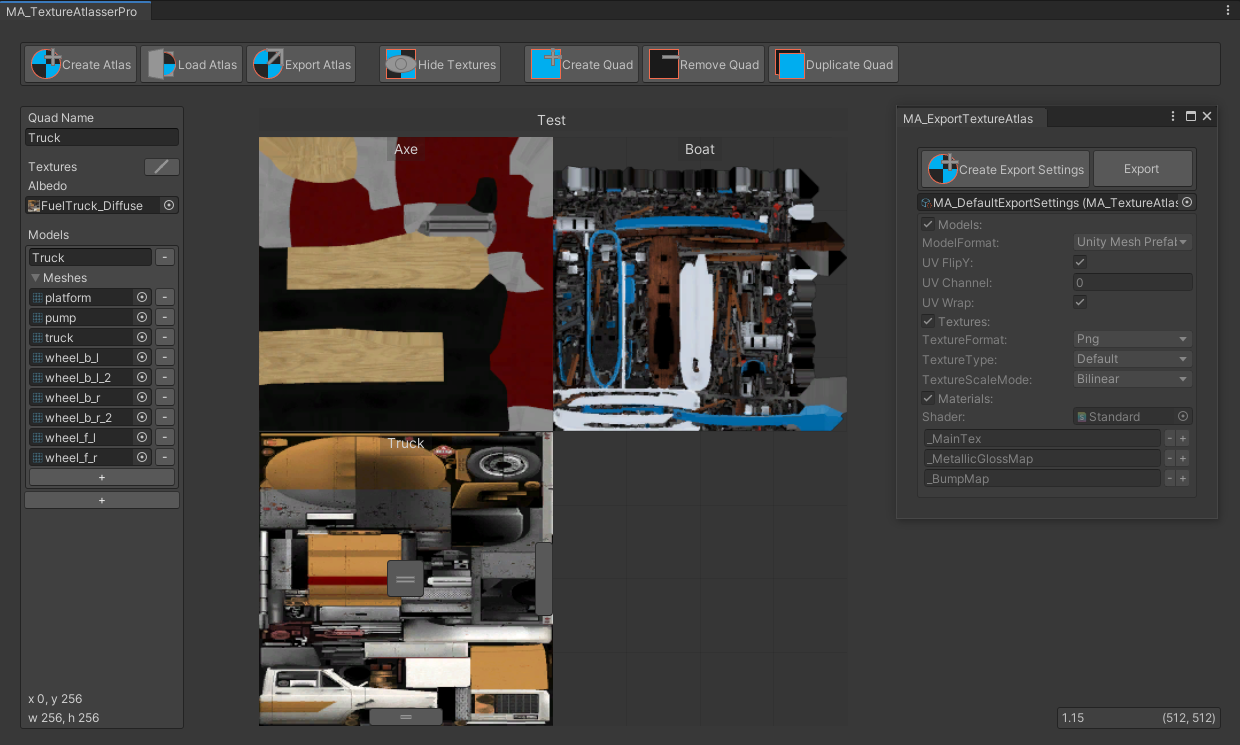
GitHub
Texture atlas creator for Unity. Contribute to maxartz15/MA_TextureAtlasser development by creating an account on GitHub.
bold field
Thanks, im already at work so i will check it later when im finished and let you know how it changed so far
pallid gale
no biggie hopefully it helps out some
bold field
basically the world works fine, just if too many people with poor avatars join the world ~30 its getting laggy, i already found out that the plane which you can create in unity takes like 200+ polygons... my deck of cards used 2 of them so 1 deck = ~150 * 200 poligons.... which caused a batching of ~60 batches. Changed that and now the cause like ~20 batches which seems fine for me ^^.
pallid gale

 light totem
it it possible to make casting shadow without performance drop FP/s from animated object
let's say a door for example?
pallid gale
maybe you could put a transparent quad under the door that has the shadow shape? so that could be animated without using a real-time light
light totem
@pallid gale
hm... this is very interesting thank you i will try that 
pallid gale
crossed my mind as I saw VR game with a spinning ceiling fan that just had it shadow as a textured quad that also turns with the ceiling fan


First thing: thought maybe these fake shadows from the ceiling fan were a light function but no it's a static mesh #gamedev #ue4 https://t.co/Hmjti3IvbJ
Likes
213
 Twitter
·
versed lichen
Twitter
·
versed lichen
orels did that in his mox hideout !
But sometimes a mixed light just casting shadows on a single layer isn't that bad if the effect is important
 static trail
Animating a thing for every frame also causes lag.
Having lots of animated quads could be worse than just using the dynamic light.
Balancing act~ ¦D
 molten bison
Cheapest thing would probably rotating the model with the 3 quads in one mesh in a vertex shader instead of using an animation.
 pseudo steeple
So, Unity newbie question: If I have a bunch of unused assets in my Assets for my project, are those inflating my map file size or does compiling only include used assets in my map?
unique kite
just what is in the scene
hazy pier
pseudo steeple
So, Unity newbie question: If I have a bunch of unused assets in my Assets for m...
Haha no you're good. They don't affect build size.
If you're unsure, download 1's world vr toolkit. it has a build report that shows every asset included in the build
 clever hazel
Has anyone ever had an issue with world point lights being occluded when using a large fov vr headset (valve index). My issue is at certain angles my mixed point lights are disappearing when moving through the world. There are many reports on this being a bug in Unity but I was wondering if anyone has found a solution or workaround. The current fix is to just turn off Occlusion Culling but that is not ideal...
pseudo steeple
hazy pier
Haha no you're good. They don't affect build size.
If you're unsure, download 1'...
Thanks for this, turns out the biggest resource hog was these little fantasy cabins assets from the store. I'll find something lighter
unique kite
clever hazel
Has anyone ever had an issue with world point lights being occluded when using a...
how many real time lights do you have?
Anything not baked is real time btw
clever hazel
unique kite
how many real time lights do you have?
Probably too many, I have 9. I intentionally want them to be mixed to cast realtime shadows on pickupable objects and players. It works fine, it just produces a poor frame rate when looking at all the light surfaces at once due to many lights in a somewhat complex scene. Adding occlusion culling fixes the frame rate issue but adds the problem of lights disappearing at specific angles. I can swap everything to being baked lighting only and no realtime shadows but if I can get occlusion culling working without flickering lights that would be awesome.
unique kite
Yeah, by default unity only allows 8. That can be changed in project settings but VRC only allows 8. Why? Because real time lights are situational and not to be used for scene lighting. Get the number down and then if it persists, boost your cameras render distance. Make sure near is .01 and double far and see if it helps.
Anything over 8 causes the lights to cull
pixel lights btw which are point lights
Also a good idea to make sure the lights are not set to occlusion culling in the static options if you checked it. Never experienced an issue with that, but its silly to have it checked anyway. (in vrc anyway, makes sense to cull lights in large games)
clever hazel
unique kite
Yeah, by default unity only allows 8. That can be changed in project settings bu...
Thanks, I thought that was a possibility. I was just confused through my testing of the issue. The light flickering only happens when I add occlusion culling. If I don't add occlusion culling, all the lights in the scene never flicker, so that lead me to assume it was an occlusion culling issue. I will try to reduce the light count then add occlusion culling and see if the issue goes away. And I did make sure that none of my lights were labeled to be occlusion culled.
If I reduce the light count to below 8 and the issue persists I worry that it is this issue here https://forum.unity.com/threads/point-lights-and-occlusion-culling.901922/

Unity Forum
The same issue as this old thread, amazingly still exists in Unity 2019.2.21f1 (64-bit)....
unique kite
you can also try setting the render mode to Important on the light.
clever hazel
unique kite
you can also try setting the render mode to Important on the light.
I did try setting the render mode to important, but the lights still flickered
unique kite
Sry, I meant after the reduction. If you are over 8 lights on default settings it will always flicker.
or should... The engine turns off lights to keep them at 8 or less with or without culling
clever hazel
unique kite
or should... The engine turns off lights to keep them at 8 or less with or witho...
But what is strange is that they don't flicker without culling.
astral trout
It's most likely related to occlusion culling issues with certain fov's, I hear it can be particularly bad for users on pimax for example. You can certainly have more than 8 real time lights in the scene, unity will only start culling if more than 8 are actually in your field of view at the same time (for the pixel light limits).
Is it happening when the lights are at/near the edge of your view?
clever hazel
astral trout
It's most likely related to occlusion culling issues with certain fov's, I hear ...
So I reduced the realtime lights to below 8 and added occlusion culling and the issue persists. This is the result of me looking at a wall near one of the lights at a specific angle.

This is what it usually looks like
 astral trout
those boxes and candles, are they marked as occluder static?
clever hazel
astral trout
those boxes and candles, are they marked as occluder static?
They are marked as occluder static, should they not be because they are close to the lights?
astral trout
generally, you don't want small objects to be marked as occluders, especially if based on your smallest occluder settings, their occlusion bounds can exceed the actual mesh size and cause issues with things being occluded when they shouldn't be
they're too small to be "blocking" anything anyway
i'd just unmark the occluder static and see if that helps first
clever hazel
Okay I will try that
astral trout
And looking at your screenshot, is there a need for this to be real time? do you plan to allow players to turn the candle on and off or is it going to be on all the time? if the latter you may as well bake the lights.
clever hazel
No this light is not required to be realtime but the realtime shadows on the pickupable items give the room a better feel. That is why Im trying to get it to work as a mixed light before giving in and making everything baked.
clever hazel
astral trout
i'd just unmark the occluder static and see if that helps first
Well I unmarked all the small items around the light so that they are not occluder static anymore, and I decreased the main camera clipping range to .01. But the result is still the same. I have to go to sleep now but I likely try some more things (or give up) in the morning.
Thanks for your help though!
 split wadi
When you build a world, does the SDK only pack the assets used in the scene into the asset bundle?
I have 12 GB of compressed texture assets in the project folder and I've been setting this up in a way where each scene is a separate vrc world
lilac saddle
split wadi
When you build a world, does the SDK only pack the assets used in the scene into...
Yeah it only cares about whats in the scene pretty much
your Unity Project may be much larger but it doesnt matter
split wadi
Awesome 🙂 thank you
 nimble osprey
does deleting unused assets/files from the assets folder optimize it or does it not matter?
versed lichen
anything not in the unity scene is irrelevant
unique kite
nimble osprey
does deleting unused assets/files from the assets folder optimize it or does it ...
The only thing deleting unused assets help with is bootup speeds of the editor, conversion times when switching between windows and android and reducing used disk space. Of course removing unused assets does nothing until the library is refreshed.
 torpid elk
Hiya I looked through the instruction manuals put up by unity/vrchat however I'm still really confused. I made a super simple world. There is not to many things going on so I thought it would run comfortably for Quest. However I was wrong, and I am at a block hold. If you can offer help on how to properly optimize this little project I would greatly appreciate it
(This is my first ever world. It works just fine for PC, I need it however for quest.)
gentle gust
what simple world are we talking about to begin with? what does it look like?
torpid elk
Lemme get some screenies
It's gonna four areas total, the main room which will be a little couch lounge, the bedroom which is by spawn, then maybe a kitchen. Rn I was testing it just with the spawn area (was adding stairs rn)
Just was fixing a visual issue rq
torpid elk
Spawn

Bedroom (The little wood button on the desk next to the bed makes a mirror pop up infront of the bed/window)

This will lead to the lounge area when finished.

I made it a very bare bones world. Just enough detail to work but otherwise it has VERY little
unique kite
torpid elk
I made it a very bare bones world. Just enough detail to work but otherwise it h...
So what is happening on the Quest end that is raising the concern?
torpid elk
Anytime you join it just sends you right back to home world?? It does this weird loading loop then just sends you home. I already made it able for public joining/instance making. And it dosen't bring up the normal "This is only for PC line." when on quest
it just does nothing
For quest at least
works perfectly fine for PC, and I know for a fact it is at least not to detailed for Quest
unique kite
Sounds like you have an incompatible Quest shader then. Standard works for worlds but it is more taxing. You can use the World toolkit while in android mode and it will point out quest breaking shaders. Usually a loading loop is caused when a collider is missing under spawn, but if it works on PC thats not it.

GitHub
Unity Editor extension for making VRChat worlds. Contribute to oneVR/VRWorldToolkit development by creating an account on GitHub.
when looking at the world debugger for the toolkit you can ignore any standard shader warnings if you want to keep them.
they are required anyway for your plants 🙂
torpid elk
Ah so I found another issue
I forgot to put it into Android mode
Aka I am trying to switch build target and it won't let me?
Lemme get the target support lol
unique kite
if it wont let you, close unity, open the hub, click installs, find your unity version (31) select it and choose add modules. Add Android.
torpid elk
Thank you, you've been very detailed so far and it is helping alot
gentle gust
torpid elk
Spawn
real time light, pbr materials, maybe not even joined nor atlas'd textures
thats what i could see from the pictures alone, it would need quite some work to make it optimized, but baking lights should have the most impact
i would highly suggest making the objects with blender and then import them into unity via fbx file. you can make it however you like and better that way
torpid elk
gentle gust
real time light, pbr materials, maybe not even joined nor atlas'd textures
that...
i have no experience with Blender, however maybe? This is meant to be a small project and I am willing to put in effort but that requires learning another completely foreign way of working as well
gentle gust
making worlds optimized is not an easy thing to do
alternatively you can try using Skegchup Make. its a lot simpler, but more restrictive too
torpid elk
True true, and I know that at least, that it is hard. Suppose I gotta find time to learn a new medium
gentle gust
if you dont lole blender you can use any 3d modelling program
maya and 3dsmax are fairly common too
 frail star
Hi, i have a question for optimizing vrchat worlds, i'm in the middle of making my map and i've been using modular pieces (for walls mostly, the rest is pretty fine), is this good for map making? should i use a single mesh or is it more efficient to do it some other way (for baked lightings and what not)
i just wanted to ask this before going any further with making the map before i keep going as to not re-do too much work
gentle gust
its always more efficient to merge meshes together
 rigid onyx
actually, I'd have to recommend keeping meshes separate in worlds. Works much better with occlusion culling that way.
 night marsh
rigid onyx
actually, I'd have to recommend keeping meshes separate in worlds. Works much be...
night marsh
rigid onyx
actually, I'd have to recommend keeping meshes separate in worlds. Works much be...
True but it also adds much more load to the rendering when you see most of the world. IMO, one mesh is all you need unless it's a large map. Then it should be chunked out/split up a bit to allow more occlusion culling
gentle gust
rigid onyx
actually, I'd have to recommend keeping meshes separate in worlds. Works much be...
it depends on what you keep apart. having the room itself one mesh is good. having a shelf and all its objects on it one mesh is also good. having 2 shelves at opposite sides of the room together is pretty stupid cuz of occlusion culling
rigid onyx
while true, in context of a modular system like was originally asked about, it works perfectly fine to keep them as-is. of course, combining skinned meshes should be done, but with static geometry, the gain from combining meshes is minimal at best. Really, it all depends on the context of the world.
pallid gale
something that also might be helpful would be making texture atlases out of your non tiling textures so that the static batching can combine more stuff together
nimble osprey
Im tryna install probuilder to uv map a few things/make edits but i dont see package manger in the topbar which i need to install it
 signal sinew
nimble osprey
Im tryna install probuilder to uv map a few things/make edits but i dont see pac...
signal sinew
nimble osprey
Im tryna install probuilder to uv map a few things/make edits but i dont see pac...
It should be under Window>Package Manager, though if it's not you'll want to check for console errors and if none, restart Unity. The Package Manager isn't incredibly stable in Unity 2019 unfortunately, so running into some weirdness isn't a big surprise sadly enough.
frail star
night marsh
True but it also adds much more load to the rendering when you see most of the w...
Yeah I think going for modular pieces will be better for the occlusion culling. It's a bit chonky in file size but runs better after load
It's relatively big map
frail star
rigid onyx
while true, in context of a modular system like was originally asked about, it w...
Yeah, it's just static meshes, walls props and what not
frail star
nimble osprey
Im tryna install probuilder to uv map a few things/make edits but i dont see pac...
Also you need to enable preview packages if you can't find it
nimble osprey
i found it thanks
 midnight hornet
How do I disable so the grid wont be through objects like Unity was before? :S
 solemn tapir
The grid is showing through, because it looks like your meshes are simply under the height of the grid.
midnight hornet
solemn tapir
The grid is showing through, because it looks like your meshes are simply under ...
They are not under tho
frail star
midnight hornet
They are not under tho
You sure your pivot on your meshes is centralized?
If you didn't mess with the grid it should be at 0
If so they're probably under
midnight hornet
frail star
You sure your pivot on your meshes is centralized?
Im sure, I also dragged the objects long above, still visible and the objects almost turns transparent when its higher up lol
frail star
midnight hornet
Im sure, I also dragged the objects long above, still visible and the objects al...
How's the render mode for the grid?
midnight hornet
frail star
How's the render mode for the grid?
Shaded
I noticed tho when I uncheck post processings, it disappears..
 lilac saddle
Quick question about optimization, half of my worldsize is the fbx, is there a way to reduce that?
versed lichen
What kind of mesh is that ?
lilac saddle
The main mesh of the world itself. Basically the entire "house" is one mesh.

It's like 40mb according to the build report, world itself sits at 59 after crunching
pallid gale
that's not too terrible
lilac saddle
Desktop FPS sits around 90 before you start turning on mirrors, but I was interested to see if it's possible to crunch the size down even more 😛
midnight hornet
lilac saddle
Desktop FPS sits around 90 before you start turning on mirrors, but I was intere...
Decrease the quality of the textures you are using, that will help alot, decrease it to an 'ok' amount
pallid gale
have you had somebody with VR come in and test
lilac saddle
pallid gale
have you had somebody with VR come in and test
Yeah sitting at a comfortable 70 FPS
Just chilling on desktop right now because I just released it into labs and want to get feedback from people using it 😛
midnight hornet
frail star
How's the render mode for the grid?
Ok so I unticked this box and it disappeared, But I have to use this for the lightning :S
 pallid gale
lilac saddle
Yeah sitting at a comfortable 70 FPS
pallid gale
lilac saddle
Yeah sitting at a comfortable 70 FPS
so there's definitely more performance that could be squeezed out of it
but good to know it's not terrible performance
solemn tapir
lilac saddle
It's like 40mb according to the build report, world itself sits at 59 after crun...
You can typically get away with compressing the FBX to at least low or medium with virtually no loss in quality. If you click on the FBX in the inspector there is a compression section that defaults to none.
lilac saddle
solemn tapir
You can typically get away with compressing the FBX to at least low or medium wi...
Thanks dude!
lilac saddle
pallid gale
so there's definitely more performance that could be squeezed out of it
Looks like it's sitting between 70 and 120 depending on setup, so it's not too bad I'd say 😛
pallid gale
good to know
lilac saddle
Kinda wish there was a "google analytics" for worlds, sure the unity profiler exists but it'd be interesting to see metrics like "average fps" 😛
lilac saddle
solemn tapir
You can typically get away with compressing the FBX to at least low or medium wi...
God bless, down from 59 to 37

Now I can pack more shit into this world 😄
versed lichen
Could benefit from separating the model into a lot more pieces but yeah, you can set mesh compression to medium and that's pretty much it
lilac saddle
Yeah it's already pretty manageable, but figured I might as well try and get it a bit smaller so I can toss some more stuff into it without getting into 100+ territory 😄
midnight hornet
Isnt post processing v3.2.0 compatible with vrchat unity version?
Stuck on 3.1.1. cant upgrade
pallid gale
yeah if it's in smaller pieces you can have it not render the stuff that's not in the room you're currently in
 lilac saddle
I think the world is small enough to not bother doing occlusion culling
pallid gale
perhaps but you still can't culling frustrum if it's all one mesh and for reference one fbx file and one mesh aren't the same thing
lilac saddle
Yeah I'd have to pull everything apart to do that
But given that I'm sitting at a comfortable 90 FPS on Desktop with a 1080 and have had reports from other users getting above that on VR I think I'm fine FPS wise for now 😛
pallid gale
I guess my question is is the furniture all part of the same mesh or were you just referring to the physical house
pallid gale
then you're fine then
as a house isn't going to be super high poly compared to like a couch you downloaded off the internet
lilac saddle
Yeah I try to keep most assets to a sensible poly count lol
pallid gale
cool
lilac saddle
I've seen avatars with shoes that have insane poly counts 
pallid gale
that doesn't surprise me
midnight hornet
Ok about the issue I had with the grid, this shows exactly whats causing the issue.. But I dont wanna make a world without it lol. Anyone knows if it is a simple setting or something?
solemn tapir
midnight hornet
Ok about the issue I had with the grid, this shows exactly whats causing the iss...
I mean. The grids only exist in the editor, It doesn't show up in game when you upload. Really don't matter. Just toggle them off or lower the opacity in the Grid settings while you're working. You can disable the visibility of the grid lines while still having grid snapping as well if that's what you want. I have no idea why PostProcessing Layer on the main cam causes the grids to display over everything, far too lit rn to try and think of why that would be the case. Could just be a bug, no idea. Regardless, It's very easy to work around and doesn't stop you from using Post Processing at all.
so yea either
1: disable grids
2: lower opacity of grids to keep grid snapping
3: or toggle PP off while working and toggle it back on when you upload
Options at the top of the scene. Personally, I've always left it off.
 midnight hornet
solemn tapir
I mean. The grids only exist in the editor, It doesn't show up in game when you ...
midnight hornet
solemn tapir
I mean. The grids only exist in the editor, It doesn't show up in game when you ...
yeah been doing that so far, just thought there was a fix :I But thanks
 agile yew
Oh lord, launched my world in VRchat and it's un g o d l y laggy. It's fine in CyanEMU but on VRChat it's insane
NVM, steam was just overloading my disk
 harsh wharf
stfu
 toxic ruin
What
 rigid patrol
thx mate
 still stag
poggers
 clear salmon
im doing great thanks
 spice dome
Bro fuck off
 tall harness
Goddamn bot attack
 blazing tinsel
ty mod.
 livid valley
??
 loud nacelle
🐟
livid valley
-_-
 native wasp
lame
 maiden osprey
wtf
harsh wharf
imagine getting hacked because of "free nitro" yikes
tall harness
close the channel and stop the fools
 echo lintel
shut ur mouth
 quiet whale
cringe
 merry pebble
harsh wharf
imagine getting hacked because of "free nitro" yikes
merry pebble
harsh wharf
imagine getting hacked because of "free nitro" yikes
Forbidden fruit
 cyan quail
bro
merry pebble
LMAO
 wanton grotto
bruh
pallid gale
a bunch of spam Bots
 obtuse pilot
oop
 timid rose
 oh no i was pinged?!?!
 polar sphinx
umm hey lads
 warm tartan
timid rose
<:vrcAlert:456567567742402560> oh no i was pinged?!?!
warm tartan
timid rose
<:vrcAlert:456567567742402560> oh no i was pinged?!?!
there was a spam raid
timid rose
warm tartan
there was a spam raid

 idle grail
warm tartan
there was a spam raid
idle grail
warm tartan
there was a spam raid
i had left a server where there was a racist hate raid, it was bad
 plucky yacht
warm tartan
there was a spam raid
plucky yacht
warm tartan
there was a spam raid
oh, I have been pinged as well, guess it was spam
 last sinew
is there a generally recommended limit on toggleable mirrors placed in a world? also, is there a recommended limit on how many objects in your world should use the video player material?
unique kite
last sinew
is there a generally recommended limit on toggleable mirrors placed in a world? ...
1st answer is no. If they are off by default go nuts. 2nd is about the same, as long as you arnt trying to load different video (which you can), multiple screens showing the same image isnt going to hurt you unless you are just completely unreasonable. Remember, that material is on a mesh so each screen is adding more objects with more poly. So a million might hurt. Basically you are fine unless you act like they are eggs in minecraft.
last sinew
ok thanks
 marble plover
Hi, I've got some textures from the asset store that are 4k and are taking up ~20mb Each, how do i down size them to optimize?
versed lichen
crunch compression at 50
marble plover
I did that and they are still massive
Would i have to re uplaod the world to see the change?
marble plover
Rocks 🙂
sure one sec


This is my second attempt at making a world, im veryyyy new to unity also
versed lichen
ah, if you haven't reuploaded then yes, the toolkit won't know the difference yet
it only updates on build
marble plover
oooh okay ill test it out
if i just upload it again, it will override the old world, right?>
versed lichen
yep
or you can launch a build and test with 0 players, that'll do nothing on your end but the toolkit will update
versed lichen
You'll want to bake your lights eventually, but it's hard to know what you current performant is without seeing any stats
Could already be good enough
You can set the objects mesh options to have mesh compression set to medium
marble plover
ill check that out, thanks again
 leaden plank
whats a raid
last sinew
do emissive materials have a significant effect on performance?
last sinew
yeah they are baked. just seems like they might cause some visual distortion. but i'm not sure
deep flower
emissive materials also have no performance impact if they don't contribute to global illumination
 rigid sluice
And even then - they need to have this called on them RendererExtensions.UpdateGIMaterials(rendererToUpdate);
last sinew
do quest worlds use post processing? should i take out high quality mirrors for quest?
jolly heath
If I have multiple skyboxes, are they all kept in vram, or just the currently active one?
merry elbow
What exactly am I looking to tweak optimization-wise with a reference camera for the world?
versed lichen
uh, aside from camera render distance, i'm not sure
jolly heath
Optimise peoples playing experience by lowering the near clip to 0.01 
 toxic stag
merry elbow
What exactly am I looking to tweak optimization-wise with a reference camera for...
toxic stag
merry elbow
What exactly am I looking to tweak optimization-wise with a reference camera for...
If you don’t need HDR (for example, when there is no post processing), turn it off.
 cobalt leaf
jolly heath
Optimise peoples playing experience by lowering the near clip to 0.01 <:vrcFPaul...
cobalt leaf
jolly heath
Optimise peoples playing experience by lowering the near clip to 0.01 <:vrcFPaul...
iirc it actually will undo this when built
it'll just use default
i think
versed lichen
it will clamp to 0.03
cobalt leaf
that's what i thought
unique kite
versed lichen
it will clamp to 0.03
What do you mean it will clamp to 0.03? Like if you didn't set the reference camera? Because if you do set the reference and leave near at 0.03 you get the warning that it should be 0.01. There are also several videos showing avatar views clipping if the near is not 0.01 in specific situations.*not sure why I remembered it being .03, its just muscle memory now to set it to .05 or lower *
solemn tapir
That's not correct. As stated, it clamps at 0.03.
It defaults at 0.3 (not 0.03)
There is no warning you speak of, because it shouldn't be set to 0.01. I just opened unity to test this and never got an error. Only error I see is VRWorldToolkit warning me of having too wide of a ratio (which is good because I'll mild rant about that in a second) but there is no SDK warning.
Avatars that have near clip issues, are smol avatars. Lowering the default of 0.3 to the min of 0.03 tends to fix this. I often make worlds specifically sized for smol avatars and don't have an issue at 0.03. You have to exceed the min avatar size limits set by the SDK to really induce issues that require even smaller near clip, though this is prevented from by the SDK for a few good reasons. The minimum height allowed by the SDK tends to not have issues at 0.03 min.
This also is a terrible "World Optimization" tip, as increasing the ratio of the far clip will induce rendering issues and has a potential loss of performance. The wider the ratio of the far clip and near clip, the more likely you are to induce float point errors. The ratio should be kept as narrow as possible for your world, especially for quest. The ratio can be fairly wide on PC, but on Quest, it can very, very quickly induce really bad rendering issues from float point errors that leads to all of your meshes shaking violently and objects clipping into other objects so the ratio really should be kept as narrow as possible for your content.
In order to actually set a near clip sub 0.03, you need to violate tos and use illegal modifications in game.
People often have issues at the default 0.3, so they get told erroniously or just since it's the lowest value unity will allow on a camera, they set it to 0.01 and go "wow my issue is fixed" but setting it to 0.03 would have done the same because once it's uploaded, it's clamped, it's just that most wouldn't notice and finite testing of this is difficult and not easily apparent as you're talking about very small value differences.
 misty olive
versed lichen
Could benefit from separating the model into a lot more pieces but yeah, you can...
misty olive
versed lichen
Could benefit from separating the model into a lot more pieces but yeah, you can...
Do separated objects brought in through the same fbx behave the same way as multiple fbx files of single objects? I'm trying to figure out how I could build scenes in blender using the new asset browser and also benefit from having these objects separate in unity.
Like they come in as separate game objects in Unity, but it is still the same fbx
versed lichen
Yeah they do
unique kite
unique kite
What do you mean it will clamp to 0.03? Like if you didn't set the reference cam...
huh... Nice novel though
 solemn tapir
unique kite
huh... Nice novel though
solemn tapir
unique kite
huh... Nice novel though
It's been the General wisdom for years that it's clamped at 0.03 and you can see this from posts by devs and mods going back many years in the discord. everything is still accurate in my post in terms of performance, and it clamping, as you can't set it to 0.01 and that it clamps to a higher value. I also tested this and saw no warnings like you claimed using the current sdk, but I don't show "tips" and who even knows if the "tip" is fully accurate without testing it.
Thus my post clarifying near clip and explaining why the original post is bad advice for anyone else who sees it as a high ratio is bad for optimization and float point errors.
Unless someone decides to actually test and verify clamp value, I'll revert to the long held stance of it clamping at 0.03 until it's proven otherwise, if you can set it to 0.01, cool, but I'd need to see it verified and regardless, it would be a bad idea for many reasons which I listed for others who stumble across the post later in search.
versed lichen
0.01 would still be terrible for precision issues and generally things being in your face which is very uncomfortable imo
cold prairie
solemn tapir
It's been the General wisdom for years that it's clamped at 0.03 and you can see...
The screenshot is not from the SDK and yeah the value is clamped between 0.01 and 0.05
cobalt leaf
What does mesh compression do? Can it make things look worse? I've never used it.
If it doesn't do too much bad I might start using it. Though I've never had meshes really cause size problems
oblique pivot
cobalt leaf
What does mesh compression do? Can it make things look worse? I've never used it...
It should just compress the mesh
Shouldn't change Polly limit
Believe it's like putting an fbx in a zip
rose wolf
i would compare its compression to how float point accuracy is handled. it generally just makes the mesh file size smaller
cobalt leaf
Ah ok
I guess I'll use it some
But I don't usually have problems with mesh file size
rose wolf
if your mesh is tightly wounded/ has quads right on top of the floor, youll get zfighting
cobalt leaf
Ah ok
oblique pivot
rose wolf
if your mesh is tightly wounded/ has quads right on top of the floor, youll get ...
0.0 quest level zfighting on pc
cobalt leaf
Fr
oblique pivot
cobalt leaf
Fr
Probably not that bad
oblique pivot
Quest is like 10cm it still zfights lul
cobalt leaf
Yeah
rose wolf
high mesh compresion is about what youd see on quest, but you can do the same ref cam thing you can do in blender to make zfighting happen less
cobalt leaf
I make everything I do for Quest and it can be annoying sometimes.
cobalt leaf
rose wolf
high mesh compresion is about what youd see on quest, but you can do the same re...
Yeah I try to make it so the clip ends where it wouldn't be noticed
Most of my maps utilize fog or darkness to do that.
I don't really try to optimize much but I've noticed some of my maps run better then the ones made out of cubes lmao
rose wolf
probs unbatched or reinstanced cubes
rose wolf
theres a lot of weird optimization differences you have to think about for pc and/or quest only content
rose wolf
thats more like an organization thing, but if you go click on a gameobject-> go to the inspector tab and on top right, theres a dropdown for batching static
theres also methods in optimizing the hierarchies but it doesnt do too much imo
cobalt leaf
Oh ok
I managed to have a world that has a full mirror and not drop too many frames on Quest.
Ofc I have a toggle to make it a lq mirror
But most people don't even ask about it lol
rose wolf
imo, there should always be a full mirror option
but never have it be on by default ofc lol
cobalt leaf
This is the only world where I have it on by default
But unless there are alot of people it doesn't really do much to Quest people (like me lol)
But I have a toggle for it incase it makes people lag.
 cerulean harbor
special trick to reduce world size? - or.. no?
lilac saddle
cerulean harbor
special trick to reduce world size? - or.. no?
crunch compress all the textures ez
versed lichen
cerulean harbor
special trick to reduce world size? - or.. no?

GitHub
Unity Editor extension for making VRChat worlds. Contribute to oneVR/VRWorldToolkit development by creating an account on GitHub.
cerulean harbor
lilac saddle
crunch compress all the textures ez
hmm i will see if i can find that toggle 😉
cerulean harbor
versed lichen
https://github.com/oneVR/VRWorldToolkit/releases
checking this out now
rigid sluice
Specially you can use that to see what all is being included in your build. Many times you'll find it is including random junk you can get rid of.
unkempt summit
Got a question regarding vrchat's specifications. Lets say in a 40 player instance, does VRChat process all voicechat that may not be heard, or only those that could be. I currently have specified a huge radius for voicechat (so that the world sounds lively), but i wonder if it improves performance by specifying a smaller radius
Since obviously processing audio can be a very heavy task, I wonder if there is any culling optimizations on voicechat that I may take advantage of to improve performance (for Quest users)
 shrewd harbor
Hey, with the Unity store having a sale on right now, what are the best go-to tools for world optimization?
 surreal gust
amplifi imposters? are they any good?
 bitter mural

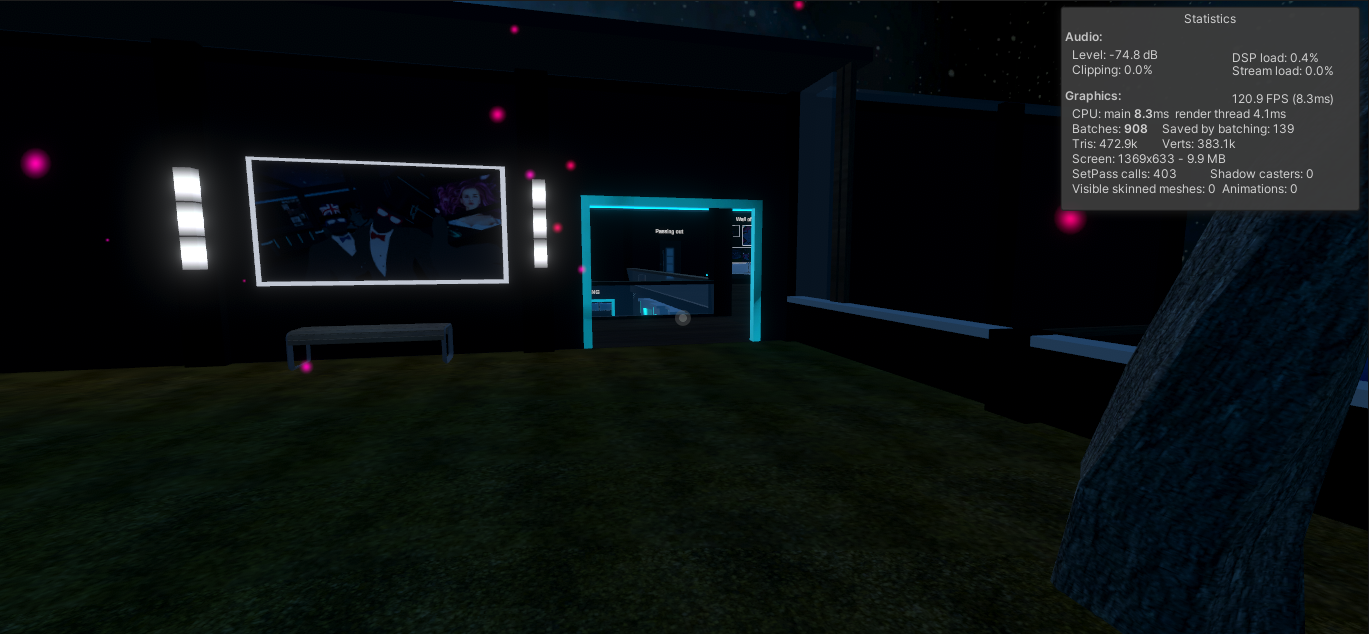
.png?width=828&quality=80&disable=upscale)
 autumn glade
The shader tool Amplify itself is good for learning shaders, it’s kinda like building them with blender nodes
hazy pier
Just a single pickup object, no. But it depends on whether it has a rigidbody or is synched. Too many of those, and can affect people's frame rate.
lilac saddle
dont make a ballbit full of pickupable spheres nonono
 silver lynx
I thought I sent this in world optimization, but did it in the avatar one previously by accident ><
But…
So I’m semi new to world creation, I don’t do it much… but isn’t the standard shader really heavily unoptimized? Is there a way to optimize it? Or a shader that looks similar and more optimized?
twilit atlas
standard shader is fine; it depends what you need from a shader to determine if there is a shader suiting your needs
there are a lot of different performance bottlenecks
eg unique material count seen by the player
 remote eagle
Is anybody good at interpreting Frame Debugger info? I'm a little lost & I think 15m via screenshare might clear up some of the confusion. This is greek to me.
 hearty moss
Any way to make a text shader for quest? or does that not work?
 hasty acorn
im trying to make a world in vrhcat and when i build and test the world in unity my avatar is small as hell and the world is huge... how tf do i make mysaelf spawn bigger ?
versed lichen
you scale the world down
 oblique dust
hello, can anyone help me with "objects have different materials" with the draw call thing
gentle gust
more materials = more drawcalls = less FPS
to improve that, make atlas textures, combine meshes that make sense etc
oblique dust
gentle gust
more materials = more drawcalls = less FPS
to improve that, make atlas texture...
Yes, i try to fix that, but i dont understand how
gentle gust
oblique dust
Yes, i try to fix that, but i dont understand how
i tend to bake all textures in blender, others make a atlas before they model and assign directly while modeling, some use CATS
oblique dust
gentle gust
i tend to bake all textures in blender, others make a atlas before they model an...
Mhm, do you mean it would be better to make the world in blender?
And i have another question, the fps fluctuate between 10 - 30 fps quite quickly, even though you're just standing around, what could that be?
gentle gust
yea, making everything in blender first usually yields the best results. no idea about the FPS tho
oblique dust
gentle gust
yea, making everything in blender first usually yields the best results. no idea...
it think vrchat itself have fps troubles, all my friends have fps problems nvm which world, we are on a high fps world and it fluctuates all the time although you should have 90 fps all the time
and when you open the menu drops the fps
 white river
for some reason using some free prefabs drops the fps when i run into them in vrchat, any ideas of the cause ? they dont have any weird scripts or anything they pretty basic and their shaders and materials are standard, so im kinda confused to why this is the case.
i rly wanna figure a way to optimize them without having to replace them cus they look nice
example this shelter


as u can see no weird scripts or any, just mesh renderer, materials, standard shaders, so im wondering what makes it drop the fps so hard everytime u run into it, like literally if i run into it my fps goes from a stable 50+ to 10-20 fps.
versed lichen
What's the poly count ?
white river
versed lichen
What's the poly count ?
im trying to look for where to find that so i can post it
it said it should be here but i assume it is not ?

okay i assume this is the polycount

hm so looking at that, it might be worth to just replicate the prefabs by myself from cubes to reduce the count ? i assume 55k verts + 70k tris is very high? i aint sure why it is this high it seems quite wild compared to just being a shelf
versed lichen
Nothing there should make you lag at all
You should use a box collider for them though
white river
versed lichen
Nothing there should make you lag at all
hm yeah that is very odd then, i also have this world quest compatable and my quest buddies told me that they drop frames aloot tho i made a toggle for interior and once they toggled that off it removes alot of the lag, ontop of that i discovered on desktop / index that if i run into the object or hold W into the shelf example it will endlessly drop the frames to 10-20
versed lichen
Actually the mesh collider could definitely be the cause
I didn't notice you said "run into them"
white river
versed lichen
I didn't notice you said "run into them"
yea i know it sounds odd but its how i figured they dropped alot of fps, because i purposely ran into them which made it drop the fps
versed lichen
If it's trying to calculate 70k worth of mesh collider whenever you bump into it, yeah that could do it
white river
but i see thats great to know, i will rework all of it towards box colliders then or atleast what i can do and see if it fixes it hopefully.
- and i see it might would make sense as when i first imported these they had no colliders at all i believe i put a mesh collider on manually.
- thanks for quick response and support rly appreciate it, atleast i have some clues and stuffs to work towards now.
versed lichen

white river
- if anyone reads this conversation above - Yes, it seems it was the mesh colliders, after changed into box colliders on the furnitures / interior parts and what not the Fps remains stable, never knew personally that mesh colliders could mess up like that :p thx again Ruubick<3.
lilac saddle
where is the players option for vrc mirror?
 versed lichen
Setup the layers through the SDK first
lilac saddle
from control panel?
this is the layer for the mirror, I set up layers but it still doesnt show the extra settings

im gonna restart unity
didn't work, are those the vrc layers?
because the control panel doesnt tell me to add layers, which im pretty sure i already added them
versed lichen
lilac saddle
is there a way to reinstall the layers perhaps?
 quartz shard
Question maybe sobody know in blender why i can see my terrain only half its a big terrain and how to close that so i can see the full terrain?.also what should be the terrain how many triag. And verti. So i can use a meshcolider so ppl not lag in quest like what is the max i schould be?
 obtuse bear
Camera view range.
The number of polygons for the mesh collider is about 1k in total
 granite crypt
what the maximum world size upload for PC
oblique pivot
with occlusion do i go dence or 1 for smallest occluder
(i consider dence like 0.075-)
trying to understand occlusion
all i understand is smaller the blue squares more accarate it is but bigger file size
solemn tapir
oblique pivot
with occlusion do i go dence or 1 for smallest occluder
You want to use as large as possible of a value for your smallest occluder and smallest hole. These settings will drastically impact both file size, as well as CPU overhead for calculating what's being occluded in the frustum.
Start with really large values, bake, check file size of the bake, and then test the bake by clicking the "Visualizations" tab in the occlusion window, and then select your camera, select "camera volumes, visibility lines and portals" in the occlusion culling visualization window in your scene window to see what it is doing and move your camera around to confirm the quality of the bake.
0.07 is tbh absurdly small. Most worlds would be fine with values of 2-10
You also want to give the system view volumes. You can create one by clicking on the object window in the occlusion tab, then selecting Occlusion Area and clicking to create a new one. This will define areas where the player typically will be so it can generate higher quality data in those areas, saving data in others.
oblique pivot
so a setup like this is probably a bit over kill
 solemn tapir
Depends on your world tbh. If your world is pretty big, yea, prob overkill.
As mentioned, it doesn't just increase file size, it also increases CPU overhead.
oblique pivot
that 1 room is the entire map, if you dont count the large black void cube to hide skybox
solemn tapir
You don't have other rooms?
oblique pivot
nah just that 1 bedroom
solemn tapir
Then there's no reason to use Occlusion Culling
solemn tapir
Occlusion culling is to allow the engine to determine what meshes are behind other meshes so it can cull it. Unity does Frustum culling by default, which renders everything in the view frustum out to the far clip value of the camera, regardless if the object in the frustum is behind a wall or solid object. Occlusion culling lets you bake information about solid objects so that unity can apply culling to objects behind other solid objects.
your world is a single room, so there is no reason to use occlusion culling
oblique pivot
granted im trying to get 120 on quest, in vrchat, in a world that contains something
solemn tapir
You'd be better off by combining everything into a single mesh within reason and atlasing your textures to reduce overhead and ensuring your baking your lighting.
oblique pivot
fairs
solemn tapir
But yea, in your setup, don't use Occlusion Culling, you'll just waste file size and performance overhead for nothing. Merge, combine, and reduce draw calls, that should be your mission :3
oblique pivot
isnt draw calls mainly cpu tho
IG its also GPU andwith
tbh ill probably expand this at some point so ill just leave it something like 2 as it had issues with things in my quest pov cliping out
ehh that 1 fps difference wont matter for time being
ill just remove culling till needed
 shut oyster
So my world is not slow by any means, but I would like to have it as optimized as possible, so...

Is there a better way to handle these lights? I feel like copy and pasting lights is probably not the optimal way to do this
versed lichen
As long as they're getting baked at the end, it doesn't matter
shut oyster
...How do I know if they are getting baked?
versed lichen

You can support me on my pateron
https://www.patreon.com/mcphersonsound
This is a longer tutorial than normal and there is a lot to cover so here are time stamps for your convivence.
00:00 what is baked lighting
00:35 setting up lights
1:23 preparing meshes to bake
2:30 generate lightmap UV
3:28 light probes
5:10 reflection probes
6:00 emissive ...
shut oyster
That means that they are static right?
They flicker when you look at them funny so I assume they are realitme
Is there a shorter answer than a 18 minute video...?
I suppose that means no, darn. Time to learn baked lighting hah
Wait nevermind there is a toggle on the lights themselves for "Baked"
pallid gale
still good idea to watch the whole video as it covers the whole lighting process
shut oyster
Yeah... I am just a bit tired at the moment. I have been modifying this world non-stop for a bit long
I need Ness's dad from Earthbound to call me and remind me to take frequent breaks
 hearty ore
I'm having some very bad occlusion culling baking (I've cleared it multiple times)
In editor, everything looks fine, but in game, things do not look fine.
Any way I could remedy this?

in editor preview
 versed lichen
You should rely on the physics debugger, it will help show you potential unintentional stuff in the way
hearty ore
Will do when I take a peek next. Thanks for the tip
 neat peak
If i have several smaller rooms with teleporting in between, do the rooms the player isnt in affect performance or are the just not rendered locally?
I was thinking of making a maze of different rooms
but unsure if the complexity of an out of view room would have impact
agile hawk
You can make it so that it doesn't. If you change the reference camera you can make it so people can't see as far. This way if you have rooms of ~10m size you can set the far clip plane to 12 (as an example) and have each room only 23m apart. Without having to do occlusion culling. Though, you have to set the far clip plane from the position of the largest room.
solemn tapir
Could also use area triggers. Culling using far clip won't disable running udon logic if there is any in any of the rooms as that only culls meshes. Occlusion culling works fine but there's a CPU overhead associated with it as well as a file size impact so it needs to be leveraged correctly. But yea. Area triggers also work good
agile hawk
Area triggers don't hide avatars. Maybe the best combination would be Far clip + area triggers for teleport rooms.
hearty ore
going off of <#world-optimization message>,
There are some trigger colliders which could possibly be in the way, but I would think the visualization would reflect that. They aren't even static, so they should not be baked as static occluder
Would these cause issues regardless?

 fading drift
is there a way to check the MB size of a scene before upload?
 maiden plover
fading drift
is there a way to check the MB size of a scene before upload?
maiden plover
fading drift
is there a way to check the MB size of a scene before upload?
on build it shows in the logs
that's the only way I know
twilit atlas
fading drift
is there a way to check the MB size of a scene before upload?
https://github.com/oneVR/VRWorldToolkit
very useful but the displayed amount is not always the uploaded one (because of further compression on vrc's end i assume)
 unique moon
Hi, does anyone have an idea how to get a more accurate sync of a ball in VRChat? For the local player, collisions work fine, but the other players only see it oscillating rather than really bouncing from the walls.
 eager wave
Is 113,000 tris ok for a quest world?
versed lichen
Yes
hearty ore
do any of the mobile shaders support reflection probes
 void cipher
Is it possible to setup Source-like render reigons where if you are two or more render reigons away it doesn't render anything within the area?
 torn crypt
void cipher
Is it possible to setup Source-like render reigons where if you are two or more ...
torn crypt
void cipher
Is it possible to setup Source-like render reigons where if you are two or more ...
Don't have much Source experience, but Unity's native occlusion culling system seems fairly similar to visleaf
If you mean handling it "manually", i'd look into occlusion portals! https://docs.unity3d.com/2019.4/Documentation/Manual/class-OcclusionPortal.html
 cinder tusk
I'm planning to offer an options menu to let players toggle things in my world to improve performance. The main ones I've noticed are bloom, post processing, reflection probes and cameras. Is there anything else I can change during run time to improve performance for low end machines?
Especially super low end, as I have one test player with a desktop mode for example who was getting sub 24 fps while I was at 90
 river kelp
Hey friends I just started in unity, im just adding assets for decor into the scene and then combining them into one world object. Any other tips beyond this for optimization?
hybrid ridge
If its part of the enviroment, you should make it static, Occluder/Occlude if the object can hide or be hidden by other objects, reflection probe and navigation if you use those, Batching hold off till the next list before proceeding

Also for the material for the object

If the material is used in multiple places with multiple identical models enable GPU instancing
Otherwise use static batching