#3d-modeling
1 messages · Page 103 of 1

 spiral sigil
Oh yeah no, they look great


 cloud spear
wheres the amazing vr modeling software ?
when can i just do it all in vr and with good resoloution / fine tools
 quaint jasper
 naive helm
Im still very new to 3d modeling, is this any good?
naive helm
Im still very new to 3d modeling, is this any good?
Use dyntopo and smooth !
cloud spear
cus gravity sketch and masterpeice vr isnt it
quaint jasper
You'll get smoother geometry everywhere which makes it easier to adjust
cloud spear
that model kinda looks like yugo from wakfu
quaint jasper
cloud spear
cus gravity sketch and masterpeice vr isnt it
Gravity sketch it great https://youtu.be/-uTAueGck2w
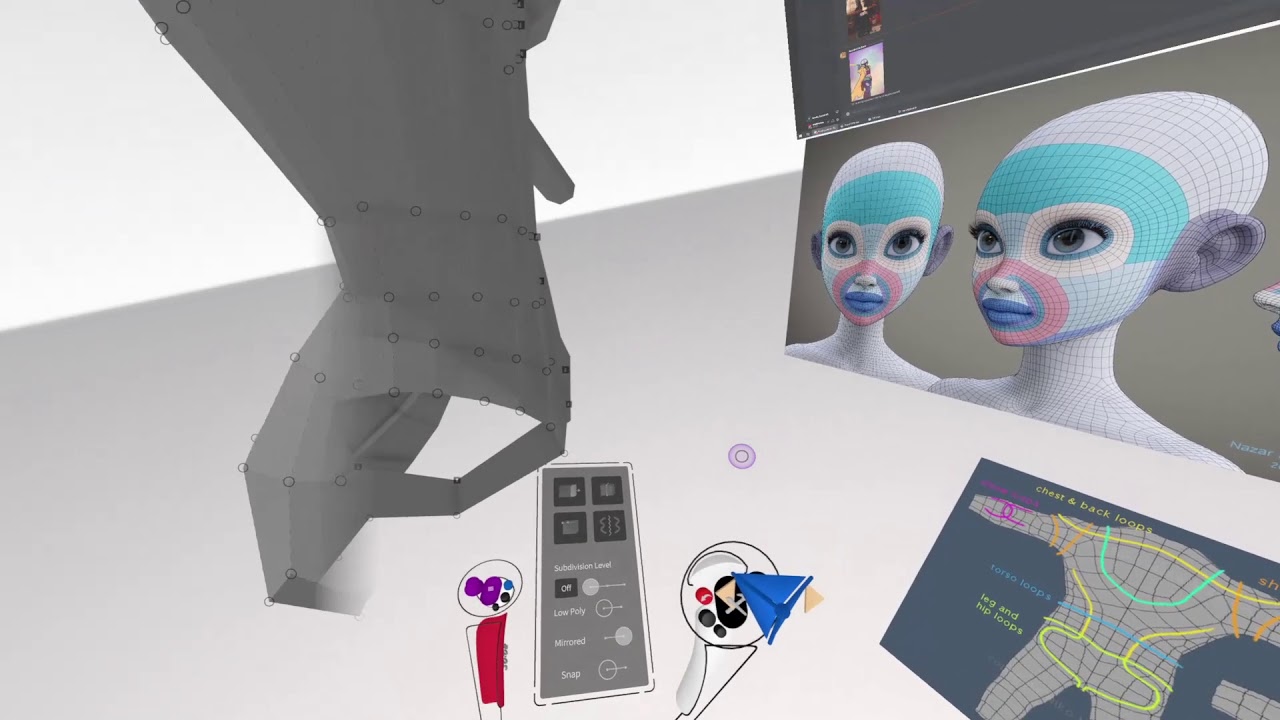
I did a really bad job of documenting it, but didn't want to just delete all the footage I had.
I literally didn't explain anything, but just DM me if you want to have any questions. Twitter is @MMMaellon
Apps used:
Gravity Sketch VR (Becomes Free on Jan 25th)
Blender
Clip Studio Paint
Songs used:
Glacier - Vantage
senzawa - kiss yo homies
naive helm
idk who yugo or what wakfu is
cloud spear
yeah i dunno how to opperate splines in vr tho
that so confusing to me
id rather like shape mold like a clay sculpture
naive helm
Just looked it up, yeah it does :0
It was supposed to be just a red panda wearing like goku type pants idk lmao
 cloud spear
lol
naive helm
Also put on a tv head for him

I'm scared to go any further I dont want to mess it up
naive helm
undo only goes so far
@quaint jasper I wanted to redo it since I didnt think it could be fixed

How would I remodel him with new topology tho
like with poly building
that would work?
When I did that before it put holes in it
sorry idk if i should put the @spiral sigil or not I dont like bothering people haha
i was actually looking for that
omg
tysm
I feel like crying I WAS LOOKING FOR THAT FOR HOURS
quaint jasper
When you don't use the word retopology it's pretty hard to find what you need
 cinder cradle
@naive helm doesn't your temp folder in windows have older versions when you didn't break that
naive helm
It gradually broke
cinder cradle
temp folder holds auto saves.
naive helm
and I wanted to do this anyways since I needed to
cinder cradle
well k


 signal helm
Cool
@naive helm some tips to make your model looks more cool, always check the autosmooth👍🏻
 manic phoenix
im now in the process of cleaning up and rescanning my face and hands for my 3d scan of myself. once it is cleaned up i will be able to rig it and send it off to vrchat

this was created with around 1.5 gigabytes worth of photo data
ive already cleaned up the body and you can see the reason i have to clean up the hands an face

 south saddle
I’m guessing you did that with a drone with 3D map scan for planing roots normally but I guess this works
 young vault
You could do AV3.0, but, if you really want 2.0, you can separate it by separating the eyes from the main mesh with p and then rename the shapekey and join all the meshes.
 clear geyser
You don't have to remake it. Put your blink blendshape in left blink only and put right blink to basis and it'll generate fine
 hardy lake
hello guys, can someone help me understand how i can retopo/optimize an open zipper on a jacket? im thinking of retopoing it to a kind of a box shape, and then using cutout, but im really not sure how would that work?

or does alpha only work on flat planes?
young vault
Uh, it'd work, but, it'd look pretty meh. Have you tried thinking about how many points really need to be there to give the illusion of a zipper?
Or rather, have it look like one
Cause a zipper has 9 main points. Six on the body, and 3 on the connector. And then it's all about how many control points you want in between (at least 2 to give it some curvature). So, one side of the zipper would at least to give the illusion of a somewhat detailed low-poly zipper is 11 vertices, on two sides, so 22 vertices total.
hardy lake
young vault
Uh, it'd work, but, it'd look pretty meh. Have you tried thinking about how many...
so you're saying it needs to be actually modeled anyway? just super low poly
young vault
You could go away with planes and have them double-sided too.
hardy lake
yeah but im afraid a flat zipper would be very noticeable in vr on a jacket T_T
young vault
It would
 quick panther
 reef stratus
@neat viper it goes black and purple when i have it into render mode
 neat viper
either might not have a material, or might be using the wrong texture on the material o:
in Object Mode, select the model and check to see if it's using an image texture? o:
 reef stratus
how do i get into object mode
neat viper
note that you should be in it automatically when you open Blender o:
 reef stratus
ohhhh haha sorry
neat viper
you're fine! c:
reef stratus
neat viper
either might not have a material, or might be using the wrong texture on the mat...
how do i check that because i dont know
neat viper
Image I linked describes it - if the Base Color field looks like this, it's using an image texture
 reef stratus
agh i dont know where thatis im sorry its just very confusing for me :(
neat viper
you're fine! Click the Material Properties tab here:

would def recommend looking into some tutorials on Blender 2.9 as well c:
 neat viper
It is using an image texture then, from what I can see o:
also note that you can drag that side-panel out to make it wider
neat viper
that's fine! It means that it's just using an image as it's texture lol, though it's weird that it's showing up as purple and black
reef stratus
yeah some parts that are meant to be red are red but almost everything else is black and purple
neat viper
also just to verify, are you in Material Preview mode? o:

also might want to check to make sure that all the materials are using their respective image textures (specifically the color/albedo textures in the Main Color channel, and not the normal/roughness/specular etc maps in the Main Color channel instead)
reef stratus
im in material preview mode now
reef stratus
neat viper
also might want to check to make sure that all the materials are using their res...
i dont know howto do that
neat viper
Check to make sure that the image texture's name looks right (a material named Head would probably have an image texture called "head_color" for example) on each material - you can switch the material you're looking at by clicking on it in the list

obviously texture names vary wildly but yus lol
 quaint jasper
Why do you have dozens of materials in the first place ?
clear geyser
Make sure the alpha on your materials is set to 1

Those settings are right underneath your materials. Just gotta scroll down a bit
quaint jasper
Click next to the material list too "remove unused materials"
reef stratus
clear geyser
Make sure the alpha on your materials is set to 1
should i do that to everything
reef stratus
quaint jasper
Click next to the material list too "remove unused materials"
where would taht be
clear geyser
reef stratus
should i do that to everything
If it's show up black then yeah
reef stratus
should i still do the ones that are pink
clear geyser
The ones that are pink usually indicate that Blender can't find the file path to your texture. You can go to file --> External Data --> Find missing files. And from there select the folder where your textures are located


 quaint jasper
S
cinder cradle
s for scale
you first need to select bones which you want scale and press s
ofc in edit mode
 gritty vapor
done
 cinder cradle
looks cute
gritty vapor
she might work with the police
cinder cradle
she looks like she is tired.
gritty vapor
but she doesn't wear shoes in public because she is a furry
cinder cradle
that is understandable
 frigid swift
could someone help me with attaching stuff like a hat to my advtar
 violet charm
How does it look so far? Editing everything together. Need to make sure the wrists are good with the jacket
 signal helm
That looks pretty good👍🏻
 latent mesa
gritty vapor
working on her police officer avatar
latent mesa
gritty vapor
working on her police officer avatar
another fox girl to join :3
 vital drift
latent mesa
another fox girl to join :3
vital drift
latent mesa
another fox girl to join :3
meow :3
latent mesa
vital drift
meow :3
meow meow :3
 vital drift
latent mesa
meow meow :3
vital drift
latent mesa
meow meow :3
I said meow cause you said fox girl.....I was trying to be the funny 😢
latent mesa
why sad face? 😦 I was tryin to be cute back
vital drift

 stark ore

vital drift
 vital drift
my offbrand model of my friend MR_EM

 lament pond
 signal helm
Kawaii
 jolly verge
anyone want a custom anime avatar?
 carmine wedge
 signal helm
Cool
carmine wedge
finally finished hh
 carmine wedge
yeah im thinking about turning them white
cinder cradle
try white and gray
carmine wedge
ok
 vapid tendon
im new to blender and when i load blender i just get a cube how do i make it a sphere
quaint jasper
I'd suggest you find a basic tutorial on youtube, or you'll have to ask a question for everything you want to do
 fossil drift
i tried
i need help just adding it to unity and save it'
i need someone to do it for me bc i tried two hours straight
cinder cradle
adding avatar to unity isn't hard if you watch tutorials
 median harness

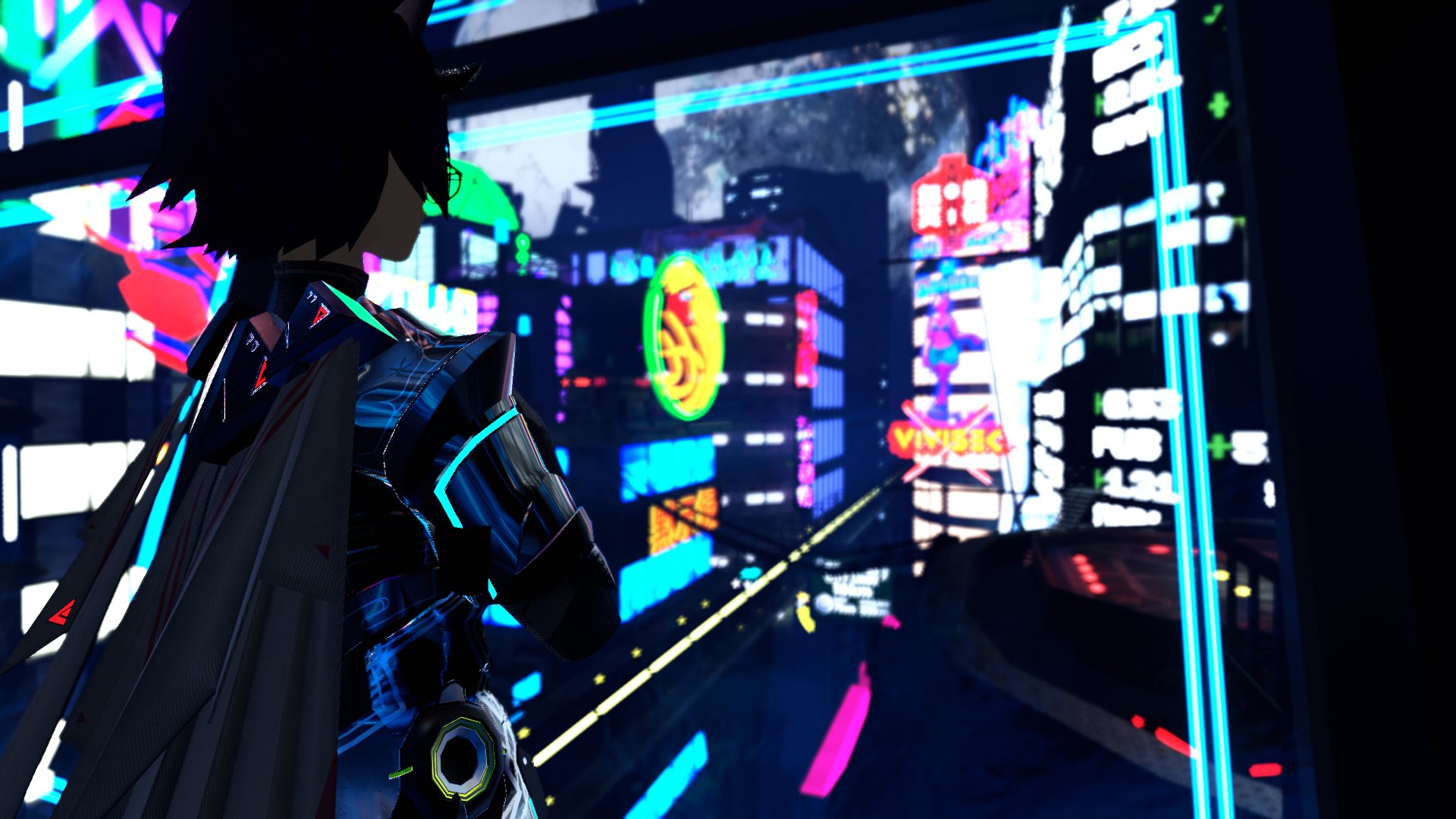
Over the last few weeks, I've modeled two player characters from PSO2 for VRChat. Meet Eden and Emilia, a Deuman Luster and CAST Phantom respectively. More pictures in replies!

 Twitter
·
Twitter
·

 signal helm
Very cool
violet charm
Anyone know whats up? Its together in Blender
 quaint jasper
The hair needs to be weight painted to the head bone
violet charm
Okay thanks
violet charm
I found vroid hair and put it into Blender as part of the model and it worked that way
 thorny ivy
Update of that head model I shared a few days ago. Flatted the sides, adjusted the ears so they fit accordingly, repositioned the eyes, shaped the sockets to actually wrap around them and look more natural, filled out the brow arches more, made the lips more pronounced, and sculpted the cheeks/jaw further. I'd like to hear what @young vault has to say specifically since they gave the most feedback on the previous iteration.

Previous iteration can be seen here.
End-goal is mature/older but somewhat chubby as the body is similar; definitely not lacking any meat.
violet charm
Youre good Cinna. Detail is great
vital drift
if you know MR_EM then meet Sir_DNA

 visual vigil
 vital drift
Feesh
 lime marlin

Some more "final" renders on my new character!
100% done by me Sculpt>Retopo>weight painting >UVs in Blender+Texturing in Substance
#VRChat #3dart #characterdesign #SubstancePainter
 Twitter
·
Twitter
·


 signal helm
Oof wow
 pearl arch
so i was wondering of like theres things like not making avatars but more of like little sections like making helmets or say stuff they can hold, do people do that and is that something i can get into?
 steady zealot
pearl arch
so i was wondering of like theres things like not making avatars but more of lik...
steady zealot
pearl arch
so i was wondering of like theres things like not making avatars but more of lik...
Not sure what you mean. You can definitely make those things if you want to. If you're asking if there's a specific place to show them off, this channel is fine for it
 tight quartz
How do I add bones to a part. As you can see I wanna make that small area of fluff moveable since it looks really weird in VRChat

I am new to adding bones to models, and the videos on Youtube is not really helping me.
neat viper
In Edit mode with your armature selected, either make a new bone from the Add menu and move it up to the part you want, or extrude from an existing bone with E - then make a new vertex group with the same name as the bone and weight-paint to that
also, would probably recommend #avatar-rigging instead though keep rule 15 in mind o:
 neat viper
lmao you're fine! c:
 zenith blade
heyo, i took a break for a few months to upgrade my potato and opened up some on my experimental in progress stuff, i was new then so i'm still new to 3d modelling.
Know what might be causing this? I figured I'd try and solve it to practice troubleshooting errors but I have no idea
I like the way the model looks, and iirc its a vroid model edited but none of the other in progress versions look like this.

 brave compass
New-ish to VRC But decided I wanted to make my own avatar, so here's one I've been working on on and off. Have her uploaded and working, but still need to fix a few skinning issues and add more facial animations for emotions and stuff.
 vital drift
still trying to remember how to 3dsmax well, but im liking it so far :~
 vital drift
are you able to mess with smoothing groups?
smoothing groups make the shape smooth, instead of rough looking for very jagged, i guess thats how i can explain it
naive helm
Hey could I get some help with my model ? Its supposed to look like this

I made it so sorry if it looks shit lol
But the fbx exports it as this monstrosity

backface culling is turned off on all materials
brave compass
Looks like potentially a smoothing issue to me. Might want to shade it smooth in blender first before exporting.
 brave compass
One way to do it, yep
naive helm
faces or edges?
brave compass
try faces first

 quaint jasper
How do you always manage to get that topology ?
naive helm
Wdym ?
quaint jasper
Do you not enable dyntopo like we suggested ?
quaint jasper
Do you decimate it to 0.1 at the end ?
Ok, you can still do retopo manually then, won't be too difficult
naive helm
I honestly suck at it ,_,
makes it look less polyed than before
But about the transparency ? any help with that
quaint jasper
Flip normals
naive helm
How?
quaint jasper
By selecting the mesh and doing flip normals
naive helm
alt n?
quaint jasper
idk, i use the search bar for most things i don't use often
 quaint jasper
by fixing the mesh
naive helm
Oh wait flat faces shading fixed it
quaint jasper
but then you're back with an unsmoothed mesh
naive helm
Wdym?
quaint jasper
You shouldn't use flat shading on a mesh like that
 spiral sigil
bruh
zenith blade
Powerful
naive helm
BRUH LMAO

 vivid crater
 clever bramble
I need help with something, I just imported a model and it is very... tiny.

how do I make it bigger?
cinder cradle
press a and s to scale
clever bramble
my cursor turns into two arrows and just moves the model around.
cinder cradle
moves around? that sounds more like button g
clever bramble
does that make the model get larger?
clever bramble
I just see white lines outwardly extending.
zenith blade
I'm really new to blender but typically I find that problem is solved by joining the meshes if there are multiple.


 vital drift
feeesh
 tame sinew
Does anyone know of a free model of a docking bay from Star Wars? Or even a landing pad?
spiral sigil
hi
zenith blade
Anyone have tips on reorganizing a messy blend file? I know about remove unused mats, but just general organization tips would be cool.
 languid fog
@zenith blade do you mean the scene?
neat viper
would recommend CATS blender plugin - especially the bake feature o:
Combines materials and can make a Quest-happy decimated version of your avatar in a couple clicks
zenith blade
I'll mess around with the bake feature, thanks, my biggest struggle so far is asking the right questions haha

 carmine wedge
took forever

 lean yoke
Im importing a model that i worked with a year ago, and it was fine back then, but when im importing its see throuth now and even if i flip the normals, its still see through. But when i import into unity, it looks fine.
 spiral sigil
export it as an fbx file
 paper drum
Do I just upload it after that?
I dont know anything about rigged models
Just the rigging in blender

 devout scroll
paper drum
I dont know anything about rigged models
devout scroll
paper drum
I dont know anything about rigged models
Look at standard unity humanoid rig
Pretty much any vrchat avatar tutorial should go over it
devout scroll
Set the rig type to humanoid then configure it, look up a tutorial
There's only like 2 steps in unity
paper drum
Ok thanks!
 lusty wren
should i just make the tux?
paper drum
Ive been losing my mind with the tutorials since none of them explain what to do if you model from scratch
lusty wren
or just like a tie?
zenith blade
paper drum
Ive been losing my mind with the tutorials since none of them explain what to do...
I've been watching rainhet Chaneru. Theres a very in dept series from scratch to uv, weight paints, etc. I was actually here to ask a question about how mirror modifiers transfer to unity, I mirror drew my eyelashes but only one showed up- I just went back and duplicated and flipped the one i had and it worked fine aside from needing to fix the blink
I think I misunderstood how the mirror modifier works when I was watching rainhet
 still wadi
gotta apply it
zenith blade
Thanks. Your old streams are my other go to when I'm looking for tips or solutions!
carmine wedge
(wip) inspired Kuchisake-onna

 wintry hull
Does anyone know how to take a mesh in blender and apply back face culling when no shader is on? this is for my models hair.


 frank plank
How do I toggle clothes like change them on a 3.0 avatar that is made in vroid
quaint jasper
wintry hull
Does anyone know how to take a mesh in blender and apply back face culling when ...
Why are those two meshes separate ?
quaint jasper
frank plank
How do I toggle clothes like change them on a 3.0 avatar that is made in vroid
wintry hull
It's one mesh when I export i'm just working on separate pieces of the model
frank plank
How with a vroid model
devout scroll
wintry hull
Does anyone know how to take a mesh in blender and apply back face culling when ...
Solidify it
(F3 to search for it in edit mode, it doesn't have to be the modifier)
wintry hull
got it and it worked, thanks 👍
 cinder cradle
to test you need to be new user too i think
quaint jasper
Read the thing
cinder cradle
?upload
 split graniteBOT
You must obtain at least "New User" Trust Rank in our Trust and Safety system in order to upload content. You can get this by just spending a few hours in VRChat, hop some worlds, and make some friends. Give it some time and you'll be able to upload content in no time.
As an aside, you must have a VRChat account to upload content. That means you can't use a Steam account, Oculus account, or Viveport account to upload content like worlds or avatars.
Source: https://docs.vrchat.com/docs/frequently-asked-questions
cinder cradle
to test you need to be new user too
frank plank
quaint jasper
<#730948173379535022>
I tried to ask them but they would ignore me or tell me to come here
quaint jasper
Look for tutorials in that case, but it's not a question for this channel
 heady onyx
@carmine wedge Your models are cute AF
carmine wedge
awww ty
frank plank
quaint jasper
Look for tutorials in that case, but it's not a question for this channel
That’s why I came because the tutorials either only use one or use some other object
 frozen marsh
I'm a sculptris user having trouble with high poly count, please dm me to help me and lower poly some of my models and you will get 3 free models
quaint jasper
Retopology/decimation
 queen elbow
frozen marsh
I'm a sculptris user having trouble with high poly count, please dm me to help m...
queen elbow
frozen marsh
I'm a sculptris user having trouble with high poly count, please dm me to help m...
3 models for a solution THAT easy?
Ruuubick gave you the solution btw
frozen marsh
i didnt know what retopology meant but i found mixamo
if mixamo was a person i would pay them
violet charm
Hey. Where do I go for Avatar weight painting? I recorded a session and noticed the back of my hair flopped all around
 chrome hare
in blender, click the mesh, then go where it says "object mode" and change to "weight painting"
then on the right side you can open the tab with an upside down triangle icon to see your bones
spiral sigil
yes
 bold urchin
I'm curious about how other people would handle this.
Not a question about fitting the feet into the shoes.
My question is how people will handle for when I want to add something so I can have the shoes and not have the shoes. Because the positions for the feet and the toe bones don't much up very well when the boots are removed etc.
How exactly would I get this to work and look good? Because of if I just use the bones from the shoes and turn off the shoes, I'll just be floating like four inches in the air. But if I use the bones from the feet as my basis when I have the shoes on I'll be embedded in the ground when using the shoes.
I'm not sure what the best way to approach this is..
 bold urchin
That's a bit of a yikes I suppose. Hm.
devout scroll
I think people use blendshapes to change the foot to fit whether there's a shoe or no shoe
But I guess you'll need the bone to match the shoe either time
quaint jasper
Yeah corrective blendshapes seems like the best way
naive helm
You know in edit mode when you're selecting something and it doesnt quite select everything you tried to select
like the back of the model doesnt get selected-
How could I uh- fix? that
talking about blender
I cant find anything online about it
spiral sigil
xray mode/ wire mode ?
spiral sigil
If you're on 2.8+, it's a small button in the top right of your edit/3d view that looks like two squares overlapping one another
2.79b and below, I believe it's on the bottom toolbar with a similar icon
 vivid spindle
quick question...I know people commission avatars to be custom made...What about clothing?
vital drift
bold urchin
I'm curious about how other people would handle this.
Not a question about fitt...
I think she needs to wear her shoe correctly 😂

 white moth
How do I get surface normals to not do this? I want a smooth sphere, it's smooth in blender.
 neat viper
Make sure that the polygons aren't marked as sharp in Blender - also, trying a toon/flat shader might help too if possible?
white moth
Looks like it's the shader itself ignoring smoothing for unity shadows
swapped shaders
spiral sigil
im taking art and making them into models so this is what i did so far this is my first time
 quaint jasper
You should look into SVGs
spiral sigil
is that a software or a file to use in blender?
quaint jasper
file type, i'd suggest you look up how to make one from your image
hardy lake
i have an issue that when my avatar is crouching the knees go inwards, how can i fix that?
 hardy lake
 spiral sigil
side view is fine
the lower leg is slightly bend backward, that's what you want
but from front you
the leg bones are bend inward
that's bad
you want them to be completely straight
hardy lake
spiral sigil
you want them to be completely straight
alright, thank you so much! do you reckon it will be alright if the bone is slightly outside of the knee? if i push the middle point between upper and lower leg outward
spiral sigil
I couldn't tell you since i've never seen that type of rig configuration
leg bones are normally always connected
paper drum
Does anyone know how to use mtoon to make a material look metallic?
paper drum
Nvm, it's fine ish now
still wadi
@hardy lake u need to straighten them out and then match the mesh
they go inwards cuz they are bent inwards
hardy lake
still wadi
<@!462039248250470410> u need to straighten them out and then match the mesh
thank you for the advice, i straightened the bones, now i need to test it in vr ^^
 proper wyvern
So I have layers on a dress. What is the best way to highlight the layers if the dress is black?

Also how to fix this weird issue?

Like I have no idea why its being like this and its not the metallic thing.
 neat viper
You might have overlapping polygons, or flipped normals?
proper wyvern
Nope. Neighter of those is the issue. 🤔
I tried out those weird shading options in Blender and it somehow flipped this up I think...
neat viper
Shade Smooth can look weird without a lot of polygons o:
proper wyvern
I really hope its not going to look like this in VRC..
neat viper
If the issue goes away with the different shading setting in Blender, it's likely fine lol - obv how it'll look in VRChat will depend on the shader
proper wyvern
True... I just WANT this... It looks sooo good... 😫 💖 I actually made a dress and it should be so simple that I hopefully have very little issues in making this avatar excellent.

 halcyon citrus
I wouldn't worry too much since depending on the shader, it'll likely fix that issue.
Also messing with the material like specular might help if it's too distracting to work with.
vital drift

 unborn acorn
proper wyvern
True... I just WANT this... It looks sooo good... 😫 💖 I actually made a dress ...
unborn acorn
proper wyvern
True... I just WANT this... It looks sooo good... 😫 💖 I actually made a dress ...
Maybe try making the edges marked as sharp
This is without the sharp

and heres an example with the sharp edges applied

 proper wyvern
uuuu... 🙂
vital drift
done, i think.... might edit some things on, then its rigging time

 wild valley
don't suppose any could give me a hand working out how to go from a stl file to one i can use in vrchat
neat viper
Import the STL into Blender, unwrap it's UVS (and rig it if needed) and export it as an .FBX c:
wild valley
Thank you zuvali
neat viper
yw! c:
 cedar steppe
is there any way i can delete the bottom half? the neck bottom part keeps sticking out of every model so im trying to figure out how to delete the bottom part
 neat viper
Select the mesh in object mode, go to Edit mode and select the verts/edges/faces you want to delete, then press Delete
cedar steppe
cheers
 proper wyvern
thorny ivy
proper wyvern
thorny ivy
snake hook is your best friend in sculpting.
thorny ivy
Okay, so, what do I do with it exactly?
proper wyvern
Drag the mesh the way you want it to go, then smooth/add to it if you feel like it. Snake hook is an interesting tool. It works in mysterious ways but once you figure it out its your best friend. Trust me.
 thorny ivy
So should I have the eyelids be seperate from the actual face mesh or part of it?
Looks part of it from the pic.
proper wyvern
The tool moves the mesh in a circular manner. It goes which ever direction you move your mouse to. Use that info to your advantage. I used that took a lot when I sculpted my avatar.

Part of it.
thorny ivy
Alright. Should I shape the eyelid first and then combine the two or using the pre-existing face geo to create the eyelids?
proper wyvern
First make the hole for the eye, add the eyeball, then shape the eyelids around them.

Sculpting Beth Harmon from The Queen's Gambit with Blender in under 5 minutes!
▼ My Gumroad Store (Sculpting and Texturing Course, Recordings, and More Cool Character Stuff!):
https://gumroad.com/yansculpts
▼ Help Support Me On Patreon and Get Rewards In Return!
http://patreon.com/yansculpts
▼ You can follow me at (Social Media):
✏ Ins...
Watch this video
Just made this in like 5 minutes just to prove it to you that snake hook is a life saver.
 wild valley
I know it seem dodge but its not i have a modle thats in a .unity3d format is there away get it to a use able file type like fbx or obj that i can then use in blender
(Its a dnd charater i have on tabletop sim from hero forged)
thorny ivy
Think my issue is the geo around the eye. It's already semi-shaped around it but the depth(?) is throwing me for a loop.

 proper wyvern
How the flip did you manage to do this?
thorny ivy
...do what?
proper wyvern
Are you sculpting or doing this the other way?
That is INCREDIBLY clean for a sculpt
thorny ivy
Sculpting mainly with manual adjustments for some vertices.
I started with a base I found online but made heavy modifications, especially after I replaced the eyes with my own.
proper wyvern
Well get ready for your beautiful work of art to look like a mess since now youre going to go into tool and check the dyntopo on and start using the snake hook to mold the eyelids around the eyeball. Its going to add a lot of vertz but you can EITHER decimate them or just retopologize the face after the sculpting phase is over.
Basically you use the tool like this:

While also from the side view you do this:

Then you smooth it and repeat until it looks good enough for you
Personally I went with the decimate route since I couldnt get the retopology thing to work on my end but for each their own 😄 Its good enough and my avatar is excellent so HA! First time making something from scratch and im damn proud.

Original before decimation:
 thorny ivy
How does this look?

 wintry vector
how come sometimes I can see seams in substance painter and they're really noticible? But the seams are required to unwrap the UVs correctly. So how can I mitigate this?
violet charm
Finally got my avatar done. Now can work on the animations. The textures is always the hard part

 fringe rock
Looking forward to see you post more in this discord about it.
fringe rock
wintry vector
how come sometimes I can see seams in substance painter and they're really notic...
Add more padding
thorny ivy
Made a fair bit of progress. Added eyelid edge, tweaked the geo, and then resize the eye + socket because they seemed quite small when I actually took a look at the whole head.

Due to the resize, need to make the eyelids actually hug the eye again but now that I know what I'm doing, shouldn't take too long.


Eye texture is a WIP, not sure how transparency works in 2.8/2.9 so decided to half the lense so the pupil can actually be seen.
The dark black is actually 100% transparent for the texture but Blender's rendering as black for whatever reason.
 rancid sigil
hey Guys, does anyone got good creepy face textures for male avatars or knows how to find or even make them? its my first time creating my own avatar and its a little bit hard to get in all that stuff xD
 strange wadi
Was wondering if anyone could give me some feedback on anything I could do to improve this, anything that looks wrong (not sure if I need to censor this or not it doesn't have any genitalia or anything but discord won't let me send it if I don't)

New to 3D modelling humans, this is my first attempt at a female body and third attempt at a human in general so go easy on me please

 median pike
proper wyvern
Personally I went with the decimate route since I couldnt get the retopology thi...
median pike
proper wyvern
Personally I went with the decimate route since I couldnt get the retopology thi...
youre going to get problems when rigging the face if you dont have proper topology. decimation isnt enough in a case like this
proper wyvern
median pike
youre going to get problems when rigging the face if you dont have proper topolo...
Im aware. Im not going to make the face move so on my end its all good the way it is. 🙂
Like theres literally only one eye you see so its not really needed.
median pike
its still good practice that I recommend you do.
proper wyvern
median pike
its still good practice that I recommend you do.
Ill do on another avatar at some point once I figure out why the snap to tool doesnt work with my sculpts. I literally need to use shrinkwrap and cylinders to retolopo things.... Its that ridiculous.
median pike
these are my settings and they work just fine

than when moving things I just hold CTRL
proper wyvern
Those are the ones I used as well but they dont snap.
median pike
and usually on top of that I have a subdiv surface and a shrink wrap modifier
are your meshes normals correct?
proper wyvern
median pike
are your meshes normals correct?
Aand this is the moment when I need a translator because I dont know what you mean with this question X3
median pike
are the normals on the mesh flipped or no?
turn on face orientation and see if they are flipped or no

red means flipped blue means correct
thorny ivy
strange wadi
Was wondering if anyone could give me some feedback on anything I could do to im...
Bulk up the shoulders, arms, and legs as a whole. Poor gal's practically a stick figure everywbere but her hips and waist.
strange wadi
Thanks, will do. They were originally really bulky, probably overdid it when I made em smaller
thorny ivy
Don't need to make her t h i c c or anything but barely more then bones right now.
strange wadi
Yeah I get that, I actually made em smaller on a friend's suggestion originally
thorny ivy
There's slim and then there's that.
Try to follow the natural shape bodies typically have in a healthy weight range.
strange wadi
This was before the most recent change I made to the shoulders, that look alright?

I originally made a male model that I adapted into this, the arms on that were originally huge
thorny ivy
Shoulder slope does look better.
strange wadi
Alright, thanks for the advice I was thinking they were looking too small by this point
cedar steppe
anyone know where i can find a model i could use to replicate this shoulder
 thorny ivy
Remember that bodies vary person-to-person so there's no definitive shape they have but they do follow the same basic layout and the same rules for structure.
languid fog
strange wadi
I just open the chat i saw that...i think i going to have nightmares tonight ,_,
strange wadi
Thanks man, not like I spent time and effort on that or anything
languid fog
Btw it is like Cinna said, try to have a "flow" on your mesh

Like that
More natural
But that depends on your taste
 languid fog
Perfect
thorny ivy
Pick a shape that seems fitting and go for it.
Alternatively, just look at refs which seem good for what you had in mind and go from there.
languid fog
@strange wadi did you sculpt it?
strange wadi
No, I've just modelled it normally
languid fog
Oh ok
strange wadi
Arms look a little better now cinna?
 thorny ivy
Seems like 90% of the stylzed female avatars suffer from anerexia (being underweight) so they aren't a good basis for semi-realistic avatars.
strange wadi
Yeah, I think that is a problem, stylised usually just means sexualised
thorny ivy
Better, yes, but still need more meat on them. Try to have them match the shoulder in bulk.
strange wadi
At least with female models. Not trying to go for that here, I want to try make it realistic proportions
Do the shoulders look alright to you in that latest image?
That's sorta how I had them originally
thorny ivy
Her forearms are still non-existant by the way.
strange wadi
Yeah, I don't have a lot of time but I'll work on that later
thorny ivy
This is a side-view but could make a decent ref.
 strange wadi
Thanks, appreciate it
By the way, while you're here this was the male model I made originally, I know the chest is scuffed but anything else on that?
 thorny ivy
Arms still look whack, legs lack any real muscle shape.
Basically, ask yourself "could I see a regular person who looks like this IRL?"
strange wadi
Problem there is besides myself I don't see many guys in underwear IRL lol
 spiral sigil
horny
spiral sigil
3 liters won't be enough
strange wadi
That'd be a cool thing to 3D print if you could make it functional mechanically
 knotty hawk
even though the vertices have been merged, it still looks like this, anybody know how to fix this?
 proper wyvern
strange wadi
By the way, while you're here this was the male model I made originally, I know ...
proper wyvern
strange wadi
By the way, while you're here this was the male model I made originally, I know ...
Ask yourself this question: "Am I or am I not going to have clothes on this avatar and how much of my work on the muscle tone is truly going to be seen underneath said clothes?"
strange wadi
I mean with both of them I'm giving them clothes, just wanted to learn how to model a body properly with them really
But the arms and legs might be visible depending on what clothing it is
Kinda the reason I didn't put too much energy into fixing the chest on the male model
proper wyvern
strange wadi
I mean with both of them I'm giving them clothes, just wanted to learn how to mo...
Ahh... Well id recommend learning to draw body proportions before making them 3D just because theres so much material on that in books etc. It helped me at least. Id say that youre doing a pretty good job though. I drew a few definitive lines for you to put your attention on if you truly want to make an in detail body.

I seriously spent way too much time trying to draw with the screenshot tool XD But yea.

Basically im trying to say is that you should focus on these details:

Also best reference is you so go in front of a mirror and play with lights.
frozen marsh
proper wyvern
I seriously spent way too much time trying to draw with the screenshot tool XD B...
For some reason this buff creature is cu5e
strange wadi
Oh damn thank you so much man I really appreciate that, super useful. For the male model I was primarily using a mirror for it, didn't really have any other reference. Which is why I struggled so much more making the female one.
I have zero drawing skill which kinda rules learning to draw them out
frozen marsh
Cute*
strange wadi
Uh thank you haha I thought it was more creepy tbh
frozen marsh
I wonder if someone here rigs jaws
strange wadi
Based it on my pfp
proper wyvern


 proper wyvern
Like you can kinda use these as a reference but not too much since this do be a spider creature X3
 frozen marsh
I should not be allowed to use 3d modeling software
frozen marsh
proper wyvern
Like you can kinda use these as a reference but not too much since this do be a ...
This looks amazing yoooo
proper wyvern
 stark ore
Nice body sculpt
proper wyvern
Years of 2D drawing and art classes...
proper wyvern
Just ignore the hands X3 This sculpt is still unfinished.
frozen marsh
I can't see the hands
proper wyvern
Keeps saying upload failed XD
proper wyvern
Im trying to upload a screenshot but apparently my dimensions are wrong for discord
frozen marsh
Dang :(
stark ore
I been working on a 2d/3d hybrid avatar, coming along nicely. Depends on alot of av3 logic to work
 frozen marsh
I love it
stark ore
Not home so i can't get the full picture
frozen marsh
Is it a Japanese yokai?
stark ore
Not really, i usually pick a theme or emotion to design on
frozen marsh
I said it because it reminded me of a mythology woman with a back mouth in the head
stark ore
Theme was "full of emotion" it has alot of high beat expressions
 proper wyvern
My god... This upload failed thing is killing me DX
stark ore
Oof
frozen marsh
proper wyvern
My god... This upload failed thing is killing me DX
Yeah it's disgusting right?
proper wyvern
Why the flip can I not upload a picture of my spider :/
Discord hates spiders confirmed?
 ashen stag
Lies
stark ore
When im home i'll post some images showing topo n bone structure
frozen marsh
Oki!
proper wyvern
Lets see if I bested the Discord thingy:

Good enough
Thats right Discord! Read that image!
Im pretty sure Discord either hates spiders or thought that I had defined boobs on my model..
ashen stag
It's horrible 👍
It thought it was a naked lady, doesnt check for cursed stuff
That face is going to cause nightmares for sure though
proper wyvern
Well if Discord thought that it was defined enough to go for a real lady then... 😉
proper wyvern
Id say she looks extremely beautiful 🙂
 uncut moss
that looks fun!
proper wyvern
stark ore
Looks fun to retopo :new_moon_with_face:
Dont you even mention it XD
ashen stag
Yeah flower if you've seen some of the other things people have made spider wise its beautiful really
proper wyvern
ashen stag
Yeah flower if you've seen some of the other things people have made spider wise...
My beauty standards are fucked 😅 💖
ashen stag
How many legs is she going to have? I see 3 pairs from those pictures but I'm unsure
proper wyvern
3 on each side and then a flippy flip which is something I was thinking of using the tail mechanic on at some point :3
 ashen stag
Good luck on the IK when you get to it! Less dragging at least with only 3 pairs
proper wyvern
ashen stag
Good luck on the IK when you get to it! Less dragging at least with only 3 pairs
im so looking forward to this 😅 💖
Can we take a moment and RIP btw? Too much work has been put on this one XD
 ashen stag
Sculpted topology makes me sick, I know zbrush has super easy ways to at least clean topology of sculpted meshes but I doubt it takes imports
uncut moss
This is My first Avatar from 0 in progress, I am just learning Blender and I think its going in right direction!
Retopo sounds horrible work so I try to work my way with low poly 😄 Today I spend some time with muscles, hands/arms wont hit the mark today, but maybe tomorrow!
Next I try to make this more ready, so I could start rigging in some point and start drawing textures ^^
 ashen stag
Retopo isnt as bad as people say it is, its usually just tedious. But then again I don't sculpt because fuck that. Looks good though! Medusa is always a fun concept
strange wadi
That hair looks awesome
uncut moss
Hair was the easiest part 😄 just some curve tubes 😄
Thank you! ^^
strange wadi
Are two meshes being joined at the knee there? Looks like there's a bit of a jump
uncut moss
nope, It just look like that at the moment ! I will hit it with some smooth tool later
strange wadi
And easy or not I think it looks really cool lol
Are you gonna try rig it? You could have them move around
uncut moss
Well Im gonna rig it, but im not sure how i will do it, I dont want to use too many dynamic bones, I was thinking somesort of animation for the snakes so they could move a little and maybe use minimum dynamic bones, I want this to be optimized avatar ^^
strange wadi
Don't quote me on this but I think you should be able to do a normal animation with it and have it as a setting with the new avatars
Pretty sure you could do that sort of thing with avatars 2.0 overriding gestures
ashen stag
uncut moss
Well Im gonna rig it, but im not sure how i will do it, I dont want to use too m...
Keep in mind you can use chains of constraints to mimic IK, you could make some snakes look towards specific points like where your hands are pointing or where your eyes are looking
strange wadi
Still need to learn how IK works from a programming standpoint tried it once before with little success
Though I was trying to do it in a toy programming language in a game so that probably didn't help
uncut moss
I havent get that far yet 😄 so Im not sure what I can even do!
OOoo! hey thats good one!
strange wadi
Imagine you hear someone behind you and tilt your hand to make the snakes look at them without turning your head
uncut moss
haahah 😄 I was thinking to link all the mouths to gether, so when i Talk, snakes talk too!
strange wadi
Oh that would be super creepy but also super awesome
I think you can probably do that with blendshapes
ashen stag
AV3 has the viseme parameter so you can do anything when you talk
strange wadi
My avatar has a green outline that expands around my head when I talk
Though didn't do that with visemes
uncut moss
Yep, I have tried different things with my other avatar, but its modded and I want to make clean start becouse I started to have some bugs, So Easier to make one from scratch and make it good than mod some older model 😄
And I need to find out what I can do with that AV3, I dont need that much for my avatar, Gestures are nice and I think I might even go with AV2 if it sounds too much work 😄
ashen stag
One of the best parts of AV3 is you define the eye movements in unity, so you can manually adjust how it works instead of the guess work of AV2
uncut moss
really
strange wadi
I think my favourite thing is didn't they finally embrace avatar seats?
uncut moss
Eyes have been my problem, Spinning and livin their own lives... 😄
ashen stag
uncut moss
Eyes have been my problem, Spinning and livin their own lives... 😄
You should really use AV3 then, gestures are different but not much more complicated really. Don't even have to use em unless you wanna get fancy
ashen stag
strange wadi
I think my favourite thing is didn't they finally embrace avatar seats?
Pretty sure seats still need to be activated via animation at start time
uncut moss
I added more snake hair and it looks now even better! Now there is all snake heads added and I need to start finalizing this and make some tweaking and stuff..!
 uncut moss
Okey, now im at the point where i can start doing all the finalizing, joinin stuff to gether, check everything and start making some skeleton!
Some minor mirroring fixing ahead

 tall mirage
i need somebody who can vc with me and help me out
spiral sigil
So, I have a question. Do you have to separate all of the meshes on a vrchat model (base, clothes, etc) to weight paint?
 thorn bluff
spiral sigil
So, I have a question. Do you have to separate all of the meshes on a vrchat mod...
thorn bluff
spiral sigil
So, I have a question. Do you have to separate all of the meshes on a vrchat mod...
Not really but I recommend to separate main parts that you are weight painting but not all
thorny ivy
Seperate the parts you wanna paint, hide the rest, then merge after you're done.
spiral sigil
cruuuuud ok, just wondering because I was having issues lol
thorny ivy
Easier to navigate and see the whole mesh that way.
spiral sigil
I just thought there was a better way lol
spiral sigil
thorny ivy
Easier to navigate and see the whole mesh that way.
yeah that's fair
thorny ivy
You can do automatic weight-painting but results may very and can screw up other parts in my experience.
If other meshes are also attached to the same armature IIRC.
spiral sigil
I thought about it, but I'd rather do it manually too lol
thorny ivy
Think you can copy weight painting from the body to clothes? Something like that from what I've heard.
clear geyser
Yeah ^ you can use the Data Transfer modifier. Copies the weights from the body onto the clothes
ashen stag
Honestly I usually weight paint clothing+skin at the same time to avoid different weights and clipping
spiral sigil
Thanks guys, it helped :)
 grand laurel
i was suggested 2 come here instead of #avatar-help so helo
i was wondering if i could have some help with a simple thing since i'm a newbie at 3d modelling
i just need help with a simple thing with my avatar, i created it with vroid but i want to add some accessories that vroid cannot add
i found some boots that i would like to use and i managed to import them into unity by exporting it with blender (it was originally a .pmx file), but now i just want to position the boots so i can parent them onto my avatar's legs/feet
the boots model itself is two boots grouped into the one model, and i was wondering if it was possible to scale the distance between the two to position it correctly
and then somehow attach it to the model

is there a way to seperate the right boot's mesh and stuff so that it's two individual boots maybe?
i hope i'm getting the terminology correct
i was able to do something similar in blender when i originally tried modelling my avy in there, where i could seperate the meshes with the CATS plugin
should i just switch back to blender to do this? i also wanna add fishnets and i don't think unity has any functions to scale it to my avatar's body since the bases are different
grand laurel
oh wow nvm i just found the exact same problem from a different person in #avatar-rigging

 paper mauve
 storm nexus
I don't know how I can make horns for this Oc of mine but I need help
storm nexus
I don't know how I can make horns for this Oc of mine but I need help
Either model them with "hair" in vroid (there are plenty of videos online about using "hair" to make all sorts of things) or load the exported model into blender and edit it there
thorny ivy
Tossed on some simple eyebrows just to see how they look on the model. Thoughts?
 uncut moss
@thorny ivy Looks like simple eyebrowns 😄 Have you tried different positions, like littlebit closer, longer, higher, lower, it can make huge impact on your looks ^^ (ps, I like the ears!)
 tight socket
these normals look horrid in eevee, am i missing something obvious?
 thorny ivy
uncut moss
<@!781969501297049640> Looks like simple eyebrowns 😄 Have you tried different p...
thorny ivy
uncut moss
<@!781969501297049640> Looks like simple eyebrowns 😄 Have you tried different p...
Added them before work, I'll definitely experiment more with the position and shape when I'm off.
And thanks! I somehow managed to shape them into that from regular ears.
With minimal additons to the geo too, mainly some subdividng to make them more smooth around the edges.
 jovial radish
tight socket
these normals look horrid in eevee, am i missing something obvious?
jovial radish
tight socket
these normals look horrid in eevee, am i missing something obvious?
switch to non-color on the image texture node?
tight socket
jovial radish
switch to non-color on the image texture node?
works like a charm, why is that the case? lol i appreciate it; just wanna learn
jovial radish
normal maps are not sampled the same way as regular image textures, as for the nitty gritty of why & how, no idea. I just press the buttons and the thingy works.
 latent charm
tight socket
works like a charm, why is that the case? lol i appreciate it; just wanna learn
latent charm
tight socket
works like a charm, why is that the case? lol i appreciate it; just wanna learn
The why is that normal maps aren't visual image data. They're vector data stored in images and if they're sampled like images that'll distort the vector data (look up gamma correction for more details) and end up looking horridly wrong.
tight socket
understood, ill look deeper into it. Thank you!
this was a revolutionary discovery
no wonder EVERYTHING IVE DONE for MONTHS has looked wrong
not sure if happy or sad
latent charm
Be happy you've learned something 😀
 storm nexus
Interesting
storm nexus
So I found some tutorials of how to make horns and this is what I made so far

 obsidian nova
Nice! I don’t think I’ve ever seen some in that shape!
storm nexus
I got it just now but it's the aligning that I have to make ; a ;
 thorny ivy
storm nexus
I got it just now but it's the aligning that I have to make ; a ;
thorny ivy
storm nexus
I got it just now but it's the aligning that I have to make ; a ;
Something I've found useful is creative a (temp) armature for parts like horns, eyebrows, etc.
That way, you can modify the shape without having to mess with the geo directly.
chrome hare
the only charlotte model i could find on the internet didn't work with vrchat so i made one myself naturally
 neat viper
cool! c:
 azure rain
very nice
vital drift
why are snoots hard 😠
 knotty hawk
does anyone know why the fingers colour look different than the rest of the body?
 ashen stag
Flipped normals? Thats usually where that darker color comes from if you dont have multiple materials doing it
proper wyvern
ashen stag
Flipped normals? Thats usually where that darker color comes from if you dont ha...
Broodmother telling us how it is ;P
ashen stag
proper wyvern
Broodmother telling us how it is ;P
I help when I can 😔
proper wyvern
ashen stag
I help when I can 😔
And doing a damn good job ❤️
Even when I fail at telling my own student how to do things 😛
Didnt even think of the flipped normals X3
knotty hawk
proper wyvern
Even when I fail at telling my own student how to do things 😛
I wanna trade teachers pls 😉
ashen stag
I never had a teacher smh
proper wyvern
ashen stag
I never had a teacher smh
Not even youtube tutorials?
ashen stag
Only youtube tutorial that I depended on was Tupper's megatutorial. Otherwise its just small stuff like Ruuubicks substance painter tutorial
proper wyvern
Oh look at Ruubiwuu being useful again
ashen stag
Tutorials just get my boots wet, I spend most of my time self improving or experimenting
proper wyvern
I got lucky enough to get under someones wing so now im just repaying my debt if anything by spreading the knowledge I learnt while also improving my own skills. VRC Traders have been extremely helpful now that I graduated from my senpais "university".
ashen stag
Most VRC specific knowledge is found by asking people who are doing things you are interested in. Not every technique or skill is written up somewhere
proper wyvern
Exactly and im a lazy B who hates reading 😄
ashen stag
Yet you want to make a spider. Curious 🤔
knotty hawk
ashen stag
I help when I can 😔
Thanks for the help though 🙂
proper wyvern
Look im an insectophobe who used to let a stick bug the size of my hand walk on my face. I simply find spider legs to be interesting in a weird way... The way they move is somehow hypnotic to me... Its the same with fingers. Im literally at a point that I want to eat my mmd avatars fingers... :/ I make no sense.
ashen stag
Working on spider avatars has made me into an arachophile, hopefully working on insects will help you appreciate rather than dislike them
proper wyvern
ashen stag
Working on spider avatars has made me into an arachophile, hopefully working on ...
I mean owning two stick bugs helped so that was a good decision. When I see a spider in real I cry but if they move slow then im hypnotized and want to look at it for hours. Im a complicated person and I gave up a long time ago trying to understand my fucked up beauty standards. The idea for my own spider avatar came from using a spider avatar in VRC that felt extremely comfortable to wear if you know what I mean.
ashen stag
The procedural animation that comes with VRIK is very satisfying to use. I do understand what you mean by hypnotic.
knotty hawk
proper wyvern
I mean owning two stick bugs helped so that was a good decision. When I see a sp...
Don't forget your Teratophilia 🤣
proper wyvern
knotty hawk
Don't forget your Teratophilia 🤣
 proper wyvern
ashen stag
The procedural animation that comes with VRIK is very satisfying to use. I do un...
proper wyvern
ashen stag
The procedural animation that comes with VRIK is very satisfying to use. I do un...
Tell me more?
ashen stag
VRIK uses targets and roots and takes a step depending on multiple factors, when you mix that with ray casting (Grounder) you get a fully procedurally animated walk cycle. We can talk more about this in the spider discord or when you get around to rigging/watching the video if you have not already
proper wyvern
ashen stag
VRIK uses targets and roots and takes a step depending on multiple factors, when...
Send send send plz :3
The video that is
ashen stag

In this video I talk about how to use a whitelisted component called Final IK to create an avatar where it's legs will use inverse kinematics to move. This system is more realistic than using animations or rigid body fixed joints to make the spider legs move.
Time stamps:
0:30 General Rigging
2:20 VRIK Setup (Blender)
4:00 Positioning extra hum...
proper wyvern
ashen stag
https://www.youtube.com/watch?v=qOZGBVhGQwc
Saved to tabs
 lunar brook
Can anyone recommend some tutorial videos on getting started with Avatar creation in Blender or 3DS Max?
I do photography so I'm pretty familiar with Photoshop, and I do some CAD for my 3D printer but Ive never done more than that.
latent charm
lunar brook
Can anyone recommend some tutorial videos on getting started with Avatar creatio...
https://www.youtube.com/watch?v=MF1qEhBSfq4&list=PLa1F2ddGya_-UvuAqHAksYnB0qL9yWDO6
For getting started with blender
As for avatar creation, just find & follow any standard humanoid character tutorial for unity as for the most part that's compatible with VRC, then you just need to set up the VRC specific components in unity.
lunar brook
latent charm
https://www.youtube.com/watch?v=MF1qEhBSfq4&list=PLa1F2ddGya_-UvuAqHAksYnB0qL9yW...
Thanks I'll check it out, I know there's about a million blender tutorials but I wanted to hear from you guys
 kind inlet

This model is going to be so scuffed
I don't even know what to do for her butt lol
Any advice on modeling hands?
quaint jasper
Find actual topology guides and try to follow them
 muted raven


Doing this in blender was work enough, how people do this in real life is what i wanna know lol
Saw these on instagram so i just had to make them
 kind inlet
Cool lookin
 stark plaza
I think peoples computers would thank you if you just made the side pieces flat planes with an alpha texture :0
 unborn cloud
Is there a detailed tutorial on how to make a working VR model? Using vrm of course. (With eye tracking, working face and all that)
azure rain
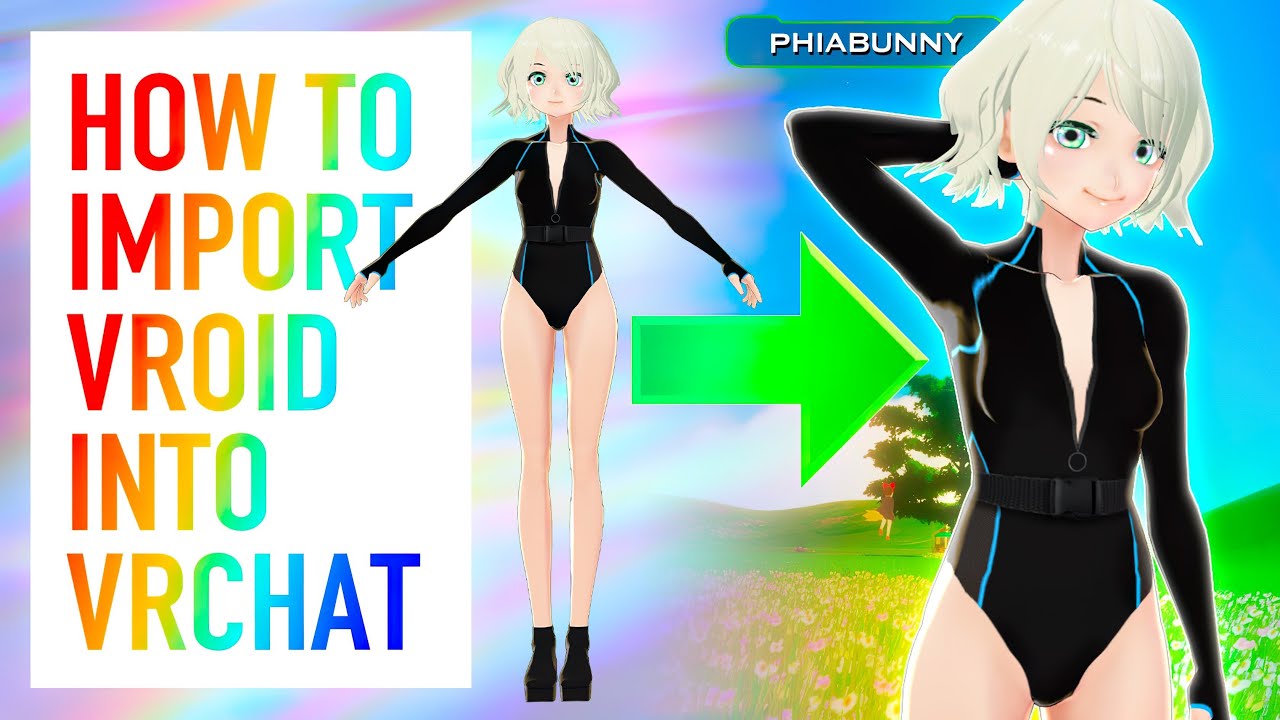
Almost finished up with finals! Been neglecting my studies to keep getting content out, so please forgive me for not having full episodes out at this given moment! I hope this tutorial was helpful, as I know the process is a bit confusing.
Make sure to double check compatibility of the VRM Converter in it's description. This video is up-to-date...
 candid frigate
Hello I'm working on my avatar for VRChat. I could import my avatar to VRChat but after I tried to add VRM Spring Bone to my model (like this https://www.youtube.com/watch?v=tpl_mqU8i7U) the SDK can't upload my avatar to VRChat. Anyone knows the solution for using avatars with Springbones?


In this tutorial, we will see how springbones work. They are the VRM equivalent of dynamic bones, and are used for making part of the model jiggle and swing around. We will go through every setting and what they do.
UniVRM plugin: https://github.com/vrm-c/UniVRM/releases
Twitter: https://twitter.com/Virtual_Deat
Discord: https://discord.gg/Bj...
 leaden jetty
guys
how do i put my model into vr chat?
cause i got a unity file with my model
 hybrid crow
Get Sdk
upload to unity project before importing the model package
Then use the sdk to upload it


 twilit pulsar
nice
 forest mauve
Pieck-chan wip


 vivid oasis
cool model
vital drift
is there a way to take clothing off of a model? or only if its not one whole piece
 deep dirge
Yes?
vital drift
how does one do that
deep dirge
Please learn basic blender functions before trying to make avatars
Idk if you want to delete the clothing or make it a separate mesh (you shouldn't). Click the avatars mesh, press tab to enter edit mode, press L on the clothing and see if you selected it, then either delete with X, or press P and separate by selection.
Or if doing select linked selects more than just clothing, you can either select by material if there is a separate material for the clothing (why), or by right clicking individual faces.
Keybinds may also be totally different
vital drift
Ooh ok, yeah I just want to put rigged clothing on another avatar or just moving clothing to an avatar and rigging that clothing or whatever
 lofty crag
Hey guys, my normals and I aren't getting along and I'm not sure what to do. Setting to Legacy Blendshapes + Import gives me this wacky jagged blendhsape distortion, but keeps the normals from getting weird shadows.
Obviously, the jaggy looks bad. So I tried turning off Legacy Blendshapes, and importing the normals. This fixes the jagged blendshapes, but causes shadows to jump around all over and look weird. Is there another setting I can use? I tried just about all of them at this point, and even tried triangulating my faces in Blender.

How it should look;

Blender view

I can set it to Legacy and Calculate Normals, but I don't believe that brings in the normals I set up for the model from Blender
muted raven
@visual vigil how many polys
visual vigil
@muted raven 200k
thorny ivy
visual vigil
<@349363808013123594> 200k
Try to get it down to 40k.
visual vigil
@thorny ivy the low poly one is
 gusty otter
muted raven
gusty otter
muted raven
These are amazing wow
 somber fable


 cinder wraith
Can I still unwrap the UV even if I haven't applied the subdivision modifier?
 quaint jasper
You probably want to use sharp edges in a few places, use the smoothing tools
kind inlet
Like where?
quaint jasper
any sharp angle
or turn on autosmooth
you probably wanna get EdgeFlow and Fair Vertices addons too

 ruby thunder
I have a question, i have always whanted to make my own avatar. And how do i make a avatar? Help pleas!
quaint jasper
You follow tutorials to learn the basics, then use those basics to make things, and the more things you learn the more you'll be able to do more complex things
still wadi
lies just link him the "tutorial"
 sonic frost
It’s all about following the steps over and over till everything clicks.
spiral sigil
HI i have a avatar (not finished) can anyone help me finish it (blender)?
 tough plover
spiral sigil
HI i have a avatar (not finished) can anyone help me finish it (blender)?
tough plover
spiral sigil
HI i have a avatar (not finished) can anyone help me finish it (blender)?
you should be specific lol
if you have a specific issue, explain it
and someone might be able to help you with it
no one can help you with your issue if you don't say what your issue is
spiral sigil
designed the avatar but i cant do the rest, i destroied it over 10 times @tough plover
tough plover
so you have a finished model, but which part are you stuck on? the rigging?
spiral sigil
i only have the base with clothes, thats all i have. (sorry for my english im german)
@tough plover
tough plover
is it a base that you downloaded, or made from scratch?
spiral sigil
i downloadet the base and added clothes in blender
tough plover
okay, did you test to see if you added the clothes correctly by attempting to move the bones in Pose mode?
tough plover
you do that in Pose mode
click the armature, and either go to Pose mode in the top left, or using CTRL + TAB
then try rotating a bone
tough plover
are you in pose mode?
spiral sigil
jep
tough plover
there are tools on the left side
one of them is to rotate
click a bone, and try rotating it
spiral sigil
the bone and the skin is not binded
tough plover
a 3D model is made up of polygons. a polygon is a shape with multiple vertices, or the points that make up that shape. the way that you make a mesh (a set of polygon) move with bones, is by assigning a certain "weight" to each vertex, in a process called "weight painting". the vertex weights will tell the vertex how much to move with a certain bone moves. a vertex can be weighed to multiple bones at the same time, for example in a joint.
spiral sigil
my brain
tough plover
the clothes you added most likely came with an armature containing bones, that is because bones for the vertices on those clothes to follow
spiral sigil
im a 13 year old german boy trying to understand something imposible in english
tough plover
I don't speak german, sorry. if I did understand it, then I would try to explain it in german to make it easier
 lethal mulch
 dull gull
I'm a super green beginner at this but I will attempt to at least make a simple take at this. May ask for advice later, just wanted to show my baby steps.
 tough plover
dull gull
I'm a super green beginner at this but I will attempt to at least make a simple ...
tough plover
dull gull
I'm a super green beginner at this but I will attempt to at least make a simple ...
nice! slow but steady progress
for smoothing out edges, there are many methods you can use
such as; selecting the polys to smooth, then using the smooth tool (you seem to already have it selected on the left), using the sculpting tools, or using Proportional editing mode (hit o and you will see this icon turn on)
 dull gull
Thanks for the advice! I've tried the smooth tool already and it gave pretty satisfactory results, but I will wait with using it 'till I have every base object for the model done, or at least everything but the face.
The proportional editing mode has me curious though. I just tried it out while having smooth tool active and it didn't seem to have much effect. Is it moreso for using transformation or something else?
tough plover
dull gull
Thanks for the advice! I've tried the smooth tool already and it gave pretty sat...
the way is works is by affecting nearby vertices when you move one vertex, based on the chosen curve
and radius, which you can change with the mouse wheel
you will see a white circle around the vertex when you start moving it
dull gull
Ohhh I see I see
That will definitely be useful for the face
spiral sigil
im litteraly crying in my sole right now im sittin 5 hours to do that pls is there anyone who wants to finish it
 quaint jasper
Are you watching any tutorial ? 5 hours ain't much time spent
No one will fix that avatar for you, at least not for free
quaint jasper
idk, you'd have to ask in a server like this one #community-servers-old message
chrome hare
dull gull
I'm a super green beginner at this but I will attempt to at least make a simple ...
i see a lot of people do this mirror thing
 chrome hare
nice
dull gull
Thank thank
Hope it'll turn out good in the end
chrome hare
alright 3d gang
should my next project be a normal humanoid, a centaur, or a snake person
 hoary light
Snaaaake person
chrome hare
i was tempted by it as well
hoary light
So, snake specifically? like no legs? or lizard man!?!
chrome hare
more like medusa
hoary light
Sounds like a fun challenge if you plan on putting it into vrc
 crude trail
What's the recommended texture resolution for VRChat avatars? I'm using 512x512 but it's a bit small
chrome hare
1024x1024 is probably a good starting point
very nice
i will say that making a model is 25% of the battle
the rest is making it work properly when put to use
hoary light
Haha it sure feels like it! What's the best place to learn more about importing? The unity and VRC documentation seems to have a lot, but I feel there's a lot missing also. - Or perhaps I just need to keep reading.
 tranquil kernel
anyone here in maya?
tight quartz
Let's say I wanna move this vertices.

It would look liks this.

How can I make so some around the vertice is moving aswell?
quaint jasper
press O
spiral sigil
proportional editing - press o
quaint jasper
and adjust with middle mouse
tight quartz
Yes, ty ❤️
Does it work on clothes?
It seem to move the whole "shirt" or what it's called.
spiral sigil
it works on anything

you can choose if you want it to work for anything in the circle
or for only the select area
with "connected only"
adjust the size with the mouse wheel, as ruuubick said

 spiral sigil
make the circle smaller
obsidian nova
dull gull
some leg progress
Cool way to model. Literally never thought to just do this then subdivide...
dull gull
I have no real clue what I'm doing tbh.
That said, can't necessarily recommend the method for stuff like hair. I will have to redo that fo sho.


 hoary light
That is fantastic
visual vigil
thank you!
still wadi
you've come a long way
dull gull
Damn thas nice
How long have you been modelling?
quaint jasper
They've been posting since 2018 at least
visual vigil
Yeah pretty much since 2018
I started vrchat winter of 2017 I think?
Is there a way for steam to tell you your original day of downloading it to your library?


Only a few things left to model
I fixed that clipping strap btw
Gun, purity seals, decorations
 plush gate
Hello!
Quick question I rearranged the vertices of this left arm so it doesn't clip through the outfit; now I will do the right arm but I was wondering if there is a way or a shortcut to just apply it on the other side fast?
When I was messing with pose mode I often used Ctrl+C -> Ctrl+Shift+V for that but it doesn't seem to work for edit mode.
Or did I do it wrong?
 proper wyvern
plush gate
Hello!
Quick question I rearranged the vertices of this left arm so it doesn't c...
proper wyvern
plush gate
Hello!
Quick question I rearranged the vertices of this left arm so it doesn't c...
Isnt this an mmd base? You could mirror it but then you gotta work with the weightpainting or just recreate the armature with mixamo :3
plush gate
Oohh.. Well in that case just selecting the same vertices and pulling on them another time will be easier/faster I think 😂
Was wondering if there was a quick button "apply to other side" but seems not 😁
proper wyvern
plush gate
Oohh.. Well in that case just selecting the same vertices and pulling on them an...
If only XD
proper wyvern
plush gate
Oohh.. Well in that case just selecting the same vertices and pulling on them an...
Just a question though... Why are you leaving the mesh underneath the clothes?
plush gate
proper wyvern
Just a question though... Why are you leaving the mesh underneath the clothes?
Cuz if I swap to my other outfits I want my arms back for some of them 😆
proper wyvern
plush gate
Cuz if I swap to my other outfits I want my arms back for some of them 😆
ah... 3.0 be like: "lemme add a lot of stuff on my avatar and reduce the optimization level because now I can have 100000 materials and polys just because multiple outfit choices can be put in one avatar instead of making multiple uploads"
plush gate
proper wyvern
ah... 3.0 be like: "lemme add a lot of stuff on my avatar and reduce the optimiz...
I don't know what you're talking about. 😇
No but on a serious note yes that's pretty much it; now it's always up to the people to use those very-very-VERY-poor avatars in publics or only with close friends 😮
 proper wyvern
plush gate
I don't know what you're talking about. 😇
No but on a serious note yes that's ...
proper wyvern
plush gate
I don't know what you're talking about. 😇
No but on a serious note yes that's ...


Wait are the devs roasting you? XD
 plush gate
I think it's supposed to say "lag" I was always wondering 😆
proper wyvern
You know what. They should NOT fix that. Its perfect the way it is. X3
plush gate
Are you implying you're laughing when someone has an extremly unoptimized avatar and makes your crash
😏 🚔
proper wyvern
No. Im crying because the loading time is too long even on a medium for me 😄
plush gate
aw.
proper wyvern
Once you go excellent you dont go back
plush gate
Alright we should let people who has actual questions talk I think XD
proper wyvern
Oh youre thinking that this convo has nothing to do with the subject? 😏 We just found a typo and also youre getting tips and tricks here so I dunno...
But yea from now on ask these questions in the #avatars-mmd since that avatar of yours looks like an mmd. It is right? This channel is more for the from scratch stuff.
plush gate
Yes it is, sorry I'll do that next time 😕
vivid crater
visual vigil
Is there a way for steam to tell you your original day of downloading it to your...
yea on steam if you click on your name top right > account details > view licenses and product key activations
still wadi
what do u call a person that riggs in blender ?
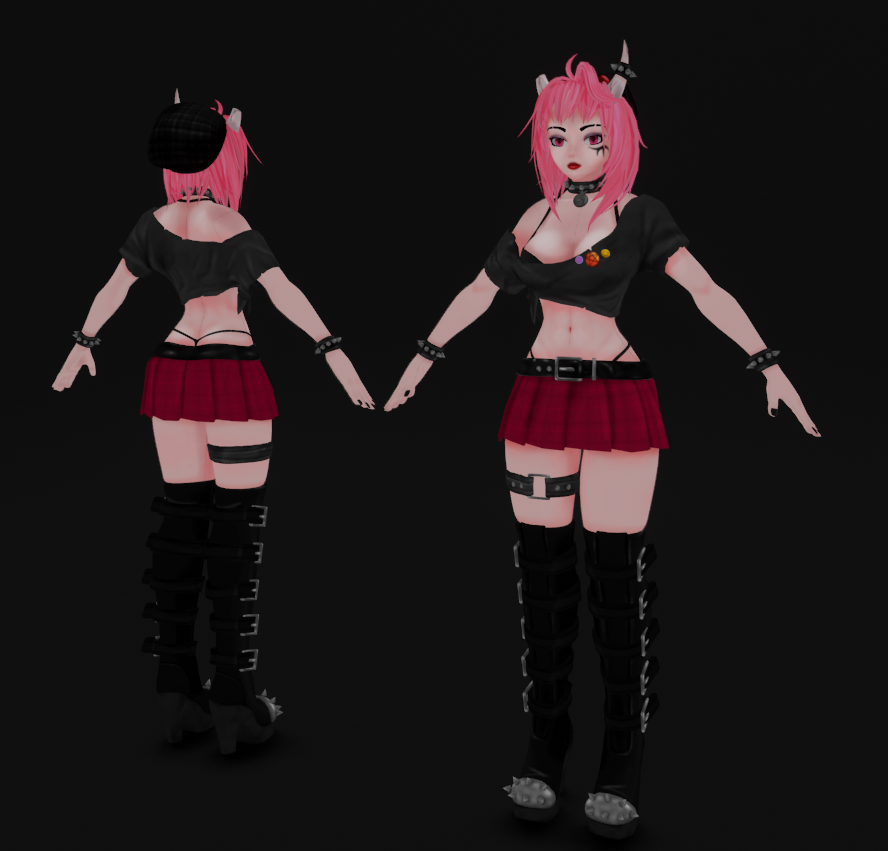


 spiral sigil
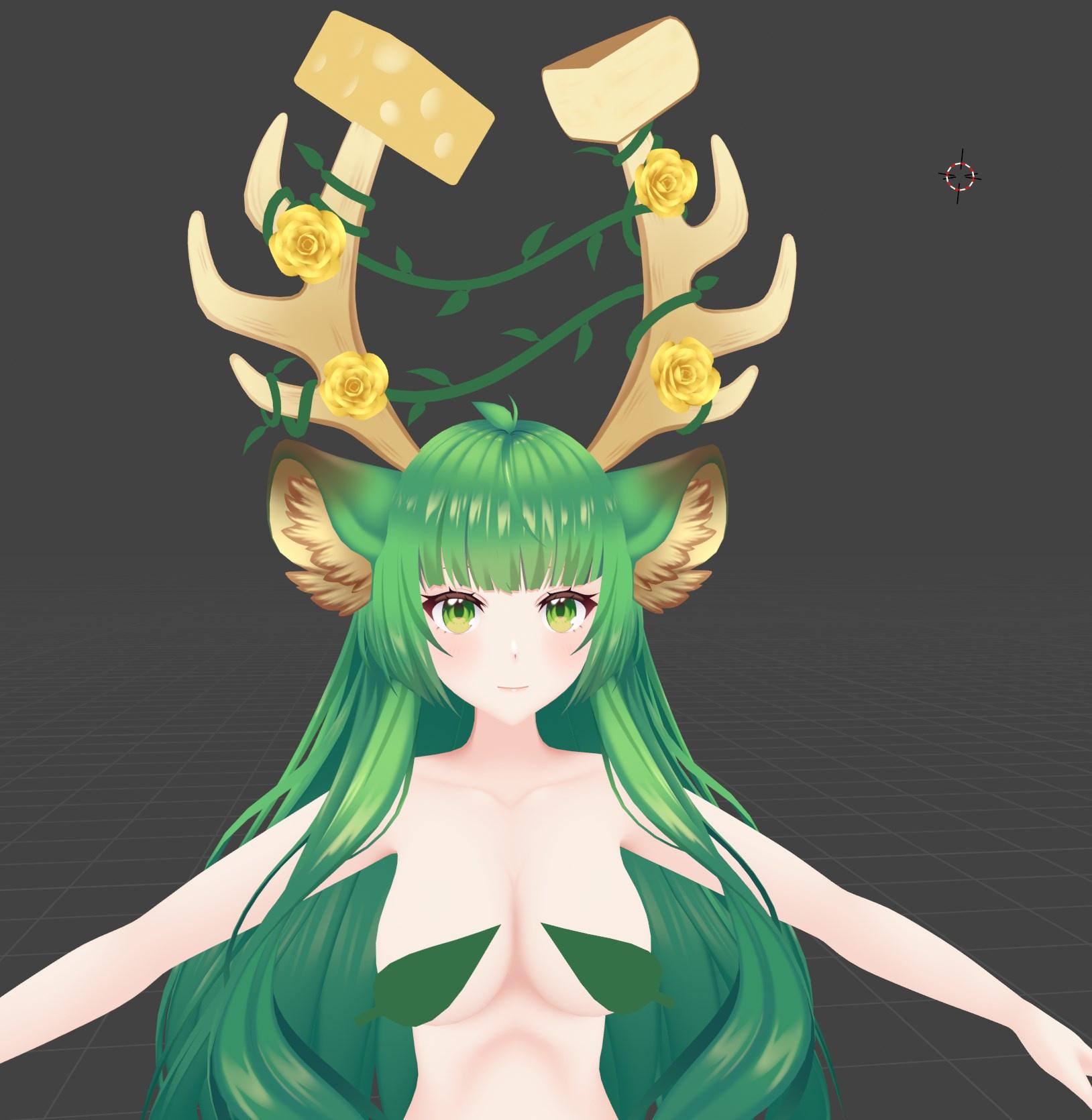
omg those ears 
visual vigil
Wtf are those B-B-B-BOOBS ON MY VRCHAT???
devout scroll
pretty cute
zenith blade
Somethings wrong with this cheese board I ordered...
spiral sigil
Anyone mind helping me clean up an avatar? It's just like weight painting on the body and such. I'm not good at it, but it should be pretty simple.
 stuck trench
So, I have quite the impossible situation on my part, I did the Frankenstein method in blender on a head but every time I use the shapekeys of that head, it moves upward a bit(along with what it is suppose to do). I just want that head to rest there dang... any ways I can prevent that, because every time my avatar will speak it's just going to detach.
Seemed like the perfect place to ask about blender, since there is no "blender help" channel.
quaint jasper
stuck trench
So, I have quite the impossible situation on my part, I did the Frankenstein met...
You probably moved the head while on a different shapekey than Basis
stuck trench
I'll have to move the head down for every shapekeys I suppose.
quaint jasper
You should just make your sil shapekey into your new Basis
stuck trench
That would most likely not fix it, also I have no actual sil shapekey.
It's not completed.
But thanks for letting me know that there is no magical solution.
quaint jasper
In your case no, but there's often a lot of steps to take before doing anything dangerous like that to be able to go back easily
like saving the model head on its own
and creating a duplicate of basis
 flat phoenix
 azure rain
very nice avatard
 warped merlin
whoa, looks nice
proper wyvern
Do I seriously need to learn how to UV map and how to use textures IF I want to move my from scratch avatar to Quest?? Can I not just use material colors especially when I like them that way... 😫
Unity is killing meee.... 😦
obsidian nova
UV mapping isn’t really that tough if you’re using the right tools for it. Go find a UV tutorial for Blender. There are tons out there.
obsidian nova
cloud spear
anyone modeling in vr
@cloud spear Gravity sketch is great for modelling. It’s Quest native, which is neat. You can import models & images from other apps & manually adjust individual vertices on a mesh.
It also supports vertex colouring & a few different placeholder shader options. It’s the perfect app to use to hash out a 1st draft or to refine a model.
Tilt-brush is another one; which is better for environment design. It get’s overlooked a lot. People think of it as deprecated, but google has actually added a lot of features recently.
I’m taking this course at the moment, and they use both; there are like 30 videos in the series. Worth the watch. https://m.youtube.com/watch?v=MqXPux6wiLw

Learn everything you need to get started as a professional VR Artist. Built for both experts and absolute beginners to 3D design, we walk through the basics of painting in Tilt Brush and creating efficient, low poly, models in Gravity Sketch.
Oculus Quest User? Switch to this playlist: https://www.youtube.com/playlist?list=PLOLKyO33TrxUB05hsw...
 atomic hamlet
proper wyvern
Do I seriously need to learn how to UV map and how to use textures IF I want to ...
atomic hamlet
proper wyvern
Do I seriously need to learn how to UV map and how to use textures IF I want to ...
You don't NEED to use textures, but there is a hard limit to how many materials you can use for different colors.
Not super familiar with the Quest-specific limitations though, but i know in general it's much more restrictive than PC.
proper wyvern
using vrc shaders makes the colors white so it doesnt work
 lament haven
is someone able to help me make a 3d avatar to use in vrchat?:
azure rain
atomic hamlet
You don't NEED to use textures, but there is a hard limit to how many materials ...
you can make textures that are pretty much just a color palette and have Auto generated UVS and it still works or vertex colors could also work as far as one material solid color
atomic hamlet
Does the VRChat mobile variant of the standard shader not allow you to change the albedo color?
Like i said, not super familiar with Quest, i play on PC. But i figured something like that would have been similar enough.
azure rain
you can change the Albedo color but the limit on materials on the quest makes it a terrible idea to do solid color model work by using multiple materials and also that's just a bad idea in general for performance
uncut moss
Lets motivate people to learn Blender!
I haven't used blender before or any other 3d software.
I started making my first avatar from scratch, but it was hard, so start was really slow and I needed to do some other projects in same time. I banged my head to wall couple of times..
But becouse I haven't yet learned to use blender fluently it takes more time for making progress, but Its not that hard, its just time consuming when you dont exacly know how everything works, but I have found out that you can learn new skills, just by doing it 😄
I have still lots of work ahead and Im challenging my self with this project, I cant wait to see how this will turn out at the end!

 hidden folio
Hey, Not sure where to ask, but if there a list somewhere of contacts for model makers/editers?
uncut moss
hidden folio
Hey, Not sure where to ask, but if there a list somewhere of contacts for model ...
https://www.fiverr.com/ and type vrchat + avatars I think there is couple

Something in your behavior has triggered our protection systems - we apologise for any inconvenience this process may have caused.
 fresh storm
@hidden folio or u can always find ppl doing commission in discord too
spiral sigil
go to vrc traders in #community-servers-old
at least they are trustworthy not like on fiverr
hidden folio
I'm never sure whos thrustworthy is the thing, cause I'm not looking for an avatar from scratch atm.
spiral sigil
definitely vrc traders
they have a whole verification process
hidden folio
vrc traders. Can I ask what that is? you say in the #community-servers-old tab?
spiral sigil
yes
hidden folio
ok vrc traders is a discord. Alright thank you very much.
wintry vector
@quaint jasper So I want my eyebrows, teeth, tongue, ect. on a separate UV map so that I can texture them easier. But when I unwrap them to a second map, my first map still has UV data for the verticies on it. How to I "unmap" those specific verticies from the first map?
quaint jasper
You may have to unwrap the first uvmap again so that they don't show up ?
wintry vector
ill try that
@quaint jasper I think I can just drag them off of the first map. Is that "cheating?"
 quaint jasper
No but then your texture won't be square
wintry vector
oh true. Maybe Ill put them in a corner and not touch them
so if I scrunch them in this corner?

This feels like a hillbilly way to do it. I should just be able to remove the UV data for specific verts
quaint jasper
i mean, proper UV placement is a tough thing of its own
There's addons to help with that, but they're a bit expensive
wintry vector
are they difficult to learn?
quaint jasper
UV unwrapping ? There's guides around
 wraith atlas
3d modeling my dbz character, how would i make dbz eyes?
 obsidian nova
Trace an existing set of eyes or rip them from a free model.
You can import images directly into blender using the “images as planes” add-on. To activate it, first go to edit > preferences > add ons. Search for “images as planes”. Tick the checkbox next to the name to activate it and then restart blender.
Once you’ve restarted Blender, you should be able to import images by going to: file > import > images as planes...
Go find some dragon all eyes.
 compact mulch
totally non threatening ordinary treasure chest wip https://gyazo.com/80a84848741e3002d76f42e05c61010a
dull gull
Some progress on my kinda advanced beginner project. Redid the face and arms, face will be a lot of work for sure. Gotta make hands and hair before I give it some real sculpting.
 hardy lake
do the toe bones need to be on the origin/floor level?
 wraith atlas
Any suggestions?

 uncut moss
@wraith atlas Just continue your work ^^ Looks good at this point!
thorny ivy
After eyebrowsed through the channel, thought I'd share some head sculpting/modeling of my own.

Because of baking/pastry motifs for the character, tried to model the brows after frosting.
However, since I don't normally design eyebrows in the first place, not sure how they look overall.
Good? Bad? Oversized? Undersized? Too long? Too short?