#3d-modeling
1 messages · Page 13 of 1
 pulsar pelican
(All made from scratch btw!)
I know Halloween is long over but the amount of bones this model has is pretty darn spooky

I've gotten pretty good with physbones though so I have faith I can make the physics work :)
 devout timber
hello yall! my first timeEVER making anything custom in blender and i may have girlbssed too close to the sun. i have gotten to uv unwrapping and i just. it does not make sense to me.. i get you put seams to "section off" places you want to be their won section, but its so confusiong !! could anyone help me out, possibly doodle on where seams should go? tysm to anyone who nhelps !!!


 glad steeple
devout timber
hello yall! my first timeEVER making anything custom in blender and i may have g...
glad steeple
devout timber
hello yall! my first timeEVER making anything custom in blender and i may have g...
It helps to think of everything as a garment, when in doubt just imagine how a seamstress would do a tshirt, jeans, jacket. Look at your real clothes and see where seams are, usually they are in places that are less important/hidden
Eventually when you have more of a grasp of unwrapping you give yourself more control where they go and go away from that rule, but its a good place to start.
 young bone
anyone got a template for which mouth movements are meant for which letters? i cant think what sounds match with what letter
for humanoids
 spiral sigil
part one of a comm I'm doin, luke wicker
 devout timber
glad steeple
It helps to think of **everything** as a garment, when in doubt just imagine how...
devout timber
glad steeple
It helps to think of **everything** as a garment, when in doubt just imagine how...
thank you so much !!!
glad steeple
No problem!
 quaint jasper
devout timber
hello yall! my first timeEVER making anything custom in blender and i may have g...
quaint jasper
devout timber
hello yall! my first timeEVER making anything custom in blender and i may have g...
A simple way to try an automated way is to use the "select sharp edges" function in blender and to then turn those into seams 
devout timber
quaint jasper
A simple way to try an automated way is to use the "select sharp edges" function...
thank you!!!!
 spring onyx
If I wanted to make pants for my avatar, what I've done is copy the topology of the base and duplicated it, my avatar has knees should I delete the knees and just make it straight?

 quaint jasper
spring onyx
If I wanted to make pants for my avatar, what I've done is copy the topology of ...
quaint jasper
spring onyx
If I wanted to make pants for my avatar, what I've done is copy the topology of ...
If you don't want the leg mesh anymore then yeah you can delete it entirely
 ember salmon
hey, is ArmorPaint a good alternative to Substance Painter?
 glad bronze
ember salmon
hey, is ArmorPaint a good alternative to Substance Painter?
glad bronze
ember salmon
hey, is ArmorPaint a good alternative to Substance Painter?
You can definitely make it work. It doesn't have as many resources as substance but with enough skill you can get similar results. Honestly, any program will work as long as it has the ability to paint, mask, and bake. With niche exceptions of course.
devout timber
anyone know how to merge objects inside meshes >-< example above !! will i have to merg erthe vertices and delete the extras or .. ty for any help !!

 south saddle
devout timber
anyone know how to merge objects inside meshes >-< example above !! will i have...
south saddle
devout timber
anyone know how to merge objects inside meshes >-< example above !! will i have...
to merge Vertices got to {Edit mode} at the top {mesh/Clean UP/Merge by Distance} If you can try Pressing (L) Key that will Select all connected mesh and from that you can pick remove (Del) or Separate mesh (P)
 devout timber
south saddle
to merge Vertices got to {Edit mode} at the top {mesh/Clean UP/Merge by Distance...
devout timber
south saddle
to merge Vertices got to {Edit mode} at the top {mesh/Clean UP/Merge by Distance...
thank you so much!!!!
glad bronze
devout timber
thank you so much!!!!
There is also a hotkey for this (m). It brings up other merging options that are helpful as well.
 teal token
does any1 else have the issue of reimporting not working after the migration to 2022?
 simple falcon
Actually making an avi with assets, how can I put items from an armature to my main armature (that I will put on Unity next) ?

 jovial seal
any tips for modelling organic hands ive only ever done armor / furries

so like
my first actual attempt


 quaint jasper
jovial seal
any tips for modelling organic hands ive only ever done armor / furries
quaint jasper
jovial seal
any tips for modelling organic hands ive only ever done armor / furries
Smooth it a lot, and use a visual reference to get the main proportions and shapes
jovial seal
ye i did the referance and i smoothed it as much as i could with my skill lmao i think im good to start texturing and Normal mapping now
quaint jasper
What kind of reference?
jovial seal
Just stock images I also didn't follow a realistic human hand entirely as I want it to look a little archaic also it looked really weird without an exaggerated slope ig just fix that with texturing I suppose? (The emptiness)
 swift jolt
simple falcon
Actually making an avi with assets, how can I put items from an armature to my m...
swift jolt
simple falcon
Actually making an avi with assets, how can I put items from an armature to my m...
under the blue wrench theres an armature modifier. change that to use main armature
simple falcon
swift jolt
under the blue wrench theres an armature modifier. change that to use main armat...
Yeah it's my first try in a full body part customization. Imma try that because it sucks on Unity.
swift jolt
yes personaly its a lil easier on blender. but both are hard to start out with
unity is allways a pain. while blender is fun when you get over the "learning curb"
simple falcon
I'm trying to do a goth girl/metalhead avi with fully cyberpunks augment. Because I like punk rock and science fi
I'm trying to do an avi that reflect my personnality
swift jolt
👍
you can allways start with one aspect and slowly update it lol. make a goth/metalhead and slowly add cybernetic augments to it.
thats kinda what i did with my first avatar lol
simple falcon
swift jolt
unity is allways a pain. while blender is fun when you get over the "learning cu...
The learning curb is a pain in the ass. Even importing asset that works with my base (PandaBase) is hard for me
The rig is the hardest part. I don't understand how it works
With weight paint and stuff
(it always broke when trying the avi in game)
 dreamy moon
could i get some help with an issue? ive been trying to import a pmx model but when it comes through all it shows is this

 wise onyx
so uhhh. This is my first time modelling a character... uhhhhh i'd say it's going very well

this is what happens when i upload to mixamo
this is the actual model

do i need to add the head yet to test it or what's going on? Why is it half dark grey and why are the shadows broken
is there something going on with the normals?
i don't understand what's going on

 azure rain
giving the shadow it looks like your normals are not pointing in the right direction?

In this short tutorial we will be looking at how to fix your meshes Normals.
wise onyx
yup that was indeed the issue, i didn't know about that recalculate normals thing
thank you very much
azure rain
glad to be of help
devout timber
RAHH omg im so happy with how this is coming out.. my first ever blender creations !!! [ clothing bits ] im so happy
 wise onyx
me again, i made na ear as a separate object, how can i merge it back on the original body? :/
 spiral sigil
leafeon edit using the fairy fox base and baller fox hair, clothings made by myself other than the thighhigh
 quaint jasper
wise onyx
me again, i made na ear as a separate object, how can i merge it back on the ori...
quaint jasper
wise onyx
me again, i made na ear as a separate object, how can i merge it back on the ori...
Ctrl + J
You need to shift click the other mesh though
wise onyx
quaint jasper
Ctrl + J
thanks, i ended up using boolean union though
 raven sparrow
anyone else unable to import FBX's to blender?
I keep getting this error:
Python: Traceback (most recent call last):
  File "<frozen importlib._bootstrap>", line 1078, in _handle_fromlist
  File "<frozen importlib._bootstrap>", line 241, in _call_with_frames_removed
  File "C:\Program Files\Blender Foundation\Blender 4.0\4.0\scripts\addons\io_scene_fbx\import_fbx.py", line 18, in <module>
    from bpy.app.translations import pgettext_tip as tip_
  File "shibokensupport/signature/loader.py", line 61, in feature_imported
  File "shibokensupport/feature.py", line 135, in feature_imported
AttributeError: 'bpy.app._translations_type' object has no attribute '__name__'. Did you mean: '__ne__'?
No matter what version of blender I use
quaint jasper
raven sparrow
anyone else unable to import FBX's to blender?
I keep getting this error:
```
...
Where does the fbx file come from?
raven sparrow
quaint jasper
Where does the fbx file come from?
CGTrader
but I tried several FBX's
quaint jasper
Have you tried Autodesk's fbx converter software?
Might have been exported from Maya and won't be compatible with Blender's binary fbx import
raven sparrow
I'll give that shot
when I look it up it takes me to a page that never loads on autodesk's website

nevermind I found it
had to find their archive page
yeah that didn't work @quaint jasper
it still throws the same error, even after converting it to a binary FBX
quaint jasper
Does it import in Unity?
raven sparrow
mhm
quaint jasper
I wonder if you could then use the fbx exporter there
raven sparrow
tried already
quaint jasper

quaint jasper
If none of that works, seems like one of those situation where reaching out to the asset creator might be necessary
raven sparrow
well that worked
converting it to OBJ works
I think the FBX importer is just broken in Blender
idk how to fix it
 crude heron
hey so I'm working on weightpainting an outfit in Blender onto my avatar and there's some polys that I can't seem to reach because they're like, the inner wrinkles of the sleeve and cuff
is there a way i can ensure i've covered the inside of the sleeve?
 hushed leaf
you can tab back to edit mode and hide faces, they'll still be hid in weight-paint mode
or try turning off "front faces only" to paint through to the next ones
crude heron
how do you hide faces?
hushed leaf
select them, 'h' to hide
crude heron
oh cool thank you
 bronze pawn
Are blendshapes referenced by name or index in unity?
I want to clean up and re-order some blendshapes on my model but I dont want to break any existing animations etc
hushed leaf
Yes 🙂
in most cases where you use them, they're by name, but in a few, by index - the one I can think of is the ones you pick for eye movements
bronze pawn
oh hmm
hushed leaf
animations ought to be fine though
bronze pawn
yeah I guess I can fix whatever else breaks as long as I dont have to redo like 100 animations lol
hushed leaf
just remember to always check the eye look area if you did any re-ordering and you should be fine
note: my info is from Unity 2019 and the previous SDK, I haven't tried this on the new stuff yet.
but given that this one cases is in VRChat software rather than Unity, and I didn't see any note in the changelog, I bet it's exactly the same 🙂
 barren meadow
Is there any easy way to create delta shapes to counter bone transforms' affects on shapekeys?
I have a solution that's not ideal, but I'd prefer to make delta shapekeys instead. Just these particular delta shapes would be incredibly painful to manually make.
The usecase is I created a shapekey that's using vertices that are weighted to a bone, I later decided I wanted to move that bone to follow the new position of the vertices that have moved. Current solution is adding an addition set of bones at the new position with identical weights to the original bones and then swapping physbone scripts depending on the mesh state.
I obviously needed to adjust the scripts to have a stronger affect on the mesh.
bronze pawn
what does vrc use to determine the pose shown in the little 3d preview of your avatar?
 shell edge
Does anyone know where I would find people for commissions 😅
 valid needle
shell edge
Does anyone know where I would find people for commissions 😅
valid needle
shell edge
Does anyone know where I would find people for commissions 😅
usually people here will send you to the vrctraders discord group here https://discord.com/channels/189511567539306508/407970838294560769
but you can aslo find commissions on Ko-Fi for some artists just depedns
shell edge
Alright thank you!


 thin shadow
tldr : lower number = more fps
crude heron
would this affect my ability to like
change clothes or toggle them
like i'm still mucking around with the texture of my shirt because i'm undecided what to make it look like
thin shadow
yes
crude heron
also the shirt has a transparency texture that's supposed to go with it
thin shadow
you can still have toggles with one material, using the bone shrinking method
crude heron
what is that?
thin shadow
when cloth is on, shrink the affected armature bones to 0


 lusty venture
i'm looking for a 3d modeller to join my team, i need minimum experience of a year of blender or a sufficent protfolio. pm for more info
this is a paid position btw. 29/hr. no benefits because im not an actual company
 carmine grove
lusty venture
i'm looking for a 3d modeller to join my team, i need minimum experience of a ye...
carmine grove
lusty venture
i'm looking for a 3d modeller to join my team, i need minimum experience of a ye...
vrc traders 😔
carmine grove
lusty venture
like im looking for an actual employee \
find an actual employee here
 naive bolt
Making your oc come alive is an amazing feeling xD
I finished the modeling, texturing, and I just have to fix up some rigging. Then comes the unity setup hehe
 ocean salmon
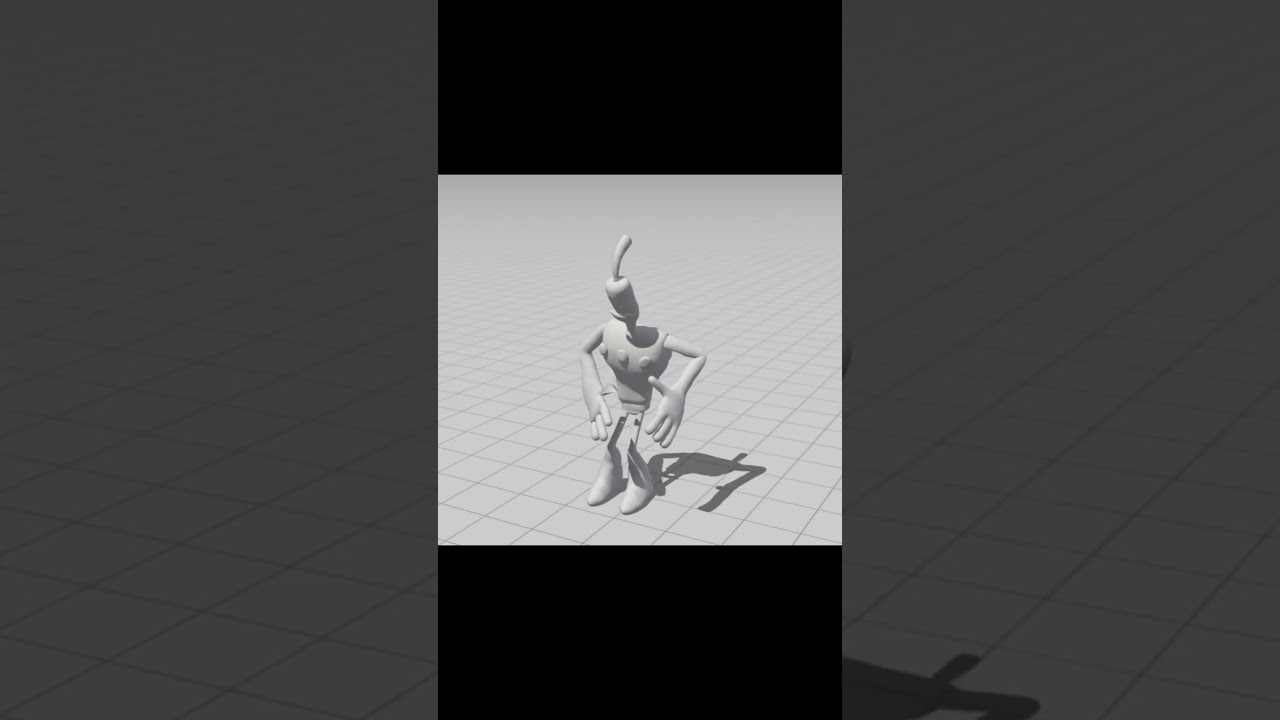
I made a Klaymen model 🙂 https://youtube.com/shorts/m6hAj05hYT4?si=PGTArxHnCeVhqDWk
 swift jolt
ocean salmon
I made a Klaymen model 🙂 https://youtube.com/shorts/m6hAj05hYT4?si=PGTArxHnCeVh...
swift jolt
ocean salmon
I made a Klaymen model 🙂 https://youtube.com/shorts/m6hAj05hYT4?si=PGTArxHnCeVh...
YOOOO KNAYMEN LETS FUCKING GOOOOOO!!!!! This is the 2nd claymen avatar iv ever seen. First one is from like 2017 lol
Was gonna make a neverhood map befor but i gave up cause its a big place
ocean salmon
https://youtu.be/Y-Tu74bmEII And that's what I'm working on right now.

Let's imagine what The Neverhood has created completely in 3D!
Давайте представим, что The Neverhood сделали полностью в 3D!
#the neverhood#theneverhood #youtube #games2020 #3dmax
 wise onyx
Hi, does anybody know why i can't see the top right menu with the display options in the uv editing tab?

 quaint jasper
wise onyx
Hi, does anybody know why i can't see the top right menu with the display option...
quaint jasper
wise onyx
Hi, does anybody know why i can't see the top right menu with the display option...
Which blender version are you on?
 strange lotus
How on earth do I edit an FBX in blender and apply it to an avatar without utterly messing up the rigging?
All I did was delete some useless geometry
But every time I edit anything in blender it's like I need to rebuild the avatar in unity from scratch
wise onyx
quaint jasper
Which blender version are you on?
3.6.4 but I also tried 4.0.2... also, it works on models/files made by other people... Except mine
hushed leaf
strange lotus
But every time I edit _anything_ in blender it's like I need to rebuild the avat...
don't unpack your model in Unity, export from Blender with the same settings, overwriting the .fbx file
strange lotus
What do you mean?
Ah
Nevermind, I understand. Is that the only way? That's working destructively
hushed leaf
er, not sure what you mean?
if you don't want to overwrite you can make a backup of the original file
strange lotus
That implies there's no way to back up the model
hushed leaf
it's just a file...
hushed leaf
you should be able to just copy the backup back over the in-use .fbx
 prime prairie

Ok, so I've made a "Craftsman" style casing and door jamb for a 7-3/4" exterior wall. #VRChat #Maya
 azure hull
Can anyone help me out? I've been trying to get into VRC Traders but I got locked out the other day and have been meaning to get back in there, I was trying to join initially and the altdentifier kept timing me out :/
Never mind fixed it!
prime prairie

The working Udon door. #vrchat
valid needle
prime prairie
https://fixupx.com/sawyerdotwolf/status/1736782266008047702?s=46&t=e8JeBYAZw-JTy...
yeah those are fun
spring onyx
I was told Ngons should be avoided but I was wondering does that apply only to things that will be moved and deformed?
valid needle
spring onyx
I was told Ngons should be avoided but I was wondering does that apply only to t...
Ngons usually get deleted upon import to unity
spring onyx
valid needle
Ngons usually get deleted upon import to unity
So what does that mean? is it a bad thing?
valid needle
spring onyx
So what does that mean? is it a bad thing?
It will leave holes all in the mesh
 devout orchid
@spring onyx anything is tris for gpu. it wont leave holes but it might have ugly shading since you dont control how it gets to split into triangles and get weird interpolation for normals. so if youre not subdividing, you can just triangulate ngons. if youre subdividing, you want quads only.
spring onyx
This is an ngon right? Doesn't seem to cause any holes, I didn't subdivide or anything I'm suprised

 devout orchid
hows it an n gon
devout orchid
no its polygon with 5+ verticies
devout orchid
 prime prairie
spring onyx
Isn't an ngon more than 5 verticies touching?
prime prairie
spring onyx
Isn't an ngon more than 5 verticies touching?
Think of it what computer do is use triangles. So quads just get split in half. With ngons depending on how they're supported they'll either break or the triangles are random.
The other thing is animation tends to work best with quads and smoothing tends to work best with quads.
 slender bobcat
Can VRChat use corrective blendshape drivers?
 pseudo knoll
i just did some N-gon removal on my avatar and now no polys are being discarded on import :D
I've hit exactly 70k polys now no issues ^^
swift jolt
ocean salmon
https://youtu.be/Y-Tu74bmEII And that's what I'm working on right now.
yooo thats fucking awsome! iv seen your videos on that project befor! looks stunning, you planning on putting it in vrchat? cause that would be wonderfull
and awsome
hushed leaf
slender bobcat
Can VRChat use corrective blendshape drivers?
one way I've seen is to use dynamics (contact senders/receivers) to drive them
 orchid phoenix
spring onyx
This is an ngon right? Doesn't seem to cause any holes, I didn't subdivide or an...
orchid phoenix
spring onyx
This is an ngon right? Doesn't seem to cause any holes, I didn't subdivide or an...
that's a pole
ocean salmon
swift jolt
yooo thats fucking awsome! iv seen your videos on that project befor! looks stu...
Thank you! I think I’ll add it to VRChat as soon as I make the main model, then I’ll need to optimize it for VRChat.

 swift jolt
That looks awsome
slender bobcat
hushed leaf
one way I've seen is to use dynamics (contact senders/receivers) to drive them
Which of the plugins can be used?
hushed leaf
slender bobcat
Which of the plugins can be used?
Plug-ins ?
slender bobcat
Uhm, addon? package?
hushed leaf
No, for what?
slender bobcat
For the thing you've said above?
hushed leaf
No, you do that in unity with the vrchat sdk features
slender bobcat
hushed leaf
No, you do that in unity with the vrchat sdk features
What
Ohh I'll go check it out, thx

 hexed relic
I already asked my question on avatar help and don't want to cross post.
What the general concerns for someone making 3D content for VR chat?
devout orchid
- meshes x materials 2. polygons. There were blendshapes but they should be fast af in 2022 so having your whole model as one mesh is fine
ofc careful with shaders, theyre not all the same
crude heron
Is there any reason why my model's textures come out looking like this in Blender?

 edgy shore
I'm doing a base swap for an avi, but when I combine the head with the body in blender (merge the meshes) the texture in Unity ends up being gross looking around the lips and nose and I don't know why.
Before and after merge

 devout orchid
on model import settings blendshape normals -> import
edgy shore
devout orchid
on model import settings blendshape normals -> import
blendshape normals was on import, but then I saw the legacy blendshape normals tickbox and checked it and that fixed it! Thanks for getting me there!
 leaden summit
Do any furry modelers have pointers on like, how to properly model fluff that's meant to bounce? I see tutorials on hair but aren't quite sure how to reverse-engineer that for "fur fluff" and not "MMD-style hair"
(Btw pls ping if reply since I might not see it otherwise)
spiral sigil
 swift jolt
leaden summit
Do any furry modelers have pointers on like, how to properly model fluff that's ...
swift jolt
leaden summit
Do any furry modelers have pointers on like, how to properly model fluff that's ...
Just short hair that has a thicker base than end point. Like a slanted pyramid ya know.
leaden summit
Extruded directly off the model or should I go the hair route with a seperate mesh? (Now that I think about it this might also be a better question for #avatar-rigging if it needs bones? but I want to cover my bases before I have to end up re-modeling stuff djxnsknzzj)
swift jolt
leaden summit
Extruded directly off the model or should I go the hair route with a seperate me...
i would personaly go seperate mesh but both work i guese
hexed relic

 mental hazel
is there a way i can rotate these bones so that they local rotate more like an actual arm
 devout orchid
@mental hazel bone roll
 fossil sleet
hey I'm trying to create an avatar for vrchat from blender but I'm having issues with sculpting the avatar/ it wont come out straight and it just has bumps and indents in it.
any tips
 fresh matrix
How do I set it so it doesn't decimate the skirt as harshly as the rest of the model? I think it was originally its own mesh

 kind scaffold
let me open my blender
I believe the "Set Copy Only" option allows you to mark an asset as a copy only (non baked). But to do so, you would need to split your mesh in seperate meshes. You can do that in Cats with the "Seperate by Loose Parts"
fresh matrix
kind scaffold
I believe the "Set Copy Only" option allows you to mark an asset as a copy only ...
Well the original model had everything separated into its own mesh. Is there a way to utilize that?
kind scaffold
sure, you'll bake everything again after right ?
fresh matrix
kind scaffold
sure, you'll bake everything again after right ?
Yes!
kind scaffold
so it should work yes
fresh matrix
kind scaffold
so it should work yes
Oh. I forgot about this

It does that when I try fixing the original model
fresh matrix
kind scaffold
I believe the "Set Copy Only" option allows you to mark an asset as a copy only ...
Where's the "Set Copy Only" option?
fresh matrix
fresh matrix
Where's the "Set Copy Only" option?
Nvm, I found it 🙂
fresh matrix
Is there a way to use CATS to fix the armature but not combine the meshes?
kind scaffold
next to the fix button, you have a list of option, one is "join meshes", you can uncheck it
fresh matrix
@kind scaffold It does this to the texture when I do the "Just copy" thing
 kind scaffold
fresh matrix
<@108162440658706432> It does this to the texture when I do the "Just copy" thin...
kind scaffold
fresh matrix
<@108162440658706432> It does this to the texture when I do the "Just copy" thin...
I'm tired. What is the difference?
fresh matrix
kind scaffold
I'm tired. What is the difference?
The one on the right doesn't have a texture. Just grey
fresh matrix
kind scaffold
What is grey?
The skirt. The skirt origianally had a design on it but it changes to just grey on the baked avatar (on the right)
kind scaffold
i see it now
maybe check your material, maybe it uses a blender only type of shader that the plugin cannot bake
fresh matrix
Why do these black lines appear in Unity but are not present in Blender?

 kind scaffold
maybe your shader have an outline parameter or something
we would need to see what shader and settings you have
fresh matrix
kind scaffold
we would need to see what shader and settings you have
Would it help if I uploaded the .blend file and the associated assets?
kind scaffold
not really, as the issue is more on unity
but as it's more about baking textures, i won't be the best to respond. Sorry
fresh matrix
kind scaffold
maybe your shader have an outline parameter or something
I’m using the default Unity material. I can screenshot the material in about an hour if that would help
fresh matrix
@kind scaffold
 slender bobcat
How do you guys deal with clothes which bottom is quite low and covers almost 1/2 of the legs
 quaint jasper
Any image would help understand what you mean

 solar fossil
fresh matrix
Why do these black lines appear in Unity but are not present in Blender?
solar fossil
fresh matrix
Why do these black lines appear in Unity but are not present in Blender?
looks like the unity one has no transparency, set your shader from opaque to cutout or transparent
quaint jasper
slender bobcat
I assume you mean for the in-between the legs part and the deformation of weight paint ? There usually a few more bones around like a skirt, and it allows for the weight paint to blend across multiple bones, which makes the deformation a lot less sharp
fresh matrix
solar fossil
looks like the unity one has no transparency, set your shader from opaque to cut...
With cutout it looks exactly the same, but with transparency, it looks like this
 slender bobcat
quaint jasper
I assume you mean for the in-between the legs part and the deformation of weight...
slender bobcat
quaint jasper
I assume you mean for the in-between the legs part and the deformation of weight...
Yes, okay and thx
Using constraints or just simply phys bones?
 dusty heron
fresh matrix
With cutout it looks exactly the same, but with transparency, it looks like this
dusty heron
fresh matrix
With cutout it looks exactly the same, but with transparency, it looks like this
Yeah transparency tends to render kinda weirdly and wouldn’t be used in a situation like this
quaint jasper
slender bobcat
Using constraints or just simply phys bones?
Physbones with contacts on the leg yeah 
 azure sluice
1st image is the original model I made from 2 years ago, The second is the one is the remake I made in January of 2023, and this is the (hopefully) final version I am still working on.


 quaint jasper
Have you tried the other normals modes ?
 uncut scarab
quaint jasper
Have you tried the other normals modes ?
uncut scarab
quaint jasper
Have you tried the other normals modes ?
i tried all of them 😦 but i dont think i even need legacy normals checked so i guess i solved part of it
this fixed it

legacy normals unchecked too
hushed leaf
Yeah in most cases use Import
 vital condor
does anyone know how to fix this?

 empty fox
vital condor
does anyone know how to fix this?
empty fox
vital condor
does anyone know how to fix this?
Means nothing, that is just saying that there is an error and everything following that is what went wrong (code wise)
Describe what addon you are using and what blender version you are using
vital condor
:/ the model i'm looking at looks like a bunch of small little boxs in the shape of the model
all i did was install CATS like a youtube vid told me to
empty fox
If you are using the latest Blender then there are many addons that don't work yet.
empty fox
vital condor
all i did was install CATS like a youtube vid told me to
And you probably installed the "latest" version which is really out of date and only works on up to Blender 2.93.
Even the dev version only supports up to 3.6.
empty fox
vital condor
:/ the model i'm looking at looks like a bunch of small little boxs in the shape...
Screenshot?
vital condor
man the one time i wanna use blender for once lmao
i already closed everything out 😭 i'm currently trying to remove everything blender related off my pc
vital condor
empty fox
And you probably installed the "latest" version which is really out of date and ...
which version would you recommend?
also i re downloaded everything and it's still messed up here's a screenshot of what i'm looking at
 hushed leaf
you'll need to explain what's wrong here
empty fox
vital condor
which version would you recommend?
Blender 3.5,
Could go for 3.6 but you have to make sure you get a minor version after 3.6.x, so 3.6.1 or later.
 loud pivot
FREE! Let's start off 2024 STRONG. I'm releasing the model on my gumroad for free for all that wish to use him! (link in the comments) Please mention me in the things you make with it! I'd love to see it! #LethalCo…
💖 0
Got this little goober done for New Years! Have him up for free on my gumroad, hope you guys enjoy 🙂
 cobalt tiger
Improving on heads! Just gotta retopo ;w;
 loud pivot
cobalt tiger
Improving on heads! Just gotta retopo ;w;
loud pivot
cobalt tiger
Improving on heads! Just gotta retopo ;w;
Looks really good! I struggle with faces usually and this has that sort of final fantasy style to it
vital condor
anyone know how to fix this? I tried file -> external data -> find missing files but it's not doing anything. I'm new to blender this is a headache 🤕
 quaint jasper
vital condor
anyone know how to fix this? I tried file -> external data -> find missing files...
quaint jasper
vital condor
anyone know how to fix this? I tried file -> external data -> find missing files...
If that method doesn't work, then putting the blend file at the same location as the textures could be another solution, if that still doesn't work, then manually assigning the textures to the nodes would be necessary
vital condor
quaint jasper
If that method doesn't work, then putting the blend file at the same location as...
how would I do this? I just started using blender so I got no idea what I'm doing.
quaint jasper
vital condor
how would I do this? I just started using blender so I got no idea what I'm doin...

Quick and easy video on How to Add a Texture to an Object in Blender
If you like this short video check out my other tutorials:
► DaVinci Resolve Tutorials for Beginners
https://youtube.com/playlist?list=PLON0OoQHhALa0YAufxD4QqGaHJYwH-0eN
► Learn Movavi Here
https://youtube.com/playlist?list=PLON0OoQHhALbnaNv1TpQ1dvcGMBbE8Ax3
► Master Video ...
vital condor
quaint jasper
https://youtu.be/P428zqxl7SI
i don't have material properties 😭
quaint jasper
Screenshot?
 quaint jasper
The whole screen would have been better
 quaint jasper
Select the mesh first 
vital condor
quaint jasper
Select the mesh first <:sadcatThumbUp:845884454664929321>
where's that 😭
sorry i'm stupid
ohhh
nvm
i'm dumb ignore me 😭
okay so when i click image texture it doesn't show open anywhere
Idk what to do 😭
okay so i figured it out but all of my files look like this so idk what is what 😭
 quaint jasper
You might have to convert them to png or tga
vital condor
this is so stressful 😭
vital condor
i've gotten so much further now i'm stuck on eye tracking i can't find the damn eye bones 😭
jovial seal
any idea why some people do this to there blend files?

like
why is the armature like that
i cant edit it
empty fox
jovial seal
any idea why some people do this to there blend files?
Should just be a visual difference, selecting the armature you can change it in one of the bone specific menus on the right.
empty fox
jovial seal
i cant edit it
Wdym?
Should still be editable.
jovial seal
empty fox
Should just be a visual difference, selecting the armature you can change it in ...
yeh i figured it out its just like a normal object i never work with the ways other people setup their armatures lmao
the the thing was just locked and the visuals were set to stick
 flat gull
Alright, so, heads up, I am VERY new to this, but I got to the point where you smooth-shade the beginning of a model and the legs are being goofy

This is the back of the legs, I've been following Rainhet Chaneru 3D's blender tutorial and this is the first time I've run into an issue (cause it's my own design and her video is working on a chibi)
flat gull
Nvm I figured it out, sorry
vital condor
so i got this far i'm stuck on figuring out how to make her blink idk what i'm doing

 reef mason
flat gull
Nvm I figured it out, sorry
reef mason
flat gull
Nvm I figured it out, sorry
What was it??
flat gull
Some of the lil vertices and edges overlapped in a funky way that made them 'wrinkle'
Just went through, dissolved edges and re-stitched the lil web of lines n such until it was smooth
cobalt tiger
Finished texturing and rigging head

 north lantern
working on a female base mesh
 north lantern
 north lantern
never really done clothes like this before, hoping it goes well

 waxen flicker
tried making a surcoat/chainmail outfit for my avatar. is there a way to merge everything and join overlapping faces together? i'm not sure how i should deal with unnecessary geometry.

 azure sluice
Working on a completely new concept to me


 worthy lynx
waxen flicker
tried making a surcoat/chainmail outfit for my avatar. is there a way to merge e...
worthy lynx
waxen flicker
tried making a surcoat/chainmail outfit for my avatar. is there a way to merge e...
join everything and remesh it afterward?
like theres some addons but almost everything require by hand rework afterward
 mossy topaz
Question, is it it okay to have 1 or 2 extra bones for my spine to have better deformation ingame? Or Does VRC Joint structure must follow a recipe? for a human skeleton?
Like if someone can provide me a base skeleton layout and or a more advance detail skeleton hierarchy
devout orchid
@mossy topaz #avatar-rigging message thats all the bones unity/vrc ik would take care of. more bones can be done using constraints to these, pc only.
quaint jasper
waxen flicker
tried making a surcoat/chainmail outfit for my avatar. is there a way to merge e...
You can separate portions through hard edges and delete the faces inside of the coat (unseen ones)
 viscid scaffold
ive created a monstrosity.. Enabling read write fixes it but dear god that is so many polygons

 acoustic cave
Hey guys 😂 got any good sources to start? I want to make a human bunny hybrid for my girlfriend to be herself in vrchat but I haven't used any modeling software since Google SketchUp back in middle school, Adobe after effects 2010 in 2014 in highschool for a class and hammer engine when I was basically just trying to make my own map for a source engine game but didn't have the motivation to go back to it due to my love for Warframe lol 😅 I basically need something to get into 3d modeling for dummies who knows basically nothing about modeling
Also I feel that making meshes would require doing everything by hand which I got a huion tablet for doing art on my spare time so it's not like I don't have the PC or the tools needed I just need the education to make something awesome 😎
hushed leaf
The Donut Tutorial!
devout orchid
viscid scaffold
ive created a monstrosity.. Enabling read write fixes it but dear god that is so...
withour read-wirite it just assumes the worst, and makes it highest possible int32 number.
viscid scaffold
yea and there it just decided to make it a good 21 billion polys
devout orchid
which is the highest int32 number
acoustic cave
hushed leaf
The Donut Tutorial!
Doughnut tutorial?
hushed leaf
acoustic cave
Doughnut tutorial?
You could do a web search for it, it'll come up 🙂
(note my spelling though)
acoustic cave
So the doughnut tutorial gives me a basic of textures and shapes in blender?
acoustic cave
hushed leaf
It's a comprehensive intro to blender, yep
Okay thanks kazin, what other softwares should I look into for textures?
hushed leaf
any painting program, maybe substance painter, really depends on what you're doing
acoustic cave
Thanks kazin I'm trying to get to the point where I can make my girlfriends oc for her in vrchat and get the skills to make my own as a hobby lol 😅 her oc as an example
 hushed leaf
I like the shading on that
acoustic cave
hushed leaf
I like the shading on that
It's not my art it's commissioned specifically for my girlfriend from an artist by the name of xeal
azure sluice
azure sluice
Working on a completely new concept to me

 north lantern

Working off the probuilder mesh in blender
trying to make a homeworld for myself
 modest rose
so i downloaded a free guitar model from cgtraders that iw as going to decimate and retexture but i can't seem to edit it in blender - no matter what i select it will only stay in object mode not edit mode

not sure why the texture isn't loading either
north lantern
modest rose
so i downloaded a free guitar model from cgtraders that iw as going to decimate ...
click the button with the cone

and see if a model scene is available
modest rose
ah-ha! thank you
 hushed leaf
135k tris is fine for a single curtain, right? I probably need to do this differently 🙂
devout orchid
@hushed leaf if your world called "four curtains", its fine.
hushed leaf
haha
azure rain
hushed leaf
135k tris is fine for a single curtain, right? I probably need to do this diffe...
that's like the entire budget for a world
hushed leaf
the world is 30k at the moment... without that curtain 🙂
 autumn gust
hushed leaf
the world is 30k at the moment... without that curtain 🙂
autumn gust
hushed leaf
the world is 30k at the moment... without that curtain 🙂
what how?
Unless you are use super large a super large cube to optimize triangles as best you can.
hushed leaf
autumn gust
what how?
haha yeah, just cranked up the quality and subdivisions to make it look good. Now I have to figure out how to do it with fewer.
hushed leaf
Well it looks fine at 33k, so this seems to be a valid method of doing this 🙂
and at 8730, hooray
devout orchid
rmb->shade smooth.
hushed leaf
yeah already did that, that's a big part of why it still looks good 🙂
hushed leaf
autumn gust
Unless you are use super large a super large cube to optimize triangles as best ...
Yeah this was before I did any real optimization, it was 02:30 and I'd just got the cloth simulation to work how I wanted. It was mostly a joke - no way was I going to leave it that way 🙂
 warm elbow
Worked on a model just to not being able to use it yet  it still needs some work as well

 quaint moss
anyone have fun uv-mapping tutorials they like? i've found a few but figure i'll ask to see if yall have some fun resources because i am procrastinating 💅
warm elbow
Before I started making vrchat models I use to make MMD models. This is from 2022 when I was obsessed with minecraft
 jovial seal
hey i have a model thats exploding / imploding after clearing its parent in blender or tying it to a new one
whats the fix as i have forgor
nvm i remembered
nvm its still imploding
 cedar shuttle
i need help im trying to create an optimized version of an avatar i took it into blender i decimated it and when i try to swap out the meshes with the new ones this happens


did i miss an export option or something?
quaint jasper
Was it previously affected by a shapeykey or a specific bone for toggles?
 uneven dock
I'm working on my first public vrc world, everything made from scratch, no bs with premade stuff from web, 4th day of work. Still a lot of work to do
Bigger preview after opening it on browser

 digital cargo
pipe boom

 dull crater
WIP
Thanks to the mighty power of the Dyntopo tool, I have actually managed to model in a face, fingers, and toes. Still far from done but still happy with how far it's gone

 sacred nexus
uneven dock
I'm working on my first public vrc world, everything made from scratch, no bs wi...
sacred nexus
uneven dock
I'm working on my first public vrc world, everything made from scratch, no bs wi...
Where do you get your textures for the walls and stuff?
digital cargo
idiot sandwich

 gloomy moat
I want to look into creating a splat effect for a slime avatar. I'm using transparrency and all that for the avatar so it looks like a humanoid slime, but I want to create an AFK pose where the whole body turns liquid and splashes into a puddle.
I doubt there's anything that already exists I can just drag and drop, so I thought I'd turn to blender and look into it.
The avatar will have a liquid-y shader so details won't be visible and doubt a slightly bumpy mesh would be noticable, so I was considering turning a softbody simulation into a blendshape?
Any better suggestions?
valid needle
gloomy moat
I want to look into creating a splat effect for a slime avatar. I'm using transp...

スライム変身任意アバター Slime Transformation Effect for any avatar Video | 動画: - https://www.youtube.com/watch?v=JfbgggYcr6I 注意事項 - Unity 2019.4.31f1 対応します。 - VRCSDK3のUnityプロジェクト (必要)
you could buy and check this out
gloomy moat
Oh that's almost perfect!
gloomy moat
valid needle
https://booth.pm/en/items/3485256
Much appreciated
valid needle
gloomy moat
Much appreciated
yup
 gaunt flame
I'll show you step-by-step how to make your own fully functional character
Making characters since 2014
I am now taking on commissions. I'm happy to create a custom character for you!
I make fully functional characters for 3D movies and 3D games, using Blender, Substance Painter, and the Unity program. This includes VRM and VTuber models as w...
 daring sparrow
Anyone know where i can commision someone to rig a model and how much something like that would cost?
valid needle
daring sparrow
Anyone know where i can commision someone to rig a model and how much something ...
Everyone in this server will link you to VrcTraders here https://discord.com/channels/189511567539306508/407970838294560769
but in my opinion I would just learn
solar fossil
daring sparrow
Anyone know where i can commision someone to rig a model and how much something ...
Heh, ill do it 
jovial seal
yo anyone got any idea why my normal map just kinda did this when i tried to bake it

 patent dove
daring sparrow
Anyone know where i can commision someone to rig a model and how much something ...
patent dove
daring sparrow
Anyone know where i can commision someone to rig a model and how much something ...
Watch out for scammers dude
jovial seal
this good for a first attempt at realism? ik its uncanny as hell lmao but hey that kinda works in my favour for what im trying to do

 flint patrol
Finished this guy, tried to make him as accurate to flash as I could


 daring sparrow
patent dove
Watch out for scammers dude
daring sparrow
patent dove
Watch out for scammers dude
Trust me i ran into a few thanks for the warning non have got me yet
patent dove
daring sparrow
Trust me i ran into a few thanks for the warning non have got me yet
Dunno why this Vrchat server is full of scammers
And I hope you've taken care of the rigging of your model
 obtuse rivet
this had been an awful experience 💀

 gloomy crane
Base mesh is almost done. I can see the light at the end of the tunnel...

 paper timber
Im confused what these mean

 silk thistle
Finished my Dragon pet, just intime for the chinese new year. 100% made from scratch.
 supple jewel
daring sparrow
Trust me i ran into a few thanks for the warning non have got me yet
supple jewel
daring sparrow
Trust me i ran into a few thanks for the warning non have got me yet
Visit Upwork for one who can help
swift jolt
flint patrol
Finished this guy, tried to make him as accurate to flash as I could
He needs that fat outline
 strong swift
How does the blender skin modifier work?
Scaling the vertices doesn't seem to affect the thickness
Im trying to make some fluff with it, like here
 quaint jasper
strong swift
How does the blender skin modifier work?
Scaling the vertices doesn't seem to af...
quaint jasper
strong swift
How does the blender skin modifier work?
Scaling the vertices doesn't seem to af...
Isn't it alt + T or Shift + T like for curves?
strong swift
quaint jasper
Isn't it alt + T or Shift + T like for curves?
It's apparently ctrl+a, rather than S or Alt+S as someone suggested
And it took me like a solid hour to realize that official documentation exists :3
 solid hill
how does one get access...4 years later haha
quaint jasper
solid hill
how does one get access...4 years later haha
To which? The channel or the forums?
solid hill
The channel
quaint jasper
solid hill
The channel
As indicated by the last message in the channel, it has been temporarily archived.
waxen flicker
how do i prevent the end of this belt from bunching up like this?
dusty heron
waxen flicker
how do i prevent the end of this belt from bunching up like this?
Check the vertex weights of that area on other bones, it’s likely that somehow, the other bones of the armature are influencing that part of the model
Alternatively there’s some blender weight painting options that automatically normalise weights which could help too
 onyx creek
any tips for wen sculpting cloaths to the avatar it keeps making sharp edges or uneven edges
 tight dune
anyone know how to fix this?

 primal hedge
Tanjiro fully textured
 glad steeple
Printscreen!
 wild bison
Hello everyone here
How are you doing
Please am looking for this avatar since past 2 days can anyone help me out
 glad steeple
wild bison
Hello everyone here
How are you doing
Please am looking for this avatar since p...
glad steeple
wild bison
Hello everyone here
How are you doing
Please am looking for this avatar since p...
The avatar is a comission for another user. Basically its not available for use by the public from what i can tell.https://www.artstation.com/artwork/18zJo3

 viscid oar
Watch out for DM scams!!! people love to randomly DM VRChat players claiming to help with Avatar creation and such. I get these DM's pretty often.
 strong swift
Made a thingy, looking for some feedback, what do yall think

 brave widget
I got a question how does one start making their own models I’m tired of buying
 stone pine
brave widget
I got a question how does one start making their own models I’m tired of buying
stone pine
brave widget
I got a question how does one start making their own models I’m tired of buying
I would recommend watching Rainhet's YouTube tutorial series to learn
 digital hound
first time modelling a normal character from scratch. this is what I got so far
 glad bronze
strong swift
Made a thingy, looking for some feedback, what do yall think
glad bronze
strong swift
Made a thingy, looking for some feedback, what do yall think
This looks great! The only thing that stands out to me is that the hair, fluff in the ear, and fluff on the side of the face have different levels of detail. I would disseminate, or even unsubdivide the fluff in the ear and the side of the face and increase the loops on the hair. Besides those small details, everything else looks good to me.
digital hound
I think I'm done with my first base made from scratch. maybe some minor polishing

 severe stratus
i need help
 vivid stone
digital hound
I think I'm done with my first base made from scratch. maybe some minor polishin...
vivid stone
digital hound
I think I'm done with my first base made from scratch. maybe some minor polishin...
It looks good but still some correction
quaint jasper
Don't you have to use the normal map node ?
 wispy verge
thanks
 oak hatch
Skull
 wispy verge
supple jewel
wispy verge
wispy verge
supple jewel
wispy verge
Not looking realistic enough. Btw, it's a brilliant one tho🩶
wispy verge

 severe oar
wispy verge
severe oar
wispy verge
That's so good^-^
severe oar
Bro had some weed lol
 digital parrot
👁️🫦 👁️

 simple flame
making an attempt at turning my own species into a vrc model >:)
(yes it has ears+tail but i plan on making multiple types to toggle so they're Bald)

 static vapor
Nice

 proven plinth
fresh matrix
Why do these black lines appear in Unity but are not present in Blender?
proven plinth
fresh matrix
Why do these black lines appear in Unity but are not present in Blender?
You need to set your shader to one that can apply transparent values.
Those black lines represent the transparent parts of the hair.
fresh matrix
proven plinth
You need to set your shader to one that can apply transparent values.
Those bla...
That was so long ago that I gave up and forgot about it 😂
proven plinth
Lol fair, well now you know for future projects I suppose
fresh matrix
proven plinth
Lol fair, well now you know for future projects I suppose
I still have the project files, though! I think what I did is just exported it to Unity instead of using the Blender plugin to bake it. But then I had a issue where the avatar would face the floor while crouching and I gave up after that 😂
 vague jewel
Very new to this and am just starting to figure out what I even need to download. Do I get the newest version of blender if I want to try and make a vrchat avatar? Or 3.3.1? 2.79b??
proven plinth
vague jewel
Very new to this and am just starting to figure out what I even need to download...
That’s a whole can of worms to unpack. I recommend utilizing tutorials on YouTube to get started
 onyx shale
 vague jewel
proven plinth
That’s a whole can of worms to unpack. I recommend utilizing tutorials on YouTub...
vague jewel
proven plinth
That’s a whole can of worms to unpack. I recommend utilizing tutorials on YouTub...
Yea I know lol. I was able to figure out that blender 2.93 is the last version comparable with cats so that’s what I went with. Already started practicing through some tutorials. Thanks tho!
simple flame
a little cutesy bow

 keen sierra
vague jewel
Yea I know lol. I was able to figure out that blender 2.93 is the last version c...
keen sierra
vague jewel
Yea I know lol. I was able to figure out that blender 2.93 is the last version c...
Its compatible with 3.6.x
 vague sonnet
wispy verge
vague sonnet
wispy verge
This looks great
wispy verge
thanks!
 ashen forge
weh
 ashen forge
i am speed

 dusty stone
Here it is! My first finished model from scratch!
I learned so much making this. A big step from the usual environmental stuff I do.
He's fully rigged and has visemes and expressions.
Software is Zbrush - Blender - Substance.

 Twitter
·
Twitter
·
 solid minnow
Clown model I made in Blender. Added shaders in Unity.

 quaint jasper
Cute design
 steady zealot
Anybody know if there's a way to revert the menu order of header bar buttons? In 3.3.0 and before, the menu was ordered away from the header, and if it was on the bottom, it would be essentially upside down, going up. Since I updated to 4.0.2, it is in the same direction regardless of if the header bar is on top or bottom.
 ashen forge
quaint jasper
Cute design <:catthumbsup:1043650388072611921>
ashen forge
quaint jasper
Cute design <:catthumbsup:1043650388072611921>
Do want to clarify this is not my design and is by this artist from the music video for Collared by Vane
https://fixupx.com/Crispy6usiness/status/1740525332929847374?s=20

Okaaaaaay here are (almost) all the drawings of saros I made for the collared mv!!
 peak path
Curious, I want to start learning to make my own scratch assets and such for avatars
Anyone got some good starter videos? Or recommended blender addons? (asides from CATs plugin)
Ik how sculpting works and such, more so I don't really understand UV maps/texturing
quaint jasper
peak path
Curious, I want to start learning to make my own scratch assets and such for ava...
Rainhet has great tutorial playlists for Blender beginners on her youtube channel

 lost panther
When transfering weights the "Scorce layer selected" needs to be "By name" but when I do that it fucks up the objects, anything I can do?


 white dock
I could use a hand in blender in terms of ideas, I'm trying to model this kind of hair ^
my issue stems from not being able to get it looking right when using paths without going overboard with them which takes hours of time and effort and is unoptimized, does anyone know what could possible help undertake this task ?
(No comissions, I'm wanting to do this myself)

 keen sierra
Pretty much
Personally id probably try the main hair in the back as a flat one piece since they seem rather straight by nature so you might get away with it if textured right
white dock
azure rain
that would likely be using hair cards
how would you go about using those ?
white dock
white dock
how would you go about using those ?
the topology looks familiar to alot of booth hairs which I'm trying to replicate
azure rain
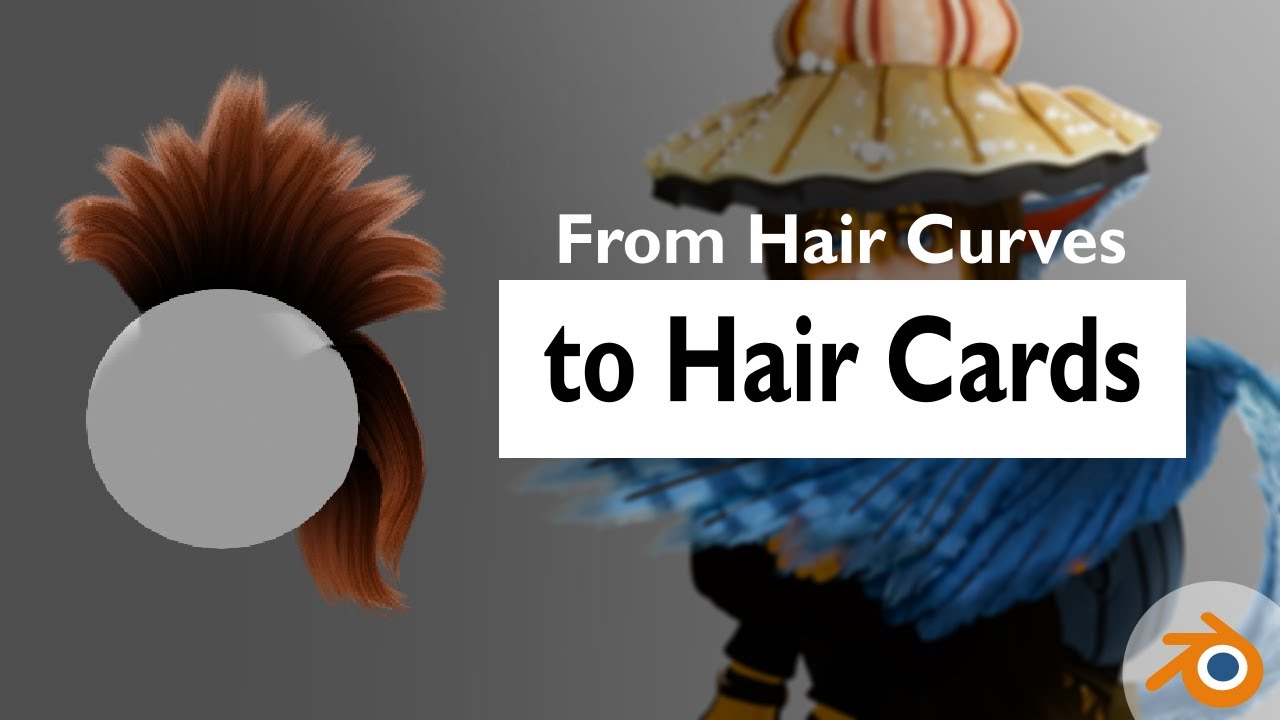
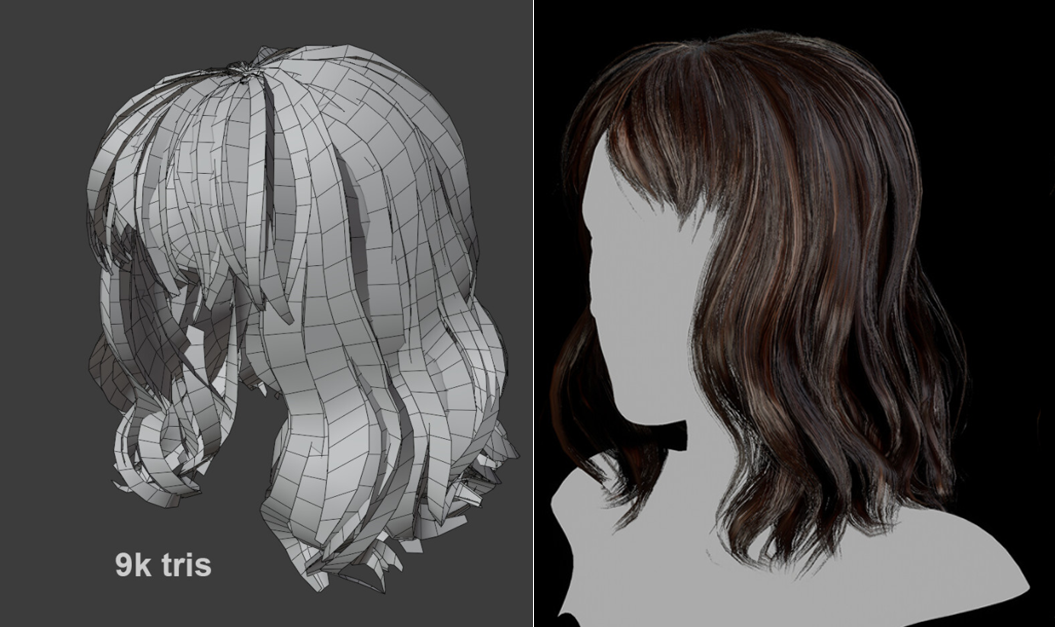
Here's a tutorial on how to convert hair curves from Blender's new hair system into hair cards !
This method should help you create hair, fur and feathers that can be used for animation or turned into game-ready assets.
Was the tutorial easy or difficult to follow ? Constructive feedback is welcome ! :)
Demo file and textures : https://raken...
white dock
azure rain
https://www.youtube.com/watch?v=c2MbWYe1Kdw
3.6 plus ? I JUST downgraded cause CATs wasnt working, dammit ;-;
azure rain
you don't have to go the procedural node method?
and you can have multiple blender installs
white dock
azure rain
you don't have to go the procedural node method?
Yeah, I figured, thank you :3
azure rain
https://www.artstation.com/marketplace/p/g1m6P/fibershop-realtime-hair-card-texturing-tool found this free to download haircard generator tool wonder if it might work for you

ArtStation
Resources - FiberShop | Realtime Hair Card Texturing Tool, USD $0.00. The Ultimate Tool For Real-Time HairFiberShop is a standalone tool specially developed for creating high-quality hair/fur/foliages for AAA...
white dock
azure rain
https://www.artstation.com/marketplace/p/g1m6P/fibershop-realtime-hair-card-text...
I'm not fussed for texture, just the blocky base mesh of them is fine like in the first example you showed
I'm probably just going to re-use the UV's that came with the base model for the colouring
azure rain
okay then in that case you're pretty much just turning curves into meshes
white dock
azure rain
okay then in that case you're pretty much just turning curves into meshes
I was doing that before, but it turned out not looking so great and it was like 90k Polys
but I was using the "Stylised hair method" everywhere on youtube where you make a path copy a curve for shape
azure rain
yeah for haircuts it would just be just a path of quads not the full tube
white dock
this was the result ( I used a reference of when my hair wasn't straightened to lend to the curves more)
 keen sierra
white dock
3.6 plus ? I JUST downgraded cause CATs wasnt working, dammit ;-;
keen sierra
white dock
3.6 plus ? I JUST downgraded cause CATs wasnt working, dammit ;-;
Btw cats works on 3.6.x (download the dev version from their github, linked in their discords faq-channel as very first message)
white dock
keen sierra
Btw cats works on 3.6.x (download the dev version from their github, linked in t...
Idk, I was using it in 4.0 and I couldn't export models with it at all and it kept disabling itself
keen sierra
Its not ready for 4
white dock
so I just settled at 3.3
keen sierra
Fair. I use 3.6.2 iirc
hushed leaf
white dock
Idk, I was using it in 4.0 and I couldn't export models with it at all and it ke...
you don't need cats to export, of course
white dock
hushed leaf
you don't need cats to export, of course
You don't. but it helps with not having to delete _end bones everytime I re-import it
hushed leaf
white dock
You don't. but it helps with not having to delete _end bones everytime I re-impo...
In the export window, under Armature, uncheck the setting about leaf bones.
You can save these settings as an Operator Preset too - upper right of the export window, I made one for "VRChat Avatar"
white dock
hushed leaf
In the export window, under `Armature`, uncheck the setting about leaf bones.
That helps actually, I'll do that tomorrow, it's getting late
 strange trench
Anyone know why the weight paint is acting this way?
 stone pine
might be weight painted to a different bone
strange trench
Hmm, it's only painted to the neck, maybe it needs Neck & Head paints
devout orchid
use auto normalise, stuff painted to one bone should be bright red.
steady zealot
wheel. Not sure why. Got distracted

 onyx jewel
fun little trick -- shrinkwrapped just the waist band & foot holes to make it fit sper nice

rest was hand sculpted with the clothes in transparent wireframe mode so I could see them relative to the skin underneath
 cerulean shoal
wip i guess
 ashen forge
hey guys ive been thinking of giving my character a new outfit what do you guys think of this?
 quaint jasper
the shirt could use some more folds/nicer geo, but the idea is neat
 serene roost
can anyone give me some pointers on how i should be rigging this? ive tried a lot of things and i still cant get it right. the shawl just keeps ending up penetrating the body and showing the inner skin of the avatar.
 static vapor
serene roost
can anyone give me some pointers on how i should be rigging this? ive tried a lo...
static vapor
serene roost
can anyone give me some pointers on how i should be rigging this? ive tried a lo...
Is the mantle using cloth or bones?
serene roost
bones
static vapor
Okay you need to use.
External collidors.
So the mantle would stay within that area your mantle is staying.
spiral sigil
Does anyone know a way to fix this issue? I'm currently in the process of porting an avatar over to quest and encountered this :p
 quaint jasper
spiral sigil
Does anyone know a way to fix this issue? I'm currently in the process of portin...
quaint jasper
spiral sigil
Does anyone know a way to fix this issue? I'm currently in the process of portin...
You have to flip the normals of the transparent shoe in Blender
Alt + N > Flip Normals
spiral sigil
quaint jasper
You have to flip the normals of the transparent shoe in Blender
Yeah, Brain wasn't working until I realized I had to flip, Thanks again :3
 acoustic raft
Does anyone know if theirs a tool for head swaps? I’m too poor to pay someone to do this shit for me, and I don’t have the time to learn it to perfection so the next best thing is a shot in the dark.
quaint jasper
acoustic raft
Does anyone know if theirs a tool for head swaps? I’m too poor to pay someone to...
Blender is free!
devout orchid
pretty sure "one click" kind of thing was implied
 stark sand
acoustic raft
Does anyone know if theirs a tool for head swaps? I’m too poor to pay someone to...
stark sand
acoustic raft
Does anyone know if theirs a tool for head swaps? I’m too poor to pay someone to...
Swapping out a head isn't a difficult task and can be done with blender with only the fundamentals. I highly doubt there's any tool that does it automatically, especially given it's such a simple task and would be way too much work for a result that likely wouldn't be as good as a 'quick' manual swap
you can delete a line around the neck and then remove/move the old head out of the way. Then get the new head and line it up near the neck. You can then use blender's "bridge edgeloops" function while selecting the bottom of the new head and the top of the neck to automatically fill in the spaces. For best results you'd want to make sure both edgeloops (bottom of head and top of neck) have the same number of vertices so they bridge without triangles, but this is not absolutely necessary
valid needle
acoustic raft
Does anyone know if theirs a tool for head swaps? I’m too poor to pay someone to...
you can shrink the head on the body you want in unity and body on the head you want and equip it like an object
stark sand
valid needle
you can shrink the head on the body you want in unity and body on the head you w...
it's the 3d modeling channel so I assume they meant how to edit a model to have a different head. Also I think that would look weird in motion if not properly aligned in a 3D editor first
devout orchid
tldr: head swap is mundane but not an easy/uniform task so asking for some tools is like asking for breakpads change, anyone can do it but its hardly to be automated or be done in 1 minute
valid needle
☝️
 mint silo
did the lighting from the cathedral scene of Venom Let There Be Carnage, i dont know if world lighting already changes the color of the specular, but someone please let me know. Other than that, how does it look so far?


 bright egret
today i have learned why some people will 3d-model certain face details instead of texturing them on
the tired lines under the eyes warp a bit severely when they're closed. this model turned into a trial and error test run a long time ago so it's ok
 bright egret
mint silo
did the lighting from the cathedral scene of Venom Let There Be Carnage, i dont ...
bright egret
mint silo
did the lighting from the cathedral scene of Venom Let There Be Carnage, i dont ...
also this is a really cool model the cathedral lighting is such a vibe
is the muscle texture modeled or painting on?
sacred nexus
Hey! I’m super new to blender and unity … I just finished modelling clothing for the Hobkin Redux that is used in VRchat for a friend. I am wondering how to make this not clip?
 mint silo
bright egret
also this is a really cool model the cathedral lighting is such a vibe
is the mu...
mint silo
bright egret
also this is a really cool model the cathedral lighting is such a vibe
is the mu...
It has been modelled and normal mapped to a lower poly model, if this answers your question. However, im not the one that modelled the actual model of Carnage cuz it's the model of Fortnite. I just modified the sculpt and texture colour to make it more movie-accurate
valid needle
sacred nexus
Hey! I’m super new to blender and unity … I just finished modelling clothing for...
just play with the weight painting
bright egret
sacred nexus
Hey! I’m super new to blender and unity … I just finished modelling clothing for...
a mix of playing around with weightpainting and editing the clothes mesh as you go, you might have to put space between the clothes mesh and the body. if it comes down to it, you might solve the problem by deleting the parts of the body mesh that are under the clothes.
there's also apparently something you can do with using blend shapes to shrink the body under the clothes, I haven't tried this myself but it could be worth looking into
sacred nexus
Thank you so much!
 unkempt shore
 ashen forge
Model I'm working on of Heket from Cult of The Lamb

Figured I'd finally try sculpting a bit can I finally be called a real 3D modeler now? /j
hushed leaf
ashen forge
Figured I'd finally try sculpting a bit ~~can I finally be called a real 3D mode...
Yes!
steady zealot
Cute little pixel art style gameboy I made today!
 jovial seal
how tall should i make the neck (im scared to do a head lmao)
 devout orchid
use reference🤷♂️
 drowsy cloud
hey guys, im trying to combine parts onto another using the "boolean" modifier and "Combine" but some pieces will still do difference instead of combining, anyone know why that is?
 dire bramble
hey i need help
valid needle
dire bramble
hey i need help
With?
 obsidian nova
cobalt tiger
Finished texturing and rigging head
obsidian nova
cobalt tiger
Finished texturing and rigging head
Well…wonderful base. I’m really note sure about the texturing though. Something feels really off; and kind of low-quality about the way you went about this.
I can’t put my finger on it; but I’ll let you know if it hits me.
You know what, it could very well just be the lack of hair…
jovial seal
would any modellers here mind giving me pointers on how to prep / make a furry head for a model :3 id like to go into this informed cause like this model is really nice looking so far (ik the bodies the easy bit :( )
jovial seal
 quaint jasper
jovial seal
would any modellers here mind giving me pointers on how to prep / make a furry h...
quaint jasper
jovial seal
would any modellers here mind giving me pointers on how to prep / make a furry h...
Make a sculpt in the style you like and then retopo :)
jovial seal
retopo?
quaint jasper
Make sure the amount of edge loop at the bottom of the neck matches the body so that you can join them
Retopology
jovial seal
this can be done in blender im assuming
quaint jasper
Yes
jovial seal
i did this much manually should i just like catmull clark it and start sculpting i generated it from a sphere with 12 segments so it would line up with my neck?
 quaint jasper
If you mean subdivide, then no since it won't match the neck, but yeah you can keep sculpting the form if you feel like it's not there yet
jovial seal
yeh i have just done this all in edit mode so far dragging stuf around
the nubs on wickers faces totally didnt stump me for hours
loop cutting where i need to and going from tehre
 rich badger
Hi! I'm trying to get into 3D modelling, but i've been stumped with how to do some things. I know how to generally model stuff, but i'm having troubles modeling hair and clothes
I'm kinda shooting for a very specific kinda stylized/cartoony-ish style, and i cant really find any tutorials involving such, at least in terms of hair
and i chose the worst character to learn modeling with,,
just um.. @ or DM me please if providing help since i will not see it otherwise...
i can also go into more detail as to what im shooting for if needed
rich badger
i forgot to mention but uhh... I'm also using blender
quaint jasper
rich badger
i can also go into more detail as to what im shooting for if needed
That would help sending you the correct way!
patent dove
You can only get scam DM here, so if you are looking for someone to commission go to VRC Traders
jovial seal
how should i cut out the eyes > w >

im scared to just slice it
i just sliced it

idk if this looks ok
are there any guides to doing eyes better?
 devout orchid
watch any anime eye tutorial, its a hollow unlit cave with iris floating in it, pretty sure most furries follow
 tulip bolt
picking up blender now that i have a pc, i started working on a low poly model but ive only got the head down and everythings a bit confusing. any tips on starting blender?
keen sierra
jovial seal
i just sliced it
If you just slice it wherever to make a hole, you will have to retopo the model anyway. You want the mesh around the eyeball to be face loops so that facial shapes dont look jagged later. My personal suggestion is for you to subdiv/multires the model and just shape it out an do a complete retopo later when you are happy with the shape. Also, dont get lost in details like shaping the collarbone or the crease on top of the head or muscle shapes too much. You can later create insanely detailed normal maps that dont require more vertices
jovial seal
keen sierra
If you just slice it wherever to make a hole, you will have to retopo the model ...
how does one retopo?

keep getting this error :3
jovial seal
anyone mind hopping on a call with me and helping me do a retopo?
my topology is dog water


this is what my topology currently looks like
is this good enough?
 rich badger
quaint jasper
That would help sending you the correct way!
rich badger
quaint jasper
That would help sending you the correct way!
Alright! Uhh, I’m shooting for something like these??? Sort of? These are kinda more-so inspos, but something similar to these in some way??? And these are kinda for BOTH clothes and the hair
Some pics may be low quality, mainly cus of my poor internet at the moment :(
But this is somewhat of like the style I’m tryina go for


 rich badger
Help on having like, 2D faces would be awesome too
Like,,, 2D faces that can be changed w/ goggles
👍
valid needle
 quaint jasper
rich badger
Alright! Uhh, I’m shooting for something like these??? Sort of? These are kinda ...
quaint jasper
rich badger
Alright! Uhh, I’m shooting for something like these??? Sort of? These are kinda ...
That would most likely be done with curves for the hair, or low poly modeling with subdiv, depending on the result sought. For the clothing there's nothing special aside from the toon shading
rich badger
quaint jasper
That would most likely be done with curves for the hair, or low poly modeling wi...
Alright, thank you
In terms of the clothes, I’m just not sure where to begin with that overall since I’ve been worried more about the hair than the clothes
Tho I’m sure I could just watch a tutorial?
quaint jasper
There are tutorials for absolutely everything and every step of modelling
Rainhet has a great beginner playlist on her youtube channel
rich badger
Thank you again
 daring fern
I need help with blender. My cats does not wanna open?
 twin wren
daring fern
I need help with blender. My cats does not wanna open?
twin wren
daring fern
I need help with blender. My cats does not wanna open?
which blender verison r u using
daring fern
4.0
twin wren
daring fern
4.0
cats only seems to work with 2.80 - 2.93
ur gonna have to downgrade ur blender
jovial seal
jovial seal
is this good enough?
what should i do to improve the topology that wont require a remodel?
jovial seal
i wanna model some anime/ cartoon eyes but dont want clipping with the mouth of my avatar how can i do dis :3
also i wanna know whether or not my topology is ok to proceed :L
 bleak tree
daring fern
I need help with blender. My cats does not wanna open?
bleak tree
daring fern
I need help with blender. My cats does not wanna open?
There's a fix for this.
Lemme go get it
@daring fern

I found this fix. I'm able to open CATS in 4.0 without a problem.
empty fox
There is also https://github.com/Yusarina/Cats-Blender-Plugin-Unofficial-
Which is a continuation of CATS since it is abandoned.

GitHub
A tool designed to shorten steps needed to import and optimize models into VRChat. Compatible models are: MMD, XNALara, Mixamo, DAZ/Poser, Blender Rigify, Sims 2, Motion Builder, 3DS Max and potent...
daring fern
bleak tree
<@858264312049434634>
Thank you
daring fern
I don’t have a hair root when I merge everything together in blender?
spiral sigil
is this what happens when you have someone who doesn't know how to model, model something?
 valid needle
spiral sigil
is this what happens when you have someone who doesn't know how to model, model ...
valid needle
spiral sigil
is this what happens when you have someone who doesn't know how to model, model ...
What?
bleak tree
Looks like Banjo.
jovial seal
jovial seal
is this good enough?
gonna just reply to this message since i really wanna know if this topologies good enough
jovial seal
TwT#
keen sierra
Looks a little unsmooth here and there. The neck has some ngons - should see that you can make it quads. Also the eye sockets should probably have 2 or 3 more face rings around them for good facial movement when it comes to expressions. I gotta say though i dont dislike the design of it
jovial seal
keen sierra
Looks a little unsmooth here and there. The neck has some ngons - should see tha...
3 face rings? this is litterally my first time ever modelling a furry face that isnt a mask lol
also where are the ngons on the neck i thought ngons are shapes with more than 4 edges?#
wait
no im dumb
nvm
jovial seal
im only at like 22k polys
could i just loop cut the body 6 times so they line up
@keen sierra

this better
i also removed some tris off of the head
added 1 extra ring thingy
(i think)
keen sierra
Make the socket go inside a bit towards the brain. You dont want hard edges to be seen later when you add eyeballs :)
jovial seal
yeh
isnt there 2 ways to make tho
on is lik
with images
and the other is 2 spheres
then the wicker ik just seems to have 2 giant spheres that look like a single sphere
i dont want clipping with the maw tho

that better
jovial seal
could i invert the fae orientation
and have an image on the eyes
so so that ths eyes dont clip ingame
keen sierra
Sure you can use just a round plane or an actual eyeball but what good would face inversion do you?
rich badger
How should I go about modeling her hands

Cus like, I could use a normal hand tutorial but at the same time
How would I go about doing the paw pads and lil claws???
keen sierra
Pads snd claws are usually separate. I wouldnt worry about it for now
rich badger
Alright
Ummm
How would I go about it when I do get to that point? I’m just asking a lot cus i made a lot of progress and I’ve been
Kinda doin what I can
At the point I’m at
and uhhh this is what i have at the current moment
 keen sierra
Once you have the fingers, you can literally just make and duplicate oval shapes and stick them on your fingers. You can later weight paint them to the finger bones so theyll move just fine with each finger as well
rich badger
It’s that simple,?
keen sierra
Yeah why wouldnt it be?
keen sierra
Let me show you two examples
Either you can make them separate like here

Or just crease them in and only paint them with texture like here
 rich badger
How should I even go about modeling her hair??? I’m trying to stick as close to my artstyle as possible I’m just

Not sure where to begin
Her hair is very weird
quaint jasper
Lots of curves
rich badger
How do I go about using curves??? I haven’t really worked with those before
quaint jasper
Plenty of tutorials on youtube that can explain it better than I can
rich badger
Alright
hushed leaf
Curves are amazing once you "get it"
 floral sail
When I apply Subdivision surface it makes my model have more Polygons, Anyone know how to stop that?
keen sierra
Wha...
devout orchid
@floral sail whole point of subdivision is to have more polygons. roughly 4 times more per level.
quaint jasper
Which tutorials have you already watched and which step is confusing to you?
rich badger
quaint jasper
Which tutorials have you already watched and which step is confusing to you?
I’ve watched multiple, I think I’m just generally not sure how to get it to match my artstyle, exactly? That’s my primary concern
Though I’m probably just overthinking the shit out of this
My main struggle is also choosing which ones to use for her hair
But the tutorials I used specifically were ones by Bran Sculpts, ItsPaulTodd, and Ryan King Art
jovial seal
keen sierra
Sure you can use just a round plane or an actual eyeball but what good would fac...
i just dont want the balls clipping into the mouthlol
if anyone dosnt mind if theyve worked on modelling furry models and furry visemes and eyes (i really struggle with tutorials mind shooting me info in dms and possibly arranging a time we can vc so u can show me the ropes i really dont wanna screw this model up and im scared to proceed on my own)
keen sierra
jovial seal
i just dont want the balls clipping into the mouthlol
Then adjust the roof of the mouth downwards a little and dont make the eyeballs too big. It gets tight but its totally doable
mint silo
sadly, blender adds so much more polys when using the solidify modifier..
 jovial seal
keen sierra
Then adjust the roof of the mouth downwards a little and dont make the eyeballs ...
jovial seal
keen sierra
Then adjust the roof of the mouth downwards a little and dont make the eyeballs ...
any tutorials on how to setup face visemes for a furry model? lol
or should i just wing it
keen sierra
Youtube
quaint jasper
mint silo
sadly, blender adds so much more polys when using the solidify modifier..
If you need an outline then do it in a shader!
mint silo
quaint jasper
If you need an outline then do it in a shader!
which one would be best?
quaint jasper
Any of the popular one tbh
 flat jay
jovial seal
if anyone dosnt mind if theyve worked on modelling furry models and furry viseme...
flat jay
jovial seal
if anyone dosnt mind if theyve worked on modelling furry models and furry viseme...
I just didn’t have the back like 25% of the sphere actually there, I just cut off the geometry, because when do you ever see the back of the eyeball? You don’t
jovial seal
 flat jay
As long as the maximum up/down/left/right angles you expect the eyeball to make don’t show that the eye actually is like half a pingpong ball, you’ll get away with it
flat jay
Or ye that works too
jovial seal
im just working on the back hair fluff
im really scared to do the face / jaw visemes
like should the jaw just move up and down at different heights for the visemes or should i make the lips move aswell?
flat jay
Lips should move for visemes otherwise you might as well do the jaw bone flap method
Where you just rig the jaw to a bone and select it in the unity vrchat descriptor instead of visemes
jovial seal
i want the lips to move slightly but not much
because i feel like itd be wierd on a wickerbeast

either way
finished modelling my fluff now
hes really coming together lol
hes still not 40k polys
so like im good on space rn
jovial seal

for my first time modelling a head
i think i did ok
the model is around 40k polys
(including extra toggles and stuff)
like extra fluff etc etc
im sure i can prune that later by manually retopologising the fluff
tho idk if i wanna
cause he looks
so damn foomfeh
jovial seal
 flat jay
jovial seal
im sure i can prune that later by manually retopologising the fluff
flat jay
jovial seal
im sure i can prune that later by manually retopologising the fluff
You can select loops of vertices and dissolve them to keep shape while significantly reducing polys
jovial seal
just did dat
dire bramble
Can someone help me rig my model

 toxic spear
i didnt know where to go for this but the eyes on the model are whitened out due to their being a lens material. is there any way to make that transparent or remove it all together?
 north lantern
toxic spear
i didnt know where to go for this but the eyes on the model are whitened out due...
north lantern
toxic spear
i didnt know where to go for this but the eyes on the model are whitened out due...
using a transparent shader should work after setting blend mode
 quick thunder
north lantern
quick thunder
north lantern
adorable
jovial seal
you can use bones to create blendshapes right?

so i can just rig my jaw then leave it?
jovial seal
well delete the jaw bone
quaint jasper
Bone to shapekey is a default blender option iirc
jovial seal
also will this armature be alright for a vrc model?
 waxen flicker
why aren't these weights mirrored? the mesh is completely symmetrical, i've got X symmetry on, the bones and corresponding vertex groups (identically named on both sides) all have _L and _R suffixes, and honestly i'm at a loss lol
keen sierra
waxen flicker
why aren't these weights mirrored? the mesh is completely symmetrical, i've got ...
Do you have this option enabled?
 unkempt shore
WIP
 waxen flicker
keen sierra
Do you have this option enabled?
waxen flicker
keen sierra
Do you have this option enabled?
now i do ^^;
...i also completely forgot to update the message when i resolved the problem last night, sorry!
 pastel tendon

 errant bloom
Current wip that i might turn into an avatar, don't know how to do all that rigging and set up however so I might have to just brute force through unity

 azure rain
working on a castle town
 unkempt shore

 mild talon
wip
 dire bramble
With the rigging people asking me how to put this I'm broke I'm fully broke I can't afford people to ring my avatars
I don't even have a balance
valid needle
dire bramble
With the rigging people asking me how to put this I'm broke I'm fully broke I c...
mixamo
drowsy cloud
Can you mirror an item without keeping the orignal item? Im looking to do something wich I need 1 of each side and I dont want to have to rebuild it all
uncut scarab
drowsy cloud
Can you mirror an item without keeping the orignal item? Im looking to do someth...
Mesh --> mirror? Or flip ? Id imagine it's something like that.
Don't have blender open in front of me but yeah
That would mirror without keeping a copy of the original
Google says it's Ctrl + M then X Y or Z
hushed leaf
damn I should read before typing
 magic pond
can anyone help me with weighting skirts/dresses without physbones please
mint silo
magic pond
can anyone help me with weighting skirts/dresses without physbones please
you could always weight it to the nearest bone, have you heard of auto weighting?
magic pond
mint silo
you could always weight it to the nearest bone, have you heard of auto weighting...
no
mint silo
magic pond
no
i suggest looking at this then: https://www.youtube.com/watch?v=7piAUK9AQs4&ab_channel=RoyalSkies

Hi everyone! In about 10 seconds you'll understand everything you need to know about Blender 2.8's automatic weight paint feature!
If you enjoyed this video, please don't forget to like and subscribe for more content!
You can find my entire Blender 2.8 Speed Tutorial series playlist here:
https://www.youtube.com/watch?v=f6vgICNCVxQ&list=PLZpD...
magic pond
ok now i need help
when doing emotes or moving it does this the wieghts have issues can someone help me


 sour tusk
could i get some help with UV mapping on blender i need to straighten some parts but all the things i can find don't work because i have tris
 quaint jasper
sour tusk
could i get some help with UV mapping on blender i need to straighten some parts...
quaint jasper
sour tusk
could i get some help with UV mapping on blender i need to straighten some parts...
Use the tris to quad function?
sour tusk
it messes up details
 slate pine
Hi! would appreciate any help. How do I avoid clipping through of my avatar's body over its clothing? do I need to delete this part of the body mesh underneath ? Or should I just add the clothes in unity with vrcfury add on? thanks

 steel fable
slate pine
Hi! would appreciate any help. How do I avoid clipping through of my avatar's bo...
steel fable
slate pine
Hi! would appreciate any help. How do I avoid clipping through of my avatar's bo...
It would be easiest to remove the part beneath the clothing in Blender.
If it can't be seen there's no point in having it.
slate pine
steel fable
It would be easiest to remove the part beneath the clothing in Blender.
ok I'll do that thanks!
swift jolt
slate pine
Hi! would appreciate any help. How do I avoid clipping through of my avatar's bo...
Make blendshapes to shrink the body underneath
 restive sorrel
anyone know how to use the mirror in blender for add cloths thanks
keen sierra
sounds like problem xyz - what isnt working?
restive sorrel
so i added colths to avatar i just need to add them to avatar wait paint i havent used blened in a while and have forgot
keen sierra
To achieve a good weight painting base, have a look at either parenting with automatic weights or try mesh data transfer addon, which can transfer shape keys as well as vertex groups
I suggest a quick tutorial on youtube to recall how that stuff works again
pulsar pelican
Hiya gamers I wanted to ask something quick
The character I'm modelling has a quirk where he changes "moon phases" depending on what direction he's looking (looking forward is a full moon)
Is there a way I could replicate this on a 3D model? I use Blender
(the model in question btw)

 slender ice
I did some texture work. I hate my life, but I'm almost done with this thing. (My version of prototype armor I need to flush it up a little more though.)
 serene roost
Does VRChat support Joint driven keys?
solar fossil
Don't think it does,but you could probably use physbones to get something pretty similar
Or scratch that, physbones would probably not work all that great.
However a sender plus a receiver should do the trick, won't be linear with the rotation but it should at least work
serene roost
solar fossil
Or scratch that, physbones would probably not work all that great.
However a sen...
Hi! Can you elaborate on sender and receiver?
solar fossil
Haven't really used them in a long time so might be misremembering, but iirc vrc has contact sender and contact receiver
You can put a sender on the tip of the bone that is rotating and have a receiver placed around the same area, the receiver let's you get a float value in the animator for the distance to that sender
 devout creek
Anyone got any rig tips for accurate tracking I've been having issues with my leg IK breaking in weird ways like the bones not following the trackers exactly and weird stuff like that
 pseudo hornet
@steel birch

I didnt know blender when i started animating so I just left it undecimated xD
heres the animation its featured in: https://youtu.be/GuIzDCsm-eU?si=Rmx21sLKmYGCYWnT

song: BigBoiMix - manualgoblin
https://soundcloud.com/goblin-slayer-633450472
#unity #vrchat #animation #hardstyle #dantes
 steel birch
pseudo hornet
<@608790342698795038>
steel birch
pseudo hornet
<@608790342698795038>
holy fuck
pseudo hornet
basically my first full animation
steel birch
decimate pls 
restive sorrel
so i have an issue i add cloths in blender so when i am in game i can see the new cloths but other people can see them an ideas thanks
devout orchid
 opaque cape
how do I attach ears and tail to an avatar
valid needle
opaque cape
how do I attach ears and tail to an avatar
like in blender or unity?
opaque cape
valid needle
like in blender or unity?
Just in blender
acoustic raft
How much should an avatar edit cost if I have all the assets and everything needed for the avatar? all they have to do is put it together and do the toggles. How much and how long should something like this takes? And I understand everyone says it varies but if I had to hit a universal price range.
quaint jasper
acoustic raft
How much should an avatar edit cost if I have all the assets and everything need...
Given that there are some dedicated tools to create those toggles in a few clicks, and that putting the pieces together can be done in Unity as well, it shouldn't be much work, hard to give a price range for that though but certainly under $100
jovial seal
anyone mind helping me make my eyes appear less uncanny later on a vc?
 acoustic raft
quaint jasper
Given that there are some dedicated tools to create those toggles in a few click...
acoustic raft
quaint jasper
Given that there are some dedicated tools to create those toggles in a few click...
For Booth yeah but I think booth avatars are kinda busted in the face so blander might be the only option
quaint jasper
acoustic raft
For Booth yeah but I think booth avatars are kinda busted in the face so blander...
Blender would be even easier then
acoustic raft
quaint jasper
Blender would be even easier then <:catthumbsup:1043650388072611921>
Whaaat!!! Don’t tell me that cuz i have been told it’s a 2 week job and how it’s 150$ and I’m like why does a fucking edit cause more than an actual avatar, that’s stupid af if they’re not making it 100% from scratch.
acoustic raft
quaint jasper
Blender would be even easier then <:catthumbsup:1043650388072611921>
I should probably be more clear about what I want done that might change the difficulty level a bit. I’m trying to do a head swap with the hair that’s on it and an outfit with some boots. I want the hair toggle to still work the same way as well as the toggle from the body. I want to add the head on to. But I don’t want a shit job where that shit clips like syringe
quaint jasper
Two weeks is how long it would take most professional avatar creators to make a whole thing from scratch 
acoustic raft
quaint jasper
Two weeks is how long it would take most professional avatar creators to make a ...
Ok @quaint jasper let’s talk business you cook or what ?
quaint jasper
acoustic raft
Ok <@97980768323633152> let’s talk business you cook or what ?
Nah I'm not doing commissions sorry, but check out the VRCTraders server in #1204490664637890580
acoustic raft
quaint jasper
Nah I'm not doing commissions sorry, but check out the VRCTraders server in <#12...
Will do
jovial seal
anyone mind helping me do the eyes on my avatar in a bit they look uncanny
mint silo
pseudo hornet
<@608790342698795038>
holy crap
talk about challenging vrchat's poly limit lmao
pseudo hornet
i have worse lol
blackcat retexture hits int limit and all you see is mesh read/write disabled in game
mint silo
jesus
pseudo hornet
mint silo
talk about challenging vrchat's poly limit lmao
 pseudo hornet
nah those are pretty small
mint silo
lol
pseudo hornet
this is the avatar that the mesh above is on
 pseudo hornet
ja, i might make it higher, it still has some avatar details at medium
mint silo
damn
 ashen basalt
Im making this for a friend, never modeled furrys before, and its being pretty fun, the spoiled image is from earlier pics of the model, its not finished yet


 spiral sigil
Looking great. Yeah, the early phases are always cursed 
jovial seal
why is my blendshap]e green?
 spiral sigil
jovial seal
why is my blendshap]e green?
spiral sigil
jovial seal
why is my blendshap]e green?
You have a keyframe set somewhere.
It's waiting for you to animate and set the next keyframe basically
jovial seal
how tf i dont even have ok thankyou i never animate in blender lol
spiral sigil
Probably clicked on the little dot that is now a diamond
If you check the timeline, there will be a diamond somewhere on it where that keyframe is set, and you can delete it from there.
Just click on that keyframe and hit delete while the mouse is over that window section and it will be gone.
 jovial seal
ye i got rid of it now 👍 on a side note why does symmetrizin sometimes fuck up] my blendshap]]e and other times actually mirror it
 quaint jasper
jovial seal
quaint jasper
jovial seal
Set the roughness of your materials to max, they're not supposed to be shiny/look like plastic
jovial seal
ty i totally didnt forget i can do that i swear
why does bending the blink slightly upwards make him look soo happy?
 steady zealot
Making some modular pipes
 ashen basalt
jovial seal
why does bending the blink slightly upwards make him look soo happy?
ashen basalt
jovial seal
why does bending the blink slightly upwards make him look soo happy?
awesome work, from scratch?
dayum
jovial seal
Yes :D
ashen basalt
i need to learn with the furrys how to do their thing >w<
ashen basalt
jovial seal
Yes :D
lookin good
jovial seal
i was so afraid to start a model from scratch lmao so i just thought id stick to my wicker since im always workign with jins wicker i figured id just make my own at this point
 wheat delta
Made a couple of loungy chairs yesterday. Heightmap doing a lot of work for the leather bits though.
 ashen basalt
time to weightpaint this shit

 waxen magnet
first time working with sacc flight, managed to get my model working just needa figure out how to animate the control surfaces and canopy
 mint silo
took me a while to get the sculpt that i wanted, but here is the strongest kid in the world

 quaint jasper
Turn off the yassify filter 
mint silo
quaint jasper
Turn off the yassify filter <a:KEK:793610287671672852>
LOL
nah man he's naturally built like that
all genetics
 foggy kettle
just wondering what the best version of blender is to use? needed to reinstall and want to make sure i got a proper one
quaint jasper
foggy kettle
just wondering what the best version of blender is to use? needed to reinstall a...
The latest
foggy kettle
thank you!!!!!!!!!!!!!!!!!!!!!!!!!!!!!!!!!!!!!!
 magic hawk
Wip from scratch Called Sammy


 quaint jasper
From scratch 
magic hawk
Well from makesvatar so technically the base was made but ive heavily modified everything
Structure wise
Pls dont hurt me mr mod ruuubick sir
mint silo
 quaint jasper
mint silo
quaint jasper
mint silo
I was going to say his head needed to be scaled up, but his head actually is just that small
mint silo
yep, i noticed it too lol
errant bloom
made a render for the custom model, now im finally done in blender and have to do the rest of the pain setting up in unity


im making clothing for him aswell, so that why the lower parts might looks a bit weird for now
mint silo
errant bloom
im making clothing for him aswell, so that why the lower parts might looks a bit...
shape keys save lives ya know
errant bloom
i know i know i just mean like the weirdly too humanoid look, most people tend to make their models have more fluff or stuff to make it not look as uncanny, i have some blendshapes ill be adding later for fur if i toggle the armor off, gotta do some weight panting here soon too
mint silo
ah i see, alr
quaint jasper
errant bloom
made a render for the custom model, now im finally done in blender and have to d...
That's a really neat style
 solid stag
north lantern
solid stag
north lantern
May i ask if this is going to be public?
north lantern
It's a for sale model
solid stag
Oh i understand! Great model though!
quick thunder
north lantern
It's a for sale model
a version that isn't specifically beemo would be pretty neato, really cute base/design
north lantern
I was thinking of making it just a base, just havent had much time
I would probably improve some base texture stuff and visemes
north lantern
solid stag
Oh i understand! Great model though!
Thank you
solid stag
No problem
 static hemlock
having never really modelled a character before I'm really happy with how it's going, just going to have to learn how to make it work with VRC


 lyric valve
Can anyone suggest which type of hair will look good on this?
 mint silo
static hemlock
having never really modelled a character before I'm really happy with how it's g...
mint silo
static hemlock
having never really modelled a character before I'm really happy with how it's g...
for a beginner, that looks really good! kinda weird how it has a middle tooth lol
static hemlock
yeah it's cause of the subd but I fixed it
cobalt tiger
Head sculpt

 mint silo
dear god
steady zealot
WIP retopology. So satisfying

 steel kayak
steady zealot
First shot at sculpting a person. Inspired by Final Fantasy
steel kayak
steady zealot
First shot at sculpting a person. Inspired by Final Fantasy
How do you sculpt symmetrically
static hemlock
steel kayak
How do you sculpt symmetrically
this, or you add a mirror modifier, though doing so can get messy if you sculpt the midsection past the threshold you set
 ashen basalt
static hemlock
having never really modelled a character before I'm really happy with how it's g...
ashen basalt
static hemlock
having never really modelled a character before I'm really happy with how it's g...
lookin pretty good
solar fossil
steel kayak
How do you sculpt symmetrically
What Kantrophe suggested but i would say having both mirror and x symmetry enabled, enabling x symmetry makes it so the sculpting strokes get applied symmetrically but does not guarantee that the topology is mirrored, while the mirror modifier does its thing after ensuring the topology is actually mirrored
steady zealot
is it acceptable to use triangles in this case?
 azure rain
steady zealot
is it acceptable to use triangles in this case?
azure rain
steady zealot
is it acceptable to use triangles in this case?
it's all going to become triangles anyway when it gets to unity and it's not a workflow with the subsurface modifier on vrchat so yeah that's totally fine
and like the part of the foot you have the triangles and isn't going to move much so that's not going cause any animation issues
 stone lake
i'm working on a 3d model of my oc

it's my first time making 3d models
so i MIGHT have trouble with making the cartoon hands
 jovial marlin
Dis any one now get some one to making Avatar
 wispy marlin
Finally made a tank top for my custom avatar. Got alot of different outfit combinations now!


 quaint jasper
stone lake
i'm working on a 3d model of my oc
quaint jasper
stone lake
i'm working on a 3d model of my oc
Please watch this playlist
https://www.youtube.com/playlist?list=PL2EEbgwoJzdsC9wfKA2ZO2kAf4HDqC8a8


 waxen ivy
Is there anyone experienced with baking texture atlasses in blender that I can talk to?
stone lake
quaint jasper
Please watch this playlist
https://www.youtube.com/playlist?list=PL2EEbgwoJzdsC9...
thank you
proven plinth
Spend the past few days modeling one of my monster designs! Textures are just place holders for now and no animations, but everything else is setup and ready to roll.


 pure sigil
Oh my
 cinder tapir
my first completed 3D model! (based on an irl plushie by corgibeans)
 waxen ivy
Is anyone experienced with baking in blender that I could pick their brain?
quaint jasper
cinder tapir
my first completed 3D model! (based on an irl plushie by corgibeans)
impressive!
keen sierra
First ever go at zbrush

 hushed umbra
yo could someone help me w this? for some reason my model in blender lets me edit the mesh but when i try to use scuplt move it dont work


and when i change what i want in edit mode, it doesnt save to layout
mint silo
do you have any shapekeys selected?
hushed umbra
lemme check

@mint silo
it just says this so ig yes?

yeah i do
that fixed it
tysmmm
mint silo
np

 quaint jasper
hushed umbra
also anyone know if its possible to merge two different armature types/
quaint jasper
hushed umbra
also anyone know if its possible to merge two different armature types/
Yes, just make just to apply the scale of both before merging
 manic glacier
Cyber snek head after retopology, with baked gi and reflections
 solid minnow
Since a lot of cute chibi avis are privatized, and a lot of my favorite ones got taken down, I took the liberty of making my own!

 azure tulip
I wanted to make a cute mixture of Easter and Cherry blossom festival!
🌸 ✨ 🥚 🐰
 hushed umbra
could someone help me?
im trying to attach the tusk to the body so it moves w the head. idk what to do though
 azure tulip
hushed umbra
azure tulip
hushed umbra
have you parented/weight painted it to the head or jaw bone?