#avatar-rigging
1 messages · Page 205 of 1
 lime tiger
 digital willow
is Kung not doing that in the video? I worry I'll forget and then do that then orz
lime tiger
still a wonderful tutorial
digital willow
ok, I'll try to remember that
lime tiger
digital willow
is Kung not doing that in the video? I worry I'll forget and then do that then o...
no because it didn't work when the tutorial was made
digital willow
Kung helped me a lot with FBT, I didnt know he was apart of the VRC team at the time orz
but I'll watch that later, now Im trying to add physbones. but progress is slow and havent even gotten to it yet T.T
lime tiger
digital willow
but I'll watch that later, now Im trying to add physbones. but progress is slow ...
just checking but, your skirt bones are not parented to the hip right?
digital willow
lime tiger
just checking but, your skirt bones are not parented to the hip right?
thanks, no, a duplicate of it
but
is it optimal to parent it to the top of it?
 lime tiger
digital willow
is it optimal to parent it to the top of it?
lime tiger
digital willow
is it optimal to parent it to the top of it?
it?
digital willow
the cloth, and tail and belt too
lime tiger
I mean, you can only parent the tops
lime tiger
unity also doesn't even keep track of where the tails are
digital willow
and this is still optimal, to have it flipped?
lime tiger
digital willow
and this is still optimal, to have it flipped?
shouldn't matter
digital willow
cause the spine is parented to the hips

oh... well...
it used to right? I think that's why I did it
 unborn nebula
did i do something wrong? i dont see the texture
 digital willow
unborn nebula
did i do something wrong? i dont see the texture
digital willow
unborn nebula
did i do something wrong? i dont see the texture
what did u do?
 digital willow
hm. not sure you should paste it but...
to get the texture on the material you can drag the material on to the mesh in the scene, if the material doesnt have a texture like it looks like for you, then select the material and then select the texture there
 unborn nebula
that blender or unity?
digital willow
unborn nebula
neko mind if i call you?
(yeah, dont. but we're in DM already)
 hallow kelp
did i import wrong? not sure what happened all i did was import through CATS

this is in the viewport shading mode
 hearty oasis
hallow kelp
did i import wrong? not sure what happened all i did was import through CATS
hearty oasis
hallow kelp
did i import wrong? not sure what happened all i did was import through CATS
try using the "fix model" button
sometimes cats is a little silly and it messes up the textures, but usually if you hit the big "fix model" button it fixes it
if it doesn't then u can usually just spam the button and it will get it right eventually lol
hallow kelp
tysm <3
 worn tulip
are twist bones still the standard? ive seen some people saying you dont need them with new ik?
 broken laurel
hello i dunno if this is a rigging problem or something else (1st time using unity) but the mesh for the face won't stick with the body 😭 https://puu.sh/J4cYO/4218f900b6.png

 fading verge
what direction is he facing in blender
digital willow
help plis T.T cant unhide bones in edit mode, and it seems impossible to follow the optimal way of putting my spine and hip bone straight, but also in line with the legs which should be in the middle...

I dont know where or if I should compromise
 worthy whale
anyone have any clue why the model imports like this or how to fix it?

if i press fix model it makes it super big and laying on its back
 sleek isle
select all the bone in pose mode. then alt + r / alt + g / alt + s
worthy whale
when it lays on its back its visemes are broken when i stand it up
like when its laying down the visemes look fine but when i stand it up the visemes are broken
sleek isle
digital willow
should work fine in game
digital willow
sleek isle
should work fine in game
but I need to understand which is the best orz
It was already working fine enough, but maybe I could improve it or fix some issues
 cursive goblet
Are shoulder bones required?
fading verge
So, I have my model 50% done, But I wanted to know how I make sure the assets (Clothing, Hair ect.) Will stay on her body?

 bronze fern
Weight paint them onto the body
bronze fern
fading verge
So, I have my model 50% done, But I wanted to know how I make sure the assets (C...
Get the FREE Blender Secrets sample PDF 🎁: https://mailchimp.blendersecrets.org/freesample
Get the 1000+ page Blender e-book with free updates: https://store.blendersecrets.org/l/IxofeY
fading verge
bronze fern
https://www.youtube.com/watch?v=1C7eftpocH0
I only get these
 bronze fern
likely because the clothing already has a parent?
fading verge
Oh, so what would I do in this instance?
bronze fern
its hard to say without knowing exactly whats going on
fading verge
Hmm
bronze fern
The tutorial above assumes the clothing has no skeleton associated with it i think
fading verge
I see
bronze fern
i havent rigged this way in a while tbh
 prime sluice
hey im just started toying with unity/blender, would anybody guess why this happened?
- i deleted bunch of Bones from the model's face (coz idk how to use it xP)
- i followed this vid to make visemes by CATS and it worked https://www.youtube.com/watch?v=m2LcMIyeSnw
- i havent allocated Eyes/Jaws in that "Assign Bones" menu coz it seemed there was no appropriate Bone
ive encountered bunch of issues so i will re-do everything tomorrow, but i couldnt figure the cause of this "mouth stuck in the air". 🤦
 bronze fern
You deleted the mouth bones, and by extension deleted the bones the mouth was weight painted to. the mouth is now stuck in its base position because it has no bone telling it what to do
bronze fern
prime sluice
hey im just started toying with unity/blender, would anybody guess why this happ...
in blender youre going to want to select the mouth in weight paint mode and assign it to the head bone
prime sluice
thanks for your insight! using weight paint makes it a lot better xD
tho apparently model had inner mouth so it still came out like tongue if i moved my head... but thanks for you now i know the cause, ill figure out how to fix and whats the Bone/Weight etc xD
thank you again 🙏
fading verge
trying to rig my base model I made and I have a ton of issues


idk if its just my model, I dont think there is anything wrong with it but its my first time doing it
i followed this video here https://www.youtube.com/watch?v=DQnmFkXrllA
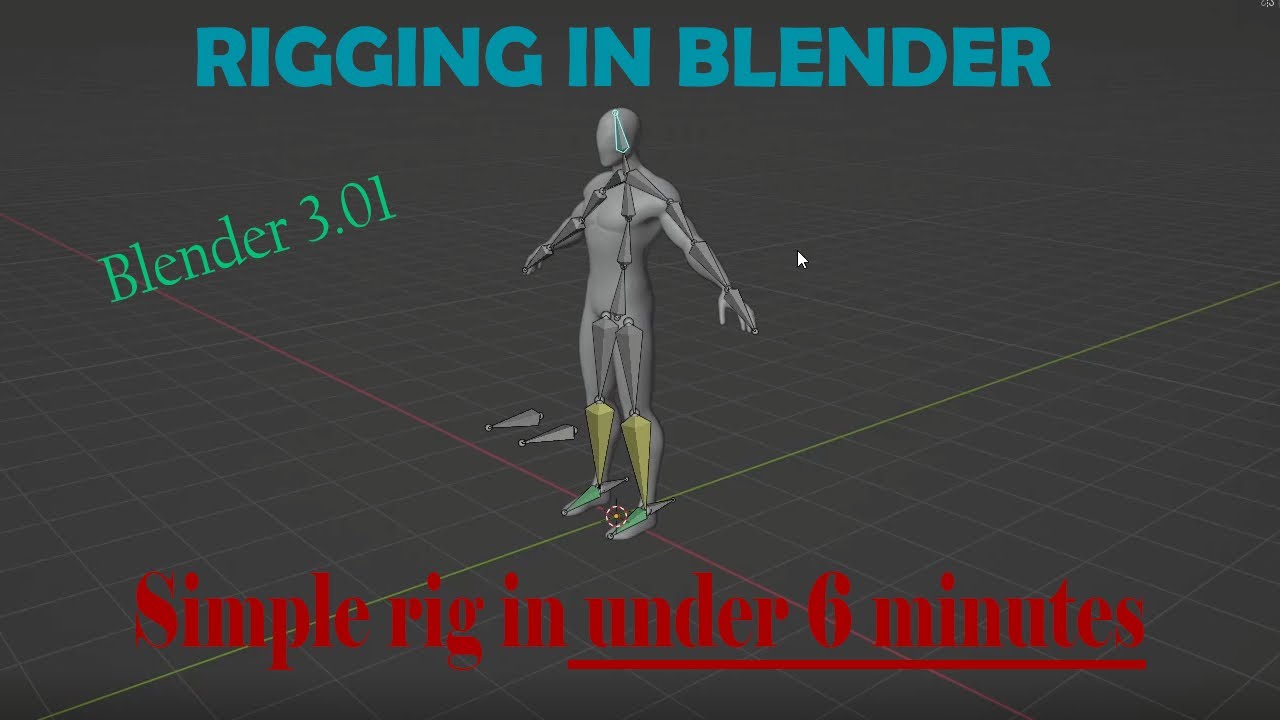
More blender videos coming soon! I hope this was helpful, leave a video suggestions in the comments if you have any please. Thank you for watching!
Model I used in the video:
https://www.cgtrader.com/free-3d-models/character/man/base-mesh-spider-man
modeled my base by following this video https://www.youtube.com/watch?v=lEyotqbKZkk&list=PL82qNb3jh5fQY_A40qvDBAGmcuw8_IUBN&index=2&t=88s

Create a character base mesh with the Skin modifier in Blender 2.8
Sorry for all the background noises
Discord : https://discord.gg/FM3XDCN
References : https://imgur.com/a/cVtNvpH
 crisp tendon
The IK is unnecessary ! For the weight painting itself, automatic weight paint should fix all your problems
fading verge
So just completely remove the ik components?
crisp tendon
Yeah they're not necessary for vrchat
fading verge
is there any way to save the neck to be a child of the upper chest everytime i do it and hit apply as soon as i hit done it reverts to being parented by the chest instead of upper chest and continues to throw the same error

 robust crescent
neck and upper chest both are on chest? 🔨 ( spine > chest > upper chest > neck )

 sinful wren
ok so i worked on my avatar for a long time now but it seems like all my bones have just disconnected with its respective meshes at some point during me working on the avatar, do anybody here might know the cause?
sleek isle
No armature modifier or the vertex group got deleted
sinful wren
basicly cant find all the armatures in pose mode, and i cant move them araound anymore, i can on earlier models tho:/


 dapper moon
thanks a lot
although now I know that the problem is not Unity
but the model itself
do you know how to fix the model itself?
would really appreciate some tips
in model I mean the blendshapes
they are correct though

no, I only have 2 materials
one of them is for the glasses
deleting it makes this

separated
maybe this is an old trick
but don't you make different faces for visemes?
removed 10 of them
sure
digital willow
anyone know how to show all bones in edit mode? they wont unhide with alt+h!
 pale creek
 broken laurel
hello thanks for your reply and sorry for responding so late. i checked main armature and even putting the face mesh under the head bone it still wouldn't move w it
i ended up going into blender since that's where the problem seems to be but idk what to do
i added weight to the face mesh since it didn't have any but it still won't move with the body in pose mode https://puu.sh/J4Dn0/f8ad4071d8.png


the CATS fix model feature doesn't change anything
also the rigging looks all messed up compared to videos i saw online 😭
 twin apex
The mesh of the mouth/teeth moves in line with the bone while the actual jaw barely moves. Weight paint seems not to be the problem. Any ideas on how to fix this?
 fading verge
ive been experiencing a weird issue with my model , no twist bones from wrist to shoulder, any ideas?
crisp tendon
twin apex
The mesh of the mouth/teeth moves in line with the bone while the actual jaw bar...
Definitely a weight paint problem. Likely that your jaw is painted to another or many other bones
 sly vine
Is it possible to create the visemes and eye blind on a character using bones instead of moving the vertices into the position? My avatar is really complicated and I’m wanting to know of an easier way
I’m still fairly new into modeling and rigging and this is my second avatar so I’m wanting to challenge myself with making visemes and eye blink
 sage patio
@sly vine you can just use bones and pose them to create the shape keys you need
for blinking, you can use bones directly in the avatar descriptor, but not for visemes
broken laurel
better picture https://puu.sh/J4KQq/f4b63d843b.png it's the face mesh that isn't parented but idk how to parent it/what to parent it to

https://puu.sh/J4KR3/46854258e9.png this one? i'm not sure how to head weight to bones

oh, yeah, it's in a vertex group with weight=1 on the mesh for the body and the hair
 potent quartz
How would you guys go about rigging something like this

I obviously don’t want to do cloth modifier
potent quartz
It is real
I just made a replica in blender
And now am stuck on how to rig it
Hmmm okay
I’m just scared somehow it’s gonna be crunchy
sly vine
sage patio
for blinking, you can use bones directly in the avatar descriptor, but not for v...
I still need to weight paint the bones on the eyes?
sage patio
yes
sly vine
Ok thank you
broken laurel
does anyone know why the rig goes up like that after importing and exporting from blender and then putting the model in unity? (before/after pics)


 hushed solar
hey! i'm almost done with this avatar, but i've been experiencing some issues with rigging the eyes:
i've been told that the eye bones need to be pointing upwards in order to work properly, and i just fixed that in the past hour or so

now the "looking straight" rotation state looks right without any tweaking, and the eyes are no longer rolled into the back of the model's head in vrchat.

however, now, when i'm not previewing a rotation state, the eyes are rolled into the back of the character's head.

not a major issue, but i'm super curious as to why this is. i feel like it's gonna freak out my client when i give them the unity project files lol
hushed solar
oh wow
not sure what happened here, but i started an entirely new unity project and it works fine now
crisp tendon
Make sure to apply your bone rolls before export !
hushed solar

got it!
one more question!

VRChat Ask
Hello! I’m nearly finished with this avatar! I have the eyelids controlled by these bones in Blender via shape key drivers: But in the VRChat SDK, they don’t seem functional. Here’s how they’re set up in the VRChat SDK: Is there anything I did wrong? You can find the Unity project here! Thank you!
so, i have the eyelids controlled by these bones

the bones are drivers for these shape keys, and the shape keys are affected by the up/down rotation of the bones
 crisp tendon
Blender drivers are not a thing in Unity 
 crisp tendon
If you wanted a combination of bones and shapekeys for something like this, you wouldn't be using the vrchat blinking system but instead make a custom animation that does what you want
 pliant condor
How does one weightpaint boobs
I've tried weightpainting them manually, and data transferring weightpainting to other meshes but the results I keep getting is either the mesh weightpainting completely being messed up, re attaching the mesh together would destroy the normals, with no possible way to fix the normals. Whenever I tried to weight paint each one manually as close as possible, everything would clip horribly and all have the wrong amount of physics movement.
any ideas how to weight paint them properly ?
crisp tendon
pliant condor
I've tried weightpainting them manually, and data transferring weightpainting to...
I would suggest going on Booth/Sketchfab/Gumroad and looking at free downloadable models there, you might be able to get a great visual reference that way !
pliant condor
I’ll try that thanks
 vital vector
If I rig something in blender does it transfer to a unity project?
vital vector
crisp tendon
Yes
Sorry for the ping I just want to know thei before sleeping
Is it better to use the VR Chat SDK rig or to just make your own
crisp tendon
Whichever is easier for you !
 twilit drum
 sleek isle
Maya don't export the skinning of one of my model any ideas why?
 round turtle
not exactly rigging but anyone know where i can get free dances? idunno where to ask this so i figured rigging would do the trick
vital vector
What the fuck, has anyone ever had this weird issue

trying to weight paint on blender to completely remove weight in some parts
but it randomly starts adding to other parts as I paint
 stoic zenith
vital vector
What the fuck, has anyone ever had this weird issue
stoic zenith
vital vector
What the fuck, has anyone ever had this weird issue
is your symmetry on by any chance
vital vector
yeah
But that doesn't change that
weight painting with 0 in some parts of the mesh will just add weight and in others not
Do you know any way to just
completely clear the weight of all bones
vital vector
There we go, now to transform this into VRC avatar
 sinful wren
wait if an outfit is allready weight painted, does that mean it will be easy to add the bones and fit it to your model?
easier*
 sonic tangle
sinful wren
wait if an outfit is allready weight painted, does that mean it will be easy to ...
sonic tangle
sinful wren
wait if an outfit is allready weight painted, does that mean it will be easy to ...
absolutely, IF the bones are named exactly the same. Including upper and lower case. If thats the case, you can use CATS plugin to merge both armatures and therefore the outfit will be rightfully rigged in the new armature as well.
You can also rename bones in the outfit if they're not the same, just so they are and you can use this plugin
sonic tangle
sinful wren
wait if an outfit is allready weight painted, does that mean it will be easy to ...
ps> if it is weight painted, i guess it already has bones so its just about checking the name and merging armatures then
sinful wren
sonic tangle
ps> if it is weight painted, i guess it already has bones so its just about chec...
well it does not have bones but it has weight painting
was planning to make them myself and then try and fit it to pandas base body
sonic tangle
but weight paint has to be attached to bones
i believe you can have bones without painting, but no painting without bones
@sinful wren
sinful wren
i guess its the vertex groups that remained and they seem to be weight painted
crisp tendon
Vertex groups exist on their own, it's just the fact that bones are related to them if they share the same name
sinful wren
hmmmm i see, since the bones are no more, removed them since i wanted to re rig the outfit so i could get it onto pandas base then i noticed it still had the vertex groups from the armature and the vertex groups are weight painted
vital vector
Do I need to apply inverse kinematics if I want to make a VR chat rig
 ornate cairn
vital vector
Do I need to apply inverse kinematics if I want to make a VR chat rig
ornate cairn
vital vector
Do I need to apply inverse kinematics if I want to make a VR chat rig
no
vrchat takes care of it.
ornate cairn
by knee u mean lowerleg?
vital vector
 ornate cairn
that avatar won't be humanoid
ornate cairn
yes since it's generic category
vital vector
I mean this works for now at least
 vital vector
maybe I can adapt this one into a humanoid rig

 elder dirge
Hey there, I'm having trouble getting the mesh to match the rig when I apply the pose to the resting pose
The rig stays where it's supposed to, but the mesh goes back to it's original resting position
ornate cairn
do you use cats plugin to apply rest pose?
elder dirge
I don't think so?
Let me try again
OK, I did and it's still doing the same thing
Should I post screenshots?

I'm trying to set the sleeves to match the t-pose
ornate cairn
oh that, go to modifiers and mark this in armature modifier
 ornate cairn
blue wrench
elder dirge
Jesus, thank you haha
AHA
Good lord, I've been troubleshooting that for hours haha
Thank you!
Oh wait. Uhh, that's confusing
 ornate cairn
if u want it's sleeves data move too u gonna need to rig it and move it sadly
ornate cairn
u can
elder dirge
Neat
elder dirge
OK, I'm trying to merge the armature with the avatar but CATS can't fix the model

I'm assuming these just need to be labeled?
crisp tendon
elder dirge
I'm assuming these just need to be labeled?
yes !

 elder dirge
I'm actually not sure what needs to be labeled
elder dirge
elder dirge
I'm actually not sure what needs to be labeled
That's the entire tree for the model
crisp tendon
These are vertex groups, not bones
 elder dirge
OK, I've named them but I'm still getting the same error. So I guess CATS isn't just looking for a specific name
 elder dirge
This is the official cats folder structure. How can I make the rig match the correct structure?
 elder dirge
I don't know if this vertical shoulder bone is necessary for a shirt. That's the only extra parent piece that doesn't match CATS' documentation
 crisp tendon
elder dirge
I don't know if this vertical shoulder bone is necessary for a shirt. That's th...
crisp tendon
elder dirge
I don't know if this vertical shoulder bone is necessary for a shirt. That's th...
They are not used no
elder dirge
crisp tendon
They are not used no
Can I delete just that bone? It's the parent of the shoulder bone
crisp tendon
They need to be dissolved then, or the shoulder bones manually reparented to the chest
elder dirge
crisp tendon
They need to be dissolved then, or the shoulder bones manually reparented to the...
 crisp tendon
Are you in edit mode ?
elder dirge
I didn't know that was a thing
Ohhh
Sorry, forgive me
There we go, it's parented to the neck
crisp tendon
Should be Chest !
elder dirge
elder dirge
Here
 elder dirge
OK, "Upper body 2" should be "Chest"

 crisp tendon
You have bones above Hips, hips are supposed to be the first bone, make sure to look at the image above
elder dirge
OK, hips are parented under root

I don't know what the Center and Groove are for though
crisp tendon
Remove everything that isn't required first
elder dirge
Like the constraints?
crisp tendon
Anything above hips
elder dirge
Hips is parent to the root I think. There's nothing ahead of it in order of operation
crisp tendon
Can you screenshot your current armature ?
 drowsy ferry
so uhh, i rigged this model and it looks fine in blender and vrchat but the hands are detached from the arms and connected to the head ingame does anyone know how to fix this?


 crisp tendon
Remove the root bone
elder dirge
I've actually tried but it somehow deleted all the children. I also can't set the hips as their own parent
elder dirge
Any time I try to delete any bone it deletes the whole armature
Give me a few, I think I've borked this
I'm going to start fresh. It shouldn't take me long to get back to where I was
crisp tendon
elder dirge
Any time I try to delete any bone it deletes the whole armature
In edit mode still, right ?
elder dirge
crisp tendon
In edit mode still, right ?
Yes
crisp tendon
Can you record a video of it ? I'm intrigued
elder dirge
Yeah. I'm hitting the delete key if that sheds any light
crisp tendon
Same thing with X ?
 crisp tendon
Alt + H
elder dirge
Tried
crisp tendon
I'd recommend any basic rigging tutorial at this point, would be easier for you to start from scratch and learn the commands for the rigging workflow instead of stumbling through it step by step 
elder dirge
Yeah I've clicked around so much I have to have messed something up
Thank you for your help and patience, I legitimately appreciate it
crisp tendon
No worries, if you're still stuck somewhere after watching tutorials, feel free to ping me
drowsy ferry
drowsy ferry
so uhh, i rigged this model and it looks fine in blender and vrchat but the hand...
please 😭
crisp tendon
drowsy ferry
please 😭
Do you have multiple meshes ?
drowsy ferry
crisp tendon
Do you have multiple meshes ?
yeah
crisp tendon
drowsy ferry
yeah
Any good reason why ?
drowsy ferry
crisp tendon
Any good reason why ?
it was made in paint 3d
crisp tendon
Oh, sorry, I have no expertise with that software, so I wouldn't know where to begin 
drowsy ferry
crisp tendon
Oh, sorry, I have no expertise with that software, so I wouldn't know where to b...
it's really simple, it's just simple meshes like circles and half circles and such and you put them together to create something
i just exported the file into blender
crisp tendon
Merging your meshes in blender and then rigging it there before exporting should solve your problems
stoic zenith
drowsy ferry
so uhh, i rigged this model and it looks fine in blender and vrchat but the hand...
make sure they are properly parented and listed
seems to me as if your wrist bones are parented to your head bone instead of the forearm bone
stoic zenith
elder dirge
Thank you for your help and patience, I legitimately appreciate it
just checkign you are making the edits in edit mode yea?
drowsy ferry
stoic zenith
make sure they are properly parented and listed
they are, the hands connect to my view point for some reason
i lowered the view point bc i thought that would've been a problem and it just lowered the hands
at this point i'm prolly just gonna rerig it
stoic zenith
drowsy ferry
they are, the hands connect to my view point for some reason
sorry i couldnt be of more assitance
drowsy ferry
no dw!
elder dirge
wat
Why did I get flagged for spam?
Anyway @crisp tendon I just figured out my problem for last night... I was fixing the wrong model. I thought the jacket was causing the errors but it was my character model.... My bad
crisp tendon
Glad you figured it out !
elder dirge
Me too. I just feel like an idiot haha
elder dirge
OK, I think I'm super close, I just need to merge the armatures. Do the names of the arms of the jacket have to match the arms of the character model exactly?
 covert jay
Is the elastic deform tool or something /some way equivalent in blender 2.79?
 spiral heron
Hello everyone, I have a problem with my model, I've been seeing why this happens and I can't find a solution, when the avatar stays still the feet are put in this strange position instead of how they should when I walk, can someone help me, Thanks in advance

 ornate cairn
spiral heron
Hello everyone, I have a problem with my model, I've been seeing why this happen...
ornate cairn
spiral heron
Hello everyone, I have a problem with my model, I've been seeing why this happen...
remove toe bones in rig config
spiral heron
thanks I'll take a look
 cyan scarab
Hello, im currently trying to figure out how to stop my model from deforming in unity using the humanoid rig. i exported it using CATS
it bends just fine in blender but when i import it into unity and go into muscles and settings it goofs up a bit.
1:Blender
2:Unity
Please lmk if this is not enough info


 icy quartz
im new at riging models
can some find at be good video to watch
to start off my of how ever thing works
icy quartz
cyan scarab
Hello, im currently trying to figure out how to stop my model from deforming in ...
sorry bubby btw
my bad
 edgy ginkgo
is there a way to make an avatar perfectly fit you so when you cross your arms then actually cross?
edgy ginkgo
like ive tried changing the arm size, and it didnt fix it
icy quartz
edgy ginkgo
is there a way to make an avatar perfectly fit you so when you cross your arms t...
mesher your irl body
edgy ginkgo
icy quartz
mesher your irl body
sorry, what?
icy quartz
edgy ginkgo
sorry, what?
Measure your IRL body
Like a tape measure or something that can measure the width of your arms
icy quartz
edgy ginkgo
like ive tried changing the arm size, and it didnt fix it
Probably also have the do some work in blender if it's not fixing itself maybe shorten the bones relation them
Just suggestion I'm still learning all this stuff
fading verge
Does anyone have any good blender tutorials for bones? I'd like to add bones to clothing I've found online and make them toggleable on a booth avatar in unity
 fallen chasm
So I've got a slightly deranged question about something I'm not even sure is possible
so by default with just like an Oculus controller and headset, you track your hand and track your head and then VRChat's IK whatever solves for the rest of your body position - more specifically for my purposes, it solves for your arm

I'm tossing around an idea for an avatar that I would like to have 4 arms. Which may already be a terrible bad idea but "Hubris" is my middle name
here's the kicker though - instead of just directly copying the motion of the primary arms onto the secondary arms, I'd like to do something a little like ... this. Have a physbone attached to the hand point, and effectively have a second imaginary hand point at the end of that bone, so another IK chain for another arm can use it as a target. The final effect being that the secondary arm's motion trails behind the primary arm on rapid movements

the question being: is this possible to do in Unity and VRChat at all? Or am I off my rocker
 austere tapir
I need someone who knows how to weight paint to weight paint a corset for me. Anyone available to help? I can pay.
austere tapir
fallen chasm
What do you have, and what do you need it for?

This corset on a model made for VRC
I just suck at weight painting. I need to learn more.
austere tapir
fallen chasm
and is the body under it already rigged & weight painted?
Yes and yes
fallen chasm
then weight painting it is like a 30-second task and I'd honestly feel bad taking your money for it
fallen chasm
austere tapir
Yes and yes
https://youtu.be/bR_Vke__voU try this
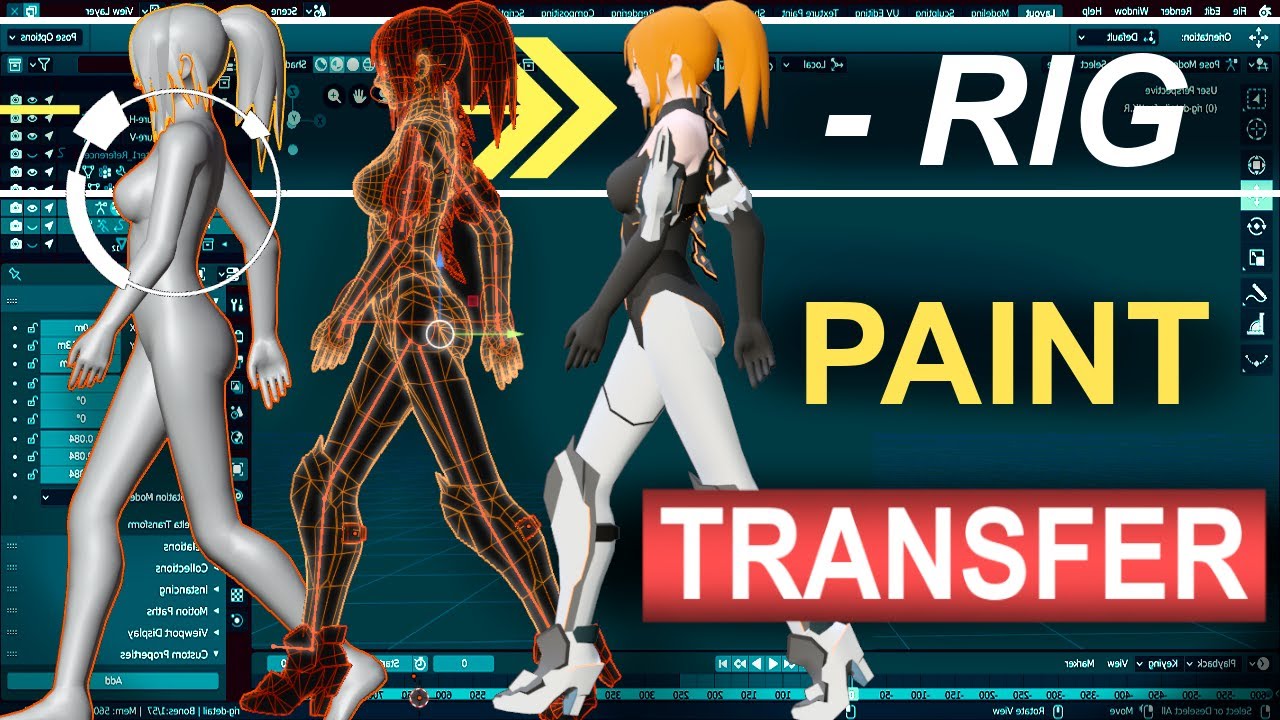
Never waste your time re-painting a new character ever again. In the next 60 seconds, you'll learn everything you need to transfer your Rig's weight painting from one character to another under a minute!!! Hope it helps :)
Free Female Base Rig Download:
https://www.youtube.com/watch?v=_XfvLpLyulI
Sayuri Artsy Weight Paint Transfer Video:
http...
 austere tapir
fallen chasm
then weight painting it is like a 30-second task and I'd honestly feel bad takin...
austere tapir
fallen chasm
then weight painting it is like a 30-second task and I'd honestly feel bad takin...
I tried doing it myself but its too difficult. Thats why im asking for someone to do it for a little cash.
 carmine brook
when in game when i have a chest tracker for somereason it brings the chest down
austere tapir
Next time i will be using rigged items
fallen chasm
austere tapir
I tried doing it myself but its too difficult. Thats why im asking for someone t...
Click to select the body
Shift-Click to select the corset as the active object
Go to weight paint mode
From the header menu, select Weights -> Transfer
Set source layer selection option to "by name"
And that's it, you're done. It should take ~8 clicks
austere tapir
fallen chasm
Click to select the body
Shift-Click to select the corset as the active object
G...

 chilly ferry
does anyone know why the arms are breaking when exported as fbx (i know the bones are crazy im just trying to move an xps to unity)


 unreal flame
chilly ferry
does anyone know why the arms are breaking when exported as fbx (i know the bone...
unreal flame
chilly ferry
does anyone know why the arms are breaking when exported as fbx (i know the bone...
Are you using blender?
Make sure your vertex group has the same name as the bone you made
austere tapir
austere tapir
I need someone who knows how to weight paint to weight paint a corset for me. An...
Bump cuz i still need help
 olive glacier
austere tapir
I need someone who knows how to weight paint to weight paint a corset for me. An...
olive glacier
austere tapir
I need someone who knows how to weight paint to weight paint a corset for me. An...
if you're just looking for it to follow the body exactly try a mesh data transfer, its simple and will get it to follow the body's weights exactly didnt see someone already suggested this up oops
sage patio
fallen chasm
here's the kicker though - instead of just directly copying the motion of the pr...
completely doable, but you will most likely need to use FinalIK
which is 90$ (45 on sale)
as a janky IK solution, you can try using a physbone chain and an Inside collider to "trap" the end of the chain
 sleek knot
but i have the avatar mapped


 sleek isle
Set it to none then back to humanoid
sleek knot
i have and it's still doing it
 halcyon dock
Hello, I have encountered a problem, basically the shoulder/arm is not rigged properly so when t-posing, it looks like this

Then i tried weight painting, and this happens

any clues?
same with the arms btw, the entire model is pretty much appearing twice. Online guides didnt help either
austere tapir
olive glacier
~~if you're just looking for it to follow the body exactly try a mesh data trans...
Im not familiar with weight painting or data transfer and i heard data transfer can mess stuff up or just not work.
And for someone thats not familiar with any of it i cant process how.
If someone else wants to do it, id be happy to pay them some cash for it. I just cannot process the weight painting portion of it and it seems every person i hand this off too cannot complete the task.
olive glacier
austere tapir
Im not familiar with weight painting or data transfer and i heard data transfer ...
i have never encountered any issues using it but create a save before you do it just incase anything happens
https://youtu.be/yr5KRYz5ybs?t=160
looked up a video tutorial that contains how to do it here as blender can be a bit of a nightmare to explain the process to anyone unfamiliar
note that the transfer mesh data option may be under link/transfer data now
 inner cedar
Can someone help me with setting up a character's 2D face for visemes? I already have a texture sheet, but I'm inexperienced with working with the animator and have ran into more than a few issues with it. If you're able to, I'd appreciate some correspondence through DMs.
This is the characters face:

 unreal flame
Ok so I got everything working and it looks good! (Other than the green, but thanks to someone here I got a fix for it! :D) BUT! My finger tips be janked, and I already edited the skeleton to reach the tips of the fingers (it wasn't before) and ensured the vertex groups matched the bone, but the tips are are still going straight up instead following form like shown in unity and blender :v

Date: 2022-06-12 16:37:18
I tested the bones in the blender and the tips are tracking right 🤔
Everything is working except my finger tips xD
unreal flame
This is currently what I am dealing with: https://scrnshot.app/SOjo2/fUDaxOyu34.png

Date: 2022-06-12 18:11:03

Date: 2022-06-12 18:19:25
unity is showing correct mappying for problematic bone
sage patio
unreal flame
https://scrnshot.app/SOjo2/QINogupi88.png
bone mapping isn't the issue, your weight painting is
unreal flame
oh of course!
I had to fix the weights with the eyes...
why didnt it click earlier x3
unreal flame
aye, I do rotate, but sometime sI do it like that and hit ctrl Z
unreal flame
sage patio
bone mapping isn't the issue, your weight painting is
hmmm, in blender it shows as 1.0 for weight
sage patio
unreal flame
hmmm, in blender it shows as 1.0 for weight
your weights probably are not normalized
unreal flame

Date: 2022-06-12 18:56:48
could this be dping it?
apparently unity has the bones set to do this :v
sage patio
every vertex can belong to more than one group, that's how you can make something bend smoothly. however, the weights to all the groups a vertex belongs to should add up to 1, no more, no less
sage patio
unreal flame
apparently unity has the bones set to do this :v
no, that is normal
unreal flame
ok
sage patio
that is the relative position/rotation to the parent bone
unreal flame
ahhhh ok
So i gotta run it through blender one more time and hit the normalize all?
or just normalize?
unreal flame
Ight I'll try that out and see what's what
unreal flame

Date: 2022-06-12 19:20:56
still doing it

Date: 2022-06-12 19:22:27
if i paint it, it stays red

Date: 2022-06-12 19:24:10
my thumb_1 actually has color to it 🤔
unreal flame
im not sure why the finger tips are acting that way x.x
fading verge
inner cedar
Can someone help me with setting up a character's 2D face for visemes? I alread...
uhhhhh i could try and help in dms later after im done eating
cause ive done this befroe
you wont be able to use it as fallback though
sage patio
unreal flame
im not sure why the finger tips are acting that way x.x
make sure you have Auto normalize enabled in the Options menu in the top right of the viewport when in weight painting mode
unreal flame
sage patio
make sure you have Auto normalize enabled in the Options menu in the top right o...
I finally got it!

Date: 2022-06-12 20:30:30
inner cedar
fading verge
uhhhhh i could try and help in dms later after im done eating
Problem is I need to be able to use it for the Oculus Quest, as it's an agreement on the commission I'm doing. Thanks for the offer!
fading verge
inner cedar
Problem is I need to be able to use it for the Oculus Quest, as it's an agreemen...
this message is really weird to me
i dont know whether i should reply or not
 jagged token
I need help rigging a new arm to my avatar, if someone could tell me how to do it while I screenshare that would be preferred but I’ll take any help
 serene raft
mate i am having a hard time with my avatar
the view wont center
like im not looking out the center of the character
 sage patio
serene raft
like im not looking out the center of the character
sage patio
serene raft
like im not looking out the center of the character
did you set the viewpoint position in the avatar descriptor
make sure you have Gizmos enabled to see the gray sphere where the viewpoint is
serene raft
sage patio
did you set the viewpoint position in the avatar descriptor
i did, I even tried to offset it, nothing worked
sage patio
check to see if there is a Camera component on your avatar
there should not be one
it's fine to have a Main camera in the scene, but there should not be any cameras in your model
serene raft
I do not see a camera in unity
sage patio
type this into the search bar in the hierarchy t:Camera
serene raft
not there
sage patio
can you click on the Armature object in your hierarchy, and screenshot the inspector window
serene raft
you'll have to give me a moment i reloaded unity and the SDK is acting up
i think I had the viewport on the wrong spot for a split moment and when I tried something different to put it on the right spot, the SDK wont work so I can't even test it
serene raft
Here is the problem I am getting, if I put the SDK descriptor on the armature, which is what im assuming you're asking
it throws an error for "no animator script"
but if I put one there it messes up the whole thing
but anyway
i clicked on armature and this is what the inspector looks like

now i need to swap back to windows to see why the support is no longer there
i donno why but now it's no longer supported for windows
sage patio
serene raft
Here is the problem I am getting, if I put the SDK descriptor on the armature, w...
no, you are supposed to put your descriptor on the root of the avatar, not the armature
I asked to see the inspector for the Armature to see if the position was anything other than 0
also, remove the pipeline manager component from your armature
jagged token
If rigging is like bones I need help in blender :(((((
fading verge
why does this happen
sleek isle
No armature component on the mesh?
fading verge
sleek isle
No armature component on the mesh?
there is
fading verge
what
sleek isle
If yes then you have no vertex group weight paint on the hand that matches the bone name
fading verge
symmitrize doesnt work either
fading verge
sleek isle
If yes then you have no vertex group weight paint on the hand that matches the b...
Its fine in the rest position
but in the pose position it isnt
sleek isle
It's should follow the bone regardless


 mystic root
might be a really weird question, but is there a way to move where rigging is with a shape key?
 rain ocean
Somethin goin funky with my bones, whudido wrong?
 unreal flame
is that for the tail?
rain ocean
i guess?
unreal flame
I have my tail root parented but not connected to the pelvis
rain ocean
oh, derp
 dreamy robin
fading verge
why does this happen
dreamy robin
fading verge
why does this happen
@fading verge you need to move the armuture in post mode and not edit mode
hushed solar
really quick question:

why does this folder look like this?
in unity, it's empty
oh wow i'm dumb
 torpid rover
It’s because it’s empty

 silver oriole
Anyone here able to help me with this? I tried watching a video of weight paitning, but im still confused and don't know waht to do. And only corners seem to want to work where I click for some reason
 fading verge
you have to assign vertexes to vertex groups them paint bones to those vertex groups
silver oriole
You mena something like this?

I already have vertex groups, the paitning doesnt work only I click on corners for some reason
 signal python
My rig is affecting a part of the mesh that isn’t even weight painted, anyone know a fix to this?
Tooth moves despite it not being weight painted


 rotund kraken
id separate the tooth/teeth from the body and then wipe the vertex groups from that mesh, rejoin it back together again after weight painting the body
signal python
rotund kraken
id separate the tooth/teeth from the body and then wipe the vertex groups from t...
I got another rig I made myself that does work, it has all the right bones but they aren’t named correctly and are all joined together. Can I make it work instead of this one if I just fix names?
I can show you what it looks like
I’m not sure how I’d separate the tooth or the head without messing something up since it has a lot of vertices
rotund kraken
a model that small shouldnt have a lot, but uhhh edit mode then just L the teeth
signal python
rotund kraken
a model that small shouldnt have a lot, but uhhh edit mode then just L the teeth
It doesn’t have above 30,000
signal python
@rotund kraken still having the same issues despite separating
Should I separate head and body?
rain ocean
finished my avatar ill showcase it tm-er later today
fading verge
signal python
Tooth moves despite it not being weight painted
Weight paint it to the head
vital vector
silver oriole
Anyone here able to help me with this? I tried watching a video of weight paitni...
you see, Minecraft characters do not have elbows, if you want to have elbows to be compatible you will need to create some extra geometry in the middle of the arm
so it can bend smoothly
signal python
fading verge
Weight paint it to the head
I tried doing that but it’s not really working, I might need someone to go in and look at the model themself
fading verge
signal python
I tried doing that but it’s not really working, I might need someone to go in an...
select the tooth
select every bone
and remove any weight paint that the tooth has on any bone
and then select the tooth
and weight paint it to the head
signal python
@fading verge I have the teeth as separate meshes, should I rejoin them?
fading verge
yes
vital vector
Yo did anyone have a weird issue on blender
I which random vertex will refuse to be weight painted
Even tho they are selected and part of the vertex group correspondent to the bone
vital vector
signal python
I tried doing that but it’s not really working, I might need someone to go in an...
Since youre on blender, the sure fire way to clean up random weights is to
1.go on edit mode
2.select the entire mesh
3.click on the vertex group on the list and remove
4.reassign the correspondent vertices you want to that group
Make sure to avoid grouping vertex that are on other groups or regions, that will easily create a mess I found out
 glad bluff
How could I merge these two bone strings into a single string?

 upper yoke
glad bluff
How could I merge these two bone strings into a single string?
upper yoke
glad bluff
How could I merge these two bone strings into a single string?
I would just delete one and scoot the other over, also you can probably get away with wayyy less bones at the top of the dress.
Does anyone know how to adjust the step length and get rid of the snapping around the torso and knees?
Also, the avatar stops standing over their center of mass after turning a bunch 🤔

 fading verge
silver oriole
Anyone here able to help me with this? I tried watching a video of weight paitni...
fading verge
silver oriole
Anyone here able to help me with this? I tried watching a video of weight paitni...
looks like they're working as good as they can there, you should probably add bends around the elbows
(ctrl r in edit mode over the mesh then move it roughyl wghere the elbows are
vital vector
Uhh, having some weird issues rn, some random vertices cannot be weight painted anything but 1.0 in Blender

the selected vertex cannot be weight painted anything but 1.0
crisp tendon
Normalize your weights ?
vital vector
even drawing over it with a weight of 0 will just set it to 1.0
aight
what does that do
crisp tendon
Makes sure that all weights on a vertex amount to 1
vital vector
that did nothing
still can't paint over it
I can set it mannually through here for some reason
 crisp tendon
Did you restart blender or reimported your fbx ?
vital vector
It's an OBJ and I opened the project now
I don't wanna reimport it because that would require me remapping the vertex groups
 idle shell
I am having a kinda of weird issue were my avatar's hands Stretch and squish in VRChat when moving them around, is it my rig/weight painting or something in Unity?

 ornate cairn
idle shell
I am having a kinda of weird issue were my avatar's hands Stretch and squish in ...
ornate cairn
idle shell
I am having a kinda of weird issue were my avatar's hands Stretch and squish in ...
if they change size it means some bone could have weight on the hand mesh that shouldn't
idle shell
I'll go over my weight painting one more time and see if maybe I overlooked something.
here is an example of what I meant (sorry about the dark room, was just for a quick test of the rig and didn't expect to run into this issue lol)


Also going over my weight painting and nothing seems to be interacting with the hand or fingers other than the bones weight themselves.
rotund kraken
if weights are correct, all i can tell so far is that you have an excess thumb bone
 idle shell
I'll double check that and see if maybe that is the issue
seems good in Unity all 3 bones accounted for


and Blender of course to show that aswel
rotund kraken
hm weird
idle shell
Yea, maybe it's cause I messed with things in Pose mode to get the body proportions better?
rotund kraken
it might be, yeah
pose mode isnt representative of what will be in game
need to either apply your pose as your rest pose through cats or clear the transforms
idle shell
hmhmm, gonna try both options and see what comes from it
rotund kraken
rigging is my bane so these arent guarantees but it might be worth it to tinker around
idle shell
Oooo-kay so using CATS pose mode reset the stuff I had previously got to the point I wanted proportion wise.
 idle shell
Same here really, first time I really clicked it
rotund kraken
its known for screwing things up like that but blenders default "apply pose as rest pose" doesn't do what it says lol
if you're redoing your proportions, id save it as a pose in the pose library
just in case
idle shell
already have yee, so now the Pose and the Rest Pose are the same, applied any transforms, gonna test it in a bit
ornate cairn
idle shell
already have yee, so now the Pose and the Rest Pose are the same, applied any tr...
u tried default playable layers just to be sure they aren't cause?
idle shell
ornate cairn
u tried default playable layers just to be sure they aren't cause?
Could you explain that one to me? I am not sure what you mean
ornate cairn
idle shell
Could you explain that one to me? I am not sure what you mean
they are in your avatar descriptor
idle shell
Oh, everything there is default right now, I haven't touched it
idle shell
Aight, My issue is fixed Thanks @ornate cairn and @rotund kraken I was really stuck on this one, you guys helped me out a bunch ^^
ornate cairn
idle shell
Aight, My issue is fixed Thanks <@497827696676569088> and <@135514249253355520>...
what was cause?
idle shell
Seems it might have just been a applying transforms issue combined with the Rest Pose not being set properly, thus the whole CATS screwing things over part for the proportions. In short was way easier to fix than I thought it would be
vital vector
Yo, I just need to know if this rig is compatible with SDK 3, if anyone could tell would help out a lot
(it only has 3 fingers per hand)
 crisp tendon
SDK3 doesn't even need fingers iirc
fading verge
can someone help me with this rig, iv gotten some files from a game iv played and i believe iv rigged it, but im unsure what to do now. iv tried watching guides but none of them helped
crisp tendon
"This rig" ?
fading verge
should i send it to you in a photo? or can i share the blend file
crisp tendon
Can't you just post the image here ?
 winter heart
I'm onto optimizing this avatar, and in blender I deleted basically all the hair bones to get it down to good, but when I crouch select pieces of the hair stretch out
I want the avatar to be good rated but how do I prevent this stretching?
 crisp tendon
winter heart
I'm onto optimizing this avatar, and in blender I deleted basically all the hair...
crisp tendon
winter heart
I'm onto optimizing this avatar, and in blender I deleted basically all the hair...
Weight paint that hair mesh to the remaining bone
winter heart
gotcha
 loud iron
Where do I find someone that does rigging service? I have model ready blender
vital vector
By any chance does anyone know how set a rig to T-pose, I keep getting the warning "character is not in Tpose" because of the weird fingers of this Model
 crisp tendon
Scroll down the right page, there's a Force T-Pose option
sleek isle
Don't matter for the finger. I often rotate the thumb since it scuffed most of the time for index user.
And create custom pose for each gesture
fading verge
vital vector
By any chance does anyone know how set a rig to T-pose, I keep getting the warni...
Feet
vital vector
there it is
 vital vector
fading verge
Feet
vital vector
fading verge
Feet
the subsequent lack there of
vital vector
sorry for bothering again, this model was rigged for the 3DS but here says
"Spine1 is not a child of Hips" when in it clearly says here it is


(Unity screenshot 1)
(Blender screenshot 2)
stoic zenith
vital vector
sorry for bothering again, this model was rigged for the 3DS but here says
"Spin...
check and see if their is a spine or spine 0
serene raft

i have no idea
what happened with the arms
it just randomly went BRRT when i was fixing neck weight-painting
in edit mode it's perfectly normal tho
crisp tendon
What does your neck weight painting look like ?
serene raft
 crisp tendon
Are all the other bones correct as well ?
serene raft
which other bones do you think could be affecting it?
I donno why it's just I was fixing the neck weight so the collar wouldn't go WEEEE and then this arm just went brrt and i didn't even notice
crisp tendon
Hard to know for sure, did you do any other operation aside from weight painting ?
You can just scroll down the vertex group list
serene raft
nah it only messed up during weight painting
i was assigning eyes before that
it could be spine2 maybe
crisp tendon
Yeah, definitely is
serene raft
now when it comes to lipsync
what's the jaw bone
is it just a bone for the chin part or something
serene raft
well eventually I wanna be able to give him expressions because people get freaked out by a dead face 😂
crisp tendon
Model doesn't have any visemes ?
If so, yeah you just need a jaw bone, one that is weight painted in a way that opens the mouth when rotating it down
serene raft
the only thing on the model are an eye bone for each eye haha

oof
i did auto-fix on something and now the sdk is like "bye"
oop got it back
Next problem with rigging cause I'm tired

what is going on with this neck extending when I crouch and crawl
fading verge
Anyone familiar with the hair bones being out of place from the avatar itself when emoting or picking up an object? I don't sending screenshots if asked about it! ;D
 void surge
hello i have a question how does the shoulder bone behave when the avatar stands with arms down? if i do the avatar in T-pose should it be straight? the problem is that i don't want this bone to go down when the arms are down

 devout lantern
Are the avatar dynamics example avatars posted anywhere for testing?
i'm wracking my brain trying to figure out how the POV offset works
inner cedar
I'm using the Viseme parameter to animate mouth flaps on this character model. I've capitalized the parameter correctly, set conditions marking the entry and exit from the different animation states as well as the animations (which are all the same except for the silence). I'm wondering what else I might be missing that's preventing the mouth from flapping when the character speaks.

 noble isle
Hi! I am making a model of a Mega Man-inspired avatar with toggleable arm cannons and I am trying to hide the hand mesh with blendshapes. Problem is, the rig is spaghettifying the hand mesh when it'd supposed to be hidden, no matter how small I make it or where I put it, even when it's scaled down to 0 in Blender. Is there a way to fix this? I'm looking for a Quest-optimized solution.


 ionic compass
noble isle
Hi! I am making a model of a Mega Man-inspired avatar with toggleable arm cannon...
ionic compass
noble isle
Hi! I am making a model of a Mega Man-inspired avatar with toggleable arm cannon...
I admittedly don't have much experience with the quest side of things, but is it possible to scale the hand bone down to 0?
or does the hand still need to be visible for some reason?
noble isle
uuh idk I'm handling this with the FX layer so I thought I couldn't really do anything with the bones, although I think I can probably do that on another layer?
I probably need to recheck what I can and can't do with toggles
ionic compass
noble isle
uuh idk I'm handling this with the FX layer so I thought I couldn't really do an...
I think you can do scaling with the FX layer, transforms and rotations are for gestures (?) I think. If scaling it doesn't work on FX, just do the anim on the Gesture layer.
... if quest supports that????
ionic compass
noble isle
thank you I'm going to try it out
no prob! lmk how it goes. I'm not sure how well vrchat reacts to scaling / transforming the bones it uses for IK anims
noble isle
yeah this isn't really working out
at least I can't figure out how to animate the hand bone scaling down
probably doing something wrong, I'm still trying to mess around with blend shapes stuff but to no avail
 whole tusk
so i have a avatar with digi rigging and trying to use the digi bones as humanoid bones (for the purpose of having digi on pc but humanoid on quest due to not having access to constraints on quest without having to have 2 armatures) i've noticed in-game that i'm getting odd rotations at the waist when walking to the side, i assume this causes that issue?
 ionic compass
noble isle
at least I can't figure out how to animate the hand bone scaling down
ionic compass
noble isle
at least I can't figure out how to animate the hand bone scaling down
Clone the model (you should do this anyway when you're animating, have a dummy-model for animating and the one you upload and put the anims on)
Turn on the record animation button (the big red button on the animator) and find your hand bone, set it's scale in x y and z to 0, stop recording the animation
whole tusk
whole tusk
so i have a avatar with digi rigging and trying to use the digi bones as humanoi...
noble isle
I did that but it keeps resetting the scale value to 1
ionic compass
noble isle
I did that but it keeps resetting the scale value to 1
Is it only 1 frame?
noble isle
yeah
ionic compass
maybe you can't animate the main armature bones. weird. uh
Does the animation even play at all or does it not work? And does the animation not work, or does it work but it doesn't work with the toggle?
ionic compass
noble isle
yeah
oh silly question - did you set the button in the menu to a toggle or a button? lol
noble isle
toggle
the blendshape animation works, I just need it to instantly toggle from the hand anim state to the arm cannon anim state really
it's just the hand mesh that's bothering me, I can't resize it because the hand bones affect the mesh so it goes all over the place
ionic compass
noble isle
it's just the hand mesh that's bothering me, I can't resize it because the hand ...
Don't know the limits of quest avatars, but could you separate out the mesh in blender and have 2 meshes on the avatar? and just toggle it's visibility?
noble isle
I want to avoid that, I want a singular mesh for compatibility's sake
ionic compass
But is that supported on quest?
noble isle
yeah I think you can have up to like three or four separate meshes but it heavily impacts the performance rating
ionic compass
I'm really not sure why the blendshape thing isn't working also. Maybe another blendshape is trying to reset the hand to the default?
ionic compass
noble isle
yeah I think you can have up to like three or four separate meshes but it heavil...
Well I'm moreso asking if it's something that would still make it work on quest. It may be a part you have to separate to make it work, if other options don't work.
noble isle
truth is that I also want to make the avatar compatible as a fallback but I might have to bite the bullet and forget about that
ionic compass
Well yeah that's fine, I'm just unfamiliar with how quest stuff works and don't know more than 1 mesh = immediately not quest compatible
scaling the entire hand to 0 with a blendshape should completely hide it, or at least make it extremely hard to discern
did you scale it with alt S or just S?
noble isle
S, alt S just doesn't work, there's always some vertices sticking out
ionic compass
Did you scale the entire thing down into the wrist?
whole tusk
the bones still affect verts even when the verts are scaled down to 0 so you'd have to scale down the bones, which i don't think you can do with humanoid bone
ionic compass
But if it's scaled to zero, doesn't it... practically... hm.
I know the mesh is still affected by the bones, but I didn't think they'd stretch out to match the bones?
I don't think weights override blendshapes?
whole tusk
weights do in a way
vertices are weighted to bones, if those bones move in any way the vertices will move with them, regardless if a blenshape is active
ionic compass
whole tusk
vertices are weighted to bones, if those bones move in any way the vertices will...
Well yeah, but in the screenshot they posted it looked as if they were stretching out to match the proportions of the bone
which is odd, unless they scaled down each individual section of the hand instead of all of it all together
whole tusk
from what i remember there is no proper way around that issue, but i might be wrong

 ionic compass
the only other option i can think of is an alpha mask
but idk of quest supports that either.
whole tusk
quest does not support it sadly
for quest the only options for weighted areas like hands is having them as a separate mesh
ionic compass
But does that disqualify the mesh for being quest compatible?
They seem to think it does
ionic compass
I kind of fell off of vrchat once dynamic bones got auto-converted so I need to do some catching up
baby rage of having to learn a new system has subsided so now i need to learn a whole buncha new stuff
ionic compass
I can't figure out how to make things flare out when an avatar spins like with dynamic bones but I'll get there eventually
whole tusk
flare out?
ionic compass
I have a video of an example-
whole tusk
do send, i'm curios what you mean by that
whole tusk
haha
ionic compass
It's hard to find videos / mmd worlds that feature a lot of (well animated) spins
but
Very proud of how this looked with dynamic bones, it''s hard to replicate with physbones for me rn.
Physbones kind of tend to compress in on themselves
Different math under the hood I kind of am not a fan of
I'm sure I could kind of try and replicate it with angle constraints but I'm annoying and like to try and keep stuff as unrestricted as possible
whole tusk
you can try to also just use the auto-convert tool within the sdk to see how close that gets you
ionic compass
It wasn't very close.
whole tusk
since conversion in-game and in unity are not fully the same
ionic compass
whole tusk
since conversion in-game and in unity are not fully the same
they're not? 👁️
worm????
whole tusk
from what i've noticed they aren't
ionic compass
about the only thing ive seen auto convert really well is one of my avatar's hair
whole tusk
i had a tail that was very shaky in game, not like it was before but when i used the auto-converter within unity it seemed a lot more accurate to what it was before with dynamic bones
whole tusk
whole tusk
but i shall go now, i gotta do some testing with my avatar in vr, want to see if the same happens in vr
ionic compass
whole tusk
but i shall go now, i gotta do some testing with my avatar in vr, want to see i...
Ah! was gonna send you a vid rq
whole tusk
sure
ionic compass
these were dynamic bones - https://i.gyazo.com/12519ba87c4a4b352d380cc70b75e143.mp4
and this is the auto conversion with a tiiiiiny bit of tweaking - https://i.gyazo.com/1b3836fdeb18ab65a785893e90d59bb0.mp4
I could probably add a bit of stiffness (?) to them but i think they converted nicely, and the improved collision is definitely a big +
whole tusk
pretty close yeah
ionic compass
the behavior is not drastically different or even that bad looking.
But yeah go test your avatar, i have no idea what could be wrong with it aside from the longe boye foot bone
for digi legs, i tend to just ignore the digi ankle and put it where the ball of the foot would be for vrchat's sake
not the vrchat team acknowledging my unoptomized avatar 💀
there's only 2-3 bones per section I swear!
 tardy oxide
im having an issue where in blender everything works fine but in unity there is a part of the sweater stuck to the hair and i dont know why


 hybrid cloak
Phys bones might be connected
tardy oxide
hybrid cloak
Phys bones might be connected
whats weird is it doesnt move with the physbones
it stays in the same place
 hybrid cloak
huh That is weird I dont know
ionic compass
It could be an empty vertex group that gets weighted when you export the model?
Assuming its from the armature modifier being applied
It's weighted to something on the head or neck
could be eyes, jaw, any extra bones from the neck up
winter heart
I merged the head base to the body base but the armature that's right around the eyes is still separate
I assume that if I want eye movement then I need to combine it onto the body's armature, but idk how to do that so tips would help

nvm actually I think I managed to big brain it by poking around the cats plugin
 hasty vine
tardy oxide
it stays in the same place
hasty vine
tardy oxide
it stays in the same place
its the weight paint
tardy oxide
hasty vine
its the weight paint
if you look at the first screenshot i showed that in blender it doesnt happen
hasty vine
tardy oxide
if you look at the first screenshot i showed that in blender it doesnt happen
go to blender go to pose mode, select head bone press g and move away from body see if sweater moves
or check the weighpaint iteself to armatures click the armature, shift click mesh, then go through the bones to see if anyuthing is weightpainted
and that its weighpainted properly
 hasty vine
i dont know the only reason i know it would do that is a weight painting issue maybe repaint it?
clear and reweightpaint
ionic compass
tardy oxide
do that with the neck also. go into the armature and deselect "connected" on the parent bone to the chest, just for the sake of testing it.
It's seriously some sort of weight painting issue
ionic compass
tardy oxide
it stays in the same place
You can even see it happening in this screenshot, I'm not entirely sure what bone it's getting weights added to here though.
Maybe go through the vertex groups on the sweater and see if there's anything that shows up in that area specifically?
 serene rover
My avatar's head won't move/follow my view... While looking up the head stay looking straight... Anyone know how to fix it?
sage patio
serene rover
My avatar's head won't move/follow my view... While looking up the head stay loo...
make sure you never add Physbone components directly on humanoid bones
like the head, chest, arms, etc
serene rover
sage patio
make sure you never add Physbone components directly on humanoid bones
Oh..... That's probably why, all my hair bones are child of Head bone. Thank you very much, I will fix it right now!
sage patio
serene rover
Oh..... That's probably why, all my hair bones are child of Head bone. Thank you...
best way to fix is to add an extra bone to act as the root for all the hair
then you can just add your physbone component to that bone
serene rover
sage patio
then you can just add your physbone component to that bone
Do I have to manually copy those VRC components on each bones every time after I import a new model into unity?(After fixing the model in blender)
sage patio
serene rover
Do I have to manually copy those VRC components on each bones every time after I...
no, just override the FBX in your unity project
and unity will take care of reimporting it
serene rover
Oh....
sage patio
this will work as long as you never unpack the avatar
which you should not be doing anyways
if you did, drag the fbx into your scene again and use Pumkin's tools to copy all of your components from your old model
serene rover
How to override the FBX? I tried right click then select reimport but it doesn't work... And I drag and drop the same FBX into unity but it create a new version of it...
sage patio
@serene rover either through the file explorer, or directly exporting from blender to where the FBX is located in your unity project
unity should realize the change immediately (after avatar finishes exporting)
serene rover
You're right. I should just export it directly into unity project folder.
OMG!! It fixed!! You are a GOD
 nocturne sleet
my hand looks kinda scuffed in-game when moving the fingers and stuff, and even standing still the fourth finger looks kinda glitchy, is there an easy way to fix the hands' weight painting?

I'm guessing the third bones should touch the tips of the fingers?
and the bone rotations should also be rotated in a logical way?
damn I should probably add some additional loop cuts too

okay yeah now that I'm observing more compared to the arm this hand is very weird
serene rover
nocturne sleet
okay yeah now that I'm observing more compared to the arm this hand is very weir...
I'm not a expert but my suggestion is you add some edge loops around the knuckles/joints area.
Or just select nearby edge loops then edge slide them so that when you bend your finger you would have more polygons to support the deformation.
And yes, the new one is definitely better.
nocturne sleet
serene rover
Or just select nearby edge loops then edge slide them so that when you bend your...
yeah that's what I'm doing right now, still wip

 tacit hill
heya, can anyone tell me if i can change the origin point of my model in unity?
saw this on reddit but cant find it
 sage patio
tacit hill
heya, can anyone tell me if i can change the origin point of my model in unity?
sage patio
tacit hill
heya, can anyone tell me if i can change the origin point of my model in unity?
you should really be doing that in blender
tacit hill
rip :/
i did
and it was still floating

i followed a guys help in #user-support-old
and it still was floating after i ported to unity
sage patio
show what it looks like in blender
tacit hill
 sage patio
did you export the FBX and import the new version in unity?
sage patio
did you override the FBX or did you import as a new file
sage patio
I don't see your armature in the blender screenshot, can you show it and take another screenshot
and also, don't crop your screenshot
tacit hill
sage patio
I don't see your armature in the blender screenshot, can you show it and take an...
how do i view that again?
 median sparrow
I need help with something could anyone help me
sly vine
did I rig this right? I am asking because whenever I try and test it in vrchat the arms do this


btw I have my actual arms all the way down but for some reason the avatars arms won't go down
I have tried rerigging and reweight painting it
sly vine
can someone please help me fix this issue
crisp tendon
sly vine
can someone please help me fix this issue
Everything moves as expected in pose mode ?
sly vine
Yep
Like honestly I’m about to just give up on it completely
I am honestly willing to give this to someone to see if they can fix it cause I can't
sly vine
It looks right when I play on pc but it still doesn't look right on vr T-T
 crisp tendon
sly vine
It looks right when I play on pc but it still doesn't look right on vr T-T
crisp tendon
sly vine
It looks right when I play on pc but it still doesn't look right on vr T-T
Same thing if you just drop your controllers on the ground ?
sly vine
If I put the controllers on the ground the arms look normal
crisp tendon
That might just be an issue of proportion then, given how large the head is
sly vine
but aren't there avatars that have similar proportions and are working?
crisp tendon
sly vine
but aren't there avatars that have similar proportions and are working?
Hard to know without knowing about your height settings and hardware !
 fierce grail
sly vine
but aren't there avatars that have similar proportions and are working?
fierce grail
sly vine
but aren't there avatars that have similar proportions and are working?
Usually these kind of avatars have viewpoint at nose or lower.
Instead of at eye height
fading verge
Had a large question about how to optimize rigging. Since it was solved in another channel, edited this post to minimize it. Essentially:
How to use a single bone to control a mesh that's weight painted to an armature, to scale the mesh thereby making a bone on/off toggle.
Because bones are less laggy than shapekeys/meshes.
Only Blender Object Constraints could force the bone to ignore the armature's movements while allowing scaling, thereby not interfering with the armature's control of the mesh. Problem is, Unity no like Object Constraints.
Solution:
<#avatar-optimization message>
 brisk terrace
Ive nitice recently that the new ik made it so most of the models i try have arms reach max lenghts a lot sooner than what the real arm are. That wasnt the case before.
 soft heron
Not sure if right place... Im trying to fix an issue where the visemes seem to be affecting other parts of the avatar (hands,clothing), not sure how to fix this. If anyone is experienced with Avatar visemes, some guidance would be much appreciated.
crisp tendon
soft heron
Not sure if right place... Im trying to fix an issue where the visemes seem to b...
You'd have to fix those visemes specific vertices by using the "blend from shape" function targeting your basis
sleek isle
"propagate shape key" on all the vertex of the body that shouldn't be moving by those. Be sure to be on the base
soft heron
il look into that, thanks
soft heron
sleek isle
"propagate shape key" on all the vertex of the body that shouldn't be moving by ...
problem with that is some of the shapes are used to hide shirt etc..
serene rover
Anyone have the mobile version of avatar performance ranking charts or links? Can only find the tips...
rotund kraken
VRChat
The Avatar Performance Ranking System allows you to see how much a user's avatar is affecting performance via analysis of the components on that user's avatar. You can also use it on yourself to see how performant your avatar is. This system is provided to inform users what is likely the most perfor...
 hearty creek
Anyone knows how the bones hierarchy must be? I'm having the LowerLeg is not first child of UpperLeg or Foot is not first child of LowerLeg: you may have problems with Shin rotations. and I don't know which bones are parents or child of each other
serene rover
rotund kraken
https://docs.vrchat.com/docs/avatar-performance-ranking-system
Thank yo very much! Did try to googl it but I totally miss it I guess...
rotund kraken
yeh np gamer
serene rover
hearty creek
Anyone knows how the bones hierarchy must be? I'm having the *LowerLeg is not fi...
Do you add any child bones for the upperleg for physbones or something like that?
hearty creek
serene rover
Do you add any child bones for the upperleg for physbones or something like that...
Yeah, for the skirt
serene rover
hearty creek
Yeah, for the skirt
Wait a second, I did encounter the same issue yesterday...
hearty creek
Thank you!
robust crescent
rotation can be wierd if you have that , often safe to ignore - easy to sort your bone order with a script in unity - does not break prefab -
devout lantern
Hey Guys, How am I able to move the entire avatar using the avatar dynamics system? I saw in the example world theres an avatar that can "fly" by moving its hands apart, but i haven't seen any other avatar that does this
There was also a menu button that locked the feet and prevented movement using the joystick that I'm invested in as well
rotund kraken
its just e in blender
nocturne sleet
In Blender (bottom) it looks fine, but when Unity (top) tries to T-pose it, it messes it up.
How can I fix it effectively and precisely? 🤔


 weary rivet
why mixamo?
 sleek isle
Go in edit mode on the armature then scale du bone down with the origin point of pivot for the transform. It's an option on the top or bottom of your screen
Maybe the cat plugin will resize them when using the fix
nocturne sleet
nah, doesn't seem like it's the problem, Unity doesn't consider bone tails
nocturne sleet
So I've managed to fix the hand issues using CATS' fix model, but in exchange it messed up my eyes, and they appear inside of the head all deformed and bundled up instead of where they should be. Thing is: in Blender all is fine, it's only when importing in Unity that it's messed up.
Any idea?


 restive zinc
I'm thinking of adding a togglable motorcyle to my avatar to ride, would it be possible to rig the wheels into rotating when I start walking?
crisp tendon
Sure, that just need to be part of your blendtree animation for locomotion
 silver knoll
Hi, i'm having trouble with these 2 things:
- should the neck and head be straight vertical as best practice for IK2 ?
- in the depth axis (back-front) , should it be further back or aligned with the upperchest for the best behaviour?
 ornate cairn
silver knoll
Hi, i'm having trouble with these 2 things:
- should the neck and head be stra...
ornate cairn
silver knoll
Hi, i'm having trouble with these 2 things:
- should the neck and head be stra...
you can tilt upper point of upperchest to be aligned with bottom point of neck and should be fine
silver knoll
thanks!
crisp tendon
ornate cairn
you can tilt upper point of upperchest to be aligned with bottom point of neck a...
That makes no difference FYI, since Unity connects the tail of child bones, only the head position of a bone matters
ornate cairn
crisp tendon
That makes no difference FYI, since Unity connects the tail of child bones, only...
i mean i always do that and had no problems but good to know
crisp tendon
It won't cause a problem, it just doesn't do anything 
sleek isle
Always do something is not really indicative of what you should do.
 neon creek
Okay, so I'm pretty new to avatar making with blendr and unity.
But I can't figure out how to enable a prop on the little quick circle menu.
Any help/suggestions
fading verge
neon creek
Okay, so I'm pretty new to avatar making with blendr and unity.
But I can't fig...
 formal copper
So I have a character who has pretty big eyes that kind of bulge out near the top of her head (instead of them being set inside the head.) how should i approach setting up the eye visemes? i was thinking i could set up some sort of 2D texture for the blinking but i’m not too sure how to do that lol.
fading verge
formal copper
So I have a character who has pretty big eyes that kind of bulge out near the to...
CATS blender plugin should still be able to make eyes out of that.
If it's a model that has no eye bones, I think you would have to make them.
Try the above option regardless, first. But to make them:
Named them Eye_R and Eye_L. Then weight paint the bones to the eyes.
Then use CATS Blender Plugin to create eyes tracking.
formal copper
fading verge
CATS blender plugin should still be able to make eyes out of that.
If it's a mo...
oooh ok i'll try that. thank you!
 eternal stag
I have questions! How do i try to get the original pose and not the funky stretched version or edit the funky one to the original pose for idle?


 bronze copper
is there a quick way in Blender or Unity to test if a model is actually rigged correctly? Like a basic animation I can throw at it to make sure it moves?
fading verge
bronze copper
is there a quick way in Blender or Unity to test if a model is actually rigged c...
In Unity, you can click on the FBX. Go to Rig. And select Configure (only shows when set to humanoid). Then you can check if it's rigged correctly.
You can also search the asset folder for any typical emote animation, like death/die, double click it, then drag and drop the avi to the window that opened and play it.
 oblique latch
when i go add add a player from gta5 into blender with a plugin the hands and face bones are all rip and i can not find a fix i would show a photo but this but discord bot will not let me
crisp tendon
The sleeve is just weight painted to multiple bones
Could be your chest or neck bone, but it's definitely affected by more than one bone
The actual arm bone should be the one with the weight
crisp tendon
Yep, in edit mode, you select those vertices, and then back in weight paint mode you enable the blue option on the right

 vale kettle
So i took the fbx into blender and added new shoes, but now it wont let me copy the rig from the orriginal, any ideas

Cause i click the rig i want to copy and it does nothing
But i can copy other ones
bronze copper
https://i.imgur.com/IHMl8il.png should I be concerned about the giant spikey grey thing? it looks like a non-highlighted bone, and hovering/clicking says it's ModelName(Clone). Google says nothing about clones, grey spikes, or any other search term I try lol





also his dewclaws on his feet keep flying off to the side, but not in Blender
robust crescent
would be easier to see how its in blender then that mess
 void canyon
probably some root bone bullshit
 rigid crest
do you need dynamic bone to add physbones
rotund kraken
no. physbones are apart of the sdk
 fierce ingot
I was clicked "fix model" from cats plugin but the textures still didn't get placed

 scenic hemlock
hi there
i am having this issue : The angle between pelvis and thigh bones should be close to 180 degrees (this avatar's angle is 3.2) anyone knows how to fix this pls?
bronze copper
Any idea why one object out of like 10 isn't weight painting right? I have the max color set to white, and the object is fully white for all the bones it needs (it's the top of a skull and the bones are neck/head/etc). The ears and jaw and everything work fine, but the upper head only moves like half way, like it's weighted wrong. All surfaces on it are 100% weighted.
crisp tendon
bronze copper
Any idea why one object out of like 10 isn't weight painting right? I have the m...
Screenshots would help
bronze copper
can't believe I forgot to post them, one sec
left is normal, right is angling the head bone and everything but the top skull moving correctly. It moves some, but not like the rest
 crisp tendon
Seems like the rest is weight painted to bones it shouldn't be
Once you figure out which, you can fix it easily
bronze copper
like the skull is painted to something like the arms and it's slowing it down?
crisp tendon

bronze copper
None of the other bones have any weight paint on the skull. I have 0% set to neon pink, so I can see there's nothing there. Would re-adding the shoulders/arms and checking be a waste of time?
crisp tendon
bronze copper
None of the other bones have any weight paint on the skull. I have 0% set to neo...
Unsure, but if it's moving slightly, it's painted to something else for sure, or not painted enough on the existing bones
scenic hemlock
 bronze copper
Alright so the fix was so easy I'm almost mad. I unparented the object and reparented and it's moving correctly lol
Thank you for the help Ruuubick, but I shoulda just turned it off and on to start
crisp tendon
scenic hemlock
You might have a flipped hip bone
bronze copper
I probably had something painted wrong on an option ticked incorrectly, something that resetting the parent/child options fixed
scenic hemlock
crisp tendon
You might have a flipped hip bone
ah ok tks alot let me check this
 noble juniper
can someone help me with this?
 sage patio
noble juniper
can someone help me with this?
sage patio
noble juniper
can someone help me with this?
those are just warnings, and will not stop you from uploading
if you have twist bones on your avatar, you should set them up correctly with rotation constraints and not try to get rid of the warning actually
noble juniper
sage patio
if you have twist bones on your avatar, you should set them up correctly with ro...
It's not letting me for quest
sage patio
ah yea, can't do constraints on quest
bronze copper
When I generate an atlas, how do I get the colors back to normal? It basically randomizes what materials are where, same with hitting "fix model". This image isn't as dramatic, others have been worse
 sage patio
bronze copper
When I generate an atlas, how do I get the colors back to normal? It basically r...
sage patio
bronze copper
When I generate an atlas, how do I get the colors back to normal? It basically r...
make sure the names of the UV maps are the same on each mesh
bronze copper
So the muscle mapping section or whatever in Unity shows my tail isn't 100% rigid, but it's almost there. Any ideas why my tail sticks straight out with very little sway or curve when I move?
stoic zenith
Hi Hi everyone! Its my first time weightpainting a cloak on a model can someone give me some assistance?
 sage patio
bronze copper
So the muscle mapping section or whatever in Unity shows my tail isn't 100% rigi...
sage patio
bronze copper
So the muscle mapping section or whatever in Unity shows my tail isn't 100% rigi...
humans don't have tails. unity's avatar definition doesn't have anything for tails
to make your tail move smoothly, use a Physbone component
 quaint cosmos
Any insights/best practices for rigging digitigrade legs? I understand that what would be the lower leg on a human is basically all foot with the foot area being the toes. Should I rig it that way or just treat it like a backwards knee?

 copper hazel
Anyone here knows how to rig skirts? I'm having troubles with skirts clipping through
soft heron
need help with bone deform in blender, there a way to remove it from specific mesh? An optimized avatar i have uses blendshapes to hide clothing and one of them is close to a bone that uses deform (So when I move my hands up its pulls the mesh thru the body and looks VERY ugly).
sage patio
quaint cosmos
Any insights/best practices for rigging digitigrade legs? I understand that what...
that's a very odd place to put the knee. it's a lot higher than it normallyy is
most often it's done like this (black being shape of leg, red being bones)

the digi ankle can be higher or lower, but the knee is always roughly where the real knee is

example
quaint cosmos
Well, it's an alien leg, it's not really based on any real animal or intended to be but if it's not going to be possible to rig as it is, then it can be adjusted. So basically the bones are just set up like a normal leg even though that doesn't match up to where they are physically to allow for the animations to work properly?
sage patio
if you want it to animate properly, you will need special rigging
which involves having a humanoid leg which is weighed to nothing, and then the real leg that the leg is weighed to
you then use constraints to drive the digi leg using the humanoid leg

you still have to have the leg shaped reasonably though
quaint cosmos
Sounds challenging but I guess I'll have to figure it out. Thanks for the link.
Seems like the legs I have are more like unguligrade than digitigrade but I guess the basic process is the same.
 slender sentinel
can anyone help walk me through how to create a nose on blender? the alt-v command isn't working like how i want it to from this video tutorial eheh,,
 digital wren
does a model need to have a minimum of 3 spine bones to work properly?
the model i'm working with really only needs 2 and deformation with an extra spine bone looks strange
quaint cosmos
slender sentinel
can anyone help walk me through how to create a nose on blender? the alt-v comma...
A nose? You can just extrude it out from the face or sculpt it but I don't think that's what you're trying to ask.
slender sentinel
quaint cosmos
A nose? You can just extrude it out from the face or sculpt it but I don't think...
i think i have a solution actually! just watching a few more blender videos and i think i'll do a mix of different tutorials and try adding a face if the program knows what i'm trying to do snrt- thanks though!
sage patio
digital wren
the model i'm working with really only needs 2 and deformation with an extra spi...
you need hips, spine, chest, then neck
upperchest is optional
digital wren
cool just checking
bronze copper
So Physbones is the newer, better Dynamic Bones? There's no reason to get DB, Phys is more or less the upgrade?
rotund kraken
yes
bronze copper
aight, thank you
quaint cosmos
Worlds still haven't been updated to use Physbones so you still need Dynamic Bone for that but you don't need it for avatars and Physbones should make it to worlds eventually.
 finite eagle
how do you rig a regular r15 roblox avatar?
quaint cosmos
Mixamo, probably.
ionic compass
I'm gonna get fullbody soon and I'm kind of putting off making avatars for myself incase they're severely out of proportion with my body and require a lot of editing to fix - i know it wouldn't be perfectly 1:1 but would taking a picture of the little tracker calibration things that come up help me make a decent ref for how my armature should be laid out?
i make models, rigs, everything from scratch - just wondering if somehow getting a screenshot of the tracking calibration and using it as a general proportion ref could help me alter future avatars to line up more accurately.
this is technically a rigging question lol
 fervent hornet
The best way to get your proportions is to take a picture of yourself t-posing IRL
ionic compass
fervent hornet
The best way to get your proportions is to take a picture of yourself t-posing I...
i. feel actually insane for not thinking of that much simpler way of doing it
my brain just went to doing it in vr cuz its how the game interprets it, not where the limbs actually are 😅
 wheat dove
the tail on my avatar keeps going inbetween the legs of my avatar dispite it not being that way during tpose? anyway to fix this?
 dull mortar
Not sure if I am supposed to post this here or in the help section but, I am trying to add bones to an avatar in blender. However, I can't seem to make it transform. Most help site says to parent it with automatic weight, but it seems to do nothing for me. I am using blender 2.80 with cats plugin.
 sage patio
@dull mortar you should do the weight painting yourself, look up some tutorials
weight painting is how you get parts of a mesh to move with bones in an armature
dull mortar
All tutorial I found adding bones says to use the automatic weighting under parent. If there is a tutorial I can you or tell me how to do it it will be helpful.
quaint cosmos
Automatic weighting should give you some weights but they probably won't be very accurate. The basics of weight painting are pretty straightforward, it just takes time and tweaking to do them well. https://www.youtube.com/watch?v=4fICQmBEt4Y

I've been meaning to update this video for a very VERY long time. But, we're finally here. Everything you need to know in order to start painting weight layers onto your character!!! Hope it helps :)
Female Body Model Link:
https://www.youtube.com/watch?v=_XfvLpLyulI
If you enjoyed this video, please don't forget to like and subscribe!
You ca...
winter heart
I noticed that I have a lot of twist bones on my avatar, but I want to optimize the avatar to be good rated so I have to delete some bones. would it be okay to delete the twist bones, since I also have regular bones as well?
sage patio
winter heart
I noticed that I have a lot of twist bones on my avatar, but I want to optimize ...
don't delete bones, they have weights associated with them and outright deleting bones will mess up your weight painting. instead, merge them to the parent bone using CATS
keep the forearm twist bones, as those are the most useful
winter heart
gotcha 👍
 errant herald
does anyone know how to fix this?
 crisp tendon
errant herald
does anyone know how to fix this?
crisp tendon
errant herald
does anyone know how to fix this?
Usually in blender, having to correct that bone length by scaling it !
sleek isle
Reverse hip probably
 swift hinge
I'm having this completely bizarre issue, and I have no idea what's causing it as it seems to happen to all my avatars. When I place my arms down and hands on my hips, my right shoulder is never flat and is always aimed out and my left arm always clips through my body. It's almost like my chest and arms need to be translated slightly to the left in VRChat as a whole such that my left arm is not clipping through my body and my right arm is not leaving a gap between my arm and hip. Even with elbow trackers, this issue is not fixed. I already tried the "Shoulder Fix" from Kung's video.
In the supplied image, I am in a penguin pose in the real world with my feet together and arms on my side, standing up completely straight with my hands on my hips and you can see my left hand is clipping through my body and right hand and shoulder is completely off the side of my body.

 burnt goblet
Im assuming your not fullbody, i would say that is somewhat normal. The feet tend to stay in one spot until you move a certain distance , therefore you get this weird effect with one arm or the other colliding into the body. I guess my question is did this start happening as a new thing or has this always happened. If something changed then thats a completely different story.
swift hinge
burnt goblet
Im assuming your not fullbody, i would say that is somewhat normal. The feet ten...
I am in full body, yes :-). This is a new issue
 shell quest
howdy, I'm looking for some help on merging a tail to an existent fbx. can someone help me? i'm hitting a road block here x.x
kind of confuse on what i have to do to maintain the armature and delete the previews tail
 quaint cosmos
shell quest
howdy, I'm looking for some help on merging a tail to an existent fbx. can someo...
quaint cosmos
shell quest
howdy, I'm looking for some help on merging a tail to an existent fbx. can someo...
You can join 2 meshes by selecting them both and going to Object -> Join or by pressing Ctri + J. If the existing tail is its own object, you should just be able to hit the delete key or if it's part of the body, you'll need to select the faces, hit P to separate them to a new object and then delete the object.
shell quest
quaint cosmos
You can join 2 meshes by selecting them both and going to Object -> Join or by p...
do i have to make any changes to the armature?
quaint cosmos
No, not if you just want to join objects. You're gonna have to create vertex groups and weights for the new tail because that's how rigging works but if you just want to stick the objects together then you don't need to do anything else.
 fathom sun
I am having some tremendous issues with weight painting. For some reason, while I have the mirror option on with weight painting, these strange spots appear on the other side of the model. Can anyone help? [Warning: may be slightly nsfw. No bits are showing though, just the region]
quaint cosmos
Is your model completely symmetrical?
fathom sun
yes
sage patio
how did you check?
winter heart
when turning my model using pose mode, all my clothes will move with me but some will start to separate away from the body as I move the model more
 crisp tendon
That means they're weight painted to things they shouldn't be
winter heart
I figured I did data transfer right, I'd click the body for source, click vertex data, do nearest face interpolated, click vertex groups, generate data layers, then click apply
I also did transfer weights where I'd click the body, shift click the clothes (say shoes for example), then hit weights>transfer weights, do by name, and still the same thing
so I'm fairly certain they're weight painted correctly?