#avatar-rigging
1 messages · Page 202 of 1
 sage patio


this is basically what happens
from right to left: head, first bone, 2nd bone, third bone
 lyric stratus
the eye itself and the pupil would be seperated in the way that if you clicked L on blender in edit mode it would select the pupil seperately?
sage patio
yes
lyric stratus
ok
thats fine
but like
one second

what stops the pupil from moving out the iris btw
like this gidf
gif*
sage patio
do you not know about weight painting?
sage patio
everything would be weighted to the head, and the part of the eye that's supposed to move is weighed to the third bone in my example
lyric stratus
i just know the basics i guess
sage patio
 lyric stratus
i thought the pupil is meant to move
so like
if the green on the gif is the white, and the blue is the pupil
if that makes sense
sage patio
yea the pupil gets weighed to the 3rd eye bone
the white stays put because it's weighed to the head
lyric stratus
ok
i dont completely get it but im just gonna try to replicate what youve done
sorry for being so new to this lol
sage patio
all good
basically you just want it so that moving that third bone moves the part of the eye you want to move
the pupil
 fathom sparrow
Hey guys. I'm new. I got a somewhat vague question.. rigging is kind of making my brain hurt trying to memorize the process of rigging. Can anyone give me a general checklist for rigging models? I think having a cheat sheet will help
lyric stratus
@sage patioso i set up 3 bones like this?
 lyric stratus
fathom sparrow
Hey guys. I'm new. I got a somewhat vague question.. rigging is kind of making m...
lyric stratus
fathom sparrow
Hey guys. I'm new. I got a somewhat vague question.. rigging is kind of making m...
imo just watch the same simple tutorial a few times is the way i did it
sage patio
lyric stratus
<@!93092275638251520>so i set up 3 bones like this?
more like this
 lyric stratus
? :D


and if i did that right, then i parent the big bone to the head, and the two tiny bones to each other?
and here is the eye mesh just to make sure im doing it correctly
ignore the topology

i will fix it
 lyric stratus
sage patio
lyric stratus
sage patio
do i move them to the ends of the arrows or just futher right?
sage patio
that's the parenting order
you don't move them
placement looks fine
just remember that the Head of the bones (the circle near the fatter tip) is where it pivots
all 3 of the bones should be moved up so that the head of the bones line up with the center of the eye
lyric stratus
 lyric stratus
sage patio
all 3 of the bones should be moved up so that the head of the bones line up with...
lyric stratus
sage patio
all 3 of the bones should be moved up so that the head of the bones line up with...
i think it would need to be moved down

right?
or the fatter nips needs to be aligned
sage patio
 lyric stratus
this good?
 lyric stratus
lyric stratus
lyric stratus
also is this correct?
sage patio
yep, looks good
once you're back in Unity, add a Position constraint to the 3rd eye bones
with these settings (note unchecked Z, and ignore Pos. at rest and Pos. offset) then click Activate

 crimson plover
Heya! Currently have a problem with a model I'm making where the characters Tposed in game despite it having a humanoid rig and such. Anyone know what step I might have missed when rigging the character?

The character's rig looks like this in Unity, and I think I'm missing a bone for the upper chest and toes if that's what's causing the issue but not really sure. 🤔

(didn't know if this was supposed to go in help or rigging so sorry if I messed up the channels haha)
 forest swift


 gloomy rain
I'm trying to make an avi for a friend, but noticed that the hoodie moves with the legs, which it shouldn't.
one side is fine just the left side is doing that? help??
 lyric stratus
sage patio
once you're back in Unity, add a Position constraint to the 3rd eye bones
lyric stratus
sage patio
once you're back in Unity, add a Position constraint to the 3rd eye bones
dont i have to weight paint it and stuff in blender? (sorry for the late reply)
lyric stratus
gloomy rain
I'm trying to make an avi for a friend, but noticed that the hoodie moves with t...
mirror the weights on the side that isnt
you can do that via a mirror modifier or mirroring the vertex groups
lyric stratus
(please ping me if you get around to answering so i can see it :) )
sage patio
lyric stratus
dont i have to weight paint it and stuff in blender? (sorry for the late reply)
yes you do
lyric stratus
should it just have the same weights as the head?
and what kind of weights should it have on the 3 bones that i added? just all the way red?
sage patio
the first two have no weights at all
only the final bone, the one closest to the eye, has the pupil weighed to it
lyric stratus
alright
lyric stratus
sage patio
only the final bone, the one closest to the eye, has the pupil weighed to it
like this ? :D
 sage patio
no, there should not be any kind of gradient
in edit mode, hit L to select the whole pupil. in weight paint mode, enable Vertex masking in the top left, set your weight slider to 1, and do shift + K
lyric stratus
sage patio
in edit mode, hit L to select the whole pupil. in weight paint mode, enable Vert...
in the top left, i see vertex selection, and paint mask. which one is it?
i clicked this and

when i do shift k, it says this

oh i think i see why
haha im so stupid but it works now
now do i go to unity?
 stable fern
https://sketchfab.com/3d-models/nier-automata-robot-878e4b8066064024a4ee0e8889b19904
I’m trying to rig this model for an avatar/NPC, but it just doesn’t work for me… I don’t understand rigging at all… Can someone please help me understand?..

First time modeling and rigging propotion character semi human, anyway free download guys hope you like it xD
Modeling - Blender
Texturing - Substance - Nier Automata Robot - Download Free 3D model by mochamadyuda (@mochamadyuda) [878e4b8]
lyric stratus
lyric stratus
now do i go to unity?
also how should the whites be weight painted
sage patio
lyric stratus
also how should the whites be weight painted
everything should be weight painted to the head like you normally would, except the pupils, which are weighed to the 3rd eye bones
lyric stratus
OK
lyric stratus
sage patio
everything should be weight painted to the head like you normally would, except ...
then what do i do?
sage patio
if you manually move that third bone, does the pupil move?
lyric stratus
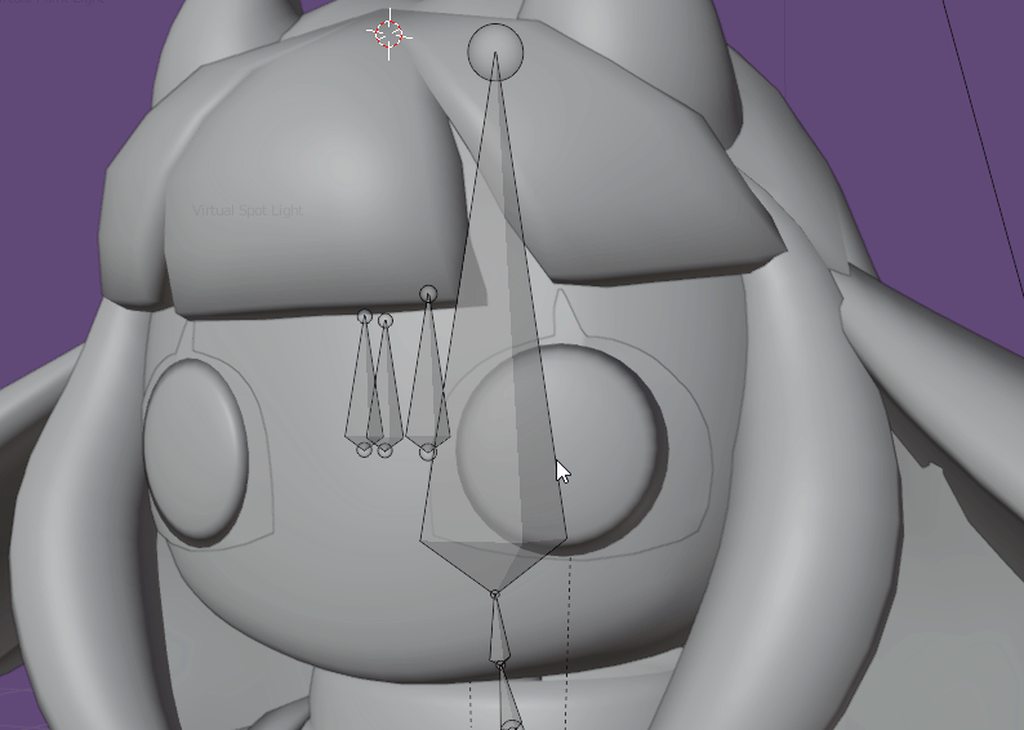
the whites of the eyes are a bit hard to see but still
you can see they move with the head bone
sage patio
uhh this isn't as 2D as I thought lol
not sure if my technique will work for that
it seems to me like just having one bone per eye but placed far away from the eye would work best
the further away from the eye the bone is, the less it rotates on itself
lyric stratus
it was completely 2d but uh i changed it like this because this is how i though its meant to work
but i have one issue with a single bone like that
lemme make a gif
sage patio
so if you picture a large sphere that has the same curvature as the face, you want the bone to be at the center of the sphere
it doesn't matter if the bones go outside of the head or not
lyric stratus
what would stop the pupils from going completely off the face like this in that scenario https://i.imgur.com/rzdR9bW.gif
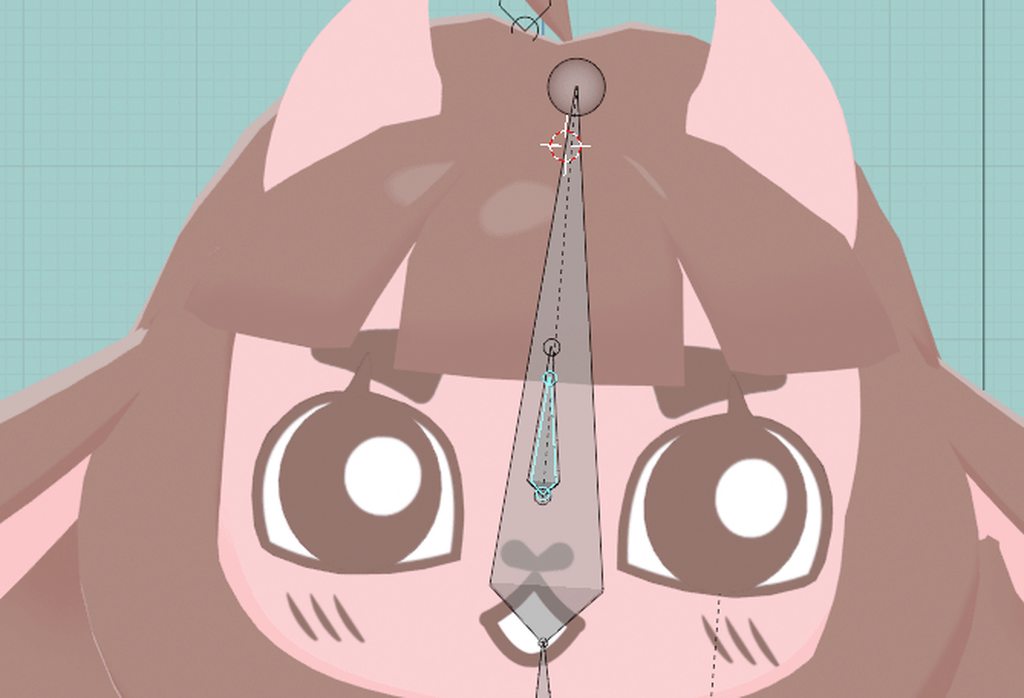
or just outside of the eyes
sage patio
well first, they should be inside the head, not outside
sage patio
you can have the eye sockets be intended but not look like it if you're using flat shading
you can also edit the normals to all be facing forward
lyric stratus
but if its not gonna work outside though i understand
lyric stratus
sage patio
you can have the eye sockets be intended but not look like it if you're using fl...
how would i go about this
sage patio
that would be a poiyomi shader thing
but just having the normals aligned would help a lot
sage patio
separate the eye socket mesh, add a NormalEdit modifier, and apply it
before and after


normal editing is a common thing when making stylized/toon models
lyric stratus
oh yeah
i know about this ok
so
i should model eye sockets into the character?
sage patio
I would recommend having eye sockets, and having the eyes moved back to be in them
that way, the eyes can move to the side and look fine
lyric stratus
and there is definetly no way to do it if the eyes and pupils are images like i can in blender?
its not the biggest deal if not
sage patio
not if you want to use VRChat's eye look system
if you have a headset like the vive pro eye or varjo aero, you can use the eye tracking to drive animations that move the eyes by moving the textures, like you did in blender
but there's no way that I know of to drive a texture offset using bones
 livid flume
What do you need for a avatar to be uploaded to vrc?
and do I need shoulders to upload a animatronic avatar?
lyric stratus
sage patio
but there's no way that I know of to drive a texture offset using bones
oki
i will try to make some eye sockets
 scarlet hare
hello! I have a quick question regarding rigging my vrchat avatar?

can you have the head bone detached like this?
its still parented to the neck bone...
sage patio
scarlet hare
you can, but remember that a human will be wearing that avatar. you should do your best to make it follow the humanoid skeleton as closely as possible
you should also straighten the spine
having the head bone further forward like that might lead to some weird bending/viewport drift, but only one way to find out right
sage patio
you could also use extra, unweighed bones for the neck and head, and have those be perfectly aligned like a normal human
and then use either constraints or FinalIK to drive the actual neck/head of the shark
scarlet hare
my pics are being blocked?
sage patio
odd
scarlet hare
welllp
idk how I can ask if its better if I cant show it
so wait if I have two head bones...how do I dictate which one is actually used for vr?
or does it just assume the unweighted one is
@dawn oak the bot seems to think my images are explicit? is there a fix to this?
 dawn oak
If it's the discord clyde bot, not anything I can do about it


 scarlet hare
how come? :o
sage patio
your spine is heavily leaning forward
 frozen cipher
For those of you who rig digitigrade legs, do you also create digi toe bones? or just have the planti toe bones. Ive been following the DragonSkyRunner/kaideart tutorial but man do my avatar's toes get fucky when modding poses to work with the leg digitigrade leg rig
I didnt see anything in those tutorials about creating digi toe bones, just the normal planti bones
 weary zealot
Hello everyone, should i put a upper chest bone on my rig?
 young wind
im no authority on rigging but i suppose it depends on if youd like to have better twisting in the torso if i remember my rigging courses properly
unrelated, anyone have tips on how i should lay out bones for this stupid jacket. i should never have designed it like this
 sage patio
young wind
im no authority on rigging but i suppose it depends on if youd like to have bett...
sage patio
young wind
im no authority on rigging but i suppose it depends on if youd like to have bett...
yes, the new IK prefers having an upperchest
 naive ermine
Hello, say I have fbx model but its rig is ugly. Where can I get minimalistic human rig which has everything and optimized for VRC (all bones for default animations, jaw, eyeballs, conventional names and hierarchy)? Everything I've downloaded has some extra bones and other stuff from I guess some 3dr party rig software. I just want to paste it over my model and weight paint it from scratch.
sage patio
naive ermine
Hello, say I have fbx model but its rig is ugly. Where can I get minimalistic hu...
Gumroad or booth.pm
frozen cipher
young wind
unrelated, anyone have tips on how i should lay out bones for this stupid jacket...
You want to animate the curtails? or the sleeves as well?
young wind
the curtails only, sleeves r just the arms
frozen cipher
I would make a root bone around hip level, and then make chains of bones where you want those curtails to deform. Then weight paint the lower end of the coat to those bones. I am by no means an expert, but thats how I would do it from what Ive seen from people animating clothes with dynamic bones
So if you wanted to make it simple, Id have your root, then maybe 4 different chains of 3-4 bones each parented to that root. (one chain per section of divided section of coat) If that makes sense @young wind
If not, look up a dynamic bones tutorial on youtube how they do clothing for skirts and whatnot
young wind
alright, cool! that's what i was thinking of doing, ty for your thoughts
 prime quarry
anyone know why my model's pelvis is leaning so far forward?
lyric stratus
sage patio
but there's no way that I know of to drive a texture offset using bones
i have made the eye sockets
the eye is now in an eye socket and the white and pupil are seperate and not textures
 turbid venture
does anyone have any suggestions on how I can stop the wrists from curling like that? I've been messing with the positions of the bones but nothings helping


 pastel bough
^ Kind of on a similar note, is there an easy way to adjust my avatar's resting posture? Mine is currently a bit slouched and has its feet pointed inwards compared to other avatars. Do I just rotate the spine and legs in blender or is it way more complicated than that? 😅
sage patio
pastel bough
^ Kind of on a similar note, is there an easy way to adjust my avatar's resting ...
download the CATS blender plugin, go into Pose mode, tweak the pose of your model, then click Apply as rest pose
pastel bough
Awesome, I just installed CATS a minute ago. Thank you 🙂
Wow that worked beautifully. Too easy and it looks perfect now. Thanks again!!
lyric stratus
lyric stratus
the eye is now in an eye socket and the white and pupil are seperate and not tex...
@sage patio what should i do next, is there a tutorial?
 covert ember
I'm trying to make new shapekeys and contrary to my last attempt that I did with cats blender plug in, I wanna make them from scratch and try to make them match my actual mouth movements better. Any tips or tricks on how to do that? Like, is there stuff that I should avoid/definitely do?
sage patio
covert ember
I'm trying to make new shapekeys and contrary to my last attempt that I did with...
if you're making mouth movement, ensure you have a jaw bone. you can use pose mode to create shape keys
you can also refer to the Oculus Viseme Index for references
if you have a furry avatar, this might be helpful
 turbid venture
does anyone know why the thumb is going so far out?

 sage patio
turbid venture
does anyone know why the thumb is going so far out?
sage patio
turbid venture
does anyone know why the thumb is going so far out?
because that's not how you rig a thumb
not sure why there's an extra bone chain lol

 rose jacinth
I dont know if this is the right spot to ask but is there someone outthere who can add a model into vrchat for me
And add bones as well ?
 pastel loom
Any of you rigging wizards know what causes this hip issue with FBT? Its been a long while since I've run into this issue so I can't remember the fix at all

 robust crescent
compare it to the pic above here, im guessing your hips way to low/odd
pastel loom
I remember seeing something about the position of the hip bone itself, but I can't remember, does it need to be above or below the top of the thigh bones?
 ornate cairn
pastel loom
I remember seeing something about the position of the hip bone itself, but I can...
ornate cairn
pastel loom
I remember seeing something about the position of the hip bone itself, but I can...
above
it also needs to be pointing at spine
pastel loom
Will try those, thanks
turbid venture
I've fixed the way the thumb/hand was rigged but I still cant get the thumb to stop stretching out like this, does anyone have any suggestions?

 languid pewter
turbid venture
I've fixed the way the thumb/hand was rigged but I still cant get the thumb to s...
languid pewter
turbid venture
I've fixed the way the thumb/hand was rigged but I still cant get the thumb to s...
hvae you tried just unbinding the first bone in the thumb
idk if thats a good solution atall
turbid venture
languid pewter
hvae you tried just unbinding the first bone in the thumb
it looks like that helped the way it was distanced from the other fingers, but it still looks strangely long, I think I can fix it on the mesh though
 pastel loom
interesting that Discord counts a screenshot of my rig as NSFW content, I was about to send a screenshot
pastel loom
pastel loom
Any of you rigging wizards know what causes this hip issue with FBT? Its been a ...
I've tried a bunch of things from moving and rotating bones to reordering them in the heirarchy with absolutely no changes each time.
The hip still comes out twisted but only after I calibrate, it's fine in animations
I feel I should note though, the RIght Thigh bone does a similar thing, and I have to account for it by offsetting it 90 degrees along its Normal Z

or rather, all of the bones are offset by 90 due to being from a different engine, and I was able to get away with rotating them each 90 degrees but the Right Thigh I had to leave in place
i.e.

 weary oak
pastel loom
i.e.
weary oak
pastel loom
i.e.
Reset your bone rolls in blender if you haven't already (Select all bones > Item tab on the left > bone roll '0' > right click > copy to selected ), then change your rig from humanoid > generic > humanoid so unity updates to the new skeleton config
Also if you're importing an FBX from another engine, there is an import option under 'armature' that lets you change the primary/secondary bone axis so you don't have to rotate everything manually, just FYI 🙂
As far as your fbt issue, maybe its coming from how the legs are spread like that? I'm less familiar with fbt setups, but I know the legs are supposed to be basically vertically aligned along the joints... Like, if fbt made the one leg straight down, maybe the other would be sticking off to the side the way you described, and the rotated thigh bone could just be introducing more jank elsewhere after the fact
Mostly guessing though I'll admit
 void canyon
when you get a new head and it is too galaxy brained compared to your old one

bursting at the seams
void canyon
halp
I generated the Right/LeftEye bones via CATS and they work fine on the rig mapping configuration:


however when i save the mapping, the eye is gone

seems to be skewed somewhere like this above the eyeball

since the iris is outside of the eyeball, no amount of fiddling with the rotation states seems to line it up

i'm pretty lost, it works perfect in blender, works perfect in the bone mapper/muscle tester in unity
but it dun work
languid pewter
i never feel like im using the right channel, but what can make the pose slightly different between unity and blender
robust crescent
Those eyebones looks way too high up
 void canyon
robust crescent
Those eyebones looks way too high up
void canyon
robust crescent
Those eyebones looks way too high up
this is how it's setup in blender

maybe the base head had the original eye bones too high up?
so weird that it works fine on everything else lol
weary oak
void canyon
Did you try rotating the eyes 90 degrees X in the rotation states here?
Also if the original rig came with eye bones why generate the eye tracking with cats? Am I missing something that cats does special?
ornate cairn
void canyon
this is how it's setup in blender
do you have 2 bones for each eye? that is not something that should happen
void canyon
weary oak
Did you try rotating the eyes 90 degrees X in the rotation states here?
Also if ...
the eye is too high in the skull, it doesnt show up
void canyon
ornate cairn
do you have 2 bones for each eye? that is not something that should happen
its the base eye bone, they're skewed so it does not work in unity

well, at least they are in eye-socket height
i guess
weary oak
Adding to Z in the rotation states might help that
Hard to tell with just these screenshots what all is going on though
void canyon
yeah
basically, the base eye bones work, but they're not aligned right so it comes out cross eyed in unity
the CATS generated eye tracking, based on those two eye bones, have the pupils show up way too high in the model
i havent had the chance to see whether they're aligned right or crosseyed lol
basically, i had these eyes, i went into the eye tracking like so:

and then it generated these two upwards eye bones for me

the bottom bones make me look crosseyed, the CATS bones are straight up gone
weary oak
So you imported to unity, saw the eyes, went into blender to generate the new eye bones, and reimported to unity?
Idk why the original eye bones are offset like that, that's weird tbh.
void canyon
basically, yes
weary oak
Did you reset bone rolls before exporting from blender, and change rig to generic and then back to humanoid in unity after you reimported?
weary oak
Bone rolls do crazy things I've found lol
weary oak
Well at least we've eliminated that as a potential issue
Are any of your bones in Blender posed, or are you in base rest pose?
Those original eye bones still bother me lol
If you wanted to send me your model, or stream for me I could help you troubleshoot.
Only if you were comfortable with that of course.
void canyon
weary oak
Are any of your bones in Blender posed, or are you in base rest pose?
I should be on rest, but let me clear transforms real quick
void canyon
weary oak
If you wanted to send me your model, or stream for me I could help you troublesh...
Haha i might take you up on that if i can't figure it out, but i'll try a few things here
i adjusted the eye bones to look less weird and it seems to have made it better?

made them look straight out

smack dab in the middle
it woooorks, but the rotation to make it look forward is weird

aha!

i straightened them upwards like this

and it works perfect
weary oak
Sweet!
 crisp tendon
languid pewter
i never feel like im using the right channel, but what can make the pose slightl...
crisp tendon
languid pewter
i never feel like im using the right channel, but what can make the pose slightl...
Did you apply your pose and cleared your bone rolls ?
weary oak
No prob, glad I could help 😄
languid pewter
crisp tendon
Did you apply your pose and cleared your bone rolls ?
fixed it by accident and im not sure how, i probably didnt do the second thing
crisp tendon

 scenic ridge
need some help
void canyon
scenic ridge
need some help
my crystal ball just happened to malfunction today
can't help if ya dont mention the issue
 buoyant dove
so if im using a four legged animal what would be the best way to have them walk correctly
like i know theres a special system for spiders but would that be effective on this
sage patio
buoyant dove
so if im using a four legged animal what would be the best way to have them walk...
you would need to use FinalIK to get it to walk properly. pretty much the same system that spiders also use
buoyant dove
is there a free one
sage patio
no, but FinalIK frequently goes on sale for 45$ in the unity asset store
another option that might not be as effective but still looks okay is to have rotation constraints on every bone of the rear legs that are constrained to the front legs
depending on how they're rigged, they may not work perfectly
but worth a shot
 fervent hornet
Constraints are the free way but they are 🤢
FIK is the good way but its fucking 💰
 nimble crescent


 tribal isle
is there anything I can do to avoid this weird spike effect when adding springbones?
these are the values

 fluid flame
So I believe this is the right channel for this but my model is constantly stuck in the ground like this and I cannot figure out how to fix it, the camera is at the correct height but the rest of the model isn't.

 fair plank
fluid flame
So I believe this is the right channel for this but my model is constantly stuck...
fair plank
fluid flame
So I believe this is the right channel for this but my model is constantly stuck...
Is it set to a humanoid rig?
Is the locomotion layer broken?
fluid flame
fair plank
Is it set to a humanoid rig?
Is the locomotion layer broken?
It is set to a humanoid rig yes, and I am unsure of how to check if the locomotion layer is broken or not, it walks perfectly fine just visually in the floor.
fair plank
Ah is the origin correctly set in Blender/3D program of choice? maybe
Like in Blender are the feet below the 0 point?
 fair plank
Is this a new issue for this model?
fluid flame
I'm trying to upload it for the first time
I made this model myself so there's no base
fluid flame
Yes, I found out that in the rig menu it was below ground, but not in the standard viewport so I was confused
thank you for helping me though
 whole valve
Im trying to rescale my avatar to more human-like proportions and whats resulted from that is when i sit down (on a chair with my legs/knees bent on a 90 degree angle) and rest my hands on the top of my legs, my hands now go through my legs.
I can't figure out what aspect of the avatar i need to change in order for that hand-to-leg contact to be accurate again. Is this related to where my hip tracker lines up? Is this related to arm/leg length ?(i tried shortening arms but didnt appear to have any noticeable effect)
fair plank
whole valve
Im trying to rescale my avatar to more human-like proportions and whats resulted...
Try using this
https://github.com/triazo/immersive_scaler/releases/
GitHub
VRChat correct proportions, made easy in blender. Contribute to triazo/immersive_scaler development by creating an account on GitHub.
whole valve
fair plank
Try using this
https://github.com/triazo/immersive_scaler/releases/
I did initially try this, but it just gives me an error in blender when i hit rescale 😦
I guess i mostly am trying to figure out what body part ratios decide how far down my hands will go (so i can adjust those and bring that level up to meet where my legs would be when sitting down)
fair plank
whole valve
I guess i mostly am trying to figure out what body part ratios decide how far do...
There's some FBT scaling related vids on Youtube it's a bit more of a process since it's basically all manual but it'd presumably work
fair plank
whole valve
I did initially try this, but it just gives me an error in blender when i hit re...
Ah, I found that the one with Cats addon doesn't like seperate meshes if I remember correctly
and also stopped resetting the origin so I had to manually move my avatar down so it wasn't floating
whole valve
fair plank
There's some FBT scaling related vids on Youtube it's a bit more of a process si...
Yeah I always try to follow Kung's video but never get a satisfactory result - I assume there are just some aspects I'm overlooking.
fair plank
whole valve
Yeah I always try to follow Kung's video but never get a satisfactory result - I...
Gotcha
Good luck
 sharp gyro
Dunno if this is the perfect channel for this, but is it possible to make an avatar that's just a walking box on legs? No articulation or moving parts above the hip. I'm a complete newb who doesn't really know what they're doing, I imported two source engine models into blender and merged them, trimming off most of the stuff I don't need. Need advice on how to proceed to make this a usable avatar, if possible.
 ornate cairn
sharp gyro
Dunno if this is the perfect channel for this, but is it possible to make an ava...
ornate cairn
sharp gyro
Dunno if this is the perfect channel for this, but is it possible to make an ava...
just have weights on your leg bones and rest of the bones do nothing
easiest solution
sharp gyro
ornate cairn
just have weights on your leg bones and rest of the bones do nothing
Honestly, I don't know enough to know what weights means in this context. Is there a like a 'VRChat avatar creation for dummies' guide out there? All the ones I've found so far are for customizing existing humanoids
ornate cairn
this avatar seems to have rig is it rigged?
sharp gyro
Well, it came with a skeleton, so maybe? It's from team fortress 2, not designed for use in vrchat as an avatar. I deleted the parts of the skeleton related to the arms and head/neck, but I've let parts of the spine just in case. The upper box part isn't linked to any of the joints, so it doesn't move when the skeleton is manipulated (unlike the legs)
ornate cairn
well you need full humanoid rig for it to work but all the bones above upper legs won't be moving anything they will just exist so unity will mark the rig as humanoid
and that's all
sharp gyro
Ah, that makes sense. Since I deleted the original bones, is is possible to make new ones in blender?
ornate cairn
blender is tool for nearly everything in 3d so yes
sharp gyro
Also wondering if it's possible to make it simplified to save time. Like, do I need multiple spine bones, or is just a straight spine okay? What about fingers?
ornate cairn
i think you can use addon called rigify and generate full rig
sharp gyro
Gotcha. Hopefully I can preserve the existing rigging in the legs
scenic ridge
need some help
sage patio
sharp gyro
Also wondering if it's possible to make it simplified to save time. Like, do I n...
you need to follow the standard rig

here

in your case, you'd probably want to have the whole box weighed to the Hips
and then the legs rigged normally
every other bone will do nothing
but it's required for it to be considered a Humanoid rig
some bones can be omitted, namely:
- upperChest
- fingers
- toes
sharp gyro
Much obliged!
What I need to figure out how to do now is assign bits of geometry to different bones. Mainly, the box part I'm adding to... maybe the chest or part of the spine?
Actually, is it possible to get the box on top of the legs to always remain upright? So if I crouch down, lean around, etc., the box doesn't tilt, nor would it sway around when moving.
sage patio
sharp gyro
What I need to figure out how to do now is assign bits of geometry to different ...
that's called Weight painting
scenic ridge
idk what im doing with unity\
sage patio
the way you get parts of a mesh to move with an armature is by assigning vertices in that mesh to Vertex groups. if a bone shares a name with a vertex group, then moving said bone will have the effect of displacing every vertex in that group, proportional to the weight given to each vertex
weight painting is just the process of mass-assigning vertices to vertex groups using brushes
sharp gyro
I think I sort of understand this. I get that when vertices are paired to a joint, they move with it... but this sounds like they can move at different rates based on weight? Is the weight for simulating physics in dangling bits like hair or skirts?
sage patio
if you take a knee joint for example, there's a weight gradient for the upper leg group and the lower leg group
at the knee
sharp gyro
Is weight just a term that's being used for this, or is it actual weight in lbs or kgs or something?
sage patio
sharp gyro
Is weight just a term that's being used for this, or is it actual weight in lbs ...
weight means "influence"
like in a "weighted average" for example
sharp gyro
ah
Okay, I think what's confusing me is why a joint would have a weighted influence on the vertices paired to it. I'd think they'd just move with the joint, or not? Like if I move my arm IRL my skin just moves with it
sage patio
sharp gyro
Oh it's for the joints!
sharp gyro
Ah, so it's to simulate soft tissue or materials deforming and flexing
So for something like a robot, where no pieces are deforming, just a bunch of solids linked together, can you omit a weight gradient?
sage patio
sharp gyro
So for something like a robot, where no pieces are deforming, just a bunch of so...
yes, you would simply assign a weight of 1 to the vertices
sharp gyro
sharp gyro
Actually, is it possible to get the box on top of the legs to always remain upri...
Is this possible or nah?
sage patio
yes
add an extra bone, have it parented to the hip bone, and weigh the entire upper body to it. then in Unity, add a Rotation constraint to it, and have it target the Armature object. in theory, that should work
the Armature is not supposed to rotate, it should just stay upright
you would maybe want to uncheck the Y axis in the rotation constraint, so that it can still turn side to side
but not tilt
sharp gyro
Perfect, thank you!
sage patio
sharp gyro
Perfect, thank you!
speaking of constraints, you could use them for things like kneepads
which only move 50% the amount that the lower leg does
you'd have an extra bone for the kneepads, parented to the upper leg. then you'd add a Rotation constraint to it, set the source as the lower leg bone, and set the weight of the constraint to 0.5
sharp gyro
Alright, I've exported that model as an fbx, and reimported and 'fixed' it with the CATS plugin. Obviously the skeleton is a little messed up, is it possible to do a little surgery with the armature template you sent me? Join the upper body of the template armature with the pelvis and legs of the one I have.
 sage patio
yea, you can just import the template armature, delete the lower body, delete the upper body bones in your rig, then join the template armature to your rig
then parent the bones the right way around
sharp gyro
👍
sage patio
don't forget to add an extra bone for the "box" of the avatar
parented to the hip bone
sharp gyro
hmm, what about height? It seems my model is several orders of magnitude larger than the armature you sent. How tall would that armature be in-game? Is there a 'vrchat unit' that needs to be converted to blender units?
sage patio
sharp gyro
hmm, what about height? It seems my model is several orders of magnitude larger ...
both blender and Unity work in meters. if you create a default cube in blender, it's 2x2x2 meters
sharp gyro
oh perfect, metric units!
sharp gyro
sage patio
yea, you can just import the template armature, delete the lower body, delete th...
Speaking of this, is there an easy way to select the box to make it a vertex group? Since opening it with CATS, it's become purple, which I'm guessing means it's unparented to any bones, so I'm hopeful that there's a way to select all of it at once instead of... grabbing each vertex individually
sage patio
sharp gyro
Speaking of this, is there an easy way to select the box to make it a vertex gro...
you can just select those pieces in Edit mode, and then assign them all to the group you want
to select stuff, you can hover over a piece and hit L to select all of the connected vertices
can also enable X ray mode, select an area, and do ctrl + L to select everything else connected to what you selected
 sleek isle
One thing I not sure about rigging. Why some character eye tracking durp a little ? Joint to close to each other/orientation/ etc.
sharp gyro
@sage patio Sorry to keep pestering ya, but how do I actually parent this vertex group to a bone? I thought it was done by going into the constraint menu, making a child of the armature, then selecting the bone (as I've seen a few tutorials do it), but when I do that it shrinks the entire model down (legs and all) enough to make it nearly invisible, rotates it a random direction, and parents the whole thing at once.

I think the strange size change has something to do with the fact that I scaled the entire model down a while ago
sharp gyro
Wait, I actually did it! Sheer dumb luck, but I did it
trying to use blender is like trying to wrestle a bear
although now if I try to scale the avatar-in-progress back down to a reasonable size, the armature and the model scale at different rates
I have a feeling that I'm trying to do something that I need months of study to even comprehend
ctrl+z doesn't undo this... welp I tried, I think my work is lost
sharp gyro
I ended up remaking it, and it seems to be functional, it's at the correct height, and all the vertices seem to be paired to the correct bones
not even sure what I did differently this time
Now I just need to figure out why the two different textures are pink and purple instead of what they should be, despite both textures being loaded and the UV map panel showing them working as they were before...
 hidden ether
Can somebody explain to me what the correct example of this is supposed to look like, or point me to a good example?
 ornate cairn
hidden ether
Can somebody explain to me what the correct example of this is supposed to look ...
ornate cairn
hidden ether
Can somebody explain to me what the correct example of this is supposed to look ...
second pinned message
hidden ether
oh, cool, thank you and sorry for not looking
ornate cairn
basically

 left brook
hello I need help my avatar is standing on toes against on whole feets
 radiant verge
 sleek isle
Vertex group not matching the bone name
By the look of it, you probably merge twist bone or something.
 marsh flame
Hello, I need a tip of advice. Basically my entire rig seems to be working perfectly fine (arms and legs have IK rig but deleting it didn't change the issue) but there's a problem with elbow doing weird things. Basically when I try to pose my character with hands nearby her face, the elbow does this. I've attatched pictures of weight painting, maybe I did something wrong there?


 crisp tendon
You can extend the weight paint on each side more, but part of the elbow could be painted to something it shouldn't be
 gilded ibex
when an avatar has that knee clasping problem, what are the bone fix in blender that can be made that are future proof? (not my picture, just for illustration)
already disabled the ankle bone inherit rotation.
 robust crescent
Straighten the legs, those are when they arent
sage patio
 robust crescent
upper leg on that pic always bothered me, line is straight , bone is not 🔨
gilded ibex
like this?
 robust crescent
usually from the front make those legs go cross
sage patio
gilded ibex
like this?
no, look in the pic I sent
from the side, the knee should be bent. the same way your real leg would bend
from the front, it should be absolutely straight
select the leg bones (upper leg, lower leg, foot and toes), and do S > X > 0 > enter
gilded ibex
sage patio
select the leg bones (upper leg, lower leg, foot and toes), and do S > X > 0 > e...
yes, this is what im looking for, thanks
yeah since this is the 1st time im doing the merge armature process, the resulting bone structure are a bit different from my usual routine.
 sage patio
gilded ibex
yeah since this is the 1st time im doing the merge armature process, the resulti...
sage patio
gilded ibex
yeah since this is the 1st time im doing the merge armature process, the resulti...
in this case actually, you might want to use pose mode with X mirror to rotate the legs outwards a bit
 void canyon
any point to mapping the jawbone if all my visemes are setup already?
i have a bad case of mouth agape syndrome & i'm wondering if its worth fixing vs. just unmapping the bone
sage patio
void canyon
any point to mapping the jawbone if all my visemes are setup already?
no, just unmap the bone
you don't need a jaw bone for visemes at all, but it's useful to have for the purpose of creating shape keys
 atomic panther
is there a reason that my avatar has the walking animation on PC but on oculus it's legs arent moving?
void canyon
atomic panther
is there a reason that my avatar has the walking animation on PC but on oculus i...
did you disable these?
 atomic panther
I hadn't clicked anything in settings except adding to the tail- I'm a noob.
(Currently I'm using physbones) - do I need to uncheck that or make sure it's checked?
atomic panther
figured it out- it had 2 separate rigs and it was messing with it (idk how but it did)
 hasty copper
I'm having an issue where the Eyeballs when you click "play" in unity (They also show up in game like this). They move out of my head.

It looks normal, and I can do the "look up/down/left/right" eye movements and it looks fine.

Here are the two eye bones in blender
 ornate cairn
hasty copper
Here are the two eye bones in blender
ornate cairn
hasty copper
Here are the two eye bones in blender
try editing bones so they are vertical instead of horizontal
hasty copper
Other models have them like this. And it works in NeosVR like this..
 sage patio
hasty copper
Other models have them like this. And it works in NeosVR like this..
sage patio
hasty copper
Other models have them like this. And it works in NeosVR like this..
the bones should be facing perfectly straight up
 ornate cairn
hasty copper
Other models have them like this. And it works in NeosVR like this..
ornate cairn
hasty copper
Other models have them like this. And it works in NeosVR like this..
Noes works differently
vrchat needs them vertical so pointing up
hasty copper
Nope, didn't need to do that. I ended up renaming the bone from LeftEye to Eye_L and when I opened that model it complained about errors and I had to tell it where the eyes were and now its working.

Hey and that naming is also working in neos!
Well I'm glad I figured it out.
 hasty copper
I'm pretty sure what caused my issue is the fact I'm still learning blender and this was my first time having to make a bone and vertex group.
And somehow I ended up with two bones linked to the eyes. And original I just told VRchat what bones it should use.
Where as NeosVR wanted the use the other bone.
So when I moved the bone Neos wanted to the same position and deleted the other bone.
VRchat still was looking in that lower position of the old bone it appears.
 mortal goblet
If anyone has an example rig for a 4 legged animal please send it my way
 sullen goblet
hasty copper
I'm pretty sure what caused my issue is the fact I'm still learning blender and ...
sullen goblet
hasty copper
I'm pretty sure what caused my issue is the fact I'm still learning blender and ...
I feel that,did my first model model with eye tracking and stuff so I know how that feels
 brisk terrace
I was wondering if there is a way to make a sleeve not rotate with the arm its on. My character has a coat that's kinda hanging on their arm and if i rotate my arm it also gets rotated with it. It has to follow the arm when its raised or pushed forward
 gleaming mesa
brisk terrace
I was wondering if there is a way to make a sleeve not rotate with the arm its o...
gleaming mesa
brisk terrace
I was wondering if there is a way to make a sleeve not rotate with the arm its o...
Not in rigging itself, but when you go to vrchat. You would have to make the coat arm a separate bone at the same position as the arm bone and use constraints in unity to connect them in most axis except the rotational axis that is, uh, spinning the sleeve
Because thats what you want in the end, lock one rotational axis
brisk terrace
they are already using their own bone and i tried locking every possible combination of axis but the arm bone doesnt rotate on one flat axis ... when i rotate it on itself , it's using all 3
 brisk terrace
gleaming mesa
Not in rigging itself, but when you go to vrchat. You would have to make the coa...
brisk terrace
gleaming mesa
Not in rigging itself, but when you go to vrchat. You would have to make the coa...
i went back in blender and made sure that the sleeve bone was in the exact same spot as the arm too
gleaming mesa
brisk terrace
they are already using their own bone and i tried locking every possible combina...
Still, try to make the constraint
The rotation shown in unity here is something, but it isnt local iirc
brisk terrace
i tried the constraint with ever combination of x y or z turned off and nothing worked
 keen jasper
hey everyone i joined this server because i need some help. My name is alyssa and i recently bought and avatar off of gum road and i sent the files to a friend to upload it for me. it said it came with a quest version and file so that it works on quest too but the friend that uploaded it for me couldn’t figure it out so i was wondering if there was someone that could look into it for me and help me out. if you think you can help or know someone that can please DM me as i just ordered my vr and i’d love for my avatar to be compatible. ty! just do me if you can help <3
 formal hare
keen jasper
hey everyone i joined this server because i need some help. My name is alyssa an...
formal hare
keen jasper
hey everyone i joined this server because i need some help. My name is alyssa an...
Thats a bit vague for the specific issue but as you say they couldnt figure it out so if you havent already:
read the documentation, and look at some videos
tldr you have to switch unity to the android variant and upload with that
 short radish
what is the best way to convert VRM spring bones (from vroid) to the new physbones
if I try to use VRM converter for VRchat all the spring bones dissapear and then I'm just left with the skeleton and no hair bones or anything to work with at all so i dunno
before convert vs after convert


nevermind i just did it through blender
keen jasper
formal hare
Thats a bit vague for the specific issue but as you say they couldnt figure it o...
tysm someone helped me and we figured it out ☺️☺️💓💓
 modern sorrel
Someone knows why when I make eye tracking it only moves in place.? It looks weird when it does
 edgy willow
dead ;-;

 void canyon
hello, anyone know of a way to limit the range of movement on a bone in one direction, without dynamic bones?
i have this shoulder pauldron that i'd like to move relative to the shoulder+arm bones
right now the armor bone is parented to the shoulder, so when i raise my arms, the thing clips:

if i parent it to the upper arm, the armor moves too much (left is parented to the arm, right is parented to the shoulder):

Is there any way to make it so when i raise my arm, the armor raises as well, however when i put the arm down the armor levels and stops horizontally?
 robust crescent
Merge shoulder pad bone to arm / parent it to arm 🤷
void canyon
refer to the second picture, if i parent it to the arm then it does not level horizontally when i put the arms down
void canyon
void canyon
if i parent it to the upper arm, the armor moves too much (left is parented to t...
like this ^
 fading verge
There's no good way to get pads to stop in a certain position. I've tried to no avail
void canyon
:( aww
im not particularly skilled at blender, so i guess i'll have to live with it haha
robust crescent
if its pc, you could try constraint in unity
void canyon
i'd like to make it fallback compatible, are these constraints disabled on the quest?
actually, unity and not blender?
robust crescent
They are not
pc one could use it, quest would have to remove em
could still be a fallback just quest one might be bit derpy shoulderpad
majority would never actually notice it anyway unless you point it out
void canyon
robust crescent
majority would never actually notice it anyway unless you point it out
haha, you could say that about most small touches i've done so far
😂
30 google tabs deep on a topic later: "man, it doesnt actually matter"
languid pewter
my friends always say people will never notice stuff lol
brisk terrace
im running into a problem with full body only. body parts get mapped to the wrong places and the model collapses

the model works fine without full body
 spare perch
i added blend shapes to my model in maya for blinking and visemes but when i import the model to blender the face is all messed up
😰 jesus

flipping the normals does nothing somehow
importing with custom normals disabled seems to fix it?? i think?? idk what else is gonna be messed up tho
spare perch
do the eyes need to be combined with the body mesh for cats to do the eye tracking?
sage patio
spare perch
do the eyes need to be combined with the body mesh for cats to do the eye tracki...
you don't need to use the CATS eye tracking thing at all
all you need is for your avatar to have its eyes weighed to eye bones
spare perch
oh nice
sage patio
they should be part of the same mesh as the body
the bones should be pointing straight up with no roll
sage patio
no, you should first have the eyes weight painted to their respective bones, and then join the mesh
 sage patio
you can just rotate them
also, make sure the bone is in the correct spot
the head of the bone (the fat part) is the pivot
sage patio
okay cool
spare perch
yeah combining the eyes and the mesh is just not working out for me
to export the fbx id need to get rid of the non deformer history
which it wont do after i merge them together
spare perch
Oh god do i need the mouth parts to be merged with the body as well for the visemes
I can make blend shapes for each part with cats but im scared thats not gonna work out in game or in unity
 karmic basalt
Hello fell people of the internet
Anyway. If anyone who make models from scratch has time to help, id love some help
I have an obj file that i have rigged myself, all the bones and such work and everthinh
All that is to do is to import it into unity and also i need the uv map to colour it
Im not sure how to do this so any help or tips would be appreciated
 novel aurora
karmic basalt
All that is to do is to import it into unity and also i need the uv map to colou...
novel aurora
karmic basalt
All that is to do is to import it into unity and also i need the uv map to colou...
You have to manually set up the UV map in Blender or whatever program you’re using, otherwise you will have an untexturable jumble of polys
 pale ingot
im fairly new to avatar creation so this might be a stupid question, but if i wanted only the pupils of my avatar to glow but the eye is all one thing how would i do that
sage patio
pale ingot
im fairly new to avatar creation so this might be a stupid question, but if i wa...
use an emission mask
a mask is just a black and white (or with gray-scale) texture
where there's black, no glow
where there's white, it'll glow
 gentle veldt
not sure if this is the correct channel but....
anyone know why my cats blender plugin is misbehaving? it is up to date i already checked
 robust crescent
downgrade blender to 2.9x
 gusty flint
I found a model I want rigged for VRC
https://sketchfab.com/3d-models/johnny-the-homicidal-maniac-final-8816f368cfd841948f2f02b3a32cb801

Johnny The Homicidal Maniac model i made for college :3 - Johnny The Homicidal Maniac (FINAL) - Download Free 3D model by arthurfelipe (@arthurfelipe) [8816f36]
crisp tendon
gusty flint
I found a model I want rigged for VRC
https://sketchfab.com/3d-models/johnny-th...

VRChat Ask
Post about commissions for avatars in this category. Requests are not permitted, we only permit posts from those providing services.
sharp gyro
Something I've noticed, that I'm sure is probably known to most people here, is that some avatars have different 'animation templates' on desktop. Not just moving differently due to different proportions, but different postures as well. Many humanoid avatars I've used have a crawling animation that makes them look like they're supposed to be holding a rifle, while others do not, some crouch with the hands in different positions, etc. What's the deal with that? This is something you can choose when you create the avatar, right?
fading verge
Yes, you can change your avatars animations in unity
Dont really remember how though, havent modeled much in 3.0
 opal dome
im getting a vroid custom model commissioned rn and wanted to get it rigged for vrchat once its complete but its been so hard to find commissions for it and then i remembered i was in this server
 shrewd flame
Hello! Sorry if this isnt the right place to ask but I've been screaming at my PC trying to get this avatar to work, when I look up or down the whole model moves with the head making it crouch when looking up and go on really high tip toes when looking down, It also walks around a bit when looking to the sides, I googles a little and saw one person say it might be due to where the VRC Avatar Descriptor is placed but ive tried moving it around and its still the same, any advice?
 leaden ledge
hai, can someone help me with a model issue? im not sure where to talk about this... its when i do blendshapes in anim files.

i think the face part of the mesh is clipping thru, why is that?
leaden ledge
shrewd flame
Hello! Sorry if this isnt the right place to ask but I've been screaming at my P...
sounds like ur view point might be off? also sounds like you might need to redo your rig
shrewd flame
Its weird, It looks like everything works completely fine in the muscles & setting preview, yeah ill have a look at the rig again :[
 rose wagon
sharp gyro
Something I've noticed, that I'm sure is probably known to most people here, is ...
rose wagon
sharp gyro
Something I've noticed, that I'm sure is probably known to most people here, is ...
Gun crouch was the default laying/prone idle for older sdk2 avatars
You can change it if you want.
And 3.0 let's you have multiple different prone idles if you so choose. Sdk2 was limited to one for both PC and desktop
sharp gyro
Neat, thanks!
I'm still quite new to this game, how are different animations toggled? I've discovered the rotary menu that pops up when you press R, but is there a way to bind animations to specific keys?
sage patio
sharp gyro
I'm still quite new to this game, how are different animations toggled? I've dis...
you can't assign things to different keys. keep in mind this is VRChat. if you do Shift + F1 through F8, you can emulate a VR user doing a certain hand gesture. using left shift will control the left hand, right shift the right hand.
the gesture you're doing can then be used to trigger certain animations
if you want to add things to the menu, you can do that too
so that you can hit R, and select a thing in the menu to do something
sharp gyro
Can keys be remapped at all?
sage patio
stop posting that shit in every channel
sage patio
sharp gyro
Can keys be remapped at all?
somewhat, there should be a key bindings section in the VRChat settings menu
fading verge
I've given up on this avatar, but i'd like to know for future reference, i used VRoid to create an avatar and then put it into blender, when i try to create eye tracking, it says that the bones need to be in a specific order. This is easy enough, but there is an extra bone parenting the neck which i could not get rid of, meaning there was an extra bone preventing it from being in that order. The bone was "upper chest". Sorry if this is not the right place for this.
sage patio
fading verge
I've given up on this avatar, but i'd like to know for future reference, i used ...
you don't need to "create eye tracking", the model already has eye bones, and that is all you need
fading verge
oh, i was watching a tutorial
sage patio
UpperChest is actually a good bone to have with the new IK, you should keep it
sage patio
what date was that tutorial uploaded?
fading verge
yeah lol, i might have been misunderstanding some of it but idk
sage patio
the eye tracking setup is done in Unity. you basically just specify the eye bones in the Avatar descriptor, and specify the maximum rotation of said bones
fading verge
Ah
It was using some CATS blender plug-in or something I think that I tried to do it with
sharp gyro
Can the rigging and texturing process be done in unity? Blender is just so frustrating to work with, I'd rather make the raw geometry in something like solidworks, and take my chances learning to do everything else in something unfamiliar like unity
sage patio
sharp gyro
Can the rigging and texturing process be done in unity? Blender is just so frust...
no, Unity is a game engine, not a 3D modeling program
Solidworks is a CAD program, it's not for polygon modeling for games
Blender isn't the only option, but it's the most popular one, and the one you'll be able to get the most help for
the learning curve of blender is steep, but it's important to have patience and perseverance
for texturing, blender is actually not the best option
Substance painter is a much better solution
sharp gyro
Solidworks can export STL, which other 3d modelling programs can work with, I've done it a handful of times, being able to export the parts at varying polygon amounts is nice. Was hoping to use that as a shortcut, since I have a lot more experience with solidworks than anything else
oh well hahaha
sage patio
converting CAD into STL will result in an extremely bad model, topology wise
that will make it extremely hard to nicely UV unwrap for texturing, and weight paint for rigging
if you want, you can make your base model in SW, export as STL, and then use blender to do a "retopology"
where you essentially construct a new mesh on top of the original high poly version
using tools like the Shrinkwrap modifier
sharp gyro
I was actually planning on doing something like that manually with sketchup... that's probably just sounding like increasingly dumb excuses not to use blender!
sage patio
Sketchup is not meant for this kind of work at all
I would recommend just biting the bullet and learning blender. trust me, it'll take a while, but it's well worth it
fading verge
hi

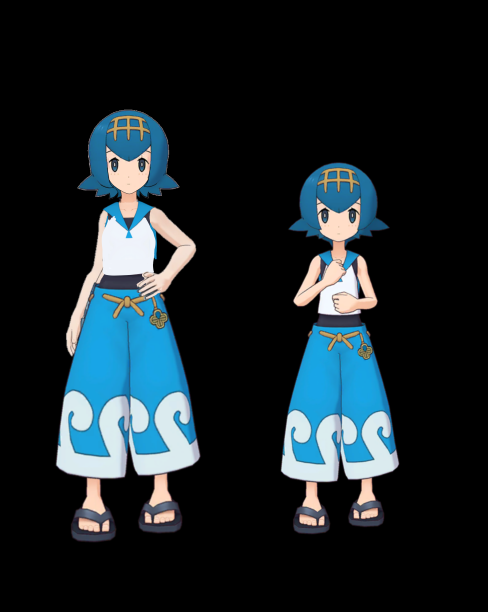
Project: Age Up. Going to make every underage Pokemon characters look older (at least 18+). Retweet for support and attention to be able to age up the characters
 Twitter
·
Twitter
·
I want to modify some pokemon characters to make them look older
can someone help me to know how to modify
sleek isle
Scale up limbs and shrink the head
 graceful mulch
hello, i'm trying to create a project zomboid avatar for VRChat

i'm getting these two "errors"

however, the upper arms ARE specified

and so is the head.

..heelp
(these haven't produced errors in the control panel, so don't worry about them)
 fading verge
Hey, new to blender. Any idea how i can access the bones to edit, it's not letting me and just howing seethjrough
instead of solid

 stark zenith
press tab
graceful mulch
it's lying to me

this frickin thing

those 2
little
heckin
stupid errors
that are not true
are the things that have kept me from progressing avatar development for 2 hours now
ornate cairn
graceful mulch
it's lying to me
try removing avatar from scene and adding it again from assets.
graceful mulch
oh okie
graceful mulch
ornate cairn
try removing avatar from scene and adding it again from assets.
thanks man it worked
graceful mulch
ornate cairn
try removing avatar from scene and adding it again from assets.
it appears again whenever i press the publish avatar button and then stop the unity project

whatever, rigging's done, i just need to know how to add .x assets to the body
making this dude not naked (and giving em hair)
graceful mulch
@ornate cairn
https://discordapp.com/channels/189511567539306508/730948173379535022/963043765088583740
how do i move the bones
in pose mode
ornate cairn
click on them and press r to rotate them
graceful mulch
ornate cairn
click on them and press r to rotate them
mission failed
 ornate cairn
show how your hierarchy on right panel looks.
 ornate cairn
can you show whole hierarchy?
graceful mulch
@ornate cairn
 ornate cairn
hair doesn't need to be parented to body
graceful mulch
ornate cairn
hair doesn't need to be parented to body
well what needs to happen?
graceful mulch
 ornate cairn
add armature modifier and in object add your rig
ur on wrong thing
you need to be on orange triangle
graceful mulch
 ornate cairn
that is not the right tab.
graceful mulch
what tab??
ornate cairn
ur in bone constarints not modifiers
graceful mulch
ornate cairn
ur in bone constarints not modifiers
where's that??
ornate cairn
click on orange triangle on top when holding ctr
graceful mulch
have i done it now
 ornate cairn
vertex group leave empty
graceful mulch
 ornate cairn
now check if hair moves
graceful mulch
thanks
 pale ingot
how do i connect bones to a model
 deft zealot
is there a list of necessary things along the lines of like
what i should be doing to make an avatar fully FBT compatible
sage patio
deft zealot
what i should be doing to make an avatar fully FBT compatible
follow the standard rig, and make sure it's proportioned well

would also recommend having an Upperchest bone
deft zealot
sage patio
follow the standard rig, and make sure it's proportioned well
this doesn't even have an upper chest is there a reference that has one

 rose mountain
When using elbow trackers... Do the trackers attach to the Arm or ForeArm? Simular question for knee tracking.
sage patio
rose mountain
When using elbow trackers... Do the trackers attach to the Arm or ForeArm? Simul...
upper arm (so the shoulder movement works properly), as for knees I prefer them above the knee so I can kneel
I put the knee trackers off to the side a bit so I can also cross my legs
rose mountain
Thx. Gearing up to do some IK experiments.


 dapper moon
Hi, I’m a bit new to 3D in general. I just wondered if anyone knew how to rig a 2D face for an avatar, most of the tutorials I found aren’t for real-time like VRChat
void canyon
dapper moon
Hi, I’m a bit new to 3D in general. I just wondered if anyone knew how to rig a ...
to rig 2d visemes?
dapper moon
Yeah, basically
void canyon
you'd do it with sprites rather than traditional moving the face with blendshapes
dapper moon
Static eyes that stare into your soul is not a super good avatar design as I found out
dapper moon
void canyon
you'd do it with sprites rather than traditional moving the face with blendshape...
Technically a new texture every time?
void canyon
like creating bits of textured mesh hidden inside of the face, that surface just above the existing face mesh when you activate the blendshape
void canyon

EDIT: If you are using an MMD model please read below!
In this video I will show you how to make your 2D eyes/mouth type avatar have a blinking animation and mouth movements for VRChat!
The process is different for MMD models. You will not be exporting the model as an .fbx file. This can lead ...
dapper moon
Got that
dapper moon
As long as the concept is the same
void canyon
not sure how well eye movement would work w/ a 2d face though
blinking should work fine
dapper moon
Nah, I just want blinking and expressions
void canyon
bling 💰 💎 yo
dapper moon
The hotline bling
void canyon
😆
dapper moon
I wonder how well this will work because my uv seams are pretty meh so the texture map is just messed up
fading verge
question regarding rigging as I've forgotten a few things
does the whole arm have to be attached to the shouder
shoulder**
dapper moon
no
ornate cairn
fading verge
does the whole arm have to be attached to the shouder
if you mean connected than no, it can keep offset
 quick cape
does anyone have a working example of a Generic rig with any animations applied? the documentation claims that one is included with the SDK3 but i can't find it
void canyon
dapper moon
I wonder how well this will work because my uv seams are pretty meh so the textu...
most people just make a separate texture with the various expressions stacked together
void canyon
why? you can always atlas it
robust crescent
fbx can have animations in em
ornate cairn
you can export fbx with animation in it from blender
ornate cairn
dapper moon
how do I export the animations now?
do you have bake animation selected when exporting?
dapper moon
yep yep
it just gives me 3 animations in fbx viewer
and they're all 0 frame
do I actually do it in action or shape key editor?
I've tried both
ornate cairn
hmm the fbx you imported with animations set as humanoid
 dapper moon
ornate cairn
hmm the fbx you imported with animations set as humanoid
dapper moon
ornate cairn
hmm the fbx you imported with animations set as humanoid
is this a question?
ornate cairn
hm yes did you set avatar as humanoid after it being imported
dapper moon
I think???
 ornate cairn
nope it's all local
 ornate cairn
wdym same thing you just screenshooted animation file
dapper moon
it's not there
 ornate cairn
bcs it isn't blendshape but animation .
dapper moon
ok sec
I'm confusing stuff
working with me is a hard task because I'm quite new, hope you understand
ornate cairn
now i know what you wanted.
you wanted to make blendshape
but you made animation.
you can use it for blinking tho.
but that would need set up in controller
you need to do more research on blendshapes
in blender they are called shape keys.
dapper moon
well the shape keys are definitely not exporting for me
ok, if I have any questions, I'll ask
thanks a lot for your help
ornate cairn
you can check all your blendshapes when you put avatar on scene and click it's body mesh on hierarchy
still watch tutorials on them.
dapper moon
question
this counts as an animation, right?

if it's created in the shape key editor
ornate cairn
yes it is animation.
sage patio
not sure why you're trying to make an animation at all
literally all you need is the shape key
and you specify it in the avatar descriptor
vrchat handles the blinking for you
robust crescent
Never used those myself , always an anim i can easy disable and make it blink randomly, other feels too static
dapper moon
sage patio
literally all you need is the shape key
it doesn't show up for me
why the shape keys/blendshapes don't show up for me in Unity
 warm pendant
dapper moon
why the shape keys/blendshapes don't show up for me in Unity
warm pendant
dapper moon
why the shape keys/blendshapes don't show up for me in Unity
make sure Apply Modifiers is unchecked when exporting the fbx
 sage patio
dapper moon
it doesn't show up for me
sage patio
dapper moon
it doesn't show up for me
check if any of your meshes have modifiers (excluding Armature modifier) such as Shrinkwrap or others. modifiers are a blender exclusive thing, so it can do one of two things when you export:
- remove modifiers, and keep shape keys
- remove shape keys, and apply modifiers
applying modifiers to meshes with shape keys cannot be done with vanilla Blender. every shape is a different arrangement of a mesh, and can technically be considered a separate mesh. there's an addon called "ApplyModifierForMeshWithShapeKeys" (very fitting, I know) that allows you to do just that, by duplicating the mesh for every shape key you have, applies the modifier to each one, and then joins them all back as shapes.
(note: some modifiers like Armature and Weighed Normal can be applied even if a mesh has shape keys)
 vital veldt
is it possible to make Pistons move when moving in avatar? I'm wondering if I can make a Terminator avatar and the pistons move when moving wrist or clenches fist? it has bones on the pistons

 glass panther
For vrchat's elbows is the ideal position having it bent slightly back instead of having the upperarm and lowerarm completely straight?
crisp tendon
glass panther
For vrchat's elbows is the ideal position having it bent slightly back instead o...
Should try asking in #ik-2 since that behavior might change soon !
vital veldt
So is it possible to increase and decreased the piston bones to the act like real pumps and if so how does one do that?
robust crescent
Blendshape or bone change when fist / emotes / ect, constraint when moving arm , never tried it
vital veldt
how about natural movement, raising arm, bending elbow, Valve index Finger tracking? or am I being too adventurous.
glass panther
crisp tendon
Should try asking in <#946881839400882196> since that behavior might change soon...
TY!
 lunar mango
Any help I try making the atlas for my new quest avatar and it breaks my textures
 fair plank
lunar mango
Any help I try making the atlas for my new quest avatar and it breaks my textur...
fair plank
lunar mango
Any help I try making the atlas for my new quest avatar and it breaks my textur...
Make sure every material is using Principled BSDF first
gilded ibex
lunar mango
Any help I try making the atlas for my new quest avatar and it breaks my textur...
also make sure the texture path is defined and readable, not in the blender temp folder
 gleaming swift
Does anyone know how to fix this? In full body the right leg sinks into the ground and the hip gets goofed.

 crisp tendon
gleaming swift
Does anyone know how to fix this? In full body the right leg sinks into the grou...
crisp tendon
gleaming swift
Does anyone know how to fix this? In full body the right leg sinks into the grou...
What does the armature look like in blender ?
gleaming swift
plantigrade bones arent weighted to anything
even when i use the legs regularly i get the same thing
robust crescent
Hip might be tilted/too low
 blazing iris
vital veldt
is it possible to make Pistons move when moving in avatar? I'm wondering if I ca...
blazing iris
vital veldt
is it possible to make Pistons move when moving in avatar? I'm wondering if I ca...
Yea, pistons actually work pretty well with constraints but one problem is i dont think constraints are available for quest
You're gonna need two constraints for each piston tho
and a bone for both the extension and base part

If you're looking to do individual pistons for each finger, thats gonna be a lot of constraints
and you also need to have enough pistons and rotation points to cover all the degrees of freedom needed for the body part
to avoid weird clipping
blazing iris
you might be able to use blend shapes as well and that'd work on quest
but im not sure how you'd align the pistons and i havent experimented with that
blazing iris
yea thats why i went for constraints
sage patio
only way I can see this sort of working on quest is using clever bone rigging
let me try to set up an example sort of
no idea if it'll work
blazing iris
sage patio
only way I can see this sort of working on quest is using clever bone rigging
you mean like weight painting nstuff?
sage patio
ye
sage patio
if the pistons have no extra loops in the entire length except for the ends, it can't bend
sage patio
@blazing iris
sage patio
my method will work well until it starts twisting the other way lol
the way you did it is by far the best
just a shame it won't work on quest
blazing iris
u could have like rotating bits to avoid twisting
oh but then you'd need a rotation constraint
sage patio
kek
in unity, you can actually edit the maximum rotation of bones in the rig config
in the Muscles and settings tab
so for example, you could set the Lower arm twist to a very small value
default is 0.5, so maybe like 0.05
 void wren
loving the pointers here.
is there a youTube vid that maybe concentrates on this type of rigging?
sage patio
you mean like rigging robots/mechanical models?
void wren
right.
sage patio
I'm certain it exists, just haven't looked for one
void wren
It is easy enough to download the assets and make modifications, I just don't know how to animate
void wren
right... rigging for motion right?
sage patio
pretty much I guess
you basically have the standard humanoid bones like the upper arm, lower arm and wrist, then add extra bones for different mechanical parts
like pistons, plating
then use constraints on those to make them follow the movement of other bones the way you want
void wren
thanks! I will be playing with this tonight
sage patio
void wren
thanks! I will be playing with this tonight
also, when you're doing mechanical stuff, it's not often that you will have "weight gradients", since things aren't supposed to bend
so when "weight painting", it's going to be more like just assigning a bunch of selected vertices to one particular group
you can do that in Edit mode by just going to the vertex groups list
or in weight painting mode by selecting vertices and doing shift + K to assign a weight to all of those vertices
void wren
I think I remember some of weight painting from building my donut!
sage patio
void wren
I think I remember some of weight painting from building my donut!
"weight painting" is just mass-assigning vertices into vertex groups using brushes
void wren
right, everything is an abstraction
gleaming swift
robust crescent
Hip might be tilted/too low
I checked and no matter what it's still doing the same thing
robust crescent
hip look anything like that ?
 gleaming swift
crisp tendon
What does the armature look like in blender ?
gleaming swift
crisp tendon
What does the armature look like in blender ?
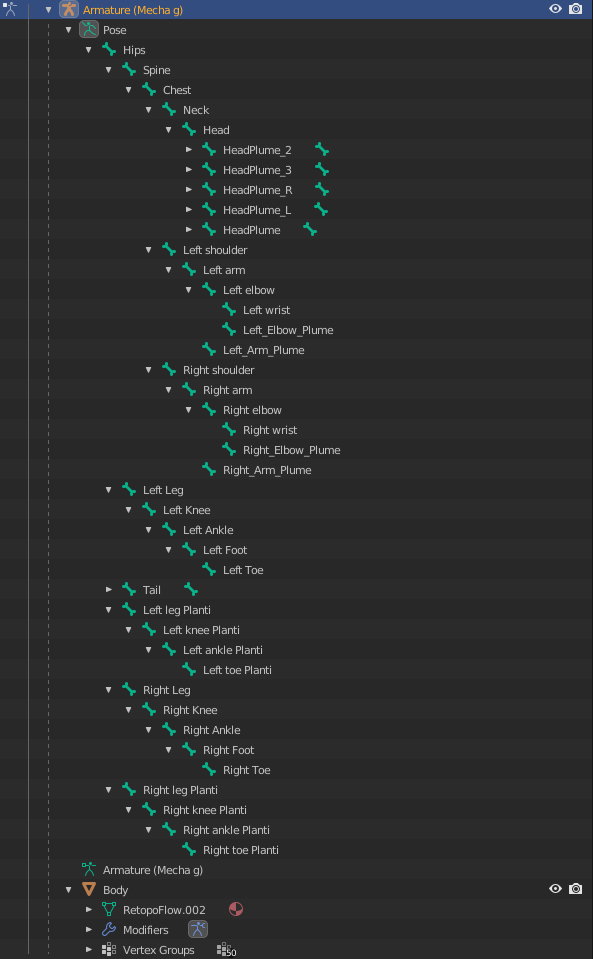 sage patio
not like that, in the viewport
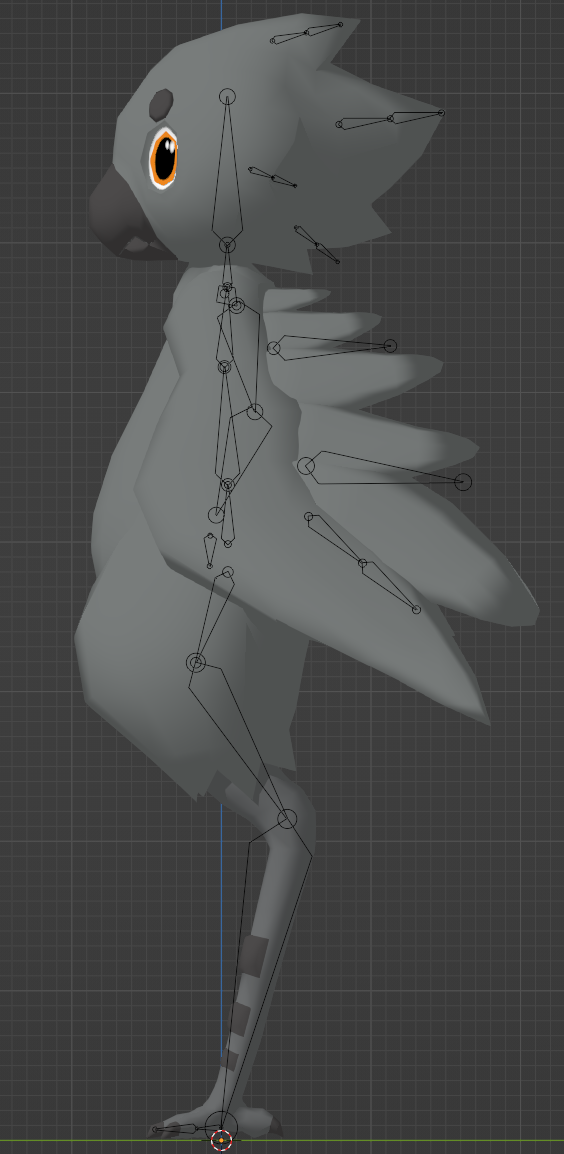 sage patio
oh yea no that will never work well lol
no matter how the avatar is rigged, it still has to conform to a normal humanoid armature. it's possible to rig digitigrade legs like that, but you still need an underlying humanoid frame
gleaming swift
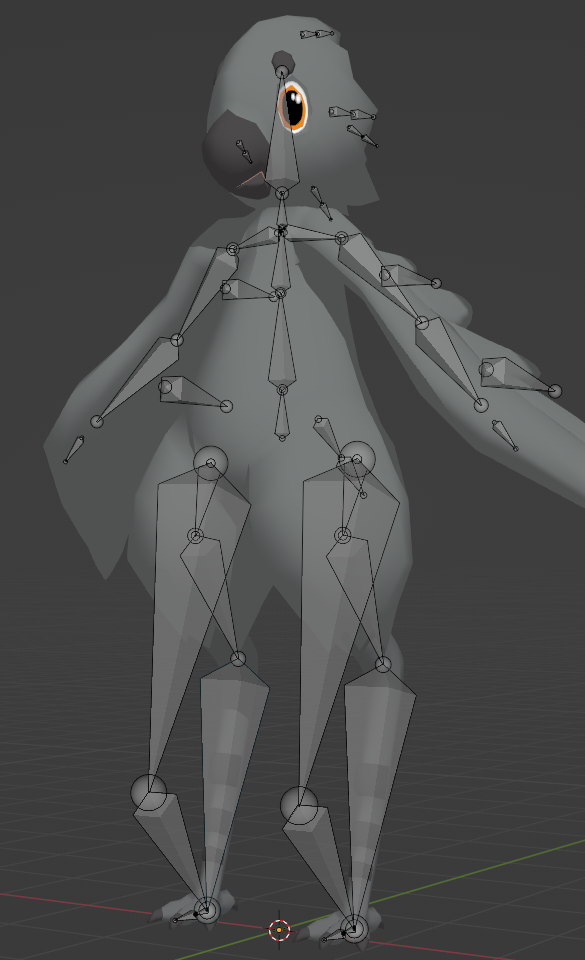
 gleaming swift
ive used this with other avatars and its worked fine
sage patio
oh so you did do it right in this pic
 gleaming swift
yeah it was just hidden by accident
sage patio
try resetting all of the bone rolls
select all bones in edit mode, then go to Bone > Roll > Clear roll
gleaming swift
I'll give it a shot when i get home from work
If the bones were rolled wouldn't it affect when not using full body tracking?
vital veldt
blazing iris
Yeah that's the type of movement I'm after for my Terminator, how does one assign constraints in Unity? if there a video of tutorial?
blazing iris
vital veldt
Yeah that's the type of movement I'm after for my Terminator, how does one assig...
All you really need to do is have two aim constraints pointed at each other. Haven’t actually found a tutorial, just sorta experimented myself
Constraints can be added as components
 brazen cosmos
so the builder is saying i dont have hands, head or feet mapped but the rig has it mapped. idk what thats about
blazing iris
to each bone
blazing iris
brazen cosmos
so the builder is saying i dont have hands, head or feet mapped but the rig has ...
It’s probably in the fbx settings, sometimes if the naming conventions aren’t exact Unity doesn’t assign bones to certain parts of the humanoid rig

 blazing iris
Ohh
gleaming swift
Yeah i had a similar thing happen when i unpacked the prefab and modified some bones i didn't need
brazen cosmos
i unpacked then published. didnt change anything at all
sage patio
gleaming swift
Yeah i had a similar thing happen when i unpacked the prefab and modified some b...
that's something you should be doing in blender, not unity
never unpack avatars
sage patio
brazen cosmos
i unpacked then published. didnt change anything at all
drag the FBX into your scene again (don't unpack it), and use Pumkin's avatar tools to copy the stuff from the old avatar to the new one
like the avatar descriptor, dynamic bones, etc
brazen cosmos
i dont have that tool
sage patio

GitHub
Pumkin's Avatar Tools v0.9.6b
Make sure that you are using the correct version of Unity and the latest version of the VRChat SDK
To install these tools grab the .unitypackage below then simply ...
brazen cosmos
now its different, cool
 sage patio
brazen cosmos
now its different, cool
sage patio
brazen cosmos
now its different, cool
you have too many spine bones
or wait, hm
yea you do
one too many
brazen cosmos
I used the cats plugin tho, that must not be perfect
sage patio
CATS is not magic
you still need to know what you're doing
"Fix model" is not a genie button
CATS does have tools to allow you to merge bones and their associated weights to other bones though
which is probably what you want to do here
 quiet gazelle
Do I need shoulder bones for VRC, or can I go without them?
ornate cairn
you need them
quiet gazelle
Alright, good to know. Is there a list of required bones?
sage patio
all these minus toes and fingers
 quiet gazelle
Aight. Is this an alright position for the shoulder bone? I mostly just want to make sure that the arm won't clip into the side of the body too much when I'm in a resting position, or something

 solemn sail
Hey so im having an issue with my avatar's Eye. For some reason, one of the eyes flips backwards 180 while animating in unity, and in game it spins and flips all over the place, but only on my local view, network view it works fine, no issues. I'm assuming it's a rig thing but if i should be in another channel please send me elsewhere lol
crisp tendon
solemn sail
Hey so im having an issue with my avatar's Eye. For some reason, one of the eyes...
Screenshots of unity/blender ?
solemn sail
Normal > Animating > Blender


 sage patio
solemn sail
Normal > Animating > Blender
sage patio
solemn sail
Normal > Animating > Blender
select the bones, and do Bone > Roll > Clear roll
solemn sail
didnt seem to do anything visually and roll was at 0 already but ill see if that changed anything on reimport
yeah still flipping in unity
sage patio
alright. click on your FBX, go to the Rig tab in the inspector, and click Configure
at the bottom, click Pose > Reset pose
then Apply, then Done
solemn sail
okay, seems to have stopped flipping, lemme try in vrc. Thank you for the help
sage patio
👍
solemn sail
sage patio
👍
yep, working perfectly now. Thank you so much this has been plaguing me forever lmao
sage patio
nice, glad to hear it works fine now
quiet gazelle
Do I need finger bones if I wanna use the avatar with full body tracking?
sage patio
quiet gazelle
Do I need finger bones if I wanna use the avatar with full body tracking?
hmm, you might
try adding thumb, index and middle fingers
quiet gazelle
Does it need all three joints/knuckles on the fingers?
sage patio
I don't think so, you can try starting with a single bone for each finger
I know that two will work
but try one for now
quiet gazelle
Is it fine if I'm lazy with the bones and just extrude 'em like this?
 crisp tendon
quiet gazelle
Is it fine if I'm lazy with the bones and just extrude 'em like this?
crisp tendon
quiet gazelle
Is it fine if I'm lazy with the bones and just extrude 'em like this?
Yeah that's alright
quiet gazelle
Alright cool, thanks
 hasty reef
Anyone know where I can find a hog rider or other coc/clash royale avatars? (For the memes
gilded ibex
beside this one, anyone knows any world that can visualize how avatar bones moves, much like the visual of blender in pose mode?

 winged escarp
anyone know how to make a humanoid rig?
winged escarp
nvm
 bronze patrol

 narrow heath
So um…i config. the bones in unity since the avatar was in tpose in vrchat and this happened…help.


The both arms and neck are messed up…
sleek isle
gilded ibex
beside this one, anyone knows any world that can visualize how avatar bones move...
FBT caliper
vital veldt
How does one fix this issue? I'm trying to rework the elbow so it bends more naturally but I can't seem to fix it.

 worldly hull
My mic is functioning and mouth viseme sliders are affecting mouth movements in Unity, but not in VRC, it works through other people's eyes but i don't see lipsync in a mirror. And after looking at the old version that works and the new version that doesn't, I've noticed that the old version has some visemes in bold, whereas the new version doesn't have any bold 0's,, I'm looking into what causes the boldness .~. but I hardly know where to start right now
worldly hull
worldly hull
My mic is functioning and mouth viseme sliders are affecting mouth movements in ...
i think at some point i right clicked blendshapes and clicked revert, i dont know how to undo that, PS i solved this, other people could see mouth movement but i couldnt in a mirror, this is because i attached a cape to the armature of the avatar instead of elsewhere. pps i added it back to the armature with names like spyne, hyps, armyture,, and the cape + lipsync are working now i also messed with the cape's anchor / root bone
 daring osprey
anyone know how i can fix this
in blender

in unity

i have asked in avatar 3 help yesterday but nothing really worked
sage patio
daring osprey
in unity
in unity, go to your rig configuration, and click Reset pose in the bottom right
daring osprey
pfft that worked thats annoying but thank you so much😂
 carmine knot
does anyone know why the builder menu disappears? I reimported it but still nothing
 hallow lance
Can someone help me out with this? I just got to the step of bringing in the up-to-date SDK and .fbx blender model and its giving me errors right out of the gate with Unity. The hand one I kinda understand, but if it involves going back to Blender and reworking the model to have a "hand" in the bones I'll probably need help with that too.
 ornate cairn
hallow lance
Can someone help me out with this? I just got to the step of bringing in the up-...
ornate cairn
hallow lance
Can someone help me out with this? I just got to the step of bringing in the up-...
usually happens when you have wrong unity version.
the error above
hallow lance
I just reinstalled unity like a couple hours ago? is the current SDK not tuned for the latest version or something?
hallow lance
Ah. So I have to see about getting THAT then...
Any idea on the 2nd thing, for if I'll have to backtrack to blender or not? It's a Voidoll avatar, so it doesn't have explicit "hands", but it does have little dots for "fingertips" I guess.
hallow lance
ornate cairn
latest for sdk is 2019.4.31f1
also im looking in the unity hub for that version and the closest thing to it is this one, is this good or does it have to be SPECIFICALLY that version.
 ornate cairn
did you checked config tab?
also no
you need 31f1

Unity
Unity is the ultimate game development platform. Use Unity to build high-quality 3D and 2D games, deploy them across mobile, desktop, VR/AR, consoles or the Web, and connect with loyal and enthusiastic players and customers.
hallow lance
ornate cairn
did you checked config tab?
what config tab?
ornate cairn
rig config tab
hallow lance
like what pops up on the right when its selected?
ornate cairn
click on fbx go to rig and configure button
hallow lance
if it's this thing then yeah that's what giving the error to me, or sounding it out.

 knotty drift
wait nvm, discord was way behind on messages
ornate cairn
hallow lance
if it's this thing then yeah that's what giving the error to me, or sounding it ...
you probably gonna need to fix it in blender
 ornate cairn
you can add hand bone but not weight it
hallow lance
how would I do that? I'll be honest I'm very new when it comes to this again. Dabbled a bit back like 3-5 years ago but everything's changed and I've forgot XD
ornate cairn
Literally extrude the hands bone from lower arms name it so you gonna know which one is it and ur done unity won't scream again
you won't even need to do anything more
hallow lance
these two right?
 ornate cairn
yes
hallow lance
also looking at the bones again I have hands by the looks of it. maybe they're not properly identified?
 ornate cairn
are they parented to lower arms?
hallow lance
Here let me show what I just found in the armature

so it gets to the arm and then goes arm>elbow>wrist in that order for the 3 bones there.


