#avatar-rigging
1 messages · Page 194 of 1
 cerulean temple
To answer, it can be a 3 if the model has no issues
But it very much depends on where the model is from.
 thin terrace
Yes, you need to look up the spider tutorial. You're basically trying to make a 4-legged spider. In the spider setup, your real human body would be standing under the avatar's head, and only connected to the head. the rest of the human armature would have no mesh connected. then that would tow around the body like a trailer, and Final IK would make the legs of the body walk as it got dragged
 upbeat finch
If I have two armatures with the same structure in unity, how can I merge the objects assigned to them?
I have an avatar and an outfit made for said avatar, which has its own armature for some reason
 sage patio
upbeat finch
I have an avatar and an outfit made for said avatar, which has its own armature ...
sage patio
upbeat finch
I have an avatar and an outfit made for said avatar, which has its own armature ...
that's normal that they have their own armatures. you should add clothing to your avatar in blender
much cleaner
Unity is a game engine, not a 3D modeling program. you're supposed to import your usable assets into it
upbeat finch
Strange, the costume is sold as its own separate prefab
it comes with the fbx files of course, but it's meant to be imported separately
Also, importing the fbx files into blender totally fucks up their bones, so that's not really an option
sage patio
upbeat finch
Also, importing the fbx files into blender totally fucks up their bones, so that...
can you show what you mean by 'fucks up their bones'
upbeat finch
This is supposed to be a dress

Imported with the CATS plugin, but it does the same thing when imported normally, except that the bones are models
 mild stratus
Also try importing it without the use of CATS
upbeat finch
Same thing happened
I figured out that its the "dynamic bones" bones that are doing that. If I delete them it returns to normal size
except for the wings, hat, and halo
 fierce grail
Dynamic bones is a Unity only script, it has absolutely no influence on anything in Blender, especially since these are applied to prefabs, they don't exist on FBX files that are imported to Blender.
And yeah, importing a model with CATS that was already exported for use in Unity previously actually breaks it in my experience, just use Blender's native FBX import.
thin terrace
Unity and Blender don't support the same features 1:1 in armatures, so it's possible that the dynamic bones are scaled and unity is ignoring it but blender is not
 chilly roost

Would anyone know how to fix this? The model worked correctly until I created a new Shape Key, now every time I generate an empty one it breaks.
In Unity it appears completely broken unless I activate some blendshape.


It is as if the "Basis" blendshape has been corrupted, but in blender it looks fine.
Okay, I've already solved it, in case this happens to someone.
Solution: In blender deactivate all shape keys, generate a new one from the mix (black arrow, new shape from mix), select that new shape key, black arrow again and apply that shape as a basis.


 queen cloud
Looks like it’s being translated (moving the location) rather than rotated
 fading verge
i don't understand
queen cloud
When you move the limb are you just clicking and dragging it? That would move the whole leg out of place
Blender doesn’t know that the top leg bone isn’t meant to move
fading verge
i select the bone and press R to test if it works by doing the kick swing
it works on the calf

not the thigh
queen cloud
Oh, hm, if you press R then it should rotate. Lemme take a closer look at the image
Odd, the thigh bone should still rotate on the ‘head’ bone rather than move out of place like that.
 queen cloud
Alright hang on I think I have an idea, did you accidentally set Blender’s transform origin to the 3D cursor?
fading verge
the what now?
queen cloud
Click somewhere in the empty space to reposition the cursor (the crosshairs thing in the middle of the project) and see if the rotation changes
fading verge
it does ?
queen cloud
That would be it then
fading verge
but what about the thigh?
am i supposed to paint it or no?
where can i find a guide for vrchat's weight paint?
queen cloud
Nono dont bother with the painting for now, you gotta change the pivot point for how Blender rotates/scales objects
fading verge
i don't understand anything anymore.
queen cloud
Unfortunately I can’t show you the icon for it because I am at work
I will be home in about four hours and then I can explain it better
fading verge
do you know where the icon is?
queen cloud
Should be near the bottom of the screen somewhere
It will probably be called something like transform point/origin?
Set it to median point/origin if it isn’t already
fading verge
yeah, nothing like that at the bottom
 fading verge
 queen cloud
Found this image on google
queen cloud
Did that fix it?
queen cloud
Nice!!! No worries, glad it worked out!
Might help to lock the location transforms on the thigh bone and any other disconnected bones that aren’t meant to move out of place
queen cloud
thin terrace
Yes, you need to look up the spider tutorial. You're basically trying to make a ...
Interesting, I will need to look this up a bit later. Perhaps it’ll fix the jankiness of the animation on my current setup, though I will probably end up with a lot of bones haha l.
 ionic sinew
I'm having an issue in the new Unity version, where Unity is telling my my vertices aren't weighted - and massively deforming the hair. In Blender, it seems everything is weighted, I move the bones and the hair moves smoothly. I moved the hips and spun the whole model around with no verts staying in place. I haven't encountered this issue before and can't find what to do about it.


I tried updating the quality settings like google recommended, but it didn't fix it.

Also played around with this in import options and couldn't get it working (set to 4 bones skin weight, and custom)

 crisp tendon
You shouldn't have to mesh with any import setting at all
Check again in blender that everything moves with all your bones
cerulean temple
Is Unity making bones in the hair be eyes or something?
I usually check Unity's bone assignment cause it sometimes just does whatever it wants
ionic sinew
Doesnt seem to be stuck on the eyeballs or anything.

Nothing seems out of place when I spin her around
crisp tendon
Normalize all your vertex groups and hopefully it'll be fine
ionic sinew
Still acting up. I'll have to try just repainting the bangs I suppose T_T
 wary bridge
I have the bones mapped correctly but I'm a little worried on what it will ask for the fingers and the head. Any places I can look for tutorials?
 fierce grail
Fingers are not required for SDK3 humanoid avatars. Head is required though.
wary bridge
Fingers not required? What about curling though? and the quest controls you can do?
crisp tendon
wary bridge
I have the bones mapped correctly but I'm a little worried on what it will ask f...
The bones coming down the tip to lower legs shouldn't be there
Check the pinned messages
 hexed breach
what can cause legs to twist inwards in FBT?
fierce grail
I think non-zero bone rolls
wary bridge
I've got a question; for visemes and facial expressions, do I make blendshapes first and THEN rig the body, or is there something involving Unity that I'm missing when it comes to rigging.
 fervent hornet
Blendshapes and weight painting aren't really related in an way, you can do it in any order
sage patio
I would suggest doing blendshapes last
ionic sinew
ionic sinew
I'm having an issue in the new Unity version, where Unity is telling my my verti...
Following up to myself incase someone else has the issue. I re-painted all the weights and the issue still occurred. THE BONE ROLLS WERE NOT SET TO 0 AND THATS ALL I NEEDED TO DO.
 sage patio
you might find yourself editing the geometry while rigging
plus, you can do stuff like adding bones to the face to help in making shape keys for facial expressions
thin terrace
a jaw is super helpful. maybe a tongue. after that it might be more work to keep rigging the mouth just to make blendshapes but it would be nice insurance
since you could save all of those poses in a pose library and recreate the blendshapes from them if you ever had to
cerulean temple
ionic sinew
Following up to myself incase someone else has the issue. I re-painted all the w...
What are bone rolls?
And how do I make sure I set them to 0
crisp tendon
alt + R in edit mode
crisp tendon
ionic sinew
Following up to myself incase someone else has the issue. I re-painted all the w...
The warnings you saw in your console were still unrelated to bone rolls, to the new weight paint most likely fixed those issue as well
wary bridge
In Maya, is easy rig a good start or would something some scratch work better? I can't imagine I would need to keep some assets like controllers if I'm importing to unity.
crisp tendon
Depends on the rig it generates, there mwy be unnecessary bones there
cerulean temple
I thought Mixamo was bad but I used it on my avatar and after fixing some weight painting on the head it was ready to go
Your mileage may vary
crisp tendon
Mixamo is great
wary bridge
About the Eyes; Why does it show two joints, one at the centre and one at the top? How's it used for later?
And does it parent with the head joint?
cerulean temple
wary bridge
About the Eyes; Why does it show two joints, one at the centre and one at the to...
One probably controls both eyes and the other the eyelids
My guess anyway
wary bridge
@crisp tendon This is the image on the pinned, the eyes are independent to the rest of the body.
 wary bridge
OK but why the top of the eye? wouldn't it be the front?
crisp tendon
Not sure i understand the question
wary bridge
I don't understand why the eye bone is pointing directly upwards and not where the pupil is.
crisp tendon
Because that's how bones rotate for eyes
wary bridge
Not sure I fully understand but I'll give it a shot anyway.
 vocal sentinel
guys, I need some help with an Ink Bendy Rig, if anybody has any ideas on how to make this work out, please let me know
I'll explain
vocal sentinel
oh wait nvm
 slender saddle
Hey everybody, I was wondering if anybody knew if I could somehow expert the bone position of the default "T-Pose" in Unity when rigging the fbx files or "model" to "humanoid?
The problem I am heaving right now is that my hands look messed up whenever I upload the avatar.
Fingers are weirdly twisted are too close to each other or swirl inwards when trying to fix it in Unity.
I have no frame of reference on what the default "size", "position" and rotation are for the finger bones,
which makes it impossible to model them correctly without having the upload and re-upload everytime I make an adjustment.
If anybody knows more about this please let me know. I've been looking for helps for weeks now
and nobody seems to know what I can do about it, except for "trying something and praying it works"
Please DM me or at me if you know anything that could help me.
 thin terrace
wary bridge
I don't understand why the eye bone is pointing directly upwards and not where t...
thin terrace
wary bridge
I don't understand why the eye bone is pointing directly upwards and not where t...
the fat end of the bone (the "head" in blender) is the actual position of the bone. when imported to unity, the skinny end ("tail") does not actually exist. it is just used to compute the rotation of the joint
thin terrace
slender saddle
Hey everybody, I was wondering if anybody knew if I could somehow expert the bon...
fingers want to rotate around "X" which you can control in unity with bone roll. to see the axes, click on the running man (armature) inspector tab and under "viewport display" turn on axes. probably after you get things bending how you want, your thumb will be twisted (i.e. thumbnail not pointing the right way). leave the bones alone and fix that with proportional editing and rotating the mesh
slender saddle
That's actually the first useful information I've gotten so far. Thank you.
 polar granite
i need help, the tail keeps going to the floor even tho its not there in blender

i tried a few things, had other problems and figured those out but this ones smth im having diffuclties figuring out
 fading verge

okay i know this is probably rigging problems so could someone help me
im like lost
their is no videos
on it
thin terrace
click on your avatar where you imported it (the FBX original, not the one in your scene)
in the inspector, look under the rig tab. make sure the dropdown is set to "humanoid"
then hit configure and make sure bones are set up correctly for your model
BTW I had bent knees in FBT so I followed the mega guide recommendation to shorten the chest bone. That worked on the FBT issue and now the chest bone auto detects in Unity.

 wide urchin
how does someone fix this problem please this has been bothering me for days
 thin terrace
fading verge
thin terrace
fading verge
yes, and work through all the tabs body/head/hands on the middle left
thin terrace
wide urchin
how does someone fix this problem please this has been bothering me for days
does it over-rotate? you could have vertex weights >1. you could try normalizing
wide urchin
normalizing it?
thin terrace
does it over-rotate?
anyway if you just want to try it, in weight paint mode under the "weights" menu you'd "normalize all". obviously save a copy first in case it doesn't do what you want
wide urchin
okay I fixed the arms but now the hands are fuckin up
wide urchin
hhggnn
 wide urchin
teach how to fix please
thin terrace
@wide urchin you need to use your words
wide urchin
Okay I fixed it so I should be fine for now
 cold cliff
I'm working on an avatar that's mostly working, but the character's arms won't stretch all the way, like the shoulders can only turn a few degrees?
the t-pose in the avatar selection menu looks bizarre too
I have a feeling my arm bones must be not positioned/rotated right somehow, but I'm not sure what 'right' would be
which axis is supposed to point in which direction
cold cliff
actually, I just noticed: if I switch "Pose" between "Reset" and "Enforce T-Pose", the character turns around 180 degrees to face the other direction. Could that be related?
cold cliff
on another note: if a character has only four fingers, does it make sense to map the fourth finger to 'ring' or 'little'
fierce grail
ring imo
cold cliff
btw, I think I see the solution to my original problem: my rig had no shoulder bone, only an upper-arm bone that was labeled 'shoulder'
I'm adding a separate shoulder bone now
yep, that was it. my bones were all shifted up by one.
 night spear
Does certain body parts that are currently in separate files/meshes have to be separate in order for them to be used as dynamic bones or is it ok to combine them too?
crisp tendon
As long as they're weight painted to the bones that are dynamic, everything should be joined together
 remote jackal
Hey I’m trying to rig a sword as a emote can anyone help by chance ?
crisp tendon
Weight paint it to a bone in your hand, and your emote scales the bone up/down
 kind mortar
@remote jackal what do you mean sword as emote, like the facial expressions?
fading verge
You got money?
 signal stump
no
kind mortar
You'll need a few hundred
signal stump
ok srry
kind mortar
Maybe you can try making it yourself, learning blender isn't that bad, youtube is the greatest 😄
fading verge
Someone probably already made one of those venom carnage things
seems really popular
actually I saw one in vrchat today but it was like the red only one
signal stump
i tried learning from youtube but ts too confusing to me
can someone maybe teach me?
fading verge
Its going to take months to be able to learn how to create something like that especially if you want detail
signal stump
ok
fading verge
and if you want someone to teach you I hope your best friends with a moddeler or else its gonna cost to get taught
signal stump
ok
kind mortar
https://www.youtube.com/watch?v=E5HnnGcGvmc&t=393s is a great series, I learned so much that I can make avatar bodys from scratch now, this is just a beginner course though
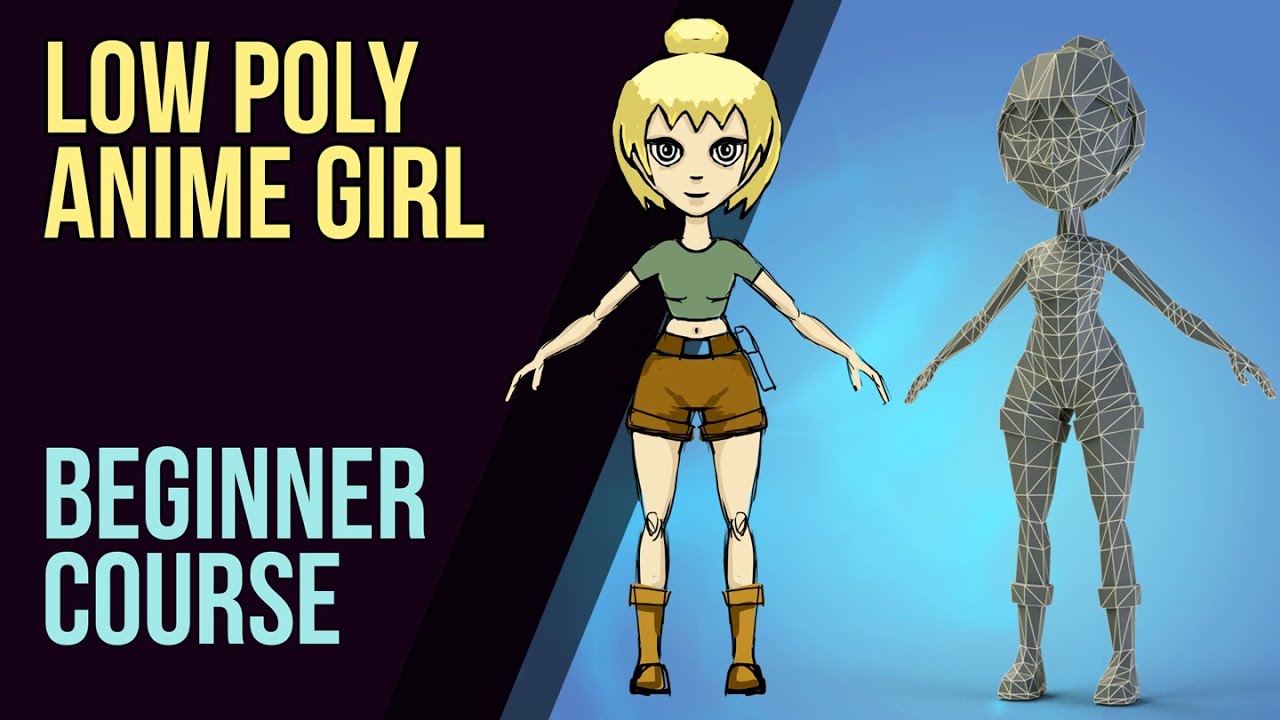
Grants New LowPoly Short Course: Learn Blender fast: https://www.gamedev.tv/p/low-poly-landscapes/?coupon_code=GRANT&affcode=45216_9b6dqwx2
Grant's Character Course discount link: https://www.gamedev.tv/p/blender-character-creator-2/?coupon_code=GRABBITT&affcode=45216_9b6dqwx2
Grant’s Drawing course discount link: https://www.gamedev.tv/p/compl...
fading verge
^ It may not be the style your going for but its better to know something
also dont give yourself too high expectations to the point where you quit the project
I feel it is usually best to at least get something done even if it isnt as good as youd hope then a half done project
kind mortar
Yes, there will be lots and lots of times you will wanna quit, save your project and go relax. It's going to be a long process but in the end, you'll be so proud of yourself!
It will be rewarding in the end! Promise!
fading verge
very
its always great to learn a way to manifest your creativity into something tangible
kind mortar
Also you'll understand after your first lesson why custom avatars cost hundreds 😅
fading verge
signal stump
no
Johnny sins doesn’t have money?! Aren’t you an Astronaut and plumber also a doctor?
wary bridge
I've finished my rigging (I think) and I'm ready to upload it to Unity, but I don't know which version of Unity supports SDK3. I know it's not the latest one, could anyone please tell me?
 languid adder
uh sdk3 is on 2019

well its what im using and other peoples who taught me how to says yes
wary bridge
Cool, I'll download that then
languid adder
okaye
cerulean temple
That's it
They were a different version for a bit but they had to do small update to fix a memory leak issue
 compact torrent
i'm kind of going a bit crazy here. the vrchat sdk tells me that the spine hierarchy is missing the Chest element, but it's clearly there and in the right spot

does anyone know what could cause this issue?
and before anyone asks: renaming the other "Chest [..]" bones to something else does not fix the problem unfortunately
cerulean temple
Porting this boyo from GMod

His rig kinda weird but I got it mostly working
Currently having the issue where his head is still visible
I think I know what's wrong tho
I might look into replacing his sitting animation cause it makes his legs go up lmao
thin terrace
fyi I accidentally discovered that auto chest assign got better when I made the chest shorter (which is also a fix for some FBT issues)
fervent hornet
The cause of the FBT issues (where your viewpoint moves but your head doesnt) is caused because the combo of spine+chest cannot bend appropriately compared to how we bend IRL. Changes in a rig in multitude of ways can lessen or increase the problem
It also depends on your proportions IRL, most people fall around an average for human proportions but everyone is a least a little different
thin terrace
I found FBT much more compelling once I completely reproportioned my model
fervent hornet
Yeah matching the general proportions of your model with something good like a ybot makes FBT much more immersive
cerulean temple
VRChat SDK complained about pelvic angle stuff but I had someone with FBT try the avatar and it worked fine
cerulean temple
I mean, I didnt do a good job with proportions so his arms were kinda long but it worked
 heady scarab
Silly question. Is there an easy way to make sure the eyes are 100% weight painted to the eye joints in Maya?
 carmine brook
Anyone got any idea how to straighten out the thumb when doing the thumbs up
thin terrace
curious about that too. I assume you could animate a gesture layer for the "thumbs up" animation but it might not be very smooth
 stone sail
So ive run into a bit of an issue with my hips in vrchat. upon calibrating my fbt my hip rotates to my left quiet a bit from its normal origin

would any one know why this happens and how to fix it?
 delicate canyon
Idk
stone sail
from what i can find online it seems to be an issue with VRChats ik itself as my hips are straight while in t pose
i also went back in blender to double check and they are indeed straight
 sleek isle
Lift the base of the hip a little to be closer to the spine
 fair pewter
Ever wanted to get your avatar proportions 'exact', or quickly fix an avatar so it 'fits right' in vrchat? I got super frustrated with how far off many were so I wrote a blender plugin to fix them up with a single click. No more fiddling around with limb length to try to get your avatar to fit right, you just hit the button. It's more one-size-fits-all than you'd ever think.
GitHub
blender avatar resizing for vrchat, to be used in conjunction with the blender CATS plugin - GitHub - triazo/immersive_scaler: blender avatar resizing for vrchat, to be used in conjunction with the...
crisp tendon
In the first video it looks like your user height is way way off as well ?
fair pewter
nope!
they were taken seconds after each other
user height is set to my actual height in both
crisp tendon
 Were the proportions really that bad ?
fair pewter
Yeah. That's pretty common in mmd based models.
In this case I think it makes it easier to show the problem I'm trying to fix 😅
but even then it doesn't really show just how disorienting it can be
crisp tendon
Just testing it atm, sucks for the eye bone requirement but i get why it exists
fair pewter
I was thinking I could add an option for a special bone. You need something to tell where the viewpoint is.
 sick cobalt
fair pewter
Ever wanted to get your avatar proportions 'exact', or quickly fix an avatar so ...
sick cobalt
fair pewter
Ever wanted to get your avatar proportions 'exact', or quickly fix an avatar so ...
That's really cool, I was searching for that
fair pewter
sick cobalt
That's really cool, I was searching for that
Glad to hear it, that's why I made it 😄
If you run into any issues just let me know, I'd much rather fix and improve as much as I can so it works for more people.
crisp tendon
Is the thigh percentage value inverted ?
or is thigh what you can the upper leg
If so upper leg/lower leg might make it less confusing
fair pewter
I can see that, it's more clear what the two things you're controlling with that are
I need to fix the labels too, they should be percentages but they're just factors now.
crisp tendon
Want me to write up an issue in the repo ?
fair pewter
I already have both of those changed locally, doing all the fancy git stuff r.n. 🙂
crisp tendon
For the finger spreading, do you use the term "spare" as in ignore ?
Also 99.999% of users would have to google "idempotent" 
fair pewter
yep. 👀
crisp tendon
Alright, ignore might be easier to understand then
Will test the results later today !
fair pewter
All good suggestions. I get too used to what these things do on my own so it's really good to have feedback on the ui stuff.
crisp tendon
I only had to adjust thigh percentage a bit, but generally if you think your defaults are good enough for the majority, it might be good to put those under a "customization" sub menu, otherwise it's sometimes confusing for people and they might think they have to adjust those
fair pewter
That and the 'debug' options.
which, I put them in there for debugging but it turns out some people find them useful so they're still there.
crisp tendon
Are they visible in the latest version ?
Small typo in the text for shrink hip bone (humanoid)
Also if the hip bone is shrunk, does the armature require another rescale to adjust to that change ? iirc it shouldn't but you probably know more than me on that topic
fair pewter
nope, hip bone placement doesn't affect scaling.
The hip bone thing is what cats did in their fix model a while back. They've made a couple changes then and it's never worked quite as well for full body since then so I've been using this instead. Definitely a hack somewhat but getting good hip rotation in game is still somewhat of a dark magic for me, and this works reliably for my own stuff.
crisp tendon
Would an option to adjust finger spread amount be useful, or is the default you think helps all index users ?
Also, if you had a way to auto detect the height of the highest vertex on the model that would help a lot of users, i didn't know mine tbh, and i just created an empty and moved it up to that point, but not sure how many average blender users would figure an easy way to do that on their own
fair pewter
crisp tendon
Also, if you had a way to auto detect the height of the highest vertex on the mo...
It's on my todo list. I wanted to get a 'reset to current' button or something next to the height but getting that sort of thing in the ui context isn't trivial. Probably just need to rethink it a bit.
fair pewter
crisp tendon
Would an option to adjust finger spread amount be useful, or is the default you ...
Hadn't thought of that tbh, it tries to spread them by pointing the first finger bone at the root of the wrist bone. I could probably do part of that transform.
crisp tendon
Cats has context buttons inside functions, i wonder if that'd be nice for that specifically
 fair pewter
yep that's what I was thinking
thin terrace
crisp tendon
<:HEYMOONA:779319424385286154> Were the proportions really that bad ?
that poor anime girl lost most of her legs
crisp tendon
@fair pewter Does it also fix the issue with bent arms when straight down ?
fair pewter
I don't know if you can both fix that and line up the floor at the same time. A couple people have asked
thin terrace
@fair pewter neat plugin
I actually just did this manually and it wasn't too bad, although I had to use CATS which I don't usually do.
fair pewter
I tried doing it once manually and it took so many attempts to get right so I just said never again and went off the deep end into code
thin terrace
I just took a photo of myself in T pose (from fairly far away to avoid parallax errors) then imported that as a plane, scaled so my eyes and feet lined up, and then made the avatar match by scaling bones
in my case I actually wanted to eliminate any "errors" that might be stylistic choices like finger lengths
fair pewter
Added a button to get the current height. Double check your percentages in customization, blender saves them and I changed it from a factor to a percentage
https://github.com/triazo/immersive_scaler/releases/tag/0.2.3
 crisp tendon
fair pewter
Added a button to get the current height. Double check your percentages in custo...
crisp tendon
fair pewter
Added a button to get the current height. Double check your percentages in custo...
(btw since Blender's syntax for version seems to stop at the decimal, might want to publish releases as 0.2X for blender specifically ?)
fair pewter
nope turns out I just wasn't incrementing that bit. Keep forgetting it's there.
crisp tendon
thank god, i was about to be really disappointed at Blender
UI layout is much better now 
 daring lotus
Hello. In blender this model rig is perfectly fine but as soon as I import it into Unity it does this with the legs. I checked all the bones and they're in the right place so I have no idea why it's messing up.
 crisp tendon
Make sure the bone names are correct, and that all bones bolls are cleared
Alt + R in edit mode
daring lotus
crisp tendon
Make sure the bone names are correct, and that all bones bolls are cleared
Thank you so much! Clearing the bone rolls worked.
 wild bobcat
So I'm kind of thorn for a loop on this one, I am body proportioning an avatar for someone using FBT Calipur world which has helped me in the past - but I'm at the odd place where the person can touch the bottom of their foot, but they can't put their hands on their knees
crisp tendon
wild bobcat
So I'm kind of thorn for a loop on this one, I am body proportioning an avatar f...
Came out today, worth giving it a try ! #avatar-rigging message
crisp tendon
What's holding you back ?
wild bobcat
I learned the backwards way of doing things that 2.79b did and just am stubborn
xD ...
crisp tendon
Yeah better make the switch, you're missing out !
wild bobcat
but.. uh... this scalar is nice and all
but like, I have already done like most of the work, I just don't quite get how they can touch their feet, but not their knees
everything else is perfect
crisp tendon
Did you try it yourself ?
wild bobcat
yes, same problem
crisp tendon
Ah, what does the armature look like ?
wild bobcat

I was wondering if it had to do with the torso length
or if I need to adjust the shin/thigh ratio
which is what I was going to do, I just figured I'd ask before starting in case someone may have had that issue before
crisp tendon
That's a very long torso
Are the legs straight from the front ?
Can raise the hip bone up too
wild bobcat
you mean the roll? yeah
crisp tendon
Not the roll, the actual rotation
wild bobcat
 crisp tendon
Probably should fix that
wild bobcat
Alright.. well let me just ask this then, how... exactly are the positions of the knees calculated? Like if I want an avatar to be able to touch its knees - it bases the position of where the avatar's knee in game are based on... the... position of the feet relative to its arms to height ratio? Is that correct?
crisp tendon
It uses the existing bones, that's where the head of the lowerleg bone is
wild bobcat
....hmmm, thats kind of odd behavior then...... then again it appears the head of the lower level is like... under where the knee actually is so maybe simply moving the head up will fix this little issue of mine maybe - as that won't affect the arm-height ratio and keep the feet where they need to go
I see thank you
crisp tendon
Remember to check out blender 2.92 
 fresh cave
I just tried the scalar on a model to shrink her down from 2m to 1.4m. seemed to go fine and the hip tracking seems better than using unity to scale the model down
 bold jacinth
im trying to make an avatar that could be used with full body tracking but when its enabled the whole thing crumples. anyone had this problem?
sage patio
bold jacinth
im trying to make an avatar that could be used with full body tracking but when ...
what does the model's rig look like in blender?
 bold jacinth
gotcha
 sage patio
should be the only thing that's breaking FBT. other than that it's just minor things, like the extra bones at the end of the toes and fingers
bold jacinth
well i fixed that and it still doesnt seem to be working
does the naming of the bones mess it up at all
sage patio
bold jacinth
does the naming of the bones mess it up at all
it can affect the automatic bone mapping in unity, yes
click on your FBX, go to the inspector, go to the Rig tab, and click Configure
bold jacinth
or maybe its too low
 sage patio
make sure that every bone is correctly mapped
bold jacinth
ok
i used a mixamo set up if that changes anything

heres how it looks in unity
oh
the hip bone wasnt actually assigned
thats probablt it right
i removed the upper chest and toes tho, kinda standard when using a mixamo rig. would this have any effect on the full body tracking?
also if its missing a finger? (pinky)
sage patio
bold jacinth
i removed the upper chest and toes tho, kinda standard when using a mixamo rig. ...
can you screenshot the Hierarchy (showing all of the bones) aswell as the bone mappings?
bold jacinth
alright
crisp tendon
Probably got a root bone

 sage patio
Spine1 isn't mapped to anything
map Spine as "Spine", Chest as "Spine1", and UpperChest as "Spine2"
bold jacinth
ok
im used to deleting upper chest cuz tutorials told me to for some reason
and deleting the toes too
anything else?
missing pinky ok?
sage patio
should be fine
bold jacinth
it works!! thanks so much
sleek isle
Upper chest is fine
 robust crescent
Old info, you can keep the upper now if you want , havnt really seen much of a difference myself having it in fbt
fierce grail
Upper chest is fine as long as you are using SDK3. I think SDK2 avatars have a lot of issues with it present and mapped in rig config.
cerulean temple
robust crescent
Old info, you can keep the upper now if you want , havnt really seen much of a d...
Ah ok. I've personally never had a rig with it except for my first ever avatar
fervent hornet
The reason you wernt supposed to use the upper chest is it would break eye tracking, since SDK3 redid the eye tracking its fine now
cerulean temple
oh ok
crisp tendon
@fair pewter How difficult would adding other naming conventions would it be ? Friend want to use your tool but not Cats, and uses UpperArm.R -> LowerArm.R
fair pewter
crisp tendon
<@!601662505625976834> How difficult would adding other naming conventions would...
I added that in yesterday 🙂
ok so I have a list of valid bone names, I don't think I have those exactly yet.
crisp tendon
Sweet, want me to write up an issue ?
fair pewter
if you want. Like for example are the legs UpperLeg.R/LowerLeg.R? I'm adding those in now anyway.
fair pewter
crisp tendon
Sweet, want me to write up an issue ?

GitHub
Adds some additional naming conventions for bone names
crisp tendon
Awesome, thank you !
 abstract mural
is it just the naming conventions for the bones that is required of CATs fix?
fair pewter
It might actually be, but there may be other things that break. I honestly haven't tested it too much. It still depends on cats being installed to take care of shape keys for the time being.
upbeat finch
I need some blender help. I'm converting a costume for an avatar from its own skeleton to use the one on the main model. I renamed all the vertex groups and applied the old skeleton deform modifier. But when I parent it to the new skeleton (with empty groups) this happens


Eh, nevermind. I just scaled it down
 hard spruce
so i might ber stepping into rigginf for this issue here. my avatar has a bunch of toggles in the assets, but none of them are active in the avatar when in vrchat. when i open one of those toggles, i see this.
 sage patio
hard spruce
so i might ber stepping into rigginf for this issue here. my avatar has a bunch ...
sage patio
hard spruce
so i might ber stepping into rigginf for this issue here. my avatar has a bunch ...
make sure you have both the menu and parameter files in the avatar descriptor
at the bottom
hard spruce
i have no diea what that means
also, the bones in the tail are not connected so it doesnt sway. but im not sure wht bone s that would connect too?
 sage patio
hard spruce
also, the bones in the tail are not connected so it doesnt sway. but im not sure...
sage patio
hard spruce
also, the bones in the tail are not connected so it doesnt sway. but im not sure...
that is irrelevant, what makes it sway is Dynamic bones.
if you used the FBX file directly, then there will not be any custom scripts on it.
 fickle vessel
hello everyone, I found some models that have quite a few extra bones to fix some mesh errors, but the bone hierarchy of these models doesn't seem to be humanoid standard, some of the bindings doesn't work after being imported into unity, Although they are working properly in MMD
I don't know much about rigging, but I still want to know if there is any way to fix these mesh errors in unity?
 thin terrace
fickle vessel
hello everyone, I found some models that have quite a few extra bones to fix som...
thin terrace
fickle vessel
hello everyone, I found some models that have quite a few extra bones to fix som...
bind the normal humanoid bones as normal. then use rotation constraints on the extra bones (set up in unity) to get those bones to do the right thing
I don't know anything about MMD to know if there's a way to find out what the constraints should be, but you can also set up constraints (that won't copy over) in blender to experiment with what works
for something like that it's probably copying some fraction of the rotation
you could also figure it out by manually posing both in blender (say to 90 degrees) and see what looks good on the helper bone
 cosmic spindle
how do i fix this posture? arms are a bit forward and i'm standing on my toes, also if I move left/right my feet overlap when taking steps

 fickle vessel
thin terrace
bind the normal humanoid bones as normal. then use rotation constraints on the e...
fickle vessel
thin terrace
bind the normal humanoid bones as normal. then use rotation constraints on the e...
That sounds feasible...i will try it, thanks!
thin terrace
cosmic spindle
how do i fix this posture? arms are a bit forward and i'm standing on my toes, a...
is that full body? it looks like the model proportions don't match your proportions (e.g. your arms are longer irl, dragging the shoulders down)
cosmic spindle
i just guessed proportions from vroid  how do i best go about matching my proportions to the model's
thin terrace
should check out Kung's long video
fair pewter
Try running it through https://github.com/triazo/immersive_scaler 😉
GitHub
VRChat correct proportions, made easy in blender. Contribute to triazo/immersive_scaler development by creating an account on GitHub.
thin terrace
OR pager's fancy tool I forgot about
cosmic spindle
this community never ceases to amaze me haha
 potent ermine
folks are constantly making cool tools to help automate stuff
cosmic spindle
yeah 3 days ago i was thinking 'oh boy i'm gonna have to model and rig and all that' but 5 plugins later i have a semi functional avatar
potent ermine
cool
cosmic spindle
just CATS, vroid and a vroid importer i think
fair pewter
gotcha gotcha. I'm always curious to learn about new tools and blender has endless depth.
 twin storm
Do anybody know how to create avatar in our own in blender
 runic juniper
mixamo has decided to not show my .obj when I try to rig it. anyone got any thoughts on why? I uploaded one earlier with a higher polly count early so I doubt it's that
Okay, fun fact... applying a different texture to it made it appear. no clue why but that's a thing apparently
 thin lagoon
upbeat finch
thin lagoon
upbeat finch
i think i recognize the costume

also in future you can just use auto dresser on booth
fading verge
why do i not see control panel on the vrc sdk3
sleek isle
Error in console might you get
fading verge
ok
thin terrace
that armature is thicc
the only bones that VRC cares about are the ones you map to the humanoid skeleton on import. the others count against your perf and can be used for other things, but VRC basically ignores them
if those have IK constraints connecting them to other bones it won't matter because none of that will import to Unity
if those are weighted to the mesh you will have to make them move in unity by adding constraints
like if the big back bones are to make the butt move better
I see 3 spine bones, neck, head?
the hips look low so they might cause FBT issues
oh there is an extra shoulder bone
but it is backwards and might be one of your "IK" bones?
there's room for 4 spine bones (hips, spine, chest, upperchest) in humanoid rig, but it will work without upperchest
you do need "neck" though so if that's a spine you are missing a neck
neck bends from about where you feel the dimple in your collar bone in the center front. head bends at the base of the skull (around chin height)
 fresh ferry
Hey y'all! I'm having this issue in Unity where when I drag the Body to Visemes Blend Shape, there are no options available. Everything has only -none- available :\
Is that an issue with VRoid Studio or maybe its when I import the avatar with the "VRM Converter for VRChat" in Unity? I'm at a bind here x~x

 vivid carbon
fresh ferry
Hey y'all! I'm having this issue in Unity where when I drag the Body to Visemes ...
vivid carbon
fresh ferry
Hey y'all! I'm having this issue in Unity where when I drag the Body to Visemes ...
Is Body the only mesh in the scene for the avatar object?
fresh ferry
vivid carbon
Is Body the only mesh in the scene for the avatar object?
This is how everything looks rn.
 vivid carbon
With there being FACE, that is probably where the blendshapes are because viseme/blendshapes are attached to the mesh, and face is where the mouth is
fresh ferry
vivid carbon
With there being FACE, that is probably where the blendshapes are because viseme...
Well before it auto detected the face, but other tutorials were showing me different things. Plus I notice that their stuff works whereas mine won't pop up for me.
On top of that, there's like hella options that keep repeating "Angry, Sorrow, Surprised" etc.

 fresh ferry
vivid carbon
With there being FACE, that is probably where the blendshapes are because viseme...
fresh ferry
vivid carbon
With there being FACE, that is probably where the blendshapes are because viseme...
Will it still work as the first picture above shows?
vivid carbon
Face has the visemes, they aren't named how the SDK expects for automatic configuration, you will need to figure out which correspond to the correct shape.
fresh ferry
vivid carbon
Face has the visemes, they aren't named how the SDK expects for automatic config...
O O F . That's a toughie. I'm kinda new to making avatars. I just recently hopped on VRChat after a long while and just made my avatar on VRoid a few days ago. FInally got the message that I was able to upload avatars now so I thought there weren't gonna be issues when I followed the tutorials x~x
Idk if there's an easier way of doing this
vivid carbon
I have never watched any of the tutorials on using the vroid stuff inside of unity, the one time I used a VRoid avatar I put it through blender and made changes and exported as FBX, done same way as any other avatar I have worked with, so I don't know of how to make what you are doing easier if what you have watched doesn't work out for you, other than Blender
fresh ferry
vivid carbon
I have never watched any of the tutorials on using the vroid stuff inside of uni...
Well that's what this VRC Converter thing is for. You say Blender is a better way? I'm not really sure how Blender works. Think you can guide me in the right direction here with a proper guide somehow? Like a YouTube vid you've seen or something. I just wanna play as my own avatar already LOL
vivid carbon
fresh ferry
Well that's what this VRC Converter thing is for. You say Blender is a better wa...
My knowledge was more old stuff from 2017 and general stuff working in blender for other avatars before VRoid. I scanned through this video and it seems like it should be fine, but I don't have any video I have used to get what you want. https://www.youtube.com/watch?v=Qbwl9XIONuQ

My beginner VRoid to VRChat videos using the VRM converter in Unity 2018 were exceptionally popular, so I have decided to make an in-depth tutorial for those who are looking to make a PERFECT VRoid model :D Using minimal blender skills and Unity 2019, this is an up-to-date tutorial on how to fix your model to perfect. This video includes fixes f...
fresh ferry
See, I was following Phia's Beginner guide at first, but then I was getting issues, so then I followed another dude's tutorial and had to get 2019.4.29f1, but the version of the VRChat SDK needed 4.30, so I just got that (while still using the VRC Converter) and now here I am in this mess.
https://www.youtube.com/watch?v=vggA0auQEF4 this video
IMPORTANT 2021 UPDATE: Unity 2018 is no longer compatible with VRChat. Please use Unity 2019.4.29f instead!!!
Almost finished up with finals! Been neglecting my studies to keep getting content out, so please forgive me for not having full episodes out at this given moment! I hope this tutorial was helpful, as I know the process is a bit confusi...
vivid carbon
the video you watched from whoever that needed 4.30 was probably very old video, very very old. That video I linked is current and does not use the unity addons for the VRM Conversion. It also goes through using Blender
fresh ferry
vivid carbon
the video you watched from whoever that needed 4.30 was probably very old video,...
Alright, well I'm gonna try using the video you showed me. Thank you for your help!!! Much appreciated
 digital dagger
Is it supposed to be that short?
fresh ferry
vivid carbon
the video you watched from whoever that needed 4.30 was probably very old video,...
WELP. I was good until I had to add the Dynamic Bones in. I bought it and it only allows me to "Open in Unity." But then when I click it, Package Manager pops up blank.
 vivid carbon
did you click the little refresh circle arrow at the bottom to manually refresh the list?
vivid carbon
Do you use the Unity Hub to open your projects?
fresh ferry
vivid carbon
Do you use the Unity Hub to open your projects?
Nah, I only installed Unity with the Installer. No Hub. Maybe that's why?
But in the vieo, Phia has the Dynamic Bones folder straight on the Assets which baffles me
Cause the site is only allowing me to "Open in Unity"
vivid carbon
Could be that you aren't using Hub so the Unity Editor isn't signed in to your account, won't display your assets if it isn't connected
fresh ferry
Hmm.
vivid carbon
What happens if you open the Asset Store in Unity. CTRL+9
fresh ferry
vivid carbon
What happens if you open the Asset Store in Unity. CTRL+9
You're a genius! ❤️ Now I can continue :D
vivid carbon
Good to know that that video helped you get this far
 pure perch
Does anyone know if it's possible to use Blender FaceIt plugin for the face rig in VRChat?

pure perch
pure perch
Does anyone know if it's possible to use Blender FaceIt plugin for the face rig ...
luckily it's possible, i got it 
fresh ferry
@vivid carbon Okay, so I clicked "Build & Test" and it successfully uploaded, but now Unity keeps popping up with "Test Avatar Built" so many times and it won't go away
Nvm
I made it go away LMFAO
So I made my own gestures and even have "Write Defaults" checked so the animations won't get stuck, but they still do :o
I'm testing it out rn
I gotta keep resetting my avatar
vivid carbon
This isn't the channel for your problems anymore, should move to #avatar-help maybe. Go over there and share what your animator looks like, @ me
sleek isle
am dying
 mild swallow
If anyone could find me some guide to stop this inverted shoulder thing from happening when I move the arm of my character I would super appreciate it
 kind mortar
mild swallow
If anyone could find me some guide to stop this inverted shoulder thing from hap...
kind mortar
mild swallow
If anyone could find me some guide to stop this inverted shoulder thing from hap...
That looks like a weight painting issue
mild swallow
That's what I thought at first but it didn't seem like any weight painting I did fixed the issue
crisp tendon
How does the weight paint in this area look like ?
mild swallow
Here it is for the shoulder

And here's for the upper arm

I've tried painting the upper arm to cover further up, but it just makes the neck sag down instead
i.e.

I've got to get to bed for now, but if someone knows I'll check here in the morn
crisp tendon
so the clothing is the actual part having the issue ?
 red stump
sorry for the horrible doodle but i have a question - when i'm in Fullbody and lead forward, my legs (which are straight in rl) do this kink. Anyone knows whats causing this?

 bleak rover
this is probably caused by an offset between the model's hip bone and the point your real hip rotates around when leaning forwards.
even when your model's rig's proportions exactly match your body's proportions, such an offset can still easily occur due to how hard it is to make your real hip's position match your model's during calibration (specifically the depth is hard to line up, and having it misaligned during calibration will cause this)
sleek isle
Don't try to cover, you know shoulder are a mess in general.
 unreal ermine
Anyone know how to fix weird parenting issues? Did some sculpting beforehand to fix clipping and I used the Mirror X a couple of times but I would imagine it wouldn't change anything, would it?
It'll do this for others too, merging Butt_R into Butt_L even tho I just wanted to merge Butt_L and Butt_L.merge for instance
sage patio
@unreal ermine having X mirror enabled when merging bones causes issues
unreal ermine
I disabled X mirror afterwards and it still seems to be causing the issue
cerulean temple
How do I make an avatar that's just an item
I have a 3D scan of a plush I thought would be funny to do it to
Would I just rig it to the hips?
crisp tendon
No need for a rig !
cerulean temple
Doesn't the sdk need a rig though?
crisp tendon
For generics i'm pretty sure it doesn't matter
cerulean temple
oh
 ornate stone
What's the problem here?

Did I miss something in Blender, or Unity?
It has it's own Armature
crisp tendon
Why would it need its own armature
ornate stone
I don't really know what I'm asking, if I'm truly honest. It's a stand alone asset
cerulean temple
It should be on the same armature as the rest of them
ornate stone
And I've managed to it attached to the mesh, but not fully, I'm not really sure what I'm asking.
How do I make it using the same armature?
Do I just Shift+Left Click drag it into the Collection? I've done this already
vivid carbon
Using Cats Blender Plugin you can combine armatures
cerulean temple
Uhhh im not qualified cause I usually just add dumb props not whole new arms
cerulean temple
vivid carbon
Using Cats Blender Plugin you can combine armatures
Oh yeah, that's a thing
 vivid carbon
You don't need Join Meshes on, but you should enable Merge All Bones
ornate stone
Yeah, I noticed now they are all in the same Mesh hahaha
vivid carbon
Join mesh is an option, it does keep your avatar to a single skinned mesh renderer, but I personally merge meshes at the end when I know I don't need to do any other work with individual parts, or I am fine with them being a single mesh
ornate stone
So this is after, it's done now right?
 vivid carbon
use the Pose test thing for Cats and move the bone that the new arm is part of, that will tell you if it worked
 vivid carbon
I was thinking more moving just the shoulder bone, but yes, that means it should be working correctly
 vivid carbon
Yeah, Cats is a very nice tool when things go right and you know how to use it
ornate stone
So it's more of a part "Check it in Blender instead of moving it to Unity" sort of deal?
vivid carbon
Well you want to make sure everything is working in Blender before moving to Unity, the armature being correct is one thing, since you don't make these changes in Unity. It is possible to do what you wanted without combining them meshes in Blender, but I believe that requires you have all of the bones for the arm on the avatar and the replacement arm, and then use constraints to move the replacement arm with the "real" bones on the avatar
ornate stone
Really useful piece of information to know, I started with Unity at the start of this year, and started with Blender in August
vivid carbon
Most of my knowledge is from this year and just seeing everyone elses fixes for things. But I have learned a lot by just trying to figure something out and then being very good at searching youtube and google for what I want. You'll learn as you go, that is how things work
ornate stone
Yeah, kind of sucks though
I often find myself left on the sidelines, since I know no one can help me, haha!
vivid carbon
You are in the discord for the game though, ask your questions in the correct channel if you need help, usually people help unless it is middle of the night in the US for some reason even though it is a global game.
 vivid carbon
ornate stone
Still the same...
vivid carbon
ornate stone
Still the same...
did you unpack the prefab in the scene? If you did that is why, you will need to put the model into the scene again and set it up again
ornate stone
vivid carbon
did you unpack the prefab in the scene? If you did that is why, you will need to...
I've never understood how prefabs work, I just always right click it and unpack it
vivid carbon
Generally you should never unpack a prefab, it breaks the connection to the file on your disk, the model that you edited in Blender and saved, so any time you update that, it won't update the one in your scene anymore
ornate stone
Ok, so then I would have to export a fbx file with only the parts that I have selected in Blender?
atm I am always uploading it to have all the meshes
vivid carbon
You should export the complete model from Blender as a FBX and use that as the new model in the scene. If you hadn't unpacked the prefab, you could have saved over the old one with the fixed arm one, and it would have updated in the Unity scene
 vivid carbon
If you do not want all of those objects on your avatar then you should just remove them in blender, that way you don't need to unpack the prefab

 vivid carbon
That might work, I just remove the meshes completely from the model if I don't ever plan on using them
ornate stone
I'll try this, otherwise I'll just remove the meshes and make another save-file
kind mortar
Dear god that's a whole lotta meshes, good luck people's FPS
vivid carbon
ornate stone
I'll try this, otherwise I'll just remove the meshes and make another save-file
You should also use the export function of Cats Blender Plugin instead of using the Blender FBX export, it has all of the recommended settings set on export
ornate stone
Yea... that didn't work out so well hahaha I'll just delete the stuff I don't need xDDD
 vivid carbon
You must not have selected the armature
ornate stone
kind mortar
Dear god that's a whole lotta meshes, good luck people's FPS
It's a Project file
I don't wear all of these things
ornate stone
vivid carbon
You must not have selected the armature
It's the same, I'll just delete stuff then
vivid carbon
Yeah again, I don't know how the exporting of selected stuff only works
ornate stone
Yeah, no idea how to fix this
The hands aren't moving at all to the gestures
I probably missed something when I removed the arm in Unity or something, oh well, this is another problem for another time
 snow dust
Trying to add a lightsaber to my new model, but the center point of the model isn't the center of the hilt like I want it. How can I fix this? (I think this dot at the bottom may be causing it, but I can't figure out how to get rid of it.)

I removed the armature also.
vivid carbon
snow dust
Trying to add a lightsaber to my new model, but the center point of the model is...
if you just want to have it be in the middle of the model, you would just set it's origin to center of mass
snow dust
vivid carbon
if you just want to have it be in the middle of the model, you would just set it...
Thank you! That worked! 
snow dust
How do people go about posing their avatars for their avatar picture? Been meaning to do that for a while now.
sage patio
snow dust
How do people go about posing their avatars for their avatar picture? Been meani...
you mean like this?
or do you mean in VRC
snow dust
The picture that is displayed when selecting the avatar, and what others see when they select your name.
sage patio
you can either just pose the model in the scene using an animation and a controller, or you could just use a picture, put it on a material, and put that on a plane
and align the VRC camera to the plane
alternatively, use Pumkin's avatar tools to do that for you
in the Avatar tools section, it's called "Use camera overlay"
in my case, I made a blender render and used the camera overlay feature in pumkin's
thin terrace
you upload in play mode, so you can just reposition your avatar and the camera however during the upload, and it will revert when you're done
red stump
bleak rover
this is probably caused by an offset between the model's hip bone and the point ...
Yeah you were right. I tried to fix the leg issue by editing my user height and this fixed it ... however my arm lengh does not match i guess i have to rescale the whole everything - RIP
 agile juniper
Hello everyone, sorry if it's the wrong place. I have some problem with dynamic bones in unity. Is that the right place to ask for help ?
cerulean temple
So I just want to make an avatar that basically is just a model that slides along the floor. Do I rig it to the hips or do I just not even rig it?
Something similar to those small avatars but it's not small
 little forge
does the chest bone always stay upright?
fading verge
agile juniper
Hello everyone, sorry if it's the wrong place. I have some problem with dynamic ...
#avatar-help is better for it
agile juniper
fading verge
<#730948173379535022> is better for it
Thanks a lot !
 arctic ember
Sooo, quite untested, but I've added something to Cats (dev version) that automatically generates twist bones for any bones selected in Edit mode. I can't really guarentee the quality, but it's a good starting point. Anyone willing to give it a shot/provide feedback? (I can't test it ingame at the moment, unfortunately)
https://vrcat.club/threads/tutorial-guide-twist-bones-what-are-they-and-how-do-you-use-them.3622/ (for what twist bones do/how to use them)

VRCat: Community-Run VRChat Forums
Greetings all, been awhile since I've posted a guide, but now I have good reason to, as lots of people have been asking me about this in the past day...
 steady patio
arctic ember
Sooo, quite untested, but I've added something to Cats (dev version) that automa...
steady patio
arctic ember
Sooo, quite untested, but I've added something to Cats (dev version) that automa...
ill mess with this when i go to redesign my button up shirt(s)
mild swallow
Hoo boy is it satisfying when you figure out how to fix an issue with the rig
Also I'm never using Blender's rigify again like damn I'll make it myself.
fading verge
mild swallow
Also I'm never using Blender's rigify again like damn I'll make it myself.
Seems like a common theme where you cant really trust automatic tools
cerulean temple
I use Mixamo sometimes and it either works ok with some simple issues I can fix or it's a mess
mild swallow
Weight painting away my spiky ass, woo
 chilly junco
Can someone help me? My characters start breaking their spines and I dunno how to fix it
crisp tendon
We can't really guess without any info
chilly junco
Well my characters are smaller then 1.0
When I look at them in unity everything is fine and it works
But when I'm in vrc the backside slowly bends to the left or bends to behind
But reloading doesn't work
I tried reuploading, recreating in different versions but they all broke

On this pic I'm standing straight but my character bends like this
The character is smaller then 0.4
The avatars from the 2018 version has no issues
 crisp tendon
why what ?
 upbeat hollow
hey so i'm trying to add an armature to my project but for some reason it keeps turning the wrong way when it's added

any ideas as to why it's facing the y axis instead of the x axis?
sage patio
upbeat hollow
any ideas as to why it's facing the y axis instead of the x axis?
the armature is facing the correct way
your model is not
-Y should be the forward direction
 unreal arrow
Ok so im attempting to get the eye tracking to work. However, the bone will only correctly go side to side while upright and will rotate the eye itself when horizontal. I've been attempting to fix this issue for hours. Anyone know whats going on?
 fervent hornet
unreal arrow
Ok so im attempting to get the eye tracking to work. However, the bone will only...
fervent hornet
unreal arrow
Ok so im attempting to get the eye tracking to work. However, the bone will only...
To get spherical eyes to work, just place the bone in the middle of the sphere pointing upwards with no rolls
unreal arrow
Aight I'll try that and see if it works!
fervent hornet
If the eye is perfectly spherical, ie the back isn't cut out, you can select it all and your cursor will be at the perfect midpoint
 chilly forge
so after much effort I rigged a model from a different game, and everything is working properly, except the fingers are all bent out of shape. They follow my finger movement fine, but the polygons themselves are like, folded over in half
does "fingers being completely broken" ring a bell with anyone as something thats easy to find and fix
fervent hornet
chilly forge
does "fingers being completely broken" ring a bell with anyone as something that...
What does the rig look like around the hands?
chilly forge
ill be 100% with you I originally did this a few months ago and then never actually played, so I dont remember anything about how I did it
so i dont know
fervent hornet
Cant really help you then sorry, if you check it again any time soon just make sure the finger bones are orientated correctly
 chilly forge
is this a problem that needs to be resolved in blender or unity
im beyond clueless about any and all of this, sorry.
fervent hornet
Thats in blender, moving the bones in edit mode
chilly forge
gotcha. time to redownload blender kekw
How do I display the bones in wireframe like that, I cant really see where they are in the hand
fervent hornet
Need to enable X-ray, if you are using a version of blender above 2.79 I dont remember what it was renamed to or how to activate it
chilly forge
gotcha. is there a way to make the just the bones solid, or is it either all opaque or all wireframe
fervent hornet
How I have it wireframe is by being in solid mode, but I set the bones max rendering at wireframe

 fervent hornet
Yeah thats what I expected, game rips can lose bone rotations
What I usually do for that is by selecting a bone tail, shift selecting the head of its child, and snap (Shift+s) selection to active
chilly forge
i think this is just beyond me
i cant even tell what bones are supposed to be the fingers, it feels like there are far too many in there
chilly forge
ok another problem, I tinkered with it and tried to reupload it but now the camera perspective is a mile and a half away from the character in-game
fervent hornet
Make sure the humanoid configuration is normal and your view point is positioned correctly
 short mirage
Ok question for anyone that's willing to help me. I am trying to make a furry avatar. (Please don't hate on me) But the rig for my avatar is stuck as a Non Humanoid, is there something I can add to the avatar to make it a Humanoid so it can use the animations for VRC or?
And this is in Unity by the way
steady patio
short mirage
Ok question for anyone that's willing to help me. I am trying to make a furry av...
did you configure your rig to be humanoid in the fbx import properties
if it already has a unity standard humanoid bone structure that is also VRC-ready, then you should be able to configure it as humanoid without errors in unity
short mirage
Hmmm ok
 glacial warren
Would anyone happen to know why just one of my avatars fingers when curled in stretches very long and deformy? Its just the middle finger on both hands
crisp tendon
Make sure they're not weight painted to something else
glacial warren
this is the first avatar ive ever tried to upload so im tryna research what that means
sage patio

the way you get parts of a mesh to move with an armature is by assigning vertices in that mesh to Vertex groups. if a bone shares a name with a vertex group, then moving said bone will have the effect of displacing every vertex in that group, proportional to the weight given to each vertex
Weight painting is just the process of mass assigning vertices into those groups using brushes, with the weights visualized using colors.

 sleek hatch
sage patio
sleek hatch
sage patio
sir your too smart-
 turbid spear
How can I project weights from a bodysuit to the body
The bodysuit has a few twist bones that make it deform a bit differently from the body itself
All the info online I can find it show to project body to clothes not the other way around
I can't get it to work at all
I tried flipping the normals on the suit so it projects inwards and it does something but is mostly a bad result
Okay, literally got it working right after I posted this..
The source and destination settings are really confusing
 crude bone
i need a help here, i just imported a model but he have wrong bone initerance for clavis (shoulders) that are attached to neck instead upperchest
how i fix it?
 queen cloud
Have the skeleton in edit mode; Go to Bone Properties; Relations, and change the parent to Bip001_Spine3 (Or whatever the chest or upper chest bone is)
 jade verge
Hi, does the hip bone need to be connected to the spine bone? Will it cause issues with full body if I leave it like this?
 crisp tendon
They don't need to be connected directly no
but i'd still suggest snapping the bottom of the spine bone to the top of the hip bone
Or alternatively click the connected button twice
jade verge
connected button twice, worked like a charm. Thank you!
 jade verge
The bones on this avatar are connected like this (see last bone in each finger).
The weight painting is correct and everything moves properly, is it worth fixing the orientation?

 sturdy belfry

whenever i separate my model by materials, it closes my eyes and they just don't open back up even if i fix model, rejoin the head / eyes to the body and everything, all of the shape keys are set to zero before and after so i'm not sure what i'm doing wrong
crisp tendon
Is basis at the top of the list ?
sturdy belfry
yes it is
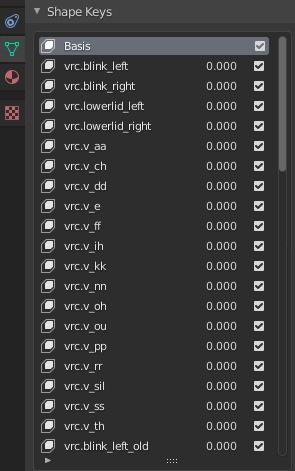
nothing changes at all in the shape keys whenever i separate my material, my eyes just close and don't reopen at any point even when exporting
 regal dagger
When the rigging and topology is so bad and you don't wanna deal with it, so you just cut lines in it, rig it and call it a day 😆
 crisp tendon
Highly recommend the QuadRemesher for blender, life saver
regal dagger
crisp tendon
Highly recommend the QuadRemesher for blender, life saver
I'll definitely have to look into that, because when I first saw this, I didn't even want to bother lol
crisp tendon
sturdy belfry
nothing changes at all in the shape keys whenever i separate my material, my eye...
Are there body shapekeys too ?
sturdy belfry
I fixed it, ty! @crisp tendon
 upper urchin
rigging in the hand looks really bad ,any idea on how to fix it?
 crisp tendon
what does it look flat ?
upper urchin
that is it flat

this how looks in unity all the fingers open
they look flat because the hands are bending the wrong when the in a rest position, like the bone is wrong way around
upper urchin
Is that when pressing alt+r, in pose mode?
fierce grail
Edit mode on Armature, have bones selected
 near grove
hey may someone help me fix issues with the outfit ripping when moveing arms
 near grove
Decimstion magic fixed it lmao
steady patio
near grove
hey may someone help me fix issues with the outfit ripping when moveing arms
in the future you can just merge those verts
if they are overlapped directly on top of each other you can isolate the shirt, select every vert in the shirt, and combine any overlapping verts (forgot the exact command, hit M and it should say iirc)
near grove
so murge the faces and it should fix scemes causeing animation issues?
steady patio
yes because then it would stretch as expected
 viscid narwhal
Can I use the Blender add-on Faceit for VRchat?
If so, I cant figure it out for the life of me. I have been having rigging issues everywhere..
Also having difficulty with toggling a mask mesh. I found a tutorial but it keeps expecting that I know what I'm doing..
 languid estuary
I can't select the Viseme on blender, anyone know whats up?

Ok I am an idiots its ok, had wrong Armature selected by accident xD
 fading verge
 south siren
it will be chaos to rig my fish model
south siren
it will be chaos to rig my fish model
id download some free rigged fishies and base off your rigging by theirs
 formal hare
south siren
it will be chaos to rig my fish model
formal hare
south siren
it will be chaos to rig my fish model
dont know exactly what youre trying to do, is this a puppet or just an animated prop for something (furthermore to what level of quality do you want)?
if this is a higher quality thing i would personally do it kind of like pic rel with ~16 bone structure (each red circle representing a bone); naturally youd decrease this based on how optimized you want it (ex: a faraway/very small fish in a tank might warrant like 2-4 bones but a detailed hand puppet may want like 20 bones)
 crisp tendon
For ref, this is a shark armature
 formal hare
^
sleek isle
only one at the top will be fine
formal hare
most likely, just depends on how you want it to animate and the like
 urban zenith
how can I extend my arm length, or controller position in unity? my characters arms are too short in the game, and mine are too long IRL
is that what arm stretch does?
 sage patio
@urban zenith you can do that in blender
go on YouTube and search for "Full body fixes" by Kung
urban zenith
sage patio
<@702271954245124127> you can do that in blender
thanks, just leafed through it and it looks like thats for proportion control only, moving the bones would mess up the rest of the mesh, do they not have your VR controller positions exposed in the SDK somewhere?
sage patio
@urban zenith why would it mess up the mesh? if you're in Pose mode, it moves the bones and the mesh
urban zenith
sage patio
<@702271954245124127> why would it mess up the mesh? if you're in Pose mode, it ...
I don't need to move the bones, I need to offset the VR controller positions, it would be as simple as VRControllers -> GetForwardVector + X
sage patio
@urban zenith avatar proportions and scaling is a little bit complex, which is why that video exists.
to answer your previous question about having the VR controllers exposed, well they aren't.
the ways to adjust your proportions is to adjust the User real height setting in game, or to lengthen/shorten the arms
typically lengthening the arms
urban zenith
Thanks. My character does match my proportions (see my post in #user-support-old) it turns out changing the view position fixed it for me
south siren
formal hare
dont know exactly what youre trying to do, is this a puppet or just an animated ...
playable prehistoric fish
fading verge
if i have 2 sets of eyes is it possible to have the eye tracking movement on both sets?
 willow idol
wrong channel oops
sage patio
fading verge
if i have 2 sets of eyes is it possible to have the eye tracking movement on bot...
yes
you could use rotation constraints on the 2nd pair to copy the rotation of the first one
 stiff hornet
Moving myself over here cause I need help figuring out how to modify some blend shapes
Something that would normally be at 300% I wanna set as the 100% point. I...don't know how to do that
crisp tendon
You'd want to use the shapekey mix for your 300% to become the new 100% of another
crisp tendon
stiff hornet
Something that would normally be at 300% I wanna set as the 100% point. I...don'...
stiff hornet
Oh. Can I rename the shapekey after the fact?
crisp tendon
yeah you can do anything to it
stiff hornet
I mean to the thing it was before. So, delete the old shapekey and replace it with the new one.
crisp tendon
yep
stiff hornet
Perfect. Doing that tomorrow as I need sleep.
crisp tendon
stiff hornet
...after that I need to learn weight painting and actual rigging for another avatar...
fading verge
Someone rig a taur anytime? I had a few questions
 verbal ice

i re-exported my avatar to change something and now my body mesh is under my right wrist
cause i mapped something in blender to right wrist, then combined all meshes and exported
anyone know what to do here lol
sage patio
make sure that the body mesh is 1: parented to the Armature (hold shift and drag in hierarchy to Armature), and 2: mesh has an Armature modifier on it, with "Object" set to your model's armature @verbal ice
verbal ice
when i do that it snaps into the floor
 sage patio
before you do it, select your mesh and do Ctrl + A > All transforms
can do the same to the armature too
verbal ice
puts it in the floor when i do that too
verbal ice
check dms


 hearty thunder
v2.0 of the digitigrade leg tutorial. Now with 100% more perfect foot tracking and 100% less FinalIK and having to set up a bunch of proxy empties everywhere.
 hearty thunder
FinalIK is great for, well, IK, but it really is a massive barrier for people because it really is just way too expensive for what it is/does.
Still see no way to get back wings moving about from arm movement with a pre-made model that didn't have it made with VRChat in mind without actual IK.
fervent hornet
Honestly I rely on FIK so much that I stopped thinking about solutions that dont use it
hearty thunder
"When you have a hammer, everything becomes nails." Hardly exempt from having done that myself.
fervent hornet
Maybe when VRC removes FIK we'll have a free VRC variant that people can use 🙏
 still oriole
Hello, is there a way of creating eye tracking for eyes that are more to the side, in this case, dinosaur ones? I set up limits for the eyes in muscle settings but when setting up rotation states the SDK doesn't seem to respect the limits at all, same for VRC itself (turning one of them to one side makes the other turn into the head). Am I overlooking something here? Mind you it's my first time making an avatar from scratch.
hearty thunder
Best thing to do is have a 2nd unweighted set of eye bones that mimic human eyes on the head, set up the Avatar Descriptor and such to use those empty eye bones, then rotation constrain the empty eye bones with the real eye bones.
still oriole
Alright, that sounds like a good idea, thanks.
arctic ember
Perhaps some of y'all have encountered this: my hip-constraint twist bones turn backwards when crouching
Anyone else have that issue?
fervent hornet
I had a hip constraint at one point that flipped, but that was only when I laid on my back and basically started looking behind me in FBT. I fixed it by making it not follow 100% but if you're flipping when just crouching it may be similar
I think its when it hits a limit it decides that the best course of action is to go back to the start (IE instead of doing 365 degrees it goes back to 5)
fervent hornet
arctic ember
Perhaps some of y'all have encountered this: my hip-constraint twist bones turn ...
Maybe make sure your bones have no rolls? Could be already close to a limit
fervent hornet
I didnt really experiment much with the problem when I had it since it was kinda niche for it to happen
still oriole
So does limiting movement in muscle settings actually do anything for the eyes? Or anything for that matter?
hearty thunder
In muscle settings not really, have to do that in the Avatar Descriptor.
still oriole
I don't think I've ever seen an option for that though?
What I have is eyes on the sides. What I want to do is have them function normally looking left/right, but when looking straight forward it would be the equivalent of a crosseyed human. I just don't see how to do this using constraints and rotation states alone.
 still oriole
OH. You can click the little chain icons. Oh I feel a little dumb now. Thanks a lot!
 tranquil pilot
anyone has good advice for heels rigging? Idk how to call this... anyway, was wondering if i should correct the bones once i put heels on my character
 bold shadow
If anyone could help i'd really appreciate it: I'm currently porting a character from unity into vrc or attempting to 😅 and from all the tutorials say to use the vrc avatar descriptor but even though i have the sdk downloaded it doesnt pop up

I do have the sdk imported as well and i see the descriptor in the file but its not in the area to add as a component
 vivid carbon
bold shadow
If anyone could help i'd really appreciate it: I'm currently porting a character...
vivid carbon
bold shadow
If anyone could help i'd really appreciate it: I'm currently porting a character...
Which version of Unity are you using. The current SDK requires the use of Unity 2019.4.29, 30, or 31
bold shadow
that could be it when i downloaded it it says 2018
 high nebula
I have a blendshape that works perfectly fine in Unity, but when ported into Vseeface it goes all wack on me. Everything else works completely fine except for this. Any idea what's wrong with it? (bottom left is the way it's supposed to look)
 crisp tendon
a blendshape for fingers ?
high nebula
crisp tendon
a blendshape for fingers ?
I posed the model first in Blender then used the "Save as Shape Key" option under the armature modifier, which let me get the result in the bottom left when I set the shapekey in Unity
i'm leaning towards the chance that not all of the finger bones were exactly set to a t-pose before the first export (they weren't green like the rest when configuring), but before the second export it seemed to be working just fine when I moved the slider till it got to Vseeface
crisp tendon
That seems likely, as the shapekey looks broken, but there is some symmetry and rotations issues visible, so with a proper t-pose it might be fine
 full crypt
Hi everyone, sorry about the image quality but basically I'm having trouble uploading my avatar... I'm pretty sure its rigged correctly but im getting three errors: humanoid avatar must have head, hands and feet bones mapped. Your avatar is humanoid, but its feet aren't specified! and Your avatar is humanoid, but its upper arms aren't specified! How can I get this thing working in vrchat? Thanks in advance
 full crypt
sorry im having a tough time taking screenshots

im using a mac though
so i dont have a windows key
how do i do that... i brought this .fbx in rigged
mild stratus
Also, make sure your avatar descriptor is on the root of the avatar.
full crypt
uh oh i accidentally saved the scene as something else and now when i click the avatar in the hierarchy the inspector just shows the object title with "configure avatar" button and im unable to add a component
anyone know where/how to properly configure the animator component?
no idea. starting over
okay so i just brought in the avatar with proper humanoid rig settings, configured the chest bone how you said. i also just added an avatar descriptor component. not sure how to configure that. do i need to add an animator component as well?
oh my gosh now its saying that my avatar has exactly 2147483647 polygons... there's no way... it was just under 7500
mild stratus
full crypt
oh my gosh now its saying that my avatar has exactly 2147483647 polygons... ther...
There should be a message in the SDK telling you that you need to enable read/write mesh, with an auto-fix button.
Just press the auto-fix button
full crypt
i got it uploaded! thanks all who helped 🙂
 surreal meteor

when i try to merge both armature i get this error
and everything is set to 0 or 1 for the scale
idk what to do
 fading verge
 dry marsh
looks like it, its not the best advice coming from me but looks like your set
fading verge
Are you the kitty I met in game? Do you remember my name?
 rugged goblet


 glass ridge
can anyone help me with the robot
glass ridge
Okay
glass ridge
I’ll do that tommorow
 floral willow
Avatar's hip does a 180 with full body anyone knows how to fix that?
crisp tendon
Don't use a flipped hip bone
floral willow
doesn't look like flipped tho

 knotty hinge
Hi I'm trying to rig for the first time and bones come with this model and I had to get rid of a few as I edited it (so making the tail bones disappear and the spike bones) but when I try to open it in unity the armature stuff doesn't seem to transfer over...? And how can I pose the model to be in a T pose so it matches the default unity ones
crisp tendon
How does it look in blender ?
knotty hinge
 crisp tendon
Where's the mesh in the hierarchy ?
 crisp tendon
Ah, so it's not parented to it correctly
knotty hinge
would you be so kind as to help me ;v;
crisp tendon
Your mesh need to be parented to the armature
select your armature and do Alt + P
Clear Parent
knotty hinge
is this better?
 crisp tendon
Much
knotty hinge
yay ^O^)/ thank you for helping me btw
I got super duper muddled and stressed and panicked trying all sorts of stuff I found online and I think I made it worse
crisp tendon
Now select your mesh, then hold Shift and select the armature, do Ctrl + P > Armature deform
knotty hinge
when I shift to select the armature it selects everything above it too so everything, is that okay?
like this
 crisp tendon
Make sure to do that in the Scene view, not in the hierarchy
 crisp tendon
Yup
knotty hinge
thank you for being kind even when I get all confused with the little things ;v; sorry if I sound dumb agh you've been so patient
crisp tendon
knotty hinge
ah when I click control p it talks about setting the parent do I set it to object
crisp tendon
Armature deform
knotty hinge
nono I mean it's just saying this
 crisp tendon
You selected the object and then shift selected the armature right ?
 knotty hinge
I'm not sure what version
crisp tendon
You can see it in the bottom right corner but no worries, just slight difference in UI between your version and mine
Hopefully you should now have the armature and see the body below in the hierarchy
 knotty hinge
mine's not in that order
crisp tendon

knotty hinge
I don't see an apply button for the make parent stuff
should it just work on its own?
 crisp tendon
Oh, the armature is still parented to the mesh
Need to select the armature in scene view and do Alt + P to clear the parenting first
 crisp tendon
Now you gotta redo the steps above to parent the mesh to the armature
select the mesh first then shift select the armature, Ctrl + P > Armature Deform
knotty hinge
is this right now?
 crisp tendon
Yep, perfect !
knotty hinge
omgomg yayay thank you so much ^O^)/
crisp tendon
Now as a quick check, select the armature and switch it to pose mode, move the bones around to make sure it's all moving fine
knotty hinge
hmm when I move the bones it seems to move the bones themselves not the model?
crisp tendon
In that case make sure that the mesh does have an armature modifier
knotty hinge
is this right
 crisp tendon
That looks correct
Sure you were in pose mode and not edit mode on the armature right ?
 crisp tendon
Yep, and if you look in the top left corner, you can see that the bone is called Hips, for some reason
knotty hinge
w-wha that's not a hip
crisp tendon
First thing to now check will be that when switching your mesh into weight paint mode, and clicking in the vertex group list, that the correct parts light up
 knotty hinge
uuuu is there a way I can stream this to you because I am getting super mega lost now
everything I click on in vertex and shape nothing seems to change?
 crisp tendon
No color on any of them ?
crisp tendon
Blue means no weight paint
Did you use any tool on the model in blender ?
I assume this came from Booth
knotty hinge
yup and I had to change the tail and the head with sculpting
crisp tendon
If you still have the original files, I'd suggest saving what you have and opening the other files in a new scene to check the weight paint there
 crisp tendon
You'd have to either bring the whole mesh to your other project or to move your edits over to that scene
I'm guessing something you did during your sculpting process may have got rid of the weight paint data for the mesh
knotty hinge
why does it keep being rude and not letting me have two blenders open at once
crisp tendon
Are you right clicking the blender in your taskbar ?
knotty hinge
ooh thank you that did the trick right clicking and then clicking blender :D
I got them together now
 crisp tendon
Now you just need to separate the edits from the base you had and get rid of what you didn't change
Also make sure to click this once you've separated your edit into its own mesh
 knotty hinge
I'm having some trouble for some reason when I copy stuff it's copying the old model as well? Like the unedited model when I paste it
crisp tendon
copying and pasting how ?
You should just have to hide the correct mesh and armatures while you work on your edit, and delete the vertices of the mesh that aren't part of your edit
knotty hinge
I figured out that cut pasting was making it act weird now I did the separate thingy and now it's acting nicer yayay
I don't see the removed unused vertex group where is that?
crisp tendon
On your selected mesh edit object
knotty hinge
that one isn't showing up for me?
 crisp tendon
Won't in edit mode
 crisp tendon
Did you remove the unused vertex groups ?
knotty hinge
I still haven't been able to find that option
knotty hinge
I'm super duper tired and have a migraine would you be so kind as to help me tomorrow with this ;v; it's totally okay if you can't I understand and appreciate all the help so far
 rose wadi
Hello! would anyone happen to know why this happens? (Problem is : I can't see my arms in front of me/my hands in game don't reflect right the position of my hands irl) [also don't mind the music at the end]
oh and in a normal A pose, my arms just go inside my chest
I think my arms model wise may be too short? but yeah wanted to ask you guys
crisp tendon
Your arms are too short for you to see then
crisp tendon
I've only used metarig, what does the rigify one look like ?
Or is that what rigify generates ?
Yes the required rig for vrchat works perfectly for animation, the rigify rig has additional hip bones that aren't used however
rose wadi
crisp tendon
Your arms are too short for you to see then
is that why the arms also go into the model in a normal "a' pose irl?
crisp tendon
Possibly, they're very disproportionate, you'd need a custom idle pose
knotty hinge
crisp tendon
Did you remove the unused vertex groups ?
https://radeonoff.gumroad.com/l/Gxkbp did I need this addon? I was googling it and it seems it's from an addon?

Gumroad
Doing exactly what it says. Can be found trough search or in vertex group menu. in archive 2 versions for 2.7x and 2.8xOriginal author: avePort to 2.7x: CoDEmanXPort to 2.8x: Don'tKnow original page: https://blenderartists.org/t/batch-delete-vertex-groups-script/449881/2
crisp tendon
Nope, that is part of blender's default afaik
Does the mesh edit object not have any vertex groups ?
 crisp tendon
Did you enable wireframe for the display ?
Also make sure you're doing edits on your Basis shapekey
knotty hinge
crisp tendon
Also make sure you're doing edits on your Basis shapekey
what does that mean ;v;
is this better with the display?
 crisp tendon
knotty hinge
what does that mean ;v;
crisp tendon
knotty hinge
what does that mean ;v;
Basis is the shapekey you should always have at the top of the shapekey list, it's the default look of your model, any other shapekey is an edit of your mesh
crisp tendon
knotty hinge
is this better with the display?
Yes, now you can unparent your mesh from the armature that is parented to it
knotty hinge
ah which stuff I have so many armatures ;v;'
and when you are talking about my mesh do you mean the added bits or the bits which I kept the same
is this right
 crisp tendon
Yeah, just keep the armature that has the non edited mesh as a child object
fading verge
Does there need to be specific bone names ?
crisp tendon
What for ?
fading verge
for rigging avatars
crisp tendon
If you want things to go well yeah it's good to follow naming conventions
You can enable the rigify addon in blender, generate a basic human rig and look there
knotty hinge
I'm super sorry Ruuubrick for being all clueless T_T would you be so kind as to help me with the next step? I totally understand if not and I wish you a lovely day
crisp tendon
Am about to go to bed but ping me tomorrow and i'll try to help you out
turbid spear
crisp tendon
Nope, that is part of blender's default afaik
My 2.91 install doesn't have it either, but the latest one does for sure as I used it the other day on another pc
I thought it might have been added by cats, but it doesn't seem to be the case so just assuming it was added in 2.92 or 2.93
 tired viper
Sooooo Somehow my mesh and my armature aren't like connected together and I haven't figured out how to do it. If anyone's got a suggestion lmk please
crisp tendon
tired viper
Sooooo Somehow my mesh and my armature aren't like connected together and I have...
Select the armature then shift select the mesh > Ctrl + P > Armature Deform
crisp tendon
The closer it is, the better it'll deform
 languid ermine
looking for a good way to make a quadrupedal avatar for fullbody. Anyone know a good ay?
fading verge
can I have some help with my avatar

I dont know where to attach these I tried amataure ect
languid ermine
fading verge
what are you connecting? the sound file? the stockings?
fading verge
languid ermine
what are you connecting? the sound file? the stockings?
the stockings
im trying to put that and resize it down to match the awtters arms
 languid ermine
fading verge
the stockings
languid ermine
fading verge
the stockings
got it. if they're different objects per limb, then you can parent the individual article to the corresponding limb.
If it's an entire mesh, you'll need to parent the model to the armature already being used for the awwter. (and also make sure it has correct weight paints to your awwter, so that it moves when they do).
To proportion them properly, match the scaling with the awwter, and keep transformations to 0. Adjust if need be.
The easiest way to apply the mesh to the armature for the awwter in blender is to parent it into the Armature hierarchy, and export it as a separate mesh. It works the same for toggles, and (if the weight paints are paired properly) can be deformed with the armature.
languid ermine
ok, do the bones in the socks match the bone names in the awwter base?


