#avatar-rigging
1 messages · Page 190 of 1
 umbral nymph
 sage patio
umbral nymph
never heard of it
sage patio
umbral nymph
never heard of it
takes something flat and gives it thickness
so that it's double sided
and actually like, a solid
umbral nymph
sage patio
takes something flat and gives it thickness
ill have to figure that out next time, thanks
 bleak sun
heya , very new to blender , I have a 3d model I wish to make an avatar out of it , how to do that ?
bleak sun
that will be my avatar

 atomic jacinth
bleak sun
that will be my avatar
atomic jacinth
bleak sun
that will be my avatar
Does it have bones/ a rig?
bleak sun
nope I have no idea how to do that @atomic jacinth
atomic jacinth
Oh ok so in blender if you open the group it might say something like “armature”
With an arrow next to it
bleak sun
do I need to install a specific version of blender?
atomic jacinth
What version are you using?
bleak sun
uuh I don't have any yet
atomic jacinth
Oh ok so download blender version 2.83
bleak sun
what is the difference?
atomic jacinth
2.83 is compatible with a plug in that almost essential
bleak sun
if I download it from steam it will be the right version?
atomic jacinth
Probably not
Here watch this video it should help with the basics https://youtu.be/EeTVP8DI7JU
Easiest VRChat avatar creation tutorial for 2020 / 2021 to quickly learn the blender and Unity 3D process to getting a model into VRChat. ⬇️ Download Links Below ⬇️ 🏁 You must read pinned comment to succeed / for latest updates 🏁
NOT INTENDED / MAY NOT WORK FOR OCULUS QUEST
Correct Unity version: https://docs.vrchat.com/docs/current-unity-ve...
bleak sun
got it
@atomic jacinthshould I import it as parts or full character? does it need to be in T pose?
bleak sun
I don't need the "cats" plugin for blender as mentionned in the video , right?
not sure if she says cats , her google assistant voice is hard to listen to
bleak sun
hmm I don't see "fix model" in CATS
i'll skip and see if was necessary
in the video , she imports a fully rigged character , my model doesn't have a skeleton
bleak sun
atomic jacinth
Oh ok so in blender if you open the group it might say something like “armature”
what group?
atomic jacinth
bleak sun
what group?
It’s called a group but it’s just a thing in the hierarchy that says armature
bleak sun
I don't see anything like that

I don't see any tutorials to make an avatar like this
 normal shard
@bleak sun You could set up the rig yourself using bones, parenting and constraints but it's a decent amount of work. There are some good videos on youtube about rigging
bleak sun
I guess that is my only option , the thing is I don't want my character distorted by the bones
normal shard
Yep so in that case ignore weight painting and look into using parenting and constraints
bleak sun
okay uuh i'll look after a tutorial for this
bleak sun
I think a discord call would be more adequate if anyone has some time I would appreciate because all the tutorials video are skipping steps
 errant elk
is there a way to make a piece of mesh disappear when using a shapekey
normal shard
Not that I know of ( I'm not 100% sure there isn't a way though). I think you would have to do it in animation or a toggle in unity.
 fervent hornet
The animation would set a blendshape from 0 -> 100, where 0 is normal, and 100 are those vertices scaled to 0 (to hide it)
sage patio
errant elk
is there a way to make a piece of mesh disappear when using a shapekey
just scale that part of the mesh to 0?
 kindred pollen
 meager wyvern
can someone tell me how to change my avitar or make one please
meager wyvern
can someone tell me how to change my avitar or make one please
To change your avatar, open the quick menu and go to the Worlds tab, then look for an avatar world (there's a whole category of them if you scroll down, and a search-bar at the top right) and join it. Once you're in, look for an avatar pedestal (they tend to look like a flat cylinder with an image of the avatar above it) and click on that. You've now changed your avatar! c:
If you want to save the avatar you found, go to the Avatars menu and hit Favorite
meager wyvern
any good avatar worlds u suggest?
meager wyvern
kindred pollen
To change your avatar, open the quick menu and go to the Worlds tab, then look f...
?
kindred pollen
Depends entirely on what you're interested in lol, but use the search bar to look for what you're interested in o:
If you have a more specific avatar type in mind, ask in #avatar-search-old! c:
meager wyvern
ty
 ionic sedge
How do you manage to make the shoulders properly move with the arms? In the game they bend towards the inside when I raise my arms. If I move them in blender with the arms the result is way better.
 crisp tendon
Shoulders barely move in vrchat
Might wanna make the weight painting stronger on the shoulders
ionic sedge
Will check that, thanks!
 gentle reef
normal shard
gentle reef
normal shard
What's wrong?
 worthy adder
Will a structure like this affect Full-Body Tracking performance?

they are Hip, Spine, and Chest from bottom to top
I'm mainly worried about the spine being so small, but it's essential to the way the model looks and moves.
I don't know if it'll make FBT a hassle to get looking good or not though.
crisp tendon
worthy adder
Will a structure like this affect Full-Body Tracking performance?
Yes, your bones need to have the correct orientation and length
worthy adder
crisp tendon
Yes, your bones need to have the correct orientation and length
Where can I find the “correct” values for those? ^^;
And thanks for the response!!
crisp tendon
Hip need to be straight up
spine bone should be relatively similar as the chest bone in term of length
hip bone can be half of the spine length
sage patio

 fading verge
for isaac , do i give him just one finger???
 astral warren
sage patio
just scale that part of the mesh to 0?
astral warren
sage patio
just scale that part of the mesh to 0?
Just don’t scale them to zero on basis and have expand via shape key - it messes up normals
ionic sedge
I managed to merge an hairstyle with the head without losing position and scale, however the hair do not react anymore to its bones, what should I do to relink them?
 fallen trench
so i got a model where my index doesnt let me have my fingies and uses default hands
 uneven frost
I want to somehow weight-paint this text to the leg. How can I do that?
 crisp tendon
It should be painted on the texture, you can't export that otherwise
uneven frost
What happens if the "fix model" option is not there?

Just asking for a friend
Is it just the plugin that's having an issue?
crisp tendon
Since you're on the latest version of blender, i believe you need to use some developer or experimental version of Cats
probably explained on their github
 prisma latch
I'm currently weight-painting a body mesh that I hope to get into VRChat with a few different toggle-able outfits. The outfits are a separate mesh. Do I weight-paint them to the same armature in my Blender file? Should the outfits be exported separately? I'm new to this, apologies if these are dumb questions!
sage patio
prisma latch
I'm currently weight-painting a body mesh that I hope to get into VRChat with a ...
same armature, separate mesh
if the outfits have multiple parts, consider joining them together to reduce the total amount of meshes
fading verge
quest people are telling me that my character looks like he is being handcuffed but for the pc users it looks just fine. How is this possible and how can i fix it?

 iron hill
Hi, still trying to make everything sure : do we need to normalize groups before exporting to fbx ?
sage patio
iron hill
Hi, still trying to make everything sure : do we need to normalize groups before...
probably should yea
iron hill
ok ty !!
prisma latch
sage patio
same armature, separate mesh
Thanks, bud
fallen trench
so i got a model where my index doesnt let me have my fingies and uses default hands
 spark hearth
What if my character has non-spherical eyes? How would I rig that for vrchat?
mention if you have advice for me pls
 somber talon
Hello - do anybody know of a tutorial for a generic rig?
As in a non-humanoid rig, I suppose it is
crisp tendon
Tutorial for ?
crisp tendon
spark hearth
What if my character has non-spherical eyes? How would I rig that for vrchat?
What shape exactly ?
spark hearth
using a lattice, hold on
spark hearth

they're lattices
so is there anyways to keep these kinds off eyes for vrchat or do I need to make new eyes
crisp tendon
I don't think Unity will import that, so yeah i'd suggest regular eyes
 somber talon
@spark hearth - isn't it only the controllers that are lattices? It looks like sphere meshes beneath. If that is the case, couldn't you just re-rig the the eyes with bones?
Still some work, but you wouldn't have to recreate the eyes from scratch

 sleek isle
You miss the hip
spark hearth
darn
sleek isle
Or the spine idk but you need 3 bone in there
sleek isle
Should follow roughly what show here to work best in-game. https://cdn.discordapp.com/attachments/377176391667417090/984212147317923890/unknown.png
 spark hearth
I'm weight painting now
 dusty sparrow

how do i fix this
basically it pinches the shoulders in and I'm not a weight painter so idk how to fix it
 tight cobalt
i just cant fix this can someone help me

 pastel leaf
tight cobalt
i just cant fix this can someone help me
pastel leaf
tight cobalt
i just cant fix this can someone help me
A screencap of the rigging layout in unity would be useful....kinda hard to help with only that message. Either the bones aren't named correctly and unity couldn't guess what goes in the slot or they actually aren't parented and you need to go back into your 3d modeling software to fix it or ???
tight cobalt
pastel leaf
A screencap of the rigging layout in unity would be useful....kinda hard to help...
Oh well I fixed it by just clicking fix avatar with the cats plugin in blender
 alpine flax
sleek isle
Should follow roughly what show here to work best in-game. https://cdn.discordap...
alpine flax
sleek isle
Should follow roughly what show here to work best in-game. https://cdn.discordap...
actually having a bend in the spine helps for less issues with kinking in the spine area when reaching down straight up and down is too rigid
fading verge
does anyone know an alternative way to get a dynamic bones setup without having to pay 20 dollars?
it would help alot please and thanks
sage patio
fading verge
does anyone know an alternative way to get a dynamic bones setup without having ...
"Dynamic bones" is literally the name of the 3rd party package, no way around it
only alternative is to be patient and wait for vrc to implement their alternative
fading verge
but i dont understand how i can add dynamic bones tomy character model without it
its just when i hit play i cant see them moving in unity
and yes i remembered to use the unpause button too.
sage patio
you straight up can't.
you NEED the dynamic bones package
it's not something that comes with unity or the SDK
it's a random script made by some random dude named Will
and it's what the VRC devs decided to use ages ago
 sullen grail
Anyone happen to know what causes this? It wasn't doing it before, the model is identically weight painted as previous versions so nothing should be changed. I've noticed that other weight paints I'm doing for other things like rings and such are warping, bending or lagging behind the bones (even though they are fully red) instead of moving 1 to 1 with the bones. Did i accidentally checkmark something?

This is only happening to the arm btw, literally no other body part is having this issue
crisp tendon
Check which other weight group they're painted to
sullen grail
crisp tendon
Check which other weight group they're painted to
??? Would i need to check every single one?
crisp tendon
Any vertex of the arm
sullen grail
crisp tendon
Any vertex of the arm
Are weight groupsvertexgroups?
crisp tendon
yes
 astral quest
I downloaded video game models from the models resource website and everyone of them that I Import gives me the same message when I go to rigging of “not enough bones” is there an easy way of setting up bones or is that another nightmare to unravel
crisp tendon
That's blender, or mixamo for automatic rigging
 limber tulip
Anyone here familiar with the CATS plugin? when Im trying to fix my avatar it gets shrunk and rotated into the floor, any ideas?

ive tried resetting all the transform deltas
this also happens when I try to use the model options to separate and merge the mesh
is there like some secret mesh scale and rotation thats hidden under the hood?
astral warren
fading verge
does anyone know an alternative way to get a dynamic bones setup without having ...
Yeah. Create a empty script called dynamic bone. VRChat doesn’t check the code, they just see the script name, delete it, and replace it with the real copy.
Of course it will be rather hard to set parameters so you’d have to duplicate those too if you don’t want default settings… and you still won’t be able to preview it before upload.
But I’ve got a “legally distributable” version of dynamic bone that does not work in the editor at all that simply relies on VRChat’s auto replace
limber tulip
limber tulip
is there like some secret mesh scale and rotation thats hidden under the hood?
so this lead me down a strange rabbit hole with dealing with clearing deltas, was able to fix this from happening but im still not sure at all why there are these hidden transforms
guess i still got a bit to learn about blender
 buoyant badge
anyone know why the shirt is ripping, ive worked with this shirt before and its worked fine but i cant figure out how to fix it
 crisp tendon
merge your vertices
 mossy sonnet
i put my model into blender and the legs decided to break (everything is named right and it works fine in blender)

anyone know what happened?
ah wait
how do i fix this?

ah forgot to name a few things
yeah no that didn't fix it
works fine in blender

so im honestly super confused
wait
dont think i put my knees straight up and down though unity didn't complain XD
 crisp tendon
sleek isle
Should follow roughly what show here to work best in-game. https://cdn.discordap...
mossy sonnet
crisp tendon
sleek isle
Should follow roughly what show here to work best in-game. https://cdn.discordap...
mossy sonnet
ye they are i just wasn't paying attention
yay it worked though
still got this and im not sure why
 crisp tendon
put them in manually ?
mossy sonnet
i did
also, which direction should the avatar be facing in unity?
cause when i look up and down my physical avatar move up and down
not just my head
it spawned in facing away from z
crisp tendon
It should be facing forward, same way as blender
crisp tendon
Y is forward, but make sure it's actually facing the correct way by pressing 1 on numpad
crisp tendon
You shouldn't turn it in unity
Make it face the correct way in blender and apply the transforms with ctrl + A
 shadow sedge
Just wanted to share this as I follow this guy and this looks super useful.
A person I follow on YouTube that's an expert rigger and does great tutorials has just released a pay-what-you-want on for Blender that takes any rig including plain and rigify animation rigs and converts them to an engine agnostic game rig, complete with baking any animations you created.
https://youtu.be/iZBx1I7vmQ0
Hopefully this will help some of you, and I recommend his channel too as it helped me actually learn how scary things like Rigfy work.

Game Rig Tools is a new addon that will help you prepare your Blender rigs for export to Game Engines. Whether it's UE4, UE5, Unity, Godot, or another Engine, the addon will make your Animation rig game-ready. It will also help you avoid the common pitfalls associate with transferring a rigged character to a game engine.
The addon is released a...
And it's pay what you want so I guess free if you're on a budget. X)
 unreal jay
Does VRChat allow for dynamic IK chains and constraints while doing hand tracking. Like say I have a robot arm consisting of a lot of pistons and servos, would I be able to apply the proper IK and Constraints to reflect that mechanical motion in game?
sage patio
unreal jay
Does VRChat allow for dynamic IK chains and constraints while doing hand trackin...
you are able to use FinalIK on PC, yes
there is a little bit of fuckery you have to do but it's definitely doable
constraints are fine
unreal jay
ok cool
fading verge
sage patio
for a piston you could probably use Aim constraints
sage patio
unreal jay
Does VRChat allow for dynamic IK chains and constraints while doing hand trackin...
in the case you wanted to do something like a robotic arm with many joints, you will need two bone chains; the normal humanoid one, and the robot one
unreal jay
got it
sage patio
@unreal jay this guide on making proper digitigrade legs might also give you some insight on how finalIK has to be done for it to work with VRC
 unreal jay
thank you
 buoyant glade
I'm having some issues, for some reason one of my avatars isn't handling full body properly, all of the trackers below the waist are offset by one
Hip controls right leg, right leg controls left, left leg controls hip
 arctic jacinth
can someone explain to me why this insane curve around the arm happens and how to circumvent it?
T_T
 hearty thunder
That's just how things bend when you have a even weight gradient along a tube.
How you fix it is change the topology so there's fewer polygons on the inside of the elbow such that it literally can't crimp in as there aren't enough polygons to let it do that.
arctic jacinth
wait i need less poly around a bendy surface?
wot
i need to make rounded topology there i guess to get around it

like this no?
fervent hornet
The inner elbow shouldnt really have a gradient at all, there isnt any bending there between the bones
hearty thunder
arctic jacinth
wait i need *less* poly around a bendy surface?
You don't want the inner elbow to bend, because the bending is ugly. What that picture is showing is adding more geometry to something already low poly to get to the same end goal, in your case you're gonna want to cut out some vertical loops only on the inside so those polys kinda stretch across the elbow.
arctic jacinth
so just flat red?
fervent hornet
It mainly looks like the influence of the upper arm goes too far down the arm
arctic jacinth
^that fixed it a little bit
ty much better

was looking at the wrong bone i guess
❤️
fading verge
Isn’t VRC coming out with there own version of dynamic bones but better?
Physic bones I think 🧐
When will that come out?
crisp tendon
Later this year
fading verge
Cool! Can’t wait.
How will the interaction with the bones work?
Like for instance when another player touches a bone it can move.
I think I saw that mentioned in the article.
crisp tendon
It's explained in the latest dev stream
fading verge
Oh ok my bad thanks for redirecting me.
 upbeat atlas
This question must have been asked a million times but how do i flip the rigging in this? everything is in the opposite direction. i've tried rotating it in blender but that didn't work (or i did it wrong)

oh wait
 fierce grail
Might be this? #avatar-rigging message
upbeat atlas
yeah i realized what i did wrong. i switched the left and right sides and that magically fixed it
thanks tho
 gritty crane
Anyone able to assist with dynamic bones, I've put dynamic bones onto my head to make my hair move and my ears on the top of my head won't stay central on my head they bounce left to right slightly and forward nd back.
 fading verge
im not expert but i've similar issue when importing this vroid avatar, Try to set the dynamic bones under Root parts
@gritty crane
And is there anyone can tell me why my avatar get fucked so back and crouch like this, initially there was some bone parenting issues at spine part so I fixed it in blender. Is this something to do with the controller or its the bone parts?

 tender summit
anyone know how to get around this split?
 mossy sonnet
try connecting the vertices by selecting them and pressing f?
tender summit
yeah but then it looks scuffed
 misty fern
What does avatar rigging mean -
crisp tendon
tender summit
anyone know how to get around this split?
Clean the topology, do bridge edge loops in between the two loops, subdivide, smooth and remove redundant edge loops
 jade flume
Fingers crossed someone knows how to Dynamic Bones better than I do.
So this is how the avatar looks in Unity.

It moves just fine/as intended in Unity, but when ported to VRC...
???

these're the settings

...i'm gonna try doing it a bit differently
fixed it by having 5 seperate dynamic bones instead of one big one
 agile escarp
Hi people! I made this lying pose using Muscle Animation editor and for some reason in VRChat it looks broken(especially arms). All bones applied rightly, pose looks fine in Unity. What might cause this problem? Thanks in advance.

 scenic geyser
While using blender, I've been told that I need to duplicate the neck bone, place the duplicated neck bones as shoulders, then parent them with the original neck bone, then export to unity and upload.
But when I try to duplicate the neck bone, it shows
 fading verge
I have been told by quest users that my avatar's arms are behind my back while pc users can see my arms in the normal position. Is this a rigging problem??
scenic geyser
fading verge
I have been told by quest users that my avatar's arms are behind my back while p...
Do you have a quest? If you do, try out the avatar on quest. That might help.
scenic geyser
If you had a quest, you could get onto your account and troubleshoot the issue.
fading verge
in PC?
scenic geyser
I said if you had one, log into the account (on quest) see if it's a rig issue, and try to fix it.
fading verge
this is what i get from errors
 scenic geyser
Idk what to tell ya
 elfin ermine
does this rigging look correct?
 fading verge

 little forge
Weight painting is awful, change my mind
crisp tendon
Unless you're very something super precise and complex, weight painting isn't difficult
There's also some tools that help a lot, like https://gumroad.com/l/weight_paint_tools

Gumroad
Addon for Blender 2.83 and 2.9 containing tools for simplifying workflow in blender weight paint mode. Useful for riggers, animators and character artist but not only.easy menu for applying weights to vertices - with properly working symmetry and auto normalizationcustom weights mirroring for all tools, works even if topology is not symmetrical....
little forge
do things like teeth and tongue/eyebrows have to be connected to the main body?
crisp tendon
You should have one or two meshes maximum
little forge
Is it better to make the rig for the hair seperate and then combine both armatures/meshes?
and does having more bones simplify rigging processes?
little forge
*litterally has symmetrical mesh perfect and everything connected together > bone heat weighting still failed
what i kinda find nice is the faceit rigging addon, bit expensive but u can also use facial mocap
little forge
ah appearently i had some random problem with my rig not being fully connected at legs and arms, merge by distance fixed most of it 👍
 lament grove
Fellas Do You have any good, quick and simple videos on how to make an avatar full-body ready? Back in the days I remember there was something to do with the IK rig or something, but I might be just dumb and I can't find anything
fierce grail
Look at pinned messages.
lament grove
Straight to the point, thanks fam
little forge
just noticed something super helpful when weight painting, select the body part seam with L, and then u can just press SHIFT-K to adjust the wight to the part
example when rigging eye: select in edit mode with L, > weight paint > slide Weight to 1.0 and > shift-K
ionic sedge
Is there any particular reason which makes an avatar's shoulder rig to properly work on an index and not on a rift s?
Same cloned avatar, no fbt, only headset + controllers
astral warren
little forge
Weight painting is awful, change my mind
Blindly painting and hoping it moves how you want can be a pain. Actually understanding what the color values mean and how it’s going to move based on the percentages makes it easier to mark the gradients exactly where they should be.
Or just raw practice can get you a good eye for eyeballing it’s. Either way. Knowledge or experience. Or both. It gets easier.
 verbal sorrel
I want to correct my avatars jiggle is this rigging
hearty thunder
Weight painting by way of actually painting weights is awful.
Sliders on verts to dial in things specifically is where it's at, but Blender has zero support for that methodology.
sage patio
@hearty thundertotally does though?

 runic reef
Is there something horribly wrong with my avatar if when I look straight down my toes point, and when i'm in seated mode my legs arent visible looking down?
crisp tendon
Sounds pretty wrong, can you post a picture of your armature in blender
 amber crystal
Hello, would appreciate some help. I been struggling with this rig for some time, I tried to apply Kungs fixes, resizing bones and limbs with no success, I can't get the balance where it looks good, the video explains better. This is a short av btw.
this is the rig setup


 hearty thunder
sage patio
<@!285191197662904320>totally does though?
hearty thunder
sage patio
<@!285191197662904320>totally does though?
You're not the first person to tell me that. No it doesn't, and there's two crucial functions that does not do:
Changing the influence from one bone doesn't automatically move all the other bone influences so they add up to 1
More importantly, it can only effect 1 vertex at a time, no matter how many you have selected.
The 2nd point makes it utterly useless. And yes I know about the 'Assign' button underneath the vertex group thing, it's completely useless as well as without the ability to just click and drag and see how the vert gets affected in real time, you can't dial it in.
amber crystal
Thanks for the reply, I went thru the FBT documentation for vrchat I found out there is a rig template I can follow called tpose-new.fbx thats only available in SDK2 but will server as reference. Also yes, I'm missing the toe bone, will probably add that too, but I have another avatar that works fine without it. Anyway will probably rerig the model and see if that fixes it
 crisp tendon
hearty thunder
You're not the first person to tell me that. No it doesn't, and there's two cruc...
crisp tendon
hearty thunder
You're not the first person to tell me that. No it doesn't, and there's two cruc...
Normalize All > Makes all influences add up to 1
Also I think you should be using gradients
hearty thunder
crisp tendon
Normalize All > Makes all influences add up to 1
Also I think you should be usin...
Manually having to normalise shouldn't be necessary though, doing it in real time would be far more sensible.
And painting in gradients can be fine for simple geometry. For complicated areas that need very specific fine tuning, like hips/thighs+tails, and the antics I tend to find myself in with wing shoulder joints, no. I cannot see how on earth anyone's supposed to fine tune that in a way that doesn't pull their hair out without being able to easily tweak things per-vertex.
amber crystal
Also, I have this other av that perfoms way better, and I saw that the rig is more similar to the SDK template

As reference here is the test, the only issue with this one is that arms don't extend as much, I know how to correct that but the leg float is minimal
crisp tendon
People do tend to do the process manually the way you describe it, and that's why weight painting seems to be universally hated, because the tools have never really got better over time
crisp tendon
hearty thunder
Manually having to normalise shouldn't be necessary though, doing it in real tim...
This addon might help you however https://gumroad.com/l/weight_paint_tools
Gumroad
Addon for Blender 2.83 and 2.9 containing tools for simplifying workflow in blender weight paint mode. Useful for riggers, animators and character artist but not only.easy menu for applying weights to vertices - with properly working symmetry and auto normalizationcustom weights mirroring for all tools, works even if topology is not symmetrical....
hearty thunder
crisp tendon
This addon might help you however https://gumroad.com/l/weight_paint_tools
Looked int it, still doesn't quite get all the way there. I'm gonna still stick to weight painting in Carrara, as while it's hardly perfect, it's a million times better than when I tried to weight paint in Blender. Do wish I had the fade and blur tools in Carrara though, they'd be super useful to have if the rest of the tools were sensible.


 astral warren
hearty thunder
Manually having to normalise shouldn't be necessary though, doing it in real tim...
astral warren
hearty thunder
Manually having to normalise shouldn't be necessary though, doing it in real tim...
That gets messy when you have multiple weight pools, you change one weight, does that mean all other weights should be reduced proportionally? It's actually ambigious. There are tools that "auto normalize" a ton of sliders, they're always messy and OCD-triggering, though.
as for not being able to set multiple vert parameters at once though... God, why's blender like this
Unity spoils me
But for real, gradients.
or boolean weights + smooth
 near oasis
The model still flips backwards after trying to line it up with that
hearty thunder
astral warren
That gets messy when you have multiple weight pools, you change one weight, does...
"does that mean all other weights should be reduced proportionally?"
Yes, yes it does. Though being able to lock a specific weight as all the other ones are being adjusted would be nice, which is something Carrara doesn't do.
Gradients, and painting on weights in general, only gets you so far. If everything was nice and linear or radial, then I could see that being viable. But often times when I'm done with the legs, the inside of the thighs are funky. Largely smooth with weight distribution, but nothing I could have ever done with just slapping on gradients alone.
astral warren
I don't think weight painting has ever been easy
near oasis
@mossy sonnet
mossy sonnet
yeah idk i just saw that your legs where tilted, im pretty new to this myself
hearty thunder
astral warren
I don't think weight painting has ever been easy
Not saying weight sliders is easier, only that it gets you direct results by being able to dial them in as opposed to trying to paint them on and hoping for the best by way of going over them over and over again.


 kindred berry
Can someone help? Each tail segment has 100% weight to their respective bones, and don't have weight from other bones that aren't supposed to be affecting them. The only vertex groups are the tail-related ones, yet still when posing it the bones lag behind the mesh, or the mesh goes twice as far as the armature.
 sage patio
kindred berry
Can someone help? Each tail segment has 100% weight to their respective bones, a...
sage patio
kindred berry
Can someone help? Each tail segment has 100% weight to their respective bones, a...
weights > normalize all
kindred berry
sage patio
weights > normalize all
Unfortunately didn't work
sage patio
@kindred berrycheck to make sure you don't have 2 armature modifiers on the mesh
kindred berry
Ah, that might be it
Thank you so much, it probably had 2 armature mods cuz I changed the default pose earlier in my project
sage patio
👍
if you want a better way to apply a pose as the rest pose without doing the 2x modifier trick, use the CATS plugin
kindred berry
I did, if that's the case it might have had 2 armatures when I imported the asset in the first place
crisp tendon
Then the mesh is painted to other groups, gotta find which in edit mode with the View side menu when selecting vertices
near oasis
I am not sure what is going on here. In blender, everything seems fine. However, when I get into unity, make it humanoid and try to enforce a T pose, the model flips backwards but the feet stay the way they were.


 mossy sonnet
i dont wanna sound stupid, but try turning it 180 in blender?
 plush sigil
I’m having the same problem. It only effects my arms and legs. Although, I made a mannequin so the one that is supposed to freeze is freezing in a weird free fall pose
 rose wadi
Hello! i know i should probably learn to fix it myself but, my skeleton has some bone problems with the arms (in short, it's like my models arms ingame are too short compared to my irl arms) and i'm wondering if i could pay someone to fix it rq, i haven't got much time to do stuff in the weeks and on the weekend i'm either too tired or not motivated haha
astral warren
Can’t take on work but what you describe is usually fixed by choosing a more accurate view position on the avatar descriptor . And making sure your real world height is set correctly in settings.
Modding the model may not be necessary
tender summit
rose wadi
Hello! i know i should probably learn to fix it myself but, my skeleton has some...
Mess with height settings and advanced vr settings
rose wadi
Back! before that i wanted to try and visualise the issue like, try and post a screenshot of it to be accurate
rose wadi
In non VR this is the base pose it has, (weirdly enough when in VR the view point is alligned in the center unlike there, weird), in non VR the arms works fine, but in VR the arms (while i'm doing the same pose as this in real life) go into my chest, both of them, like the end of the arm goes into the chest
 tender summit
oh yeah thats bones i think


 tender summit
would have to check on blender
rose wadi
fair, i don't have much time rn so tomorrow i'll show you in blender
 ruby scaffold
How do I fix "Bone Heat Weighting: failed to find solution for one or more bones" in blender without connecting all the meshes
 opaque hamlet
anybody have any times to help with clipping? first time weight painting and im struggling a bit
lemme get an mp4 file so its not as sketchy
crisp tendon
You need to adjust the weight paint of the cloth too
It's being used by your hips and leg, so it's only moving 50% of the way
opaque hamlet
I kinda made the clothes part of the character 😀
okay, that advice still helped a lot tysm
sage patio
@ruby scaffold scale the model up 100 times before doing it
issue occurs because of values being too small
if it still happens scale it more
ruby scaffold
sage patio
if it still happens scale it more
That still didn't work
 barren lava
Ey People, semi new rigger here. I'm struggling with loose parts that wont stick to the rest of the rig, any idea of how i could fix this?
 crisp tendon
barren lava
Ey People, semi new rigger here. I'm struggling with loose parts that wont stick...
crisp tendon
barren lava
Ey People, semi new rigger here. I'm struggling with loose parts that wont stick...
Merge your meshes
crisp tendon
 hexed breach
I'm blender, make the hip bone straight vertically
hexed breach
crisp tendon
I'm blender, make the hip bone straight vertically
ok
buoyant badge
hey i need some help, im sorry i cant provide a screenshot o i will do my best to explain. So i made an avatar is blender and everything looks good on him same in unity everything looks fine but in vrchat when i move his left wrist some of the jacket is attached to his wrist and i cant find where that little bit of weight paint in blender is ive clicked on every bone and everyone has no weight paint on the jacket ive even went through every vertex group to see if i could find it and still nothing
sage patio
buoyant badge
hey i need some help, im sorry i cant provide a screenshot o i will do my best t...
in edit mode, turn on Xray and select the general area is being affected (the jacket). then, in the list of vertex groups, find the one for the wrist, and click "Remove" below the vertex group list
that will remove every selected vertex from that group
also, make sure all of your weights are normalized, by doing Weights > Normalize all


 unreal shoal
thanks!
kindred pollen
do i look like i know hwhat a jay-peg is
 bleak halo
Can anyone tell me the best way to fix finger bones? I have a model that has mangled fingers when in-game. Does the CATS blender plugin auto-fix fingers or is it just main bones like Chest, Legs, Arms, etc.
 fallen yew
I'm a graduate student in Japan. Sorry to interrupt your conversation, but does anyone know how to turn off the connection of my actual head movement and an avatar's one? I'd like to realize no movement avatar. Thank you for your cooperation.
crisp tendon
Which one do you want to move, the head or body ?
fallen yew
Thank you Ruuubick for replying me. I want to sit down on a chair with a HMD and talk with someone else naturally while the avatar just looks like sitting down on a virtual chair without any movement.
 cerulean temple
i am using cats and having an issue
my charcters right index finger seems to go into itself
Oh god while doing this i think i found another problem
the top half of my legs are "hips" which i assume thats not supposed to happen
crisp tendon
fallen yew
Thank you Ruuubick for replying me. I want to sit down on a chair with a HMD and...
That's a difficult issue to solve, there might be a way with 3.0 to enable a duplicate of the model that doesn't have weight paint on the head when seating in a station, i would suggest asking in #avatar-help
fallen yew
@crisp tendon Okay, I see. Thank you for your great help!
cerulean temple
cerulean temple
the top half of my legs are "hips" which i assume thats not supposed to happen
Going to bed but anyone willing to help tomorrow?
 cinder oasis
Can you rig an avatar that is in a .asset file format
cerulean temple
my character has a fucked up index finger when using CATS and has the upper leg set as hips left and right
im using CATS to do the skeleton but I need help fixing its mistakes
this is now my second day trying to get a model rigged right
cerulean temple
i have no idea what im doing
one of the index fingers is weird and the legs aren't the right bones

 cerulean temple
 silk goblet
second? You're only on your second day?
silk goblet
second? You're only on your second day?
i have ADD me doing this for more then 2 hours is impressive lol
silk goblet
Ah, I understand
cerulean temple
when doing a different pose her fingers get worse oh god

 chrome quail
Does anyone know why this happens when I try to rotate it in pose mode?;;

Long story short I tried to combine 2 models into one armature, so basically Kon is following the armature of the first, taller model. To do that I just renamed the Kon vertex groups to match the 1st model's & then joined them together, and for the most part it works fine but then when you try to rotate the arms & legs, it does this instead of rotating in place. How do I fix it?
 fleet gyro
Anyone know of a good matching couple base? Male & female
sage patio
fleet gyro
Anyone know of a good matching couple base? Male & female
seen a few on Gumroad
maybe just search for "VRChat avatar" and you should find some
fleet gyro
Haven't been able to find any
crisp tendon
chrome quail
Does anyone know why this happens when I try to rotate it in pose mode?;;
Yeah that will require you to redo the entire weight painting
chrome quail
I just figured it out, it wasn't the weight painting, it was the size of the armature;;
Guess size/position matter, I was hoping it didn't lol

 chrome quail
Ahh no, that's cuz there's another model in there that I just hid that uses those bones, basically I tried to combine 2 models into one armature ^^:;
That's why it's too big for Kon, it's the armature for the second model
That I just tried matching Kon into
uneven frost
wait I think I know why nvm
 magic sonnet
this do indeed be a yikes moment folks
fading verge
uneven frost
Let's pretend u didn't see that
what exactly? what are you talking about? 😏
sage patio
@onyx summit if you're trying to find a specific public avatar, #avatar-search-old. if you're trying to get an avatar commissioned, VRCTraders in #community-servers-old
sage patio
well you should start by saying what you actually want
 onyx summit
Ok, can i dm you then?
sage patio
no, put it here
if it seems like something that already exists, you'll be directed to #avatar-search-old. if it sounds like something that does not exist, then you'll be directed to VRC Traders to find someone that is willing to make it for you
buoyant badge
im trying to import an addon to blender and i go to edit>preferences>addons>installadd on> i clicked my zipped addon>and it says succesfully installed but when i want to sue the add on its not there
sage patio
@buoyant badge did you hit the checkbox to enable it after installing it
buoyant badge
sage patio
<@608321629336109086> did you hit the checkbox to enable it after installing it
it doesnt appear even when i search it in my addons, its IN MY addons folder for the blender>2.83>scripts>addons. but it isnt showing up in blender
sage patio
there are 3 buttons at the top of the add-on window
like Official, Experimental
and another one
buoyant badge
yep
sage patio
shift click to enable them all
buoyant badge
did that
 cunning elk
Question
I'm trying to get a model with some custom animations into vr chat, originally when i tested it, it had no issues, all animations played just fine
at the moment, there's an issue where none of the custom animations play and even the basic walk animation isn't playing properly
like, the leg raises up a little and it's stuck there in that pose while the model moves around the world
anyone know what that is?
crisp tendon
Probably a question for #avatar-help
opaque hamlet
Whenever i export my model to unity as an fbx the materials mont transfer over... for some reason using external materiasl cant find my materials.
sage patio
opaque hamlet
Whenever i export my model to unity as an fbx the materials mont transfer over.....
that is normal, they cannot transfer over
because materials are done completely differently in blender and in unity
click "Extract materials" to make unity create new materials for each slot and auto assign them to the model
from there, you can assign the proper textures to each material
opaque hamlet
sage patio
click "Extract materials" to make unity create new materials for each slot and a...
TYSM
sage patio
👍

 sage patio

@stiff vault
legs seem like a big issue
and the arms are in a weird shape
you should either have your model in a T pose or in an A pose
 stiff vault
Do I manually put it into a T-pose in blender?
sage patio
yes, using Pose mode
CATS has a feature to easily apply the pose as the rest pose
also, make sure to turn on X mirroring in pose mode
so that moving something on one side moves it on the other
ionic sedge
My avatar's walking animation gradually raises the whole body (except the head) until it's on a completely horizontal "flying superman" pose. How do I fix that?
 tame skiff
ionic sedge
My avatar's walking animation gradually raises the whole body (except the head) ...
tame skiff
ionic sedge
My avatar's walking animation gradually raises the whole body (except the head) ...
I have a similar problem. My humanoid is invisible though so I don't know if it's going horizontal
 pine sapphire
I think this is just an AV3 bug, not sure if theres an easy fix.
 vestal condor
Does deleting a bone put its weight paint on its parent bone?
sage patio
vestal condor
Does deleting a bone put its weight paint on its parent bone?
no
you can use CATS to quickly do just that
 vestal condor
Ty
vestal condor
if I export this would the hierarchy in unity have 2 armature labels in a row? like. model/armature/armature.002/hips? and can i fix

I think I have it thought wrong in my head, I'm guessing now that the top main armature is the housing for the bones and mesh
 remote hawk
are people here doing commissions on rigging and custom avatar making?
crisp tendon

VRChat Ask Forum
Post about commissions for avatars in this category. Requests are not permitted, we only permit posts from those providing services.
buoyant badge
anyone know how to get rid of this XYZ shit
 crisp tendon
 buoyant badge
crisp tendon
buoyant badge
crisp tendon
thank you, my fucking cat stepped all over key keyboard last night and m,essed me up lmao
 plush kite
Is there an easier way of doing all of my .json file stuff in blender? .3.
sage patio
plush kite
Is there an easier way of doing all of my .json file stuff in blender? .3.
"json file stuff"?
plush kite
So
Context.
I'm making a model from scratch, knowing next to NOTHING about what I'm doing. 😅
But, I have the model made, she's rigged, everything is in place as far as I'm aware.
I have a plugin that handles .vrm import/export, and I feel like I'm extremely close to being ready to export.
But I'm currently stuck needing to get data in to some .json files that i expected the plugin to handle. It unfortunately is not
I'm suspecting my best next step is bringing it in to UniVRM, though not sure
crisp tendon
what kind of data
plush kite
These kinds of data
 crisp tendon
If your plugin doesn't have a native way of handling those json files, then i feel like you won't find a simple way to make use of them
plush kite
crisp tendon
If your plugin doesn't have a native way of handling those json files, then i fe...
Yeah, that's the impression I'm getting :<
Welp, time to give myself a crash course in unity and UniVRM : D
ionic sedge
I'm trying to use the CATS bone weight merging tool, but whenever I try to merge a bone with something that has a mirrored version, this last one gets merged as well, how do I prevent that?
sage patio
ionic sedge
I'm trying to use the CATS bone weight merging tool, but whenever I try to merge...
don't have mirroring enabled
ionic sedge
Oh yeah, I disabled the X mirroring on the Tool panel and it worked, thanks!
 opaque needle
unity is a bitch...
plush kite
I'm trying to import specifically in to something called vmagicmirror for testing
I'm working in blender, and I've tried recalculating bone rolls, tried rearranging the legs in to that of a traditional bipedal human, and re-symmetrizing.
Believe I may have figured it out, appears my legs are indeed too far apart.
Issue solved I think - seems my legs were too far apart 😅
 rich raft
does anyone know if there are any free alternatives to the dynamic bones plugin in unity or is this the only one supported by vrchat/available?
scam bot
what is it doing in an unrelated channel tho, and speaking russian?
 forest igloo
It's a bot, it doesn't care what channel it is!
sage patio
rich raft
does anyone know if there are any free alternatives to the dynamic bones plugin ...
no, there is only one "Dynamic bones" package. other alternatives (none free) like Magica cloth are not supported.
hopefully VRChat releases their in-house version (Physics bones) soon
stiff vault
Oki so I have this issue in full body with my Elite where I see inside my head when I look up. I believe It's cause how the bones are, so my question is how can I merge these two bones so they are the same bone and have the same weights?

 sage patio
@stiff vault use CATS
 stiff vault
sage patio
<@!717957132216958996> use CATS
stiff vault
sage patio
<@!717957132216958996> use CATS
Ah appreciate it!
 cinder pendant
can I port the information of one rig to another? I made a simplified mesh with less polygons to use it as a quest avatar and I don't really want to go through this whole painful process again
 sage patio
cinder pendant
can I port the information of one rig to another? I made a simplified mesh with ...
sage patio
cinder pendant
can I port the information of one rig to another? I made a simplified mesh with ...
how exactly did you go about making the lower poly version?
if you just decimated it, then the vertex weights should still be fine, and it should still deform with the bones
astral warren
rich raft
does anyone know if there are any free alternatives to the dynamic bones plugin ...
An official VRChat made alternative is coming this year/summer, according to their road map
 slender shale
can anyone rig me this model for quest? or tell me if this model would even work for quest? paid comission of course
 astral warren
Do you know if it has bones already or does it need that too
slender shale
it needs bones
it's a lego model i edited and pulled froma website called mecabrick
so i'm not sure if it would be too many polygons
astral warren
slender shale
so i'm not sure if it would be too many polygons
70000 for PC 20000 for Quest
cinder pendant
wait a minute
20000 polygon models can be displayed on quest?
I thought it was like, 10000
sage patio
cinder pendant
I thought it was like, 10000
that used to be correct
until they changed it
slender shale
i just checked some models i put as favorite, and i have models even higher than 20000 polygons. so it seems that there can be loads more
cinder pendant
sage patio
if you just decimated it, then the vertex weights should still be fine, and it s...
no not that, I'm talking about copying and pasting the information of one rig to the other, because I had to recalibrate a lot of bones to be in the right spot
fervent hornet
Neither limits are hard limits, they are just the tipping point for 
sage patio
cinder pendant
no not that, I'm talking about copying and pasting the information of one rig to...
in blender, right?
cinder pendant
nope, in Unity
sage patio
you tried to edit the rig in unity?
 sage patio
ah the bone mapping
sage patio
yea just back out of that menu
and instead of "Create from this avatar" select "Copy from another avatar"
cinder pendant
ooooh
sage patio
under the Rig tab of the model
after you select the correct avatar from the other model and apply it, you can switch it back to Create and it'll be correct
astral warren
slender shale
i just checked some models i put as favorite, and i have models even higher than...
Anything above 20000 will only be displayed on yourself
20000+ is very poor *on quest and in the future they may be blocked from upload and existing uploads may even be deleted. Warning saying so is in the documentation. Upload 20000+ for android at your own risk
slender shale
Well.... Every model that i have over 20000 was from an avatar world, and i was able to get it to show on others
astral warren
Yeah you can always force show
slender shale
Ah
astral warren
Warning stands - yes a lot of content would potentially be wiped, but they’ve done purging before
slender shale
Welly I'm planing to keep it as low as possible anyway
astral warren
Very poor avatars should not be in public avatar worlds in the first place. If people continue to do it they’re gonna get very poor blocked for everyone. They should be rare
slender shale
But who they do this purge?
astral warren
What?
slender shale
I meant why. Sorry
astral warren
For performance. Very poor avatars can’t be shown unless you have to force show everyone and then there’s absolutely no limit to what they can wear. VRChat isn’t meant to work like that with everyone grey robots until you do something to everyone
slender shale
So they just wanna remove or limit the whole selecting every player to see their avatar
astral warren
Quest games have rules for how well it must run to be allowed on the platform. But at the same time VRChat does not want their platform to look like everyone is a grey rebot
slender shale
Alright. Got it
astral warren
Choosing to force show an avatar is a user decision so if they lag at that point it’s not VRchat’s fault
fading verge
would anyone be willing to rig a model for me or teach me by chance? still learning blender little by little 
sage patio
^ took care of it
plush kite
Is there any specific advice or articles someone can point me to for doing 2D facial features (eyes/mouth) on a 3D model?
I have a good idea of how I want it to look, but I don't know how it's going to look in execution thanks to this little thing called lerping.
astral warren
plush kite
Is there any specific advice or articles someone can point me to for doing 2D fa...
By 2D you mean texture change?
hearty thunder
There's a variety of ways to go about adding 2D features, it's really a matter of what tradeoffs you're OK with dealing with, and what exactly the 2D character in question looks like.
plush kite
Yeah, texture change would be a good way of putting it.
I should also note that this isn't being made exactly for vrchat, but just as a general model. This just seems like the most relevant place I could find to ask! 😅
astral warren
Well any solution here would be telling you how to do it in unity which is not necessarily how you would do it in anything that isn’t VRChat
hearty thunder
If we're not limited to just what can be done in VRChat, then possibilities open up massively. VRChat's pretty limited with what you can pull off, given you only have a small subset of available Unity components and such at your disposal.
sage patio
@plush kite using multiple bones and constraints, you can make eyes that can move in a 2D plane
plush kite
hearty thunder
If we're not limited to just what can be done in VRChat, then possibilities open...
That makes sense! I mostly figured because they both work with VRMs the possibility space would be at least similar, but it's good to know I could have more flexibility! I'm specifically working on a model for a custom vtuber setup in the Godot engine. My knowledge in the game space has gotten me decently far, and I have a pretty competently made base model, but I'm generally terribly unfamiliar with working with anything more than static 3D objects!
So so far I have the model made and textured, bones rigged, some wigglebones working, basic collision, but that's about it..
astral warren
Not familiar with vrm at all. Does it use unity for animations? I know literally nothing about vrm
plush kite
astral warren
Not familiar with vrm at all. Does it use unity for animations? I know literally...
Hahah, fair. The 'main' way of doing things with it is through a unity plugin called UniVRM, but I personally have been working solely through Blender using a basic import/export plugin.
I honestly wouldn't even know where animations play in to the equation
astral warren
I’m pretty sure VRChat does not “support” vrm at all, there are just unity tools to convert vrm models into something VRChat can use.
hearty thunder
If we're making our own bespoke setup for manipulating and rendering a character model in real time, the sky's pretty much the limit, as long as you have the chops to program whatever special features aren't already available.
That sort of thing though usually requires forethought to the systems the model is going to be used for, with special bone and mesh setups intended to be utilised in whatever setup the final model will be used in.
For example, VRChat supports using rotation and parent constraints, which that opens up a TON of possibilities people use for all sorts of fancy avatar features and effects.
plush kite
Oh ^^' here I was thinking it was a format primarily used with VRchat, hahah.
astral warren
Fbx is the most commonly used model format for importing content into unity for use in VRChat, but that’s just a import format. Once it’s in a project it’s just a unity model.
hearty thunder
Nah, with VRChat it's pretty much "You set up the character in Unity alongside the SDK Unity plugin we provide, how you get it into Unity and then manipulate it is up to you and what Unity supports."
plush kite
Ahhh, I see!
In that case, maybe I need to start looking in to how things are handled once it's in my engine.
astral warren
Yeah most here won’t necessarily know anything about vrm
Except in the context of porting stuff in the other direction, vrm to VRChat
plush kite
Well, it was worth a shot at least!
hearty thunder
Honestly, VRM is a meme format with good intentions that doesn't make much sense to exist, as by nature of being a "standard" is far too limiting to realistically catch on beyond the fringe software that does support it.
I literally could not have my avatar be in a .VRM format because it relies on a ton of VRChat specific features to even operate.
plush kite
That's good to know, honestly. Is there an alternative path I may want to consider taking between blender and Godot? Or for the sake of bringing it from one to another, should I be pretty well off on that front?
Because it definitely seems limiting from what I've seen too.
And if there's more I can do, learn, etc. I'm all for it in the interest of making something better at the end of the day!
hearty thunder
The mindset that you're really gonna have to take is "I'm going to have to port my character to VRChat" as opposed to something like "I'm going to make this avatar that will work in whatever I want to use it for."
It genuinely is a matter of porting it. Having to make technical changes to adhere to how VRChat does things and reworking any esoteric features that VRChat simply cannot replicate.
astral warren
Vrm had a ton of features, it’s just, entirely different from unity. Most conversion goes off of approximations and similar features and re-interpreting set ups
hearty thunder
Well yeah, that's what porting is, trying to equate one thing to the closest equivalent.
astral warren
It’s far from 1:1 and what you get is very specific to how UniVRM decided to do the conversion
plush kite
I guess I should say vrchat probably isn't a place I'll ever really bring my model in to, so I guess I'm not too worried about that. 😅
astral warren
hearty thunder
Well yeah, that's what porting is, trying to equate one thing to the closest equ...
Well yeah. What I’m saying is that VRM isn’t so bad so much as UniVRM has a ton of room for improvement
plush kite
This is at least expanding my mind a little on how this whole setup may end up going, so that's giving me a good bit of optimism. ^^
I really wasn't that enthusiastic for the idea of 'make a model, import to engine, hope for the best that VRM has what you need'
hearty thunder
I don't think you realistically could have a format like what .VRM is trying to be. If you restrict yourself to strictly bland realistic human avatars that simplifies things a ton, but the second you want to do anything outside of that scope, suddenly you have to make the format so bloated to cover everything someone could want in something vaguely bipedal and could be tracked to a human skeleton (which even that would have to include things that aren't even remotely bipeds) that you make more of a mess trying to do that than to, just make an avatar that you port to a specific social game and be done with it.
astral warren
I don’t know I’ve seen some pretty crazy stuff
plush kite
Yeah, that makes a lot of sense.
hearty thunder
plush kite
I really wasn't that enthusiastic for the idea of 'make a model, import to engin...
Really depends on how complex your avatar is. The fewer specific special features it requires to 'work', the higher chance you'll have that a automated script will do a good job.
hearty thunder
astral warren
I don’t know I’ve seen some pretty crazy stuff
I'd love to see it, as everything I've seen that utilises .vrm as a format pretty much is strictly bog standard normie anime avatars.
plush kite
I am keeping it super simple for sure! First time rigging anything ever, and I am a visual designer so naturally I want to get in all the details I can, but I'm not doing, say, crazy custom animations, or special body features, or anything that crazy at all.
astral warren
But in all of VTuber’s defenses, I don’t think they need nearly as many features as a VRchat Avatar would necessitate. They just need to look cute in the corner of a greenscreen. They don’t even need legs.
Heck they don’t necessarily even need to look correct from the side lol
plush kite
My planned model is a humanoid with wigglebones, different outfits that can be toggled, a few accessories/items that can toggle, and a system for doing talking animations and facial expressions.
kindred pollen
also note, don't do toggles with blendshapes, affecting large numbers of polys with blendshapes can def affect performance o:
 slate sky
is there anyone who knows about setting up an avatar in beatsaber for fullbody tracking?
plush kite
astral warren
But in all of VTuber’s defenses, I don’t think they need nearly as many features...
And it depends! You say that, but in my opinion, the possibility space is pretty big still for what can be done versus what is done.
hearty thunder
astral warren
But in all of VTuber’s defenses, I don’t think they need nearly as many features...
For that purpose, I can see a .vrm like format being perfectly adequate. But for Vtuber purposes, why would you need that in anything but the singular software you have set up to capture the virtual green screen in? I guess if you want to switch to different software for that purpose sure, but what would be required for such I can only imagine being so trivial that the porting process would be a relative snap as opposed to say, a quadrupedal gryphon.
astral warren
So that model files can be separate from the programs that use them
There’s many different motion capture software intended for vtuber models
Standardizing between them is useful
hearty thunder
Limiting, but useful.
plush kite
I'm definitely starting to get a better idea of what needs done at least, basically a lot more work on the engine side and a lot less on the model side.
Which is cool with me for sure!
Still not sure how I'm going to handle the face though, heh
astral warren
hearty thunder
Limiting, but useful.
I don’t think most motion capture software particularly wants to create their own model format
hearty thunder
plush kite
My planned model is a humanoid with wigglebones, different outfits that can be t...
Doing all of that sort of thing through VRChat is pretty well documented by way of you tube tutorials, and literal documentation. With a little bit of manual configuring in Unity, I can't imagine that being too difficult.
The kinds of problems I get up to are things like, say digitigrade legs.
plush kite
Oof, yeah ._.
astral warren
hearty thunder
Doing all of that sort of thing through VRChat is pretty well documented by way ...
You know you really don’t see many vtubers legs
hearty thunder
astral warren
I don’t think most motion capture software particularly *wants* to create their ...
We're not saying every software wants a special format, we're saying something that's not well already a standard (.fbx) for a raw rigged mesh, which on top of that you add your software specific features (Means to move eyes and jaw around, etc.)
Basically, literally how VRChat operates.
plush kite
But I plan on my model not needing to touch unity at all, hahah
astral warren
Well technically Unity doesn’t support FBX they just convert every model format ever to their own internal format
You could throw in a .blend instead if you wanted.
hearty thunder
astral warren
You know you really don’t see many vtubers legs
If the format was being advertised as strictly for v-tuber purposes, then all this discussion would be largely redundant. But that's not what it's touting. It's touting it's a format for literally any social VR thing under the sun so it's trivial to have a single file you can open on any 'platform' you like.
Which is simply not realistic unless you're boring.
astral warren
Most people are boring, Dragon. It’s useful for most peope.
plush kite
Yeah, just the fact that it can't do plantigrade is already frustratingly limiting, hahah
hearty thunder
astral warren
Well technically Unity doesn’t support FBX they just convert every model format ...
That's literally how every single 3D software works yes. That's why it's called "Importing", not "Opening" when you need to bring geometry between different software.
plush kite
Instead my feet are toes and my lower leg is feet, which is...
Janky.
To say the least
astral warren
To be fair doing it in VRChat is also jank
hearty thunder
plush kite
Yeah, just the fact that it can't do plantigrade is already frustratingly limiti...
Can't do digitigrade?
astral warren
Possible but still jank
kindred pollen
DragonSkyRunner has a guide on making digitigrade legs for VRChat specifically, though if you're making the model for non-VRChat use you shouldn't have to do that afaik
plush kite
VRM can't directly, no.
hearty thunder
astral warren
To be fair doing it in VRChat is also jank
Extremely. But it can be done, though it requires leveraging on specifically how VRChat handles things.
astral warren
kindred pollen
DragonSkyRunner has a guide on making digitigrade legs for VRChat specifically, ...
Yes and it’s a lovely tutorial and he explains how to do it extremely well and it’s very creative and I mean this in no insulting way… it’s still jank!
plush kite
hearty thunder
Can't do digitigrade?
Oh, I got the grades mixed up, whoops!
hearty thunder
astral warren
Yes and it’s a lovely tutorial and he explains how to do it extremely well and i...
I'm right there with you, there's a reason no one had cracked that nut before. And even now it's not great. The closer to perfectly tracking the IRL feet you set it up, the more the IK breaks in extreme positions as it's being forced to do very specific things it doesn't want to do.
plush kite
Well I appreciate the help! I may be back depending on if I have the right questions, I definitely have more of an idea of the divisions between rig types in softwares!
astral warren
hearty thunder
I'm right there with you, there's a reason no one had cracked that nut before. A...
If only we had a bit of logic sitting in PostLateUpdate like Udon worlds can have for their Ik
hearty thunder
astral warren
If only we had a bit of logic sitting in PostLateUpdate like Udon worlds can hav...
Or just, more direct control of how VRChat handles the IK for avatar legs. Having to have two different sets of legs isn't exactly ideal.
hearty thunder
plush kite
Well I appreciate the help! I may be back depending on if I have the right quest...
No problem. No matter how you slice it, it's a lot of actual effort and decision making as to what you want from the meshes, largely before you even get to the setup in software part.
plush kite
hearty thunder
No problem. No matter how you slice it, it's a lot of actual effort and decision...
That's honestly really relieving to hear, I am much more of a visual artist than I am a programmer. ^^'
I can do both, but it's like a 3/10 skillset vs a 7/10 skillset
hearty thunder
If it's not something I can club together from existing toolsets, I'm largely lost for largely the exact same reasons, so you're not alone there.
astral warren
I know how to do things technically I just have no artistic skill
Can fully explain to you how to do pretty much anything in blender, except make it look good.
plush kite
Pfffff
Likewise, I can use a handful of things blender, but apparently use them to make stuff look good
bleak halo
What is the best way to go about making sure that my leg bones are rotated the correct way? They seem to be rotated inward and I think that is causing some FBT issues. I'm getting that "The angle between the pelvis and thigh bones should be close to 180..." error message and I'm trying to fix that. I'm assuming this is part of the problem.
 bleak halo
@crisp tendon Thank you, I was able to clear that error message from showing and able to fix the rotation of the bones. I'm still having issues where it looks like my avatar has bent knees when in FBT. Do you know of a good solution to fix that? Thanks!
crisp tendon
what kind of bent knees ? By default you'll have bent knees due to vrchat ik
most of us playspace up to get rid of it
bleak halo
@crisp tendon Here are screenshots of front/side/back angles. In these pictures, I am standing straight up (IRL)


 crisp tendon
Yeah that's pretty much what we all have
bleak halo
@crisp tendon So there's no fix for that in the armature? It just feels like the hips are sagging and the chest/spine are not positioned correctly somehow.
crisp tendon
Well i've not seen the rest of your armature

[Update 8/6/2020] (Avatars 3.0 info / current state of "RIG HACK" fixes):
*With the new FBT head-locked binding method the "Shoulder Flop Fix" of lowering the viewball is no longer recommended (However if you need it you can still use this fix with VRChat's launch commandline option --legacy-fbt-calibrate)
*The zigzag neck problem is less pre...
You should also watch this
bleak halo
@crisp tendon That video was super helpful and got me in the right direction. Thank you!
 south tendon
Hi all! I am having some problems with getting the eyes of a custom avatar I am making to blink and move (not eye tractking). There are no "eye bones" in the model. With SDK3, is it possible to make the eyes automatically blink and move?


 turbid spear
Without eye bones, no
But it's easy to make eyes as they're just semi spheres with one bone each
You need to take your model back to blender tho
Blendshapes are what blinks need tho and those are a little bit harder to make yourself
@south tendon
 turbid spear
what thing
 worn crown
 turbid spear
Still don't get what you mean, what thing
worn crown
nevermind, I missunderstanding
south tendon
turbid spear
Without eye bones, no
Hi Pumkin! Ty for responding. I don't know why but some time back when I used Mixamo to rig a Fuse character, the eyes just blinked even without the bone and blendshapes. But I made that one with SDK2 I think
south tendon
turbid spear
Without eye bones, no
Is there a video on adding eye bones that you would recommend?
turbid spear
Actually you do seem to have eye objects
It entirely depends on how the model is setup, I never really worked with fuse
First of all try importing it into blender
Because you also have a lot of meshes you might want to merge together
fading verge


I made my model in VRoid, used a UniVRM converter and the VRChat SDK2 to import it into VRChat.
Any way I can get the hair to stop clipping through my clothes/body?
shadow sedge
I've got an avatar I'm trying to debug that seems to have an odd bug in it. When the avatar moves a short way away from world origin (tested with Y+200 units in a test world where I could measure, but also seen it when travelling some way in other worlds but unknown axis direction), the avatar's tail starts to behave strangely, flicking and pinging in front of the avatar and back again. I think possibly some floating point is going wrong. It does it every second and a bit or so. I first thought it might be a dynamic bones issue but the same thing happens with DB disabled, just without secondary motion following the flick. No animations are setup to touch the tail bones. Could this be a rig related issue?
south tendon
turbid spear
Because you also have a lot of meshes you might want to merge together
Tks Pumkin. I'm slowly working on the avatar. I managed to get my mouth working with some visemes I made and there is no jaw bone in the model, so maybe I'll just have to custom make the blinking visemes and the eye movement (can that be done with visemes?).....anyhow, I'd better head for bed ...tks again for your suggestions 🙂
turbid spear
Eye movement can't be done with visemes but all you need is a bone where you want the eye to pivot, for either eye
Then in the sdk 3.0 avatar descriptor you set the rotation values for your eyes
slender shale
would a bone setup like this work for vrchat? and i'm also trying to figure out how to lock rotation on certain parts, so help would be great

 slender shale
does it has to be like that?
sage patio
as close as possible
sage patio
there is nothing saying that any vertices need to be affected by the bones
but the bone hierarchy must be correct
slender shale
alright
is there a way i can lock the axis on certain objects?
or, maybe i'll just keep it simple and do a simple rig
will still look great
sage patio
@slender shale yes, unity constraints could help with that
but those cannot directly affect the bones in the humanoid rig
however
you can use a second set of bones as a kind of proxy to use in the rig config
those will be the ones tracking your movement
sage patio
then, on the other set, the one that is actually moving the mesh, you can use constraints
those will make those bones follow the humanoid ones
but the key is that you can pick which axis you want them to copy
you can use a similar trick to have eyes that only move in a 2d plane
slender shale
maybe one day. a normal trick does it for now
 brisk terrace
I need major help with these fucking finger bones .
i set them up with no roll and check the position well and as soon as i try any gesture this is how they rotate

this is how it looks in blender

 mental matrix
fitting the bones to prep for weight painting fun fun 

 white blade
Looking for help with dynamic bones. Will post pic/vid/etc later.
mental matrix
I need help possibly with weight painting also how can i see if the bones are in place because it looks like the bones are in the right place in one angle then i move the camera and op its not even in the hand
 swift dock
I really need help as I’m new with this program. I’ve created my bone rig but I literally cannot get it to sync with the character. The rig only moves if I use the original rig which doesnt work in Unity for some reason. If anyone can help me i would appreciate it.


 fringe lantern
Hey is there anyone here that is well versed in unity that can help me? trying to figure out how to grab that white bone on the boob that is making it jiggle, as I dont want it and it is clipping in game
 slender shale
can anyone make a simple rig for this model and also upload it to vrchat for me? i've been trying for a while now, but i can't figure out how to do the unity stuff. i also have barely time to do the rig and stuff because i don't know about necessary bones. i'd be ready to pay a small fee for your troubles, i just want this model in vrchat to work
 buoyant badge
hey does anyone know how i can copy weight paint data, i wanna make this fishnet hand, have the same data as the hand
 sage patio
@buoyant badge #avatar-help message
note that you might still experience clipping because of the wildly different geometry
buoyant badge
Ty my man
sage patio
using a duplicate of the mesh but moved slightly upwards and using a transparent texture might be a better option
 sullen prism
gonna ask in here again since i think once agian MMD mgith not be the best palce ot ask it:
Having some issues with adding bones to an existing MMD armature..or rather having issue readding some bones back :P
 glacial jay
some of my uvs got messed up and now some of the texture is stretched out. How would I fix this?

 crisp tendon
glacial jay
crisp tendon
glacial jay
you can re-unwrap the faces that are messup up
glacial jay
crisp tendon
you can re-unwrap the faces that are messup up
how would I do that?
I'm still fairly new to uv mapping
crisp tendon
select that edge and press U to unwrap
turbid spear
or you can try splitting the offending edge and manually moving it into place
or uh, i think stitching might work as well?
 tawdry dragon
So i'm using Auto Rig for blender now. It's my first time & i watched some tutorials. So far so good, but when exporting, what do i have to select? Because in Unity it also shows this when i am going onto the humanity rig settings

Ok i got it, but still can't export the avatar from blender to fbx with the rig Rig is gone 😩
tawdry dragon
When exporting with Auto-Rig, it only shows the rig names etc, but the avatar itself is not there


 turbid spear
Not familiar with autorig, but it looks like it's exporting certain dummy objects as meshes
You can try rigging your model with mixamo, I hear people having more luck with that
@tawdry dragon
Or just clean up the rig before you export it. You need a mesh and an armature with all humanoid bones that you can see in the pinned messages here
tawdry dragon
I always use mixamo or when the rig is fine then i will just use it. But mixamo shows uploading errors with that file -.-
Still gonna try
tawdry dragon
🙌 I GOT IT SOMEHOW 🙌 Only problem now is this. But i guess that's something i can fix with weight painting i guess.
 astral warren
tawdry dragon
🙌 I GOT IT SOMEHOW 🙌 Only problem now is this. But i guess that's something i...
astral warren
tawdry dragon
🙌 I GOT IT SOMEHOW 🙌 Only problem now is this. But i guess that's something i...
Do you have have a version before that distortion appeared? Because as-is, it might be hosed.
tawdry dragon
Before rigging, the mesh was fine. When viewing in unity it looks fine. I guess i have to rig it again, check weight paint & only after that match rig and bind.
Im jsut new into rigging by myself, even if i used auto rig. Still need to adjust alot of things
astral warren
tawdry dragon
Before rigging, the mesh was fine. When viewing in unity it looks fine. I guess ...
Make sure to clear unity’s armature cache whenever saving over a fbx that was already imported. Do this by changing humanoid to none, apply, then back to humanoid again.
Also watch out for any transform values you might have accidentally set (can check because they turn bold) these values will never update from the file if they were meant to change
tawdry dragon
I'll try. Thank you! 💯 🙌
 cursive dawn
Hey friends, quick question. I'm working on rigging an avatar for vrchat, and was looking into this https://www.youtube.com/watch?v=LnsYKGDpBtQ&t=45s

Alright, today we tackle THE big problem everyone has when painting for the first time. How to tackle the dreaded and infamous pelvis area in under 2 minutes!!! Hope it helps :)
Hip Z-Location Driver Equation:
var * .09
Butt Y-Location Driver Equation:
var * .02
Butt Z-Location Driver Equation:
-var * .1
Thigh Y-Location Driver Equation:
-var...
I was wondering if anyone knew if blender bone drivers would work in VR chat, or if that's something really only native to blender itself
I was hoping to emulate this pelvis setup for my own avatar
sage patio
nope, that would not carry over to unity at all
you may be able to achieve similar results using constraints in unity
cursive dawn
okie, thanks for the help man
Do you know of any resources that deal with rigging the pelvis specifically for vr chat?
I've looked at a lot of tutorials, was just wondering if there was one in particular you might sugget
 cursive dawn
gotcha
sage patio
simple rigging can typically get you most of the way there
cursive dawn
alright. I'll probably just stick to the basics for now then
appreciate the quick feedback!
sage patio
np
using extra bones and constraints might be something you might want to look into in the future
can use it to make some cool stuff
like eyes moving on a 2D plane, proper digitigrade legs, shoulder pads that don't deform, etc
 ivory grove
so I'm trying to put some clothes on an avatar, but when I start weight painting, I notice that the way the mesh reacts to the bone movement is very abrupt, even when I try to set the weight brush to very low values, it reacts in a way that is pretty much "binary", i.e it can either move perfectly with the bone if the face is painted (and it doesn't matter what the weight value is), or not move at all if it is not painted
this happens only to SOME meshes, not all, could someone tell me why?
sage patio
ivory grove
so I'm trying to put some clothes on an avatar, but when I start weight painting...
did you use Transfer weights first?
you can transfer the weights from the body mesh to the clothing
and tweak it from there
ivory grove
yeah but it's a long skirt, so that's only helpful for the upper part that is closest to the skin
 bitter dagger
How do I import a model with zero weight bones into unity without them disappearing?
fervent hornet
ivory grove
so I'm trying to put some clothes on an avatar, but when I start weight painting...
If a vertex has no weights except for one bone, it is 100% controlled by that bone regardless of weight. Treat weight painting like a percentage, auto normalization backs this up by capping weights of vertices at 1.0
If you don't want a vertez to be controlled entirely by one bone, give another bone some control
bitter dagger
Does anyone know how?
 exotic elm
I am so damn close to breaking my computer. Im trying to fix up some dynamic bones on a tail, but for some reason, the tail has this unbelieveable need to go straight up into the characters head, instead of just sticking OUTWARDS behind the character
Ive been adjusting settings for 3 hours now
Nothing but building, adjusting, building, adjusting, etc

This is the settings, it makes no sense, non what so ever, everything i try leads to nothing but more tail in the face, and gravity is such a slight adjustment that its either no gravity or all gravity

Why isnt there a direction setting that isnt set to world direction but body direction
ivory grove
fervent hornet
If you don't want a vertez to be controlled entirely by one bone, give another b...
alright! understood, thank you very much!!
bitter dagger
Please?
astral warren
I will always defend A pose as being far superior to T pose for making from-scratch models
Otherwise good luck trying to make well weighted shoulders if you started in t pose
bitter dagger
Do you know how to fix my problem?
bitter dagger
astral warren
I will always defend A pose as being far superior to T pose for making from-scra...
Can you help?
astral warren
bitter dagger
Can you help?
I respond when I have a helpful answer. If I do not reply, it means I have nothing useful to provide. Good luck!
bitter dagger
Ok. Thanks anyway
I want to know how to import a model without legs from blender to unity.
There is no way I’m the first person to have this problem
hearty thunder
astral warren
I will always defend A pose as being far superior to T pose for making from-scra...
Depends on the character/context.
The whole point of A/T pose is to be as close to a neutral pose as possible, to minimise the distance between the base mesh and the deformed pose in animation and such, as the less you have to stretch the mesh, the better it will look.
A pose is ideal for realistic characters where you're not expecting them to be reaching over their heads often, as if their arms are at their sides, or at most approaching 90 degrees up, A pose is about halfway between. The downside being, when you do eventually have to reach over the head, you're reaching maximum stretch.
T pose on the other hand, is what you want to shoot for if your character is cartoony and/or is prone to pulling a lot of extreme poses. Or even is just reaching up a lot. Because the arms being 90 degrees from the body means they're equally as far up as they are down, the distance to stretch them is about the same no matter what their arms are doing. Of course, more stretch is less desirable, but that's largely unavoidable with characters doing all sorts of crazy body positions anyway.
In short, neither is superior, model your characters what makes the most sense for the context they're made for.
astral warren
I know. What I’m saying is that I think for most of the avatar in VR chat would be best if they’d been modeled in A pose. Because most of them I see have their hands at their sides or reaching out in front of them in “I have a rift/quest” pose
hearty thunder
I dunno, I'm reaching up a not insignificant amount of time in VR. I can say how I've done it in the past with what I've modelled out to be about 50/50, largely leaning heavier to T. Plus there's something to be said for ease of modelling a T pose vs. A pose, where the latter is more obnoxious as everything's at a ~45 degree angle vs. everything being straight and easy to scale/move along a axis. Which that lean to T being largely because T is so much easier to work on.
 grizzled slate
exotic elm
This is the settings, it makes no sense, non what so ever, everything i try lead...
grizzled slate
exotic elm
This is the settings, it makes no sense, non what so ever, everything i try lead...
put it in play mode and try using force instead of gravity, i personally dont exactly know what gravity does but its worth a try
brisk terrace
What makes a finger bend a certain way. From the model im using the middle bones of the finge seem to be askew so im trying to fix it in blender

 viral kiln
I know this question has probably already been answered, but would you guys recommend using an Upper chest bone or just parent the neck to the chest? I've heard Upper chest can be a bit wonky.
sage patio
viral kiln
I know this question has probably already been answered, but would you guys reco...
no point using upperchest
viral kiln
okay thank you
astral warren
sage patio
no point using upperchest
Upper chest gives better spine bending!
astral warren
viral kiln
I know this question has probably already been answered, but would you guys reco...
In SDK3, all upperchest is fully supported with no downsides. You’ll get one extra joint for bending and etc. only benifits.
sage patio
I've heard just as much if not more about it fucking with the IK
astral warren
That’s old info. It’s been fixed for quite a while
On SDK2 it’s not fully supported however
exotic elm
grizzled slate
put it in play mode and try using force instead of gravity, i personally dont ex...
Turns out a emote was making the tail go up, no idea why
grizzled slate
ah an oof
fading verge
Looking for if anyone knows how to do this the way i have it in this pic is just duplicated vixems but i guess thats the wrong way to make another tail so if anyone would know how to add a second of the same default tail pls dm or ping me 🥺
 hearty thunder
hexed breach
Can i have two rigs in a model?
hearty thunder
hexed breach
Can i have two rigs in a model?
Yes, though while you can only drive one of them with the VR body that gets tracked and such, you can use a metric butt load of parent/rotation constraints to basically attach one to the other. Can get some fun effects that way by way of enabling/disabling things as required.
hexed breach
hearty thunder
Yes, though while you can only drive one of them with the VR body that gets trac...
sweet ty for the response
 subtle verge
i need some help, im attempting to use full body tracking on my models but as soon as i switch into full body, my hips decide to flip and it essentially rolls into itself
im not sure if this is to do with my bones being in the wrong spot for the hipss?
 sage patio
subtle verge
im not sure if this is to do with my bones being in the wrong spot for the hipss...
sage patio
subtle verge
im not sure if this is to do with my bones being in the wrong spot for the hipss...
the hip bone should be aligned with the leg bones, and be raised above it
 subtle verge

so having it more like this should in theory fix it?
i made sure the spine starts above the pelvis too
subtle verge
they are pelvis bones apparently
ill get rid of them and see how that goes too

so now its more like this
subtle verge
im still having the hips rotate though unfortunetly
fading verge
@subtle verge are the legs parented to the tail bone? looks like it from the pic.
subtle verge
just a moment ago i found a bone where those lines llead
that is the torso bone and might be the fix to my problem
it wass hidden
subtle verge
so moving that fixes my rotation
but ive still got hip tilt and some other od bits ill need to figure out
subtle verge
the hip tilt is pretty extreme and nothing i do seems to get rid of ti
subtle verge
its consistently on one side of the model so not sure if that is useful to know
sage patio
@subtle verge https://www.youtube.com/watch?v=2sfTEBAl8sA
[Update 8/6/2020] (Avatars 3.0 info / current state of "RIG HACK" fixes):
*With the new FBT head-locked binding method the "Shoulder Flop Fix" of lowering the viewball is no longer recommended (However if you need it you can still use this fix with VRChat's launch commandline option --legacy-fbt-calibrate)
*The zigzag neck problem is less pre...
subtle verge
ive worked my waay through this
and it doesnt fix my issue
it fixxed my first hip rotation
but not my second one
fading verge
how do I configure this rig?

Unity won't let me apply the same bone to more than one part of the hand, so now I'm at a loss on what to do
 fading verge
fierce grail
You don't need to map all finger bones.
fading verge
fierce grail
You don't need to map all finger bones.
ok, then what bones do I use for what fingers and in what part of them?
fierce grail
"all fingers" should be put as Index proximal I think
Thumb as Thumb Proximal
Not too sure if it will work, since I only ever used avatars with full setup of finger bones or no finger bones at all.
fading verge
Hello
fading verge
fierce grail
"all fingers" should be put as Index proximal I think
thanks
 wind pelican
unity is tryna force me to map chest and neck bones, even though they are not required. Said bones don't exist on this model. Any ideas?
 crisp tendon
they are required
wind pelican
wait i thought the bones with dotted lines around them were optional
 sage patio
wind pelican
wait i thought the bones with dotted lines around them were optional
sage patio
wind pelican
wait i thought the bones with dotted lines around them were optional
they are required for a standard VRChat humanoid rig

some bones in that pic are not required, like the ring finger, pinky, toes, and eye bones
 uneven dust
I was wondering, how do you get the direction of fingers correct when they move in vrchat? when I tried using an avatar I was working on they only moved to the side
I think this was already a question but I don't think it was answered
astral warren
wind pelican
wait i thought the bones with dotted lines around them were optional
That menu is made by unity. VRChat’s requirements are stricter than unity’s.
uneven dust
at sign me if anyone has an answer
wind pelican
astral warren
That menu is made by unity. VRChat’s requirements are stricter than unity’s.
ah ty
hearty thunder
uneven dust
I was wondering, how do you get the direction of fingers correct when they move ...
Don't have the orientation of the hand/fingers correct on import. Have to make them what Unity is expecting and re-import.
uneven dust
@hearty thunder sorry for late response and sorry for notification if you don't want that but how do I change the orientation I'm not sure what unity wants
hearty thunder
Look at the Humanoid Rig picture above, your fingers need to look like that.
uneven dust
ok
so I should make the hands horizontal I made them vertical I can maybe change that
hearty thunder
That would be it.
buoyant badge
i need some help with my blender model i bought this asset package off someone snd its so broken
all materials are connected to the same one
 gritty latch
how can i prevent my feet slightly clipping through the floor? it's only sinking by about 2cm, and only in game (desktop)

 pearl panther
Raise hip level in unity in humanoid rig configuration
 abstract mural
sage patio
abstract mural
sage patio
which of these humanoid rig references should I look to? I see two but they have differences like this one has a big chest bone, bigger hip bone and straight legs from top to bottom
and the other has slight angled knees to the sides in front view, while the chest and spine have the same length and the hip is small
 harsh nova
@untold ingot
 chilly mason
hello i am new to vr chat and i have created a custom rig for a avatar in blender but it was not orignally made for vr chat in mind. could someone help make it work in vr chat? its a little messy but it works. thanks.
and here is the textures
 tawdry dragon
Is there an easy way to add a jaw bone for lip sync? Because i don't want to select all the points in edit mode(blender) there are just too much and also i need to select the inside too. Maybe wit CATS
I got the same avatar twice. One of it has the Auto-Rig Rig and lip sync there is working. The other one has a mixamo rig where i added eyebones. This mixamo avatar needs now a jaw bone. But i don't know how to take the bone WITH the mesh working together on the first rig.
Using Jaw Flip Bone
I could use the auto rig one, but it destroys my mesh. i can send a screenshot
sage patio
@tawdry dragon if you want to move the bones and see the mesh move, click the armature and go to Pose mode
 valid tartan
I would raise the model up in blender , close to where you think it will sink to the floor, It will work better in vrc then doing it in unity in my experience 🌸
 limpid bridge
can anyone help me? so, this avatar i made has a problem with the right leg twisting around every 2 seconds or so. (im on pc and i don't have any of these problems with any of my other avatars) and i have put no bones in between (the leg bones are: Upper Leg, Lower Leg and Foot, but no toe bones) and it's also full-body compatible (atleast it should be as i moved the pelvis up enough, i think) i've been making avatars for about a year now and i've never run into such a problem before. (note: i'm using sdk 2.0, that might help a bit)
 jade verge
Hi, I have an issue with my avatars hands. I have pictures attached here: https://imgur.com/a/XO1iVeF
Basically, in blender it looks fine and in unity I've made sure the correct bones are rigged, but in game the thumb very scuffed.
Any help would be appreciated.
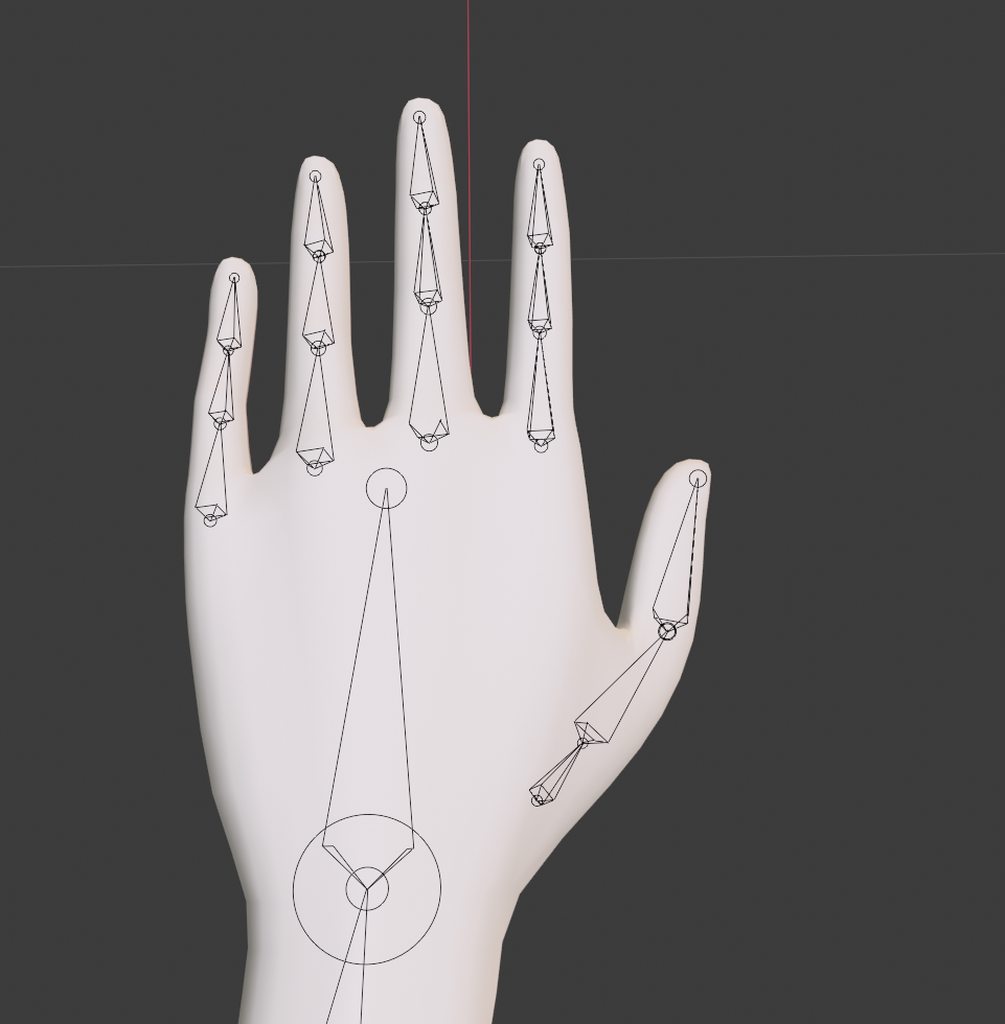


 vale glacier
have you tried reweight painting that part of the hand
jade verge
Yeah. I noticed later on that it looks fine in blender, but messes up in unity. My latest theory is bone positioning maybe.
Weights seem to work fine in pose mode in blender, I don’t think it’s that.
uneven frost
I want to try and tweak the weight-painting of these wings but every time I do, it suddenly weight paints itself to other vertex groups. It also does this when I try to get rid of the weight to other groups too :/. Is there a way to fix this?


 fading verge
hi maybe someone here can help me, i know this has something to do with bone positions, but idk what exactly it means? i moved the head of the hip bone up and down with no angle difference showing up in unity
 fierce grail
That warning means that your hips and upper legs bones aren't perfectly vertical when viewed from the side.
@fading verge ☝️
fading verge
OH thank you so much! I was so confused about what's wrong!
 orchid void
i'm having the same issue
how exactly do i fix this without having my avatar in a permanent Smooth Criminal stance?
crisp tendon
hip bone has to be straight
orchid void
right but how do i get the rest of the bones in their proper rotation?
do i just rotate them manually or something?
crisp tendon
Yeah
orchid void
okay
my man loooks like he got scholiosis but so long as it works i guess

shit i did not crop this image properly i am so sorry
the error still comes up just with a different angle
these darn Halo 5 spartan models are so friggin' unruly
i've been trying to make an avatar out of it for days now but that one little issue with the pelvis is always present
its always jutting to the side just slightly and it bothers me so much
i know at least like, 2 other people by some form of sorcery have gotten it to work, cause i've seen them as full body avatars before
maybe its cause the legs are in a slightly widened stance
no that didn't work either
maybe its cause i ported it from sfm
that might be part of the issue somehow
orchid void
could somebody point me to someone who's ported Halo 5 Spartan models before who could help me out?
alright so it looks like some dude called FiyCsf could help me but he doesn't seem to be online
thissus probably more of a full body tracking type of issue so i probably aught to start askin' there
astral warren
jade verge
Yeah. I noticed later on that it looks fine in blender, but messes up in unity. ...
Check the bind pose in bone config
It may have changed from your intended pose if you are using enforce t-pose. I don’t recommend it
jade verge
I’ll check that after work. Could you clarify your last statement? You don’t recommend what exactly? Using enforce T-pose?
Thanks tho, I was thinking it was bone position
It looks perfect in blender, but in unity it’s weird
astral warren
Yeah in unity bone config enforce t pose can move bones around slightly to make a perfectly mathematical t pose. VRChat does not require this, any “not in t pose” unity warnings can be ignored
Often enforce t pose will deform finger poses and shoulders
 high talon
Could anyone rig a SFM model for me? I will pay you to do it
astral warren
high talon
Could anyone rig a SFM model for me? I will pay you to do it
This server is mostly for self-help. To commission work from others, check the VRC Traders discord in #community-servers-old
If you have any specific questions for the process of doing it yourself though many here can help
high talon
Oh thanks!
Yeah I just have no idea how to rig so I just thought this would be the best way to go about it
pine sapphire
Not 100% relevant to this channel but this seems like the best place to ask…Is it possible to add a spring-ball joint to a pick-up object (local world-object)? Would it be quest compatible?
fierce grail
Not on Quest, since spring joints, rigidbodies, colliders and constraints are all disallowed on avatars there.
pine sapphire
@fierce grail Sorry if I wasn’t clear; I know that they’re disallowed on “Avatars” on Quest; I’m asking if they can be added to world objects (pick-up items).
fierce grail
yeah they can, but don't overuse them
Also if you're not asking about avatars, then you wrote in a wrong channel🥴
 winter axle
Ok so this avatar isn’t meant for VRchat. It’s meant primarily for Vsteams. But what I’m wondering is will I be able to use a normal Humanoid Armature. With some modifications. Or am I gonna have to make a armature from scratch?
 sage patio
winter axle
Ok so this avatar isn’t meant for VRchat. It’s meant primarily for Vsteams. But ...
sage patio
winter axle
Ok so this avatar isn’t meant for VRchat. It’s meant primarily for Vsteams. But ...
if you want it to be able to use any of vrchat's default animations, or be able to have proper tracking, the rig has to be humanoid
or close to it
winter axle
So I could use one. Just I might have to stretch out the bones?
 vale dome
I'm having issues merging shoes to the feet so they move together, when I try to see what it looks like in pose mode, the feet just phase thru, any tips pls?
Actually, everything clips thru. What am I doing wrong?
sage patio
@vale dome because you're not changing the weight painting at all, which is what is responsible for making parts of a mesh move with bones
 soft star
man why is Mixamo the only auto rigger and why is it so garbbage? every model i've put thought it breaks and i have to manually fix it.
its weight paint is messy, the finger bones have mixamo tagged on them for some reason and sometimes it can't recognize fingers at all.
anyone else have these issues?
pine sapphire
I find Mixamo works decently well for symmetrical, realistic hi-poly meshes; but it gets progressively more garbage the further away you move from that use case.
 unreal willow
How about just getting a picture and then The game skins and mix it 100% accurate to the picture into the 3-D avatar
sage patio
@unreal willow ...someone underestimates how hard it is to make 3d models
the closest thing to that is readyplayer.me
but only for human like avatars
hearty thunder
soft star
man why is Mixamo the only auto rigger and why is it so garbbage? every model i'...
Auto rigging will always be terrible for the exact same reason AI upscalers won't replace native resolution, it's a art to weight paint through and through.
If you throw enough polygons at the problem and you're not doing anything super technical / are doing something fairly predictable (ie, a human), sure a auto weight painter might be able to get you 95% of the way there, but literally anything else, and you're going to have to go in and tell the computer what each bone is supposed to be doing.
There's just no way for any auto system to be able to predict exactly every screwy or specific weight paint setup you could want for any kind of mesh.
soft star
yeah but i mean i'd like more control than what they offer (single view and like 5 nodes/node pairs tops)
umbral nymph
so anytime i try to put shoes to this model this just keeps happening???? help?????
 crisp tendon
weight paint your leg
umbral nymph
crisp tendon
weight paint your leg
How would I weightpaint it?
I’m still new to weight painting lol
crisp tendon
i'd suggest looking at a basic tutorial
umbral nymph
Well I need to get it all back to that dark blue but I don’t see a way to do so
Nvm found it
tawdry dragon
Set your Brush Strength lower then 1 and just try it. It should be somewhere on the top.
tender summit
Do people do set up hotboxes manually or is there some way to do it faster and more accurately that I’m unaware of?