#avatar-rigging
1 messages · Page 186 of 1

 foggy flower
its a ball
 crude schooner
yeah i asked a friend and he said i could just rig it like this

 sage patio
that would most likely cause issues with the standard vrchat locomotion animations, aswell as full body users
would need to test it out but that is my guess
is your friend experienced with rigging stuff for vrchat?
@crude schooner
crude schooner
think so
its not gonna be a public avatar tho, the only person testin it will be me
lol
but it should work from what they said
im guessing double knee avatars just arent too common in the first place lol
 fervent hornet
Yeah the foot is quite high up but thats how I rigged something a little less extreme a while back
 red charm

How might I go about fixing this rig? When I pull it to Unity as a humanoid, the head is pointing up
 fervent hornet
Its caused by the neck being not straight, best bet is to try to soften the angle of the neck by moving it downwards

left should work better than what you have (right)
red charm
Alright, I'll try that
fervent hornet
Might have some adverse effects elsewhere, just the dance with things unity doesnt like really

 fervent hornet
The neck can tilt a little, remember you can rotate the bones in the configure as long as they stay green
red charm
Oh I see
fervent hornet
Problem is unity doesnt really like stuff like this
You can also translate the hips/spine/chest forwards to lessen the distance
red charm
Oh, also. The jaw in game is perpetually open, any idea as to why that might happen?
fervent hornet
Sorry I dont use jaw flap. Make sure that the jaw bone isnt assigned in the configure menu if you dont want to use it
red charm
It has a jaw bone, but I made visemes
fervent hornet
Is it assigned in the config menu?
red charm
no
fervent hornet
I dont know then, you could always merge the extra face bones you dont want to the head to make sure
 frail sage
can someone help me rig my avtar i am buying a rusk cat off photobooth is there anyway can do it for me for free?
 crisp tendon
photobooth ?
 quartz pond
Hello! Most of the avatars I have I usually check to make sure everything is okay before uploading it to Unity, but I notice that with some of my avatars that when I test the eye tracking the eyes will end up in the white part of the eye sometimes, whether it be looking up or down. So I'm wondering if this happens to be a rigging problem or if there's something else wrong with the avatar itself
 crisp pulsar
Hey I am rigging my avatar and I keep running into an issue and since im new to this I don't really know what to. any chance someone could help me in a call or something
Im trying to make a really basic model (I think) and I feel like the answer is right in front of me
 fickle cosmos
crisp pulsar
Im trying to make a really basic model (I think) and I feel like the answer is r...
fickle cosmos
crisp pulsar
Im trying to make a really basic model (I think) and I feel like the answer is r...
What issue you have?
crisp pulsar
Im trying to get the Head to move with the head bone
 fickle cosmos
crisp pulsar
Im trying to get the Head to move with the head bone
fickle cosmos
crisp pulsar
Im trying to get the Head to move with the head bone
Have you weight painted everything correctly?
fickle cosmos
crisp pulsar
I have not started on weight painting...
You can try automatic weights, it’s can work with simple avatar, some tweaking is still required !
crisp pulsar
How does one do automatic weights
I pressed "Fix Model" with cats but that kind of worked but also kinda not
fickle cosmos
crisp pulsar
How does one do automatic weights
https://youtu.be/exnKZgVL-bs put CC on so you can understand what she says, this video helped me

This video is about the basics of Rigging in blender 2.8 and above. In the video we create the armature and weight a low poly leg to it. It mostly shows the basics of Forward Kinematics, and hopefully in a future video, we'll talk about Inverse Kinematics.
Did you know that my chat voted for the topic of this video? If you'd like to participat...
crisp pulsar
Lemme check it
crisp pulsar
fickle cosmos
https://youtu.be/exnKZgVL-bs put CC on so you can understand what she says, this...
This video has tought me more than this hour long video I have thats in english 😂
fickle cosmos
crisp pulsar
This video has tought me more than this hour long video I have thats in english ...
Haha! Good to hear! She helped me a lot when I started rigging my avatar!
 merry valley
 merry valley

 fading verge
Big Gamble but, how'd I rig this exactly? Some bones have to move in a specifc way, and the tracks have to stay flat though not overly sure how I would

 desert condor
I’ll pay someone who can rig a model my buddy made for me. He doesnt really have experience in VRC models but he did great with the modeling
 true shell
hey @desert condor you can try riggin it with mixamo is free and it gives some pretty good results
desert condor

 undone pulsar
I've recently been having strange imports into unity
my avatars used to work just fine, but I modified one and the model's broken on everything that uses that prefab now
 frosty totem
Hi
undone pulsar
these both have the same model, scale, position and import settings
 crisp tendon
Well, that's sadly how prefabs work, you should reinstate how the model was in the first place, and make an edit outside the prefab
undone pulsar
the one on the left was the quest variant- I don't have a backup anywhere near recent for the pc variant
(also the model is imported via fbx from blender)
huh- seems the issue is actually in the CATS bake
 lean ridge
So I am new to this whole rigging shenanigans and spent the better part of last night trying endlessly to stop my hips from destroying themselves


 broken haven
Not sure if this is the right place to ask. I've purchased an avatar, and additional costumes, from Booth. The Booth pages for the costumes include instructions to add the costumes to the avatar in Unity (not in Blender) but it doesn't seem to work. Wondering if anyone is familiar with this process and can help.
crisp tendon
What are the instructions ?
I'd expect the only thing required would be to add the costume in the list of meshes
broken haven

The instructions indicate it's as simple as unpacking the prefabs to modify them, then moving the meshes for the costume under the root avatar object. After doing so, however, the armature of the avatar doesn't affect the added costume.
crisp tendon
What does it look like in your armature currently ?
broken haven
Not sure I understand the question. The instructions don't say anything about changing the armature (except for the bones specific to the new costume, which is not necessary atm).
The specific costume in question has a version that doesn't have extra joints in the armature. That's what I'm using at the moment to figure this out, so no modification of the avatar's armature is needed. Simply move the meshes of the costume to the avatar root object, and it's supposed to work according to the instructions.

 lyric raft
sorry to interrupt, but i tried to import my base model into blender, and this happened to the rigging. all the bones are upright now and i'm guessing the're no longer linked. please try to provide assistance as quick as you can.
 broken haven
Done as instructions state: unpack both prefabs, remove unnecessary clothing items from the avatar, move costume meshes, avatar joints don't affect costume mesh (selected in hierarchy)
crisp tendon
Do the arms move with the mesh ?
broken haven
Nothing on the added costume moves with the armature
Of course the original armature still affects the costume
crisp tendon
The step 4 is confusing
Feels like there's missing instruction regarding the initial and new armature
broken haven
It's instructing to move the meshes of the costume to the root of the avatar object. At least that's my understanding. It's translated from Japanese.
④衣装のprefab内部のメッシュ及びFurisodeDBをアバターの直下へ移動します。
crisp tendon
sorry, step 5
between step 4 and 5 it feels like there should be an explanation as to what you should do with the costume bones
 light blaze
Wait omfg, sry to interrupt but i just got vr chat today and i can make my own models!? You guys are awesome btw congrats on all the hard work rigging is a bitch
broken haven
Step 5 isn't necessary in this instance. I'm not using the furisode version of the costume. The hanasode version of the costume doesn't have extra bones to move.
lyric raft
light blaze
Wait omfg, sry to interrupt but i just got vr chat today and i can make my own m...
agreed, look what happened to mine
 crisp tendon
That's even more confusing then, because there's no explanation whatsoever
Have you tried looking for a booth model tutorial on youtube ?
Surely a western creator must have made one
broken haven
I just thought about something. I think I may be interpreting the instruction for step 5 incorrectly.
crisp tendon

I hope this could help those who purchases costumes on BOOTH and have no idea how to apply them to their own avatars.
This is my first tutorial of Unity and VRChat. I'm not an expert of Unity and could make mistakes. I'm not a English native speaker either.
So please comment below if you find anything wrong in the video.
And yes, I have forgot t...
ah
so yeah
they do move the costume armature bones under the real armature bones
so they act like constraints
broken haven
Yup. Exactly what I was thinking I misinterpreted. lol
lyric raft
@crisp tendon help
broken haven
Thanks, I've spent the last hour and a half doing this over and over thinking I was insane.
Now I can get this put together. Thanks ruuubick 🙂
 crisp tendon
Follow a tutorial next time, all you need to do is enable automatic bone orientation in the fbx import armature settings
broken haven
Wait that's a thing?
broken haven
I'll have to try that next time I see that issue. Thanks for that, as well. lol
I notice it most with armatures imported from other content packages like Maya or 3DS Max.
lyric raft
actaully wait, can i get your opinion, or anyone's for that matter?
if i rig up two models and connect them by bones, connect each bone the mesh on the other bones and basically connect every bone to each other between both models, will both models replicate each other's movements?
god my spelling today
broken haven
I think what you're trying to ask is whether you can use one armature for two meshes. The answer is yes. Assign the same armature in the armature modifier of the meshes in question.
lyric raft
i'm not sure if you understand
so
in theory, i have 2 models pre-rigged. i create a bone for each bone in 1 armature, and use it to connect the 2 armatures together. so, my question is, would it allow me to upload to vrc with my connected armatures, and in-game my avatar has 2 bodies, 1 (the host) and one behind it. would the body behind it excactly follow the host's movements?
also this is a 3.0 avatar
broken haven
What do you mean by using it to connect the two armatures together?
lyric raft
picture this:
2 bodies,
and i use bones to connect every moveable joint in both bodies.
if 1 body moved, would the other one copy it's movements?
god this sounds like a riddle
broken haven
It does.
broken haven
I still need clarification on what you meant by connecting the two armatures together with a bone.
No, I was agreeing that this sounds like a riddle.
I still have no idea what you're trying to say lol
lyric raft
oh ok
so
every movable part of a body
you link it up with bones to another body
using newly created bones
broken haven
I don't know what you mean by that.
But I think I might know what you're trying to say.
lyric raft
would an image help?
broken haven
You have two meshes, two armatures. You want one armature to mirror the movements of the other armature in-game.
Is that correct?
broken haven
Okay. Forget whatever nonsense you're trying to do in Blender, then.
lyric raft
unity?
broken haven
All you need is simple constraints in Unity.
Unity has parent, position, and rotation constraints.
For every joint in armature B, add on the appropriate constraint component, and constrain it to the corresponding joint in armature A.
broken haven
You're getting hung up on adding joints and connecting armatures. Forget all of that. lol
lyric raft
i'm not very good at following written instructions lol
i think i understand
go into unity, add constraints to one armature and conect to the other, repeat for every moveable peice
broken haven
Trying to find a video tutorial for you
lyric raft
ok thanks
broken haven
Basically, yes. For every joint in armature B you want to copy the movement of armature A, add a constraint, and constrain that joint to the same joint in armature A.
For instance, the chest joint. In Armature B, select the chest joint and add component. Add rotation constraint if you only want it to copy rotation. Add a target to the constraints list, and assign the chest joint from Armature A, then click Activate.
Hopefully this'll help https://www.youtube.com/watch?v=yVfPA-0cqtY&feature=emb_title

join my patreon https://www.patreon.com/Zer0VFX
booth pm assets https://darealzer0.booth.pm/
private Discord https://discord.gg/JVTMAck
public market https://discord.gg/5fAXvjD 0:00 - Why use them:
1:51 - How to set them up
5:34 - Demonstration
join my patreon https://www.patreon.com/Zer0VR
booth pm assets https://darealzer0.booth.pm/
private D...
broken haven
They're using a particle system as an example, but you can do the same with any other objects, including joints in an armature.
If you want Armature B joints to copy the position and rotation of Armature A joints, you can use a parent constraint instead of rotation constraint. If you want Armature B to be offset (in a different position) from Armature A, make sure you move Armature B where you want it first just to be safe.
lyric raft
thanks
you're a real life saver
also i'm in Australia so happy good Friday i guess
'cause i'm christian it's time for no meat and only fish and bread for dinner
thanks!
broken haven
No problem 🙂 Hope the video helps a bit. I know what it's like struggling with written instructions. lol
 deep marten
I'm trying to make different facial expressions for my avatar with the blendshapes in unity, but most of the sliders change/deform other parts of my models body instead of the face. I set up the visemes in blender using CATS.
I checked the weight painting and couldn't see anything in the areas affected :/
fading verge
any good tutorials for armatures and weight painting?
crisp tendon
Plenty, take your pick on youtube
fading verge
I mean more specifically any that someone could recommend
merry valley
#avatar-help message bump
crisp tendon
Make sure you painted to the correct bone ?
https://youtu.be/PFaqjwpGxOc
https://youtu.be/4fICQmBEt4Y
@fading verge

A lot has changed since I made this one last year. Thought now would be a good time to bring it up to speed. Learned a few new tricks this time too~ Hope it helps :)
Big thanks to all the amazing helpful comments from the last Rigging Video to help find shortcuts for this one~!
Female Body Model Link:
https://www.youtube.com/watch?v=_XfvLpLyul...

I've been meaning to update this video for a very VERY long time. But, we're finally here. Everything you need to know in order to start painting weight layers onto your character!!! Hope it helps :)
Female Body Model Link:
https://www.youtube.com/watch?v=_XfvLpLyulI
If you enjoyed this video, please don't forget to like and subscribe!
You ca...
merry valley
Do I fade in between the head bone and shoulders?
crisp tendon
idk, i just need to see if you actually weight painted on the shoulder bone
merry valley
crisp tendon
idk, i just need to see if you actually weight painted on the shoulder bone
 fading verge
thanks
crisp tendon
merry valley
are the names of your vertex group and bone the same ?
Since the bone isn't highlighted my main guess is that you didn't paint on the correct bone
 crisp tendon
check your bone name
merry valley
Says right shoulder


 tender summit
Anyone got a good video for dynamic bones for clothing?
merry valley
brb if you are still on and willing to help more
crisp tendon
Yeah i'm not sure, what happens if you move in pose mode ?
deep marten
Problem fixed, once again thank you Ruuubick
 merry valley
Can I remove mmd vertex groups without the model exploding?
crisp tendon

merry valley
Seems okay in blender at least
Also I looks the the "arm" is the vertex group i need
The woes of Frankenstein models
crisp tendon
Yup
 fading verge
why does autoname left/right name the left side as right when it used to name left side as left side
this is also effecting how it symmetrizes
 quartz pond
Could anyone explain why this is happening? I got rid of a few twisted bones, made sure the meshes were together, and even made sure the weight paint was in check. I'm guessing this is another rigging problem of some sort but I'm not sure what to do

 fresh grove
Got no idea. I'm here looking for help as well.
 rough steppe
did you go through all the bones? sometimes Ive had a random bone on the other side of the model affecting parts it is not supposed to
fresh grove
I'm trying to rig a Sephiroth Model I've got here, but since it uses the split joint section technique, I haven't got much of an idea on where to start.
 lyric raft
uhhh so... i was optimising an avatar for quest and it wants me to remove the parent constraints. is there a way that i can use a different option that has the same effect or get around this?

 sleek isle
no
 open anvil
on a 4 arm avatar should i just use constraints or it there a faster way
 sudden tiger
ive gotten to the point where most of the weight painting for the bones is working well, except for this one part of the backpack which is for some reason tied to the leg bone. I cant seem to remove it either (setting weight to zero) any suggestions?
 crisp tendon
select the vertices in edit mode, select the vertex group in the vertex group list, set to 100 and Remove
sudden tiger
thanks so much! got it working
 eternal kernel
is there a good video or screenshot for the weight paint of the hips/pelvis/upper legs? the back is too angular and the crotch area of the hips is pointing forward which it shouldn't
the automatic weight painting worked it's just this area it's having some issues at
I saw the one video by Royal Skies LLC (https://www.youtube.com/watch?v=LnsYKGDpBtQ), but I'm pretty sure Unity does not except Weight Paint drivers and bones like this

Alright, today we tackle THE big problem everyone has when painting for the first time. How to tackle the dreaded and infamous pelvis area in under 2 minutes!!! Hope it helps :)
Hip Z-Location Driver Equation:
var * .09
Butt Y-Location Driver Equation:
var * .02
Butt Z-Location Driver Equation:
-var * .1
Thigh Y-Location Driver Equation:
-var...
merry valley
This trail seems to be prevent me from painting weights?
 crisp tendon
Never seen that before
merry valley
dang
merry valley
Ah ha.. That was Stabilize Stroke
 rose wadi
Does VR chat moves arms from the upper arm bone or the shoulder bone?
When i move my arms in vr, they don't really move much, it works but it's really flawed
i'd say only what's after the yellow line really moves, while i'd like the arm to move from the shoulder bone


 crisp tendon
You usually want to have your whole wrist > shoulder line be flat
rose wadi
i see!
alrightt
i was about to redo the weight painting
(old version i can't see my arms in first person)
 steel halo
Does anyone here do rigging commissions?
I have a model I'd like re-rigged to properly work with a humanoid rig
Specifically, the official Shadow Lugia file from Pokemon XD Gale of Darkness


 ashen plank
is anyone experienced or novice in weight painting, able to help me?
 eager glade
Guys, I need help. My avatar's feet are fused together and I don't know how to fix it.
 cinder portal
Not sure if this is the right place but im having a few issues with one of my avatars, it moves fine in blender but in the unity rigging and vrc its messed up


Its all twisted, I've tried manually rotating it in the unity rigging but it doesn't look right
 agile escarp
Hi people! I'm testing my avatar and I kinda don't know what to do with a coat here. What would you recommend. I'm thinking about bunch of bone chains with colliders on legs and gravity for dynamic bones, but maybe there is more efficient method (on my previous model I had coat as well and bone chains just slided from my colliders and intersected the model anyway) . Thanks in advanced

 worldly palm
I have an issue with my avatar in fbt but I'm not sure which proportions I should fix. When I look down, the avatar's leg (especially knee) don't match mine at all, they look way too low.

 willow knoll
Is there a way to fix the shoulder sway bug without lowering the viewpoint? (the rig hack from Kung's video)
Is it like a neck or head bone problem?

I've used a similar bone positions in my other models but they don't exhibit the same problem.
willow knoll
@agile escarp You should be able to do the bottom of the coat with only three or four bones, really. You'll want one on each side and maybe two more angled toward the back, then use the gradient tool for weight painting.
Colliders shouldn't be necessary if you tweak the stiffness property. It acts as an angular limit.
 median lantern
Can I get anyone to make a rig of a Unity asset I already have?
 gloomy ether

how do i go about fixing something like this in blender? it has to do with the weight paint and i just cant figure it out. is it the arms weight paint that causes it to clip into the body or is it the chest?
sage patio
gloomy ether
sometimes, weight painting is not the answer. a good way to fix clipping like this is to create a shape key that shrinks the parts of the model that are clipping
and then just enabling that shape key when you activate the outfit
gloomy ether
ok ill give that a try, thanks!
 viral seal
If you don't have any finger bones will the Pelvis always stay exactly upright?
merry valley
Having another issue. When ever I change away from a vertex group when painting weight and I go back it reset the weights that I had previously painted. The lock seems to work but I don't necessarily want to unlock and lock. Unless that is how it works.
crisp tendon
Do you have mirror symmetry enable or something ?
 buoyant marlin

anyone ever had this error in unity
google gives me nothing
i have a jaw bone in place parented to the head
not sure what else to do
crisp tendon
Did you assign the jaw bone in the bone configuration ?
crisp tendon
Did you weight paint that jaw ?
 sly dew
Is mixamo a good tool for fixing xps models armature and weights?
 icy summit
Got the model rigged, but the elbow and hands have some quirks. Anyone have ideas on how to fix this?
buoyant marlin
that's probably just vrchat's IK rig doing that
 ripe knoll
im having an issue after hitting "Fix Model" with CATS, certain parts of the body dont move with the bones

 buoyant marlin
how does it look when its not mangled?
 buoyant marlin
you might have to skip that step, its breaking your rig for reasons :/
ripe knoll
so dont fix model then?
buoyant marlin
yeah try to put it in unity see what happens (make sure the bones have the right names)
ripe knoll
alright
this all looks correct tho right? all the materials inside of the skeleton/armature

wait i mean meshes
buoyant marlin
yeah blender does that
ripe knoll
i should combine all the meshes first before exporting right
buoyant marlin
yeah use fix model but uncheck whatever touches the skeleton
ripe knoll
this seems wrong

i think ill just use the join meshes option instead
for some reason it removed 2 of the spine bones
buoyant marlin
ugh yeah cats sometimes deletes bones for some reason im not sure why yet
you can also go in model options and merge it all in cats
ripe knoll
yeah i got it all merged now
ill try putting it in unity and see what happens
no textures for some reason

but other than that everything seems fine
buoyant marlin
you can extract them from the fbx and into your scene and assign them by hand
drag and drop onto the part you need it on
ripe knoll
i do have all the materials there but they are blank
 buoyant marlin
oh i think they cant find the textures
you have to import and assign them by hand
buoyant marlin
yea
ripe knoll
so how do i import a tga as a material?
@buoyant marlin sorry for the ping but i cant seem to figure out how to put the .tga onto the material
 buoyant marlin
ill be busy for a while, better look for tutorials
 turbid cedar
How do you rig a bone to copy the movements of another bone?
sage patio
@turbid cedar using either rotation constraints, position constraints, or parent constraints (position + rotation)
turbid cedar
sage patio
<@556909739208867851> using either rotation constraints, position constraints, o...
Is that a modifier?
sage patio
no, constraints are a unity thing
while there also are constraints in blender, those will not be exported
turbid cedar
Ohh okay! So I'll need to do that in Unity. Just unsure because I want to rig seprate eye bones to follow the movement of the main body's eye bones. Though not sure how Unity does the eye rigging with the pupils, I'll most likely have to weight paint the separate pupils to the separate eye bones
sage patio
rig the eyes normally and use rotation constraints
turbid cedar
Will do! Just unsure how the constrained bones will allow the separate pupils to move aswell.
viral seal
By any means necessary, is there a way to make it so the Pelvis will only rotate left or right?
 teal mantle
Anyone know a good weight painter? That’s the problem I always have with my avatars. Is there an auto way of doing it? I’m not sure how to yet
turbid cedar
I can recommend the tutorial I used but else
willow knoll
@teal mantle

This is a good starting point. You can tweak the weights from here using the brush, blur and gradient tools.
From my own experience, if the automatic weights come out poohey I try tweaking the bone positions first, then re-calculating, until I get something nicer.
teal mantle
That’s in the cats program right?
willow knoll
No that's blender's weight paint menu.
From object mode, select your armature then shift-select your mesh object and change to weight paint mode using ctrl-tab.
If the brush tool is selected you have to hold ctrl to select bones, otherwise just click on them.
teal mantle
Ah okay will look into that. Appreciate it. Still learning as I make it
willow knoll
No prob, also remember to arrange your topology properly to get the best out of areas with a high range of deformity such as the armpits, elbows, hips, butt, knees and wrists.

 winged hatch
Any of y’all know if there’s a fix for the avatar walking, and then slowly it starts walking up into levitating on its back? (Sorry if I explained that poorly !)
ripe knoll
heyo, im having a pretty unique issue where my character doesnt have shoulder bones, so to fix that i duplicated the 'upperArm' and use it as the shoulder, but idk how to fix the hierarchy issue

 raven folio
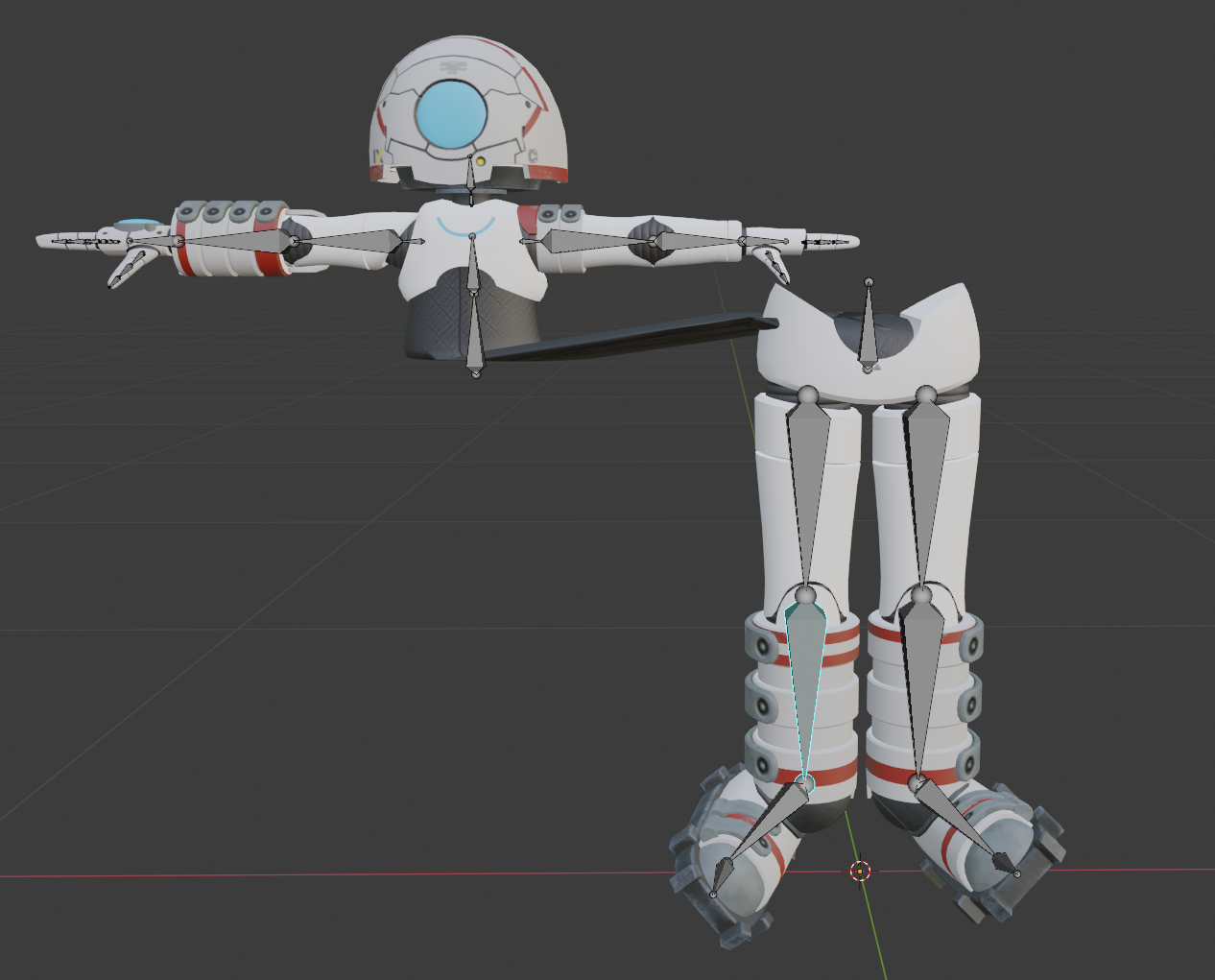
Does it matter if my skeleton is humanoid but proportioned wrong?
Trying out a robot model from game- it's humanoid, but certainly not human proportion, at all
sage patio
@raven folio it might work fine for regular VR, but not with full body
raven folio
Eh, that's fine then
I don't have full body and I won't make it public for the sake of licenses
Ok, next question. Will it be ok if I don't have a full skeleton?
for example, the torso on this bot can't flex like a spine does
sage patio
@raven folio you need all of the required bones for the unity humanoid rig
aka every bone that doesn't have a dotted outline
raven folio
righty ho
 kindred pollen
you also need at least the index, middle and thumb finger bones mapped on each hand for the IK to work o:
they don't have to be painted to anything, they just have to be there
 urban socket
I got my really old model from when I started but it has no dynamic bones.
Does anyone wanna help me set that up? I could pay for someone to do it.
tender summit
Anyone can give me a pointer on how to layout the bones for this cloth piece?
 crisp tendon
you probably want to use cloth, if it's not high poly
tender summit
yeah i messed around with cloth but it seems to move way to much , i tried to mess with settings but i couldnt get the result i wanted
 rancid zodiac
Why do my bones keep on disappearing when I import my fbx model into Unity?
tender summit
Anyone know why cloth physics make my character get pushed around and buy out because of them ?
 winter plover

 gleaming mesa
what do you mean by rate?
winter plover
how does the bones look
gleaming mesa
from what i can tell they look fine
gleaming mesa
if they all follow the same logic too
winter plover
i havent done anything with rigging before
this is my first avatar
doing the hard stuff first
fading verge
So, i tried creating the Dutch Van Der Linde myself yesterday, but everytime i imported the model into the project, it was white, and did not had any textures.
I also tried models of Vito Scalleta and Javier Escuella, but both of them we're broken aswell...
Can anyone help me with this?
turbid cedar
Why do you have to add 2 bones for an eye by the way?
Does the tiny vertical one serve a special purpose?
fervent hornet
Each eye only needs one bone to work for eye tracking
raven folio
Does it matter if my rig is in a non-tpose?
fervent hornet
If its humanoid, it will be tposed in unity, modeling should be done in T or A pose to reduce stretching due to movements
raven folio
There's no stretching, it's a robot with no flexing parts
working with an unrigged model from a game
Well, it was rigged in the game, but the rig is completely unsuitable for human use
fervent hornet
If its not in a standard pose, what pose is it in?
turbid cedar
fervent hornet
Each eye only needs one bone to work for eye tracking
But which of thw two bones does it need? Let's say I want to have an eye apart from the main body rotate alongside the main eyes, which bone's movements would I need to copy?
 fervent hornet
turbid cedar
But which of thw two bones does it need? Let's say I want to have an eye apart f...
fervent hornet
turbid cedar
But which of thw two bones does it need? Let's say I want to have an eye apart f...
Each eye should be 100% weighted to 1 bone, thats your eye bone. Sharing weights with other bones will just squish the eye
fervent hornet
raven folio
That pose is fine, if you're really worried you can just tpose it yourself
raven folio
Right, thanks
apparently I need the thumb/index/middle finger joints to make the ik work in vrchat, so do I just add hands to the rig which aren't linked to any part of the mesh?
turbid cedar
fervent hornet
Each eye should be 100% weighted to 1 bone, thats your eye bone. Sharing weights...
But which bone? There is a normal bone and then a little vertical one inside the first bone
fervent hornet
turbid cedar
But which bone? There is a normal bone and then a little vertical one inside the...
Whichever one has the weights, CATs creates fake eyes IIRC. Should probably merge them both into one bone per eye to help with the confusion
fervent hornet
raven folio
apparently I need the thumb/index/middle finger joints to make the ik work in vr...
Having fake hands with no weights will work
fervent hornet
Depends on your controller imo
turbid cedar
fervent hornet
Whichever one has the weights, CATs creates fake eyes IIRC. Should probably merg...
I thought you should create the eyes in Unity with the avatar-3-SDK
fervent hornet
turbid cedar
I thought you should create the eyes in Unity with the avatar-3-SDK
You cant create bones in unity, you can change how the bones are rotated with AV3. In AV2, all eyes rotated the same technically
raven folio
Run into a problem, the sdk wants me to map neck, shoulder and chest bones
Both my arms and head should stay rigidly locked to the spine, will having the extra bones mean they slide around a bit?
raven folio
Ok, added neck and shoulders, but I'm running into exactly the problem I expected
robot joints all wobbling around because there's an extra bone in between that I need for some reason
fervent hornet
You need those bones because thats how unity humanoids work, you can reduce the wobble by making them very small
raven folio
mm, I see
So basically make those extra bones so tiny that the movement is basically non-existent?
fervent hornet
Yeah the bones need to be there, but making them smaller will reduce the translation movement caused by distanced rotation
raven folio
will give that a go, thanks
willow knoll
We're looking at the shoulder movement in this video?
raven folio
shoulder and head
fervent hornet
Also, supreme commander is the best RTS hands down
willow knoll
Not the head? Oh yes the head, okay.
raven folio
the head and the upper arms are both on long bones which only exist because vrchat wanted them
yeah, galactic colossus from supcom
willow knoll
Definitely make their size very small as Scionzenos suggested and if the issue persists try disconnecting the shoulder bones and bringing their position toweard the center.
I'm not sure if the shoulder bones are required to be connected though...
raven folio
will attempt just the scaling first
blender makes them completely 0 scale if I just extrude and don't actually extrude
So I wonder if that'll work, or just royally screw everything up
maybe just make them incredibly small?
willow knoll
Yeah
fervent hornet
raven folio
blender makes them completely 0 scale if I just extrude and don't actually extru...
Dont do 0, do very small
raven folio
understood
raven folio
Didn't work
Unity seems to just create extra bones or something
or just scales them to full size
might just have to give up on this then
turbid cedar
Uhm, for some reason Blender things there is a bone in the ground and connected to the side of my model?
 crisp tendon
change its parent
 crisp tendon
parent them to the head
they also need to be upright
you should follow a tutorial, it'll prevent simple mistakes
your shoulder bones are also not in A pose
willow knoll
@raven folio I believe Unity attempts to force T-Pose during configuration. Try this...
 turbid cedar
How do you recalculate meshes again?
sage patio
turbid cedar
How do you recalculate meshes again?
you mean normals?
turbid cedar
sage patio
you mean normals?
Yup but just figured it out. Stupid that it is now internal eternal instead of recalculate
 atomic forge
hey im making an avatar in unity but having a bit of trouble ? i have imported using vroid. i get my avatar into vr chat but with 3 main issues : when walking my legs go to far in front where it looks very stupid, my avatar stands on his tiptoes however i can fix this by changing height but half my shoe is in the floor and finally when i move my arms it sometimes reveals a gap on either side making my hoodie disappear in parts on my chest is there any one who can help i have been working on this now for well over 24 hours i just want it done
merry valley
How? I even changed it to generic back to humanoid.

 vapid spire
Has anyone found a rigging solution for the index thumb weirdness? No matter what I do my models thumbs always jut out at 90 degrees and it's only an issue with index hand IK
crisp tendon
 fervent bridge
what is rigging and how do u do it cause i think u need it to make an avatar
willow knoll

Hoi there, Rain sensei here, this video is a recap of my 3D modelling series Parts 12 to 13, covering rigging your model.
if at any point you feel as if you need a more thorough explaination, seek out the relevant episode and scrub through it to find what you are looking for, I will slowly explain things in those videos, so please check the ori...

In this one I go over how to edit or fix bone pairing so you can get your model to move correctly! It's not tooooo hard I promise
There are plenty of tutorials on Youtube
merry valley
crisp tendon
Do you have mirror symmetry enable or something ?
Would auto normalize be breaking that?
crisp tendon
I doubt it
merry valley
 willow knoll
What's the issue?
merry valley
Can't remove weight painting. It keeps on resetting to some weird paint. Might be the rig?
Set weight on the brush to 0 and only certain parts actually unweight.

Kind of want to remove all the weights/bones but dont want to loose the emotes. Another mmd base...
willow knoll
Vertex Group X?
Not sure if you're working with symmetry here but try toggling that.
merry valley
I think I might of toggled another? symmetry somewhere


 merry valley
Damn.. They slightly tweaked the ui in 2.92
willow knoll
Are you trying to clear weights so that auto-normalize will re-distribute them before you remove the vertex group all together?
If so, you can also try just deleting the vertex group and then going Weights -> Normalize / Normalize All
merry valley
If thats a cleaner way? I'll give it a try right now.
Does this look okay for the bones. Kind of weary of mmds.

Ahh a bit of rigging 101 maybe but different meshes have different vertex groups?
willow knoll
Vertex groups are basically just weighted tags.
Joining two meshes will merge any vertex group with the same name, for example.
If you rename them prior, they will stay separated.
The armature modifier is set to "Vertex Groups" by default, which is how each bone associates itself with the vertices it moves.
merry valley
The normalize all did nothing. Still unable to unpaint
merry valley
It's just super borked
willow knoll
I have no idea then sorry, I'm not experienced with mmd models.
They look like a nightmare though.
 dark thunder
I'm assuming this is a rigging problem, but I added a Wind up Key to the back of my model with the intention of animating it to spin constantly. The problem is, that the transformation handles seem... incorrect. When I make the animation, I can't just define a 360 degree rotation easily, as to rotate it the way you'd expect to, it has to mess with all 3 axis of rotation and as a result, the keyframing process becomes a horrible mess.

I don't really have any experience with rigging, so I don't even know the kind of issue I need to be looking for. I tried things like applying transforms and clearing the roll, but neither of these things helped.
 crisp tendon
You can animate it in Blender
You can press X in Unity to change from Global to Local axis
dark thunder
It doesn't work in Unity regardless of the local or global axis. The keyframes get interpreted in an entirely different form of motion than intended.
 crisp tendon
Unity is deals in quaternions, so that's the main big difference
If i were you i'd animate it in blender
dark thunder
Do you have any good examples of a tutorial that shows how to save the animation in Blender then? I've made my animation, but I can't figure out how to save it as it's own clip so that I can import it. Everything I tried causes the animation to fail in the same way as before.
crisp tendon
You have to search for 'Bake Action"
That'll bake the keyframes into the model for export
merry valley

 astral egret
I'm new to this. I was playing around with blender and downloaded a base that had underwear on in the pic. I like the base but i put it into blender and this guy has a slong on him lol is there a way i can just remove that bc there's no way pants will cover it
sage patio
astral egret
I'm new to this. I was playing around with blender and downloaded a base that ha...
blender is a general purpose 3D modeling program, you can do anything in it, including removing that
astral egret
okay i have generally removed it but not the bones. Can i select the part i want to remove bc currently its selecting all bones
sage patio
astral egret
okay i have generally removed it but not the bones. Can i select the part i want...
you need to switch to Edit mode to delete bones
the hotkey is Tab
astral egret
great thank you so much
The video I'm watching I can see the characters color while he edits however mine is just grey. Is there an easy way to change that?
sry for all the questions this is my first time on here trying to figure it out
sage patio
astral egret
The video I'm watching I can see the characters color while he edits however min...
you don't need to worry about the textures in blender, as you will add them to the model in Unity anyways. they don't carry over
you can still add them in blender if you want, but it's not required
you just need to set the Base color of each material to an Image texture, and then browse for the image file
astral egret
Also i deleted a little bit of where his **** would be but Im covering that part with pants. will that matter?
sage patio
was it straight up part of the model, or was it sort of separate?
 sage patio
astral egret
I would think part of
sage patio
astral egret
I would think part of
can you try undoing up until the part before you deleted it, and then can you try clicking one of the vertices on it, then hitting CTRL + L?
and see if only that gets selected, or the entire model
astral egret
I can if thats what needs to be done lol I think i did it early on too so redeleting his manhood now
Okay now I completely screwed myself. He’s now pink and can’t see any of the little trapezoids
I have no idea how i did this and it wont let me just undo
Okay so I got his skin color to show but still no trapezoids
sage patio
astral egret
Okay so I got his skin color to show but still no trapezoids
if you mean the polygons, you need to click the mesh in Object mode, then switch to Edit mode
willow knoll
@sage patio Instead of using constraints, are there any animation sets out there built with digitigrade legs in mind?
sage patio
willow knoll
<@!93092275638251520> Instead of using constraints, are there any animation sets...
no idea
probably would depend on the exact rig too
I also have full body in mind, so I want it to work for that
willow knoll
Yeah I just mean, animation sets where the "foot" is treated as the lower leg, and a large bend between the thigh and the upper leg is implied.
sage patio
I opened up my project where I tried to make it work before and got a little bit further with the constraints
just working out some kinks now
moving the foot works fine
but moving the knee causes an outwards twist
using FinalIK also is proving to be challenging
not only is it more complicated due to the way you have to set up the avatar for FinalIK to work, but the design of the leg makes it so multiple IK solutions are possible
and a "flip" can occur
for example, if you take a piece of paper or cardboard and bend it into a Z shape, then unfold it, there is a good chance it will bend backwards when you try to compress it again
getting around that involves some kind of guiding bones, or targets that the knee must aim at
 rare rain
My model won't move with the armature, whenever I try to apply the weights it says It says "bone heat weighting failed"
gleaming mesa
how do i prevent this artifact when the wrist rotates up?


(i know the usage of blender, i just need a hint on which direction i need to go here)
crisp tendon
paint the lower arm better ?
gleaming mesa
i honestly don't know what "better" means
 narrow idol
how do i turn an already existing model into a movable avatar to put into the game?
gleaming mesa
i experimented with painting it differently but haven't come up with a solution that makes the situation better so far
crisp tendon
gleaming mesa
i honestly don't know what "better" means
Screenshot of what your arm weight paint looks like ?
crisp tendon
narrow idol
how do i turn an already existing model into a movable avatar to put into the ga...
Weight painting, try Mixamo
 gleaming mesa
can you have your cake and eat it too here? the twist bone is pretty useful here
crisp tendon

VRCat: Community-Run VRChat Forums
Greetings all, been awhile since I've posted a guide, but now I have good reason to, as lots of people have been asking me about this in the past day...
gleaming mesa
i use the twist bone for a rotation constraint, yeah
the twist bone has 0.8 on the lower arm though, while the elbow has 0.2
gleaming mesa
what kind of relation of weights should i have between the twist bone and arm bone here?
gleaming mesa
and this is gonna fix this wrist bending issue? i thought when i just bend the wrist, the mapping of either of the arm or twist bone is not gonna be in the way
im gonna try this nontheless, probably gonna help me notice the issue in any case
 rustic flint
hey guys - been working with a model that's pre-rigged, but getting this issue

guessing i need to add a neck, but not entirely sure how
sage patio
rustic flint
hey guys - been working with a model that's pre-rigged, but getting this issue
you need to specify the neck bone in the rig config
Unity tries to guess which bones are which
but it's not perfect
click the FBX, go to the Rig tab in the inspector, then click Configure
rustic flint
ah right - yeah, i'm there now
how do i tell it which one is the neck?
oh actually i think i've got it
just a little clicking about sorted it i think
yeah that's sorted it - tyvm
crisp tendon
through Unity
VRChat
Before getting started ensure you have a Unity project with the SDK set up. Step 1 - Find a model Arguably the most important part, you must find a 3D model to be used as your avatar. As this is your first avatar we recommend getting one from the Unity Asset Store as they usually come fully rigged ...
astral egret
This seems like a stupid question but will I need to move these bones in? I didn’t make this original base model so I don’t want it to walk funny by moving things but seems like they should be inside

 finite swallow
@astral egret you can move them and they should be fine, just make sure the knees stay slightly bent forwards
astral egret
Okay thank you
astral egret
How do I now get the tattoos on the model? (Also mouse is covering NSFW material)

 south crater
astral egret
How do I now get the tattoos on the model? (Also mouse is covering NSFW material...
south crater
astral egret
How do I now get the tattoos on the model? (Also mouse is covering NSFW material...
Why has man got no PENIS
rustic flint
Hey guys - having a weird issue where my avatar becomes like 'lumpy' when i import it into unity and configure the rigging. The picture on the left is how it looks in blender, and on the right is what happens when i get into the unity bone editor thingy

im guessing its something to do with going from like
the arms being down, to the t pose?
if thats the case, does anyone know how to force a rigged model into a t pose in blender?
sage patio
astral egret
How do I now get the tattoos on the model? (Also mouse is covering NSFW material...
just need to make sure that the material used on the body is using the correct texture
 normal bay
@rustic flint It may have to do with the pose and weight painting. When you pull the arms from A to T pose the connected polygons will distort with them.
 wise mist
It's not supposed to look like this

Why are its knees together???
I've double checked the weights so I'm not sure how Unity's doing this

 mild garden
@wise mist Send a pic of the rigging
wise mist
Here it is in Blender for reference


Resetting the pose in Unity does nothing to the knees
So I'm stumped
 wise mist
Thank you so much!
 long monolith
Anyone know why a look at constraint would have completely different offset in Unity vs. VRChat?
crisp tendon
How do you check for offset locally ? If you're looking at a mirror then that would be the reason iirc
long monolith
When I set the constraint to active, it flings out so I'm using the offset to adjust it.

But in game it's flung out in a different way so I'm not sure how to test it haha
fading verge
need some help its like this
 long monolith
That means the bones aren't close to the T-pose position. The bones need to be moved
crisp tendon
There's a button to do that in the same window
above the armature fields
Enforce t-pose
 fading verge
it has multiple roots which one is recommended to remove?

 fossil mountain
Hi! I'm wanting to do a FBT-ready avatar with a peg-leg and have it operate normally (bending at the knee, etc.) but to NOT have it transform when I turn my ankle. How would I go about this? My tiny brain can't seem to wrap itself around this problem.
Would I just not create a toe bone and then weight paint the entire leg to the knee bone?
Or should I keep the toe bone? I can feel the hampster wheel in my skull catching on fire 🔥
fervent hornet
Keep in mind that your knee position is wholly dependent on where your foot is due to IK. Your knee should not move much when you rotate your foot
Your legs translate more if your foot tracker is too high (in the models shins) having it closer to the foot will reduce the amount of leg movement
You can also physically move your trackers to your shins IRL, then your foot position really doesnt matter
fossil mountain
Hmm, you have a valid point there
fervent hornet
If the models proportions are similar to yours, then it really should be as simple as having one leg be a peg leg weighting like it should be, youll have an invisible foot but who cares
fossil mountain
Very true, I don't mind having an invisible foot, I just didn't want the endpoint of the peg leg to start bending when I rotate my ankle
I guess that would probably only happen if it was weight painted to the ankle bone though...
fervent hornet
Oh yeah weight paint wise the foot on the peg leg leg should not be weighted to anything
fossil mountain
Yeah, I don't know where my mind's at right now, sorry
fervent hornet
I was more talking about problems down the line, but weight paint wise the entire peg leg should be 100% on shin/knee bone
fossil mountain
Gotcha gotcha
Thank you so much for helping me figure this out, I finally have a clear picture of what I need to do!
 magic sonnet
ugh... ive been trying to sort through this for quite awhile now. got it set up so that the ball rolls around properly with the locomotion stuff. it all works great in vrchat. except for how it keeps going into the ground everytime it rolls in vrchat. the root t stuff is all fine, root motion is all fine, hell it works just fine when i test it in unity. ive been working with someone to try and figure out whats wrong but were both stumped. its set up as humanoid so that the head can move around fine. only weird thing is how the armature is super small, and the head is just in the center of the ball, but i fail to see why that would lead to the problems im having in vrchat.

armature in blender.

they said i should ask in here since it might be a rigging issue.
(ignore the model being in the ground in the bottom right of the first image, ive managed to get that to be fine, its just ingame thats broken.)
 worldly elbow
so everythings fixed now,
astral egret
I can’t scale my bones unless I select them individually?
Is there an easy fix for that?
 subtle verge
i have blinking in unity but as soon as i export to vrchat, i dont blink, what would be the cause of this?
buoyant marlin
mmh... could there a rigging trick that could make a short character fly? (to be able to play games like pool while in your short avatar)
but that could also be triggered while in game and enabled/disabled on the fly
sleek isle
Use pose space behavior on an animation state. The additive layer is a good place if you want to keep the base layer animation
@buoyant marlin
buoyant marlin
sleek isle
https://i.gyazo.com/f1fd8f9a984bda3c96fa0544b4123fc5.mp4
woah! awesome!! thanks ill try that out
does it keep your hand movement tho? for a vr user
sleek isle
Yes. Why people doubt everytime I show this
It stole your body only for the placement. Snap your view and give you back your upper body when releasing the wheel
buoyant marlin
cool. im still a little new with all this, i also assume this is for avatar 3.0?
sleek isle
Yes
buoyant marlin
oof, i think i made mine with the regular workflow
gonna have to look into how to convert it
worth it probably, not being able to play pool with my smol avatars is heart breaking
buoyant marlin
sleek isle
Yes. Why people doubt everytime I show this
because you arent using vr in the video im assuming
 orchid echo
Hey, can Aim Constraints target transforms that are already being Dynamic Bones?
Oh, weird--works fine in VRChat, but doesn't show up properly in Unity!
long monolith
Hey y'all, anyone have experience with track to constraints? Working in Unity but not in VRChat :(
fickle cosmos
This is my new Issue in Unity, Hair gets some how attached to Skirt I just dont get it

Because in blender it looks fine...
 crisp tendon
Might be another bone
fickle cosmos
I cant get the same results in blender when I try to get that clitch like in unity
crisp tendon
Then select a vertex of the cloth in edit mode and look at which vertex groups it's weighted to
 fading verge
anyone that can dm me to help me out with my avatar im working on?
willow knoll
Ask away
gloomy ether
i have these weird lines showing up in blender and theyre affecting my model in unity as well. there seems to be no doubles so i dont really know what they are. how do i go about fixing them?
 crisp tendon
which lines ?
fading verge
Does anyone here have experience with using Auto Rig Pro models?
Or should I say, models that were rigged with Auto Rig Pro?
gloomy ether
crisp tendon
which lines ?
those dark lines at the edge of the shorts, right by the thigh. they're more apparent the further away you are from the model
crisp tendon
and there's no duplicate mesh or overlapping faces /
gloomy ether
i have another mesh underneath the cuff of the shorts. could that be causing the issue?
crisp tendon
gloomy ether
i have another mesh underneath the cuff of the shorts. could that be causing the...
yeah i'm assuming that's the cause
fading verge
im trying to add an animation to my action controler. and the animation seems to work. but when i go into vrchat the model breaks

is there anything im missing?
sleek isle
Mask
fading verge
on the controler?
on this animation controler. or the one for action menu?

was i suppose to add this?


should i make one or remove it if there is
sleek isle
I don't understand what you trying to do
fading verge
i look at vrchat wiki on this stuff. but there isn't much info explaining how to do this. only very basic instructions
im trying to add an animation to the expresstion menu. and it is there. but it breaks and idk why
a toggle of sorts
clothing toggle. change clothing pretty much. the animation is setup but in vrchat it just breaks
something to do with how this toggle is setup or something
am i in the wrong avatar section for this?
sleek isle
Other thing then transform go in the fx layer. That not a rigging issue. Change to 3.0 help
 lyric dove
hoi a question i was wondering what rig i need to use for my avatar to have animation?
and is there a way to add a bone or rig or idk the word
and i was wondering if my character dont have a neck and shoulder how do i fix that?
ok another question because i feel i fucked up can i apply a rig of a model into my other model?
sage patio
@lyric dove if your avatar has a standard humanoid bone structure, you can set it as Humanoid in unity and the default VRChat animations will work
lyric dove
idk if this avatar have a standard humanoid bone structure tho
 lilac parrot
can someone tell me how i can fix this model

its stuck like this also in unity i cannot rotate anymore not sure what i did or what i hit
 wary nest
long monolith
Hey y'all, anyone have experience with track to constraints? Working in Unity bu...
wary nest
long monolith
Hey y'all, anyone have experience with track to constraints? Working in Unity bu...
Track to constraint is a Blender™️ thing. The Unity™️ equivalent you're looking for is the Look At Constraint.
 mossy creek
I think the SDK broke, it wont let me upload my humanoid avatar
Can someone help me?
astral egret
Can someone please help me make this face look right😭 this is my first model and I just can’t get it...
 willow knoll
Firstly under the eye tracking section in your avatar's Avatar Descriptor component, check that the blink viseme isn't in "preview" mode. The button should be grey.
Also I'm assuming the issue here is that the avatar's eyes are closed?
 fading verge
How would I go about putting heels on a flat foot model? Would I just rotate the foot bone to fit the shoe and weight paint it that way, then lift the model to align with the floor in blender? idk if that's a dumb question but it's my first time attempting heels on a model
fervent hornet
fading verge
How would I go about putting heels on a flat foot model? Would I just rotate the...
If you want the foot to bend correctly, the head of the foot bone should always be at the ankle

Your theorized pipeline is correct, or at least thats the order I do it in
fading verge
fervent hornet
If you want the foot to bend correctly, the head of the foot bone should always ...
thank you so much!
 subtle mantle
I found a model, would someone be able to rig it for me? Totally fine if not, I'll survive without it
- Shouko
I don't know how to rig and I'm not near the front often enough to learn.. The avatar would be used a lot by both me and Noah though
crisp tendon
You can try with Mixamo
 gusty compass
Mixamo go Brrrrr
 tender night
Heyy, anyone know what I did wrong for this to happen?

 indigo cargo
Someone help! How long i will see this message?
 tender night
This is the rig of the model and how it sould look, but when I go into animation it gose kinda yeet
 indigo cargo
What a those?
 tender night
Those are bones for the beads around the hips
indigo cargo
Did you do same shapes before?
tender night
what do you mean by shapes sorry?
indigo cargo
I mean... this is how looks mine
 tender night
yeah, those are bones, and they control how the mesh moves
indigo cargo
I just see two additional bones on your pic, but don't know what for they
tender night
They move the beeds around the hips, the same way you add bones to your hair mesh to make your hair move.
indigo cargo
🤔
viral seal
Hold on I never realized this but, do 3.0 avatars no longer require fingers for IK movement like it did in 2.0?
fading verge
Rigging a robot character with separate objects making up its body. The original rig for the character has no chest or shoulder bones, so I added them. My only problem is when I parent the new shoulders to the new chest bone, the arms disconnect from the body when I move. None of the bones are connected. I've been doing research and looking for contacts for a week now with no significant help
fervent hornet
Easy way is to make the shoulders very small so that their rotation does not impart a large translation movement in their children. You may still have some movement (since you cant have length 0) so the other way is to use fake arms constrained to your real VRC arms.
fading verge
The shoulder bones are already incredibly tiny. What do you mean by "fake arms"?
 knotty torrent
don't mind me here, but i come in very great need.
see, i'm making a cool avatar but the problem. rigging really gives me hell.
i really want to finish it but since mixamo does not work, and the last time i manually rigged it ended up as a disaster
i come here asking any one to help me rig this model, y want to rig eyes, as well to and want to put lip-sync to it, only ask for rigging help. no more, if anyone wants to help me, fell free to dm me pls!
for anyone wandering the model's view
 fervent hornet
fading verge
The shoulder bones are already incredibly tiny. What do you mean by "fake arms"?
fervent hornet
fading verge
The shoulder bones are already incredibly tiny. What do you mean by "fake arms"?
Fake arms is a term for when VRC uses a pair of arms that are not weighted to anything, then you have actual weighted bones that are your real arms that are following your VRC arms via constraints, FIK, or a combo of the two
 bitter dagger
Hey guys! I’m trying to rig my first avatar, but the avatar isn’t exactly supposed to stand up straight. I was wondering you had any tips for me on how to make this rigging work. I’m using blender by the way. I’m using envelope weights because that is the only that seems to work for me. Here is a screenshot of what I have so far. Please tell me what I need to do to make this work. Remember, I’ve never done this before so...I’m open for feedback.
 bitter dagger
Basically I’m asking about how I should position the bones to make it work best. I’m also have some trouble with weights if someone can help with that.
 winter matrix
Easy way; don't meddle with the armature at all. Make a second human armature that's not weighted to anything and parent the bones with rotation constraints in Unity.
 inland sun
Does anybody know if it's possible to lock rotation on certain bones like maybe the shoulders so only the Arms will move?
 wary wave
Having a really really weird issue. The lower legs of my avatars mesh are tilted instead of being straight when imported in to unity. As far as I can tell, it's not an issue with weight painting.

And in blender

Not sure what channel to ask this in, thought here might be best
crisp tendon
Are your meshes joined ?
wary wave
Entire model is one object, yeah.
crisp tendon
make sure it's not weight painted to anything else
 warm pendant
inland sun
Does anybody know if it's possible to lock rotation on certain bones like maybe ...
warm pendant
inland sun
Does anybody know if it's possible to lock rotation on certain bones like maybe ...
Remove weight from the real bone
Weight it to an extra bone that isn't assigned to the humanoid rig but is parented to the right parent bone
wary wave
It isn't, as far as I can tell. Dragged the upper body and rotated the feet, with no movement to the lower legs. https://i.imgur.com/n0iPvNg.png
It's only happening when imported into unity.
inland sun
warm pendant
Remove weight from the real bone
Weight it to an extra bone that isn't assigned...
There is no weight on the shoulders but the arms are still patented by them so they get lift by the shoulders out of there sockets
I'm just curious if there's a way to lock the rotation
wary wave
Hopefully someone else has encountered this issue before?
crisp tendon
Check in edit mode
You need to see if some vertices are assigned to another vertex group
wary wave
I'm mostly sure they aren't, but how would I check that in edit mode?
Clicking through manually in weight paint mode, definitely doesn't seem to be down to it being weighted to anything else. As I showed above, it would have moved with the pose mode as well, right?
crisp tendon
You select a vertex in edit mode and check through the side View menu
wary wave
Ah I see, yep, it's only weighted to that one bone it should be.
If I give it the animation type of none, it is correct.
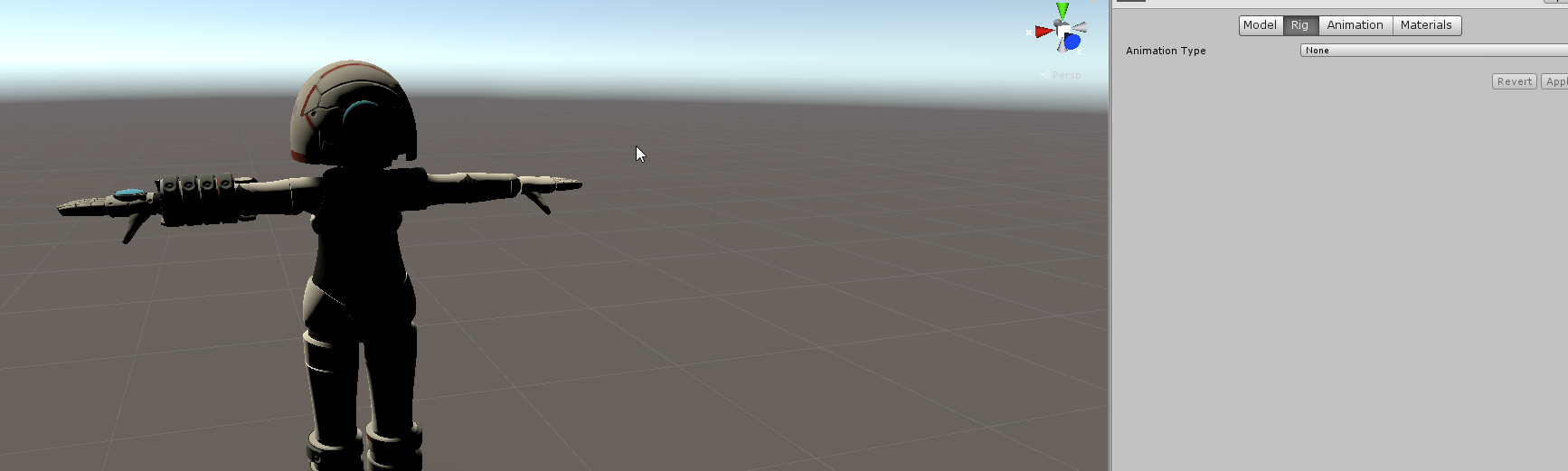
The moment I try humanoid (and generic too, tested that just to see) it breaks.
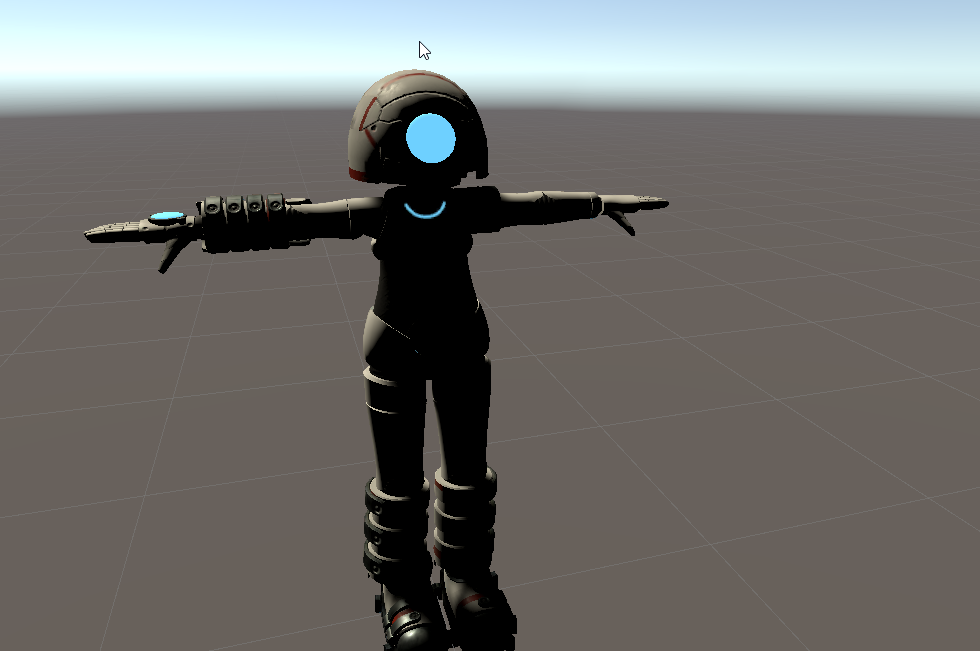 crisp tendon
Well there's only one rigging channel
wary wave
Wasn't sure if it was a rigging issue or not.
This is a weird one.
Everything has been applied with Ctrl+A in blender
crisp tendon
You cleared bone rolls before exporting ?
wary wave
Ah, that fixed it, thanks!
warm pendant
inland sun
There is no weight on the shoulders but the arms are still patented by them so t...
this is what i mean
i have 2 foot bones, one for the human foot and one for the wolf foot
the human foot bone is only weighted to the human foot mesh, and vice versa
in unity, you can use rotation constraints to lock the bone in whatever orientation you want


 nimble charm
 teal badge
When I set Blender to mirror my bone pose, it mirrors the movement such that pushing one side forward pushes the other side backwards. Is there a way to fix that?
willow knoll
You'll want to pose using CTRL+C and then CTRL + SHIFT + V
That's one way to do it.
undone pulsar
Is it possible to parent a HUD to the user's vision rather than their avatar's head?
the current rig works when i'm looking straight out or rotating side to side, but looking up or down the HUD stops after a bit
fervent hornet
Is this in desktop or HMD? IIRC desktop has head limitations to look more natural to others. Most of the time people do HUDs with screen space shaders, not actual gameobjects
undone pulsar
trying to set up a HMD per-eye HUD
fervent hornet
Sounds like youll have more luck with shaders but Ive never done HUDs due to motion sickness, GL
undone pulsar
yee
 normal vessel
How do I make a model on unity
sage patio
normal vessel
How do I make a model on unity
you don't
Unity is not a 3D modeling program, it is a game engine
you make models in 3D modeling programs, such as Blender, which is free
normal vessel
Thank you its just I'm wanting to try make an avatar
sage patio
be warned that making an avatar from scratch is very time consuming
you will most likely be spending a few weeks
normal vessel
Yeah I'm wanting to make a legend of zelda one
sage patio
👍
this guide is fairly complete, start to finish https://docs.google.com/document/d/1PEsqdkGgQLMZYzWNLdjkVewTSxUmurTY5qCDa-7iRXY/mobilebasic
it is very long
but does explain most of the things you need to know
from modeling, rigging, weight painting, UV unwrapping, texturing
 normal spruce
would anybody be able to take a look at my avatar and see why its stuck in Tpose and dont move?, yes it has skeleton
sage patio
normal spruce
would anybody be able to take a look at my avatar and see why its stuck in Tpose...
you forgot to set the Rig type in unity to Humanoid
normal spruce
already did that
sage patio
 normal spruce
^_-
 stable coral
Heya, Im not having any trouble, but Im just curious if anyone knows if there is a plug in for blender to copy and paste blendshapes easier :0
crisp tendon
copy blendshapes ?

Allow me to introduce the absolute FINEST tool in your Blender arsenal for transferring Shape Key's between objects with different number of vertices or topology. Here's everything you need to master shape key transfers in the next 60 seconds!!! Hope it helps :)
Mesh Data Transfer Download:
https://gumroad.com/l/tOKEh
Free Female Base Rig Dow...
stable coral
I guess for instance, on the same model If I spent a while making a blink blendshape and I also want a separate blend shape thats like, blinking and smiling I could just copy and paste the blinking blendshape and just edit the smile in
crisp tendon
oh
That's easy
Set the shapekey to 1 in object mode, and the side menu has "Copy from Mix"
Or duplicate the blink one actually
crisp tendon
copy from mix is if you want to merge two shapekeys together in a third one
stable coral
I was remaking the blinking blendshape each time, and oh yeah! That's so cool, thanks so much
tender summit
Anyone know what these bones mean?

 half grail
Which ones specifically?
crisp tendon
they're ik bones
crisp tendon
no, but might as well delete them
tender summit
to replace them or something?
willow knoll
The little bones facing backward at the ankle can safely be removed. They're purely for driving an IK system in a 3D modelling program, but you're loading this model into Unity and Unity will setup it's own IK system with just the leg bones.
willow knoll
You can think of those little backwards ankle bones as control knobs.
The author of this model set them up to help constrain the movement of the legs in a way that they could control by tweaking those control bones.
tender summit
so should i keep them like this or do i need to switch them to normal bones for vrc use
willow knoll
Switch the leg bones to regular bones yeah.
willow knoll
Yes
willow knoll
Welcome, though do a quick read up on bone constraints in blender just to be sure
I believe there are a series of menus for assigning constraints and you may be able to remove them to get the bone back to regular, not too sure actually.
tender summit
Anyone know what may cause this? doesnt seem to be the weight paint
 crisp tendon
that's weight paint
tender summit
ive made the entire area red for the bone and it doesnt seem to fix it
crisp tendon
Then you need to check if it's weight painted to something else
sage patio
looks like a bone on the opposite side of the body is affecting it
tender summit
alright ill check that out
bitter dagger
Hey guys! I’m trying to rig my first avatar, but the avatar isn’t exactly supposed to stand up straight. I was wondering you had any tips for me on how to make this rigging work. I’m using blender by the way. I’m using envelope weights because that is the only that seems to work for me. Here is a screenshot of what I have so far. Please tell me what I need to do to make this work. Remember, I’ve never done this before so...I’m open for feedback. Basically I’m asking about how I should position the bones to make it work best. I’m also have some trouble with weights if someone can help with that.

I’m reposting my question because I don’t really get a full answer last time
 quiet nova
im having probables parenting my model to my armature in blender. im doing the same thing i always do. select the model, shift click the armature, right click, parent with automatic weights.
quiet nova
i fixed it be exporting it from the original program as something other than an obj, then in to blender.
 warm pendant
 heady kite
https://i.imgur.com/umB7NOW.png
heady kite
https://i.imgur.com/umB7NOW.png
that means it can't find a bone named 'Upper Chest' when it expects to find one
rename the bone to 'Upper Chest' and it should fix it
astral egret
I'm so upset. I've been trying to make my first model and I now have to restart for the second time. I've put days into this thing for nothing now and currently hate myself. I was so close to being done. Merged my armatures causing my mesh to move in some areas. I tried going back and it wouldn't let me so I was going to close blender and just go from where I last saved but I guess I misclicked save when I was closing the app.
crisp tendon
You can maybe recover from the auto save menu
 lilac parrot
 hexed yarrow
is playing with me
hexed yarrow
is playing with me
Oh shit i might actually know how to fix that
hexed yarrow
lilac parrot
Oh shit i might actually know how to fix that
no worries my man figured it out
lilac parrot
Eyyy ight
hexed yarrow
i just had to drag the parts on the green schematic
lilac parrot
Yeah sometimes you have to convert to a humanoid rig
hexed yarrow
lilac parrot
What kind of model are you making?
can i dm it to you?
lilac parrot
Sure
bitter dagger
Hey guys! I’m trying to rig my first avatar, but the avatar isn’t exactly supposed to stand up straight. I was wondering you had any tips for me on how to make this rigging work. I’m using blender by the way. I’m using envelope weights because that is the only that seems to work for me. Here is a screenshot of what I have so far. Please tell me what I need to do to make this work. Remember, I’ve never done this before so...I’m open for feedback. Basically I’m asking about how I should position the bones to make it work best. I’m also have some trouble with weights if someone can help with that. This is the third time I am posting my question because people on this server don’t like answering questions.
 sage patio
bitter dagger
Hey guys! I’m trying to rig my first avatar, but the avatar isn’t exactly suppos...
sage patio
bitter dagger
Hey guys! I’m trying to rig my first avatar, but the avatar isn’t exactly suppos...
that rig will have a hard time working well in vrchat, you should start by putting it into a T pose
or A pose
astral egret
So idk if I'm doing something wrong but my pose mode isn't working the way I see others using it online. I select my armature go to pose mode select a bone then nothing happens? Do I need to click something else? Are my bones broken?
 rare hamlet
How do I fix where my avatars arms are too long or short? Like, if I stretch out my hand IRL my avatars hand stops early since the arm is too short. Do I just scale the arm bones in pose mode?
crisp tendon
yeah
willow knoll
@rare hamlet make sure to set "inherit scale" to "none" on the wrist bone and set the scale space to "local" at the top of the screen, that way your hand won't shrink and your arm won't lose it's circumference.
 dry dew
Is there a guide on how to rig fingers properly? I have a mechanical avatar whose fingers go AFU in VR.

I don't have any photos of it, but fingers get rotated in weird ways by the IK
sage patio
dry dew
Is there a guide on how to rig fingers properly? I have a mechanical avatar who...
those are very long finger bones, it will most likely cause issues
you might be better off using a second set of bones that are proportioned correctly to control the movement of those ones
dry dew
sage patio
those are very long finger bones, it will most likely cause issues
I've noticed the same thing happens on an avatar with normally-proportioned fingers
sage patio
you can use Rotation Constraints in unity to do that
 orchid thorn
hello! im rly new to Frankensteining avatars. i want to take the hoodie off this character + its bones. Is there a way to do tht or is it stuck to this avatar only?
 sage patio
orchid thorn
hello! im rly new to Frankensteining avatars. i want to take the hoodie off this...
sage patio
orchid thorn
hello! im rly new to Frankensteining avatars. i want to take the hoodie off this...
this is blender, you can do literally anything
you're also using an old version of blender for some reason
I suggest using 2.83 or 2.92
not 2.79

 deft lintel
does anyone know why the SDK gives me this error, when these bones are clearly mapped and parented correctly?

 ocean crane
Dunno if I need to put this here or in avatar help but... I'm trying to get a non-human/non-humanoid model rigged for VRC... I'm new to unity and relatively new to blender (only about a month using it) but in blender I'd like to say I learned a lot in that month. My brother has more experience in unity and was originally helping me rigging, but he doesn't know how to rig models that are non-human(oid).
If it helps any, the model I'm trying to rig is a Dalek (from Doctor Who). One of the Dalek models I own below. It was made by Timblewee on sketchfab but I recoloured and rigged in blender. Included the rigging in the screenshot so you can see how I have it rigged there.
 willow knoll
dry dew
Is there a guide on how to rig fingers properly? I have a mechanical avatar who...
willow knoll
dry dew
Is there a guide on how to rig fingers properly? I have a mechanical avatar who...
If you want your avatar's fingers to rotate on a perfect axis like you have setup, you'll need to make your own proxy animation for each hand pose.
You'll find the default proxies in VRCSDK/Examples3/Animation/ProxyAnim.
ocean crane
I saw some stuff about even non human models need humanoid rigging so.... set up the humanoid rig.... now which bones do I parent where?
Plan to have the head rotating left and right assigned to the dome rotating left and right and the head tilting up and down to the eyestalk rotating up and down.
Arms will control the position of the two arms. rest is static.

or do I need to port this into unity at this point?
 stable flame
Having an issue with importing into unity, i adjusted the model a bit and it doesnt seem to be properly updating the rig in unity.

The actual rig itself is properly mapped, the model doesnt do this in blender either.
crisp tendon
You're trying to overwrite an existing model in unity ?
stable flame
yes
crisp tendon
Ok, can't do that sadly
if you edit the armature in any way, it needs to be reimported
stable flame
eternal pain
crisp tendon
ye
stable flame
time to perform some voodoo
crisp tendon
mesh and shapekeys are fine, rig isn't
stable flame
Did a completely new import and it's still doing it, oh boy.
Yeah so apparently somehow, Blender managed to duplicate all my vertex groups resulting in there being two groups with the same exact names and that was screwing everything up.
crisp tendon
i didn't know that was possible to have a duplicate with the same name
that sucks
glad you figured it out tho
stable flame
It shouldn't be, typically Blender would replace or merge any duplicates with a kinda like Ring.R.[number] thing. Somehow blender just completely bugged out and decided the best course of action was to just have two of the same exact vertex groups. I managed to fix it by just figuring out which duplicate was the correct one and deleted the other one
subtle verge
hass anyone had an issue where their character rotates completely when trying to apply a rig through unity in the humanoid option?
its standing straight and all fine untill i hit apply and it rotatess off on all axis while calling this new position 0 on all axiss
sage patio
ocean crane
I saw some stuff about even non human models need humanoid rigging so.... set up...
that'll be a bit tricky to do, I don't think having it directly weighed to the humanoid armature is a good idea
however, the only way to have any kind of tracking is to use a humanoid rig
so the workaround is to have a humanoid rig that doesn't have anything weighed to it, but then you have other bones like the ones you had before
you can then use constraints to make those bones follow the main armature in the exact way you want
parent constraints with some axis locked should do the trick
you could have the position of the main bone of the dalek ("hips") parent constrained to the humanoid armature's hips, but then you can uncheck rotation for X and Z, and uncheck the position for Y
that will make it so that only rotation on the vertical axis (orientation) is copied, and movement on only the horizontal plane is copied
as for head movement, you could use a rotation constraint on the dalek's dome that only copies the head bone's Y rotation
tender summit
Anyone know berst settings to make cloth not fly when its touched ?
ocean crane
sage patio
that'll be a bit tricky to do, I don't think having it directly weighed to the h...
Sorry I'm still new to this and the rigs I worked for before have been MUCH simpler haha... how do I weight bones to eachother? Or is that the same as parenting? And I'll have to see where the constraints checkboxes are... Haven't messed around with that yet.
Thank you so much for the help btw!
sage patio
ocean crane
Sorry I'm still new to this and the rigs I worked for before have been MUCH simp...
in blender, you would have the rig exactly like how you had it before

can probaby simplify it even'
there are 3 bones in the center
while only the head is supposed to rotate
so the whole lower part can be one bone
ocean crane
I'd imagine I could get rid of the mid section bones since I won't be having the mid section rotating and join the mid section mesh with the skirt, then for the plunger (aka "manipulator arm") then I could join all the meshes for that to make it just controlled by one bone?
sage patio
ocean crane
I'd imagine I could get rid of the mid section bones since I won't be having the...
joining meshes is completely irrelevant to having it move with bones
the way you make parts of a mesh or multiple meshes move with bones is by assigning vertices to vertex groups that have the same name as a bone
each vertex has a numerical "weight" to each group, ranging from 0 to 1
that weight determines by how much the vertex should move when that bone moves
you can have multiple meshes under a single armature that are weighed to the same bones
ocean crane
oh? So if I leave the mesh as is and just parent both the mid section and the skirt to the main "body bone" then the mid section won't break?
And tbh this part is where I'm a bit lost ^^" haven't worked with weighting anything before. But I think that makes sense! Gonna pull up blender and start re-adding the dalek rig real quick
sage patio
@ocean crane here's the thing though
you want BOTH the dalek rig, AND a humanoid rig
you need the humanoid rig to be able to actually have head and hand tracking, but you also can't directly weight paint the model to that rig, otherwise it will move weirdly
it won't stay vertical
ocean crane
Yeah! I just deleted the dalek rig in this one so I gotta redo it again!
sage patio
you need to have more control over the movement of the model, which is why you control it via a seperate set of bones
ocean crane
Ah okay!
sage patio
you're essentially going to control the movement of the dalek's rig by making those bones follow specific ones in the humanoid rig
that will be done using Constraints in Unity
ocean crane
so idk if this is a good way to put it.. would it sorta be like operating it as a puppet?
ocean crane
oh okay so I do the bones in blender then to do constraints I need to put it in unity
sage patio
the reason why you're doing this is because you don't want every movement to be followed
like for example
if you lean forward, you don't want the dalek leaning forward
otherwise it will be off the ground
ocean crane
Yeah
sage patio
ocean crane
oh okay so I do the bones in blender then to do constraints I need to put it in ...
correct

this is a basic vrchat rig template
ocean crane
that makes sense, ty! Gonna add in the dalek rig again then I'll try to follow from your instructions and make sure that I got it correct.
And yep that's what I referenced for the humanoid rig I put in there now. I wasn't sure if doing all the fingers and "toe" bones were necessary but I added them in as well just in case. I just didn't do the two strange head bones to the sides of the middle head bone.. do I need those two as well?
sage patio
toes are not needed
those bones in the head are the eye bones
the dotted circles are optional, so only do the ones that are required


for the fingers, it says that they are all optional

but vrchat still requires some finger bones
ocean crane
ah okay! and since the dalek only has one eyestalk rather than eyeballs, do I still need those bones?
And alrighty! for the finger bones, if I plan to add gestures, does that mean I still need those bones?


 ocean crane
alright! Should I just leave the rest be since they're already there or just delete them?
And alrighty thank you!
just dalek rig

dalek+humanoid

do I start parenting the dalek bones to the humanoid bones now as you described or should I import to unity then parent?
and do any of the dalek bones parent to other dalek bones or just to humanoid bones?
tender summit
Anyone know how to set up cloth settings right?
my cloth seems to be overly reactive to the colliders
sage patio
ocean crane
do I start parenting the dalek bones to the humanoid bones now as you described ...
the dalek bones should not be parented to the humanoid ones at all
the base of the dalek should be siblings with the Hips of the humanoid rig
the dalek should have its own bone hierarchy
those 2 arms sticking out should probably be parented to the base
the head parented to the base too
and then the eye thingy to the head
 mellow dagger
 stable coral
Not sure what happened but my hands turned into mush in game 🤔
 stable coral
fix'd apparently outstretched hands I sculpted are a big no no, and the have to be slightly bent at each finger bone
 sleek isle
Yes since it help to unity to know which way to rotate
ocean crane
sage patio
the dalek bones should not be parented to the humanoid ones at all
Sorry I was at work so I just got a chance to reply! How do I make things siblings? And when you say the arms should be parented to the base I'm assuming you mean of the mesh? I plan to have my arms operating the arms of the dalek model
sage patio
ocean crane
Sorry I was at work so I just got a chance to reply! How do I make things siblin...
siblings just means that they are next to each other under the same parent
in this case, it should be none
ocean crane
oh okay thank you!
sage patio
also, you should think about how you want the arms to be posed at rest
like
do you want the arms of the dalek to be straight forward when your arms are at your hips?
because like
having your arms out forward all the time sounds annoying
ocean crane
I would say so yeah! or in a "L" shape in front of me (as in I sit down while in VR a lot because of my back issues so I usually rest my arms on my chair while I'm seated)
sage patio
alright
 slow gulch
👀
ocean crane
for the bones you mentioned being parented to the "base" that means to the respective mesh part, correct? sorry for not understanding fully haha
ocean crane
alright! thank you!
sage patio
your hierarchy in blender should look like this: