#avatar-rigging
1 messages · Page 182 of 1
 gusty compass
 muted stream
Oh okay
 bold locust
It's up to you. You can make it any height you want. Just make sure you change the viewpoint after changing the scale.
gusty compass
yep or the perspective can fuck you so hard pepehands
bold locust
Everyone in VRC makes their avatars like 3 foot.
¯_(ツ)_/¯
Mine is like 5 foot and some inches.
Easy to mess with your perspective if everyone else is smol.
bold locust
Big.
muted stream
oh okay
 finite swallow
It's funny how much the "average" height differs between friend groups
muted stream
and for that strange knee ?
bold locust
muted stream
and for that strange knee ?
Try dragging your hips down in the rig config menu.
Just to see if it does what you want.
bold locust
The height for VR is generalized though and won't fit everyone.
muted stream
It bootloops with bsods O_o
bold locust
The in-game height settings I mean.
gusty compass
finite swallow
It's funny how much the "average" height differs between friend groups
that depends for where you live, I brazilian and the people here are fckn giants xD
finite swallow
Nah I mean in game lol
bold locust
gusty compass
that depends for where you live, I brazilian and the people here are fckn giants...
they mean in-game.
 hollow mist
Hey, quick question.. Not sure if this is the right place... But does anyone know what would cause a dynamic bone to do this?
 sage moss
I suddenly have "Animator Count: 2" and no idea what i did
also it says DX11 on DX9 GPU, even though i have DX12? lol
 sleek isle
collider i guess
 celest niche
how do I make a bone bend exactly with a part? I added a new bone to make moving earring and it does this
figured it out nvm
 elder sphinx
sage moss
elder sphinx
sage moss
any idea what would make dynamic bones jiggle nonstop? lol
sage moss
it looks good in the editor but in-game its bad
sage moss
one thing i read said it has to do with Custom Emotes, but i dont know if thats true or what to do about it lol
 covert jay
How would I go about making this tooth follow along with the visemes? I tried parenting the bone the tooth is on to the face bone (what seems to have the mouth weighted) and it doesnt move when I move shape keys.. I tried removing the tooth's weights from the center bone and added it to the face bone, and it still doesnt move.
 sage patio
covert jay
How would I go about making this tooth follow along with the visemes? I tried pa...
sage patio
covert jay
How would I go about making this tooth follow along with the visemes? I tried pa...
shape keys store the position of every vertex in a specific state
regardless of bone weights
you can edit what the mesh should look like for each shape key if you go in Edit mode, then go to the Vertex data tab (the green triangle thing in the bottom right) and then click on a shape key
you would then need to move the tooth in the position it should be for those keys
oh you're using blender 2.7 uhhhh
idk where the vertex data tab is
 gleaming mesa
is it possible to export multiple armaturtes on the same body?
or does unity not support that anyway
it mean you can put multiple armature modifiers on a single mesh (in blender)
sage patio
gleaming mesa
is it possible to export multiple armaturtes on the same body?
is there a reason why you'd want to do that?
you can have more than just the regular humanoid bones in a single armature
gleaming mesa
sage patio
is there a reason why you'd want to do that?
i asked about IK and got told that i definitely need to have that IK solved bone chain in a different armature
sage patio
ah, in that case then yea they have to be separate
all you need to do is not have a parent bone set for the bone you want controlled by IK
gleaming mesa
ohh
i seee, so all that is needed is that the ik bones are children of the root
and not children of any of the humanoid bones chosen in the unity avatar tool i suppose
sage patio
ye
 red jungle
So I have an avatar that im working on and when I drag the viseme sliders on the body, the face changes, and despite having it linked to the mesh renderer, when I test build my avatar, the mouth doesnt move when talking. Any ideas why its not doing the thing?
red jungle
Theres only the one mesh I think
I didnt rig the model, I commissioned it and the version that I cloned on VRC has it working properly, but I was doing my upload so I have the free favourite spot and I cant figure out why it isnt working
 fading verge
does anyone here do rigging for free
i found an mmd model but it was poorly rigged and filled with jiggle bones
so it wouldnt work on quest
 kindred pollen
@fading verge might want to check #community-servers-old or look for an offer in VRCTraders o:
 burnt goblet
Does vrchat have a debug to show an avatars viewpoint height and offset? theres an avatar that has the same viewpoint as one im working on and id like them to have the same viewpoint to have the same arm , size and location feeling
 crisp tendon
Put the two next to each other in Unity ?
burnt goblet
i dont have the other model in unity
For example, if you download the y bot from mixamo and put it into unity , is there a way to find the viewpoint location that the y-bot uses thats already in vrchat
so they both have the same viewpoint
crisp tendon
There's no way to find that out aside from asking the creator of the specific model
burnt goblet
okie doke
burnt goblet
Any reason why my avatar file is not configurable?
I select it and you can not open it in the config to see the bones at all
 icy jasper
I've been struggling for a while finding a comprehensive video on to edit/create rigging for models. I'm modifying a base rn, and I want to change around these bones in order to line up with the tail and whatnot. Any help is appreciated, I've tried reaching out before to no avail
 ornate cairn
check tutorials on weight painting
also i would use less bones in tail bcs it would be more optimized for dynamic bones
which i assume you will use
icy jasper
thank you!
fading verge
can you rig models with no arms?
PC / Computer - Plants vs. Zombies: Garden Warfare 2 - Sunflower - The #1 source for video game models on the internet!
i wanna use this in vrchat
sleek isle
You need them to be assign to the humanoid. Don't need to be weight to a mesh
fading verge
i rarely ever use crouch or prone though
kindred pollen
Rig the model with a standard humanoid skeleton, just don't weight-paint the arms to anything c:
For the IK to work, the skeleton needs all five fingers on each hand to be rigged - again, they don't have to be weight-painted to anything though
ornate cairn
5 fingers? mine avatar worked with 4
 fierce grail
kindred pollen
For the IK to work, the skeleton needs all five fingers on each hand to be rigge...
fierce grail
kindred pollen
For the IK to work, the skeleton needs all five fingers on each hand to be rigge...
Not all five fingers are needed. Thumb, index finger and middle finger with 2 bones each are a minimum at least on SDK2, haven't checked requirements on SDK3.
kindred pollen
ah, weird o:
 rugged wind
Could you help me guys, me and a someone I commisionned are stuck on an issue since yesterday.
Basically, I we want to give the avatar a prone position that should be like thishttps://cdn.discordapp.com/attachments/799800834997223425/808764313338118264/unknown.png

but in game it look like this https://cdn.discordapp.com/attachments/799800834997223425/808764116205568080/unknown.png
 rugged wind
ornate cairn
you checked if bones in config are in good positions?
rugged wind
ornate cairn
you checked if bones in config are in good positions?
It look exactly as it should in unity
ornate cairn
when you preview animation in unity it looks like in vrchat?
rugged wind
Nop
ornate cairn
no idea, maybe its vrchat which are changing animation when uploading.
if unity isn't problem
rugged wind
well it really seems that vr chat want to imùpose some kind of movement/restriction on this stance
like... something like "legs can't go this far, must bring them closer" or "torso need to get closer"
ornate cairn
well maybe but idk honestly could be something with avatar settings
rugged wind
or like... jusr remember that the avatar is always doing a weird transition when entering it
burnt goblet
@rugged wind I would check your blend tree for the movement system, it looks like multiple animations trying to play at the same time to me
 wooden vessel
I'm having an issue with my avatar's arms being always bent at the arms as if my irl arms should be longer
sleek isle
Disable locomotion on the state
 noble patrol
anyone know how i would go about fixing this? I have absolutely no clue what i am doing in unity, but i know that i have a chest bone and its parented to the spine
ornate cairn
you need to go to rig and config
noble patrol
where
noble patrol
the config button there?
ornate cairn
configure
noble patrol
and select the stuff that says None?
ornate cairn
no, find the chest bone and drag it into chest
noble patrol
ok i did it, now i am looking trough the other bone mapping thingies, because it might be broken
i foind this lol
I don't have a jaw bone, should i select none?
 turbid spear
yes
noble patrol
Thanks!
ornate cairn
np
noble patrol
oh boi there are a lot of stuff here that would look horrible in game lmao
ornate cairn
wdym, textures?
noble patrol
no, its just that the mapping is messed up, but i fixed it
ornate cairn
hope your avatar have fingers bcs it wont crouch properly
ornate cairn
well bruh
noble patrol
BTW, what does this do?
ornate cairn
locomotion is when your view follows
noble patrol
what
ornate cairn
your camera follows avatars head
ornate cairn
i wouldn't force it
ornate cairn
well what about fingers
noble patrol
its hard to have fingers without effort put into adding an actual hand to it
it has finger bones tho
ornate cairn
well test if it crouches properly
 upbeat canopy
getting a heated bone problem for this avatar i am currently rigging up it says there's on too many when originally there's like 500+ for both the body and the head
 astral warren
noble patrol
BTW, what does this do?
astral warren
noble patrol
BTW, what does this do?
Yes, keep it forced. Otherwise you will annoy fullbody users as they will slide around instead of walking
noble patrol
i unchecked it and i kinda like it how i just kinda glide
astral warren
If it’s for personal use, do what you like!
noble patrol
and it doesn't make me look like a mess when i decide to move while sitting down
yeah its a private
astral warren
Always annoyed when I find a public avatar that makes me turn off my full body to walk properly
 paper frost
Hey guys,
I have a bit of a random question; in general when you setup the hair of an avatar; is it better to always duplicate the HeadBone and create something like an HairParent to group all the hair together; or does it depends on the hair or different setups everytime?
Is there a "general rule"? I can never tell what does look the best. 😕
ornate cairn
you can make head parent too
and if you want use dynamic bones you can turn off head movement
and parent head wont move
paper frost
Yes I usually do that, but I can never tell what does look better.
To group everything in a parent; or to do the dynamic bone script on each "hair" separately from their own root.
ornate cairn
well i think more optimal way is when there is one dynamic bone script
but you can use them as many as you like
on each hair bone
you can make both ways look good
paper frost
Alright, so I guess it's kinda personal preference 😁
ornate cairn
its only matter of preference yes
paper frost
mhm I see then, thanks for your input 😝
ornate cairn
you can always experiment none tells you to not
paper frost
I do both setups all the time and I got annoyed cuz I could never tell what looked more natural or what I liked the most, thats why I wanted some opinons 😮
ornate cairn
it means you are perfectionist
if every small detail is something for you
remember that finding your own way is more worth than others opinion
ornate cairn
is this ok sign an animation or hand tracking
maybe its something wrong with animation
 mystic inlet
how can i finx dis?
Dis clipping is annoing the model is perfect i dont want restart all over agane
sage patio
mystic inlet
Please i need help with the hands... is not working good...
moving the bones in pose mode will also cause the vertices that are weighed to them to also move. however, you can move the bones in edit mode without moving the mesh
mystic inlet
the problem is
Is not giust moving fingers ecc...I think due to the previous model I entered it made me this problem with my fingers too...
upbeat canopy
Looks like you duplicates the fingers
 quasi hedge
can someone rig my model and maybe fix the panda head and make the sword and shield appear when
I click the buttons for it?
burnt goblet
noble patrol
BTW, what does this do?
Thats if you have fullbody tracking, if you want the running animations or any moving animations to play while moving , leave it checked, if you dont want the animations to play while in full body leave it unchecked
@quasi hedge I would recommend just learning to do it yourself, if you dont want to then just use Mixamo.com you load in your model and they will rig it for you
sage patio
at the bottom under Pose, click reset, then enforce
wooden vessel
My avatar's arms are always bent like they're too long while the knees are also bent
do I have an issue with my bone structure or my avatar descriptor placement
sleek isle
Change your player hight
noble patrol
burnt goblet
Thats if you have fullbody tracking, if you want the running animations or any m...
I have it unchecked, In FBT it doesn't play the animations, and without FBT it plays the animations
 civic pike
anybody in here wanna help me upload a file for avatar use i made a takumi fujiwara avatar for vrchat rigged textured and all just need help uploading it
fading verge
Any tutorials on adding clothes to a model?
wooden vessel
fading verge
Any tutorials on adding clothes to a model?
I sent you some videos
 graceful apex
anyone got any suggestions or references on rigging a long dress like this one without dynamic bones
 obsidian osprey
is that a female alastor
obsidian osprey
graceful apex
anyone got any suggestions or references on rigging a long dress like this one w...
you could add cloth physics to it
obsidian osprey
wooden vessel
My avatar's arms are always bent like they're too long while the knees are also ...
the arms are due to the fact that you arms are shorter than the avatars and the knees are because of your player height
obsidian osprey
 alpine spruce
does this work for the face rigging?
alpine spruce
does this work for the face rigging?
I do believe so but it will probably be a lot more challenging to rig
graceful apex
the thing is that i'm making it for the quest
thats why i can't
it is a female alastor lol, i'm making it cuz i want something for the ladiessss
obsidian osprey
ah ok
wooden vessel
obsidian osprey
the arms are due to the fact that you arms are shorter than the avatars and the ...
doesn't vrchat usually scale the user to fit the arms?
obsidian osprey
not all the time
wooden vessel
dang
graceful apex
not always yeah
obsidian osprey
I have some avatars that do not scale the arms
most of the time but some avatars are just like that
graceful apex
yeah i have a cat model i made and the arms dont go that far
about the dress i guess i'll have to just kinda rig with the legs or something
wooden vessel
but you would expect it to scale the user up if both the legs and the arms are too long
graceful apex
hm maybe
obsidian osprey
wooden vessel
but you would expect it to scale the user up if both the legs and the arms are t...
you could try to make the avatar a bit smaller to try to scale to your arms
or just make the arms shorter
wooden vessel
graceful apex
about the dress i guess i'll have to just kinda rig with the legs or something
yeah with the dress you would rig it to the legs and make a custom walking animation to make it not look weird when walking
I think ill just do the user height thing since I dont plan on sharing this avatar
obsidian osprey
the user height is usally make your height shorter rather than taller
if you want to straighten out the legs
wooden vessel
it fixed the arms too but made the legs stretch up so to fix the legs ill probably get openvr advanced settings and change the floor height
obsidian osprey
yeah
graceful apex
oh yeah a custom walking animation is a good idea
obsidian osprey
quasi hedge
can someone rig my model and maybe fix the panda head and make the sword and shi...
you can make weapons appear by creating a clone of the model and then overlayng the weapons in the hand so that when you make a geausture it make them appear https://www.youtube.com/watch?v=GkVJSd3Js8o
 graceful apex
oh yeah that stuff is really cool
obsidian osprey
also anyone know where to find clone trooper addons like shoulder guards and stuff
 vestal dirge
graceful apex
anyone got any suggestions or references on rigging a long dress like this one w...
vestal dirge
graceful apex
anyone got any suggestions or references on rigging a long dress like this one w...
It's a matter of some really careful weight painting on the leg bones. The dress will stretch a lot, so you are restricted in what kind of UV and texturing you are going to do to help hide it. If you don't want any dynbones or cloth sim at all you'll probably want to add some secondary animation based on player velocity at the lower end of the dress (maybe using a blend tree).
In the end, you'll probably want to author your own animations for locomotion and crouching to keep the feet close together. The default animations are definitely not designed for a tight fitting long dress.
 fossil mountain
I can't seem to figure out where I'm going wrong with my weight painting. The right leg is painted perfectly and has no issues, but the left leg gives this weird cutout when I pose it backwards. Any ideas on what could be causing it?
crisp tendon
most likely painted to something else
check specific vertices in edit mode and Item menu
fossil mountain
Heard, I'll check and see what I can find. Thank you!
graceful apex
@vestal dirge I’m thinking about maybe making the dress just one flat color and no texture on it, since it’s going to cause stretching anyways, seems like replacing animations are a bit complicated
nvm its the easiest thing in the world lmao
 crimson mauve
Am I missing something when trying to weight this bone?
Left leg is the only bone that is not moving its weights
I'm running 2.83lts
 tacit rock
is there anyone able to rig my avatar?
and or put it together
i know how to do animations not rigging
 rain pier
I need some help if anyone can give me suggestions
I have a cute avatar but her legs aren't matched with her bones
sage patio
can you post any screenshots?
rain pier
I can't really because it's a NSFW avatar and I think one of the servers rules was no NSFW
It's a humanoid elf
rain pier
That would work
sage patio
if it's as simple as the bones not being aligned with the model, you can just move the bones in edit mode with blender
rain pier
I can also blur out parts
The bones are aligned properly
The foot moves but the leg and thigh don't move with the bones
sage patio
so if you rotate the upper leg bone, only the foot moves?
rain pier
Exactly
ornate cairn
probably weights are wrong
rain pier
The model had two skeletons, I believe that's because it was designed for full body so I removed the "leg twist" bones and there was 7 of them in each leg
sage patio
you can't just delete the bones, that will also cause the vertices that were weighed to that bone to not follow anything
you need to use CATS blender plugin to merge the bones and the weights
@rain pier
you can do that by selecting all of the bones you want to remove first, then selecting the one you want to keep last, and then using the "Merge bones" function, and select "To active" (since the last bone you select is the active one)
rain pier
sage patio
you need to use CATS blender plugin to merge the bones and the weights
Yes I have cats and mmd importer installed
 tidal pewter
how do you guys fix the materials not showing in unity
sage patio
answered in #avatar-help
 edgy parrot
Is there a recommended bone structure for rigging an oversized sweatshirt?
I've been using the default structure that CATS gives (left in screenshot) and can't seem to get it to work how I want. I referenced another avatar (right in screenshot) which does work well and it has a different structure.
 tulip root
edgy parrot
Is there a recommended bone structure for rigging an oversized sweatshirt?
I'v...
tulip root
edgy parrot
Is there a recommended bone structure for rigging an oversized sweatshirt?
I'v...
Its not the armature. Its the weightpaint on said rig. Just go with the left armature and weightpaint it properly. If you want help I can add you to a server where im currently teaching a few people on how to make avatars from assets. Its fridays avatar senpai day. :3 If its the pants that clip through then just get rid of it from underneath to avoid said clipping.
 marble perch
Do these leg bones look off to anyone? My legs cross when I crouch in VRChat. Or should i Spread them apart abit more?
tulip root
marble perch
Do these leg bones look off to anyone? My legs cross when I crouch in VRChat. Or...
Just fix bone roll and move them a bit to the sides instead of so close to one another.
 tawny spear
marble perch
Do these leg bones look off to anyone? My legs cross when I crouch in VRChat. Or...
tawny spear
marble perch
Do these leg bones look off to anyone? My legs cross when I crouch in VRChat. Or...
that's a Vroid issue. what i do for that is in Blender, go to Pose Mode, spread the leg bones slightly, then rotate the upper legs outward until they point straight down, then rotate the lower legs inward until the bottoms of the feet are flat. then numpad 3 to see the side view. rotate the upper leg forward so there's a slight bend in the knee, and then lower leg backward again so the foot is flat on the ground. then in cats, set as rest pose.
another thing that helps is if you're in sdk2, change the animation set to "female" in unity
the issue is that as you can see in the screenshot, vroid legs kinda point inward toward each other
tulip root
tawny spear
the issue is that as you can see in the screenshot, vroid legs kinda point inwar...
I once got a friend to make me Vroid hair for an avatar and I just binned it because it was too much of a bother for me to optimize. Spent like 3 hours on it in Blender and then just rolled my eyes and gave up so when it comes to me im incredibly biased when it comes to Vroid in general. XD Sure building an avatar from assets is like 10 times more work but then you actually learn something other than how to move a few sliders and how to upload in Unity.
If you wanna make a cursed avatar then its kinda easy though X3
tawny spear
Ehhh yea Vroid catches a lot of flack. I start my avatars there to make the base model, but they all get hours of work in Blender getting them customized to my liking. Doesn't have to be mutually exclusive.
That hair must have been really elaborate to be so unoptimized. I don't get too crazy with hair (and I hate making it anyway, so I often pop another hair asset on the head) but I don't think I've made a Vroid model with more than 40k polys. I guess you could go nuts rigging the hair though.
tulip root
tawny spear
That hair must have been really elaborate to be so unoptimized. I don't get too ...
When did this whole Vroid thing even become a thing? Its like just a few months ago I heard of it and now its everywhere. 🥴 Actually the hair was incredibly simple but so broken that I just flipped a table on it and found an asset that was less broken. Full of gaps and full on holes but getting to them was incredibly difficult thanks to the gaps in between the hair and whatever the fuck was underneath that hair. Its was a nightmare to work with. Trust me.
tawny spear
Ohhh I know what you're talking about. Gaps happen in Vroid for the same reason they happen when you model them from scratch -- it takes effort to get the hairs close enough to each other. No shade to your friend haha, it's not easy
tulip root
tawny spear
Ohhh I know what you're talking about. Gaps happen in Vroid for the same reason ...
Actually no. Ive done hair from scratch on Blender a few times now and not once have I had such struggles with it in my life as ive had with Vroid hair but yea. This person is really good at Blender but has used Vroid a few times. That model above was made by another friend of mine who with im literally laughing about this avatar right now. We are SO going to upload that to VR Chat just for the laughs. X3
But no. I will NOT touch that avatar not even with a 5 meter stick. That hair traumatized me forever.
tawny spear
A lot of people create beeeaaautiful hair in Vroid. It's just a skill thing. It's the one thing in Vroid that actually resembles modeling (you're drawing strands of a certain shape onto a 3d grid) so a lot of hair ends up looking scuffed because the program has a lower skill floor.
But the ceiling isn't as low as you may think 😉
tulip root
tawny spear
But the ceiling isn't as low as you may think 😉
Do show then :3
 cedar cairn
tulip root
If you wanna make a cursed avatar then its kinda easy though X3
cedar cairn
tulip root
If you wanna make a cursed avatar then its kinda easy though X3
This is my finest work to date! I mean, just bask in its eternal beauty! XD
tawny spear
tulip root
Do show then :3
this creator makes loooovely hair: https://ddmavis.booth.pm/

【VRoidVRMモデル】リタ(ピヨグラムセーター)(¥ 3,000), 【Vroid用衣装テクスチャ】ピヨグラムセーター衣装セット(¥ 1,000), 【VRoidVRMモデル】リタ(¥ 3,000), 【VRoid用ヘアプリセット】アルマキャロリナポニーテール(¥ 1,000), 【Vroid用衣装テクスチャ】アルマキャロリナ衣装セット(¥ 1,000), 【VRoidVRMモデル】キューピッド(サマー)(¥ 3,000), 【VRoid用ヘアプリセット】トロピカルラブツインテール(¥ 1,000), 【Vroid用衣装テクスチャ】トロピカルラブ衣装セット(¥ 1,000),
tulip root
cedar cairn
This is my finest work to date! I mean, just bask in its eternal beauty! XD
Yes Frayzr. Look at those gorgeous elf ears, crab claw hands, super tiny feetsies and let us not even go into that masterpiece of a hair and what it looks like 😏 😏 😏
cedar cairn
Nothing short of perfect in my eyes! 😉
tulip root
tawny spear
this creator makes loooovely hair: https://ddmavis.booth.pm/
I mean sure they look nice but im just thinking of what they look like when you press tab in Blender. The flashbacks are coming back! XD
tawny spear
I mean, you're literally talking to somebody who fucks with Vroid hair in Blender like every other day haha, your experience with one model is not universal
tulip root
tawny spear
I mean, you're literally talking to somebody who fucks with Vroid hair in Blende...
True true 🙂
marble perch
@tulip root @tawny spear Bone rolling fixed it. ty! yea SDK2 i used to just change to female animations but thats not a thing for 3.0
tulip root
Frays Vroid port to Unity went well XD
marble perch
Yea i couldnt do the hair. There also werent many male hair options on booth :/
tulip root
marble perch
<@!414053473747992594> <@!221347803656355840> Bone rolling fixed it. ty! yea SD...
Well glad it fixed it ^_^
tawny spear
how... did you get 188 material slots lol
cedar cairn
not a bloody clue mate XD
tulip root
tawny spear
how... did you get 188 material slots lol
I WISH I KNEW BUT IM JUST LAUGHING MY ASS OFF XD
tawny spear
170 hairs each with a separate material assigned? haha
tulip root
Im fucking dead XD
tawny spear
this convo should probably move elsewhere though, we're taking up a lot of rigging space... avatars-2-general?
tulip root
tawny spear
this convo should probably move elsewhere though, we're taking up a lot of riggi...
Naaaah lets just leave it here. We gonna continue doing our disaster on an Vroid avatar and you have a nice day now ❤️
 rose terrace
Hey all, finally got to the rigging point of my first avatar so I'm not really competent in this stuff, but are there any good tutorials for figuring out weighting? Especially on shoulders. Whenever my character lowers his arms he looks like someone dropped an ice cube down his back
Any help appreciated. Current rig set up just in case it might be a bone issue
 turbid spear
nice
sage patio
@rose terrace weights are one thing, but the position of the bones is another
you might wanna move the top part of the upper arm bones outwards slightly
 tiny sparrow
Can I ask questions about repairing an avatar here?
ornate cairn
if its rig repair yes
tiny sparrow
It's more of a problem with the FBX file and the bone positioning in blender
ornate cairn
ok so what is the problem
tiny sparrow
I buy the avatar from booth.pm and I have this problem
I repaired it after watching this video https://youtu.be/2sfTEBAl8sA

[Update 8/6/2020] (Avatars 3.0 info / current state of "RIG HACK" fixes):
*With the new FBT head-locked binding method the "Shoulder Flop Fix" of lowering the viewball is no longer recommended (However if you need it you can still use this fix with VRChat's launch commandline option --legacy-fbt-calibrate)
*The zigzag neck problem is less pre...
But the avatar have 4 versions with different hair and faces
Every model using the same fbx file
So I try to reinport fbx because I only move chest bone higher just like in tutorial
But after reonport fbx just like in this video
All models disappear
ornate cairn
so inside fbx there is 4 types or there is one avatar with 4 types inside it
tiny sparrow
Is strange
Fbx have only one type of this avatar
Wait I show you
Fbx inside the package use only hair of the first avatar
The pink one
ornate cairn
you heaven't opened file in blender?
tiny sparrow
I opened it and edit it
And then export to unity
And I test the avatar etc everything working fine
But I can't put different hair from this avatar
Idk how this work I'm confused
The guy don't put prefab
But a scene
That have all versions of this avatar
And all this version use the parts from this one fbx
But I can't see other hair options inside this fbx???.
This is so stupid
I just want to put different hair on this avatar but I can't
ornate cairn
kinda stupid that you didin't got 4 fbx files
ornate cairn
maybe in this fbx versions can be changed but idk how it was implemented
i would check fbx in blender
tiny sparrow
after i export the unity package it looks like this
folders with materials and FBX only
no prefab model at all
and this scene
ornate cairn
i never done fbx file like that but i think you can using this folders replace her look
ornate cairn
hmm you checked if folders doesn't contain hairs?
tiny sparrow
Wait a second
No
But
I want to show you something
Ok is almost the same but different positions
Ok I'm confused
And model have different default face
Ehh
Ok so now I need to see how to change default face in unity
Or in blender I dunno
ornate cairn
i never did avatar like that maybe someone else did
i can't help but i would try blender
tiny sparrow
omg is the same hair model but with different modeling WTF
but did you know meaby why the prefab models disappear after re-export?
[Update 8/6/2020] (Avatars 3.0 info / current state of "RIG HACK" fixes):
*With the new FBT head-locked binding method the "Shoulder Flop Fix" of lowering the viewball is no longer recommended (However if you need it you can still use this fix with VRChat's launch commandline option --legacy-fbt-calibrate)
*The zigzag neck problem is less pre...
i do everything like in this video
but after i restart rig
avatar disappear
😕
is strange because when i change rig to none
everything is ok
ornate cairn
bcs rig must be humanoid.
tiny sparrow
but after i change to humanoid
puff
disappear
it is humanoid
by default
i try import to blender via cat plugin and without cat plugin too
and the result was the same
oh sorry
ornate cairn
you clicked fix model?
ornate cairn
in Cats
tiny sparrow
no i dont
i mean i try two options
but fixing change the model bones names
so i was thinking thats the issue but
is not?
dunno
but even if i click fix model i use only "fix materials" option
 wet linden
Why only that option?
rose terrace
@sage patio thank you! I shall try that
turbid spear
tiny sparrow
did I have a wrong teacher?
no, if you don't know what those other features do/you don't need them, you shouldn't use them
fix avatar often breaks things if you don't know what you're doing
 quaint dock
Not sure if this should go into rigging or 3.0 help, but has anyone else here had a problem with the eyes jumping backward when you try to set the up, down, left and right positions?
The eyes are working fine in Blender and look fine in the rig setup, idk what's happening here
 karmic plank
quaint dock
Not sure if this should go into rigging or 3.0 help, but has anyone else here ha...
karmic plank
quaint dock
Not sure if this should go into rigging or 3.0 help, but has anyone else here ha...
How are the bones set up? Are they pointing up? I believe they have to be pointing up, if you have CATS on blender it can fix it for you
quaint dock
I'll check the orientation
CATS has caused a few problems with it's "fix armature" function and my workflow when creating armatures
karmic plank
I see, you could only use the "eye tracking" portion of CATS and dont press the "fix model" button. It will create bones for the eyes to their correct orientation without modifying anything else
quaint dock
I'll give that a try after this
quaint dock
Yeah, same problem when I flip the orientation or use CTAS, they just rotate 180° when I preview them in the descriptor
sage patio
@quaint dock you can just rotate them the correct way
that's why the options are there
quaint dock
I mean, I want to know what causes the problem in the first place
sage patio
probably just the bond rotations in blender
 lavish stratus
Cool knee bend I found
https://twitter.com/chakapo/status/1360511272953933824?s=20


膝の曲がり方がいい感じになるように、補助ボーンを追加してみました。
いわゆる「コの字」の膝なのですが、VRchatでも動くように簡単なコンストレインで制御しています。 https://t.co/fy2EBCZYaP
Retweets
669
Likes
3022
 Twitter
·
tulip root
lavish stratus
Cool knee bend I found
https://twitter.com/chakapo/status/1360511272953933824?s=...
Twitter
·
tulip root
lavish stratus
Cool knee bend I found
https://twitter.com/chakapo/status/1360511272953933824?s=...
Okay thats just satisfying to watch
sleek isle
Nice
 teal badge
I remember there was a Blender addon for merging multiple bones in a chain at once to turn a dense chain into a simpler one, but I can't remember what it was
kindred pollen
That sounds like CATS Blender plugin to me? o:
sage patio
@teal badge you can just use CATS plugin and the Merge bones: To active button
select all your bones you want to merge, and they be merged to the last one you selected, aka the active one
 blissful cargo
So I am trying to make this damn 3 fingered claw work in VRChat, being the 2 top claws are the index and middle fingers and the bottom one would be the thumb. But I have no idea how to make it work right with the SDK... is there a way to set open and closed hand positions manually?
as of now the top claws work alright but the bottom claw goes all kinds of wonky
I do mean with Index controllers as well.. I know I could set custom positions with the gestures layer or whatever but I cant test those
blissful cargo
actually come to think of it ive never tried overriding index hand poses.. is that possible?
 gleaming sail
What’s better to use for base models unity or blender?
crisp tendon
That's a very vague question, what are you trying to do ?
gleaming sail
I downloaded a base model to make my own version of it with different clothing
crisp tendon
Well you can't model in Unity, so Blender is what you're looking for
kindred pollen
Blender preferably then yeah, esp. so you can bake them into one mesh and otherwise optimize it o:
gleaming sail
Ok the file has a unity logo on it will i still be able to get it into blender?
kindred pollen
What's the file extension? If it's a .unitypackage, you'd need to import it into Unity first, then modify the .FBX (which is the model file) after it's unpacked
gleaming sail
Yeah it’s a .unitypackage
kindred pollen
In that case, import it into a new Unity 2018.4.20f1 project, then modify the .FBX file that'll appear after unpacking
gleaming sail
Ok
 dusty vector
im having such a hard time with unity, the vrm tab doesnt show for me to import my avatar, anyone have any tips?
kindred pollen
dusty vector
im having such a hard time with unity, the vrm tab doesnt show for me to import ...
Try importing the VRM into Blender, then export it as an FBX and bring that into Unity? o:
CATS Blender plugin can import VRM files
 onyx hatch
I... have an interesting issue/question, shanie referred me to ask in this channel. To put it simple: I have Full Body Tracking. When i move down my head while keeping the hips in the same position, my viewpoint goes down, just like my real head. But the head of my avatar doesnt really go down. Essentially, my viewpoint is moving down, outside of my avatars head and it moves down inside the body. Its apparently a common thing that many people have.
Now the interesting part about that is: Until recentlyi used my Oculus Rift together with Vive Trackers for Full Body, and I did not have this issue. I could look down or move my head down all the way i wanted, and i always have a nice view down at the chest area from the top, and not from inside of the body. Now i use the index and have this issue, and i'm reaally confused.
I've come up with a theory tho, as to why this could be the case
(epic paint drawing)
This somewhat visualizes what i would imagine. With the rift the viewpoint was closer to the center of the rotation of the head, therefore when i rotate the head, there was basically only rotation, and little movement.
While with the index the viewpoint might be further in the front, and further away from the center of rotation, therefore more movement that puts my viewpoint further down than it should be -> inside the chest.
Could my idea be correct? Is there a way to fix this and get the behavior of the rift onto the index?
When i change the viewpoint of the avatar, nothing changes really, its always the same issue. Another thing i could see possible is that it might use a different IK or something. I believe with the Rift the chest bone moved a lot more with the head, and was less hard attached to the spine bone. While now it barely moves and it feels like its just using the same rotation as the spine bone whenever
(please ping me if you answer, thanks ^-^)
fading verge
Question for rigging, when making an avatar rig does the model of the legs, torso, head, hands have to be all seperated from eachother?
sage patio
@fading verge
as for the mesh, no. they can all be one mesh
they should be all one mesh
 sweet turret
what did you do?
 uneven hamlet
the chest part for my avatar is missing, how do i fix it?
I can't find chest in the list at all
 orchid compass
Who pinged me
uneven hamlet
not me.
Can anyone help me?
i cannot find the chest
In the list
in configure rig
 brisk terrace
i tried asking in general help but they don't seem to know about my issue.
I tried placing an animation on the Locomotion layer for the Prone position and everything is fine in Unity but in VRC, the model sits above the ground by quite a lot. I need to set my height to something stupid like 7 foot 11 to make it look the same. Do you guys know how to fix this . Here is what i tried so far with no luck :
• Higher or lower view point .
• Lowering the Hips in the Rig.
• Lowering the Root T in the animation.
none of these worked. Here's how the difference looks.
Unity:
VRC :
uneven hamlet
im making an avatar of this guy
brisk terrace
what'????
uneven hamlet
I click on the model in assets
I click on rig
I click on configure
I scroll down to chest
I click on chest
The select transform list pops up
And i can't find chest in the list
uneven hamlet
brisk terrace
what'????
Does that explain a bit more on what's going on?
brisk terrace
I was not answering any part of your issue i was posting about my issue
uneven hamlet
Oh
blissful cargo
question, whats the best practice for fixing twisty legs when using fullbody tracking?
 tight musk
anyone know the main reason the finger bend sideways, like i'm assuming the bones but they look fine to me in blender
fading verge
@tight musk have u tried editing the animations in unity?
tight musk
no but i guess thats just what i'll do, they move fine in blender
 upper yoke
tight musk
anyone know the main reason the finger bend sideways, like i'm assuming the bone...
upper yoke
tight musk
anyone know the main reason the finger bend sideways, like i'm assuming the bone...
Check your bone rolls, it help to turn on the axis display in Blender's armature tab.
 elfin kite
does riggify armatures work for vrchat?
upper yoke
elfin kite
does riggify armatures work for vrchat?
Nope, not the default presets at least. You can technically make a Rigify & Unity compatible rig by making your own Rigify preset, but there doesn't seem to be much documentation on how to do that.
But from my experience, using the default Rigify humanoid in any game engine results in a lot of disasters...
fading verge
My viewpoint is off center when I upload into vrchat but the viewpoint is perfectly centered and I have the position set to zero on everything in unity.
How do I go about fixing that?
It was fine on my first upload, but once I made a prefab in unity and tried using that to make a second, smaller version of the model is when it got messed up.
 lost ocean
so
I mapped all the bones
but still doesn't want to work?
anyone know what to do?
sage patio
wtf is that SDK
why are you not using the actual SDK
and also, make sure the bones are correctly mapped in the rig configuration in unity
lost ocean
don't ask about the sdk

the sdk is fine
ill show you the rig give me a sec

they are connect together
 lost ocean
I have fixed it
the armature is was named wrong in blender which is a big pain in the ass
 fickle field
Seems I've messed up terribly in my rigging- can someone assist me?
upper yoke
fickle field
Seems I've messed up terribly in my rigging- can someone assist me?
What's the issue?
fickle field
upper yoke
What's the issue?
I believe my bones didn't work when trying to rig my mesh, I want to see if it did, I've parented my mesh and bones together and tried to pose them but I can't seem to do that.
upper yoke
What happens when you should try to pose them? @fickle field
fickle field
upper yoke
What happens when you should try to pose them? <@!256121174675685378>
Frames drop and I guess the bone moves but not the mesh itself
upper yoke
Screen shot of your modifiers list?
fickle field
upper yoke
Screen shot of your modifiers list?
I'm kind of fresh to blender, no ideas what modifiers are
upper yoke
https://docs.blender.org/manual/en/latest/modeling/modifiers/introduction.html It's in the properties panel on your right, green wrench icon iirc.
upper yoke
fickle field
I'm kind of fresh to blender, no ideas what modifiers are
Wait, make sure you parented your mesh to your armature and not the other way around
fickle field
upper yoke
Wait, make sure you parented your mesh to your armature and not the other way ar...
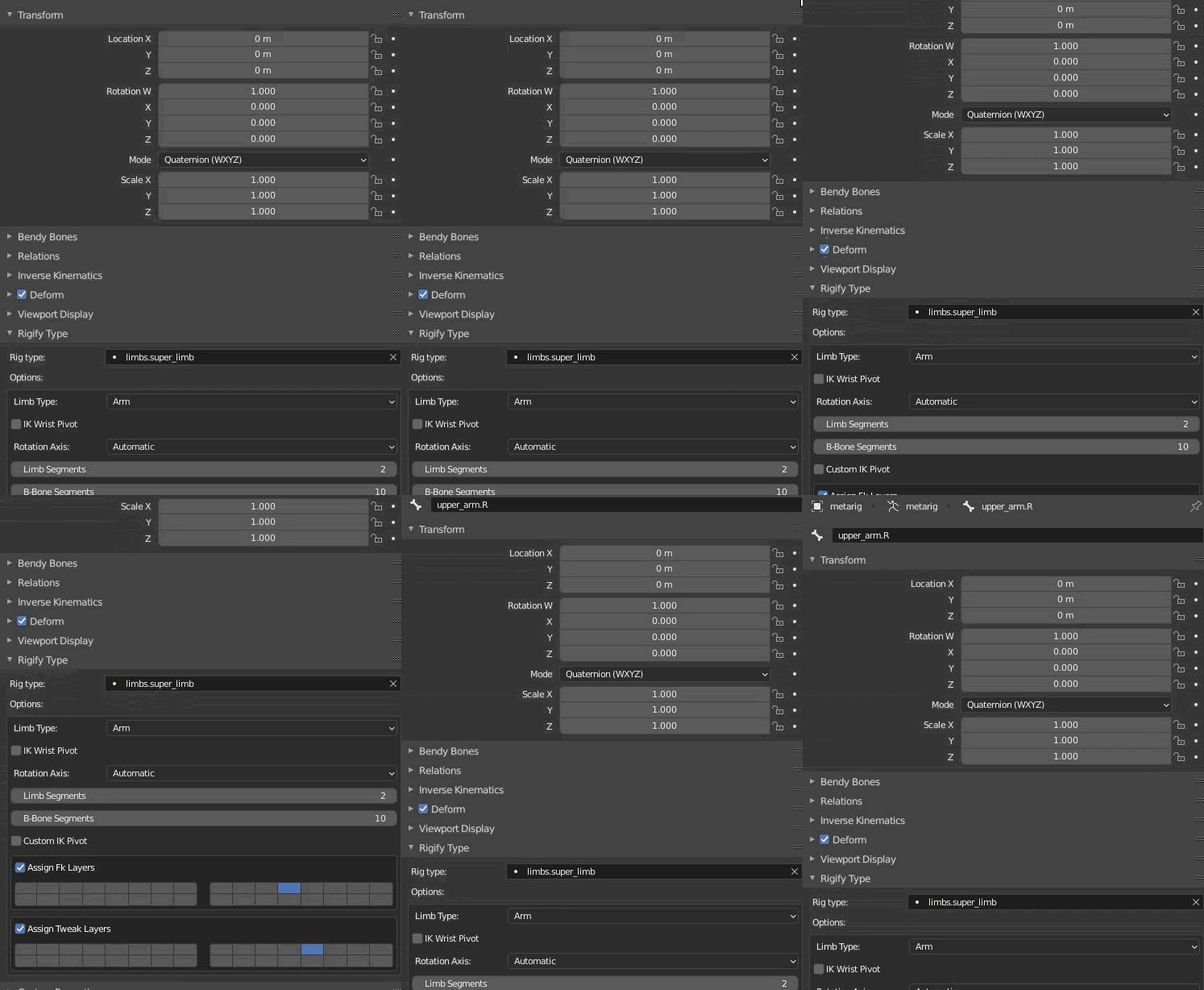
I probably did that, but I don't know how to tell if i did or not.
upper yoke
It's the tab with the wrench, not the box
fickle field
"bone properties" right?
upper yoke
fickle field
I probably did that, but I don't know how to tell if i did or not.
Oh wait, you need to have your mesh selected
fickle field
oh god i knew i bit off more than i could chew
Let me just screenshot the entire screen
upper yoke
If you parented them right, your outliner should look like this sort of. With the tposing icon before your triangles.
Okay it looks like you have everything parented right
upper yoke
I was trying to remember from memory, I have a custom theme :p
What happens when you try to pose your armature? Make sure you're in in "Pose Mode"
fickle field
under the armature tab there is only "metarig"
upper yoke
Pose mode is here:
fickle field
I've got it on that setting.
This'd probably be easier if there was a live feed of everything im doing lool
upper yoke
Press this button here
It might be better to just watch a tutorial if you're just starting out
Not one for VRC yet, but one for rigging characters in blender
fickle field
I kinda did do that already
I watched one where it used a plugin- a pre made humanoid skeleton.
And I got that setting on, yeah.
upper yoke
The Rigify human skeleton?
fickle field
Yeeep
upper yoke
You can use the metarig for VRC, but the "Generate Rig" button will not work for Unity.
upper yoke
fickle field
Frames drop and I guess the bone moves but not the mesh itself
Oh wait I totally forgot you said this
What's probably wrong is that Blender wasn't able to generate bone weights for your character, especially since it's rigid and mechanical, you might have to do the weight painting and building your armature by hand
This probably wasn't the best character to be your first
fickle field
Facts.
Well- still, I can consider this a learning moment and stuff.
The problem being I'd need to have someone looming over my shoulder so I could get that proper help.
upper yoke
If your still up for it: this is what you have to do https://www.youtube.com/watch?v=OEcvWQtzBMU But this tutorial is for a older version of Blender, but it should still work

In this tutorial I show you how to rig a hardsurface model of a kind of robot arm with Blender nd how to optimize the automatic weihts approach with weight painting for the sub models.
See my social profiles here
G+: https://plus.google.com/+JayAnAm
Twitter: https://twitter.com/jayanamgames
Facebook: https://www.facebook.com/jayanamgames
Patreo...
Moving my question from #avatar-help ...
I set up rigidbodies, colliders, and hinge joints for my avatar's tail, it works nicely in the editor, but becomes a fonky snaeke in VRC. Is there a collider layer I need to switch it to or something? https://cdn.discordapp.com/attachments/730948173379535022/811120780251365426/2021-02-16_01-19-17.mp4
I also noticed that it works in the menu turntable thingy (it just sags, depending on the how low the drag is set), but never does it actually responds to player movement and doesn't act right in worlds.
 amber kestrel
upper yoke
Moving my question from <#730948173379535022> ...
> I set up rigidbodies, collid...
amber kestrel
upper yoke
Moving my question from <#730948173379535022> ...
> I set up rigidbodies, collid...
Probably has something to do with how you're playing the game at 3 fps
upper yoke
amber kestrel
Probably has something to do with how you're playing the game at 3 fps
That's just the recording, the FPS is in the corner. The behavior is the same on my desktop at 90 fps. Do you have an actual solution?
amber kestrel
upper yoke
That's just the recording, the FPS is in the corner. The behavior is the same on...
Is it world dependent at all?
upper yoke
amber kestrel
Is it world dependent at all?
It might be, I've only tried "Avatar Testing" and the default home world
It's not, I just tried a bunch of different worlds, they all had same issue
sage patio
@upper yoke is there a reason why you're not using dynamic bones instead?
like everyone else?
upper yoke
I don't have any money and refuse to pay for something built into Unity. @sage patio
sage patio
eh I guess
 mild stratus
If it works in Unity, there should be no reason for it to break in VRChat
Unless some colliders are overlapping or something idk
upper yoke
mild stratus
Unless some colliders are overlapping or something idk
That's my guess, but I have no clue why it's happening
mild stratus
But, if colliders were overlapping in unity, then it would do the same thing in unity. It’s likely an issue sith VRChat networking or IK or something.
upper yoke
Could it be because the bones are parented to parts of the armature that are animated? The hips specifically
mild stratus
Animations could be part of it. I really don’t know.
If it’s parented to hips and the hips are moving a lot, then the joints would do the same
But I doubt that’s happening
Unless it is
It’s more likely just a joint bug though
Maybe mess with rigid body collision settings, such as chaning it to “continuous” or something
I doubt that would do much
 abstract prairie
I'm ASSUMING that if I put a large bone into the center of my model it will weigh it down enough so it doesn't ragdoll when it moves from prone position.
Am I correct on this, or is there another method I should approach?
ornate cairn
i doubt it will work
you can try parenting it to spine
but idk if this bone will be even considered
abstract prairie
Hurm. Do you know of a good way to end that ragdoll problem? It's driving me insane.
Or are we literally just parenting bones to each limb to weigh it down?
abstract prairie
Like the entire body is flopping around. Like it has no bones.
But the head is fine.
ornate cairn
i never seen that only prone animation is weird in avatar it usually is bad at every other one
like crouch etc
upper yoke
In that view you can just rotate it. You can just ignore the "not in T-Pose" warning.
upper yoke
mild stratus
Maybe mess with rigid body collision settings, such as chaning it to “continuous...
I tried changing it to continuous, and tried unparenting it from the hips, and setting Update Mode to "Animate Physics", none of that fixed anything, but it does work in the menu. :p
upper yoke
OH MY GOD I GOT IT WORKING. I started making a bunch of changes at once, but I think I needed to make the base of the tail attached via joint to a rigidbody component on the hips and not the root of the avatar, and you can't have colliders.
Dynamic Bones, no extra scripts, not a dime paid, no piracy, and I only lost 3 days of my life :3
upper yoke
https://youtu.be/evJxU90Uwwk Both Game Bar and Relive stopped working but, phone still works :3
 mild stratus
Nice.
upper yoke
mild stratus
Nice.
Thanks
 half furnace
I'm having an issue where my character's knees cross whenever crouched and standing still, and the legs seem to stretch out, lock at the knees, and land on the tippy toes before landing on the ground while walking. I am not sure what is causing this, and i will have a link to a video showing the issue in vrchat in a few mins.
https://youtu.be/h6iDX9fAtT8

I think this has something to do with it. when i select the "Select" Button, though, nothing happens. i have no idea how to fix this issue.

 vernal terrace

Struggling very hard to debug this. I suspect the hair mesh is not parented correctly, but no idea how to check...
ornate cairn
it is probably not rigged properly in blender
vernal terrace
Yes, I'm in blender now but don't know how to fix it. The pony tail is moving correctly with the rest of the avatar, it is only the top of the hair. Does it have to do with vertex groups? Coming from Udon this is all very new.
 ornate cairn
is this pmx avatar?
you just click on hair and shift left click on armature and right click and parent with automatic weights
vernal terrace
What is PMX?
@ornate cairn Thank you!! The hair is working now!

"Parent with automatic weights" was the solution.
ornate cairn
well np
vernal terrace
Now to figure out this new face problem, but I think I can do that
ornate cairn
could be texture if it is like that always
vernal terrace
Nope, occured just now, never seen it before.
ornate cairn
eyes are spheres or texture?

 ornate cairn
yes do the same thing.
 exotic spruce
Hey there, I would have a question.
I've been working a character from scratch and going on to the rigging part of the project.
Generally setting up the bones hasn't been too difficult, I used rigify to set up a basic skeleton, adjusted it and auto weighted it with the intend to clear it up afterwards.
In the attempt to clear up the root of both the bones going down the length of the hair and in the eyes with the subtract brush the weight wasn't deleted as much as just pushed around to other near bones, making them interact with part they shouldn't.
I tried looking up how to tie certain parts of the armature to certain objects but nothing so far has been too helpful.
Thanks to anyone that could potentially help with this, I can provide any further info that I might have missed.

 tight ravine
My body sort of rides up when im walking, any reason as to why is that? https://imgur.com/a/UWby12l
 tight ravine
It just uses the default human rigged walk
not any sort of special animation
also want to point out: this dosent occur in desktop mode
ornate cairn
maybe when walking it pickups on legs your controllers.
weird never seen that problem
tight ravine
yeah not sure. It should pick up on my hands because im using an oculus, and not using full body or anything
ornate cairn
you checked other avatars?
ornate cairn
so it is somethng within avatar like controllers work on legs instead on hands
if you haven't done anything with custom animations it is rig problem
ornate cairn
@tight ravine you use sdk3 or 2?
tight ravine
using 3
ornate cairn
you haven't added any animations?
tight ravine
i did add one, but it is a skinned mesh rendee material change
and that's all
for a flipbook shader
ornate cairn
could you upload it through sdk2 without any animations and check if it happens
or even 3
tight ravine
ill try it with 3 since i have it already up
turbid spear
i heard someone else complain about this but dunno more then that
ornate cairn
i suspect animation
also you can add custom walking animation to check if it will fix it
tight ravine
I took off the fx layer, and removed the controller, so let's see if that fixes anything
tight ravine
No, same issue
ornate cairn
hmm maybe try using site like mixamo to get custom walk animation
sage patio
tight ravine
let me post the rig one sec
it could be your weight painting being off, idk
tight ravine
yeah i can try that, but seems like a stop-gap fix
i posted my leg painting earlier, if you want to take a quick look
 ornate cairn
ah sad.
tight ravine
their help page dosent seem to elaborate much either
tight ravine
No, plus it'll prob be jank unless i really work on it for a while
ornate cairn
i think custom animation would fix it.
other than that i have no idea why it;s happening
rig seemed ok
 rustic silo
is there a faster way to check out hip adjustments for FBT than make adjustment and reuploading the avatar each time?
kindred pollen
@tight ravine The bottom of the hip bones look a little close to the tops of the thigh bones - try moving that hip up a bit, or shortening the spine slightly? o:
tight ravine
yeah ill try that too
 wind night
how far should the upper leg bones be below the hip?
 wind night
green
tight ravine
kindred pollen
<@!159165711770583061> The bottom of the hip bones look a little close to the to...
Didn't fix it, but ive been meaning to do that too
wind night
oh my god thank you my model is not imploding anymore lmao
half furnace
https://cdn.discordapp.com/attachments/390924372782612480/811928617759408178/unknown.png
I was wondering how to fix this. i'm not sure how to do it from within unity.
 crisp tendon
flip the hip bone
half furnace
just flip it?
crisp tendon
with that warning, yeah, it's likely the bone is upside down
you'd have to flip it in blender
half furnace
i just did, no change in how the character walks
i'm so mad i can't figure this out
crisp tendon
Can you show what your armature looks like in blender and how you applied the bones in humanoid configuration in unity ?
half furnace
 crisp tendon
yes your hip bone is upside down still
half furnace
this is what it looked like before i flipped the bone
 crisp tendon
How did you flip the bone ?
half furnace
i moved the point that extended into the floor up into the torso.
is there a better way to do it?
crisp tendon
Press R, type 180, and done
half furnace
i tried that and nothing changed.
crisp tendon
Nothing changed where ?
oh wait
all your bones are flipped
how did that even happen
your chest, spine and hip are going the wrong way
oh wait nvm, that's the clothing bones
I;d still need to see how the bones are assigned in Unity
fading verge
do you know how animate the avatar for the moving the mouth when i talk ?
half furnace
you create blendshapes in blender and then you can assign them to the visemes in unity.

 slim cipher
Ayo is it possible to make a avatar with a mac
half furnace
should be. as long as you have the correct unity version along with blender, it should work. don't know for certain, though since i don't own a mac
slim cipher
Ight
fading verge
and if i use just unity ?
half furnace
i am not sure. i haven't messed with animations in unity.
sage patio
fading verge
do you know how animate the avatar for the moving the mouth when i talk ?
your avatar needs to have all 15 required Visemes
each viseme corresponds to a certain sound
 charred solstice
So I got a model recently and I out it through vrchat to see if everything was good and the shading isnt right and the emotes are not working right and I was wondering if someone can help me talk it through to fix it (idk where to put this question so let me know if it is the wrong channel)
 leaden moat
blender question: so i was doing some editing to a body mesh and to save some time i deleted half of it and mirrored it, but now my entire body mesh is attached to the same side of the armature
any fixes?
crisp tendon
Yeah you can't really do that if you have shapekeys
Did you use the mirror modifier or did you symmetrize/scaled negatively ?
leaden moat
The mesh was already weight painted. I just resymatrized the bones on the right side and ill weight paint it myself
Thx for the reply though
 astral ingot
what do you all use rig avatar
 still fossil
Blender
fading verge
 kindred pollen
fading verge
kindred pollen
fading verge
That error tends to have other errors associated with it - check your console? o:
fading verge
kindred pollen
That error tends to have other errors associated with it - check your console? o...
hoq
how
kindred pollen
Top-left of the asset browser should be the console
fading verge
where is the file the stuff should go after i fully make them
kindred pollen
It shouldn't make a prefab at all once you build your avatar, afaik
having a screenshot of the errors in the console would be helpful, though c:
 fading verge
what sdk should i use
crisp tendon
the vrchat sdk ?
fading verge
ok
 scenic flicker
Would anyone happen to know why after I apply automatic weight and manually done some weight painting to a shoulder. Even if the arm and the shoulder cloth is at 100% red, they both move at different speeds....?
kindred pollen
The arm is likely painted to another bone, too
check the spine or similar/near bones o:
scenic flicker
Hmm it could be the vertex groups that the automatic weights generated. I was on Right Arm vertex group then I switched to breast R vertex group
https://gyazo.com/578004bc5fba82f1077b5143ef7fbde6
Huh it's still the same result if I made that vertex group all red too 🤔
 unborn sandal
So I just ran an avatar through Mixamo and put it into unity and it looks like this, is this how it is supposed to be since it originally had textures?


 leaden ibex
click on body
does it have the extract textures option?
also did u put the textures into the assets folder
 oblique void
Anyone know what type of bones I would use if i want to rig nine tails on an avatar like this? I haven't attempted anything yet just was curious.
 unborn sandal
leaden ibex
does it have the extract textures option?
unborn sandal
leaden ibex
does it have the extract textures option?
Where would I find that? Still new to this, first avatar
And on the textures part, the avatar seemed to already have them equipped in Mixamo
But none in the zip file
astral ingot
What software you rig you character
 feral saddle
Hello everybody! I have experienced a problem whenever I do the "Fix Model" from cats plugin, with only "fix materials" / "combine same materials". It still messes weights in a way that some bones lose their influence (they show up as blue in weight paint mode, even though they still move the mesh as before the fix). Anyone have experienced something similar? Couldn't find it on the internet anywhere.
 solemn mirage
Hello everyone! I swapped the head of an avatar (FBX) in Blender and uploaded to VRChat.
The head doesn't move/tilts up-down when I move my mouse, the head only moves horizontally along with the avatar when the body rotates.
When I perform an emote in VRChat the head doesn't quite follow the head bones and dislodges from the body.
In Blender I parented the new head mesh to the head bone and only that bone. Maybe I have to parent the mesh to other bones that I'm unaware of?
Thanks for reading!
solemn mirage
Nvm I'm dumbo, for some reason CATS "Fix Model"/"Join Meshes" unparents my mesh from the head bone (No movement of the mesh while messing around with the head bone in Pose Mode)
wind night
What is best to do when making a character with nonstandard proportions? like having stubby legs but long arms?
shifting the skeleton to match it makes you burrow underground if you sit fullbody ingame
fading verge
Did you know how i can modifi the texture for have nail on the hand?
 solemn mirage
Hello everyone! I swapped the head of an avatar (FBX) in Blender and uploaded to...
solemn mirage
solemn mirage
Hello everyone! I swapped the head of an avatar (FBX) in Blender and uploaded to...
nvm it still doesn't work, any help or advice would be appreciated 🙂
oblique void
I'm trying to frankenstein these 9 tail models onto a rexouium and I need to rig them individually, but I have no experience with rigging. Any advice?
 wind night
is the body already rigged up?
if so and you're lazy/don't wanna do dynamic bones, could probably just:
-select all the tails, ctrl j
-keep the fused tails selected, shift click the skeleton, ctrl p, armature deform
-go to weight painting on the tails, select the vertex group for the hips and drag a big ol red gradient over em
-select the tails, shift click body, ctrl j if you want everything to be tucked into one mesh
 queen hollow
hi
im terrible at modeling
i will wire someone some btc if they can help lol
already got the blender file made
crisp tendon
fading verge

why is my avatar's wrists fucked up like this in game
it doesnt look like that in unity
 crisp tendon
Check the armature itself, if there aren't any additional bones then you'll need to fix the weight painting in blender
 crisp tendon
You can use the cats blender add-on to fix the model
fading verge
it crashed my blender
when i clicked fix
????
it starts loading for a few seconds and then immediately crashes
what the hell
crisp tendon

 fading verge
if it looks like this in unity why is it missing bones in blender

idk man i hate this
crisp tendon
This avatar would require a bit of work to be usable
 undone pulsar
I've got an avatar that is under the ground when imported into unity, but is above ground in configuration and blender model
not just to the torso either, this goes fully under the surface
happened after i added an animation, and doesnt revert
wind night
fading verge
the only thing broken is the wrists
did you ever check the weight painting?
wind night
click the model, go to the top left where it says "object mode," click that and select weight painting
then you can go to the tab on the right marked by an upside down triangle to see the vertex groups
(this is in blender i mean)
fading verge
the bones are fucked up in blender
they're good in unity
idk why
man i dont know any of these things
i just want it to work
wind night
mood
fading verge
i want to pay someone to make my shit work and for the mouth to work
like
it's just this avatar
wind night
but the stretching to me suggests improper weights
 wind night
oh dear is that 2.7
fading verge
yes
wind night
my apologies i only have experience with 2.8
fading verge
because i tried fixing the model with cats on 2.8 and
instantly crashes
fuck this man
i just want to play using mr bird
here
wind night
i have to say converting avatars seems more work than making them from scratch
fading verge
why
it should be easy
i've already paid 30 dollars to get someone to fix this and it still doesnt work
i am tired and mad
im only 15 man i dont have that much money
fading verge
im so confused
this is so disappointing
i dont wanna pay fuckin
300+ dollars for an avatar
and i really can't
i only have 700 dollars
total
wind night
paying for avatars, like any work of art, is a luxury
don't do it unless you have plenty of income to dispose
fading verge
yeah
it's a shame like
avians aren't popular
cause there is basically no vrchat avatars for it
 broken swan
does vrchat support 3-bone thumbs?
or better question, do they even work and move if I do have them on my rig
sage patio
broken swan
does vrchat support 3-bone thumbs?
I believe so yea
crisp tendon
you can do three bone thumbs but you'll have to spend a lot of time adjusting its position not only in blender for the weight paint but also in the rigging tab in unity (forgot what it's called)
fading verge
ok
so i'm trying to transfer this fbx to blender but the bones are rigged differently in blender than how they are in unity
does anybody know why
 barren quiver
I've got an odd question. Is there a way to use a vive tracker on a fake tail irl that moves back and forth to control an avatar tail in vrchat? xD
sage patio
barren quiver
I've got an odd question. Is there a way to use a vive tracker on a fake tail ir...
no, you're limited to either using 1 (hip) or 3 trackers (hip + feet)
only supported configs
best you can do is tweak the dynamic bone settings until it's as realistic as possible
 light storm
I'm running into an issue with my avatar's knees pointing in at each other. I've had this issue on multiple vroid-based avatars, and I have yet to figure out how to fix it. Does anyone have any recommendations?
crisp tendon
Legs are too straight, you can fix that in blender
light storm
here's the armature


How would you suggest adjusting that?
because at this point I'm at the limit of what I know
crisp tendon
you grab the knee bone and move it slightly forward
light storm
cool. I'll give that a try. Thanks.
fading verge
can someone please help I made my first avatar and she leans back constantly I'm assuming it's a rigging issue feel free to dm or whatever is needed

It doesn't do it in blender btw
wind night
is there a way to rig an avatar with really long arms that won't mess up FBT or is that just a no-go
amber kestrel
wind night
is there a way to rig an avatar with really long arms that won't mess up FBT or ...
You can rig entirely unweighted arms to your IK, then rotation constrain the longer arms to it
mild stratus
wind night
is there a way to rig an avatar with really long arms that won't mess up FBT or ...
You could probably have a proportional rig, but weird painting to do that. Very very weird painting, idk tho.
 languid rune
hey you think someone here could actually help me with somethin real quick?
wind night
but having things painted when theyre far from the bone means they don't move right
 worldly heron
im having a problem when i go to build and publish it creates a prefab in unity
wind night
amber kestrel
You can rig entirely unweighted arms to your IK, then rotation constrain the lon...
that's an interesting idea
 rose dune
How should I rig a character that doesn't have legs? like he kinda moves around like a snail
 fervent hornet
If you want it to be humanoid, you still need legs they would just be invisible
rose dune
how would I make it invisible?
fervent hornet
You can have the bones there just dont weight paint any mesh to em
rose dune
Aight
rose dune
Thank
 crisp tendon
Edit mode, select the knife, vertex menu, assign it to the bone
 crisp tendon
yep
 gilded hawk
thank you
@crisp tendon im trying to add a dynamic bone to it in unity on my character but the bone never shows up
crisp tendon
I have no idea how you're trying to set that up so it's a bit hard to help
gilded hawk
im not sure if i need to attach it to my avatars skeleton or if i can just put it on in unity
ok so

trying to put it here
on the finger right
cuz i want it to spin around the finger
kindred pollen
might be able to do that with a rotation constraint instead of a DB? o:
crisp tendon
What would they constraint it to 
kindred pollen
gameobject on the finger bone? I'unno aa
crisp tendon
Might as well animate the kunai itself then
gilded hawk
nah but i want it to move with motion tho
crisp tendon
You probably want to add another bone to the main one to make a chain
crisp tendon
you wouldn't, it just needs to exist
gilded hawk
oh
kek
@crisp tendon

i see the bones
swinging around like i want the knife to
BUT
the knife doesnt move
aaaa
crisp tendon
is the knife moving in blender pose mode ?
crisp tendon
Then you didn't assign the vertices to the vertex group ?
gilded hawk
okay i click my knife
and go into edit mode
i select all verts
and i go into

this tab
click on my bone
and click assign?
crisp tendon
yep
 gilded hawk
and now i test pose mode
crisp tendon
yep
 crisp tendon
Did you remove the other vertex group ?
gilded hawk
other vertex group?
crisp tendon
 crisp tendon
Can you ? 
 crisp tendon
I just tried and it works without issues

I'd suggest deleting the armature and vertex group and starting over
Unsure how you got that to break
crisp tendon
for what ?
gilded hawk
oh i see
but how does it know that im trying to make it all get controlled by the bones i have in there?
crisp tendon
Because of what you assigned in the vertex group
gilded hawk
im so lost man
crisp tendon
one sec
sage patio
the vertex group needs to have the same name as the bone


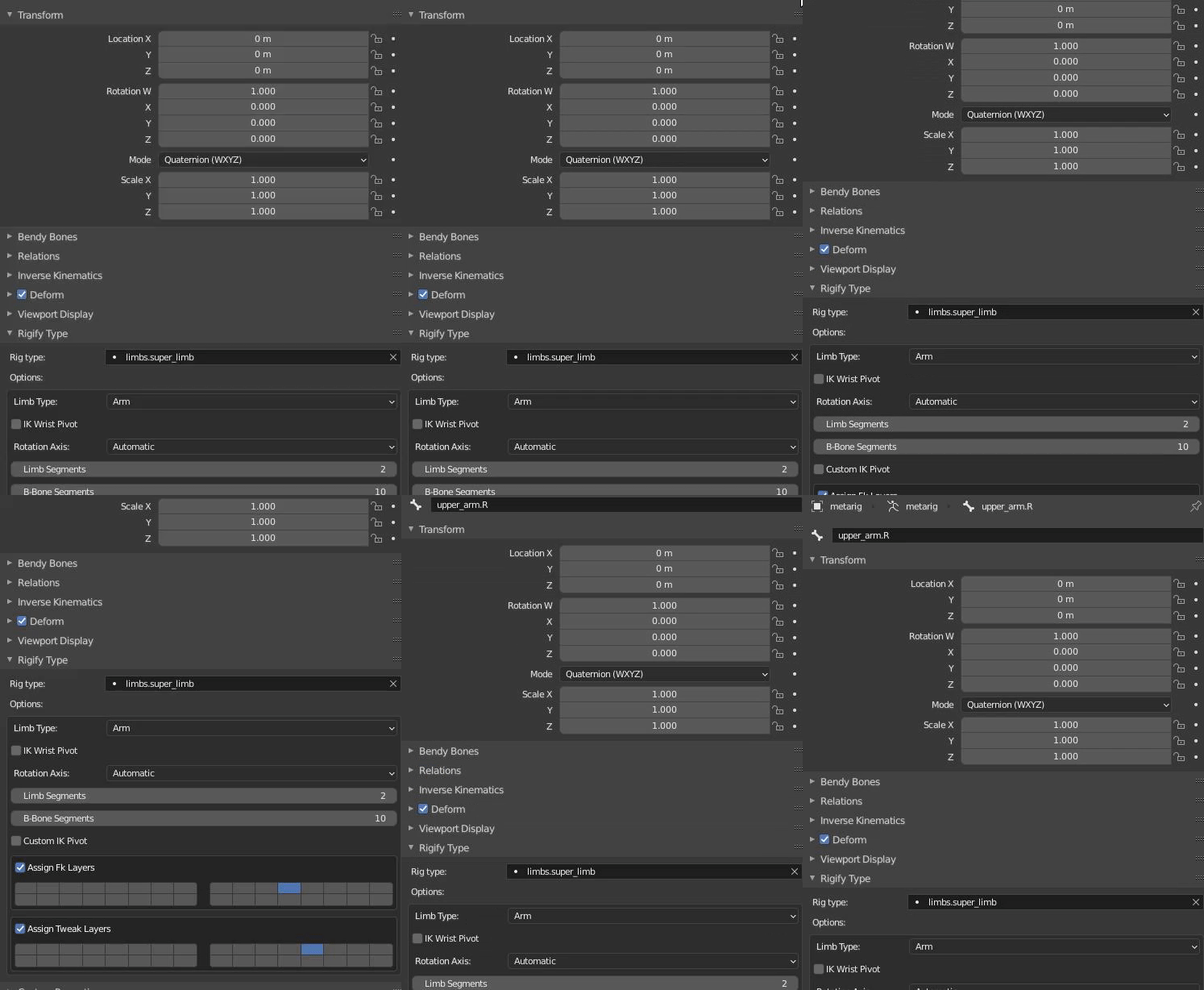

 crisp tendon
gilded hawk
crisp tendon
gilded hawk
ah but my mental is dying
o
when i click
with empty groups
it doesnt create anything
crisp tendon
You don't have a vertex group ?
sage patio
was it already parented?