#avatar-rigging
1 messages · Page 27 of 1
 pale pumice
 tender sorrel
No tongue. Only jaw
pale pumice
that's weird
tender sorrel
It’s not my model lol. I bought it and am trying to figure it out.
pale pumice
does it have viseme blendshapes (shape keys) though?
 pale pumice
ok so no, but I meant the avatar, not specifically the mask object
tender sorrel
Avatar does have a jaw vertex group
pale pumice
okay, that's not really that relevant though
well probably not - it's rare to use the jaw bone for speaking in vrchat
tender sorrel
I see plenty of shape keys that move the jaw (expressions) but none that are a jaw specific slider
pale pumice
again, shape keys and bones have nothing to do with each other here
tender sorrel
You asked if the jaw had a shape key specifically though.
pale pumice
no I didn't
tender sorrel
You edited the message. I didn’t see the change. Apologies.
pale pumice
I asked if the body had viseme blendshapes, to try to see if that was the method used for speaking in vrchat, or if it actually used the jaw bone for that.
tender sorrel
Negative on the visme. Just AH, OH, CH
pale pumice
if it uses visemes then you should probably just ignore the jaw bone entirely
Yes - those are viseme blendshapes/shape keys.
does it only have those three? Or all the others? If not.... you'll have to deal with that too.
tender sorrel
pale pumice
Yes - those are viseme blendshapes/shape keys.
The wiki didn’t include those when I looked it up. Apologies.
It only has those 3 with a variety of expressions and the like
pale pumice
fun
well cats has a tool to convert those 3 into the whole set VRChat requires
(this is the one feature of cats I actually find useful)
tender sorrel
So I need more than what the avatar has currently? Is this something I should contact the avatar owner about?
pale pumice
if you bought a VRChat-ready avatar, it should have more visemes than those three.
If it wasn't meant to be VRChat ready, it's probably on you
pale pumice
a reference for visemes: https://wiki.vrchat.com/wiki/Visemes
VRChat Wiki
Visemes (pormanteau for visual phonemes) are an avatar feature that mimics lip and mouth movement, when synchronized with human speech.
Within Unity, visemes are a type of, or set of shapekey(s) that can be programmed onto an avatar. In the Oculus LipSync Library, there are 15 mouth‑shape targets that can be used while you speak.
VRChat conve...
you need all 14
tender sorrel
Fantastic
I’ll figure that out later
Given currently doesn’t use the jaw bone, do I really have to mess with the vertex groups and remove the jaw?
Cause if not, I’m going to try and finish rigging everything to the best of my ability here
pale pumice
I'm not entirely sure what problem you're trying to solve at this point
but probably you don't need to care about the jaw bone
tender sorrel
Me neither. I thought it was broken or that I messed up. Turns out it wasn’t broken or messed up based on what you’ve told me.
I appreciate the assistance.
 halcyon yew
Does the CATS addon still work for blender? For me it says it doesnt work and every video i've seen of people using it, i never can see what they see
 robust crescent


 tribal mantle
im still new to making vrchat avatars but in terms of rigging , this is what i have so far

 crude scaffold
if anyone, for the love of god, could help me rig and upload my stupid avatar, that would be great. I dont have any clue how this works
im so sick of using a avatar with five billion faces
i dont even know if this kind of model works for vr chat avatars

 opal lotus
crude scaffold
i dont even know if this kind of model works for vr chat avatars
opal lotus
crude scaffold
i dont even know if this kind of model works for vr chat avatars
it does but also it's simpler to watch a video on rigging in general
 grand sand
My model only has a right foot. How do I add a ghost left foot?
 vestal dirge
@grand sand You'll want your rig (the bones) to have all the body parts. The left foot bone in your case will just not be skinned to any part of the mesh (empty weights). Then when you rig the humanoid, just map the foot bone as normal. It will be animated and IK'd like normal, but it will be invisible.
 fading verge
Great Rigging Tutorial on Common Bone & Rigging Issues by @vocal quiver
Here's a video on extremely common issues I see with bones and rigging setups, and ways to solve them. I cover: - Leaving Upper Chest Blank - Reparenting spi...
thanks for the tip 😃
 short jetty
first
 crisp tendon
Is this channel really necessary ? I feel like an MMD channel would have been much more useful
rigging is already being done in the avatar channel
vestal dirge
@crisp tendon we'd like the regular channel to be more general questions about avatars and getting started. There have been enough questions about rigging to warrant its own channel.
grand sand
@vestal dirge Thanks.
crisp tendon
it's always the same basic questions though, if people never look at the #tutorials channel, it won't change anything
vestal dirge
There's some truth in what you are saying but it's better to have a channel where those questions can be asked and answered quickly, rather than getting lost in more advanced descriptions. New users need a clear place to start.
crisp tendon
So is it possible to add the documentation and basic answers to the pins then ? The video above is great, but people don't search for them unless we send them directly
I mean, people don't look at pins either, but it's easier for us trying to help
vestal dirge
Yes, those are in the pins for #avatars-2-general , which we will probably clean out a bit, and move the more advanced pins here and #3d-modeling

 wise jay
@pastel vessel check the video pinned in this channel, it explains your Hierarchy issue and how to fix it.
wise jay
You wont be able to upload your avatar until the rigging is correct
fading verge

what exactly am I doing wrong
everything seems set fine
I'm thinking maybe there's too many bones in the arms, but idk
grand sand
My model doesn't have a chest bone; how can I add one correctly?
crisp tendon
Enforce t-pose @fading verge
fading verge
How?
crisp tendon
@grand sand https://youtu.be/cGvalWG8HBU

Hey guys. This is a quick tutorial on creating a simple, but rather effective character rig in blender. Hope it helps some of you out! Read FAQ below: Follow...
@fading verge
fading verge
oh thanks
grand sand
👍
 pastel vessel
how do u aminated texture moving on a avatar?
 narrow lava
Hi, Im having an issue where once imported into unity and going to rig the character a mesh is being disassmbled and split (Screenshot). Has anyone encountered an issue like this and able to point me in the right direction to fix?
 amber ocean
I need some help, when i imported my model to unity i dont have foot or toe bones. Im kinda new to this whole operation if anyone could help it would be amazing
 willow latch
whenever i move my character the "toe" or the end of his shoe seems to be stuck in 1 place and not move with the rest of the leg, is there any way to fix this? i'll provide screenshots if someone knows what i need to screenshot
vestal dirge
@fading verge your rig has twist bones for the arms. VRChat automatically handles this so you don't need those bones. You can either dissolve that bone and repaint the weights around the wrist, or just make the hand a direct child of the elbow. First option will look nicer, of course. If you choose option 2, make sure that the hand is the first child of the elbow in the hierarchy.

 timber echo
Does anyone know whats causing this?
I've watched tuppers rigging guides and his characters hands remain connected to the arms after the transition from blender to unity
crisp tendon
Were the bones parented in blender too ?
crisp tendon
also you have no shoulder bone mapped, not necessary but since your avatar is humanoid, seems weird
And thosse are parented to chest ?
Because the chest doesn't seem to be connected to the shoulders
crisp tendon
Can you check in the armature menu too and tick the box "connected" if it's not
timber echo
Im sorry, where is that box?
 subtle moth
Umm everytime i rig an avatar my arms are too short or my vive is inside their body, any ideas on what i have to do differently? 😄
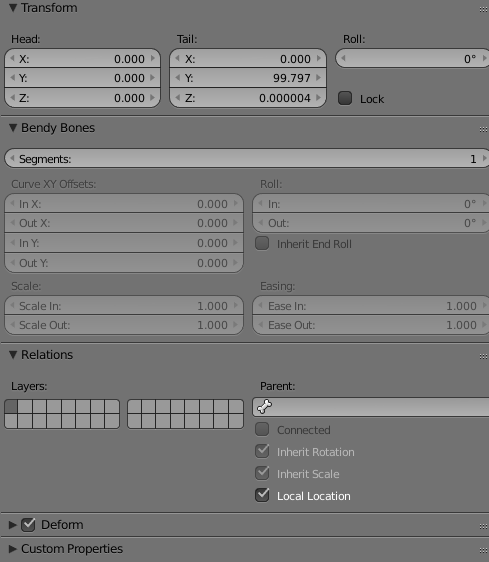 timber echo
alright i ticked the box for the left shoulder to be connected
Should i do this with all the bones up to the chest?
crisp tendon
only shoulders seemed disconnected
not sure the rest is necessary
but you can always usee the cat's addon if you're not sure
brb
crisp tendon
did you check the box while in edit mode ?
timber echo
yes
crisp tendon
Can i take a look at the fbx ?
grand sand
when you have a one legged character but need to add another leg
narrow lava
Having an issue where the model is leaving behind objects when in T pose. I've added child contraints and the models move with the bones in blender. Does anyone know how I could fix this?
 vocal quiver
@timber echo Try using Cat's Blender Tools on that model. "Fix Armature" should fix most of your problems, it looks like you have some bone parenting heirarchy issues.
crisp tendon
uh
vocal quiver
@narrow lava that looks like some issues with weight painting. Ensure those bits are painted to the bone they should follow.
crisp tendon
chest is nmissing
timber echo
Ruuubick solved it for me
vocal quiver
Gotcha. Try using Cat's in the future. It will fix 99% of these problems 😃
Nah
You just have to know how to work around common problems.
A matter of time/knowledge
crisp tendon
Yeah but in this specific case, Cat's plugin couldn't do anything
timber echo
Ive been using cats since i watched your video, Sadly im just a bit of a scrub haha
crisp tendon
when bones are overlapping and weight painting is set randomly, the godly plugin has its limits
it's good to understand what it does
 fleet echo
@crisp tendon only reason cat plugin delete bone no weight paint you turn off zero weight
it user not the tool lol
just need to learn how to use correctly
 lucid orbit
Problem Exists Between Keyboard And Chair.
crisp tendon
no it didn't do anything at all, bone weight was set to overlapping bones that weren't connected to anything, i ran the steps of the plugin, i've watched tupper's video, i get how it works, but it didn't help for this avatar is what i'm saying
fleet echo
i use cat tool for help fix model faster if you understand what it can be done with you can do alot with the tool it give you
timber echo
I dont think Ruuubick is trying to say it can't do alot ^_^
crisp tendon
not at all, you're a beginner that's normal
fleet echo
it just learn how use it
anything get you need to learn
i dont blame tool i know it error of the model
the tool more like follow what it spouse to do
if the model crap
it going have problem
crisp tendon
i'm not blaming the tool either, the model was terrible, but people seem to think that cat's tool can fi anything and everything
sometimes it can't
and it's fine
timber echo
I believe that's what he was saying when he said "in this specific case"
timber echo
Sure tupper, i'll Dm you it pre Ruubicks fix
 tulip nexus
Does anyone know why this is happening?
 quartz trench
Tupper have you ever had anyone ask about their model's arm twitching really fast when they hold items ( after using the cat plugin?) I thought it might be because of an twist bone but some of the models that have that issue don't have twist bones.
 ashen isle
Kayne did you se tthe torso to opaque(?)?
willow latch
i have this happening to my avatar, im not sure what causes it, does anyone know?
fleet echo
need fix weight paint
on the feet

Quick intro and guide to skinning/weight painting. this video is meant for those with a basic understanding of Blender
willow latch
thanks, ill watch the video and give it a shot
 split edge
It could also assigned to the wrong toe bone in unity
split edge
Just saying what fixed mine
fleet echo
need to be tranfer
willow latch
is this issue any important, or can i just ignore it?
 proper willow
Yo guys, since mixamo gives me too little fingers, due to my avatar only having 2 fingers, how is the easiest way to add a few dummy fingers to each hand? i suck at armatures tbh.
 pale hull
If using VR, might be an issue crouching down.
If on desktop you probably won't ever see it
willow latch
alright great
fleet echo
@willow latch to fix issue would need angle our hip in blender
to 180
it at 152.2 need adjust little
willow latch
if it doesnt really affect anything i dont think i'll bother, im still trying to fix the foot, cause im no good with the weight painting
and whatever i did just ruined it more
crisp tendon
I fixed that bone rotation and my avatar still crouches like a weirdo
so fixing it may or may not help
willow latch
i have no idea how to fix bone stuff, cause my bones seem to be only be some lines
crisp tendon
That may only be the way you set them to appear in blender
willow latch
i would love changing them to the triangle things, but i have no clue how or where to do it
fleet echo
@crisp tendon found out if overwrite and change bone it miss up mesh
so you have start fresh model in scene
willow latch
but then again it might be cause im using a .XPS file, dont know how much that has to do with stuff
fleet echo
hit reset on the model
willow latch
im a complete beginner when it comes to Blender
fleet echo
how i learn watch video
and read info and figure it with break some models
you learn how to do
took me 5 month
understand it
willow latch
i guess i'll watch some videos and use some more simple models then i guess
willow latch
i'll try my best, but i think im giving up on the model i had the issue with, the issue seems a bit too difficult for me
crisp tendon
you'll come back to it when you have enough knowledge, no worries
willow latch
i hope so, but we'll see, it started out with plenty of issues but i "fixed" most of them, only 2 remain as far as i know, and they are beyond me atm
crisp tendon
@fleet echo What do you mean by fresh model in scene ? Can i not rotate the hip bone after importing it into blender ?
 oblique heron
Can CATS fix broken fingers? Or is that a weight painting issue?
fleet echo
@crisp tendon i mean when you export model in unity and overwrite the fbx file the scene verison will still keep the mesh rolation
even though fix the bone
but remove the scene verison and put new fbx file
up set reset the mesh dont look werid anymore
it happen to me couple time
only way fix the problem lol
just copy all componet over to new model
crisp tendon
oh, i didn't know that, thanks a lot !
vestal dirge
@willow latch The pelvis angle is mainly important if you are trying to do full-body tracking (ie you have the vive trackers). Otherwise, this angle is not as important.
willow latch
Alright, I won't bother with them then, I'll try to somehow fix that broken leg mesh or whatever it's called
 errant mountain
Does anyone know how to fix the forearm rotation problem?
fleet echo
@errant mountain there extra bone in your arm
reason say that
need mix weight bone to main bone
errant mountain
In Blender?
fleet echo
yea
fleet echo
but dont really need to worry aboutit
it just tell it has extra bone
in the arm lol
till you get better then you can fix it
errant mountain
one of my other avatars has the same problem, i just kind of ignore it yeah
 umbral ether
https://youtu.be/mJwWTKt12ak this vid is pretty good i think 😛 i'm completely new to blender and all this stuff aswell and looking at like 5 different guides this one helped me the best

Rigging using pole bones, IK bones, and an armature to provide control of a simple figure.
 gentle ivy
Nevermind I found it...
fading verge
help
"Spine hierarchy incorrect. Make sure that the parent of both Shoulders and the Neck is the Chest"
how to fix
gentle ivy
bones should be hips -> torso/chest -> (shoulders -> arms), (neck -> head)
unity rig configure can sometimes put wrong bones in the chest/neck slots depending on names you used
 half nimbus
Would it be possible to get a more experienced rigger to help me out?
The model I want to make an avatar out of does not get along well with Mixamo.
half nimbus
Yes, they're humanoid, but they have a big-ass coat and huge cuffs
So, if I could get someone with a bit more know-how to rig it, maybe add some jigglebones to the coat if you're feeling up to it, that'd be 👌
crisp tendon
You can probably just steal the skeleton from this awesome blue dude
and add dynamic bones

 fleet echo
would need left up avatar more on floor in blender
half nimbus
That might have something to do with how you rigged Miia.
fleet echo
or make your leg longer
 limpid scarab
Does it matter where she is in blender?
half nimbus
Nah
limpid scarab
She is in neutral location in all files (0,0)
and the leg bones should reach deeper
to where the tail twists
crisp tendon
so that's the issue
limpid scarab
they go this far, the body gets dropped in the floor earlier
They are fake legs tho, they don't have anything controlled in model
only there to make the model humanoid, i'll animate the tail later
crisp tendon
is there any weight paint on it then ?
limpid scarab
No, it doesn't need it does it? If it won't manipulate any mesh
crisp tendon
weird
limpid scarab
if i can get her a little higher i could start experimenting on making the tail move :/
but i can't seem to figure it out
 teal badge
Why not just stretch the bones some more?
lucid orbit
@arctic grotto Eyebones not configured right?
fleet echo
@arctic grotto it how setup in blender
with cat plugin you can adjust
it
well have fun adjust aver secound
much faster use cat
lol
there a test tool in it
i just give advice and make it pain less
@arctic grotto
it very helpful for eye tracking testing
 marble wharf
Those eyes look cool btw
lucid orbit
@arctic grotto Nicely done!
 devout pivot
When weightpainting, we should be abel to have the model follow the bones when poseing, right?
When i rotate the bone around, the head dosnt follow
fleet echo
does it have armature modifer on it?
need that
move mesh on the avatar with the bone
 cunning tartan
Hey, i've tried editing the hierarchy as i showed here, but every time i click done the change resets. I'm clicking apply before i click done and the error under the spine is gone when i do that, any idea what i'm doing wrong?
devout pivot
where is the armature modifier?
fleet echo
@devout pivot
devout pivot
Thank you a million times! It works now.
 short crater
anyone know why the armature wont select certain bones when i try to weight paint this particular mesh?
it just turns orange for some reason and cant select a particular bone. its fine on the other mesh tho
 sly wagon
not sure if this will help but first parent that mesh to the armature then click armature , go to pose mode and select a bone then back to the mesh in weight then see if it lets you pick a bone
short crater
its in pose mode already. it worked fine on the other mesh @sly wagon
so confused
sly wagon
well it looks like the hand mesh isnt with the amature
and thats why you cant chose it i suppose, at least from what i can see
sly wagon
Shift clicking the mesh to armature then ctrl P to set parents( do empty groups if your painting yourself), also make sure the mesh itself has a armature modifier to the armature rig
 jovial kite
Okay this is the first Avatar I have rigged and I have zero clue what is causing this. Anyone got any ideas?
sly wagon
might just be weird parts not weight painted right
try turning what you can then paint the parts that stay
jovial kite
Like the lower body is weighted to the hips or something?
I don't know how to change weights, do you have any tutorials? also thx
fading verge
trying to figure out how to join one armature to another to retain weight paint from the mesh it the armature is from
sly wagon
@jovial kite https://www.youtube.com/watch?v=Tl4qTgwQwYw this video explains weight painting a bit, quicker then skimming bigger videos on it
Quick intro and guide to skinning/weight painting. this video is meant for those with a basic understanding of Blender
 quasi sorrel
Anyone ;have any tips for eye tracking using the cats plugin? i don't quite understand the values
jovial kite
thank you, I found another video but it was 20+ minutes. You're super helpful 😉
quasi sorrel
or is there like a set value to plug in for eyetracking?
jovial kite
I understand weight painting now but I still don't understand what is happening to the avatar and why
 hexed frigate
hello guys, can you help me
jovial kite
im pretty novice but what do you need
hexed frigate
i'm creating personal custom model for myself, i'm trying too hard until my hair got white so fast, low poly steps was done, but when i go to unity. and try to RIG to Humanoid, there was message, "Invalid Avatar Rig Configuration. Required human bone 'hips' not found."
can you help me ? 😩 yea i'm still new in this 3d model things development. not sure because i do that from watching yt.. there must be some step that i miss. but i couldn't understand.
jovial kite
are the hips in blender the parent of the spine?
spine is under hips yes? (along with upper legs left and right)
you may want to watch a parenting tutorial on YT it may make more sense, or post a screenshot of your character's armature
fading verge
So yeah how do I parent part of a rig from one model to another?
jovial kite
so you are trying to use a skeleton for another avatar?
hexed frigate
thank you for advice rowyn, i will watch it now. i will contact you later if i got another problem 😄
fading verge
From what I understand, I can keep the weight paints on the meshes that I am using on a different model.
jovial kite
@hexed frigate just make sure hip goes to upper leg, to lower leg, to foot, to toe for both right and left legs
fading verge
that is if I connect the skeleton from the model I am using the mesh with
jovial kite
and that dropping down from hip is spine, chest, and from chest both shoulders and neck, neck to head
then from shoulders their upper arms, lower arms, wrists
it's what matters when exporting to unity
@fading verge I don't have any experience with that yet, unfortunately. I tried merging a skeleton to another mesh last night (and failed)
fading verge
I know its possible I jsut dunno how to do it myself
jovial kite
I know it is pretty hard to do though, sadly. If you do figure it out let me know cause I'm interested lol
fading verge
Okay
jovial kite
going into weight-paint, the entire body is blue. When moving the leg or hip it seems to rotate fine. I don't get why in-game that leg issue is happening
fading verge
So can you send a screenshot of the armature of the hip area?
jovial kite
sure 1 sec
fading verge
Seems to me like its weight painting issues as well as improper hip structure
Are you using Cats Plugin?
jovial kite
no
I do get this message before build and publish, "the angle between pelvis and thigh bones should be close to 180 degrees (this avatar's angle is 2.0_.
fading verge
Okay so usually hips need to look simalar to this to get proper waist movement in VRchat
jovial kite
but that wouldn't stop the top of her legs from bugging out would it?
fading verge
from the picture it seems like the waist being buggy stretches the legs wonky.
I mean you can leave it like that if you want?
jovial kite
 eager fossil
i have no experience in rigging in unity so.... how do i move bones?
jovial kite
see that's what happens when I change the angle of the hip bone
those upper thighs are upsidedown lol. but they don't move at all, like the tights do
fading verge
Other then that, it seem like a weight paint issue. I am no expert when it comes to weight paint though.
eager fossil
hey guys how do i edit bones in unity?
jovial kite
I believe you have to create the bones right inside of blender before exporting to unity
eager fossil
kk
jovial kite
and make sure when you export to fbx you untick add bones
eager fossil
yeah alright, i've got the waist bone which is tilted so its not 180 degrees
jovial kite
Okay even after weight painting, all it does is hold the upper thighs still. There is no motion. I'm about to give up lol
 lilac seal
Is it ok if I don't have a Chest, or an Upper Chest bone rigged? It has a spine, but no chest.
sly wagon
you need chest, but not upper
sly wagon
yep
lilac seal
Crap. The spine is one bone, and I don't know how to make it an upper chest and a spine without having to re do the bones. If both the bones are set as the same one, then it'll screw me up.
Well the spine is three bones, but merged into one.
sly wagon
unity likes to do weird things to the bones sometimes, id try it ingame first before messing with it
lilac seal
So what do I do? I need to have those bones to import it into VRChat.
hexed frigate
what you must have bone to do boobs physic ?
sly wagon
not sure without looking at the bone heirarchy saddly
lilac seal
I can share my screen if you're willing to do that. I don't want to ask too much.
sly wagon
idk you could add a another bone and reparent the hip>spine>chest bit and the rest should work if your really missing one
lilac seal
I don't think I am though. It shows the hip, and then it splits into three seperate bones, then goes to neck and shoulders.
sly wagon
what does it look like in blender or w/e you use
sly wagon
thats just it trying to connect to the shoulders though
lilac seal
Yeah
sly wagon
add another bone from the bottom one then rename it, then parent the legs to it to become a new hip bone, then you should just be able to scoot everything up then repaint the 3 bones
lilac seal
Thank you! I'm trying my best to figure this all out, so I really appreciate the help.
fleet echo
lol from zatch bell
 weak linden
Hi anyone know how can i fix the spider legs in unity? i mean i want to move his legs in vrchat but many times its not working
 hazy gazelle
Is it just sliding around when your head moves?
weak linden
im not using vr now im just using the spider for fun 😃
so i dont know:s
i think i need to animate the spider legs somehow in unity
weak linden
https://www.youtube.com/watch?v=wdOk5QXYC6Y if i follow this i can use in vrchat?

Use the Animator Controller to play and blend between animations of the beautiful Unity-Chan model from Unity Technologies Japan My Game: https://hibbygames....
40 minute XD
jovial kite
@hexed frigate because it's supposed to in rigging mode XD
Anyone know why when I import my Avatar into Unity, that the avatar is sideways?
hexed frigate
i mean this -_- , what i forgot some step again or what
jovial kite
ah okay that has to do with the shaders
click your materials folder under your assets
highlight your materials, all of them
then in your upper right corner you will have a drop-down box to select shaders
quasi sorrel
regarding the cat plugin how exactly do i import the eye tracker and viseme?
jovial kite
you can change the shaders there
@hexed frigate also, check the box under shaders that says "rendering mode" and select Opaque, looks like you are on Transparent
fleet echo
@quasi sorrel need to make sure it fbx with no baked animation https://imgur.com/zEIT3zh
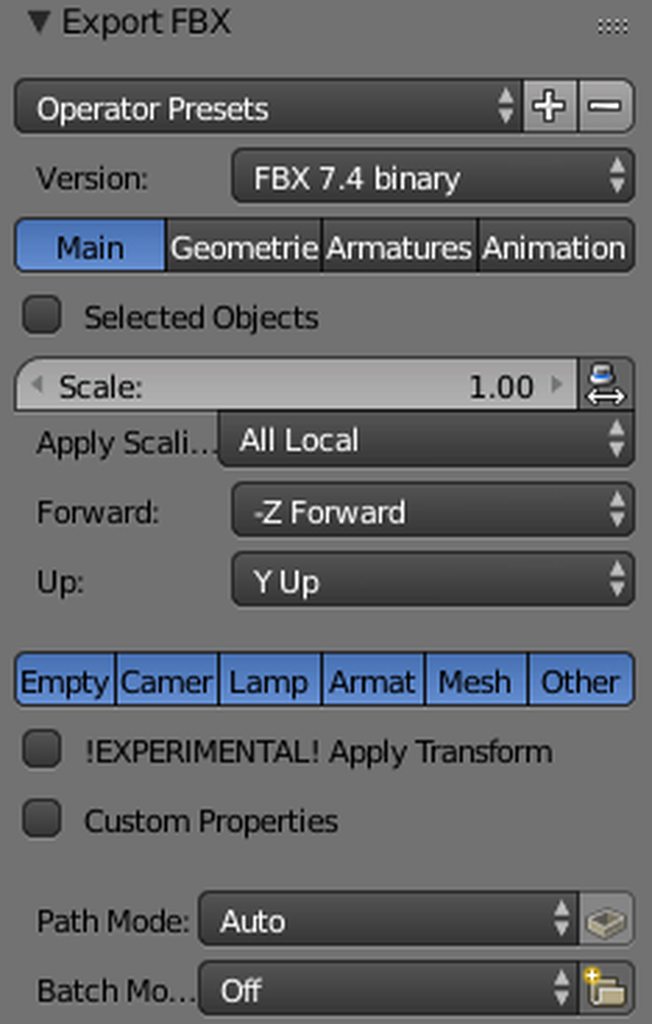
after click on the button
test the eye with the testing tool
hexed frigate
@jovial kite how to make shaders look shiny or more light or look fancy
jovial kite
@hexed frigate you can download custom shader sets and use them, or try out a bunch that are already in unity (there are tons of them) do you have CubedParadox Shaders?
Most people recommend those for anime characters, looks like you have some kind of mmd model
hexed frigate
@jovial kite Yes i have!, thank you so much , but just one problem xD
i can't login to setting vrsdk
jovial kite
uh idk man lol
make sure you are using the right version of unity? Or reboot unity maybe
hexed frigate
i try to figuring it out
jovial kite
Do you guys know what would cause the avatar when it is put into unity to turn sideways? It acts that way in VR chat
hexed frigate
wtf ?
weak linden
im done its complicated and i think i need to learn 500 year to make a good animation in vrchat
im not talented like you guys
i will kill myself soon im done in this fking life
jovial kite
19999
 dreamy warren
@SongokuHun#3995 commission is a thing though. If you're that frustrated
 clever cloak
im just following a video made by a guy named tupper
jovial kite
when i import it to unity
clever cloak
lets see what happens
jovial kite
@clever cloak ya his videos are good, make sure you set all the bone hierarchies though or it will mess up hard
dreamy warren
@jovial kite well looks like your olmodel orientation was wrong in Blender. So you need to rotate it there. Or try changing export settings
clever cloak
the skirt lmao
jovial kite
the skirt bones dont matter in rigging
dreamy warren
Next version of CATS will include bone reduction for things like this
jovial kite
you only need the basic skeleton to have proper hierarchy, and it HAS to be proper. As for the skirt you can duplicate a bone, make the duplicate bone the parent of the skirt and it's children bones, and then use the script in unity to animate the skirt
jovial kite
@fleet echo hey do you perhaps know a way to solve my question? I'm having trouble. It seems like it should be simple too
fleet echo
see best setting for skirt lol
dreamy warren
Sadly there's no motivation for optimising your avatr from the devs side
Well at least it brings more people this way so its fine for now
fleet echo
@jovial kite are you just trying to parent a skirt?
jovial kite
@fleet echo no, for some reason my avatar imports sideways into unity
and it appears sideways in vrchat and all super wonky.
fleet echo
it not center in blender
jovial kite
I tried to set a center but failed
how would you go about it
In blender her feet are at 0,0
jovial kite
well, mine is standing just like that lol
but regardless when i put the fbx file into unity she goes sideways...
dragging it into the scene box she goes upright, but back in vrchat it's sideways, veyr weird
also sick ava
fleet echo
are axes right if you look at the arrow
on my ffeet
red on right green back blue up
jovial kite
if i move the avatar though, the axes move with it
 jovial kite
lol...
how do i change the anchor point though
for me it isn't even at the feet but at her rear
ill show u
fleet echo
your floor on upside down
jovial kite
ok she was standing on the floor perfectly earlier
but it doesn't change the fact the Axes are on her butt
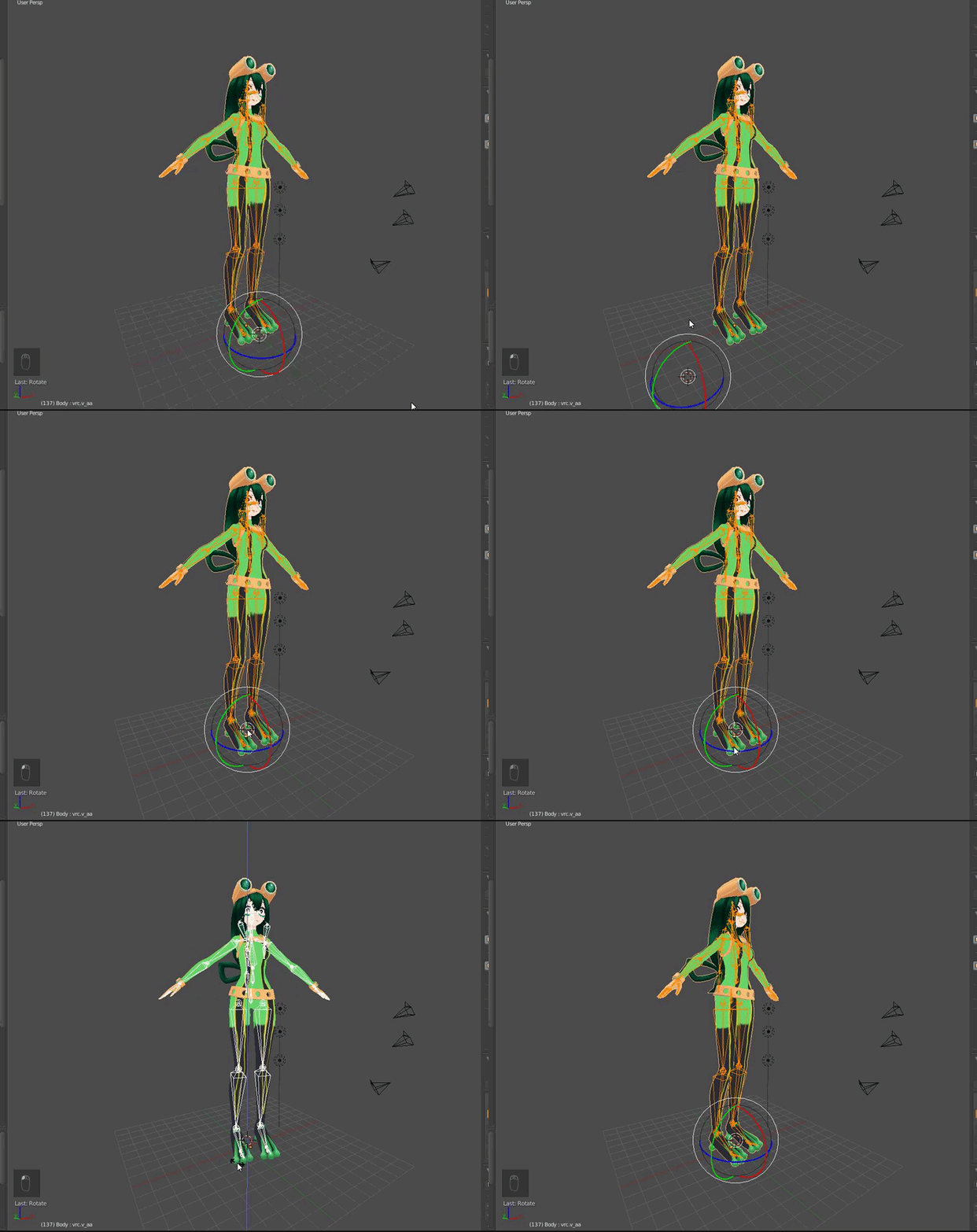 jovial kite
but how XD
 hexed frigate
wait how to apply dynamic bones to model bobs or vagene :v
i mean model bones. and clothes
boobs ofc, thats important one
clever cloak
should i click this?
jovial kite
@clever cloak na
clever cloak
oke
jovial kite
@hexed frigate step 1 is to own the dynamic bones script, then watch a youtube guide on it. Also it will be easier if you make duplicate bones of the parent of the item you are going to animate, then make that duplicate the parent to the children bones of the item you want to animate, say a skirt
fleet echo
or just do this https://images-ext-1.discordapp.net/external/N0cK2n98r-meX52GpefcWw0gjS9jfd7QSkiemhgH7nI/https/i.gyazo.com/88b1a0a596172f51787680d6c01f46b7.gif

select each root skirt or hair
jovial kite
@fleet echo that's easier! :D. So if you are doing the skirt, you could select the hip, then select the hips children, deselect the hip, then create a parent for it that way.
clever cloak
fuck dynamic bones is paid
hexed frigate
i just bought that thing today just for this complicated games, but is fun if you understand later.
i'm using mmd models, so when i'm in final editing on unity, it showed some japanese language in all bones, so it will be hard to me to edit the bone.
jovial kite
why is it that when you import an fbx file back into blender, the bones of the model get all messed up?
quasi sorrel
I have a question...so if i have to uncheck apply modifier to get shape keys for visemes won't i lose the decimation?
hexed frigate
what the solution ?
 potent quarry
I could use some assistance with my first avatar, if anyone could help me 😦
@hexed frigate How does your bone layout look?
clever cloak
is it needed to add toes to the avatar?
she has this kind of geta so i think it would look better but idk
potent quarry
mind showing me the hierarchy, @hexed frigate ?
hexed frigate
@potent quarry you mean the main armature ?
jovial kite
@hexed frigate show him/her a screenshot of the armature and everything expanded
he's trying to make sure your hierarchy is set up good for export to unity
that's just a pic of the skeleton. send pic of the armature on the right side of blender, with all bones expanded out so we can read it
potent quarry
Err, I mean the window in the upper right corner
hexed frigate
jovial kite
literally no names on your bones lol.
potent quarry
Oh, you should get the English PMX Editor and translate that
jovial kite
you can use PMX editor and name restructure to English, then import to blender
potent quarry
Or you won't be able to put the bones in the right order
jovial kite
Or you can click on the bones and manually name them all
at least the ones that matter
I would do the latter if you've already decimated a model, will save time
hexed frigate
@potent quarry pardon me. so i must install that pmx editor first ? , @jovial kite hahaha actually i can't rename it, just select, deselect, unhide and bla bla bla xD
jovial kite
double click it and you can rename it
also you can hit the bone icon, rename it there and reset it's parent
potent quarry
You can double click to rename them, yeah
hexed frigate
HAHAAHAHAHA FUCK ME
jovial kite
start by naming the hips
and making it parent to each leg bone, folowing down
then upward and out to the head and arms
hexed frigate
I EVEN DON'T KNOW THE BASIC SHIT. WHAT THE FUCK.
my bad, i will fix it. thank you for your advice guys.
jovial kite
Lol watch this video https://www.youtube.com/watch?v=LrCCl_F9XNs&t=325s&list=WL&index=59
Here's a video on extremely common issues I see with bones and rigging setups, and ways to solve them. I cover: - Leaving Upper Chest Blank - Reparenting spi...
potent quarry
I just watched that one an hour ago hahaha
My bones look great now, but it still wont show up in-game
jovial kite
that feel when my rigging hierarchy is perfect but my characters break in vrchat, feelsbadman
potent quarry
rip, i hope mine doesnt break when it finally appears
how did you get yours to actually show up in the avatar menu?
jovial kite
U are doing this in unity, right
potent quarry
yup yup
jovial kite
do you have the vrchat sdk added to unity
potent quarry
sure do
jovial kite
click it
potent quarry
i've uploaded it
jovial kite
hit build control panel
O then it shows up automatically
relog if u were logged in
potent quarry
it hasnt appeared for over like an hour
i think there's some issue with it that makes the game go "nah, this doesn't belong here"
jovial kite
Okay ive been pissed
spending 20+ hours trying to get a working avatar lol
on the bright side i'm getting decent at navigating unity and all that
quasi sorrel
I have a question..if i decimated a model and i wanted to use visemes that was created from the plug in...would i lose the decimation? since i can't use modifier?
jovial kite
I just made an avatar right now in 20 minutes, from import to bone hierarchy, no physics but just testing to see if it works, brb
potent quarry
i'm only on my tenth hour so far lel
jovial kite
i fuckled up like 7 saves
after decimations
literally hours wasted of decimating well
jovial kite
It's only got 10k faces though, without decimation
XD so i just created a proper hierarchy
potent quarry
i'll try doing mine from scratch again, got nothing to lose
potent quarry
it's an MMD thingy with a sorta broken skeleton
jovial kite
yessssss
hexed frigate
@potent quarry here my ss
hexed frigate
jovial kite
@hexed frigate rename upper body to Spine
and lower body to Hips
Make hips the parent of spine
waist upper 2 is your chest
make sure the chest's parent is spine
the neck's parent is chest
the head's parent is neck
the left and right shoulders' parents are chest
then the upper arms right and left are parents to the shoulders right and left, etc
all the way down to hands
make sure under the hands the hierarchy of the fingers is correct, it usually is with mmd models and you don't have to worry about it
make sure your upper left and right legs are children of the hips
and follow those bones out the same fashion as the arms
just remember your hierarchy starts from the hips
hexed frigate
wait, how to make parents leg be a child from a hips ?
jovial kite
click the bone tool on the right interfact
highlight a bone
u can rewrite the bone's name, and it's parent there
once u get it you can write the entire skeleton in a few minutes
even if it isn't translated
 solar bridge
did you need a set version of blender to use cats? Thought i would give it a try but it nukes anything i use it on and strips all bone weights
crisp tendon
No, latest one will work
You know you've done too much when blender tutorials start overtaking your youtube suggestion feed
hexed frigate
@jovial kite Hips is under Spine ?
crisp tendon
@hexed frigate yes
jovial kite
@hexed frigate hips should be the parent of spine
crisp tendon
above in the hierarchy, under in the body
potent quarry
wait @jovial kite , are you using 5.6.3p1 when you upload?
potent quarry
oh, i was using 5.6.4f1
crisp tendon
Try to use CATS plugin in blender to fix it
potent quarry
maybe that's why
crisp tendon
most likely it will
hexed frigate
hexed frigate
Done
crisp tendon
You're making it harder than it is
get the cats plugin
it'll fix everything parenting wise
crisp tendon
WHy do you want to delete your root bone
jovial kite
can u link it @crisp tendon i actually need it as well, though i haven't needed it for spine i will need it for eye and mouth tracking, right?
hexed frigate
@crisp tendon i'm using basic skill edit. are this necesarry ?
crisp tendon

VRCat: Community-Run VRChat Forums
Cats Blender Plugin (0.3.0)
A tool designed to shorten steps needed to import and optimize MMD models into VRChat
[IMG]
Features
Optimizing armature...
hexed frigate
for using cat addons ?
clever cloak
i was watching that common bone and rigging issues
crisp tendon
Cats addon is just clicking on buttons and doing what it asks you to do

Today we'll be going over Cat's Blender Plugin, an amazing Blender script that will save you TONS of time with your armature, visemes, eye tracking, and text...
@clever cloak Is the bone parented or child of anything ? Does it have any weight paint ? Vertex groups ? Were you edit mode ?
clever cloak
its this one
potent quarry
do vertex groups cause issues?
crisp tendon
Yeah so you should probably use the cats plugin as well terra
clever cloak
yep im watching the video
crisp tendon
They can probably fuck up the weight paint associated with them
jovial kite
tupper is a god man
amber ocean
Hey guys i need some helpw ith the Unity app. When i export my FBX file from blender i'm missing the tab the lets me rig the model can anyone help
crisp tendon
Screenshot pls
 crisp tendon
i meant the whole screen 😄
jovial kite
create a folder
name it textures and add the textures for your character, then drag the fbx file of your character into unity
click it, set it up as humanoid skeleton and configure it to be sure, then drag your model into the scene window, click your avatar to highlight it and from there add the VRchat descriptors/etc
the correct tab appears as u highlight each object
amber ocean
The tab the lets me slecet humanoid isnt there that the issue im having
jovial kite
click on your character model file u dragged in
it should pop up
if it still doesn't, click window, layouts, revert factory settings
if u removed the tab
im not sure if that will erase ur plugins tho, your move your risk
nevermind, you can hit the list symbol and click "add tab", add "Inspector"
crisp tendon
If it's a new project it should be automatic though
jovial kite
😉
amber ocean
Now i hope all goes well this model have been a 30+ hr pain in ym bum
crisp tendon
Which version of unity are you using btw @amber ocean
amber ocean
5.6.3.p1
jovial kite
what took so long? major decimation? or did you do all the works blinking eye tracking bone etc
amber ocean
Rowyn I had to build the model from the ground since i should find any bases
clever cloak
why is cats plugin so magic
jovial kite
because some god at python who loves vrchat and the community, decided to code it
potent quarry
importing SDK and then uploading, fingers crossed
clever cloak
good luck
jovial kite
good luck friendo
clever cloak
actually i think i would kill someone's cpu if i used dynamic bones on this so lets not
jovial kite
how many faces is it
jovial kite
highlight it all and hit tab?
jovial kite
o ur super lucky then
clever cloak
i dont have it
jovial kite
show us your avatar ;D
potent quarry
oh wait his hat isnt moving with his head
uuh need to fix that first
its a separate bone, do i connect it to the head bone, or just delete the bone in blender?
clever cloak
lmao
 grave geyser
lol
jovial kite
gg hope u make savestates
potent quarry
obsessively
hexed frigate
@jovial kite what this is mean ..
 uncut moat
@hexed frigate That's not a super important problem :p
Won't affect too much in the game :e
clever cloak
is this looking okay? asking because there are those bones on there going to the sleve
uncut moat
Yeah those are for dynamics bones
uncut moat
I mean you could delete them with the cat plugins so the sleeve will be controlled by your arm. But after that you willnot be able to make dynamic bones on it
uncut moat
I've bought them when they were on promotion :e
clever cloak
i think its 14 now
 formal galleon
just a quick question , can the avatar rigging be done in Maya...because for some reason Blender doesn't like the fbx file and completly destroys the mesh
uncut moat
O_O
formal galleon
I think it's still alive somewhere inside
but in maya it opens perfectly fine ...it's supposed to be a character, not a blob
that's from maya ...atm I am trying to get the eye tracking in order, but everything I find is for blender
clever cloak
if i already did visemes with blender i need to enable it on the sdk script right?
i mean on here
formal galleon
I think so
with what other file types can I export bones ...because it doesn't with that fbx file
hexed frigate
What is collider ?
are its important or not ?
dynamic bones collider <- for what ?
 vital meadow
to grab boobs
clever cloak
^
vital meadow
basically, they're spheres that colide with the chain of dynamic bones. like if you want your hair colide with your hands or back
or skirts that colide with your legs
clever cloak
there is a video that explains it well
hexed frigate
i see. >:D kay.
clever cloak

When I play VRChat I keep my VR experience 100% family friendly. 👍 If you enjoyed this video hit that "like" button and Subscribe! - https://goo.gl/ezG2U4 FO...
there
i've set the timestamp
grave geyser
Colliders aren't just for interaction
It can be used for preventing certain bone physics to go through your body
You wouldn't want your own hair stabbing you now wouldn't you?
hexed frigate
so i can't collide my shirt ?
grave geyser
You can put colliders on almost everything tbh
Its a capsule that's basically adding hitboxes to your characters for physics
clever cloak
xD
hexed frigate
thankyou so much @grave geyser 👌 😄
clever cloak
i optimized it tho so
grave geyser
Np Zkl
Also its fine Terra lol
Most of us can't even get models down to 10k
Its just impossible without fully modifying the model to be low poly
clever cloak
welp gonna build and publish and see what happens
fading verge
how do I get rid of the uppercheast bone in Unity?
grave geyser
Check the rigging configuration
fading verge
fucking thanks 🅱
grave geyser
👍
clever cloak
ayyy
grave geyser
Ayy, tall awoo
grave geyser
Tfw I make small characters
potent quarry
i finally did it, except it's Klonoa from the Wii version
hexed frigate
how do you move avatar camera movement in unity ?
when i click play button on the top of it. it just stuck in the middle.
crisp tendon
not really the correct channel but if you click on it on the left side window before you press play, you can move it
hexed frigate
@jovial kite wait. how to make your boobs jiggling ?
clever cloak
yay i got dynamic bones
 mystic iron
its time to lag everyone out
clever cloak
nah im gonna be respectfull and going to not put a lot of dynamic bones
mostly because my pc is the one that can get burned
 remote rivet
Speaking of dynamic bones: Would 10 bone chains with links of 5 (so 50) be too many bones or should i reduce the amount more?
I'm thinking it's too much but idk man
Actually: how many dynamic bones is too much for vrchat?
in general
remote rivet
i'm not sure how to test that ahaha
remote rivet
aight i'll get it down to links of 4 or 3
pale hull
Personally anything above 20-30 bones being renderer dynamic is a paddlin'
remote rivet
i'll try and aim for that limit then 👌
 silver nimbus
I used dynamic bones on the skirt, but it still doesn move
pale hull
I aim to have max 10
remote rivet
ty for the help
 safe bluff
@silver nimbus did you drag the skirt root as the root bone
silver nimbus
yeah
followed tupper
skirt still doesnt move
increased elasticity to 1 and still see nothing
still nothing
how do i check
nothing
noep
but when i rigged
there was skirt bone
safe bluff
^
silver nimbus
oh yeah
i forgot that step
back to fbx...
back to blender is it?
ahh i see
thank you so much
im trying to memorize the steps so didnt really follow vid
weird, i fixed it this time
but still nothing
@inland night
but theres mutiple skirt
but if i put in the hip, would both legs and skirt move?
its not even moving though
not sure
cant move it
yeah, im pressing the x-axis
scene
i am
 rapid drum
Hey yall, sorry to interrupt. Do you know how to fix the issue of spine transform 'Spine' has bone length zero?
Ahh I'll try to upload it and see if it works. Thank you
silver nimbus
where do u lock
u mean the right hand corner lock? cause if it is then its unlocked
oh ok
got it
lol
guess my unity is broken or sth, i moved it once, but then couldnt move it again
question about adding weapons to the avatar, are there requirements adding weapon like below 20k tris and also do i just directly add it to unity and continue on or do i have to do sth in blender and then bring it to unity
crisp tendon
the whole thing has to be under 20
uncut moat
@silver nimbus A bit late, but there is a tools on the cats plugin to make parentbone, and it see multiple bones with same name 😃
silver nimbus
thanks
 quick turret
guys, my avatar looks like some sort of monkey when i get in game with it. from what i see it's the arm torsion not moving. how does one fix this?
crisp tendon
any screenshot ?
 woven dust
is anyone able to add lip sync to my avatar
crisp tendon
Are you getting errors ?
 crisp tendon
Here's a video on extremely common issues I see with bones and rigging setups, and ways to solve them. I cover: - Leaving Upper Chest Blank - Reparenting sp...
fading verge
Cybax you may just need to move the arms in the unity hierarchy thing. I used to have that issue until I figured that out
 crystal vector
@Cybax#8036 It's not really an issue, you can just ignore the first warning. For the second warning you can use cats
 kindred bay
getting an issue with my spine here, it says "Spine Transform 'spine lower' has bone lenght of zero"
 wary fossil
Hey guys, I downloaded a .blend that came rigged, but when I save it as an FBX and import it into Unity, it separates. Any idea what causes this? https://i.imgur.com/SGNJf6l.png
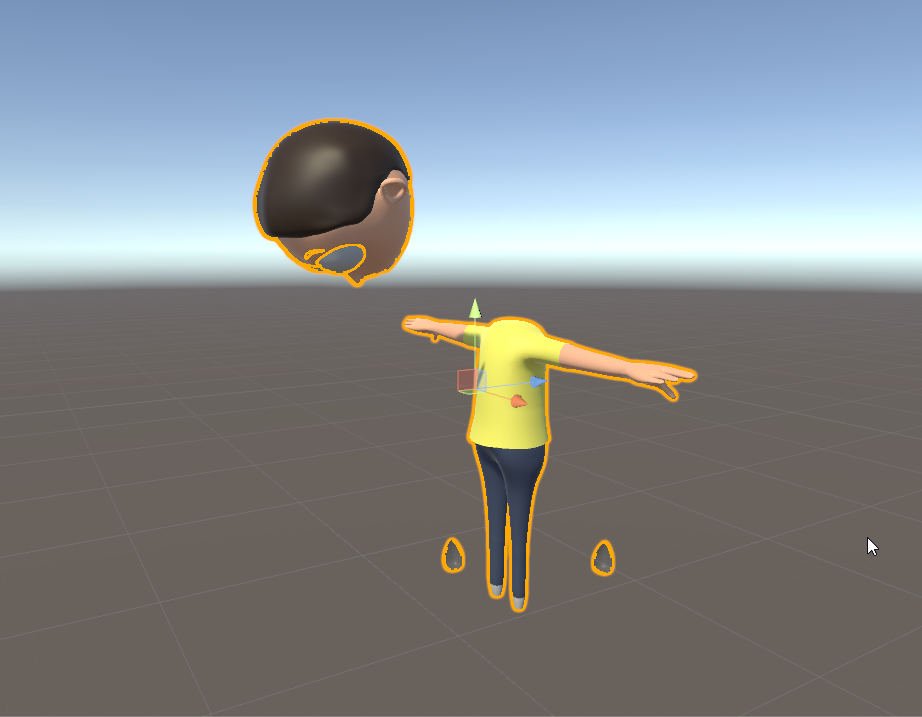
Also the texture for the eyes isnt showing up
 acoustic elk
I THINK for the texture, it could be the type of shader being used as ive ran into that issue a lot with models i download from Deviantart. So what I had to do was go into the stuff for that "material" and just go through all the different shaders till i found the best one
 native raven
anyone know how to connect bones?
 mellow hawk
is there a way to use a model’s bones for another model?
🤔
not sure if right channel
safe bluff
I've heard there is but its complicated
I think the instructions would be in the original #avatars-2-general channel, try searching for it
 novel cloud
Not sure were to ask this in this discord. I am tring to Decemate the Advitor I have imported to Blender but can not apply it becuase of the Shape key. Is there a way to get around this with out removing them?
clever cloak
isnt there a way to rename them cuz its kinda messy
jovial kite
@clever cloak looks like you got dynamic bones overnight
clever cloak
its because i had to leave
i finished it but unity is retarded and is stuck in uploading
tried to cancel it but there it is
 sick relic
If my avatar is doing that odd slouch do I just need to rotate the hips backwards?
fleet echo
@clever cloak you should parent the skirt and hair bone
clever cloak
I didnt add dynamic to the skirt cuz 700 bones doesnt sound cpu friendly
vestal dirge
@mellow hawk You can transfer the bones from one model to another, but you'll have to redo all the skin weighting. You will probably also have to re-position/scale the bones, if its a very different model.
fleet echo
@clever cloak cat plugin update have feature reduce the bones
and mix weight them right
you can manual do this with mix weight tool all ready
clever cloak
Oh thats nice
oblique heron
@novel cloud Don't think there is. What are you using the shape keys for?
jovial kite
what should I do if I have too many faces
have decimated nearly everything i can
but the hair is causing it, but i can't decimate the hair b/c too many lines mess it up
oblique heron
You can try seeing if there are any parts under clothes or such that people won't be able to see in vrchat and delete them.
jovial kite
ive deleted all the skin i could under clothes
and reduced the faces of all clothes, etc
 feral thorn

anyone know how I should go about getting the bones to fit in the right places here?
novel cloud
@oblique heron I figure it out. It was a Premade Advitare that I pulled that had the shape keys in it. I just removed them so I can apply the change.
jovial kite
fml i can't get this character under 28k
 glossy birch
jovial kite
glossy birch
jovial kite
anyone know how i could separate the blink keyframe into 2 for left and right? there are no left/right keys with this mmd model, unfortunately
safe bluff
just use one for the blink
and create another one for right blink with at least 0.001 weight from a shapekey that already exists
jovial kite
I dont know how to just use one though, that's the issue
Trying to export from Unity, I get this message when I hit Build & Publish "ArgumentException: GUILayout: Mismatched LayoutGroup.Repaint"
I don't know python much at all so
Ok I read the script and solved the problem, don't have a shader file in your project and have multiple characters up, it conflicted.
 misty hound
Anyone willing to walk me through reorganizing my bone structure in unity so all of my arms aren't based off my upperchest
lucid orbit
Your UpperChest might actually be your Chest bone.
misty hound
I have 3 spine bones that make up my chest
the problem is the one that both my sholders and arms are children of is the "upperchest" one (spine 3) please someone help me change the parent of the arms
lucid orbit
Then... set Spine 3 as your Chest?
misty hound
then vr chat won't let me publish because I have a spine 3 as upper... Oh I get what youre saying
 naive wharf
anyone know how i can make my wings non tposed? https://gyazo.com/22c23348c411264d4464318d2270e909

 last gyro
What do i do in the the rig settings of unity if my character is an animal? do i choose generic or humanoid and if i choose generic what avatar definition and root node do i choose?
 prime dome
how do i fix these feet
 round abyss
grand sand
round abyss
grand sand
Lost at rigging
I've watched tutorial after tutorial but I'm hitting a wall
Mostly on bone weighting
It doesn't help that my model doesn't have feet, or hands
lucid orbit
You'll put this happy little weight 1 on this vertex.
crystal vector
We'll paint that vertex titanium white with gentle movement
 woeful kelp
Spooky
lucid orbit
@grand sand Hmm... I'm guessing fake legs, fake Spine, fake forearms fake hands, fake neck, and fake head. And when I say fake, I mean bones with no mesh assigned to them. Well, if you want to wiggle your arm nubs and maybe some visemes for gesture overrides for changing the face...
grand sand
Yeah that's the general idea
prime dome
anyone have any idea how to fix this issue? it only causes mild distortion in the wrists but its a little annoying
ive checked the bone structure and everything seems in order
crisp tendon
Hierarchy is incorrect
prime dome
crisp tendon
Is it also correct in unity ?
crystal vector
Put the wrist at the top: https://i.imgur.com/SskZVGy.gifv
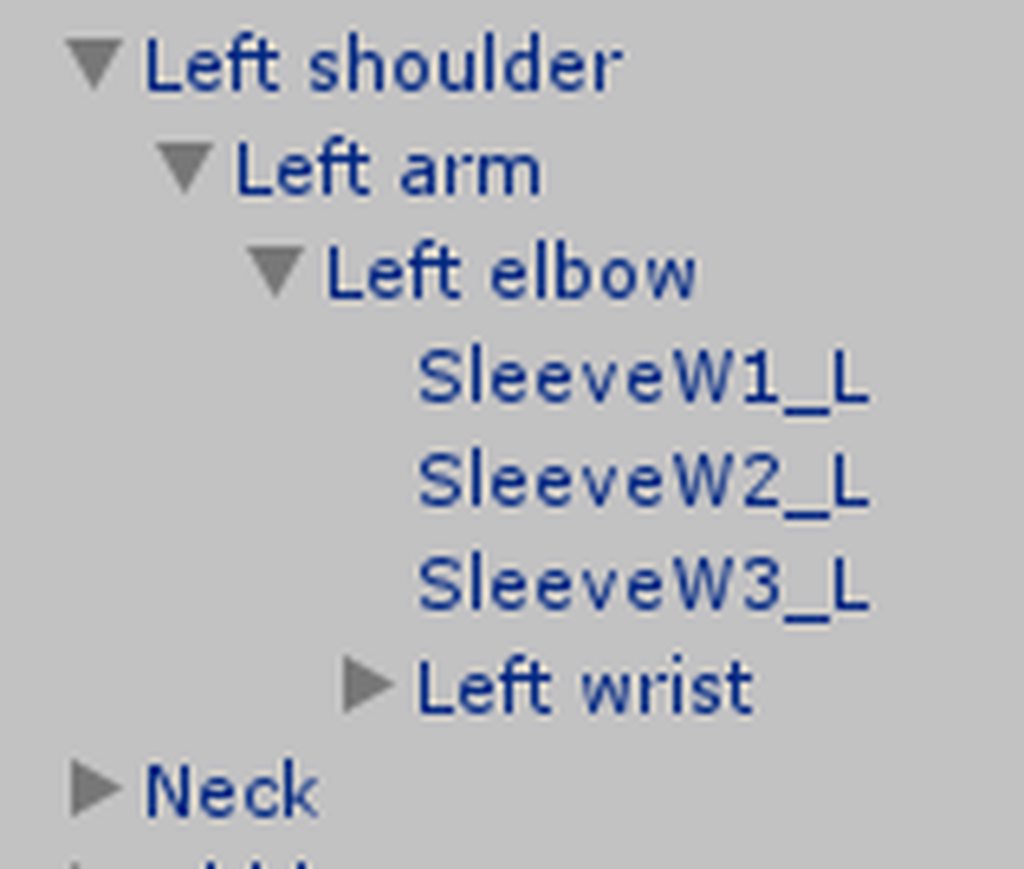

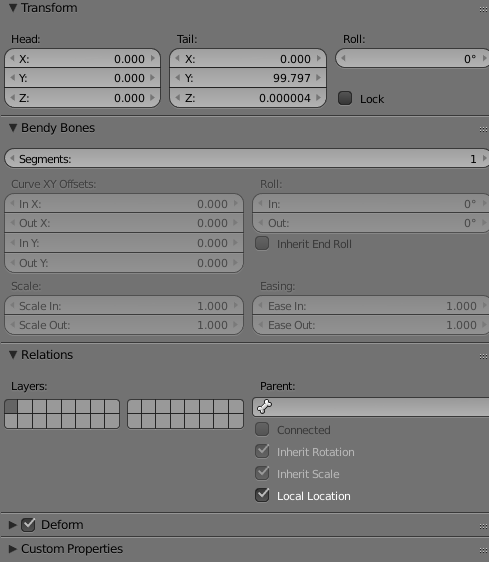


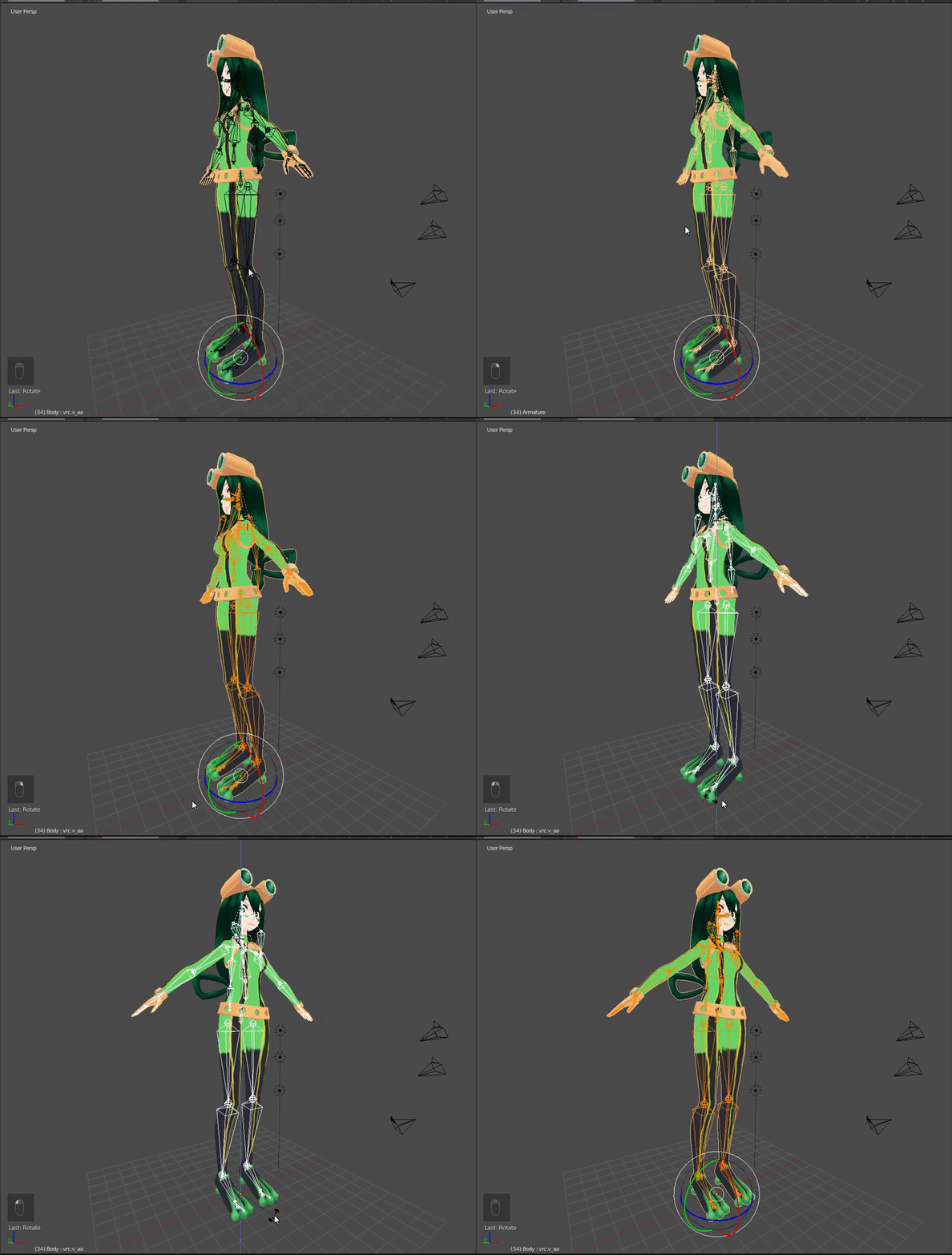
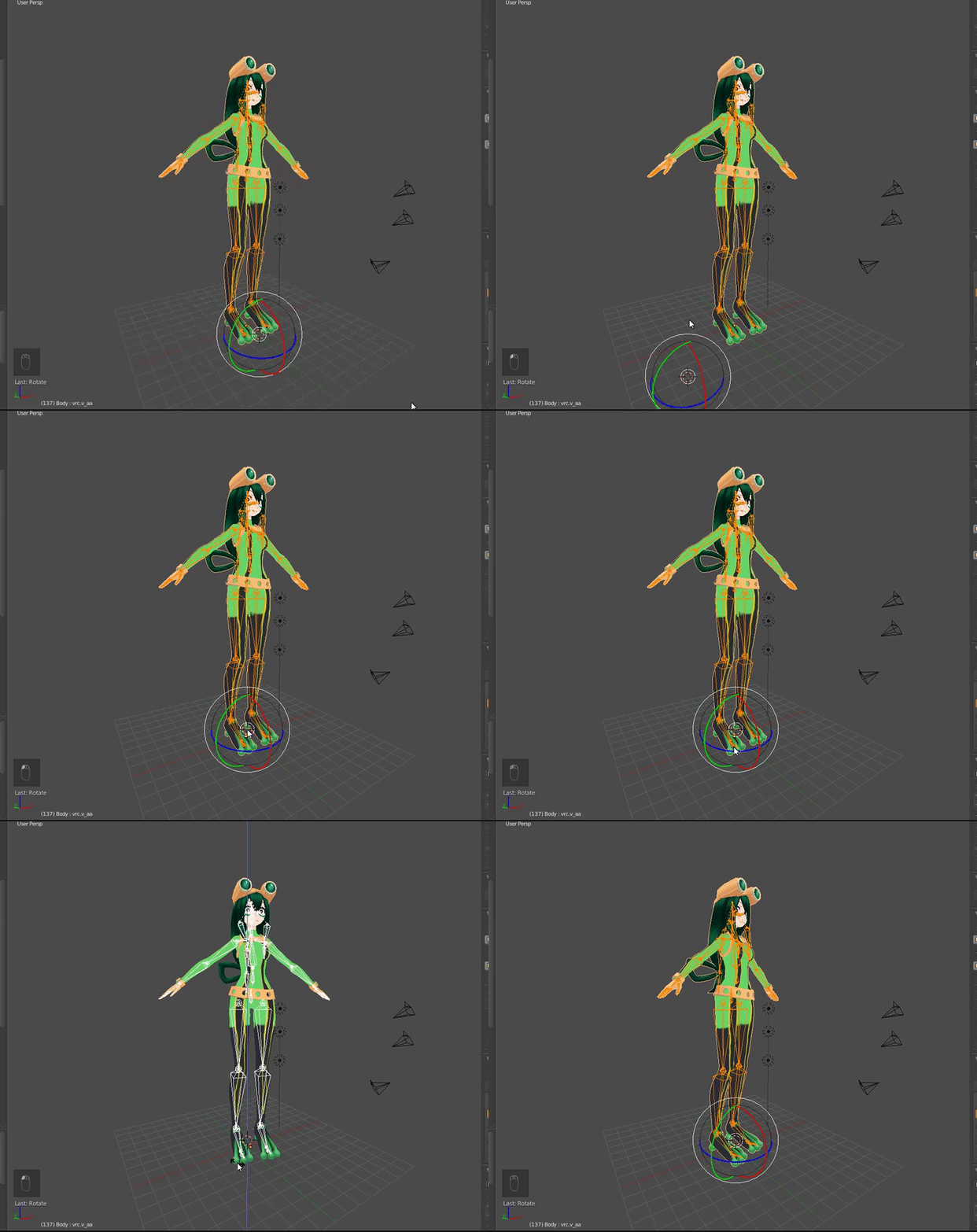
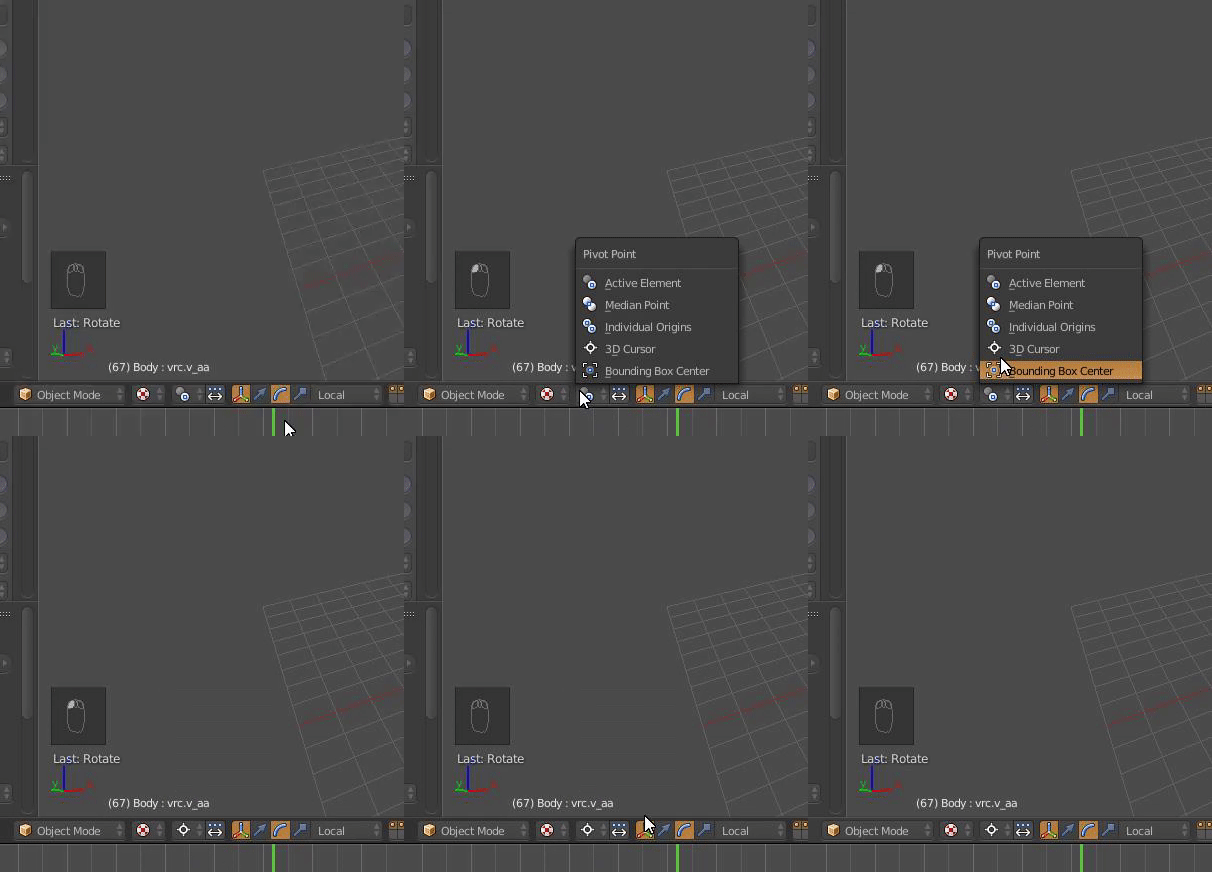


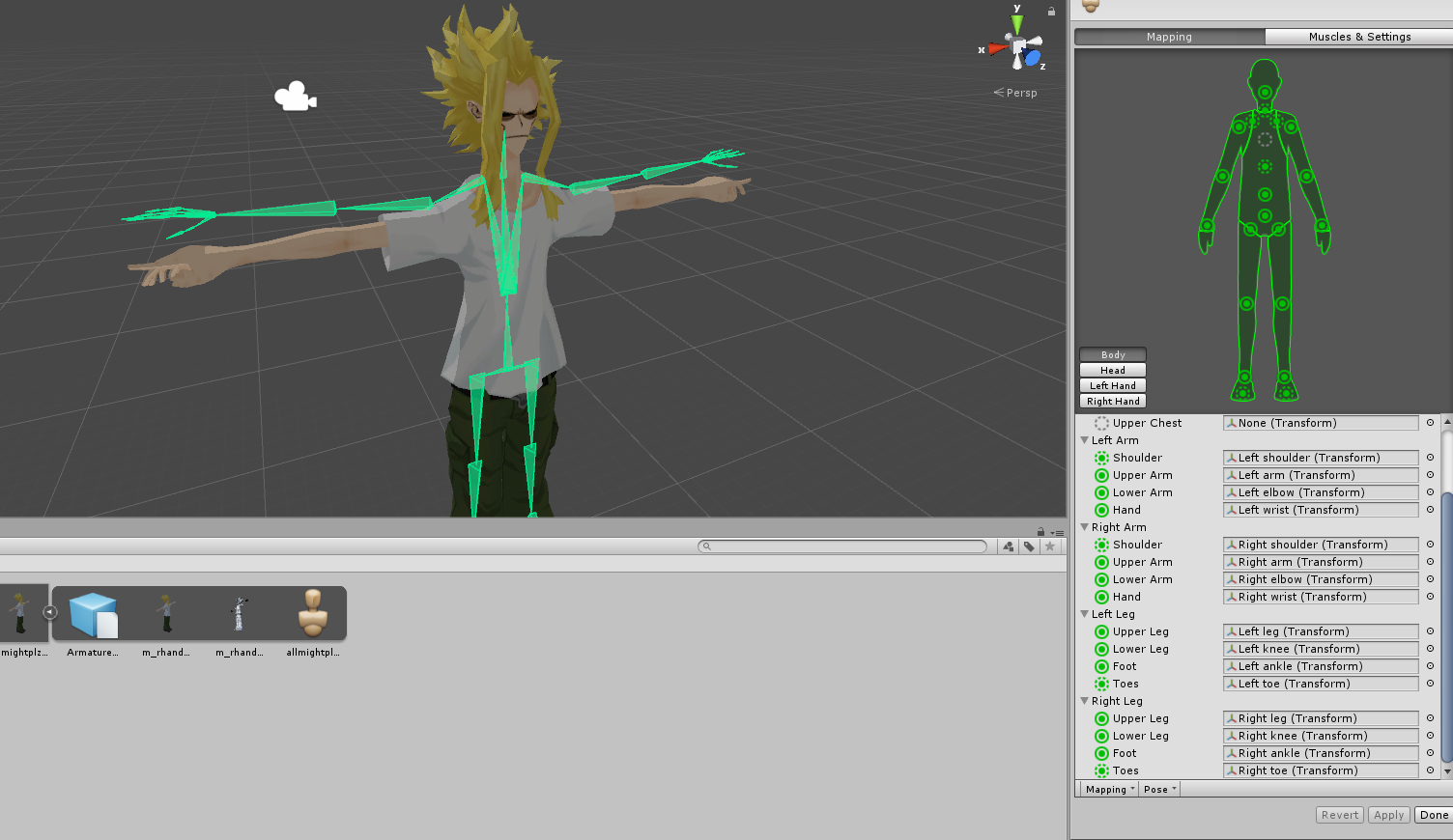 crisp tendon
Sleeve is the first child
 sterile yoke
was about to build and publish my avatar
was stopped by this
"spine hierarchy missing elements, make sure that pelvis, spine, chest, neck, and shoulders are mapped"
any ideas?
fading verge
could someone help me to add shape keys for a model so the mouth moves? the model has bones for mouth movement already
sly wagon
make sure the bones are parented like this, Hip>Spine>Chest
Legs in same group with spine
grand sand
Anyway to stop this from happening? Trying to get a cute lookup
sly wagon
@sterile yoke Like this kinda, varies if it has more moving parts
fading verge
are you able to make shape keys by moving bones aswell?
fading verge
The fact that unity requires the spine to be a child of the hips is the stupidest thing in the world.
could someone that knows how to do face rigging please help me :c
crisp tendon
@fading verge It's the IK system that wants it.
@fading verge What do you want to make ?
fading verge
I know, but it is still obnoxious. I fail to see why its so cirtical
i try to get "ah" "your" "there" shape keys for a character model but if i want to move the lips in editor mode the entire lower jaw moves
crisp tendon
It's an order of things, Hips is usually Root, and it goes from root to everything else
 desert yoke
anyone know what im doing wrong when ever i try to publish it it gives me something like Spine hierarchy incorrect
crisp tendon
so it's a normal parent-child setting
fading verge
IMO game logic makes more sense when there is an independent root bone, but that's just me.
crisp tendon
What's the specific error @desert yoke
fading verge
I have found very few models that have the spine as a hip-root
desert yoke
ill show sorry
crisp tendon
Yeah i have an independant root bone, and use the Hips as "root" because otherwise the SDK freaks out
desert yoke
crisp tendon
That'll be in the hierarchy window on the left @desert yoke
crisp tendon
no worries, if you have a screenshot i'll show you what to do
fading verge
wait i think you can actually fix that problem with Cats plugin on blender @desert yoke
crisp tendon
no need
desert yoke
crisp tendon
it's literally two clicks in unity
desert yoke
@fading verge cats plugin?
fading verge
yeah it can fix models
crisp tendon
Ok, you'll want to move both soulders under Chest and not Neck @desert yoke
desert yoke
nvm
crisp tendon
then add VRChat_Avatar Descriptor
crisp tendon
no worries, can't say that never happened to me :p
fading verge
Maya has the ability to recognize when two objects with the same bones are part of the same armature and will combine them. Ex, if a body has a left_foot and a shoe has a left_foot, it combines them to be a single left_foot. Is there a way to make blender do this?
desert yoke
i think its dissolve ;-;
i know nothing
tbh i dont even know how to revert changes on blender
fading verge
cntrl+z?
desert yoke
wish i knew that stuff lol
fading verge
Blender is funky because so much is hotkeys. Their whole UI is just awful.
i'm doing something wrong here... but i have no idea why? if i look at a tutorial its all diffrent from what i have... he has like a circle around the grabbed point and can change the size of it, i dont know how to activate that or turn it on
crisp tendon
that's vertices mode
Click on edit mode, then your mesh
the the vertex icon next to your mesh in the properties
fading verge
i'm new to blender i'm sorry this is my first model where i try to add shape keys but do you mean here?
crisp tendon
I wasn't aware you wanted to create shape keys, that's one of the eare i'm not knowledgable in, might wann ask in #avatars-2-general
 ebon shore
@fading verge what is it you're trying to do? Are you creating your own orignial model or are you using someone elses prebuild model?
fading verge
ehm its a prebuild model