#avatar-rigging
1 messages · Page 16 of 1
 eager geyser
 rare moon
probably not an armature issue, try moving your viewpoint up
it's likely just the proportions of your avatar's head
that your avatar's eyes sit lower on your head than your irl eyes do
 north crypt
Any ideas to what might cause the arms to bunch up so much? I thought it was a proportion problem, but when I go to tweak the bone scales/assignments, it still has the same issue. Note: I originally didn't export the FBX in T-pose, since you can enforce it in VRC


 river ingot
north crypt
Any ideas to what might cause the arms to bunch up so much? I thought it was a p...
river ingot
north crypt
Any ideas to what might cause the arms to bunch up so much? I thought it was a p...
are those physbones at the hand/sleeve? It could be a physbone issue for gravity/pull etc etc..
north crypt
yee, I have some gravity set on separate physbones at the end of the hand. I'll see if removing it fixes anything
Nah wasn't it. I'll try playing with the muscle and settings limits
Yuhhh still lost, I'll come back to it later. Any tips or pointers would be appreciated :]
 visual arch
The only thing I could suggest Is maybe the arm bone is somewhat pushed forward, causing it to snap backwards like that?
Besides that I have no idea
river ingot
north crypt
yee, I have some gravity set on separate physbones at the end of the hand. I'll ...
might take quite a bit of tinkering with the settings on physbones. I finally figured out the chains on mine after several tries. Had to properly weight paint the bones, program the physbones in different ways etc. Theres also like a "pivot" adjustment, and the shape that the bones pivot option that helped too.
north crypt
 it's not due to physbones, it's something armature wise that's causing issues
north crypt
visual arch
The only thing I could suggest Is maybe the arm bone is somewhat pushed forward,...
I'll give it a shot :]
 quiet stratus
Auto-Rig Pro FREE today only
https://blendermarket.com/products/auto-rig-pro
 river ingot
north crypt
<a:hecc:1012488676695081071> it's not due to physbones, it's something armature ...
river ingot
north crypt
<a:hecc:1012488676695081071> it's not due to physbones, it's something armature ...
Have you checked all the connecting bones, maybe a front end is connected to another front end.
north crypt
river ingot
Have you checked all the connecting bones, maybe a front end is connected to ano...
That's a good point hmm
I'll look into it too
 fallow ember
So Unity is telling me that my avatar isn't imported as a humanoid rig right now. That doesn't make sense since it's rig is set as humanoid, I assigned all the bones in the correct spots, and I enforced it into T pose. I've tried changing the animation type, then changing it back to humanoid and it still hasn't fixed itself. I didn't have this issue before with this avatar, but something with this update I'm making has made Unity hate the rig. Anyone know how to fix this?
 balmy delta
drag in a new copy of the fbx into the scene
rare moon
and use pumpkins avatar tools to copy everything over
river ingot
Or just start a new one
 sonic badger
I need help with rigging...
The hands are messed up, the face is stuck in a funny pose, the eyes are not even there, and the hand have four fingers???


 pale pumice
re: eyes, sometimes you have to drag the right bones into the slots, like if they're named weird things. Also eye bones are optional anyway.
sonic badger
There are no eye bones.
pale pumice
oh then of course the slots are empty
sonic badger
Would / can I make new bones in Unity itself or do I have to make a new set of bones in something like Blender?
pale pumice
can't do it in Unity
Blender will do. But eye bones are still optional.
ah though your avatar looks kinda human, you probably do want them
sonic badger
I'd like eye bones
Don't want Dr.Kell to just look zoinked 24/7
...Would be funny though!
river ingot
cats plugin creates eye bones, or it used to. Usually you need 2 bones for each eye
 trim vortex
why do my avatars legs tilt back like this sometimes
 river ingot

 tribal fog
sorry if this is irrelvant, but what is a good addon for rigging bones to hair?
 tacit rune
i need help with my rig ( i have it set to humanoid and everything is fine but the vrchat SDK doesnt detect it as a humanoid)


 brazen island
@tacit rune rename head mesh/bone to smth else, 2022 dont like them having samw name
tacit rune
Oh okay thank you so much
river ingot
vrctrader channel has people who do that
rare moon
Vrctraders is a discord server, not a channel https://discord.com/channels/189511567539306508/1204506421631393913
This is just a link to a message in #1204490664637890580 that has the server invite
 wanton wedge
hi! is anyone familiar with maya rigging?
i have gotten a rigged model from an artist and i want to try my hand on it. however
i get this error thrown at me

now i assume this is because of the multiple spines that vrc has problems with, since shoulders and neck are children of the chest

is there any way to go on about this or do i need to rerig the whole thing ?
pale pumice
looks like you have a lot of spine parts there, you could probably combine those
I couldn't tell you how to do that in Maya, I haven't used it in 20 years 🙂
wanton wedge
sounds good i will have to look into that
pale pumice
yeah it shouldn't be too bad, I doubt you'd need to do a full re-rig
Blender lets you merge bones, I'm sure Maya would too
wanton wedge
i hope so finding maya ressources is quite hard and i cant think of another solution from the top of my head :D
pale pumice
if not you could always just say "ok chest is now a child of spine_02" but you'd need to deal with weight paint if you go there
Or...... export it as an FBX and import into Blender 🙂
wanton wedge
i will keep that as plan c
 subtle gate
What is the best method of rigging to make my wrists twist nicely?


 pallid surge
Can someone help me put a chest hierarchy into a model for me?
I think it might need extra rigging but I'm not sure. It's all unity stuff I'm having trouble with.
 pearl lily
subtle gate
What is the best method of rigging to make my wrists twist nicely?
pearl lily
subtle gate
What is the best method of rigging to make my wrists twist nicely?
If you are a PC VR user (not quest) Twist bones might do the trick. If you have your hands facing palms down as the default in the creation then try to weight paint until it looks right.

 final pivot
This is set-up correctly right? (I haven't made an avatar in a long time so I'm not sure how to name them)
 rare moon
final pivot
This is set-up correctly right? (I haven't made an avatar in a long time so I'm ...
rare moon
final pivot
This is set-up correctly right? (I haven't made an avatar in a long time so I'm ...
almost, you are missing shoulder bones
the names also don't matter
just make sure you don't have any meshes that have the same name as any of the bones/humanoid tranform names
like a common issue people have is naming their head mesh "head" and it prevents the avatar's rig from working in unity
final pivot
rare moon
like a common issue people have is naming their head mesh "head" and it prevents...
I'm gonna combine the whole thing down to 1 mesh after rigging, that way it complies with the 2 SMR limits
final pivot
rare moon
almost, you are missing shoulder bones
Also I've never had issues in the past without shoulder bones, but I can add them rq
I left them out mainly because the shoulders on the avi aren't meant to deform
rare moon
final pivot
I left them out mainly because the shoulders on the avi aren't meant to deform
that's okay, you don't need to weight paint them
and you can make them really short
rare moon
final pivot
Might I ask what the shoulder bones are used for?
moving the shoulders?
final pivot
Beside that I mean
rare moon
they are non-optional humanoid bones
final pivot
Ah
rare moon
it's just the way it's set up
if you don't have it set up the same way, it won't recognize your avatar as being humanoid
so then it won't play animations like walking, jumping, crouching, running
or any emotes/dances
so your avatar will just permanently T-Pose
pale pumice
Can you show us what it looks like now?
river ingot
looks like your missing the eyes too
rare moon
 civic elm
How would one fix this?
civic elm
How would one fix this?
delete unnecessary weights in blender
vrchat models can only have a max of 4 bones weighted to them
civic elm
what do you mean delete unnecessary weights?
rare moon
likely you have some at 0 or near 0 that come before your leg weights, so unity discards them
rare moon
civic elm
what do you mean delete unnecessary weights?
remove the vertices from unnecessary vertex groups
civic elm
Still confused
In blender I limited it to a max of 3, then it looked weird. So I went in and smoothed it out and now it's still doing it.
rare moon
civic elm
In blender I limited it to a max of 3, then it looked weird. So I went in and sm...
check one of the vertices causing you trouble in the item menu in edit mode
see how many weights it has

 rare moon
civic elm
rare moon
civic elm
delete hips
for the first one
for the 2nd one you'll need to sacrifice one of the bones
you can only have 4 in unity
rare moon
civic elm
or do I legit have to do it vertices by vertices
you can do it by selecting multiple and removing them from a vertex group
balmy delta
You can select the section with issues and then go to the green triangle icon and remove the weights there
 random mortar
you could do limit total and it should default to 4 bones i think
civic elm
Why?
 vernal bane
does anyone know why the tips of my finger bend in vrc and when i try to rig them, they seem fine in blender and in unity beforehand\

 limpid bridge
this is most likely a scammer, be careful
balmy delta
vernal bane
does anyone know why the tips of my finger bend in vrc and when i try to rig the...
you dont need to enforce tpose so you can just rotate them
 cyan veldt
can someone help me with the rigging thing im just trying to set it to the default humanoid rig, is my first time and I can't figure it out
 pale pumice
cyan veldt
pale pumice
cyan veldt
click model file, go in inspector, in rig tab, set it to humanoid, apply. Then click "configure" to review it. This is detailed in most of the basic avatar setup video tutorials.

 pale pumice
you are clicking on a prefab, not an actual model file
by model file I mean like a .fbx file
cyan veldt
how do I get/find fbx file? I only got the single unity package, do i have to 'unzip' it someway?
pale pumice
no idea without seeing the project, I'd assume it's in there, but some creators do really strange things
cyan veldt


 tidal roost
I'm wanting to modify one of my VRChat avatars to have tentacle-like legs, and my plan was to animate them via this method
https://www.youtube.com/watch?v=GVEI36F-bj8
However, it requires that the legs be only 4 bones, and the legs I'm trying to rig have about 8, not inlcuding the toes. Someone in the comments of this video asked about how to solve this kind of issue, and the response was "You would need to simplify the legs to 4, or have invisible legs with 4 bones each and use those are guides for your 7 bone legs. You can then use CCDIK or FABRIK on the 7 bone legs and target the foot of the 4 bone legs that are using VRIK."
If I go with this method, how would I go about setting up the invisible legs mentioned in that reply?
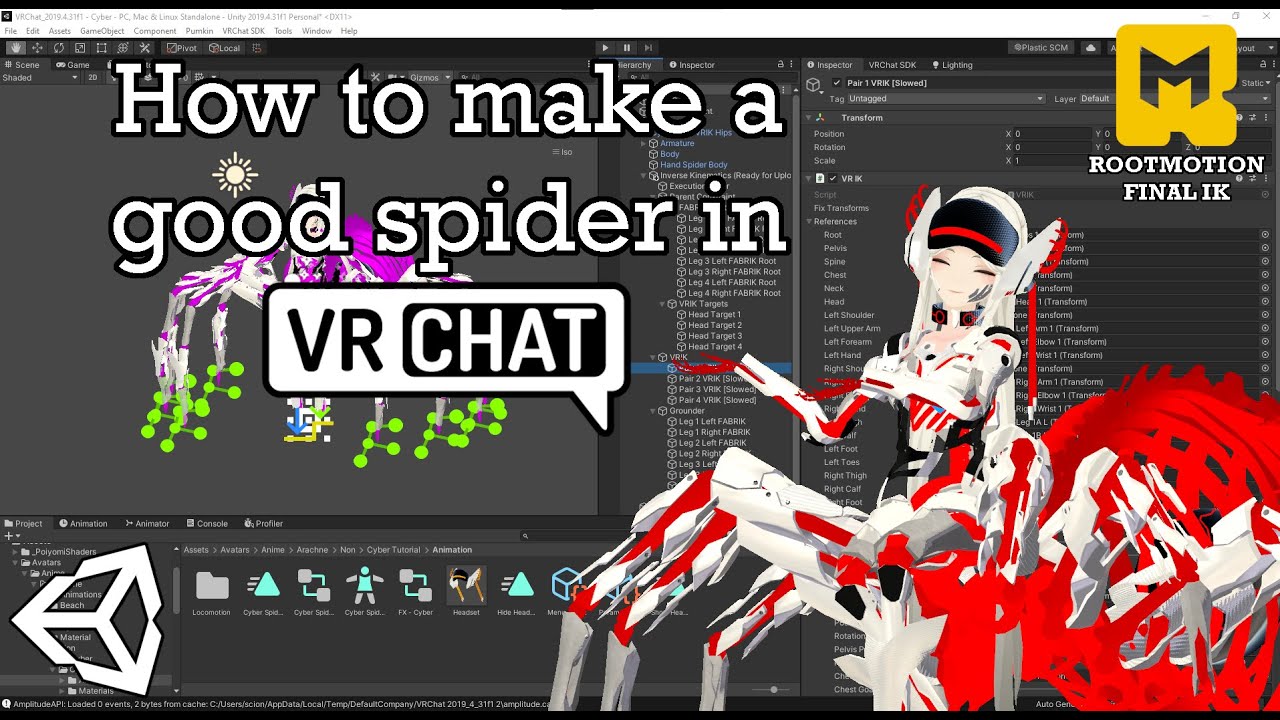
In this video I go over how to create a spider-like avatar in VRChat using Final IK. Most of the Unity work is automatically done via an editor script that is provided further down in the description. If you run into any problems during the process, feel free to join the discord and ask for help!
Time Stamps:
0:00 Introduction
0:47 Blender Star...
Here's a pic of the leg I'm trying to rig
 rare moon
tidal roost
I'm wanting to modify one of my VRChat avatars to have tentacle-like legs, and m...
rare moon
tidal roost
I'm wanting to modify one of my VRChat avatars to have tentacle-like legs, and m...
Oh I think they just mean adding extra leg bones in the same place as the original but not weight painted to anything
tidal roost
rare moon
Oh I think they just mean adding extra leg bones in the same place as the origin...
Do they need to be attached in any specific way?
rare moon
tidal roost
Do they need to be attached in any specific way?
I haven't done anything with IK in unity, but I would just assume they would be parented to the same bone as the original leg
 arctic sundial
They should have a proper size branching off the hip like normal legs
tidal roost
arctic sundial
They should have a proper size branching off the hip like normal legs
wym?
arctic sundial
Im unsure whats confusing about that
tidal roost
What is defined as a proper size lol
arctic sundial
Okay
So, later, you will put the human invisible legs into the rig tab in unity
Imagine what happens when your tentacles want you to realistically be like 2 meters off the floor but your pseudo legs are only 1 meter long
Your avatar will sink into the floor until the pseudo feet touch the ground
tidal roost
Oh, so you're just saying I need to make sure the length of the invisible legs matches that of the visible ones?
arctic sundial
Basically, yes. The invisible legs should be as long that your base height is covered
tidal roost
arctic sundial
Basically, yes. The invisible legs should be as long that your base height is co...
something like this, then?
 rare moon
tidal roost
something like this, then?
rare moon
tidal roost
something like this, then?
Yes
tidal roost
sweet
civic elm
So I have an avatar that has a "leg" snapping problem.
Basically, in full body if you stand up, the legs will sort of "snap" in the knee area. Sort of like how the arms will snap if the avatar has short arms.
Is there a way to fix this?
rare moon
civic elm
Is there a way to fix this?
Try changing your ik/tracking settings
I'd recommend making sure your playspace floor is correct, and then in your tracking/ik settings in vrchat, make sure to set the measurement to "height", and set the height measurement to your irl height
 finite sparrow
why is the tail on my character moving in unity but when I am in the game it does not move and the ear's have contact point's on them but can't interact with the ears or anything on the character can I get help fixing this please
pale pumice
wow how many channels did you post that in
river ingot
finite sparrow
why is the tail on my character moving in unity but when I am in the game it doe...
I know you need physbones for the ears to move when someone tries to grab them. For the tail, it would need to be a physbone too. There are 3 main bars with sliders on them, one of them is gravity. I think the one above it would keep it moving if you slide it to the right. It requires some trial and error. Also to check the weightpainting on the tail, to make sure that each segment is painted to the conjoining bones and not to the same bone and more technical jarble.
finite sparrow
Alright thank you
 amber basin
Does anyone know if shoulder bones are actually being moved by VRC, or do I need to use constraints?
Because I keep seeing shoulders collapsing in, when I move my arms up.
pale pumice
they are - and here's a cool world to see what that looks like in-game:
https://vrchat.com/home/world/wrld_01025423-c339-4735-8af9-ba45cc9e46f2

アバターのボーンの位置角度をチェックするワールド。This is the world that checks the position angle of the avatar's bones
river ingot
amber basin
Does anyone know if shoulder bones are actually being moved by VRC, or do I need...
There are constraints in unity in the rigging section. Theres the second tab in it that allows you to use sliders to set the constraints.
amber basin
river ingot
There are constraints in unity in the rigging section. Theres the second tab in ...
I mean rotation constraint components.
I've tried messing with the contraints you mentioned in the rigging section, but I don't think vrchat uses them?
Wrists for example, can clearly bend all the way into the arm.
Maybe if I had elbow trackers it would be different?
pale pumice
elbow trackers are totally unnecessary but pretty nice
 opaque cloak
They're great for doing the chicken dance
river ingot
amber basin
I mean rotation constraint components.
I've tried messing with the contraints y...
if you use the sliders the right way, they won't reach to the arm though.
amber basin
river ingot
if you use the sliders the right way, they won't reach to the arm though.
By default the hands are limited to 80 degrees, in the muscle settings.
But in-game I can easily turn my hands 180 degrees.
So I'm pretty sure tracking overrides any muscle settings, and that those limits are only used for animations.
river ingot
If your sure, your sure.
If your able to do that with the trackers, shouldnt your avatar be allowed to do that too?
finite sparrow
How do I fix arm's streched out on my model in vrchat on oculus
river ingot
finite sparrow
How do I fix arm's streched out on my model in vrchat on oculus
in blender..you can select the whole half of the arm, and pull it towards the body by a pixel or two, then select a different diameter of pixels and do the same on those till their short enough.
civic elm
I have this weird specific problem
Im trying to figure it out
I got this model thats a humanoid model and rigged, but when I calibrate the chest feels way more forward then it should.
 rare moon
civic elm
I got this model thats a humanoid model and rigged, but when I calibrate the che...
rare moon
civic elm
I got this model thats a humanoid model and rigged, but when I calibrate the che...
The chest is forward
Look at how the chest bone is backwards in the mesh
Try adjusting the rig to fit the model better
I would personally move the bottom of the chest bone and the hips forward
river ingot

 zealous jacinth
I want to connect these bones (highlighted in pink) to make a tail for my avatar.. how-? I'm all new to this stuff so I have absolutley noo idea abt anything lol

((I mean like have it as one peice or something-? So the bones aren't just disconected, I'll put them in the right spot later
hope this makes sense SCREECH
TLDR: How do I add a tail (I used a premade rig from rigify for the body)
river ingot
zealous jacinth
((I mean like have it as one peice or something-? So the bones aren't just disco...
In blender...you would 1st: move the tail bones inside of the tail. 2nd: Weightpaint the portions of the tail with the nearby tail bones. 3rd: Add physbones to the tailbones in unity.
zealous jacinth
river ingot
In blender...you would 1st: move the tail bones inside of the tail. 2nd: Weightp...
tyty-!!
zealous jacinth
It's only letting me turn the orange part into a rig, how do I fix this//what do I doo-??
(Everything that's not orange is gonna be turned into phsybones if that helps)
 pale pumice
zealous jacinth
It's only letting me turn the orange part into a rig, how do I fix this//what do...
pale pumice
zealous jacinth
It's only letting me turn the orange part into a rig, how do I fix this//what do...
Looks like you're in object mode, what are you trying to do here?
river ingot
zealous jacinth
It's only letting me turn the orange part into a rig, how do I fix this//what do...
thats blender. To make them physbones you have to make physbones in Unity, like where the avatar descriptor is typed in, type in physbones
zealous jacinth
river ingot
thats blender. To make them physbones you have to make physbones in Unity, like ...
Kk :)
zealous jacinth
pale pumice
Looks like you're in object mode, what are you trying to do here?
Trying to attatch the tail peices to the main rig
pale pumice
zealous jacinth
Trying to attatch the tail peices to the main rig
do you have two armatures or did you join those already?
zealous jacinth
pale pumice
do you have two armatures or did you join those already?
I only have the main armature connected (head, body, legs, arms) as a preset, idk how 2 join em
rare moon
zealous jacinth
I only have the main armature connected (head, body, legs, arms) as a preset, id...
In object mode select the tail armature, then shift+select the main armature and press ctrl+j. Then go to edit mode, select the root tail bone (closest to the butt) then shift+select the hips and press ctrl+p and select "keep offset",
Basically what this does is join thearmatures, then connect the tail to the hips
zealous jacinth
rare moon
In object mode select the tail armature, then shift+select the main armature and...
kk tyty-!!
 vast nimbus
sooo im stuck
put phys bones of the hair of this model attached to a root in the head armature
but i cant get it to actually affect the hair
i am missing a step but idk what to do

i want it affect the Main Hair one
ive tried parenting
ive tried putting the stuff right onto it but it doesnt show up at all when i do that it only works if i add it to the root one
 finite stratus
hey i had a small question for avatar toggles.
can int toggels have mutiple buttons/toggels on? if so how would i set this up?
rare moon
finite stratus
hey i had a small question for avatar toggles.
can int toggels have mutiple but...
no
unless you mean multiple buttons that do the same thing
but if you want a separate toggle you have to make a separate toggle
pale pumice
but you can have a menu items which set your int to different values
finite stratus
ok thank you for the answers
 copper halo
rare moon
no
copper halo
rare moon
no
Yes
rare moon
copper halo
Yes
I don't believe so, unless I'm misunderstanding the question
copper halo
rare moon
I don't believe so, unless I'm misunderstanding the question
You can have an int toggle multiple things… the animation is not only on and off. Its anywere inbetween… and there you can also animate things. Just gotta make a toggle in the menu and assign it to x value on that thing
rare moon
copper halo
You can have an int toggle multiple things… the animation is not only on and off...
They said have multiple toggles on though, so I'm reading it as having the int parameter be in multiple states at once, which isn't possible
copper halo
Have an animation that toggles both things….. you have 255 slots for animations…. Thats well enough to do all combinations of all toggles you could possibly have on an avatar
rare moon
copper halo
Have an animation that toggles both things….. you have 255 slots for animations…...
Well yeah, but each control wouldn't be able to be toggled on at the same time if they both change the same int parameter to a different number, as they'd be conflicting. Maybe I'm not understanding them correctly, or maybe they worded it strangely, but that's what I took their question to mean
Also having a different control for every combination of toggles sounds like hell to set up and navigate in game..
 fading verge
hello there! encountering an interesting issue that i've had for a while here , when i sit down in full body my avatar sorta like "hunch backs" i believe the term is ? could that be a rig issue or something else
and when i try to lay down my hip is like , below where the rest of my body is
fading verge
here's my skeleton , and what happens in game

 copper halo
fading verge
here's my skeleton , and what happens in game
copper halo
fading verge
here's my skeleton , and what happens in game
Is that not just depending on the tracker tho. Like sliding and stuff
fading verge
copper halo
Is that not just depending on the tracker tho. Like sliding and stuff
turns out it was my armature being not setup correctly
copper halo
fading verge
turns out it was my armature being not setup correctly
oopsies
 gritty latch
fading verge
here's my skeleton , and what happens in game
gritty latch
fading verge
here's my skeleton , and what happens in game
what turned out to be the problem in your case?
fading verge
gritty latch
what turned out to be the problem in your case?
end tail of the bone was not in the propee chest
gritty latch
also i have a question about hand pose, im a little confused. when i import my model, unity complains that my character is not in t-pose only because of the finger bones. i usually fix it by selecting "enforce t-pose", but now im working on a new model and i wanna fix this problem in blender so unity doesn't even start complaining. how do i need to create the hand so that unity sees it as correct t-pose? is there like a sample skeleton that i need to build my model's hand around? or maybe this doesnt even matter and i can make my hands in whatever pose and then enforce the t-pose?
 gritty latch
fading verge
end tail of the bone was not in the propee chest
gritty latch
fading verge
end tail of the bone was not in the propee chest
i see, thank you
 vale merlin
gritty latch
also i have a question about hand pose, im a little confused. when i import my m...
vale merlin
gritty latch
also i have a question about hand pose, im a little confused. when i import my m...
Usually complains to me, but i just use sample bind-pose. Though I think it still complains to me, it still works.
gritty latch
vale merlin
Usually complains to me, but i just use sample bind-pose. Though I think it stil...
Never tried that option myself, did it cause any issues in game for you?
vale merlin
Nope, I use it with my recent avatar bases incase if enforcing tpose breaks the finger bones
while it complains only 1 bone is not in tpose

sampling bind pose is just the reason why it does that, i believe it puts the bones placed to what it looked like on export.

 glacial pollen
vale merlin
while it complains only 1 bone is not in tpose
glacial pollen
vale merlin
while it complains only 1 bone is not in tpose
Is it just the thumb?
It should work just fine if so
pale pumice
Make sure all your humanoid bones have roll = 0 (except thumb), and if you can see how Unity moves it to enforce the T-pose, you could move or pose the bones in Blender to be similar. At a glance it seems your finger bones are a little weird and the fingers aren't straight
 pliant plank
Can vrc quest use twist bones?
If it can how many twist bones would be too many twist bones
rare moon
pliant plank
Can vrc quest use twist bones?
If it can how many twist bones would be too many ...
not yet
twist bones require constraints, which are not allowed on quest BUT this month a vrc version of constraints are planned to release that will be allowed on quest

VRChat is working on its own constraint component for avatars, replacing Unity constraints. VRCConstraints are like Unity constraints, but improved and
pliant plank
rare moon
not yet
Second question
How many twist bones would be too many
Might try and port a guitar hero model soon and might as well use the entire skeleton
rare moon
pliant plank
Second question
How many twist bones would be too many
Might try and port a guit...
i mean your arms really only have 1 "twist" bone, but you probably shouldn't need any more than 2
arctic sundial
Wrist and elbow
rare moon
but twist bones do work differnetly than your actual arm
your arm has two bones running paralell, so when you twist one around the other, it twists the skin all the way down without having the pinching issue that you run into with 3D models
your wrist itself actually cannot twist
just bend
the twisting motion actually originates at the elbow
pliant plank
So three per arm would be too many?
Bicep twist top
Bicep twist mid
Wrist twist
rare moon
there's no need for bicep twists are there?
i would only think twist bones would be necessary on your forearms and shins, since those are the only limbs that actually do twist
and your shins don't twist much
other twisting in your arms and legs comes from your hips and shoulder
i guess you could have twist bones on the thighs and bicep, but it wouldn't be accurate to the way your body twists
because twist bones replicate the twisting of the radius in your forearm
which your shoulder doesn't have
since it's a ball and socket joint
i guess i'd just place the actual twist of the twist bones closer to the shoulders then
otherwise your whole upper arm would be twisting, which isn't how your actual arm functions
pliant plank
rare moon
there's no need for bicep twists are there?
Good question
But neversoft definitely knew what they were doing with them since its I think tied to the ik animation system and it looks insanely good
assuming I should just trash the thigh twist bones?
 eternal bramble
this is more of a "does this exist" question rather then a "i need help" question but is there a download for 3 finger gestures?
like custom gestures that fit avatars with 3 fingers better?
 high carbon
im doing weight painting right
and this problem keeps happening

when the right arm moves, it keeps deforming the left, but i cant find anything on the left
ope nvm i figured it out
 steel halo
So I'm having an issue with the humanoid rigging. For some reason it keeps bending the fingers incorrectly


How do I keep it from doing this?
 wild gull
Since they're single finger bones you could offset the rotation in blender (edit mode not pose) I'm no expert tough
river ingot
I keep having problems with this hand. 1,) I've recently reweighed every single bone on both hands, this hand was still the one with the problem. 2.) In blender, I'll go to pose mode, and move every major bone in circles etc, I fixed something one time. But nothing else is causing a problem thats weight paint related. 3.) It thus only shows up in Unity, then in game. It's as if its weights are changed at some point in the upload to unity, or some preference may cause it? Anyone know what would cause this? btw, it can randomize from something this small to multiple vertices.
 river ingot
 fading verge
Yo could anyone set up the bones on my avi if I send the file
steel halo
wild gull
Since they're single finger bones you could offset the rotation in blender (edit...
They're 2 bone fingers
Also their roll values, if that's what you're referring to, are Z up as is standard
wild gull
It looks like you need to pull the middle of the thumb back a bit, because its bending the wrong way
pliant plank
fading verge
Yo could anyone set up the bones on my avi if I send the file
You can use mixamo to generate the bones
 jolly granite
fading verge
Yo could anyone set up the bones on my avi if I send the file
jolly granite
fading verge
Yo could anyone set up the bones on my avi if I send the file
i know someone who can help you
 tidal cosmos
does anyone know how to fix this?


i posed it to see if the boned would work and NOTHING worked
guys
 muted canyon
darnit dude you tore the fabricc
 pulsar pawn
Can someone help me figure out how to add facial expressions with hand gestures?
 candid solstice
pulsar pawn
Can someone help me figure out how to add facial expressions with hand gestures?
candid solstice
pulsar pawn
Can someone help me figure out how to add facial expressions with hand gestures?
Here's a tutorial I found: https://www.youtube.com/watch?v=UU9NFJz2qls
 terse briar
I'm trying to figure out how to fix my rigging errors, and it keeps constantly telling me "LeftLowerLeg" not found. But I renamed a bone to it, reimported, same error.

 pale pumice
terse briar
I'm trying to figure out how to fix my rigging errors, and it keeps constantly t...
pale pumice
terse briar
I'm trying to figure out how to fix my rigging errors, and it keeps constantly t...
you can manually map the bone in the rig setup if you have to


 robust crescent
 terse briar
I broke something again

I have my model raised above the floor, but it keeps stating it's below the floor?
 terse briar
I don't have two animators?!?!? If I delete the animator, it says I need a animator. Also, I'm missing VRChat/Mobile.

 rare moon
terse briar
I don't have two animators?!?!? If I delete the animator, it says I need a anima...
rare moon
terse briar
I don't have two animators?!?!? If I delete the animator, it says I need a anima...
do you have any stations on your avatar?
station = avatar seat


 pale pumice
high carbon
this is super basic but how do i fix the wrist twisting like this?
pale pumice
high carbon
this is super basic but how do i fix the wrist twisting like this?
Twist bones!
Look this up, it's a whole thing. The lovely Feilen wrote a nice blender tool that can make them for you, it's part of this: https://github.com/feilen/tuxedo-blender-plugin

GitHub
A Blender plug-in to facilitate producing game models, namely by baking everything into one atlassed model with Blender's own rendering engine! - feilen/tuxedo-blender-plugin
high carbon
ill give that a spin!
river ingot
terse briar
I have my model raised above the floor, but it keeps stating it's below the floo...
reset
 terse briar
I'll note this for later, thank you :)
river ingot
For anyone who doesn't know, my prior problem was this. I had it on low compression. keep it off and it won't mess up anything like it did with my avis hand.

 thin jay
My avatar keeps standing like this, how could I fix that issue?
 arctic sundial
show your bones maybe so people can see the rig you got? 🤔
thin jay
I managed to sort of figure it out, the toe bones weren't far enough forward to counter his hunchback
river ingot
 fading verge
how do i oput my avi in blender
 river ingot
fading verge
how do i oput my avi in blender
river ingot
fading verge
how do i oput my avi in blender
export as fbx?
 lone pelican
Hello! Does anyone know how to weightpaint the feathers on arms such as this? (Like the Avali avatar). I'm struggling a bit since I don't exactly know how to properly weightpaint them for them to deform correctly (keeping the feather-form while the elbow is bent)
 arctic sundial
What i would do is simplify. Id cut the feathers into two objects (upper arm + lower arm) and when done, join them into one object again
lone pelican
That is what I do, but when the arm is bending, the feathers seperate from each other
arctic sundial
Maybe simplify even more, do this with 2 planes and transfer the weight from the planes onto their respective part
Separate like how
 arctic sundial
hm
bet that wouldnt happen if you took one plane for both parts and just weight that
that makes sense tho
lone pelican
For that it would deform the middle feathers weirdly in which I don't really want it to...
Let me draw an example for this too
arctic sundial
i think i know what you mean on that one
half of the elbow feather would be weighted to the lower, the other half to the upper arm
causing horizontal stretch
that doesnt happen for the avali tho right
so how did they do it
lone pelican
Mhm
I can't really reference the existing Avalis since I don't own any of the models
arctic sundial
yea me neither
lone pelican
I tried doing rotation constraints but I want this to also be quest compatible
 lone pelican
Oh the two bones there? Those are to parent the upper and lower physbones
To optimize the amount of physbone components
arctic sundial
im sure theyre used for even weight distribution as well
lone pelican
That is true.. But I don't know how to correctly do that right now. Would it be okay if you could explain it more for me?
arctic sundial
id have to see it myself but i can only guess that if you have two elbow bend points, you can make it stretch only a bit rather than harshly with one bend point
pale pumice
lone pelican
I can't really reference the existing Avalis since I don't own any of the models
The Kita is free if you want one for reference
 mental hamlet
hello, wanted to know if there's a way to preview the default sitting animation from VrChat in unity?
when I click on Sit/Stand in the menu, that specific sitting down animation
wanted to see if my weight painting is good now since it's always weird when I use the default sit
lone pelican
pale pumice
The Kita is free if you want one for reference
Oh I can't access the Discord server for it
river ingot
arctic sundial
hmmm
The best way is to use the avatar in game, and find out how each part moves and apply as you see them. If you need one of those avis, I have one saved.
 hasty cloud
when im setting the current pose of my rig as rest pose, all transforms on the model are destroyed, how can i prevent that so it saves the transforms???
fading verge
heyyyy i need someone to help me with a avi i bought its rigged for blender and the creator said its ok to make them for vrc
pale pumice
hasty cloud
when im setting the current pose of my rig as rest pose, all transforms on the m...
if we're talking blender, you want all the transforms applied before you export anyway so I'd probably try applying them first
copper halo
lone pelican
Is there anyways to fill in the middle ?
Shapekeys depending on the rotation of the arm
Big contact on the end of the arm and the closer its center gets to a contact on the upper arm the more the upper arm feathers bend to fill that space
Keep in mind iv bairly slept for 2 days straight and its 4:30am i might very well be wrong but i dont see how this cant work
hasty cloud
pale pumice
if we're talking blender, you want all the transforms applied before you export ...
thats what i tried, but whenever i try applying the current pose as rest pose, the model reverts to how it wouldve been before the action, despite me applying the transforms on the model. This is what it shows me each time i set current pose as rest pose:
 pale pumice
oh huh, that's frustrating. Not sure how to deal with that other than recreate the transforms after
hmm I might duplicate the whole thing, apply on that, then match it up to the original
 digital sable
pale pumice
hmm I might duplicate the whole thing, apply on that, then match it up to the or...
digital sable
pale pumice
hmm I might duplicate the whole thing, apply on that, then match it up to the or...
yo
can u help me find a dread head avatar
my character just got deleted idk why and i need to find one
hasty cloud
pale pumice
hmm I might duplicate the whole thing, apply on that, then match it up to the or...
alr i found the solution, ty!
pale pumice
hasty cloud
alr i found the solution, ty!
oh, did this work out?
pale pumice
ah I was just curious what you ended up doing
 rough storm
I am getting errors in unity and I followed the pinned in this channel with parents, but it no work


Just the bones

 honest niche
hands worked before but are now stuck as claw hands and wont move. how do i fix it?


ive removed the mask layers and still nothing
pale pumice
honest niche
hands worked before but are now stuck as claw hands and wont move. how do i fix ...
which animator is this?
(fx, gesture, etc)
honest niche
i have tried removing it and it didnt fix it still
 pale pumice
that didn't actually answer my question though
honest niche
its just a new fx layer i made for the avi idk
pale pumice
ok so you don't do humanoid bone animations in the FX layer
you do those in Gesture
(or action)
honest niche
the gestures have been there since the begging. idk what made the hands break
pale pumice
well what did you last change?
rare moon
fx layer can mess up gestures sometimes iirc
oh also try changing your avatar and see if the other avatars have this issue
like avatars that you know work
because it could just be a game issue
either 1) you don't have gestures on or 2) you are encountering a bug that locks your gesture animations (this has happened to me many times, it just kinda goes away after a while)
 dusk veldt
hey, not sure how to put it into words, but how do you change the world view scale of an avatar? as in how big your body is in first person. some reason i've set up the view location on the avatar, and when i look in a mirror its fine, but I look down and i just feel short, can't see the entire length of my arms
 granite sapphire
 tranquil fable
Anyone know why if I add an avatar descriptor to my humanoid, a random white line appears? There are no deleted bones, it was a VRM converted to FBX that had no issues until this

Or is this normal-
robust crescent
Normal, thats your origin
anywhere else its off
(should be near ground)

its the vrchat descriptor that make it appear
river ingot
dusk veldt
hey, not sure how to put it into words, but how do you change the world view sca...
I think its in the circle pop-up menus where you can scale it while in game. you can also change the default scale in unity at the "transform" section etc
what do you mean? no nude parts under the clothes?
 nova shard
depending on where you got the model you could try asking in #1139216499123437668 but the person would have to upload it to their own account and make it public as sharing account info breaks TOS (if its a model you've purchased from someone else then ask the creator ask most avatars dont allow file sharing)
nova shard
if you created the model yourself thats great! but the whole "no sharing account info" thing still stands
its against the TOS of vrchat so you could get banned!
 tiny idol
@fading verge why don't....you upload it?
nova shard
they're trying to get someone to make it vrchat compatible im guessing its completely unrigged doesnt have blendshapes etc
but since its a copyrighted character they cant legally comission someone to do the work so they're trying to get it done free
 reef halo
Anyone knows how to fix this

 reef halo
river ingot
fix what?
reef halo
river ingot
fix what?
When I put the bones in the avi in blender the toenails are off the body
pale pumice
they must not be weight painted to the bone right
reef halo
And when I put the shoes on the shoe is attached to toenail
pale pumice
yep, definitely bad weight paint
reef halo
Damnit idk how to do that
 edgy ginkgo
Would anyone have a proper hand rig for the new steamvr 2.0 setup?
brazen island
it doesnt work for now with the legacy stuff so dont bother, itd be changed somewhat
edgy ginkgo
brazen island
it doesnt work for now with the legacy stuff so dont bother, itd be changed some...
Sorry, was that to me??
edgy ginkgo
yeah, kinda need to re-rigg
brazen island
they wont ever go with this live
edgy ginkgo
"So on the beta, what happened to my thumb? And why does it move when I tilt my hand up and down? And hyper extend all of a sudden?"
no it broke
brazen island
beta
edgy ginkgo
baaadly
brazen island
not live
edgy ginkgo
yeah, and the beta will be main branch
brazen island
it wont
edgy ginkgo
so shouldnt i fix it now?
brazen island
when it this bad
brazen island
every or 99% of avatars to ever exist shouldnt get worse, theyll fix/revert/postpone it
pale pumice
If you "fix" things now, how do you know what they'll be like when the next release comes out, when nobody knows what the next release will be like yet?
brazen island
ye, their fix probly would break new version anyway, thats my point

 ornate scarab
is it normal for unity to ignore vertex weights when they're low values? I've got a bunch of vertices painted at just above 0 in blender, but when I pull it into unity they all behave like they're painted at 0
I thought it might be a limitation of the fbx format but I tried re-importing my fbx into blender and it still has the low weights as expected
pale pumice
Unity will ignore anything but the strongest four weights on a given vertex, is that it?
ornate scarab
hmm I dont think thats it, its only got 3 weights
oh wait nope you're right, thats it
was looking at the wrong vertex
is there any way to make unity use more than 4? or do I need to rethink my rig here
pale pumice
you can't change it 😦
ornate scarab
damn. managed to work around it with only a slight bit of jank haha
would have looked nicer with 5 bones
at least I know that limit exists now :D thanks
river ingot
reef halo
Damnit idk how to do that
watch youtube videos 😄
pale pumice
because unity?
pale pumice
okay but for our purposes, it's 4.
not sure why you asked if you were just going to look it up anyway.
 shut sandal
i will assume you mean anatomically
the head looks a bit big imo
it depends, but the face looks like they're overweight in the bottom right picture
not sure if that's what you're going for
i think you need sleep
as a coder i always find the dumb mistakes the day after
arctic sundial
The thing that strikes me is the feet
arctic sundial
They feel flat and tiny
It may just be me. I have a personal opinion and specific liking when it comes to body shapes. So let me show you what I see

I marked green what i think fits in propotion. I marked red what i feel is tinier, like from a smaller body
shut sandal
calves could be a bit bigger, they don't quite fit the thighs
arctic sundial
It really also depends on what style youre going for
anime type ones may actually have smaller feet and hands and big heads
i prefer realism, so my opinion is biased. hres a reference i personally like
 pale pumice
Again, for our purposes you cannot make this number larger.
There is nothing misinformation about this statement.
I get being pedantic when it matters, but we're in a VRChat discord, what Unity can do outside of the VRChat case is interesting but really off-topic.
haha, 'tis true
 cedar turret
Why are my bones suddenly inverted 😥 It was normal last time I've checked them, The bone of a parent is now the parent too

Nevermind, My rig has unparented itself

 warped timber
if anyone is willing to aid me
then please, for the love of god and all his holy
tell me why IN THE HELL the rig
isn't WORKING
I tried parenting with automatic weights, failed
I tried weight painting manually, FAILED
and yet, for all the other clothes I was able to RIG THEM JUST FINE 😭
all except this

what am I doing wrong 🥲
arctic sundial
Depends what "isnt working" means
pale pumice
Yeah need much more detail
river ingot
make a vid of it moving, then a show of the bones and how their weighpainted. Then a video of the bones and what their parented to
warped timber
should I just parent it with envelope weights?
pale pumice
if your envelopes are setup reasonably, that's not a bad way to start
honest niche
for some reason the blendshapes arent transferring over to unity????

 brazen island
you probly have some modifiers other than armature
pale pumice
oh yes, that's got me a few times, any modifier which won't cleanly auto-apply will break this
(and if you have shapekeys that's basically all of them)
honest niche
oh! i have a subdivision mod in blender. let me see if thats it
pale pumice
yep, you'll have to apply that before the export will work
honest niche
yup it was that. now i gotta go back and tweak all the face blends cuz they are wrong
ty for the help :)
brazen island
SKkeeper or couple other plugins allow to keep them but ye
terse briar
edgy ginkgo
Would anyone have a proper hand rig for the new steamvr 2.0 setup?
SteamVR has a 2.0?
warped timber
pale pumice
if your envelopes are setup reasonably, that's not a bad way to start
tho earlier you said the rig needs much more detail what do you mean by that
pale pumice
warped timber
tho earlier you said the rig needs much more detail *what do you mean by that*
I mean you haven't showed us enough detail to help, and you haven't described what isn't working
warped timber
pale pumice
I mean you haven't showed us enough detail to help, and you haven't described wh...
ooooh
well, the shirt rig wasn't working but by using envelope weights it was FULLY FUNCTIONAL 😀👍
tho I can't say the same for the gradients I made in blender
unity fucking hates them
pale pumice
haha, how it is sometimes
amber basin
Avatar Rig Configuration mis-match. Bone-length in configuration doesn't match position in animation file:
Anyone know what this error is?
I'm not importing any animations from blender.
I also haven't changed the rig.
 pale pumice
Probably you had different scaling settings from the previous time
in the Blender export window - usually set scaling to FBX All
amber basin
Ohh, you're right! Thanks!
This model was originally exported with All Local.
But I always do FBX All.
I don't like having the armature at scale 100 in unity :<
pale pumice
no, me either
 lyric estuary
I'm having problems with this, the model bones are all green and then they say this, I can't upload with out dealing with this 😤
 arctic sundial
show your armature hierarchy ;P
lyric estuary
arctic sundial
show your armature hierarchy ;P
That's the thing, it's not in the armature

 pale pumice
No, show the hierarchy
lyric estuary
There is no hirararchy
pale pumice
On the left of Unity you can open up the armature and show us the tree from the root down to the head.
that left panel (by default) is the project hierarchy
arctic sundial
if the avatar is in the scene that is
pale pumice
oh yes, true
arctic sundial
if not, then just drag it into the scene no big deal
pale pumice
drag one there first, then we can see it easily. or show the armature hierarchy in Blender if you have that open
lyric estuary
 lyric estuary
Oh I see
pale pumice
Show the tree of your avtar's armature from the root down to the head
lyric estuary
 pale pumice
... what is all this
lyric estuary
Don't ask, this is what came in the model, I did not worked on it's bones
pale pumice
it should look something more like this

If it's not in order like this, you won't be able to use humanoid animations and such in VRChat
arctic sundial
Wtf
lyric estuary
The model is frankinstined, mixed with different parts
lyric estuary
I even agree, the person who did this is nut
I fixed it 🤩
@arctic sundial
@pale pumice
pale pumice
oh good
 winged heath
Anyone able to give ma hand to set up rigging for an avatar? I have the structure all imported but i can't seem to find where to rig it?
 minor tundra
Are you talking about rigging in blender?
winged heath
I have a blender project and i believe its rigged in there, but when i import it to unity it appears like all the rigging options are like not available?
minor tundra
so when you import to unity, click that asset and see if the rig tab shows up

in the inspector
then click configure and this should show up

(special thanks to 8chan for those screenshots)
winged heath
Yeah i dont see that when importing it unity. Its a GLT file and i have GLTFast package installed
minor tundra
I don't know how to deal with that tbh, I usually see people export from blender as fbx and then import into unity like that
minor tundra
I think you click on the materials tab for that and mess with those settings
oh wait
yeah just drag the textures into the file I think
winged heath
Let me try that
minor tundra
worked for me at least
winged heath
That wroked, thank you very much 🙂
winged heath
Yeah they showed up for a bit, working on getting some textures right and finding rigging again 😄
So i'm able to set the "Rig" animation to Humanoid, but when i go to the actual inspector it still says "non-humanoid"?
minor tundra
so click humanoid, click apply, then go to configure


 minor tundra
that looks right to my untrained eye, maybe you need to click on the done thing in model avatar for it to update to humanoid?
winged heath
This is something i found but i'm not sure how to fix this?
 minor tundra
I don't think that's your issue?
 robust mantle
Hi, im looking for people that need help rigging their characters. I would like to rig them for you as practise.
(for free)
 native vault
how can i fix the arms and the camera being higher than his head?


 candid onyx
I'm trying to rig a model that doesnt have a rig attached, and the model itself has a cape. im trying to parent the capes to the shoulders because thats where the cape starts, but no matter what i do it doesnt connect to the right side of the bone. im new to rigging, and to be honest i only learned through a tutorial. what can i do to fix this?

the model for reference

 brazen island
select all first children bones, then also select a parent, so children are orange and parent is yellow. ctrl+p - smth smth.
 sonic ridge
hey so im not sure if this is a rigging problem? but im making a avatar and im using a different body with a different head and i put them together ect but when i go in gesture manger to make sure they are connected and works its just in a t-pose and wont move when i bought the body i did read through it and it is rigged but i could have messed something up? or its a different problem
brazen island
is it marked as humanoid for unity? new model by default is generic
sonic ridge
it wasn’t before but i put it as that
and i checked after it was still doing the same thing
im not sure what to look up for this problem either
brazen island
do you have 5 playable layer slots in descriptor ie gestures etc?
sonic ridge
brazen island
do you have 5 playable layer slots in descriptor ie gestures etc?
i have no idea this is my first take kit basing or wtv u call it i usually make avi edits or just upload them
how do ik if i do?
brazen island
uh look at your avi descriptor?
sonic ridge
brazen island
uh look at your avi descriptor?
thats my thingy
 brazen island
oh, its hidden by default, i see. but ye it says humanoid and has colliders
have you tried to test build it in game?
sonic ridge
brazen island
have you tried to test build it in game?
no i dont put it in game untill everything is done usually the only reason why is because of the gesture manager its a easy thing so i dont have to go in and out of vrchat
i could give it a a try tho
sonic ridge
@brazen island sorry for the @ but i did figure out something that might have to do with it? when i go in the play mode gesture manger thing theres red circles on the sides of the hip’s stomach and knees
 robust crescent
your animator blob things ( IK goal ) , if its way off from avatar it doesnt matter in vrchat , can be disabled in gizmo's ( animator)
river ingot
native vault
how can i fix the arms and the camera being higher than his head?
For the camera, in unity, in the avatar descriptor, one of the first options is the option to change this. I'm not sure whats wrong with the arms.
river ingot
candid onyx
I'm trying to rig a model that doesnt have a rig attached, and the model itself ...
I would technically weight paint it to the upper back, and perhaps the middle back where it's attached etc. It could turn into a weight paint project technically. Or you could add more bones where the cape seems to attach along the spine too. But to start, you can click the ball ends of the bones and adjust the parent/child through the green bone icons in the bottom right window which is another way to fix it.
river ingot
sonic ridge
hey so im not sure if this is a rigging problem? but im making a avatar and im u...
Is the heirachy of bones and meshes all under the same armature in the upper right window?
sonic ridge
river ingot
Is the heirachy of bones and meshes all under the same armature in the upper rig...
i think so? im not home rn is it okay if i dm you when i am and you could help me?
river ingot
yah I'll be around tonight
 past bay
Could someone help me setup the proper rotation constraints for twist bones?


 lyric dove
i so need help i hate rigging in blender especially and my model is hard to rig
amber basin
Ugh.. I hate blender and unity sometimes..
Did a small change to the armature and now the eyes are backwards.. what..
Wait.. I'm dumb, what a relief, things makes sense again.. they eyes got unparented from the head
 sonic copper
Would anyone be down to help me weight paint my model because I honestly have no idea what im doing. It's all rigged I just need an idea of how stuff should bend and how the cloth on the model should bend with it.
 nova shard
honestly just mess with the movement in pose mode (dont save the pose though!) that's what most creators do when weightpainting stuff
there will likely be some things you wont notice until you import the model into unity or vrchat though that you'll have to go back and fix
river ingot
sonic copper
Would anyone be down to help me weight paint my model because I honestly have no...
I've been adjusting the weightpaints on my avi for the longest time. You'll be lucky if you find someone who has a perfect weightpaint map for the body up for show on youtube or the like. There are plenty of videos on how to rainbow between bones. One of the best things to remember is to use yourself as a model with a mirror to determine if the bones are in the right place and are bending everything the right way.
sonic copper
Thanks! It's actually not too hard to edit them because the models only around 1k tris and it's really not as bad as I thought it would be
 heady fog
bumping this reply, i have the same question as them
brazen island
contact sender on eyebone, recievers on apropriate place for each texture, animations based on active reciever
 young spindle
help me plis

 rare moon
brazen island
contact sender on eyebone, recievers on apropriate place for each texture, anima...
rare moon
brazen island
contact sender on eyebone, recievers on apropriate place for each texture, anima...
Yep, I did exactly this for 2D eye movement before
 sterile orbit
Is there a good example of how an avatars armature should look for tracking with a chest tracker on? Most of my avatars have the neck pushing forward at an angle which makes them unusable with chest tracker on.
gritty latch
is this bend in the spine allowed or should the hip and spine bone be perfectly straight?
 limpid bridge
gritty latch
is this bend in the spine allowed or should the hip and spine bone be perfectly ...
limpid bridge
gritty latch
is this bend in the spine allowed or should the hip and spine bone be perfectly ...
i think it should be fine
river ingot
gritty latch
is this bend in the spine allowed or should the hip and spine bone be perfectly ...
 river ingot
young spindle
help me plis
river ingot
young spindle
help me plis
may need to rename your bones or double check that their configured properly. Copy paste the bone heirachey of the arm thats causing problems and the bones branching to it etc..
river ingot
sterile orbit
Is there a good example of how an avatars armature should look for tracking with...
why would you need a chest tracker? for boobies?
sterile orbit
so you can move hips and chest individually.
warped timber
SO good news and bad news
which one would any of you like to hear first
I'll take that as good news
GOOD NEWS IS this bad BOI not only works in unity but has some kickass expressions
bad news
thanks to my dumbass not adding a rig to the cloak due to me thinking the cloth physics component will do the trick when yet it's not supported for quest I can't add any physics to it
and the only solution is to go back to blender
and find a way to get THESE TWO to work together

however the thing is
the bones of the cloak rig and the body rig are now a gay fusion like ruby & sapphire
and whilst this is a GOOD THING in the case of the clothing being attached to the body
the new bones I added as compensation to the lack of physics related bones cannot function with the cloak
and I'm a tad worried that if I parent these new bones to the cloak it'll ruin it immensely
so I dunno what to doooooo HELLLPPPPPPPP
 river ingot
did you weight paint the cloak to the new bones?
pale pumice
past bay
Could someone help me setup the proper rotation constraints for twist bones?
what I usually do here is find the correct axis by experimenting with the lower bone, then locking only that axis and setting the weight to somewhere between .2 and .5 - you'll have to test it a bit to see what works best for your model.
past bay
pale pumice
what I usually do here is find the correct axis by experimenting with the lower ...
Thank ya!
pale pumice
(with the source bone being the one lower - lower arm -> hand, upper arm -> lower arm, etc.)
sonic copper
I honestly have no idea how to fix this, I don't know if the weight paints are off or what
arctic sundial
Your knees are likely just straight. They should have a slight forward bend so the ik knows which way is facing the front
 livid cave
i kinda have a similar problem except mine are bent the right way but in game the right leg doesnt bend


 solar sleet
amber basin
Ugh.. I hate blender and unity sometimes..
Did a small change to the armature a...
solar sleet
amber basin
Ugh.. I hate blender and unity sometimes..
Did a small change to the armature a...
So true
 marsh roost
So how do i fix this ?

 pale pumice
show the unity rigging window?
marsh roost
Wheres that at ?
pale pumice
inspector for the model
marsh roost
pale pumice
inspector for the model
I got it now

I checked his muscles and settings and tbh idk what to do with it
 livid cave
marsh roost
I checked his muscles and settings and tbh idk what to do with it
livid cave
marsh roost
I checked his muscles and settings and tbh idk what to do with it
When you gave it the rig did you clicked on humanoid?
marsh roost
Yes i did
livid cave
Well thats weird
marsh roost
livid cave
When you gave it the rig did you clicked on humanoid?
Do you know how i might fix this ?
river ingot
maybe spell the arms with spaces between words
 hearty mural
I'm trying here
So having an issue with eye look
Like my avatar keeps randomly going cross eyed
Like one eye will move without the other and I can't pinpoint why
Most of the time they stay in sync but then just randomly don't
Anyone know how to fix it?
marsh roost
river ingot
maybe spell the arms with spaces between words
Might try that
livid cave
marsh roost
Do you know how i might fix this ?
Well you can try to check if the bone are symmetrical and that the bones doesnt have any weird bone roll angles and make sure that the bone are named correctly if not that sort them out in the rigs configure and apply before pressing done.
marsh roost
Oh okay
livid cave
livid cave
Well you can try to check if the bone are symmetrical and that the bones doesnt ...
also what i mean by symmetrical is to make sure that that for example the center bones like hip to chest etc are set to the middle so either x or y is set to 0 and that the limbs are symmetrical. You can do this by checking if the shoulders or legs are the same xyz numbers from the other side if not just move them to be the same numbers as the other side but inverted so a Negative and reimport the rig
marsh roost
Alr ty
limpid bridge
hearty mural
I'm trying here
So having an issue with eye look
Like my avatar keeps randomly ...
could you take a screenshot of your eye tracking setup?
 outer solstice
how do i go about combining meshes together? i have a jacket but i want to add on these tassets, but the bones will only move when i parent with weights and if i try to connect the tassets to the jacket it still wont move

i just wanna get these onto the jacket 😩
if i connect the belts/tassets then it wont even let me parent it with weights and if i parent with empty groups then the data transfer wont work
outer solstice
pale pumice
select both mesh objects, ctrl+j
data transfer doesnt work if i do thaT
pale pumice
outer solstice
data transfer doesnt work if i do thaT
not sure what you're trying to data transfer
outer solstice
The hoodie onto the armature
All those pieces are seperate but i dont get how to get them to work together
pale pumice
so name its vertex groups to match the names of the armature bones and then you're done
I don't see what data transfer would be useful for here, if you already have it fully rigged and weight painted
outer solstice
Okay, am i suppose to combine all bones or leave them
pale pumice
if you rename the sweatshirt vertex groups to match the avatar's bones then you don't need the sweatshirt armature at all
and don't need to combine
outer solstice
Hmm aight thanks didnt know that
pale pumice
yeah - a mesh object is "attached" to an armature via the armature modifier and the vertex groups matching the bone names. That's literally all.
brazen island
you should extrude from bone's end, not beginning
pale pumice
OH, how obvious.
I was looking at that wondering why it looked weird.
(also I had a cocktail)
but the new bone came from the head, not the tail
just select the tail, it's the pointier part
 gilded star
anyone know whats going on with this? everything is green
 outer solstice
pale pumice
so name its vertex groups to match the names of the armature bones and then you'...
outer solstice
pale pumice
so name its vertex groups to match the names of the armature bones and then you'...
this didn't work btw
pale pumice
it's worked for me a bunch of times. what happens now?
livid cave
Its cause you posed it you need to reset positioning the bone are already parented together you just reset the position
do alt g or s or R
livid cave
gilded star
anyone know whats going on with this? everything is green
You need to map what bones are witch in the rig configuration tab
past bay
I am having a problem that is hard to describe so I'll do my best to explain it
I'm weight painting a dress

and for some reason
even though there is barely any weight
it is acting like it has 100% weight


Does anyone know what might be the cause of this?
rare moon
past bay
it is acting like it has 100% weight
blender weights are normalized, aka multiplied in order to equal 1 in total. If you have only one vertex group with a weight of 0.5, it will be normalized to 1. If you have 2 vertex groups with weights of 0.2 each, they will be normalized to 0.5 each, same case with if they were both 1
try weight painting the same vertex to another bone as well
past bay
rare moon
blender weights are normalized, aka multiplied in order to equal 1 in total. If ...
Hmmmm ok
 humble reef
So new hand tracking yay,
all my fingers are broken aww,
Been googling around and trying to get a guide on how i should set up the fingers now,
Atm my model if i go to new fingertracking all my fingers are bent sidways,
and all off the fingers bend way to much like fingers penetrating my hands,
Any new rigging guide or pictures of how it should be set up bone wise ?
 willow wigeon
So have a very simple question but I find conflicting sources on it so that is why I'm asking here.
does it matter if some bones on the avatar are pointing upwards?
Do I have to make sure all the bones are in the orientation of the limbs? / body parts?
The Vertex groups and weightpaint is correct and if I go into pose mode it seems to move correctly but unsure if It has any effect in VRC if I were to aline them better with the body

 dreamy heron
Does anyone have advice or tips on weightpainting Chains?
 whole sequoia
humble reef
So new hand tracking yay,
all my fingers are broken aww,
Been googling around a...
whole sequoia
humble reef
So new hand tracking yay,
all my fingers are broken aww,
Been googling around a...
I have tinkered with this before, having two avatars with different finger muscle settings and they appear to be ignored in the finger tracking (valve index). I just made a feedback post about it https://feedback.vrchat.com/avatar-30/p/finger-muscle-settings
 drowsy plinth
stupid question time: is there any way to view hand controller positioning in Unity? having a real PITA getting my avatar hands to actually line up with the controllers
whole sequoia
drowsy plinth
stupid question time: is there any way to view hand controller positioning in U...
the exact controller placement depends on in-game settings. I can only speak for 3-point tracking (head & hands), but the placement will shift around based on your arm/height proportion percentage. in other words, the hand placement can vary quite wildly between setups and player settings
drowsy plinth
i mean, hand placement relative to the model. assuming the physical locations of the hands are within the range of the IK solver, where does it want to place the controlelrs relative to the hand joints?
how can i make Unity show me that?
shifting the wrist and finger joints and doing trial-and-error is fucking annoying
whole sequoia
that's what I'm talking about. to elaborate, if you adjust your in-game proportion setting it will sort of scale your playspace within the avatar. tune it fully one way and the avatar will feel tiny with your controllers potentially going outside of the hand model. tune it fully the other way and the avatar will now feel huge with the controllers looking tiny well inside the hand model
to other players nothing will have changed. it's only on your own side, changing the perception of the avatar's proportions
whole sequoia
drowsy plinth
shifting the wrist and finger joints and doing trial-and-error is fucking annoyi...
to my knowledge it's a trial and error process
drowsy plinth
i haven't encountered that problem. in my experience so far, if my physical limbs are longer than the avatar limbs, it just holds the arms out straight, or if they are shorter is bends the elbows with my arms straight
whole sequoia
what's your VR setup then, if I may ask? just 3-point or do you have full body of some sort?
drowsy plinth
3 point
pimax headset, index hands
i'ev got the overall scale of the avatar tuned very close to correctly, the avatar hands consistently follow my controllers, joint deflections are natural, foot/leg position solves correctly for my height, etc
it's just that i cannot figure a good way to fine tune the hand positions
whole sequoia
hmm, could depend on the length reference mode in-game as well.
either way, as far as I have gathered the hand placement is based on some portion of the height and/or arm span. for sake of example, lets say the controller placement will be 40/60 height/arm span and then 5% of that measurement will become the wrist offset. pulling the numbers out of a magical hat as I dont know the specifics, but hopefully you get what I'm saying
drowsy plinth
that is incredibly infuriating
whole sequoia
indeed it is. when I got VR and started building avatars with that in mind I started with floating hands just to get a feel for the proportion relationship quickly, then built the rest of the avatar around that
drowsy plinth
how do people even design avatars for general consumption if it's doing that? the hand/feet/head position would be wrong for anyone who is not both the exact same body ratios as the designer AND not using the exact same VR rig
whole sequoia
the first isnt much of a problem because you're the puppeteer in VR, so to that end the avatar will adapt to you.
in regards to the latter, VR setup & in-game tracking settings, you're boned
although one potential saving grace for full body users is how the calibration works (as far as I know). because there it will bind each tracked body part to the avatar. limb length and torso proportions can still end up a little funky though
the creators I hang around tend to use the meta-human rig in the case of using blender for modeling. it's supposed to be an average human proportioned skeleton you can use and seems to work well for most people
candid onyx
does anyone know why this thing happens, i dont know exactly how to describe it but im trying to make the shoulder the parent of the top cape bone but it keeps parenting incorrectly, its going to the bottom ball instead of the top one and i dont know how to fix that. im very new to rigging so please excuse me if i dont understand
 river ingot
candid onyx
does anyone know why this *thing* happens, i dont know exactly how to describe i...
river ingot
candid onyx
does anyone know why this *thing* happens, i dont know exactly how to describe i...
Click the outside ball particularly, not just the bone and it should parent to that particular ball. Or use the window in the bottom right corner to connect it
candid onyx
do you mean like this?
 river ingot
dreamy heron
Does anyone have advice or tips on weightpainting Chains?
river ingot
dreamy heron
Does anyone have advice or tips on weightpainting Chains?
hanging from what? I put 3 bones to my chain and physbones to it with the 2nd 3rd as children bones to the 1st bone that is the only one needing the physbone. Each section of the chain has different bones, and each section is weighed to their own bone with the added rainbow affects from each bone filtering into conjoining bones.
river ingot
candid onyx
do you mean like this?
yes
river ingot
willow wigeon
So have a very simple question but I find conflicting sources on it so that is w...
Those upwards bone may be "twist" bones. theres probably a youtube video on them, they used to be popular and may still be useful, I don't have any on mine heh..
candid onyx
it still connects it to the wrong one, although i might be misunderstanding something or i just straight up did something wrong
 river ingot
humble reef
So new hand tracking yay,
all my fingers are broken aww,
Been googling around a...
river ingot
humble reef
So new hand tracking yay,
all my fingers are broken aww,
Been googling around a...
in tpose they should be straight out and lined up. If not , go into pose mode and straighten the fingers and bones out the right way.
river ingot
candid onyx
it still connects it to the wrong one, although i might be misunderstanding some...
Click the base of the cape bone, not the entire bone
candid onyx
The base of the bone? im sorry im very new to rigging
river ingot
the big end of the capes bone's ball..the one at the top.
willow wigeon
river ingot
Those upwards bone may be "twist" bones. theres probably a youtube video on them...
Thanks for the info.
I know that part.
But this was not a twist bone I have twist bones on mine but those are reg bones just pointing upwards
Was just wondering is they had any influence since they don’t line up with the armature
river ingot
willow wigeon
Thanks for the info.
I know that part.
But this was not a twist bone I have twis...
if nothings weighed to the bones, then they won't affect anything. Try using them in pose mode, and if they don't affect anything they can be deleted as far as I know.
willow wigeon
river ingot
if nothings weighed to the bones, then they won't affect anything. Try using the...
they are painted and sorted to the correct vertex group and inside blender they move correctly but unsure if it has any influence on my feet position for VRC or strange behaviour.
I do notice sometimes the feet are very close together in game even though my trackers and for IRL feet for that matter are normally spaced apart but in game they sometimes are almost on top of each other

 fluid jackal
Needs some more weight painting cleaning and it should be good
river ingot
fluid jackal
Needs some more weight painting cleaning and it should be good
yours moves better than mine and has less squares, I think i need to decimate mine a lot more..
fluid jackal
river ingot
yours moves better than mine and has less squares, I think i need to decimate mi...
I put the triangles in certain areas purposely to act as a termination point so I can add edge loops in areas that needed more like the thighs, butt, pecs, arms and mouth. Entire topo was done manually
river ingot
fluid jackal
I put the triangles in certain areas purposely to act as a termination point so ...
I noticed that, there are smaller triangles in those areas on mine, but yours are a whole lot neater than mine is, i didnt make mine, just cleaning/fixing someone elses up that was really really bad.
fluid jackal
river ingot
I noticed that, there are smaller triangles in those areas on mine, but yours ar...
One of the reasons why I don't like to work on other models and just make things from scratch. I don't want to deal with the someones questionable decisions
river ingot
many many questionable decisions
 chilly pewter
Hey fellow creators, <3 After VRC Tracking update fucked up all of my avatars and they say check muscle settings there is the question where this settings are :) Anyone knows that?
brazen island
its second tab in humanoid rig (first tab is where you assign bones ie green man)
river ingot
chilly pewter
Hey fellow creators, <3 After VRC Tracking update fucked up all of my avatars an...
those settings are like constraints for bone/muscle movements and angles.
dreamy heron
Does anyone know how to fix this ? https://gyazo.com/5bbe2bd763147776c08345297ff0f837
I tried adjusting the weightpainting it but it seems like its not a weightpaint issue.
 river ingot
dreamy heron
Does anyone know how to fix this ? https://gyazo.com/5bbe2bd763147776c08345297ff...
river ingot
dreamy heron
Does anyone know how to fix this ? https://gyazo.com/5bbe2bd763147776c08345297ff...
looks familiar. nail and fingerprint could be weighed to the wrong bone, or not completely weighed to the end bone. You could also just join the meshes and they'd be attached to the finger isntead of floating seperate.
dreamy heron
river ingot
looks familiar. nail and fingerprint could be weighed to the wrong bone, or not ...
i appreciate the help! I actually fixed it earlier LOL i forgot to mention that.
but thank you for your time ❤️
 long hollow
does anyone know why this is happening, fingers slanting and not lining up properly
 river ingot
long hollow
does anyone know why this is happening, fingers slanting and not lining up prope...
river ingot
long hollow
does anyone know why this is happening, fingers slanting and not lining up prope...
Mine were like that. I had to change them in the locomotion idle proxy.
long hollow
but when i animate them they still slant weird
its not an animation issue, unity thinks the bones' local axis are warped or something
 solar laurel
Hey guys, I'm new here, thanks for having me ❤️ I'm looking for some help uploading my avatar. I've been getting stuck on the same 2 errors, shown in the screenshot of the SDK panel here. I want to fix these issues, but my model is a vrm, and I haven't been able to find where I can map the bones or access the rig like you would with an fbx. The second screenshot is what I see in my inspector when I have the prefab and the vrm selected, respectively. Does anyone know where I can go to fix these errors? I tried uploading it as an fbx and it was a complete mess, totally broken upon import, so I'm trying to steer clear of that method if possible. If anyone would be able to help me with this, it would be the best birthday present ever and I would be SO grateful. Thank you so much for your time ❤️


 frail elbow
I found some info about importing VRM avatars into VRchat here:
https://sirenwatcher.writing.io/posts/importing-vrm-to-vrchat-guide-10-steps-including-dynamic-bones-breast-physics-extra-outfits-expressions-and-linux
Writing.io
Quick and easy step guide on how to get a .VRM model on multiple operating systems, alongside an added guide on how to make your own expressions, import extra clothes, and adjust breast physics in the process.
basically it sounds like you import the VRM into blender, export an FBX using the CATS plugin, then import that
robust crescent
 you can do everything in blender - vrm tool not needed
blender 3.6 > 4.2 , import , convert ('fix' removes useless vrm things) , optimize , atlas/bake > export done
 solar laurel
robust crescent
blender 3.6 > 4.2 , import , convert ('fix' removes useless vrm things) , optimi...
solar laurel
robust crescent
blender 3.6 > 4.2 , import , convert ('fix' removes useless vrm things) , optimi...
Wait, so blender 3.6 doesn't require CATS at all? I was editing my VRM on 3.0, and there was a "fix" button on CATS, but it seems like CATS stopped updating after a certain point and does not work with later versions, including 3.6. Does 3.6 just have a VRM converter built in?
robust crescent
unoffical cats goes up to 4.2 (im on 3.6) , has more options then old cats have
pale pumice
solar laurel
Wait, so blender 3.6 doesn't require CATS at all? I was editing my VRM on 3.0, a...
cats is never required. It just has some convenience functions useful in some cases, like converting a vroid model
Also the VRM import/export is a separate plugin
solar laurel
I wasn't aware that there's a "fix" option available without CATS. Is that something that just happens upon import in 3.6? And, do you by chance know the name of the VRM import/export plugin that works for 3.6? Btw thank you for your patience, ik I'm asking a lot of questions😅
pale pumice
yeah cats has a "fix" that does a bunch of stuff you can totally do manually if you really want
otherwise, I think this is the importer plugin: https://vrm-addon-for-blender.info/en/

VRM Add-on for Blender
VRM Add-on for Blender adds VRM import, export, and editing capabilities to Blender.
(literally just googled for "blender vrm import")
river ingot
..."fix" used to be not recommended to use on Cats. It would ruin a lot of things instead of actually fixing things.
solar laurel
I just imported my vrm into blender 3.6 with the new plugin and it completely ruined it :(((
I will keep messing around, hopefully something works out
thank you guys
river ingot
solar laurel
I just imported my vrm into blender 3.6 with the new plugin and it completely ru...
sometimes you can adjust the settings and it'll keep it from ruining it in particular ways.
 tidal summit
Hi y'all! I'm new to avatar making on Unity and I got this model I've been trying to set up. I was trying to add some emotes and saw that the hands move all wonky so I went to the rig and found that the finger bones are all the way back into the palm, and the index finger and thumb bones are completely switched in the rig. I was able to fix the finger rigging,
But I'm at my WITS END trying to figure out how to adjust the finger bones so they aren't all the way in the palm.

I would appreciate any advice because I'm about to rip my hair out 😭
tidal summit
pale pumice
I'd want to see what the bones look like there
Here's the blender rig. It might look the same but for some reason Unity is making it so the hand bones are finger bones and I just don't know what to do about that. Is there a way to prevent the bones from moving, like locking them?
 pale pumice
oh it's possible it guessed wrong, check which bones it has in the hand slots in the rig setup
usually naming those hand bones as "hand" or "palm" makes it not pick them as fingers
rare moon
don't your finger bones need to be direct children of your hand bone?
pale pumice
no
rare moon
i've never seen an avatar that has bones like that for fingers..
what do they even do??
pale pumice
as far as I can tell, nothing
tidal summit
I really wouldn't know, I copped this model from another user to just mess with it and test it out for an avatar
They rigged the base model
(with their permission, btw, they posted it publically for others to download)
Could I maybe try just unparenting these bones or deleting them?
pale pumice
yeah you could probably just re-parent the fingers to the single hand bone (keep offset!) and delete those extras
tidal summit
I'll give that a shot, thank you!
pale pumice
I mean, it's fine to leave them too, just make sure the rig setup in Unity uses the right bones for the finger bones
tidal summit
I have tried deleting the bones in Unity but it ends up completely warping the model's hands
pale pumice
yeah you do NOT want to delete bones in Unity
tidal summit
Is there a way, maybe, to just lock bones in place on Unity, without needing to delete them? Meaning, keep them from moving at all?
Just in case I run into a brick wall in reparenting the bones on Blender
pale pumice
no, and you don't need to anyway
Which bone is the index proximal in the unity rig setup? Is it the hand bone or the actual first finger bone?
tidal summit
The hand bone was made into the index proximal on Unity
pale pumice
right, so put the right one in there instead
rare moon
tidal summit
Is there a way, maybe, to just lock bones in place on Unity, without needing to ...
i mean there is but that is not the correct solution to your problem
constraints and physbones both can do that if you set it up correctly
tidal summit
pale pumice
right, so put the right one in there instead
I've done it but it tells me that the one finger bone is "already assigned" to the other part of the model
basically I put the proximal bone name where it should be

maybe I could try putting the problematic handbones where the wrist bones are?
I think I'm just going to unparent the problematic bones on Blender, that seems like the way
pale pumice
tidal summit
I've done it but it tells me that the one finger bone is "already assigned" to t...
Right, you'll need to properly re-assign all the fingers.
you only have to do this once
tidal summit
Okay, good-ish news. I unparented, deleted the problematic bones, then reparented the correct bones and re-rigged the model on unity
However, now some of the hand mesh is stretching 🥲

Bc this model will NOT go down without a fight
pale pumice
that's a weight paint issue
tidal summit
I was afraid of that
pale pumice
that vertex isn't painted to one of the hand bones
tidal summit
okay, well I'm sure it's an easy-ish fix
pale pumice
yeah that's not bad at all
tidal summit
The thing is I don't really know where to repaint it if it all looks like this, evenly painted

(reminder: I'm new to 3d stuff )
ok nvm I think I'm figuring it out
pale pumice
Select armature, then mesh, then go into weight paint mode. ctrl+click on the bone you think that should be a part of, rotate around and you'll probably see the vertex stick out. Paint it.
tidal summit
I did it! No more stretching!
pale pumice
yay!
tidal summit
Thank you so much, you saved my sanity
pale pumice
glad I could help 🙂
 heady scarab
Hey, does anyone here know what is the best way to rig a dress that is so long that it goes down to the floor.
I'd like to avoid using anything that makes the avatar too heavy to use. Like gravity physics.
I've been told the best way is to make a ring of bones around the hips bone and make another ring of bones around the knee bones.
pale pumice
if you want it to flow, well... that's going to be hard work. There are a bunch of okay videos out there.
not sure about the ring of bones method, that's a new one for me, not sure how it'd work
heady scarab
pale pumice
not sure about the ring of bones method, that's a new one for me, not sure how i...
It would basically just move along with the legs as they lift
Downside is that it might just look bad when legs are crossed
pale pumice
something like this works pretty okay: https://www.youtube.com/watch?v=kTYWWvWXJ4Q
There's a billion ways of solving this in a different way, but this is what i currently do with skirts.
00:00 - Making the bones + weight paint
08:06 - If you already have the bones
 quiet shoal
How do I rig this model from Portal 2 Source Engine to VRChat? I'm aware that it needs a head, but this guy doesn't have one. I saw that there was a pretty good avatar of this and wanted to try it out so that I can customize it.
 candid solstice
quiet shoal
How do I rig this model from Portal 2 Source Engine to VRChat? I'm aware that it...
candid solstice
quiet shoal
How do I rig this model from Portal 2 Source Engine to VRChat? I'm aware that it...
I recommend just looking up a tutorial on rigging if you've never done it before
quiet shoal
candid solstice
I recommend just looking up a tutorial on rigging if you've never done it before
I've done rigging before. I just need to know the right way to do it for this model. Each piston already has a bone and wondering if there is a way to parent it to the arms in unity. And how do you set it that the body follows where it looks if it doesn't have a head.
candid solstice
Ah ok, I see. I thought you just wanted to learn how to rig the model in general, unfortunately I wouldn't know the best way to tackle that issue
pale pumice
you need a head bone but you don't need to have mesh weight painted to it.
 fluid plaza
😭 I'm having a couple problems with my model, this is my first time using unity/ uploading an avatar to vrchat so I'm not sure if I'm like being silly or something but I can't figure out what's wrong help would very much be appreciated
Oh and this model still has some other stuff I need to mess with like making the spikes on the body toggleable along with the clothes and the sandwich so rn the spikes on the body are clipping through the clothes but I'll fix it later (I don't really need help with that part :))
river ingot
fluid plaza
Oh and this model still has some other stuff I need to mess with like making the...
Its okay if the arms clip into the torso, its easier that way. almost an unsolveable problem. Though you can go to the Rigging section, and the 2nd tab is the constraints where you can adjust how far in the arms move into the body.
fluid plaza
river ingot
Its okay if the arms clip into the torso, its easier that way. almost an unsolve...
AA thanks!! Do you know anything about the legs problem too? Is that a normal thing also?
river ingot
It could be a locomotion proxy fix.
Or make sure your viewpoint ball is between the nose and eyes if its not
fluid plaza
river ingot
Or make sure your viewpoint ball is between the nose and eyes if its not
Yeah I was messing around with the viewpoint ball a bit putting it lower, higher, forward and farther back in the head but adjusting it didn't seem to do much at all
fluid plaza
river ingot
It could be a locomotion proxy fix.
What does this mean? :0
river ingot
there's a folder in the SDK folder that has all the default proxies for animations. Walking would be one of them, or idle. Either might affect him leaning forward like that. You can adjust the animations and save them then drop them into the avatar descriptor so it'll work to your liking.
fluid plaza
river ingot
there's a folder in the SDK folder that has all the default proxies for animatio...
Oh!! Thank you yeah I'll look into that thank you so much for all your help 🙏 I really really appreciate it 😭
 zealous sonnet
i need someones help in Adding the Phone Menu to my Avatars Menu ive been reading the step by step for it and im struggling on the last step because its saying The Last Step is that you Add the Phone Menu to your Avatars Menu in the simplest
way: Add a Slot in one of your Radials, Choose the Option “Submenu” and add the
“PhoneMenu” in the right Slot. U don’t need a Parameter to select on that. If u want u can
Add the Include Phone Icon to your Menu that user can find it. and idk how to do any of that radial menu stuff
gritty latch
how do i find the correct placement/angle of this bone?
 arctic sundial
Enforce tpose should do it
nova shard
zealous sonnet
i need someones help in Adding the Phone Menu to my Avatars Menu ive been readi...
not the right channel (also dont multi-post :l )
river ingot
gritty latch
how do i find the correct placement/angle of this bone?
use your own hand
gritty latch
river ingot
use your own hand
how is it gonna help me define the angle of default unity t-pose?
 gritty latch
this doesn't really help either, this pic has 2 bones in the thumb instead of 3... and no specific angle, how do i make it perfectly aligned with that unity wants?
i did align them perfectly in blender, with the "align bones" function...
 pale pumice
That looks pretty good. This is kinda a pain though, I'd probably see what it'd take to get it right in Unity and then try to convert that to Blender. I don't have a cheat really
 ornate scarab
Does vrchat support using more than four bones per vertex? I was told that was a hard limit in unity but I just found an import option that lets me use more? 👀
 pale pumice
ornate scarab
Does vrchat support using more than four bones per vertex? I was told that was a...
pale pumice
ornate scarab
Does vrchat support using more than four bones per vertex? I was told that was a...
no
ornate scarab
damn ;-;
river ingot
Try it and find out?
 light moon
I'm confused as all hell about this new skeletal input thing.
The first image is the identity pose of the bones - the way they are in blender.
The second image is how I have to orient my finger bones in the importer for them to be straight in-game. The mapping is Index, Middle, Little
What is happening, why is this happening, and how do I even begin to fix this? Why do I have to purposely mangle the rotations of my fingers for them to appear straight in-game when the model already has them straight?
If I set the model to T-pose or sample its original pose, the fingers are crooked in-game.

 river ingot
light moon
I'm confused as all hell about this new skeletal input thing.
The first image is...
river ingot
light moon
I'm confused as all hell about this new skeletal input thing.
The first image is...
in unity, in the sdk folders are some proxies. You'll have to take out the "idle" proxy and adjust the default way the hands are posed to straighten them out. Then add the proxy to the avatar desriptor
this seems to be a recurring problem this week.
light moon
river ingot
in unity, in the sdk folders are some proxies. You'll have to take out the "idle...
I see it. By "take it out" do you mean copy it and then manually strip it of its pose and then create a new Base layer? I'm kind of taking a guess. I know how Unity works but have never done anything with the default animations VRC provides since like 2017, and I got no clue how it works.
Er, no, this makes little sense. I assume I instead provide a custom Gesture layer with some variation of AV3 Demo Assets/Animations/Controllers/vrc_AvatarV3HandsLayer. I use an Index so I have never actually seen how this layer applies to anything at all lol
light moon
light moon
Er, no, this makes little sense. I assume I instead provide a custom Gesture lay...
My current plan is to create a new animator override controller, with its base controller set to the hands layer mentioned in this message. Then I can just nix all the animations in there since it's a personal avatar and I use Index, so I don't need gesture animations in the first place.
There, like this.

 earnest charm
Does anyone have a guide on building a rig that works perfectly with fullbody? Mostly interested in proportions and hip position
pale pumice
earnest charm
Does anyone have a guide on building a rig that works perfectly with fullbody? M...
Look at the pins in this channel, there's a diagram
earnest charm
pale pumice
Look at the pins in this channel, there's a diagram
thank you
river ingot
light moon
Er, no, this makes little sense. I assume I instead provide a custom Gesture lay...
https://www.youtube.com/@AskAmberOfficial She has some good videos on all this, you'll find info on more than just one video cause she actually shows you everything. 😄

YouTube
 steel solstice
So I ran into a weird but funny issue 😂 I'm rigging a gown for my avatar and everything works perfectly up until she sits down, then it uhh... Shows everything underneath. Anything I could do to fix this? Thanks!!

At first I thought it was because the dress was set to her hips and the bones were attempting to stay there when she sat down but they go past her hips when she's standing without any issue
pale pumice
@trim finch also there's a pin with a pic of what a humanoid rig should look like
 trim finch
can someone help me rig something? each attempt ive tried failed and i promised my friend id rig a model for them and upload it (ill post image in a second.)
trim finch
pale pumice
<@1129265534890942544> also there's a pin with a pic of what a humanoid rig shou...
it sort of looks like it i just dont know why it isnt working
let me open blender
pale pumice
also describe what "isn't working" means here.
trim finch
im not even sure myself, its just each time i click the generate rig its all small instead of the same size
im gonna try something
pale pumice
what's "generate rig"?
trim finch
its in blender
pale pumice
hmm I guess i've never clicked that
trim finch
ughhhh how do i even line this up
 pale pumice
not sure what those angled ones are for but also you might have to explain a bit more, I've no idea what is going on here
trim finch
trying to rig out a character from yokai watch, the body is weird as hell so i think thats why the rig isnt working
here let me pull it up

 pale pumice
ok that seems reasonable
trim finch
rig is small again (orange thing)

im going to try 2 things, try to resize it and try it small
pale pumice
what are you doing that makes it small?
it's probably a matter of object scaling
click object, apply all transforms, that usual stuff
trim finch
hmm
trim finch
pale pumice
what are you doing that makes it small?
i dont know i just click the generate rig button and it turns out small
pale pumice
I have no idea what that button is


 pale pumice
ahhhh
pale pumice
I have no idea, I've never used that tool
trim finch
what do rigs usually look like in blender, is it orange or no color?
let me try somethin
pale pumice
orange = object is selected
candid solstice
steel solstice
So I ran into a weird but funny issue 😂 I'm rigging a gown for my avatar and e...
Maybe take a look at this video? https://www.youtube.com/watch?v=kTYWWvWXJ4Q&pp=ygUMdnJjaGF0IHNraXJ0
There's a billion ways of solving this in a different way, but this is what i currently do with skirts.
00:00 - Making the bones + weight paint
08:06 - If you already have the bones
pale pumice
that's a great video. Still far from perfect though.
candid solstice
I haven't seen anything better out there personally
pale pumice
oh I agree, it's about the best we can get without something like Magica Cloth
steel solstice
Actually I think I figured out the issue, the dress rig is with the body rig and it might need it’s own armature
Still need to test it
That way it can flow freely without getting confused with body movements
pale pumice
there's really no need for those armatures to be separate
solar laurel
Does anyone know how to find the bone map for a VRM in unity so that you can fix any errors?
river ingot
steel solstice
Actually I think I figured out the issue, the dress rig is with the body rig and...
extend the skirt bones from the hip and redo the weightpainting so the dress is set to those bones like shown in that skirts video link above.
 stray swift
Can anyone rig my avatar
balmy delta
stray swift
Can anyone rig my avatar
#1204490664637890580 go to vrctraders and ask there
all you will get here are scammers
balmy delta
discord server for commissions n stuff
they actually have a verification system so you can find actual verifed creators
stray swift
How do I join
balmy delta
didnt you read my first message?
#1204490664637890580
stray swift
balmy delta
they actually have a verification system so you can find actual verifed creators
I’ve got I. We’re do I go in the server to ask
balmy delta
avatar commissions or free requests
steel solstice
river ingot
extend the skirt bones from the hip and redo the weightpainting so the dress is...
Thank you thats a good idea! Will the hips be parented to the skirt bones?
steel solstice
river ingot
extend the skirt bones from the hip and redo the weightpainting so the dress is...
Nvm that fixed it, thank you so much!! ❤️
 hallow parcel
Okay, so ever since the development team released the constraint update, I have to rework the twist bones in my rigs. Has anyone worked with the new constraints and figured out how the wrist twist bones need to be setup now?
Here's the rig's arm armature, the constraint as I have it, and the result of said settings:


These settings used to work for Unity's constraints, and now I need to retune them for VRChat's set, but I do not know where to start. Any tips / advice / idea where to start?
pale pumice
I didn't find I had to change anything, but I do check "solve in local space"
I mean, one I have here looks literally like that. What I'd do is uncheck Is Active then also Lock, and go to the twist bone itself and revert its rotation. Then click the Activate button and it should be good.
you can revert if you didn't unpack your avatar prefab. If you did.... welp, good luck, and I'd undo that 🙂
hallow parcel
Heyo, thanks for responding and offering advice! I've tried your solution, and unfortunately it didn't work. The bones are in their native place by default (I just imported the bean from blender to unity and did bone setup first) so this might be a weights thing now.
pale pumice
ah you do need to weight paint mesh to the twist bones, yep.
Or just use this great plugin from Feilen: https://github.com/feilen/tuxedo-blender-plugin
hallow parcel
Oh, you misunderstand; the twist bone does have weights, but I think the unity constraints had the weights setup one way and now the VRChat version needs the weights setup another way by the looks of my experimentation. Thanks for this plugin though, I'll look into it!
pale pumice
ohhh
the weight should be the same, since it's just a percentage of movement transfered
I recently switched and the only thing I changed was to use local vs. world orientation
yeah checking over a scene I still have with unity constraints and it's the same
 sterile whale
pale pumice
oh I agree, it's about the best we can get without something like Magica Cloth
sterile whale
pale pumice
oh I agree, it's about the best we can get without something like Magica Cloth
Magica cloth?
pale pumice
sterile whale
Magica cloth?
amazing cloth stuff for Unity which other VR things use, but which VRChat does not.
(I really wish they would)
 orchid echo
I’m getting a weirdly high “constraint depth” on my avatar, even after converting to VRC constraints. Is the constraint depth tooltip still bugged?
 hidden hound
got back into unity for making an avi but I realized today that the VRChat SDK package doesn't have the "vrcsdk" folder shown in assests. Has it been moved somewhere else?

 uncut breach
hidden hound
got back into unity for making an avi but I realized today that the VRChat SDK p...
uncut breach
hidden hound
got back into unity for making an avi but I realized today that the VRChat SDK p...
the sdk is UPM based now, what are you trying to find?
hidden hound
@uncut breach just ooking for an expressions 3 folder. Just trying to get the basic expressions into it
uncut breach
I'm guessing you're watching an older tutorial, it's in Packages/VRChat SDK - Avatars/Samples/AV3 Demo Assets
hidden hound
Thanks I'll check that out
hidden hound
alright took a nice break. Your info helped me out but I'm looking for "vrc_AvatarV3HandsLayer 1.controller"
trying to get face gestures attached
hidden hound
I found it
fading verge
My shoulders for some reason are sagging, and the chest is pushed foward. any ideas?

 fading verge
pale pumice
Is that left pic in Unity, and if so, is that in play mode?
fading verge
pale pumice
Is that left pic in Unity, and if so, is that in play mode?
In vrc
The right is what it looks like in blender in its rest pose
pale pumice
Huh. Weird rest pose in unity? Bone roll not 0? Not sure.
fading verge
pale pumice
Huh. Weird rest pose in unity? Bone roll not 0? Not sure.
No the right is in blender in its rest pose. The left is a pic of it in vrchat
pale pumice
right, I get that, I'm offering ideas of what's weird
 tacit condor
Hey all, I am soooo so close to finishing this avatar, but I am just stuck on what seems to be the simplest thing, THE TAIL// How on EARTH do I rig the tail without getting all of these weird deformations? Any youtube vids or help would be so so so nice n i cant thank you enuff

 fading verge
tacit condor
Hey all, I am soooo so close to finishing this avatar, but I am just stuck on wh...
fading verge
tacit condor
Hey all, I am soooo so close to finishing this avatar, but I am just stuck on wh...
Smooth the weight paint on the bones
tacit condor
@fading verge laughing because... wow i dunno why i didn't try that after all the other weight painting PFFFFFFF THANK YOU KINDLY
 rare moon
hidden hound
alright took a nice break. Your info helped me out but I'm looking for "vrc_Avat...
rare moon
hidden hound
alright took a nice break. Your info helped me out but I'm looking for "vrc_Avat...
If you're looking for something just search in the search bar and make sure to include both assets and packahes
fading verge
fading verge
My shoulders for some reason are sagging, and the chest is pushed foward. any id...
Still don’t know why the arms are deforming so much
gritty latch
idk why but when i move myself down with playspace mover my knees start turning to the right 😓 leg bones are perfectly straight in blender from the front view, only the ankle joint is moved back slightly on the side view. roll of all IK bones is set to 0
 river ingot
gritty latch
idk why but when i move myself down with playspace mover my knees start turning ...
river ingot
gritty latch
idk why but when i move myself down with playspace mover my knees start turning ...
That can sometimes be fixed if you change the height through the vrchat circle buttons in game. make it a little shorter.
gritty latch
river ingot
That can sometimes be fixed if you change the height through the vrchat circle b...
that didn't help, unfortunately. my problem is not the knees bending, but the knees turning to one side
gritty latch
ok the problem was a locomotion animation that was pushing left knee in and forward (one leg forward animation while going down with your avatar)
this. top avatar has the problem, bottom one does not, cause it doesn't have this "one knee forawrd" animation
 mental hamlet
does anybody got a good tutorial or tips what is the best way to have an avatar have high heels in the game as a toggle? I am not sure where to do it, in Blender as a shapekey or in Unity as an animation?
currently I am in blender with my flat feeted avatar (no boots) and my high heels clipping into my legs and I am not sure how to combine them but have the flat feet option still in case I wanna undress the shoes
 vernal onyx
fading verge
My shoulders for some reason are sagging, and the chest is pushed foward. any id...
vernal onyx
fading verge
My shoulders for some reason are sagging, and the chest is pushed foward. any id...
If you haven't fixed this yet, move the end points of the shoulder bones (nearest the neck) up to counteract the droop.
what happens is in VRC the shoulder bones are always sloped down somewhat, so if the bones are straight in blender, they will droop more in-game
so to fix it, you just slope the bones in blender
When the model is in an A-Pose (like yours is) the shoulders should slope. Only T-pose should have straight (level) shoulder bones
river ingot
vernal onyx
If you haven't fixed this yet, move the end points of the shoulder bones (neares...
you could also use constraints on the muscle/rigging section. Adjust the allowance of the angle of the shoulders and they won't slope downwards etc.
 urban shoal
hi everyone, it seems as though my head isnt actually attached to the bone but the mesh did merge. How would i go abouts fixing this?