#avatar-rigging
1 messages · Page 10 of 1
 fathom hawk
What I’m asking is what do I have to do in order to bring the skeleton into the scene like what do I do to add it to the scene in blender so that I can rig
Also omg I just realized u made gogo loco, that thing is awesome
 sleek isle
Talk normally
fathom hawk
I am talking normally, you are just not understanding what I am asking
sleek isle
Your model need more edges
fathom hawk
I’m not asking about modeling I’m asking about Rigging
sleek isle
You need more edges
 quaint cosmos
fathom hawk
I’m not asking about modeling I’m asking about Rigging
quaint cosmos
fathom hawk
I’m not asking about modeling I’m asking about Rigging
Edges are needed for good deformation. The model can only move where it has edges to allow for that. Any Blender rigging tutorial can get you started but this one covers the rig setup VRChat expects. https://www.youtube.com/watch?v=6WqCUdilzS8

Hoi there, Rain sensei here, this video is a recap of my 3D modelling series Parts 12 to 13, covering rigging your model.
if at any point you feel as if you need a more thorough explaination, seek out the relevant episode and scrub through it to find what you are looking for, I will slowly explain things in those videos, so please check the ori...
fathom hawk
quaint cosmos
Edges are needed for good deformation. The model can only move where it has edge...
Ok thank you for actually explaining
quaint cosmos
Gogo can be a little challenging. Part of it's the language barrier. Part of it.
fathom hawk
quaint cosmos
Gogo can be a little challenging. Part of it's the language barrier. Part of it.
Ah
That makes sense
fathom hawk
Ok
quaint cosmos
Never heard of it but it looks pretty useful.
fathom hawk
Yea me neither but I looked it up and it does look useful
 wise burrow
Im trying to combine the meshes to try to bring down the polygon count, but when i use ctrl j many parts of the model clip and warp


i dont think it'd be weight painting since its already connected properly at first
i might be wrong
quaint cosmos
wise burrow
Im trying to combine the meshes to try to bring down the polygon count, but when...
Well, an easy way to check would be to go into weight paint mode with the head vertex group selected and see
wise burrow
okay
wise burrow
quaint cosmos
Well, an easy way to check would be to go into weight paint mode with the head v...
thanks, it was the weight painting lol
 broken trout
weight painting is the dns of avi rigging. It ALWAYS goes wrong
 rotund kraken
broken trout
weight painting is the dns of avi rigging. It ALWAYS goes wrong
rotund kraken
broken trout
weight painting is the dns of avi rigging. It ALWAYS goes wrong
lmfao

 civic elm
So how could I go about this?

I have 2 models, they are the same.
I messed up on the Alpha Joints, so I deleted them from the base model and I want to take the Alpha joints from the other model as its the same rig and keep the weight paints.
How would I do this?
quaint cosmos
civic elm
I have 2 models, they are the same.
I messed up on the Alpha Joints, so I delete...
So you just want to switch the rig? You can just change the rig in the armature modifier. You'll probably also want to unparent the objects from the current rig.
 ionic sinew
Hi All, I have a weird question. I like my avatar's head to appear quite large when I look in the mirror. I had to resize my current one to make it a little smaller, as it wasn't proportionate. In doing so, I lost the feeling of my head being the "right" size in the mirror. Now, everything feels small, and just overall off. I tried resizing the headbone, and making the arms a little longer, but I couldn't really notice a difference. Is the only way to fix this to scale the head back up disproportionally again? Or am I just not figuring out the correct headbone to armbone ratio?
 pale pumice
by "scale the head" do you mean bone or mesh?
 upbeat maple
Sounds more like where the view point is.
On another note, I've noticed more anthro avatars with digitigrade legs that work in quest. Is this something to do with IK? Or maybe the squishy stuff.
 echo crane
I can't figure this out, I rigged this but when I bring it into unity, this happens


nvm
pale pumice
upbeat maple
On another note, I've noticed more anthro avatars with digitigrade legs that wor...
Like actually moving properly, or just faking it with a rigid ankle?
upbeat maple
Ghost Cabbit's work looked like it moved properly.
 wise brook
cam someone help with this?

 brazen island
@wise brook yeah, you just dont touch it and remember about it only when setting up poi in unity
 winter axle
Hey is there any tutorials you guys would recommend that cover how to make dangly belts and chains on clothes?
 robust mantle
wise brook
cam someone help with this?
robust mantle
wise brook
cam someone help with this?
what are you trying to achieve
quaint cosmos
Looks like blending 2 textures. There are some shaders that can do that but unless you need to animate that, it's generally best to just blend them in photoshop and export to a single texture
 autumn flare
I’m rigging my very first model but at some point when weight painting I accidentally made the right thumb stretch the right leg when it moved. I’ve tried erasing everywhere I can all over that leg but it doesn’t work
I should just find out how to erase all the weight paints for a bone
I should have waited until I had blender open to ask questions tbh. I guess I just like typing things out to help me think lol. I shall return if I still can’t make it work
autumn flare
Wooo! I did it!
civic elm
Why is weight painting such a pain-

I am dragging with all my might, and it just wont turn blue
 quaint cosmos
civic elm
quaint cosmos
civic elm
You can only really paint vertices so you might have some issues if you're trying to paint the middle of an edge, otherwise, make sure you're adjusting weight and not strength
 inland epoch
Can somebody help me with the eyes of my model I can't seem to figure out how to model them and I don't know how to make mouths
These two photos are what I have so far and I don't know how to make rectangular eyes with a sphere

 rotund kraken
add a cube, add the subdivision surface modifier
inland epoch
rotund kraken
add a cube, add the subdivision surface modifier
Now what
rotund kraken
mirror then edit to your content
inland epoch
rotund kraken
mirror then edit to your content
Like this(I also need help with the mouth)
 rotund kraken
i don't mean subdivide the cube. the subdivision surface is a modifier you put above your mirror modifier
 inland epoch
rotund kraken
i don't mean subdivide the cube. the subdivision surface is a modifier you put a...
inland epoch
rotund kraken
i don't mean subdivide the cube. the subdivision surface is a modifier you put a...
I know I use the subdivision modifier alot but I felt like it would make it look nicer
Also do I remove the back half?
rotund kraken
this is what youd end up with

also yeah you would
just get your base shapes down first
ie:
 inland epoch
like this?
 rotund kraken
wait until you have your whole eye modeled to cut out the back/what people can't see
the eyes will move left to right in game so youll want to wait
inland epoch
rotund kraken
wait until you have your whole eye modeled to cut out the back/what people can't...
This is the full eye
Unless if you want me to add eyelids and a mouth(I don't know how to do either) then we are gonna have this
rotund kraken
idk if a flat look is what you're going for, but this is what i did. you could just rotate those eyes that you made in that pic above by 90 deg and reshape them to make the eyeball
if you're try to make the pupil you can just use a mirrored plane mesh
cause theres different parts of the eye lol
inland epoch
Alright but how about the mouth I don't know how to do it
 karmic rose
im getting material errors in unity, can anyone help?
 fair plank

 queen flame
should a rig have any constraints like IK for hands?
 stoic matrix
hello, i've extended the rig's shoulders a million times and its not working, what am i supposed to do?
 pale pumice
stoic matrix
hello, i've extended the rig's shoulders a million times and its not working, wh...
pale pumice
stoic matrix
hello, i've extended the rig's shoulders a million times and its not working, wh...
How tall is it?
pale pumice
click the avatar root, look in the inspector for the scale
pale pumice
also click the FBX file, in the Model tab there's a scale factor. If those are both just 1 you may have to look in something like Blender.
quaint cosmos
The standard cube in Unity is 1 cubic meter so that's a good way to check the scale of your model. If the cube is super tiny or massive compared to your model, there's something up with the scale.
 mighty wraith
how would i make blendshapes a toggle
i have tried many things to fix what i have but it doesnt even seem to toggle on
it works fine in animations but the toggle just doesnt work
queen flame
Will weight painting in blender do anything once imported to unity?
rotund kraken
yea if you have a rig
queen flame
ok thanks
queen flame
https://gyazo.com/01e8c4a5e56076a0341982474397b438 anybody have a idea on why this is happening?
 queen flame
yea, the hand/glove not moving like the right, sorry if I wasnt be clear
no no, the glove, see the wrist part of the glove moving out of place, but on the right it stays where its supposed to be


yea lol
i did, its the same on both sides
let me get a ss
YEP
yep*


just a little difference on the hand but I truly doubt thats the issue
queen flame
@sour pelican sorry for pinging you, but just wanna ask if you figured out the issue maybe?
and now I feel even more sorry since I figured it out
i deserve the worlds biggest idiot reward, since when weightpainting I forgot to take the IK bone into account
lol
wait
kinda did
but kinda didnt
it clips, but I it could just be the position of it

not the position or weight paint
 sour pelican
queen flame
sour pelican
queen flame
does the other one do that too
queen flame
no
so it was weight painting, for some reason every bone of the finger was able to move the entire glove
 toxic siren
Very very new to this what does this mean I can’t seem to fix it can someone help 😭

 tired timber
queen flame
tired timber
queen flame
If need be add a bone to keep it in place.
tired timber
toxic siren
Very very new to this what does this mean I can’t seem to fix it can someone hel...
You need to click on sitting on the avatar descriptor and set it as go all sitting I think
I don’t recommend messing with go loco is you’re just starting
toxic siren
Have a new question for id appreciate any help or ideas, after adding gogo everything works great but in the process my hands are stuck like this 🤚 so that means I can’t do any gestures and on top of that no facial expressions since they are tied to my gestures, and I did try changing the mask in fx to none and still nothing
 copper halo
Merging vertex groups does some funky stuff and i have no idea why. Anyone know cause google sure does not


i cannot find a single reason why it does this. it should work
is it because it has shapekeys? shouldnt be right? why would it even do this?
the hair does this when i merge the weights even if the hair is not assigned to the armature or merged with the rest of the mesh
okay reimported the hair. now that works it just does not transfer all of the weight

 pastel cape
I need help I uploaded a avatar it’s saying it’s not for quest and it keeps t posing
Also how do u add it to quest


 chilly ether
pastel cape
I need help I uploaded a avatar it’s saying it’s not for quest and it keeps t po...
chilly ether
pastel cape
I need help I uploaded a avatar it’s saying it’s not for quest and it keeps t po...
 iron gazelle
Does anyone know what I should do to correct this error
Blender bone heat weighting: Failed to find solution for one or more bones
 brazen island
.@iron gazelle for mesh try to merge - by distance, cleanup - remove loose verticies
brazen island
@iron gazelle try to separate loose parts, weight each and then combine back, i believe intersecting loose meshes also may prevent this from working
brazen island
@iron gazelle you have one mesh but not all parts of it connected, you need to separste it to multiple meshes
and do bine heat for every part
iron gazelle
ah ok I think I know what you mean
brazen island
overall just use accurig/mixamo, blenders heat weighting is not the greatest
iron gazelle
Are those plugins or a separate program?
brazen island
its a program and webservice
iron gazelle
ah ok, I'll give it a check, thank you for the help
toxic siren
Can anyone walk me though how to set up gogo through screen share
 kind ore
toxic siren
kind ore
toxic siren
Well my b new to this and where would the instructions be?
rotund kraken
it comes with instructions
 sweet stag
is there anyway to fix the "hierarchy is incorrect" error.
 quaint cosmos
sweet stag
is there anyway to fix the "hierarchy is incorrect" error.
quaint cosmos
sweet stag
is there anyway to fix the "hierarchy is incorrect" error.
Are you trying to create a humanoid rig? Is this rig set up properly for that?
sweet stag
quaint cosmos
Are you trying to create a humanoid rig? Is this rig set up properly for that?
yes i think
quaint cosmos
sweet stag
yes i think
Is it set up like this? Unity is pretty particular in terms of the structure of a humanoid.

Ear bones are optional
 quaint cosmos
sweet stag
something like that ill show you
quaint cosmos
sweet stag
something like that ill show you
It's still kind of hard to see but from the hierarchy it looks like the hierarchy is weird, there's lots of bones that the humanoid bones are parented to that could be causing you issues and I can't see most of the humanoid parenting from that image. Is this your first avatar or do you have experience rigging? This looks like a fairly complex project.
sweet stag
no and its my second avatar im going to take a another screenshot but with the vrchat shaders on.

idk why the shaders appear black in unity
quaint cosmos
It looks like you have at least one additional bone in your spine chain and the legs are really bent which might not look great but it simply not working is likely a matter of parenting and I still can't get a good look at the parenting but all of those additional bones at the root of the parenting structure could be creating issues as would having excess spine bones.
sweet stag
quaint cosmos
It's still kind of hard to see but from the hierarchy it looks like the hierarch...
oops i did not notice the spelling mistake.
hello?
quaint cosmos
sweet stag
oops i did not notice the spelling mistake.
Sure, if you want to show the hierarchy I can have a look at it though I'm not sure if that is going to fix anything even if that part of the rig is parented correctly.
sweet stag
quaint cosmos
Sure, if you want to show the hierarchy I can have a look at it though I'm not s...
ok
quaint cosmos
I think part of the problem is you have hips and a pelvis whereas a humanoid should just have hips, spine, chest, upper chest (optional), neck, and head.
sweet stag
quaint cosmos
I think part of the problem is you have hips and a pelvis whereas a humanoid sho...
oh ok
sweet stag
quaint cosmos
Sure, if you want to show the hierarchy I can have a look at it though I'm not s...
 quaint cosmos
That doesn't show any more of the hierarchy than your other images have
sweet stag
oh
quaint cosmos
But what it does show is multiple hip bones parented to the hip. It just looks like a bit of a mess. I would recommend sticking to actual humanoids rather than trying to force a model not rigged as a humanoid into that mold. It generally doesn't work without a lot of tweaking
sweet stag
quaint cosmos
But what it does show is multiple hip bones parented to the hip. It just looks l...
ok
 waxen flax
Does anyone know how to fix this? 😭

 robust crescent
sweet stag
robust crescent
sweet stag
mobile shader ? remove vertex colors
 turbid dagger
waxen flax
Does anyone know how to fix this? 😭
turbid dagger
waxen flax
Does anyone know how to fix this? 😭
You don’t really need to fix yellow warning signs, you’re all good
waxen flax
turbid dagger
You don’t really need to fix yellow warning signs, you’re all good
Oh okay tysm but I deleted most of the accesories and its still too big is there a way to make it smaller by other means or is it just to big in general?
 waxen flax
Thank you so much and sorry im like still learning my ways in uploading avatars.
robust crescent
very rare you will ever notice it , only seen it twice maybe when im in fbt
 tribal warren
Egg
 solar saffron
I just wanted to ask if anyone has any resources for making vr chat rigs useing object constraints. I have been trying to figure out how to rig this particular model from inscryption.

 buoyant pilot
unity has parent constraints which would be the equivalent
buoyant pilot
solar saffron
I just wanted to ask if anyone has any resources for making vr chat rigs useing ...
most likely you'd have to recreate the constraint system entirely in unity
although I don't see why you'd need constraints for a simple humanoid rig
quaint cosmos
Constraints also aren't supported on Quest avatars
 full crypt
Hi, quick question, do I need to have inverse kinematics in my rig for it to work in vrchat?
quaint cosmos
full crypt
Hi, quick question, do I need to have inverse kinematics in my rig for it to wor...
No. I think inverse kinematics can only be used in PC avatars but I may be mistaken on that. It certainly isn't required.
pale pumice
You only need to do anything with IK if you're doing something non-humanoid.
 bold field
I cannot figure out what I need to change with my rig
I tested with head locked -> hip locked -> and both locked
Knees bend on head locked and she got scoliosis when it's both locked
hip lock seems to work fine
wise brook
Im having an issue with an avi it's missing a lip sync one of the viseme are not there on the head I imported it into blender to see is there a way to add it in?
quaint cosmos
wise brook
Im having an issue with an avi it's missing a lip sync one of the viseme are no...
Visemes should be under shape keys in Blender. It's the tab on the right that looks like an inverted triangle
wise brook
quaint cosmos
Visemes should be under shape keys in Blender. It's the tab on the right that lo...
yeah i found it and its missing vrc.v_sil
quaint cosmos
wise brook
yeah i found it and its missing vrc.v_sil
That's an easy one, just add a new shape key and move one vertex very slightly. I understand it doesn't work well with a shape key that does nothing so you just have to make some tiny imperceptible change somewhere.
wise brook
quaint cosmos
That's an easy one, just add a new shape key and move one vertex very slightly. ...
im new to blender and i tired adding it in but it broke the avi and im not sure on how to do that.
pale pumice
quaint cosmos
That's an easy one, just add a new shape key and move one vertex very slightly. ...
Oh interesting, I hadn't heard this
solar saffron
quaint cosmos
Constraints also aren't supported on Quest avatars
out of all the things that they restrict, this is the most odd one i seen. Thanks for letting me know.
quaint cosmos
wise brook
im new to blender and i tired adding it in but it broke the avi and im not sure ...
Should just be a matter of using the + button to add a new shape key and naming it vrc.v_sil and then overwriting the model but overwriting models can occasionally cause issues so sometimes it's best to just import it as a new avatar.
quaint cosmos
pale pumice
Oh interesting, I hadn't heard this
It could be superstition or an old bug, I just heard it when I was learning how to do visemes and it doesn't hurt to move one vertex a millimeter so I just do it to be safe.
pale pumice
Hah, sometimes those superstitions are valid 🙂
solar saffron
buoyant pilot
although I don't see why you'd need constraints for a simple humanoid rig
It was some advice from a friend. If you don't mine me asking, at least regarding the claw on the only arm in this model. do i just align the bones for the thumb and index fingers?
buoyant pilot
probably
pale pumice
ooh, you could do working feline claws with constraints
 spare hearth
i have an issue where my fingers close way too much when i do the fist animation and open to much when i do the open hand animation. Any idea what i might be doing wrong?


 fervent mantle
spare hearth
i have an issue where my fingers close way too much when i do the fist animation...
fervent mantle
spare hearth
i have an issue where my fingers close way too much when i do the fist animation...
I would adjust the bones and weight painting that first knuckle on the fingers being inside the hand is the issue
spare hearth
is there any reason why the default "open palm" animation on vrchat has the fingers splayed outwards rather than flat?
like i know you CAN bend your fingers back that far rougly but that's nowhere near a "neutral" pose
that alone is making me want to make custom hand animations, even if it would be a PITA
brazen island
@spare hearth neutral pose is idle/0, open hand/2 is a separate, deliberate gesture. And yes, youre welcome to animate it into whatever you want.

 spare hearth
Is there a way to specifically override open hand without rewriting/copying the rest of the hand animations?
brazen island
@spare hearth whut. copy default hands layer, copy/make open hand animation (no proxy_ in its name!), replace animation
spare hearth
Thanks. I haven't ever actually needed to do this before but it just looks weird with the bulky hands my avatar has.
sleek isle
bold field
I cannot figure out what I need to change with my rig
I tested with head locked ...
That's usually the behavior you will get on all rig
spare hearth
where are the default hand gesture animations stored?
 ionic bloom
Can anyone help me fix this problem (I've had this problem for over 1 year and a half now and vrchat support has not helped me at all.) | When I try to walk, my character's leg sticks forward in a weird position. I've changed my height in-game, reset VRChat, delete and reinstall, and to no avail. Can anyone tell me how I can fix this ingame or in the files? (It's also with ALL VRChat avatars.)
pale pumice
all avatars, like including stuff like publics you didn't build?
pale pumice
weird! Probably not a question for this channel though
 fervent dirge
the gesture in VRChat is much different from that in unity. is this a problem caused by rigging?


 jagged gate
does anyone know how to attach these shoes to the avatar? T-T


the shoes come together
ionic bloom
pale pumice
weird! Probably not a question for this channel though
what channel then
pale pumice
ionic bloom
what channel then
This is for rigging avatars you're working on - you aren't doing that. Guessing #user-support-old or #full-body-tracking mabe?
ionic bloom
pale pumice
This is for rigging avatars you're working on - you aren't doing that. Guessing...
dont have full body tracking and i reported this problem twice with vrchat workers tell me they dont know
pale pumice
🤷♂️
ionic bloom
i genuinely dont know what to do
so far ive only found around 5 people with my problem and they never fixed it
robust mantle
jagged gate
do it in a 3D software not in unity unless its a toggle
brazen island
uh, not much you can do in unity with both shoes being a single mesh🤤
 lament oracle
anyone have any ideas what im doing wrong?
 languid niche
Hi. Do I need to add IK in blender or will it be done in Unity?
quaint cosmos
languid niche
Hi. Do I need to add IK in blender or will it be done in Unity?
IK isn't needed for standard humanoids
 finite trench
I'm having trouble figuring out how to rig this

all the tutorials i look at want me to use a humanoid rig but its not human
fervent mantle
Rigging wouldn't really be the biggest issue animating the locomotion for it is where i have issues with 4 legged avatars
finite trench
how would you rig it though? I've tried putting a humanoid rig inside and just moving the parts to be like a human on all fours but when I need to set tpose the avatar gets messed up
quaint cosmos
Humanoid is much easier for VRChat since you can make use of the existing humanoid animation sets but I don't think you're going to have much luck with that here. Using a generic rig is a lot more work since you need to make your own animations for everything but then you could ensure it moves the way you want it to. If you aren't already an experienced avatar maker, I'd pick an easier project to start with.
fervent mantle
quaint cosmos
Humanoid is much easier for VRChat since you can make use of the existing humano...
☝️
sleek isle

 reef trout

 hallow quartz
Hi, i made a tail rig with an animation, and a rigged avatar, do someone know how i can merge both rig without losing their weights or animations ?
 tight knoll
Hey, I made a model and vrchat is asking for some shoulders, but as soon as I add those shoulders my rig seems to absolutely destroy itself. I have no idea why. It also seems that the shoulders are optional but the rig inspector thing shows they're optional, sorry if this is a super noob question but it's absolutely bewildering me

 tight knoll
nvm, who knew a couple bones not being connected would break things that bad-
 faint cypress
Question for the better rigging folks, how do i fix this goof on the shoulder?

 tulip epoch
can anyone help me gat this into vrchat pls i made this myself and dont know how to do anything with it

i made it in blockbench
 wide bay
how can i specify the head hands feet? =/ ive googled but im not able to find a mapping/rigging tab anywhere

 wind swallow
Im having issues with my rig set up and i for the life of me cannot figure out what has gone wrong. I have uploaded this avatar once before with the exact same bone names and placement before with no issue. The only editing i did was weight painting. All the bones are in the correct places within the linking area and all work in the muscles and settings.

same for the hands

 agile saffron
Does anyone know if the length a rigs neck bone effects "view point" Been working with a new base model recently and notice it has a longer neck bone them previous bases and notice while the eyes align correctly in game, it seems I "see" more of my shoulder blades etc.
brazen island
@agile saffron no. it wouldve been sickening, looking from a crane point with huge swing when turning head. so all this viewpoint thing is really doing is setting height.
agile saffron
brazen island
<@107698208079118336> no. it wouldve been sickening, looking from a crane point ...
So wonder if just pulling the view point down a little bit then normally putting directly between the eyes might help adjust the weird viewing that it is doing.
 analog pulsar
agile saffron
So wonder if just pulling the view point down a little bit then normally putting...
analog pulsar
agile saffron
So wonder if just pulling the view point down a little bit then normally putting...
There's a sort of thing with that, usually, it's the proportion between the spine/chest with the rest of the body that causes that to be a problem with the thing. I've been messing with that myself recently and yeah, the two things that make it less disproportionate are the spine/chest bone proportion and pulling the viewpoint back towards the center of the head.
Anyone know how to fix the weird tongue/nose rig physbone problem? Like it's something that isn't fixable in unity, but once you get in-game, the physbone looks like it hits a collider and swerves off in a direction.
pale pumice
analog pulsar
Anyone know how to fix the weird tongue/nose rig physbone problem? Like it's so...
I'm guessing that if you put a phsybone on the tongue which has collision on, it'll collide with your head collider
agile saffron
analog pulsar
There's a sort of thing with that, usually, it's the proportion between the spin...
Cool I'll make a test avatar then and play the the spine and chest lengths then and see if I can fix it.
analog pulsar
pale pumice
I'm guessing that if you put a phsybone on the tongue which has collision on, it...
I removed collision property too, which is what I thought it'd do, but is seems to not be the case quite.
 fading verge
can someone help me on how to do eyelids with blendshapes?
fervent mantle
fading verge
can someone help me on how to do eyelids with blendshapes?
What kind of help do you need?
fading verge
I have two seperate models, one for the eyelids, and one for the rest of his body. I was able to map the eyelids to the eyelids mesh, but now his eyes are permanently closed. and in the blink box it says -none-
 fading verge
hello?
fervent mantle
fading verge
hello?
You either have to assign bones or blendshapes to the eyelids in blender
 void trout
wind swallow
Im having issues with my rig set up and i for the life of me cannot figure out w...
void trout
wind swallow
Im having issues with my rig set up and i for the life of me cannot figure out w...
hey, did you find any solution for this yet?
void trout
wide bay
how can i specify the head hands feet? =/ ive googled but im not able to find a ...
i have the same issue, did you figure out a solution yet?

wind swallow
void trout
hey, did you find any solution for this yet?
no i havent :")
void trout
thats so fun to hear... were there any errors in your sdk while having that issue?
void trout
if im not wrong then these are the mapping options, but i thought i did this correctly...

 void trout
Oh come on! Someone please tell me what mapping even is so i can figure the rest out by myself? Help me and @wind swallow out here
wind swallow
Sorry I fell asleep, you're experiencing the same issues?
void trout
 wind swallow
A friend has been helping me behind the scenes with alot of it and we are gunna try some stuff out tomorrow. I may end up going back to blender to do name tweaking to see what difference that possible makes
wind swallow
My friend made theirs work on thier unity but we dont know why or how. They will be setting the model up for me until I can make a new one
 amber mantle
if i have a model with no neck, but a head that tapers off to the torso, (ie something like patrick from spongebob), what would be the best way to rig the model's head?
void trout
wind swallow
My friend made theirs work on thier unity but we dont know why or how. They will...
So I fixed my issue using the pumpkin plugin. I copied my original avatar onto a new mesh and used that mesh.
 heady bane
is there anyone around that managed to convert the Super Bomberman R models to VRChat? looking for some help with getting Magnet Bomber converted fully
 final pivot
amber mantle
if i have a model with no neck, but a head that tapers off to the torso, (ie som...
final pivot
amber mantle
if i have a model with no neck, but a head that tapers off to the torso, (ie som...
Weightpaint the head bone not the neck bone
 real bone
Any tips for elbow twist bones? heres the weight painting, Left side of photo is no twist bones, right side of photo is with twist bones, any tips to make it look better?


Thinking I just might need to clean it up a bit, they way it painted the vertexes can make it uneven in certain spots
Kinda sad this is no longer available it's just blank
 arctic ember
real bone
Kinda sad this is no longer available it's just blank
arctic ember
real bone
Kinda sad this is no longer available it's just blank
It's now part of https://github.com/feilen/tuxedo-blender-plugin
GitHub
A Blender plug-in to facilitate producing game models, namely by baking everything into one atlassed model with Blender's own rendering engine! - GitHub - feilen/tuxedo-blender-plugin: A Bl...
real bone
arctic ember
It's now part of https://github.com/feilen/tuxedo-blender-plugin
Thank you so much! ❤️
 sacred flower
Hopefully this is the right place to ask, when I click the little wrench icon next to fix model to uncheck all the boxes this pops up instead?
If I try just fixing the model without doing anything it merges all my stuff together and just makes a mess out of my avatar.

I know people don't like to use the fix model for this reason but I had to rerig a shirt to my base and it's not moving with my avatar when I enter pose mode. The tutorial I watched said that you'd need to click fix model after unchecking all the boxes to ensure your model stays the same
brazen island
@sacred flower youre on dev branch of cats?
sacred flower
brazen island
<@685567042983559185> youre on dev branch of cats?
I'm a bit unsure, I'm still very new to blender this is my first time officially editing an avatar. I just downloaded whatever one that was linked on their website?
brazen island
@sacred flower https://github.com/absolute-quantum/cats-blender-plugin/archive/refs/heads/development.zip this one works with blender 3.0+
sacred flower
brazen island
<@685567042983559185> https://github.com/absolute-quantum/cats-blender-plugin/ar...
Alr I will give that one a try!
Thank you! That seemed to fix it:)
So sorry but now it seems like my MMD doesn't work? Like when I click on the drop down menu it doesn't show anything
brazen island
well you can always install blender 2.93 as second one
I dont think i ever touched mmd on 3.0+ so idk if theres some issues with cats
sacred flower
I'll give the older version a try tomorrow since it's past 3 am for me 
brazen island
yeah time to play the game
real bone
So when it comes to twist bones, do I need to separate weight paint my base model and clothing or can it work with the same weights?
 odd owl
so i changed my avatar to be masculine by making the shoulders wider (i also moved the arm bones), but in unity it seems like the arm bones are closer to the center..... why


its very weird because i can pose it properly on blender but not unity (actually i can pose it properly on unity too but when theres an animation the arms move closer together for some reason)
its as if the arms moved themselves in when they are on any animation
 cloud bloom
Anyone know a fix for this


 fervent mantle
cloud bloom
Anyone know a fix for this
fervent mantle
cloud bloom
Anyone know a fix for this
More bones and constraints
odd owl
odd owl
so i changed my avatar to be masculine by making the shoulders wider (i also mov...
i would love to know a fix for this, the issue is that in all animations the arms seem to sink into the chest and this happened only after moving the upper arm bone in blender
final pivot
How would I go about making each section of this model move independently from eachother

 fluid jackal
can I upload my avatar without needing shoulders. I don't want the shoulder area to deform/move, but when I remove the shoulders even when I re parent the upper arms to the spine it says spine hierarchy missing please map shoulders


Images to show what I mean
 high mortar
I'm trying to hide a dress with a blendshape but this always happen, does anyone know what to do in this case? It'll always clip through when the model moves

 paper patrol
high mortar
I'm trying to hide a dress with a blendshape but this always happen, does anyone...
paper patrol
high mortar
I'm trying to hide a dress with a blendshape but this always happen, does anyone...
thats a weightpaint issue, or rather not 100% an issue because if you weight paint it to follow the bones accurately it'd look kinda bad when the blendshape is off. what you can do to hide the dress once its " toggled off" is use a shader that allows for transparency, making sure the dress is on a seperate material from the rest and just toggle the transparency til its gone from view. a shader like poiyomi, you can do the dissolve effect where it appears to dissolve into nothing and that will likely help with making it look toggled off. i've seen some avis use this method like godfalls avis ect.
i would say though try to get the dress as inside of your mesh as possible before doing the shader stuff though
high mortar
paper patrol
thats a weightpaint issue, or rather not 100% an issue because if you weight pai...
i'm trying to make it work for quest, so that's why I'm trying to avoid using two meshes or materials. does poiyomi work for quest?
final pivot
high mortar
i'm trying to make it work for quest, so that's why I'm trying to avoid using tw...
Sadly no. Only the shaders in VRChat/Mobile
paper patrol
oof, yeah. quest is kinda hard to do that stuff with ngl
 runic field
How do you remove weightpaint on your avatar in blender? I can't ctrl Z this
quaint cosmos
runic field
How do you remove weightpaint on your avatar in blender? I can't ctrl Z this
Easiest way is probably to select the vertex group you want to unweight, select all the verts and then select remove under the vertex groups. That's if you want to unweight a part, if you want to remove all the weights from an entire model, just delete all the vertex groups.
 wooden marlin
complete noob here, how do i fix the Mesh 'X' has 'Y' (out of 'Z') vertices with no weight and bone assigned (they will be assigned to bone #0 with weight 1). The list of vertices: 0,1, 2, 3, 4, 5, 6, 7, 8, 9 and so on...
ive been stuck on this avatar for three days now, each time i make progress getting a new error
 wooden marlin
figured it out, probably has to do with weight painting which i wont even try to fix
 visual arch
i cant move my mesh even if its all red, its a duplicate hat thats normally on the head if thats somethingto bring up
 errant topaz
visual arch
i cant move my mesh even if its all red, its a duplicate hat thats normally on t...
errant topaz
visual arch
i cant move my mesh even if its all red, its a duplicate hat thats normally on t...
is the armature modifier on the object properly, and is it set to the right armature?
visual arch
i found oout how to fix it, i just replaced the bone with another and waist painted it again which works
errant topaz
huh, strange, but I'm glad you were able to fix it!
 lilac terrace
Hello, would anybody happen to know why the weightpaint looks like this, even though the vertices are symmetrical?

 bleak sapphire
Any idea how to fix this odd warping? its moving the arms just fine but the shoulder section is left behind
 bleak sapphire
Well, ive fixed that issue but when doing thst It now does this

 dark fox
Yo guys! I was wondering if someone can rig a character for me for free, i want to make it my private avatar, model's done btw.
rotund kraken
run through mixamo, clean weights in blender. rigging is hard and not free
but also be wary of DMs youll receive from scam bots
dark fox
ok
 jolly dock
Is there a way in blender to remesh a model in a way that removes intricate details and allows for it to attach easily and properly to a rig
I know about the actual remesh feature but I’ve been working with it for the past few hours to try and rig something but it hasn’t gotten me anywhere
It just leaves the mesh as complicated as it previously was and the rig still doesn’t work as intended
quaint cosmos
jolly dock
Is there a way in blender to remesh a model in a way that removes intricate deta...
You can get away with a bit of decimation and the mesh will still move fine in most cases, especially if you go back in and manually support the major edge loops. If you need to get a model to 10% of its current tri count and don't want to have to re-weight it, I don't know of a way to do that without manually dissolving edge loops.
 twin halo
Heyo noob to blender here- so the model I have has a separate purchase and I had gotten that but it needs blender work to fit the body due to blendshapes and bones- if somebody can help me with that it would be amazing bc I haven't had any luck with the creator helping me- nor any explanation
jolly dock
twin halo
Heyo noob to blender here- so the model I have has a separate purchase and I had...
Send a photo and I’ll let you know if it’s something I can help with
twin halo
jolly dock
Send a photo and I’ll let you know if it’s something I can help with
Basically clothing doesn't move with sliders or phybones of the body
quaint cosmos
twin halo
Basically clothing doesn't move with sliders or phybones of the body
What you need to do is add weights. For clothing, using the transfer weights function to project the body weights to the clothing can sometimes do most of the work for you depending on the shape of the clothing but you may need to do some manual adjustment https://www.youtube.com/watch?v=arXf5EV3H1c
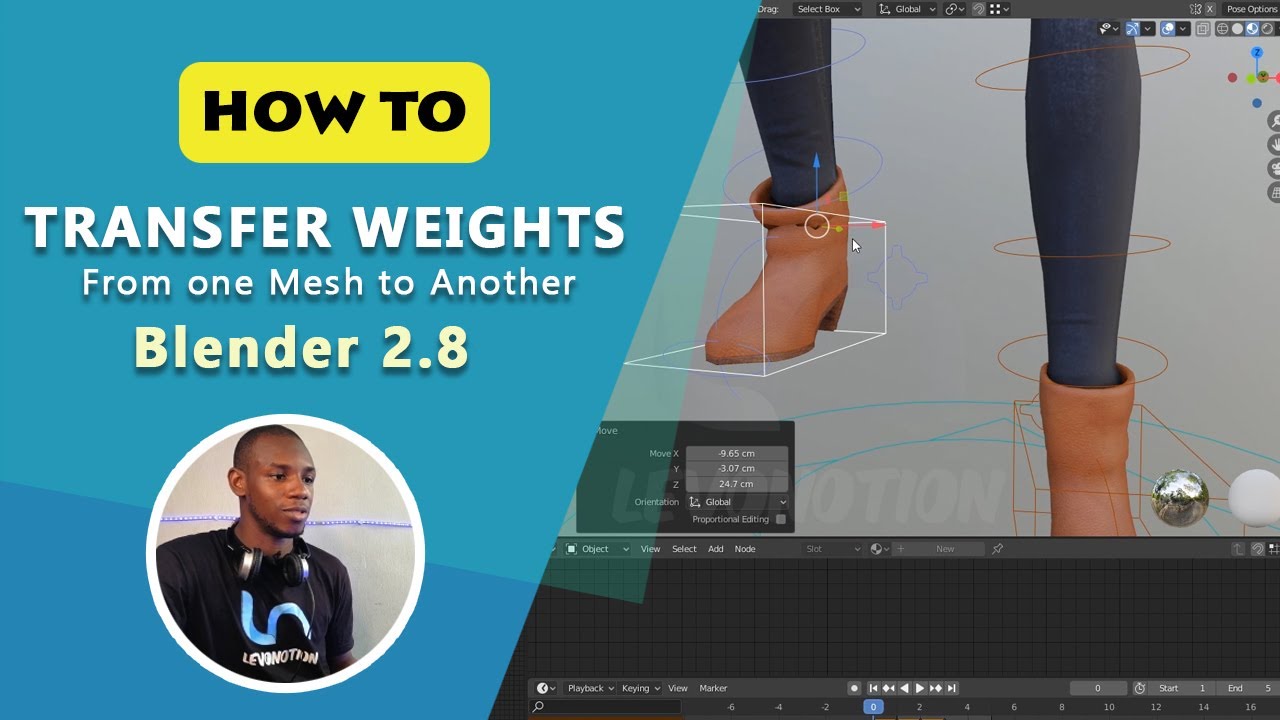
This video will show you how you can use Automatic Weights, Transfer Weights from one mesh to another in Blender 2.8 and also show you how you can Smooth your Vertex Groups Weights. Also works in blender 2.9.
Watch each episode of How To Tutorials and get quick solutions to common challenges faced by artists during project execution. Each episo...
dark fox
wanted to ask if i need to weight paint for vrc or if i can just add a model with a simple rig to vrc without weight paint
fervent mantle
dark fox
wanted to ask if i need to weight paint for vrc or if i can just add a model wit...
I mean that depends on if all of the vertices are weighted to the rig
dark fox
i can send a screenshot
fervent mantle
Ok
dark fox
if it needs weight paint lmk

also i accidentally added annotations 💀
if thats a problem then idk how to fix it
all limbs are connected by thin lil rectangles
fervent mantle
Go into pose mode and test the bones of they don't bend properly then yeah some weight painting will need to be done
dark fox
alr
also do i have to attach the bones to the parts of the model or is it just i put the bone inside the part and it works
oops

its tryna bend the THICC part of the arm
im guessing im in need of weight painting 💀
its still paired with the mesh i guess 🤷
can someone weight paint this for me?
 fervent mantle
dark fox
can someone weight paint this for me?
fervent mantle
dark fox
can someone weight paint this for me?
The problem is those straight low poly meshes aren't going to give you a clean bend
dark fox
fervent mantle
The problem is those straight low poly meshes aren't going to give you a clean b...
ah... so is there a way to fix it? this is my first model that im actually comitted to so..
i just want it to bend at the freakin thin parts
fervent mantle
dark fox
ah... so is there a way to fix it? this is my first model that im actually comit...
Look up weight painting videos on youtube
dark fox
fervent mantle
Look up weight painting videos on youtube
alr
whats the quickest one you know, just wondering
fervent mantle
Idk I taught myself
dark fox
honestly at this point i might as well just pop it into vrc and see how it goes

could be fun idk
quaint cosmos
In some instances like the leg and arm bones, you should be able to get away with just parenting the mesh for that part to the bone which you can do in Unity. It's not a good way to do it as it requires the mesh be split into different models for every bone but it is one approach. Single meshes that need to be rigged to multiple bones like the spine and chest, however, will not work well with that approach.
dark fox
ill just do it for funni >:)
i can fix it later lmao
in fact i basically already did, its just the bones look wonky as fuck
like wtf is this

look what i had to do to the meta rig to make the torso not disconnect 💀
wait can i use the newer versions of unity for vrc or nah
like the latest one?
also what should i export it as?
for unity ofc
quaint cosmos
dark fox
like the latest one?
Nope, it's 2019.4.31f1, that's it. As for your rig, you probably have some stuff set incorrectly for the parenting, also you have 2 pelvis bones which Unity isn't going to like.
FBX is the best format fro Unity.
dark fox
alr bet
uhm so my vrc account isnt connected to my steam one
so idk..
how do i connect it lol
quaint cosmos
dark fox
so idk..
That'd be a #user-support-old thing. I don't think Steam accounts can publish stuff so you might need to get another account?
dark fox
quaint cosmos
That'd be a <#337672341041446912> thing. I don't think Steam accounts can publis...
dw i merged just now its fine
rotund kraken
faint cypress
Does anyone ahve it?
faint cypress
Gotchy
Now unity is screaming at me about incorrect hierarchy


Where did i go wrong?
Oh wait i spotted it
 thin jay
just rigged this but all the limbs are going the wrong way
 twin halo
Heyo I'm still having problems with clothing- if someone could message me and tell me what exactly to do that'd be perfect- I've been trying to get the avi I bought and the clothes I had gotten that were meant for the model to work together-
quaint cosmos
twin halo
Heyo I'm still having problems with clothing- if someone could message me and te...
You need to transfer the weights from the body to the clothing in blender. There are Youtube tutorials for that, that's probably the best you're gonna get for free.
twin halo
I've figured out that part now but now the physbones for the chest aren't working at all-
 slender locust
A game I like recently released their playermodels publically and I want to turn them into VRChat fallbacks, but.. I have NO idea what's going on here!! is there a way for me to mess with this so it's like actually usable???
 quaint cosmos
slender locust
A game I like recently released their playermodels publically and I want to turn...
quaint cosmos
slender locust
A game I like recently released their playermodels publically and I want to turn...
Delete the rig and re-rig it with something like Mixamo
quaint cosmos
For better results, do a bit of manual clean up on the weights. You can get decent results that way and it will be much simpler than trying to convert that custom IK setup to something VRChat can use.
quaint cosmos
slender locust
can i actualy export the auto rig from mixamo?
Yeah, you can just search for t-pose in Mixamo and export that with the skin in the export options.
rotund kraken
just realized these messages are some hours old but even when you export the rig in "t pose" itll come with some keyframes you need to delete in blender
 silk slate
Would anyone be able to help me fix this?
 quaint cosmos
silk slate
Would anyone be able to help me fix this?
quaint cosmos
silk slate
Would anyone be able to help me fix this?
Look up Blender Transfer Weights on Youtube. You need to transfer the weights from the body to the clothing.
brazen island
or maybe its just missing the armature modifier
silk slate

portions of the shoe are getting left behind
its not parenting all the loose parts
i merged by distance on everything which fixed a few bits that got left behind before
like one of the index fingers
and parts of the arm are moving completely different parts of the mesh that it shouldnt me
the forearm is moving things on the torso

this is just simply bad weight painting
i can fix that manually
but things just arent moving
transferring the weights sorta works
its just really fucked up now

but atleast its moving
silk slate
theres too much to manually do this
theres these little spikes on it that dont want to move
quaint cosmos
silk slate
theres too much to manually do this
You really only need to worry about weight paint where you're going to be blending weight between bones, otherwise you can assign faces to a vertex ground in edit mode if that's easier. Wireframe mode and circle or box select is good for getting small parts.
 merry ravine
is there a offical rig we can use to build avatars upon?
 quiet shoal
This made me give up on rigging.
https://media.discordapp.net/attachments/965937446275657819/1102771736711286925/image.png
 brazen island
rotund kraken
brazen island
rotund kraken
@merry ravine not "official" but still.
theres also robot avatar in sdk
merry ravine
I'll try the robot thing in my next project
 modern ivy
So I was curious, does location of eye bones in an armature (physical location, not hierarchy), barring how the effect transforms of the mesh that's weighted to them, matter at all?
For example, I have larger eye sockets and an iris I want to pan around in said socket. Anime style "hollow sclera" for a more furry face. However, to get the movement I want, right eye is very displaced to the left side of the head, with it visa versa for the other eye.
Will this cause issues for something such as hardware eye tracking? A test with vrchat's auto eye tracking saw no issues; the eyes focused on things as necessary, though I wish vrc eye tracking would focus on nothing sometimes, but I digress.
Tl:Dr; does the location of eye bones, physically, matter? For example, having right eye oriented to the left side of the armature and visa versa?
Images can come when I'm back at pc, if it's confusing.
modern ivy
modern ivy
So I was curious, does location of eye bones in an armature (physical location, ...
A pic in question of how the head is set up. Note the Left and Right eye bones being opposite of the Eyes themselves.
Also enjoy that derp face; to get accurate movement I had to center them. lol
what I'm curious about is will this cause any issues? Aside from general confusion, I'd imagine, but I hope to alleviate that in some fashion.

Feel free to reply, no matter the time!
dark fox
boutta rig this mothafricka, any advice? im a beginner sooo
 dark fox
was wondering if someone can weight paint the rig btw, i seriously cannot do it
dont got money rn soooo
brazen island
@dark fox mixamo
dark fox
brazen island
<@811740850169577492> mixamo
wdym mixamo what do i do with mixamo its an animation thingy and im making an avatar
brazen island
it can autorig your model
dark fox
ah sick
dark fox
also how are gestures gonna work if it has no finger thingys
rotund kraken
you make fingers
dark fox
eh i can work with 0 gestures i think
how do i download the character off of mixamo again?
quaint cosmos
dark fox
why is my avatar huge and in 3rd person
Because you imported it too large and set the camera in the wrong spot, I'm guessing. For the scale, average human height is about the same as a default unity cube set to 1.7 on the y axis and you want to set your view position to be around where the eyes are.
dark fox
hm, where is the camera btw
quaint cosmos
That's what view position is, it determines where the camera is for your character.
jolly dock
This is a lot to ask, but could anyone with rigging experience please take a look at my blend file for an avatar I've been working on. The base body rigs just fine to the skeleton, but the clothing and accessories have been giving me a massive headache. I've rigged it myself, through mixamo, done remeshing, decimating, everything I know to do, and none of it has attached properly. Could anyone give me tips on what I can do?
quaint cosmos
jolly dock
This is a lot to ask, but could anyone with rigging experience please take a loo...
The clothes work okay, there's just no armature modifier applied to them and the topology is bad so you're only going to be able to make them move so well. The hood and the cloak don't even have vertex groups. Did you put all of these objects into Mixamo? I'd just join them all and redo the rigging to simplify things.
jolly dock
quaint cosmos
The clothes work okay, there's just no armature modifier applied to them and the...
yes those are steps that i've taken before. They weren't in the rig in that version of the file. How do you suggest I fix the topology?
quaint cosmos
jolly dock
yes those are steps that i've taken before. They weren't in the rig in that vers...
SO what happened when you joined all the meshes an put them through Mixamo? They should all get rigged. As for the topology, you ideally want to have as many square faces as possible where you have a lot of slender faces on the body but mainly you want to have some additional loops around where the limbs bend to improve deformation. That's for the body, everything else has just been decimated so you'd have to start from scratch and use a clean grid structure to fix that.
dark fox
yo! so uh i cant look down or up with the camera on pc, should this problem be fixed on vr or is it just on pc?
quaint cosmos
dark fox
yo! so uh i cant look down or up with the camera on pc, should this problem be f...
It would be good to know if this is just with a certain avatar, a certain world, or VRChat in general. Only if it's that first one could it possibly be related to rigging but still probably not.
dark fox
quaint cosmos
It would be good to know if this is just with a certain avatar, a certain world,...
certain avatar
quaint cosmos
So a certain avatar just completely removes your ability to rotate the camera? I have never seen such a thing, sorry. Sounds cursed.
dark fox
also i fixed it i was just using the camera, not the view position
quaint cosmos
I don't really understand but cool, glad you got it sorted.
dark fox
was using the camera that was in blender when i was modeling it, guess i forgot to remove it lol
maybe it was the camera that comes in unity when u import a model? idk really im newer to making models sooo
quaint cosmos
So the avatar was using that camera inside of VRChat? Doesn't matter if it worked.
twin halo
Heyo, I just fitted an asset to an avi and I when to take the asset to unity and it looks glitched. Certain angles make the mesh dissappear
Can anyone help?
quaint cosmos
twin halo
Heyo, I just fitted an asset to an avi and I when to take the asset to unity and...
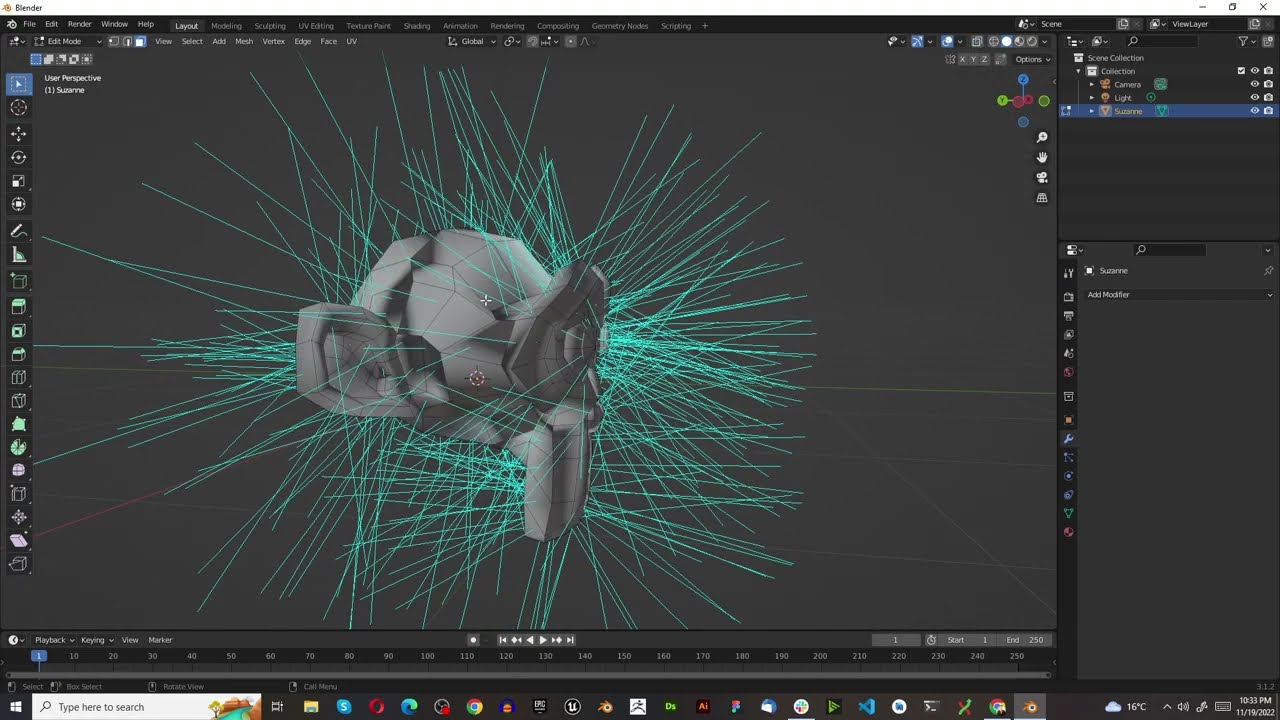
Probably flipped normals https://www.youtube.com/watch?v=3Ib1SiNpGm4
#Shorts
In this tutorial we show you how to identifiy if the normals need to be flipped, how to view the face orientation of your normals in object mode, how to view the orientation of your normals in edit mode with two moethods provided. Finally we show you how to flip normals in blender
 amber cosmos
my avatar has all its bones rotated 90 degrees away from how i normally see it done. it came this way and it works fine unedited, so i assume the creator did it like that on purpose
is this gonna have consequences for editing the rigging?
how should i approach this?
 rotund kraken
i would ask whoever u bought this from if this was intended
in my own experience its easier to edit/modify from a clean skeleton but im also noticing its triangulated
amber cosmos
this is as is direct from the download, ive done nothing to this yet
rotund kraken
from where
amber cosmos
booth
rotund kraken
O
amber cosmos
i think the solution is simple actually
thank you for making me doubt that this was intentional
because it's apparently a matter of import settings
i just figured the avatar maker was doing something on purpose i didnt understand
fixed! tysm!
 amber cosmos
i clicked auto bone align when importing the fbx
amber cosmos
as it turns out it seems working with the model this way and then exporting the fbx causes problems, since the components on the original model assume everything's rotated 90 degrees. im sure theres a similar fix for importing things on unity's side
hmmm maybe not. i think i just messed something up with avatar i was working on. probably faster to start from scratch than try to go through and find whatever it was i did wrong
 reef coral
i've had this issue a ton of times, it's something regarding importing
 golden dirge
What would be considered the pelvis bone here
i'm struggling because we thought it was the bone used for the hip, which is the really small bone there but apparently not? because we changed it and we're still having the issue happen

 quaint cosmos
golden dirge
What would be considered the pelvis bone here
i'm struggling because we thought...
quaint cosmos
golden dirge
What would be considered the pelvis bone here
i'm struggling because we thought...
That issue is just about the angle of the hip bone relative to the upper leg which a front view like this doesn't really illustrate, can you post a side view?
 quaint cosmos
Yeah. Hm, not sure. The angle looks pretty good to me, certainly not 88 degrees.
silk slate
is this normal deformation for the left arm bone

side note to that
how can i fix this

i dont know how to describe this lmao
its like the bits are moving too much
silk slate
so this mesh is a bit odd
the silver bits on that are square are on the hoodie
and the spikes are actually on the vest
golden dirge
golden dirge
?
oh
i found the issue
fsr unity thinks the feet bones are the thigh bones

what the hell
how the hell would i-- fix that
silk slate
even newer question
why are some of these stretching up

i just reweight painted it and averaged everything the same
golden dirge
silk slate
why are some of these stretching up
fucked up weighting i would think


 reef coral
having a weird issue where i can't select any of the bones in pose mode from the viewport, only from the armature hierarchy
anyone knows why?
i'm on the right select mode
oh i just had to disable in front, figured it out
amber cosmos
i edited my avatar's fbx in blender and imported it to unity. when i use pumkin's avatar tools to copy over physbones from the old avatar, many (but not all) of the physbones are rotated 90 degrees (in a variety of directions) from where they should be.
i read online that this is a consequence of unity and blender using fundamentally different and incompatible coordinate systems. i also read that workarounds exist but i have not had success with them when i tried them.
my guess is that i need to change a setting either when i import the fbx into blender or when i export it into unity. the models bones were rotatedly weirdly when i first imported the fbx into blender, and i used auto bone rotate to make them intelligible to me. i suspect i have to undo that now, if i can.


Unity Forum
When I export bones from Blender via the fbx exporter the bones got wrong local rotation relative to their amature within unity. I searched very long...
rotund kraken
amber cosmos
i edited my avatar's fbx in blender and imported it to unity. when i use pumkin'...
this is no guarantee as a solution but these are my blender .fbx export INTO unity settings, haven't had a single physbone copy issue with pumpkins so far
but it might mess up current things on the avatar because it fixes the scale 100 problem and some things rely on scale to work properly. im forgetting what all that includes atm besides physbones
so make a prefab of the avatar in your current scene just to be safe/backup unity scene before you work with a version exported with these settings (if you do ofc)
just for the love of god dont unpack your avatar lmfao
amber cosmos
rotund kraken
this is no guarantee as a solution but these are my blender .fbx export INTO uni...
ty! ill give that a go
 steel sluice
golden dirge
?
steel sluice
golden dirge
?
just move the bones in the hip til its happy
 hard night
Looks good?


 worn spire
how do I scale the bones down?
 pale pumice
go in edit mode on the armature and resize them just like any other object in Blender
amber cosmos
i keep getting hip alignment errors and my avatar has a hip tilt but i have confirmed that the upper leg and the hip bones are all on the same plane with each other

 pale pumice
really can't tell from the pic, can you show the whole armature?
amber cosmos
pale pumice
really can't tell from the pic, can you show the whole armature?

the bones are, apparently, supposed to be like that
pale pumice
huh first time I've seen that
amber cosmos
its apparently common in japanese models, which this is one of
pale pumice
which bones are those sticking out forward?
amber cosmos
they stick forward/back up/down depending on if it's left or right

maybe easier to see this way
 pale pumice
I guess I'm not sure why you'd do that.
amber cosmos
neither am i
but i was told not to mess with it by someone more experienced than me
pale pumice
I'd go ask them about your hip alignment question then.
amber cosmos
fair enough
i can make the bones look normal with a ssetting importing the fbx in blender but then that breaks all the original physbones if use that fbx in unity
its a weird problem
pale pumice
Seems unnecessarily weird, but possibly there's a good reason.
 torpid burrow
brazen island
rotund kraken
torpid burrow
brazen island
rotund kraken
@torpid burrow
rotund kraken

 hexed birch
I’m trying to rig this avatar and the bones are fine but when I used automatic weights the model became deformed and enlarged
quaint cosmos
hexed birch
I’m trying to rig this avatar and the bones are fine but when I used automatic w...
Maybe try applying all transforms before rigging? I feel like Mixamo is better than automatic weights, automatic weights are real bad. I guess it's a starting point but empty groups might be better than having to clean up the automatic weights.
hexed birch
quaint cosmos
Maybe try applying all transforms before rigging? I feel like Mixamo is better t...
How would I do that
quaint cosmos
hexed birch
How would I do that
Ctrl + A
hexed birch
Ok thx
hexed birch
quaint cosmos
Ctrl + A
how do i use mixamo for weight painting
i deleted the bones and used all transformations and then rigged it using mixamo but it's not working
quaint cosmos
hexed birch
i deleted the bones and used all transformations and then rigged it using mixamo...
How is it not working? Did it not export with the armature? Does the armature not move the mesh?
hexed birch
no
i clicked the mesh pressed ctrl a pressed all transformations then went to mixamo got it rigged went back to blender and used automatic weights and the model deforms and enlarges
hexed birch
quaint cosmos
How is it not working? Did it not export with the armature? Does the armature no...
no it does nothing
rotund kraken
you dont use auto weights at all
mixamo does the bulk of the work, you need to go in and clean it manually
hexed birch
what do i use to weight paint it?
so after i get it rigged i dont use anything?
this what it is just importing from mixamo
 quaint cosmos
That looks about right, you have the toe vertex group selected so its showing you the toe weights
Mixamo is just a starting point but it seems to be working.
hexed birch
but when i move the bones the mesh doesn't follow

this is what it looks like when i move the bone
the mesh wont follow
quaint cosmos
hexed birch
but when i move the bones the mesh doesn't follow
Because you pose an armature in pose mode, not edit mode.
hexed birch
im so dumb
 agile summit
Is there some downside to parent many small objects to an armature with automatic weights instead of joining the objects together first then parenting? It moves slightly better without joining it to one but not worth if there's some big downside
 kind shadow
can someone help me with my avatar? I am having problems with the bones right now. (i am not giving out my files, we can get in a lil call or sum)
rotund kraken
post your problem in here, calling is basically private coaching
kind shadow
when i exported my model from blender into unity it ended up missing some of the bones and idk if i messed them up in blender, but in unity it seems like they are also weird


 sudden mango
fellas, i come brand new to yall for help with an avatar. this mf has a chibi slider that basically shrinks it to size

but, since its the mesh that im shrinking and not the armature/bones, wonky stuff happens

question is, how do i create a toggle that shrinks the armature to fit the chibi size?
are there no shapekeys for armatures?
hexed birch
Question
brazen island
@sudden mango scaling armature in game without breaking tracking is challenging task and can be more or less succesfully done via gogoloco. your case not seems realisticly possible
hexed birch

This other model has this skeleton
An avatar maker I talked to said it’s normal but the bones need to be mapped
How do I do that
sudden mango
brazen island
<@302661597401186305> scaling armature in game without breaking tracking is chal...
your case not seems realisticly possible
oh thank GOD finally someone who gives me a straight answer!! thank you for lifting that weight off my shoulders
thank u 💋 💋 i will now go make two different models
 reef surge
hexed birch
reef surge
hexed birch
import the model again, but make sure before you click "import" go to the armature settings in blender and click "automatic bone orientation"

this happens when the rig comes from a different app. in blender, naturally the bone length is aligned to the y axis. other programs may align to a different axis, which is why they're oriented wrong when you import them to blender. if you're curious about why this happens this video explains it really well :D https://www.youtube.com/watch?v=5wKGXkE4nyU very interesting stuff!

LINKS
❖Weight paint playlist
https://www.youtube.com/playlist?list=PLdcL5aF8ZcJsFEdlMJ7To0Iu9s-XCFV3W
❖Maya Rigging by Dikko
https://www.youtube.com/playlist?list=PLL3OEv6vd5VBh8vnehdnp2ITpE0q8jAeo
Support CGDive:
❖Patreon:
https://www.patreon.com/cgdive
❖Gumroad (get 20% off using coupon code "cgdive")
https://gumroad.com/toshicg
RECOMMENDED...
hexed birch
reef surge
import the model again, but make sure before you click "import" go to the armatu...
Ok thanks 😁
hexed birch
is vrchat still using unity 2019.4.31
 subtle nebula
what is the name of the mechanism people use to make mesh follow their rig at a different scale?
like the giant mecha hands that follow their avi's hands
quaint cosmos
subtle nebula
what is the name of the mechanism people use to make mesh follow their rig at a ...
Constraints?
quaint cosmos
hexed birch
is vrchat still using unity 2019.4.31
Yes
hexed birch
quaint cosmos
Yes
thanks
hexed birch
My avatar work’s everything is fine but there is a problem with the hand

Idk if it’s because the hand is only controlled by one hand bone
Causing it to look deformed
 copper rover
I am running into an issue where some physbone doesn't show up in the unity editor while some others do.
Breasts, Hair and Butt all work but Tummy and Thigh doesn't even show up in the editor after configuration.
What might be causing this issue?


 elfin stratus
hexed birch
hexed birch
Causing it to look deformed
elfin stratus
hexed birch
hexed birch
Causing it to look deformed
I also need the left hand to have the hand bones not move the barrel of the blaster
quaint cosmos
hexed birch
My avatar work’s everything is fine but there is a problem with the hand
Probably has to do with the weights, do you know how to adjust weights? Mixamo is really designed for humanoids and even then it isn't perfect so if you're making something that isn't very close to a human, it will need some manual adjustment.
hexed birch
quaint cosmos
Probably has to do with the weights, do you know how to adjust weights? Mixamo i...
Ok I looked at the bones and the hand bone is only one bone
It’s not separated for 5 fingers only 1 for all 5
quaint cosmos
I don't think it's necessary to assign finger bones. How does it move in Blender?
hexed birch
It moves fine but I’m game the hand stays like this

It’ll go into a fist but won’t be a normal hand
quaint cosmos
hexed birch
If you want a working hand, you'll need to rig and weight it. Sometimes Mixamo can kind of do that (though it rarely does a very good job) but I think the hand asymmetry threw it off.
hexed birch
The model for the hand was fine until mixamo
quaint cosmos
hexed birch
The model for the hand was fine until mixamo
If you reset all of the bone poses, it doesn't return to how it looked originally?
hexed birch
Nope
quaint cosmos
You selected all the bones and did Alt + G, Alt + R, Alt + S?
Rigging shouldn't change the model itself so if there is no pose applied, it should be the same as it went in.
hexed birch
So I select all the bones and then press all of the keys
hexed birch
quaint cosmos
You selected all the bones and did Alt + G, Alt + R, Alt + S?
are those different buttons or do I press them in a certain order
quaint cosmos
hexed birch
are those different buttons or do I press them in a certain order
You press the alt with the one other key, sequence doesn't matter
hexed birch
I pressed that and it flipped the model on its back and enlarged it
hexed birch
quaint cosmos
You press the alt with the one other key, sequence doesn't matter
Is it possible I can screen share it to you
Cause I’m confused

This is what it looks like


Also the alt g , alt r, and alt s did nothing
quaint cosmos
hexed birch
Also the alt g , alt r, and alt s did nothing
So did it flip it and enlarge it or did it do nothing? I'm getting mixed messages. Did you ensure all the bones were selected?
hexed birch
quaint cosmos
So did it flip it and enlarge it or did it do nothing? I'm getting mixed message...
So I did it twice in object mode it flipped and enlarged and in edit mode it did nothing
And yes all bones were selected
quaint cosmos
hexed birch
And yes all bones were selected
Well posing is done in pose mode so did you do it in pose mode?
hexed birch
No
hexed birch
quaint cosmos
Well posing is done in pose mode so did you do it in pose mode?
So just select all the bones or do I include the mesh
quaint cosmos
You're not posing the mesh, you select the armature, go into pose mode, select all the bones and then reset
quaint cosmos
Words like broke are not very helpful, you need to describe what occurred
hexed birch
quaint cosmos
Words like broke are not very helpful, you need to describe what occurred
The hand is still like this
 quaint cosmos
And it isn't like that in Blender? Unity can do weird stuff if your fingers aren't imported as completely flat and parallel so you'll need to go into the rig configuration and adjust that.
hexed birch
hexed birch
These are the hand bones
quaint cosmos
But wait, you said you didn't even have proper finger bones so of course it won't look good. If you don't want to rig the hand properly, I would just delete any other bones aside from the base hand bone and then weight the whole hand to that. Resetting the pose was just to get it back to its unposed position. Mixamo is just a starting point especially a model like this that doesn't have a normal hand on one side.
If you want a functioning hand, you're just going to have to rig that part by hand.
hexed birch
So delete the hand bones except the base
Then paint that one bone to the entire hand
quaint cosmos
Yeah. The hand won't be able to do anything but it should look better.
Do the same on both sides since the other hand doesn't even have fingers to begin with
quaint cosmos
Private messaging doesn't make me help you any faster, I'm around here when I'm available to be, it just means no one else can help you.
hexed birch
K I only said that so that I’m not filling this channel up
quaint cosmos
This is what this channel is for
quaint cosmos
hexed birch
When I weight paint is the mesh supposed to mess up
Mess up is another one of those words with little actual value, post what it's doing.
 quaint cosmos
hexed birch
My bad
quaint cosmos
hexed birch
My bad
Looks pretty normal, just be careful in making sure you weight the whole hand to the hand bone and you'll also want to check other bones to make sure they have to weights on the hands they shouldn't.
hexed birch
quaint cosmos
Looks pretty normal, just be careful in making sure you weight the whole hand to...
I’m weight painting the base hand bone to the hands because when I deleted the other hand bones it stretched out and made a weird pose thing
And I checked the weight painting the only ones with connections to hands were the hand bones
quaint cosmos
You'll also want to delete the vertex groups of the bones you deleted to ensure there are no empty weights
Otherwise if the hand is fully red on the hand vertex group, it should move with the hand only
 sullen quarry
quaint cosmos
Constraints?
sullen quarry
quaint cosmos
Constraints?
would you mind pointing me in a direction to learn more about this? blender constraints or in unity?
quaint cosmos
sullen quarry
would you mind pointing me in a direction to learn more about this? blender cons...
Not really my specialty but I think it's kind of both. You can't transfer constraints directly from Blender to Unity but you use the Unity constraints to get the same effect that you're getting in Blender. The most I could do beyond that is search for Blender and Unity constraints videos on Youtube.
sullen quarry
sweet, i'll head to youtube then, thanks 🙂
hexed birch
quaint cosmos
Looks pretty normal, just be careful in making sure you weight the whole hand to...
Before I finish should I delete the hand bones and then continue painting or just paint the base hand on the hands red and then delete?
Also it keepers doing this
 quaint cosmos
hexed birch
Before I finish should I delete the hand bones and then continue painting or jus...
quaint cosmos
hexed birch
Before I finish should I delete the hand bones and then continue painting or jus...
It shouldn't matter, what matters is what the weights are in the groups so as long as the end result is the hand bone having full weight over the hand and no other bones having any influence, it shouldn't matter.
quaint cosmos
hexed birch
Also it keepers doing this
That point down there is just a point that needs to be weighted to the hand so paint it and it should spring up.
 quaint cosmos
hexed birch
quaint cosmos
hexed birch
It's not great. Another way you can assign weights is using edit mode. If you're in edit mode and look at your vertex groups, there's an assign and a remove button, select all the faces in edit mode and hit remove to remove them from the group, though deleting the group entirely will also do thos.
hexed birch
Is this what you mean by faces
 hexed birch
quaint cosmos
It's not great. Another way you can assign weights is using edit mode. If you're...
hexed birch
quaint cosmos
It's not great. Another way you can assign weights is using edit mode. If you're...
So I selected these and pressed the vertex groups and clicked on the bones I deleted and pressed remove
But the blue on the stretched out part is still there
quaint cosmos
hexed birch
But the blue on the stretched out part is still there
And did you paint it to the hand bone?
hexed birch
I may have misinterpreted what you said
hexed birch
quaint cosmos
And did you paint it to the hand bone?
So far 2 out of the 3 bones are full purple
I’m starting the last one
Painting
quaint cosmos
Only the one hand bone should have any weights, the rest should be dark blue or deleted entirely. Might as well just delete them if they aren't going to have any weights.
hexed birch
I deleted the bones
I’m just painting them dark blue and then I’m gonna make the base hand bone red right?
quaint cosmos
hexed birch
I’m just painting them dark blue and then I’m gonna make the base hand bone red ...
Yeah but you can just delete the extra vertex groups after deleting the bones, no need to paint them.
hexed birch
How do I delete them
quaint cosmos
hexed birch
How do I delete them
The minus button the on right while they're selected.
hexed birch
Then I have to manually paint the hand red for the base hand bone right?
quaint cosmos
hexed birch
Then I have to manually paint the hand red for the base hand bone right?
Or just select all the vertices in edit mode and assign them the same way you remove them, being in wireframe mode can help.
hexed birch
quaint cosmos
Or just select all the vertices in edit mode and assign them the same way you re...
So select the right hand in vertex groups then select the faces and then press assign
Then repeat for the left hand
quaint cosmos
hexed birch
Then repeat for the left hand
Yeah, just make sure you're assigning the right vertices to the right hand.
 quaint cosmos
Yup
quaint cosmos
So long as there aren't any other bones with weights on the hand, it should be, yeah.
hexed birch
Thx a lot
Also one quick question on something else

I merged these two models together but the texture for shockwave turns black
hexed birch
quaint cosmos
So long as there aren't any other bones with weights on the hand, it should be, ...
Do you know if this can be fixed in unity
quaint cosmos
hexed birch
Do you know if this can be fixed in unity
I don't know if it can be fixed in Unity if it's already been applied. The issue there is you need to make sure their UV sets have the same name before joining.
hexed birch
How would I do that
Or actually instead of combining them could I just put the backpack on his back and then import it into unity like that?
quaint cosmos
hexed birch
How would I do that
Same menu as the vertex groups, there's a tab called UV maps. You can change the name there. The name doesn't matter, just that it's the same on both models.
quaint cosmos
hexed birch
Or actually instead of combining them could I just put the backpack on his back ...
Depending on how many meshes there are, it will lower your avatars performance rank so joining is better when you can but yes, you can export multiple models.
hexed birch
Actually to make it easier I’ll just make it a toggle
quaint cosmos
If you're toggling a mesh on and off then yeah, they should be separate. There are other ways to hide parts of a mesh but that's that easiest option.
hexed birch
Also if I need help making it a prefab because a yt vid I watched didn’t go over it since they already had it as a prefab
quaint cosmos
You can just drag an object from the hierarchy to the project tab at the bottom to make it a prefab but I don't know why that would be necessary to making a toggle.
quaint cosmos
What are you trying to achieve and why do you think it requires a prefab?
hexed birch
Cause this is the updated model I’m making. The last time I uploaded it was for the test avatar and it said it need a prefab
quaint cosmos
You don't need any prefabs to make avatars unless there's something specific you're trying to do
hexed birch
What would that specific thing be?
quaint cosmos
Prefabs are just away of packaging a bunch of stuff, models, textures, particle systems, scripts, so if you have something that maybe has a gun model with a particle system attached to it, it would make sense for that to come as a prefab but once you get it in your scene, you can unpack it (turn it from a prefab to just regular parented objects) and it will work the same.
hexed birch
quaint cosmos
Prefabs are just away of packaging a bunch of stuff, models, textures, particle ...
Ah ok
Can I get your vrc username so I can add you into the description
quaint cosmos
Don't worry about it, if you're so inclined, just use Krampus
fading verge
pls help me

 signal thistle
 golden sandal
uh when i go to upload it it says it doesnt have a chest in the armature am i just being a goofy goober or did i delete a bone or smth wrong?

 quaint cosmos
golden sandal
uh when i go to upload it it says it doesnt have a chest in the armature am i ju...
quaint cosmos
golden sandal
uh when i go to upload it it says it doesnt have a chest in the armature am i ju...
Is it assigned in rig configuration? Though if you have an upper chest which it looks like you do, the limbs should be parented to that.
thin jay
My model is standing like this, how can i fix it?
 quaint cosmos
thin jay
My model is standing like this, how can i fix it?
quaint cosmos
thin jay
My model is standing like this, how can i fix it?
Did you set the rig type to humanoid?
thin jay
Yeah i did
quaint cosmos
thin jay
Yeah i did
Does it move properly in Blender?
 compact anchor
i'm messing with an mmd model to use it in vrchat and i was wondering if these yellow groups serve a purpose if i were to move it over to blender once im done fixing it up in .pmx editor??

i haven't used pmx at all and have no idea what the blender equivalent would be ☠️☠️☠️
 formal arrow
for some reason when i port it into unity the shoulders just dont work at all, is there something wrong with the shoulders?
 compact anchor
doncha need to attach each joint to one another?
so the ends of the shoulders should attach to the top of the arms
especially considering the torso is most likely static lmao so there would be nothing to move under there


 hexed birch
Anybody
 surreal anvil
compact anchor
i'm messing with an mmd model to use it in vrchat and i was wondering if these y...
surreal anvil
compact anchor
i'm messing with an mmd model to use it in vrchat and i was wondering if these y...
They look like physics colliders (similar setup and function to how you would setup an avatar back when dynamic bones was a thing). I don't think that they can copy over into Blender though (it's been quite a while since I've last used a .pmx model so that might have changed)
The Blender "equivalent" (different method, same function) would be if the object itself had setup for physics applied instead of the armature.
I could've sworn this server used to have an MMD-focused channel, I guess they deleted it
Or archived it
 spare onyx
hello everyone, just a small question, does an eyebone need to be parented to any other bone in specific?
fervent mantle
spare onyx
hello everyone, just a small question, does an eyebone need to be parented to an...
I mean the head would be a good place to parent it
spare onyx
 thank you, much appreciated,
for the thing i'm working on though, they are cyclops in nature, would that just be named "eye"? and it would work okay?
pale pumice
Doesn't really matter what it's named, you could put it in the left (or right) eye slot and have VRChat handle it reasonably ok
hexed birch
hexed birch
Could anyone help me
hexed birch
quaint cosmos
Does it move properly in Blender?
Hey krampus I need help
hexed birch
Or anybody please
pale pumice
Just state your actual problem
hexed birch
I need to know how I can fix this


That’s it in game and in blender
The pinky and ring finger are deformed
hexed birch
Anybody
 wet scaffold
I don't even know how to make it💀
hexed birch
wet scaffold
I don't even know how to make it💀
Make what?
hexed birch
Meanwhile
reef surge
hexed birch
Meanwhile
check any of your other vertex groups to see if they have weights on those fingers when they shouldn't. otherwise idk man you might just have to do some research yourself
hexed birch
reef surge
check any of your other vertex groups to see if they have weights on those finge...
i noticed this while in blender

the pinky 1 bone has a lot of red right there
but on the ring and other fingers its either little red or little orange

its the same with the accesories

pinky has red
while others are light blue
 rotund kraken
find a model thats already rigged so you can look at the finger weights
fading verge
Is it necessary for the upper and lower leg bones to be perfectly vertical, or is it okay if they are a bit angled inward from hips downward?
For example...

Also, if it is okay, is it still okay with FBT
hexed birch
Nice
 tame burrow
Anybody know how to fix this?


This is the second or third time I've come across this in this project.
Everything is mapped but VRChat insists that it's not.
tame burrow
Ok so it turns out it's a weird issue where if elements in a prefab are renamed then made a variant the SDK seems to still refer internally to the original names.
Might file a bug report on this. :x
fading verge

🚨 NEW MERCH! http://amzn.to/annoyingorange 🚨
➤ NEWEST VIDEO: http://bit.ly/30MinsAO
➤ AO GAMING CHANNEL! ▸ http://bit.ly/AOGaming
➤ Don't be an apple! Subscribe! It's FREE! ▸ http://bit.ly/AOSub
KITCHEN CARNAGE MOBILE GAME!!!
iOS: http://apple.co/1GLnKuz
iOS iPAD: http://bit.ly/KitchenCarnageHD
ANDROID: http://bit.ly/KitchenCarnageAmz
SPLATTER...
hexed birch
anybody know how to reparent objects
pale pumice
in.... blender? unity?
hexed birch
@kindred rover
 hexed birch
pale pumice
in.... blender? unity?
hexed birch
pale pumice
in.... blender? unity?
i need to fix this
pale pumice
perhaps you can explain what you want to do?
hexed birch
pale pumice
perhaps you can explain what you want to do?
so in unit it says my spine bone = 0
turbid dagger
Honestly when I get “spine bone length = 0” it doesn’t cause many issues for me
 dusty helm
question, would there be a way to rig this into vrc without it looking bad

like in terms of the head cause there's no body
quaint cosmos
dusty helm
question, would there be a way to rig this into vrc without it looking bad
Certainly using a custom animation set but that's a fair amount of work. I'm not sure it will ever look great with a humanoid rig.
 strong spruce
I feel like this is an easy fix thru multiple ways (OVR being one, but I'd rather fix the model) but my latest upload is stuck on her tip toes while seated and floating a bit in standing. I think I messed up when editing in blender -> unity export but I'm not sure how to identify the issue I need to fix, if anyone can help.
I'm going to dissolve toe bones and make sure the model is at 0 0 0 in blender.
strong spruce
I went back to blender to do the things but I noticed this in unity when I select the body. Could this be where my issue is ?

Oh I've done goofed something up

🤨
strong spruce
I solved the issue eventually. I had to clear the cache on the quest 2 guardian
 hard spruce
heyo, sorry to bothr, but i found a vatar that has no rigging. i know next to nothing about blender/unity. Am i going to hate life if i try to mess with it?
quaint cosmos
hard spruce
heyo, sorry to bothr, but i found a vatar that has no rigging. i know next to no...
To get a decent results on a pretty standard humanoid, you can just put them into Mixamo.com and then watch any video on publishing a VRChat avatar. To get good results, you might need to spend 2-3 hours learning the fundamentals of how to use and navigate Blender and then another 30 minutes to an hour learning about weighting. If you need to add lip syncing and blinks maybe add another couple hours on top of that.
hard spruce
that sounds horrible. Now i have existing models. is there a way to copy and paste? or does it have to be redone step by step since the models are not the same size/shape? both humanoid in deisng, just not the same size.
 tiny coyote
hexed birch
tiny coyote
hexed birch
go into pose mode and test it out so you can see how it bends.. you can also weight paint it while it's posed to see how it changes. But yeah @rotund kraken is super right, getting reference to see how its supposed to look helps a LOT too. great idea
rotund kraken
tiny coyote
but looking up tutorials on weight painting should help
tiny coyote
hard spruce
that sounds horrible. Now i have existing models. is there a way to copy and pas...
OH also, PLZ listen to Krampus and use Mixamo
you can upload any model
it will auto rig it for you
quaint cosmos
hard spruce
that sounds horrible. Now i have existing models. is there a way to copy and pas...
Pretty much. You can transfer weights if the models are very similar in shape but even then, unless they're nearly identical, you'll likely get better results from Mixamo autorigging.
tiny coyote
all you gotta do is make an adobe account, upload a model, specifiy the wrists, knees, head and groin and hit go. then download
quaint cosmos
There isn't much fixing that generally needs to be done with humanoids after Mixamo but if you have 0 Blender experience, there is a learning curve.
tiny coyote
easiest rigging imo
rotund kraken
i refuse to rig humanoids from scratch (unless its hair, jewelry etc) when i could just fix it
rotund kraken
i rename the bones though because they changed how its named for some reason
tiny coyote
yeah, I can't rig well from scratch, but I can weight paint 🤣
tiny coyote
rotund kraken
i rename the bones though because they changed how its named for some reason
samee, I hate their naming convention. But changing names manually sucks. I should look for a renaming script :p
quaint cosmos
Basic rigging isn't all that complicated, it's the advanced stuff with IK and constraints that gets complex but VRChat can't use more of that stuff directly anyway and if you want it for animations in Blender, there's always Rigify.
tiny coyote
to be fair, that's the hard part, but yehhhh
rotund kraken
tiny coyote
samee, I hate their naming convention. But changing names manually sucks. I shou...
oh god yeah thatd be helpful, if you find one post it here lol
quaint cosmos
I use Auto-Rig Pro, actually instead of Mixamo but you gotta buy that and Mixamo does a decent job.
tiny coyote
@rotund kraken oh woah, I just looked it up, looks like someone beat me to it!
https://www.youtube.com/watch?v=yr9OXtdriHY
https://github.com/MinaPecheux/BlenderPlugins
Haven't tried it yet, dunno if you can make custom names. seems like it's just for adapting to blenders default rig naming convention
rotund kraken
tiny coyote
<@135514249253355520> oh woah, I just looked it up, looks like someone beat me ...
well default is better than having to look at the word Mixamo 67x times lol, thanks :O
hard spruce
Omg yall are making my head hurt nut I think I'm following
quaint cosmos
Just start by uploading it to Mixamo.com. The results might be good enough depending on what you're doing, we still haven't see the model.
quaint cosmos
 viscid warren
why does my avatars entire body move up when i look down
viscid warren
why does my avatars entire body move up when i look down
View position, probably too low (or too high)
fading verge
Alright so I have a really big problem lol
I've gotten all the way to the export stage and ended up getting the "Humanoid avatar must have head, hands, and feet bones mapped."
"Your avatar is humanoid, but its feet aren't specified!"
and "Your avatar is humanoid, but its upper arms aren't specified!" trifecta
I've scrambled around on forums from six years ago and found the most likely issue is that my "Armature" package info got renamed to something along the lines of "Armature.001" and so it's now looking for a name that doesn't exist
Like is there any way at all I can fix this without scrapping everything I've done? I've spend days learning unity on this project lmao I'd like to not lose it
I'm gonna copy paste this into all support channels, btw, to try and get a fix as soon as possible
fading verge
its cool, I got a fix
turns out a tutorial I followed gave me wrong directions for setting up mono lighting
thank you though!
 north fern
Hey! Not sure if this is the best place to post, does anyone know of a plugin that I can use on Unity to test my avatar riggivng? I sometimes have problems with the knees bending inwards but no way of testing it in VRC without headset (and it's a lot of effort to get the headset), the knees will look fine on standed/crouching/crawling but it's the inbetweens that cause some issues. Just would prefer to be able to test it on PC VRC or Unity, even Blender to save some time. 🙂
fading verge
help request
due to rules i will stand by and upheld i wont disclose more here, dm open
long story short i did a commission for a avi to edit on vrc tradders and several other discords, even spoke to some avatar creators.
it seems no one knows how to do this, theres one video ive found but nobody can seem to do it.
ones that have done it, i ask for help even offered compensation for helping me and importing it. but they declined.
if ur a god in blender plz dm me and ill showcase my problem and hopefully ud be able to help, if u manage to fix it, i suppose that makes u better then most creators lol
if u know any creators that can help and can guide me to them, id apprecate that as well ❤️
rotund kraken
inb4 its some adult rigging or something
rotund kraken
fading verge
**help request**
due to rules i will stand by and upheld i wont disclose more he...
just be careful about scammers, theyll see this as an opportunity to take advantage of
fading verge
Honestly no one seems to care.
rotund kraken
well it has been like an hour or so since posting and its a holiday lol
fading verge
Ive been at this for two months
rotund kraken
not really, people scroll
fading verge
Message more selfish creators
Only to be denied even tho i wave money in there faces
rotund kraken
ah yeah i was gonna say im curious to help but if thats your attitude ill pass
rotund kraken
"attitude?" instantly leaves server after realizing they're not going to get an answer .5 milliseconds after posting 🤦♀️
fervent mantle
fading verge
**help request**
due to rules i will stand by and upheld i wont disclose more he...
What are you trying to accomplish in blender
 stark knoll
rotund kraken
"attitude?" instantly leaves server after realizing they're not going to get an ...
stark knoll
rotund kraken
"attitude?" instantly leaves server after realizing they're not going to get an ...
I saw this.. ridiculous 💀
 fervent hornet
Why was he so vague hahaha its just rigging it ain't rocket science
 brisk nova
I can only try to guess what sort of rigging is against the rules
rotund kraken
funny too bc i had the message offering my help typed in the tray but i rescinded as soon as i saw the "message more selfish creators"
gatekeeping is stupid but automatically generalizing because your weird adult issue cant be fixed, naw man
 pseudo cipher
Hey, sorry for the cursed but i've had this issue with a few of my avi where the hands would be flipped (looks normal to me but other sees it like that)

 balmy delta
rotund kraken
"attitude?" instantly leaves server after realizing they're not going to get an ...
balmy delta
rotund kraken
"attitude?" instantly leaves server after realizing they're not going to get an ...
I met that person in game before
They went ballistic and blocked everyone for being "too stuck up" or "too money hungry" cause the people didnt want to help because of this attitude
Everyone is selfish cause they either want money for commissions or assumes every pc player is a blender god that are too much of pricks to help
By their logic
I assumed they stopped after the few month but guess not
rotund kraken
yeah weird, thats definitely not every pc player lmao.
balmy delta
Like
rotund kraken
i wasn't against helping them either privately but you'd think two months you'd get some sort of answers
and humility
balmy delta
They trying to get a private teacher to teach them blender for free lmao
Legit screamed the last time they went ballistic "I dont want a commission cause they are selfish and want a lot of money"
rotund kraken
i dont mind full walkthroughs every once n a while but its wild to expect an instantaneous response on july 4th at 10pm-ish western
balmy delta
No no no
They expect you to just drop everything and teach them the millisecond they appear
 tribal pagoda
Without telling you what your even supposed to teach them in the first place
balmy delta
Yes
The not vaguest response I got was
"Teach me how to make an avatar"
Like the bitch aint even make the blender donut yet and expects to be able to model, rig, texture, and animate a pro level avatar in a day
And expects to be taught for completely free and directly when you ask
I literally mentioned a friend I knew that used blender and they demanded I get them there now and when I said they werent on they then demanded I give them his info so they can message him
 weak flare
how do i set the avatars height correctly cause im having a not long enough arm problem with my avatar? is this a thing to fix in blender unity or vrchat?
balmy delta
avatar height?
like
is your legs bent or floating?
or is your arms just max stretched before you actually max stretch your own arms
weak flare
balmy delta
avatar height?
my arms and legs are like locking like there not long enough
balmy delta
locking?
weak flare
balmy delta
or is your arms just max stretched before you actually max stretch your own arms
like when i extend my arm it kinda locks the joint
my real life arm is like longer then the avatars arm
tribal pagoda
I mean, you might be able to mitigate the issue if you mess with VRChat's IK settings. But for it to work optimially, your avatar would need human sized limbs.
balmy delta
^
weak flare
it does have human size things its just my arms arnt long enough
do i extend them in blender or unity some how
tribal pagoda
Then try VRChat's settings menu first, there's a bunch of arm scaling options.
tribal pagoda
One thing that I did on one of my avatars, was that I moved my viewpoint slightly further back, and that also helped my issue, but that might not be your problem.
weak flare
tribal pagoda
One thing that I did on one of my avatars, was that I moved my viewpoint slightl...
like back in the head more?
tribal pagoda
Yeah. But my problem was that my viewpoint was too far forward, like if I looked down, I could only really see below the waist, and not my chest.
If you move it too far back, you might get the opposite problem, where you can see through your neck instead.
weak flare
ive seen the view point like effects your arms weird
ill give it a try
thanks for the helps
tribal pagoda
Ye. And if you can't get it perfect, remember that other people might not even notice it anyway.
weak flare
yeah its just a thing that bugs me
weak flare
tribal pagoda
Ye. And if you can't get it perfect, remember that other people might not even n...
also one other question so when im using the avatar in vrchat the collar bone or shoulder bone goes down more then i want it to is there a way to rotate that bone in unity and have it stay so when my arms are down they dont look weird?
ive tryed to rotate the bone in the bone view thign then appy then done but it dosent stay
tribal pagoda
I can't really say, I've never had to fix anything like that.
balmy delta
that would be
the avatar rigging in unity
also you cant really just rotate the bones
weak flare
balmy delta
the avatar rigging in unity
i cant make it not move as much on a single bone?
balmy delta
not really no
weak flare
wish unity was more like blender you can do this in blender
balmy delta
well you cant exactly just edit the rig in unity like blender
weak flare
yeah
balmy delta
it just sounds like your shoulders are too close to the middle of the avatar
causing it to look weird when they rotate
weak flare
in blender it looks good when moving them
but vrchat is moving the collar bones to much down
is the mapping for unity just to see rotations and to set bones and nothign elts?
balmy delta
rigging in unity is just telling unity that these bones are these for humanoid
weak flare
ah ok
its same with the finger bones they rotate to far in to the hand when grippign theres no way to set a maximum rotation for individual bones in unity?
and if theres not do you think setting it in blender would transfer that over to unity
balmy delta
pose yes but as for the whole rigging
you just enforce tpose
then rotate the bones after
and just ignore if unity yells at you that its not in tpose
weak flare
but when clicking done it dosent do anythign to the avatar
its just back in a tpose in the scene veiw
balmy delta
well it isnt going to change it in the scene view
the scene is a completely seperate entity
weak flare
what about game veiw wont show there to?
weak flare
only in vrchat?
balmy delta
yes
weak flare
unity makes things hard lol
balmy delta
think of it like
weak flare
u gotta guess
balmy delta
changing the pose in blender
and then when you go to edit the mesh or armature
it snaps into tpose
weak flare
changing the pose in unity is like changing the rest pose in blender?
balmy delta

weak flare
yeah i get it
im just tryign to understand if changing the pose in unity does anythign to the avatar in vrchat
balmy delta
in the scene view
which the game view is just a camera locked scene view
doesnt change anything
now the rigging
does
weak flare
i thought game veiw is sopposed to see what its like in the game
balmy delta
only physbones and lighting
weak flare
oo
balmy delta
cause all game view does
well
game view itself
is just a camera locked pov
while entering game mode
or clicking play
whichever you want to call it
just lets stuff like physbones move
weak flare
is there a extention window i can put that shows me what it would look like in vrchat?
balmy delta
and shows the actual lighting in the scene
balmy delta
weak flare
is there a extention window i can put that shows me what it would look like in v...
the only extension is the one that lets you test the toggles on expression menu
weak flare
yeah i used that one
balmy delta
thats it
the only other thing you can do
is play the desktop animations
or just rotate the arm bones
 tawdry lagoon
why wont it auto weight paint?
